













Two-Factor Authentication (2FA)

This module adds mandatory Two-Factor Authentication (2FA) functionality to Odoo, ensuring that every user account is protected by an additional verification step during login. Once enabled by the administrator, users must configure 2FA - making your business data more secure than ever. Whether you manage a single Odoo instance or a large organization with multiple users, this module provides a simple, reliable, and secure way to protect against unauthorized access.

Features

Mandatory 2FA Enforcement
Enforce Two-Factor Authentication for all users directly from settings to maintain consistent account security.
Automatic 2FA Setup Prompt
Prompt users automatically to configure Two-Factor Authentication when it is not yet enabled.

QR Code Authentication Setup
Allow users to set up 2FA securely using a QR code with supported authenticator apps.

6-Digit Login Verification
Verify user identity during login using a secure 6-digit authentication code.

User 2FA Status Visibility
Show active Two-Factor Authentication status in each user profile for better transparency and monitoring.
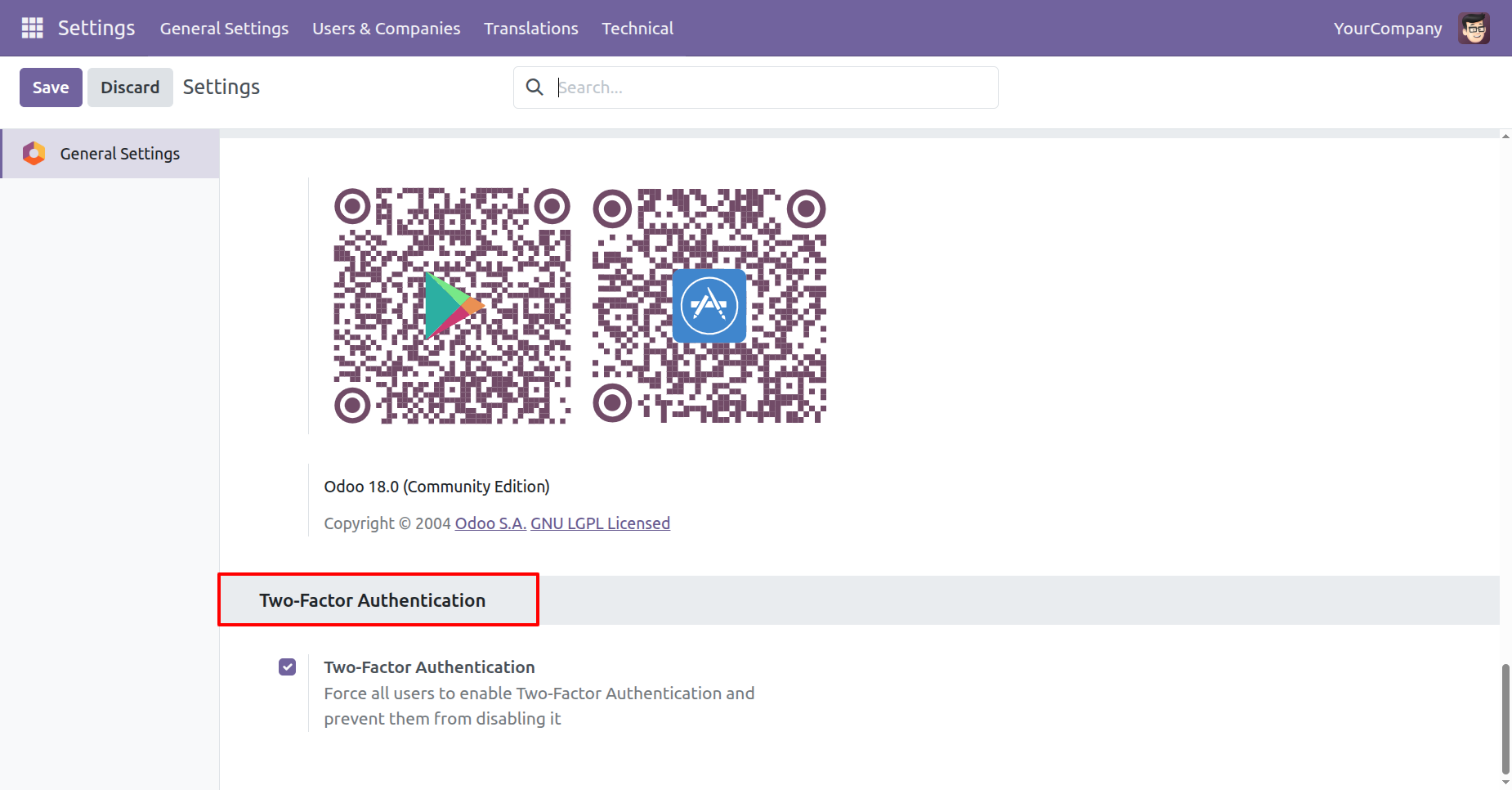
Admin can activate the “Two-Factor Authentication” option in General Settings to enforce 2FA across all users.
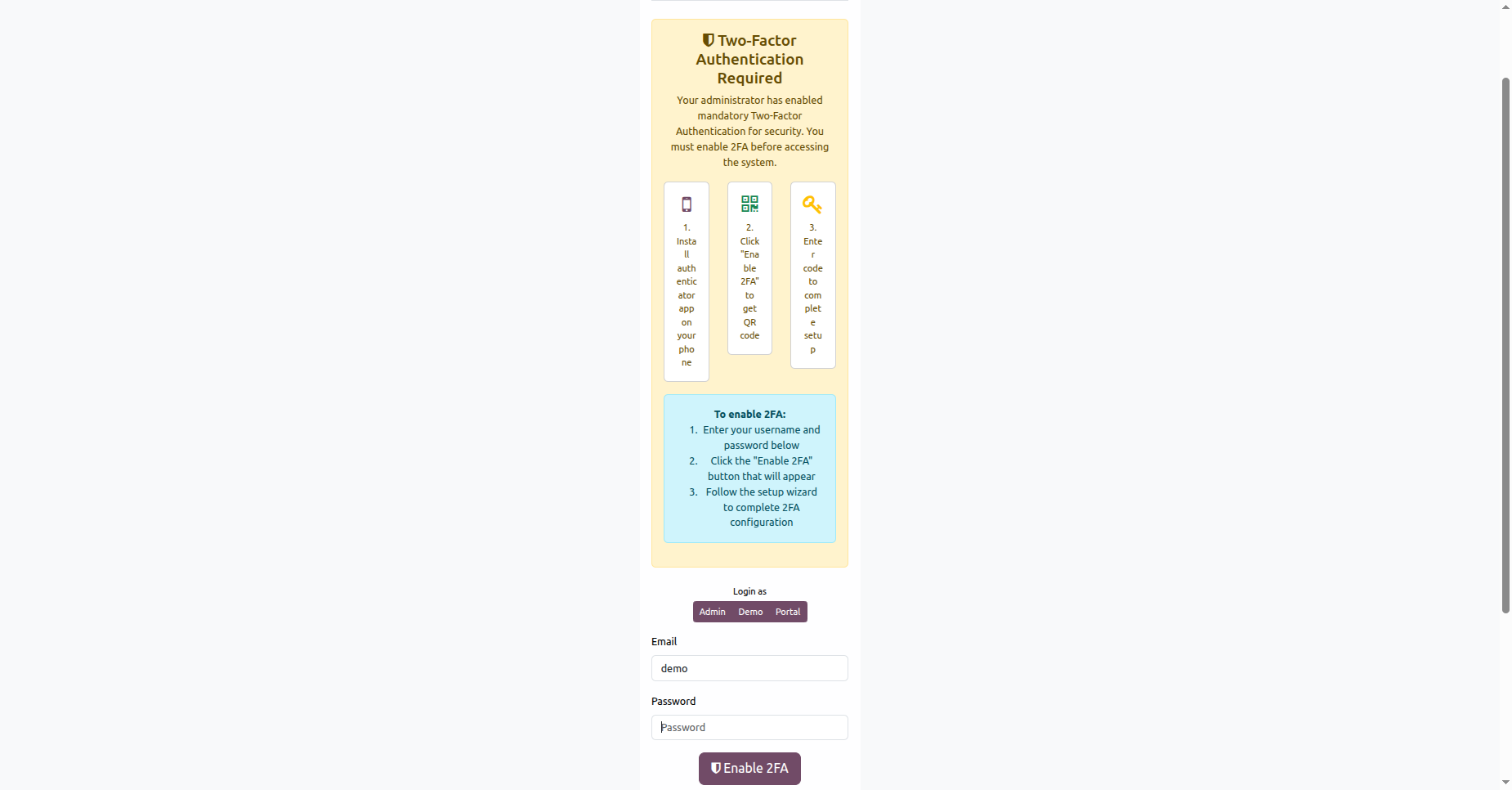
When Two-Factor Authentication is enabled, users are prompted to activate it by entering their credentials and completing the setup to securely access their account.
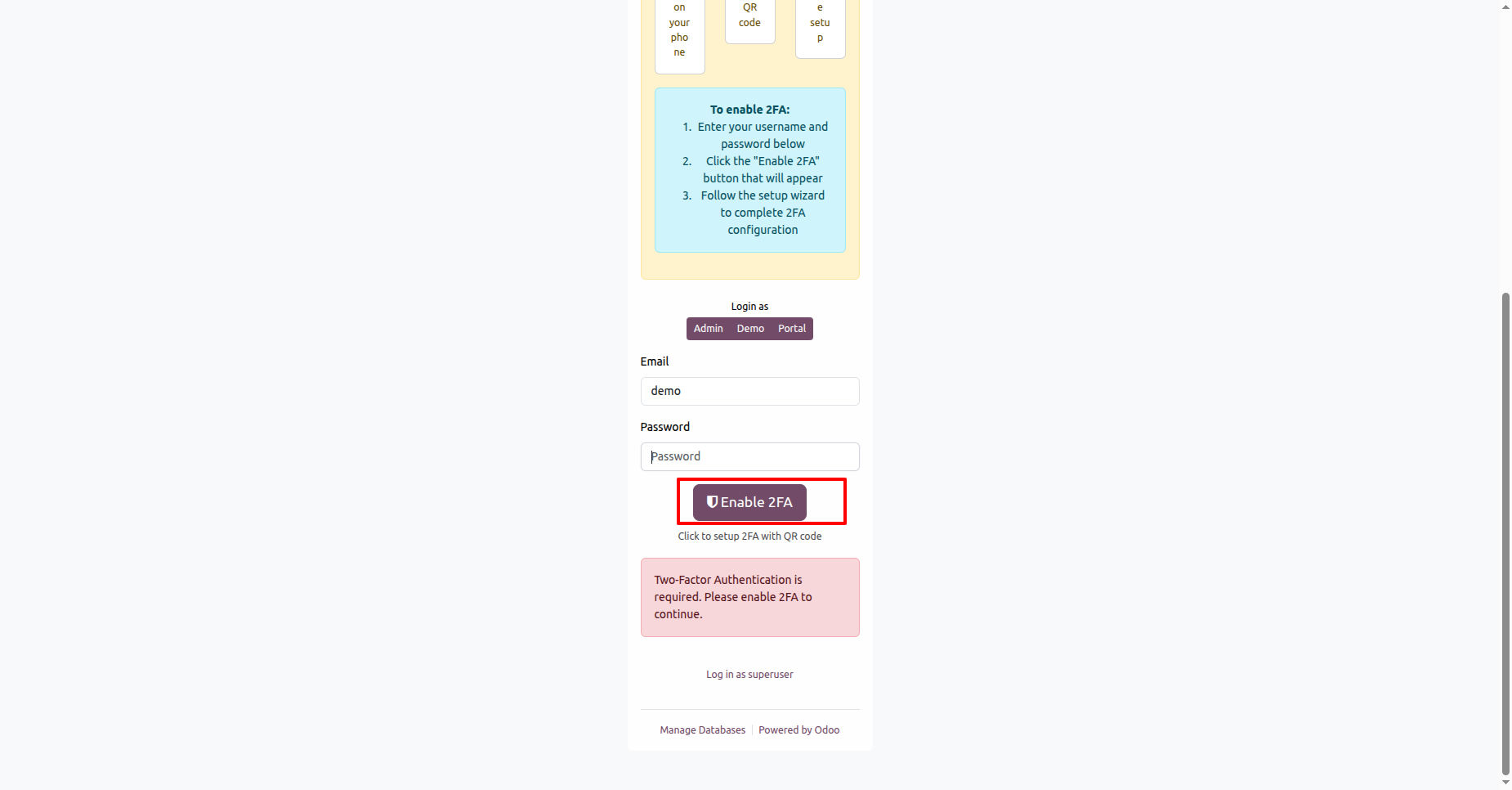
Users can enable Two-Factor Authentication by entering their credentials and clicking the “Enable 2FA” button to begin the secure setup process.
If users try to enable 2FA without entering their username or password, the system displays a prompt reminding them to fill in both fields before proceeding.
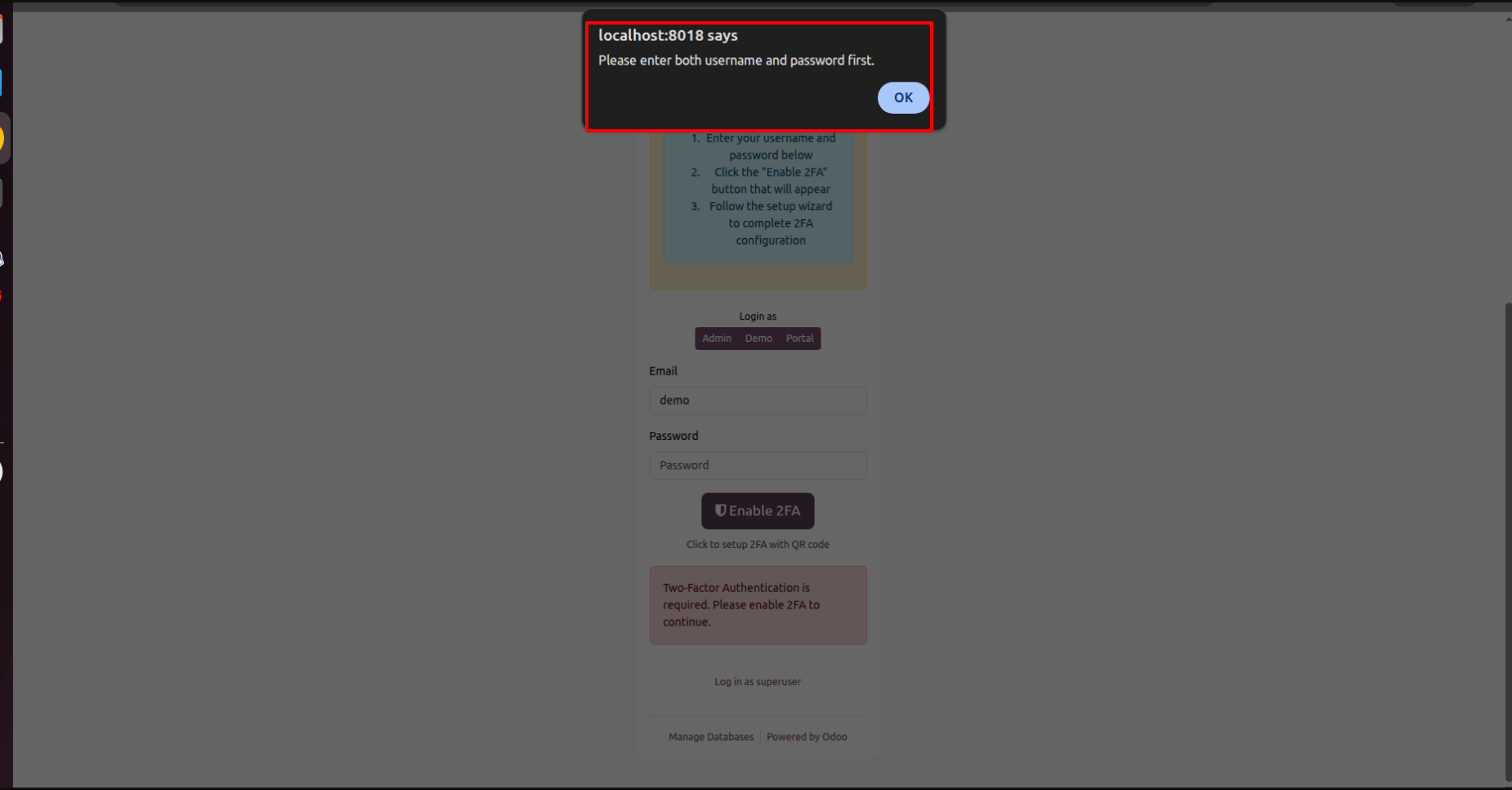
Users scan the QR code with an authenticator app and enter the generated 6-digit verification code to complete the Two-Factor Authentication (2FA) setup securely.

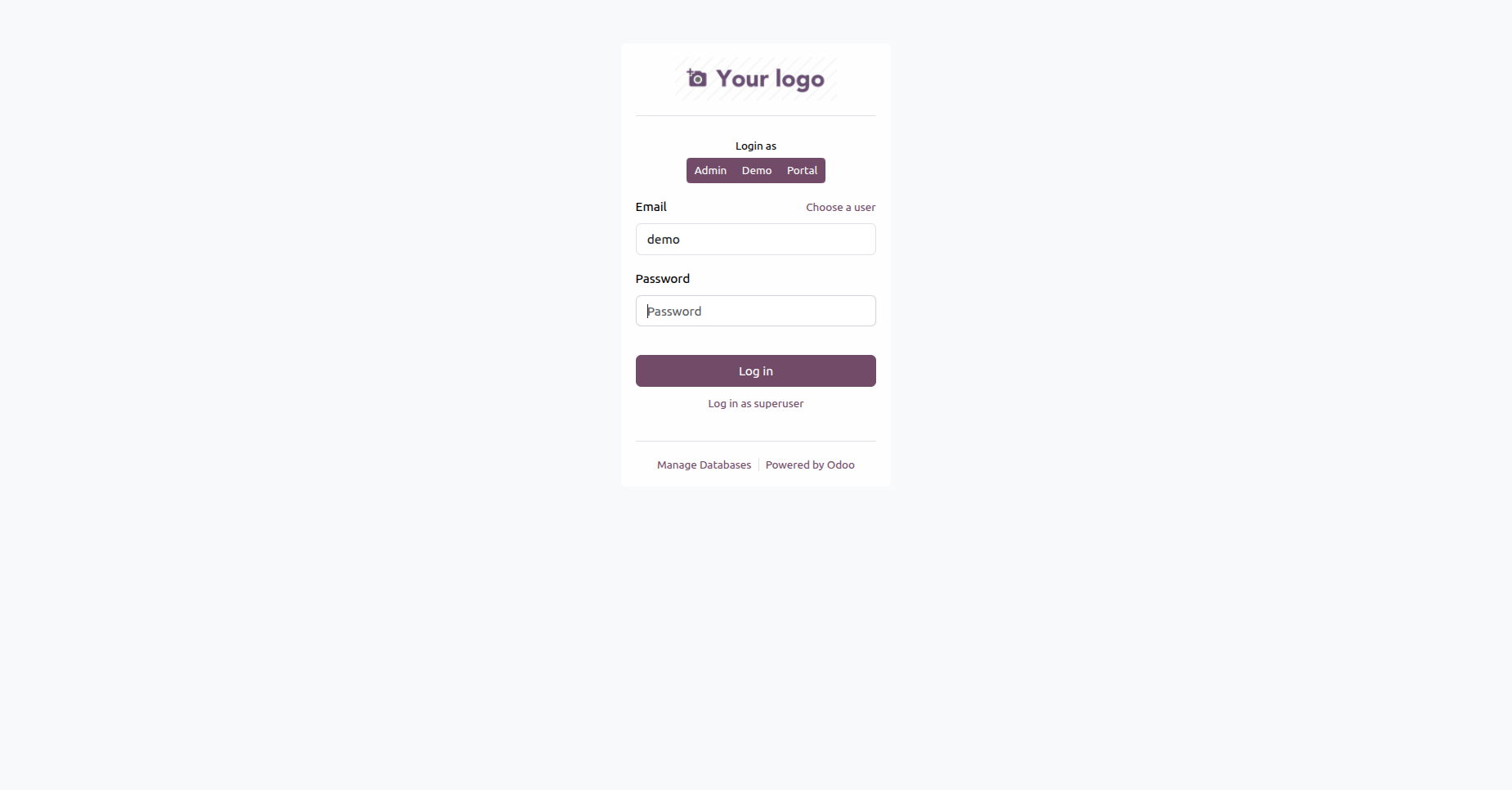
This is the login screen where users enter their email and password to access the system securely after Two-Factor Authentication (2FA) setup.
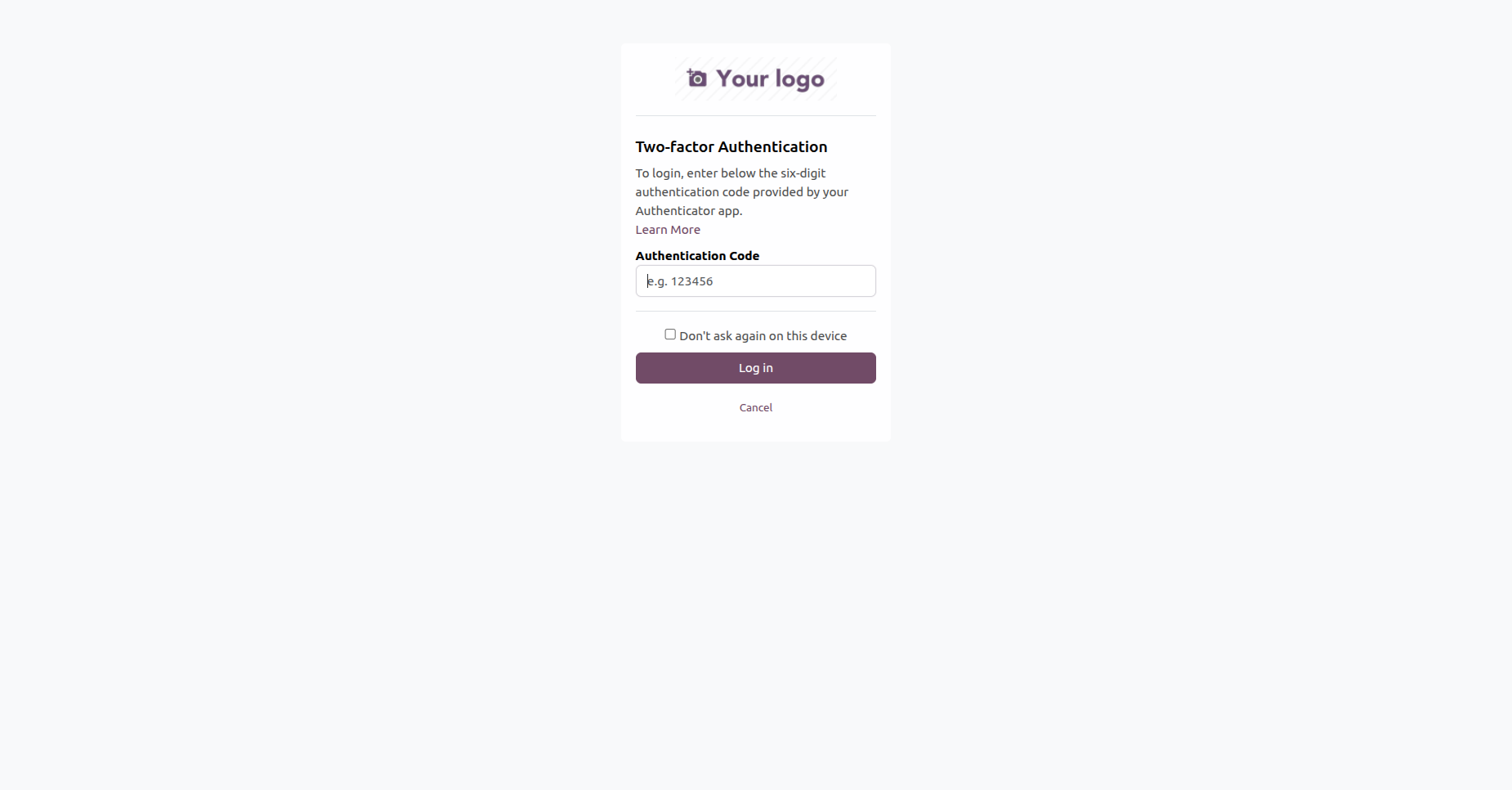
This screen displays the Two-Factor Authentication (2FA) verification page, where the user must enter a six-digit authentication code from their authenticator app to complete the login process.
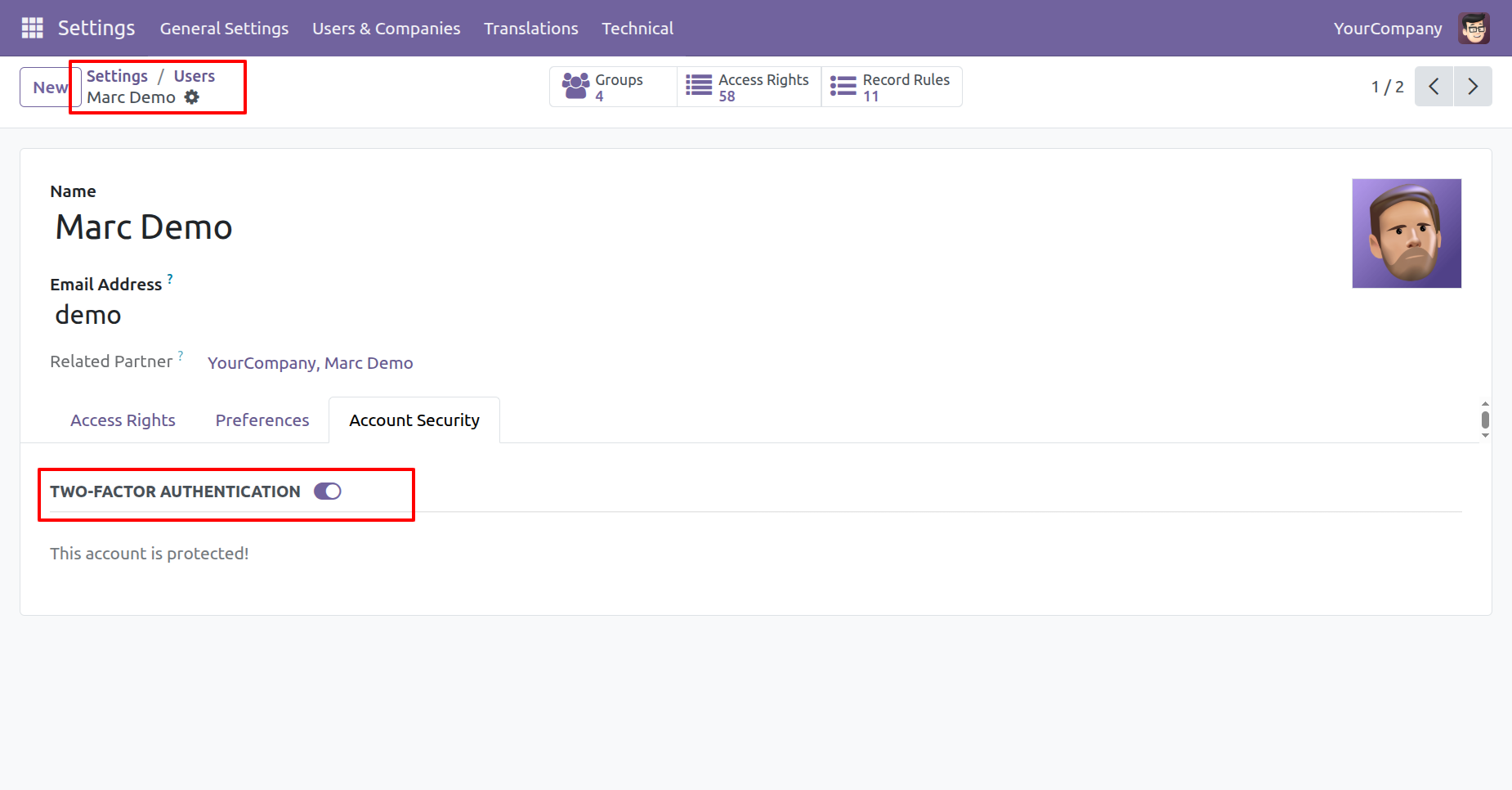
This screen shows the user profile settings where the Two-Factor Authentication (2FA) status can be viewed or managed to ensure account security.
Version 18.0.1.0.0 | Released on : 10th July 2026
- Yes, this app works perfectly with Odoo Enterprise (Odoo.sh & Premise) as well as Community.
- No, this application is not compatible with odoo.com(odoo saas/Odoo Online)
- Yes, to test this module, please contact us at sales@softhealer.com.
- Please contact us at sales@softhealer.comto request customization.
- Yes, we provide free support for 365 days from the date of purchase.
- Yes, you will receive lifetime free updates for the version of the module you purchased.
- No, there is no need to install any additional libraries.
- Yes, for version 12 and above, you need to purchase the module separately for each version you intend to use.
- No, exchanges or refunds are not allowed. Please make sure to select the correct version before purchasing.
- You can contact us at support@softhealer.com for language translation support. We use Google Translator tools to provide translations in multiple languages, so the accuracy may vary. We welcome your suggestions to help improve translations.
