

















Teamwork Odoo Connector
The Teamwork Odoo Connector connects your Teamwork workspace with Odoo to synchronize projects, tasks, timesheets, and calendar events. Import and export project data manually or automatically using scheduled background jobs and real-time webhooks. Track operations with a visual dashboard, stage mappings, sync queues, and detailed activity logs.
Key Features
Import Operations (Teamwork → Odoo)

Project Import
-
 Import
Teamwork projects into Odoo.
Import
Teamwork projects into Odoo.
-
Project
manager & customer.
-
Import
with custom dates.
-
Import
single record entity.

Task Import
-
Import
tasks from Teamwork into Odoo.
-
User
assignments, tags, and priority.
-
Deadline
and allocated time.
-
Import
with custom dates.
-
Import
single record entity.

Timesheet Import
-
Import
timesheets
-
Import
with custom dates.
-
Import
single record entity.

Calendar Event Import
-
Import
calendar events.
-
Import
with custom dates.
-
Import
single record entity.
Export Operations (Odoo → Teamwork)

Project Export
-
Export
Odoo projects to Teamwork.
-
Project
name & Client.
-
Start
dates & end dates.

Task Export
-
Export
Odoo project tasks to Teamwork.
-
Task
description and stage.

Timesheet Export
-
Export
Odoo project timesheets.

Calendar Event Export
-
Export
Odoo calendar meetings and scheduled events.
Dashboards, Automation & Configuration

Teamwork Dashboard
-
Monitor
synchronization statistics, record counts, active connections, and date range
filters in one place.

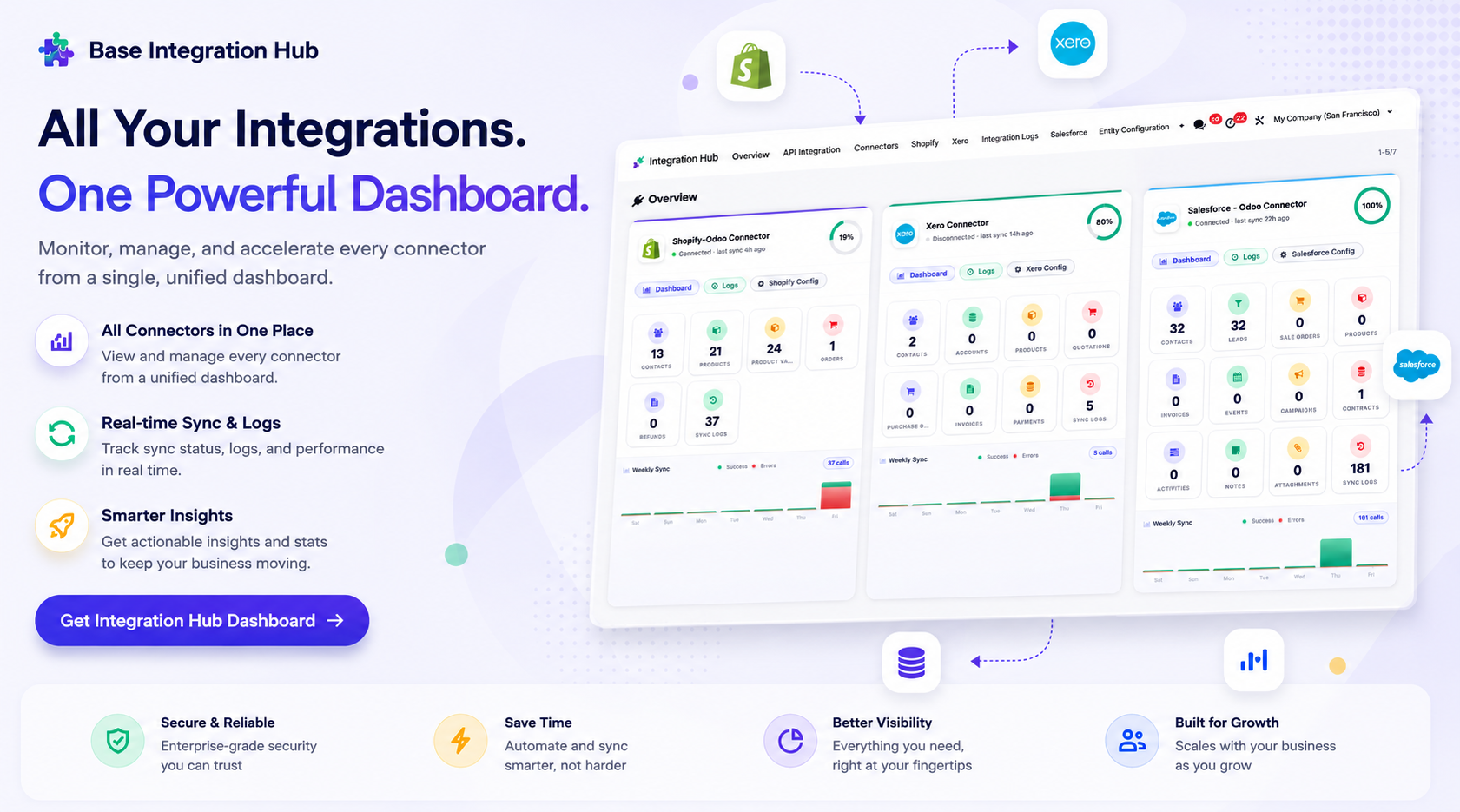
Integration Hub Dashboard
-
A
centralized view to track the status of all connectors, recent activities, and
synchronization stats.

Connection Configuration
-
Configure
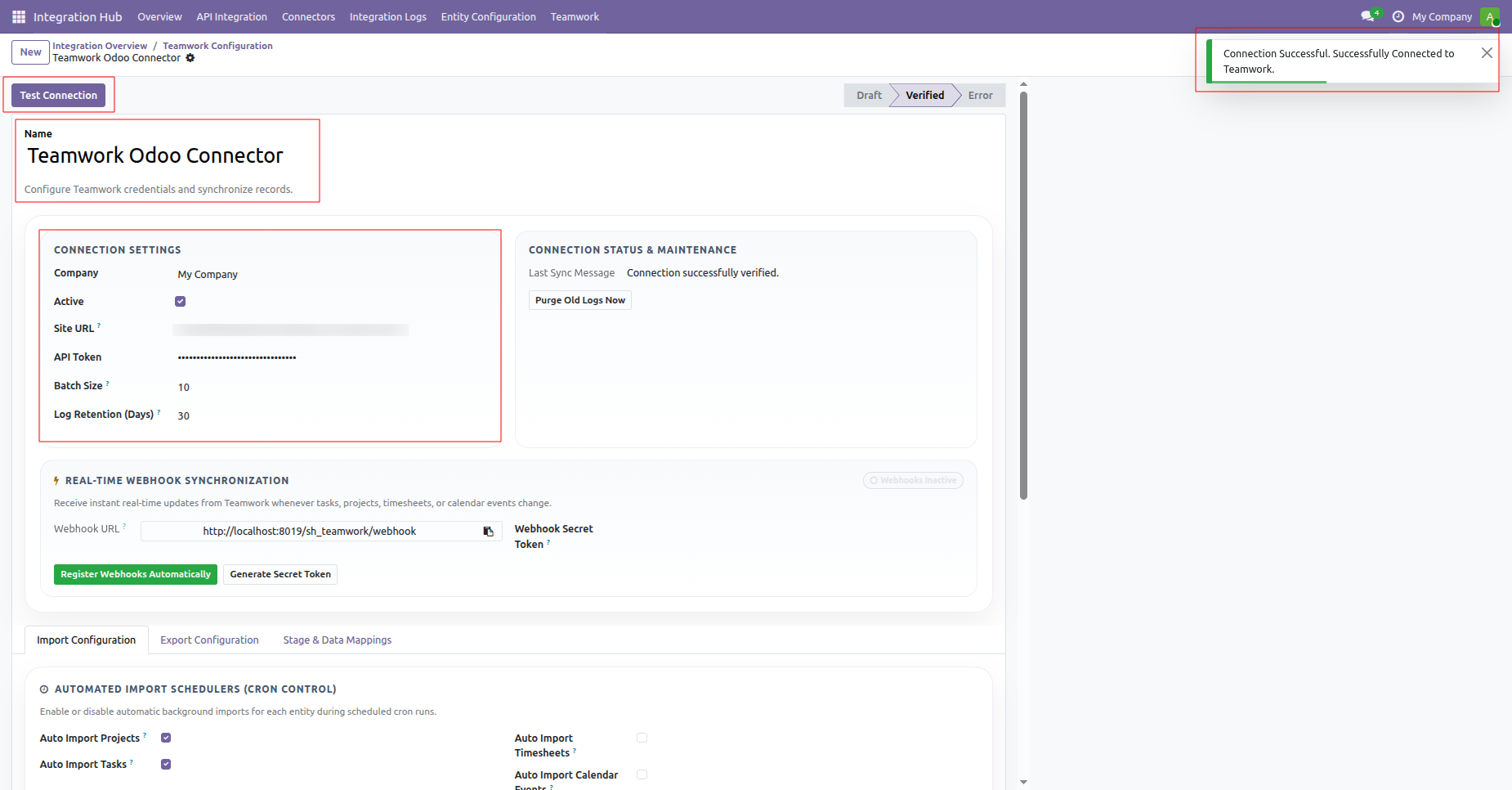
Teamwork URL and API key with batch size, log retention days and test connection
button for verification.

Webhook Configuration
-
Register/Unregister
webhook.
-
Analyze
webhook events and details.
-
Real-time
synchronization.

Task Stage Mapping
-
Map
Teamwork task stages directly to odoo for workflow consistency.

Queued Synchronization
-
Process
large data synchronization in the background through queues.

Sync Logs
-
Track
all synchronization operations with entity, operation type, status and sync
date.

Timesheet Analysis
-
Analyze
logged project hours and employee timesheets using interactive Odoo pivot
tables.
 Setup Configuration
 Release Notes
 Support
 FAQ's
FAQ's
Frequently Asked Questions
Everything you need to know before getting started.
 Configuration
 Integration Hub Dashboard
 Import Flow
 Export Flow
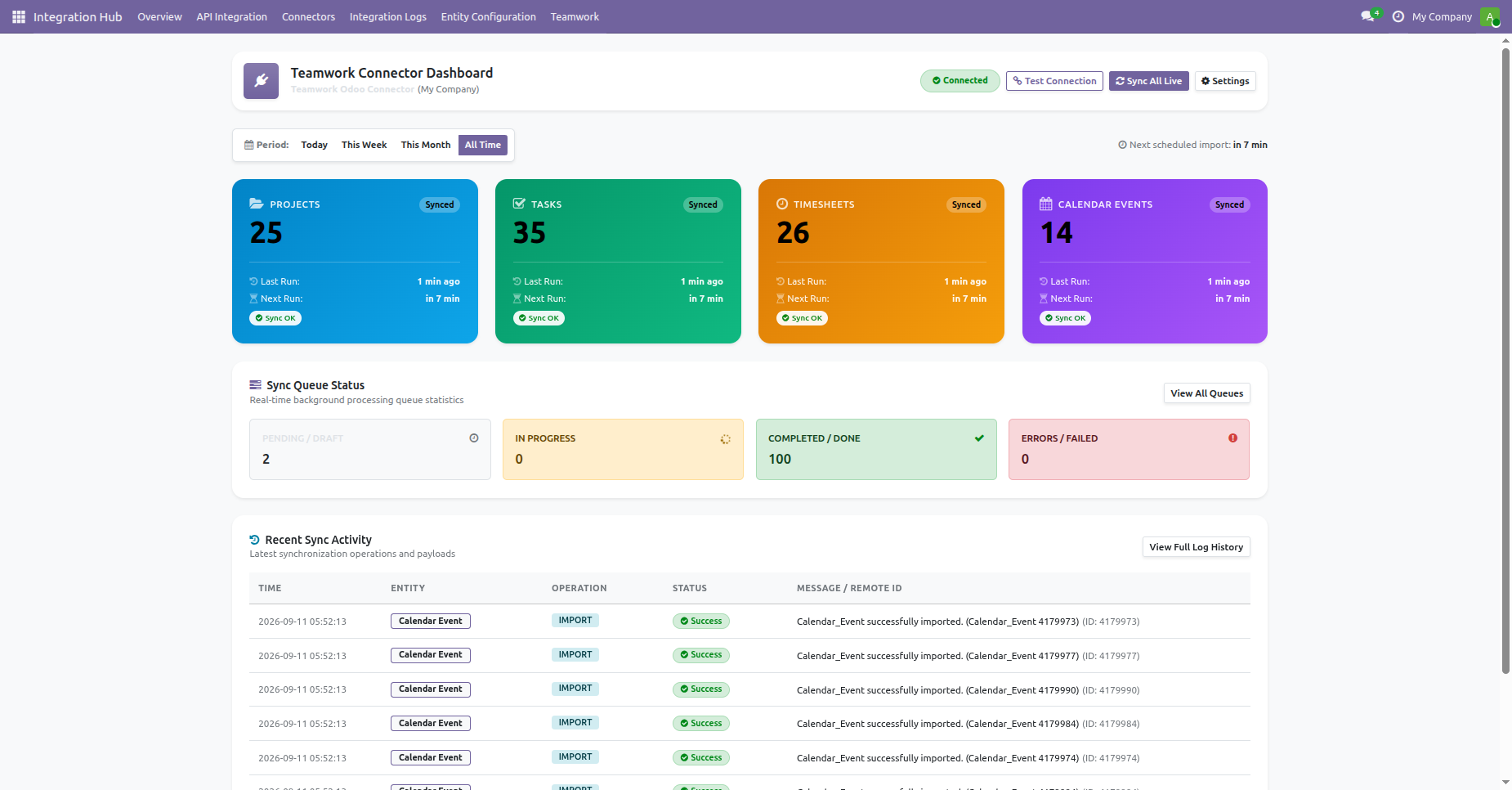
Navigate to the Teamwork Connector menu and select Dashboard to open the synchronization overview.
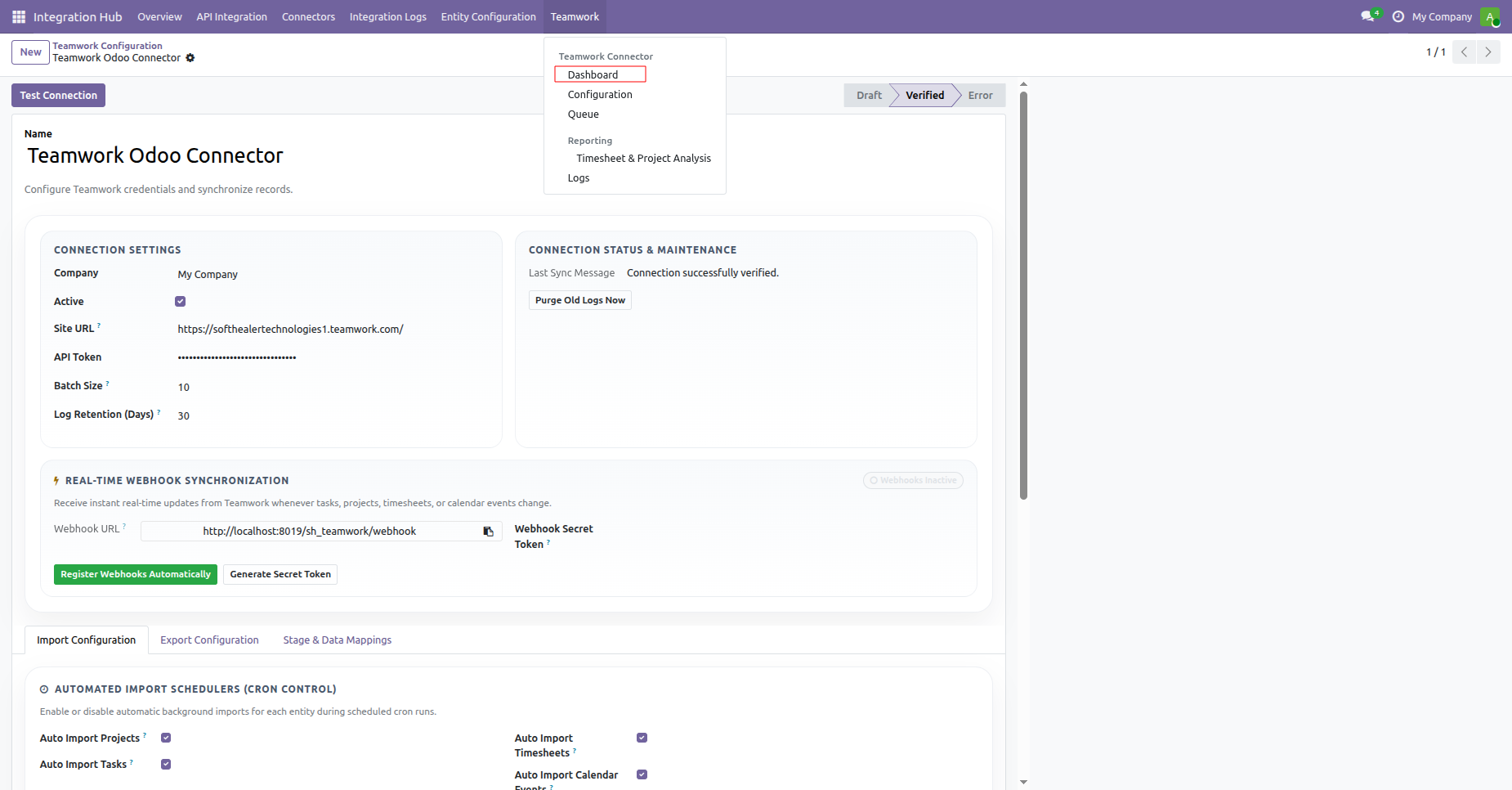
Monitor real-time synchronization statistics, queue processing statuses, and recent sync activities on the dashboard.
Centralized dashboard to manage and monitor all connectors from one place. Quickly access sync summary, activity logs, and configuration controls with improved visibility.
 How it works?
Watch Video
How it works?
Watch Video
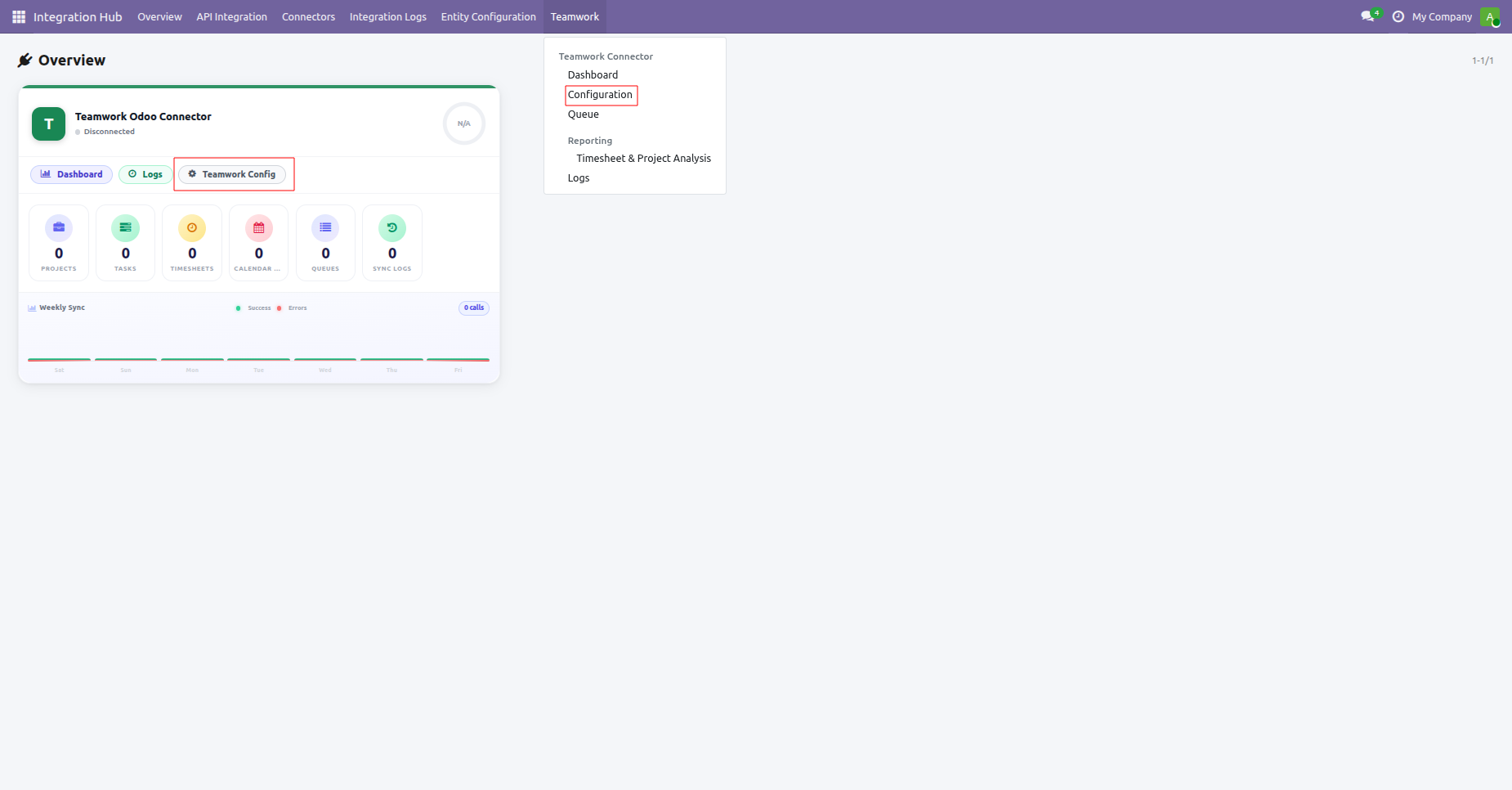
Open Teamwork configuration settings from the Integration Hub dropdown menu or quick action card.
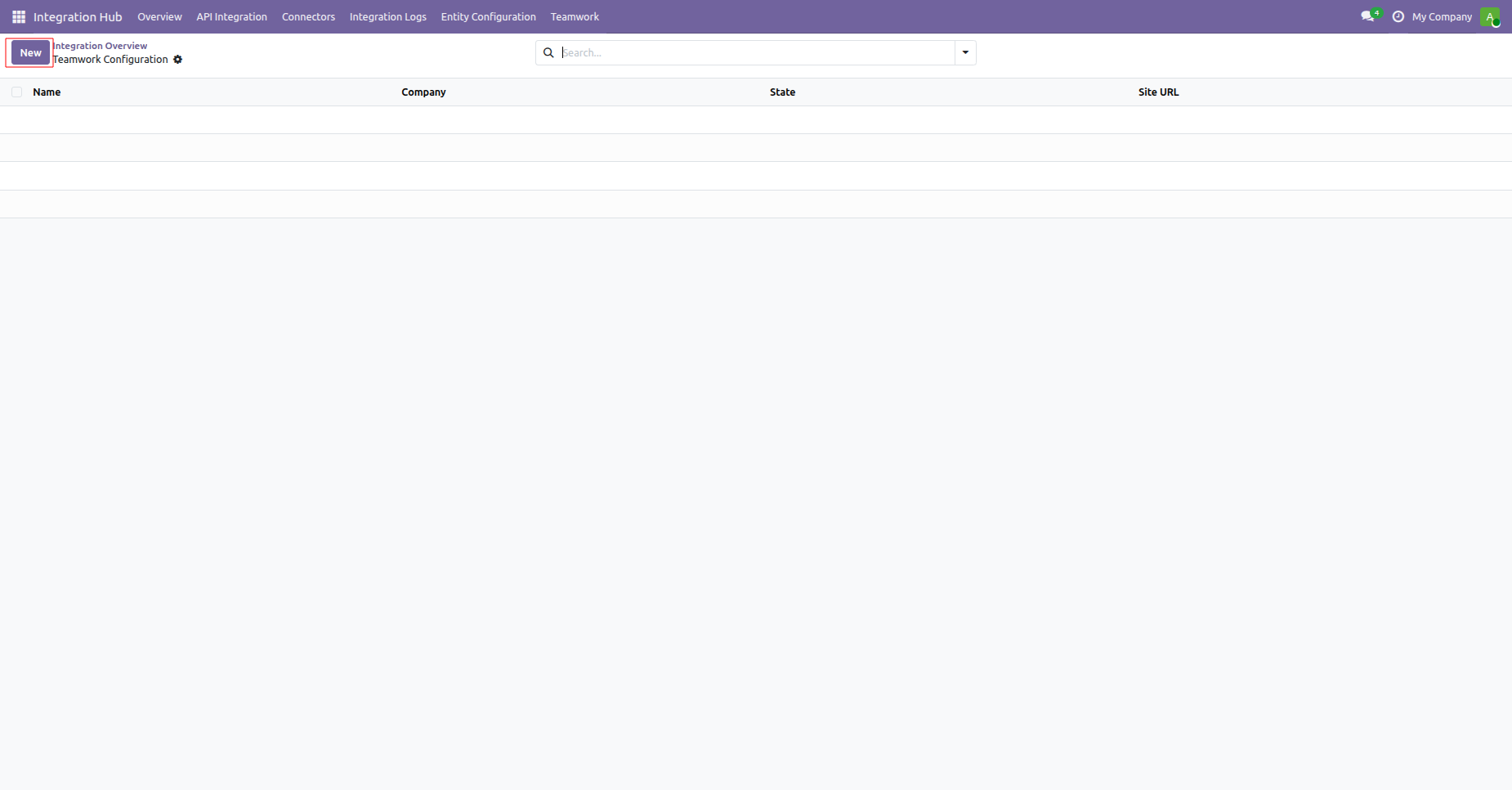
Click the New button on the Teamwork Configuration list view to create a connection.
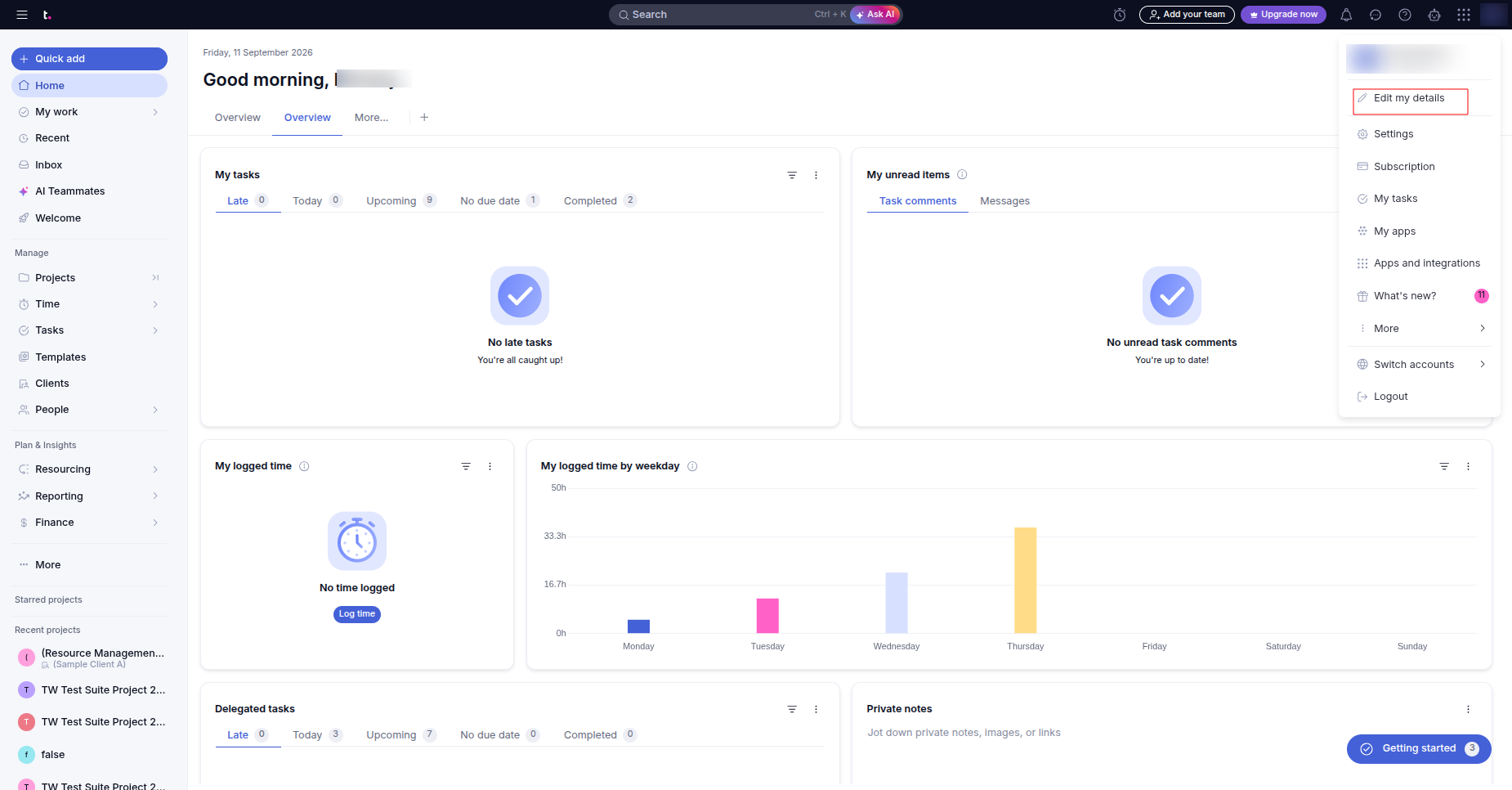
Open your user profile menu in Teamwork and select Edit my details to view API settings.
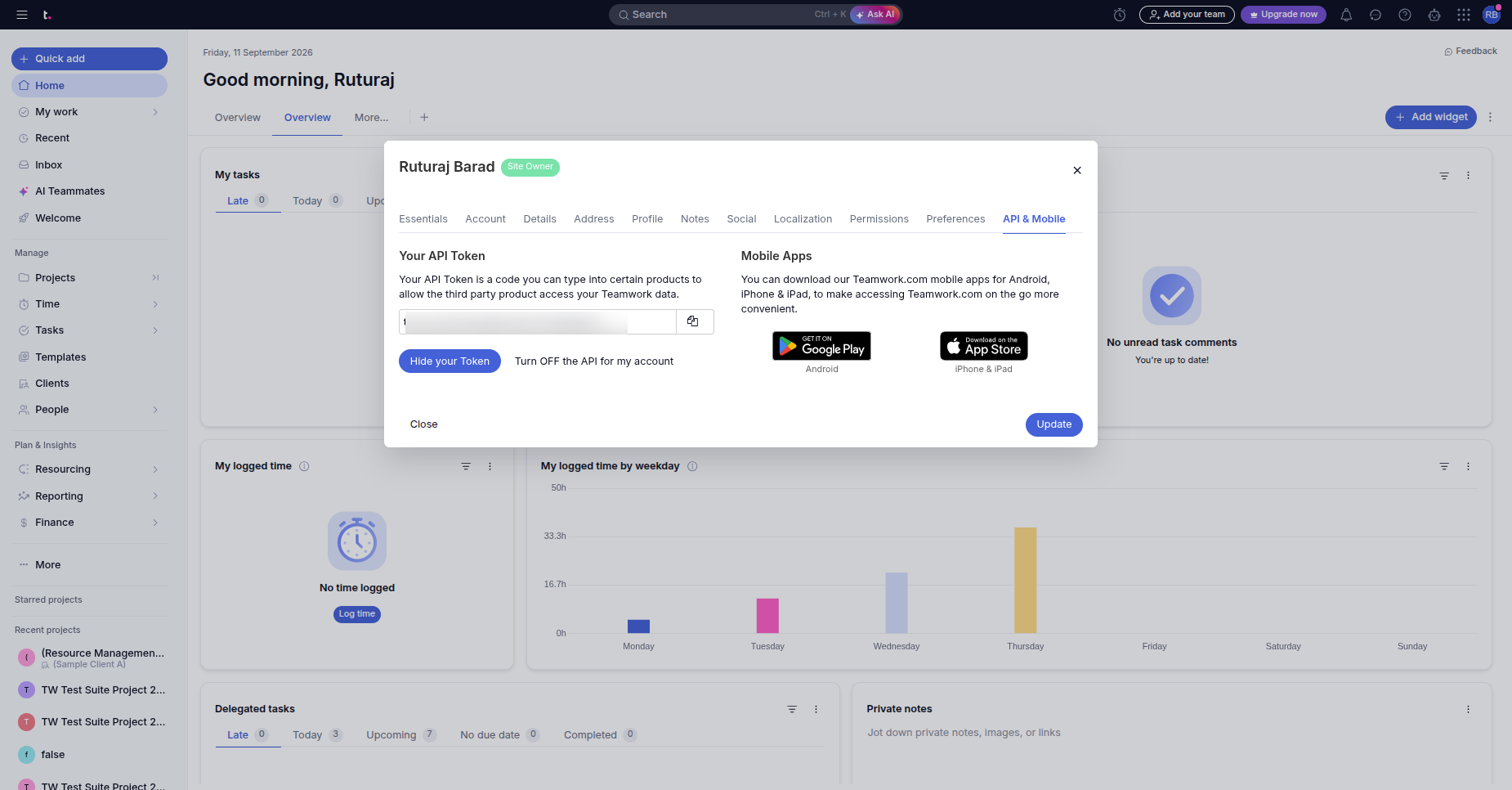
Navigate to the API and Mobile tab to copy your personal Teamwork API token.
Enter your site URL and API token, then test and verify the active connection.
 Import Projects
Video
Import Timesheets
Video
Import Tasks Video
Import with
Scheduled Actions Video
Import Calendar
Video
Import with Date
Range Video
Import Single
Entity Video
Import Projects
Video
Import Timesheets
Video
Import Tasks Video
Import with
Scheduled Actions Video
Import Calendar
Video
Import with Date
Range Video
Import Single
Entity Video
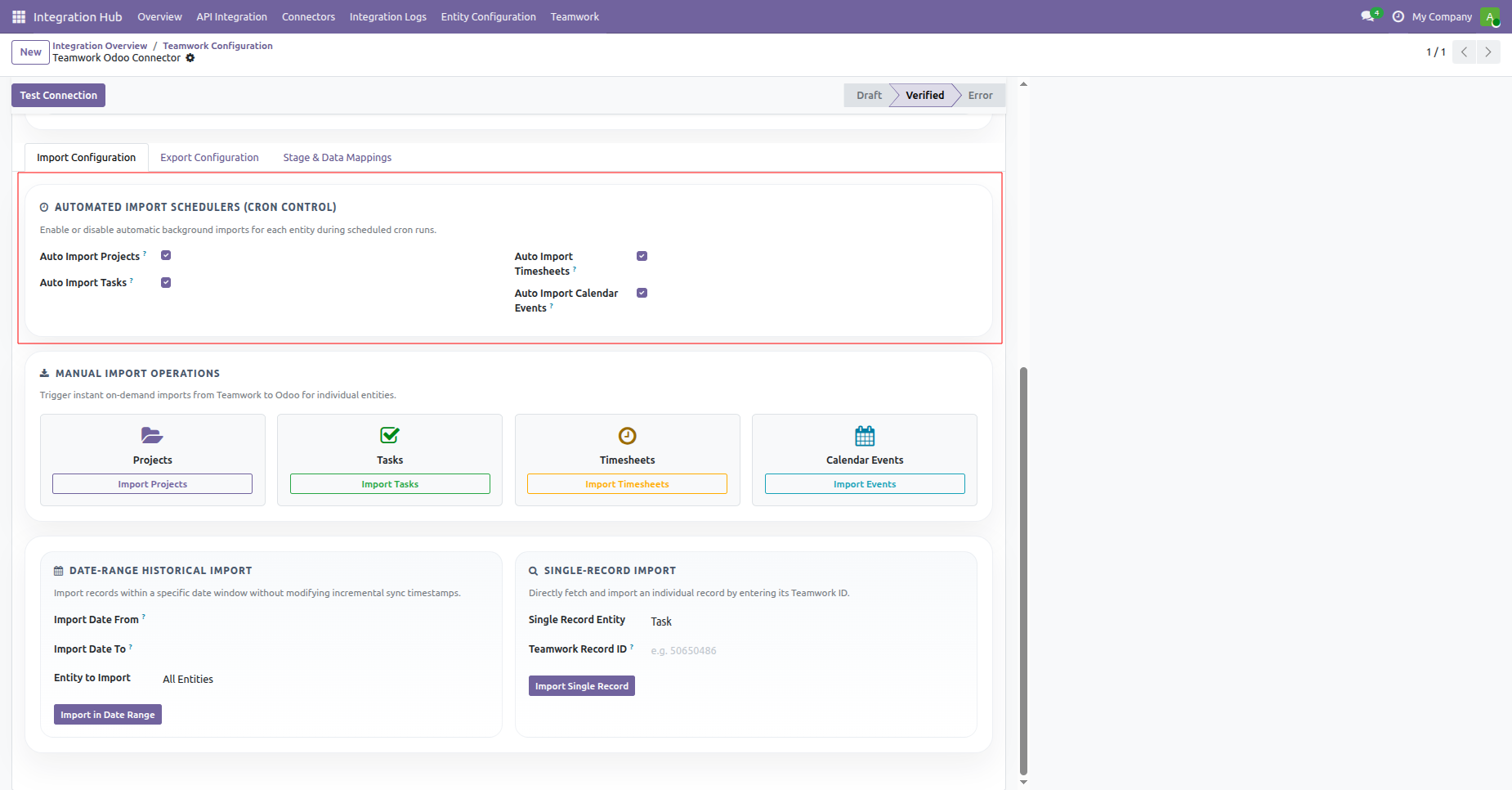
Navigate to the Import Configuration tab to configure automated schedulers, manual imports, and filtering options.
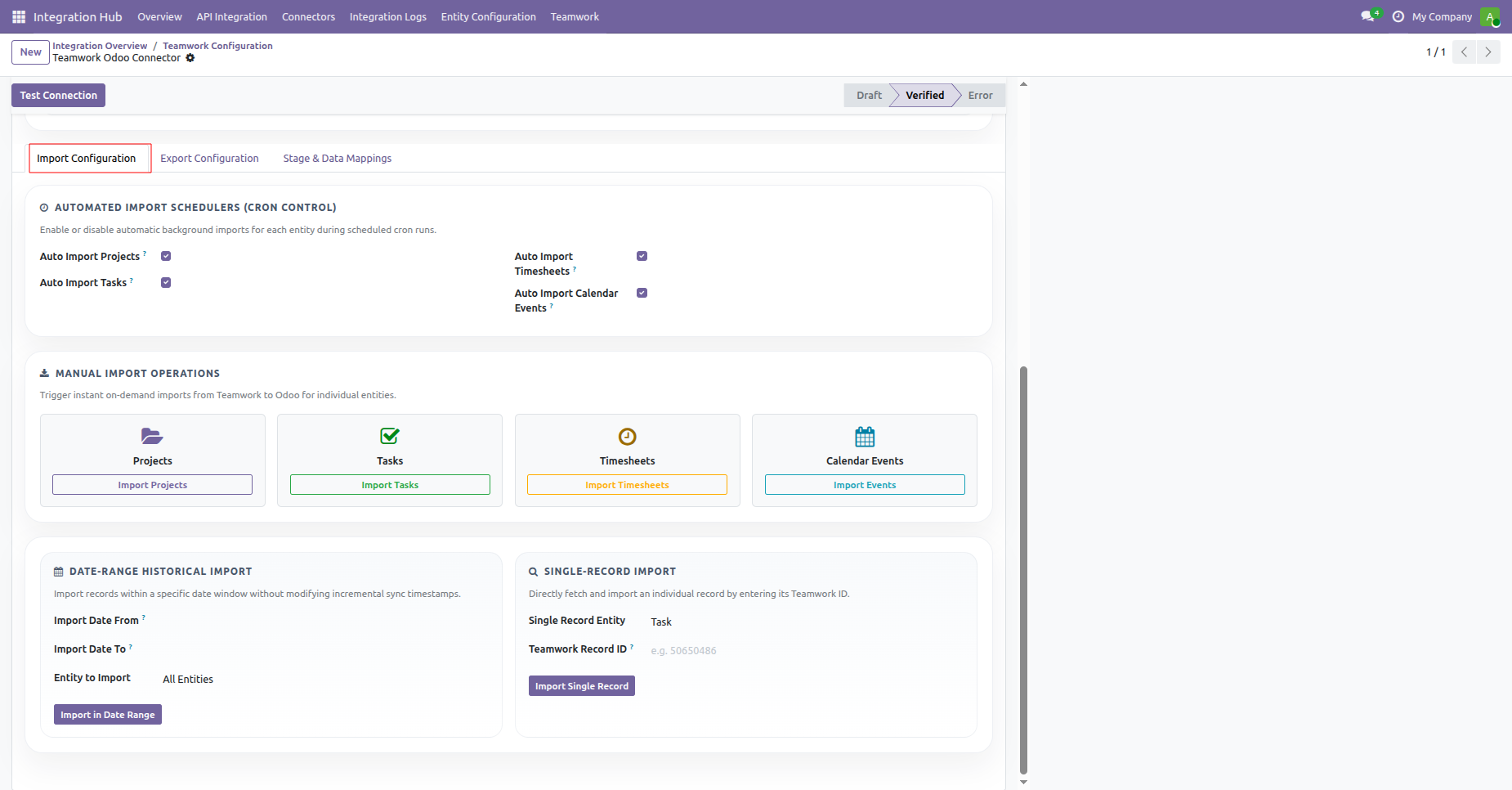
Enable automated scheduled import cron jobs for projects, tasks, timesheets, and calendar events.
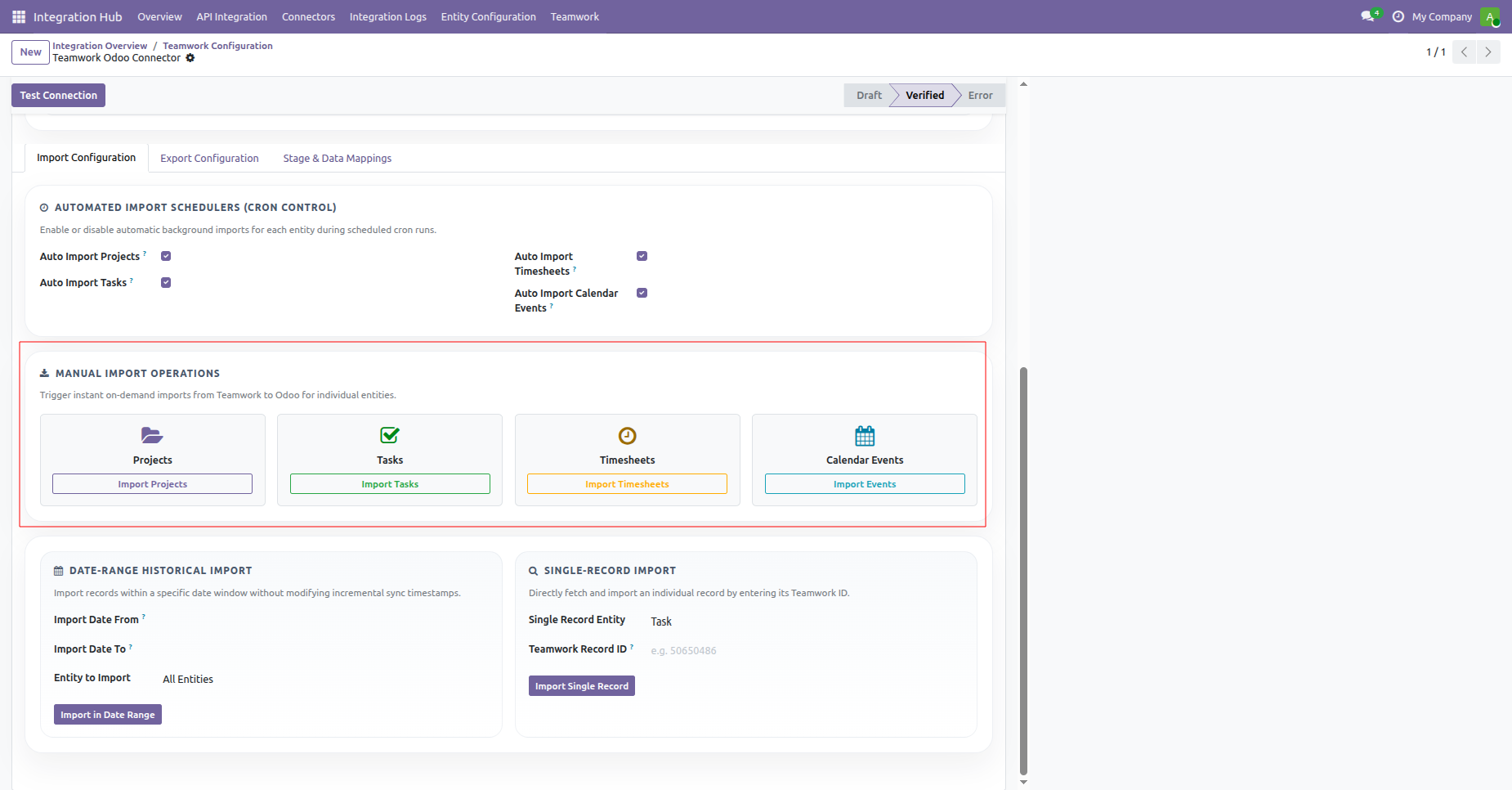
Trigger instant manual imports for Projects, Tasks, Timesheets, or Calendar Events with dedicated operation buttons.
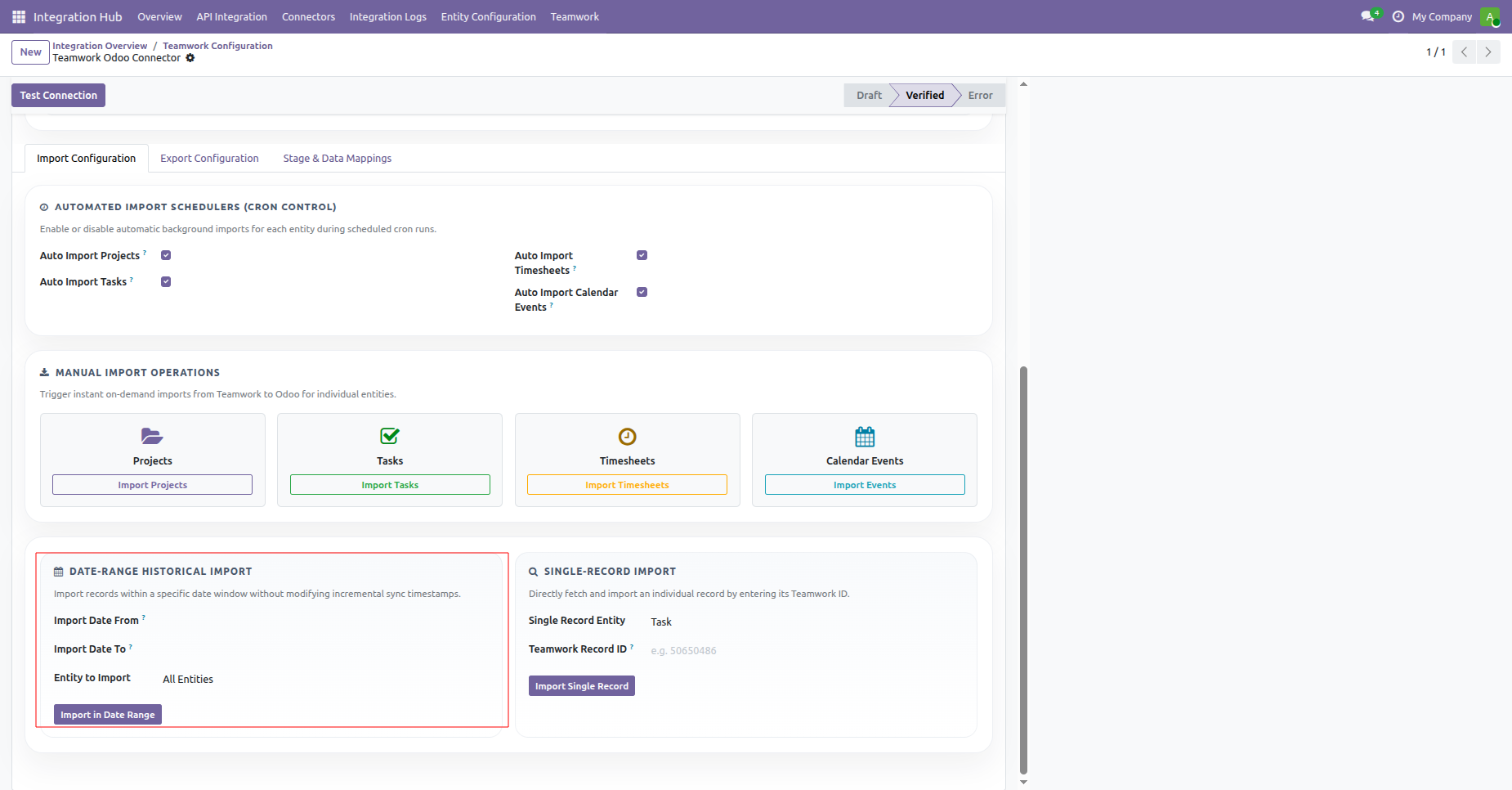
Import historical Teamwork records within a specific date window using the date-range import filter controls.
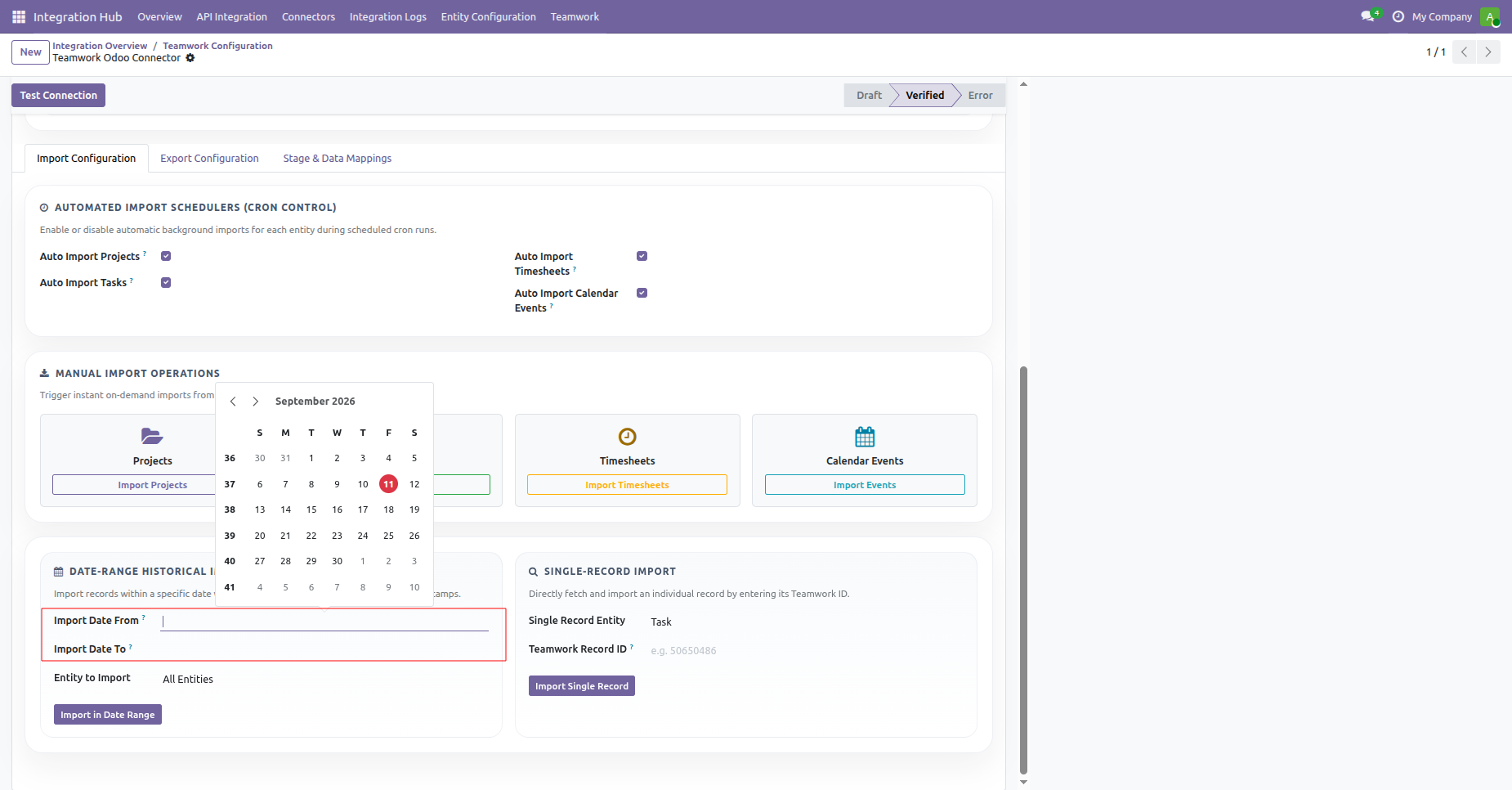
Select start and end dates from the calendar popup to define your historical sync period.
Choose specific entities or select all entities to import within the chosen date range.
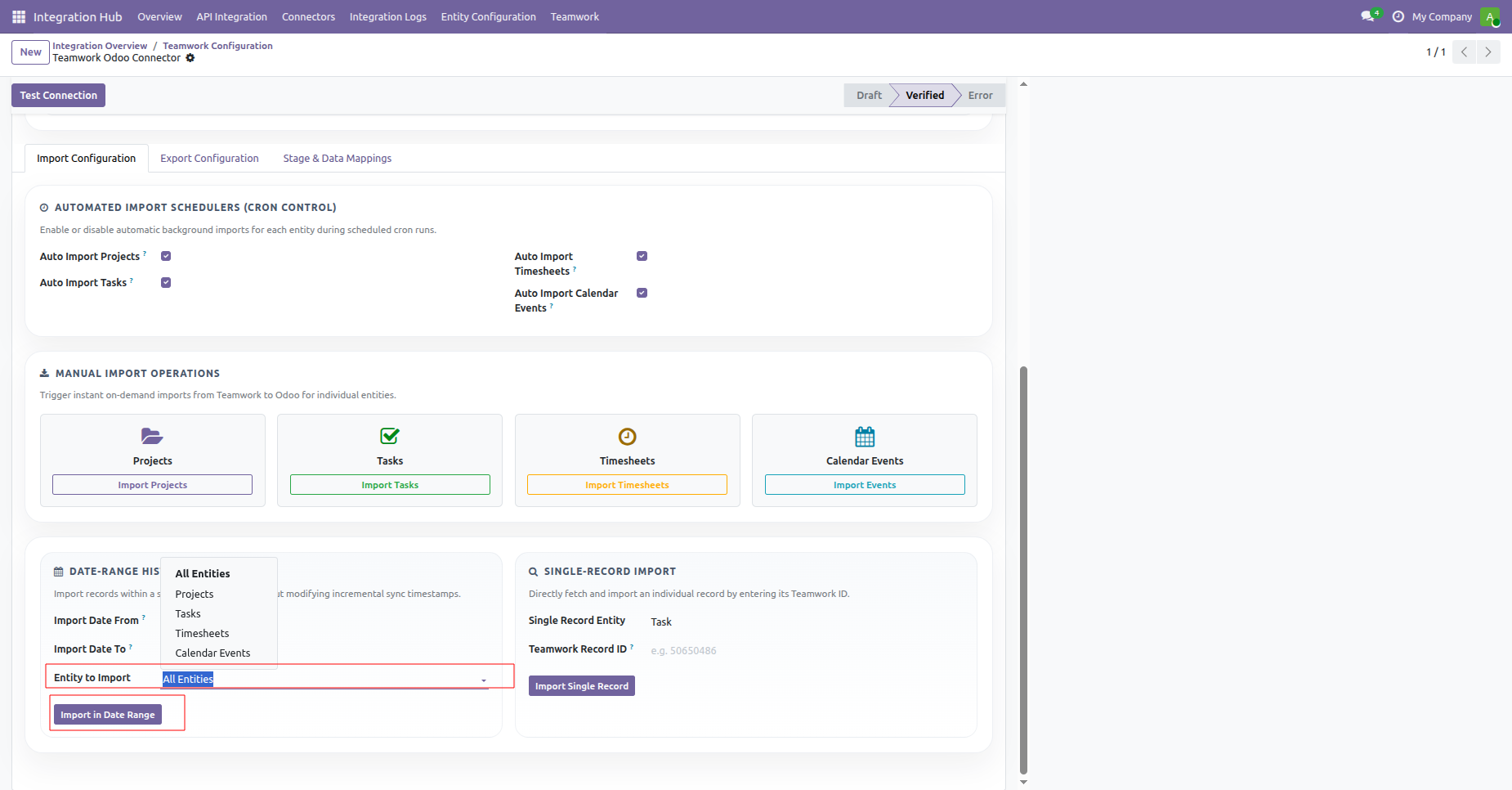
Fetch and import an individual record directly by entering its specific Teamwork record identifier.
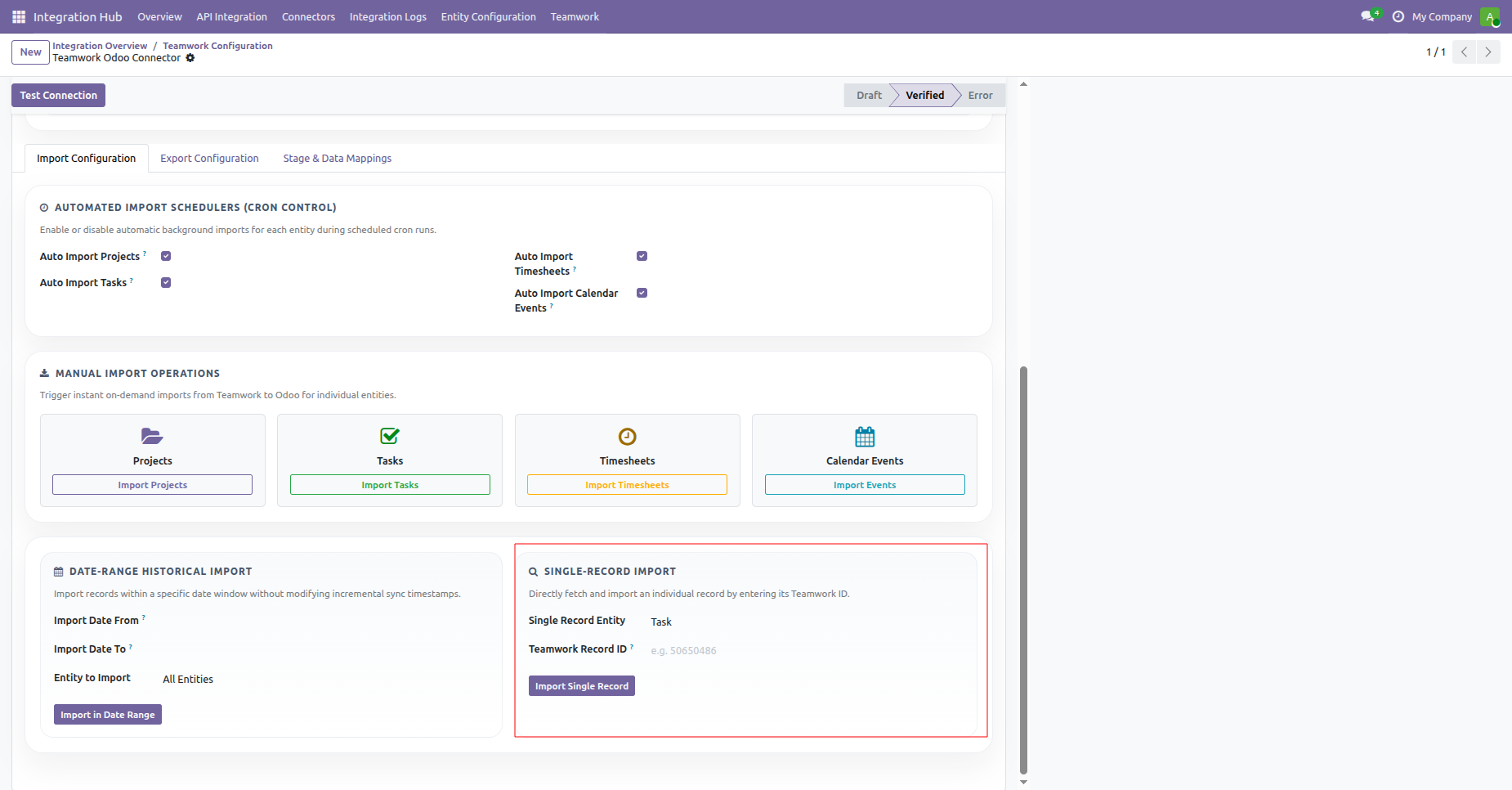
Select the target entity type from the dropdown for single record import retrieval.
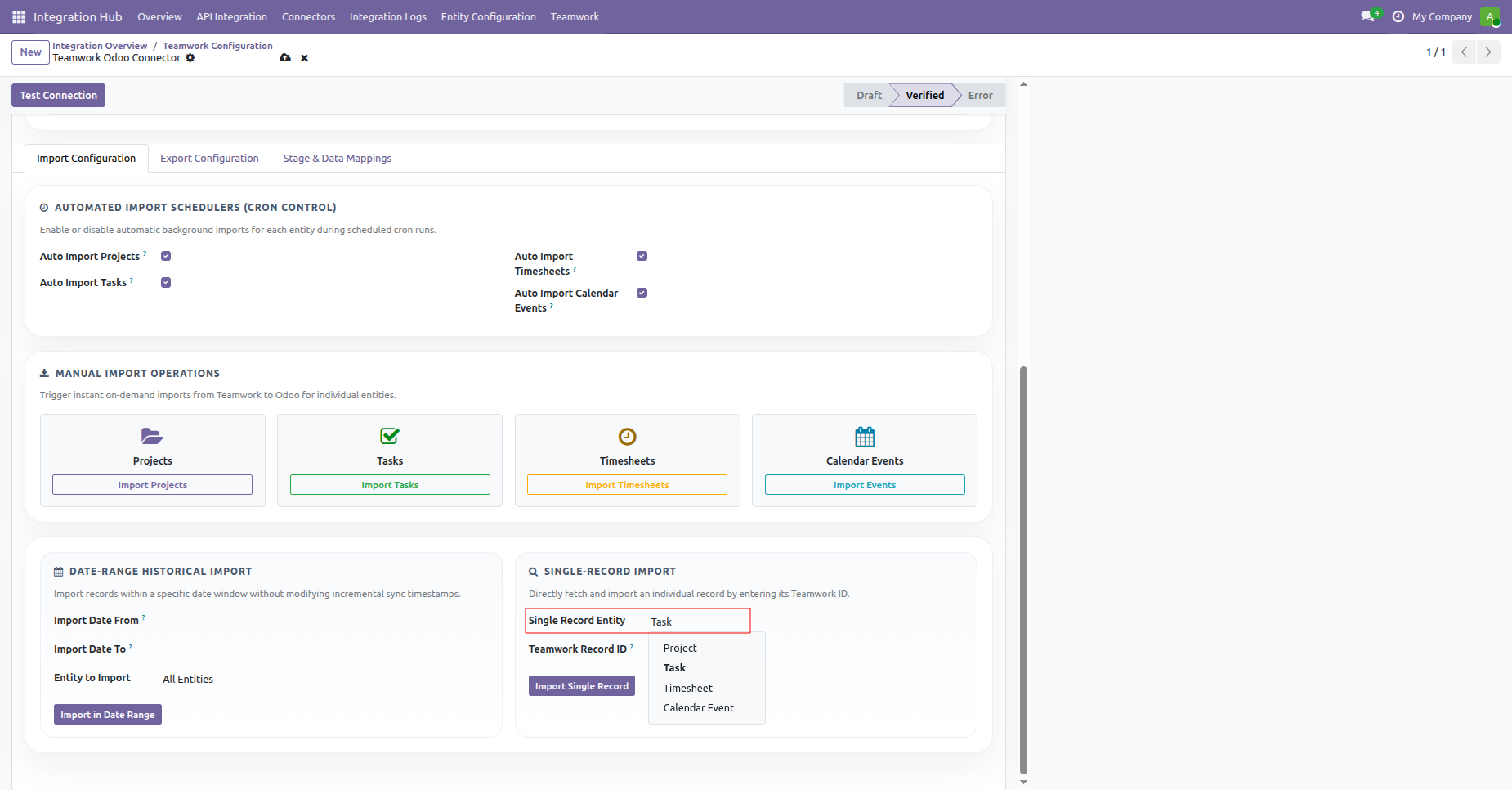
Click the Import Single Record button to fetch the specific remote record into Odoo immediately.
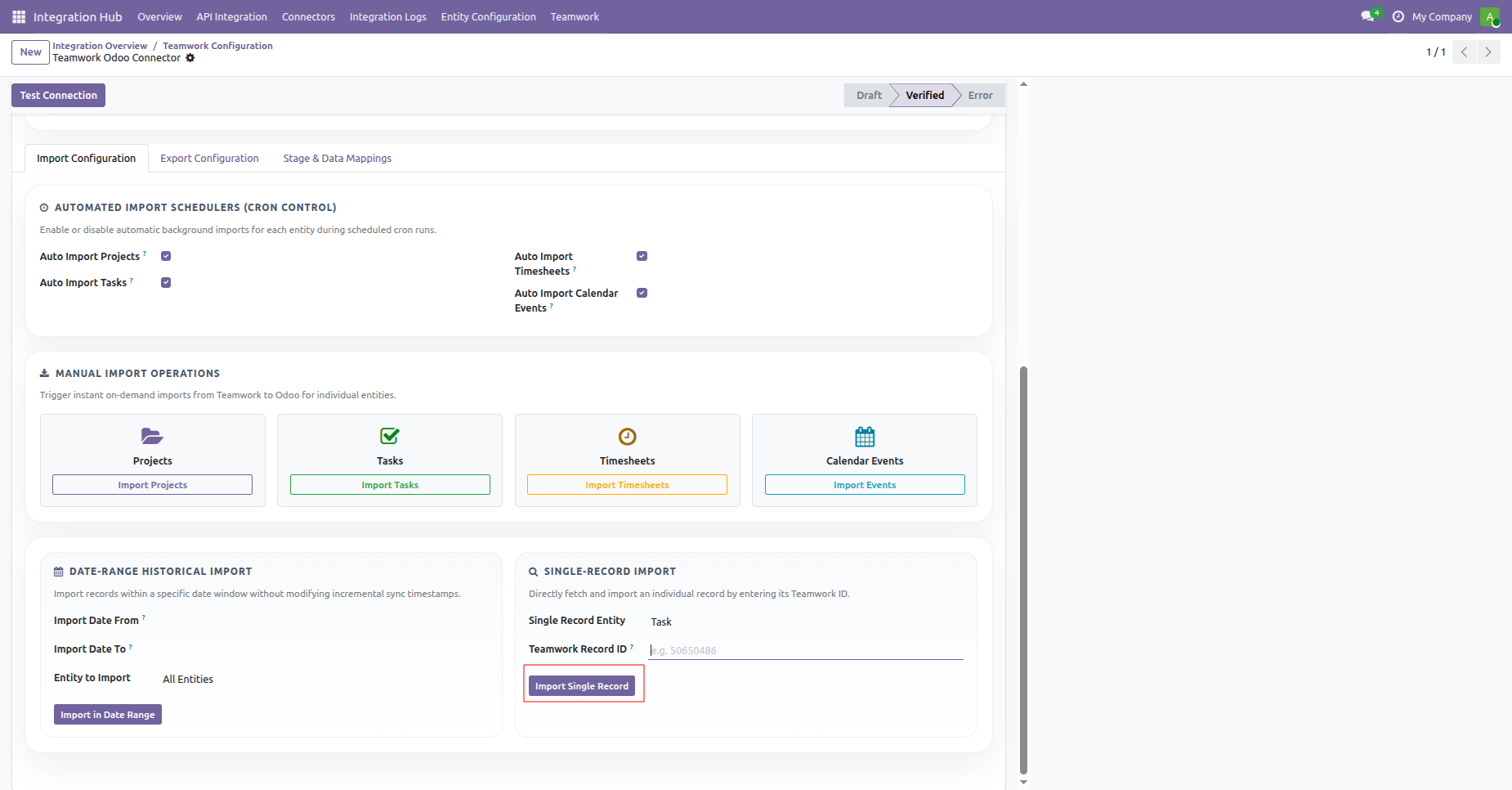
Check active scheduled actions managing background import, queue execution, retry handling, and log cleanup.
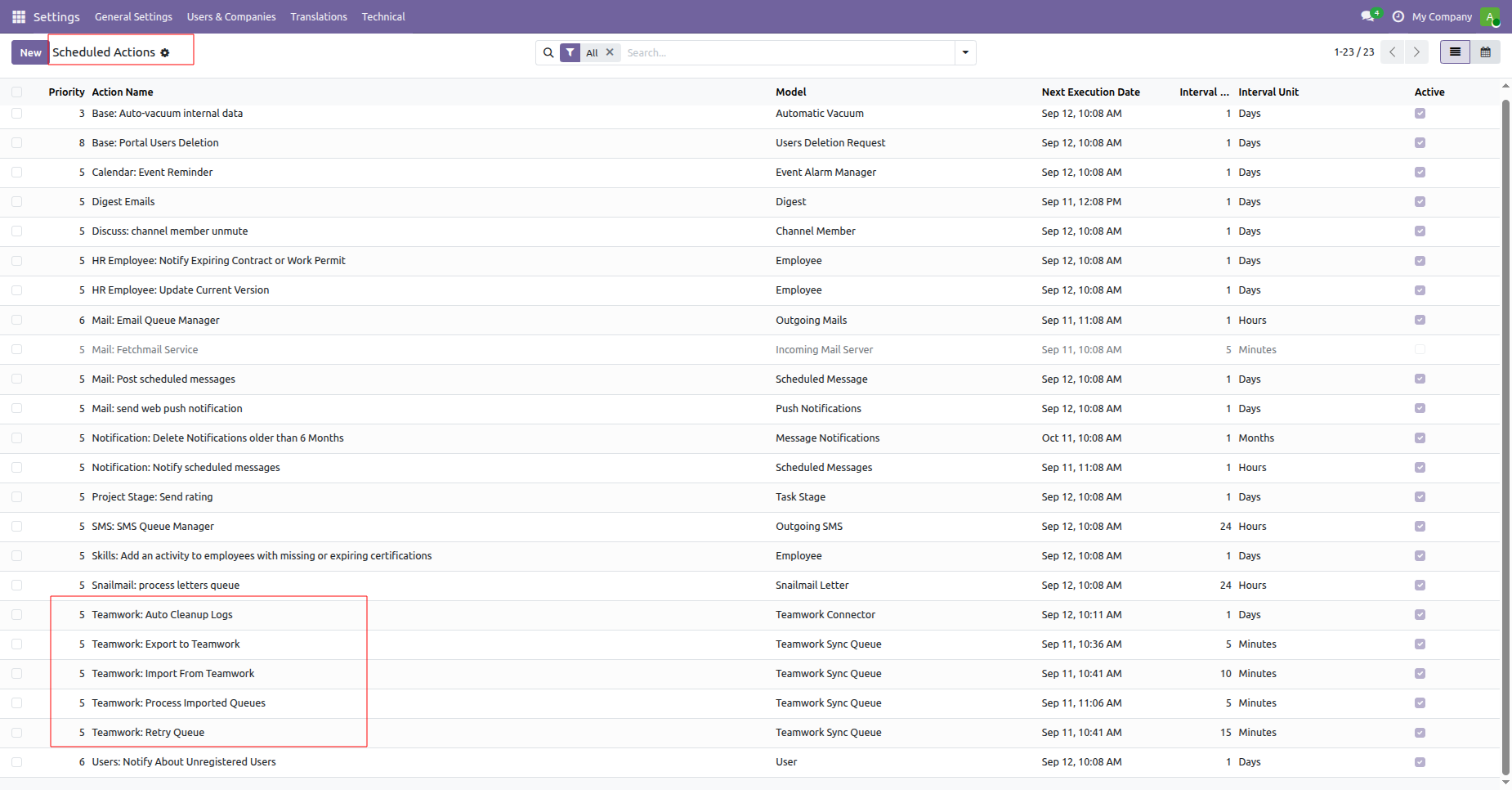
Define the batch size to control the number of records processed per sync batch.
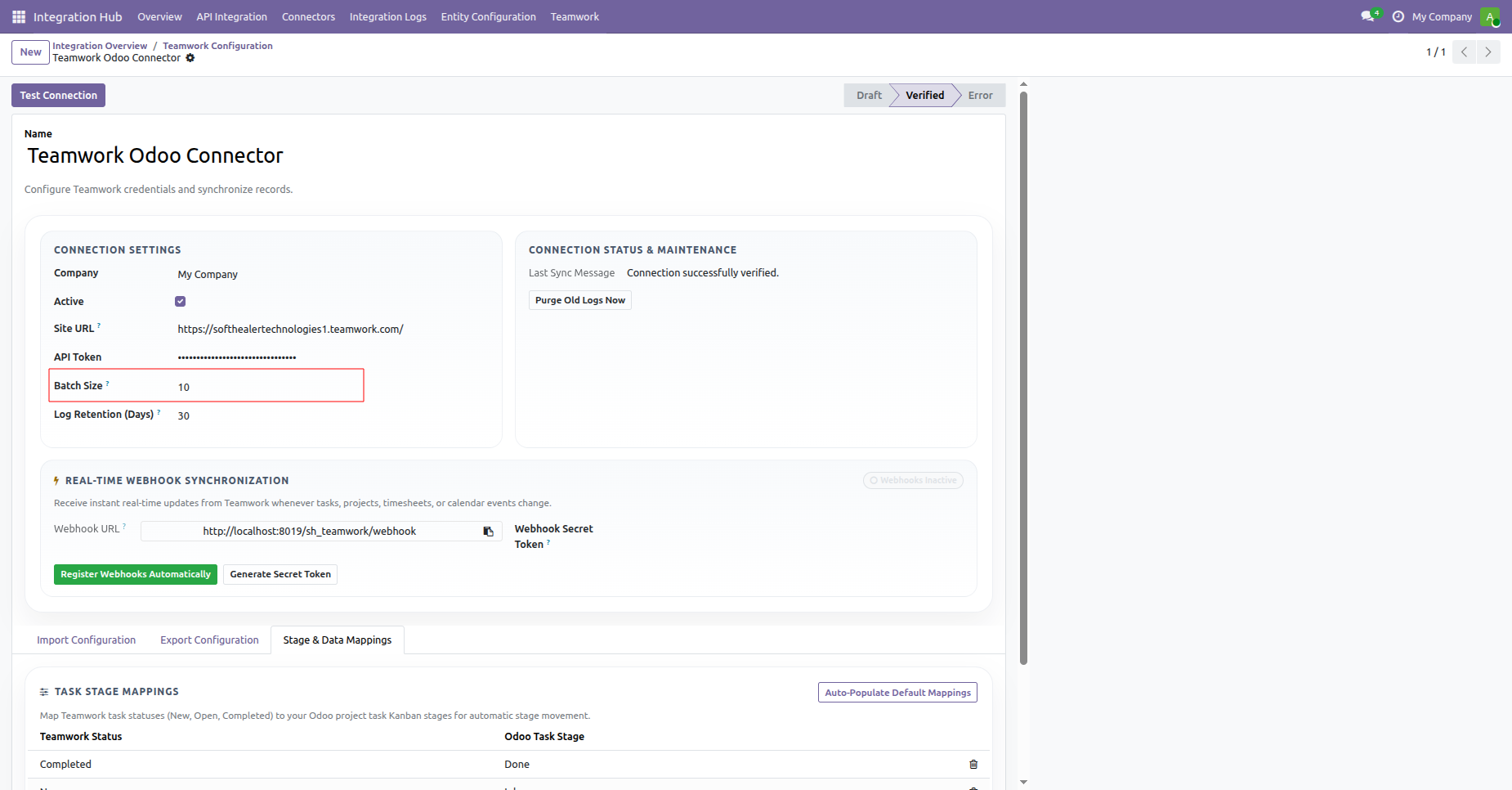 Export Timesheets
Video
Export Tasks Video
Export Projects
Video
Export Calendar
Video
Export Timesheets
Video
Export Tasks Video
Export Projects
Video
Export Calendar
Video
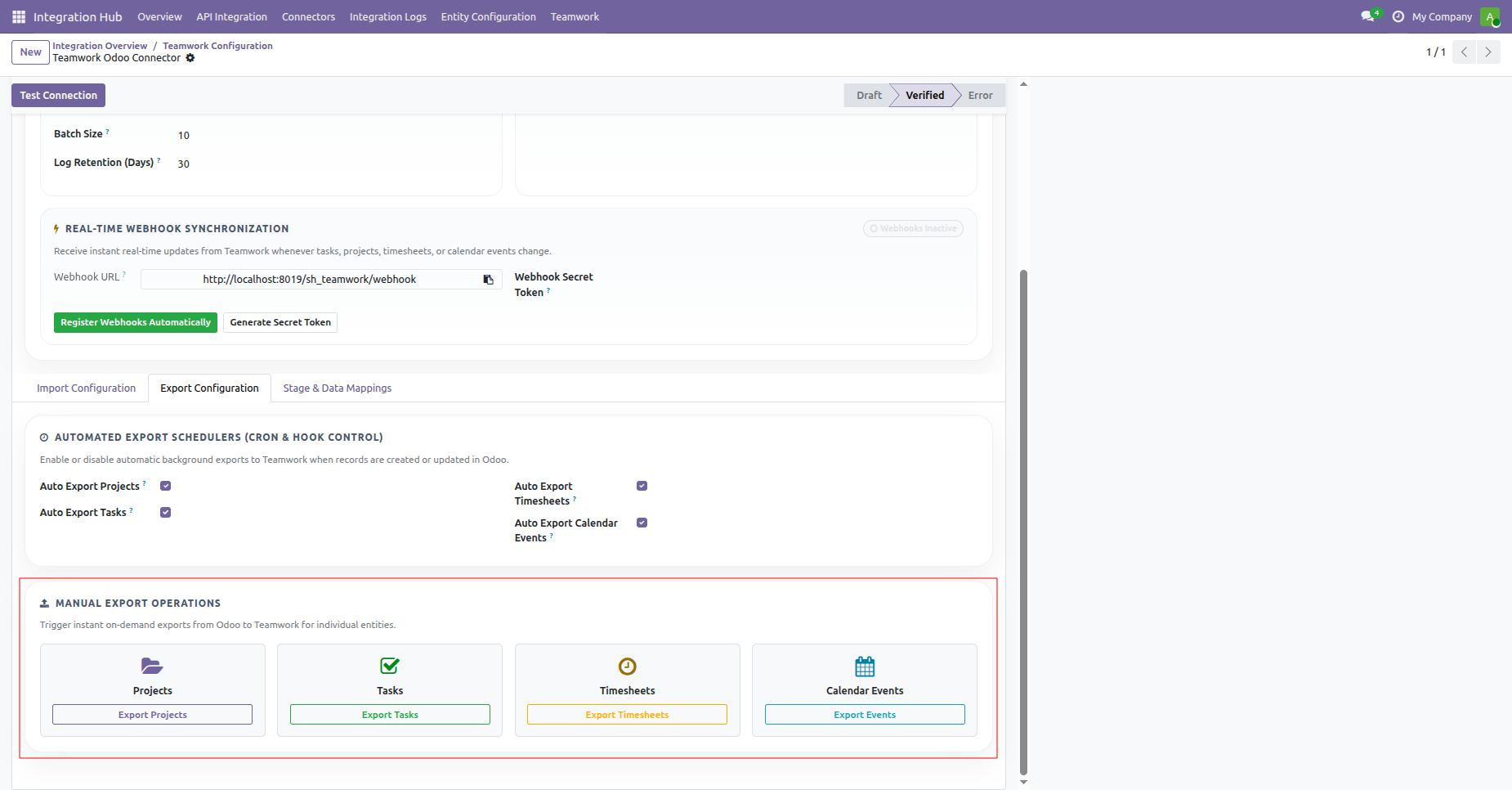
Switch to the Export Configuration tab to manage automated export schedulers and manual exports.
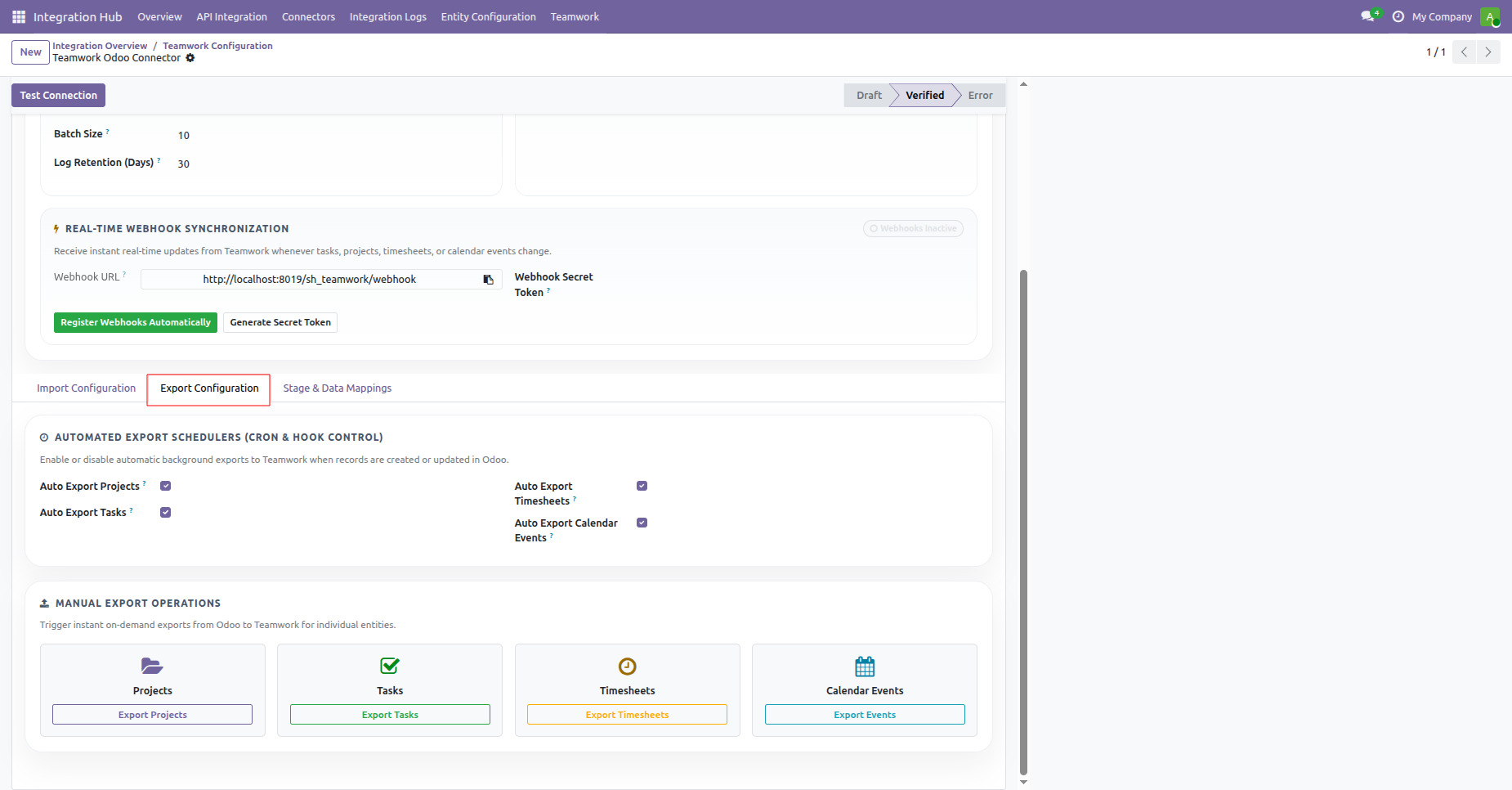
Configure automated background export schedulers for projects, tasks, timesheets, and calendar events.
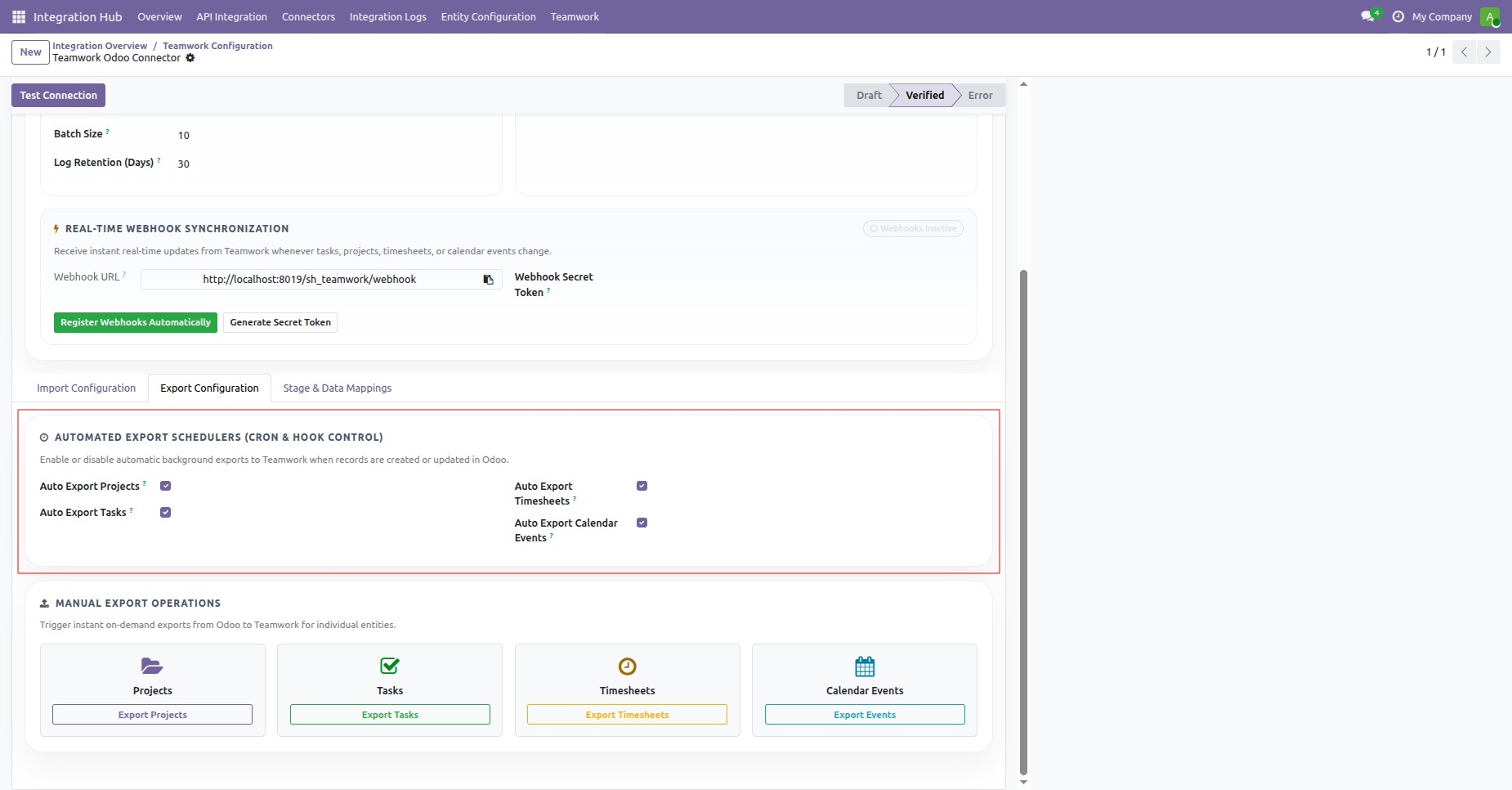
Trigger instant manual export operations for projects, tasks, timesheets, and calendar events to Teamwork.
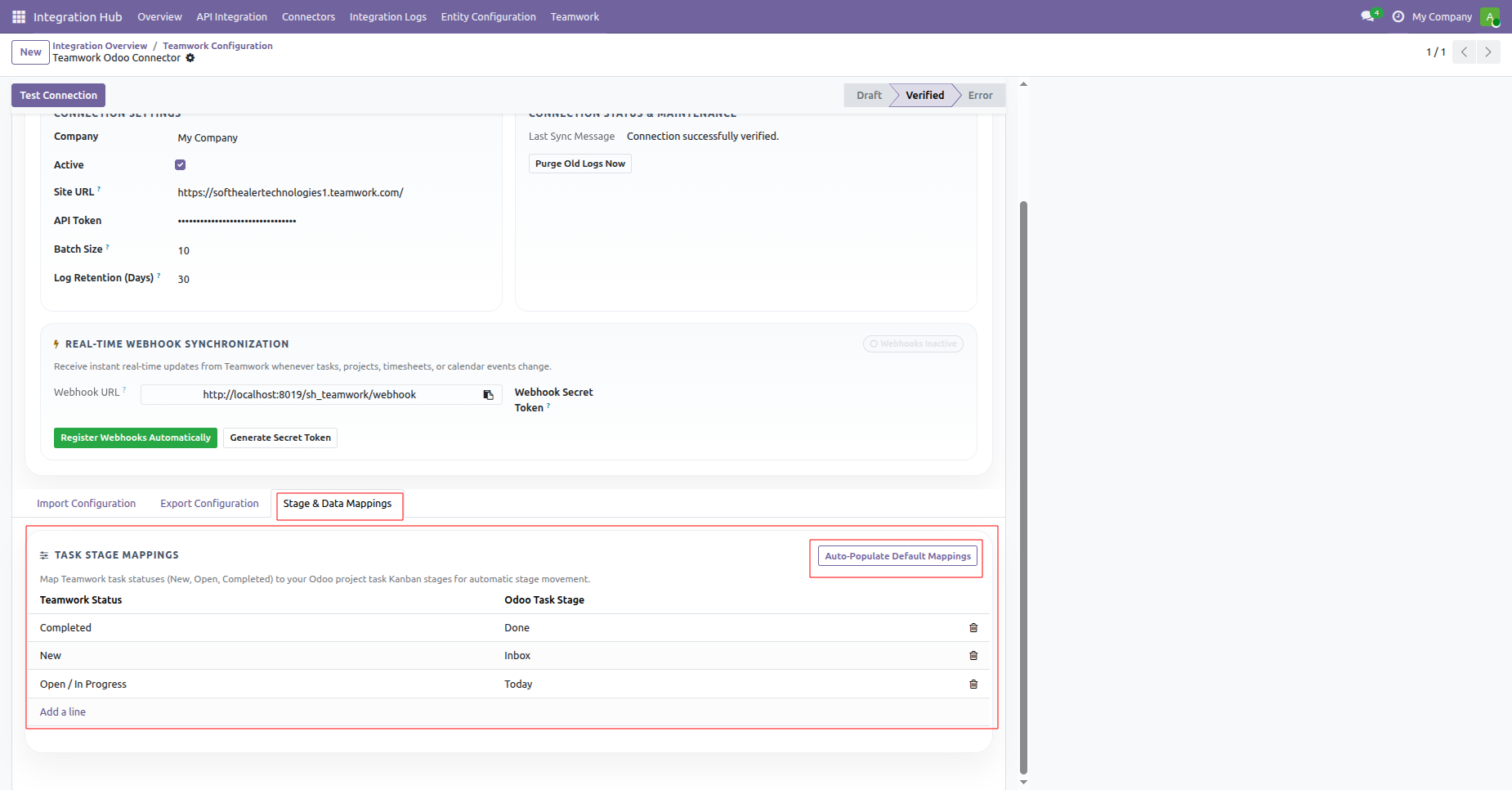
Map Teamwork task statuses to Odoo.
 How it works?
Watch Video
How it works?
Watch Video
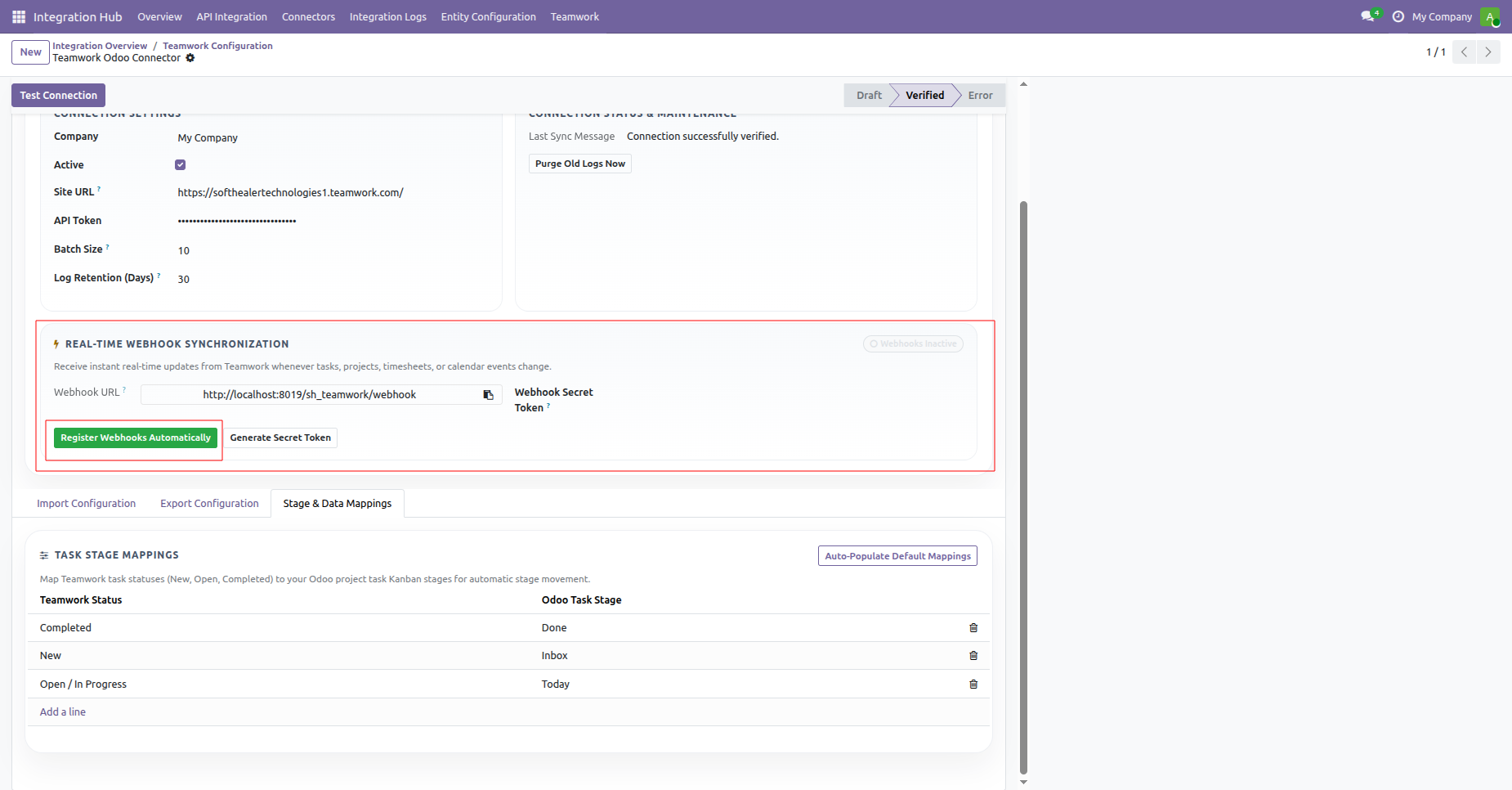
View the real-time webhook configuration card and click Register Webhooks Automatically to connect endpoints.
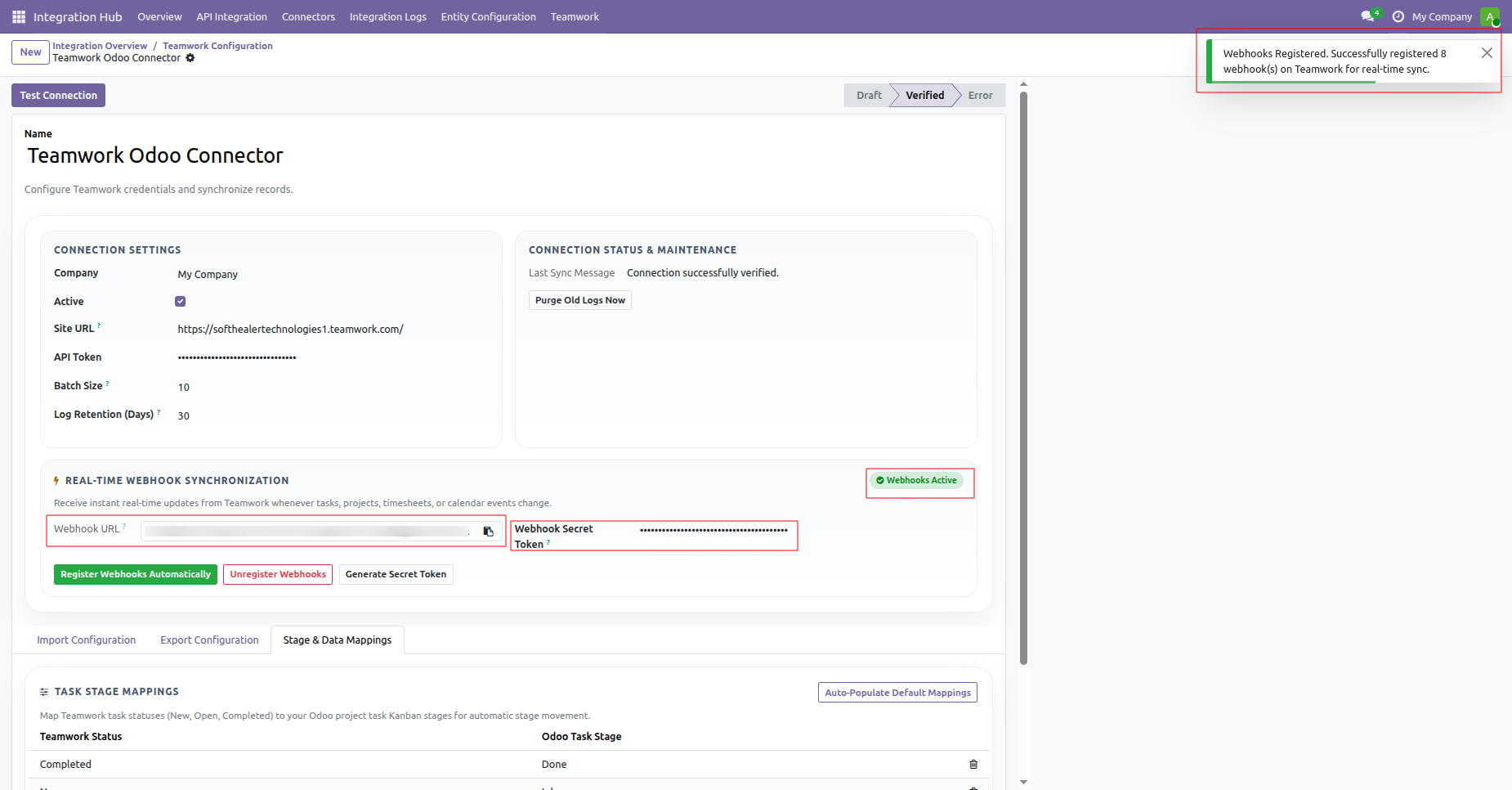
Receive confirmation that eight webhooks have been successfully registered with an active badge displayed.
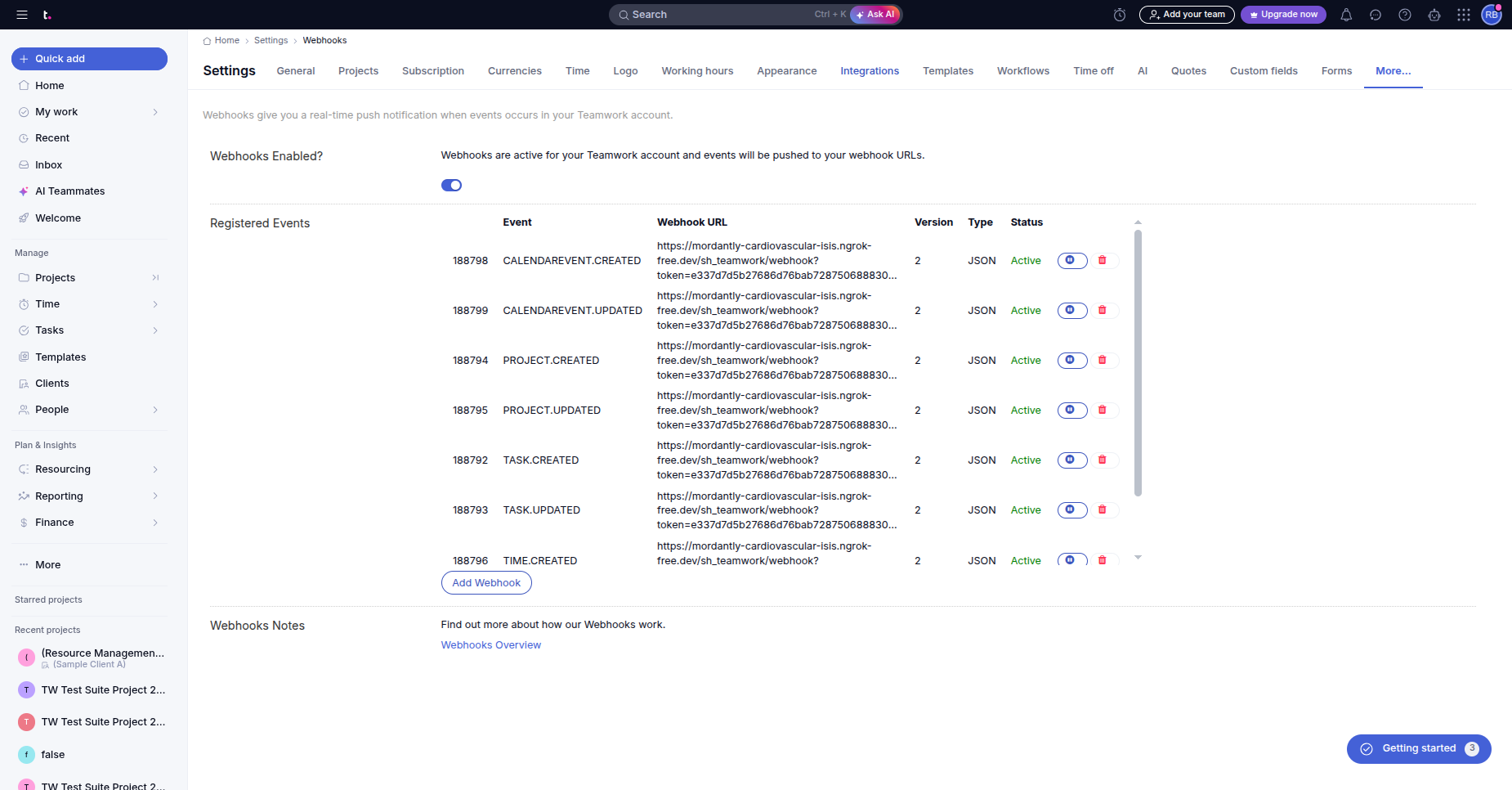
Inspect the registered active webhook events and endpoint URLs directly inside Teamwork settings.
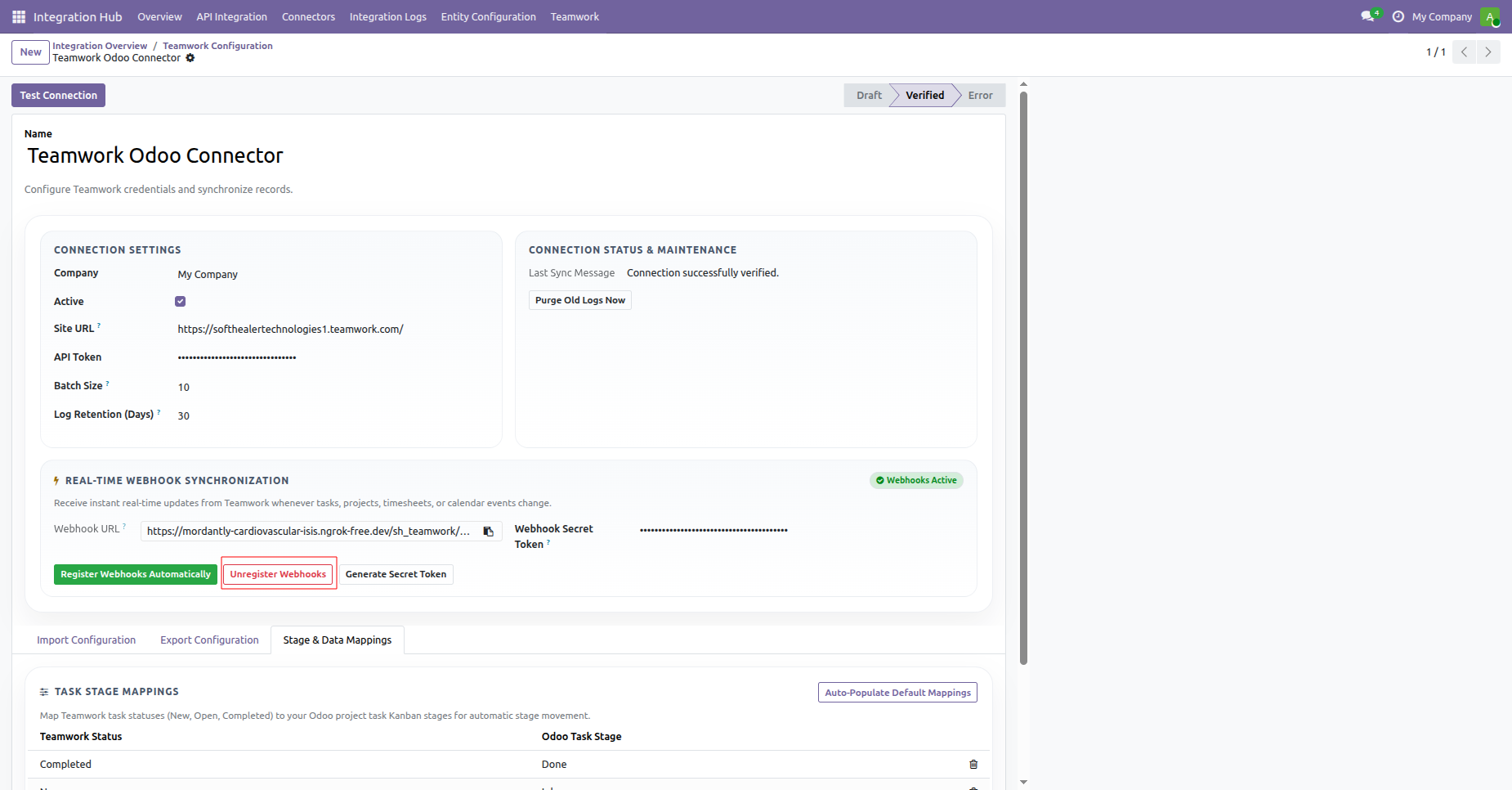
Click Unregister Webhooks at any time to remove webhook subscriptions from your Teamwork account.
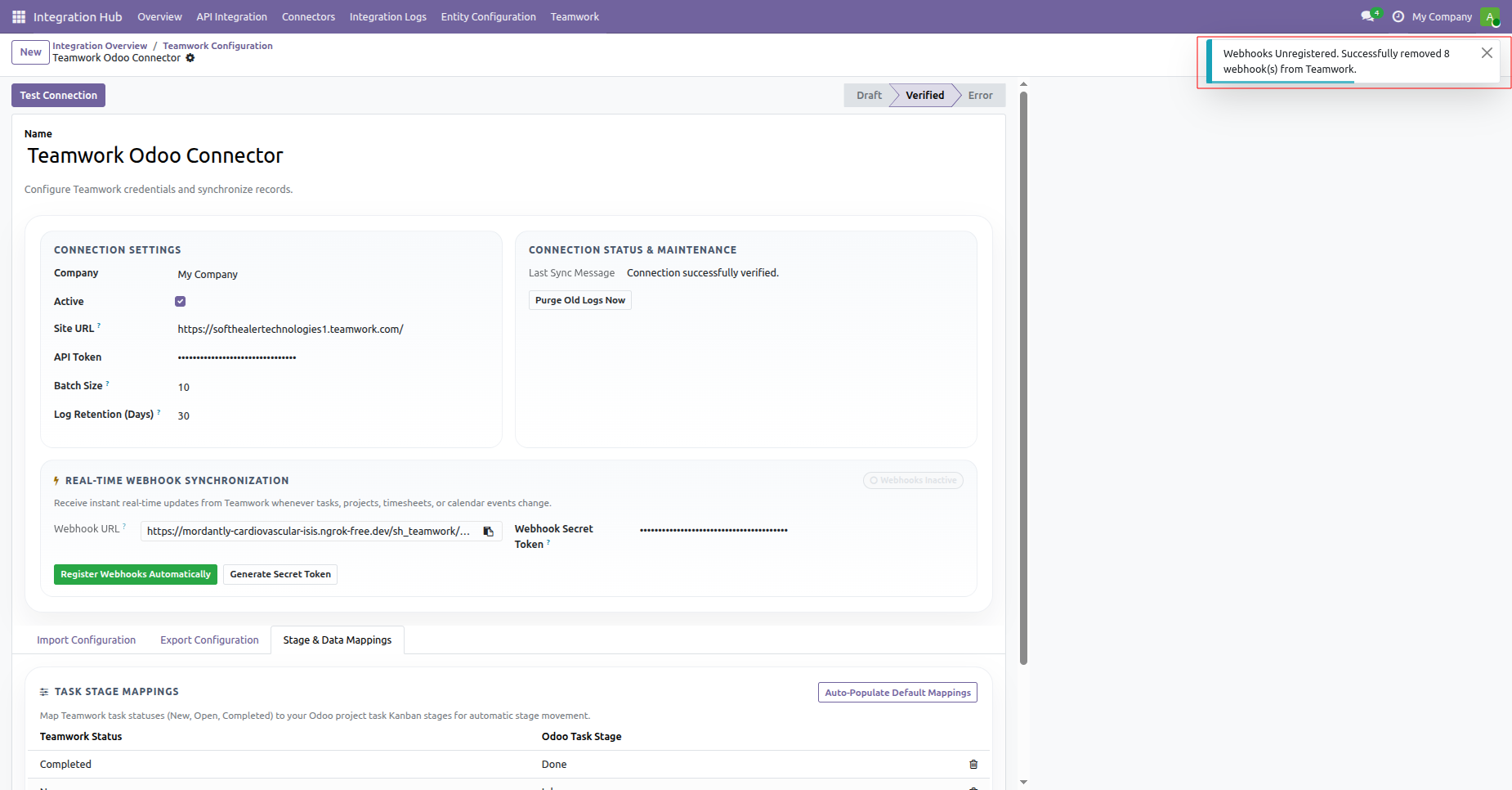
Receive clear notification confirming that all webhooks have been safely removed from Teamwork.
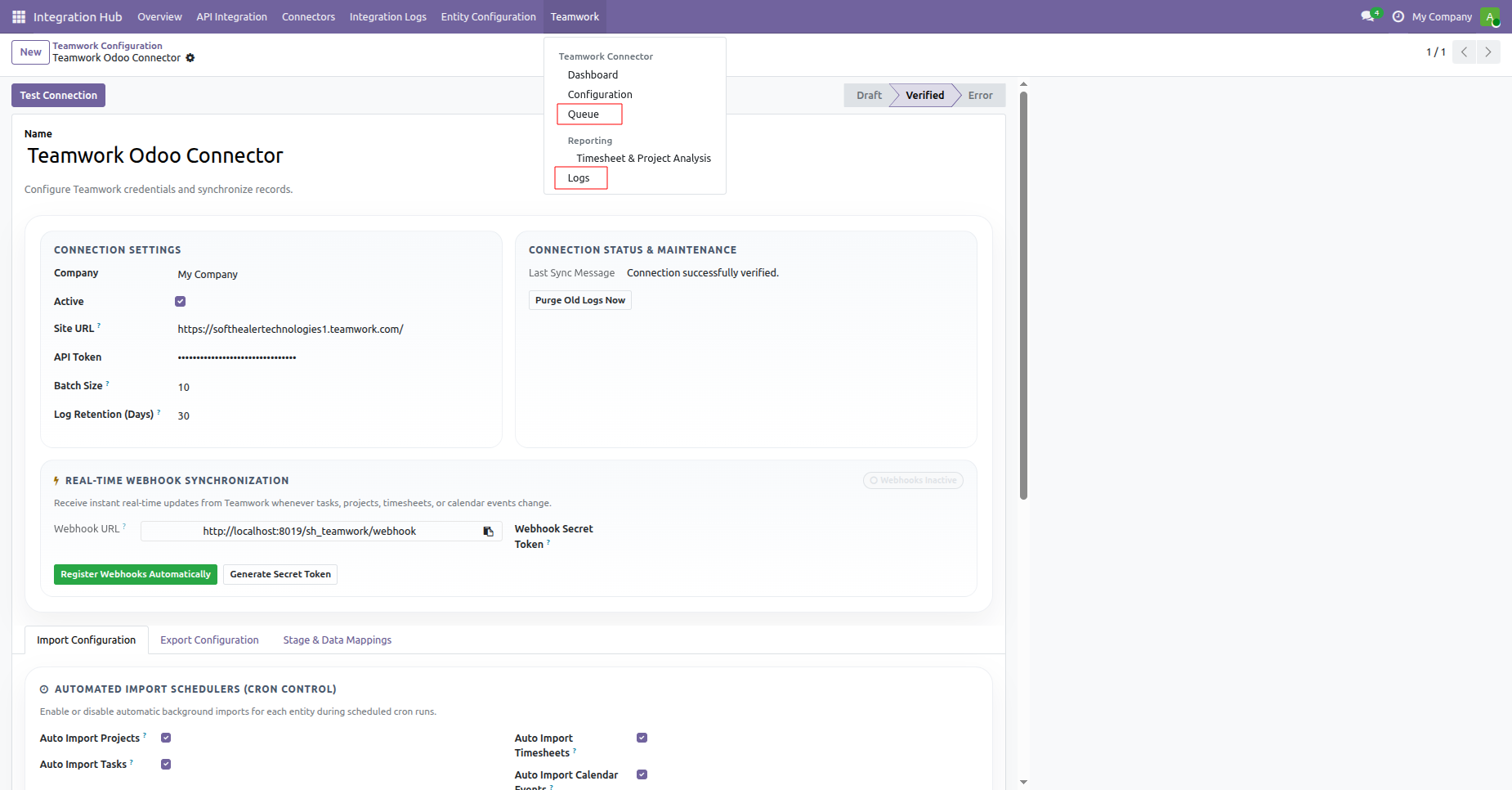
Open the synchronization queue or sync logs menu directly from the Teamwork connector menu.
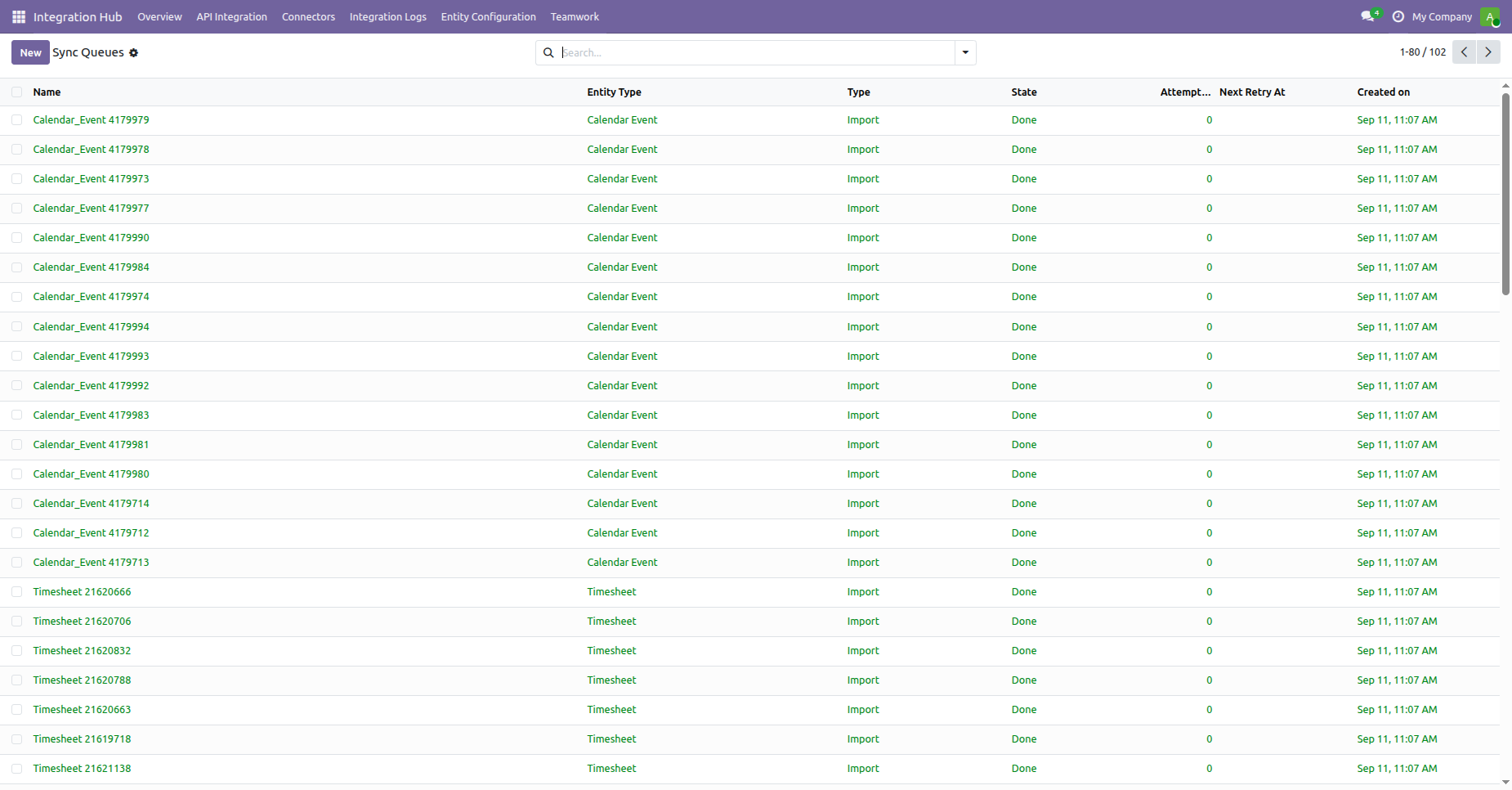
Monitor background synchronization queues tracking queue progress, execution states, and attempt counts.
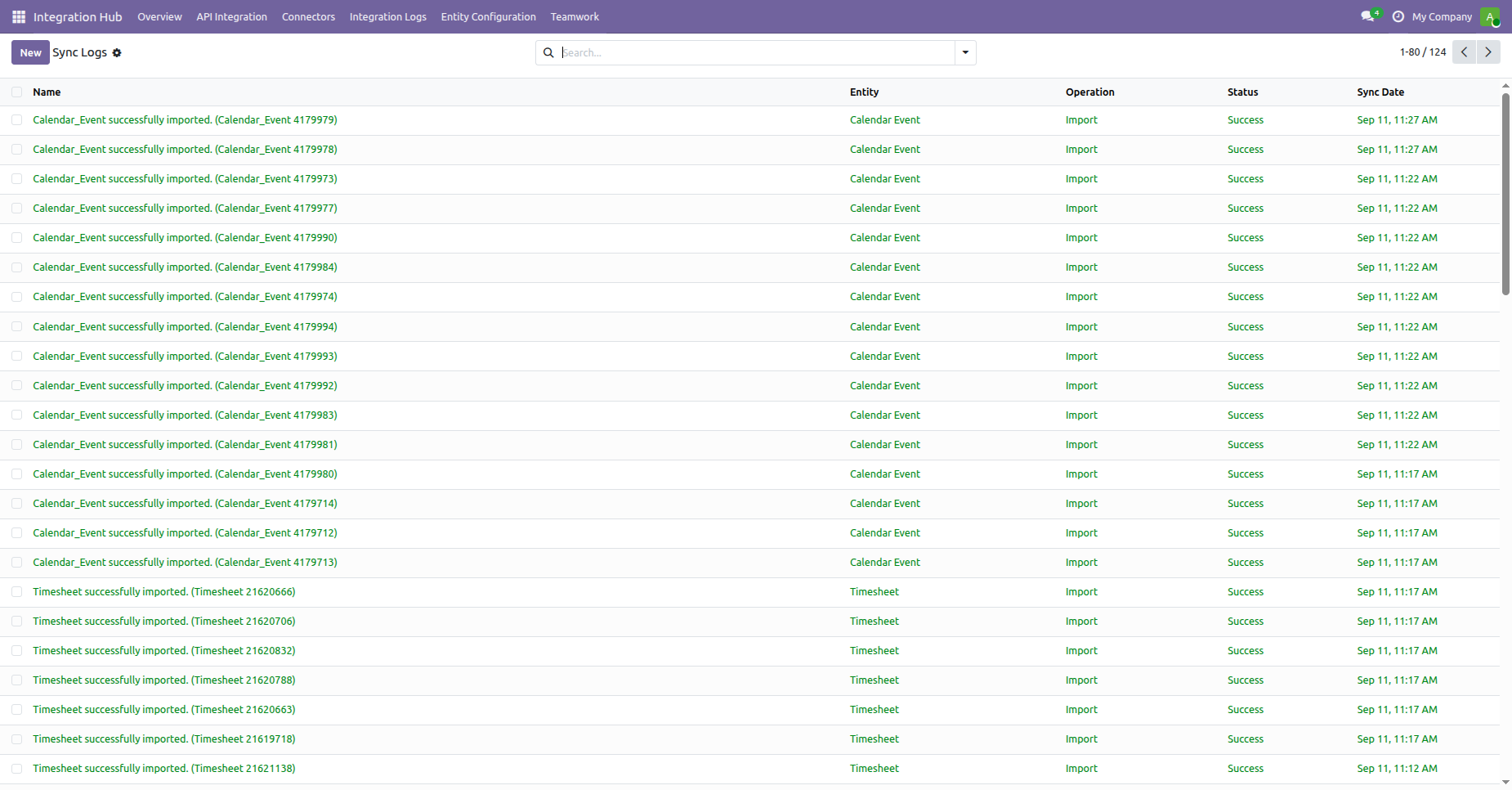
Inspect comprehensive sync logs detailing entity name, operation type, sync date, and success status.
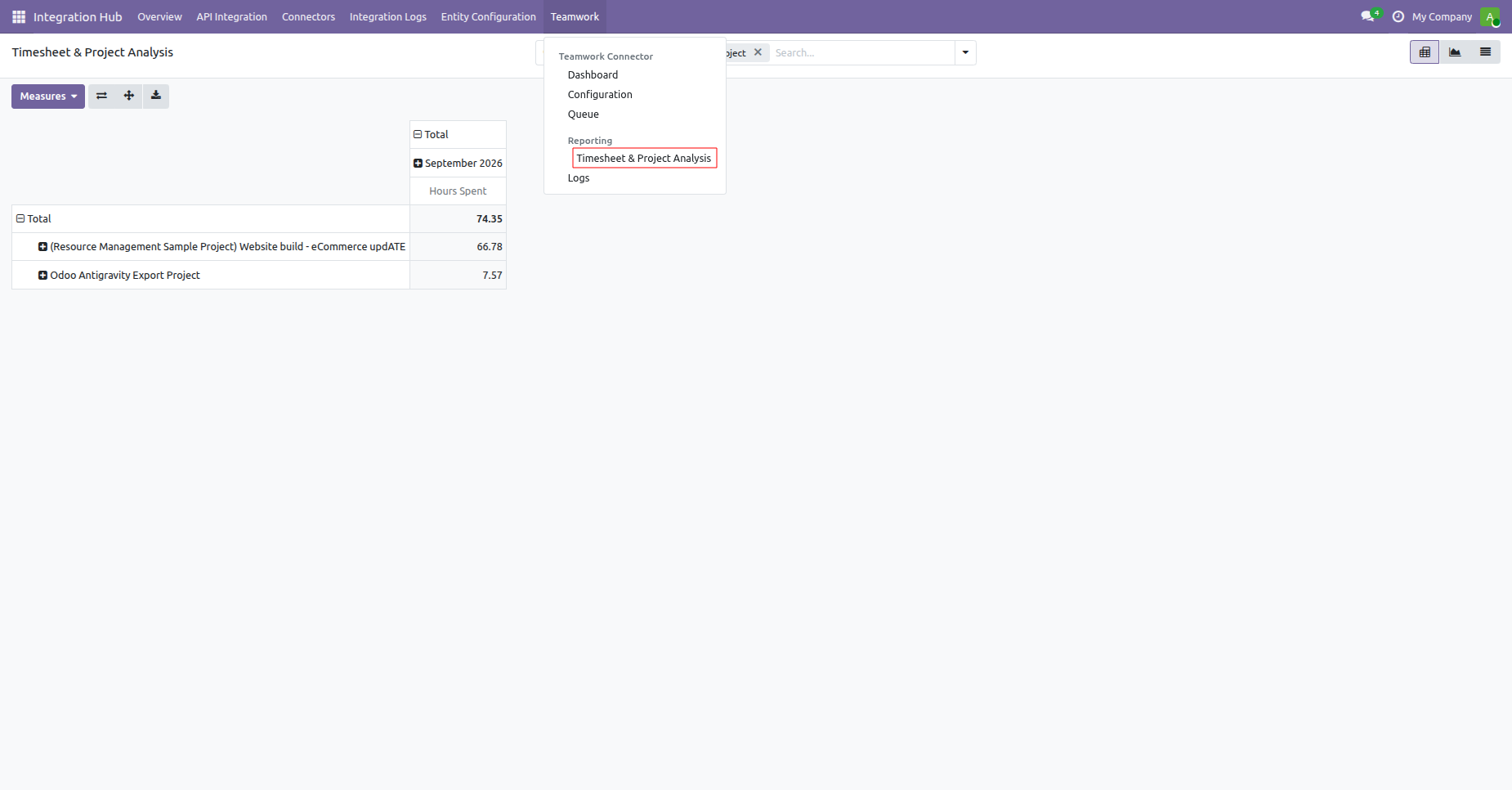
Access Timesheet and Project Analysis to evaluate logged project hours across interactive pivot reports.
Changelog
Track every update and new feature released for this module.
Initial Release.

 Buy Once,
Supported Forever
Buy Once,
Supported Forever


 Scan to email sales





 Your Ideas Shape
Our Roadmap
Your Ideas Shape
Our Roadmap

 Got an Idea?
We'll Build It
Got an Idea?
We'll Build It
Trusted by Businesses Worldwide


Abdulhamid Abdulwaheed
Best module for our online store. Highly adaptable, exceptional customer service, and very advanced modules.
Factura Venta POS
They have everything you need. Technical support is excellent, responds quickly, and keeps the module updated. 100% recommended!
Mehmet Muhanna
Great company and support team. Had a problem in my local Odoo server - they solved it in 5 minutes. Highly recommend.
Billy Jeffs
Customised an Odoo app for me which works perfectly. Many requirements, got it right every time. Very confident in their ability.
HP
Consistently excellent service over years of working together. Knowledge and commitment to keeping clients informed truly sets them apart.
Michal Kolasinski
Multiple addons + two custom modules. Communication always friendly and precise. Delivered on time, worked out of the box. Highly recommended!

Multi-Language
8 built-in translations







You May Also Like
Discover more Softhealer modules that integrate seamlessly with your Odoo environment.

Shopify-Odoo Connector
Connect Shopify with Odoo to synchronize products, orders, customers, inventory, and more.
View Module

Xero Connector with OAuth2.0 for Odoo
Securely synchronize contacts, products, orders, invoices, payments, and accounting data between Odoo and Xero.
View Module

Odoo QuickBooks Connector
Connect Odoo with QuickBooks to synchronize essential business and accounting data.
View Module

Hubspot Odoo Connector
Synchronize contacts, companies, leads, opportunities, tasks, emails, and meetings between Odoo and HubSpot.
View Module


Most Demanded Apps
The Softhealer modules our customers reach for most - trusted across 100+ countries.

Activities Management
Manage, schedule, and automate Odoo activities across all departments from one view.
View Module

Access Management
Granular access control over menus, fields, buttons, and records for every user role.
View Module

Backdate Advanced
Backdate any transaction across invoices, journals, pickings, and more with full audit.
View Module

All-in-One Helpdesk
Full-featured customer support with tickets, SLA, and customer portal built for Odoo.
View Module

All-in-One Mobile Backend
Access your full Odoo backend from any mobile device with an optimised interface.
View Module

All-in-One Import
Import data from Excel or CSV files into any Odoo model with smart field mapping.
View Module
Our Services
End-to-end Odoo expertise - from setup to scale.

AI & Business Integration
Odoo Implementation
Odoo Customization

Support & Maintenance
Mobile Apps

Migration Service

Third-Party Integration

Odoo Training
Ready to connect your AI to Odoo?
Join 10,000+ businesses - Softhealer, 11+ years of Odoo expertise across 100+ countries.

