





















Printify Odoo Connector
The Printify Connector Odoo app integrates your Printify stores with Odoo for seamless monitoring and synchronization of products and orders. Easily import and export product and order data, and automate sales order processing to streamline your print-on-demand workflow.
Key Features
Import/Export Operations

Import/Export Product
-
 Attributes
-
Images
& Image URL
-
Description
-
Internal
Reference
-
Price
-
Stock
-
Print
Providers, Tags, Shipping Options

Import/Export Sales Order
-
Customer
-
Invoice
-
Salesperson
-
Shipping
Address
-
Order
Lines
-
Auto
Export Order
Automation, Dashboards & Core Infrastructure

Printify Product Configuration
-
Printify
Blueprints.
-
Placeholders.
-
Printify
Providers.
-
Printify
Tags.
-
Printify
Areas.

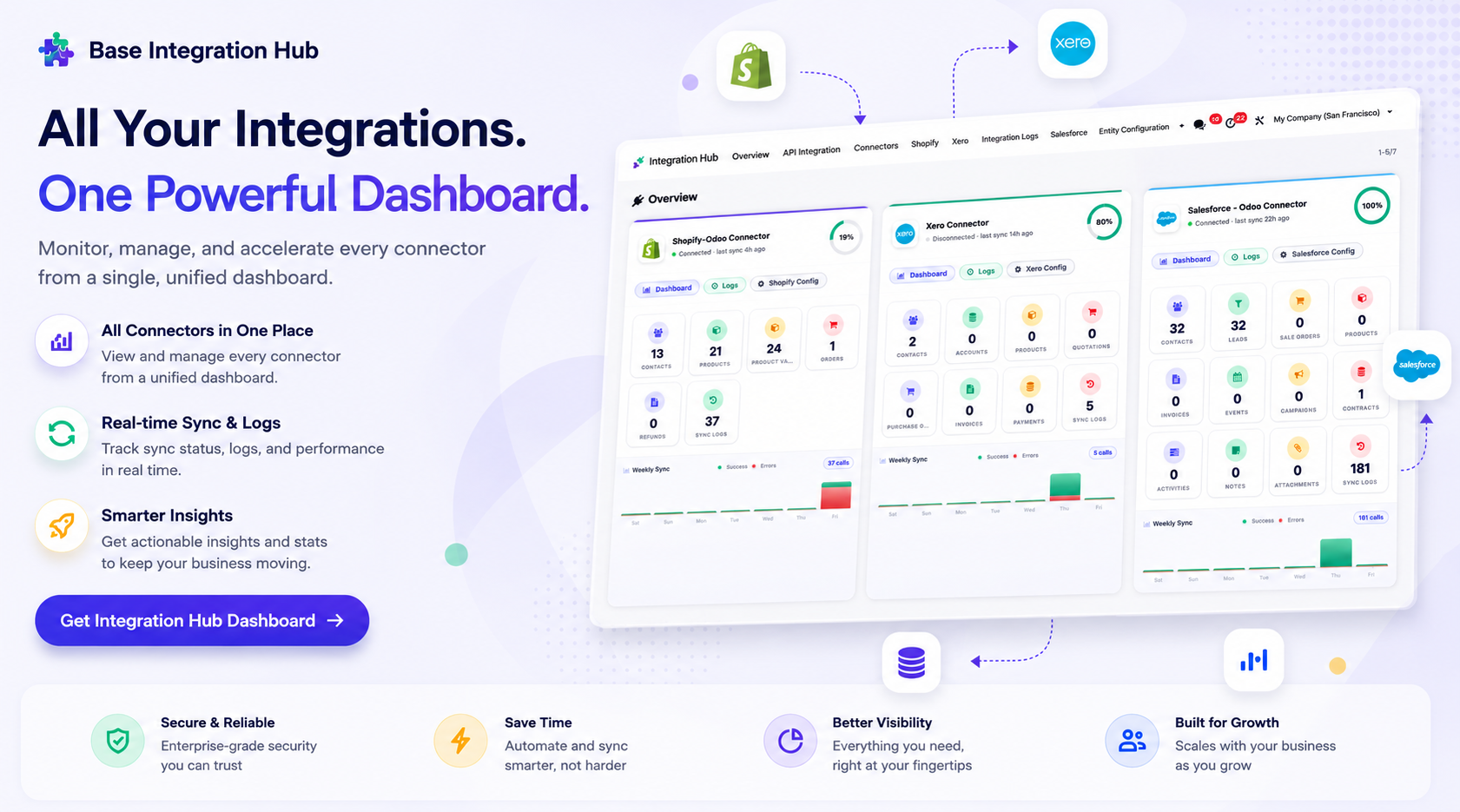
Integration Hub Dashboard
-
A
centralized view to track the status of all connectors, recent activities, and
synchronization stats.

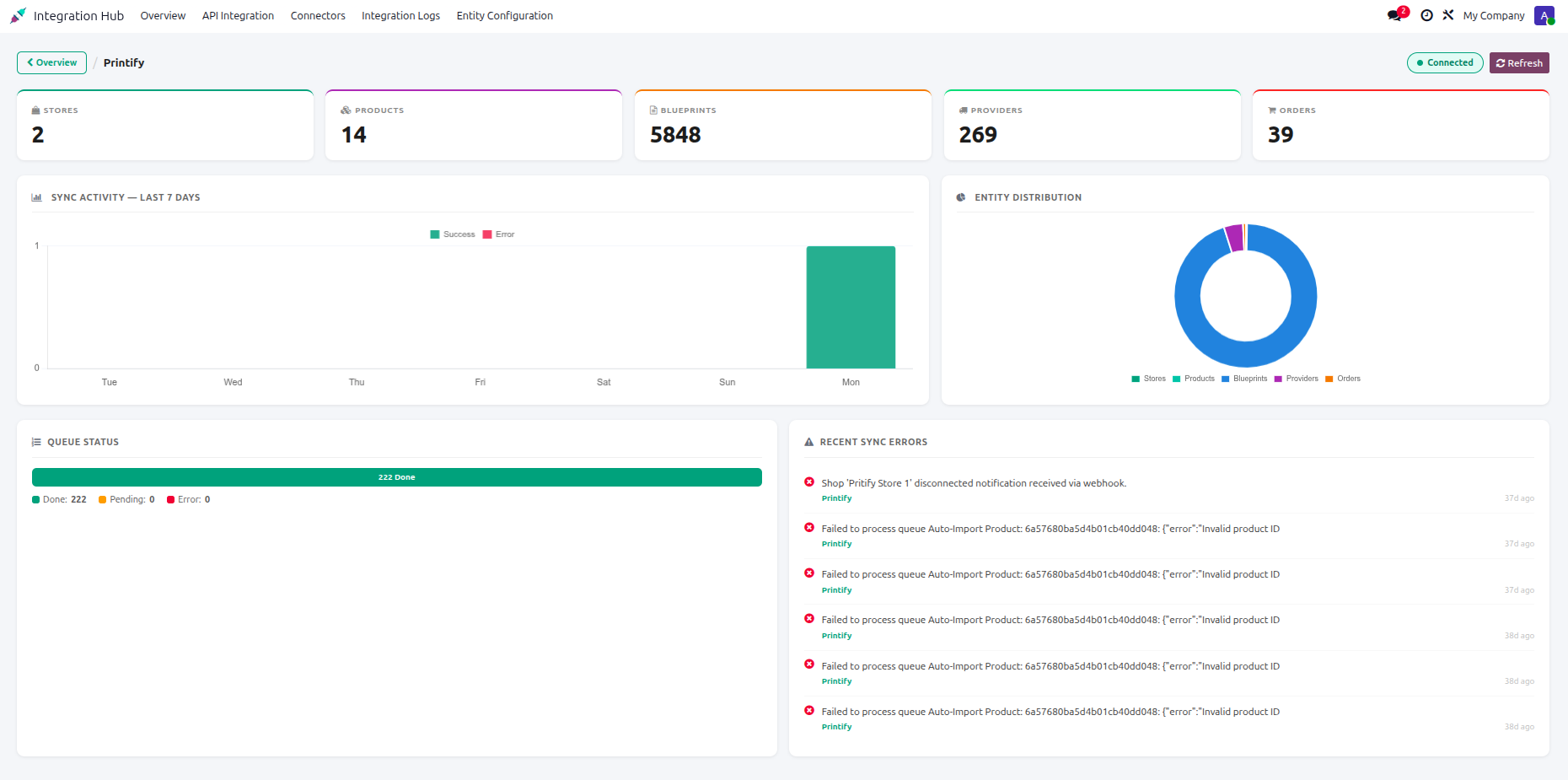
Printify Dashboard
-
Monitor
overall connector metrics, mapped record counters, and active integration
statuses.

Synchronization Logs
-
Track
successful and failed synchronization activities with detailed log history for
easy monitoring and troubleshooting.
 Setup & Configuration
 Release Notes
 Support
 FAQ's
FAQ's
Frequently Asked Questions
Everything you need to know before getting started.
 Configuration
 Integration Hub Dashboard
 Product Synchronization
 Printify
Configuration Video
Products
Configuration Video
Printify
Configuration Video
Products
Configuration Video
Enter the Printify token in API integration and press Test Connection to validate the API key.
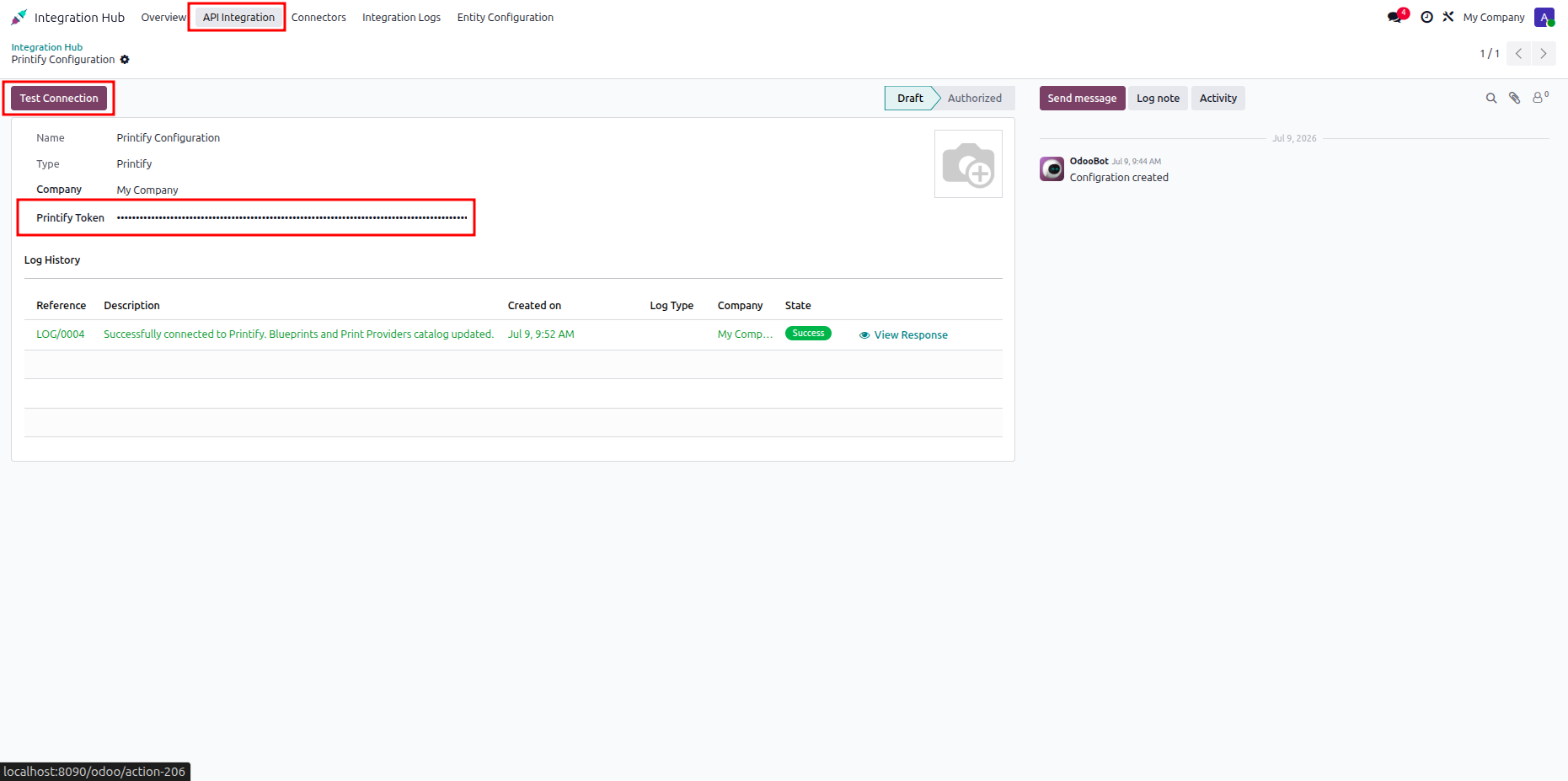
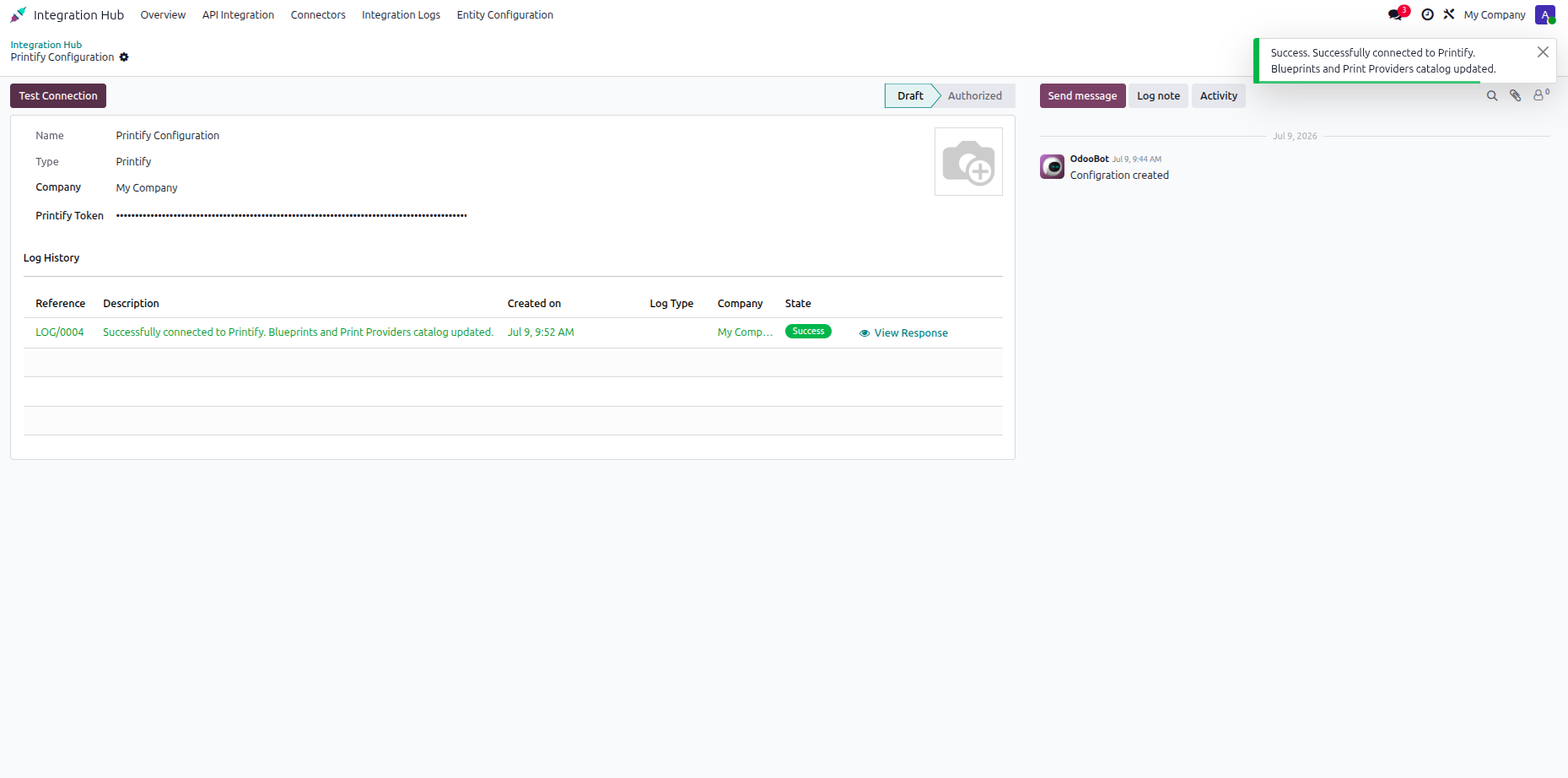
Review the success notification and log entry confirming successful authorization with the Printify service.
Navigate to the Printify dropdown menu under Inventory to access module configuration options.
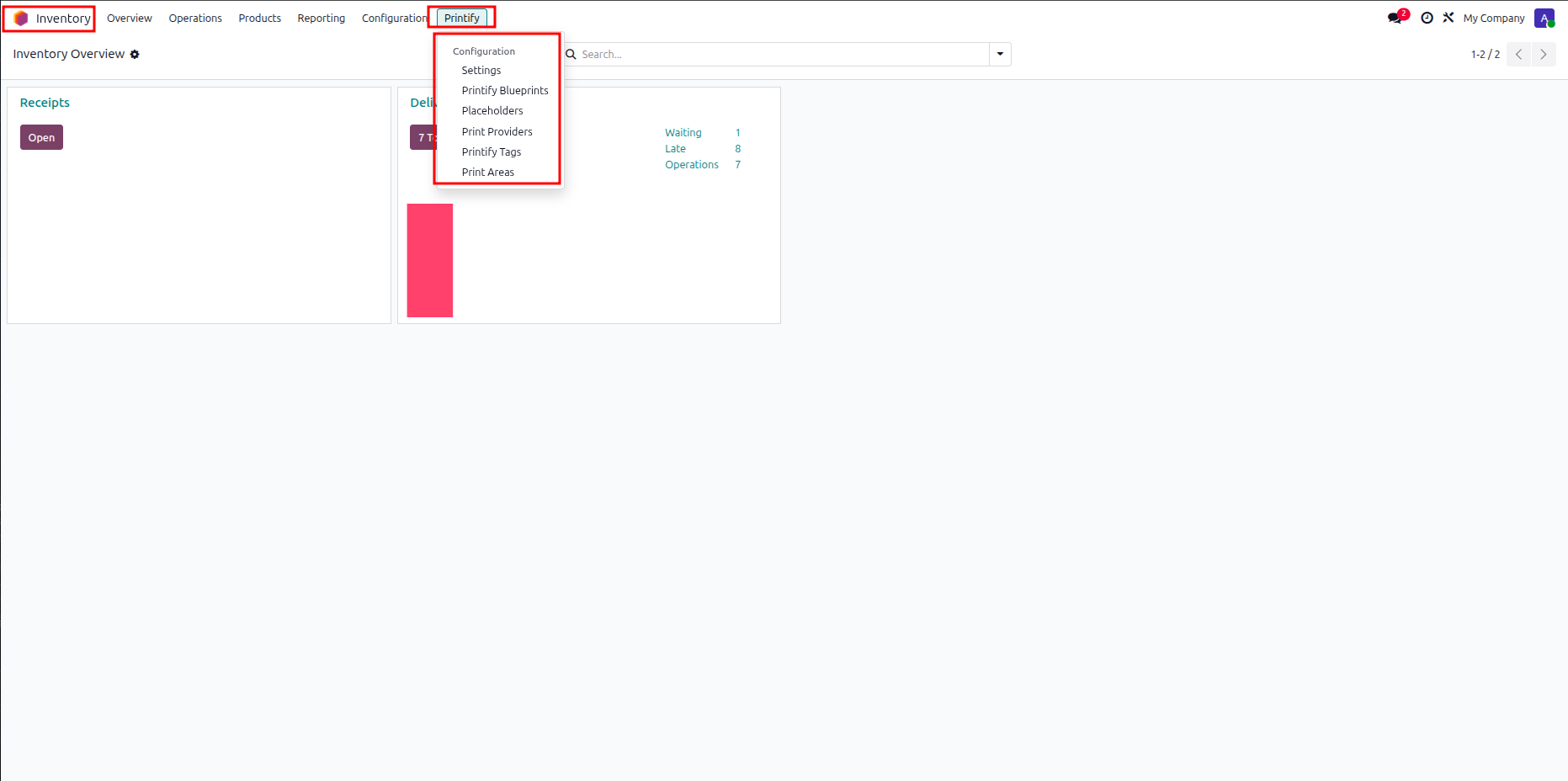
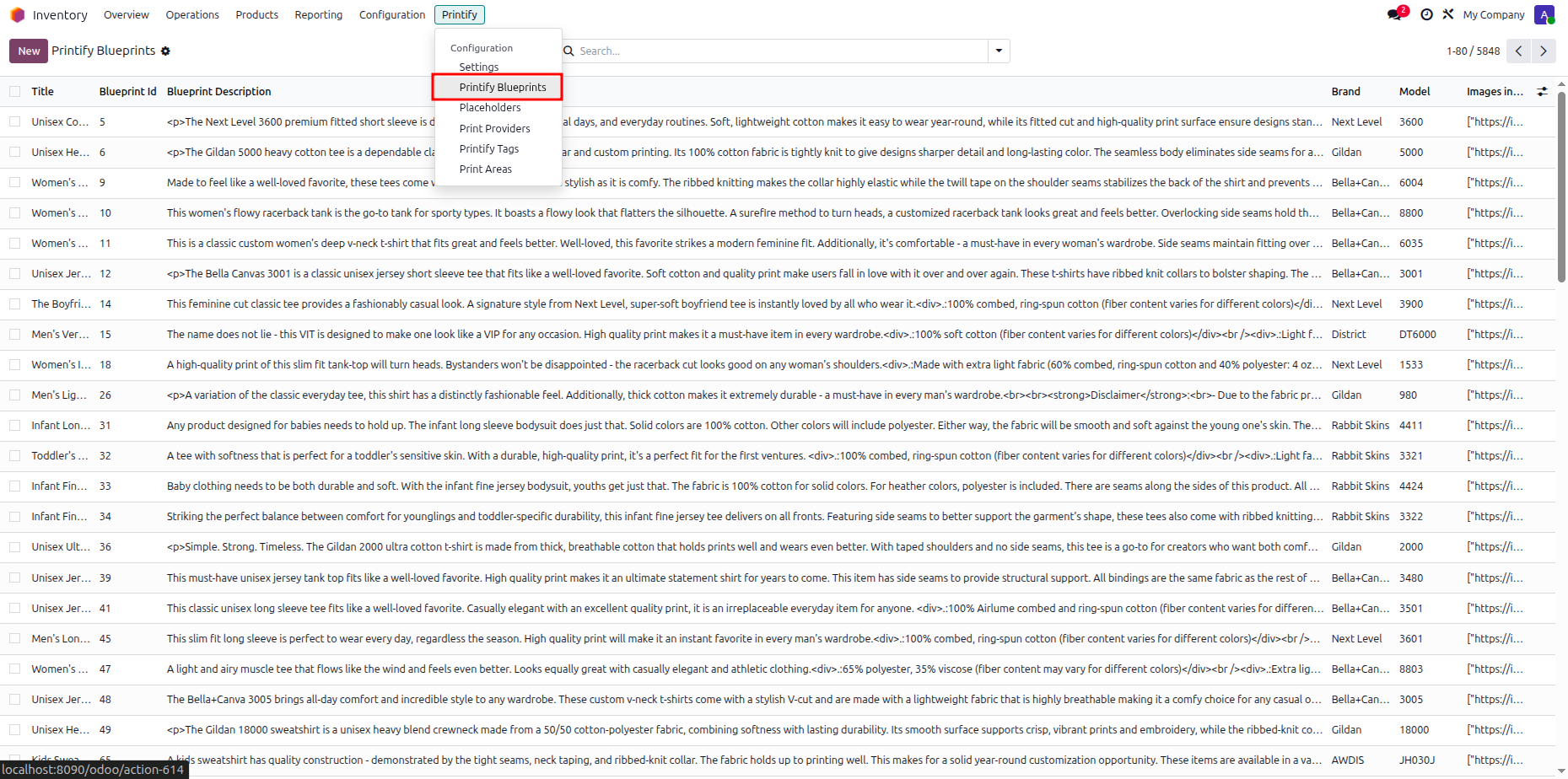
Select Printify Blueprints from the dropdown menu to view all available catalog blueprint items.
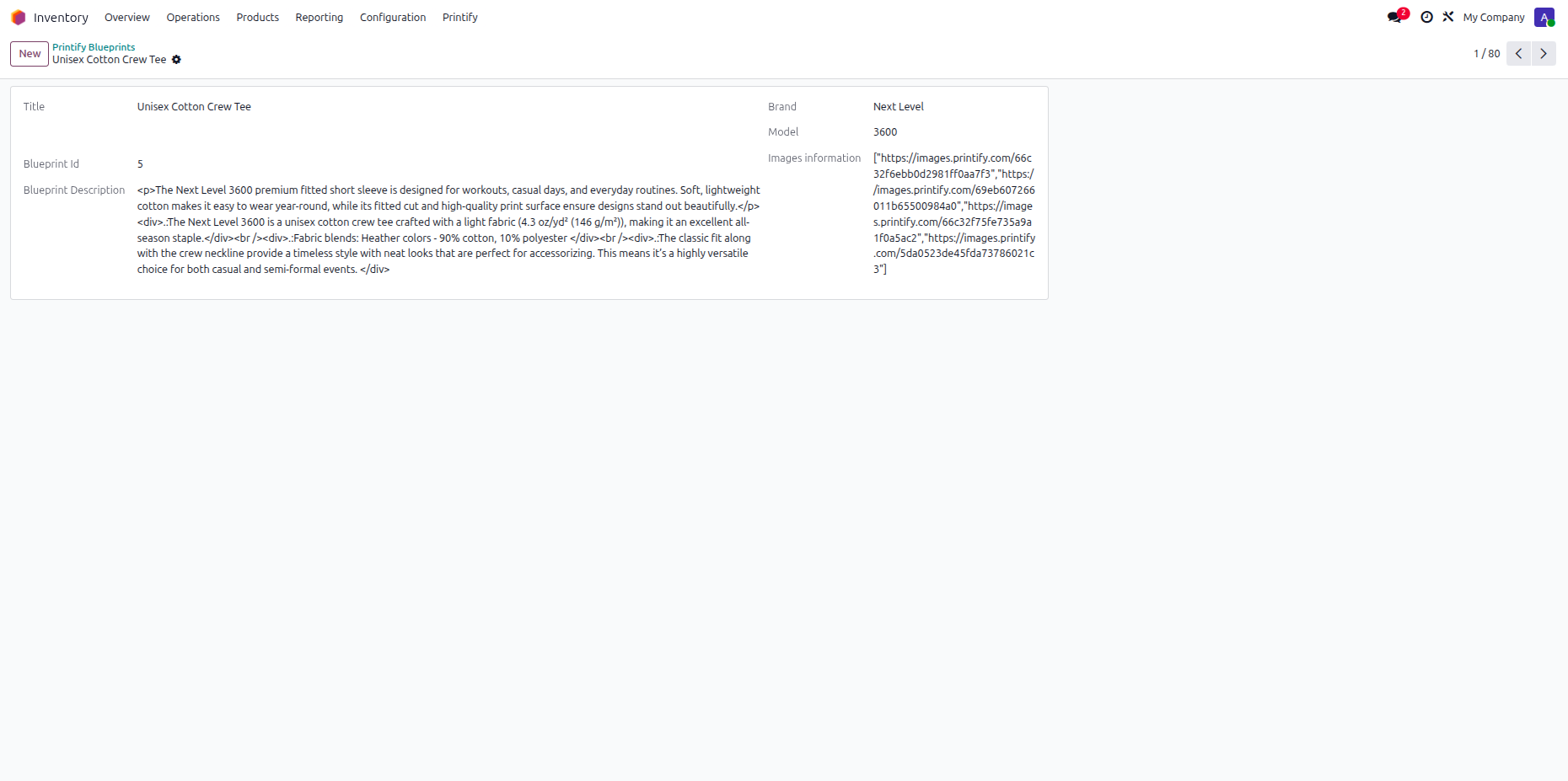
Open a blueprint record to inspect detailed product model information and image storage paths.
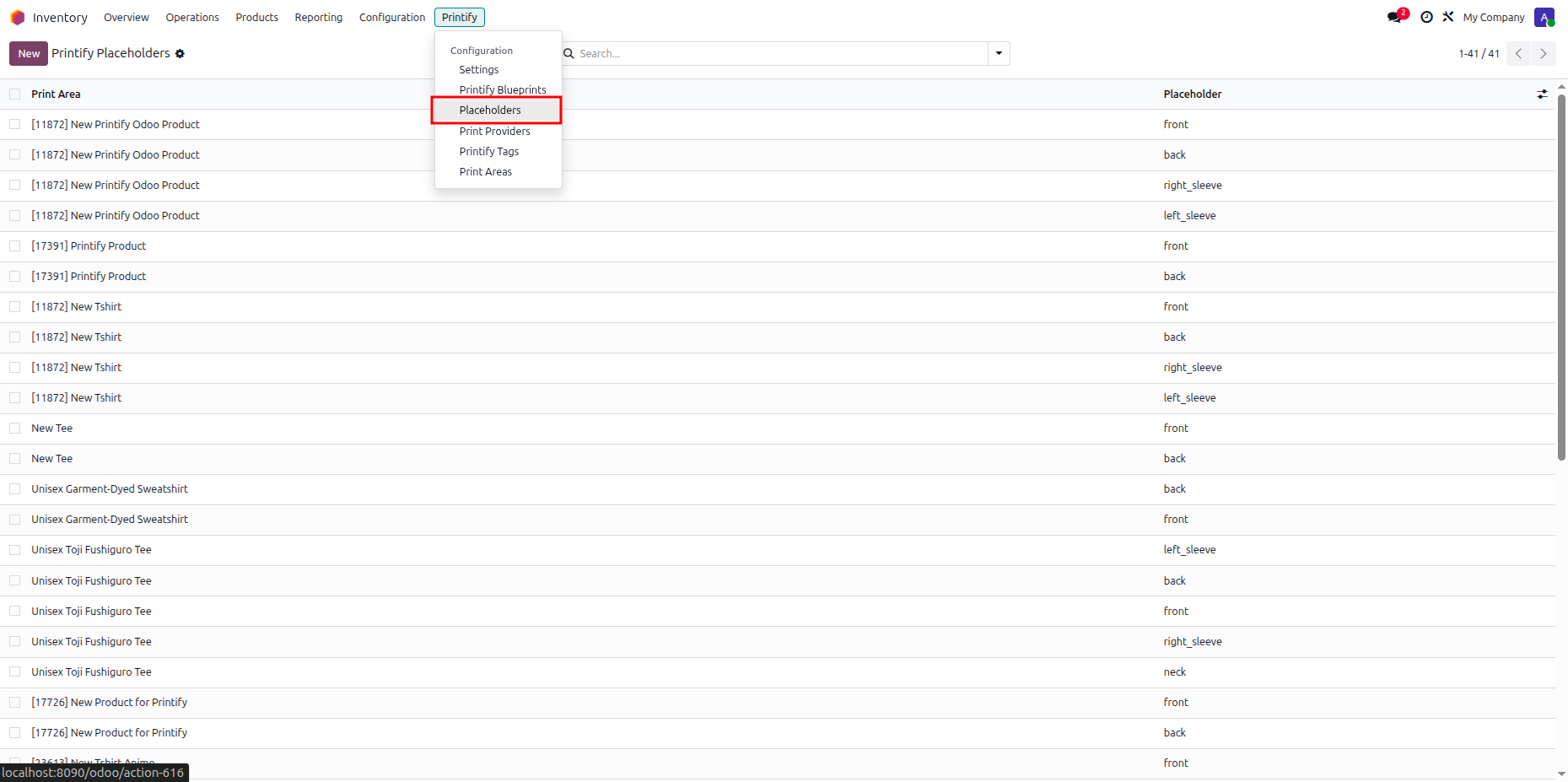
Select Placeholders from the dropdown menu to inspect configured print area placements across products.
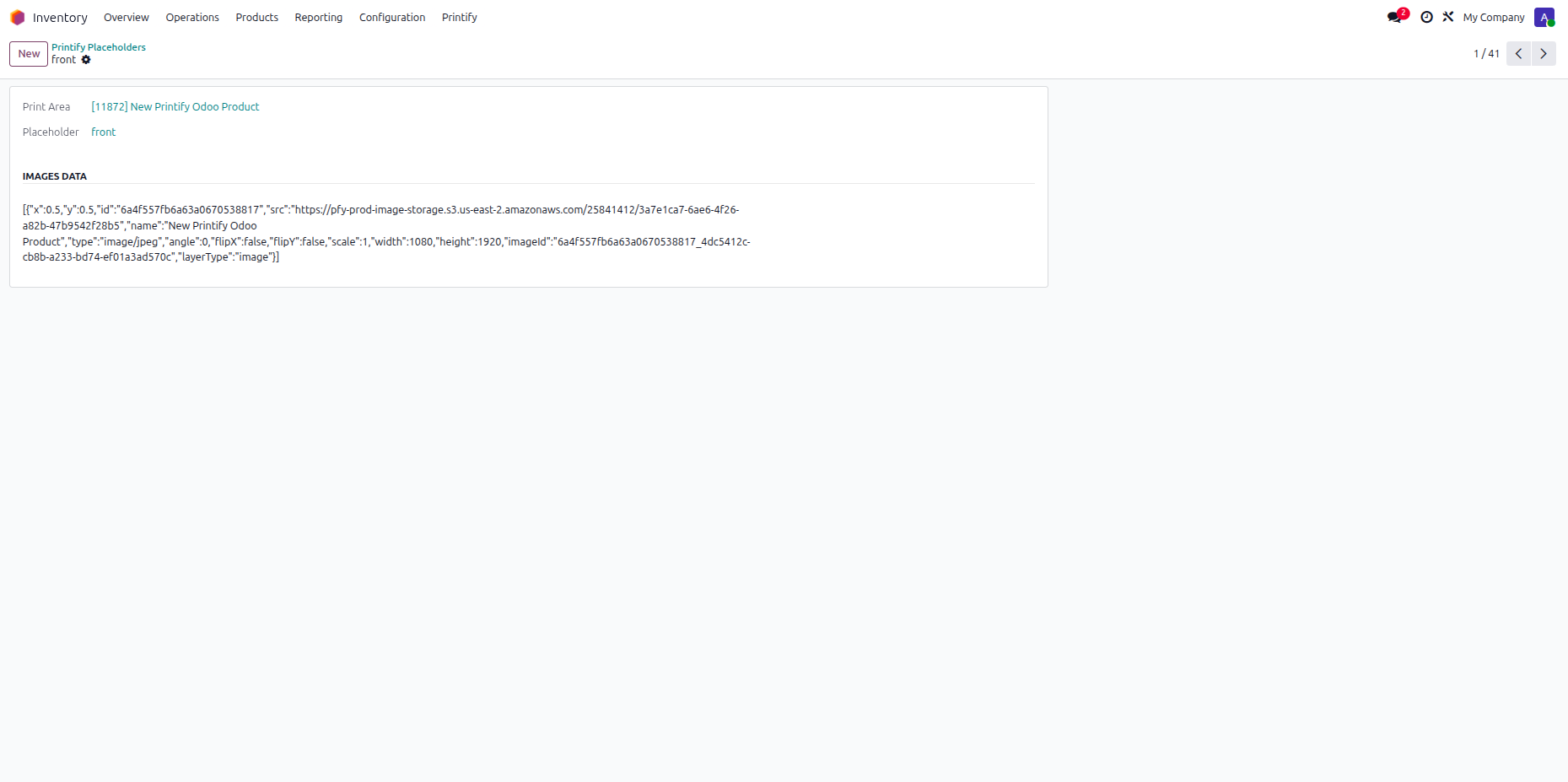
Open a placeholder item to review specific position data and image formatting parameters.
Select Print Providers from the menu.
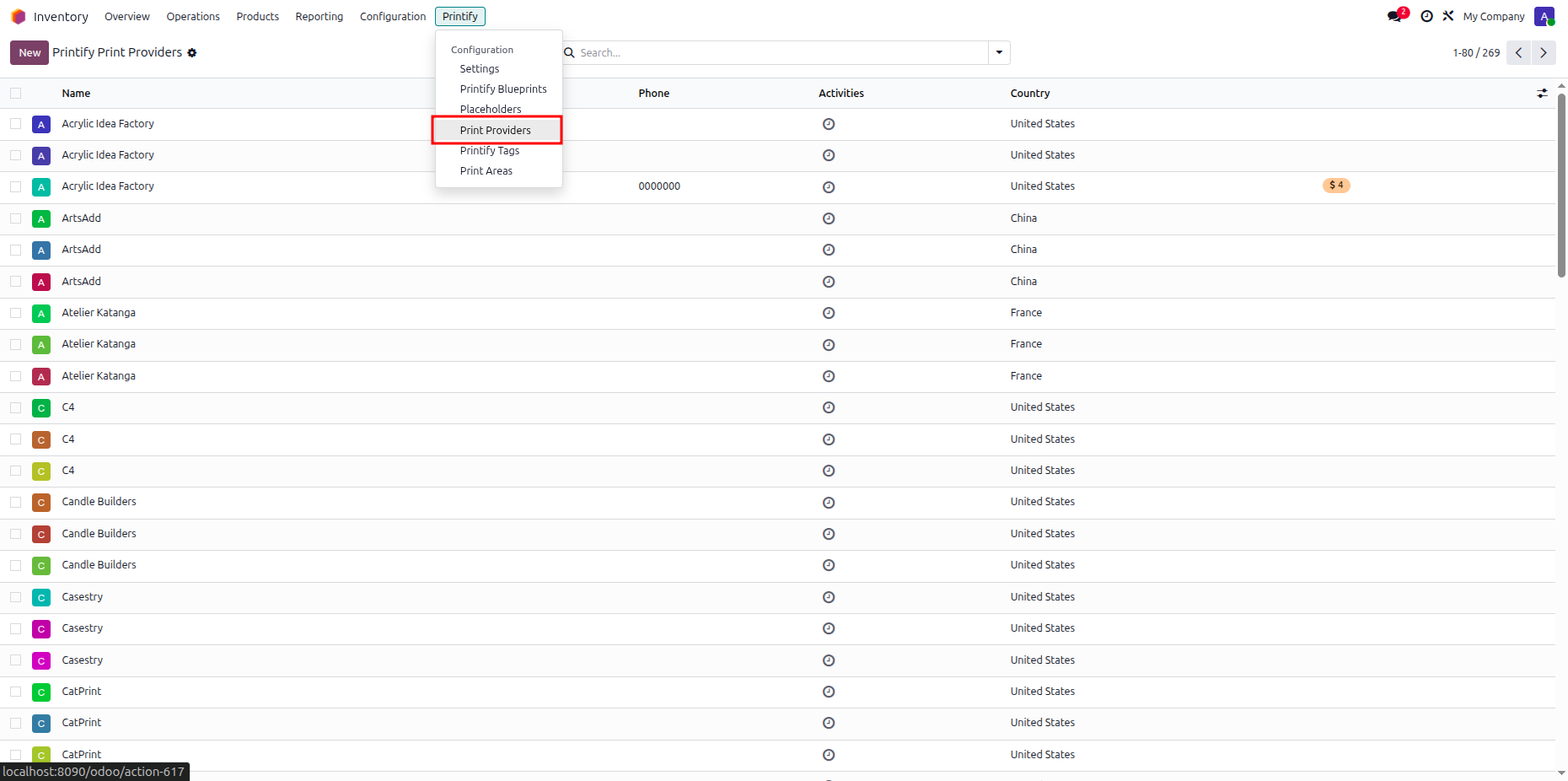
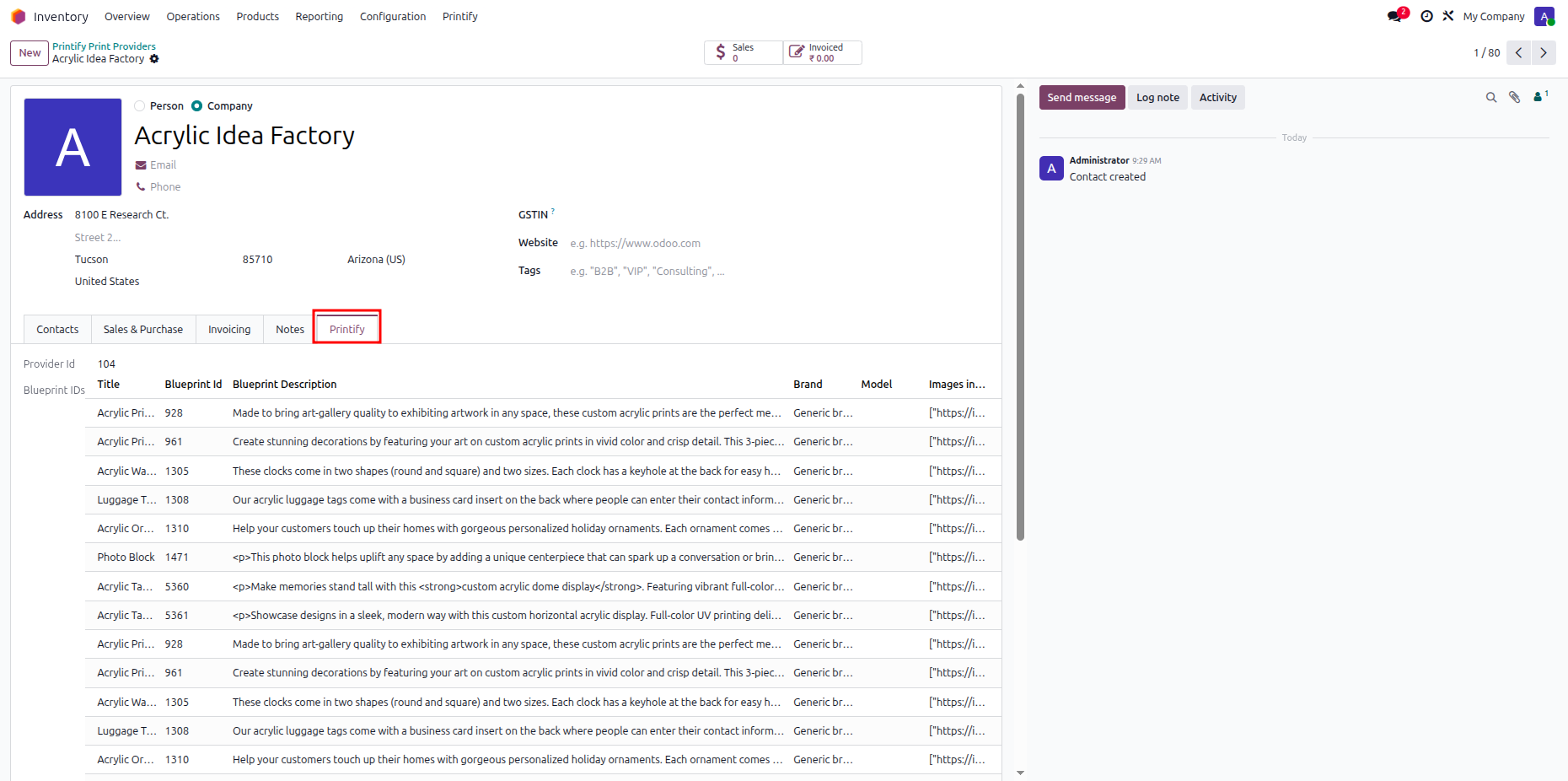
Open a print provider record and click the Printify tab to check provider blueprints.
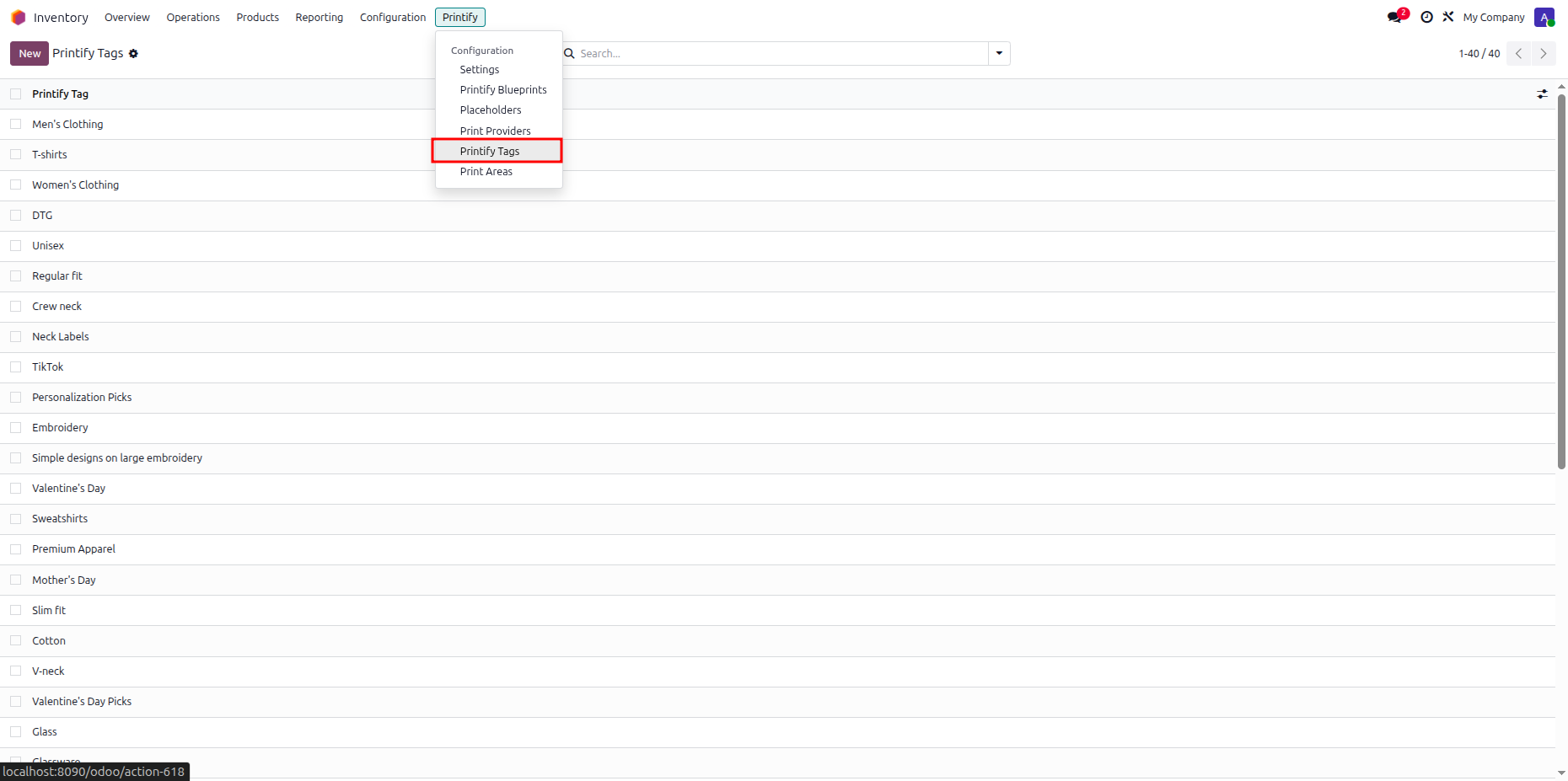
Select Printify Tags from the menu to view all synchronized product category filter tags.
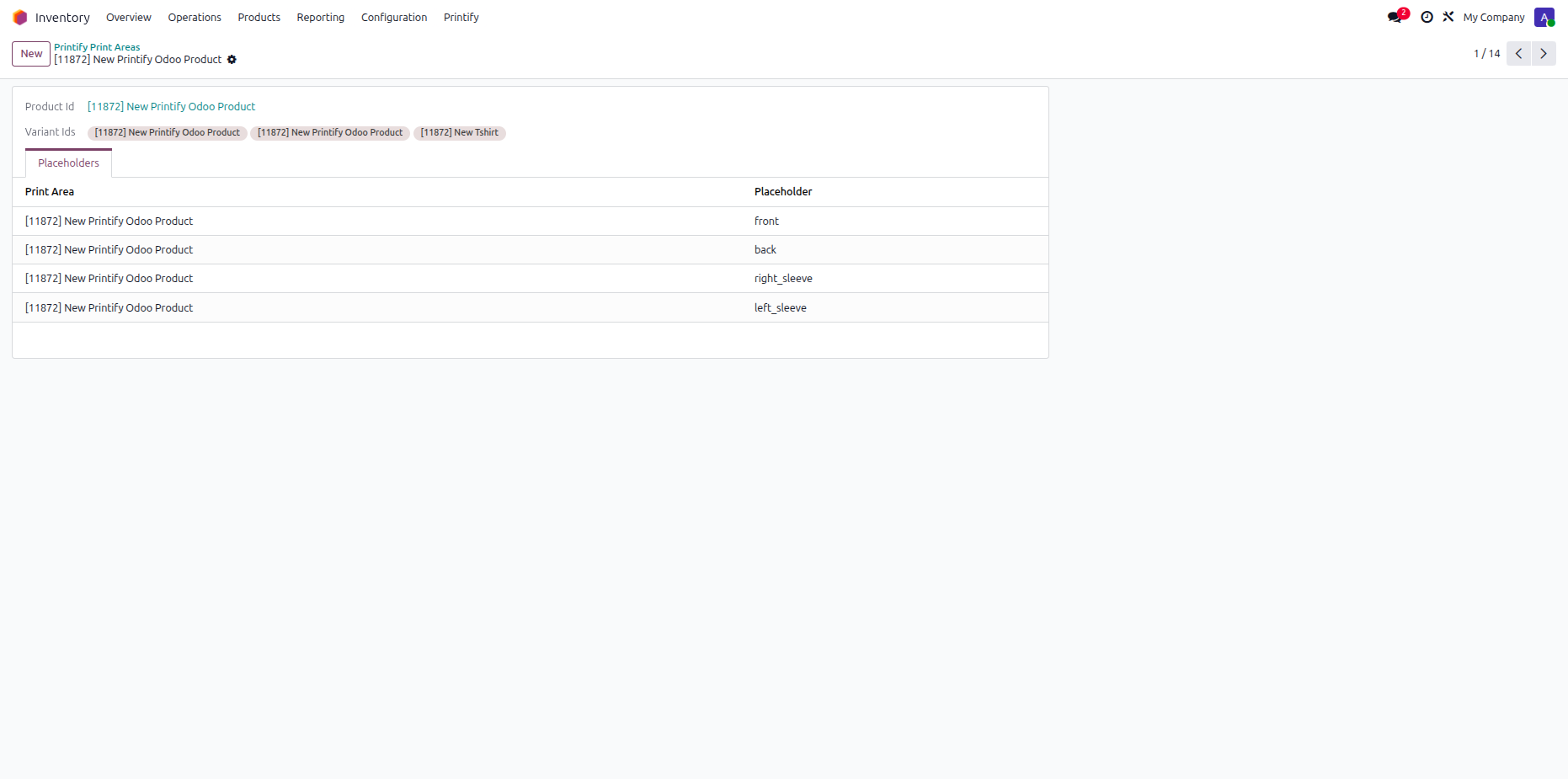
Select Print Areas from the menu to view defined print surface regions for products.
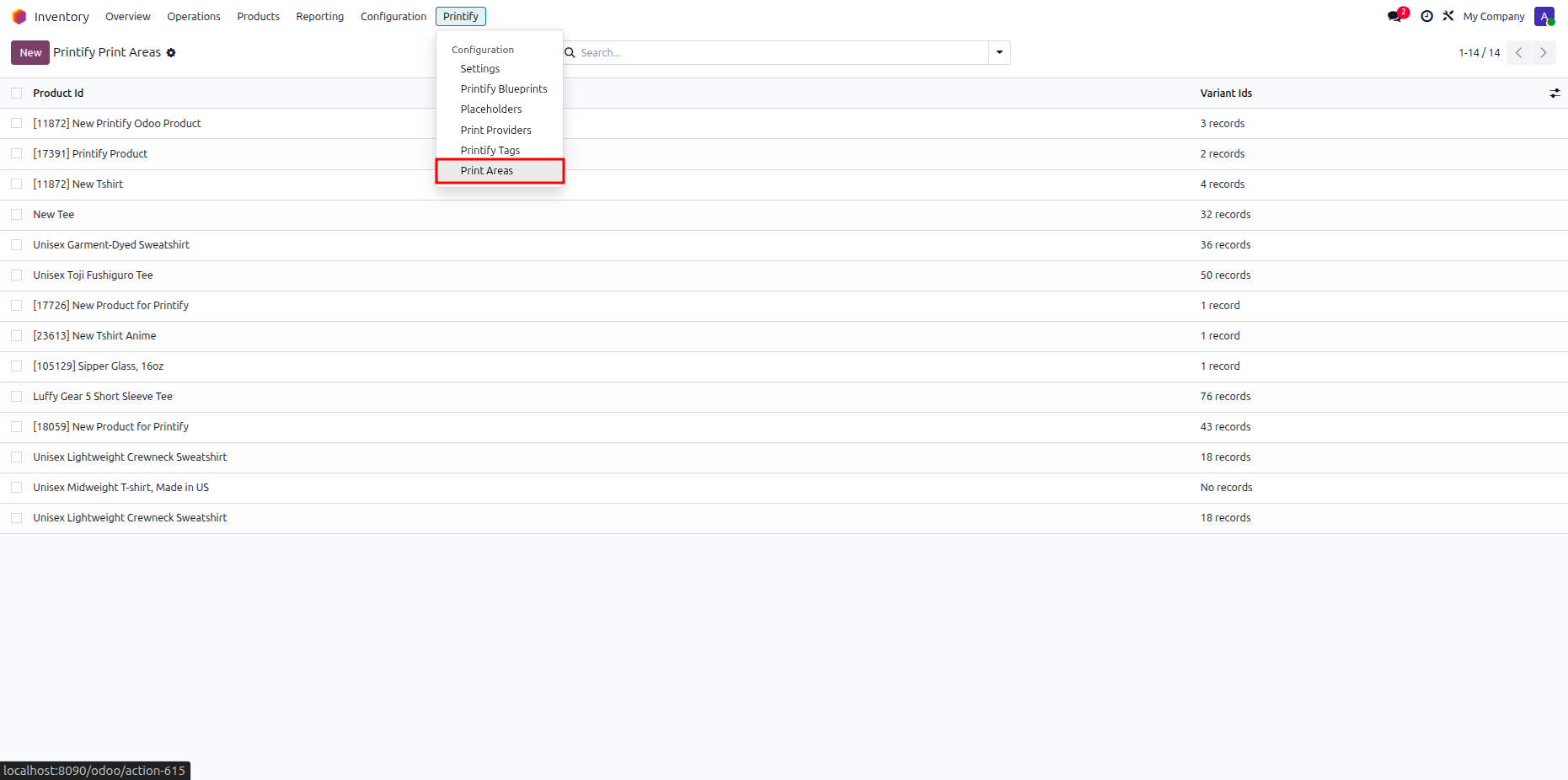
Open a print area record to inspect associated variant ids and listed placeholder surfaces.
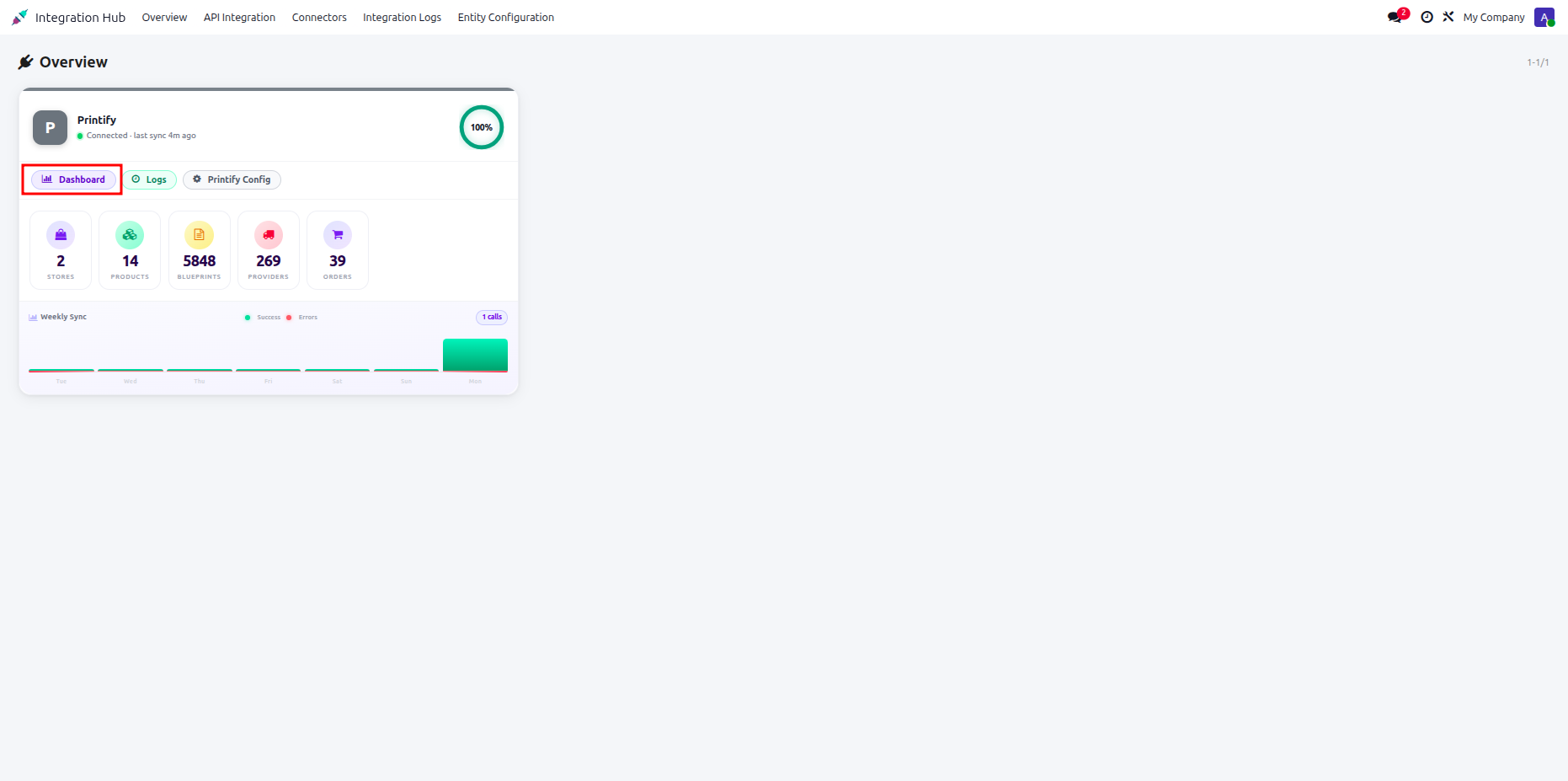
Centralized dashboard to manage and monitor all connectors from one place. Quickly access sync summary, activity logs, and configuration controls with improved visibility.
How it works?
Watch Video
Click the Dashboard button on the Printify connector card to view detailed integration statistics.
Monitor entity distribution charts, weekly sync activity graphs, queue statuses, and recent sync errors.
 Import Products
Video
Export Products
Video
Import Products
Video
Export Products
Video
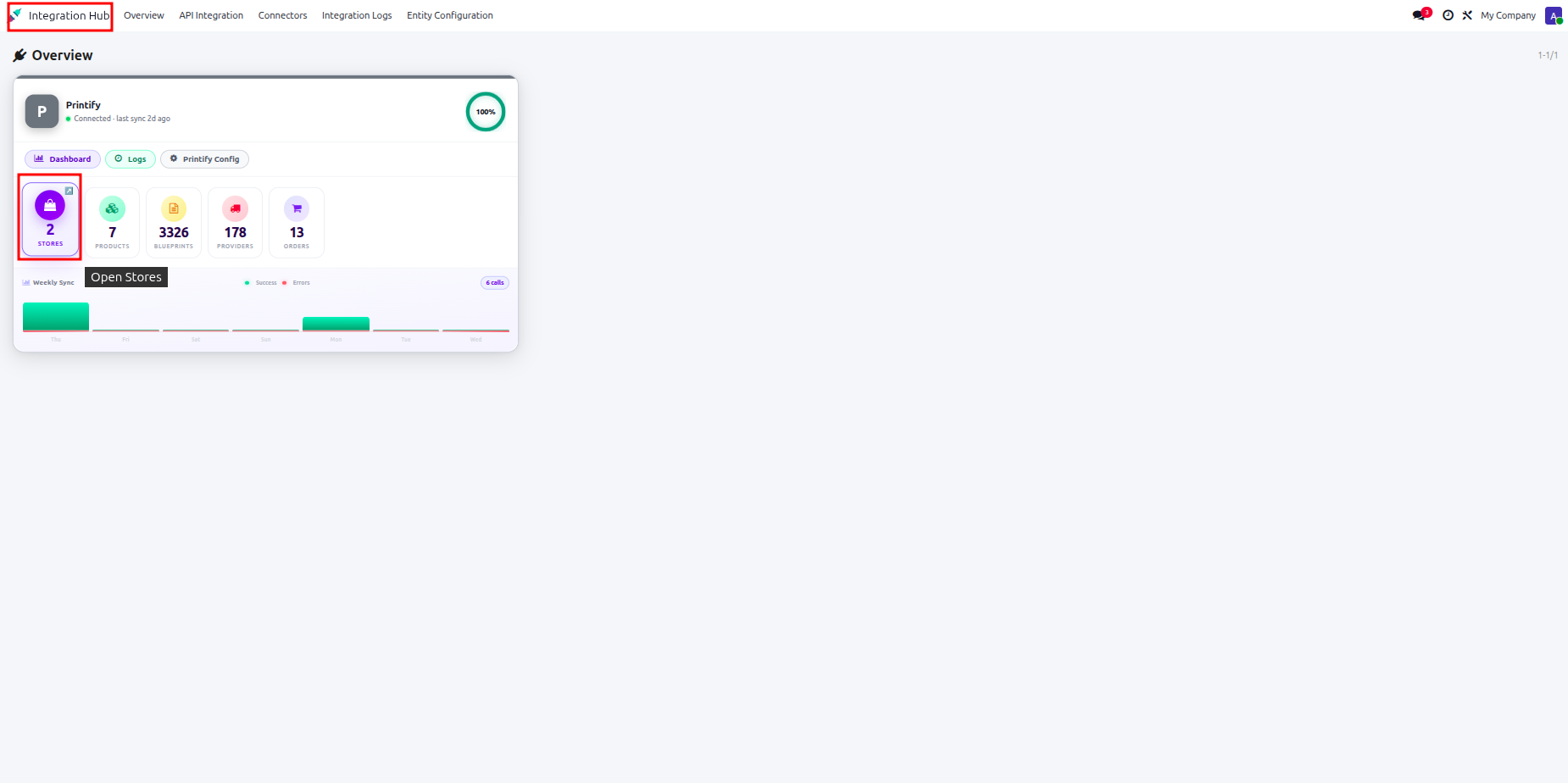
Open Integration Hub overview and select the Stores stat button on the Printify card.
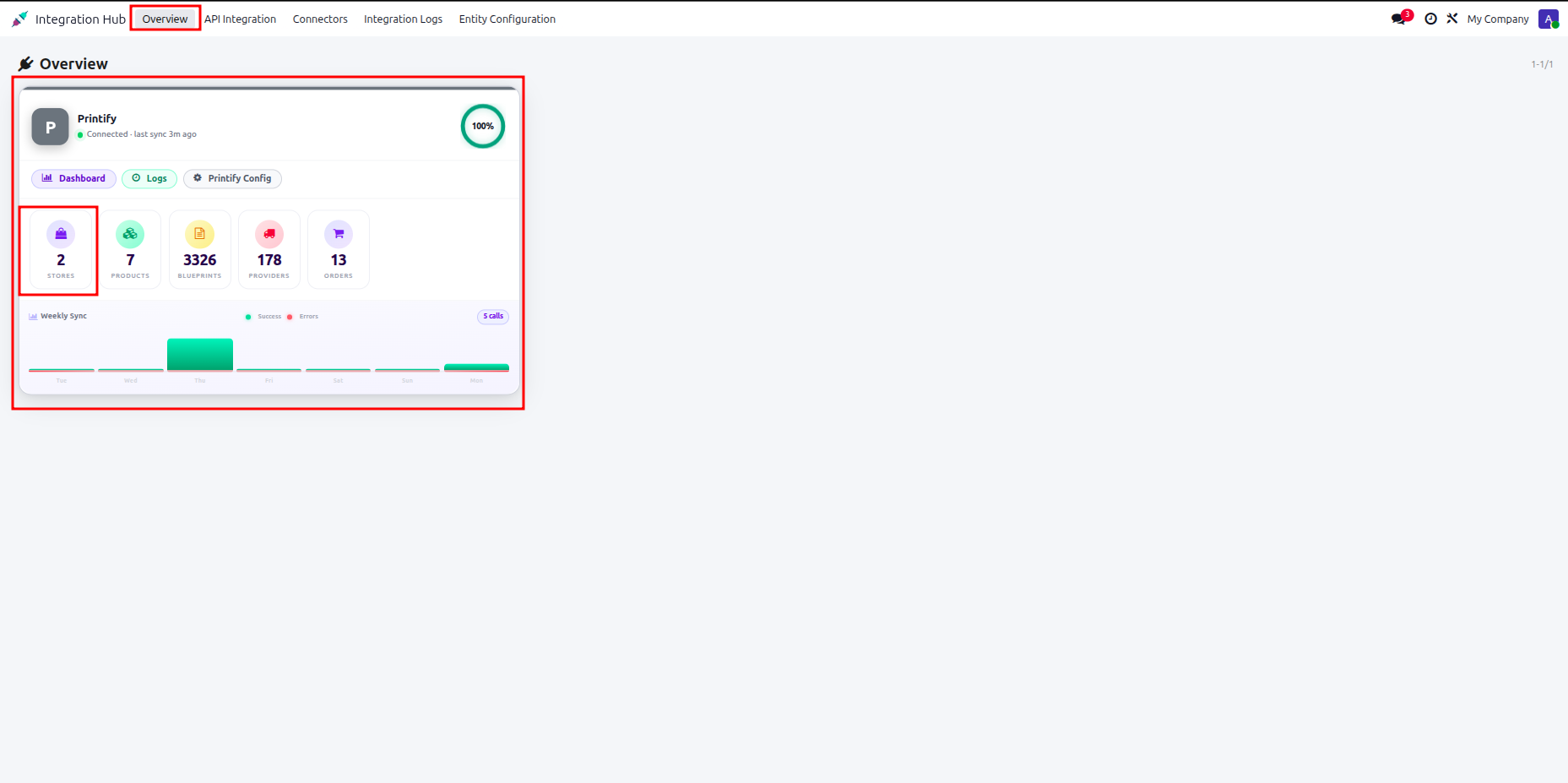
Select a store record from the overview list to configure store-specific synchronization options.
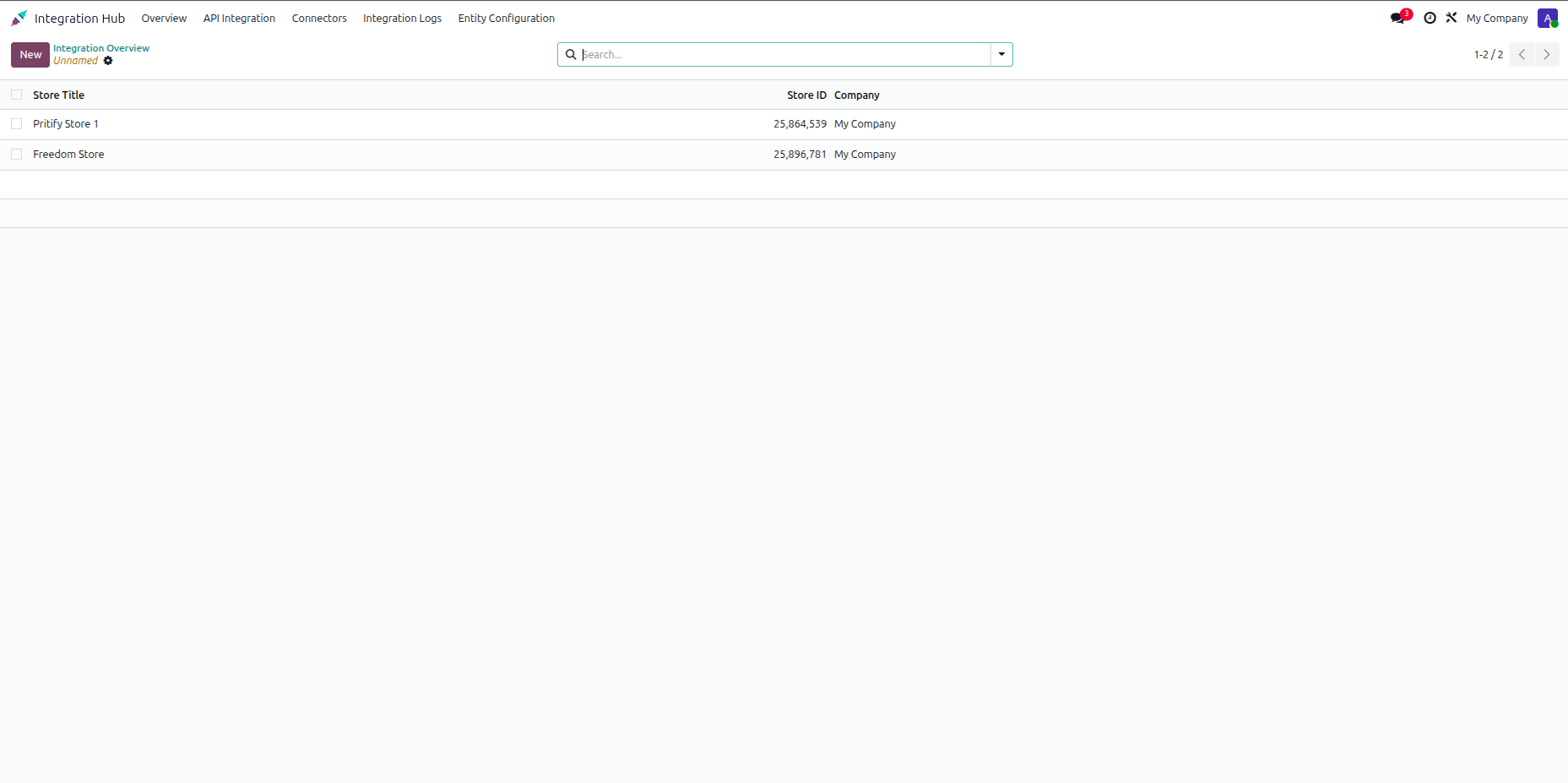
Click the Import Products button on the store form to launch the product import wizard.
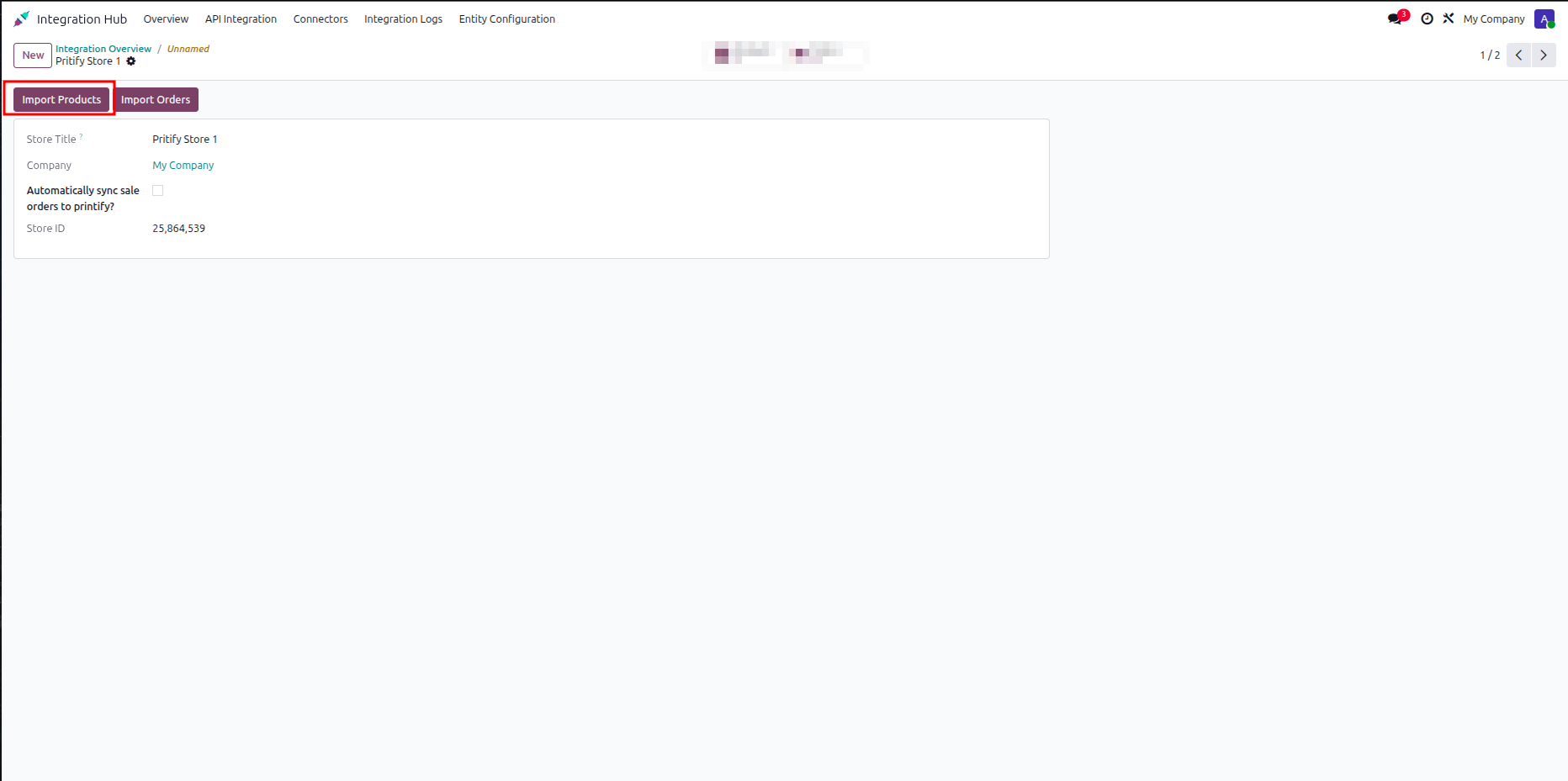
Choose target store products from the fetched list and click Import Products to execute import.
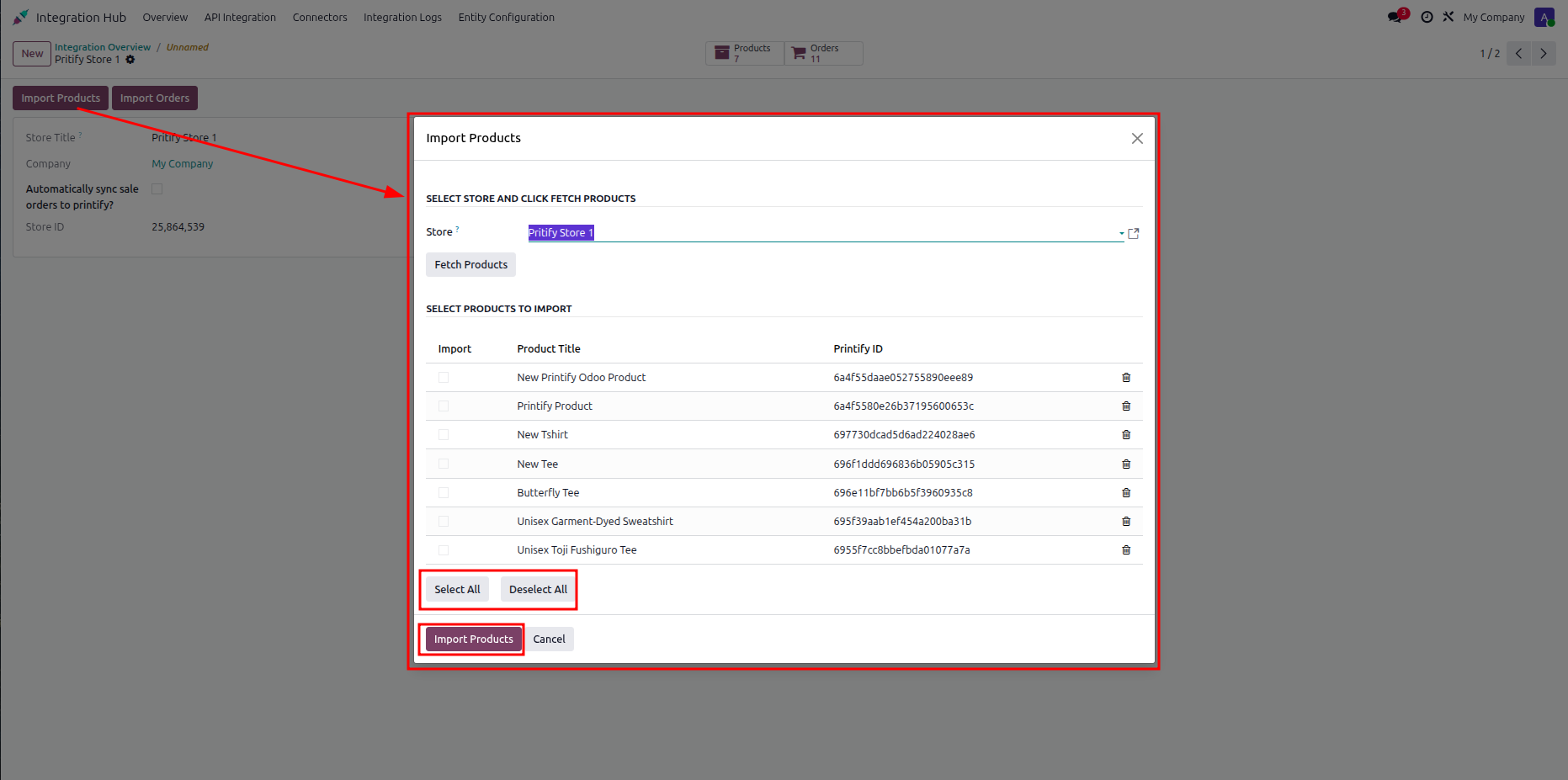
Click the Products smart button on the store form to navigate to imported products.
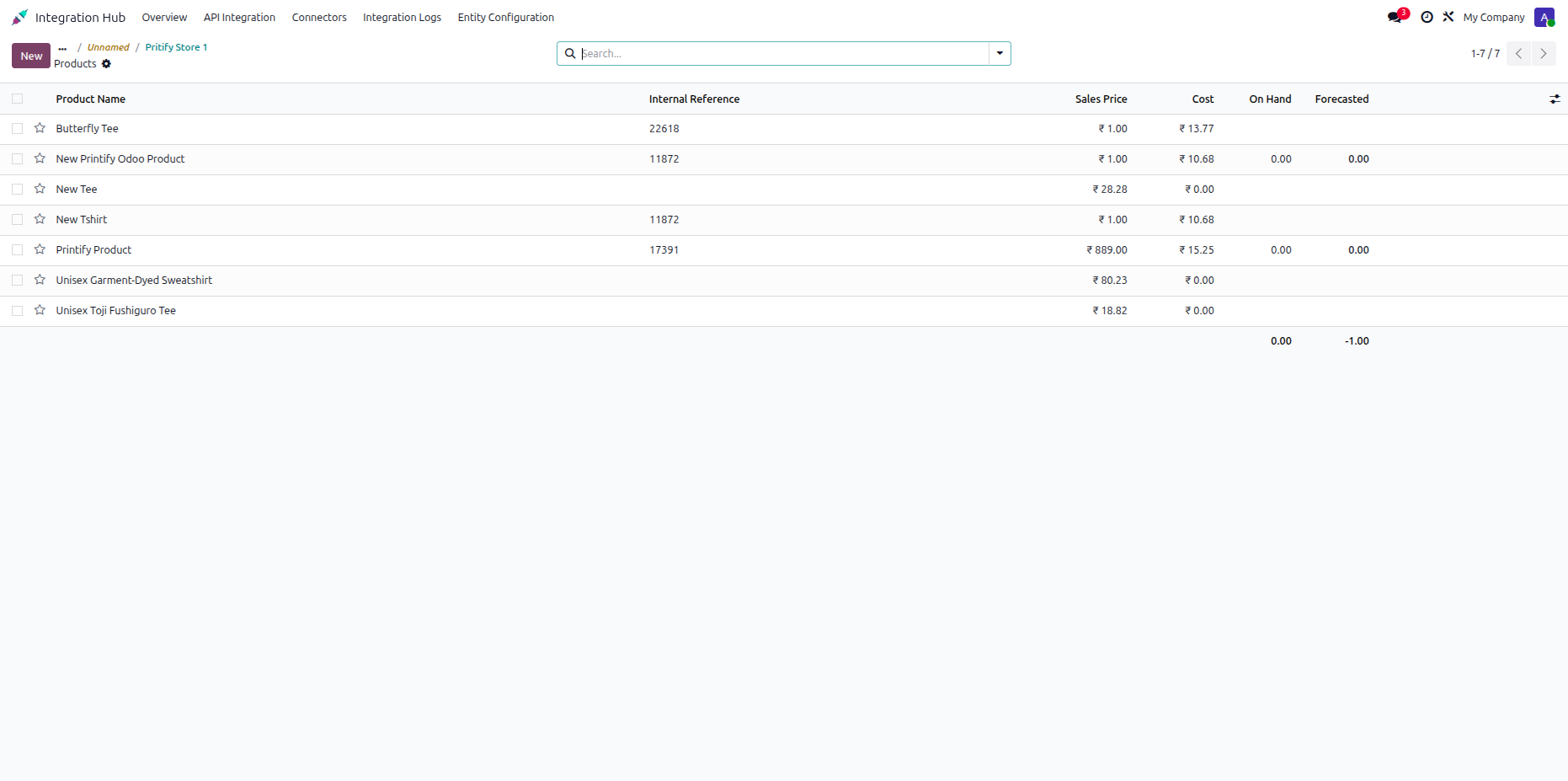
Review imported product records along with sales prices, costs, and inventory stock quantities.
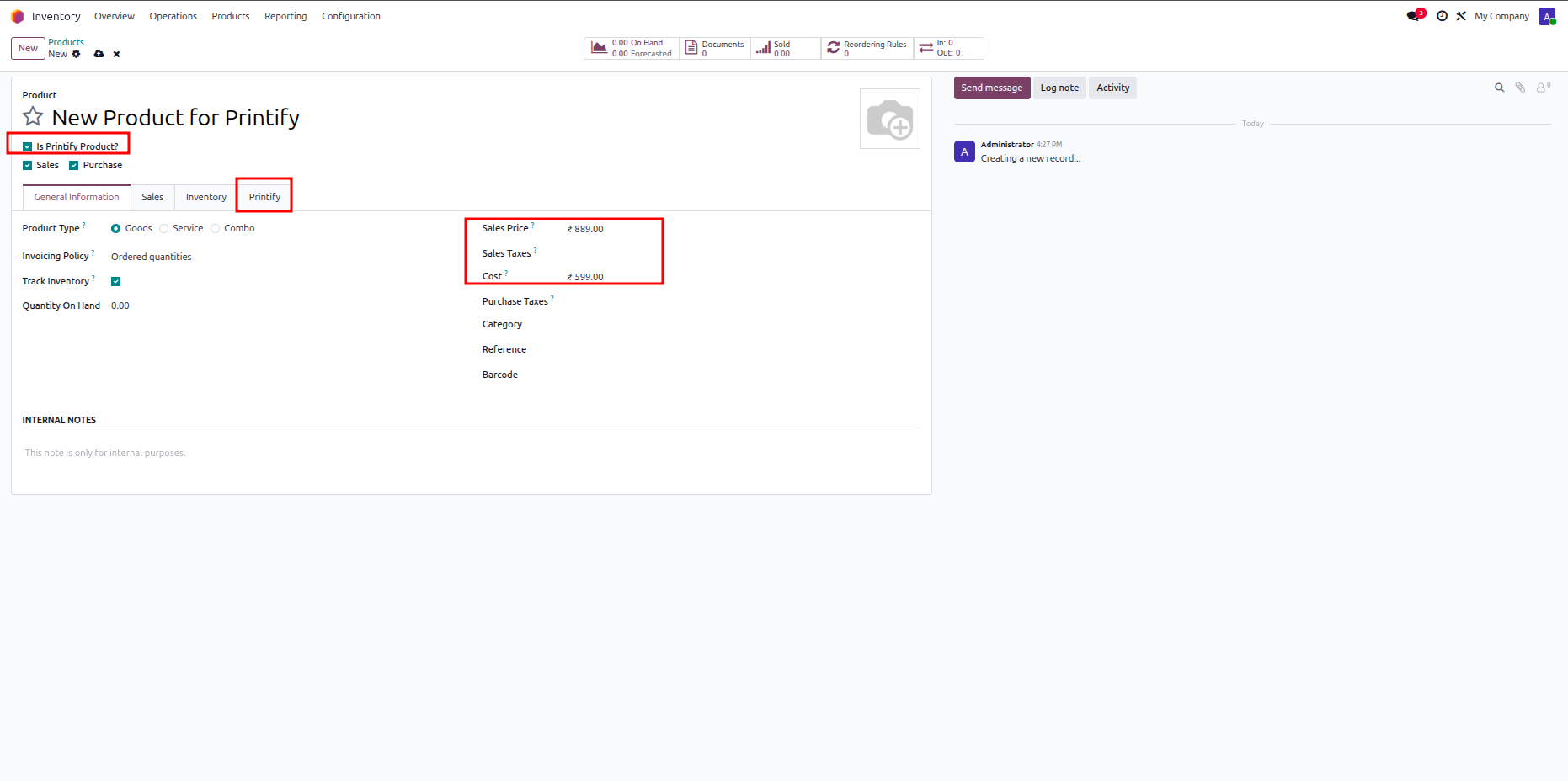
Enable the Is Printify Product checkbox and specify sales price and cost before exporting.
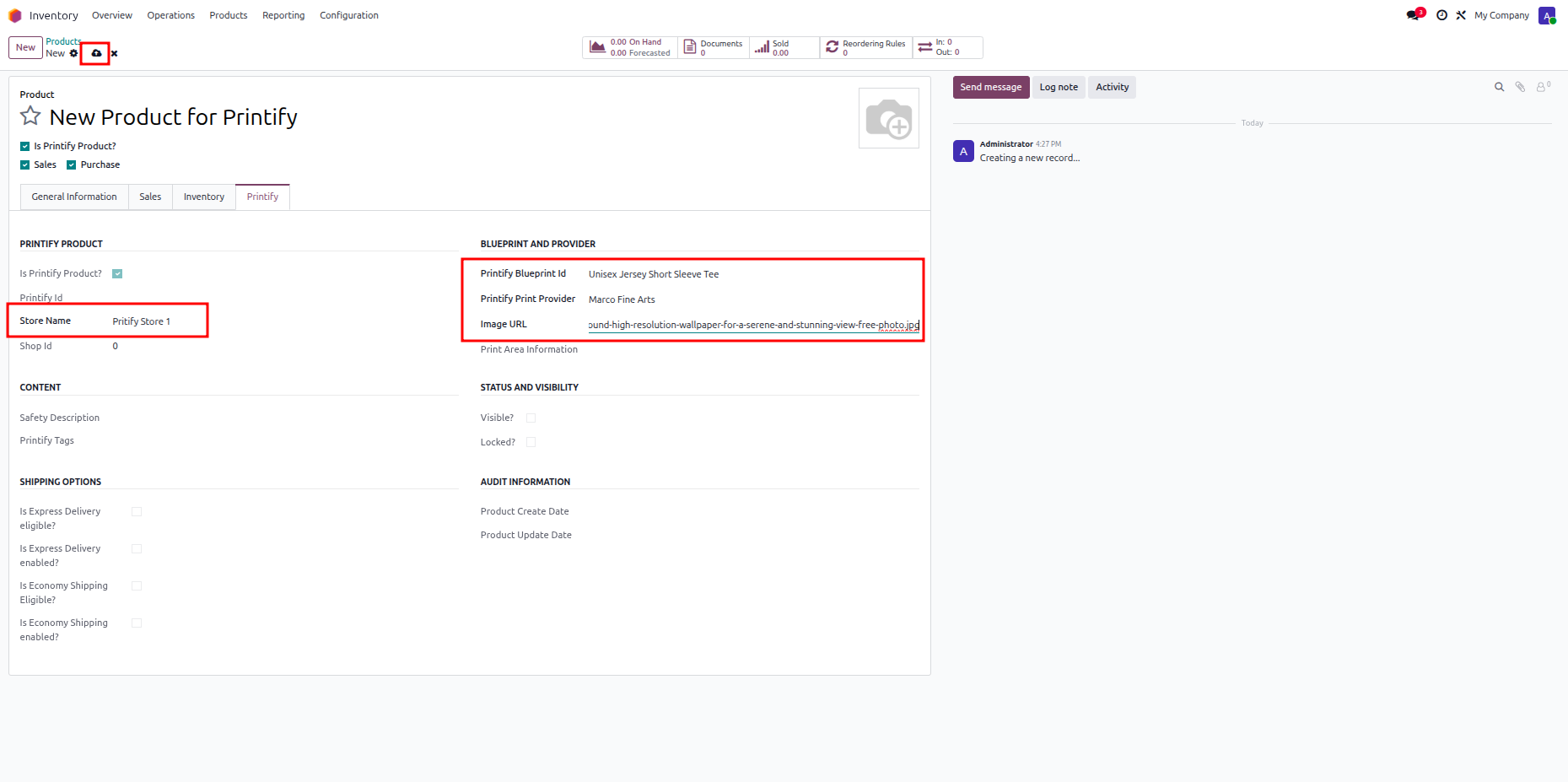
Configure store name, blueprint ID, print provider, and image URL in the Printify tab.
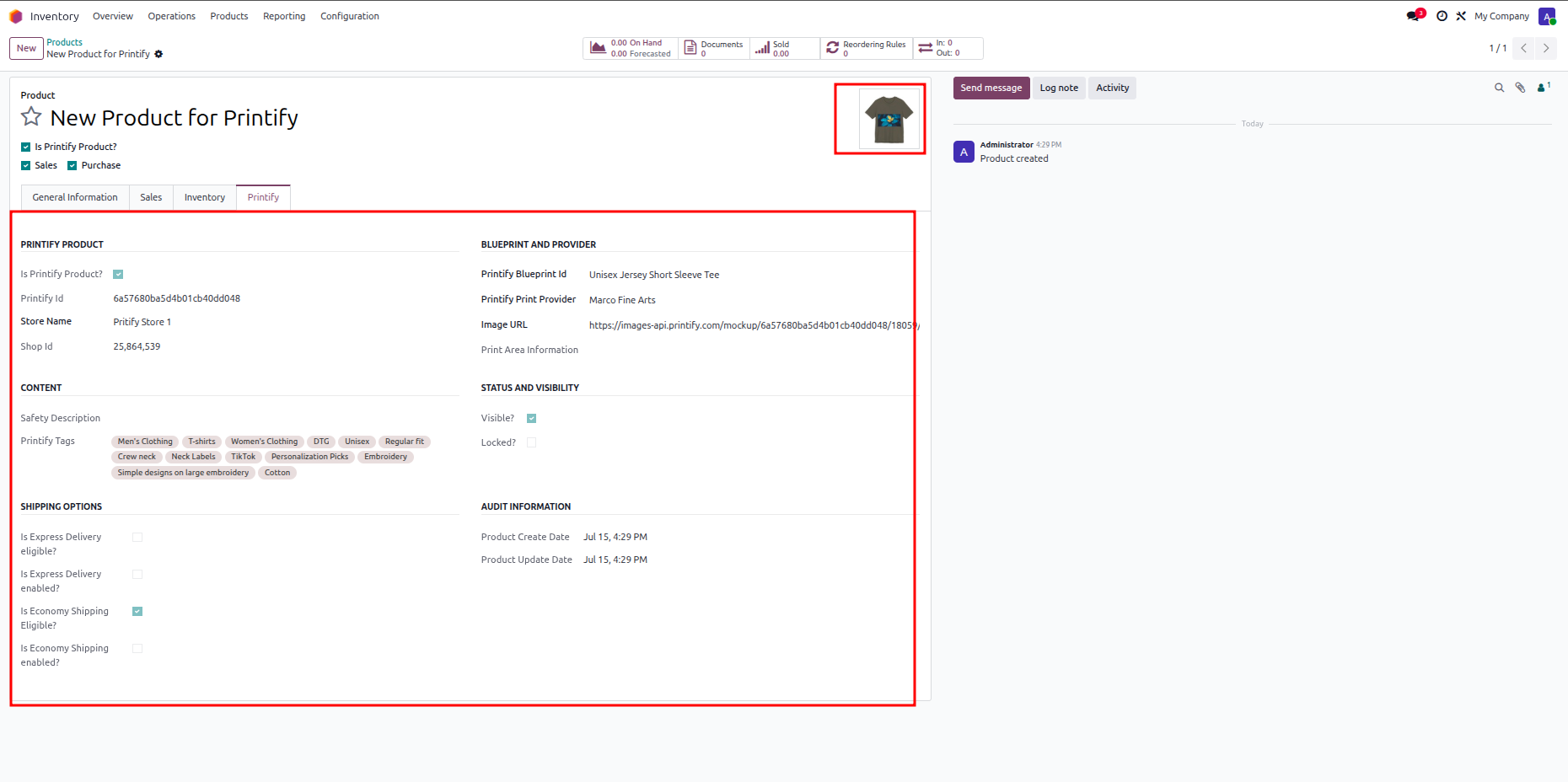
Review generated product mockups and synced Printify attributes on the completed product form.
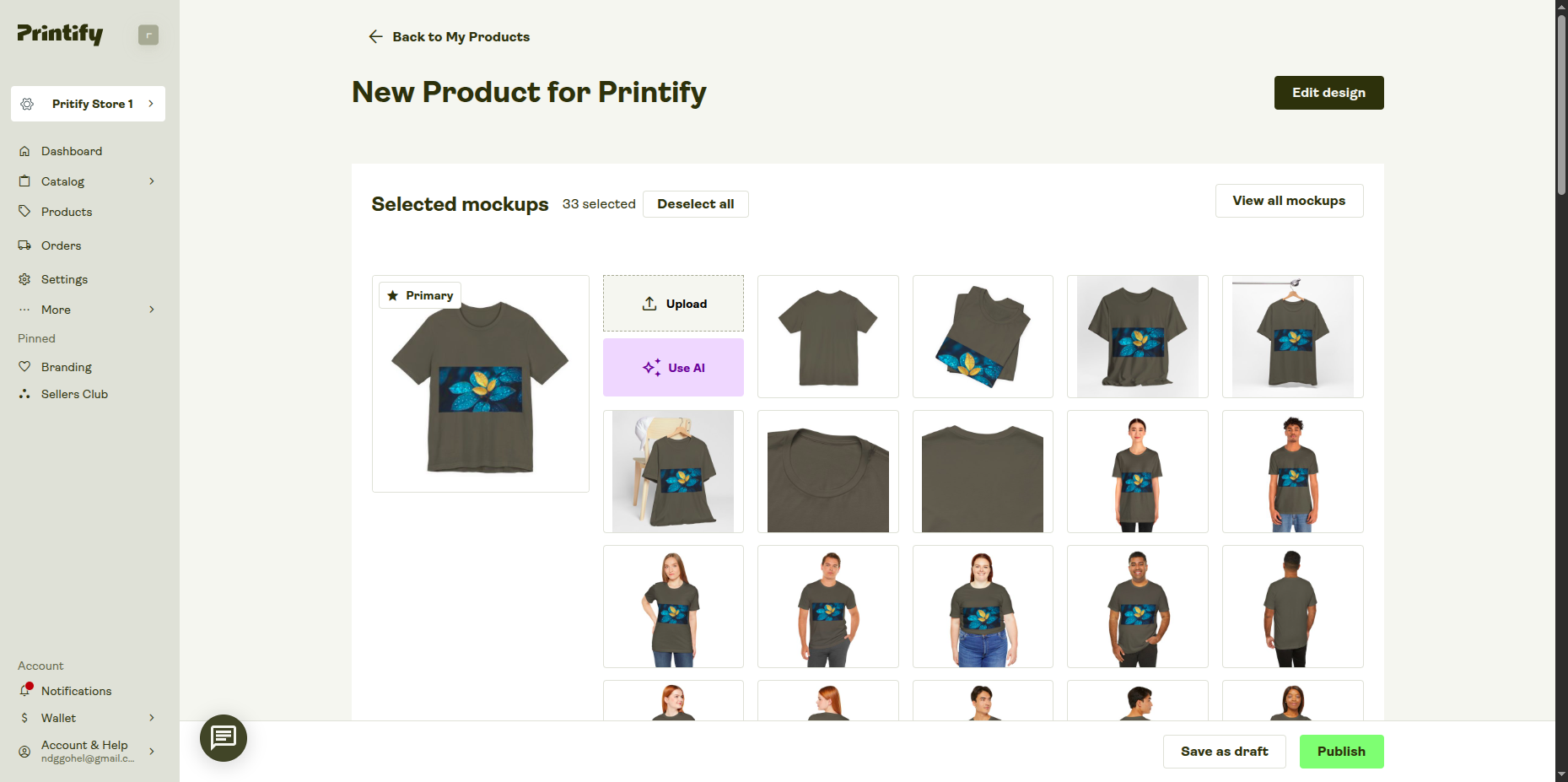
Open your Printify store account to verify exported product mockups and publication status.
 Import Orders Video
Export Orders Video
Import Orders Video
Export Orders Video
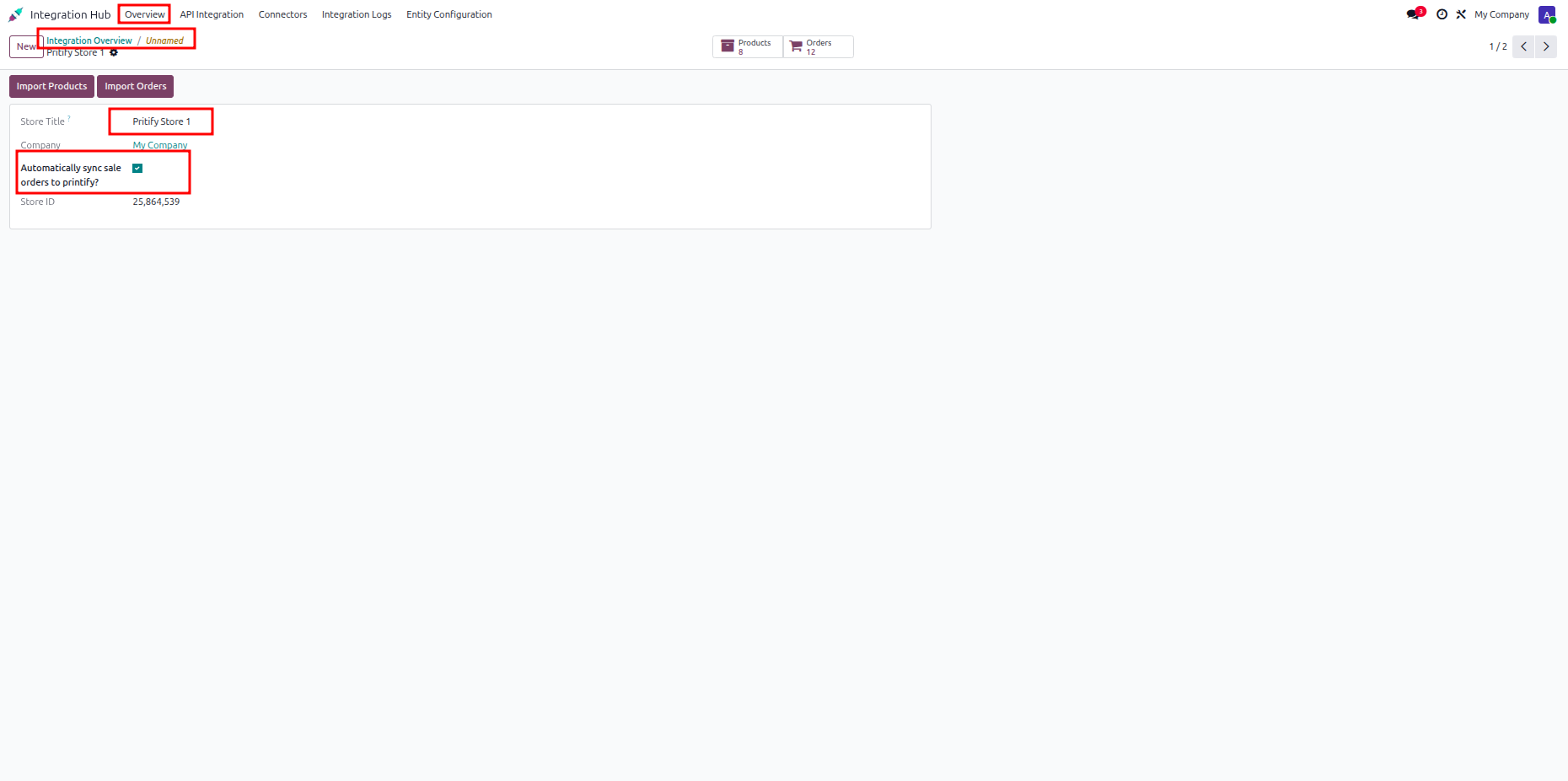
Check the Automatically sync sale orders to printify option to enable automatic order export.
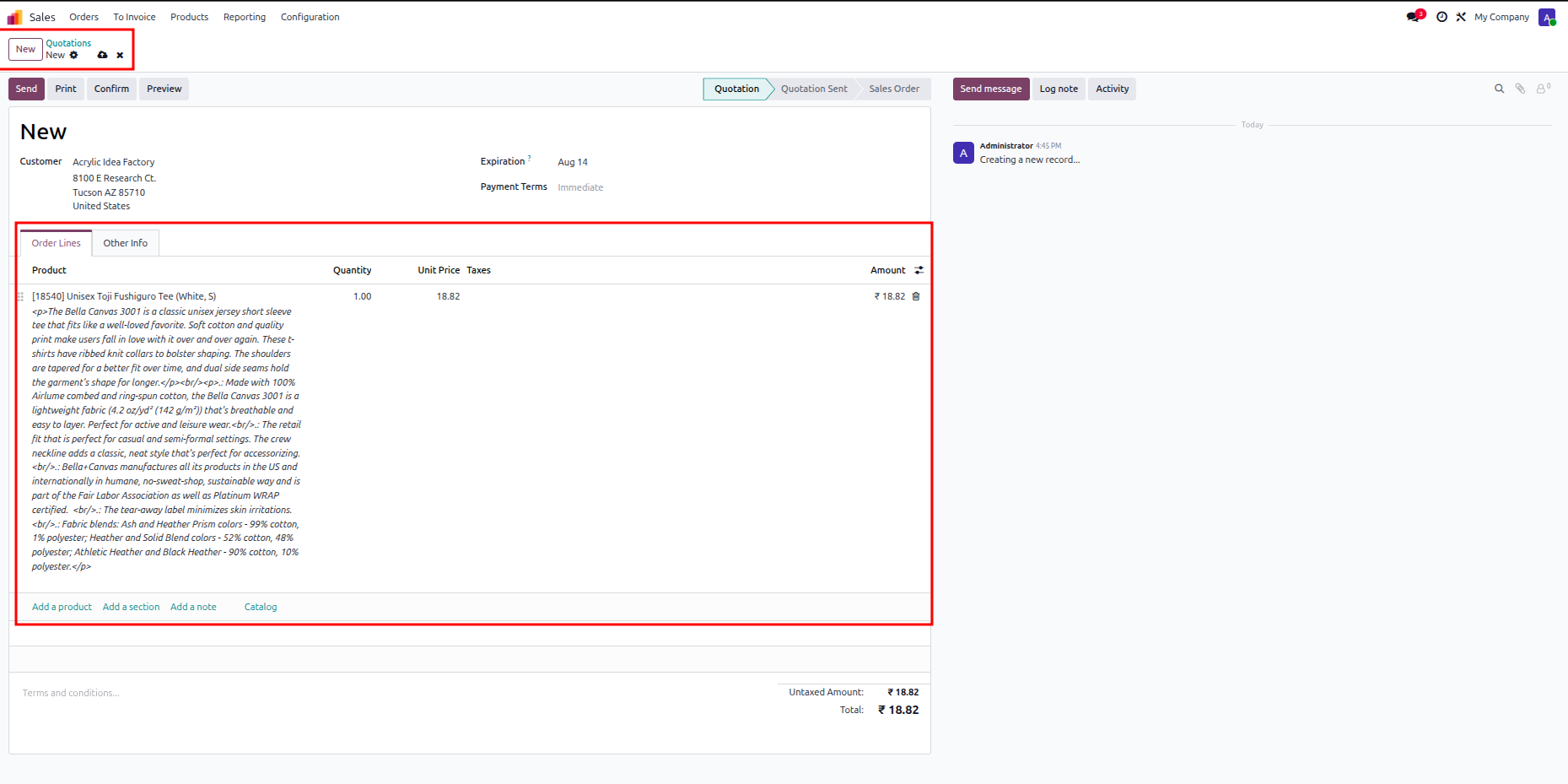
Create a sales quotation with Printify product lines to prepare for order processing.
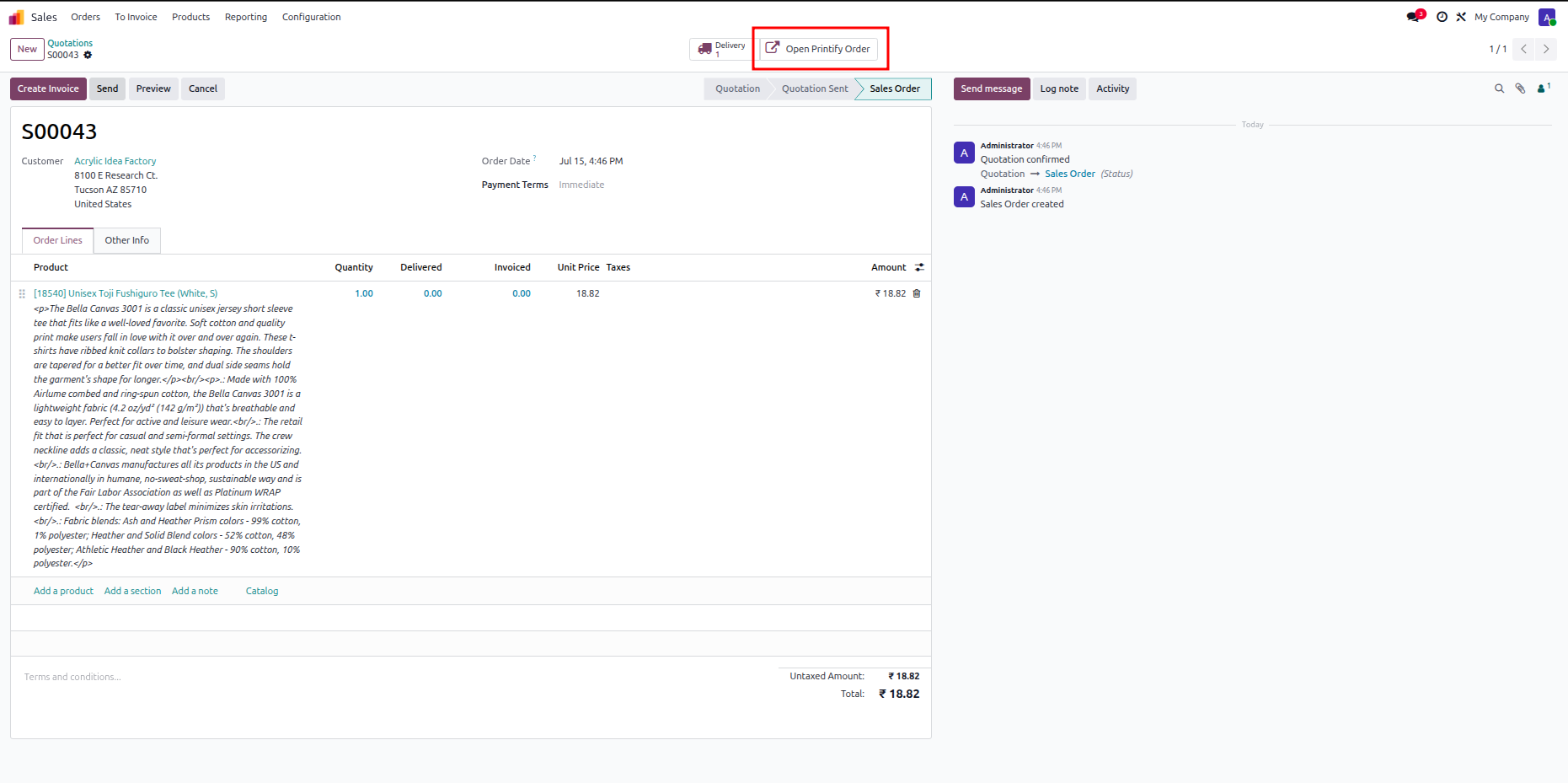
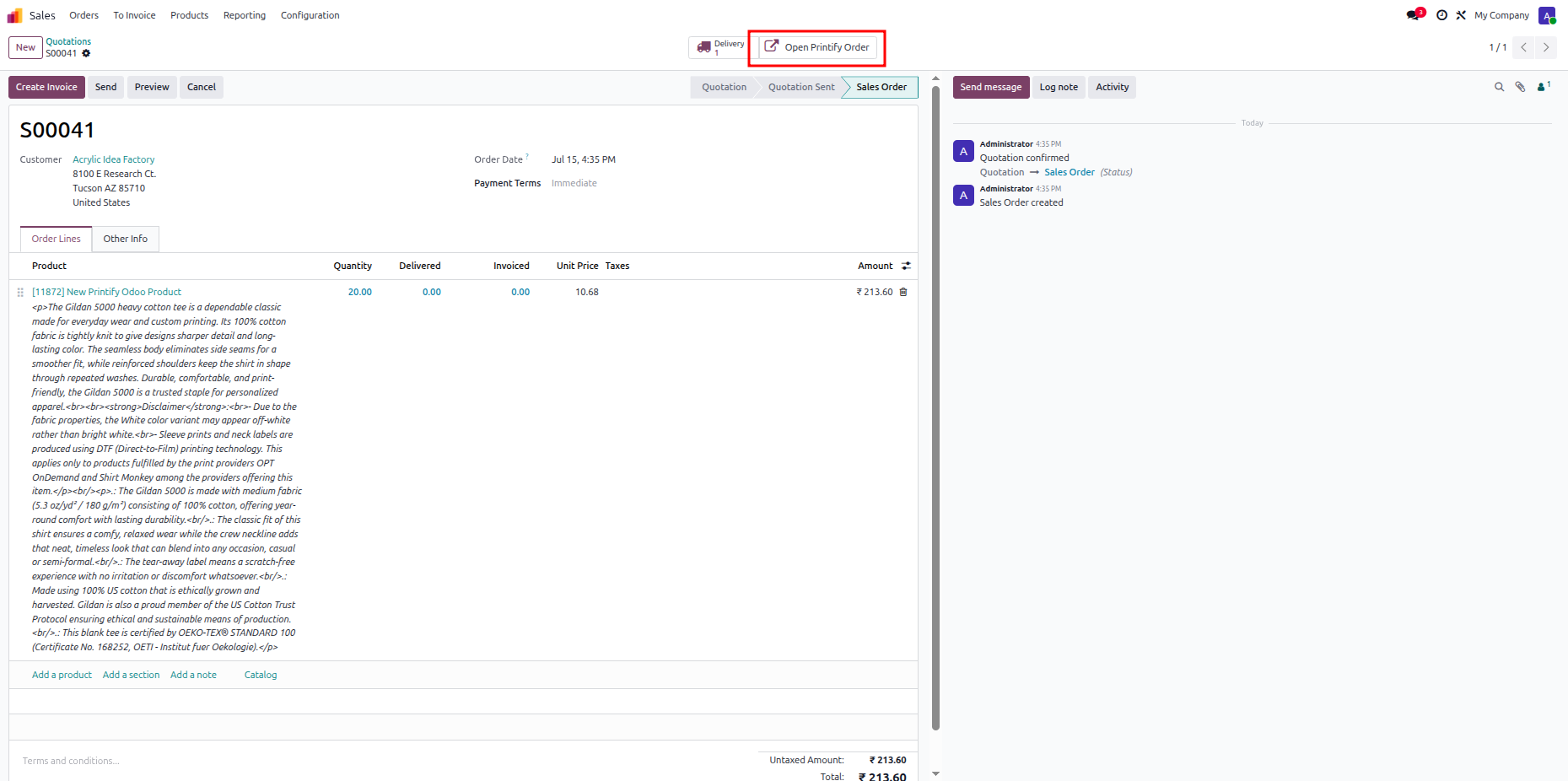
Confirm the order and click Open Printify Order to view the automatically exported order.
Open Integration Hub overview and press the Stores card button to manage registered stores.
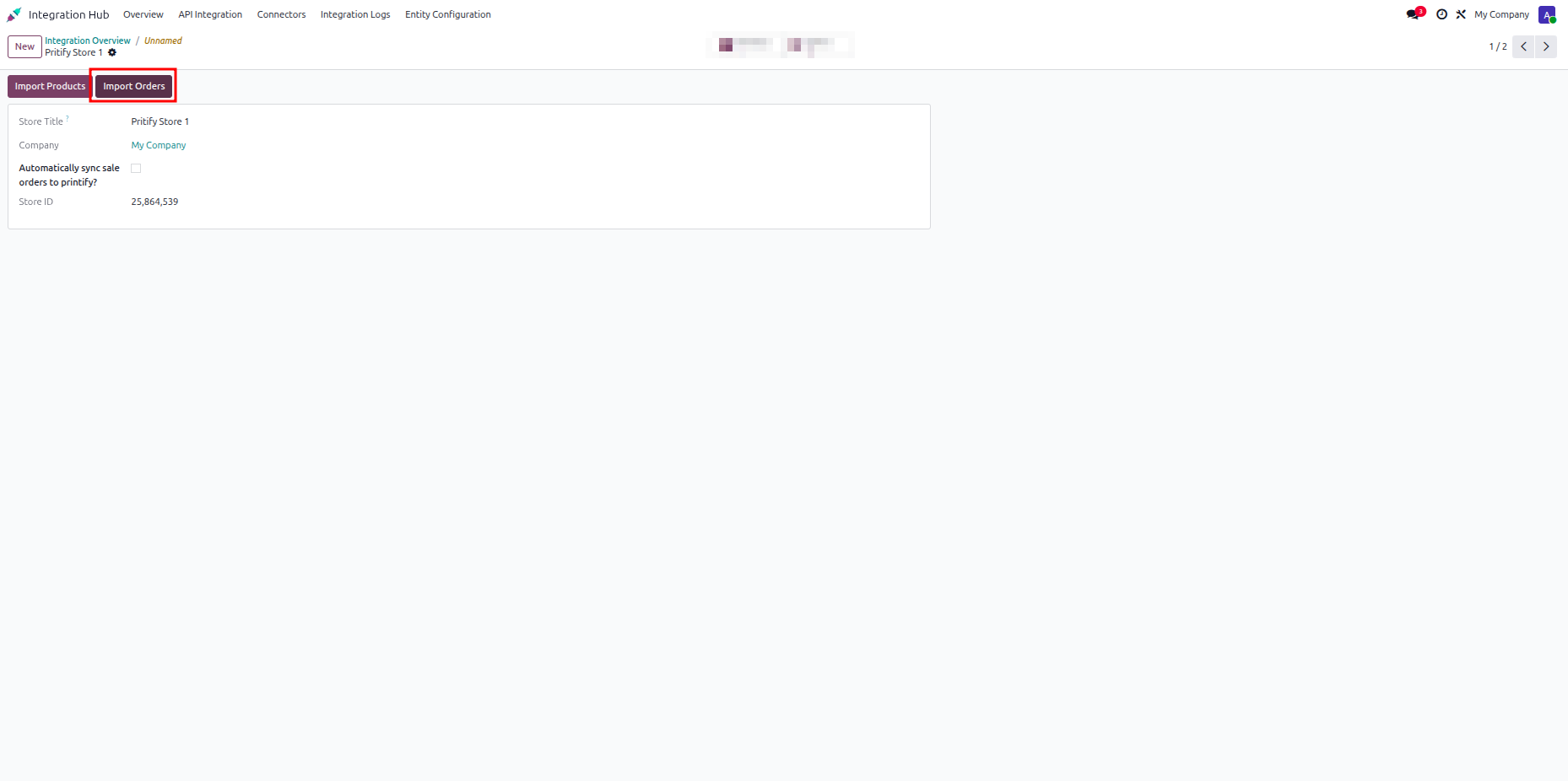
Click the Import Orders button on the store form to fetch orders from Printify.
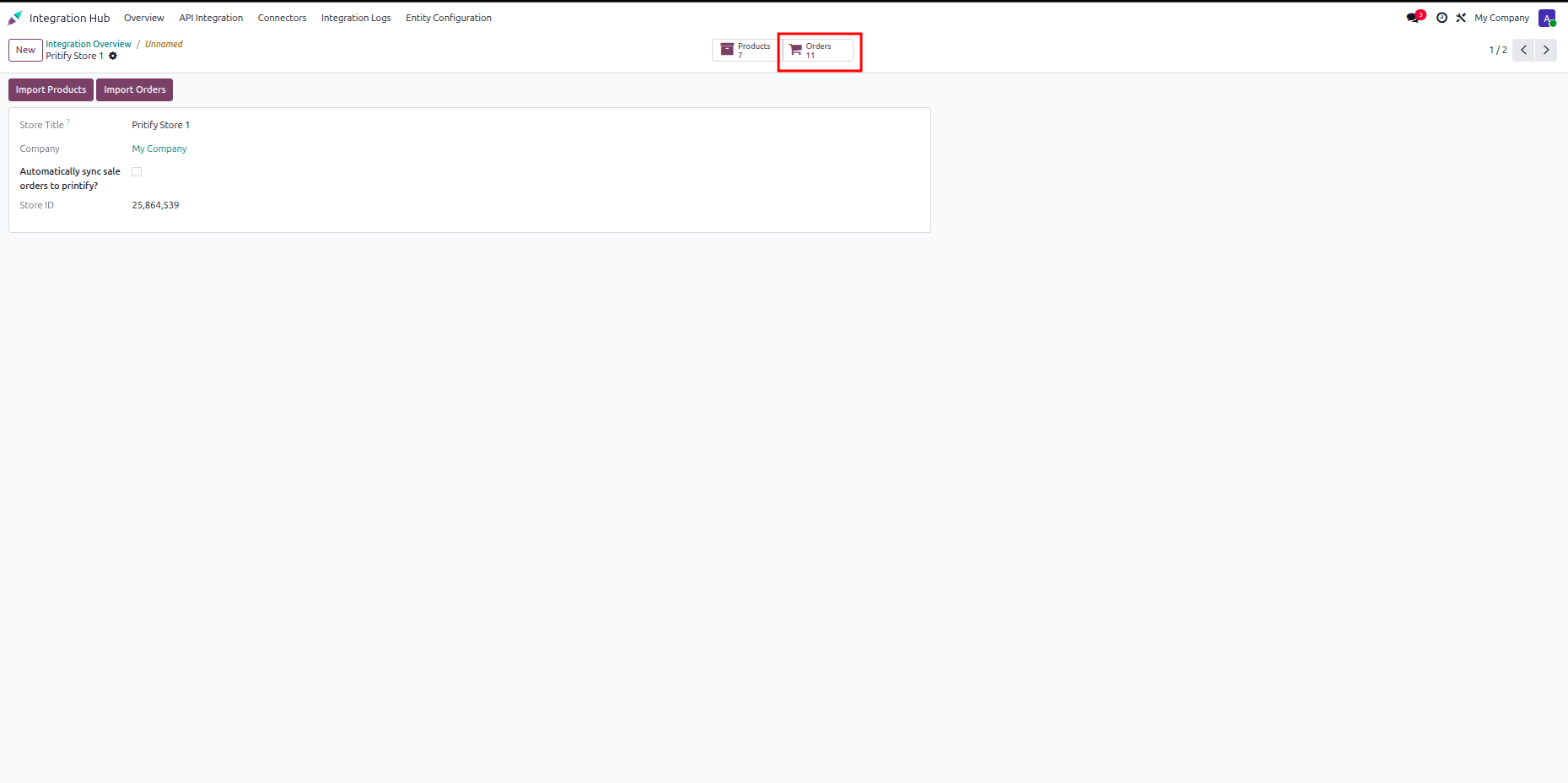
Click the Orders smart button on the store view to open imported sales orders.
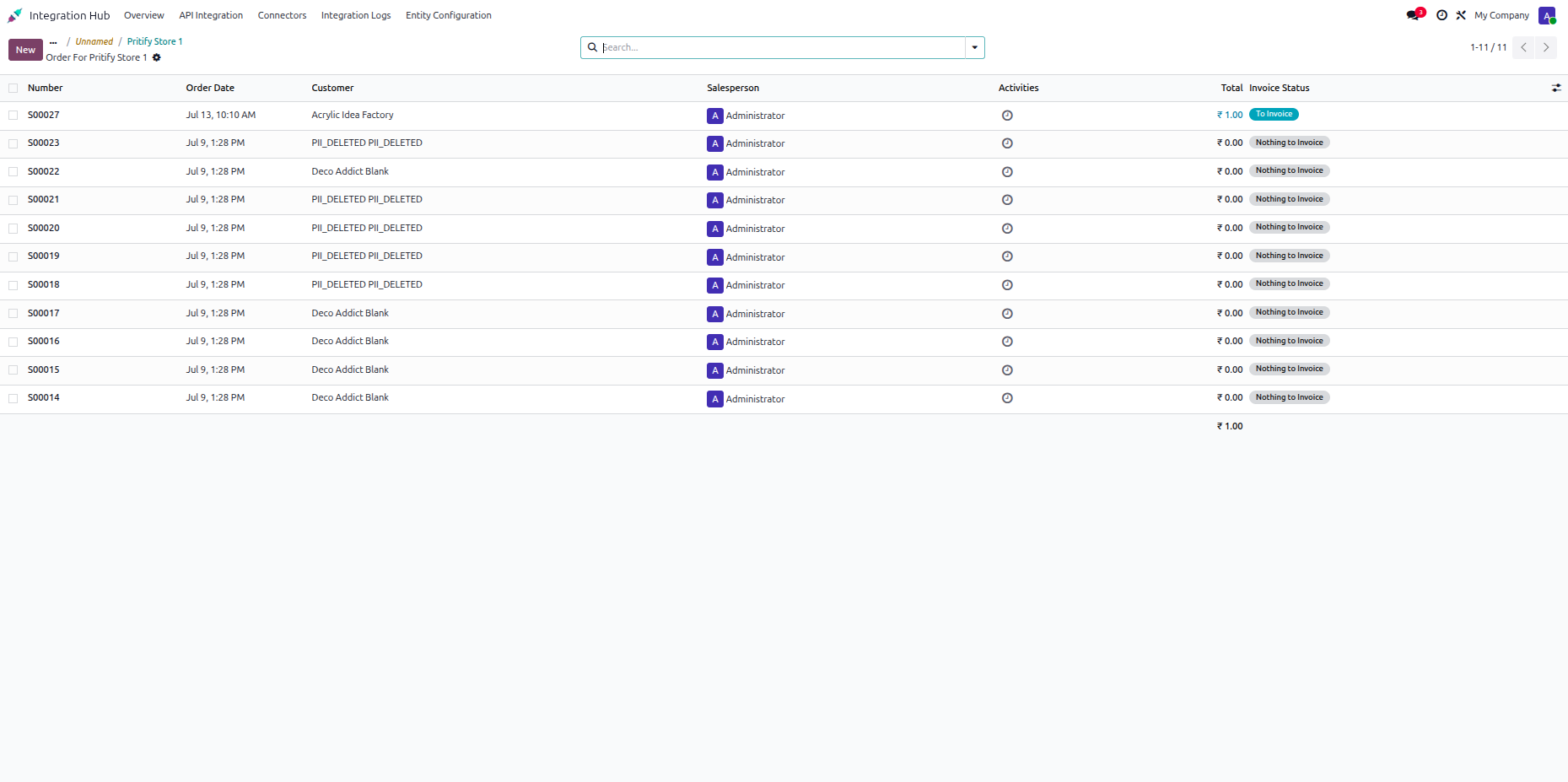
Review the imported sales order list containing order numbers, dates, customers, and invoice states.
Navigate to Sales and add Printify items to the quotation order lines.
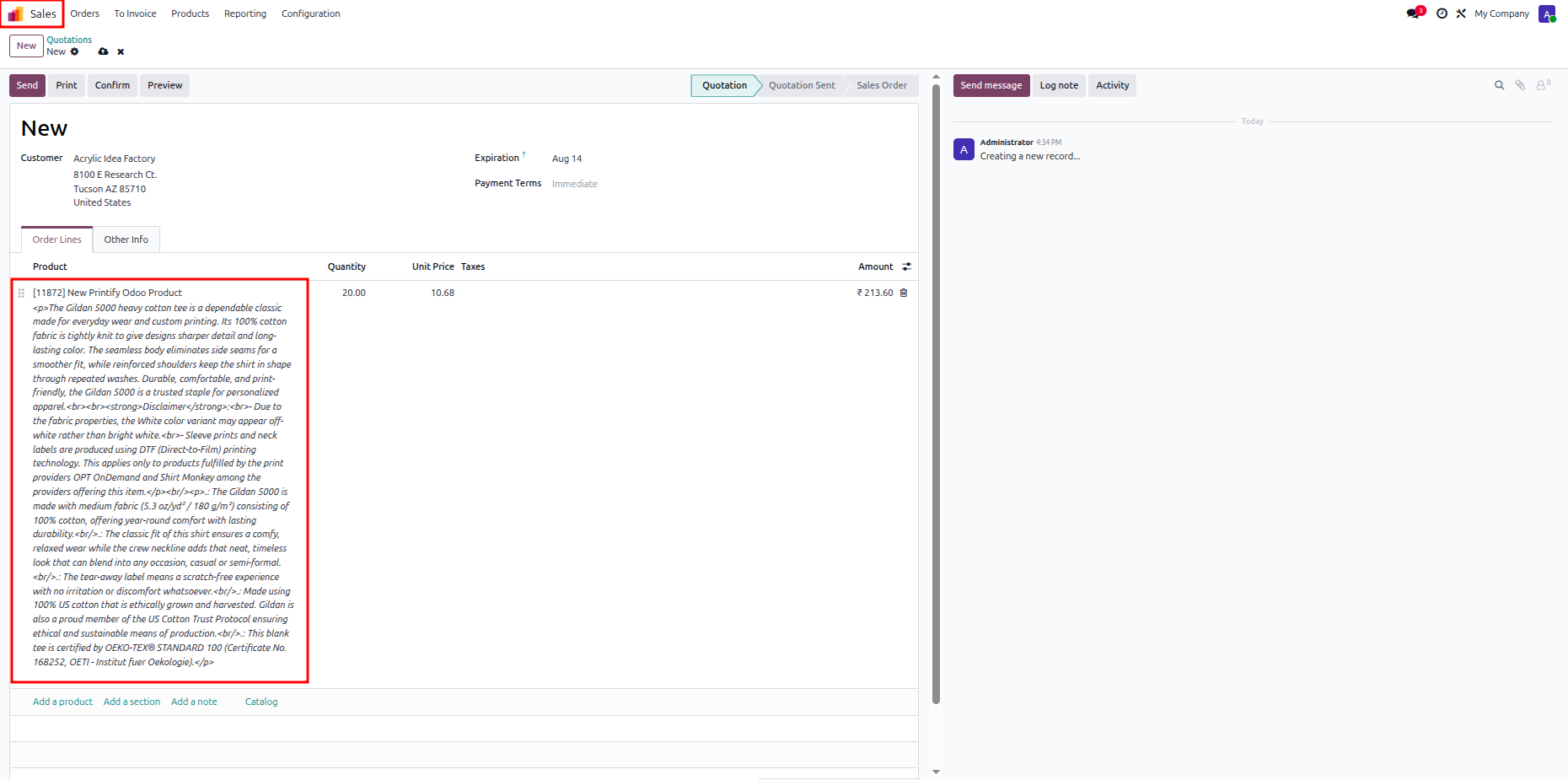
Confirm the sales order and click Submit order to Printify to export the order.
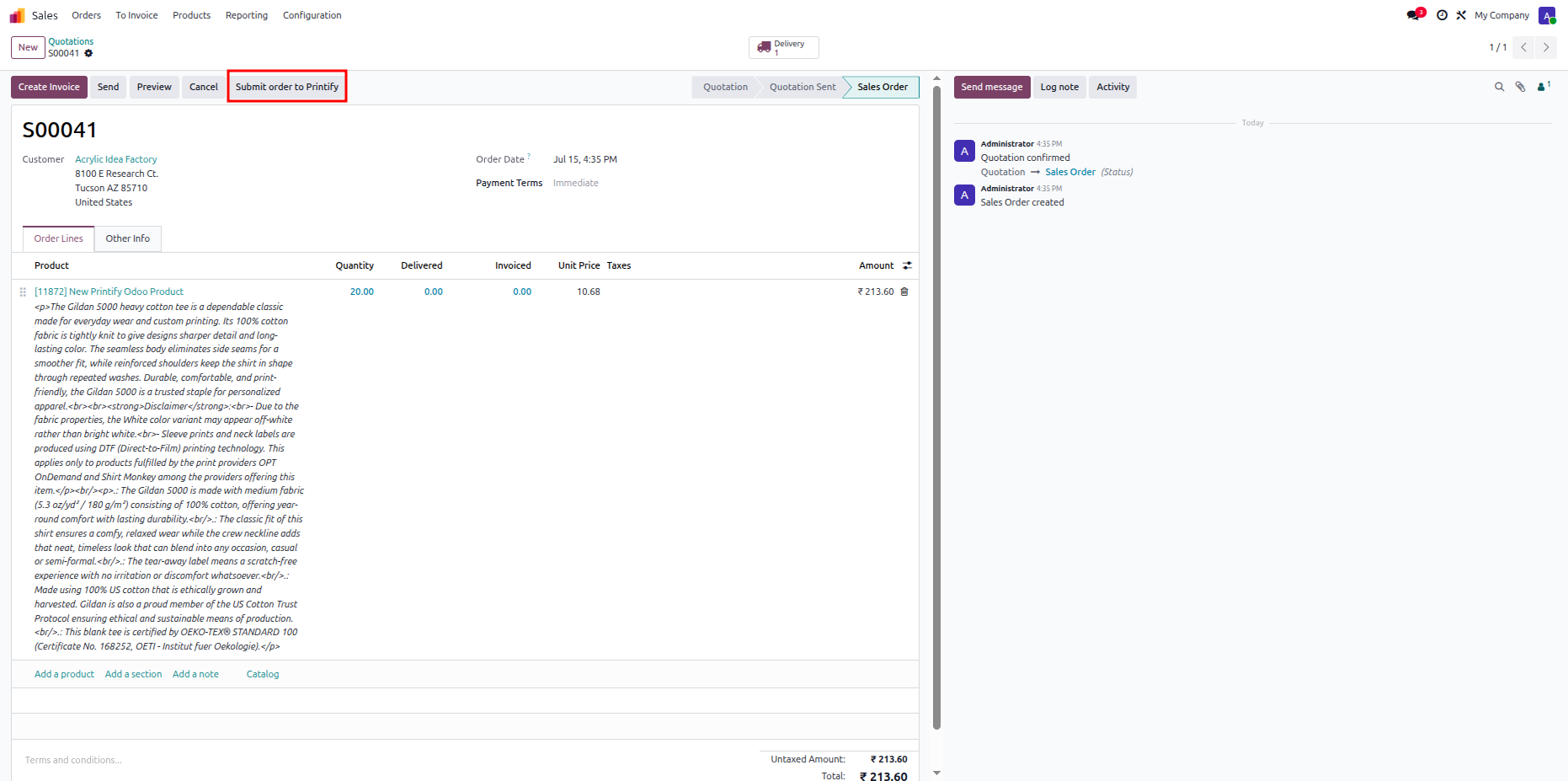
Click the Open Printify Order smart button to access exported order details in Printify.
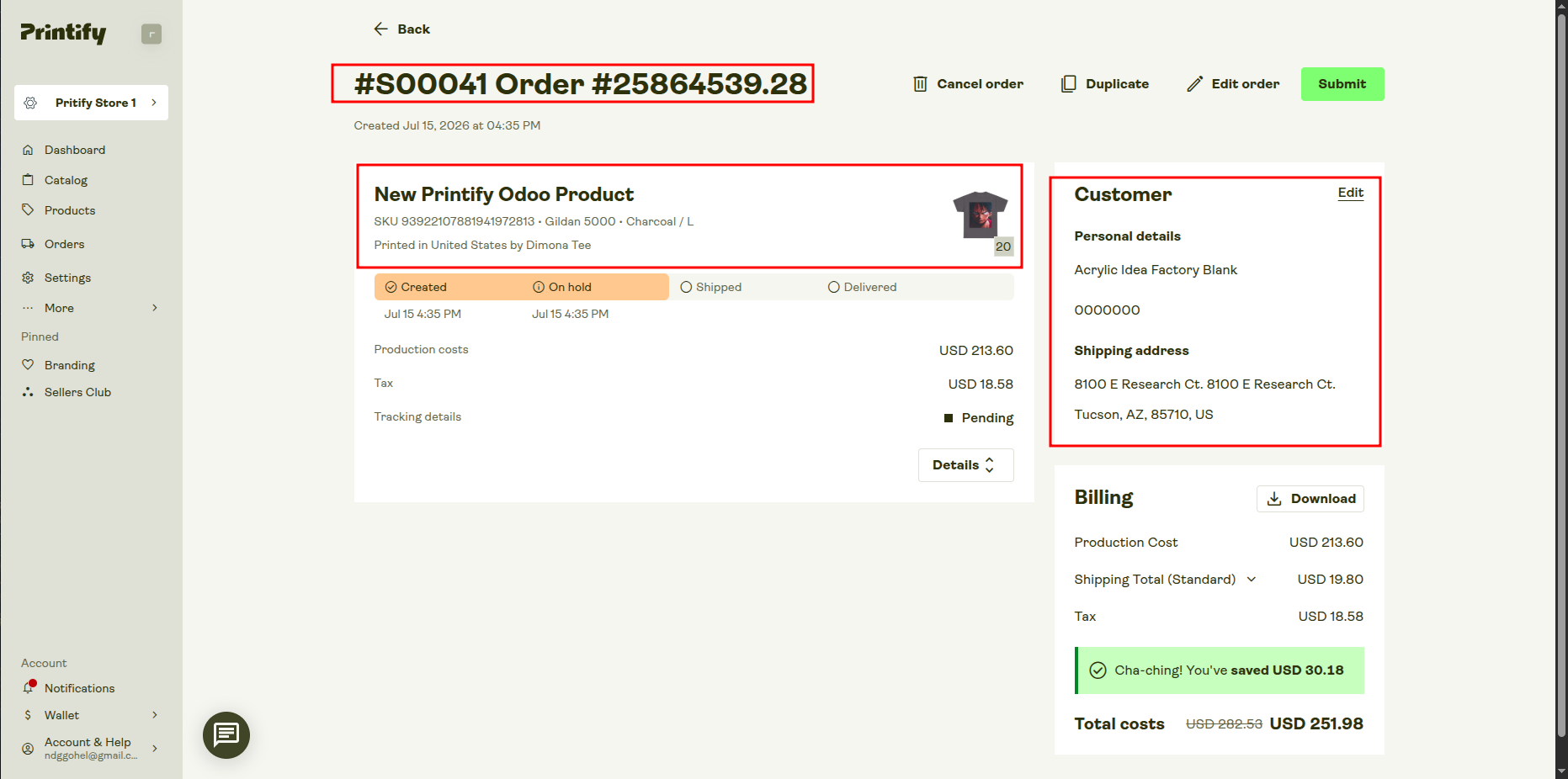
Review order numbers, product items, and customer delivery addresses directly inside the Printify portal.
 How it works?
Watch Video
How it works?
Watch Video
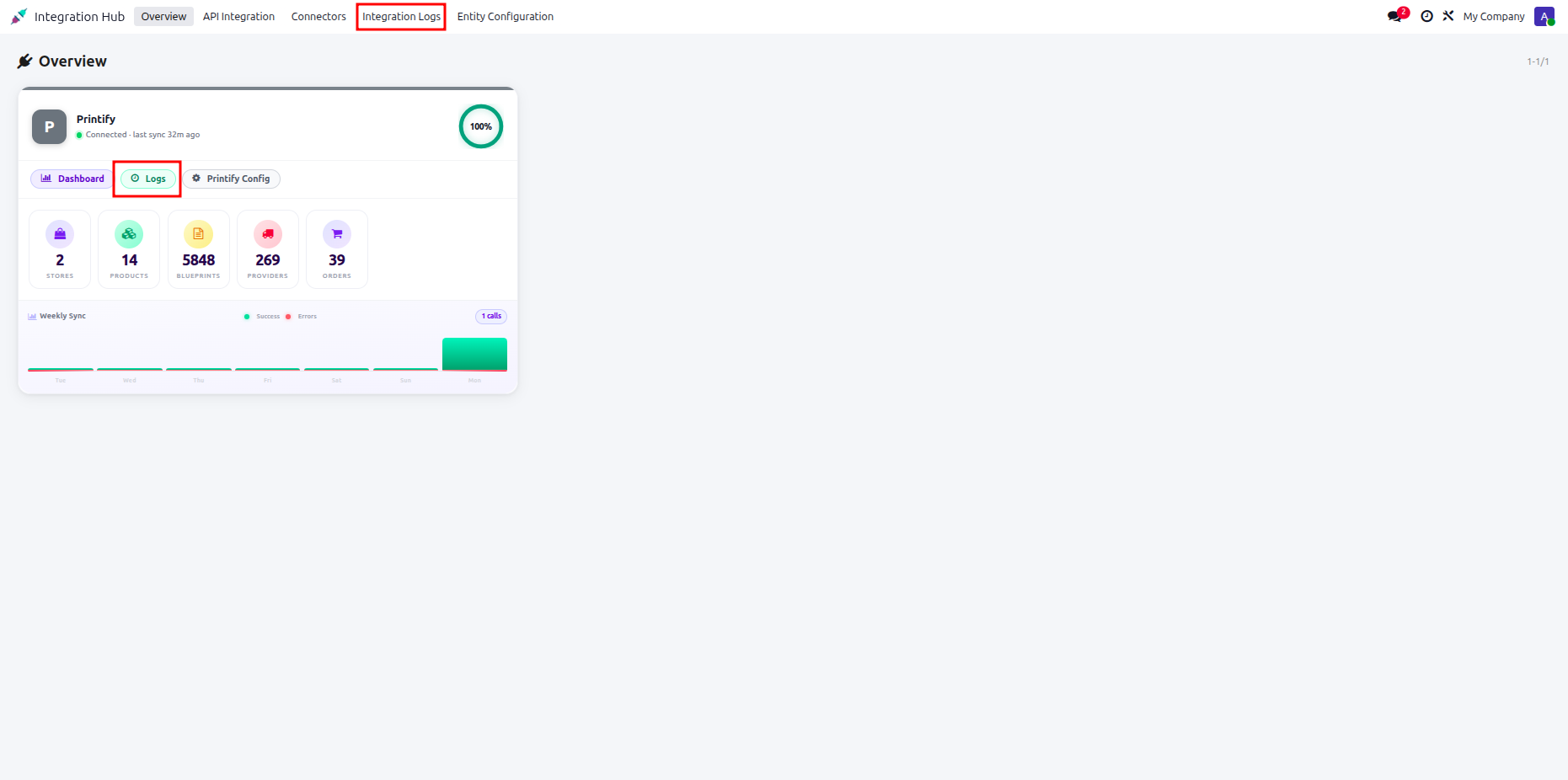
Click Integration Logs or the Logs button on the connector card to view logs.
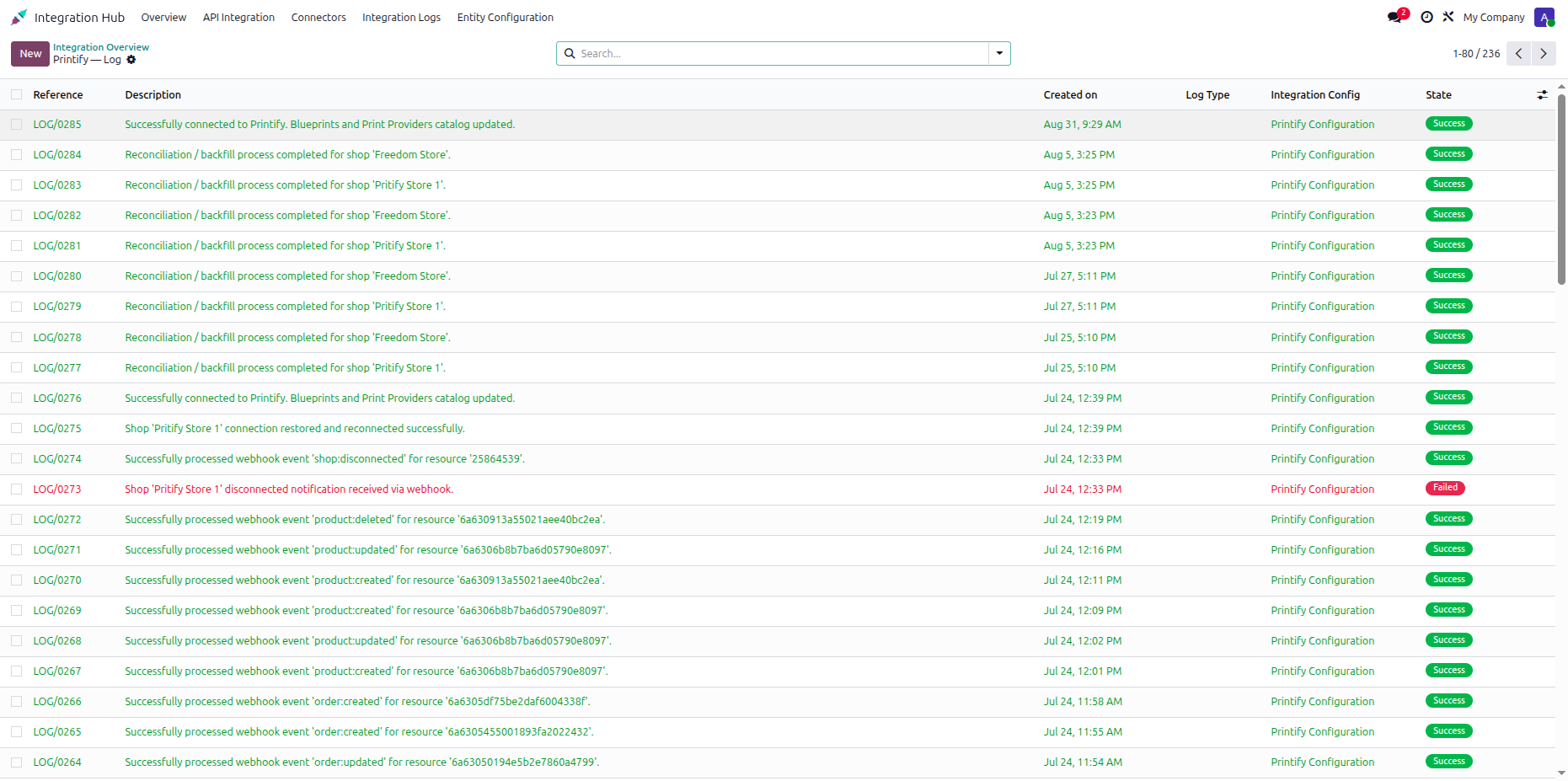
Inspect detailed integration log records to verify execution states and webhook processing activities.
Changelog
Track every update and new feature released for this module.
Initial Release.

 Buy Once,
Supported Forever
Buy Once,
Supported Forever



 Scan to email sales







 Your Ideas Shape
Our Roadmap
Your Ideas Shape
Our Roadmap

 Got an Idea?
We'll Build It
Got an Idea?
We'll Build It
Trusted by Businesses Worldwide


Abdulhamid Abdulwaheed
Best module for our online store. Highly adaptable, exceptional customer service, and very advanced modules.
Factura Venta POS
They have everything you need. Technical support is excellent, responds quickly, and keeps the module updated. 100% recommended!
Mehmet Muhanna
Great company and support team. Had a problem in my local Odoo server - they solved it in 5 minutes. Highly recommend.
Billy Jeffs
Customised an Odoo app for me which works perfectly. Many requirements, got it right every time. Very confident in their ability.
HP
Consistently excellent service over years of working together. Knowledge and commitment to keeping clients informed truly sets them apart.
Michal Kolasinski
Multiple addons + two custom modules. Communication always friendly and precise. Delivered on time, worked out of the box. Highly recommended!

Multi-Language
8 built-in translations







You May Also Like
Discover more Softhealer modules that integrate seamlessly with your Odoo environment.

Shopify-Odoo Connector
Connect Shopify with Odoo to synchronize products, orders, customers, inventory, and more.
View Module

Xero Connector with OAuth2.0 for Odoo
Securely synchronize contacts, products, orders, invoices, payments, and accounting data between Odoo and Xero.
View Module

Odoo QuickBooks Connector
Connect Odoo with QuickBooks to synchronize essential business and accounting data.
View Module

Hubspot Odoo Connector
Synchronize contacts, companies, leads, opportunities, tasks, emails, and meetings between Odoo and HubSpot.
View Module


Most Demanded Apps
The Softhealer modules our customers reach for most - trusted across 100+ countries.

Activities Management
Manage, schedule, and automate Odoo activities across all departments from one view.
View Module

Access Management
Granular access control over menus, fields, buttons, and records for every user role.
View Module

Backdate Advanced
Backdate any transaction across invoices, journals, pickings, and more with full audit.
View Module

All-in-One Helpdesk
Full-featured customer support with tickets, SLA, and customer portal built for Odoo.
View Module

All-in-One Mobile Backend
Access your full Odoo backend from any mobile device with an optimised interface.
View Module

All-in-One Import
Import data from Excel or CSV files into any Odoo model with smart field mapping.
View Module
Our Services
End-to-end Odoo expertise - from setup to scale.

AI & Business Integration

Odoo Implementation

Odoo Customization

Support & Maintenance

Mobile Apps

Migration Service

Third-Party Integration

Odoo Training
Ready to connect your AI to Odoo?
Join 10,000+ businesses - Softhealer, 11+ years of Odoo expertise across 100+ countries.

