





















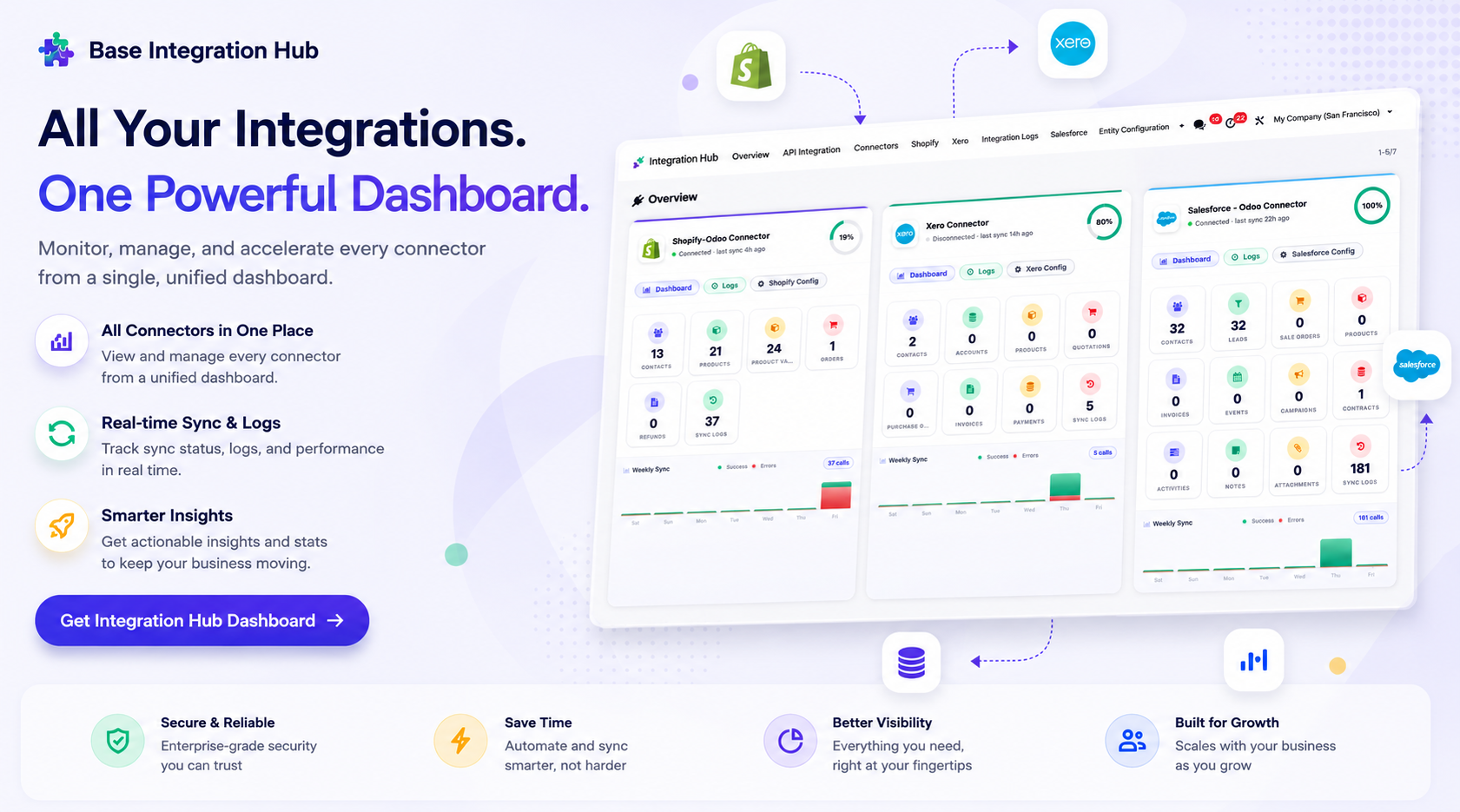
Integration Hub Dashboard
Centralized dashboard to manage and monitor all connectors from one place. Quickly access sync summary, activity logs, and configuration controls with improved visibility.
 Features
 Setup & Configuration
 Release Notes
 Support
 FAQ's
FAQ's
Key Features
How It Works
Complete walkthrough of the Power BI Odoo Connector from installation to first report.
Watch VideoFetch Data Using Query
 LATEST
Learn how to use custom Odoo queries to fetch targeted data records into Power BI datasets.
Watch VideoAdvanced Configurations & Sync Features
LATEST
Deep dive into push configurations, queue system, fetch modes, and multi-company setup.
Watch VideoPower BI Dashboard Overview
LATEST
Explore the Power BI dashboard within Odoo — sync logs, queue status, configuration controls, and schedule management.
Watch VideoTable & Column Mapping
LATEST
Configure and manage mappings between Odoo models/fields and Power BI datasets for accurate data synchronization.
Watch VideoMicrosoft Fabric Configuration
LATEST
Configure Microsoft Fabric, authorize service principals, and discover workspaces for seamless integration.
Watch VideoPower BI Report Desktop Integration
LATEST
Design, import, and manage Power BI Desktop (.PBIX) reports directly from Odoo.
Watch VideoPower BI Assets Management
LATEST
Manage Power BI assets, including reports, datasets, workspaces, and related resources.
Watch VideoPower BI Dataset Management
LATEST
Create and manage Power BI datasets with flexible data model access modes.
Watch VideoPower BI Eventhouses Integration
LATEST
Connect and manage Microsoft Fabric Eventhouses for real-time analytics.
Watch VideoPower BI Reports Management
LATEST
Import, organize, and manage Power BI reports from a centralized interface.
Watch VideoPower BI Reports Dashboard
LATEST
Monitor report usage, synchronization status, and analytics from an interactive dashboard.
Watch Video
Enhanced API Key Authentication
LATEST
Securely manage your API keys and authentication tokens with an enhanced, robust security management system.
Multi-Company Configurations
LATEST
Support multi-company setups seamlessly with separate configurations and independent data synchronization per company.
Push Data & Queue System
LATEST
Efficiently push data to Power BI with a reliable queue system ensuring seamless and uninterrupted synchronization.
Fetch Data Using Query
LATEST
Fetch Odoo data by executing custom queries to retrieve only the required records for accurate and efficient Power BI reporting.
Comprehensive Synchronization Logging
LATEST
Keep track of all synchronization activities with detailed audit logs to monitor performance and troubleshoot issues.
Advanced Model Access Management
LATEST
Control access to specific Odoo models precisely to ensure secure and authorized data visualization in Power BI.
Fabric Service-Principal Authorisation & Workspace Discovery
LATEST
Securely authenticate using a Service Principal and automatically discover available Fabric workspaces.
Embed-Token Generation & PBIX Import
LATEST
Generate secure embed tokens and import PBIX reports directly into Power BI.
Model Access Target Modes (Push, KQL, Pipeline)
LATEST
Configure data publishing using Push, KQL, or Pipeline modes based on your reporting requirements.
Data Quality Validation Wizard
LATEST
Validate data mappings and integrity before publishing datasets to Microsoft Fabric and Power BI.
Fabric Configuration & Recent Runs Dashboard Panels
LATEST
Monitor Fabric configuration, synchronization status, and recent execution history from dashboard panels.
API Key Generation
Quickly generate the Odoo URL and API key required for Power BI authentication directly from Odoo settings.
Easy Odoo Connection
Connect your Odoo ERP effortlessly with Microsoft Power BI for smooth, reliable data integration and visualization.
Model Selection
Choose specific Odoo models to display in Power BI tables for tailored, business-specific reporting and analysis.
Secure Data Connection
Ensures all Odoo data is safely transmitted to Power BI using secure API authentication and encrypted connections.
Scheduled Refresh
Enable and configure automatic Power BI data synchronization schedules directly from the Odoo dashboard for continuous data freshness.
Real-Time Data Sync
Push data changes from Odoo to Power BI instantly using real-time synchronization — keeping your reports always up-to-date.
Governance & Rate-Limit Retries
Use target modes, sync checkpoints, deleted-record tombstones, data-quality validation, rate-limit retries, and multi-company record isolation.
-
 Power BI Dashboard
NEW
Power BI Dashboard
NEW
-
 Setup
Setup
-
 Fetch Data Using Query
NEW
Fetch Data Using Query
NEW
-
 Enhanced API Key Auth NEW
-
 Model Access Management
NEW
Model Access Management
NEW
-
 Push Data & Queue System NEW
-
 Sync Logging NEW
-
 Table & Column Mapping NEW
-
 Integration Hub Dashboard NEW
-
 Microsoft Fabric NEW
-
 Datasets NEW
-
 Eventhouses NEW
-
 Reports NEW
-
 Reports Dashboard NEW
-
 Report Desktop NEW
-
 Assets NEW
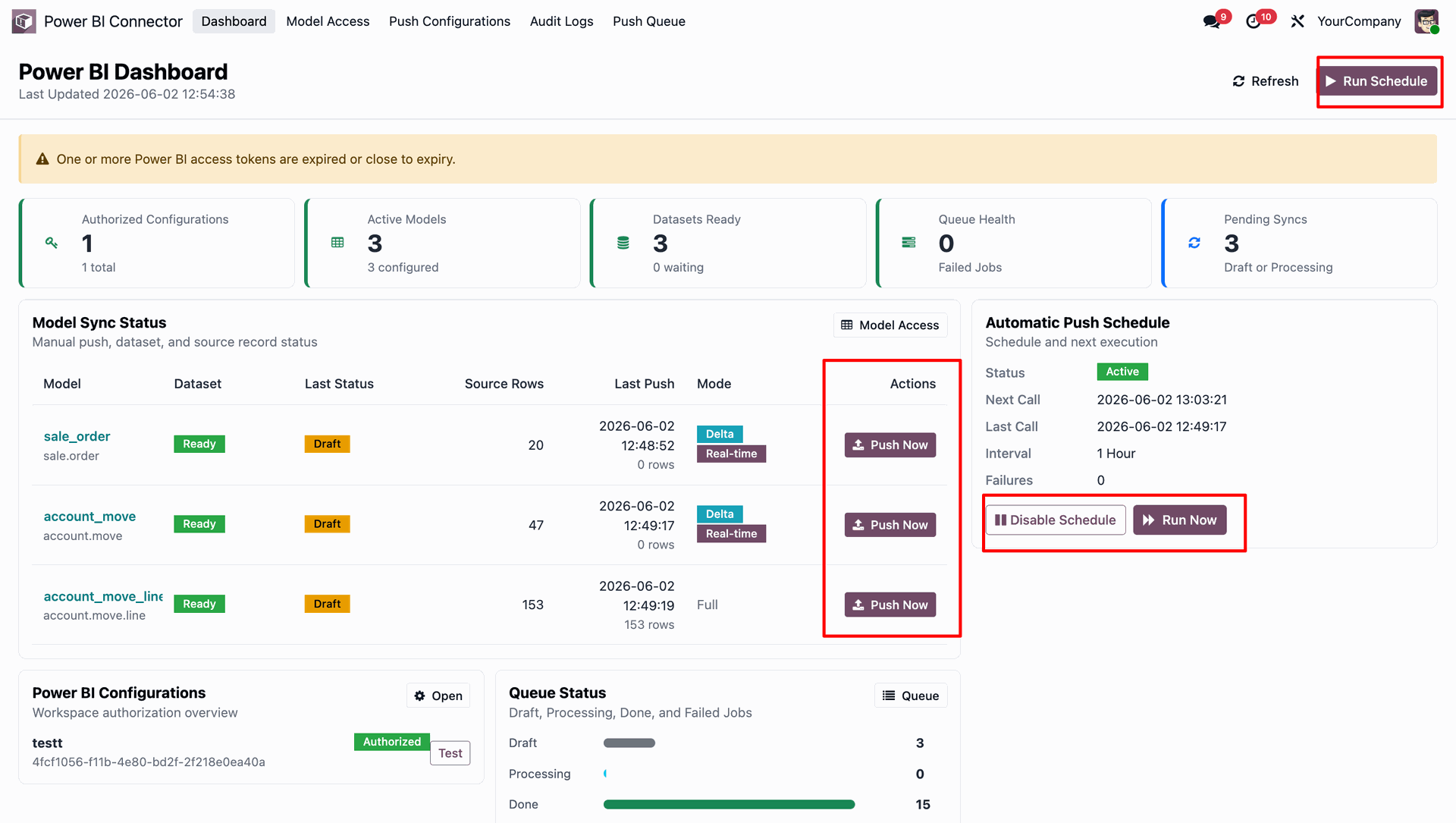
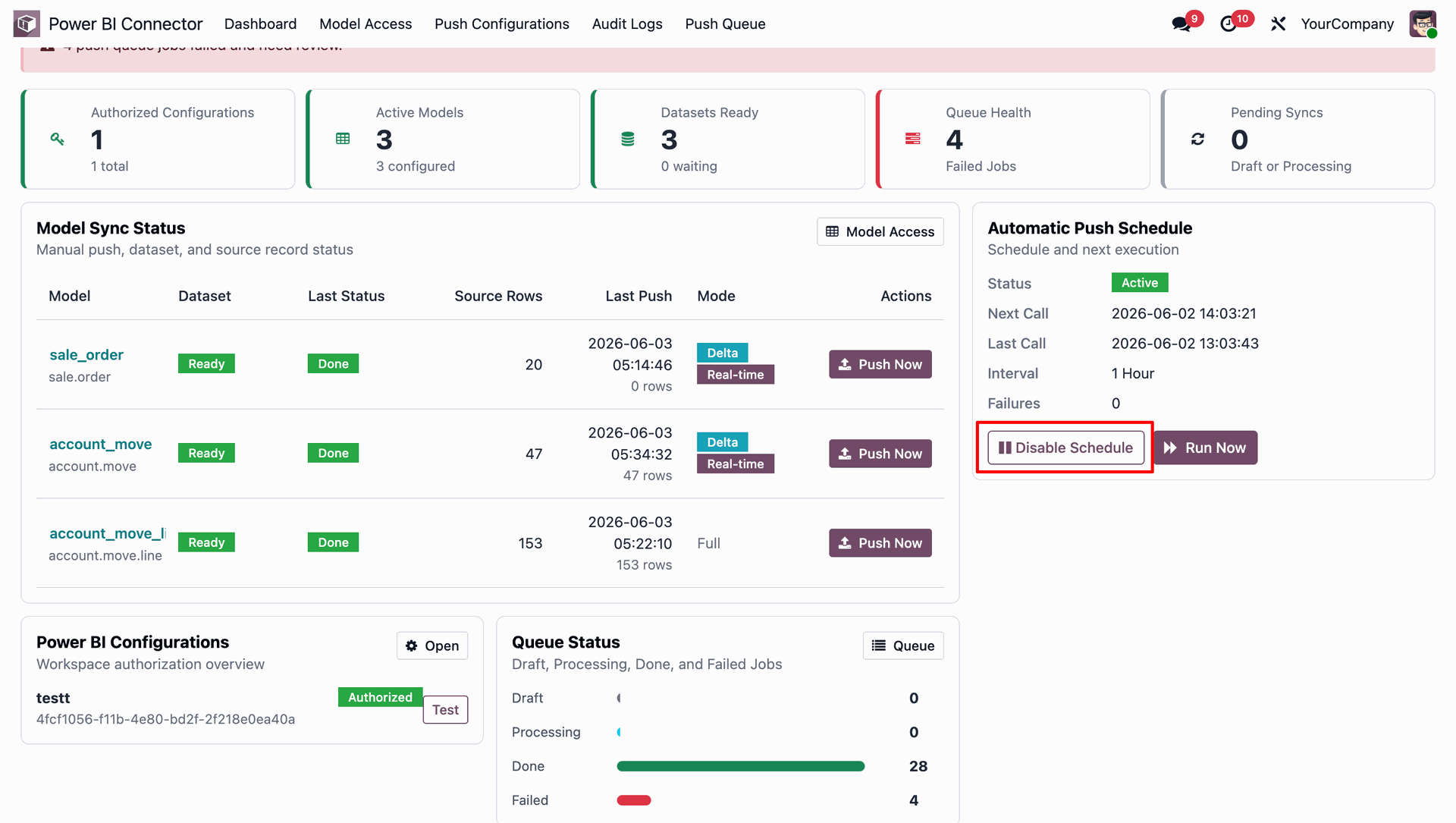
Easily synchronize Odoo data with Power BI directly from the dashboard using the Push Now, Run Now, and Run Schedule actions.
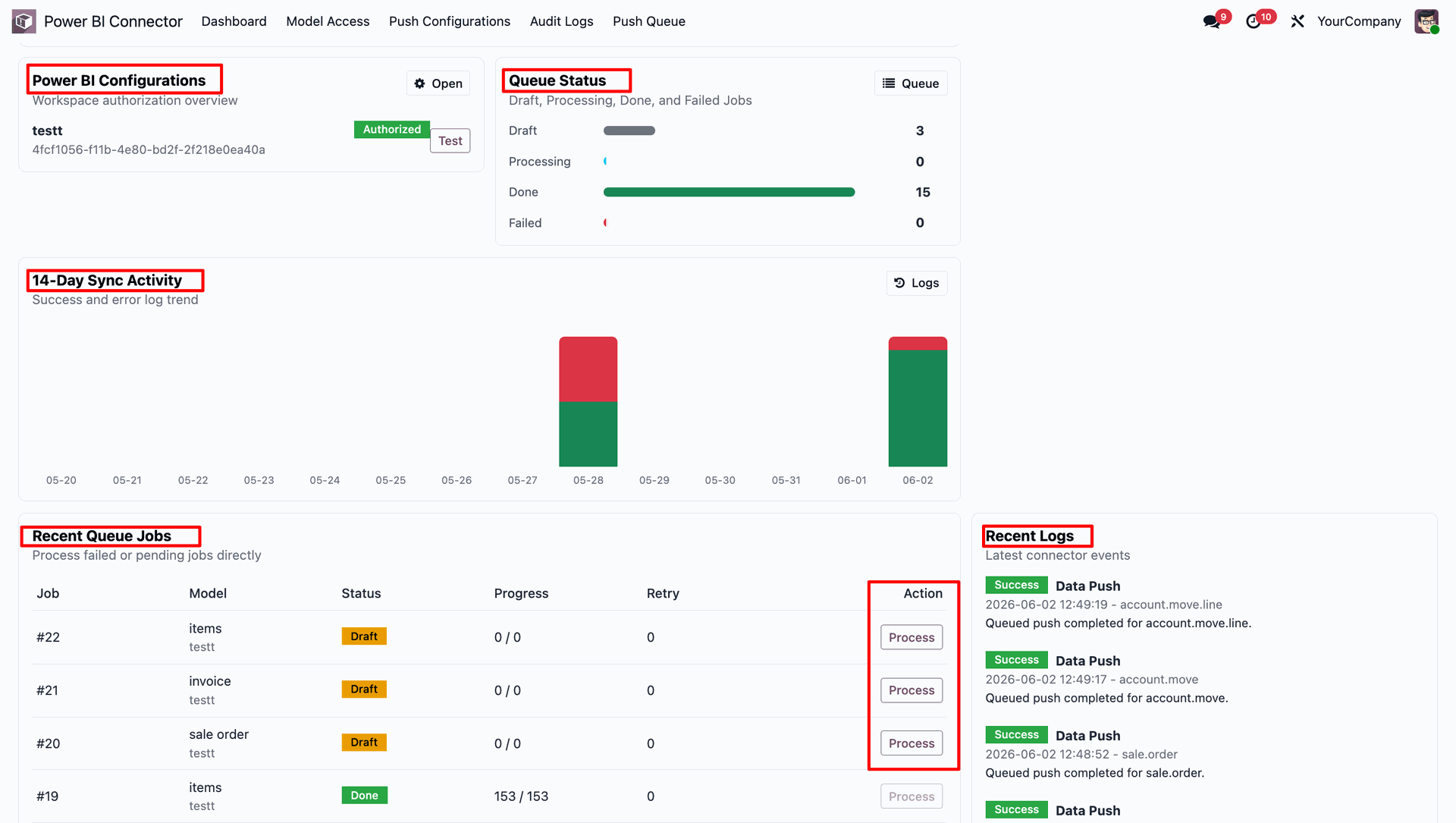
Track Power BI Configurations, monitor queue status, review 14-Day sync activity trends, Recent Queue jobs, and view detailed Recent sync logs directly from the dashboard for complete visibility into data synchronization processes.
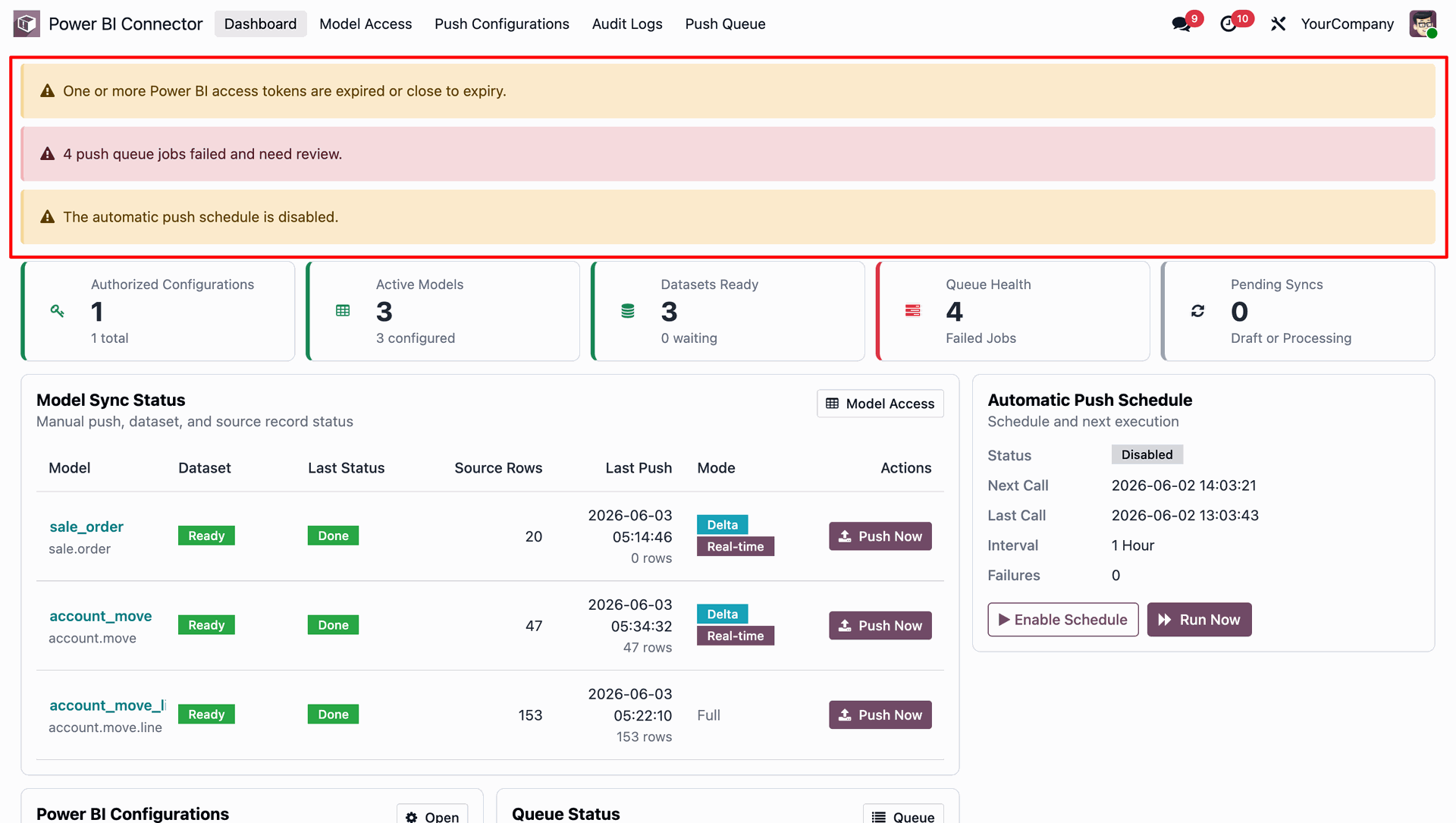
User can see with real-time dashboard alerts for expired access tokens, failed sync jobs, and disabled schedules from the dashboard.
Users caneasily enable or disable automatic Power BI data synchronization schedules directly from the dashboard, giving users full control over when data is pushed and updated.
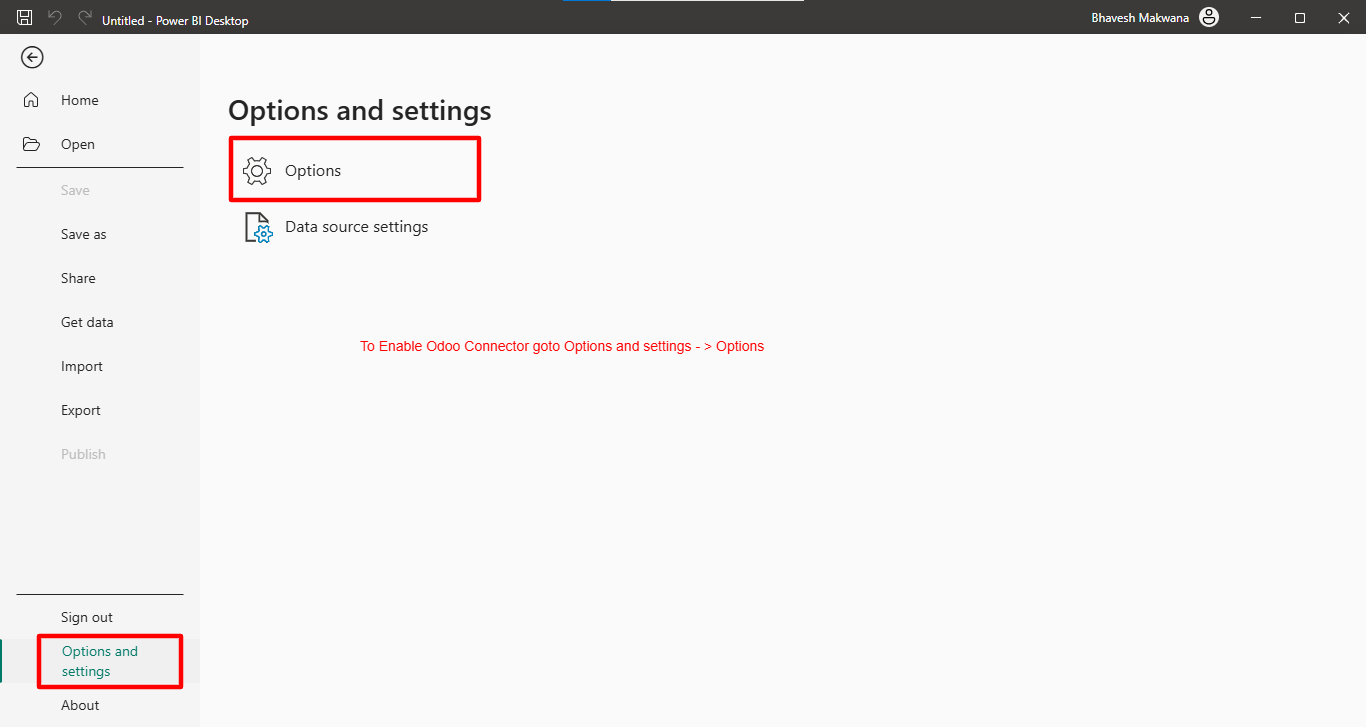
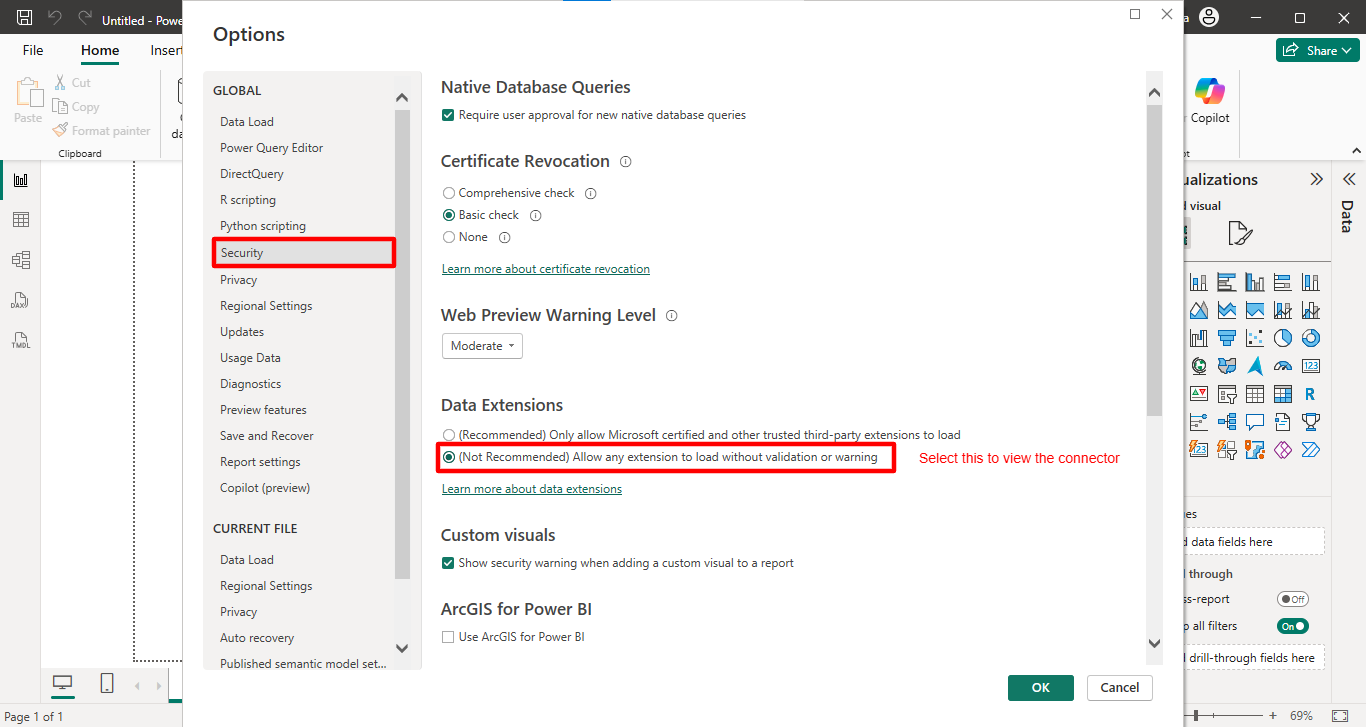
Paste provided "OdooConnectorBySofthealerTechnologies.mez" to below path C:\Users\Username\Documents\Power BI Desktop\Custom Connectors and configure below settings in Power BI Desktop and configure below settings in Power BI Desktop
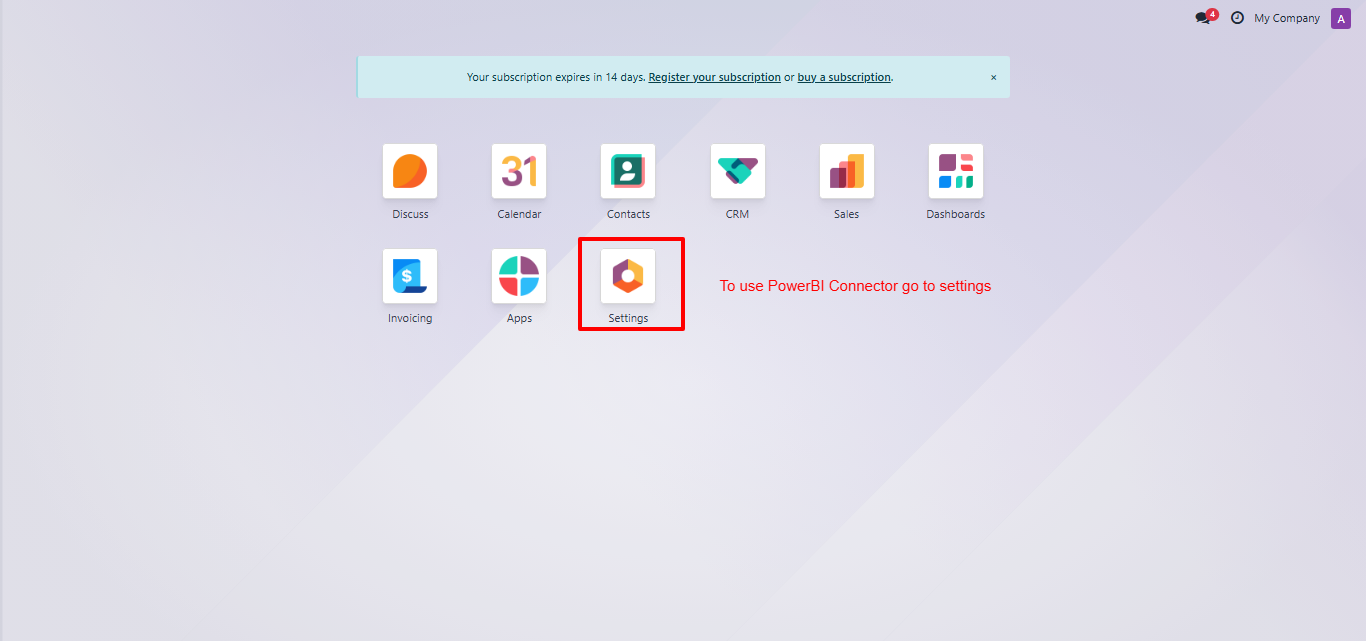
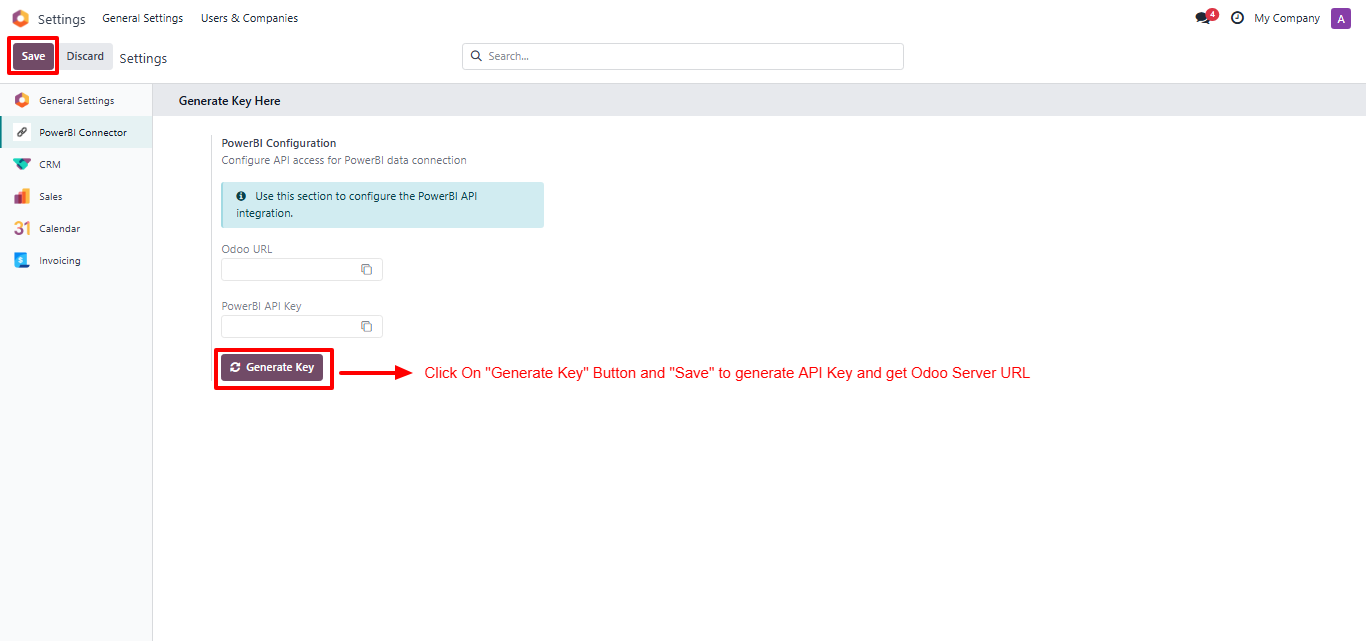
Go to the settings.
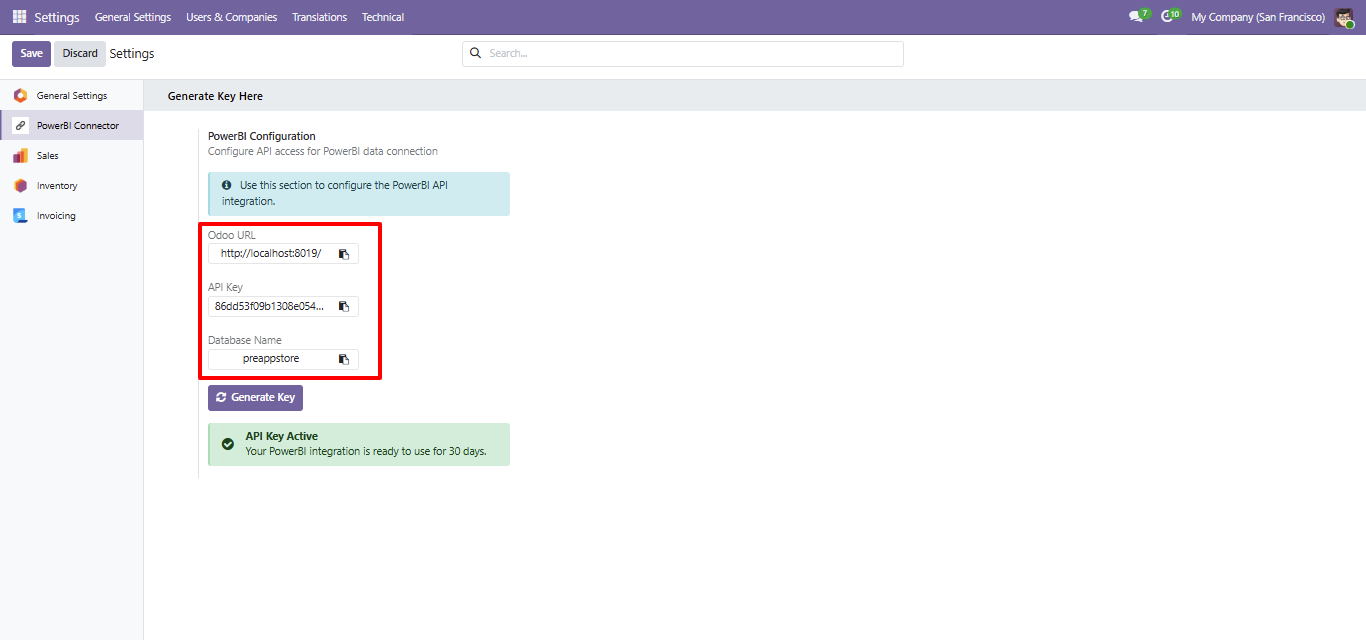
To generate the key, click on the 'Generate Key' button, and then click on the 'Save' button.
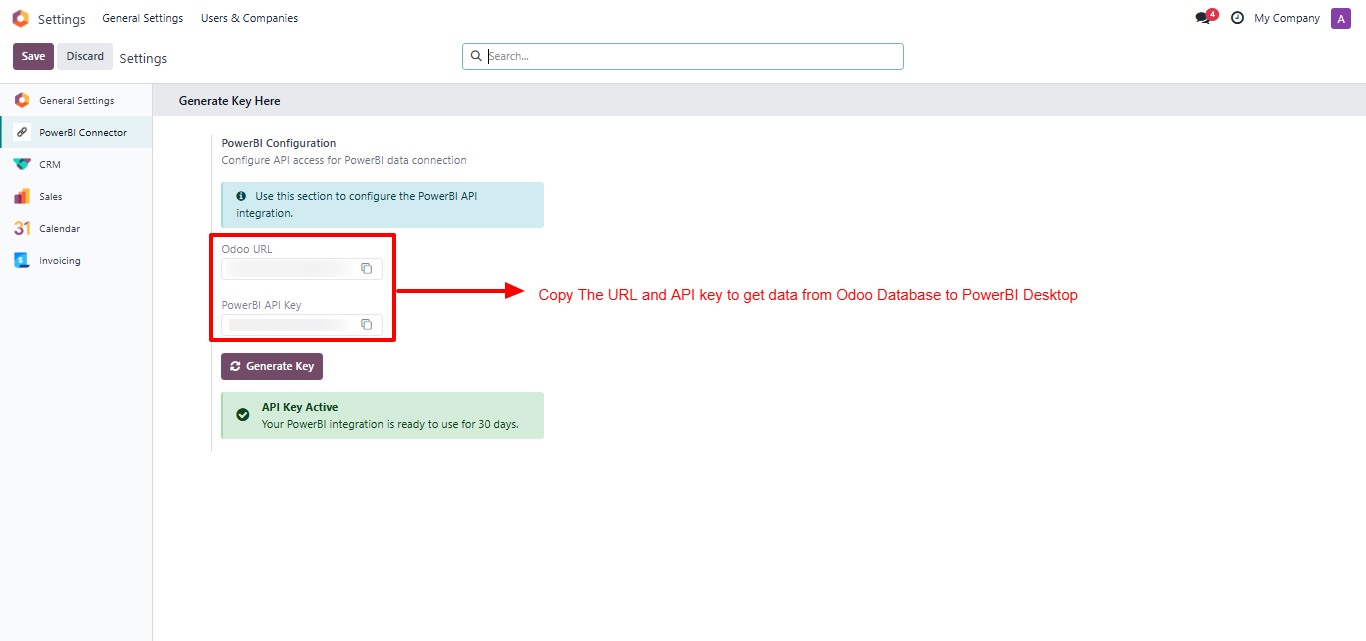
The URL and API key have now been generated.
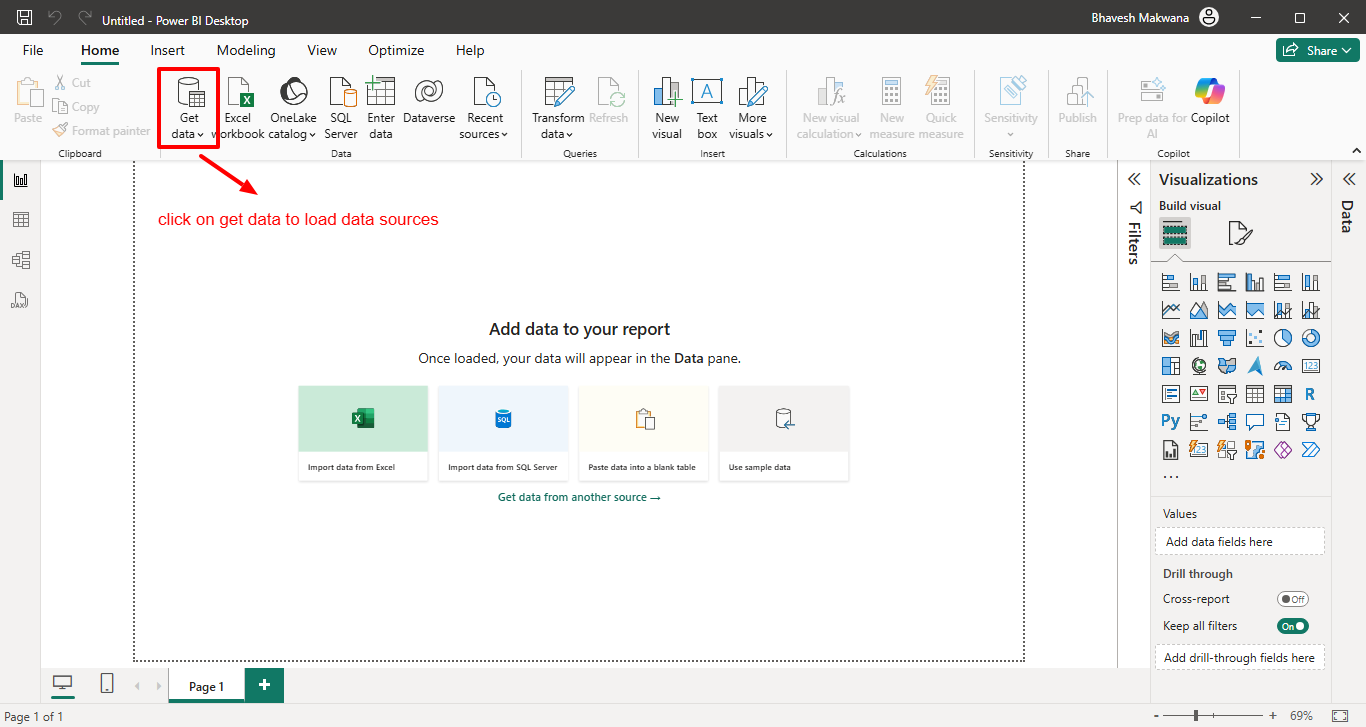
Open the 'Power BI Dashboard' and click on the 'Get Data'.
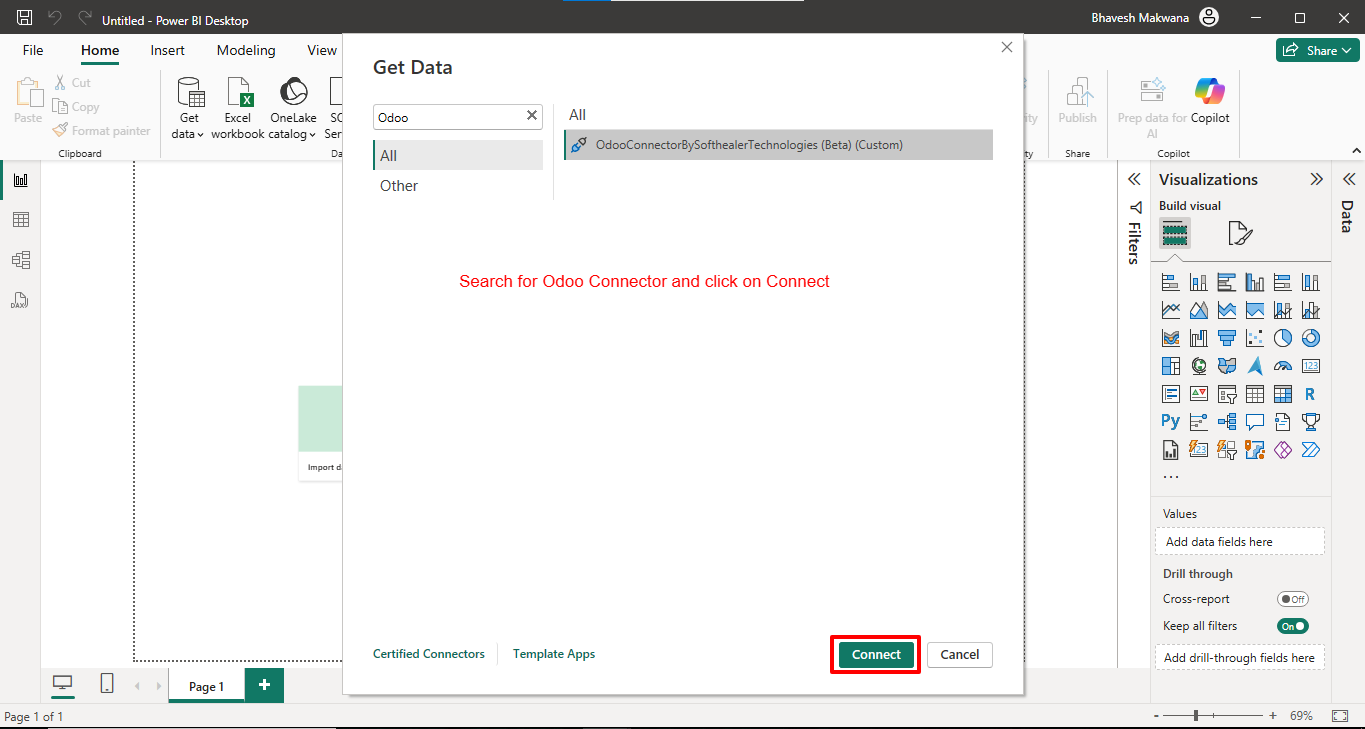
After that, the 'Get Data' wizard will appear. Search for the 'Odoo' connector and click on the 'Connect' button.
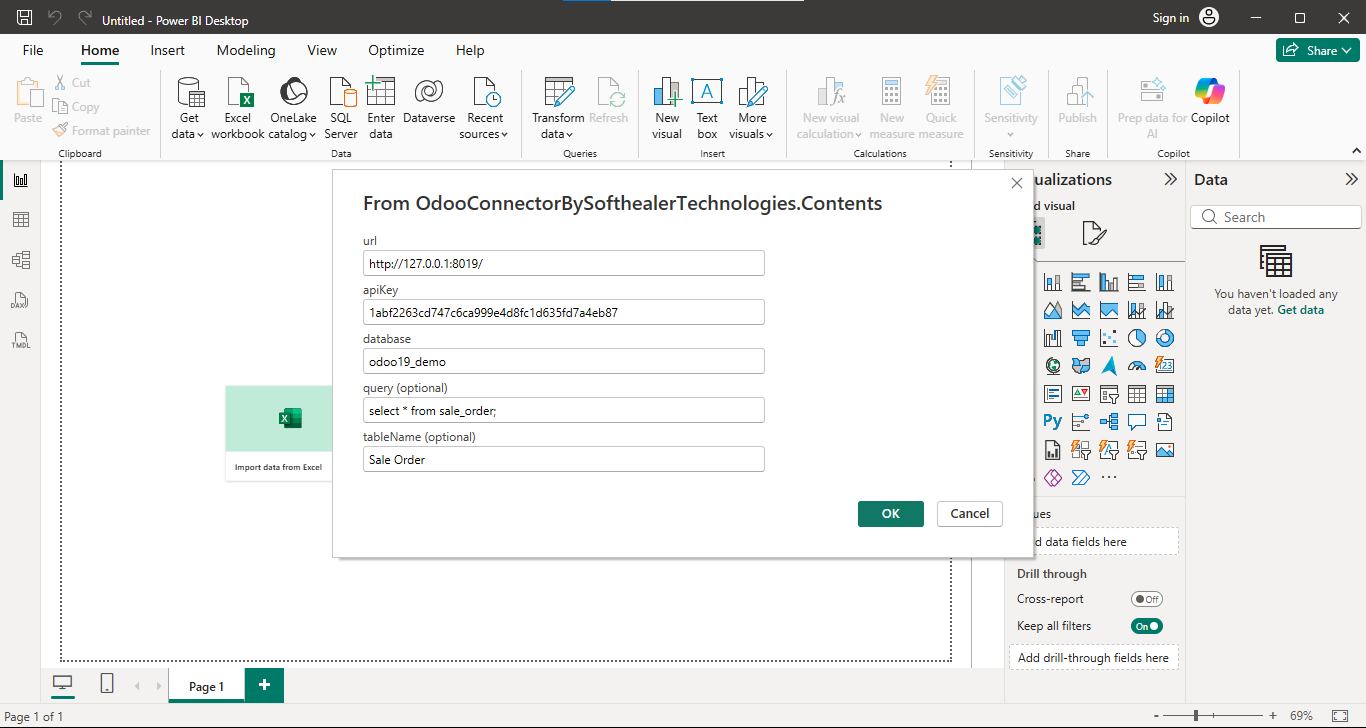
Add the generated URL and API key and click on the 'Ok' button.
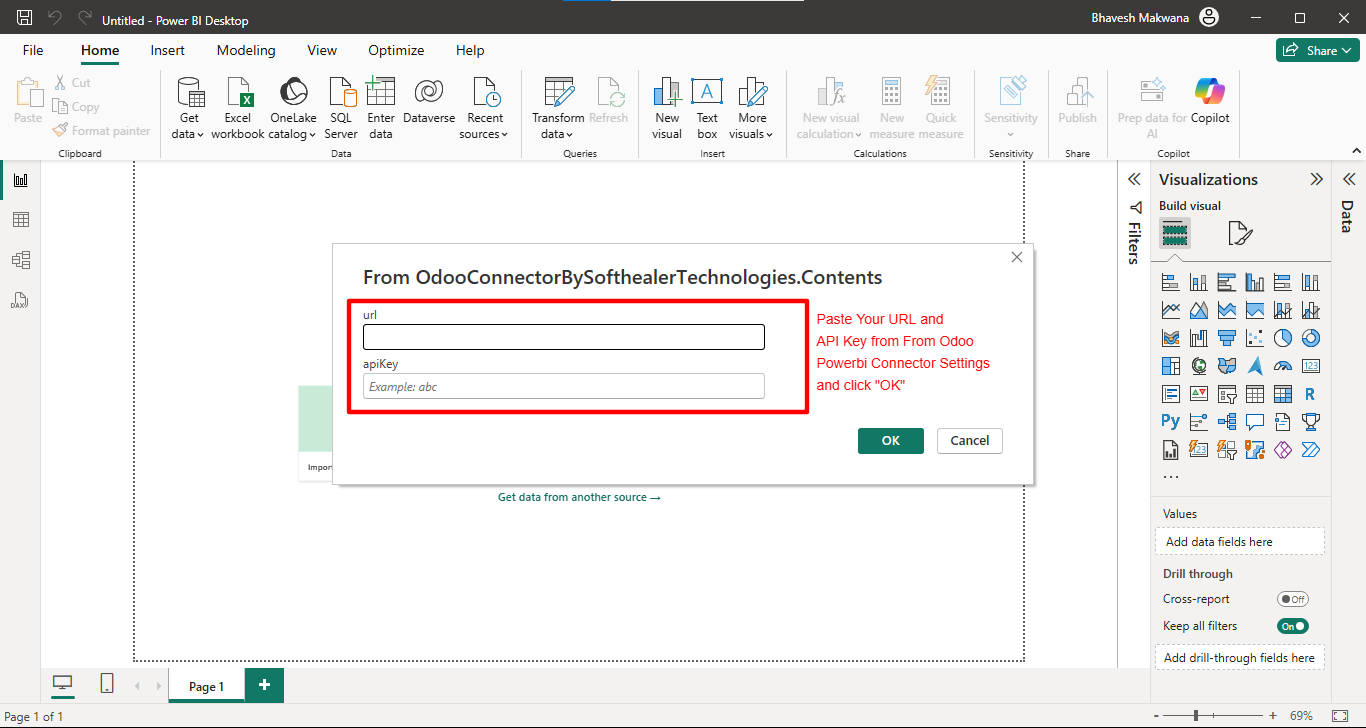
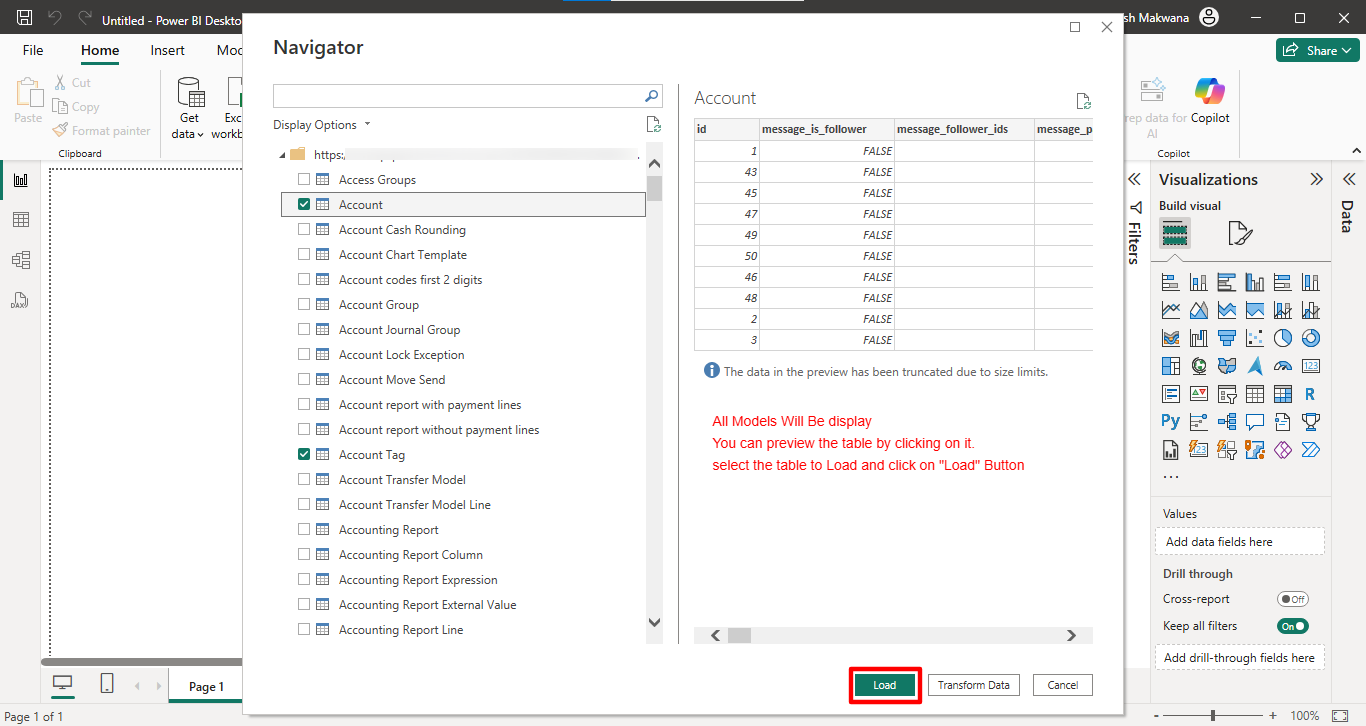
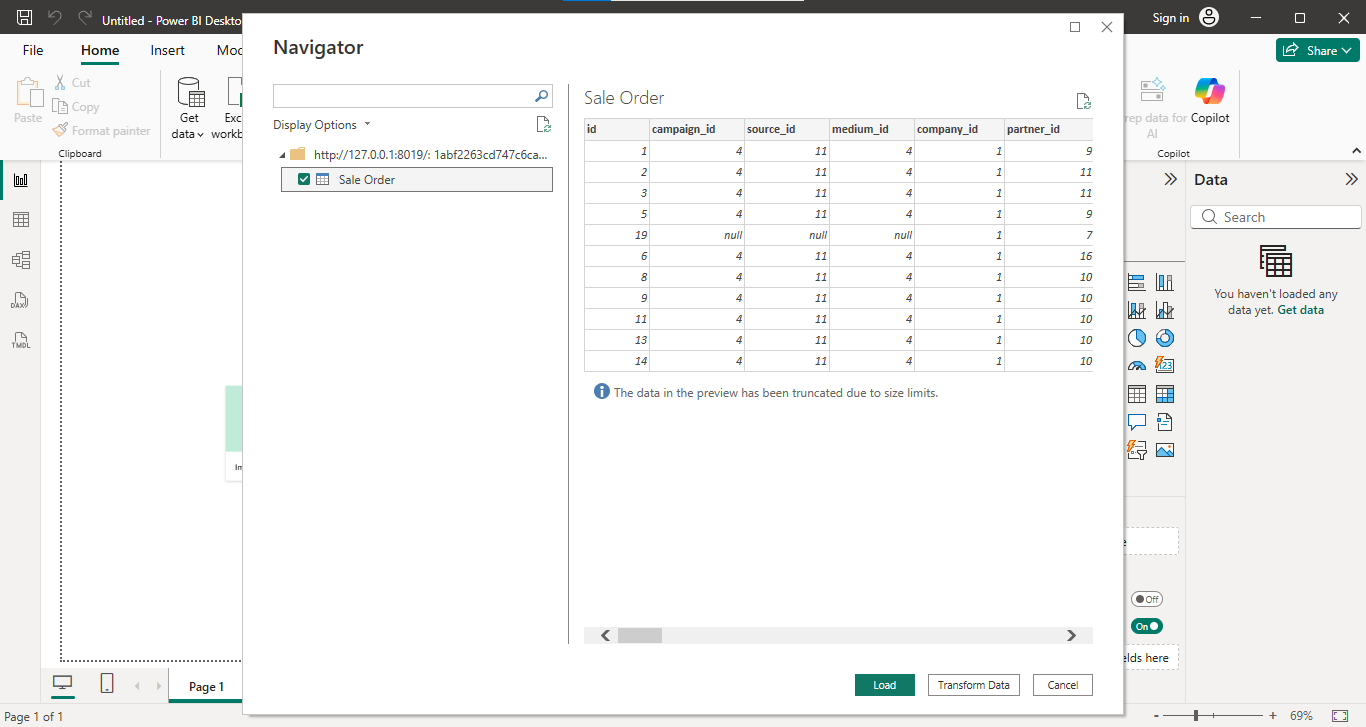
After that, the 'Navigator' wizard will appear.
Click on the model you want to view, select the table, and then click the 'Load'
button.
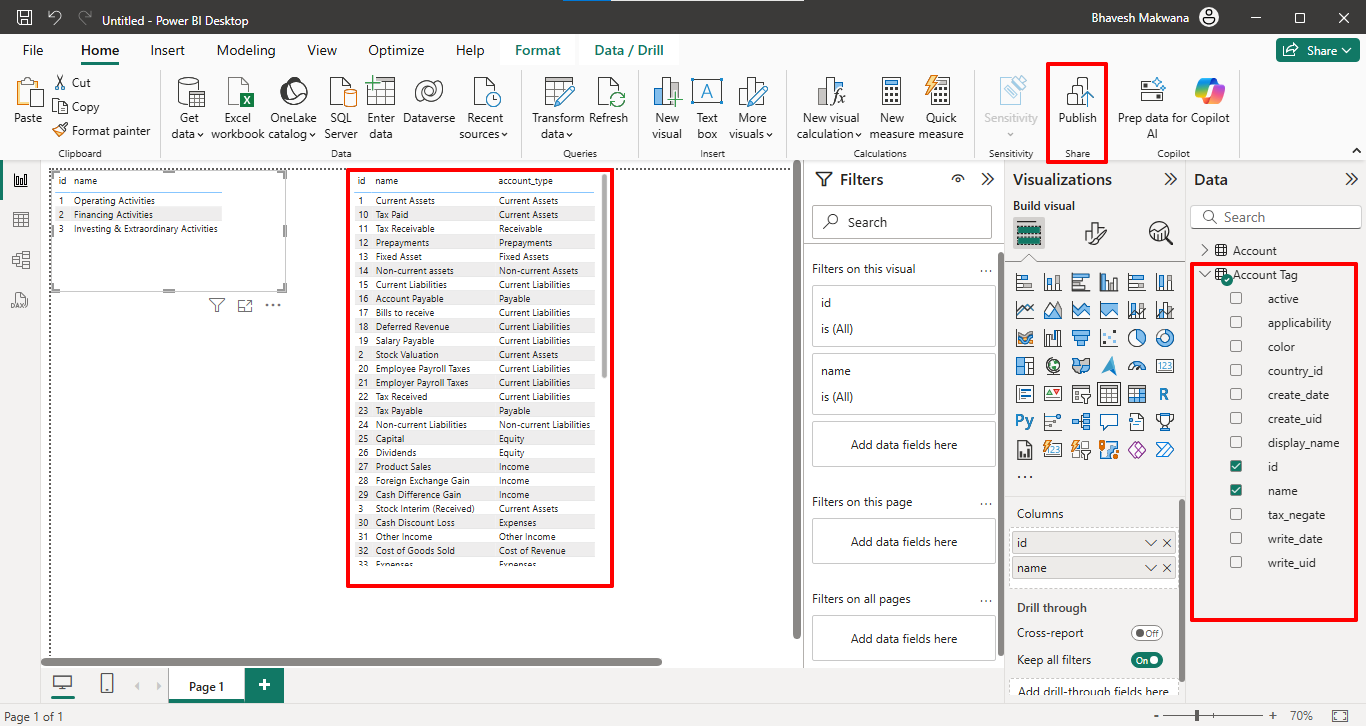
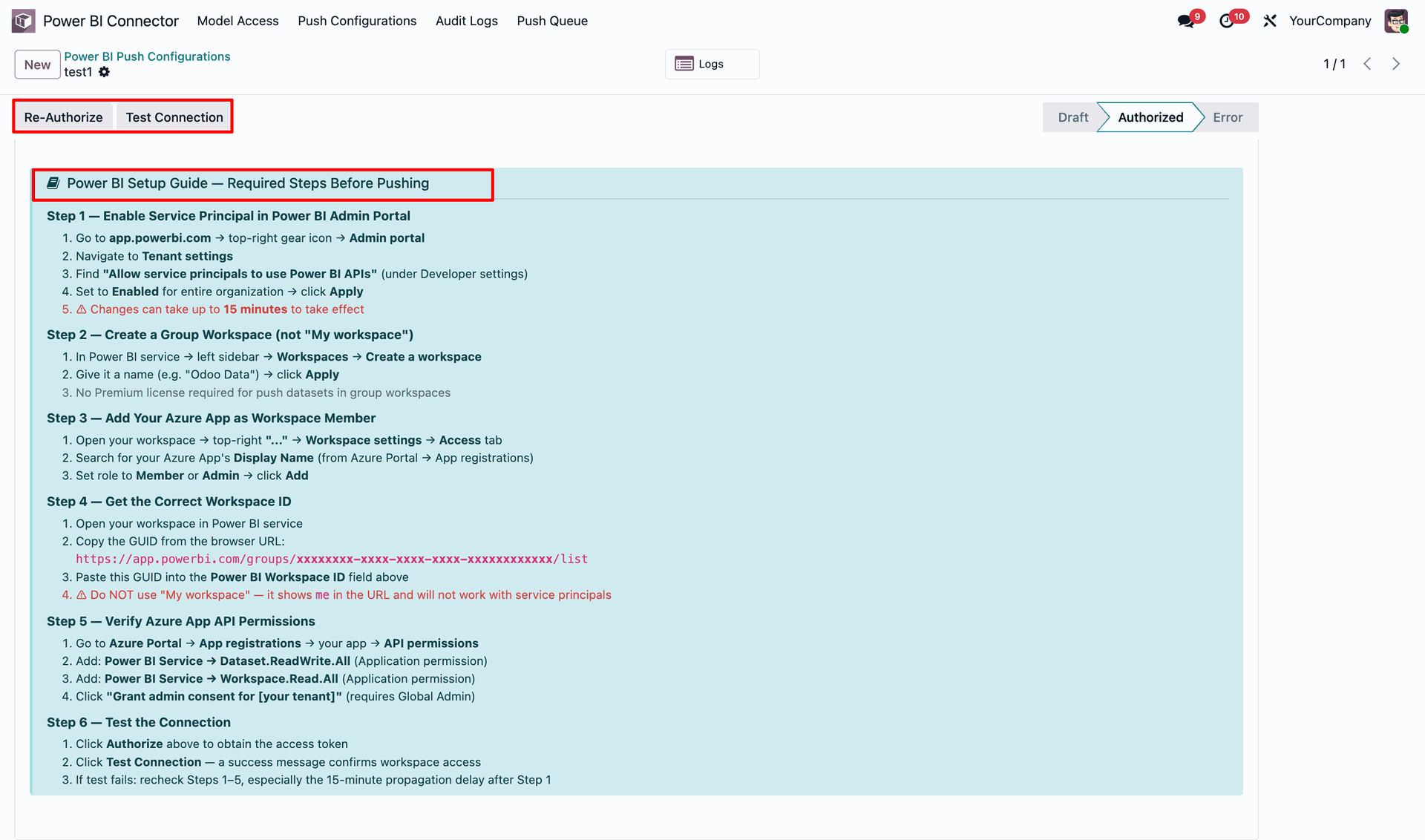
The selected account tags are displayed in a table.
Click on the 'Pubish'.
After that, this wizard will appear.
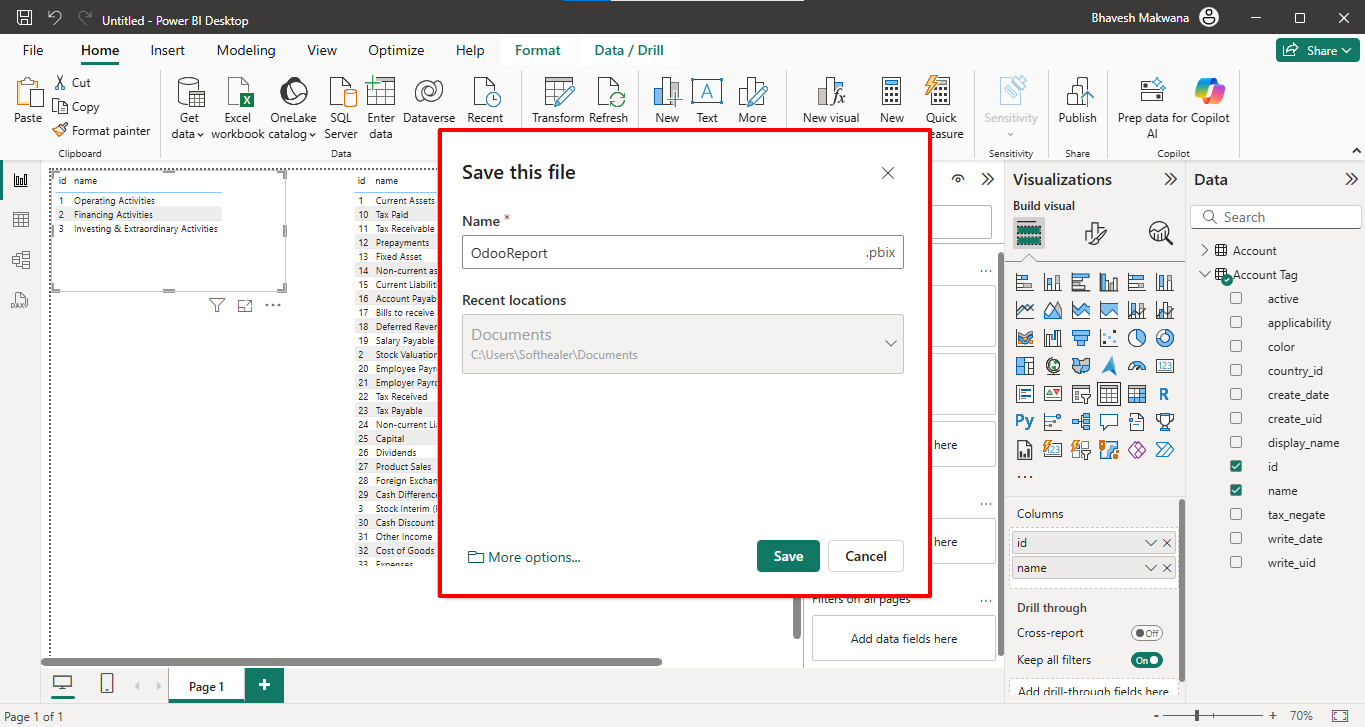
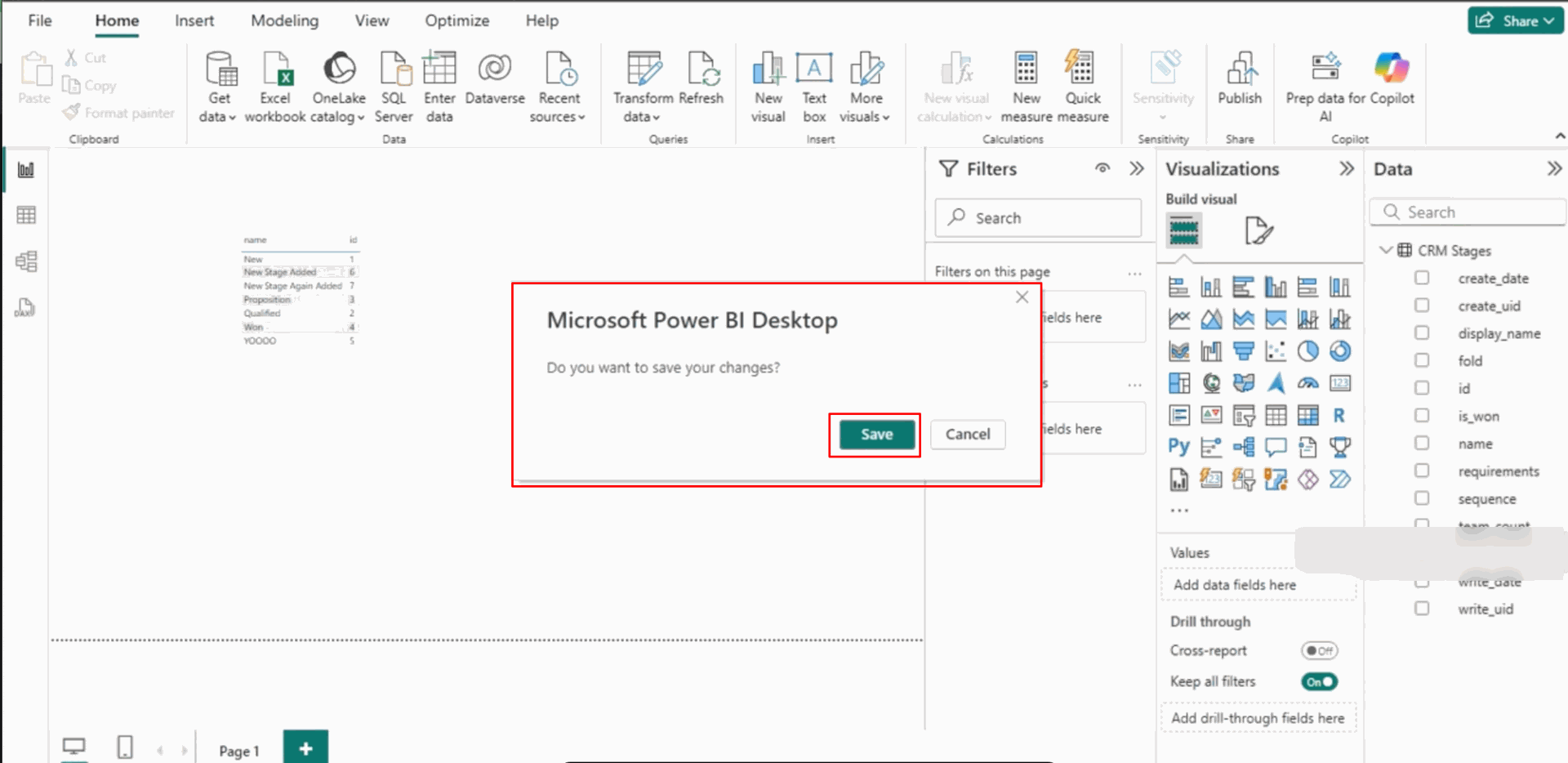
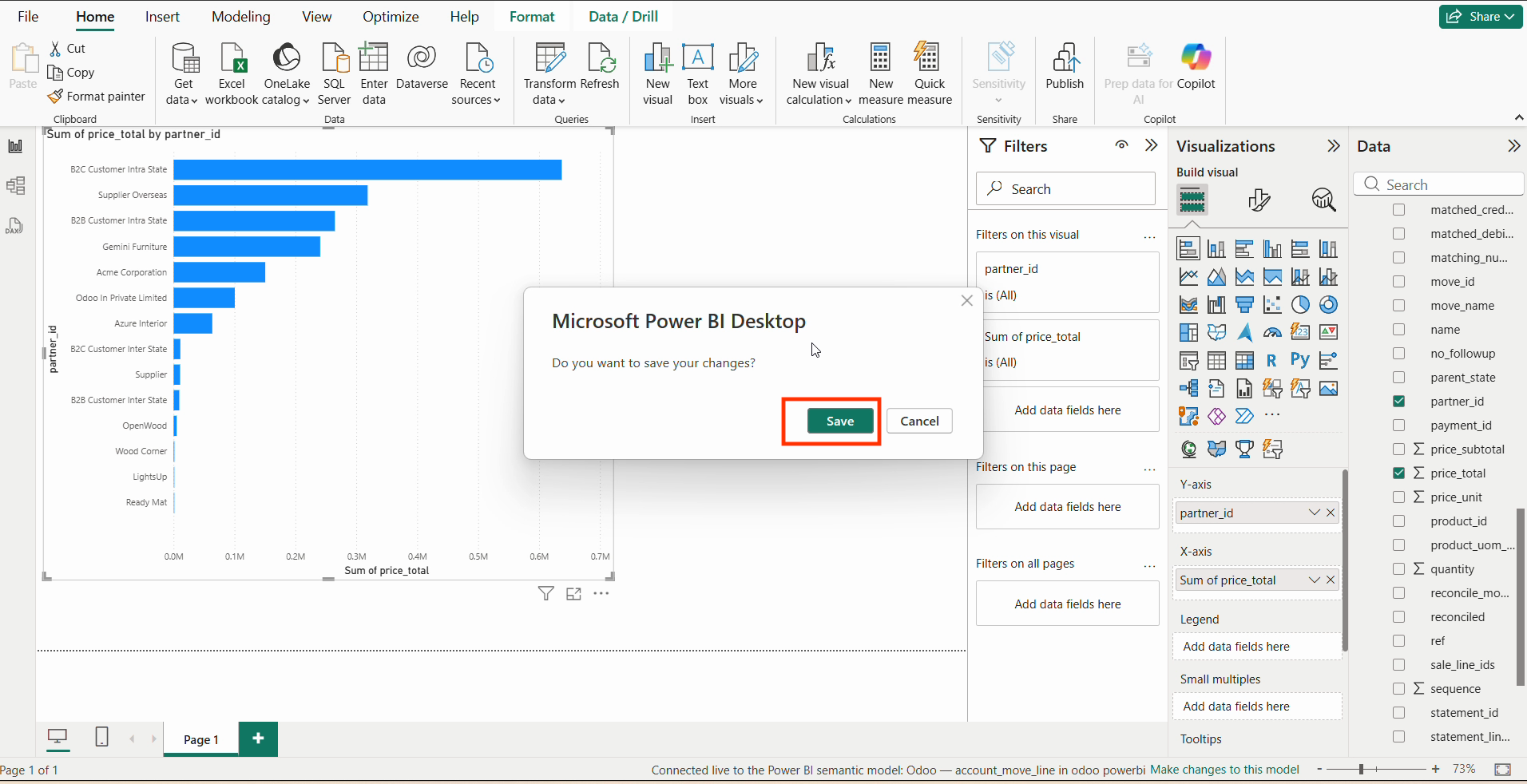
After thet, 'Microsoft Power BI Deshboard' wizard will appears. Click on the 'Save' button.
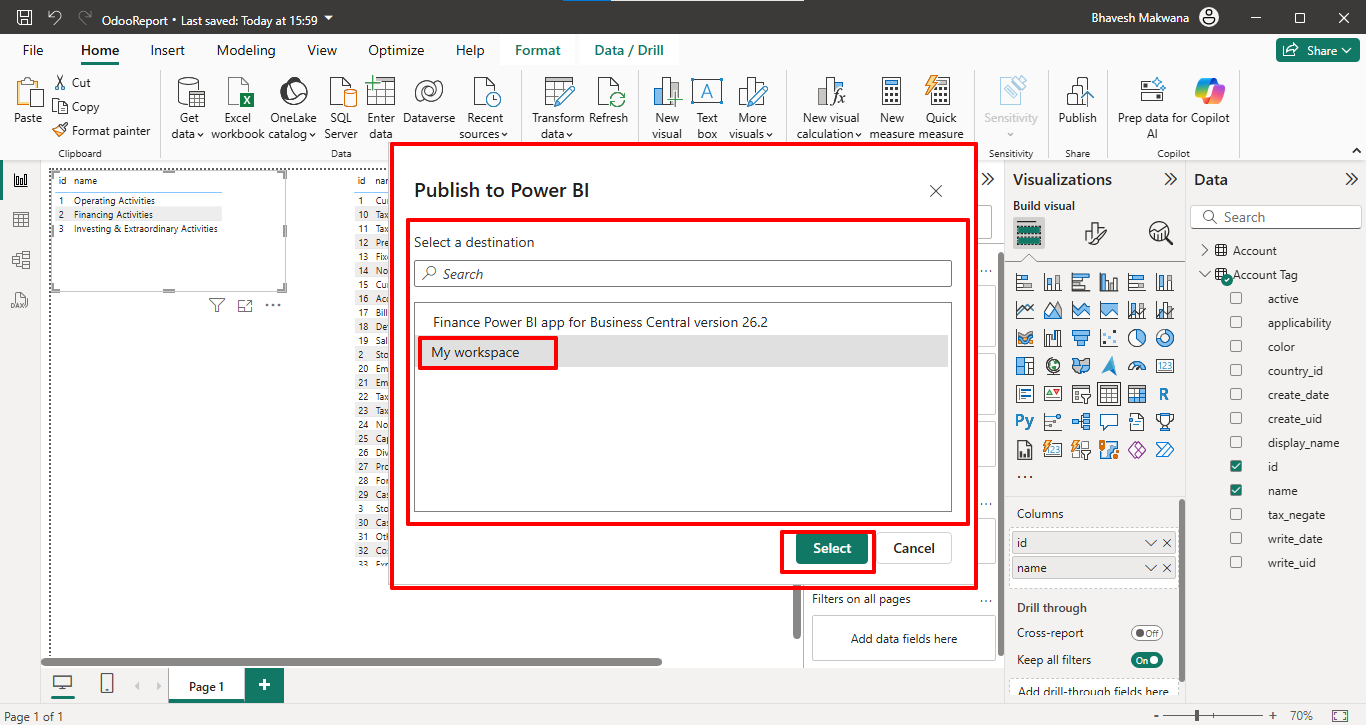
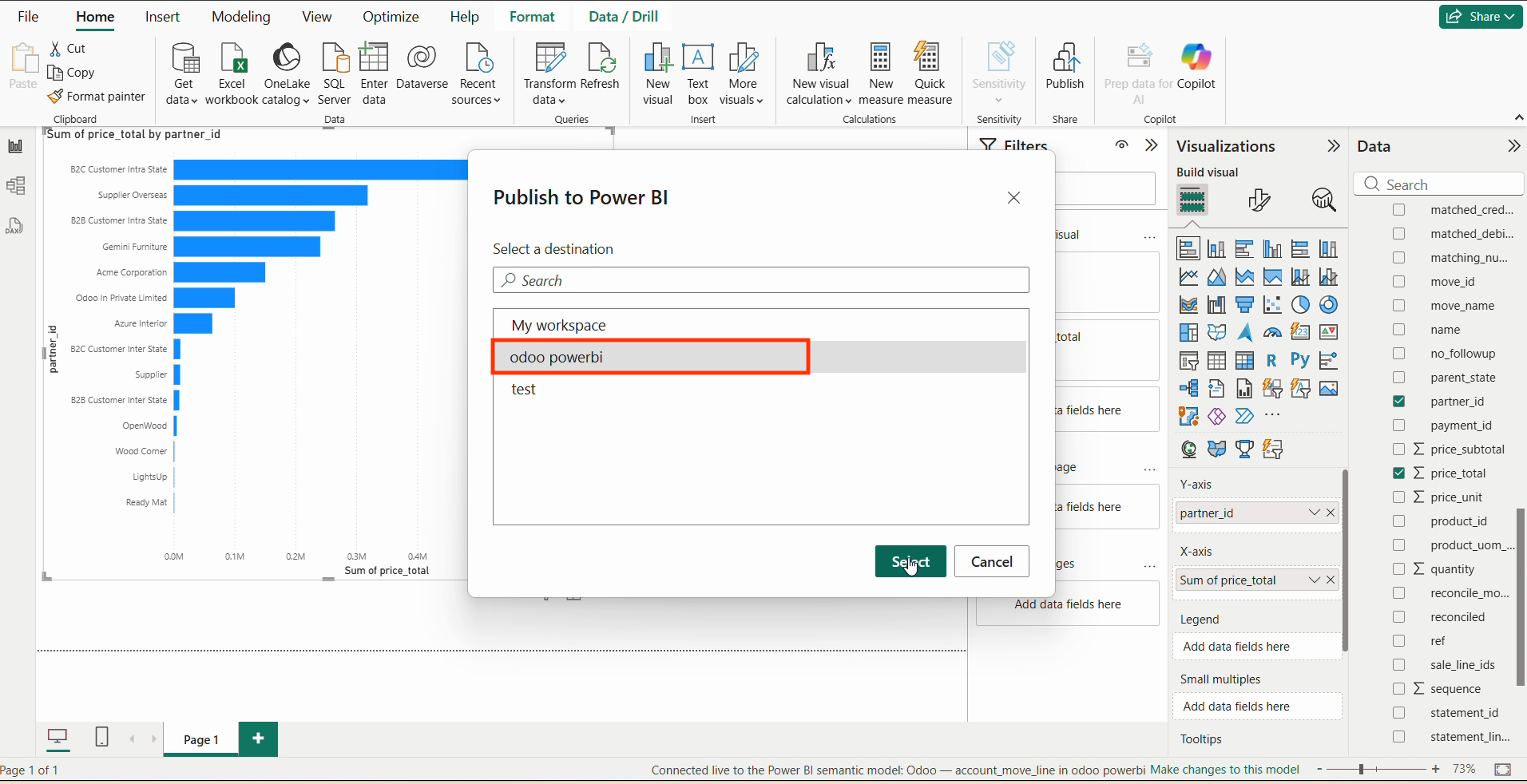
Select the destination 'My Workspace', and then click on the 'Select' button.
Note: You can choose your destination here. For example, we have selected
'My Workspace'.
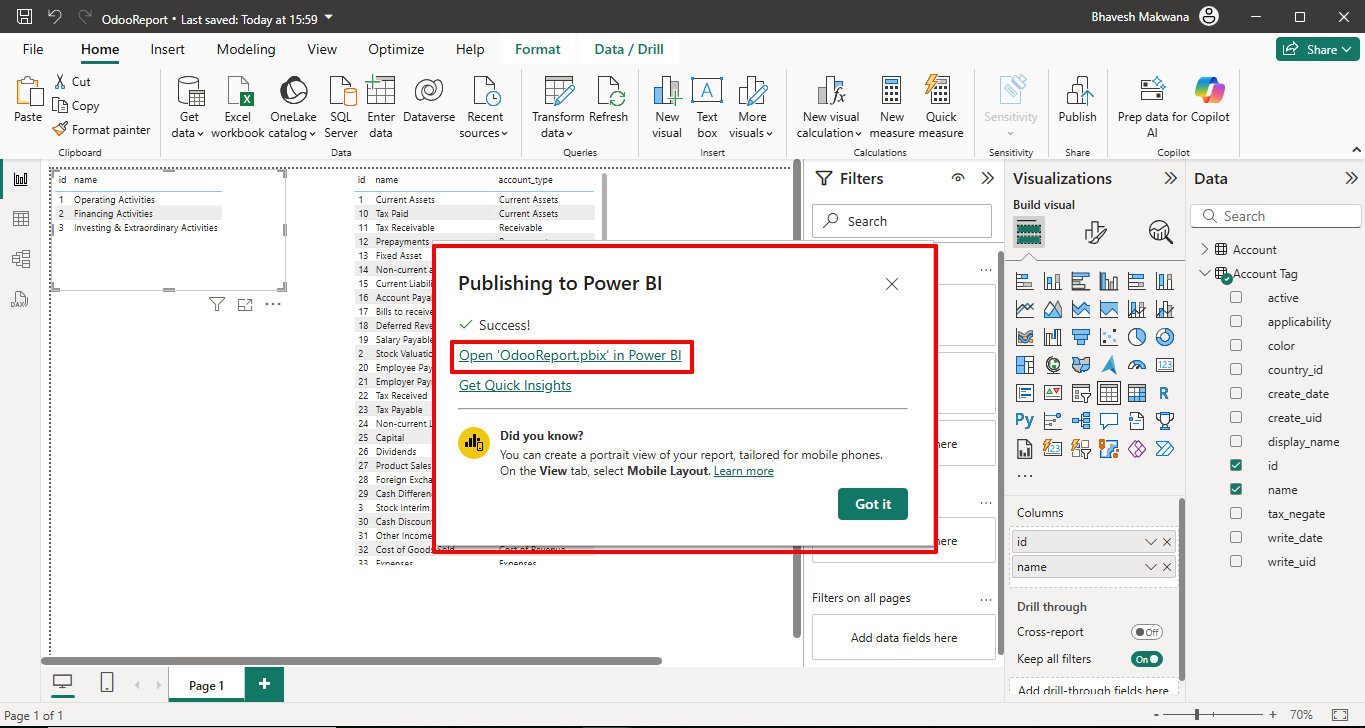
After thet, 'Publishing to Power BI' wizard will appears. Click on the URL.
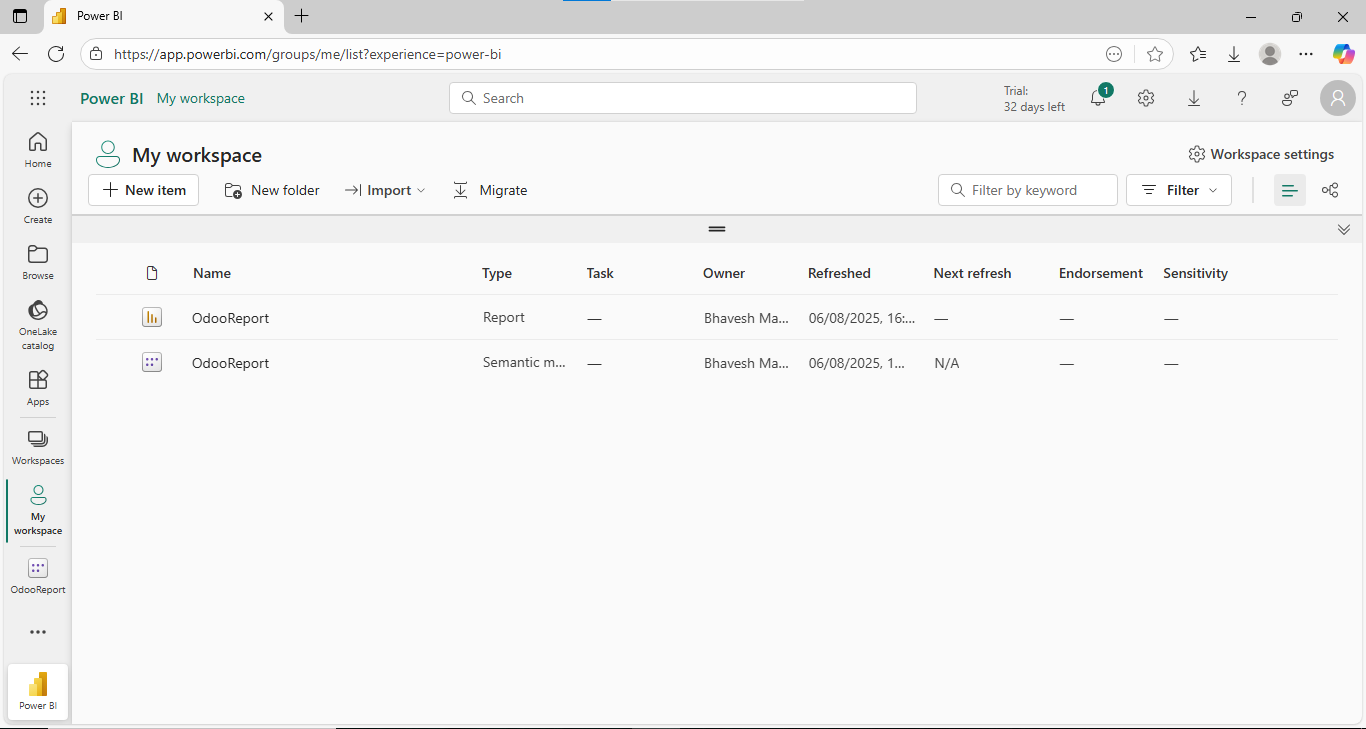
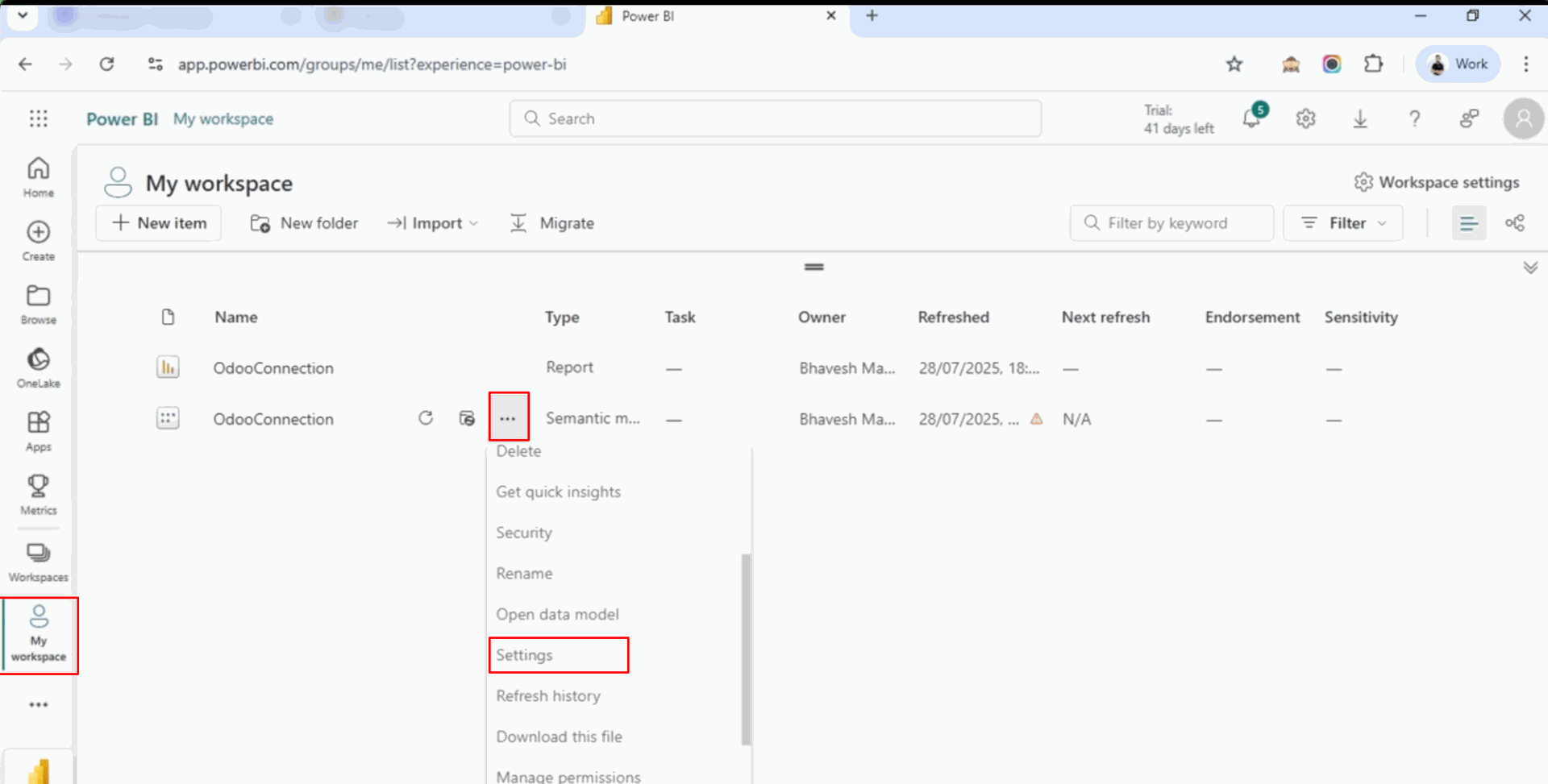
After that, you will be redirected to 'My Workspace'.
Click on 'Settings' from the three dots menu.
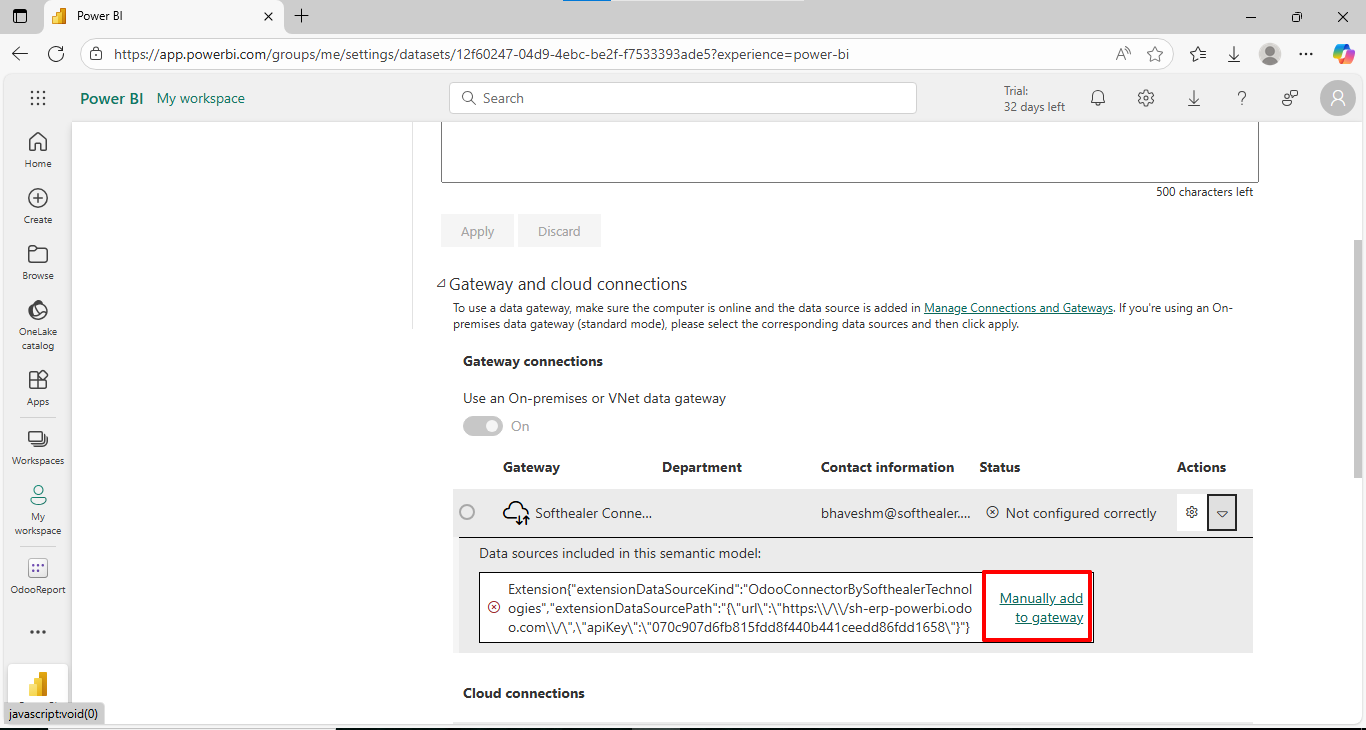
Click on the 'Manually add to gateway'.
Note: Before making the connection, you need to set up the On-premise
Gateway in your system..
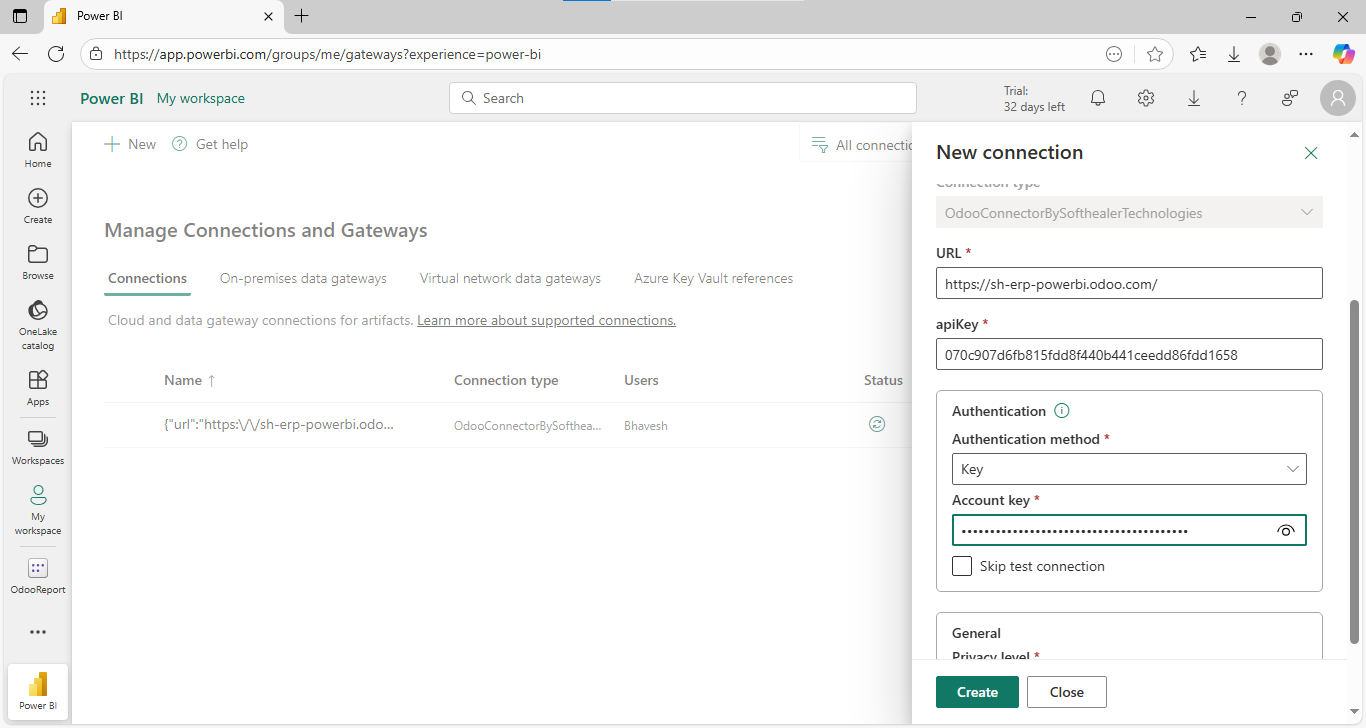
After that, the 'New Connection' wizard will appear.
Enter the details and click on the 'Create' button.
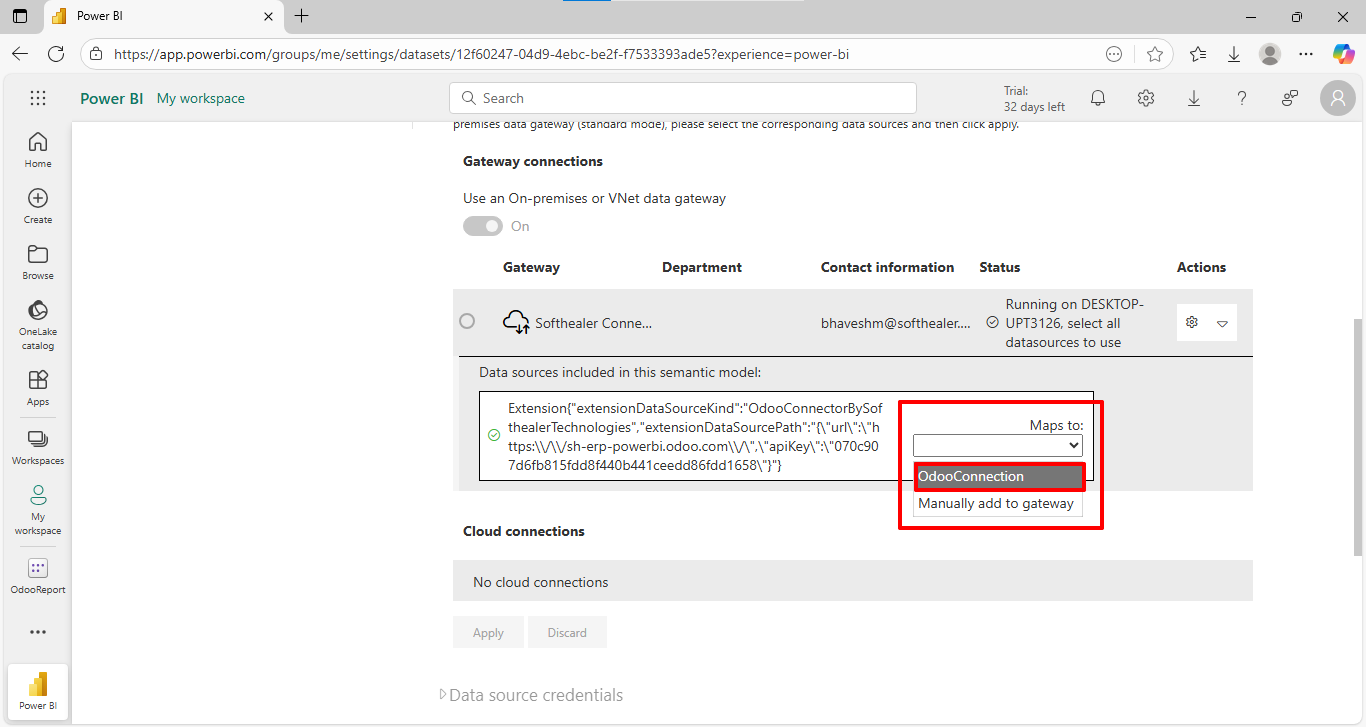
Select the created 'Odoo Connection'.
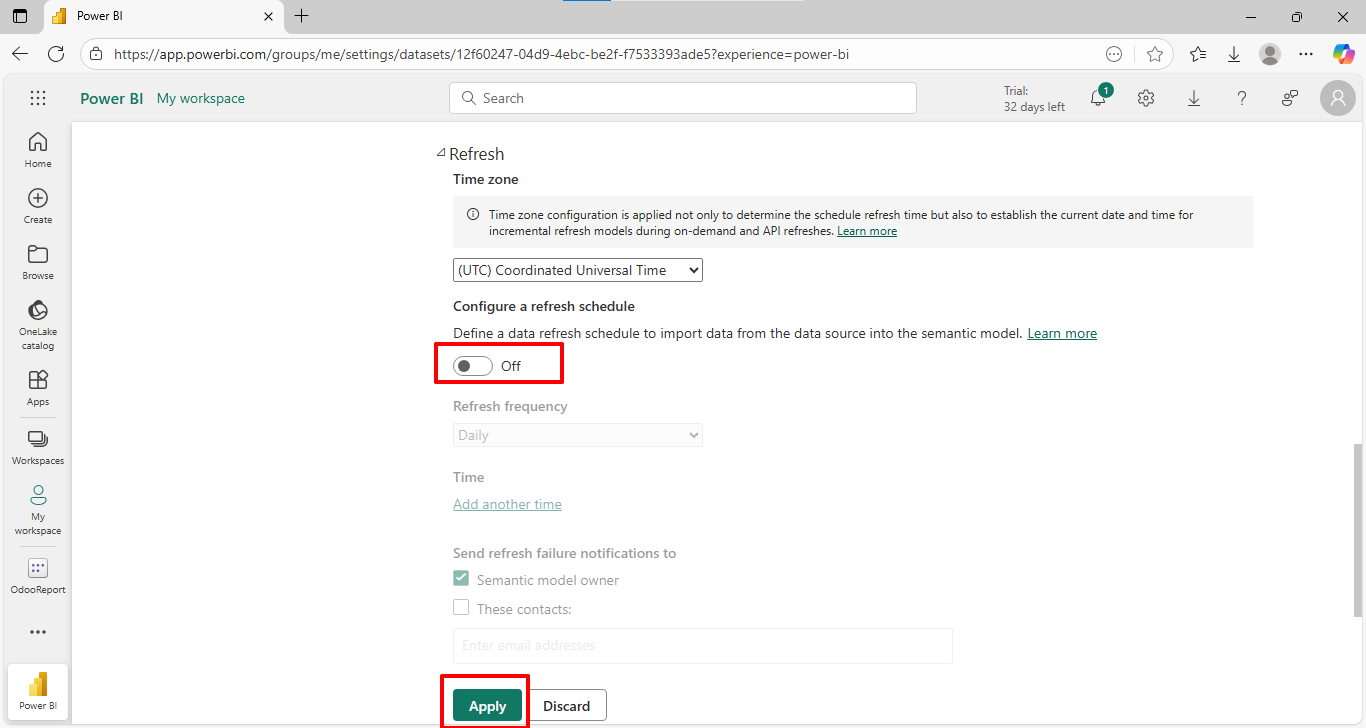
Enable the 'Configure a refresh schedule' option and click on the 'Apply' button.
Copy the URL, API key and database name.
Add the generated URL, API key, and database name. Add query and table name. Click on the 'Ok' button.
Preview data and click "Load".
Data fetched in Power BI.
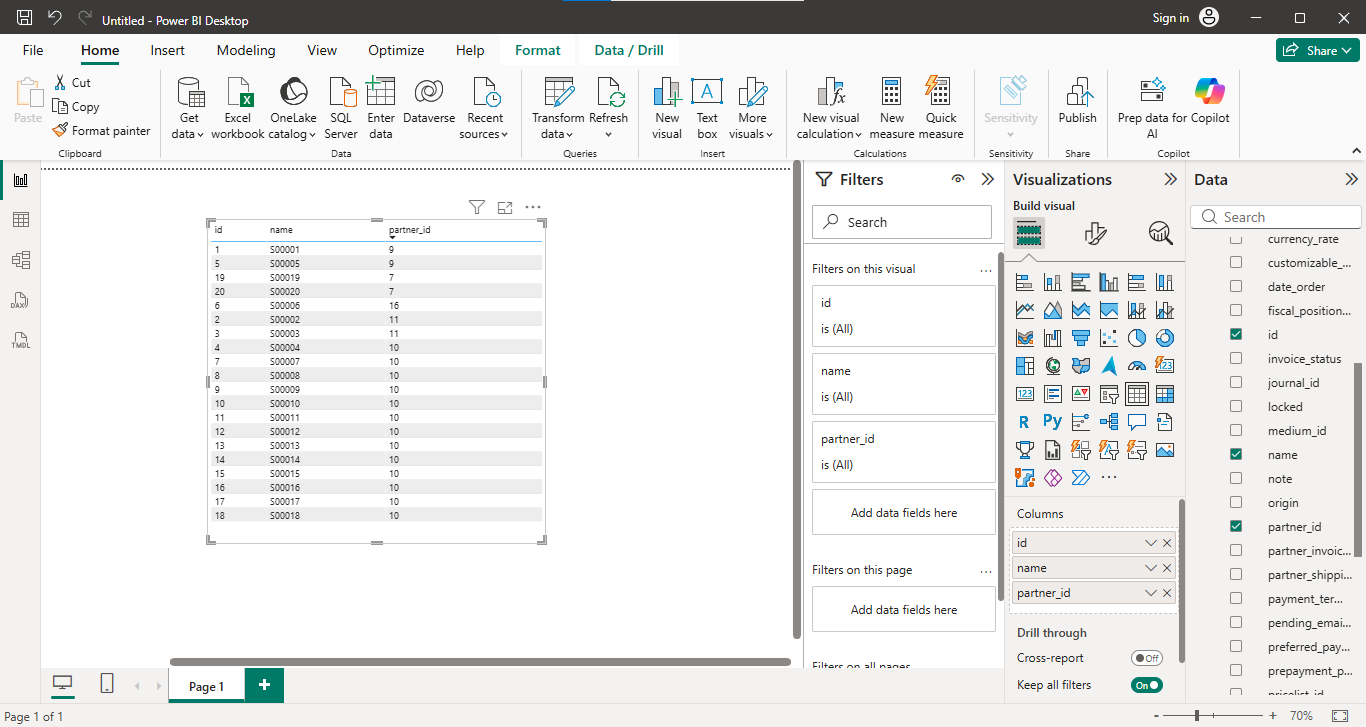
Power BI connector settings with data access mode and push configuration.
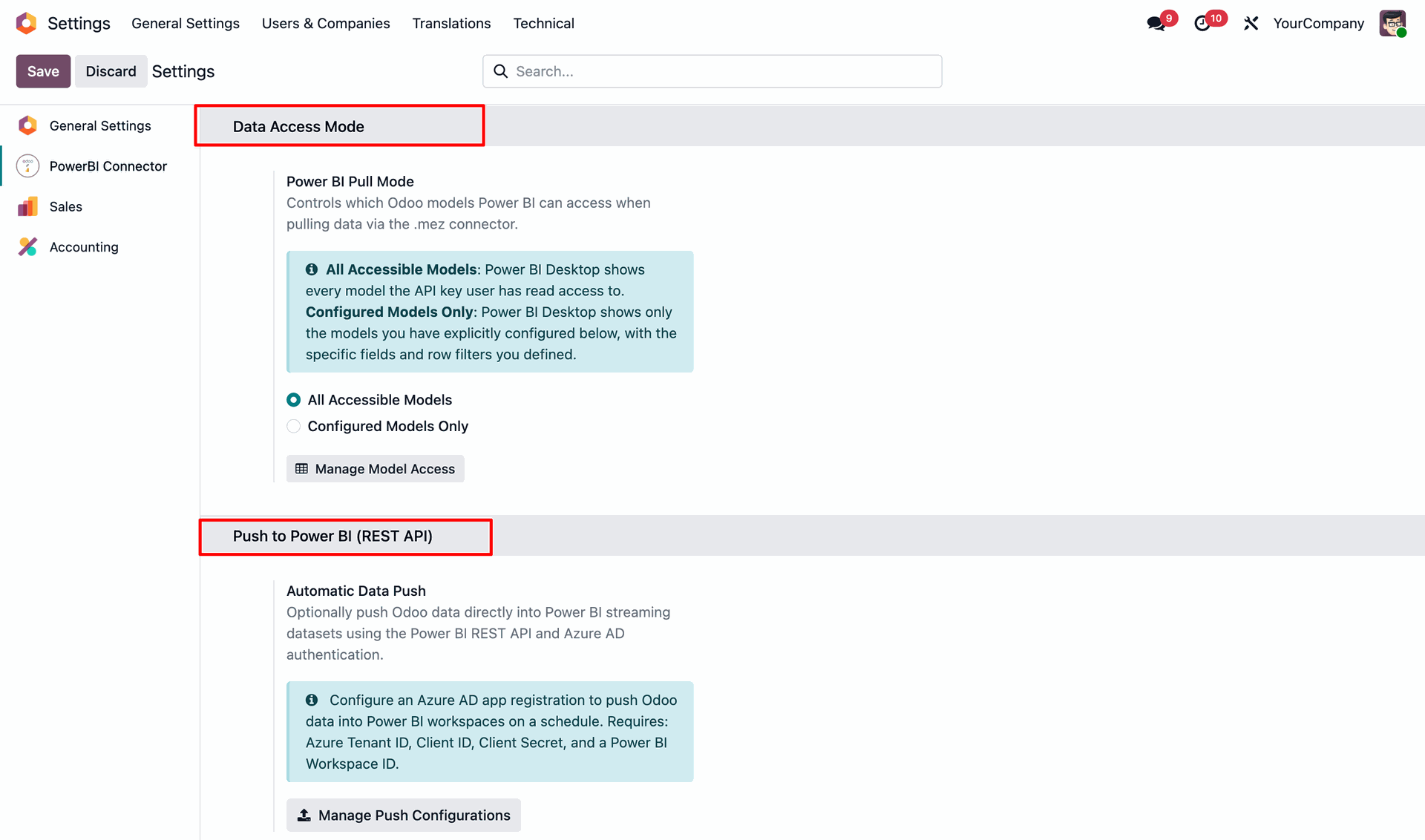
Push configuration with credentials and token status.
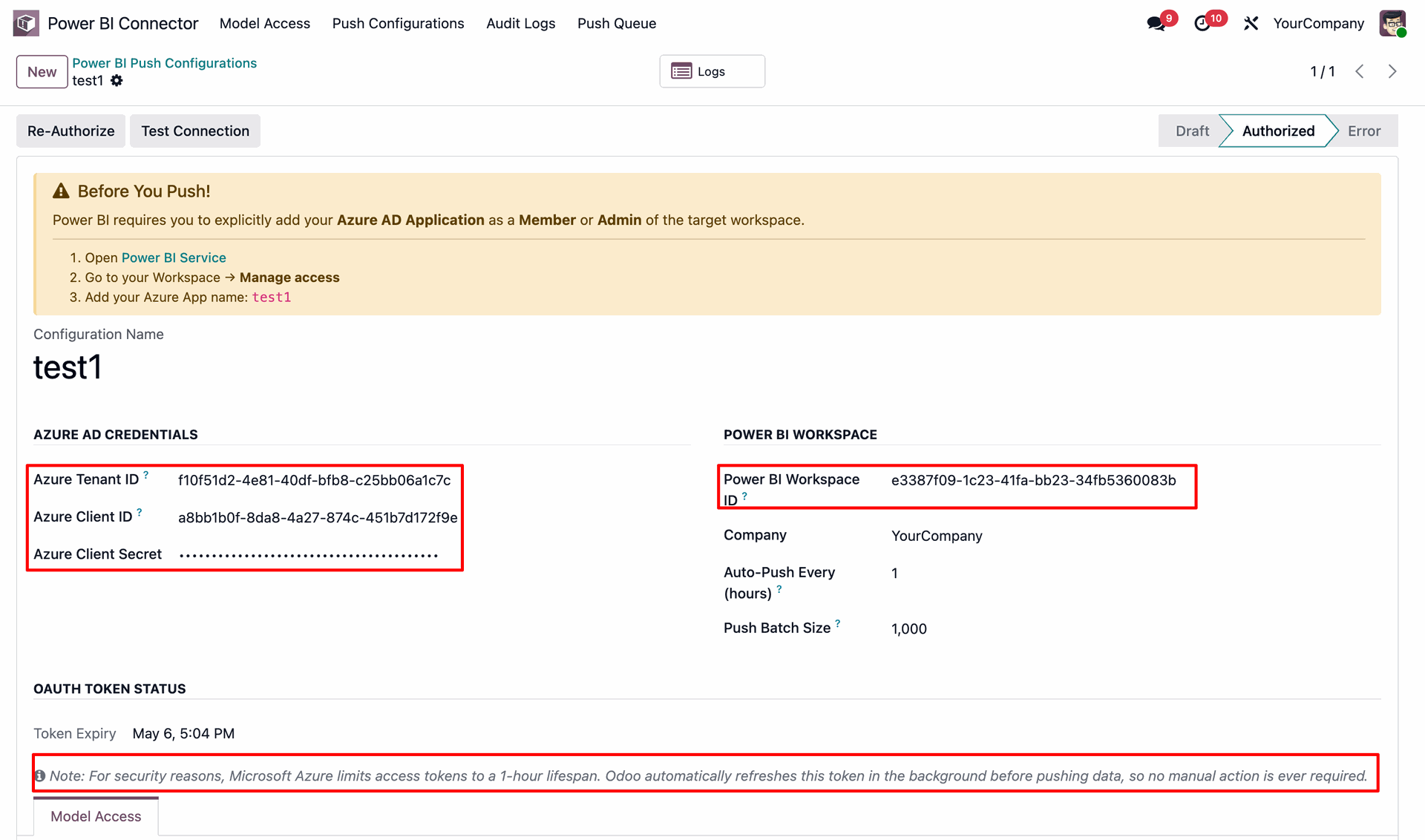
Power BI setup guide in configurations.
Model access management list view.
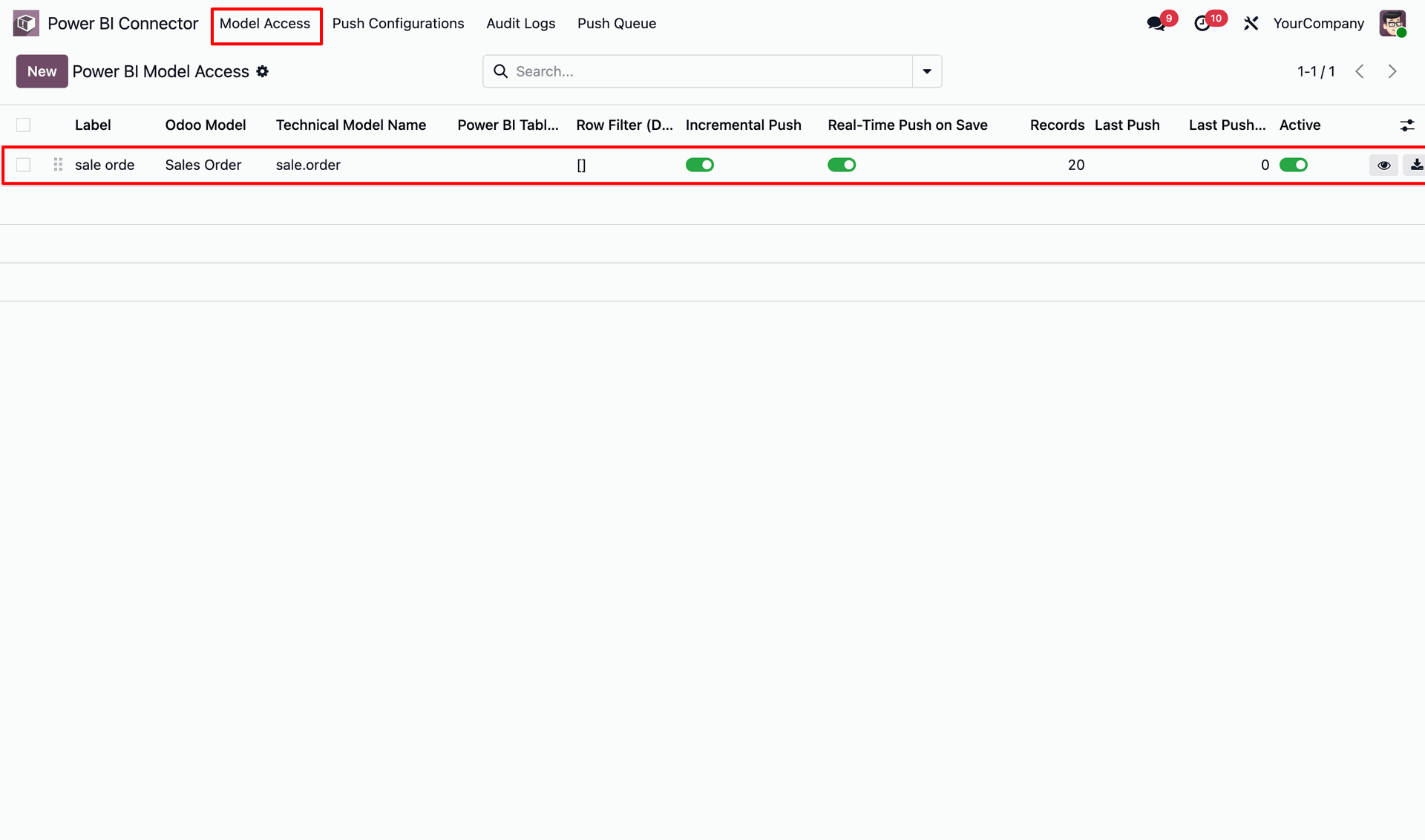
Export data using the export button.
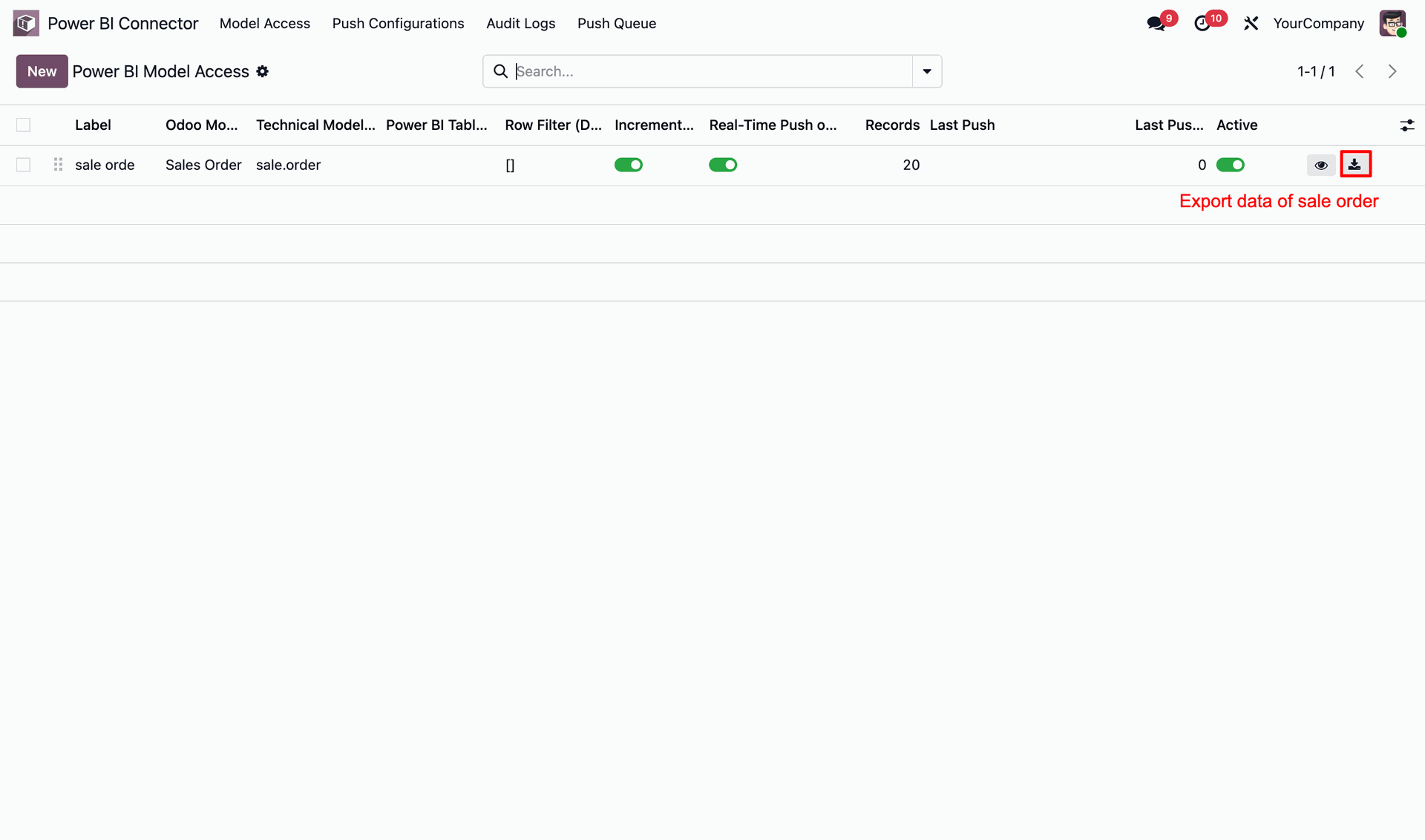
Model access management form view with preview & export button.
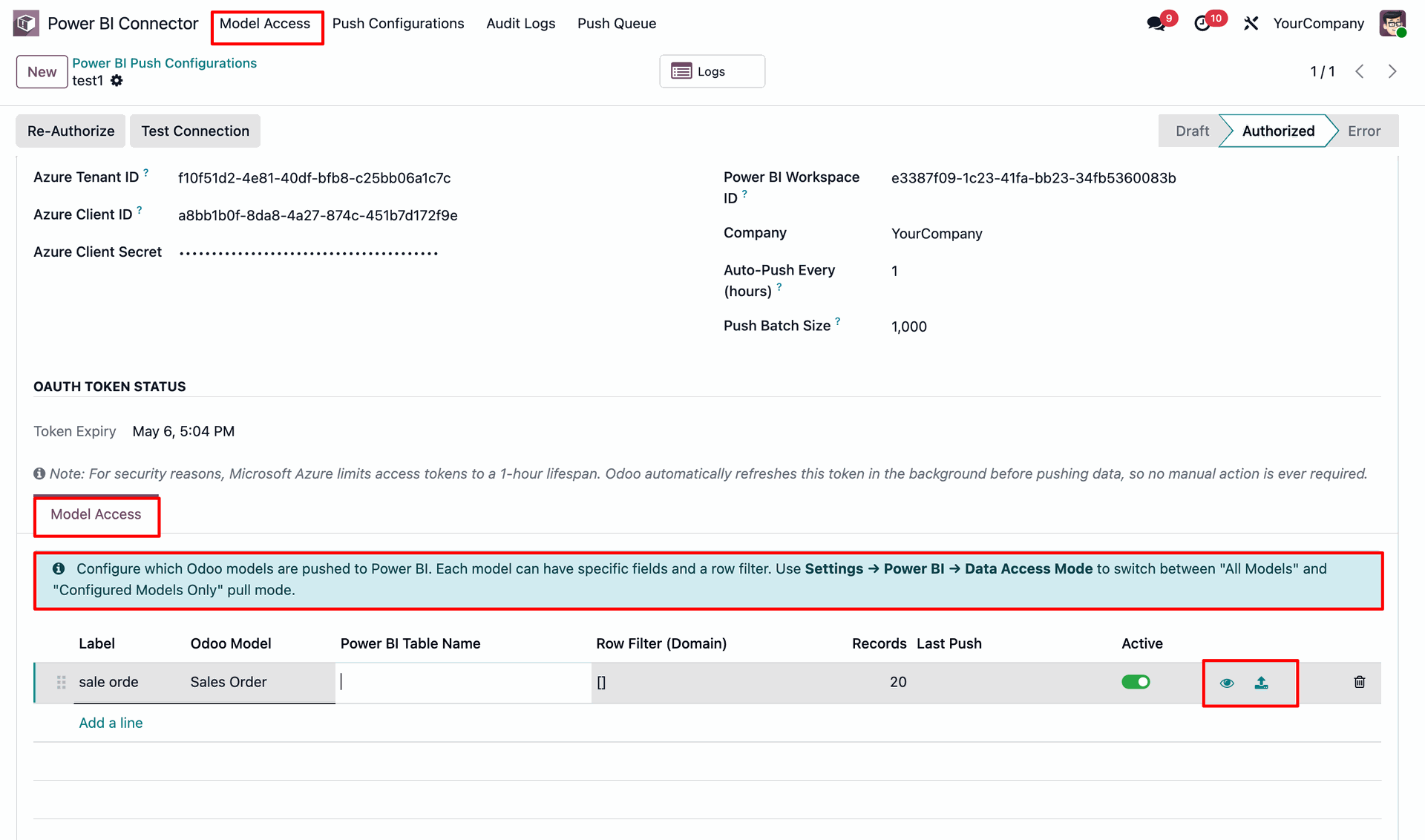
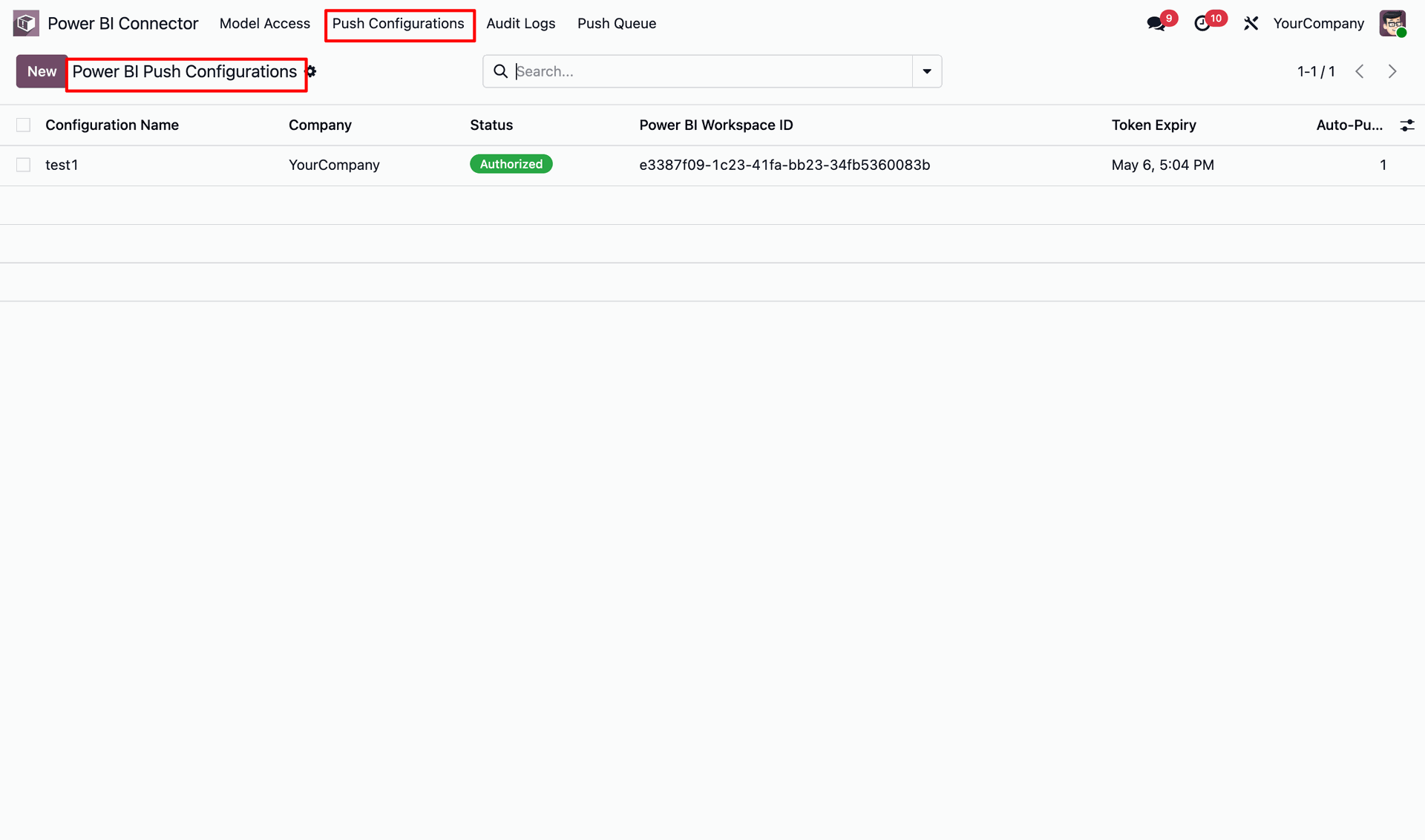
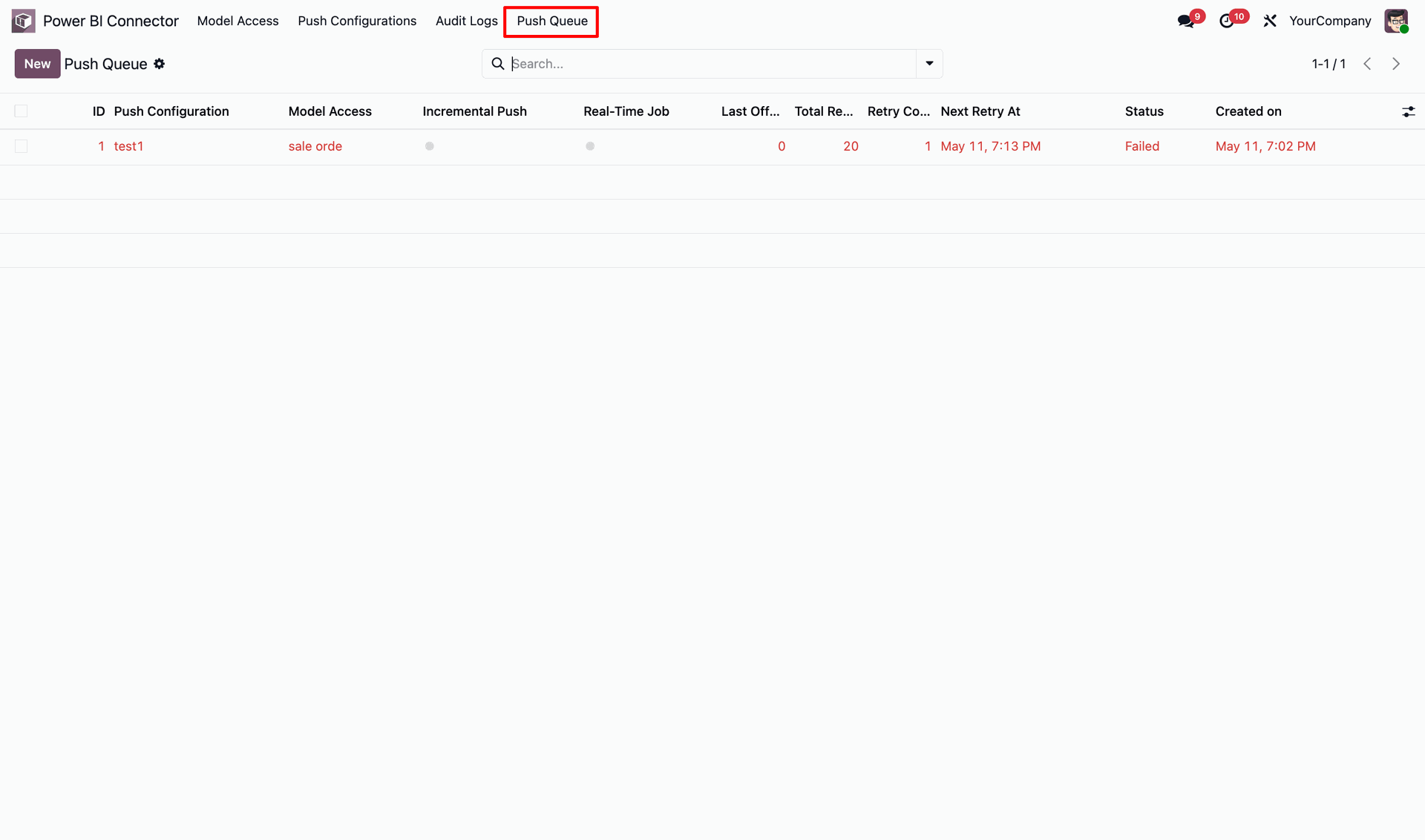
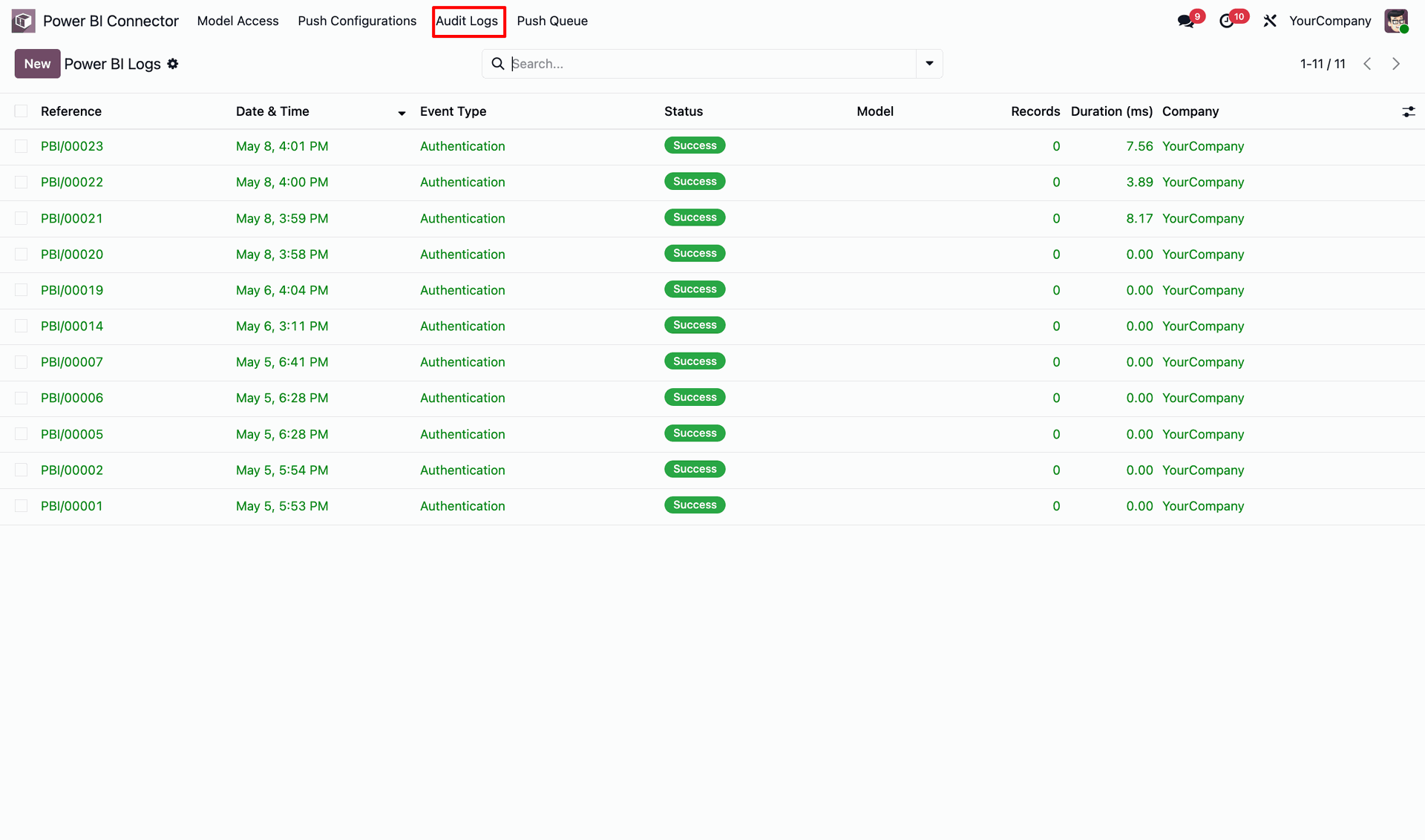
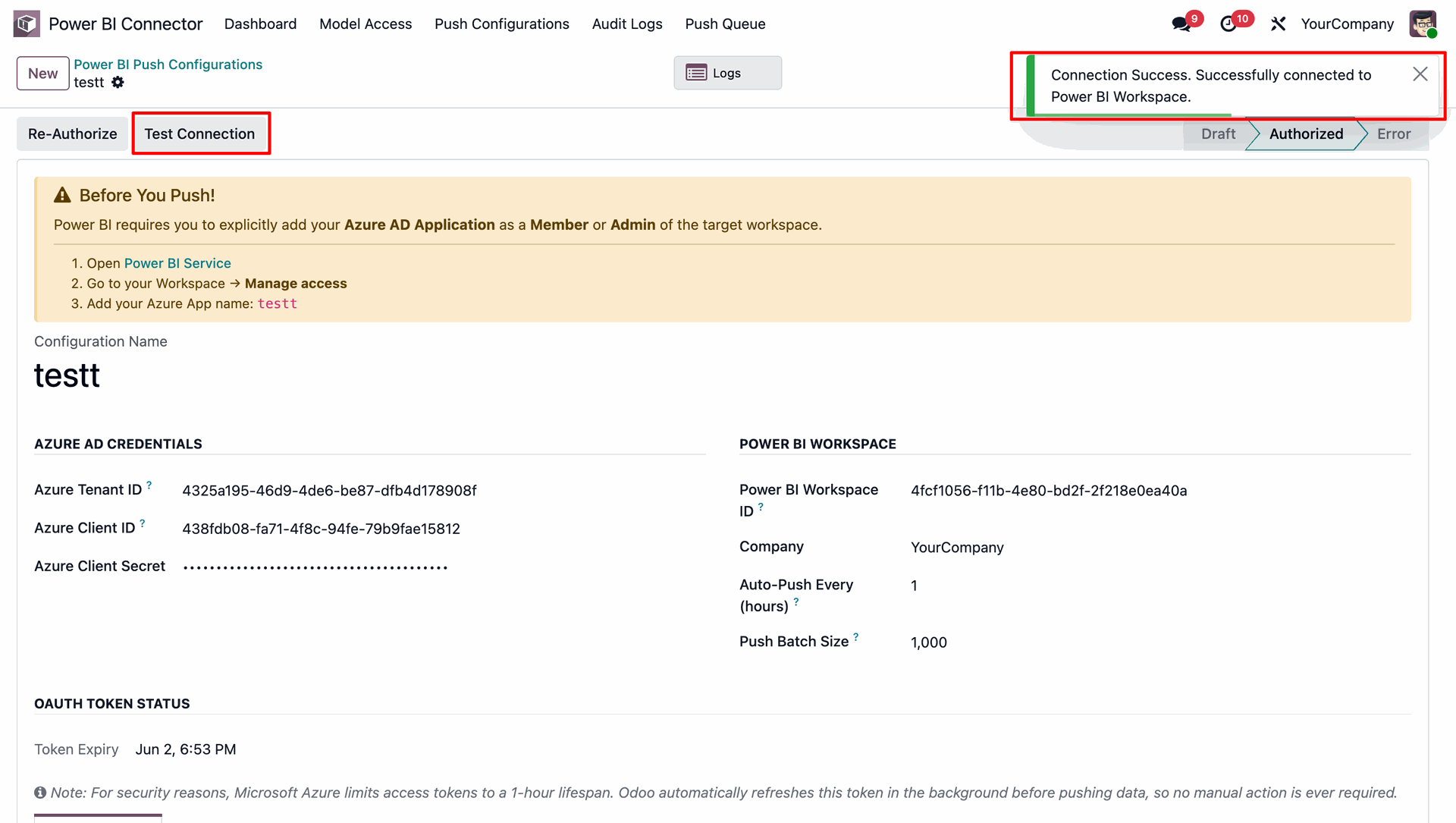
Verify Power BI workspace connectivity instantly with the Test Connection button and real-time authorization status.
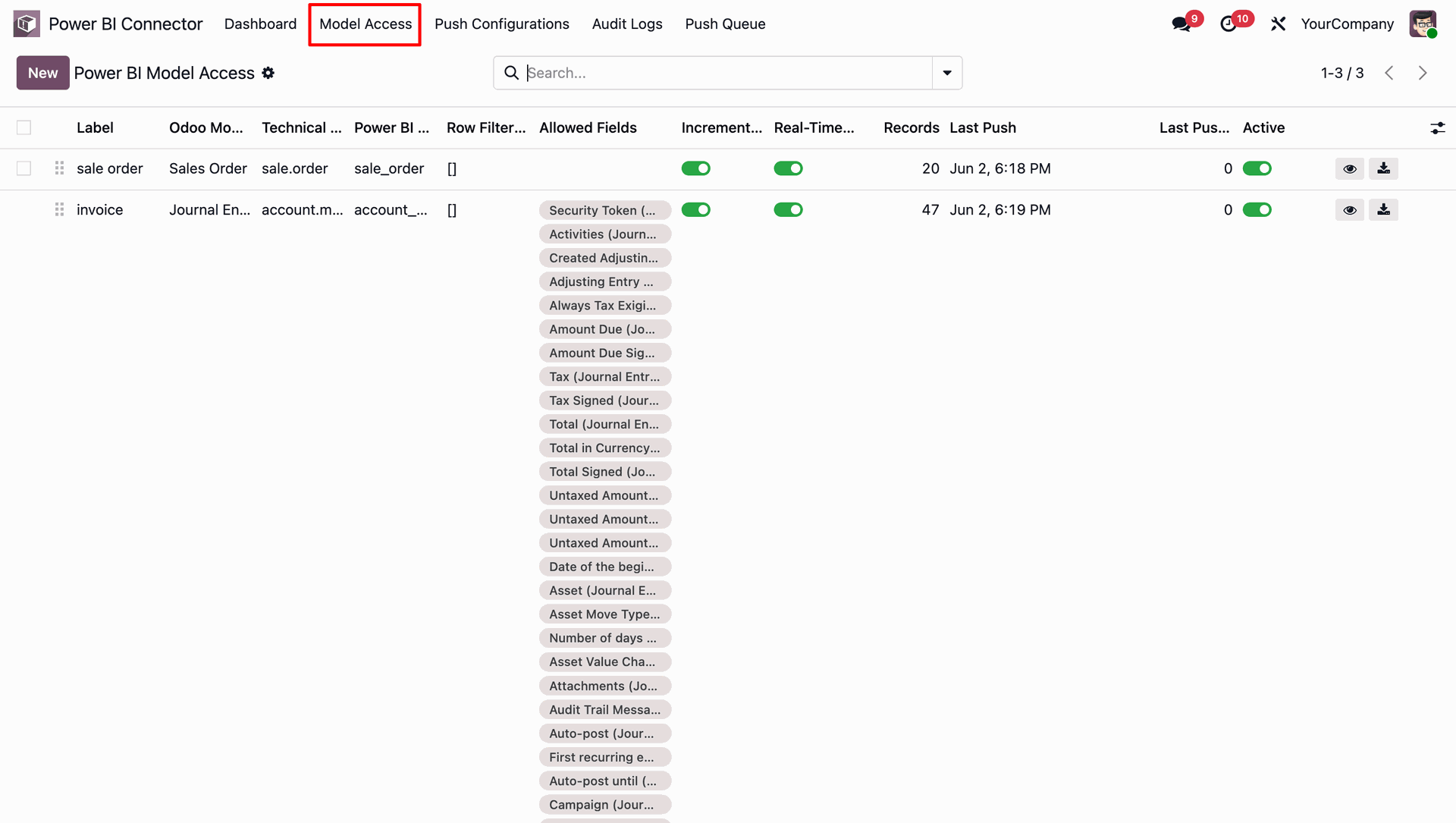
Configure and manage Odoo models that are pushed to Power BI.
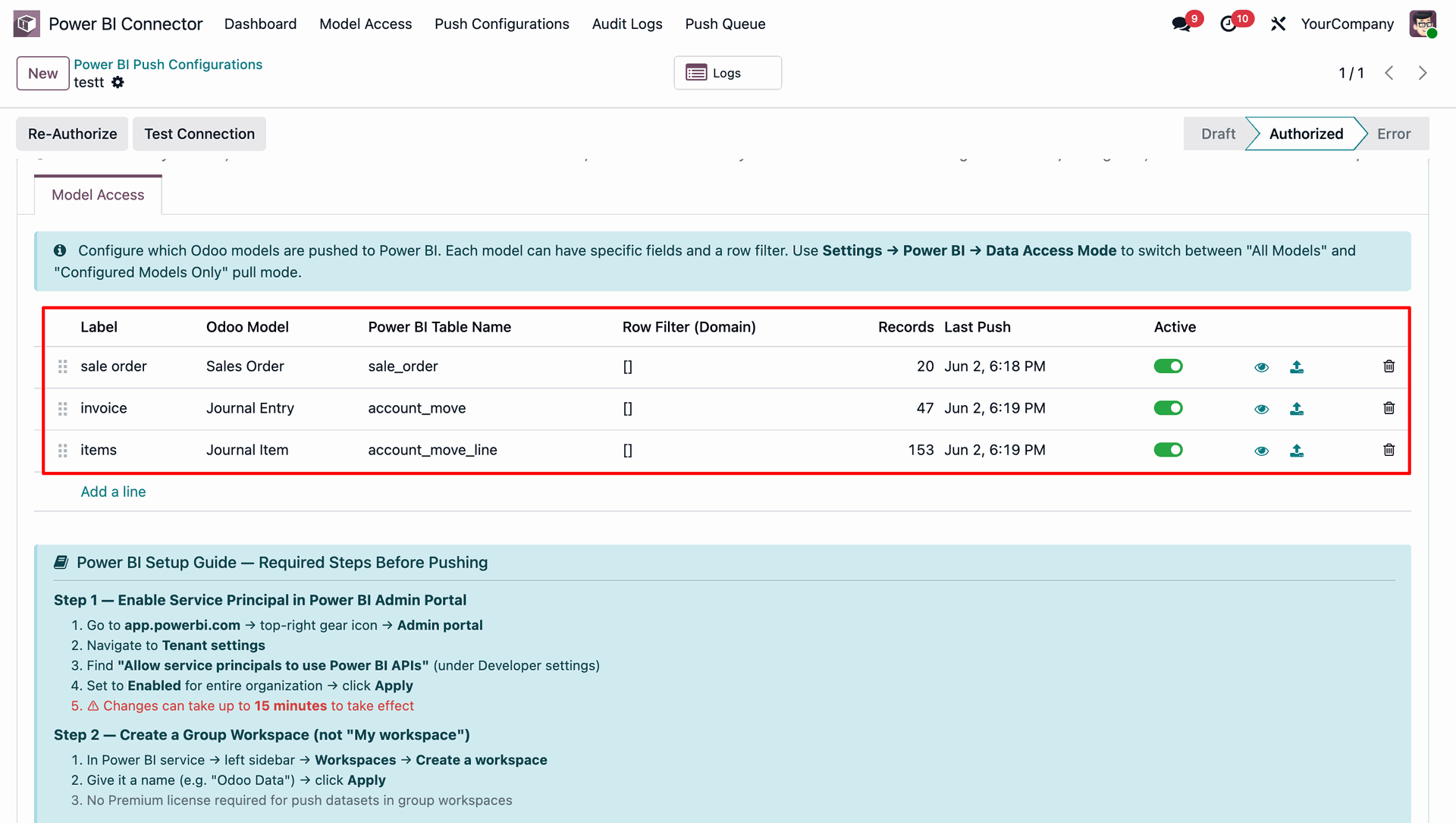
User can see allowed fields, filters, real-time sync, and incremental data push from the model access menu.
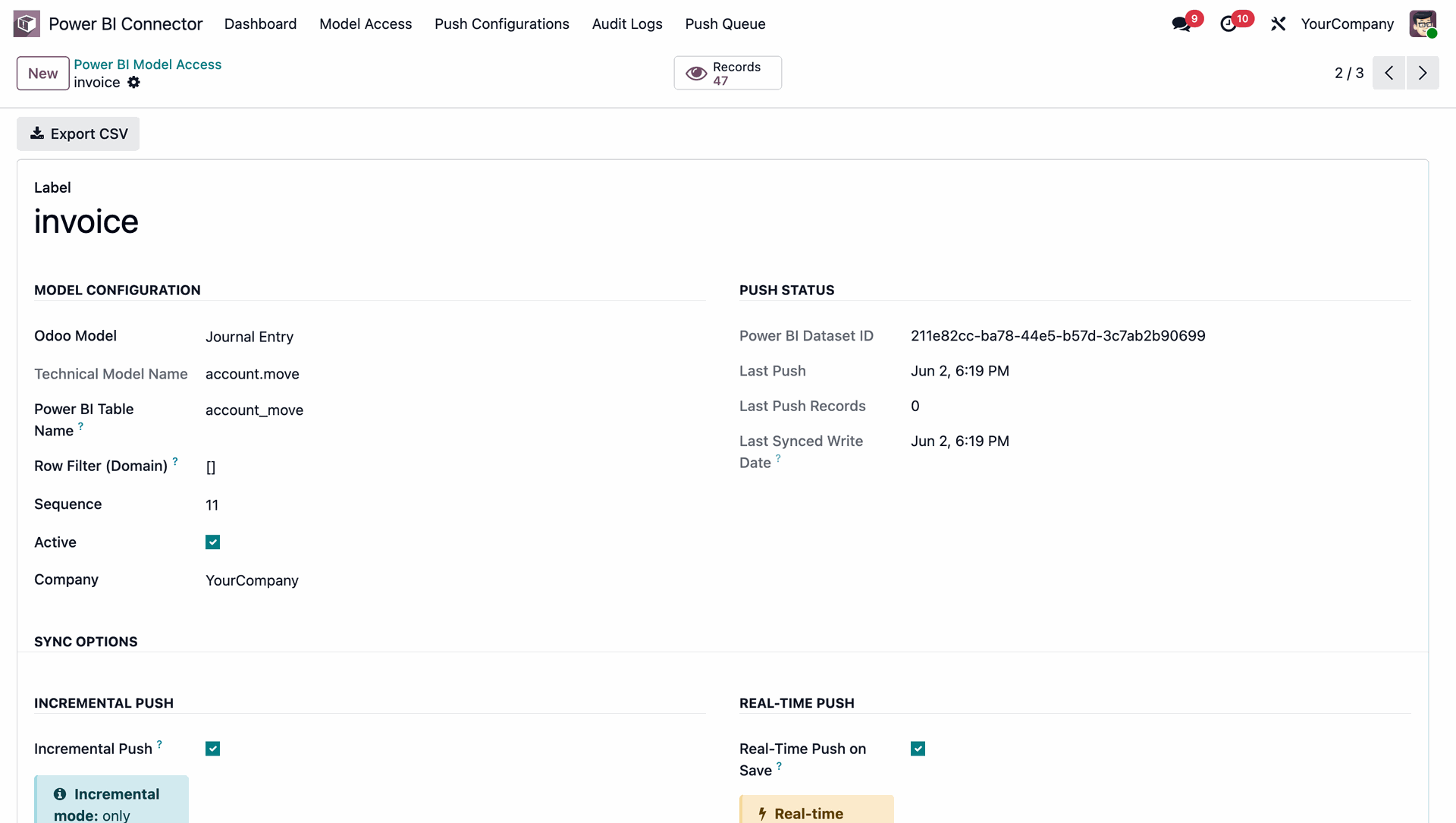
User can view detailed Power BI model configuration, sync options, and real-time push status for seamless data synchronization.
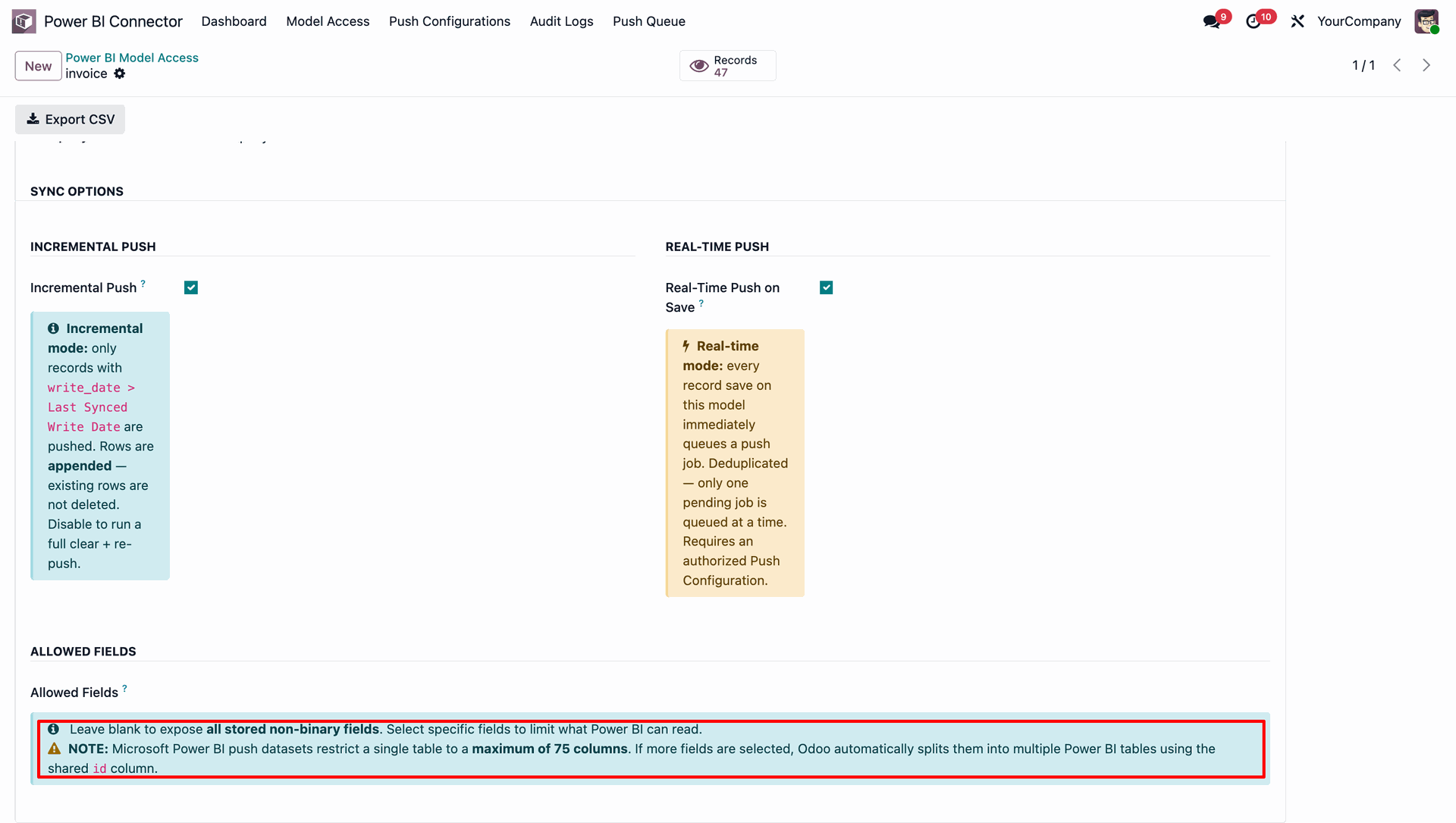
Microsoft Power BI push datasets restrict a single table to a maximum of 75 columns. If more fields are selected, Odoo automatically splits them into multiple Power BI tables using the shared id column.
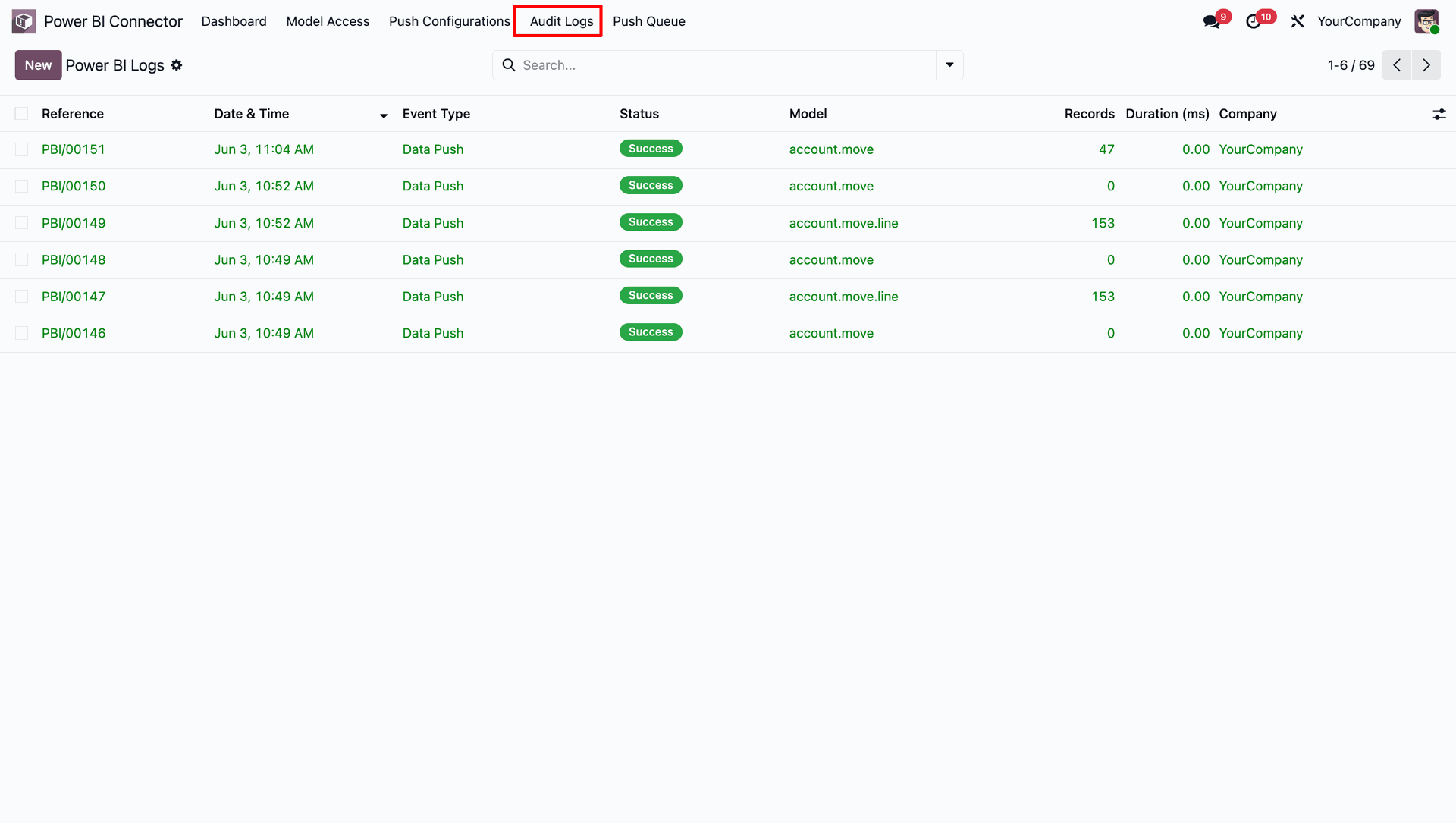
User can view audit logs and track changes made to Power BI configurations.
Centralized dashboard to manage and monitor all connectors from one place. Quickly access sync summary, activity logs, and configuration controls with improved visibility.
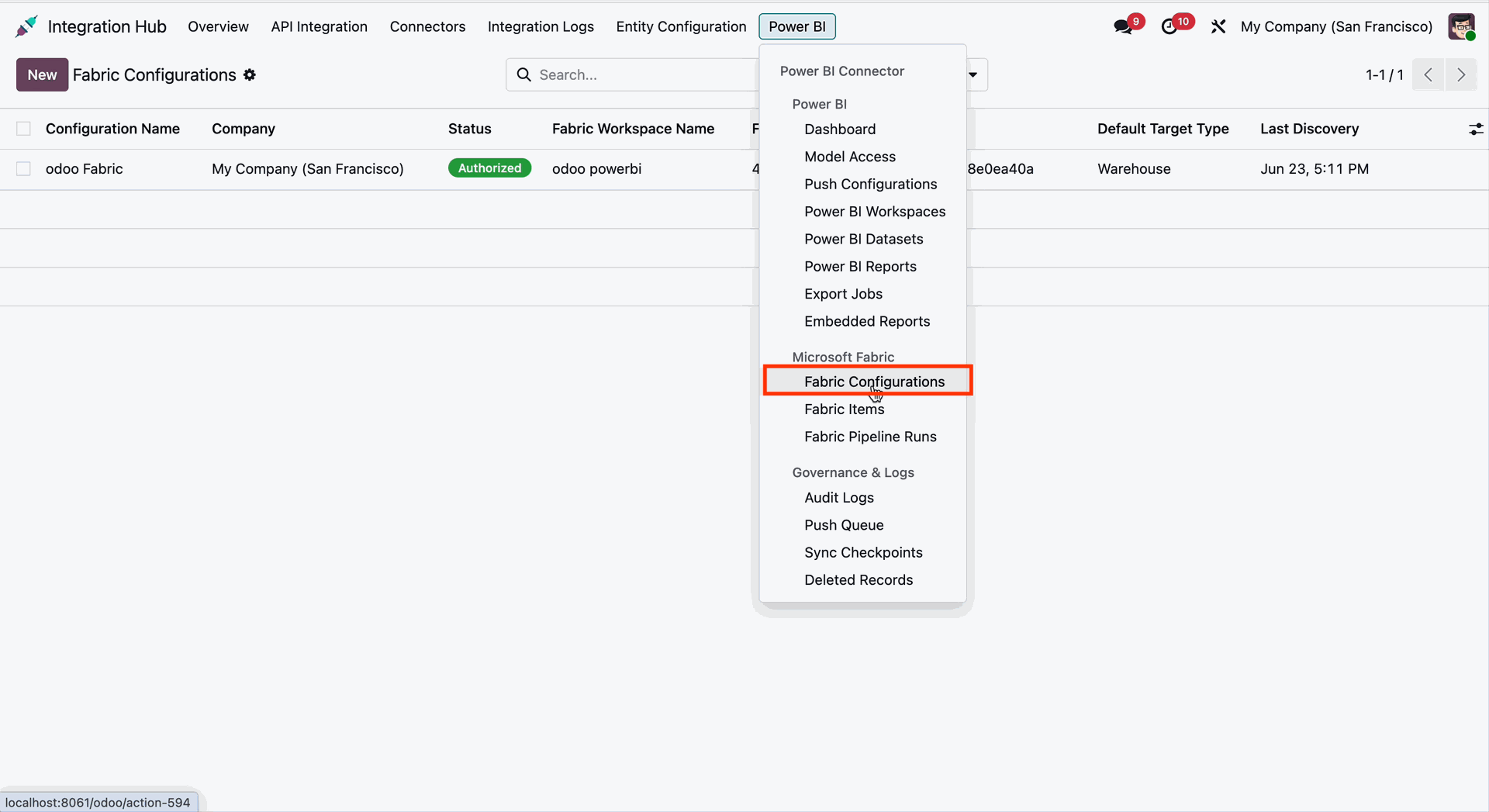
Go to Integration Hub -> Power BI -> Fabric Configuration to open the Microsoft Fabric Configuration page and manage the integration settings.
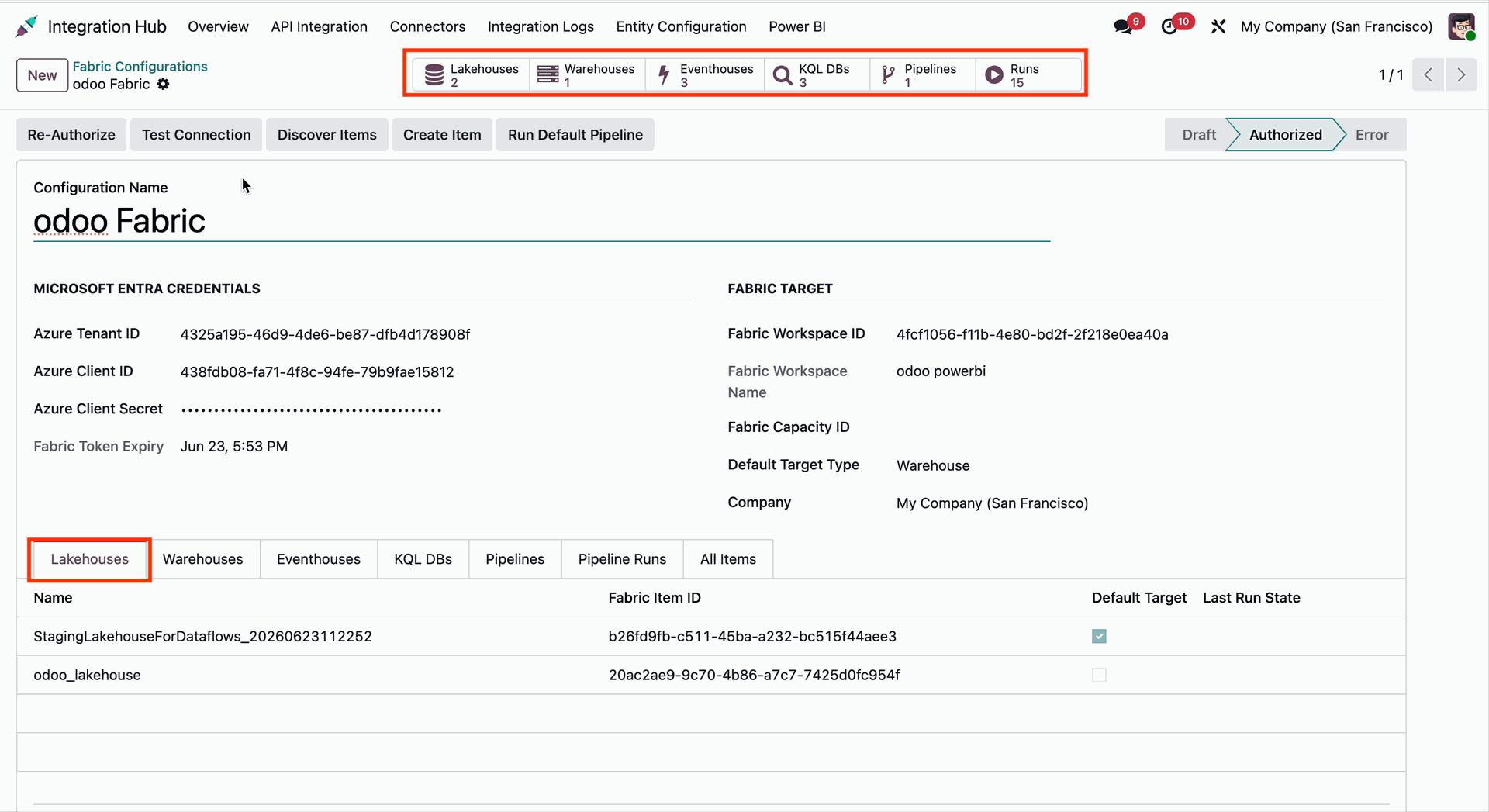
Open the Fabric Configuration form view and navigate to the Lakehouse tab to configure and manage Microsoft Fabric Lakehouse settings.
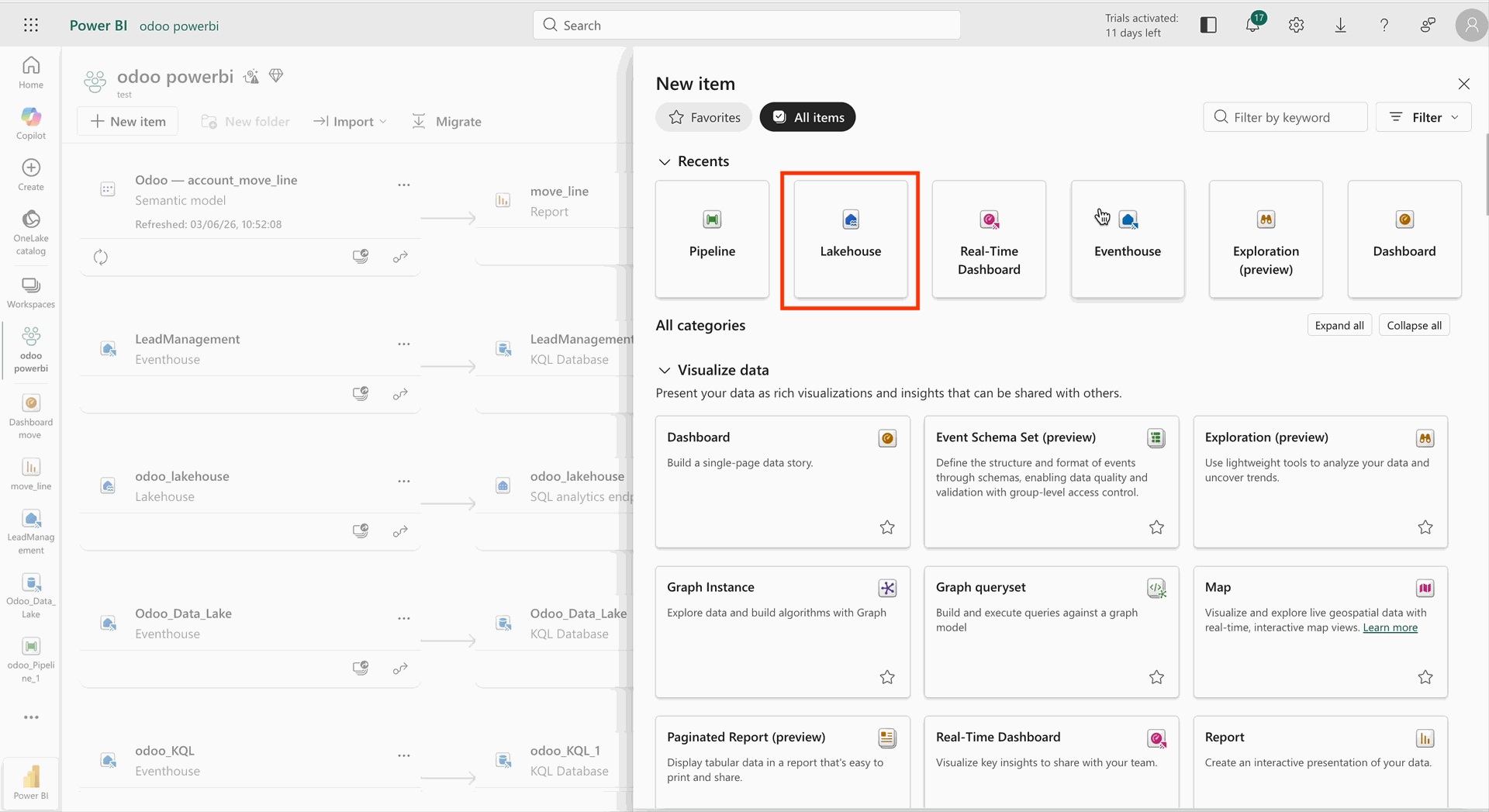
Go to the Power BI app, open the configured Lakehouse, and verify the synchronized data and tables available in Microsoft Fabric.
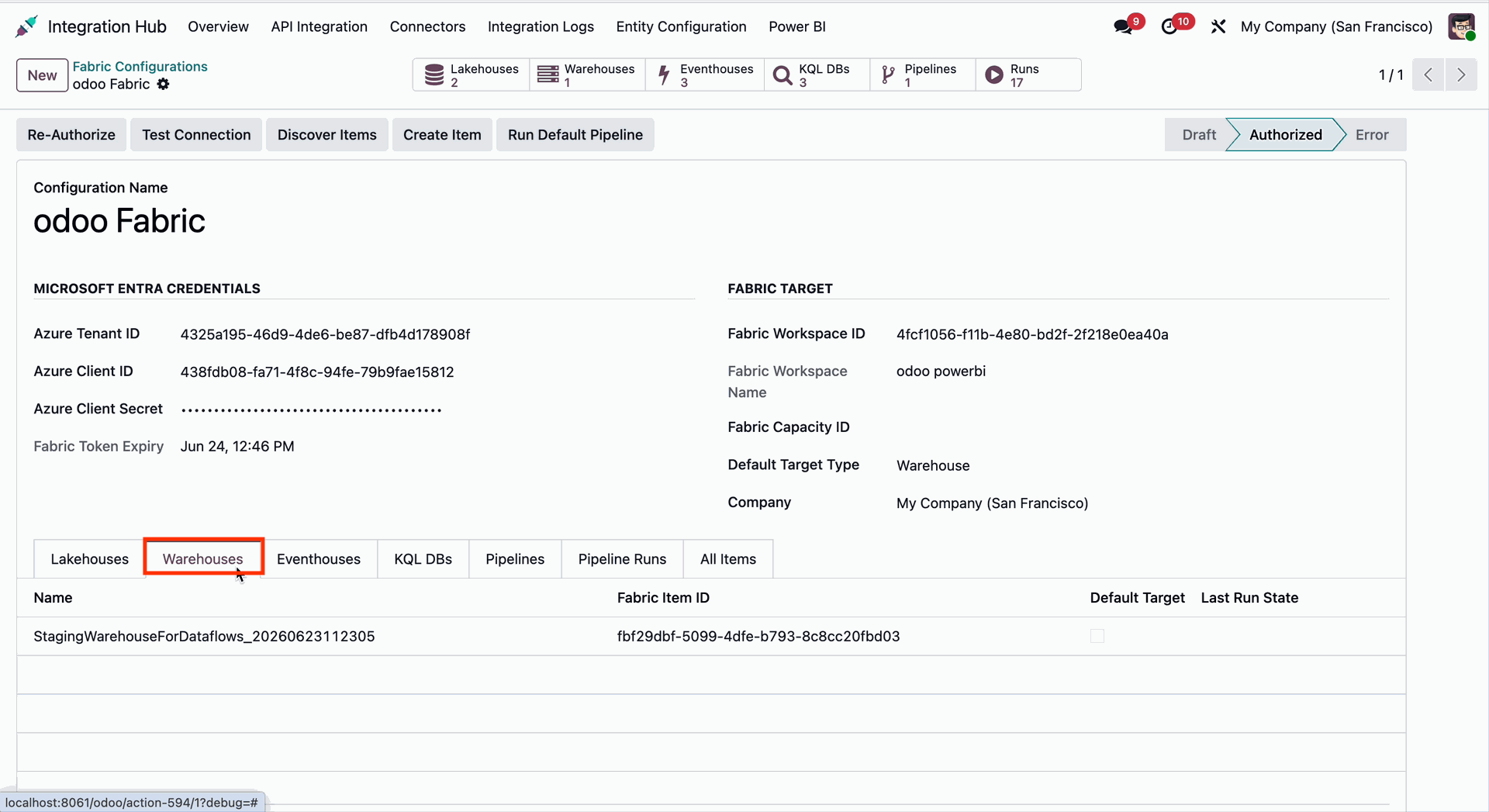
Open the Fabric Configuration form view and navigate to the Warehouse tab to configure and manage the Microsoft Fabric Warehouse settings.
Open the Fabric Configuration form view and navigate to the Eventhouse tab to configure and manage the Microsoft Fabric Eventhouse settings.
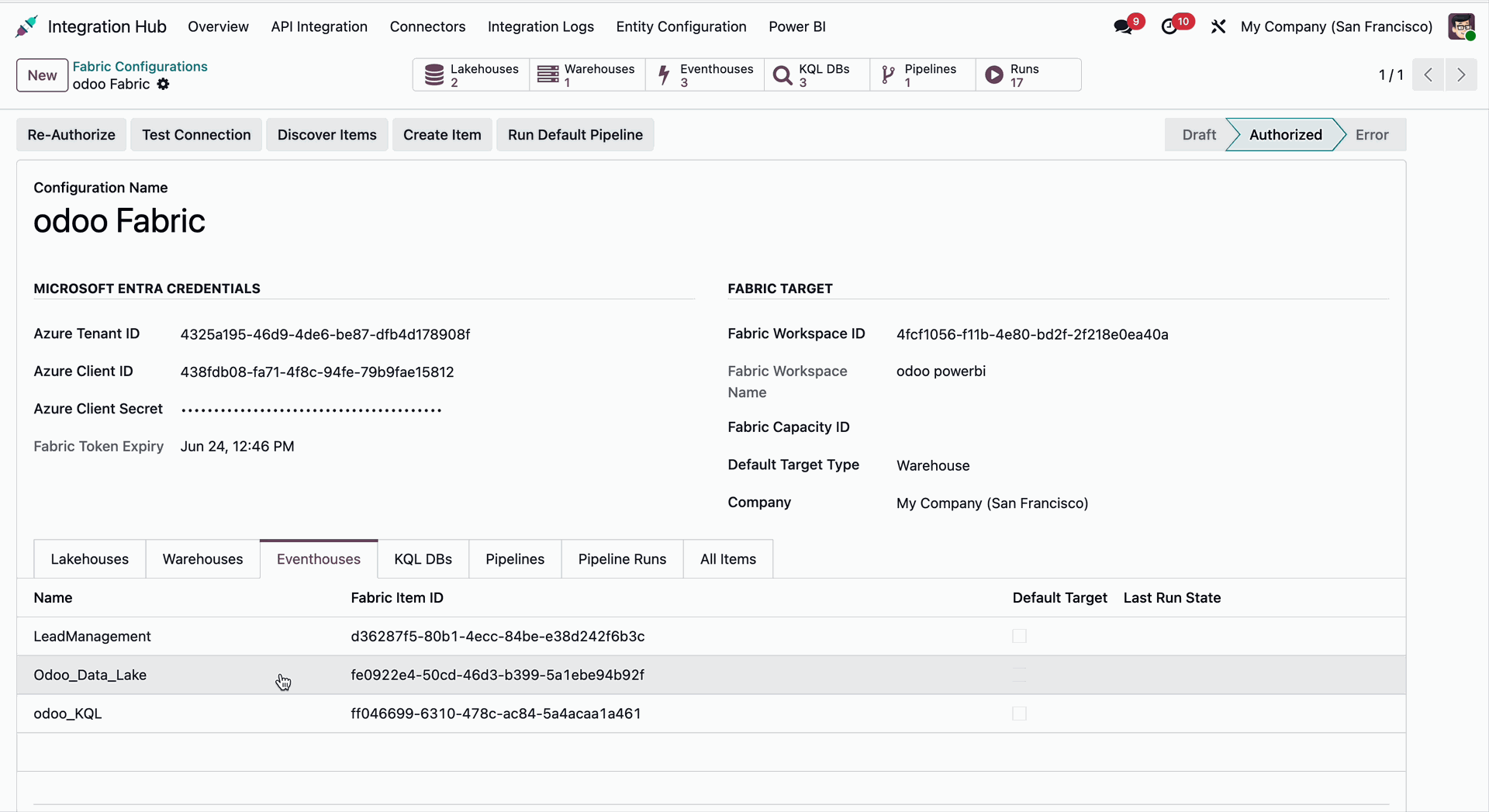
Go to the Power BI app and open the configured Eventhouse to view and verify the synchronized event data and related objects in Microsoft Fabric.
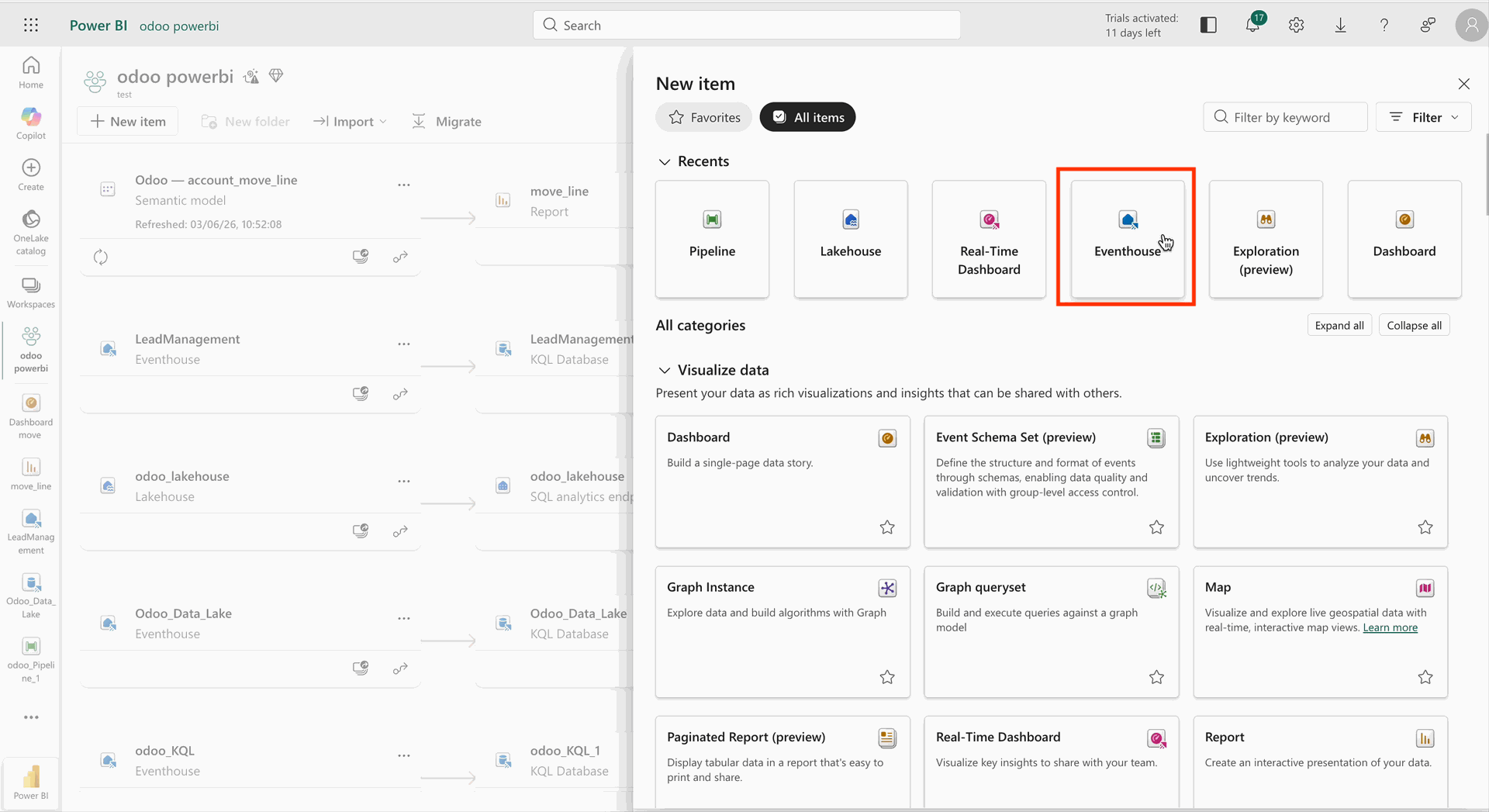
Open the Fabric Configuration form view and navigate to the KQL DBs tab to configure and manage Microsoft Fabric KQL Databases.
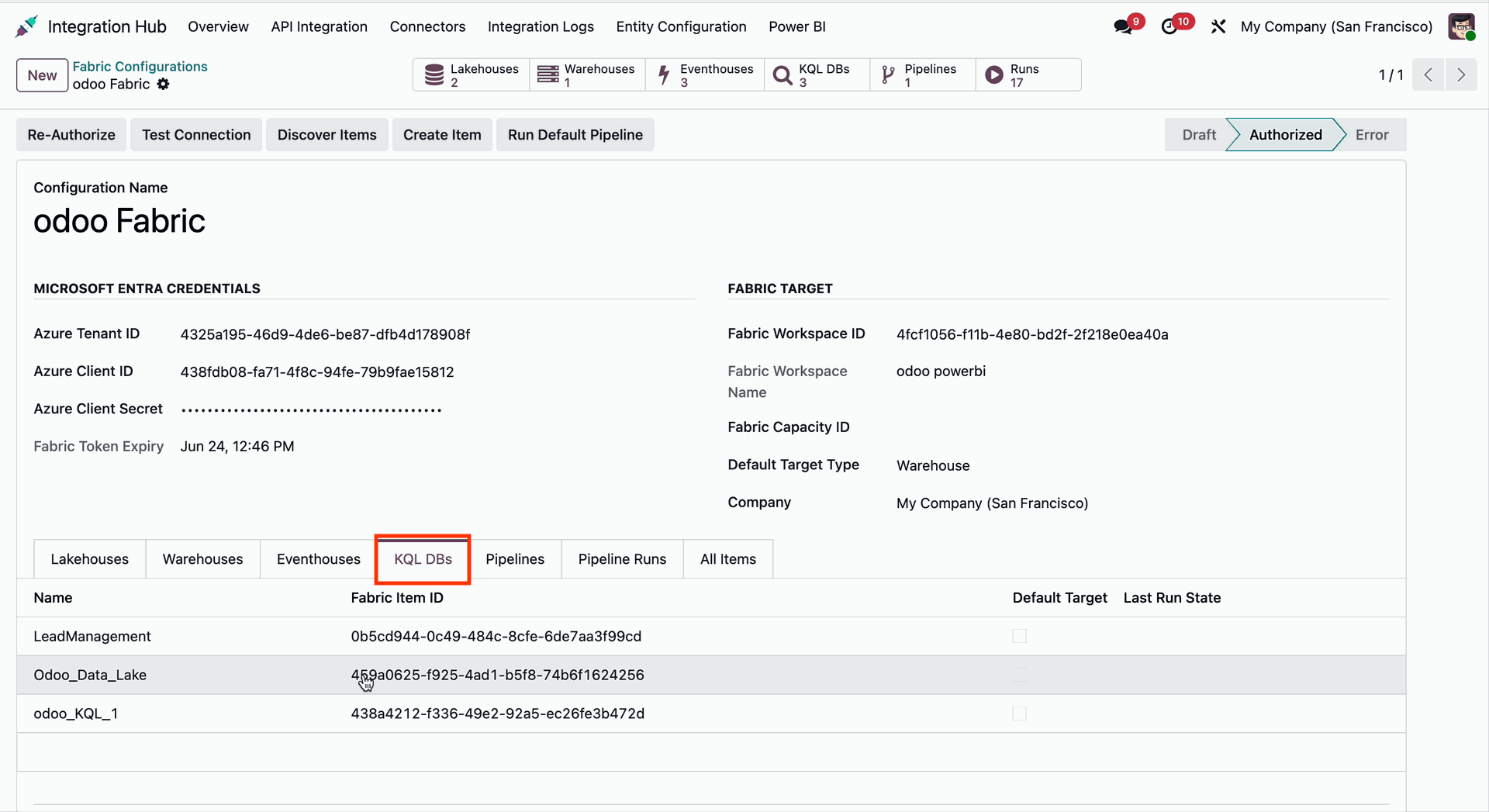
Go to the Power BI app and open the KQL Queryset to view and manage Kusto Query Language (KQL) queries for the synchronized Microsoft Fabric data.
Open the Fabric Configuration form view and navigate to the Pipeline tab to configure and manage Microsoft Fabric Pipelines.
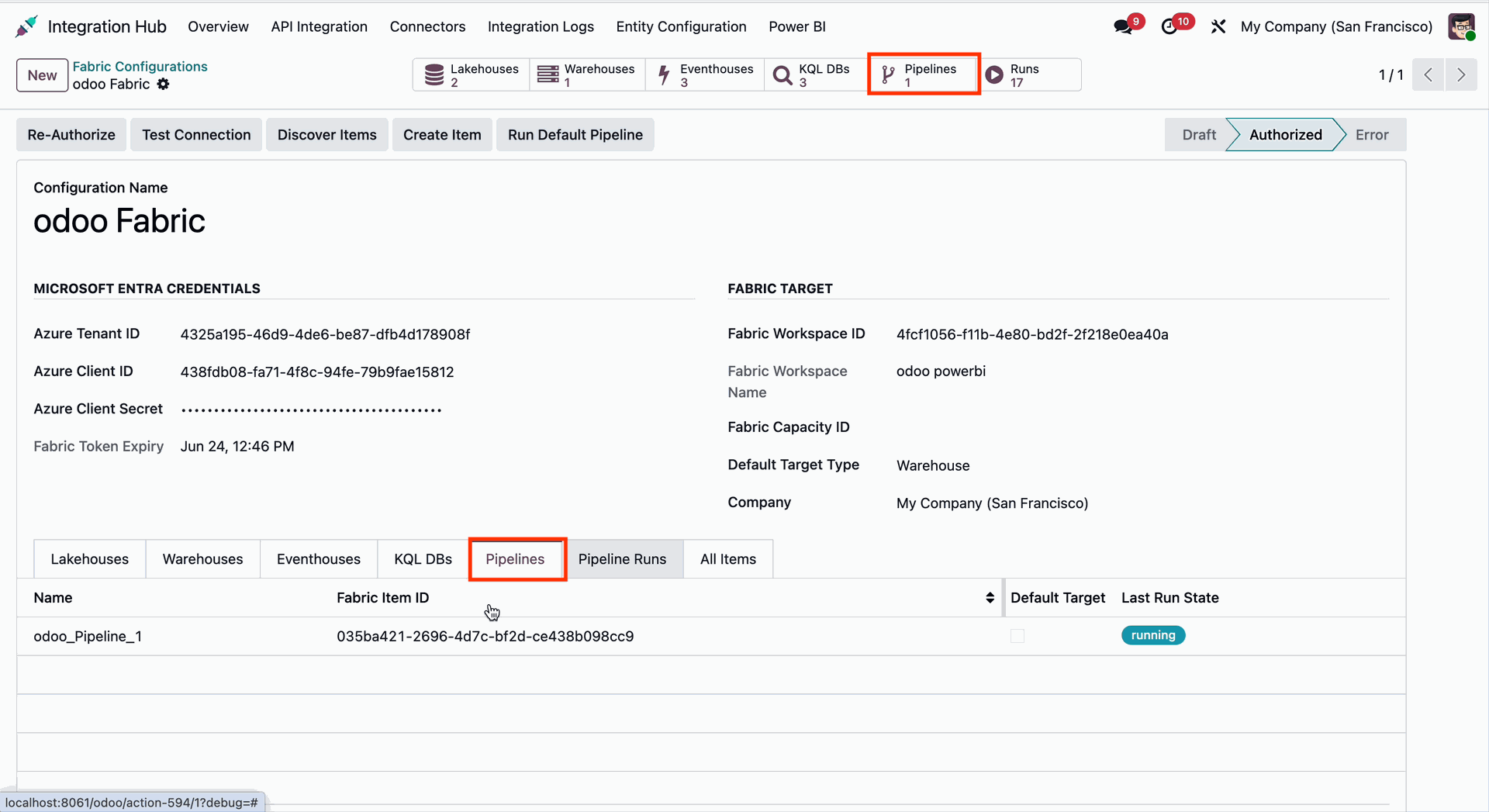
Go to the Power BI app and open the configured Pipeline to view and manage the data integration in Microsoft Fabric.
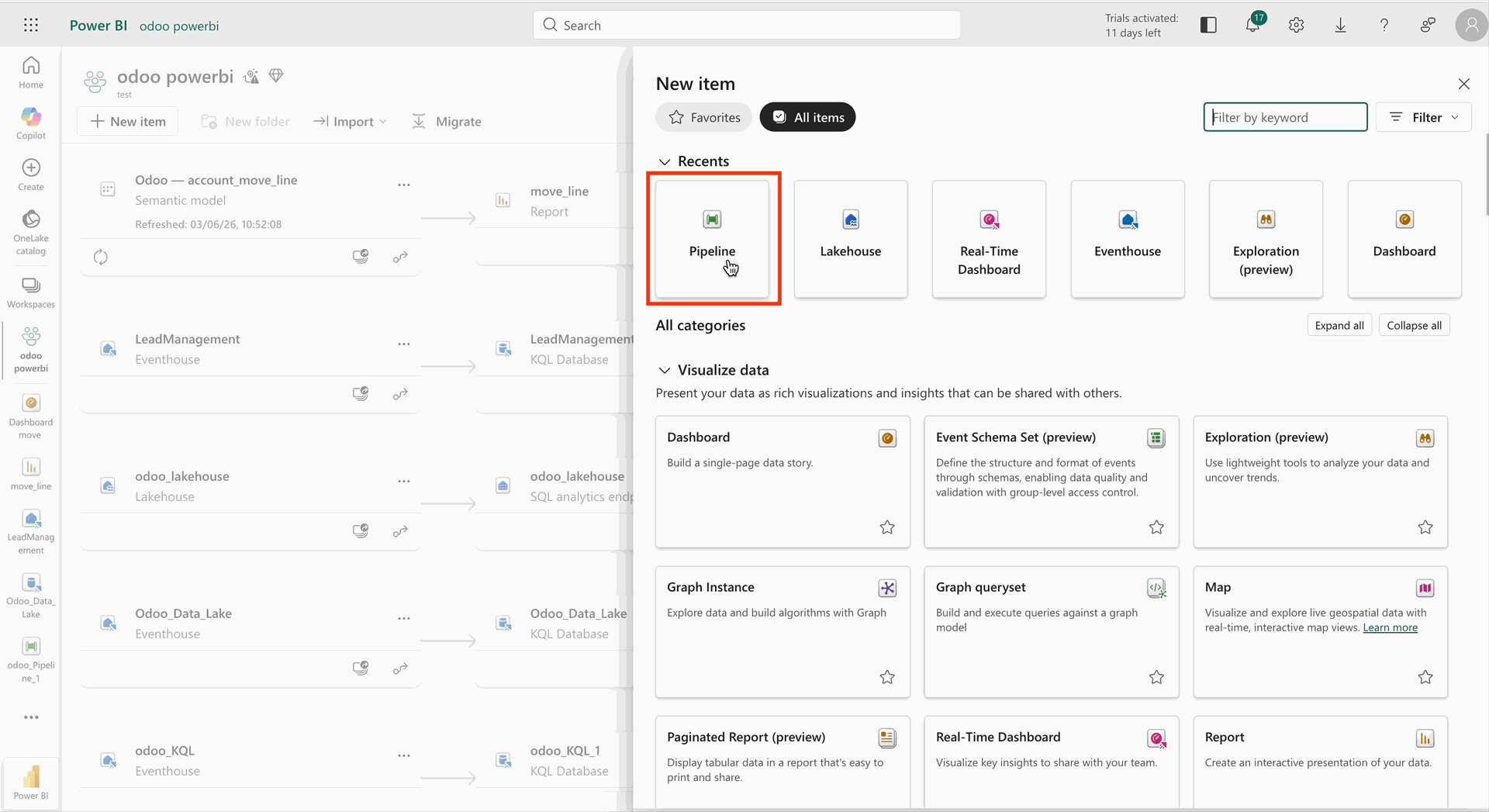
Open the Fabric Configuration form view and navigate to the Pipeline Runs tab to monitor and review the execution history and status of Microsoft Fabric pipeline runs.
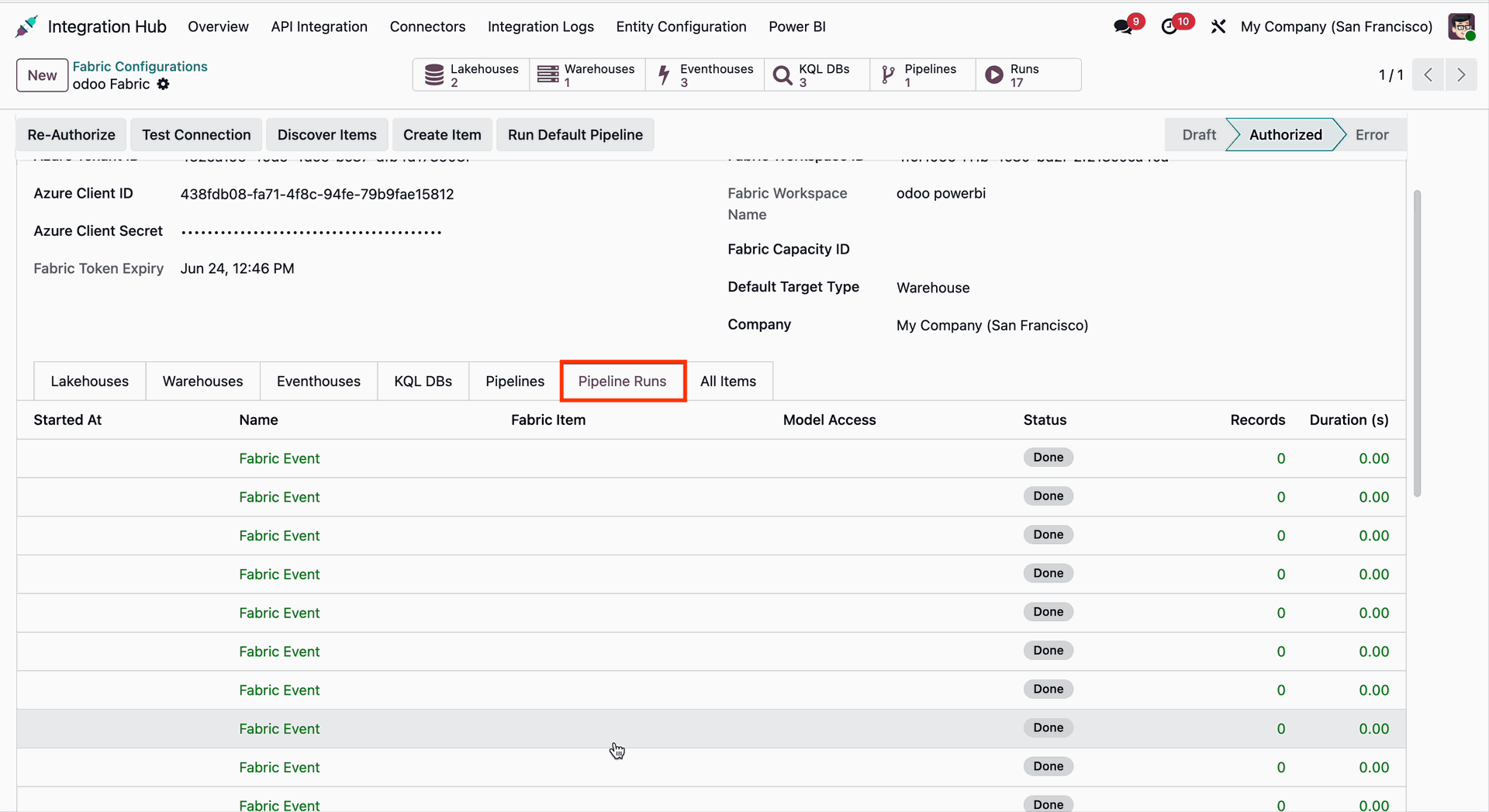
Open the Fabric Configuration form view and navigate to the All Items tab to view and manage all Microsoft Fabric resources associated with the configured workspace.
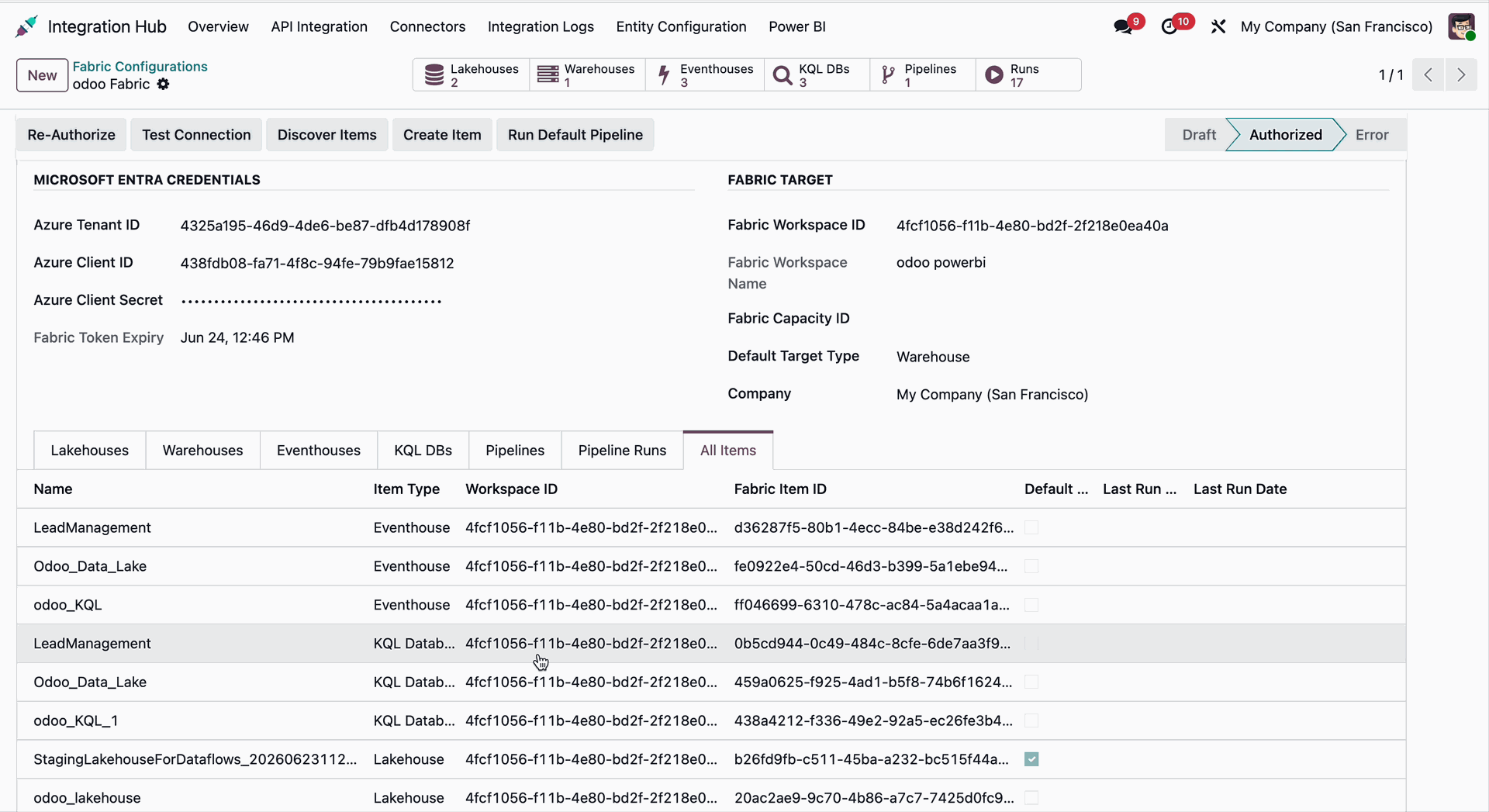
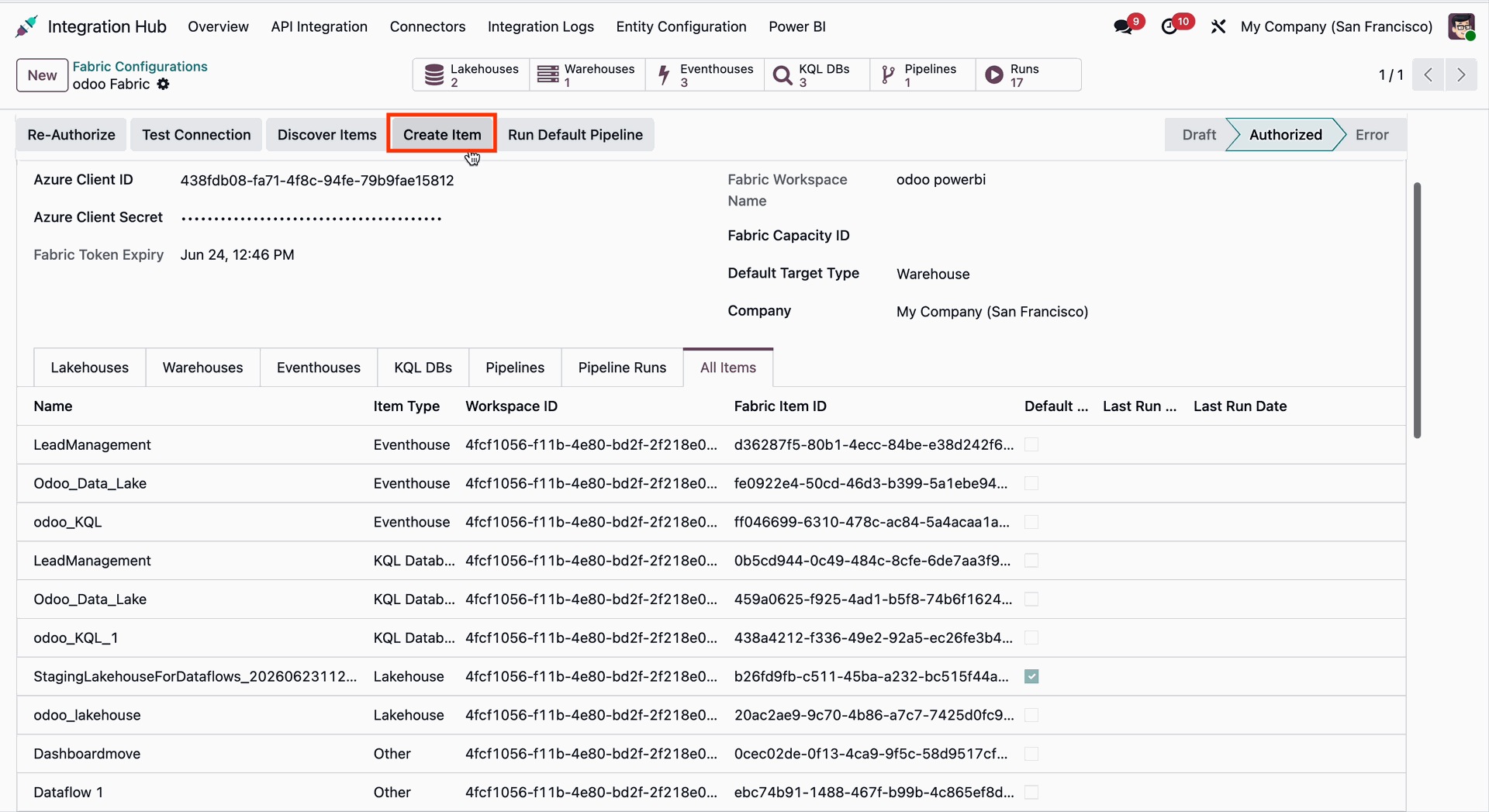
Click the Create Item button from the Fabric Configuration form in Odoo to create a new Microsoft Fabric item directly from the configured workspace.
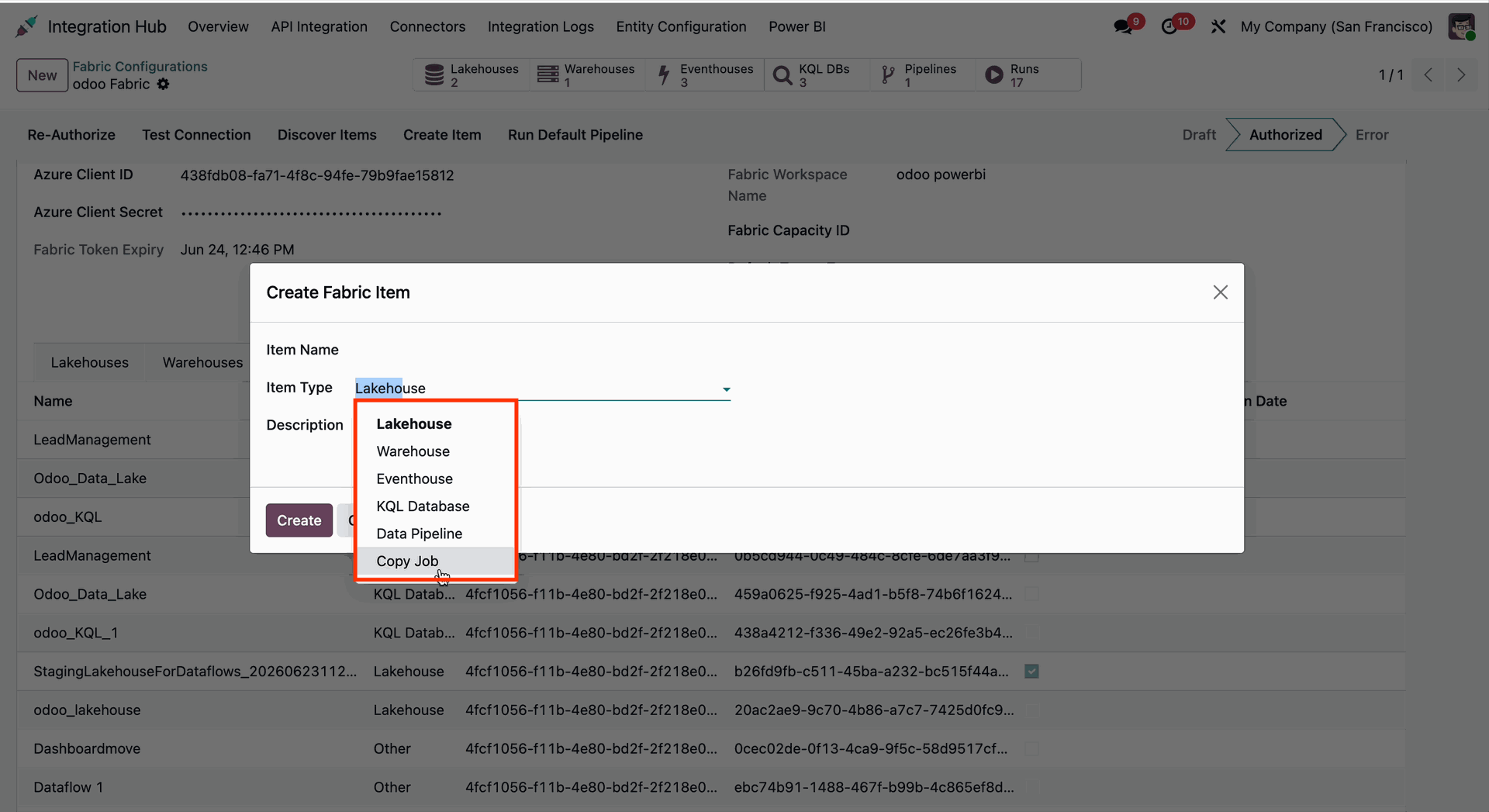
The Create Fabric Item wizard will open. Select the desired Item Type, provide the required details, and proceed to create the Microsoft Fabric resource.
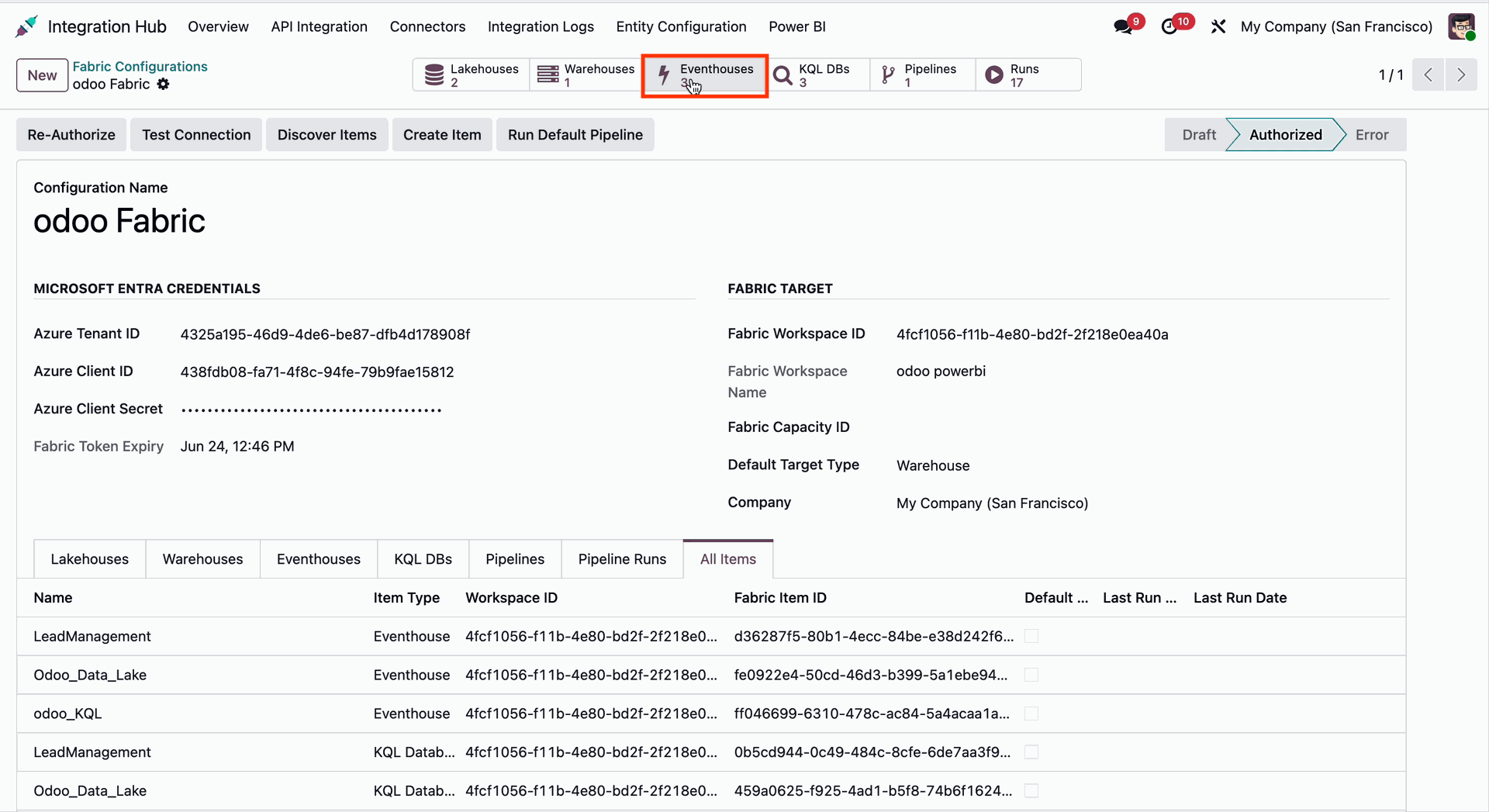
Click the Eventhouse smart button from the Fabric Configuration form in Odoo to open and manage the linked Microsoft Fabric Eventhouse records.
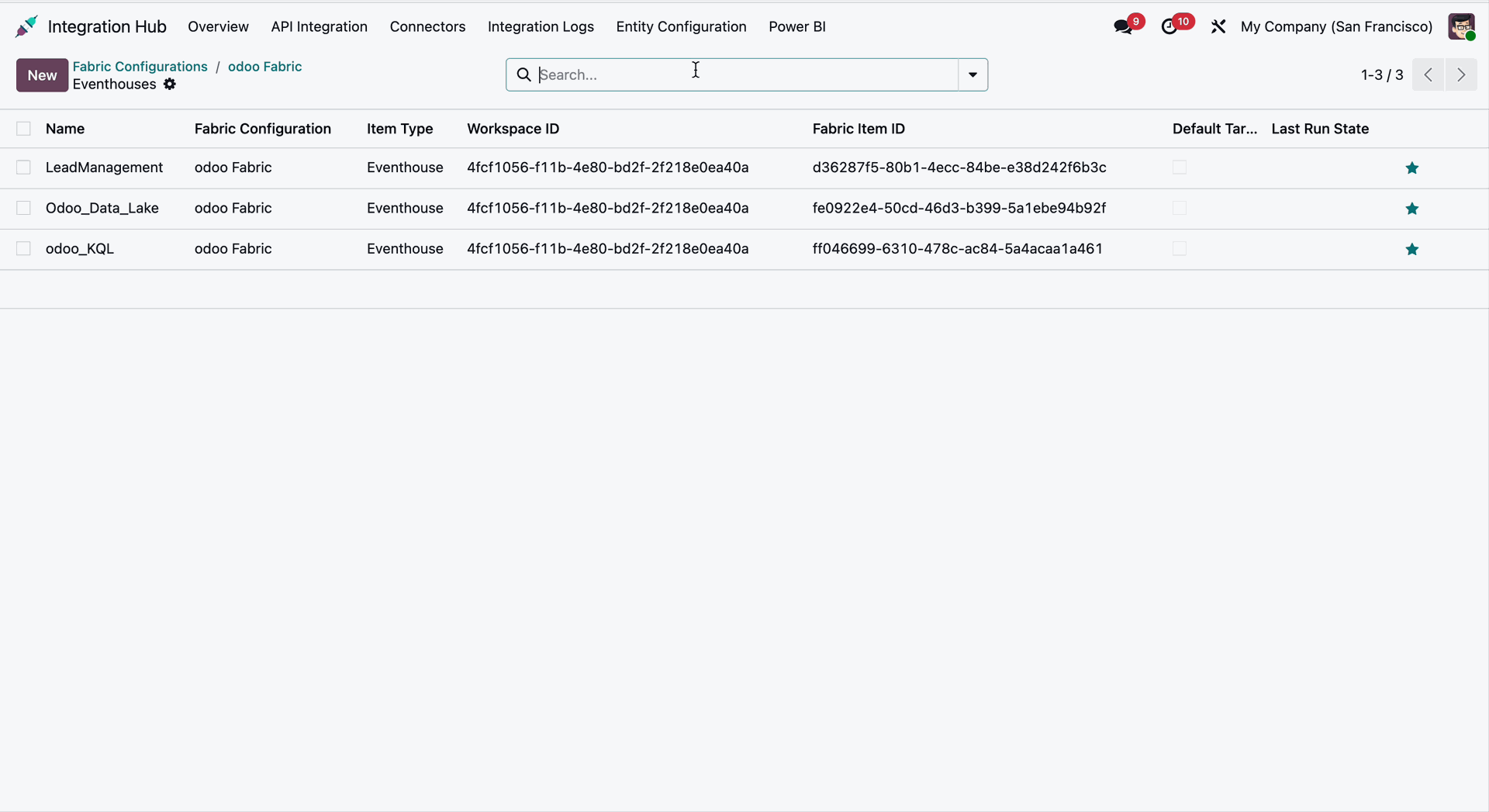
The Eventhouses List View displays all synchronized Microsoft Fabric Eventhouses
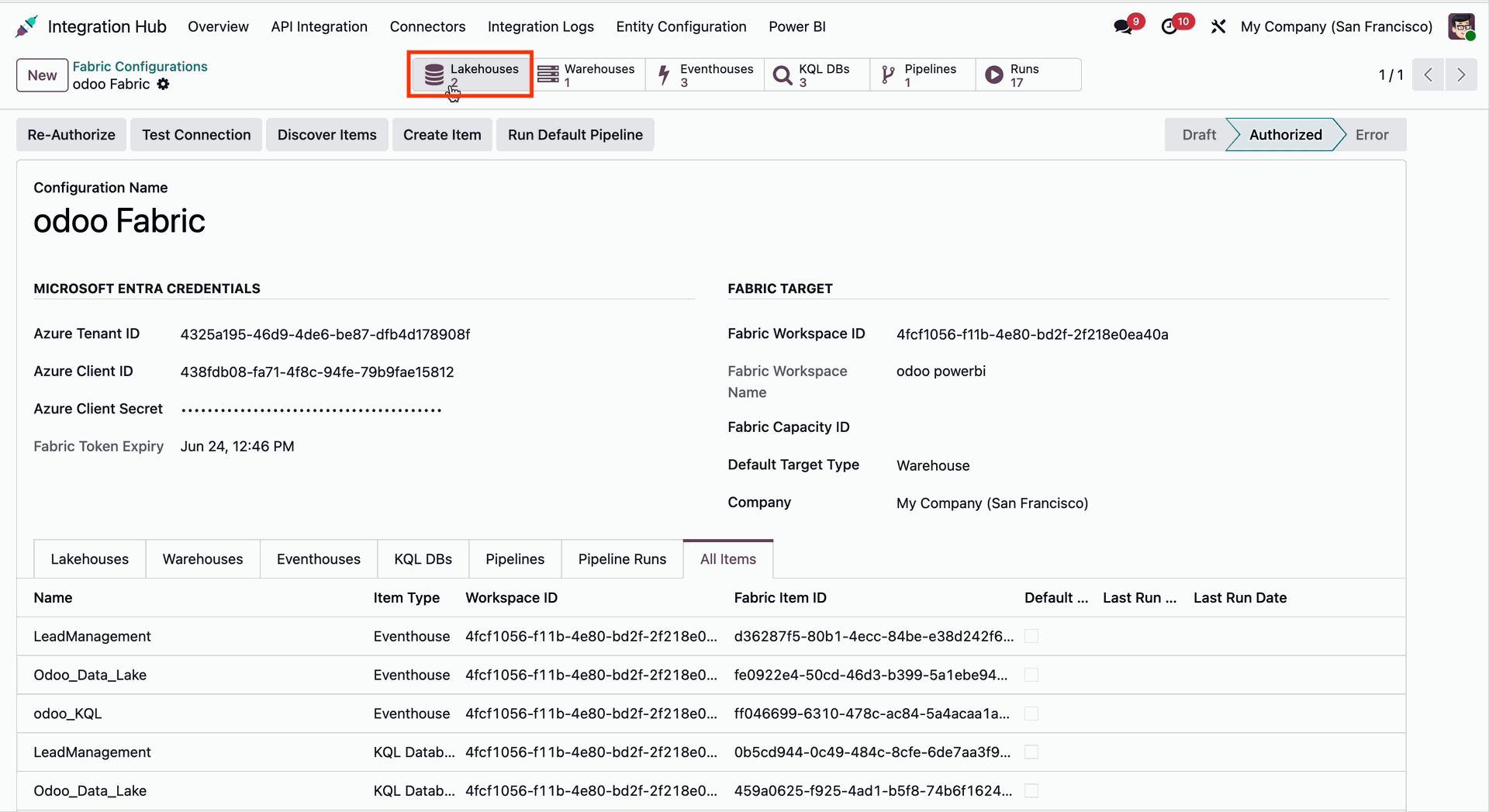
Click on the Lakehouses smart button from the Fabric Configuration form in Odoo.
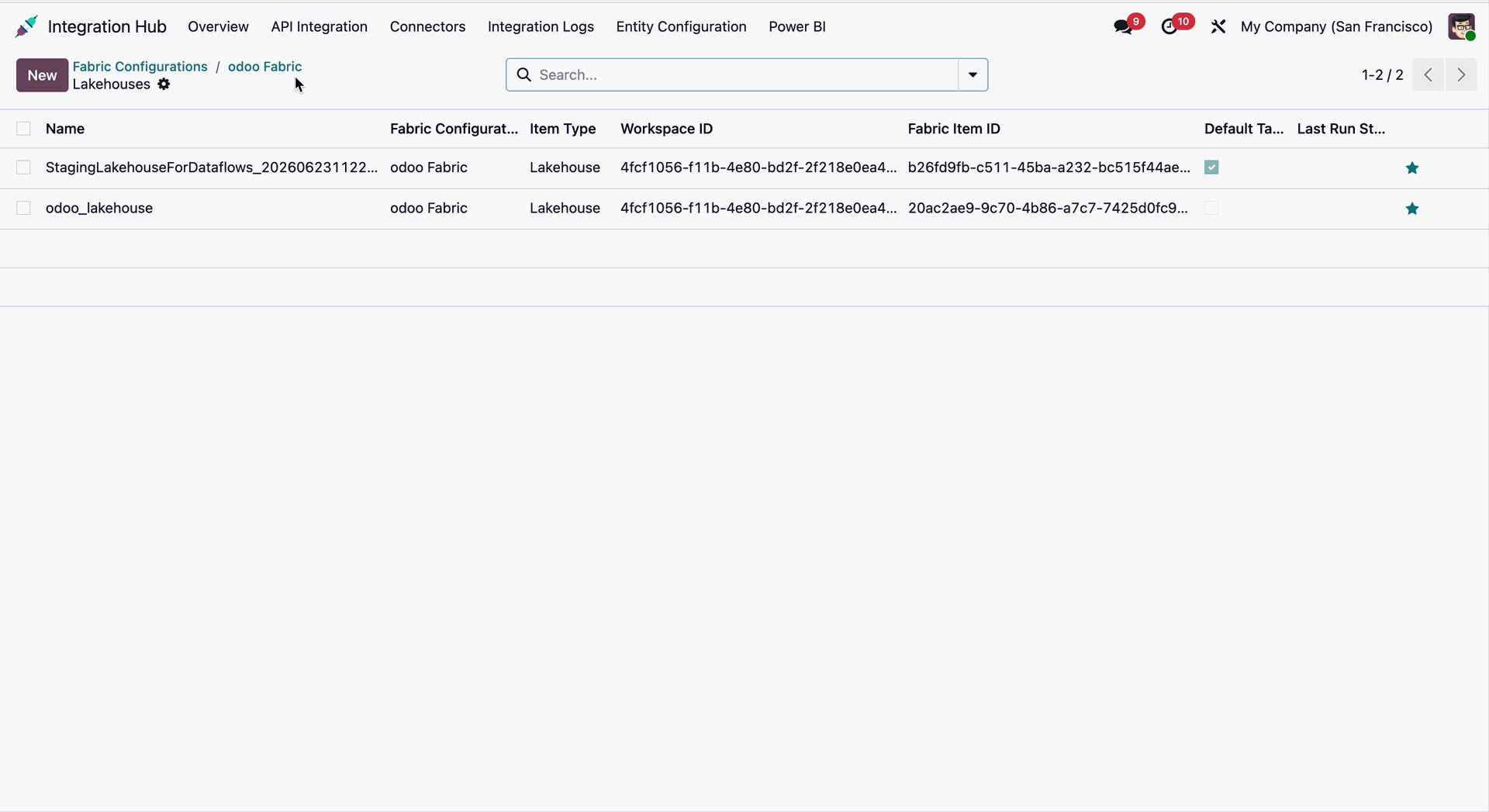
The Lakehouses List View displays all synchronized Microsoft Fabric Lakehouses.
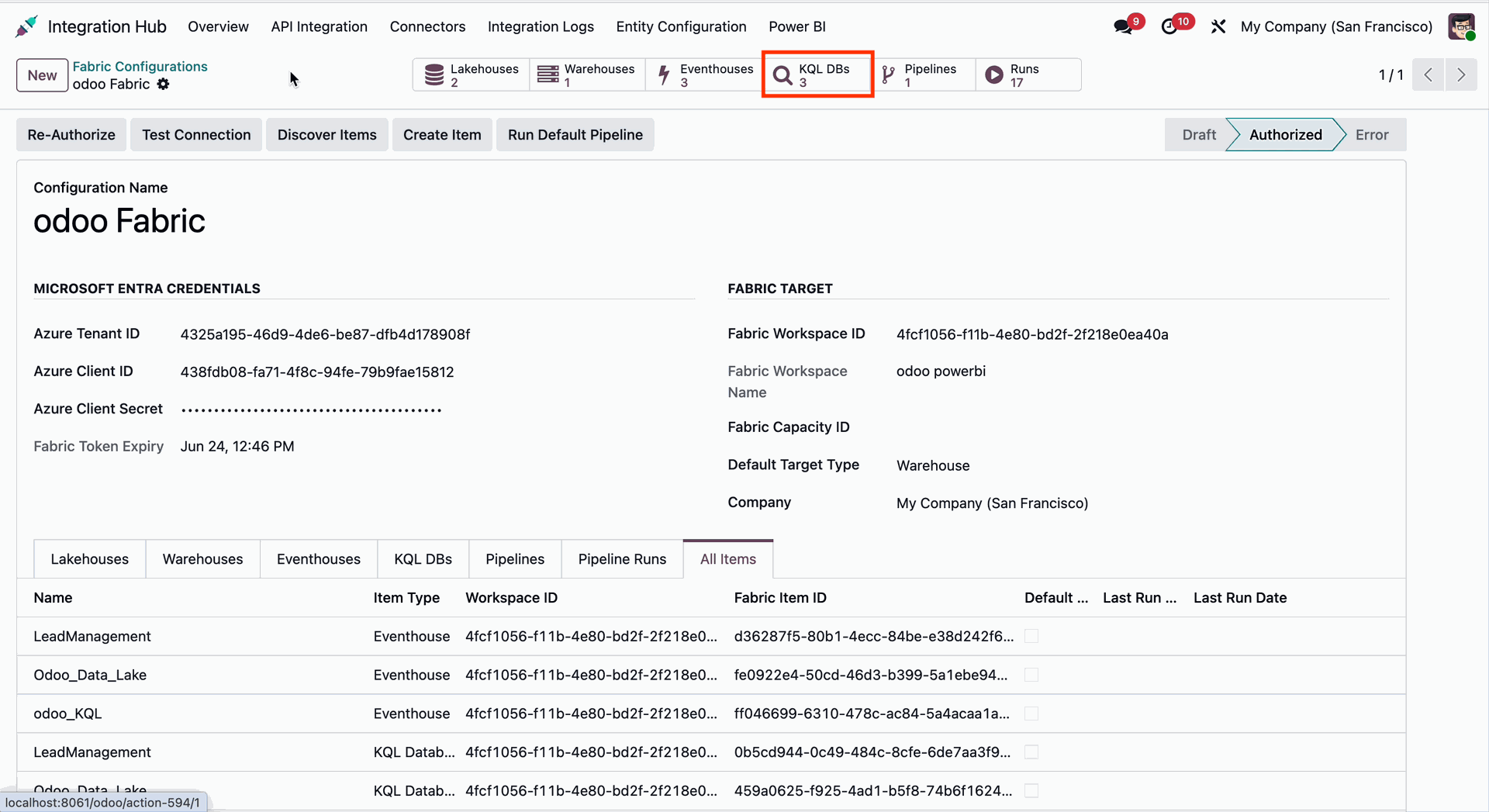
Click on the KQL DBs smart button from the Fabric Configuration form in Odoo.
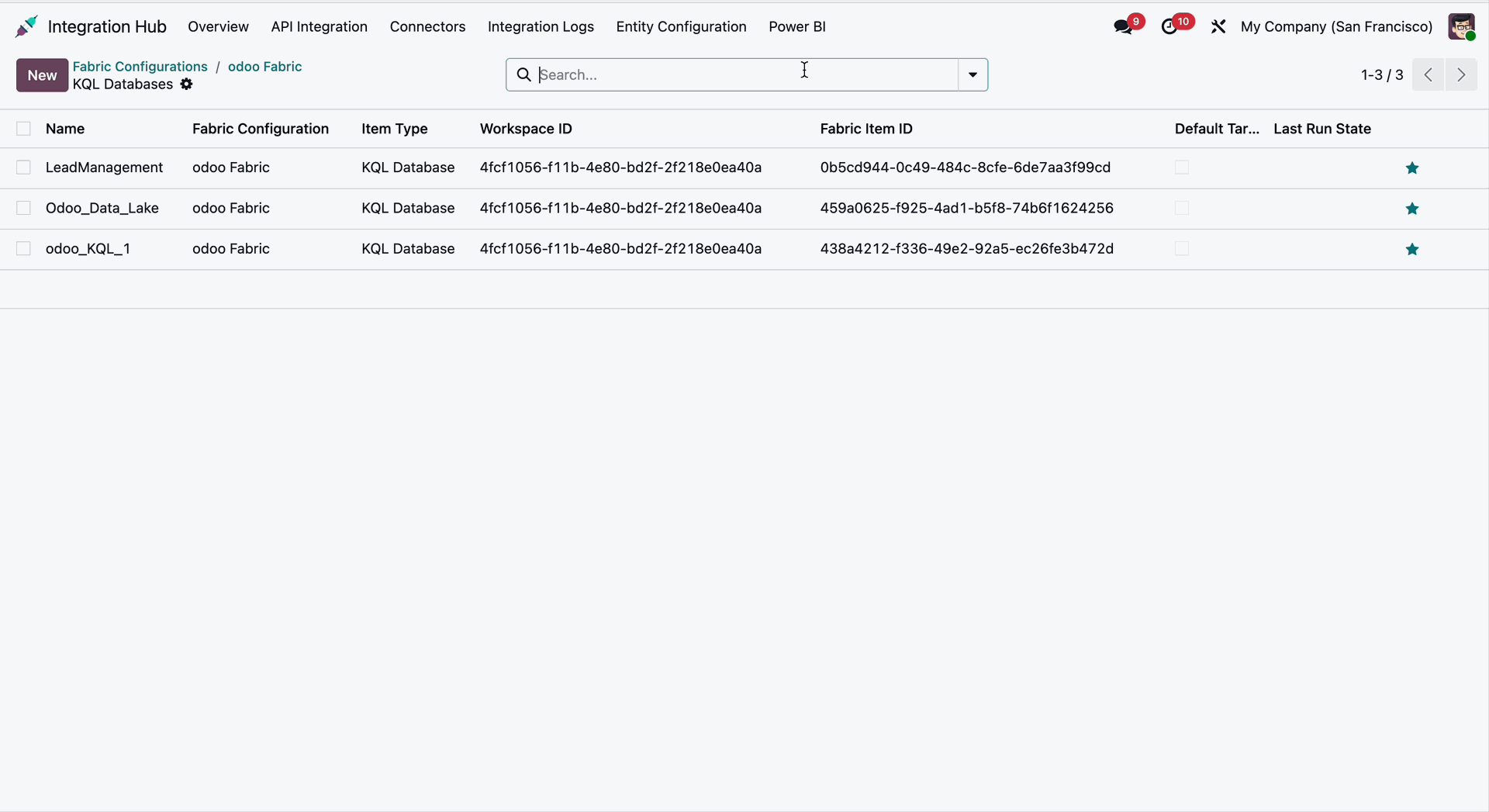
The KQL DBs List View displays all synchronized Microsoft Fabric KQL databases.
Click on the Pipeline smart button from the Fabric Configuration form in Odoo.
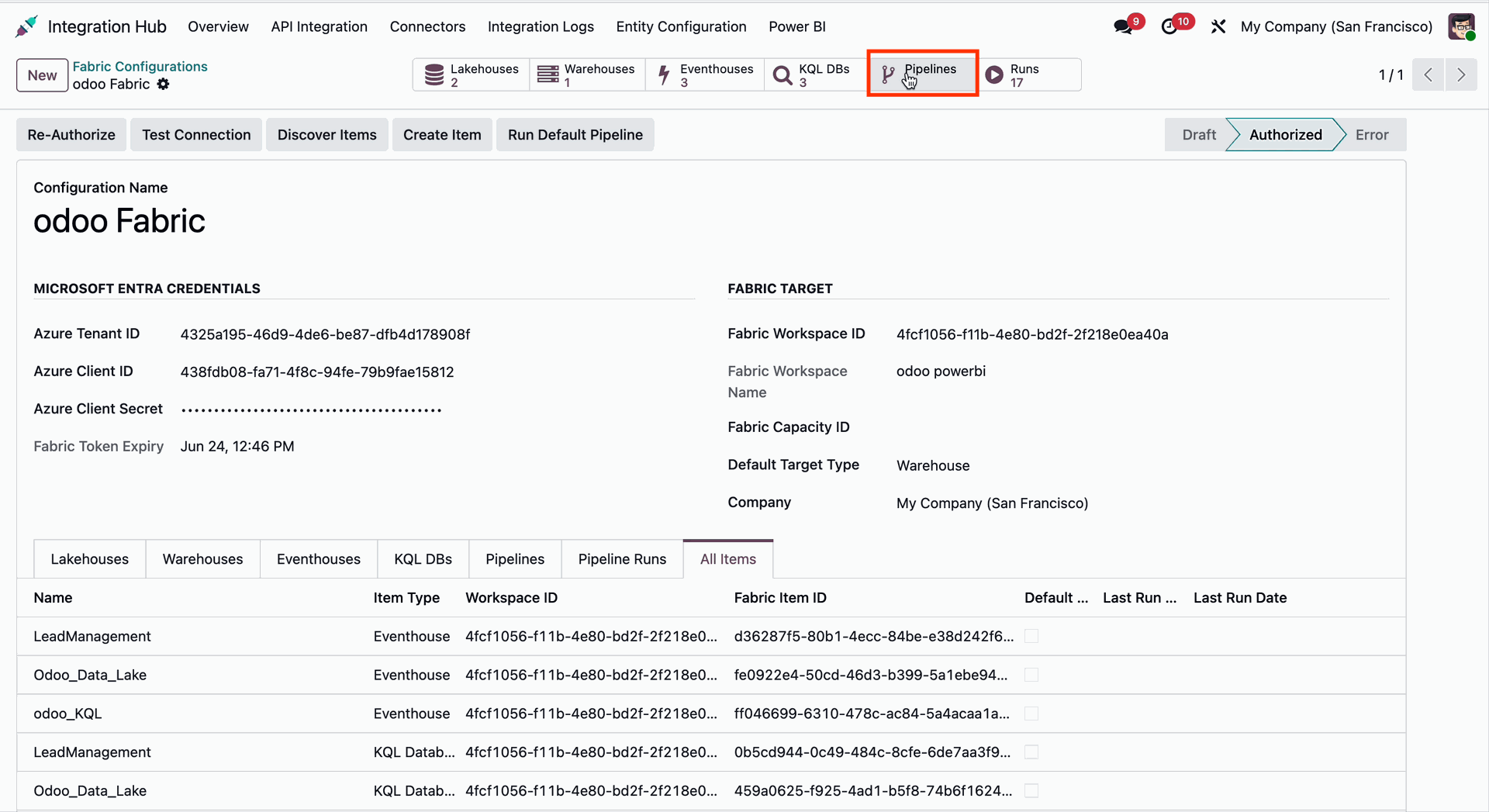
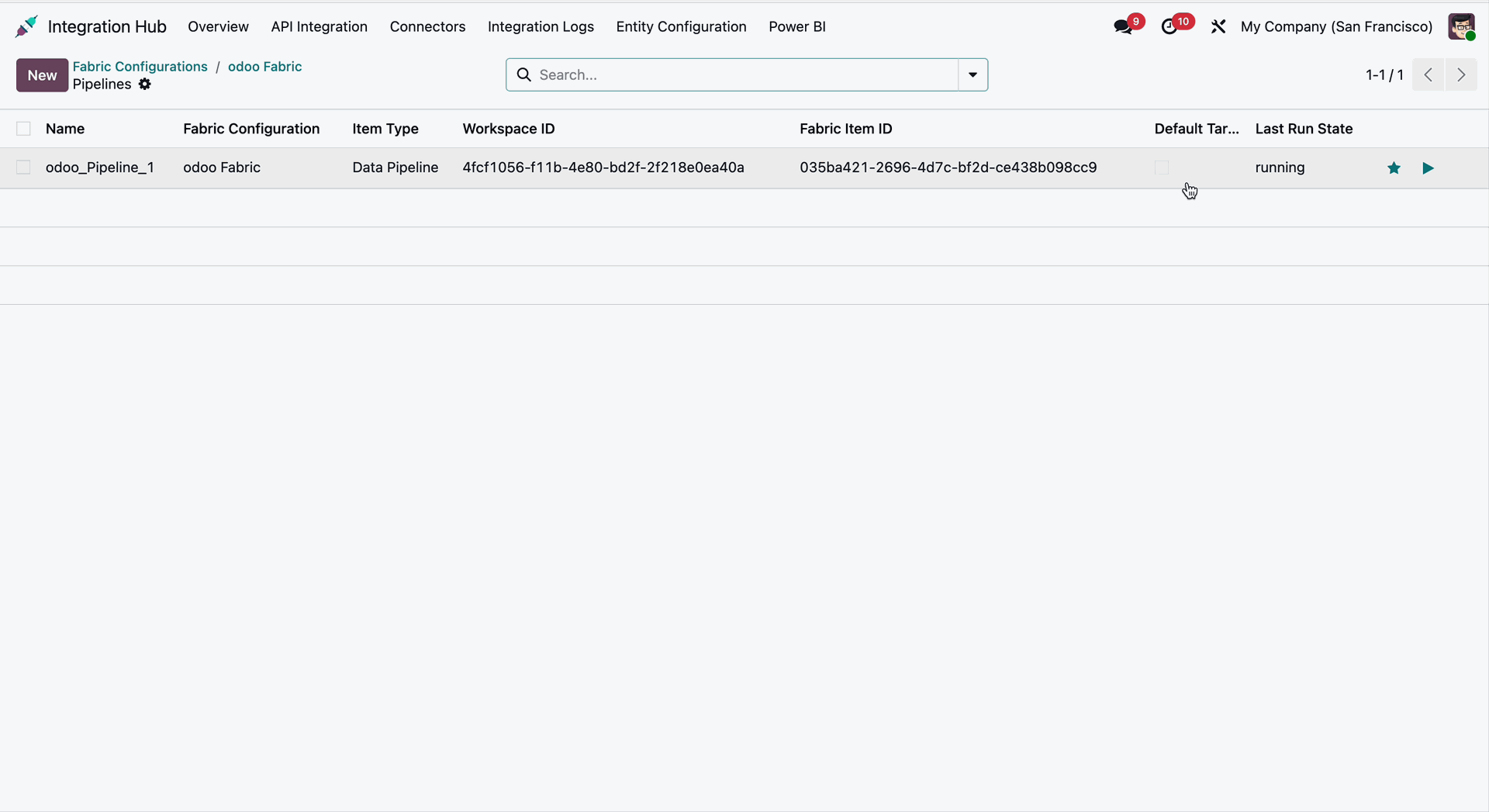
The Pipelines List View displays all synchronized Microsoft Fabric pipelines.
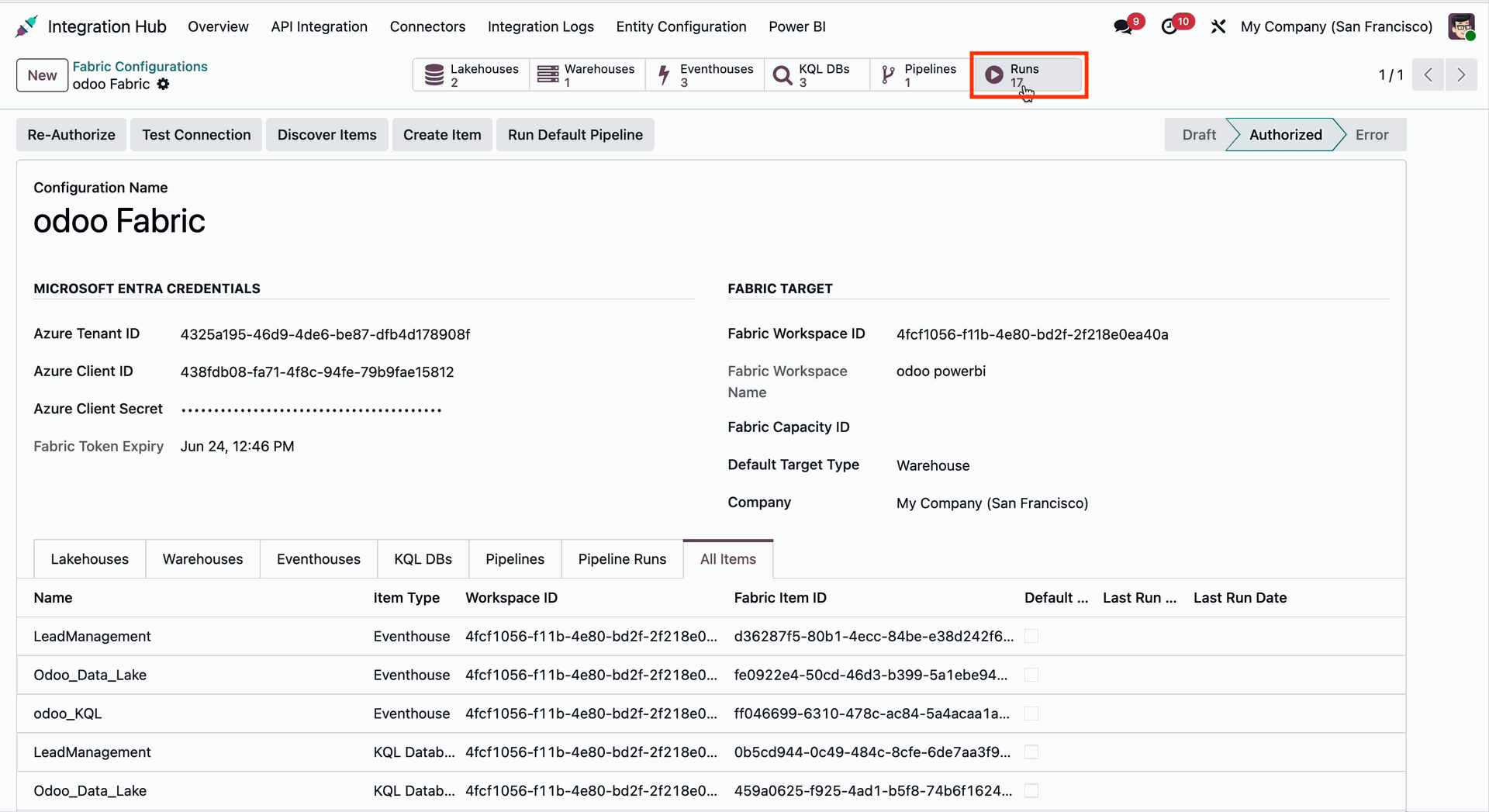
Click on the Runs smart button from the Fabric Configuration form in Odoo.
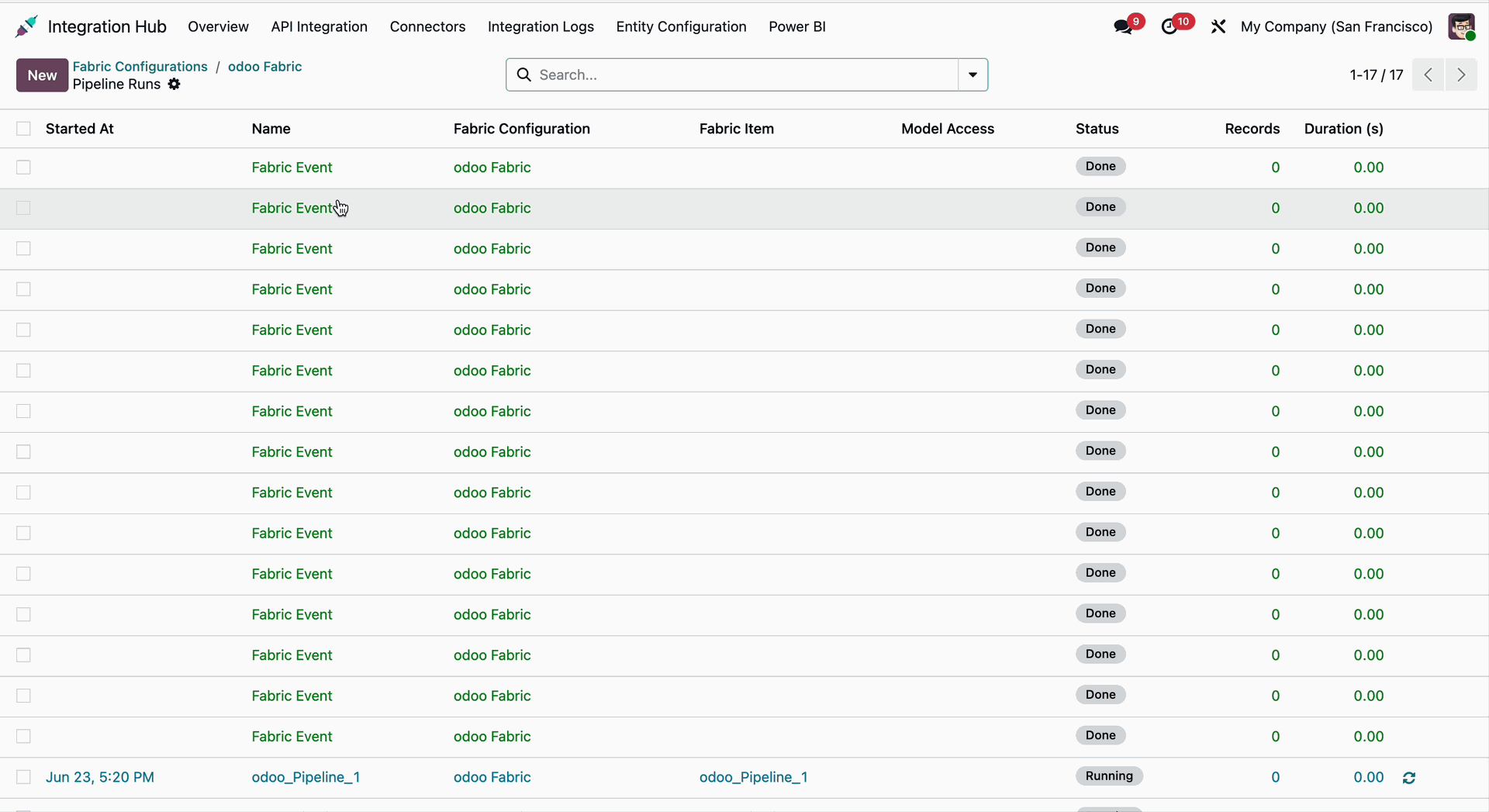
It will open the Pipeline Runs List View.
Click on the Fetch Dataset button from the Power BI Workspace form view in Odoo. The fetched datasets will be visible through the Dataset smart button, and the synchronization log history will be available under the Dataset tab.
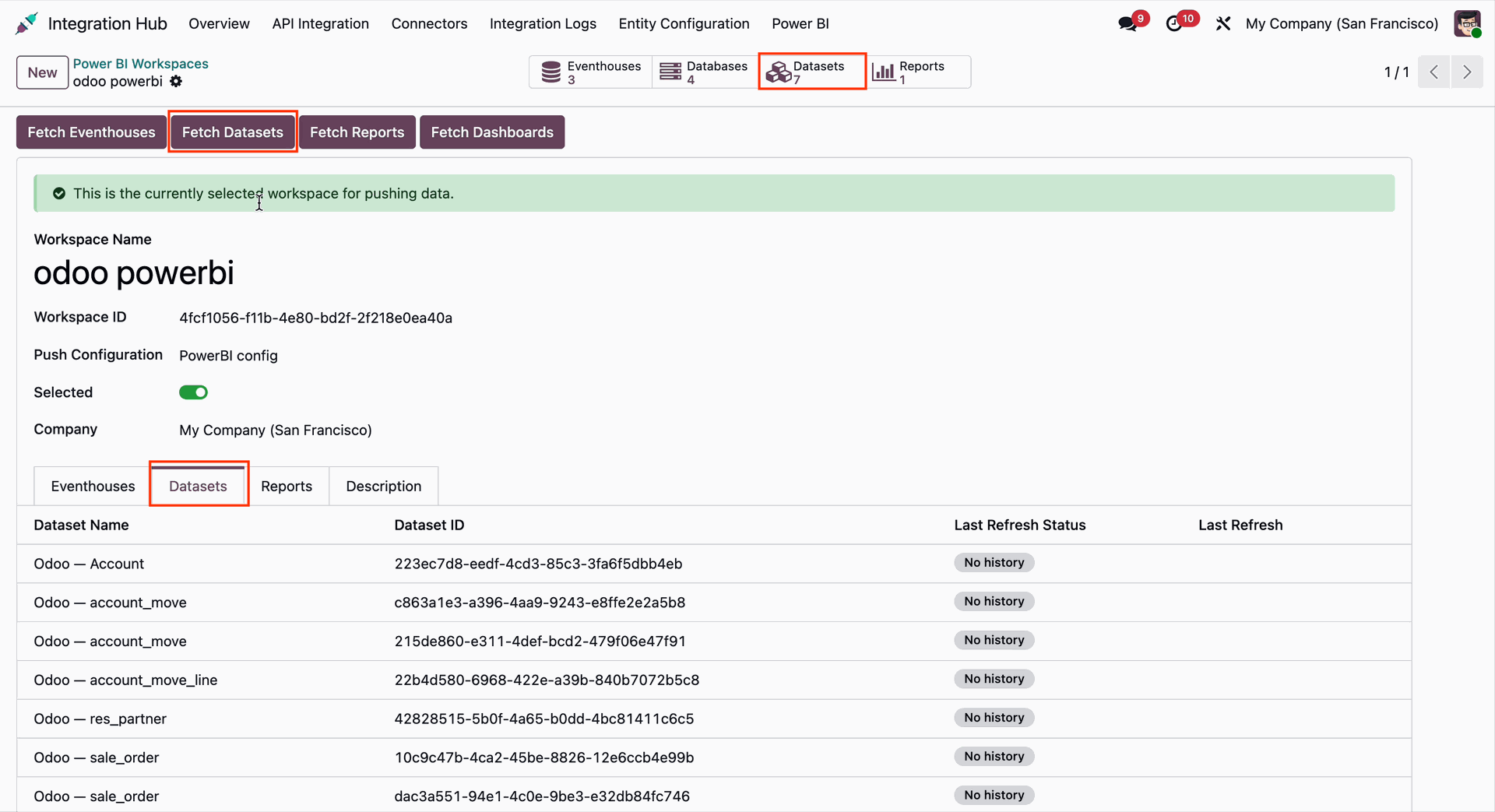
The same dataset name fetched from the Power BI app will be displayed in Odoo under the Dataset tab.
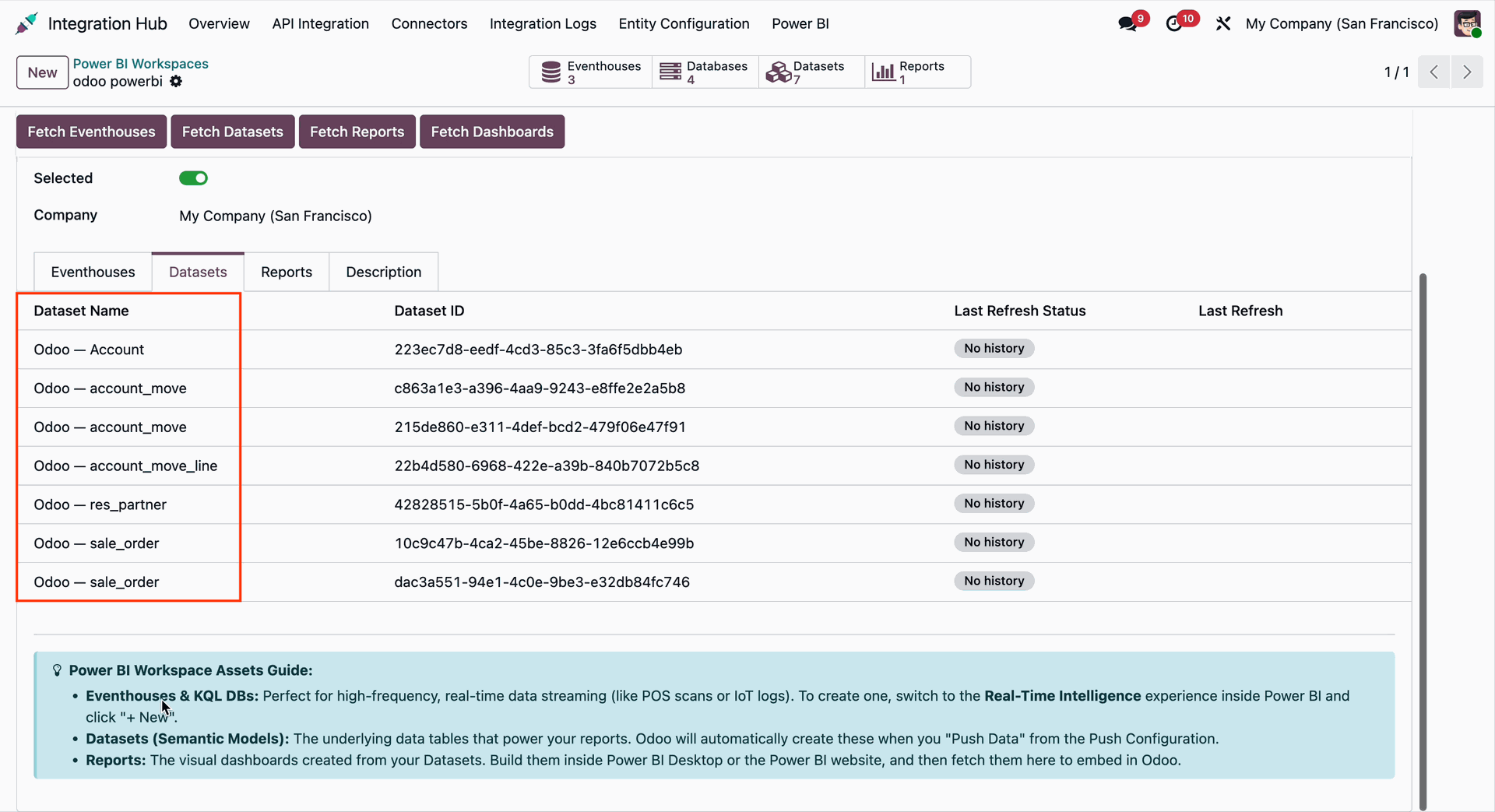
The Power BI App Dataset Names are the same as the fetched datasets displayed in Odoo.
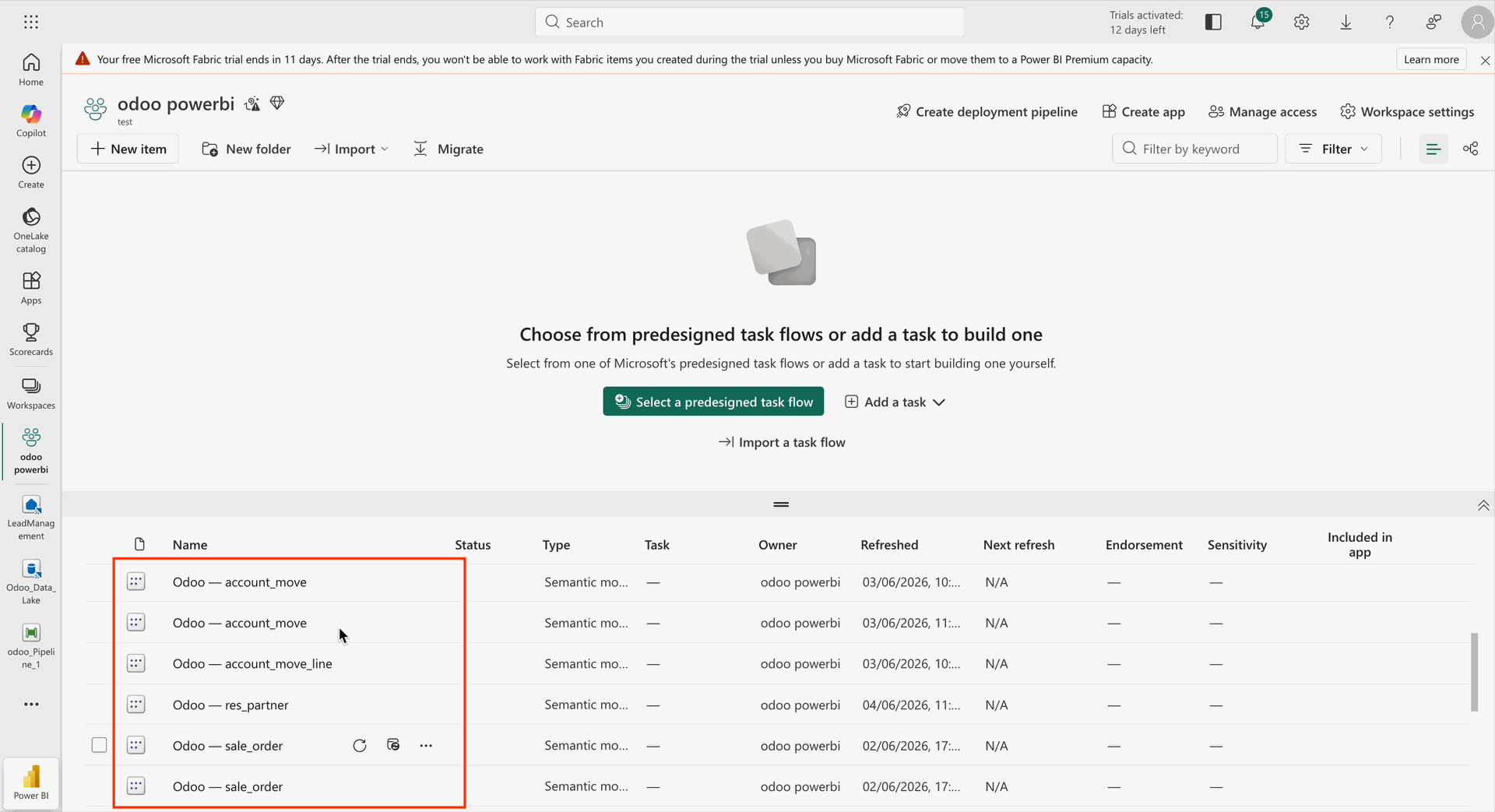
Go to the Power BI Workspace in Odoo from the Integration Hub under the Power BI menu.
Click on the Fetch Eventhouses button from the Power BI Workspace form in Odoo.
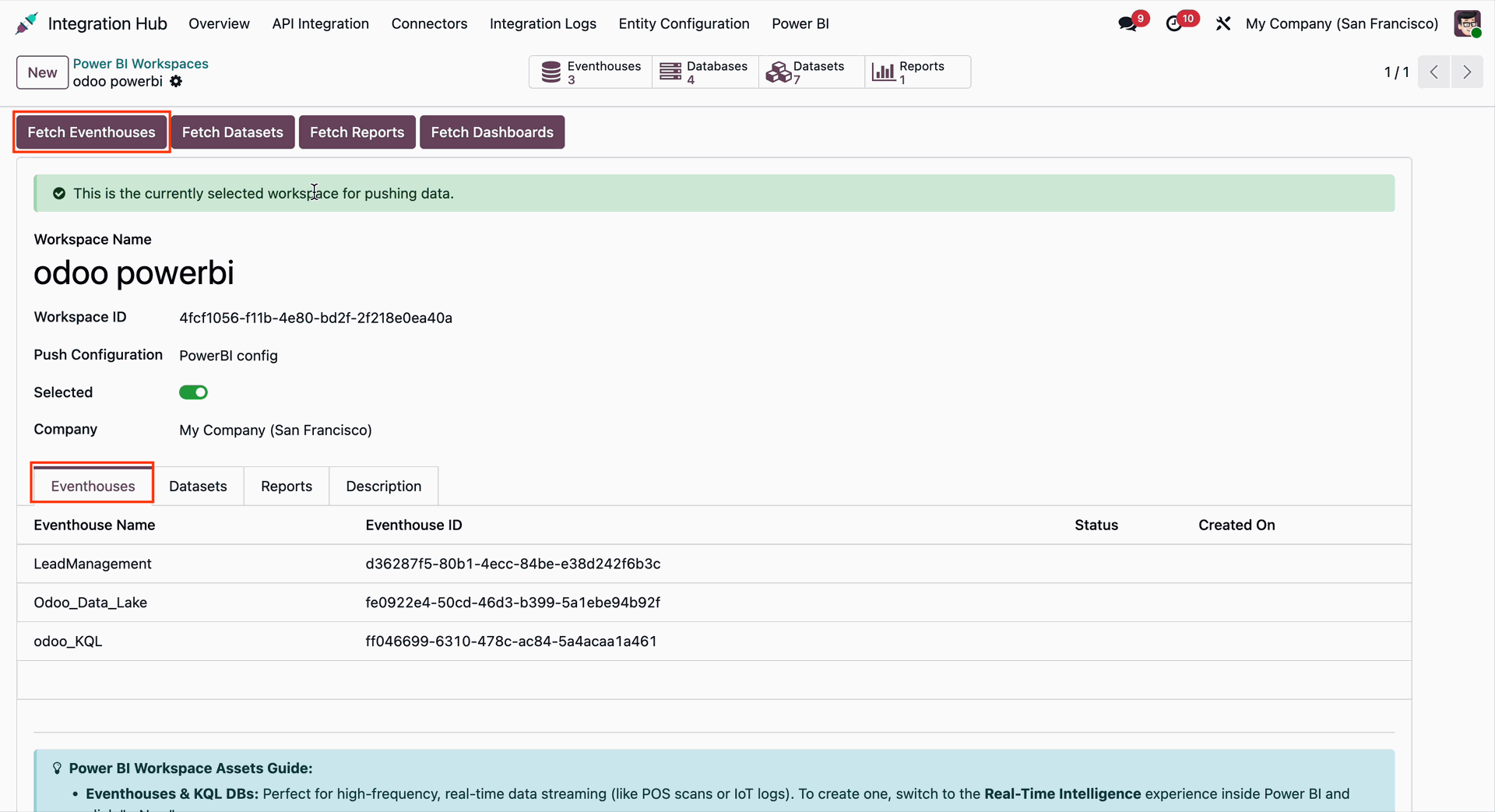
The fetched Eventhouses with their Eventhouse IDs will be visible under the Eventhouse tab.
The Power BI Workspace Guide will also be visible.
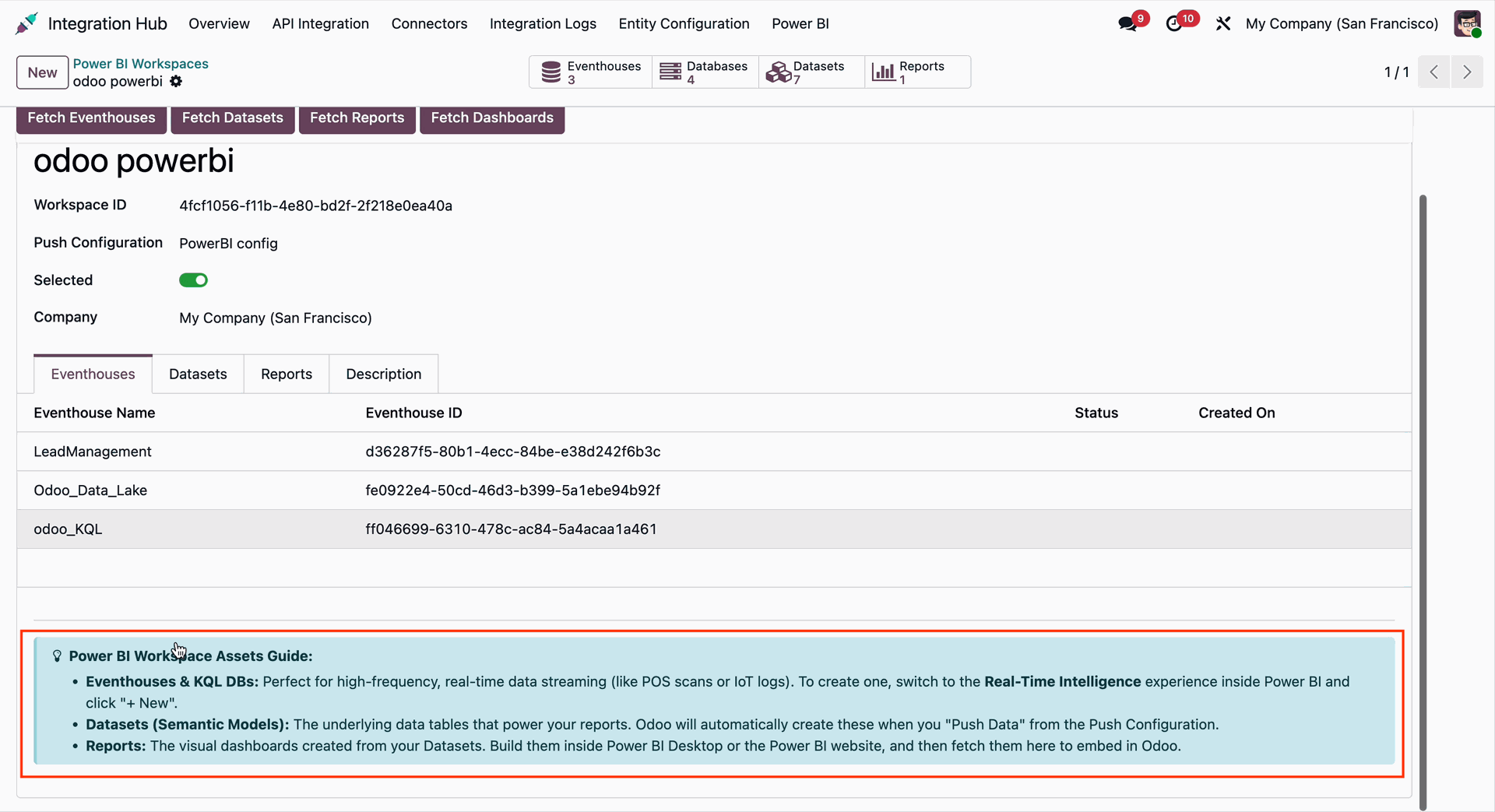
Go to the Power BI app and select Lead Management.
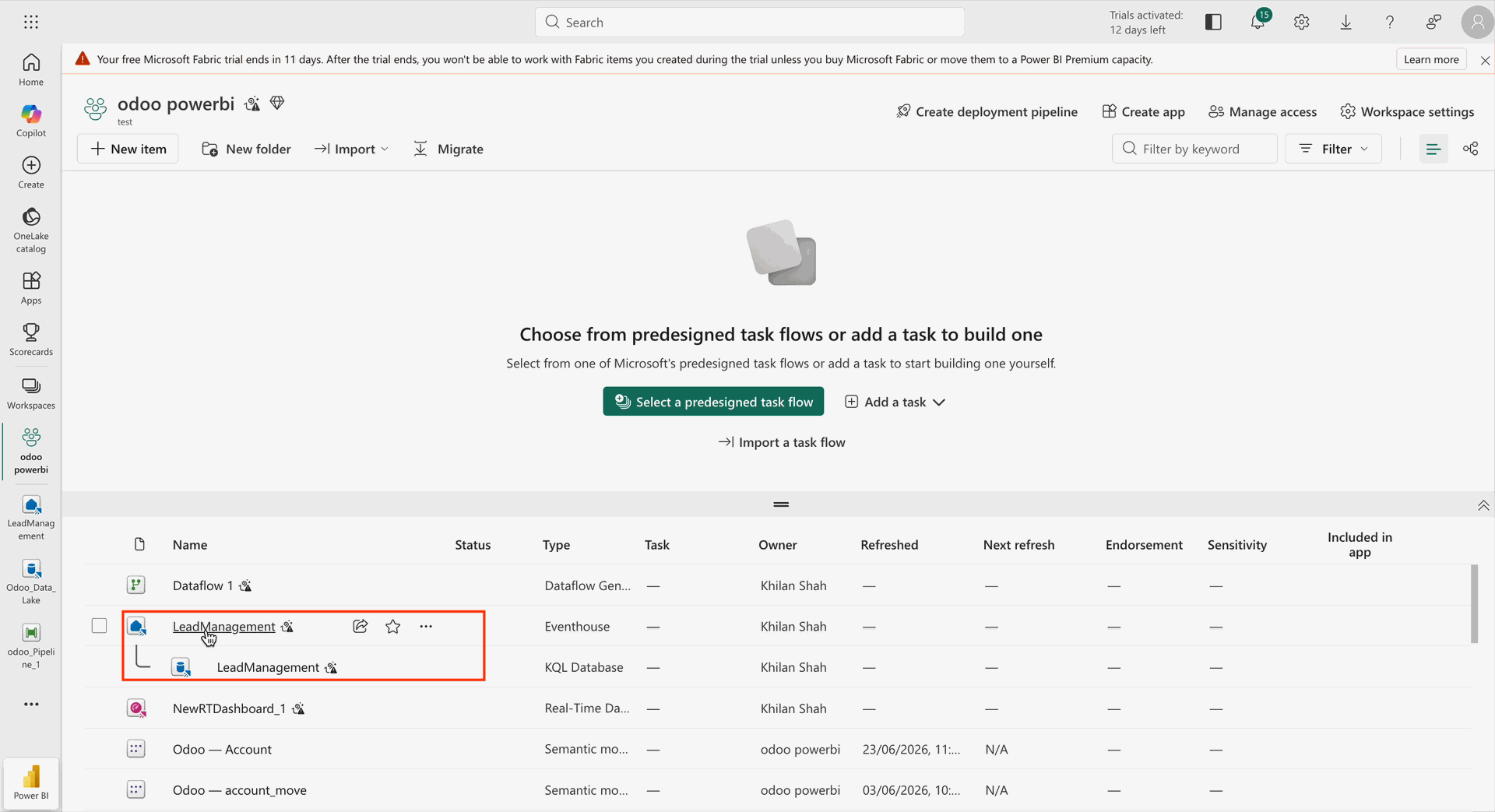
Go to the Power BI app and select Odoo_KQL.
Go to the Reports tab from the Power BI Workspace in Odoo.
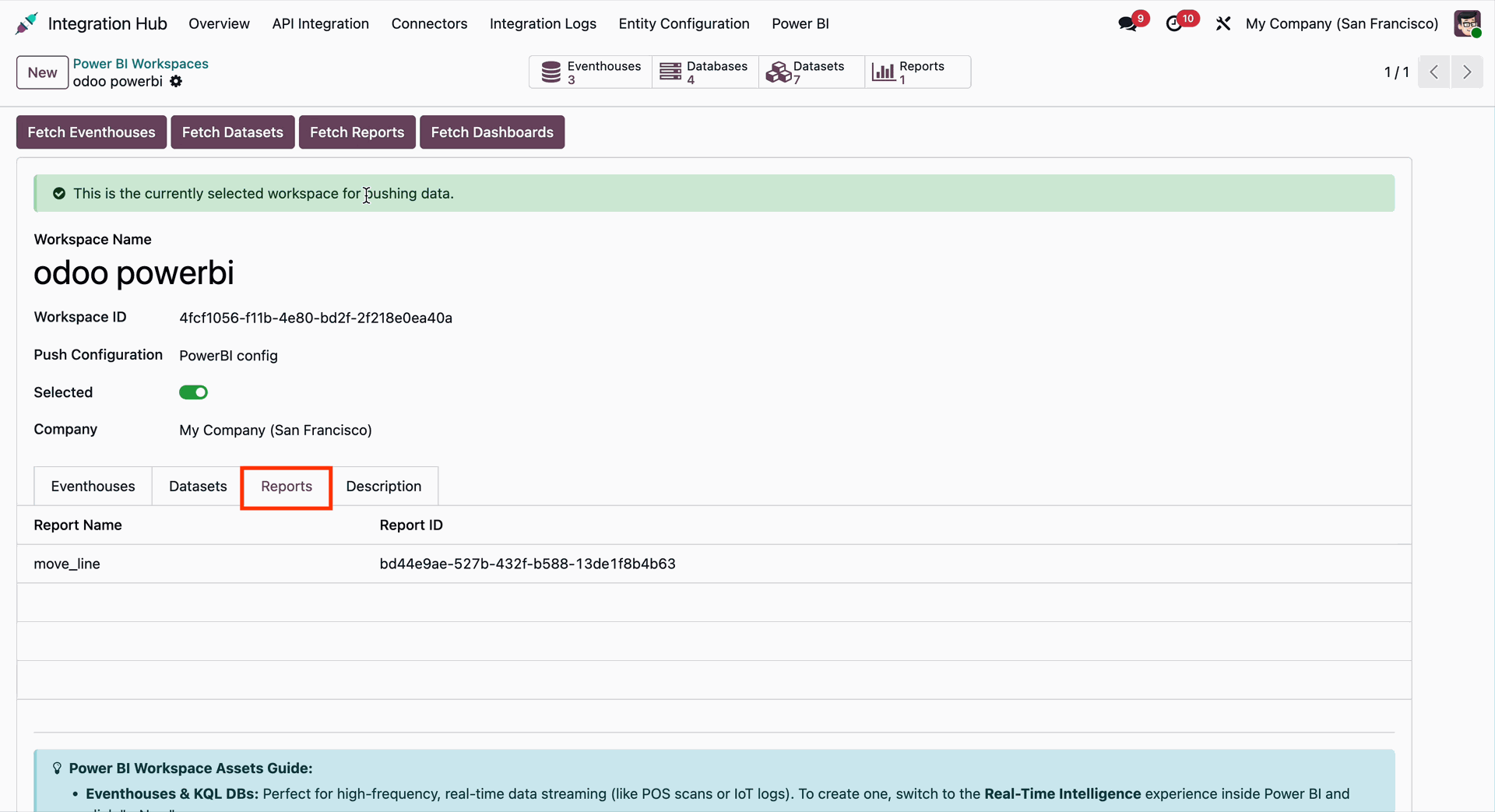
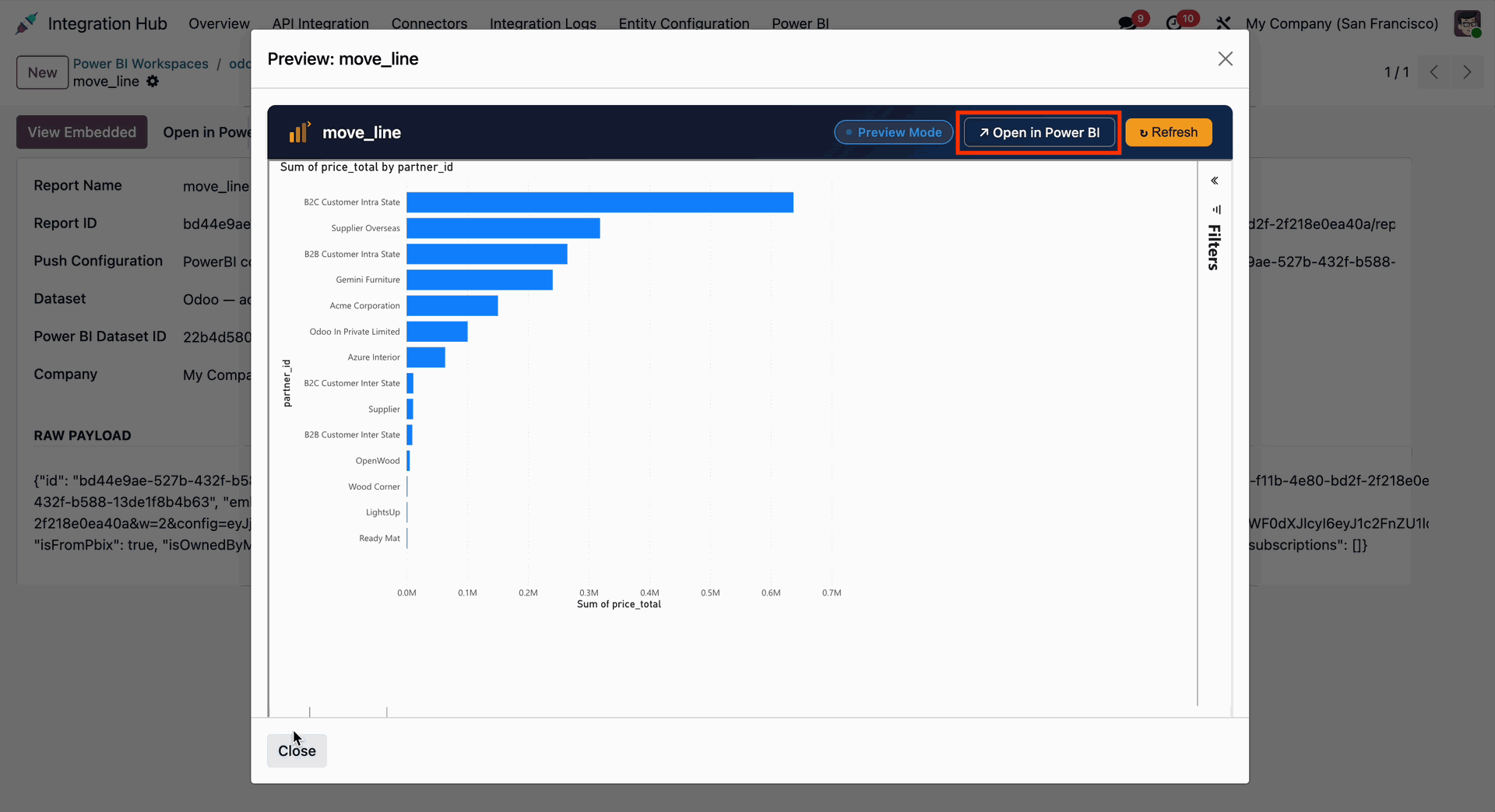
Open the fetched report in Odoo from the Power BI Workspace. The Report Preview will open. Click on Open in Power BI to view the report in the Power BI app.
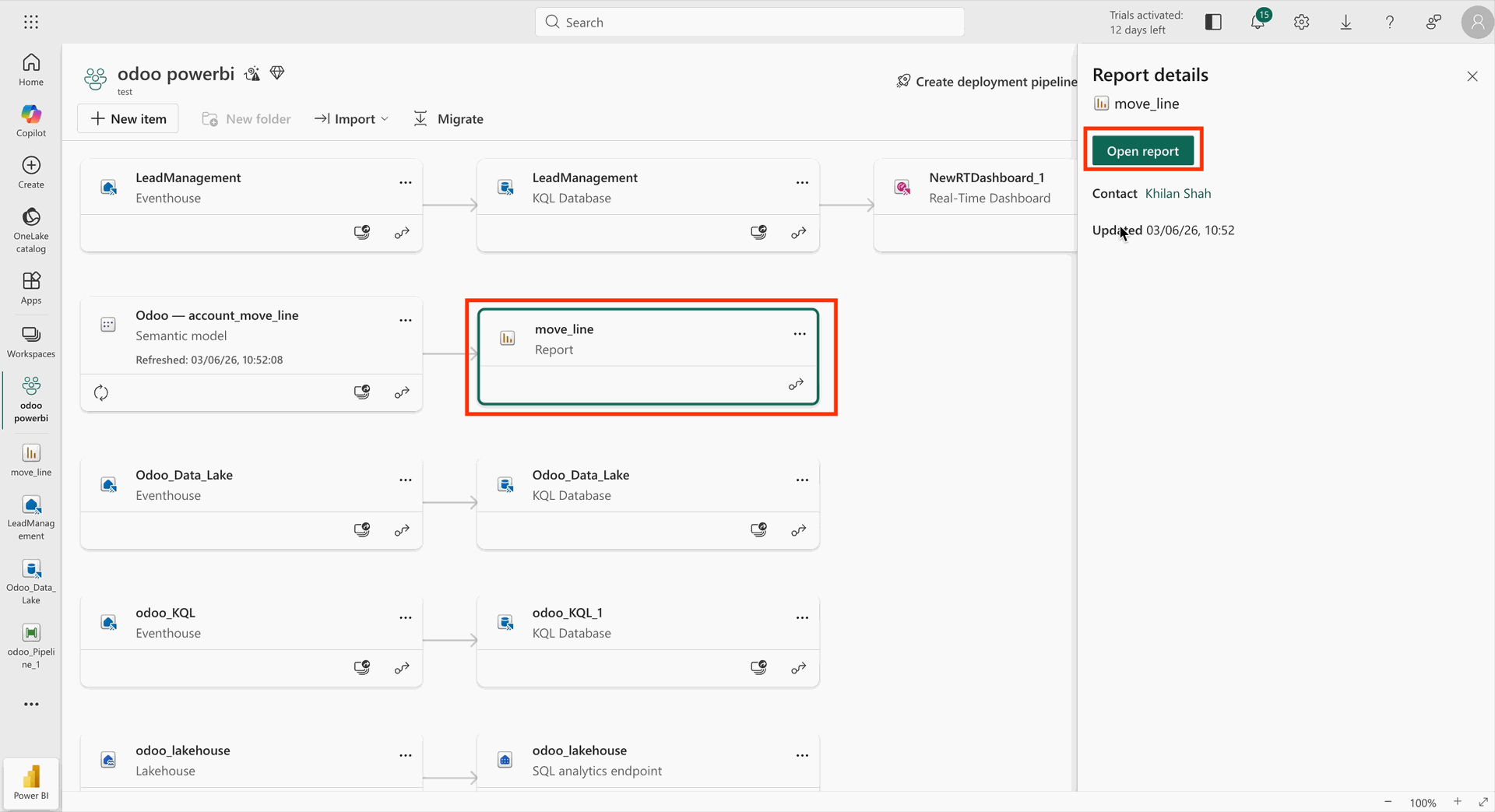
The Power BI app will display the synced reports from Odoo.
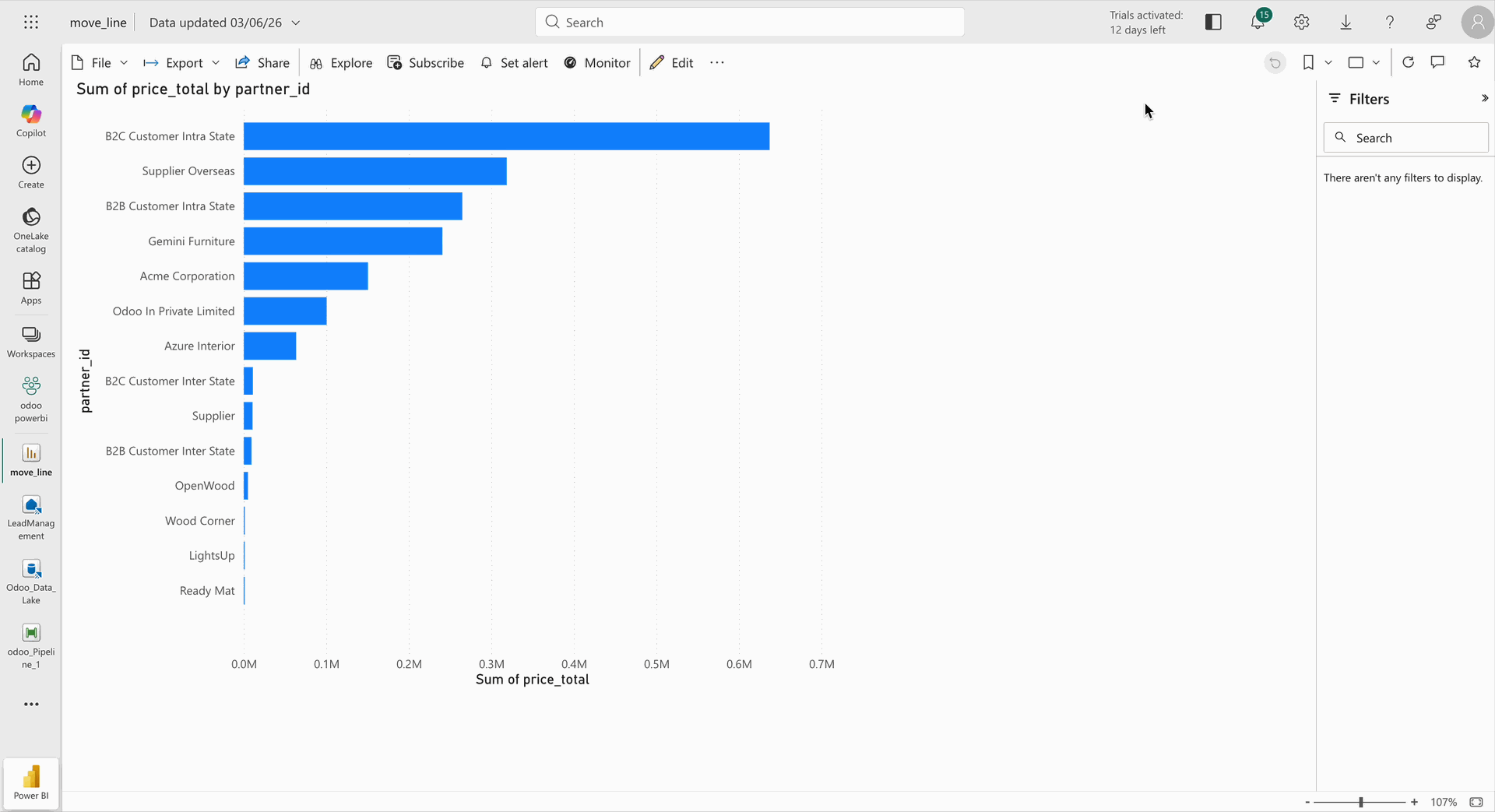
Open the same report in the Power BI app as displayed in Odoo.
Click on the Fetch Dashboard button from the Power BI Workspace in Odoo.
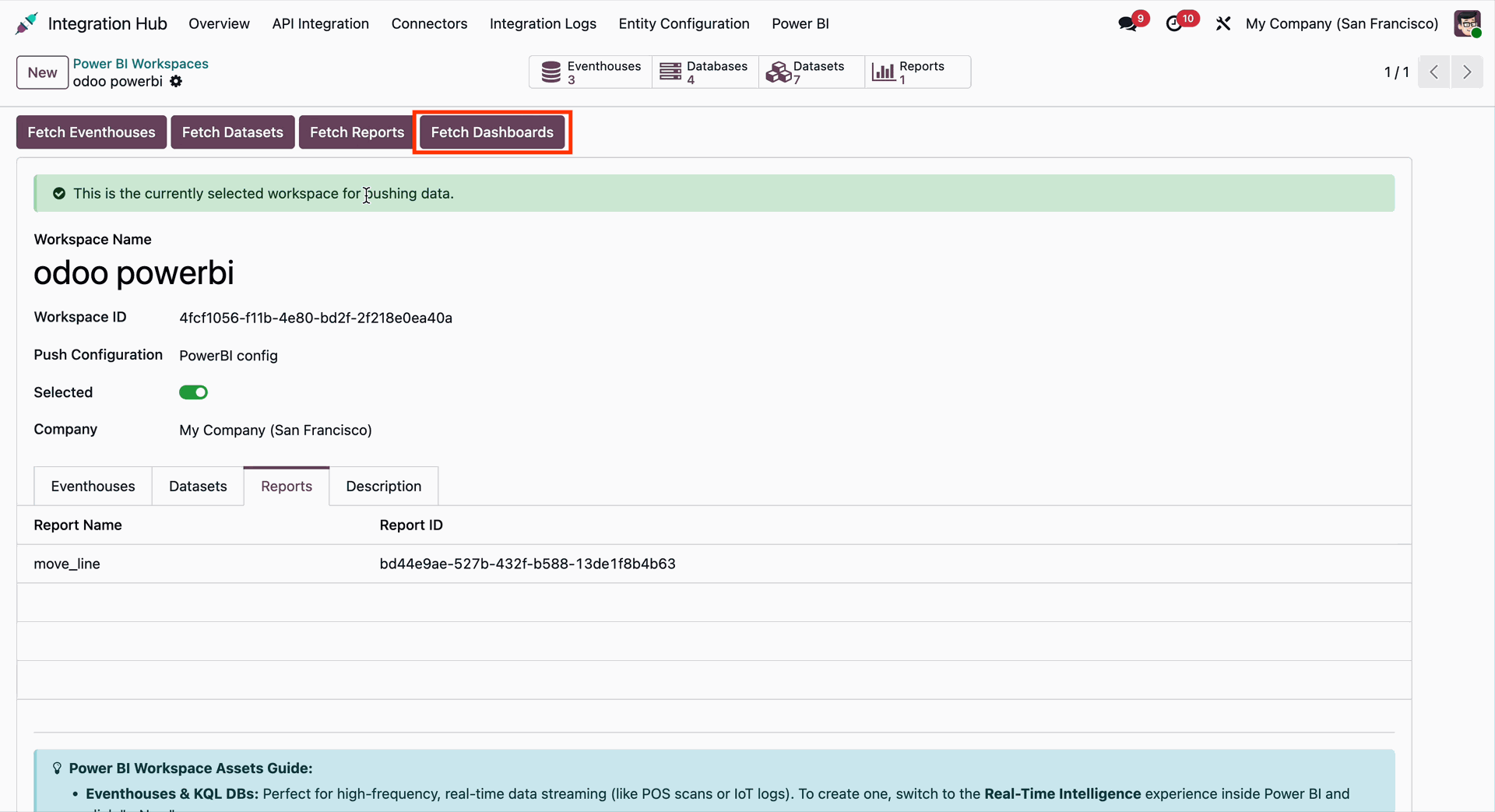
The fetched dashboard will be visible under the Dashboard smart button.
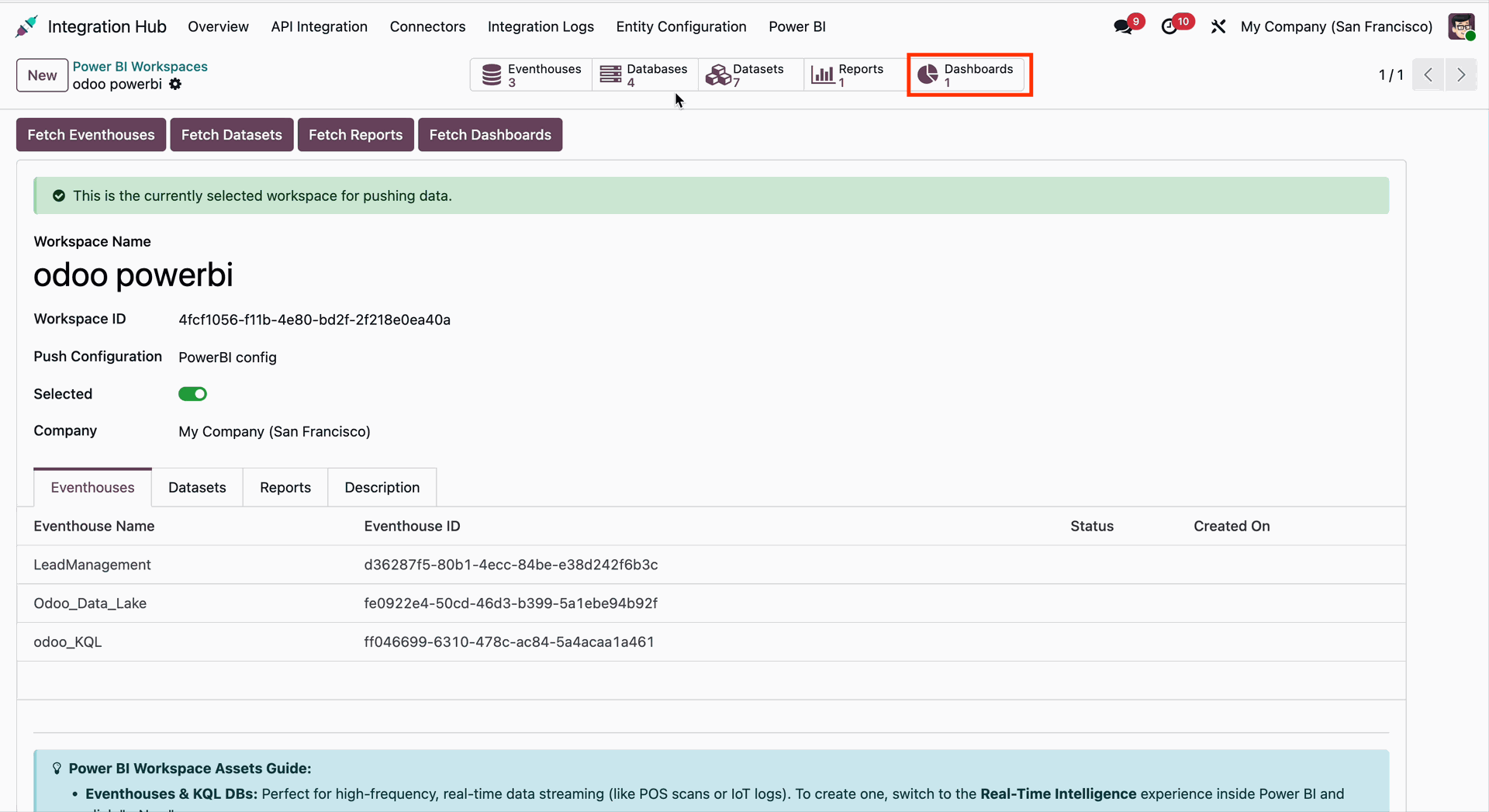
Click on the Dashboard smart button to open the fetched dashboard details.
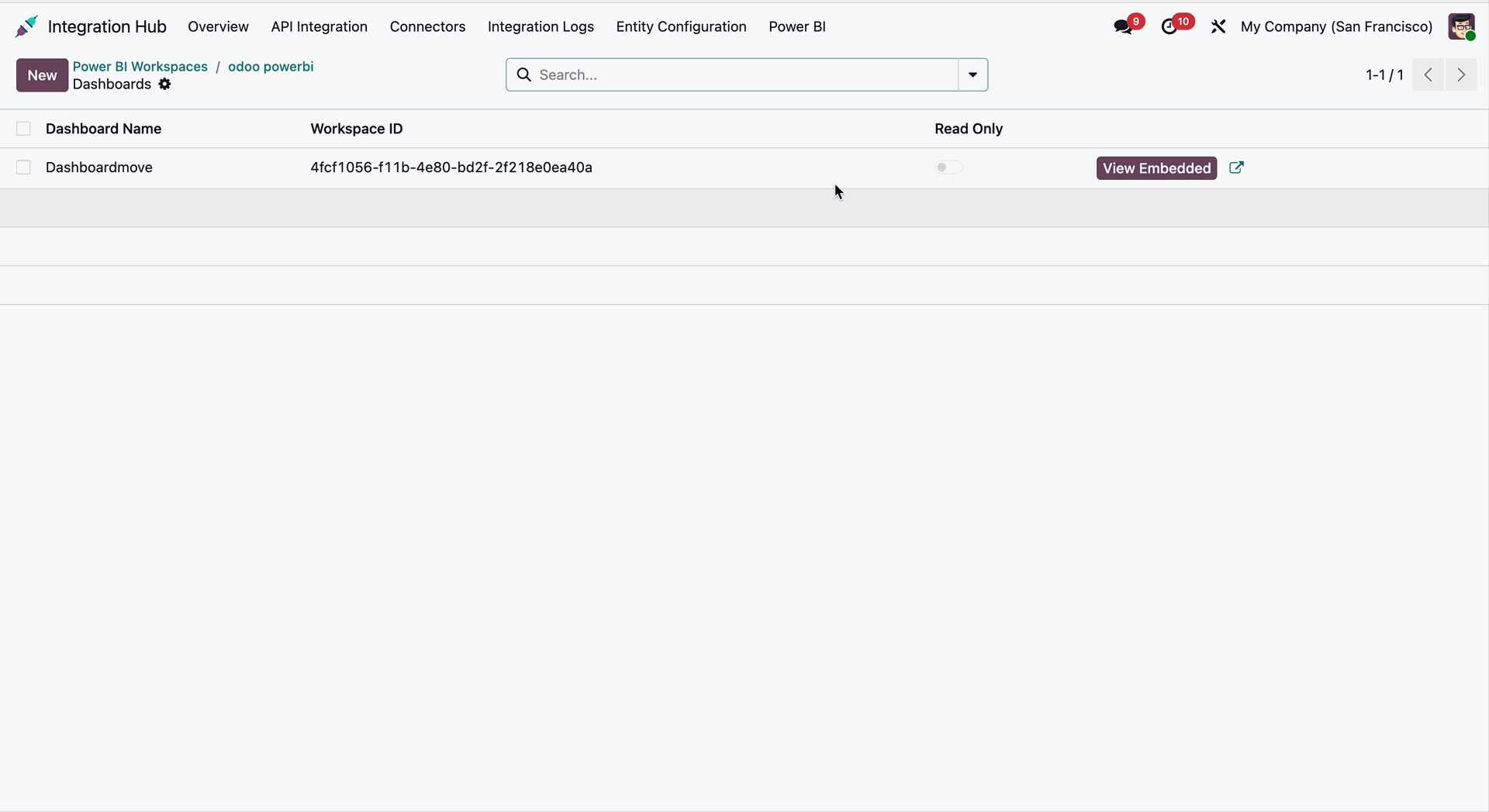
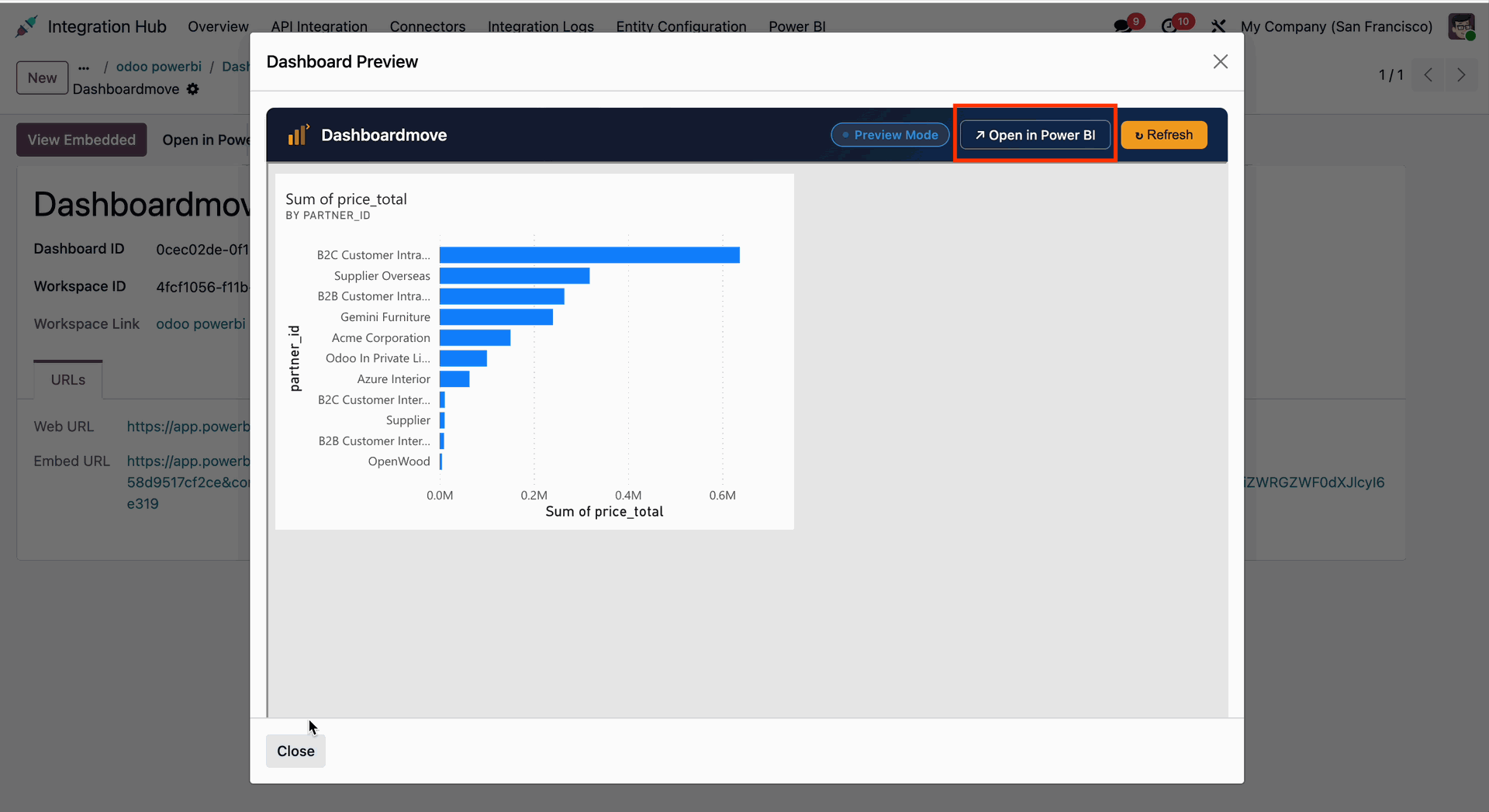
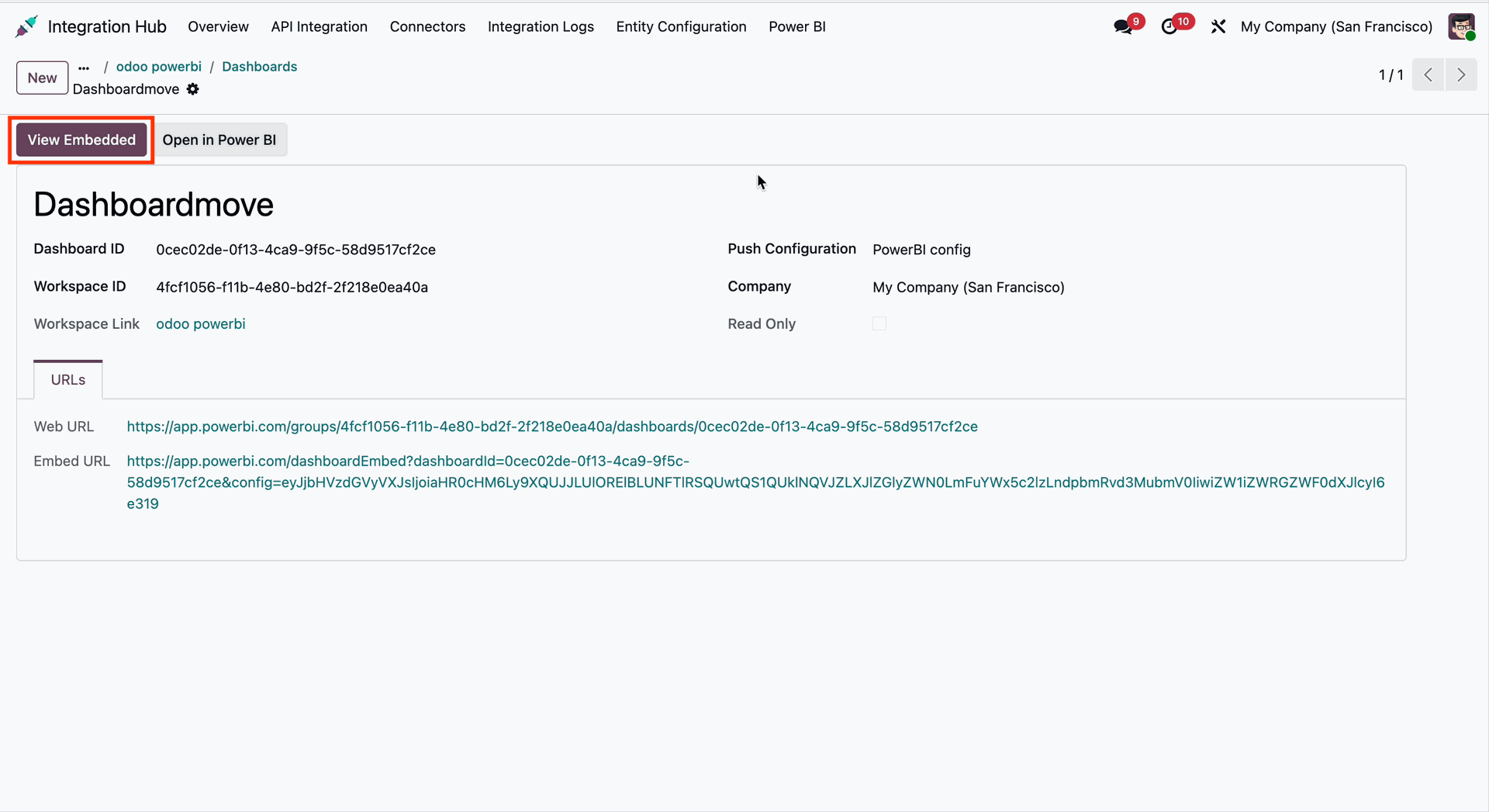
Click on the View Embedded button from the opened dashboard record in the list view.
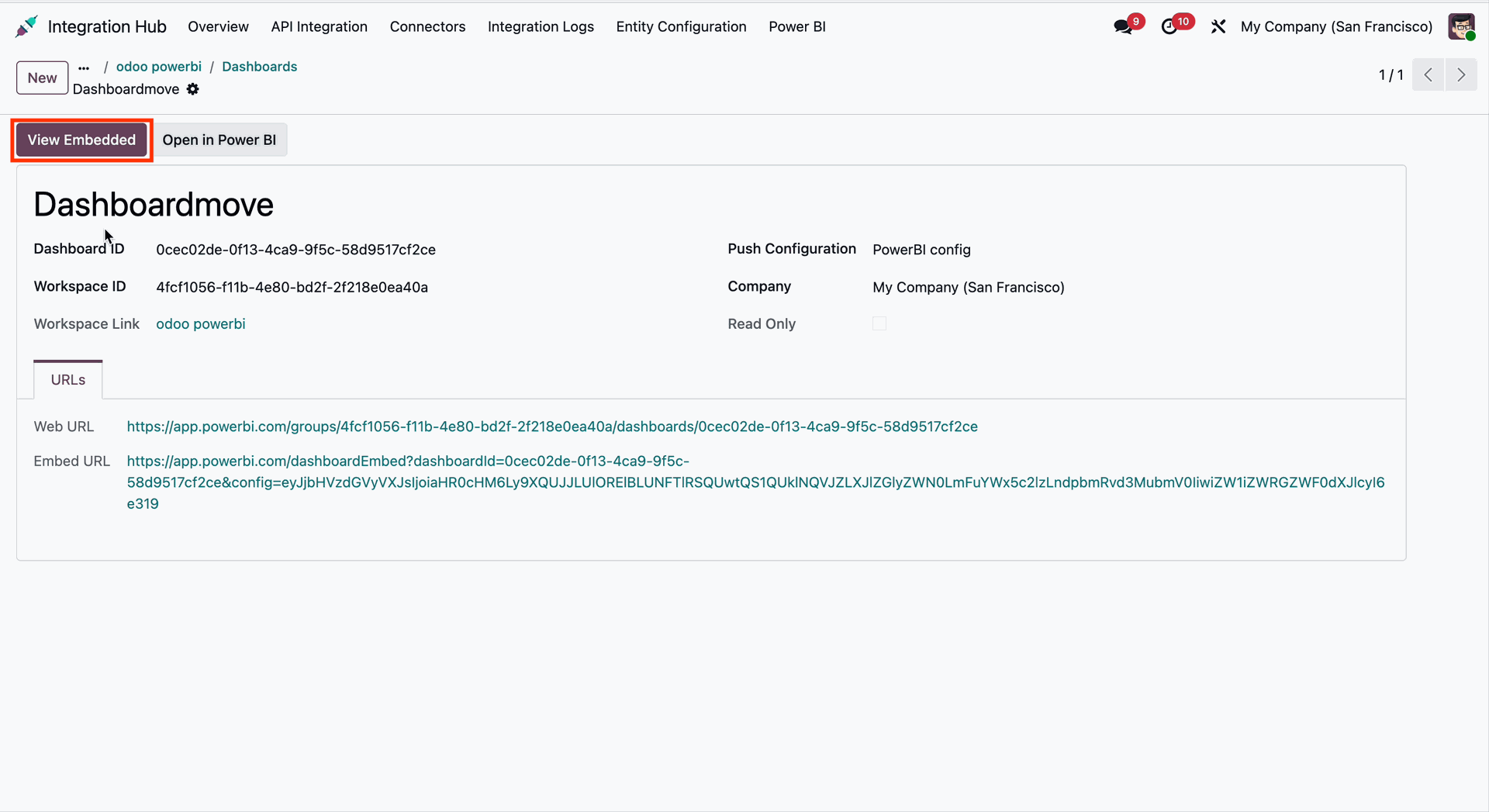
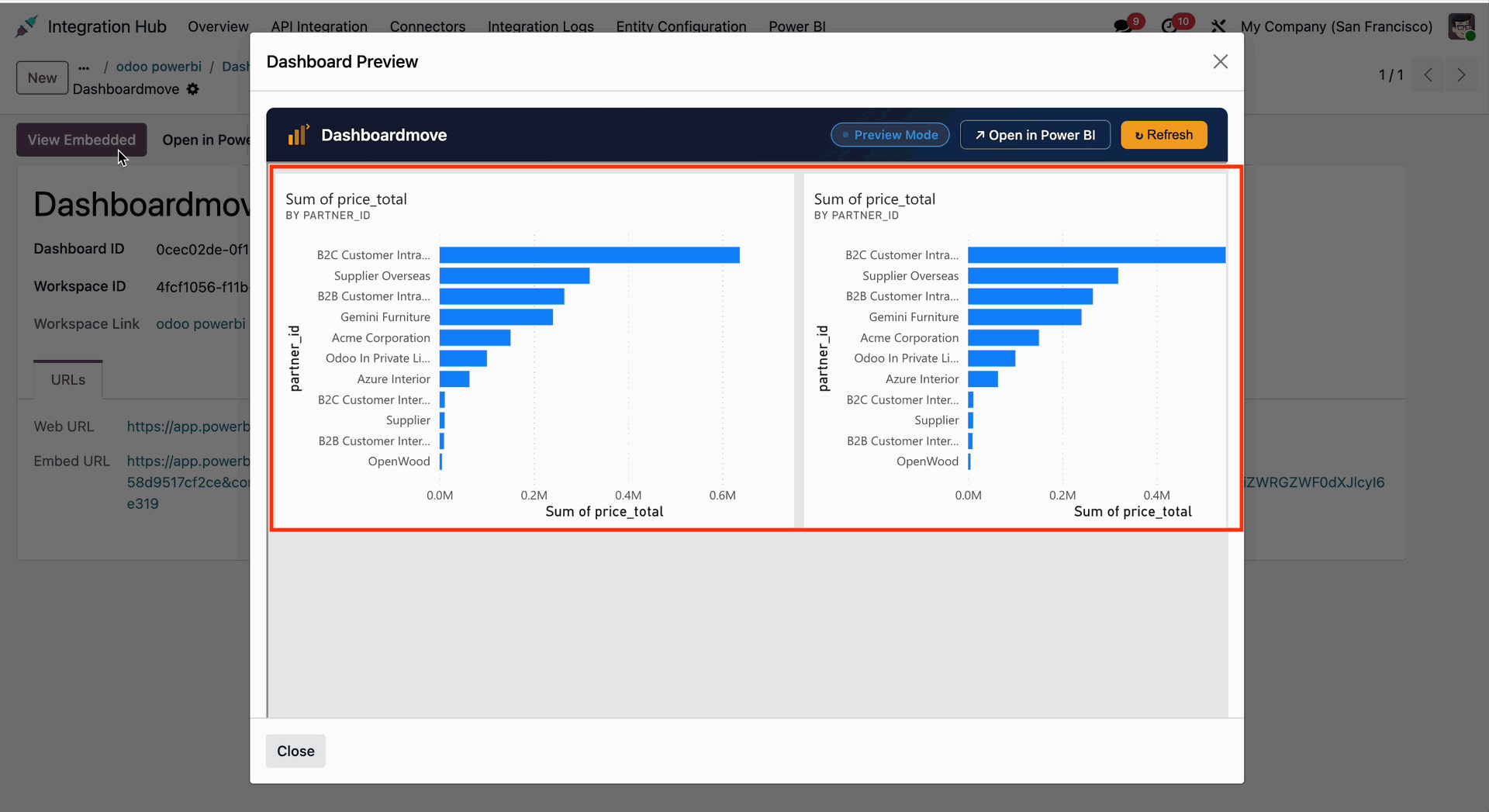
It will open the Dashboard Preview Wizard. You can open the same dashboard in the Power BI app by clicking the Open in Power BI button from the preview.
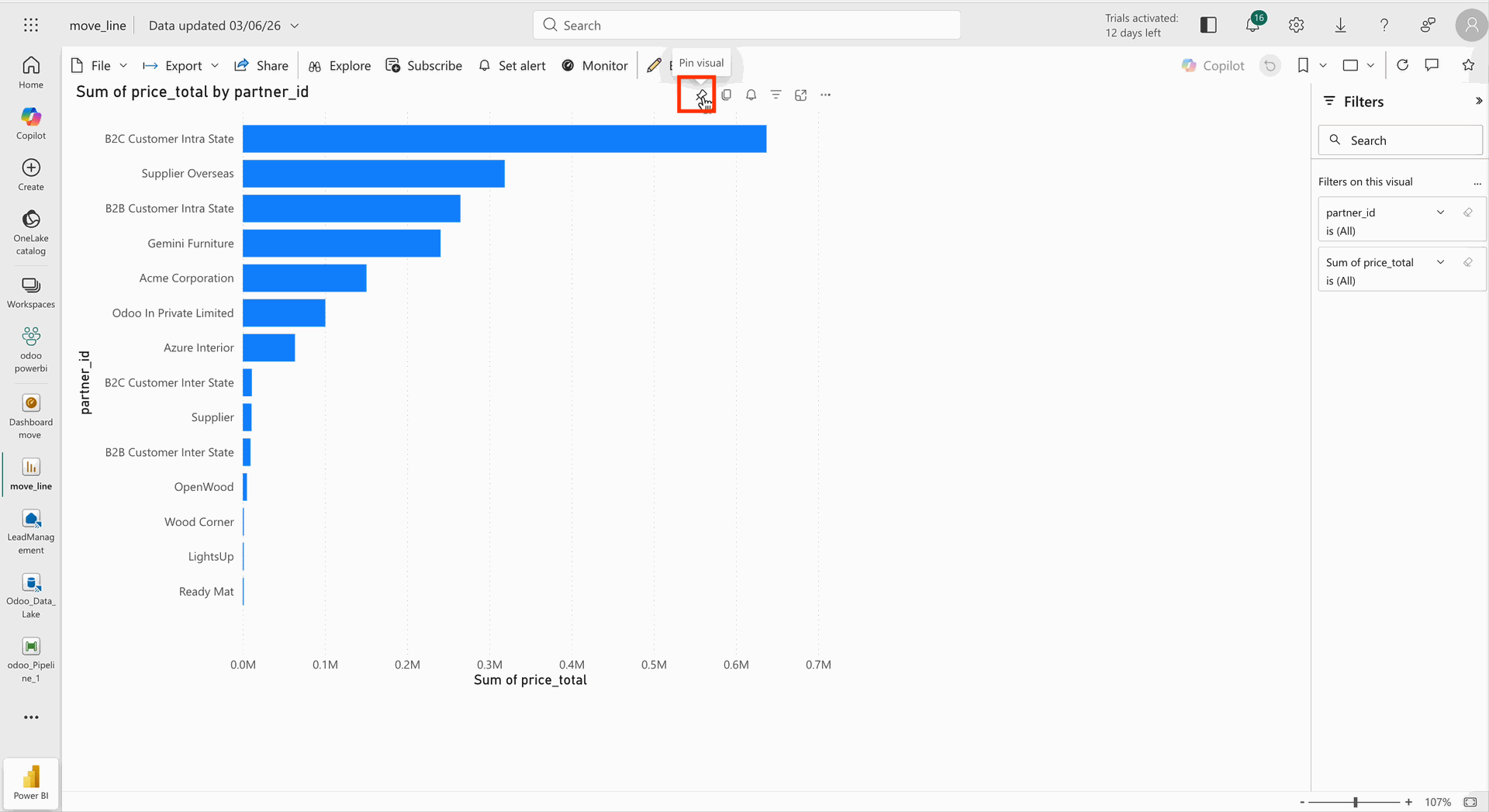
Go to the Power BI app and click on Pin to pin the report to the dashboard.
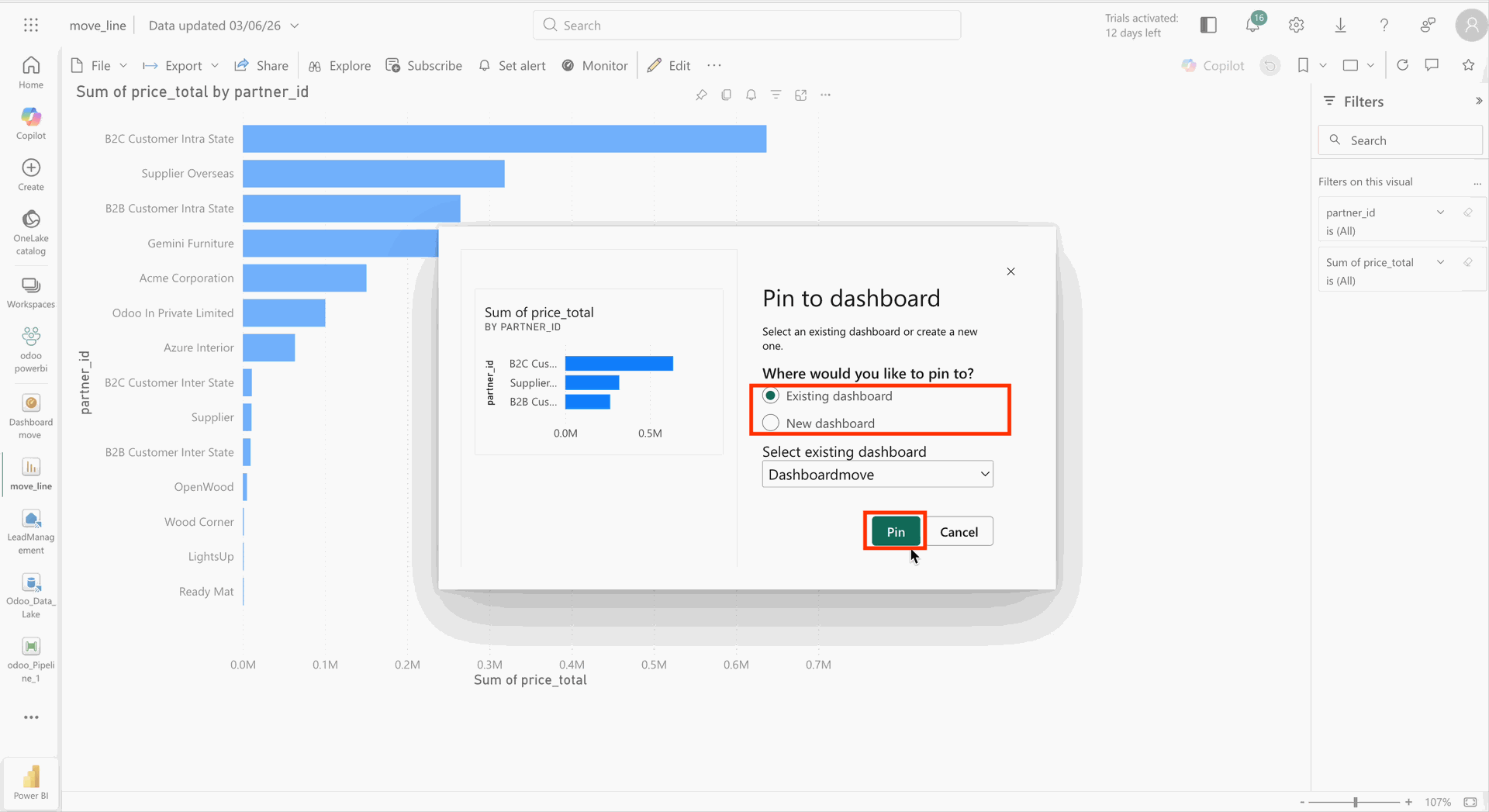
Select an existing or new dashboard to pin the report, then click the Pin button.
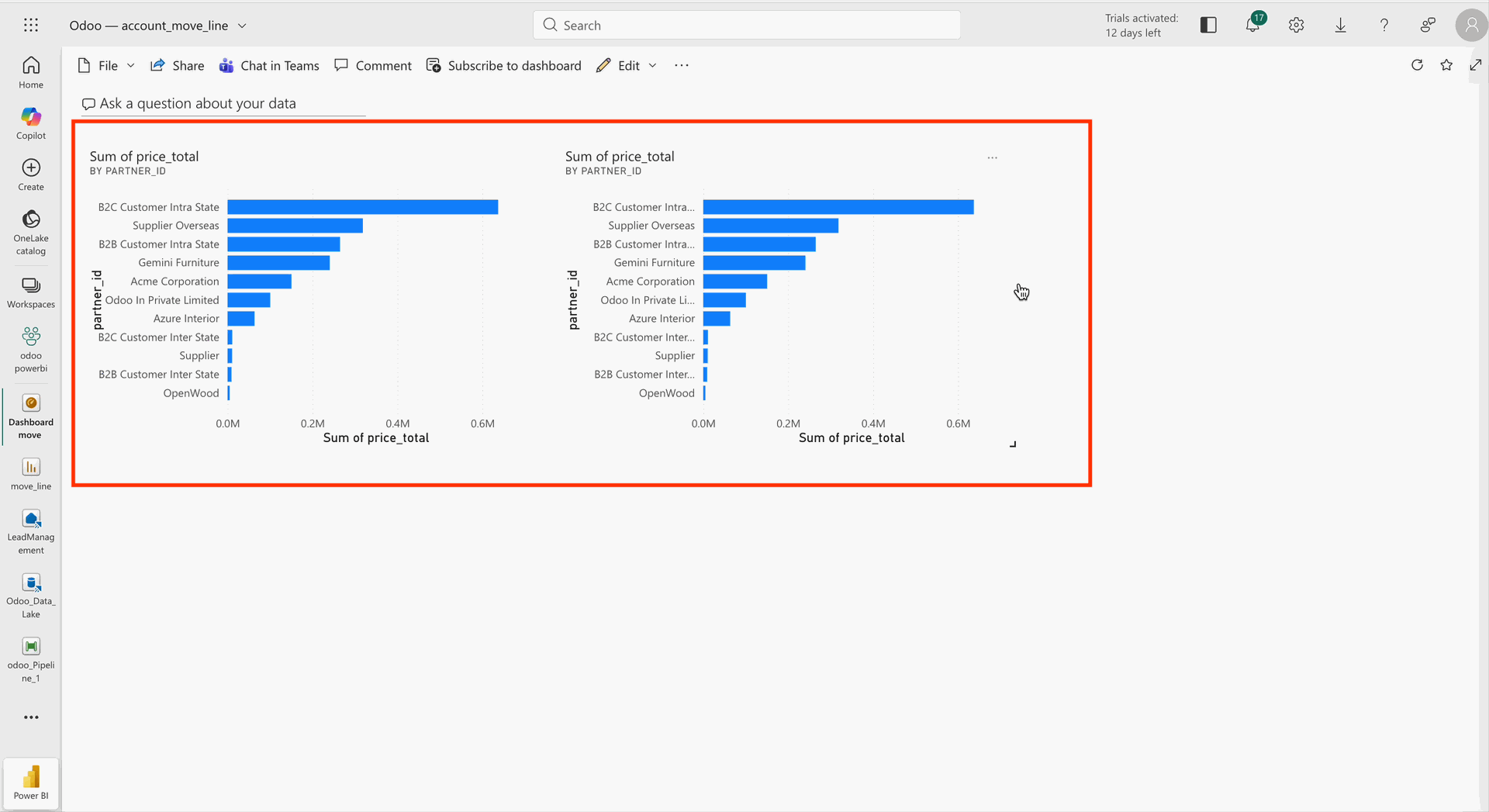
The user can view the same report in a single dashboard form in the Power BI app.
Go to Odoo and click on the View Embedded button again.
The same report on a single dashboard will also be visible in the Dashboard Preview Wizard in Odoo.
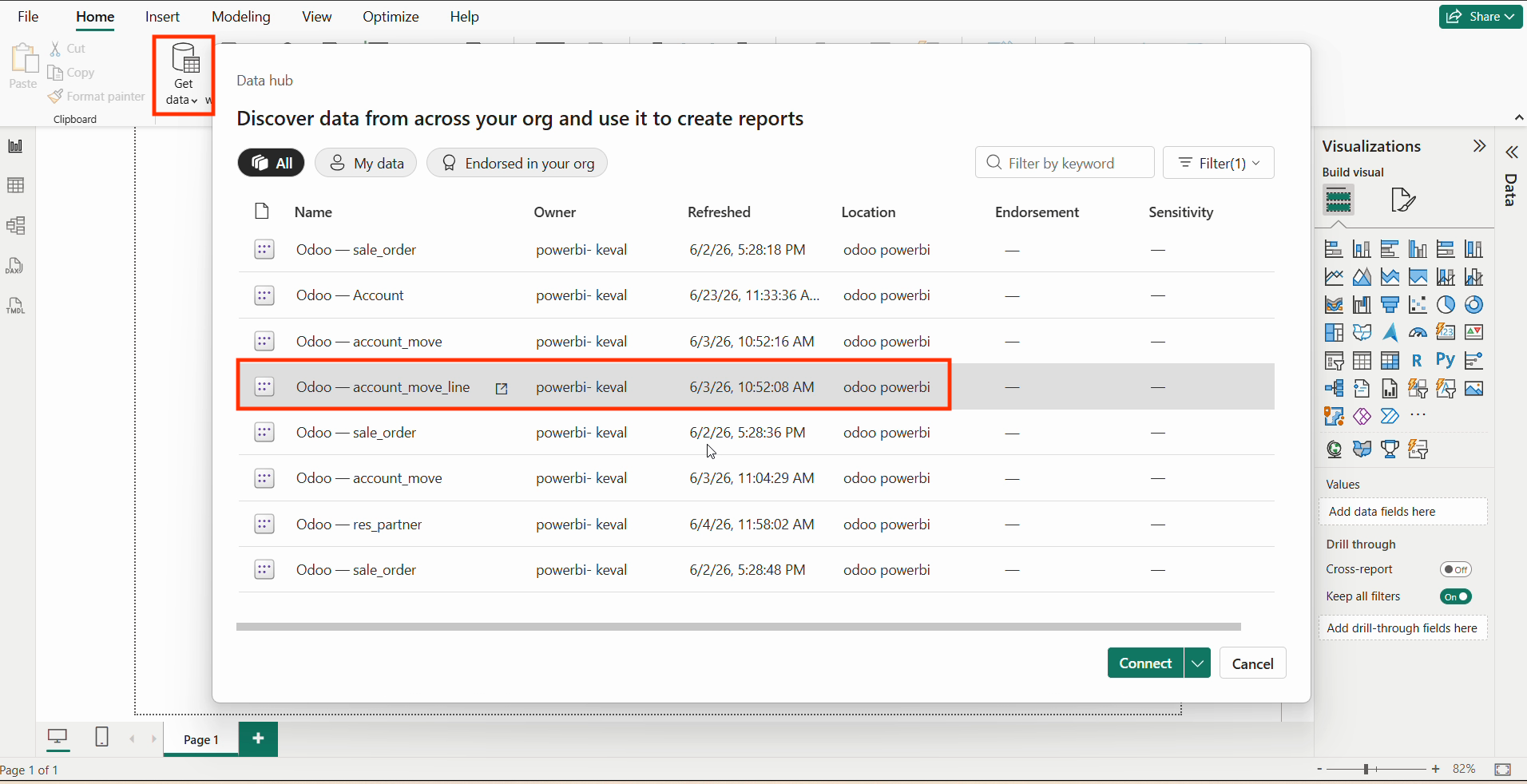
Click on Get Data to discover the data from your organization and use it to create reports. Then, click on Connect to proceed.
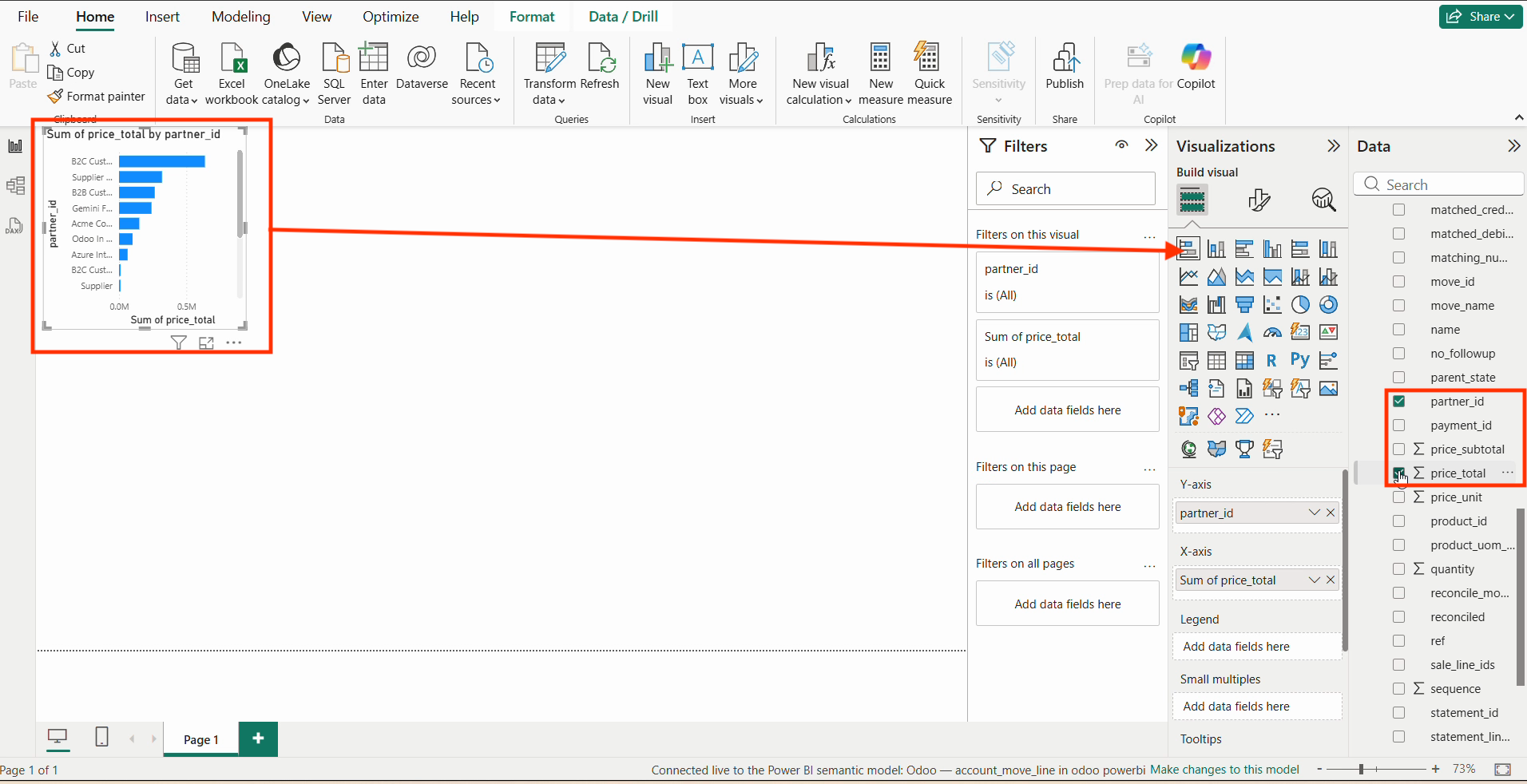
Select the data and build visualizations.
Save the details to Microsoft Power BI Desktop.
To publish, select Odoo Power BI.
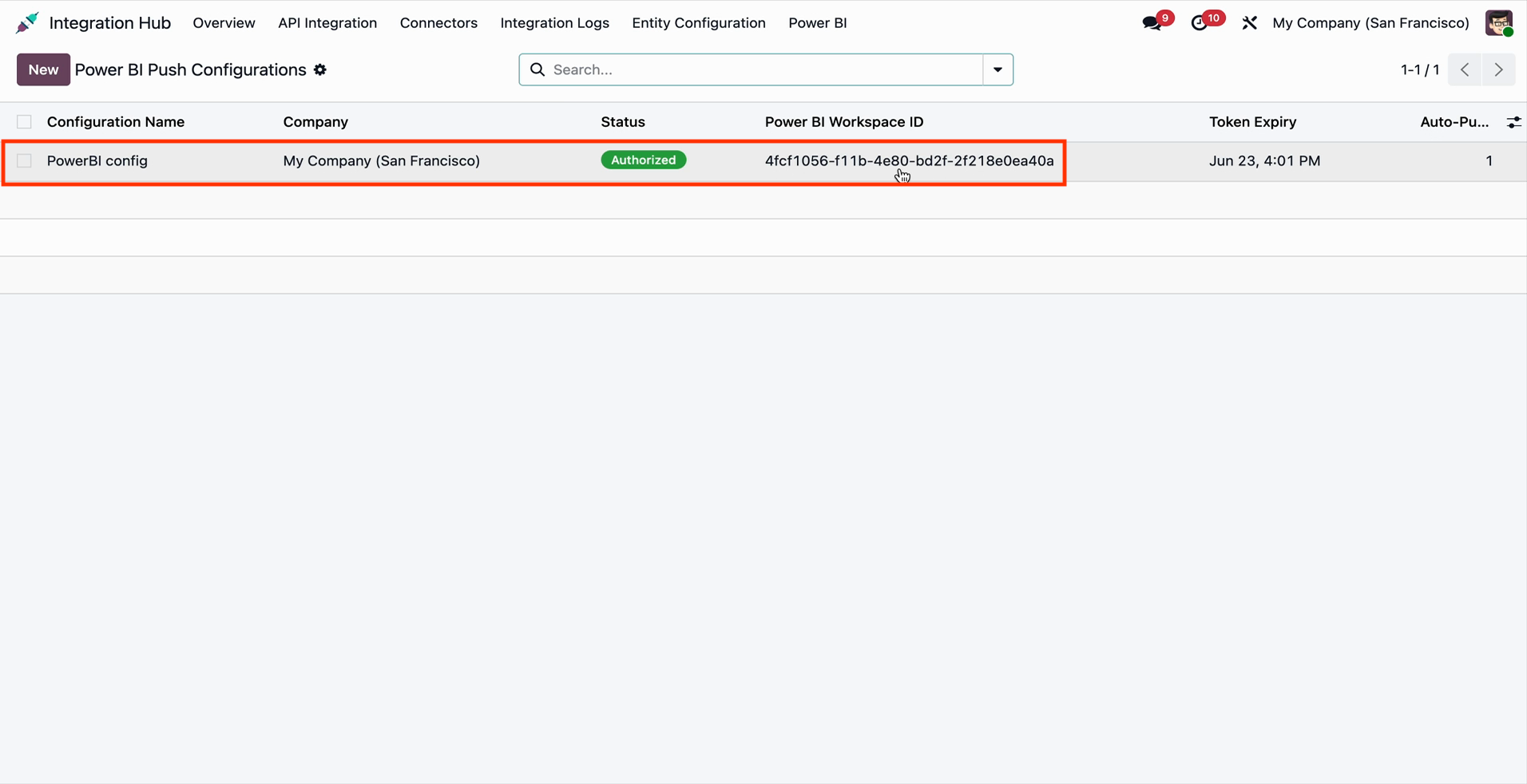
Go to the Power BI Push Configurations in Odoo.
Click on the Discover Reports button from the Power BI Push Configuration.
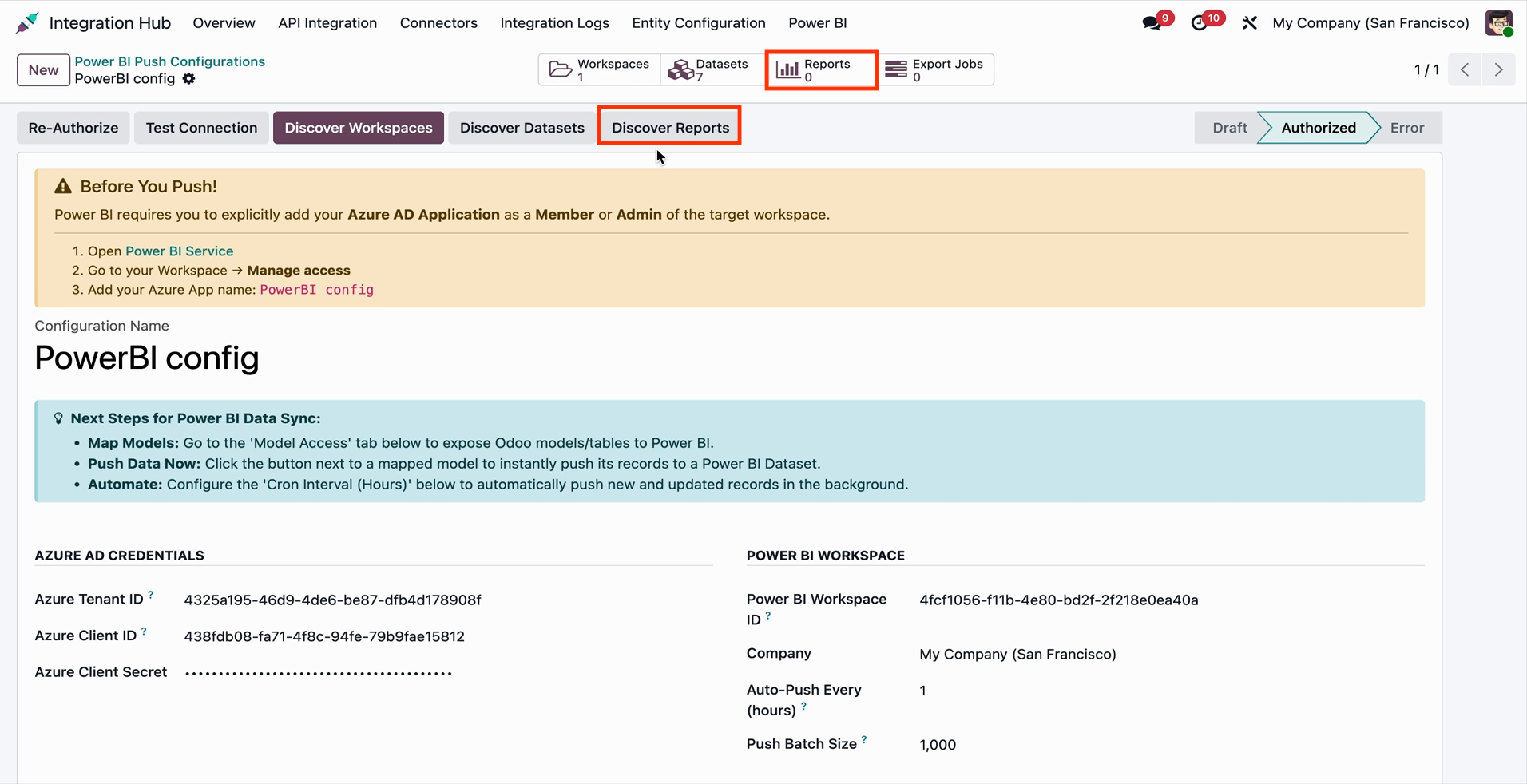
The fetched reports can be visible under the Reports smart button in the configuration.
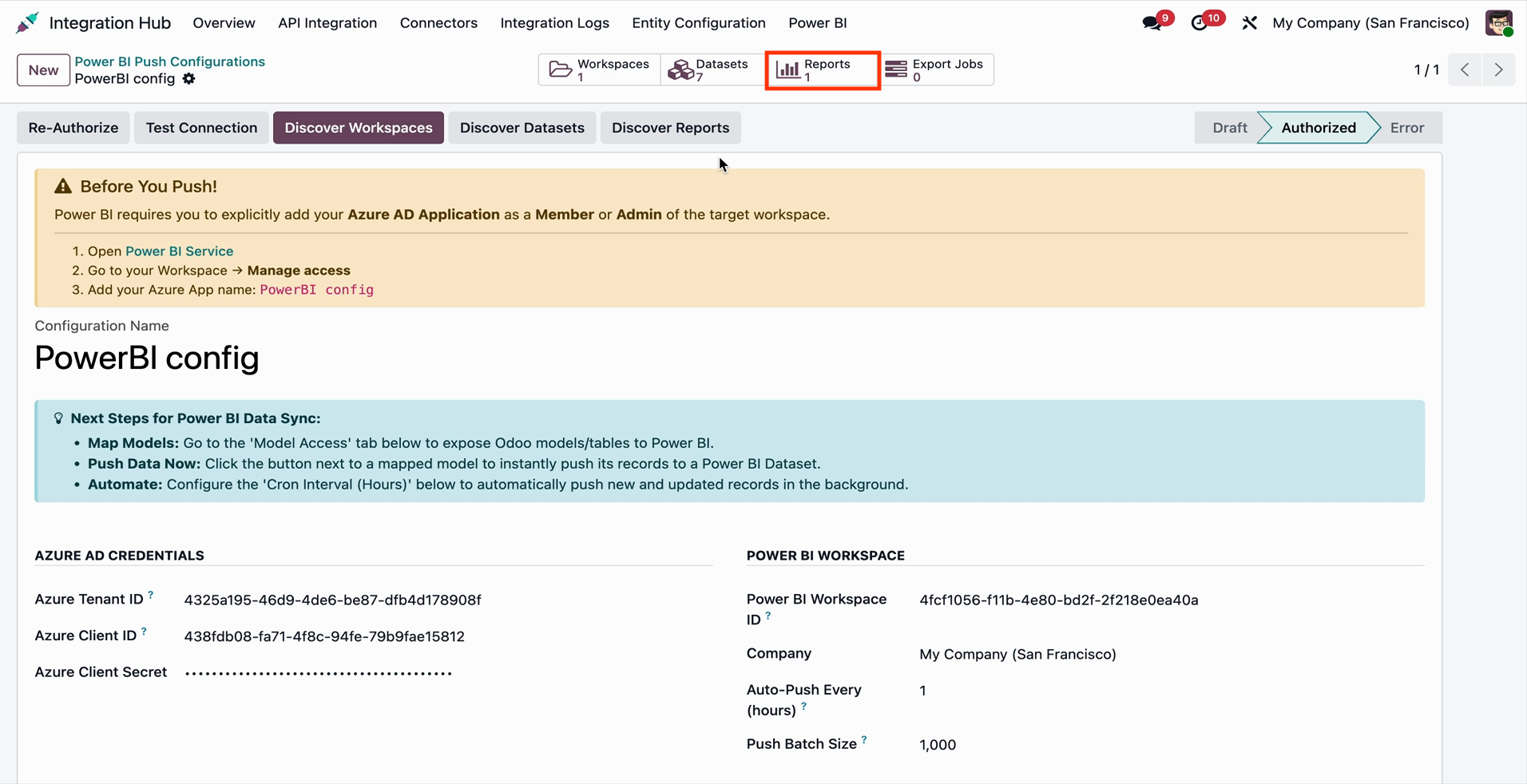
Open the report from the Reports smart button and click on the View Embedded button.
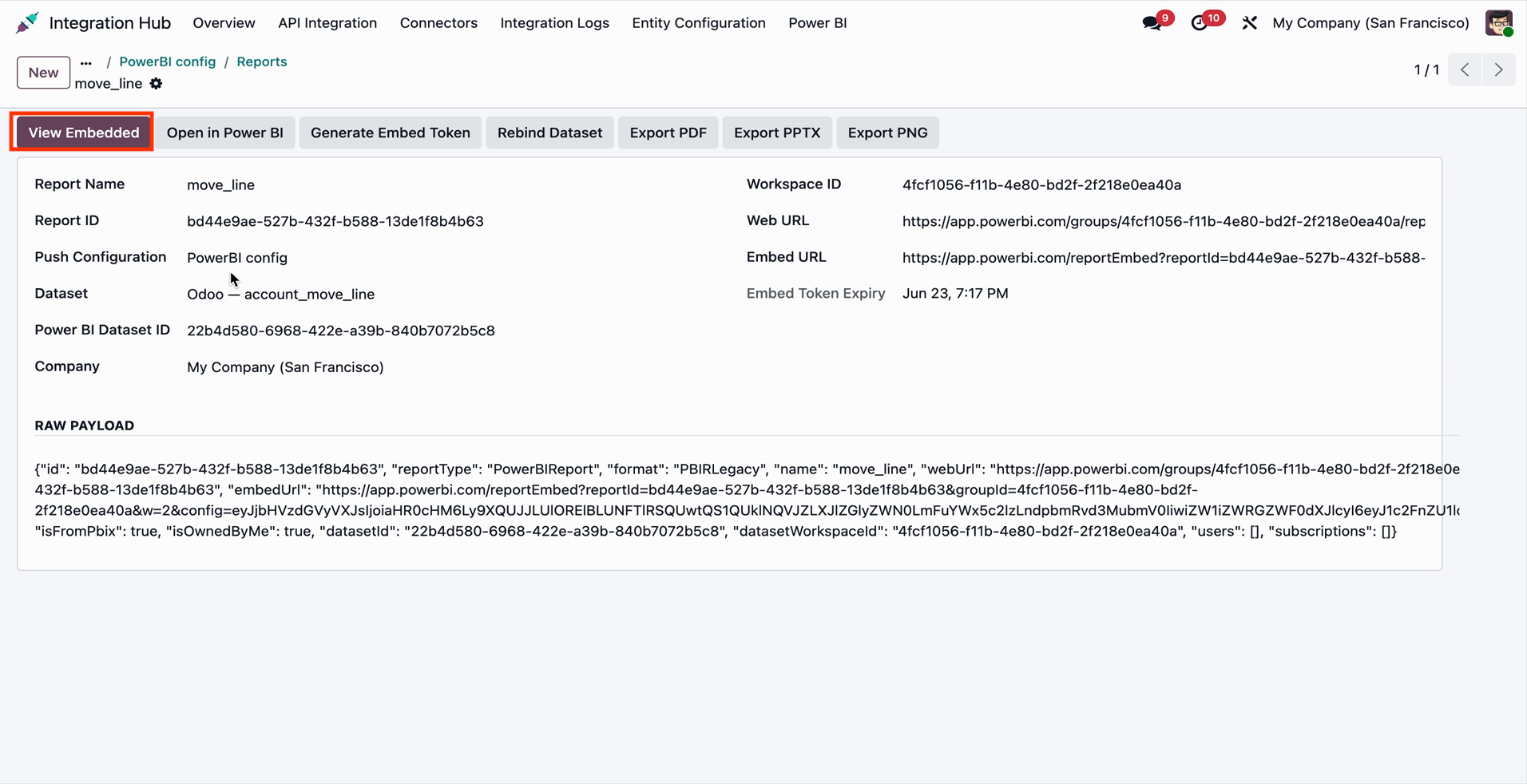
The fetched report preview will open in Odoo. Click on the Open in Power BI App button from the preview.
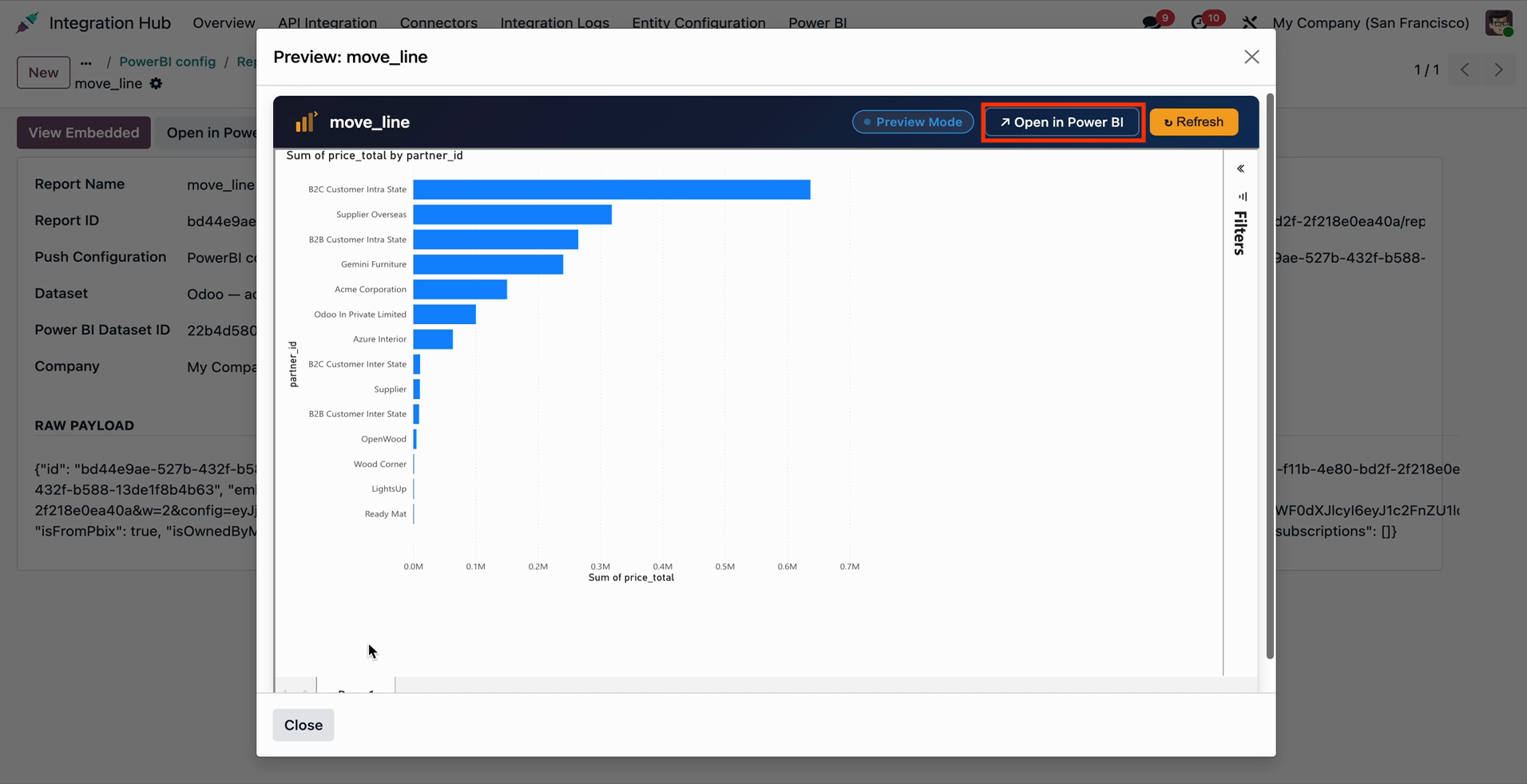
The report is opened in the Power BI app from Odoo.
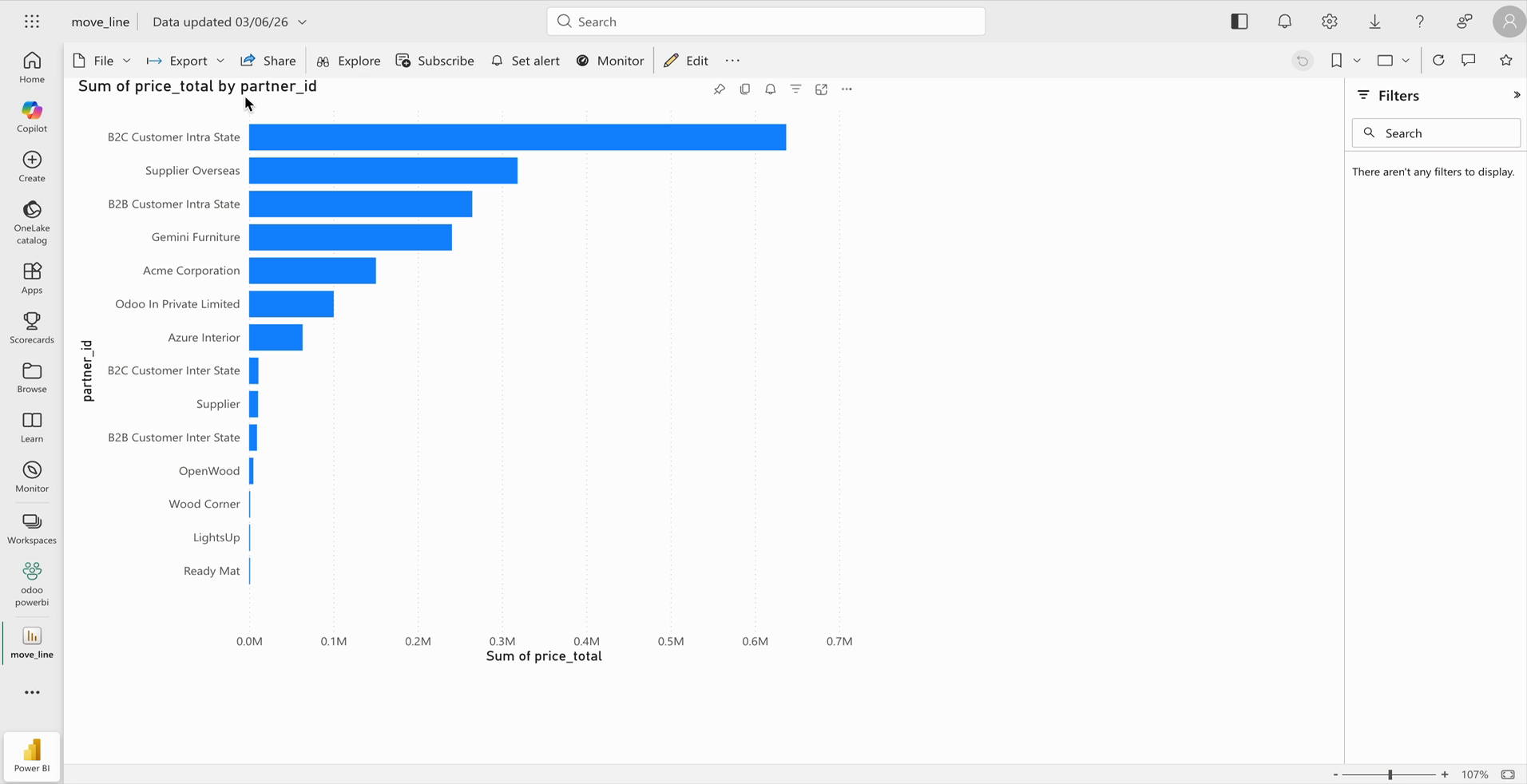
In the Power BI Push Configuration, you can access the Discover Workspaces, Discover Datasets, and Discover Reports buttons to retrieve Power BI resources. Additionally, the Workspaces, Datasets, Reports, and Export Jobs smart buttons are available for quick access and management of synchronized records.
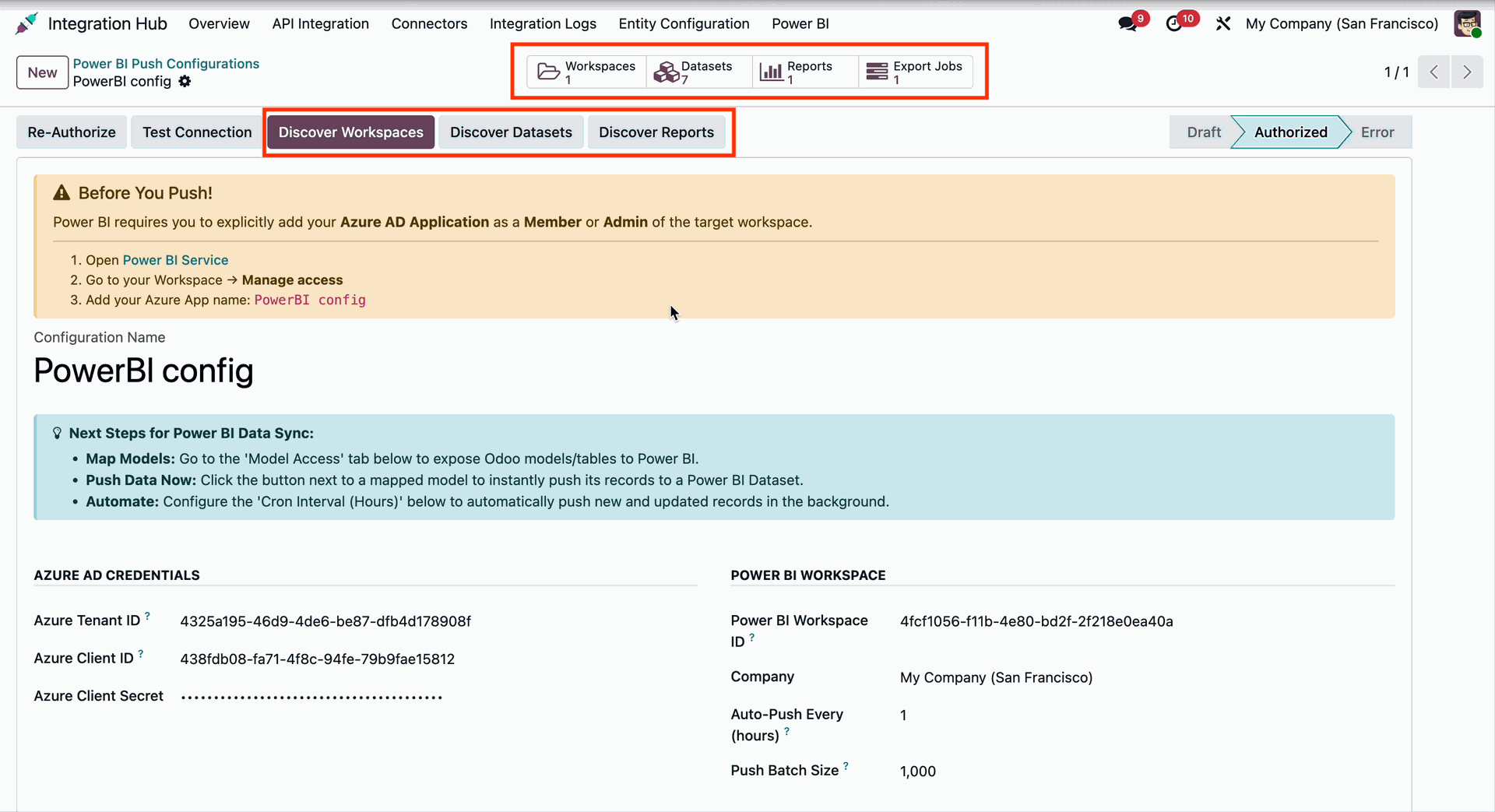
Go to the Power BI Push Configuration and open the Power BI Assets tab to view the synchronized Workspace Name and Workspace ID.
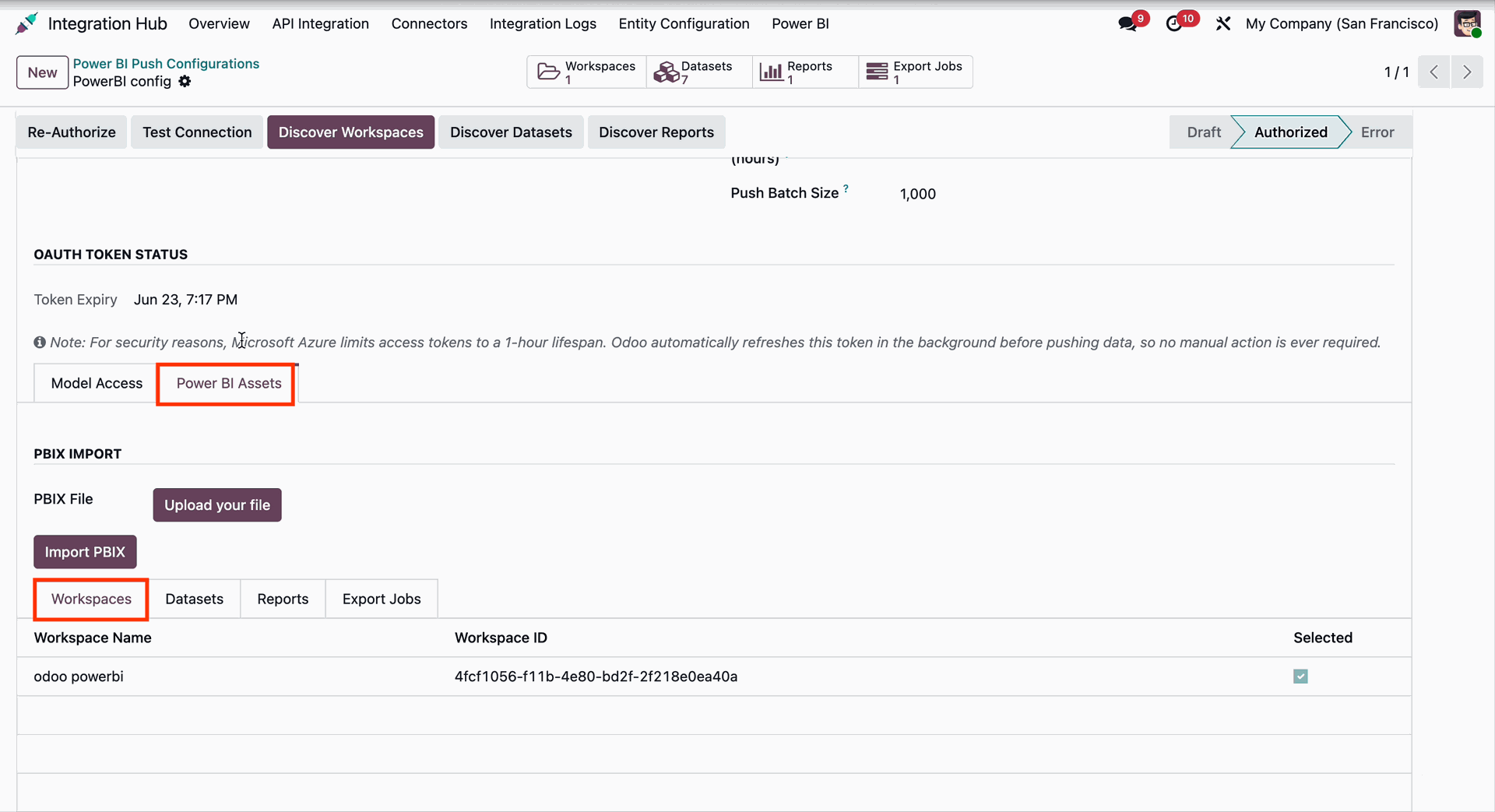
Go to the Power BI Push Configuration and open the Datasets tab to view all synchronized Power BI datasets.
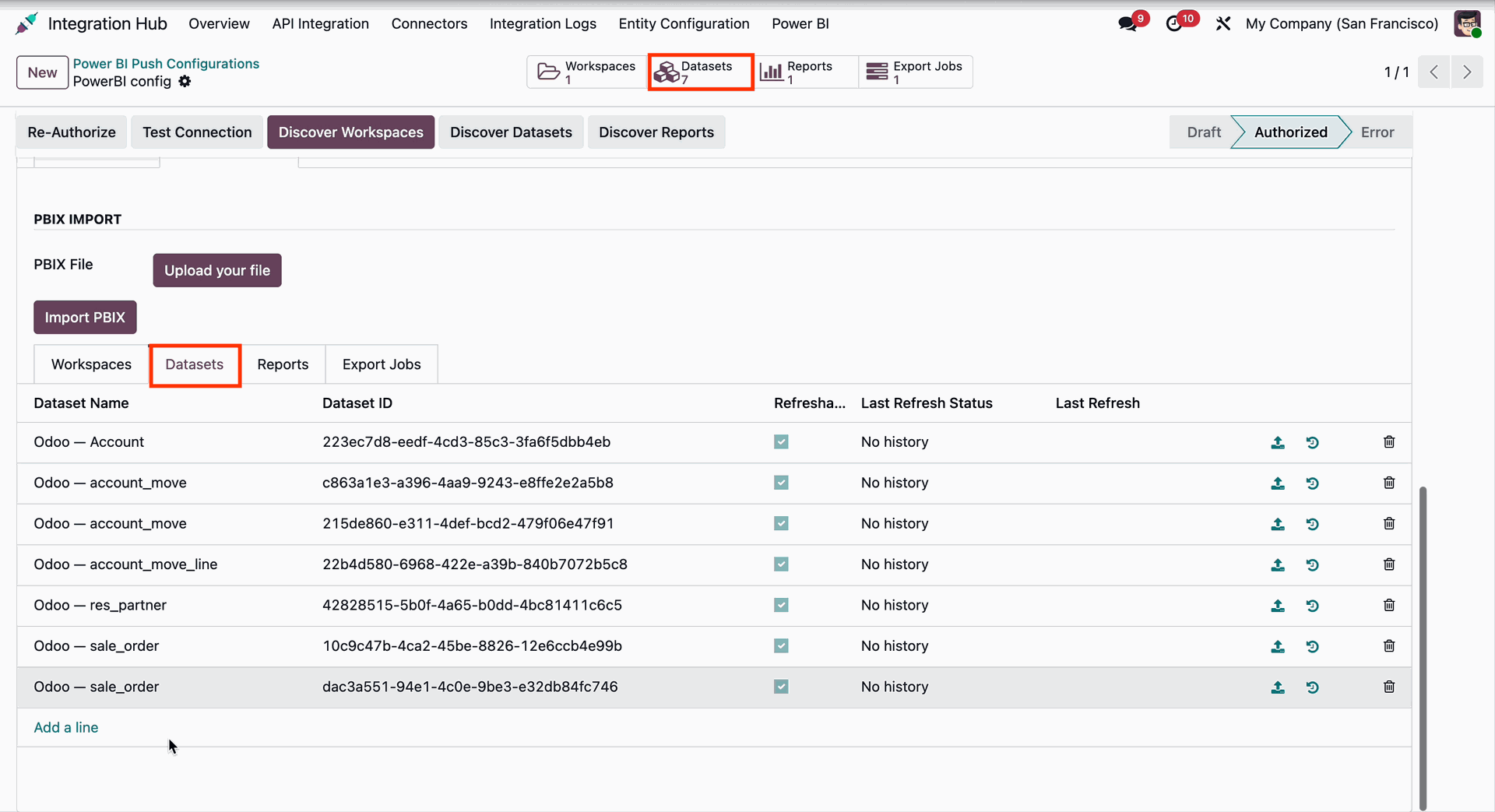
Go to the Power BI Push Configuration and open the Reports tab to view all synchronized Power BI reports.
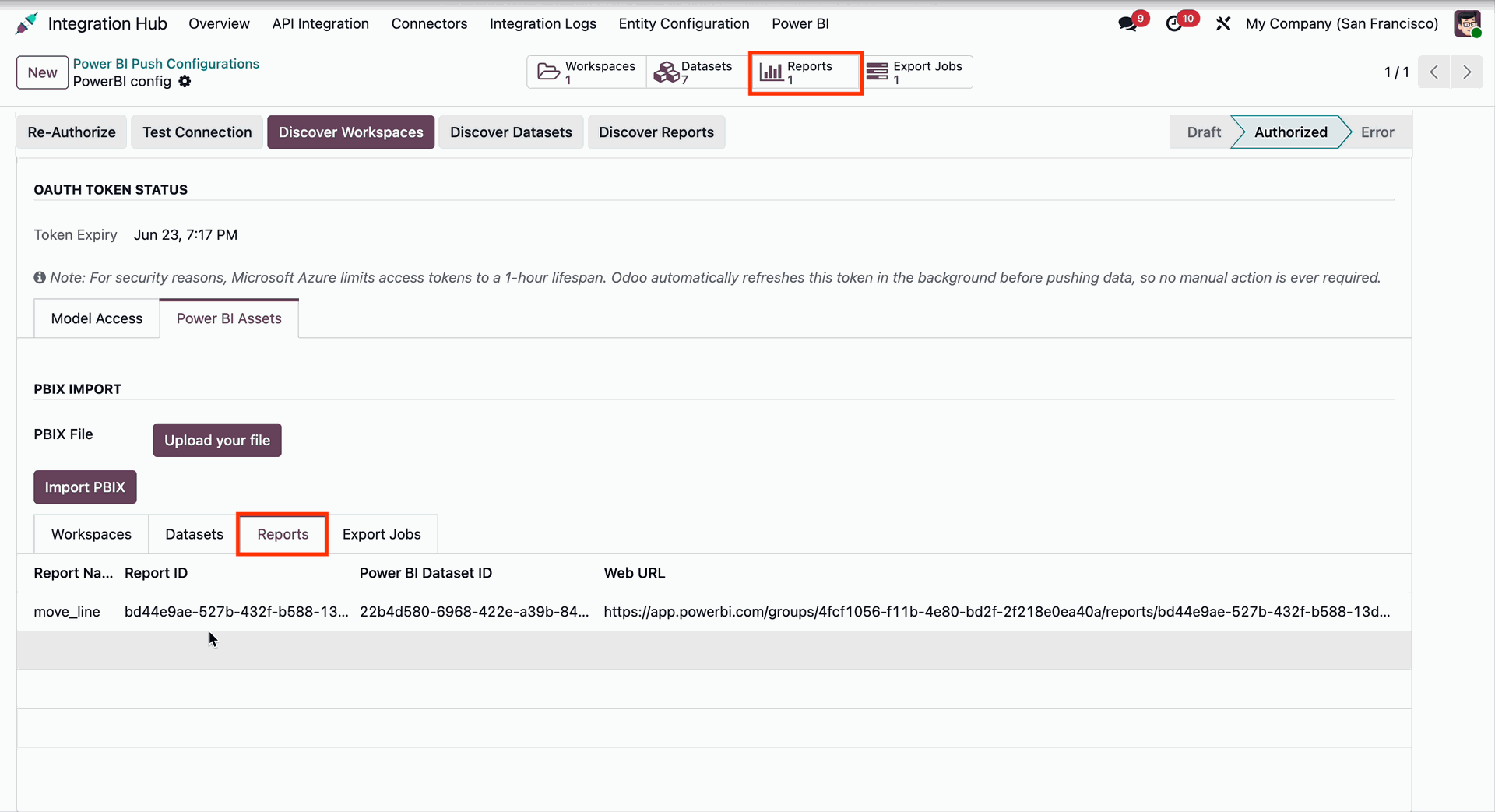
Go to the Power BI Push Configuration and open the Export Jobs tab to monitor and manage all Power BI export job records.
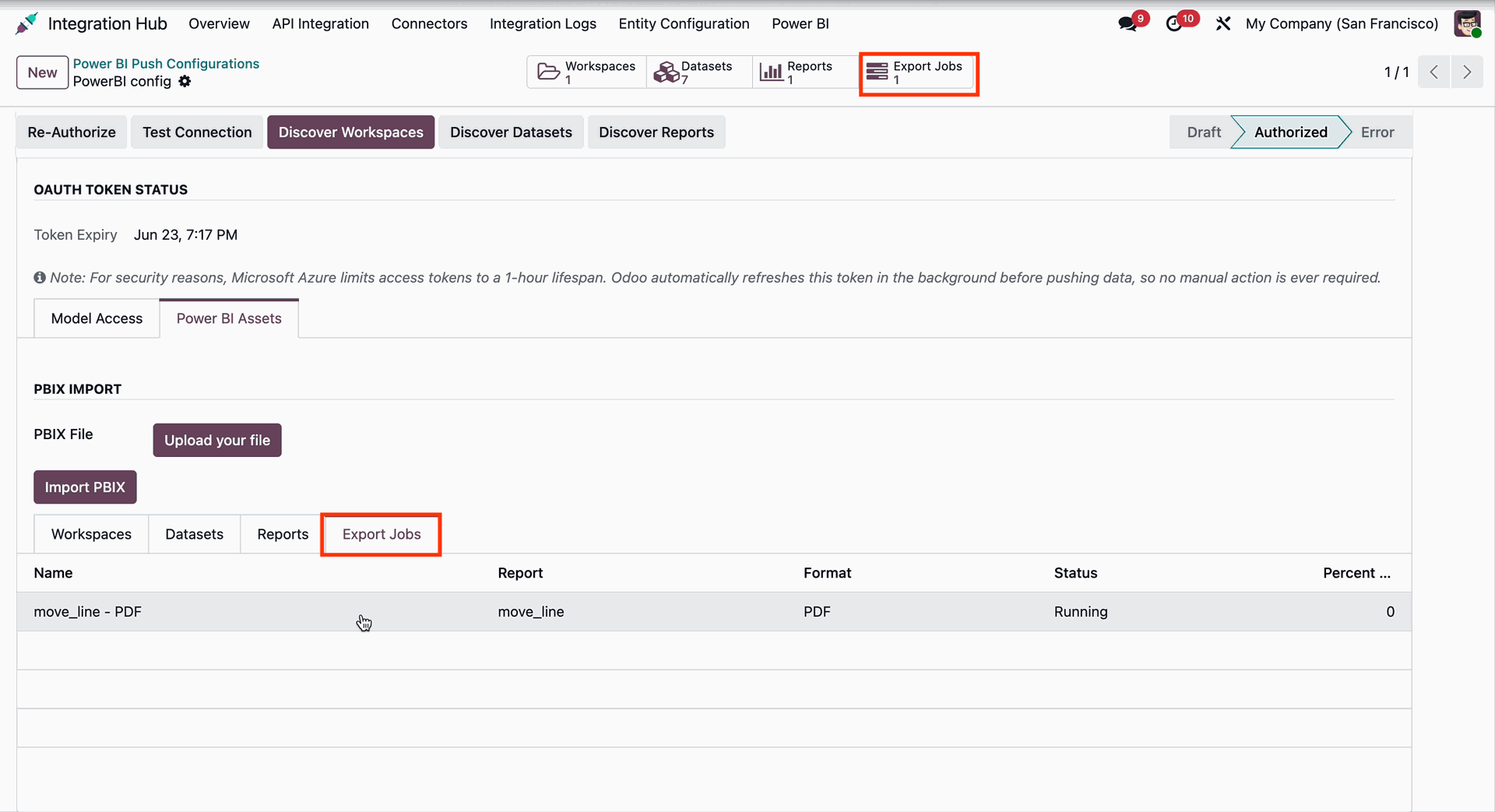
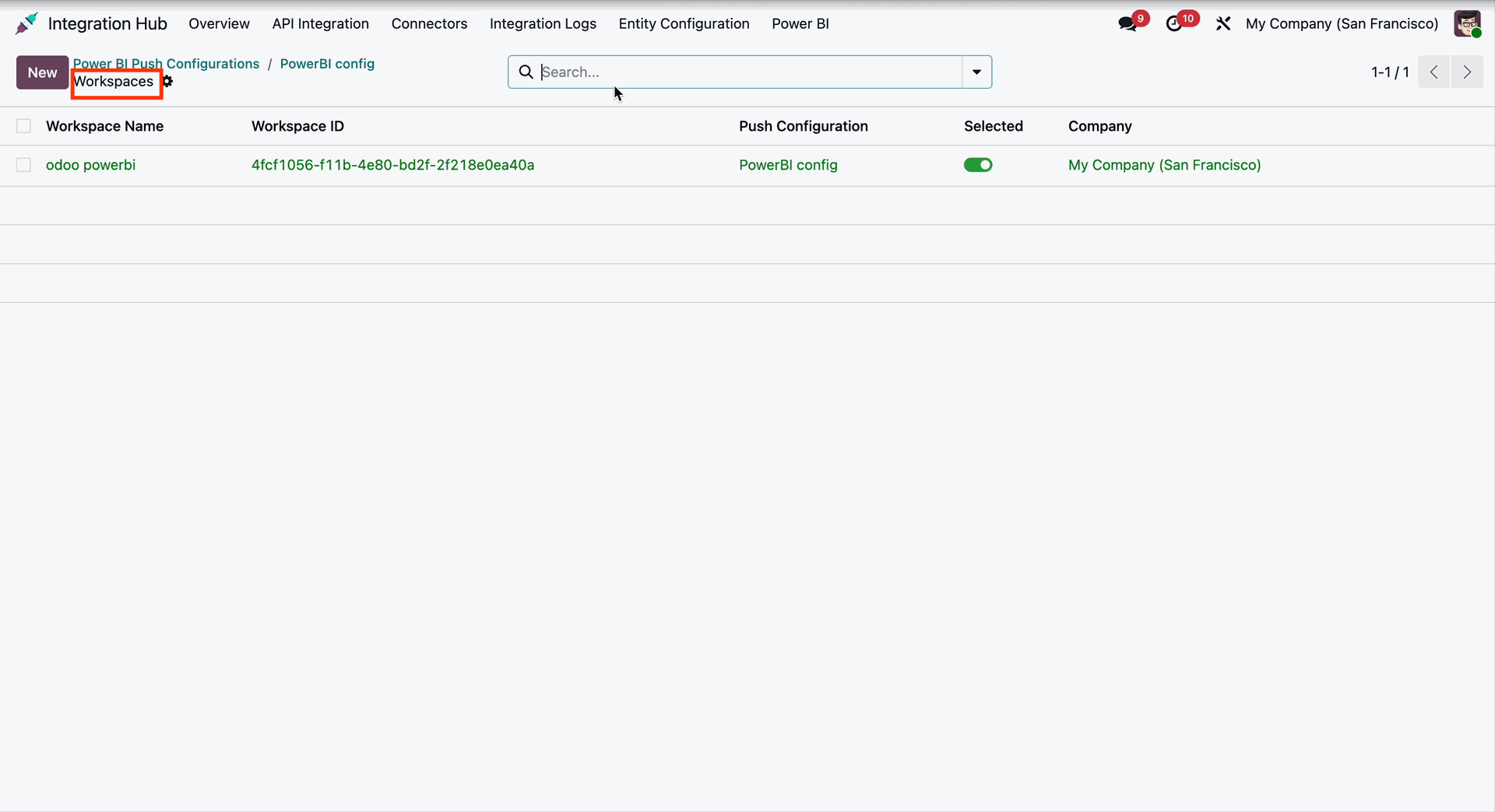
Click the Workspaces smart button to open the Workspace List View, where all synchronized Power BI Workspaces are displayed for viewing and management.
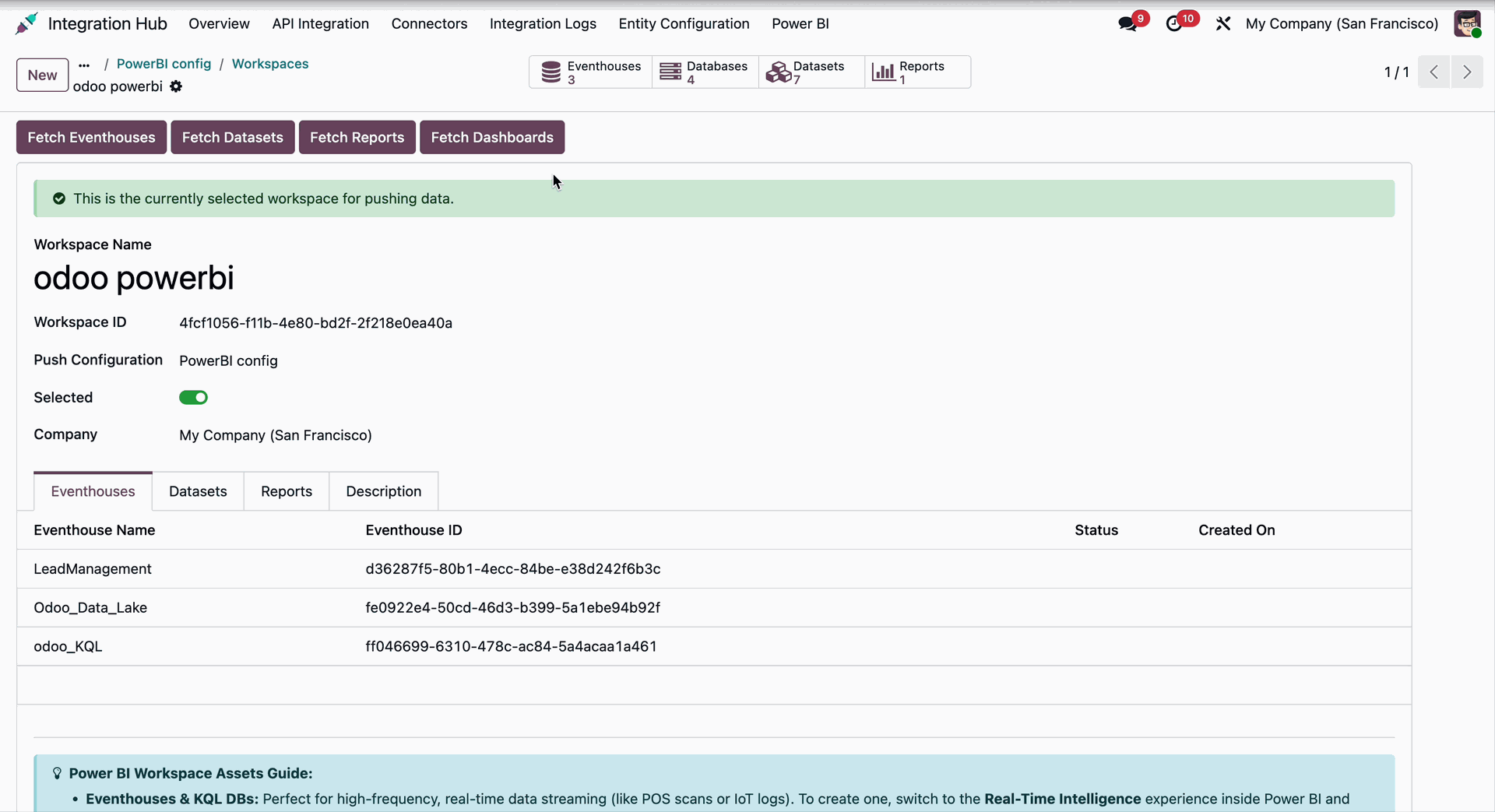
Open a Workspace record from the Workspace List View to access the Workspace Form View, where you can view and manage the synchronized Power BI workspace details.
Release Notes
Track every update, enhancement, and new feature across all versions.
Version 18.0.6.0.0 | Released on : 01st July 2026
Version 18.0.5.0.0 | Released on : 08th June 2026
Version 18.0.4.0.0 | Released on : 19th May 2026
Version 18.0.3.0.0 | Released on : 2nd February 2026
Version 18.0.2.0.0 | Released on : 30th September 2025
Version 18.0.1.0.0 | Released on : 14th August 2025


 Buy Once, Supported Forever

 Scan to email sales




 Your Ideas Shape Our Roadmap
 Got an Idea? We'll Build It
Frequently Asked Questions
Everything you need to know before getting started.
Trusted by Businesses Worldwide


Abdulhamid Abdulwaheed
Best module for our online store. Highly adaptable, exceptional customer service, and very advanced modules.
Factura Venta POS
They have everything you need. Technical support is excellent, responds quickly, and keeps the module updated. 100% recommended!
Mehmet Muhanna
Great company and support team. Had a problem in my local Odoo server - they solved it in 5 minutes. Highly recommend.
Billy Jeffs
Customised an Odoo app for me which works perfectly. Many requirements, got it right every time. Very confident in their ability.
HP
Consistently excellent service over years of working together. Knowledge and commitment to keeping clients informed truly sets them apart.
Michal Kolasinski
Multiple addons + two custom modules. Communication always friendly and precise. Delivered on time, worked out of the box. Highly recommended!

Multi-Language
8 built-in translations







You May Also Like
Discover more Softhealer connector modules that integrate seamlessly with your Odoo environment.
Office 365 Connector
Connect Odoo with Microsoft Office 365 for seamless Calendar, Email, and Contacts synchronization.
View ModuleFedEx Connector
Integrate FedEx shipping with Odoo for automated label creation, tracking, and rate calculation.
View ModuleXero Connector
Sync invoices, contacts, and financial data between Odoo and Xero accounting.
View ModuleSalesforce Connector
Bidirectional sync between Odoo and Salesforce for leads, contacts, accounts, and opportunities.
View ModuleMost Demanded Apps
The Softhealer modules our customers reach for most — trusted across 100+ countries.
Activities Management
Manage, schedule, and automate Odoo activities across all departments from one view.
View Module
Access Management
Granular access control over menus, fields, buttons, and records for every user role.
View Module
Backdate Advanced
Backdate any transaction across invoices, journals, pickings, and more with full audit.
View Module
All-in-One Helpdesk
Full-featured customer support with tickets, SLA, and customer portal built for Odoo.
View Module
All-in-One Mobile Backend
Access your full Odoo backend from any mobile device with an optimized interface.
View Module
All-in-One Import
Import any Odoo model data from CSV, Excel, and JSON files with mapping and validation.
View Module
Our Services
End-to-end Odoo expertise - from setup to scale.

AI & Business Integration

Odoo Implementation

Odoo Customization

Support & Maintenance

Mobile Apps
Migration Service

Third-Party Integration

Odoo Training
Ready to connect your Power BI to Odoo?
Join 10,000+ businesses - Softhealer, 11+ years of Odoo expertise across 100+ countries.

