



















Key
Features

PDC Dashboard Overview
 LATEST
Monitor PDC payments, cheque statuses, due dates, and financial summaries from a centralized dashboard.
Watch VideoMulti-Cheque Batch Registration
LATEST
Register and process multiple post-dated cheques in a single invoice/bill for faster payment management.
Watch VideoPDC Advance Payment Flow
LATEST
Record and manage post-dated cheque advance payments before they are allocated to customer invoices or vendor bills.
Watch VideoCustomer & Vendor PDC Management
Manage post-dated cheque payments for both customers and vendors from a single workflow.
Watch VideoMulti-Invoice & Bill PDC Payments
Create a single PDC payment for multiple customer invoices or vendor bills using bulk actions.
Watch VideoPartial PDC Payments
Support partial payments using post-dated cheques with accurate balance tracking.
Watch VideoPDC Due Date Notifications
Automatically notify customers and internal users about upcoming PDC cheque due dates.
Watch VideoAuto-Fill Open Invoices on Customer Selection
Automatically display a customer's open invoices when the customer is selected, enabling faster payment processing and invoice management.
Watch VideoBulk PDC Actions
Perform mass actions on multiple PDC records simultaneously to streamline payment processing and workflow management.
Watch VideoPDC Status Tracking
Track PDC payment status directly from the invoice list view for quick monitoring.
Watch VideoFlexible PDC Workflow
Manage PDC payments through configurable stages such as Register, Deposit, Return, Bounce, Done, and Cancel with multi-action support.
Editable Returned PDC
Edit PDC records in the Returned state and reset them to Draft when required.
PDC Chatter & Collaboration
Communicate and track discussions using the chatter on PDC records.
Bank Journal Integration
Link PDC payments with bank journals and track related journal entries and items.
PDC Payment Summary
Display the total value of PDC payments directly in the list view for quick analysis.
PDC PDF Reports
Generate professional PDF reports for PDC payments and cheque records.
Multi-Company PDC Support
Manage post-dated cheque payments independently across multiple companies.
 Setup & Configuration
 Release Notes
 Support
 FAQ's
FAQ's
 PDC Dashboard
  Customer PDC Management
 Vendor PDC Management
 Multi Action For PDC
 Extra Features
 PDC Status Overview
 PDC Advance Payment
  Multi-Cheque Batch Registration
 Go to the PDC Dashboard from the Invoicing app to manage and monitor all Post-Dated Cheque (PDC) transactions.
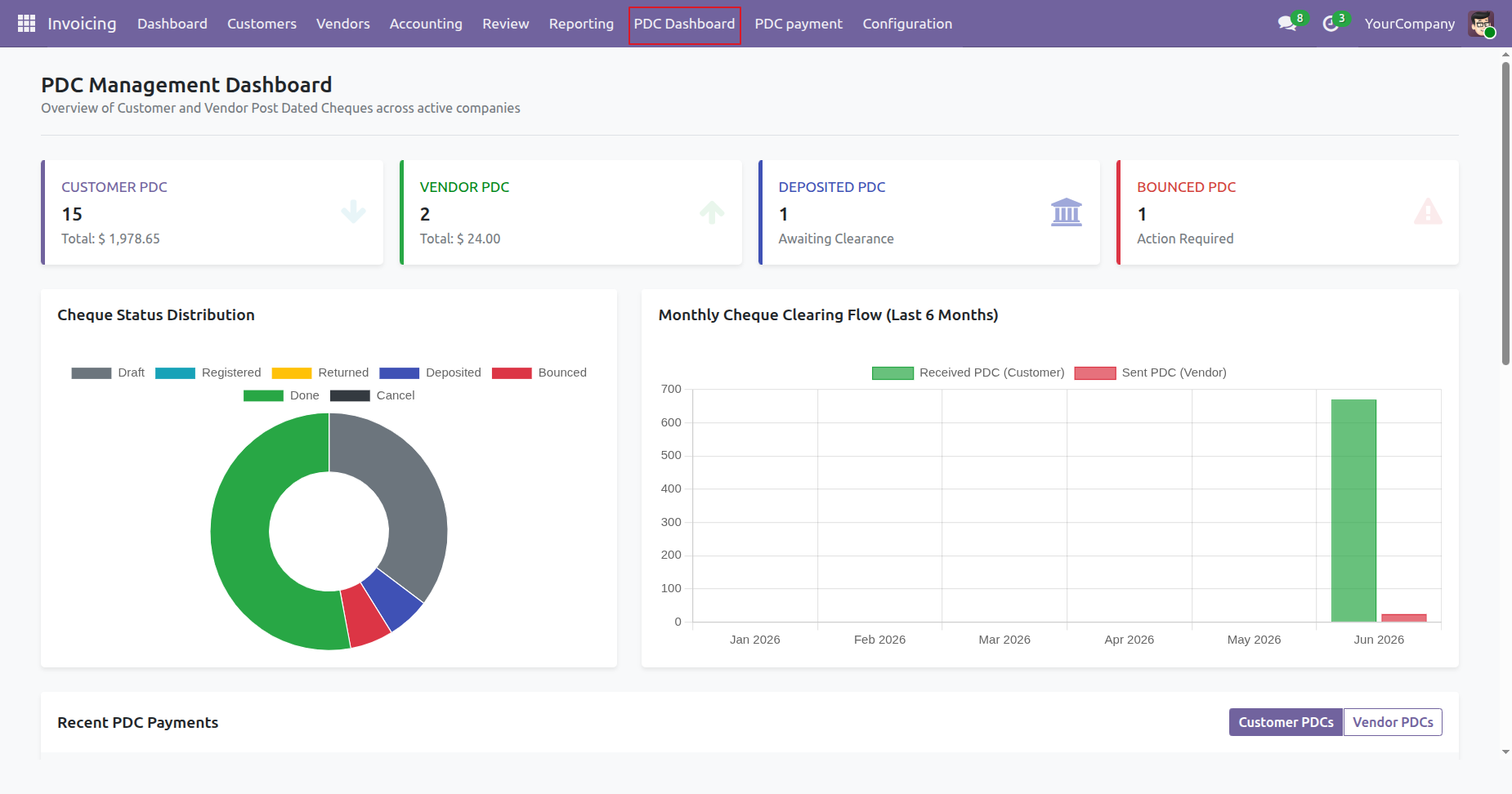
Click on the Customer PDC tile from the PDC Dashboard to view and manage all customer post-dated cheque records.
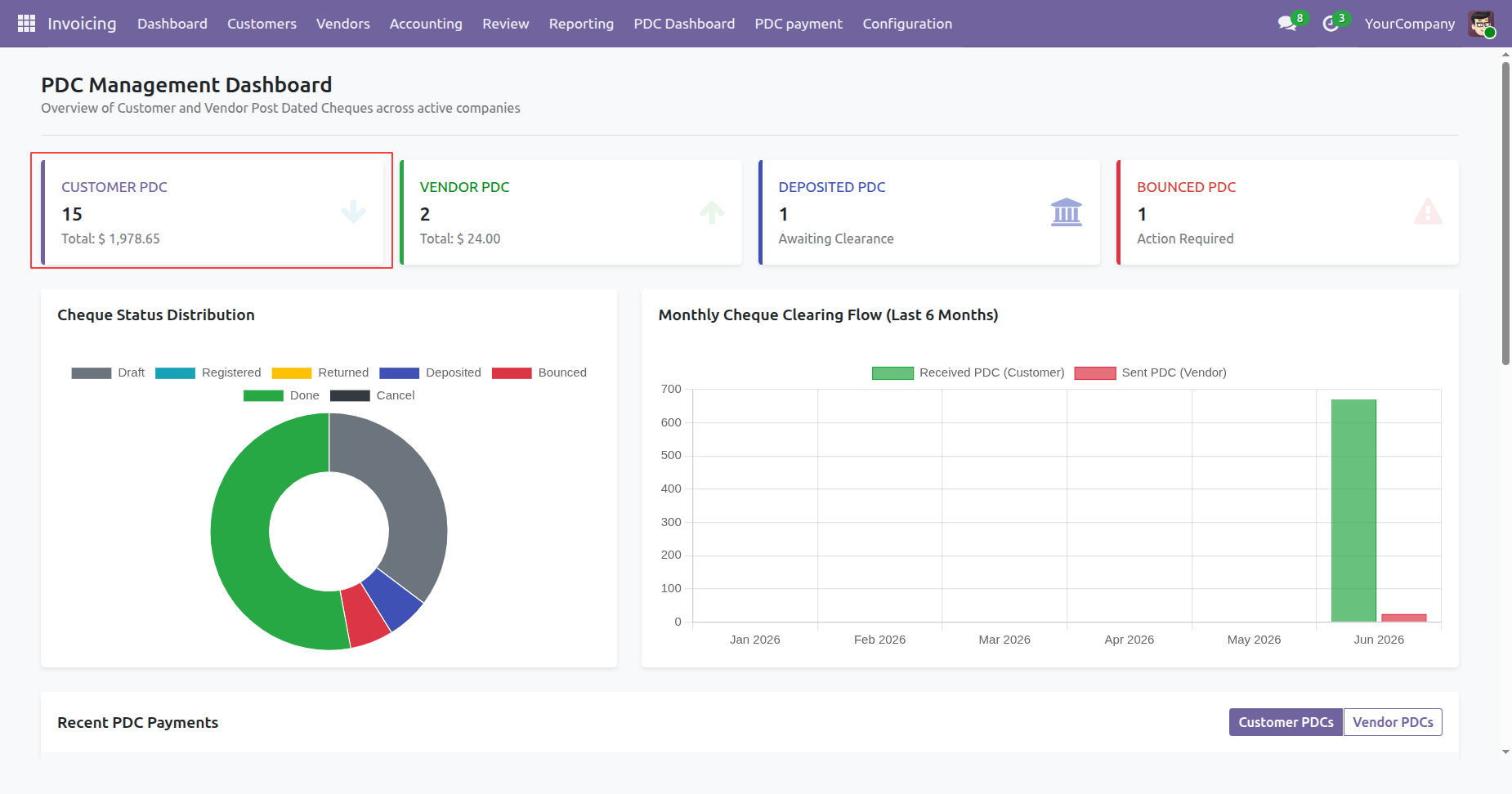
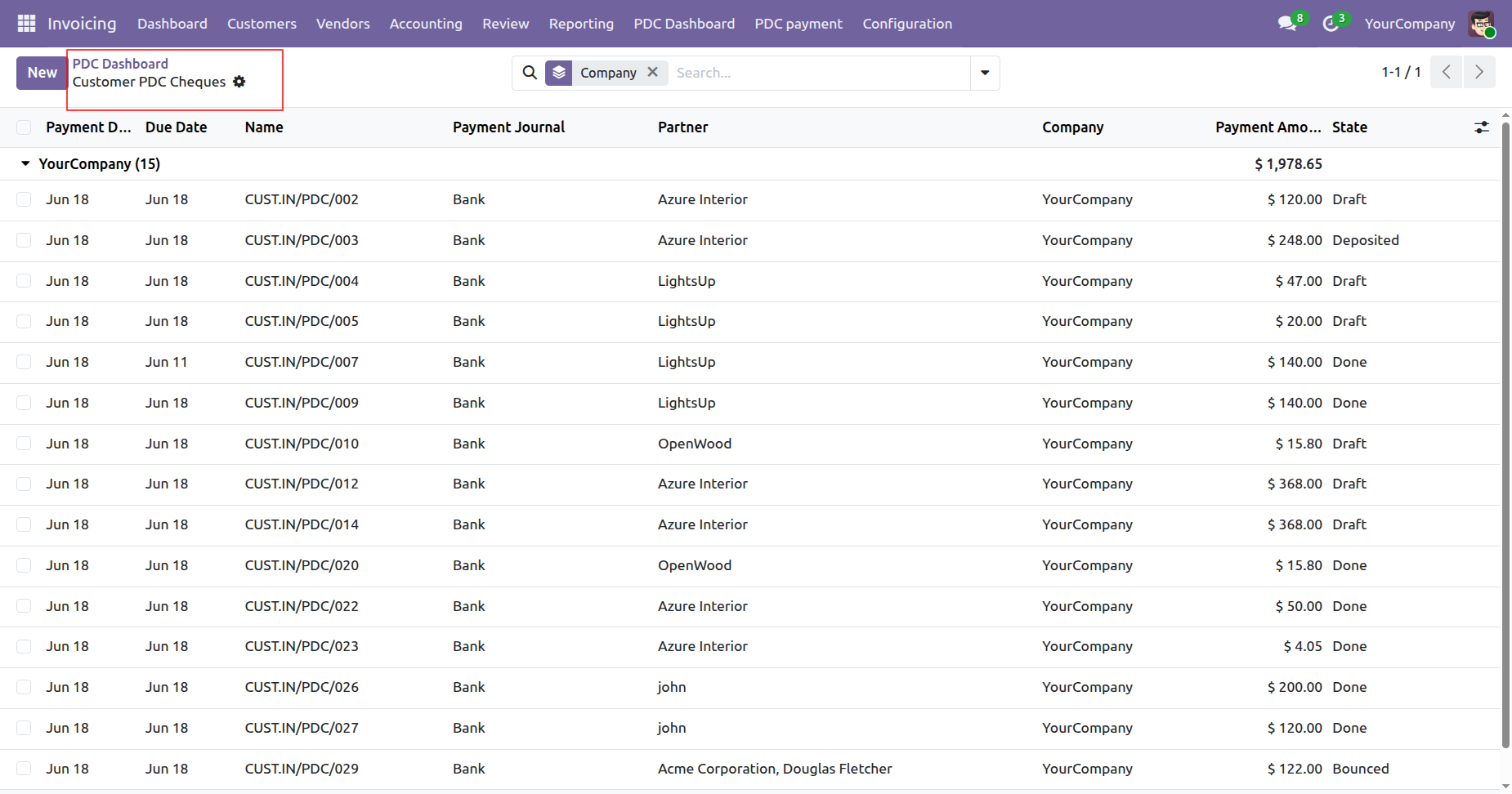
The Customer PDC List View displays all customer post-dated cheque records, allowing users to view, search, filter, group, and manage PDC transactions efficiently.
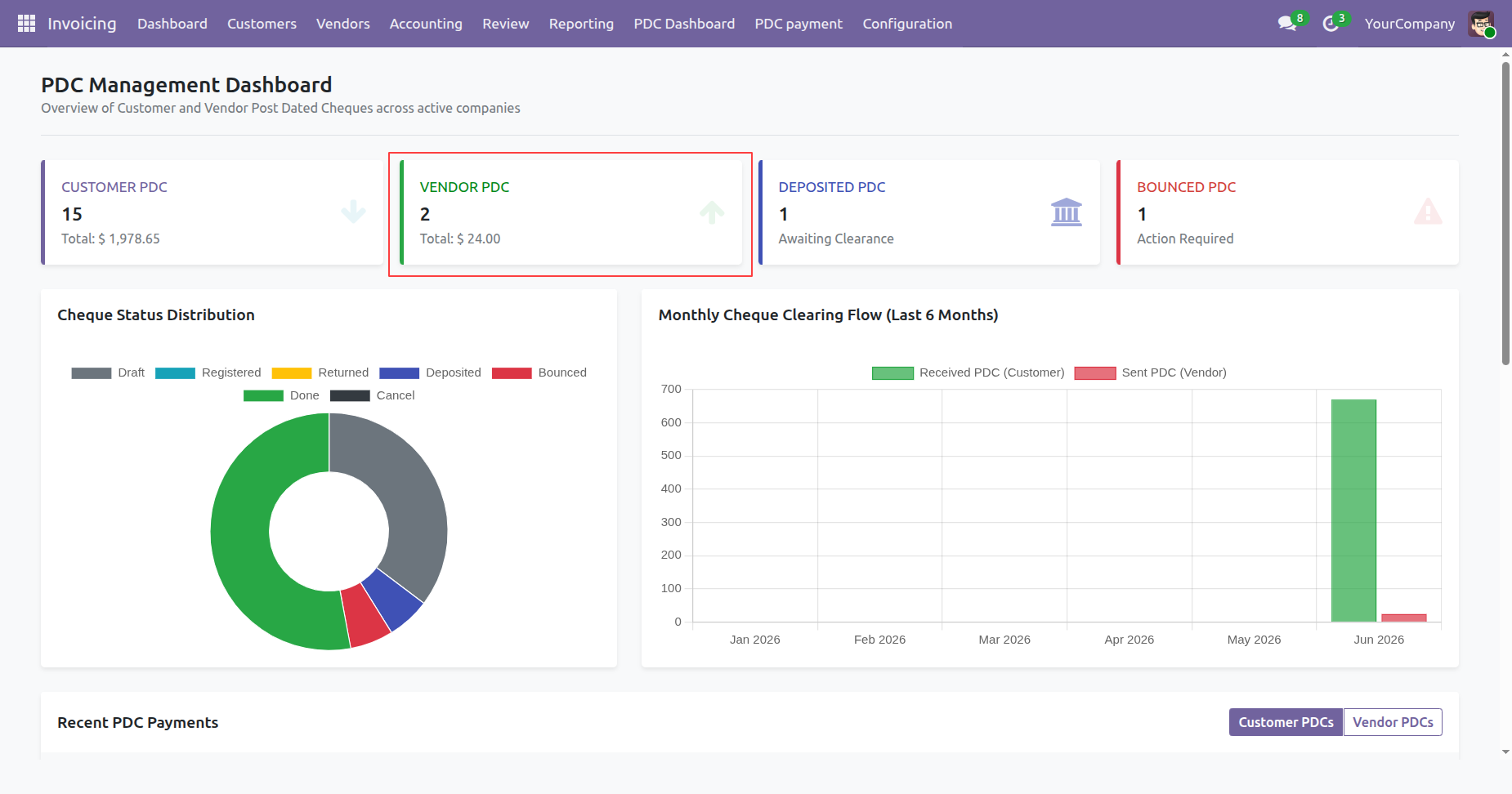
Click on the Vendor PDC tile from the PDC Dashboard to view and manage all vendor post-dated cheque records.
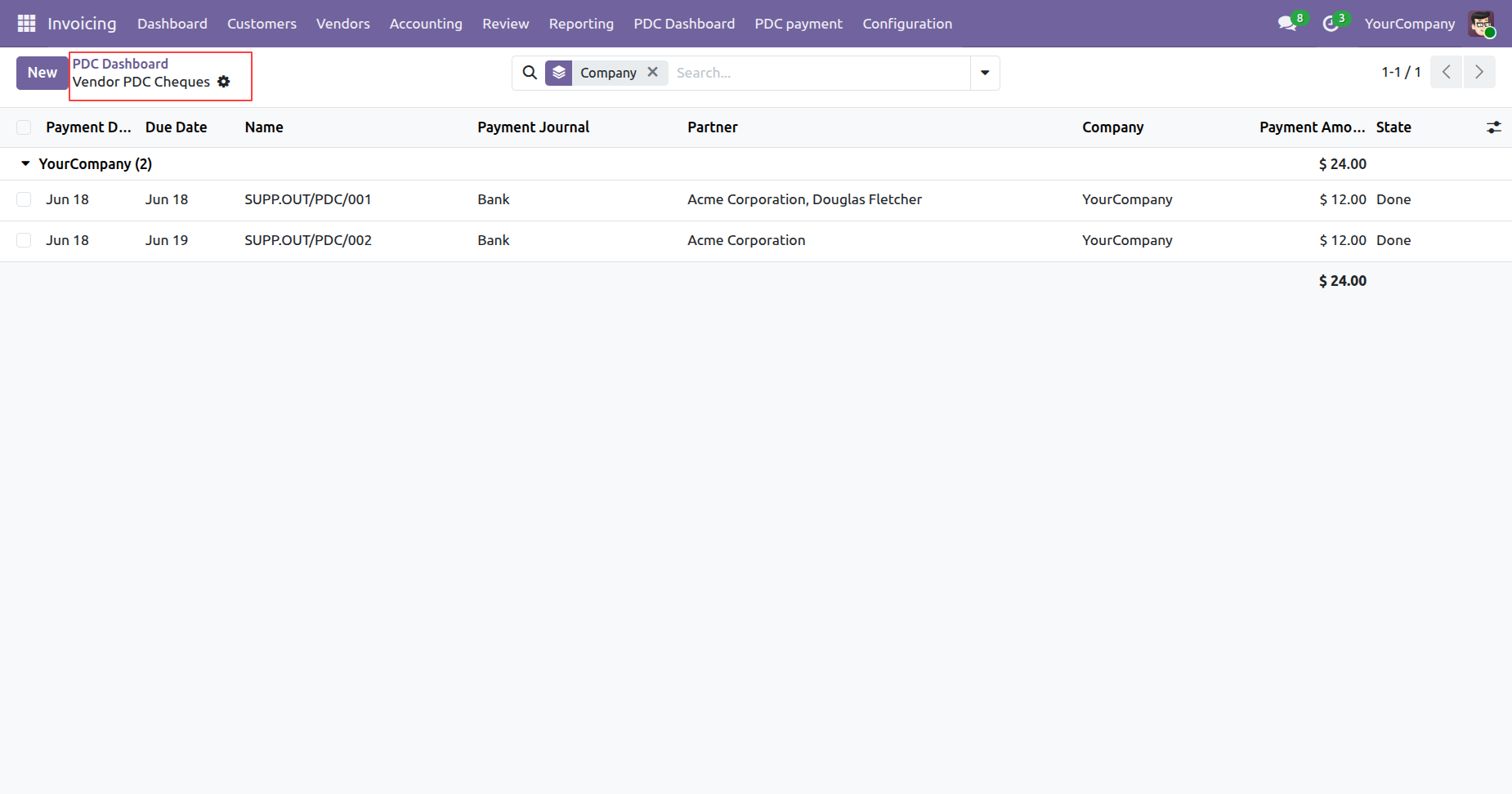
The Vendor PDC List View displays all vendor post-dated cheque records, allowing users to view, search, filter, group, and manage vendor PDC transactions efficiently.
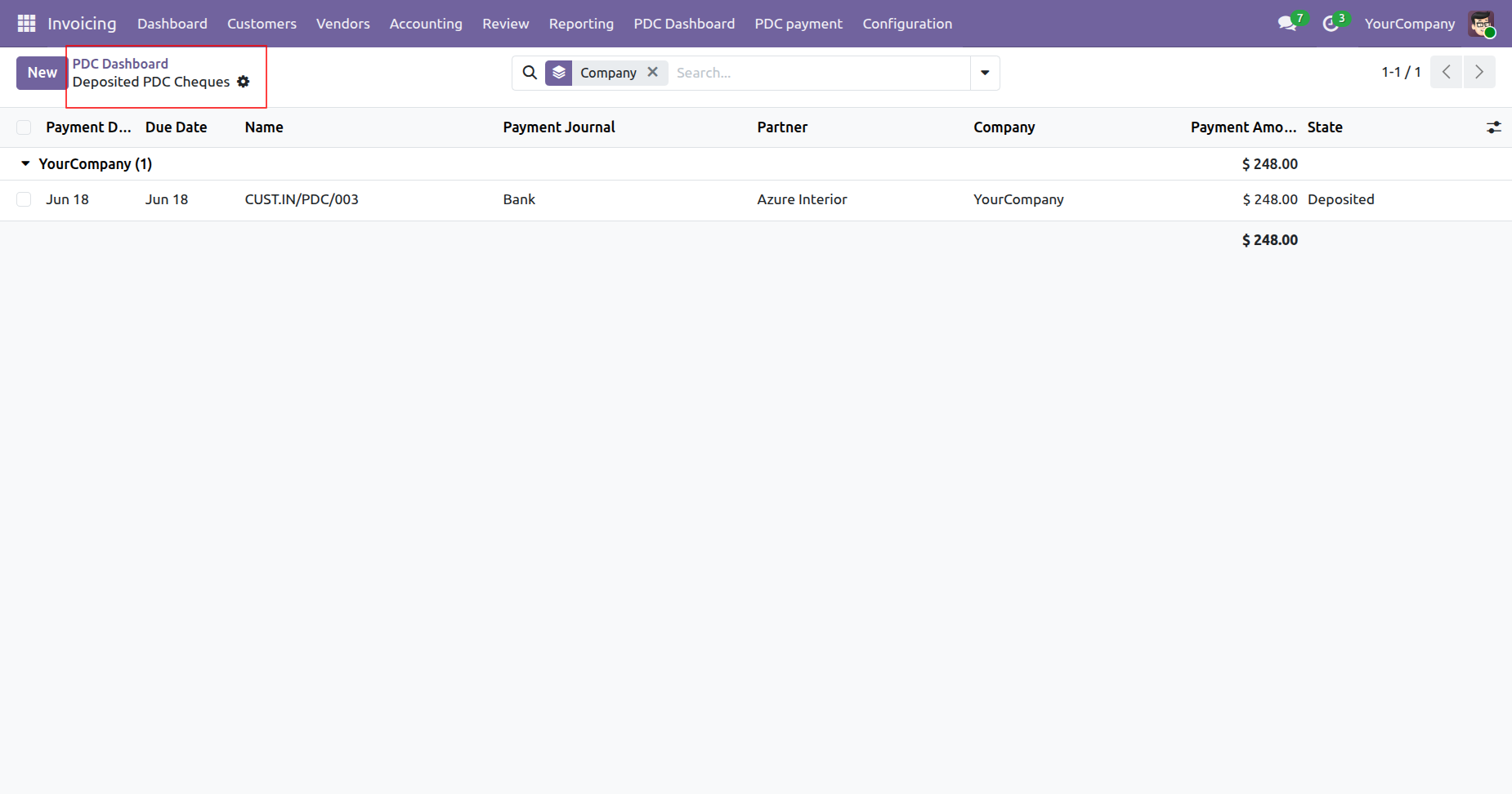
Click on the Deposited PDC tile from the PDC Dashboard to view all deposited post-dated cheque records.
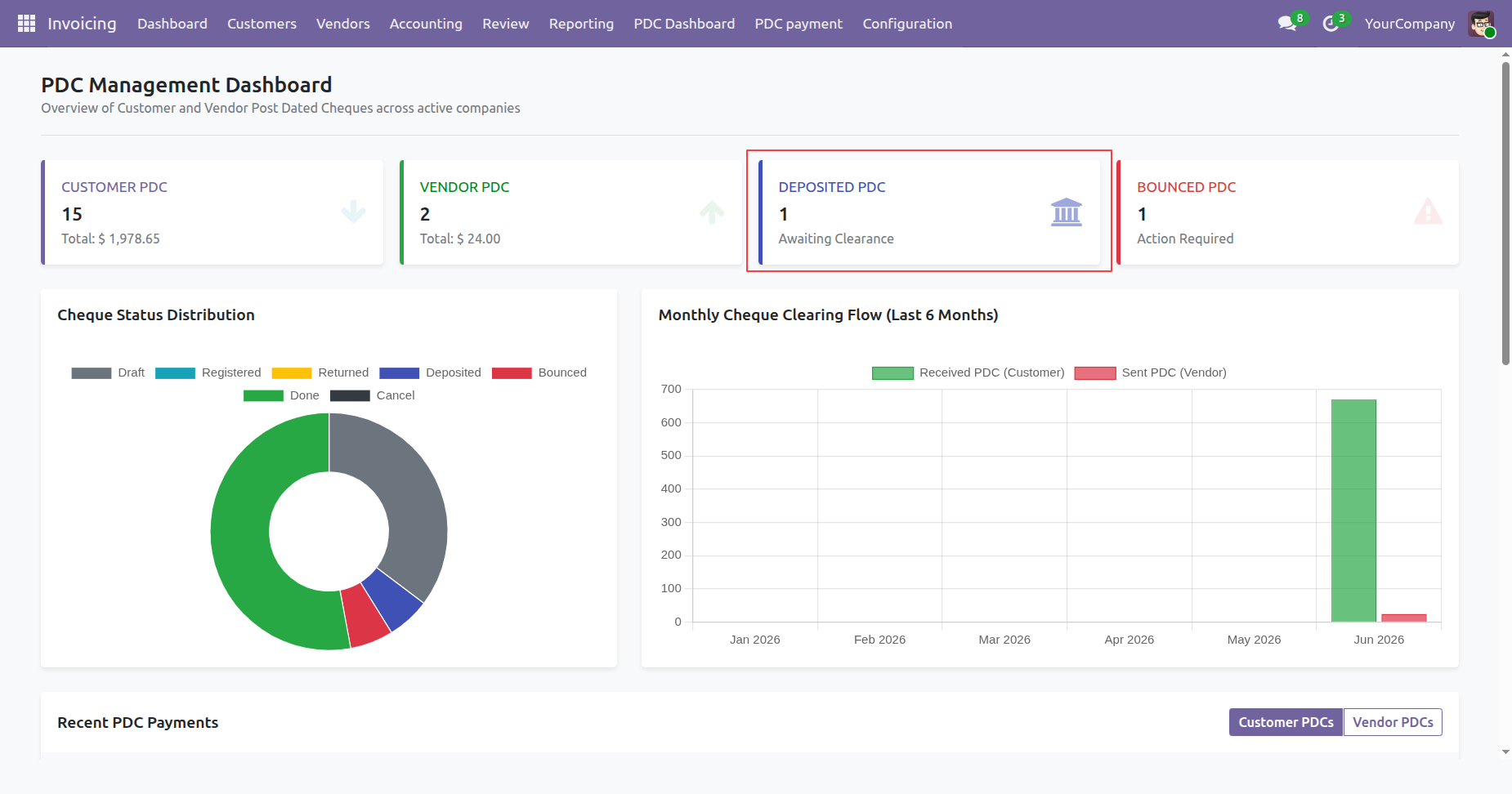
The Deposited PDC List View displays all deposited post-dated cheque records, allowing users to track, search, filter, group, and manage deposited cheques efficiently.
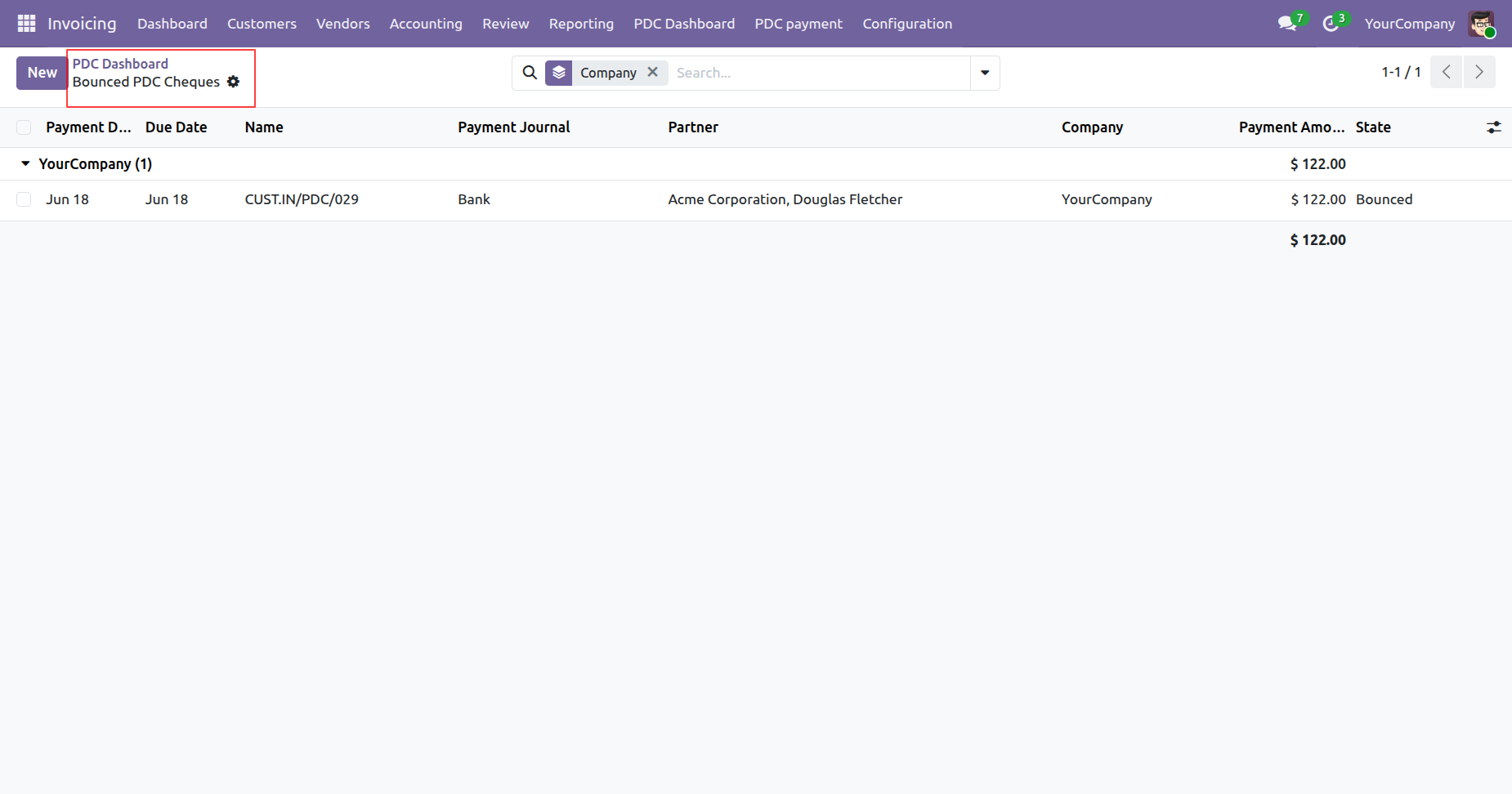
Click on the Bounced PDC tile from the PDC Dashboard to view all bounced post-dated cheque records.
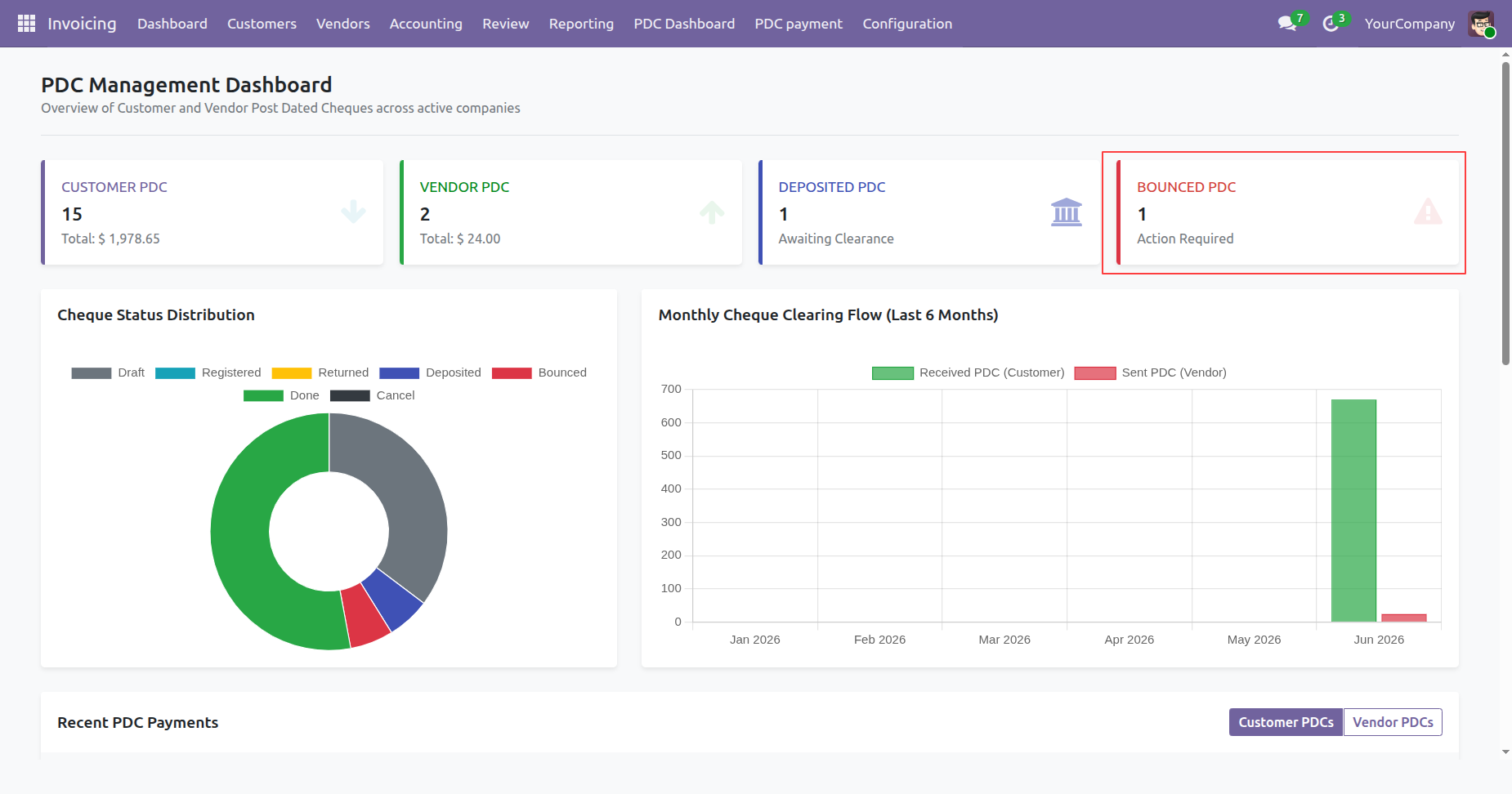
The Bounced PDC List View displays all bounced post-dated cheque records, allowing users to view, search, filter, group, and manage bounced cheques efficiently.
The Cheque Status Distribution and Monthly Cheque Clearing Flow are visually displayed through interactive charts on the PDC Dashboard, providing clear insights into cheque statuses and monthly clearing trends.
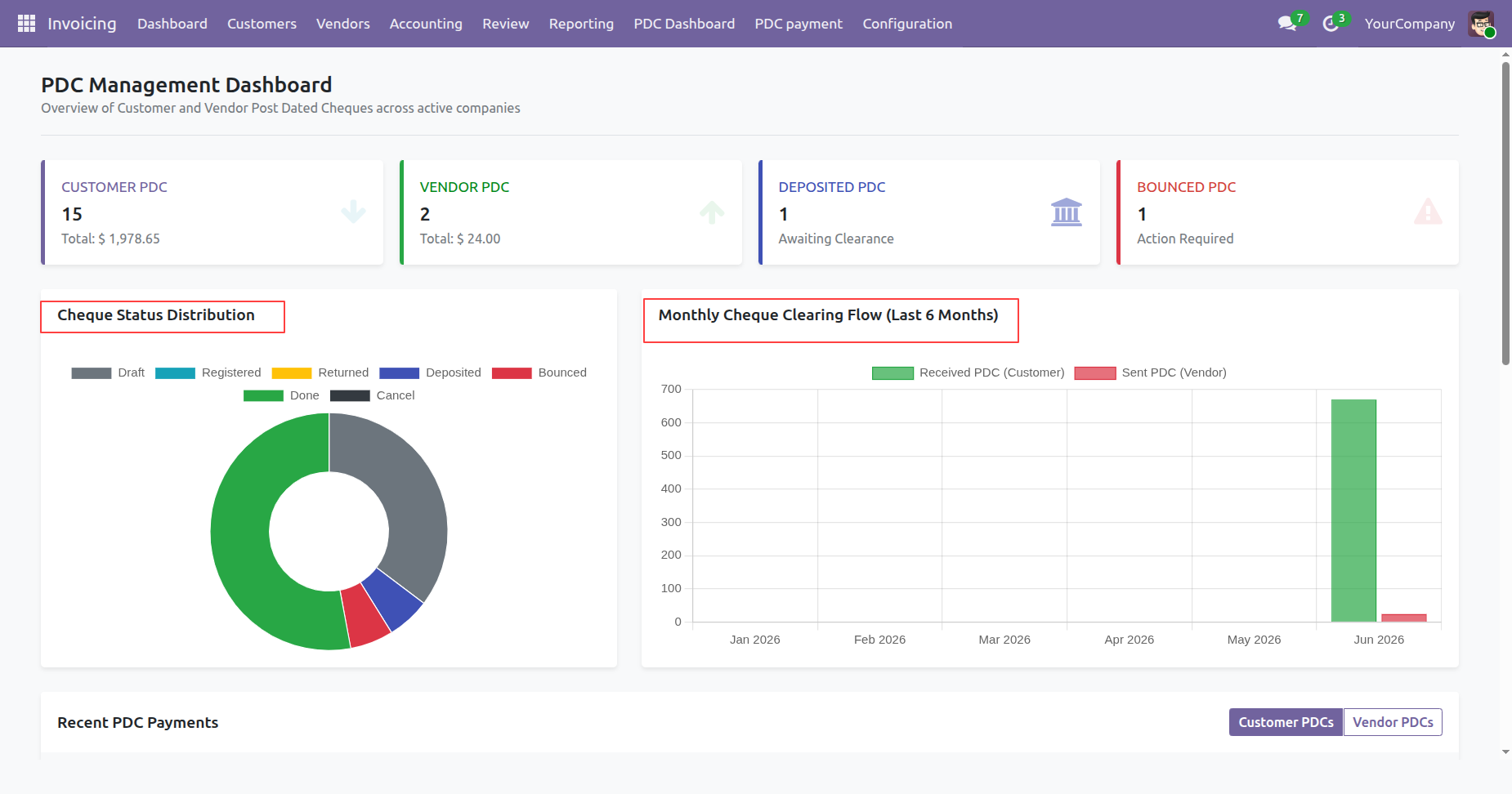
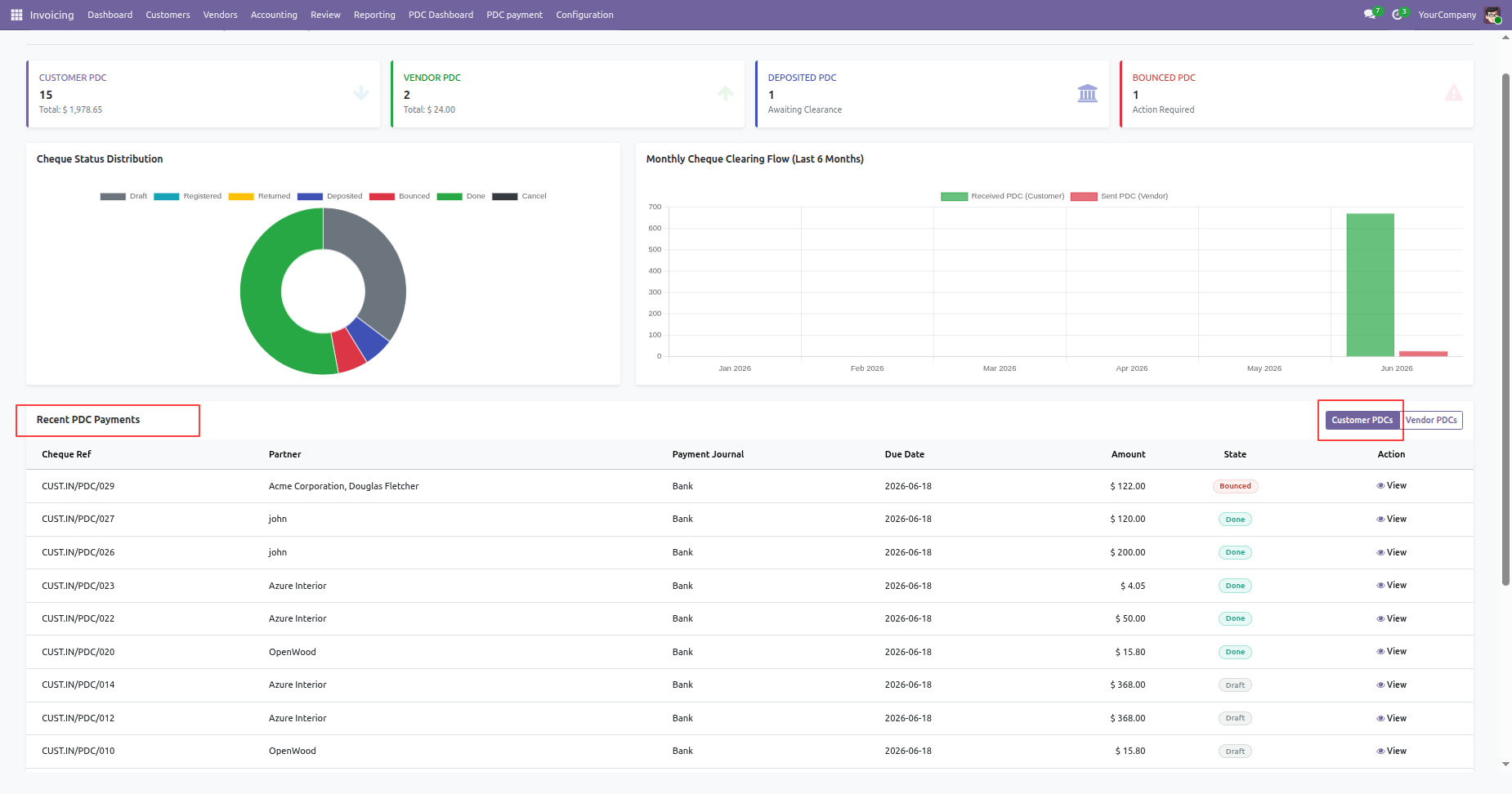
By clicking on the Customers, from the Recent PDC Payments table on the PDC Dashboard displays the latest customer post-dated cheque transactions for quick monitoring and easy access.
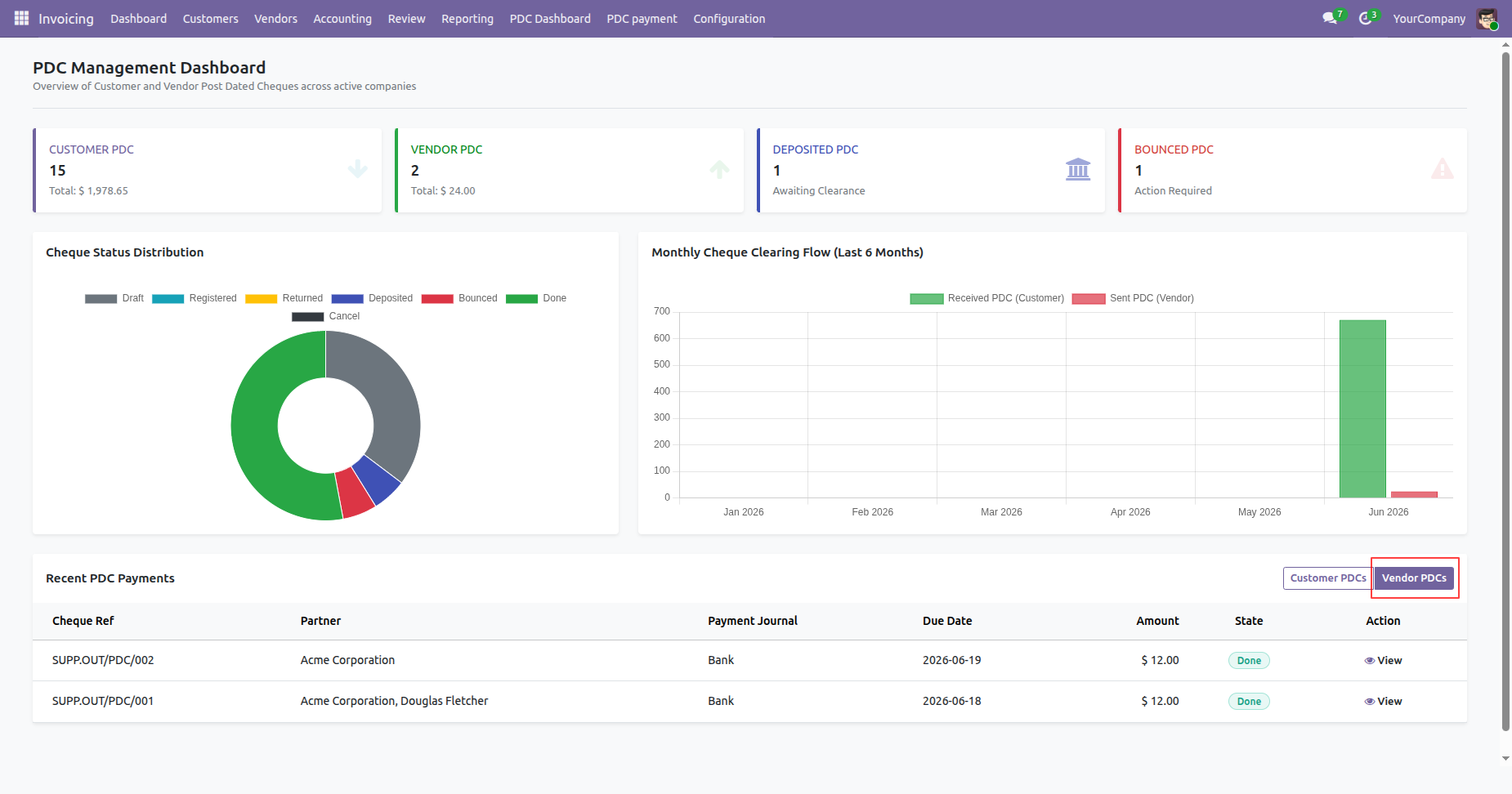
By clicking on the Vendors, from the Recent PDC Payments table on the PDC Dashboard displays the latest vendor post-dated cheque transactions for quick monitoring and easy access.
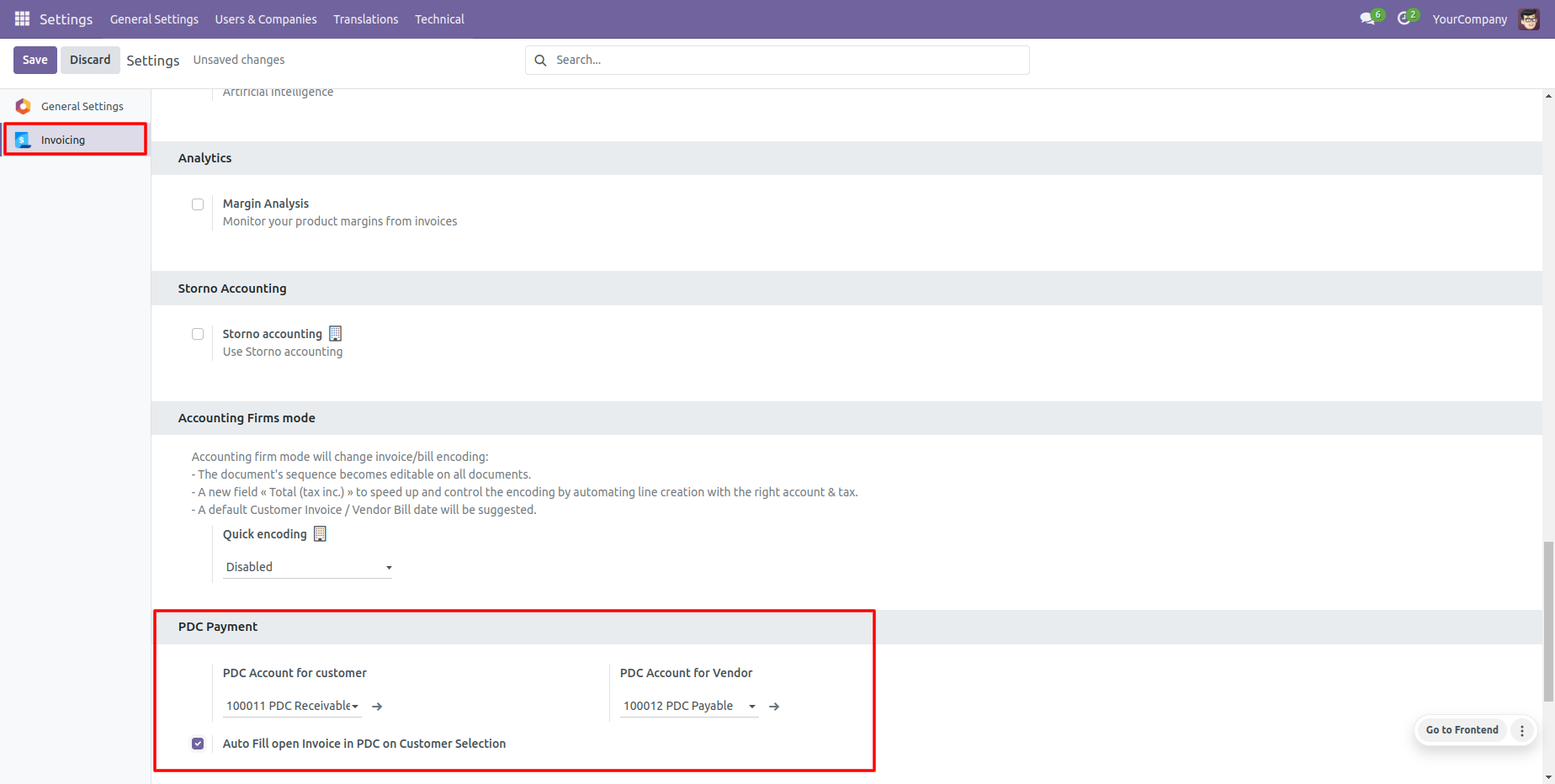
Configure PDC accounts for each company setup.
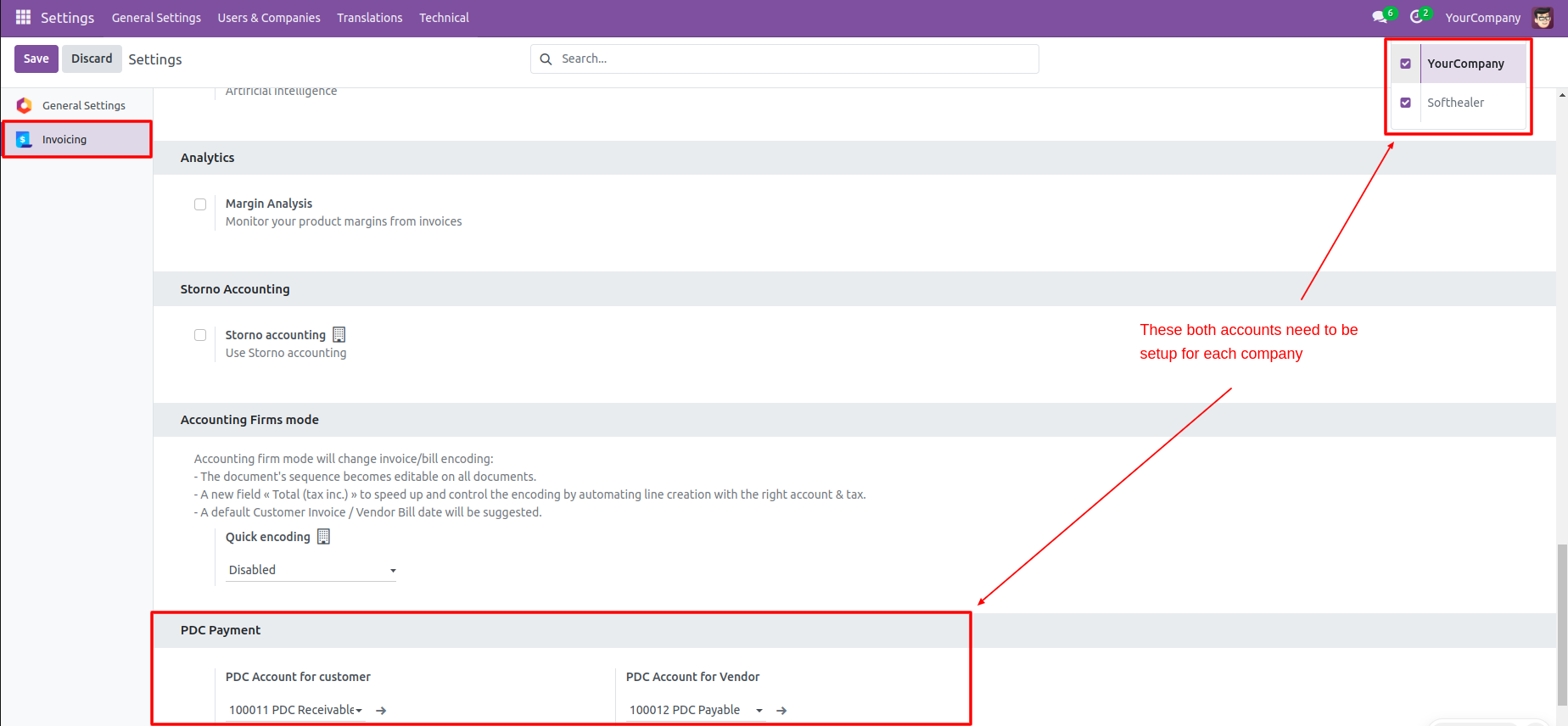
Go to Invoice Configuration settings to set PDC accounts for customers and vendors.
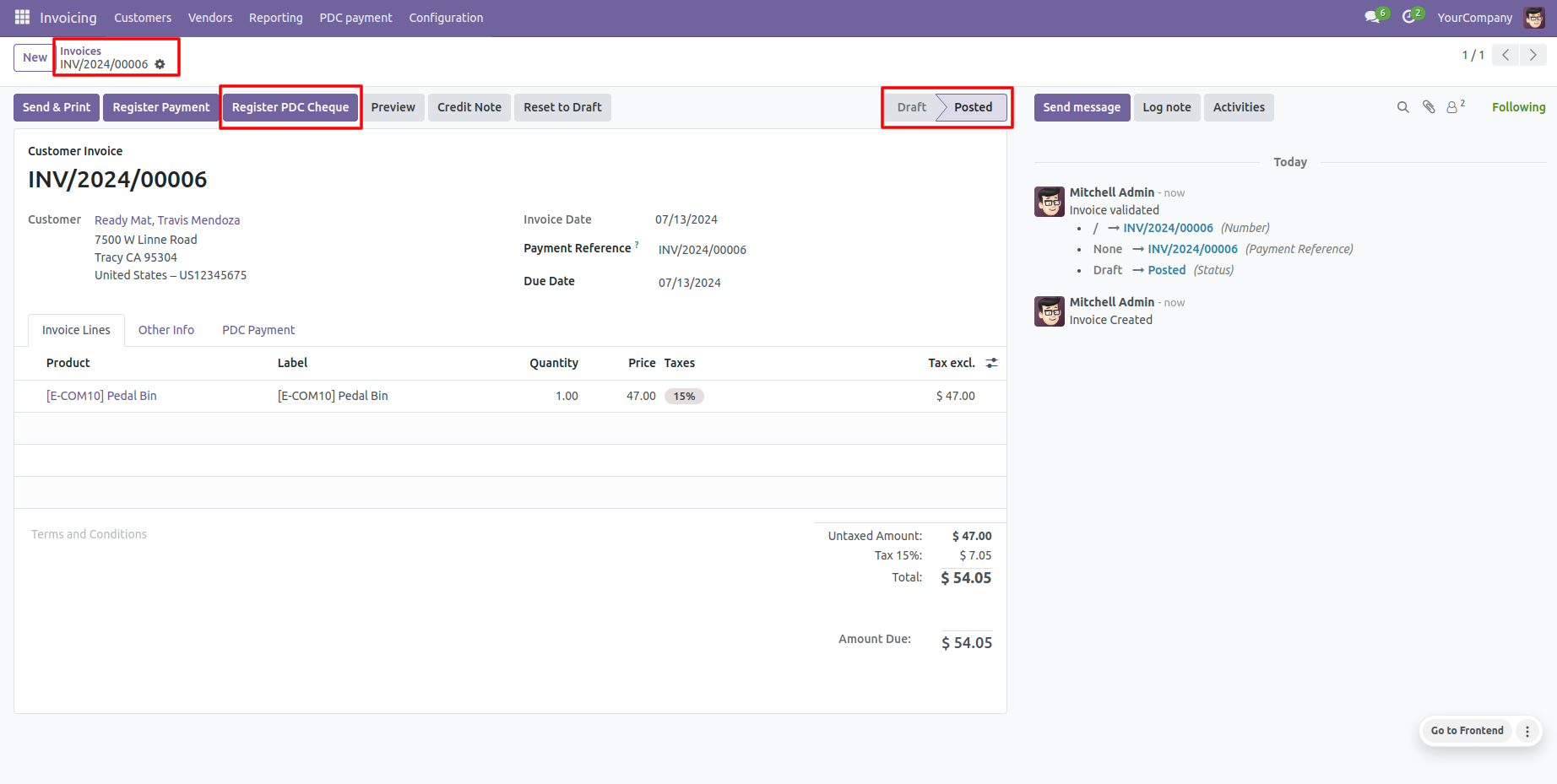
Find the 'Register PDC cheque' button in the invoice view (Only visible in Posted state).
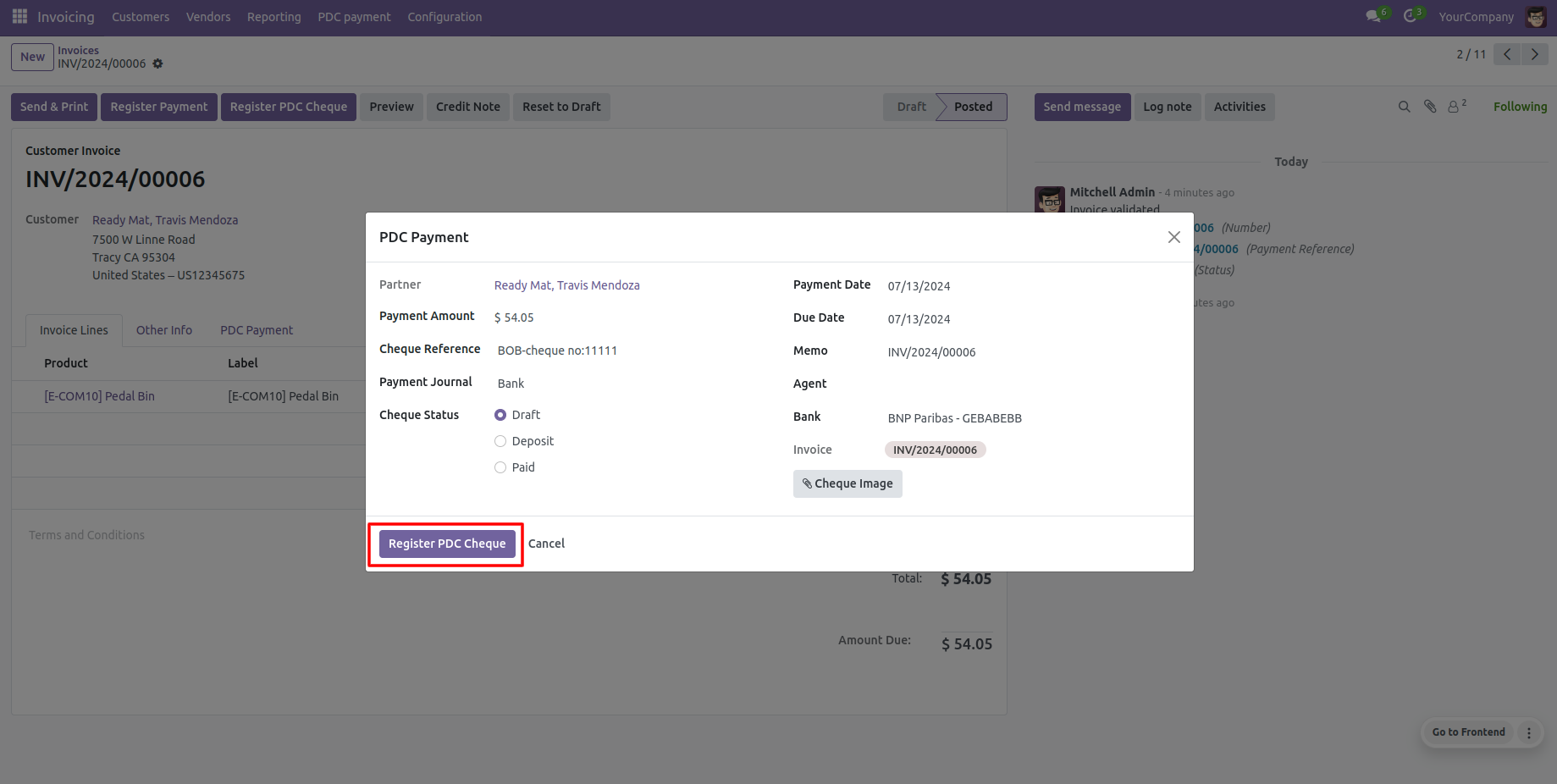
The 'Register PDC cheque' wizard pops up after clicking the button.
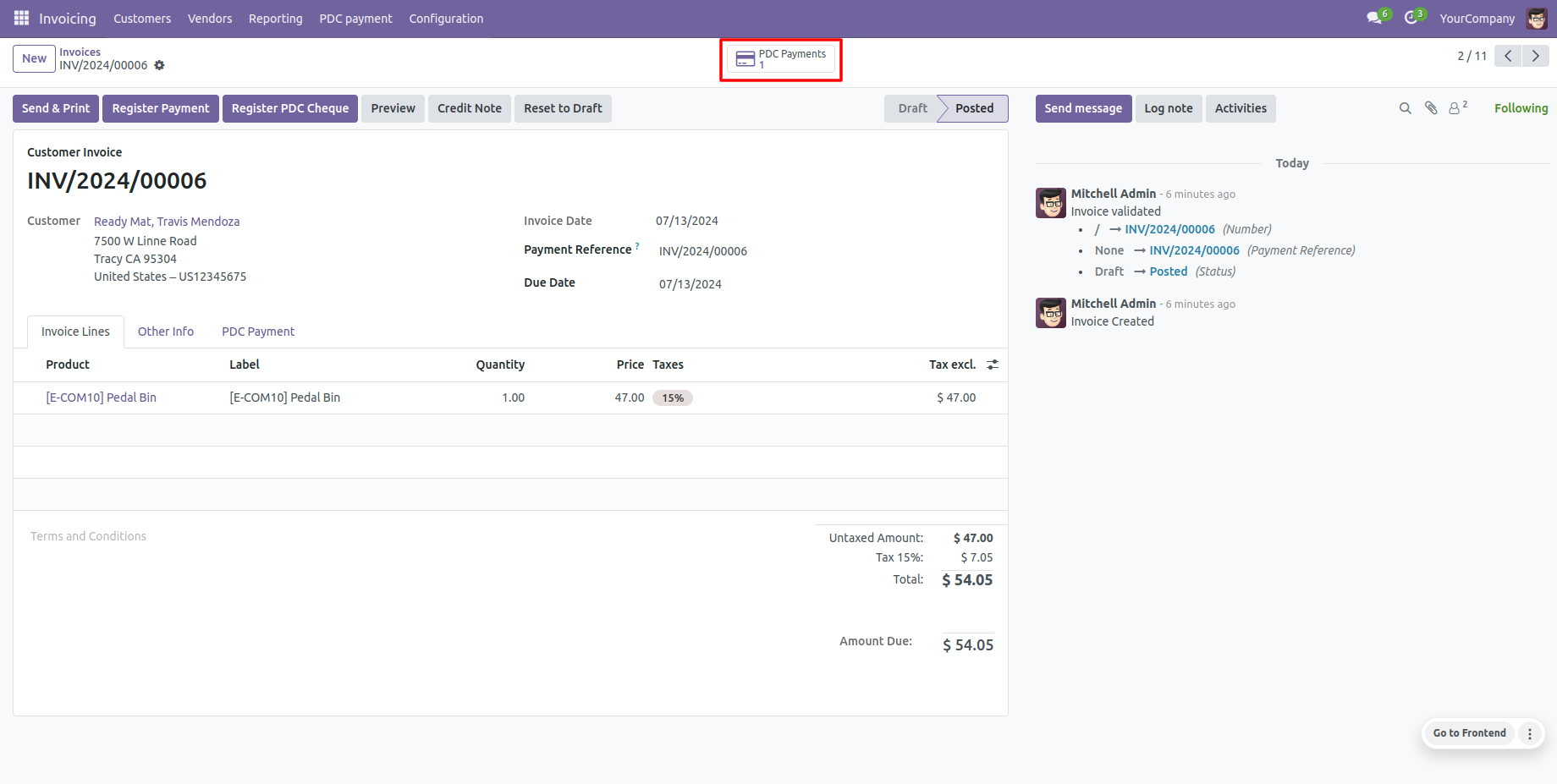
Invoices form view shows the 'PDC Payment' smart button to see associated cheques.
The dedicated 'PDC Payment' menu displays all registered Post Dated Cheques.
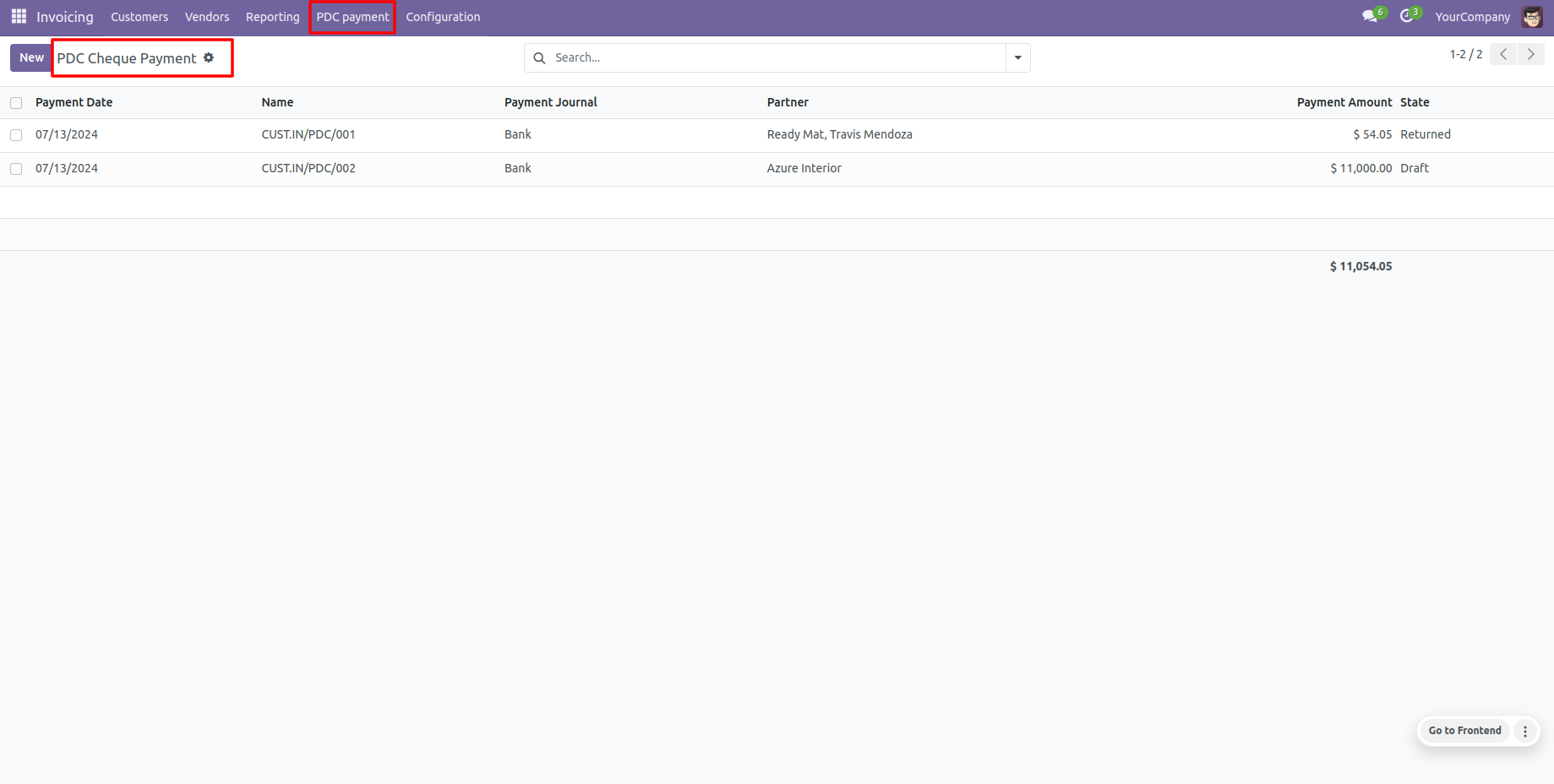
PDC Payment form view where cheques can be deposited or returned.
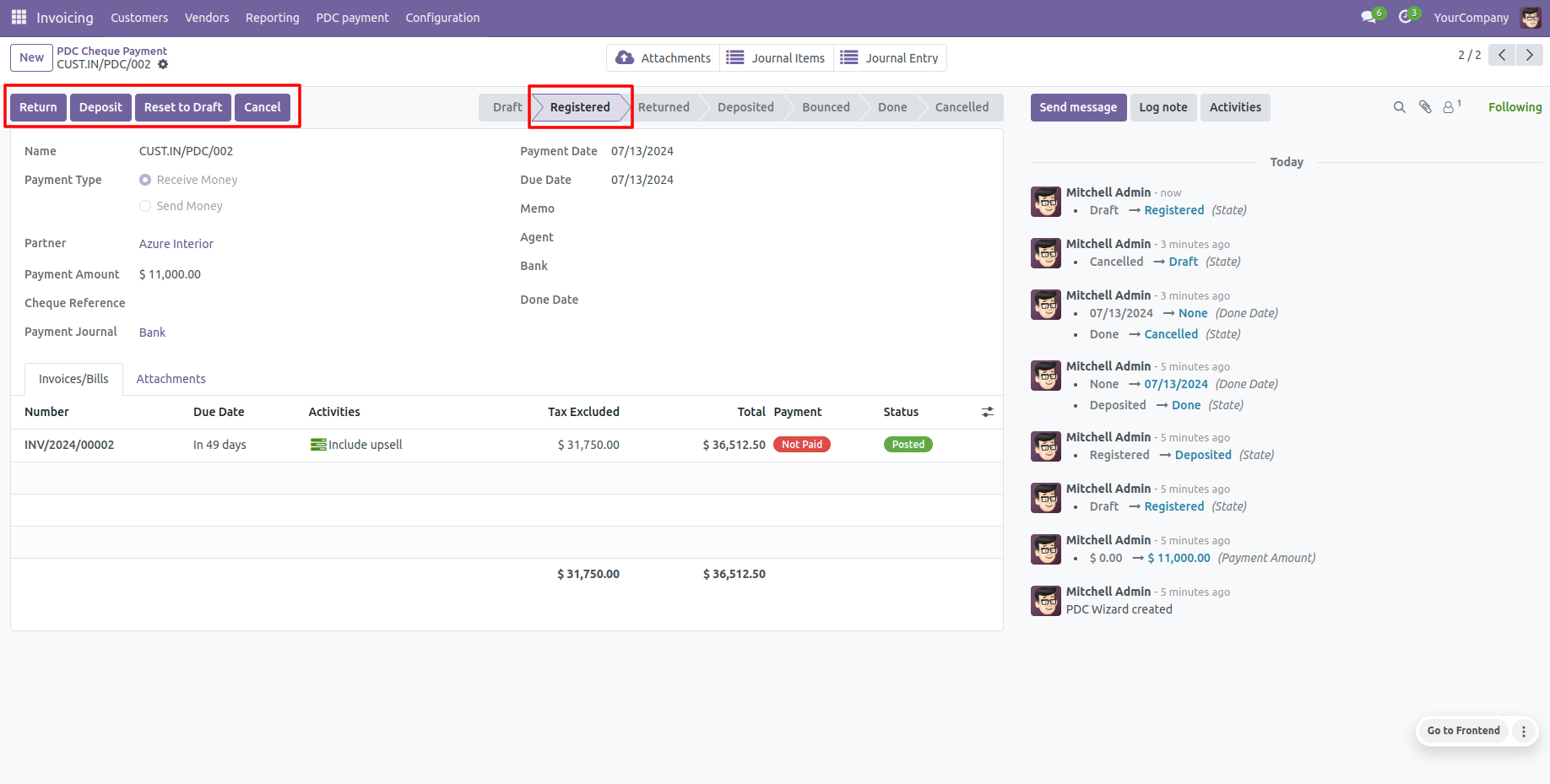
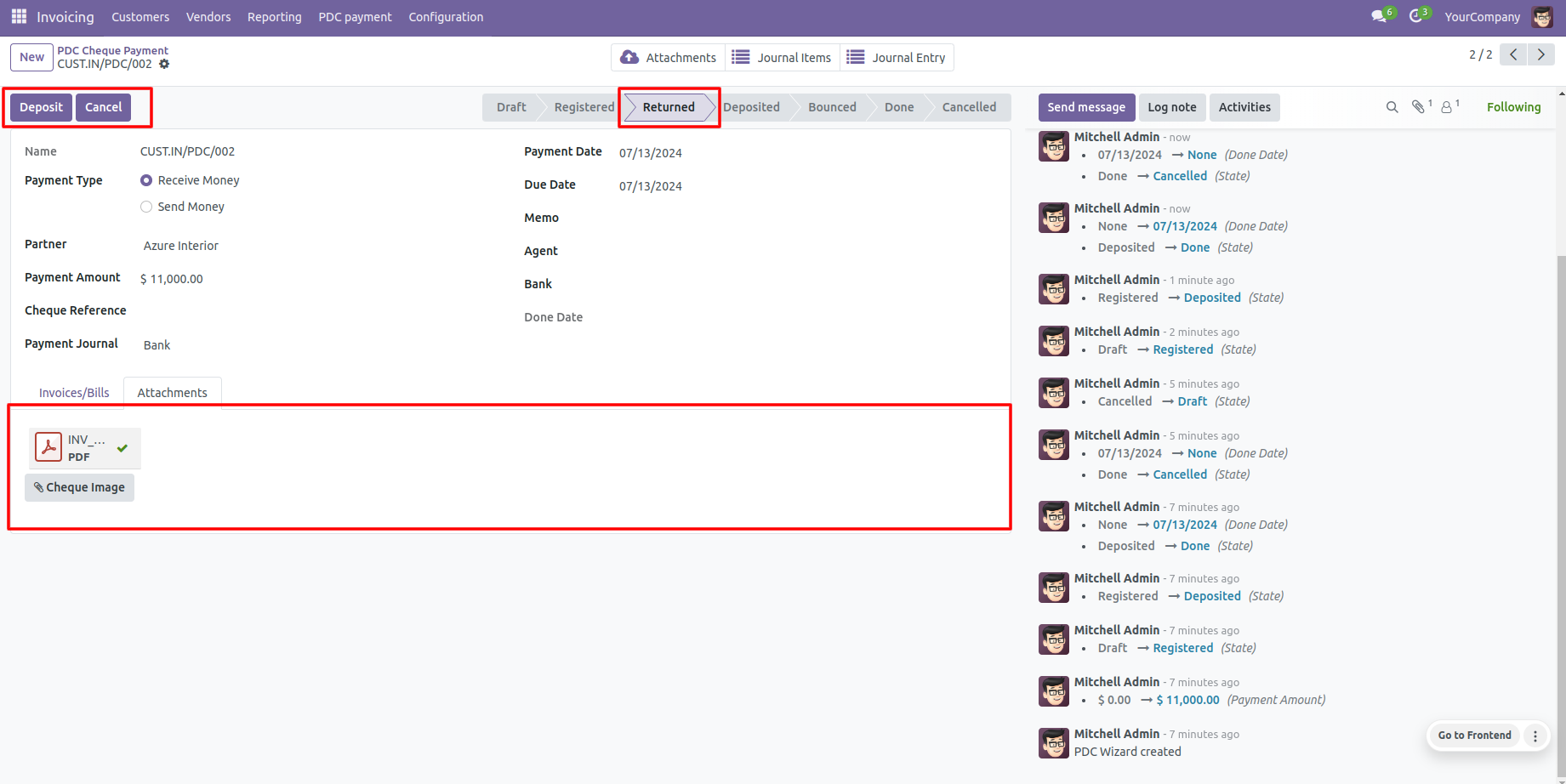
Clicking 'Return' updates the cheque status to the 'Returned' state.
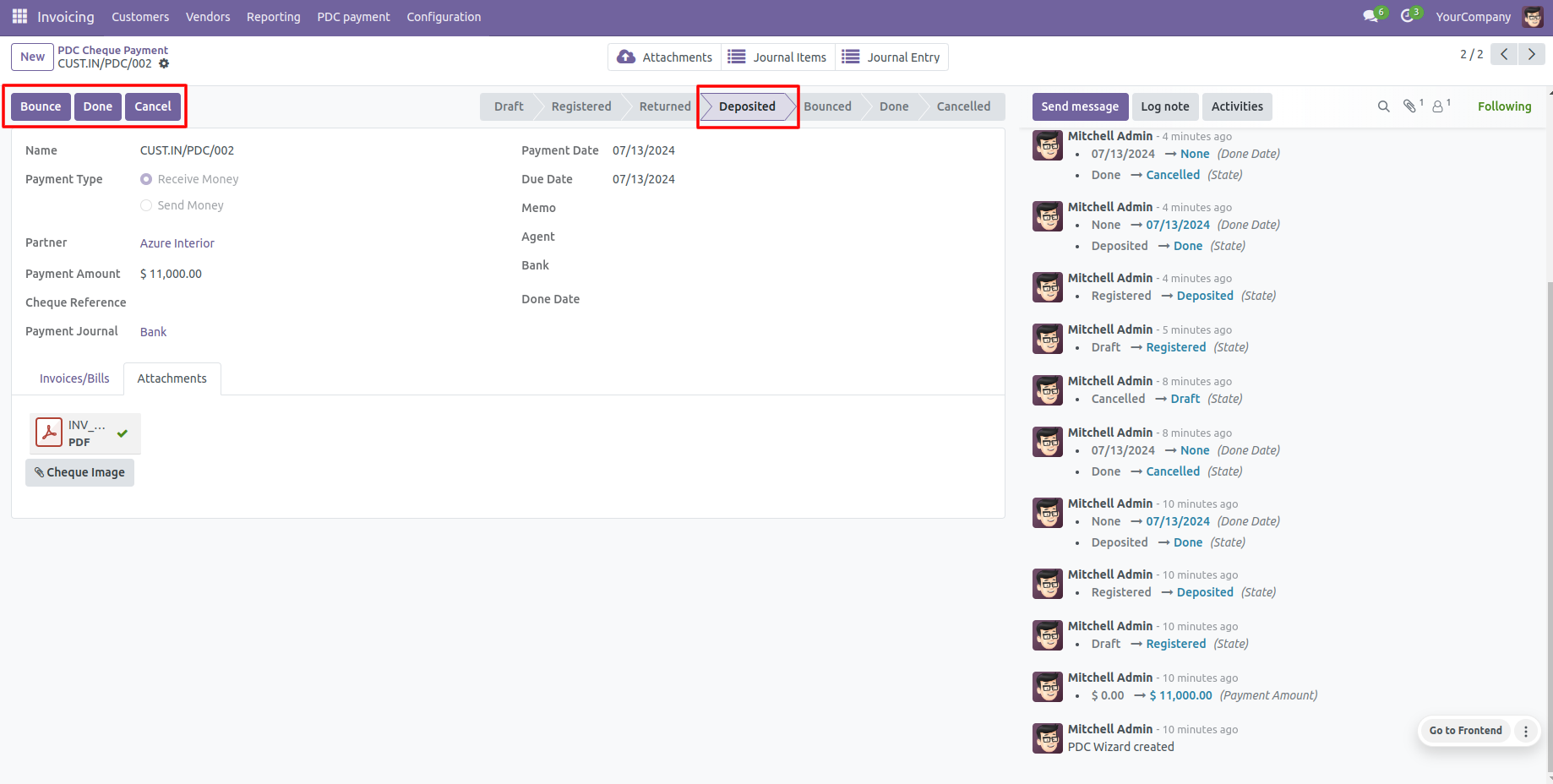
Clicking 'Deposit' transitions the cheque to the 'Deposited' state, revealing the 'Bounce' and 'Done' buttons.
If a cheque bounces, click 'Bounce' to update the status to the 'Bounced' state.
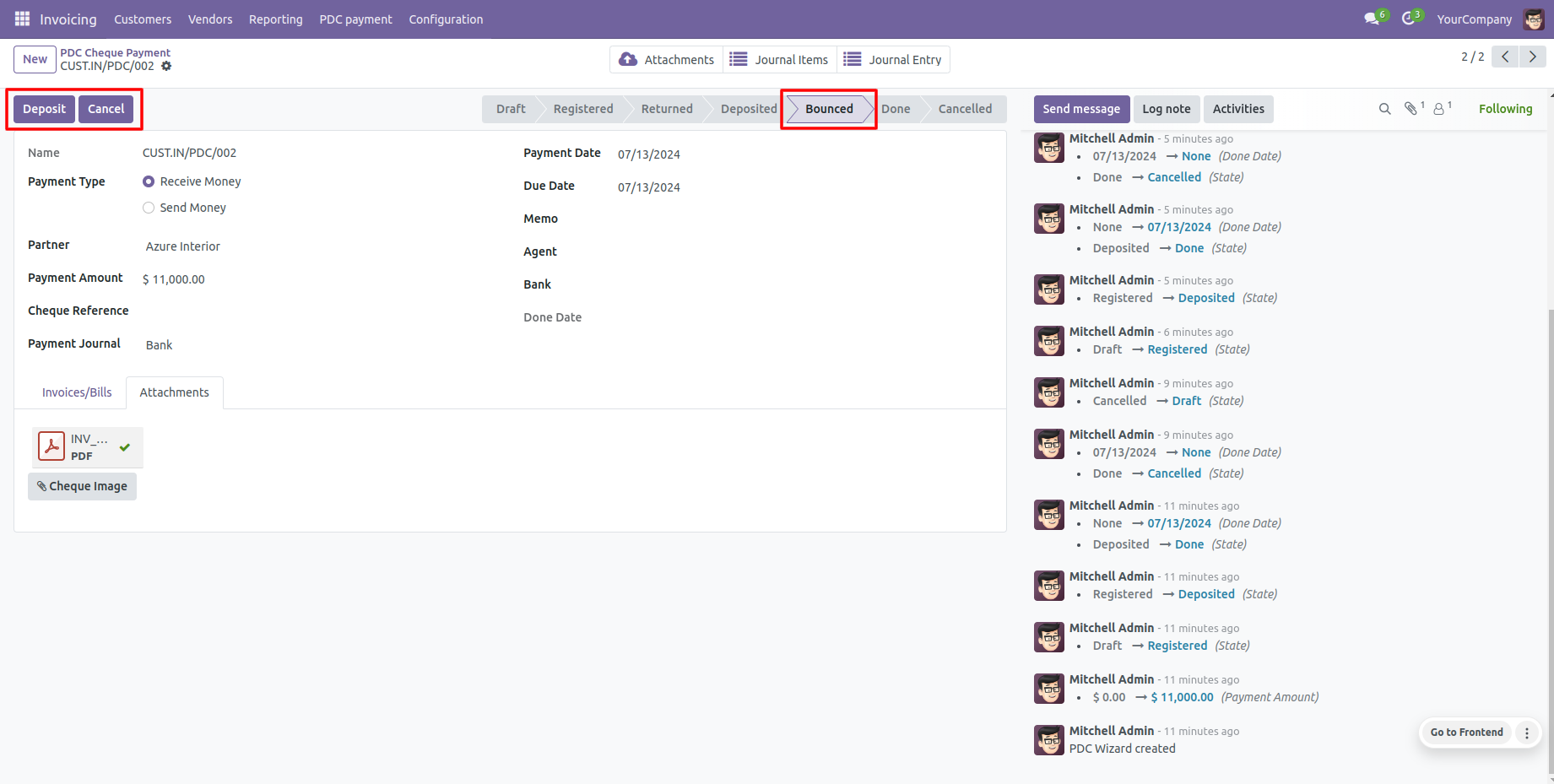
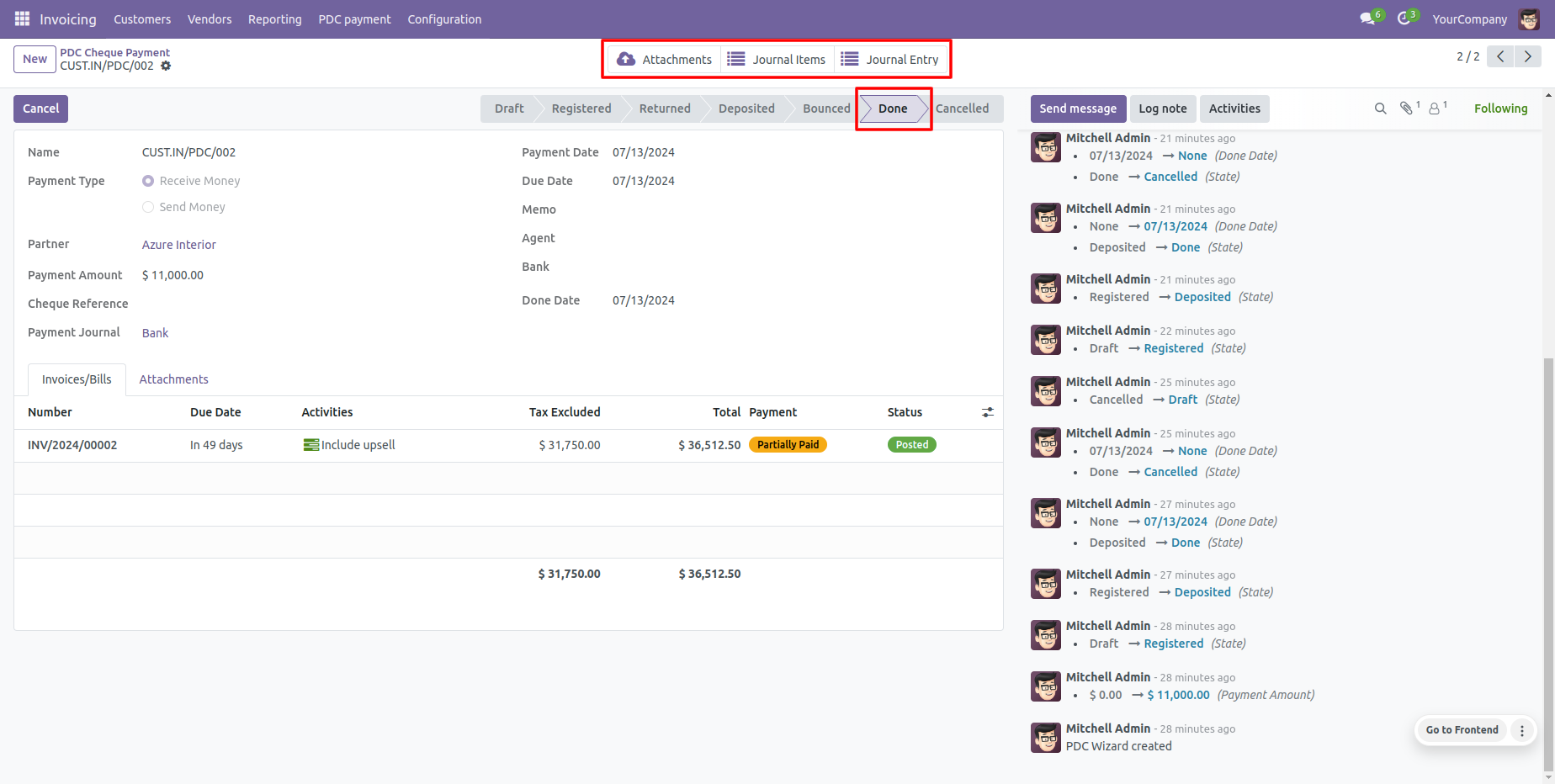
If clearing is successful, click 'Done' to mark the cheque as cleared ('Done' state).
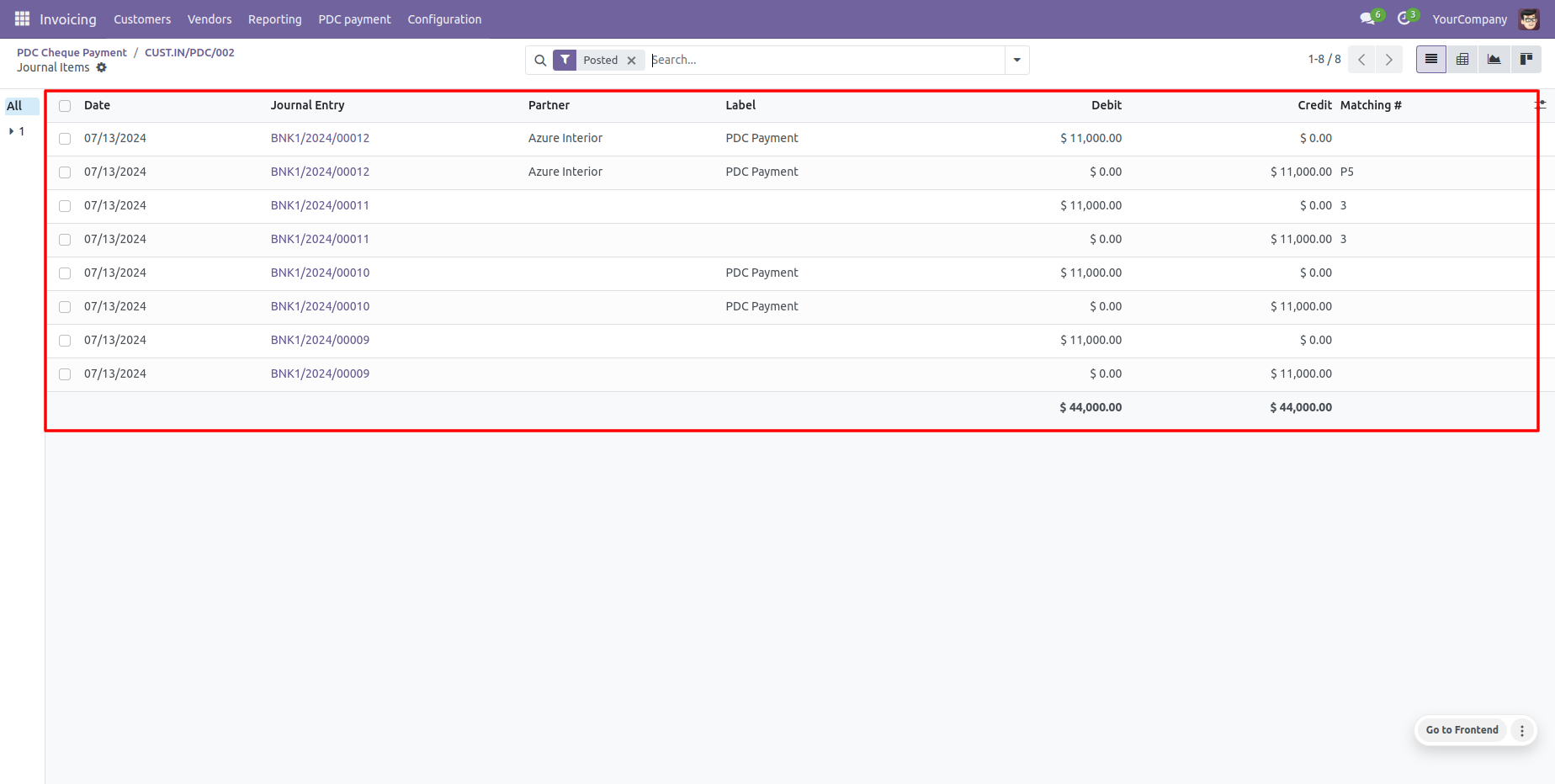
View automatic ledger items under Odoo's default 'Journal Items' tab.
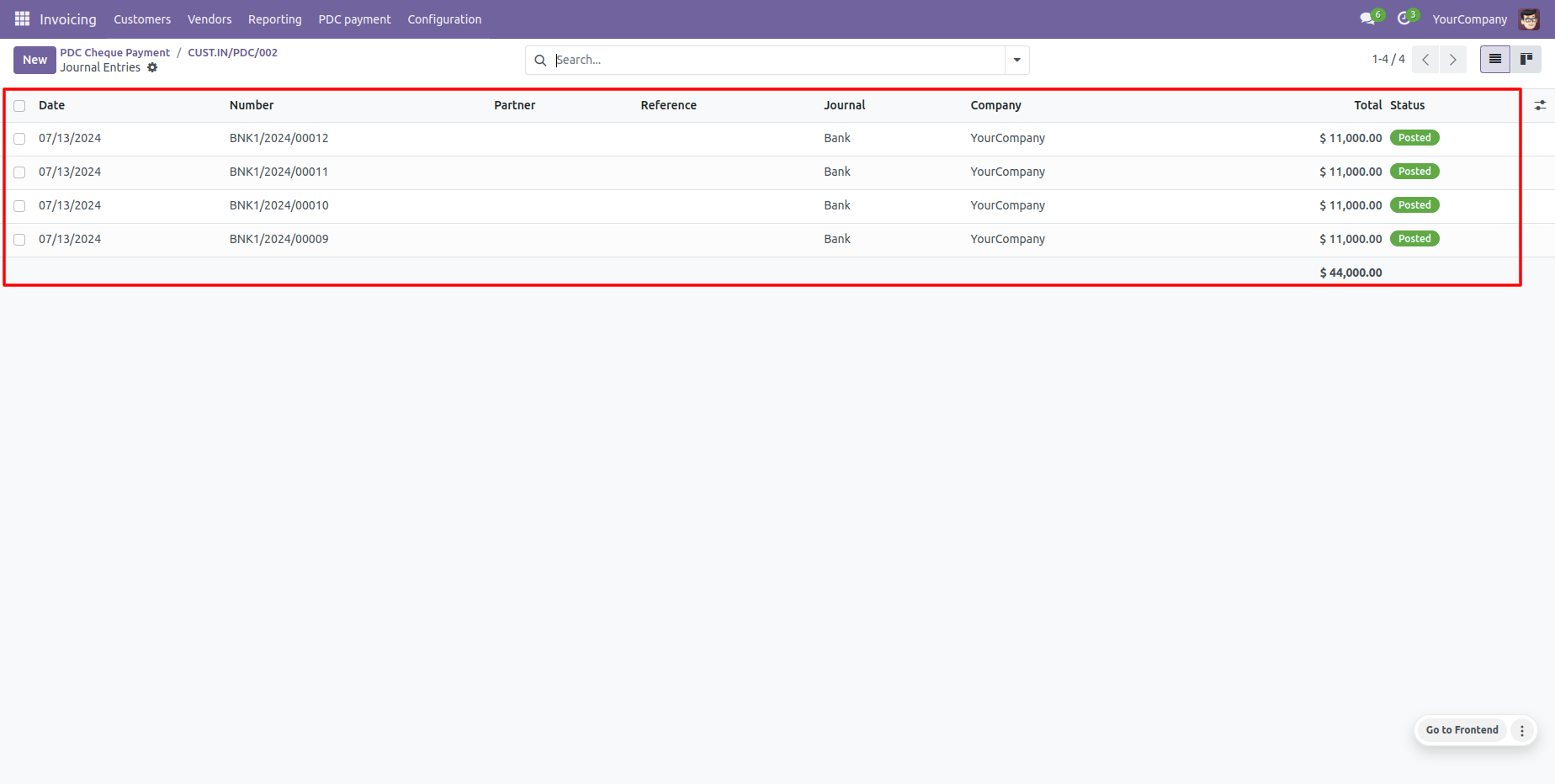
View comprehensive transactions history under Odoo's 'Journal Entries' tab.
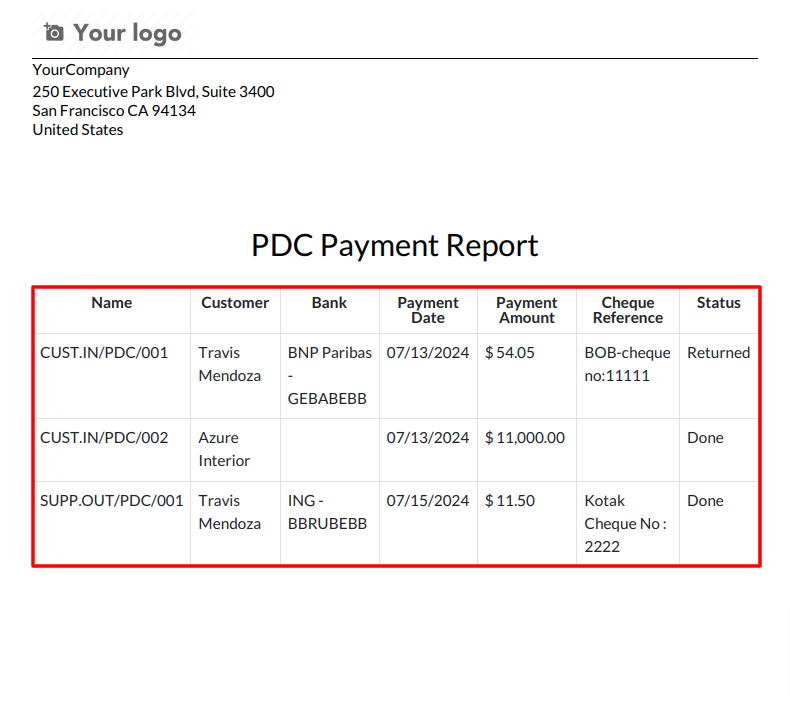
Generate and print 'PDC Payment Reports' for selected cheque listings.
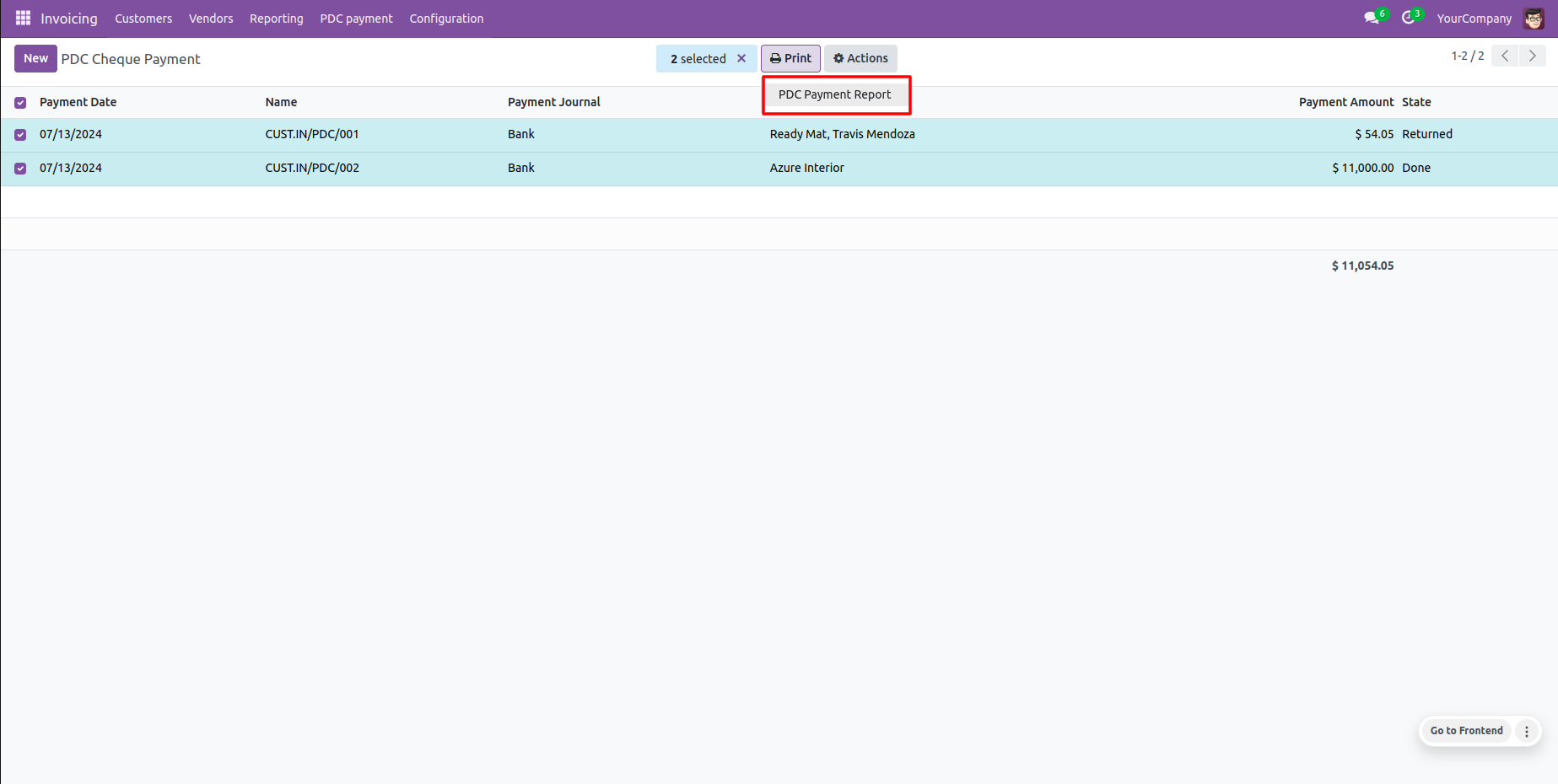
Standard PDF template printout for Post Dated Cheque payments.
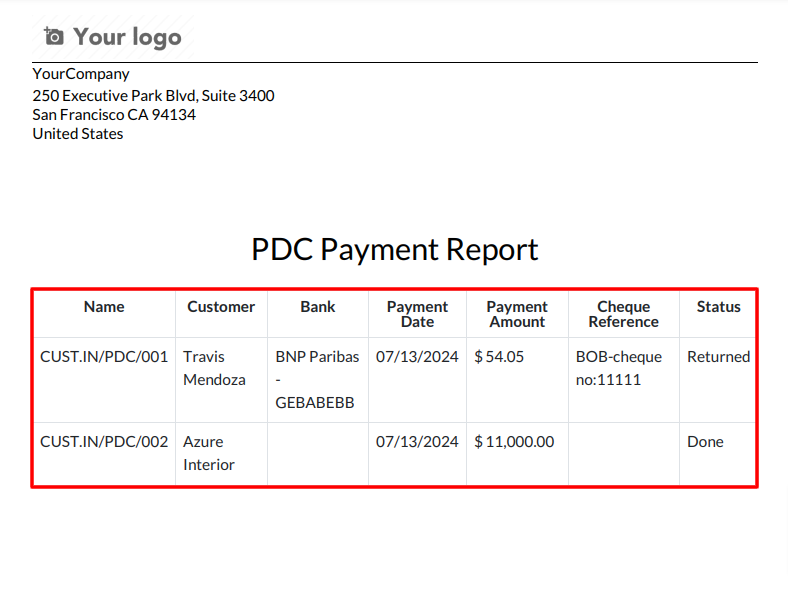
Configure PDC accounts for each company.
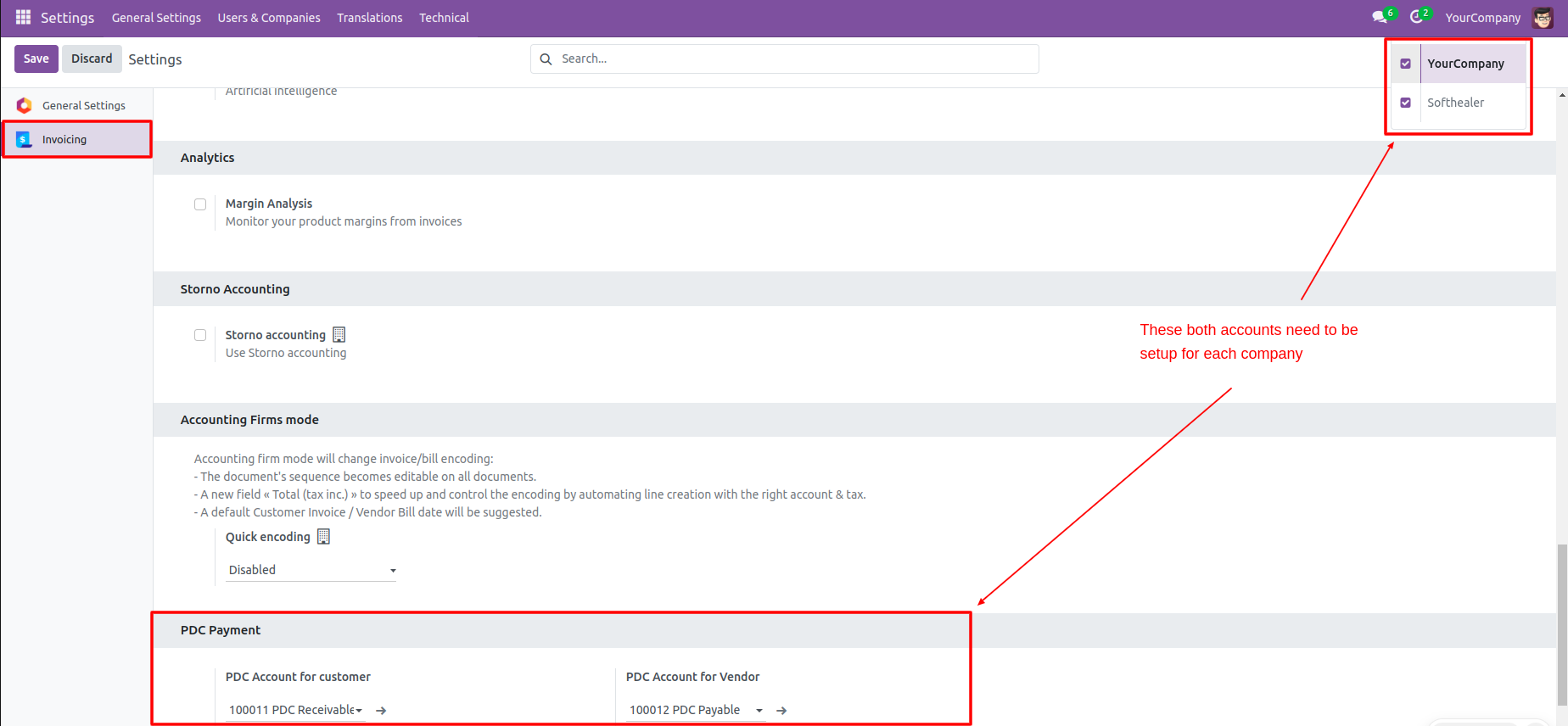
Go to Invoice Configuration settings to set PDC accounts for vendors.
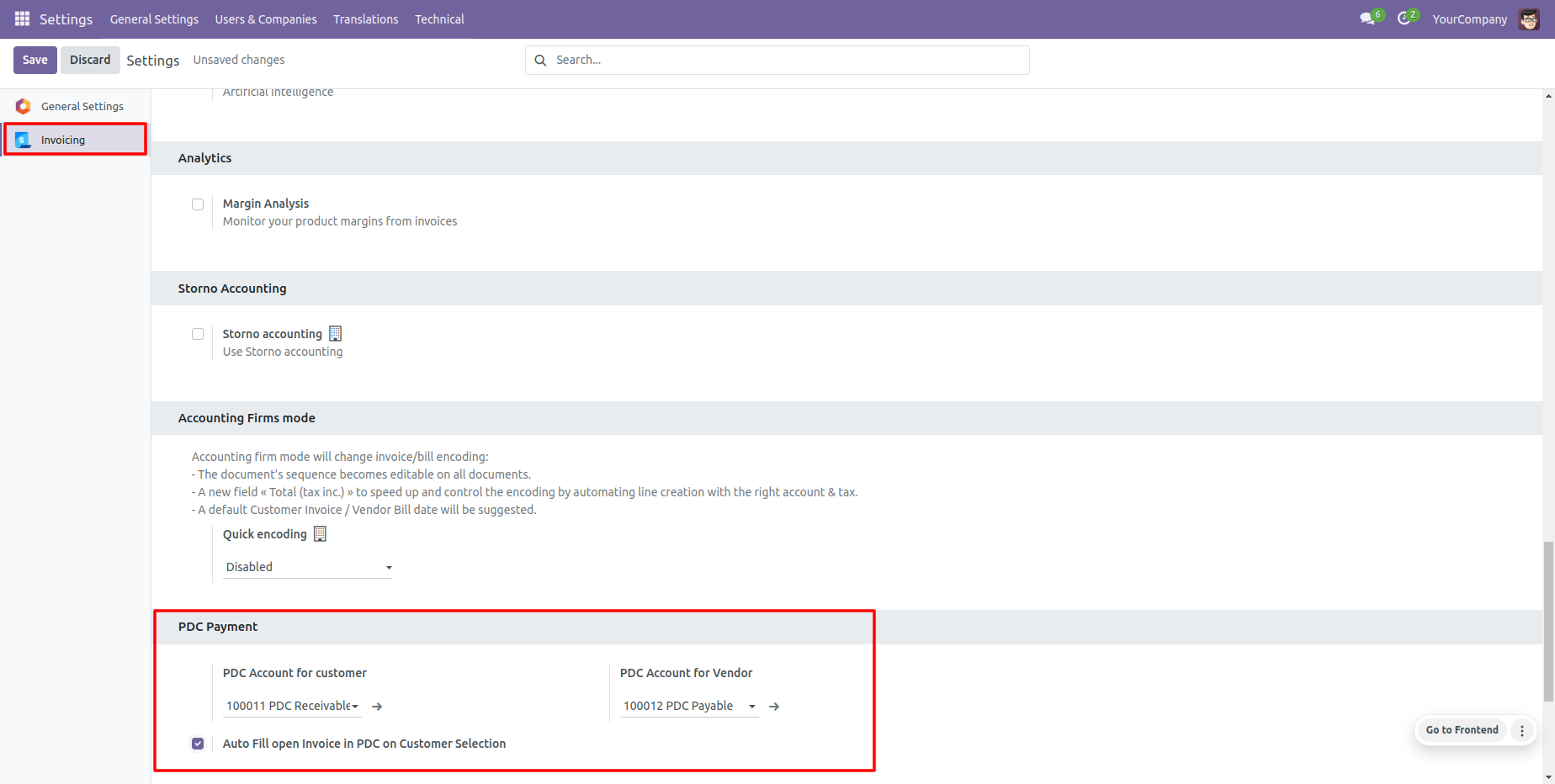
Find the 'Register PDC cheque' button in the vendor bill view (visible in Posted/Open state).
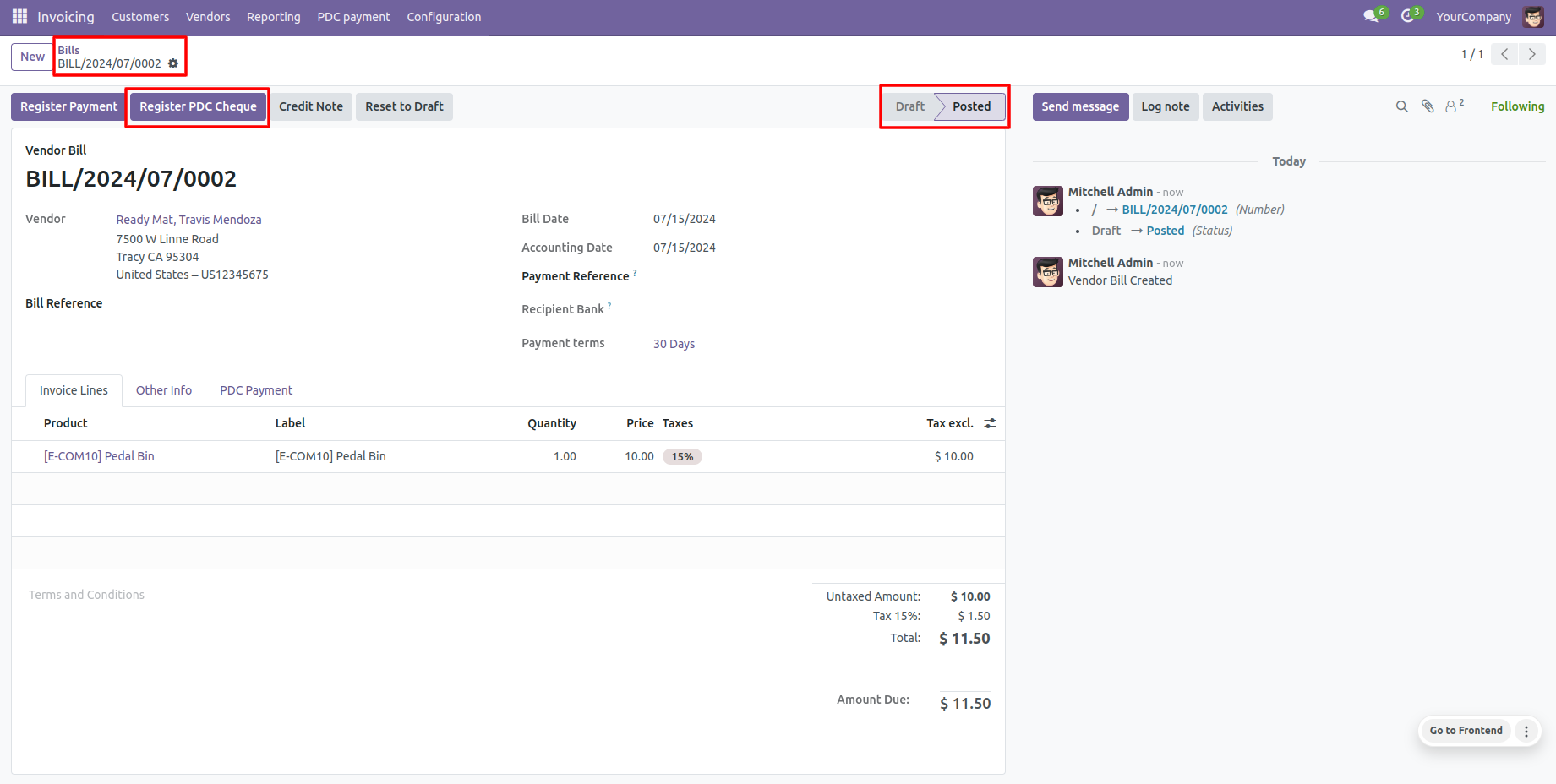
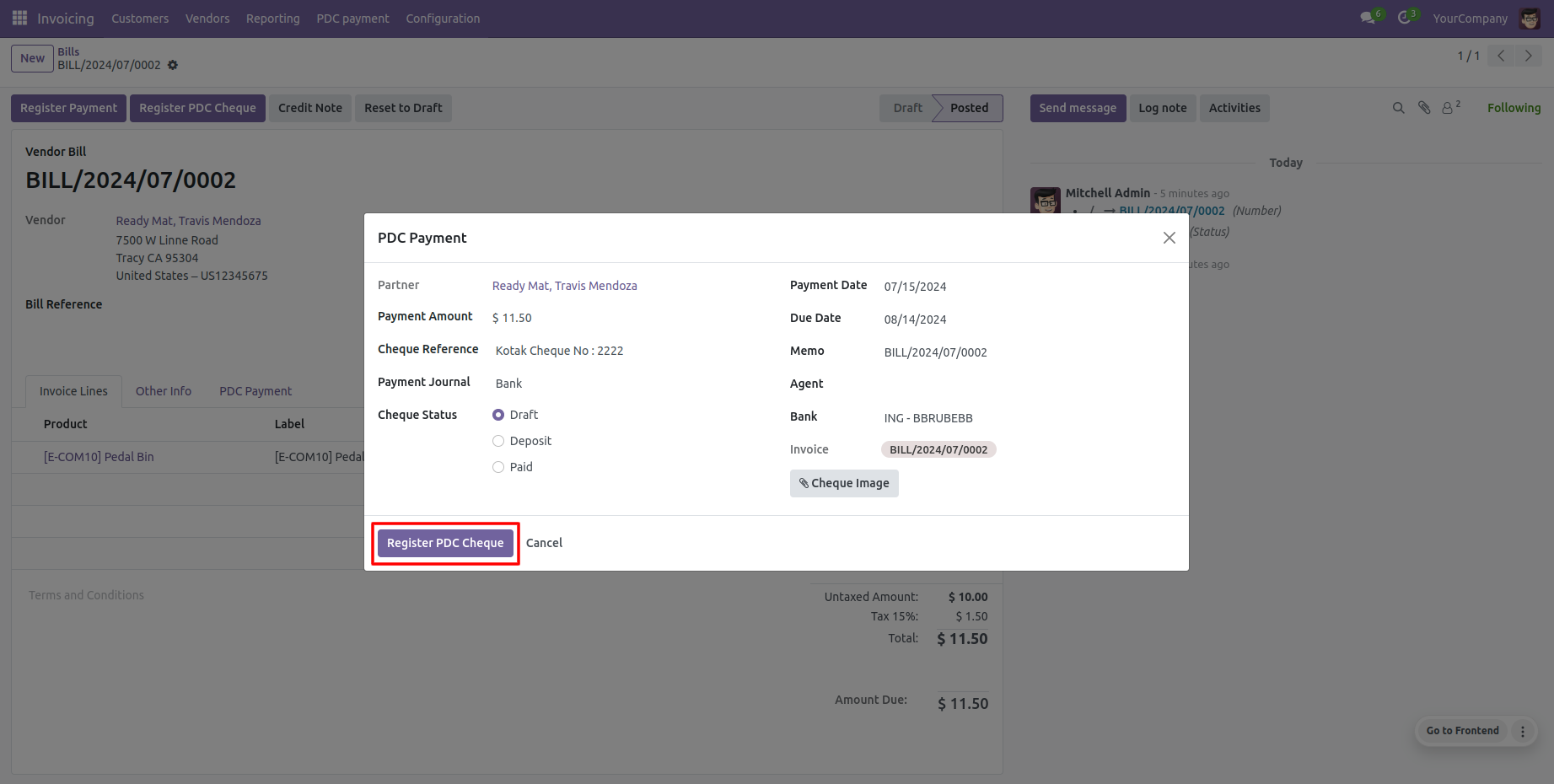
Click to launch the 'Register PDC cheque' wizard pop-up.
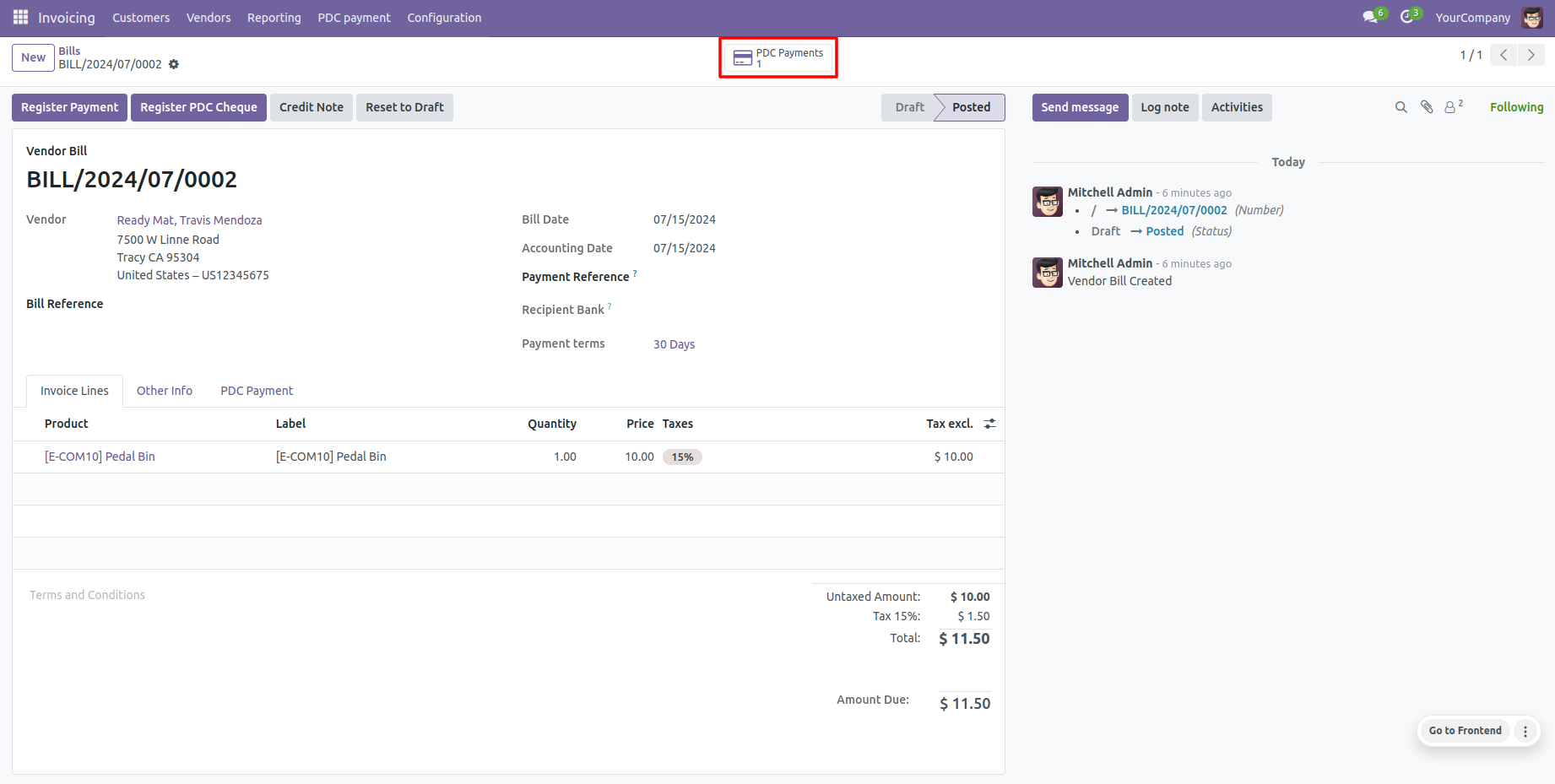
Vendor Bill form view shows the 'PDC Payment' smart button to see associated cheques.
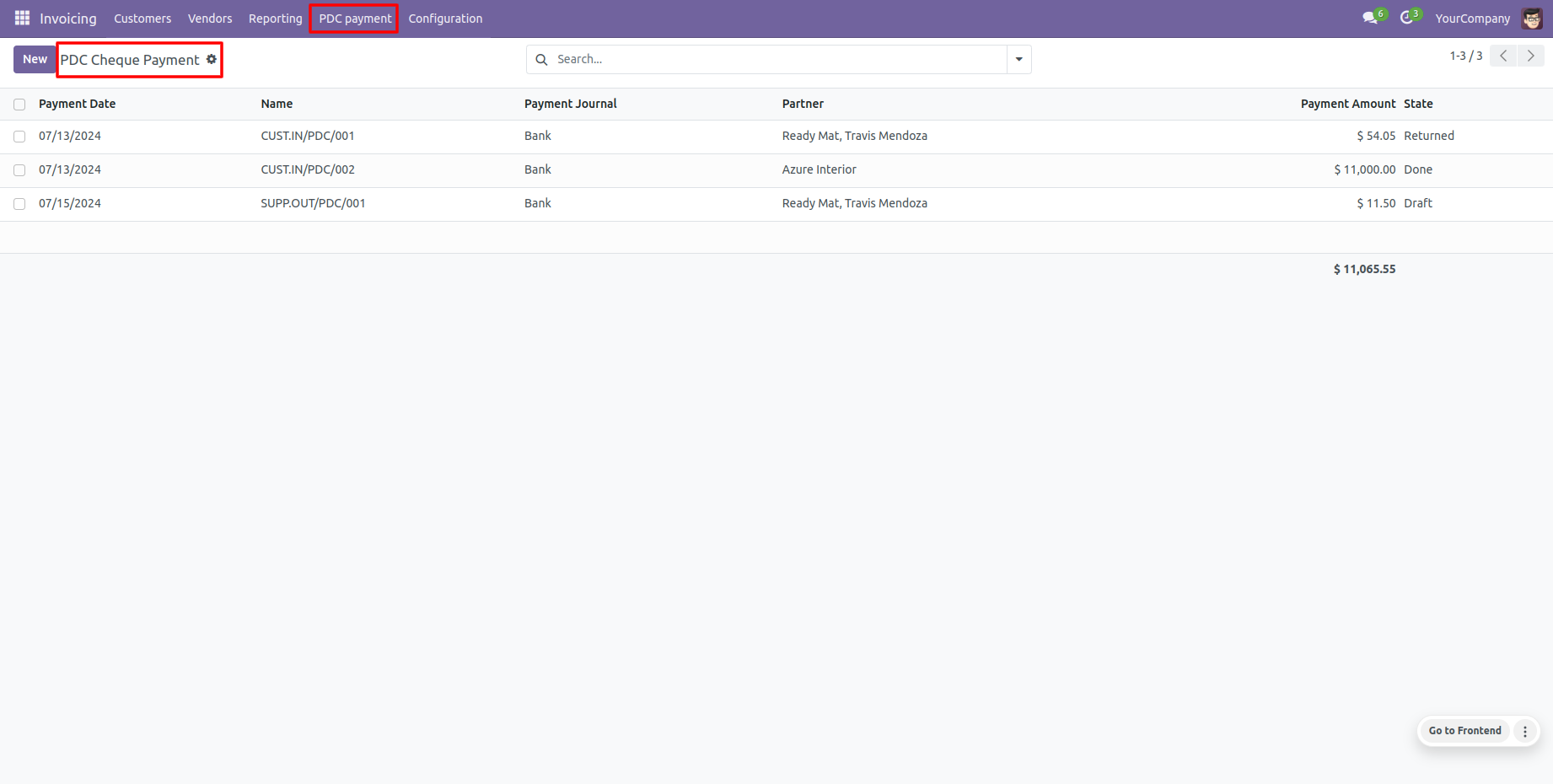
The dedicated 'PDC Payment' menu displays all outbound registered Post Dated Cheques.
PDC Payment form view where cheques can be deposited or returned.
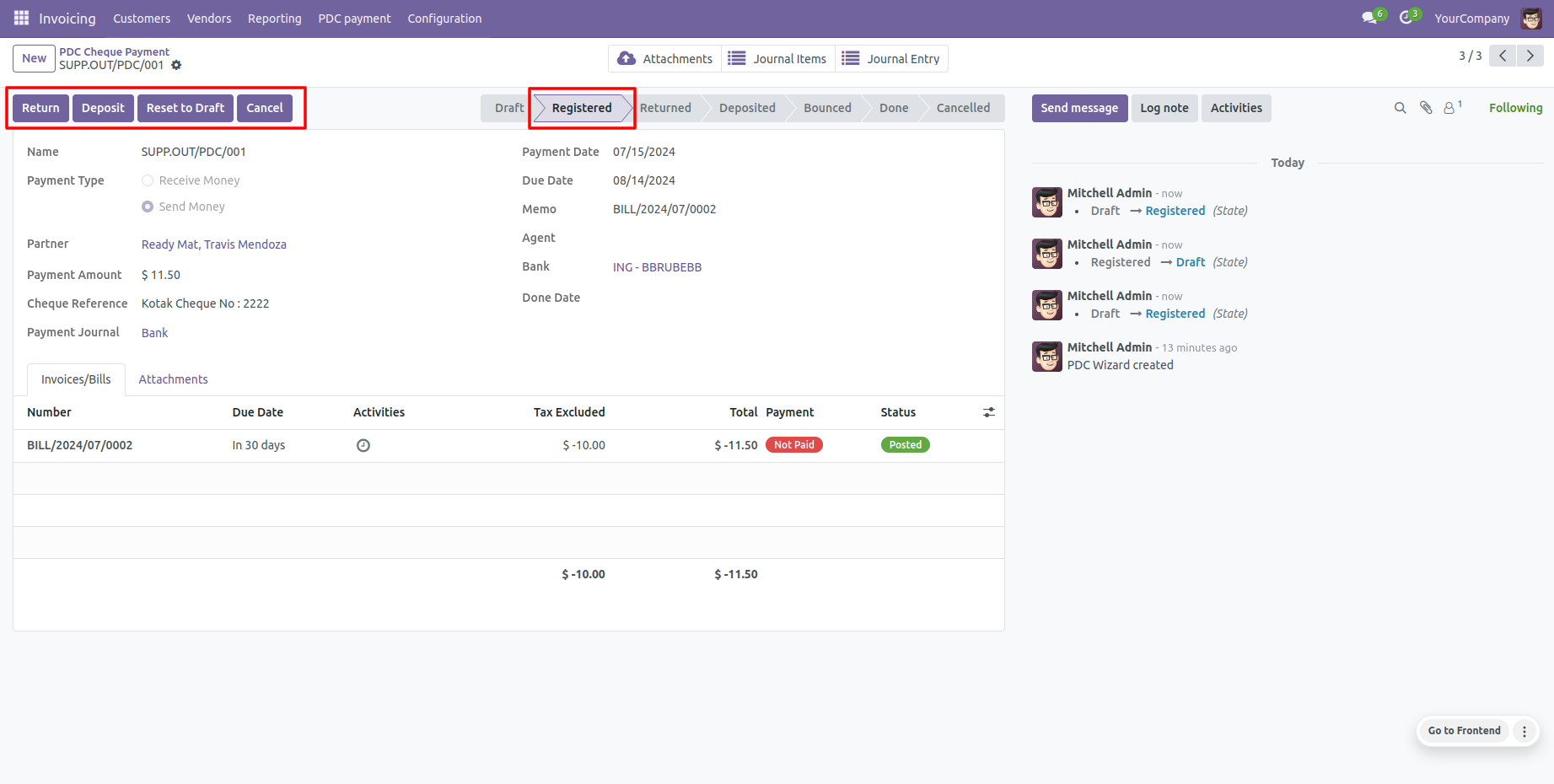
Clicking 'Return' updates the cheque status to the 'Returned' state.
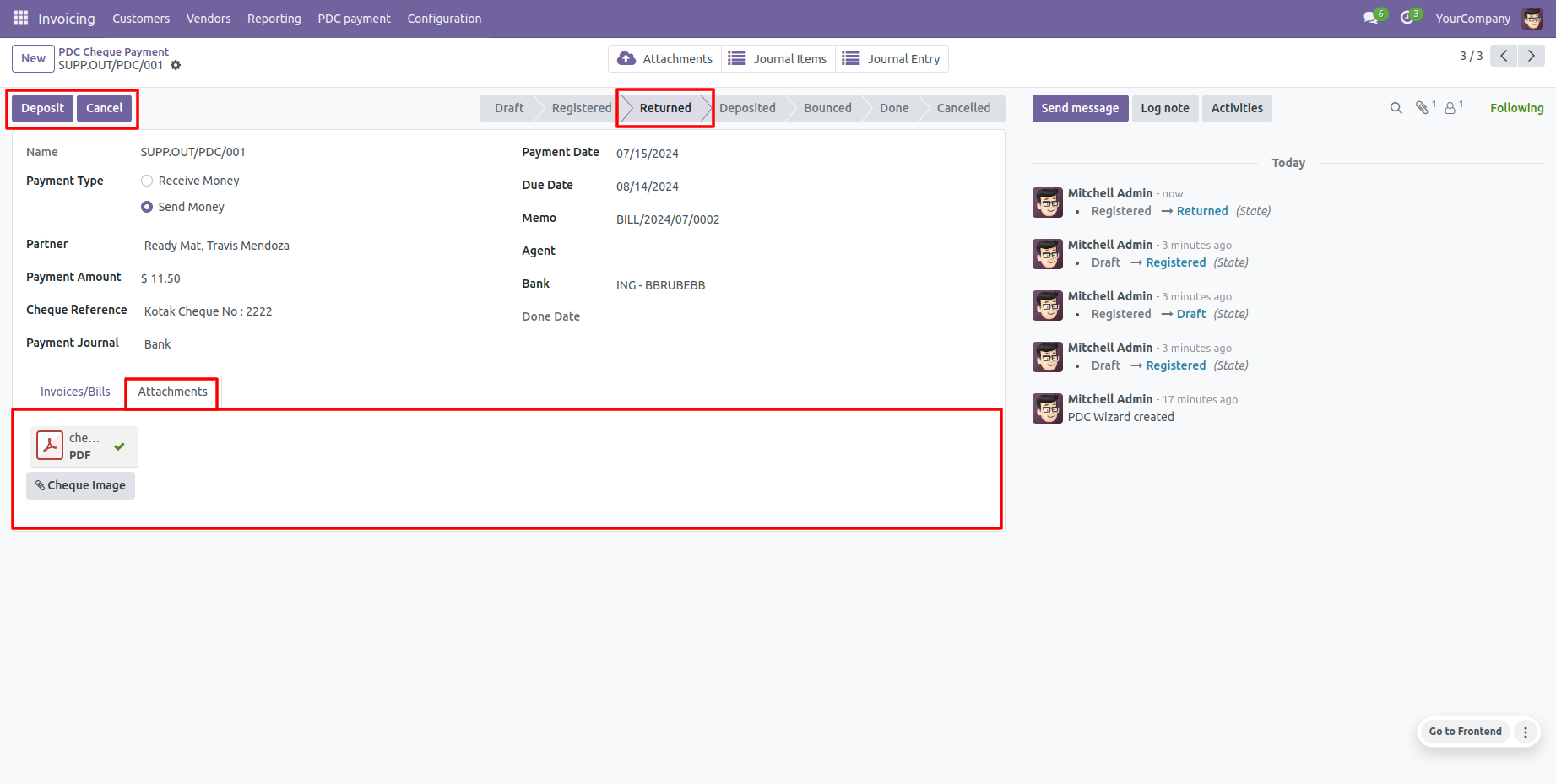
Clicking 'Deposit' transitions the cheque to the 'Deposited' state, revealing the 'Bounce' and 'Done' buttons.
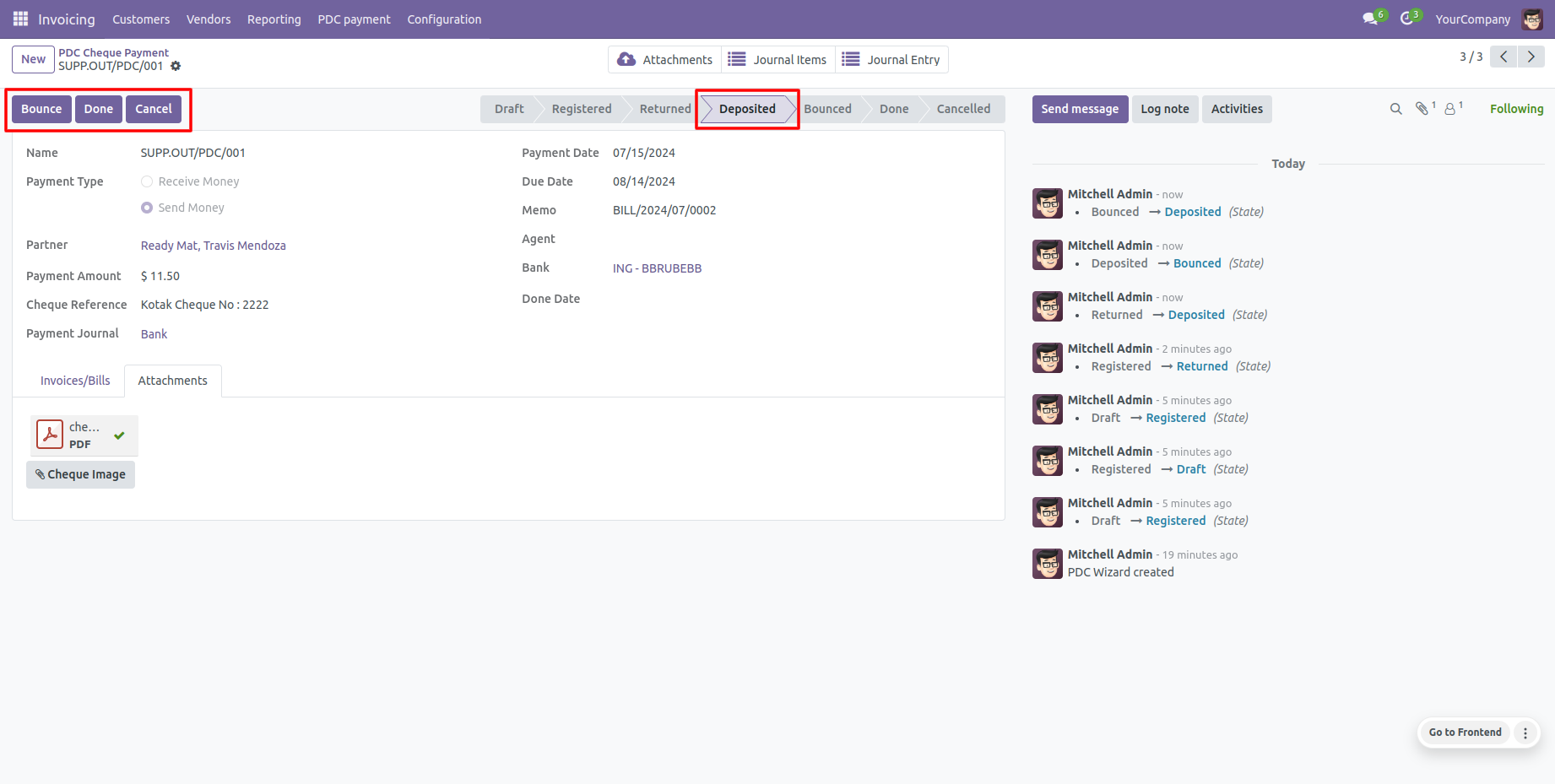
If a cheque bounces, click 'Bounce' to update the status to the 'Bounced' state.
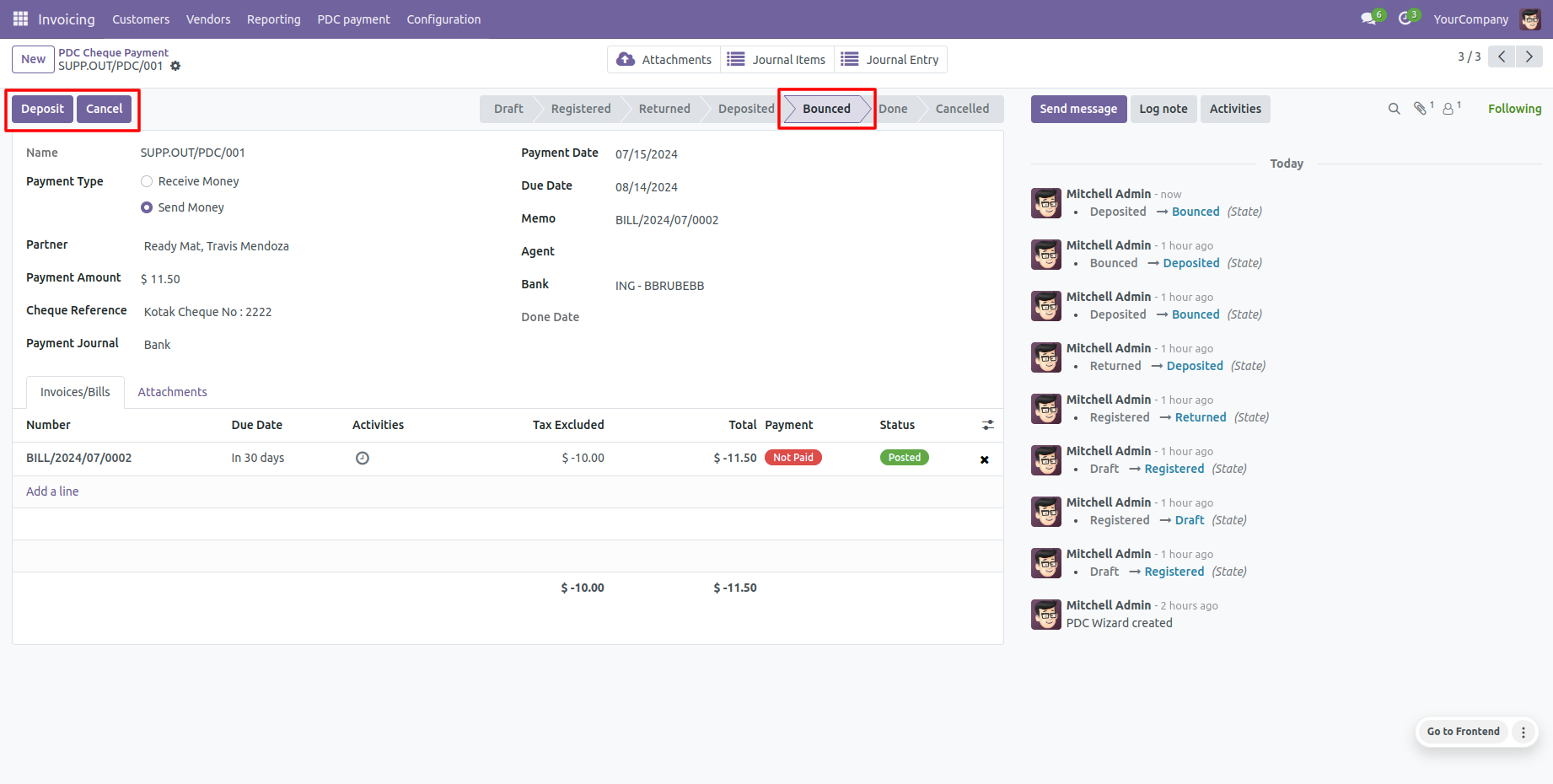
If clearing is successful, click 'Done' to mark the cheque as cleared ('Done' state). Attachment, Journal Items, and Journal Entries smart buttons are available.
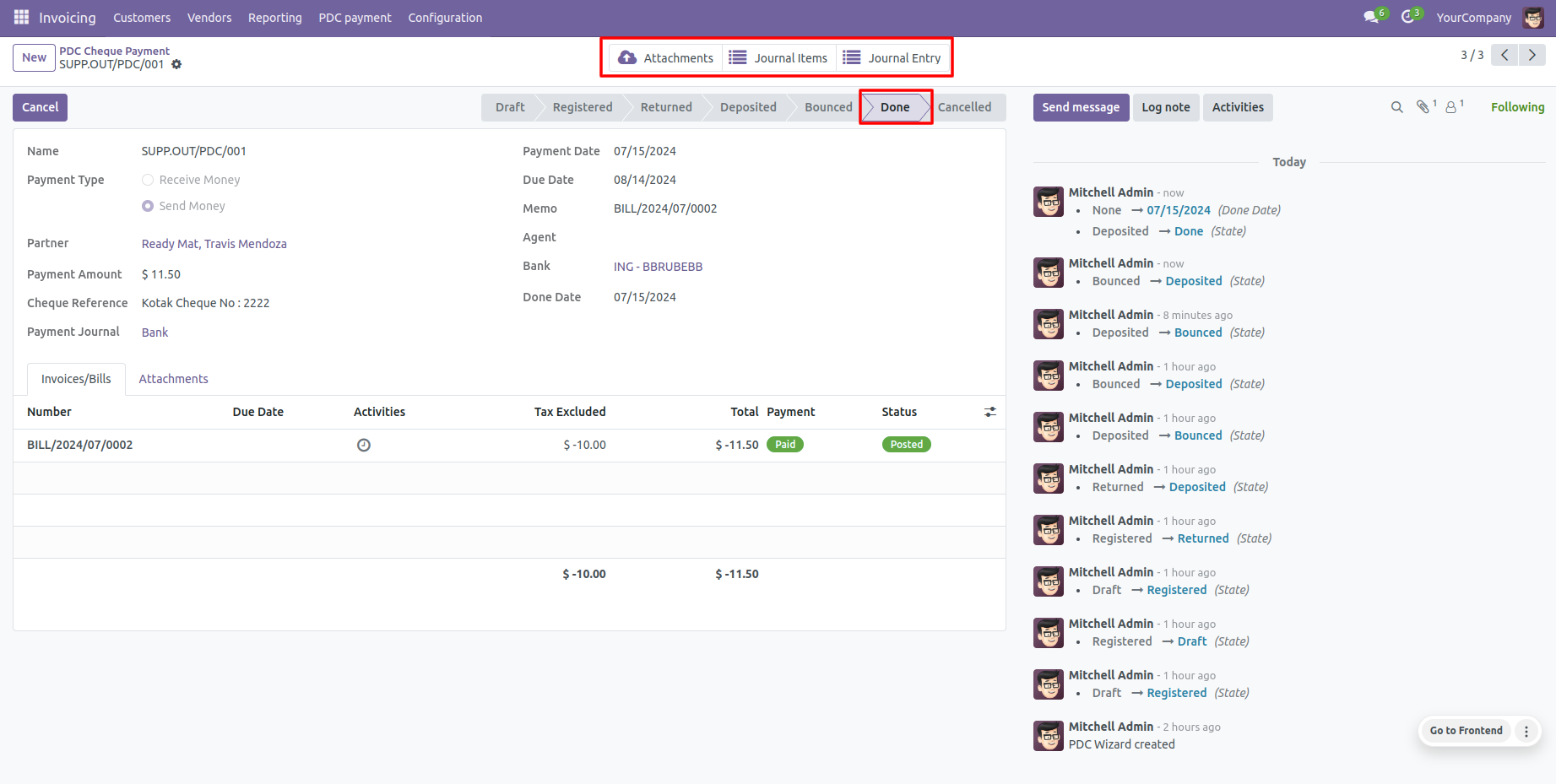
View automatic ledger items under Odoo's default 'Journal Items' tab.
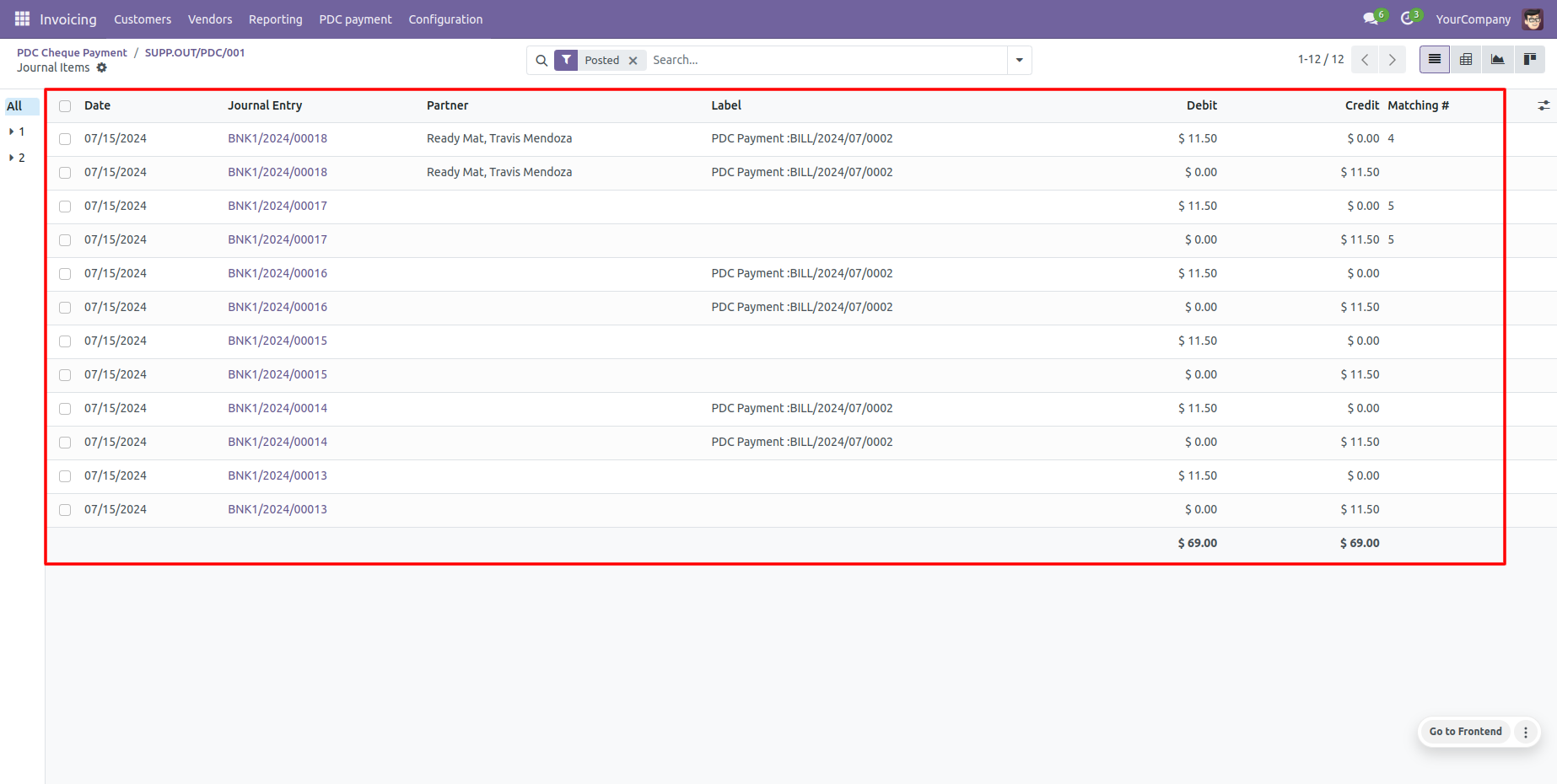
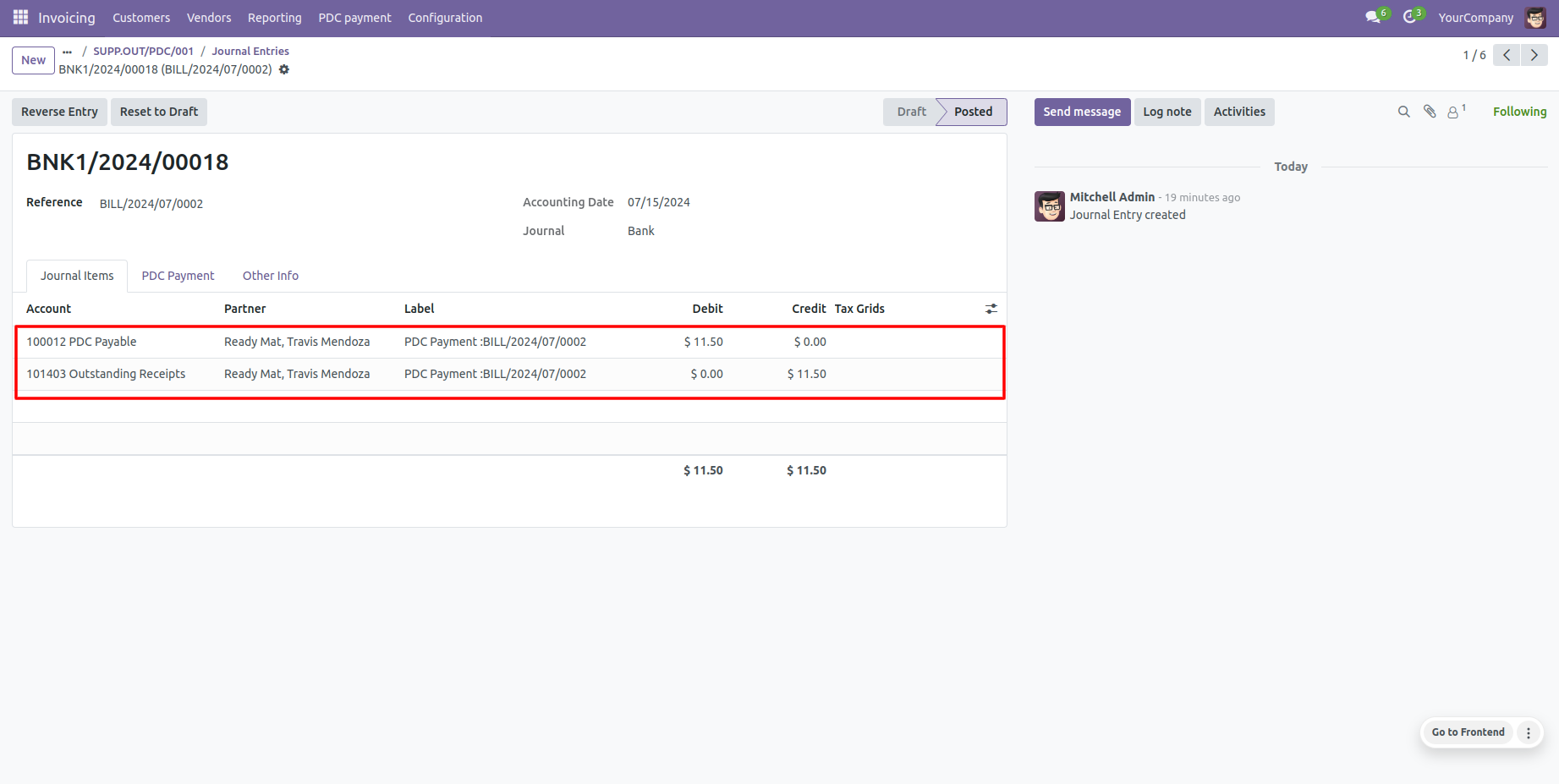
View comprehensive transactions history under Odoo's 'Journal Entries' tab.
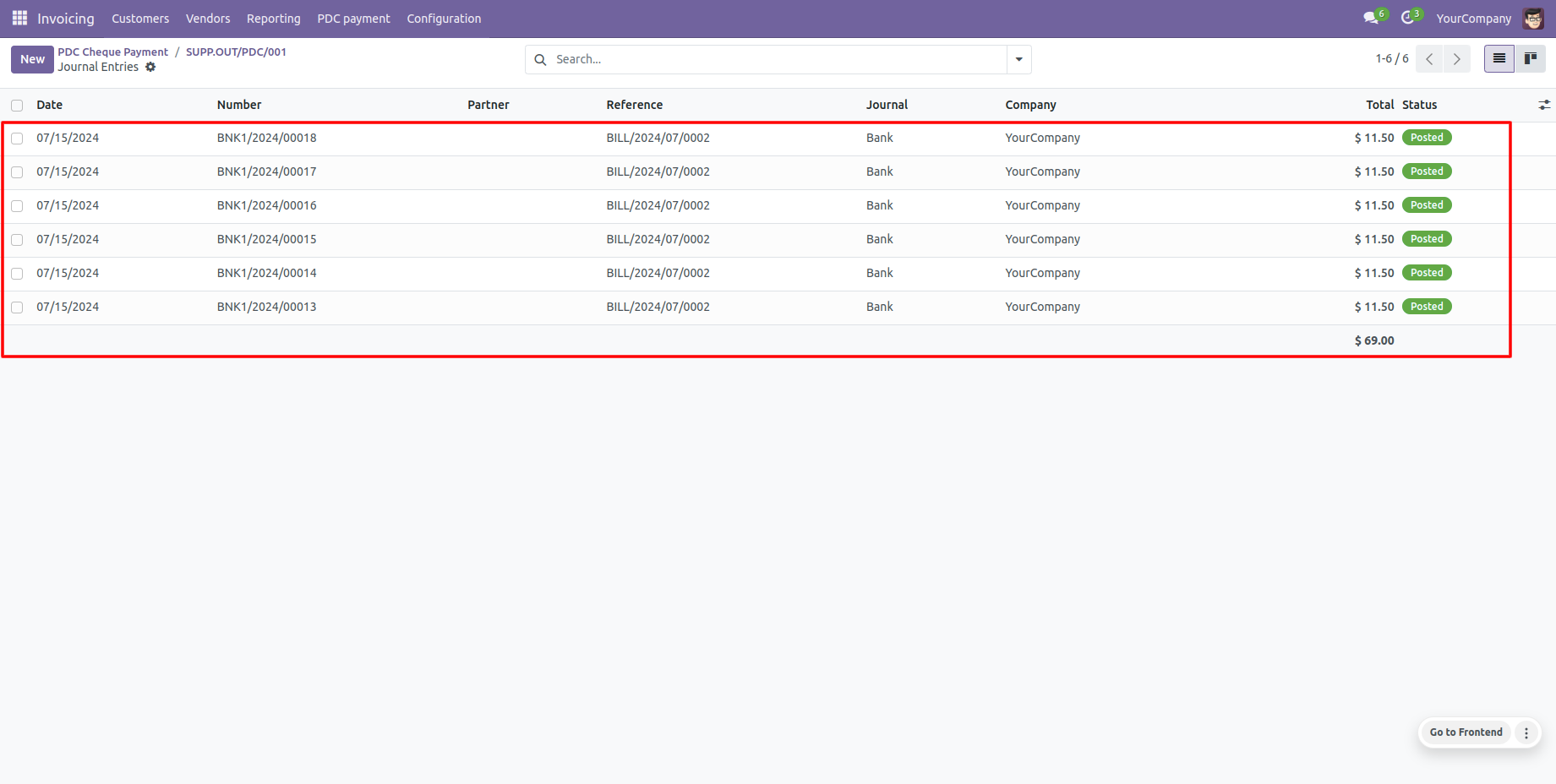
Generate and print 'PDC Payment Reports' for selected cheque listings.
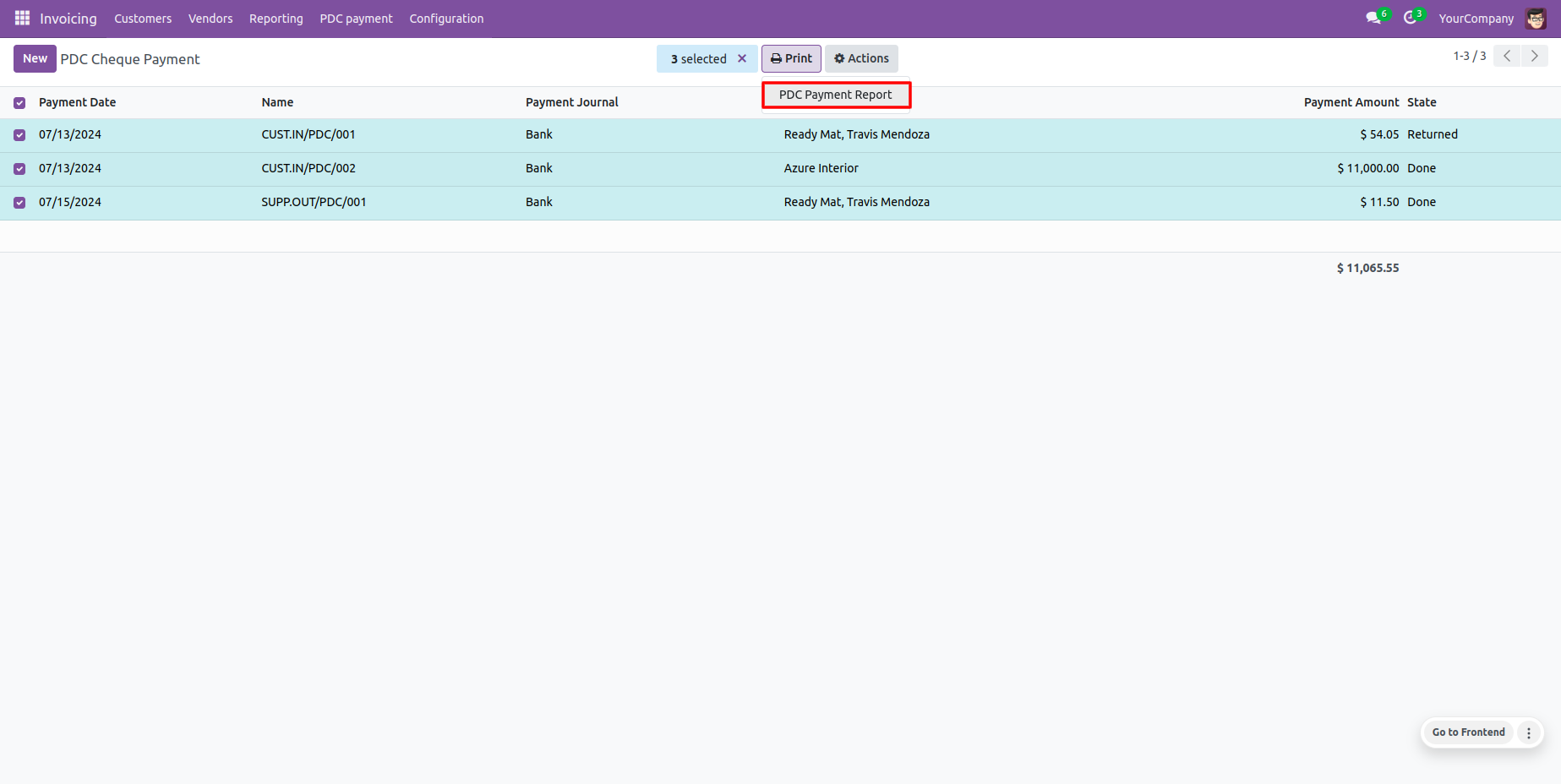
Standard PDF template printout for Post Dated Cheque payments.
View generated journal entry for vendor bill payments.
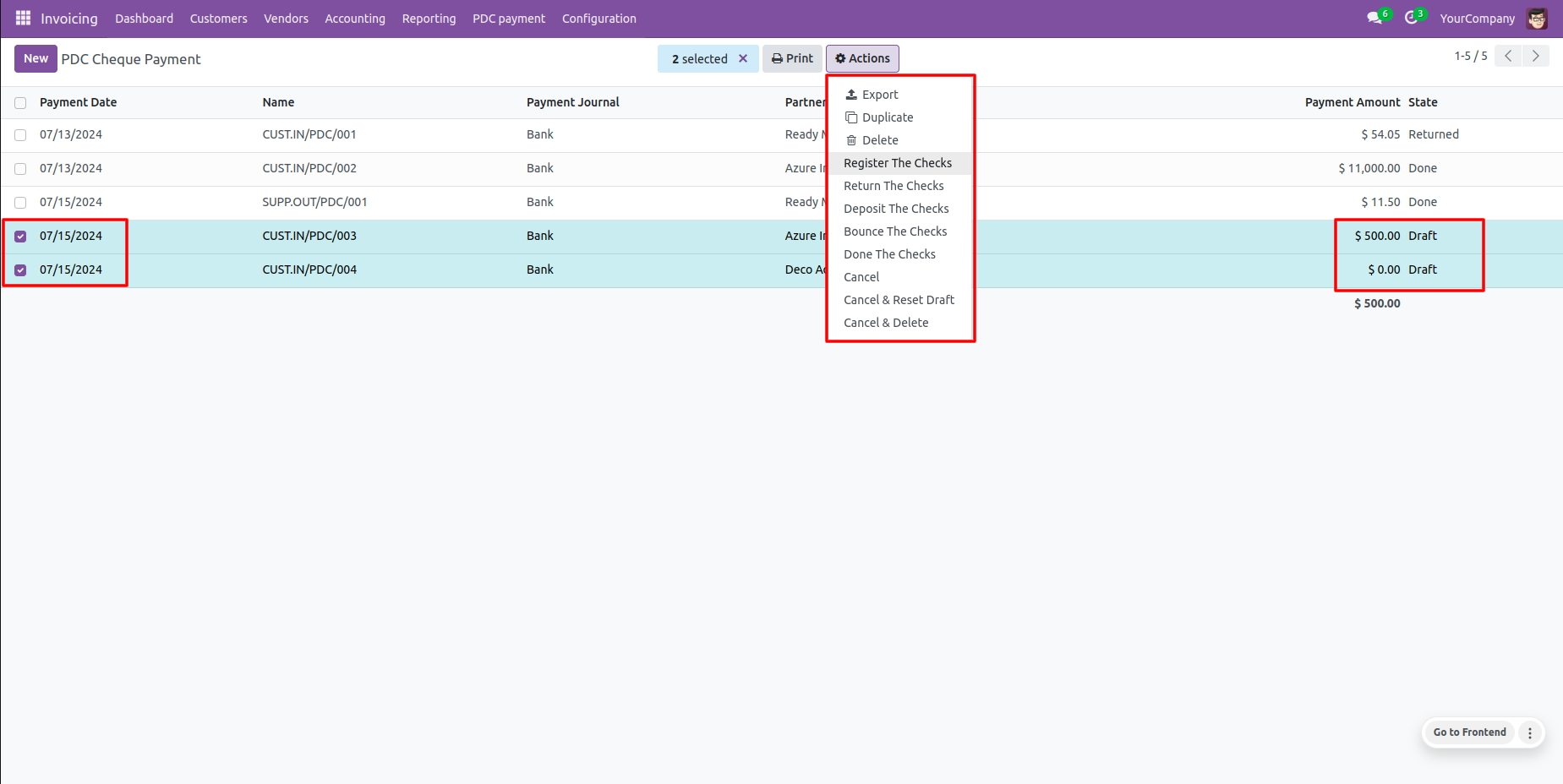
Select multiple cheques in the list view to apply batch actions via the default Odoo 'Action' dropdown.
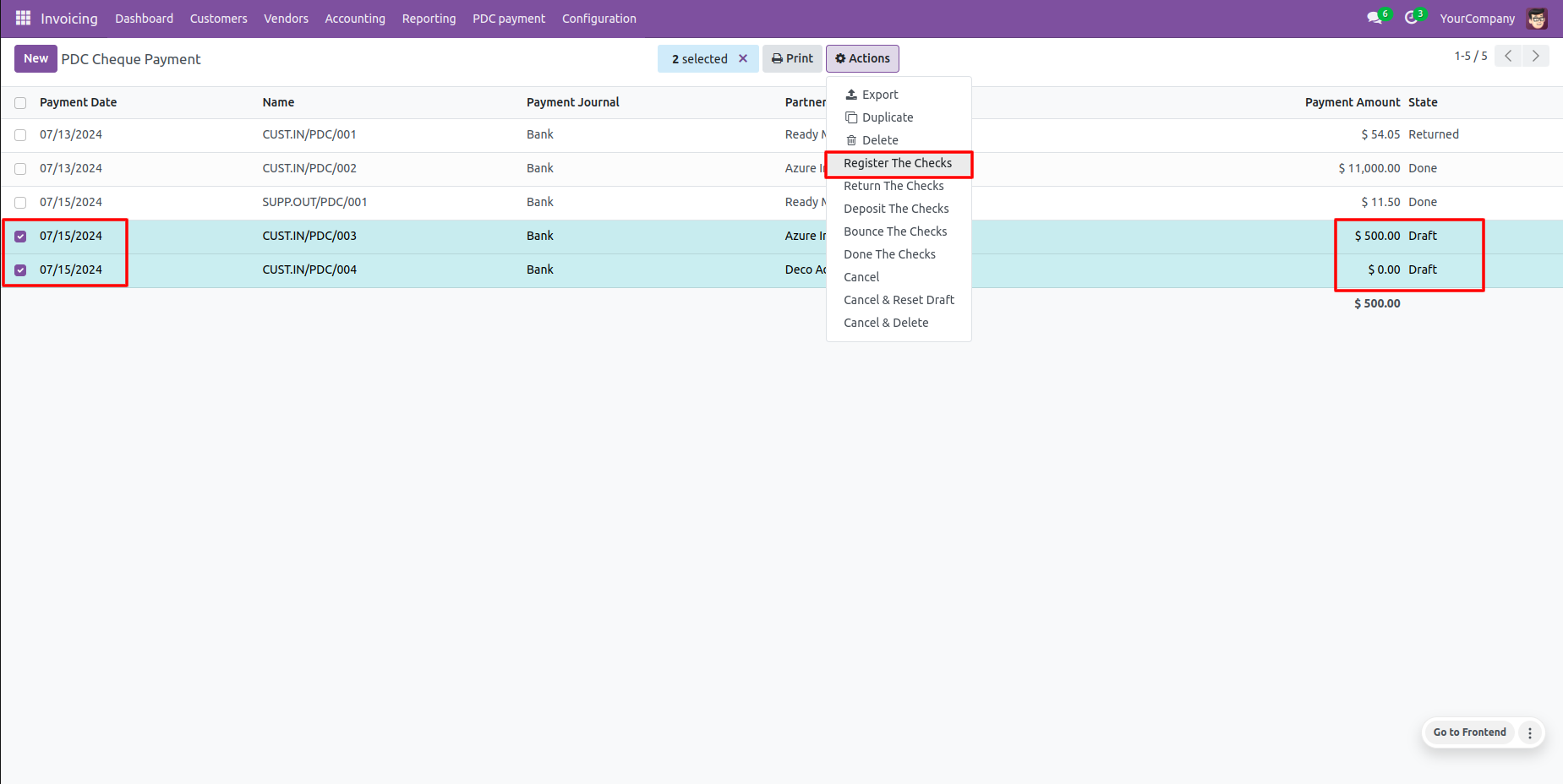
Batch registration: transition several selected cheques to 'Registered' state simultaneously.
Generates warnings/alerts automatically if attempting illegal state changes.
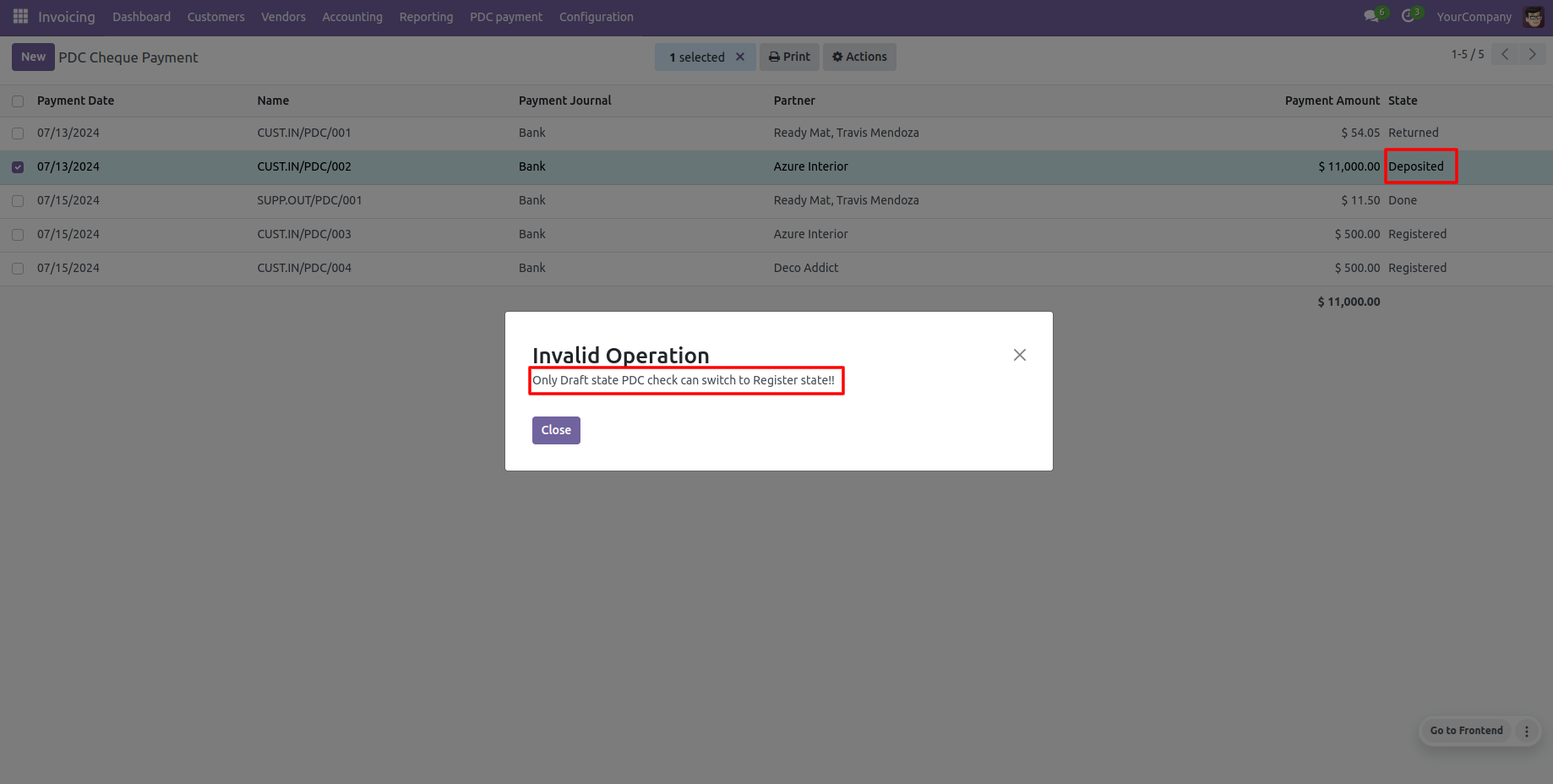
Batch return: change multiple selected cheque states to 'Returned'.
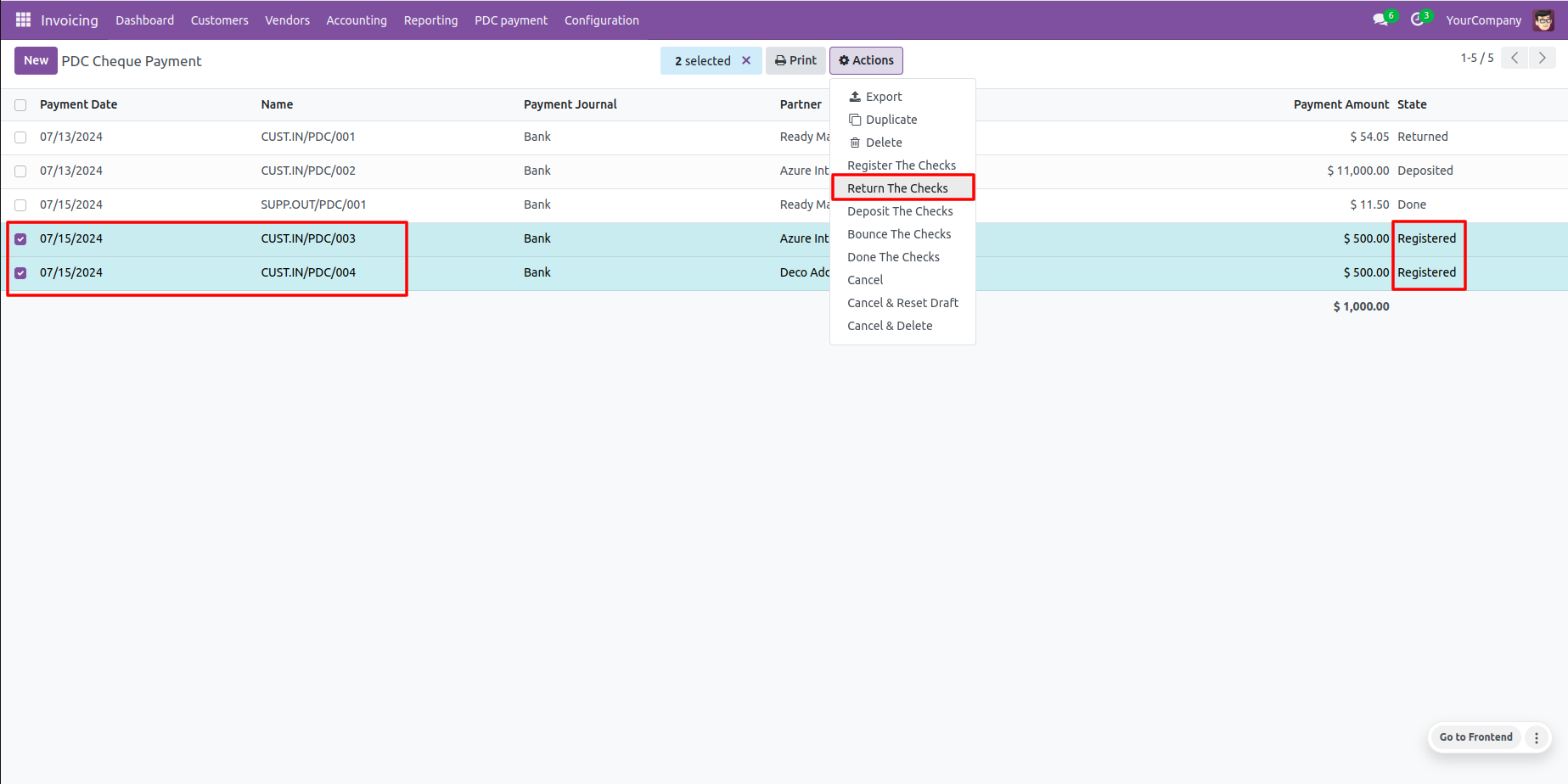
Strict state validation prevents mispostings with built-in user alerts.
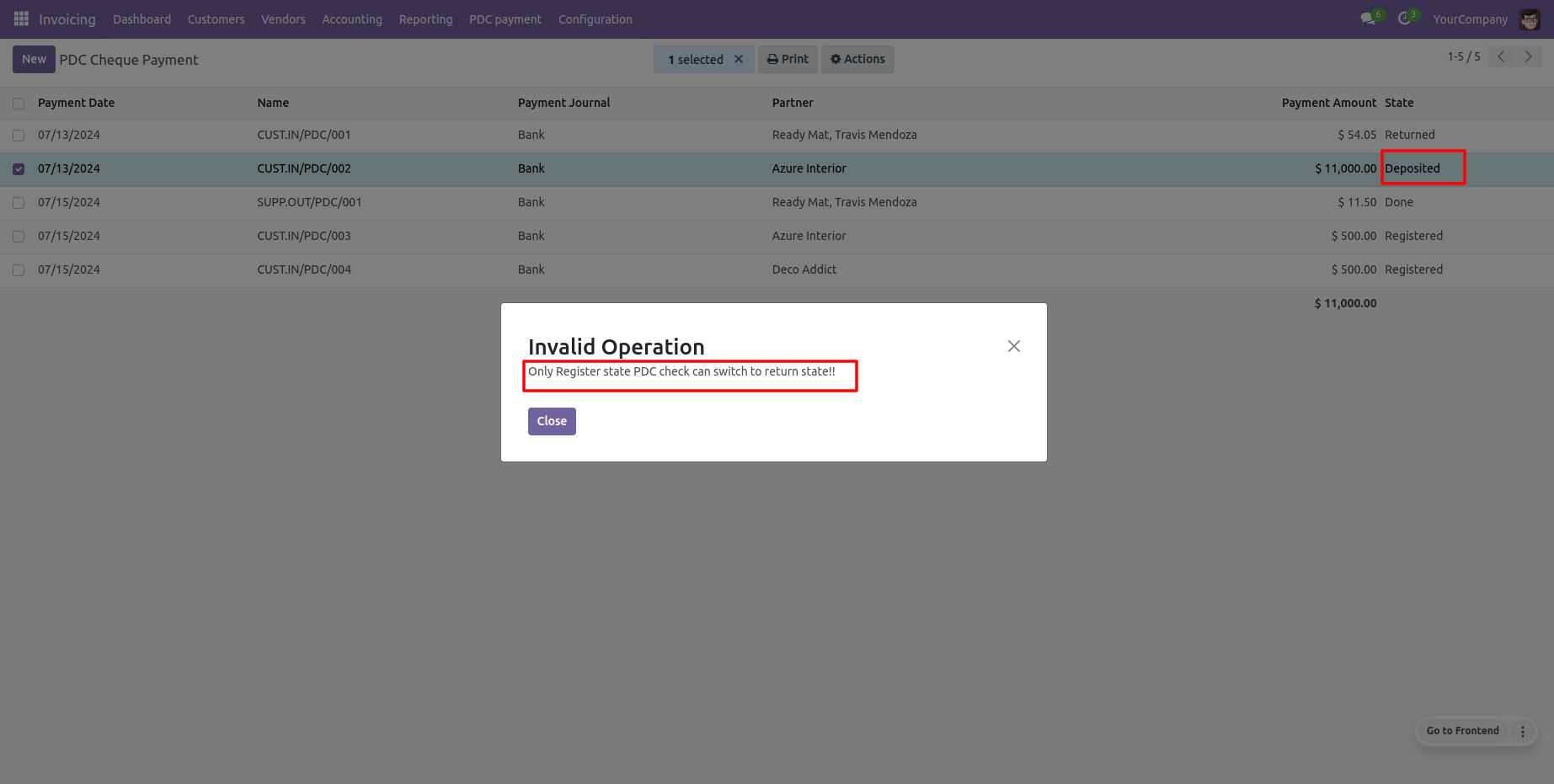
Batch deposit: transition several selected cheques to 'Deposited' state simultaneously.
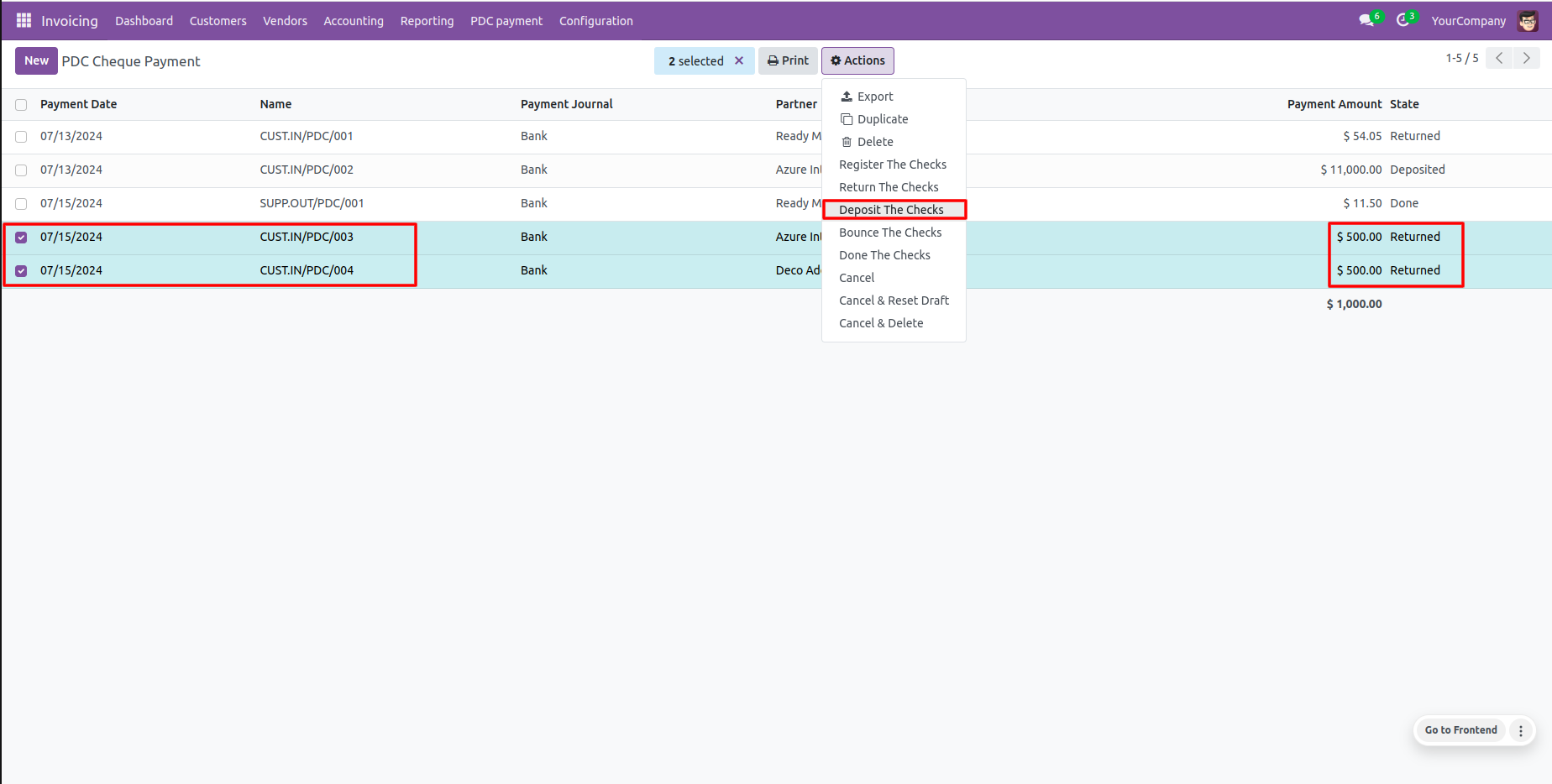
Re-depositing or depositing already cleared cheques is automatically blocked with alerts.
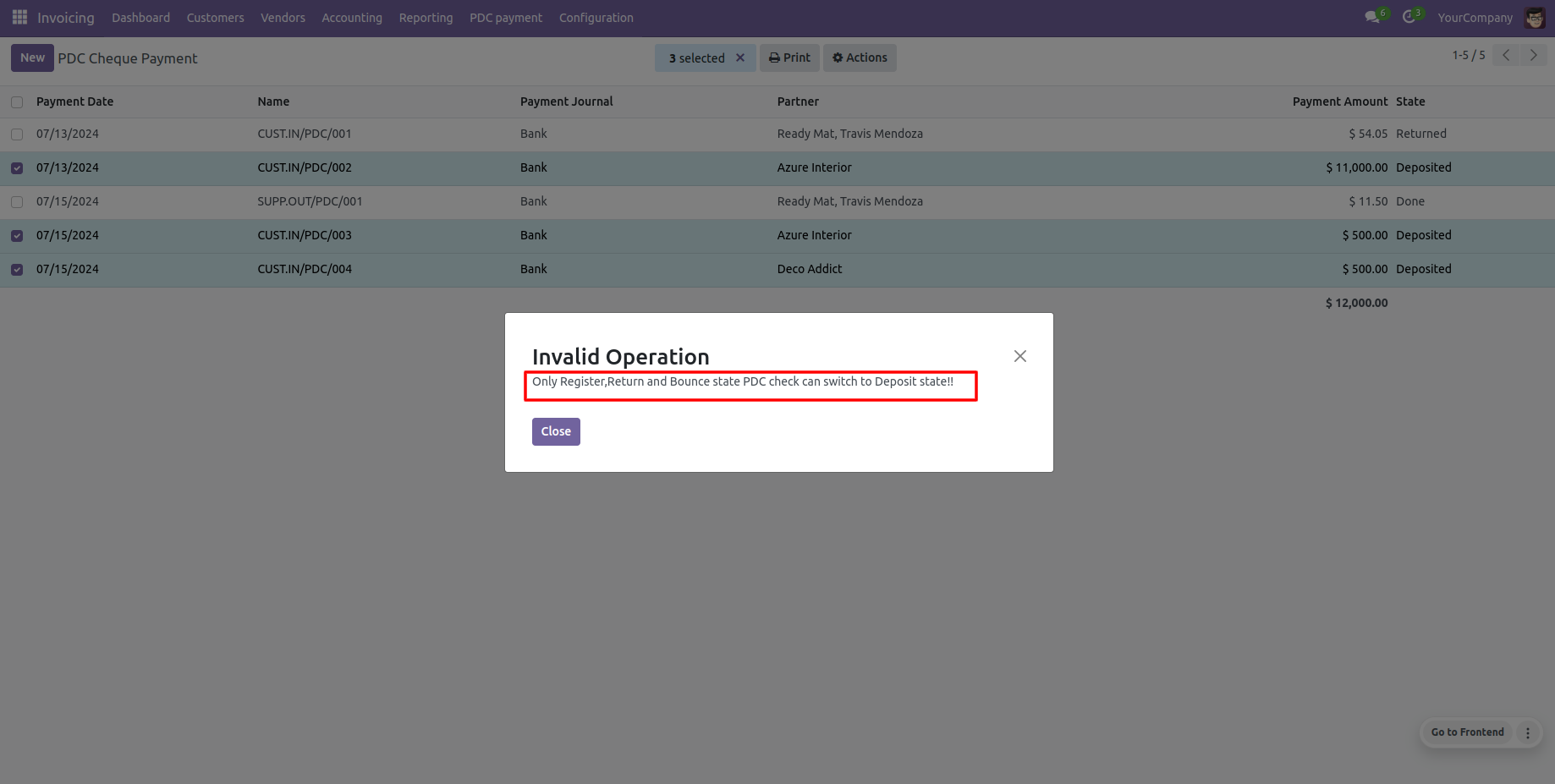
Batch bounce: transition multiple cheques to the 'Bounced' state in one click.
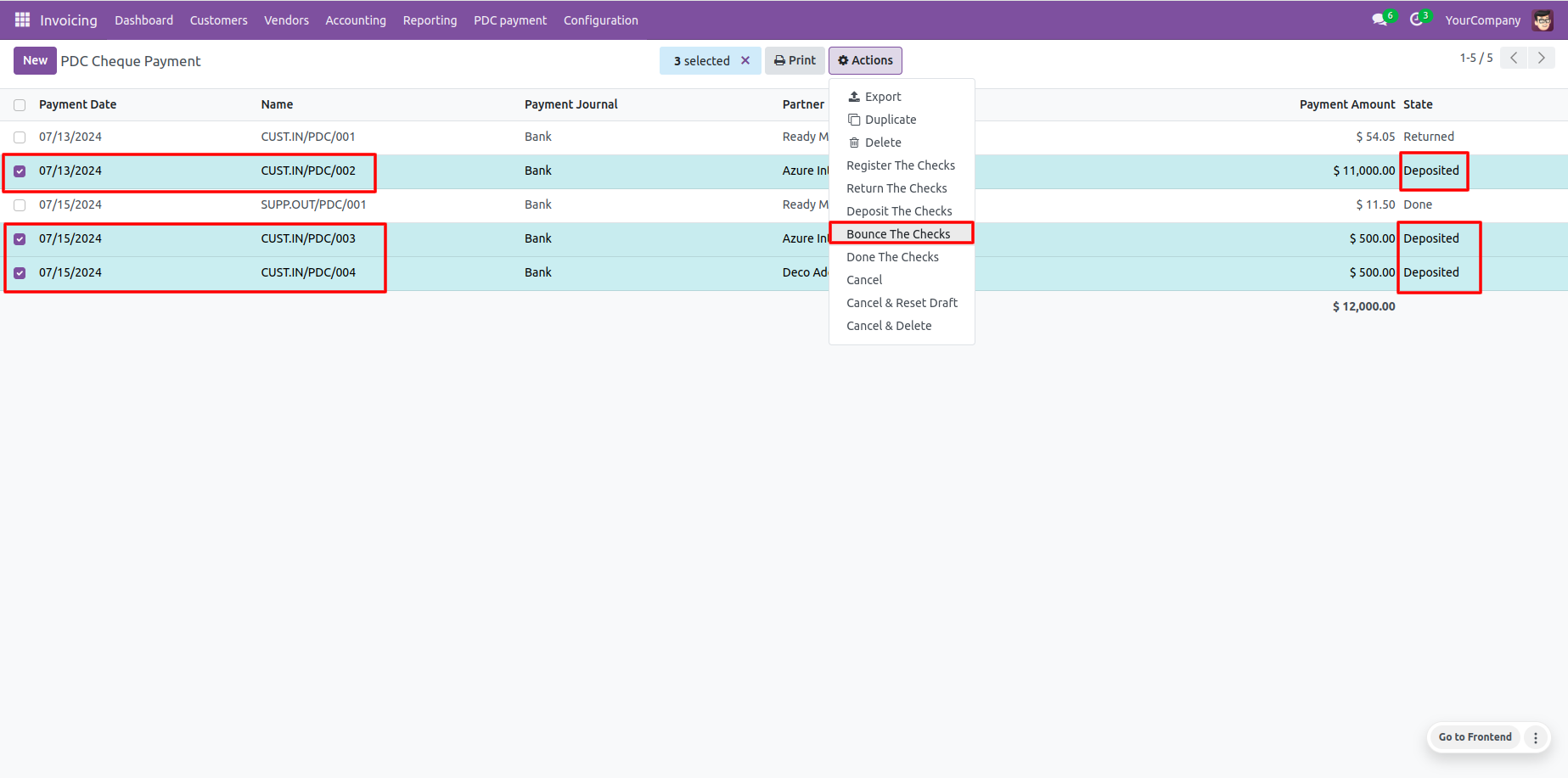
Bouncing validation checks prevent errors on draft or returned cheques.
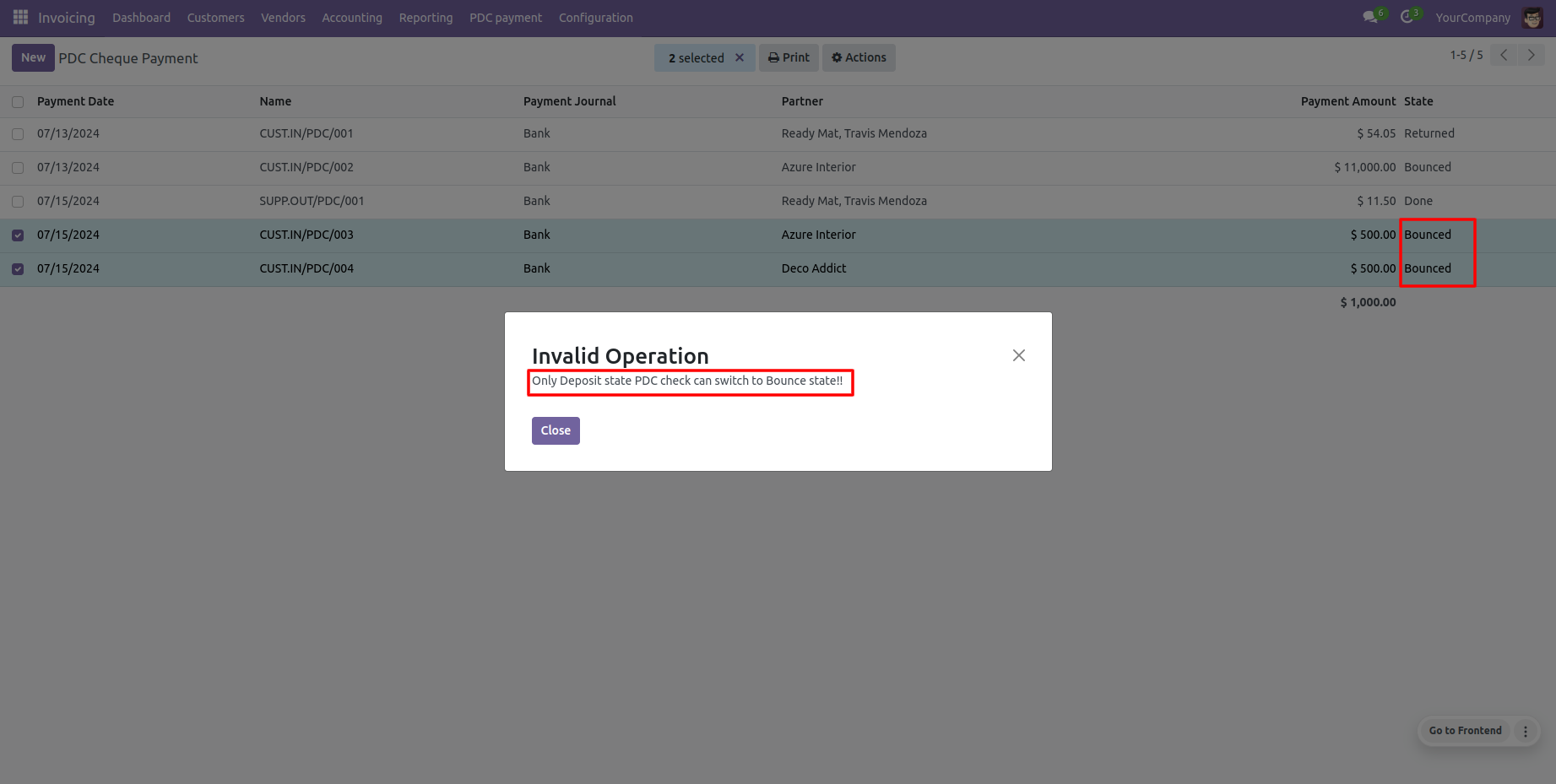
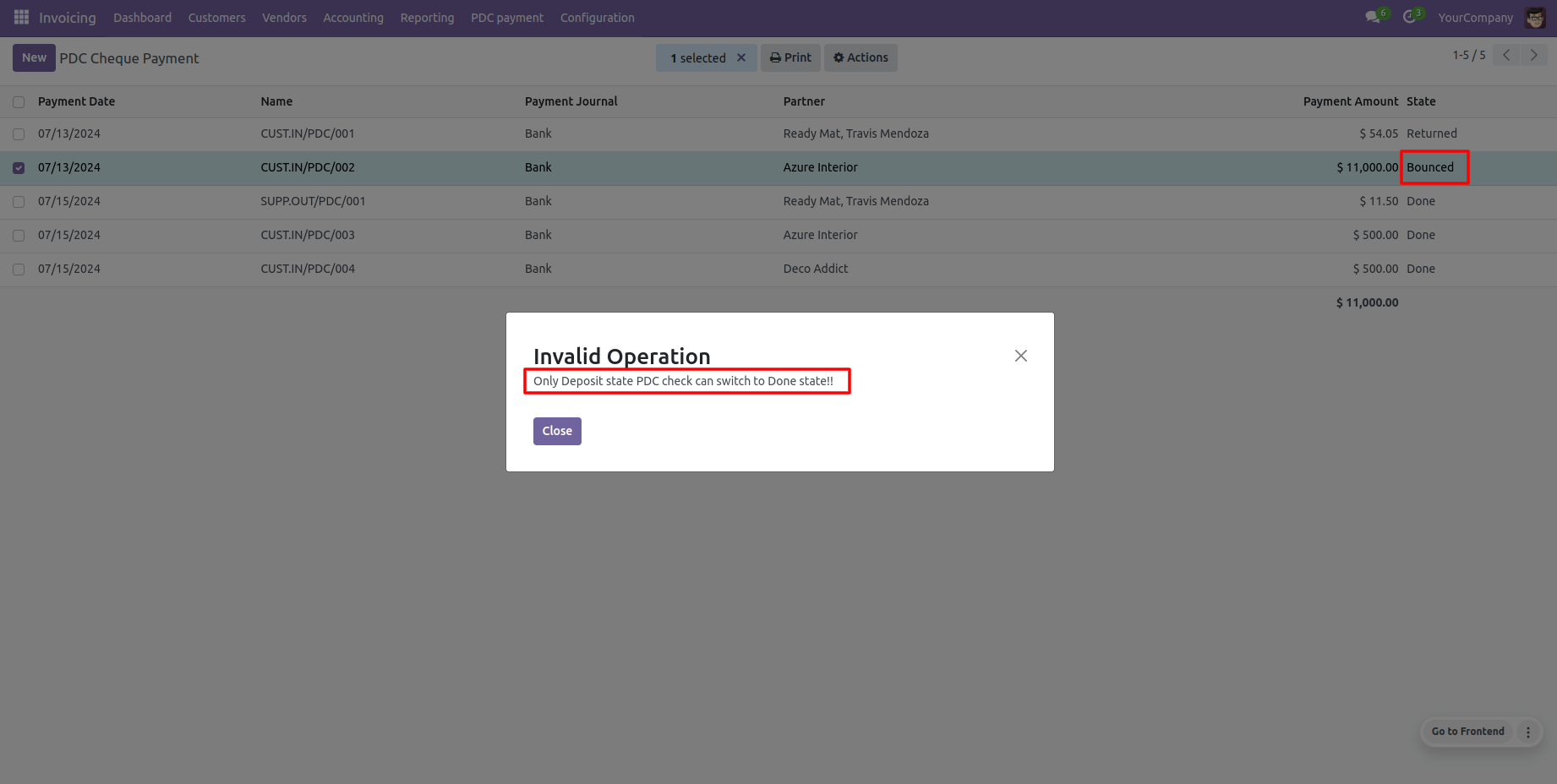
Batch clearance: change multiple selected cheque states to 'Done'.
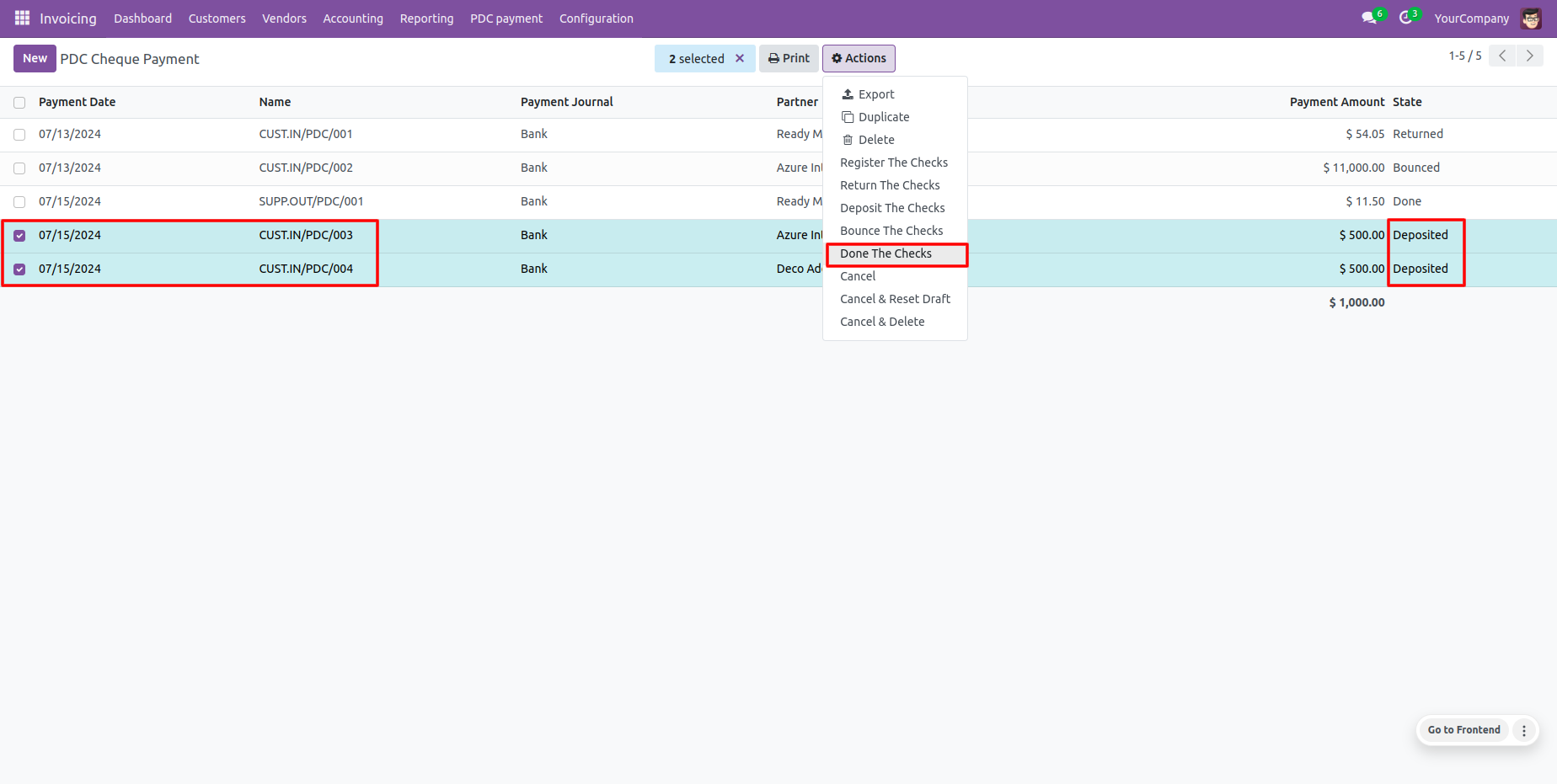
Direct clearance of draft cheques is blocked with user warnings.
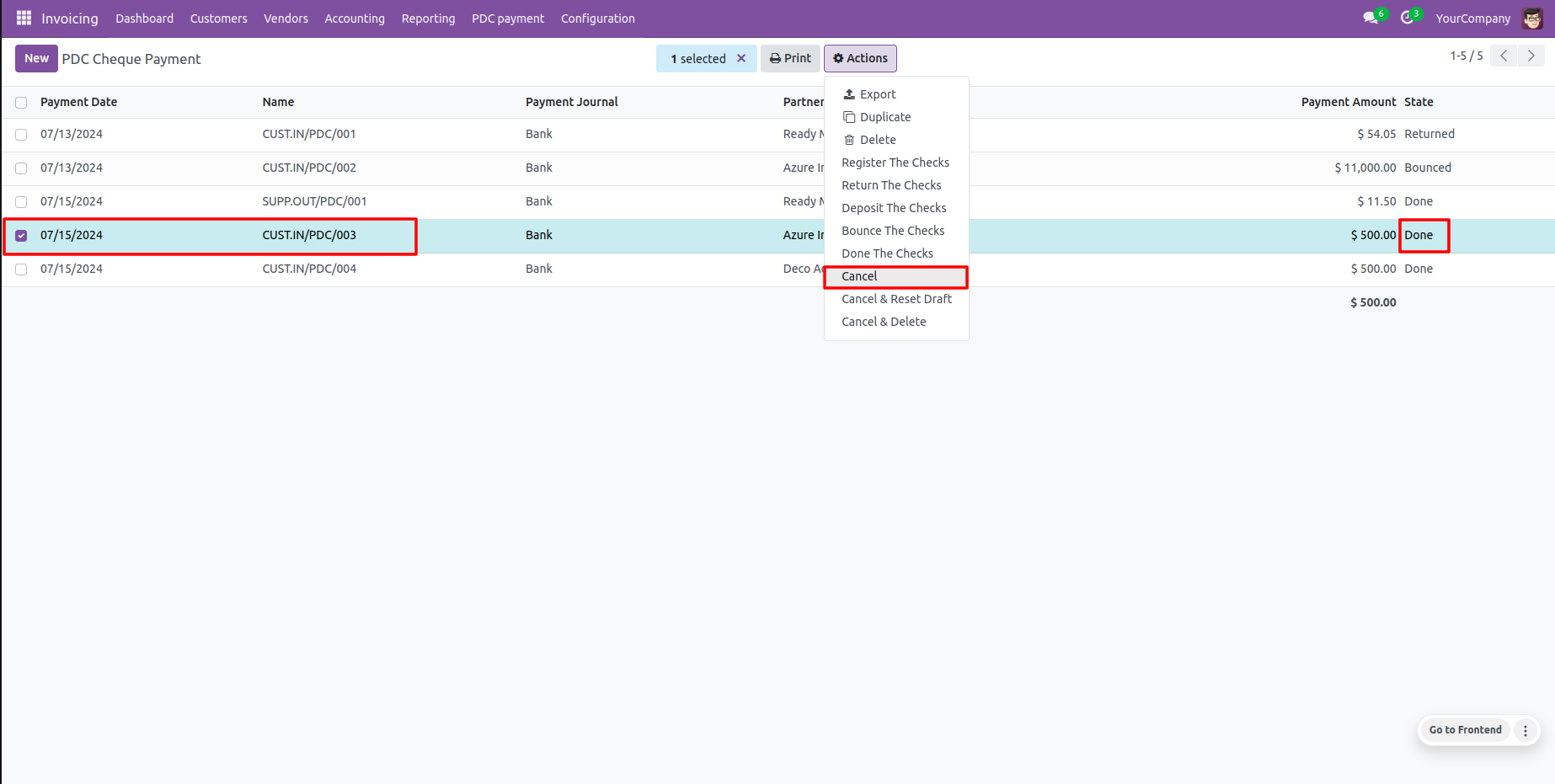
Cancel cheques in batch by clicking the 'Cancel' option.
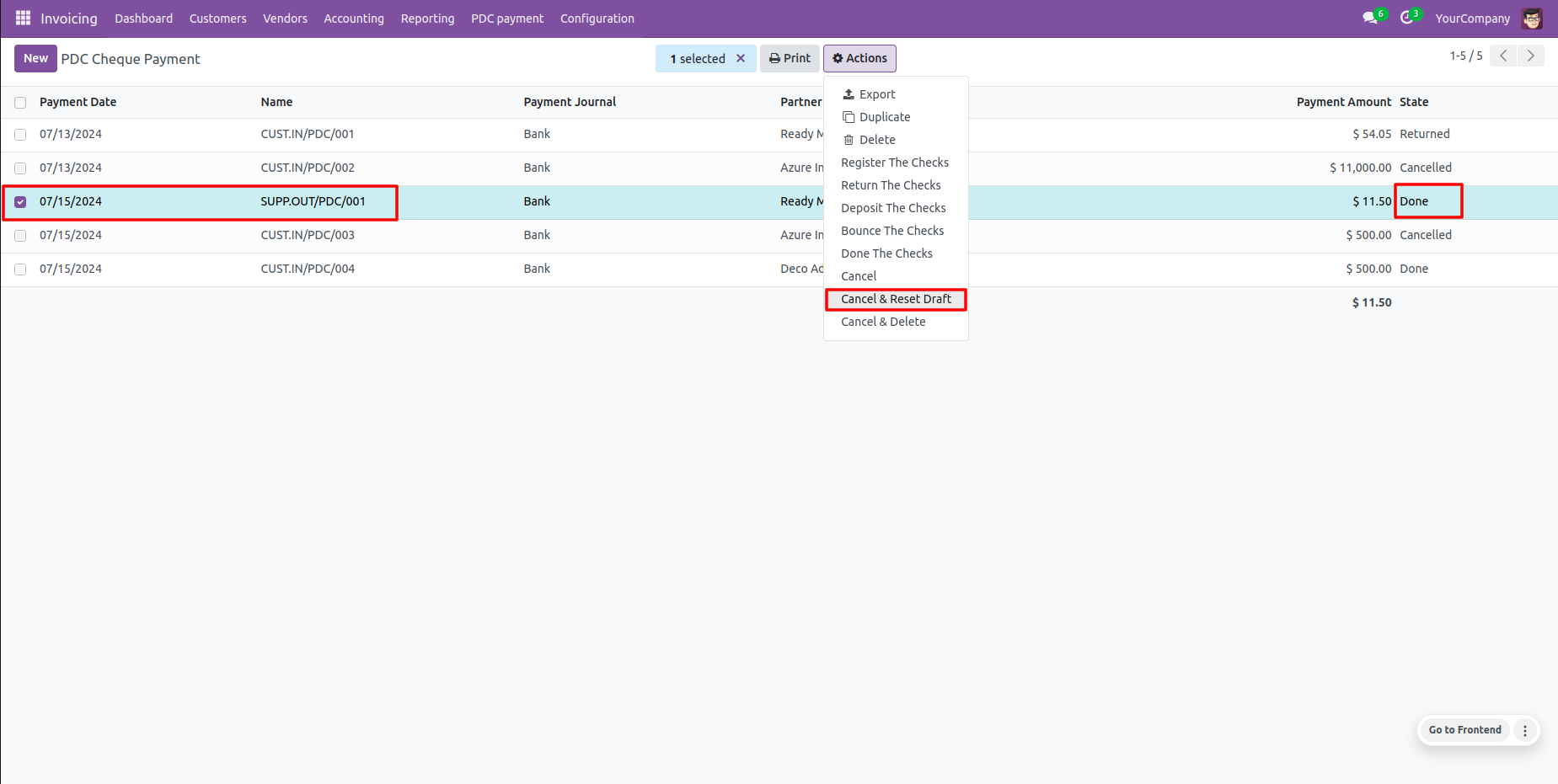
Cancel and reset multiple cheques to draft.
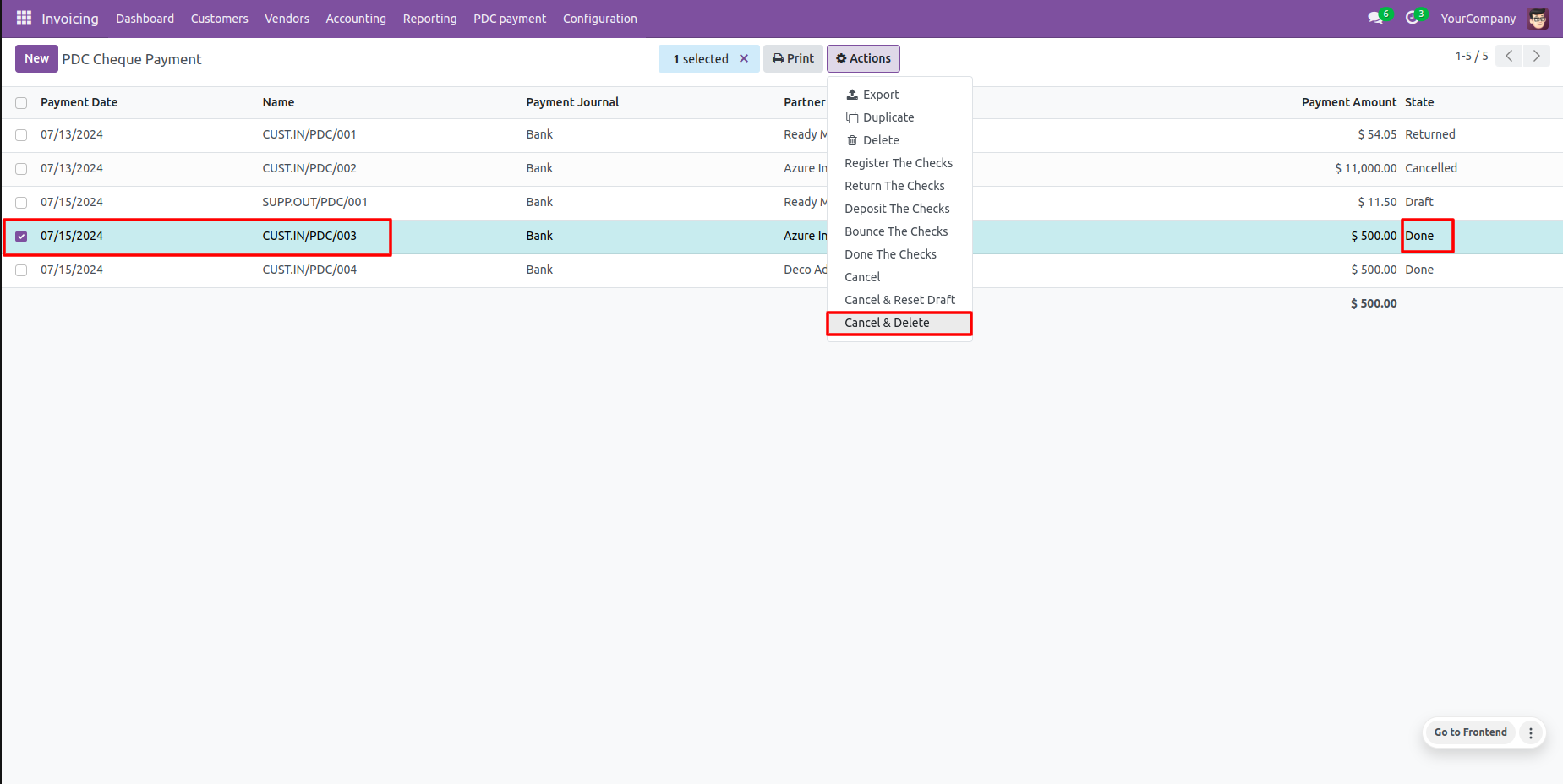
Cancel and delete selected draft cheques from the database in batch.
Select invoice, click 'Register PDC cheque' to settle.
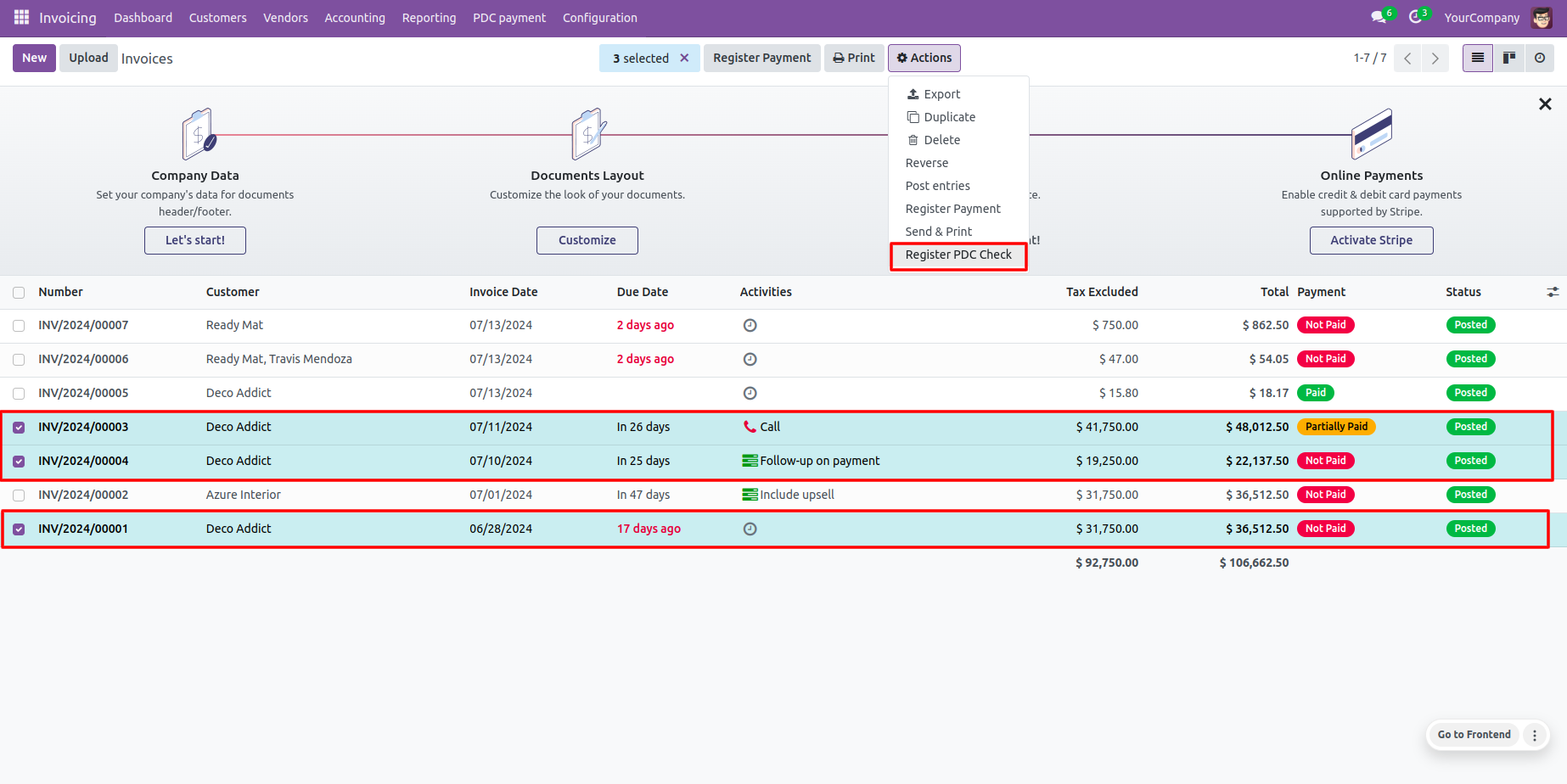
Capture cheque details in the popped up registration wizard.
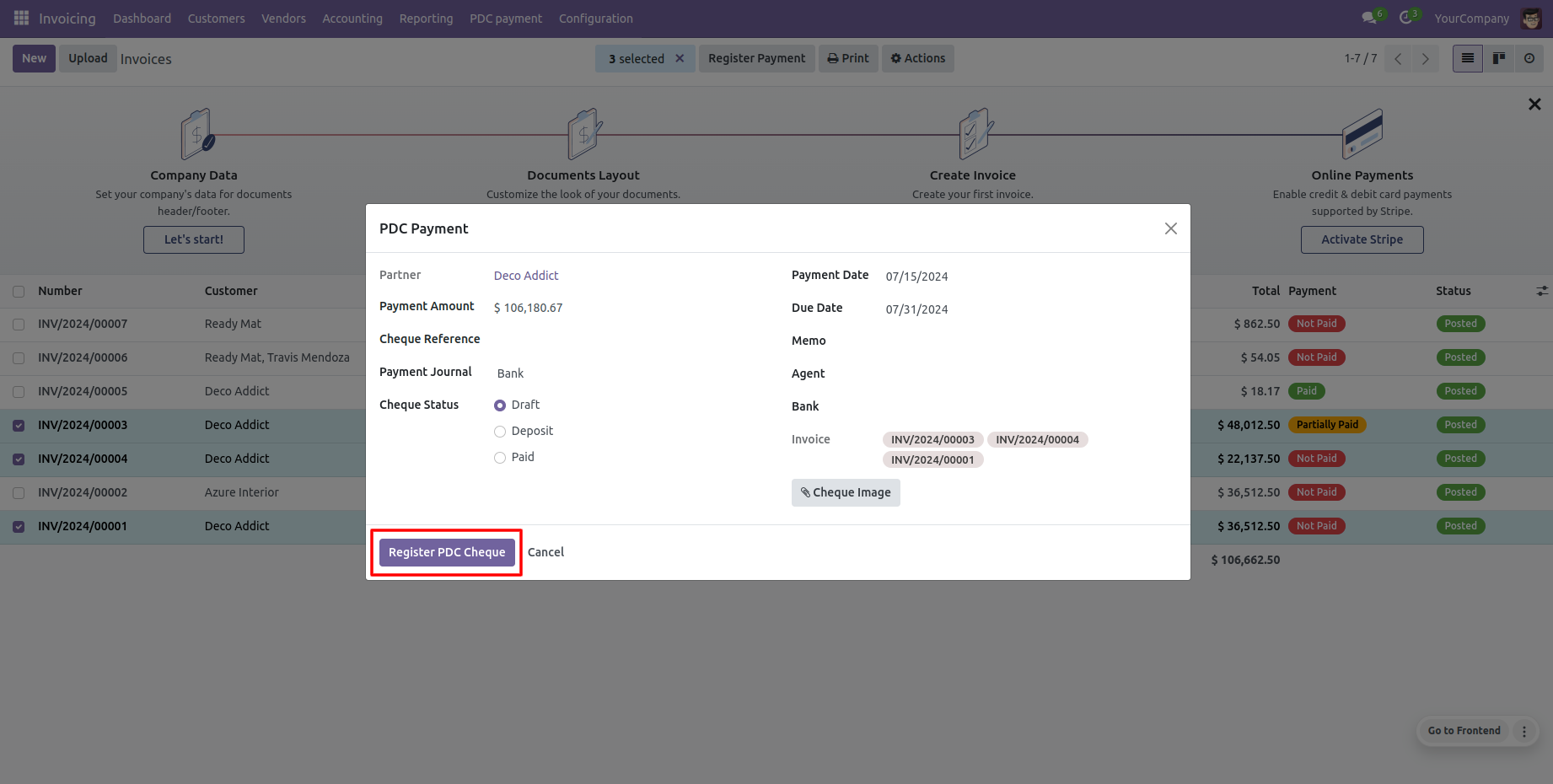
Register the post-dated cheque to advance status to 'Registered'.
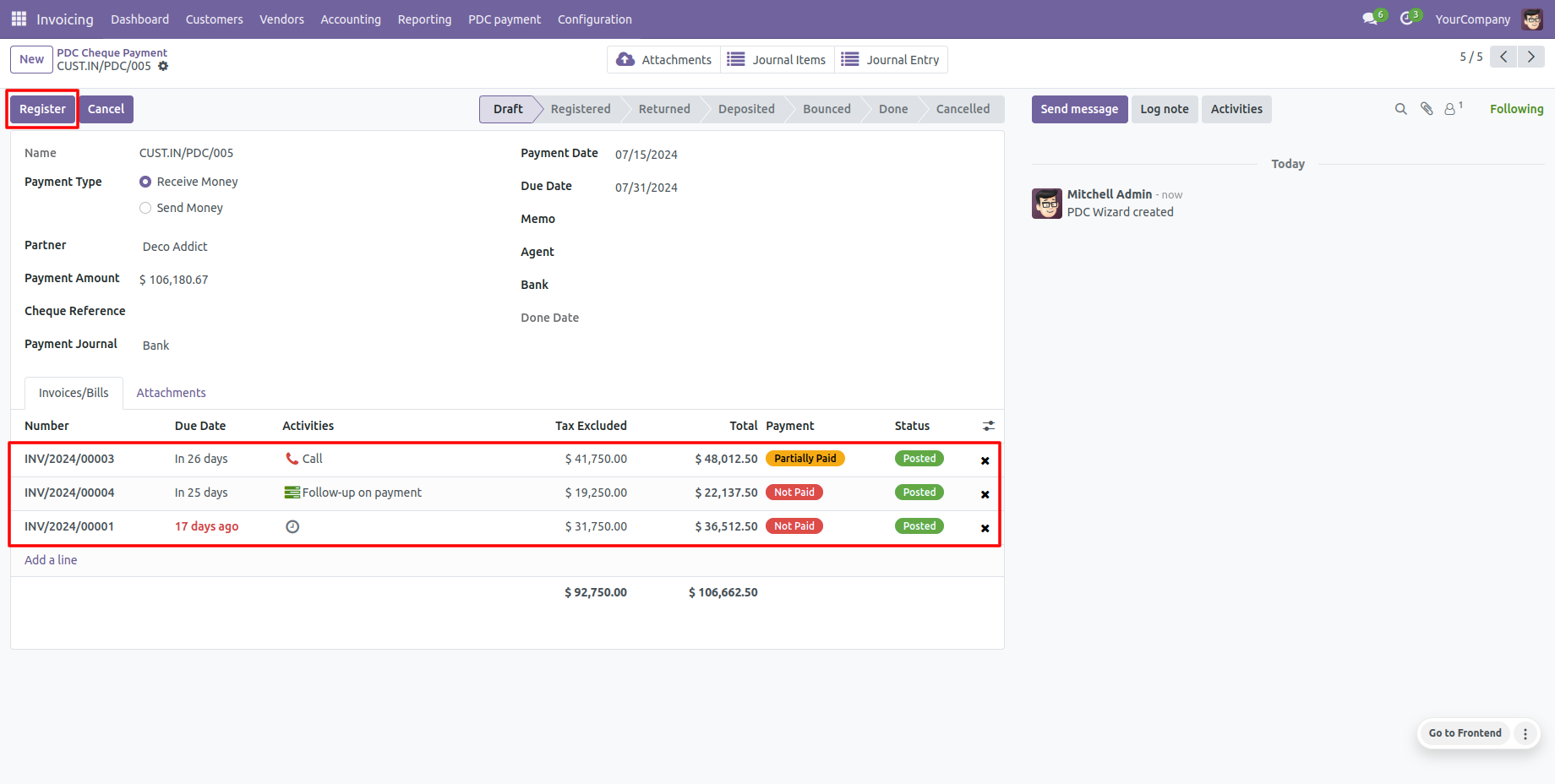
Click 'Deposit' to shift stage to 'Deposited'.
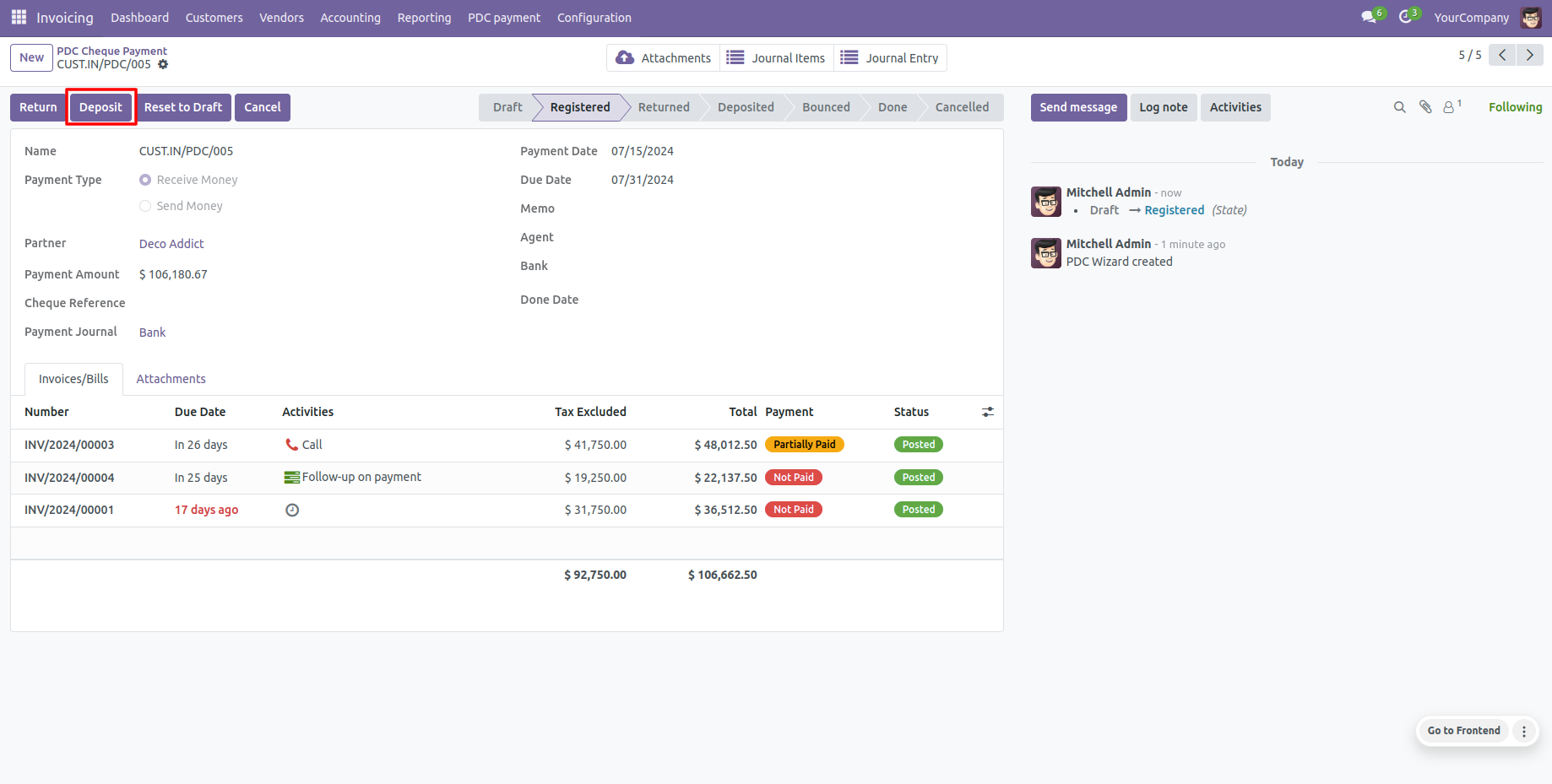
Click 'Done' to clear the cheque.
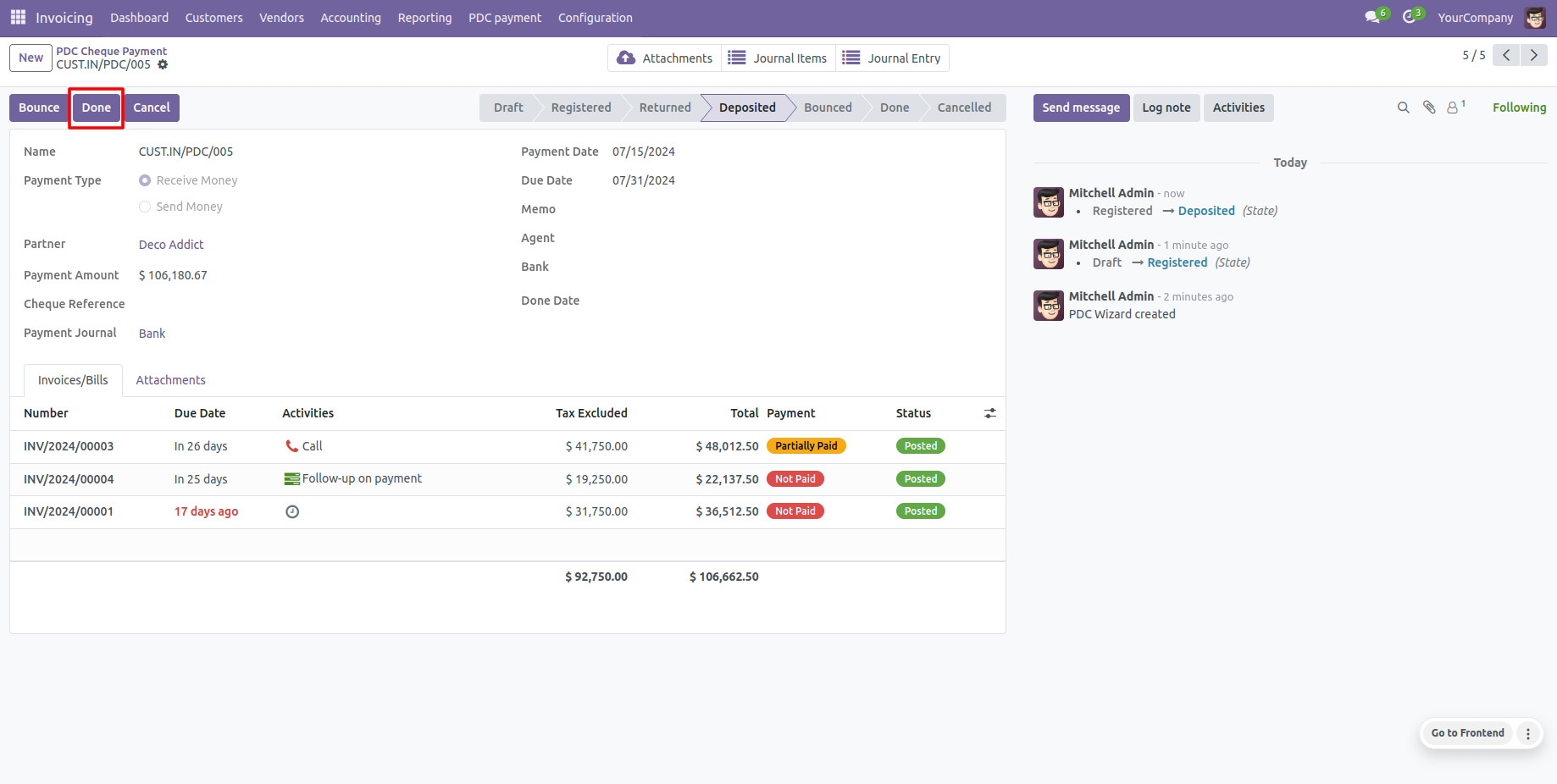
View automatically updated done date and clearing status.
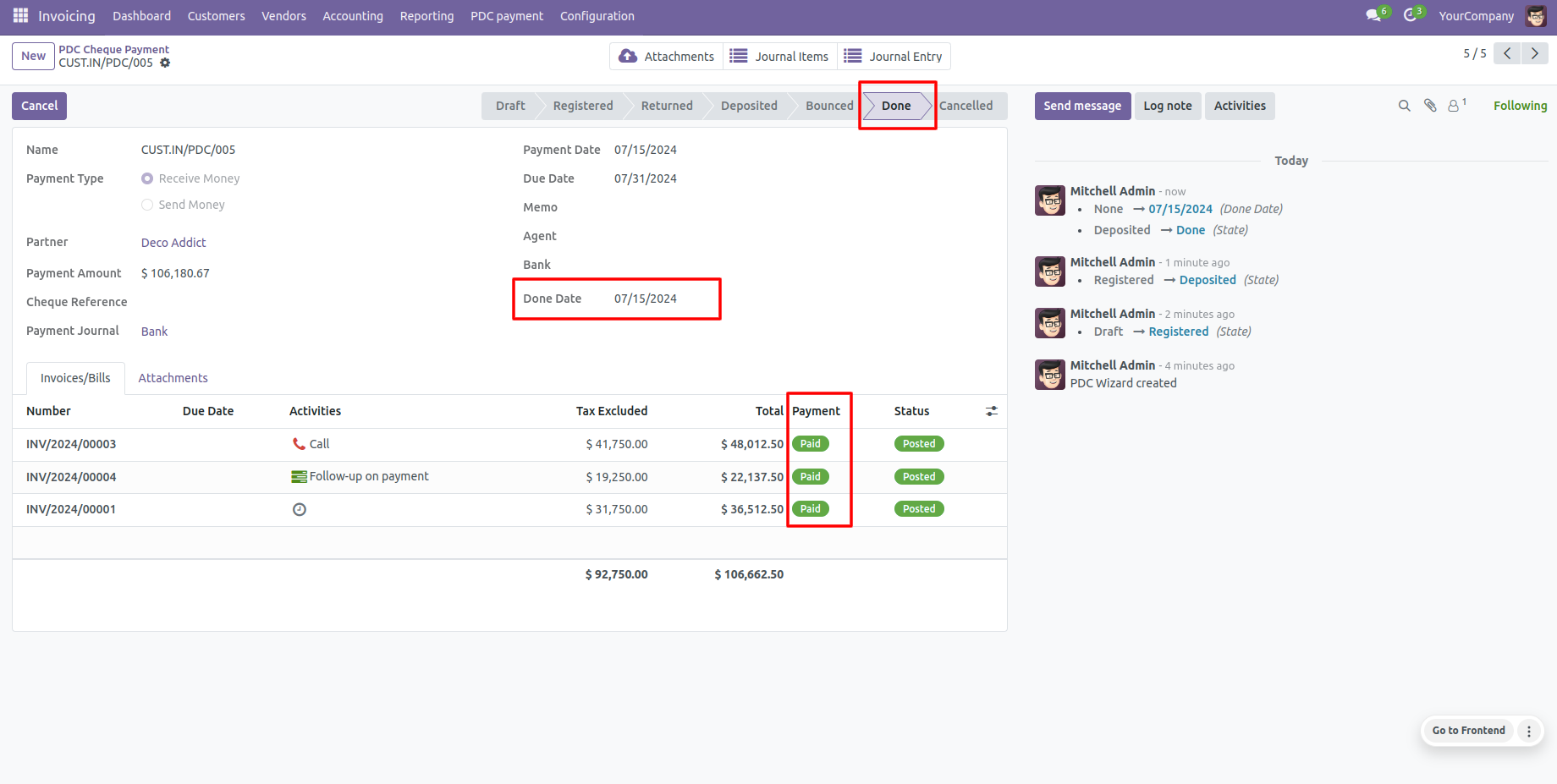
Deleting processed cheques is restricted for security.
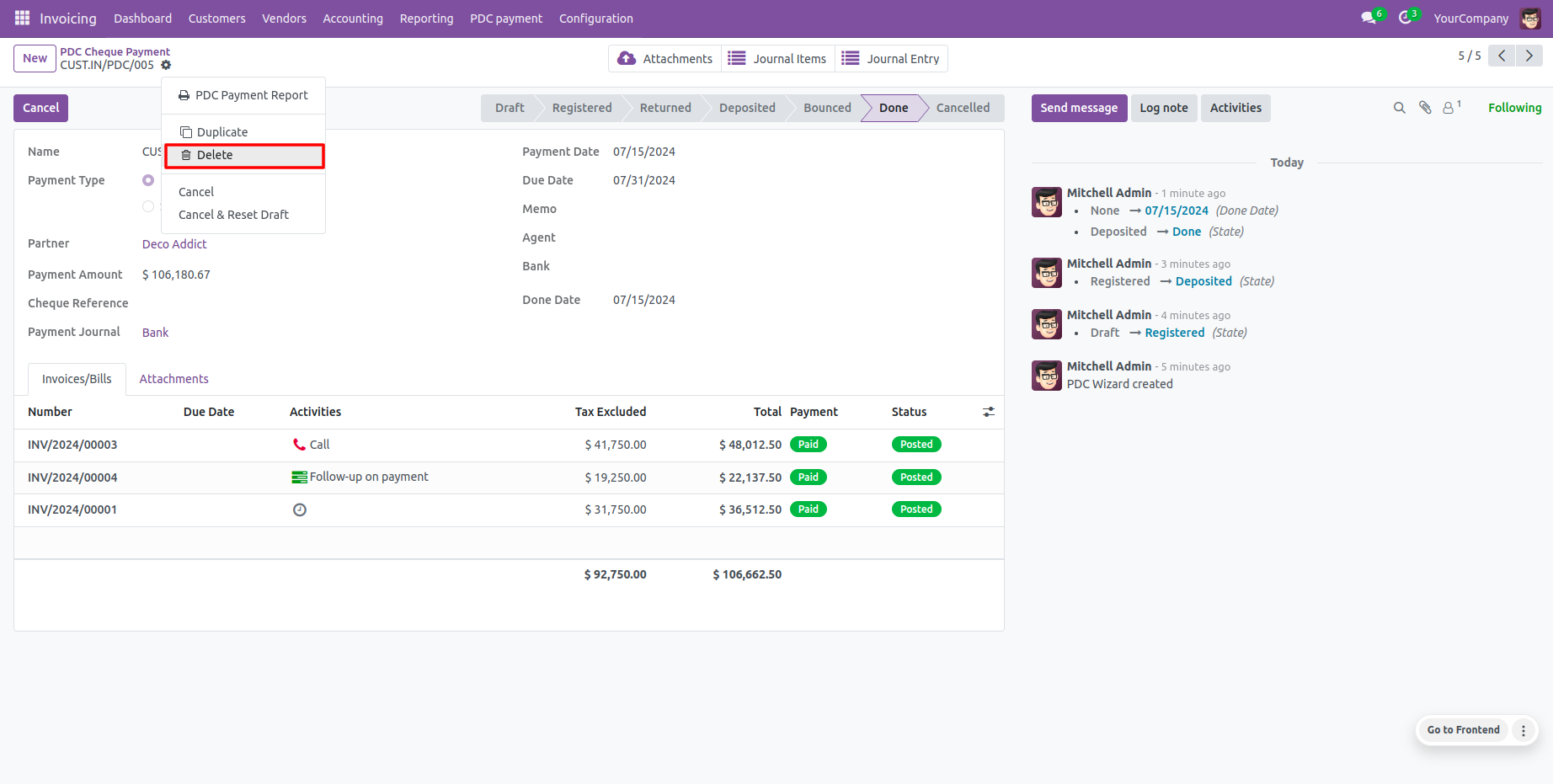
Database raises validation errors if attempting to delete non-draft cheques.
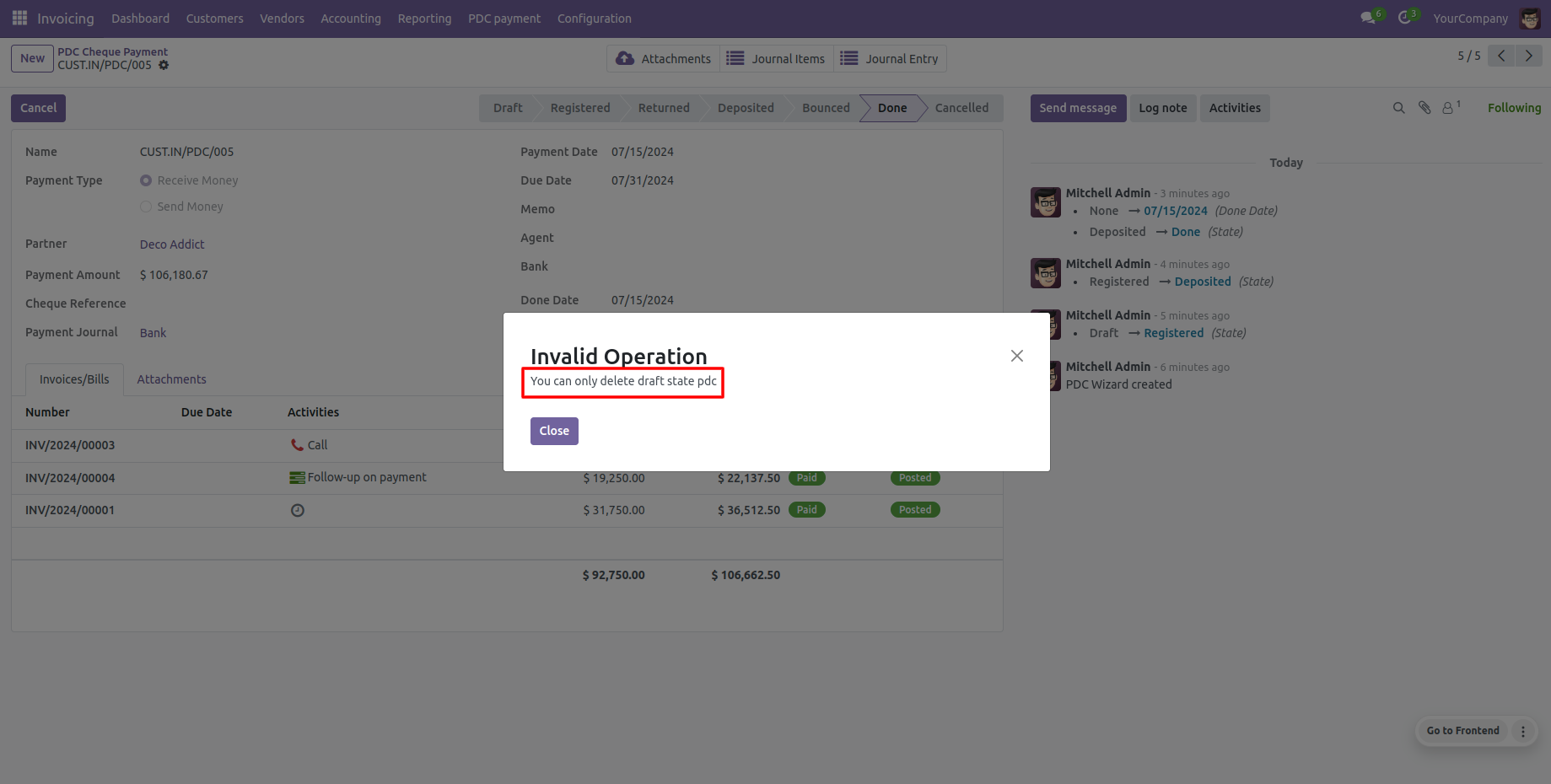
Settle errors by clicking 'Reset to Draft' to return a cheque to draft status.
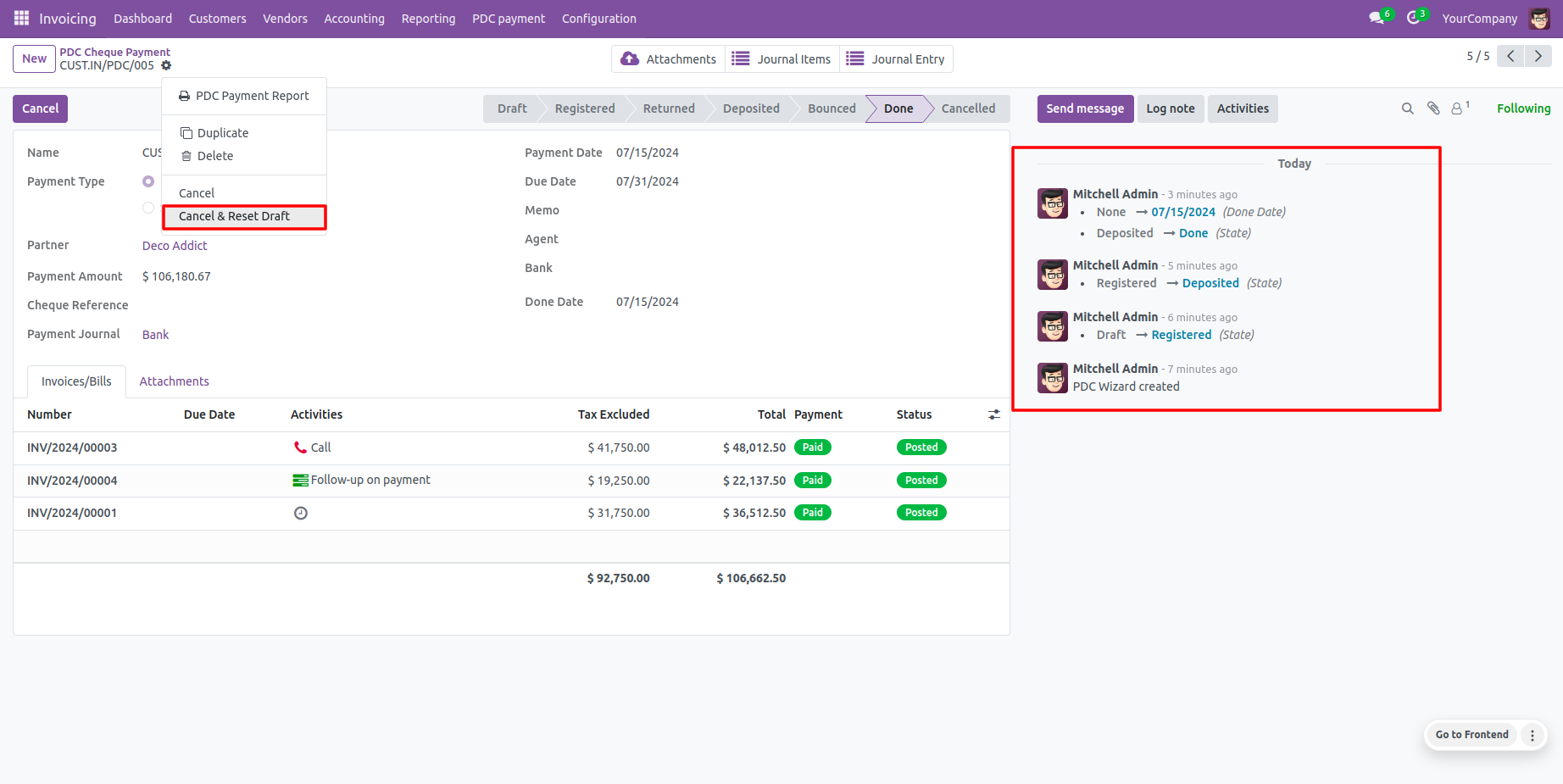
Standard Odoo chatter logging is fully integrated for internal tracking.
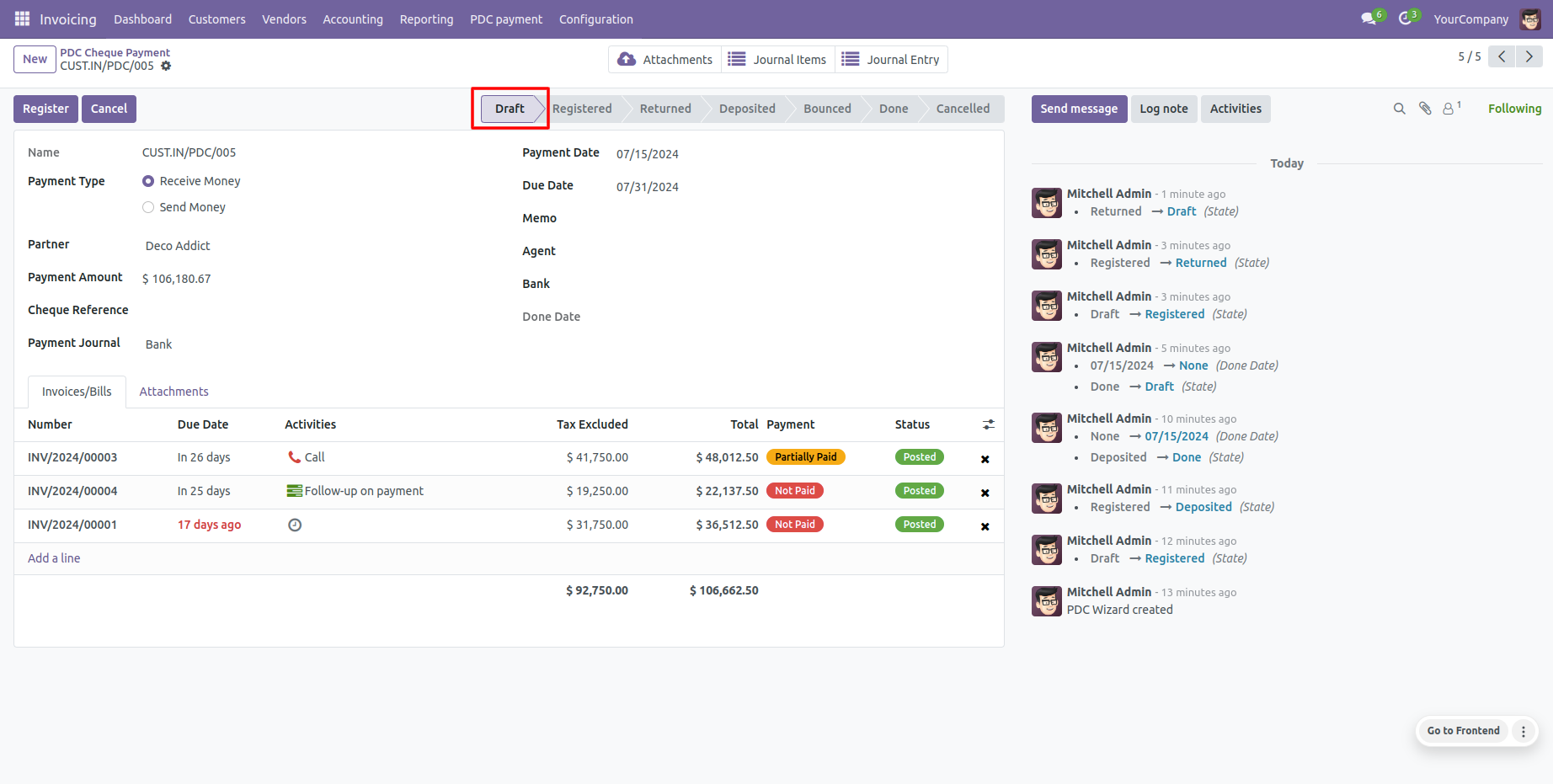
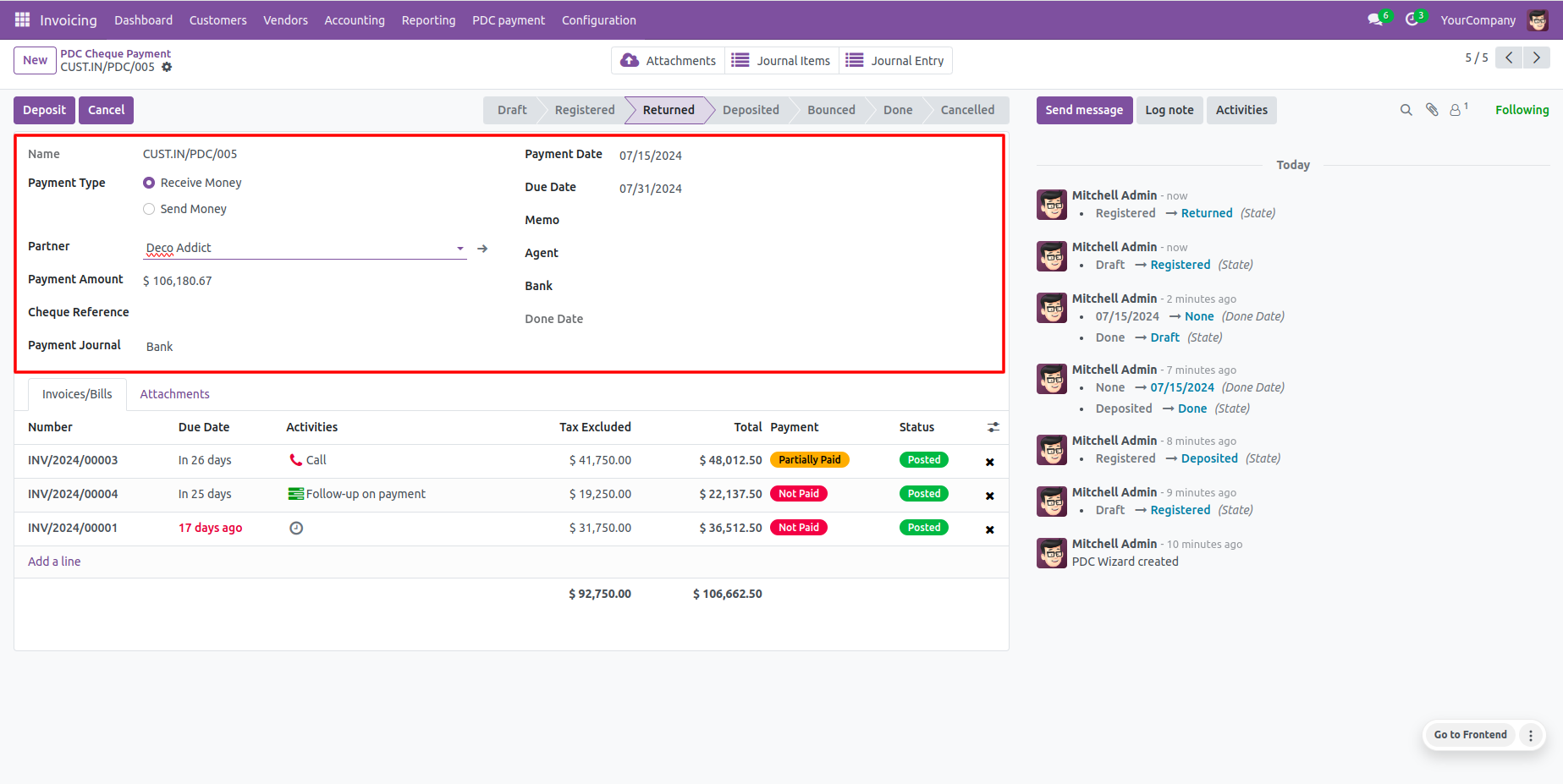
Processed cheques are fully editable when in the 'Returned' state.
Direct status column displays on the PDC payment tree view lists.
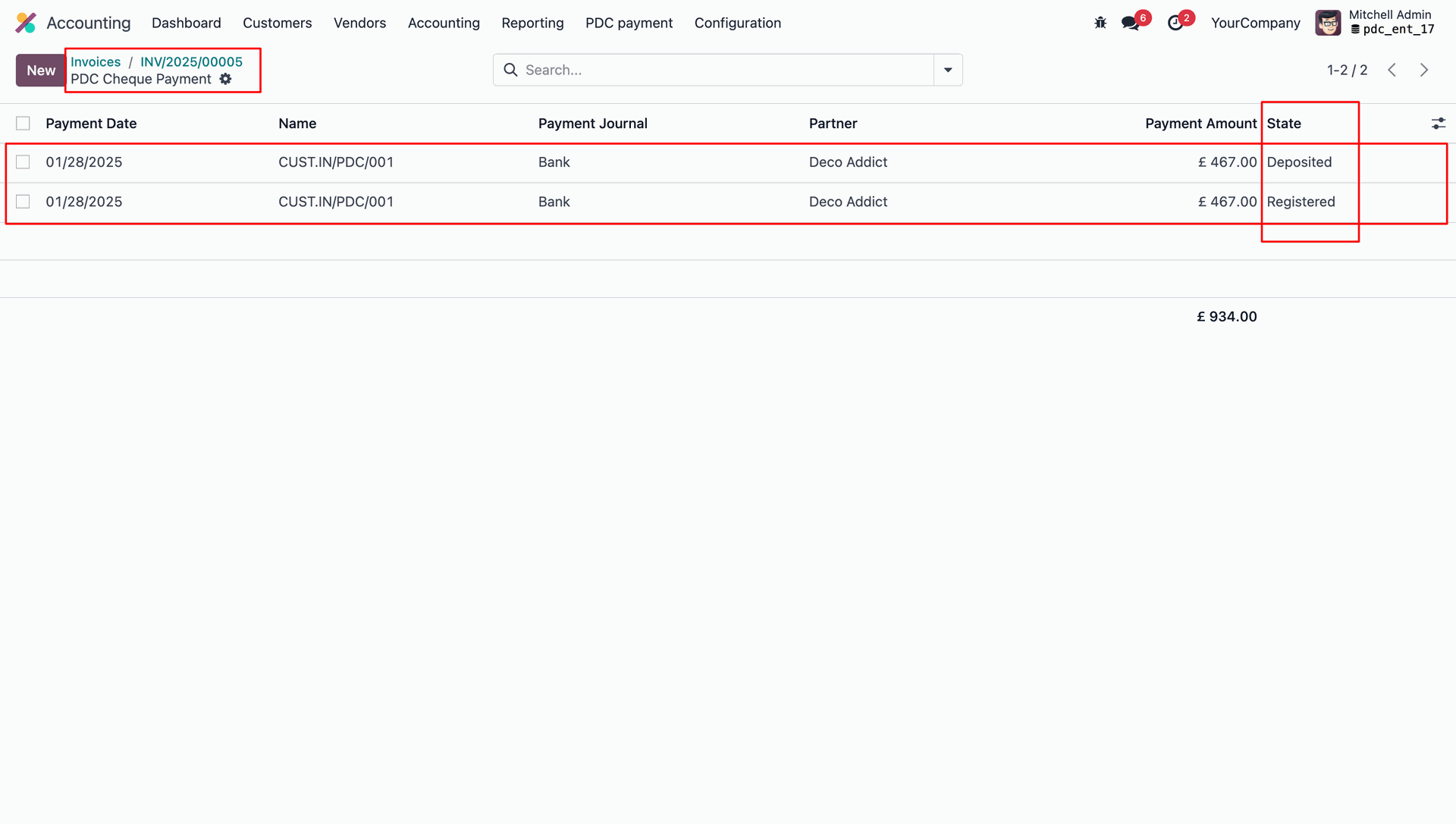
Inspect PDC statuses directly from the general invoice listing tree grid.
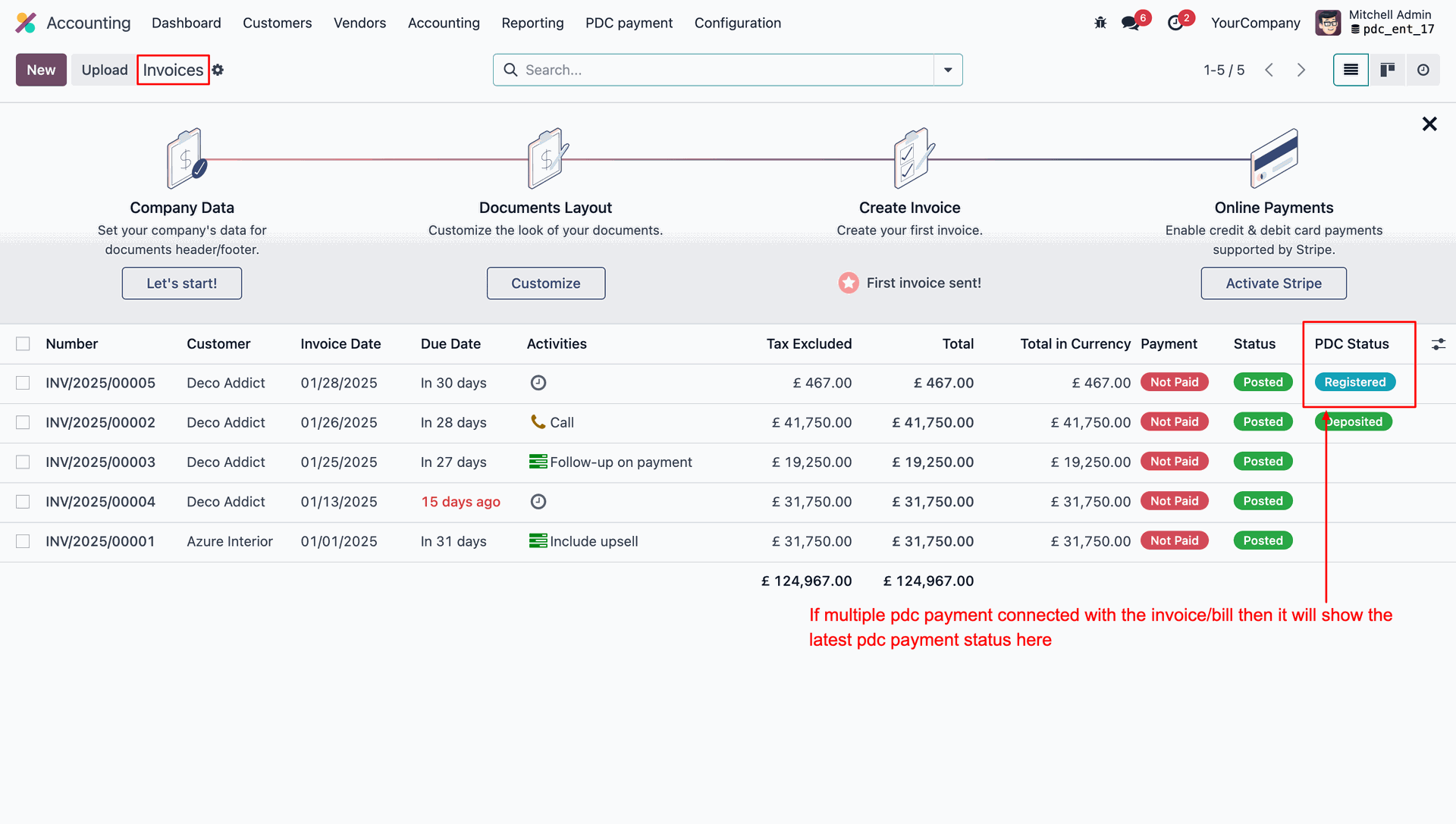
Update historical records easily via mass action status corrections.
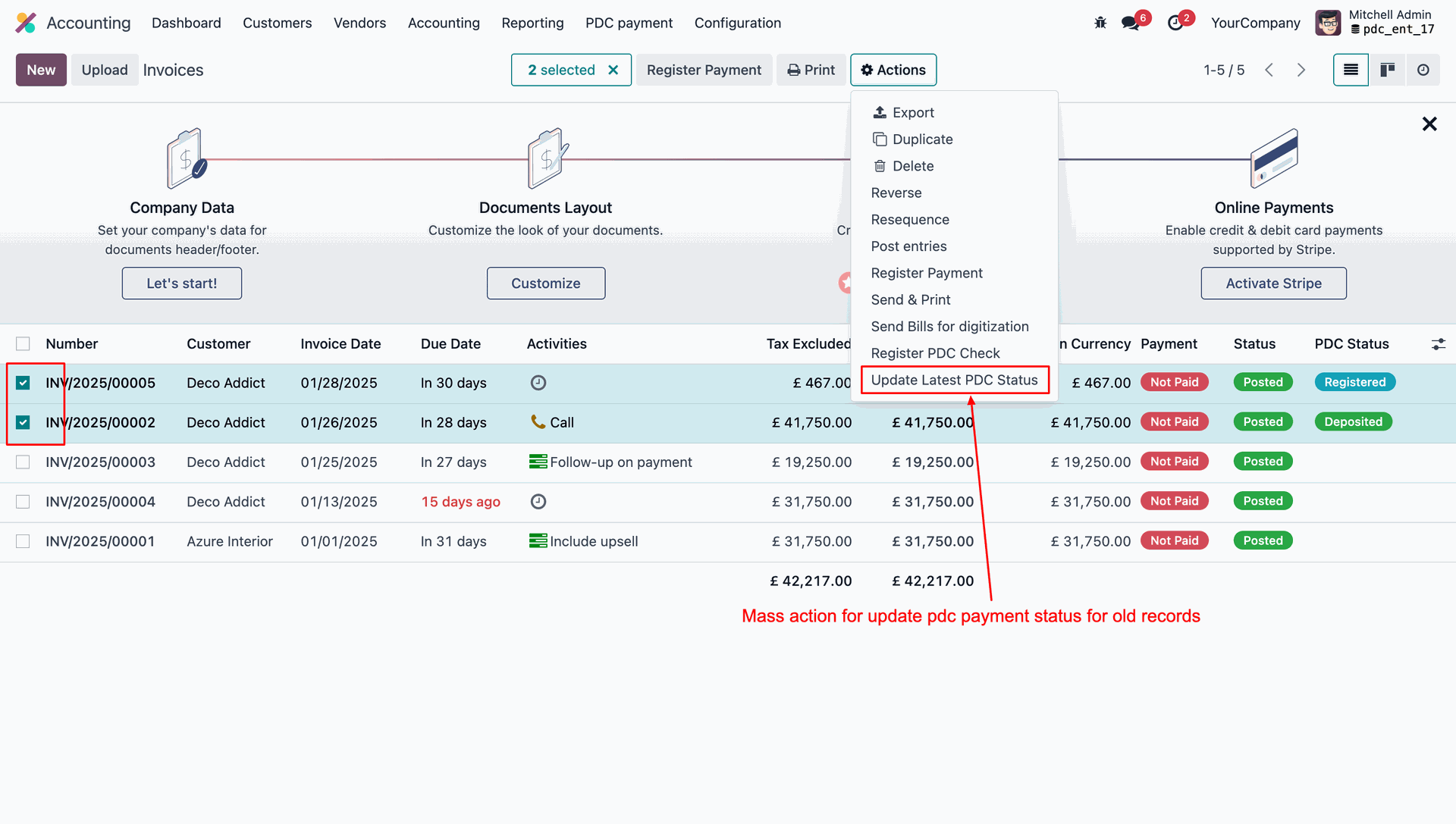
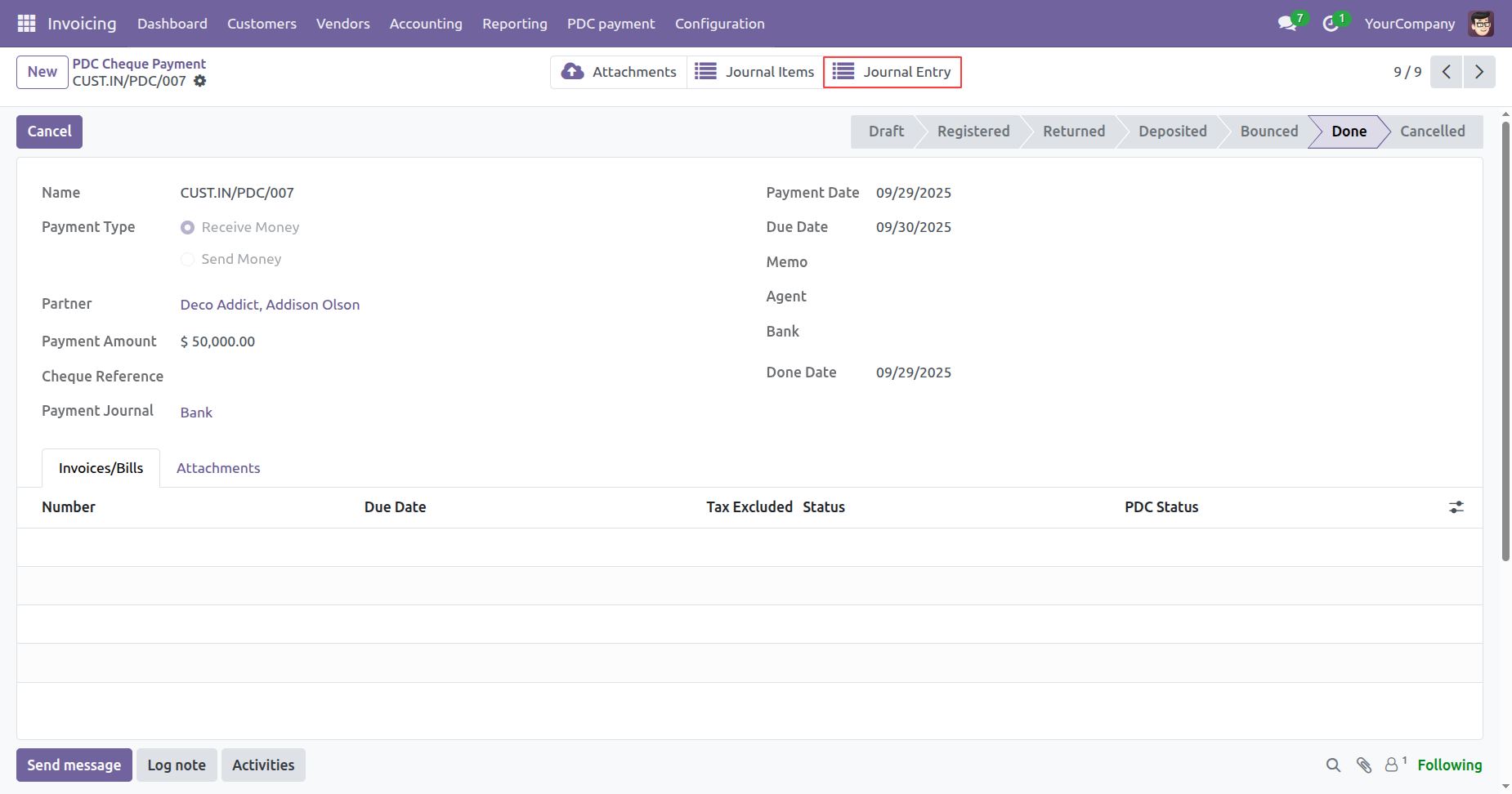
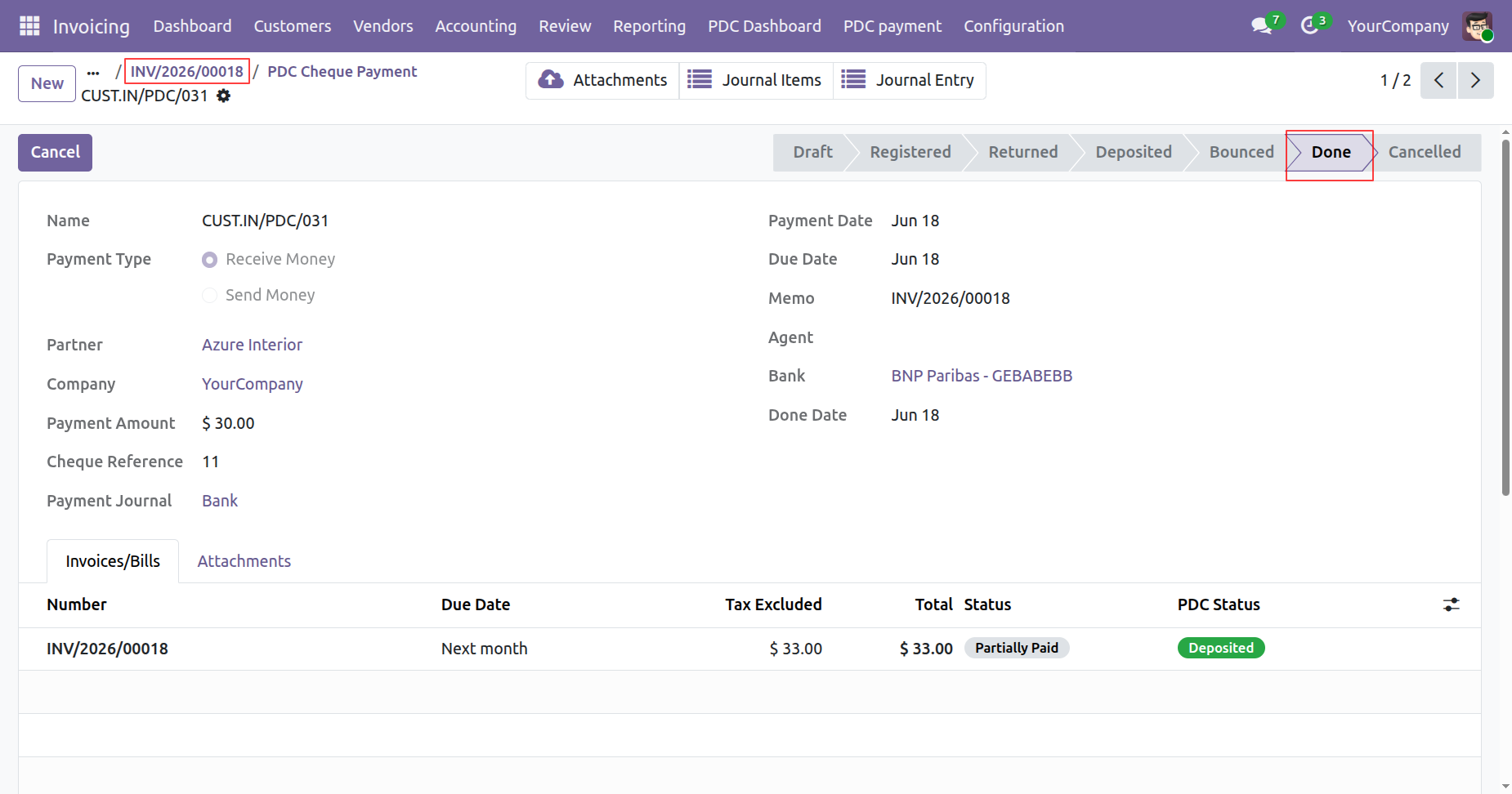
Now the PDC cheque payment is in the "Done" stage..
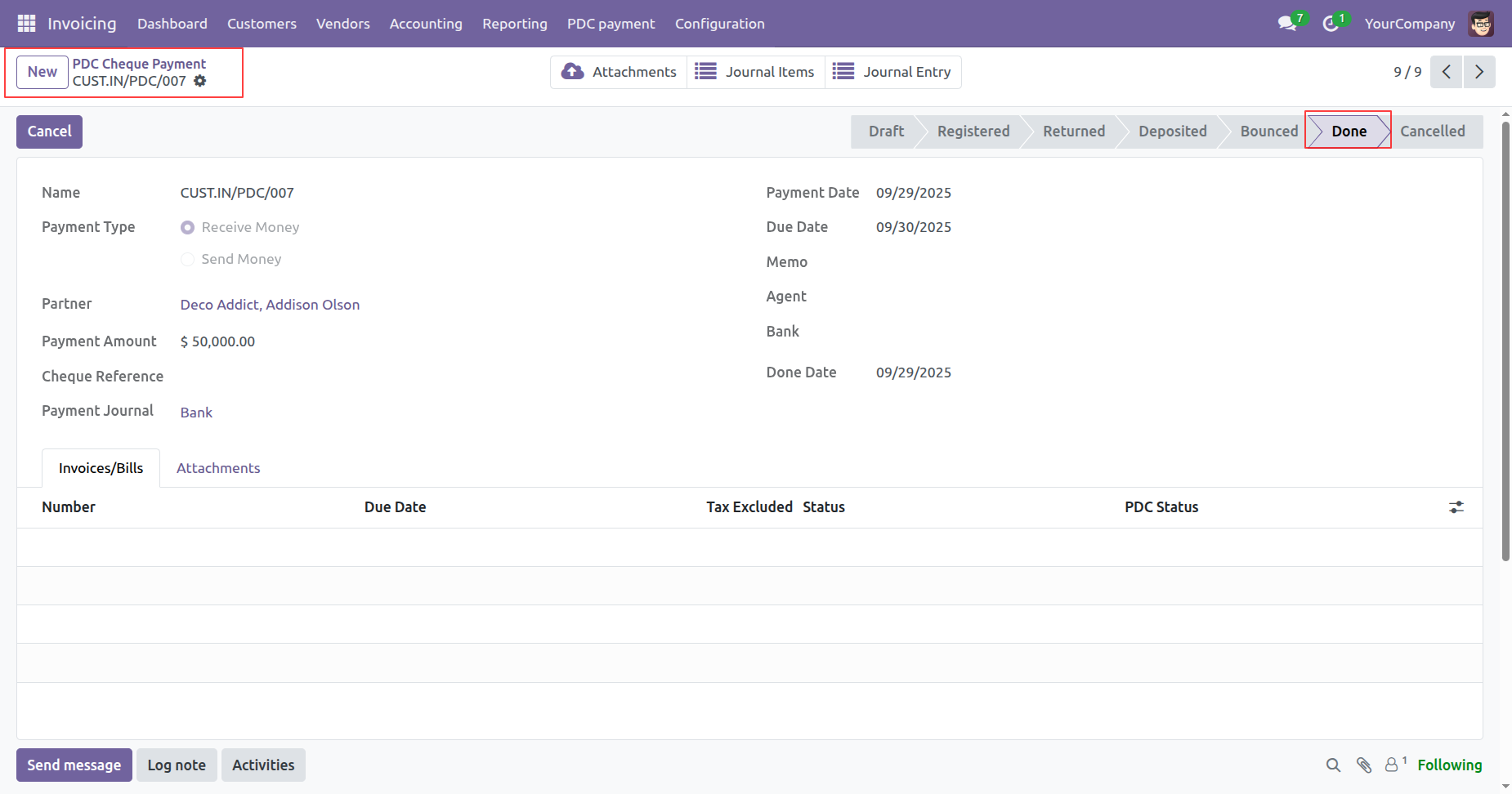
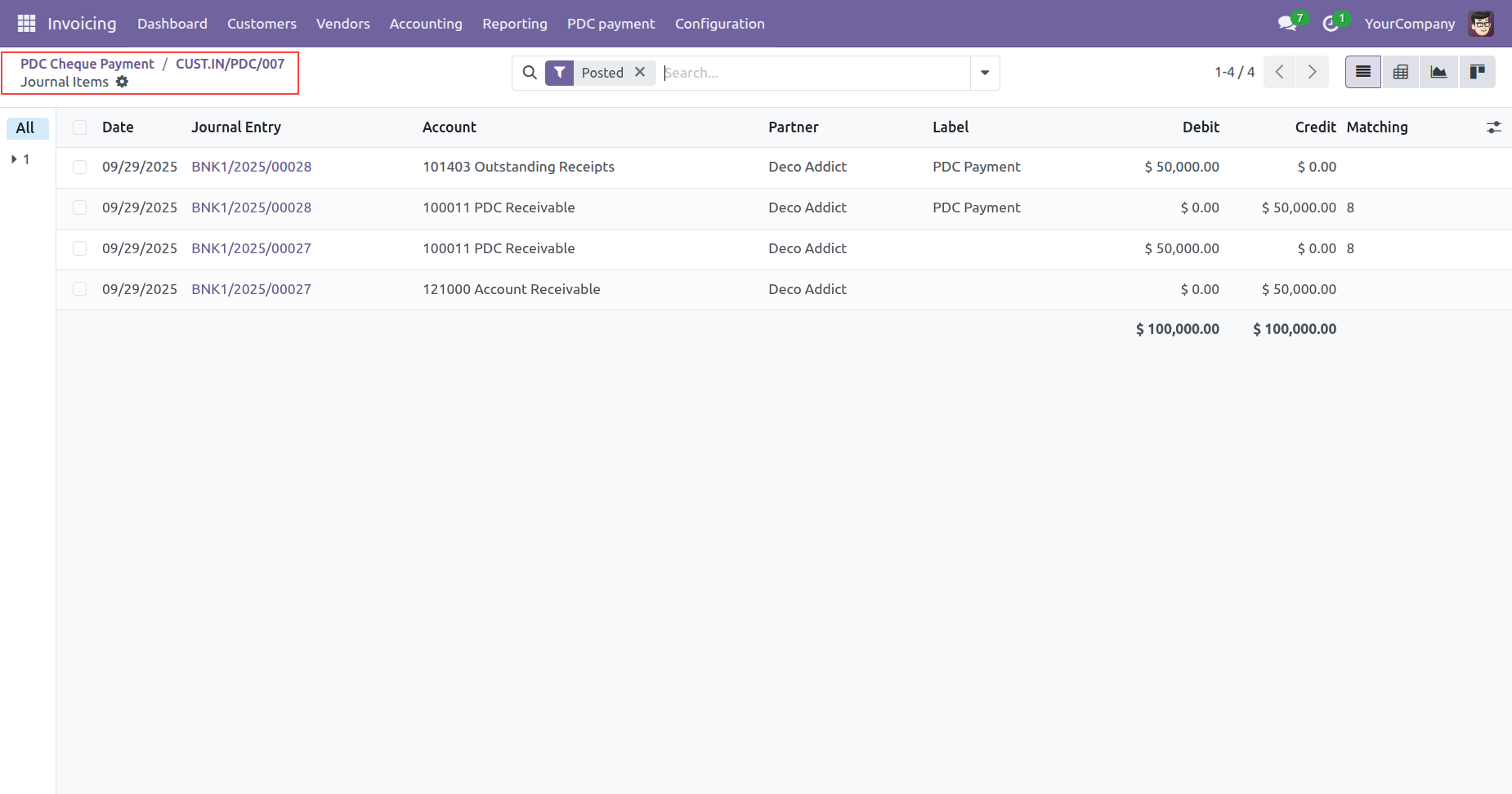
Click on the "Journal Items" smart button.
Tree view of the "Journal Items".
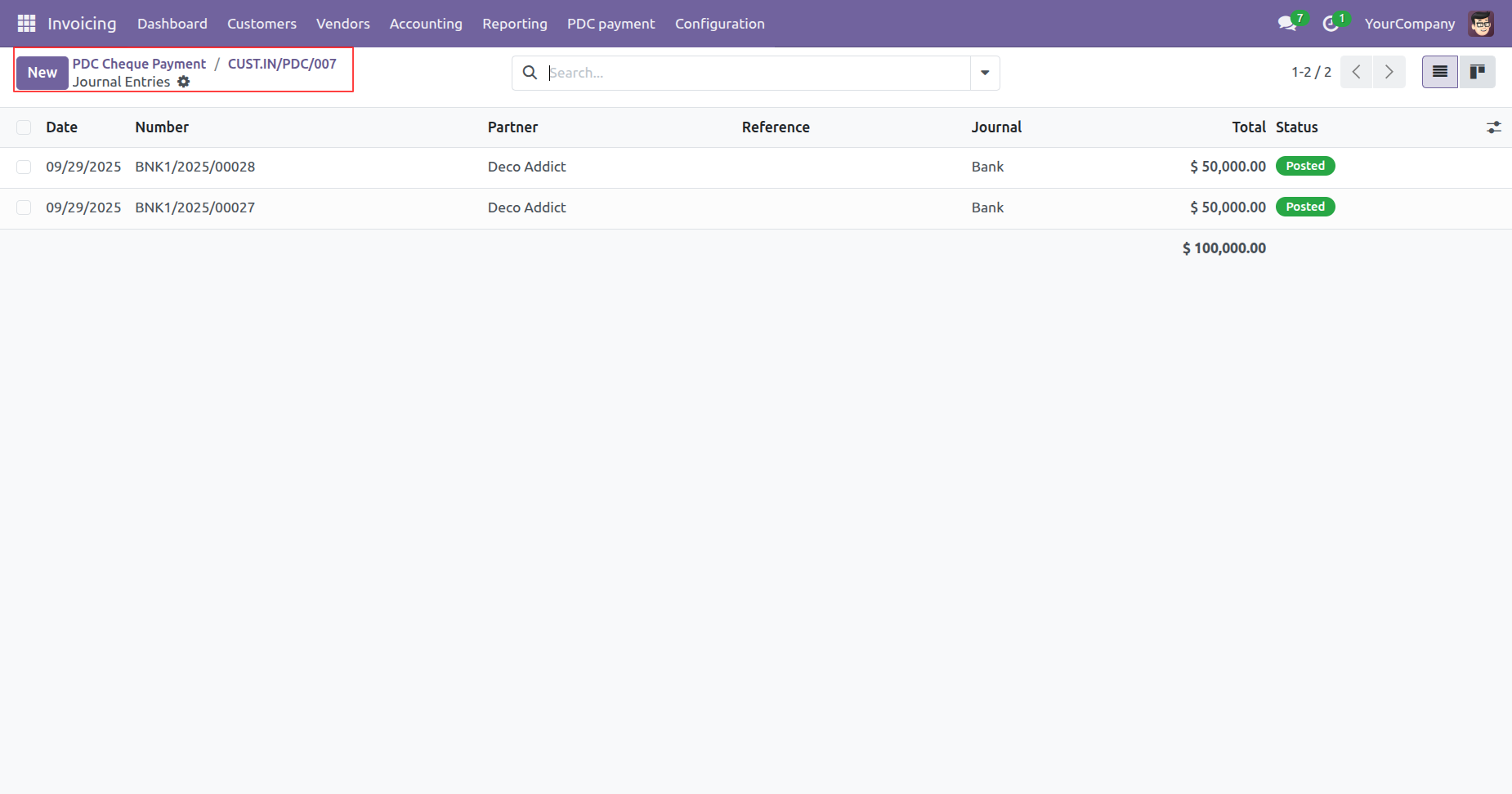
Click on the "Journal Entry" smart button.
Tree view of the "Journal Entries".
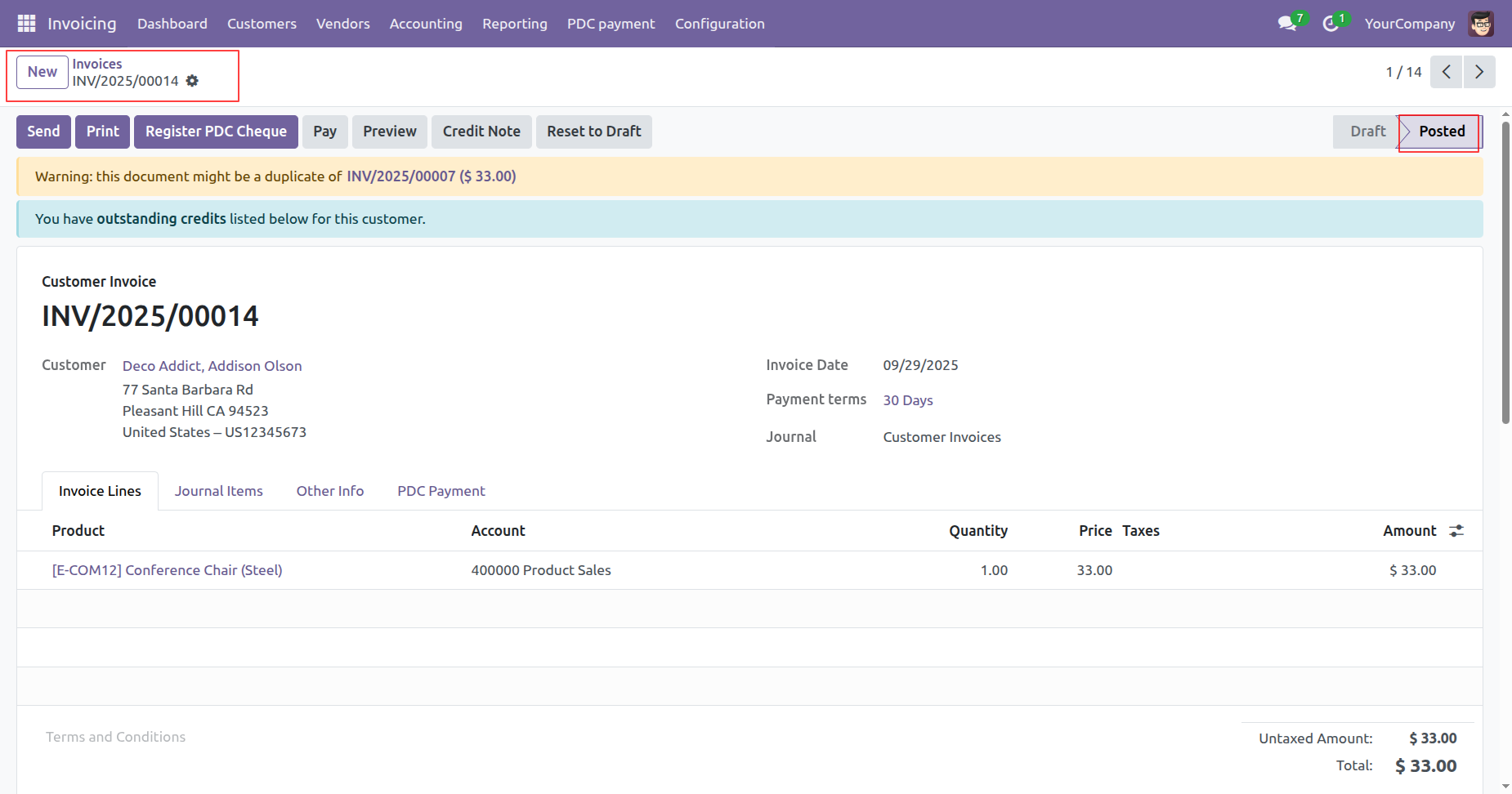
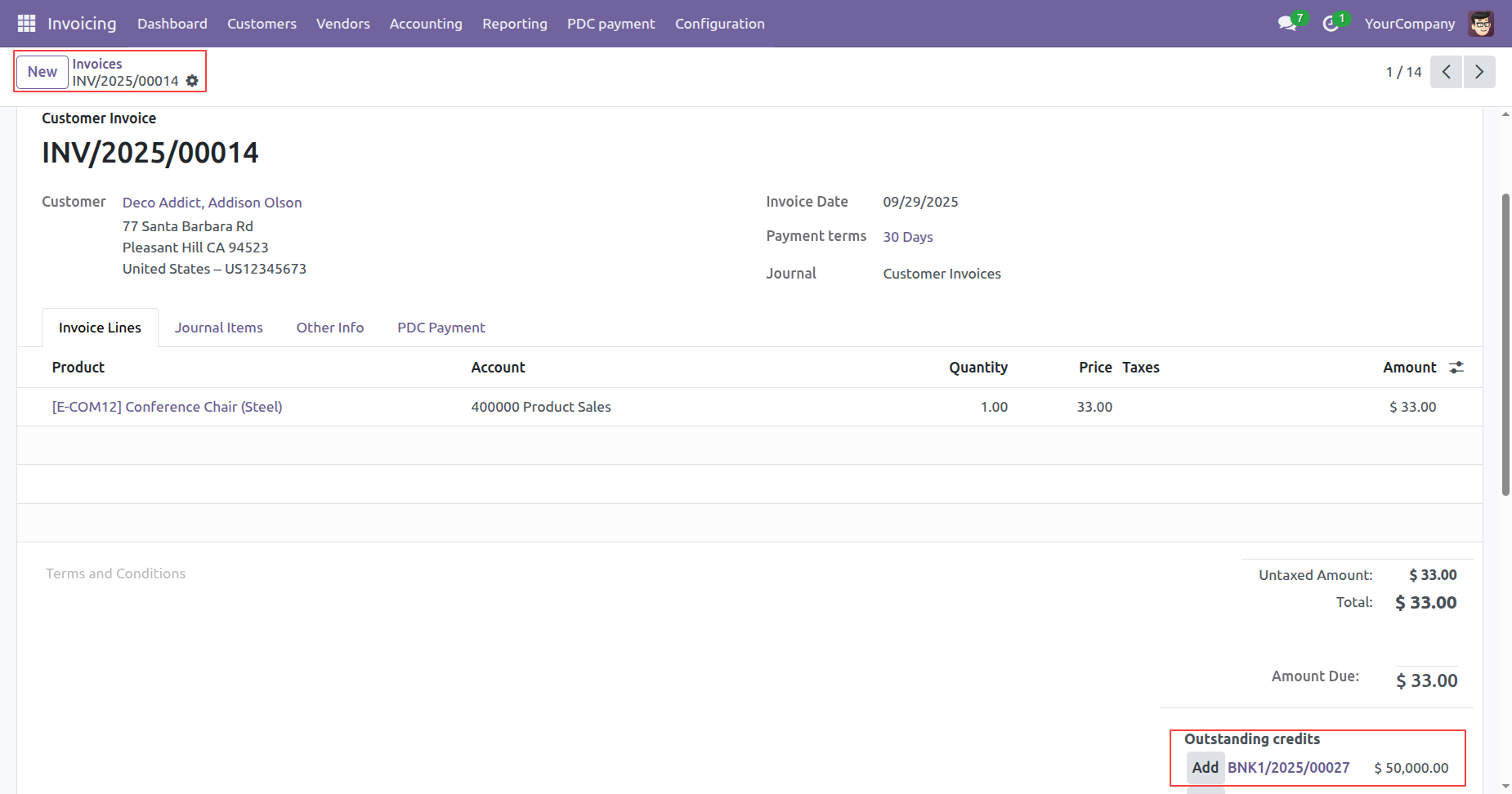
Here, you can see the invoice is in the "Posted" stage.
Here you can see the "Outstanding Credits".
Click on the "Add" button.
Now the invouce is paid.
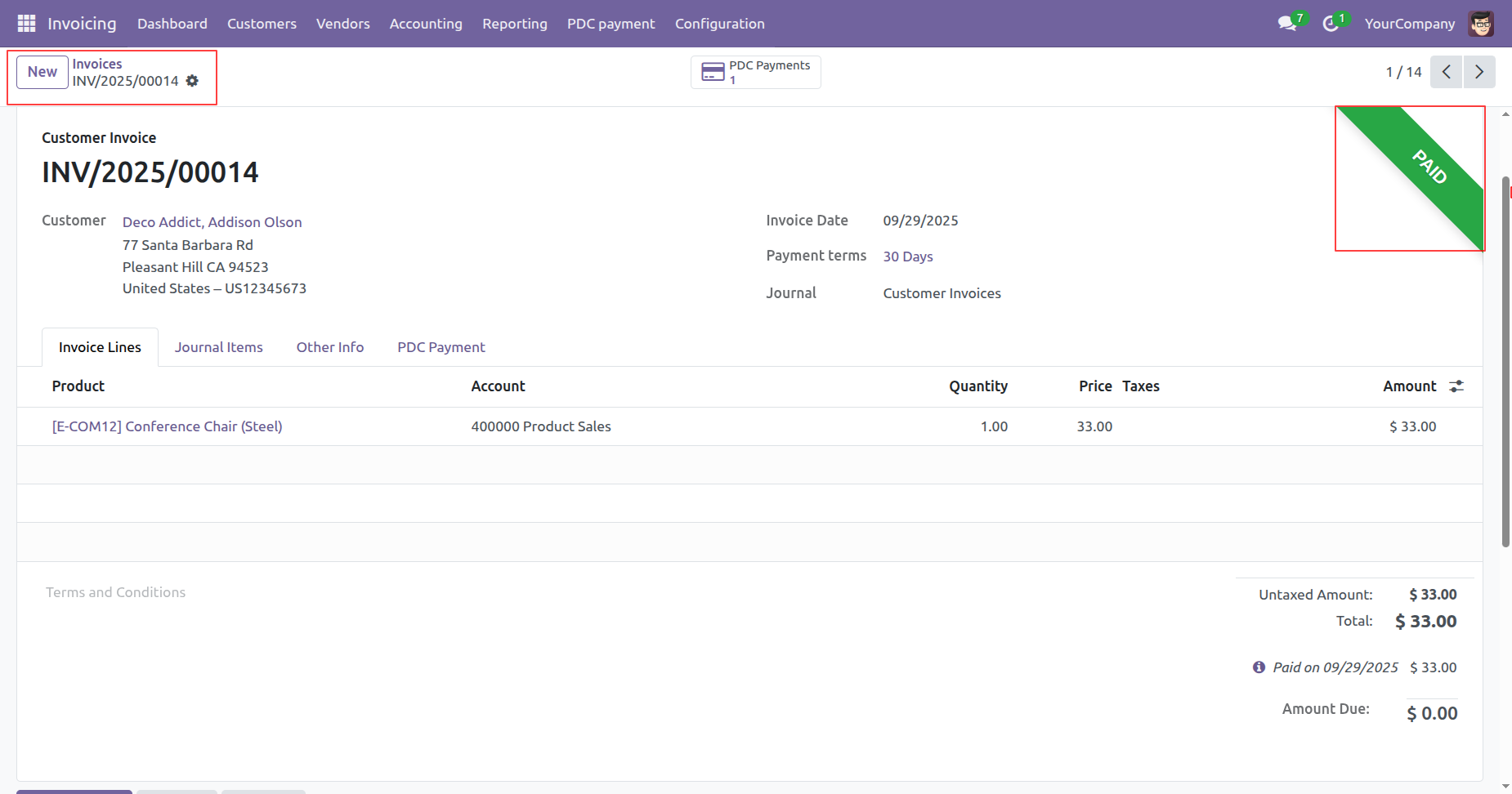
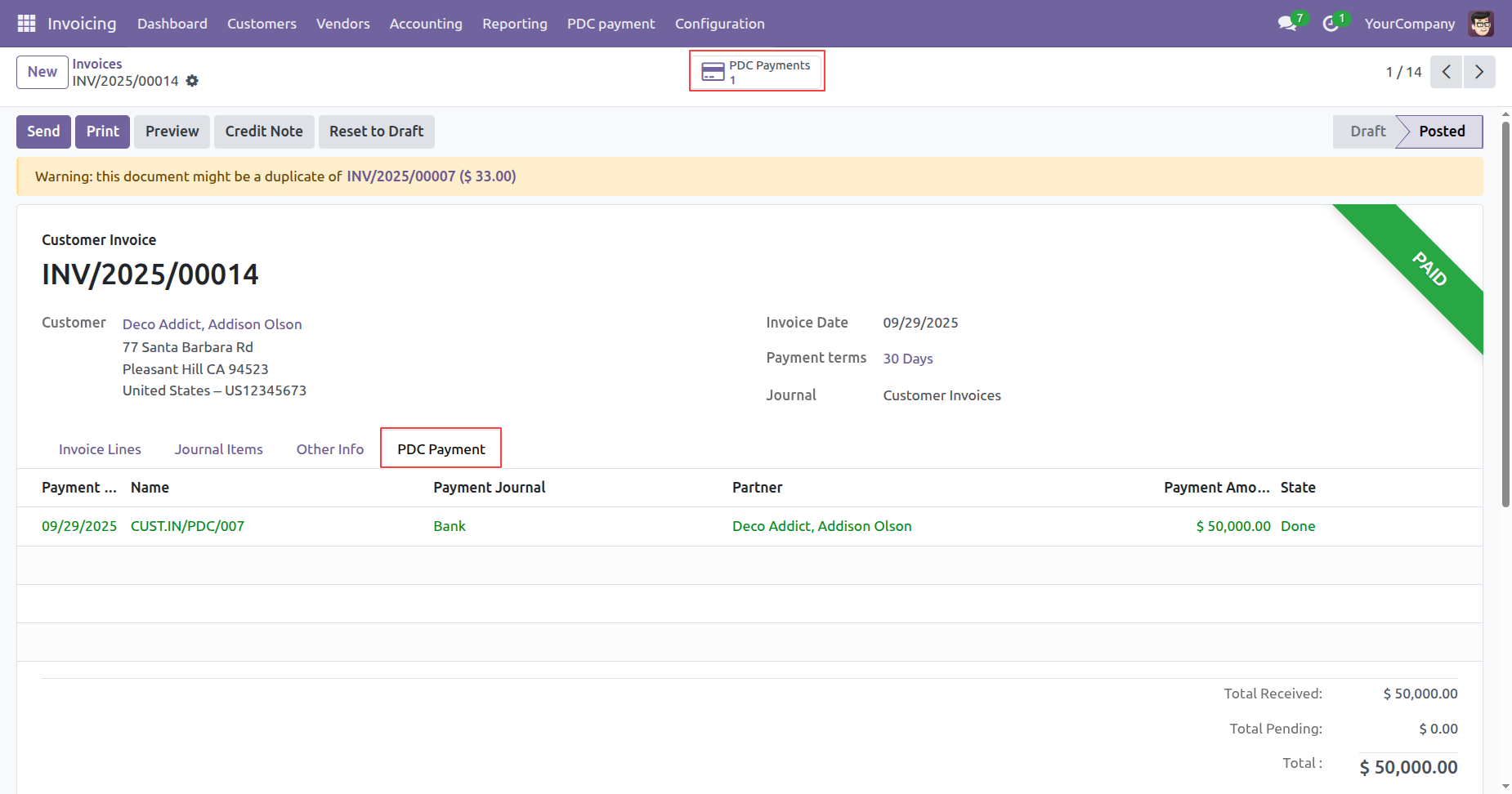
You can see the pament details in the "PDC Payments" tab.
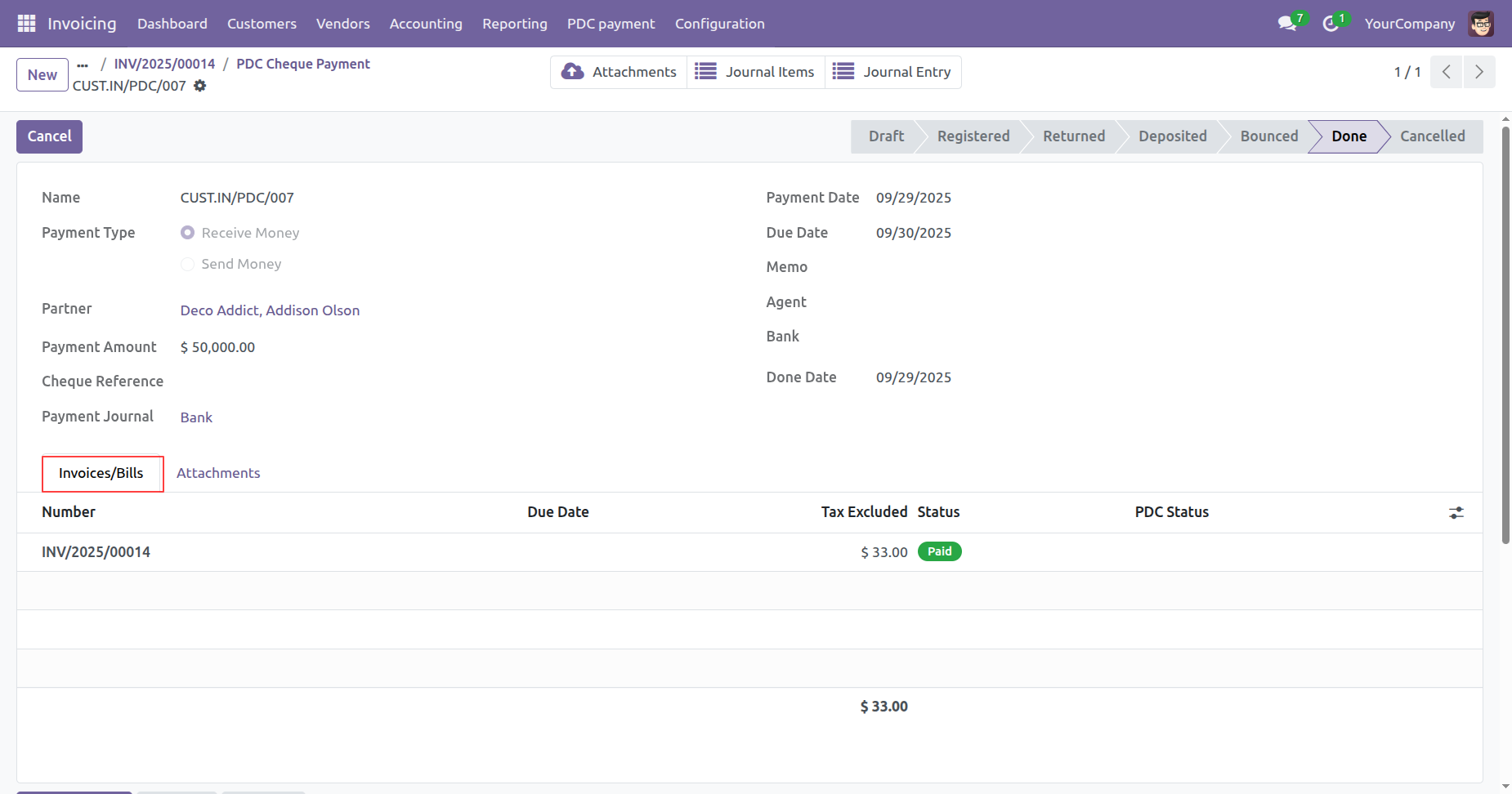
Click on the "PDC Payment" smart button.
Form view of the PDC Payment.
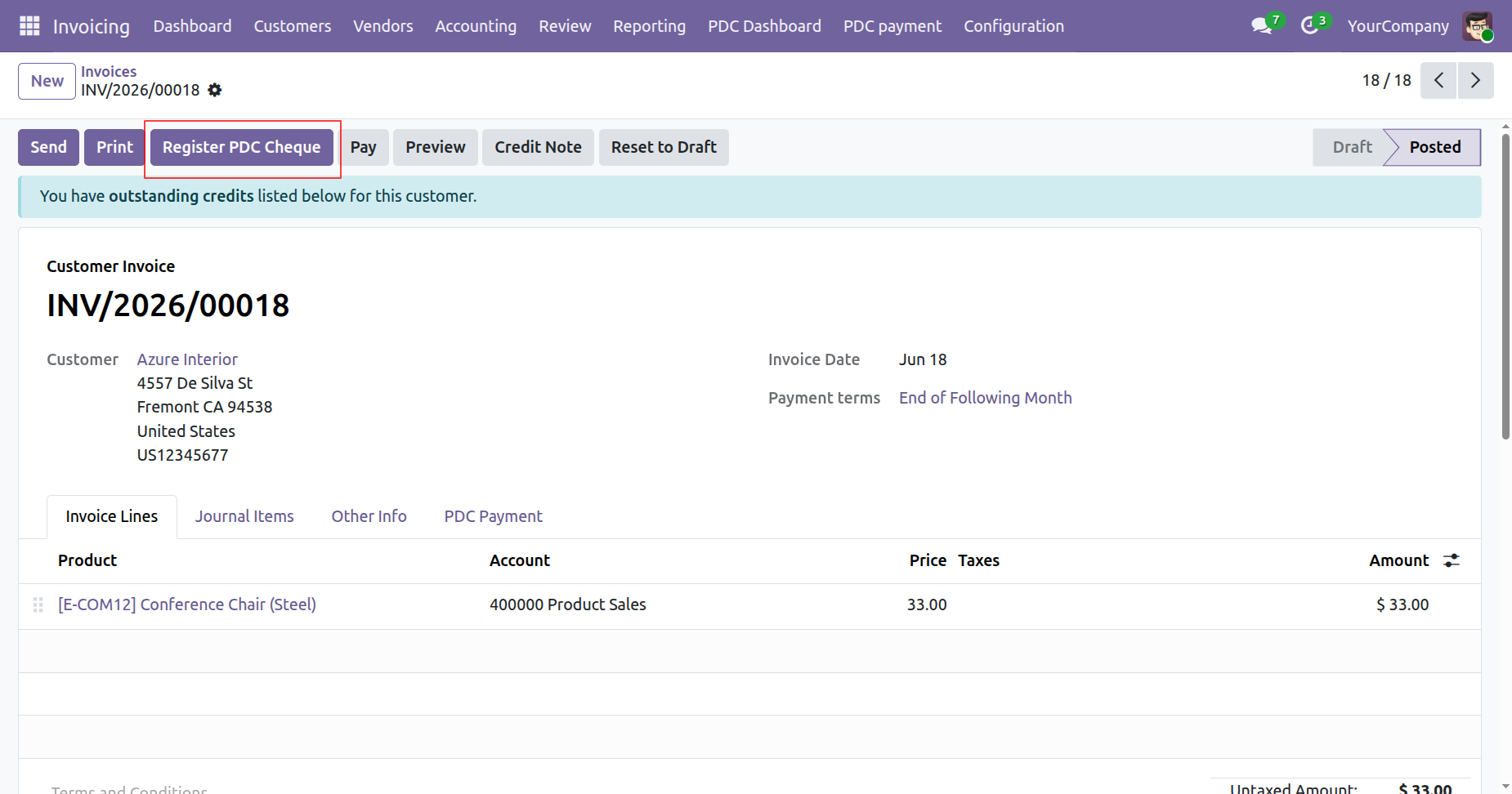
Click the Register PDC Cheque button from the Invoice to register a post-dated cheque for the selected invoice.
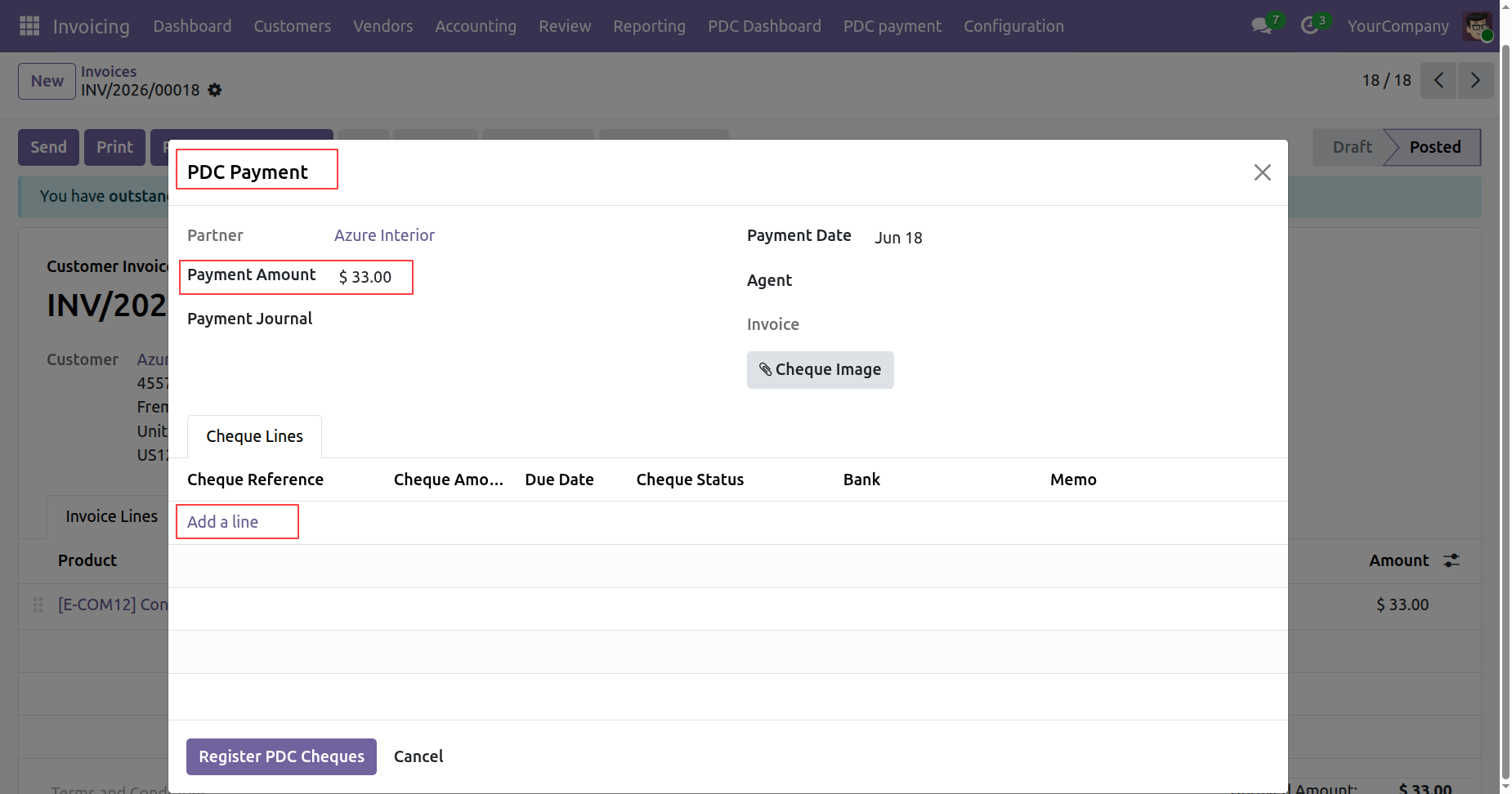
The PDC Payment Wizard will open. Enter the Payment Amount, then click Add a Line to register multiple PDC cheques for the same invoice.
Users can register multiple PDC cheques for a single invoice, with each cheque assigned its own status, allowing independent tracking throughout the PDC lifecycle.
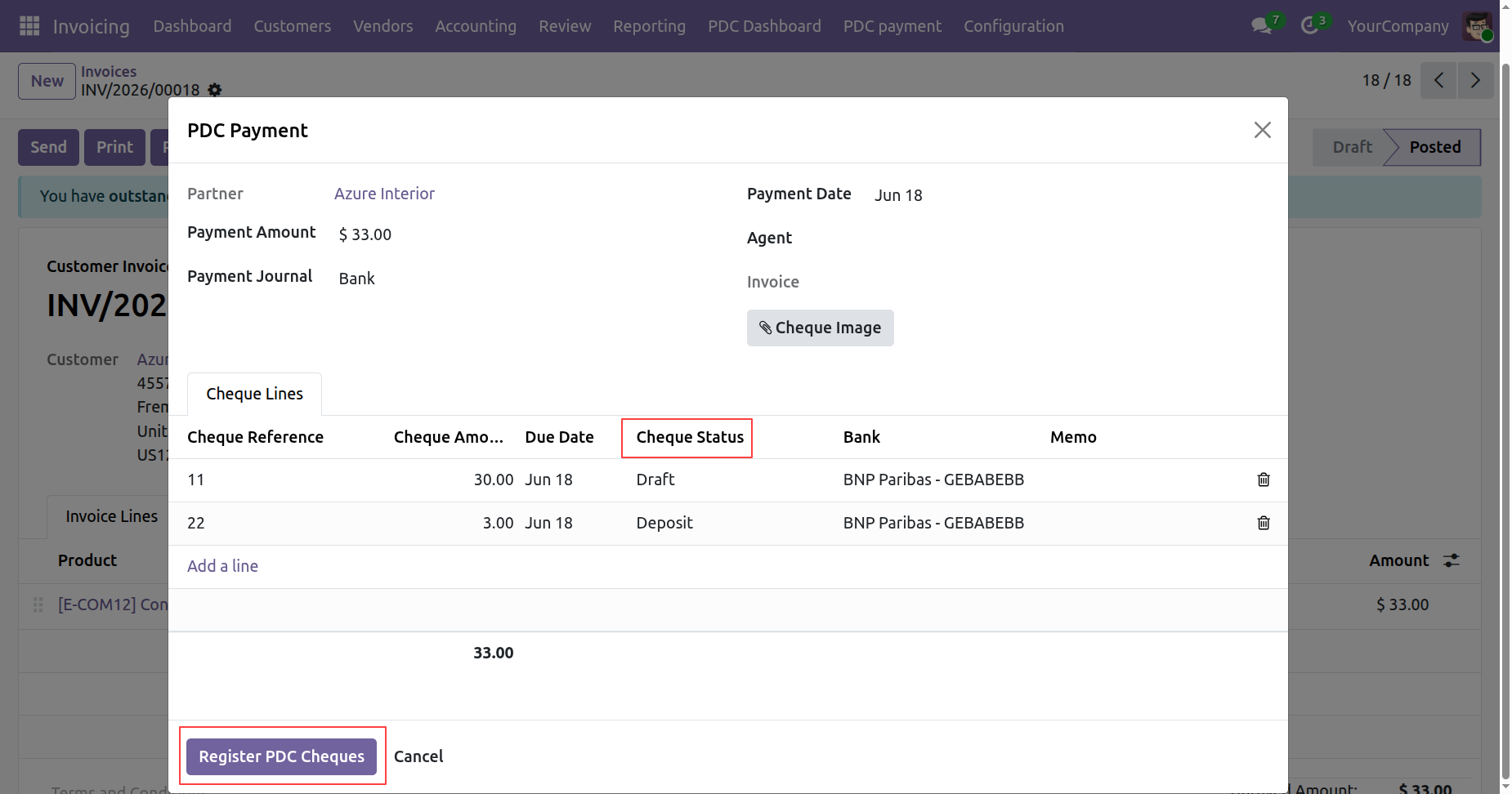
Click Register PDC Cheques in the wizard to create multiple PDC records. Once created, they can be viewed from the PDC Cheques smart button on the corresponding invoice.
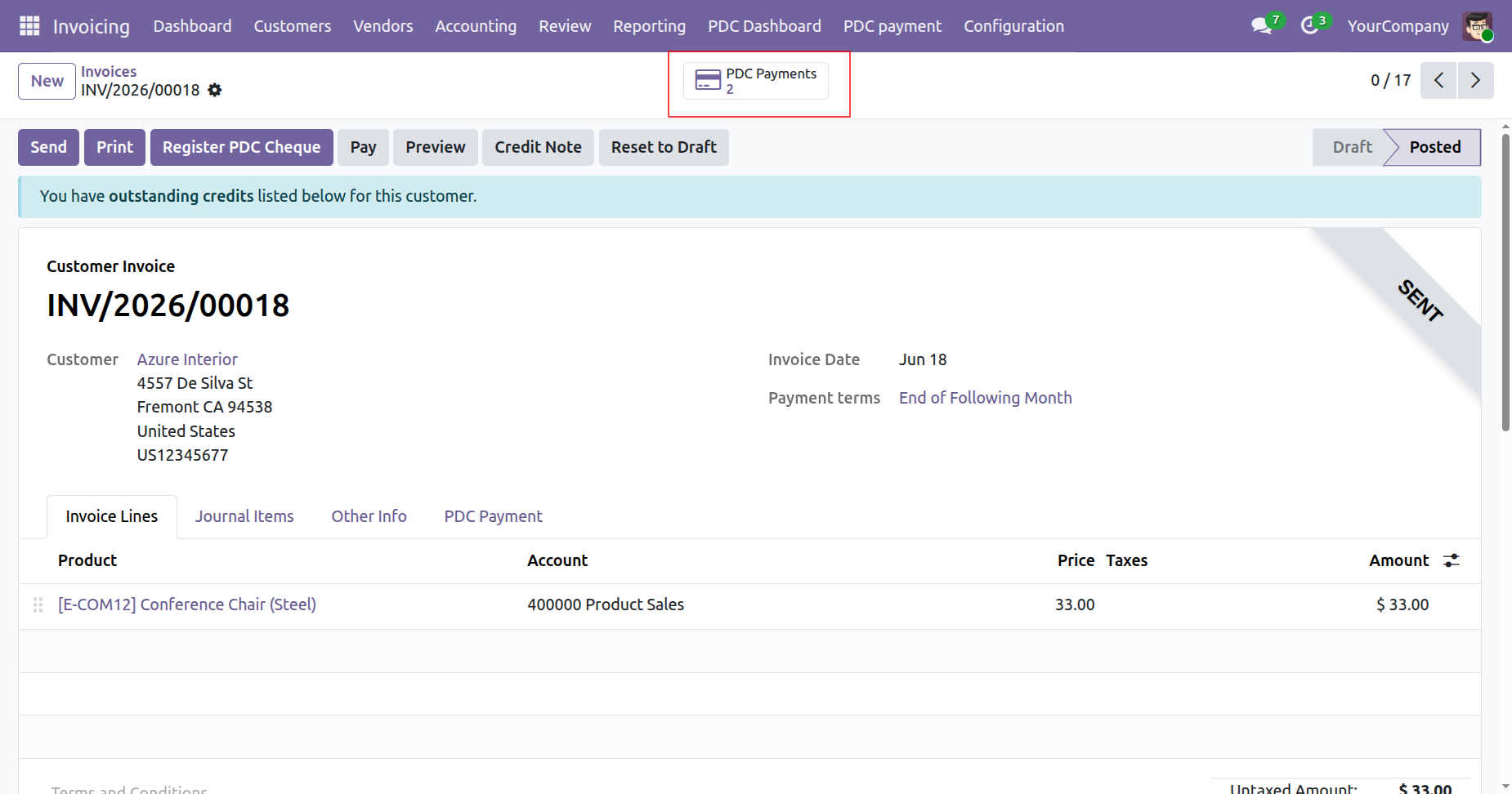
Click the PDC Cheques smart button on the Invoice to open the PDC List View, displaying all PDC records linked to that invoice.
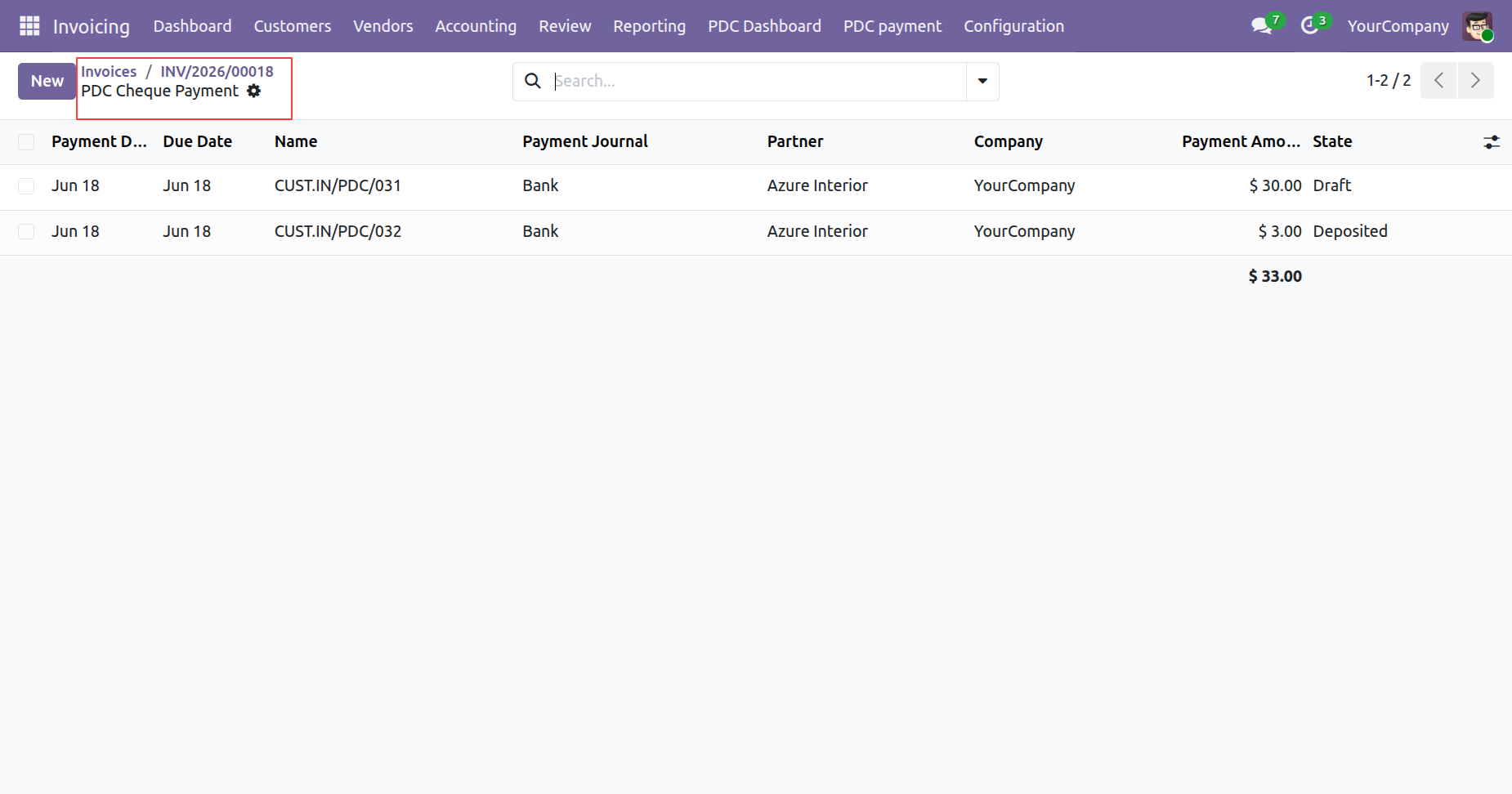
Open a PDC record from the PDC List View to view and manage its complete details, status, payment information, and related invoice.
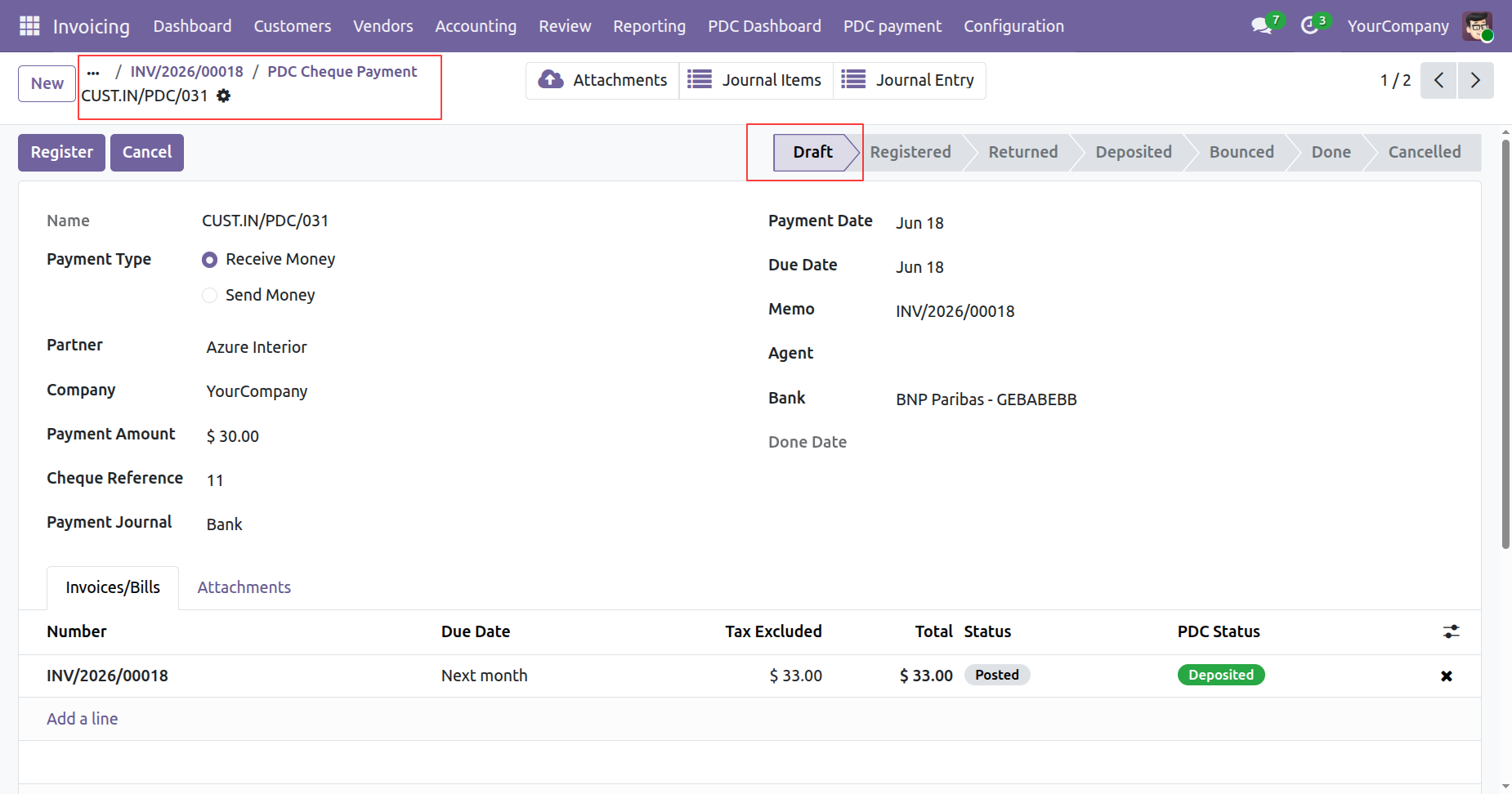
Open the PDC record and move it to the Done state.
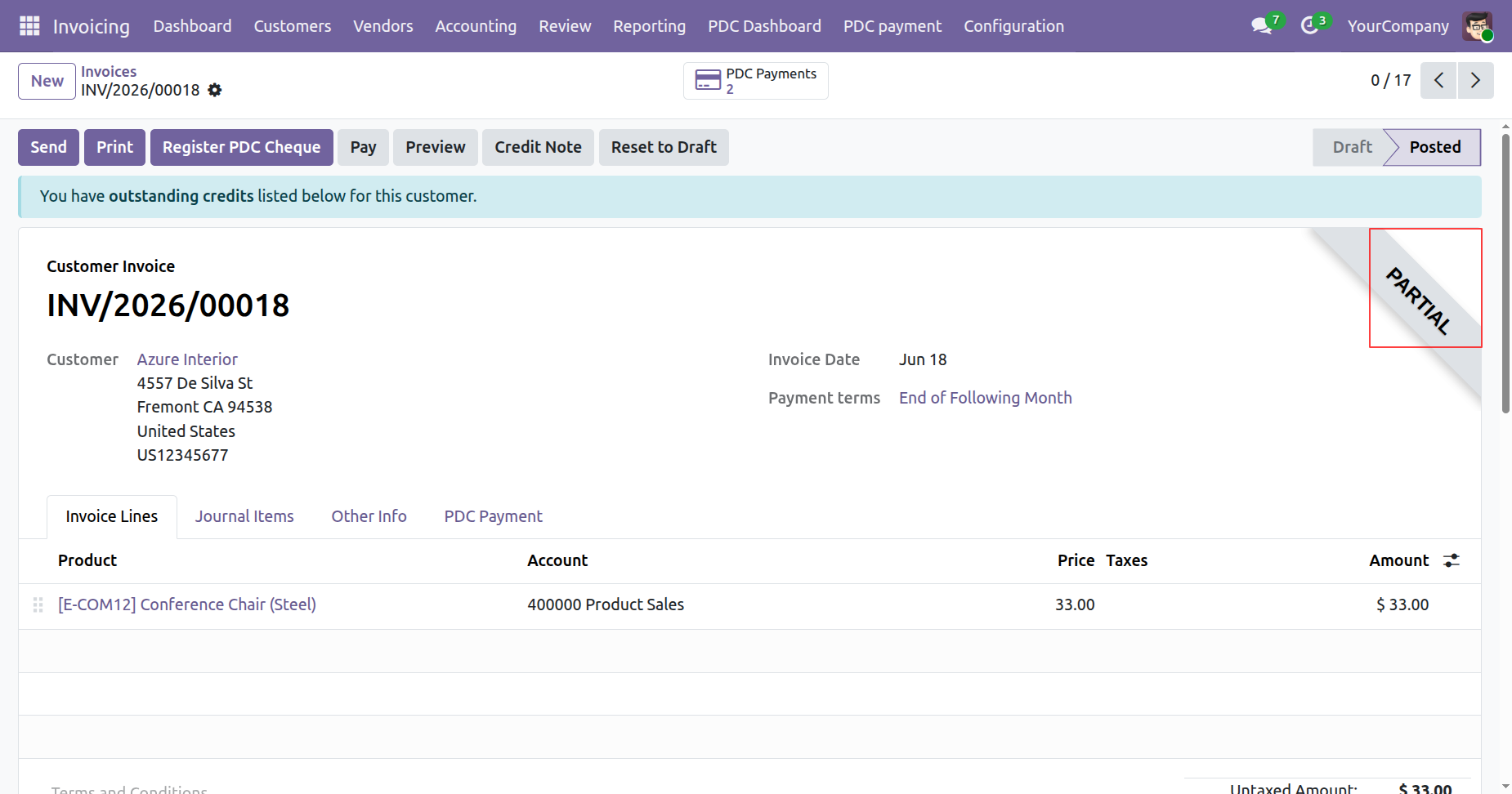
Once processed, the related invoice will automatically show a partially paid status based on the cleared PDC amount.
Open another PDC record linked to the same invoice and move it to the Deposited stage to record that the cheque has been deposited for processing.
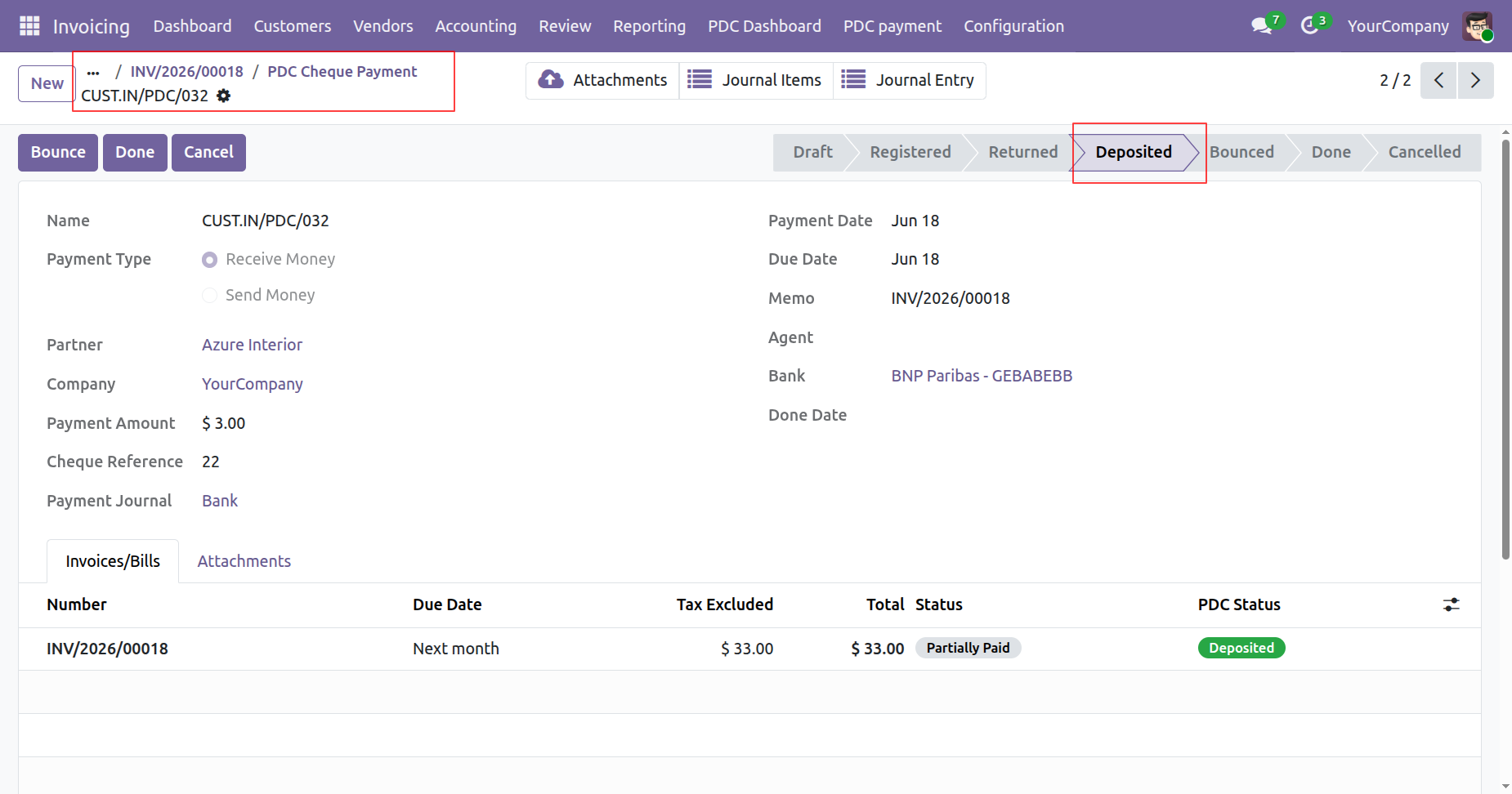
Move the Deposited cheque to the Done stage to mark it as successfully cleared.
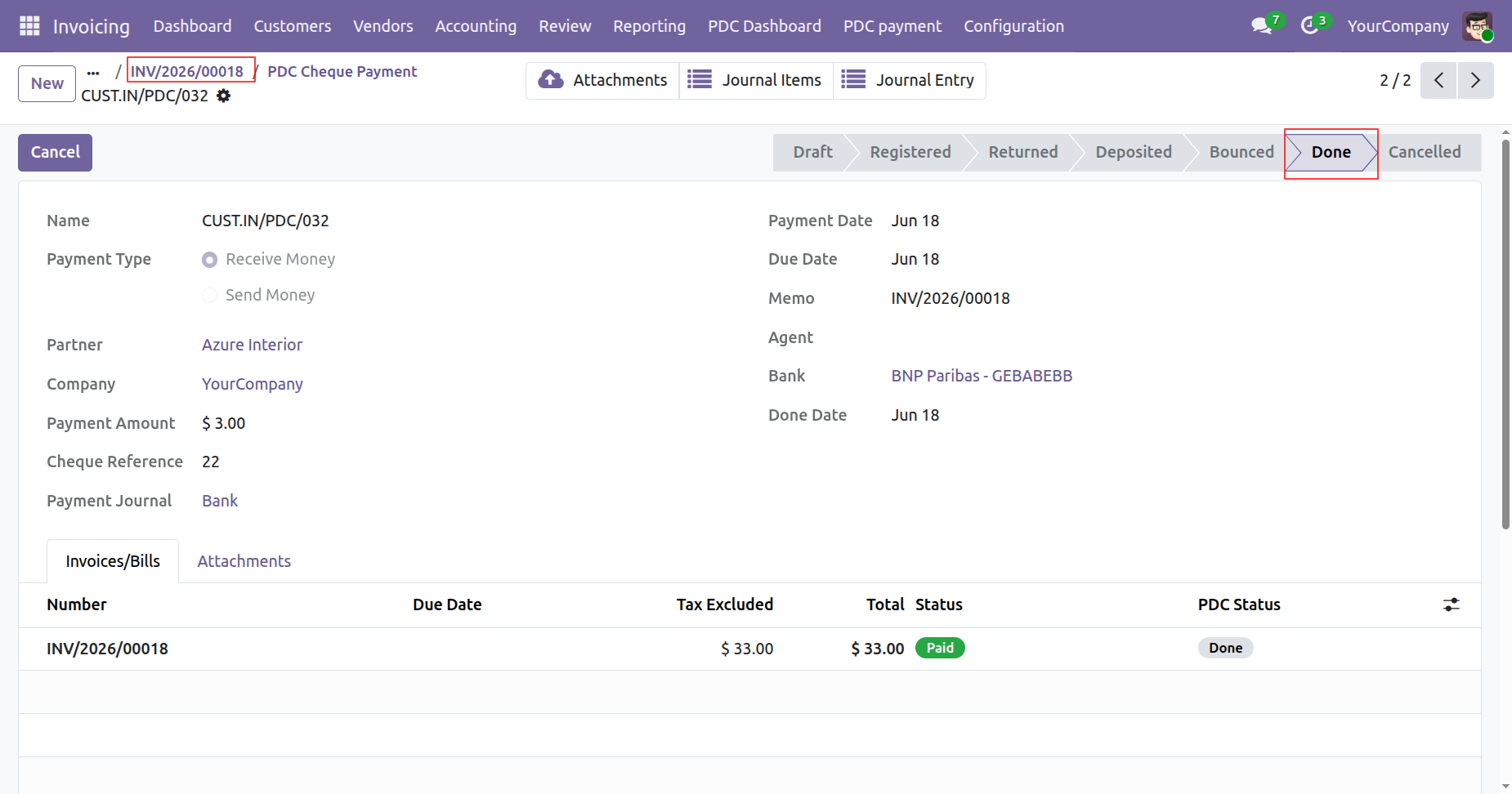
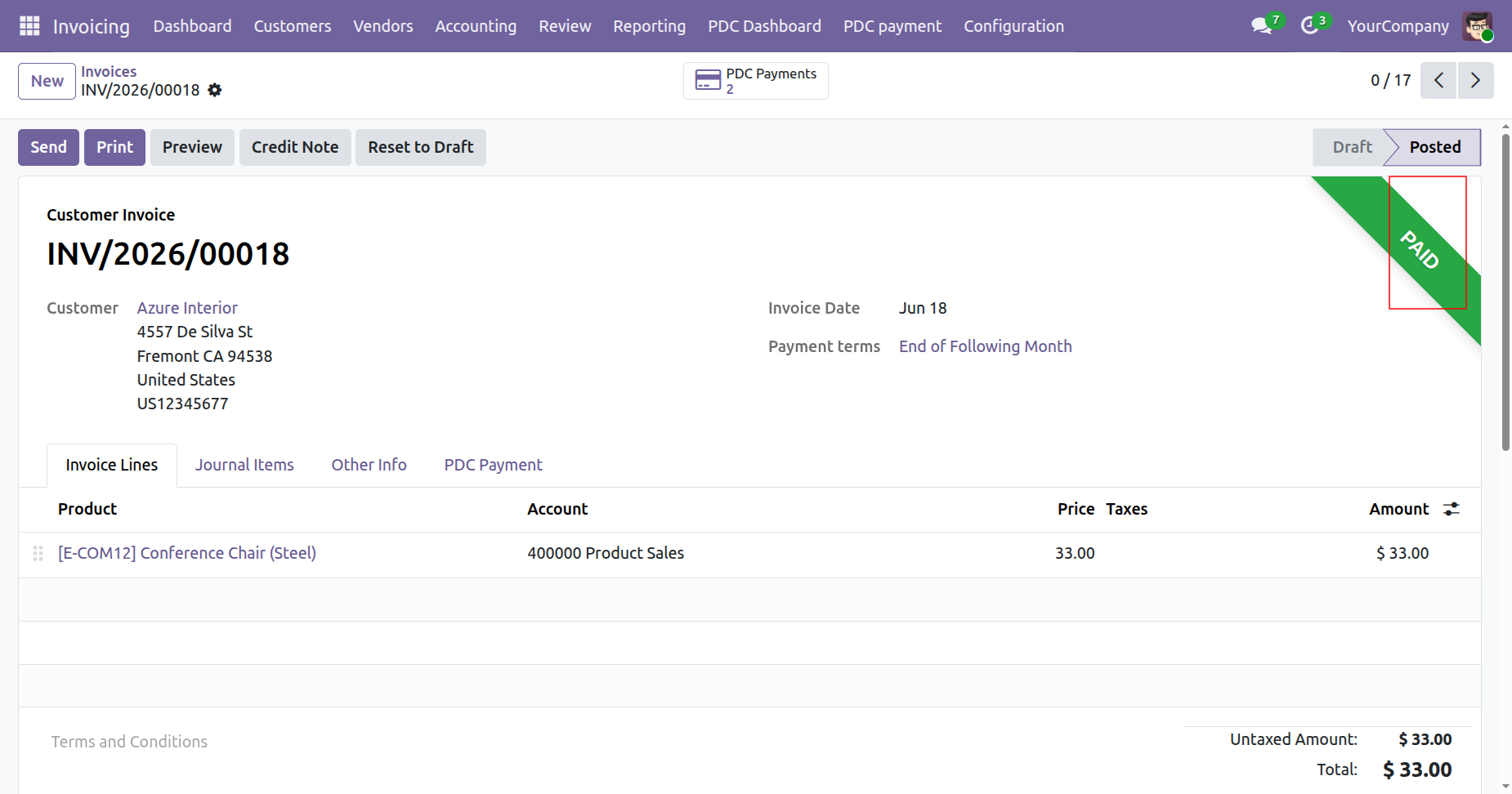
Once all PDCs linked to the invoice are moved to the Done stage, the invoice payment status is automatically updated to Paid.
Release Notes
Track every update, enhancement, and new feature across all versions.
Version 18.0.9.0.0 | Released: 10 th July 2026
Version 18.0.8.0.0 | Released: 12th December 2025
Version 18.0.7.0.0 | Released: 26th November 2025
Version 18.0.6.0.0 | Released: 25th October 2025
Version 18.0.5.0.0 | Released: 02nd October 2025
Version 18.0.4.0.0 | Released: 01st May 2025
Version 18.0.3.0.0 | Released: 28th January 2025
Version 18.0.2.0.0 | Released: 31st December 2024
Version 18.0.1.0.0 | Released: 23rd November 2024


 Buy Once, Supported Forever

 Scan to email sales



 Your Ideas Shape Our Roadmap
 Got an Idea? We'll Build It
Frequently Asked Questions
Everything you need to know before getting started.
Trusted by Businesses Worldwide


Abdulhamid Abdulwaheed
Best module for our online store. Highly adaptable, exceptional customer service, and very advanced modules.
Factura Venta POS
They have everything you need. Technical support is excellent, responds quickly, and keeps the module updated. 100% recommended!
Mehmet Muhanna
Great company and support team. Had a problem in my local Odoo server - they solved it in 5 minutes. Highly recommend.
Billy Jeffs
Customised an Odoo app for me which works perfectly. Many requirements, got it right every time. Very confident in their ability.
HP
Consistently excellent service over years of working together. Knowledge and commitment to keeping clients informed truly sets them apart.
Michal Kolasinski
Multiple addons + two custom modules. Communication always friendly and precise. Delivered on time, worked out of the box. Highly recommended!

Multi-Language
8 built-in translations







You May Also Like
Discover more Softhealer modules that integrate seamlessly with your Odoo environment.




Most Demanded Apps
The Softhealer modules our customers reach for most — trusted across 100+ countries.
Activities Management
Manage, schedule, and automate Odoo activities across all departments from one view.
View Module
Access Management
Granular access control over menus, fields, buttons, and records for every user role.
View Module
Backdate Advanced
Backdate any transaction across invoices, journals, pickings, and more with full audit.
View Module
All-in-One Helpdesk
Full-featured customer support with tickets, SLA, and customer portal built for Odoo.
View Module
All-in-One Mobile Backend
Access your full Odoo backend from any mobile device with an optimized interface.
View Module
All-in-One Import
Import any Odoo model data from CSV, Excel, and JSON files with mapping and validation.
View Module
Our Services
End-to-end Odoo expertise - from setup to scale.

AI & Business Integration

Odoo Implementation

Odoo Customization

Support & Maintenance

Mobile Apps

Migration Service

Third-Party Integration

Odoo Training
Ready to automate PDC Management?
Join 10,000+ businesses - Softhealer, 11+ years of Odoo gold partnership expertise across 100+ countries.

