












POS - Appointment Management System

The POS Appointment Management module enables booking and scheduling services directly from the Odoo Point of Sale frontend interface. You can assign appointments to specific teams or individual employees, pick times, and write notes. The module automatically creates draft POS orders for each booking, allowing you to collect advance payments at checkout. Managers can track the bookings through a calendar, organize employee availability in teams, and print receipts or email confirmation PDFs. This helps service businesses manage schedules, process payments, and improve customer communications from one unified system.

Features
POS Appointment Booking
Book customer appointments directly in the Point of Sale interface, linking services to specific time slots.
Booking Types
Schedule appointments by teams or individual staff members, allowing clients to reserve preferred providers.
Product Setup
Configure products with custom durations and toggle 'Is Appointment' to manage appointment products.

Appointment Teams
Group employees into backend teams to organize bookings, manage staff availability, and assign service tasks.
Calendar Management
Track, confirm, or cancel bookings in a backend calendar view displaying schedules, staff, and customers.

POS Order Creation
Automatically generate draft POS orders upon booking, linking customer details and services.

Advance Payments
Collect advance payments directly at POS checkout, updating the order payment status and unpaid balances.

Booking Receipts
Print transaction receipts on the POS printer or email booking confirmation PDF files directly to customers.

Email Notification
Send automated booking details and confirmation emails to customers, providing schedule details instantly.
Appointment Reports
Generate and download custom PDF reports by date ranges to analyze booking numbers and total service revenue.
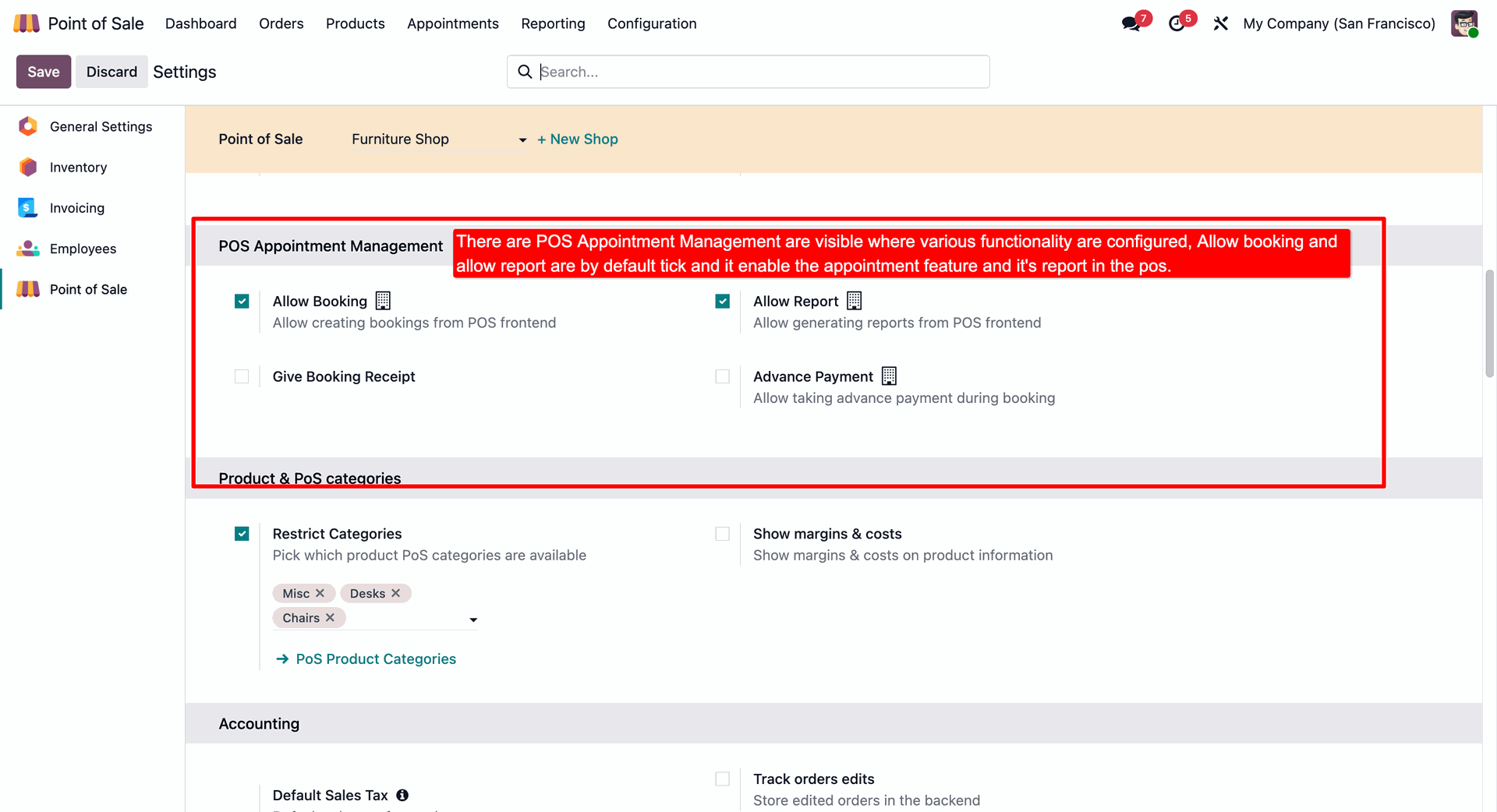
Configure POS Appointment Management settings in Point of Sale.
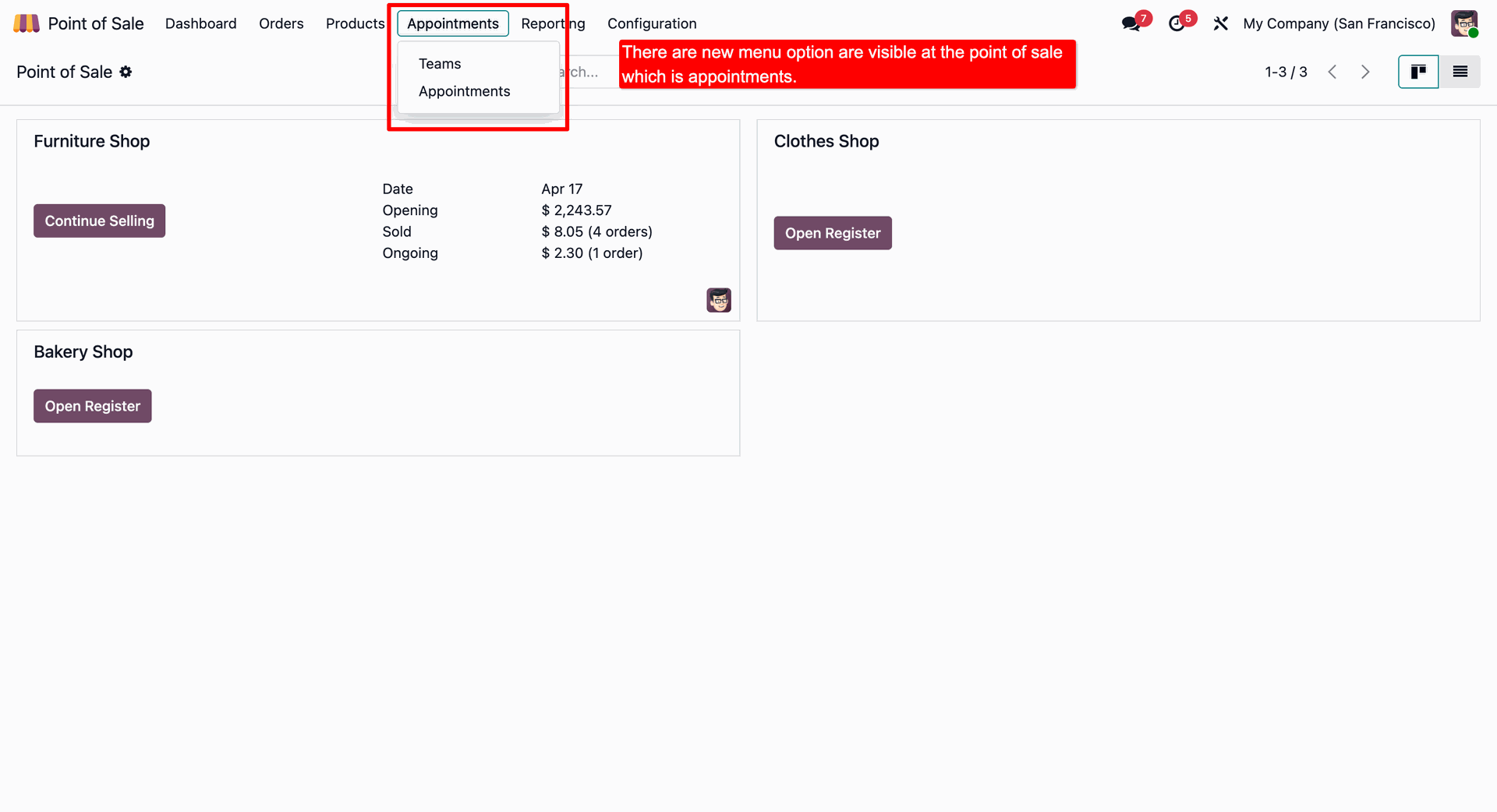
New "Appointments" menu in the backend Point of Sale dashboard.
Create and manage Appointment Teams with specific members.
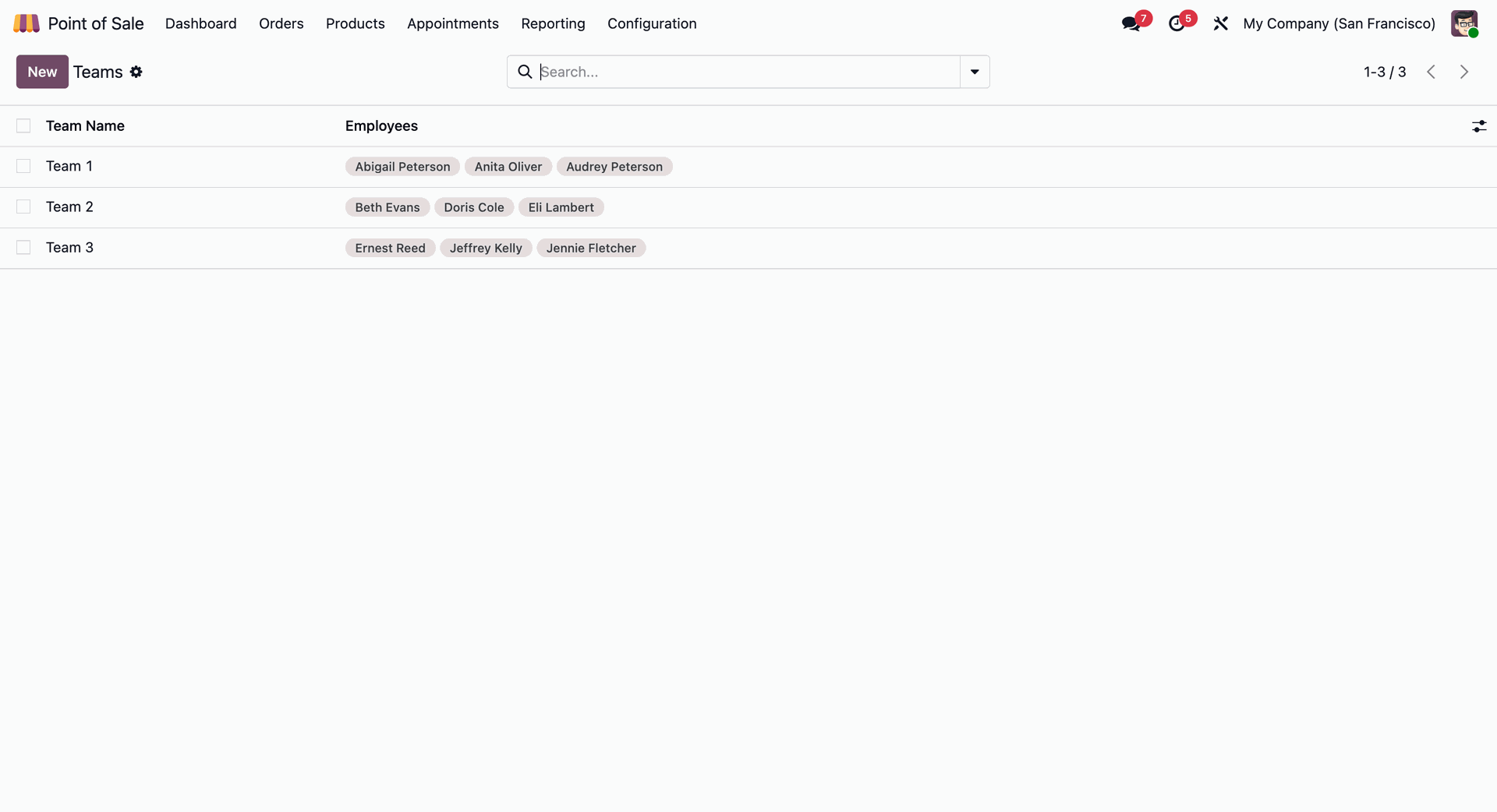
Appointment team form view with team name and member management options.
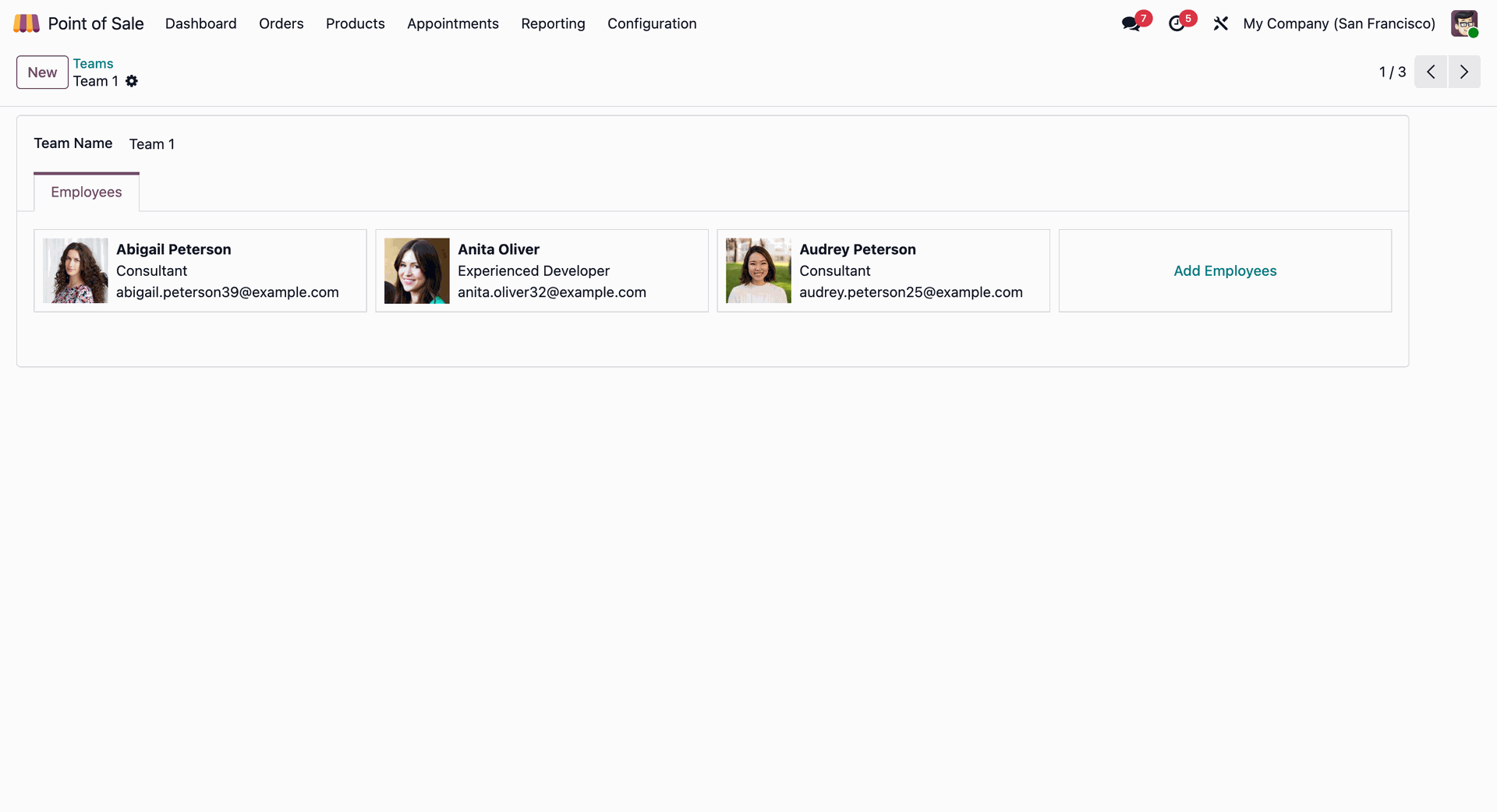
"Is Appointment Product" option in the product form view along with "Appointment Duration".
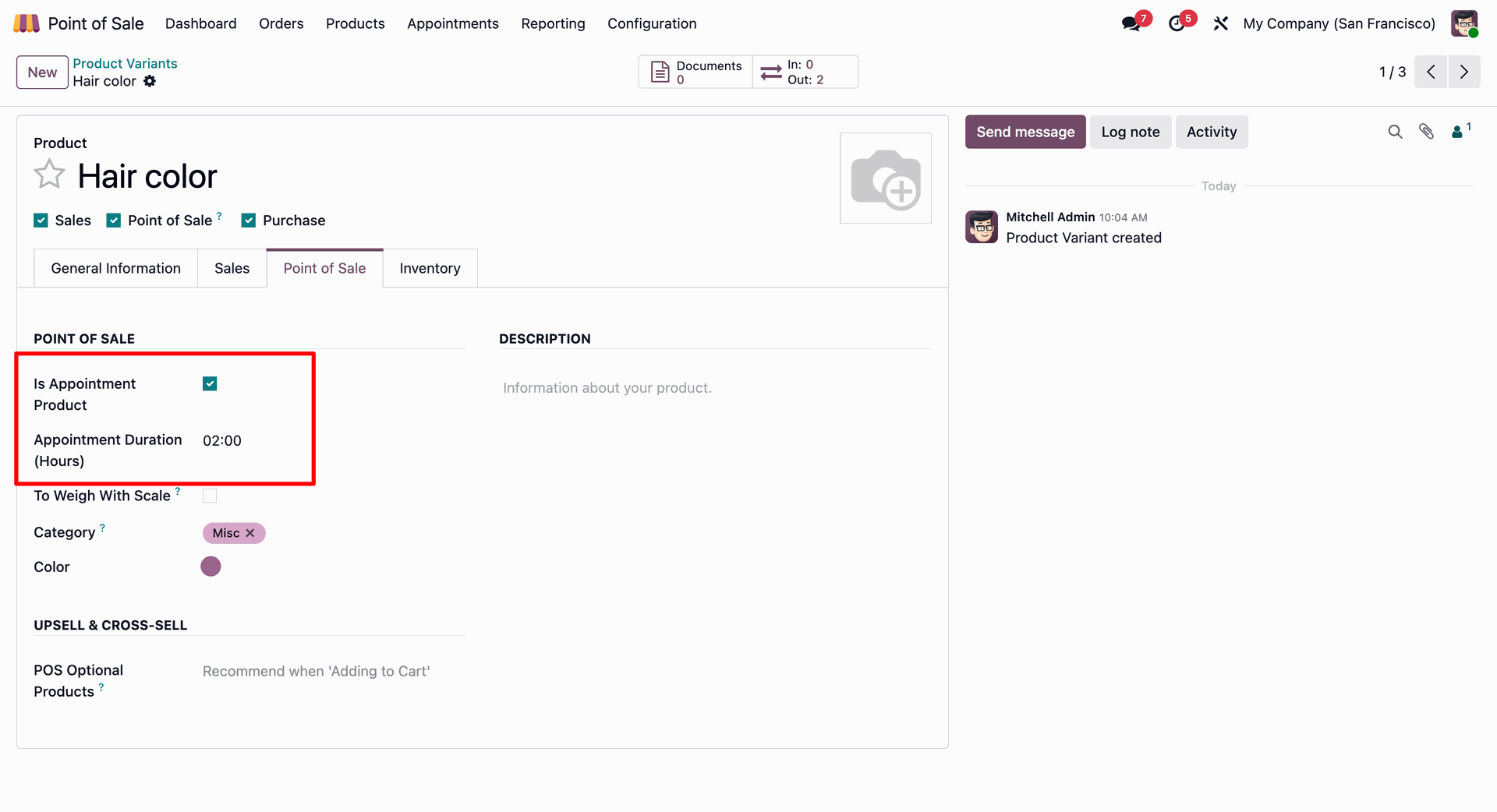
Filtering the products based on the "Is Appointment Product" option enabled in products.
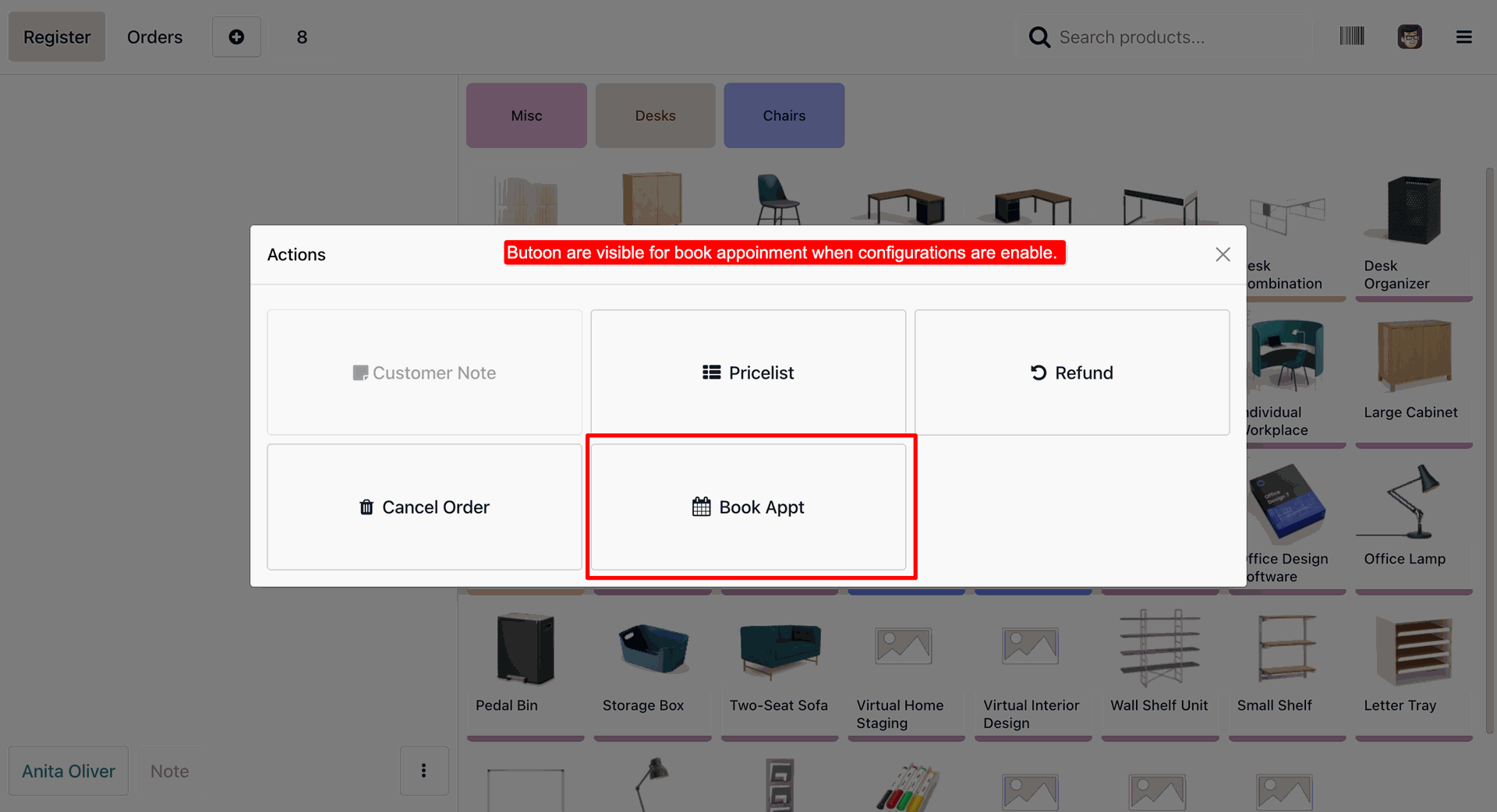
Appointment booking in POS.
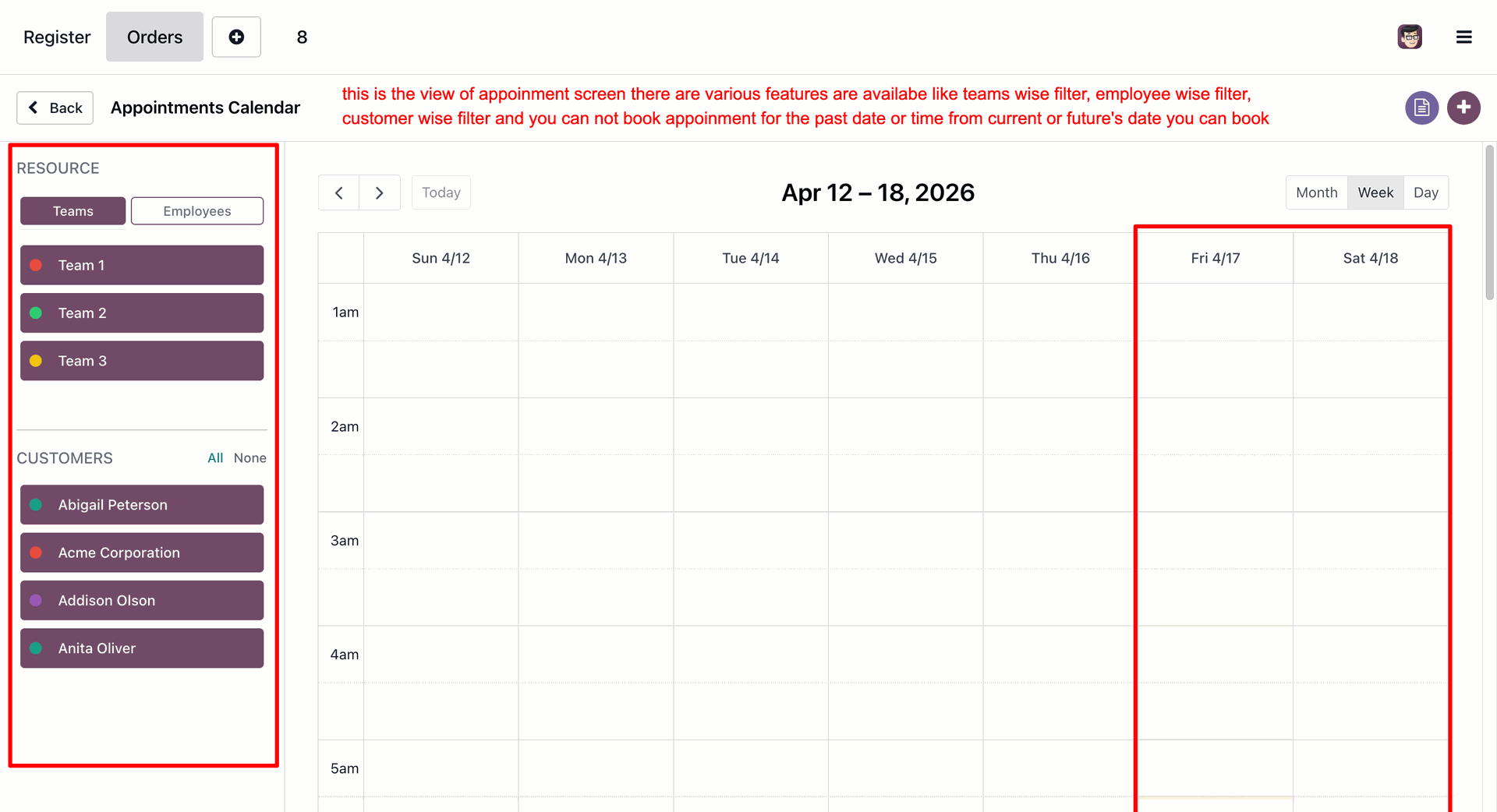
Choose the Start and End date for the appointment.
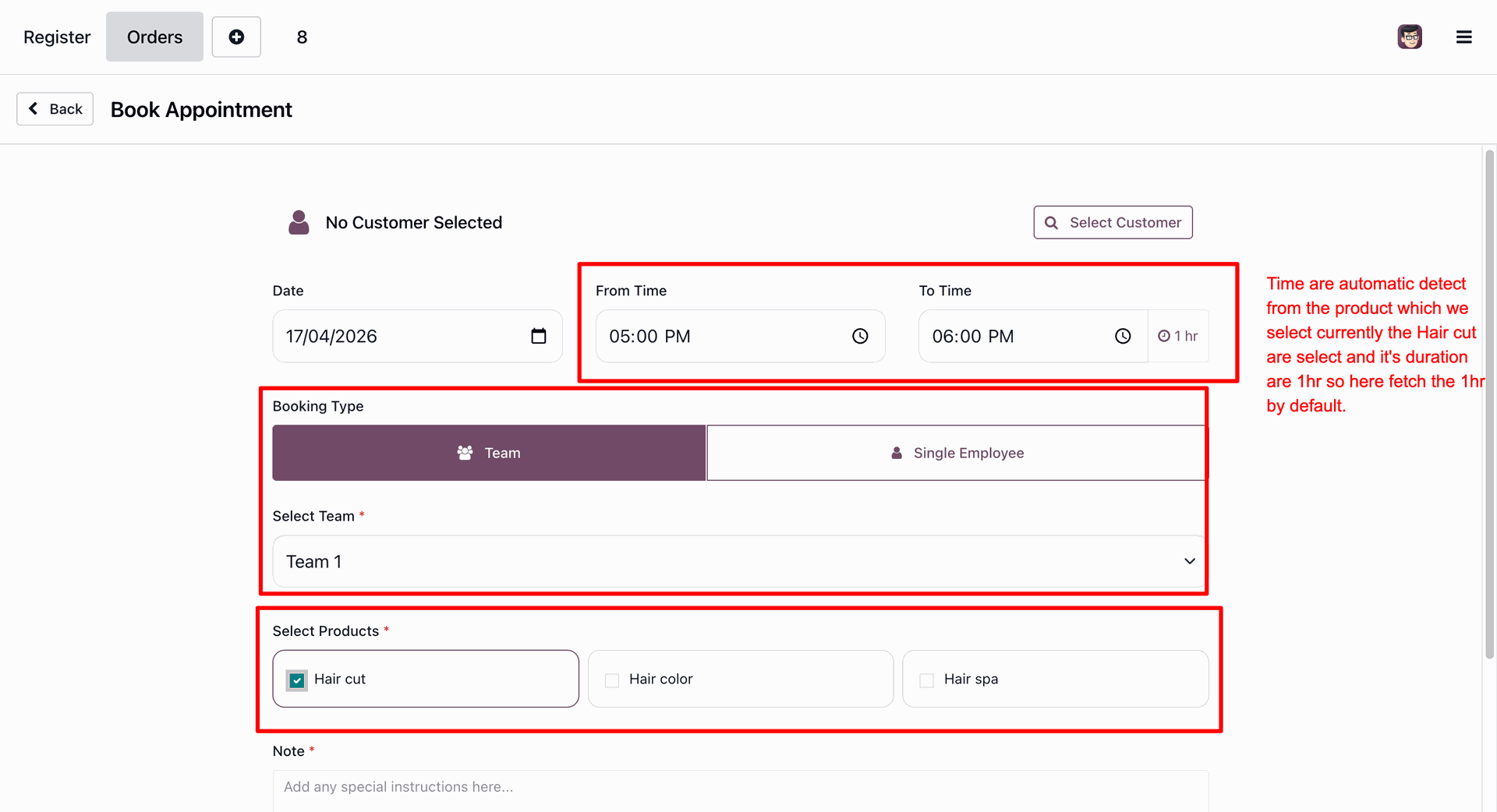
Select the Booking Time along with Booking Type: Team or Employee. It allows you to select the service products which will be included in the appointment.
Selecting customer is necessary for appointment booking.
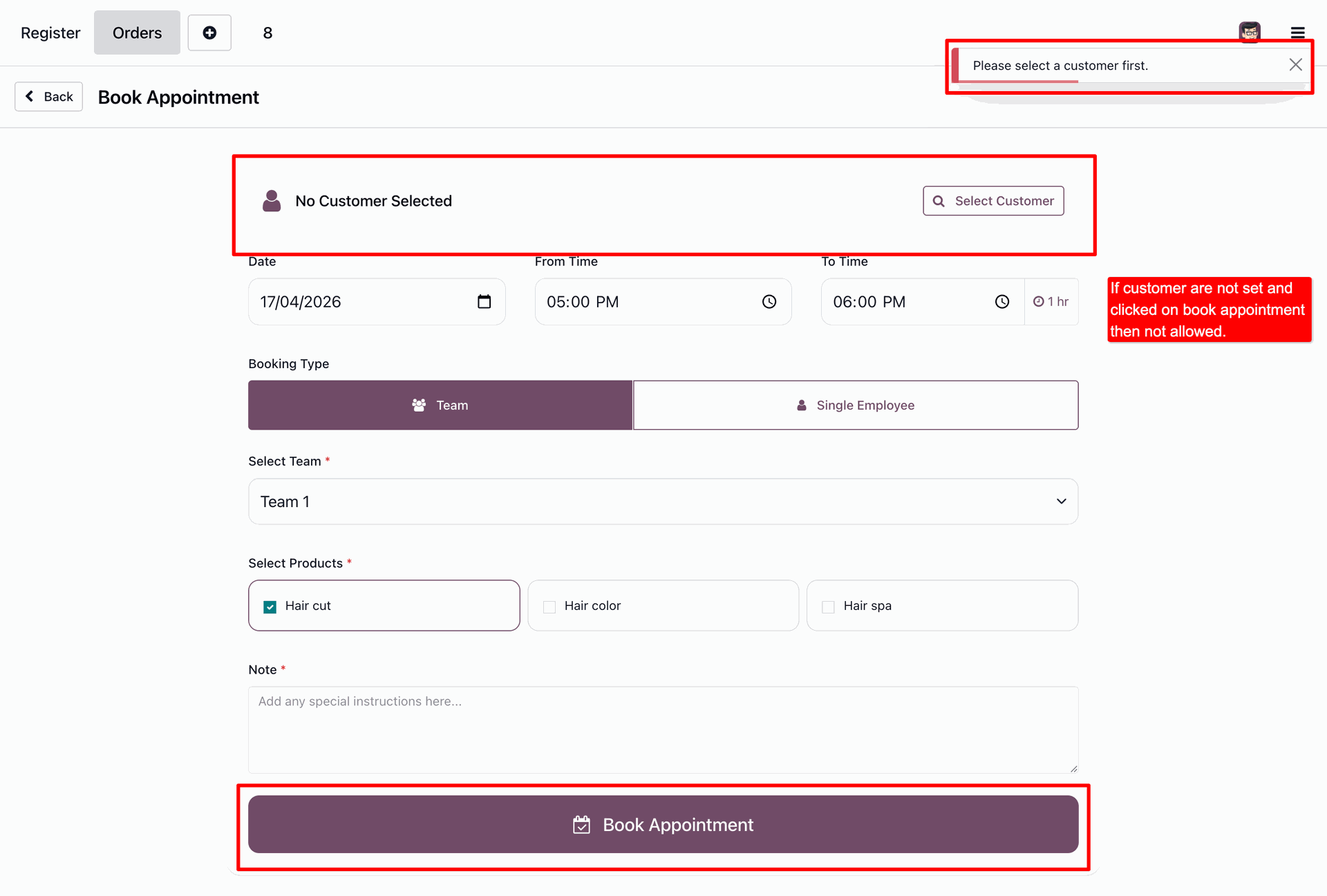
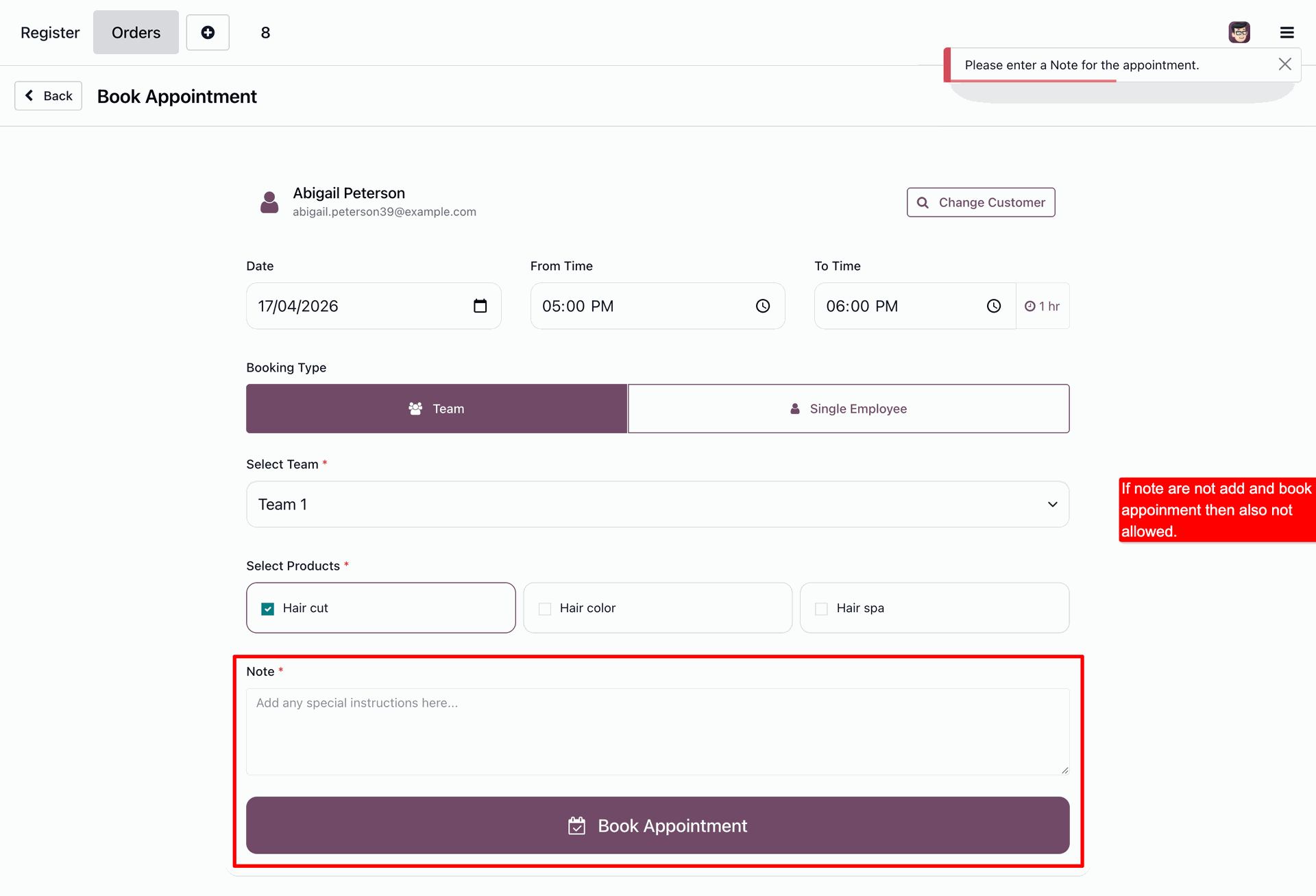
Notes are required for appointment booking.
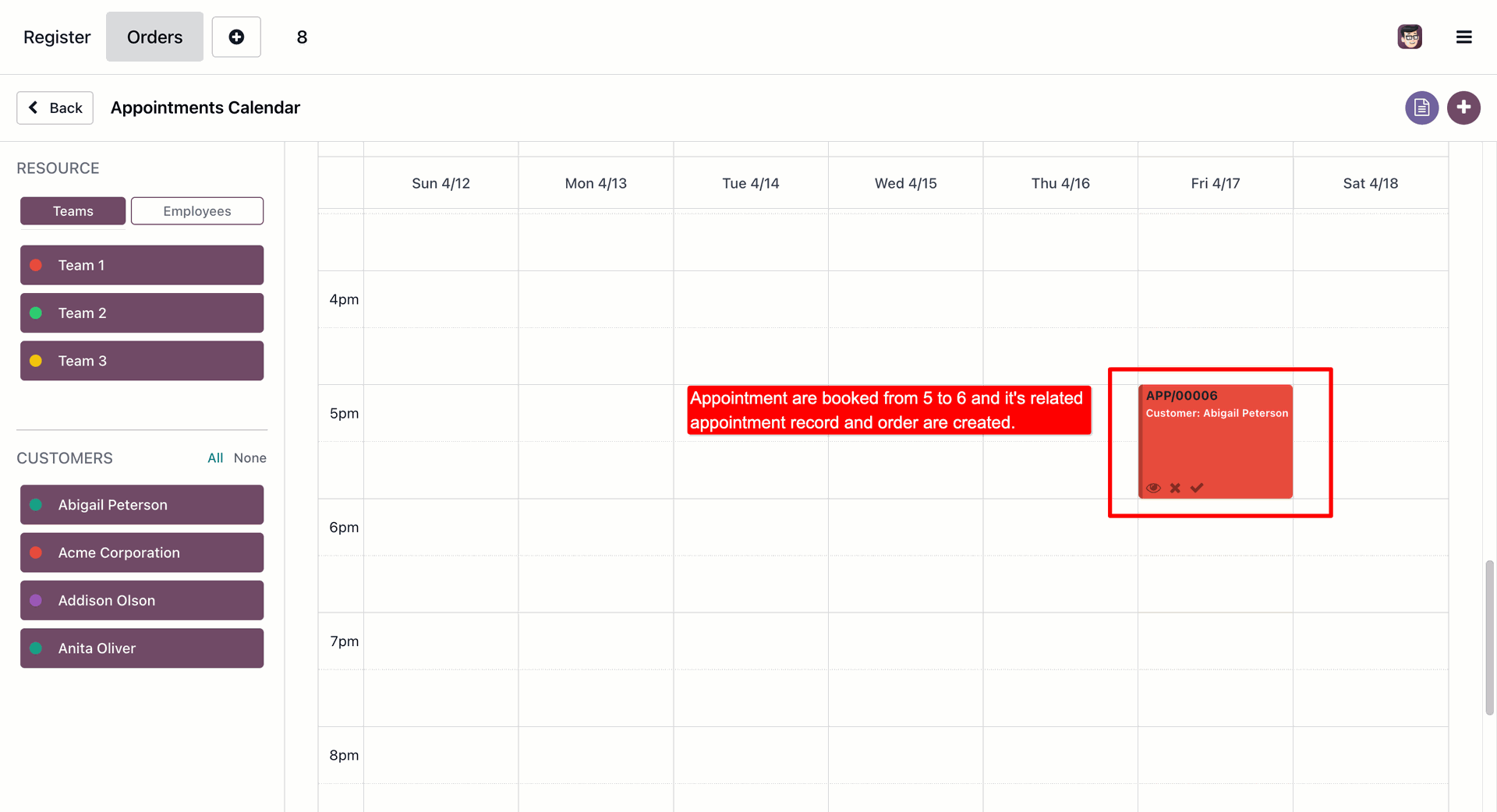
Scheduled appointments will be displayed in the calendar view.
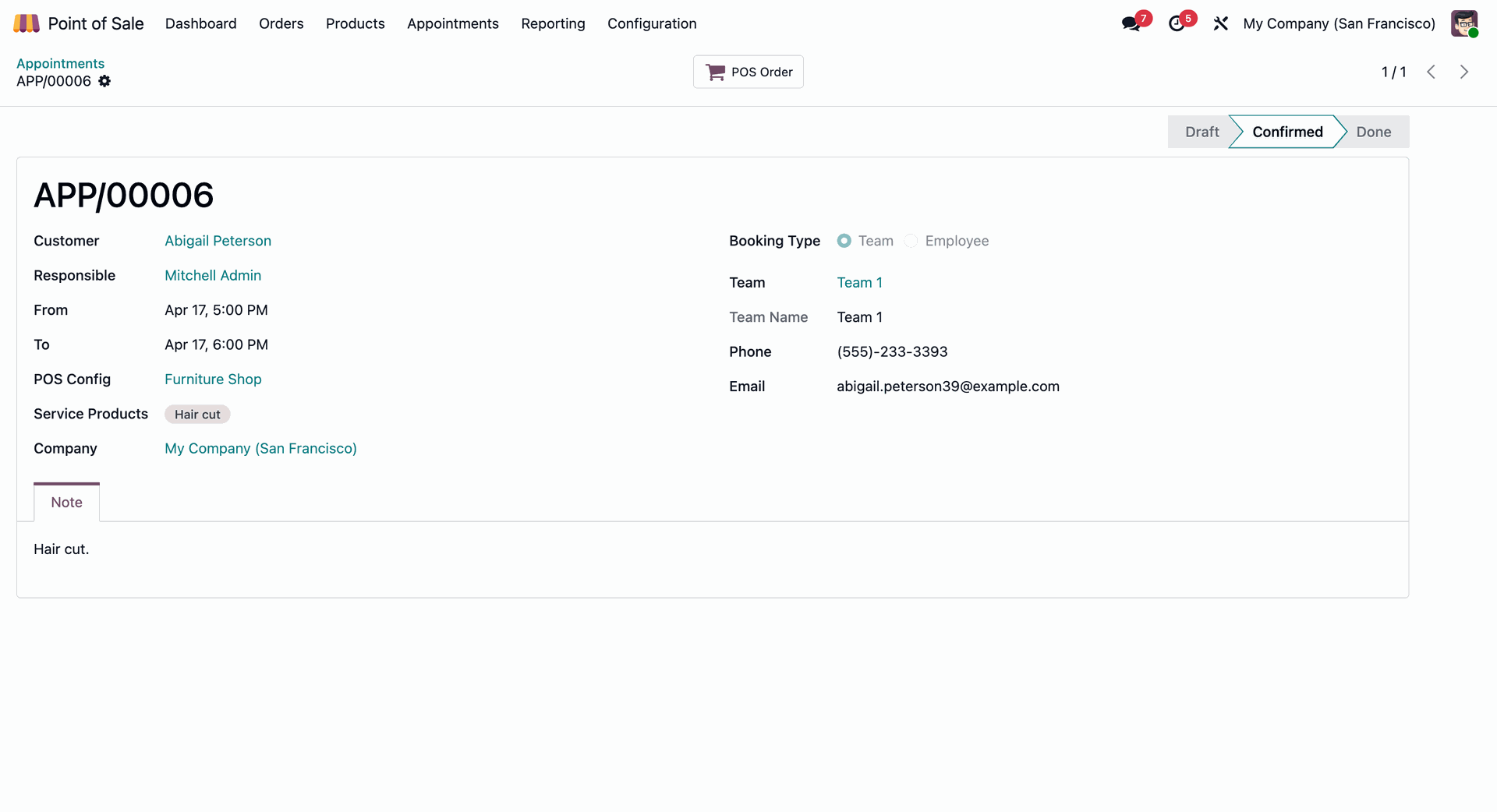
Confirmed appointment.
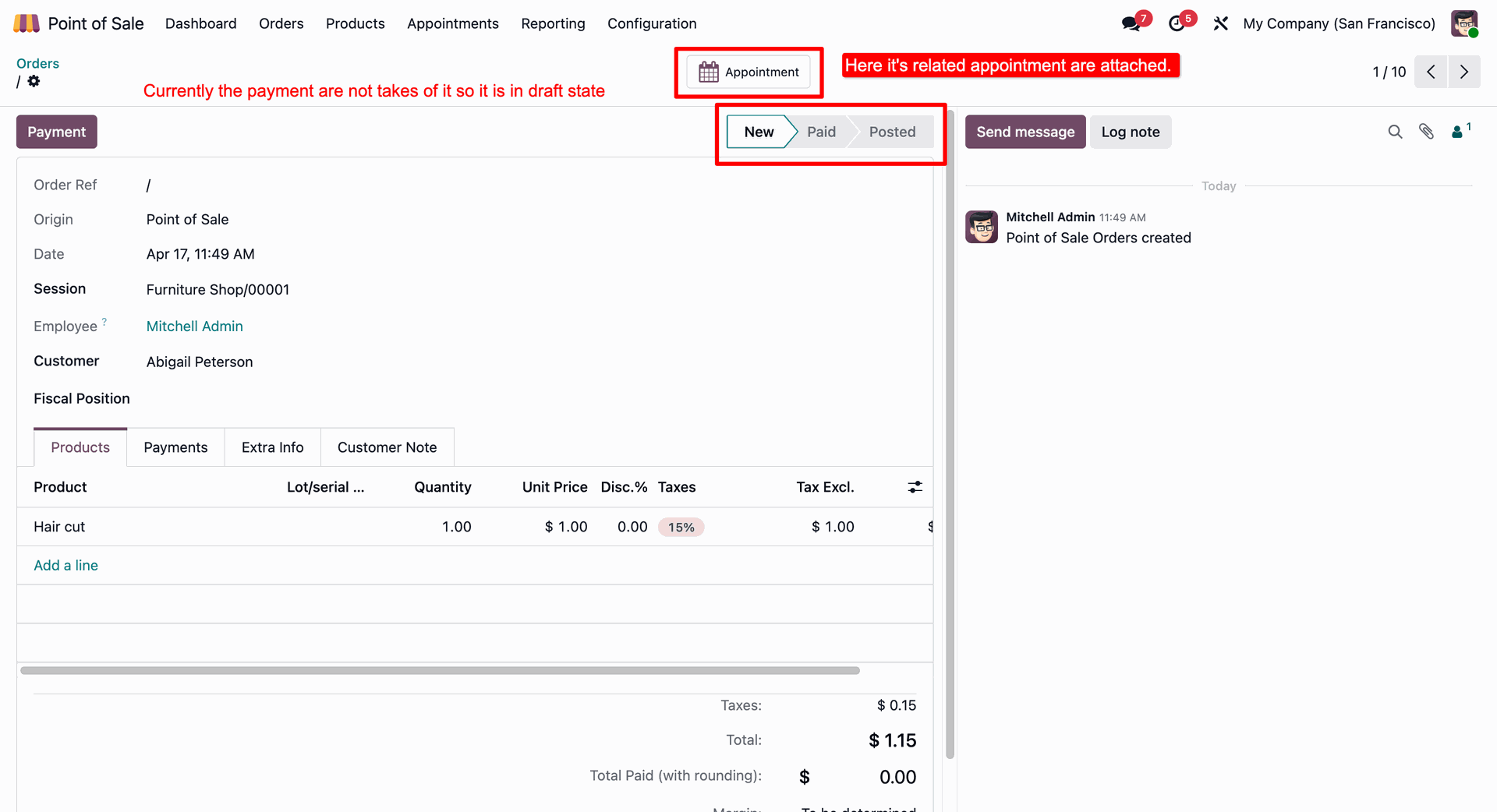
Payment form view with the appointment details accessed via smart button.
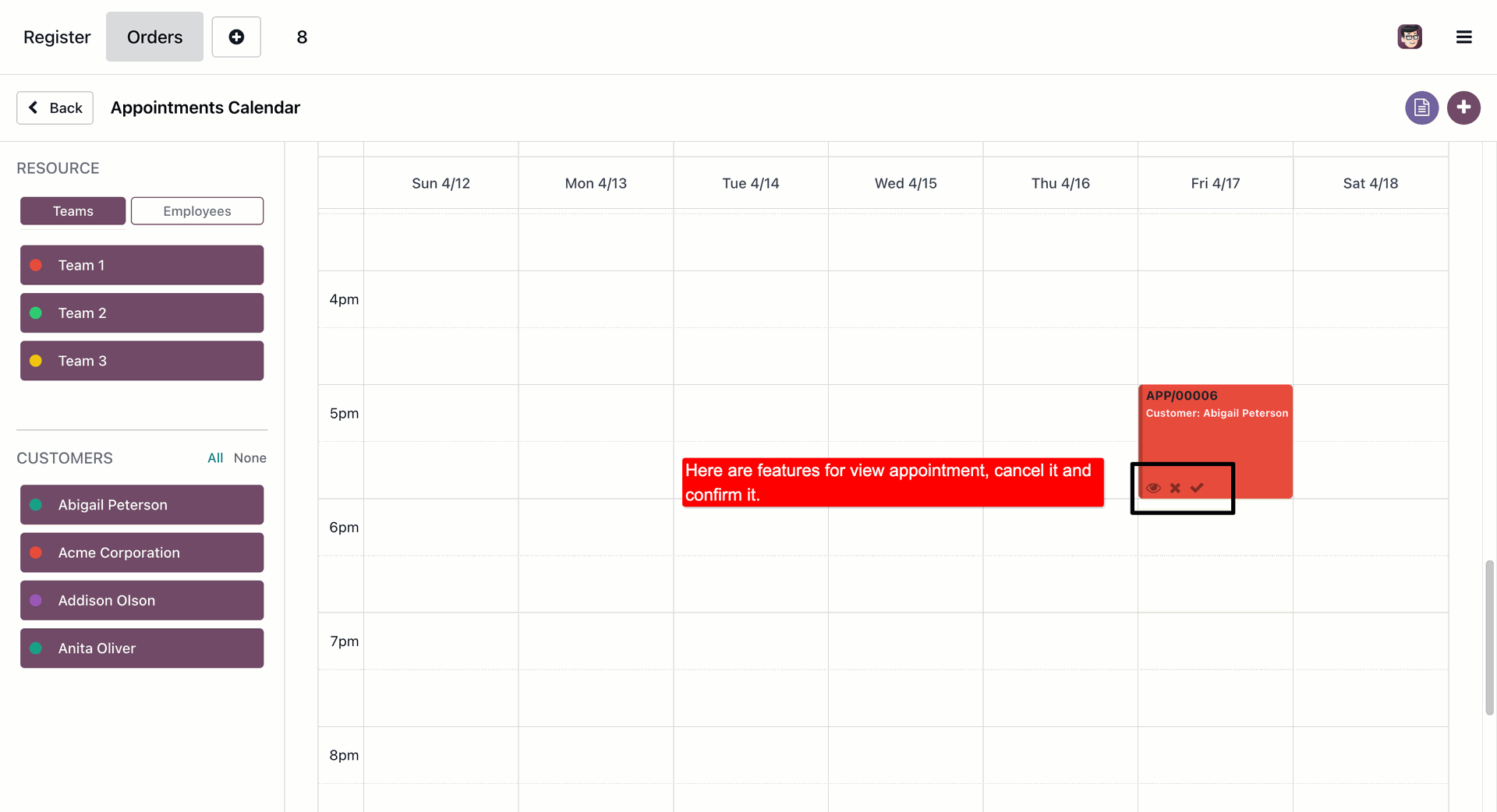
Here you can view, confirm or cancel the appointments in the calendar view.
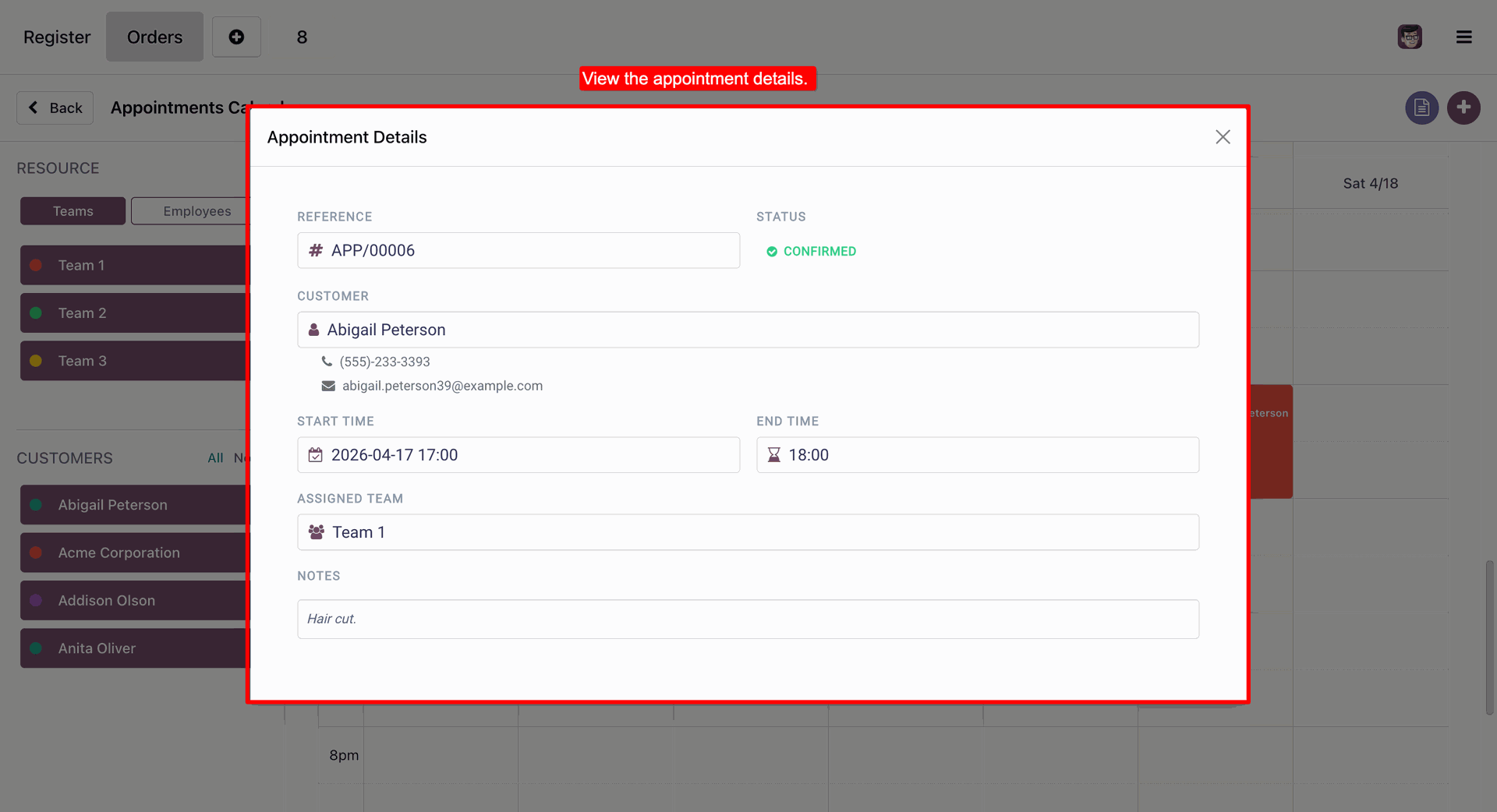
Confirmed appointment with the appointment details.
Appointment booked successfully message in POS.
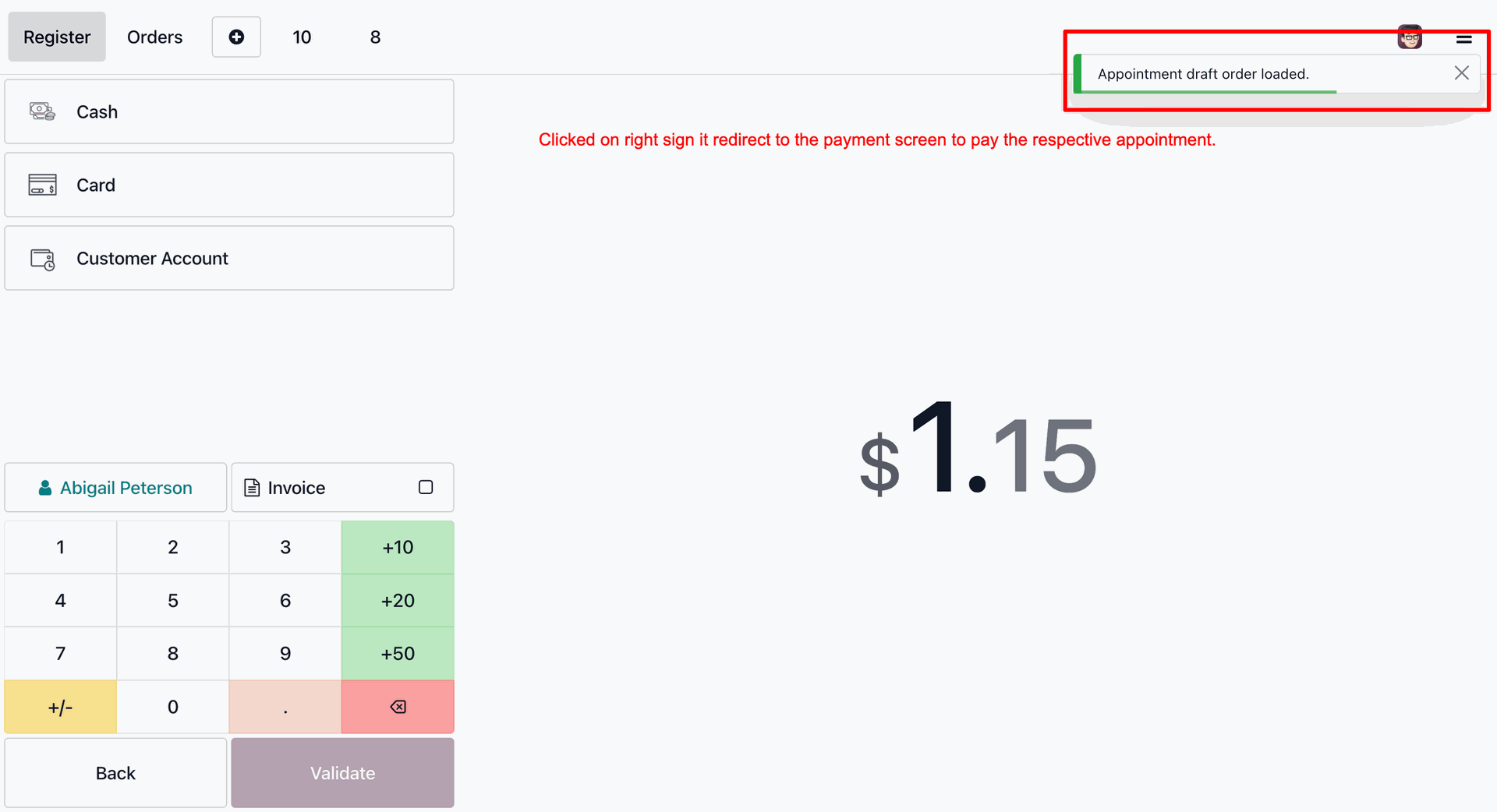
Making the payment for the appointment.
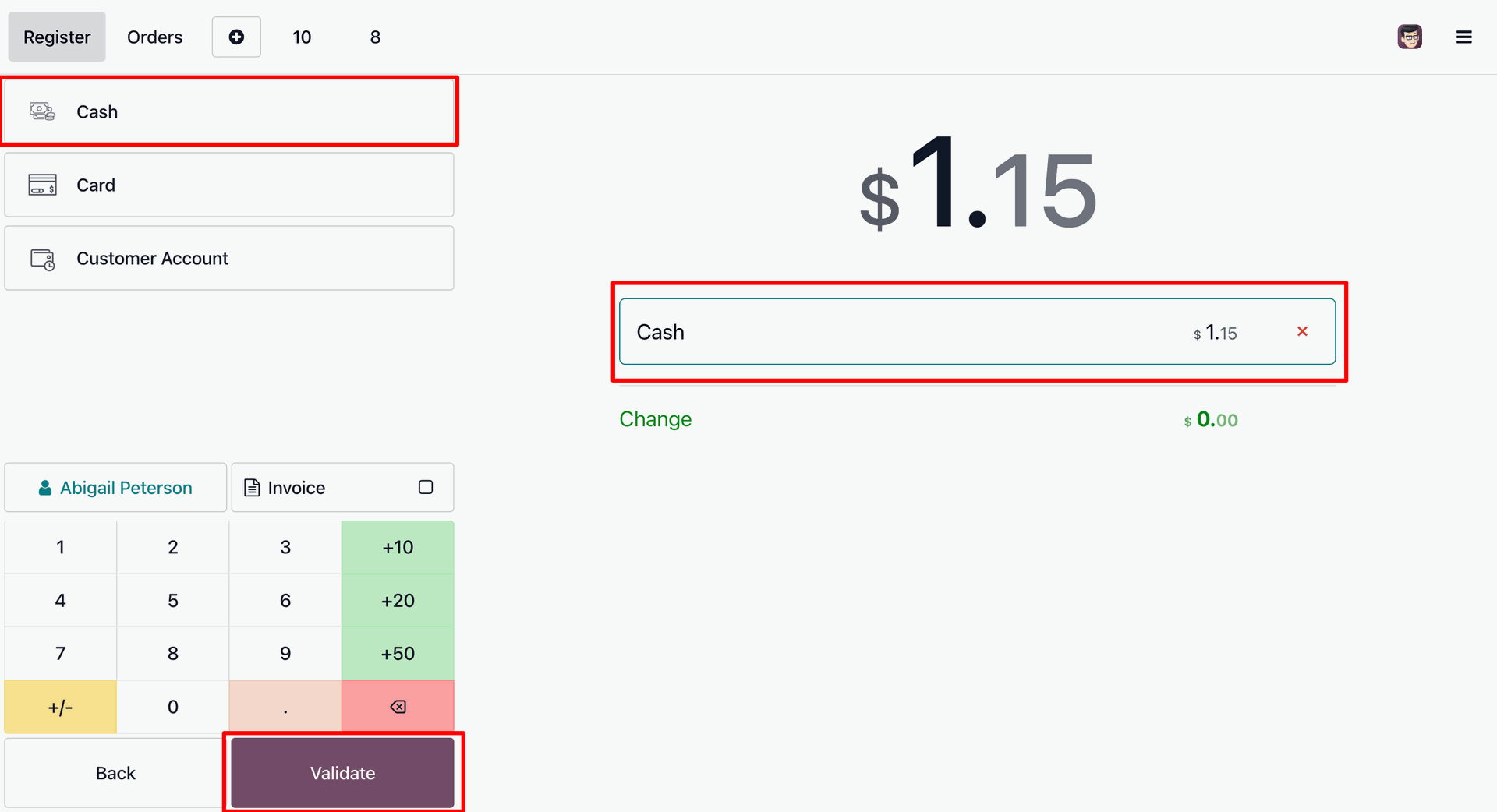
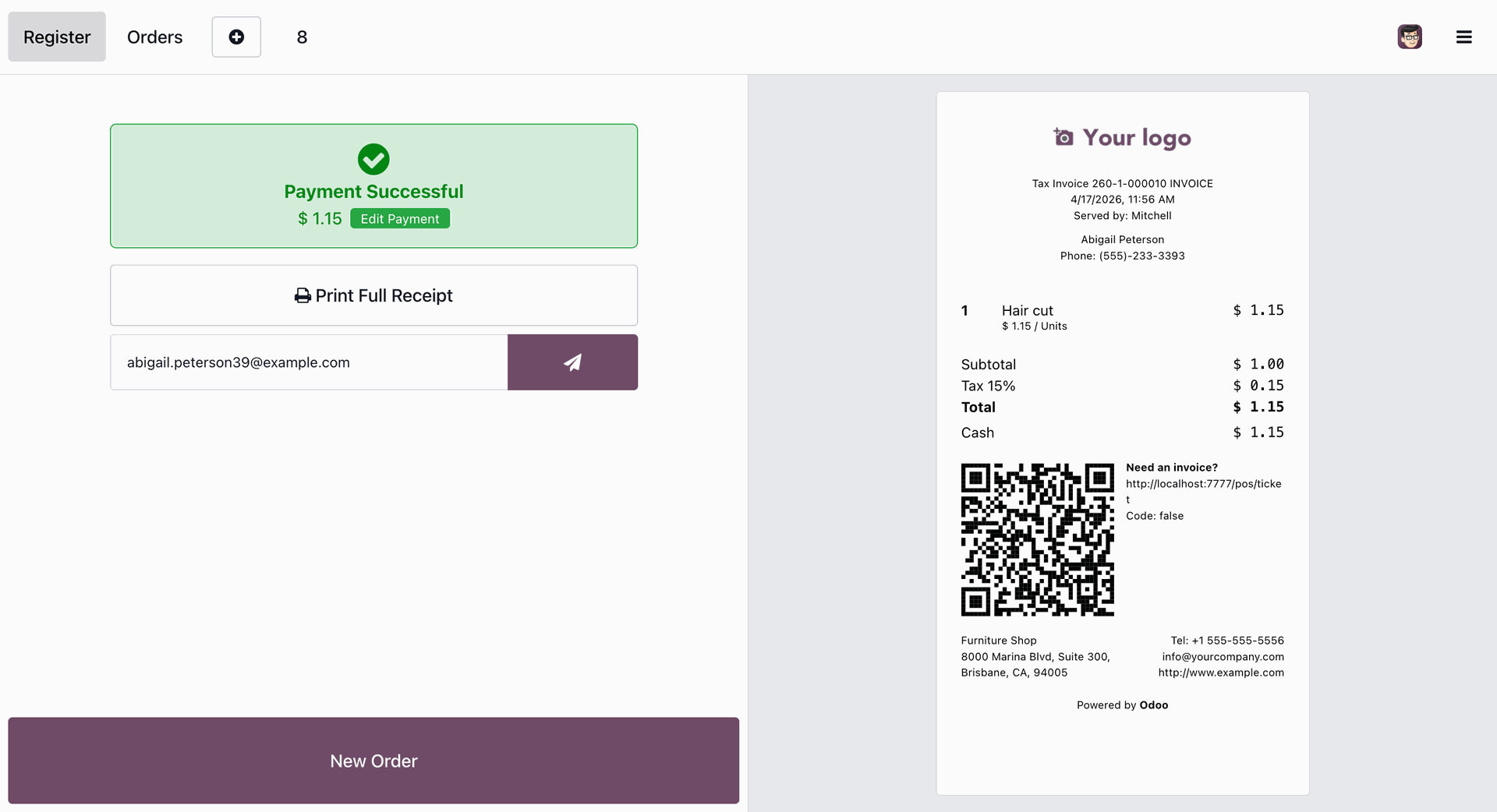
Successful payment of the appointment.
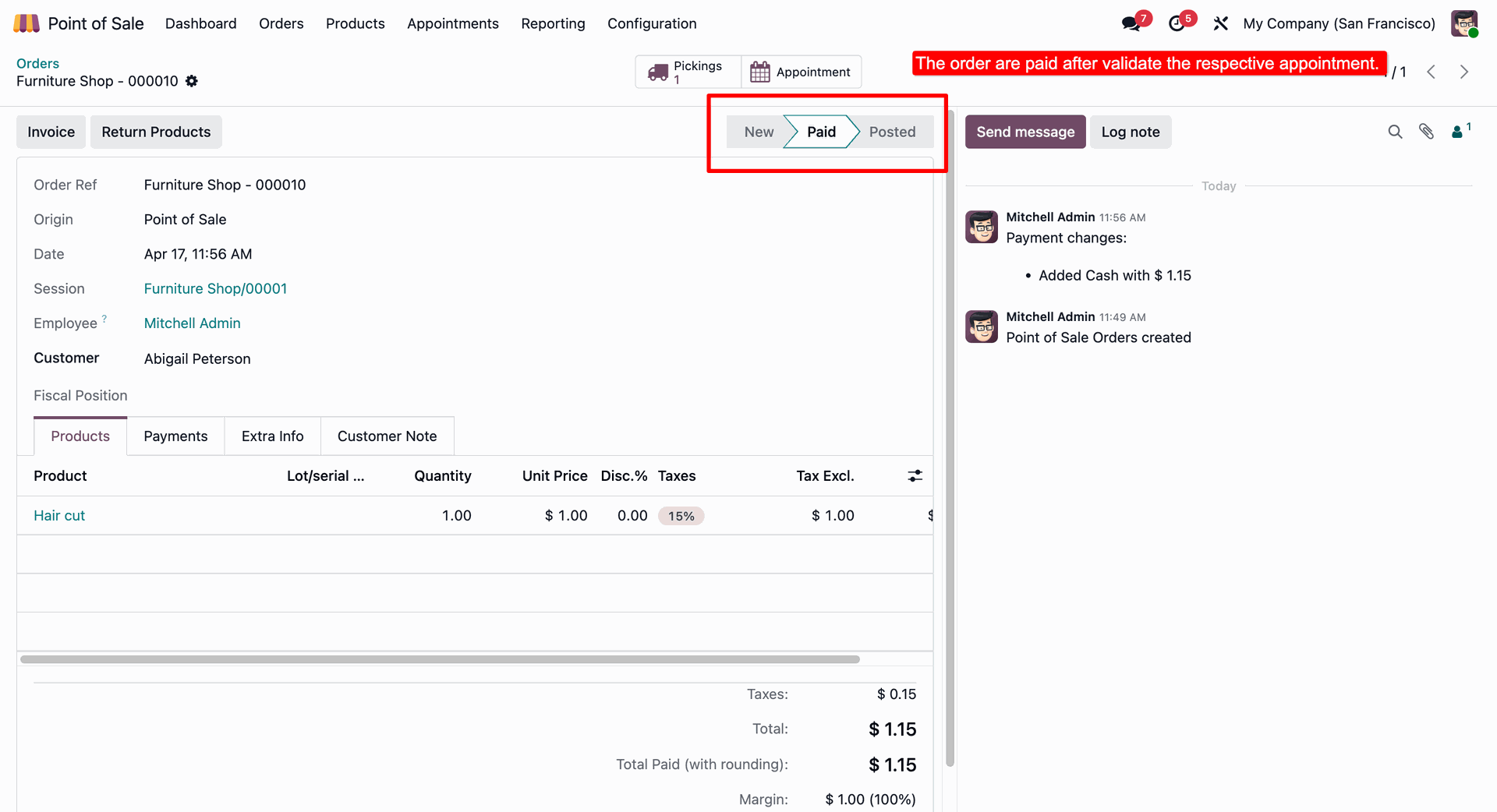
Payment status changes to paid.
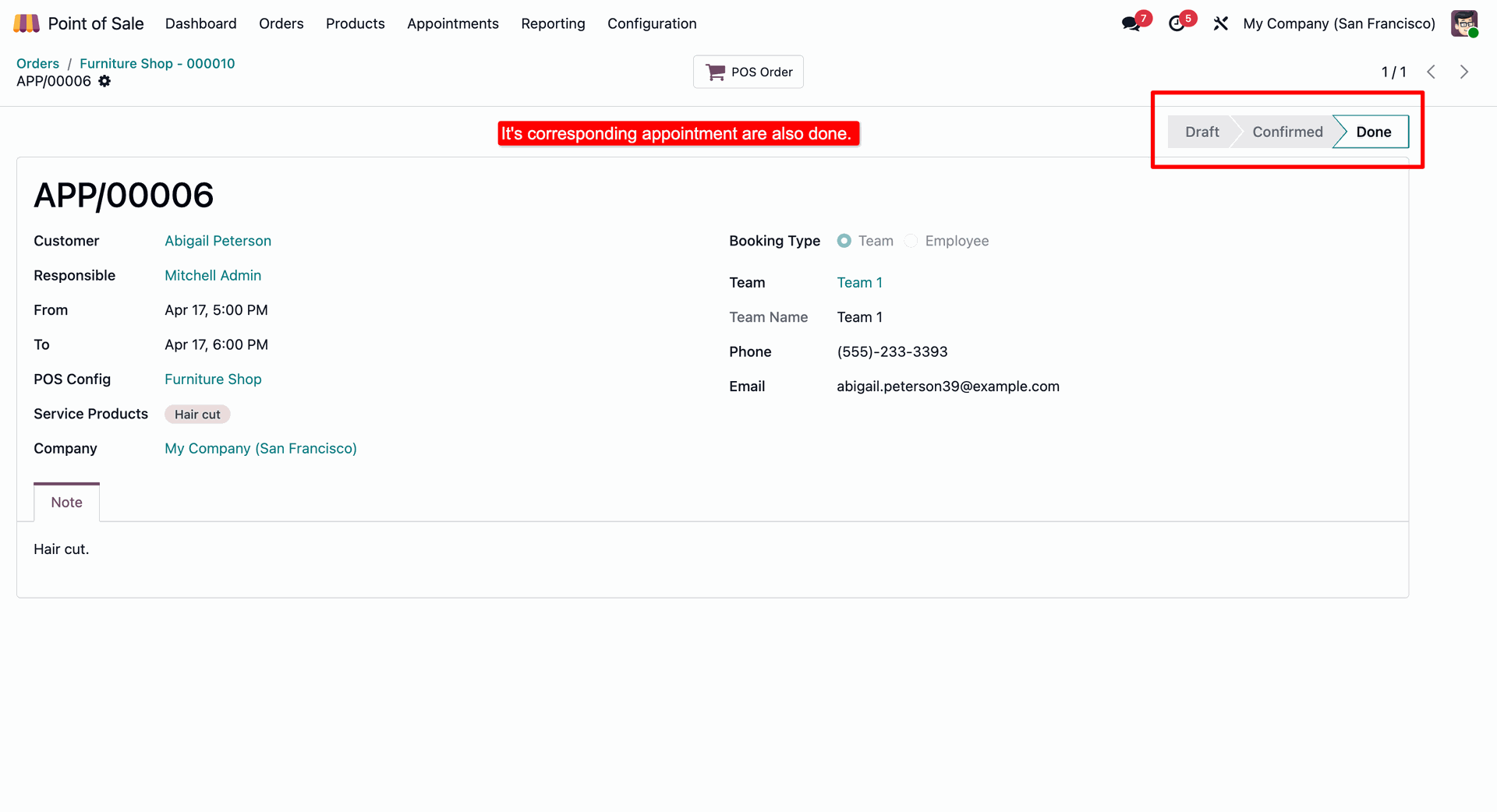
Appointment then moved to done stage.
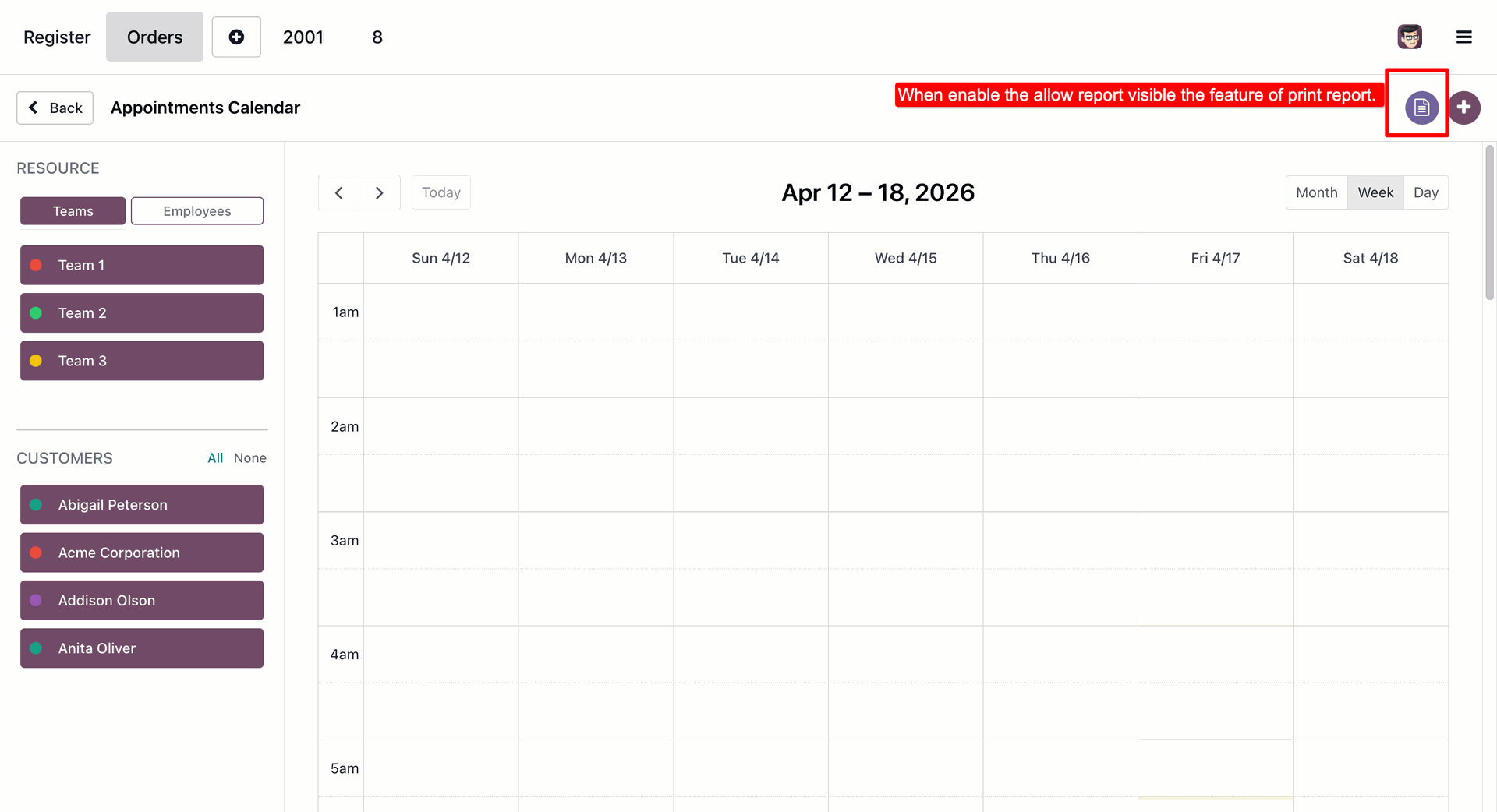
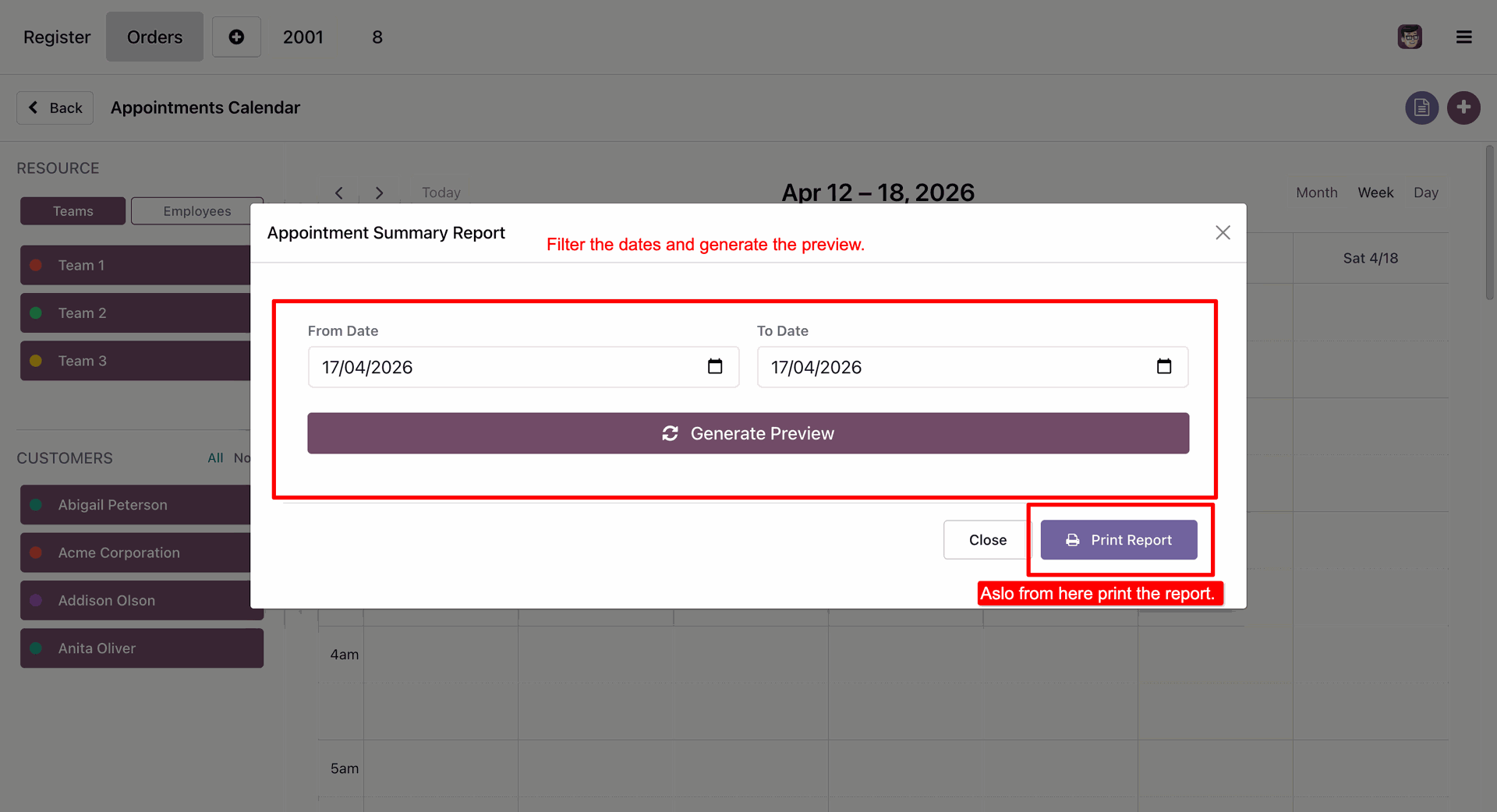
Generate comprehensive Appointment Reports.
Enter the date ranges to generate the reports.
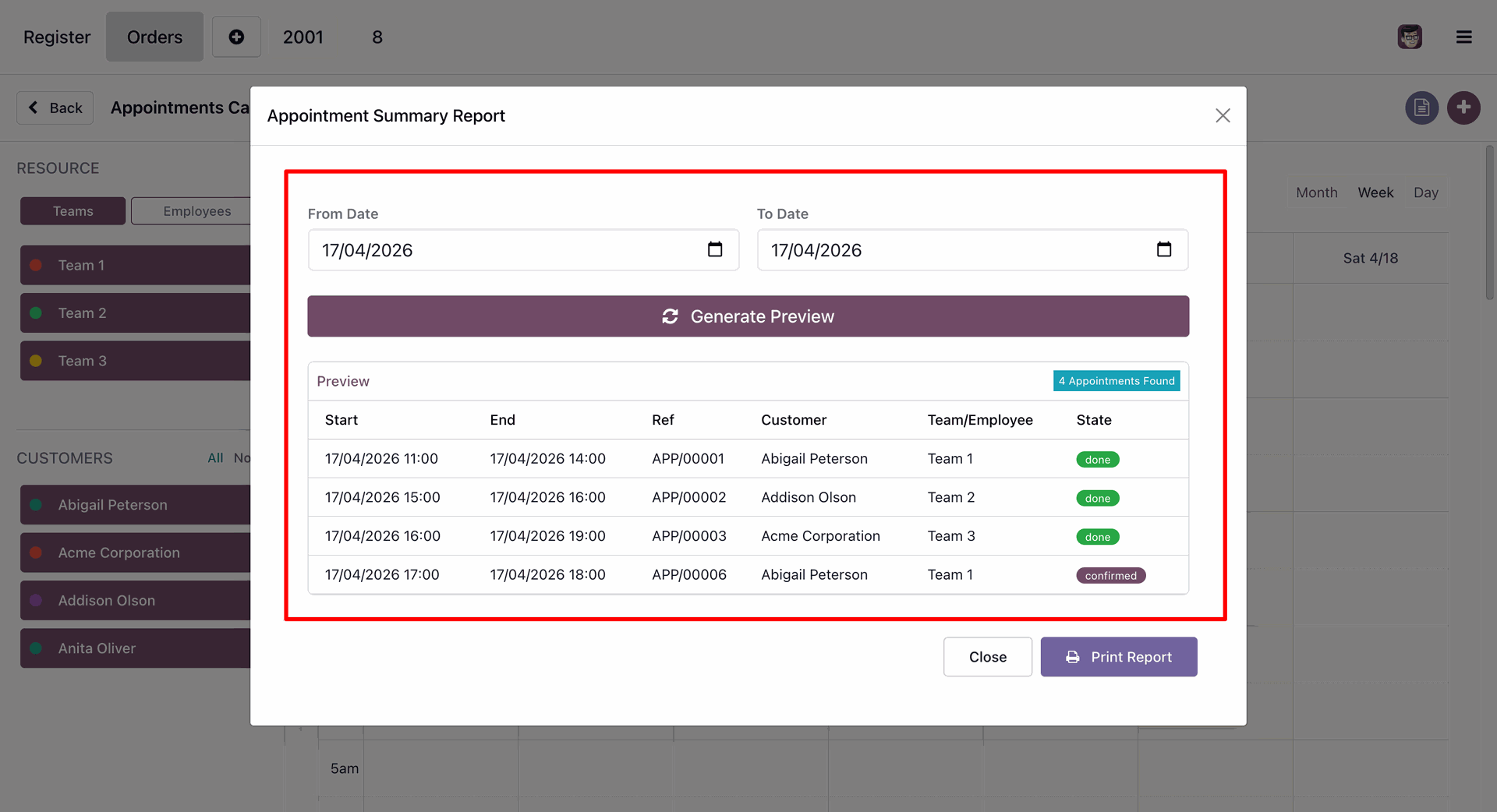
Reports preview.
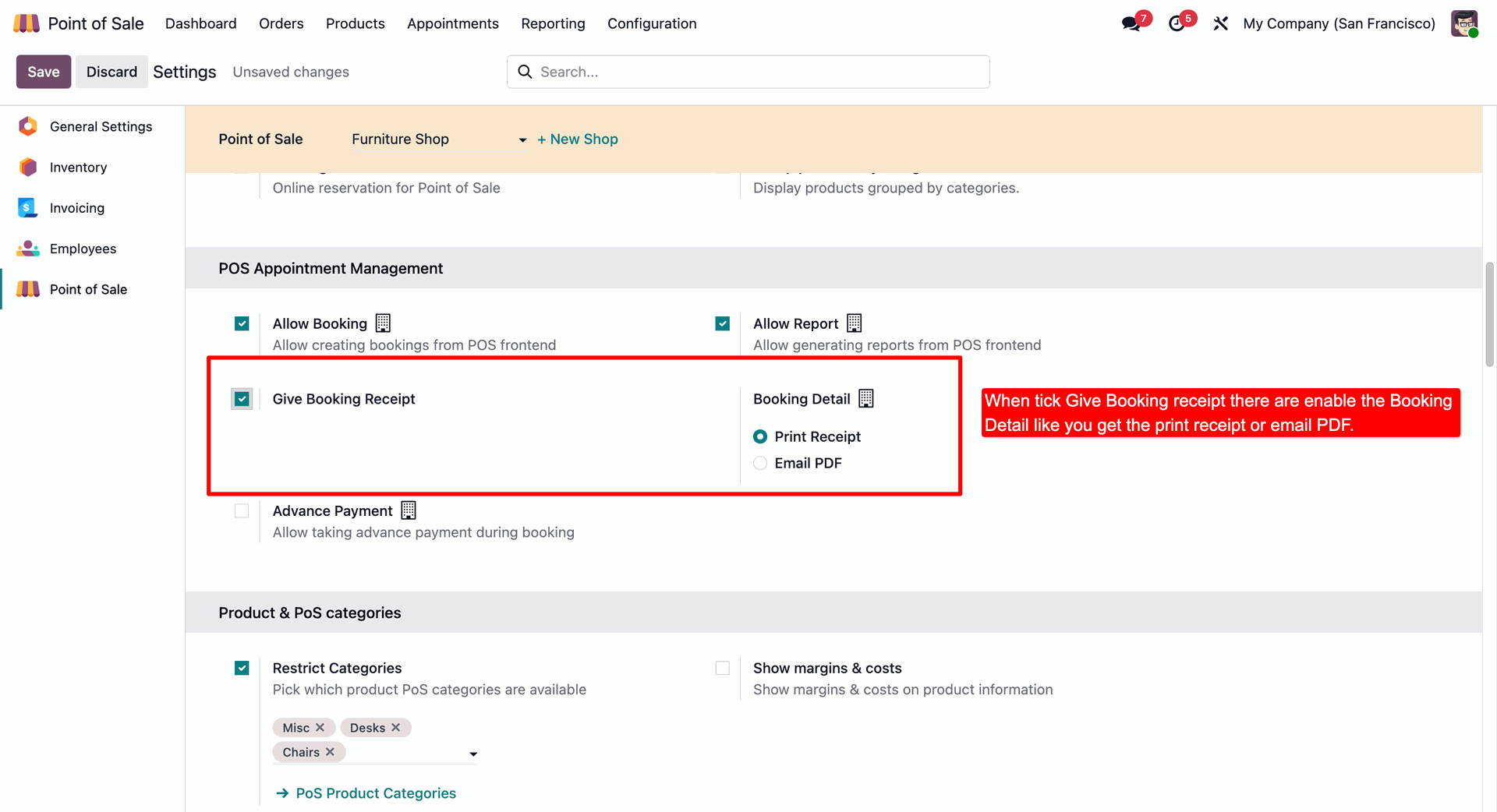
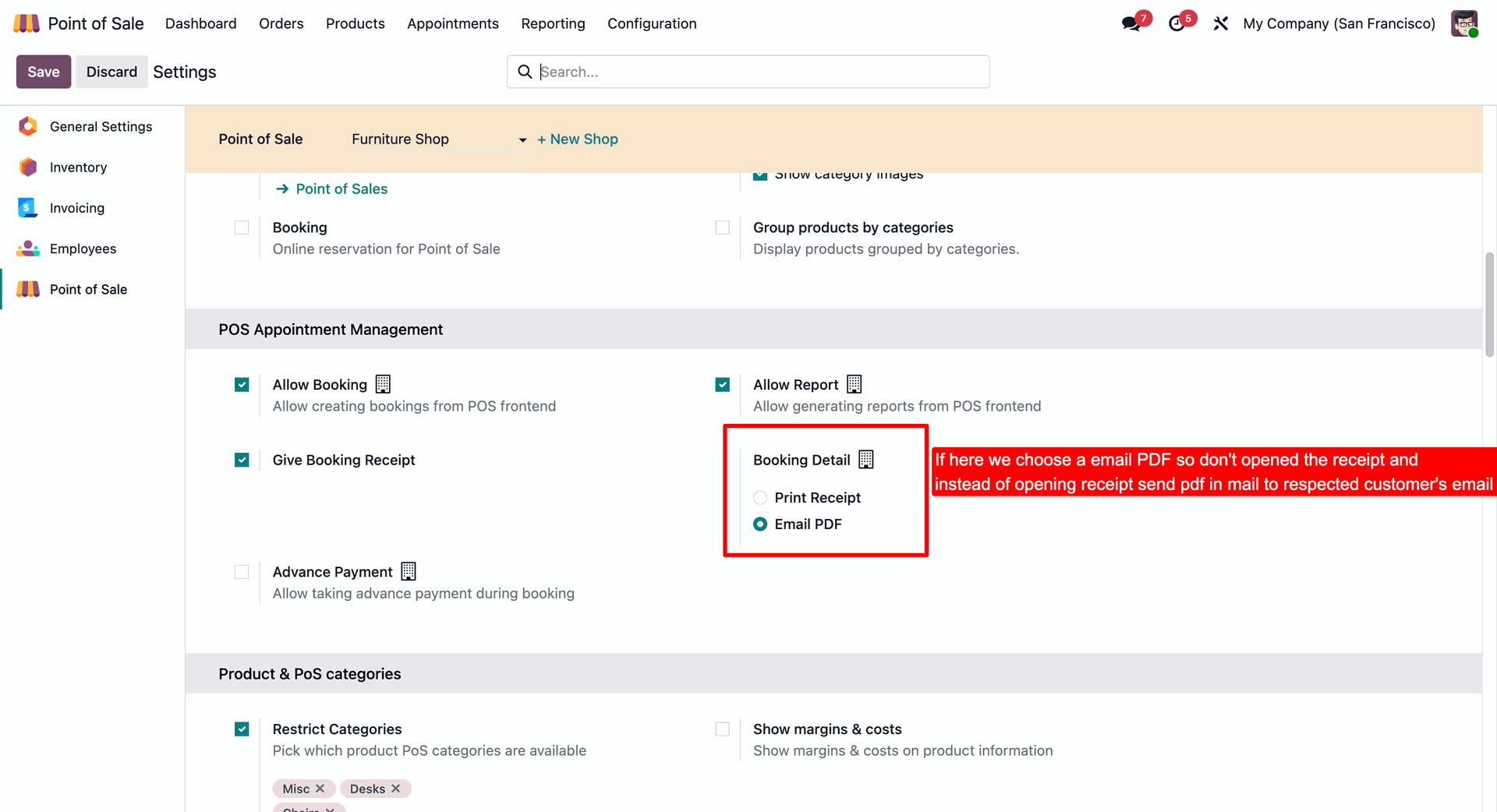
While enabling the "Give Booking Receipt" option in setting you can configure whether to send a receipt via email to the customer or print it.
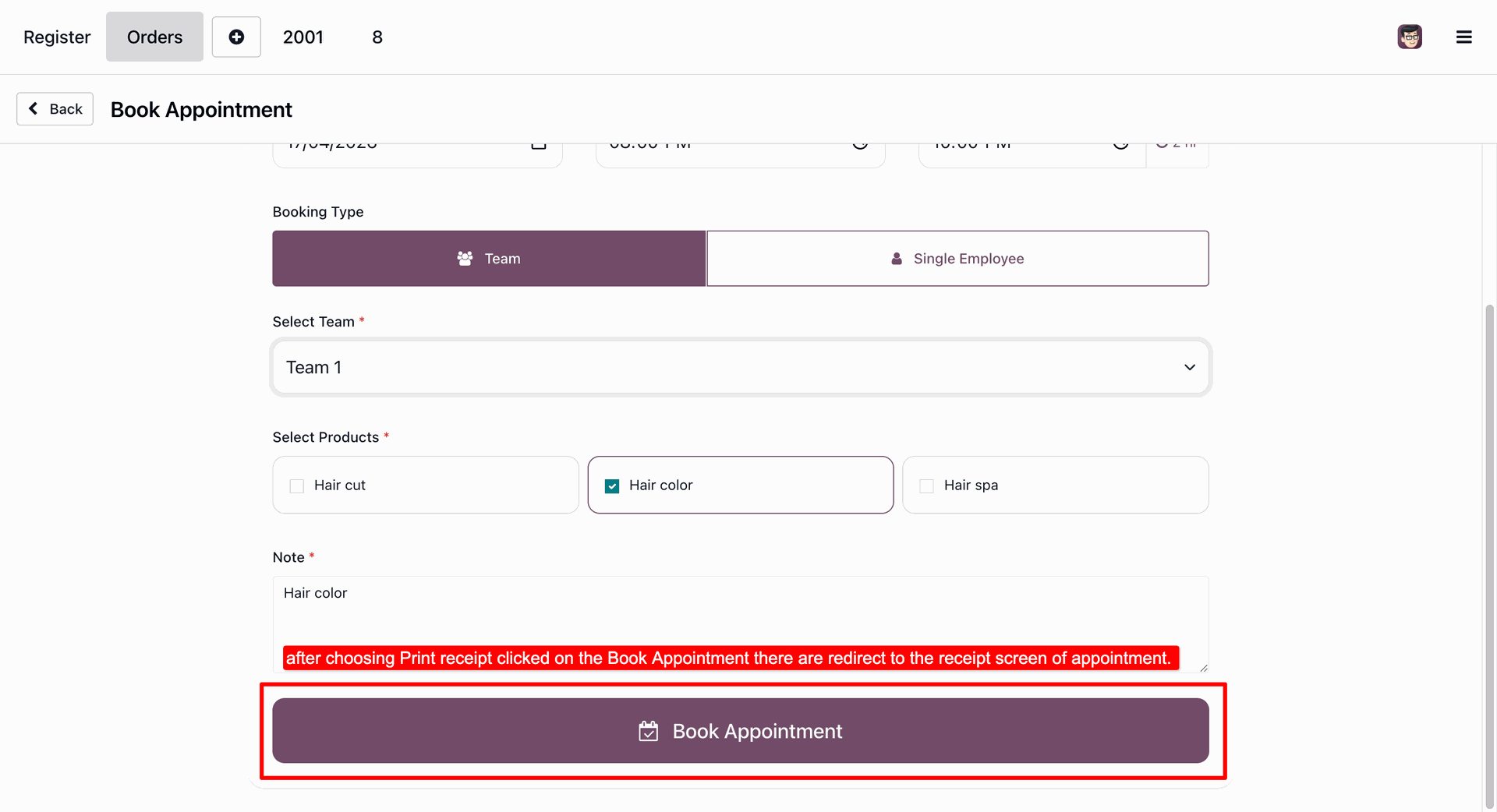
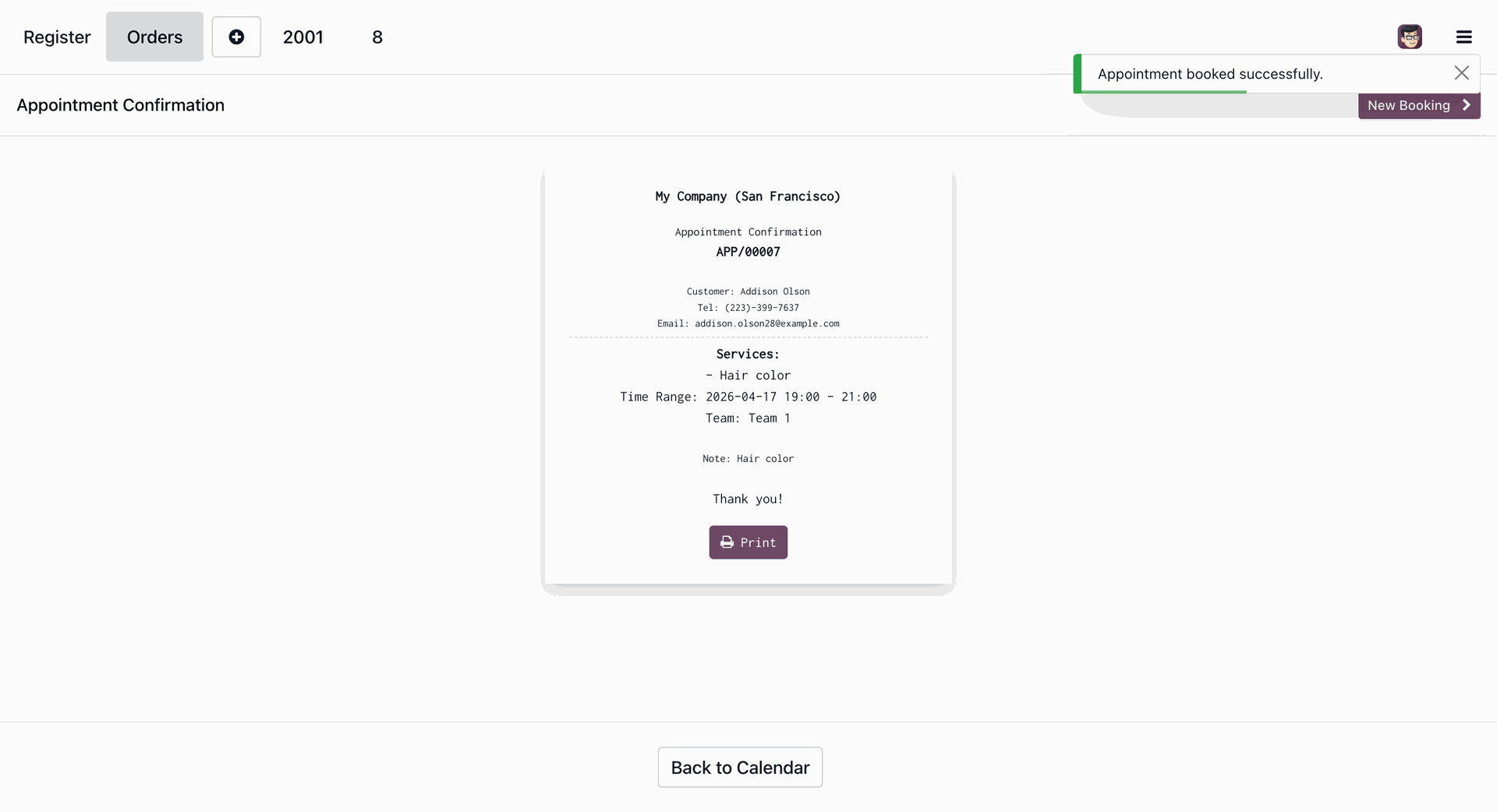
After selecting print receipt option creating an appointment.
A receipt will be generated upon successful appointment creation along with a print option.
Now select the Email PDF option.
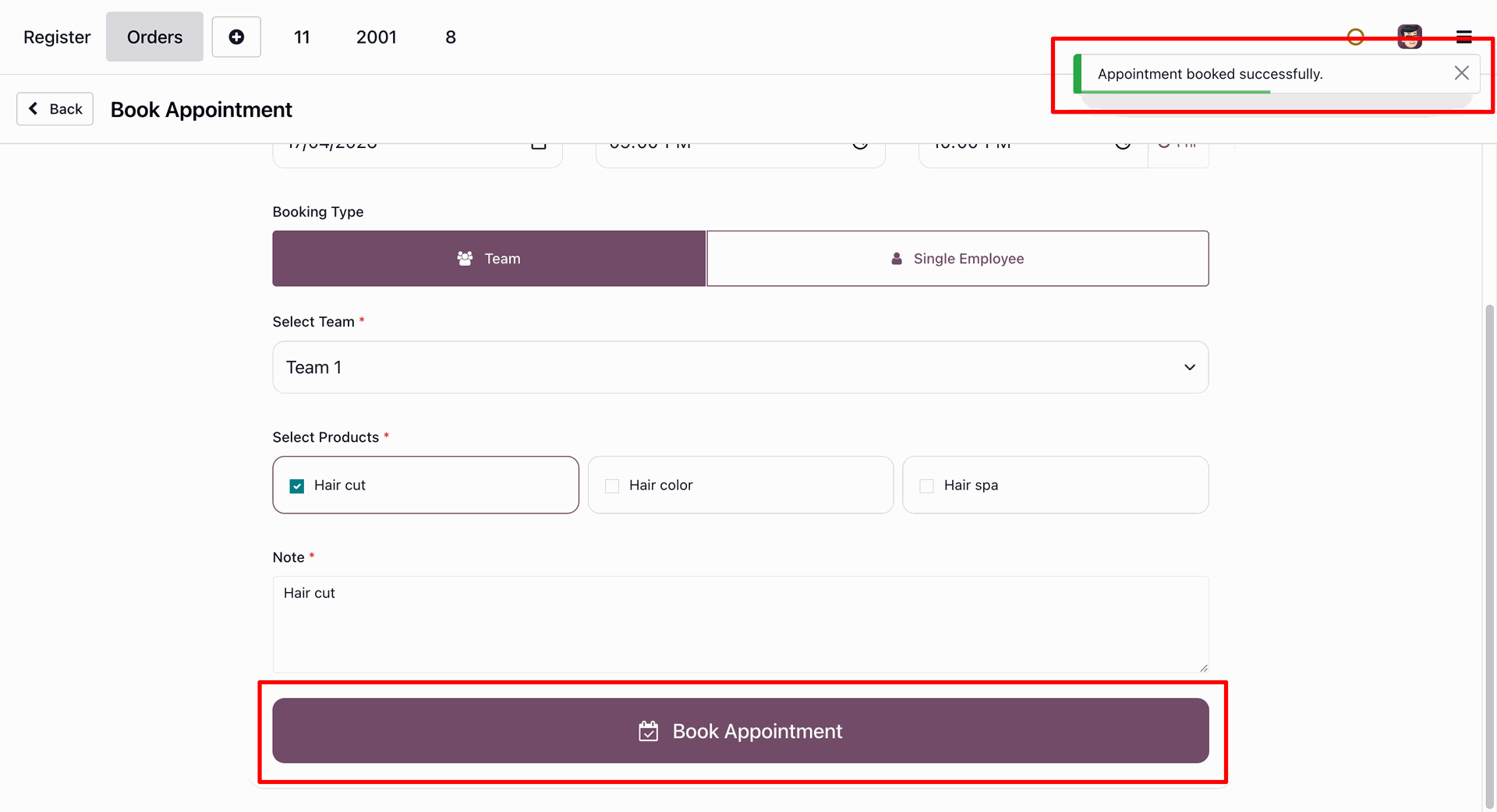
Creating an appointment.
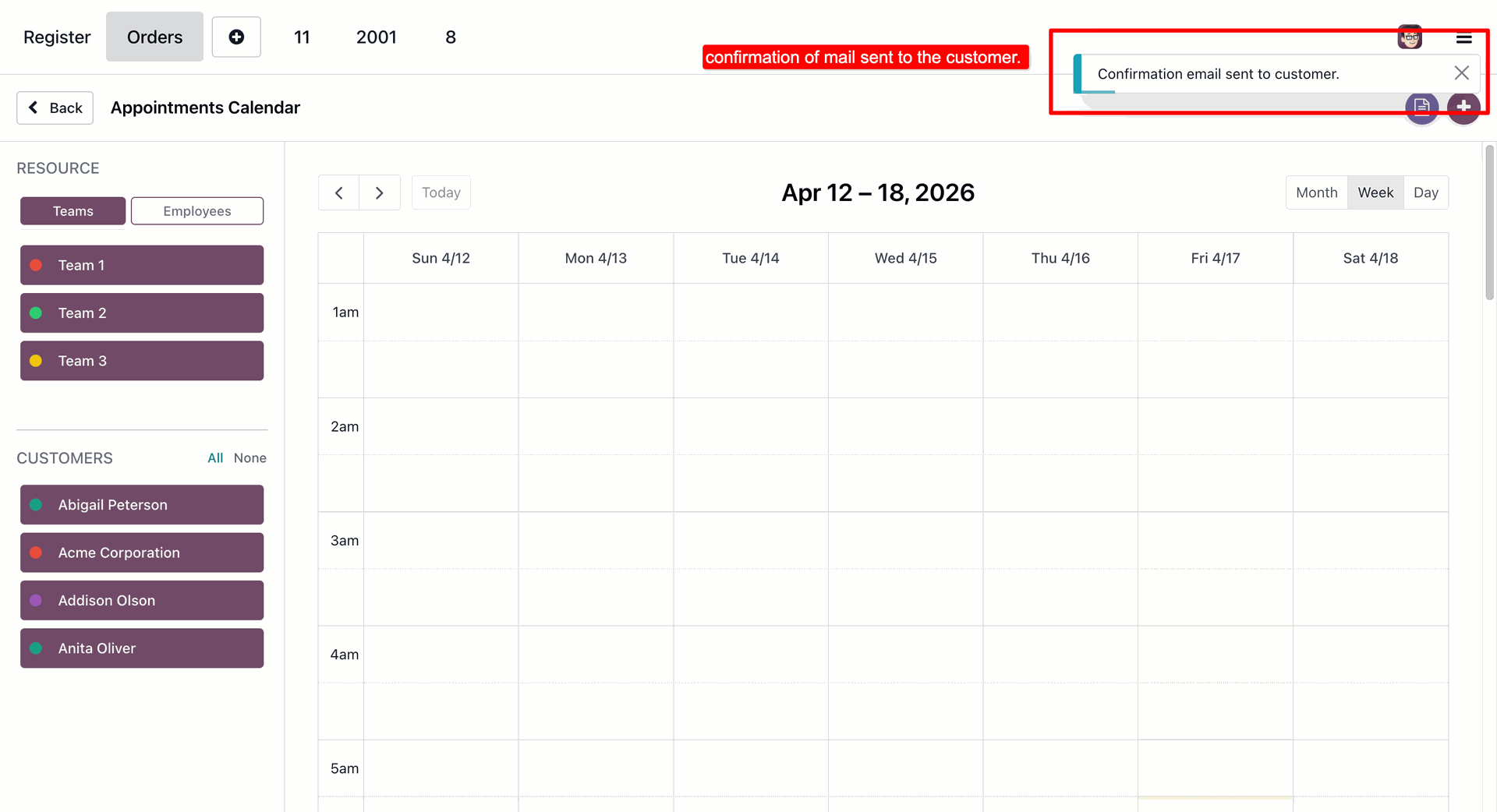
Notification message showing that the confirmation email has been sent to the customer.
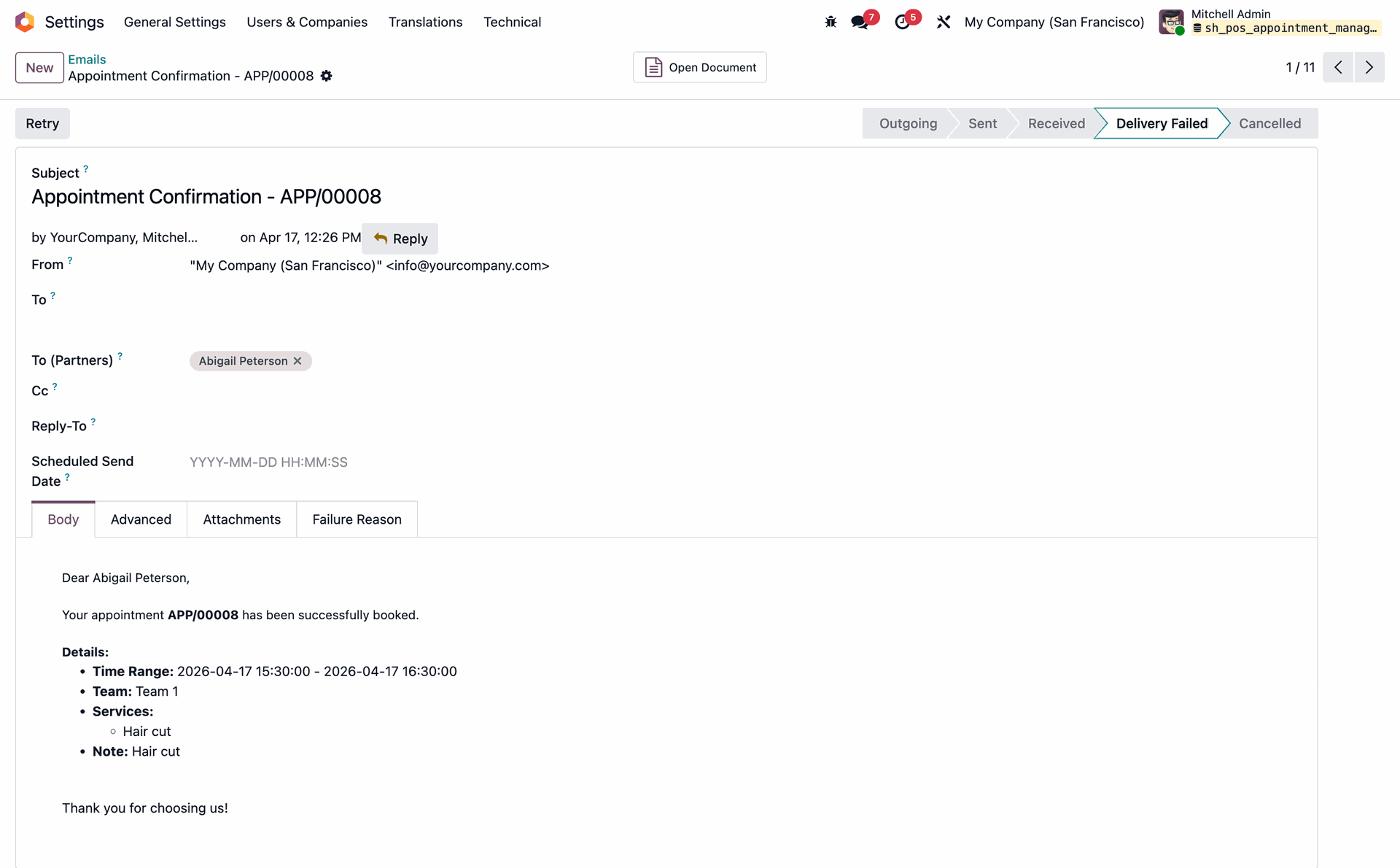
Confirmation Email template.
Enabling the advance payment option.
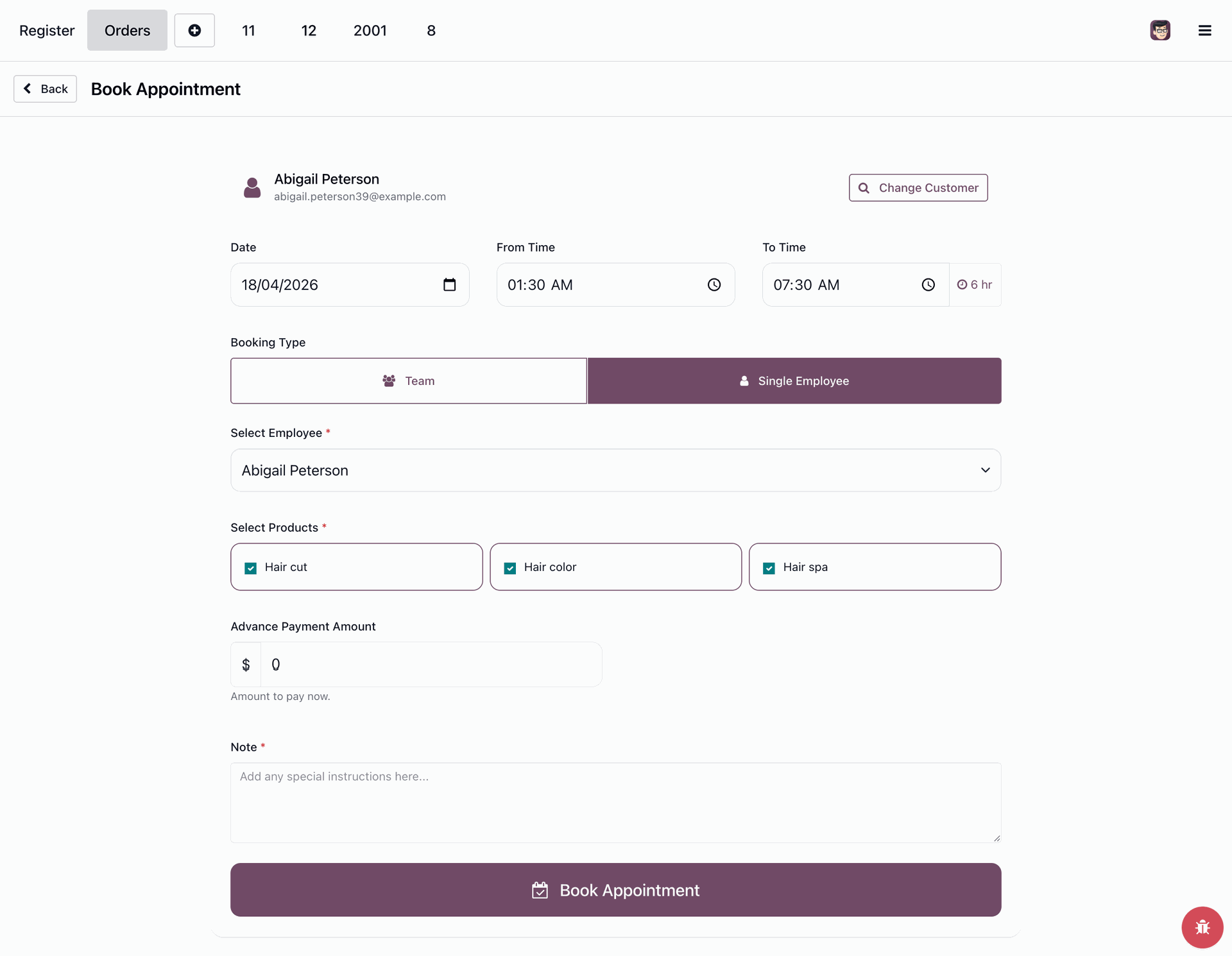
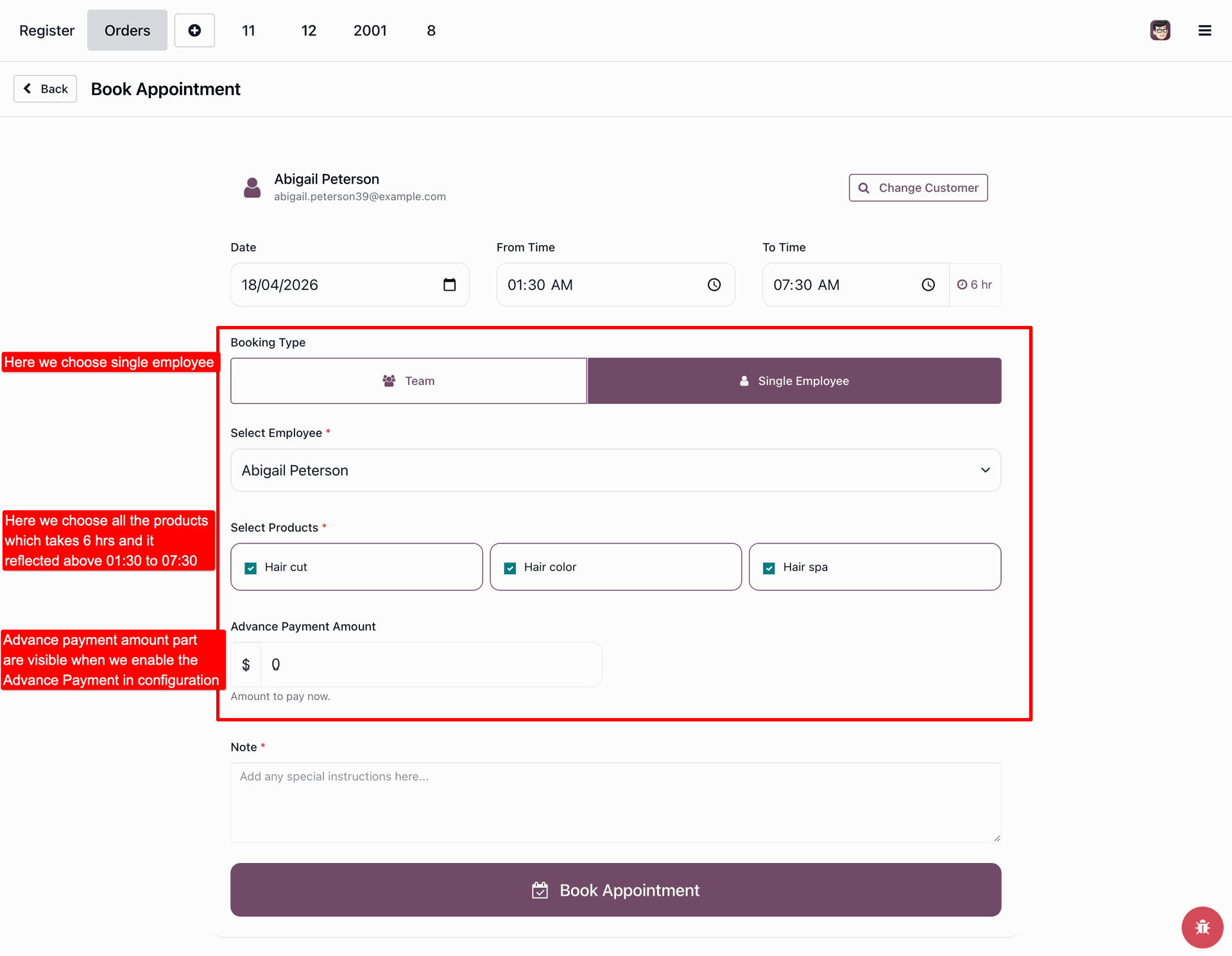
Fill the required details for the appointment along with the advance payment amount.
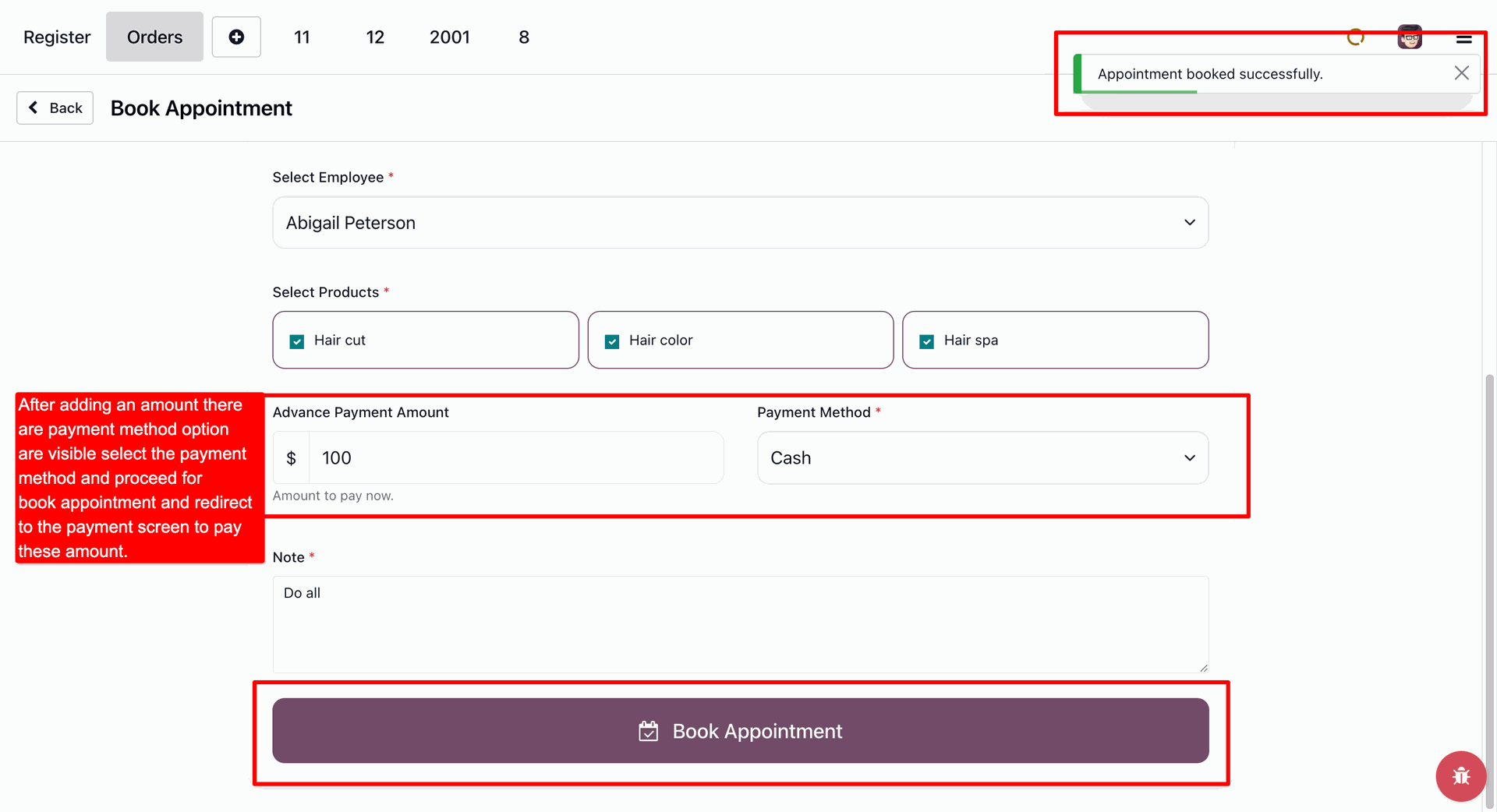
Once paid the advance amount the appointment will be confirmed.
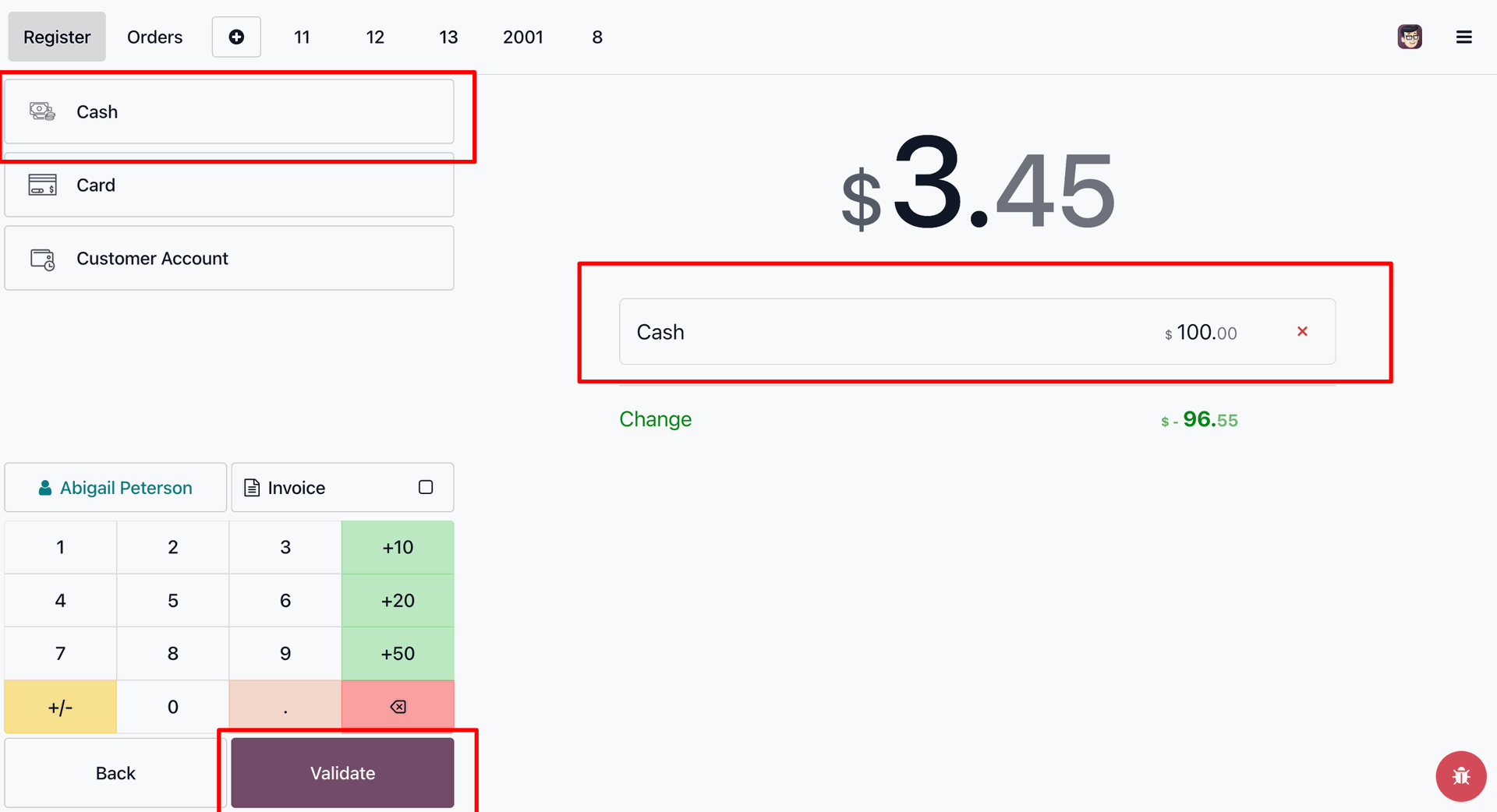
Creating a payment in POS.
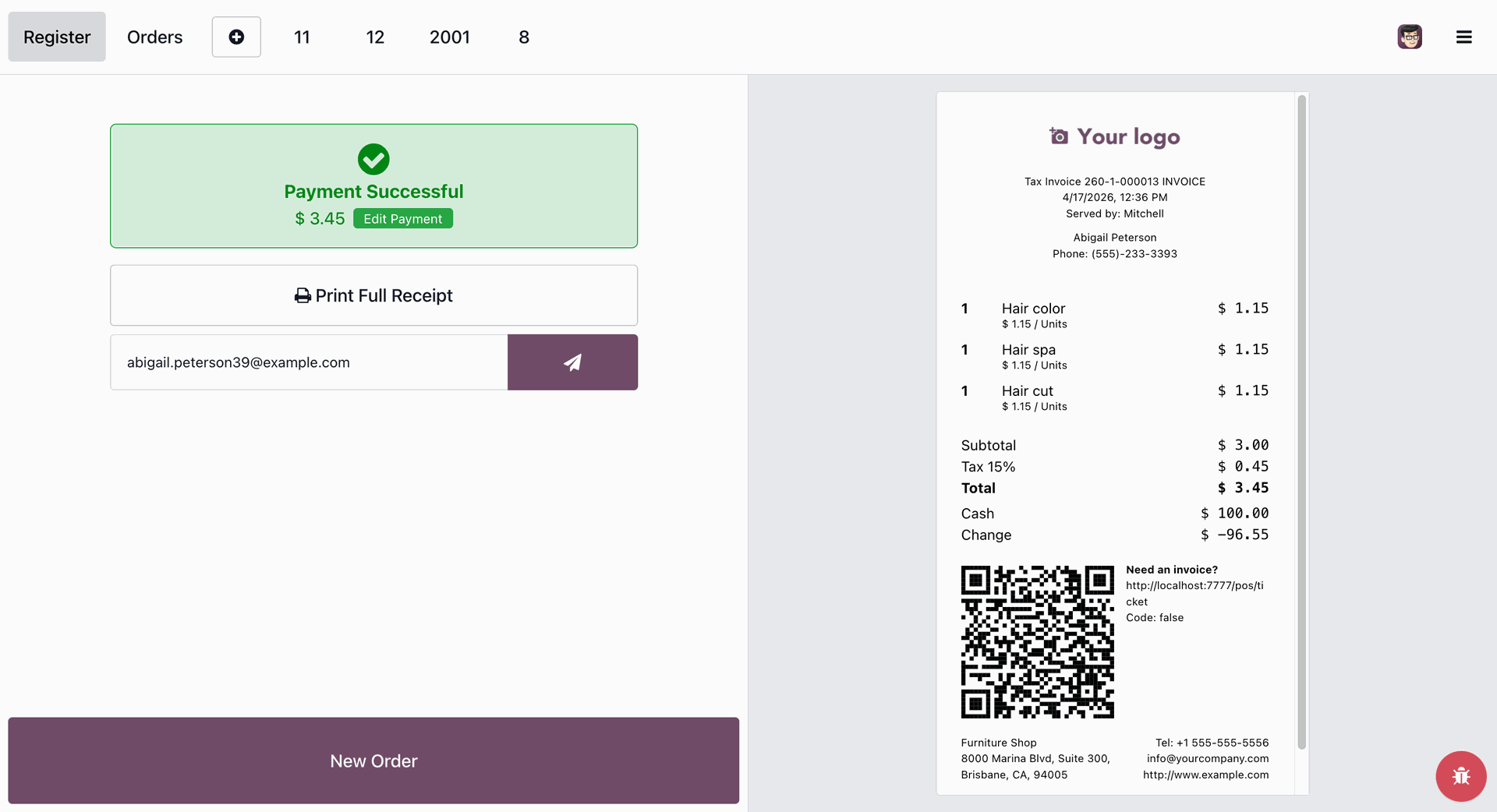
Successful payment.
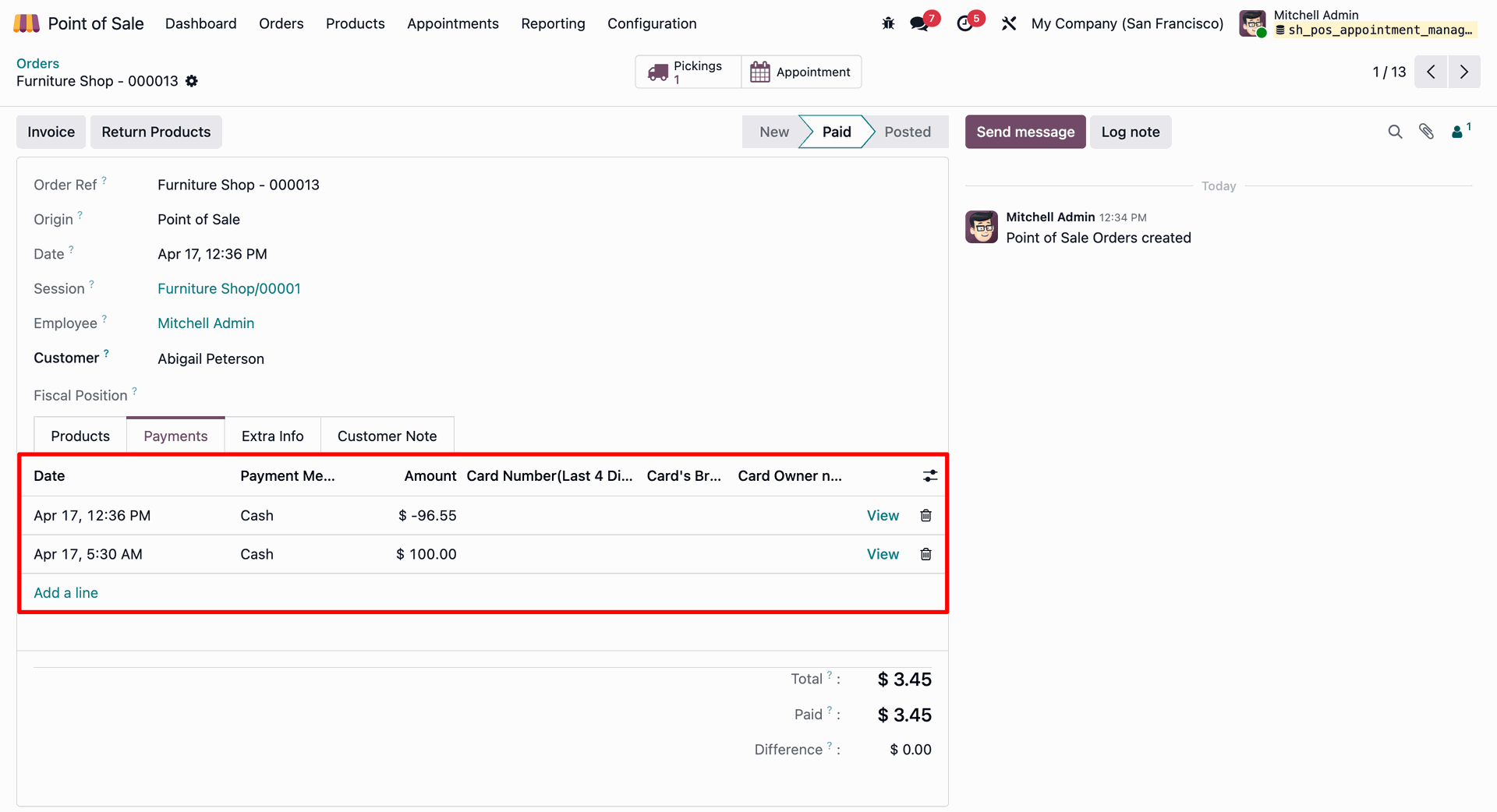
Payments in POS order.
Version 18.0.1.0.0 | Released on : 17th July 2026
- Yes, this app works perfectly with Odoo Enterprise (Odoo.sh & Premise) as well as Community.
- No, this application is not compatible with odoo.com(odoo saas/Odoo Online)
- Yes, to test this module, please contact us at sales@softhealer.com.
- Please contact us at sales@softhealer.com to request customization.
- Yes, we provide free support for 365 days from the date of purchase.
- Yes, you will receive lifetime free updates for the version of the module you purchased.
- No, there is no need to install any additional libraries.
- Yes, for version 12 and above, you need to purchase the module separately for each version you intend to use.
- No, exchanges or refunds are not allowed. Please make sure to select the correct version before purchasing.
- You can contact us at support@softhealer.com for language translation support. We use Google Translator tools to provide translations in multiple languages, so the accuracy may vary. We welcome your suggestions to help improve translations.
Discover Our Latest Apps