




















Loan Management System
Loan Management for Odoo is a comprehensive solution to simplify the entire loan lifecycle. From loan types, periods, application and multi-stage approval to installments and disbursement, the module ensures precision and efficiency. It features principal and interest, processing fees, and advance payments. All manageable through a dynamic, insightful dashboard.
 How
Loan Management System works? Watch Video
Loan Management System - Portal Video
How
Loan Management System works? Watch Video
Loan Management System - Portal Video
Key Features

Loan Configurations
Loan management access group, Loan types, Loan proofs, Loan periods, Active & past borrowers.

Complete Loan Lifecycle
Seamlessly manage the complete loan process from initial request drafting to approval, disbursement, and final closure.

Automated EMI Calculation
Automatically calculate and generate detailed repayment installment schedules with clear principal and interest breakdowns for borrowers.

Email Notification
Configure structured loan approval workflows with instant automated email notifications sent directly to managers and borrowers.

Processing Fee Management
Manage loan application processing fees efficiently with direct customer invoice creation and tracking before disbursement.

Loan Agreement Generation
Instantly create and print professional PDF loan agreement documents containing all terms and conditions for borrowers.

Advance Payment Support
Allow borrowers to make advance repayments ahead of schedule with automatic recalculation of remaining installment balances.

Loan Management - Portal
Borrowers can check the current status of their submitted loan requests, view installment amounts, due dates, paid amounts, and remaining installments.

Insightful Loan Dashboard
Monitor key financial metrics, total loan requests, approved amounts, and active repayment statuses through interactive visual dashboards.
 Setup & Configuration
 Release Notes
 Support
 FAQ's
FAQ's
Frequently Asked Questions
Everything you need to know before getting started.
 Access Rights & Configuration
 Loan Dashboard
 Loan Approval Workflow
 Agreement Fee Management
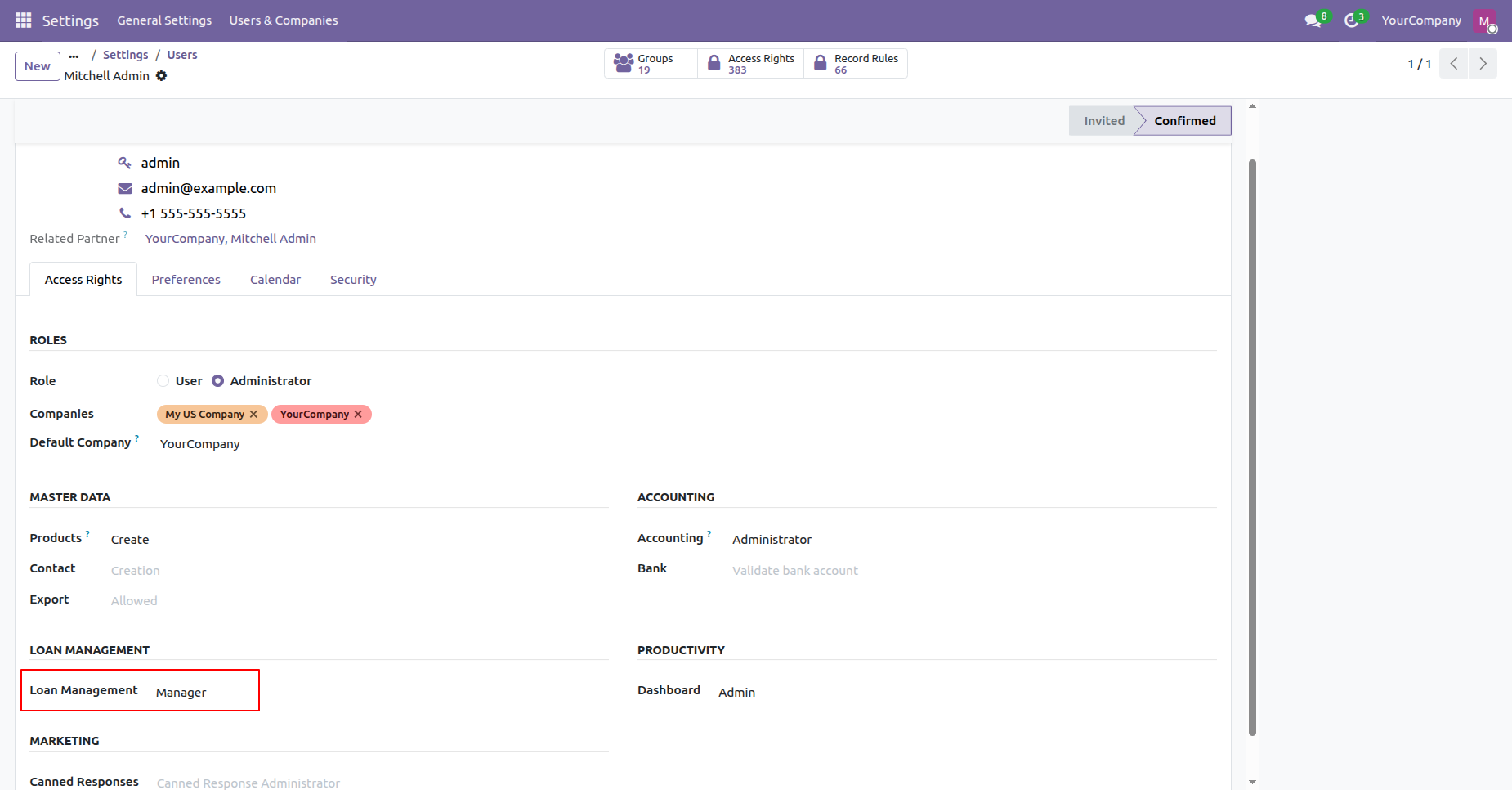
Set Loan Management role to Manager under user access rights to grant full administrative permissions.
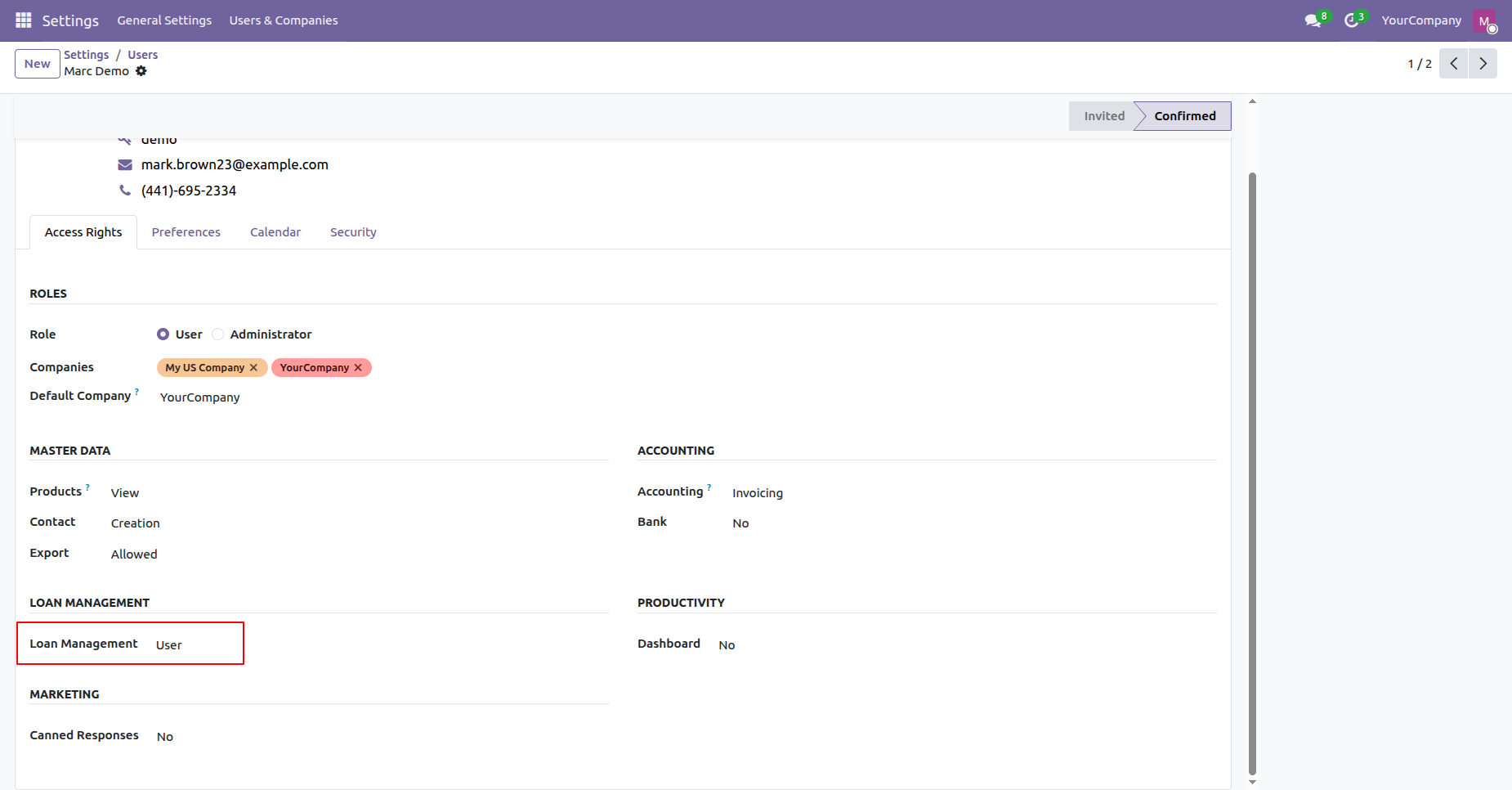
Set Loan Management role to User under user access rights to assign standard user permissions.
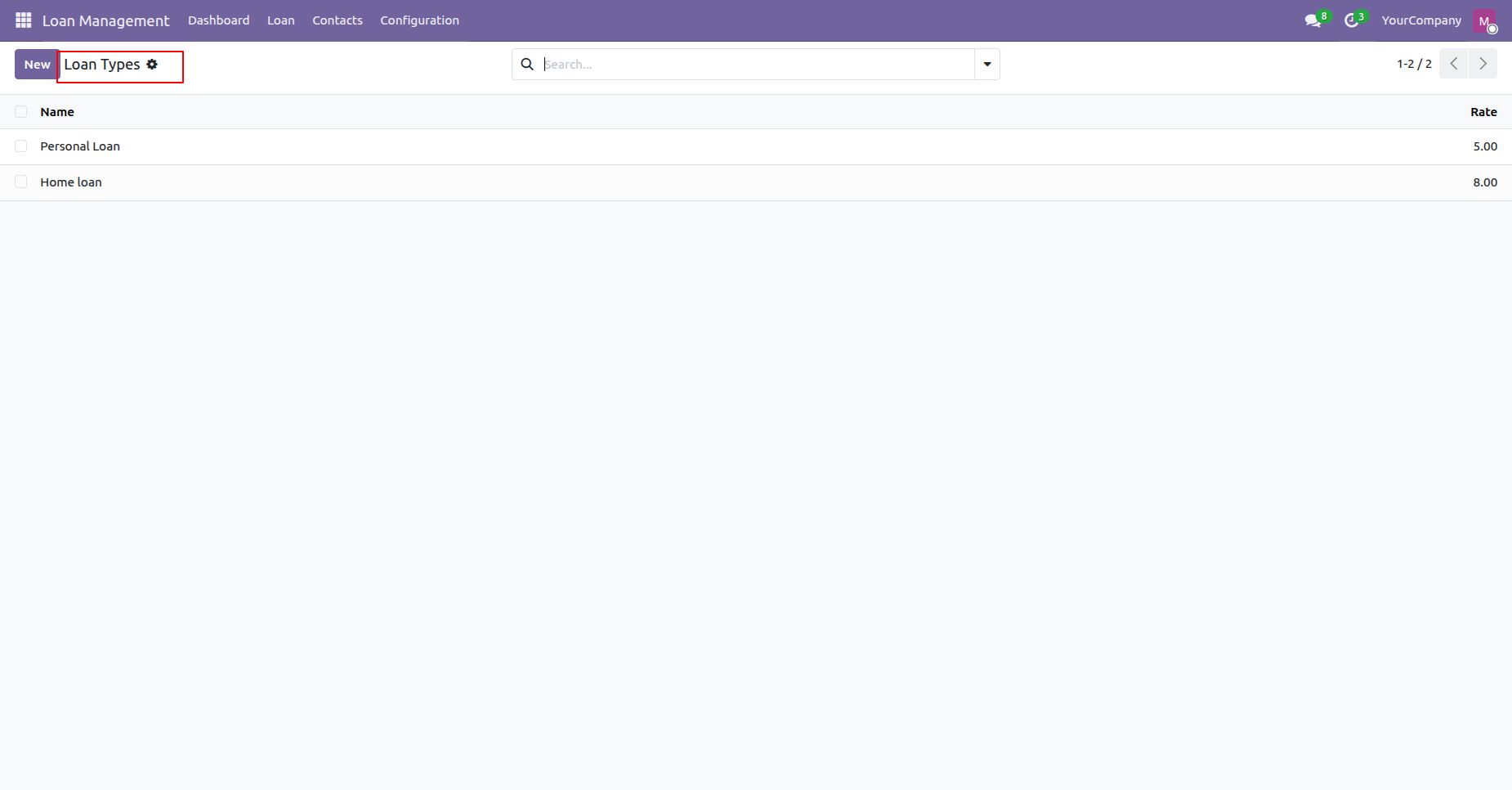
Open Loan Types under Configuration to view and manage available loan categories and rates.
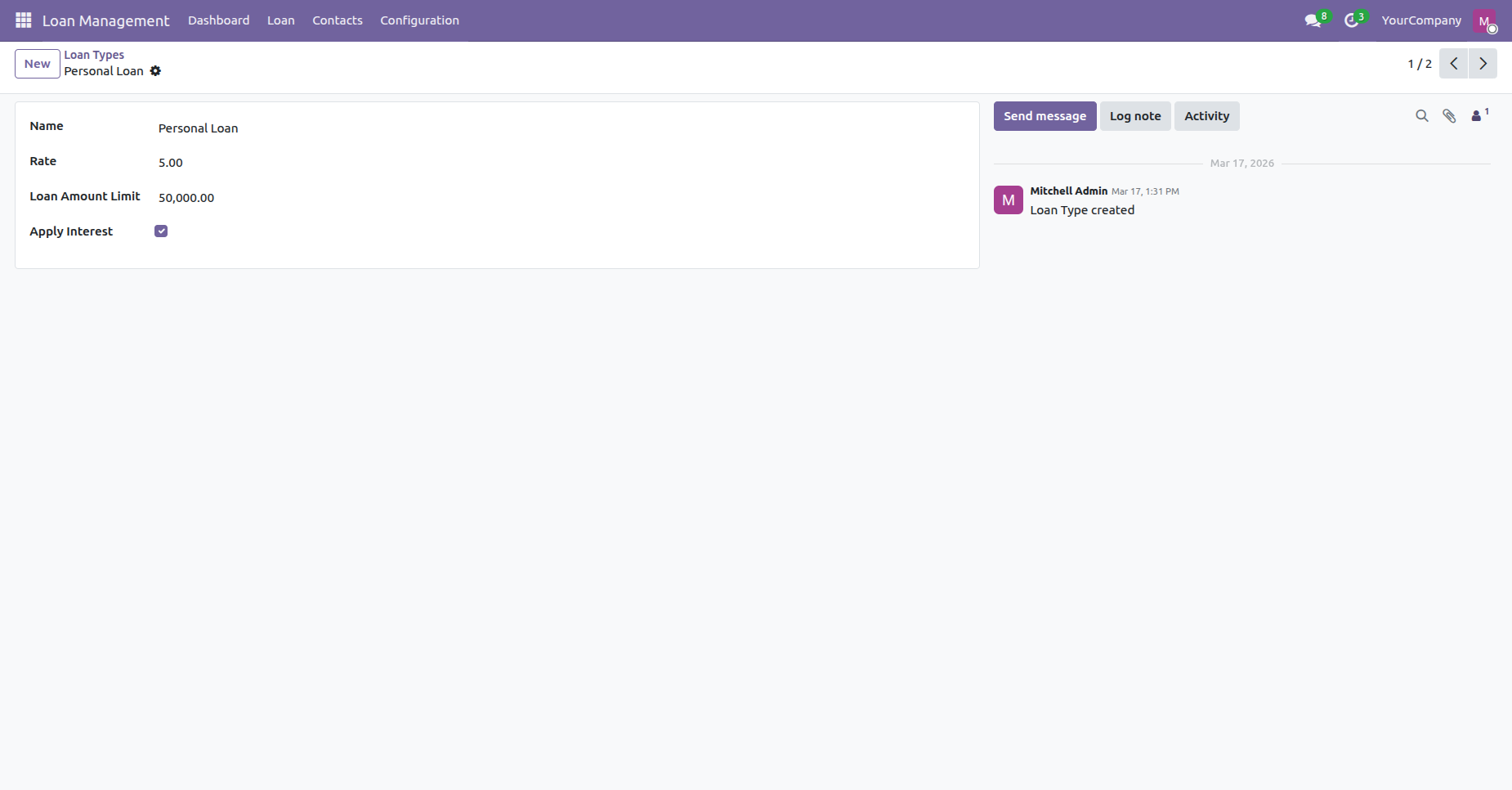
Configure loan type parameters including name, interest rate, and maximum allowable loan amount limit.
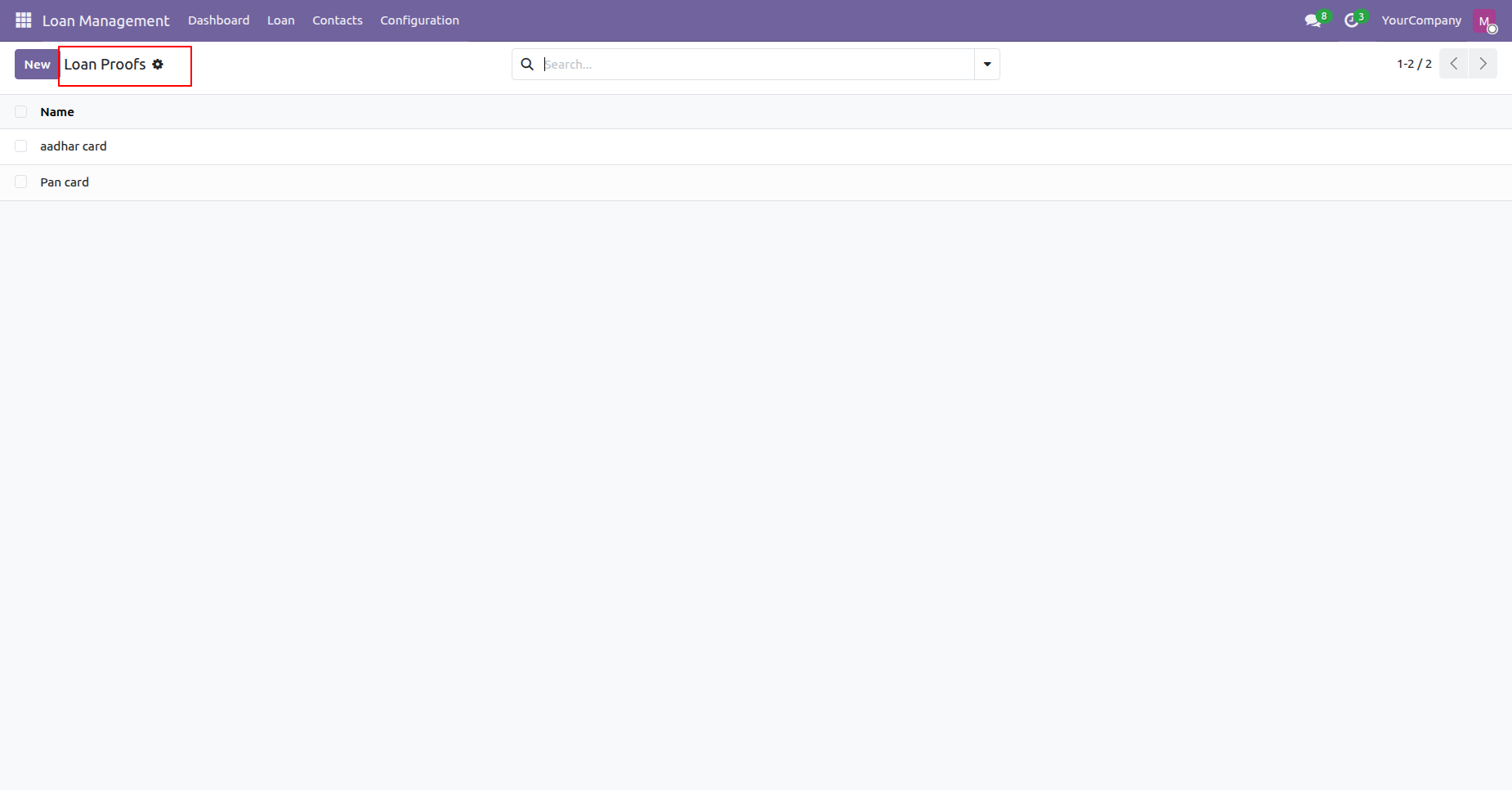
Access Loan Proofs under Configuration to manage required applicant document verification categories.
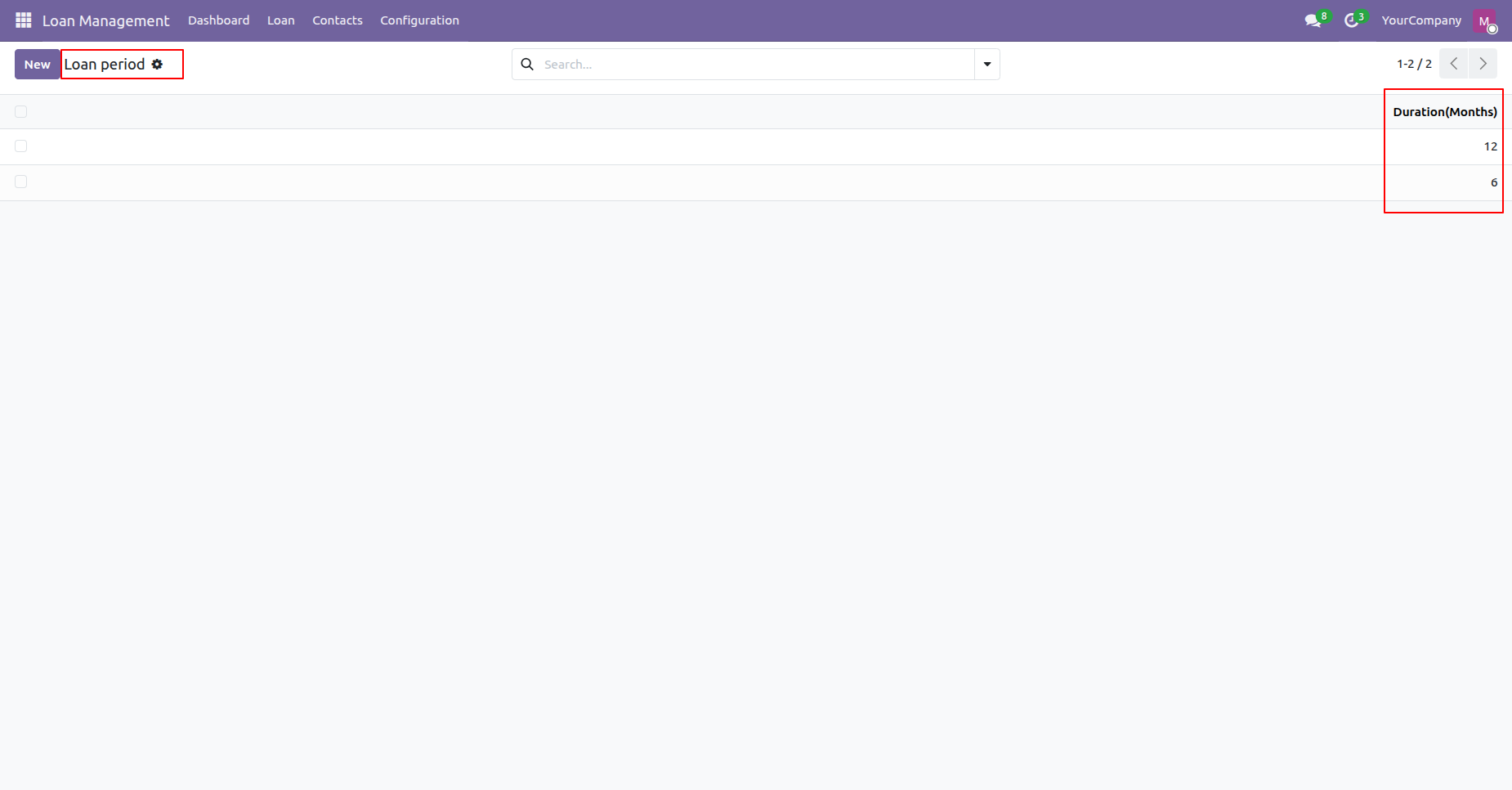
Open Loan Period under Configuration to define allowed loan repayment duration choices in months.
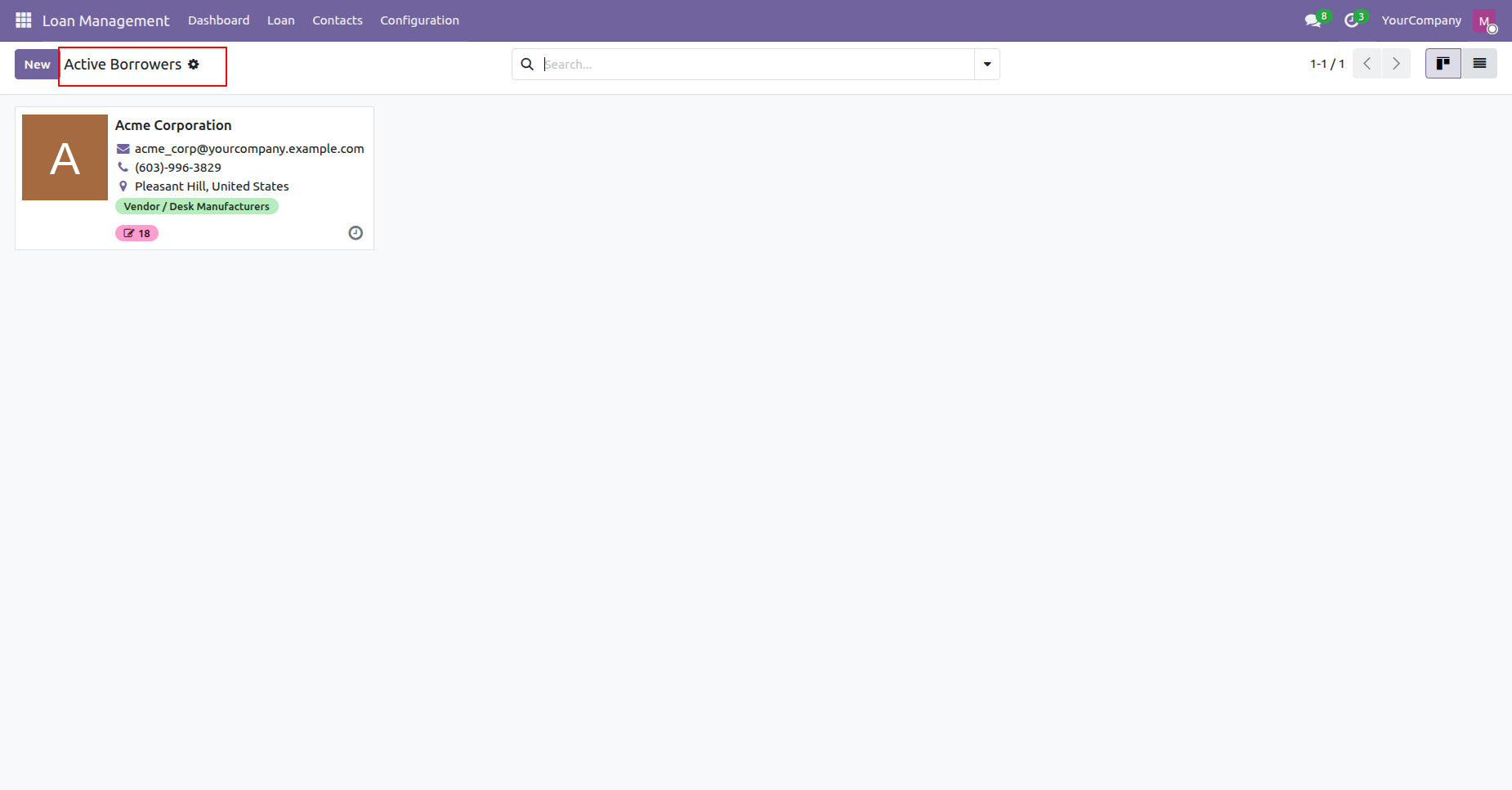
View Active Borrowers in Kanban cards to inspect active borrower contact details and status.
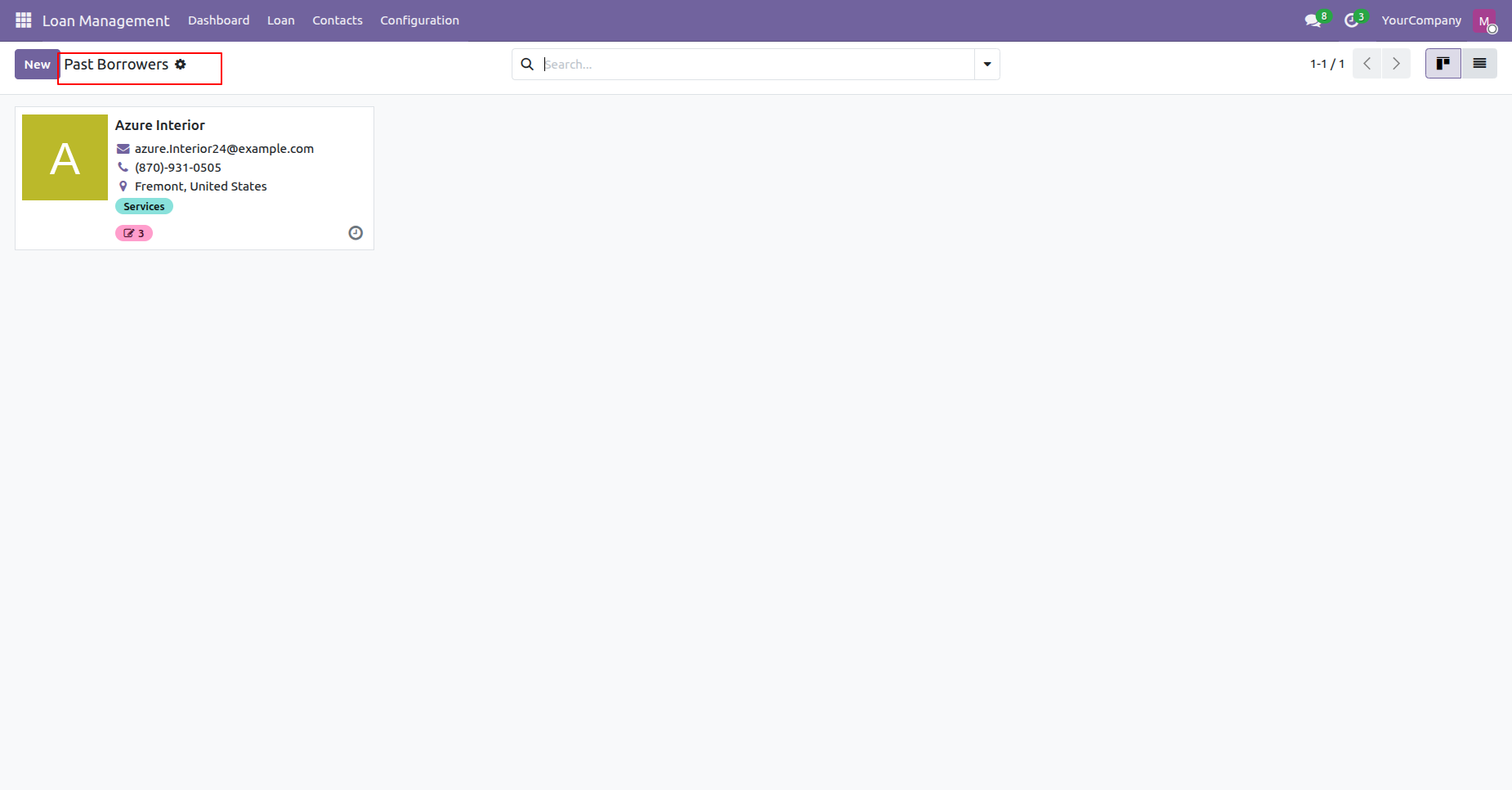
Access Past Borrowers in Kanban view to review historical borrower profiles and past records.
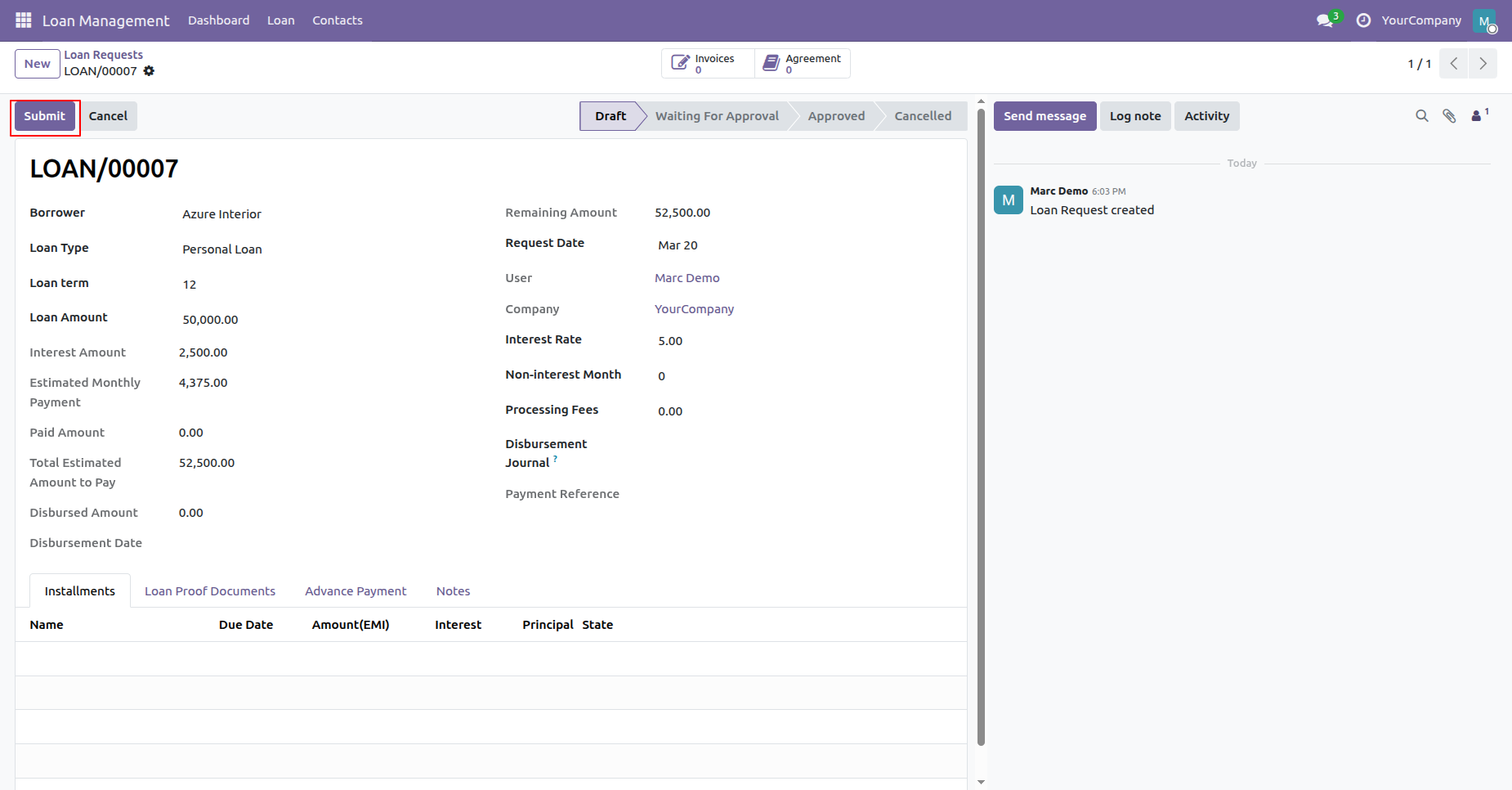
Click Submit button to send the draft loan application for manager review and approval.
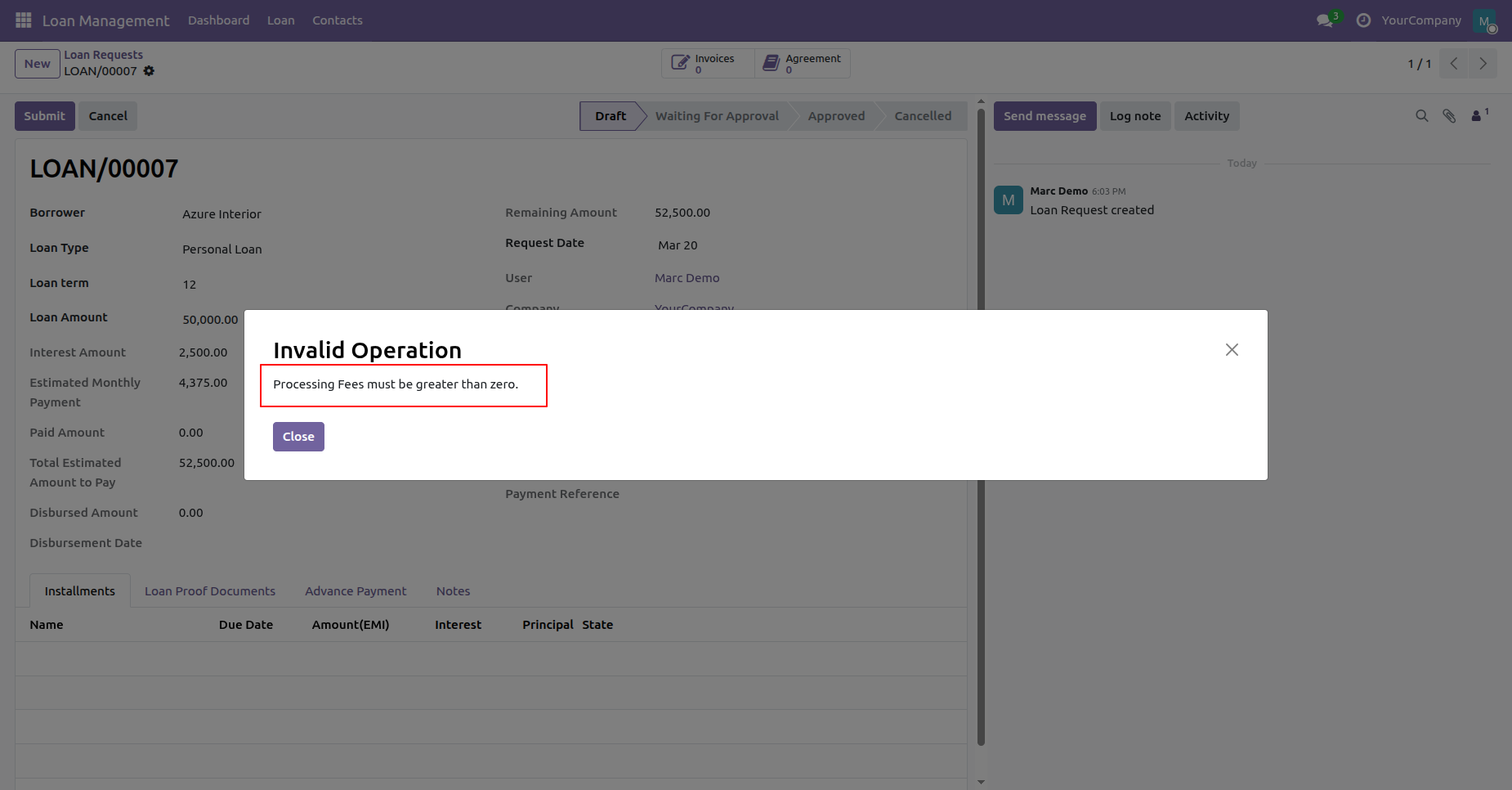
Review the error popup displayed when attempting to submit a loan without processing fees.
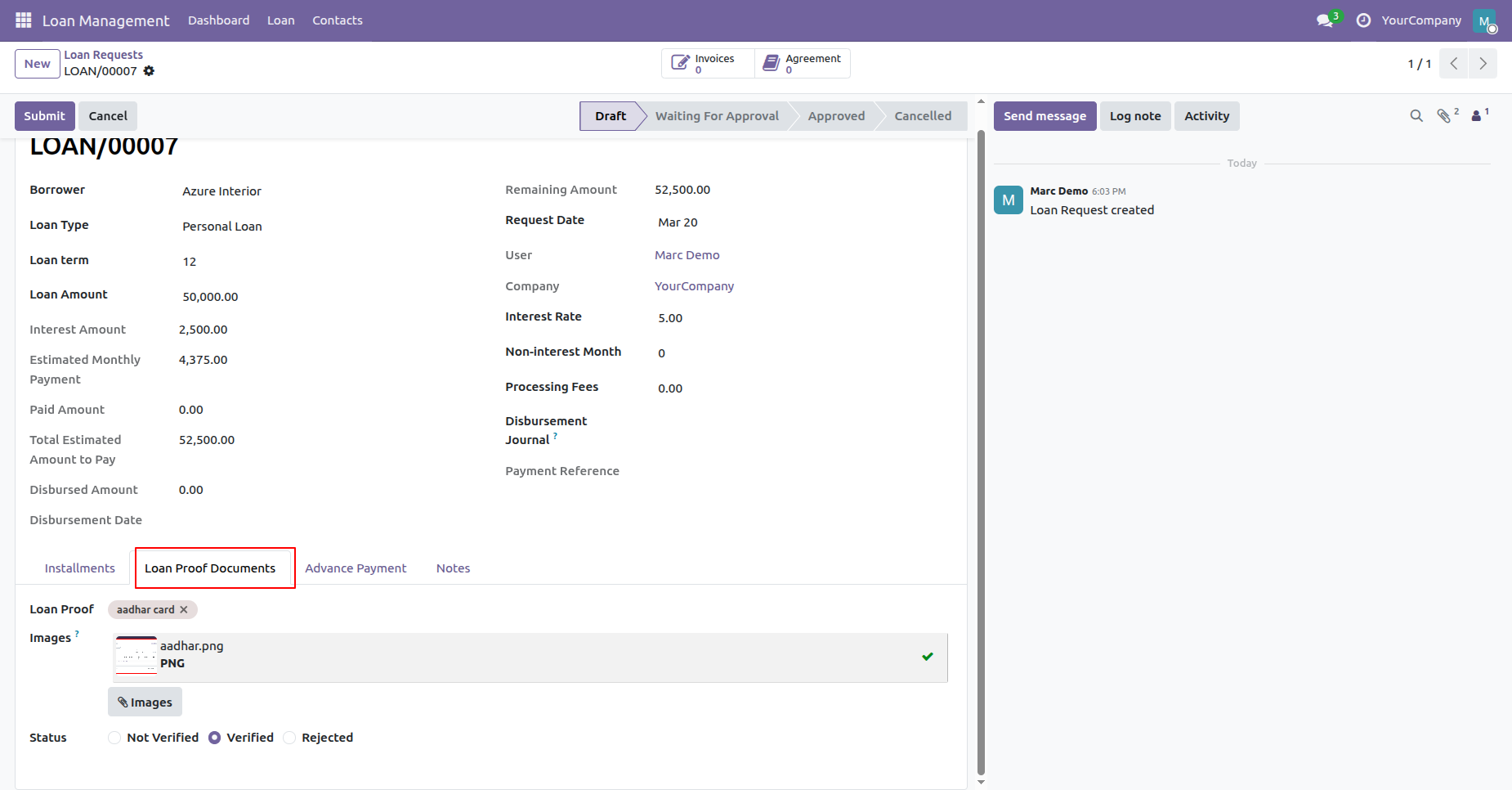
Select Loan Proof Documents tab to upload borrower identification files and confirm verification status.
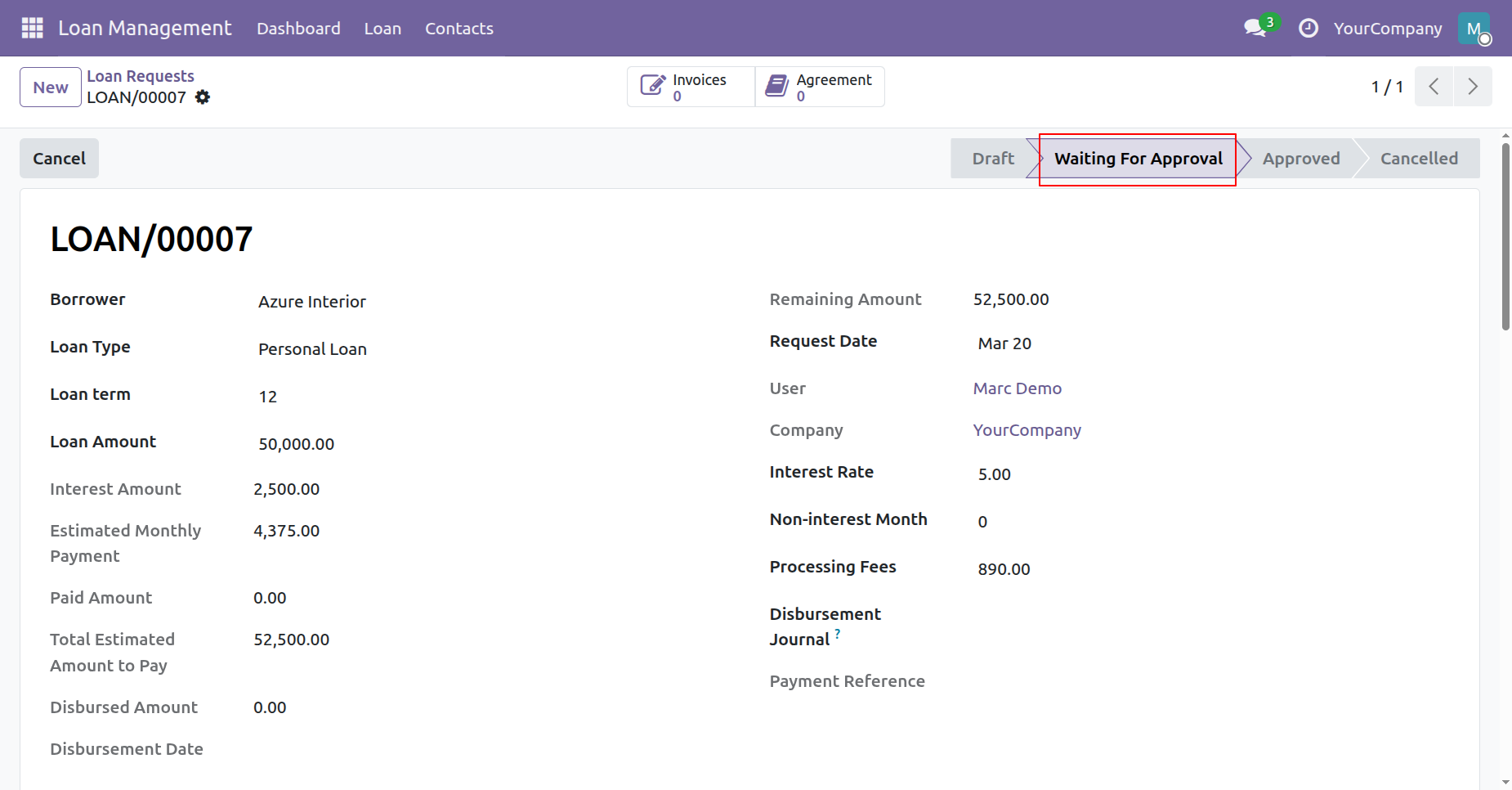
Verify the loan request status transition to Waiting For Approval after submitting the application.
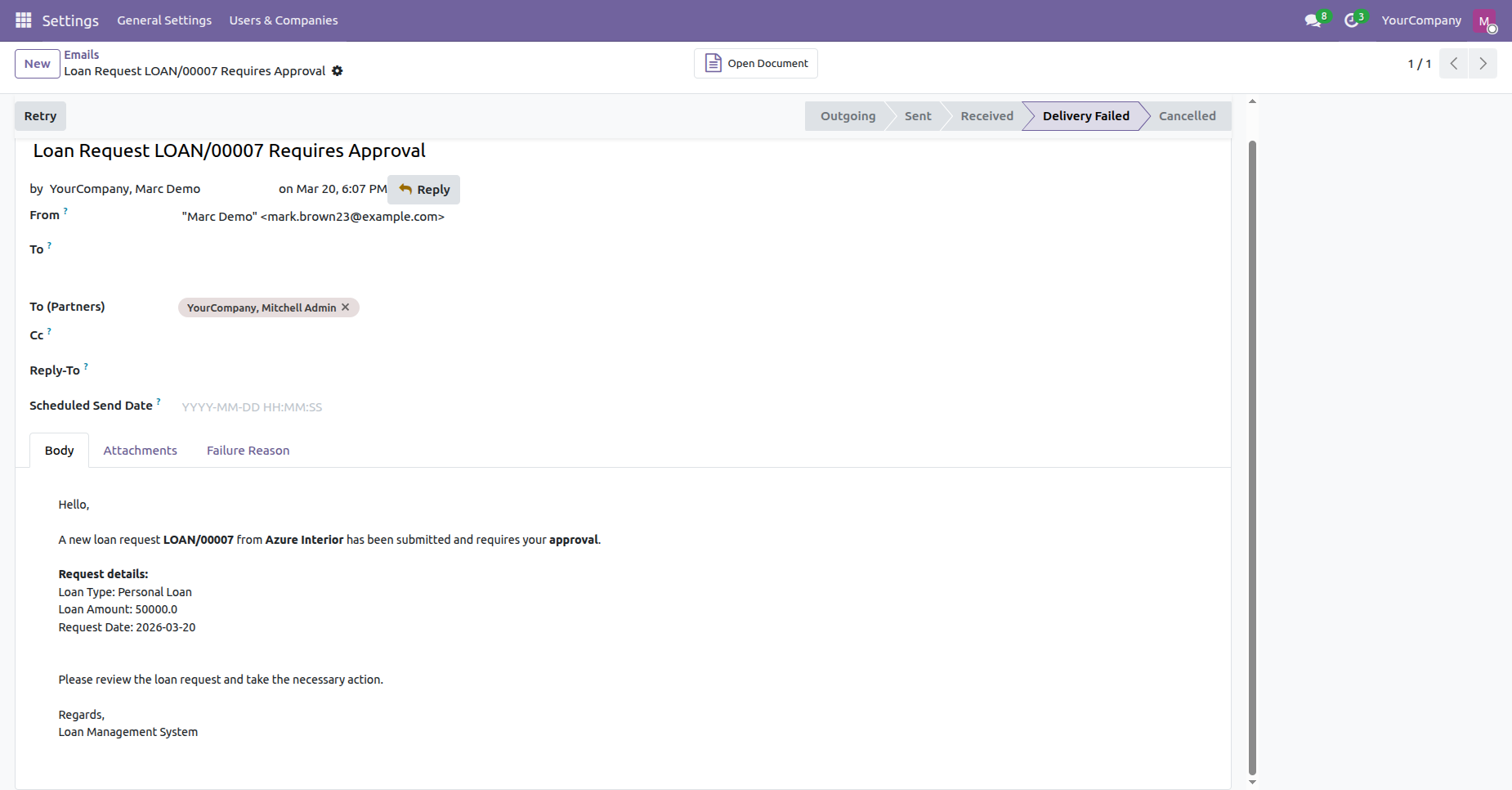
Inspect the automated email notification generated for managers requesting approval of the loan.
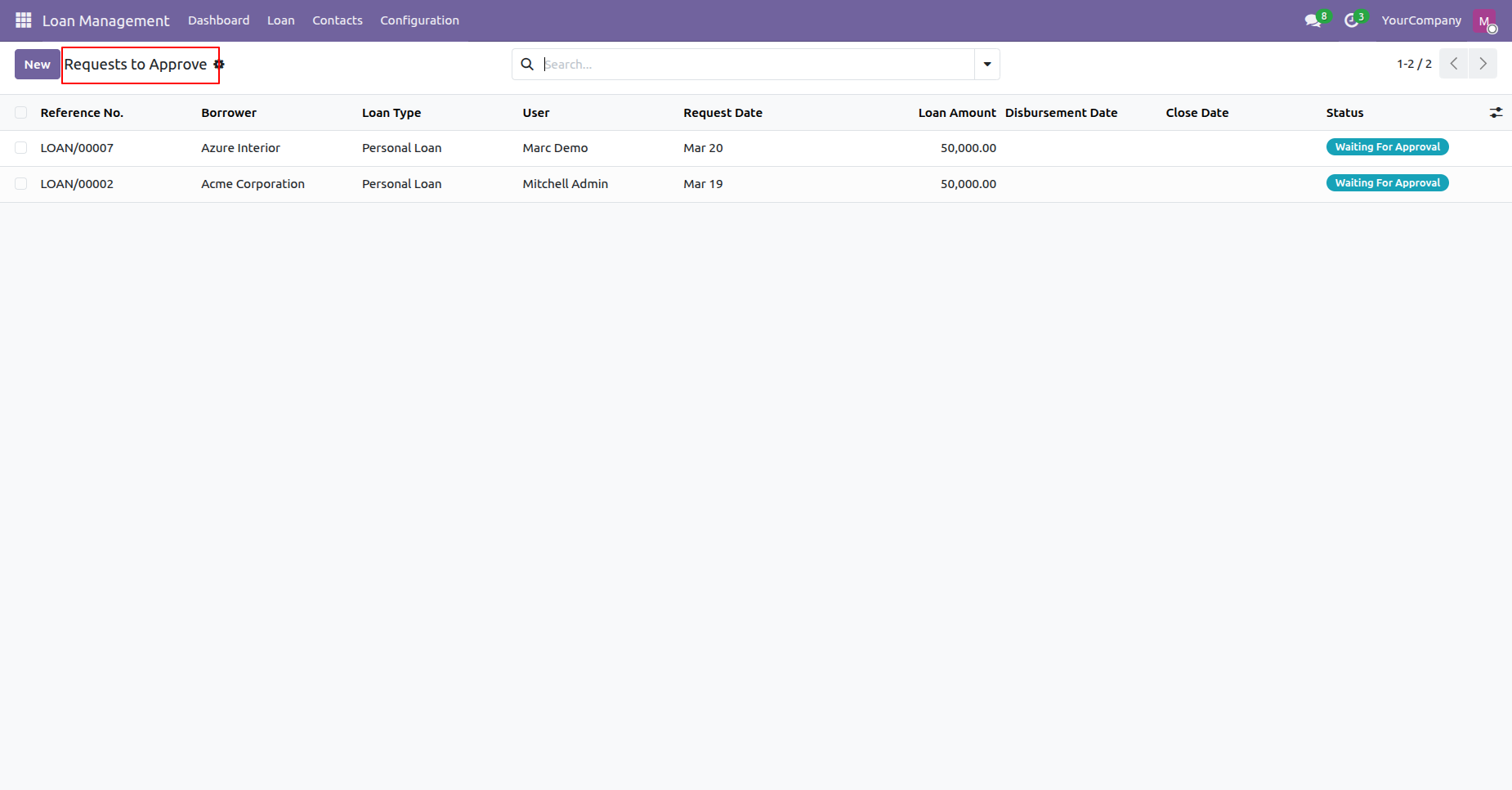
Access Requests to Approve menu under Loan to review all pending loan authorization requests.
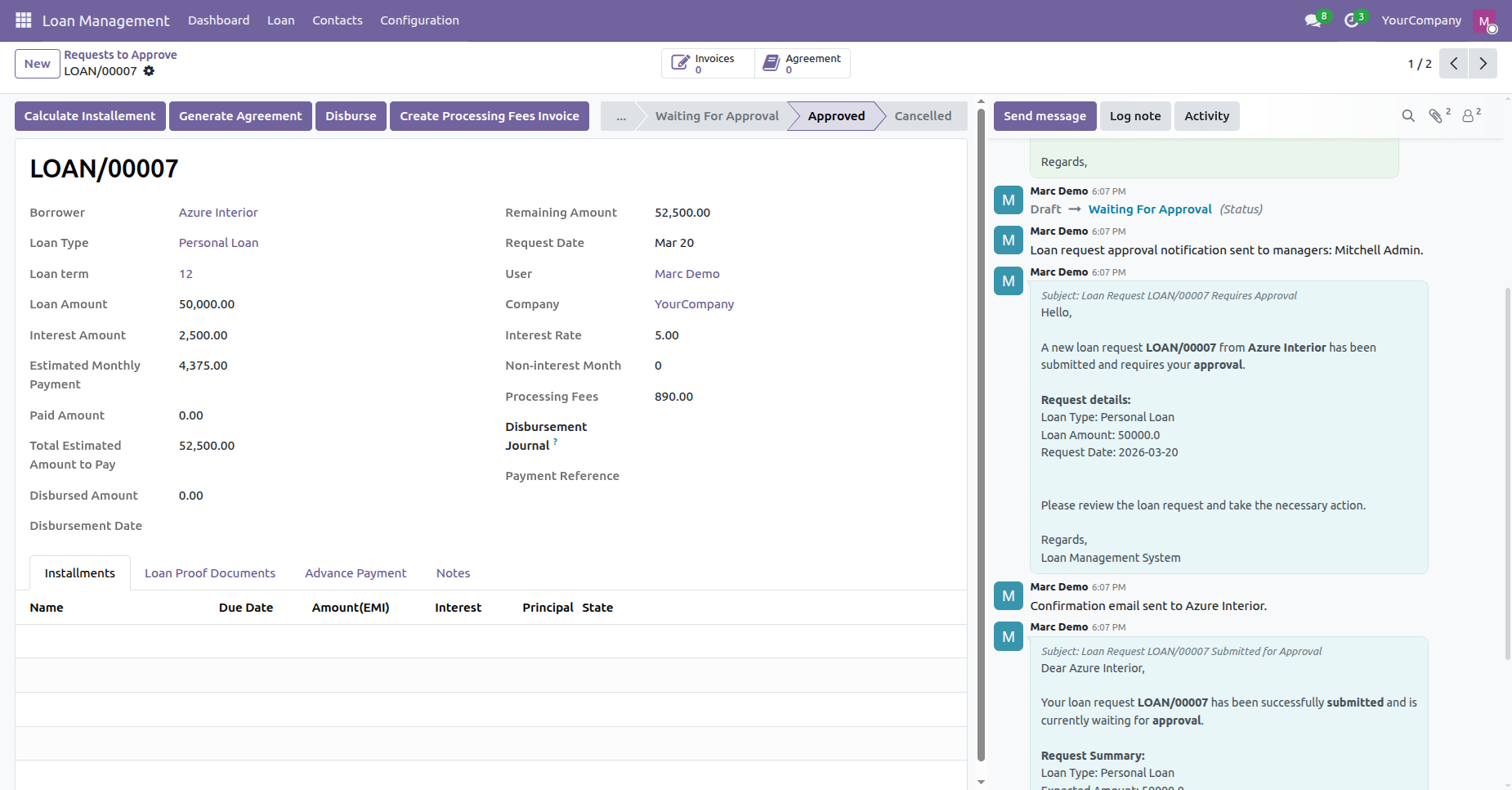
Review approved loan record details displaying available action buttons for subsequent processing steps.
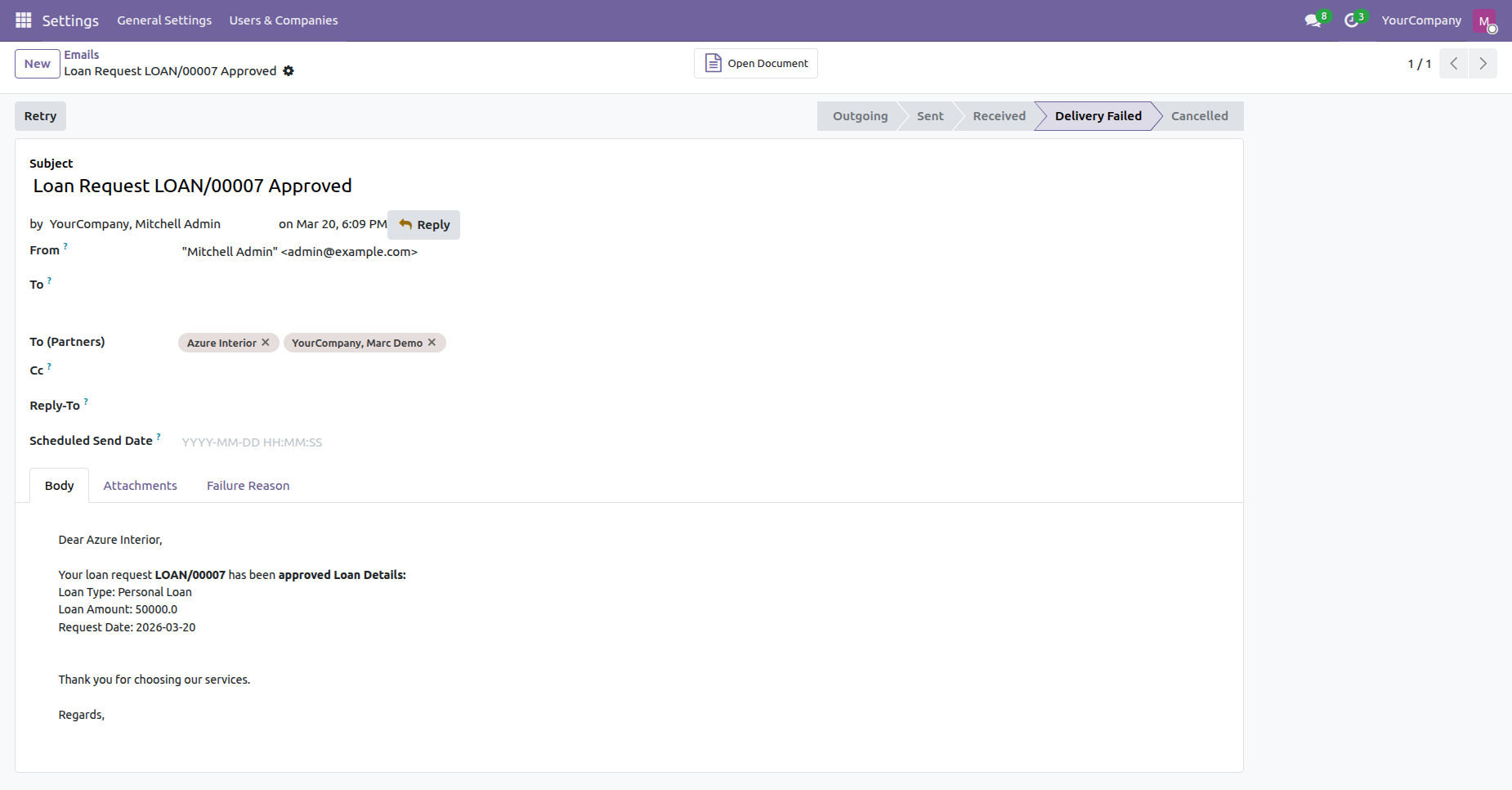
Verify the automated confirmation email dispatched to the borrower upon loan request approval.
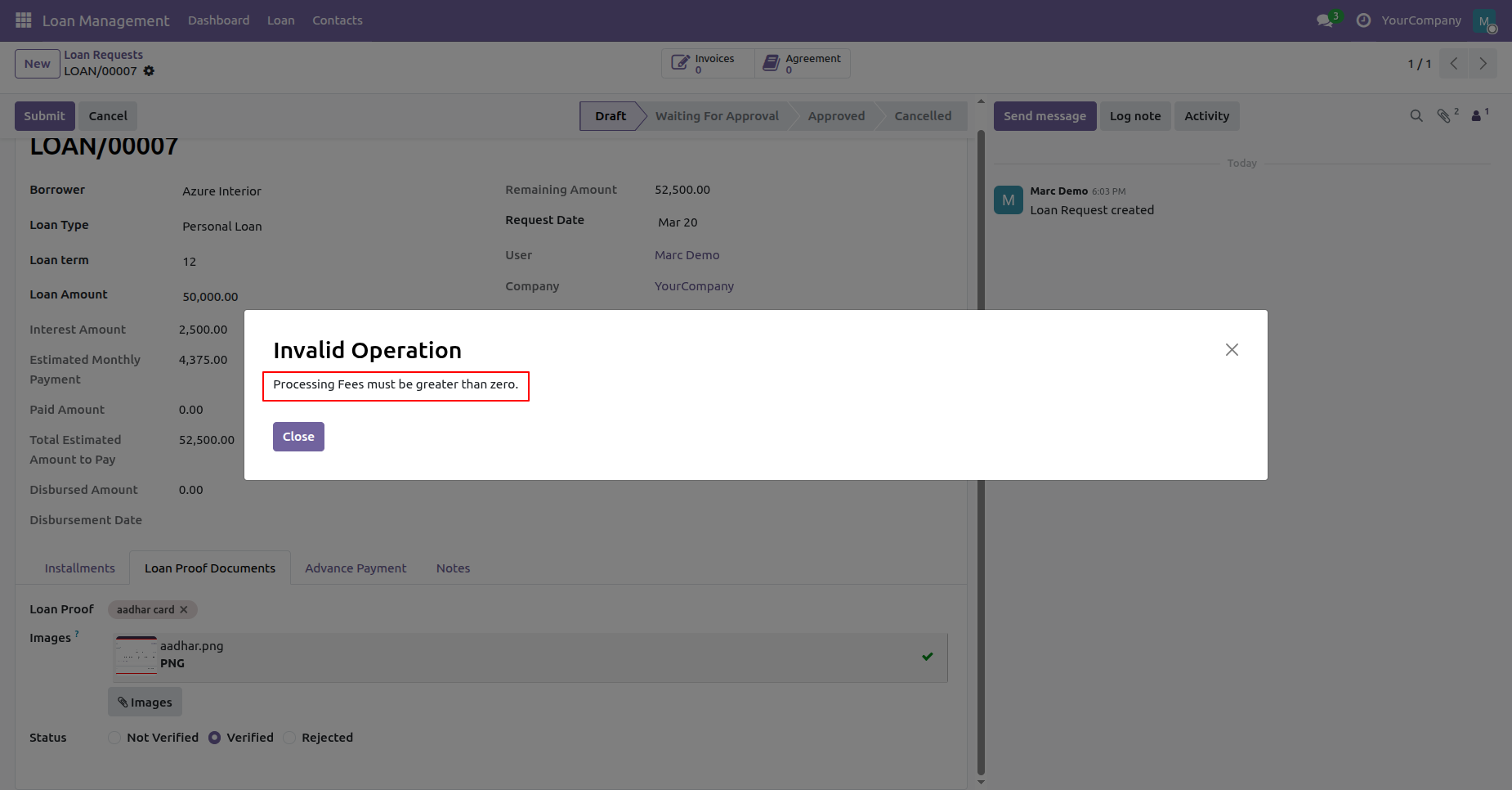
Check the validation prompt warning that processing fee values must be set before proceeding.
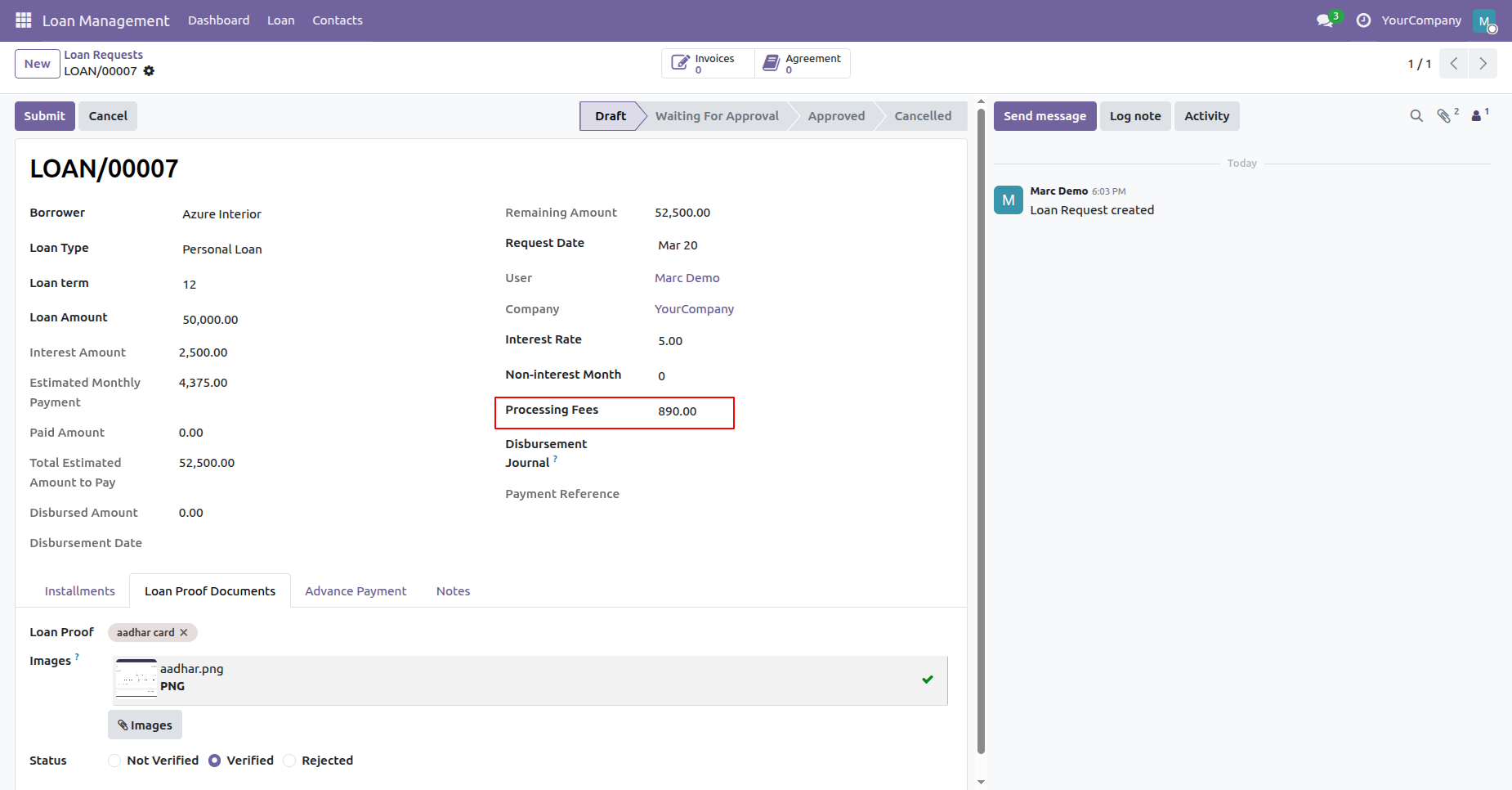
Enter the required processing fees amount in the loan request form before generating invoices.
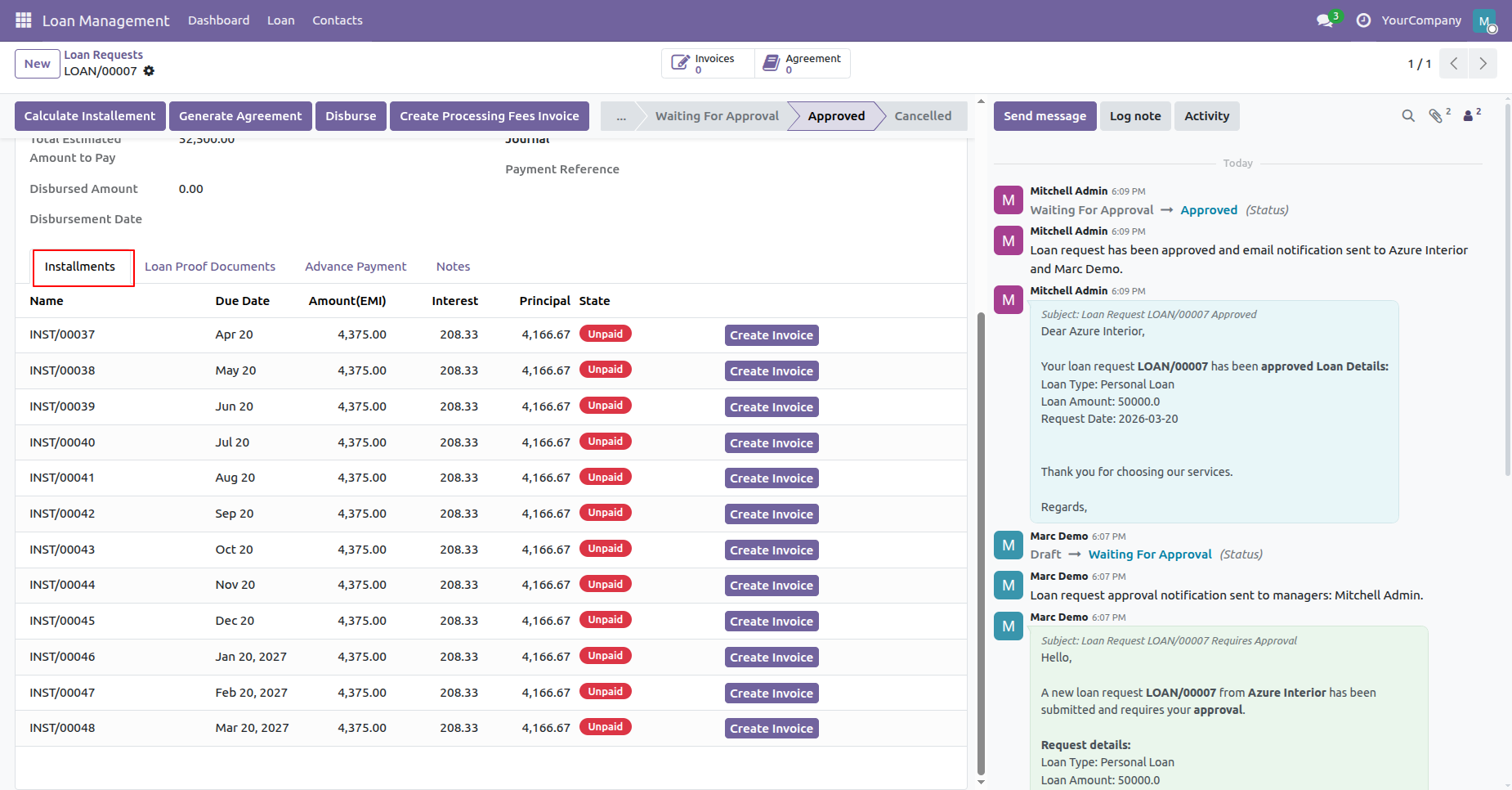
Open Installments tab to view calculated repayment schedules and individual installment invoice options.
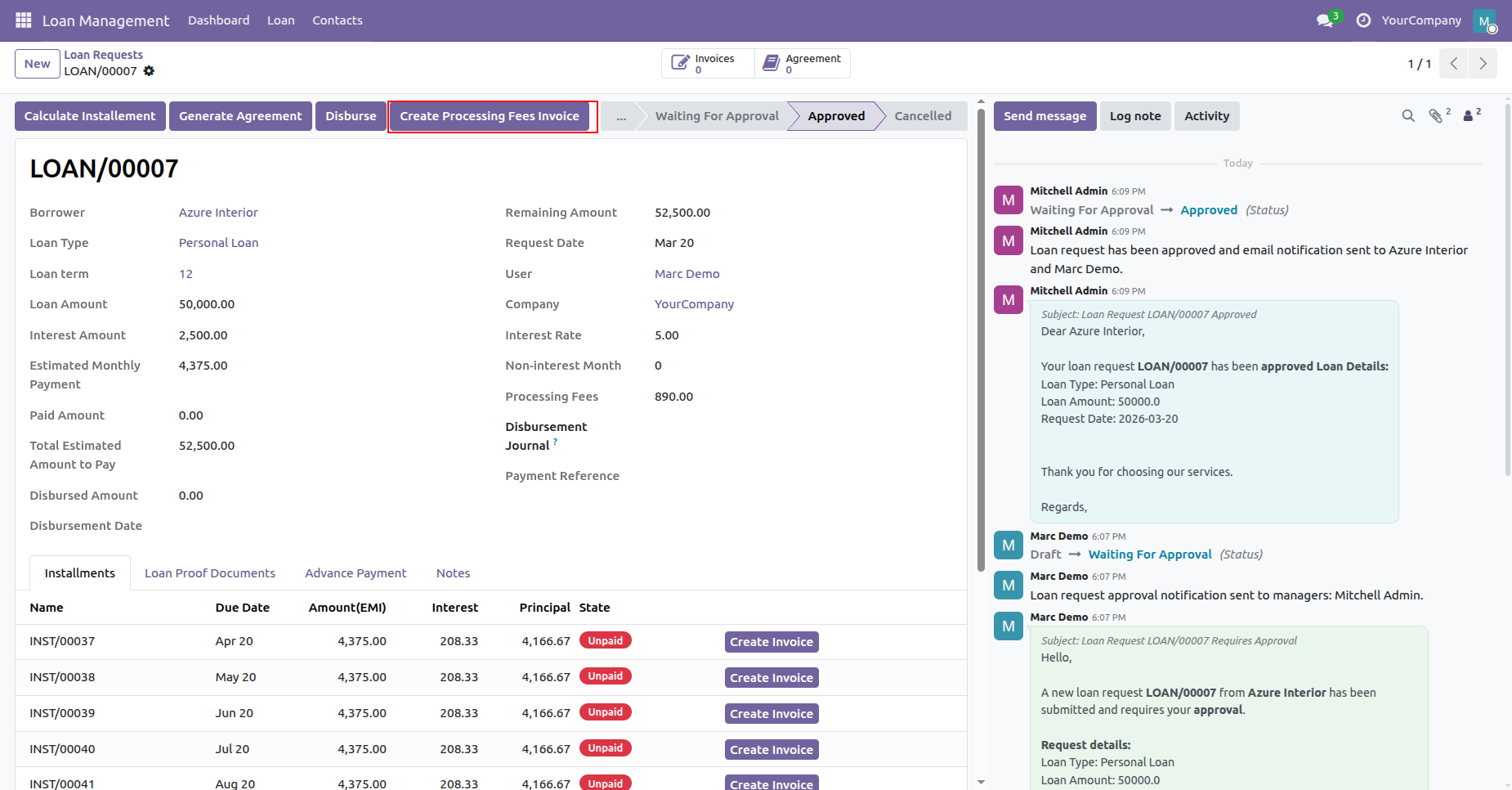
Click Create Processing Fees Invoice button to generate a customer invoice for processing charges.
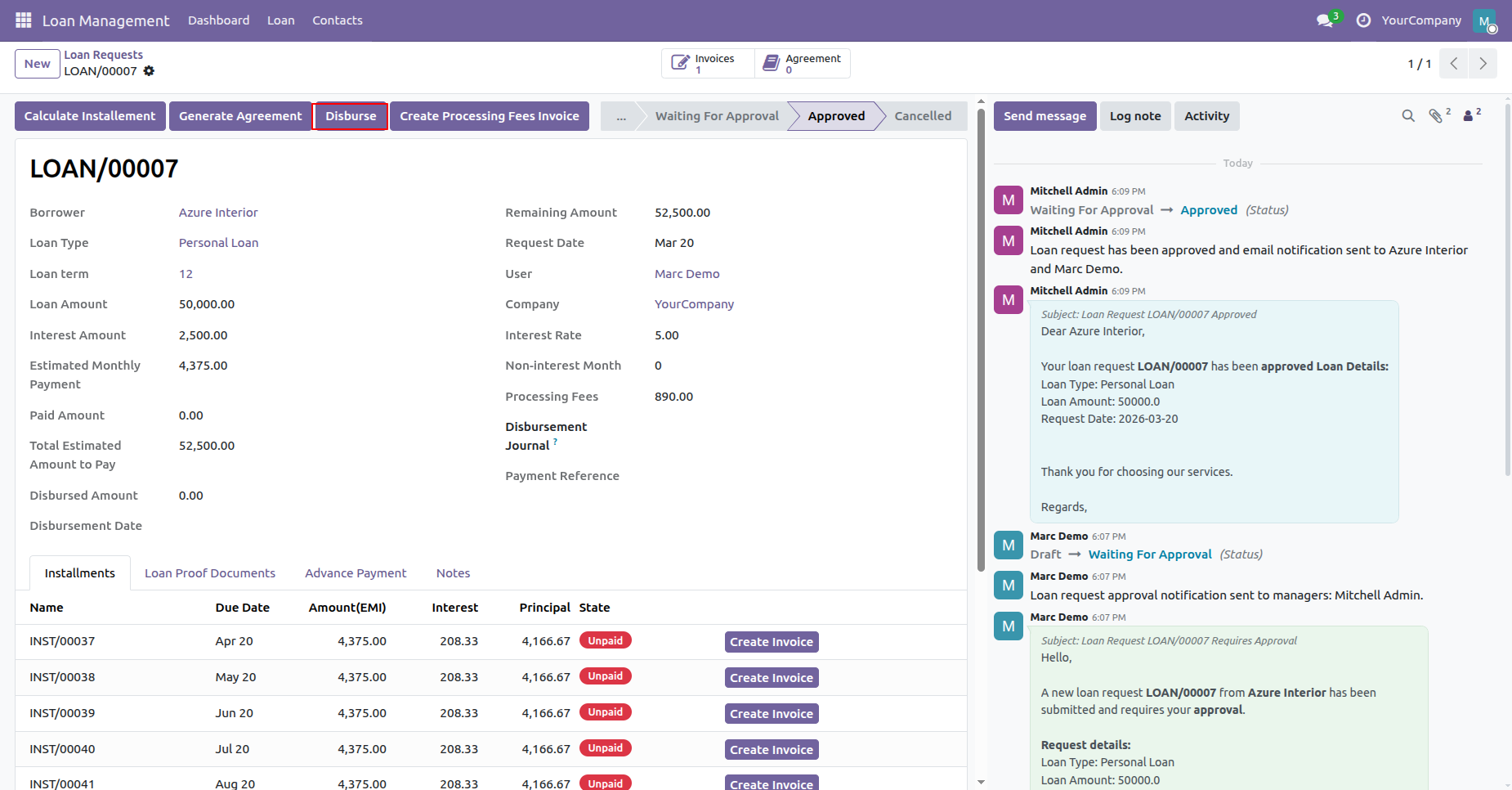
Click Disburse button to attempt releasing approved loan funds prior to contract generation.
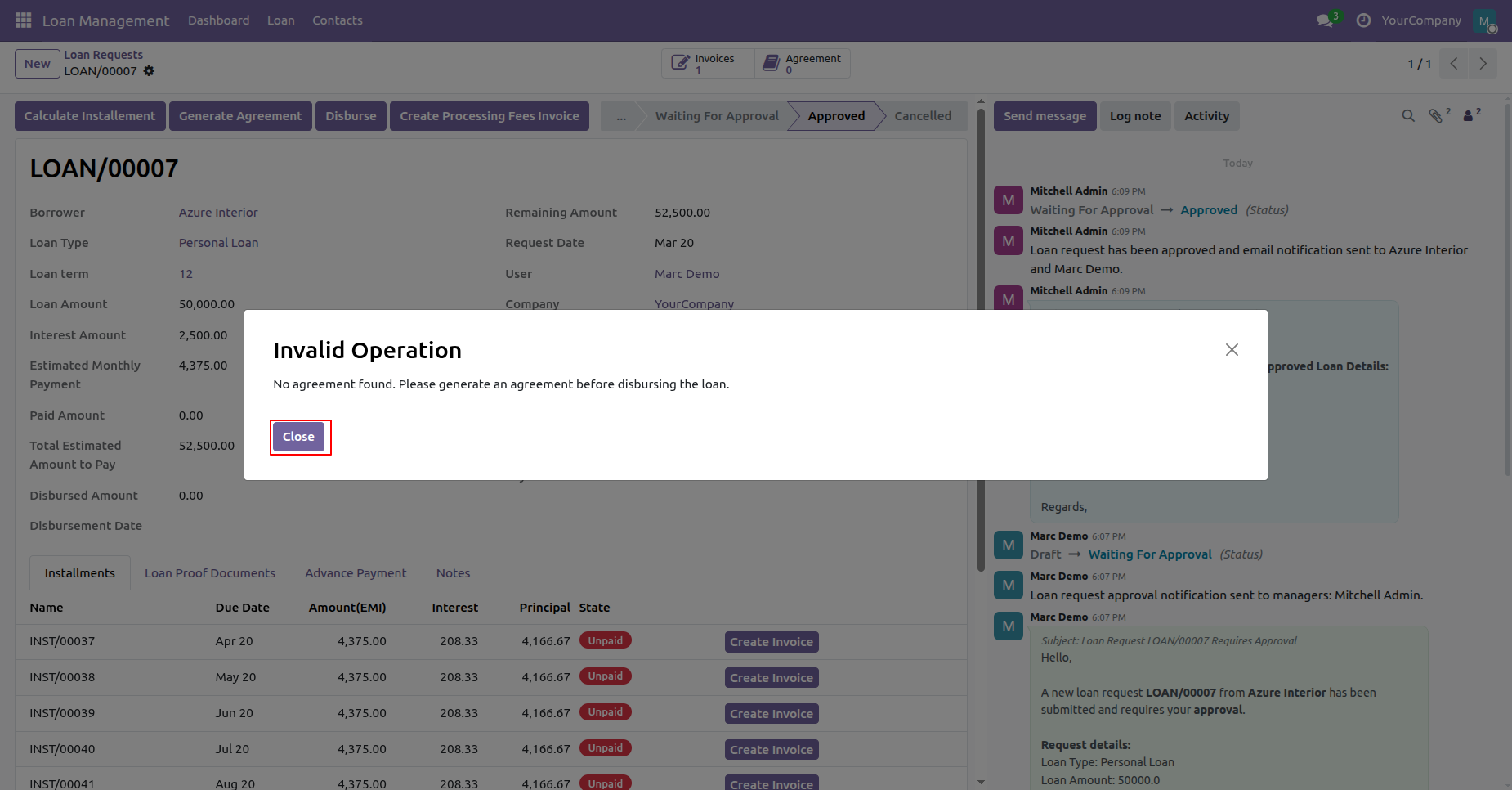
Review the validation error prompt requiring agreement generation before loan disbursement can proceed.
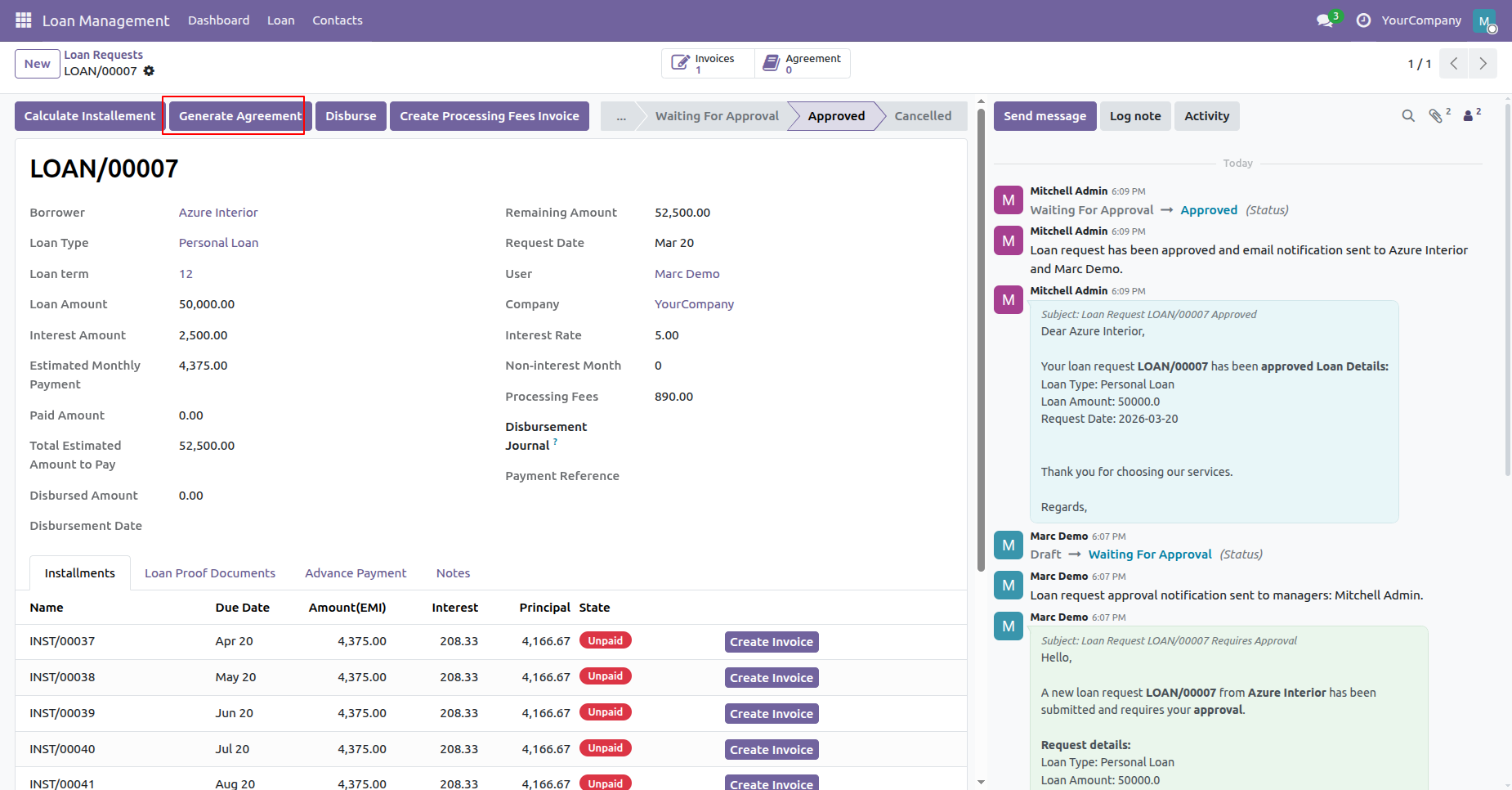
Click Generate Agreement button to create the formal legal loan contract document for signing.
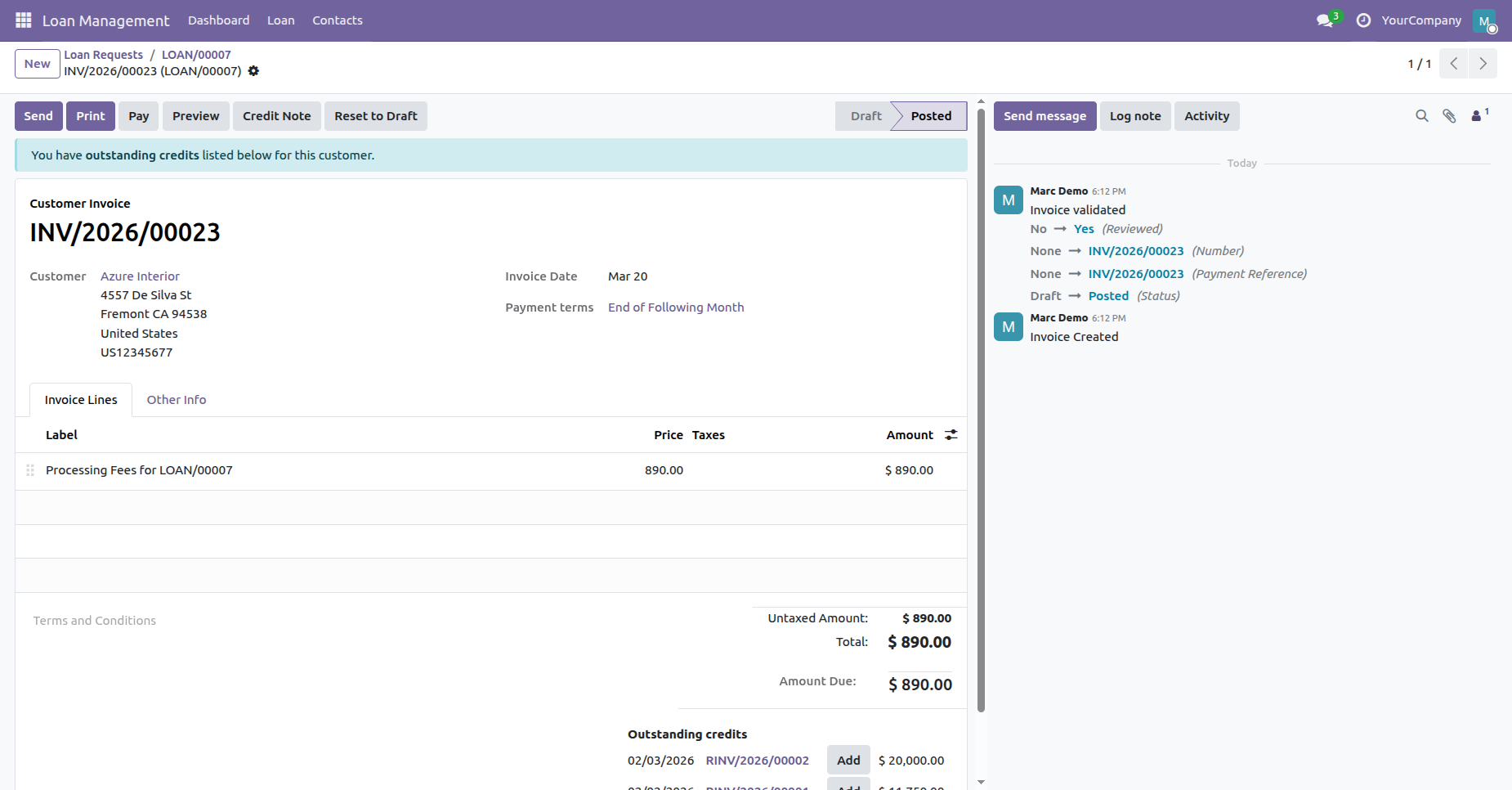
Review the posted customer invoice created for loan processing fees prior to fund release.
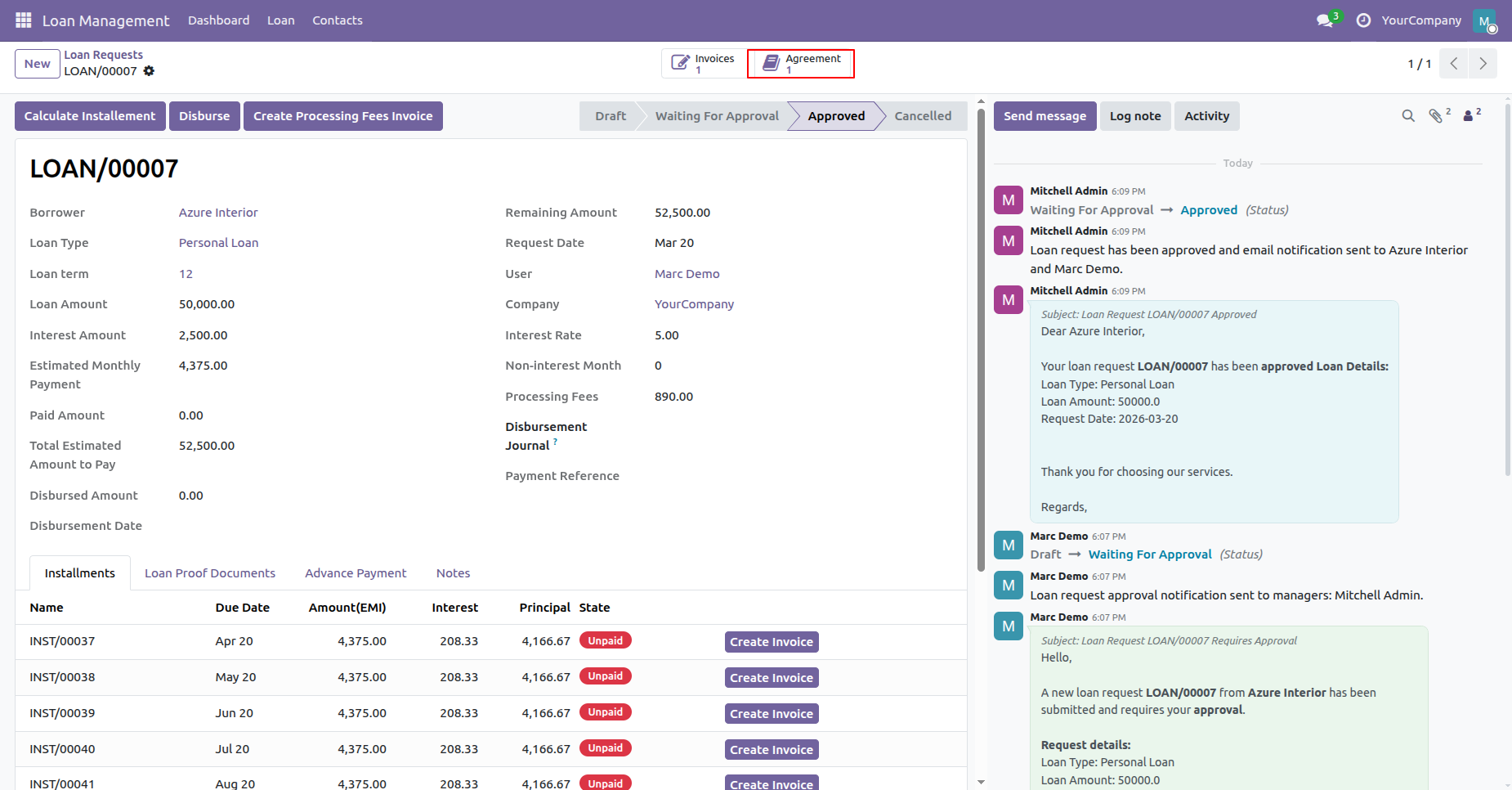
Click Agreement smart button on the loan record to access generated contract files.
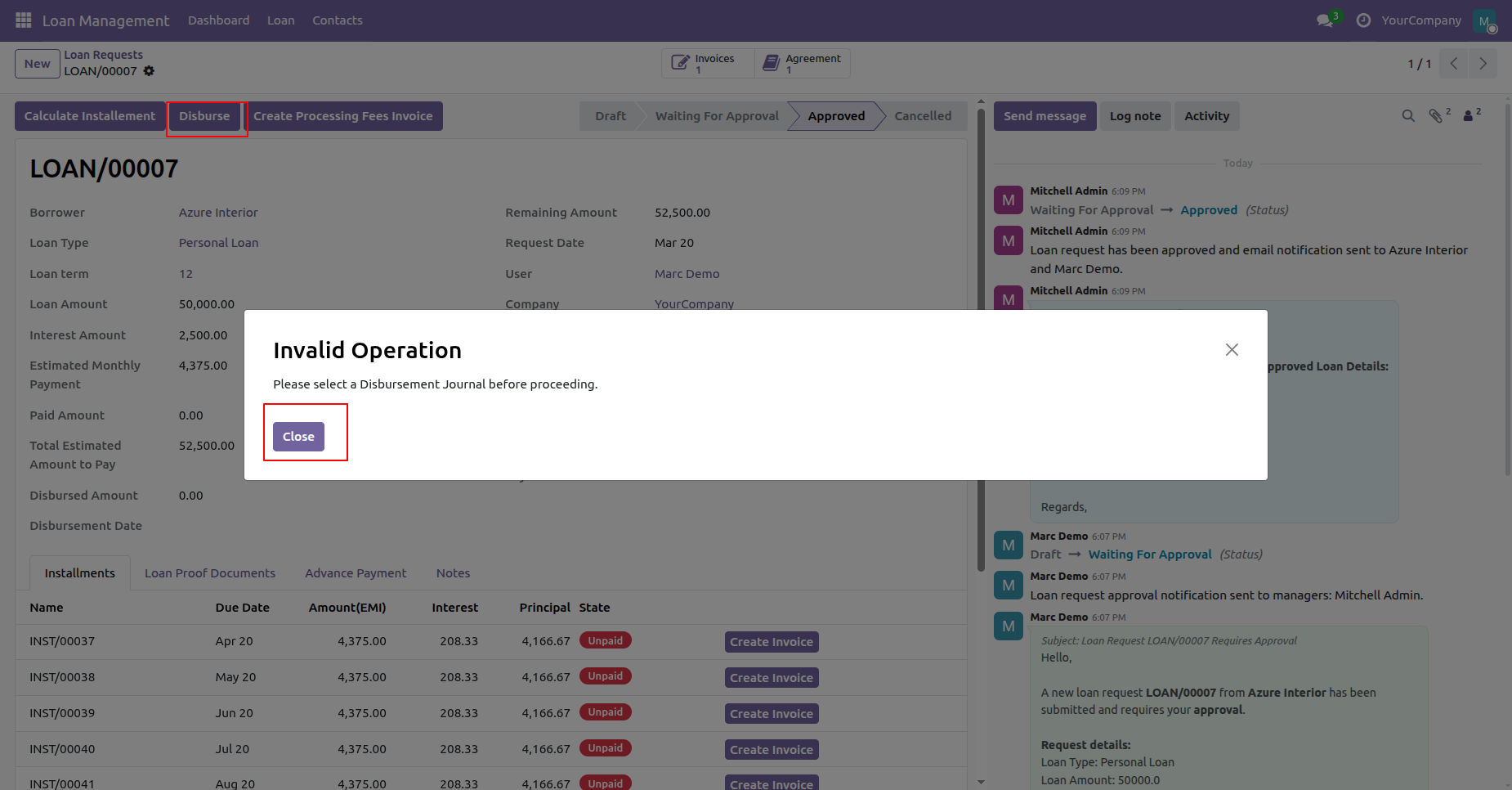
Review the validation message requiring a disbursement journal selection prior to releasing funds.
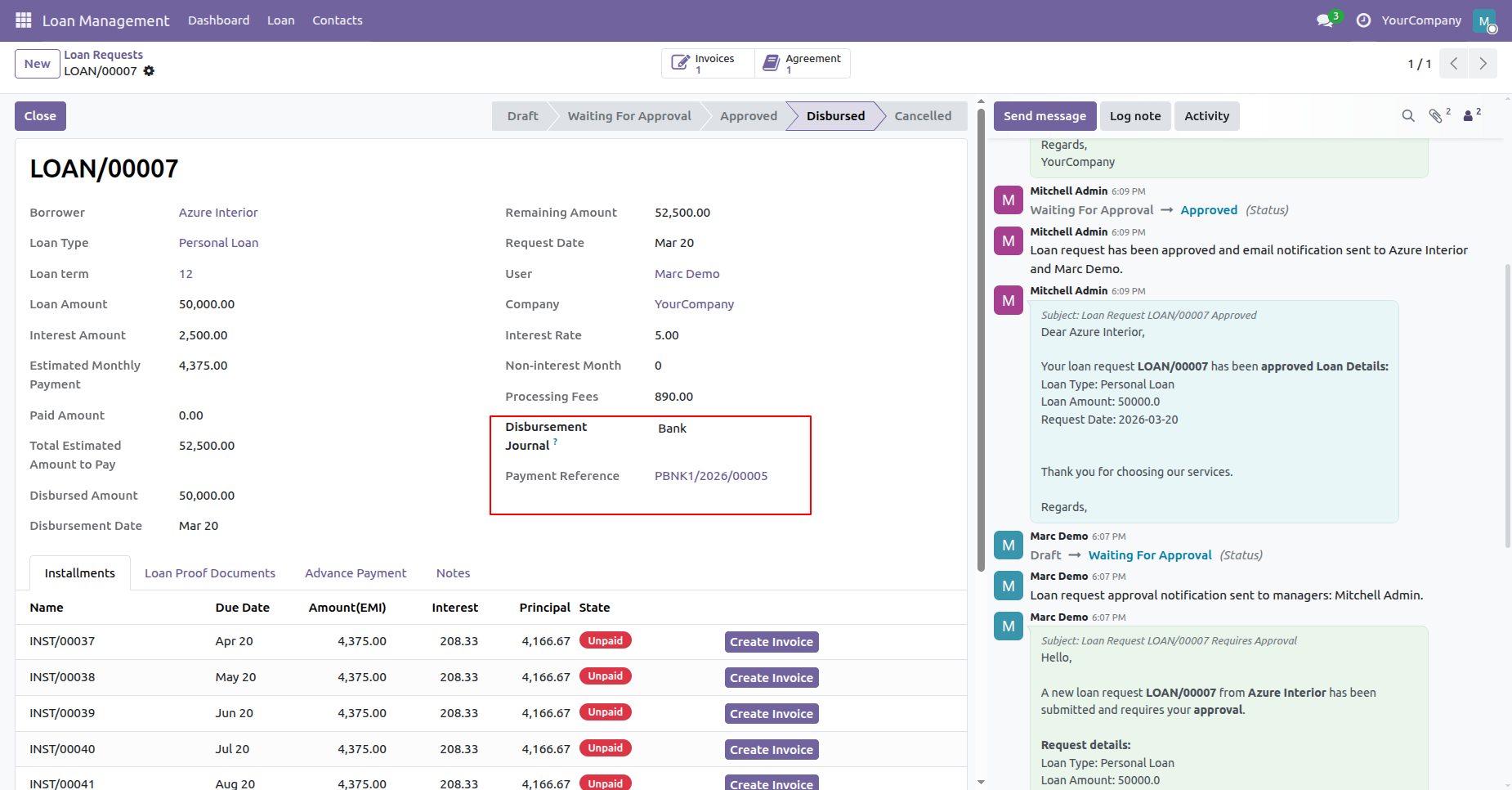
Select the payment journal and view the generated payment reference after disbursing loan funds.
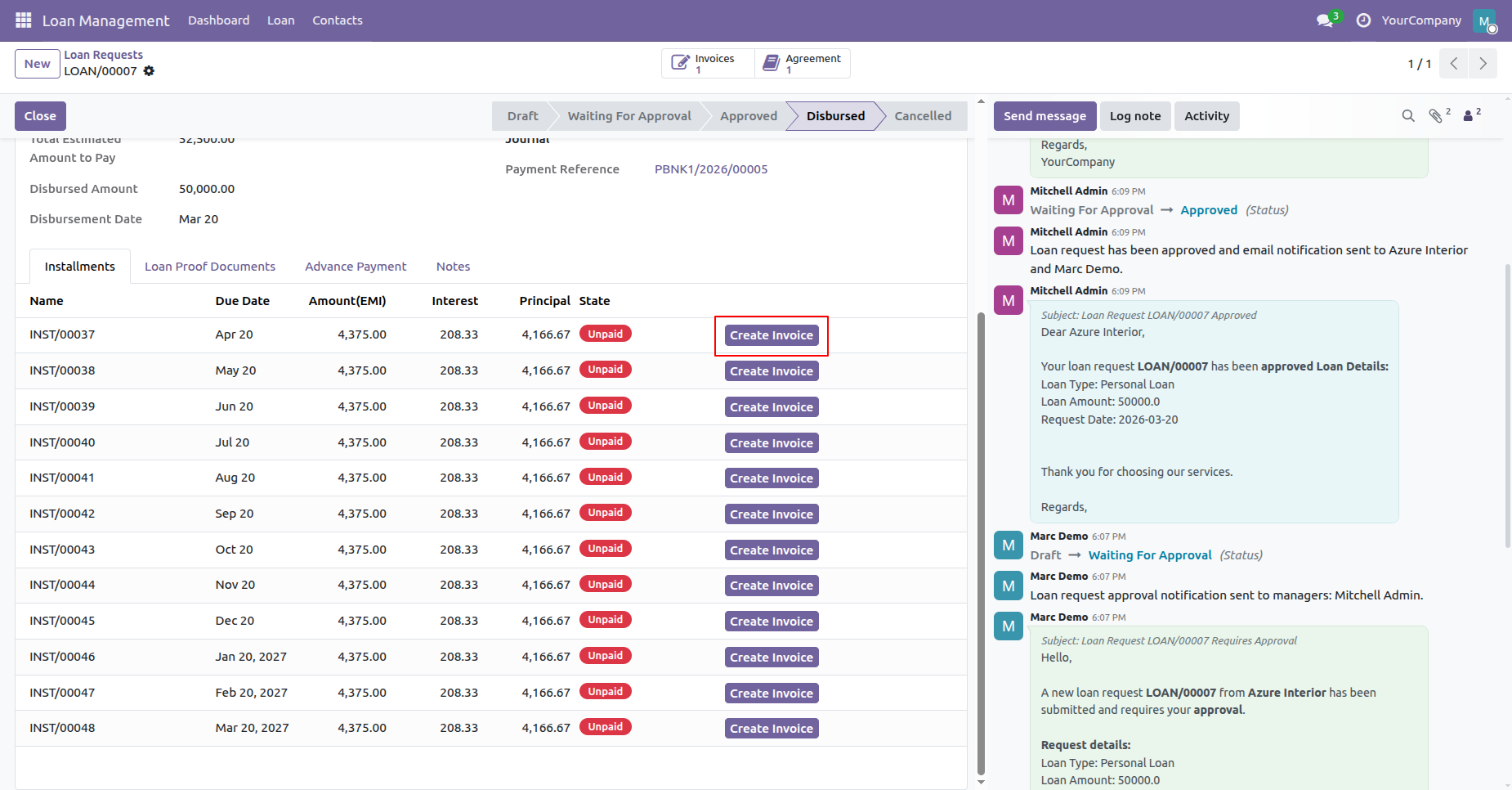
Click Create Invoice button on an installment line to issue a repayment invoice.
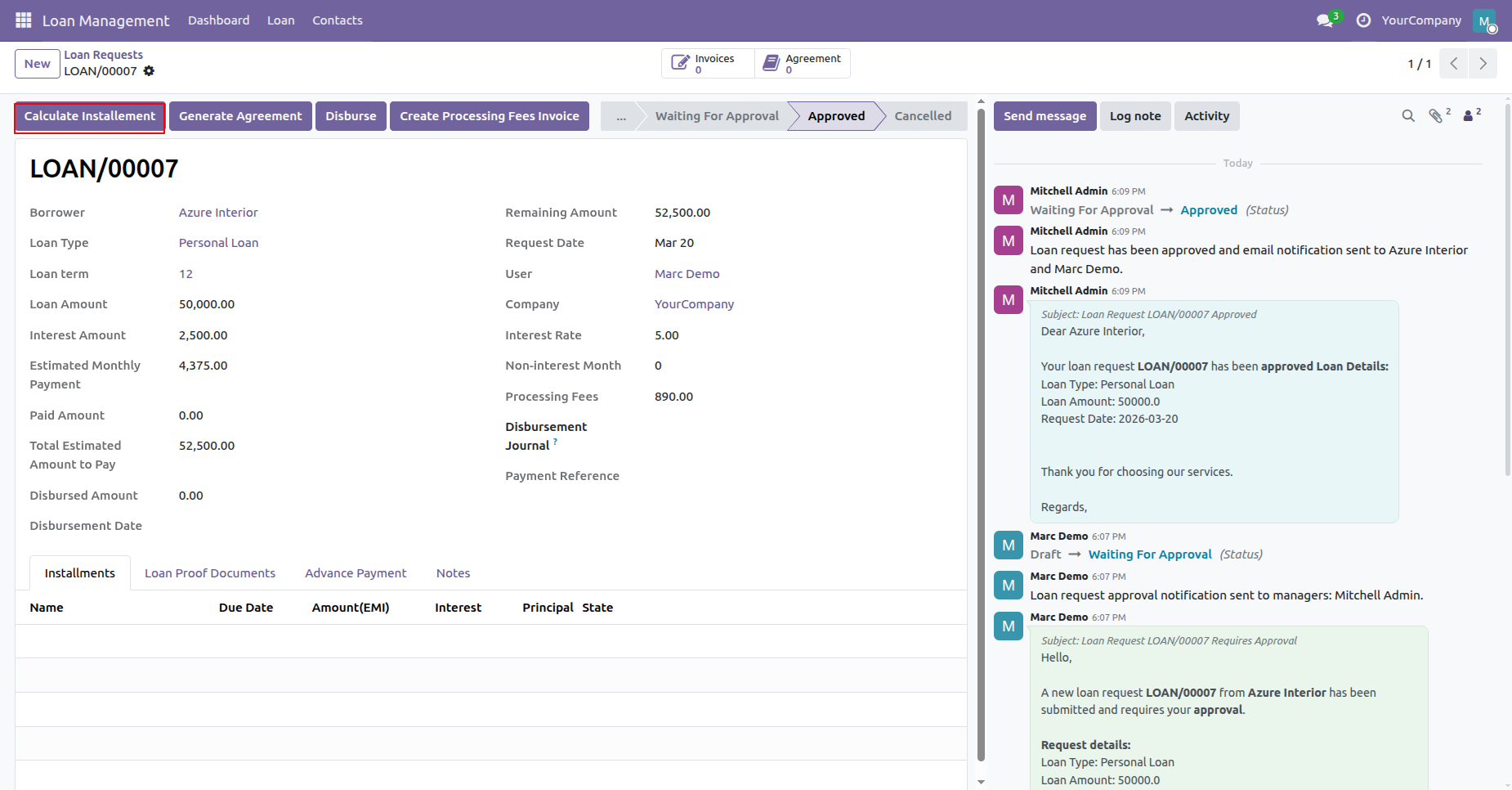
Click Calculate Installment button to generate detailed repayment schedule lines for approved loans.
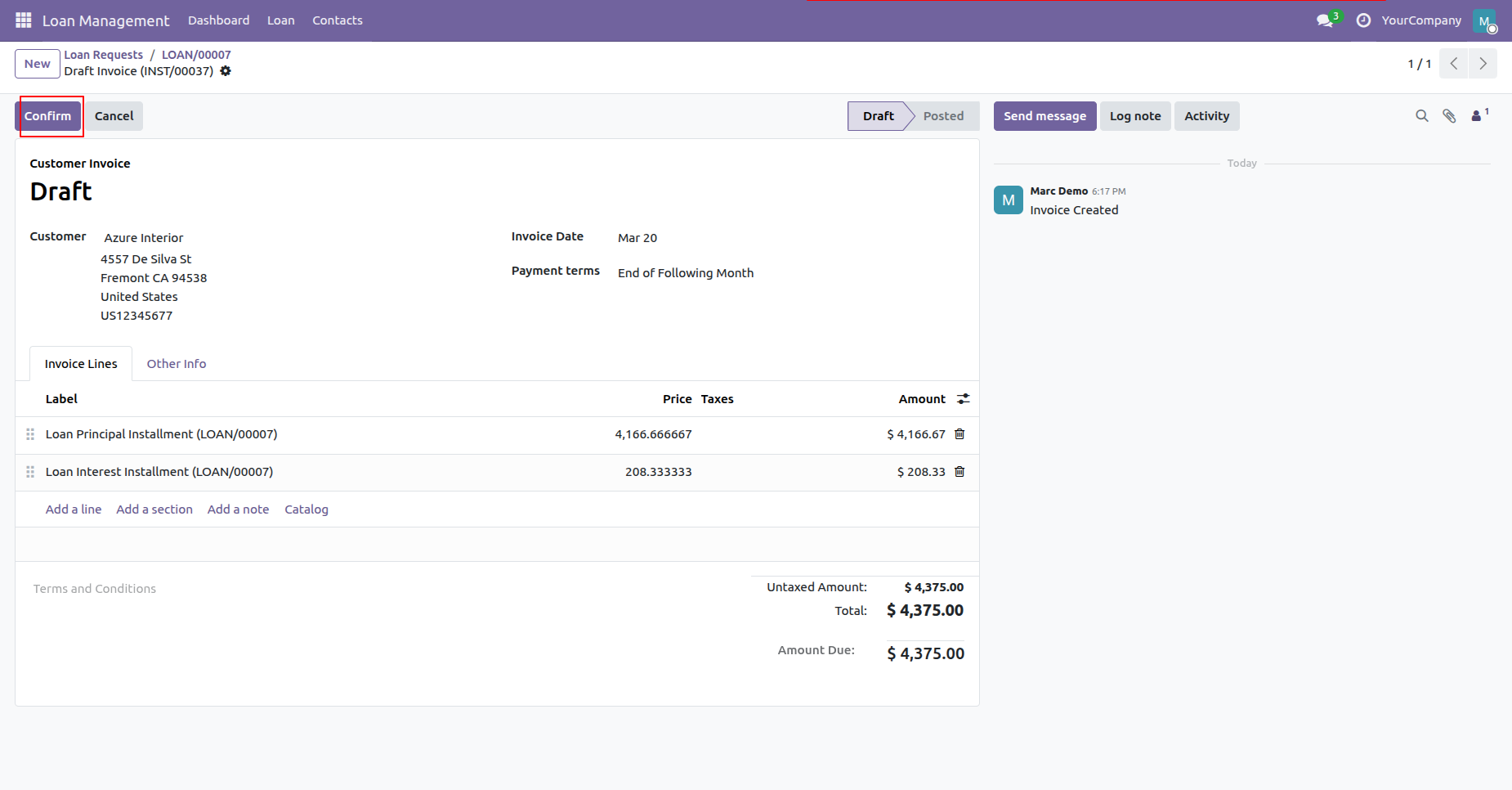
Click Confirm button to validate the draft customer invoice created for loan installment.
Inspect posted customer invoice marked with Paid ribbon upon receiving borrower installment payment.
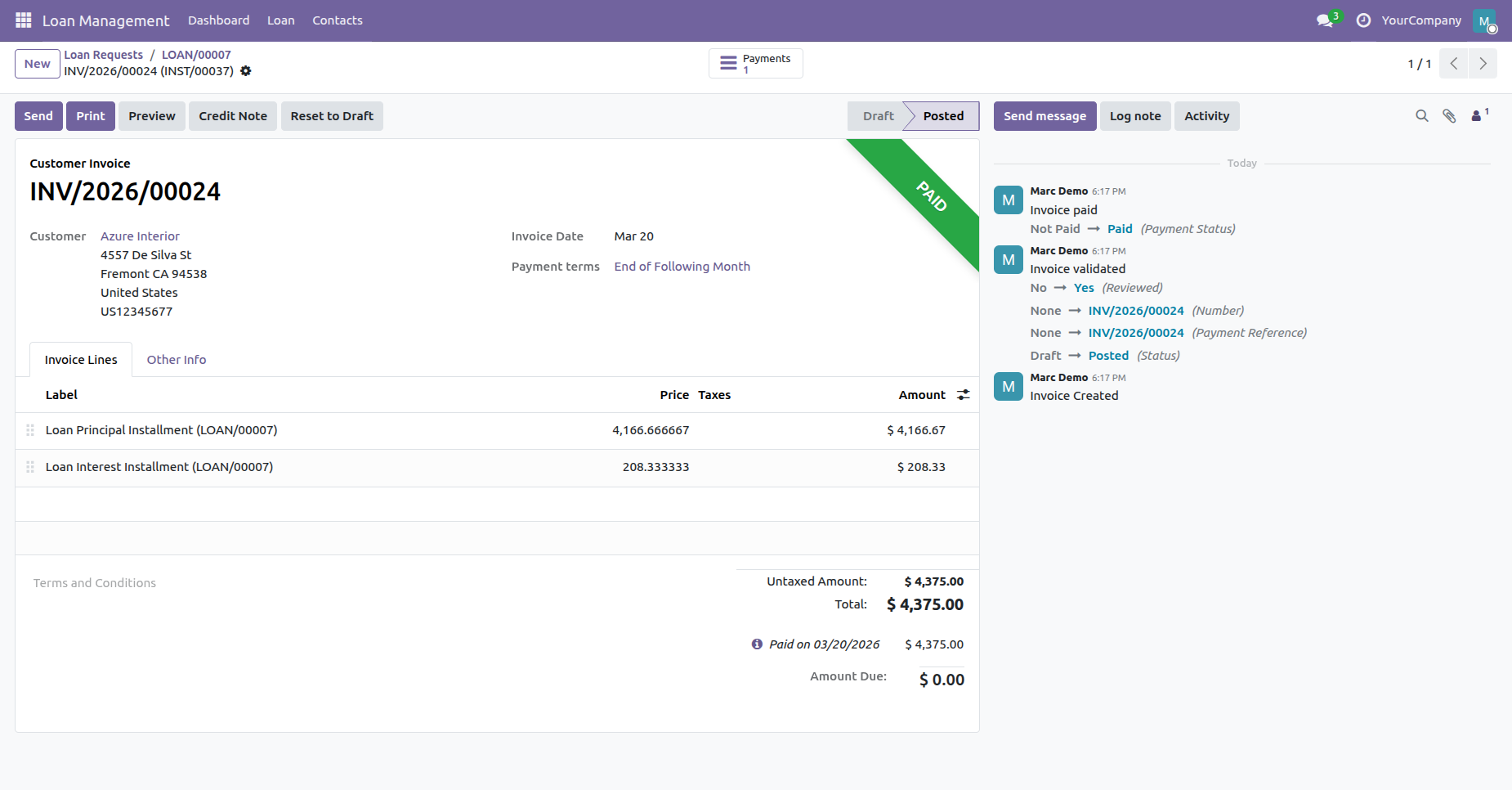
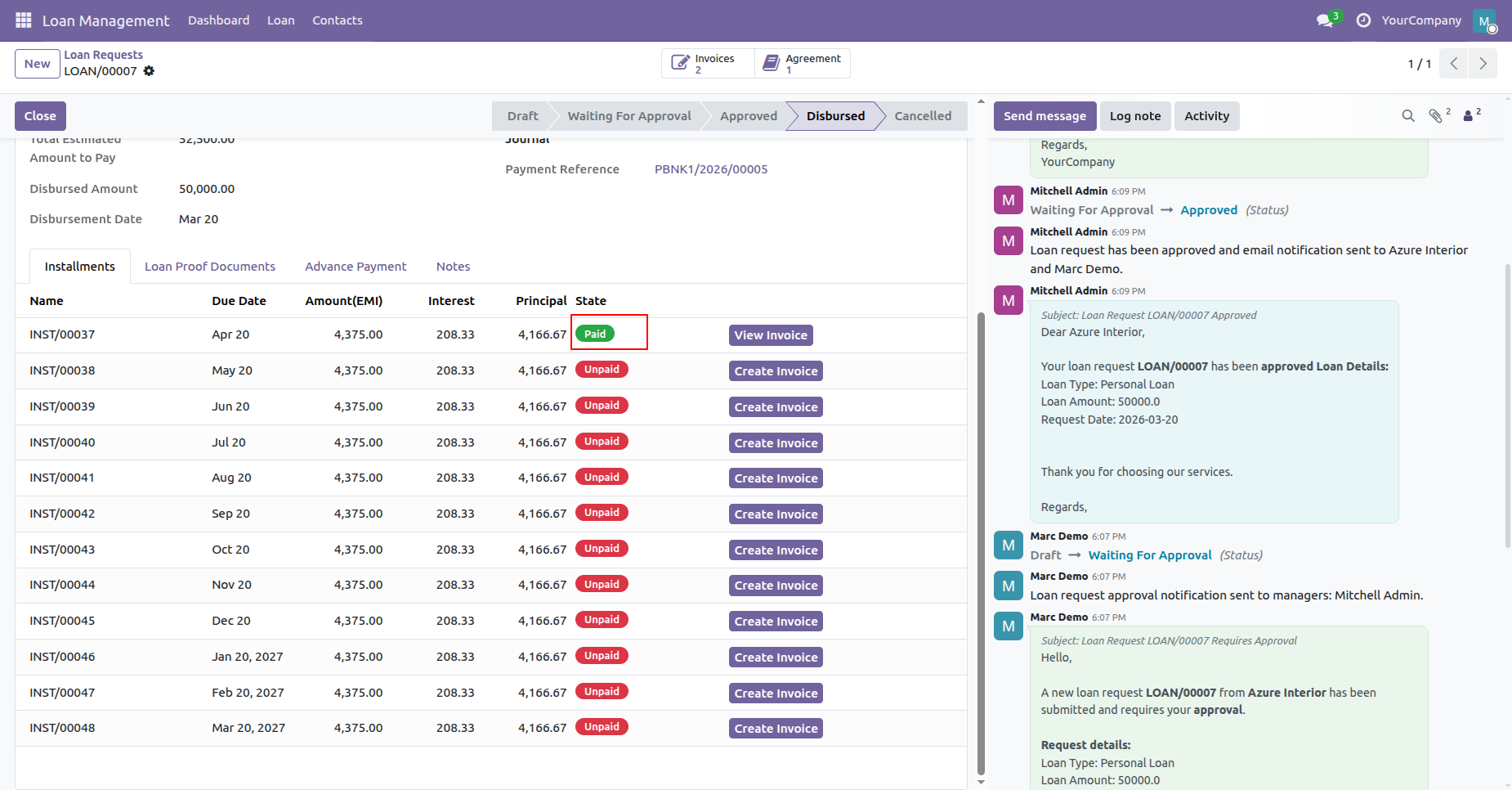
Verify updated Paid status badge and click View Invoice button on completed installment lines.
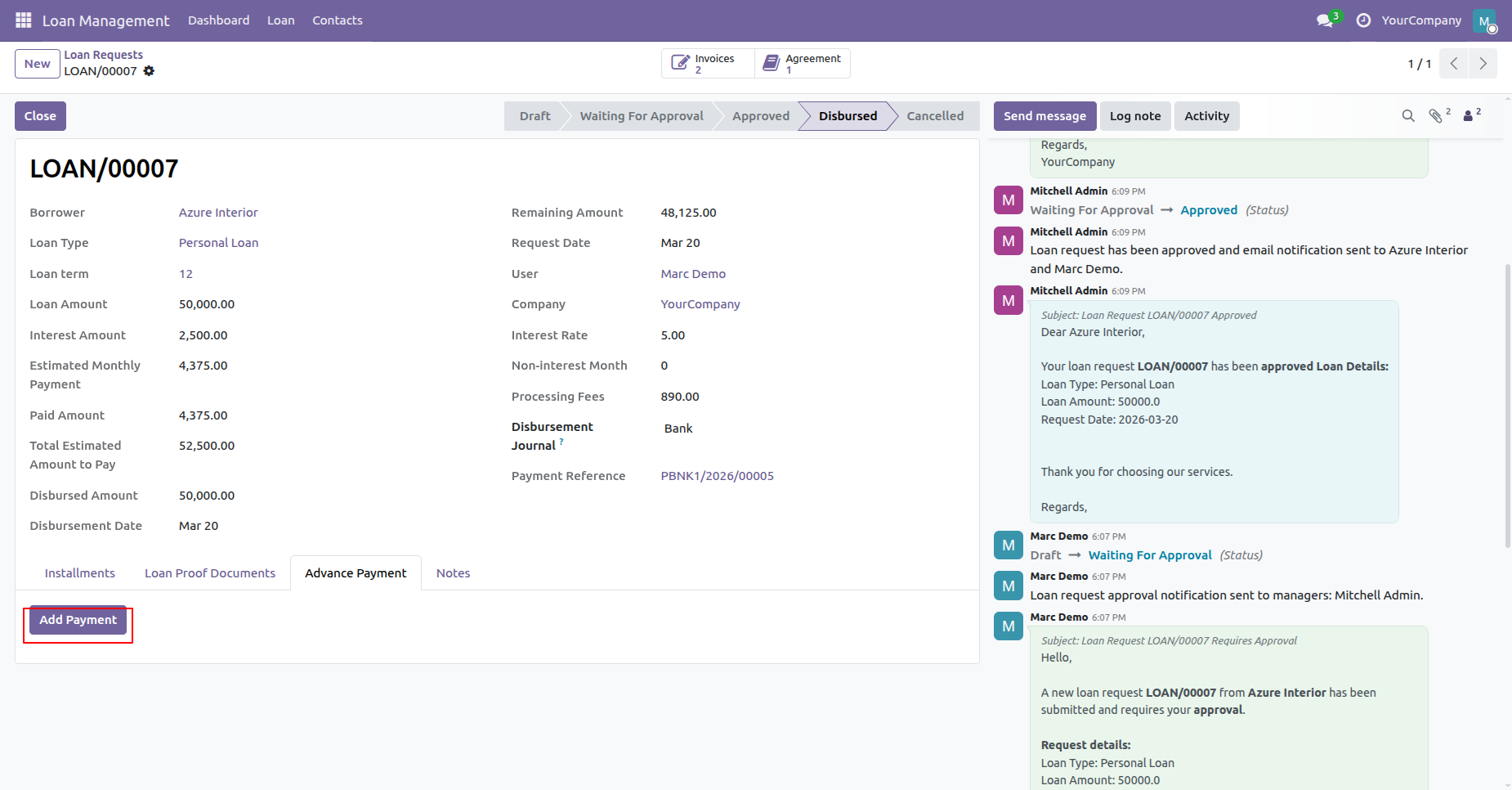
Click Add Payment button in Advance Payment tab to initiate early loan repayment transactions.
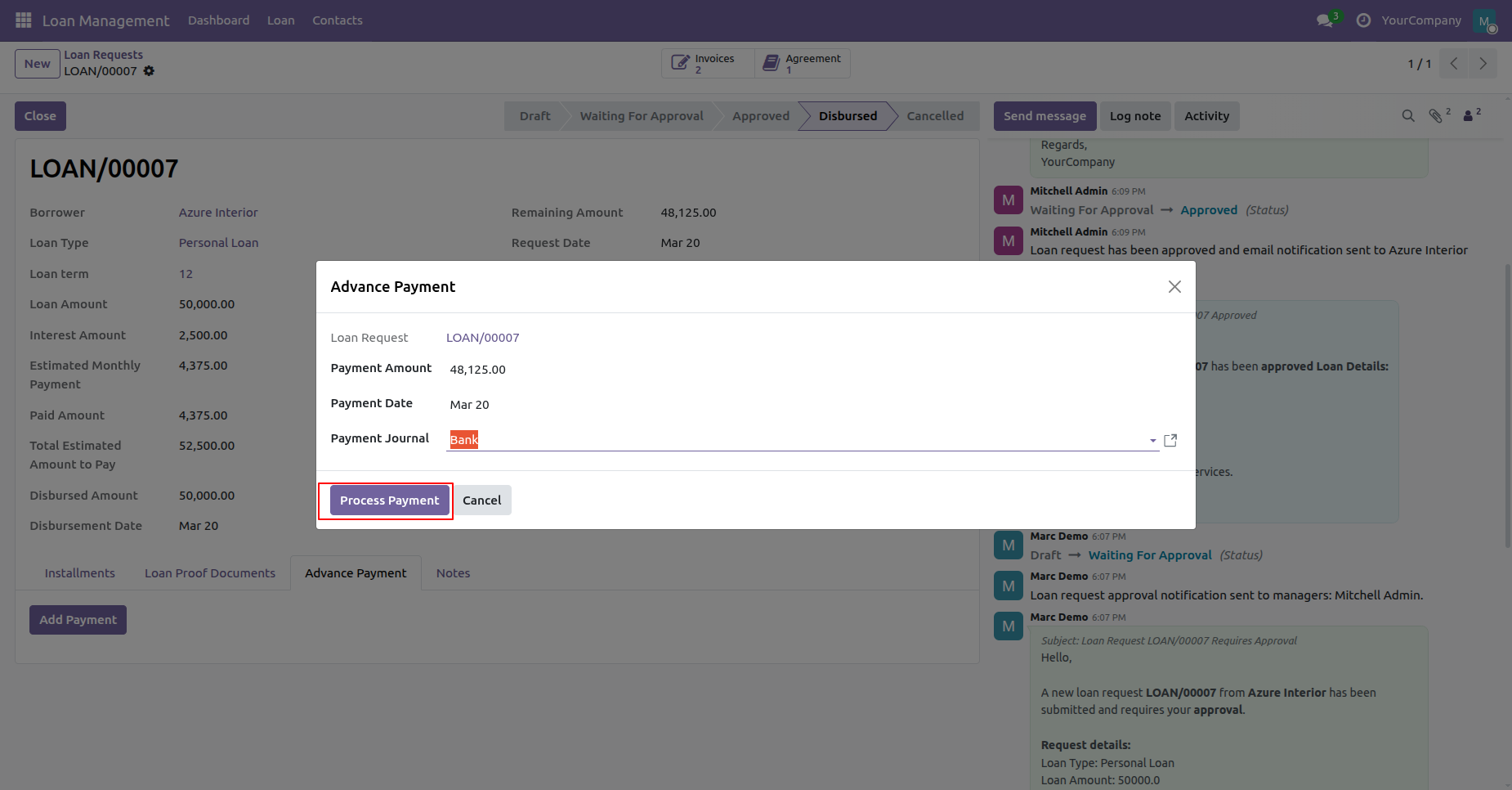
Fill advance repayment details, select payment journal, and click Process Payment to record transaction.
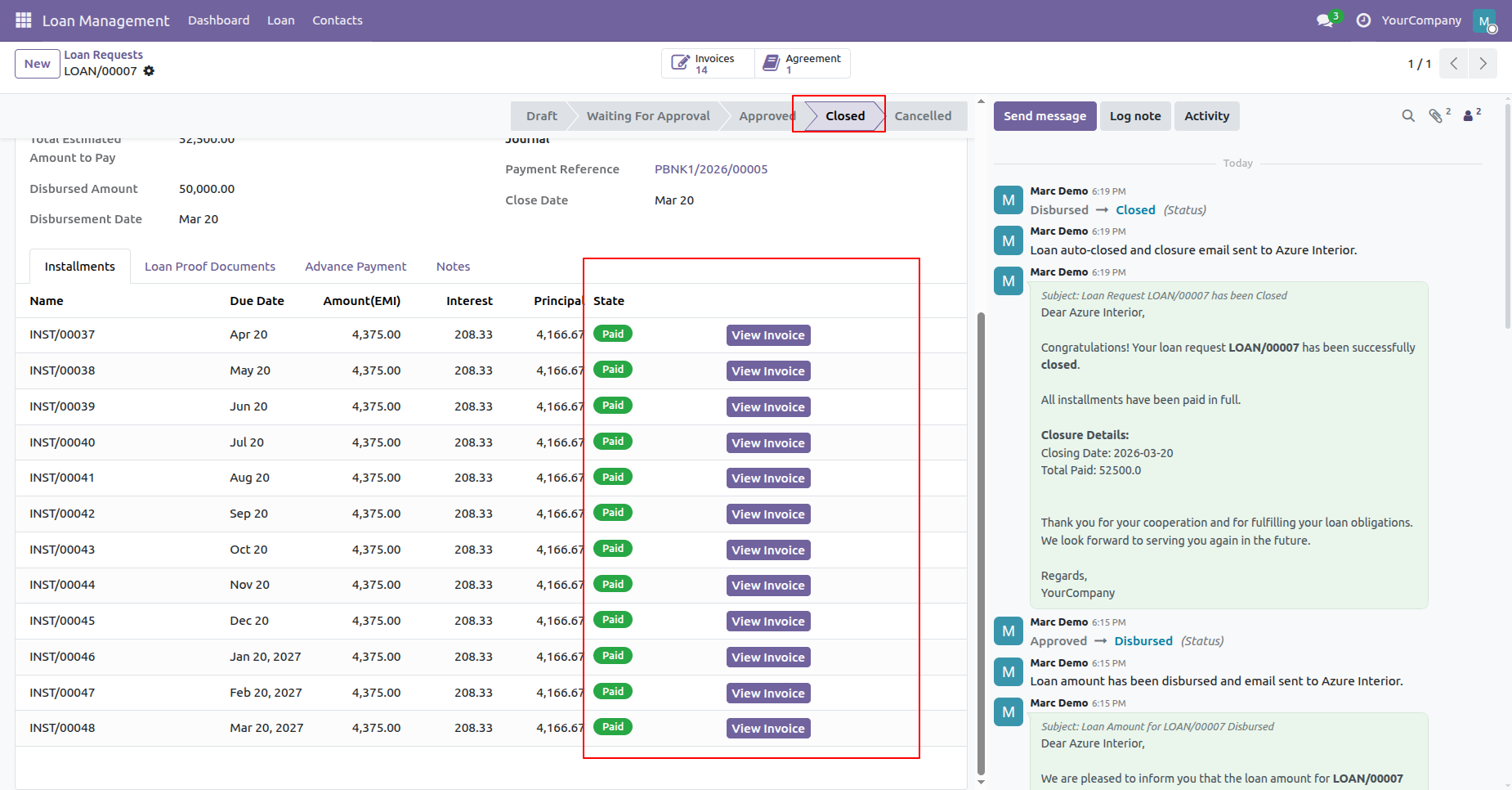
Verify loan status updated to Closed when all scheduled installment lines reach Paid state.
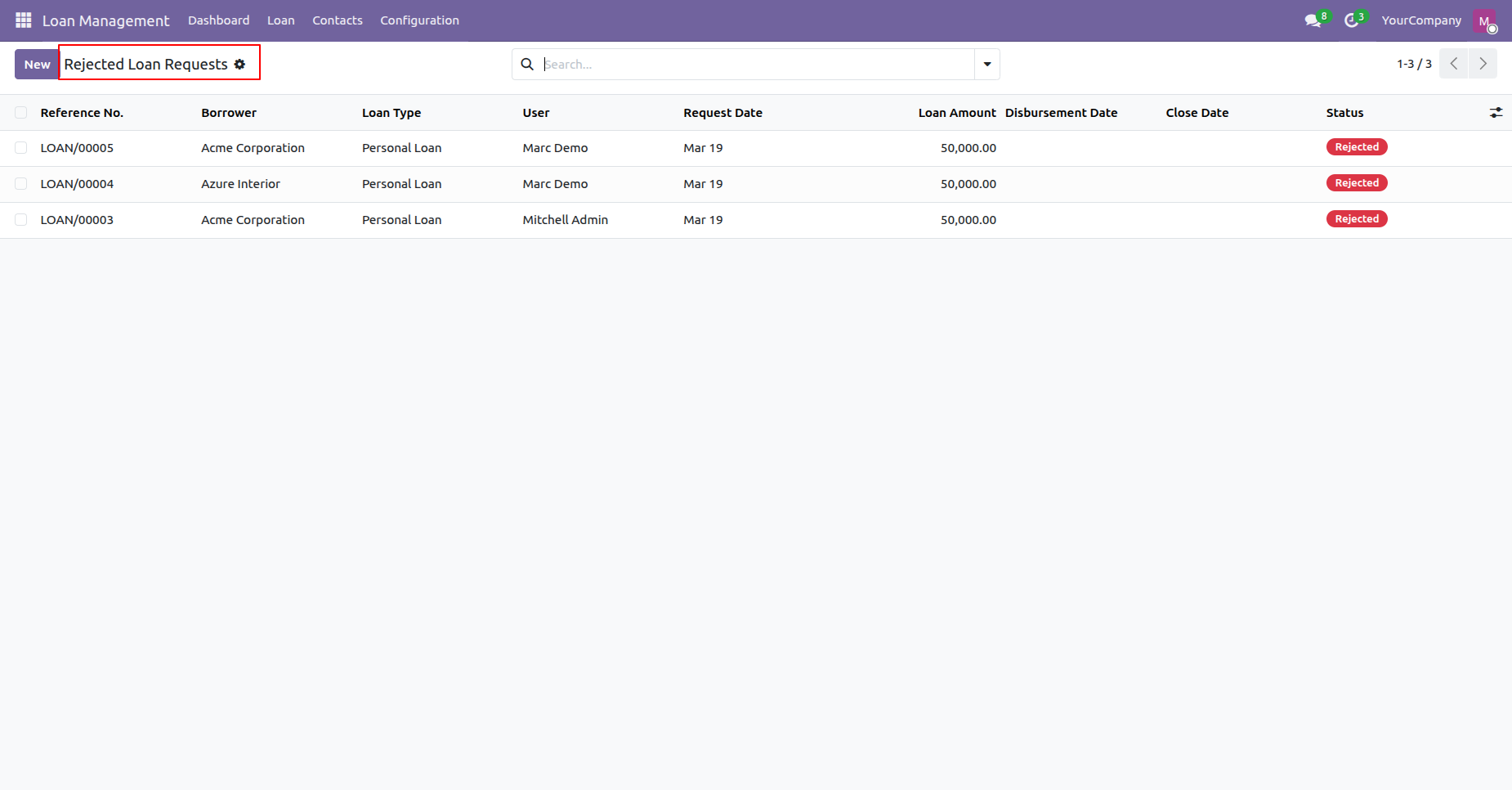
Access Rejected Loan Requests menu to review all declined loan applications and their status.
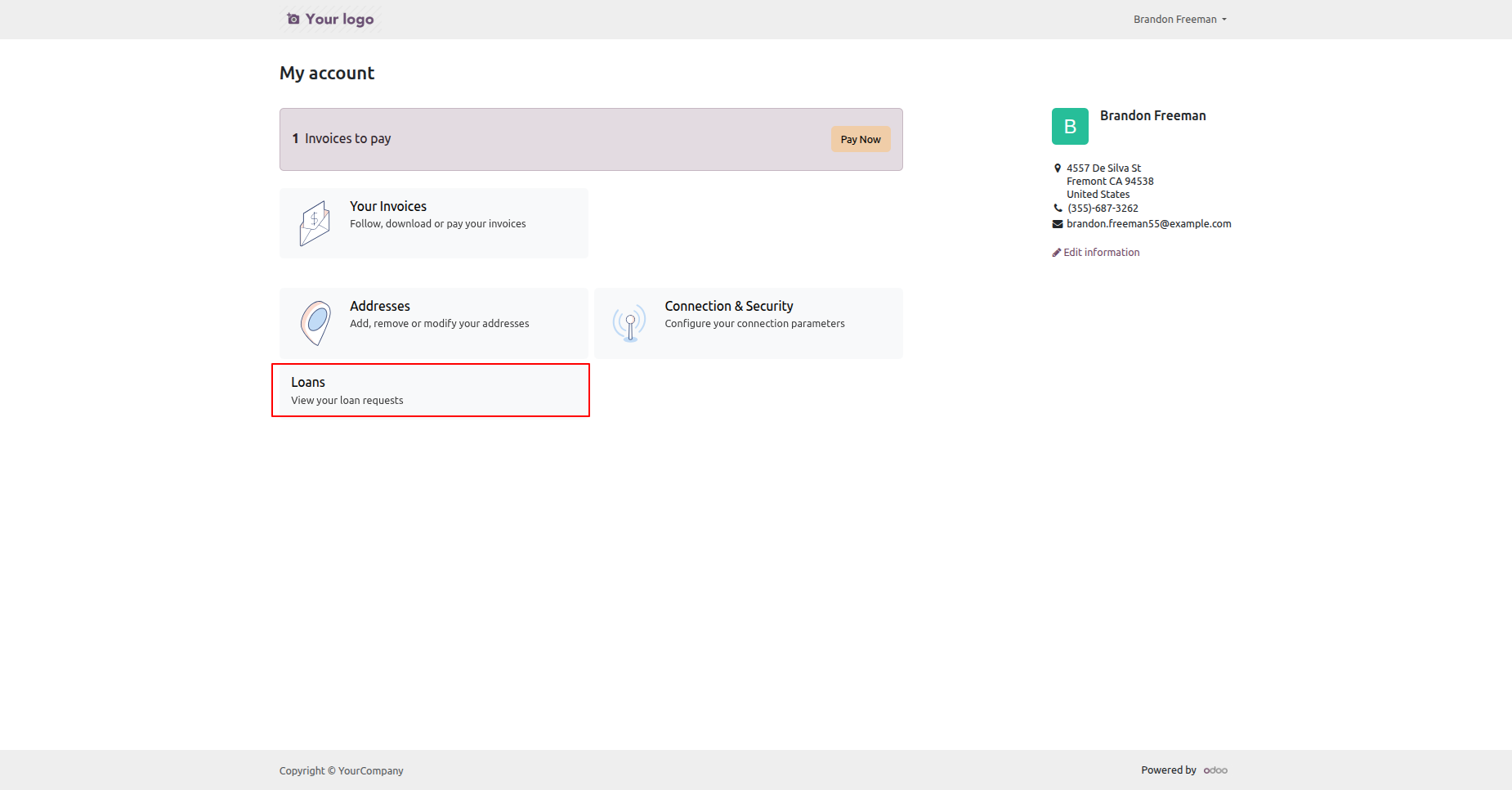
Click 'Loans' on the portal.
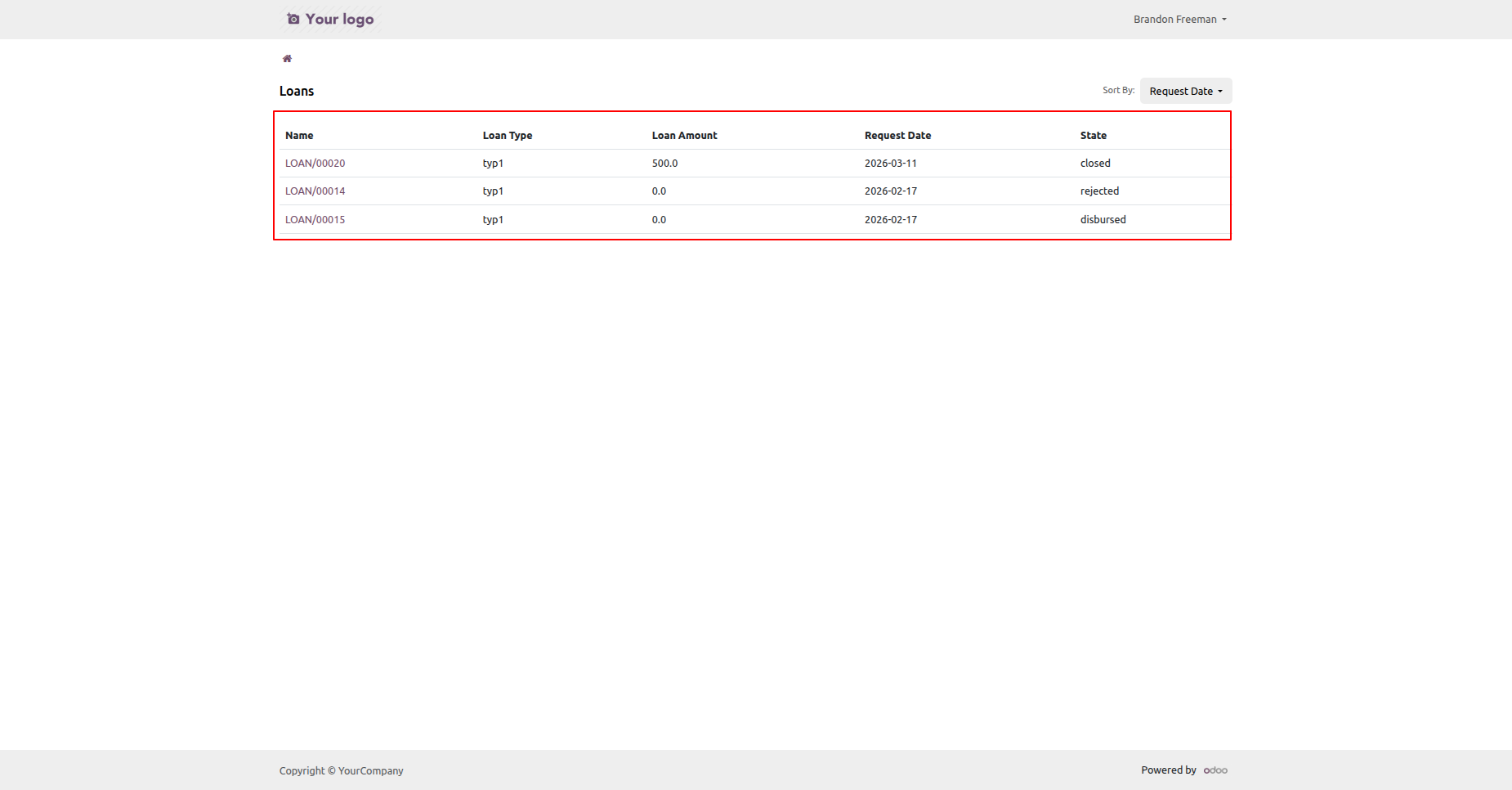
Loan list view with all details.
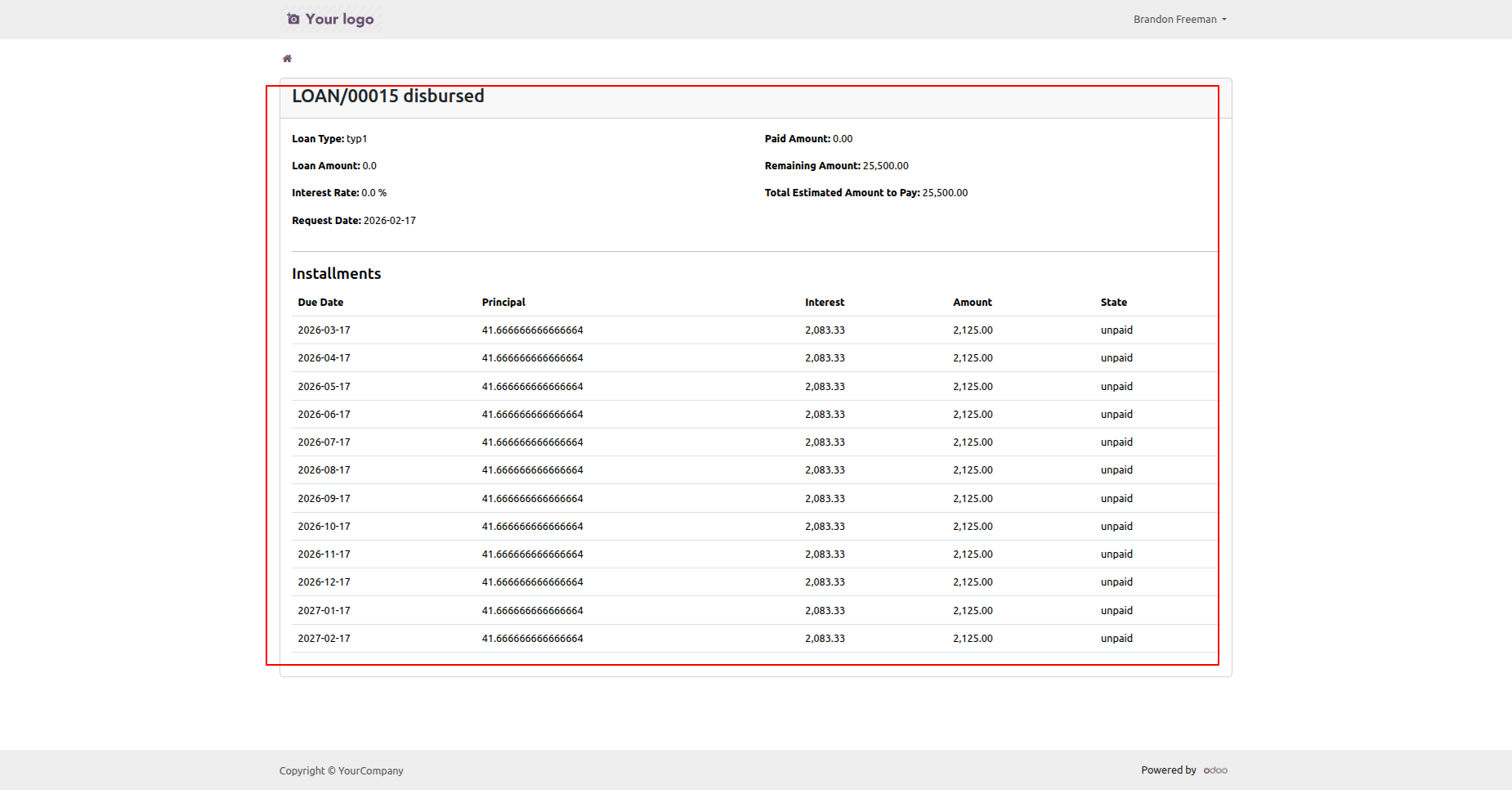
Loan form view with all details.
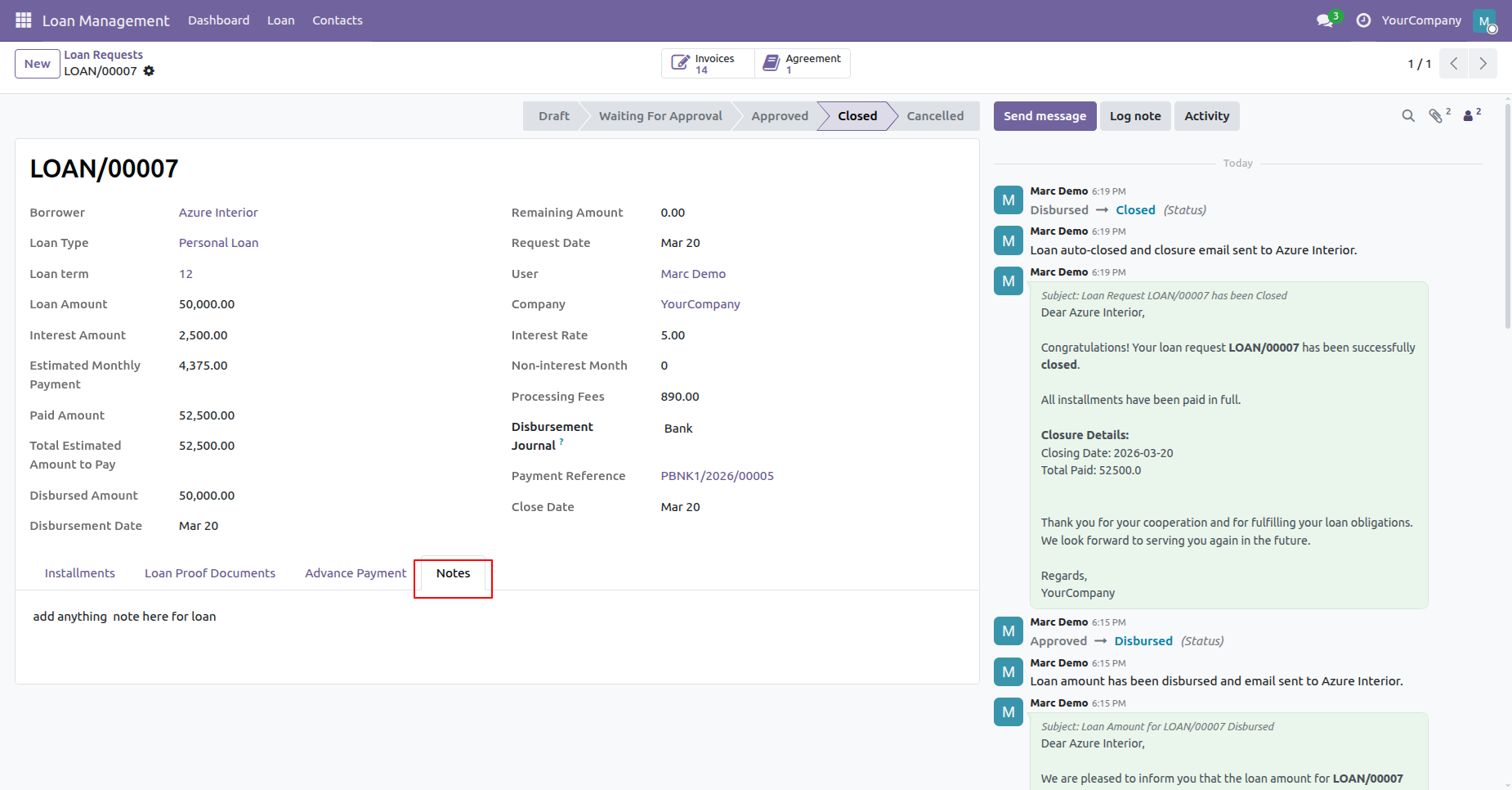
Switch to Notes tab to record internal remarks and inspect automated loan closure chatter.
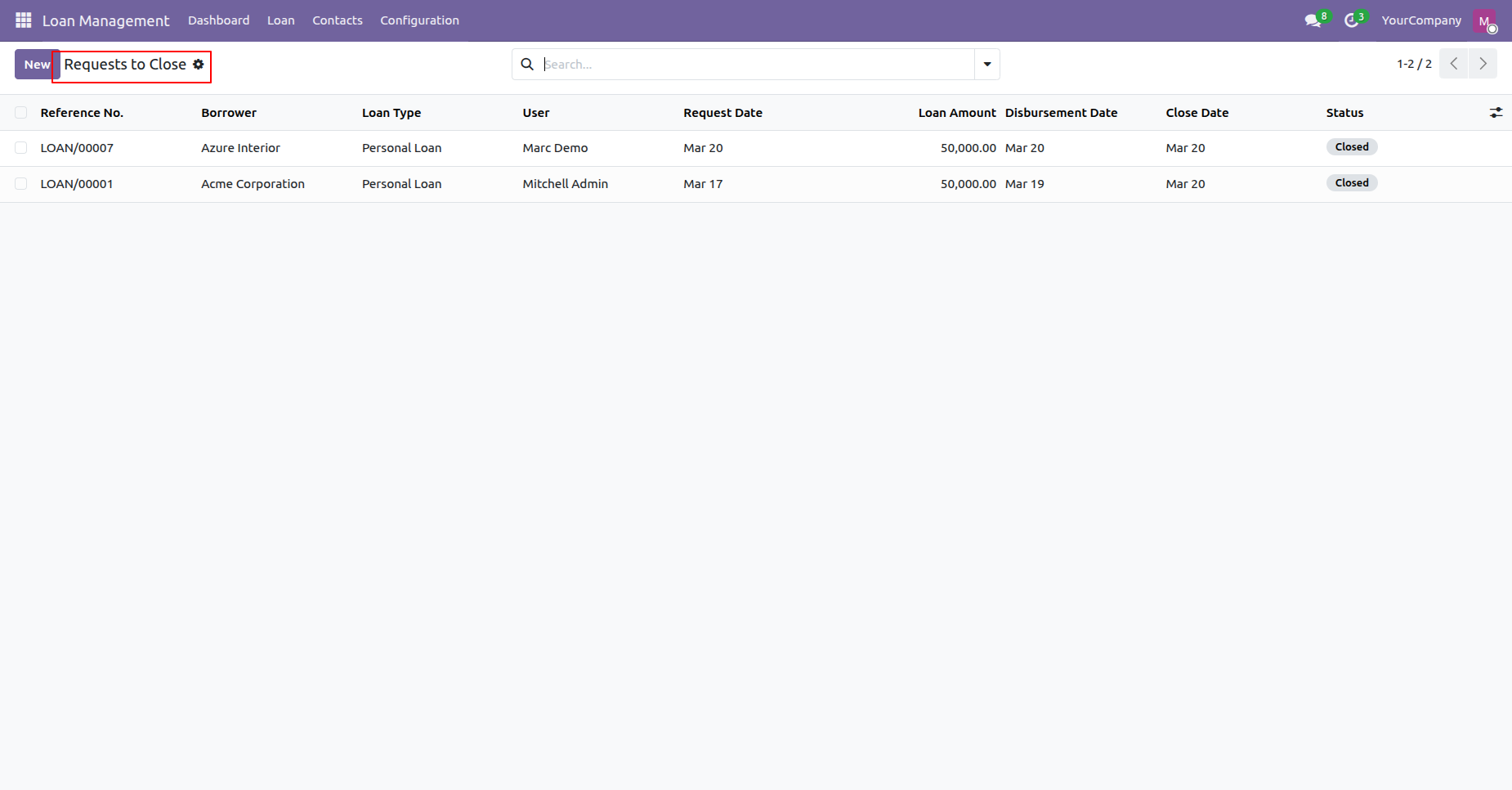
Open Requests to Close menu under Loan to monitor completed loans awaiting final settlement.
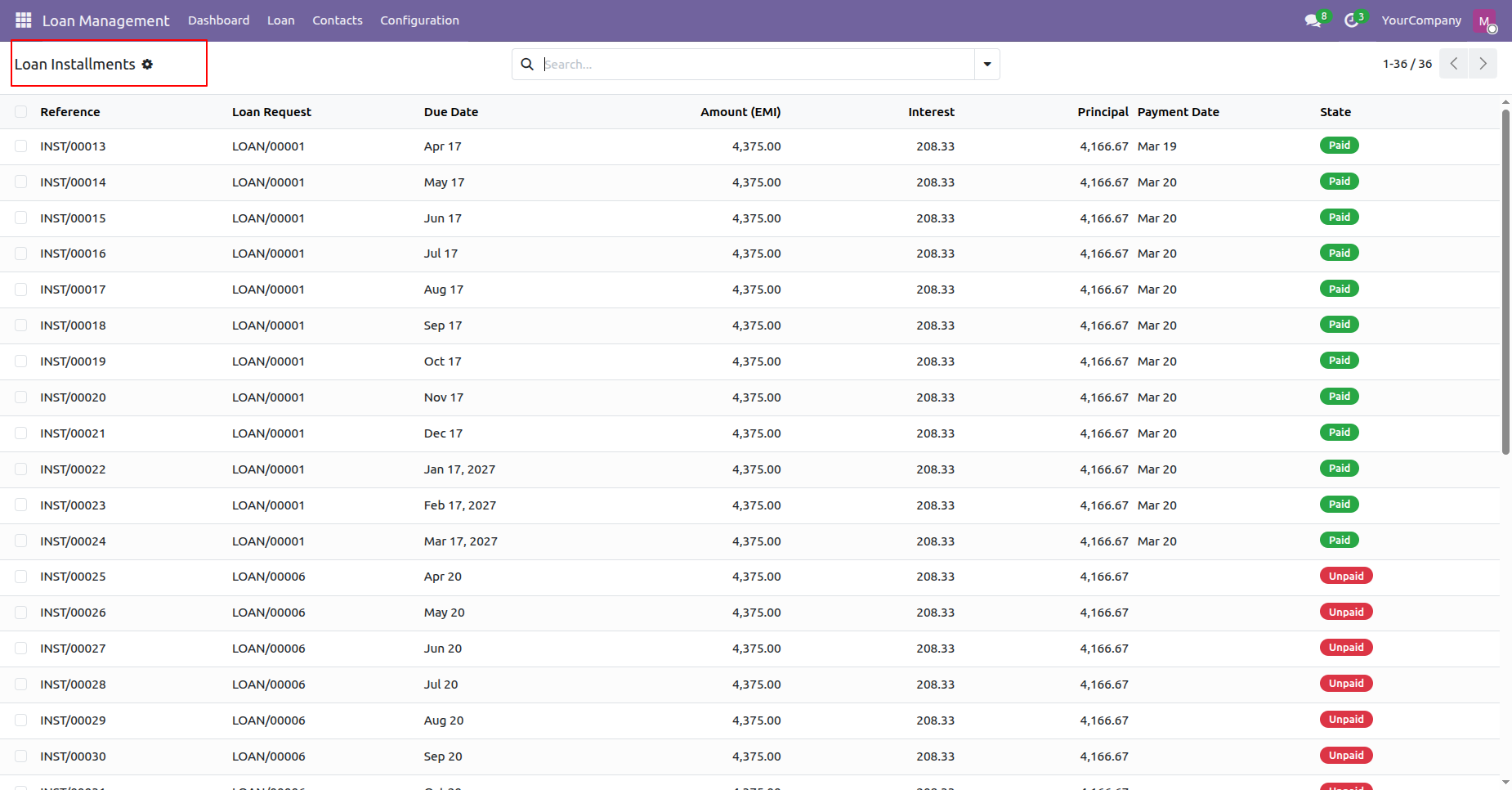
Access Loan Installments menu to view payment statuses across all generated customer loan installments.
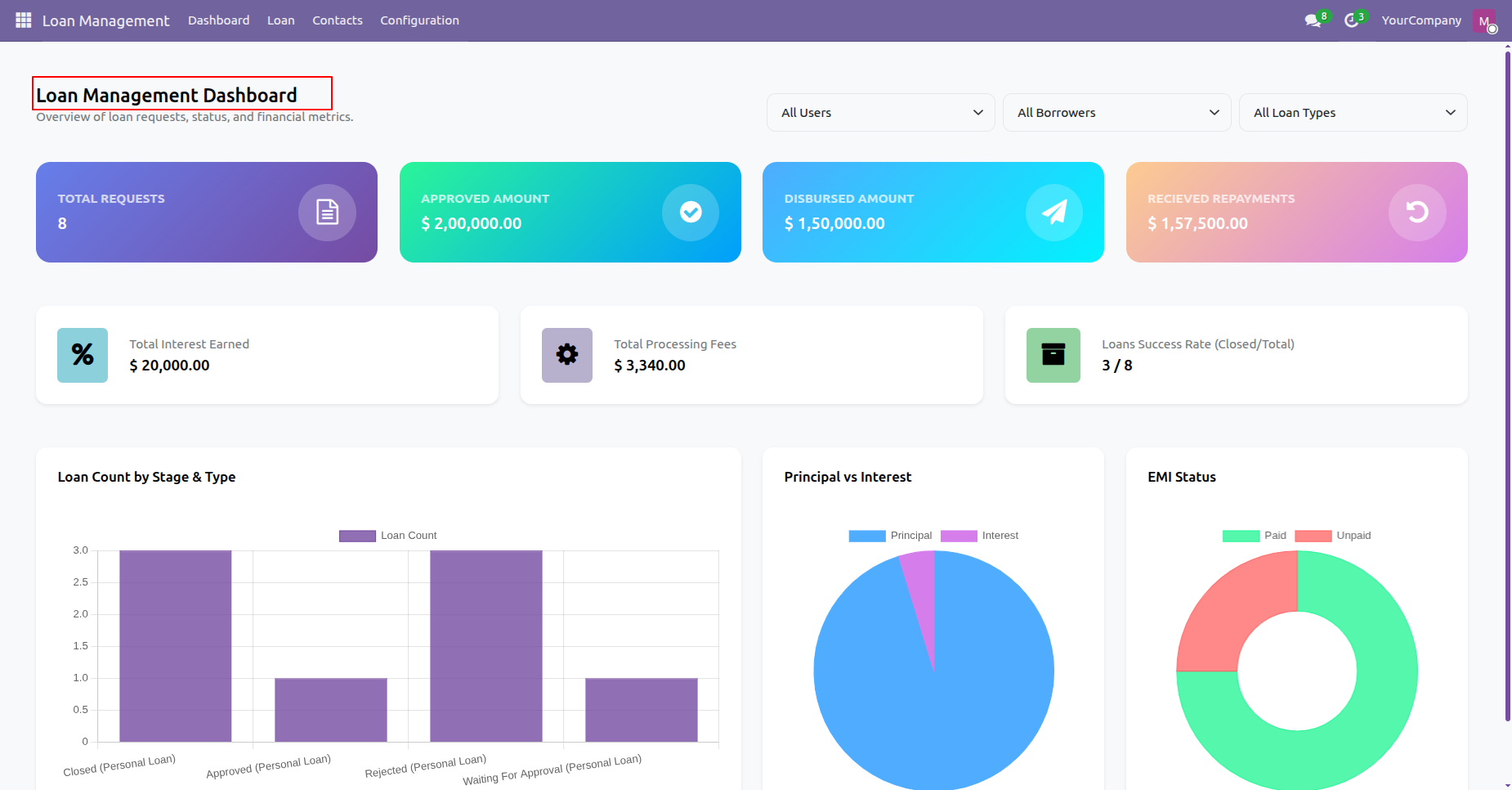
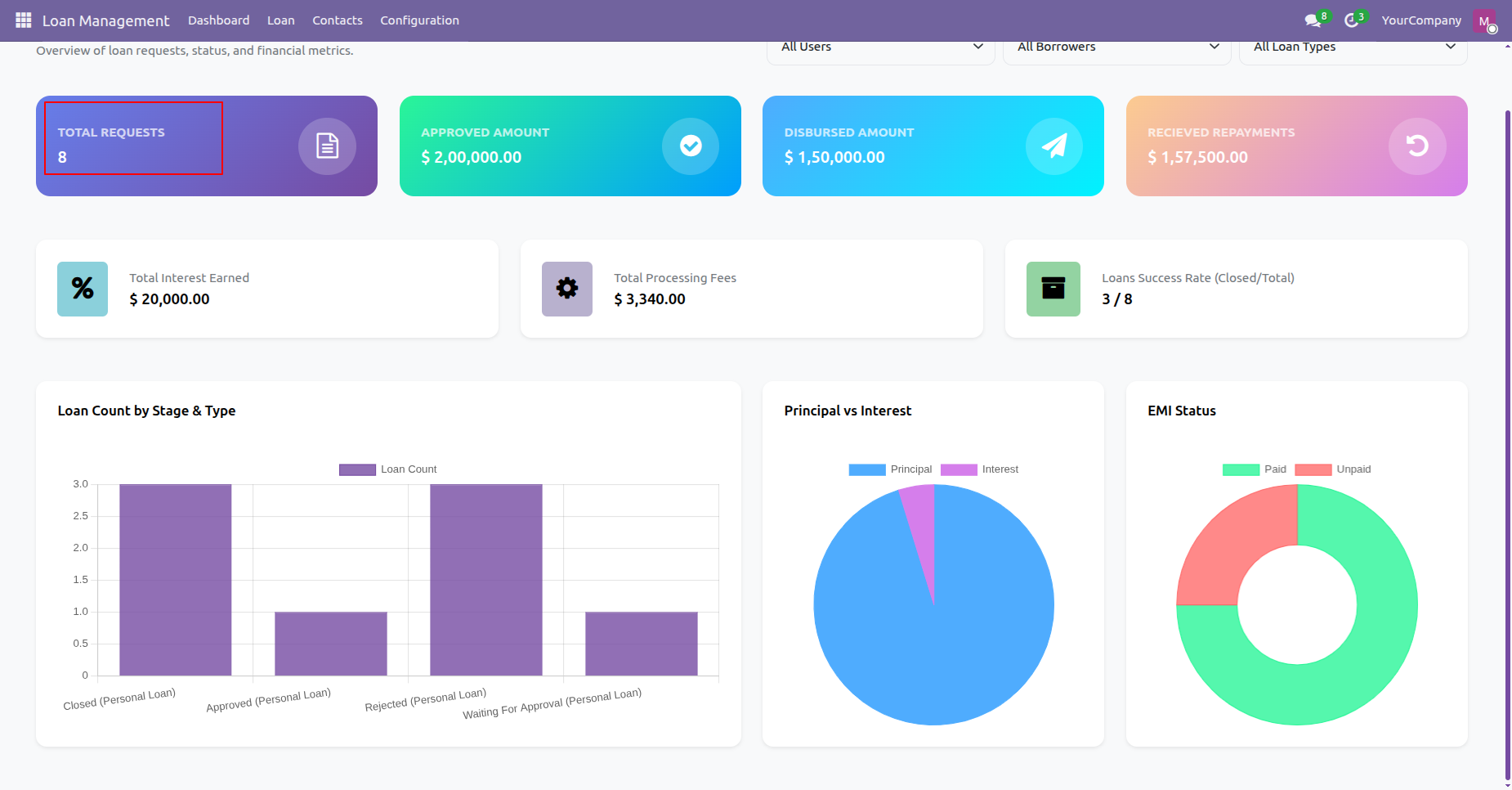
Open Loan Management Dashboard to monitor overall financial performance, total requests, and success rates.
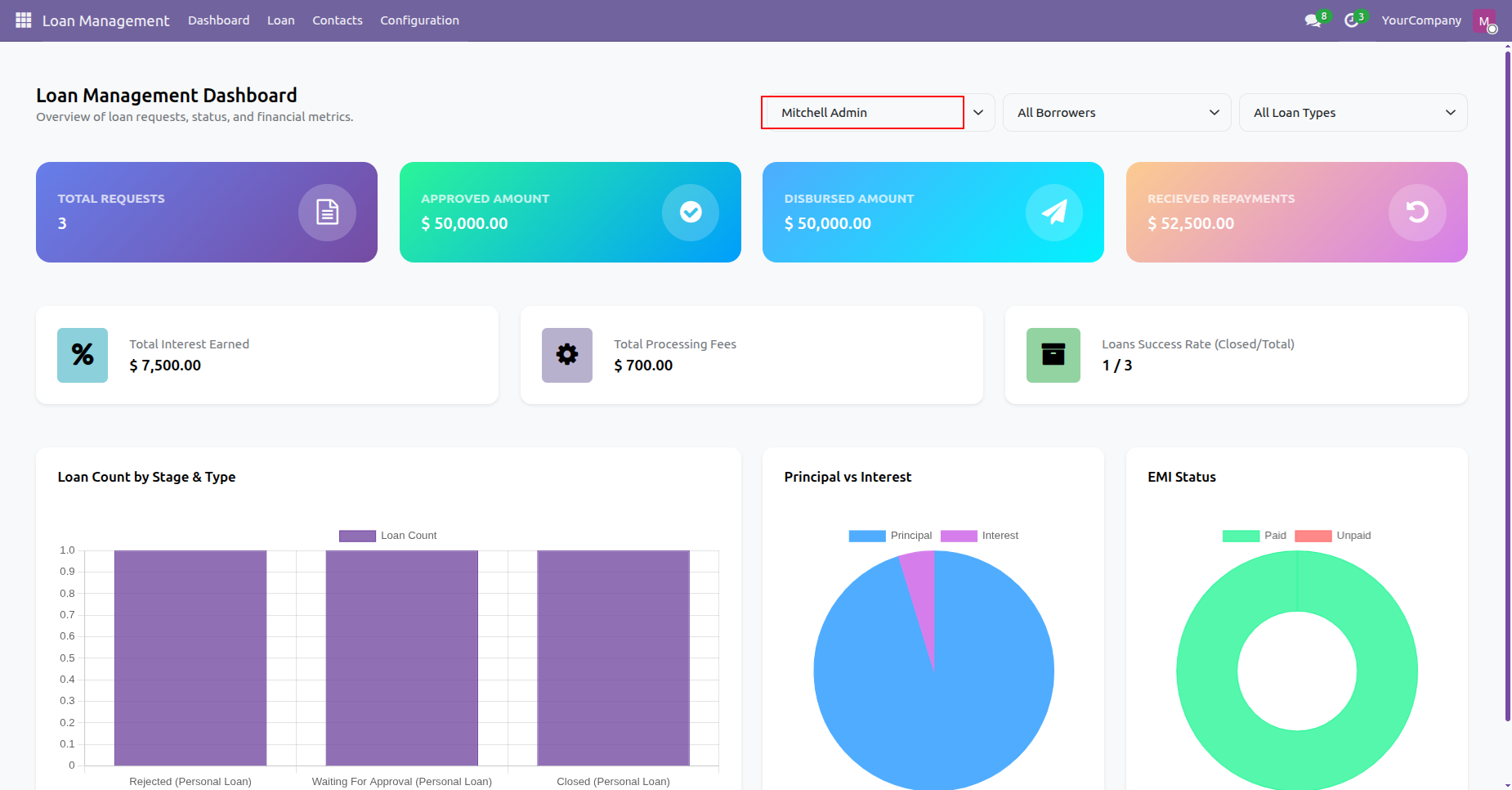
Select specific user in dashboard filter to analyze loan metrics assigned to Mitchell Admin.
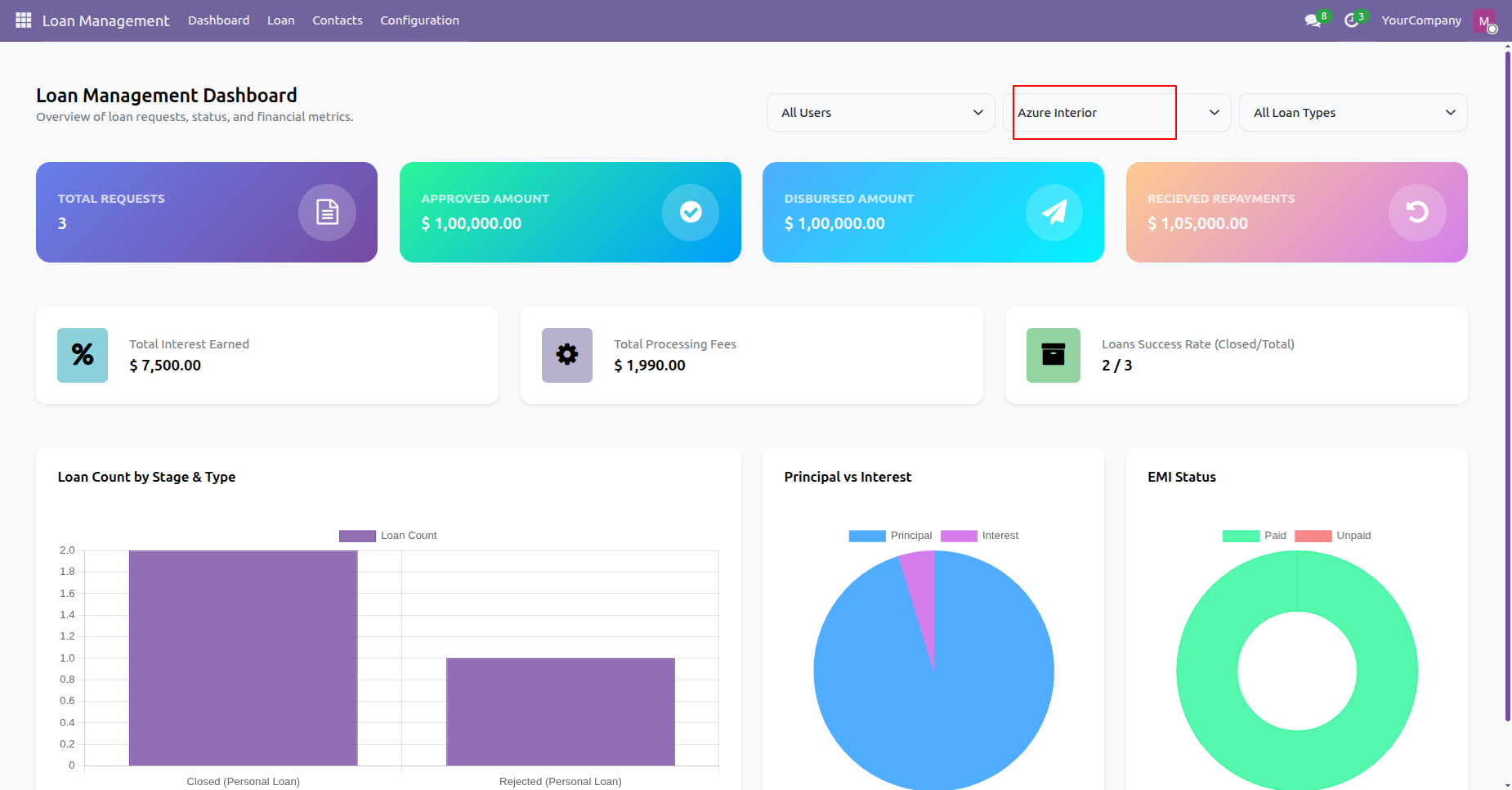
Filter dashboard analytics by borrower to view total loans and repayments for Azure Interior.
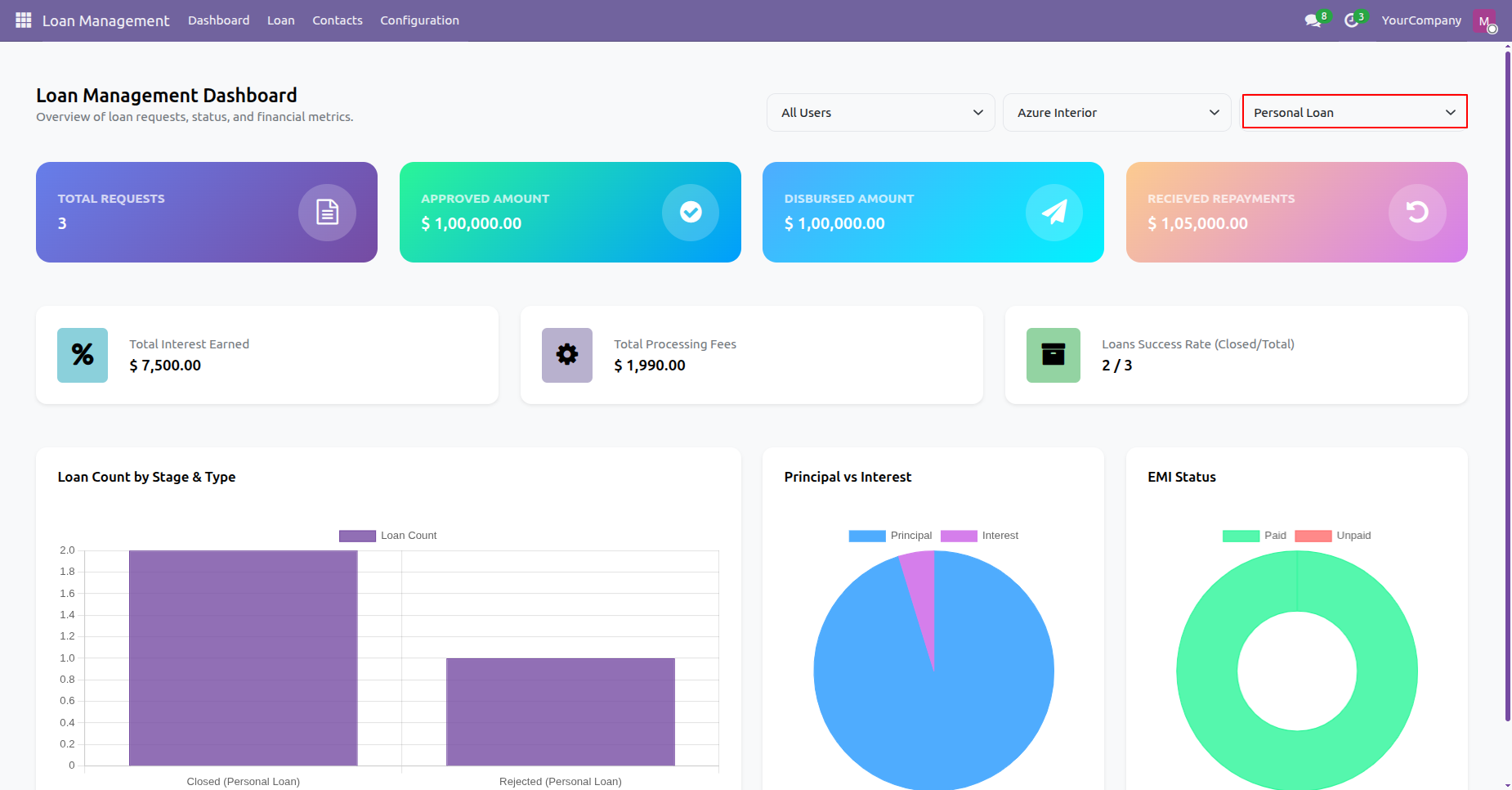
Filter dashboard metrics by loan type to analyze performance statistics for Personal Loan category.
Click Total Requests KPI card on the dashboard to view all registered loan applications.
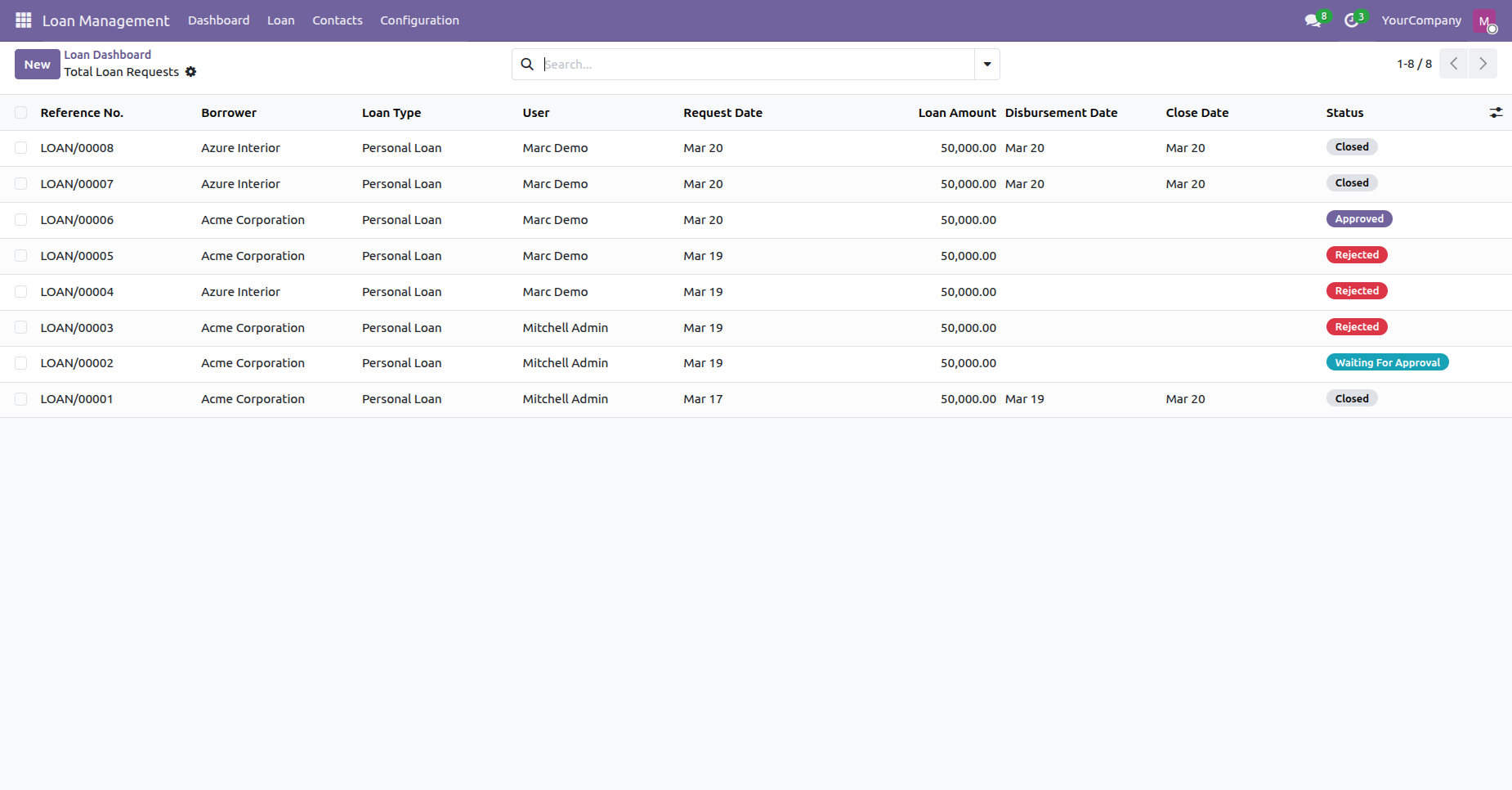
Inspect total loan requests list view opened directly from the dashboard summary KPI card.
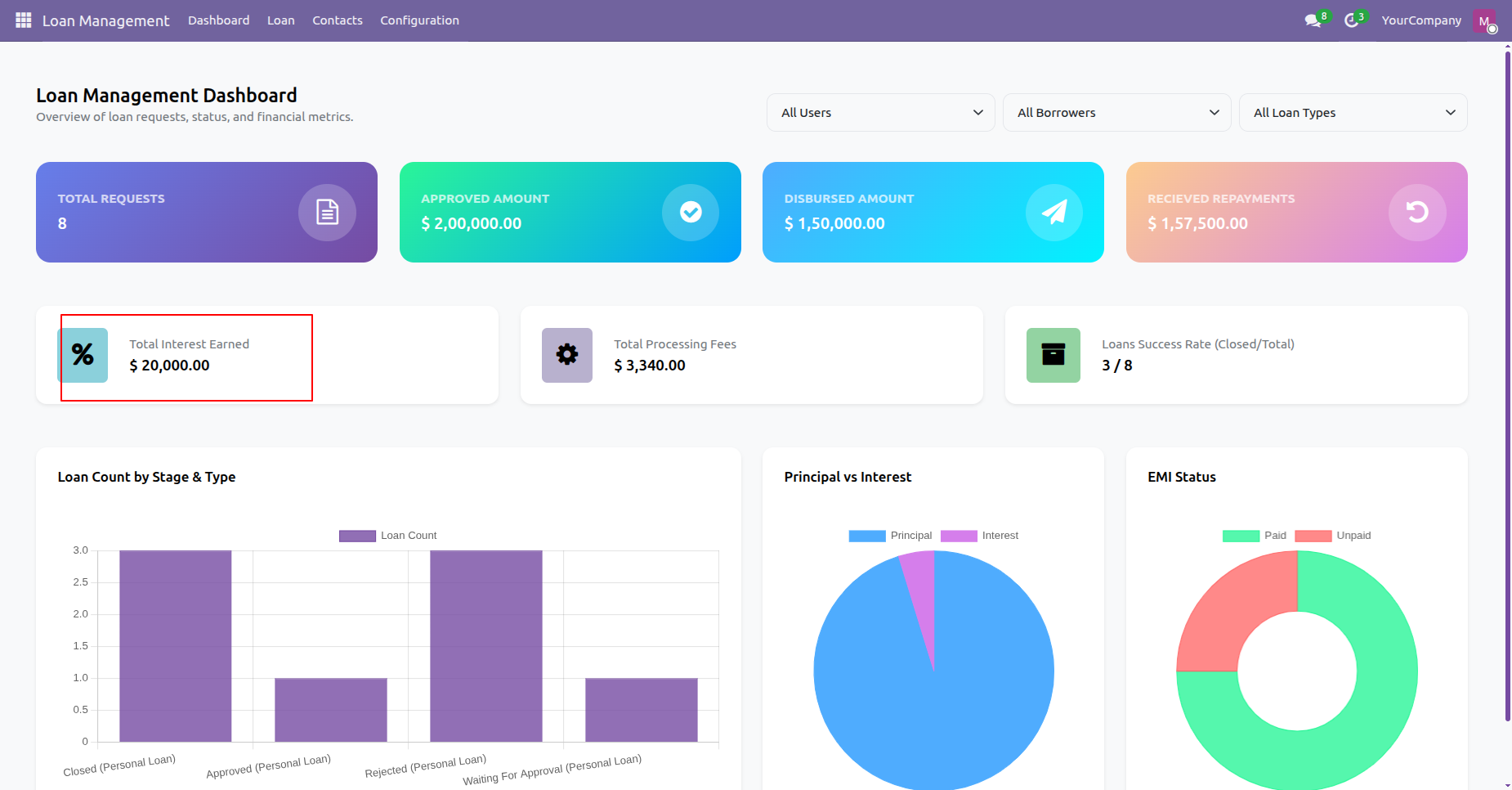
Click Total Interest Earned card on the dashboard to access interest revenue breakdown details.
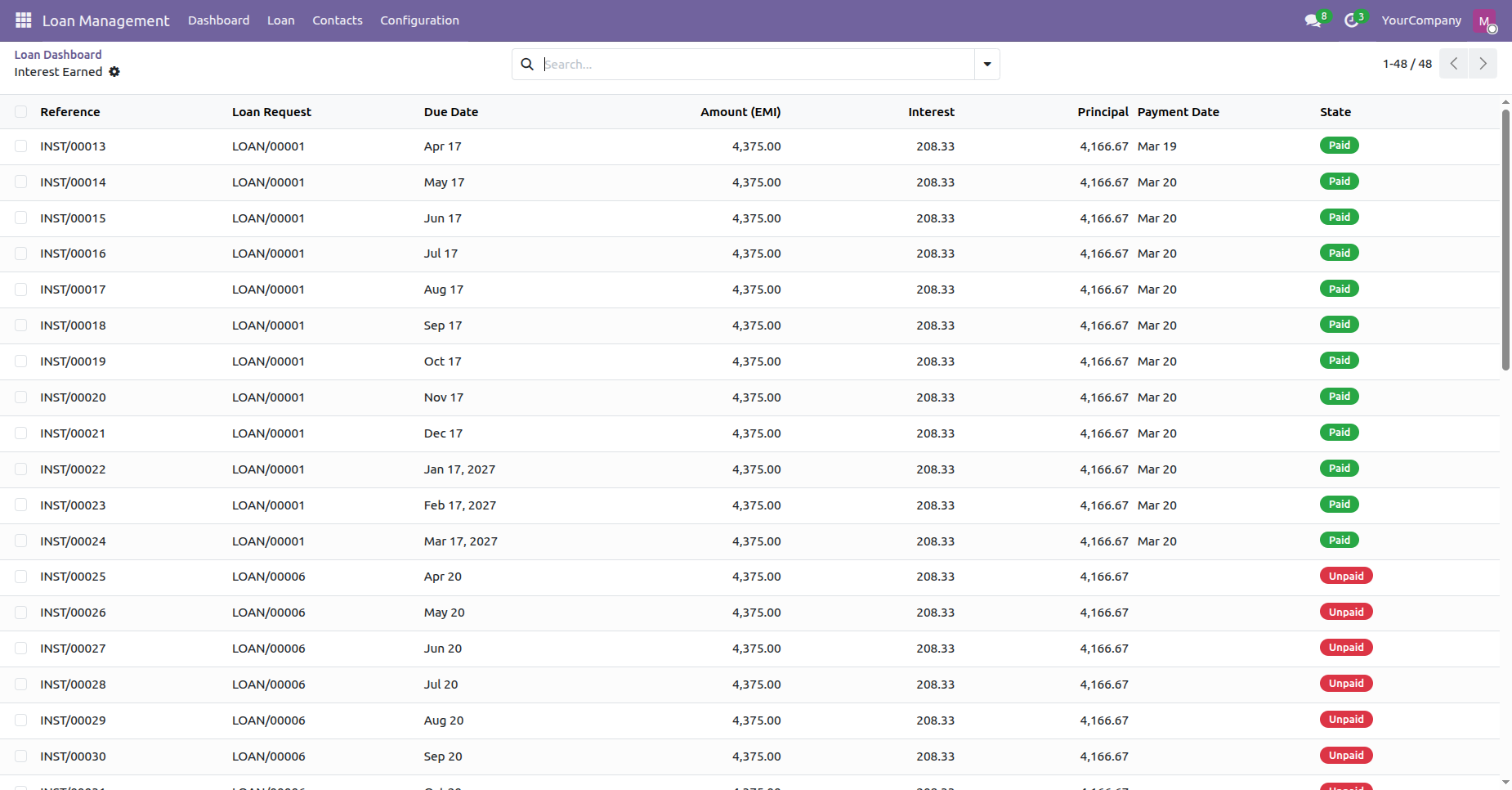
Review individual installment interest earned records opened from the main dashboard interest metric.
Changelog
Track every update and new feature released for this module.
Initial Release.


 Buy Once,
Supported Forever
Buy Once,
Supported Forever



 Scan to email sales







 Your Ideas Shape
Our Roadmap
Your Ideas Shape
Our Roadmap

 Got
an Idea?
We'll Build It
Got
an Idea?
We'll Build It
Trusted by Businesses Worldwide


Abdulhamid Abdulwaheed
Best module for our online store. Highly adaptable, exceptional customer service, and very advanced modules.
Factura Venta POS
They have everything you need. Technical support is excellent, responds quickly, and keeps the module updated. 100% recommended!
Mehmet Muhanna
Great company and support team. Had a problem in my local Odoo server - they solved it in 5 minutes. Highly recommend.
Billy Jeffs
Customised an Odoo app for me which works perfectly. Many requirements, got it right every time. Very confident in their ability.
HP
Consistently excellent service over years of working together. Knowledge and commitment to keeping clients informed truly sets them apart.
Michal Kolasinski
Multiple addons + two custom modules. Communication always friendly and precise. Delivered on time, worked out of the box. Highly recommended!

Multi-Language
8 built-in translations







You May Also Like
Discover more Softhealer modules that integrate seamlessly with your Odoo environment.

Shopify-Odoo Connector
Connect Shopify with Odoo to synchronize products, orders, customers, inventory, and more.
View Module

Xero Connector with OAuth2.0 for Odoo
Securely synchronize contacts, products, orders, invoices, payments, and accounting data between Odoo and Xero.
View Module

Odoo QuickBooks Connector
Connect Odoo with QuickBooks to synchronize essential business and accounting data.
View Module

Hubspot Odoo Connector
Synchronize contacts, companies, leads, opportunities, tasks, emails, and meetings between Odoo and HubSpot.
View Module


Most Demanded Apps
The Softhealer modules our customers reach for most - trusted across 100+ countries.

Activities Management
Manage, schedule, and automate Odoo activities across all departments from one view.
View Module

Access Management
Granular access control over menus, fields, buttons, and records for every user role.
View Module

Backdate Advanced
Backdate any transaction across invoices, journals, pickings, and more with full audit.
View Module

All-in-One Helpdesk
Full-featured customer support with tickets, SLA, and customer portal built for Odoo.
View Module

All-in-One Mobile Backend
Access your full Odoo backend from any mobile device with an optimised interface.
View Module

All-in-One Import
Import data from Excel or CSV files into any Odoo model with smart field mapping.
View Module
Our Services
End-to-end Odoo expertise - from setup to scale.

AI & Business Integration

Odoo Implementation

Odoo Customization

Support & Maintenance

Mobile Apps

Migration Service

Third-Party Integration

Odoo Training
Ready to connect your AI to Odoo?
Join 10,000+ businesses - Softhealer, 11+ years of Odoo expertise across 100+ countries.

