

















InsightMate - Flow Builder - Your Processes, On Autopilot
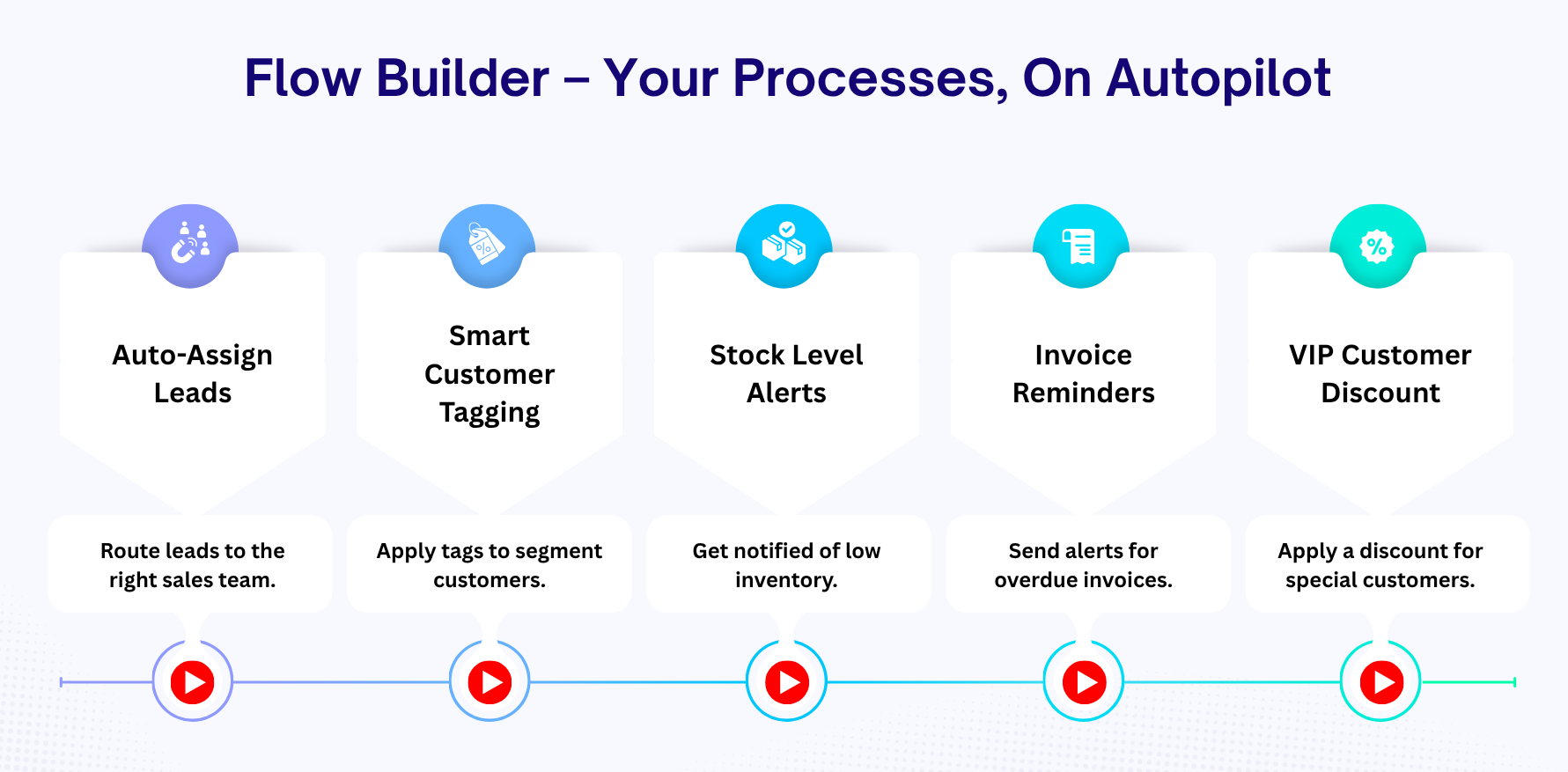
Turn your workflow into an AI-powered engine. Stop manual work-let AI handle everything. Build smarter automation with AI-powered workflows in Odoo. Generate dynamic content and update data intelligently using AI, making every process faster and more efficient. Design and automate workflows with an intuitive drag-and-drop builder-no coding required. Set triggers, conditions, and actions like updating records, sending emails or SMS, and scheduling tasks, with full tracking through chatter and history.
 Features
 Setup & Configuration
 Release Notes
 Support
 FAQ's
FAQ's

AI-Powered Workflows
Use AI inside workflows for intelligent automation and dynamically process business data.
 Watch Video

LLM Providers with openrouter
Configure OpenRouter to access multiple AI models through a single API, allowing flexible model selection.
Watch Video

Visual Workflow Builder
Design workflows easily using a drag-and-drop interface to connect conditions and actions in a structured flow.
Watch Video

Model-Based Workflows
Create workflows for any Odoo model and automate processes based on specific business objects.

Conditional Flow Logic
Apply conditions to control workflow execution and ensure actions run only when criteria are met.

Multi-Action Execution
Execute multiple actions like create, update, email, SMS, and activities within a single workflow.

Activate/Deactivate Workflows
Easily control workflow execution by enabling or disabling workflows as needed.

End-to-End Automation Flow
Build complete automation pipelines from trigger to action within a single workflow.

Auto-Update Records
Automatically update field values of records based on workflow conditions and logic.

Automatically Create New Records
Create new records dynamically from workflows with predefined or conditional values.

Send Automated Emails
Send automated emails to users or contacts directly from workflow execution.

Duplicate Records
Create a copy of existing records automatically using workflow-based duplication logic.

Create Activities automatically
Schedule and assign activities to users directly from workflow execution for task management.

Track Workflow Activity History
Maintain a history of workflow runs to review past executions and actions performed.

Node-Based Flow Design
Create workflows using connected nodes to visually define the sequence of conditions and actions.

SMS Notification Action
Trigger SMS notifications to keep users informed during workflow processes.

Manage Followers Automatically
Automatically add or remove followers to records through workflow execution for better communication and tracking.
Manual Workflow Execution  LATEST
Run one or multiple workflows manually directly from the Run Workflows option without waiting for automatic execution.
 Watch Video
Workflow Approval LATEST
Set up approvals before an automated workflow run. It also sends instant notifications to designated approvers so they can approve or reject requests in real time.
Watch Video
 Dynamic Workflow
 AI Powered Workflow
 Workflow Approval
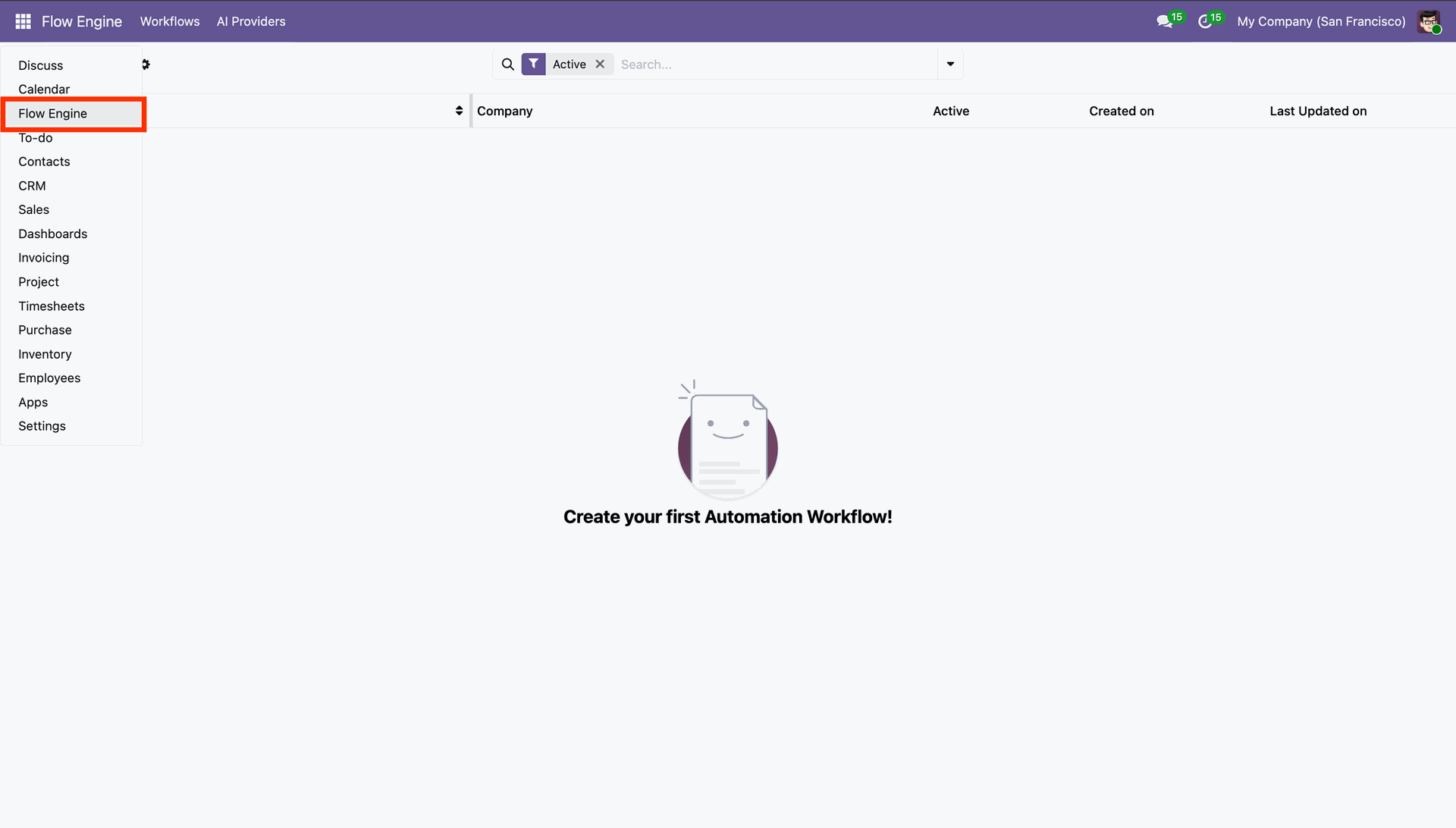
 Go to the 'Flow Engine'.
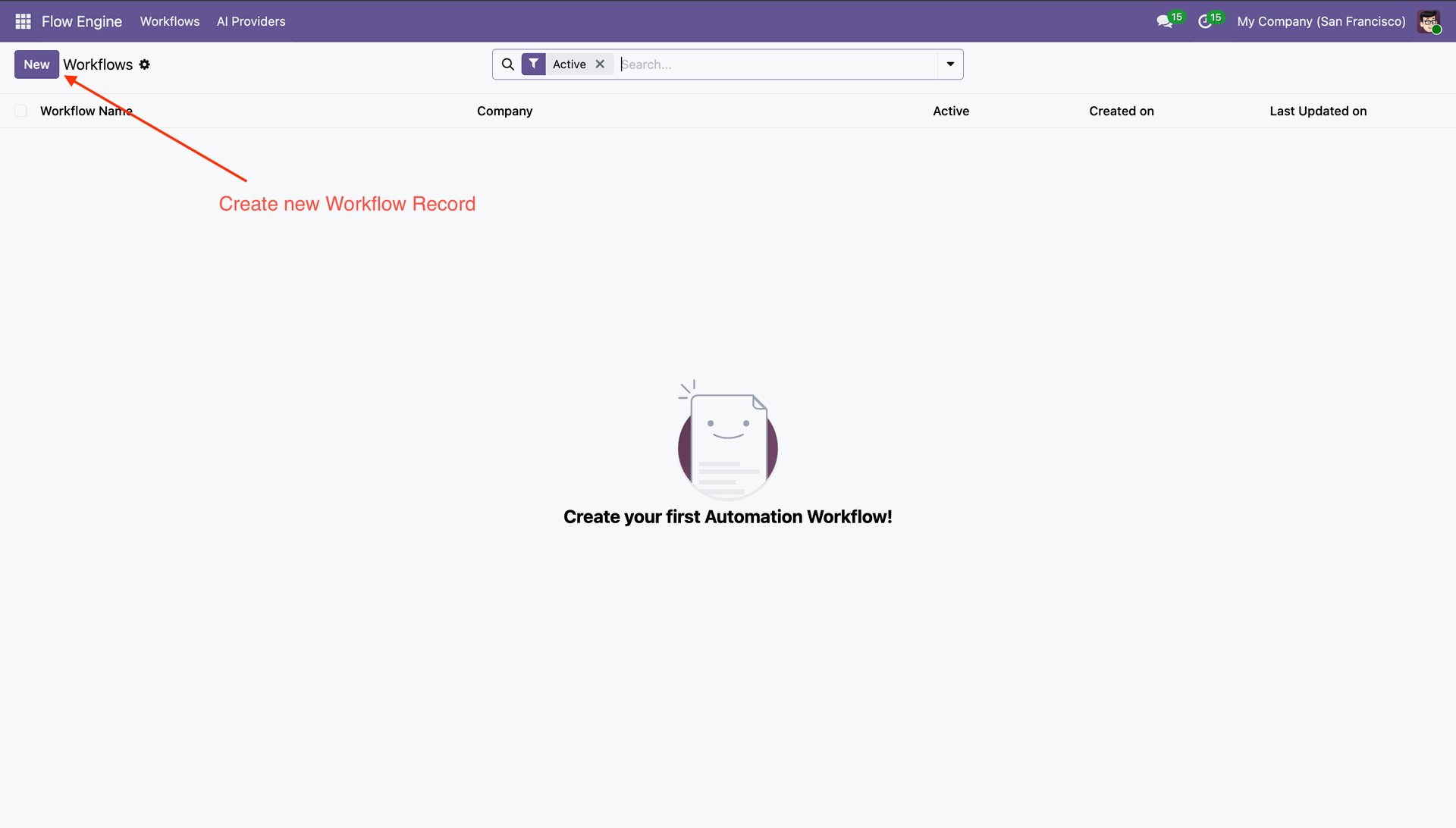
Click 'New' to create new workflow record.
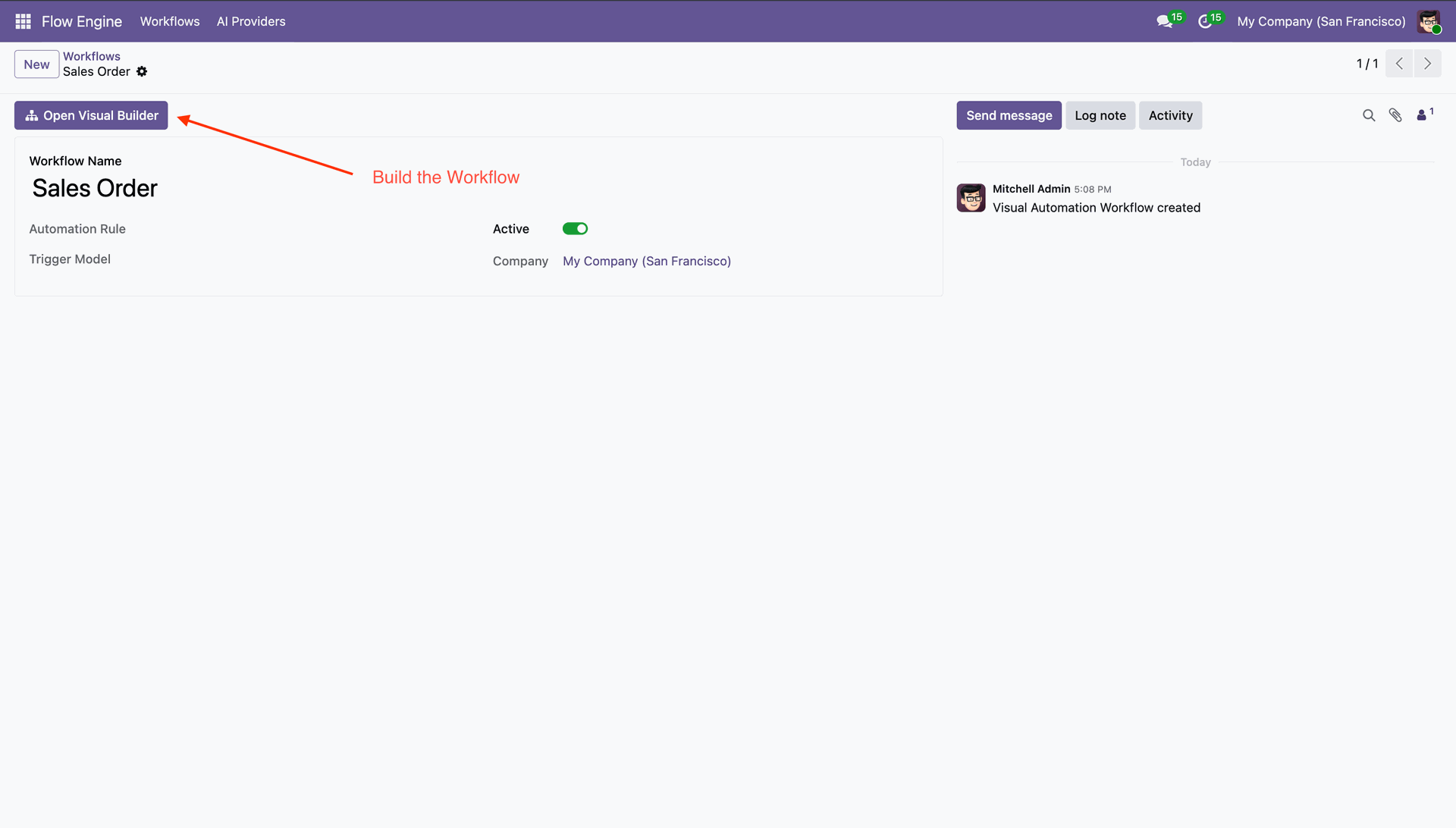
Enter Workflow Name and click 'Open Visual Builder'.
Drag and drop nodes to start designing the workflow.
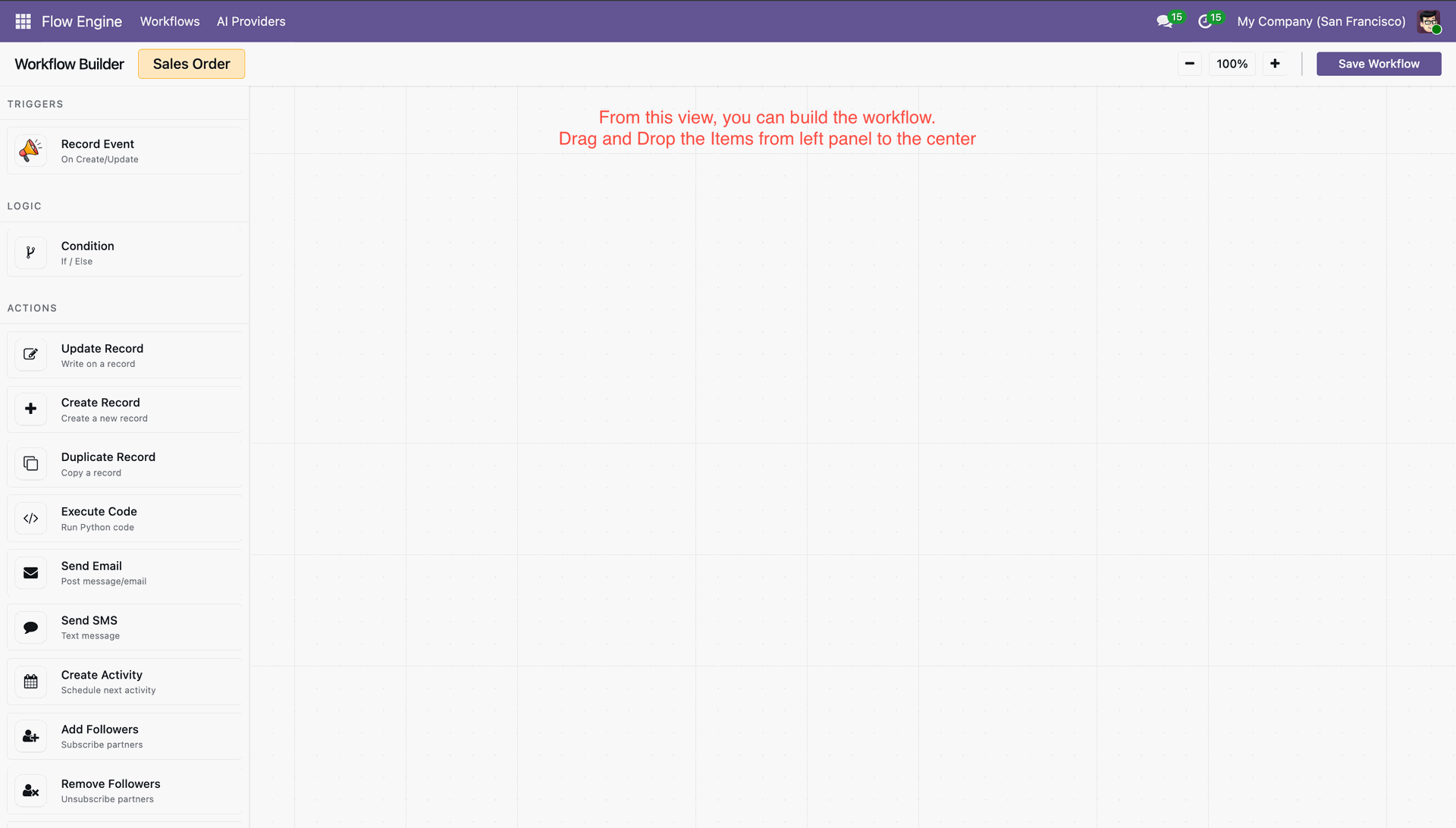
Add Condition and then configure rules to control execution flow.
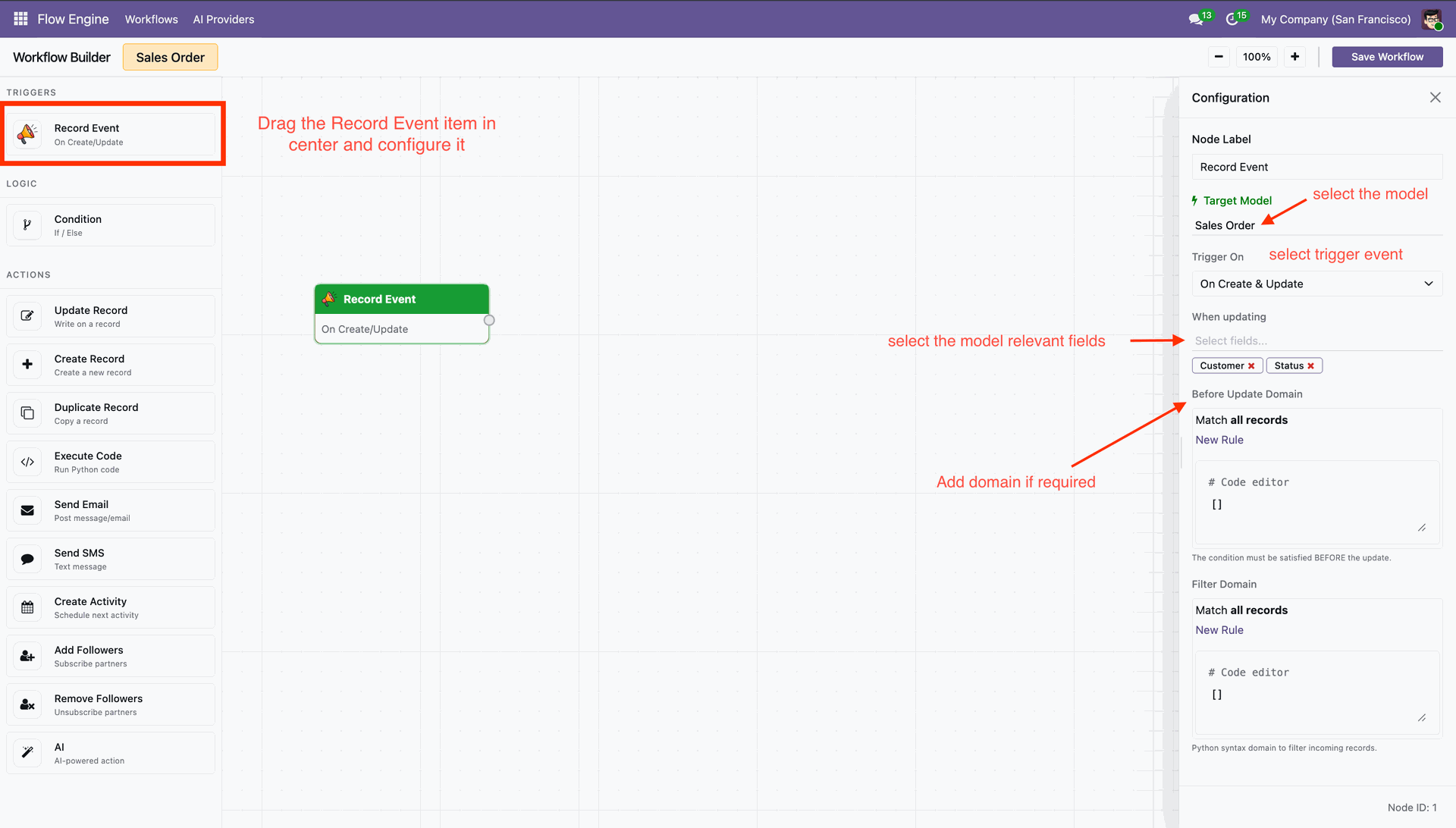
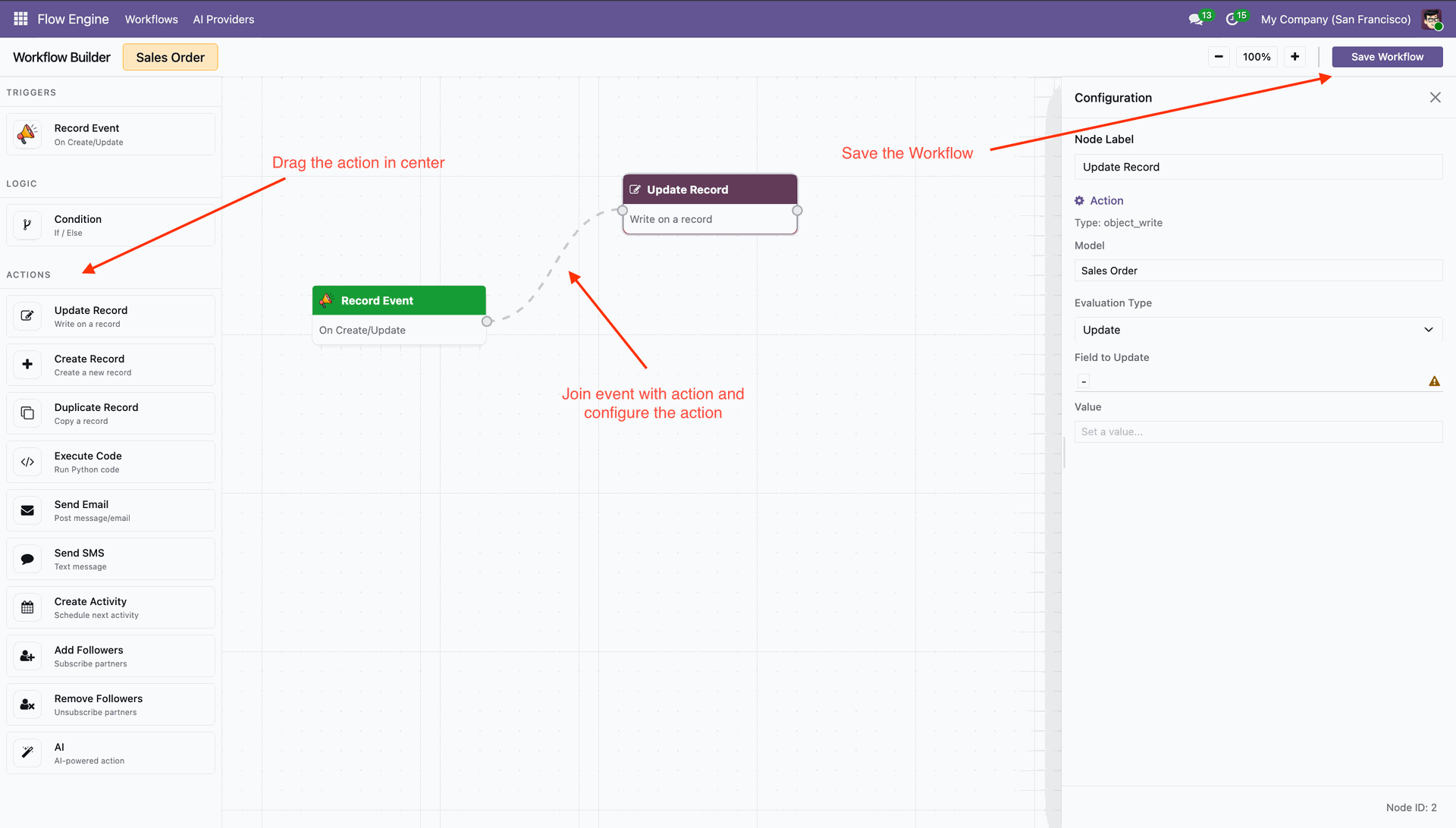
Connect Nodes and then press Save to save the workflow.
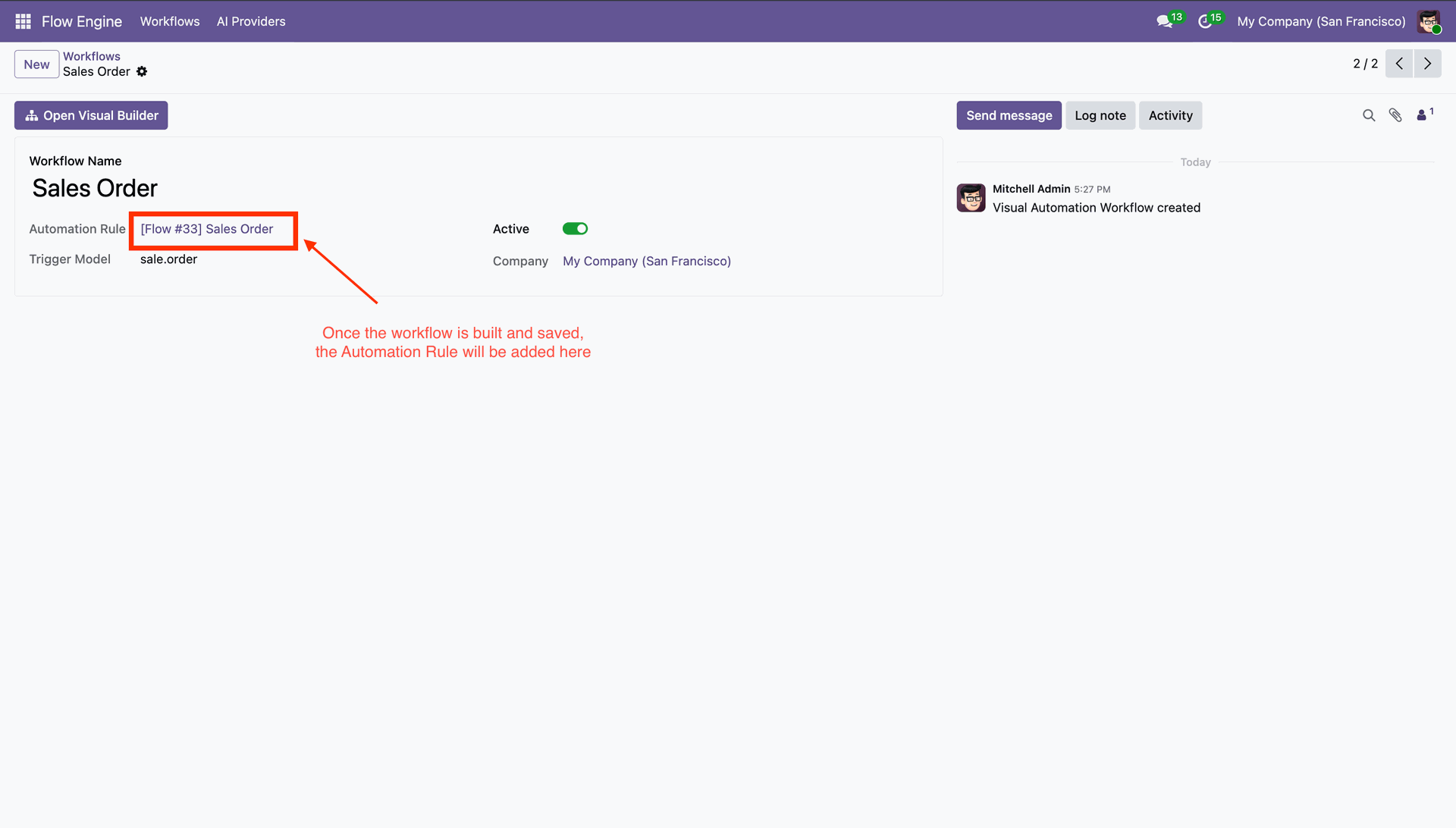
'Automation Rules' field shows created workflow. You can active/deactive from toggle.
Now select record data, and workflow will execute.
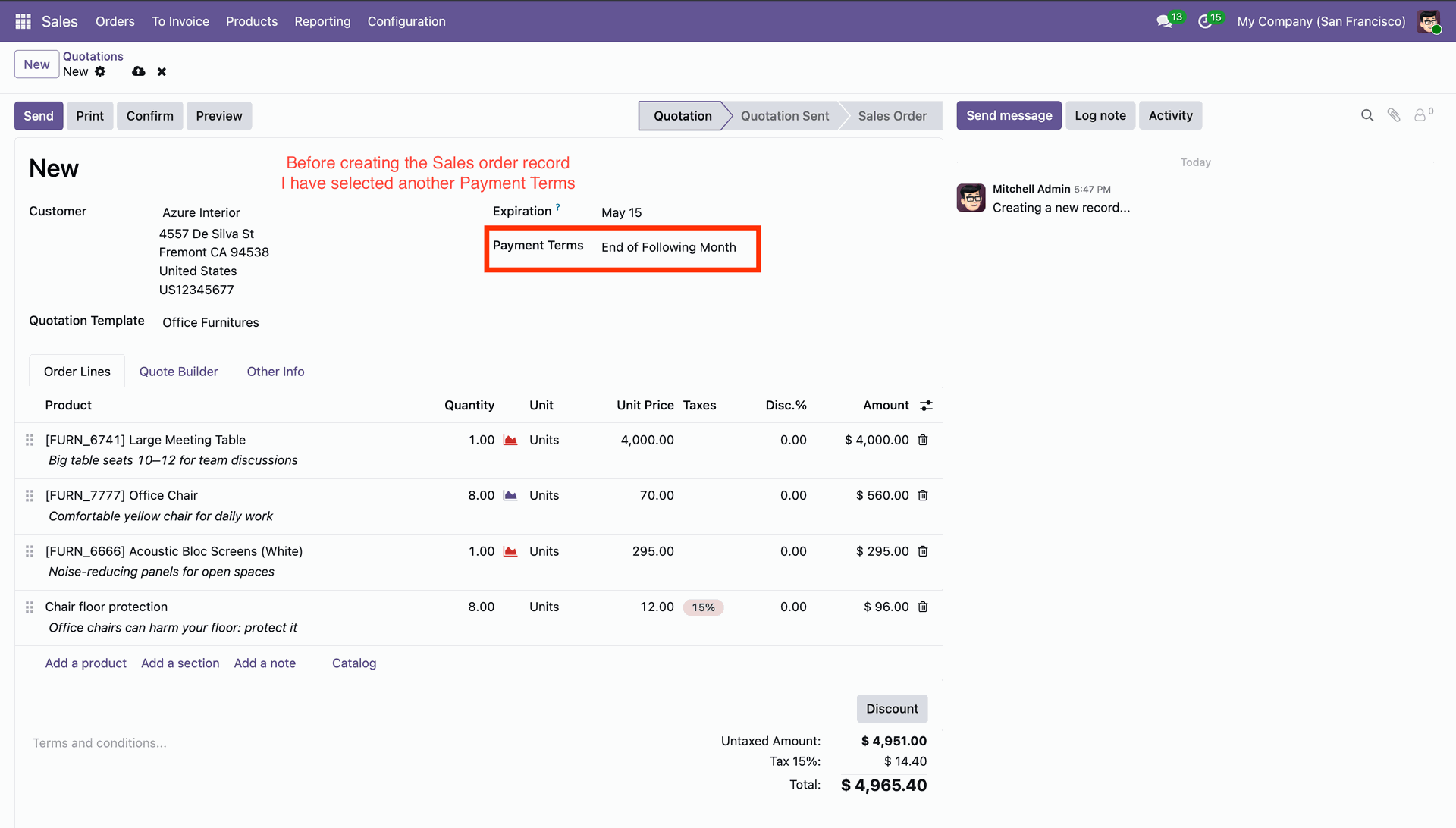
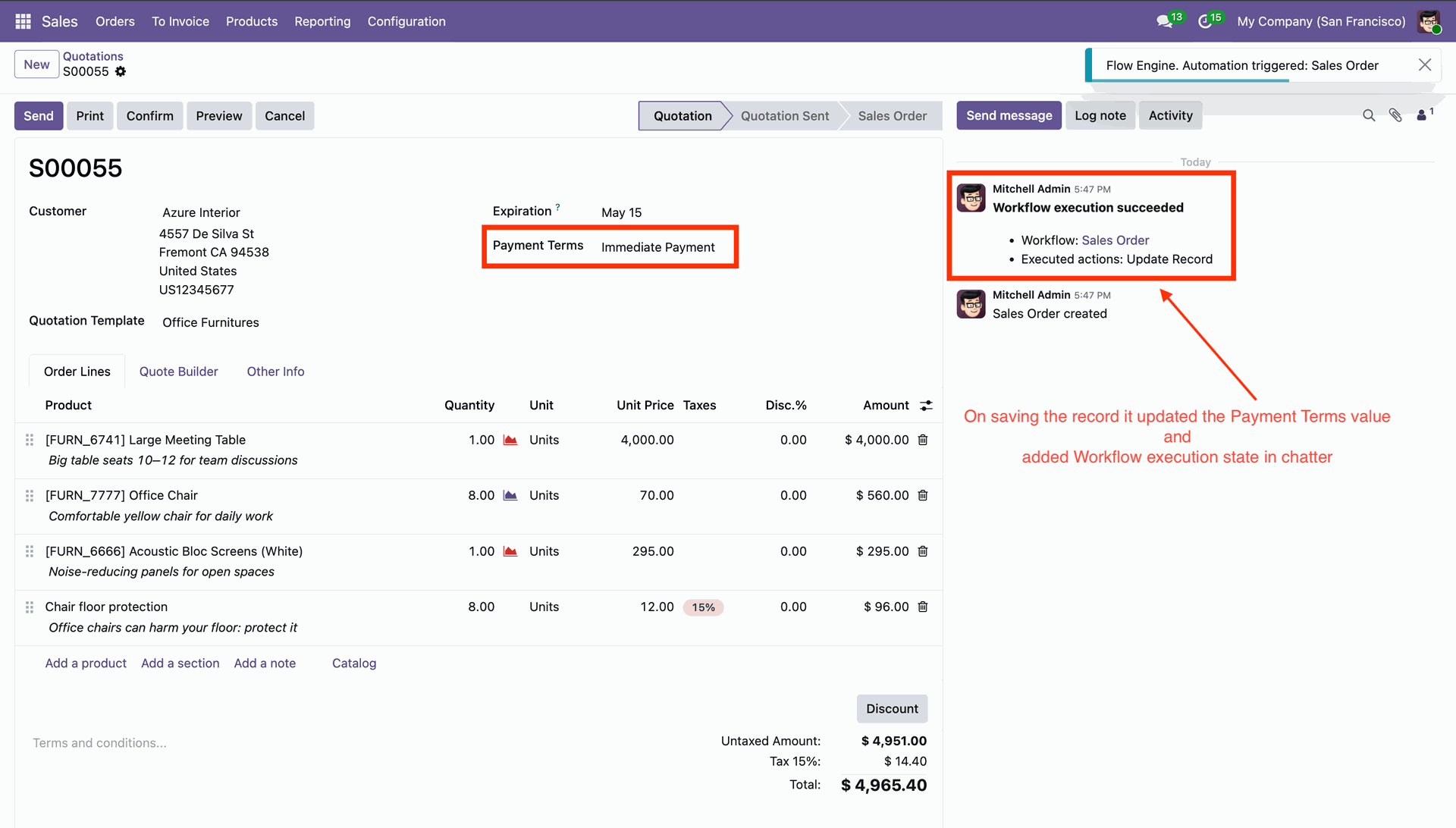
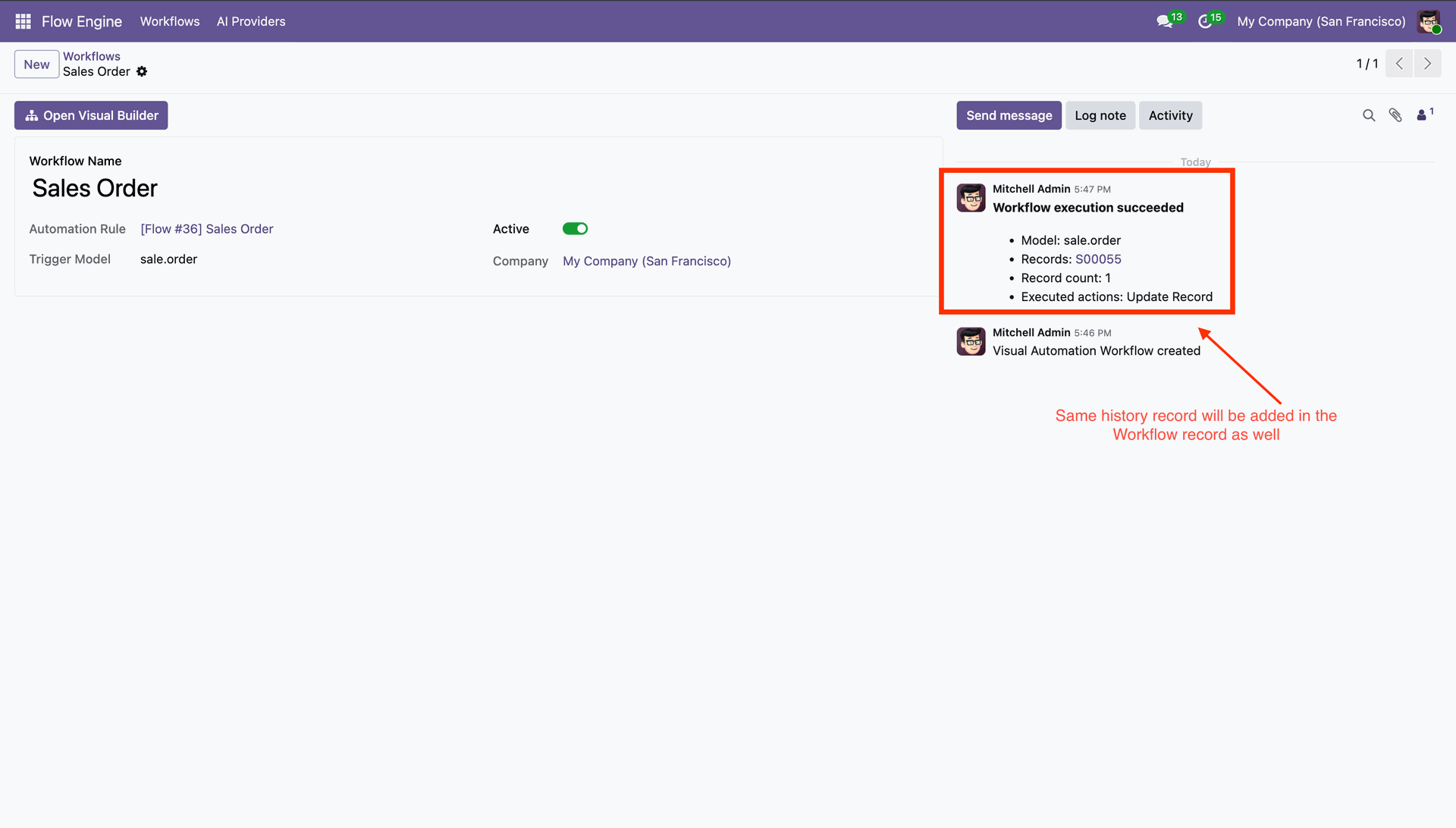
It shows history in the chatter.
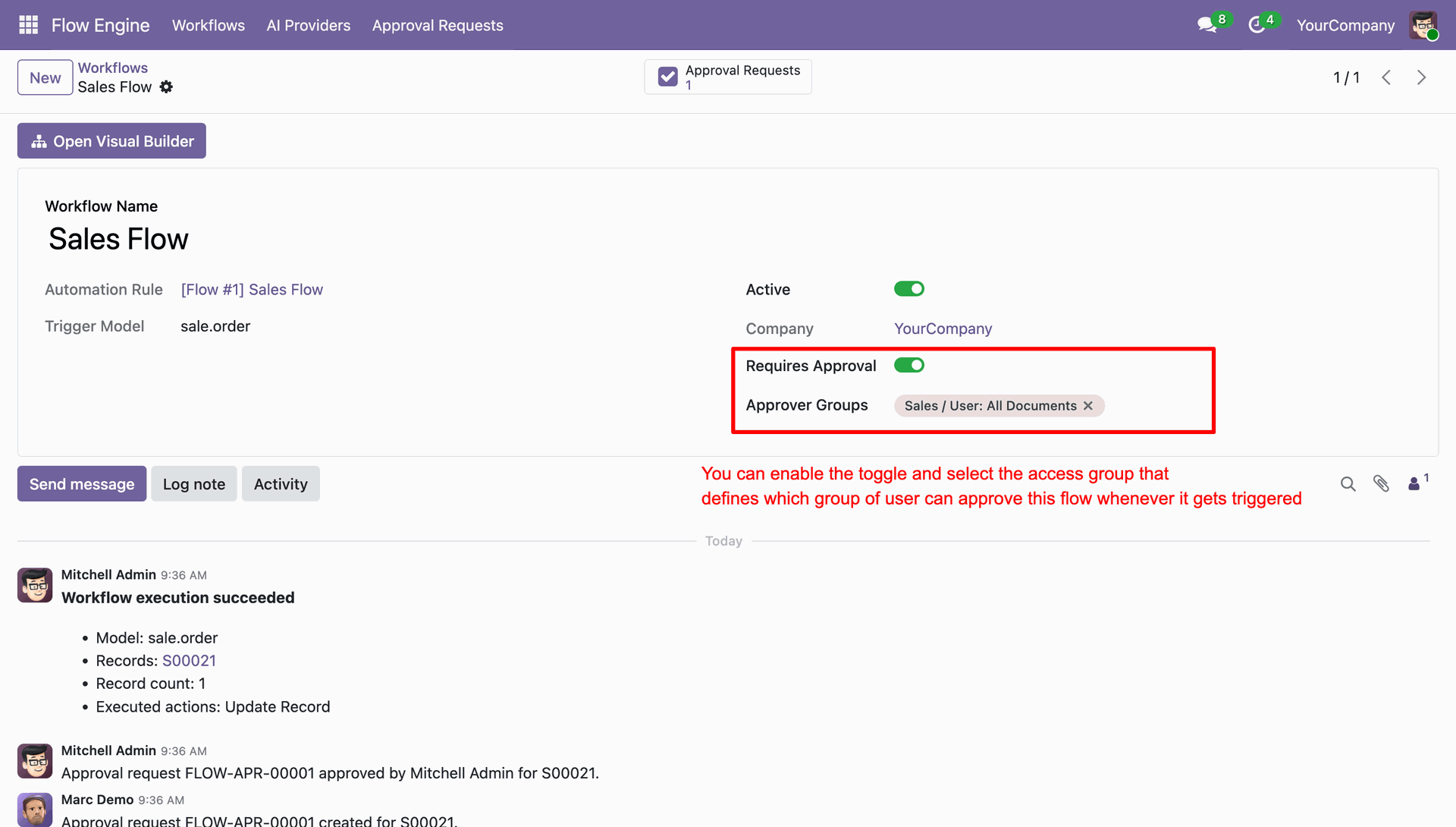
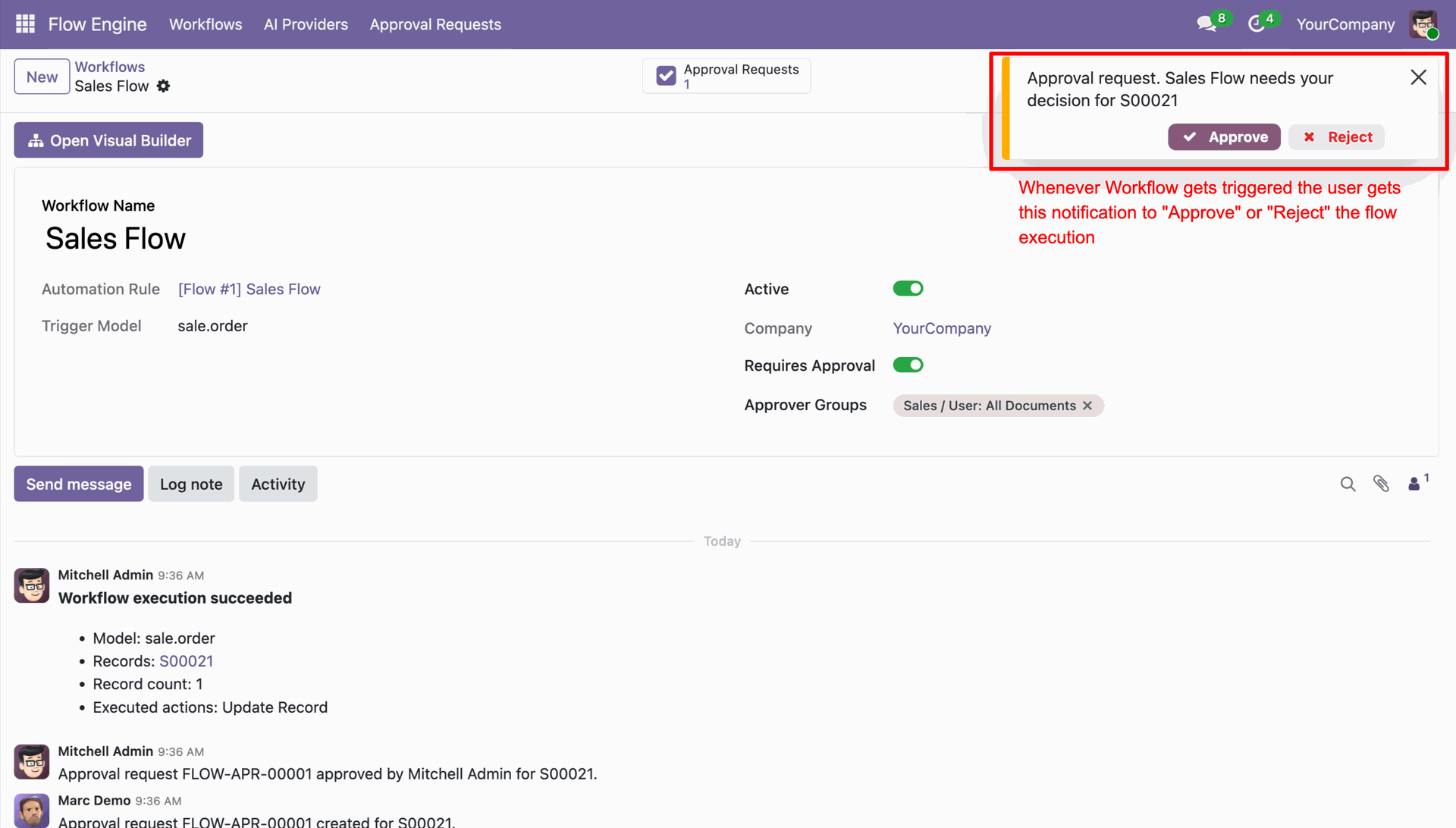
Enable "Requires Approval" and add approver groups.
Whenever the workflow executes, it shows a notification to the dedicated users.
"Approval Requests" smart button in the workflows.
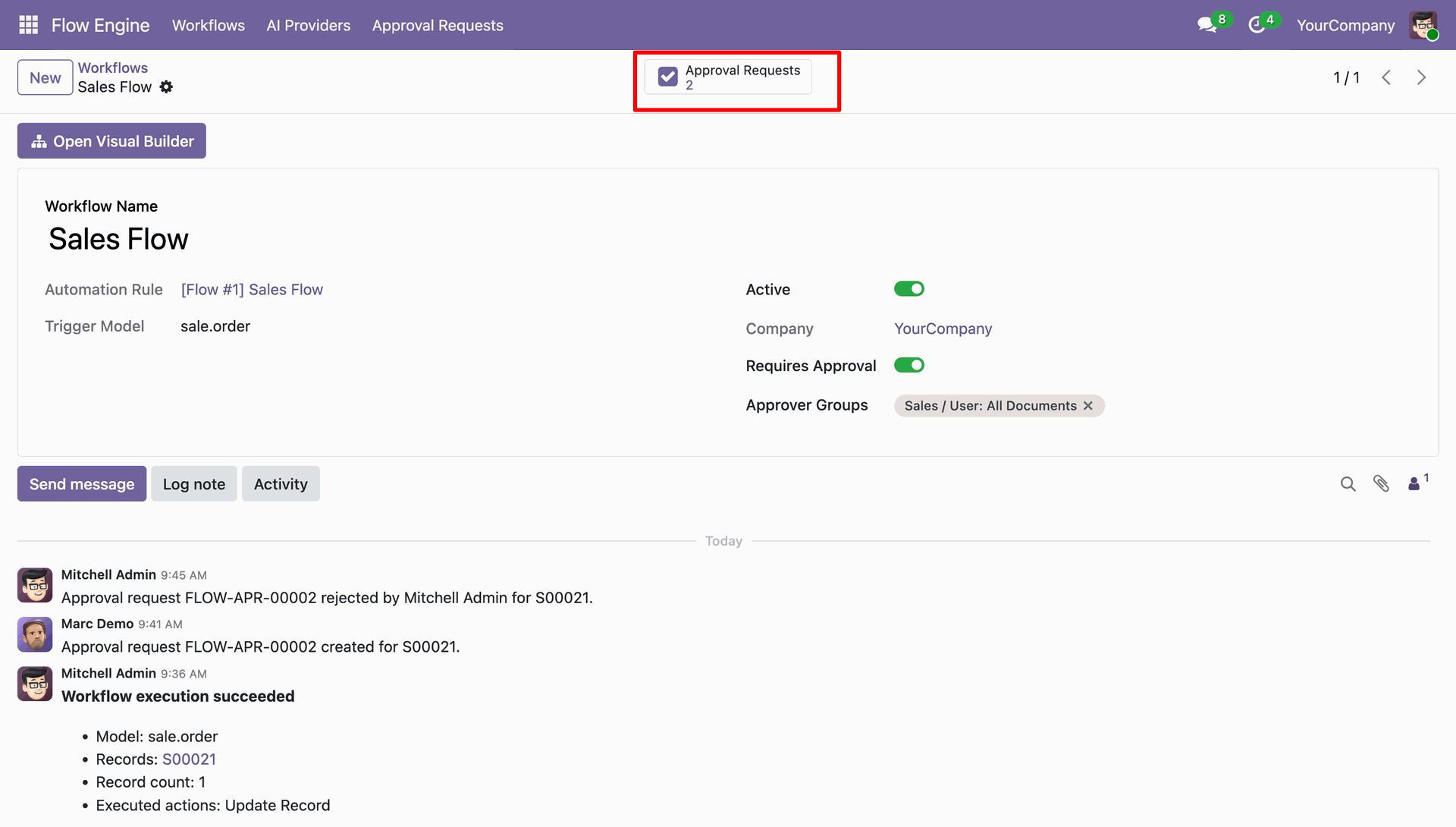
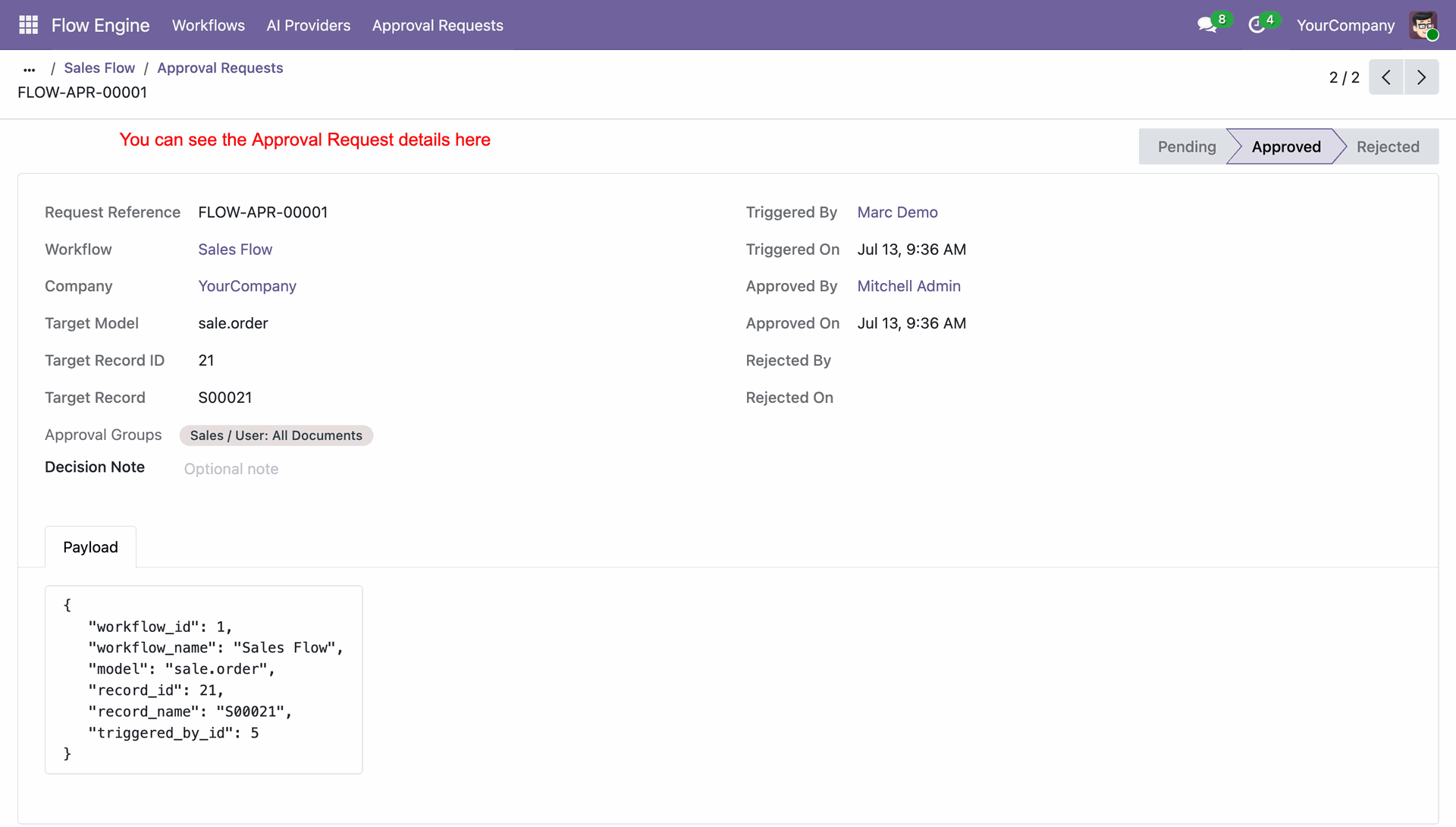
You can open the workflow from the smart button.
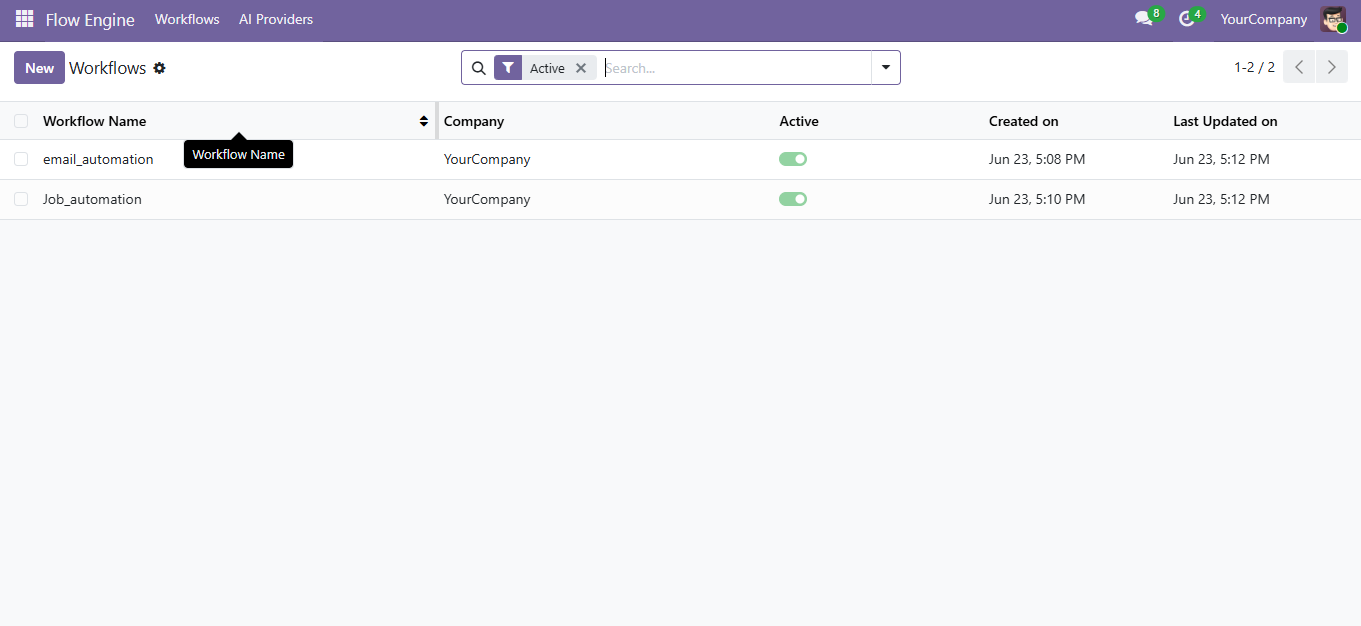
Workflows list view.
Run workflows manually from the record's Run Workflows option.
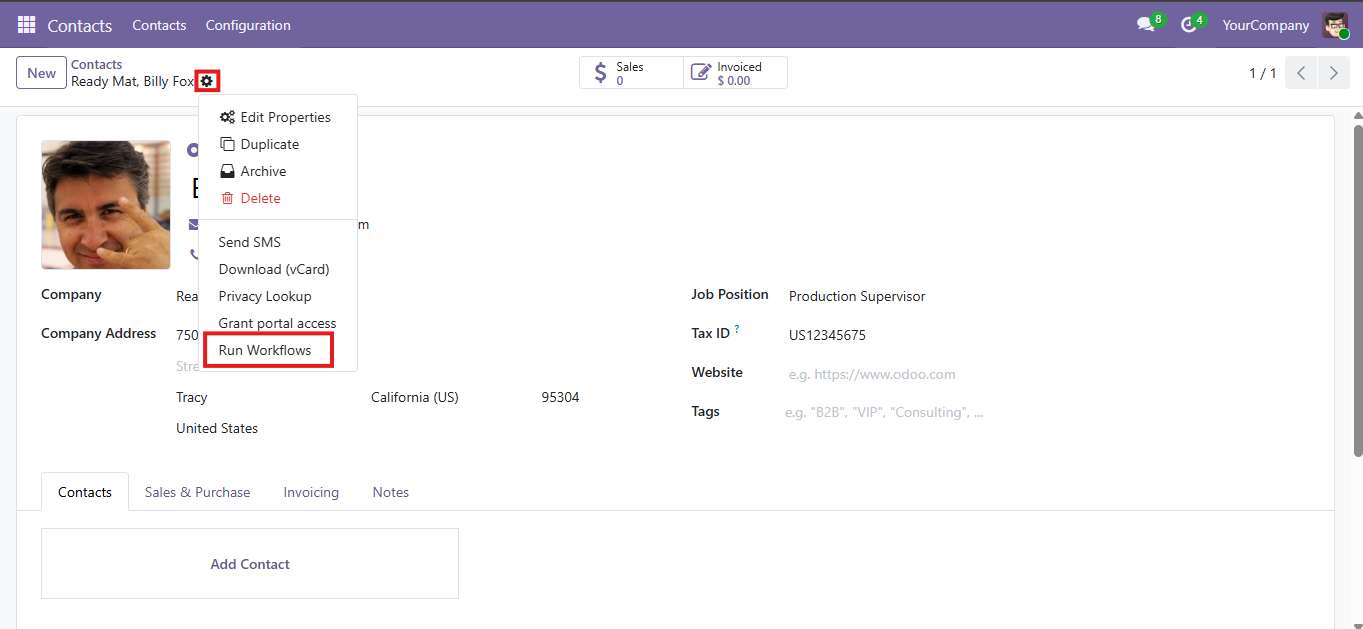
Select one or multiple workflows and execute them instantly.
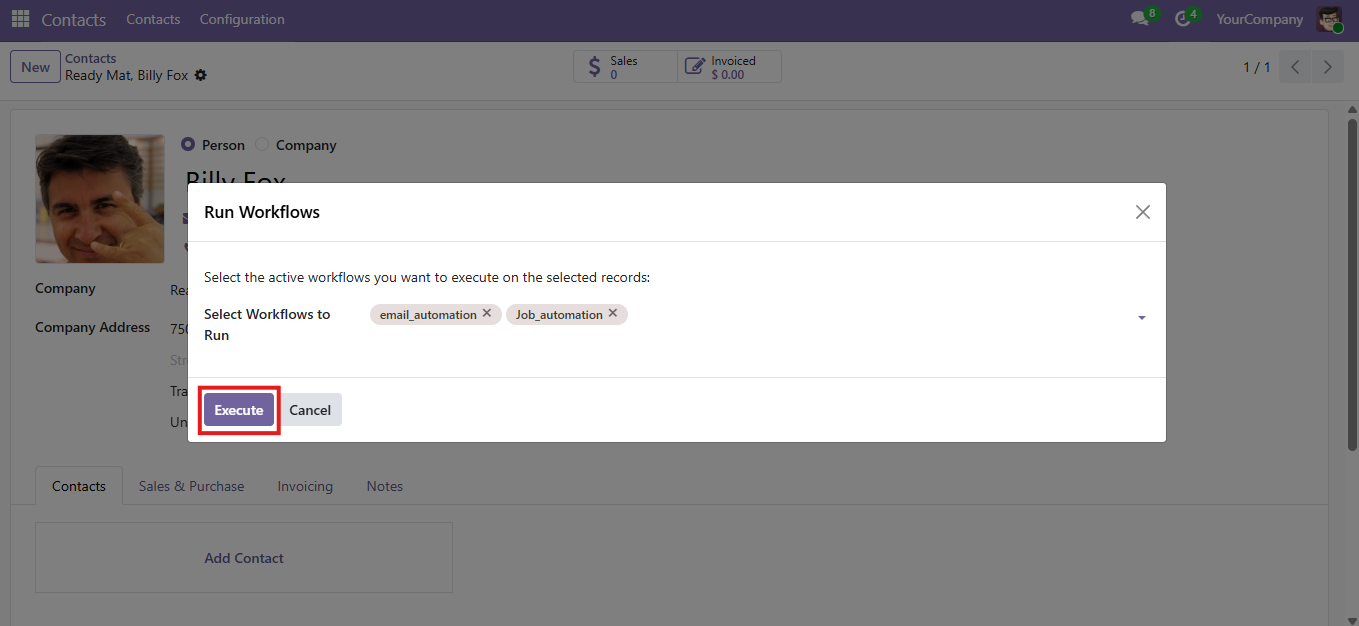
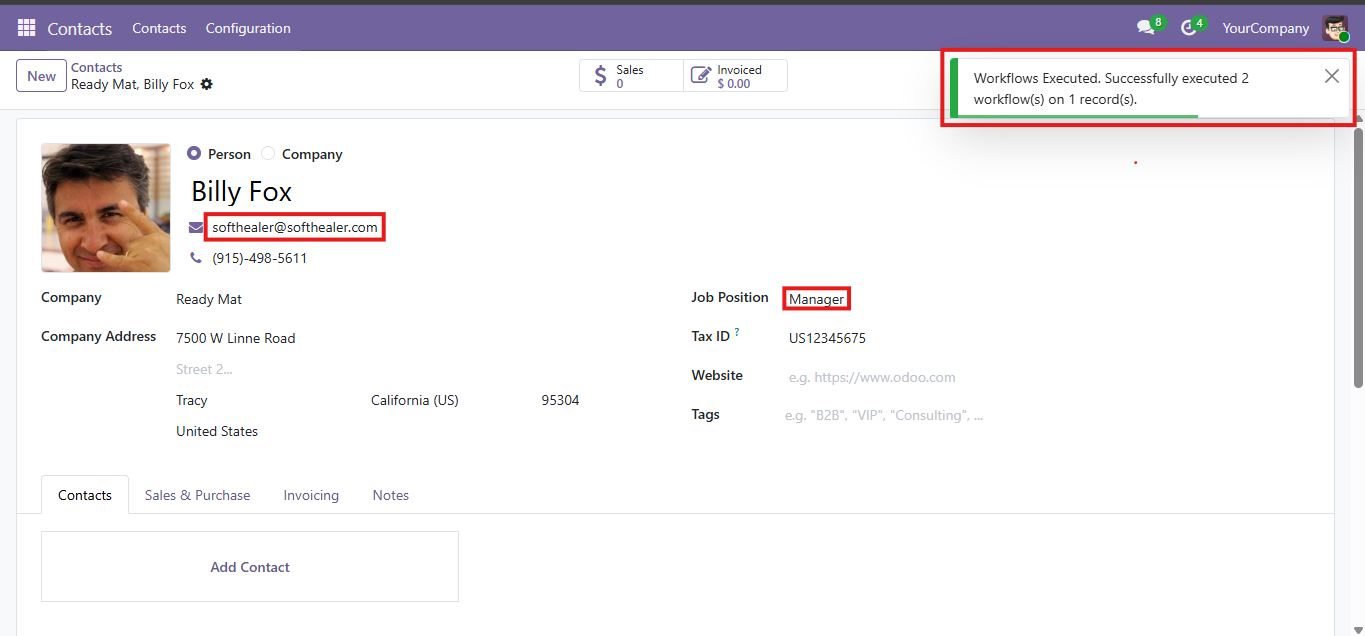
Workflow successfully executed.
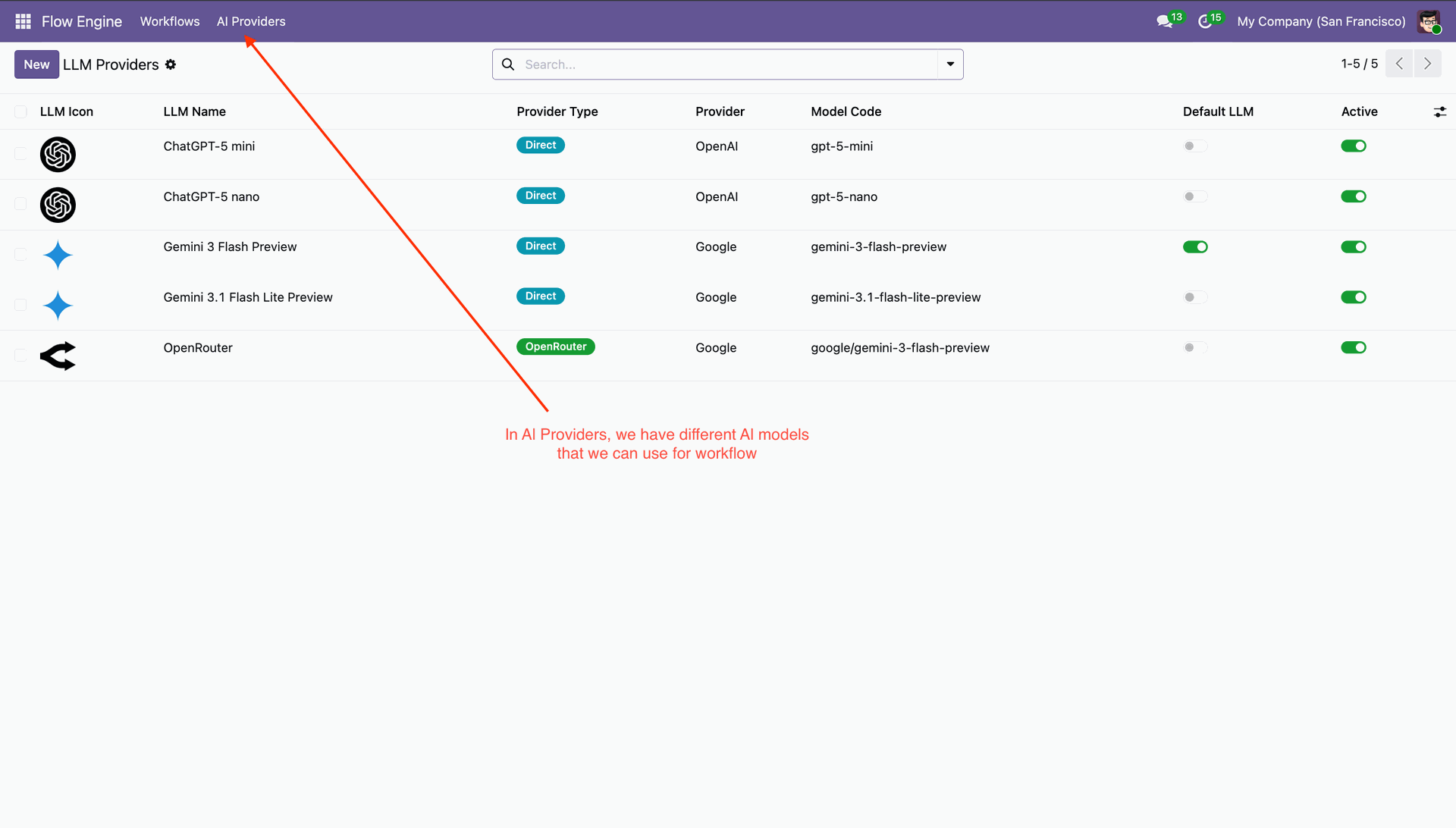
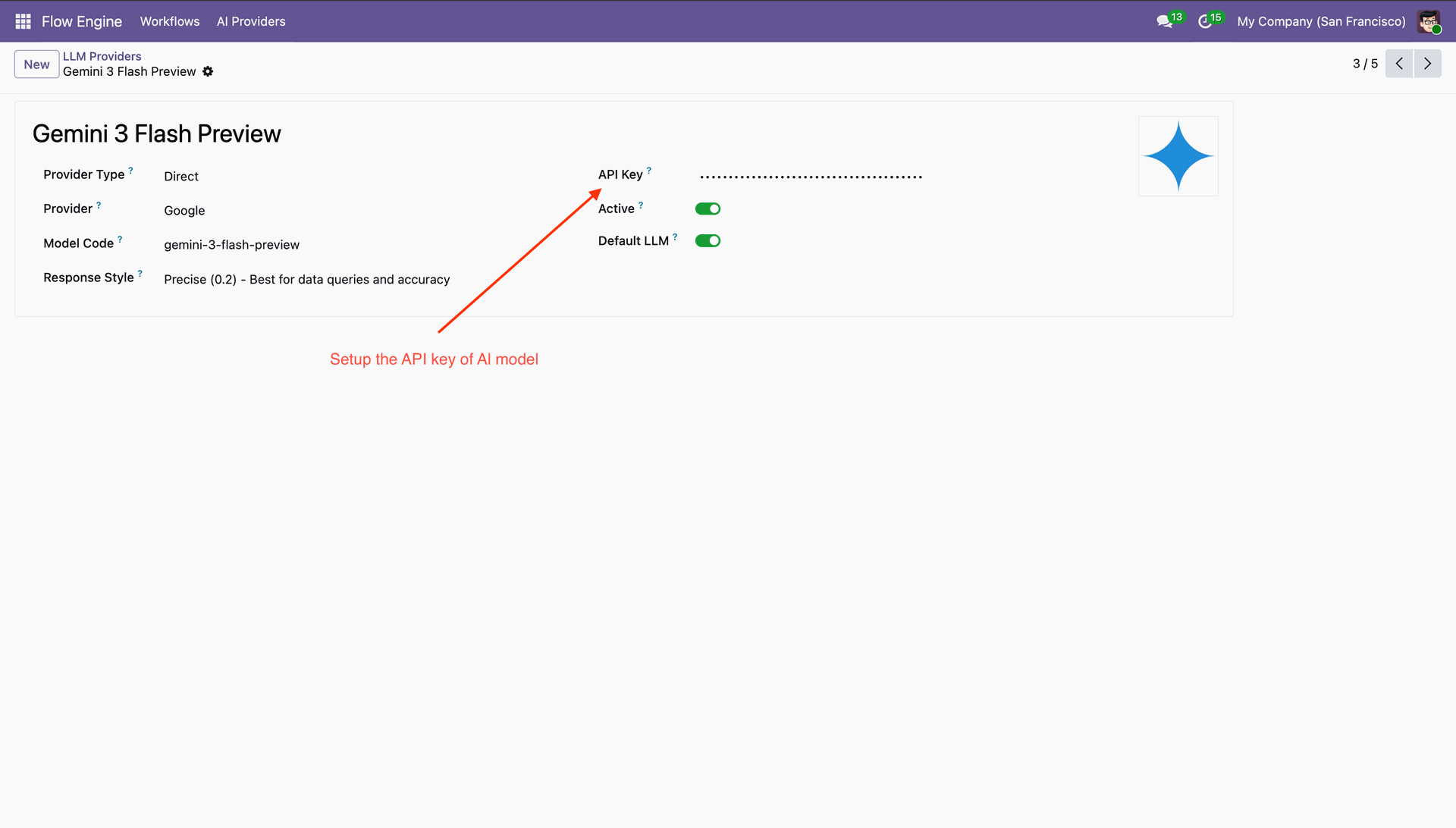
AI providers list view that we can use for the workflow.
Enter API Key.
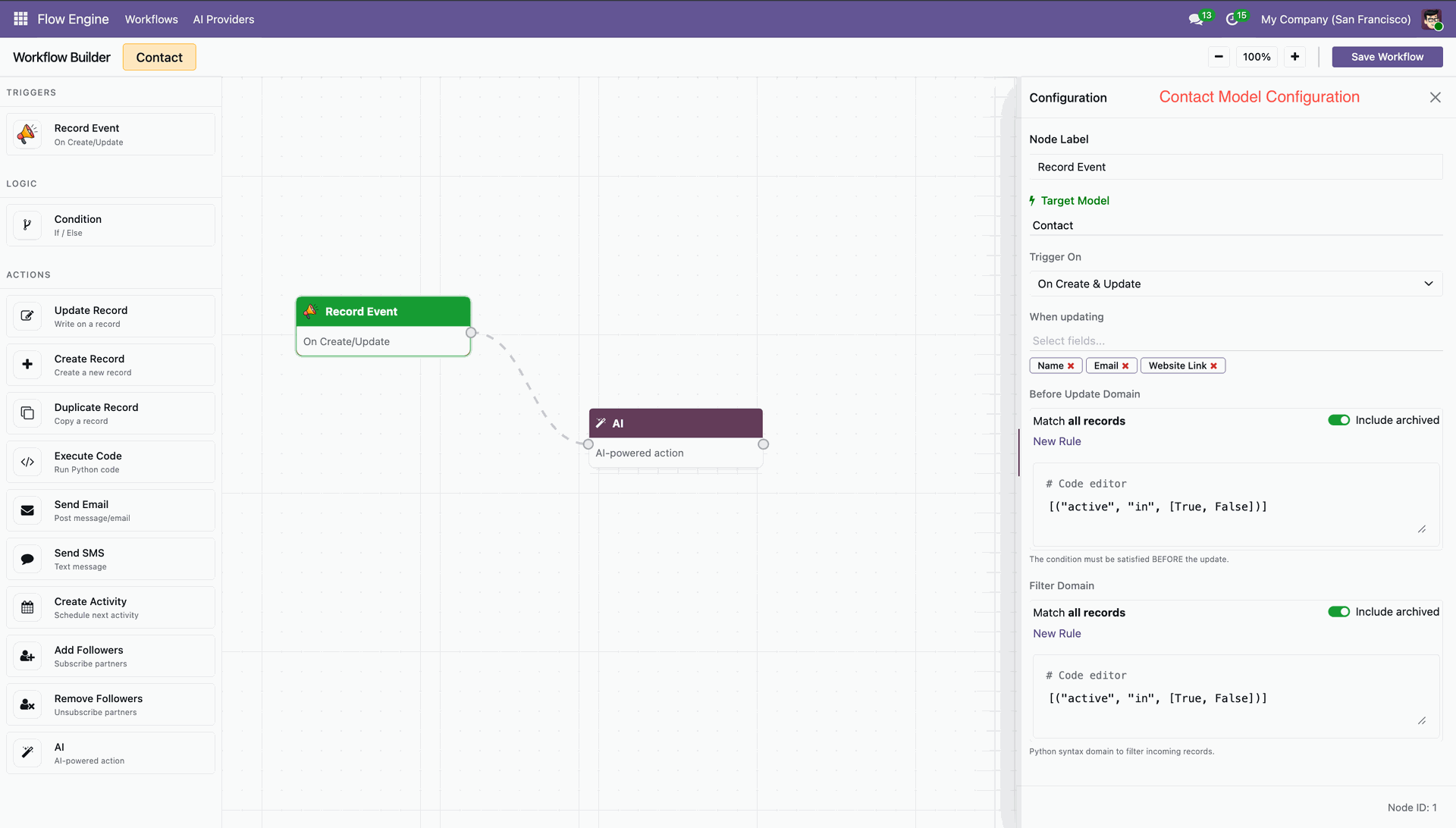
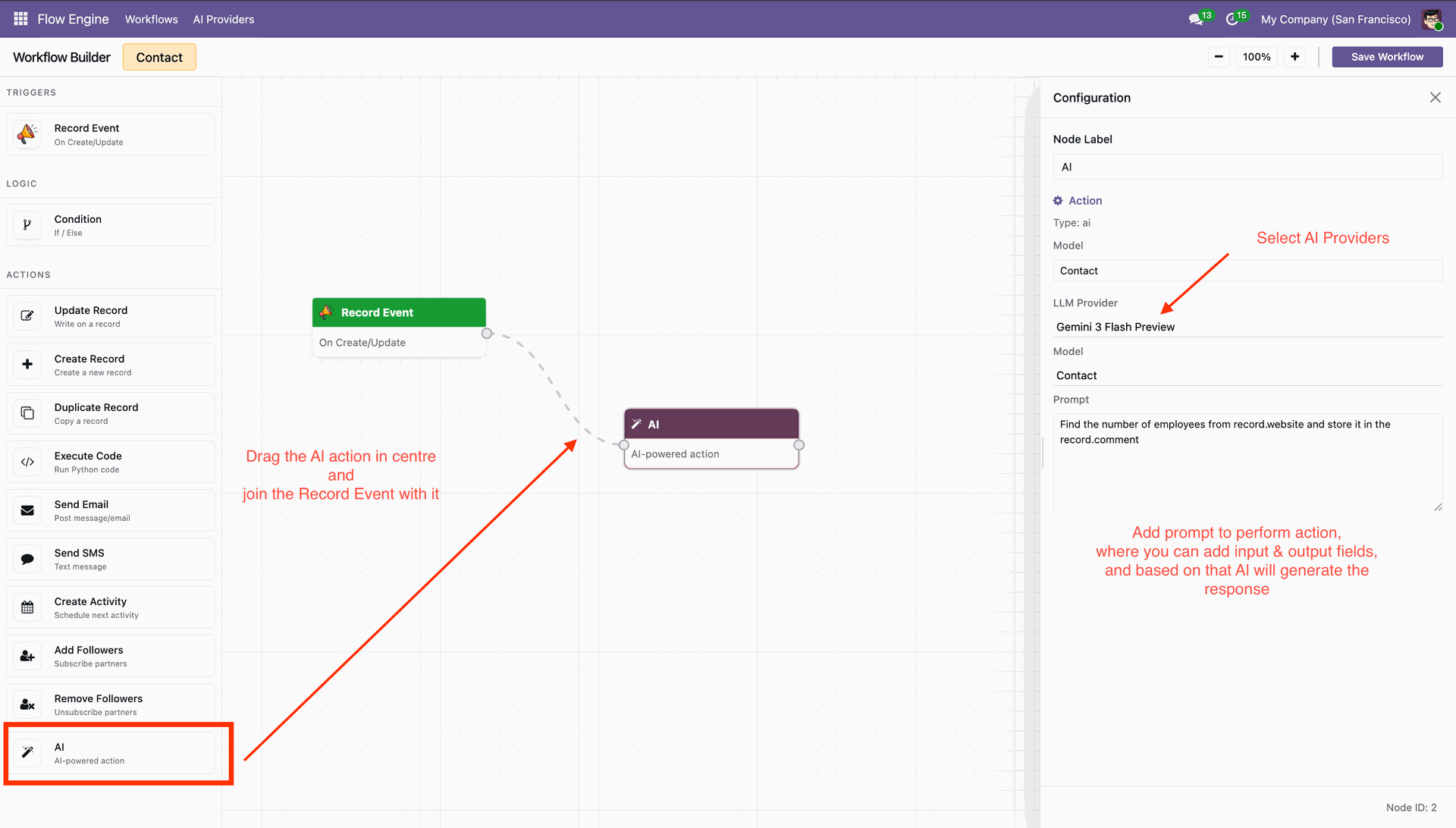
Create workflow with AI.
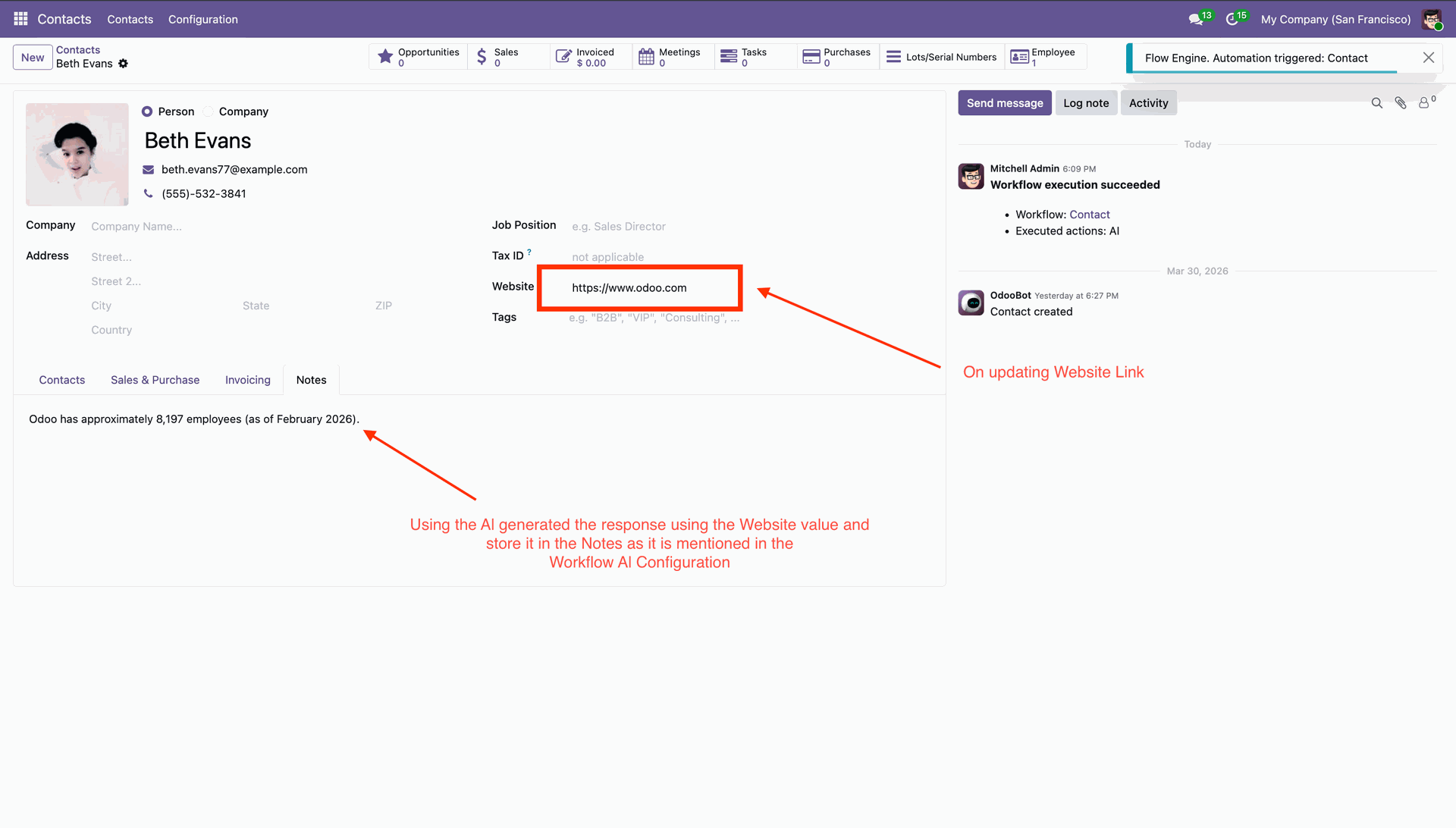
AI will auto execute workflow.
Changelog
Track every update and new feature released for this module.
Added Workflow Approval Feature.
Added Manual Workflow Execution Feature.
Initial Release.
Frequently Asked Questions
Everything you need to know before getting started.
- Check API configuration
- Verify internet connectivity
- Ensure provider API key is valid


 Buy Once, Supported Forever


 Scan to email sales






 Your Ideas Shape Our Roadmap
 Got an Idea? We'll Build It
Trusted by Businesses Worldwide


Abdulhamid Abdulwaheed
Best module for our online store. Highly adaptable, exceptional customer service, and very advanced modules.
Factura Venta POS
They have everything you need. Technical support is excellent, responds quickly, and keeps the module updated. 100% recommended!
Mehmet Muhanna
Great company and support team. Had a problem in my local Odoo server - they solved it in 5 minutes. Highly recommend.
Billy Jeffs
Customised an Odoo app for me which works perfectly. Many requirements, got it right every time. Very confident in their ability.
HP
Consistently excellent service over years of working together. Knowledge and commitment to keeping clients informed truly sets them apart.
Michal Kolasinski
Multiple addons + two custom modules. Communication always friendly and precise. Delivered on time, worked out of the box. Highly recommended!
Modules included





Coming soon
Included free when released
Upcoming
AI CRM Assistant
Intelligent lead scoring, follow-up suggestions, and pipeline insights - AI that helps your sales team close deals faster.

Upcoming
AI Social Media Post Generator
Automatically generate engaging social media posts with AI based on your business content - helping you create platform-ready posts in seconds.

Multi-Language
8 built-in translations







You May Also Like
Discover more Softhealer modules that integrate seamlessly with your Odoo environment.

AI Insight Assistant
Just ask in natural language and instantly get data, charts, tables, dashboards, and insights - all powered by intelligent automation.
View Module

AI Live Chatbot
AI-powered website live chatbot for Odoo offers 24/7 automated support using your Odoo data, documents, and knowledge base.
View Module

AI Dashboard Studio
A powerful and intelligent AI-driven dashboard that brings all your analytics and visual reports into one unified interface.
View Module

AI Insight Assistant
Just ask in natural language and instantly get data, charts, tables, dashboards, and insights - all powered by intelligent automation.
View Module

Most Demanded Apps
The Softhealer modules our customers reach for most - trusted across 100+ countries.

Activities Management
Manage, schedule, and automate Odoo activities across all departments from one view.
View Module

Access Management
Granular access control over menus, fields, buttons, and records for every user role.
View Module

Backdate Advanced
Backdate any transaction across invoices, journals, pickings, and more with full audit.
View Module

All-in-One Helpdesk
Full-featured customer support with tickets, SLA, and customer portal built for Odoo.
View Module

All-in-One Mobile Backend
Access your full Odoo backend from any mobile device with an optimised interface.
View Module

All-in-One Import
Import data from Excel or CSV files into any Odoo model with smart field mapping.
View Module
Our Services
End-to-end Odoo expertise - from setup to scale.

AI & Business Integration

Odoo Implementation

Odoo Customization

Support & Maintenance

Mobile Apps

Migration Service

Third-Party Integration

Odoo Training
Ready to connect your AI to Odoo?
Join 10,000+ businesses - Softhealer, 11+ years of Odoo expertise across 100+ countries.

