


Complete AI Automation Suite
FLAT 30% OFF
AI Insight Assistant
Talk to your data. Get instant answers
AI Live Chatbot
24/7 customer support, always on
AI Dashboard Studio
 Beautiful dashboards, zero effort
MCP Integration
Seamless multi-channel connections
And Many More Features
Complete AI Automation Suite — FLAT 30% OFF

Blog Post

  • Home
  • Blogs
  • InsightMate – AI Dashboard Studio - From Data to Decisions v17
Softhealer
Odoo Gold Partner

Free Support

Lifetime

Custom Apps

1500+

Top Seller Of Odoo

Marketplace

Happy Customers

10K+

Years Of Experience.

11+

Countries

100+

Talented Healers

150+

Industries Served

45+

Odoo Community Implementation

350+

Odoo Enterprise Implementation

150+

Best Partner Nominee

2024

Global Presence

AI Dashboard Studio - From Data to Decisions

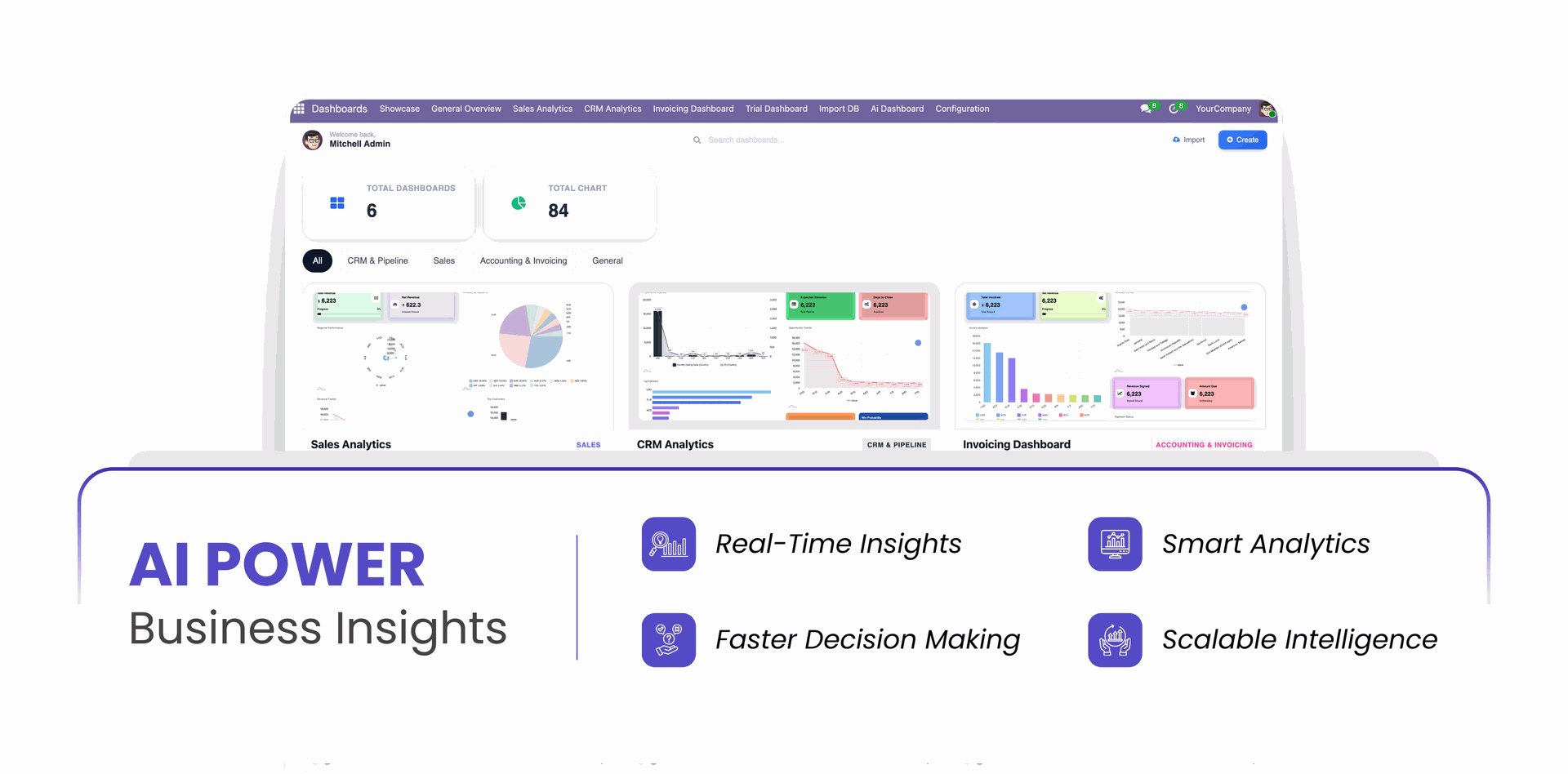
Transform your Odoo data into actionable insights with a powerful and intelligent AI-driven dashboard that brings all your analytics and visual reports into one unified interface. The AI Dashboard Generator module empowers you to build stunning, interactive, and real-time dashboards using advanced charts. This module enables users to monitor performance, analyze trends, and interact with dynamic charts using advanced visualization tools, export options, and real-time customization capabilities. Designed for flexibility and usability, the AI Dashboard provides a modern analytics experience where users can explore data visually, annotate insights, customize themes, and export reports instantly.
Key Features

AI Dashboard Builder

Create interactive Odoo AI Dashboard with charts, filters, and business insights.

Dashboard Template

Use ready-made Odoo analytics dashboard templates for faster dashboard creation.

Dashboard Creation

Build custom Odoo Intelligent Automation dashboard tailored to your business requirements.

Dashboard Categories

Organize Odoo reporting dashboard(Odoo business intelligence dashboard) into categories for better management and accessibility.

Lock/Unlock Dashboard

Lock dashboards to prevent changes and unlock when edits are needed.

Edit Dashboard

Modify Odoo chart dashboard layouts, widgets, and settings anytime.

Delete Dashboard

Remove unwanted dashboards with a simple delete option.

Export Dashboard

Export dashboard configurations for backup or sharing purposes.

Import Dashboard

Import dashboard configurations and restore dashboards instantly.

Data Filters

Apply dynamic filters to display only relevant dashboard data.

Create Charts

Generate charts from business data with a few simple clicks.

Chart Types (More Than 15)

Choose from 15+ chart types to visualize data effectively.

Theme Customization

Customize dashboard themes to match your company branding.

Edit Chart

Update chart settings, labels, and configurations whenever required.

Delete Chart

Remove charts that are no longer needed from dashboards.

Display Mode

Switch between different display modes for a better viewing experience.

Download Chart

Download charts as files for reporting and presentation purposes.

Import Chart

Import existing chart configurations into your dashboards.

Export Chart

Export chart settings for backup and easy reuse.

Print Chart

Print charts directly for meetings, reports, and documentation.

Multi Company

Manage and view dashboard data across multiple companies.

Current User Filter

Automatically filter dashboard data based on the current user by Odoo process automation.

OpenRouter Integration

Connect OpenRouter to access multiple AI models through a single API.

Smart Access Control

Control dashboard access with role-based permissions and security.

New Predefined Dashboard Templates

Added new ready-to-use dashboard templates including,

CEO Dashboard,
CFO Dashboard,
Delivery Manager Dashboard,
Sales Manager Dashboard,
Marketing Manager Dashboard,
Purchase Manager Dashboard.
OpenRouter Integration

Select from the wide range of AI models available through OpenRouter.

Chatting using selected OpenRouter model.
AI models through a single API.
Easily switch between models based on use.
AI Dashboard Builder

Create dashboards instantly using AI by selecting models and generating charts automatically.

Enter your requirement in the AI prompt box.
Let AI Process Your request.
Generate a chart in seconds.
Dashboard Template

Automatically get ready-made dashboard templates when you activate apps in Odoo, helping you start analytics instantly.

Install or activate any Odoo app.
The system auto-creates a matching dashboard template.
Select the template while creating the dashboard, and use it immediately.
Dashboard Creation

Create powerful dashboards in seconds with an intuitive, user-friendly interface designed for quick setup.

Launch ready-to-use dashboards.
Customize layouts easily.
Zero complexity setup.
No coding knowledge required.
Dashboard Categories

Organize dashboards into structured categories for easy navigation and better management.

Go to Dashboard → Categories
Create Category.
Manage Category In Dashboard.
Lock/Unlock Dashboard

Protect dashboards from unwanted changes by locking them and unlock anytime for editing.

Prevents accidental edits.
Secure dashboard layout.
Quick toggle control.
Edit Dashboard

Update dashboard layout, charts, and settings easily to keep insights accurate.

Open dashboard.
Click Edit dashboard button.
Modify layout or charts.
Delete Dashboard

Remove unused dashboards quickly to maintain a clean workspace.

Quick removal.
Keeps workspace clean.
Simple management.
Import Dashboard

Use the Import Dashboard feature to upload existing dashboard configurations without manual setup.

Export Dashboard

Use the Export Dashboard option to download dashboard configurations for backup.

Data Filters

Apply filters to display specific data and analyze insights more precisely.

Click the Edit dashboard button.
Add Filters by clicking on 'add a line'.
Save & Close to apply.
Dashboard updated with filter.
Theme Customization

Customize chart appearance by changing colors, themes, and layout settings.

Custom appearance.
Brand matching.
Visual enhancements.
Delete Chart

Remove unwanted charts instantly to keep dashboards clean and organized.

Click the 'Delete' icon on chart.
Press 'Delete' in popup.
Delete successful.
Display Mode

Expand charts to full screen mode for better visibility and detailed analysis.

Better visibility.
Focused analysis.
Improved readability.
Download Chart

Download charts quickly as images for reporting and sharing purposes.

Easy sharing.
Offline access.
Save time.
Import Chart

Use the Import Chart feature to upload saved chart configurations and quickly reuse them in dashboards.

Export Chart

Use the Export Chart option to download chart settings for backup, sharing, or future use.

Print Chart

Print charts directly for physical reports and presentations.

Instant report printing.
Generates clean, report-ready chart.
Supports quick sharing in meetings.
Multi Company Wise Dashboard

View and manage dashboards across multiple companies within a single system.

Supports multiple companies.
Centralized monitoring.
Separate data views.
Current User Filter

Filter dashboard data automatically based on the logged-in user.

User-specific insights.
Automatic filtering.
Improves data relevance and privacy.
Role-Based Access Control

Control dashboard visibility by assigning role-based access permissions.

Secure data control.
Restricted visibility.
Flexible permission management.

Chart Types
heading
Bar Chart

Visualize comparisons and trends clearly using structured bar representations.

Select Bar Chart type.
Choose the fields data.
Click save chart.
Line Chart

Track performance trends over time using smooth line visualization for better business analysis.

Identify growth and decline trends.
Compare multiple datasets clearly.
Pie Chart

Display proportional data distribution with clear visual segments for quick understanding.

Shows percentage contribution.
Best for category breakdown.
Instant share overview.
Doughnut Chart

Display proportional data distribution with easy-to-understand segments.

Select Doughnut Chart type.
Choose the fields data.
Click save chart.
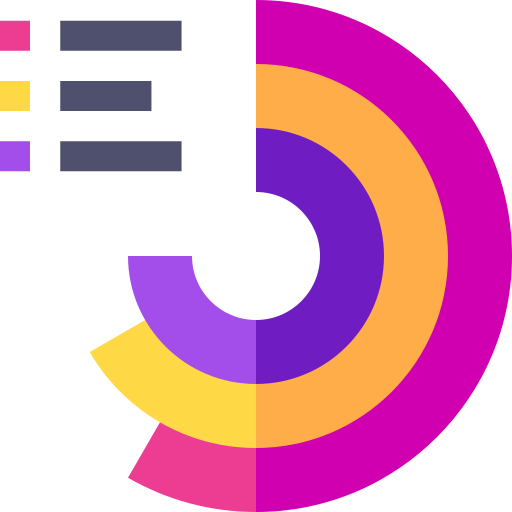
Polar Chart

Analyze cyclical and radial data using dynamic circular axis visualization.

Ideal for pattern analysis.
Unique visual representation.
Advanced analytics view.
Radar Chart

Compare multiple variables across categories using spider-web style visualization.

Multi-metric comparison.
Strategic evaluation support.
Clear category strength view.
Bubble Chart

Visualize three-dimensional data by representing values with varying bubble sizes.

Size-based visual impact.
Ideal for performance mapping.
Interactive insight view.
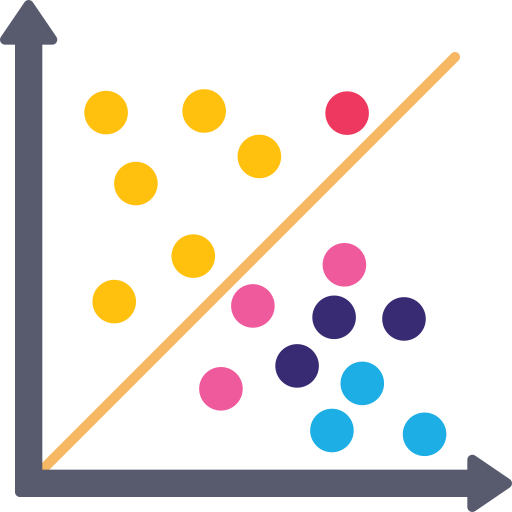
Scatter Chart

Identify relationships and correlations between two variables with precision.

Correlation analysis.
Detect trends & outliers.
Research & analytics friendly.
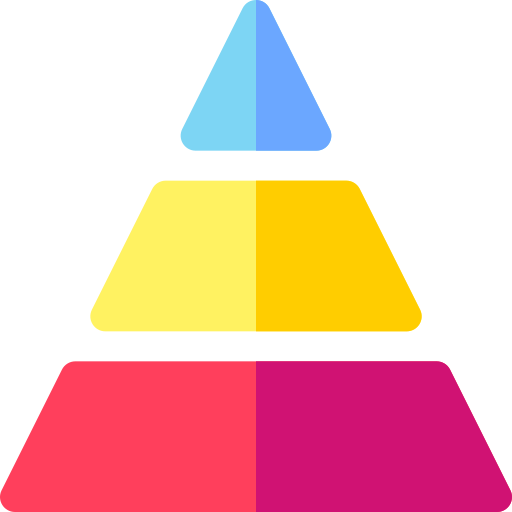
Funnel Chart

Track progressive stages in processes like sales pipelines or lead conversions.

Visualize conversion stages.
Analyze drop-off rates.
Sales performance tracking.
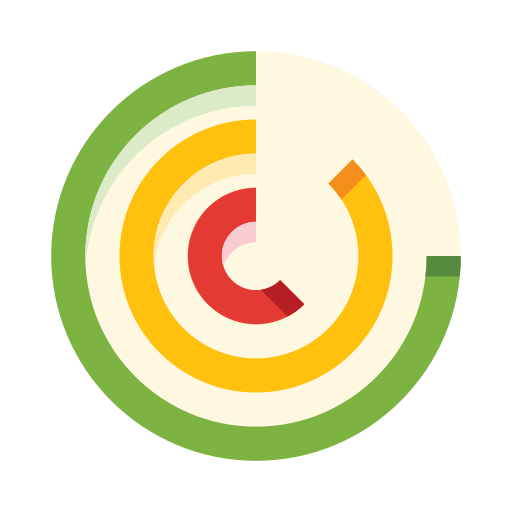
Radial Chart

Show performance levels in circular progression format for compact insight display.

Circular performance view.
Clean progress visualization.
Dashboard friendly design.
Meter Chart

Measure performance levels against targets using speedometer-style visualization.

Target vs actual comparison.
Instant performance status.
Executive summary view.
Hierarchy Chart

Display structured relationships and organizational data in tree format.

Organizational structure view.
Clear data hierarchy.
Structured reporting.
Combo Chart

Combine multiple chart types in a single visualization for advanced comparison.

Multi-metric comparison.
Flexible analytics.
Advanced reporting tool.
KPI Chart

Highlight key performance indicators with focused metric visualization.

Real-time value tracking.
Target performance monitoring.
Clear progress mapping.
Timeline Chart

Visualize events and progress across a time-based sequence.

Chronological data view.
Milestone monitoring.
Fast analytics.
Odoo View Chart

Generate charts directly from Odoo views without manual data configuration.

Create a blank dashboard.
Open odoo view.
Click 'Add to dashboard'.

Changelog

Track every update and new feature released for this module.

Version 17.0.1.0.0 | Released: 14 th August 2026

Initial Release.

Frequently Asked Questions

Everything you need to know before getting started.

Yes, this app works perfectly with Odoo Enterprise (Odoo.sh & Premise) as well as Community.
No, this application is not compatible with odoo.com(odoo saas/Odoo Online)
No. The AI provides intelligent responses based on available data and models, but results may sometimes be incomplete or approximate. Always verify critical business decisions manually. This case is not eligible for refund or exchange.
AI interprets queries based on patterns and available data. Incorrect inputs, ambiguous questions, or missing data may lead to inaccurate outputs. This case is not eligible for refund or exchange.
AI should be used as a decision-support tool, not a replacement for human judgment. Always review outputs before taking action. This case is not eligible for refund or exchange.
AI understands structured data well, but complex business logic, customizations, or incomplete records may affect accuracy.
No. The system is designed for business users with a simple chat interface.
  • Check API configuration
  • Verify internet connectivity
  • Ensure provider API key is valid
AI response time depends on the selected provider and plan. For example, if we are using a free tier, our request priority may be lower than other plans. Also, if we select high-thinking models, they usually take more time to generate responses.
No, only models that support tool calling are usable in the app.
Yes, you will receive lifetime free support for the version of the module you purchased.
Yes, you will receive lifetime free updates for the version of the module you purchased.
No, there is no need to install any additional libraries.
Yes, for version 12 and above, you need to purchase the module separately for each version you intend to use.
No, exchanges or refunds are not allowed. Please make sure to select the correct version before purchasing.
You can contact us at support@softhealer.com for language translation support. We use Google Translator tools to provide translations in multiple languages, so the accuracy may vary. We welcome your suggestions to help improve translations.

We're Always Here to Support You

From lifetime support to custom module builds — we're committed to your success at every step.

Our Commitments

Lifetime Support

Purchase once and get support forever — For the version you purchased.

  • Free updates for the lifetime of the module
  • Bug fixes & patches at no extra cost
Buy Once, Supported Forever

Support System

Dedicated support team and structured ticketing system to maintain proper communication.

  • Dedicated support team for every module
  • Structured ticketing for proper communication
  • Full issue history & resolution tracking
  • Response within 24 business hours (10:00 AM to 6:30 PM IST Mon-Fri)
Buy Once, Supported Forever
Contact Us

Free Demo

Book a free demo - contact us at sales and we'll set it up for you.

QR - sales@softhealer.com
Scan to email sales
sales@softhealer.com

For Support

Facing an issue? Contact us at support and we'll get you back on track.

QR - sales@softhealer.com
Scan to email support
support@softhealer.com

WhatsApp Support

Chat with us instantly on WhatsApp for quick enquiries.

QR - sales@softhealer.com
Scan to open WhatsApp
Chat on WhatsApp
Share Your Ideas

Feature Request

Found a generic feature that could improve our modules? We'd love to hear your idea and add it to our roadmap!

  • Share ideas that benefit the wider community
  • Our team reviews every suggestion carefully
  • Approved features added in future releases
Your Ideas Shape Our Roadmap

Module Request

Have a generic Odoo module idea? We build modules for you — share your concept and we'll make it a reality!

  • Share any generic Odoo module idea
  • We evaluate & build it for the community
Got an Idea? We'll Build It

Trusted by Businesses Worldwide

A

Abdulhamid Abdulwaheed

Aug 2024

Best module for our online store. Highly adaptable, exceptional customer service, and very advanced modules.

A

Factura Venta POS

Oct 2024

They have everything you need. Technical support is excellent, responds quickly, and keeps the module updated. 100% recommended!

MM

Mehmet Muhanna

Nov 2024

Great company and support team. Had a problem in my local Odoo server - they solved it in 5 minutes. Highly recommend.

BJ

Billy Jeffs

Jan 2025

Customised an Odoo app for me which works perfectly. Many requirements, got it right every time. Very confident in their ability.

HP

HP

Mar 2025

Consistently excellent service over years of working together. Knowledge and commitment to keeping clients informed truly sets them apart.

MK

Michal Kolasinski

Mar 2025

Multiple addons + two custom modules. Communication always friendly and precise. Delivered on time, worked out of the box. Highly recommended!

5.0
Average Rating
10K+ Happy Customers
100+ Countries Served
11+ Years of Trust

Upgrade your Odoo with AI

Complete AI Automation Suite

7 AI-powered modules in one bundle - plus more coming soon. Transform every corner of your Odoo with intelligent automation.

Get the bundle Flat 30% off

What's in the bundle

AI Insight Assistant
Talk to your data
AI Live Chatbot
24/7 intelligent support
MCP Integration
Seamless multi-channel connections
AI Dashboard Studio
From data to decisions
Flow Builder & AI Write
Automate your processes
AI Recruitment
Smarter hiring decisions
AI OCR NEW
Upload Document - Done!

Modules included

Insight Assistant
AI Insight Assistant
Talk to your data
Ask questions about your Odoo data in plain English and get instant answers as charts, tables, or kanban views - across Sales, HR, Accounting and more, with full access-right compliance. Let AI create, update, and archive Odoo records through conversation.
Insight Assistant
AI Live Chatbot
Intelligent support 24/7
Deploy AI-powered chatbots on your website that answer customer queries 24/7 using your documents, PDFs, and Odoo data - with seamless handoff to a human agent when needed.
Insight Assistant
MCP Integration
Seamless multi-channel connections
Empower AI assistants and external tools to securely access, analyze, and interact with your Odoo data through the Model Context Protocol (MCP) - with real-time actions & structured responses. Connect Odoo MCP with Antigravity, Claude WebApp, Claude CLI, Claude Desktop, Gemini CLI, Codex CLI, Codex Desktop App, Codex WebApp.
Insight Assistant
AI Dashboard Studio
From data to decisions
Describe what you want to see and AI builds the dashboard instantly - with 15+ chart types, auto-generated templates, multi-company filters, and full theme customization.
Insight Assistant
Flow Builder & AI Write
Automate your processes
Build smarter automation with AI-powered workflows in Odoo. Generate dynamic content and update data intelligently using AI, making every process faster and more efficient.
Insight Assistant
AI Recruitment Assistant
Automate your processes
Automatically screen, score, and route applicants using AI - so you spend less time reading CVs and more time interviewing the right candidates, all within Odoo.
Insight Assistant
AI OCR
Upload Document - Done!
NEW
Automatically extract and process data from invoices, receipts, and documents - eliminating manual data entry across your Odoo records.

Coming soon

Included free when released

Upcoming

AI CRM Assistant

Intelligent lead scoring, follow-up suggestions, and pipeline insights - AI that helps your sales team close deals faster.

Upcoming

AI Social Media Post Generator

Automatically generate engaging social media posts with AI based on your business content - helping you create platform-ready posts in seconds.

Lifetime free support Lifetime free updates Community & Enterprise Odoo.sh & On Premise

Multi-Language

8 built-in translations

English
German
Arabic
Spanish
Japanese
Chinese
French
Portuguese

Most Demanded Apps

The Softhealer modules our customers reach for most - trusted across 100+ countries.

Activities Management

Manage, schedule, and automate Odoo activities across all departments from one view.


View Module

Access Management

Granular access control over menus, fields, buttons, and records for every user role.


View Module

Backdate Advanced

Backdate any transaction across invoices, journals, pickings, and more with full audit.


View Module

All-in-One Helpdesk

Full-featured customer support with tickets, SLA, and customer portal built for Odoo.


View Module

All-in-One Mobile Backend

Access your full Odoo backend from any mobile device with an optimised interface.


View Module

All-in-One Import

Import data from Excel or CSV files into any Odoo model with smart field mapping.


View Module

Our Services

End-to-end Odoo expertise - from setup to scale.

AI & Business Integration Icon

AI & Business Integration

Odoo Implementation Icon

Odoo Implementation

Odoo Customization Icon

Odoo Customization

Support & Maintenance Icon

Support & Maintenance

Mobile Apps Icon

Mobile Apps

Migration Service Icon

Migration Service

Third-Party Integration Icon

Third-Party Integration

Odoo Training Icon

Odoo Training

Ready to connect your AI to Odoo?

Join 10,000+ businesses - Softhealer, 11+ years of Odoo expertise across 100+ countries.

WhatsApp Connector for Odoo ( Whapi.cloud API ) v19

Transforming Businesses with Next-Gen Solutions

Our next-generation solutions are built to transform businesses and drive growth in the digital era.

Find Us

530, West Gate 2,
Ayodhya Chowk, 150 Feet Ring Road Rajkot, Gujarat 360006.

Find Us

131 South End, Croydon CRO 1BJ,
United Kingdom

Contact No.

HR : +91 90232 46069
Sales : +91 93288 25451
Support : +91 63571 93747

Contact No.

Sales : +44 7562 893296

Reach Us Read Blog Contact Us Submit Support Ticket Watch Video Tutorial
whatsapp-support-store whatsapp-support-store
Click to Chat