












Hostel Management System

Manage your entire hostel operation effortlessly with a module designed to handle everything from room
allocation to student payments. You can organize multiple hostels, floors, rooms, available beds, and
facility details. The admission process is designed to let you easily assign students to rooms,
automatically calculating the total rent based on their stay duration and chosen amenities. It simplifies
billing by breaking down fees into manageable installments and linking them directly to invoices for easy
tracking. On top of that, the system helps you stay organized by automatically monitoring lease end dates
and sending email reminders to students for renewals.

Related Modules
Features

Multi-Hostel Management
Create and manage records for multiple distinct hostel buildings within the system.

Floor Management
Organize physical infrastructure by defining and managing specific floors for each hostel.

Hostel Room Configuration
Set up hostel rooms with floor, room type, room charges, and base charges to manage accommodation details efficiently.

Bed Availability Tracking
Set precise bed capacities for rooms and monitor real-time bed availability.

Student Registration
Capture comprehensive student details, including personal info, parent contacts, and educational details.

Food Menu Planning
Manage hostel food menus efficiently, ensuring a well-structured and consistent dining plan.

Warden Management
Manage hostel wardens by assigning them to specific floors for efficient hostel management.

Housekeeping Activities
Define and track specific cleaning or maintenance activities (e.g., Mopping, Dusting).
Room Categorization
Define different room types and assign suitable prices for each accommodation option.

Facility Configuration
Define a list of available amenities (like AC, Heater, Wi-Fi) and associate specific costs with them.

Automated Notifications
Send system-generated email reminders to students before and after their lease expires to prompt renewal.

Integrated Invoicing
Create standard Odoo invoices directly from the generated payment installment records.
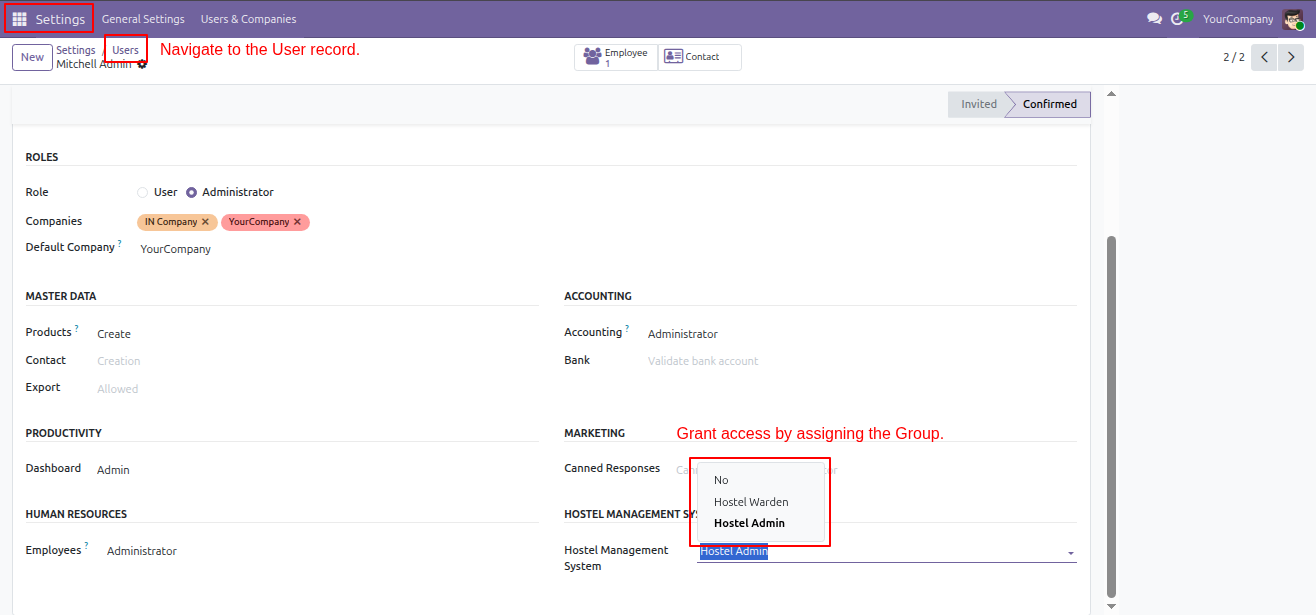
The user navigates to the User record in Settings and grants access by assigning the 'Hostel Admin' group within the Hostel Management System configuration.
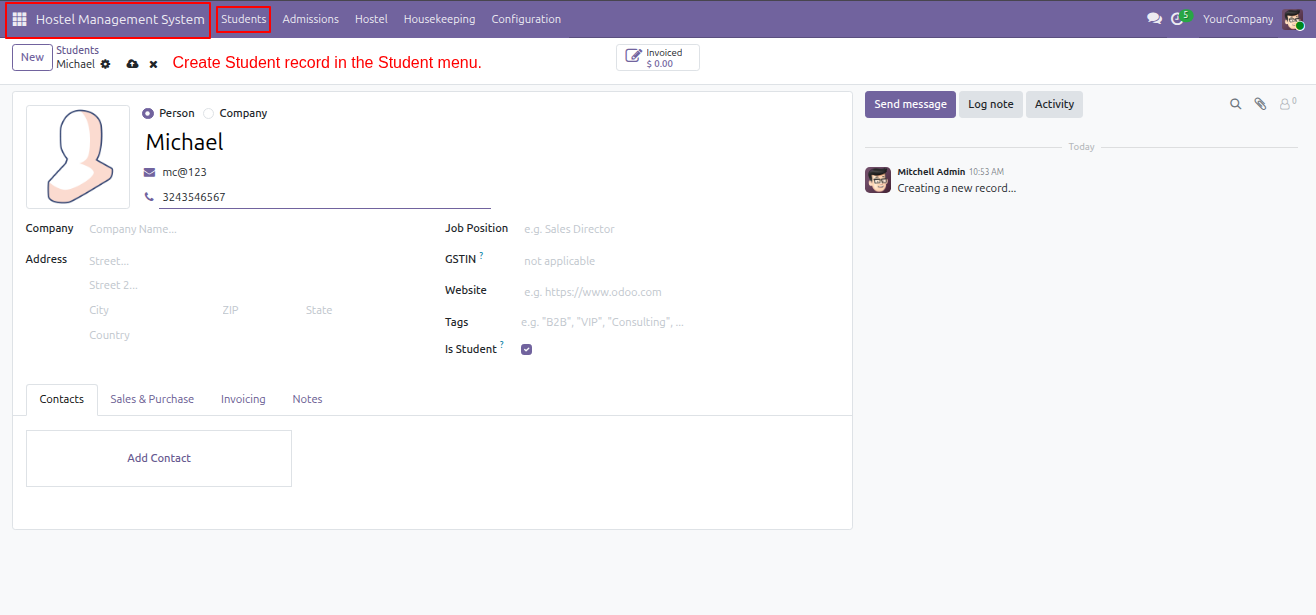
The user accesses the Students menu within the Hostel Management System to create and manage individual student records like the one shown for 'Michael'.
The user navigates to Configuration -> Hostel Name to access the list of hostels and clicks New to add a record.
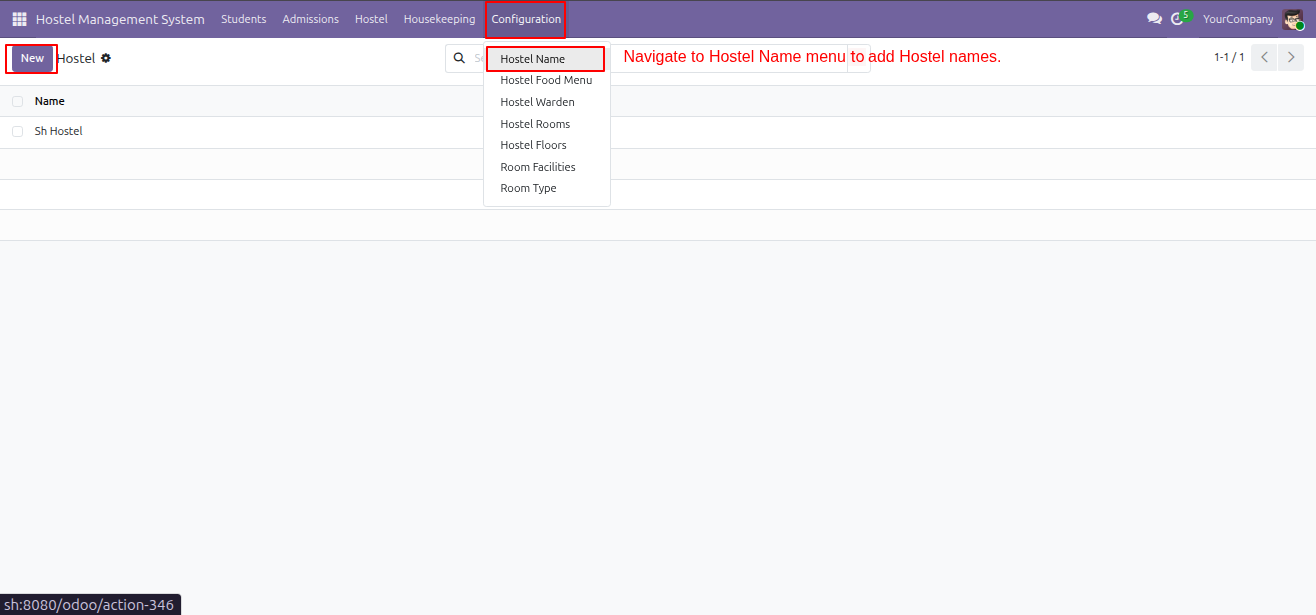
The user navigates to Configuration -> Hostel Warden to access the warden management form and add new staff records.
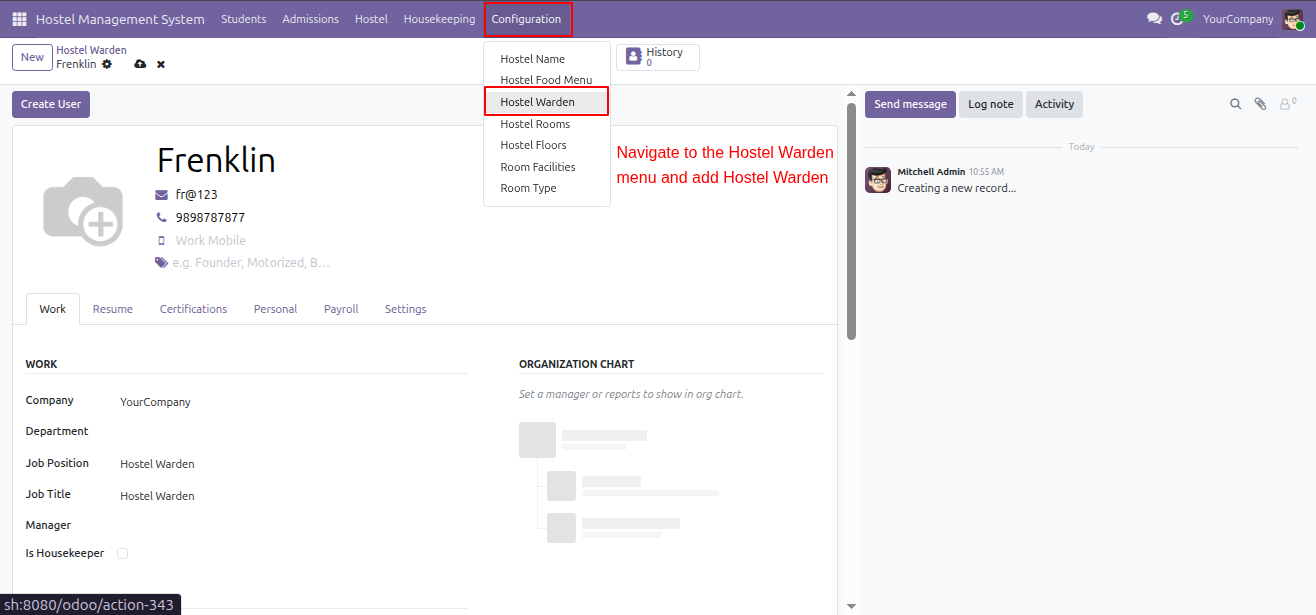
The user navigates to Housekeeping -> Housekeeper to access the staff list and manage or add new housekeeping personnel records.
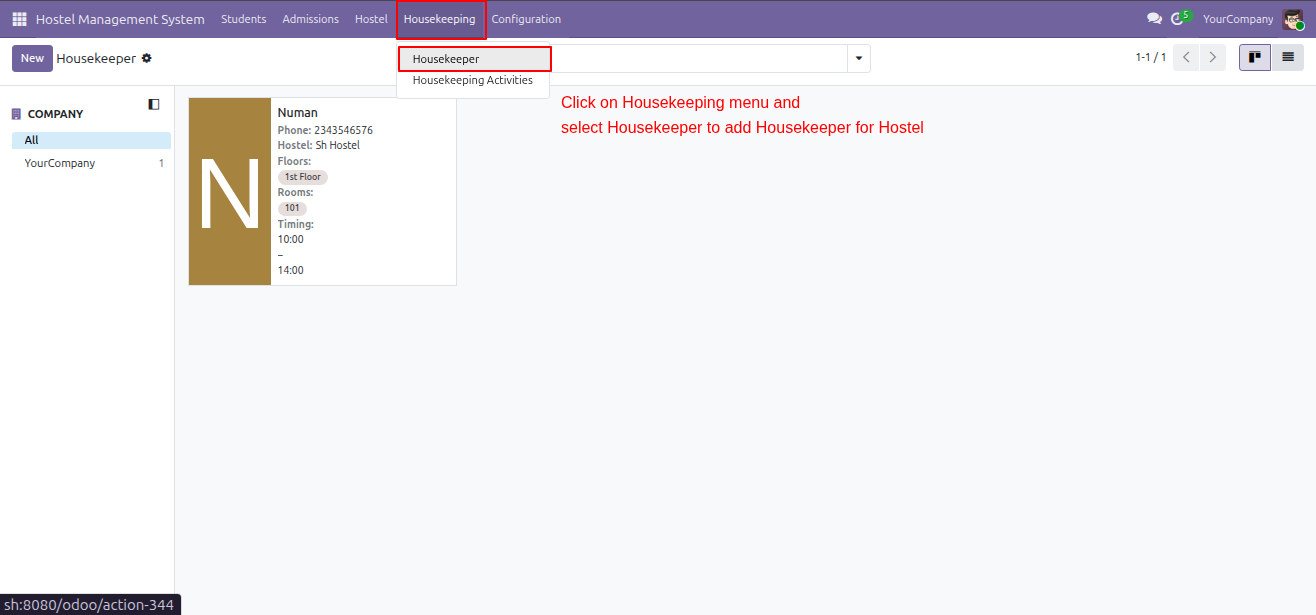
The user navigates to Housekeeping -> Housekeeping Activities to access and manage the list of specific tasks assigned to housekeeping staff.
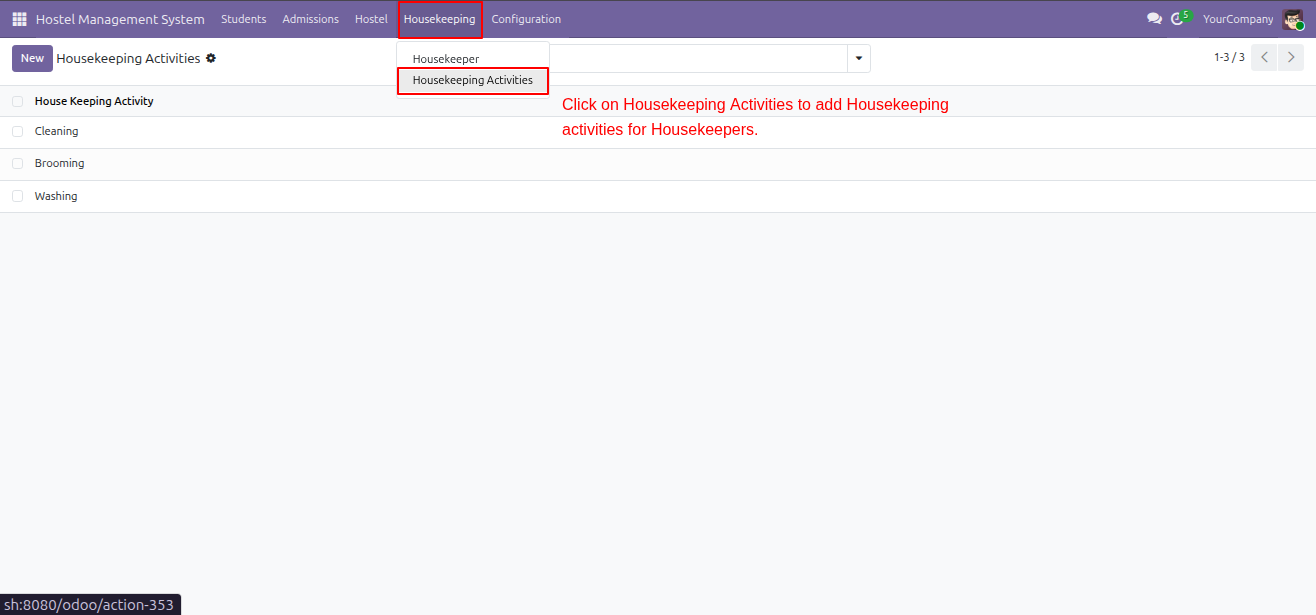
The user navigates to Configuration -> Room Type to define room categories and set their associated monthly base prices.
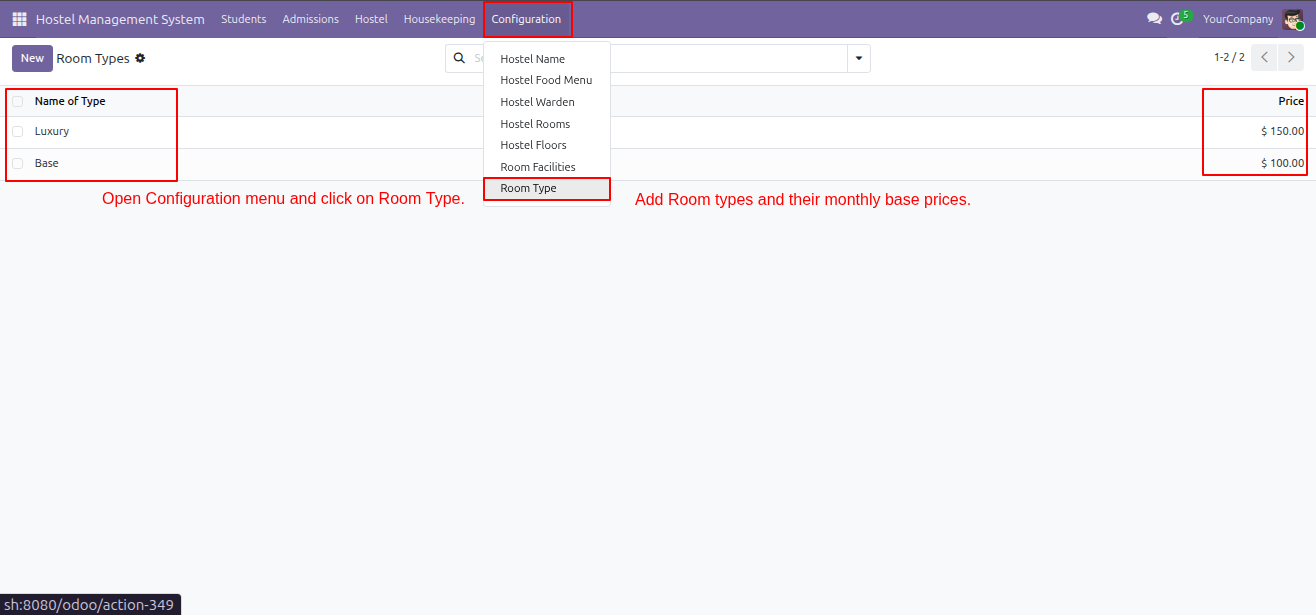
The user navigates to Configuration -> Room Facilities to add room amenities and set their specific monthly usage prices.
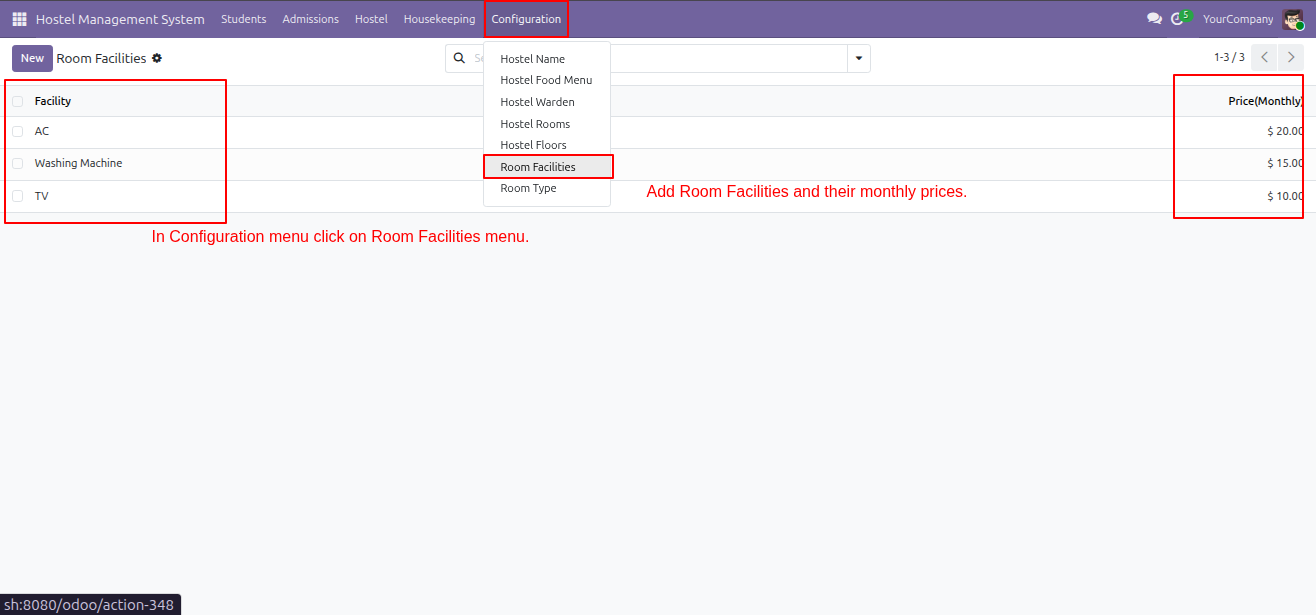
The user navigates to Configuration -> Hostel Floors to add new building levels and assign specific wardens to each floor.
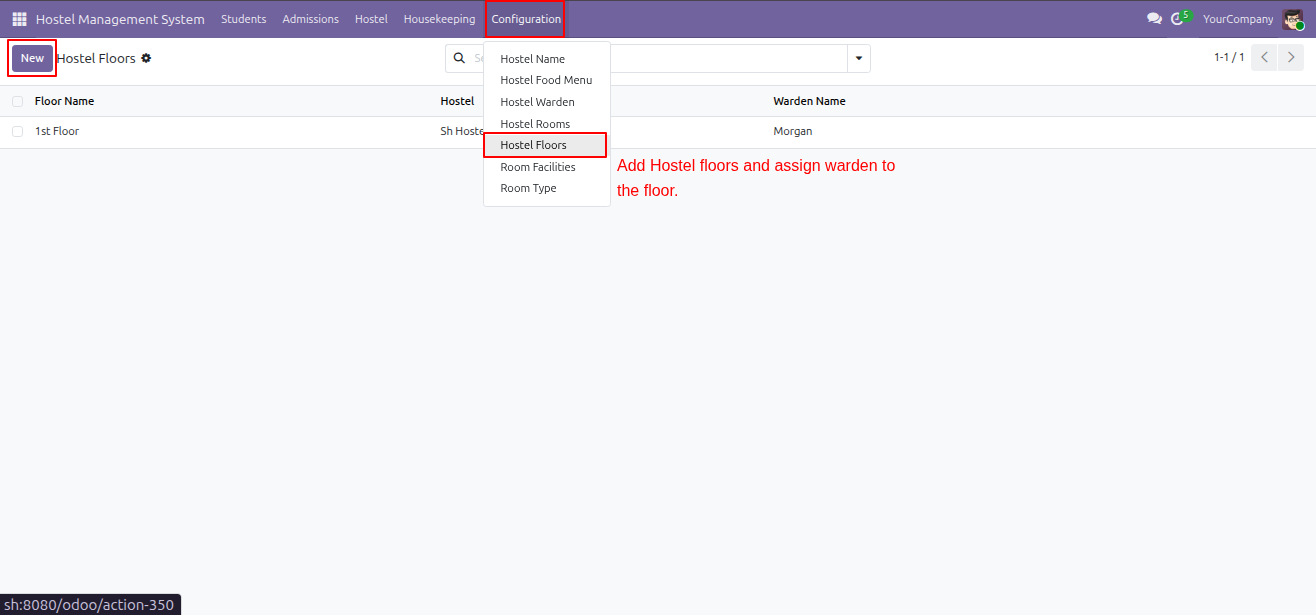
The user configures a room by selecting its type and adding facilities; the system automatically aggregates the base price and facility costs to determine the total monthly charge.
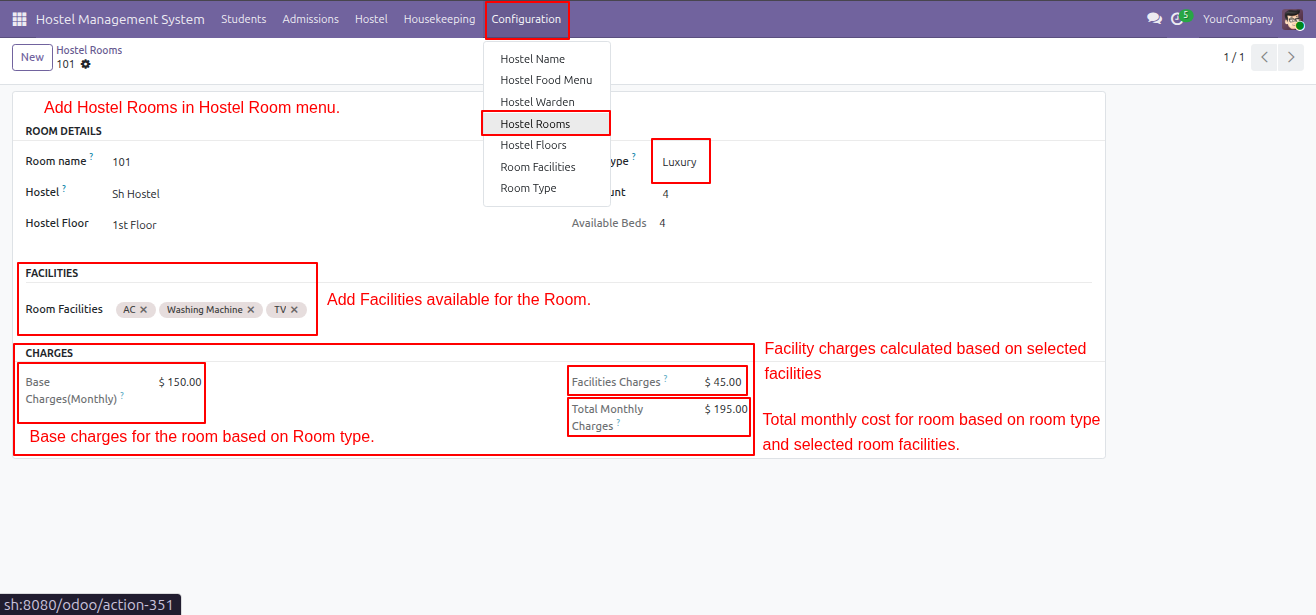
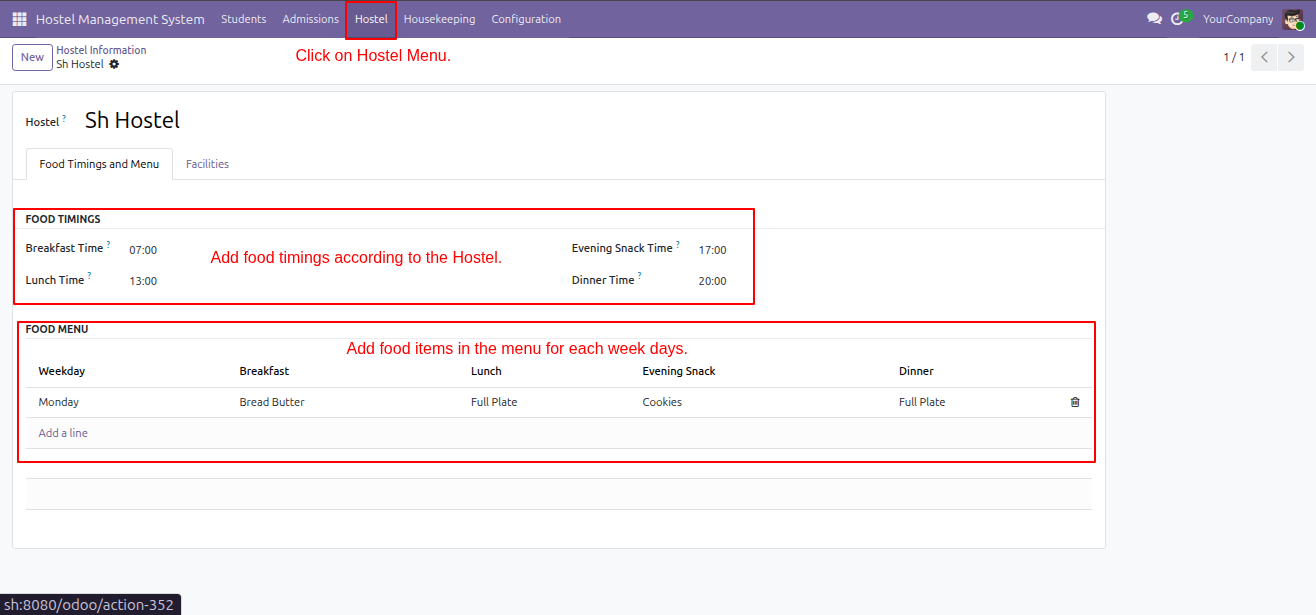
The user navigates to the Hostel menu to configure the daily Food Timings and define the weekly Food Menu items for the facility.
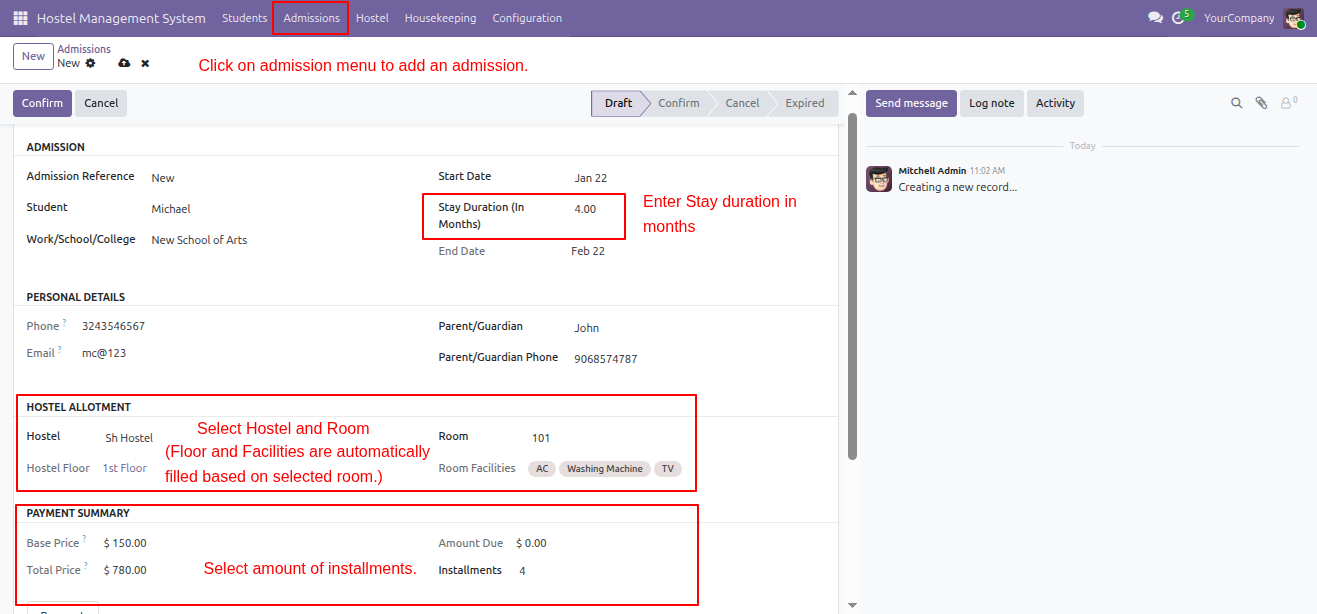
The user creates an admission record by specifying the stay duration, selecting a room to auto-fill facilities, and configuring the payment installments.
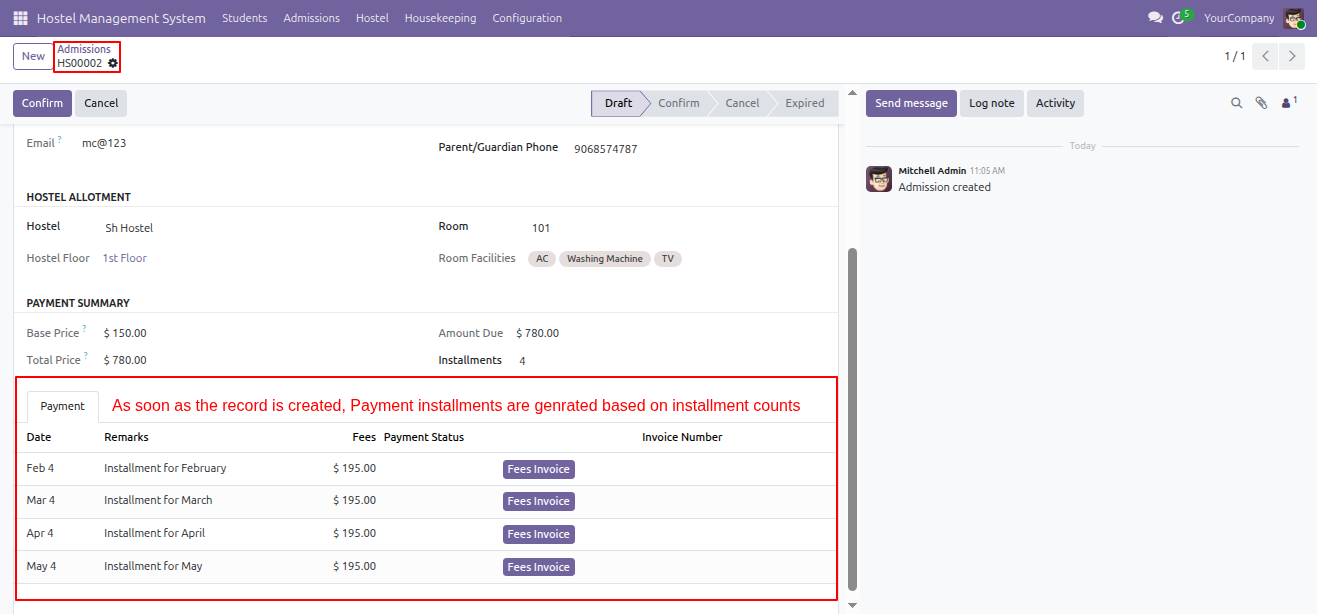
The Payment tab confirms that payment installments (e.g., Feb 4, Mar 4) have been automatically generated and scheduled upon the creation of the admission record.
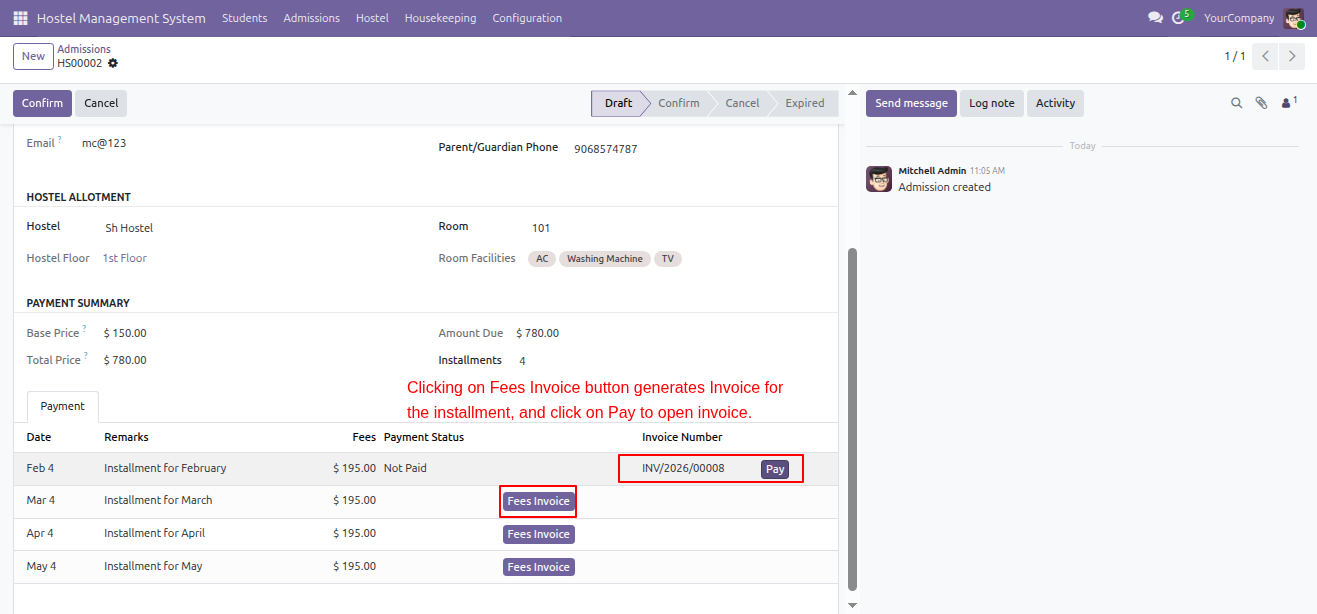
The user generates an invoice by clicking Fees Invoice, then accesses the created record (e.g., INV/2026/00008) via the Pay button to collect the funds.
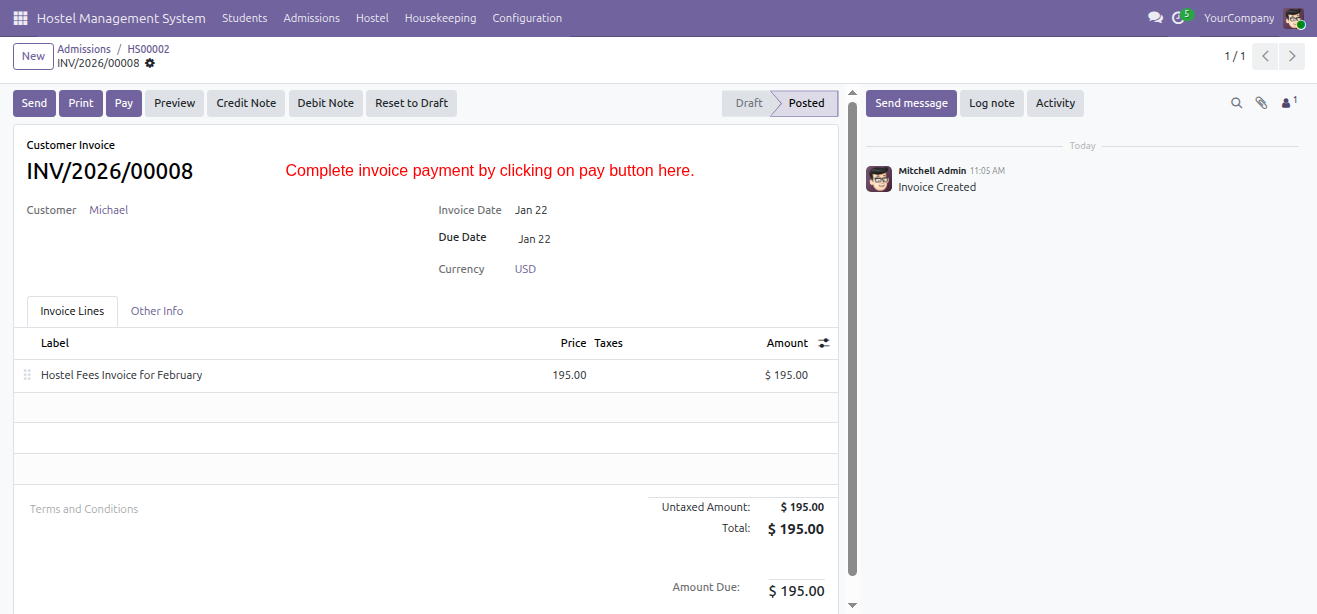
The user reviews the posted invoice INV/2026/00008 for the February fees and clicks the Pay button to complete the payment process as directed.
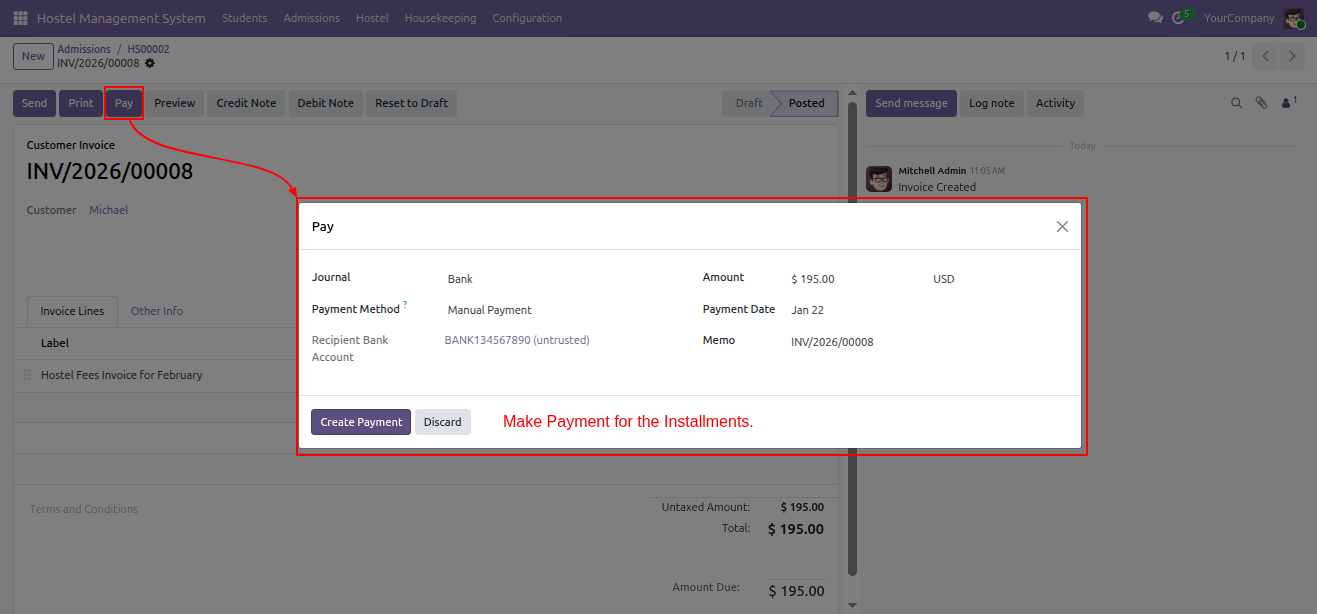
The user confirms the installment payment details in the pop-up window and clicks Create Payment to complete the transaction for the invoice.
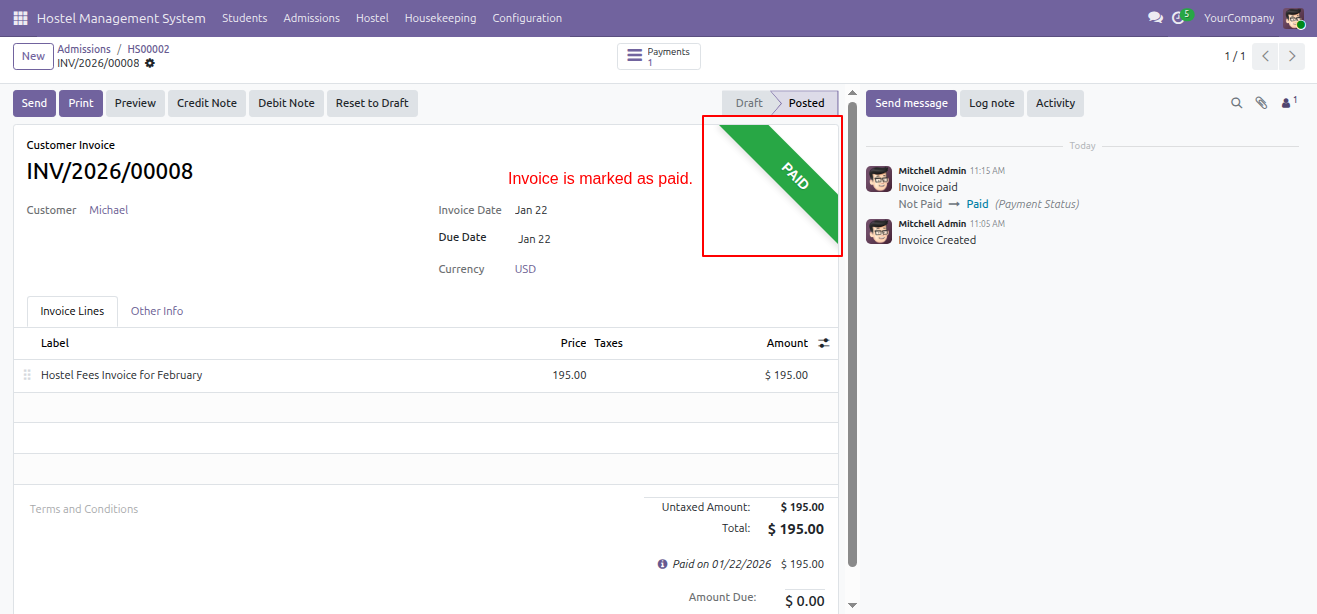
The system displays a green PAID ribbon on the invoice, indicating that the payment has been successfully registered and the transaction is complete.
Following the payment of the first installment, the admission status automatically updates to Confirm, and the payment record is marked as Paid in the schedule.
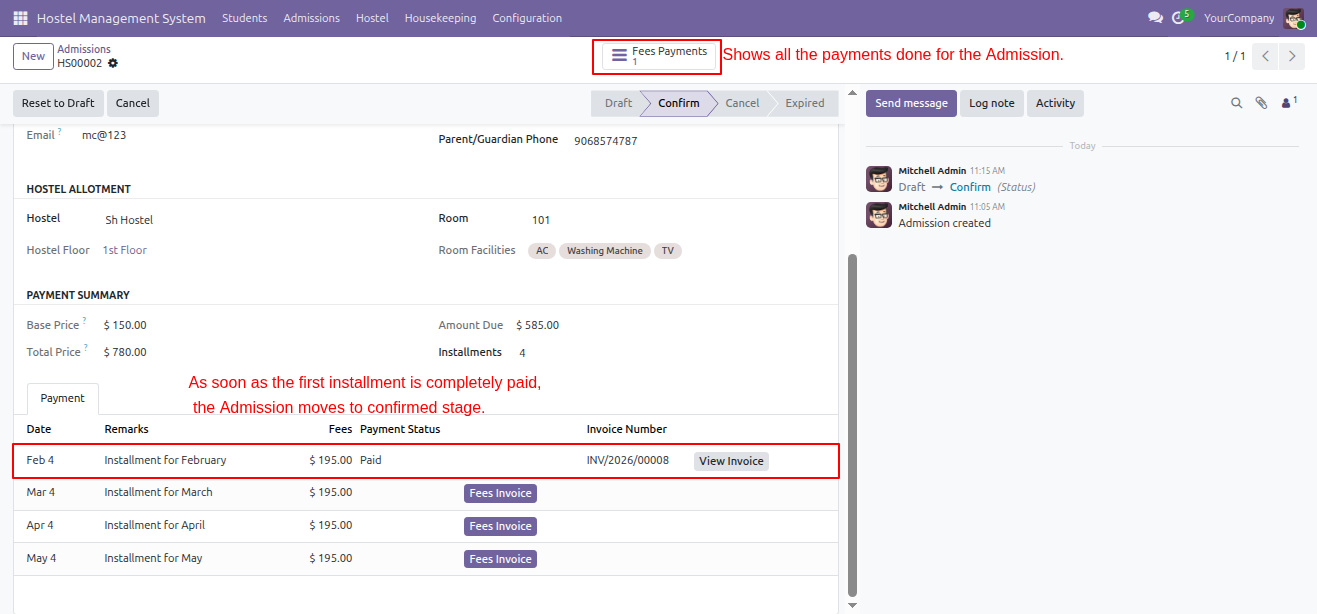
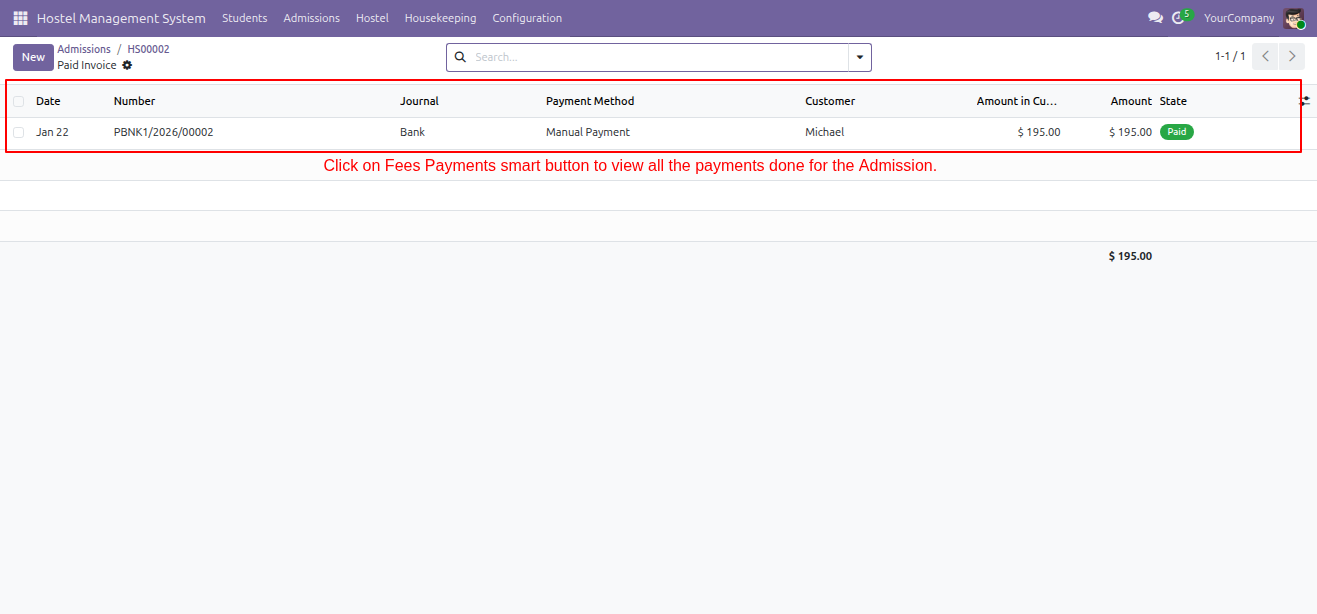
The user accesses the Fees Payments smart button to view a comprehensive list of all completed transactions, including the verified payment of $195.00.
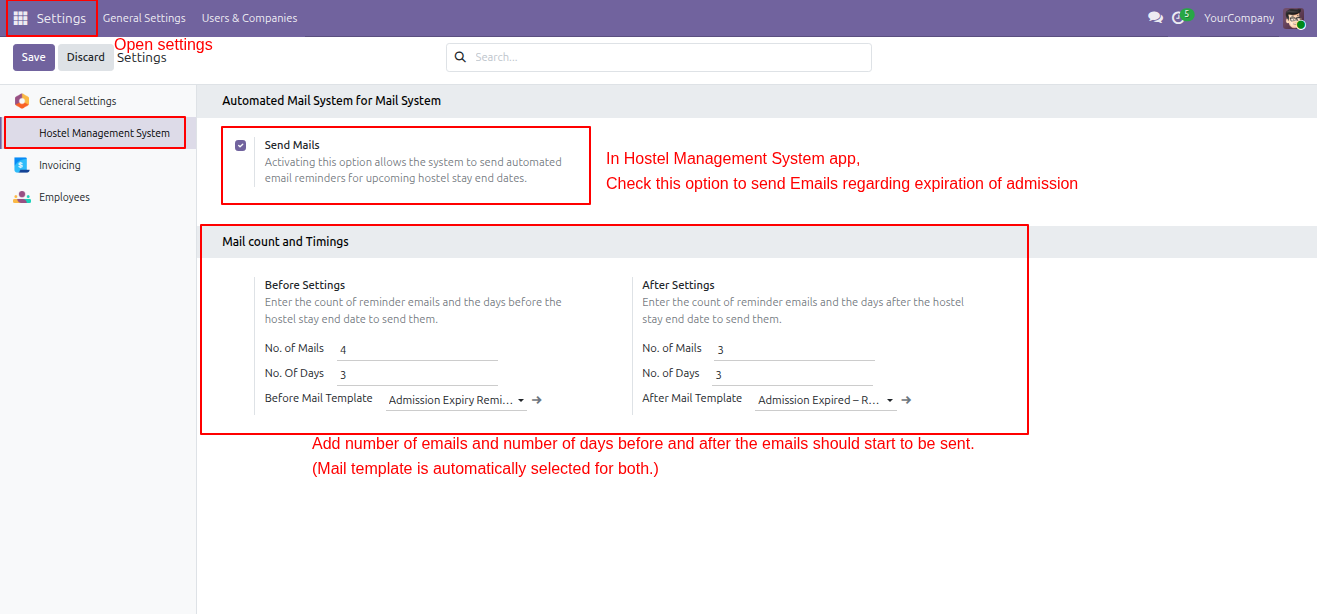
The user navigates to Settings -> Hostel Management System to enable 'Send Mails' and configure the frequency and timing of automated admission expiration reminders.
Version 19.0.1.0.0 | Released on : 25th August 2026
- Yes, this app works perfectly with Odoo Enterprise (Odoo.sh & Premise) as well as Community.
- No, this application is not compatible with odoo.com(odoo saas/Odoo Online)
- Yes, to test this module, please contact us at sales@softhealer.com.
- Please contact us at sales@softhealer.comto request customization.
- Yes, we provide free support for 365 days from the date of purchase.
- Yes, you will receive lifetime free updates for the version of the module you purchased.
- No, there is no need to install any additional libraries.
- Yes, for version 12 and above, you need to purchase the module separately for each version you intend to use.
- No, exchanges or refunds are not allowed. Please make sure to select the correct version before purchasing.
- You can contact us at support@softhealer.com for language translation support. We use Google Translator tools to provide translations in multiple languages, so the accuracy may vary. We welcome your suggestions to help improve translations.
Discover Our Latest Apps