



















eBay Odoo Connector
Connect Odoo to eBay - sync products, manage offers and listings, import orders, and keep inventory in sync across your eBay stores.
Key Features
Import Operations (eBay → Odoo)

Import Products
-
 Title,
Description
Title,
Description
-
Product
Brand, MPN & GTIN
-
Image,
Price & Attributes
Import Orders
-
Buyer
Info, Shipping Address & Order Totals
-
Order
Lines SKU & Quantity, Price
-
Auto-creates
Sales Order
Import Inventory
-
Stock
Quantity
-
Sync
Listing Statuses
-
Merchant
Inventory Locations (Warehouses)
-
Sync
Store Categories
Import Business Policies & Locations
-
Payment
Policies
-
Return
Policies
-
Fulfillment
Policies
Export Operations (Odoo → eBay)
Export Products
-
Title,
Description
-
Product
Brand, MPN & GTIN
-
Image,
Price & Attributes
Export Deliveries
-
Price,
Currency & Available Quantity
-
Fulfillment,
Payment & Return Policy Assignment
-
Auto-publish
Offers
-
Offer
Export
Export Inventory / Stock
-
On
Hand Quantity per Merchant Location
-
Pushed
Instantly When Odoo Stock Changes
-
Export
Payments
Automation, Dashboards & Core Infrastructure
Dashboard
-
Success
Rate, Pending Queue & Total Errors
-
Sync
Activity Charts
-
Drill-down
to Orders, Products, Policies & Webhooks
-
Synchronization
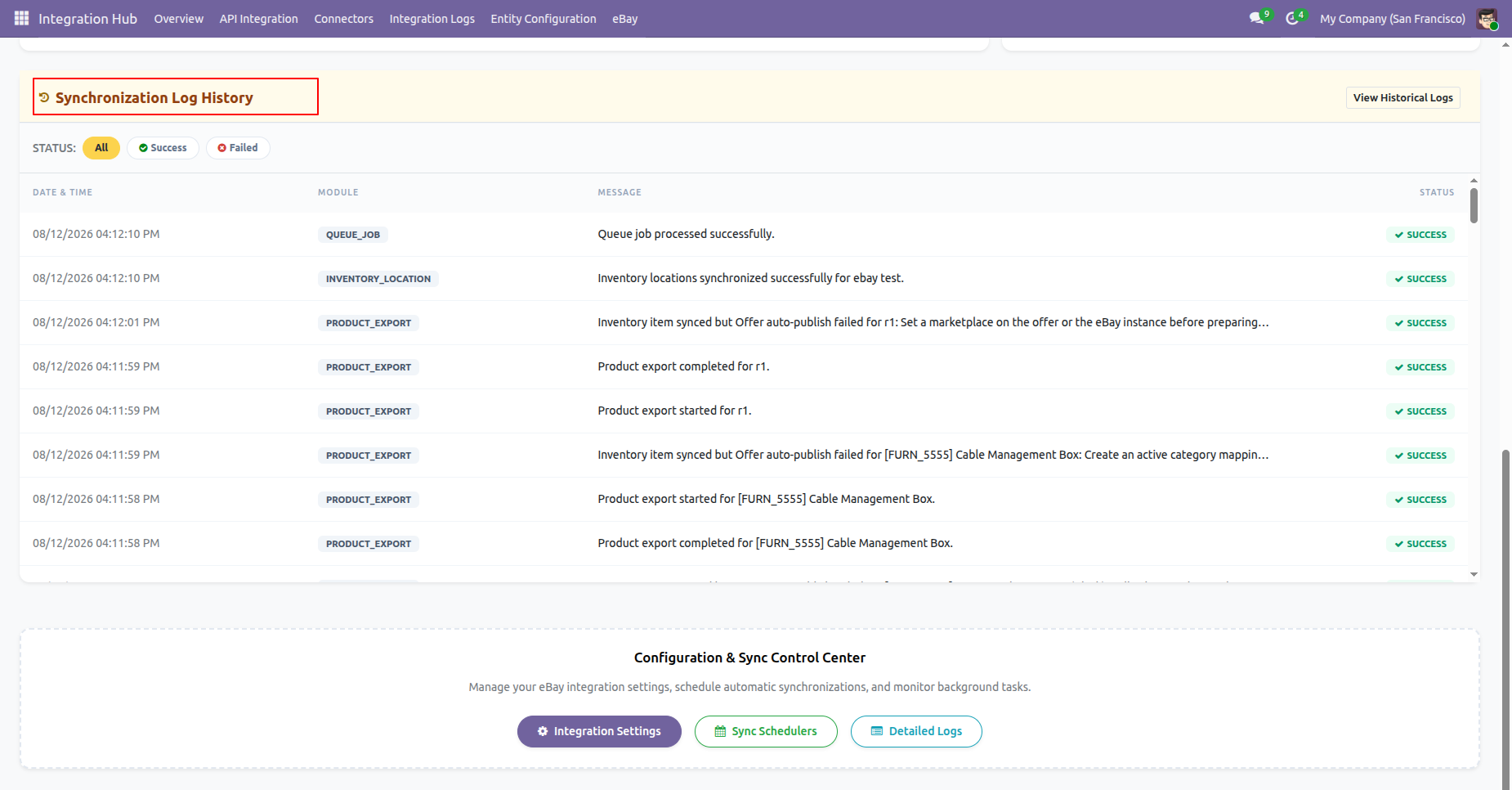
Log History Feed
Queue Job Framework
-
Track,
monitor, and manage asynchronous data synchronization and execution state
logs.
12 Dedicated Schedulers
-
Import/
Export
-
Token
Refresh, Log Cleanup, Bulk Inventory & Offer Status Sync
-
Each
interval fully configurable per instance
Multi-Instance
-
Connect
multiple eBay accounts/instances from one Odoo
Synchronization Logs
-
Track
successful and failed synchronization activities with detailed log history for
easy monitoring and troubleshooting.
Frequently Asked Questions
Everything you need to know before getting started.
 Instance & Credentials
 How it Works? Watch Video
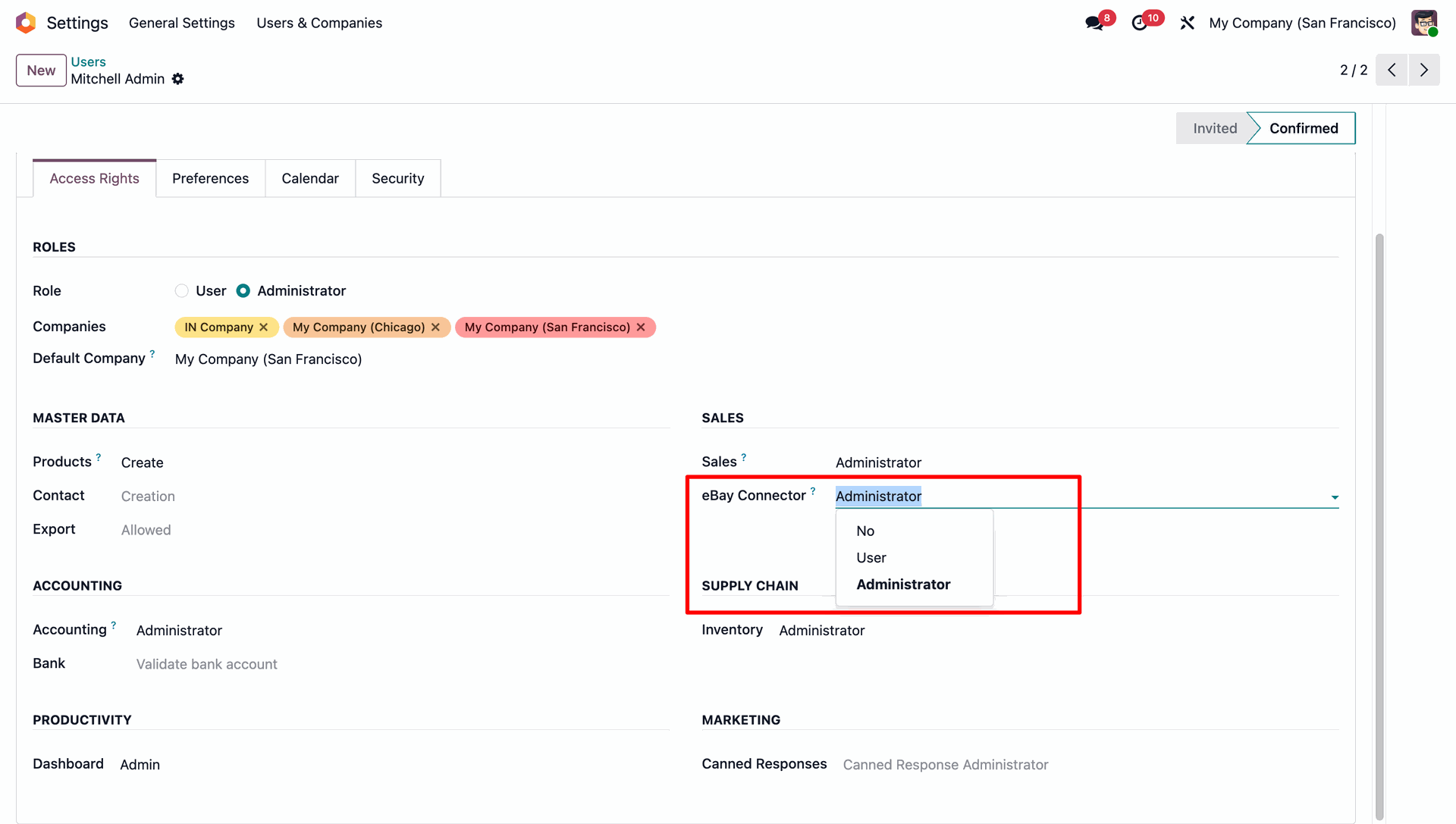
Grant the eBay Connector access right (No / User / Administrator) under Settings → Users & Companies.
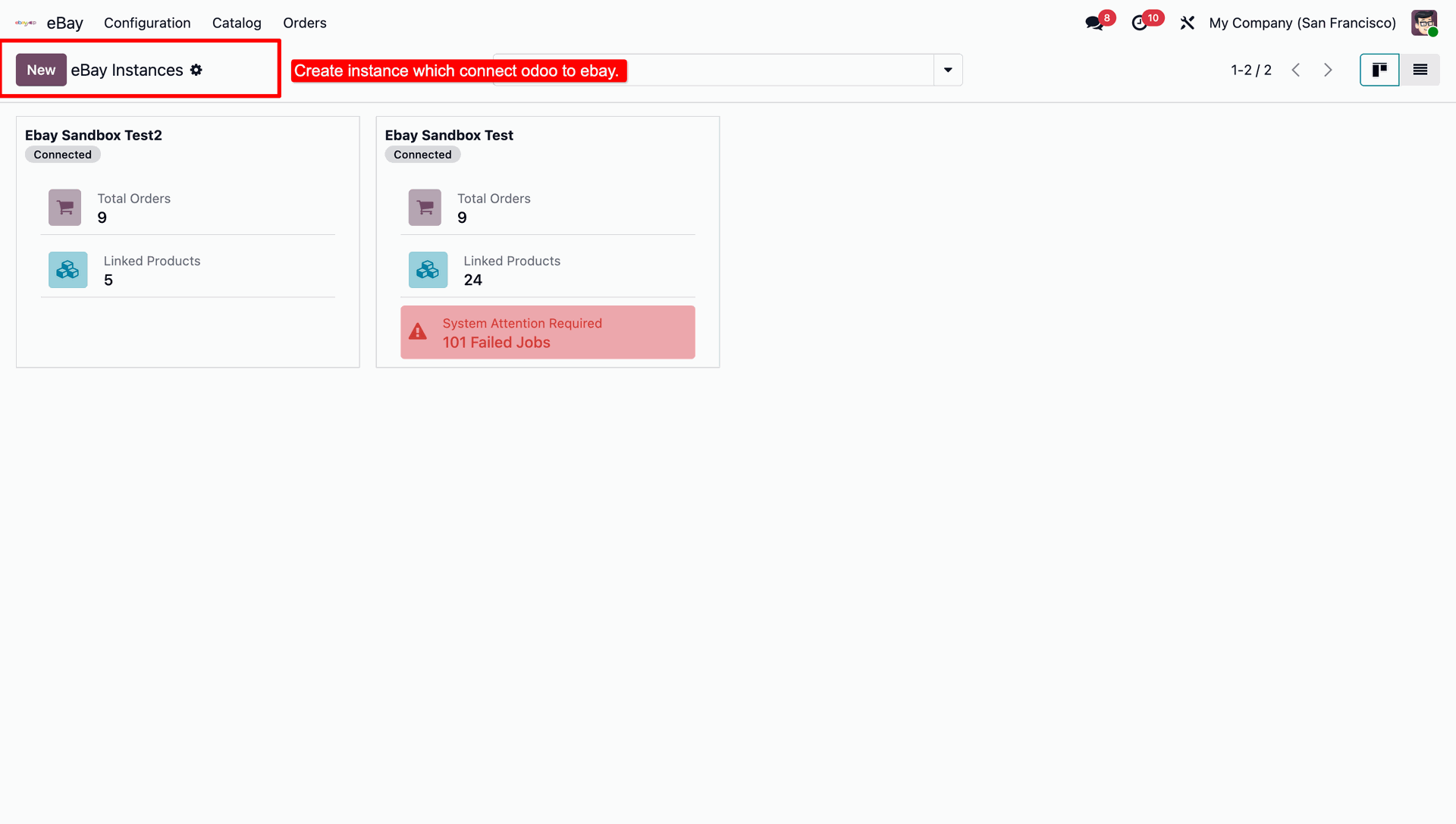
Create a new eBay Instance to connect Odoo to your eBay store. Each card shows Total Orders, Linked Products, and any failed jobs needing attention.
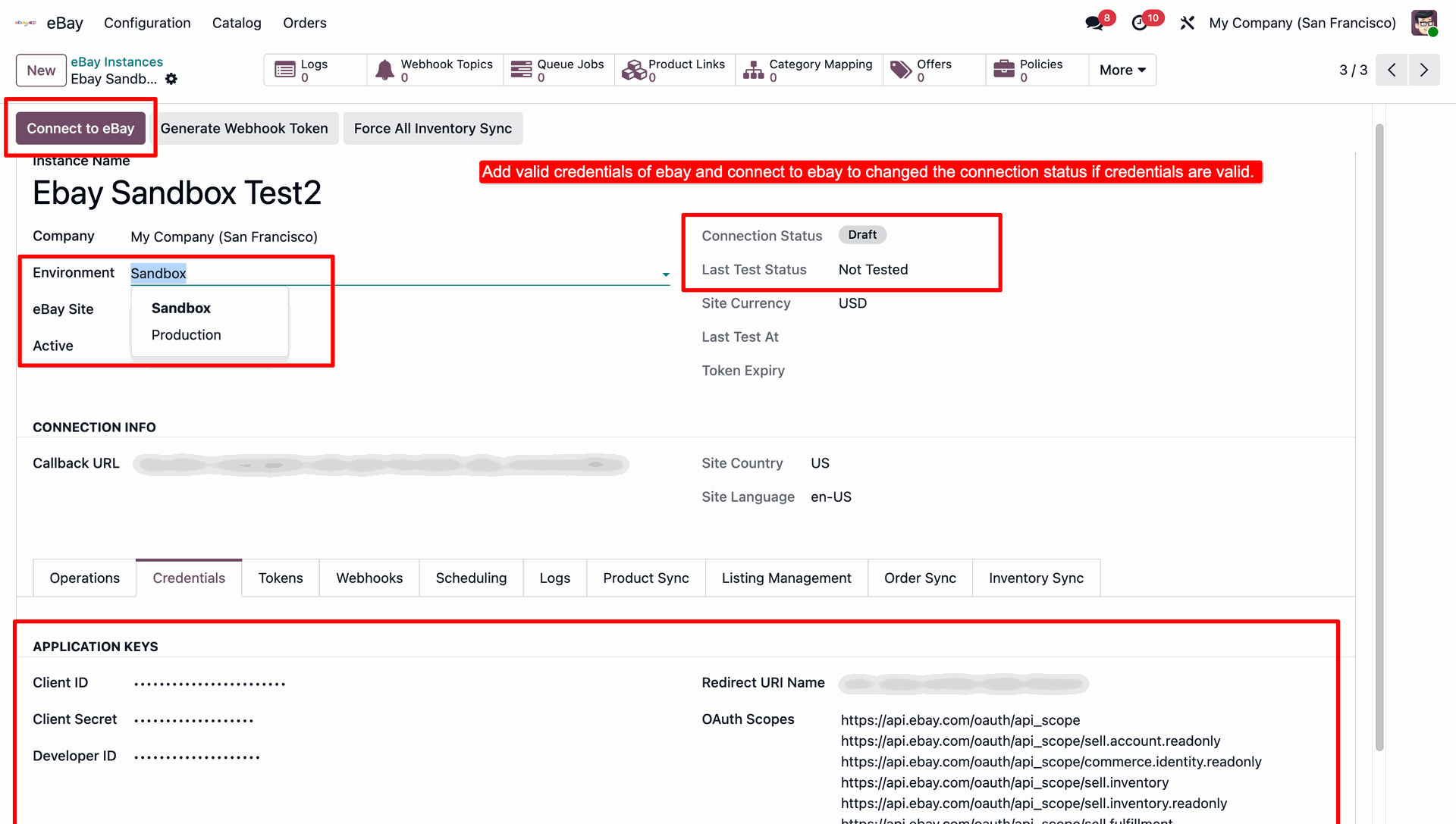
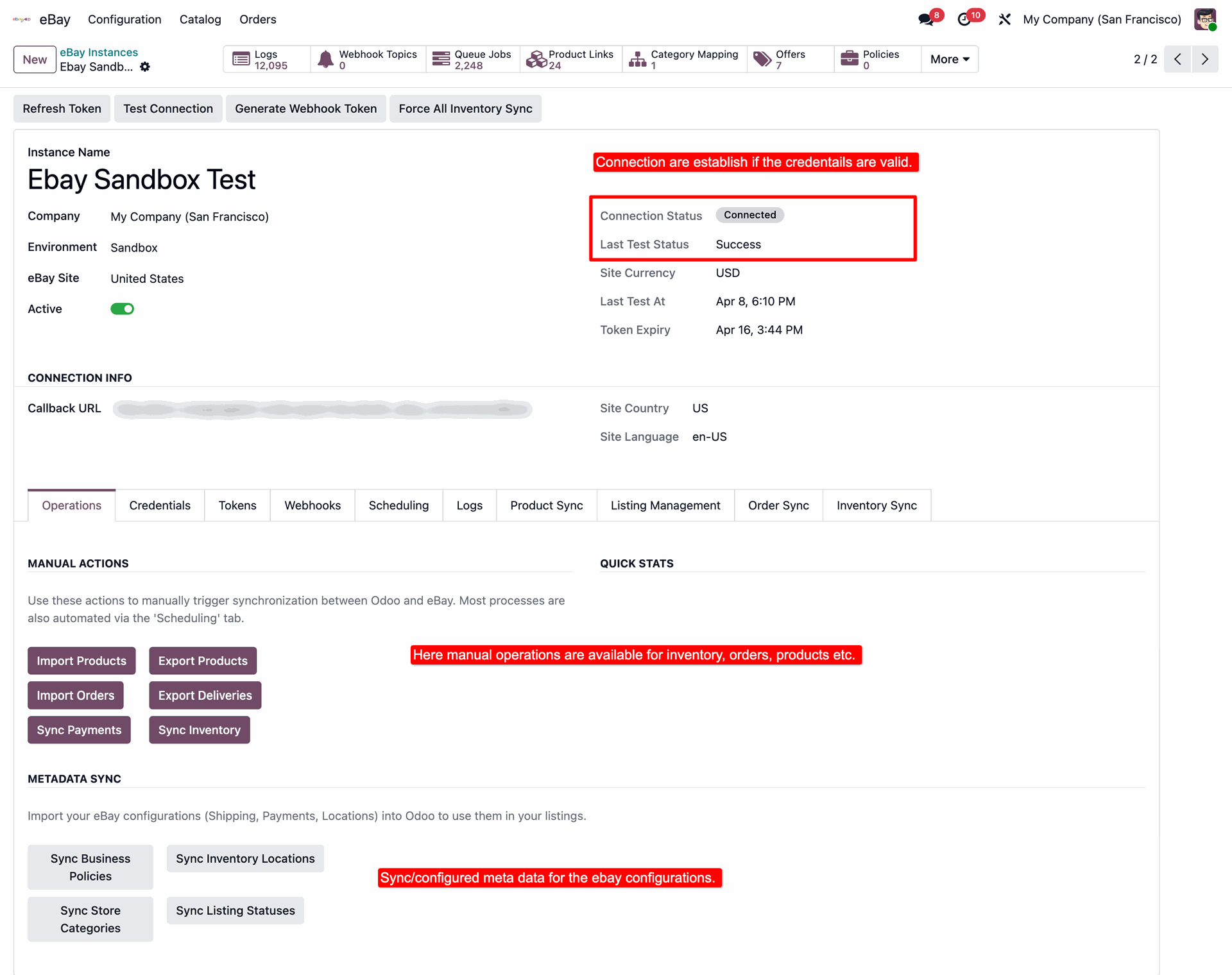
Choose the Environment (Sandbox/Production). In the Credentials tab, enter your Client ID, Client Secret & Developer ID, and click Connect to eBay to authorize the app.
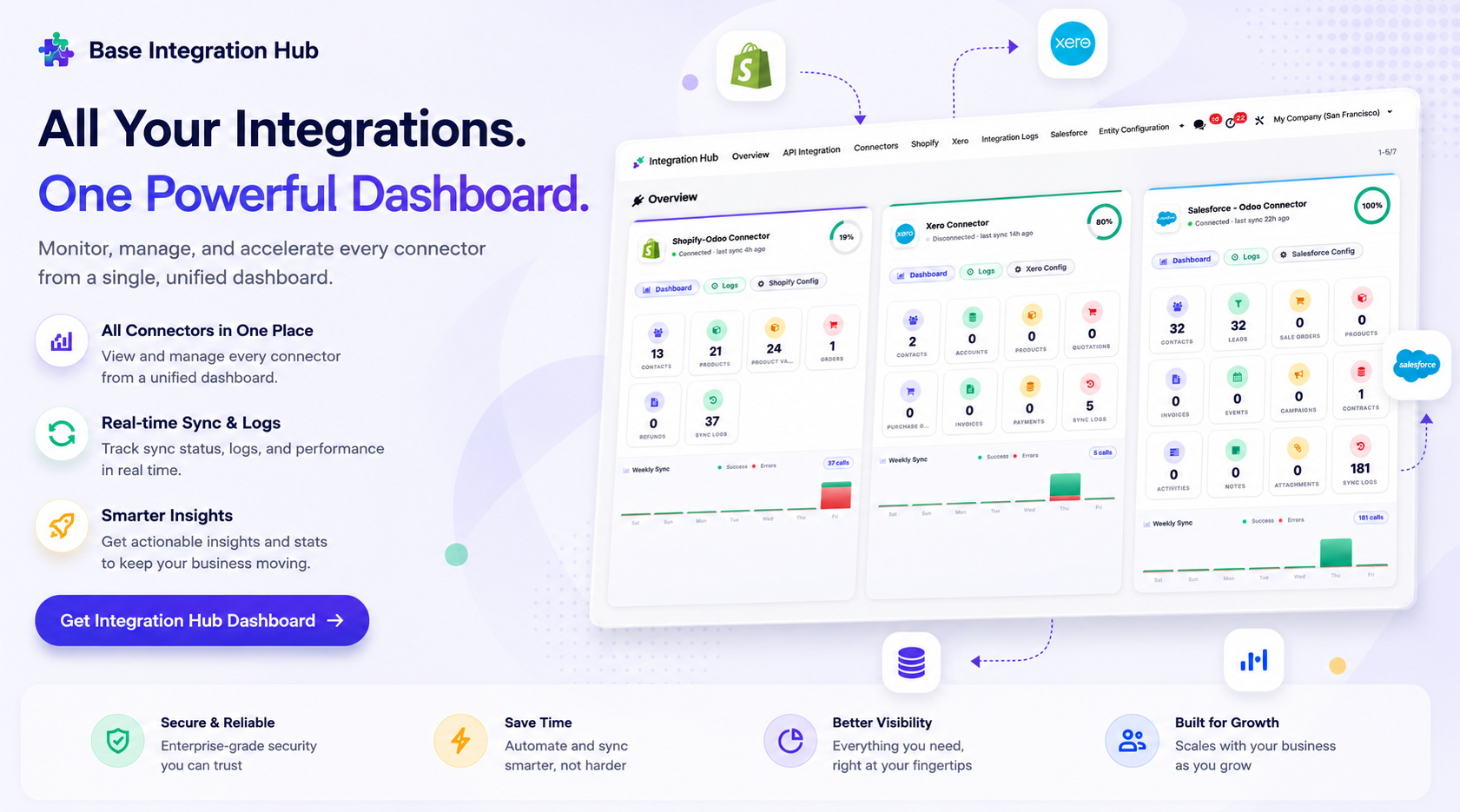
Centralized dashboard to manage and monitor all connectors from one place. Quickly access sync summary, activity logs, and configuration controls with improved visibility.
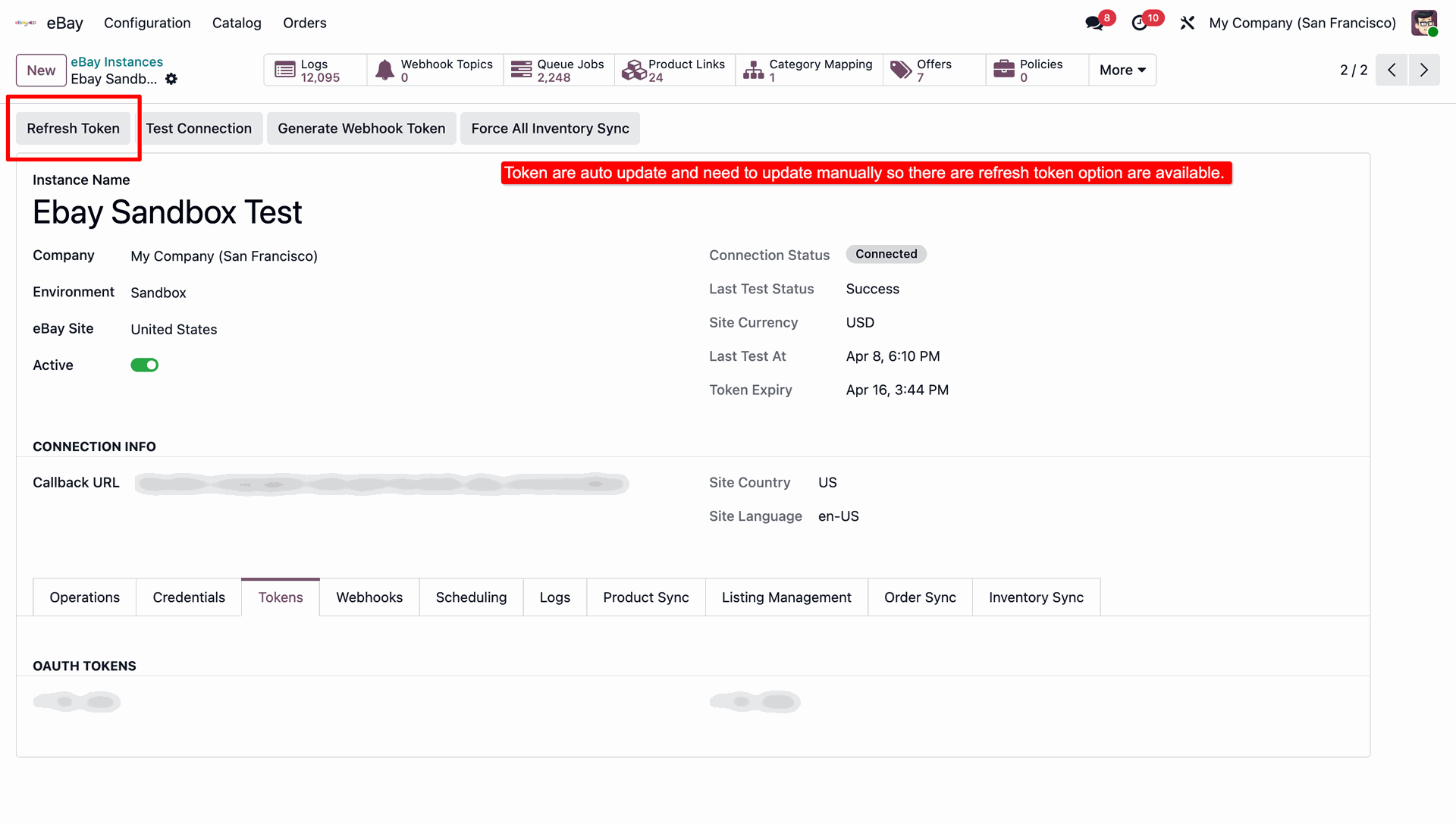
The Tokens tab stores the OAuth access/refresh tokens. Use Refresh Token if you ever need to force an update.
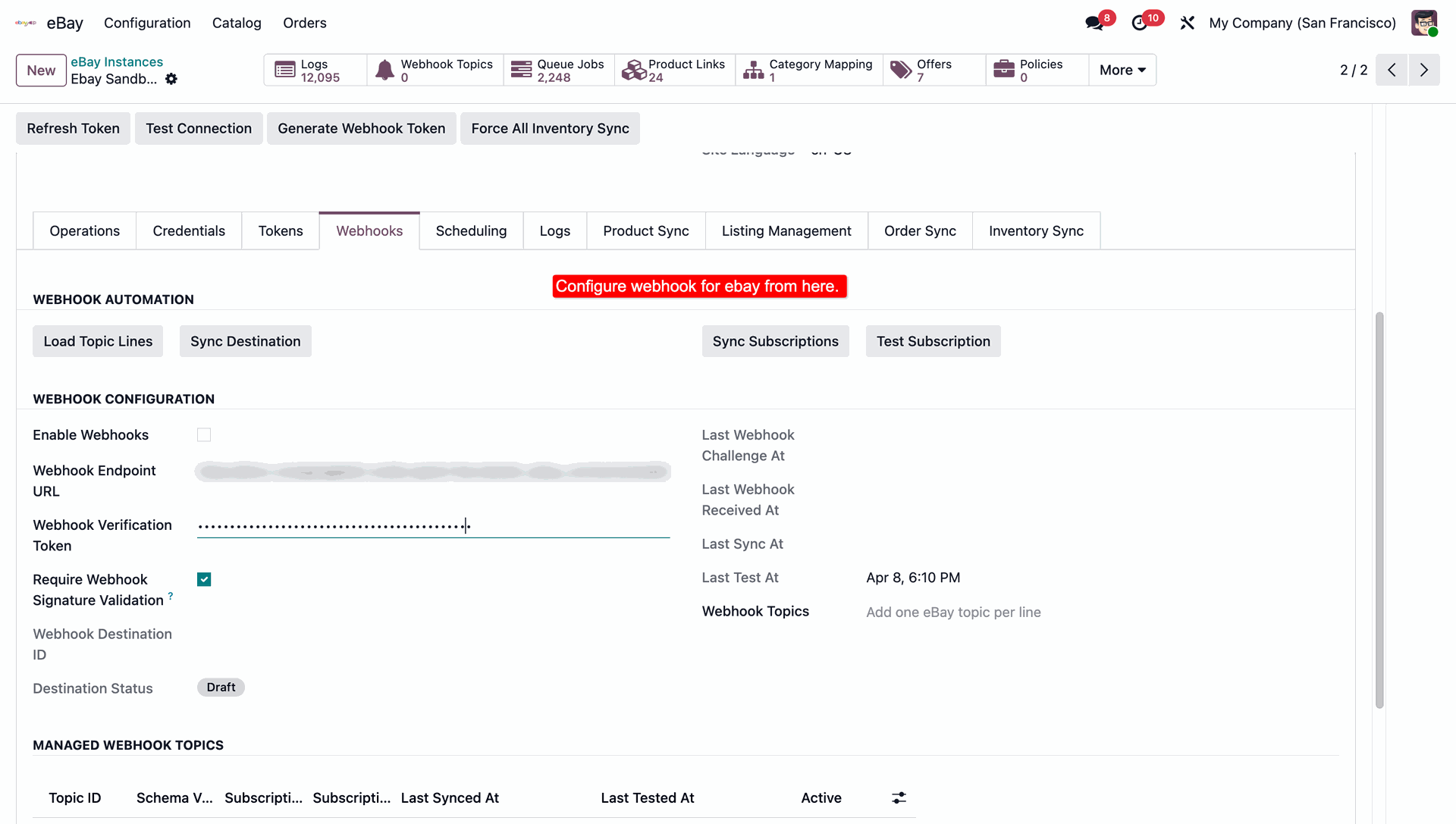
Configure webhooks: load topic lines, sync the destination/subscriptions, and require signature validation. The Managed Webhook Topics grid shows subscription status per topic.
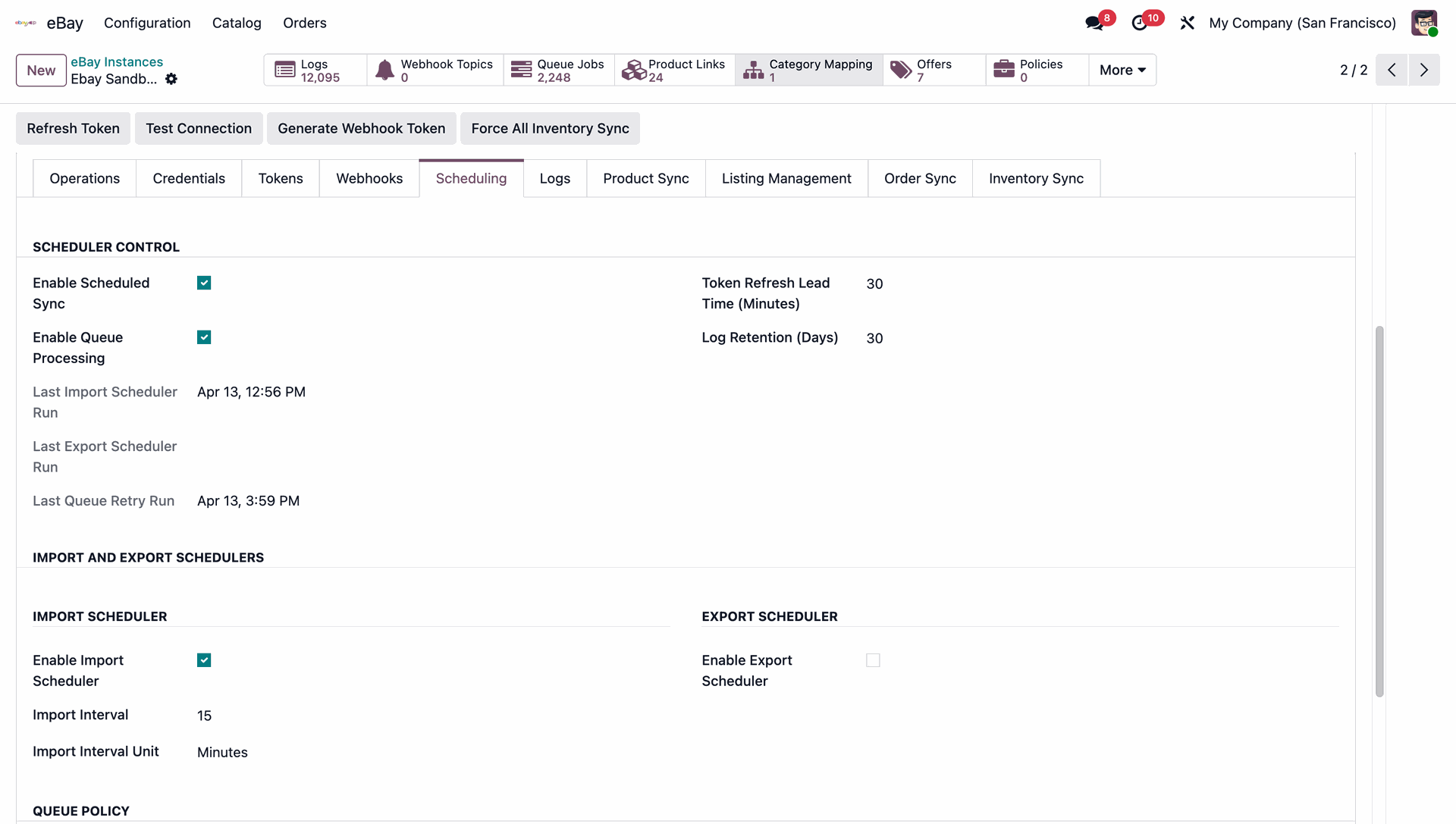
Enable Scheduled Sync and Queue Processing, then set intervals, token refresh lead time, and log retention from the Scheduling tab.
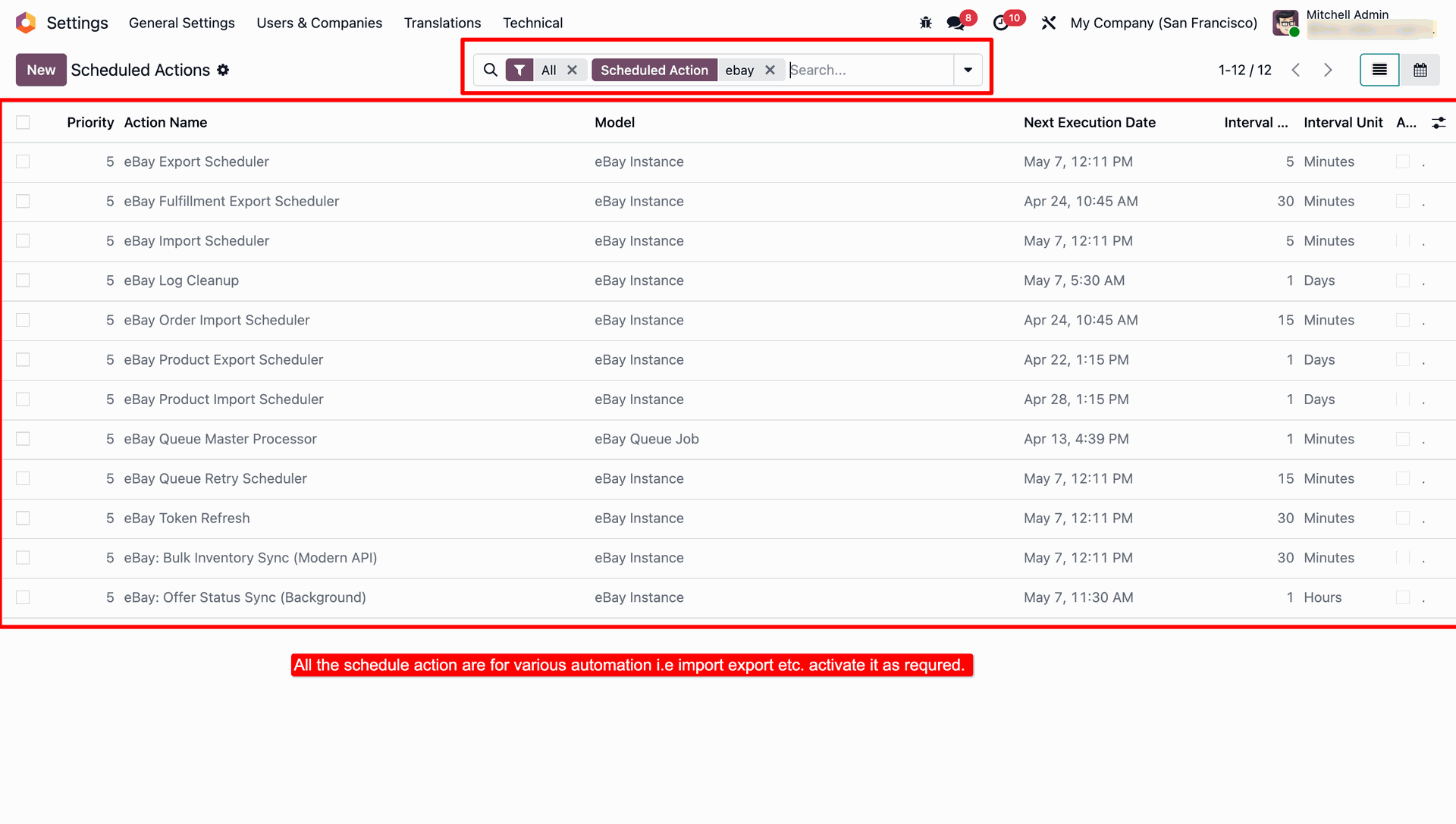
All 12 eBay scheduled actions live under Settings → Technical → Scheduled Actions — activate only the ones you need.
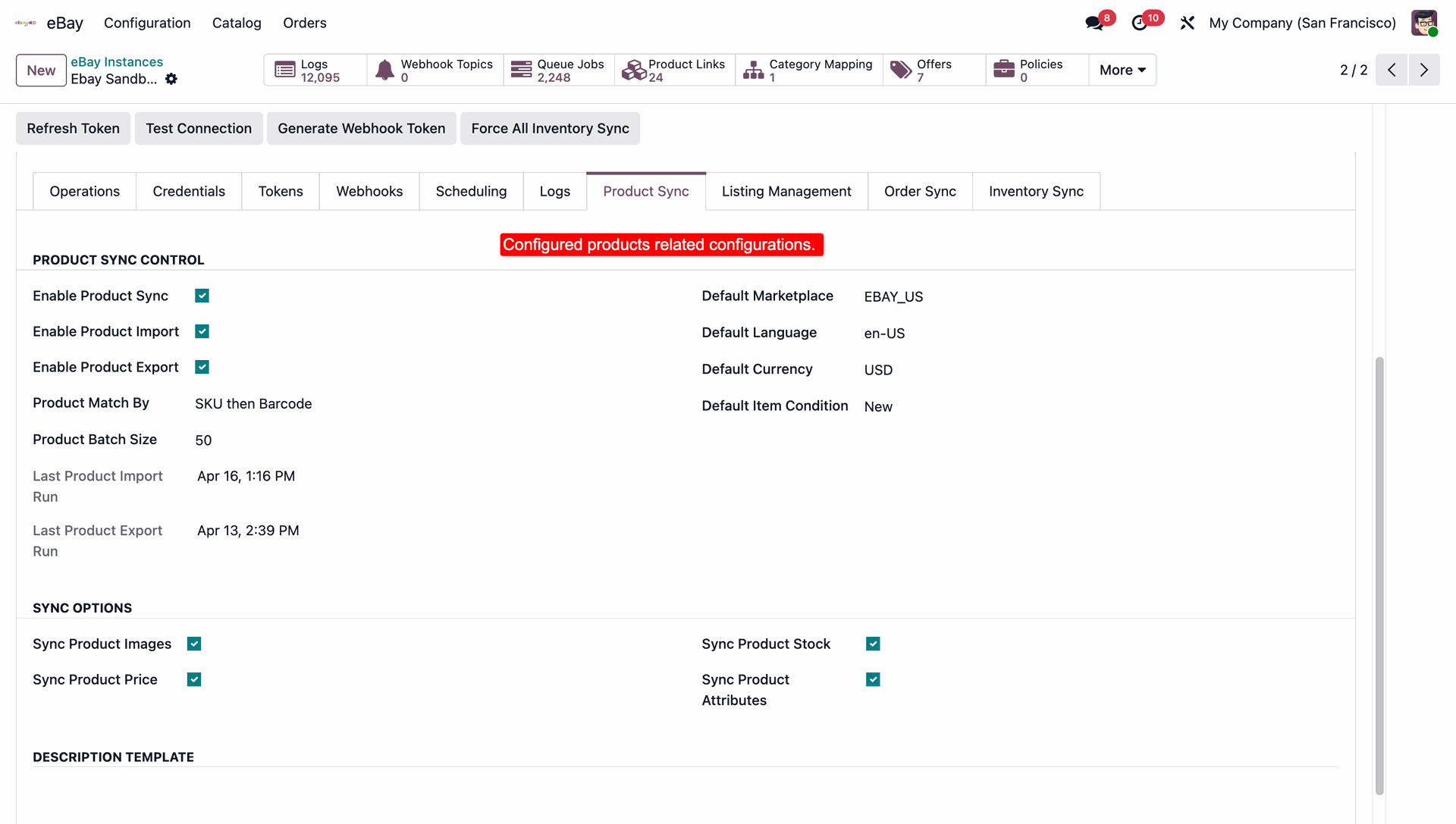
On the Product Sync tab, enable Product Sync/Import/Export, choose how products are matched, and set the default marketplace, language, currency & item condition.
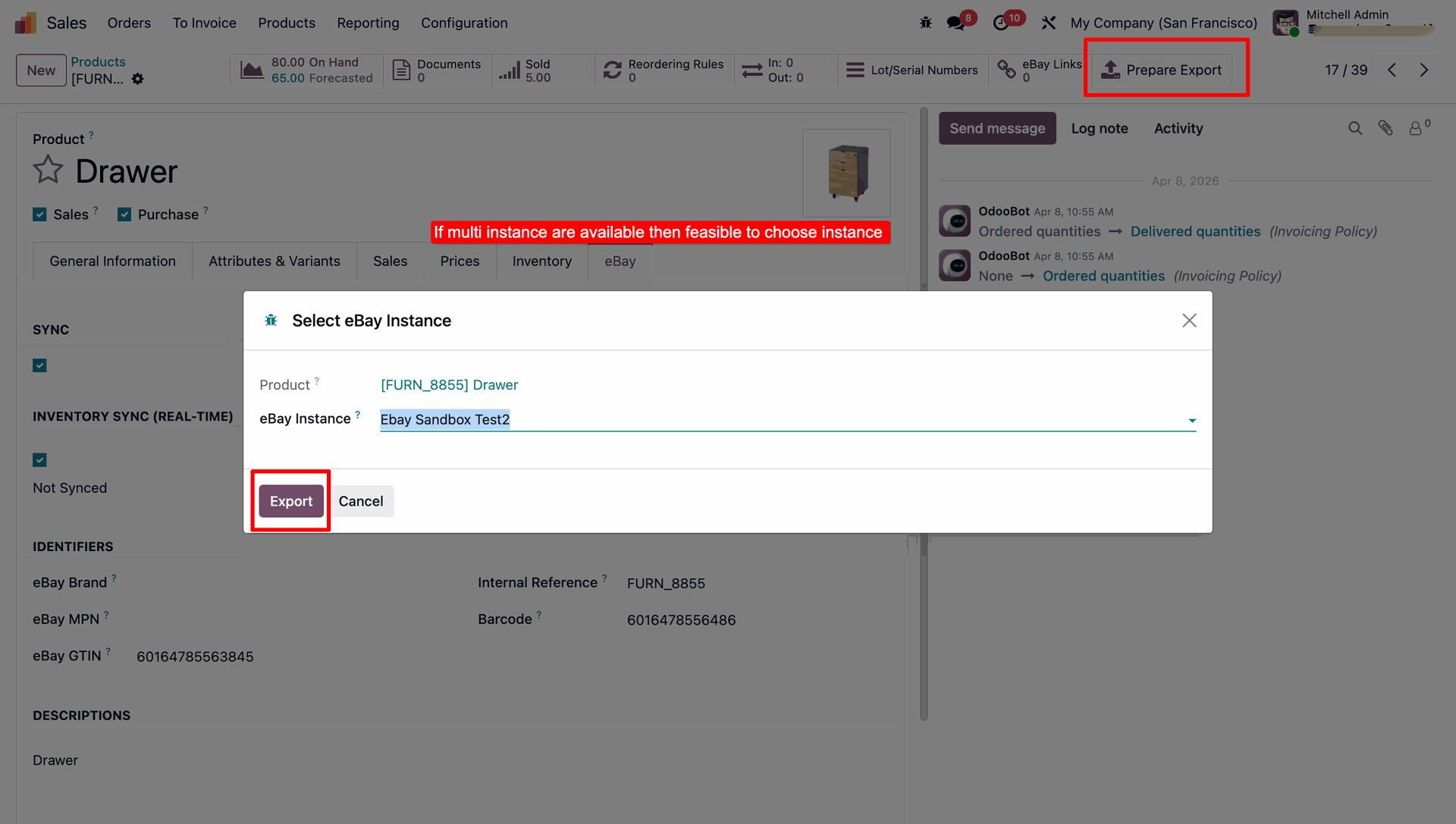
On any Odoo Product, open the eBay tab to enable Sync and Real-time Inventory Sync, and fill in eBay Title, Subtitle, Condition, Brand, MPN & GTIN.
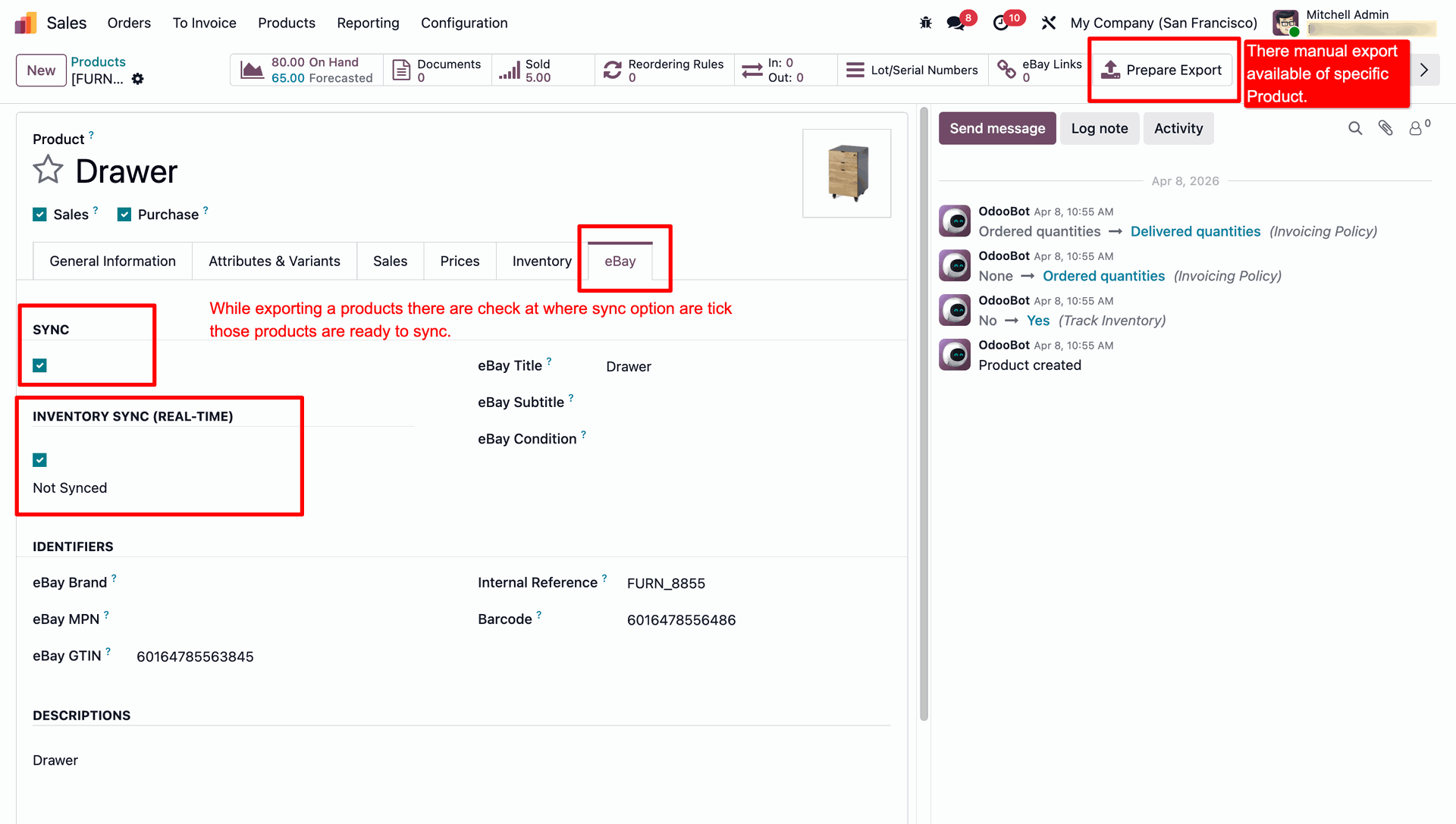
Click Prepare Export — if more than one eBay instance is connected, pick which one to export the product to.
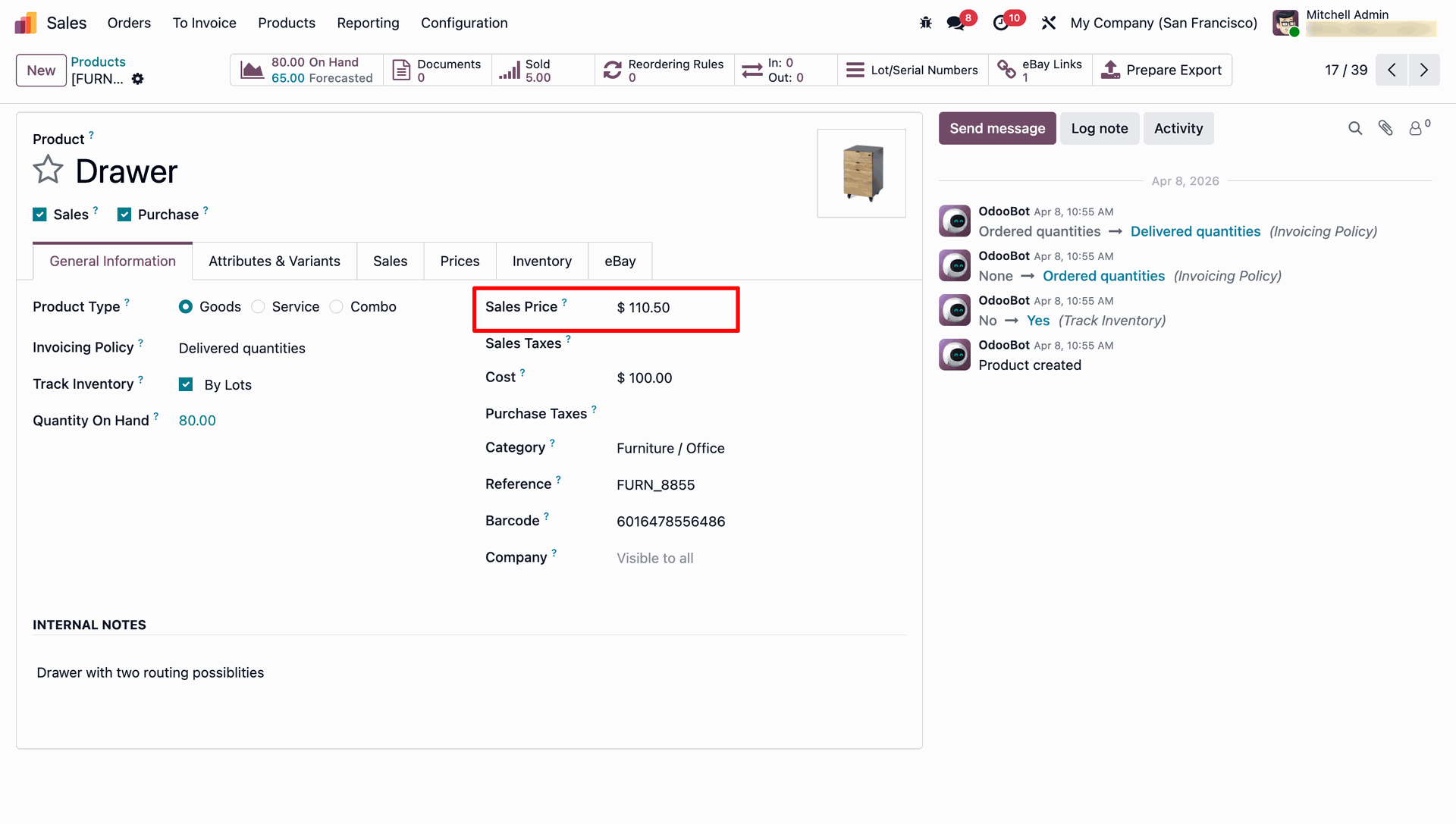
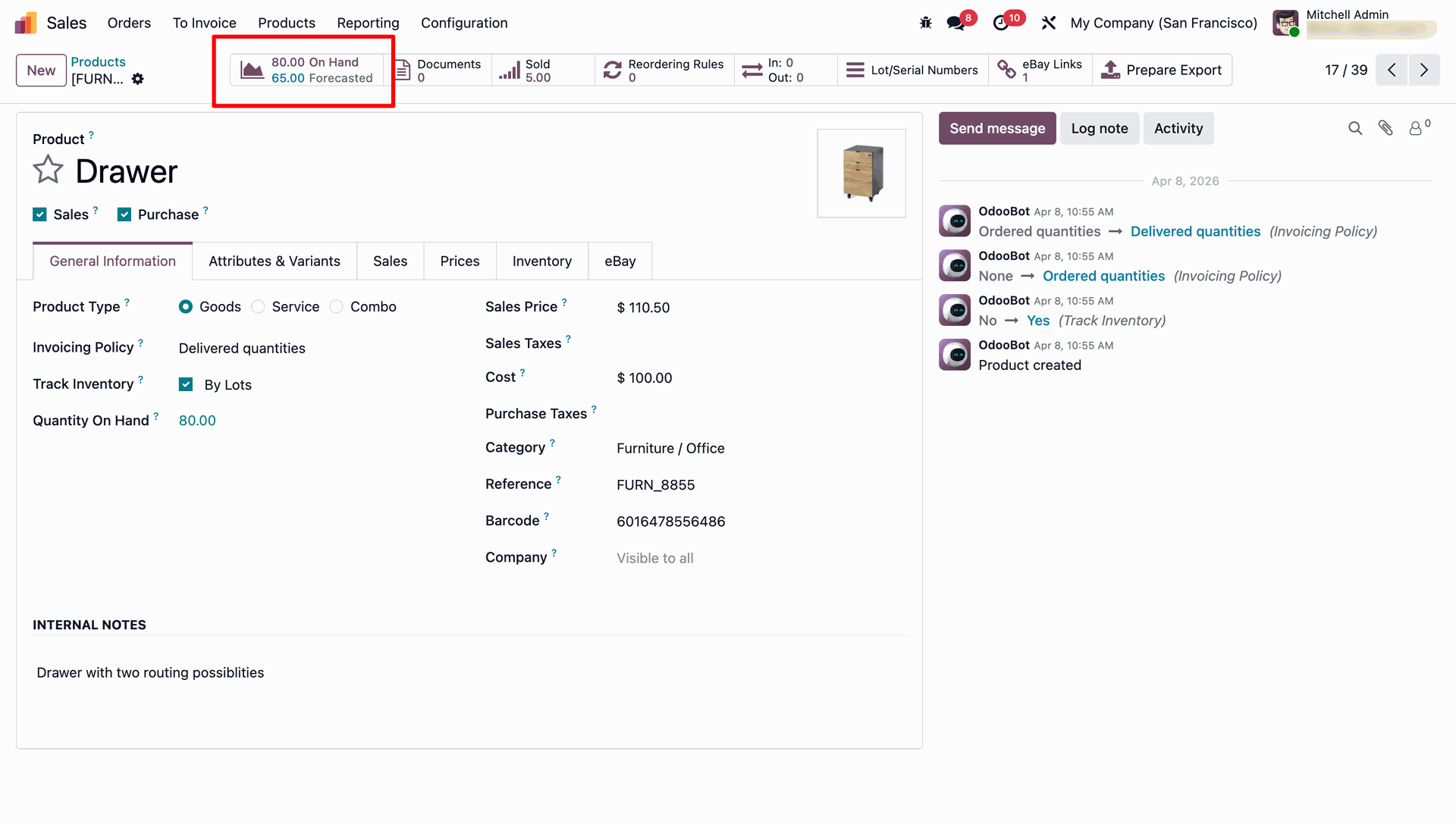
Sales price and stock quantities on the standard Odoo product form are what get pushed to eBay.
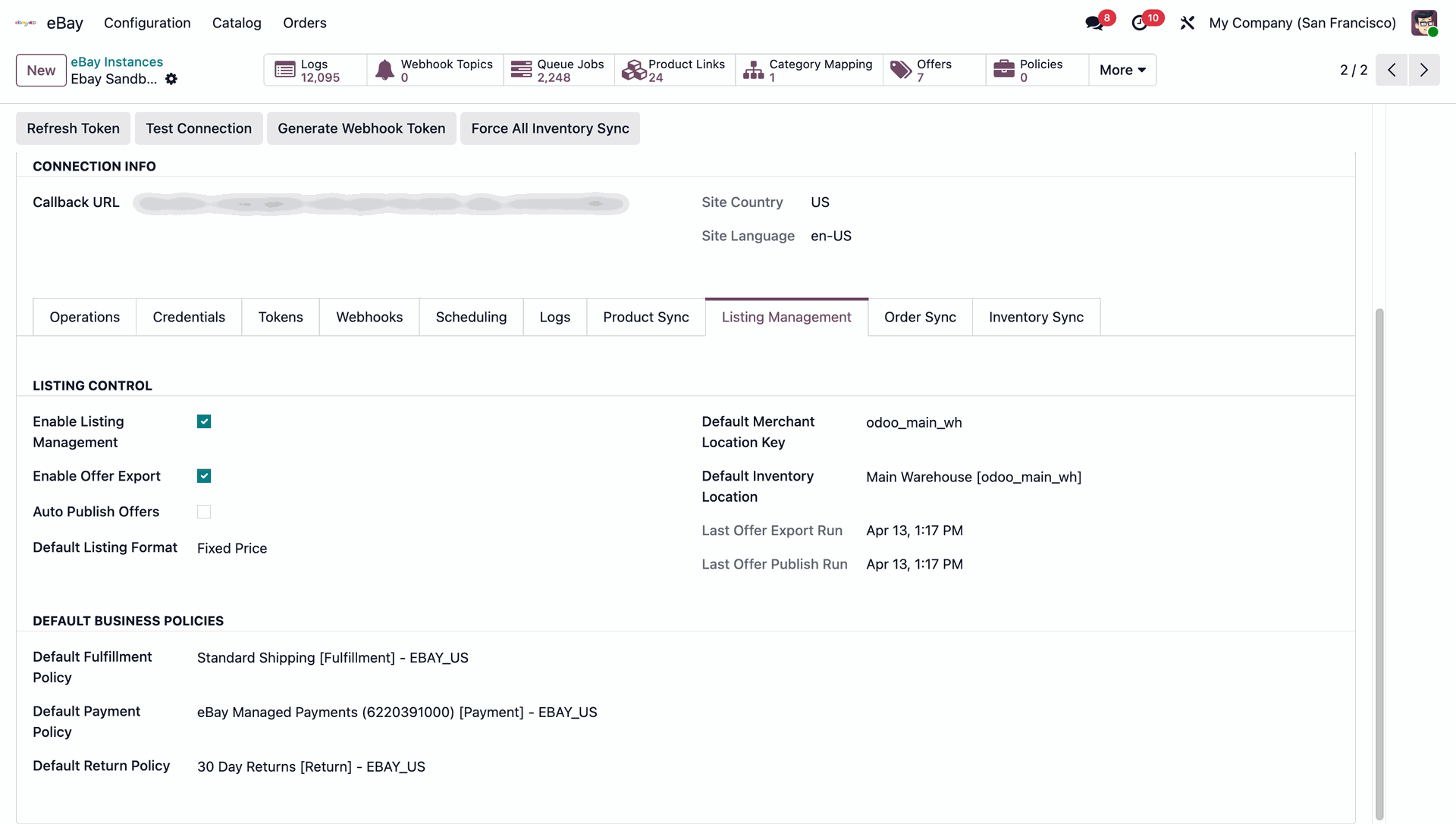
On the Listing Management tab, enable listing/offer export, choose Auto Publish and Listing Format, and set the default inventory location plus default Fulfillment, Payment & Return policies.
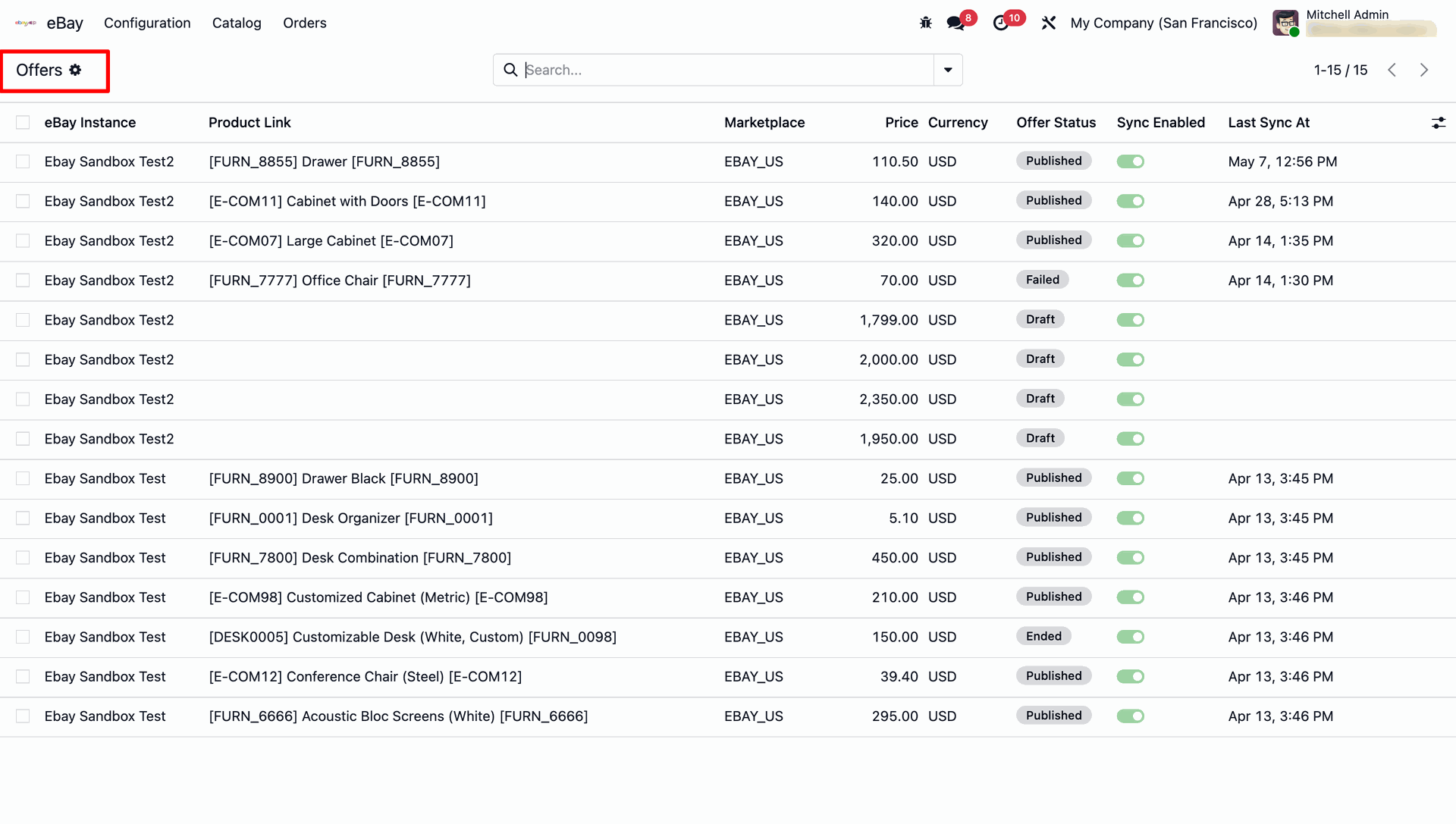
The Offers list (eBay → Catalog → Offers) shows price, currency, offer status and sync details for every listing.
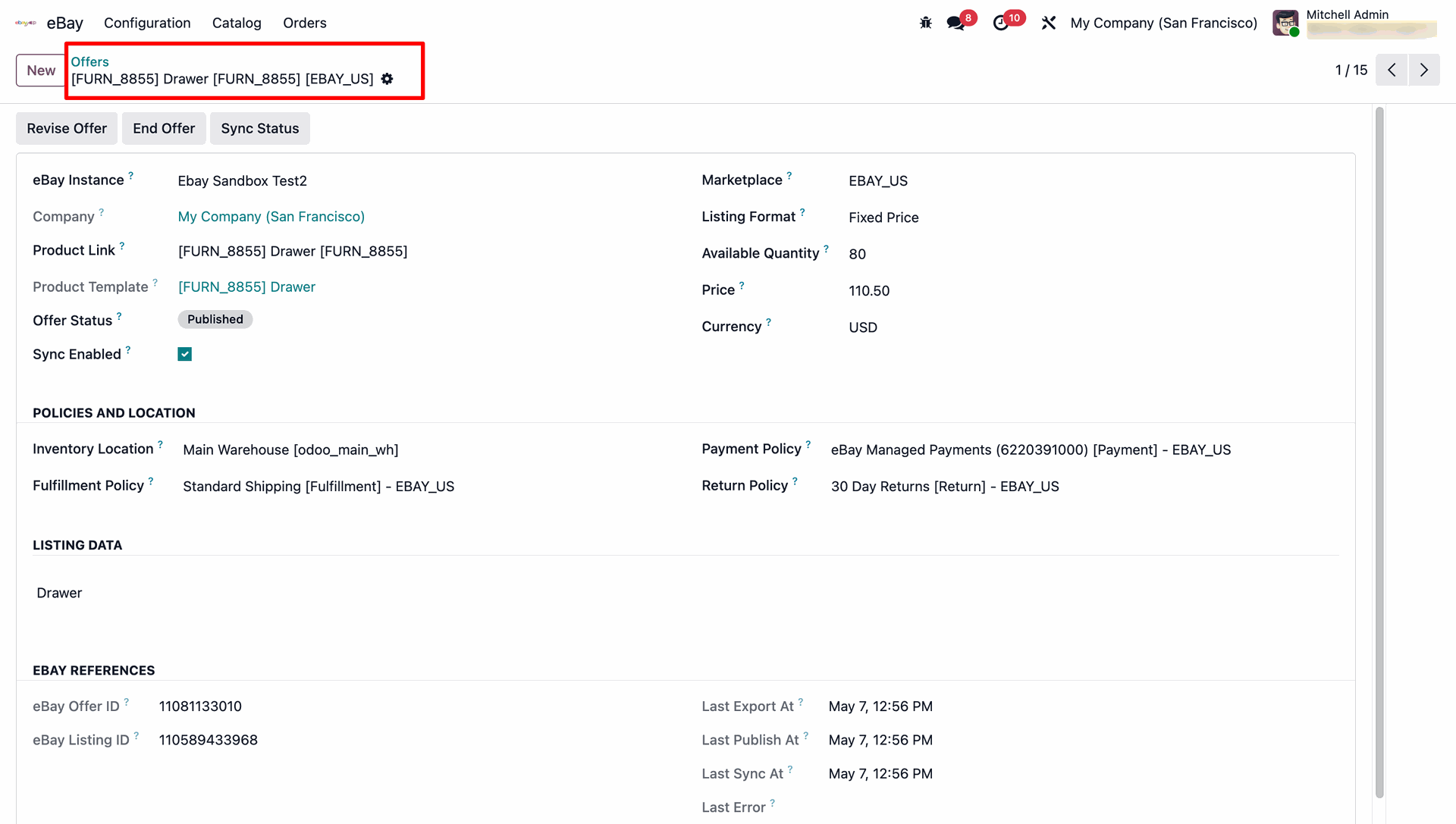
An Offer's detail form view.
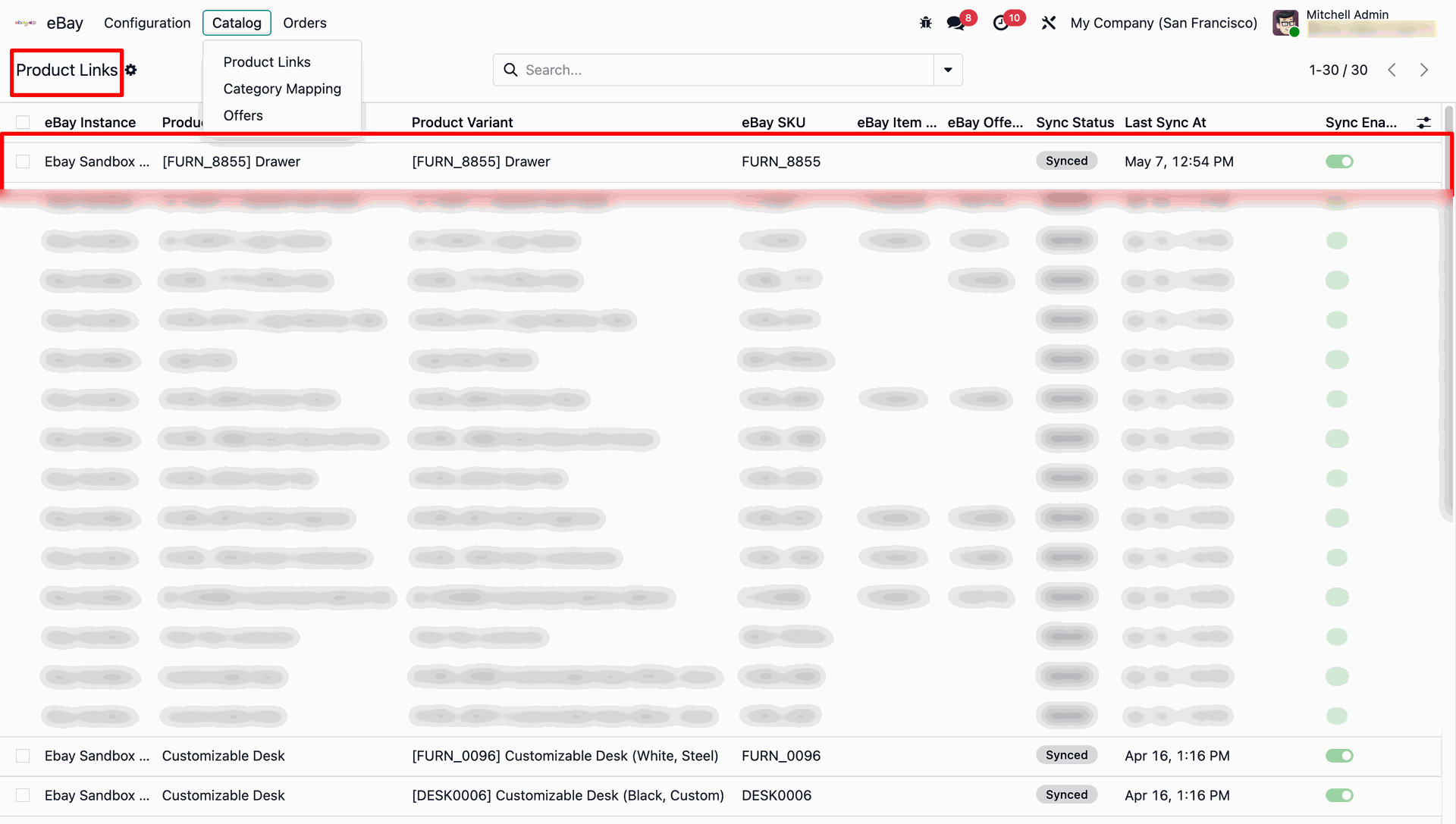
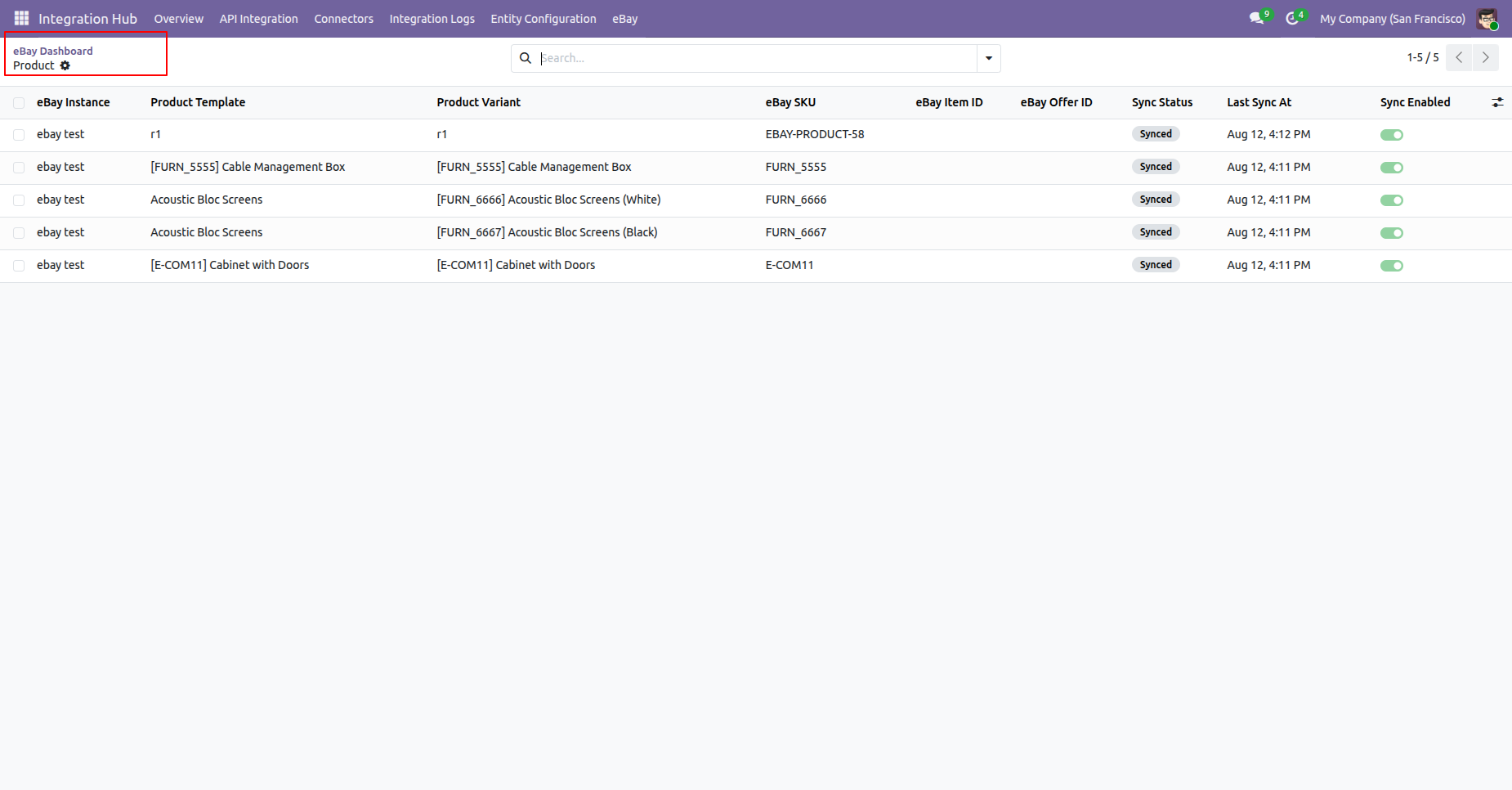
Every synced product gets a Product Link record, listed under eBay → Catalog → Product Links, showing SKU, Item ID, Offer ID and Sync Status.
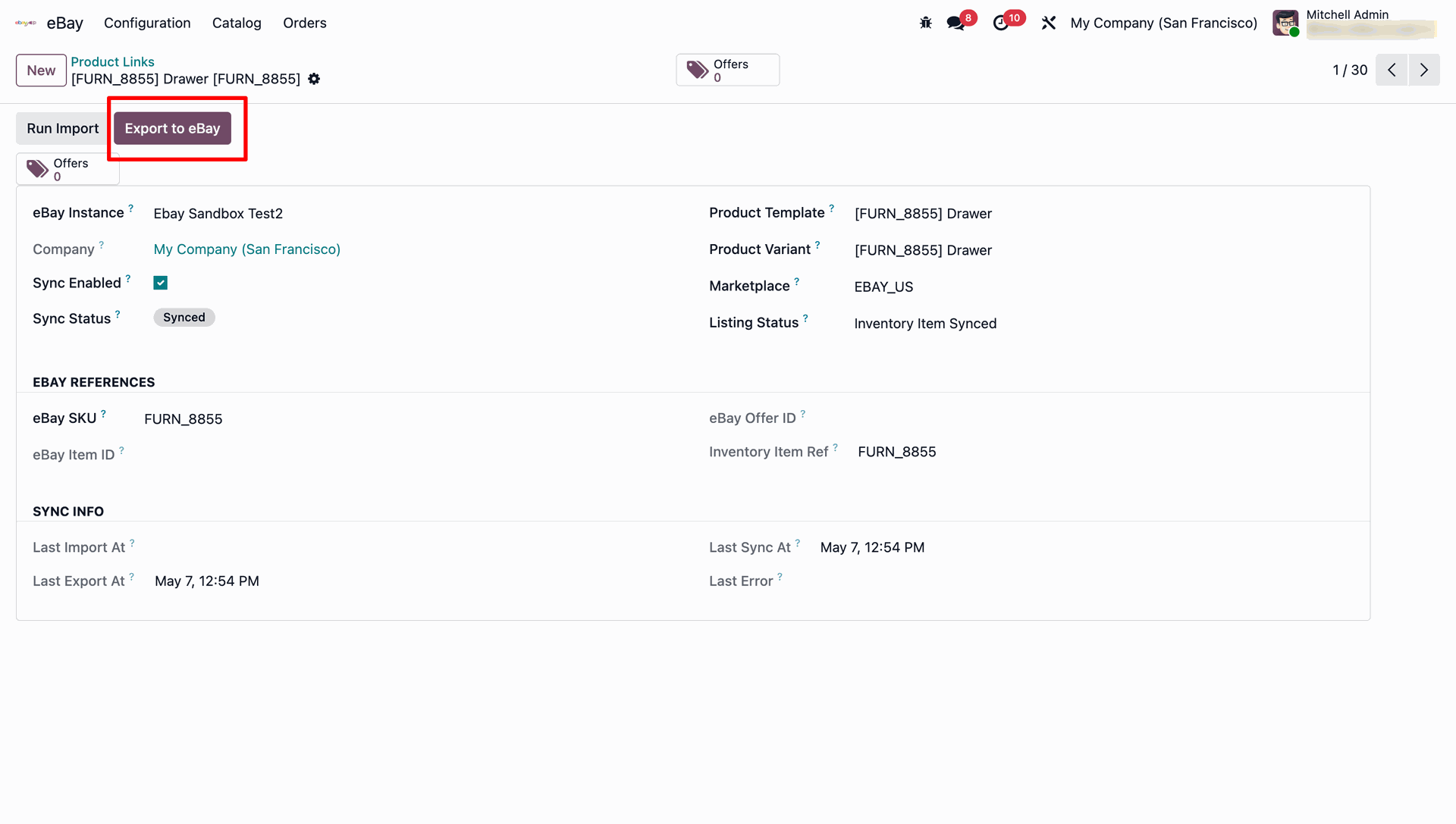
Before publishing, a Product Link shows Run Import and Export to eBay actions.
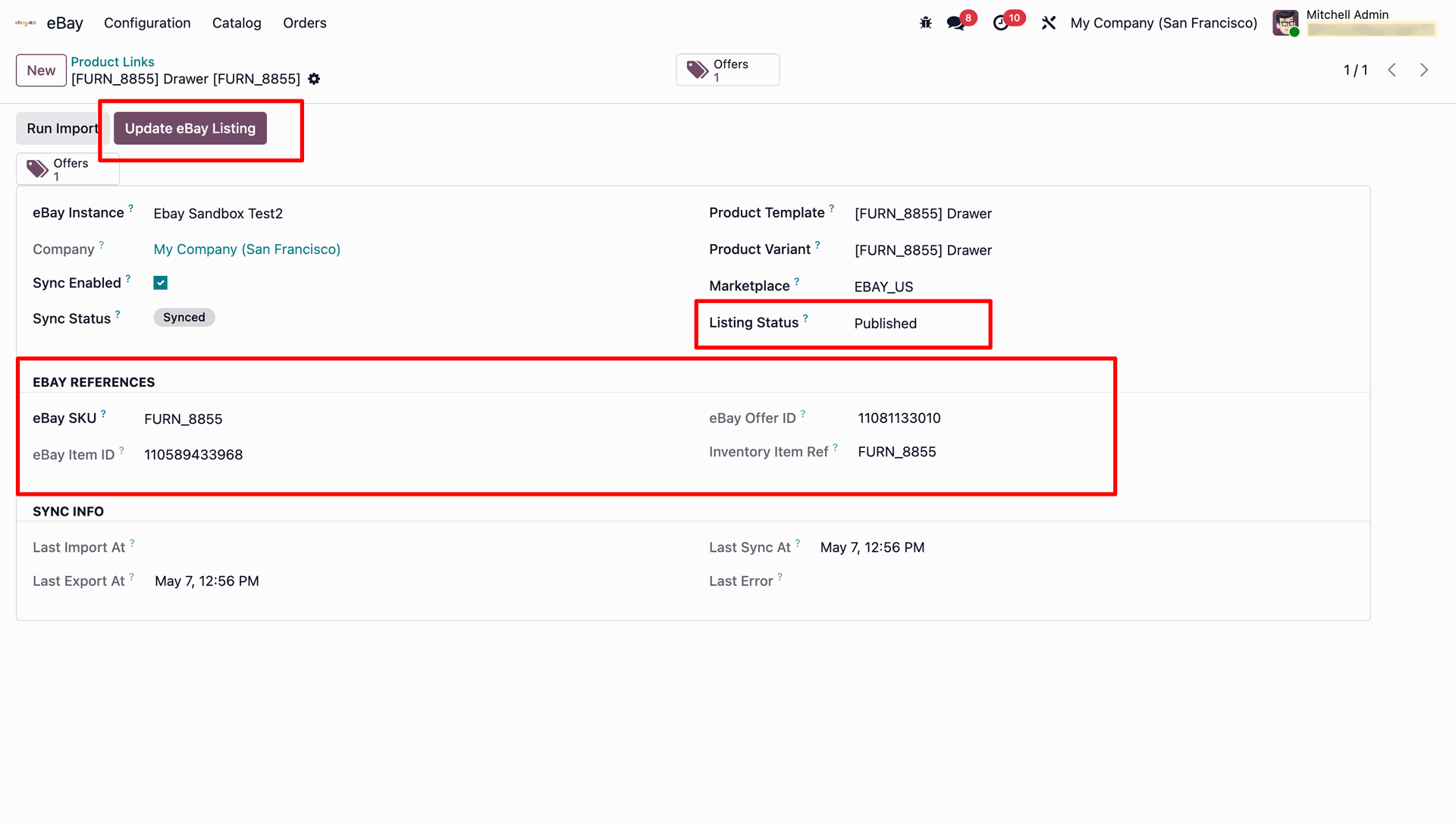
Once published, the link shows the eBay Item ID, Offer ID, and an Update eBay Listing action to push further changes.
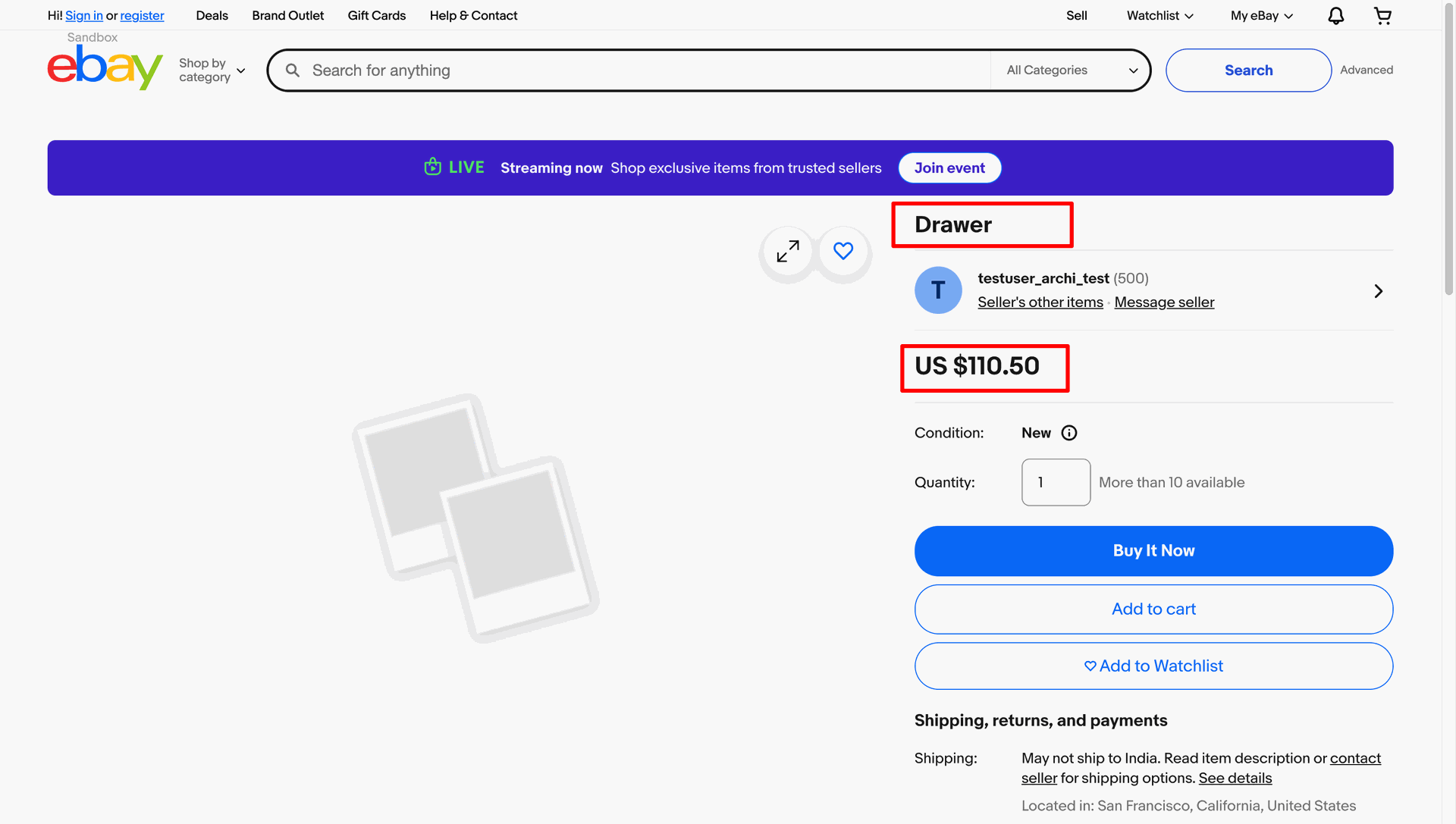
The result: a live, purchasable listing on eBay with the exported title and price.
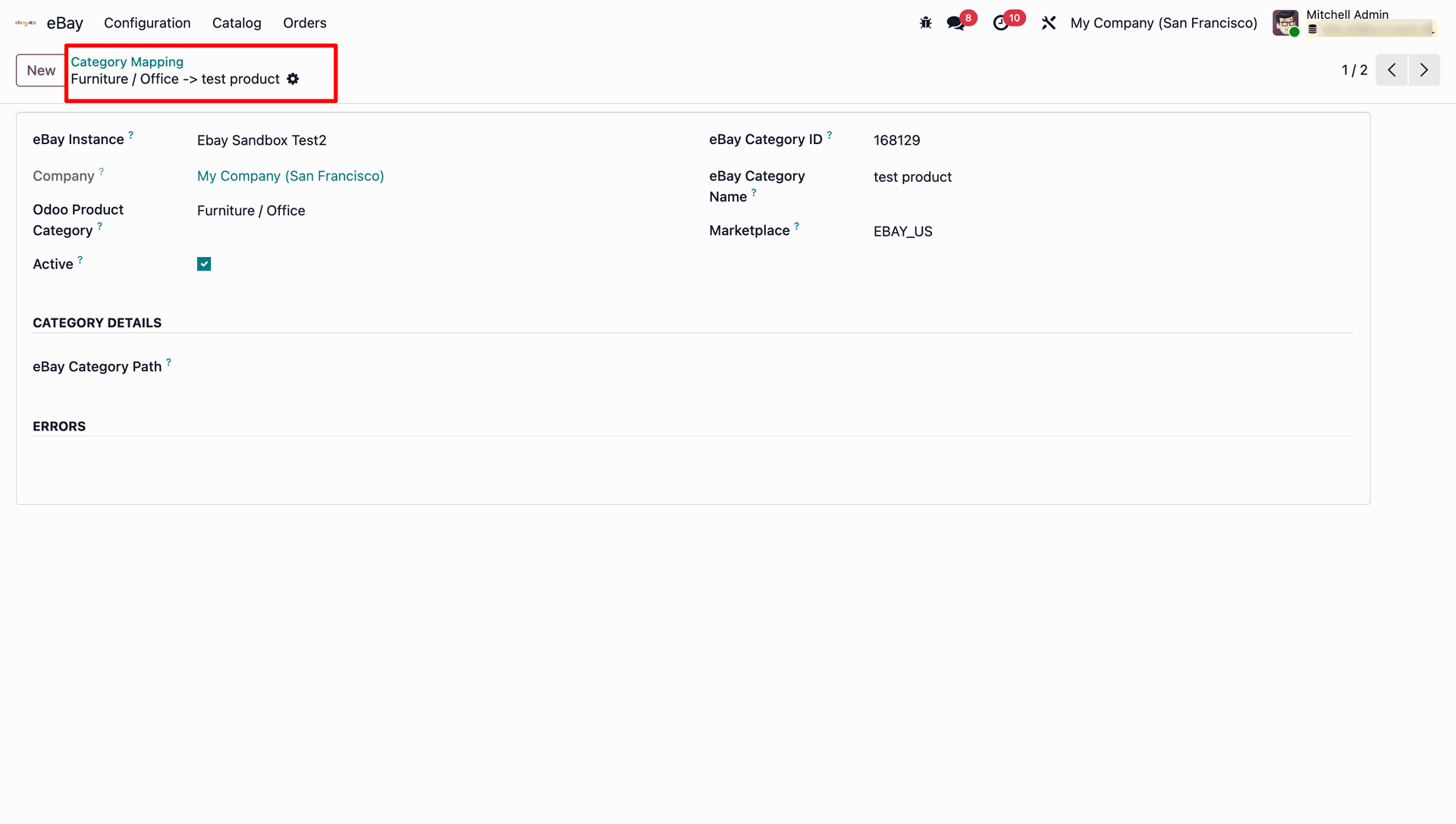
Category Mapping links an Odoo Product Category to an eBay Category ID/Name per marketplace, under eBay → Catalog → Category Mapping.
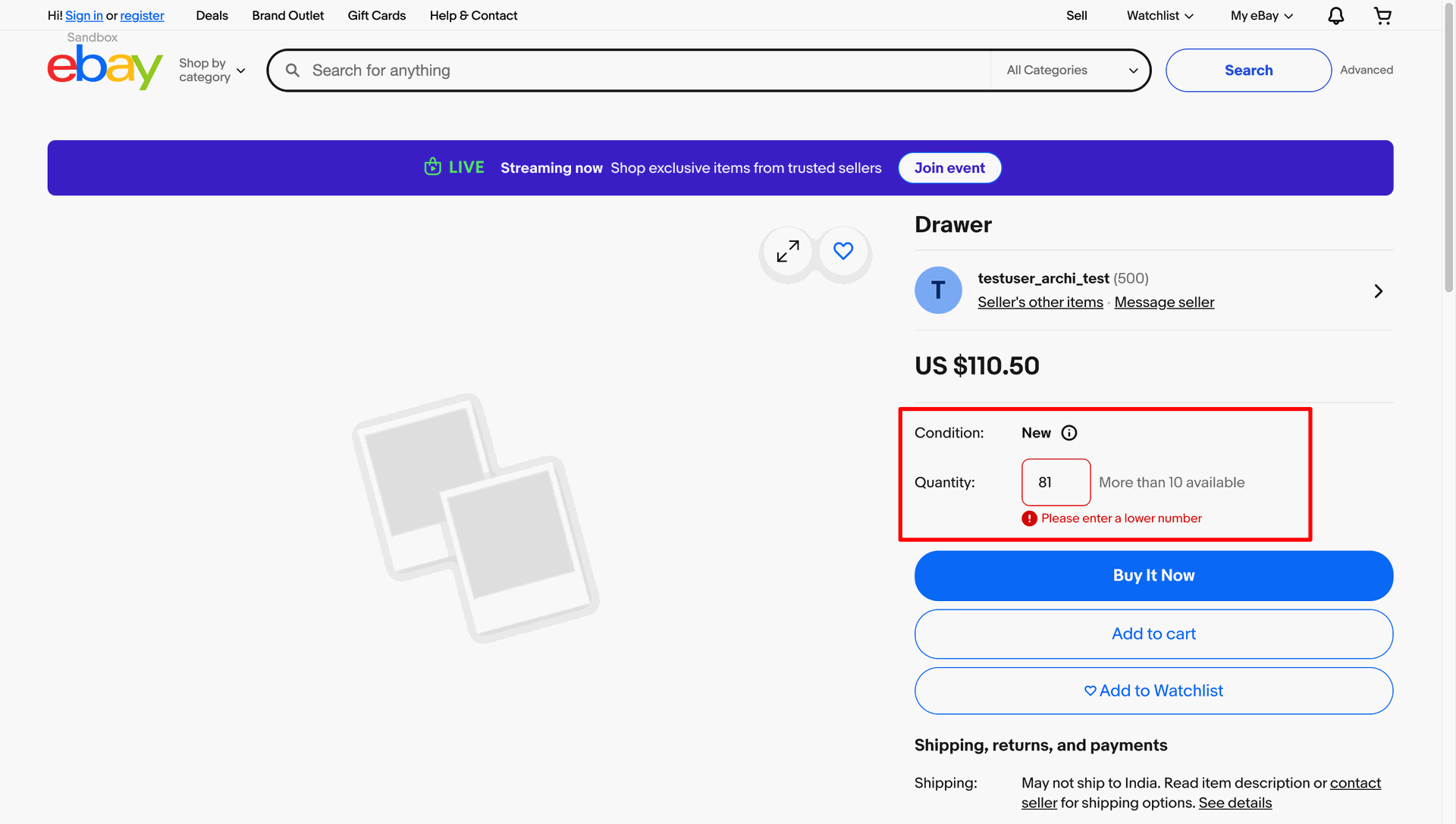
And the quantity shown to eBay buyers reflects the Odoo on-hand stock in real time.
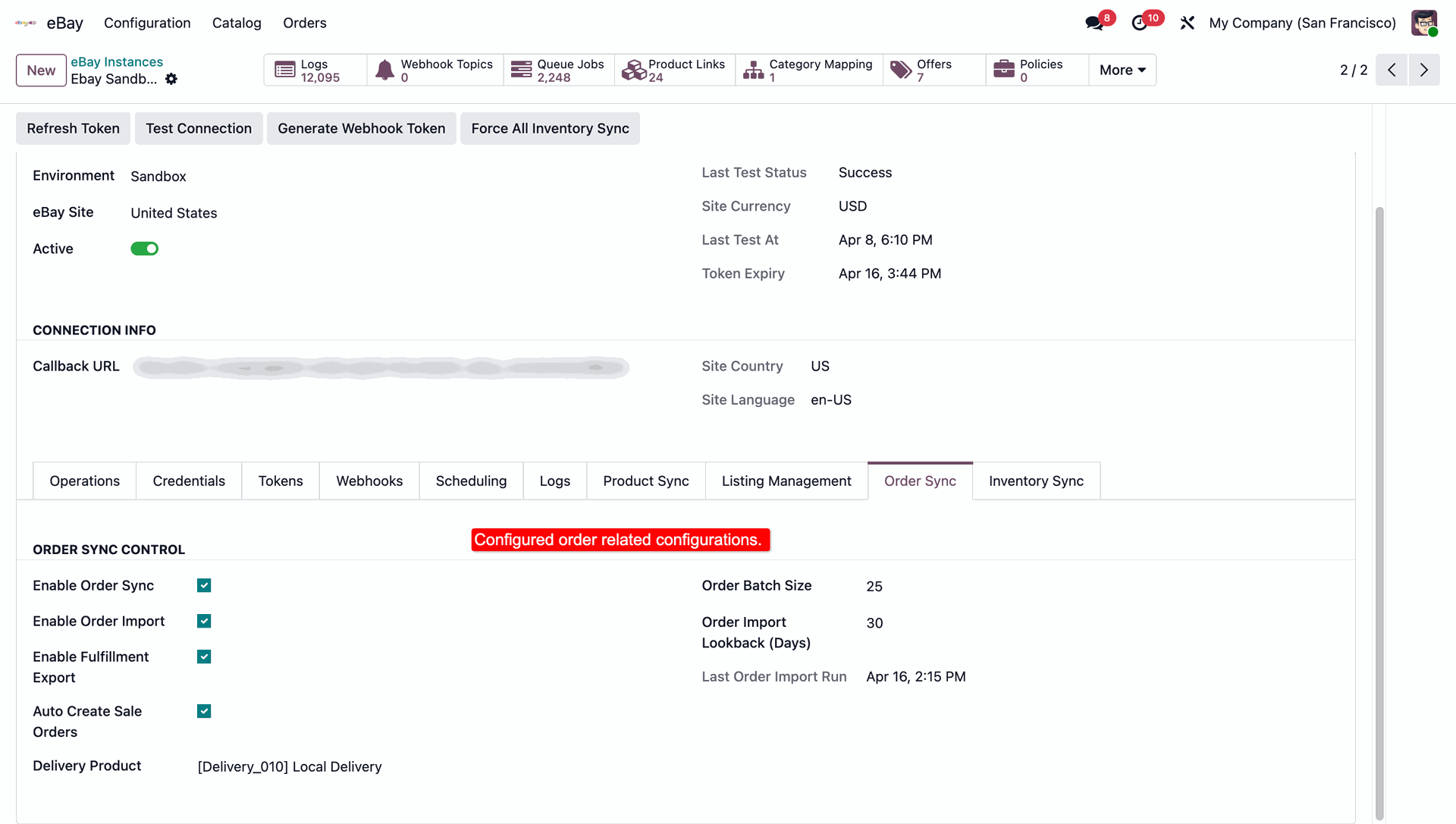
On the Order Sync tab, enable Order Sync/Import and Fulfillment Export, set batch size, import lookback window, auto-create sale orders, and pick the delivery product used for shipping charges.
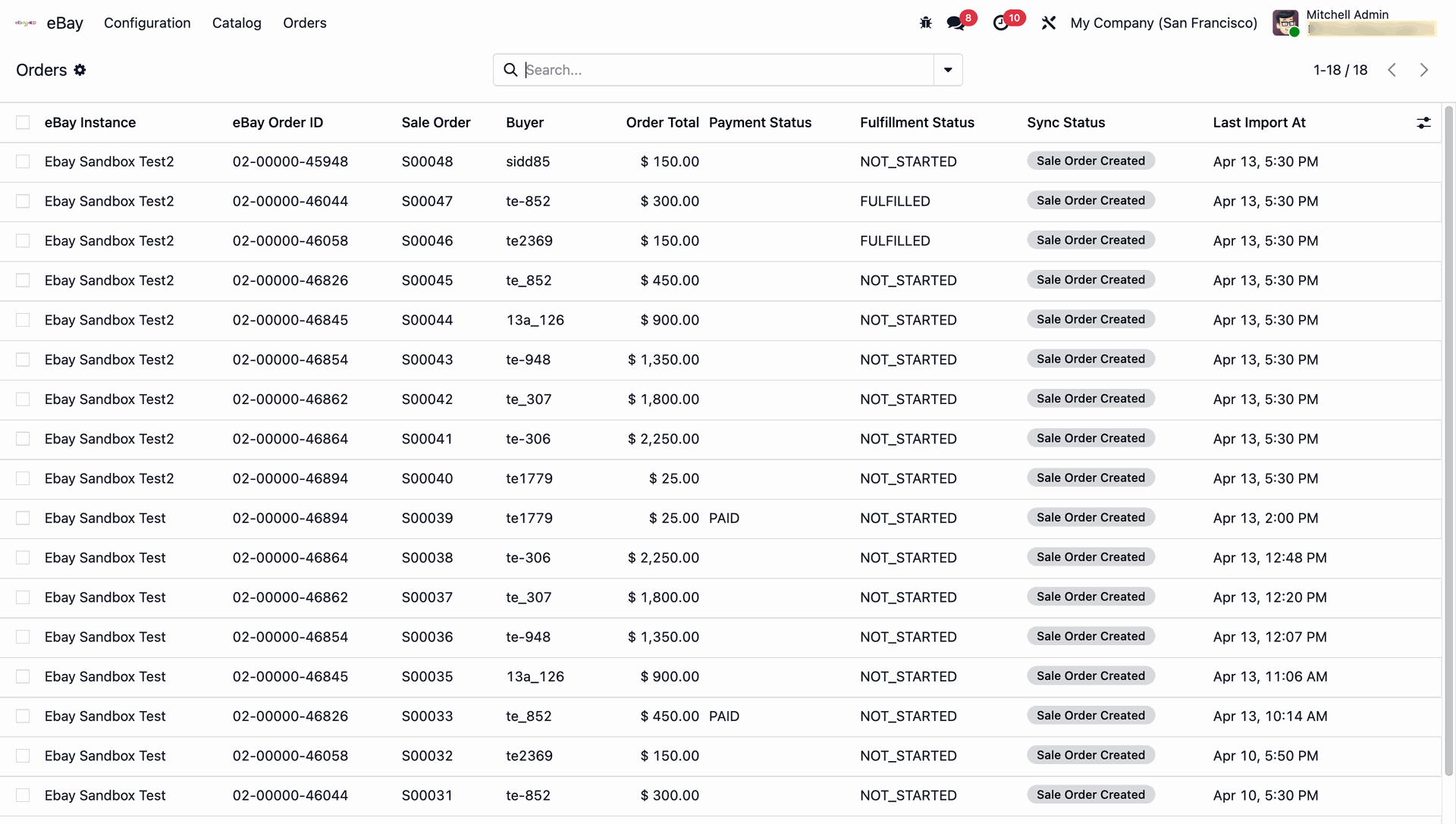
Imported orders appear under eBay → Orders, with eBay Order ID, linked Sale Order, buyer, total, payment & fulfillment status.
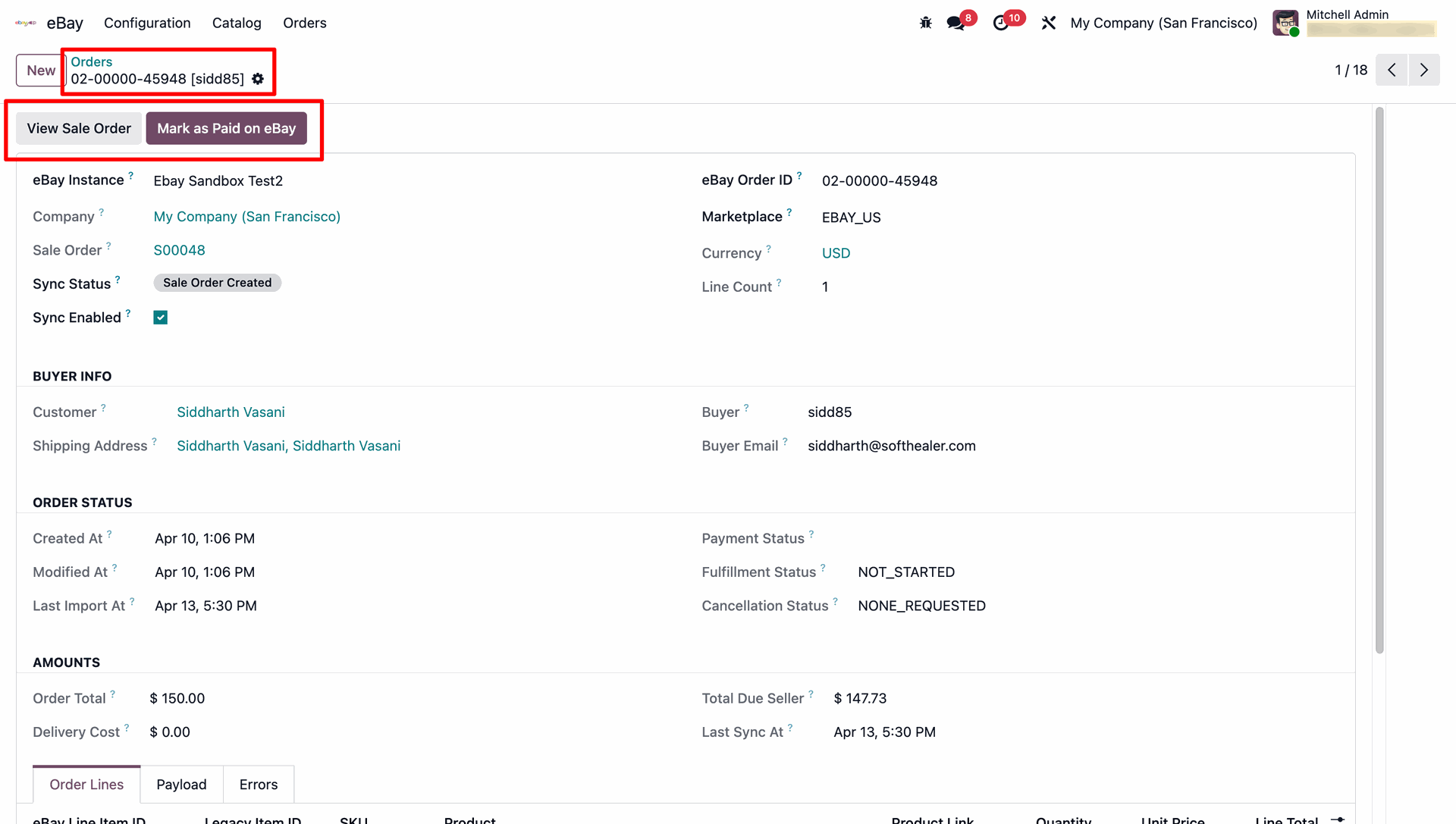
Each order record shows buyer info, amounts, and Order Lines, plus a Mark as Paid on eBay action.
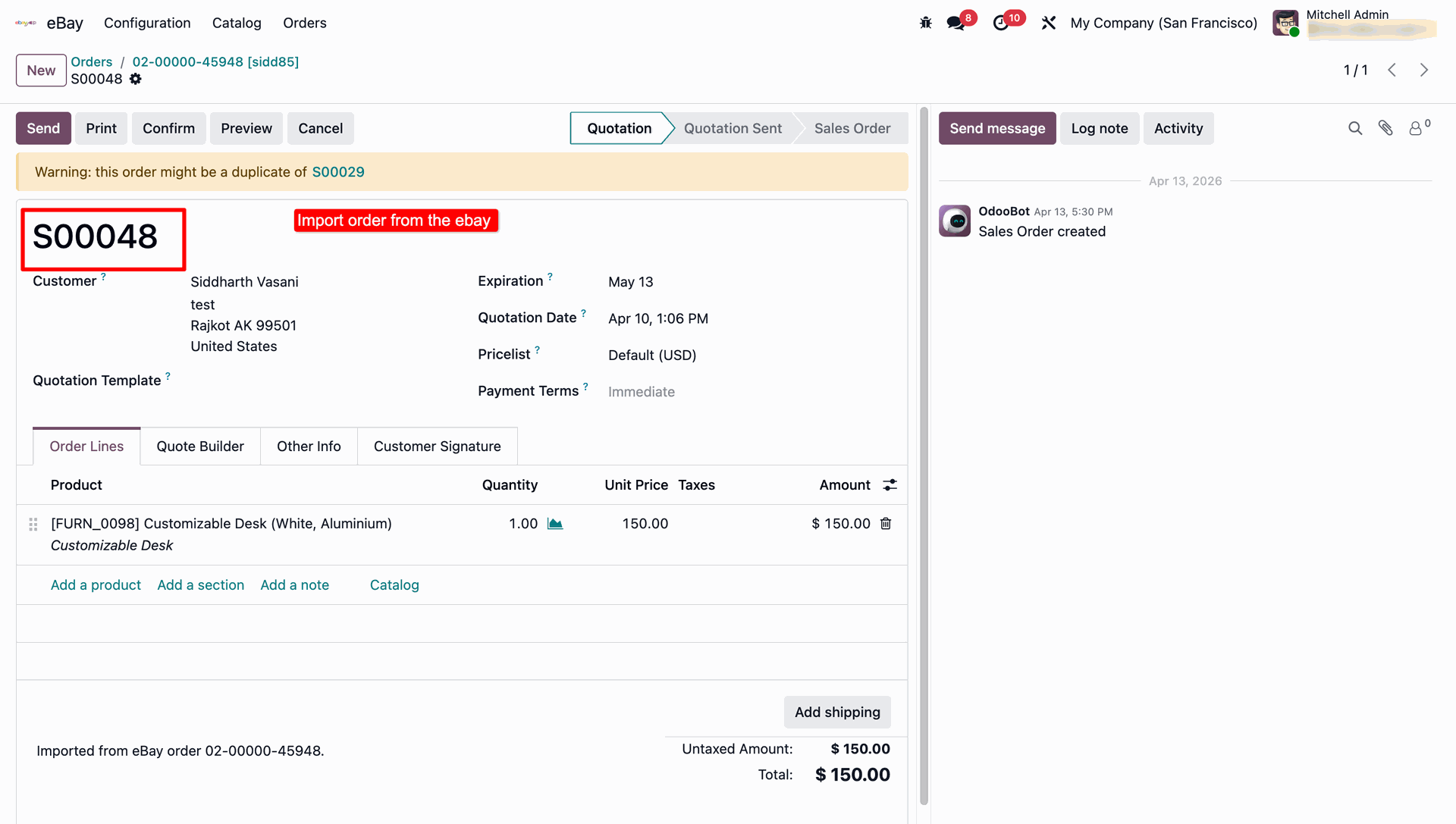
Importing an eBay order automatically creates the matching Odoo Sales Order/Quotation with the correct product, quantity and price.
On the Inventory Sync tab, enable Real-time Inventory Sync and select the inventory sync field.
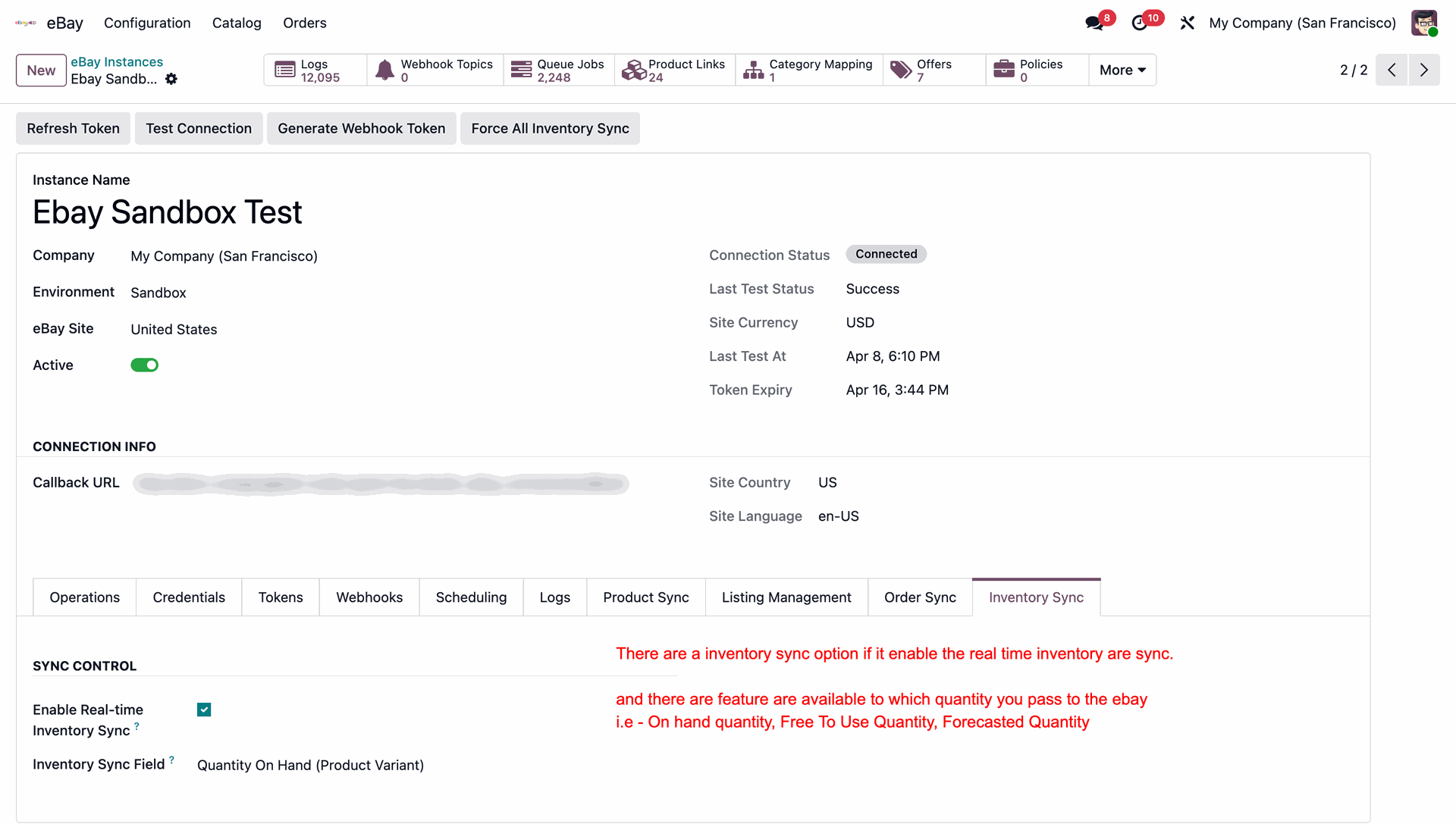
The Operations tab gives you one-click manual actions — Import Products, Export Products, Import Orders, Export Deliveries, Sync Payments, Sync Inventory — plus metadata sync buttons for Business Policies, Inventory Locations, Store Categories & Listing Statuses.
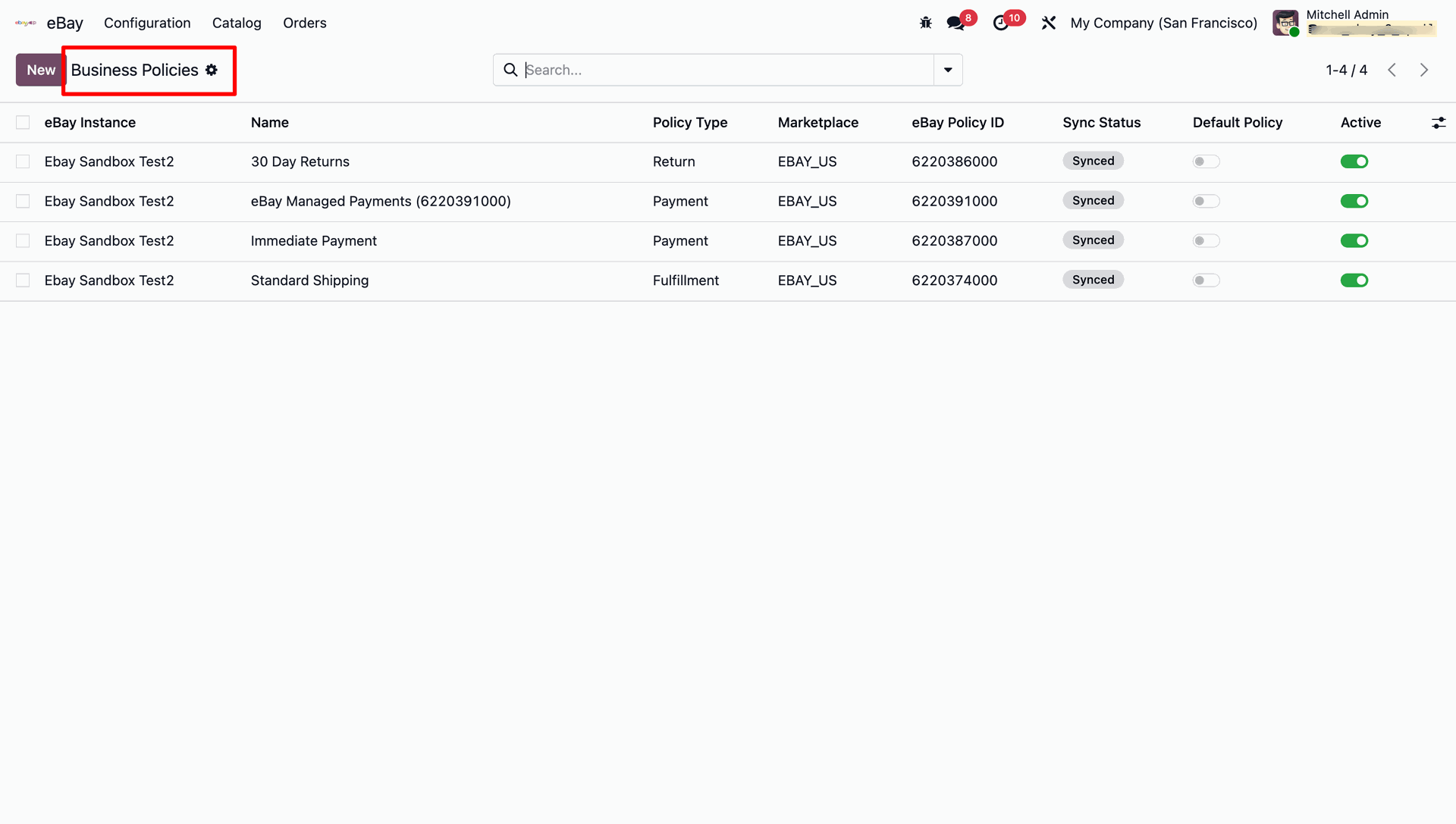
Business Policies synced from your eBay account.
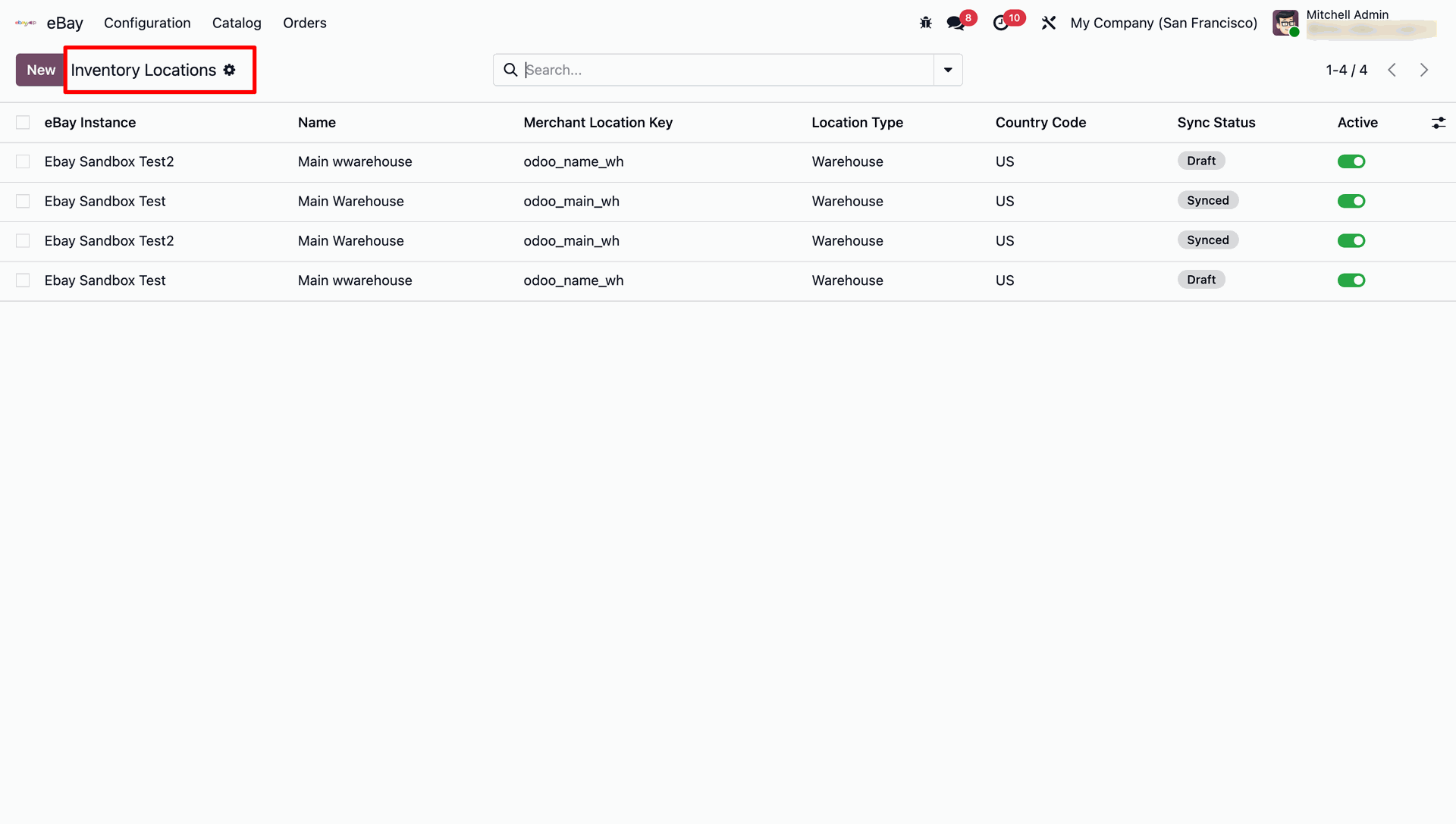
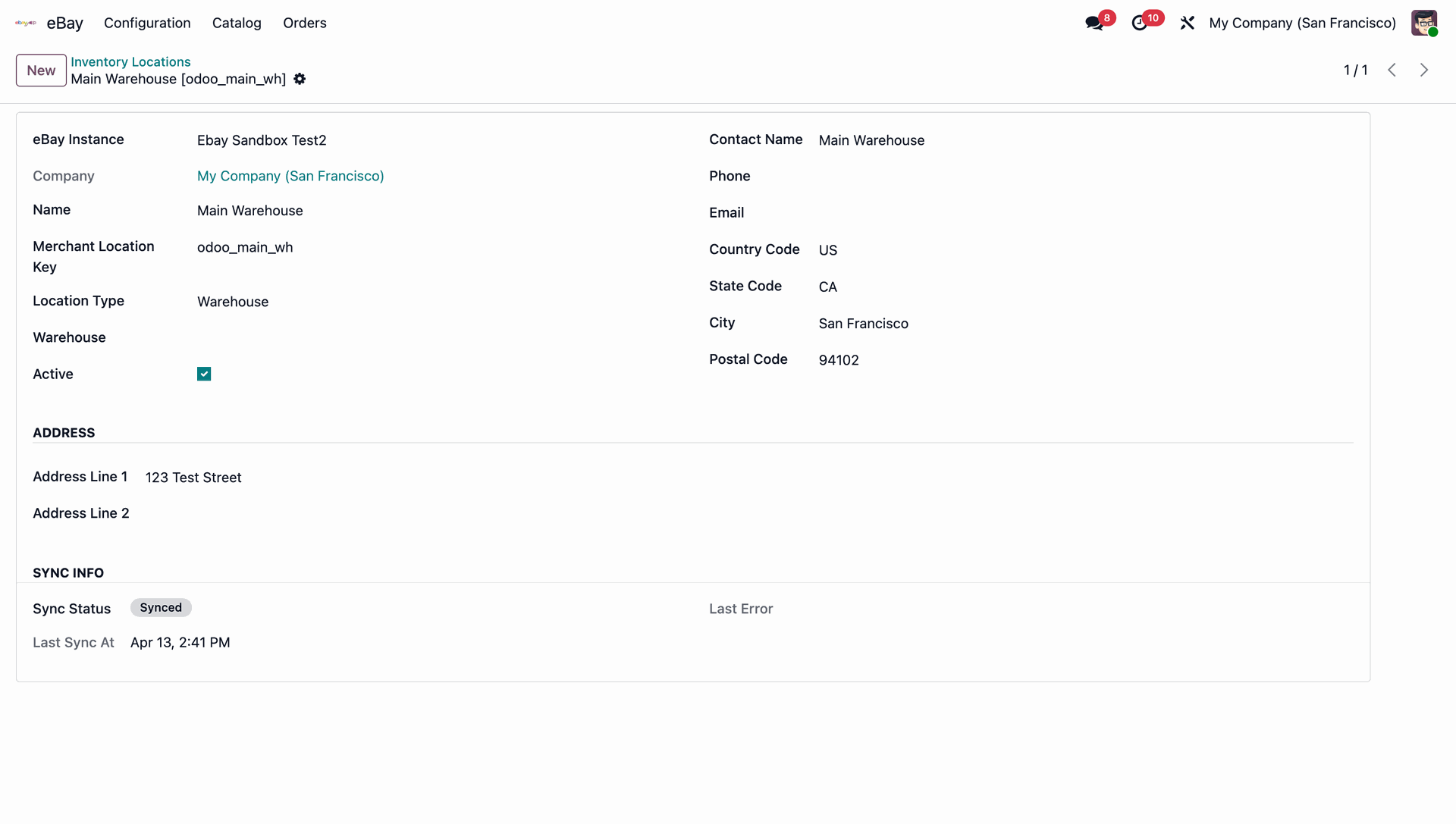
Merchant Inventory Locations are listed with their Merchant Location Key and Sync Status.
Each location's detail form shows the mapped address and sync status against eBay.
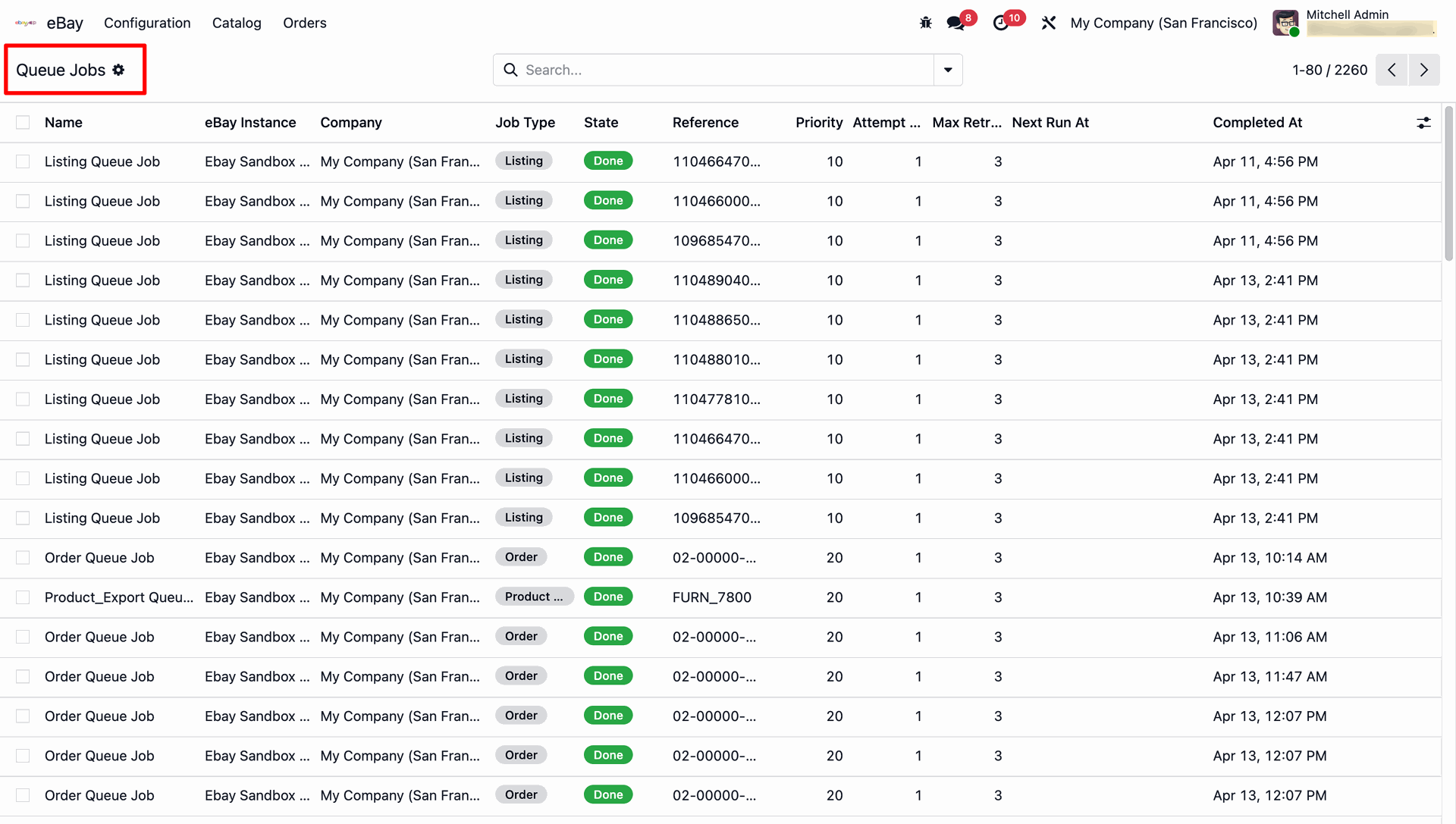
Every background sync runs as a trackable Queue Job with state, priority, attempts, and completion time.
 How it Works? Watch Video
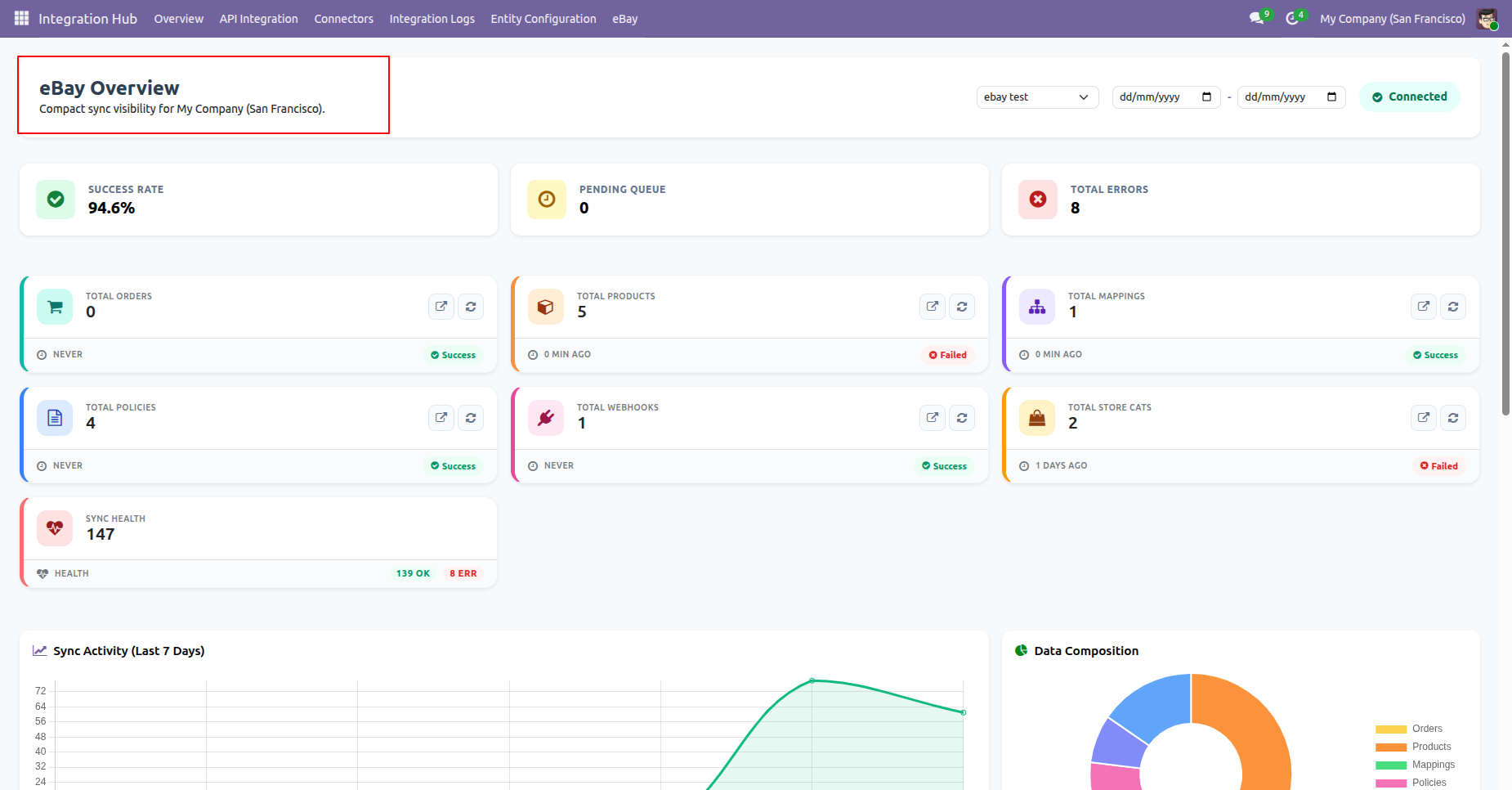
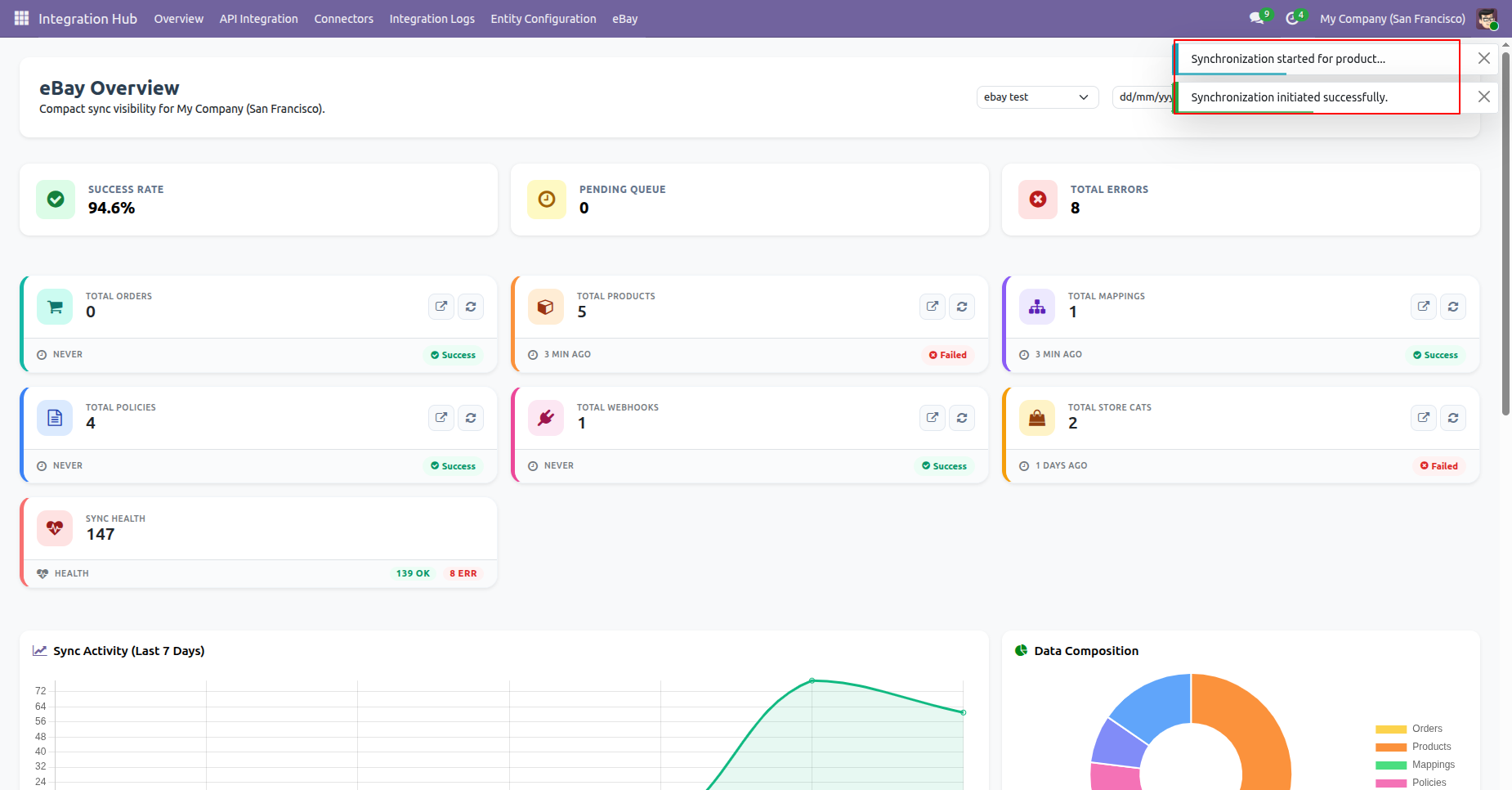
The eBay Overview page inside the Integration Hub gives compact sync visibility per instance: Success Rate, Pending Queue, Total Errors, plus per-entity counts for Orders, Products, Mappings, Policies, Webhooks & Store Categories.
A 7-day Sync Activity chart and Data Composition donut chart give a fast visual read on health and mix of synced data.
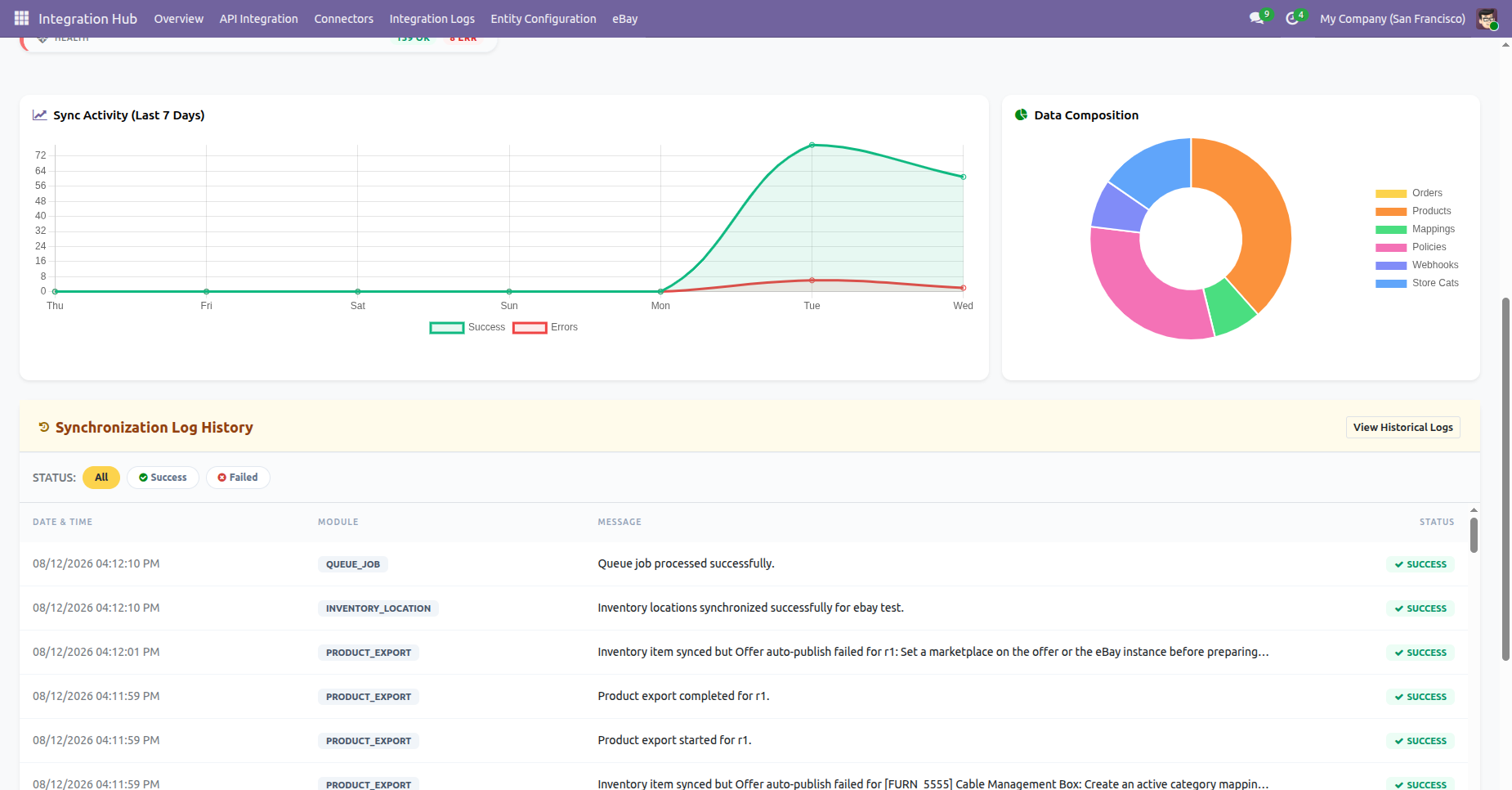
A Synchronization Log History feed lets you filter by Success/Failed, and quick links jump straight to Integration Settings, Sync Schedulers, or Detailed Logs.
Each metric card can drill straight down into its underlying records — here, Total Products opens the linked Product Links list.
Refreshing a card triggers a live re-sync and confirms with an on-screen notification.
Changelog
Track every update and new feature released for this module.
Initial Release.

 Buy Once,
Supported Forever
Buy Once,
Supported Forever



 Scan to email sales







 Your Ideas Shape
Our Roadmap
Your Ideas Shape
Our Roadmap

 Got
an Idea?
We'll Build It
Got
an Idea?
We'll Build It
Trusted by Businesses Worldwide


Abdulhamid Abdulwaheed
Best module for our online store. Highly adaptable, exceptional customer service, and very advanced modules.
Factura Venta POS
They have everything you need. Technical support is excellent, responds quickly, and keeps the module updated. 100% recommended!
Mehmet Muhanna
Great company and support team. Had a problem in my local Odoo server - they solved it in 5 minutes. Highly recommend.
Billy Jeffs
Customised an Odoo app for me which works perfectly. Many requirements, got it right every time. Very confident in their ability.
HP
Consistently excellent service over years of working together. Knowledge and commitment to keeping clients informed truly sets them apart.
Michal Kolasinski
Multiple addons + two custom modules. Communication always friendly and precise. Delivered on time, worked out of the box. Highly recommended!

Multi-Language
8 built-in translations







You May Also Like
Discover more Softhealer modules that integrate seamlessly with your Odoo environment.

Shopify-Odoo Connector
Connect Shopify with Odoo to synchronize products, orders, customers, inventory, and more.
View Module

Xero Connector with OAuth2.0 for Odoo
Securely synchronize contacts, products, orders, invoices, payments, and accounting data between Odoo and Xero.
View Module

Odoo QuickBooks Connector
Connect Odoo with QuickBooks to synchronize essential business and accounting data.
View Module

Hubspot Odoo Connector
Synchronize contacts, companies, leads, opportunities, tasks, emails, and meetings between Odoo and HubSpot.
View Module


Most Demanded Apps
The Softhealer modules our customers reach for most - trusted across 100+ countries.

Activities Management
Manage, schedule, and automate Odoo activities across all departments from one view.
View Module

Access Management
Granular access control over menus, fields, buttons, and records for every user role.
View Module

Backdate Advanced
Backdate any transaction across invoices, journals, pickings, and more with full audit.
View Module

All-in-One Helpdesk
Full-featured customer support with tickets, SLA, and customer portal built for Odoo.
View Module

All-in-One Mobile Backend
Access your full Odoo backend from any mobile device with an optimised interface.
View Module

All-in-One Import
Import data from Excel or CSV files into any Odoo model with smart field mapping.
View Module
Our Services
End-to-end Odoo expertise - from setup to scale.

AI & Business Integration

Odoo Implementation
Odoo Customization

Support & Maintenance
Mobile Apps

Migration Service

Third-Party Integration

Odoo Training
Ready to connect your AI to Odoo?
Join 10,000+ businesses - Softhealer, 11+ years of Odoo expertise across 100+ countries.

