












Data Masking for Access Management | Sensitive Data Masking | Data Visibility Control Odoo

This Odoo app provides an advanced global solution to mask sensitive data like emails, phone numbers, and name. It features real-time masking across Form, List, and Many2one fields, customizable regex patterns, robust export logging with IP tracking, and automatic data leak email alerts. Protect your enterprise data seamlessly.

Related Modules
Features

Two Security Groups
Manage access levels with dedicated roles for Unmasked Admin (Manager) and Masked User.

Dynamic Masking
Real-time sensitive data masking globally across Form, List, and Many2one fields automatically.
Custom Regex Patterns
Set custom regular expression patterns to mask specific data formats tailored to your business rules.
Smart Partial Masking
Partially mask values using the 'keep edges' feature to reveal only a specific number of characters.

Record-Specific Masking
Apply data masking rules selectively to specific records using customizable domain filters.

Data Leak Alerts
Automatically receive email alerts when exported rows exceed your safety threshold.

Export Logging & IP Tracking
Record all sensitive data exports in a detailed audit log featuring user IP tracking.
Assign the 'Unmasked Admin' group to users to grant them full rights to view unmasked fields, edit configurations, and create masking rules.
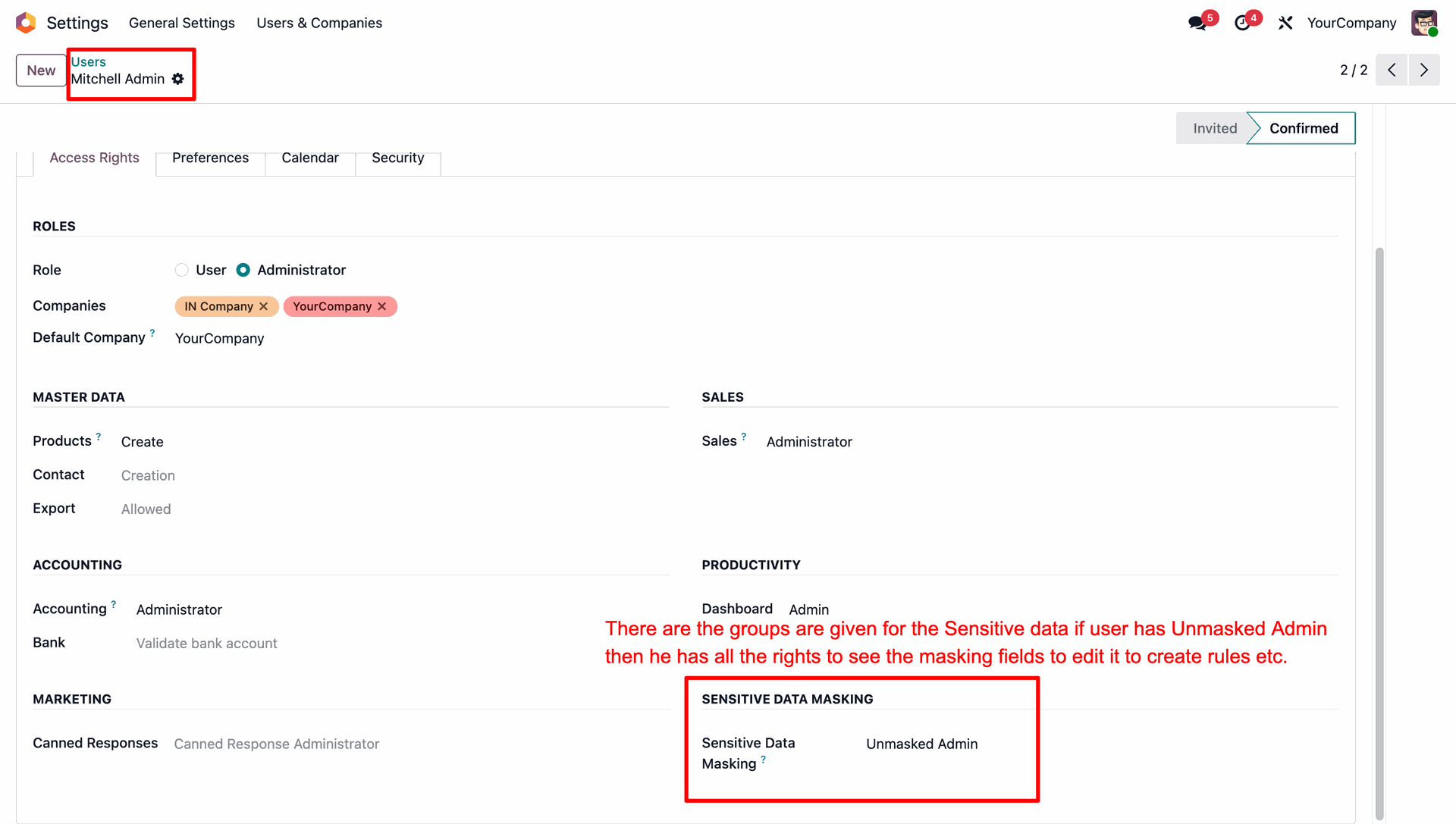
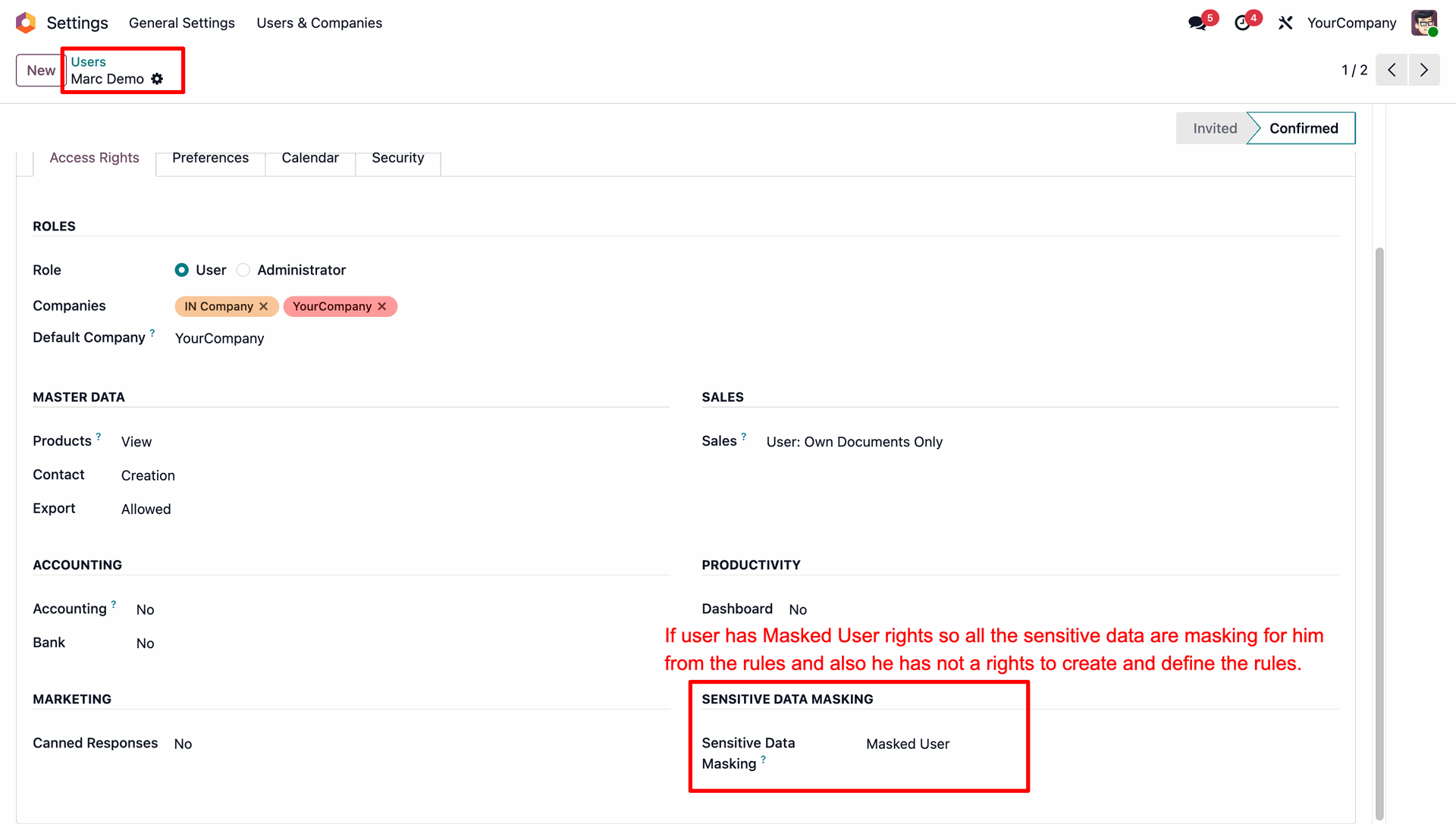
Configure a user with 'Masked User' rights to mask their access to sensitive data and restrict them from creating or defining masking rules.
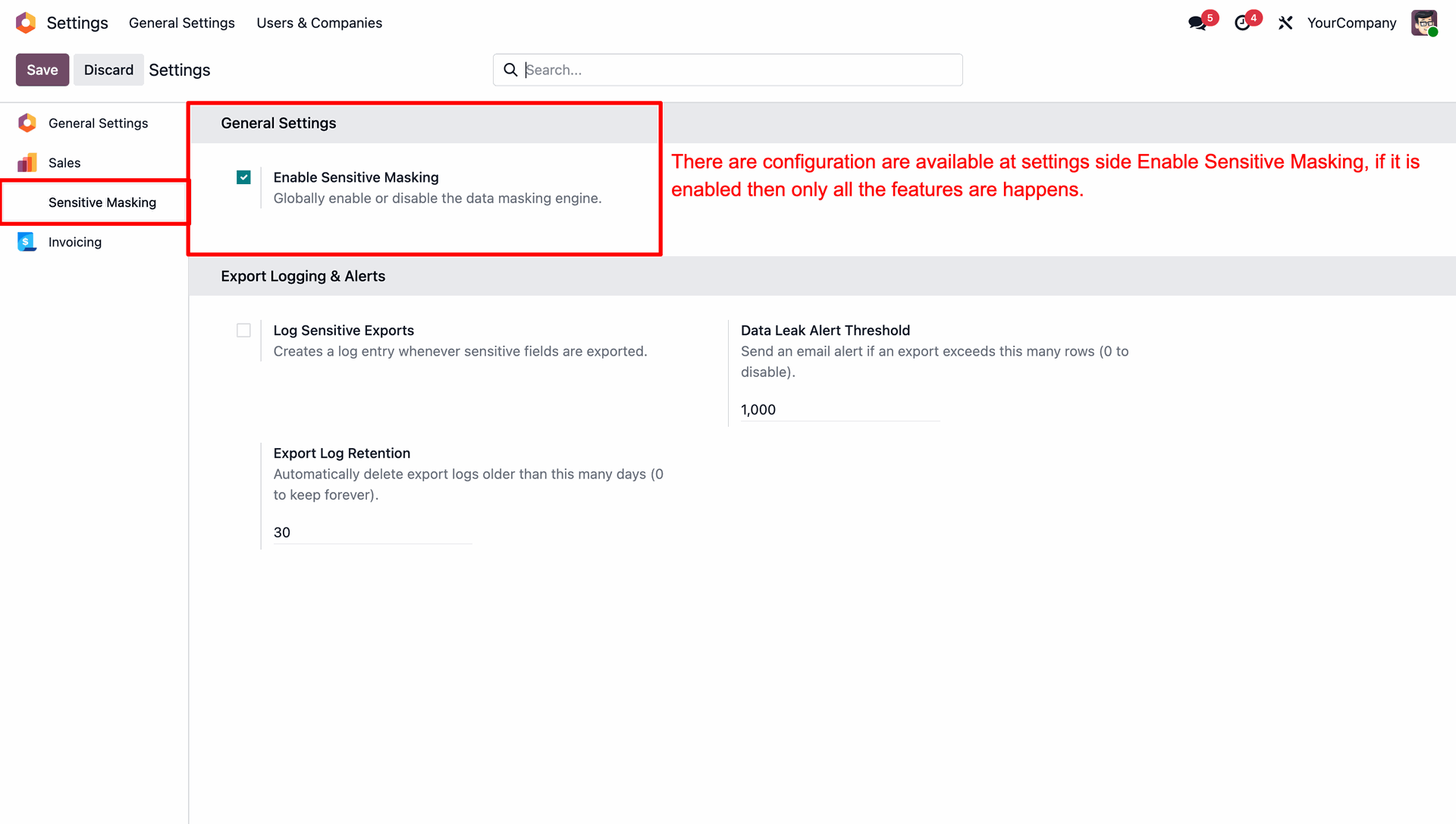
Navigate to General Settings and enable the 'Enable Sensitive Masking' option to globally activate the data masking features.
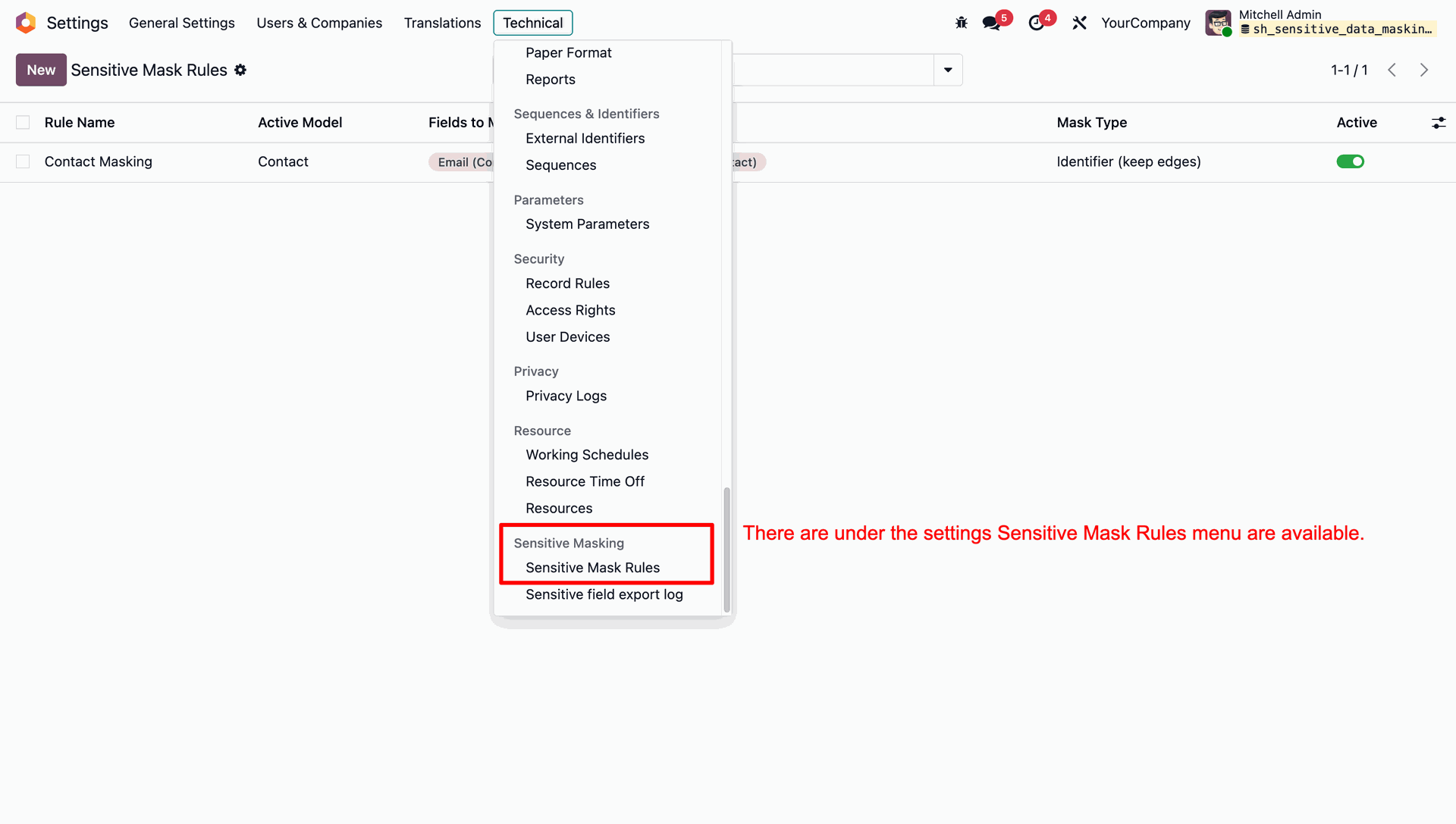
Go to Technical settings and open the 'Sensitive Mask Rules' menu under the Sensitive Masking section.
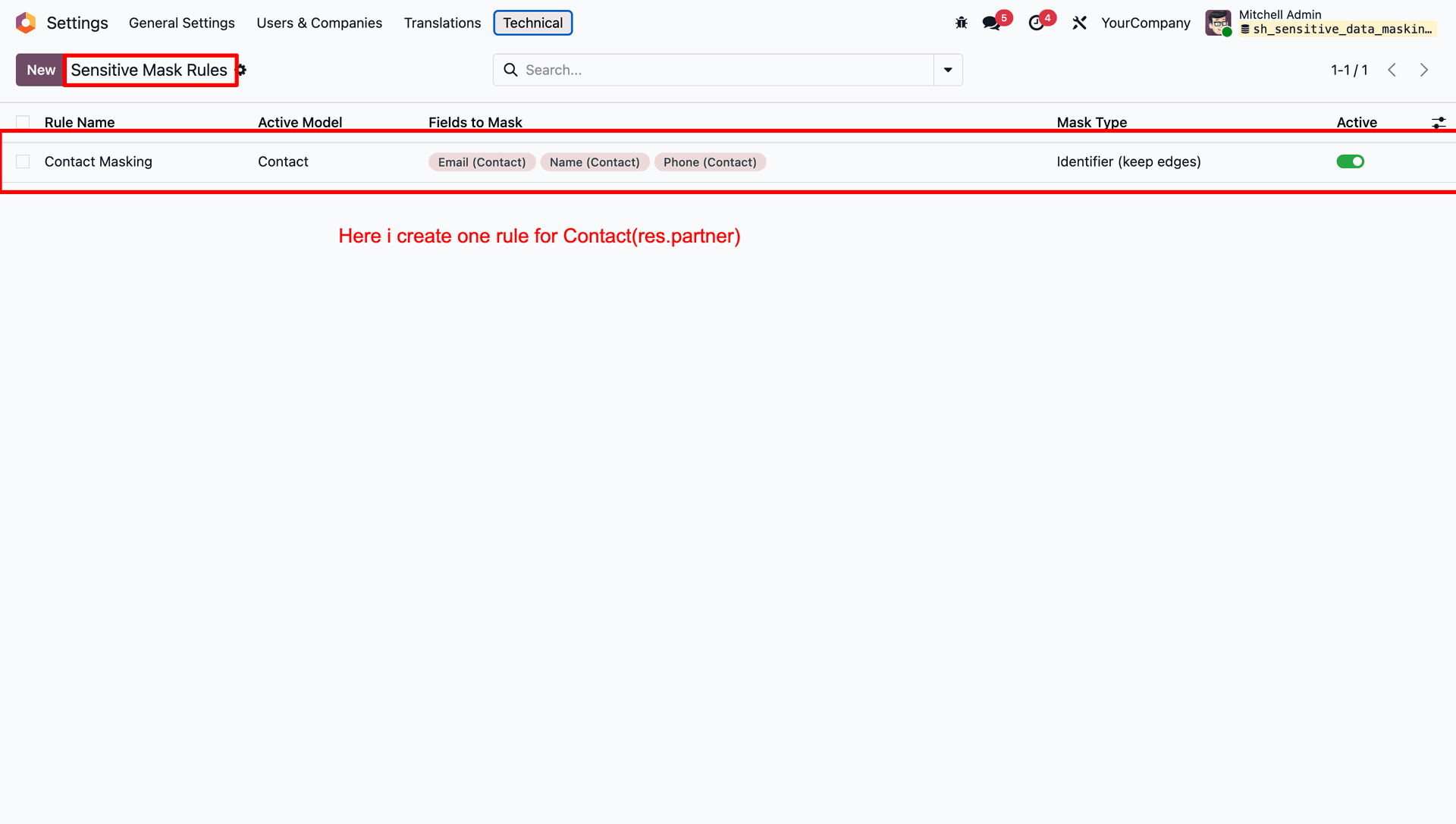
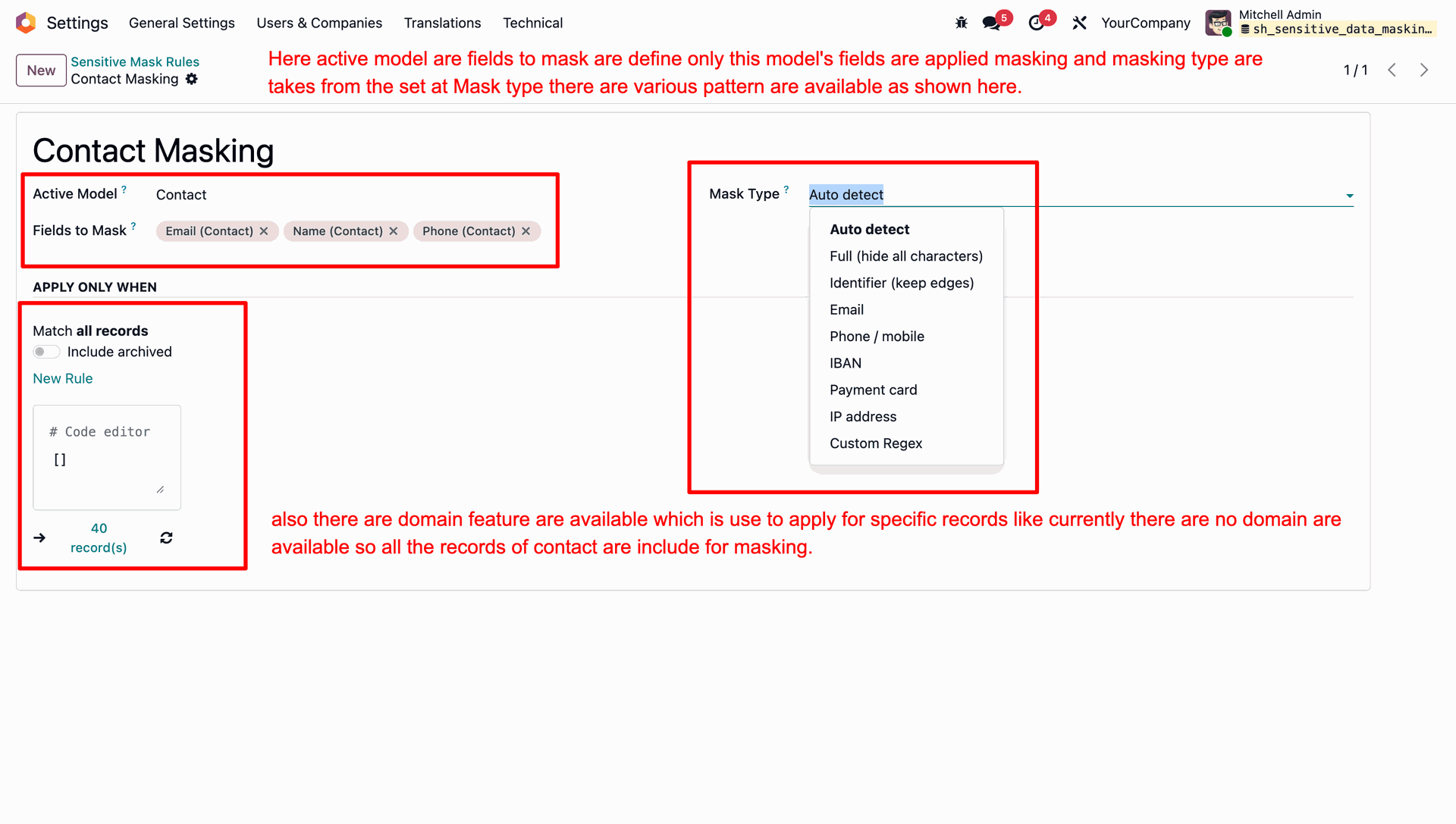
Create a new masking rule for the Contact model (res.partner) specifying the fields to mask and the mask type.
Define the active model, select the fields to mask, choose from various pre-defined mask types, and apply domain filters to target specific records for masking.
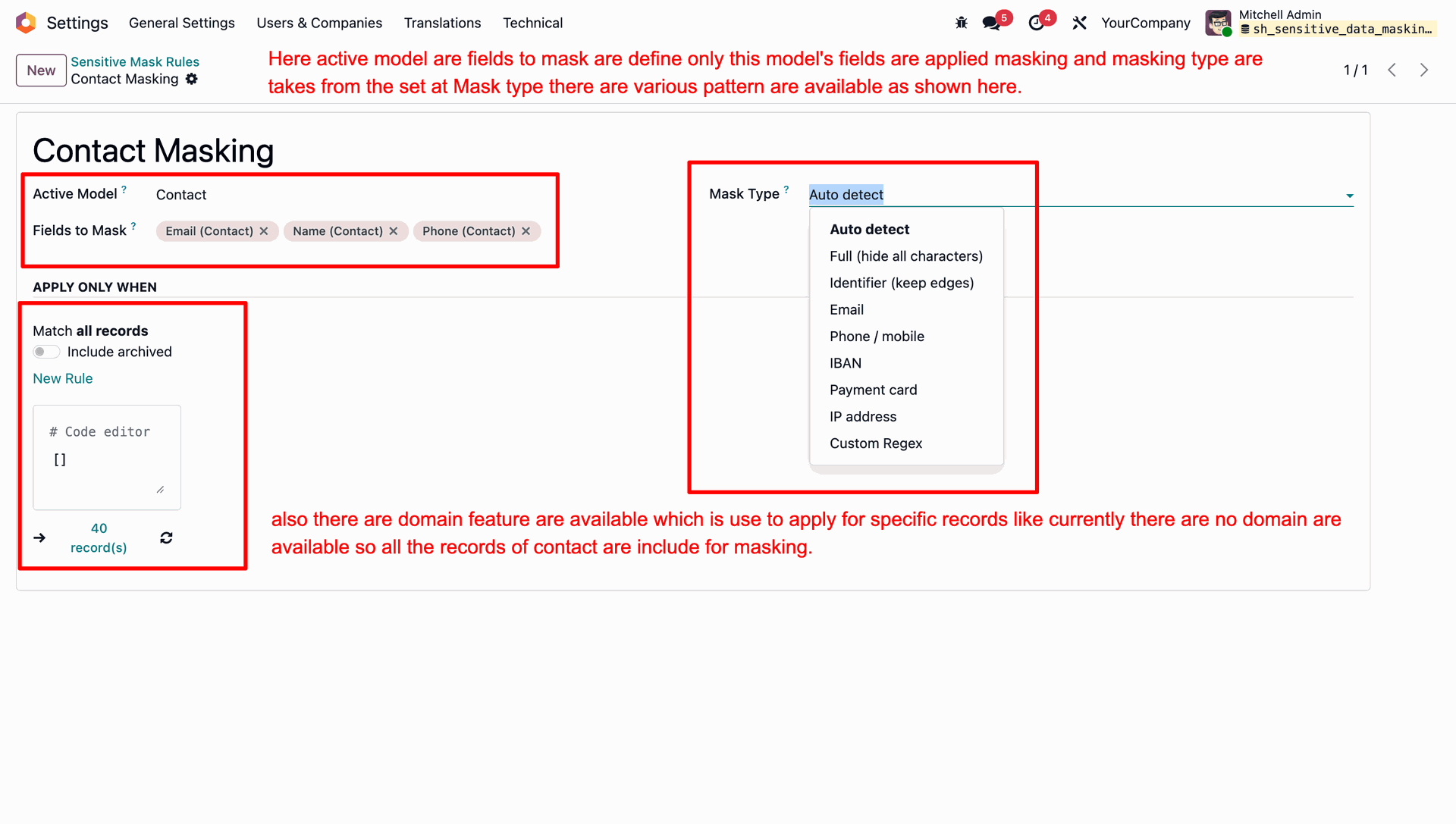
Select the desired mask type from the dropdown list to apply specific formatting rules for the selected fields.
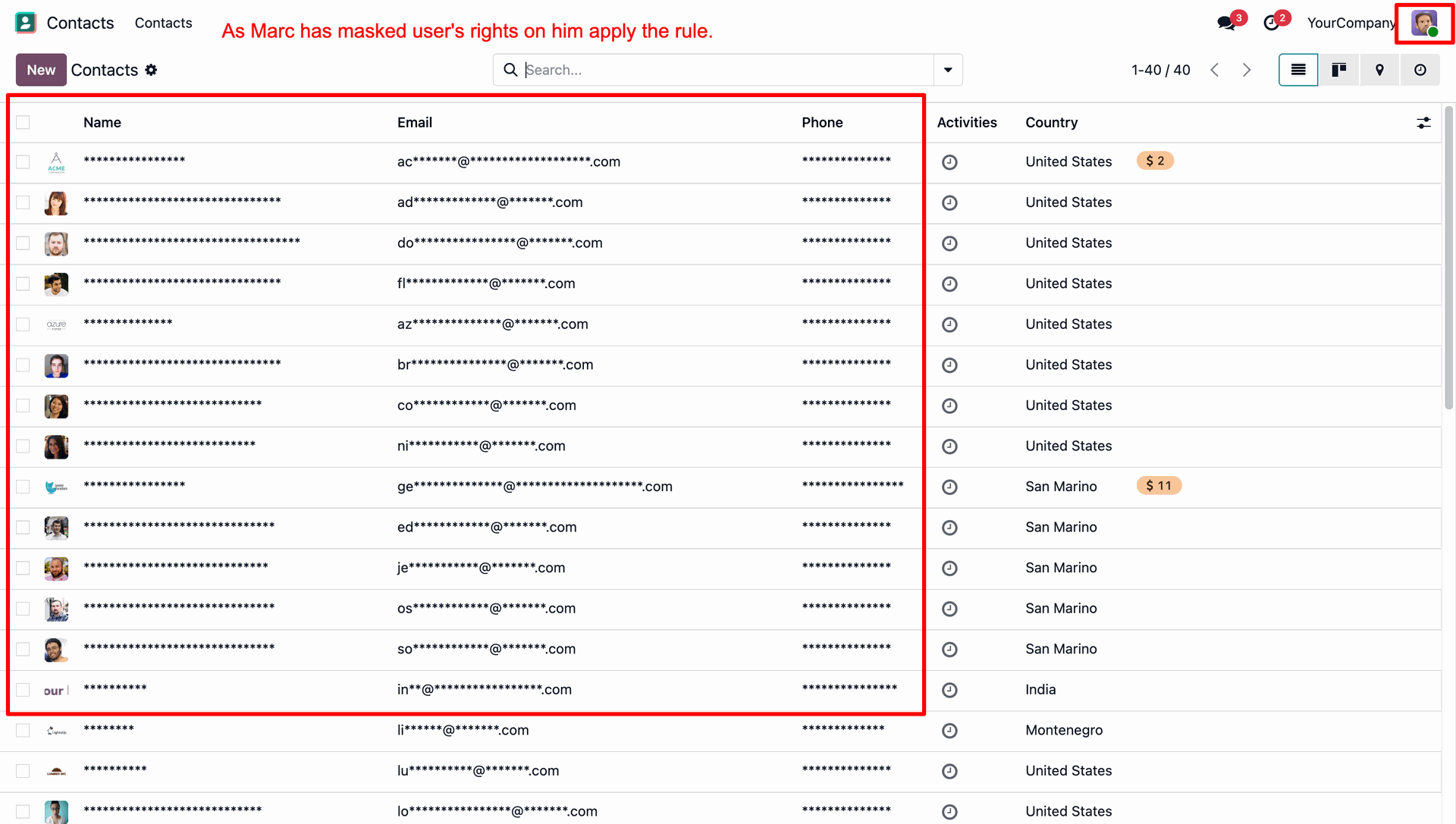
Observe the contact list view as a masked user where the Name, Email, and Phone fields are displayed with mask characters.
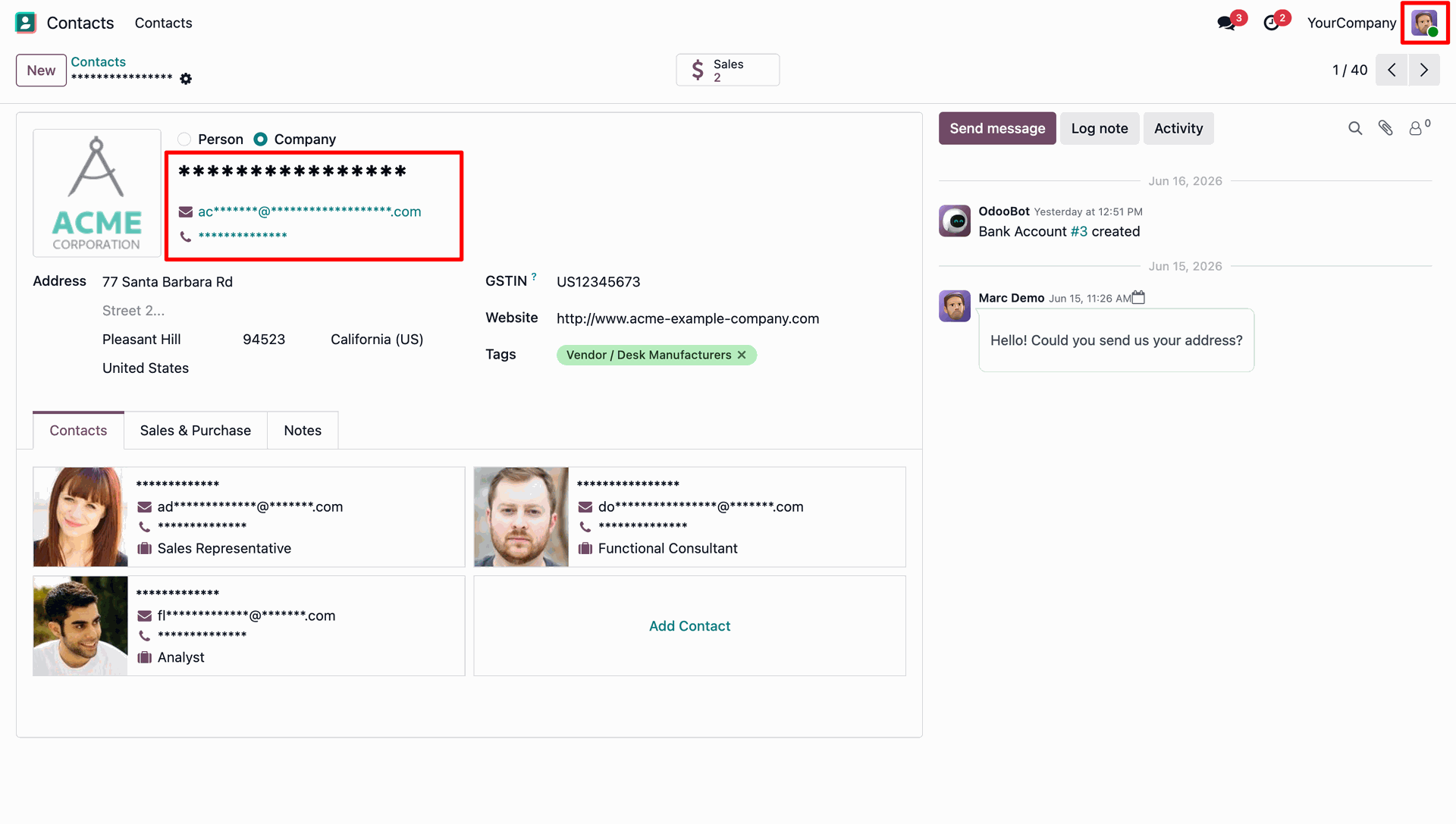
View the contact form as a masked user to ensure sensitive details in both main and sub-contacts are masked.
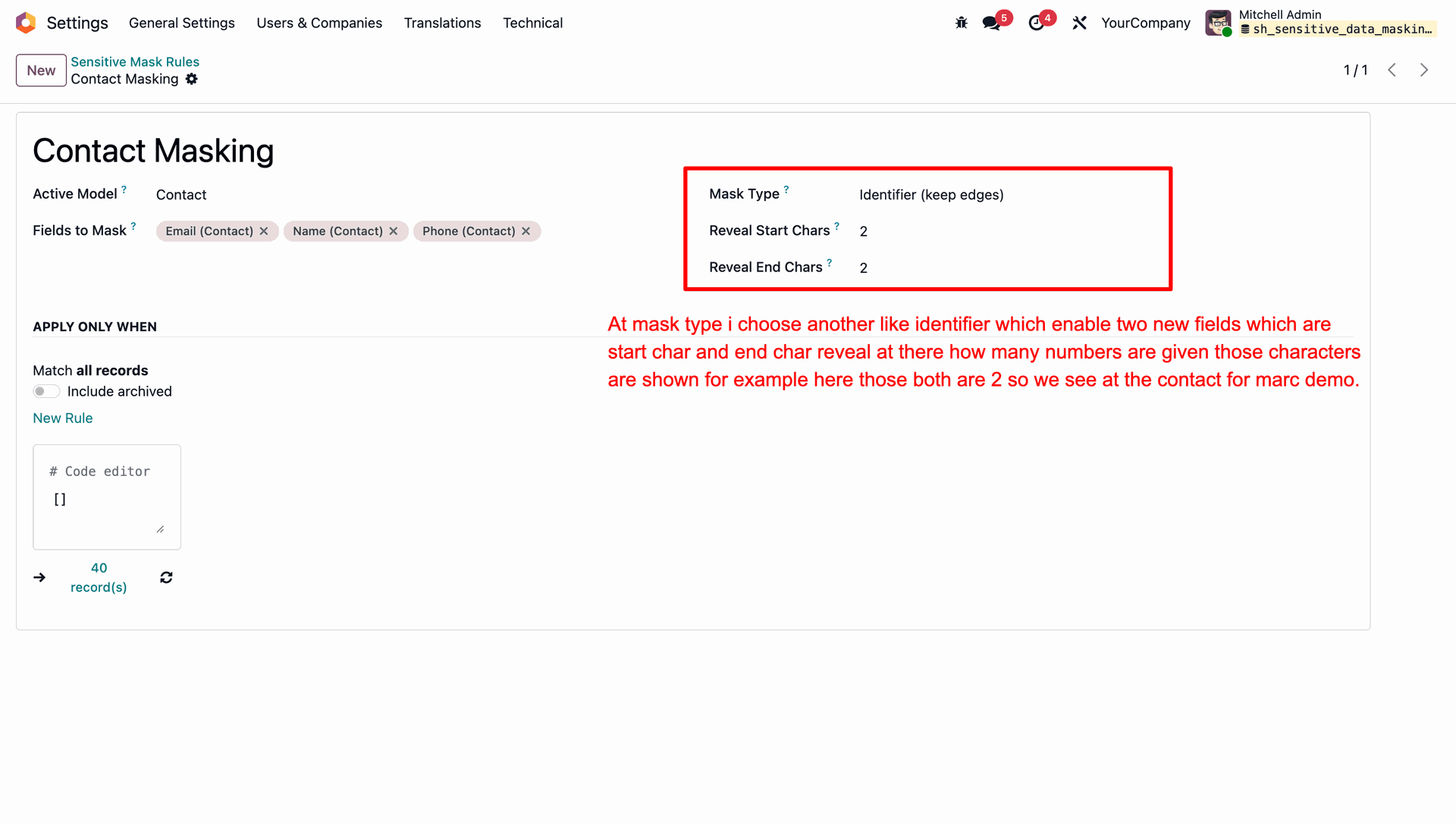
Select the 'Identifier (keep edges)' mask type to configure specific numbers of characters to reveal at the start and end of the field value.
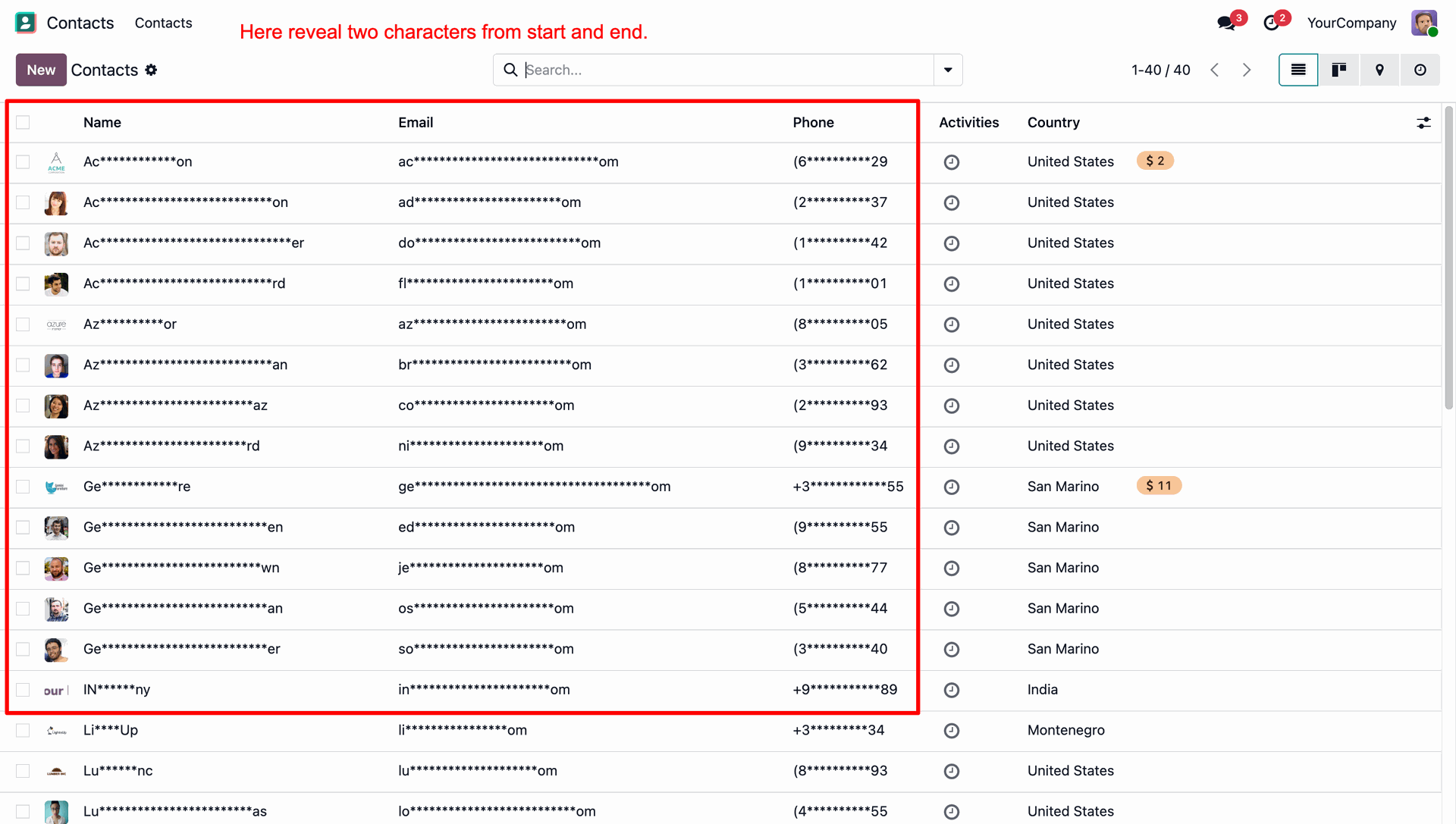
Verify that the contact list displays with the first two and last two characters visible in Name, Email, and Phone fields, while the rest are masked.
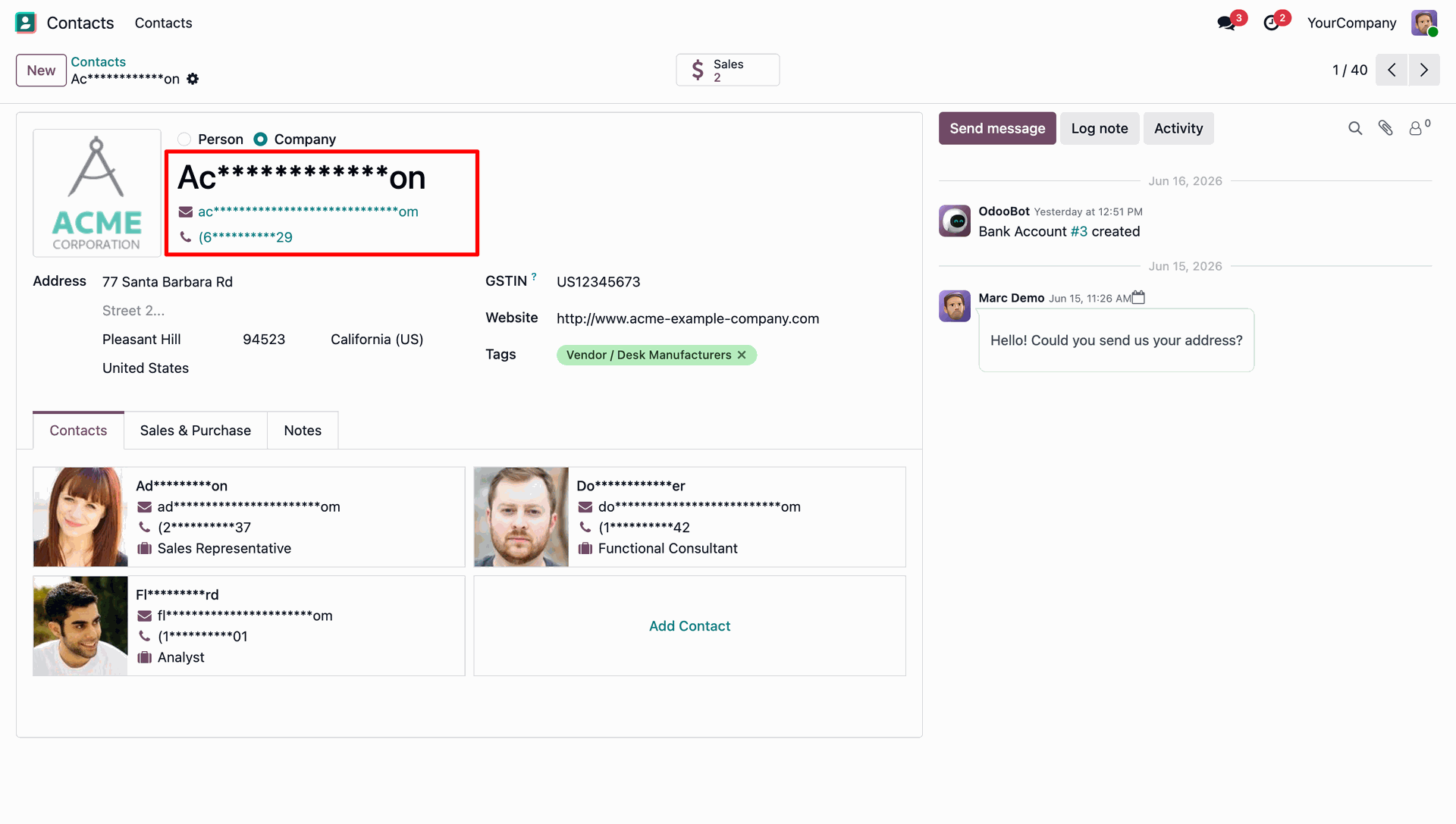
Confirm that the contact form view displays the partially masked fields keeping the start and end characters visible for both main contact and sub-contacts.
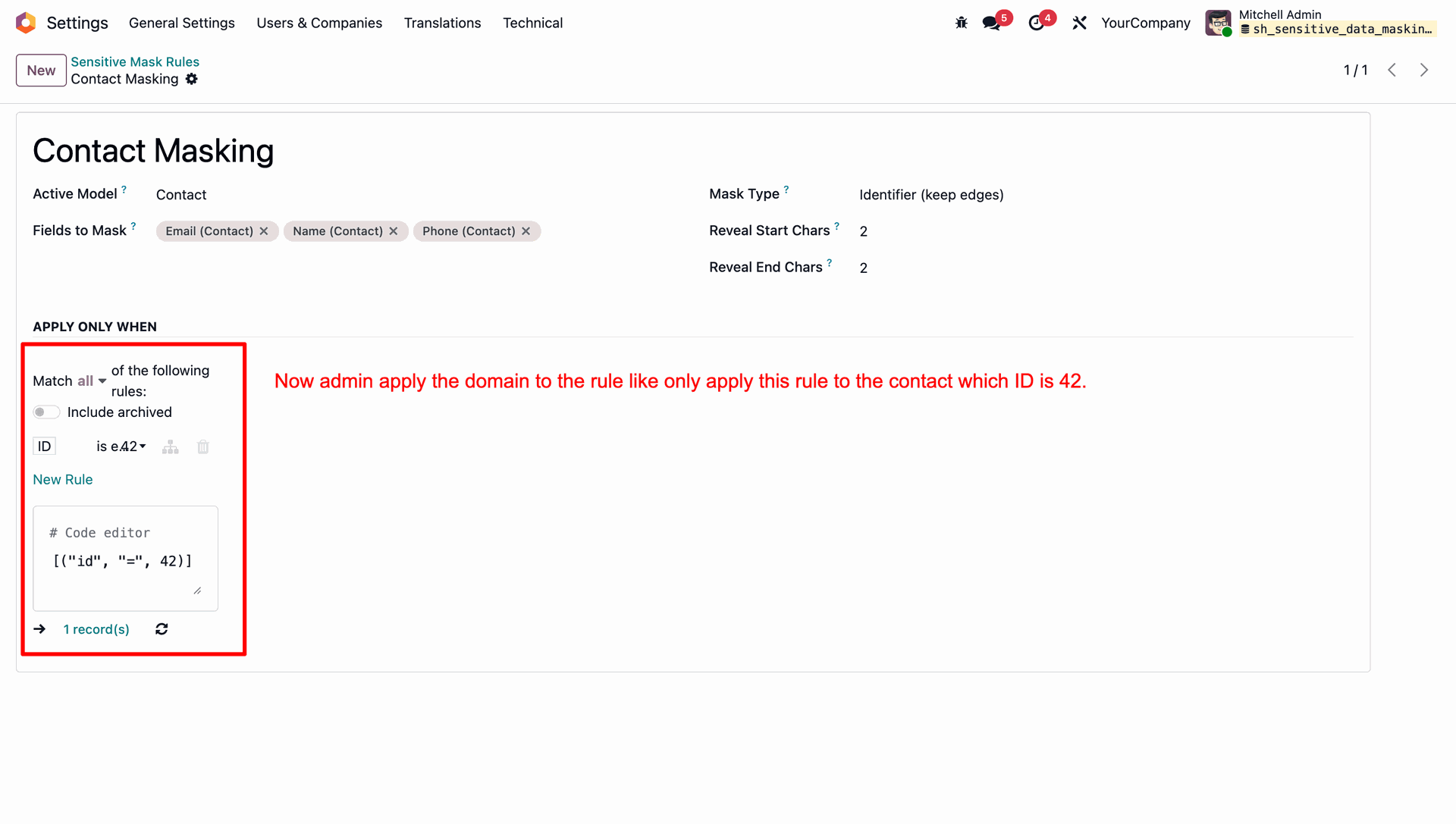
Apply a domain filter to the masking rule to target specific records, such as restricting the rule only to the contact with ID 42.
Confirm that other contact records display normally without masking since they do not meet the domain criteria.
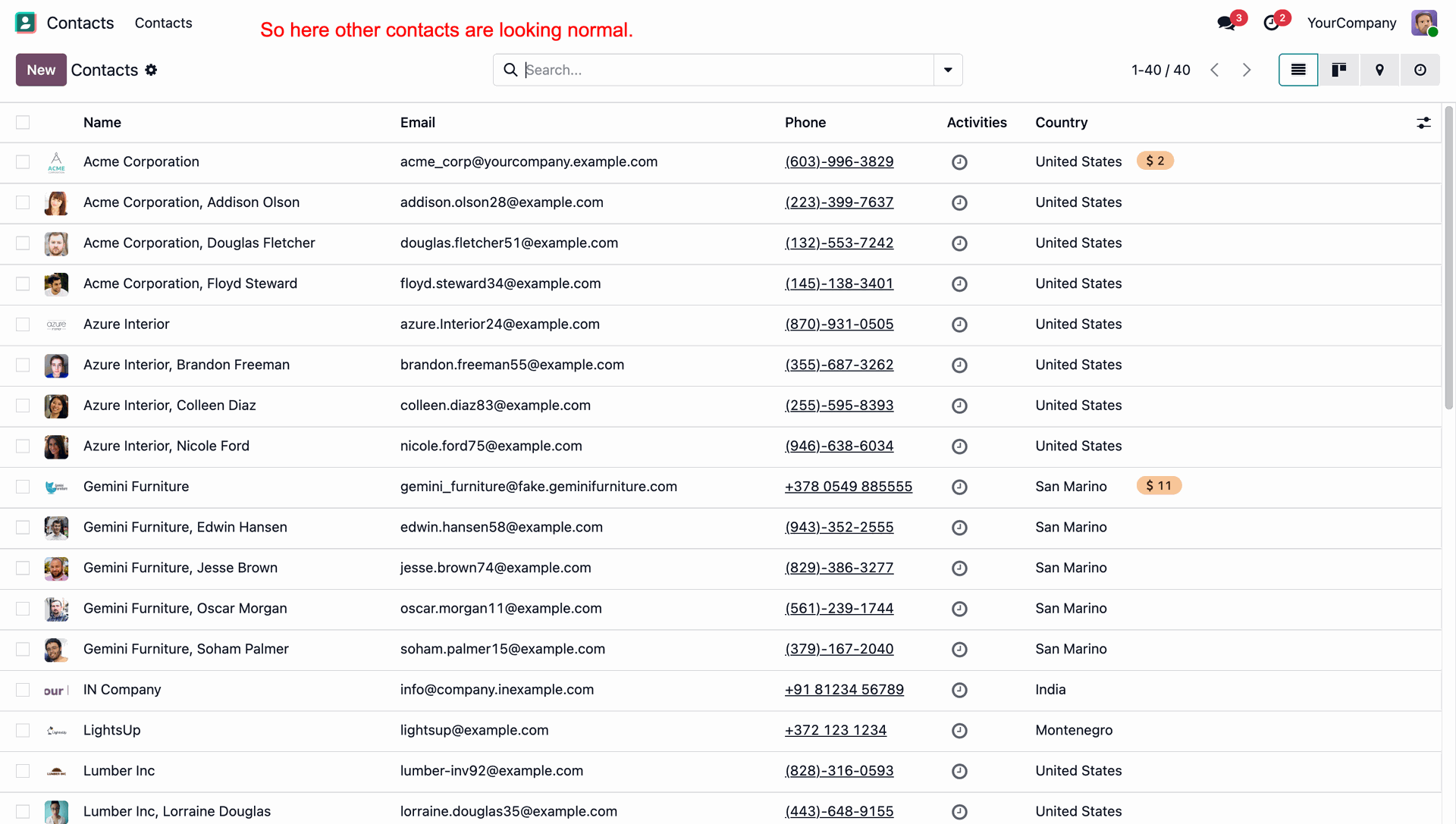
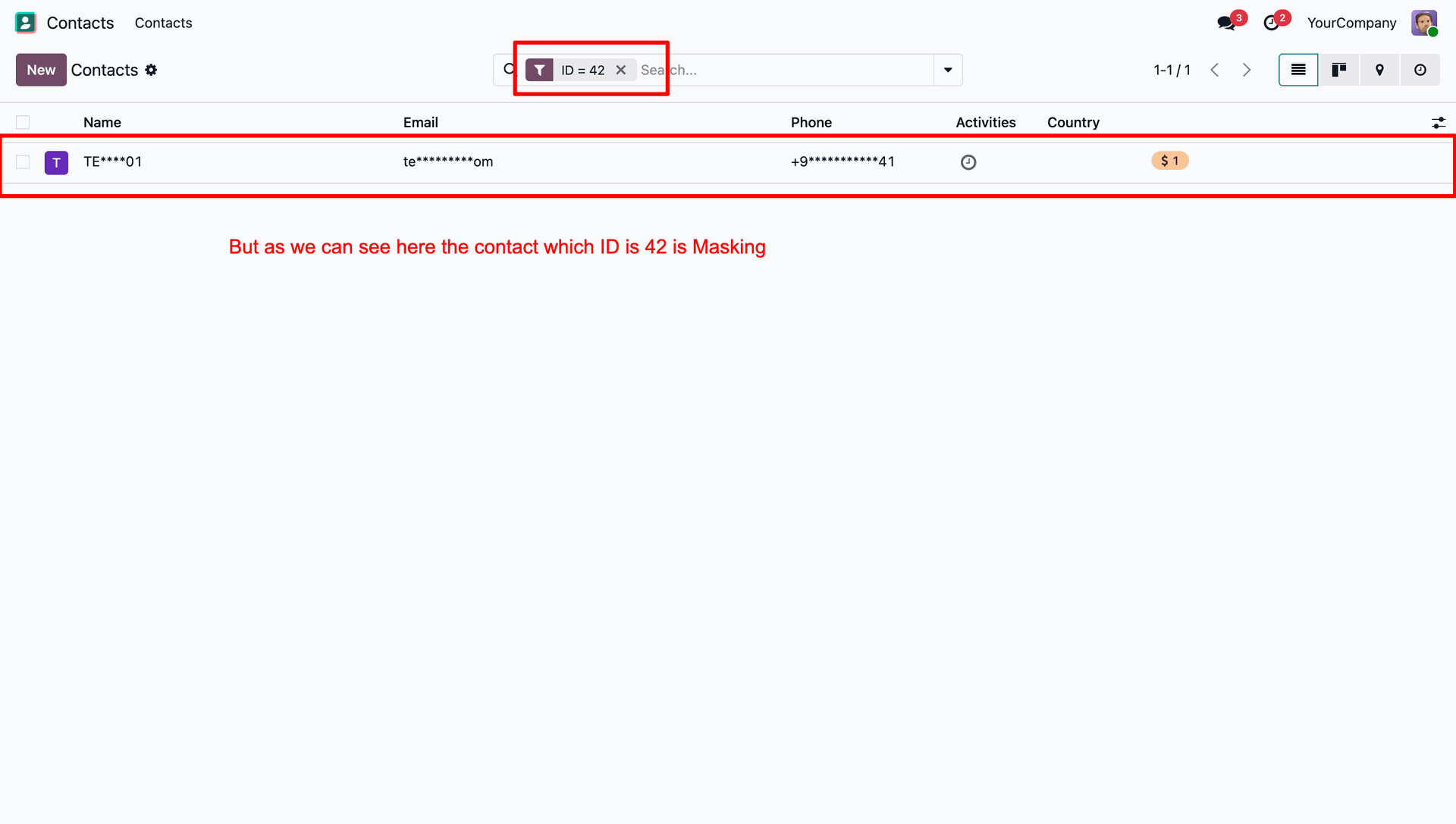
Verify that only the contact with ID 42 has its Name, Email, and Phone fields masked according to the defined domain rule.
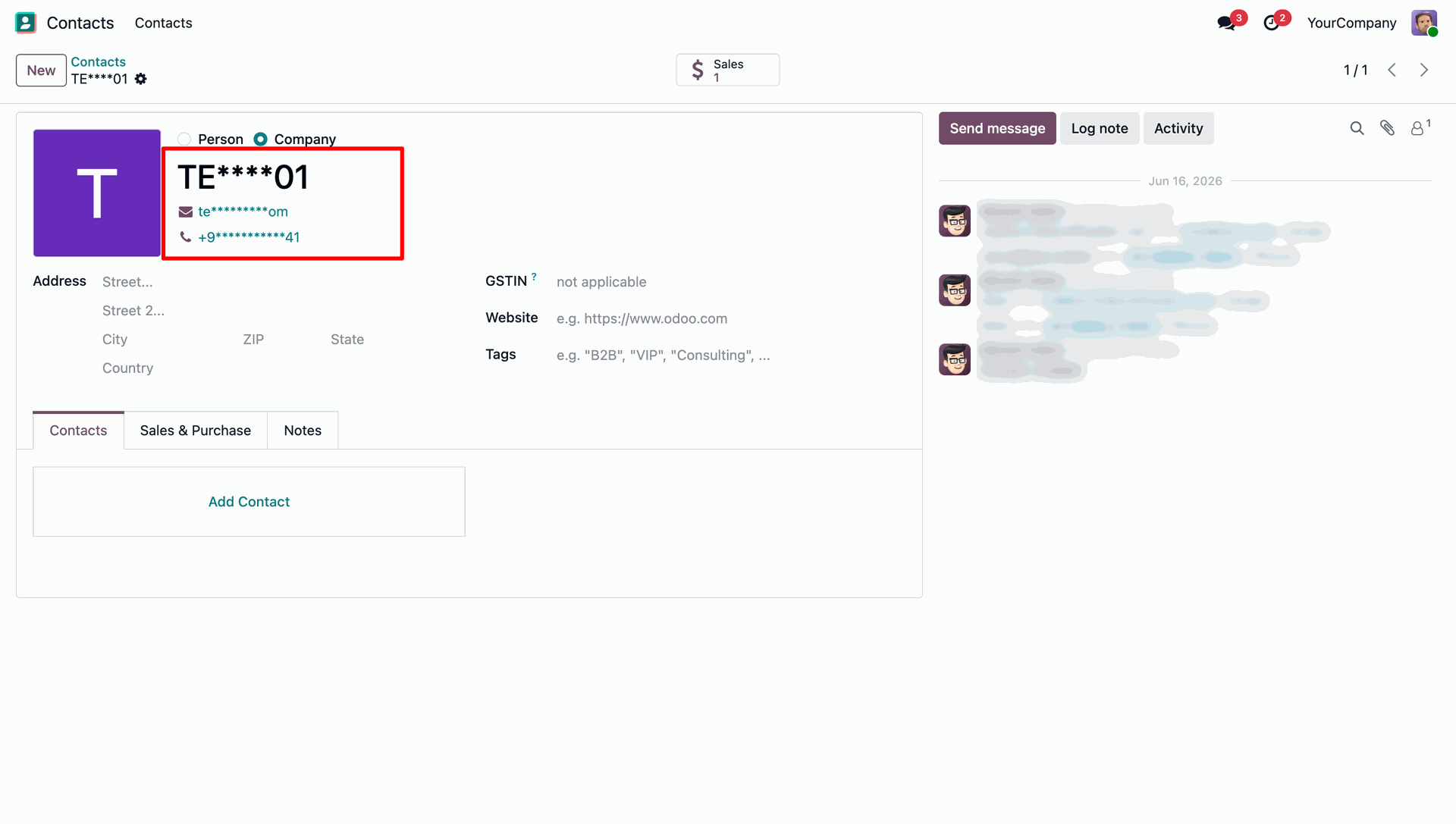
Open the form view of the contact with ID 42 to verify that the Name, Email, and Phone fields are masked as expected.
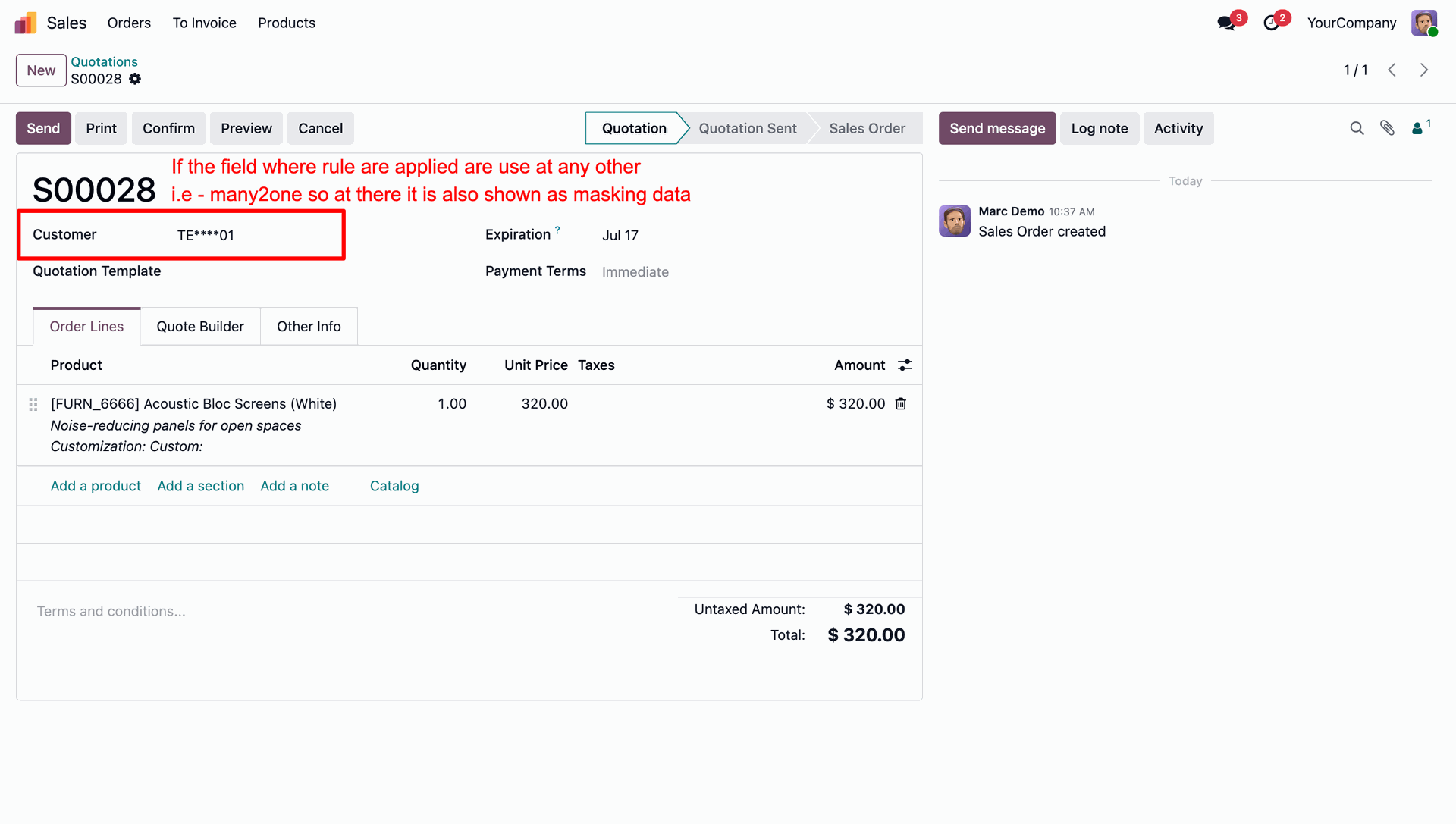
Verify that when a masked field is used in a many2one relation (such as the Customer field on a Sale Order), the data remains masked.
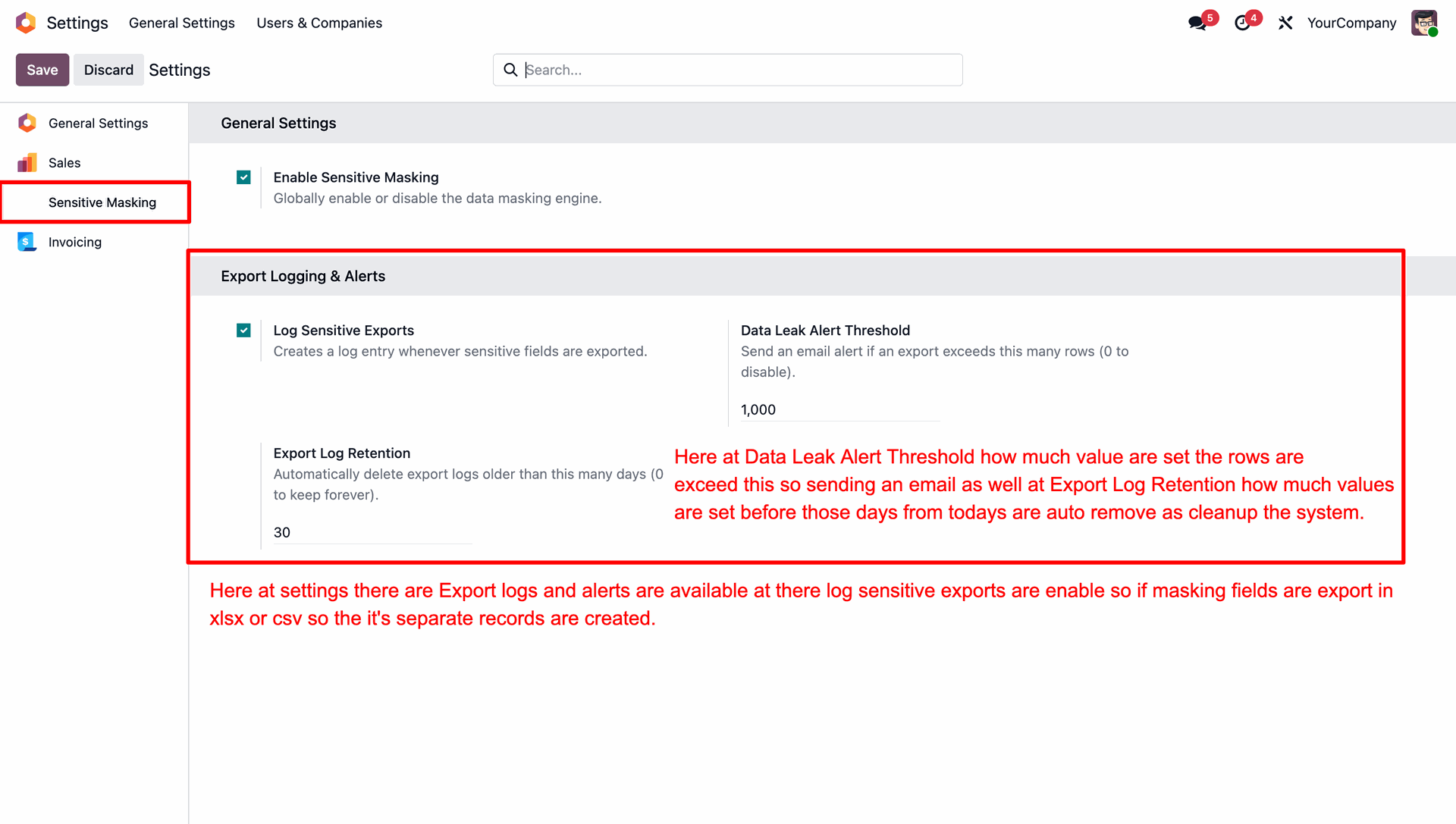
Configure export logging settings to log sensitive exports, define data leak alert thresholds for email notifications, and set automatic retention periods for logs cleanup.
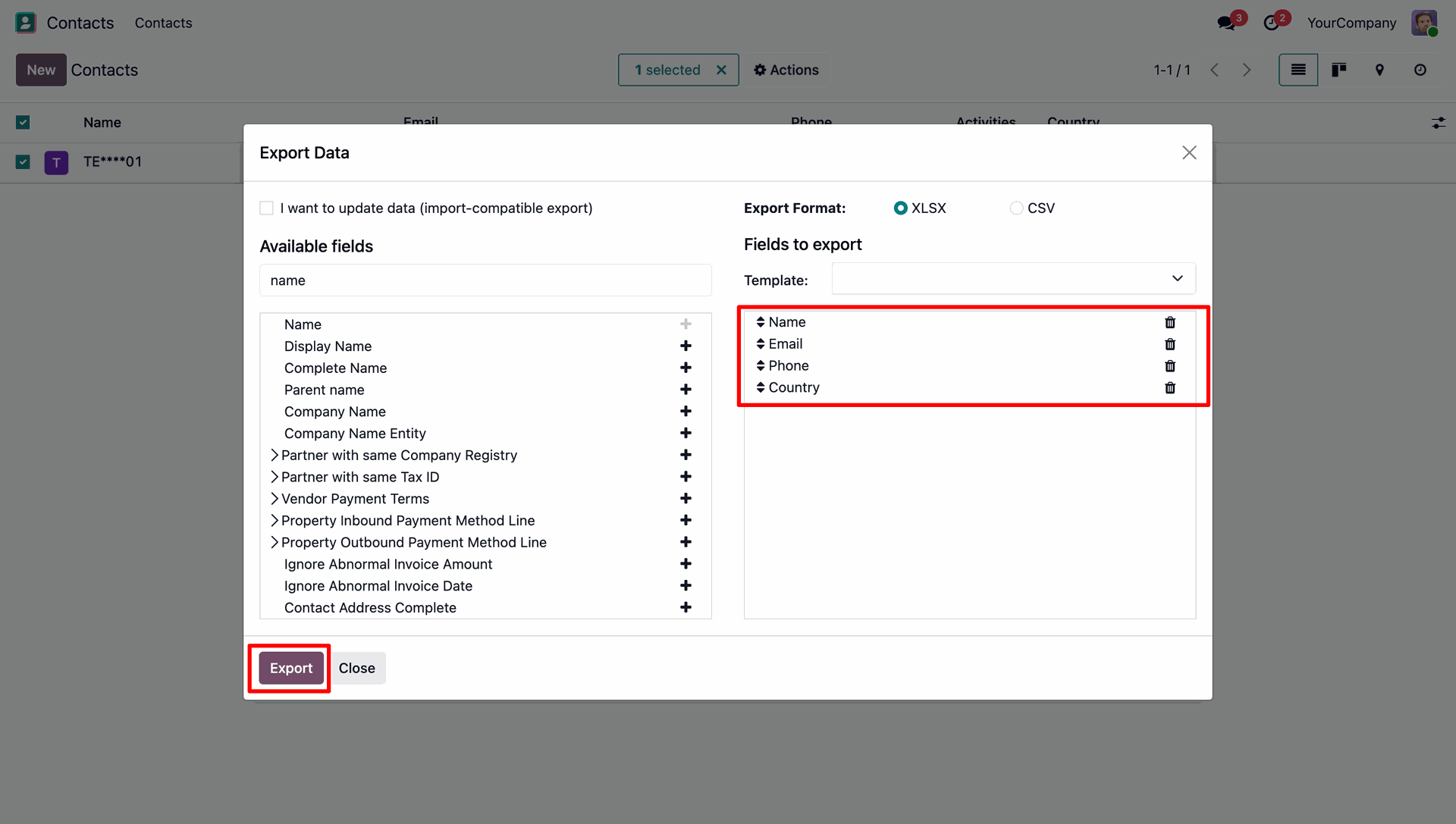
Select the sensitive fields in the Export Data wizard and click the 'Export' button to generate the data file.
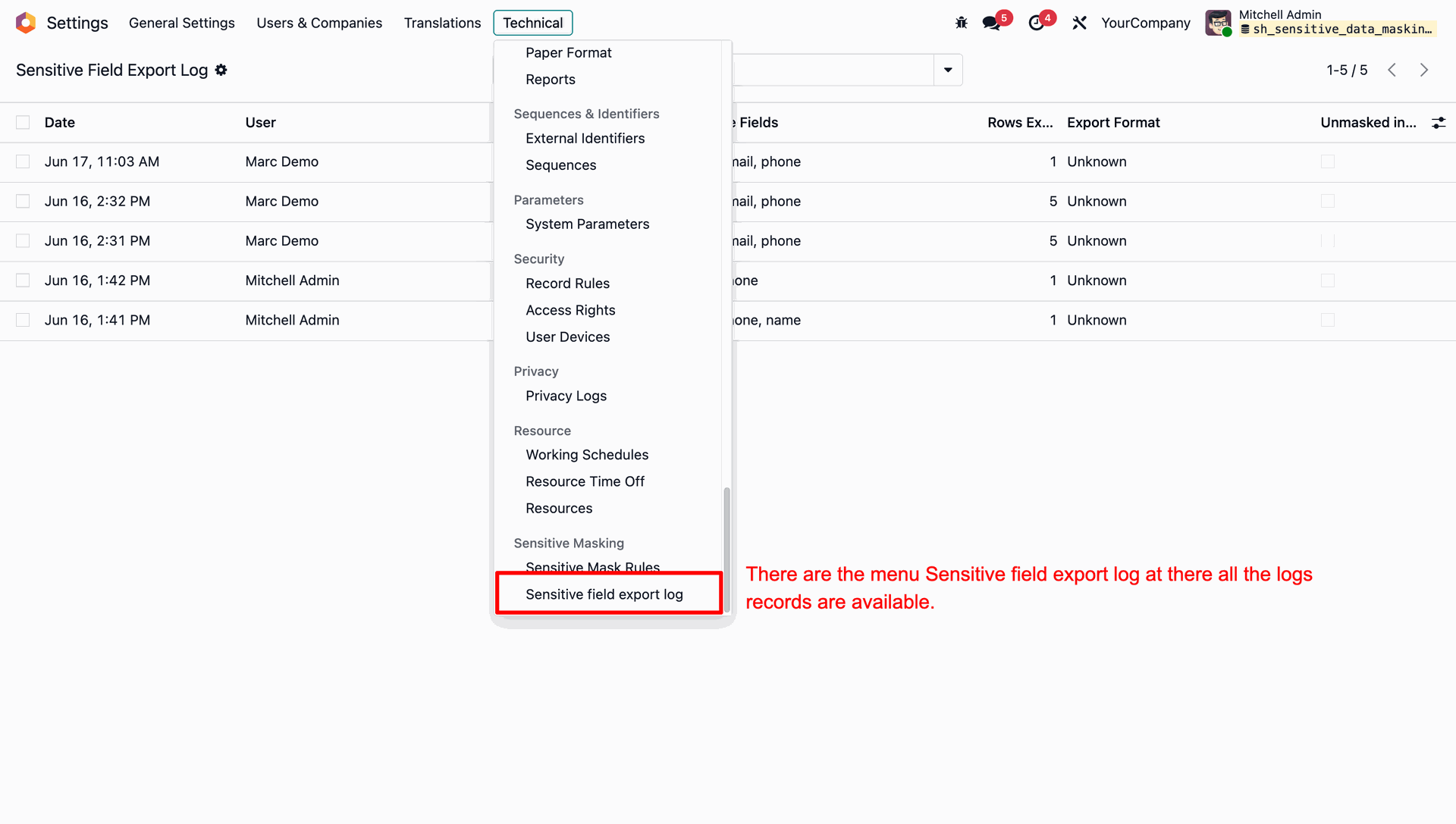
Navigate to Technical settings and open the 'Sensitive field export log' menu to view records of all sensitive data export operations.
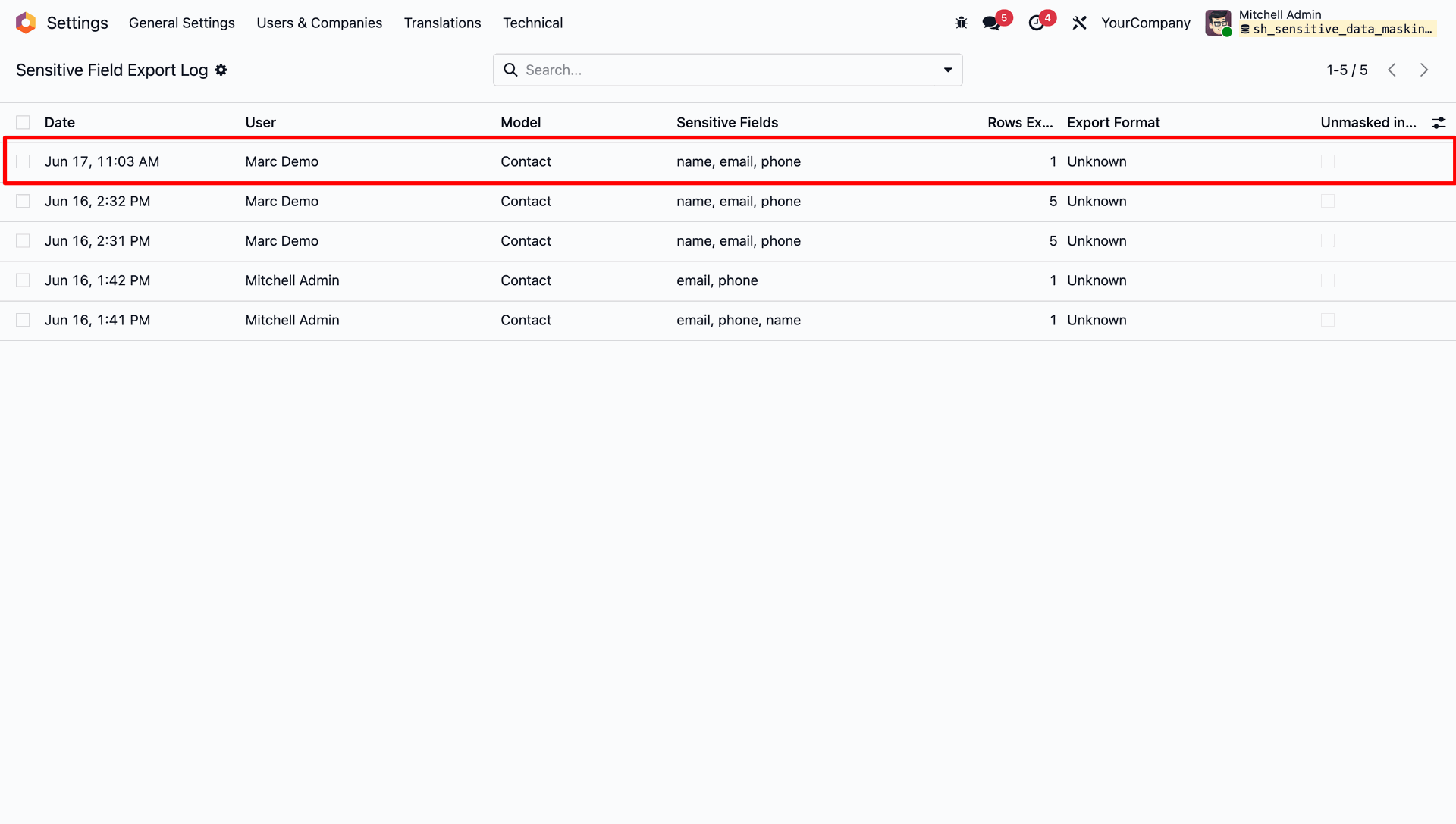
View the list of sensitive field export logs, displaying details like date, exporting user, model name, sensitive fields list, and export format.
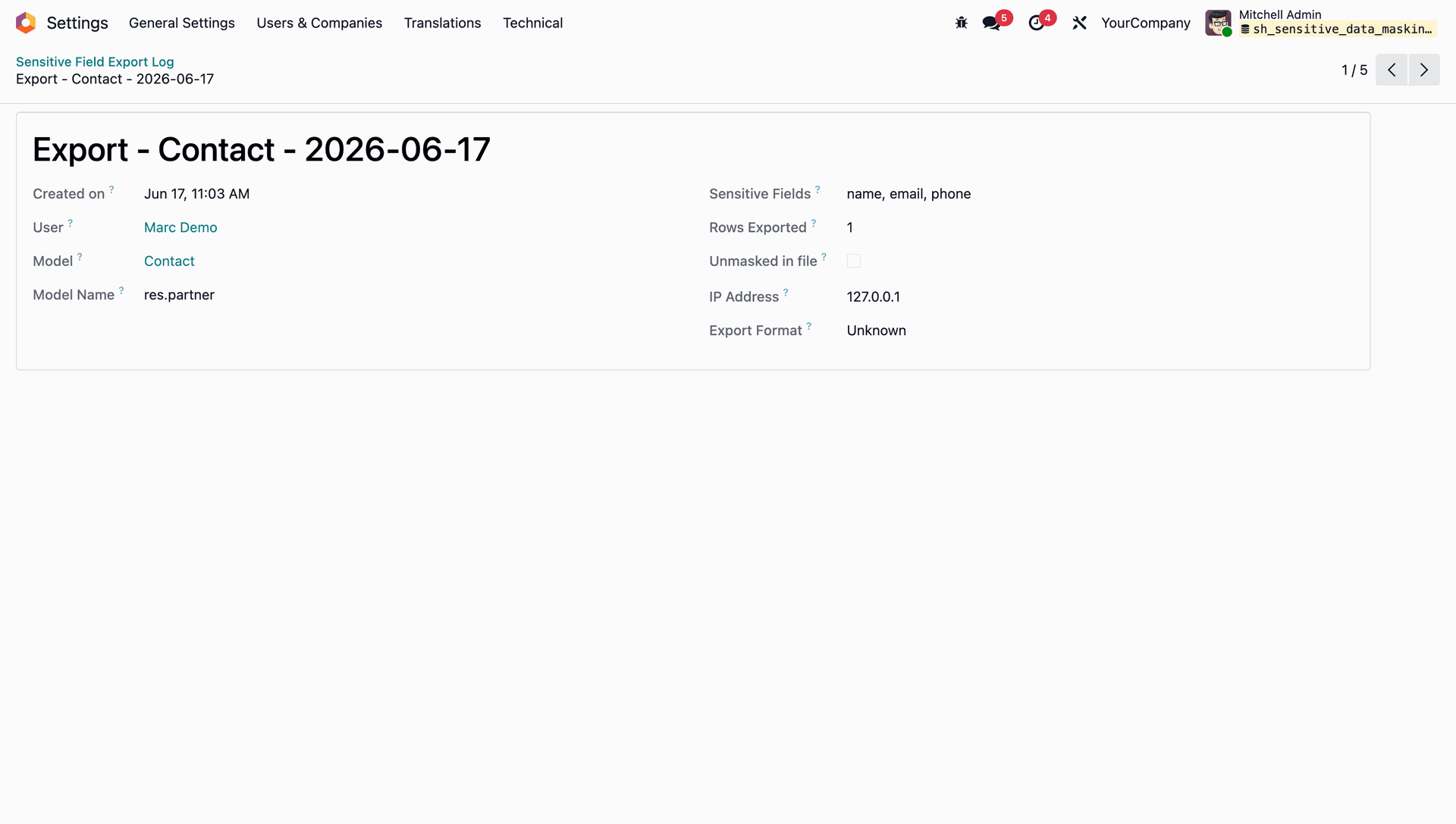
Open a specific sensitive field export log entry to analyze the audit details, including the exporting user, IP address, and list of sensitive fields.
Version 18.0.1.0.0 | Released on : 06th July 2026
- Yes, this app works perfectly with Odoo Enterprise (Odoo.sh & Premise) as well as Community.
- No, this application is not compatible with odoo.com(odoo saas/Odoo Online)
- Yes, to test this module, please contact us at sales@softhealer.com.
- Please contact us at sales@softhealer.com to request customization.
- Yes, we provide free support for 365 days from the date of purchase.
- Yes, you will receive lifetime free updates for the version of the module you purchased.
- No, there is no need to install any additional libraries.
- Yes, for version 12 and above, you need to purchase the module separately for each version you intend to use.
- No, exchanges or refunds are not allowed. Please make sure to select the correct version before purchasing.
- You can contact us at support@softhealer.com for language translation support. We use Google Translator tools to provide translations in multiple languages, so the accuracy may vary. We welcome your suggestions to help improve translations.
Discover Our Latest Apps