


















All In One WhatsApp Integration - Advance
All in One WhatsApp Integration - Advance allows you to seamlessly connect your Odoo instance with WhatsApp. Simplify your communication by managing WhatsApp conversations with standard Odoo functionalities, including CRM, Sales, Purchase, Inventory, Invoicing, and Point of Sale. With our advanced integration, you can instantly send important records such as Quotations, Purchase Orders, Delivery Slips, Invoices, and POS Receipts to clients and vendors as PDF attachments over WhatsApp. Additionally, you can configure dynamic message templates, trigger automated WhatsApp messages upon events like Lead creation, and maintain a complete history of sent messages.
Key Features

Customizable Templates
Create and manage personalized WhatsApp message templates effortlessly.
 Watch Video

Sales Integration
Send Quotations and Sales Orders along with PDF attachments directly to customers via WhatsApp.
Watch Video

Purchase Integration
Send RFQs and Purchase Orders to your vendors over WhatsApp with attached PDF documents.

POS Integration
Send Point of Sale receipts straight to your customers' WhatsApp right after their order.

Inventory Integration
Send Delivery Orders and stock movement details to clients or vendors directly via WhatsApp.

CRM Integration
Send direct WhatsApp messages from Leads and Opportunities to communicate efficiently with prospects.

Invoice Integration
Send Invoices and Bills and keep your customers informed with seamless WhatsApp messaging.

WhatsApp Account Configuration
Configure WhatsApp accounts with API URL, Phone Number ID, and Business Account details.
Watch Video

Access Token Management
Securely manage access tokens and regenerate webhook tokens for authentication.

Configuration Verification Status
Verify configuration and track status with clear indicators like Draft, Verified, or Error.

Operator Management
Assign and manage operators responsible for handling WhatsApp communications.

Business Information Retrieval
Fetch business profile details directly using integrated WhatsApp services.

Phone Number Details
View and manage linked phone number information for WhatsApp integration.

WhatsApp Message History
Monitor communication records with complete details for better tracking and analysis.

WhatsApp Helpdesk Integration
Send and manage helpdesk ticket communications directly through WhatsApp for faster and more efficient customer support.
Watch Video

Marketing Contact
Create and manage WhatsApp marketing contacts directly in Odoo for targeted promotional campaigns.
Watch Video

Whatsapp Discuss
Seamlessly communicate via WhatsApp within the Odoo Discuss application.
Watch Video

Marketing Messaging List/Messaging List Contact
Organize contacts into dedicated marketing lists for bulk WhatsApp messaging and tracking.
Watch Video

Whatsapp Chatbot
Automate WhatsApp conversations and trigger automated actions with intelligent chatbot workflows.
Watch Video
 Setup & Configuration
 Release Notes
 Support
 FAQ's
FAQ's
Frequently Asked Questions
Everything you need to know before getting started.
 Configuration
 CRM
CRM
 Sales
Sales
 Purchase
 Invoicing
 Inventory
 Point Of Sale
 Message History
 WhatsApp Helpdesk
 Marketing Contact
 Whatsapp Discuss
 Marketing Messaging List/Messaging List Contact
 Whatsapp Chatbot
Go to the 'WhatsApp Connector'.
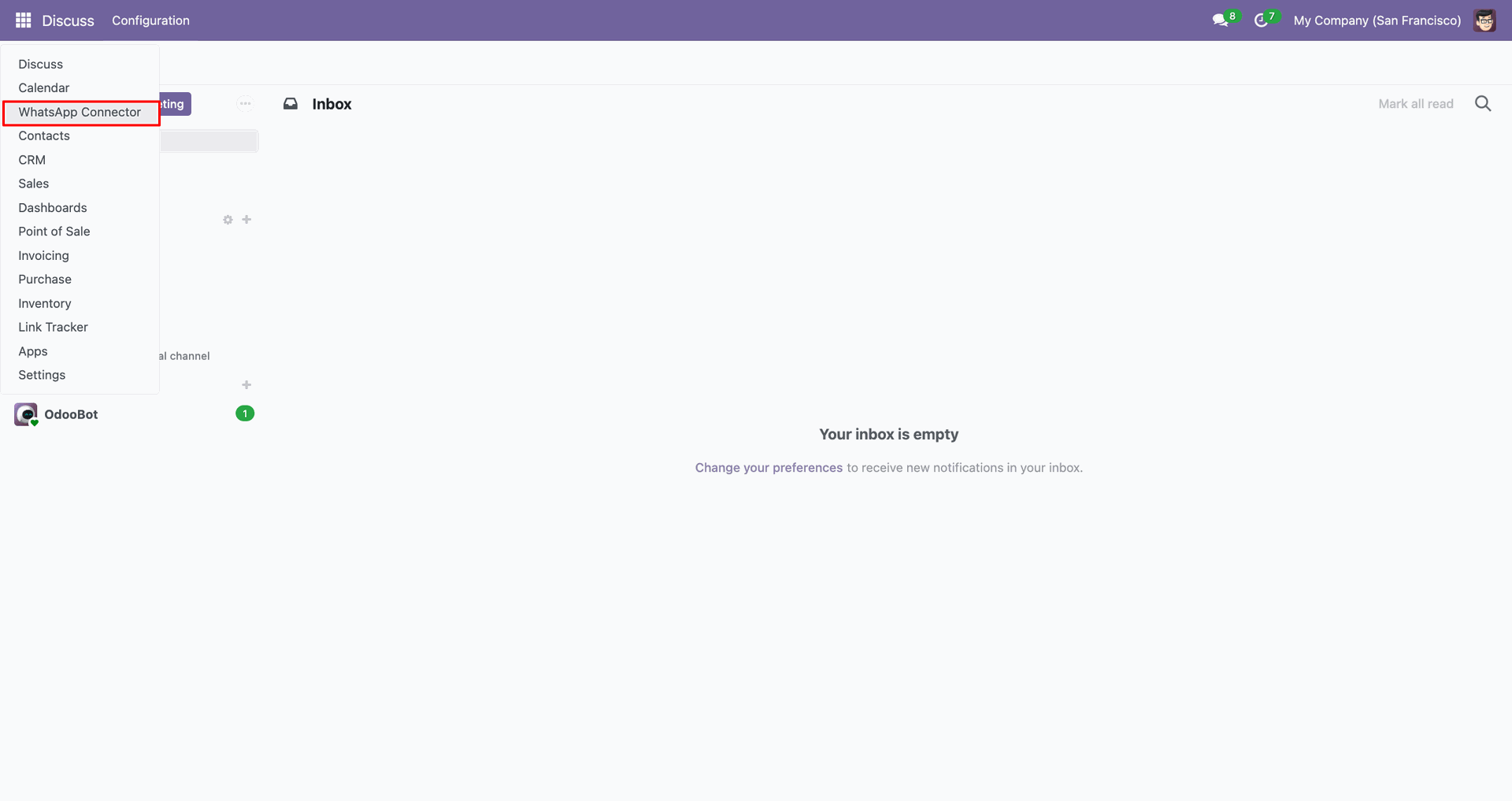
Click 'New' to create an account.
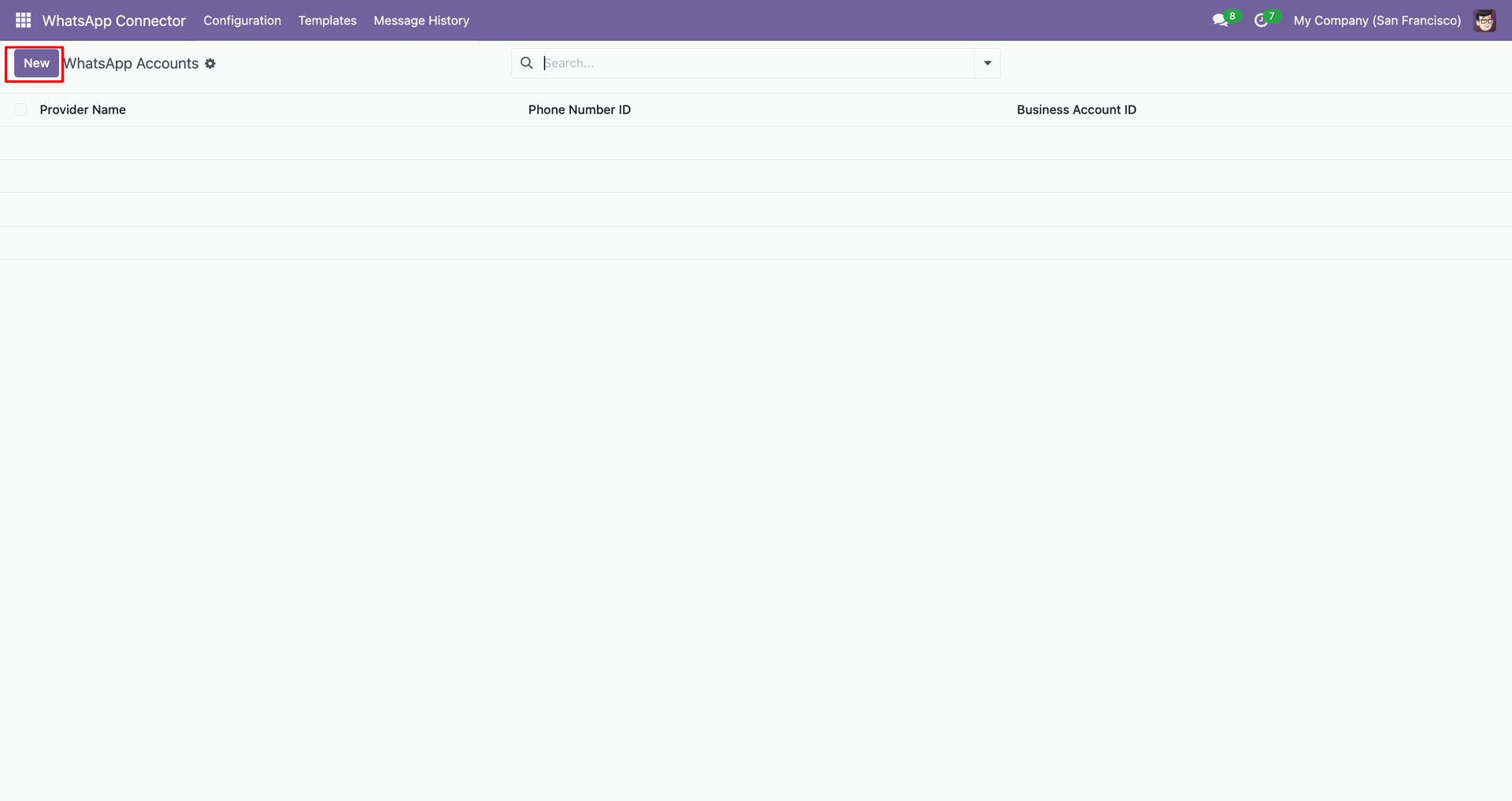
Add details and click 'Verify Configuration'.
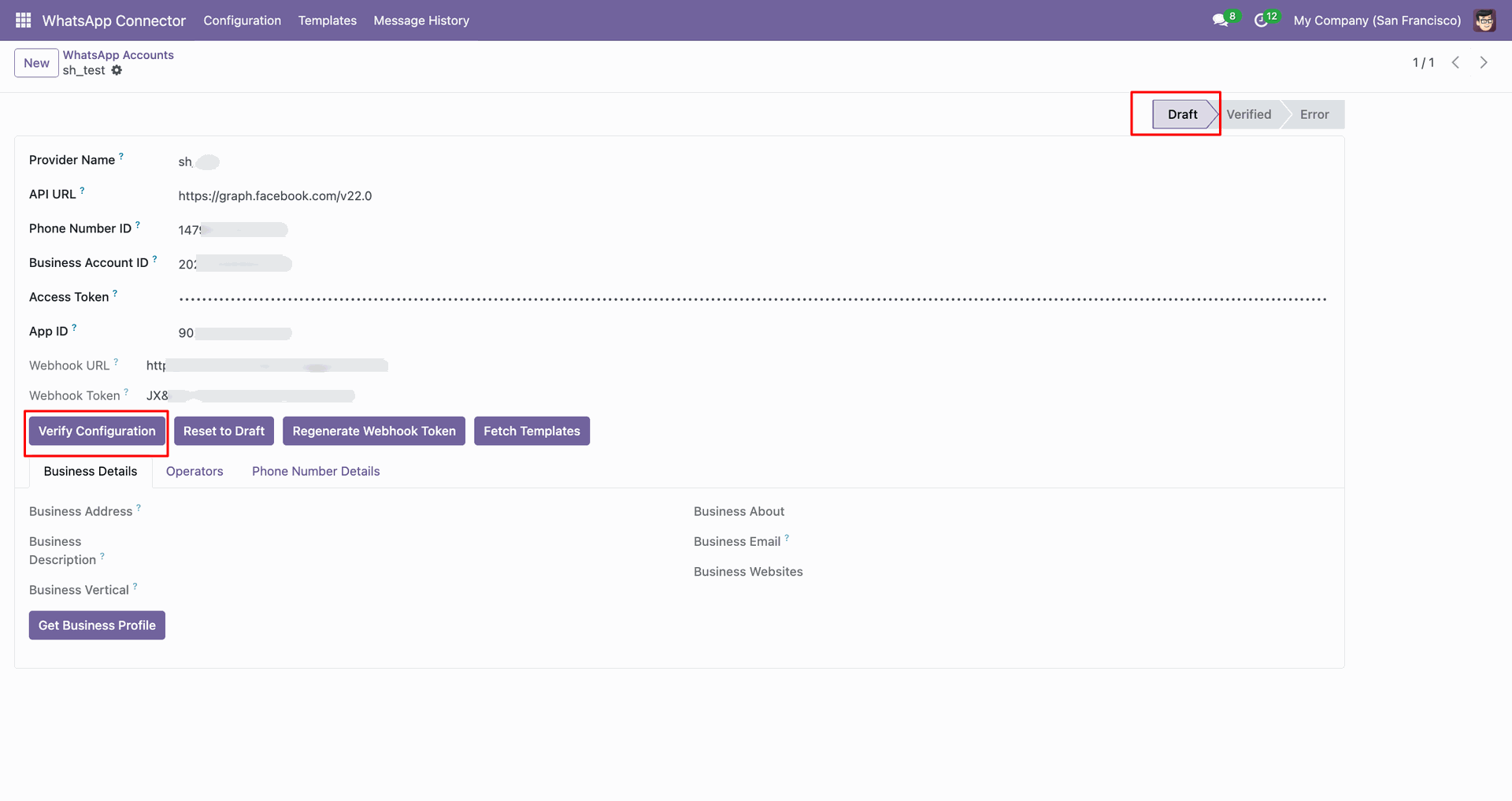
Stage changed based on verification.
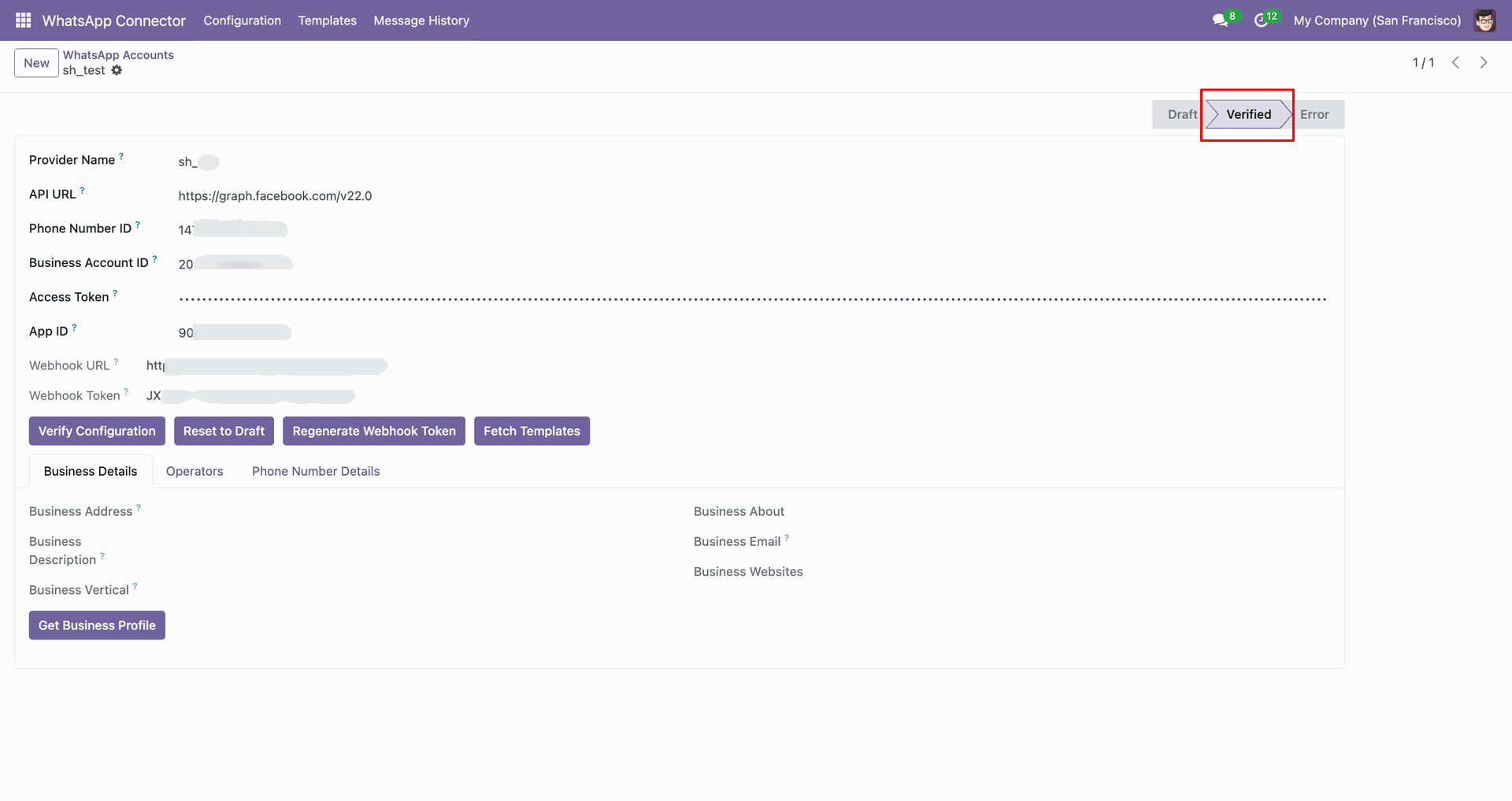
Click 'Get Business Profile' to fetch business profile details.
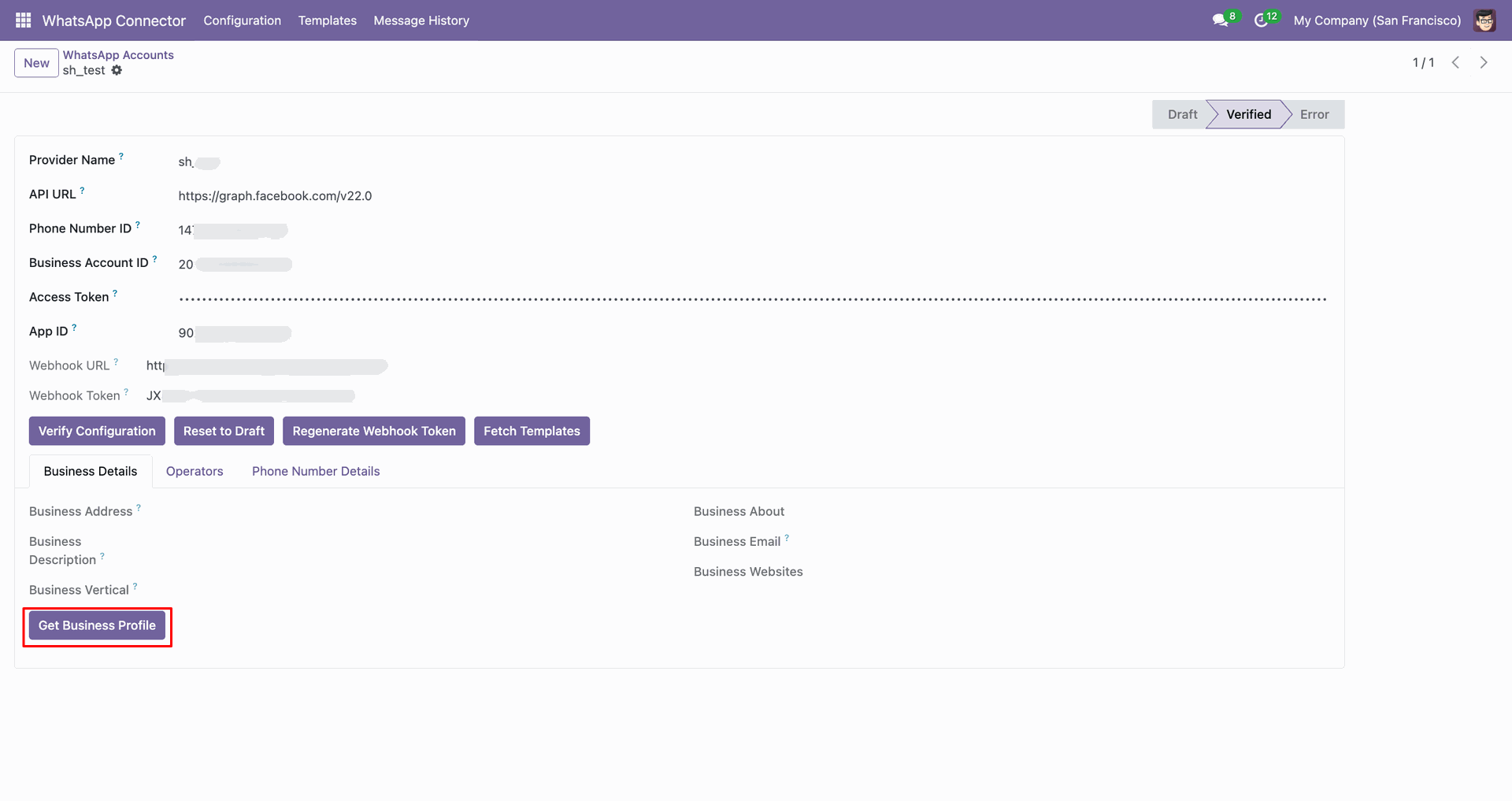
Business profile data fetched.
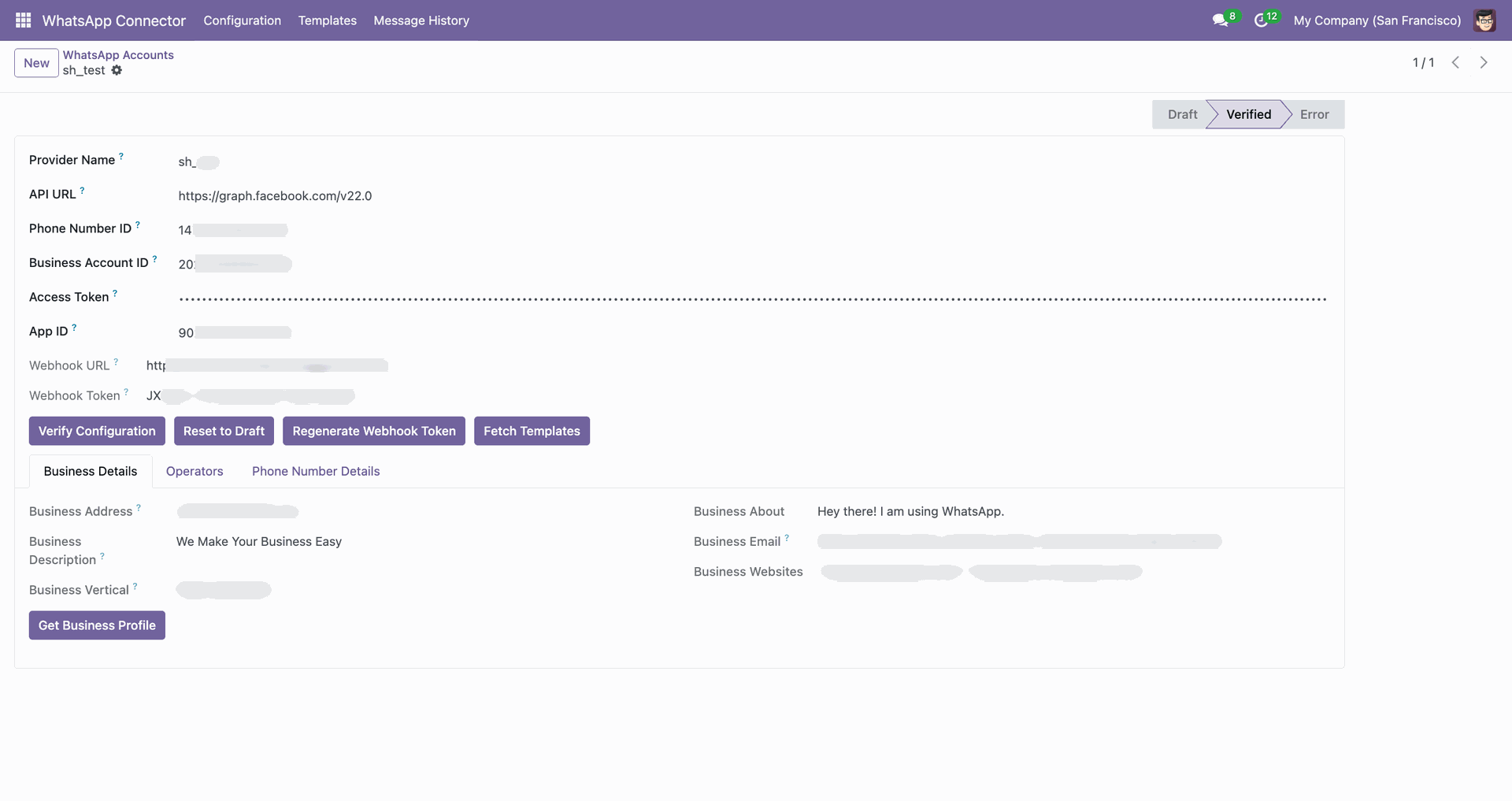
You can add operators for the account.
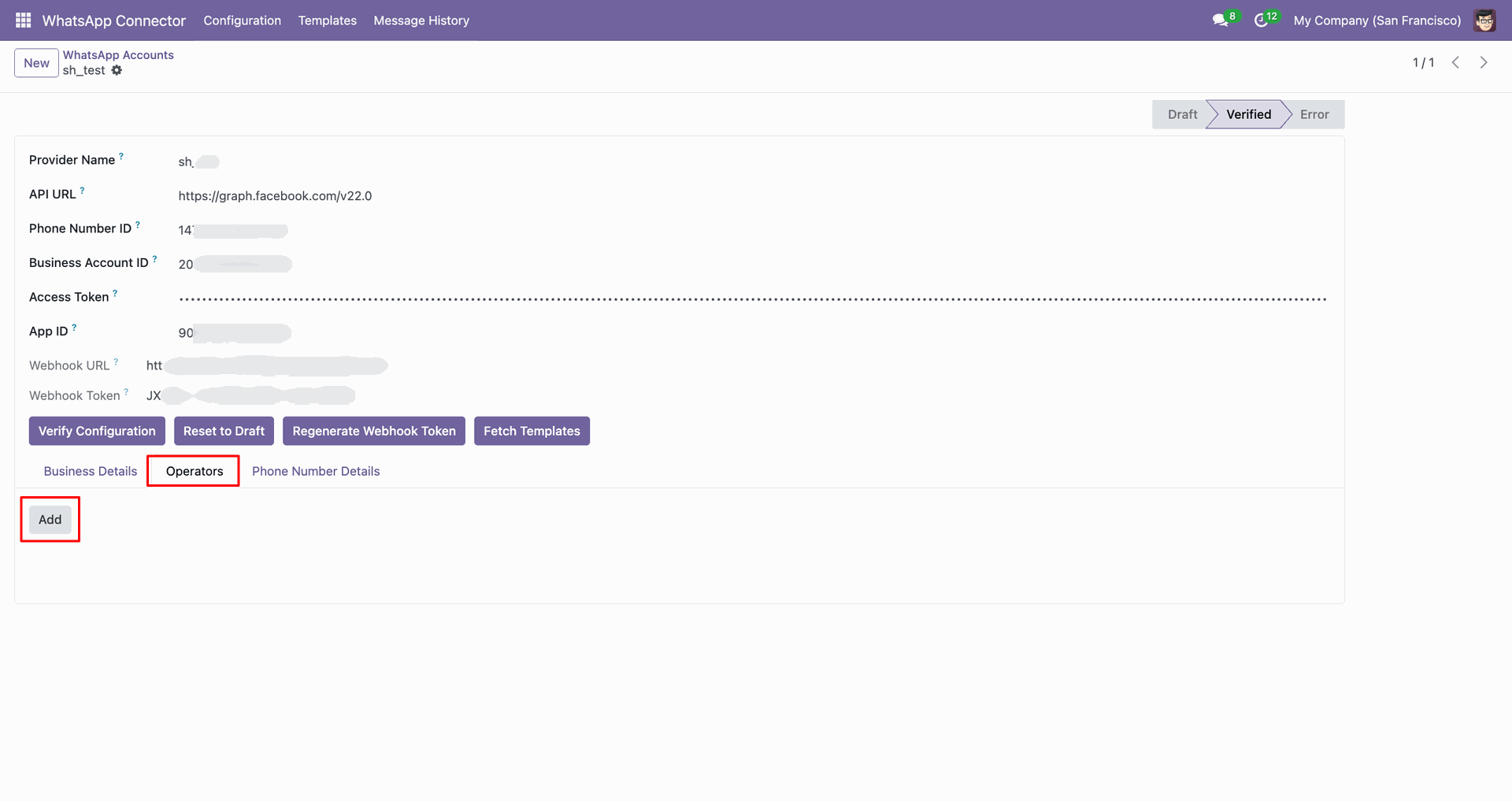
Choose the operator and press 'Select'.
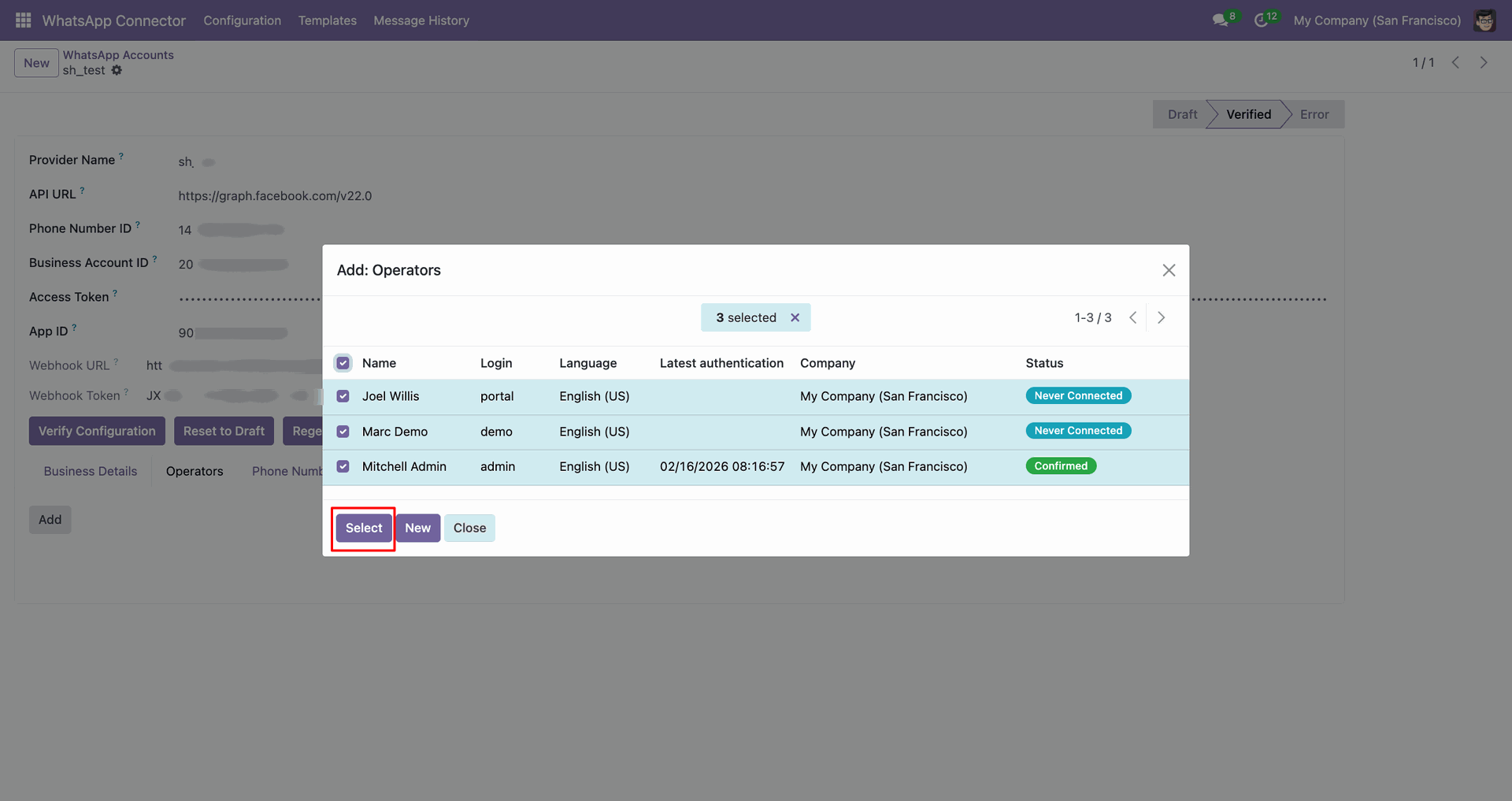
Operator tab with its list.
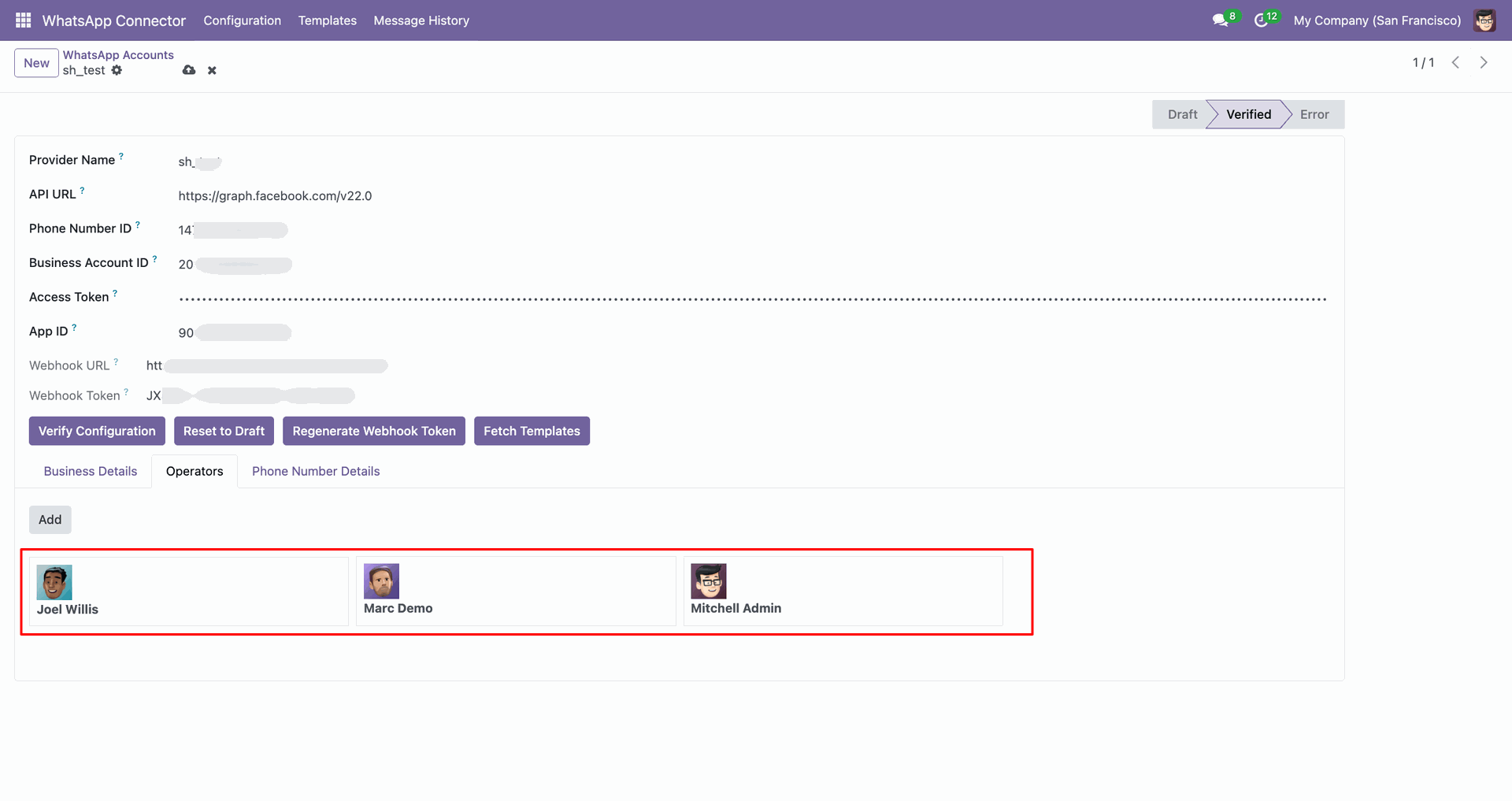
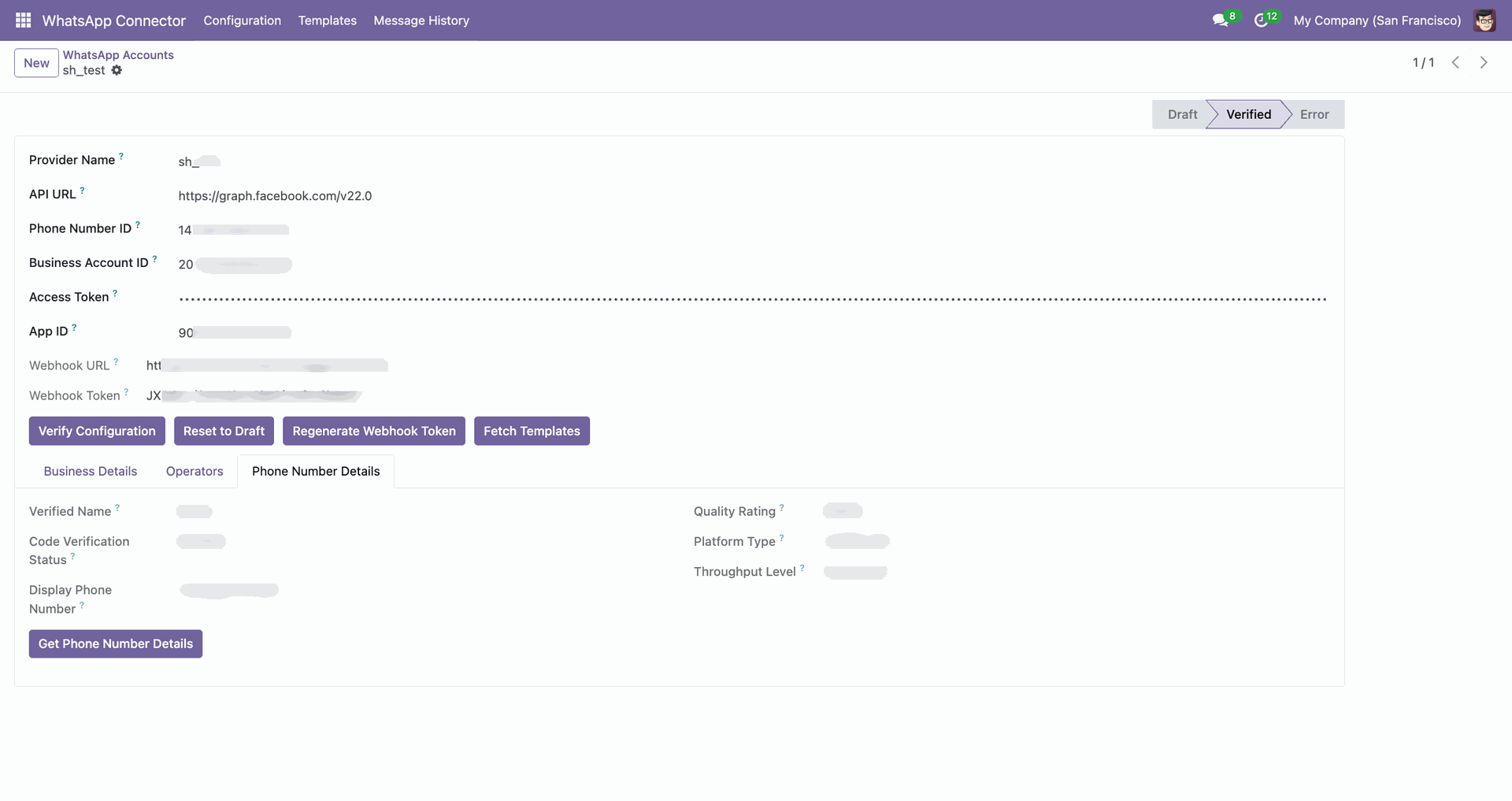
Click 'Get Phone Number Details' to fetch that data.
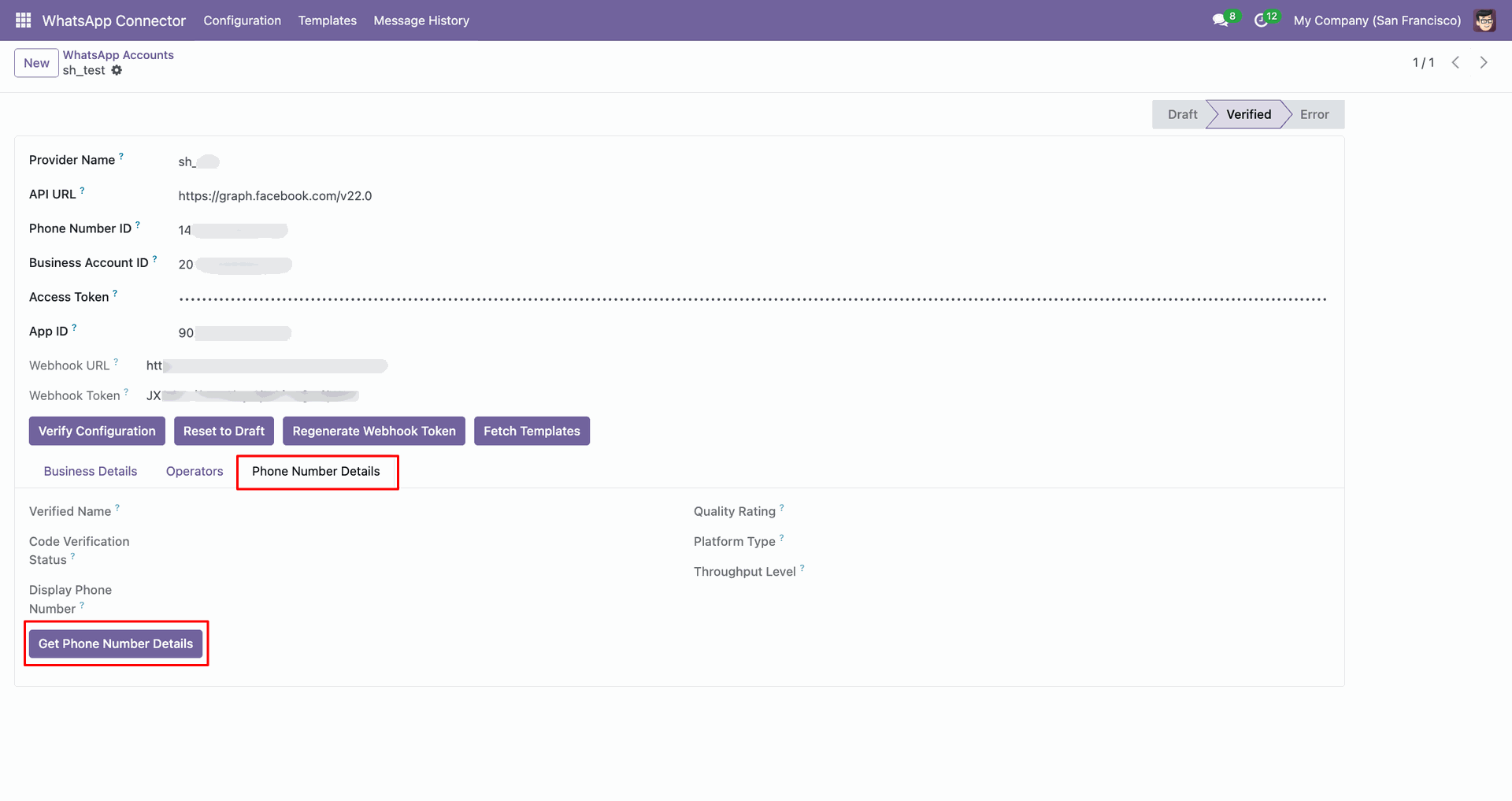
Phone number details fetched.
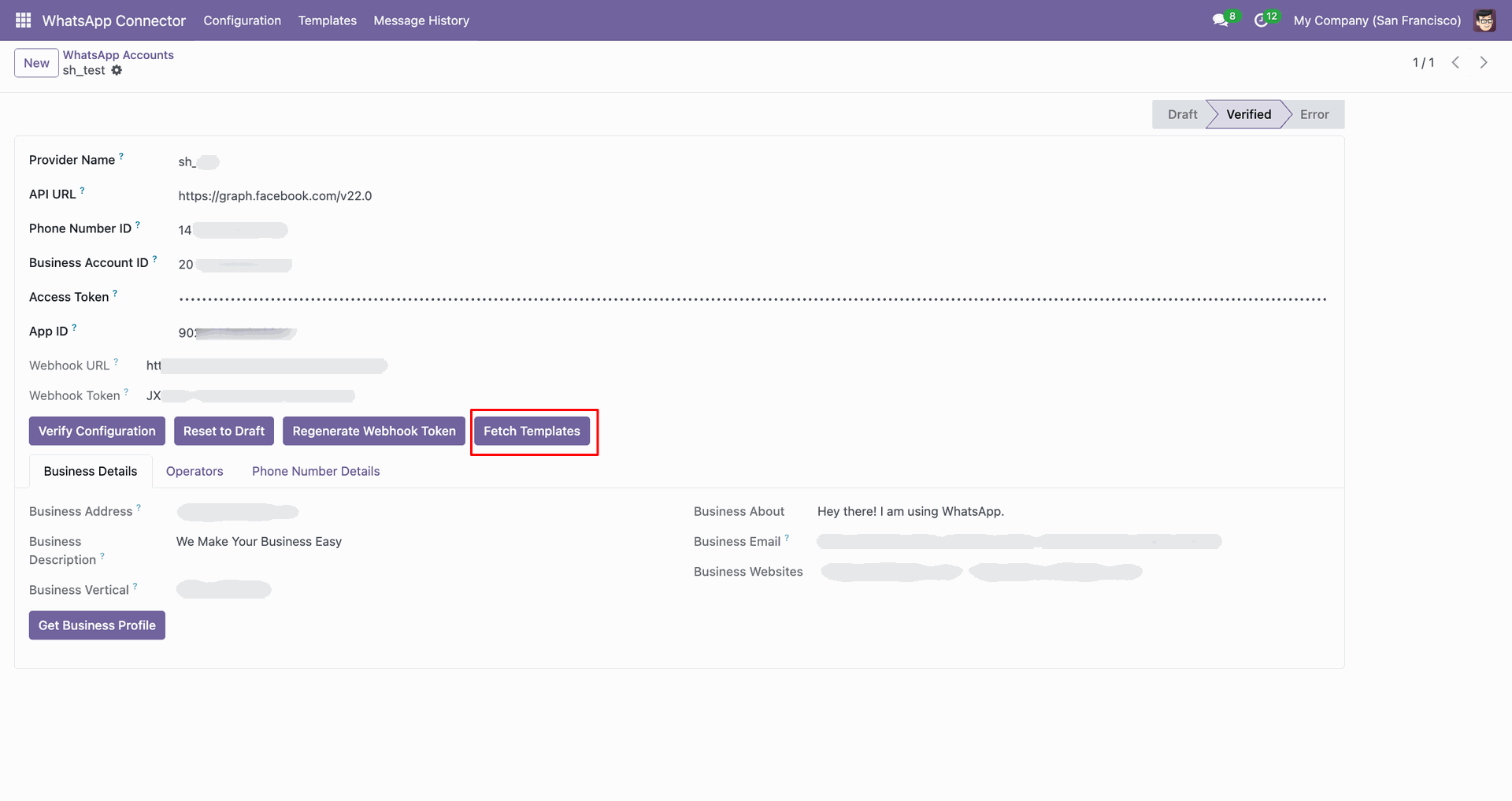
Click 'Fetch Template' to fetch templates.
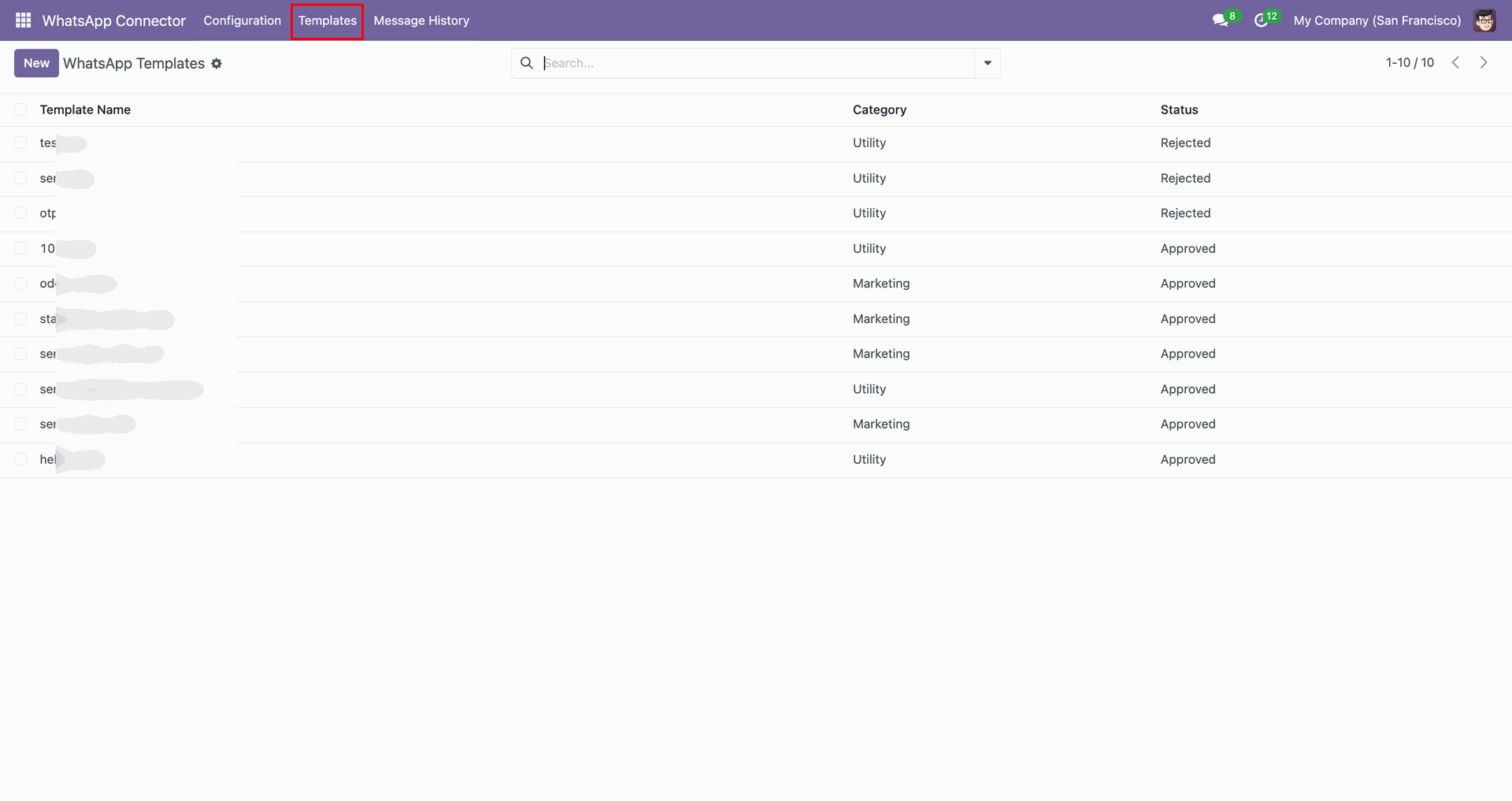
Templates tab with fetched templates.
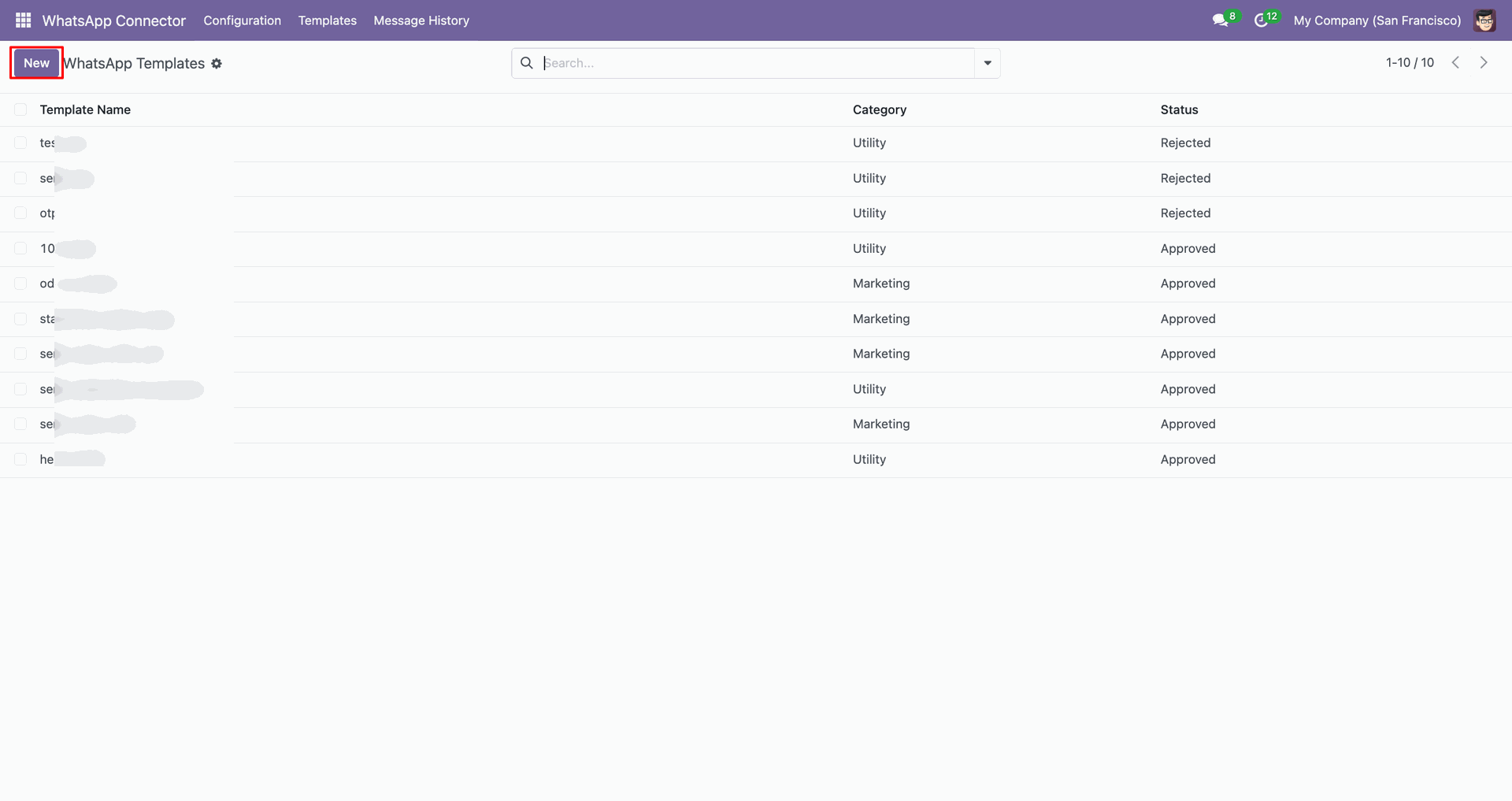
Click 'New' to create a new template.
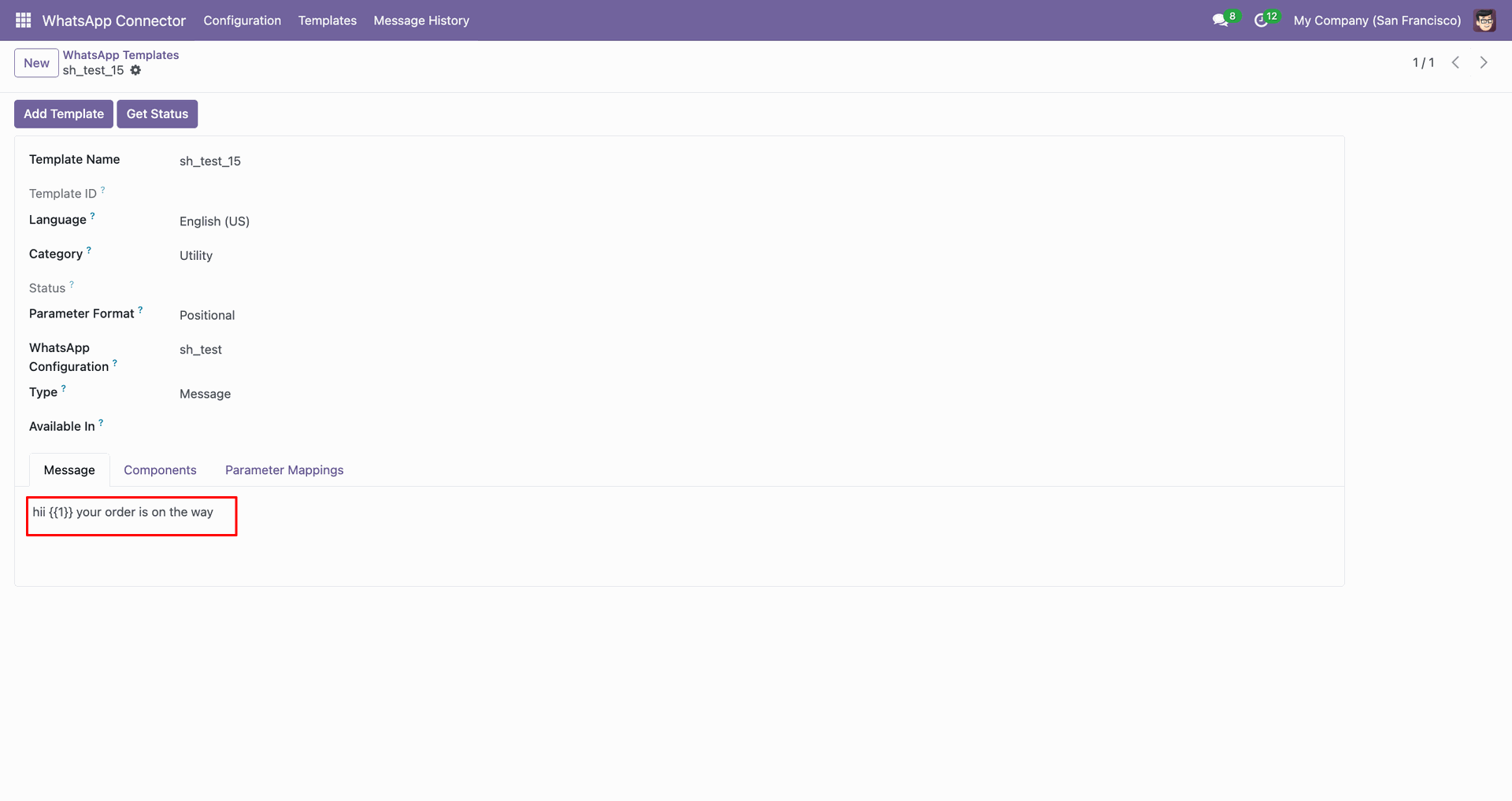
Write a message in the message tab.
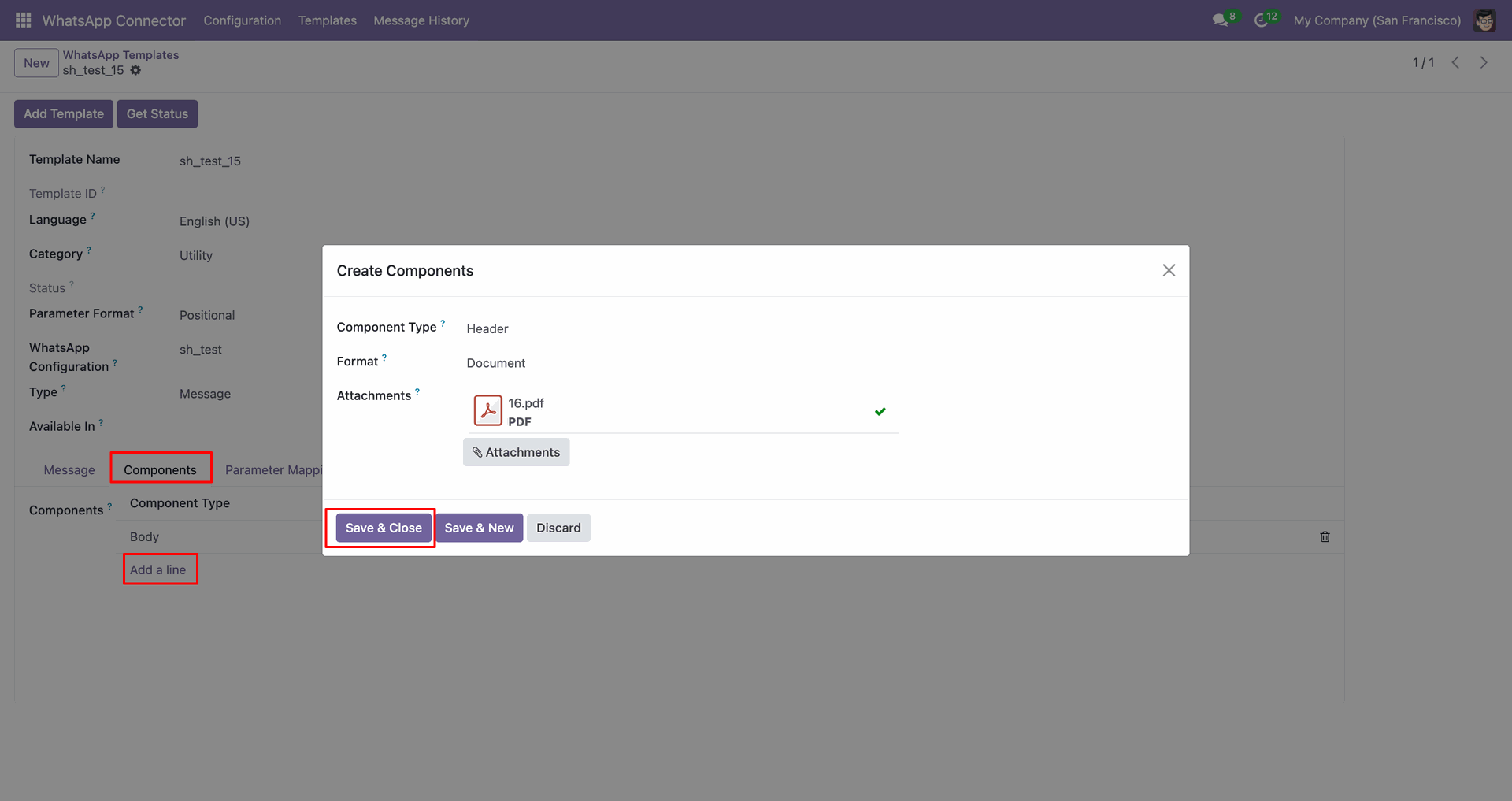
You can add components as per requirements.
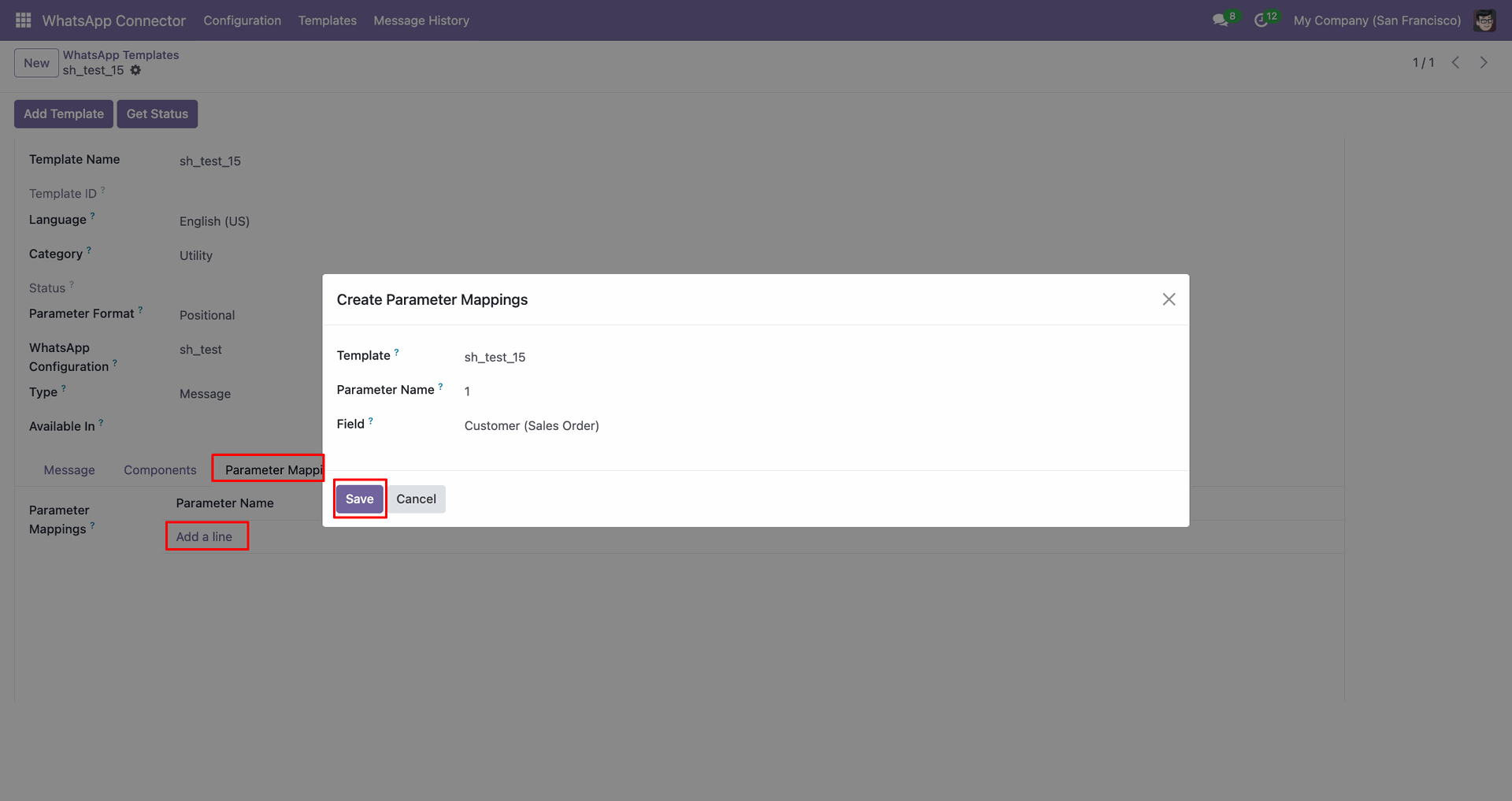
You can add parameter mappings as per requirements.
Click 'Add Template' to add templates.
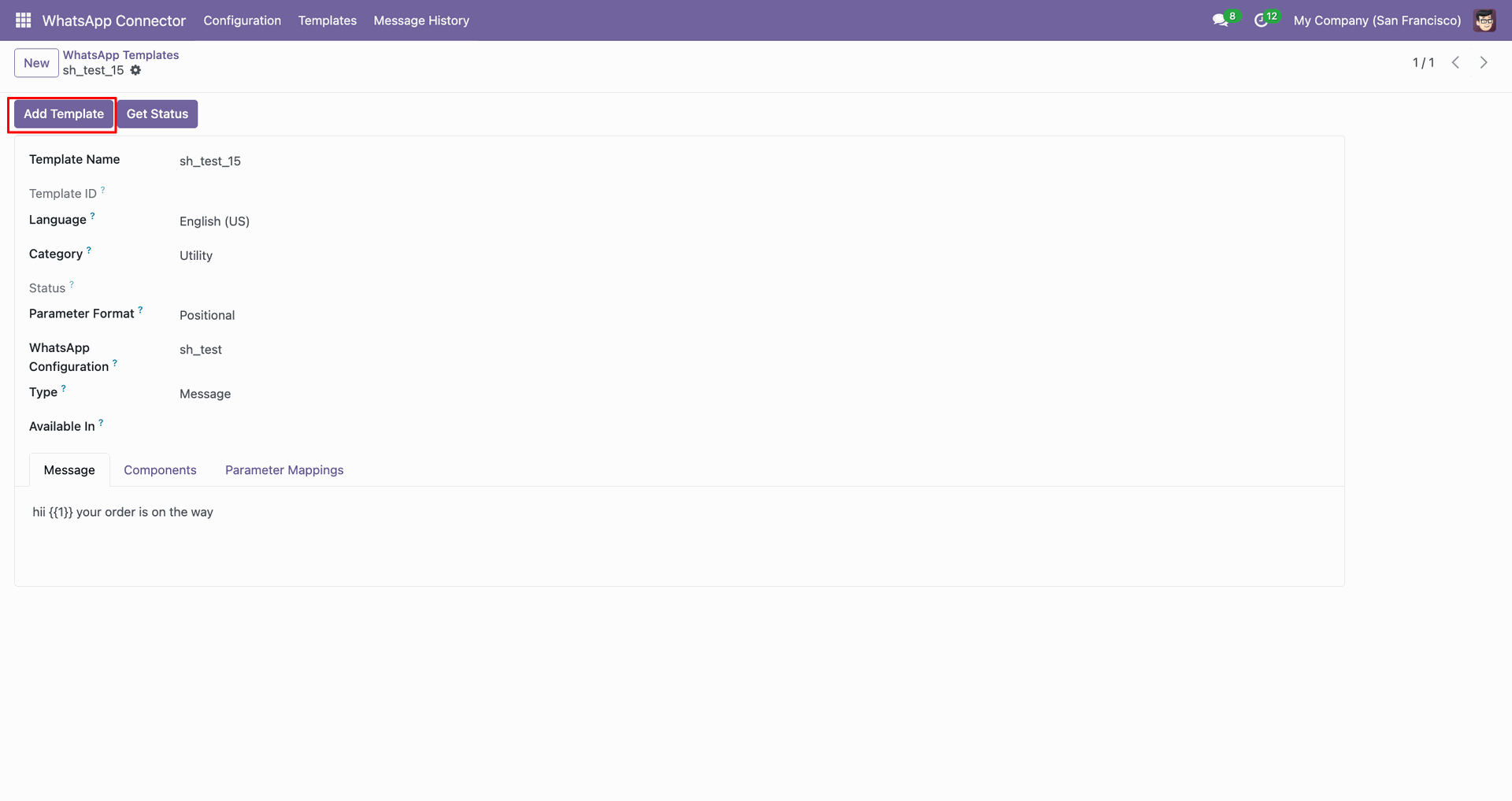
You can verify template status.
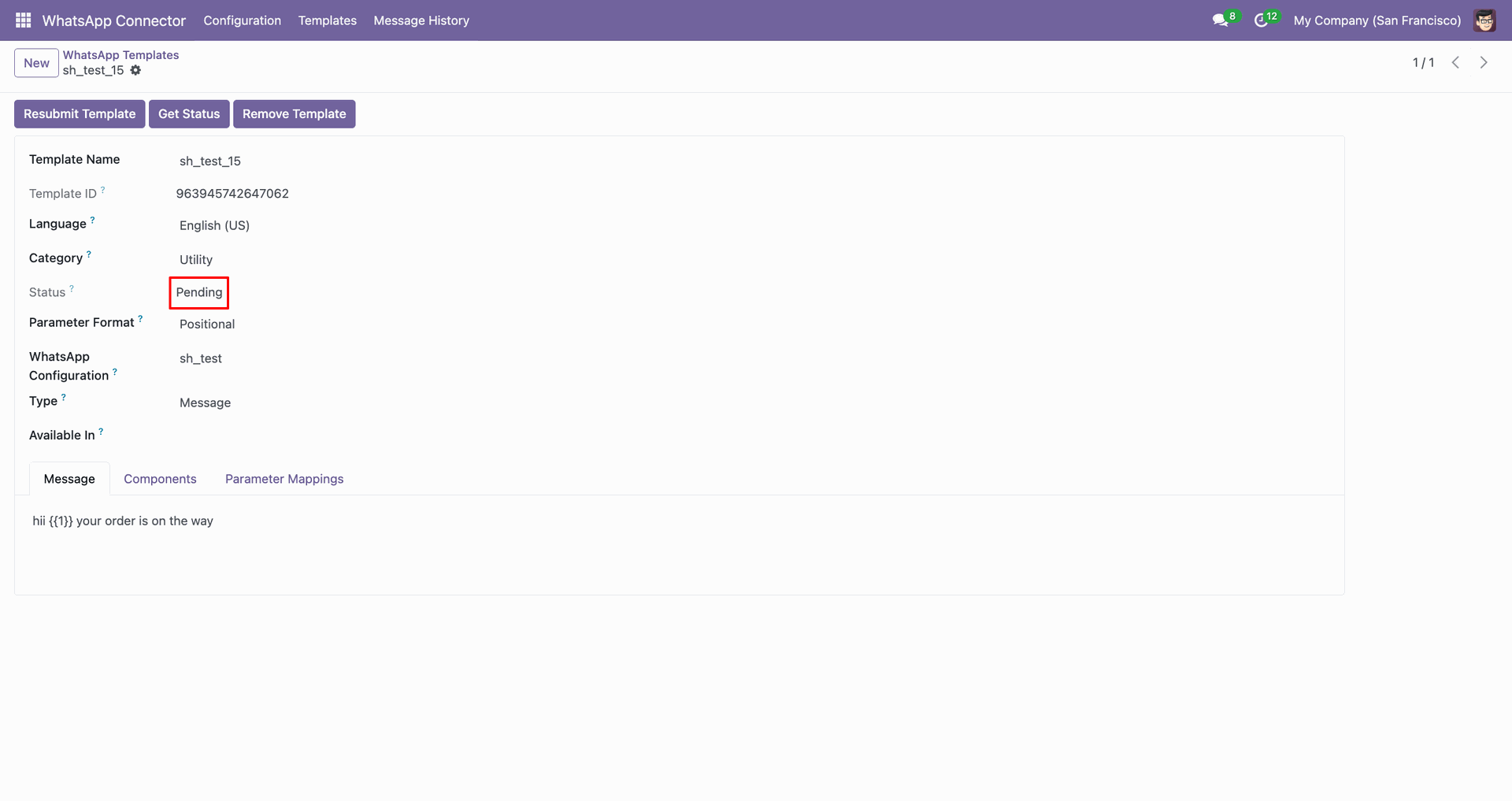
Click 'Get Status' to check the status.
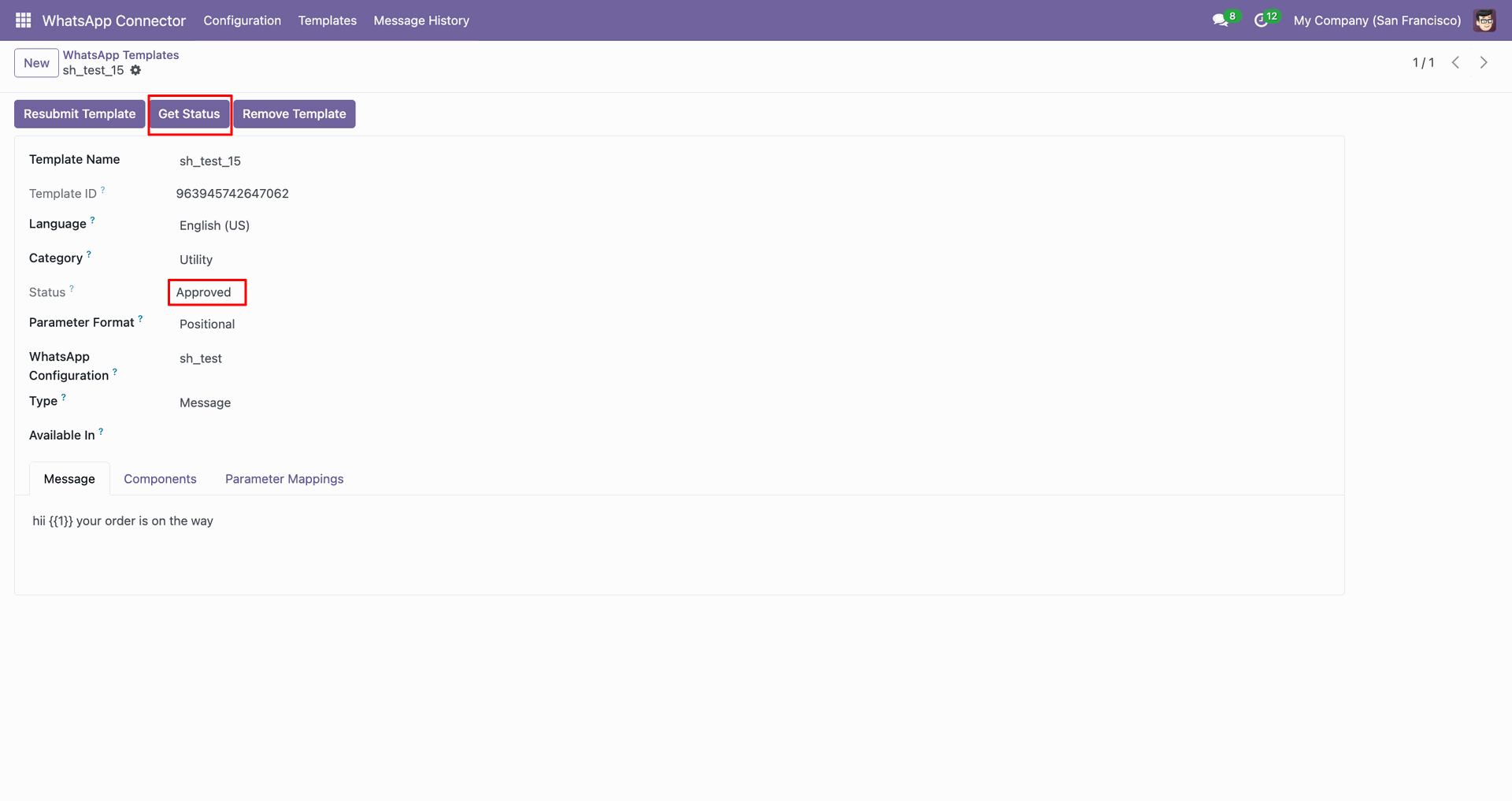
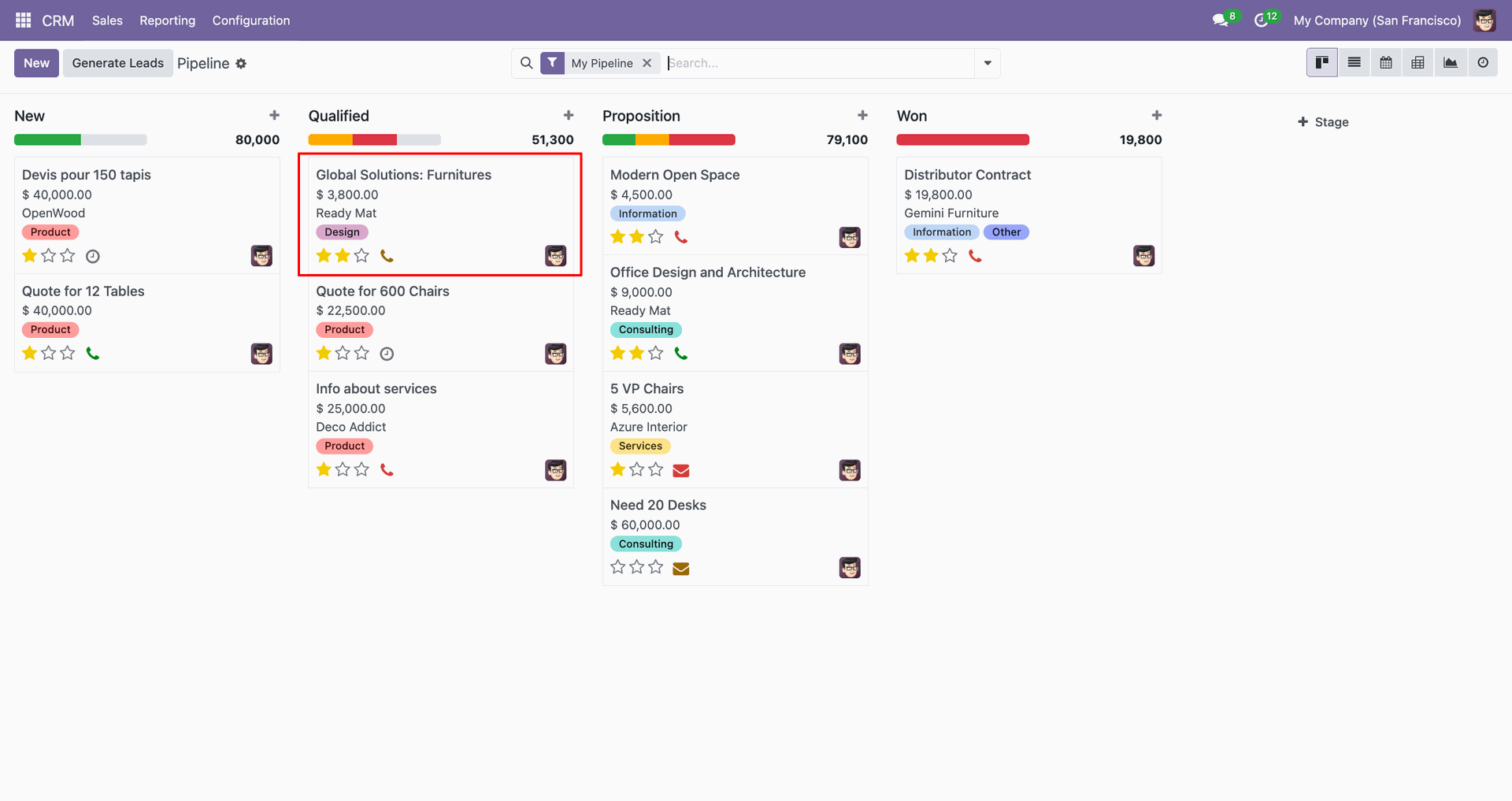
Go to the CRM.
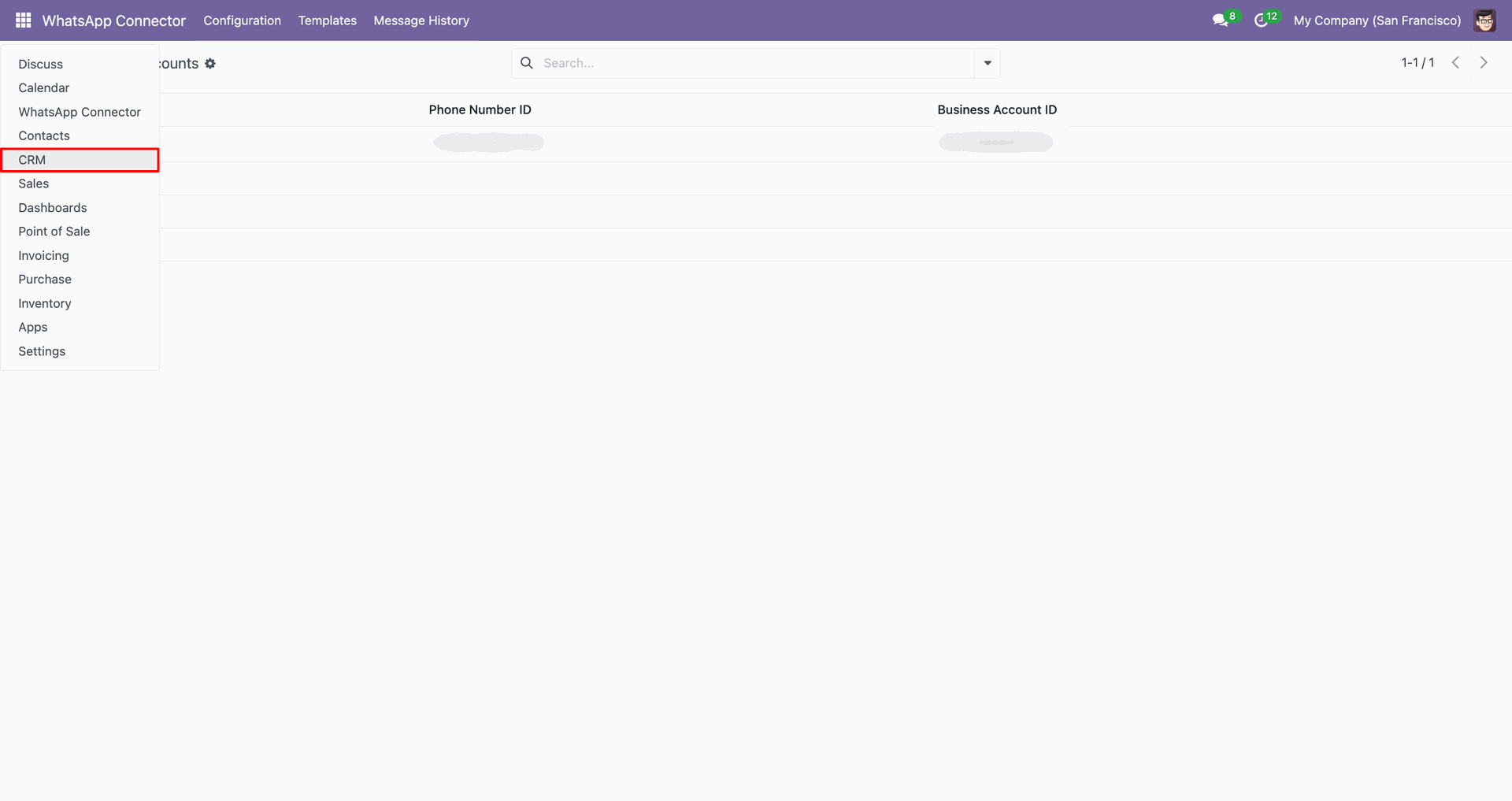
Open record.
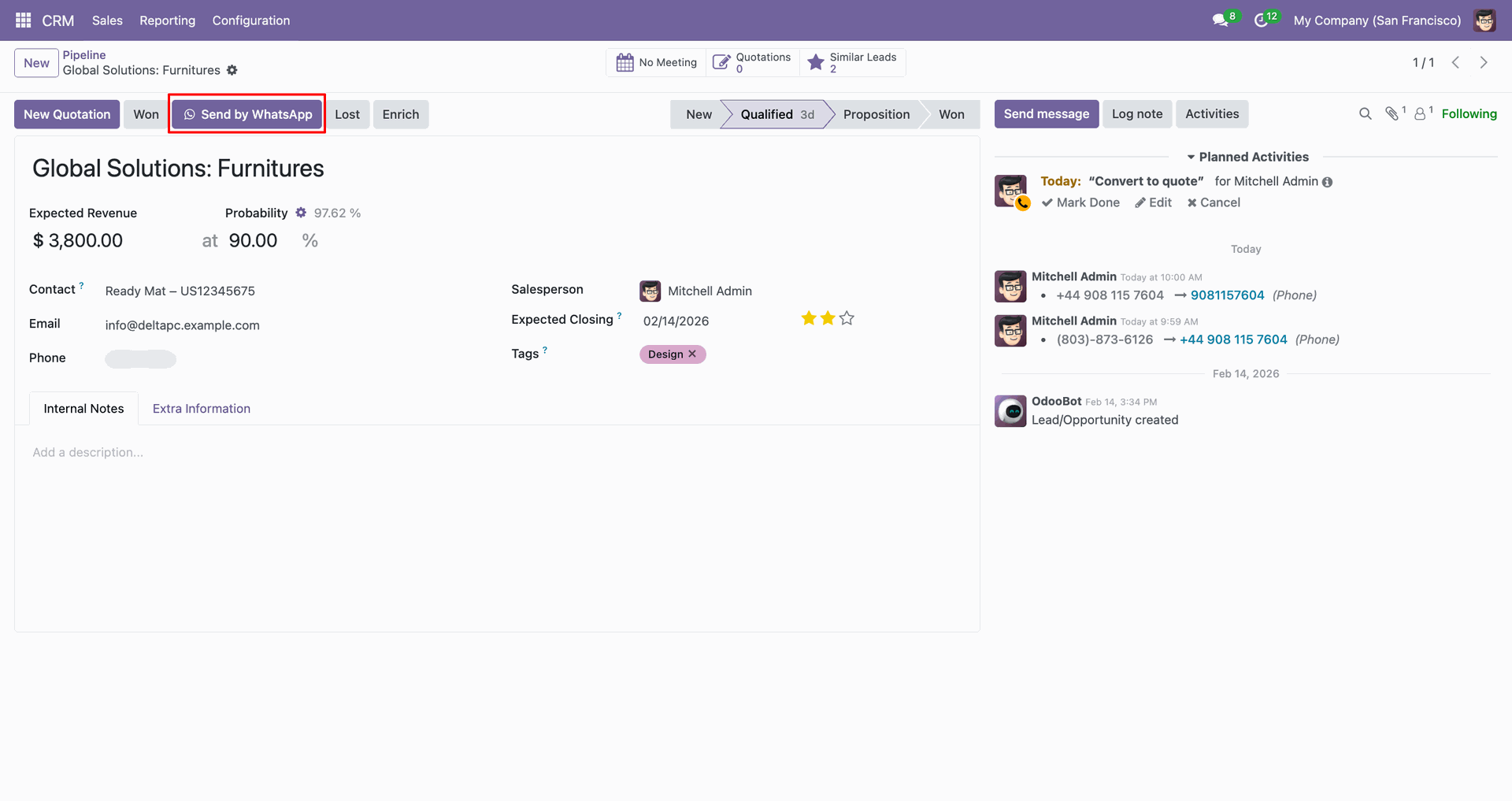
Click 'Send by WhatsApp'.
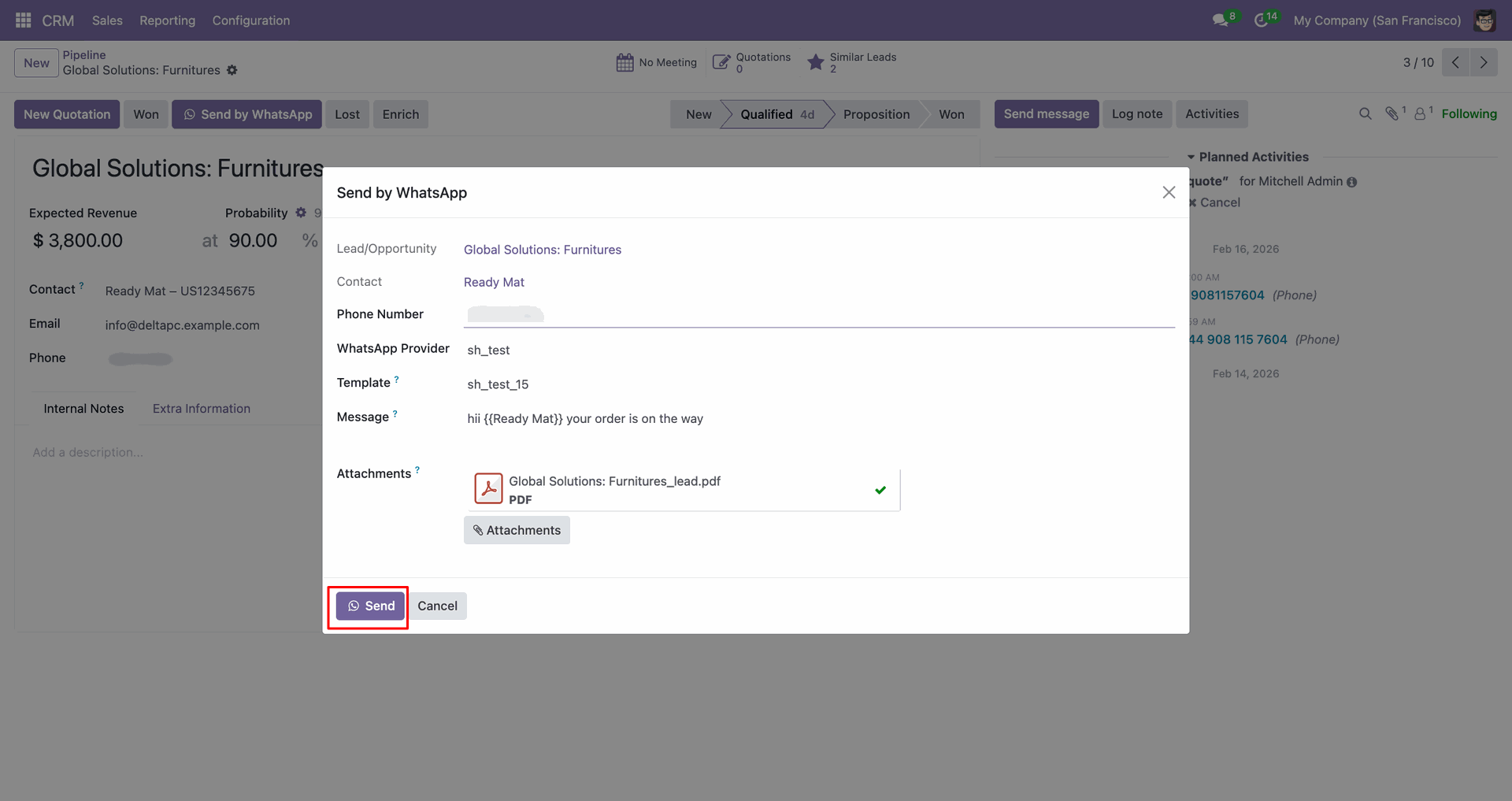
Fill in the details, click 'Send'.
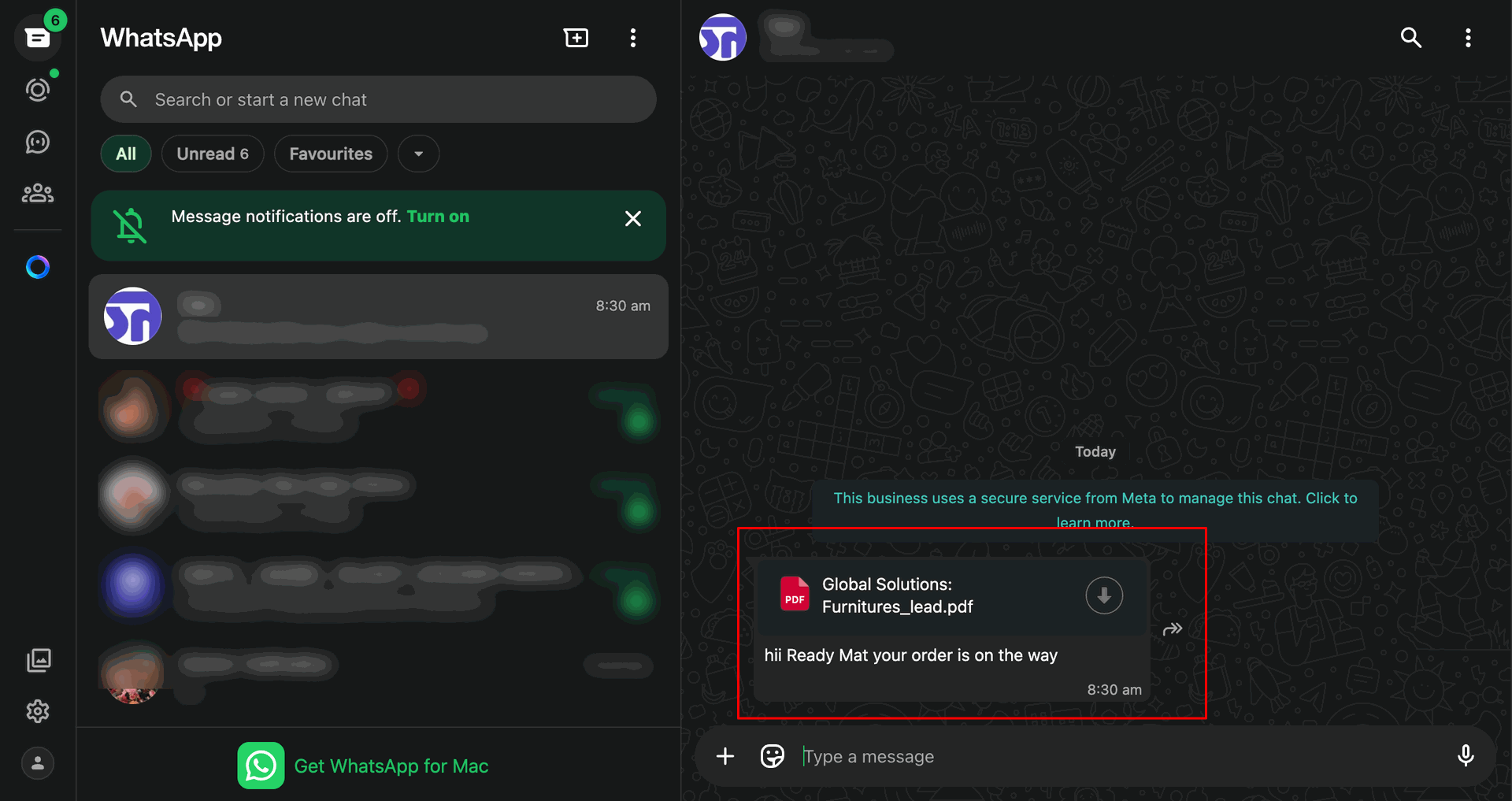
Shared file in WhatsApp.
Go to the Sales.
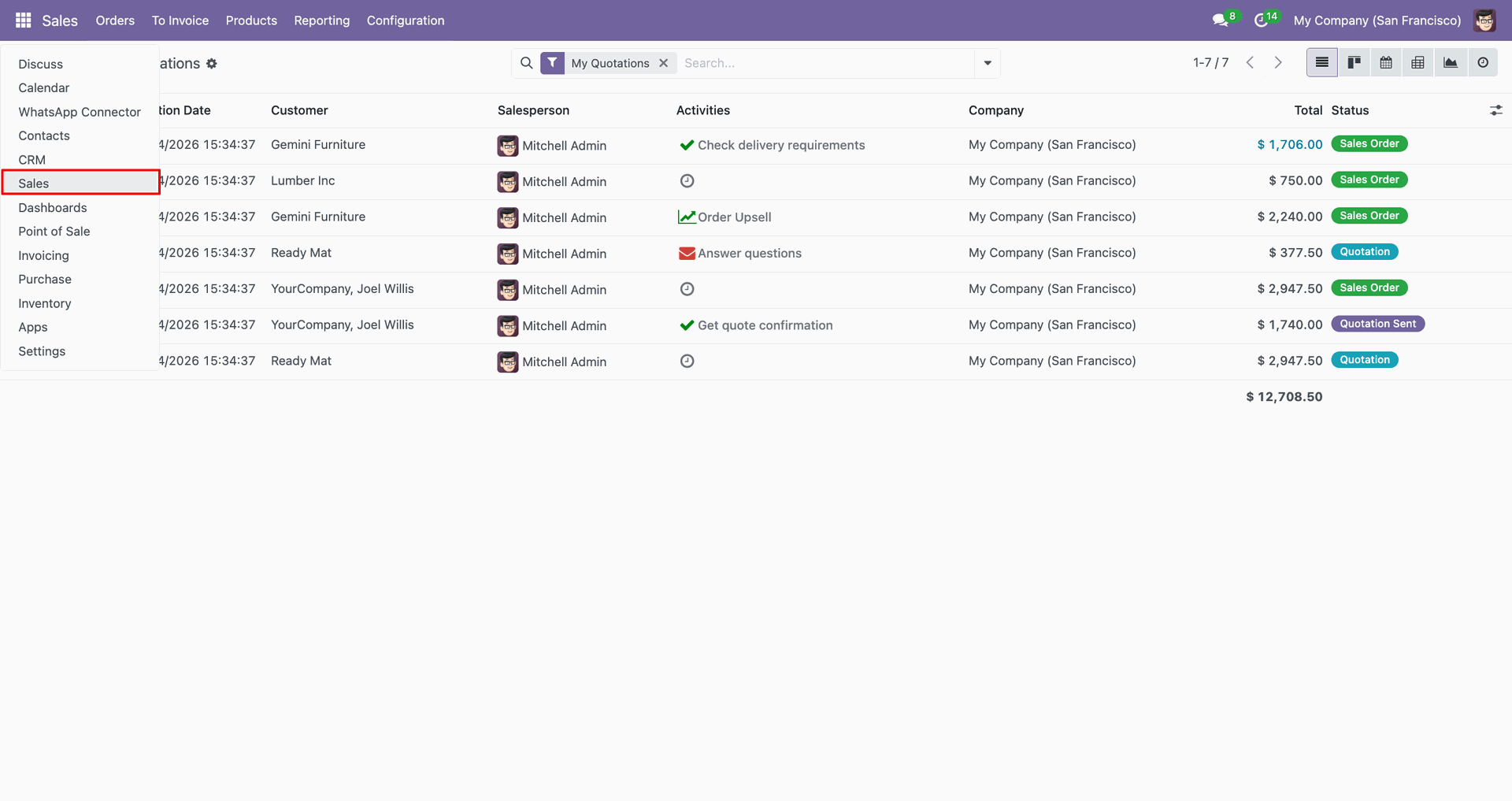
Open record, Click 'Send by WhatsApp'.
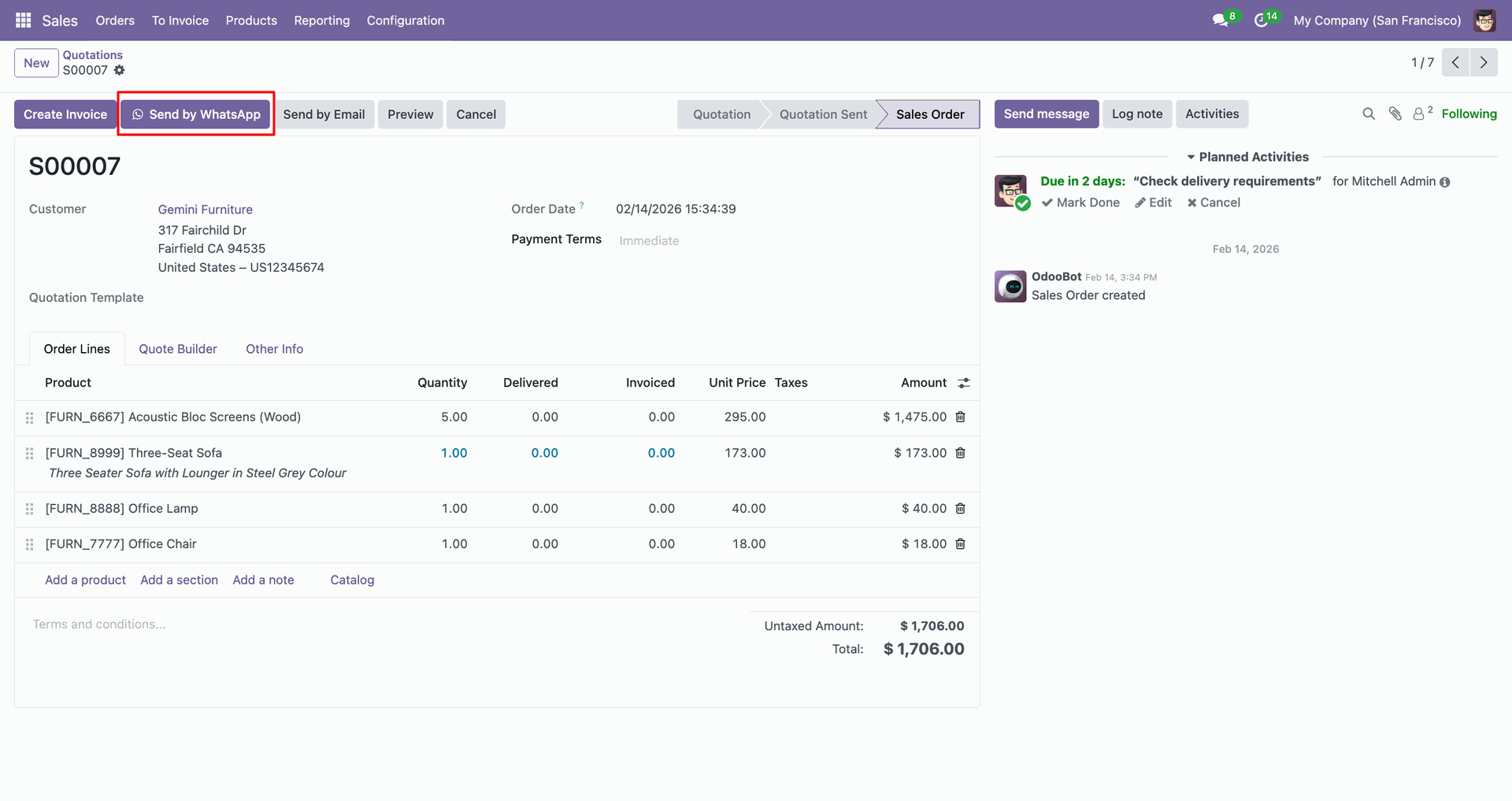
Fill in the details, click 'Send'.
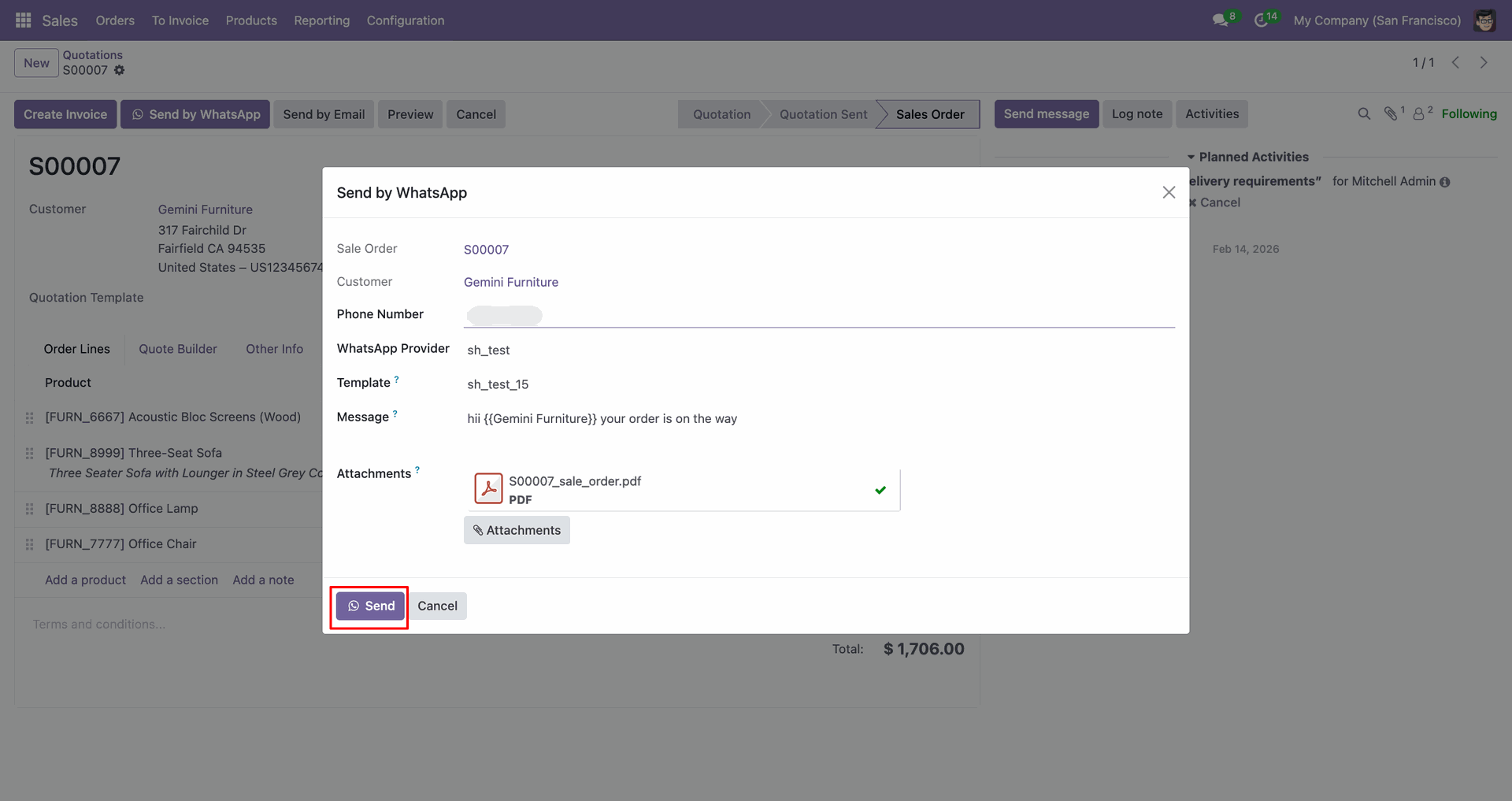
Shared file in WhatsApp.
Go to the 'Helpdesk', Tickets -> My Tickets.
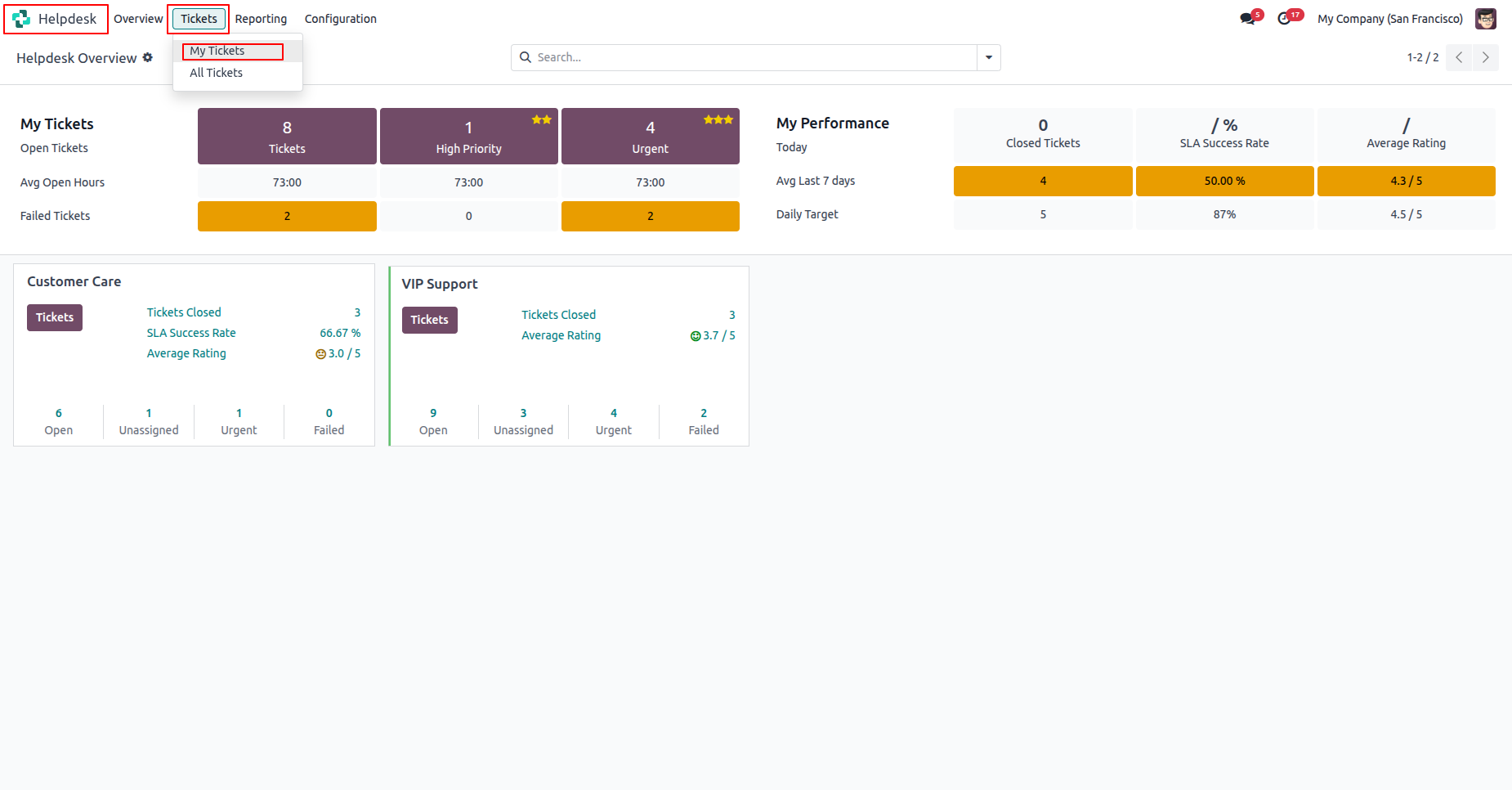
Click 'Send by WhatsApp'.
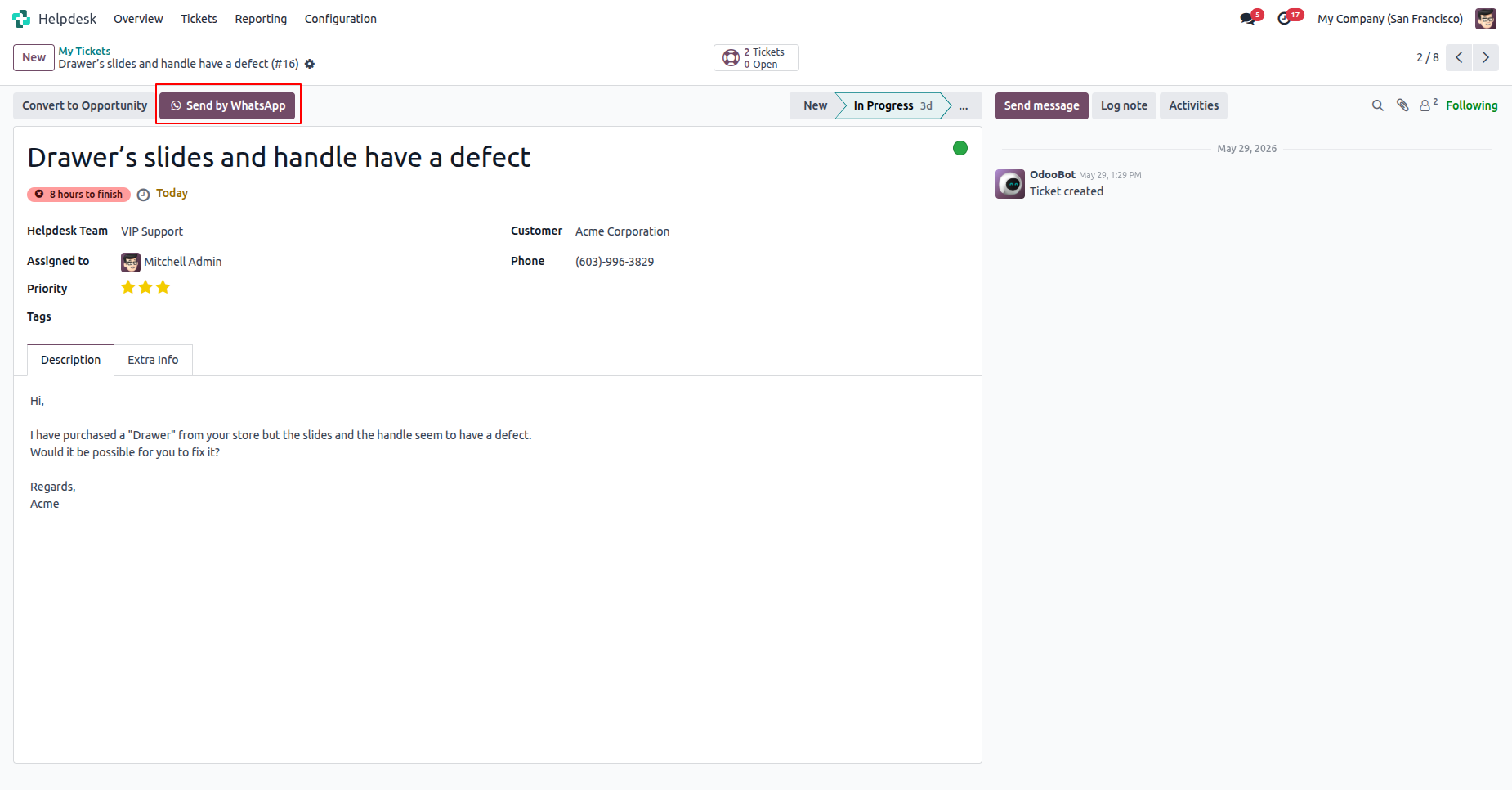
Fill in the details, click 'Send'.
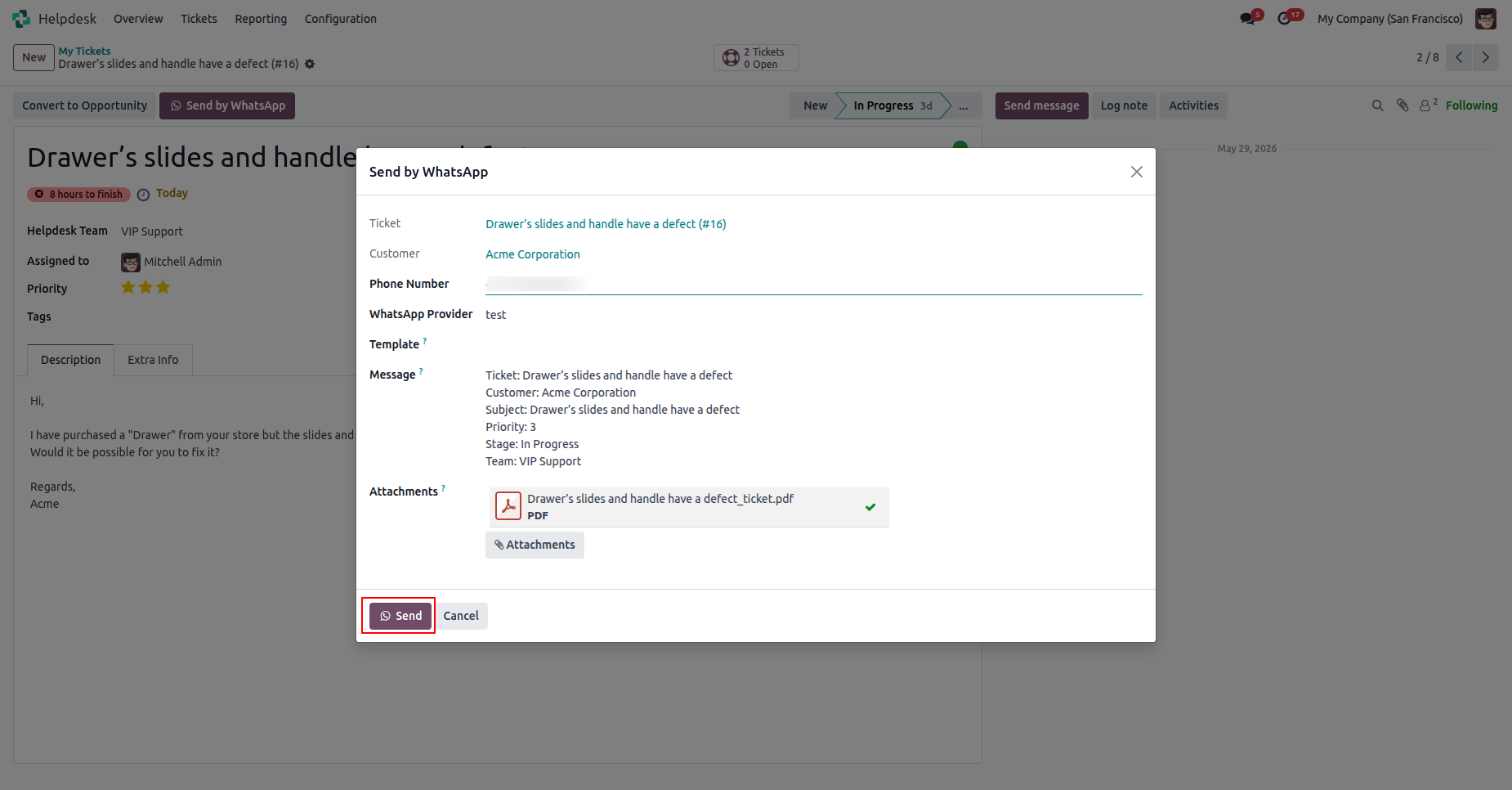
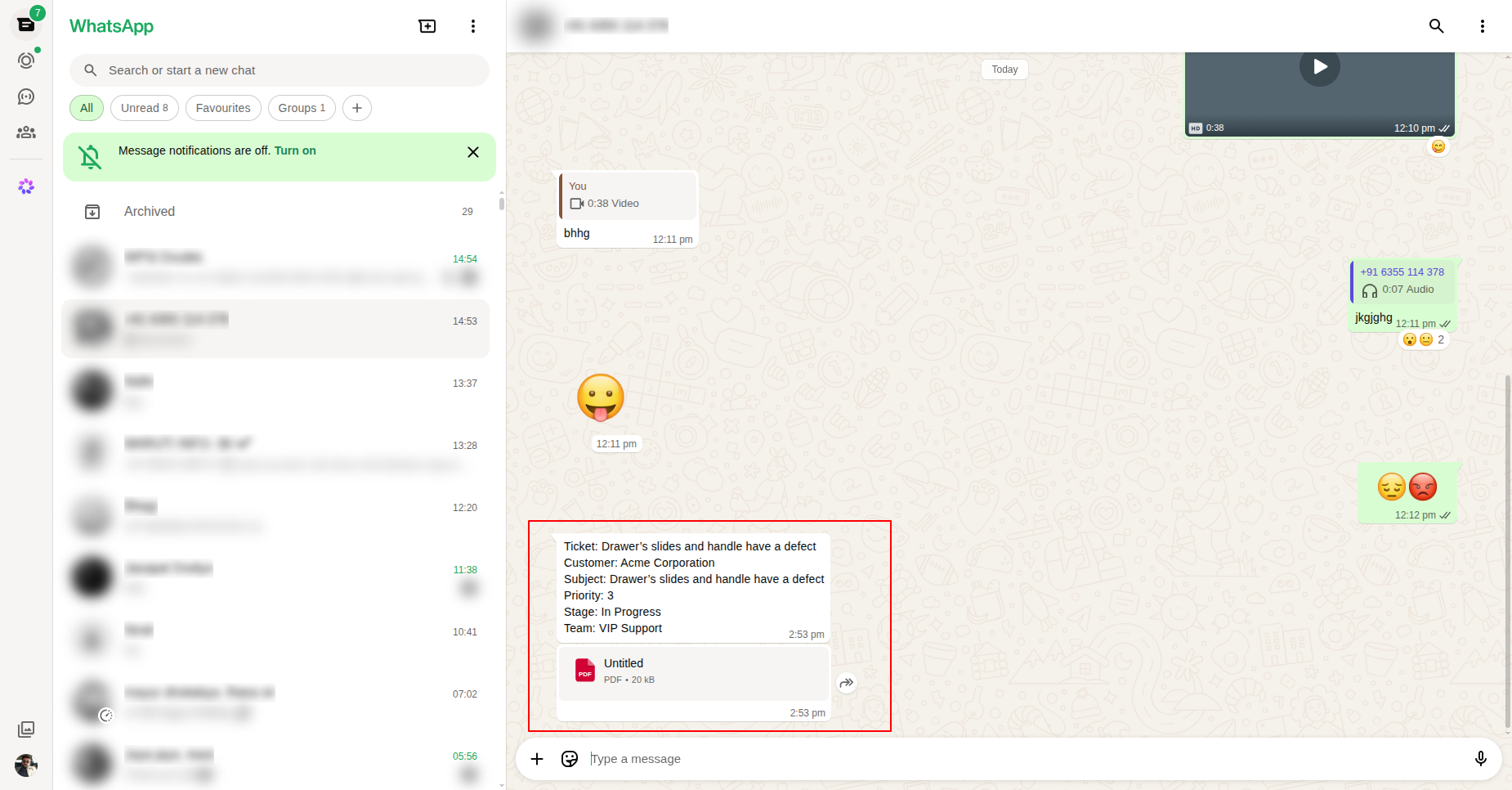
Shared on WhatsApp.
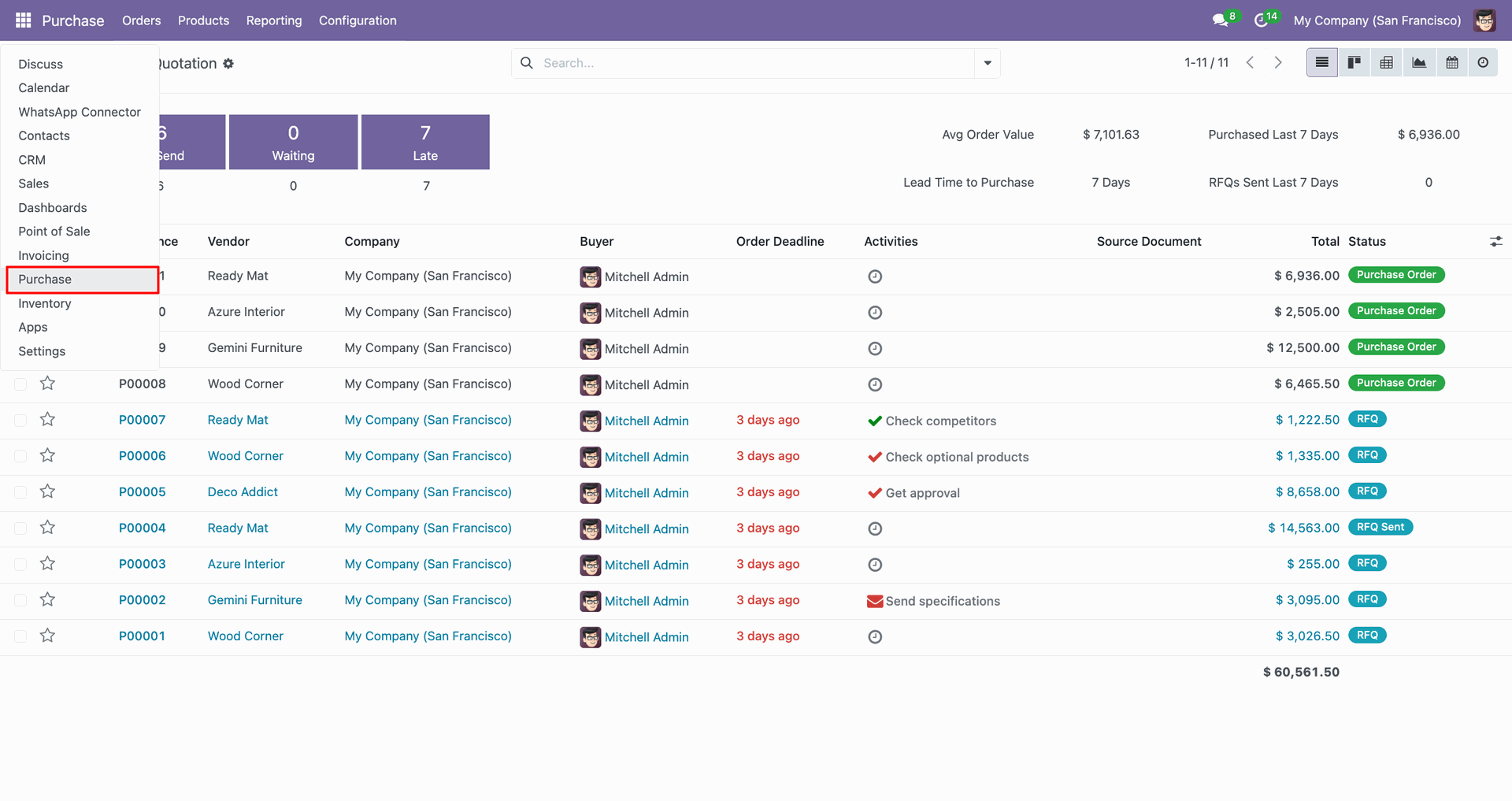
Go to the Purchases.
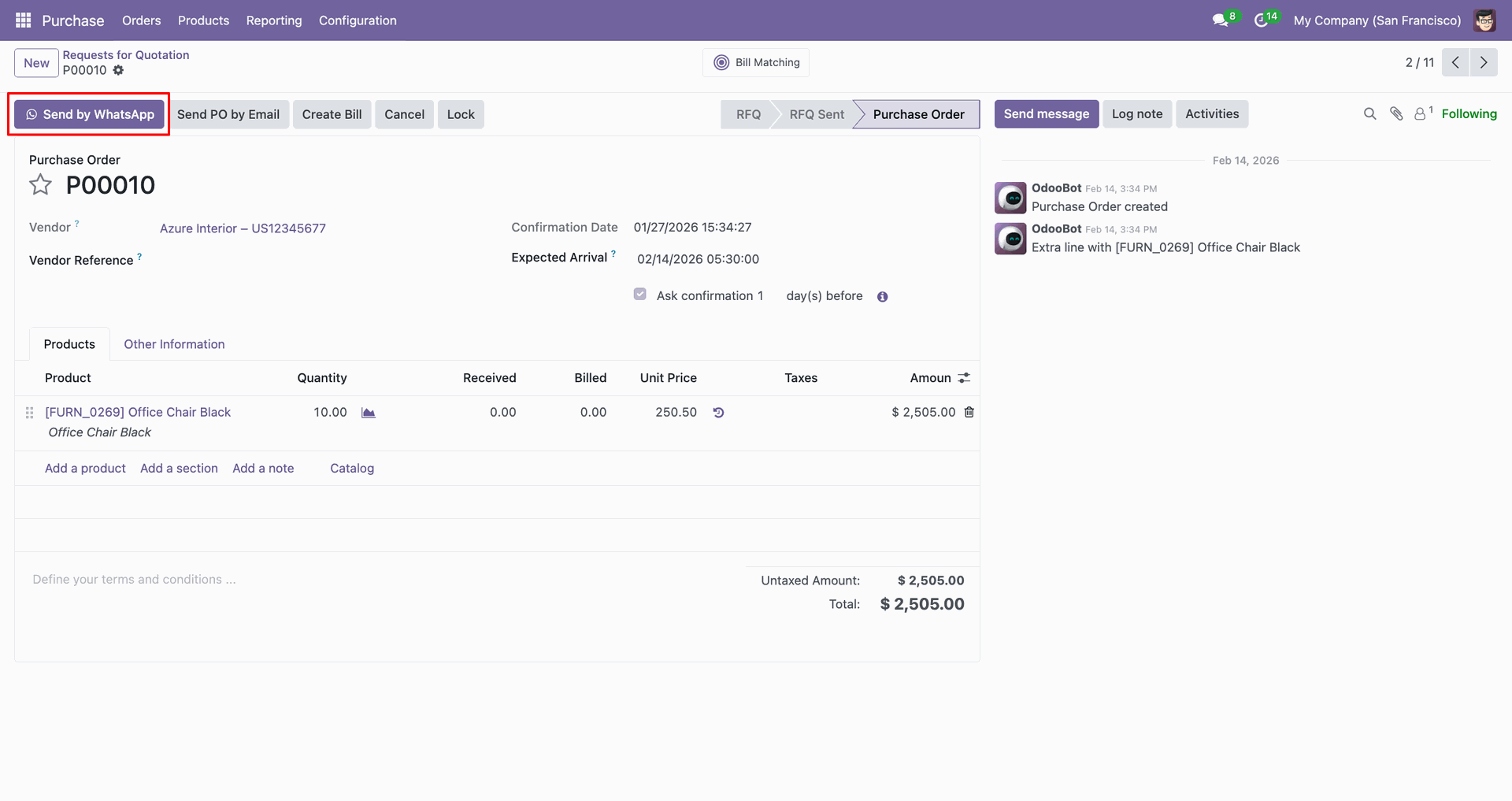
Open record, Click 'Send by WhatsApp'.
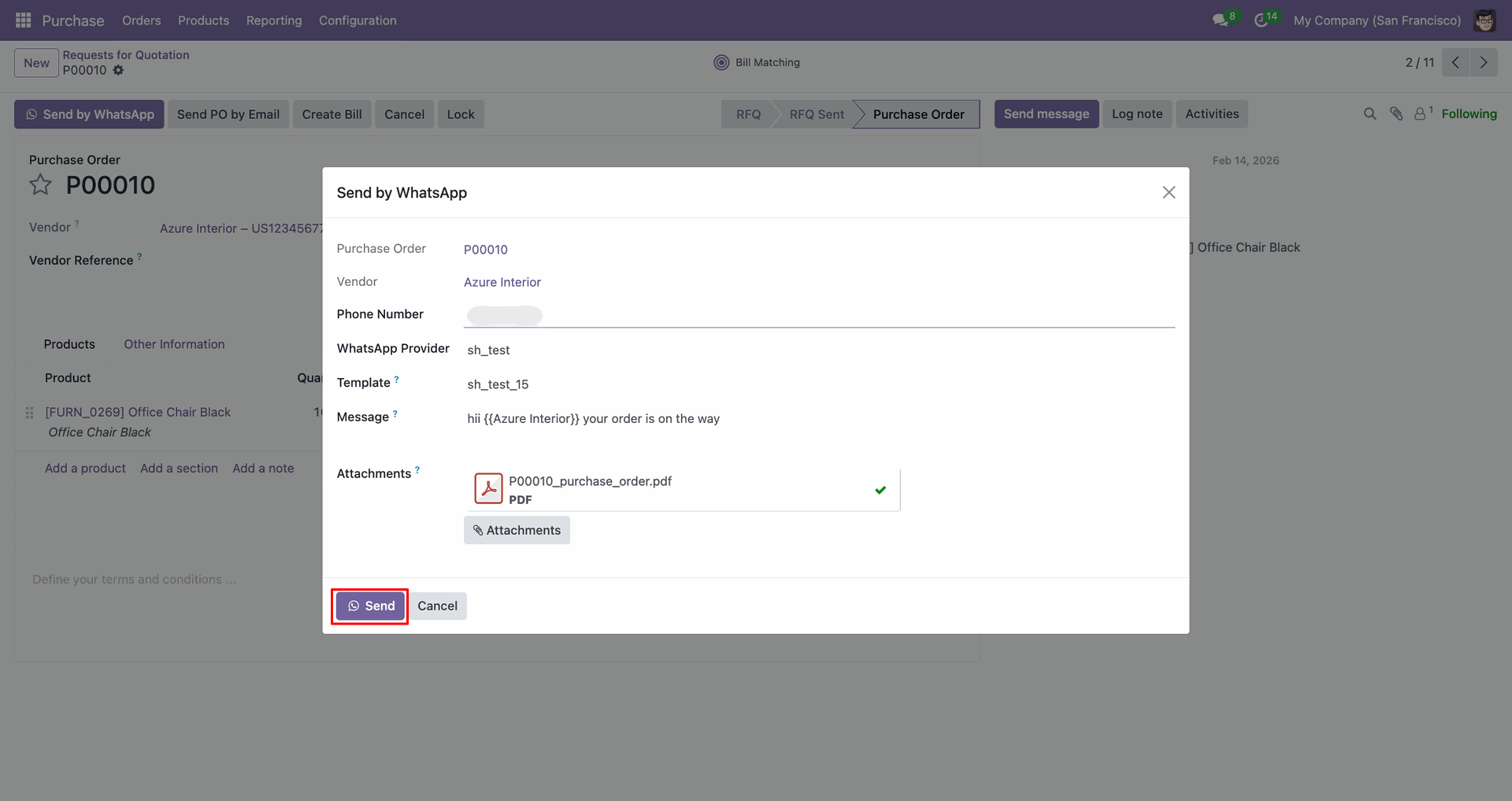
Fill in the details, click 'Send'.
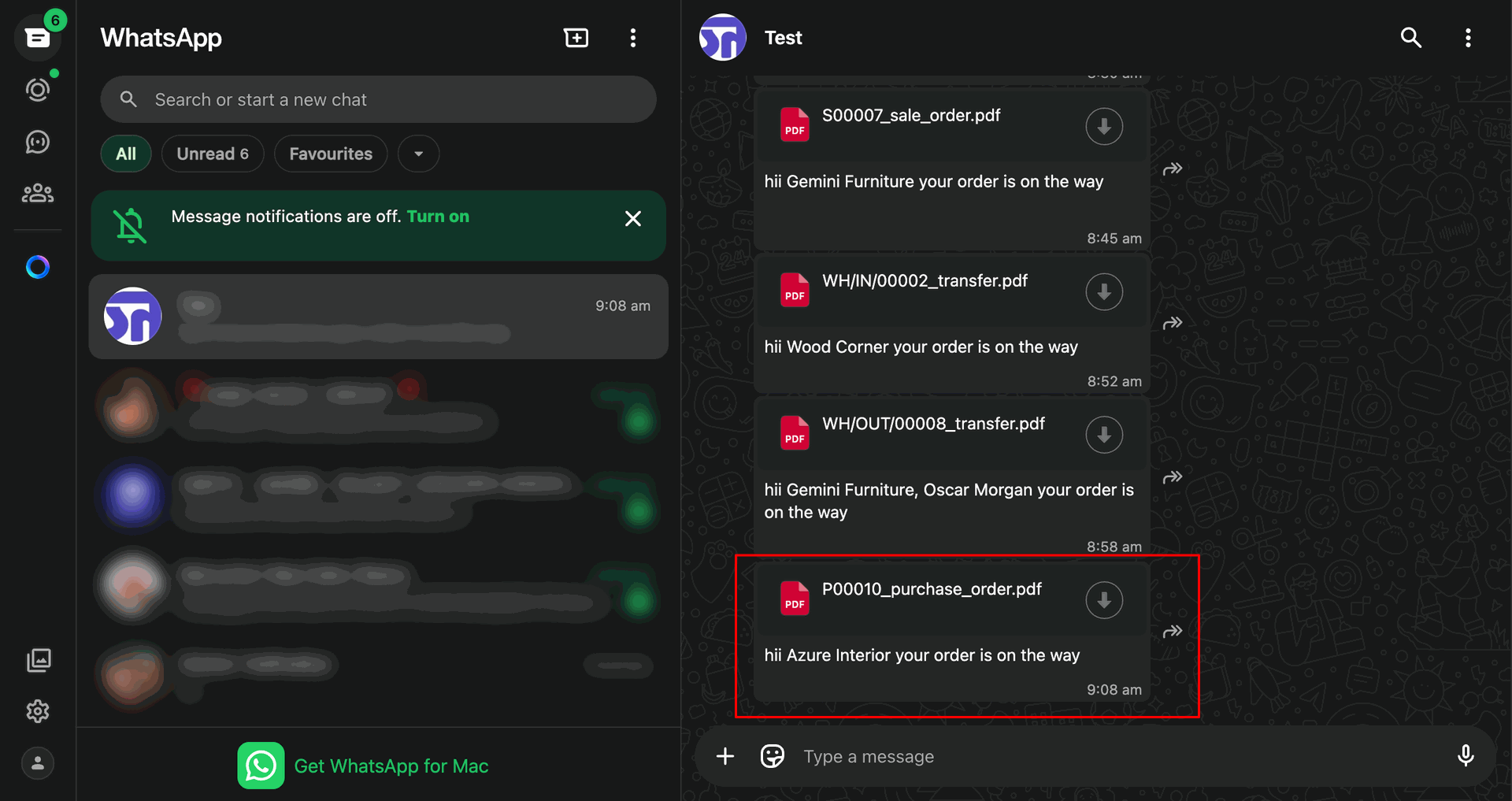
Shared file in WhatsApp.
Go to the Invoicing.
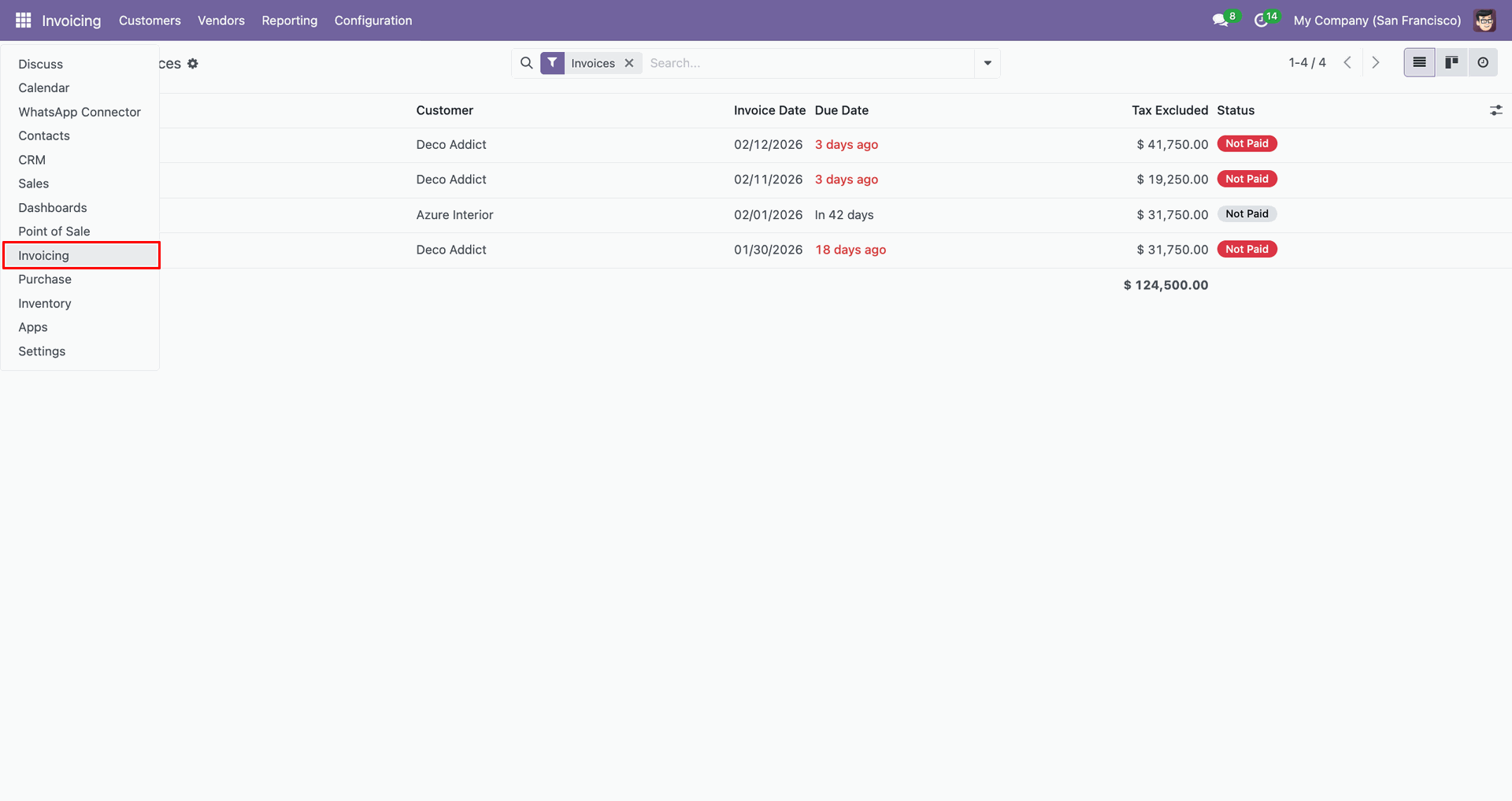
Open record, Click 'Send by WhatsApp'.
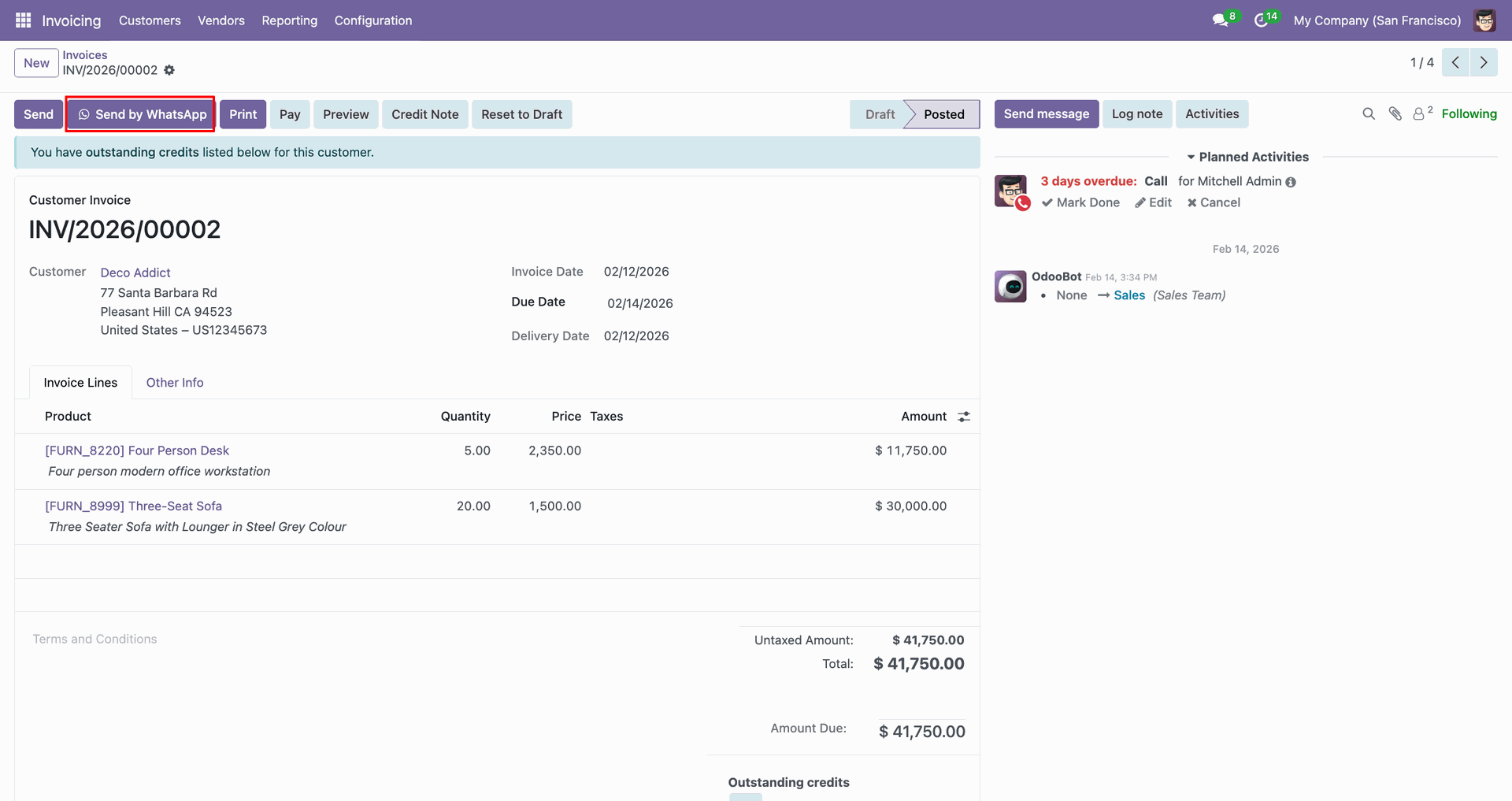
Fill in the details, click 'Send'.
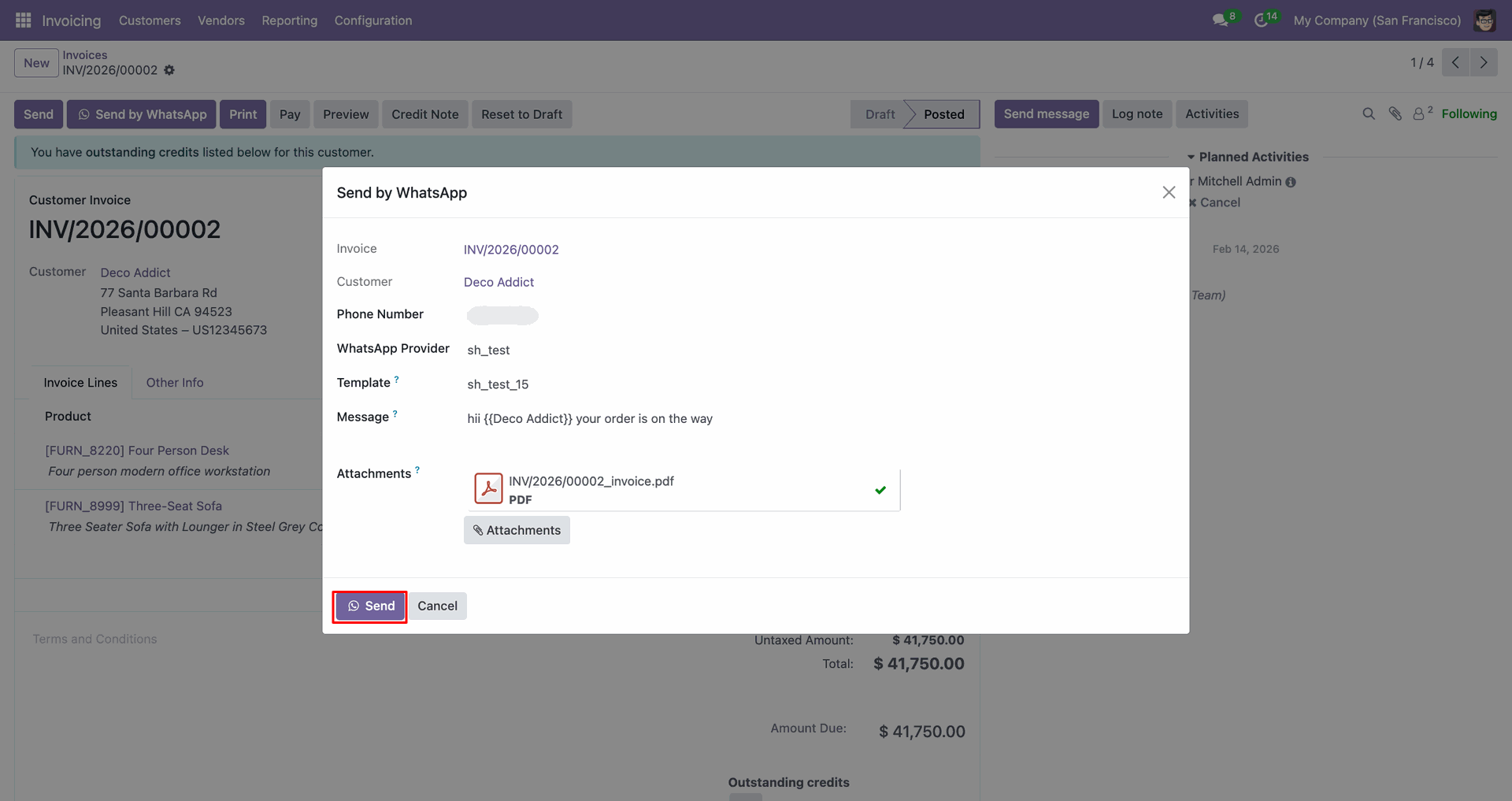
Shared file in WhatsApp.
Go to the Inventory.
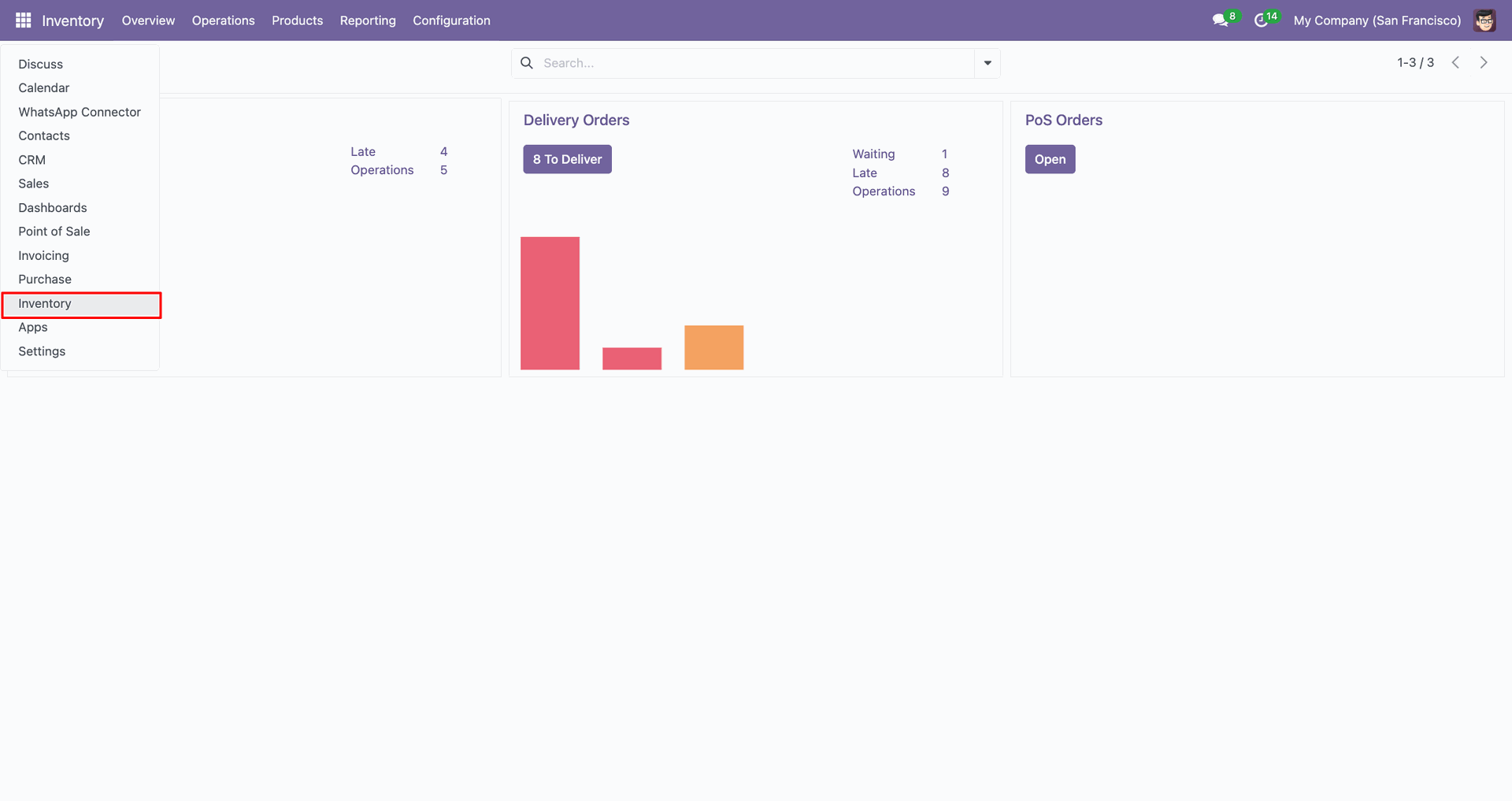
Open receipts.
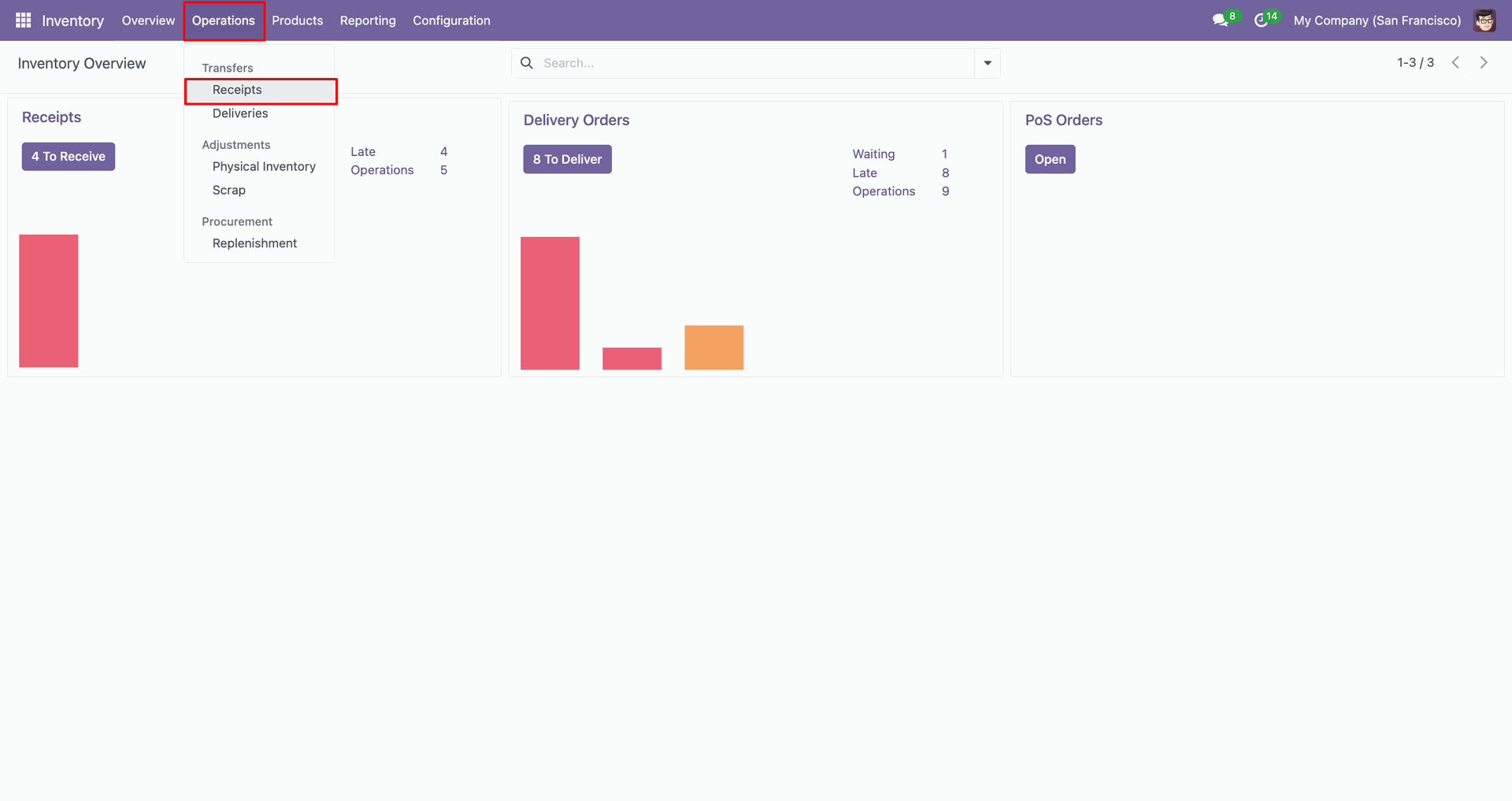
Click 'Send by WhatsApp'.
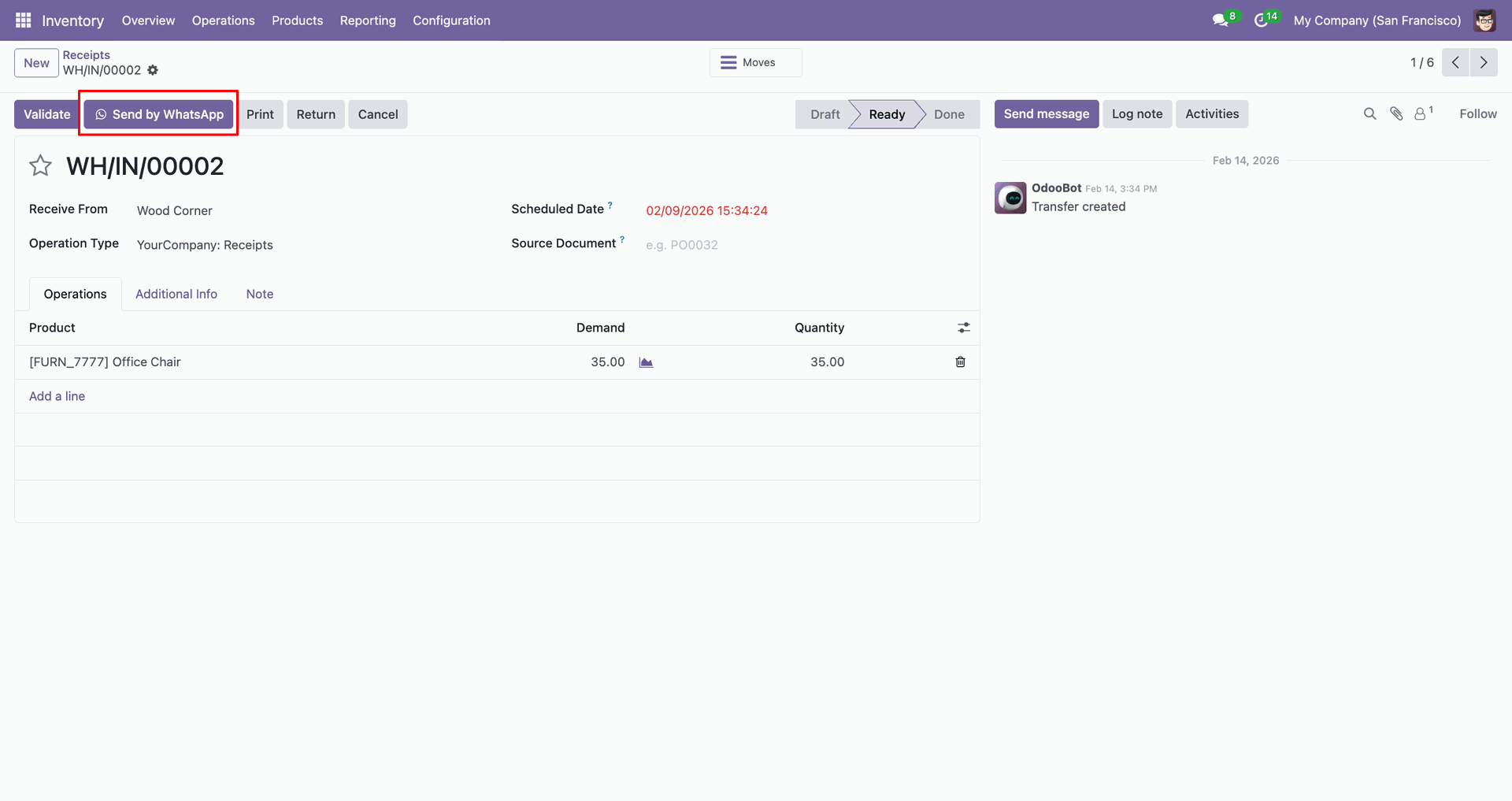
Fill in the details, click 'Send'.
Shared file in WhatsApp.
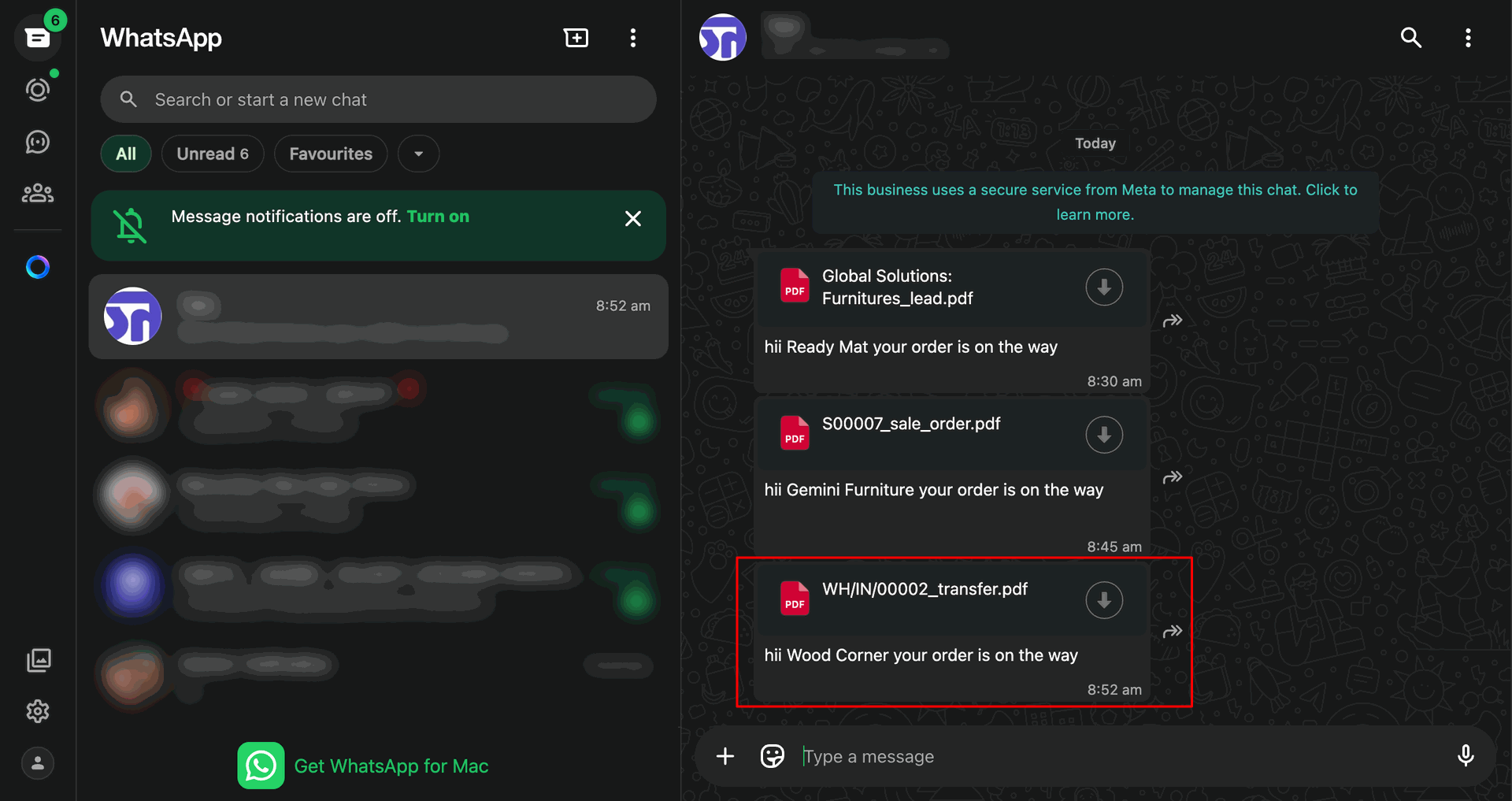
Open deliveries.
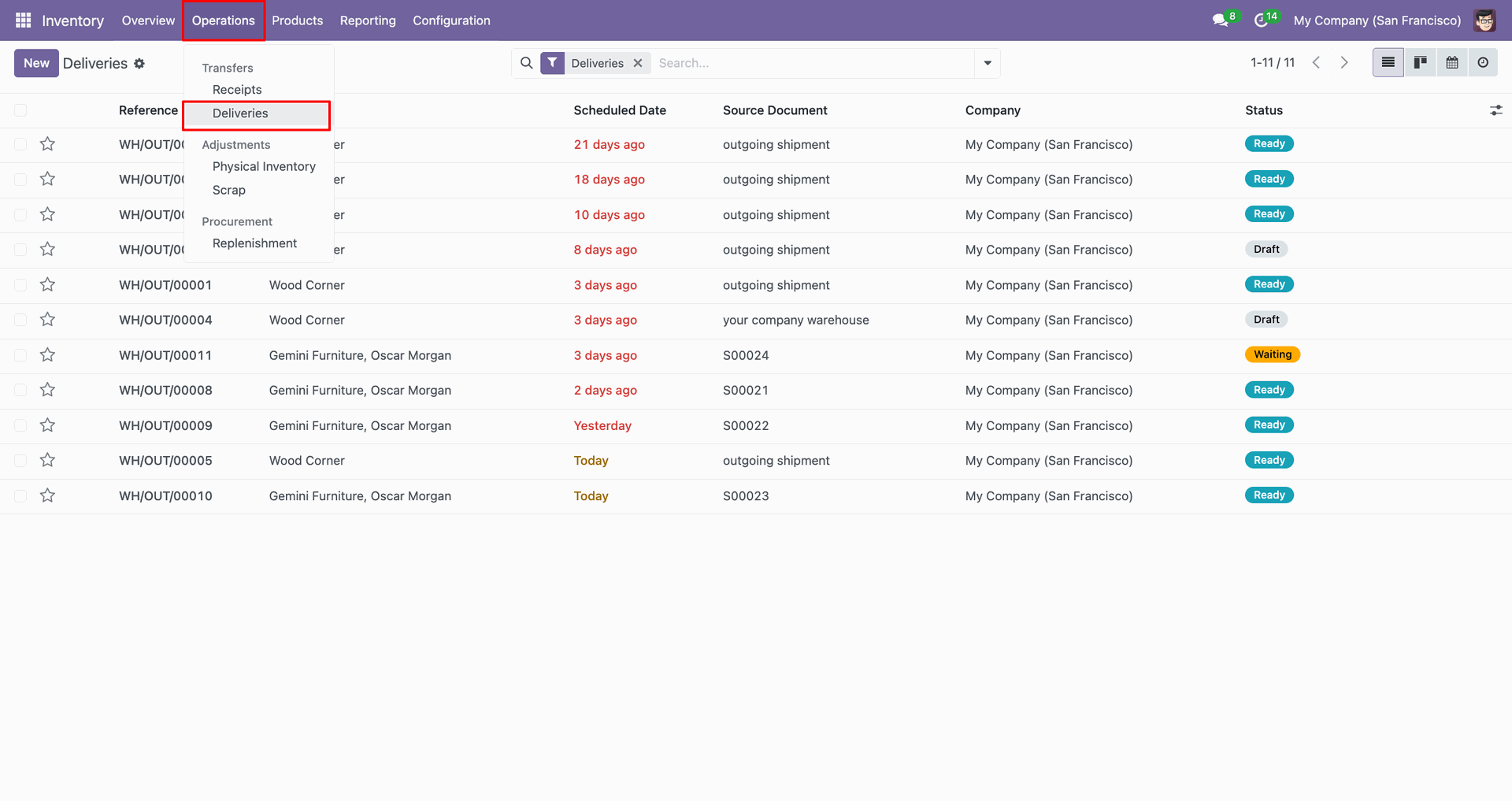
Click 'Send by WhatsApp'.
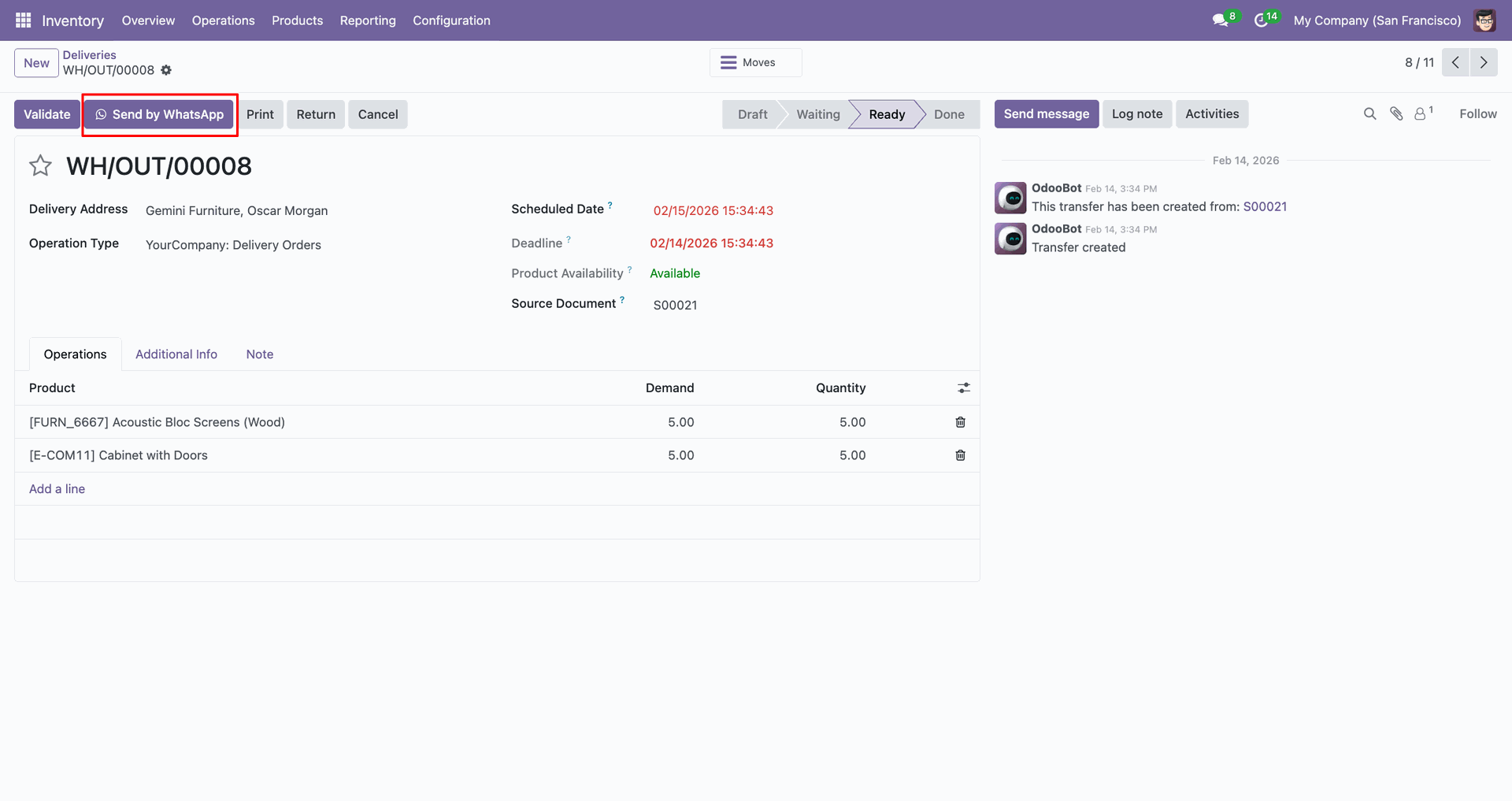
Fill in the details, click 'Send'.
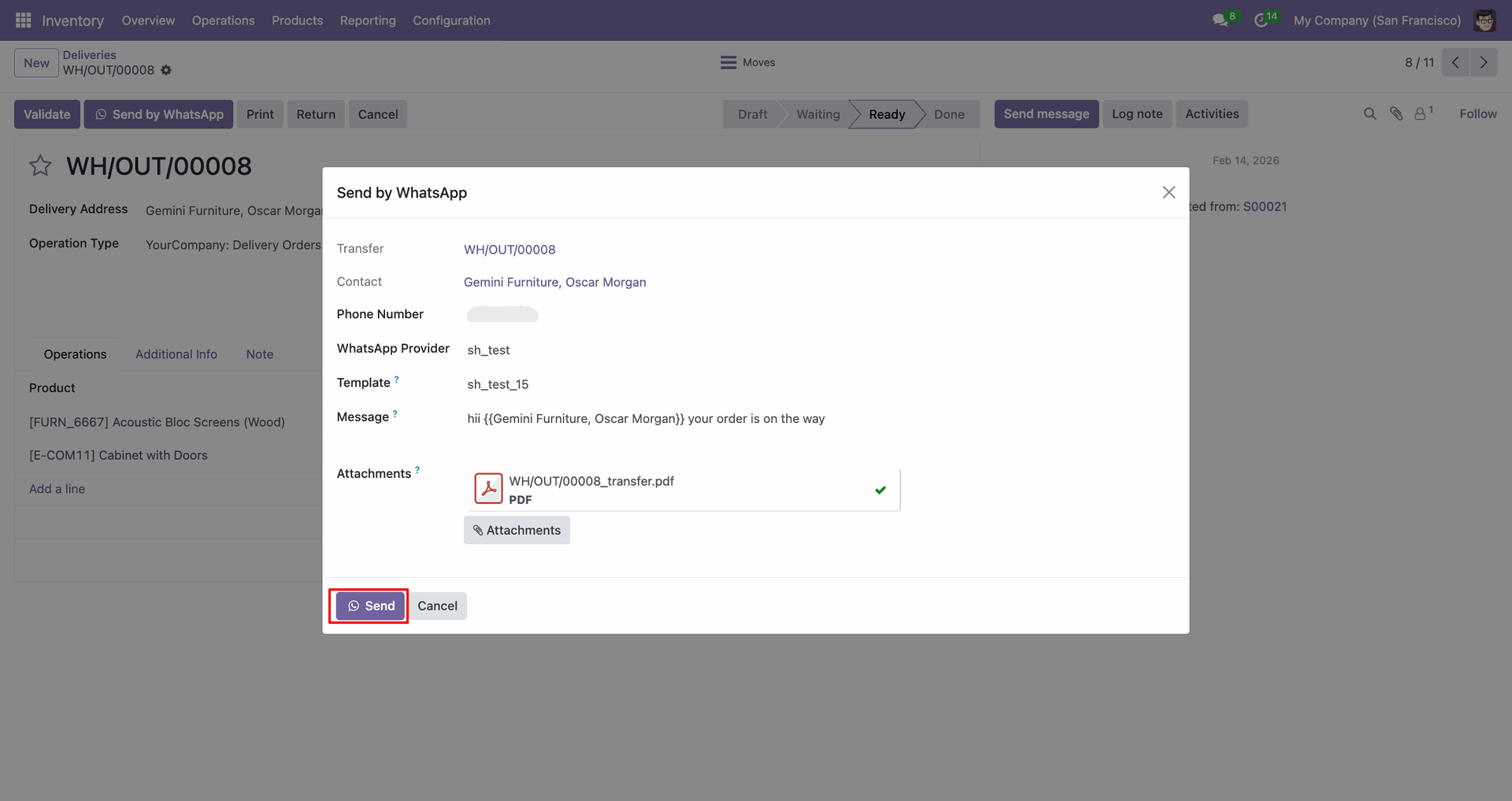
Shared file in WhatsApp.
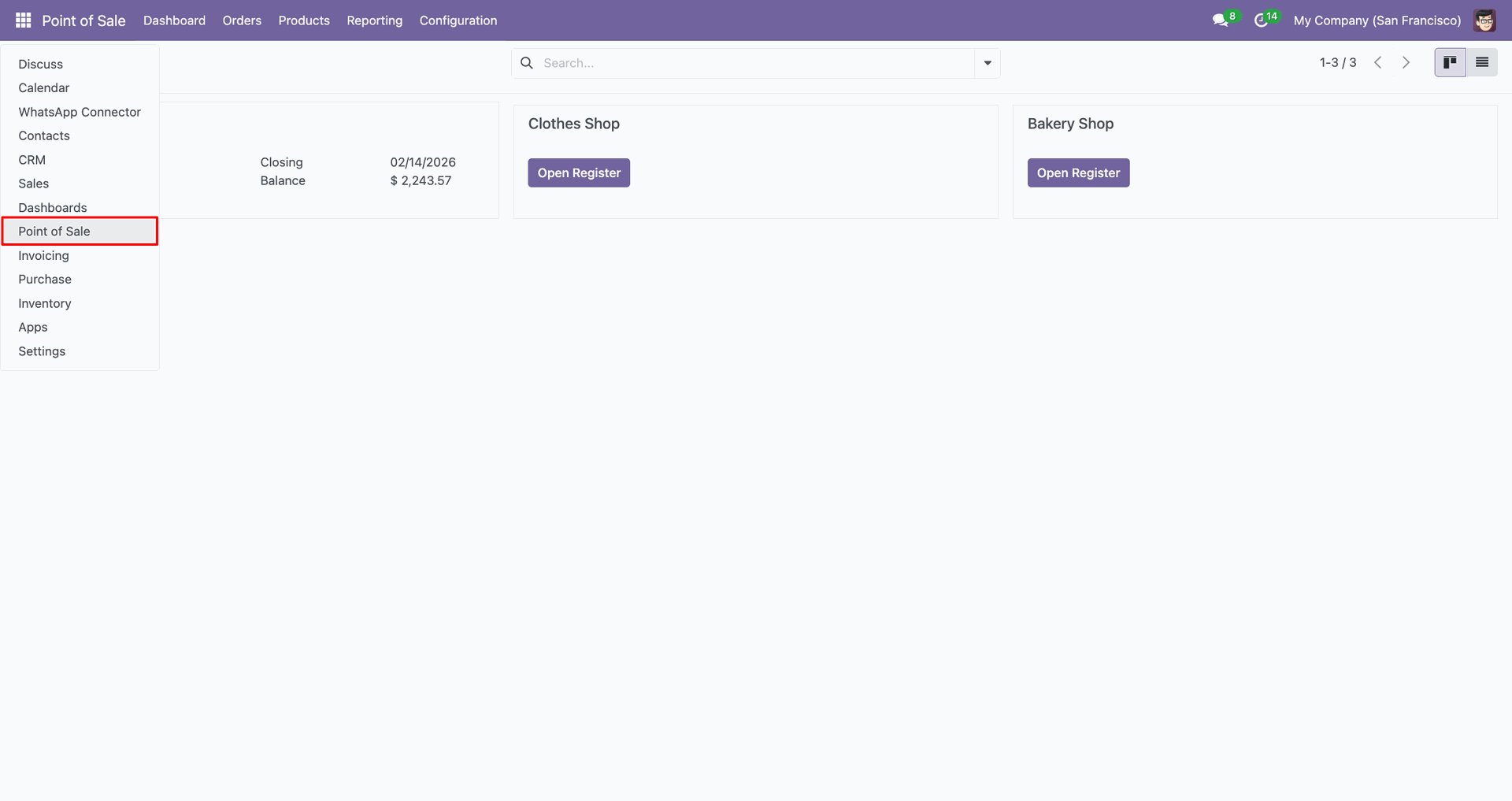
Go to the 'Point of Sale'.
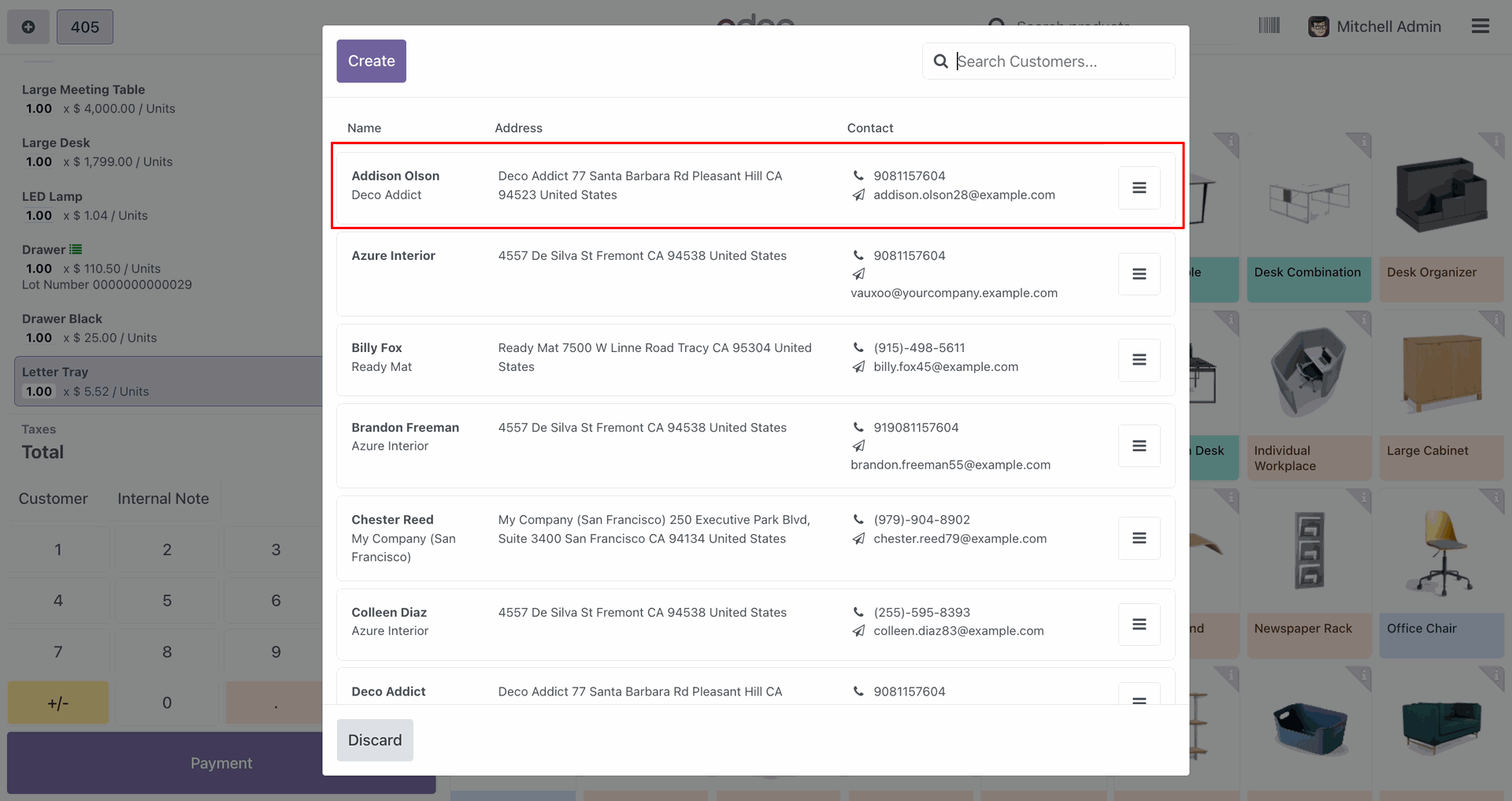
Create order.
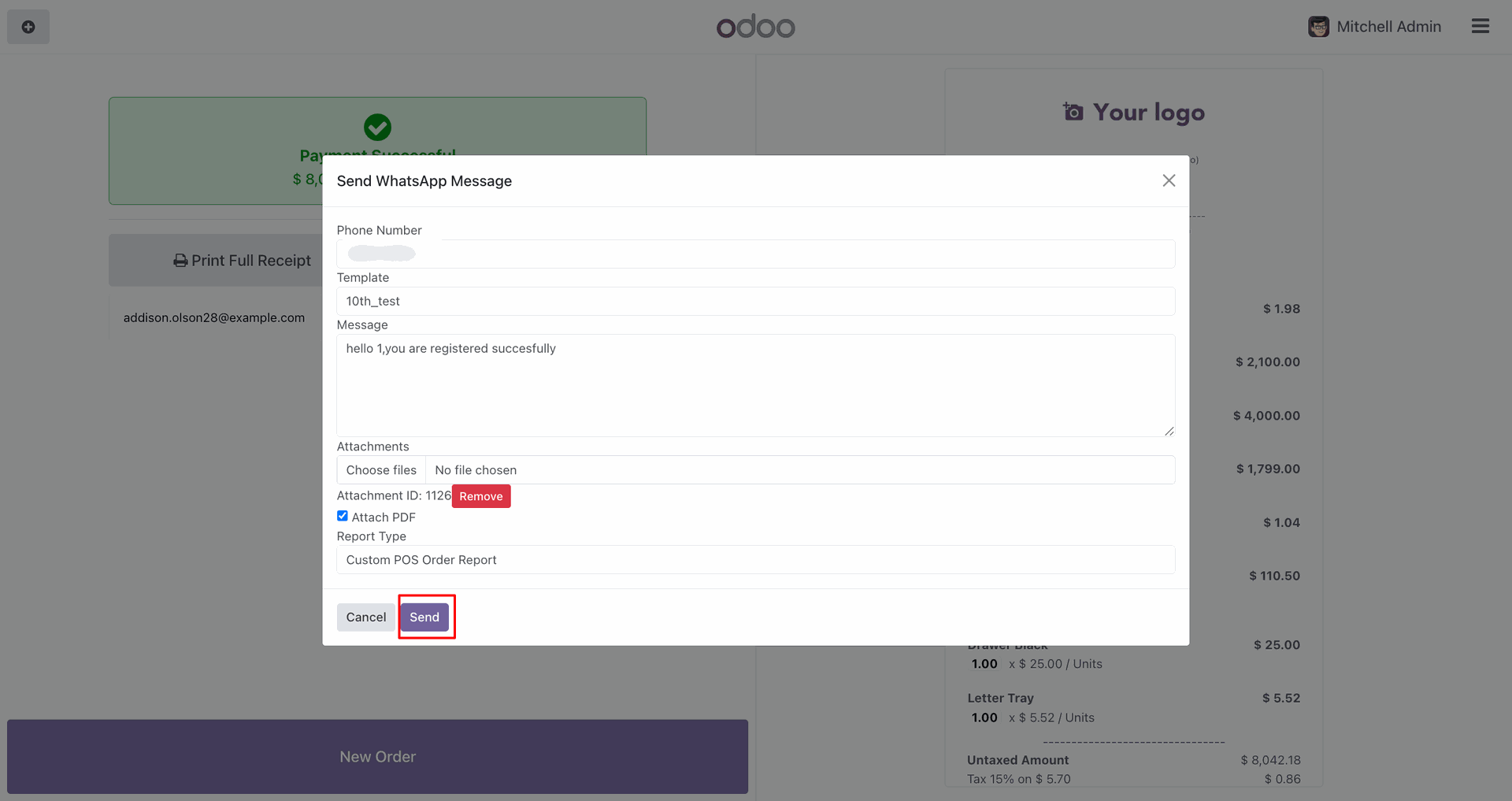
Click 'Send by WhatsApp'.
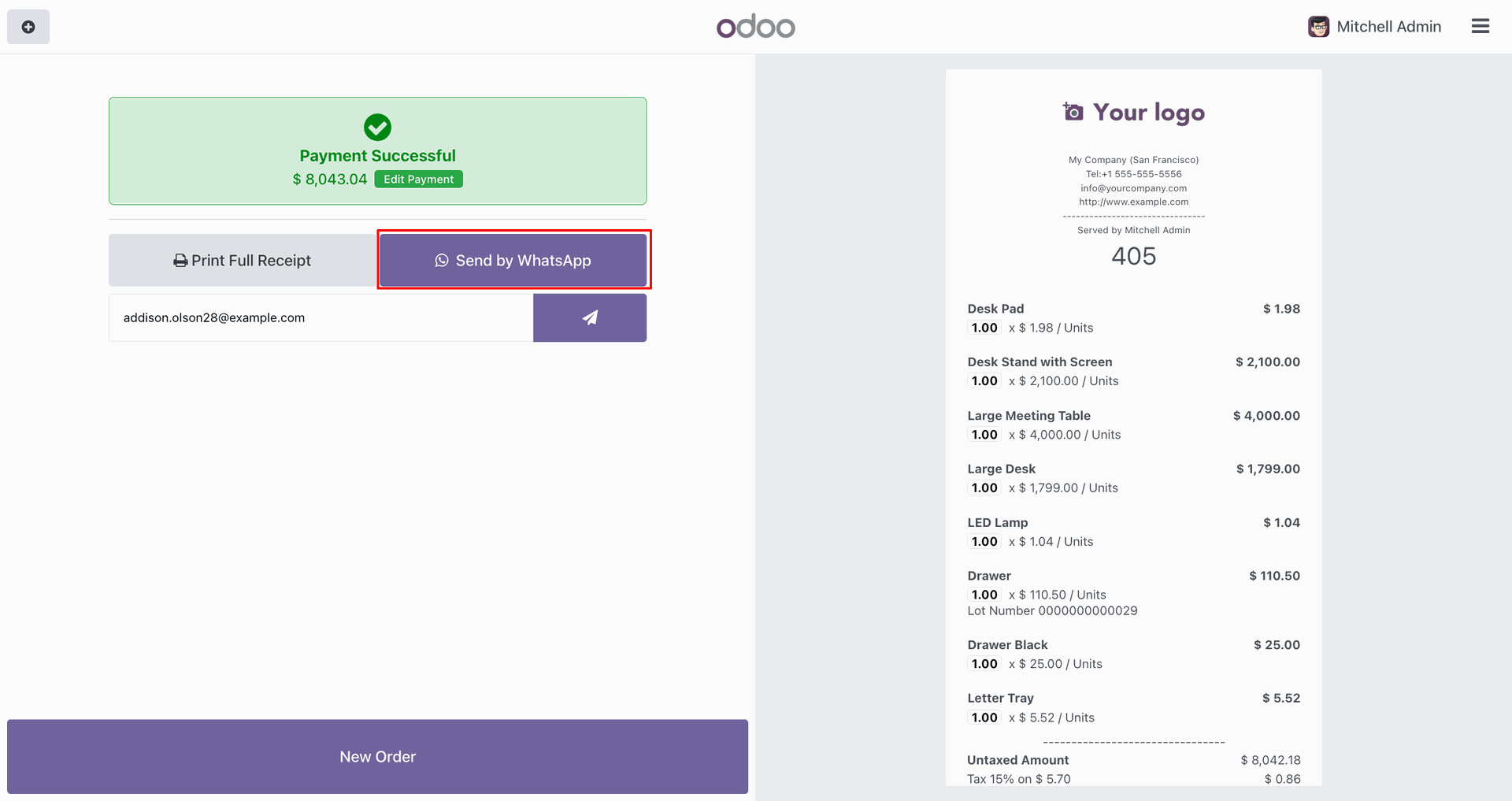
Fill in the details, click 'Send'.
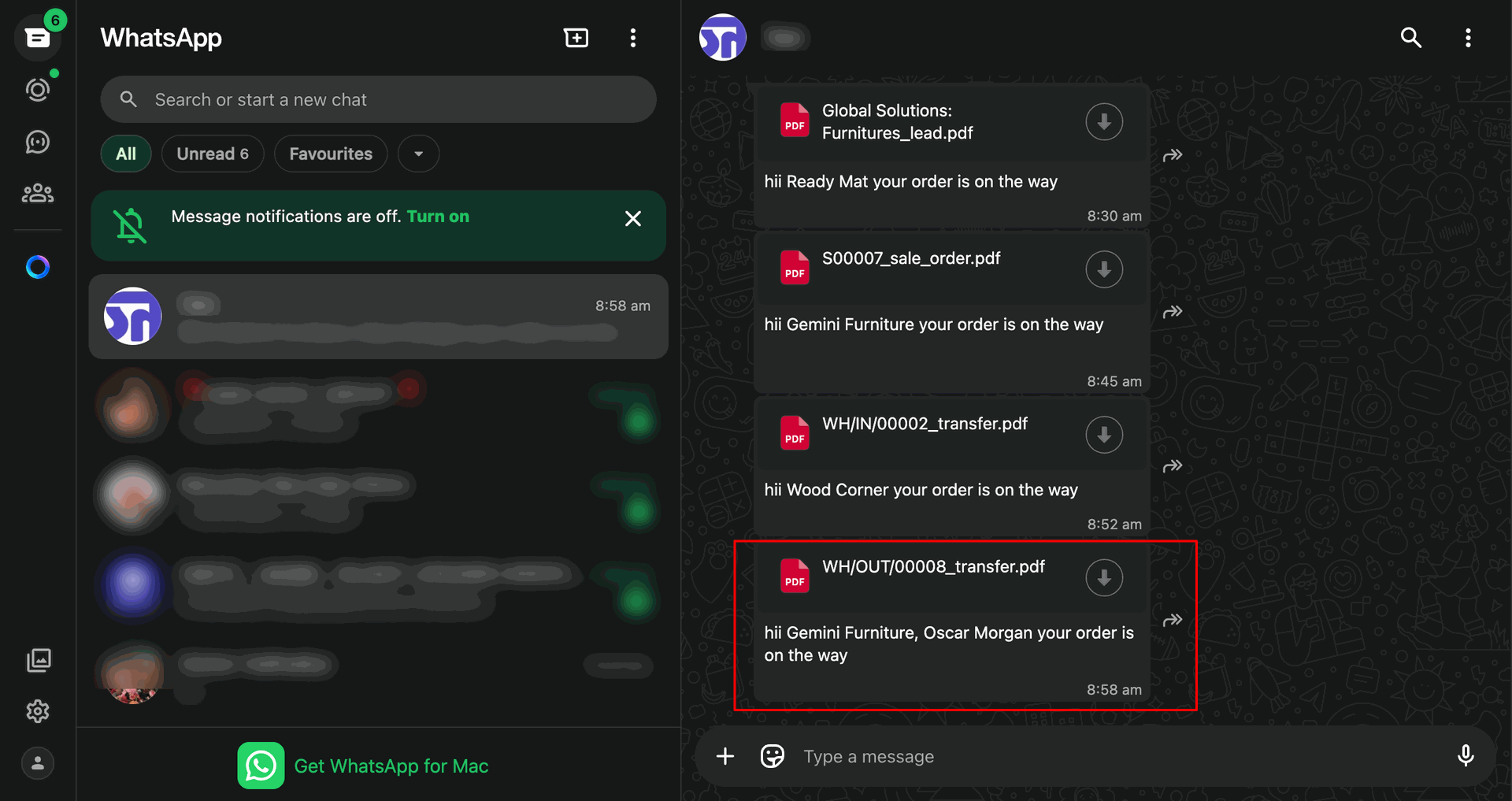
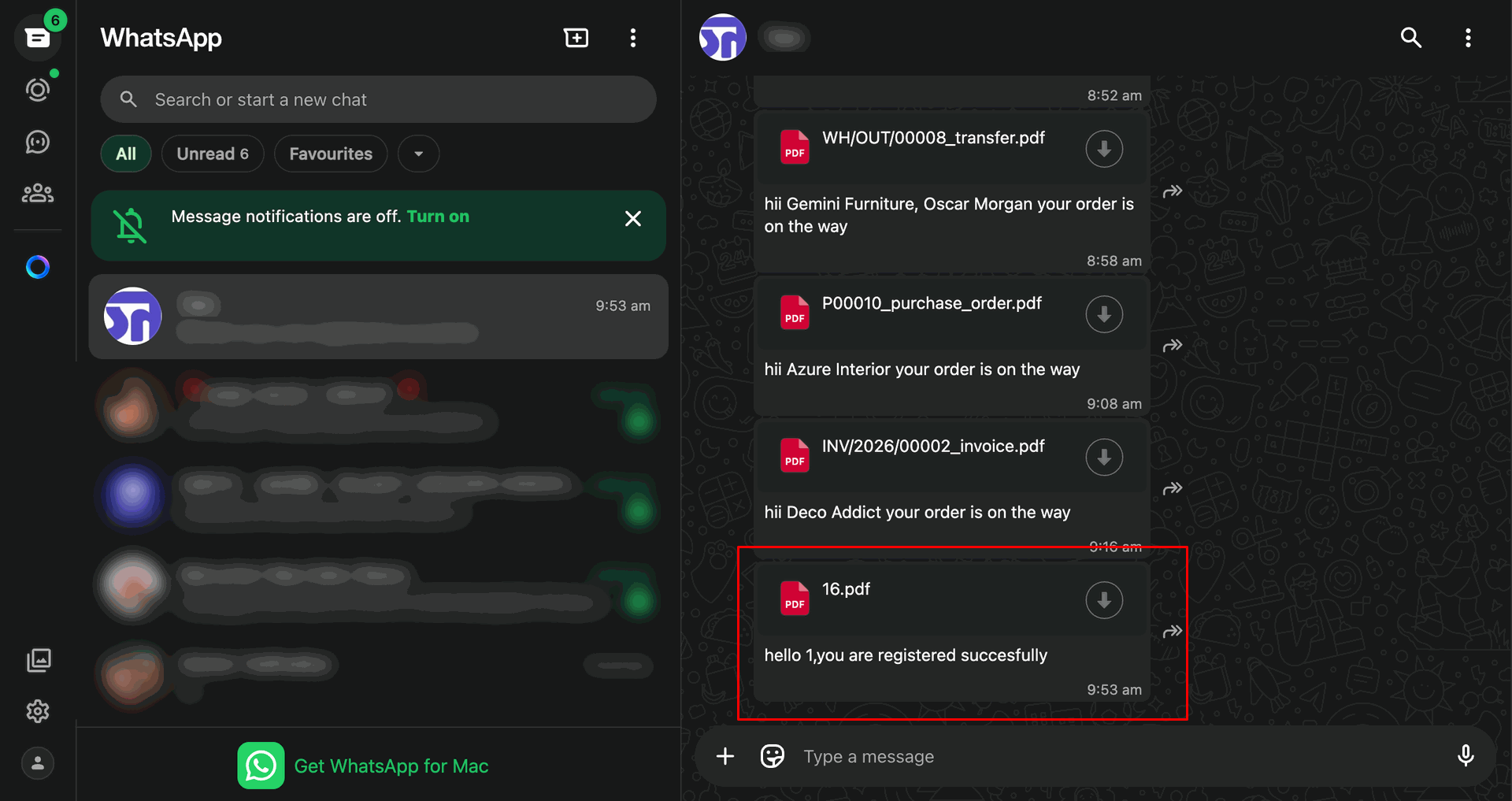
Shared file in WhatsApp.
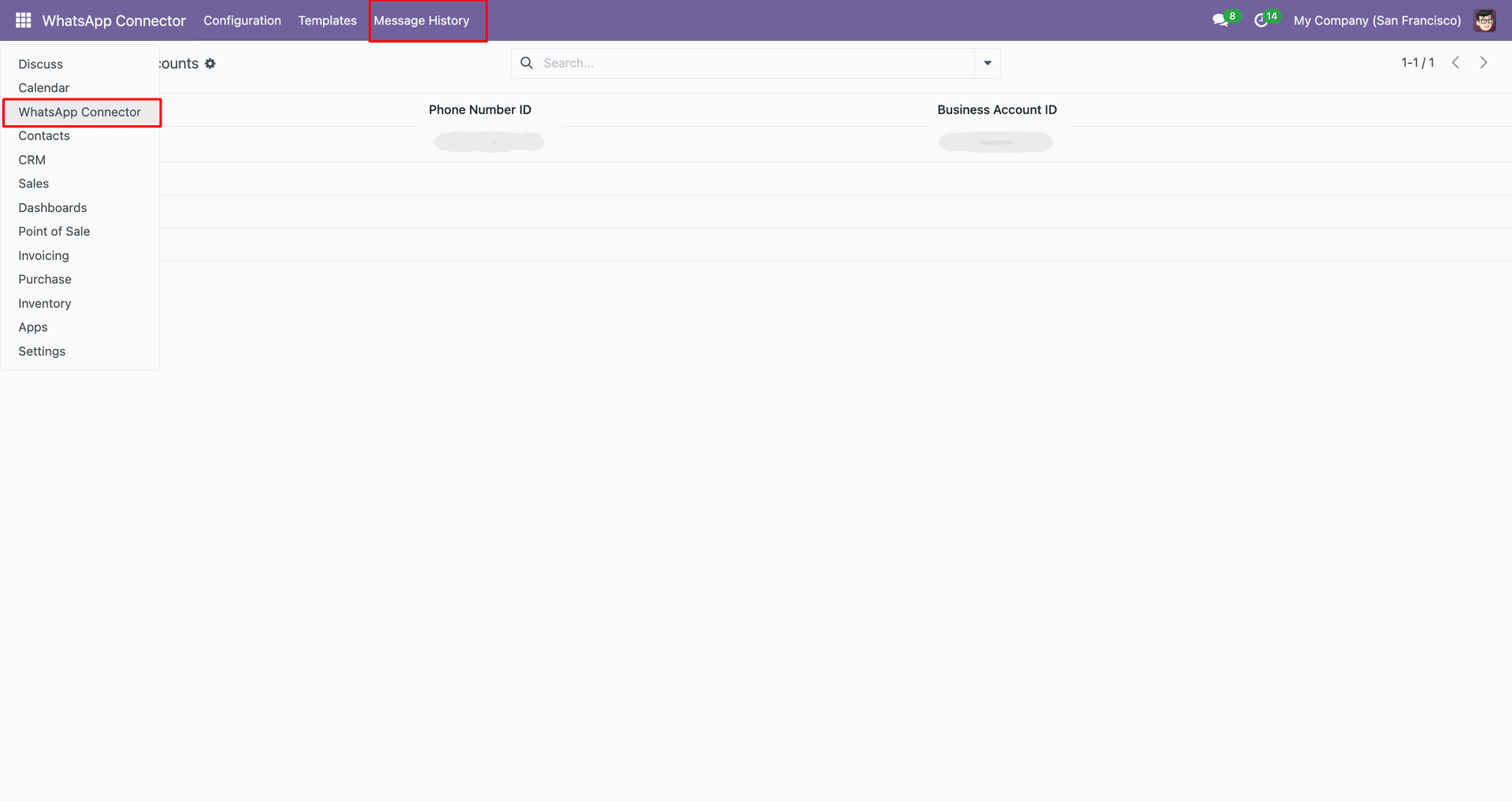
Go to the 'Message History'.
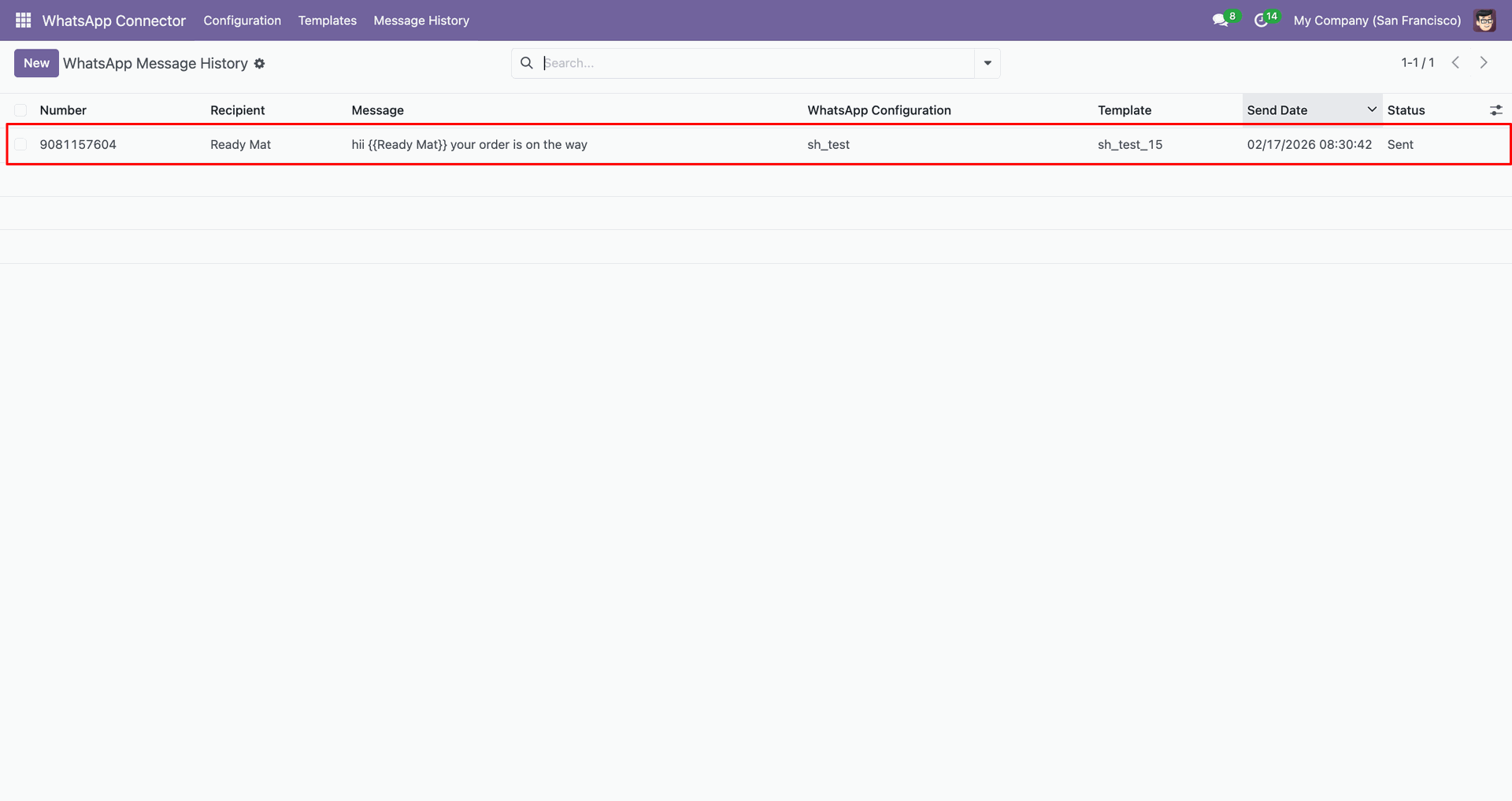
Track history with details.
Go to the 'WhatsApp Marketing'.
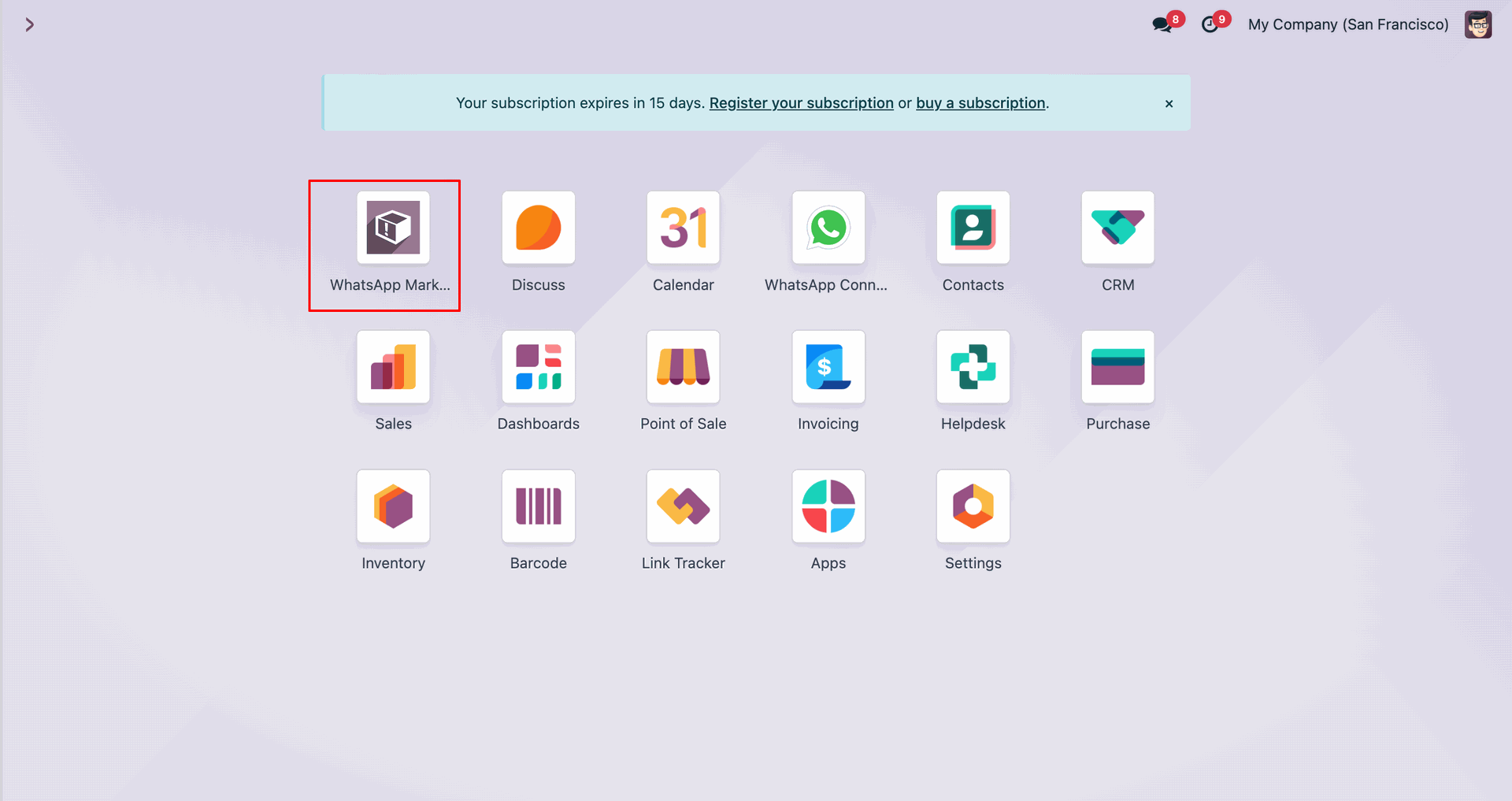
Click 'New' to create a marketing contact.
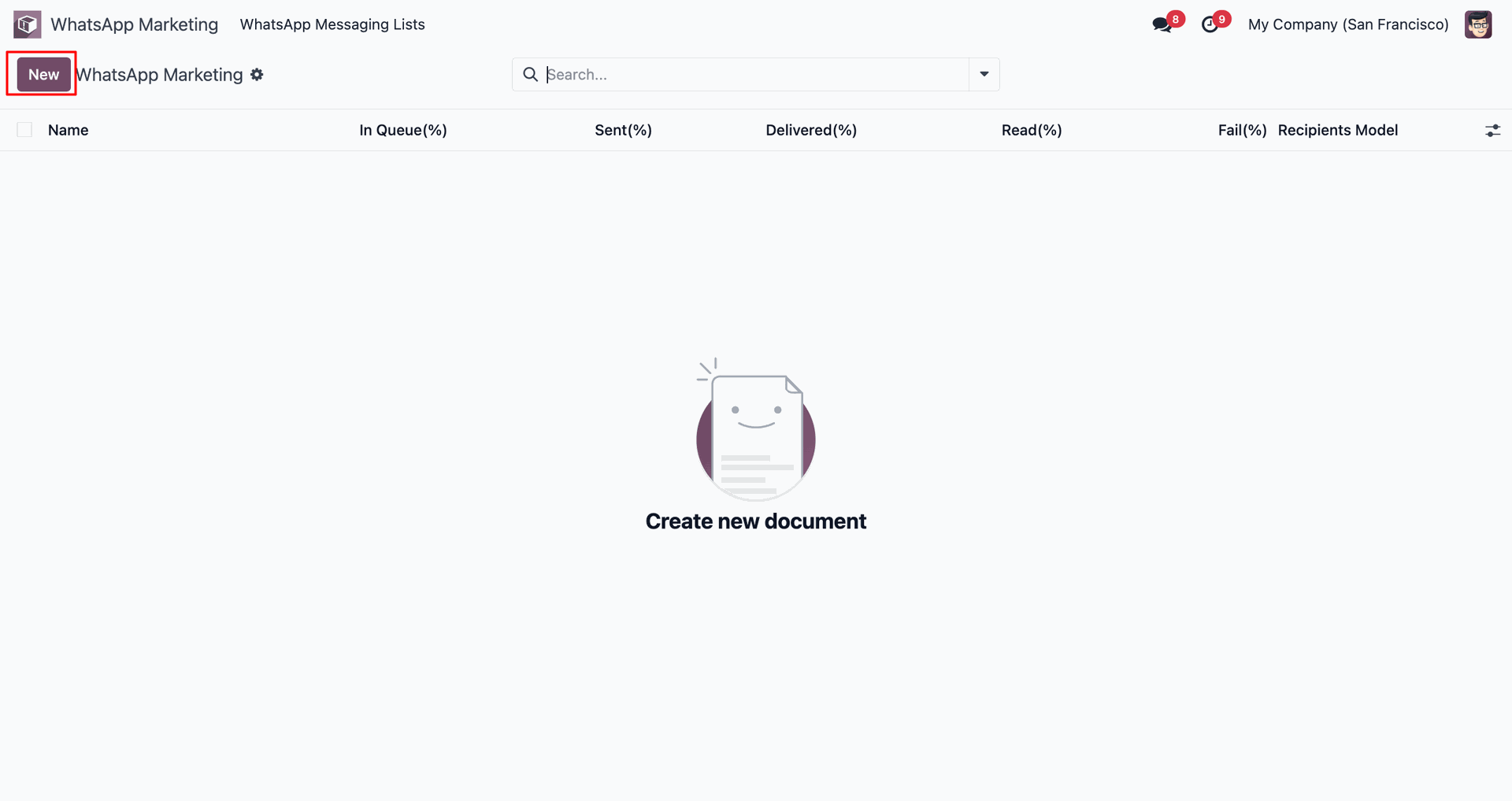
Select recipient model as Contact and click 'Send Now'.
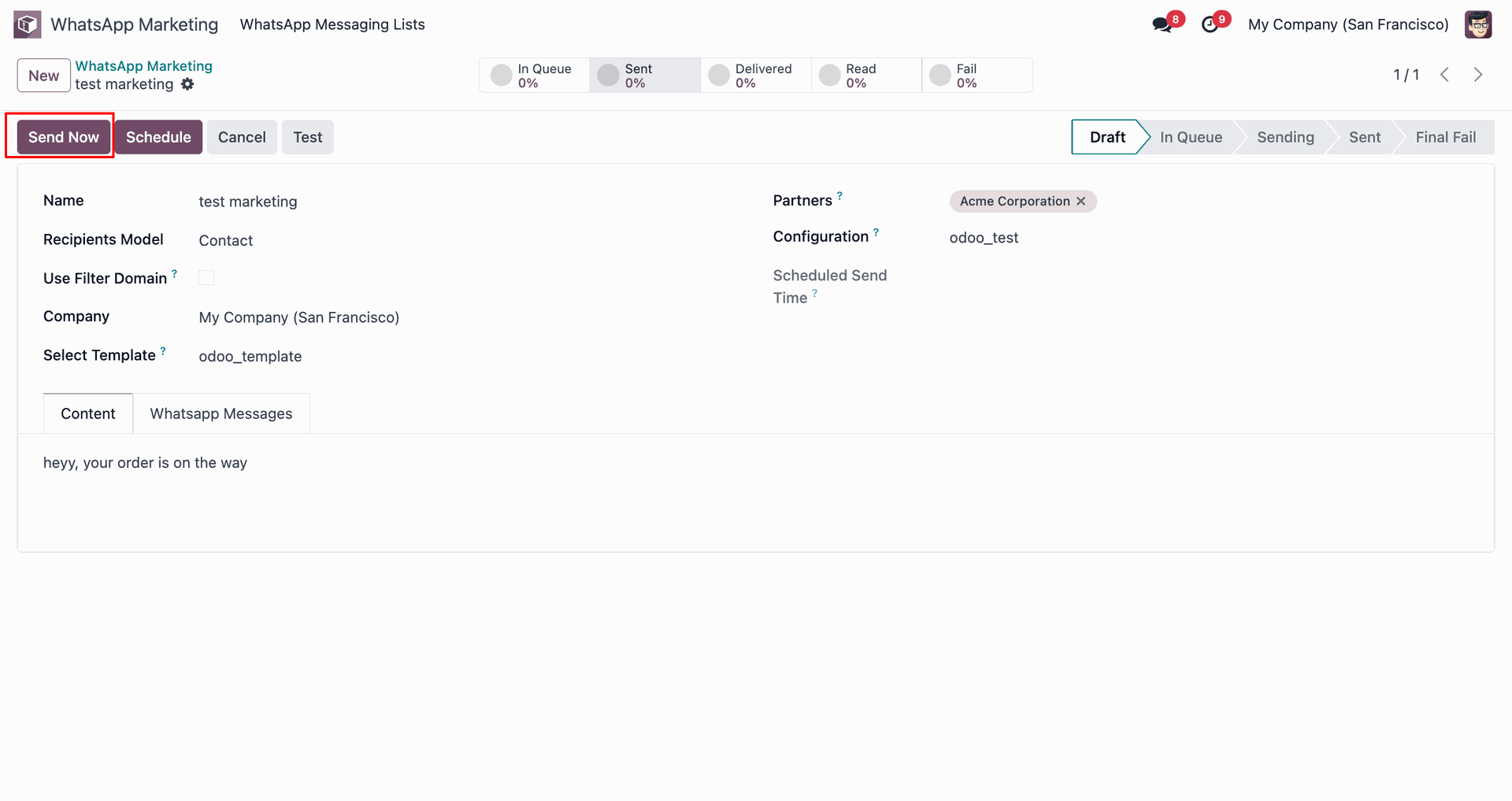
Message stage updated to 'Sent'.
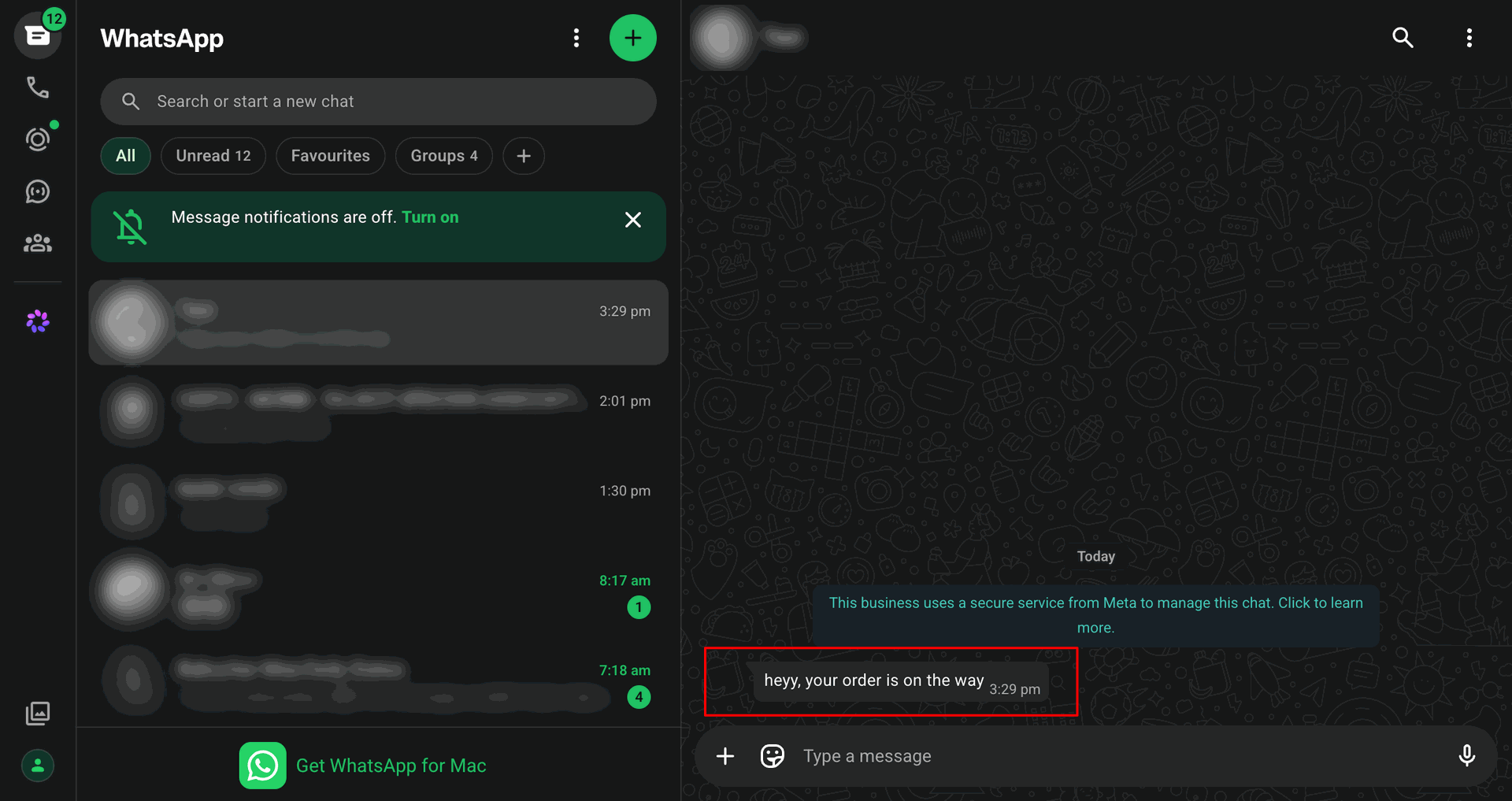
View the sent WhatsApp message.
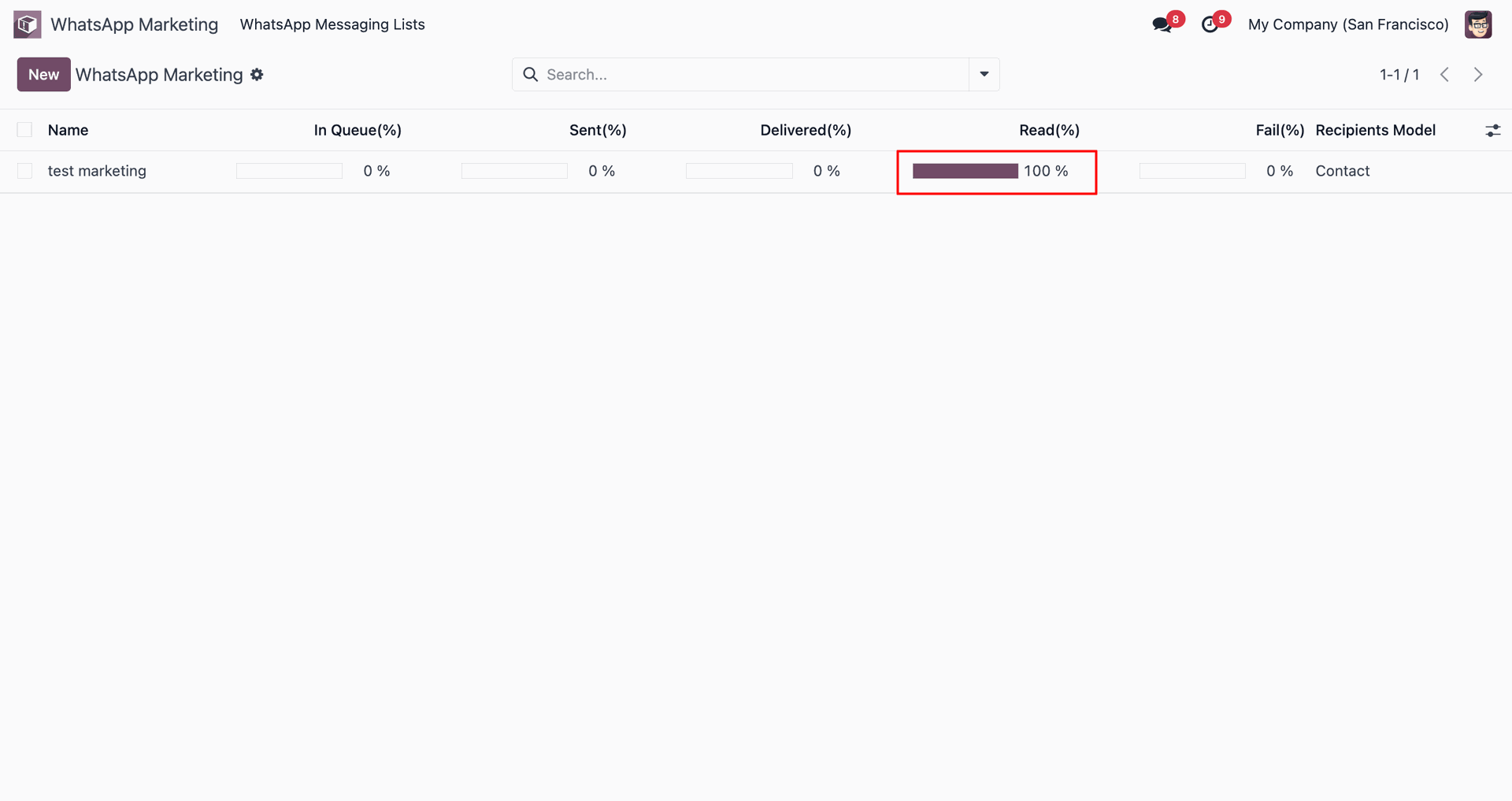
Track delivery and read status statistics.
Open the Discuss module and click 'WhatsApp Channel'.
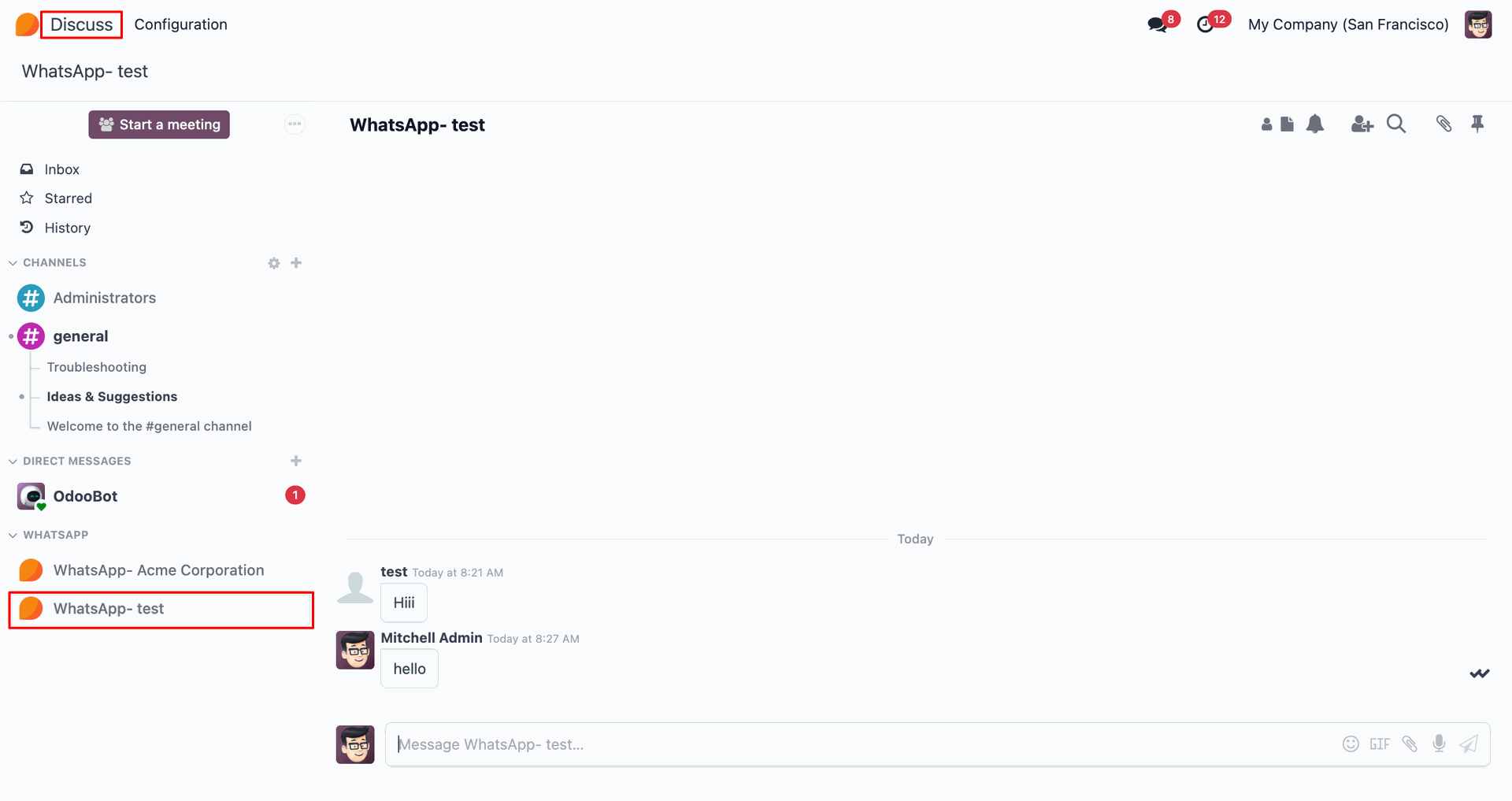
Select recipient for WhatsApp chat.
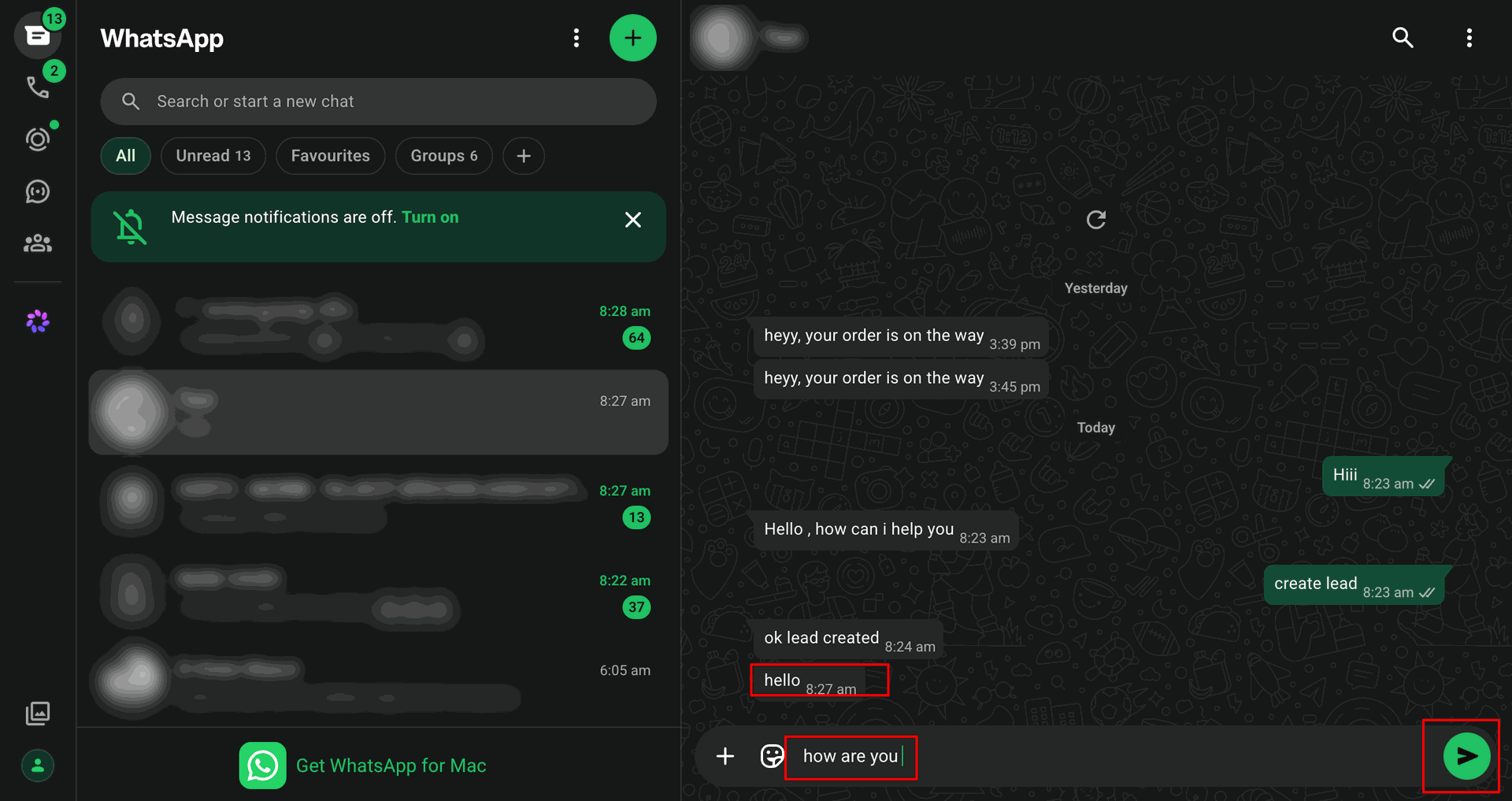
Start live chat directly from the Discuss channel.
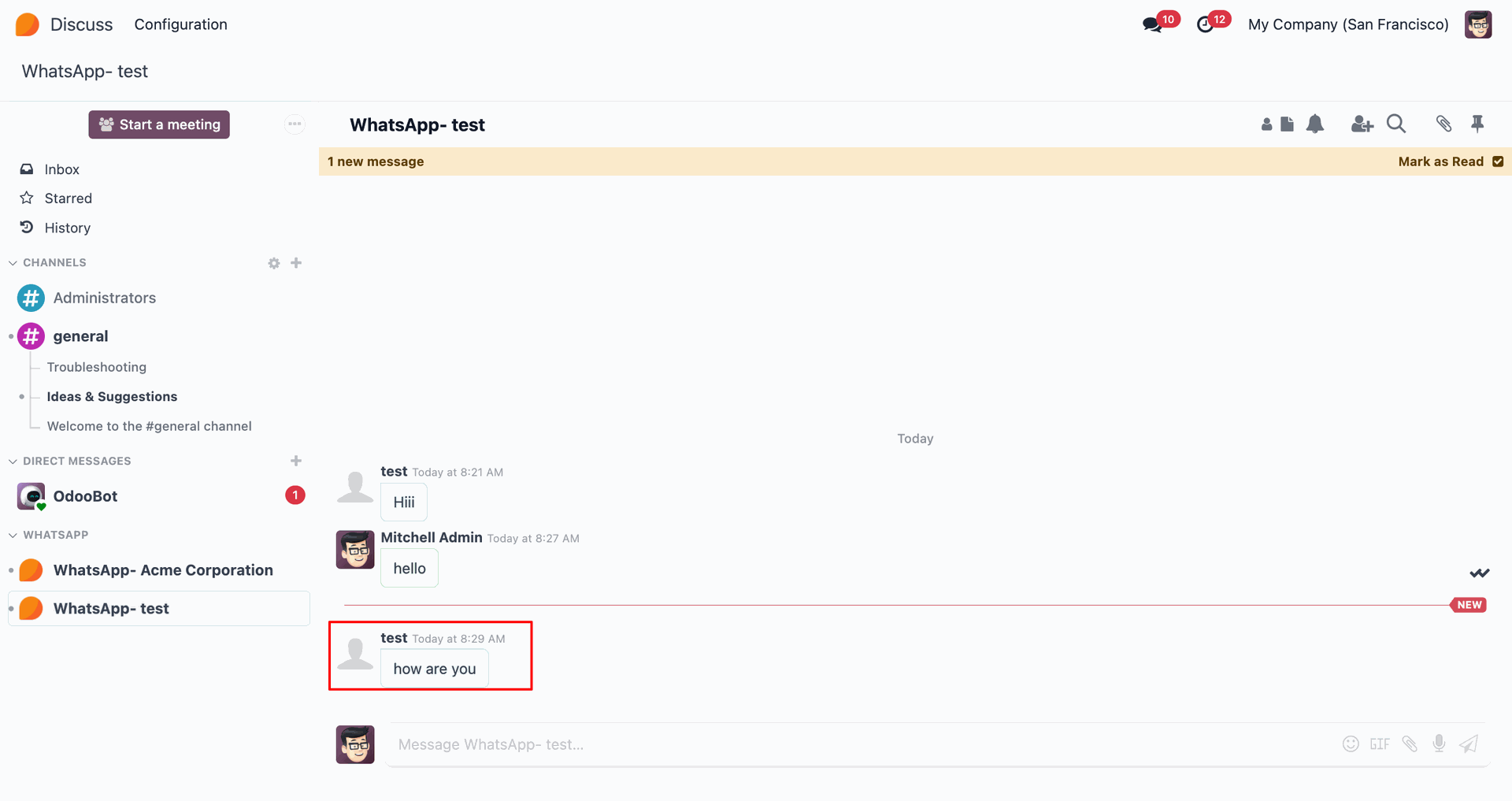
View messages received in WhatsApp.
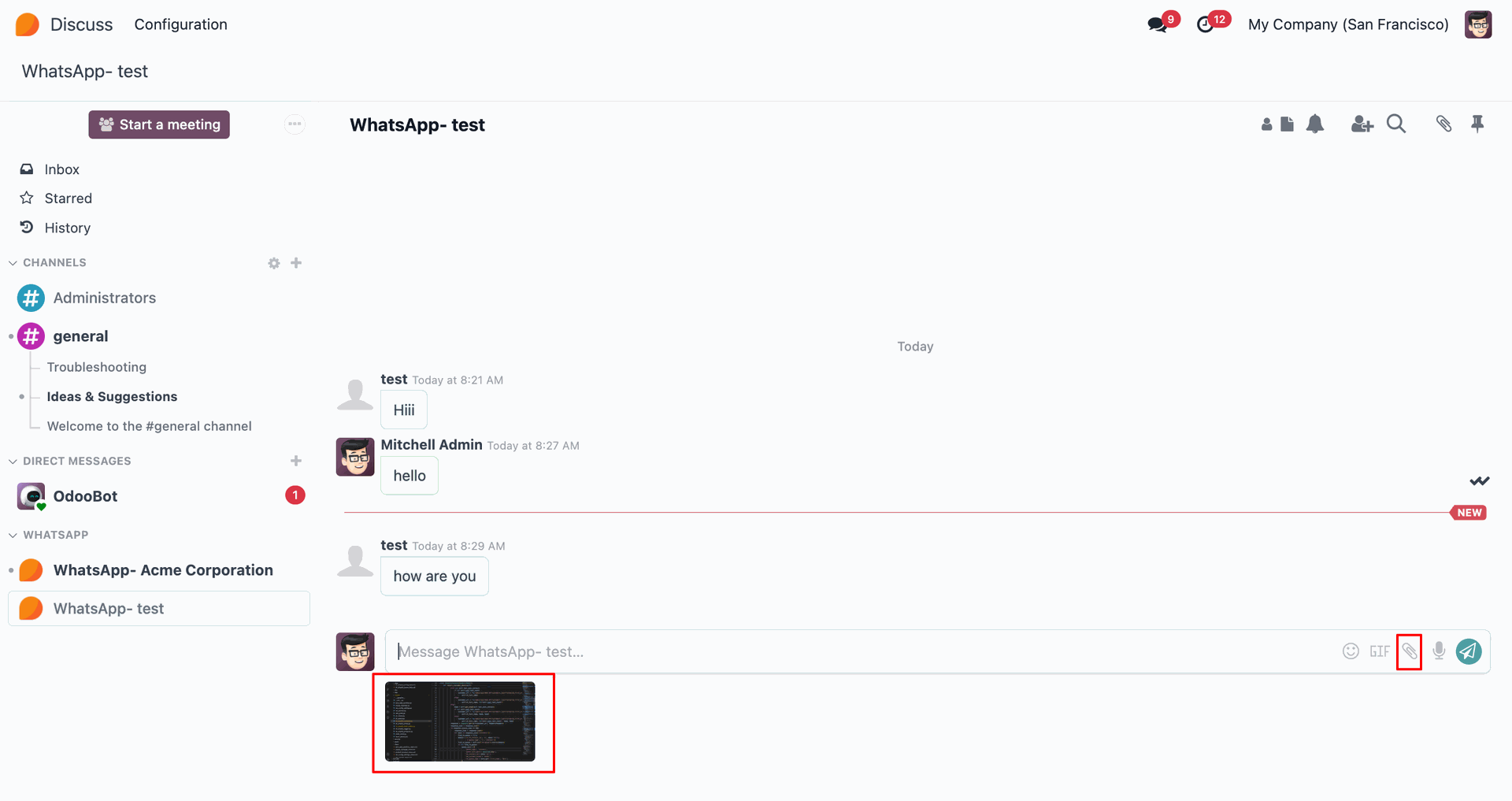
Receive incoming WhatsApp messages in WhatsApp.
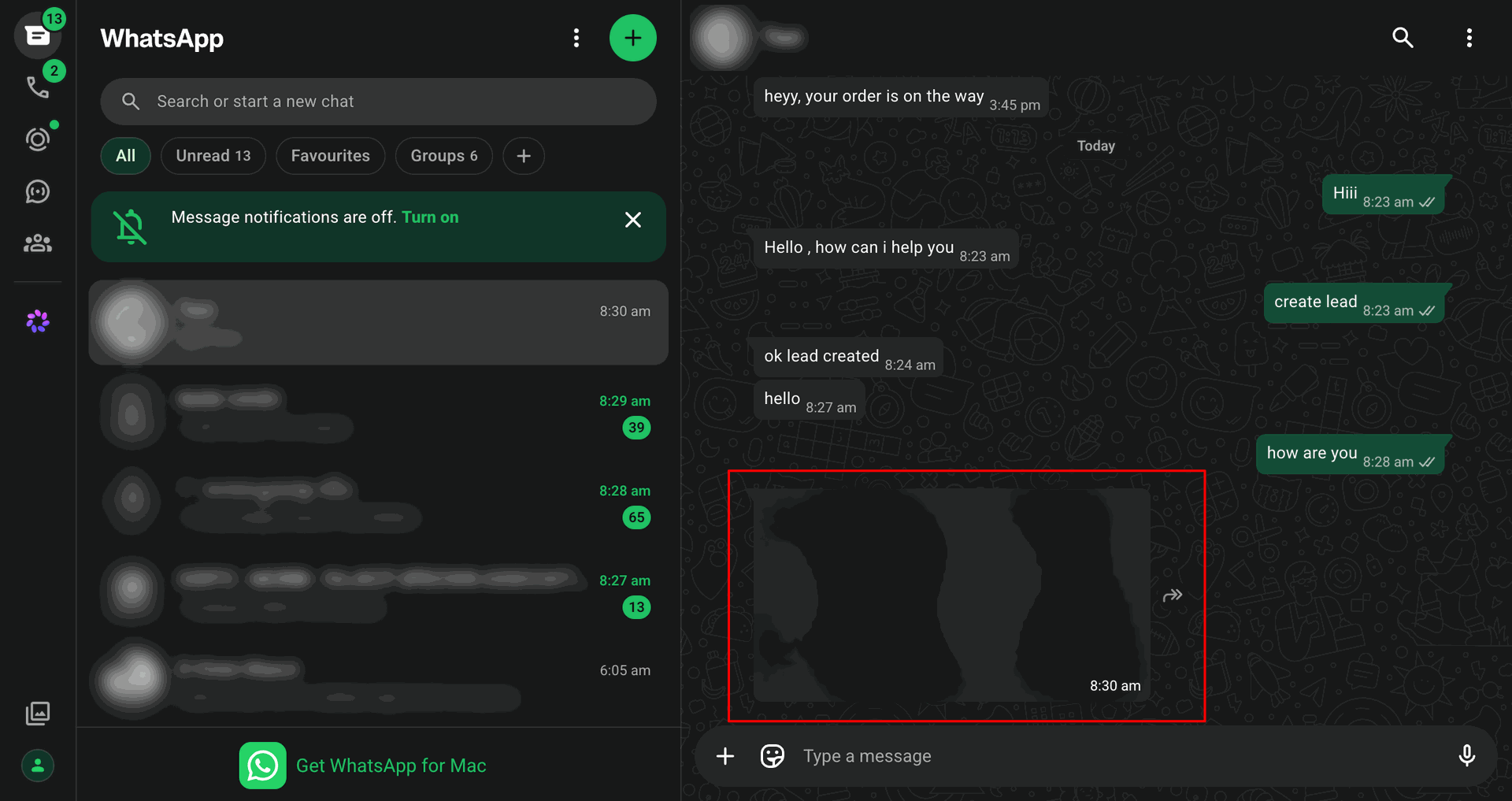
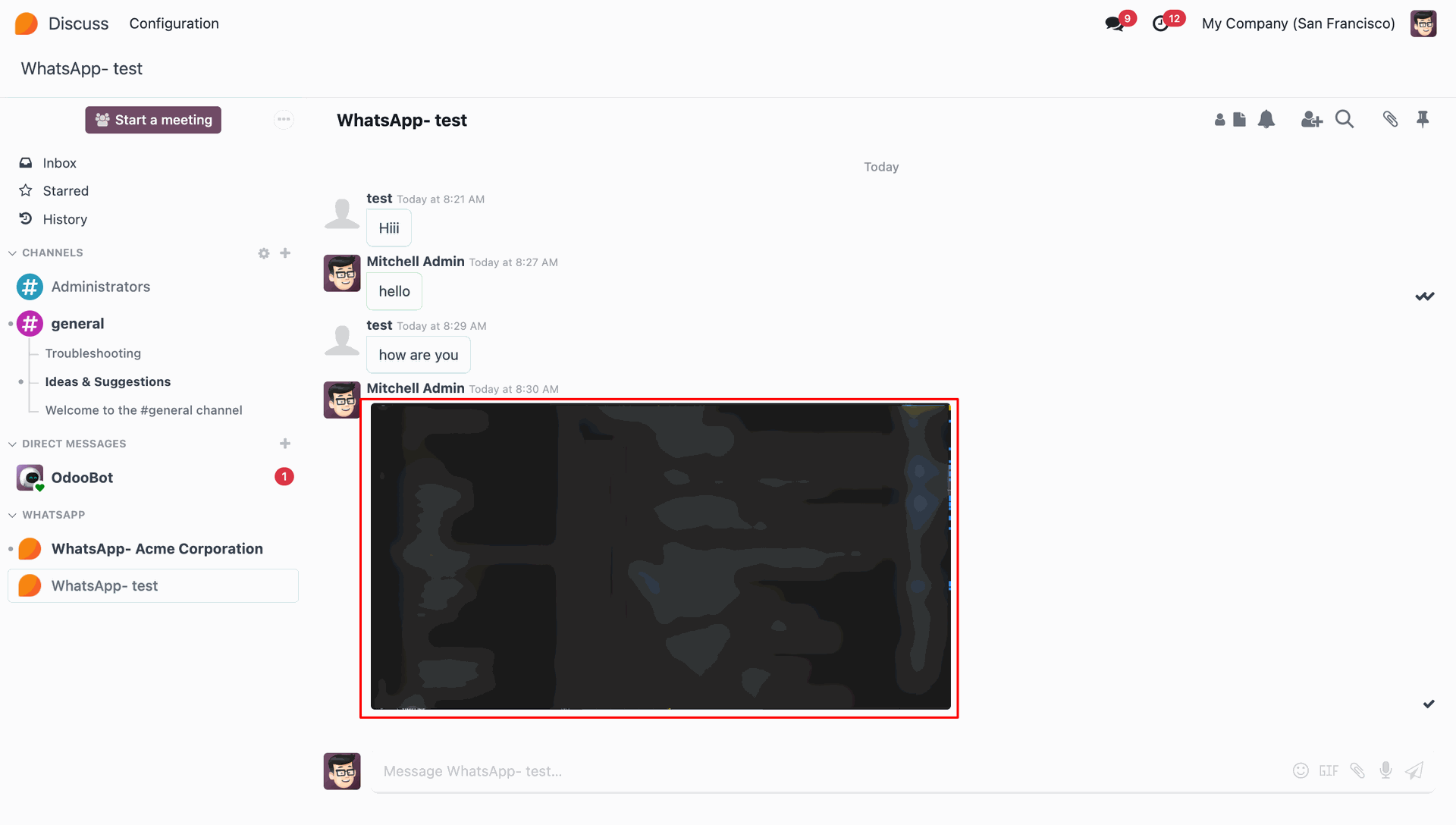
Continue bidirectional conversation seamlessly.
Go to the 'WhatsApp Marketing'.
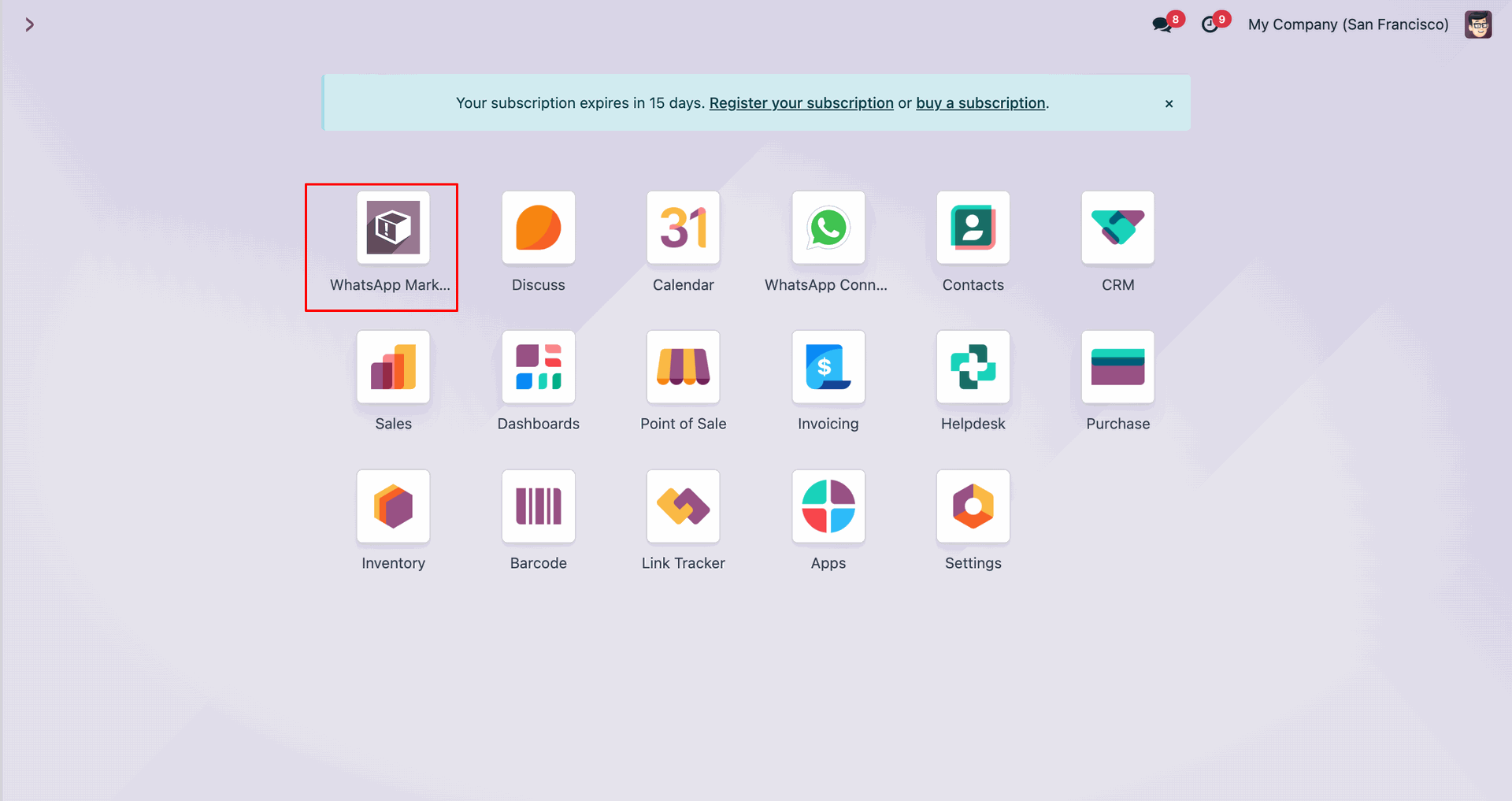
Click 'WhatsApp Messaging Lists'.
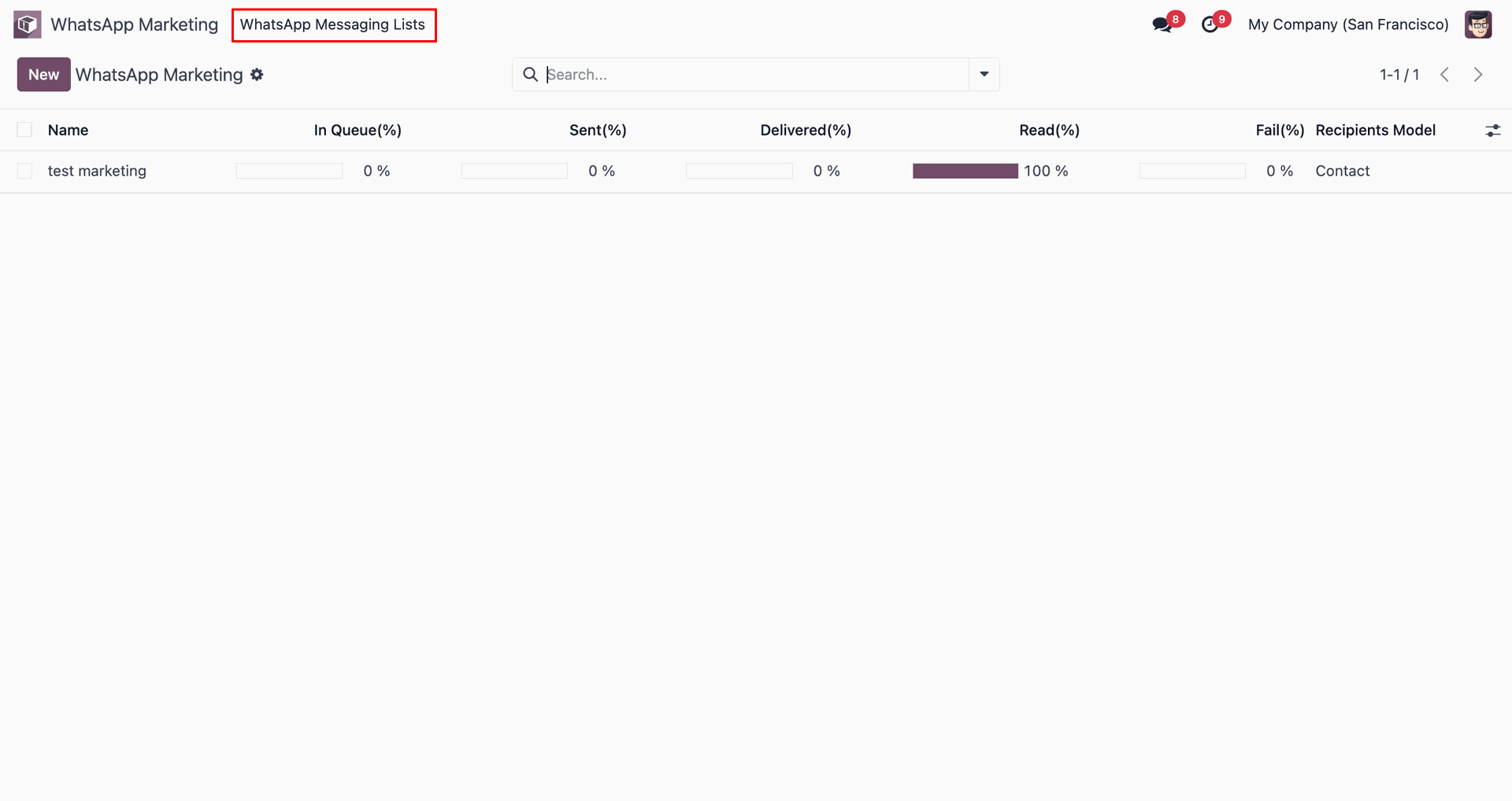
Select 'WhatsApp Messaging Lists' from dropdown menu.
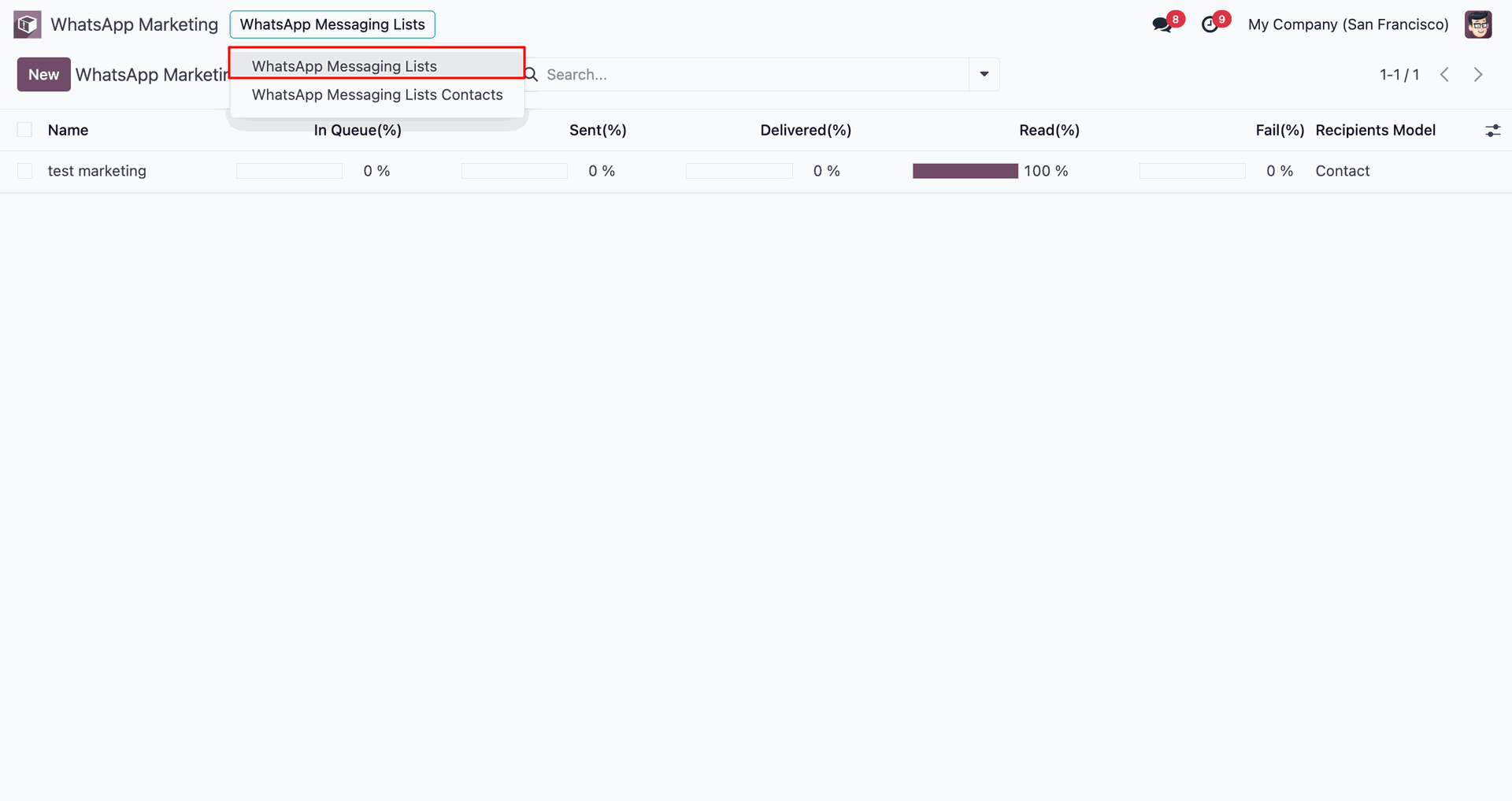
Click 'New' to create a messaging list.
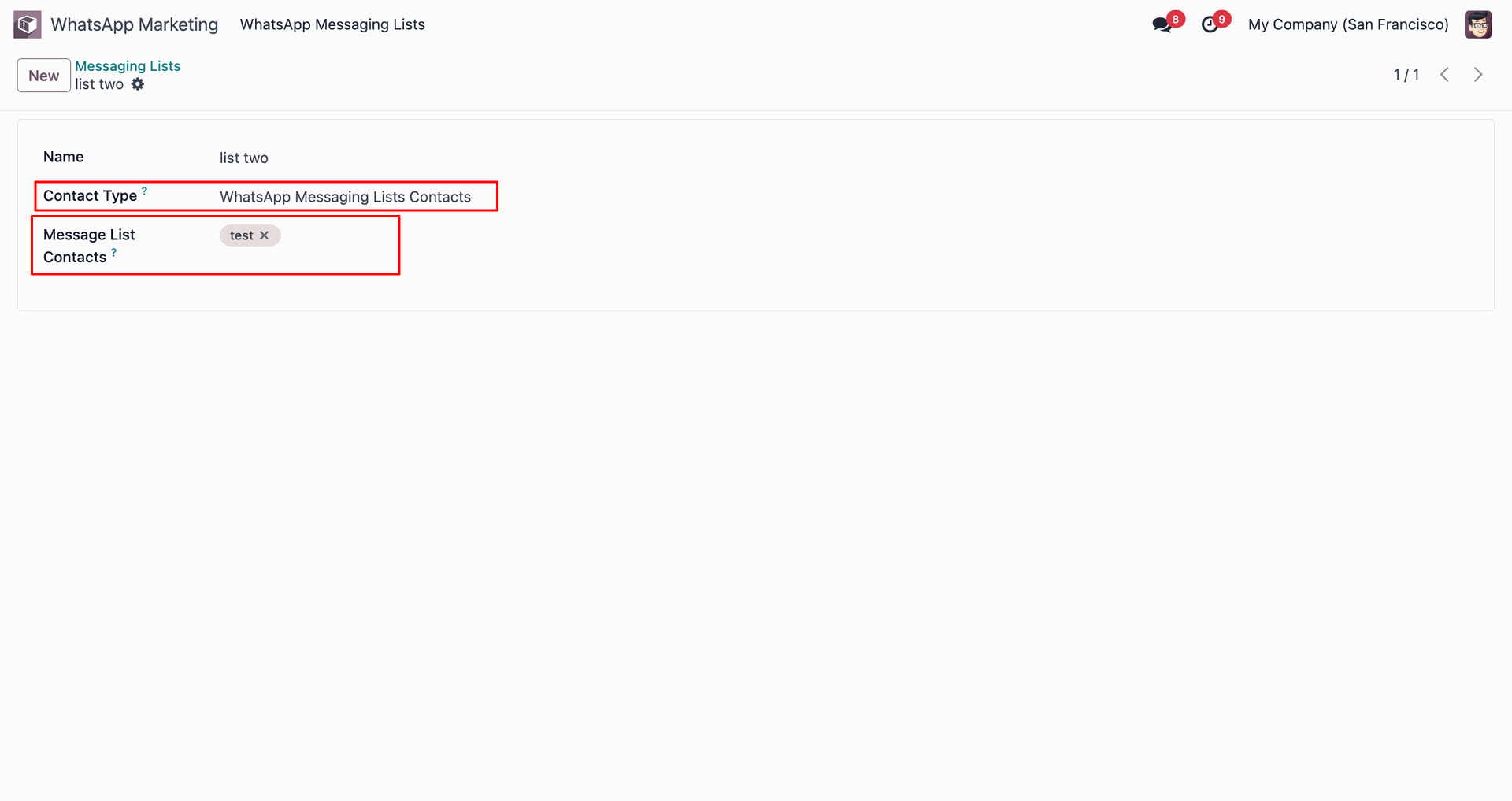
Configure the messaging list details and partners.
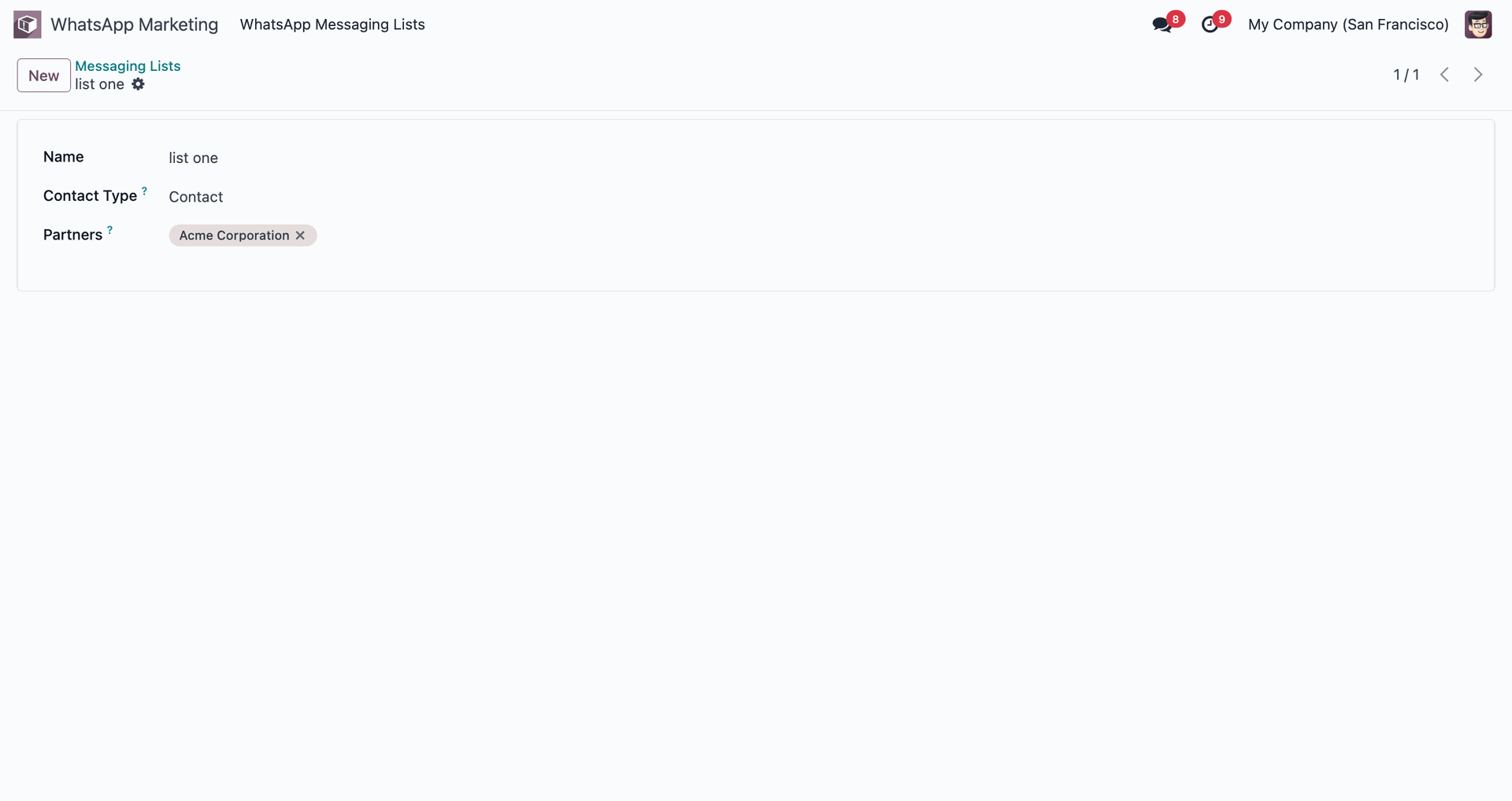
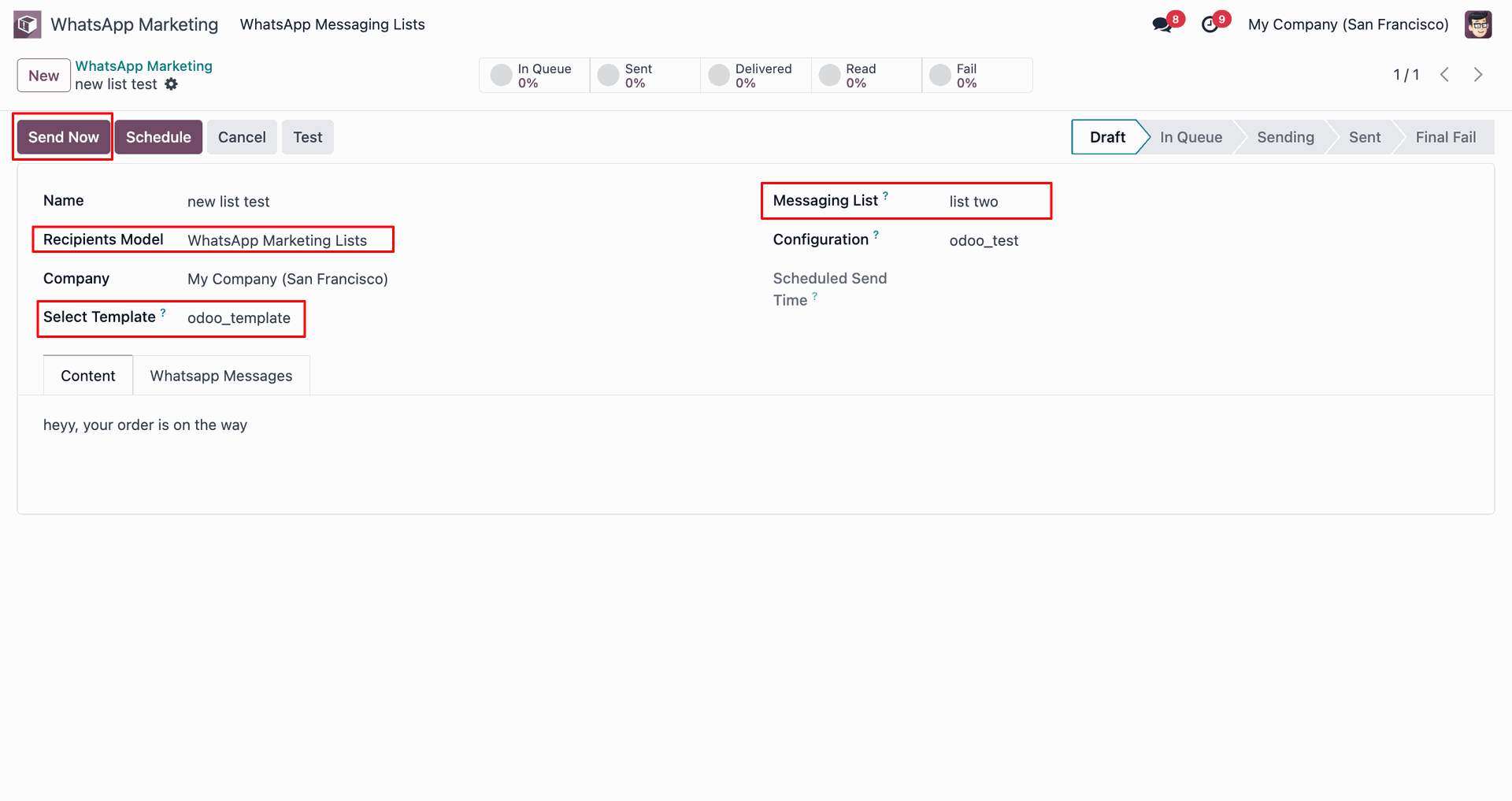
Select recipient model as WhatsApp Messaging Lists and click 'Send Now'.
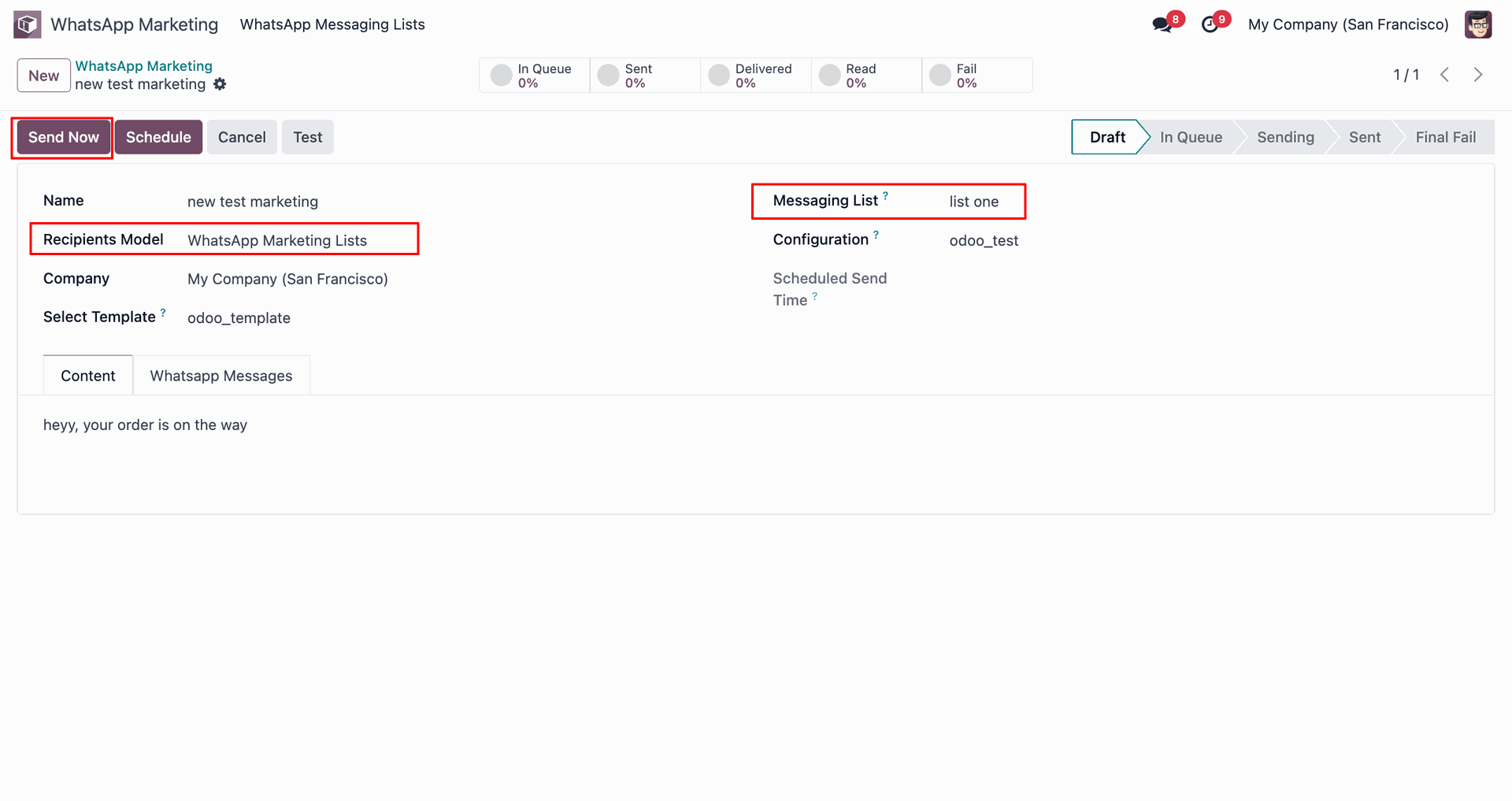
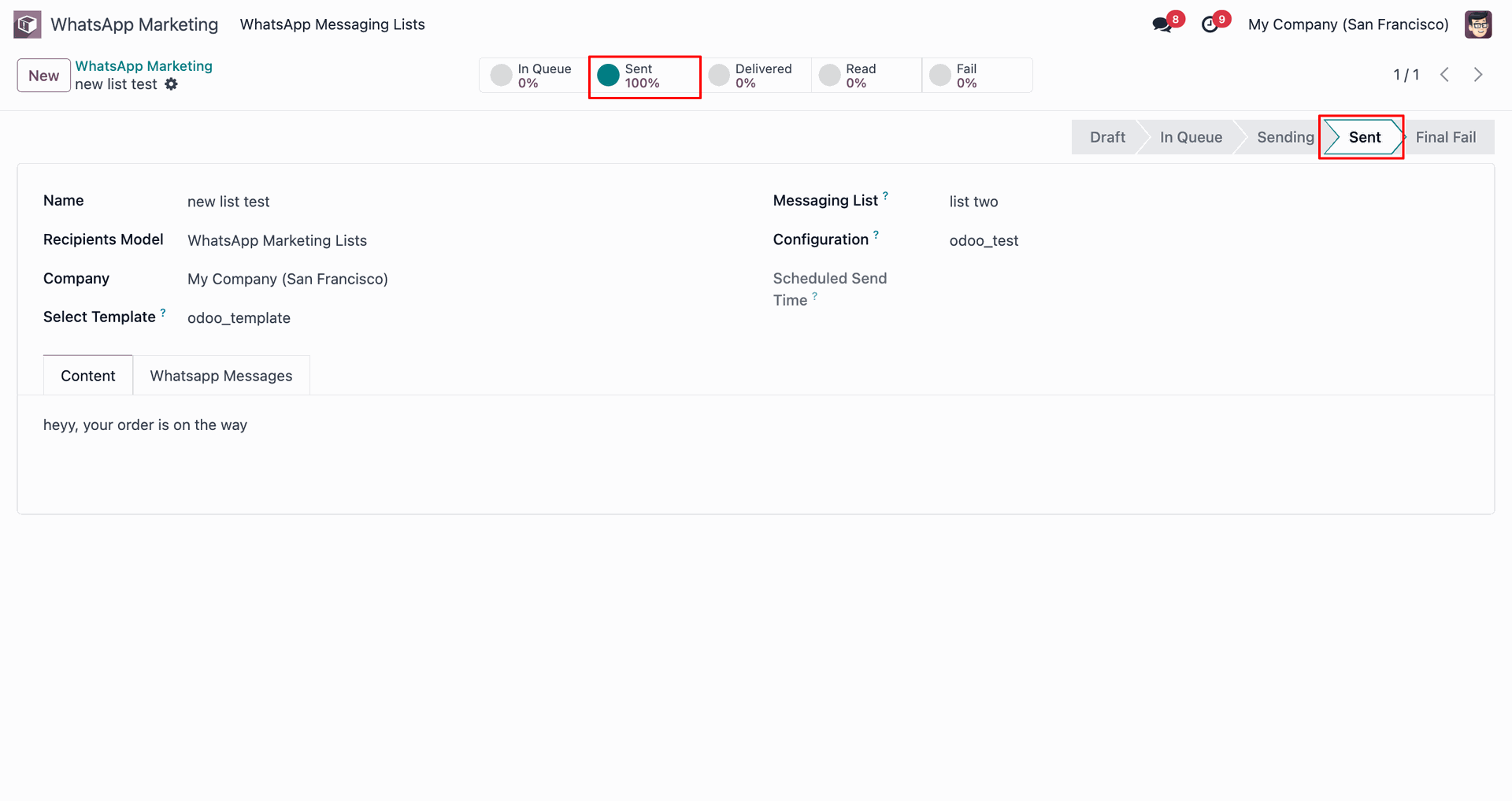
Message stage updated to 'Sent'.
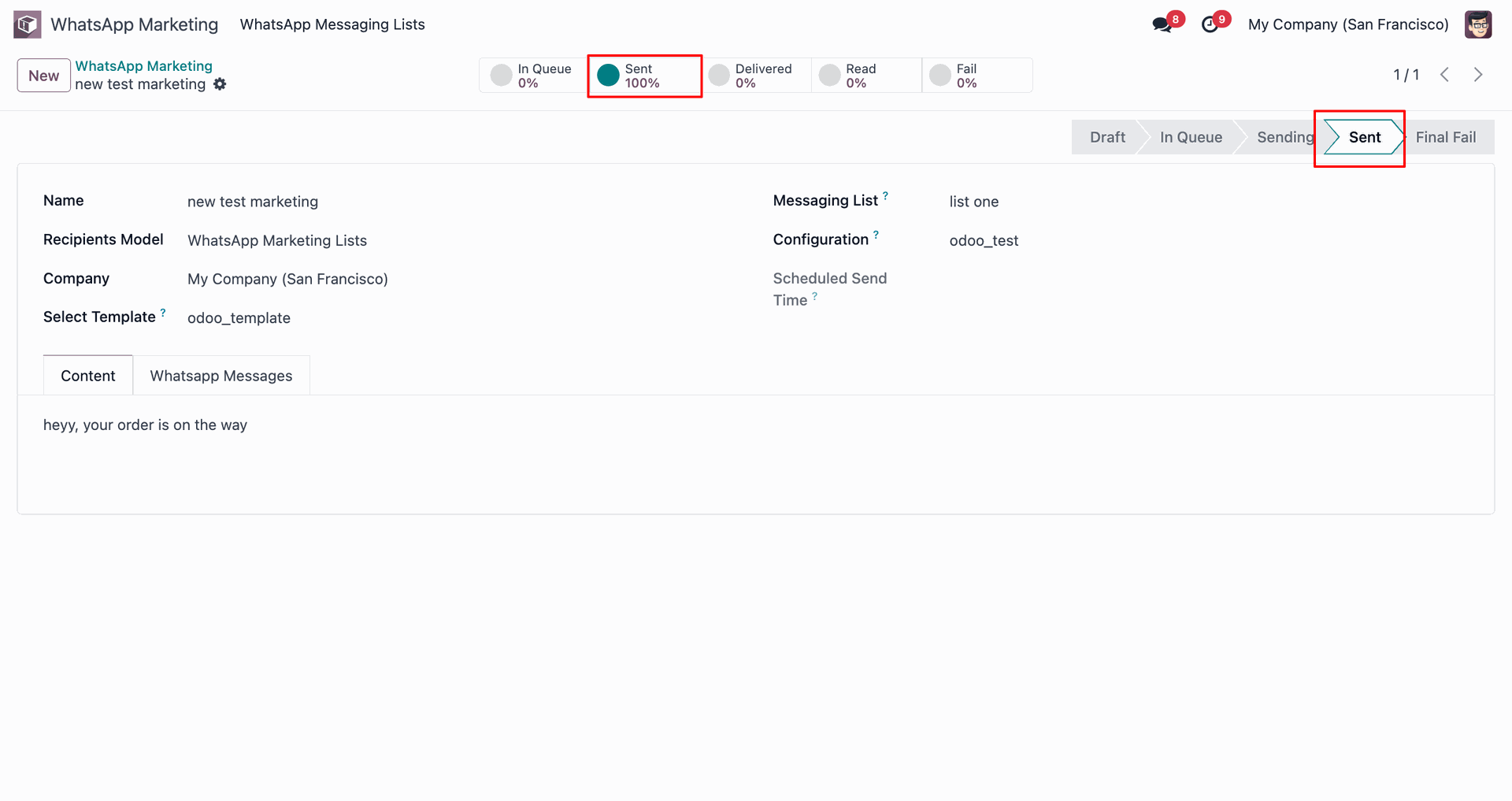
View the WhatsApp message.
Track delivery and read status statistics.
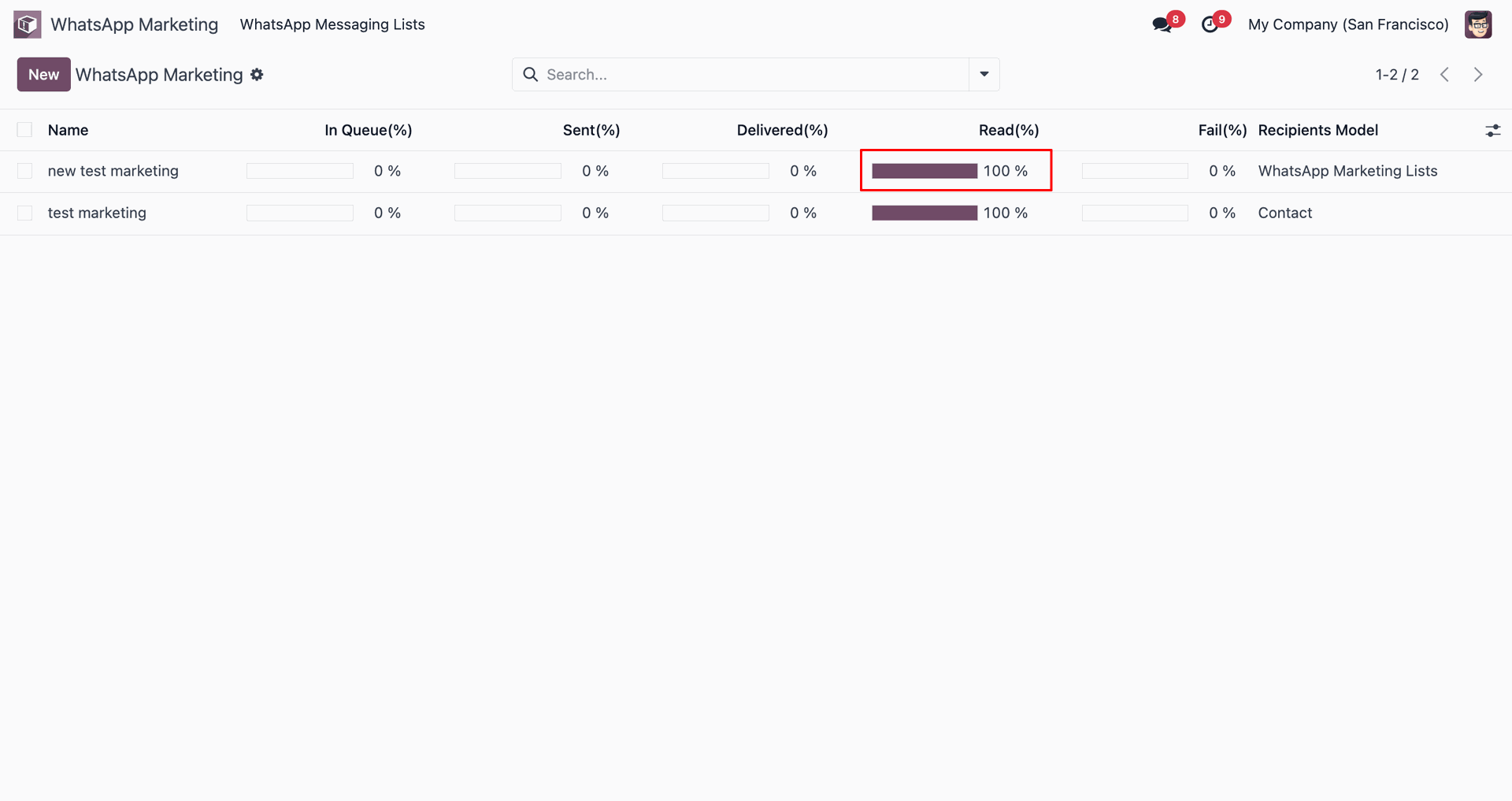
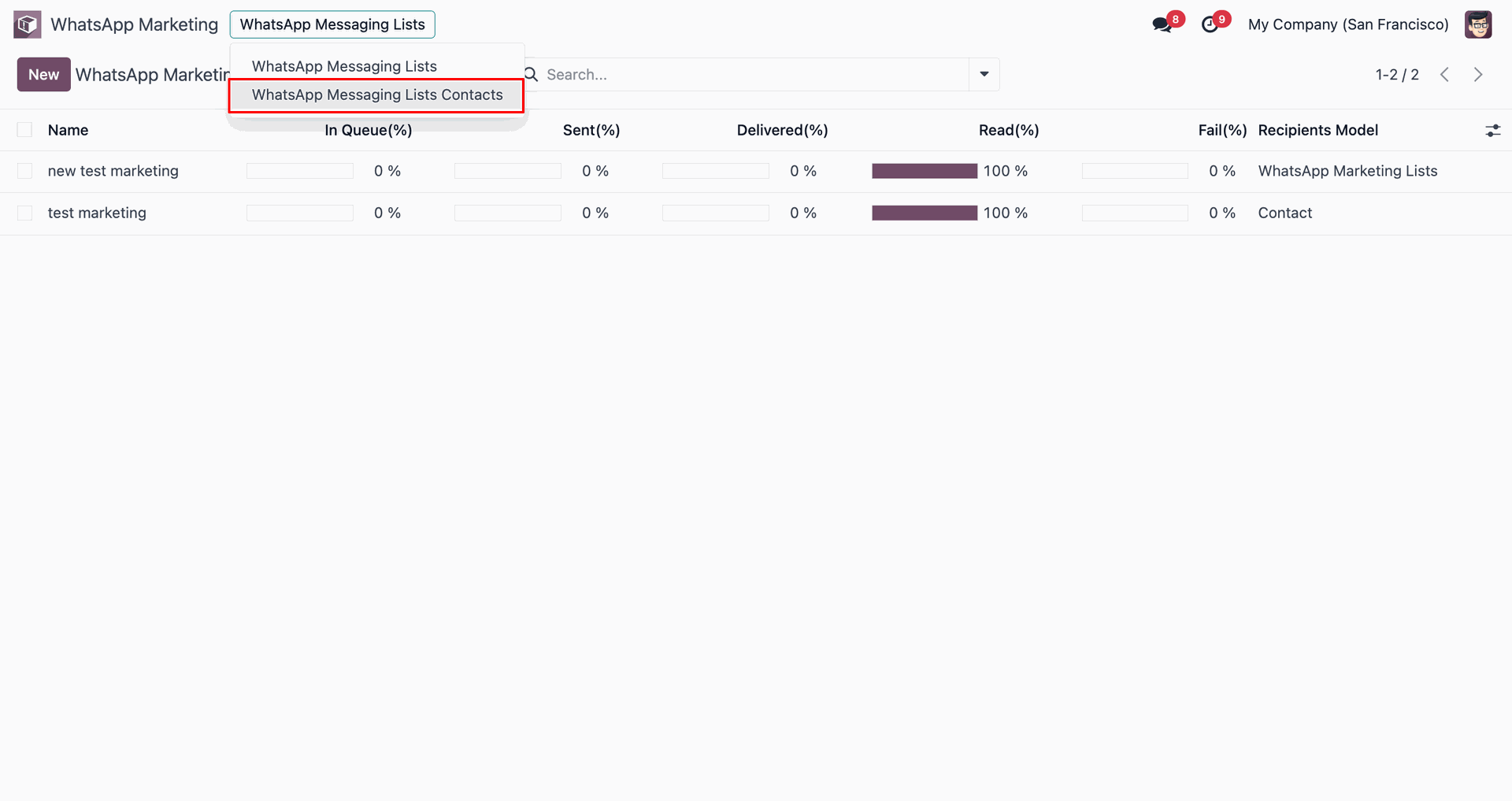
Select 'WhatsApp Messaging Lists Contacts' from dropdown menu.
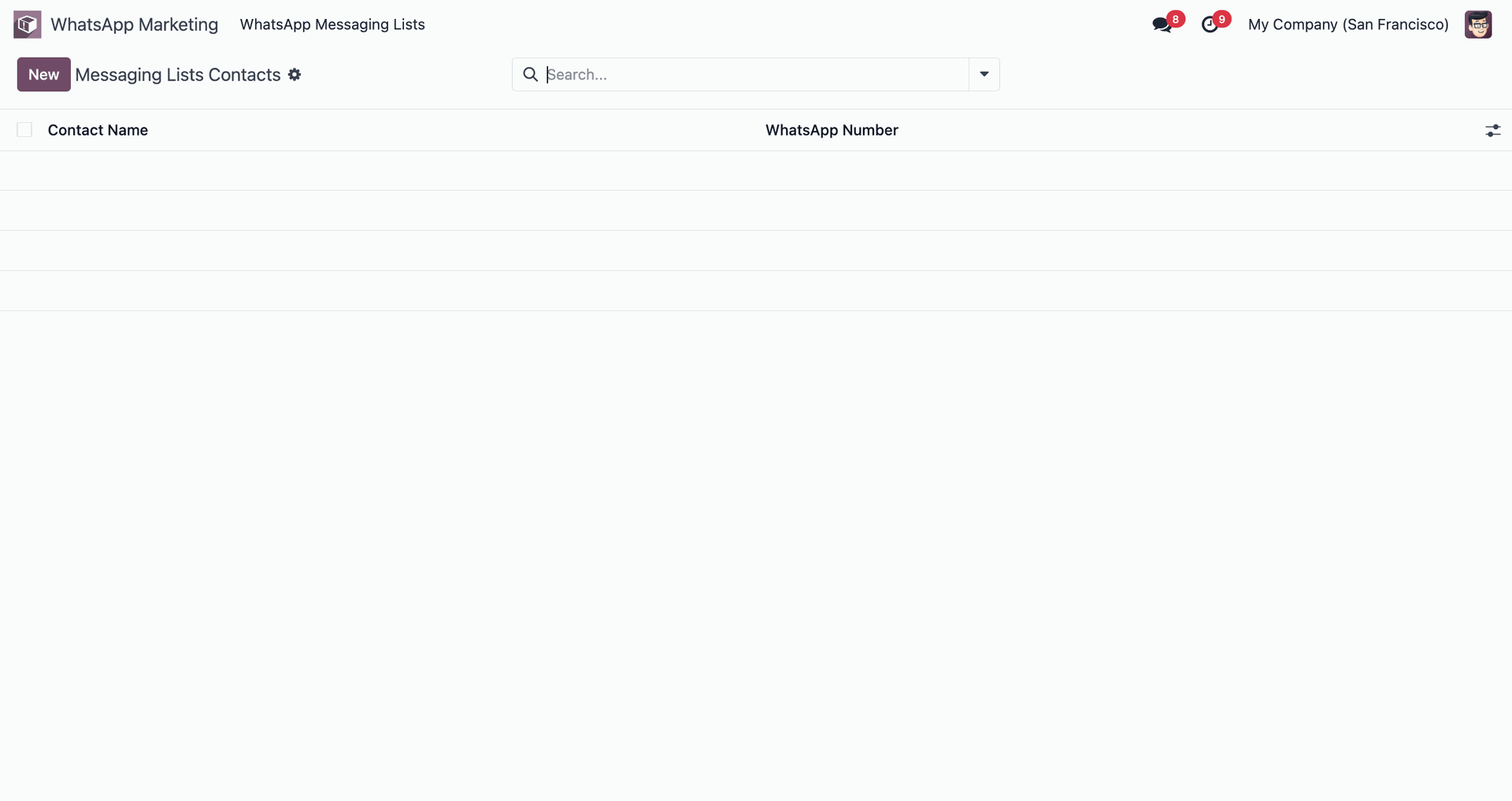
Click 'New' to add messaging list contacts.
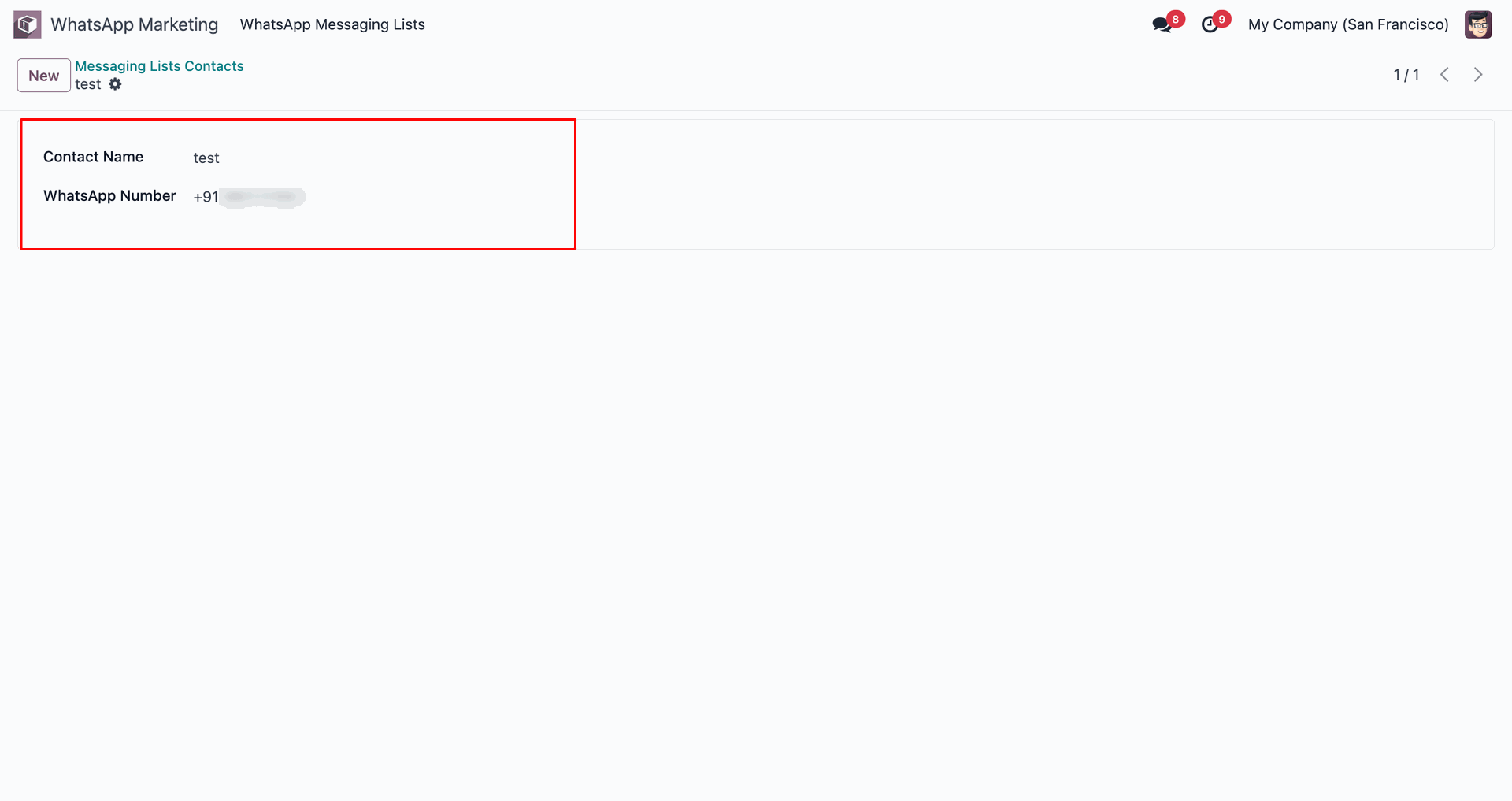
Add contact name and WhatsApp number.
Go back to 'WhatsApp Messaging Lists'.
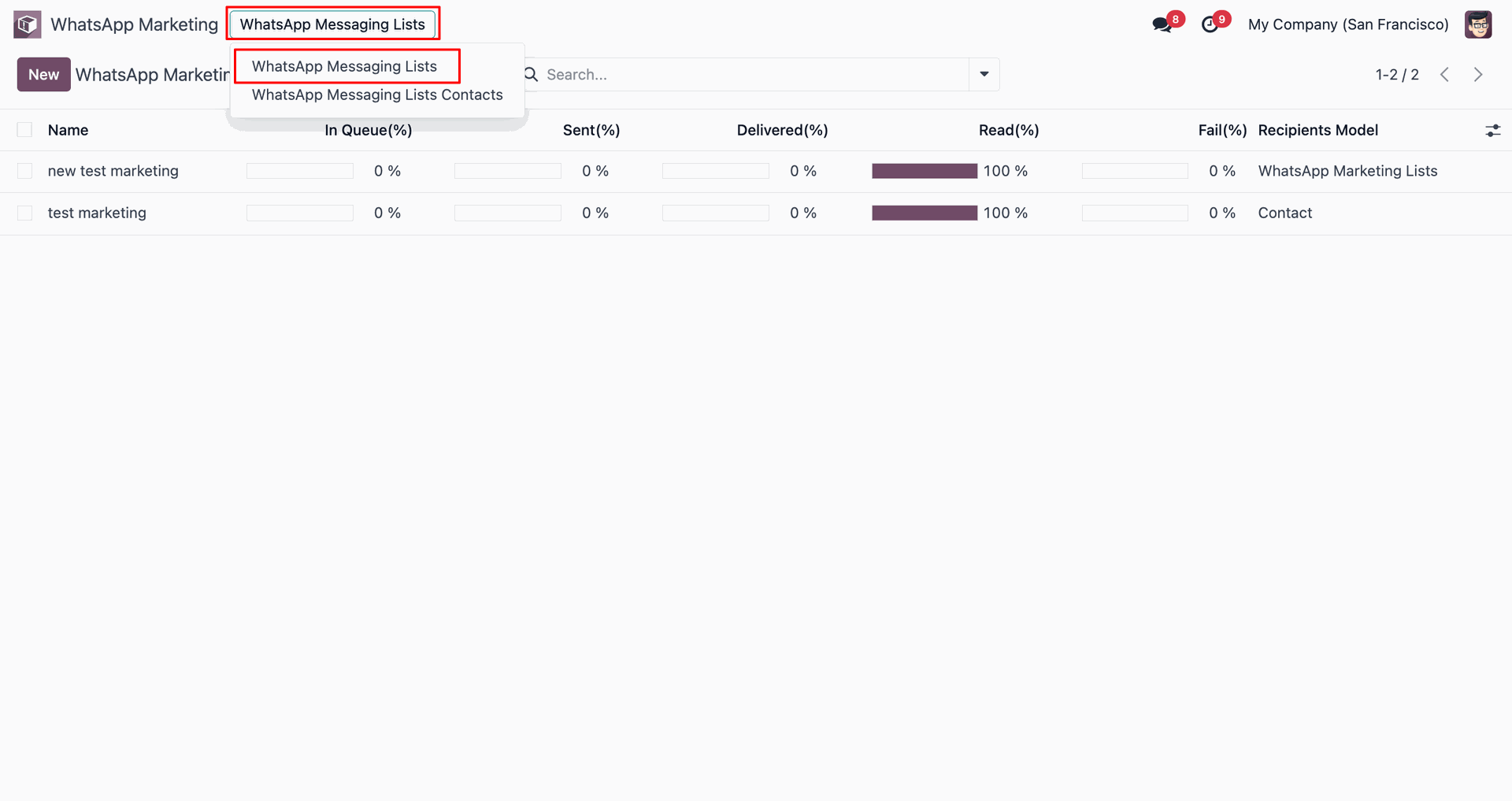
Configure new list with WhatsApp Messaging Lists Contacts.
Select recipient model and click 'Send Now'.
Message stage updated to 'Sent'.
View the WhatsApp message.
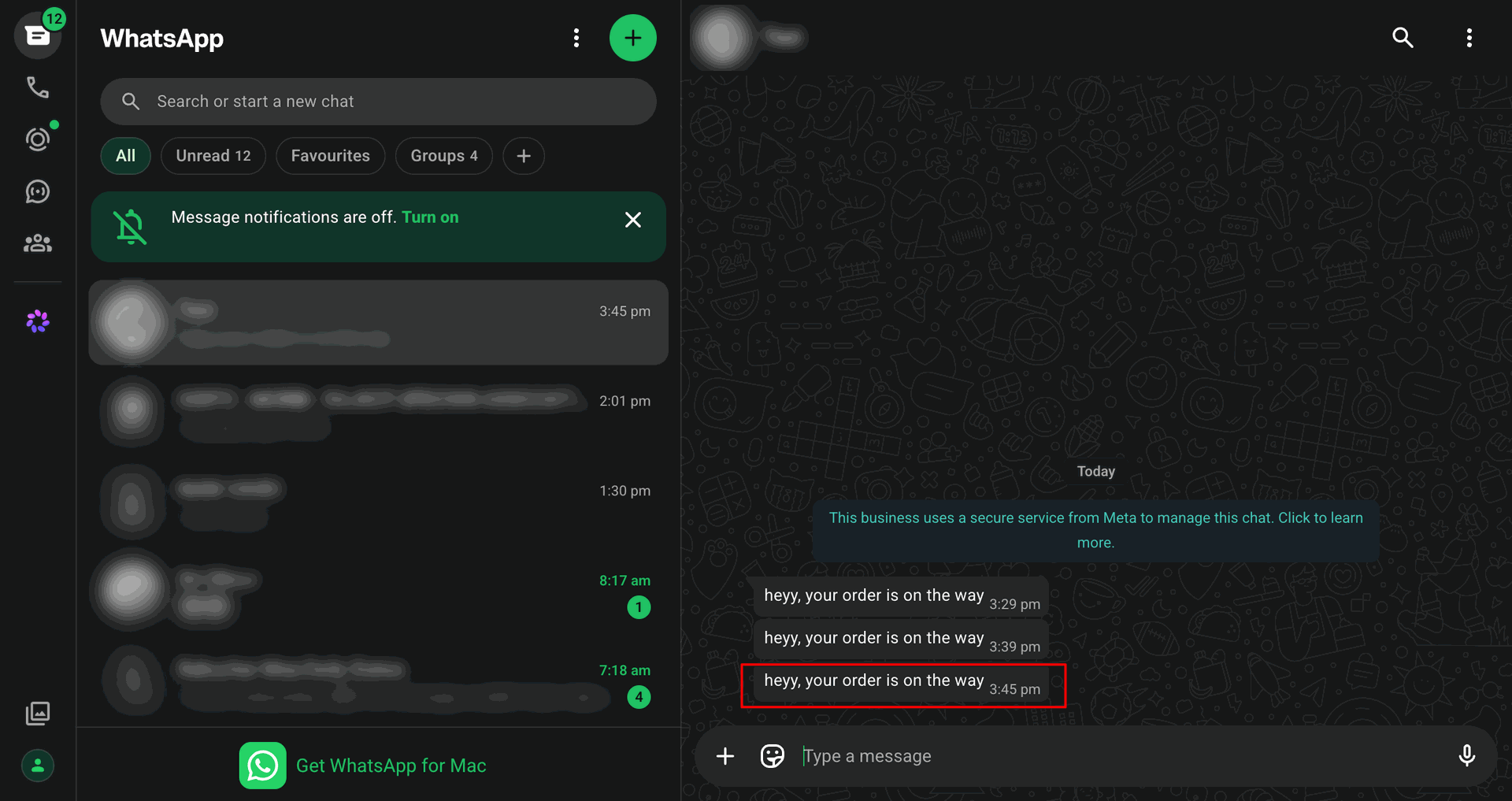
Track delivery and read status statistics.
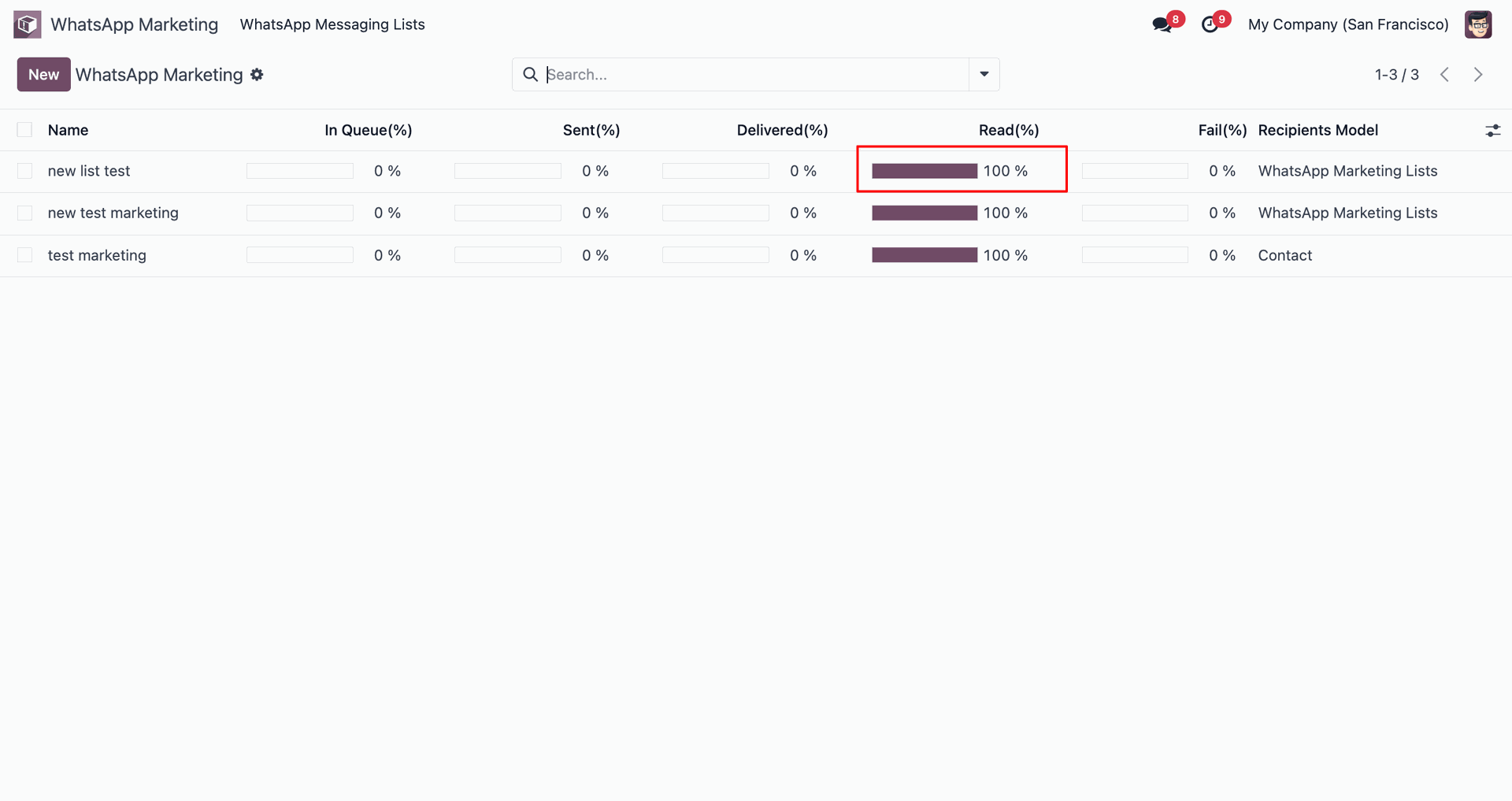
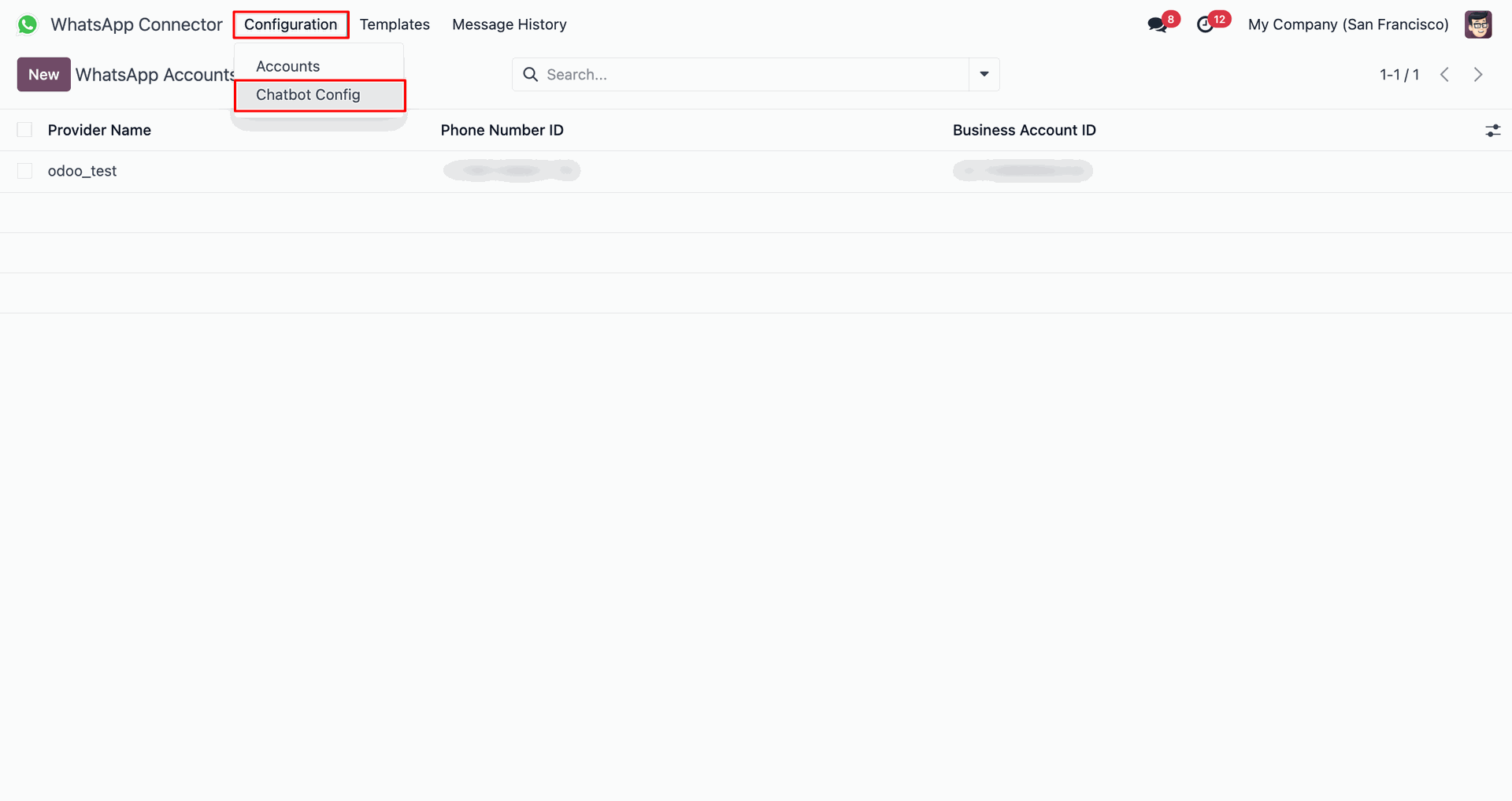
Navigate to 'Configuration' and click 'Chatbot Config'.
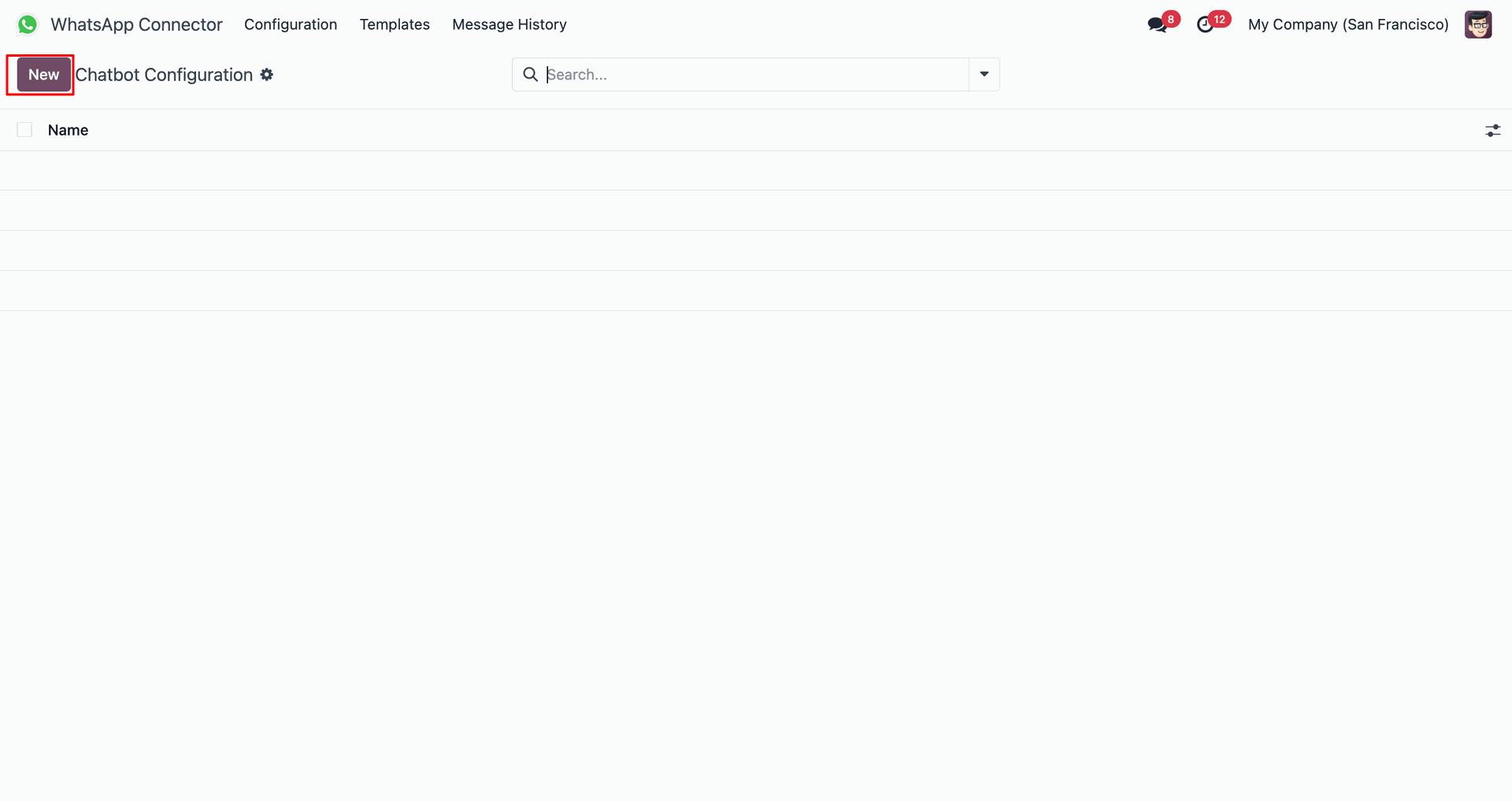
Click 'New' to create a chatbot configuration.
Go to 'Actions' tab and click 'Add a line'.
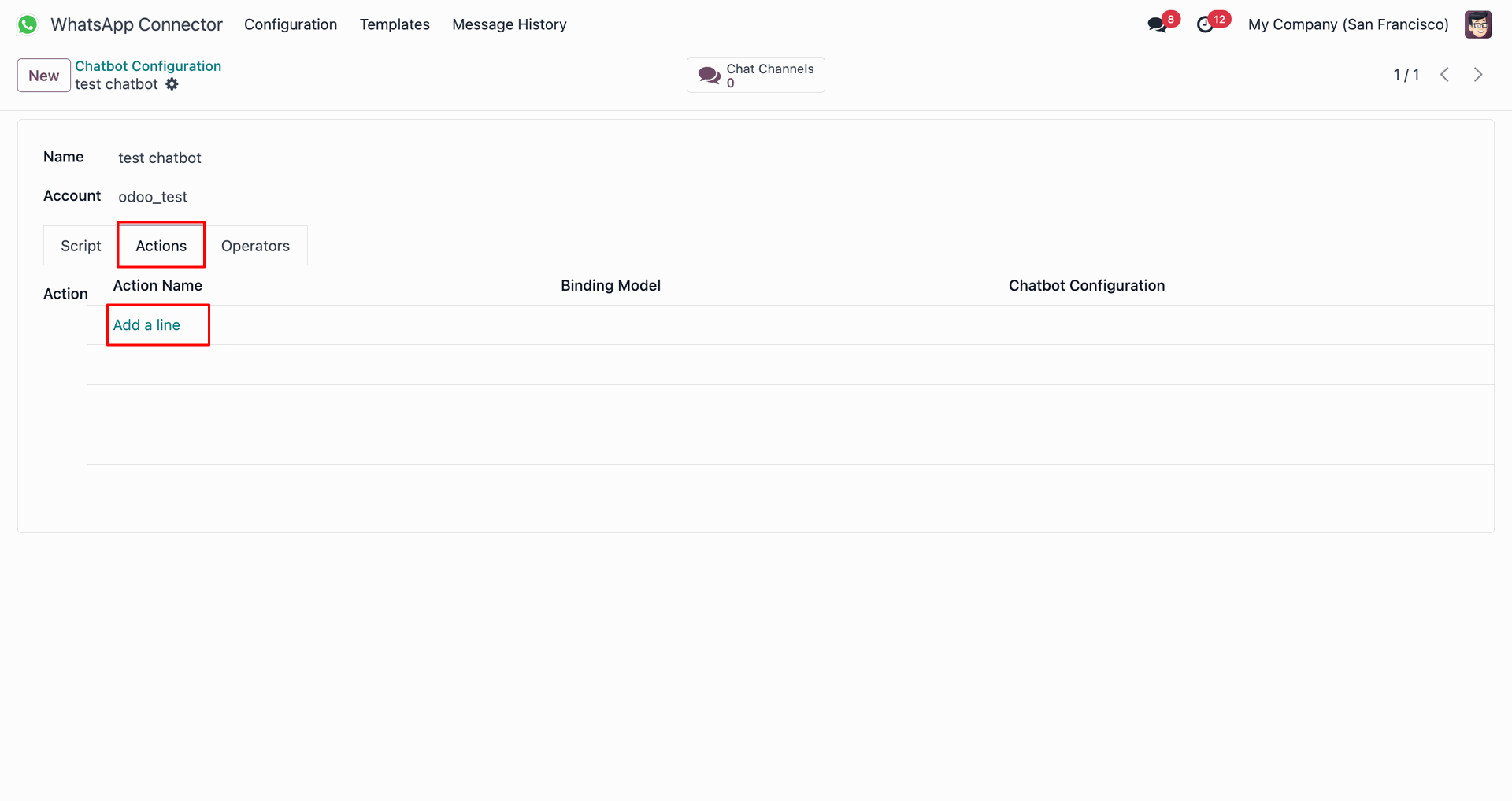
Click 'New' in the Add Actions pop-up window.
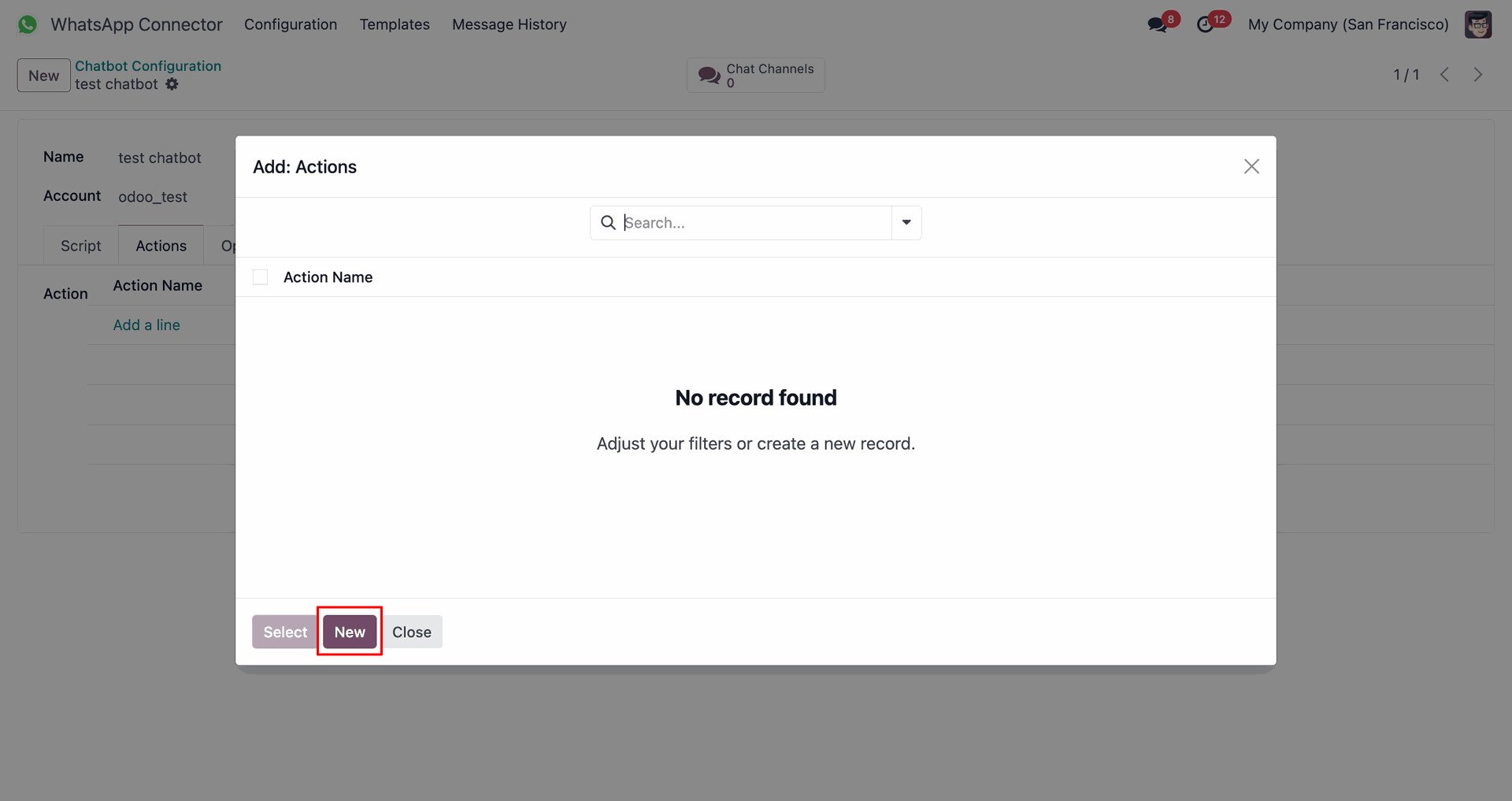
Specify Action Name and select Binding Model.
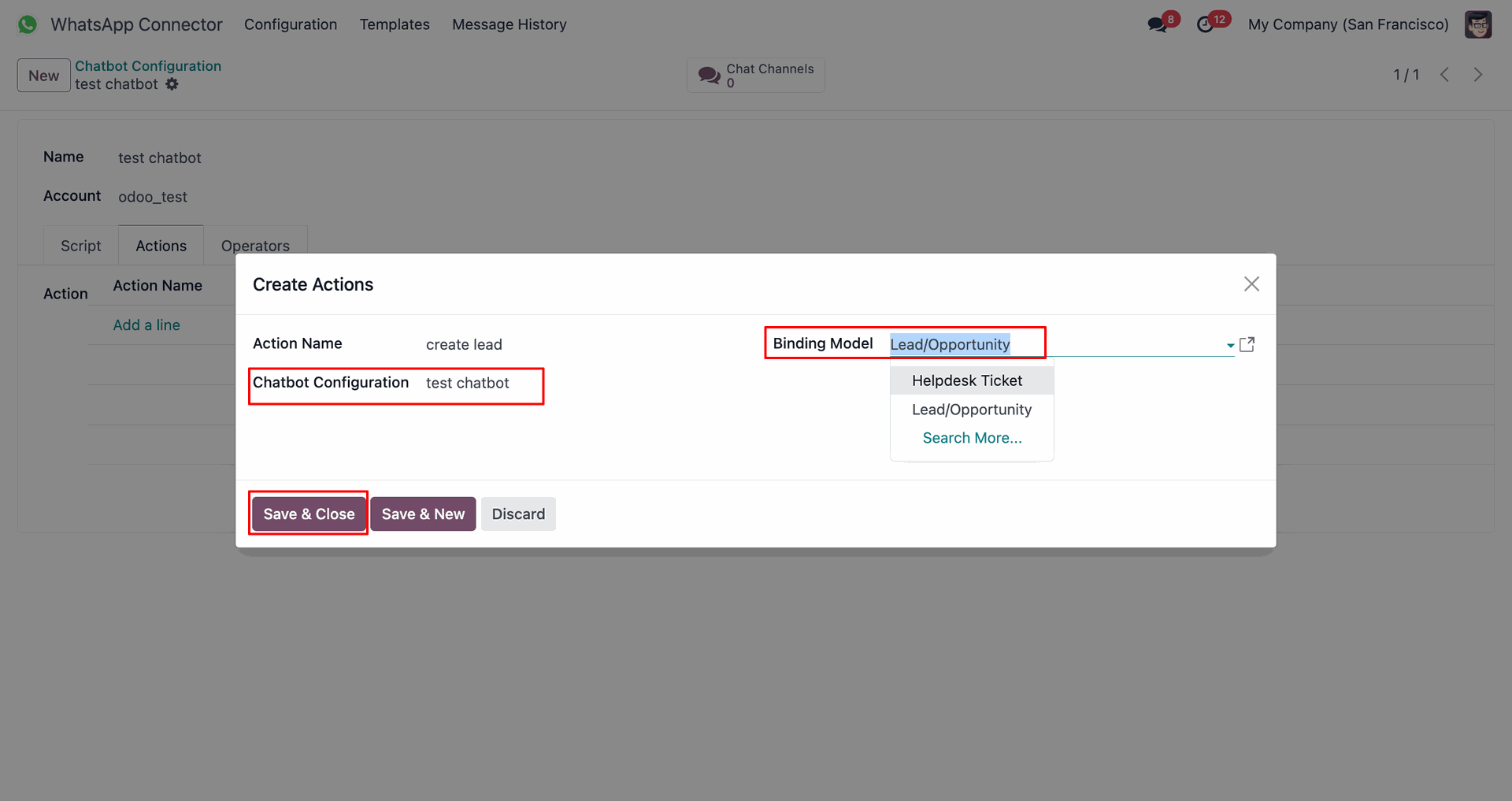
Go to 'Script' tab and click 'Add a line'.
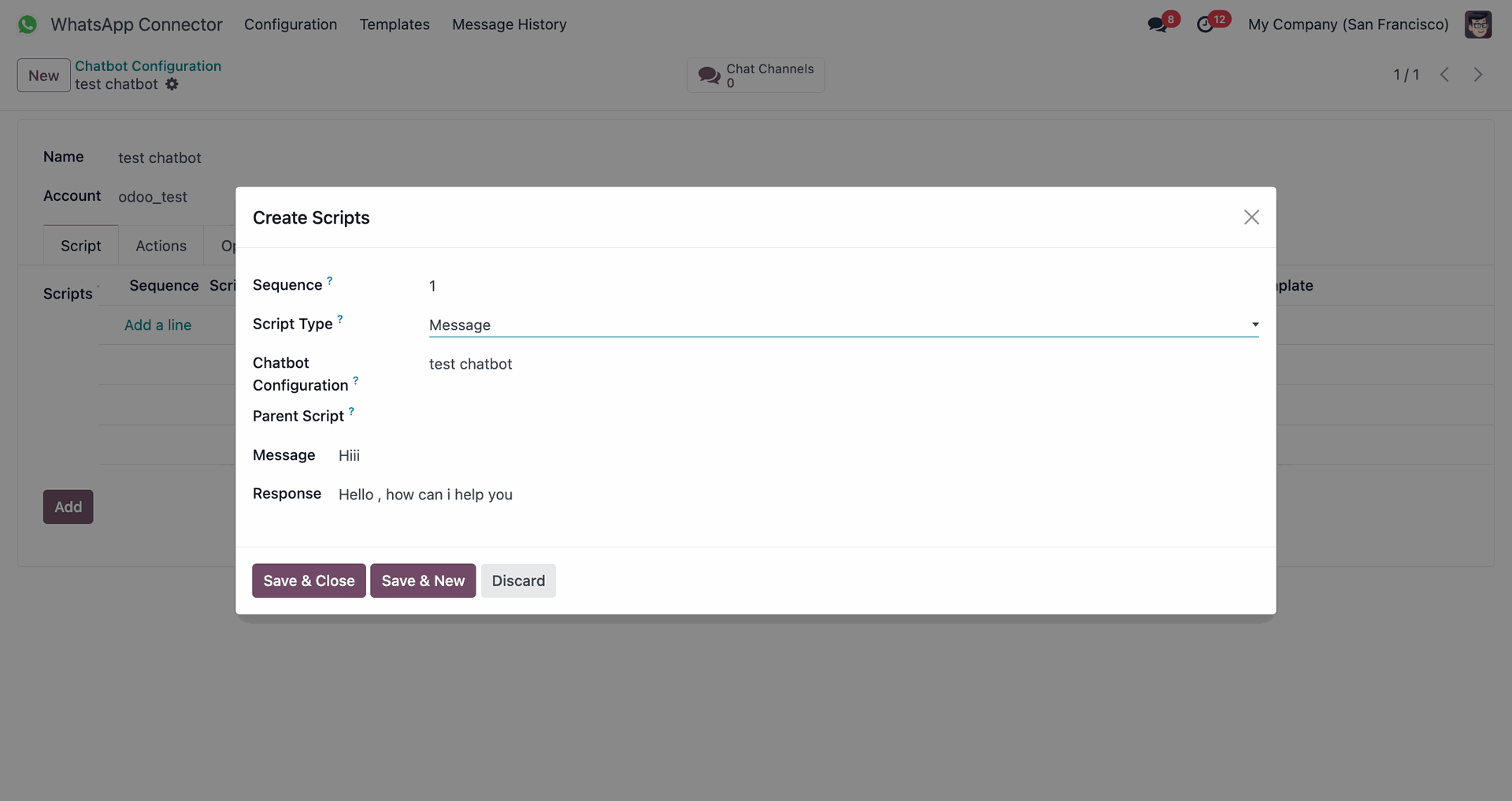
Define message script type and response.
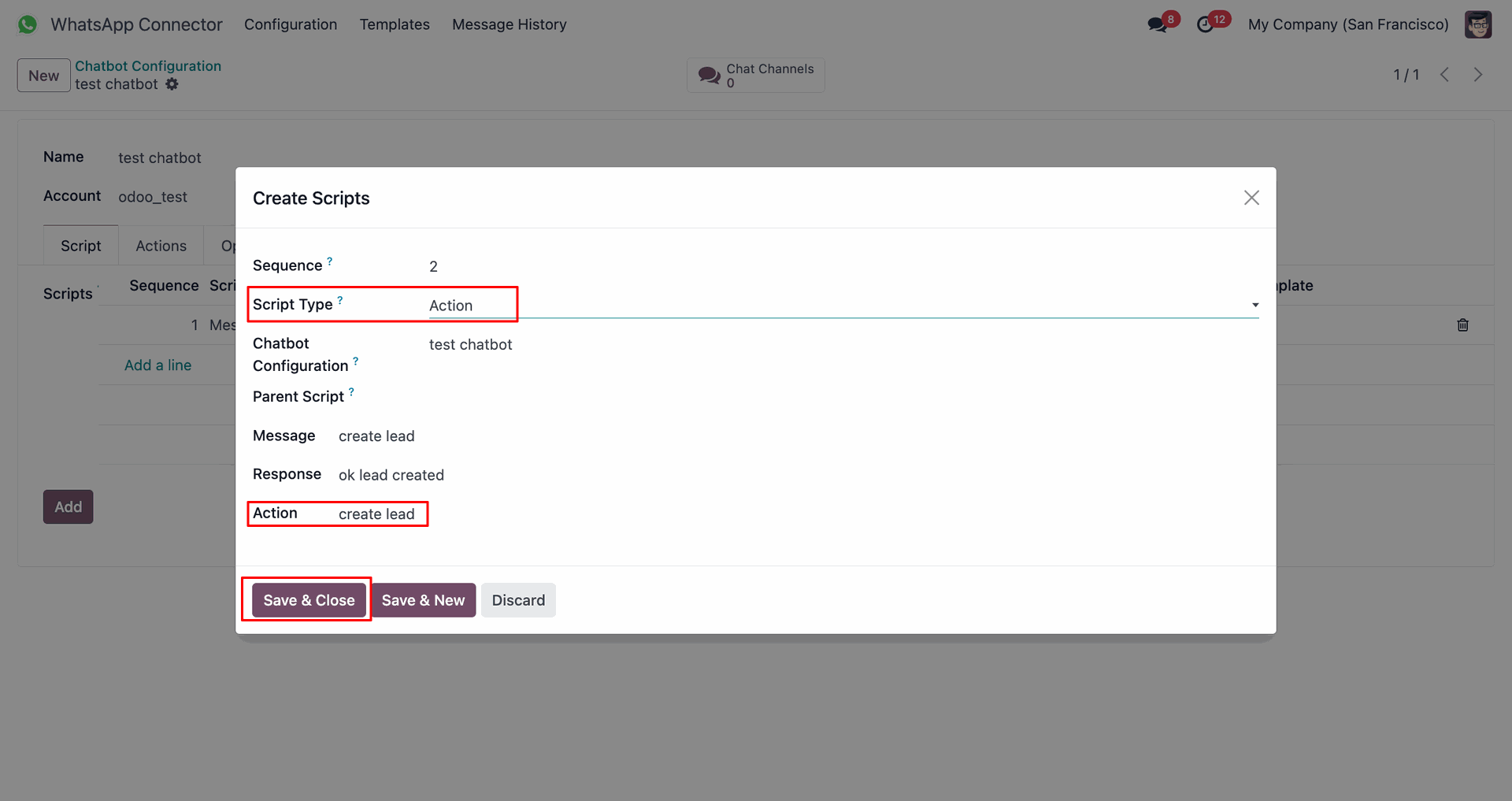
Define action script type and assign configured action.
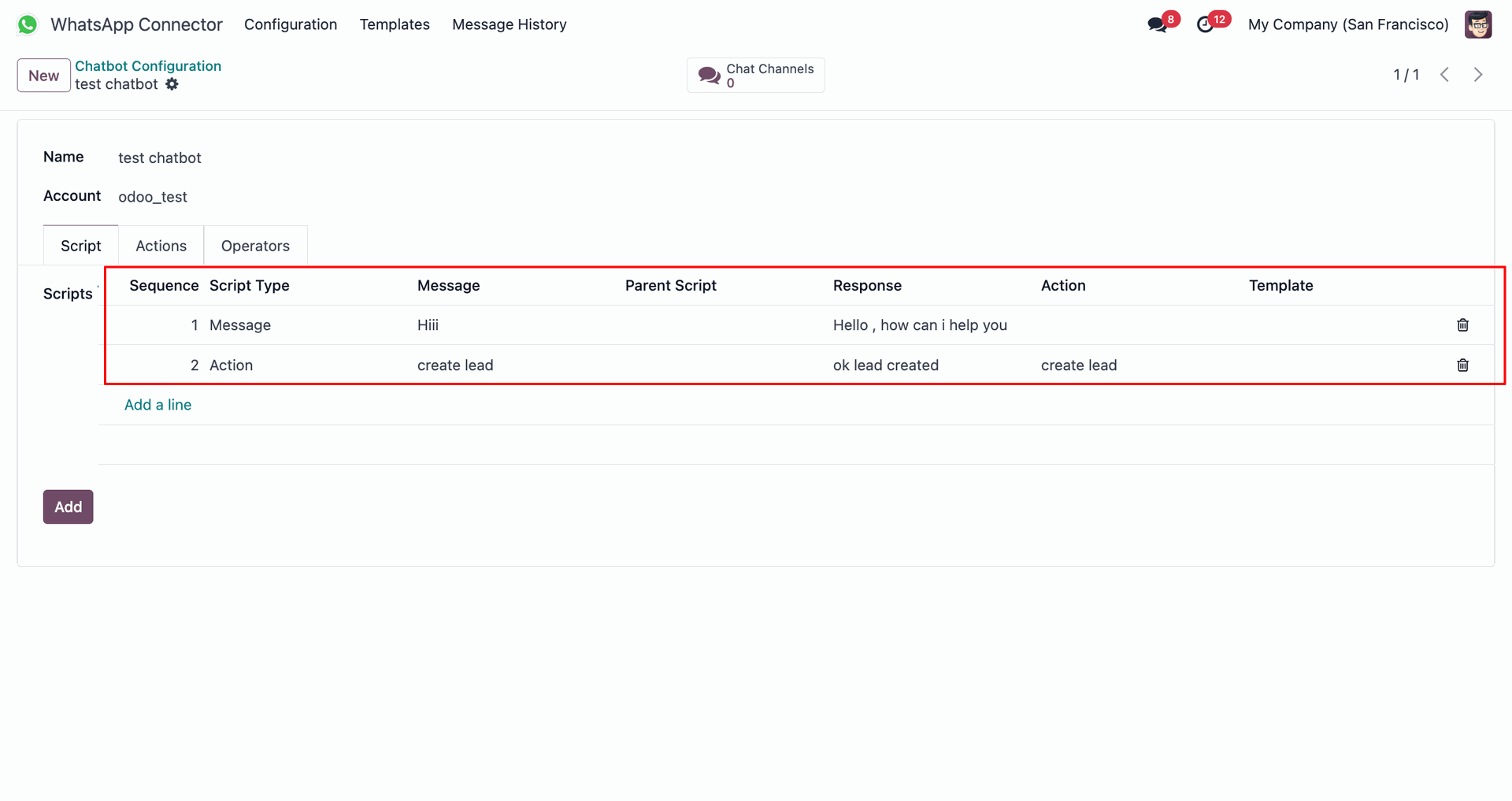
View configured chatbot scripts sequence.
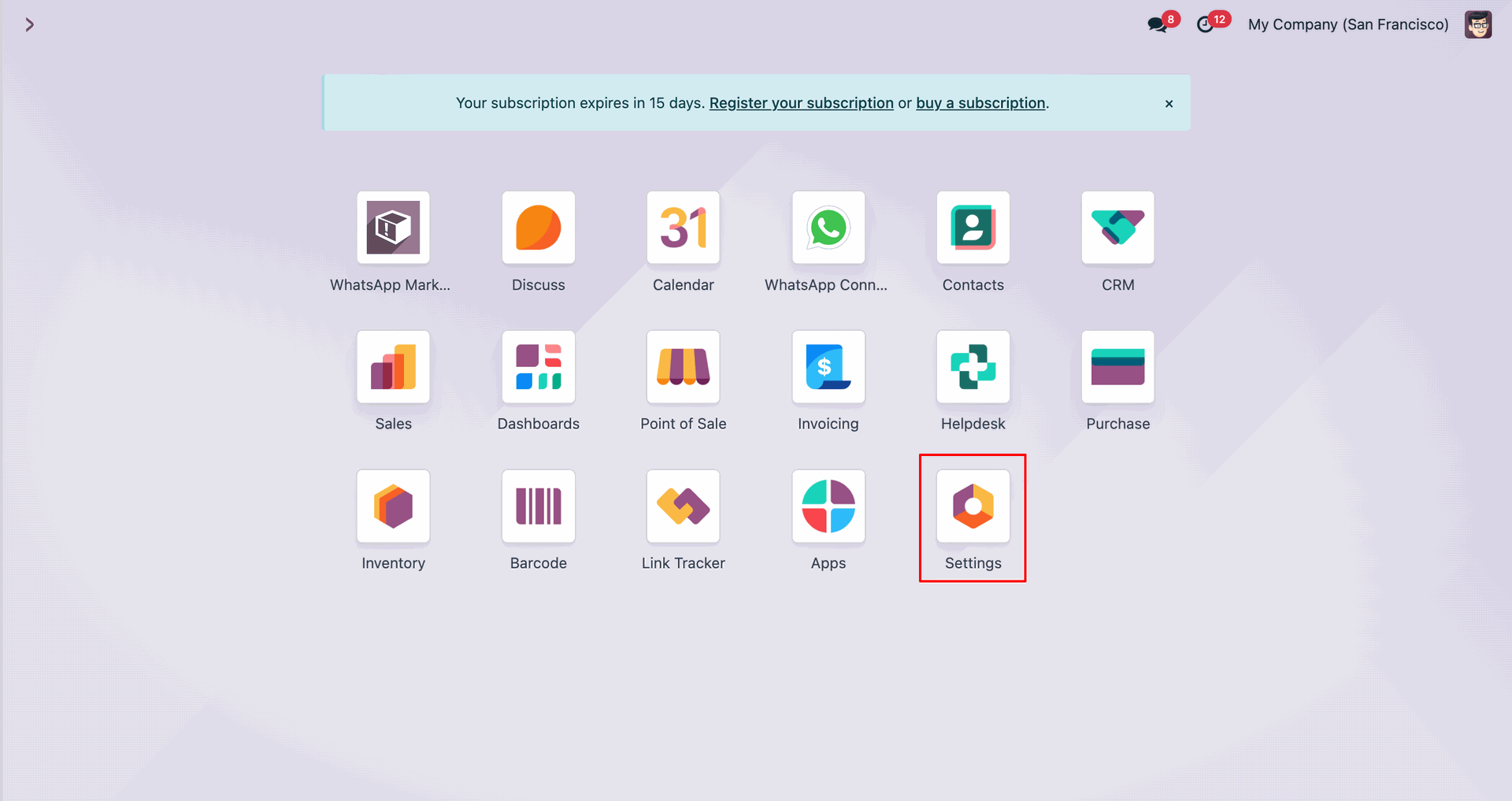
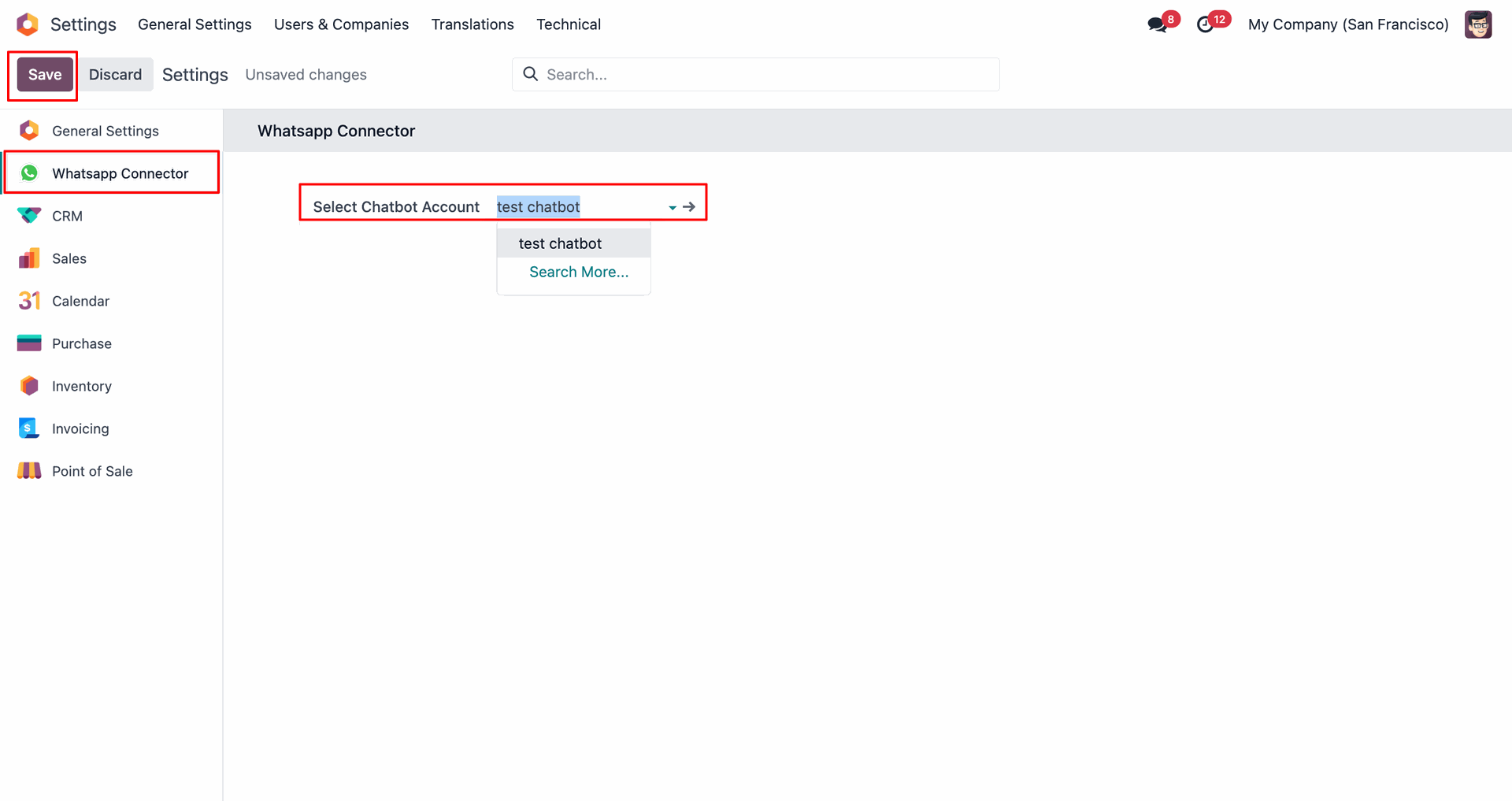
Open Odoo Settings.
Select Chatbot Account under Whatsapp Connector settings and save.
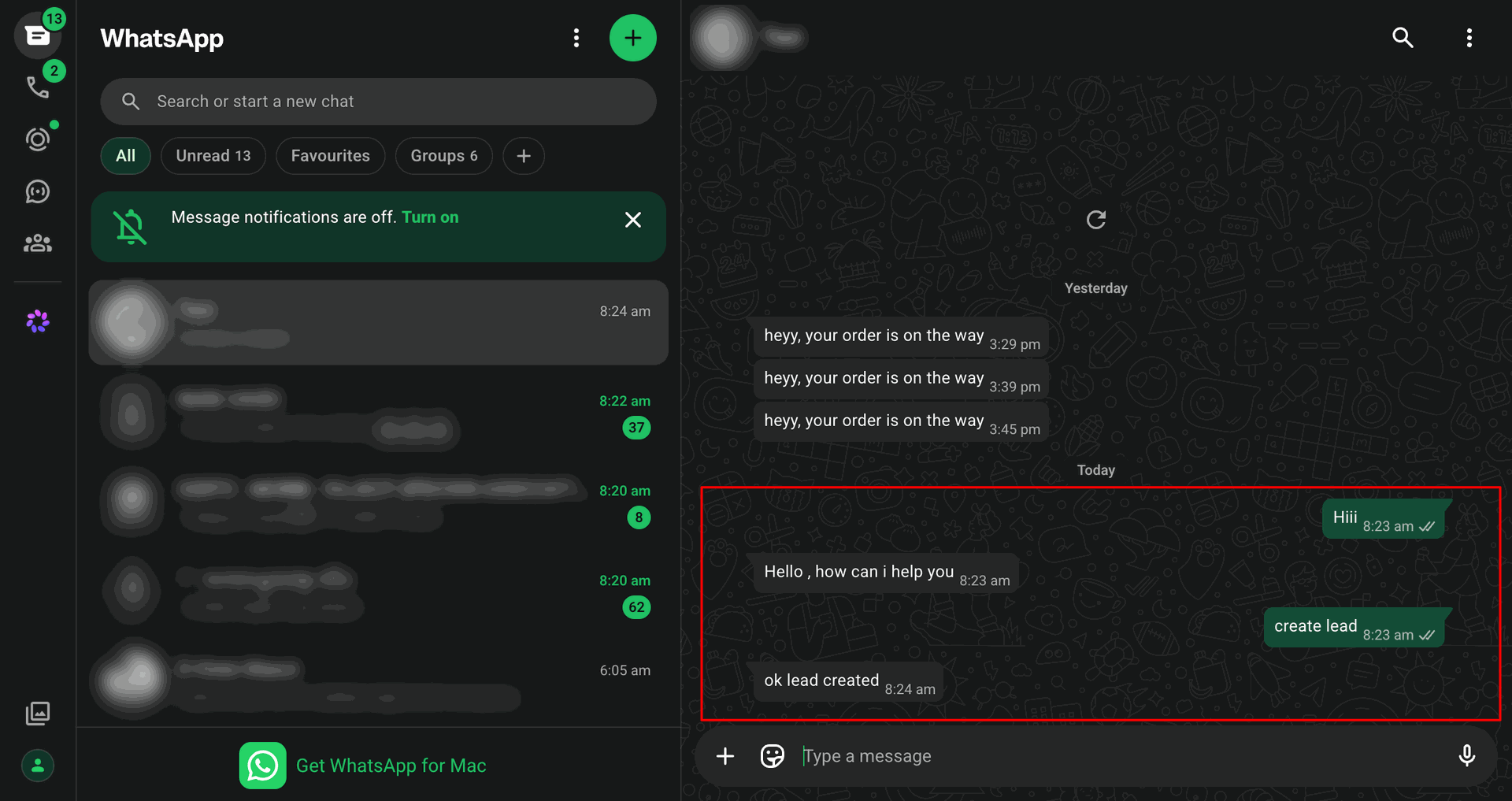
Test automated chatbot response and action execution in WhatsApp.
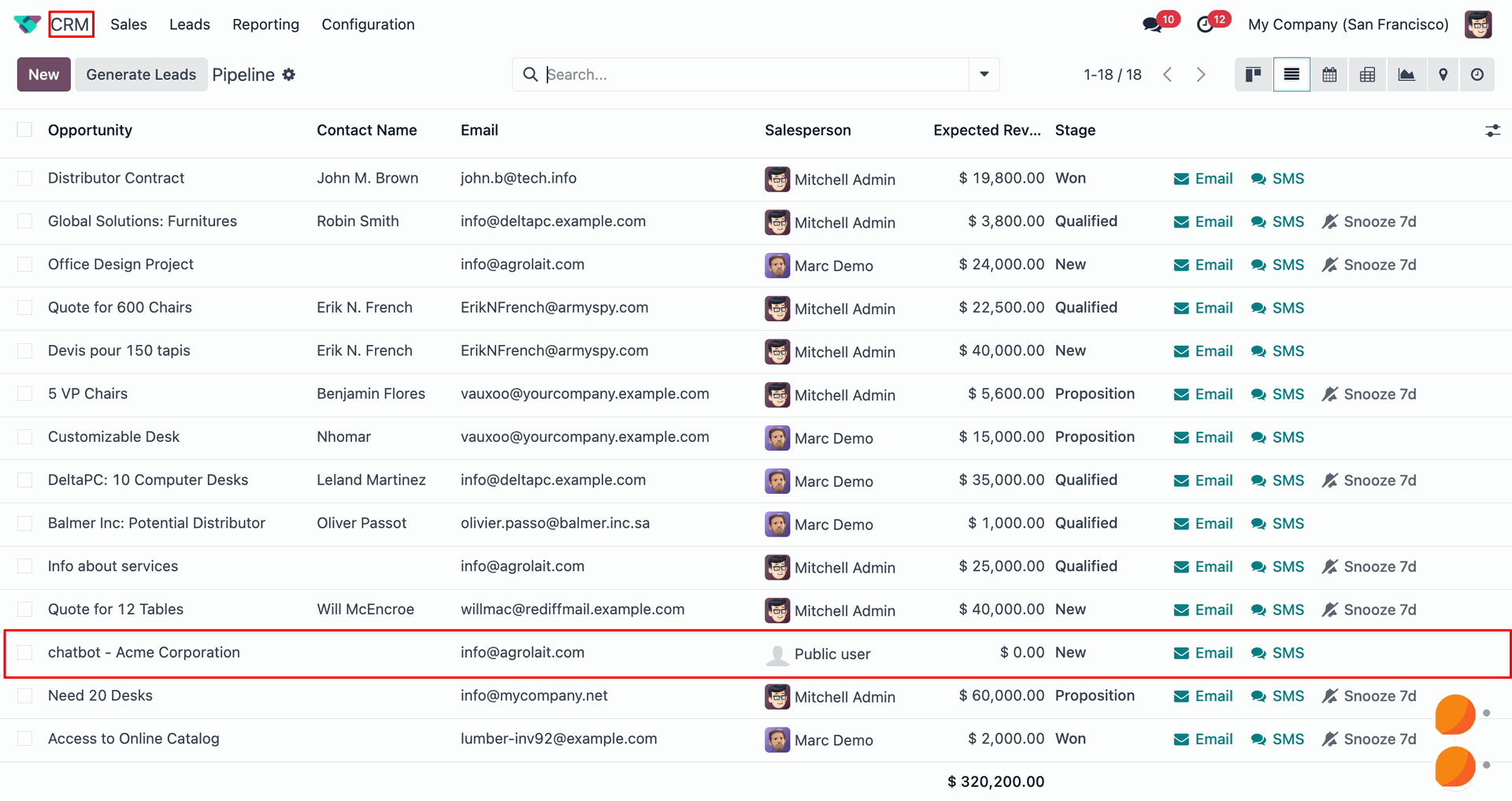
Verify record automatically created in Odoo CRM lead pipeline.
Changelog
Track every update and new feature released for this module.
Initial Release.


 Buy Once,
Supported Forever
Buy Once,
Supported Forever



 Scan to email sales







 Your Ideas Shape
Our Roadmap
Your Ideas Shape
Our Roadmap

 Got an Idea?
We'll Build It
Got an Idea?
We'll Build It
Trusted by Businesses Worldwide


Abdulhamid Abdulwaheed
Best module for our online store. Highly adaptable, exceptional customer service, and very advanced modules.
Factura Venta POS
They have everything you need. Technical support is excellent, responds quickly, and keeps the module updated. 100% recommended!
Mehmet Muhanna
Great company and support team. Had a problem in my local Odoo server - they solved it in 5 minutes. Highly recommend.
Billy Jeffs
Customised an Odoo app for me which works perfectly. Many requirements, got it right every time. Very confident in their ability.
HP
Consistently excellent service over years of working together. Knowledge and commitment to keeping clients informed truly sets them apart.
Michal Kolasinski
Multiple addons + two custom modules. Communication always friendly and precise. Delivered on time, worked out of the box. Highly recommended!

Multi-Language
8 built-in translations







You May Also Like
Discover more Softhealer modules that integrate seamlessly with your Odoo environment.

Sales WhatsApp Integration
Enhance your Odoo experience with Sales WhatsApp Integration. You can send quotation/sale orders directly to the customer's WhatsApp.
View Module

POS Whatsapp API Integration
Integrate WhatsApp with Odoo POS to send orders and customer messages directly from the Point of Sale instantly with a single click.
View Module

Account Whatsapp API Integration
Enhance your Odoo experience with this module; it will help to send an order and documentation to your related customers, vendors, and contacts as well.
View Module

All In One Helpdesk Advance
You can also create tickets from WhatsApp and send messages directly from the ticket, ensuring smooth communication and support.
View Module


Most Demanded Apps
The Softhealer modules our customers reach for most - trusted across 100+ countries.

Activities Management
Manage, schedule, and automate Odoo activities across all departments from one view.
View Module

Access Management
Granular access control over menus, fields, buttons, and records for every user role.
View Module

Backdate Advanced
Backdate any transaction across invoices, journals, pickings, and more with full audit.
View Module

All-in-One Helpdesk
Full-featured customer support with tickets, SLA, and customer portal built for Odoo.
View Module

All-in-One Mobile Backend
Access your full Odoo backend from any mobile device with an optimised interface.
View Module

All-in-One Import
Import data from Excel or CSV files into any Odoo model with smart field mapping.
View Module
Our Services
End-to-end Odoo expertise - from setup to scale.

AI & Business Integration

Odoo Implementation
Odoo Customization

Support & Maintenance
Mobile Apps

Migration Service

Third-Party Integration

Odoo Training
Ready to connect your AI to Odoo?
Join 10,000+ businesses - Softhealer, 11+ years of Odoo expertise across 100+ countries.

