











Zendesk Odoo Connector

Zendesk Connector enables bidirectional synchronization of tickets and users between Odoo and Zendesk. It features automated sync operations, queue management, and log history to streamline your customer support.

Features
Bidirectional Synchronization
Synchronize users and tickets seamlessly between Odoo and Zendesk in both directions.
Automated Synchronization
Schedule automatic synchronization using Odoo cron jobs to keep users and tickets up to date.
Ticket Synchronization
Effortlessly synchronize Zendesk tickets with Odoo, including status, priority, and ticket type mappings.
User Synchronization
Synchronize Zendesk users with Odoo to maintain consistent user records.
Sync Queue Management
Manage synchronization through a dedicated queue for reliable and organized data processing.
Sync Logs & History
Monitor synchronization activities with detailed logs, history, and error tracking.
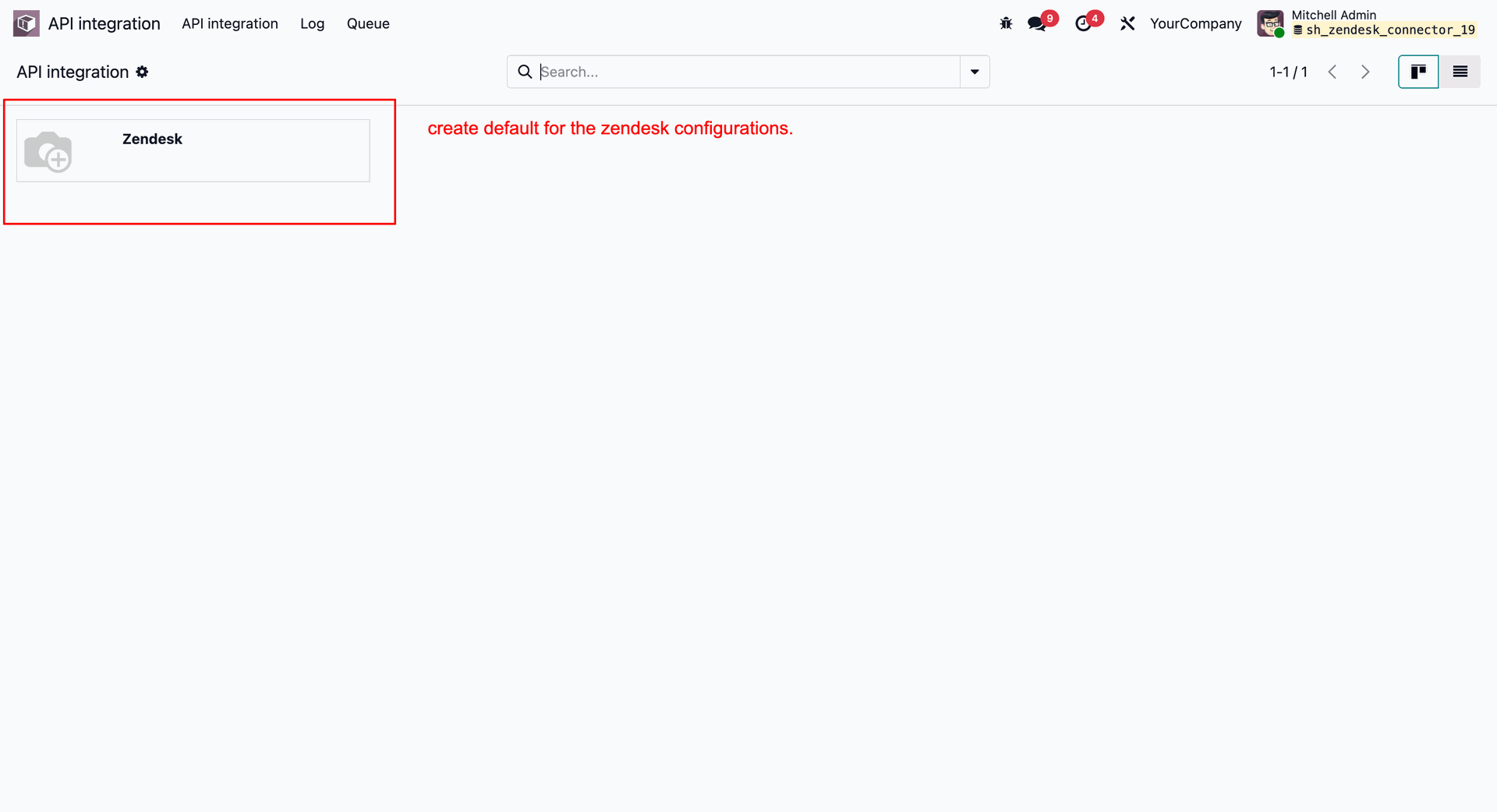
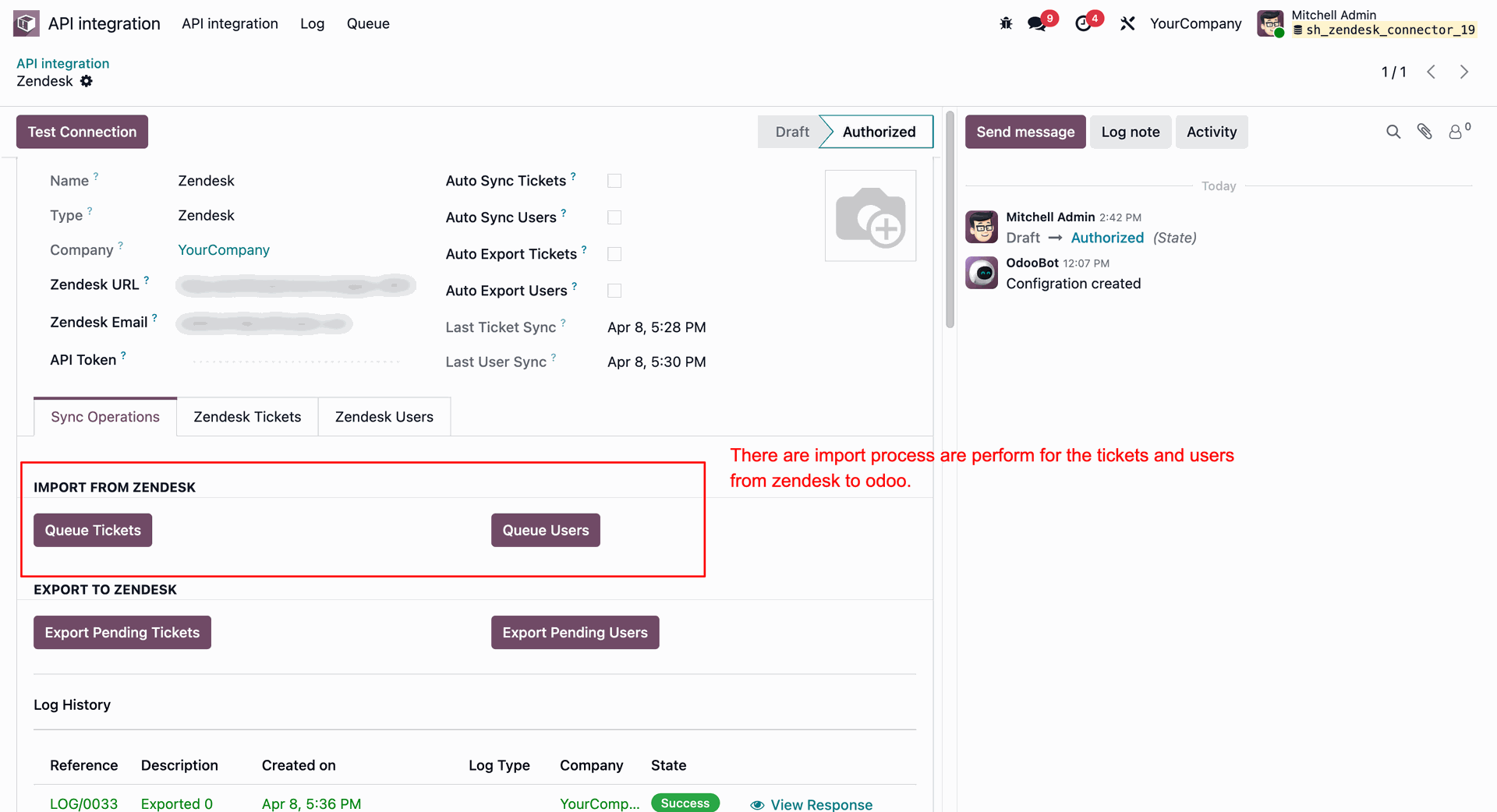
Accessing the Zendesk configuration card under the "API integration" menu.
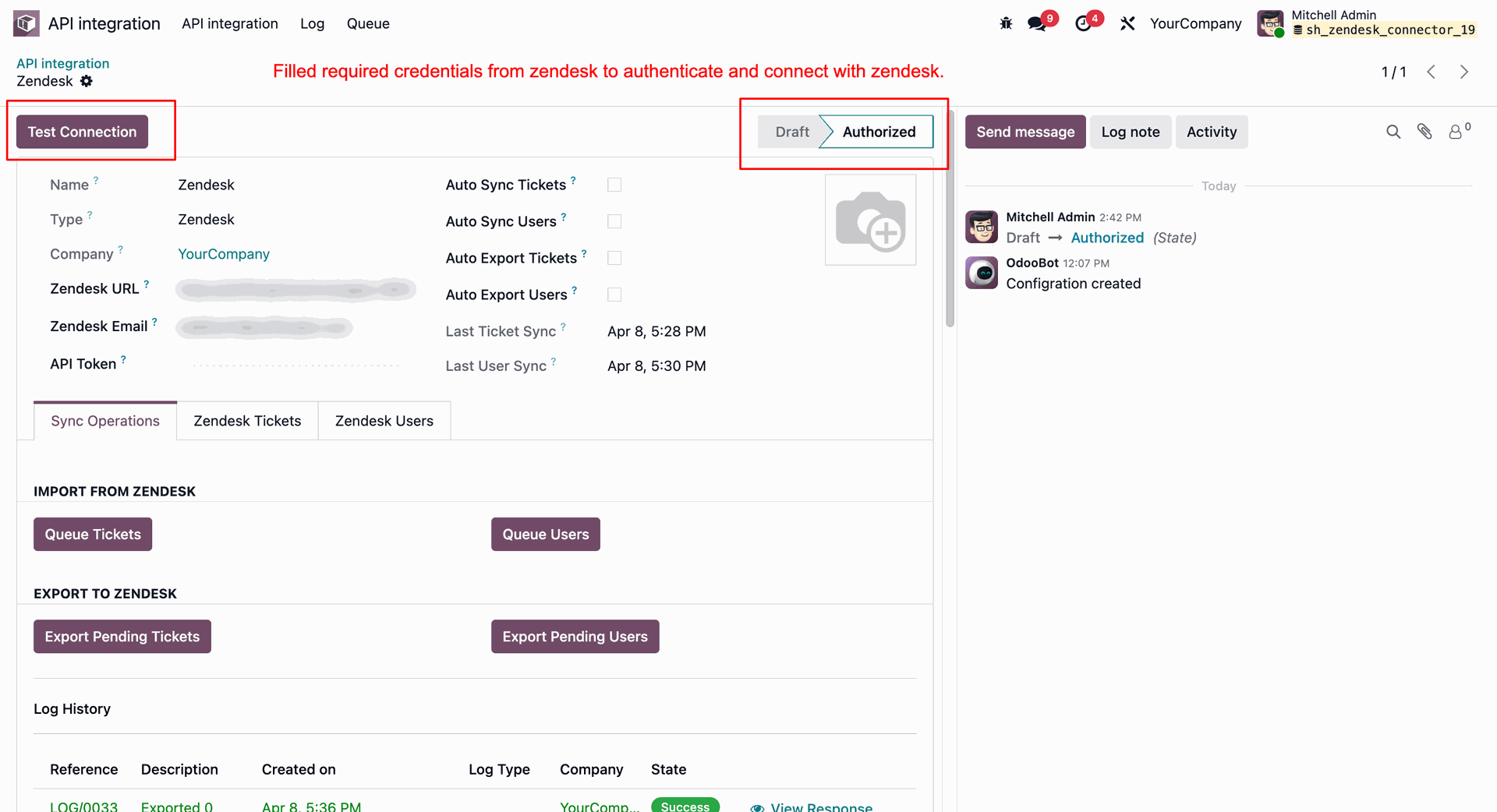
Configuring the Zendesk integration credentials (URL, email, API Token) and validating connection status ("Authorized").
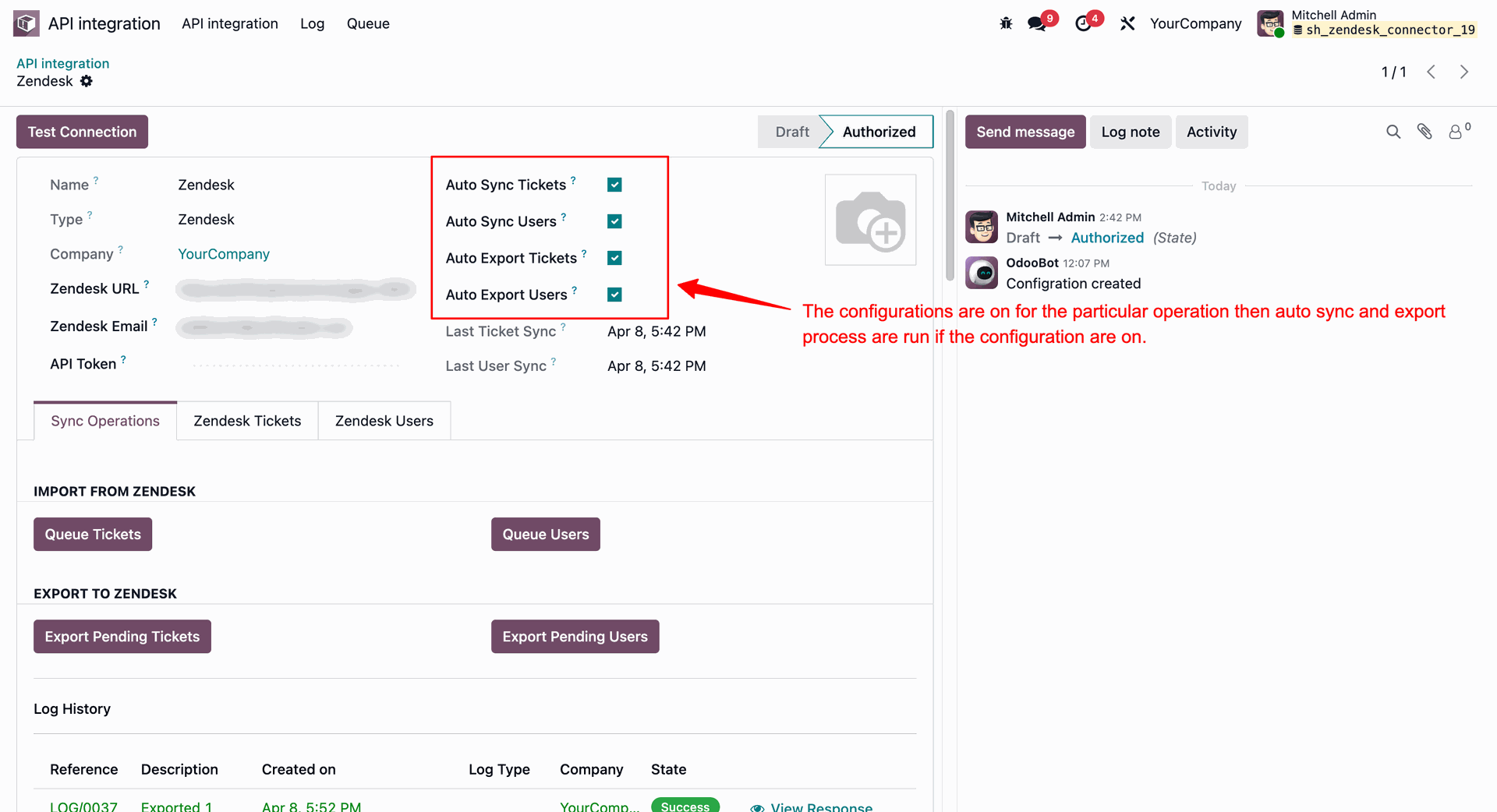
Enabling automatic synchronization options (Auto Sync Tickets/Users and Auto Export Tickets/Users) on the Zendesk configuration form.
Importing tickets and users manually from Zendesk to Odoo using the "Queue Tickets" and "Queue Users" sync buttons.
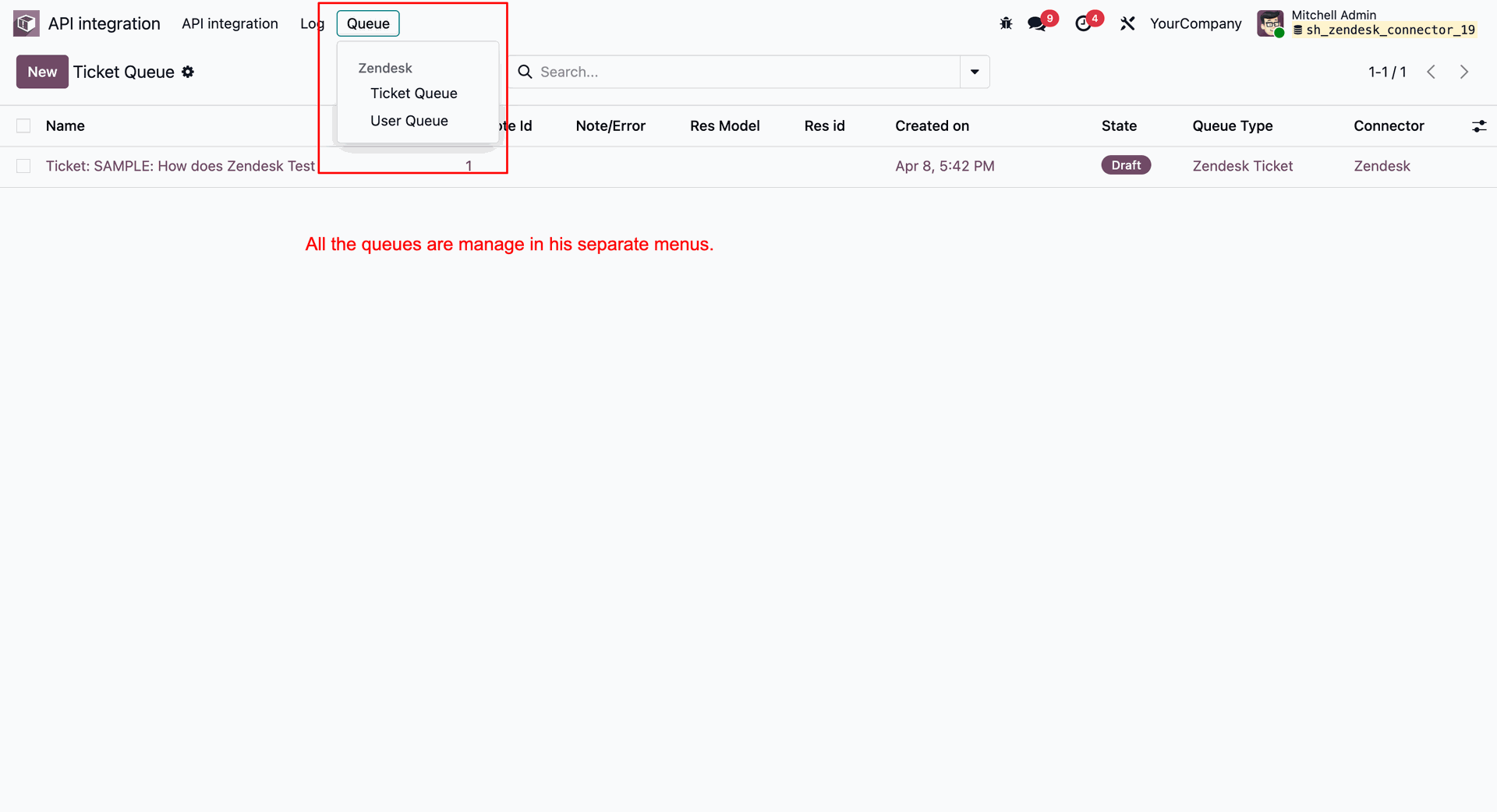
Accessing the synchronization queues menu (Ticket Queue, User Queue) under the "Queue" tab.
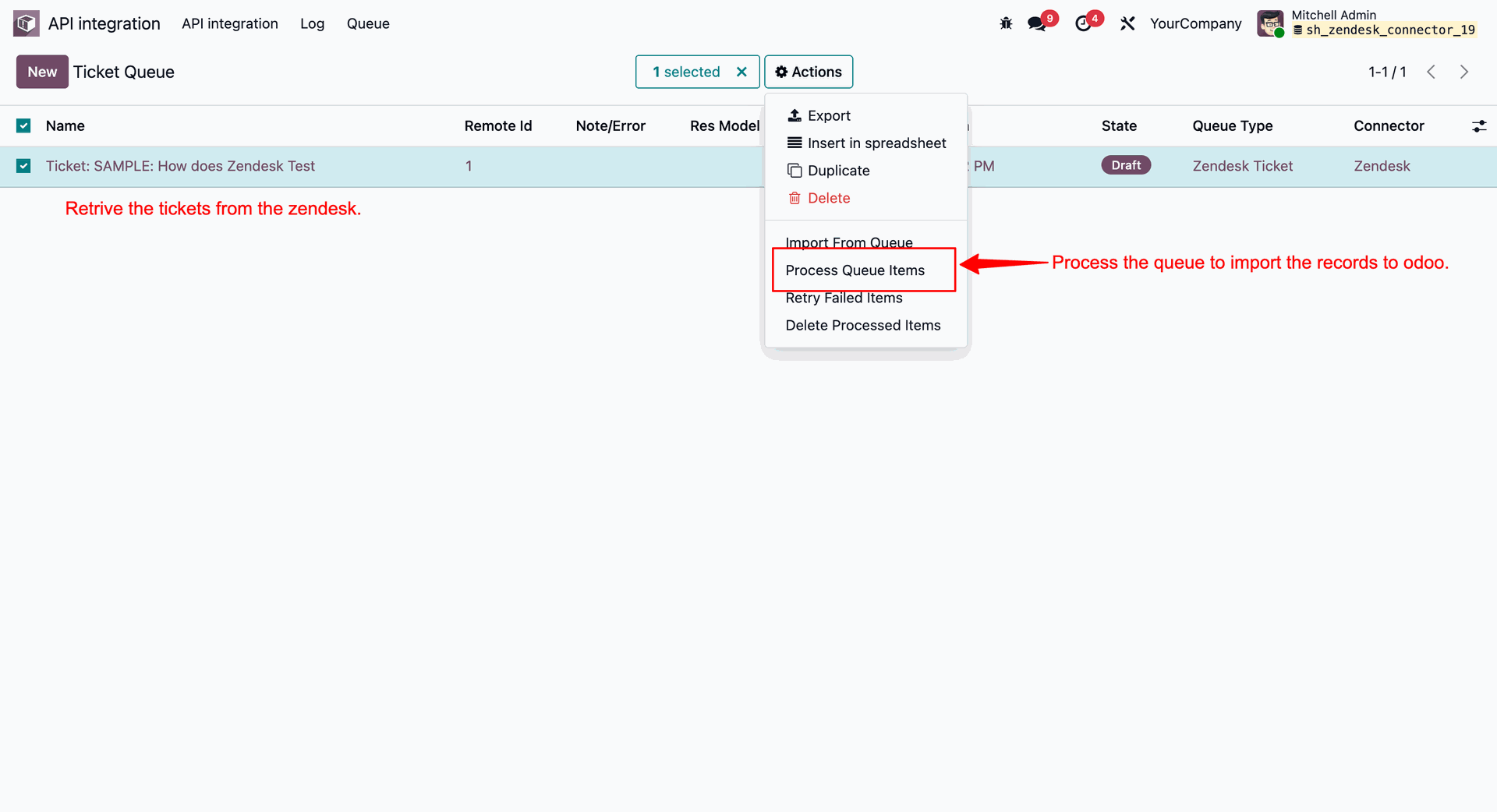
Selecting and processing the queued tickets.
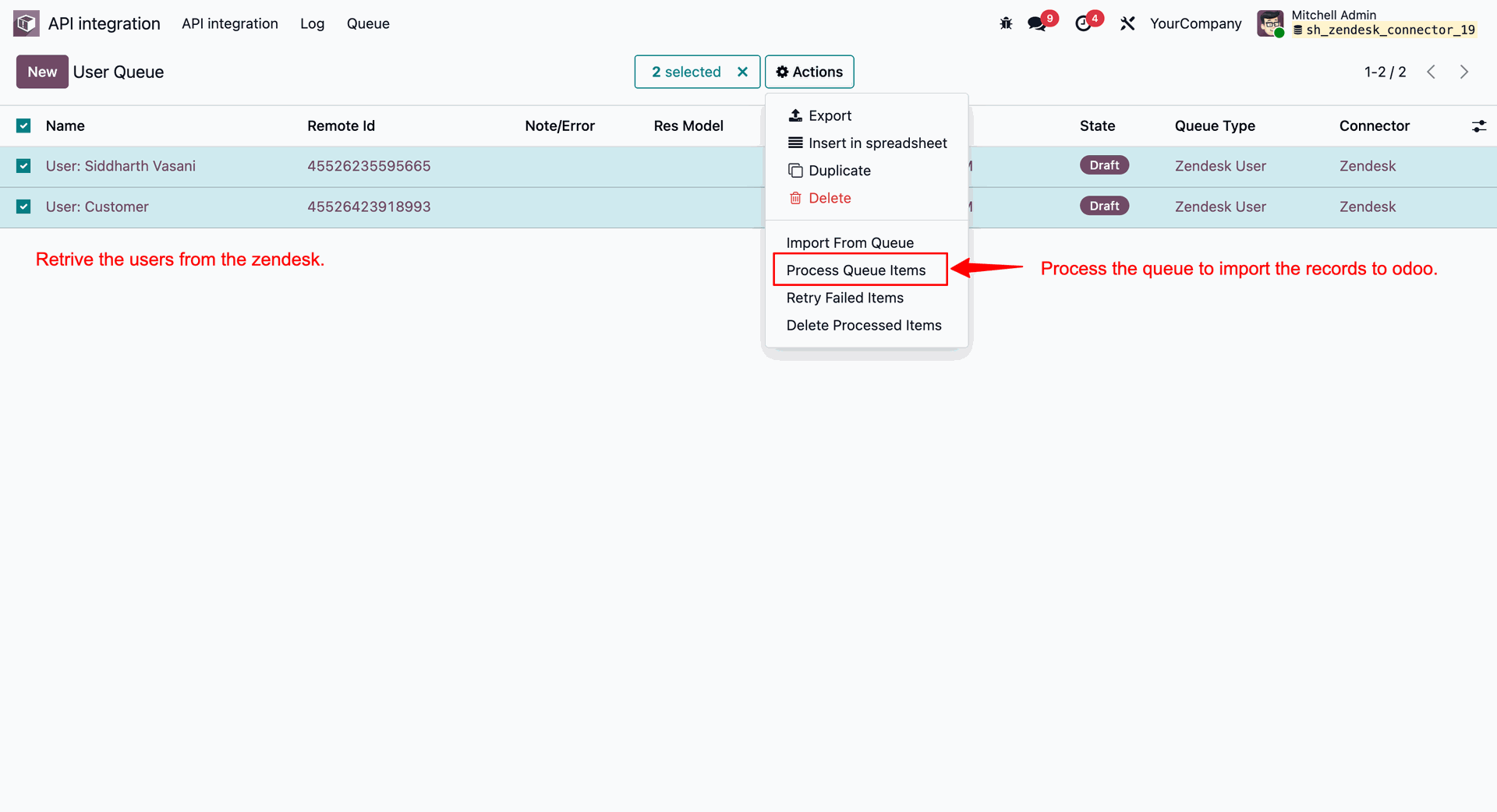
Selecting and processing the queued users.
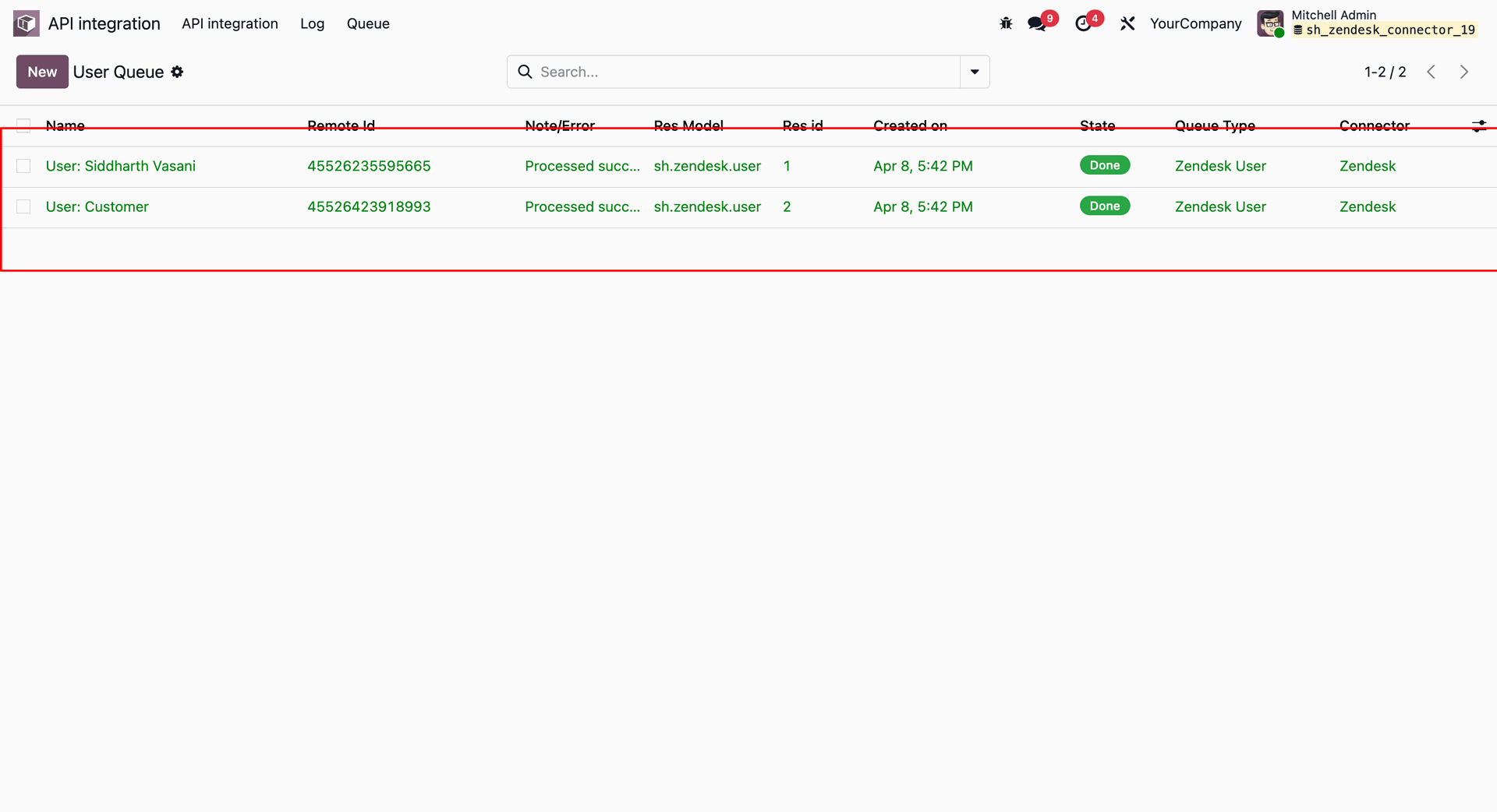
The processed users marked as "Done" in the "User Queue" list.
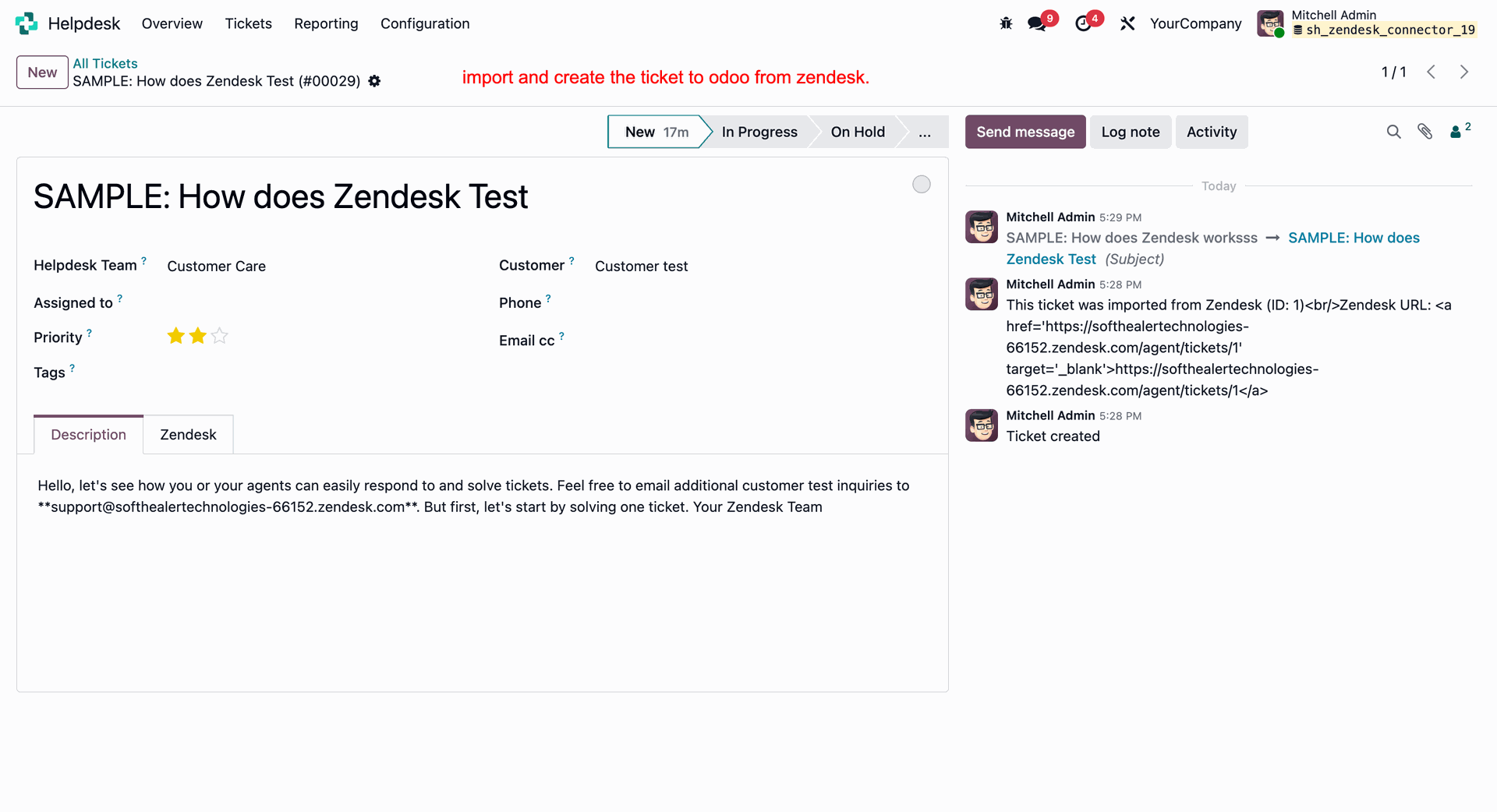
A Zendesk ticket created successfully in the Odoo Helpdesk with its description and chatter log details.
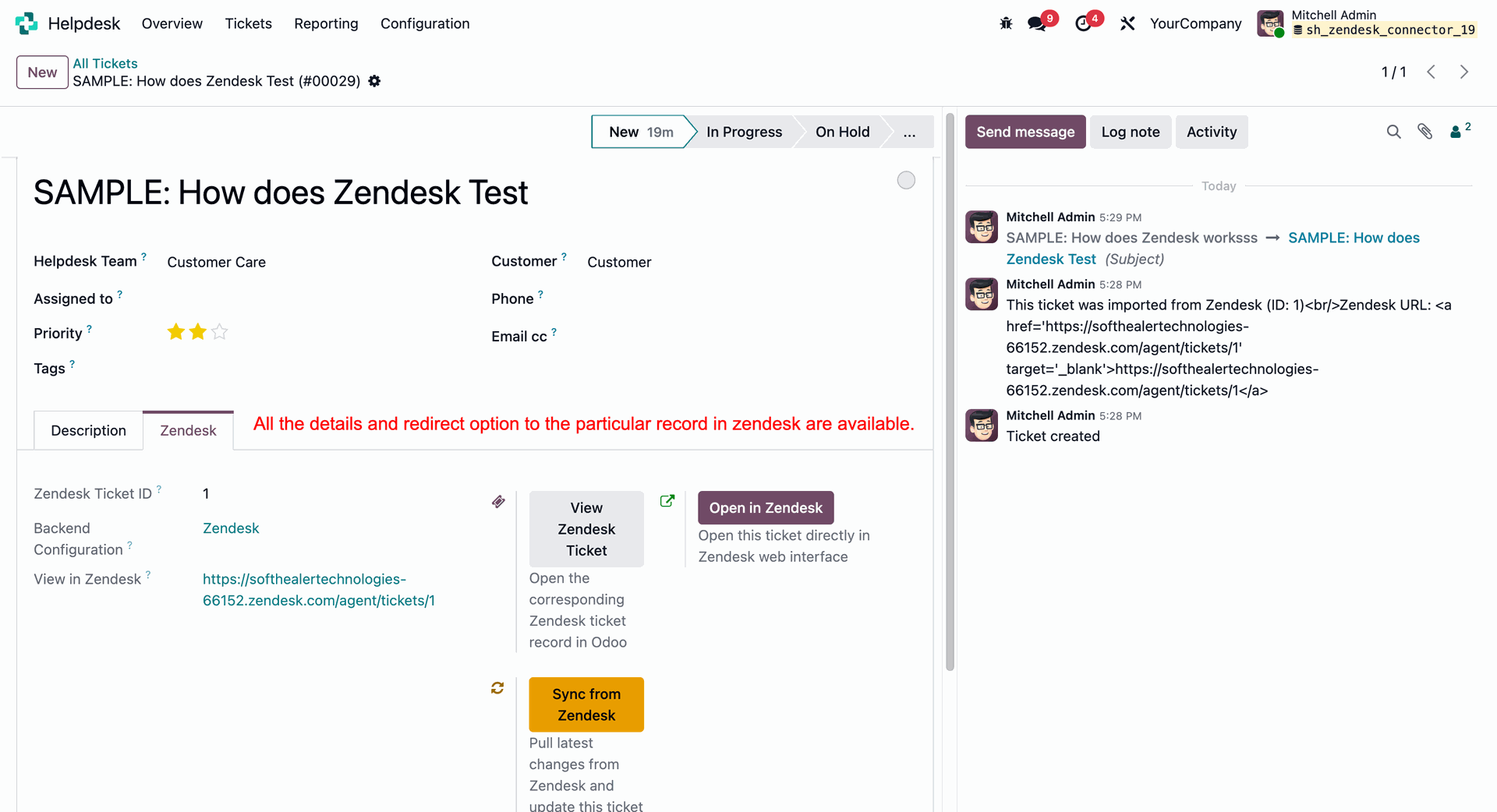
Reviewing the synchronized ticket details and the redirect options (like "Open in Zendesk", "Sync from Zendesk") within the "Zendesk" tab of the Odoo Helpdesk ticket form.
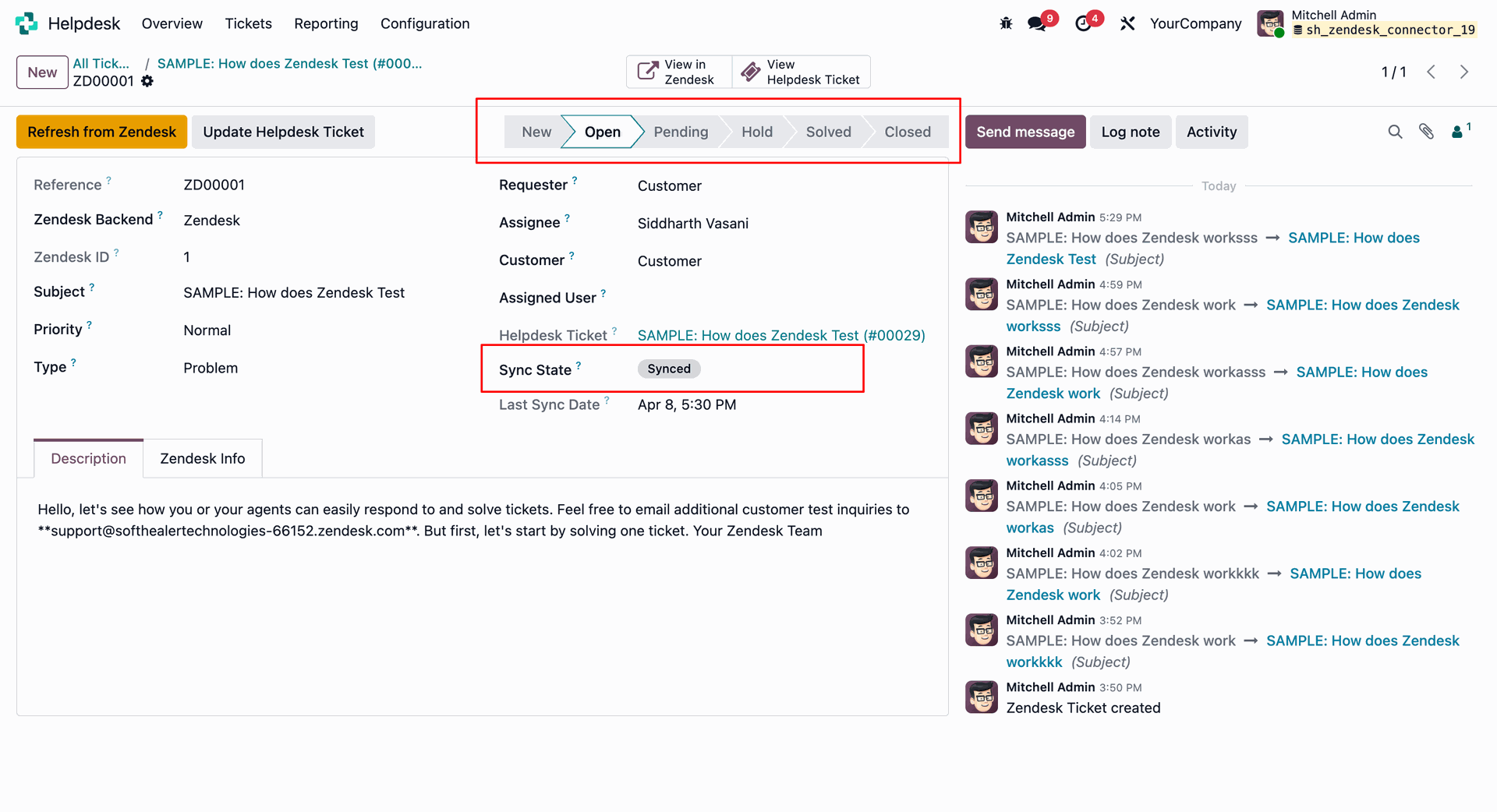
The Zendesk Ticket custom record view in Odoo showing the ticket stage and sync state.
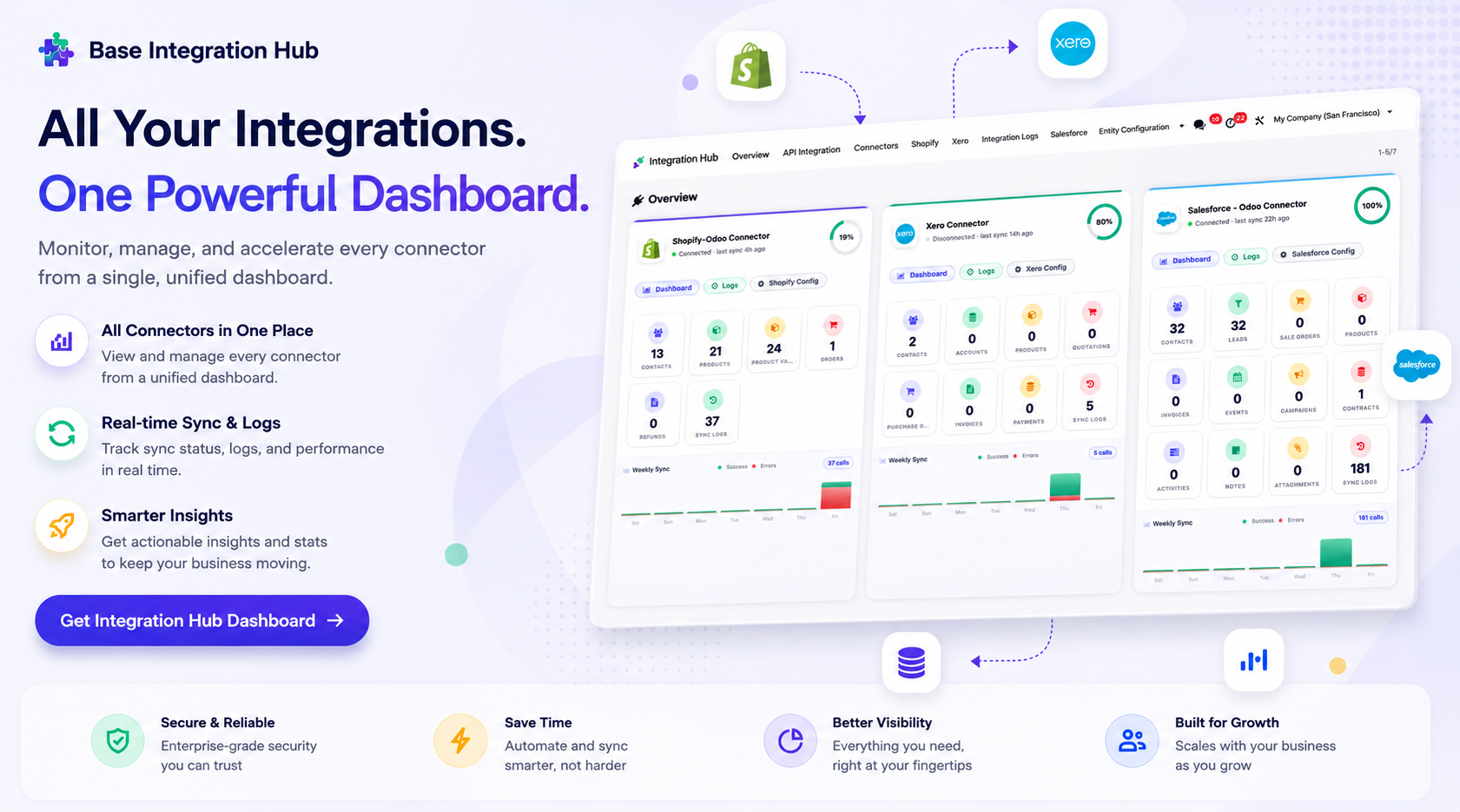
Centralized dashboard to manage and monitor all connectors from one place. Quickly access sync summary, activity logs, and configuration controls with improved visibility.
Editing/updating the title of the synchronized Helpdesk ticket in Odoo.
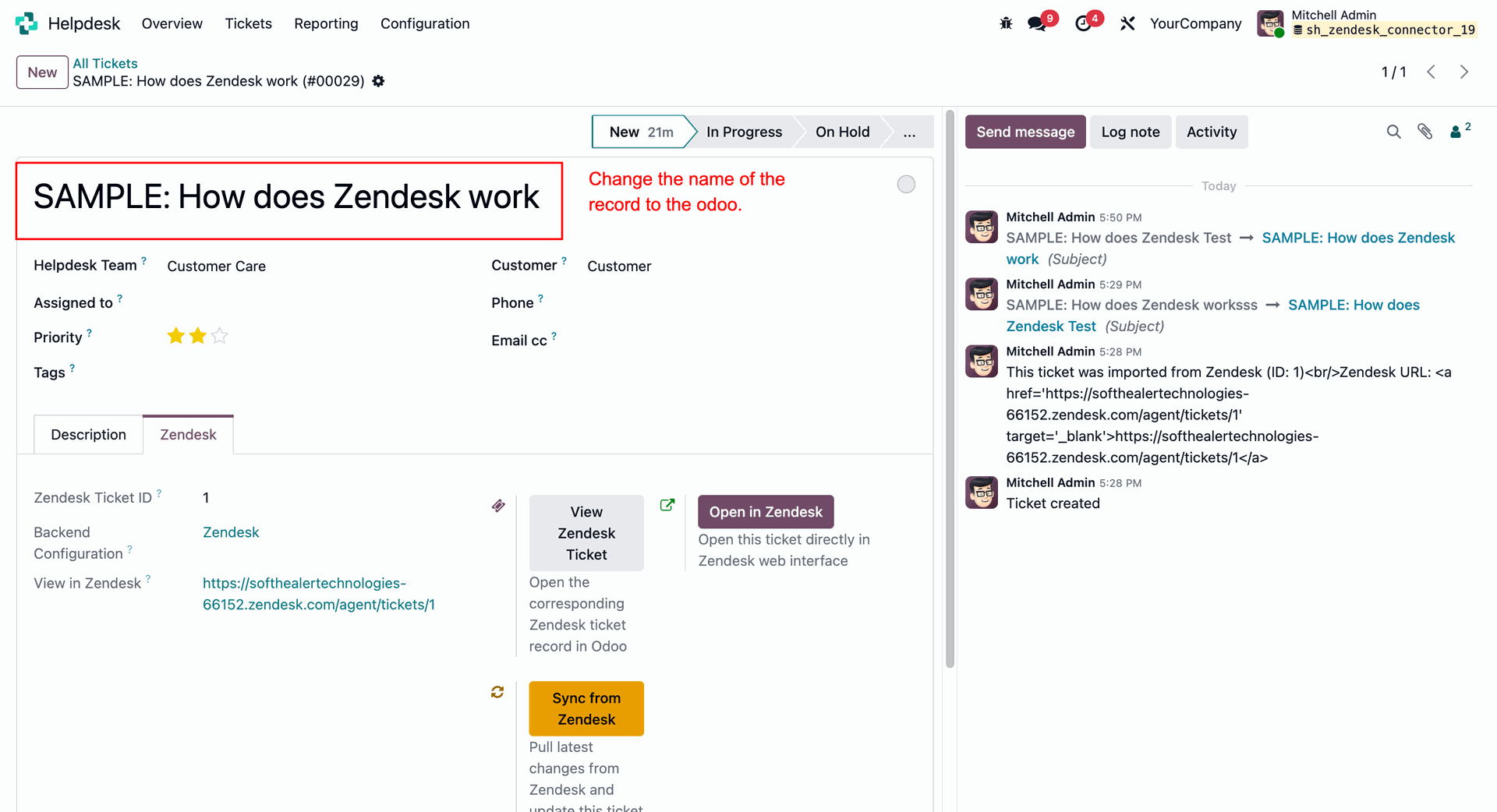
Exporting the updated ticket and user changes back to Zendesk using the "Export Pending Tickets" and "Export Pending Users" buttons.
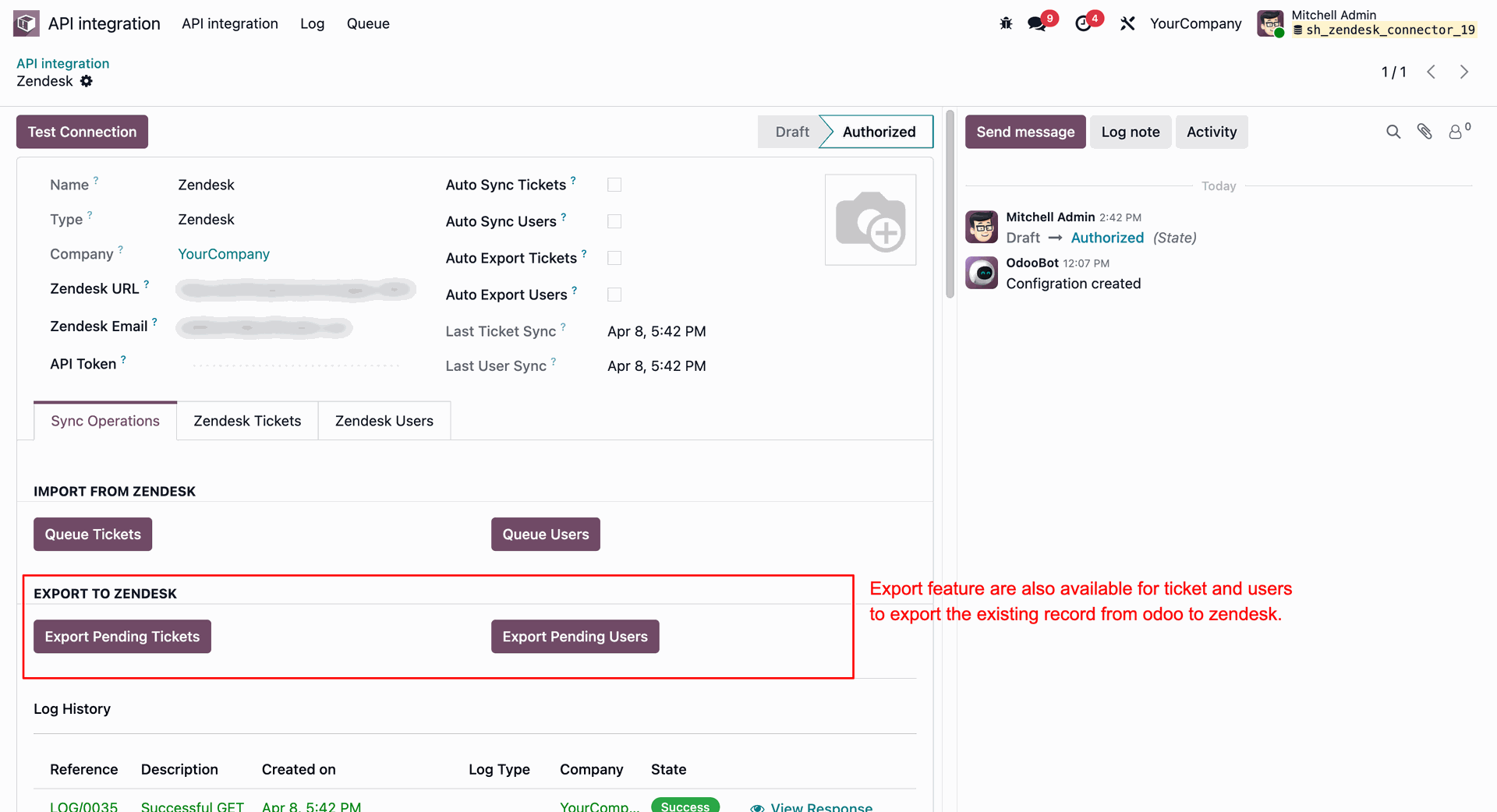
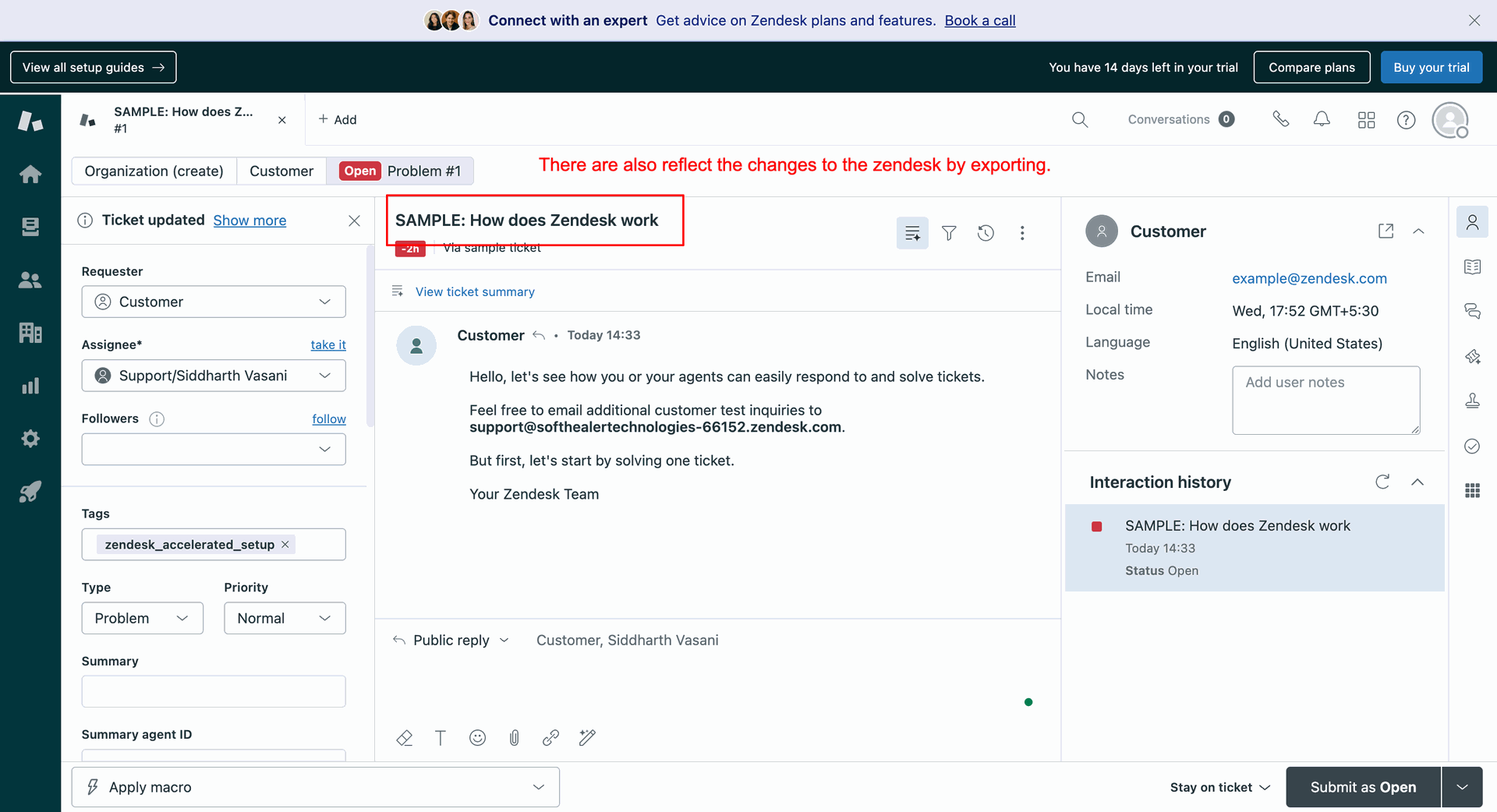
Verifying that the updated ticket name has successfully reflected in the Zendesk web interface.
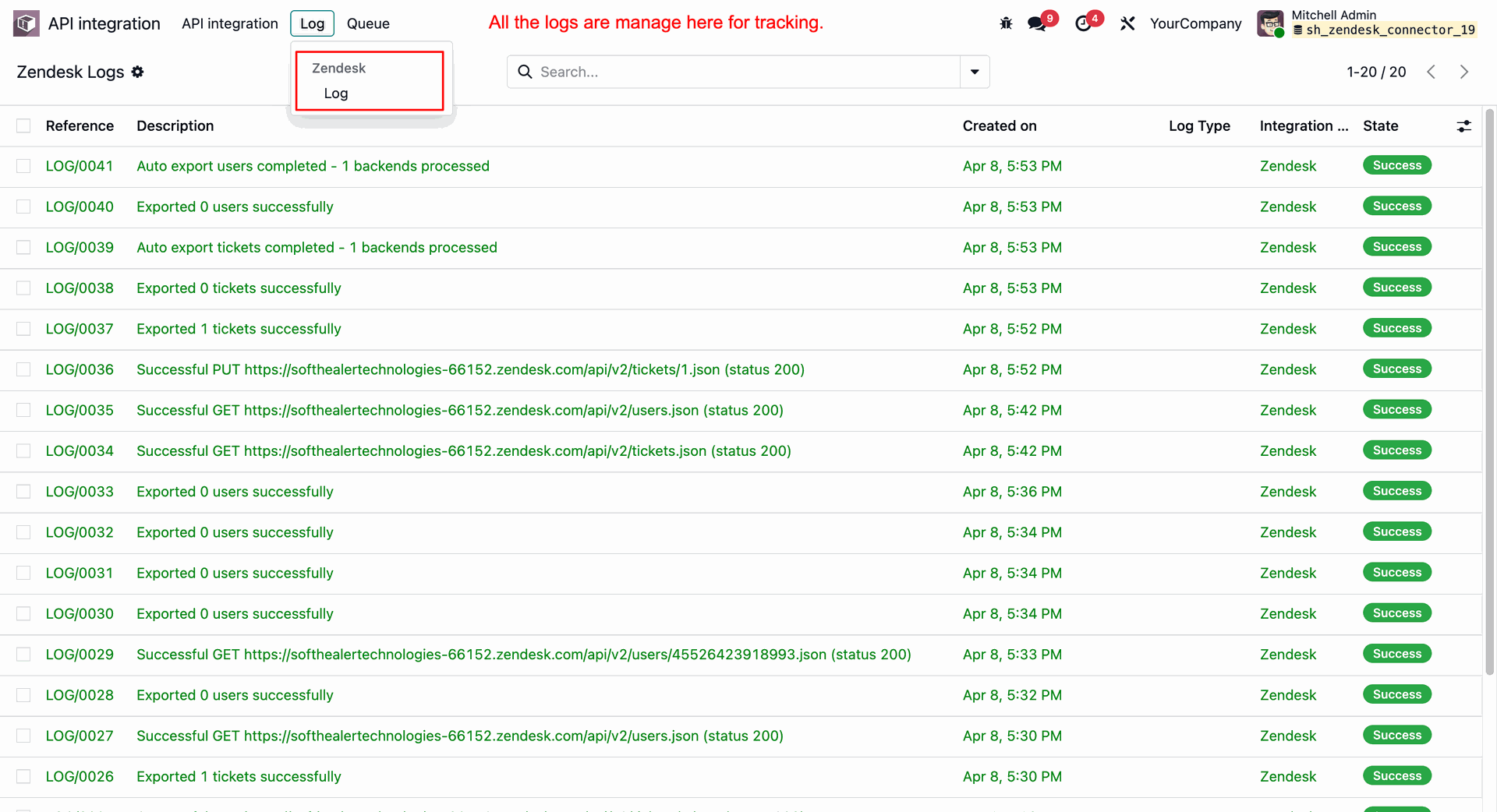
Accessing and tracking the detailed synchronization history logs under the "Log -> Zendesk Log" menu.
Version 18.0.1.0.0 | Released on : 15th July 2026
- No, this app works perfectly with Odoo Enterprise (Odoo.sh & Premise) only.
- No, this application is not compatible with odoo.com(odoo saas/Odoo Online)
- Yes, to test this module, please contact us at sales@softhealer.com.
- Please contact us at sales@softhealer.com to request customization.
- Yes, we provide free support for 365 days from the date of purchase.
- Yes, you will receive lifetime free updates for the version of the module you purchased.
- No, there is no need to install any additional libraries.
- Yes, for version 12 and above, you need to purchase the module separately for each version you intend to use.
- No, exchanges or refunds are not allowed. Please make sure to select the correct version before purchasing.
- You can contact us at support@softhealer.com for language translation support. We use Google Translator tools to provide translations in multiple languages, so the accuracy may vary. We welcome your suggestions to help improve translations.
Discover Our Latest Apps