












WhatsApp Live Chat

Chat with your customers through WhatsApp, the most popular messaging app. Vital extension for your odoo
website, which allows you to create stronger relationships with your customers by guiding and advising
them in their purchases in real-time.
Now your customers can chat with you on WhatsApp, directly from your odoo website to your mobile!!
No need to add your mobile phone number to the mobile address book.
An online chat system provides customers with immediate access to help. Wait times are often much less
than in a call centre, and customers can easily multi-task while waiting.
This extension allows you to create a WhatsApp chat button, highly configurable, to show it in different
parts of your site to chat with your customers through WhatsApp, the most popular messaging app.

Related Modules
Features

Multiple Chat Positions
Display the WhatsApp chat button in different positions across the website.

WhatsApp Website Chat
Allow customers to start a WhatsApp chat directly from your Odoo website.

No Mobile Number Required
Open WhatsApp chat automatically without requiring customers to save the phone number in their contacts.

One-Time Configuration
Configure the WhatsApp website chat once and use it across your website.

Mobile Compatible
Provide a responsive WhatsApp chat experience across desktop, tablet, and mobile devices.

Predefined WhatsApp Message
Set a predefined message that appears when customers click the WhatsApp button.

Multi-Website Support
Enable WhatsApp chat across multiple Odoo websites.

Multi-Agent Department Directory

Allow website visitors to choose the appropriate WhatsApp agent or department for their enquiry.

Dynamic Product Page Messages
Show context-aware WhatsApp messages based on the product page customers are viewing.

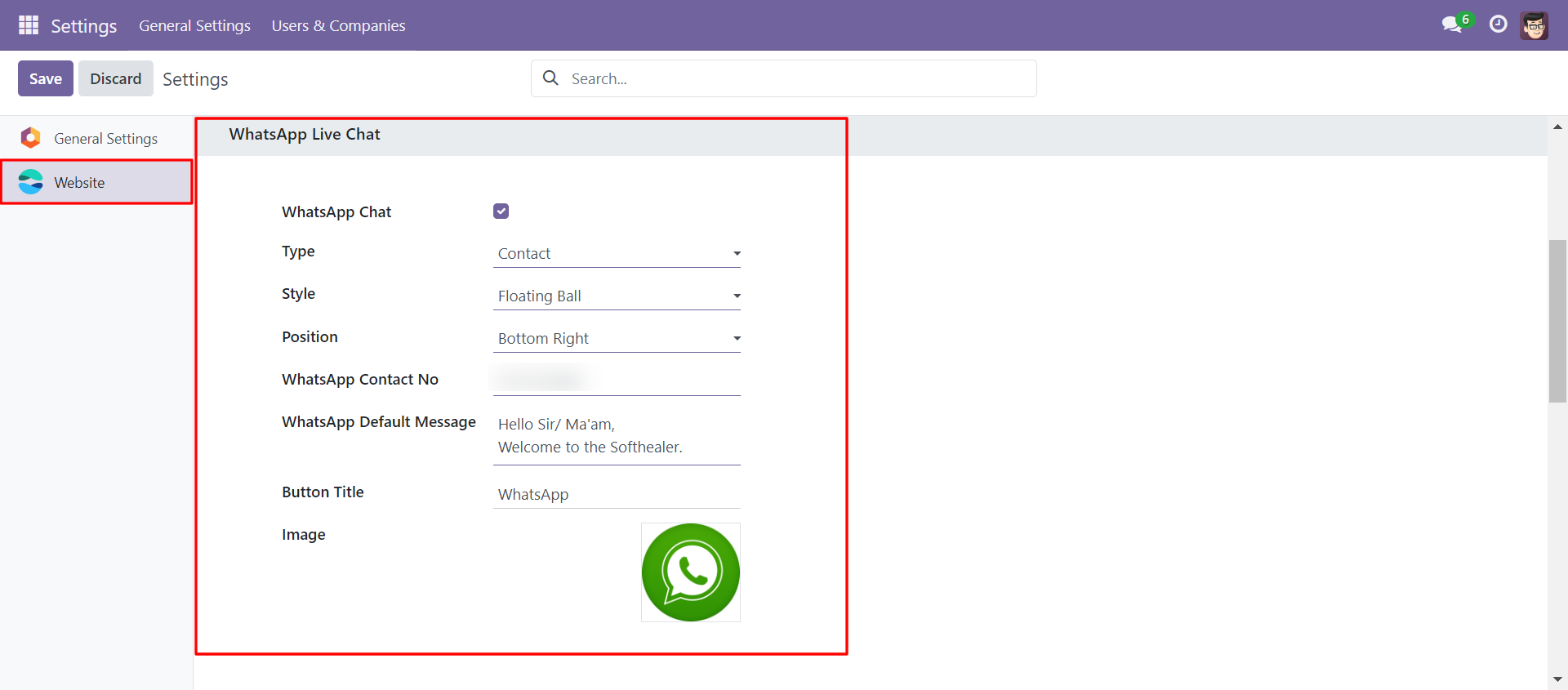
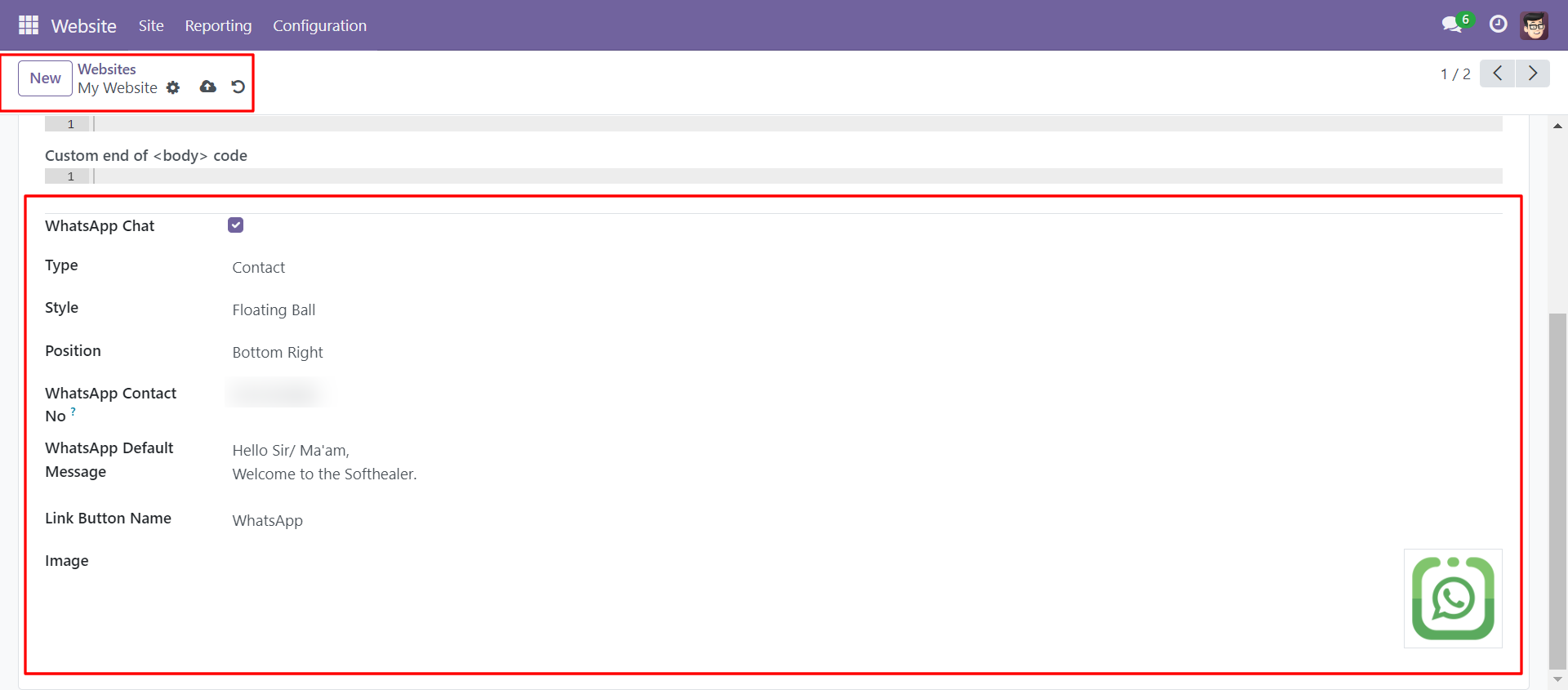
In website settings, you must configure the below fields to display the 'WhatsApp Chat' icon on the website.
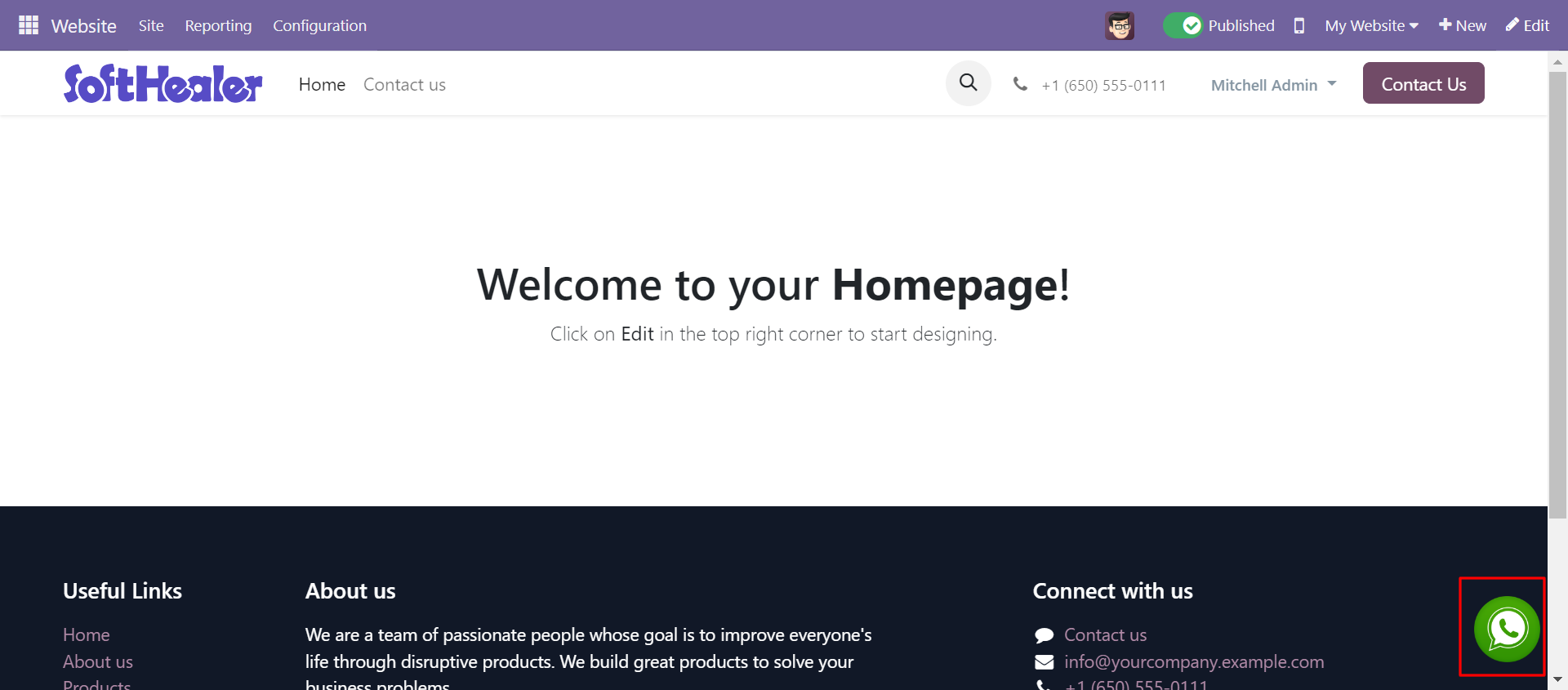
The 'ball' style 'WhatsApp Chat' icon looks like below.
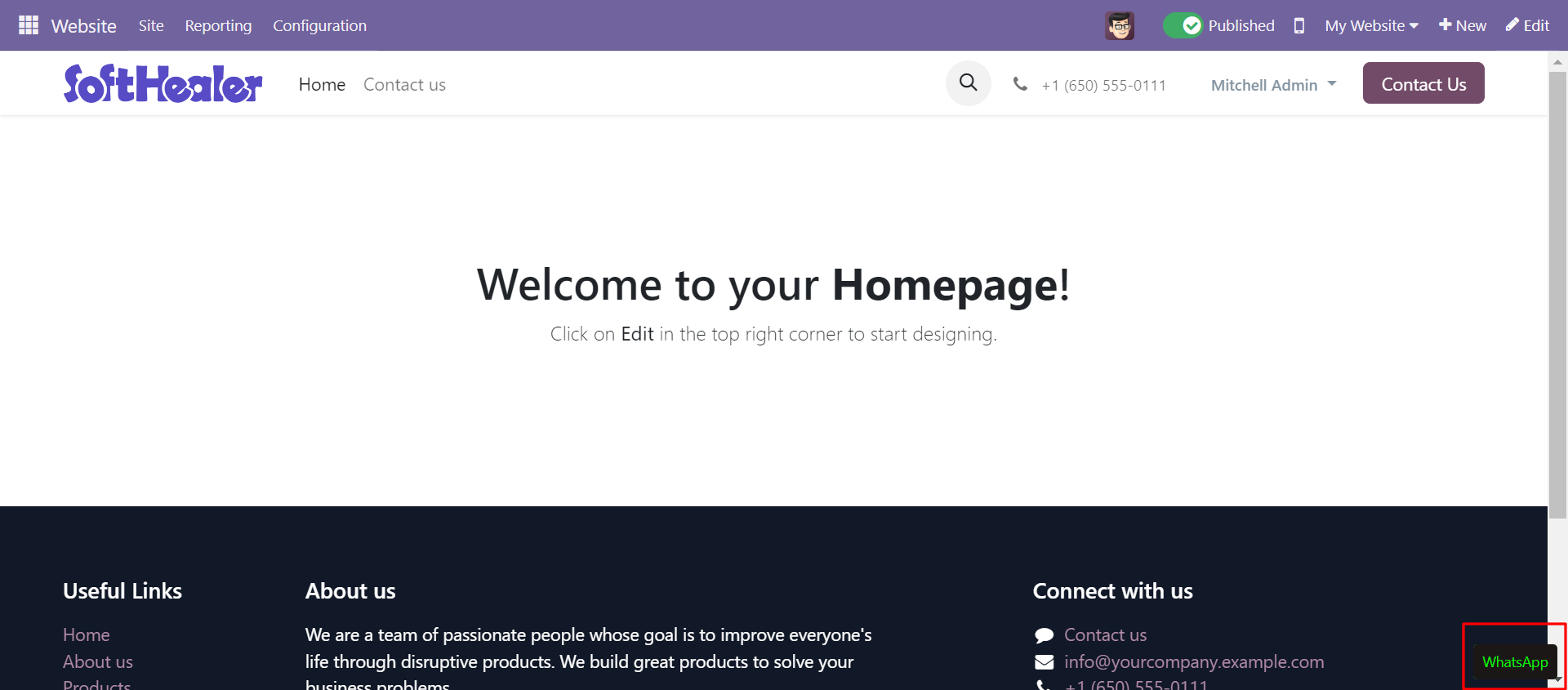
The 'Button' style 'WhatsApp Chat' icon looks like below.
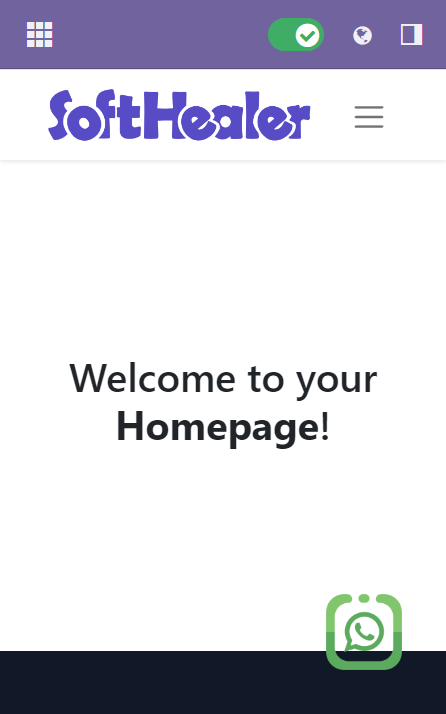
In mobile view, the icon looks like below.
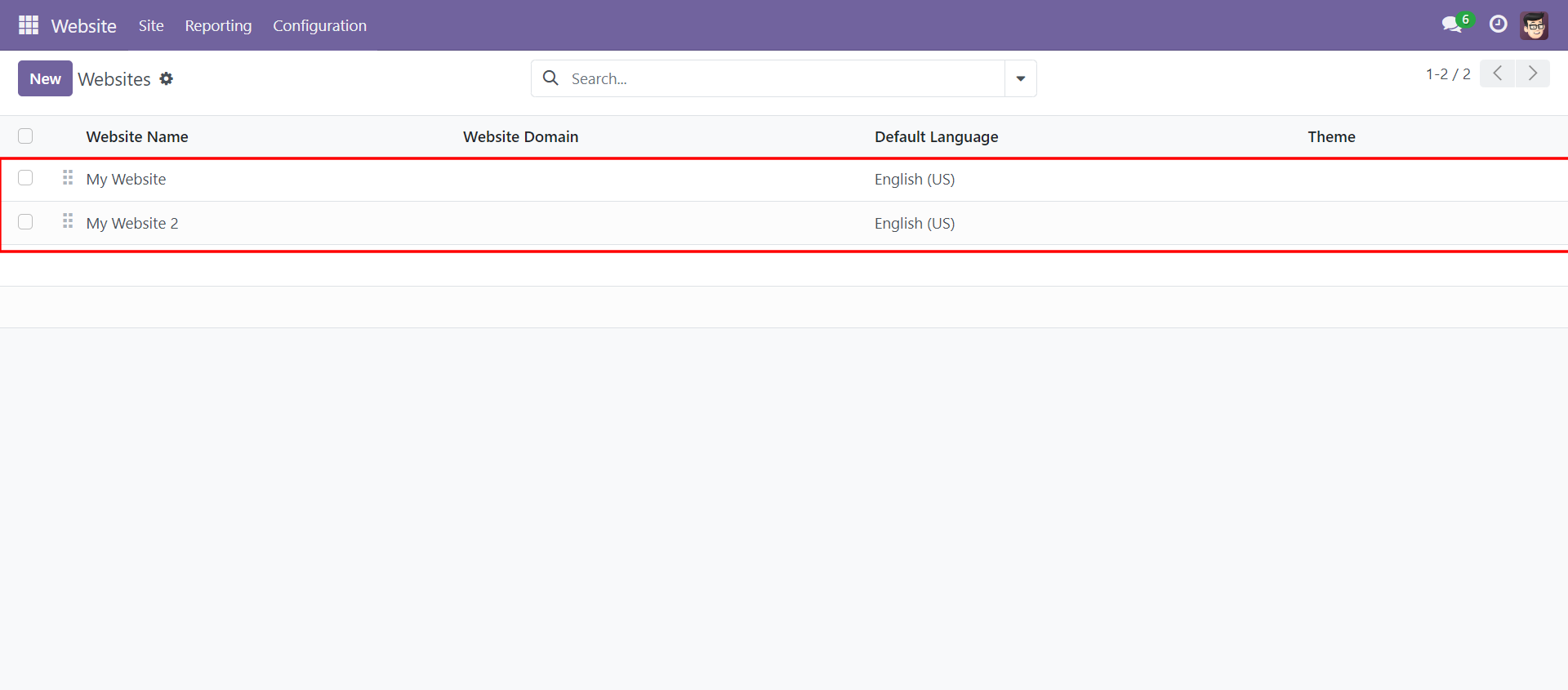
Multi website localhost and 0.0.0.0 below.
Whatsapp live chat settings in localhost website (website 1)
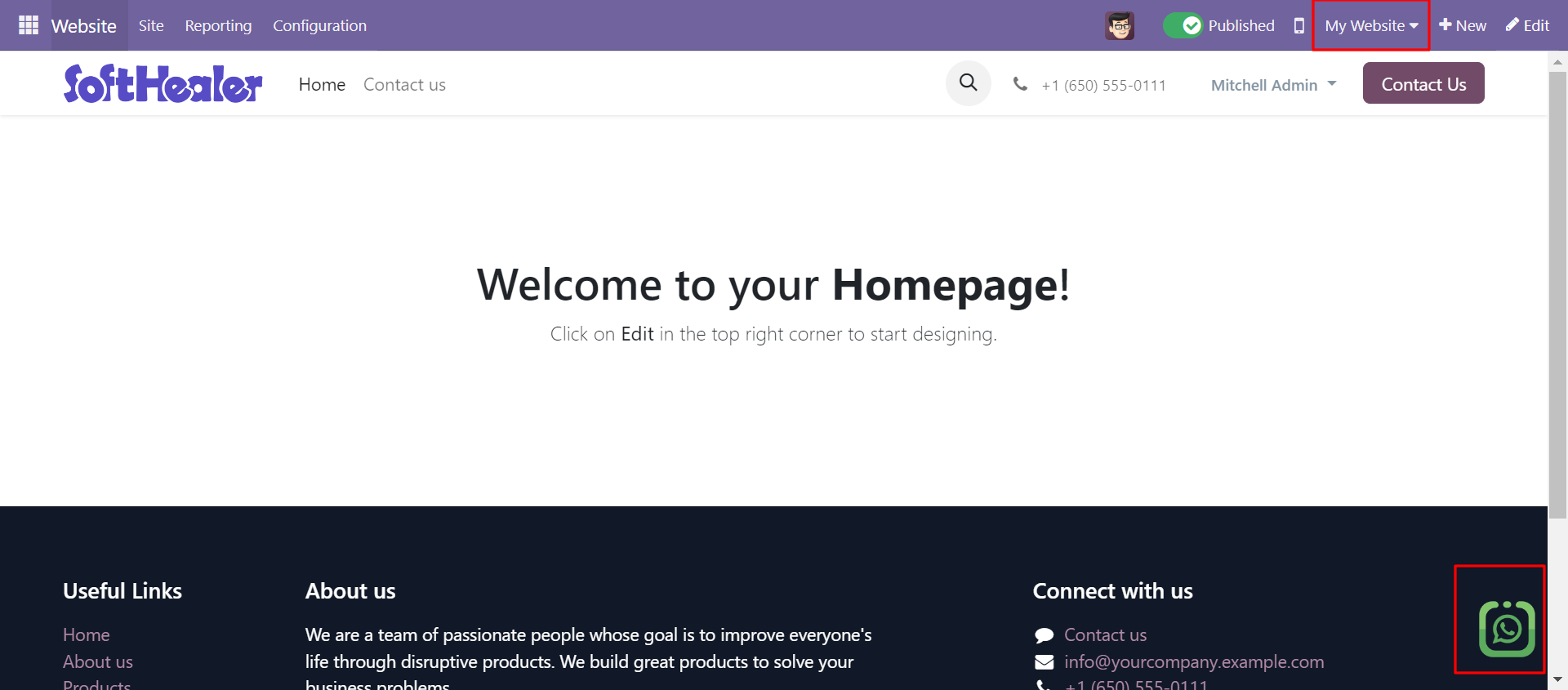
WhatsApp live chat on the localhost website (website 1)
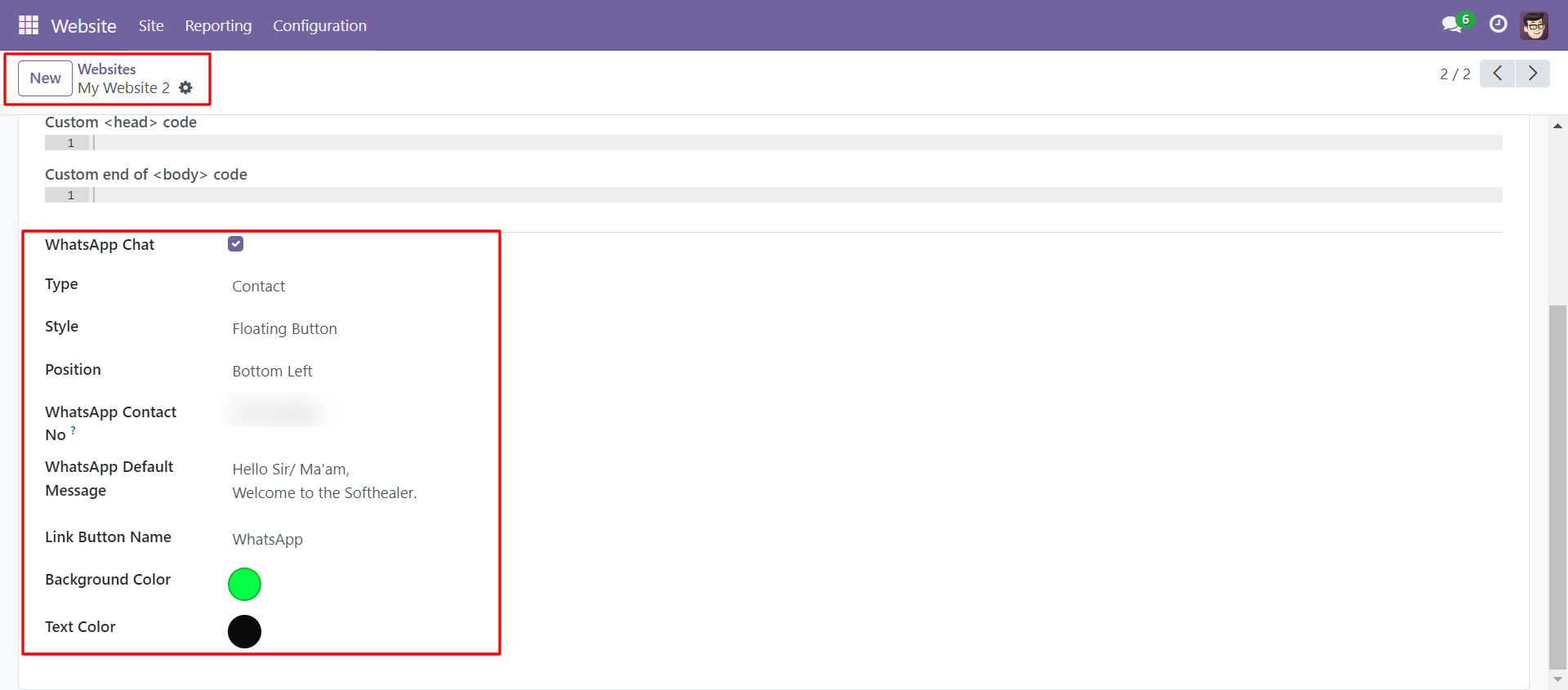
Whatsapp live chat settings in 0.0.0.0 website(website 2)
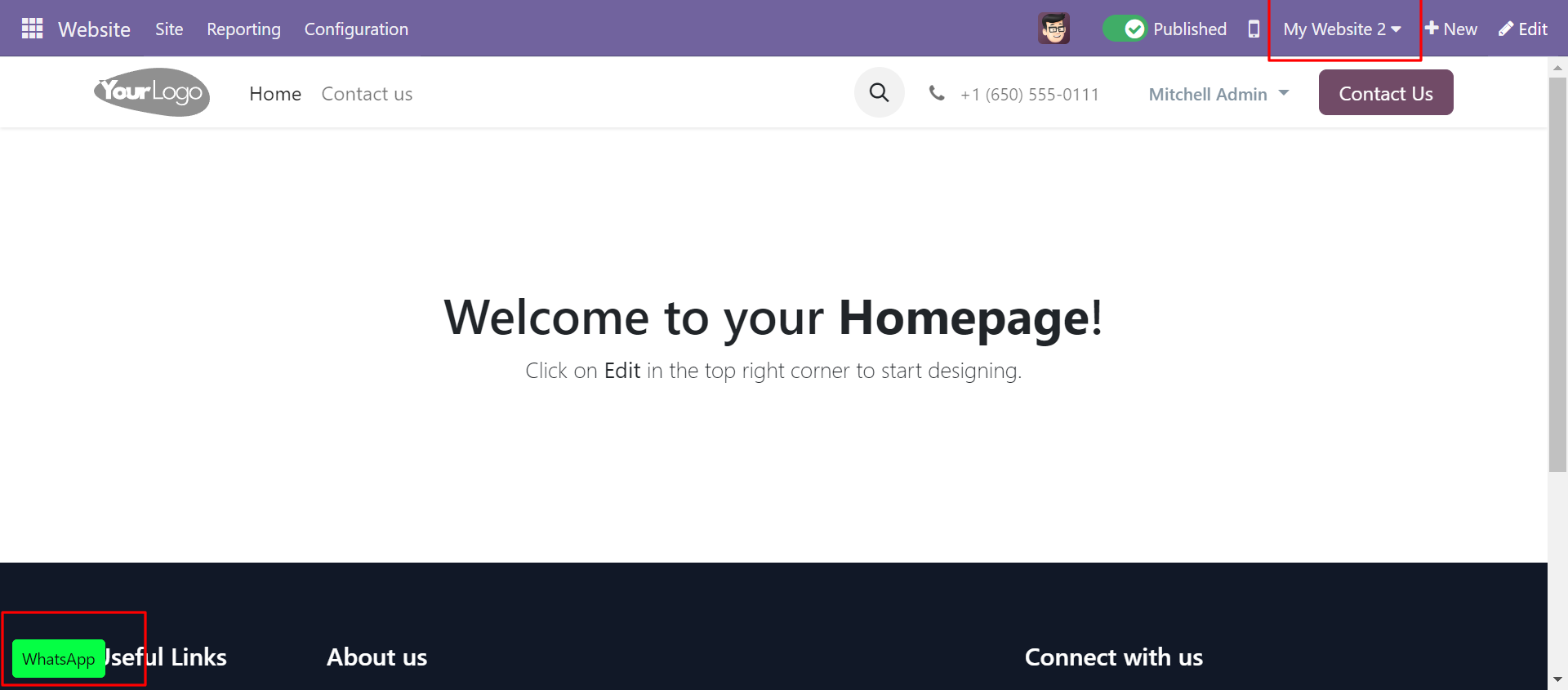
Whatsapp live chat in 0.0.0.0 website(website 2)
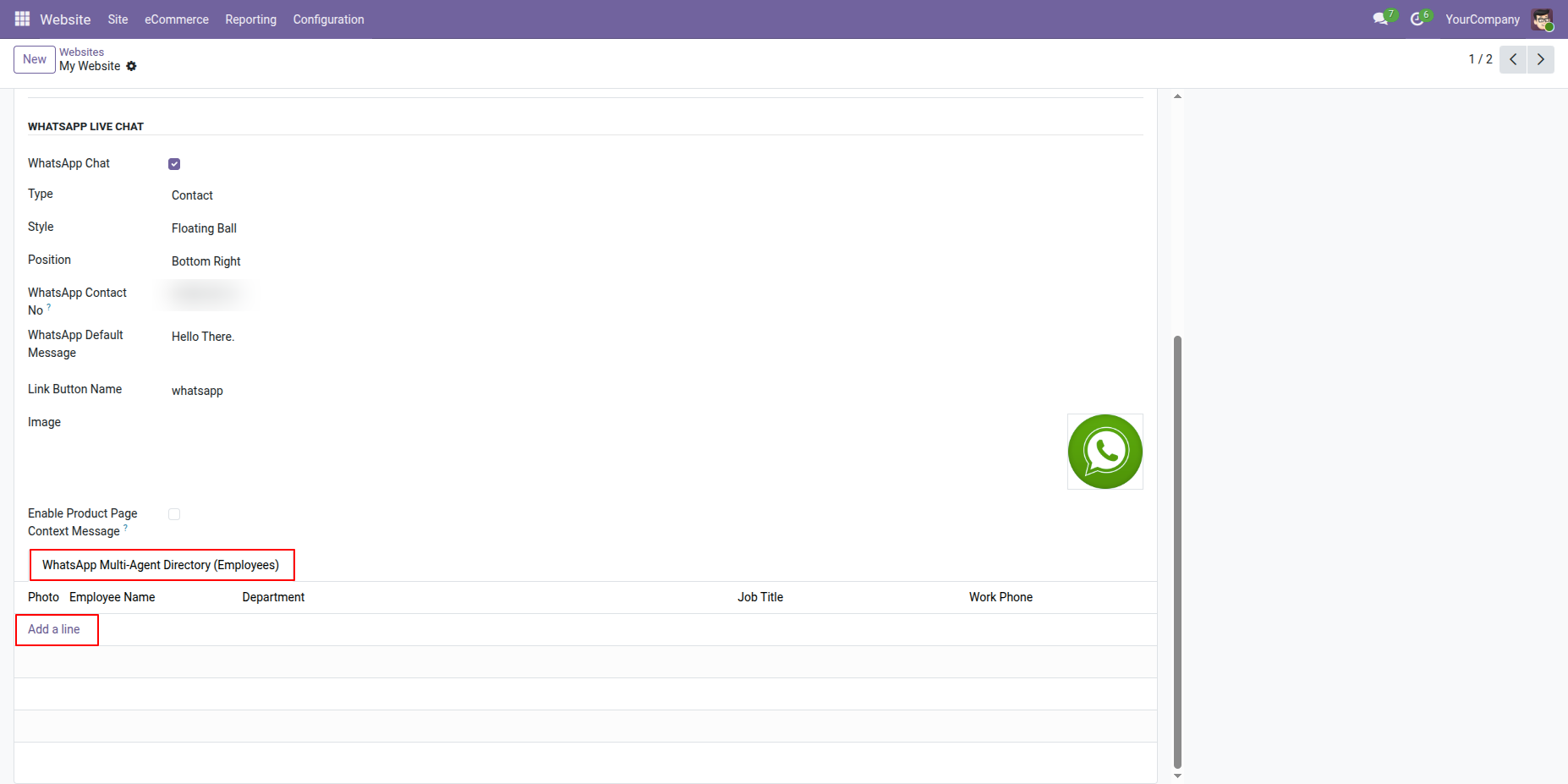
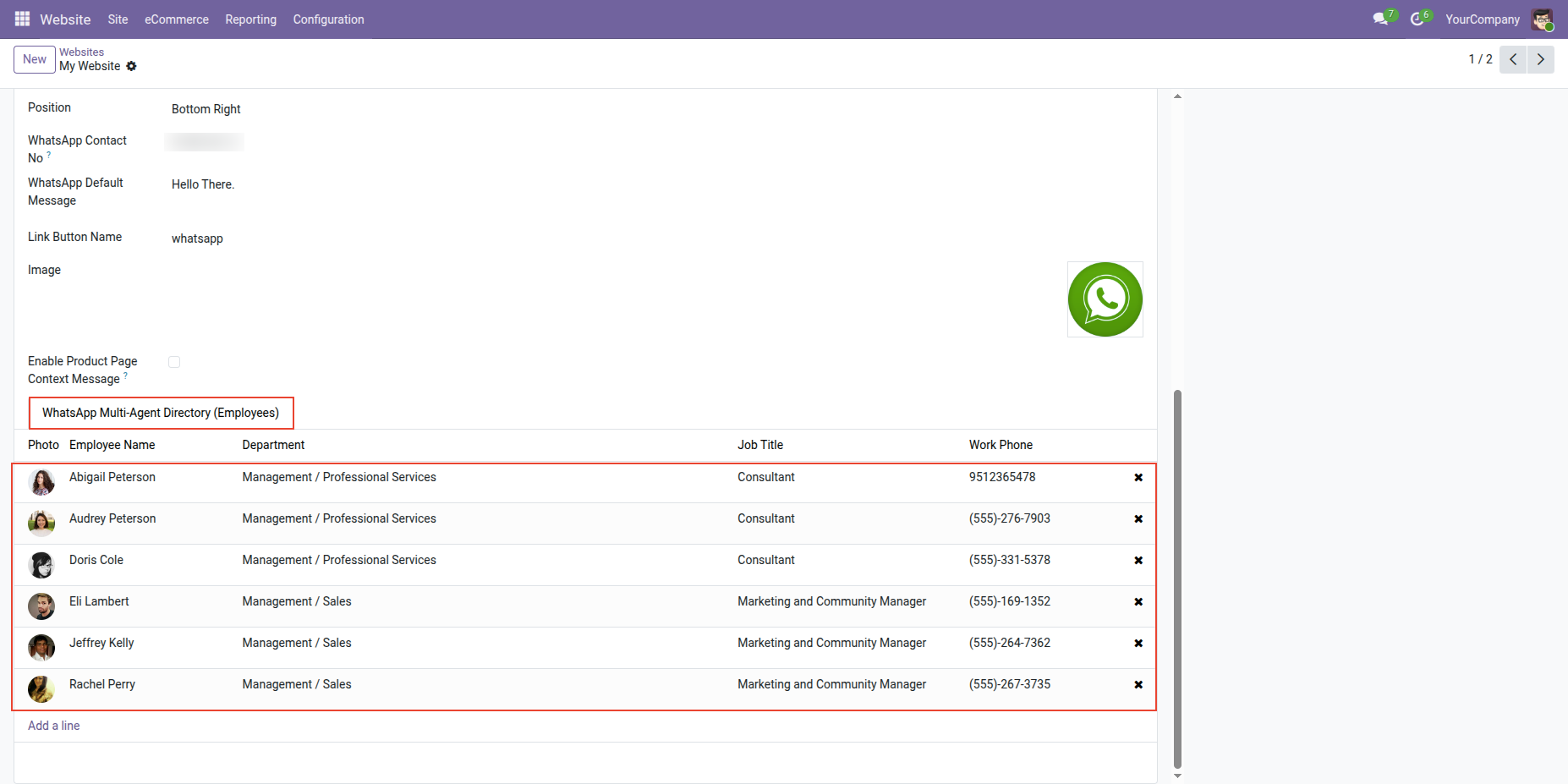
Go to Website Configurations > Open Website Form and enable 'WhatsApp Multi Agent Directory' Option. Click on Add a line to select the employee.
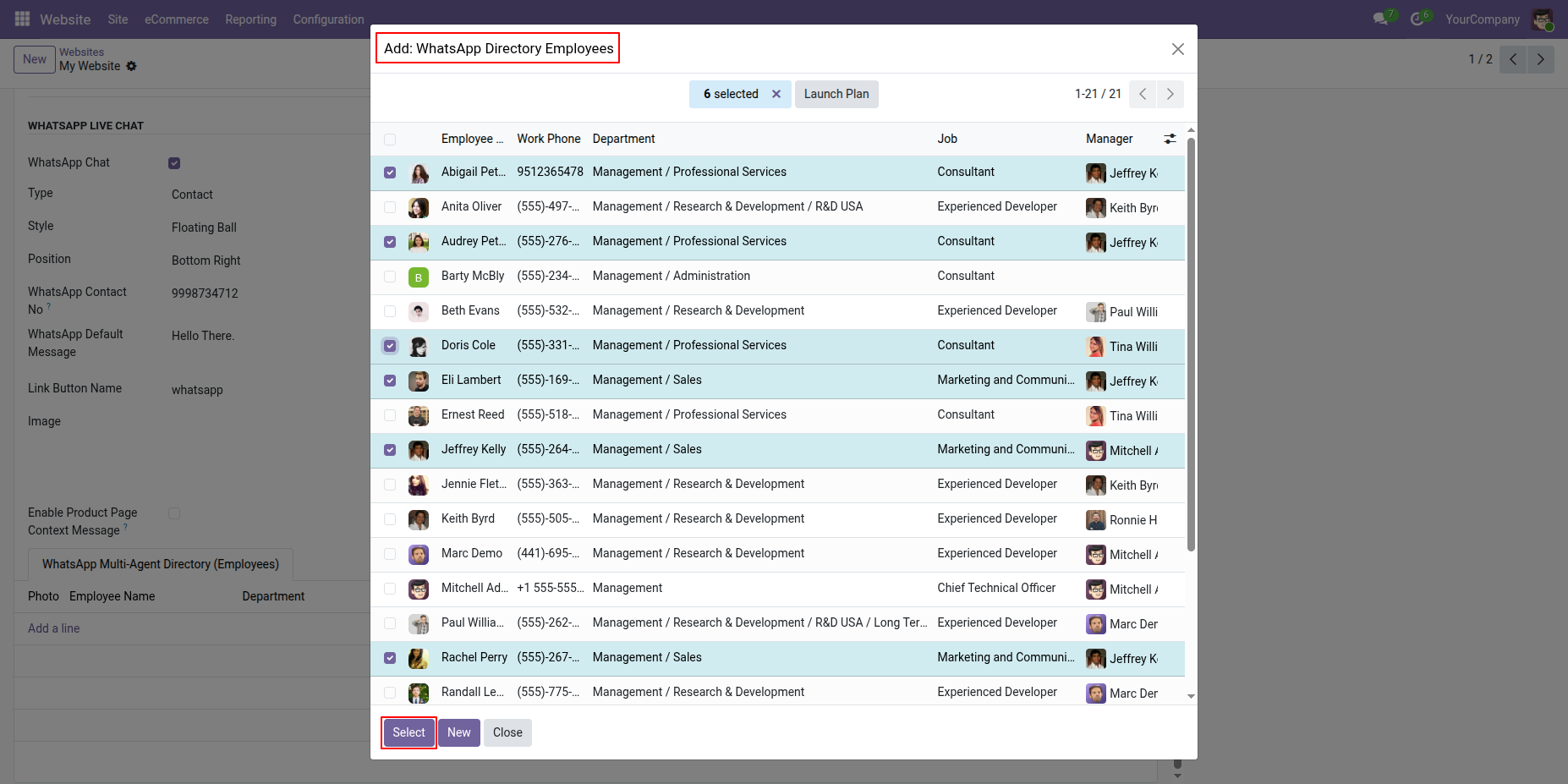
Add: WhatsApp Directory Employees Wizard will open. Select employee and click on Select button.
WhatsApp Multi Agent Directory (Employee) Added to the website form with their department, Job title and work Phone number details.
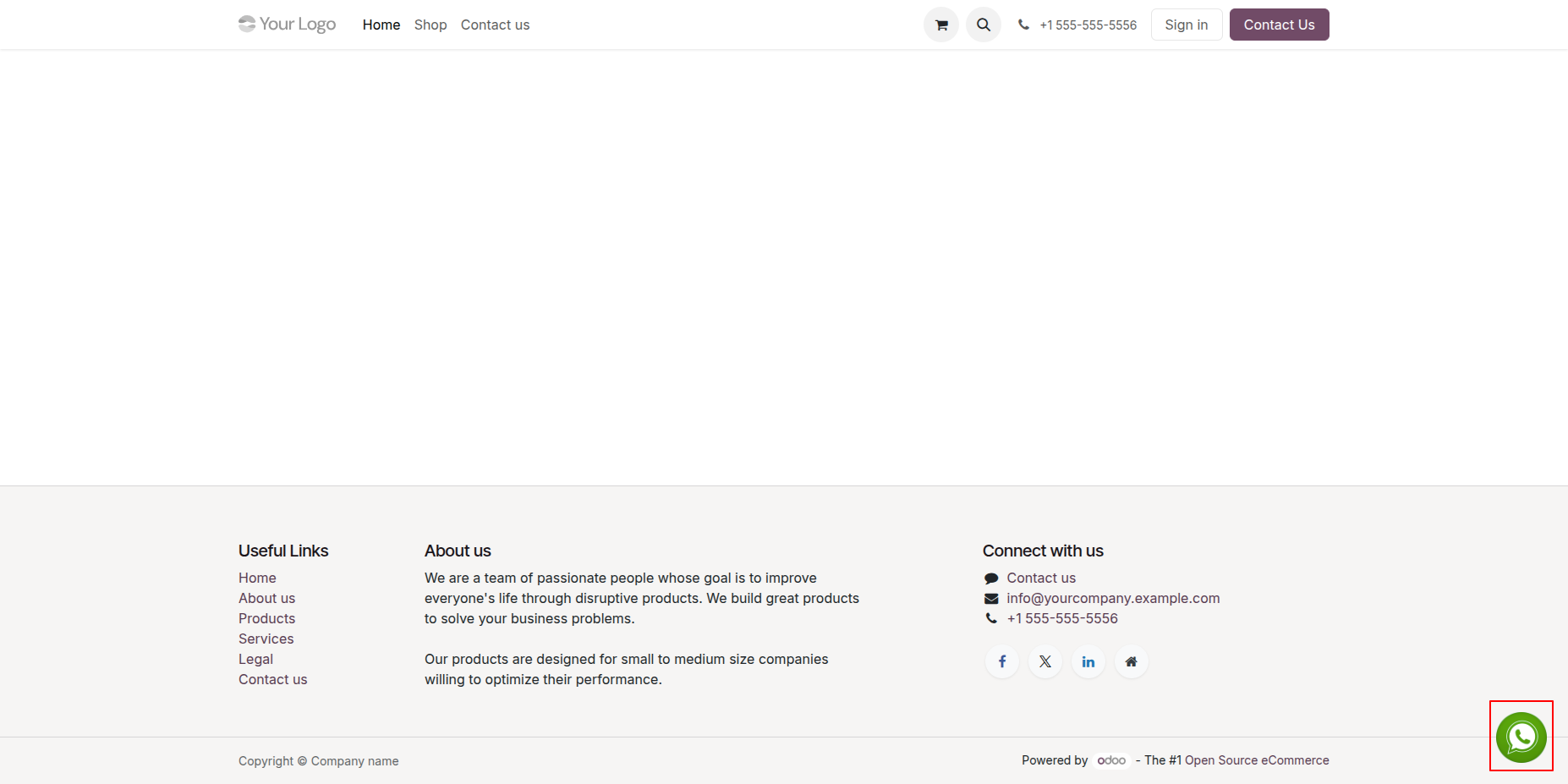
Go to the website and click on WhatsApp icon.
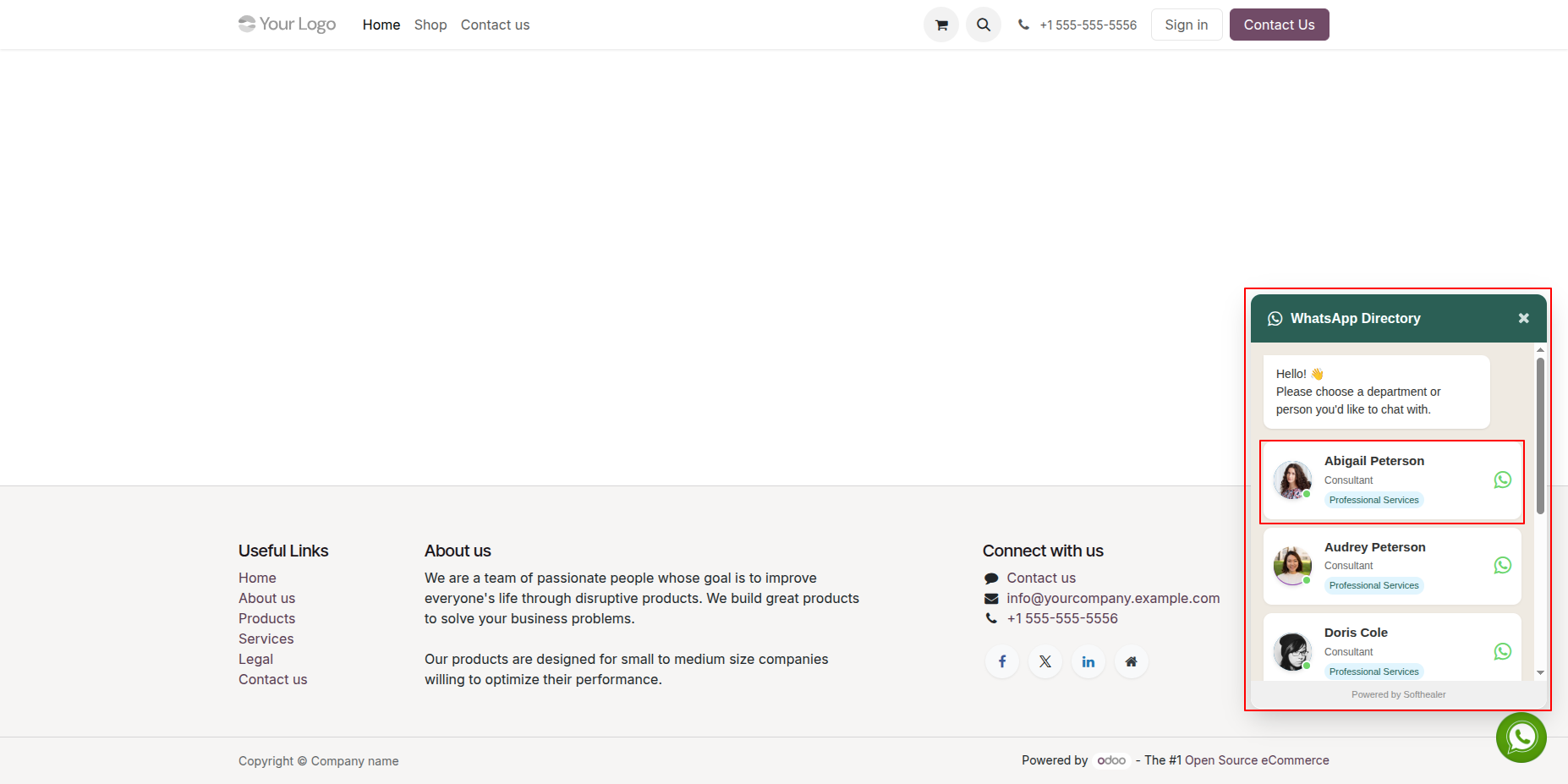
By clicking on WhatsApp icon WhatsApp Directory will open to select employee according to the department for chat. Select the employee.
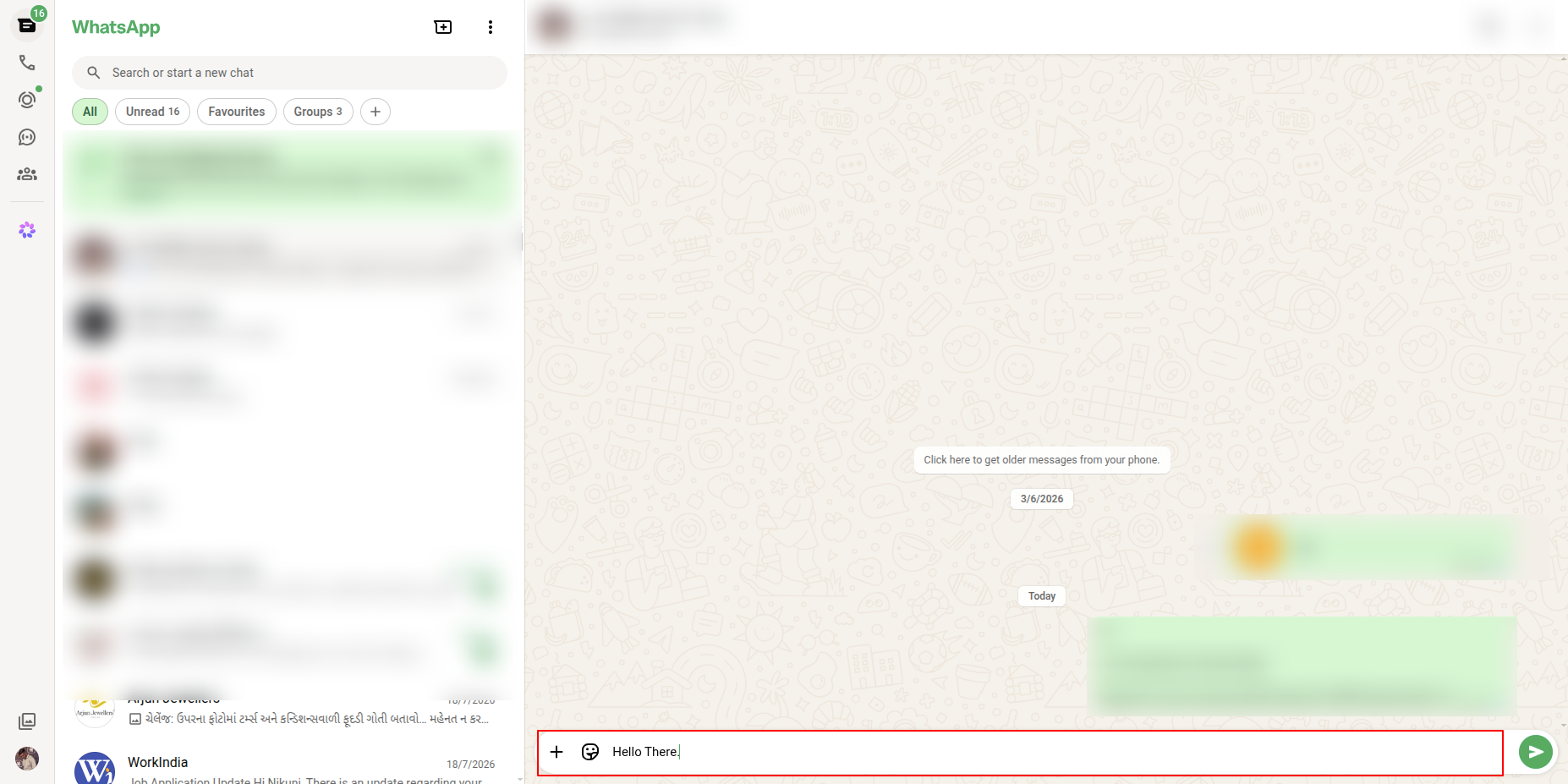
By selecting employee system will redirect to the WhatsApp.
Website settings display the configured WhatsApp Directory.
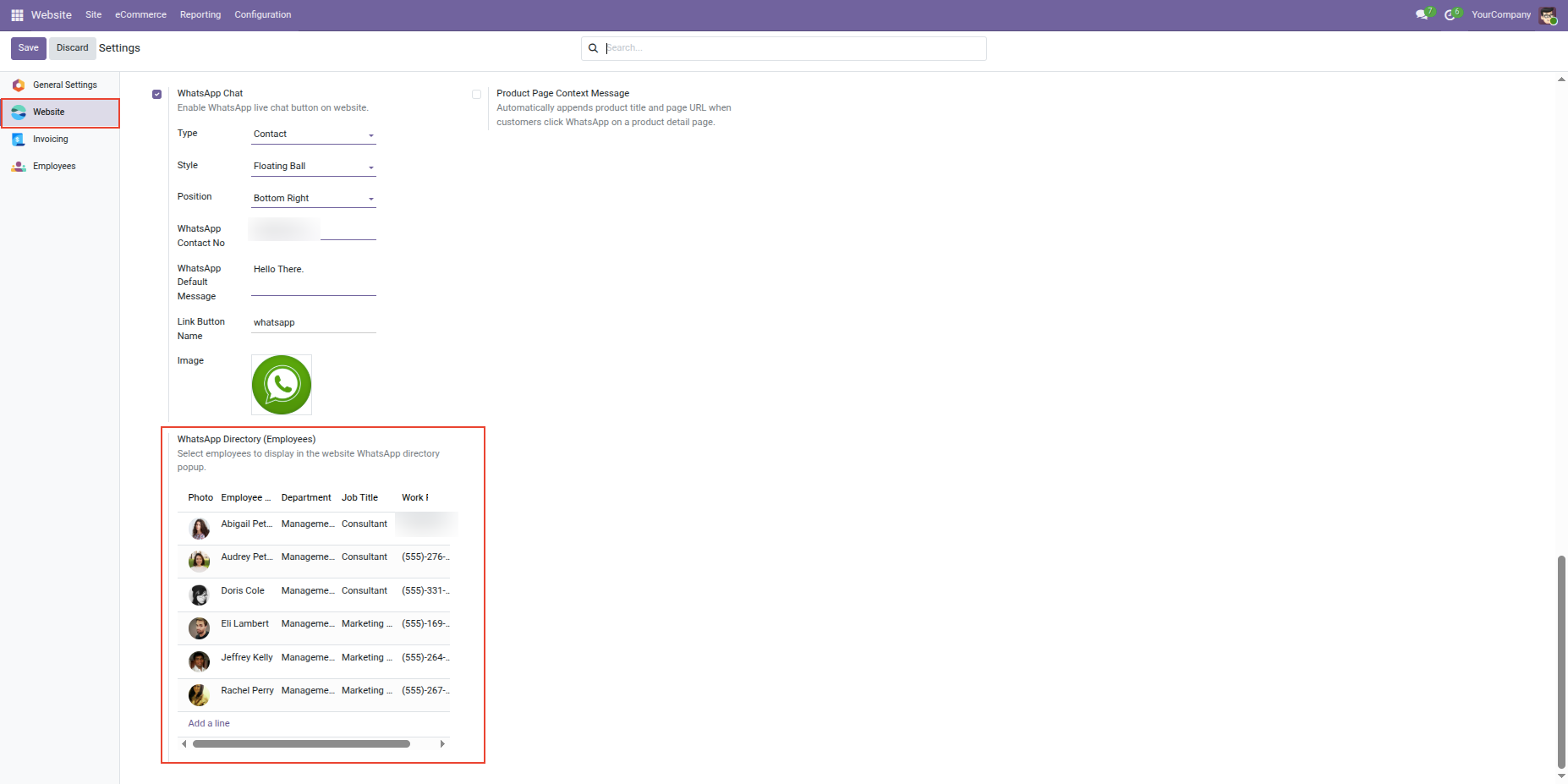
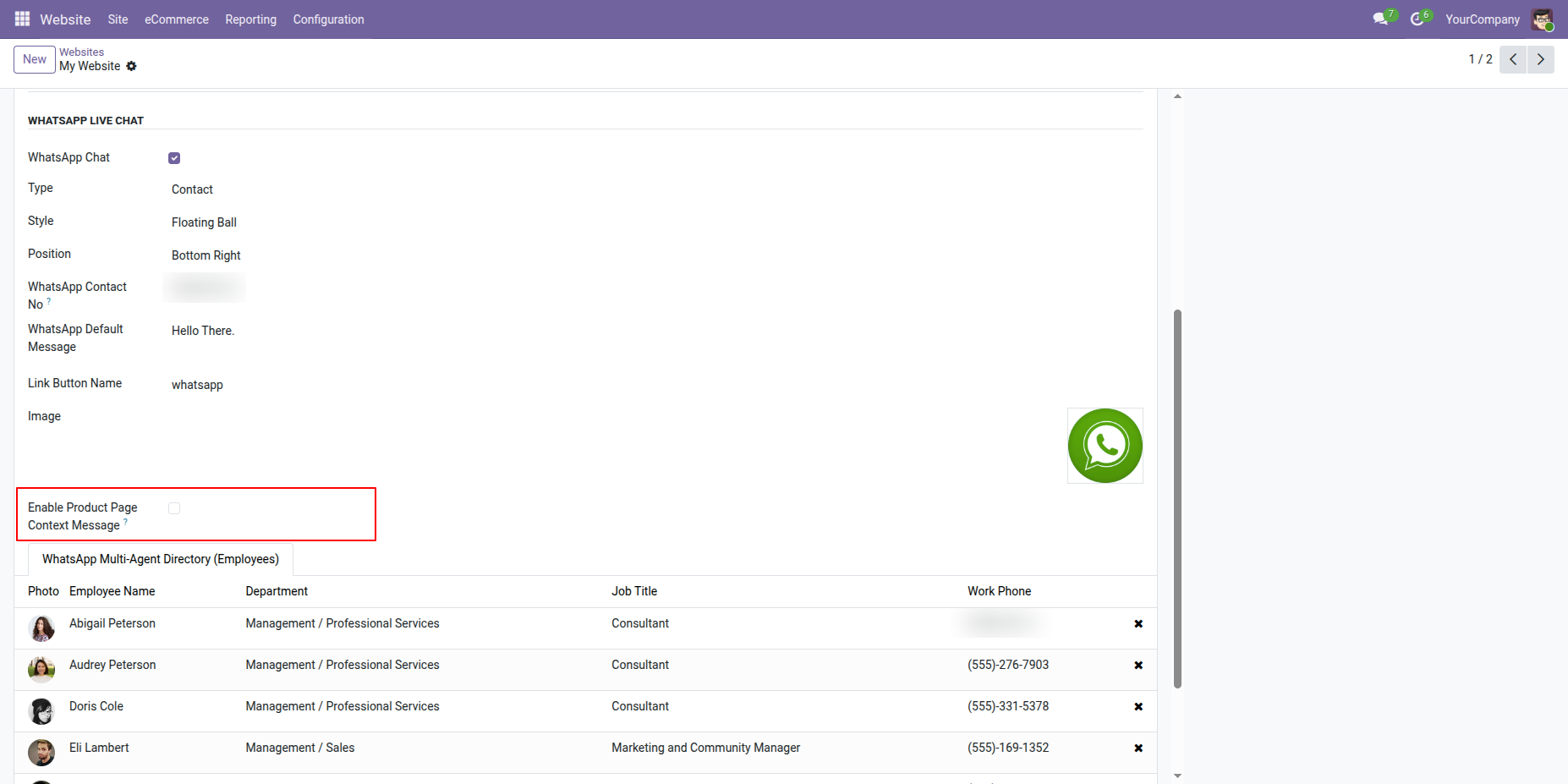
Go to Website Configurations > Open Website form view and enable 'Product Page Context Message'.
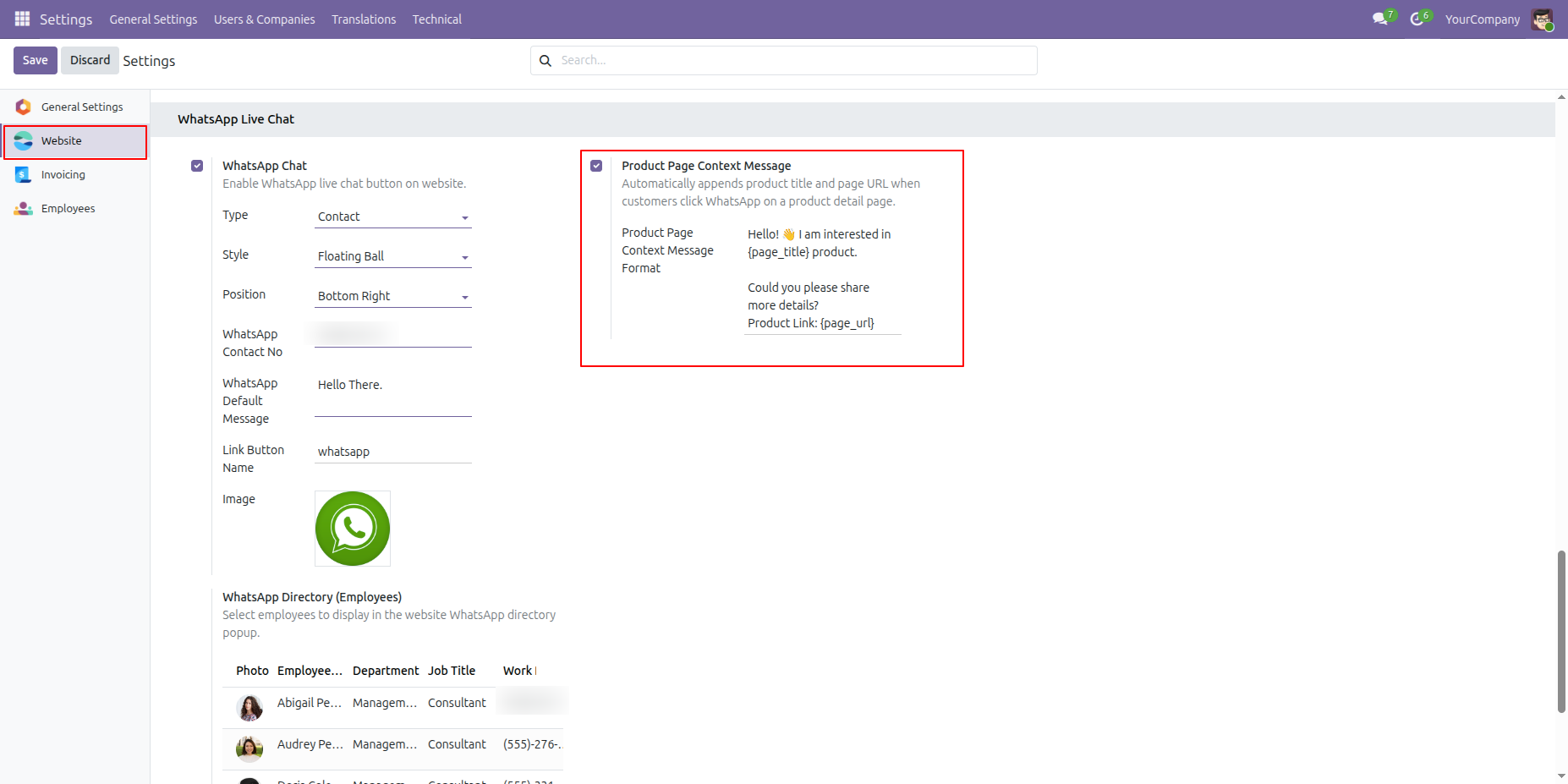
Website settings show the Product Page Context Message option alongside existing WhatsApp chat settings.
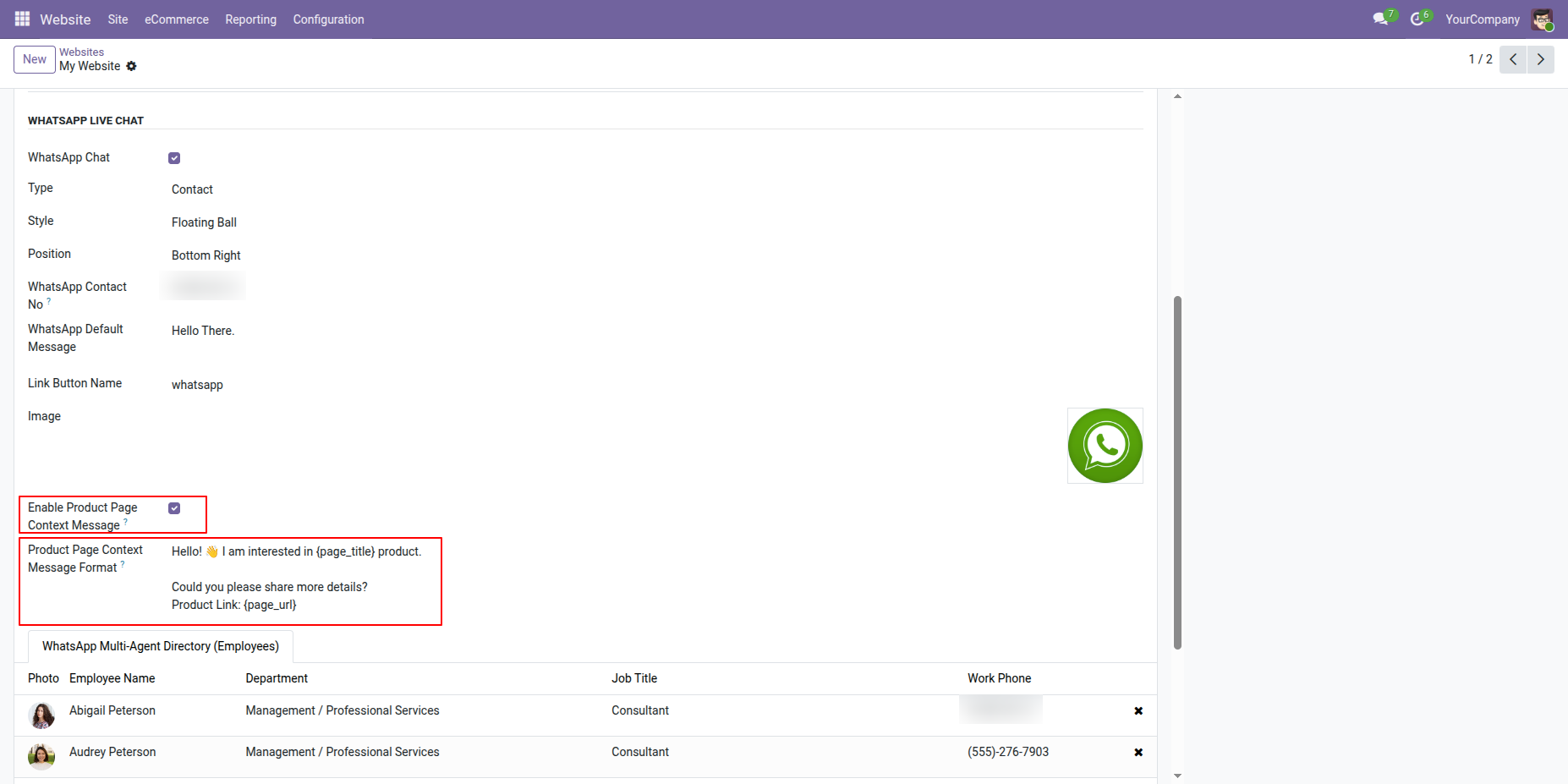
Enable Product Page Context Message and enter the format using product title and page URL placeholders.
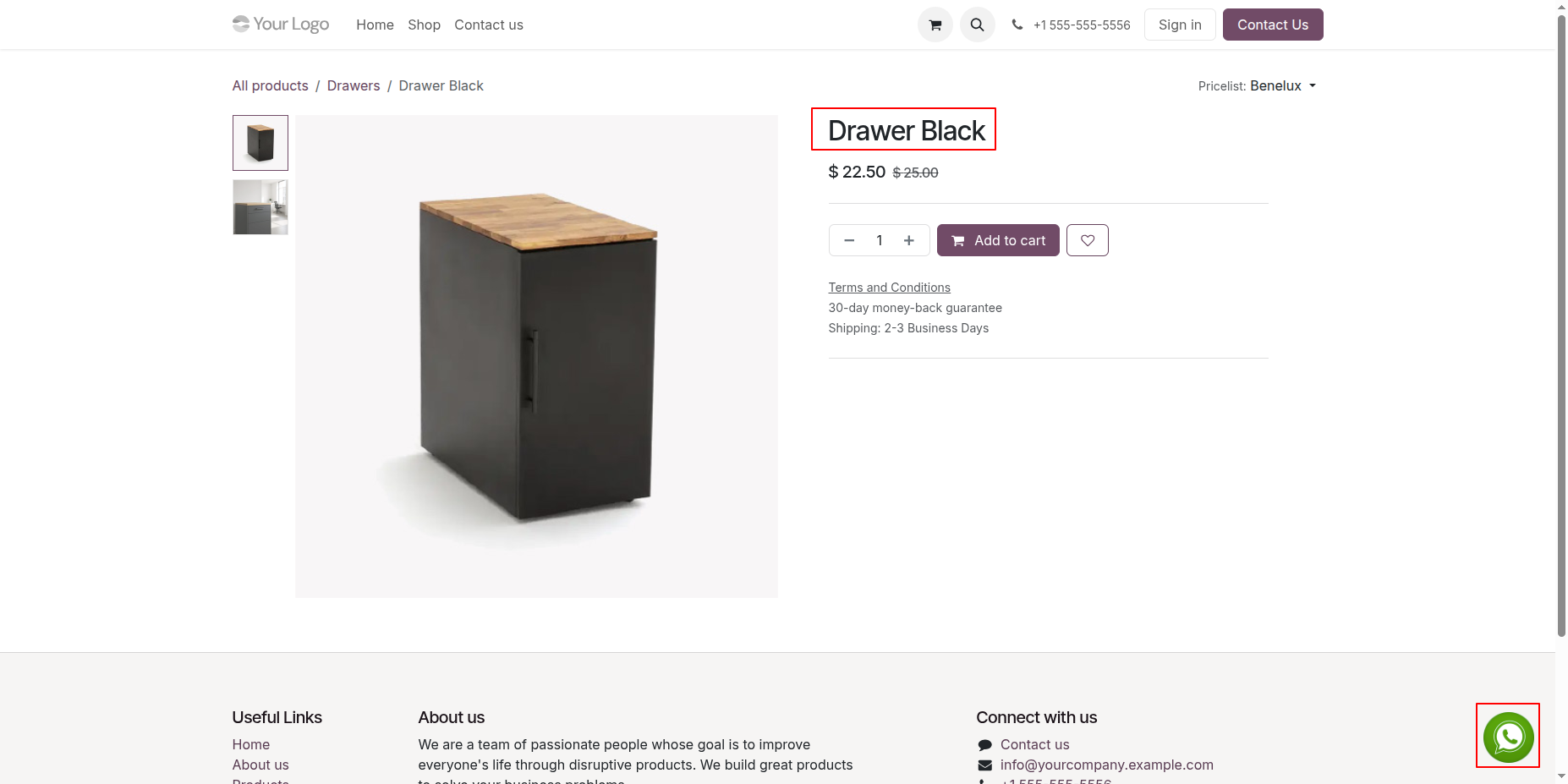
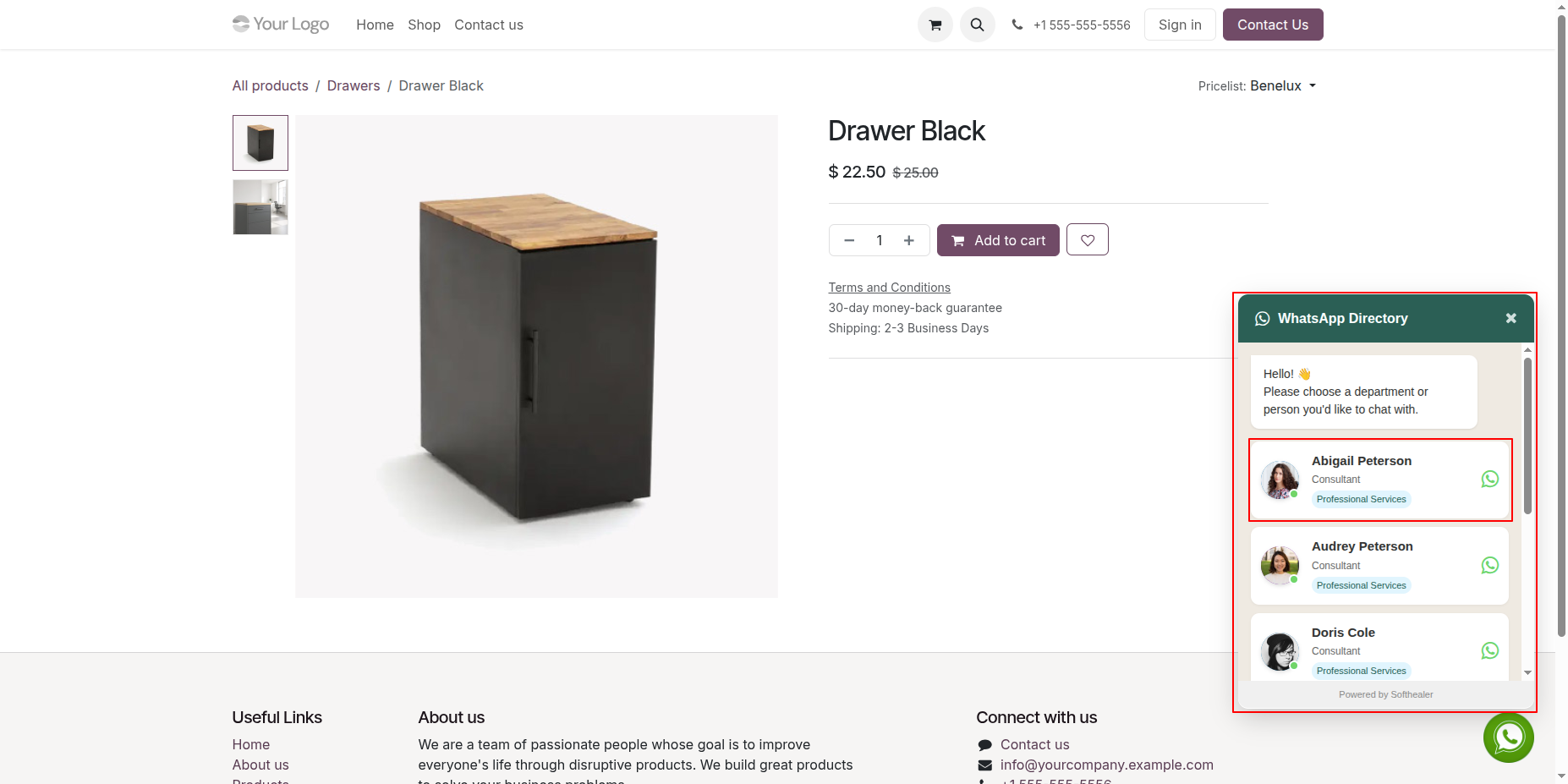
The product page displays the Drawer Black title above its price and purchase controls.
The WhatsApp directory opens beside the product page and lists available employees according to department for chat selection.
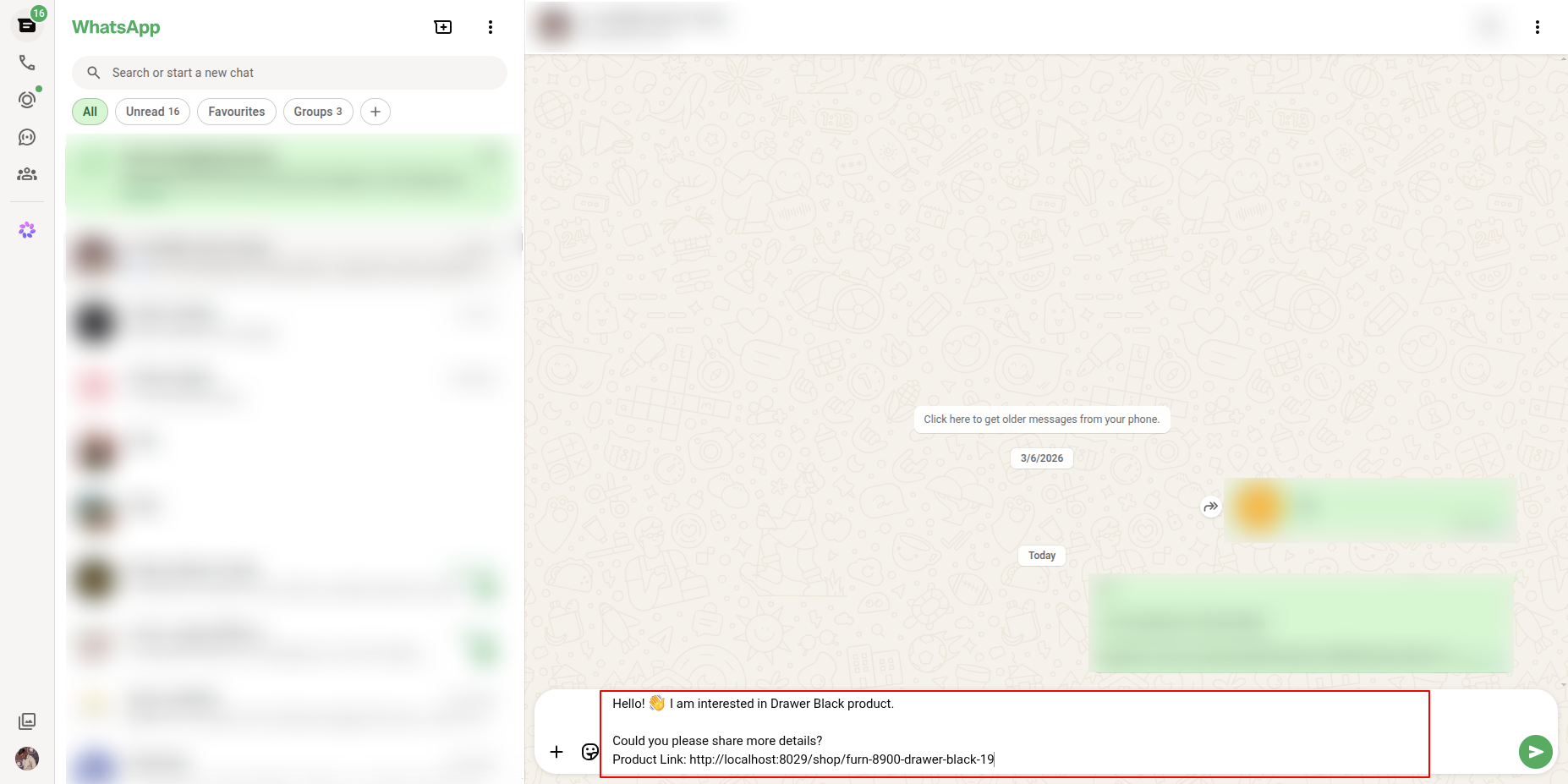
WhatsApp opens with a product-specific message containing the product name and product page link.
Website settings display the configured product context message with title and URL placeholders.
Version 18.0.2.0.0 | Released on : 26th August 2026
Version 18.0.1.0.0 | Released on : 30th October 2024
- Yes, this app works perfectly with Odoo Enterprise (Odoo.sh & Premise) as well as Community.
- No, this application is not compatible with odoo.com(odoo saas/Odoo Online)
- Yes, to test this module, please contact us at sales@softhealer.com.
- Please contact us at sales@softhealer.comto request customization.
- Yes, we provide free lifetime support for the version you purchased.
- Yes, you will receive lifetime free updates for the version of the module you purchased.
- No, there is no need to install any additional libraries.
- Yes, for version 12 and above, you need to purchase the module separately for each version you intend to use.
- No, exchanges or refunds are not allowed. Please make sure to select the correct version before purchasing.
- You can contact us at support@softhealer.com for language translation support. We use Google Translator tools to provide translations in multiple languages, so the accuracy may vary. We welcome your suggestions to help improve translations.
Discover Our Latest Apps