












Website URL Shortener

Simplify website link sharing with the Website URL Shortener module for Odoo. Automatically generate short, user-friendly URLs and QR codes for website pages and products. Configure token generation, manage URL validity, track redirect statistics, support multiple websites, and add Short URL or QR Code snippets directly from the Odoo Website Builder-all from a centralized management interface.

Features

Centralized Short URL Management
Manage all website short URLs from dedicated Website and Settings menus with centralized administration.

Automatic Short URL Generation
Automatically generate short URLs and QR codes for website pages and products based on configurable rules.
Flexible URL Generation Methods
Generate short URLs using either random alphanumeric tokens or sequential numeric values according to your preference.
Configurable Token & Expiration Settings
Define token length and default validity period for automatically generated short URLs.

Custom Branded Tokens
Edit generated tokens manually or regenerate them anytime to create meaningful, brand-friendly short URLs.

QR Code Integration
Automatically create QR codes for every short URL with options to copy the URL or download the QR code for sharing.

Complete Redirect Configuration
Manage target URLs, website, channel, validity, redirect details, and activation status from a single screen.

Multi-Website Support
Generate and maintain separate short URLs for different websites within the same Odoo database.

Advanced Search, Filter & Grouping
Quickly find short URLs using powerful search, filters, favorites, and grouping by target URL, website, or marketing channel.

Page-Level Short URL Management
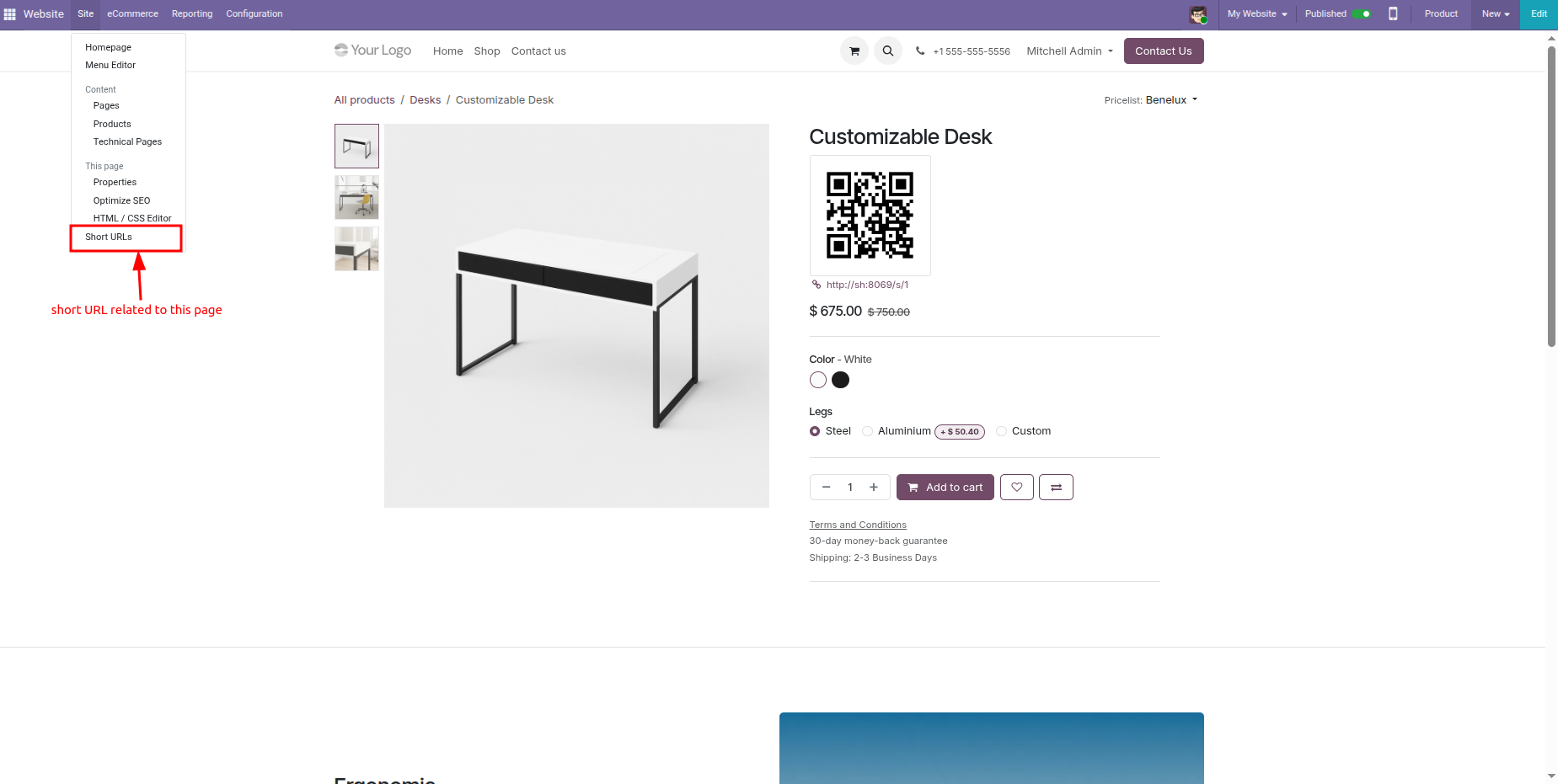
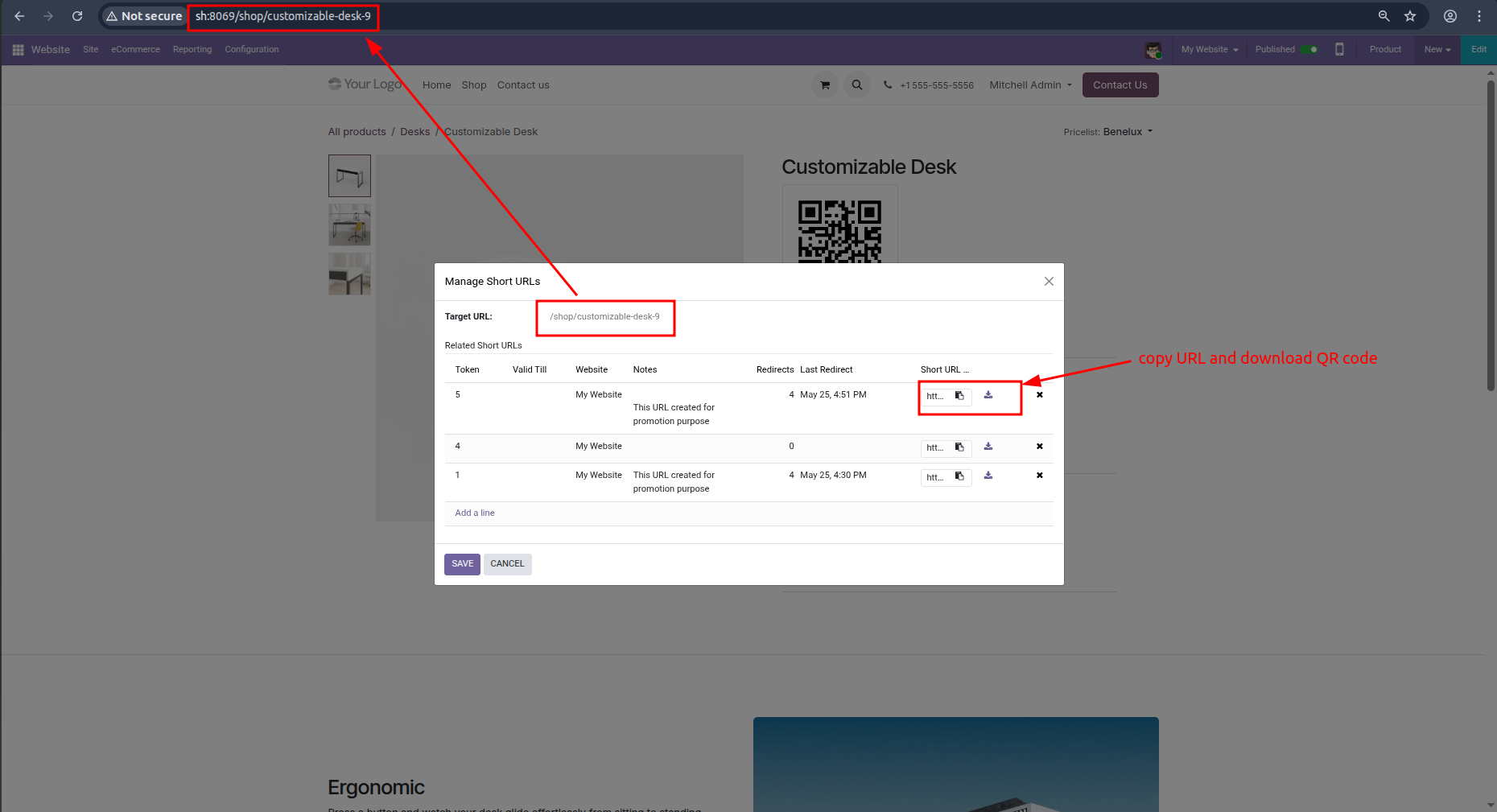
Manage all short URLs related to the current website page directly from the Website Editor.

Drag & Drop Website Snippets
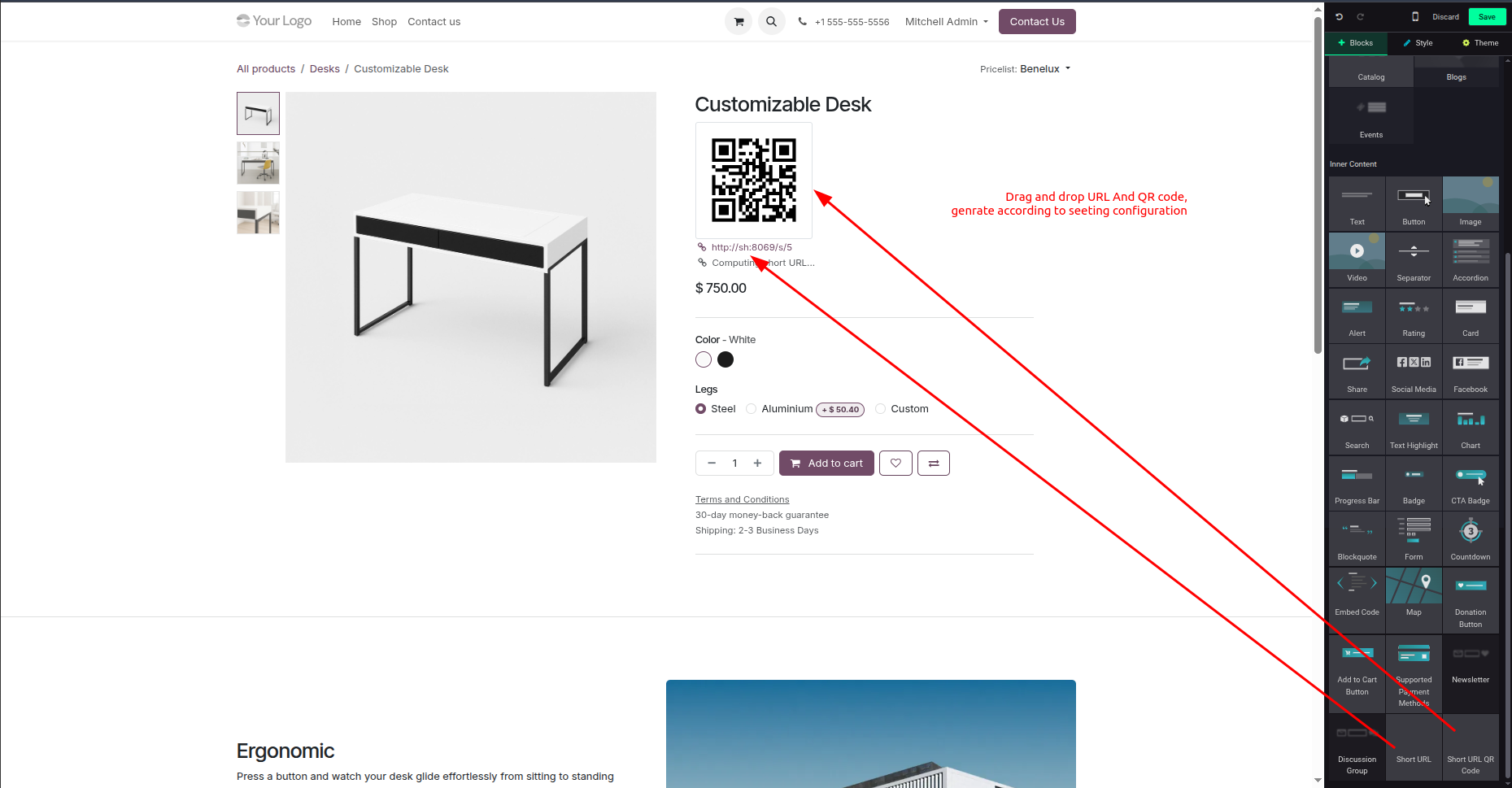
Add Short URL and QR Code snippets anywhere on website pages using the Odoo Website Builder.

Easy URL Administration
Access all generated short URLs from a dedicated list view for quick editing, organization, and maintenance.
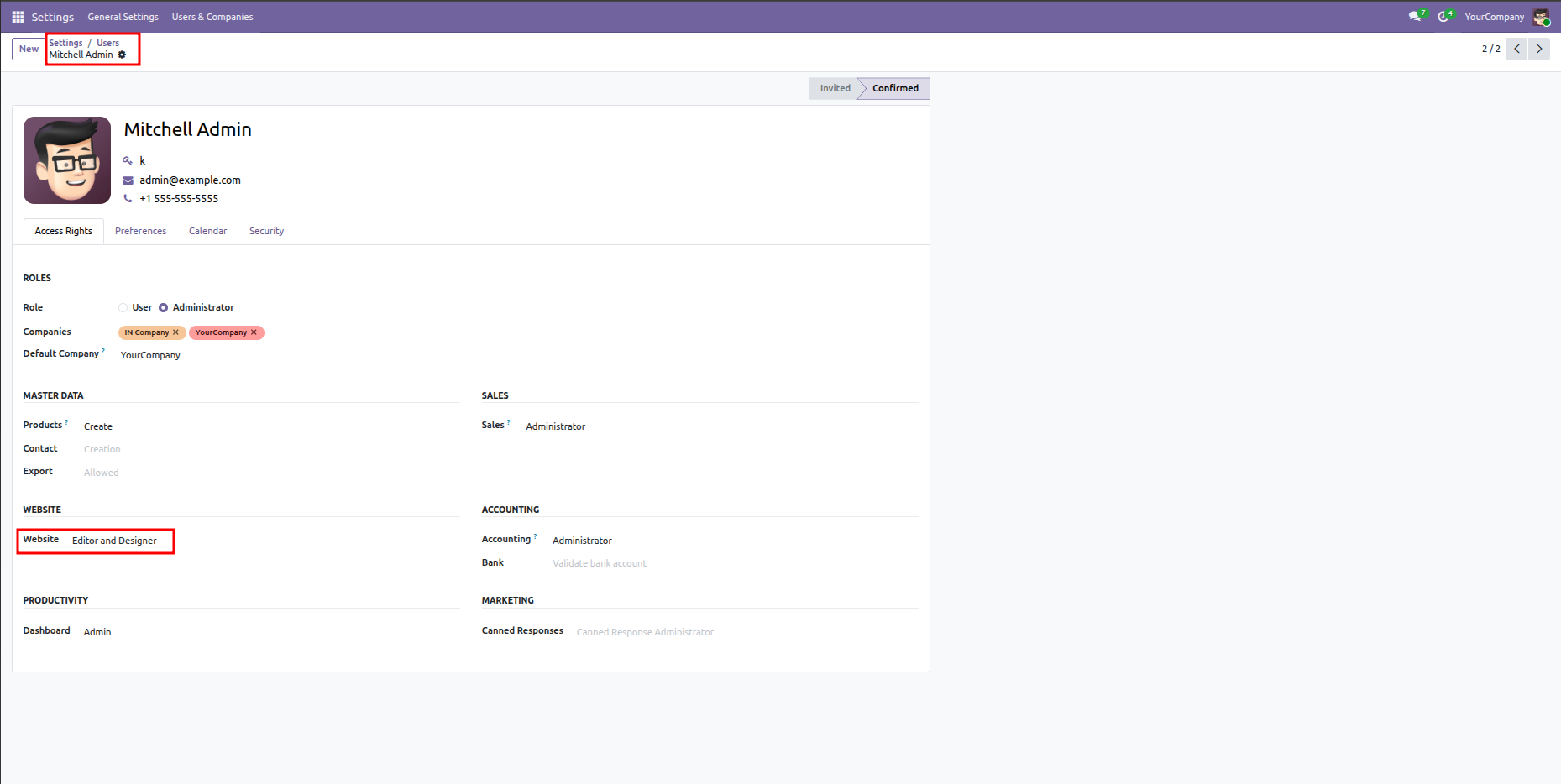
Assign Website Access Rights (e.g. Editor and Designer) under user Settings to grant appropriate permissions for managing short URL redirects.
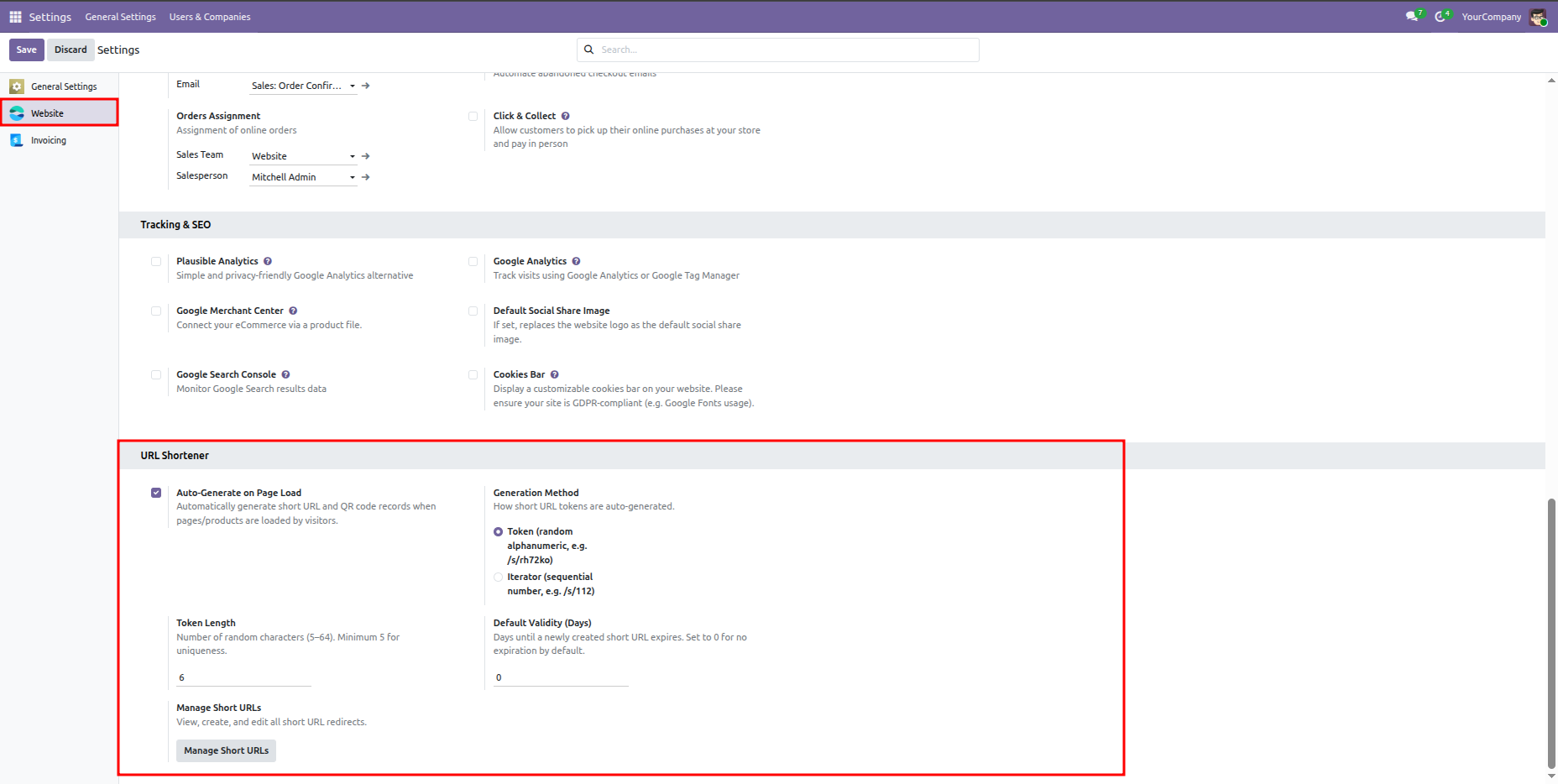
Configure website short URL preferences, choose generation methods (random alphanumeric token vs. sequential integer iterator), select token length, and define default link validity days.
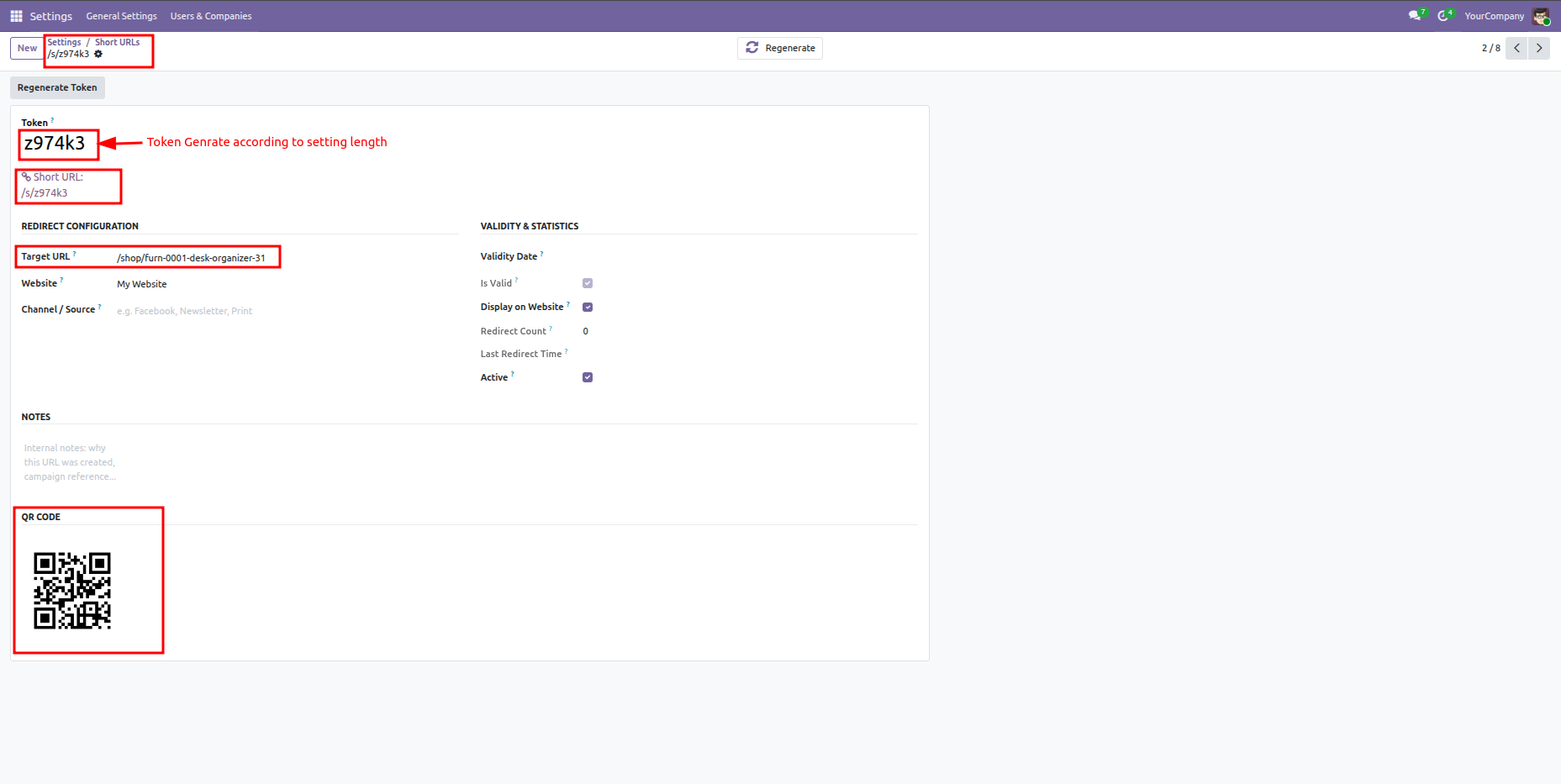
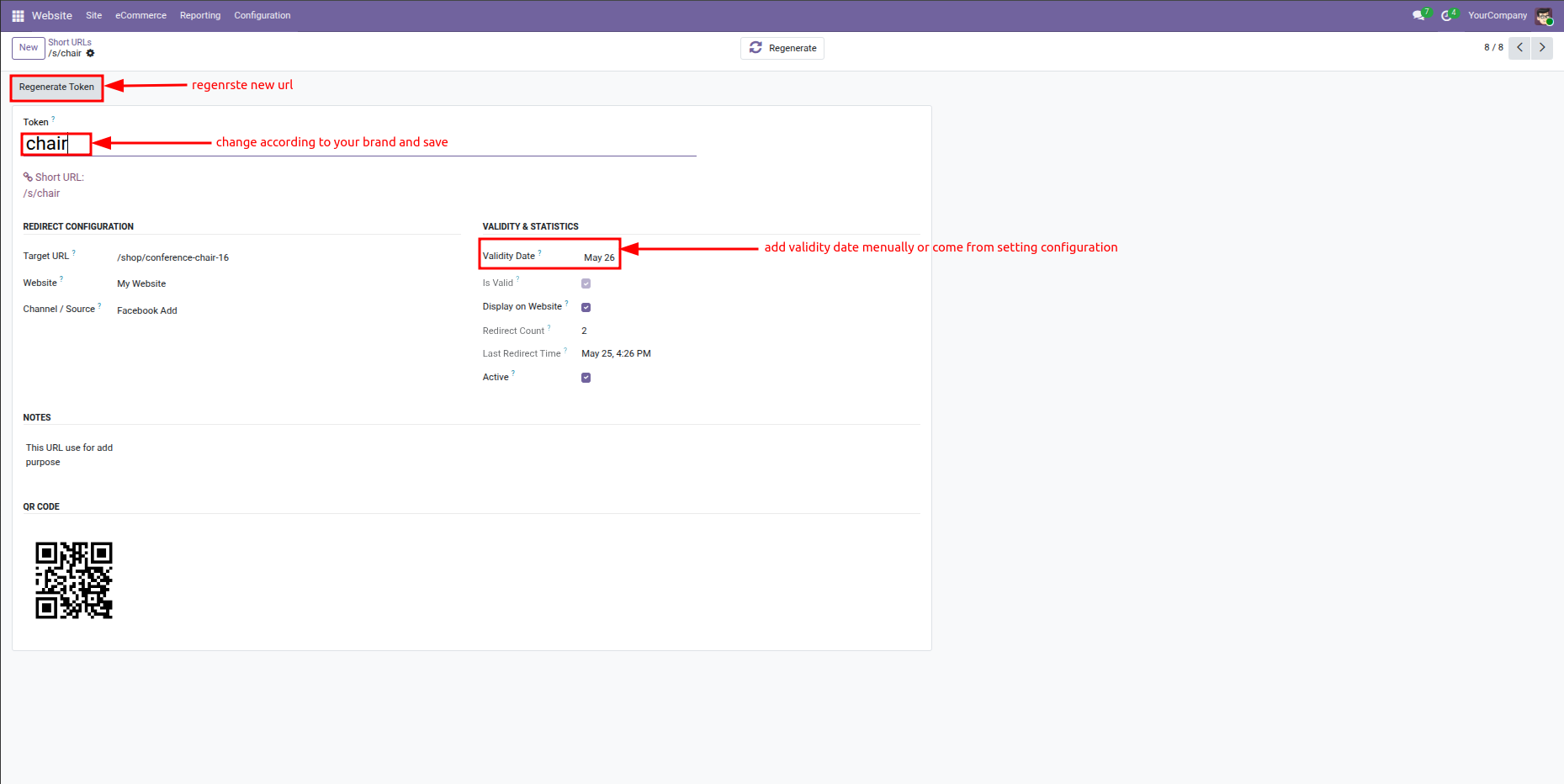
Form view showing a redirect record using an auto-generated random alphanumeric token, displaying target URL configurations and the corresponding QR code.
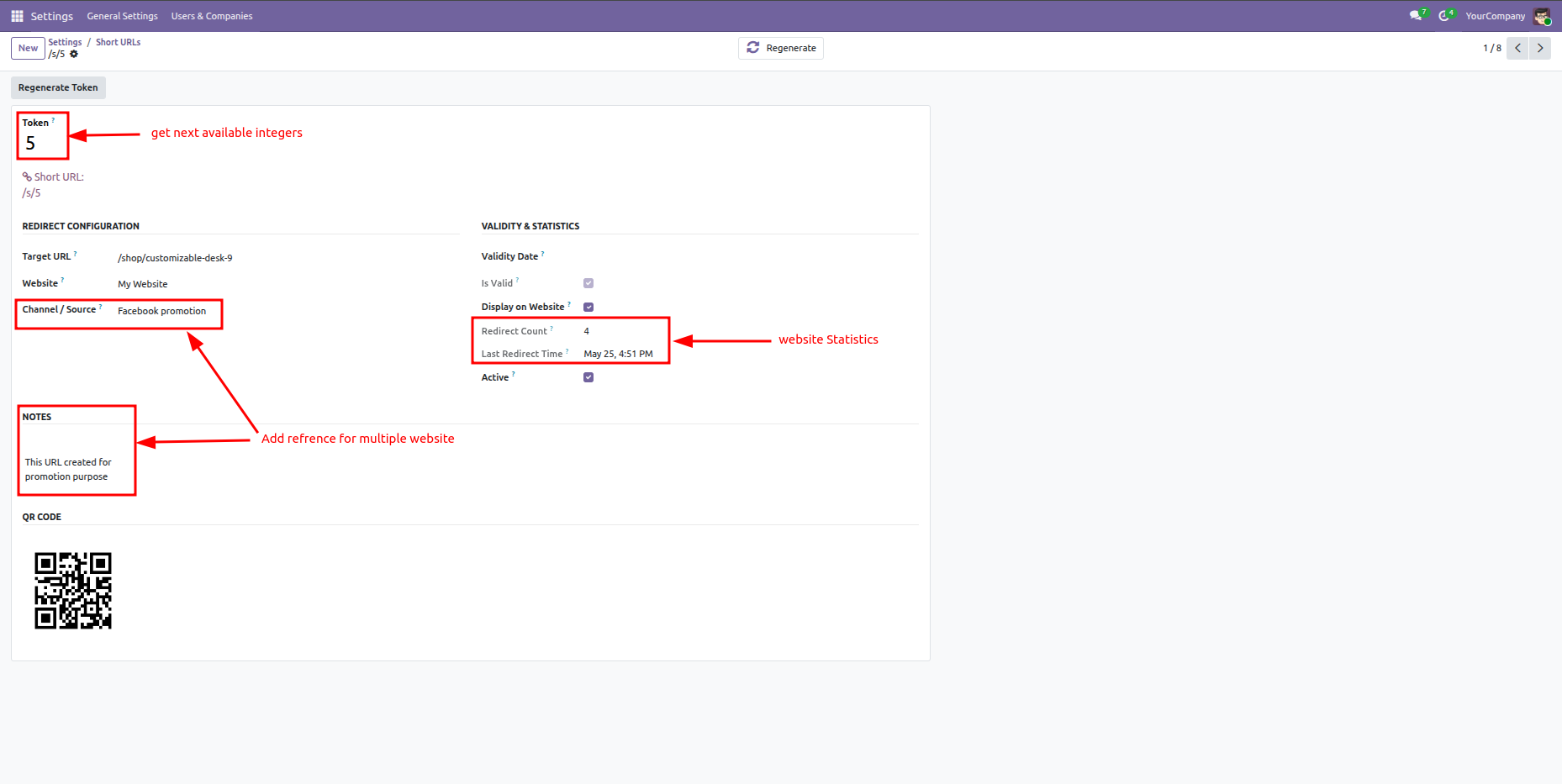
Form view showing a redirect record using a sequential integer token, displaying channel details (e.g. Facebook promotion), campaign notes, and redirection click statistics.
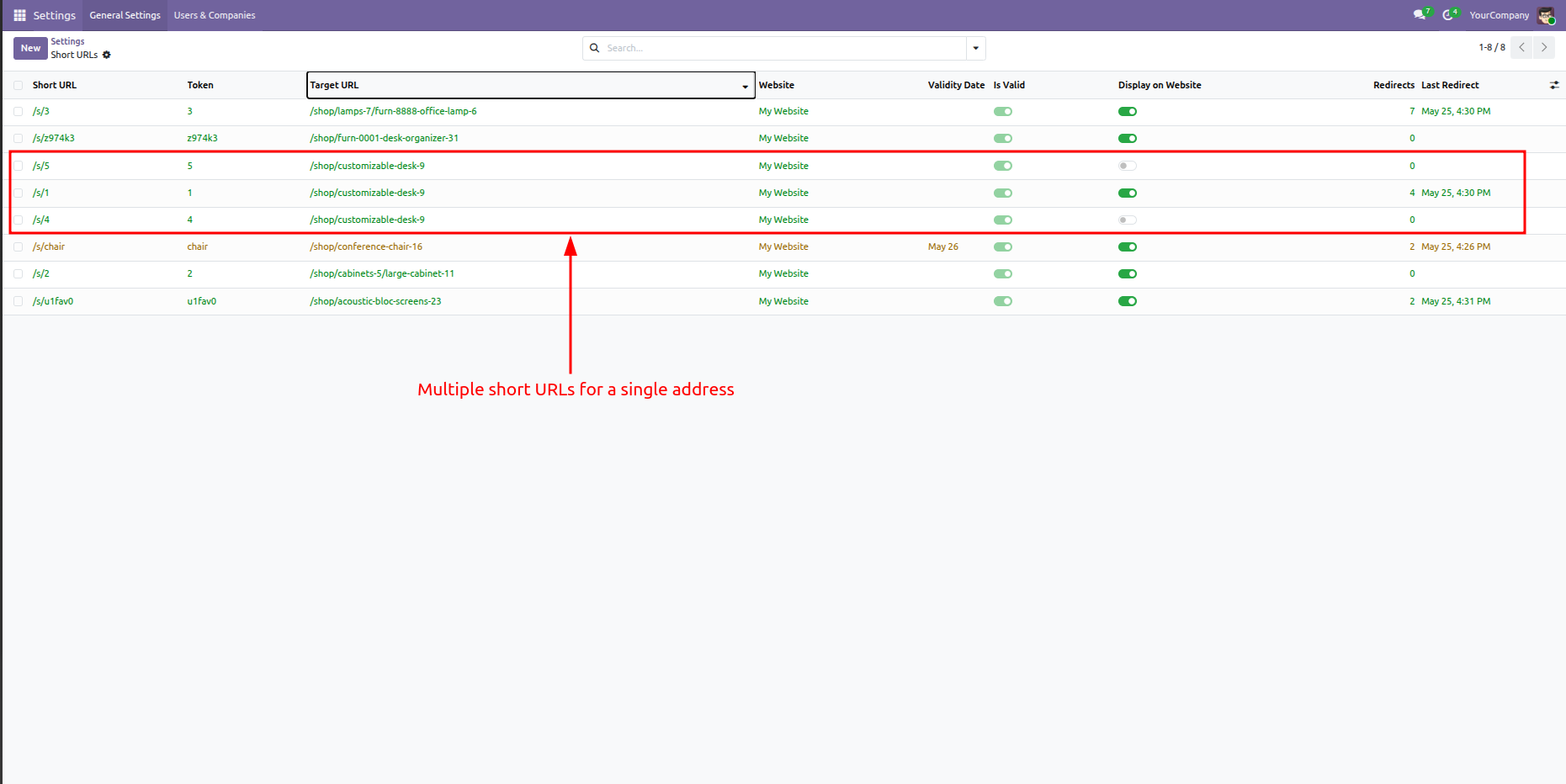
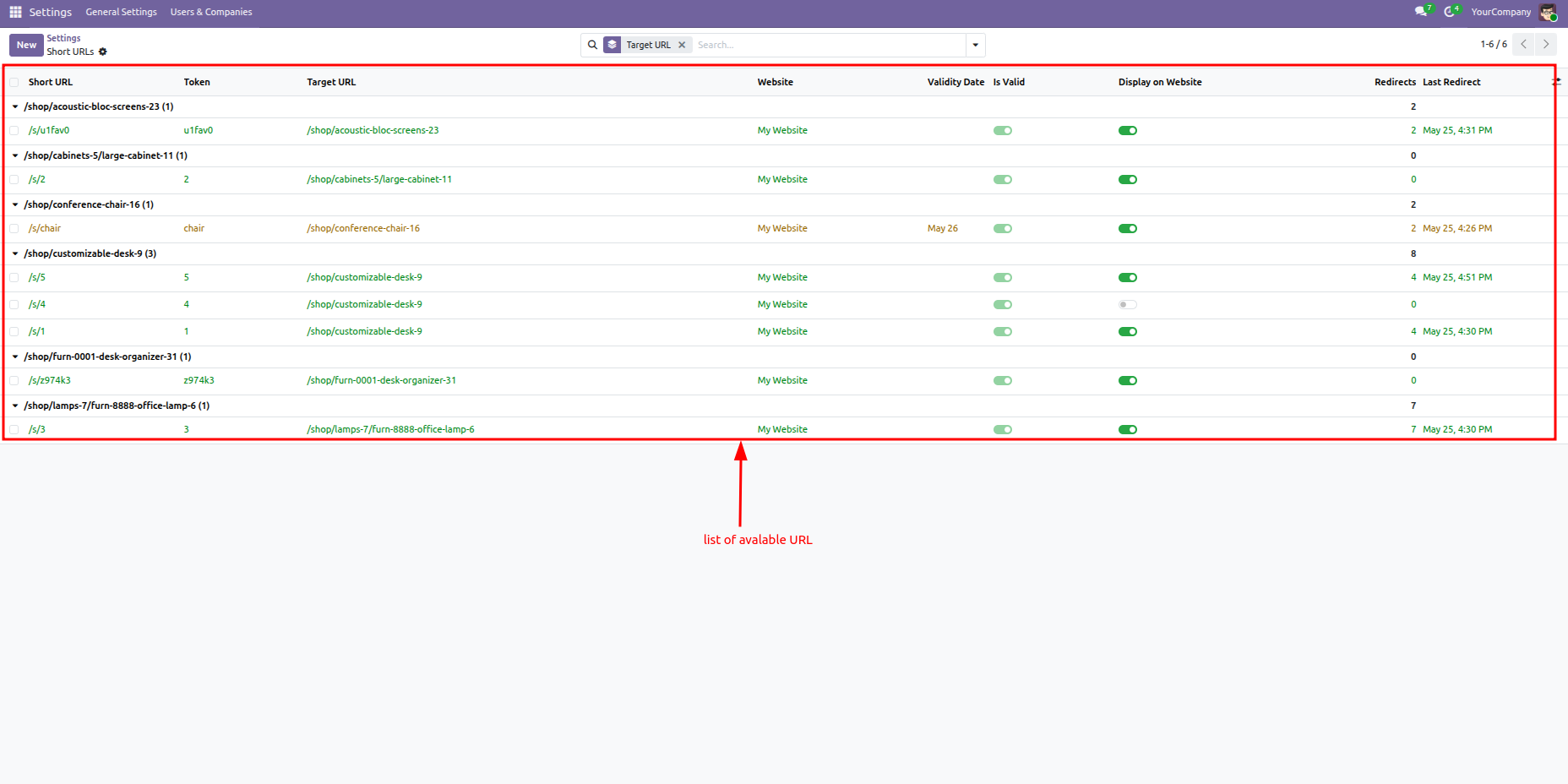
List view showing multiple unique short URLs configured for the exact same target address, allowing easy performance tracking across different marketing campaigns.
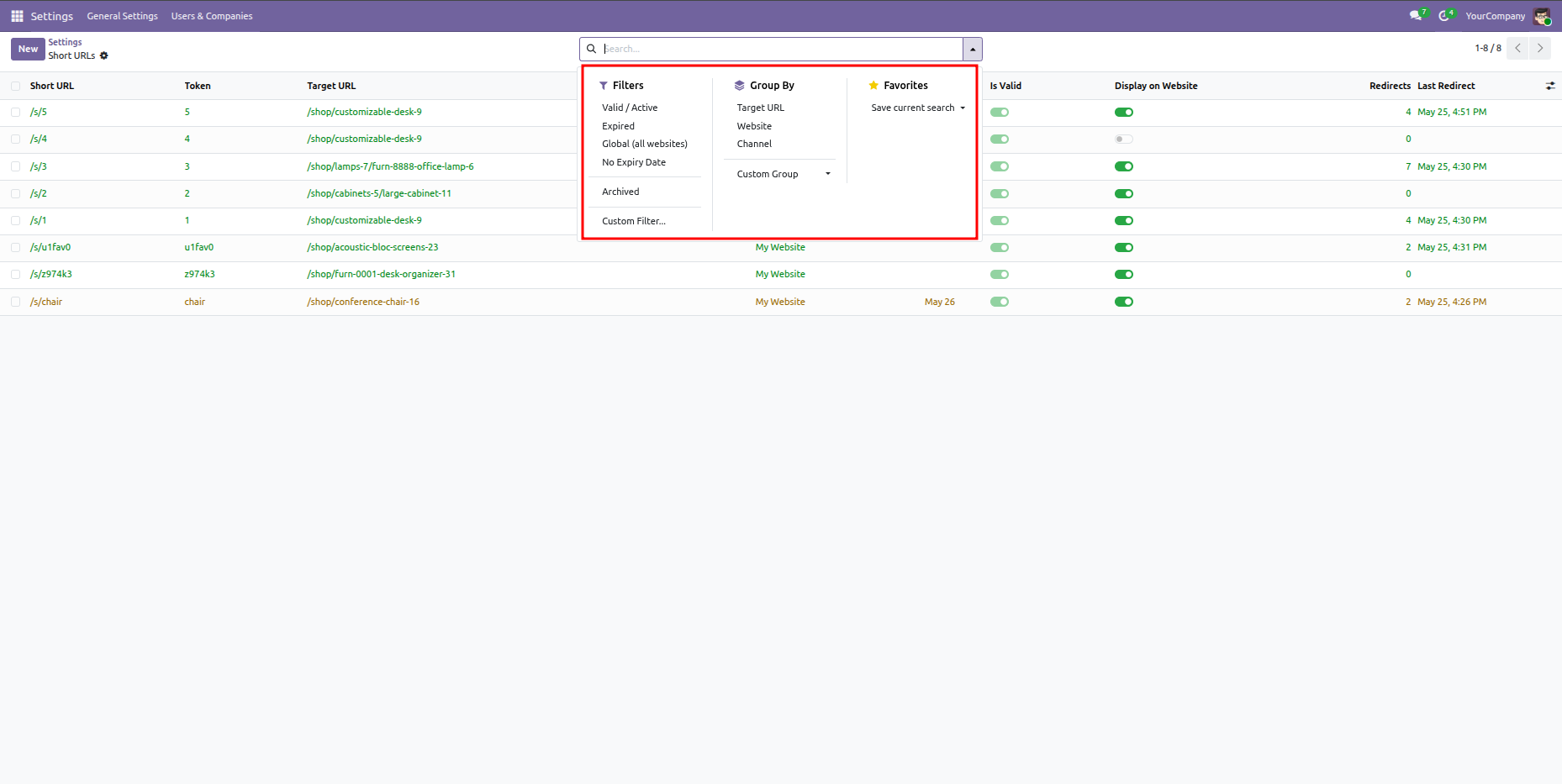
Filter redirects by Active/Valid, Expired, Global, No Expiry, or Archived status, and group redirects by target URL, website, or marketing channel.
Organize the Short URLs tree/list view grouped by target URLs to view and manage all associated promotional link redirections collectively.
Manually customize short URL tokens to align with your brand (e.g. 'chair'), set explicit validity expiration dates, or regenerate tokens as needed.
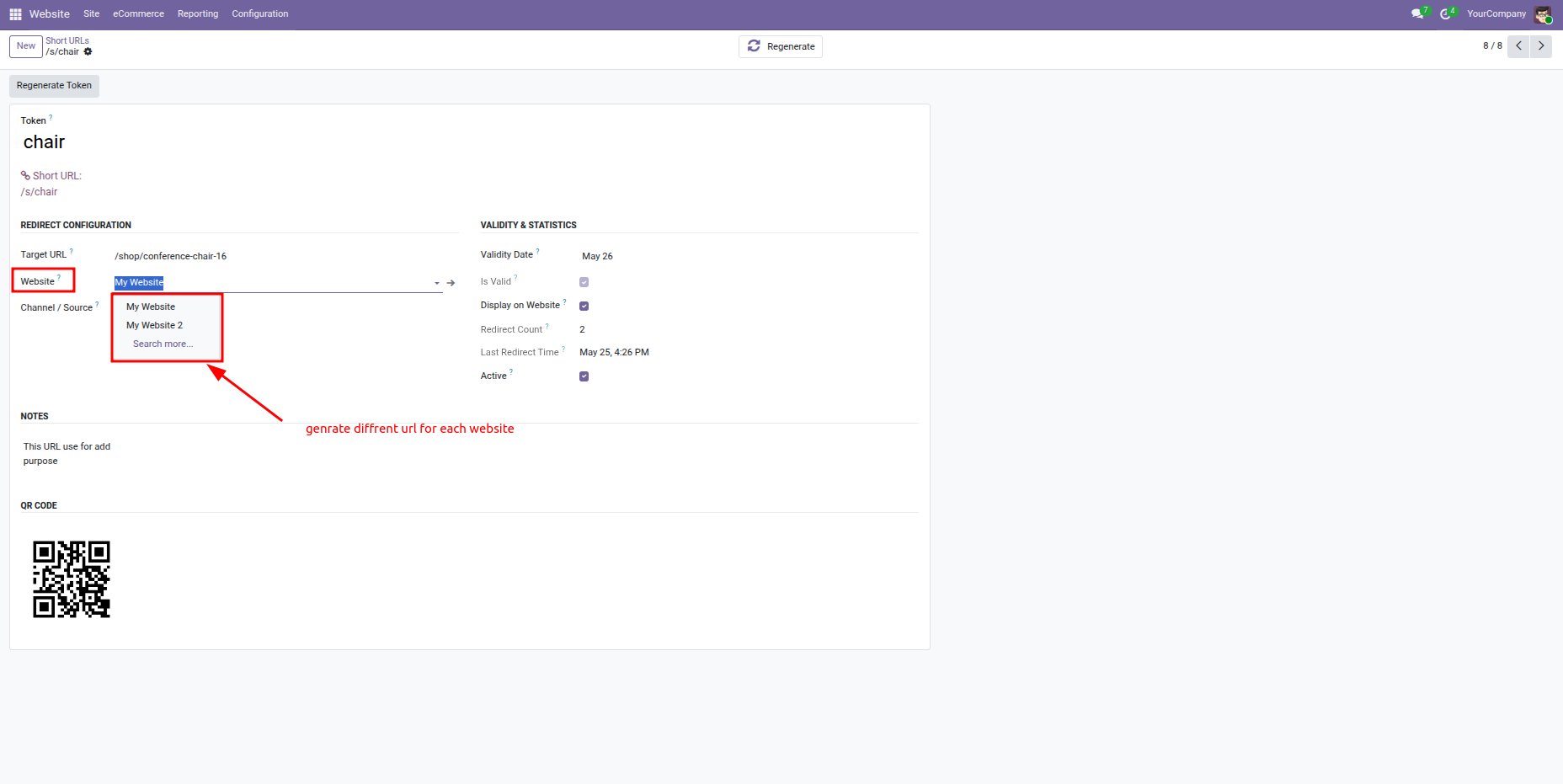
Select the appropriate website instance from the dropdown list to configure and generate targeted short URLs for each specific store.
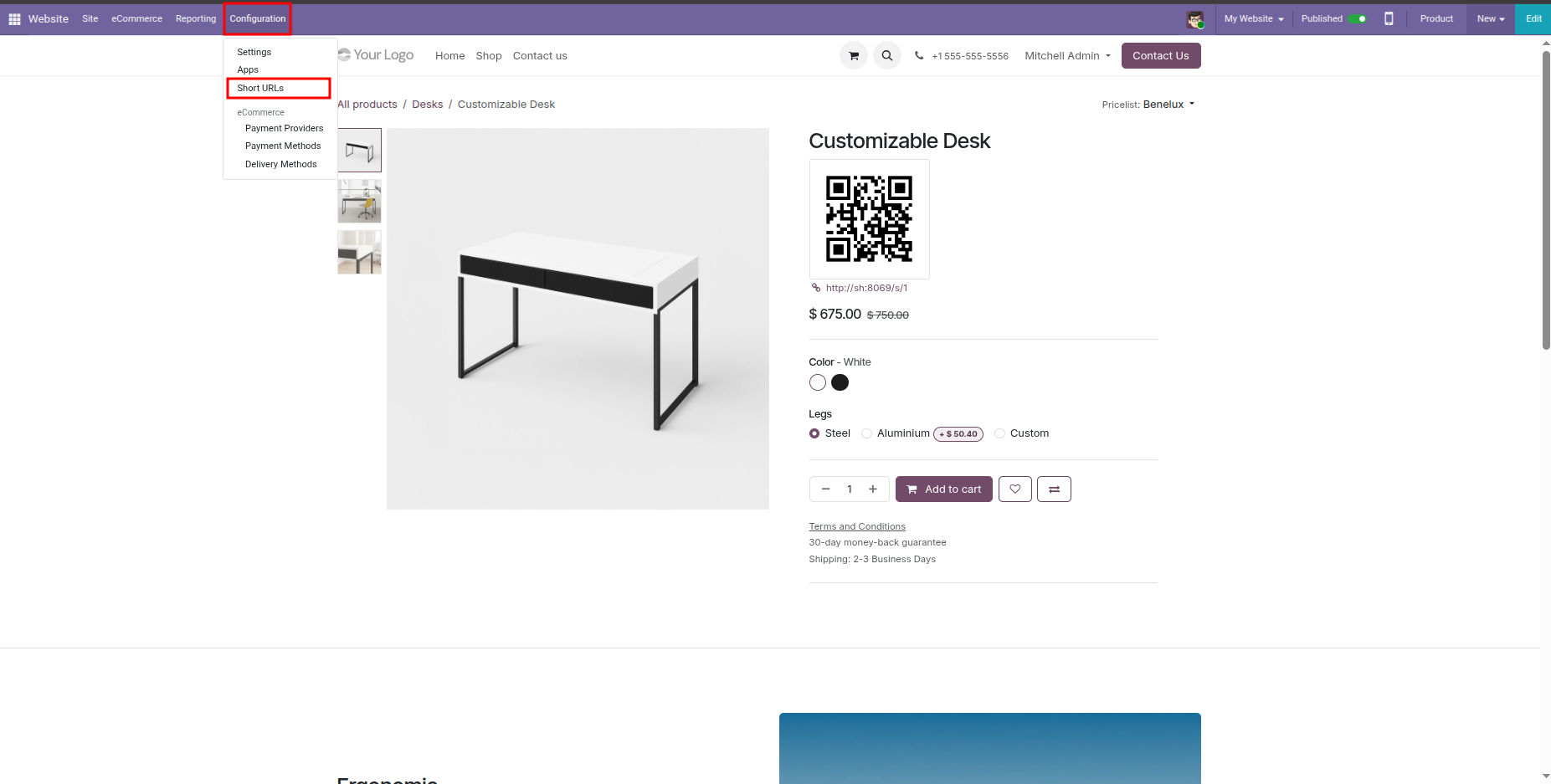
Access the short URLs backend manager easily under Website app's Configuration navbar dropdown menu.
Quickly access short URLs related to the active website page using the Short URLs option directly in the Site dropdown menu.
Manage page redirects, edit, delete, copy links to clipboard, or download high-quality QR codes via the interactive popup wizard.
Easily design your webpages by dragging and dropping custom Short URL and Short URL QR Code snippets directly from the Odoo website editor palette.
Version 18.0.1.0.0 | Released on : 14th July 2026
- Yes, this app works perfectly with Odoo Enterprise (Odoo.sh & Premise) as well as Community.
- No, this application is not compatible with odoo.com(odoo saas/Odoo Online)
- Yes, to test this module, please contact us at sales@softhealer.com.
- Please contact us at sales@softhealer.com to request customization.
- Yes, we provide free support for 365 days from the date of purchase.
- Yes, you will receive lifetime free updates for the version of the module you purchased.
- No, there is no need to install any additional libraries.
- Yes, for version 12 and above, you need to purchase the module separately for each version you intend to use.
- No, exchanges or refunds are not allowed. Please make sure to select the correct version before purchasing.
- You can contact us at support@softhealer.com for language translation support. We use Google Translator tools to provide translations in multiple languages, so the accuracy may vary. We welcome your suggestions to help improve translations.
Discover Our Latest Apps