












Website Profile Photo

This module allows users to easily upload and update their profile pictures directly from the website. It introduces an interactive image upload interface with an instant preview. The updated image is immediately synchronized across the sidebar and header.

Features

Interactive Profile Photo Selector
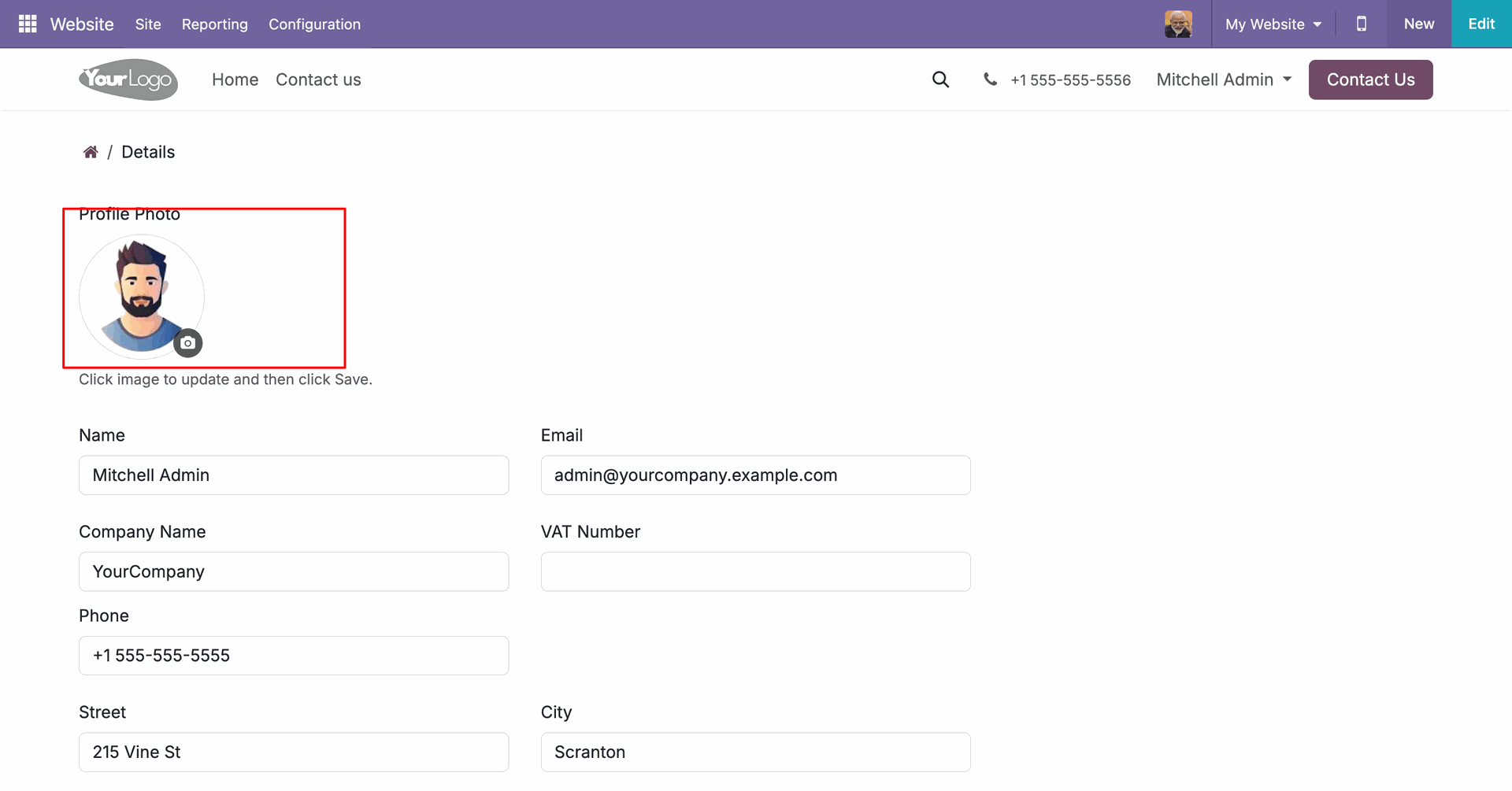
Click the circular avatar widget with a camera icon overlay to browse and upload a new profile picture.

Real-Time Avatar Preview
Display the newly uploaded image immediately in the avatar preview frame before submitting the form.

Profile Form Submission Actions
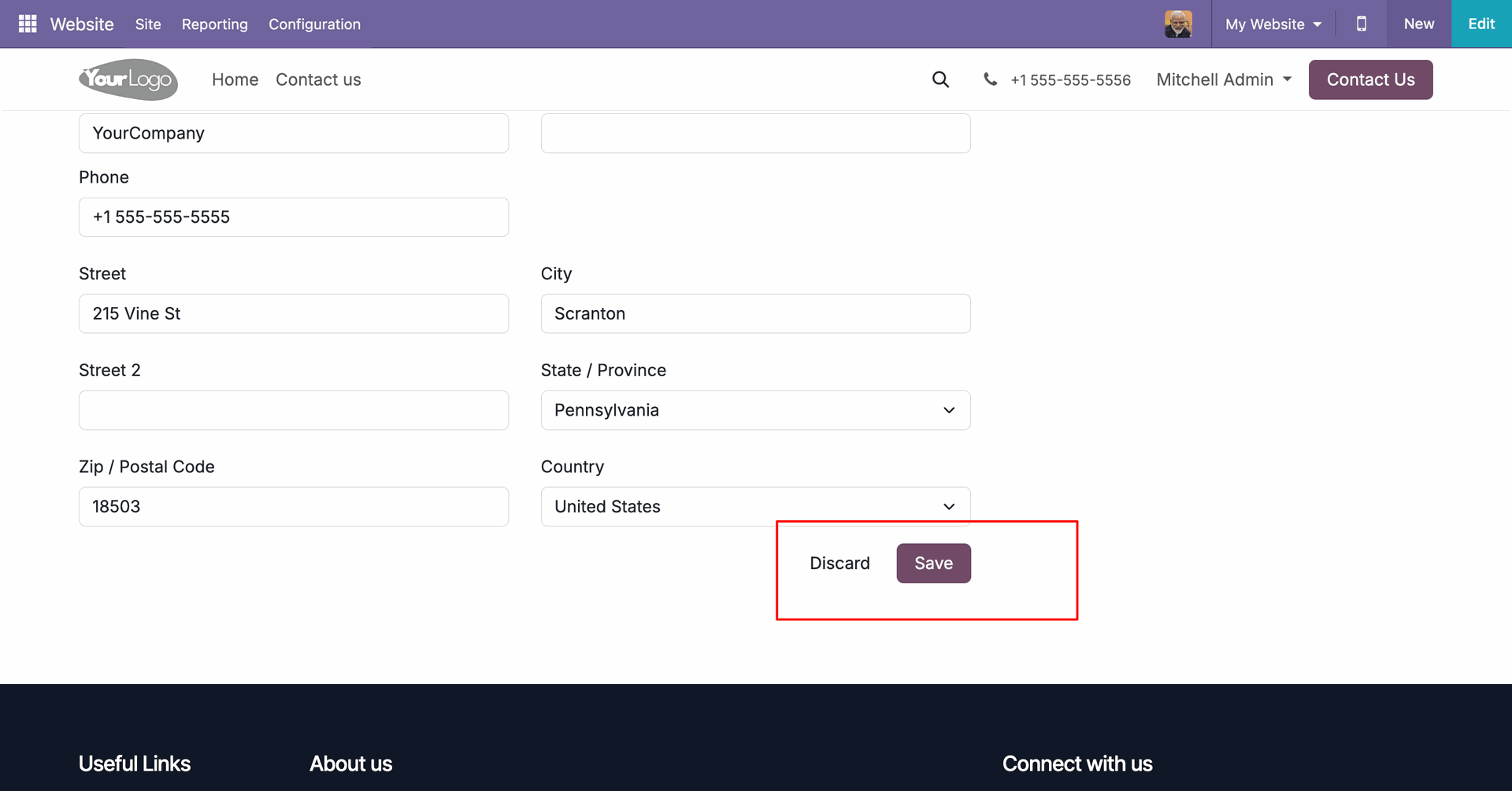
Save the updated profile details and new photo or discard changes to revert to previous configurations.

Global Profile Image Sync
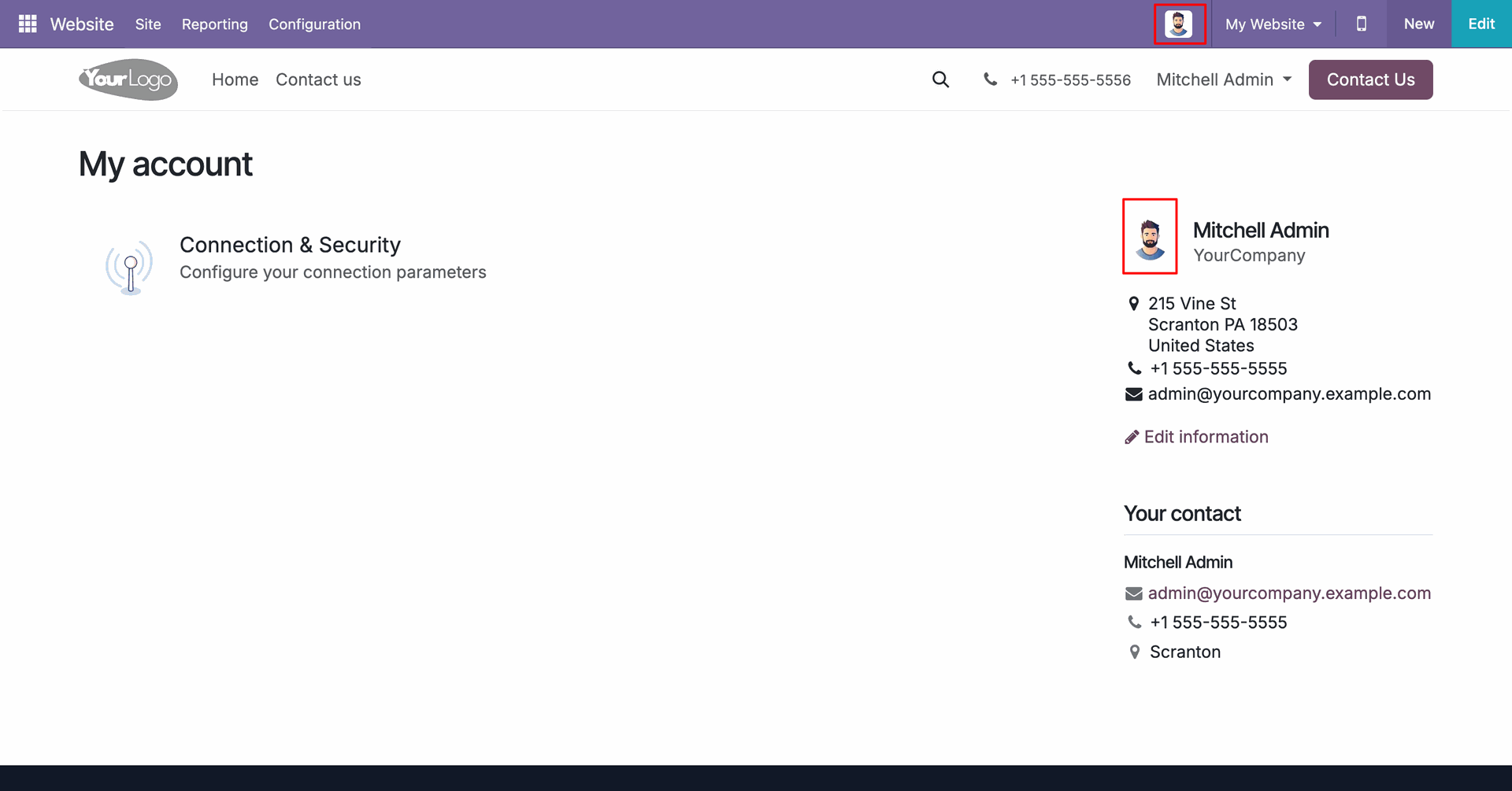
Update the user profile picture instantly across the sidebar and the website header.
Go to 'My Account'.
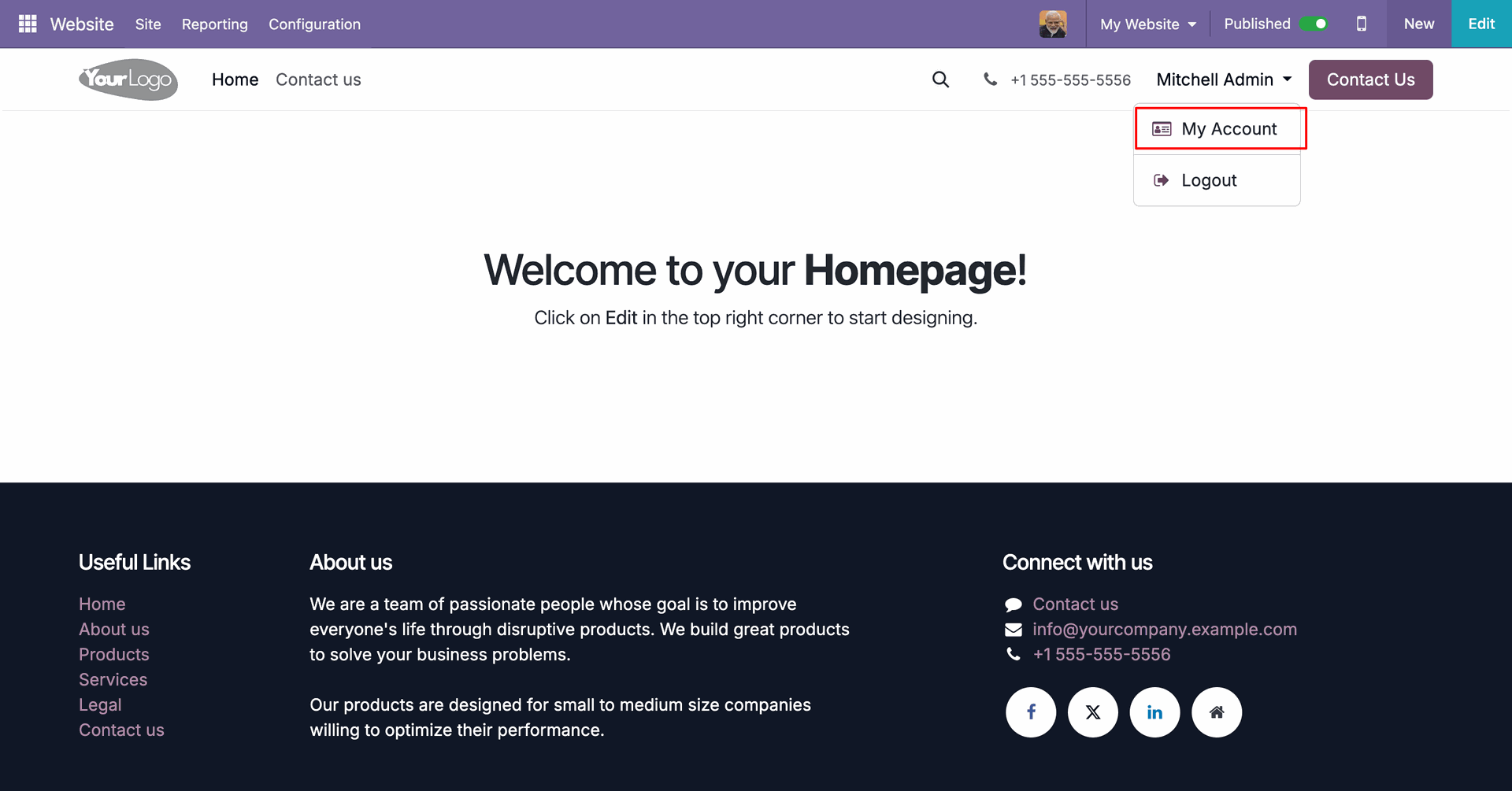
On the My Account page, the user can click on the 'Edit information' button on the right side to update their personal details.
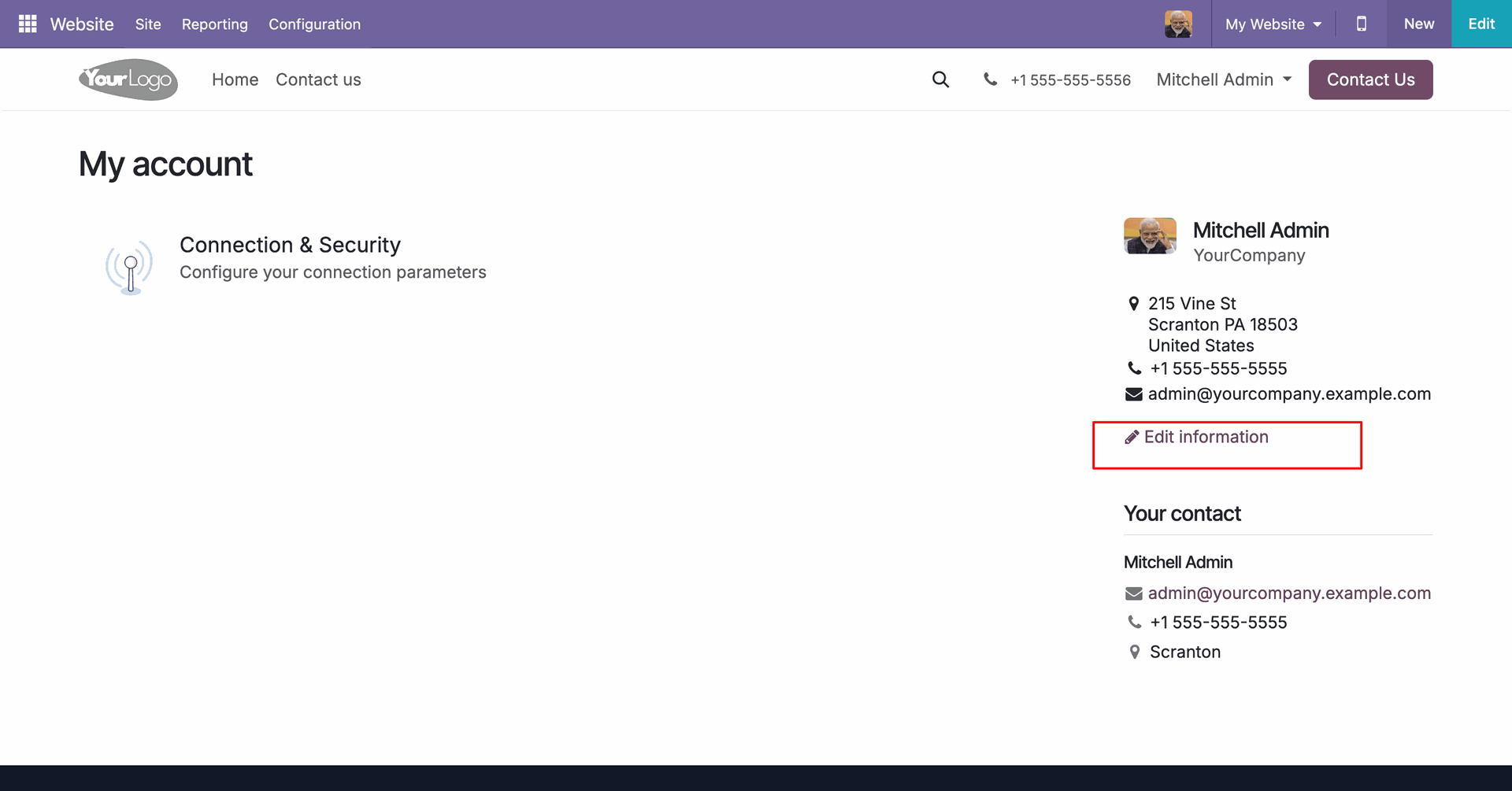
In the Details edit form, a dedicated 'Profile Photo' upload section is displayed above the user's information fields, with a camera icon overlay to trigger the upload.
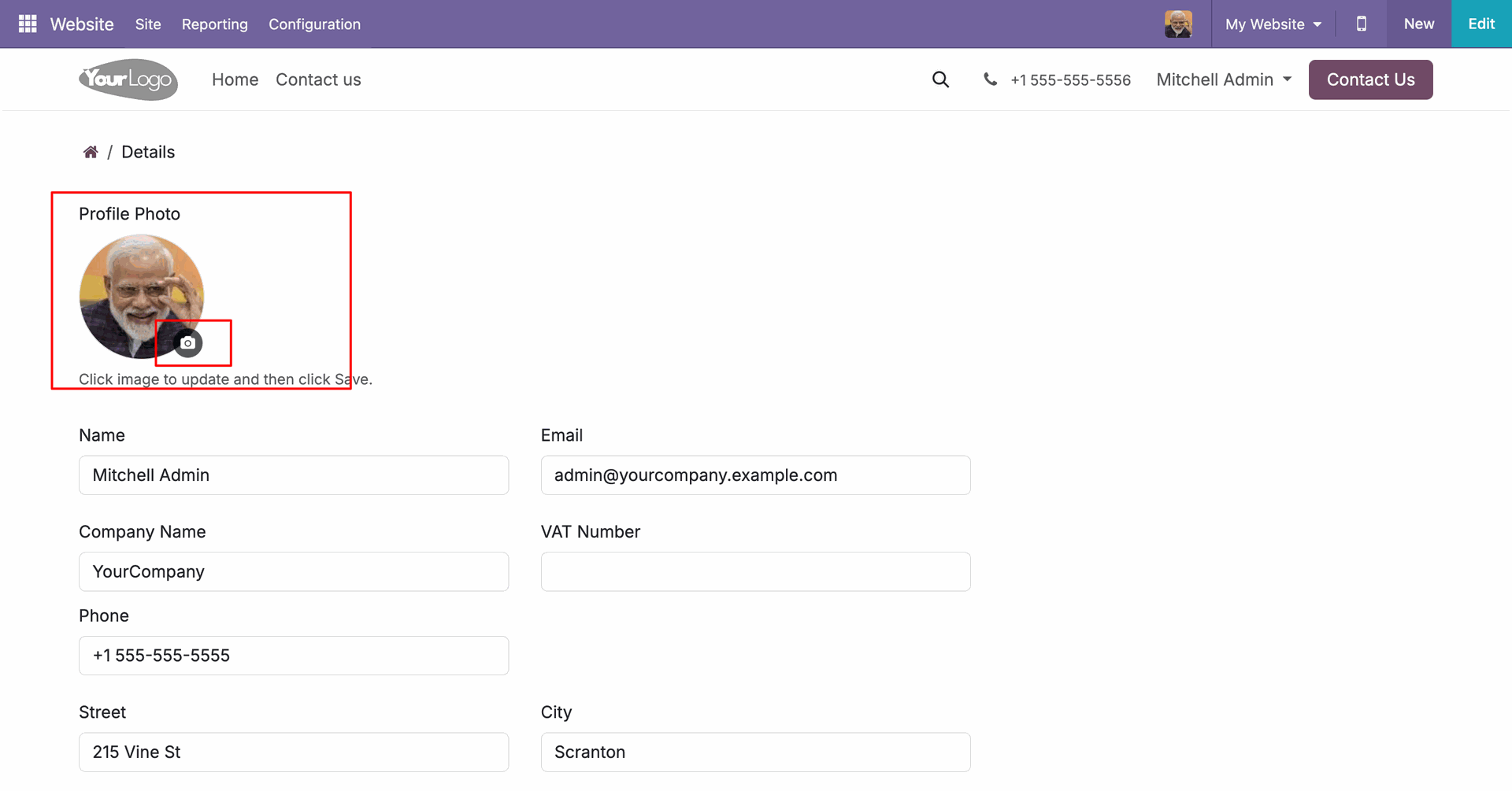
When the user uploads a new image, a real-time preview of the updated profile photo is instantly displayed on the page.
Click on the 'Save' button at the bottom of the edit details page to save all updates including the new profile photo.
Once saved, the updated profile photo is instantly applied and visible.
Version 19.0.1.0.0 | Released on : 10th July 2026
- Yes, this app works perfectly with Odoo Enterprise (Odoo.sh & Premise) as well as Community.
- No, this application is not compatible with odoo.com(odoo saas/Odoo Online)
- Yes, to test this module, please contact us at sales@softhealer.com.
- Please contact us at sales@softhealer.com to request customization.
- Yes, we provide free support for 365 days from the date of purchase.
- Yes, you will receive lifetime free updates for the version of the module you purchased.
- No, there is no need to install any additional libraries.
- Yes, for version 12 and above, you need to purchase the module separately for each version you intend to use.
- No, exchanges or refunds are not allowed. Please make sure to select the correct version before purchasing.
- You can contact us at support@softhealer.com for language translation support. We use Google Translator tools to provide translations in multiple languages, so the accuracy may vary. We welcome your suggestions to help improve translations.
Discover Our Latest Apps