












Website Product FAQ

A website Product FAQ is an extension for odoo e-commerce that allows you to add Frequently Asked Questions to your store’s products. FAQs are great additions to your store for several reasons. They make it easier and faster for your visitors to get the information they need about your products that allow them to make purchases faster and with less customer service support than ever before. Additionally, FAQs on your product pages are great for SEO because they give you more targeted content relating to each product which Google can use to determine that your store is an authority site. You can add unlimited questions and answers in each product. All types of content text-images-videos-script are allowed in each answer. So, become creative, and enhance your product's experience with rich content, images, and even some video tutorials! Once they are entered, your FAQs will appear in a new section on your product page. Admin can enable/disable(publish/unpublish) FAQ easily, We have made 5 attractive styles to present FAQ. Cheers!

Features
- Easy to manage product F.A.Q. for odoo
- You can add unlimited questions and answers in each product.
- You can add all types of content text-images-videos-script in each answer.
- Easy to interact with the user.
- You can add a common FAQ & Separate FAQ for a particular product.
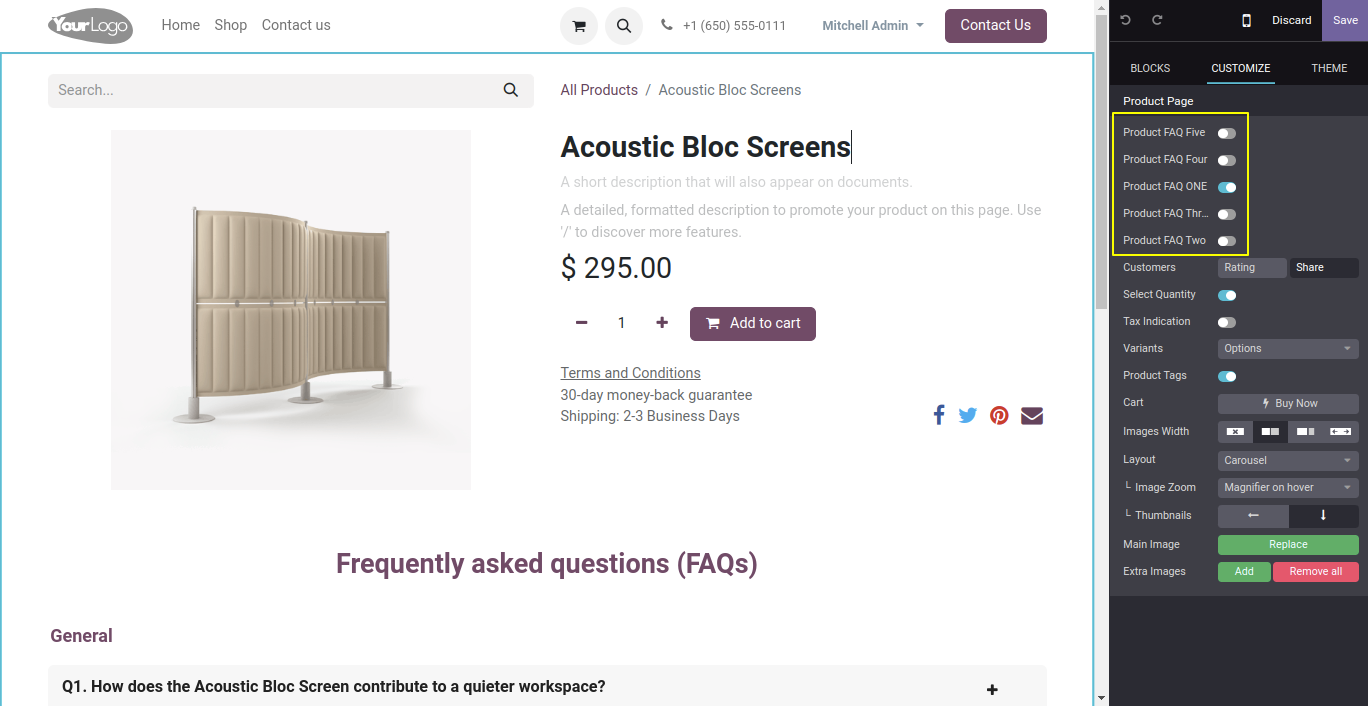
- Admin can choose different styles for FAQ.
- Users can add or delete FAQs they have already created anytime.
- Admin can publish and unpublish the corresponding answers for FAQs as per the requirements.
- Admin can active and inactive the FAQs from a particular product.
Go to the configuration in 'Product FAQ'.
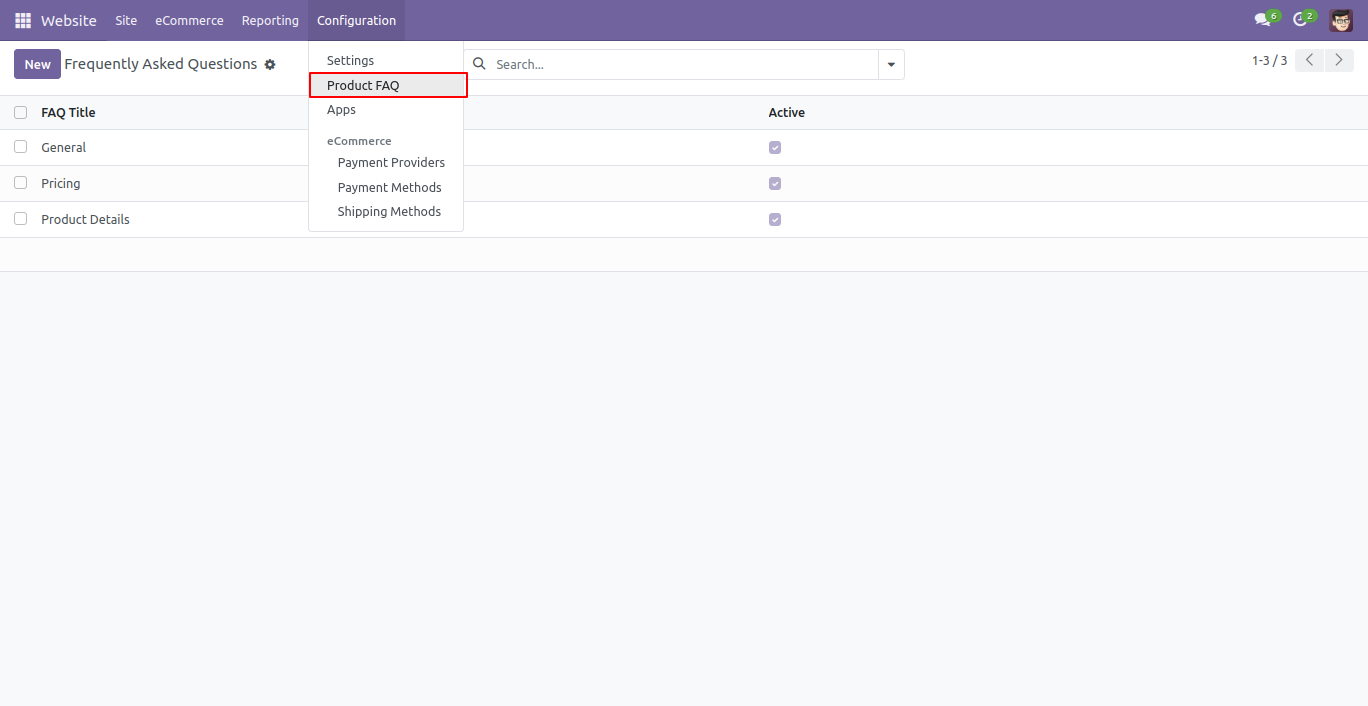
Now, you can create a FAQ, Add FAQ title and click 'Add a line' to add questions-answers.
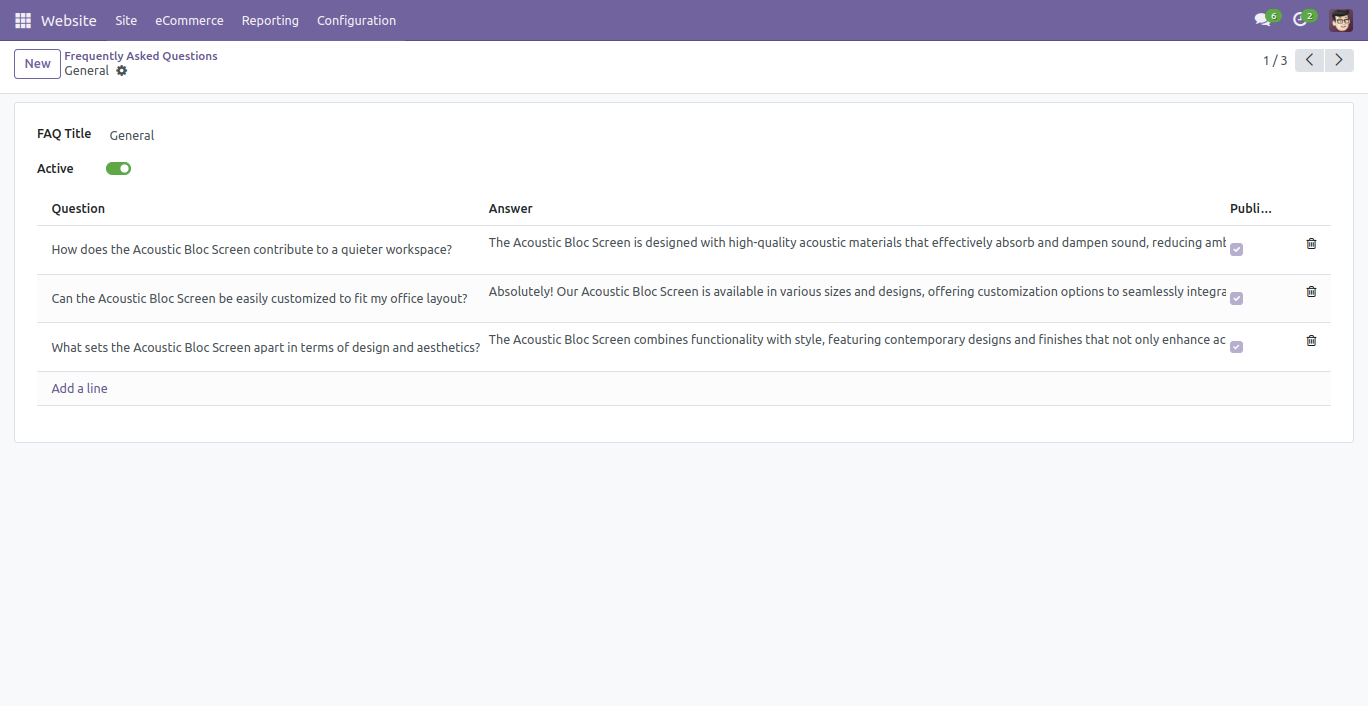
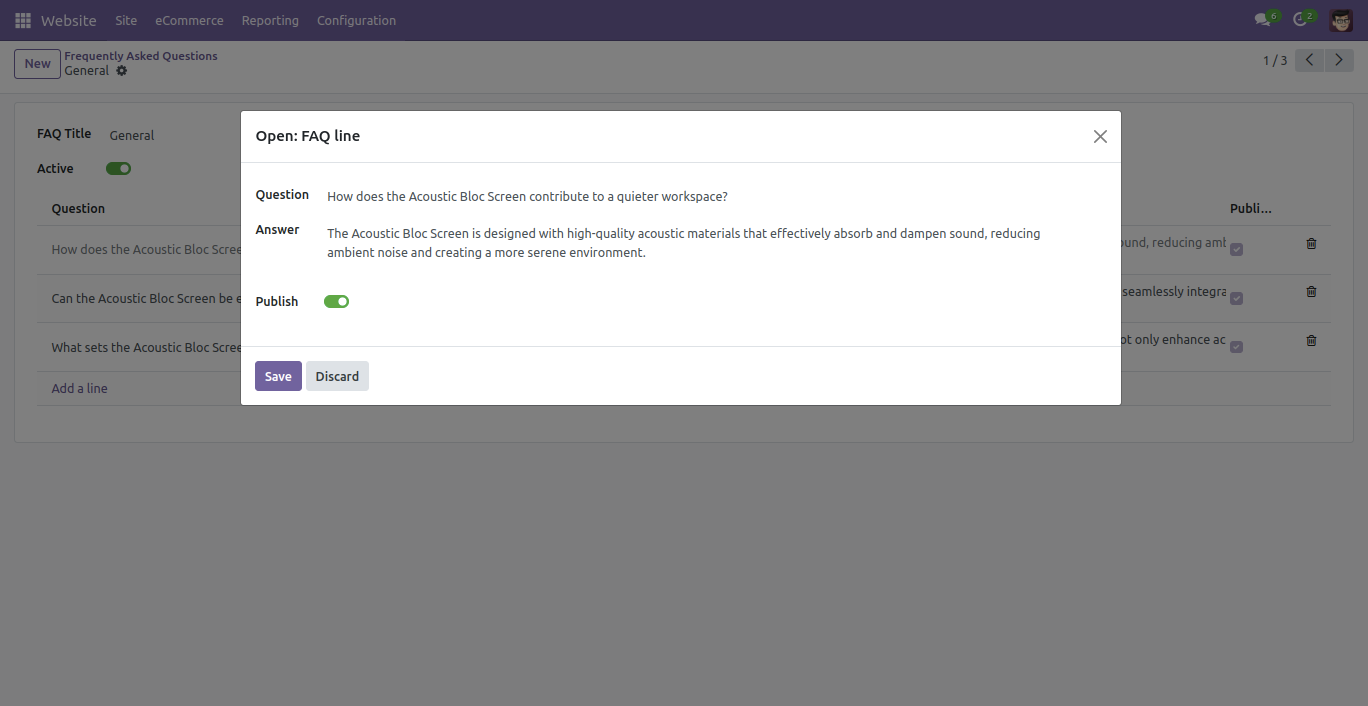
After the questions-answers popup window opens, you can add all types of content like text,
images, videos &
you can create creative answers using the menu bar.
Admin can publish and unpublish the FAQs as per the requirements.
You can add a common FAQ & Separate FAQ for a particular product.
Admin can active and deactivate the FAQs as per the requirements.
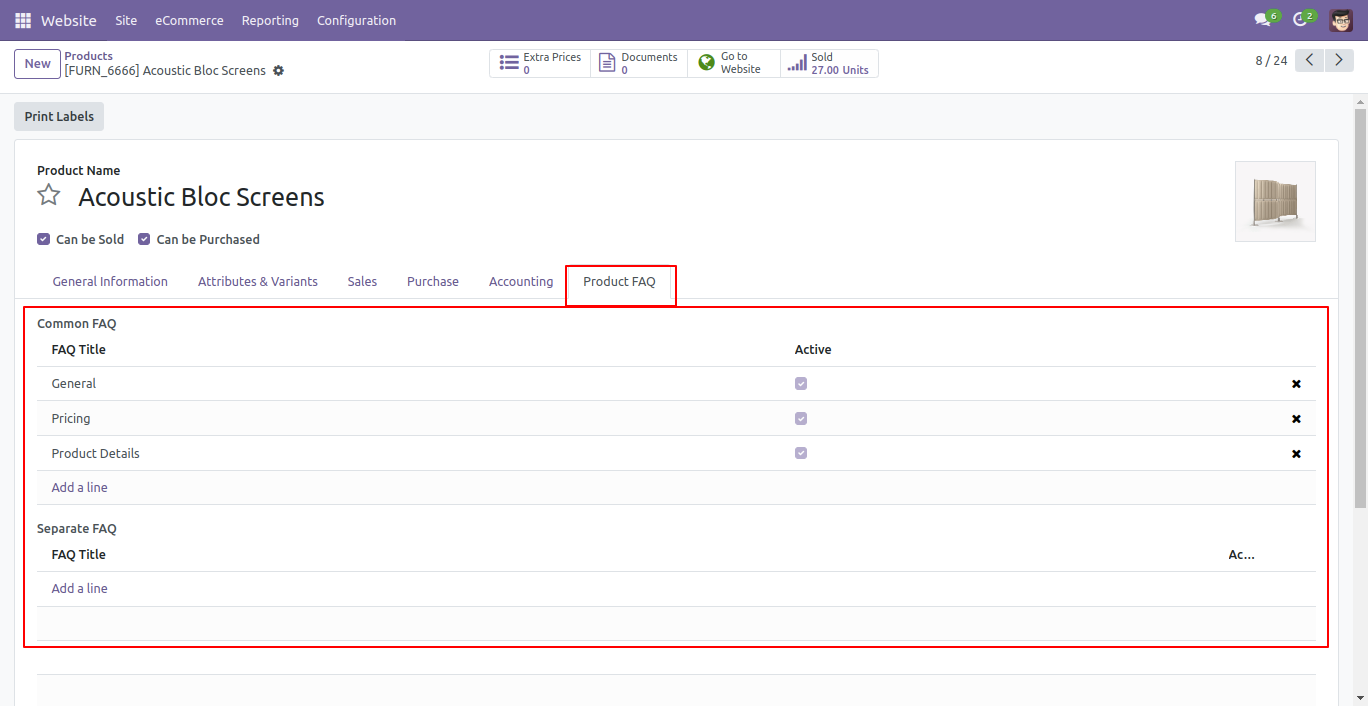
You can choose different styles for a FAQ using the smart button.
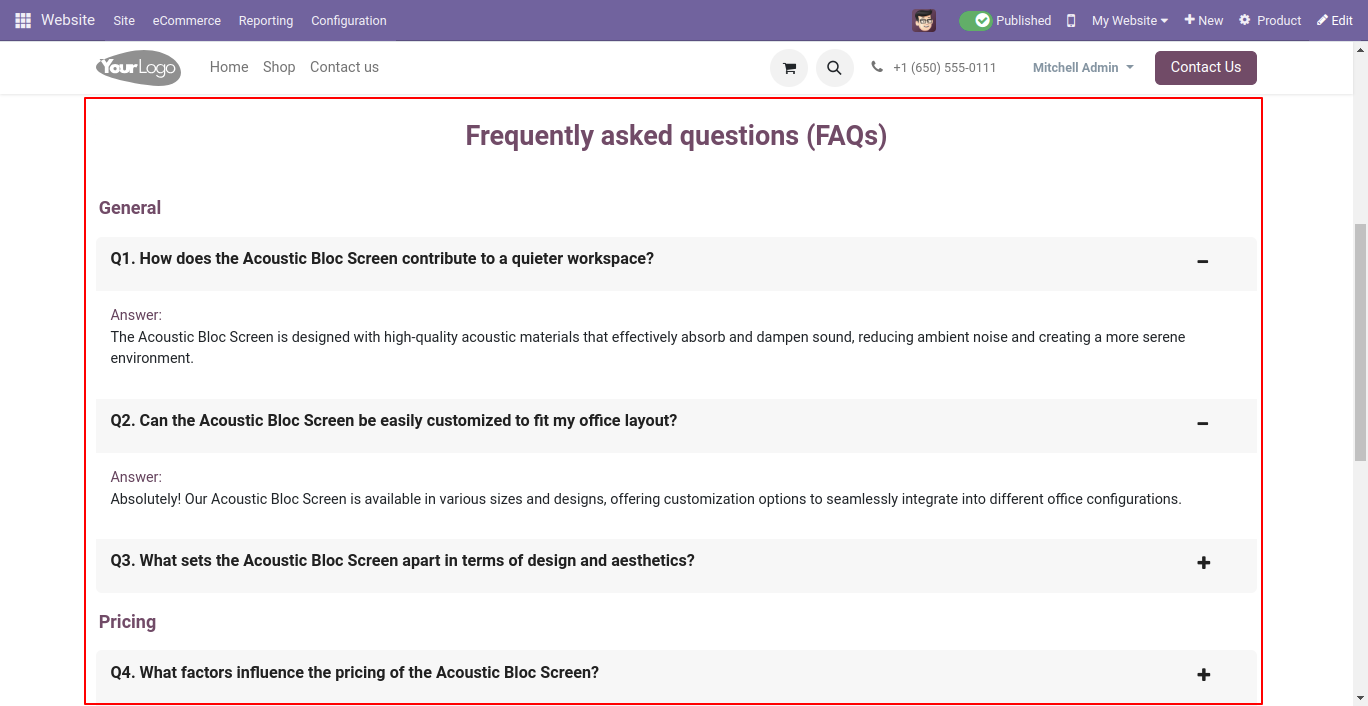
The FAQ style-1 looks like below.
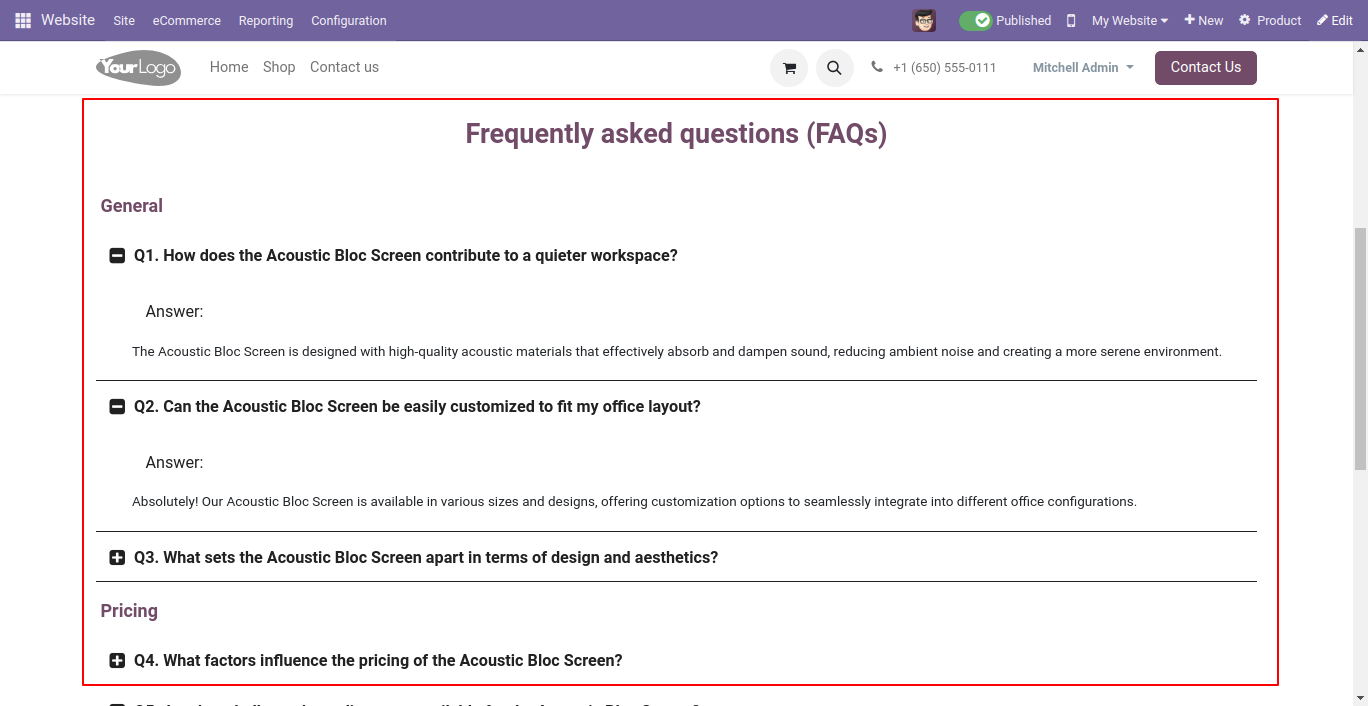
The FAQ style-2 looks like below.
The FAQ style-3 looks like below.
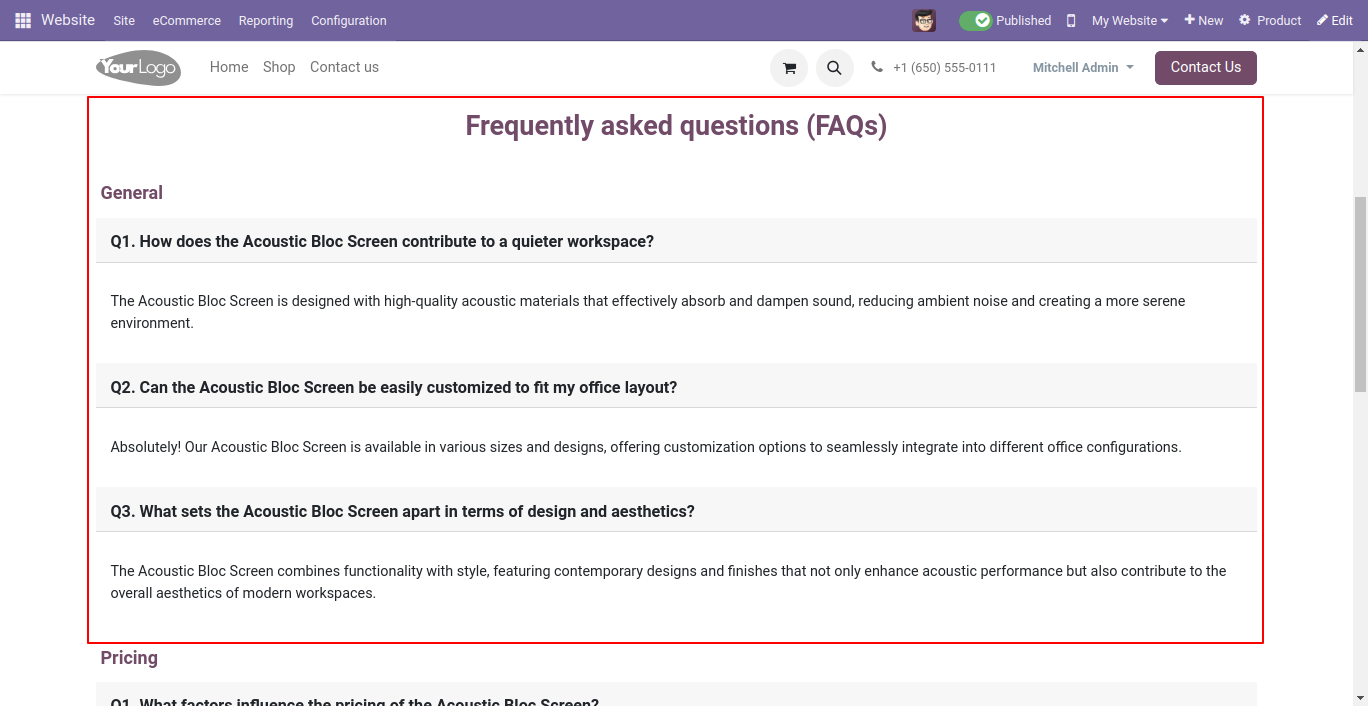
The FAQ style-4 looks like below.
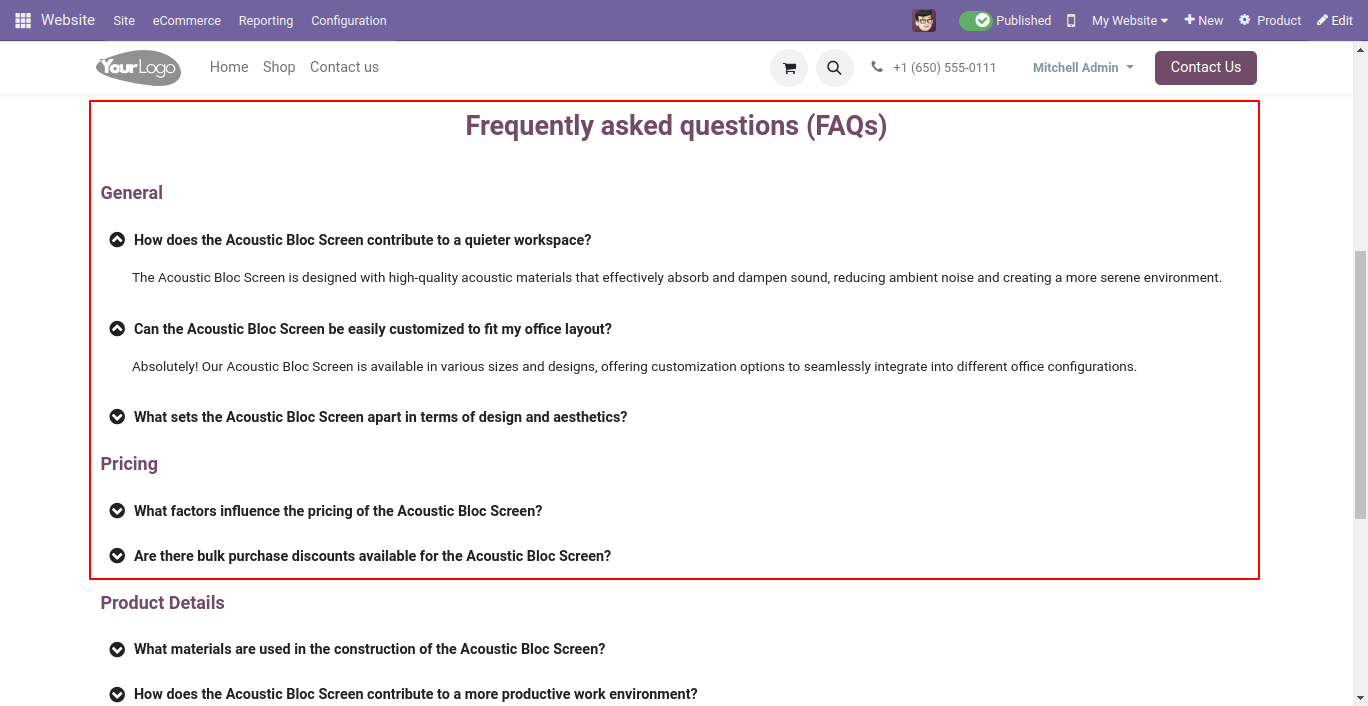
The FAQ style-5 looks like below.
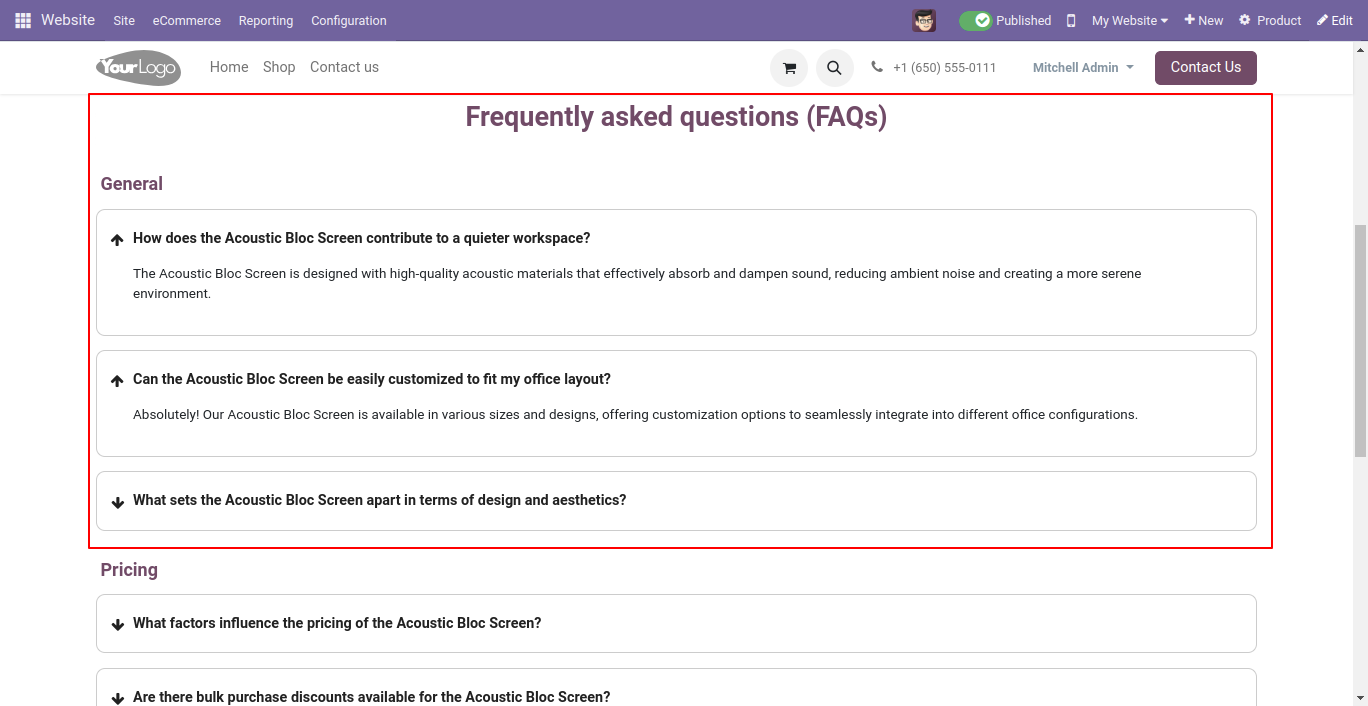
Version 20.0.1.0.0 | Released on : 15th September 2026
- Yes, this app works perfectly with Odoo Enterprise (Odoo.sh & Premise) as well as Community.
- No, this application is not compatible with odoo.com(odoo saas/Odoo Online)
- Yes, to test this module, please contact us at sales@softhealer.com.
- Please contact us at sales@softhealer.com to request customization.
- Yes, we provide free support for 365 days from the date of purchase.
- Yes, you will receive lifetime free updates for the version of the module you purchased.
- No, there is no need to install any additional libraries.
- Yes, for version 12 and above, you need to purchase the module separately for each version you intend to use.
- No, exchanges or refunds are not allowed. Please make sure to select the correct version before purchasing.
- You can contact us at support@softhealer.com for language translation support. We use Google Translator tools to provide translations in multiple languages, so the accuracy may vary. We welcome your suggestions to help improve translations.
