












Website Payment Charges | Website Payment Fees

With this module, you can automatically apply extra charges on orders based on calendar, country, customer, order amount, product, or website rules. It also supports payment-based fees, multiple restriction types, and applies the highest applicable fee when multiple rules are active. This feature provides clarity for customers while optimizing revenue and enhancing overall satisfaction.

Features

Automatic Extra Fee Application
Extra fees are applied automatically according to the configured rules.

Calendar Based Extra Fees
Set extra fees for specific dates, holidays, or defined time periods.

Country Based Extra Fees
Apply additional fees according to the customers country.

Customer Based Extra Fees
Apply additional fees to clients according to their specific criteria.

Order Amount Based Extra Fees
Apply extra fees based on the minimum order amount you have set.

Product Based extra Fees
Apply targeted pricing by adding extra fees to selected products, providing greater pricing flexibility.

Website Based Extra Fees
You can set and manage different extra fees for each website in a multi-website setup.

Maximum Extra Fee Rule
Automatically charge the highest fee when multiple rules are triggered.

Order & Payment Visibility
View applied extra fees in orders and payment transaction form views.
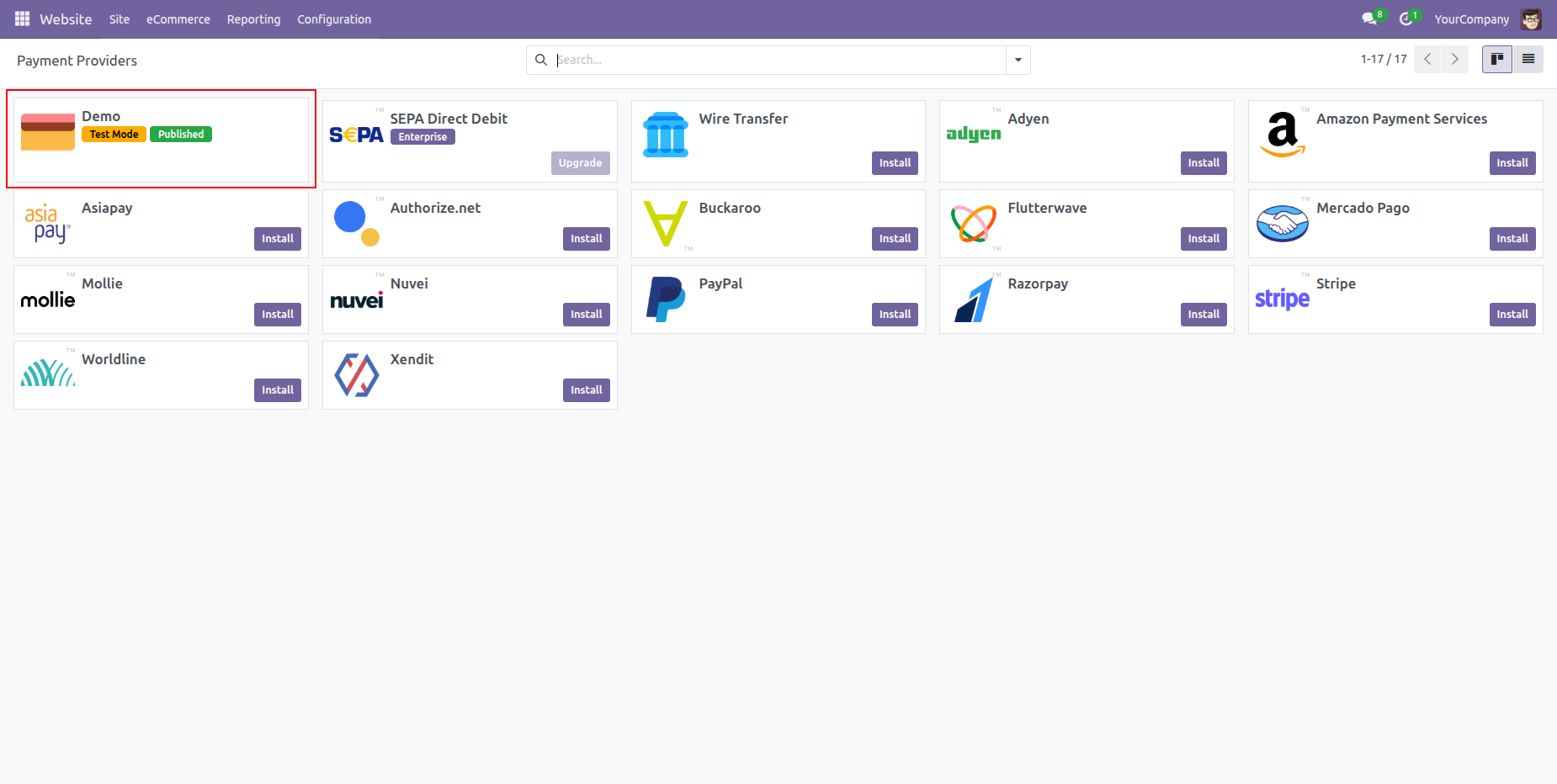
Go to your Website Configuration ==> Payment Providers
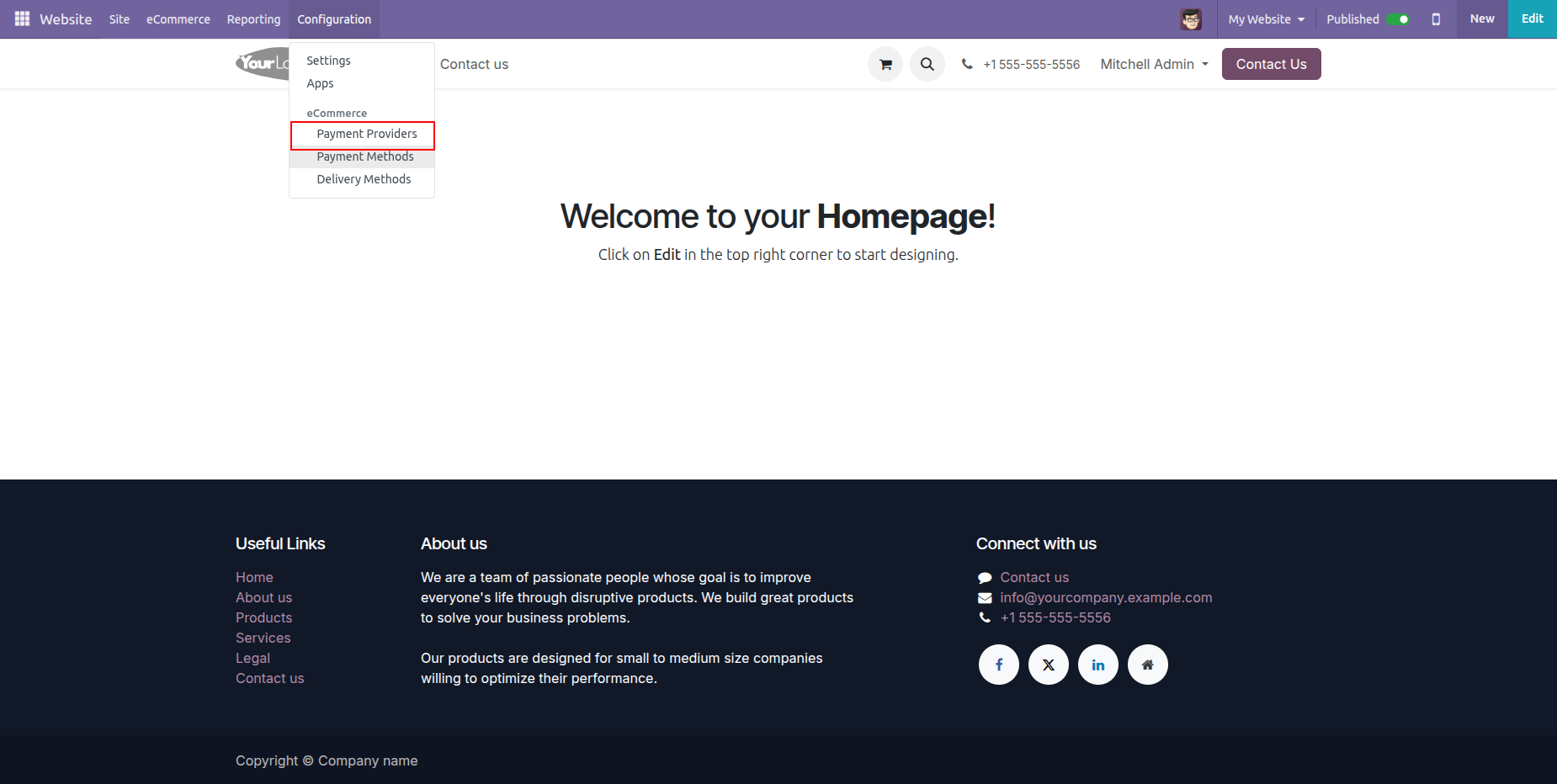
Kanban view of the 'Payment Providers'.
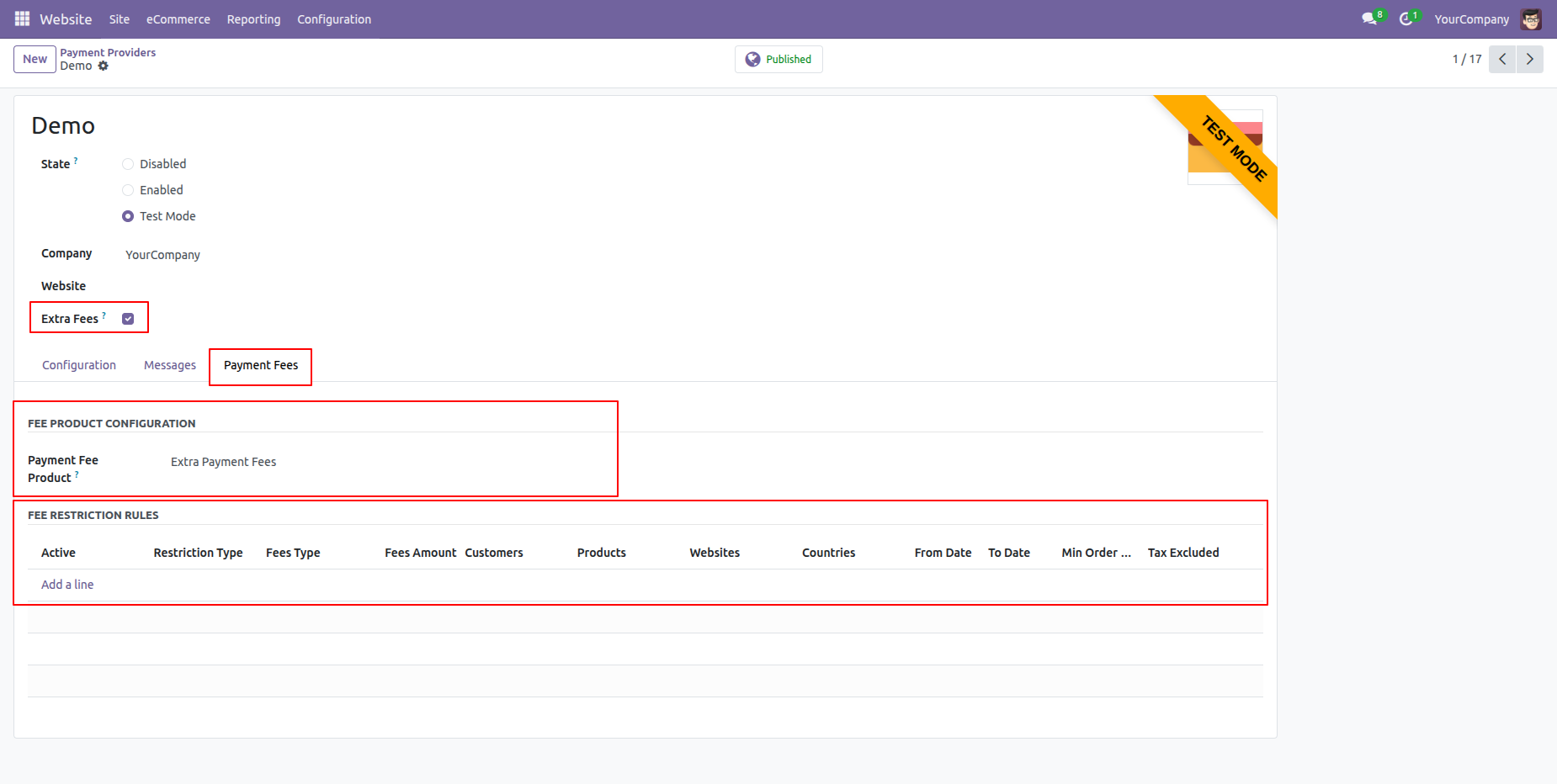
Form view of the 'Payment Providers'.
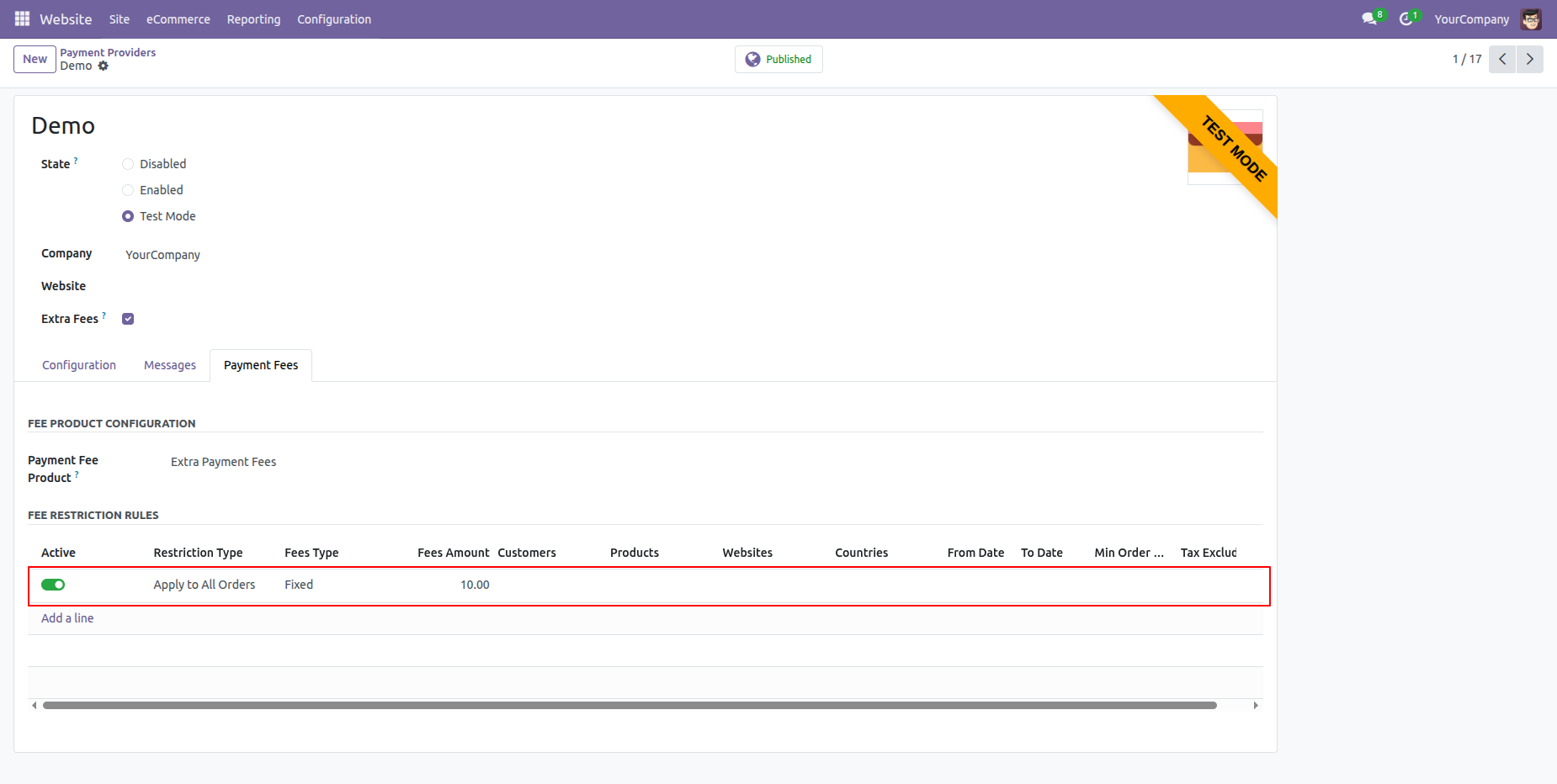
Enable the 'Extra Fees' Boolean. After that, the 'Payment Fees' tab will appear.
Then, set the Payment Fee Product within the 'Payment Fees' tab.
Activate the 'Apply to all orders' option under the 'Payment Fees' tab.
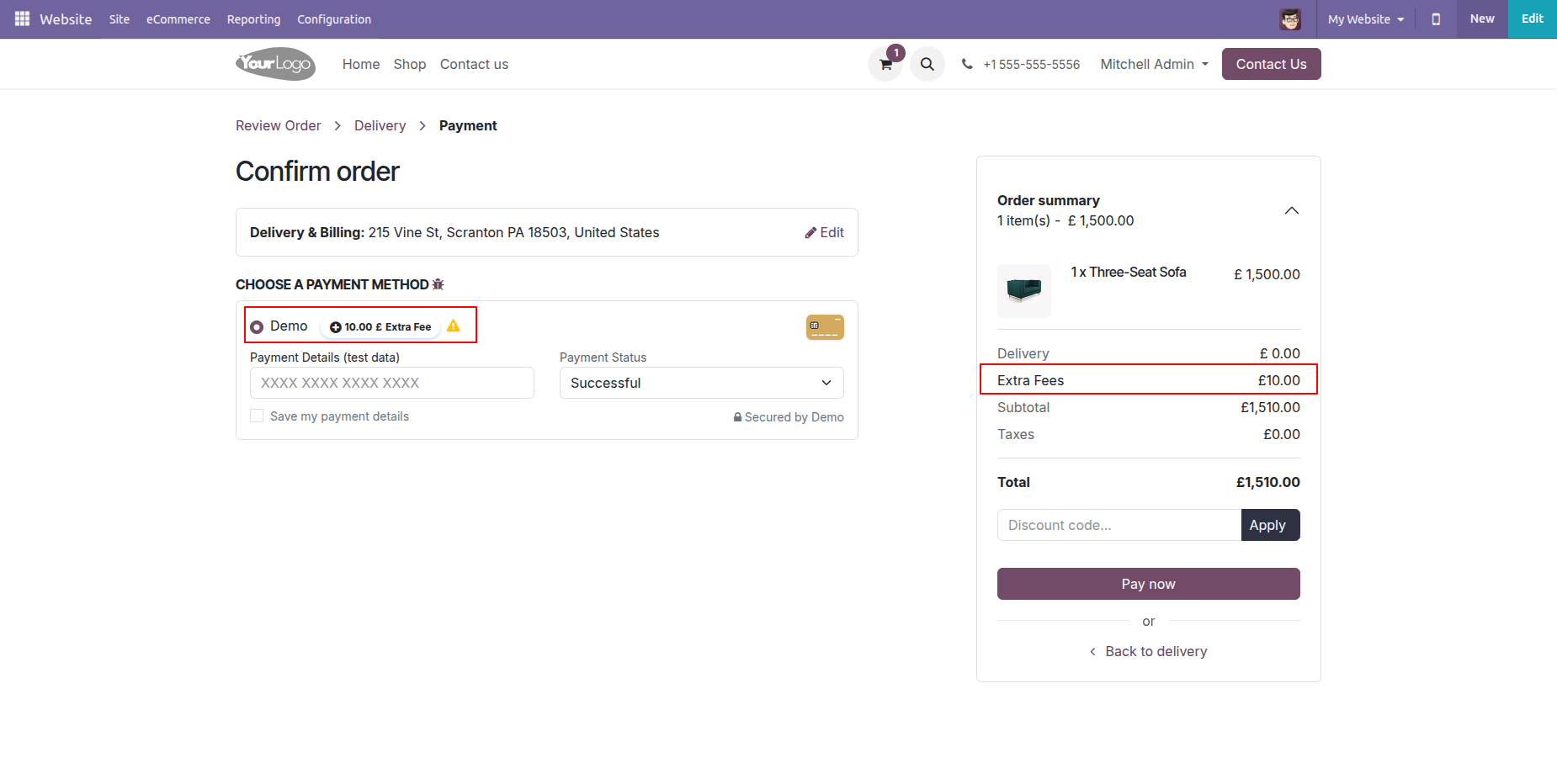
During payment, the extra fees will be automatically added based on the configured payment extra fee settings.
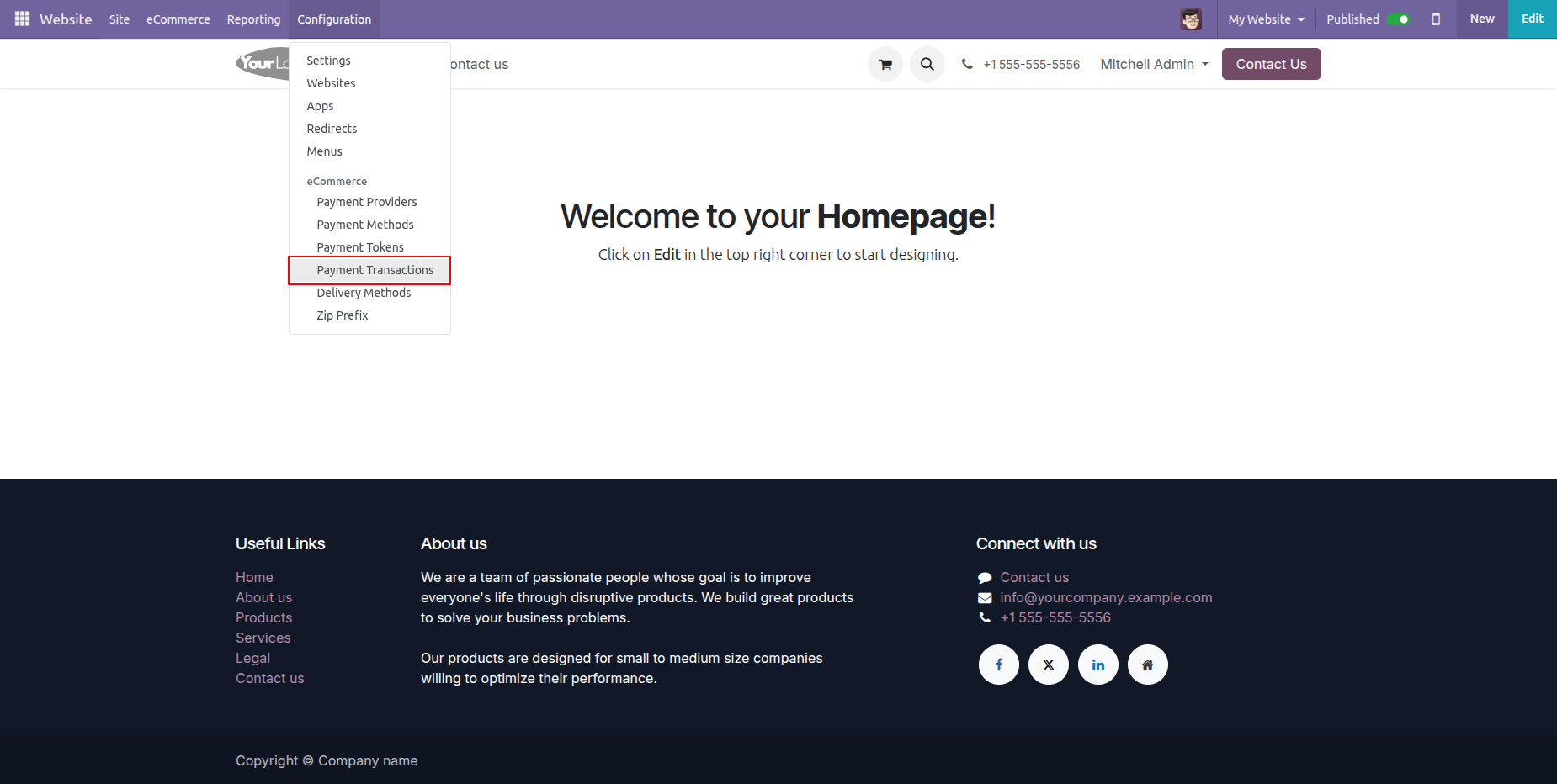
Go to your Website Configuration ==> Payment Transactions
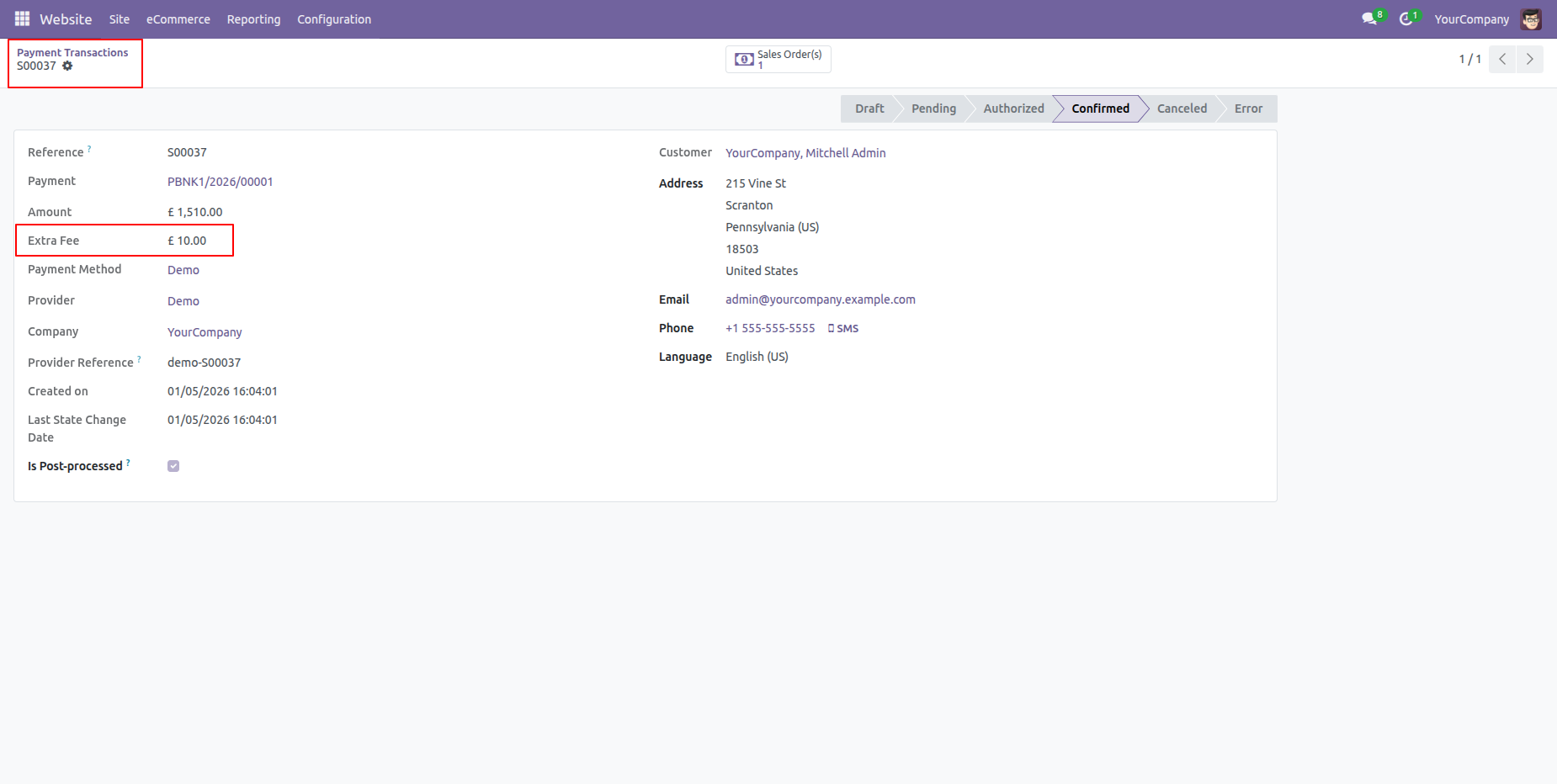
You can view the extra fee amount in the Payment Transaction form view.
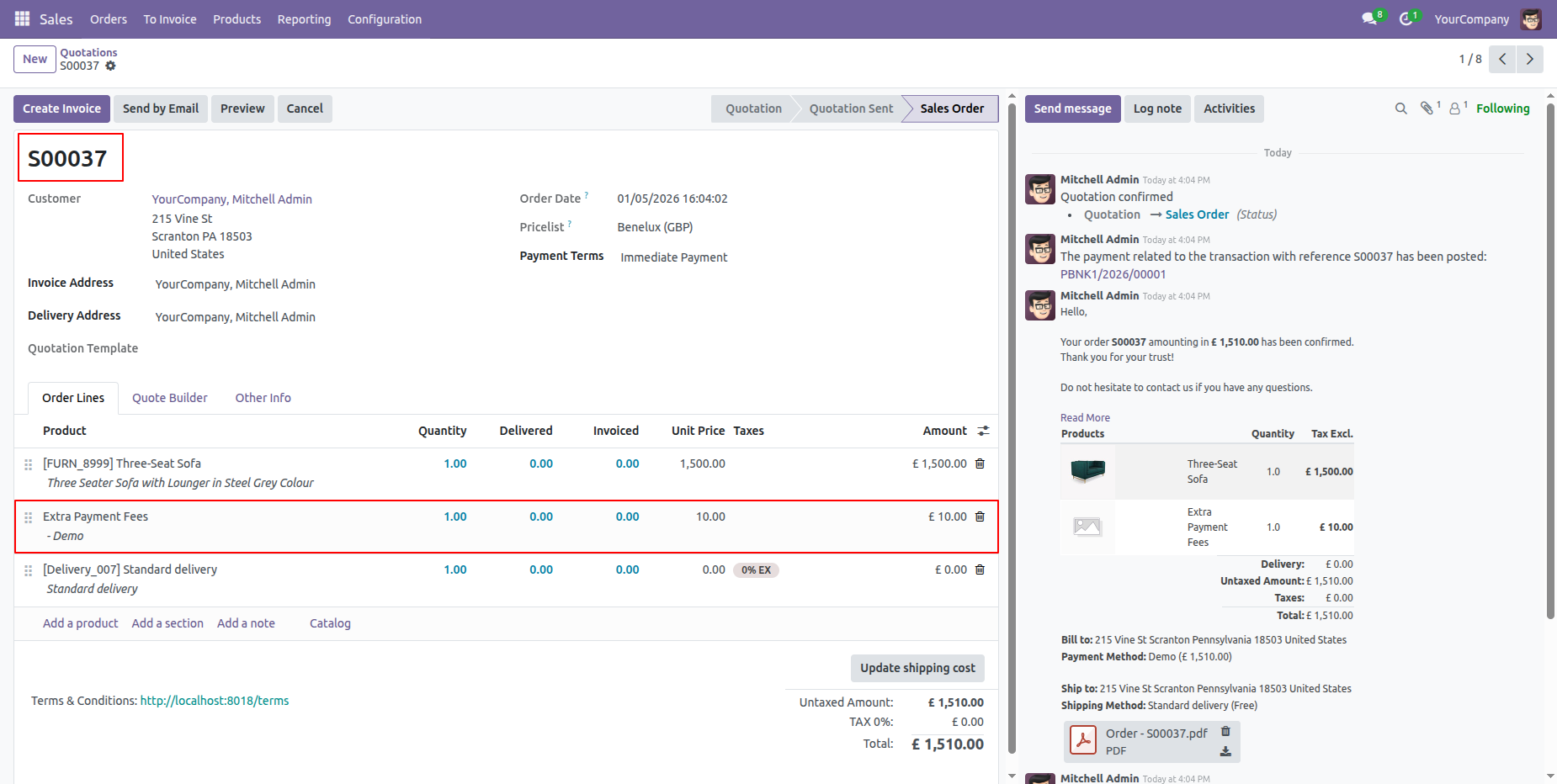
You can also view the extra fee amount in the sale order.
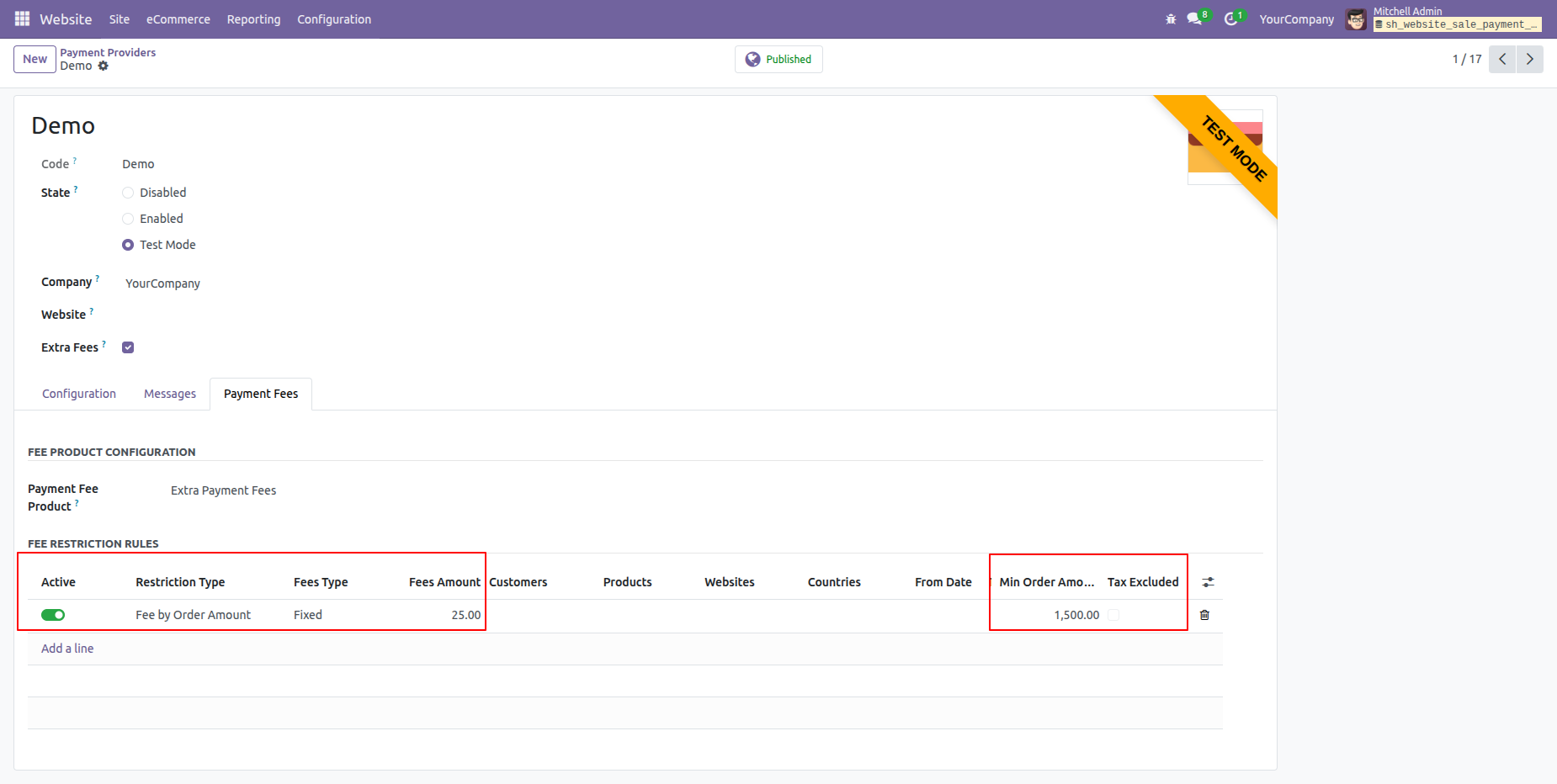
Activate the 'Fee By Order Amount' option under the 'Payment Fees' tab.
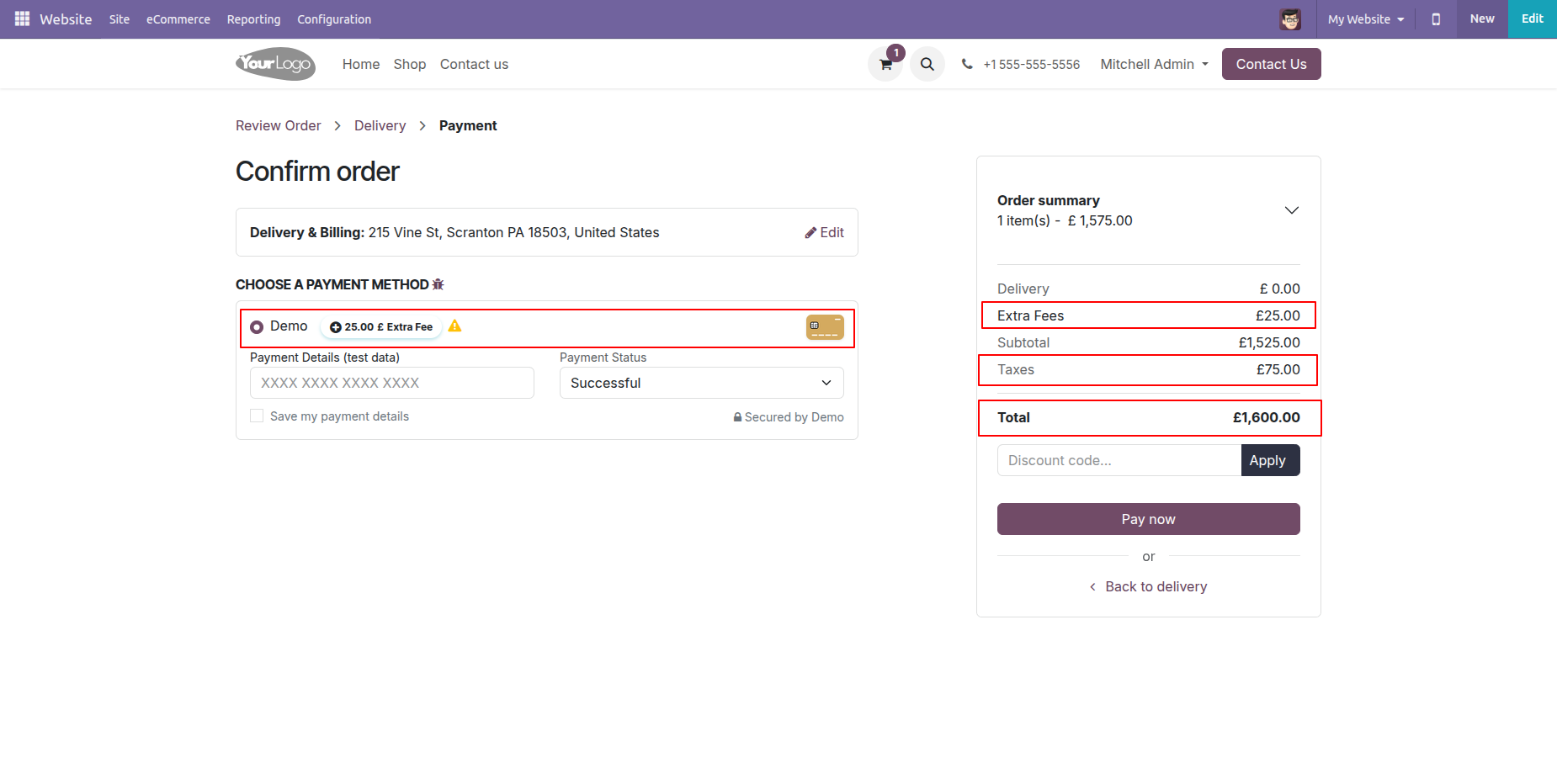
Here, you can see the Order Amoun based extra fees are automatically applied.
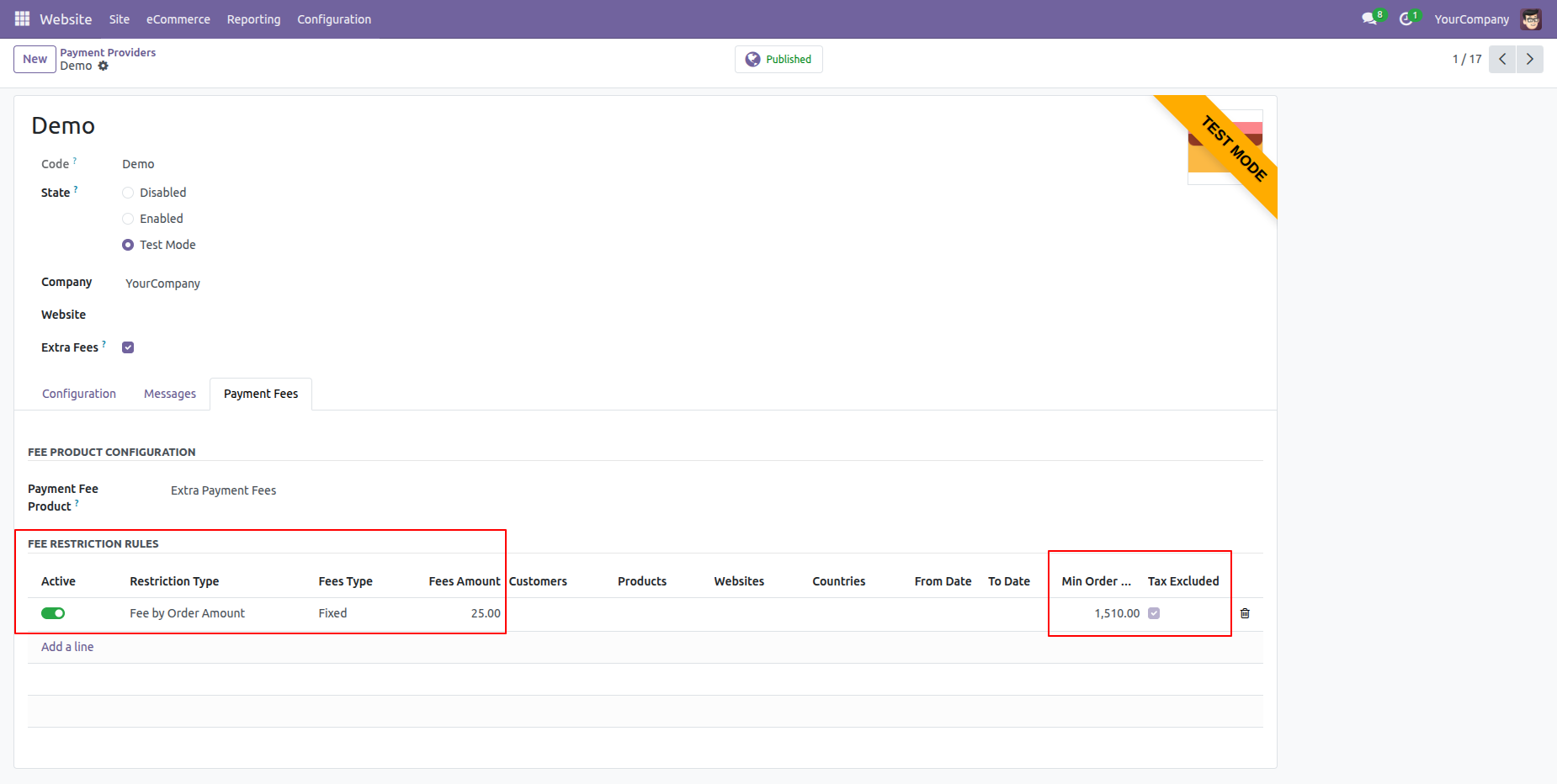
We set the minimum amount to 1,510.00 under the order amount based extra fee configuration.
Here, you can see that the order amount based extra fees are not automatically applied because the order amount is less than the configured minimum amount.
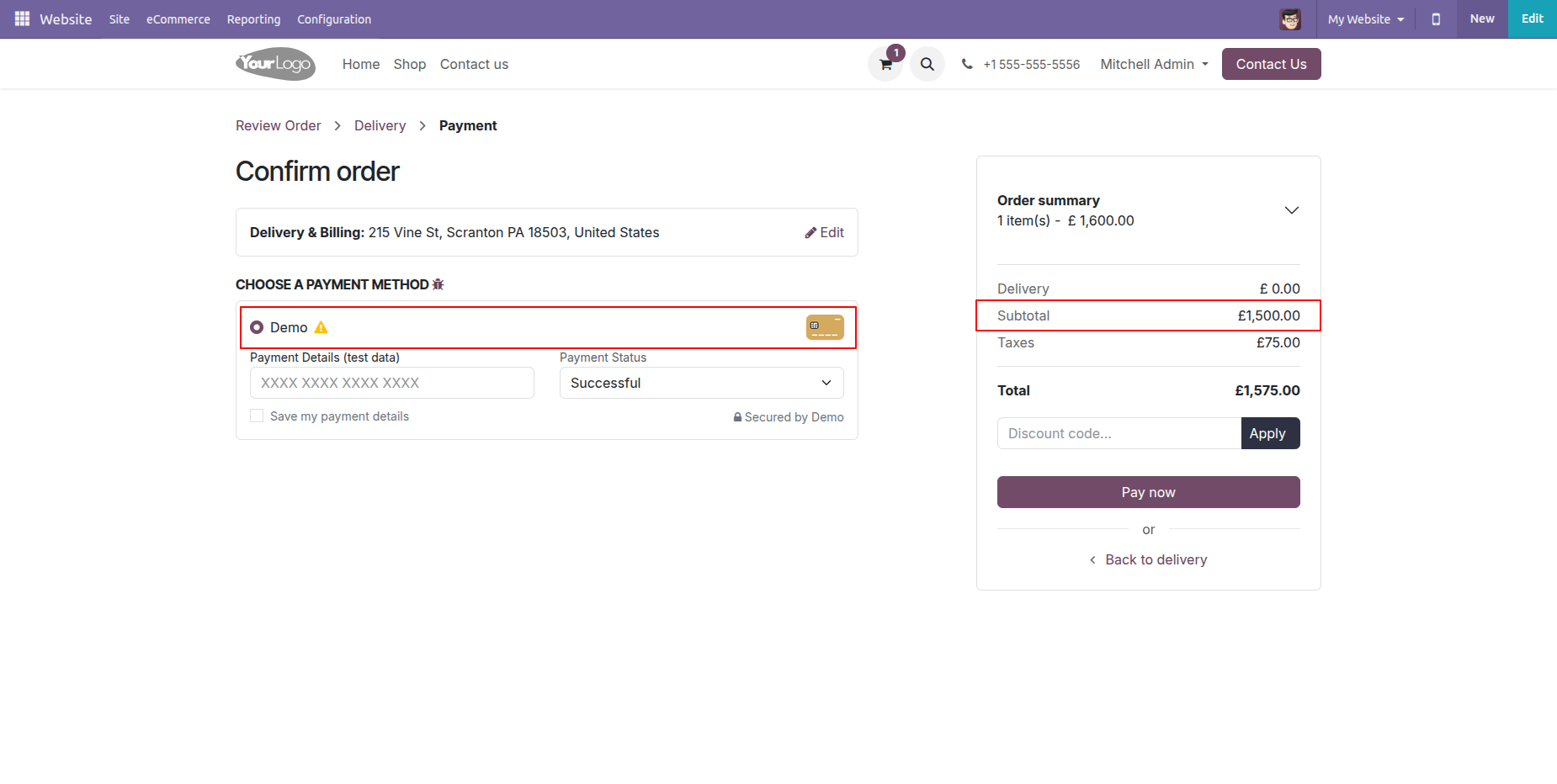
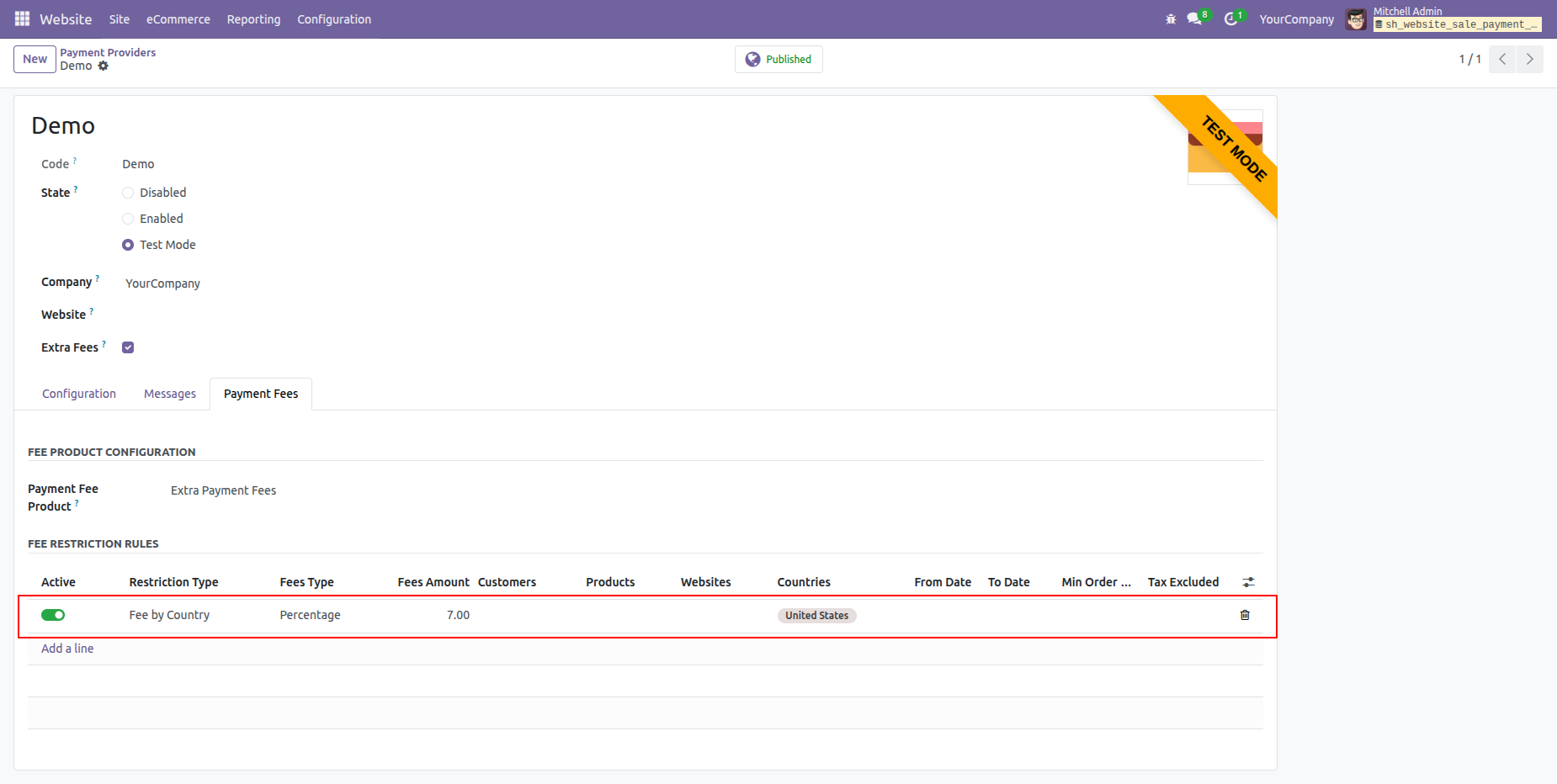
Activate the 'Fee By Country' option under the 'Payment Fees' tab.
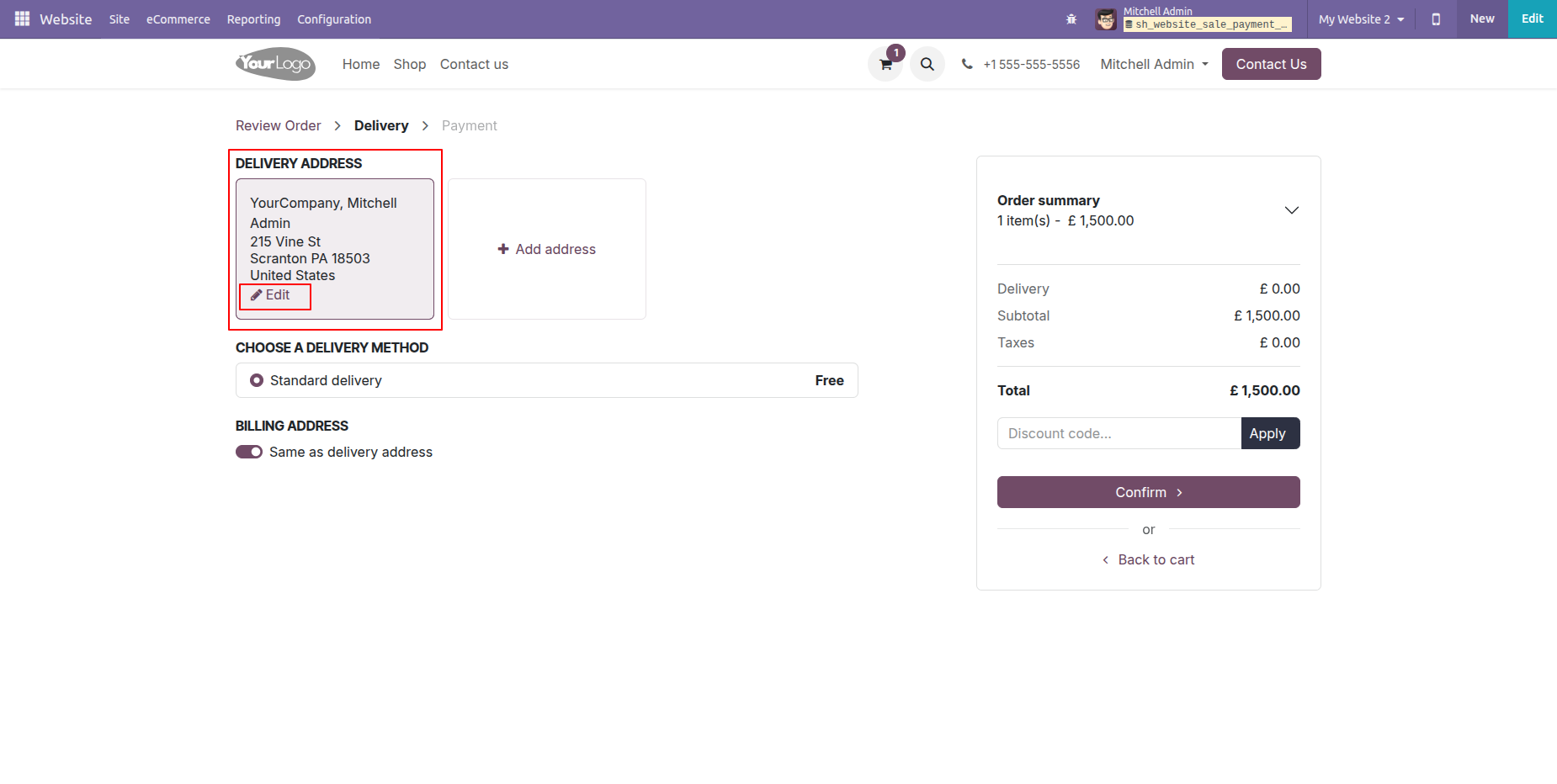
Click on the 'Edit' button to update the address.
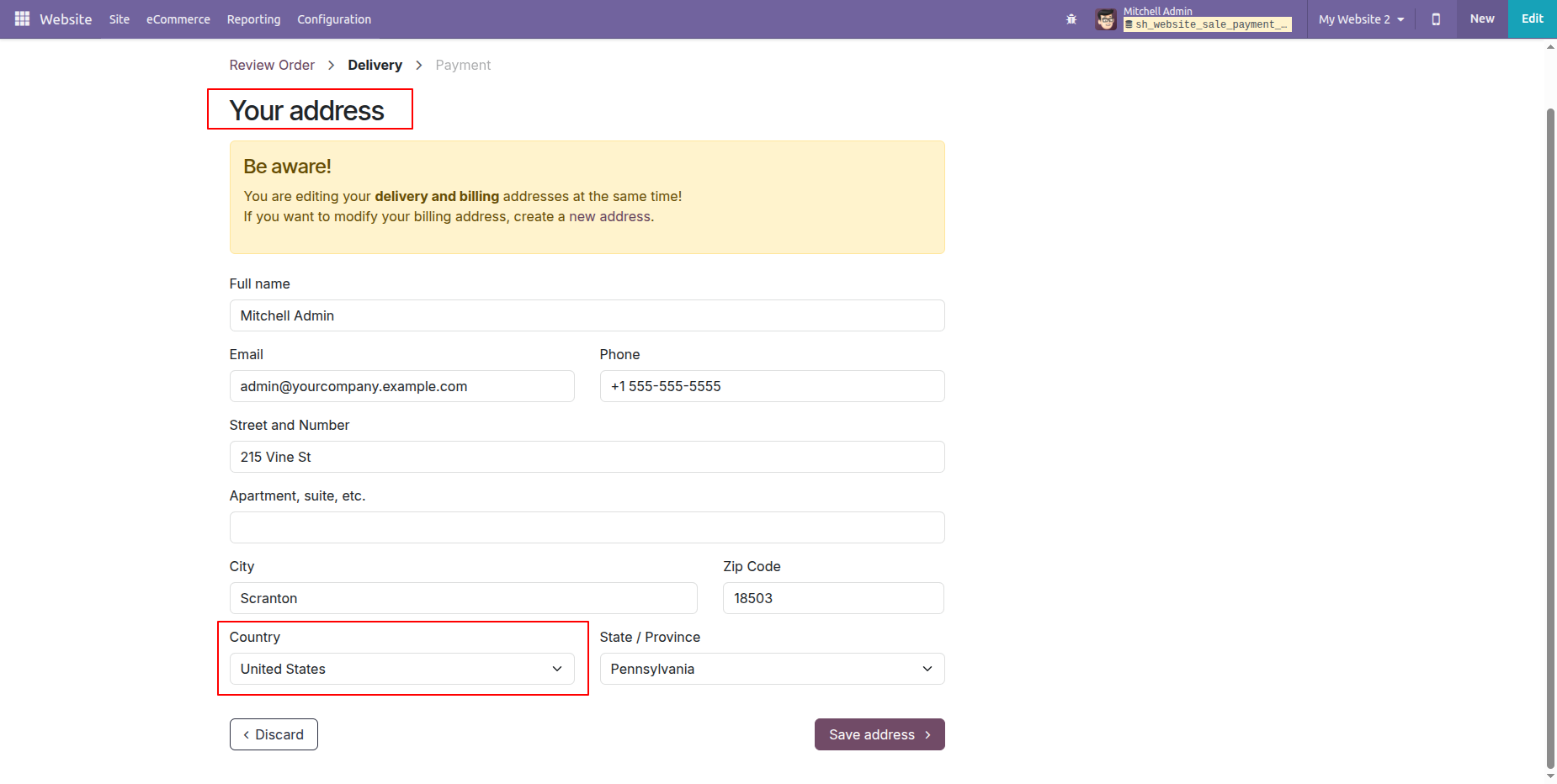
Update the address details and click on the 'Save Address' button.
Click on the 'Confirm' button to confirm the delivery.
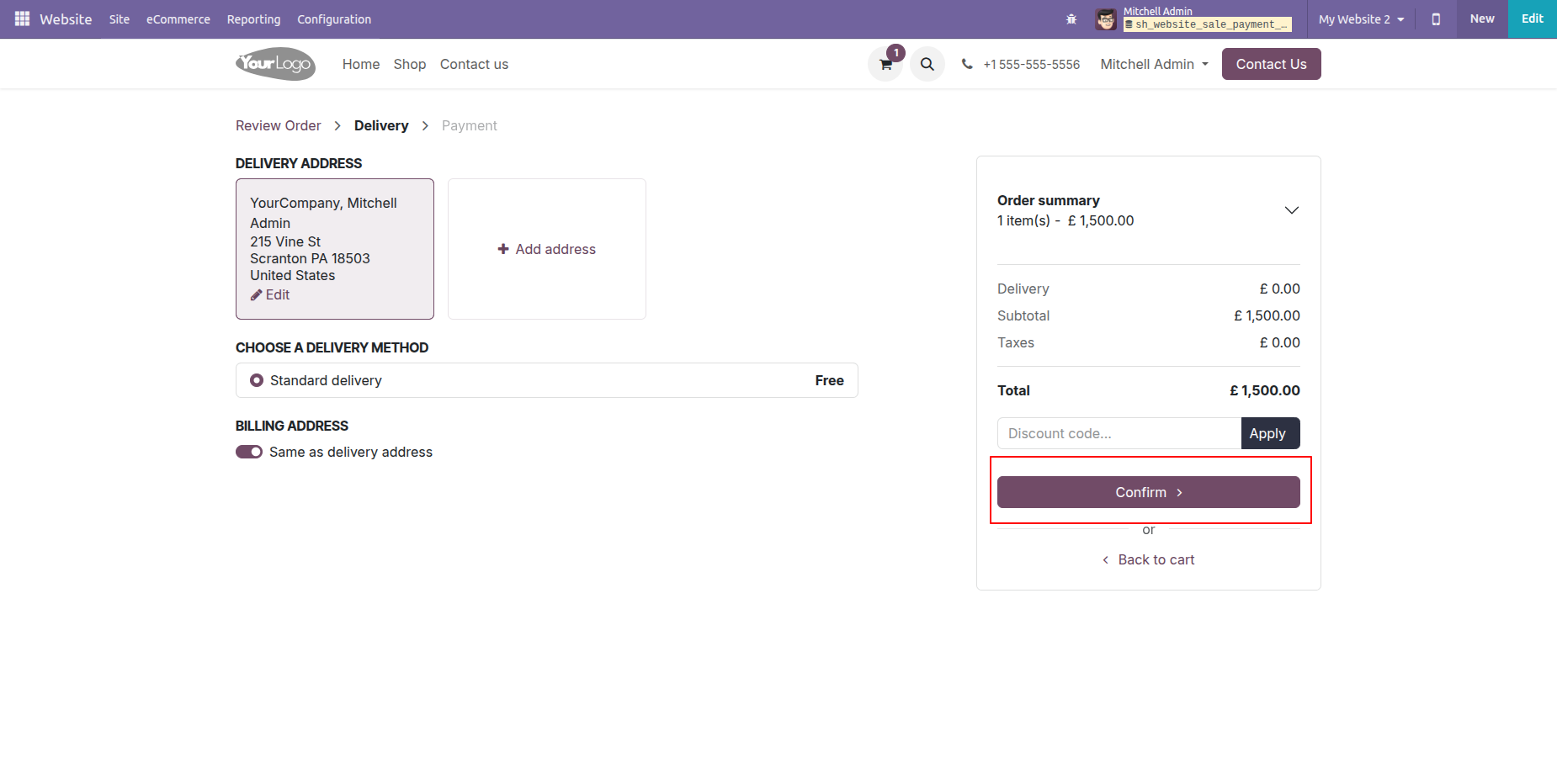
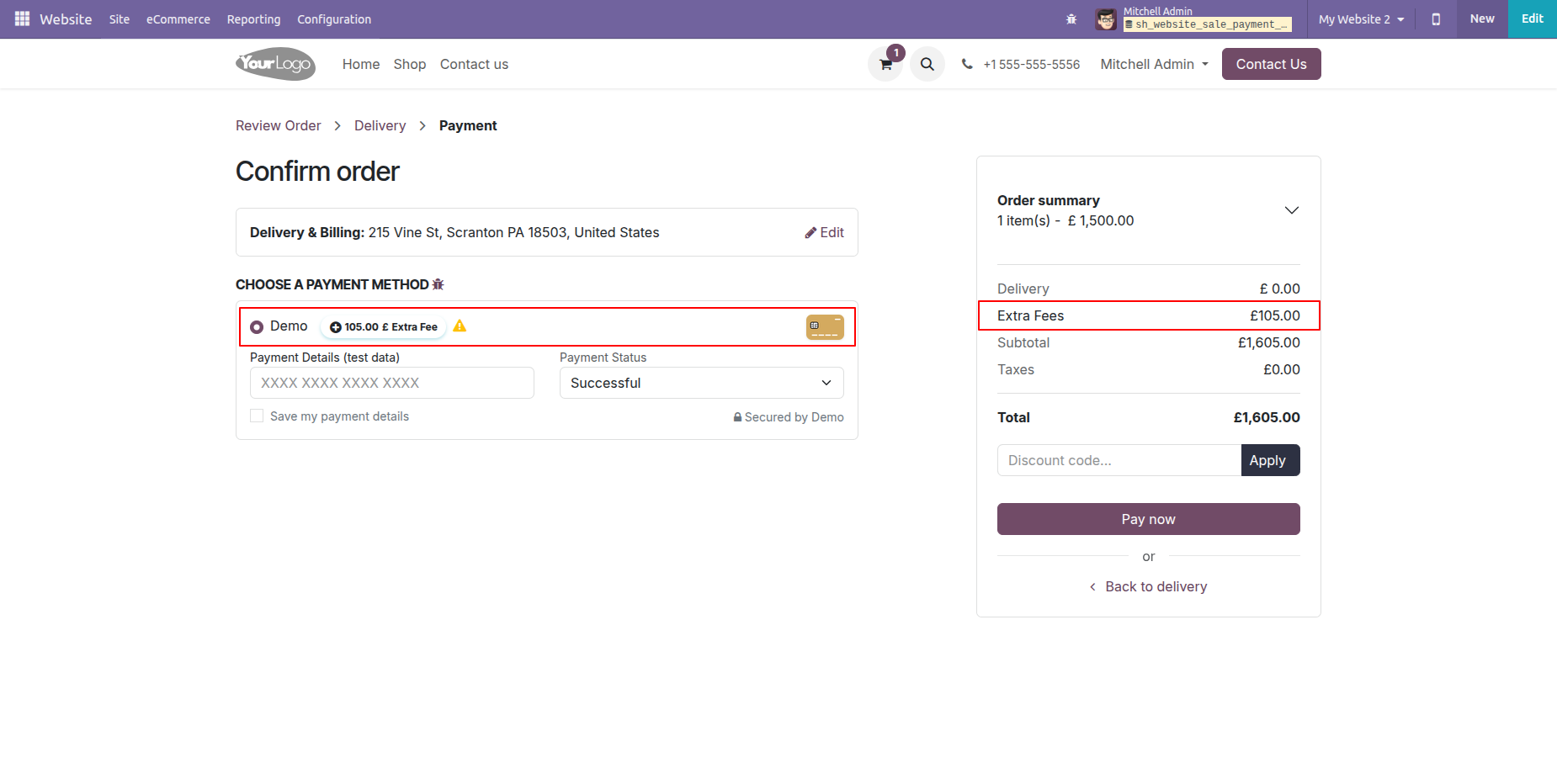
Here, you can see the country-based extra fees are automatically applied.
Activate the 'Fee By Product' option under the 'Payment Fees' tab.
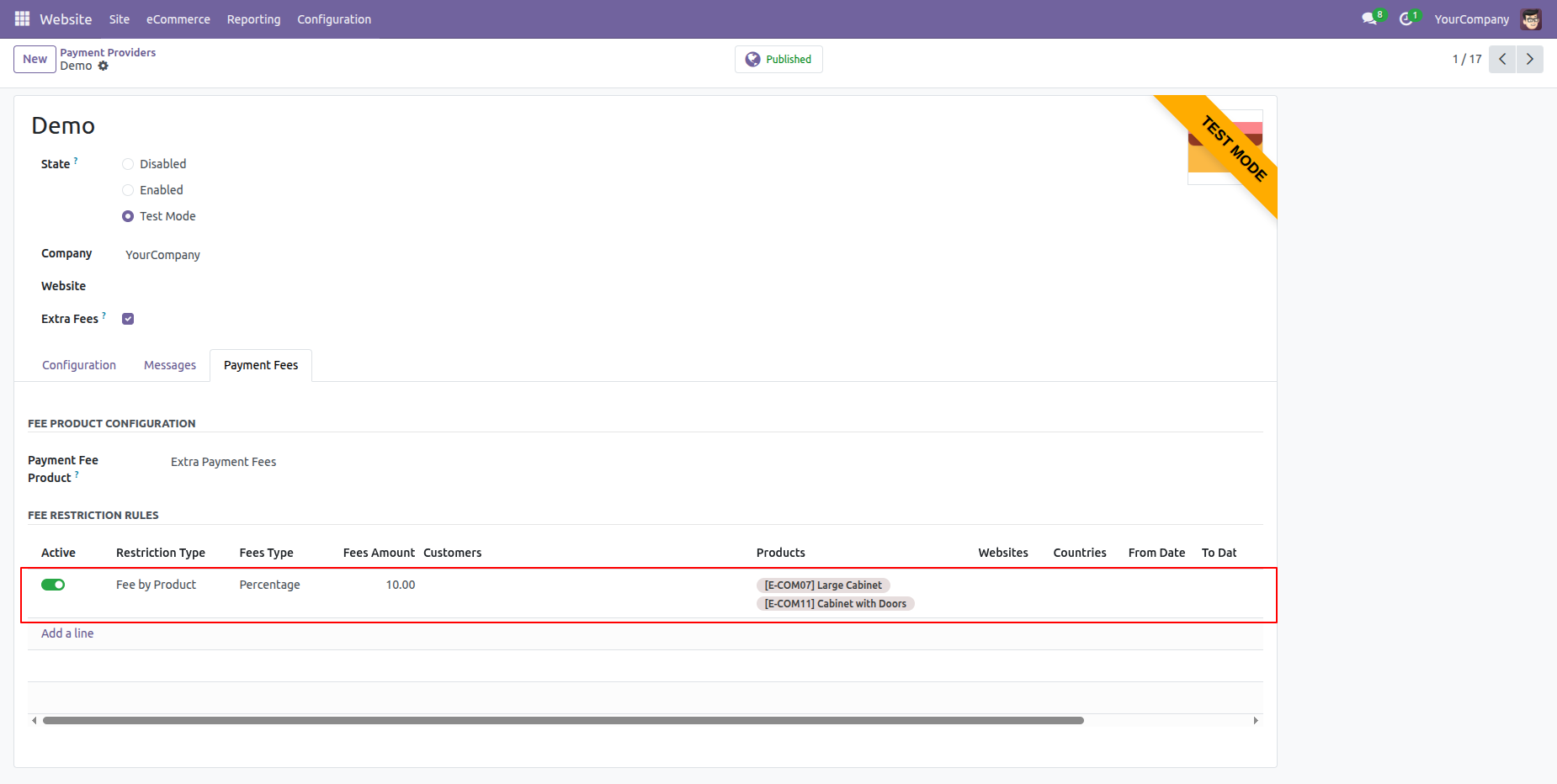
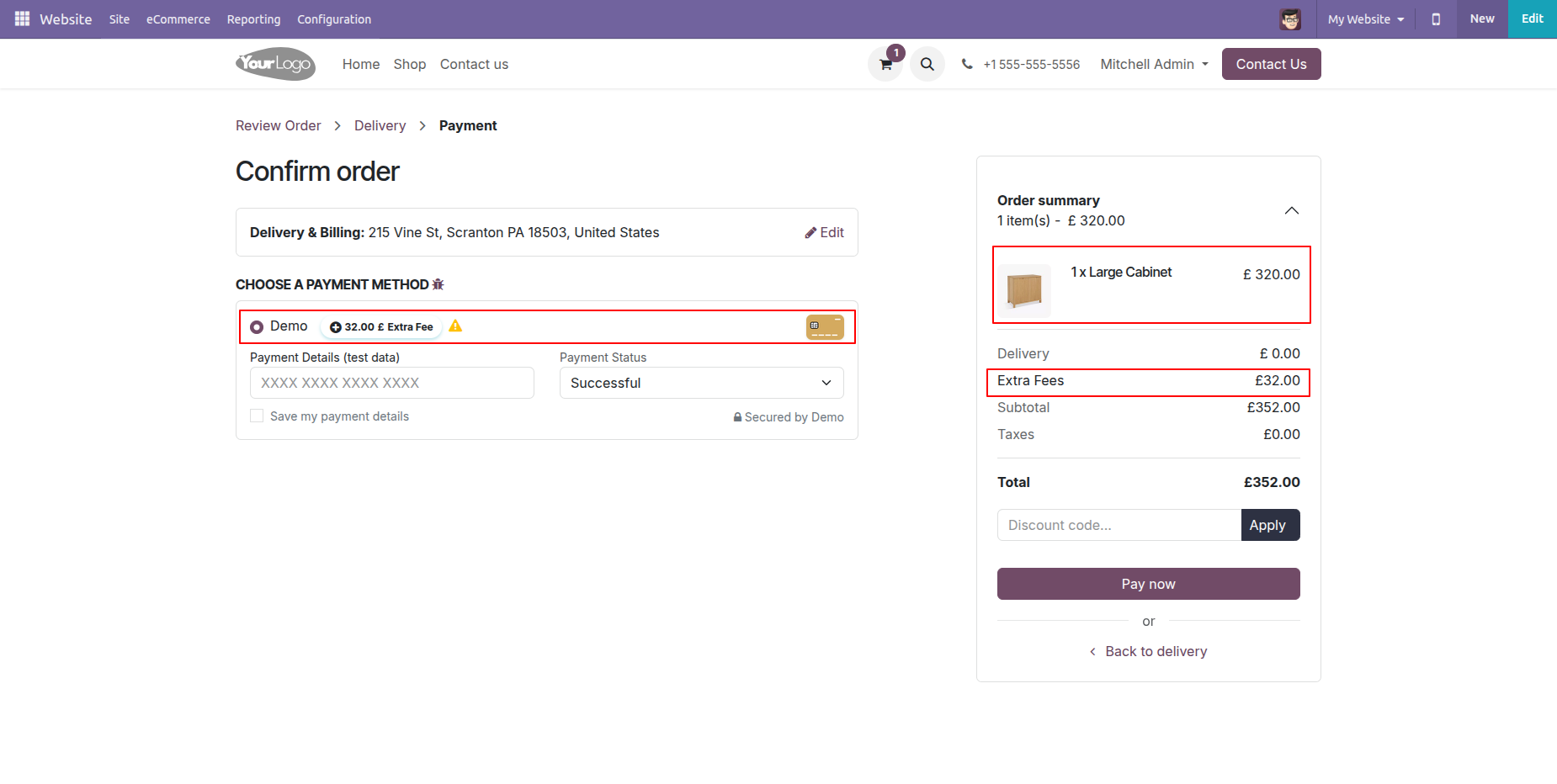
Here, the product-based extra fees are automatically added according to the configured payment extra fee settings.
Activate the 'Fee By Calendar' option under the 'Payment Fees' tab.
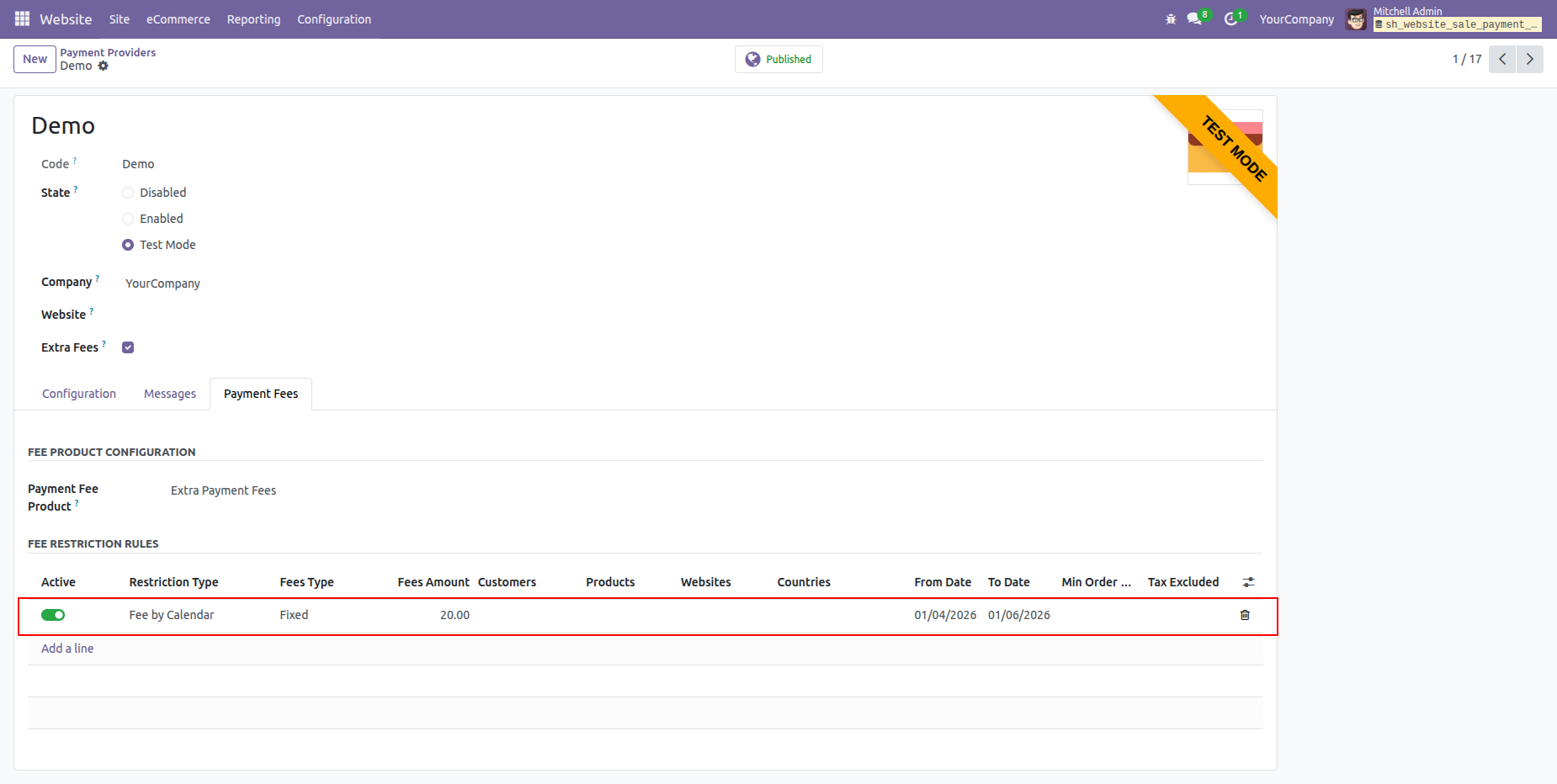
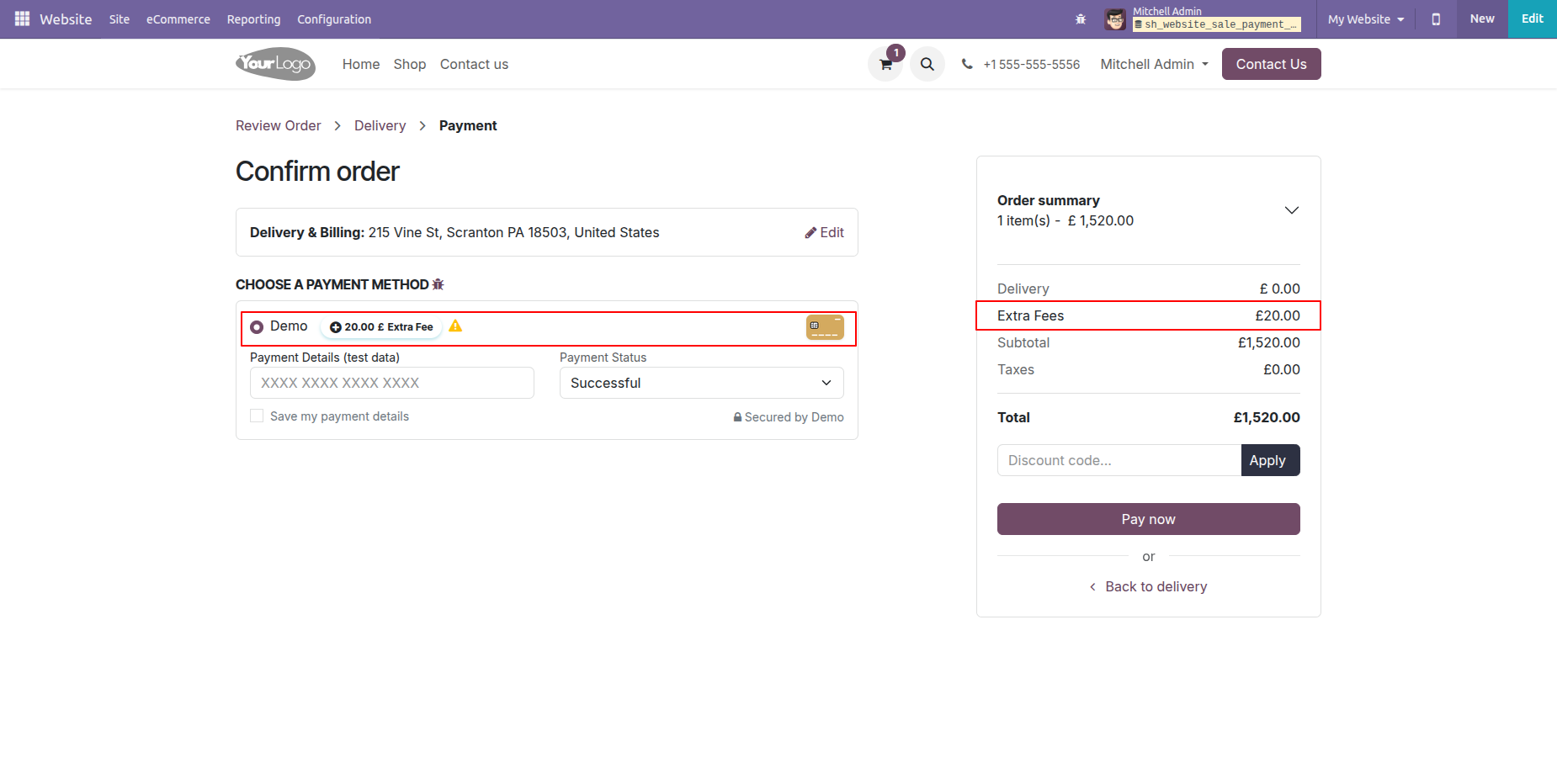
Here, you can see the calendar-based extra fees are automatically applied.
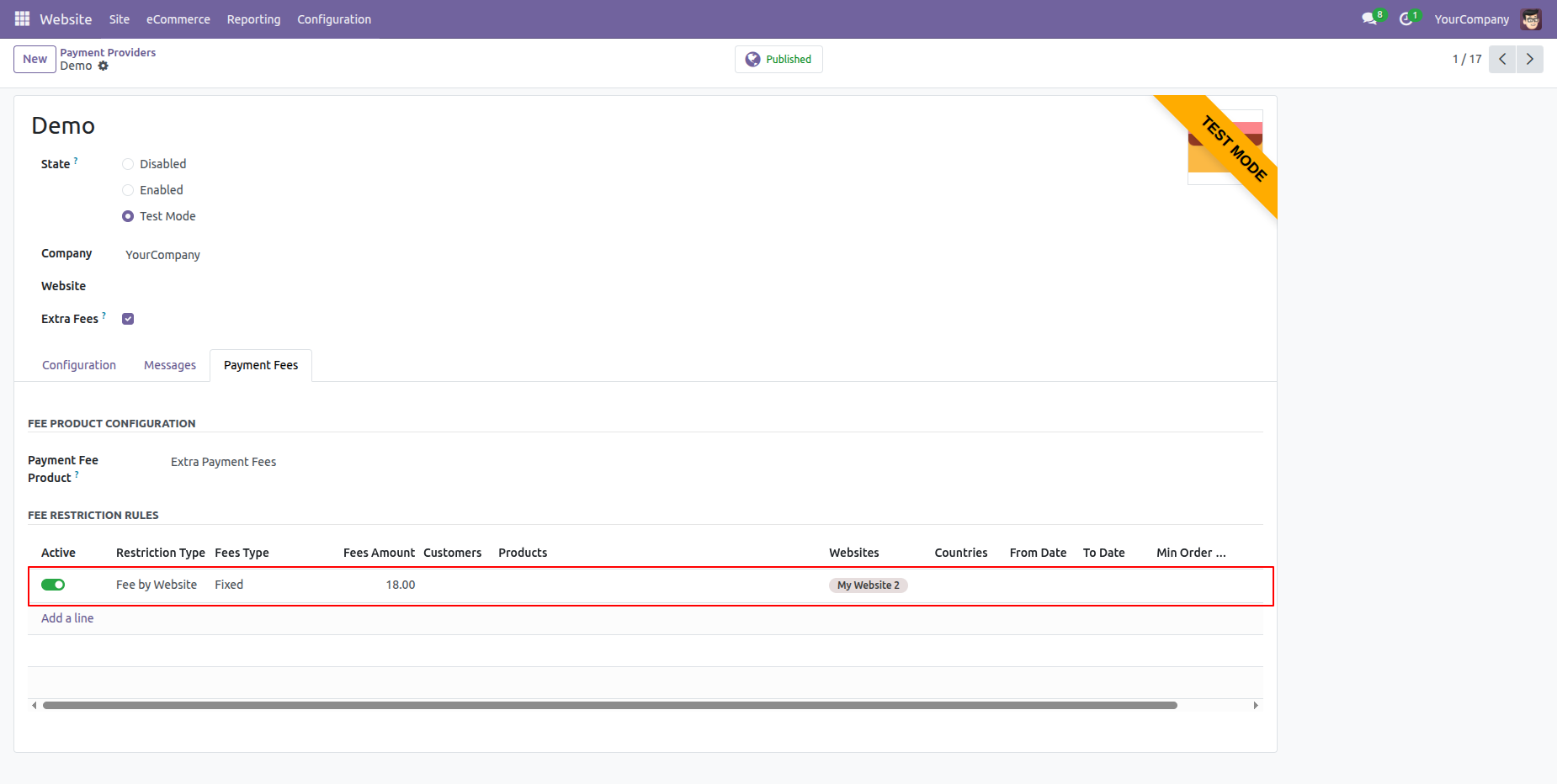
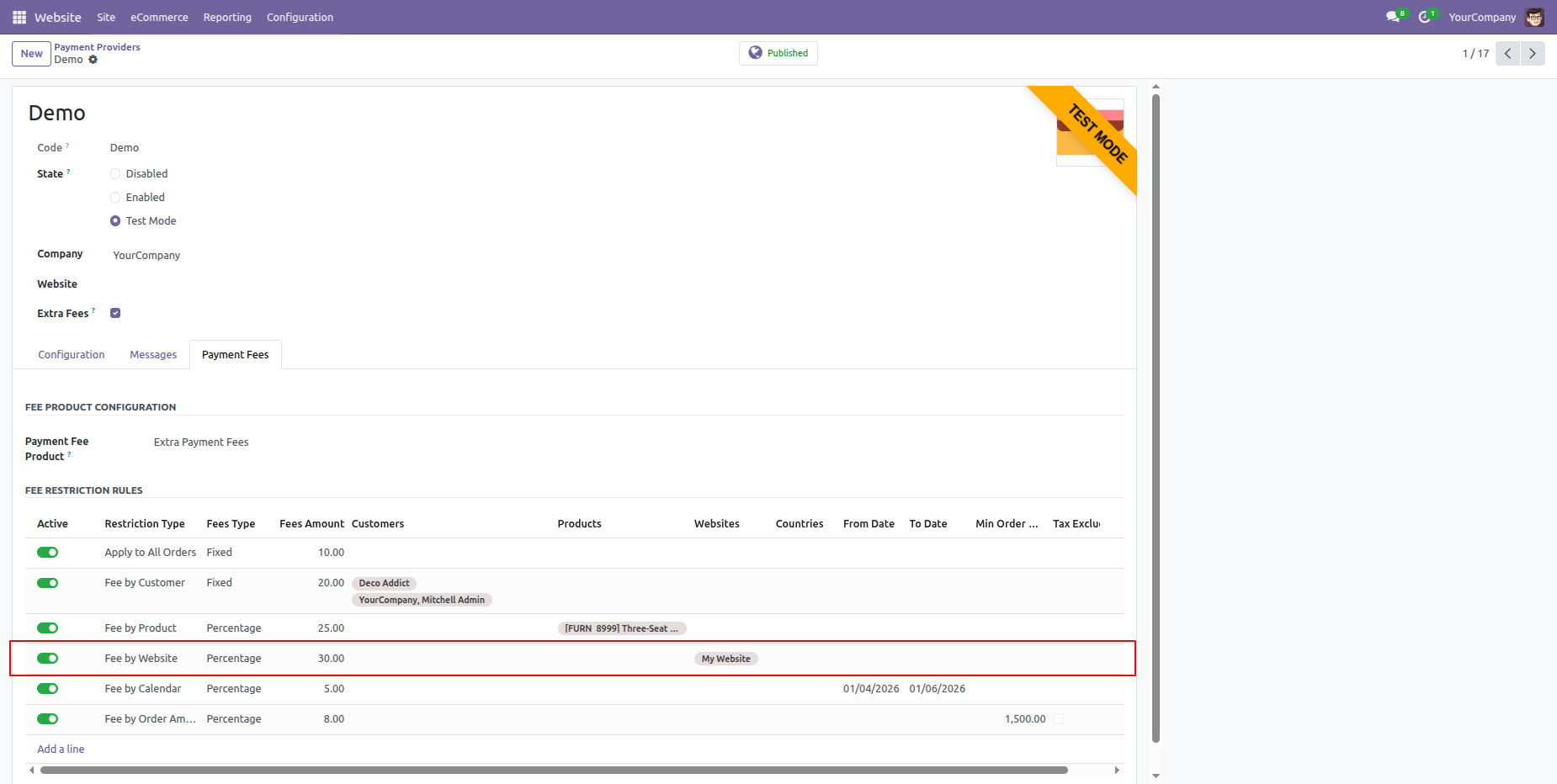
Activate the 'Fee By Website' option under the 'Payment Fees' tab.
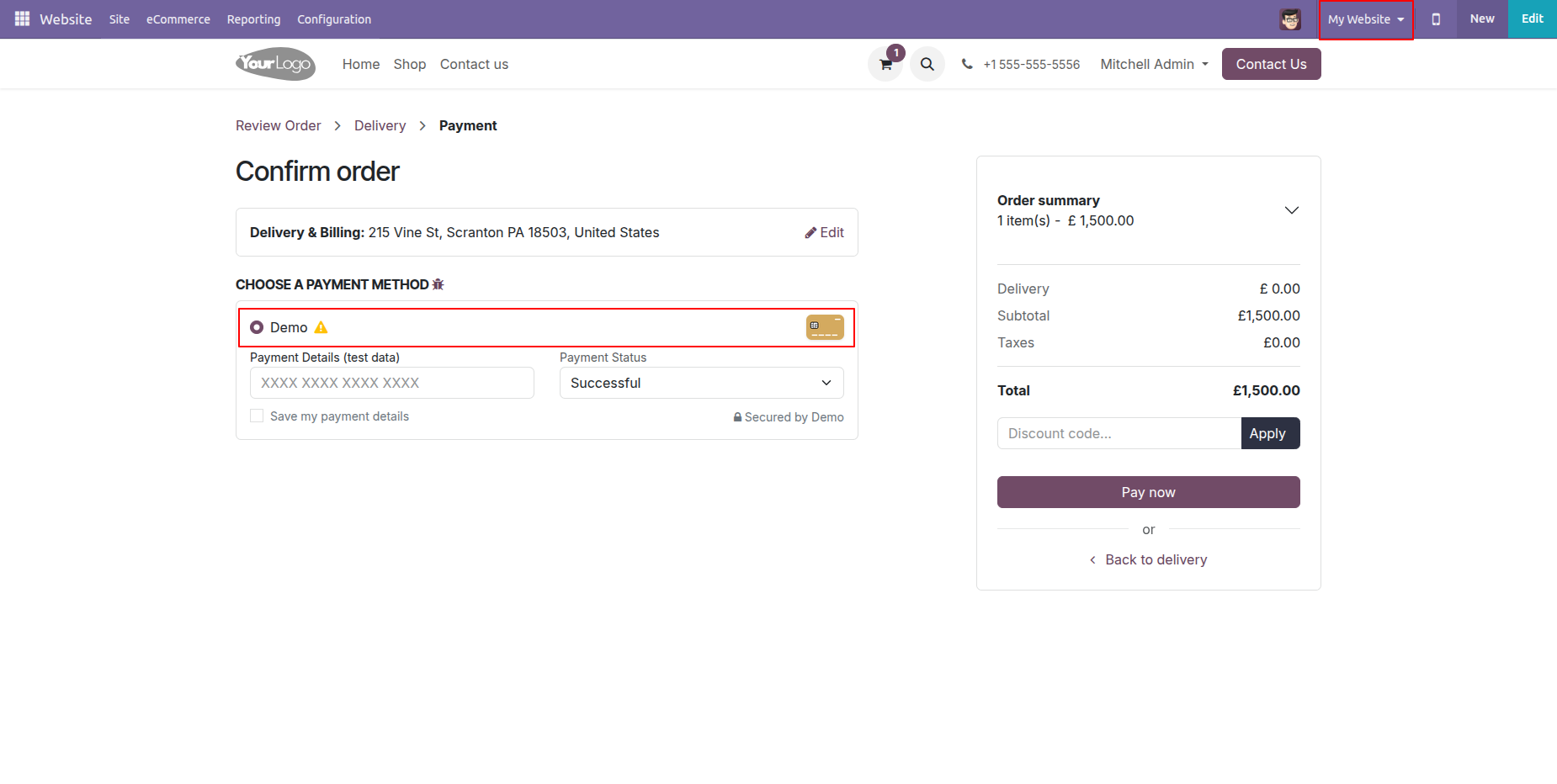
Here, you can see that the website-based extra fees are not automatically applied because a different website (My Website) is selected.
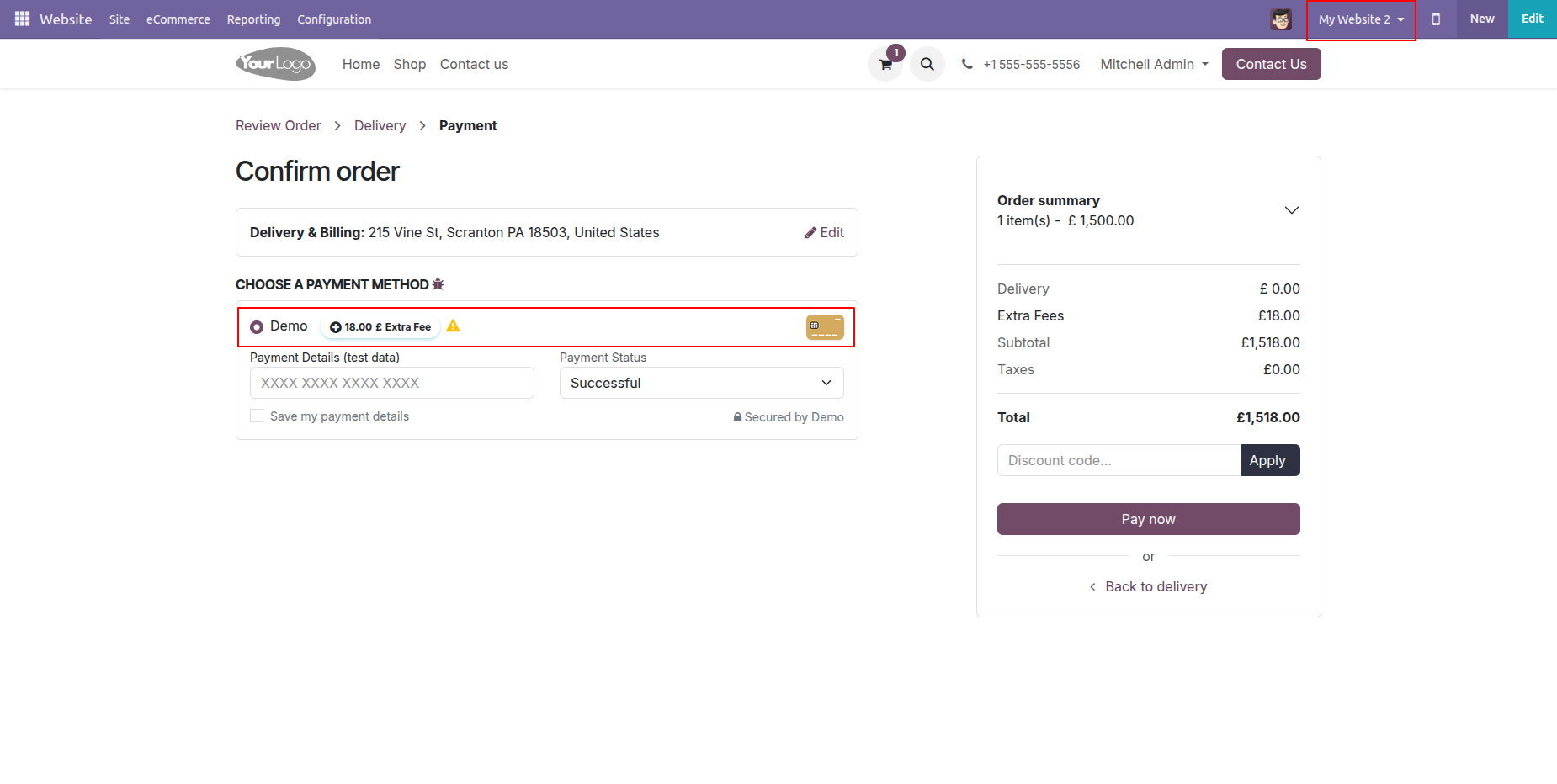
Here, we select the website (My Website 2) that was added in the configuration. As a result, the website-based extra fees are automatically applied.
Activate the 'Fee By Customer' option under the 'Payment Fees' tab.
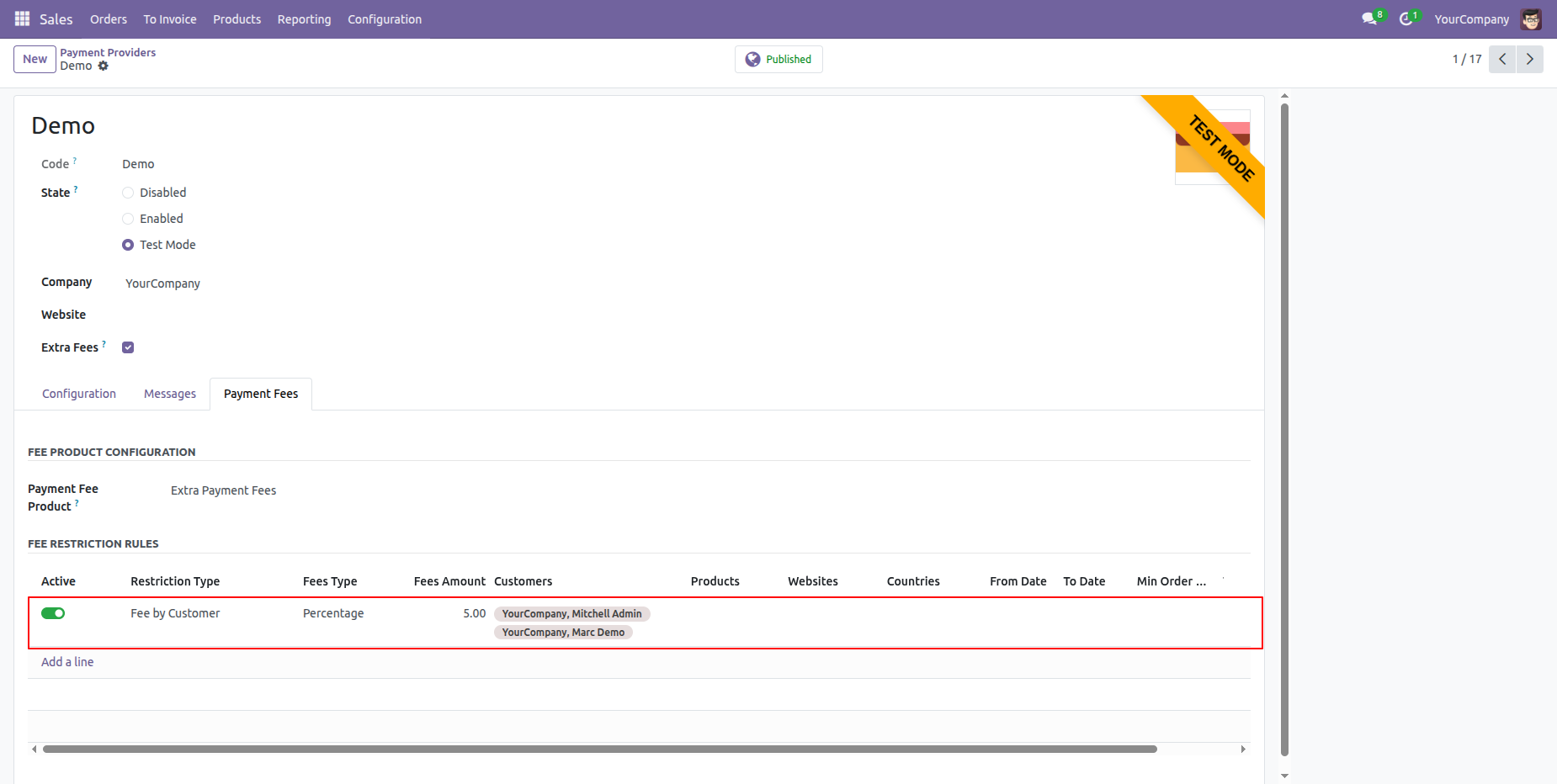
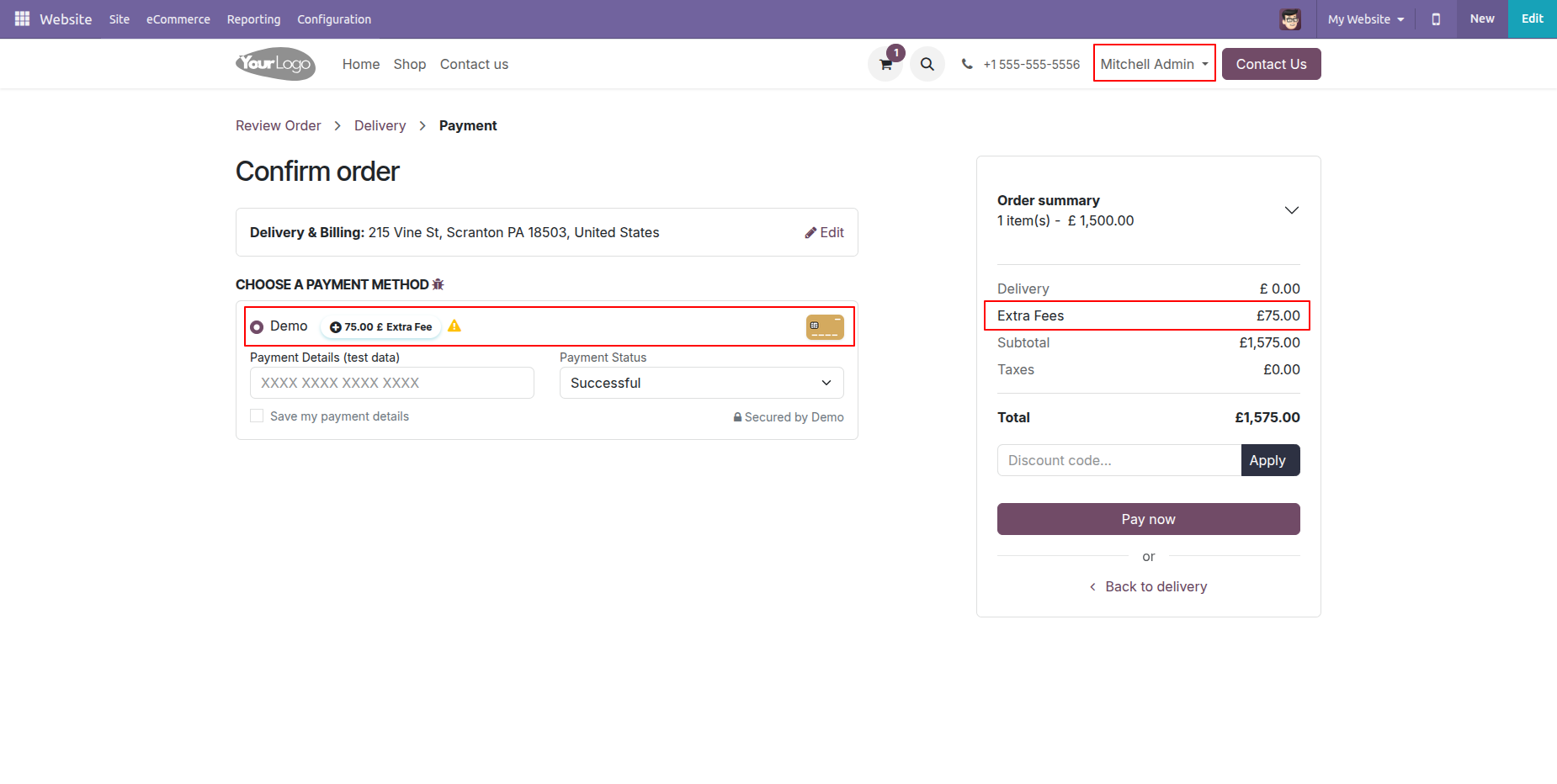
Here, you can see the customer-based extra fees are automatically applied.
Activate all restriction types under the 'Payment Fees' tab.
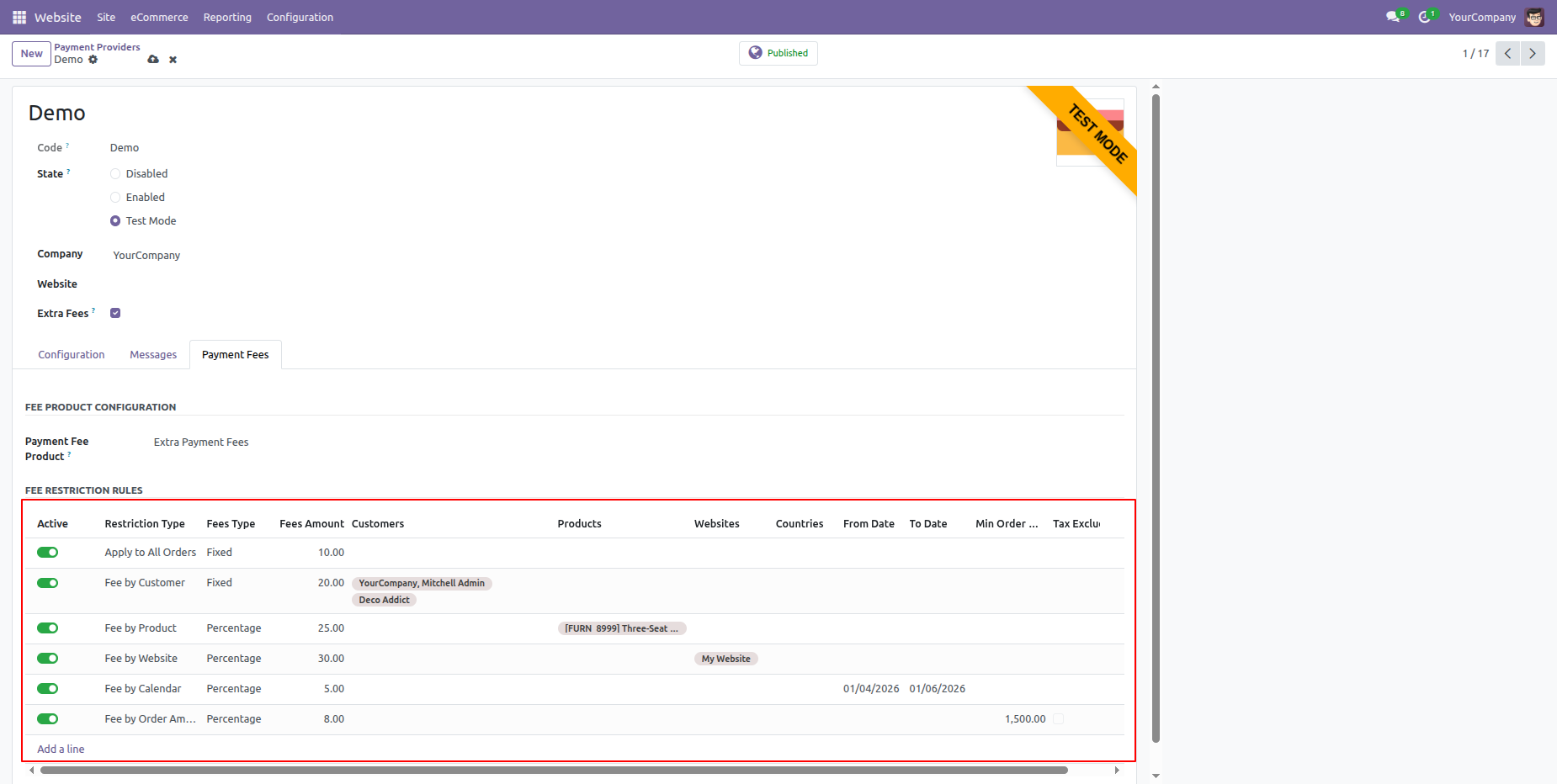
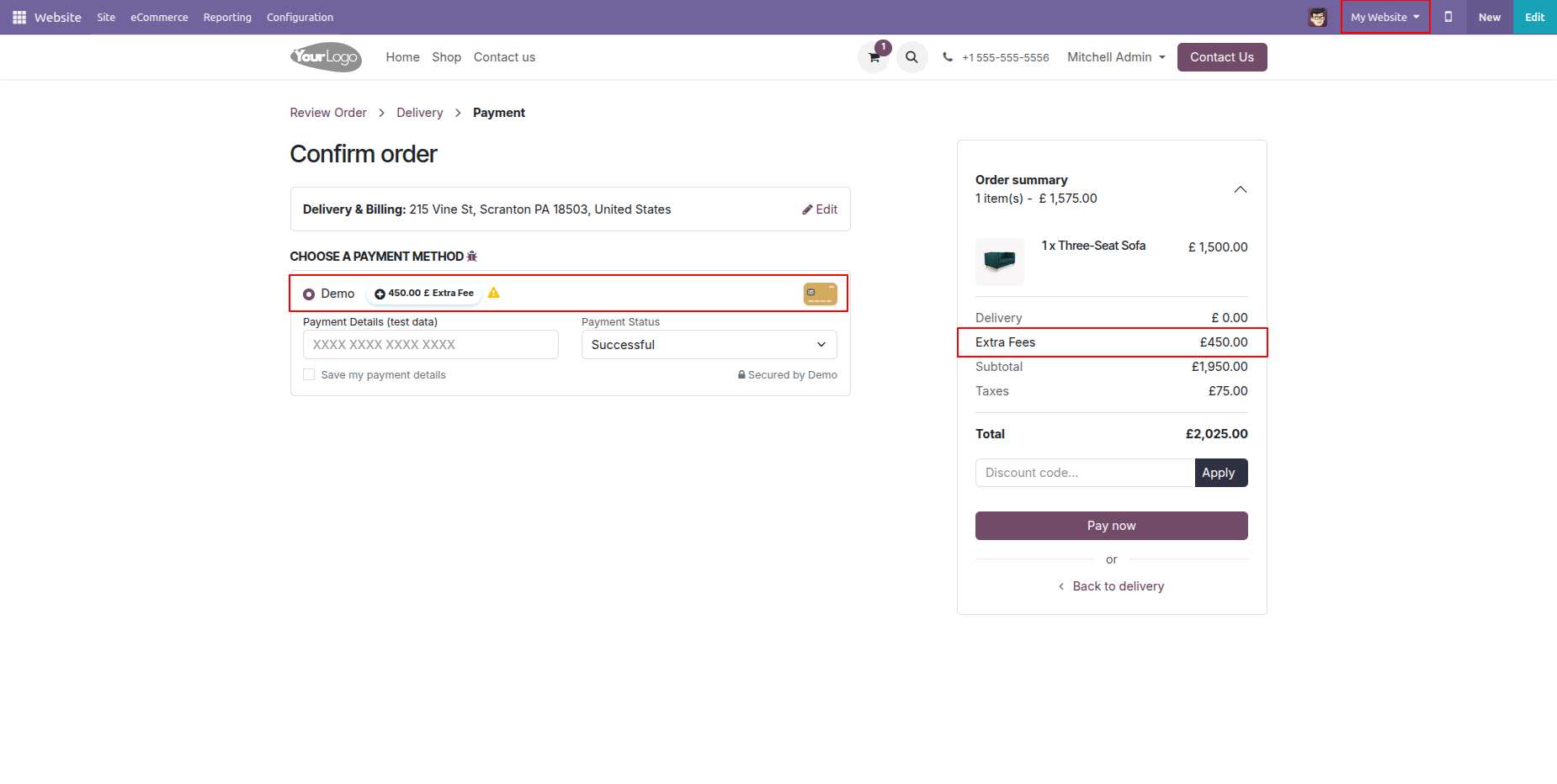
Here, you can see that the maximum discount is seted based on the website.
Here, you can see that the maximum order amount–based extra fee is automatically applied.
Version 19.0.1.0.0 | Released on : 6th February 2026
- Yes, this app works perfectly with Odoo Enterprise (Odoo.sh & Premise) as well as Community.
- No, this application is not compatible with odoo.com(odoo saas/Odoo Online)
- No, currently it does not work if the product type is selected as a combo product. For more details, please contact our support team at support@softhealer.com.
- Yes, to test this module, please contact us at sales@softhealer.com.
- Please contact us at sales@softhealer.comto request customization.
- Yes, we provide free support for 365 days from the date of purchase.
- Yes, you will receive lifetime free updates for the version of the module you purchased.
- No, there is no need to install any additional libraries.
- Yes, for version 12 and above, you need to purchase the module separately for each version you intend to use.
- No, exchanges or refunds are not allowed. Please make sure to select the correct version before purchasing.
- You can contact us at support@softhealer.com for language translation support. We use Google Translator tools to provide translations in multiple languages, so the accuracy may vary. We welcome your suggestions to help improve translations.
Discover Our Latest Apps