












Web Push Notification

Currently, in odoo, there is no feature for web push notifications for users. This module allows to send a push notification with help of a firebase to your users.

Related Modules
Features
- Easy to create a web push notification.
- Here you have several options to send notifications for specific users.
- Just Config your project on firebase and go for it.
- No more configuration required, just install it and cheers!
Notes
- SSL required if you are on the cloud or using IP. As without SSL permission of notification does not work. If you are running odoo on the localhost (http://localhost) then it's not required SSL.
-
Although PWA
supports IOS/Android, The firebase push API has some browser limitations, which you can check using
the below link.
Firebase Support
Copy Link: https://firebase.google.com/support/troubleshooter/fcm/delivery/diagnose/
web#:~:text=arrow_back%20FCM%20browser%20support%20and,a%20browser%20supports%20messaging%20capabilities
Browser Compatibility With Push API
Copy Link: https://caniuse.com/push-api - Please ask us on sales@softhealer.com if any doubt.
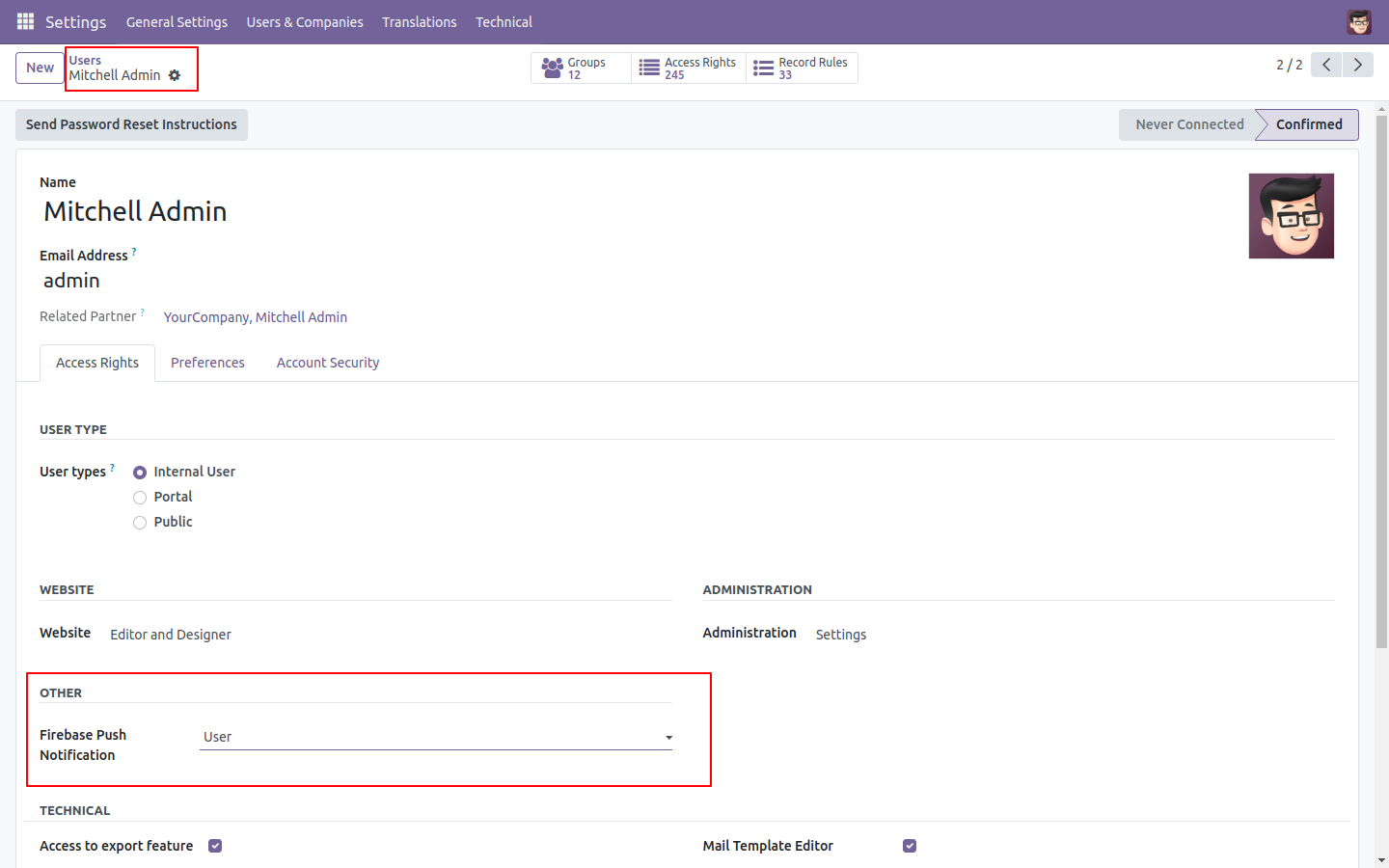
Allow User access right, so that user can create a web push notification.
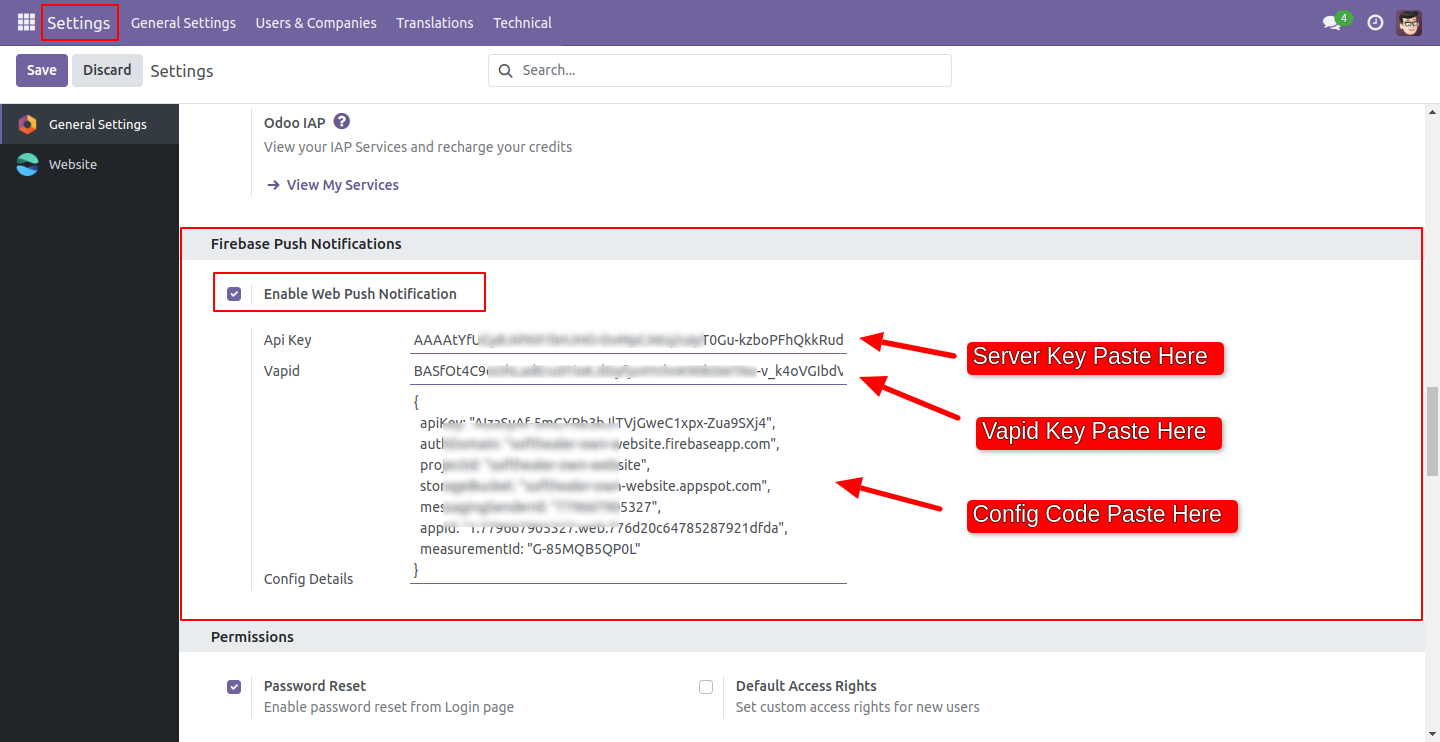
In General Setting, just past firebase keys and config code (First Config Firebase Setup)
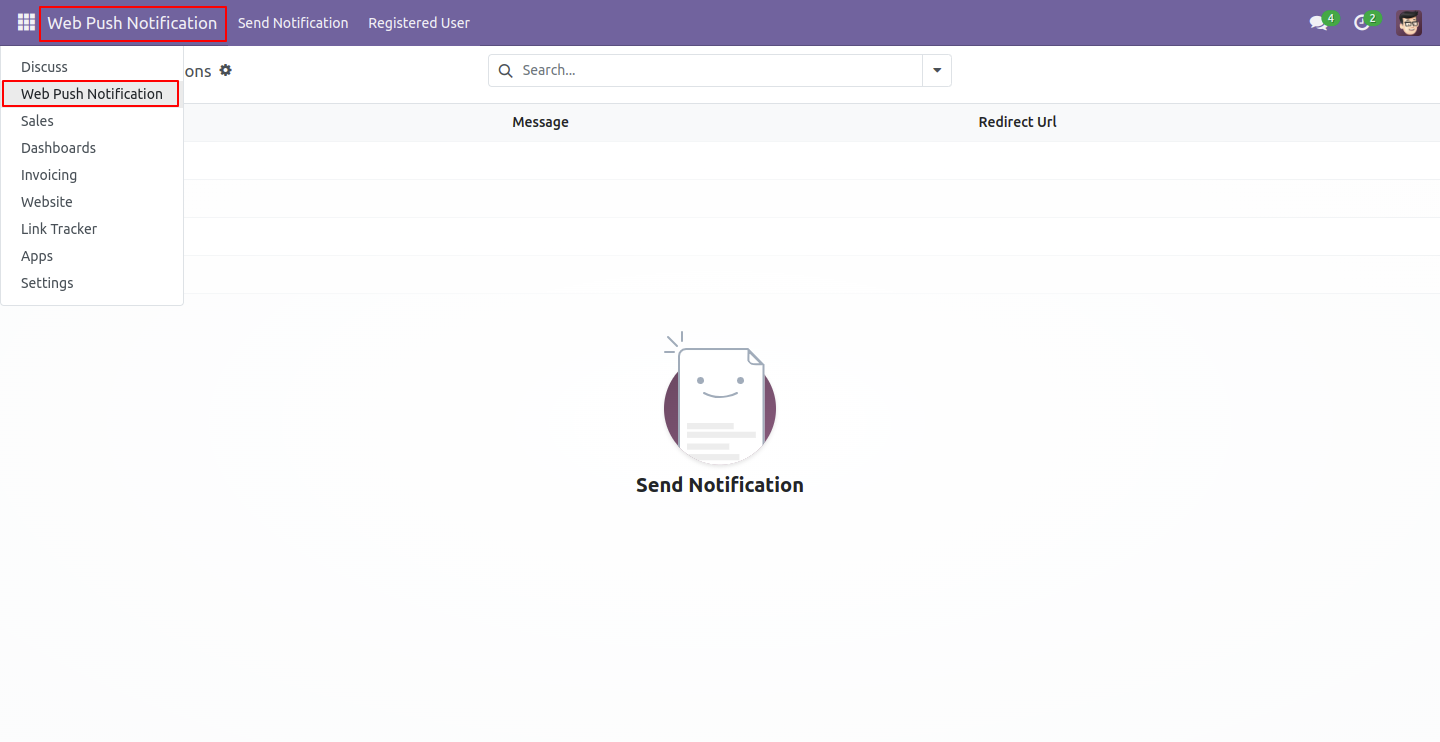
Web Push Notification Menu and Tree View.
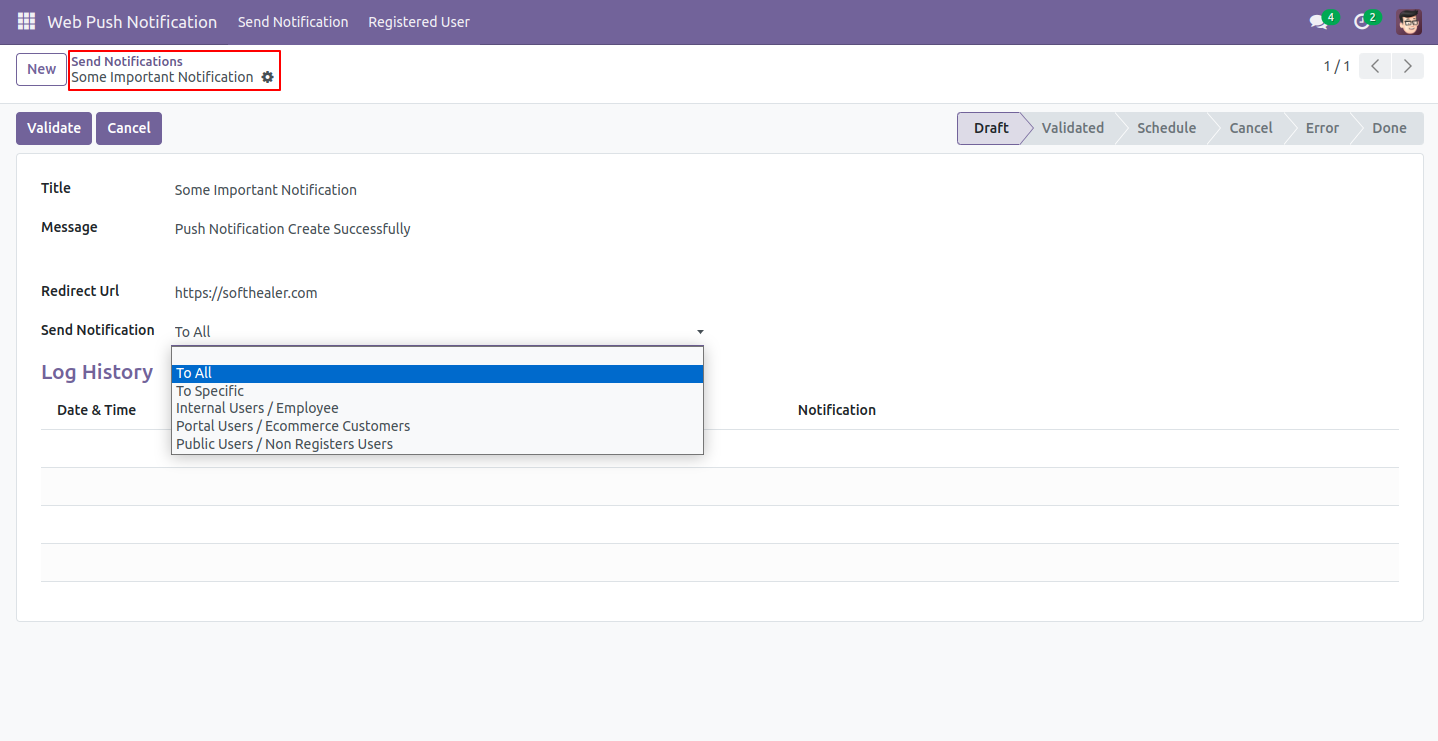
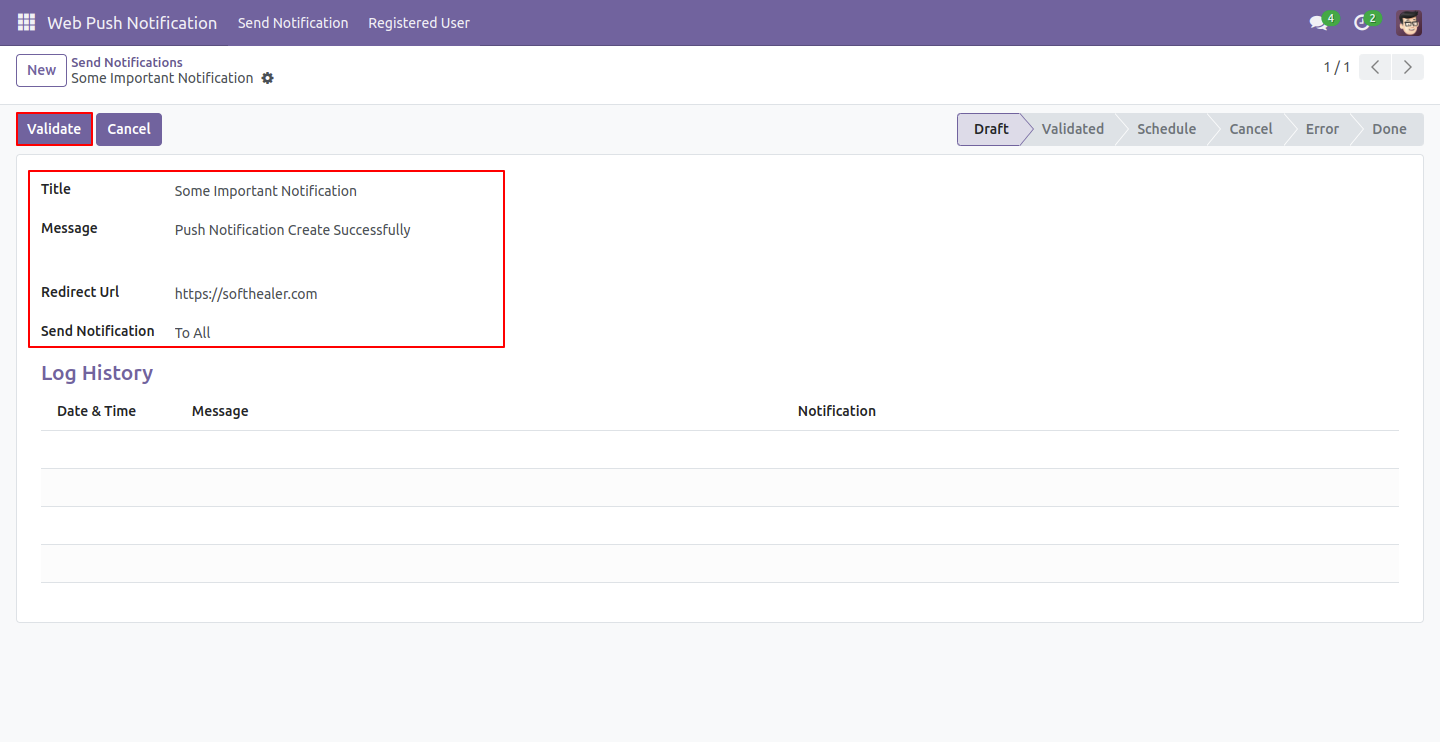
Web Push Notification Form view, Here you can create a notification.
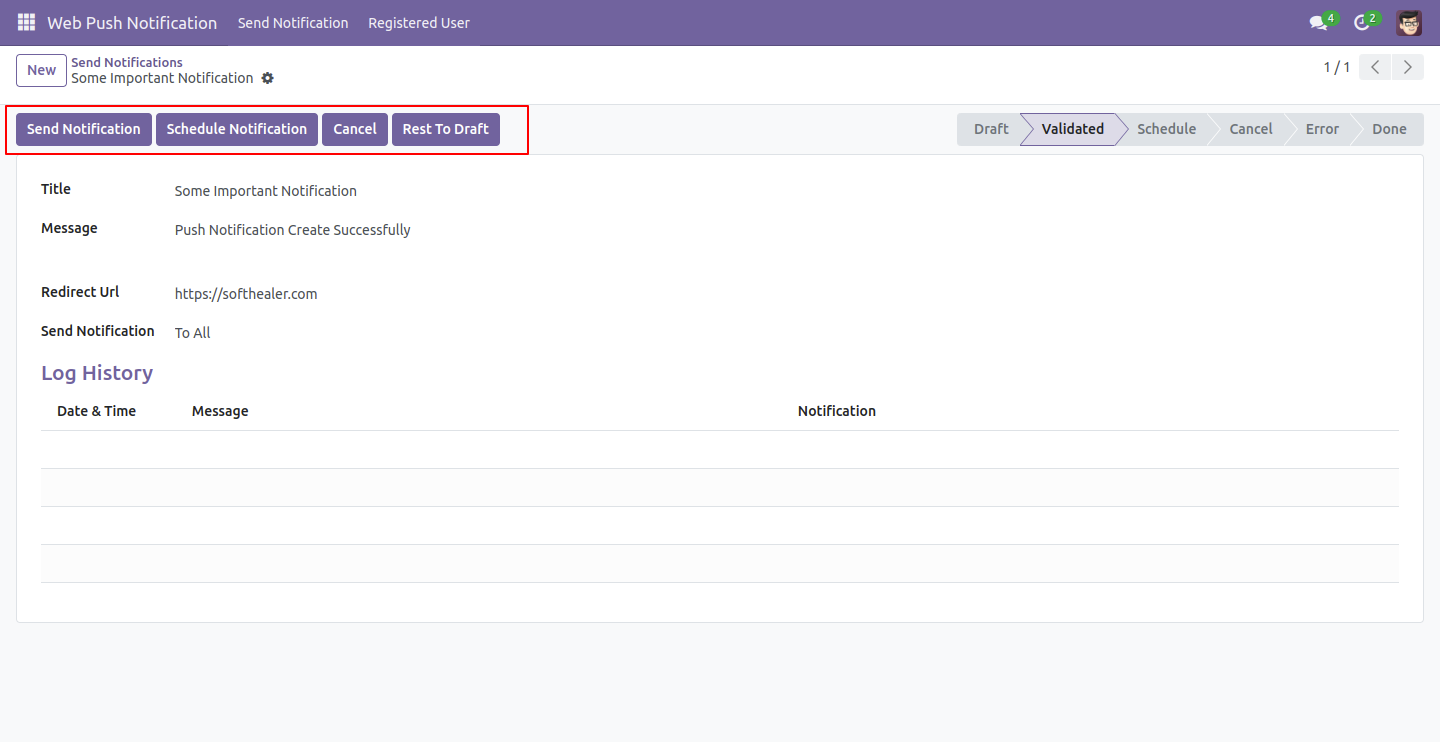
After 'Validate' notification click 'Send Notification', and users get the notification.
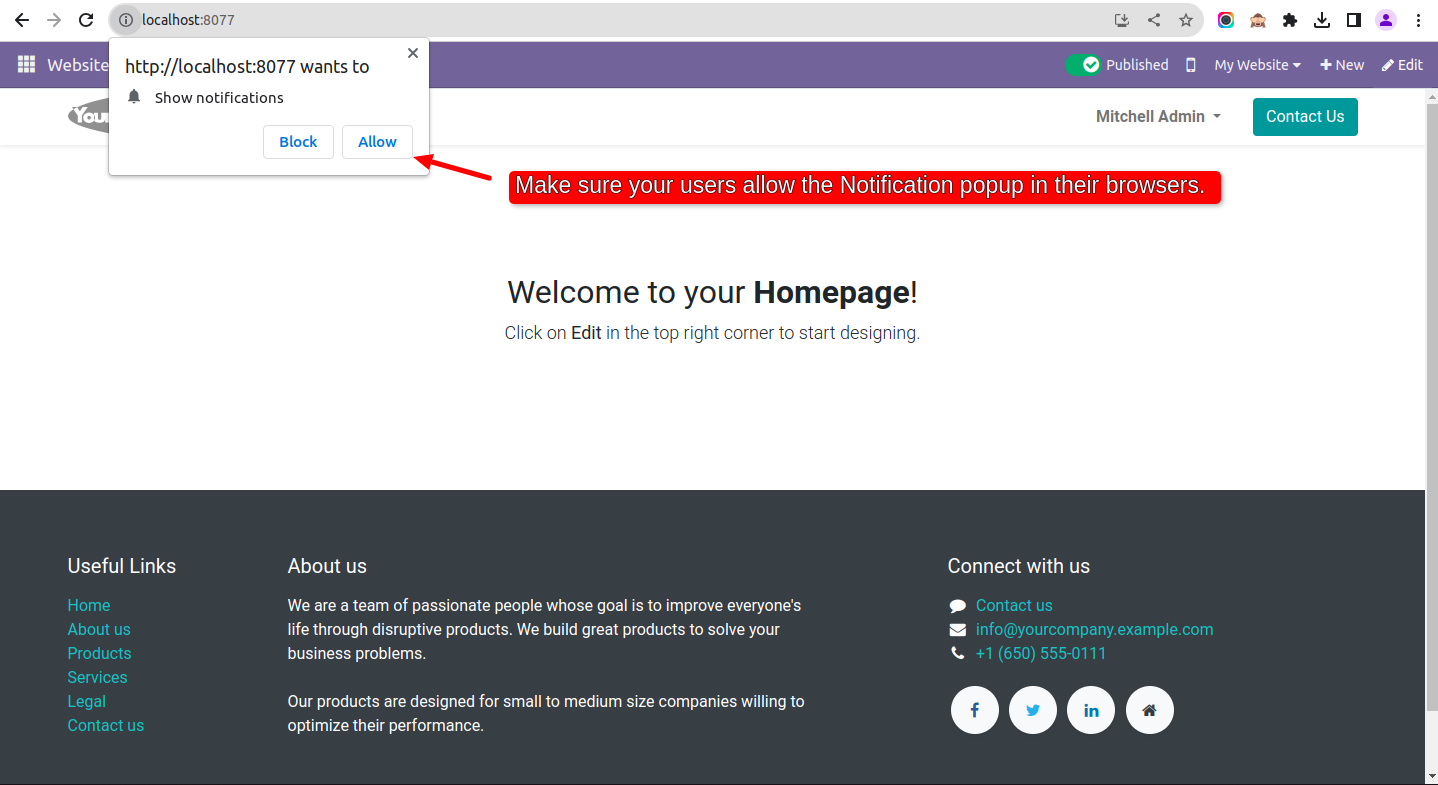
Make sure your users allow the Notification popup in their browsers.
In 'Register User' here you can see the list of all users who are getting notifications.
Web Notification look like below image. Cheers....
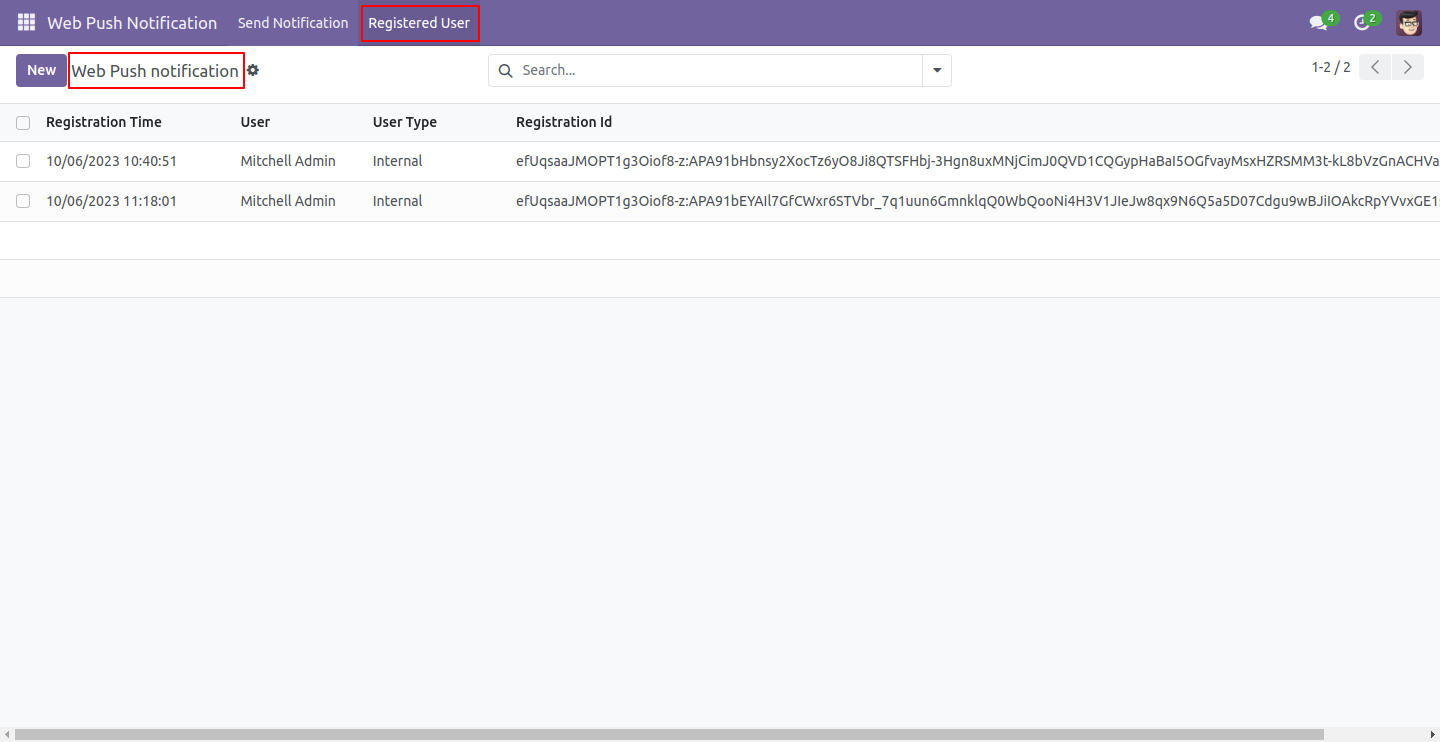
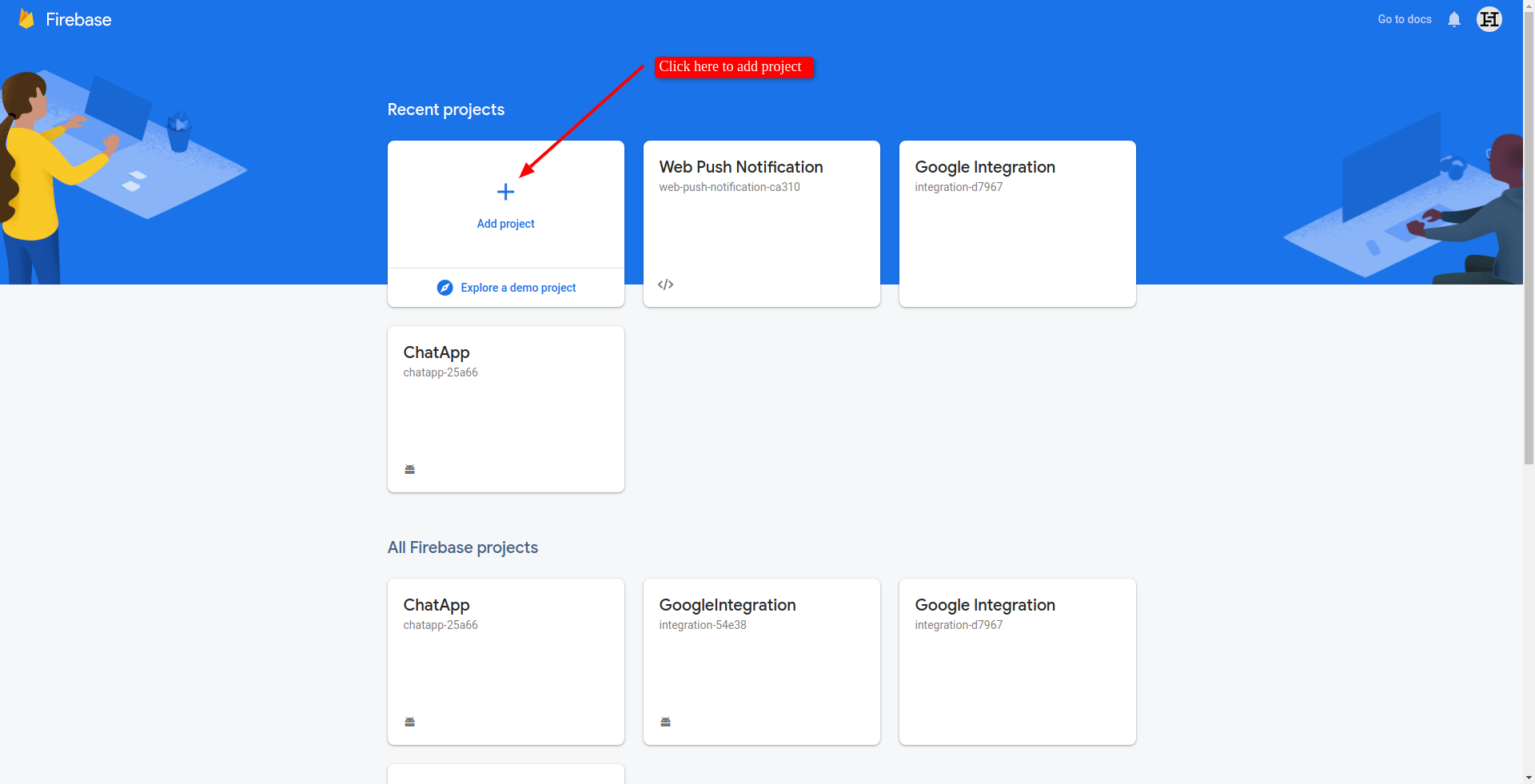
Go to Firebase Console and click on add project.
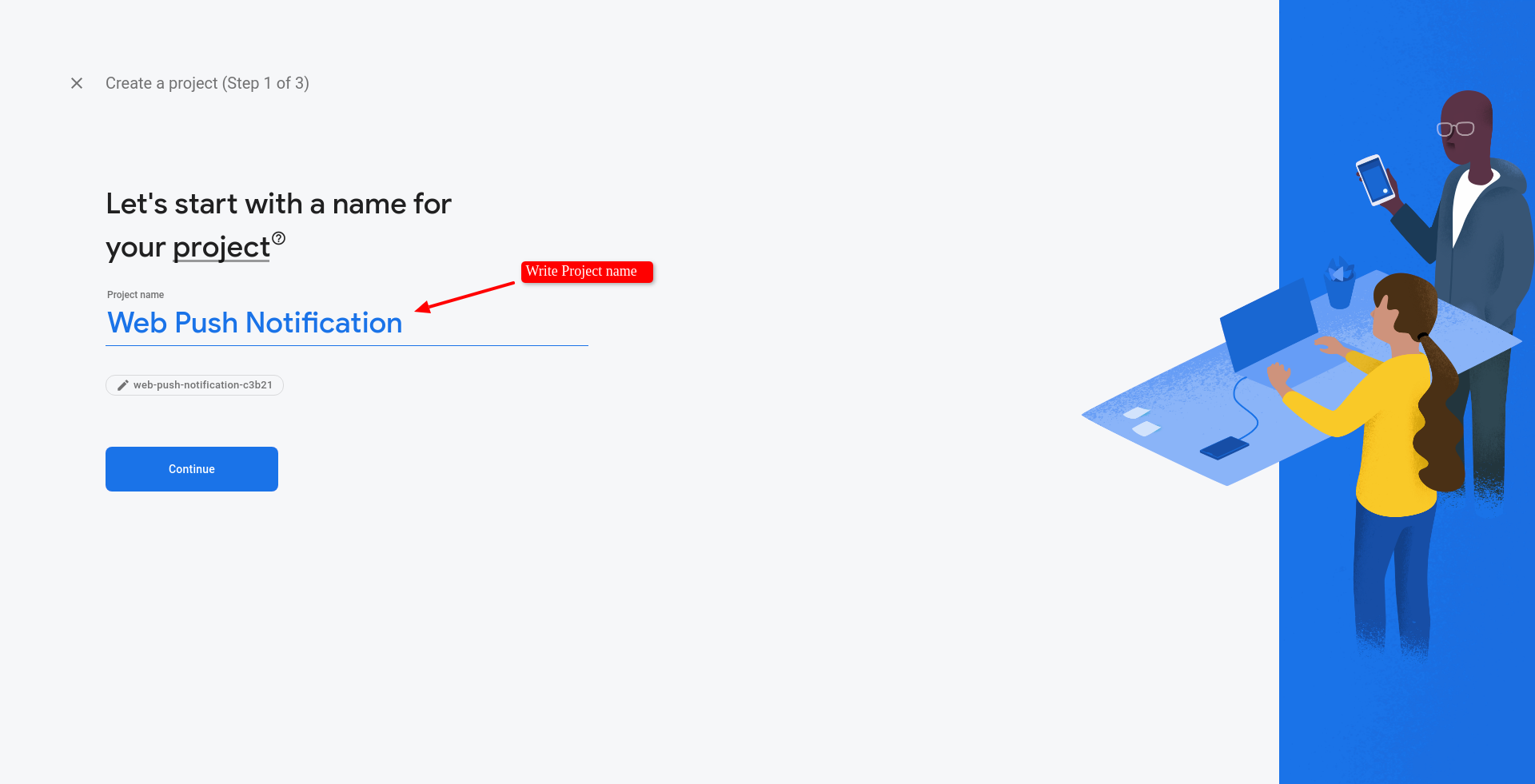
Here add your project name and click next.
If you want google analytics so enable it else disable that and click continue.
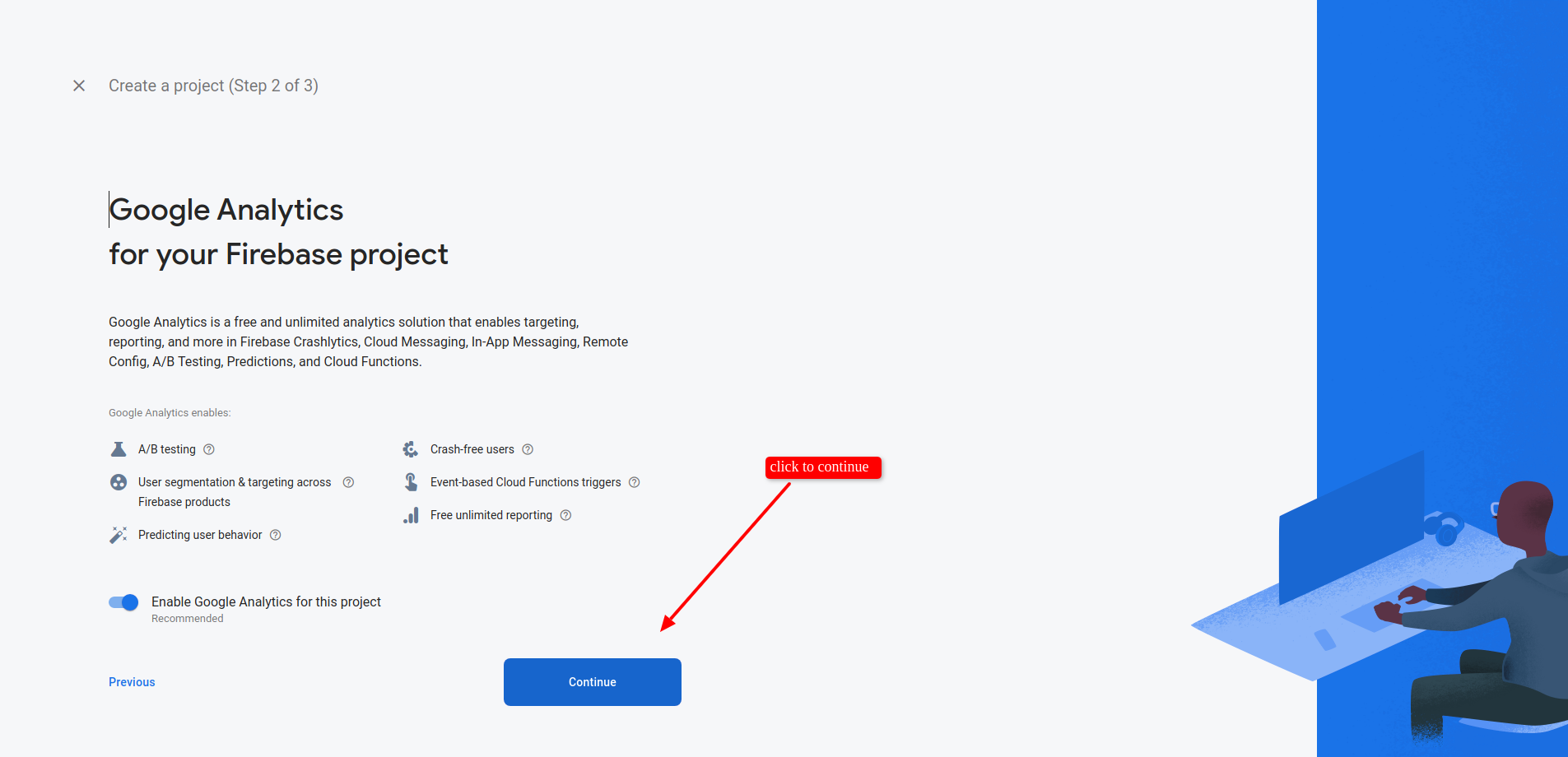
Click continue.
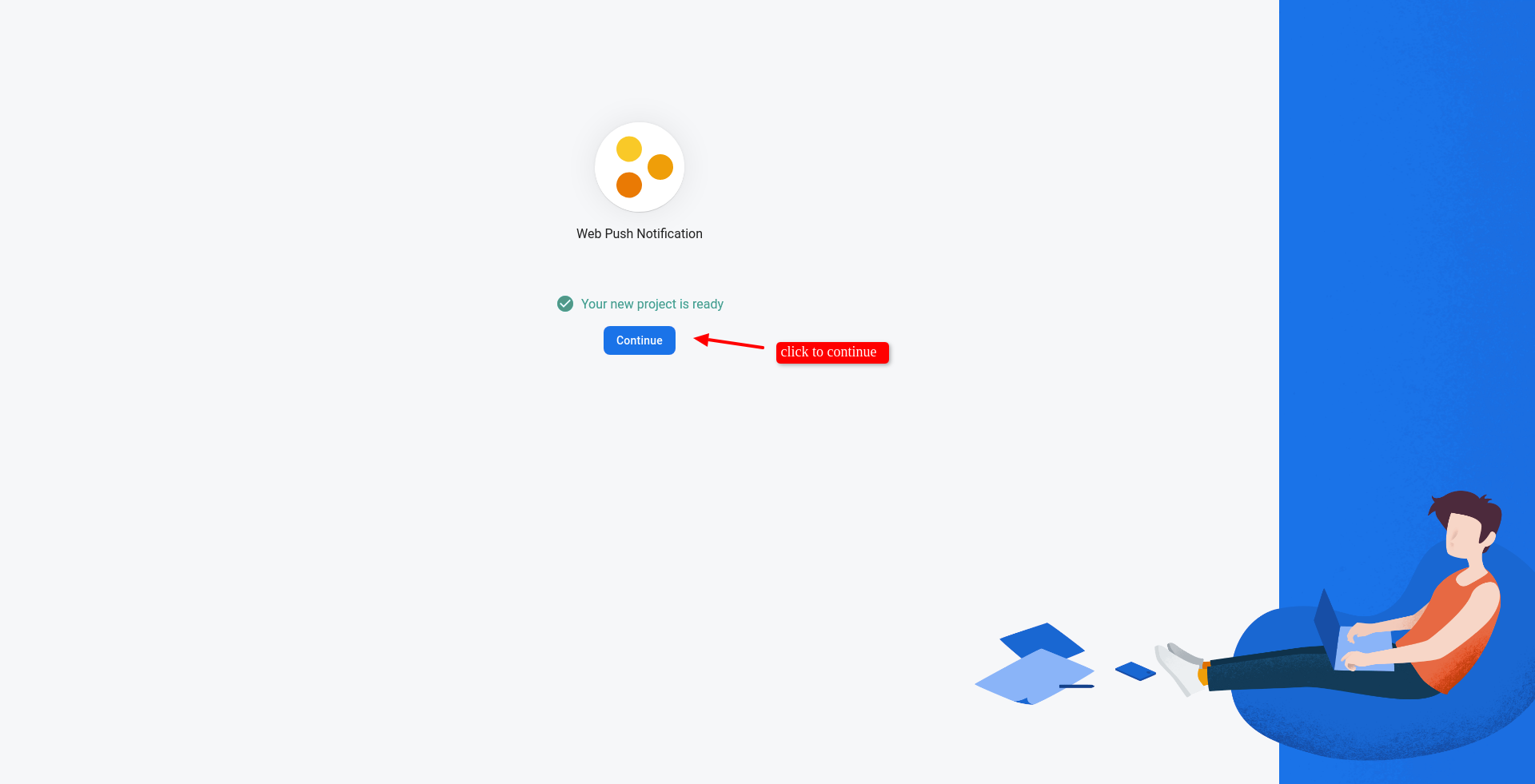
After adding project, Select 'Web' option click on it.
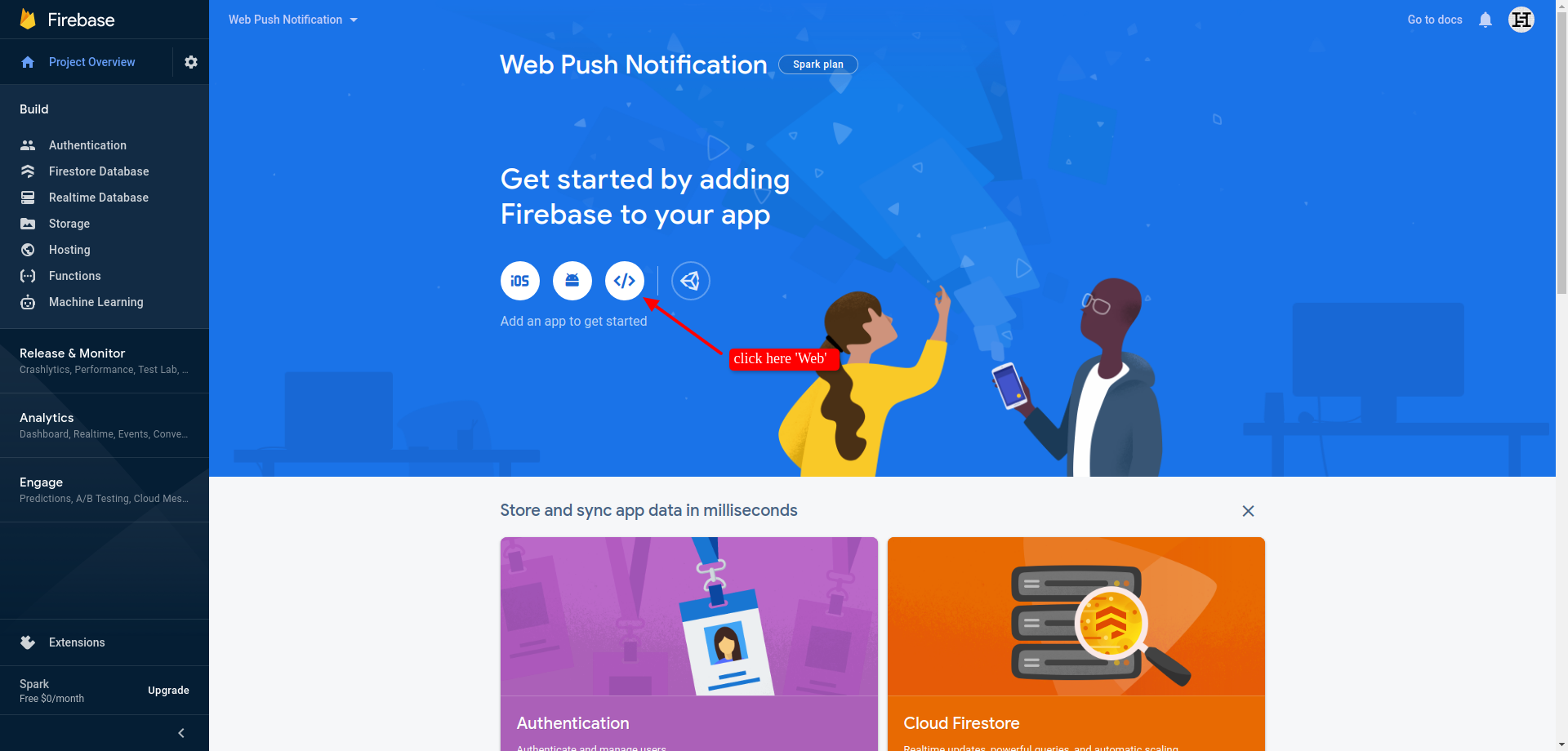
After that step here just add your project nick name and click register add.
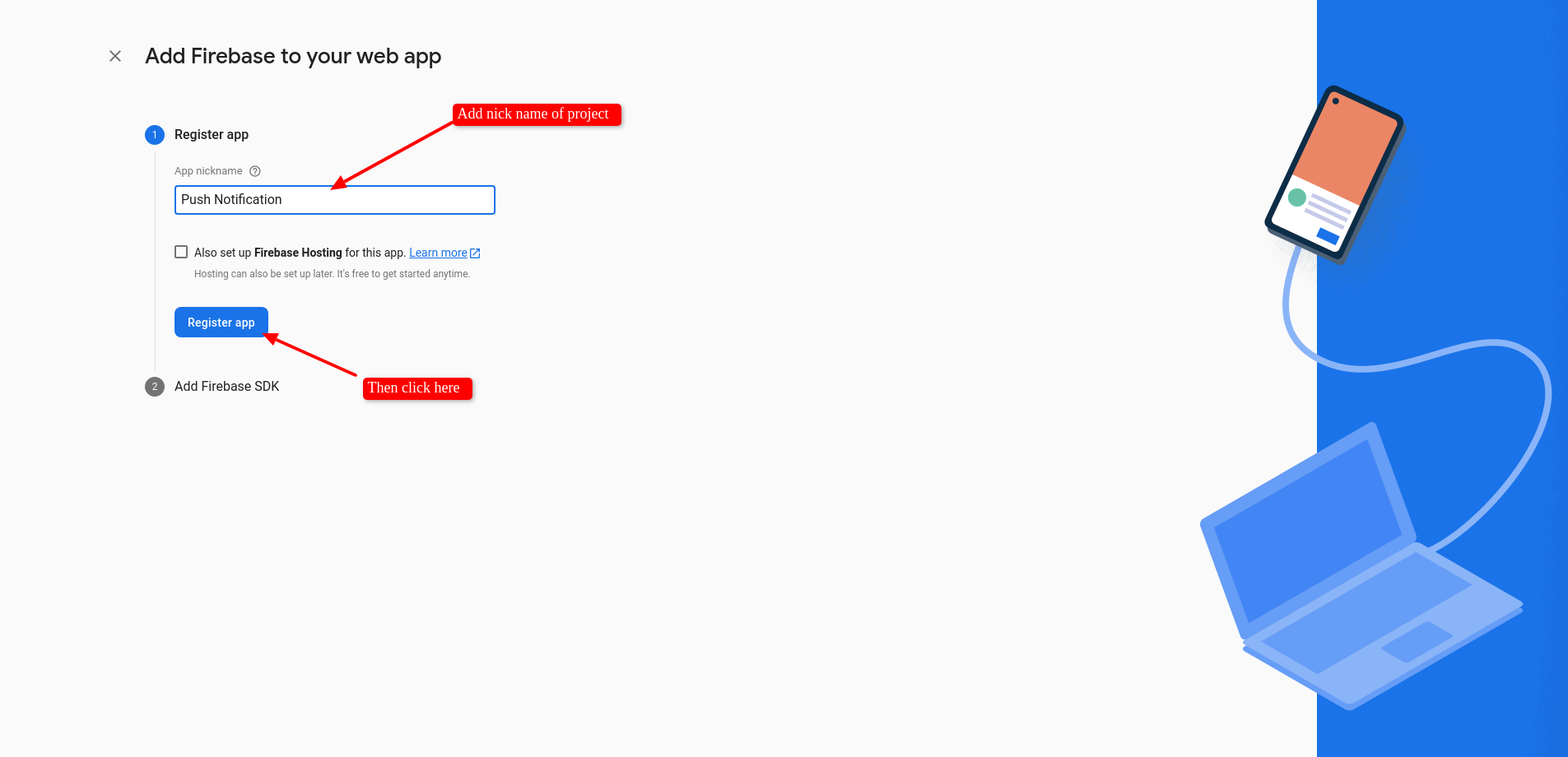
Then next all steps and click 'Continue to Console'.
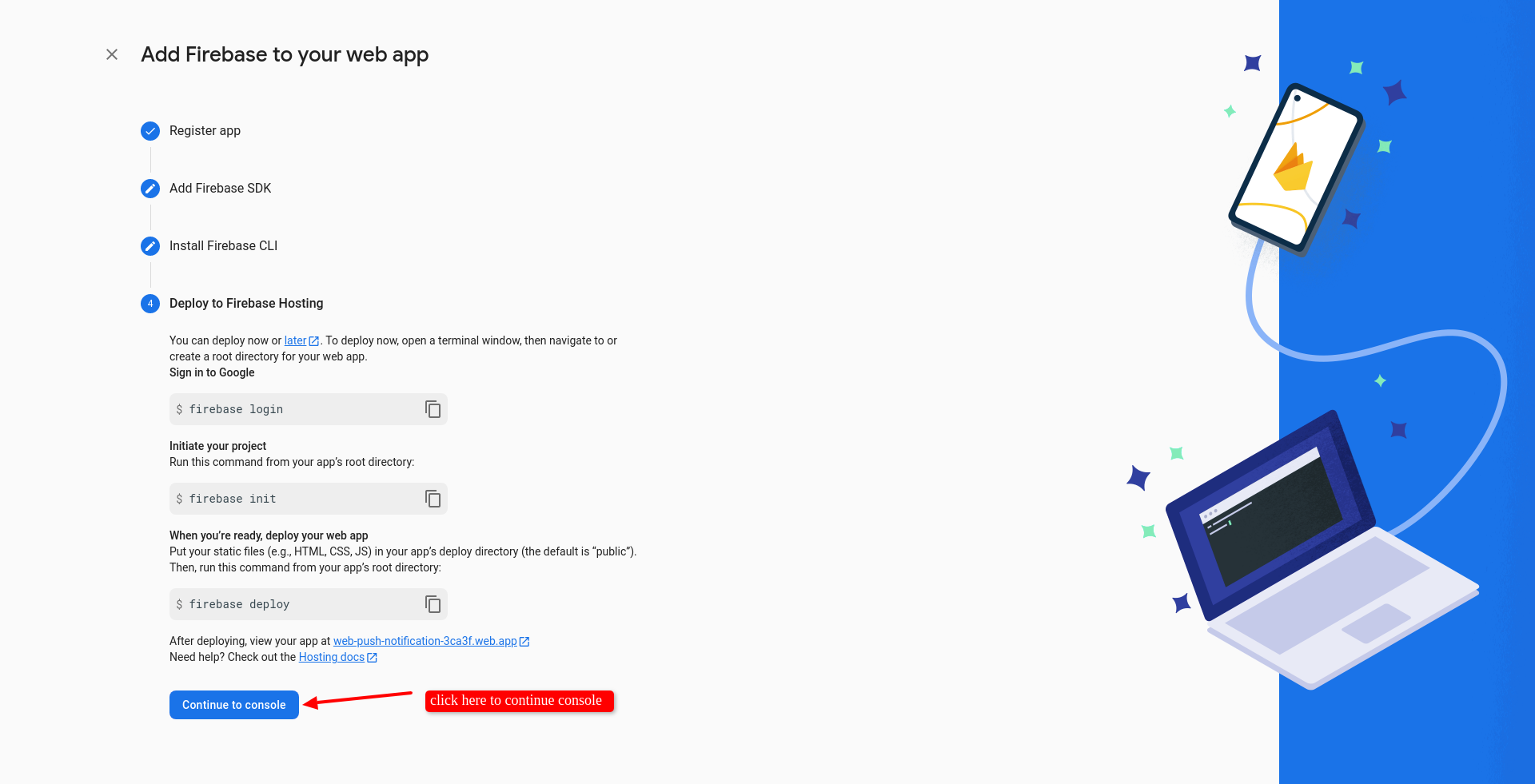
Now here goto project setting.
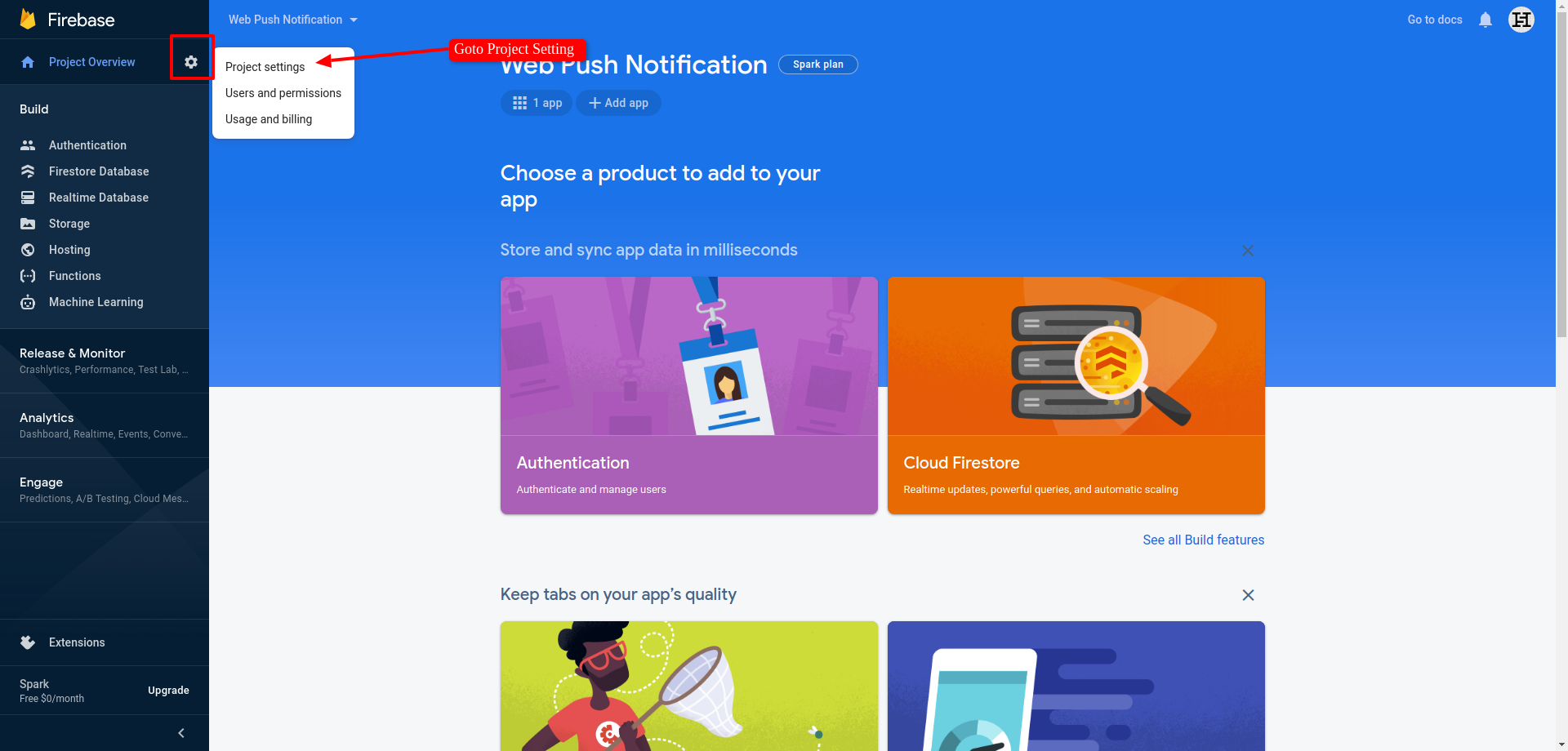
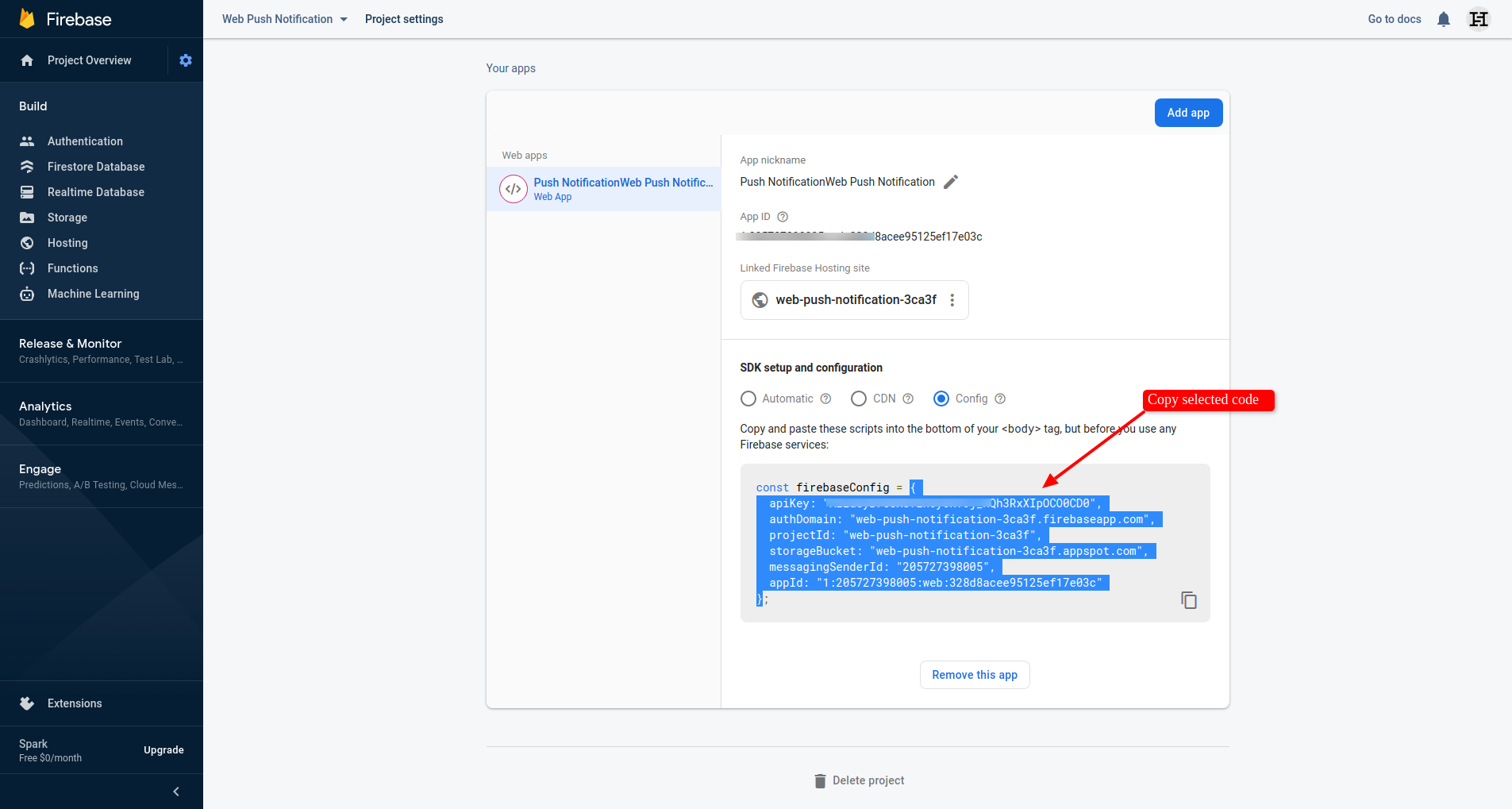
Here goto 'General' tab and copy 'config' code (make sure only copy selected code as per indicate in this screenshot).
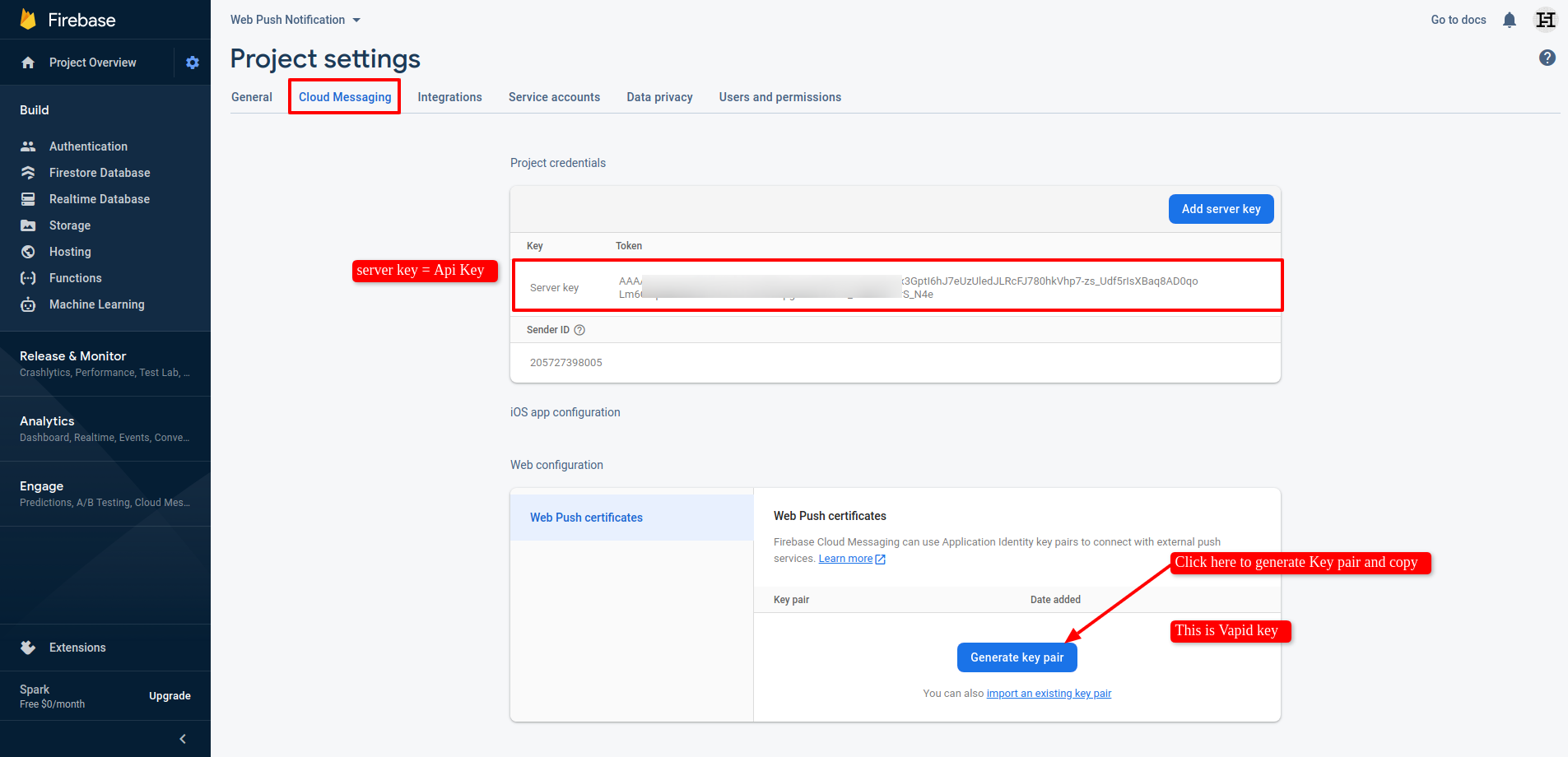
Now goto 'Cloud Messaging' and copy server key and paste it in 'Api key' in odoo general setting. Now click on 'Generate Key Pair'.
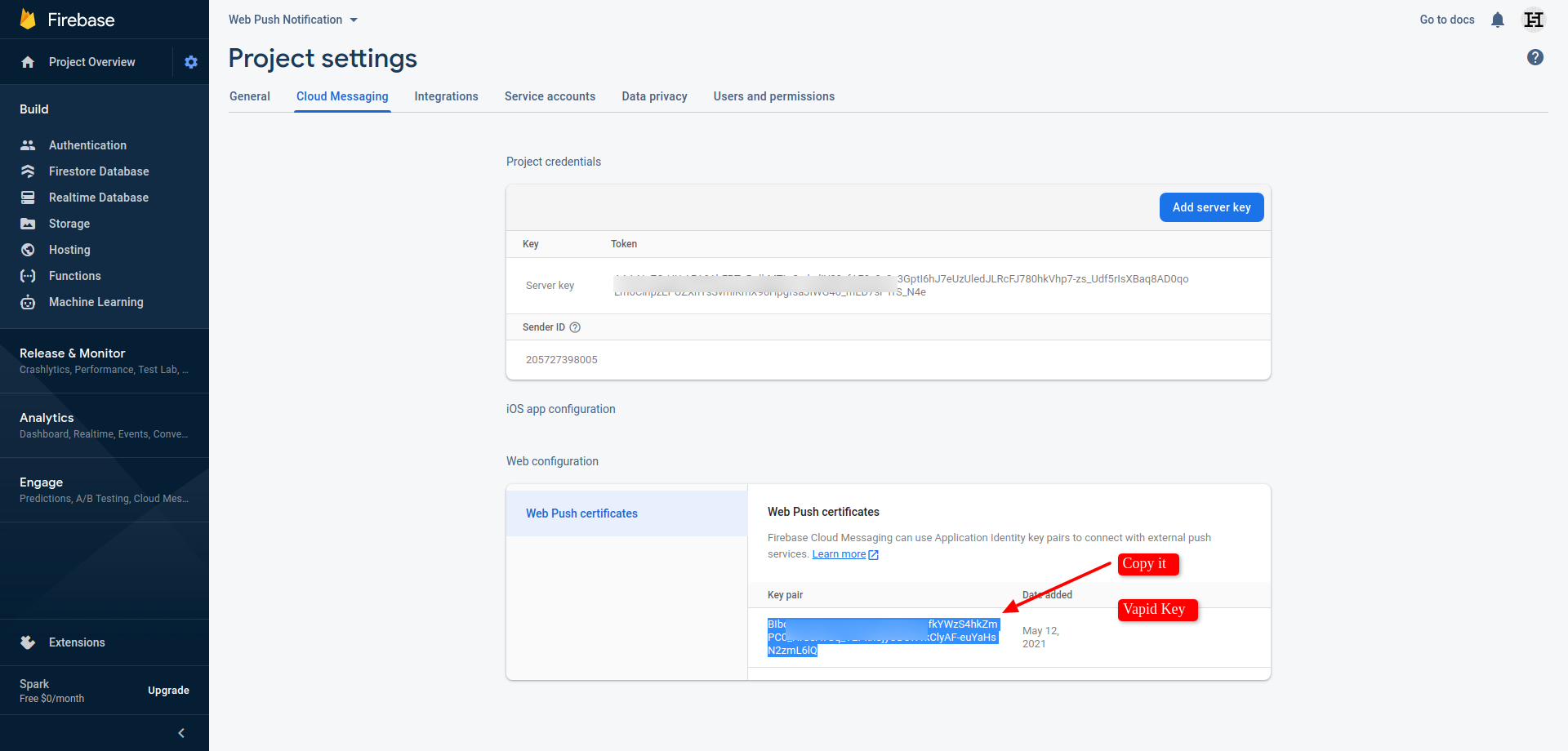
After that copy that key and paste in 'Vapid' in odoo general setting. Thats it.
Version 18.0.1.0.0 | Released on : 19th March 2026
- Yes, this app works perfectly with Odoo Enterprise (Odoo.sh & Premise) as well as Community.
- No, this application is not compatible with odoo.com(odoo saas/Odoo Online)
- Yes, to test this module, please contact us at sales@softhealer.com.
- Please contact us at sales@softhealer.comto request customization.
- Yes, we provide free support for 365 days from the date of purchase.
- Yes, you will receive lifetime free updates for the version of the module you purchased.
- No, there is no need to install any additional libraries.
- Yes, for version 12 and above, you need to purchase the module separately for each version you intend to use.
- No, exchanges or refunds are not allowed. Please make sure to select the correct version before purchasing.
- You can contact us at support@softhealer.com for language translation support. We use Google Translator tools to provide translations in multiple languages, so the accuracy may vary. We welcome your suggestions to help improve translations.
Discover Our Latest Apps