












Vendor Purchase Order History

This module is useful to give vendor purchase history from last purchase orders and easily reorder product lines from the previous purchase order.

Related Modules
Features
- You can reorder and view purchase orders from the list view using an iconic button.
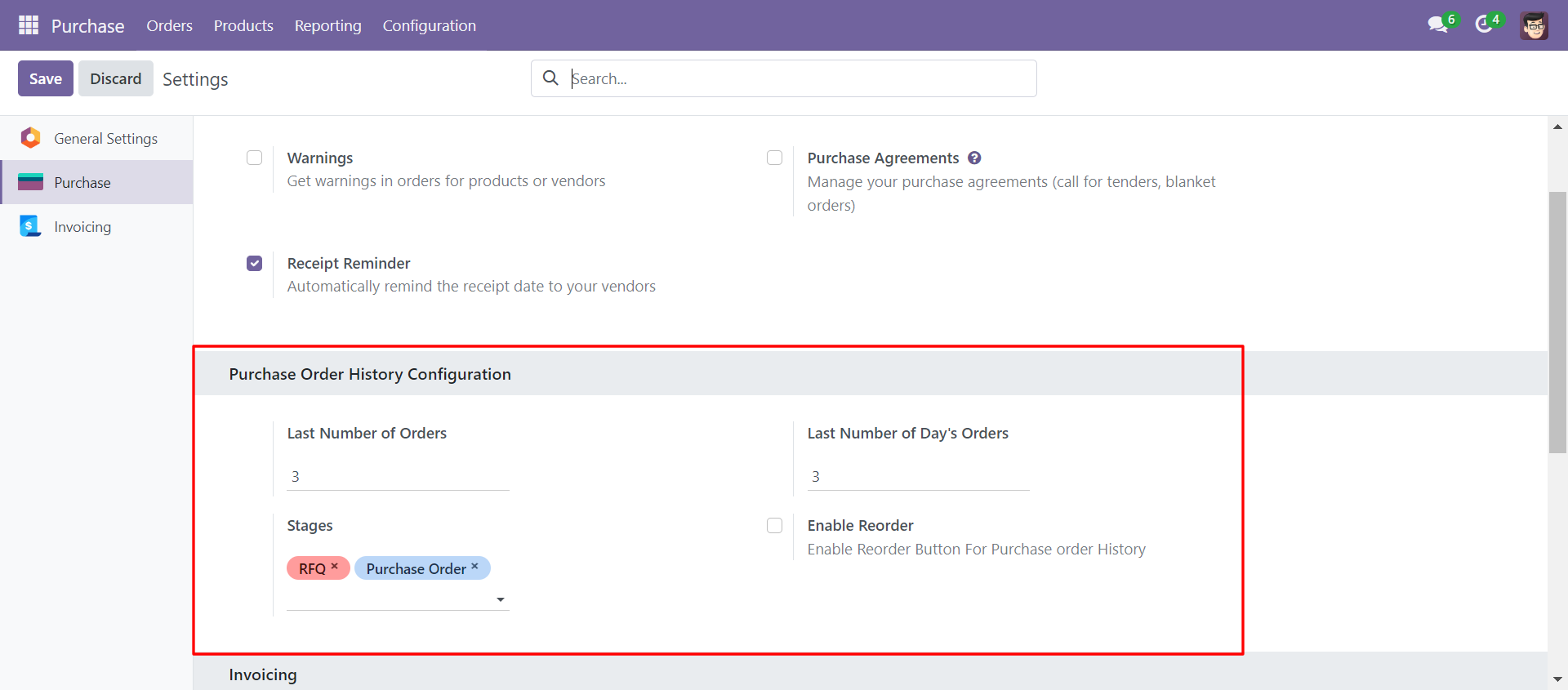
- You can filter purchase orders by the last number of days of order & stages.
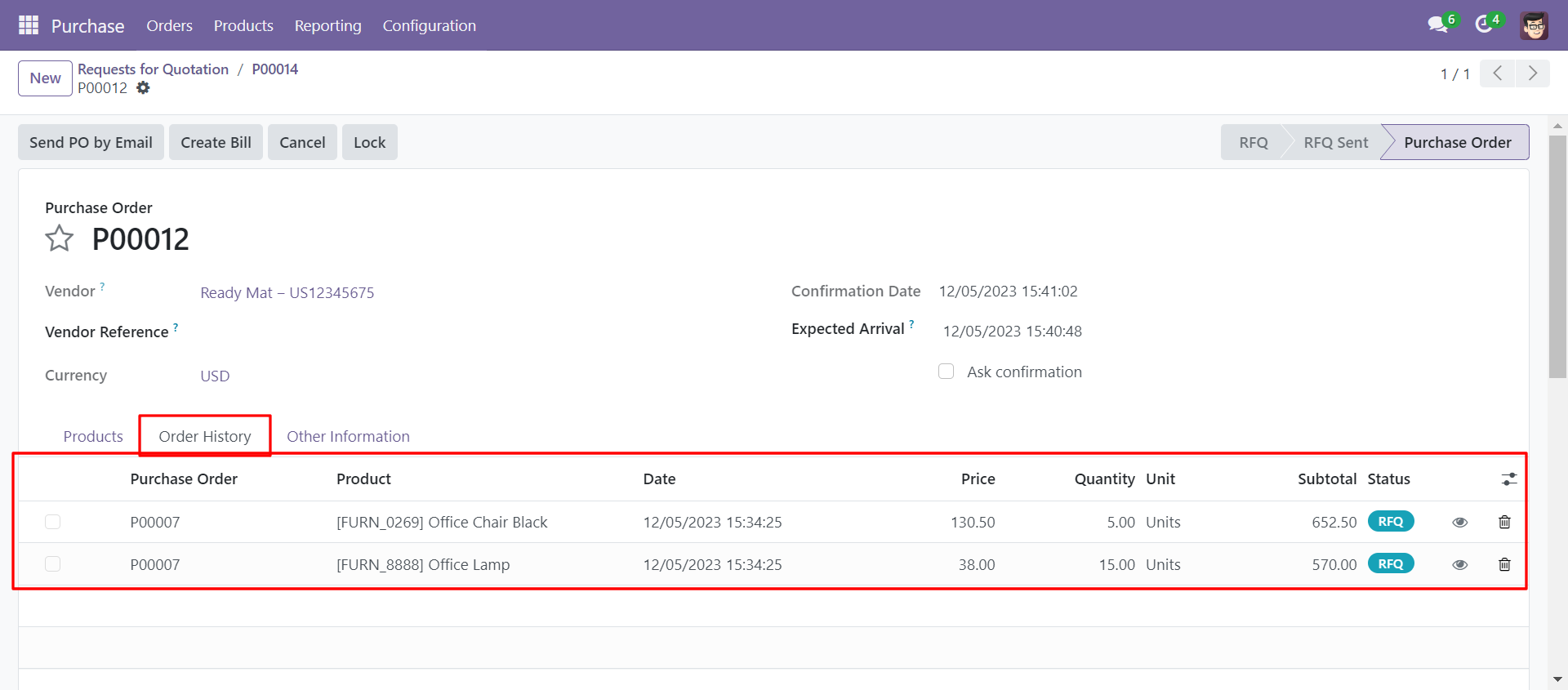
- You can see the purchase order status field in the purchase order/RFQ history tab.
- You can set the last number of order limits to display a history of orders in the history tab.
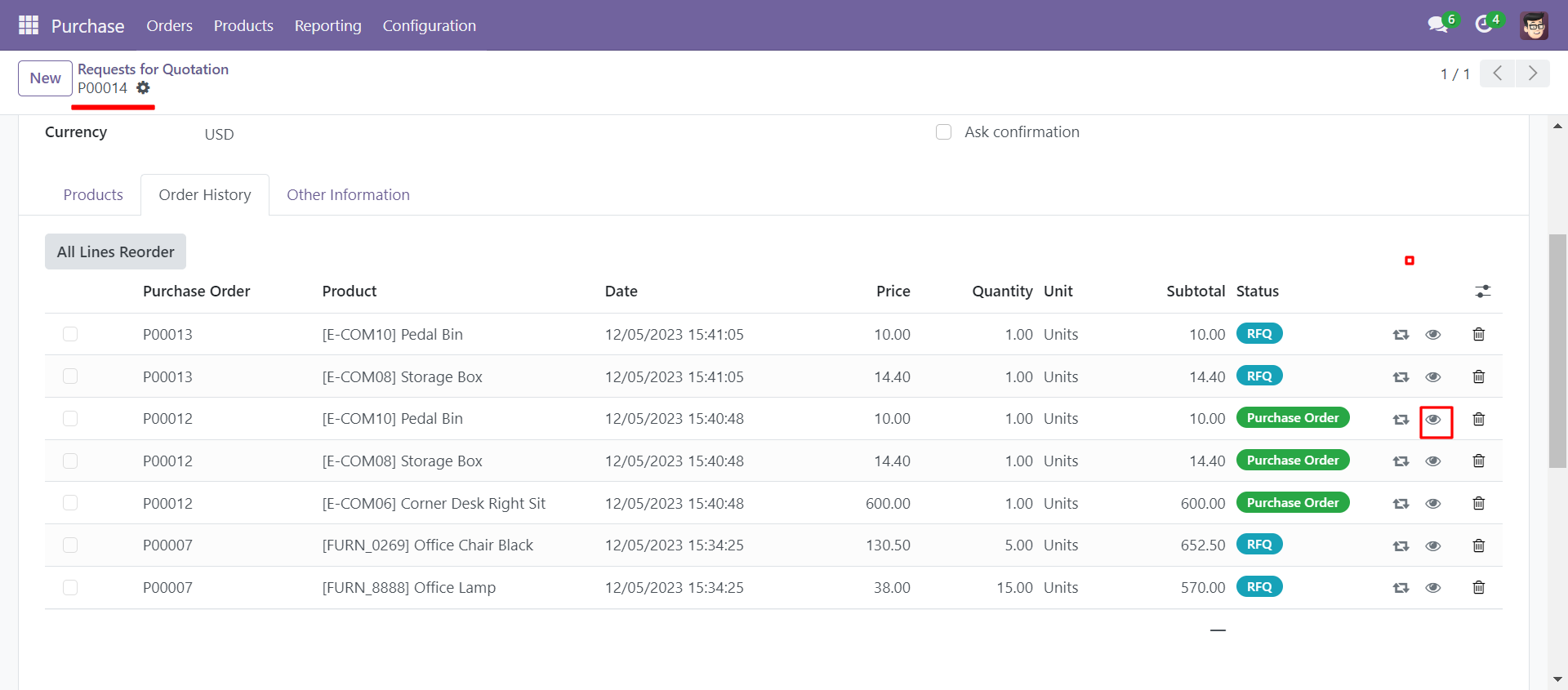
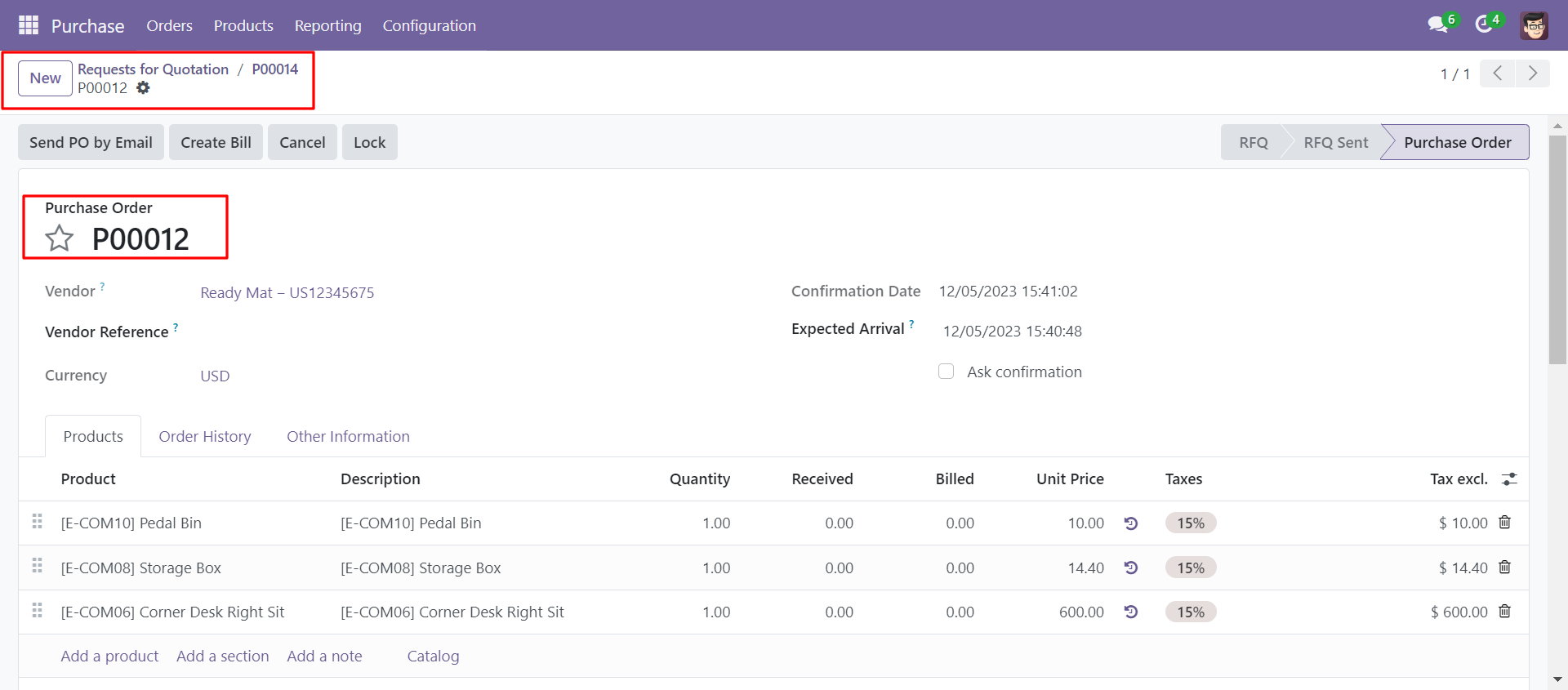
- You can view previous orders by clicking on the view icon.
- Easily reorder all orders or select orders from the last purchased order history.
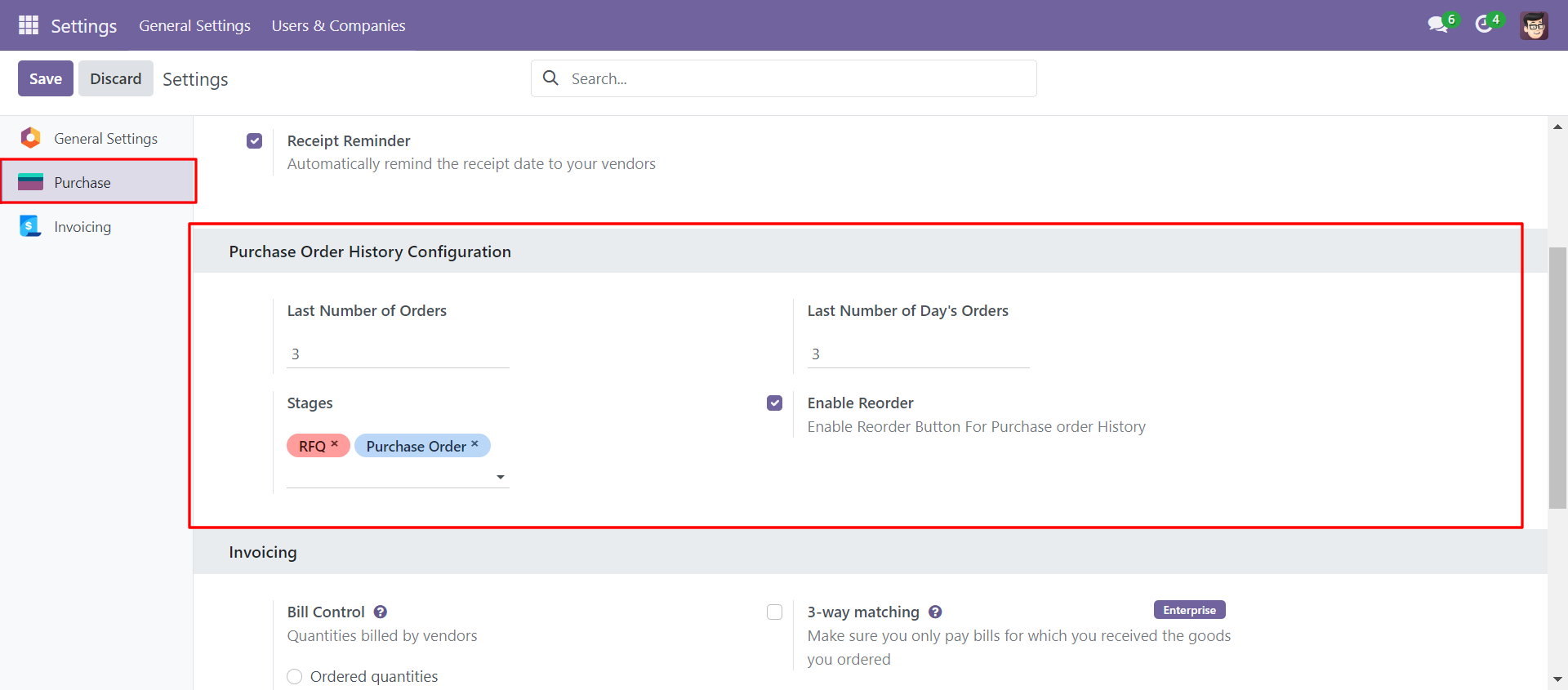
Go to purchase configuration set the last number of orders, the last number of days orders, stages and tick enable reorder.
Select the vendor and it will show the past order history of the selected vendor in the order history tab.
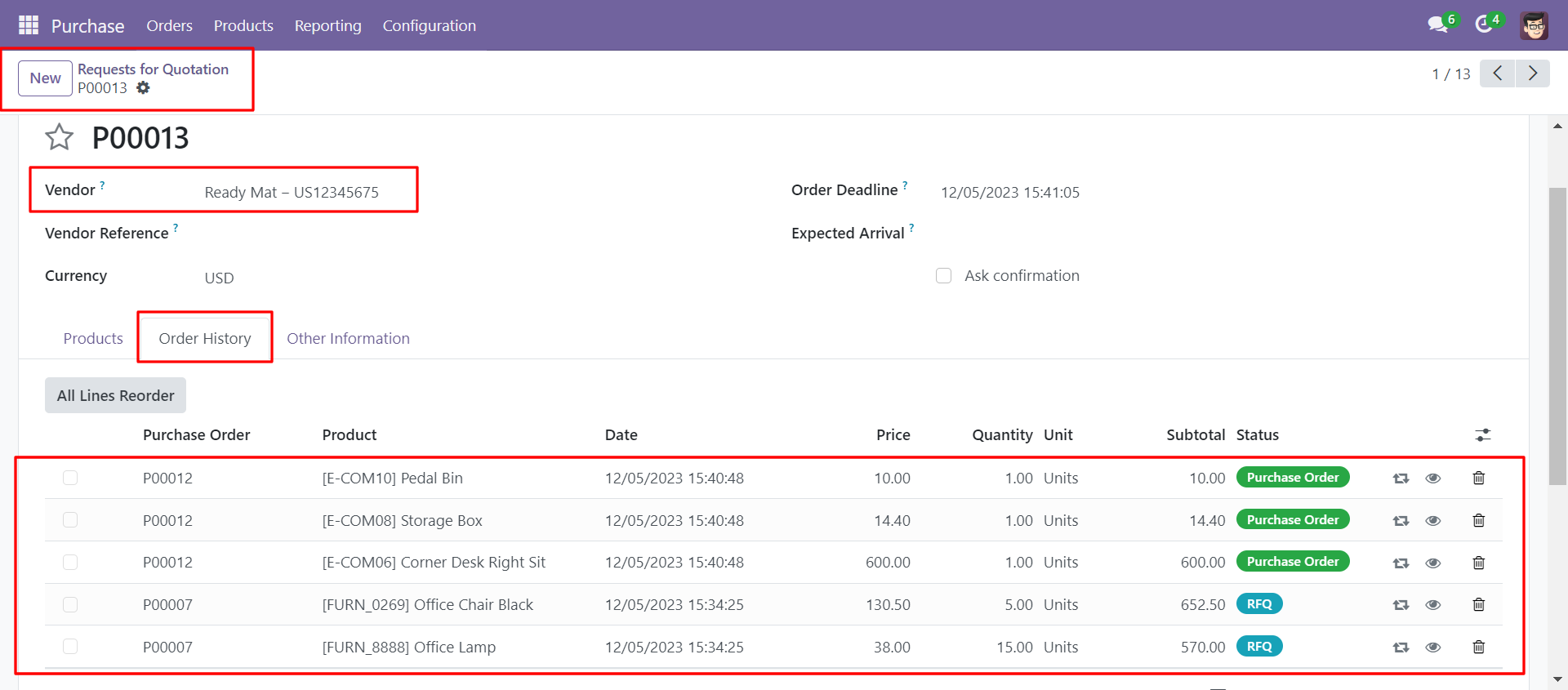
Order history with reorder & view iconic button.
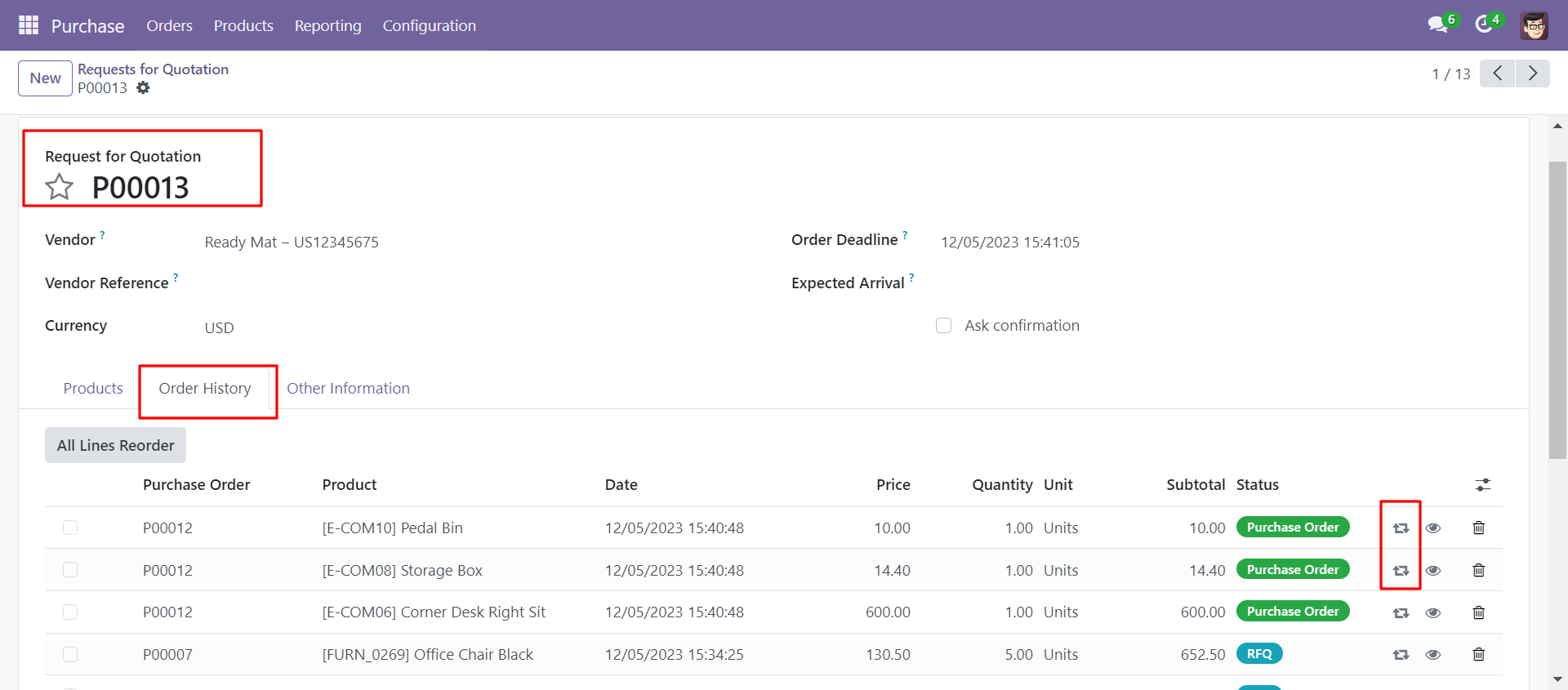
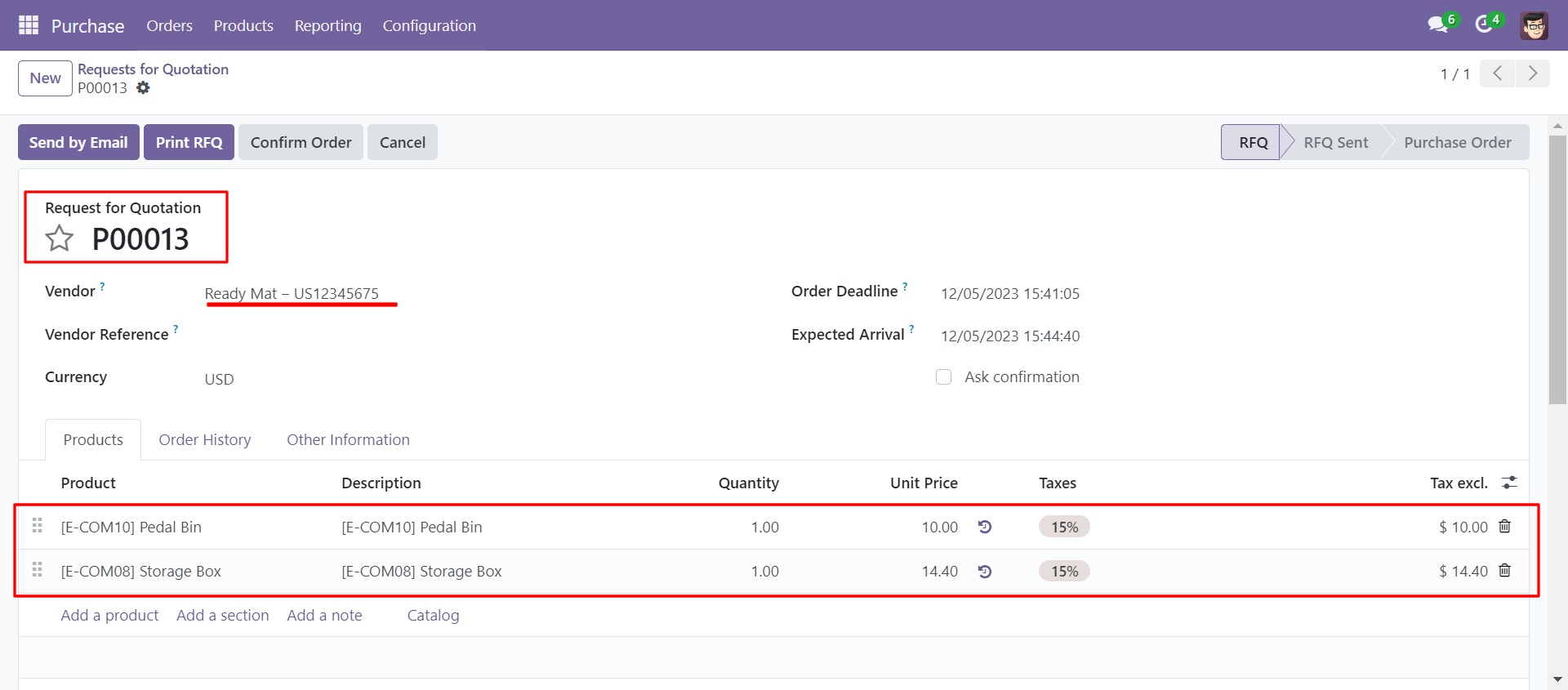
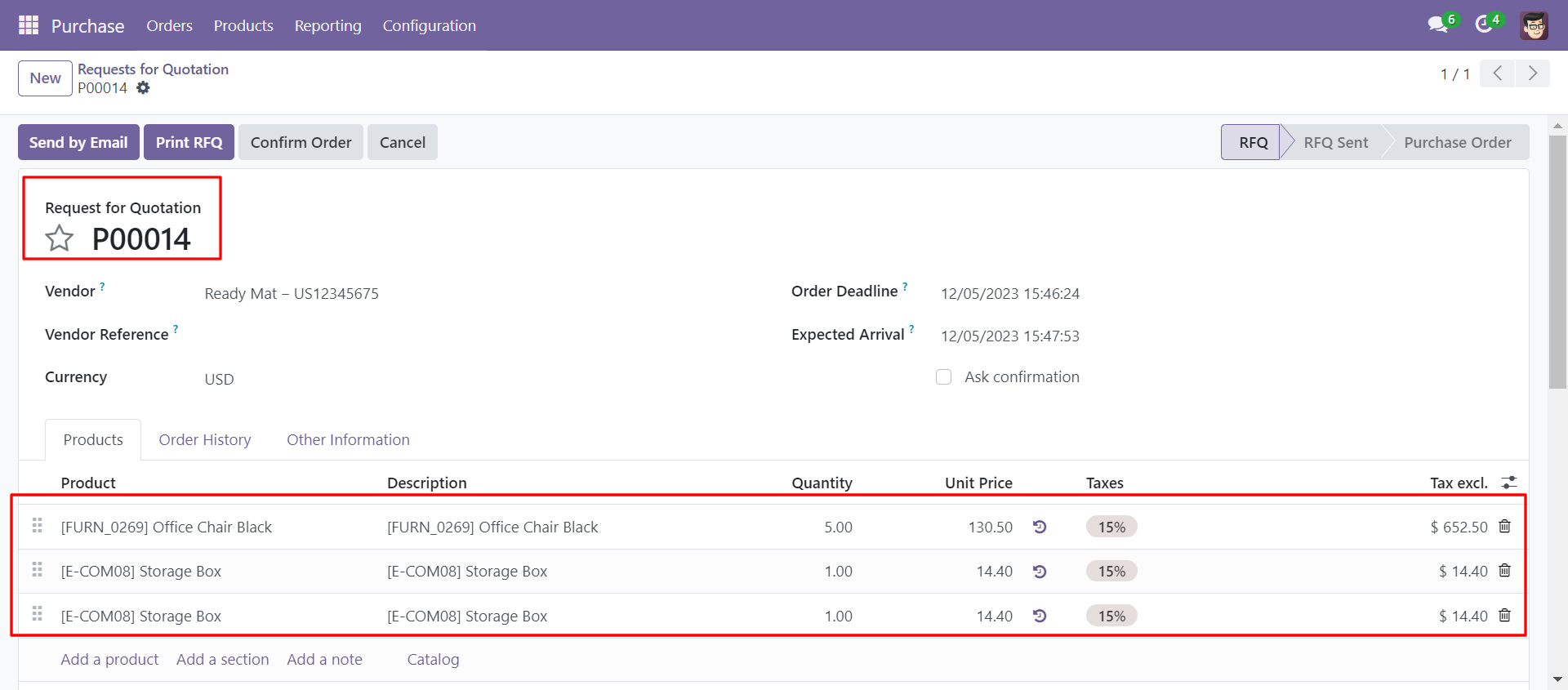
Click on the Reorder button from the order history tab, the order is placed in the order line.
Select the multiple orders that you want to reorder and click on all lines reorder button.
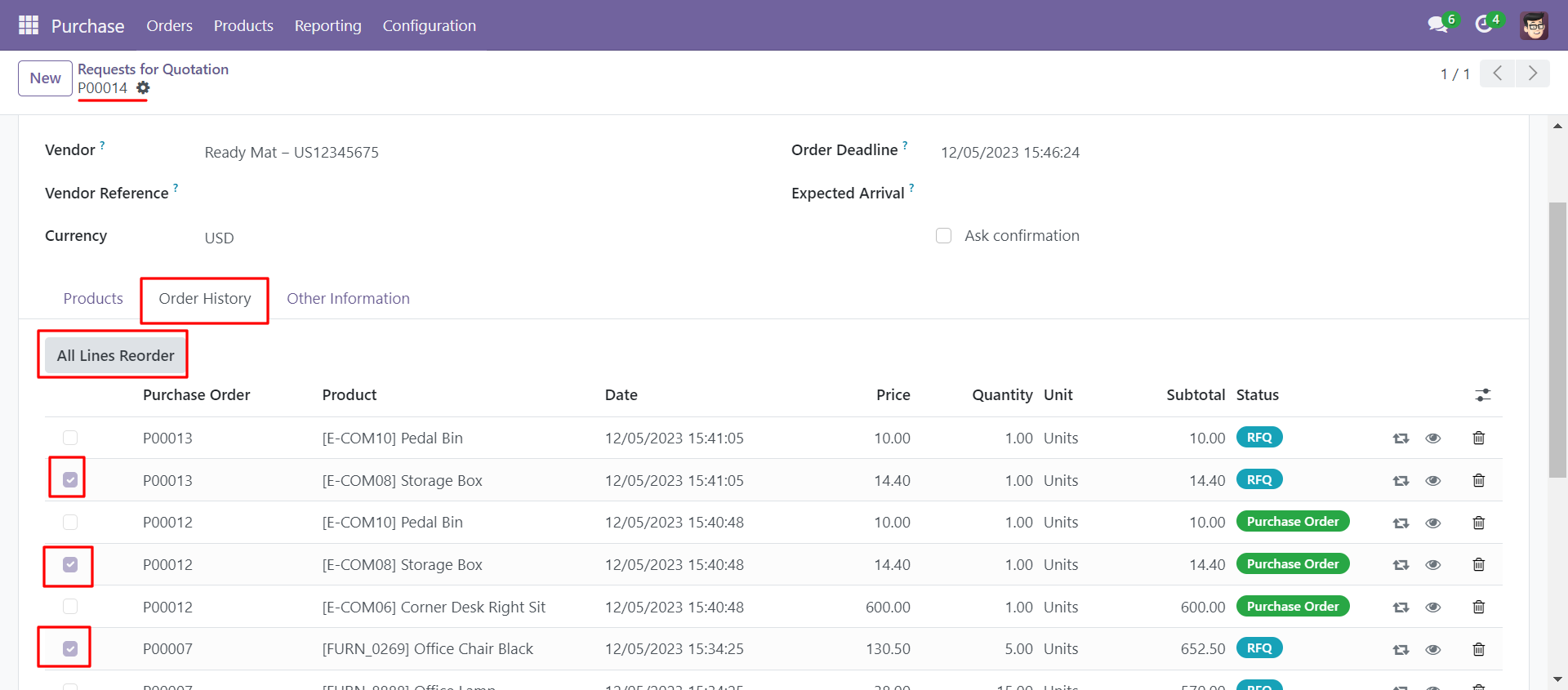
Multiple selected orders are placed in orderlines with a single click.
Click the view button.
By clicking on the view button it will open that purchase order/RFQ.
Go to the purchase settings and untick enable reorder.
Order history without reorder.
Version 18.0.1 | Released on : 29th August 2024
- Yes, this app works perfectly with Odoo Enterprise (Odoo.sh & On-Premise) as well as Community.
- No, this application is not compatible with odoo.com(odoo saas/Odoo Online).
- No, currently it does not work if the product type is selected as a combo product. For more details, please contact our support team at support@softhealer.com.
- Please Contact Us at sales@softhealer.com to request customization.
- Yes, you will get free update for lifetime.
- No, you don't need to install additional libraries.
- For version 12 or upper, you will need to purchase the module for each version that you want to use.
- Yes, we provide free support for 100 days.
- No, We do not provide any kind of exchange.
