












Vendor Onboarding Approval

This module gives you complete control over your vendor onboarding process. It ensures that no new vendor
can be used for purchases or payments until they have been fully verified and approved by a manager.
When a new vendor is created, the system automatically puts them in an "archived" state and hides them
from regular use. Managers can then review the vendor's details, ensure all required documents like trade
licenses and bank letters are uploaded, and then either approve or reject the application. This prevents
unauthorized or incomplete vendor profiles from cluttering your system and ensures you only do business
with verified suppliers.

Features

Automatic Vendor Archiving
New vendors are automatically set to "Archived" upon creation to prevent immediate use.
Mandatory Document Verification
Ensures you never miss important files like trade licenses, bank letters, or IDs by requiring them before approval.

Secure Approval Process
Only designated managers can give the approval, keeping your vendor list secure and fully authorized.

System-Wide Safety
The unapproved vendor is hidden everywhere, so it can't be accidentally selected in invoices or CRM.

Easy Rejection with Feedback
Quickly reject unsuitable vendors and record the specific reason for the rejection.

Bulk Actions
Save time by selecting and approving multiple vendors at once with a single click.
Organized Workspace
Keeps your contact list clean by moving pending and rejected vendors to their own dedicated menus.
Reset Option
If a vendor was previously rejected, you can easily reset them for Under Approval.
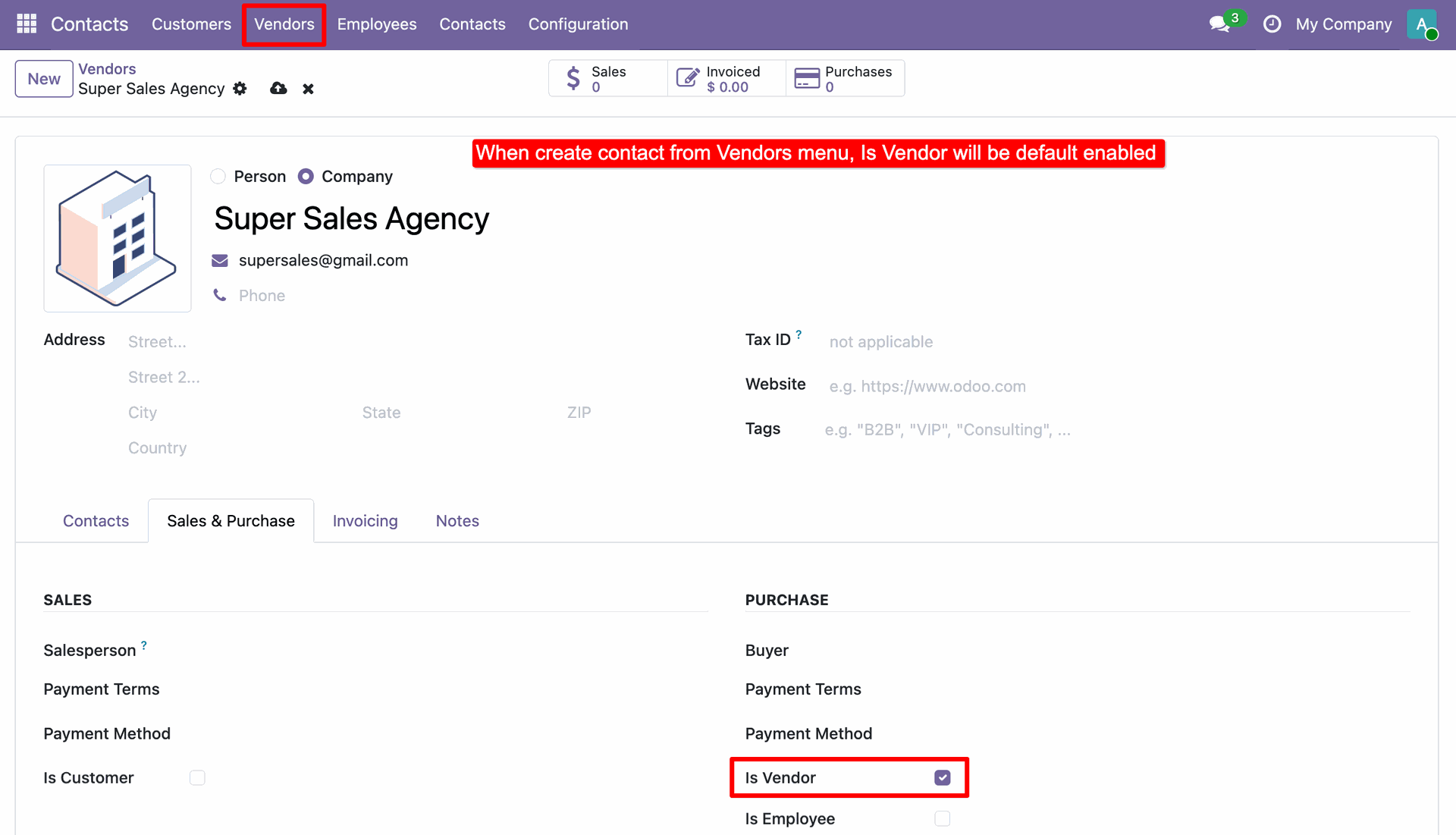
Creating a contact via the "Vendors" menu automatically enables the "Is Vendor" setting by default.
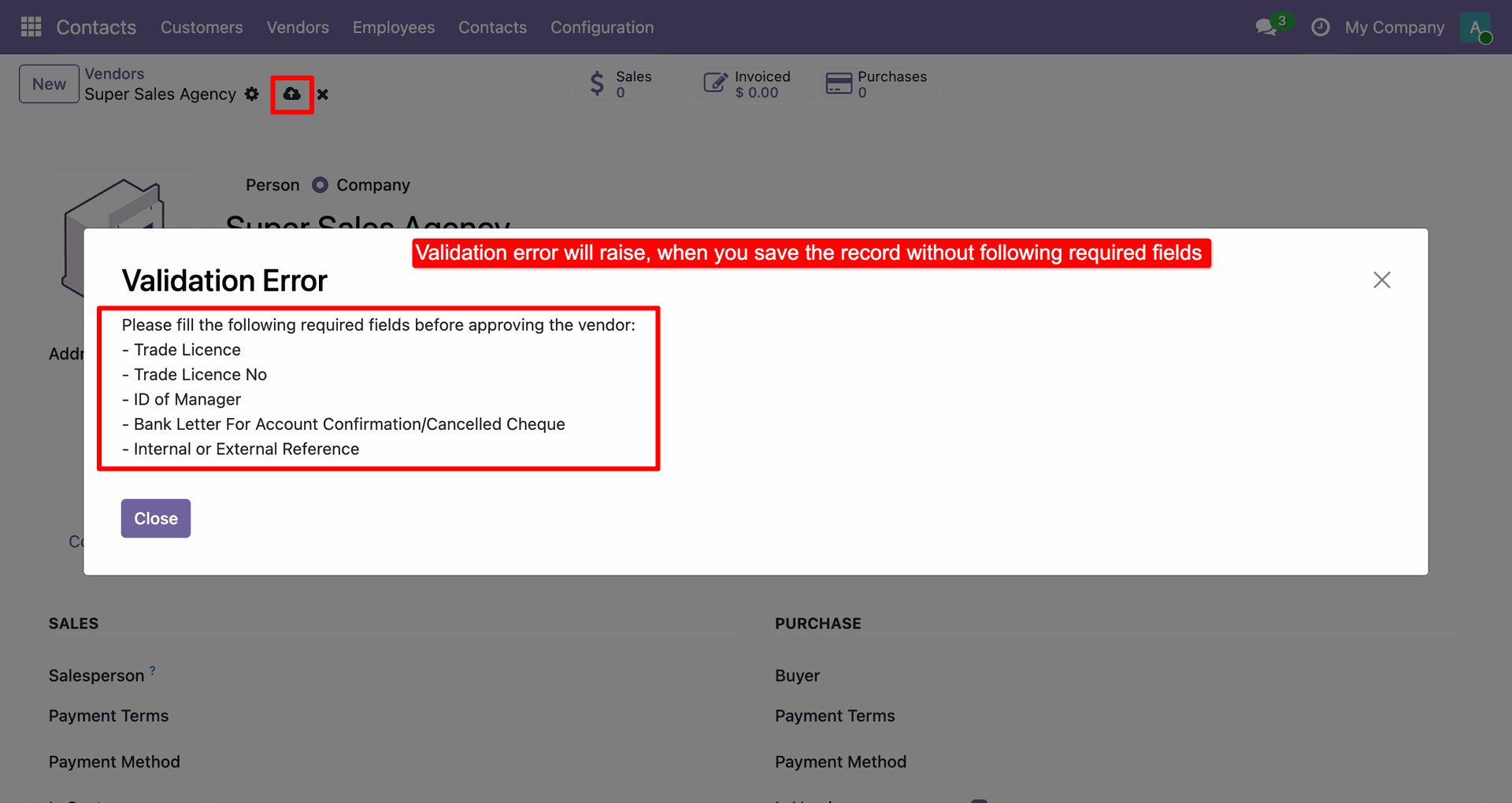
A validation pop-up prevents saving the record if mandatory fields like Trade Licence or ID of Manager are missing.
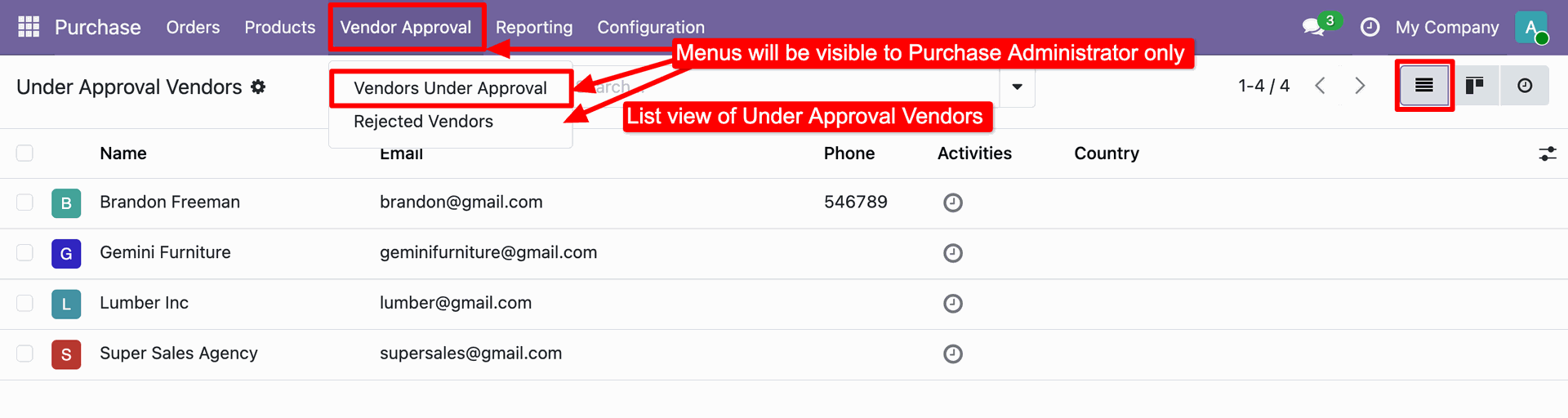
The Vendor Approval menus are visible to Purchase Administrators, providing a focused list view of all the vendors under approval.
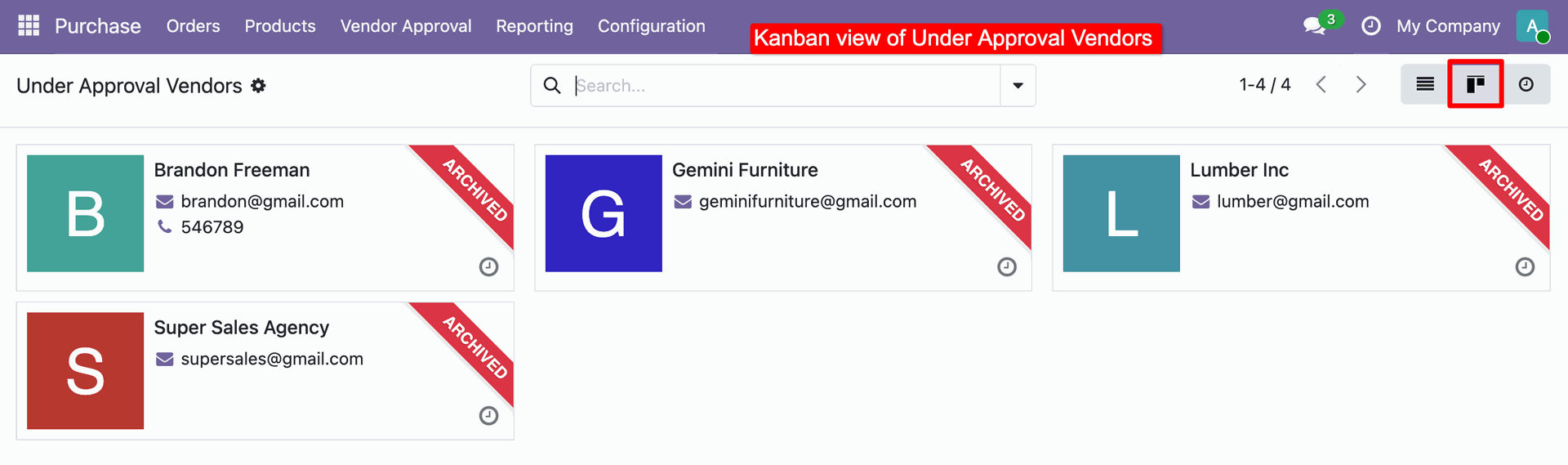
The Kanban view displays pending vendors with an 'Archived' ribbon to visually confirm their inactive status.
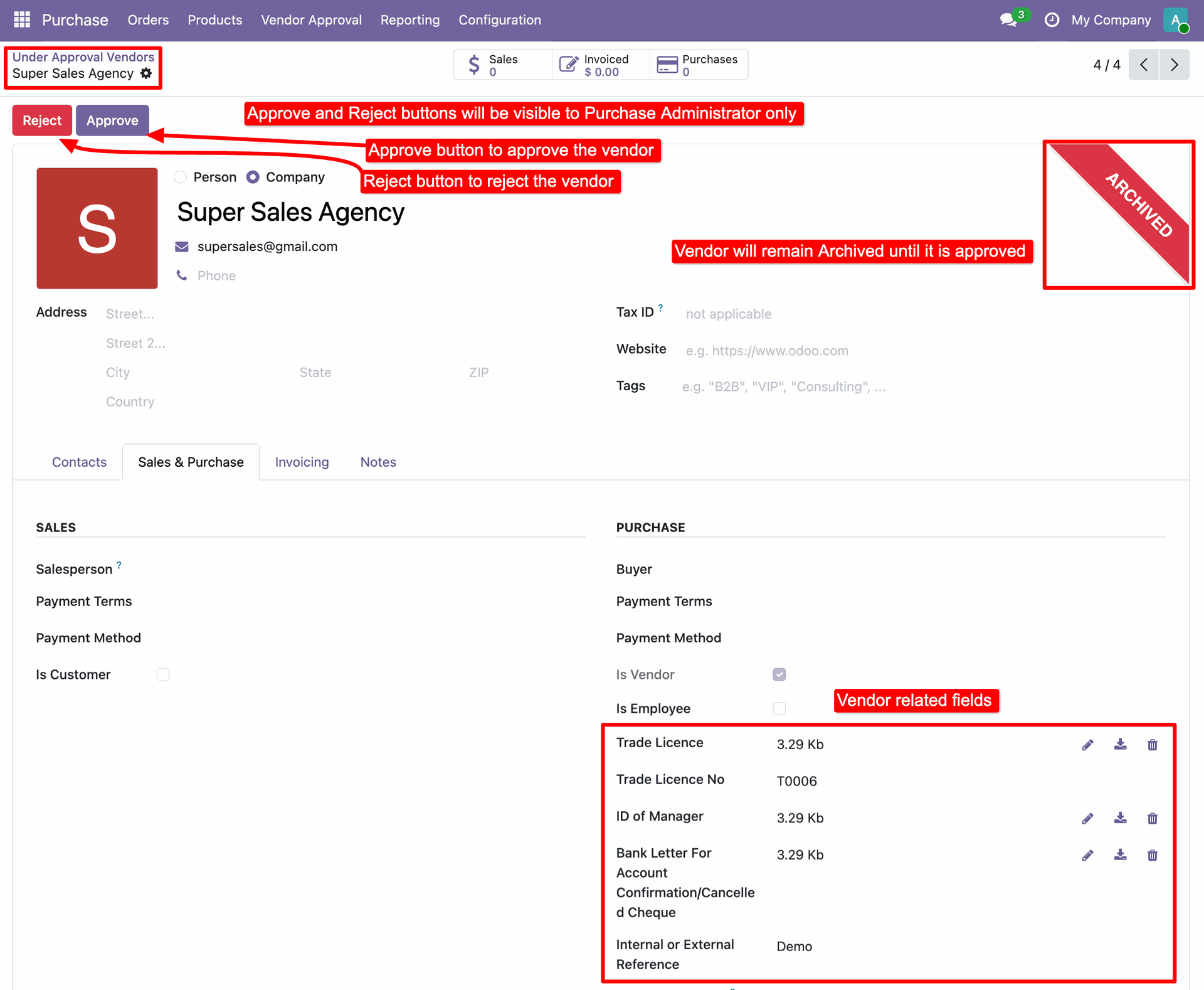
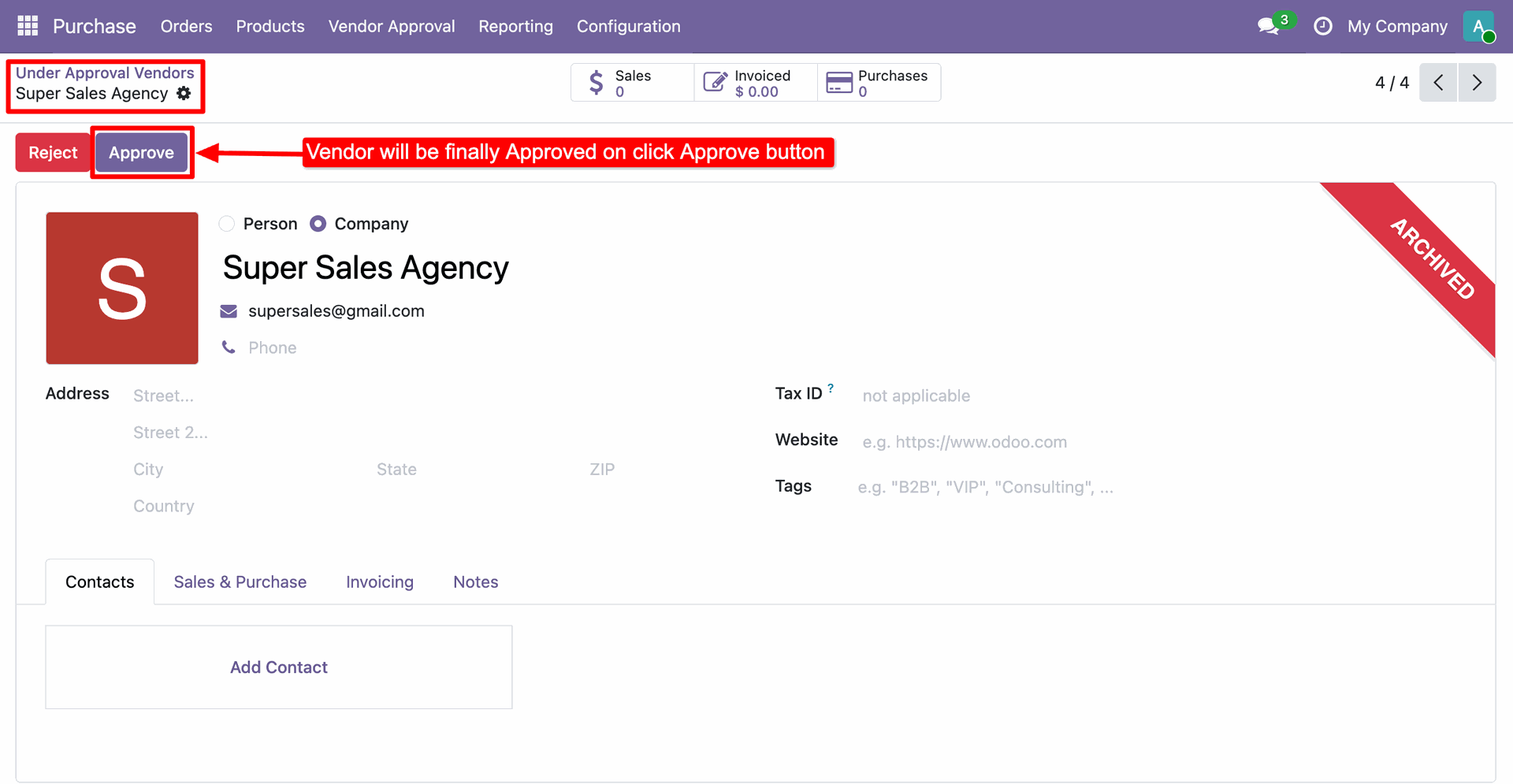
The detailed form view, where Purchase Administrators review submitted documents and use the Approve or Reject buttons to finalize the vendor's status.
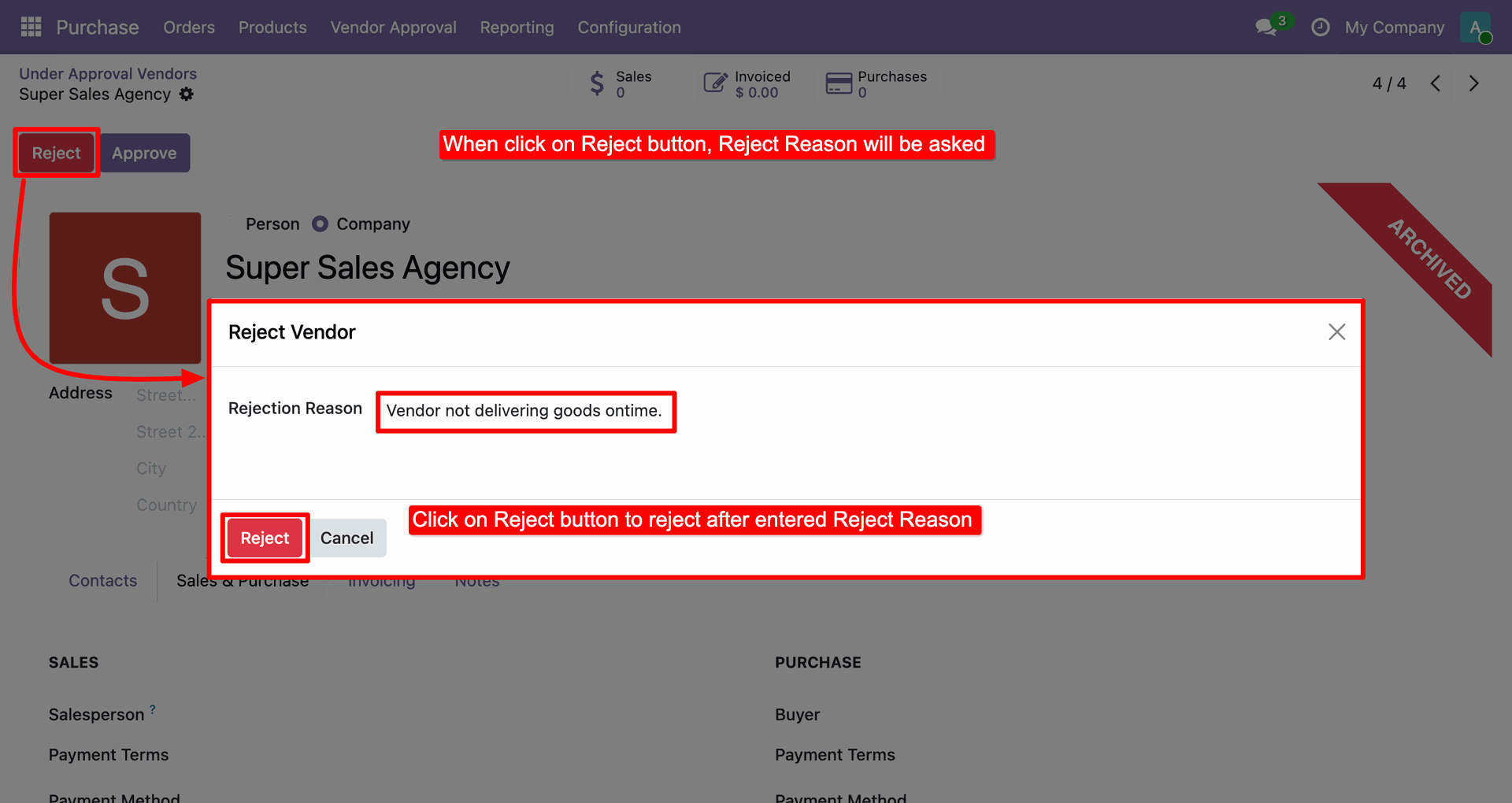
The system mandates a Rejection Reason via a pop-up to document why a vendor application is being denied.
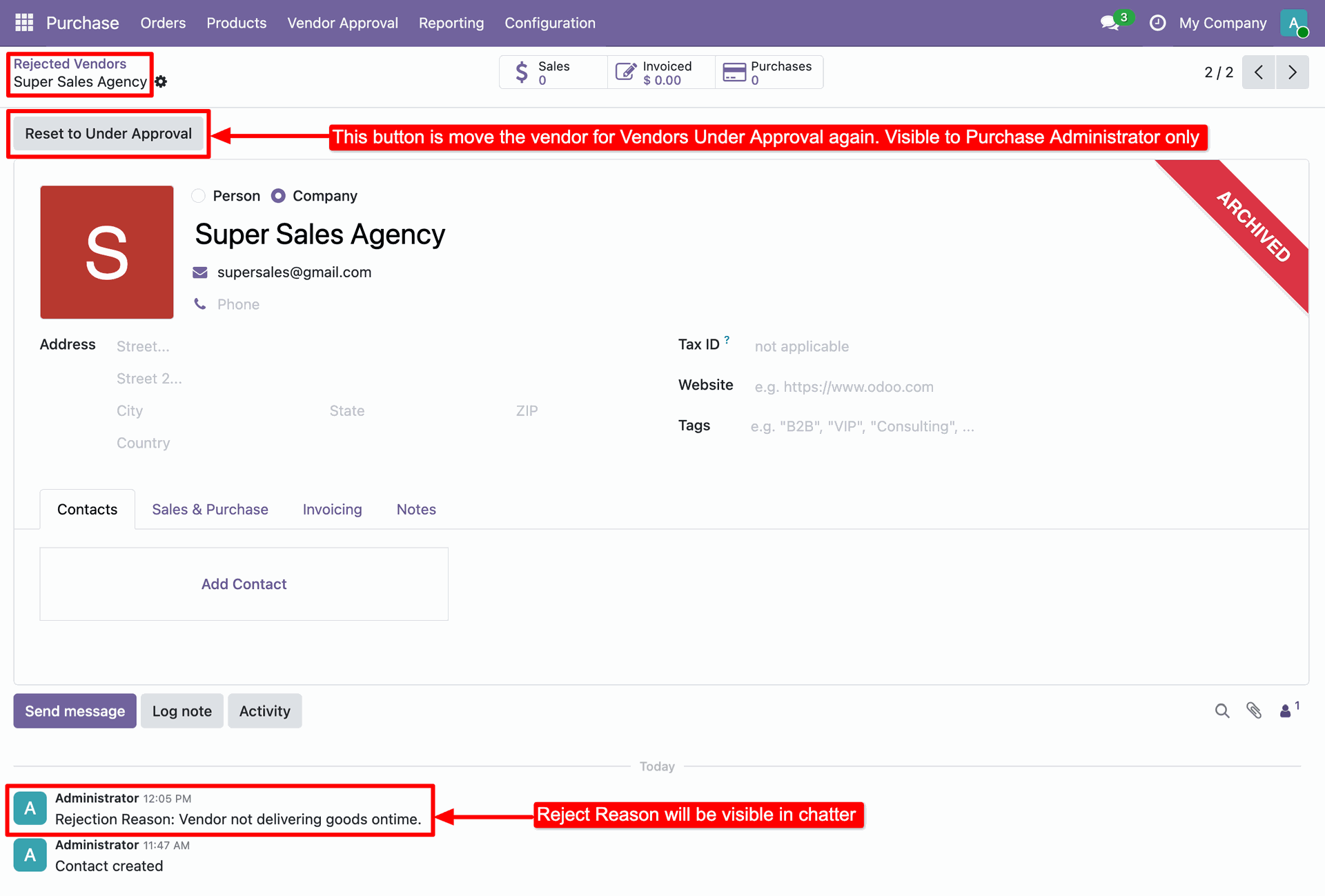
A dedicated list view under the Vendor Approval menu displays all the rejected vendors for easy tracking and management.

Administrators can use the Reset to Under Approval button to reset, while the Chatter log preserves the history of why the vendor was originally rejected.
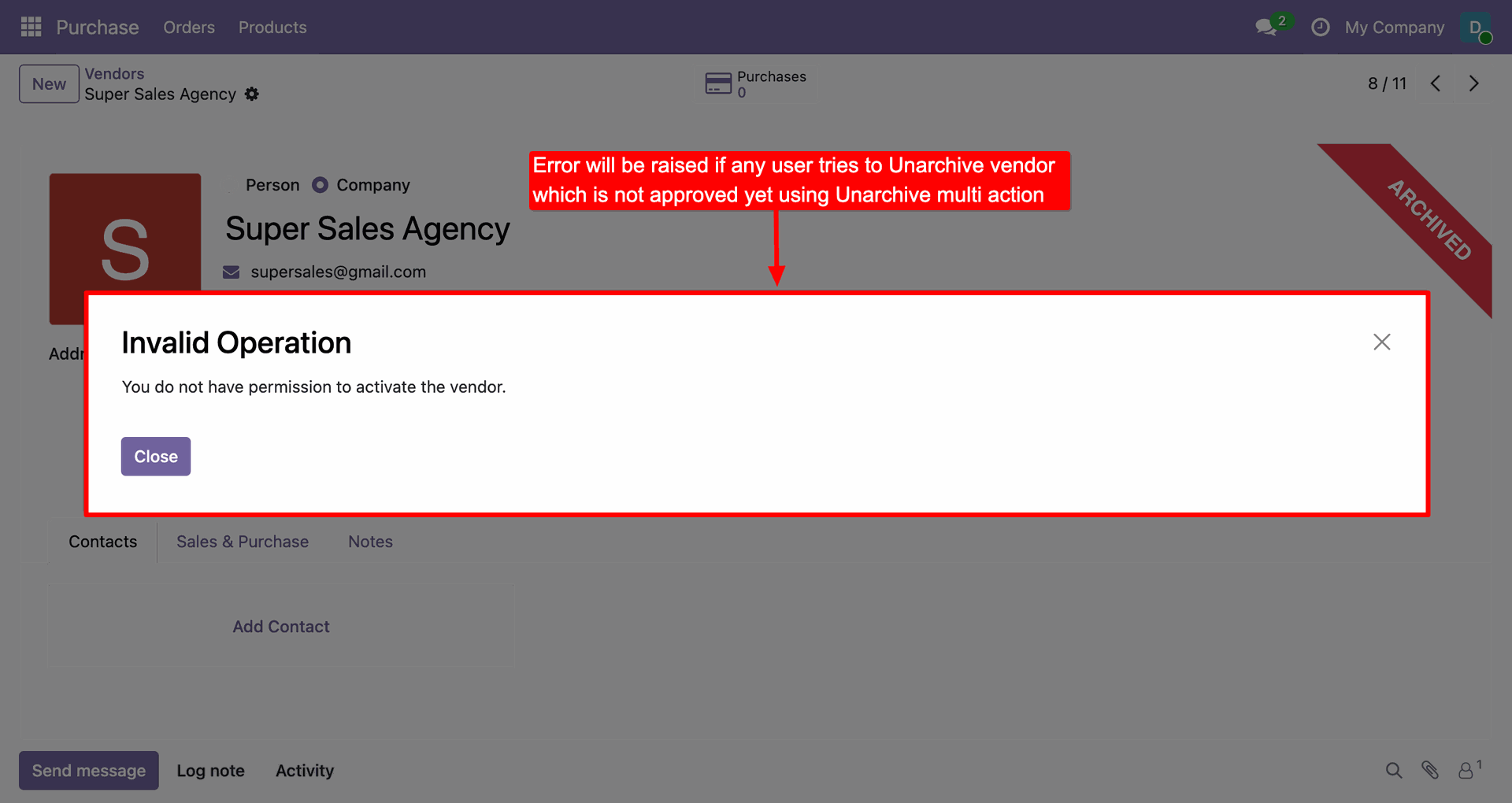
You cannot restore an archived vendor until it is approved. Trying to do so will show an error message.
Click the Approve button in the header to finalize the validation process and activate the vendor record for use.
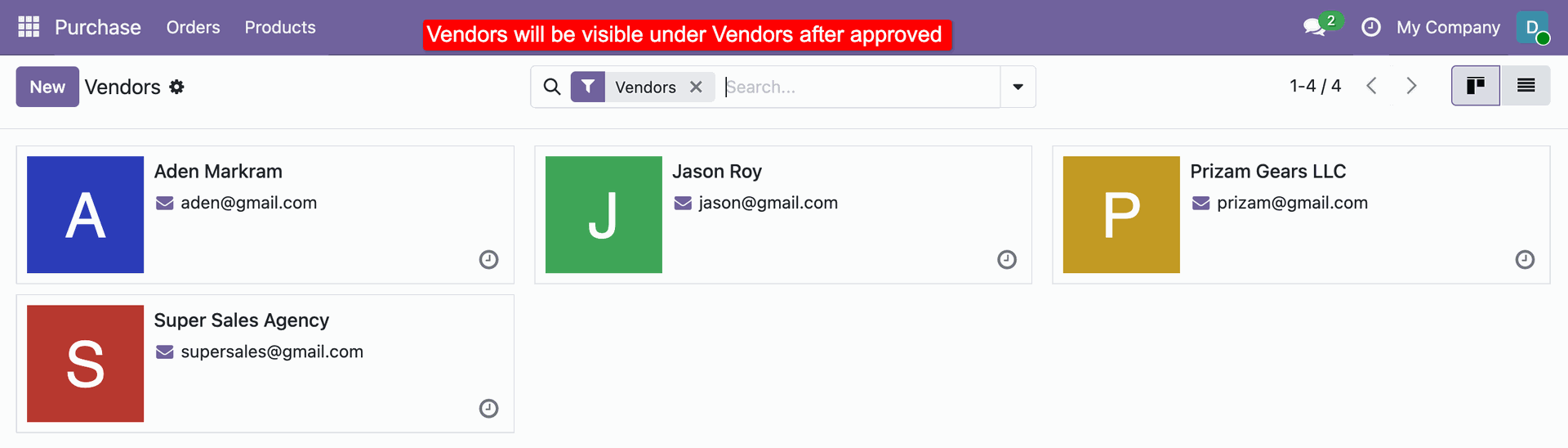
Once approved, the vendor 'Super Sales Agency' becomes visible in the standard Vendors Kanban view, indicating it is active and available for use.
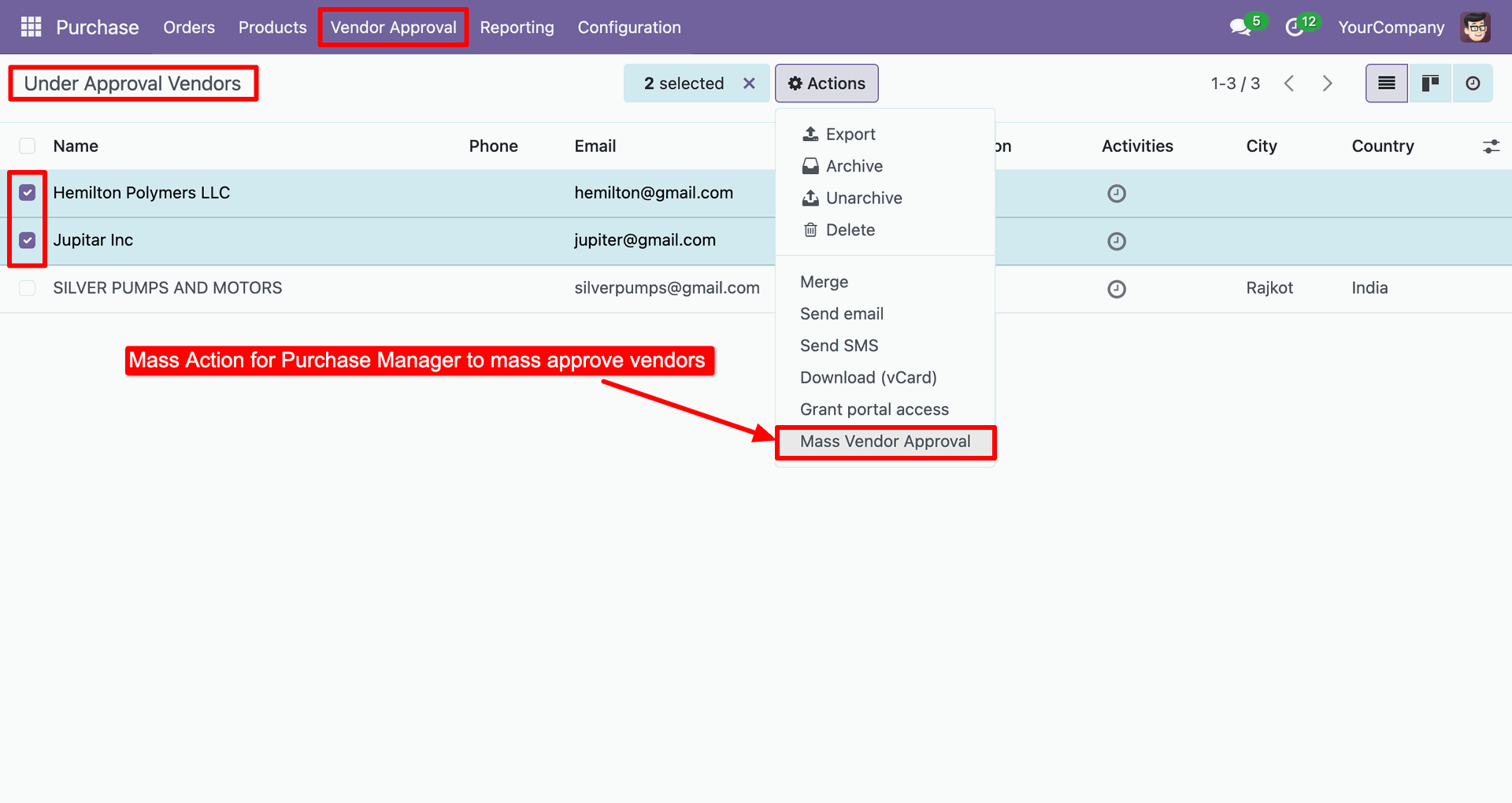
Select multiple pending vendors and choose Mass Vendor Approval from the Actions menu to validate them all at once.
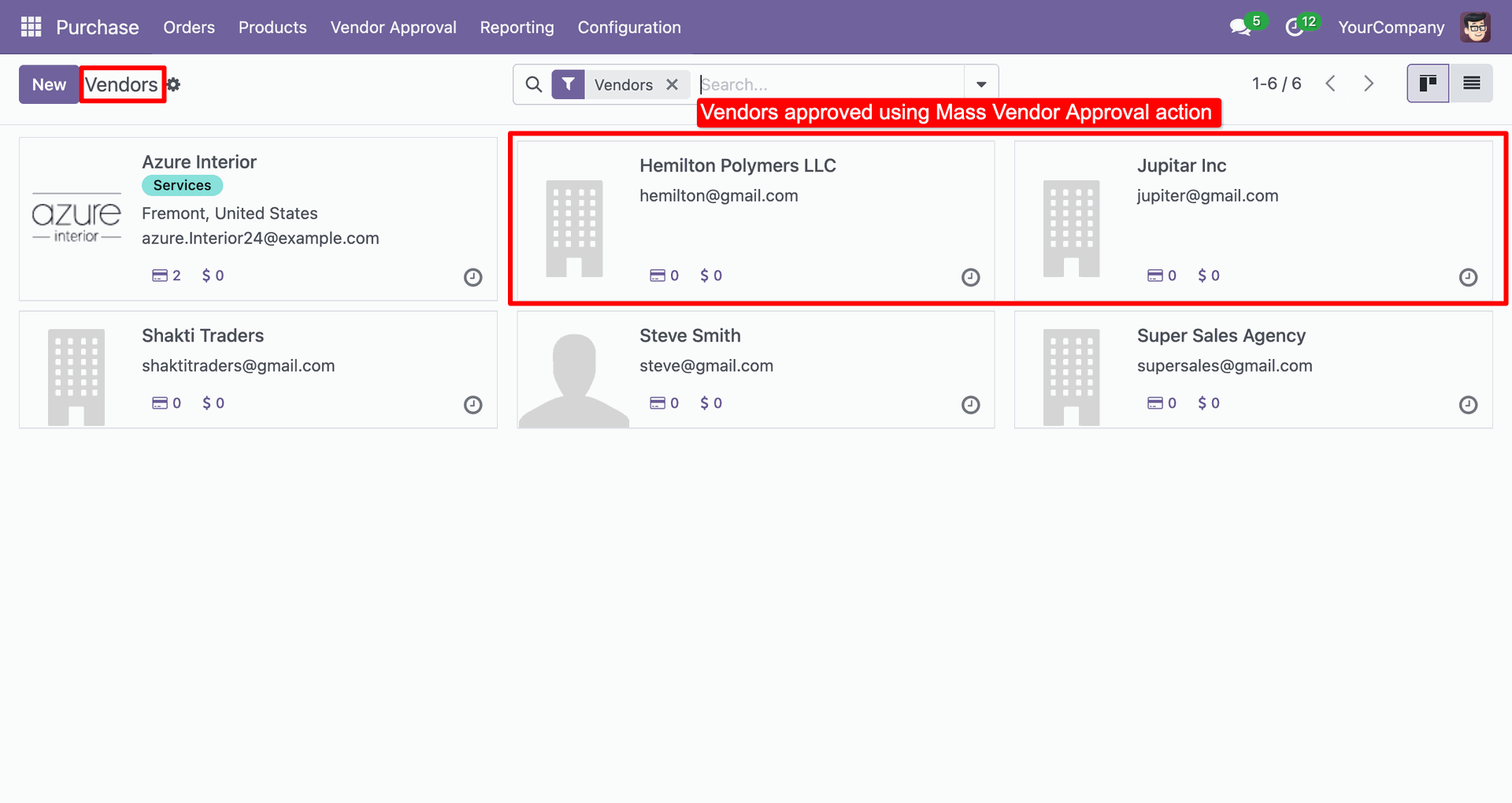
The Vendors view now displays the newly activated records (Hemilton Polymers LLC and Jupitar Inc), confirming the successful execution of the Mass Vendor Approval action.
Version 19.0.1 | Released on : 31st December 2025
- Yes, this app works perfectly with Odoo Enterprise (Odoo.sh & Premise) as well as Community.
- No, this application is not compatible with odoo.com(odoo saas/Odoo Online)
- Yes, to test this module, please contact us at sales@softhealer.com.
- Please contact us at sales@softhealer.comto request customization.
- Yes, we provide free support for 365 days from the date of purchase.
- Yes, you will receive lifetime free updates for the version of the module you purchased.
- No, there is no need to install any additional libraries.
- Yes, for version 12 and above, you need to purchase the module separately for each version you intend to use.
- No, exchanges or refunds are not allowed. Please make sure to select the correct version before purchasing.
- You can contact us at support@softhealer.com for language translation support. We use Google Translator tools to provide translations in multiple languages, so the accuracy may vary. We welcome your suggestions to help improve translations.
Discover Our Latest Apps