








User Audit

This module allows to track all user's operations performed on data models such as create, read, write and delete. You can track every user's activity on all the objects of the system. You can group by audit logs with different dimensions like user, object & type. The log view contains details about each operation like date, record id, record object name, user name, type, old and new values of each modified field, etc.

Features
- Displays audit log messages directly in the chatter for better tracking and transparency.
- Send email notifications for important User Audit Log activities.
- Easy to track all operations performed by users.
- Easy to manage operations like create, read, write and delete.
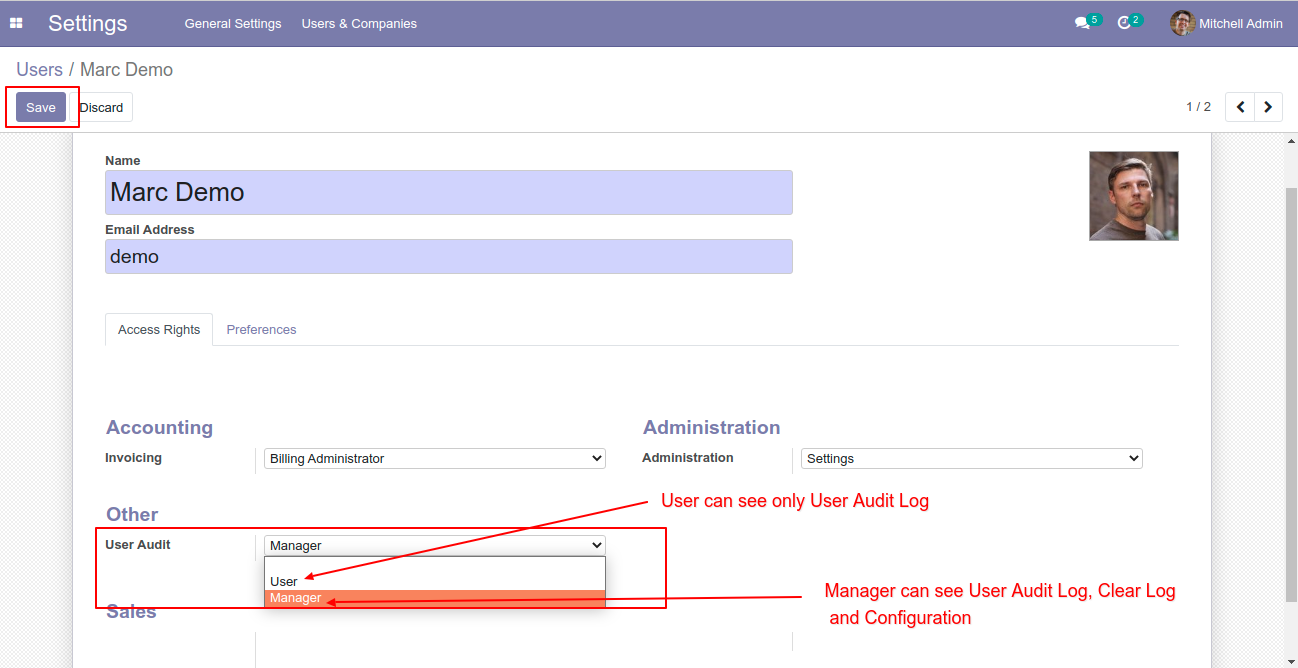
- Additional access rights groups added "User" and "Manager" for the audit log.
- Manager can see the user's audit log list, can clear all logs and they can create a new audit log.
- Users can view only the user audit log list.
- Operations performed by a user will automatically record in the logs list.
Select access rights groups "User" and "Manager" for the audit log.
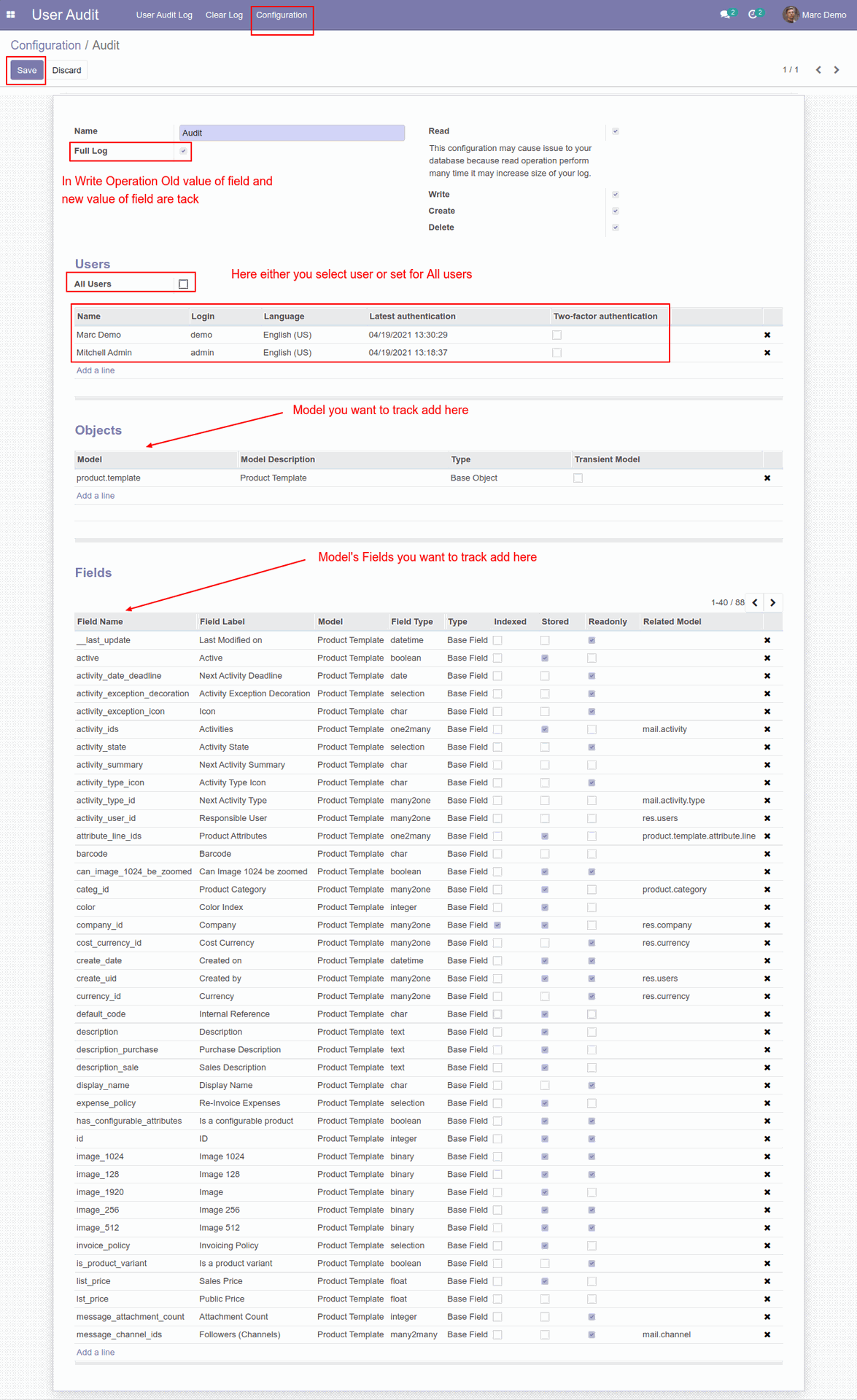
Now go to the "User Audit" => Configuration and press the "Create" button so it opens the screen like below.
Now we create a new product.
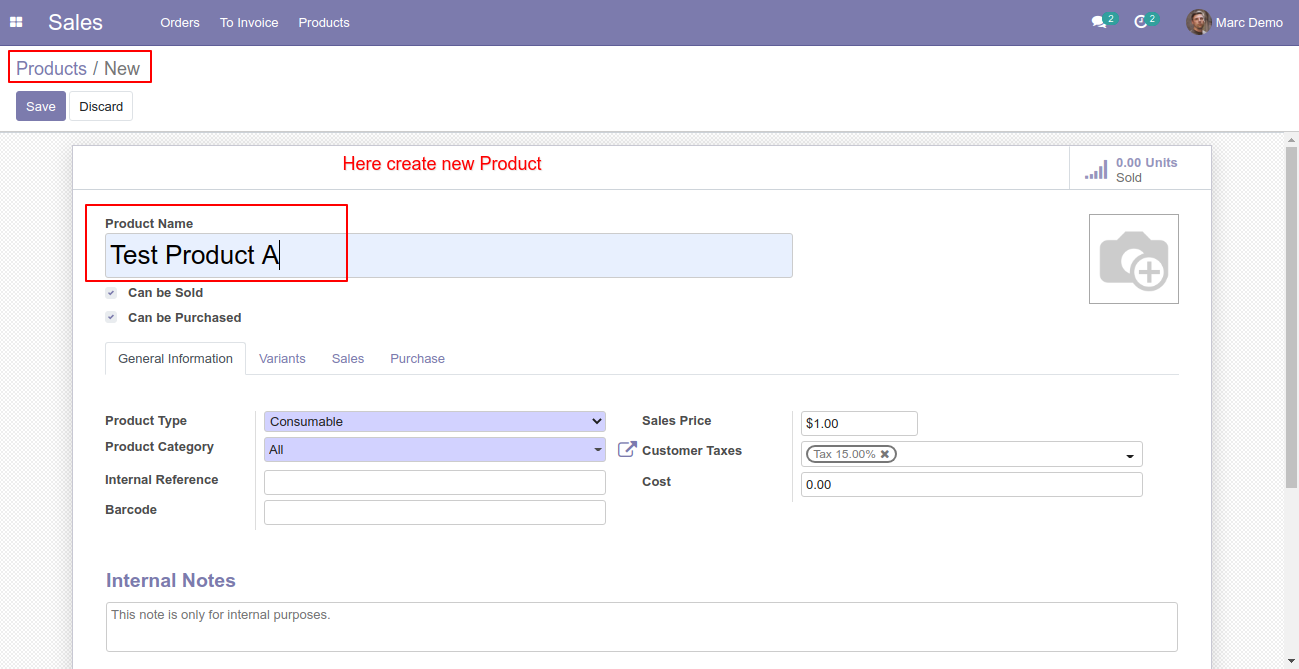
So that operation will automatically record in the logs list.
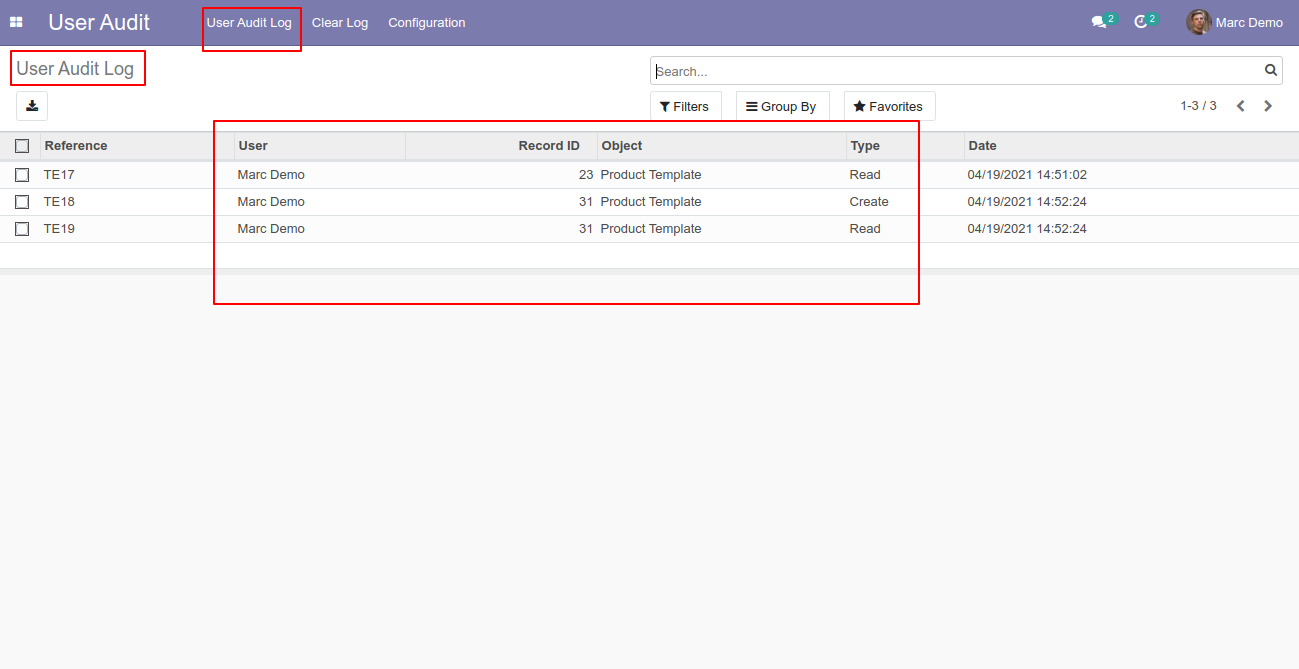
The audit log form view looks like this.
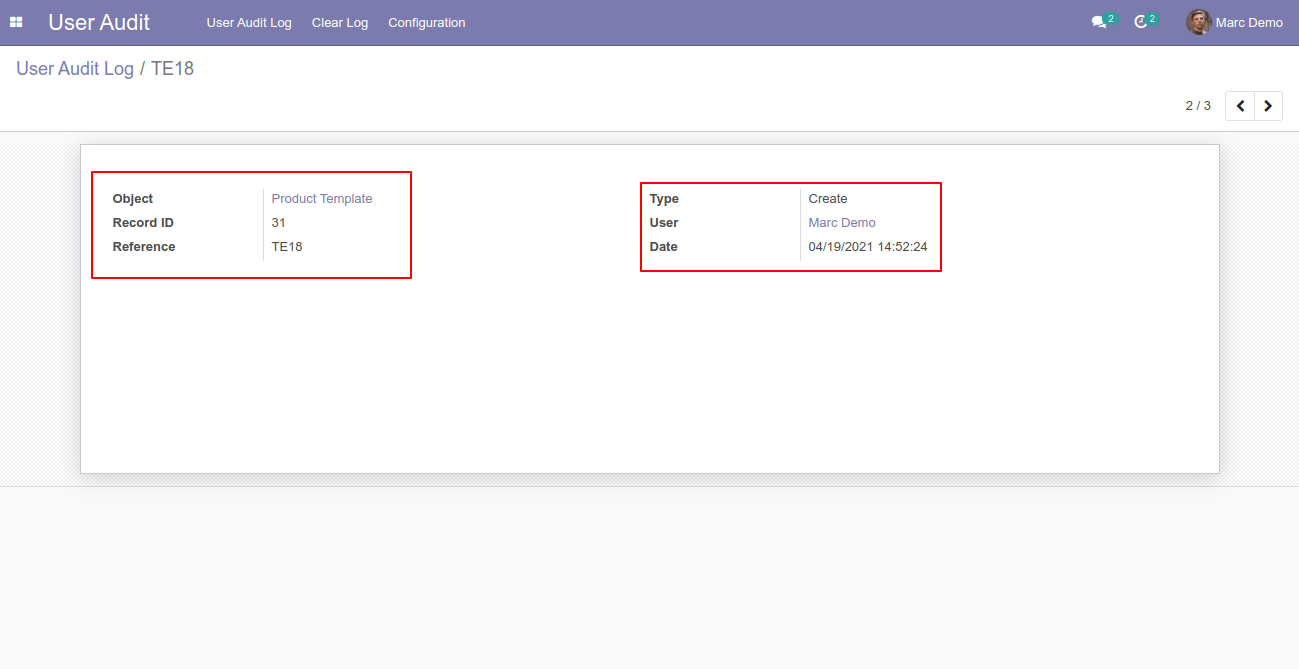
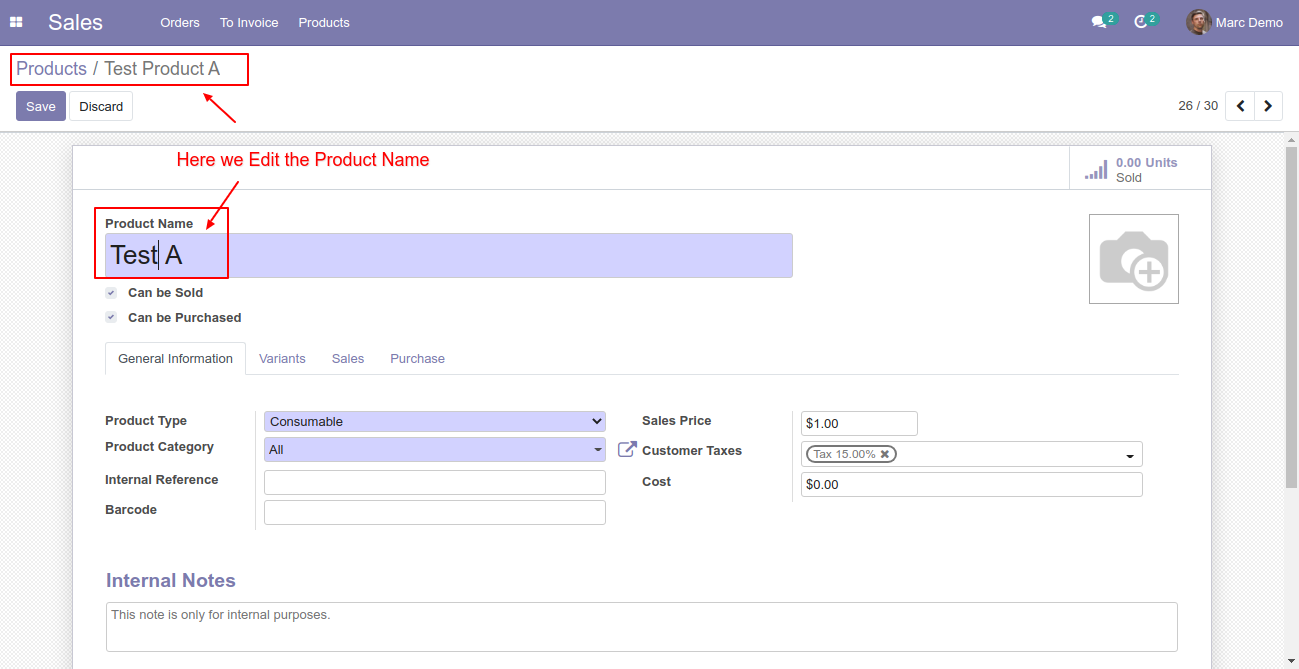
Now we edit the product name.
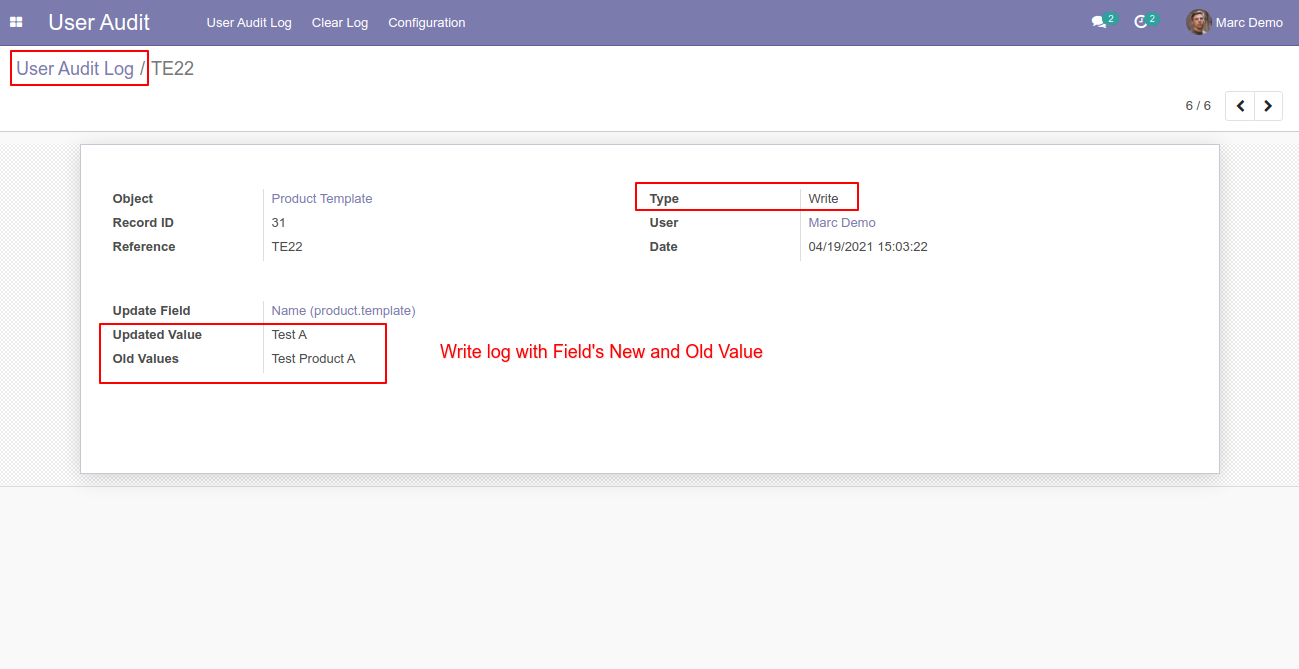
So that operation will automatically record in the logs list with details like date, record id, record object name, user name, type, old and new values of each modified field, etc.
Now we delete the product.
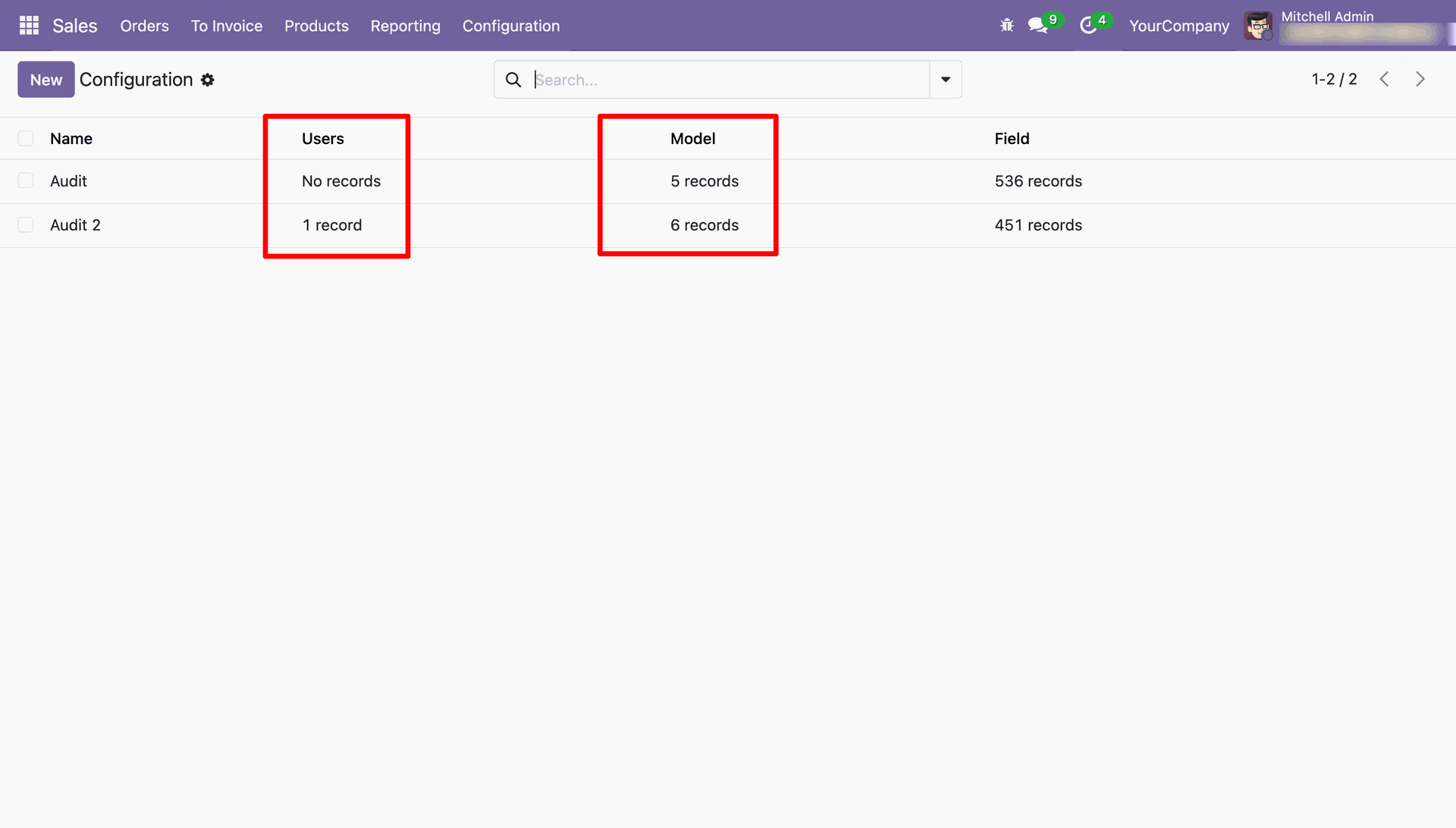
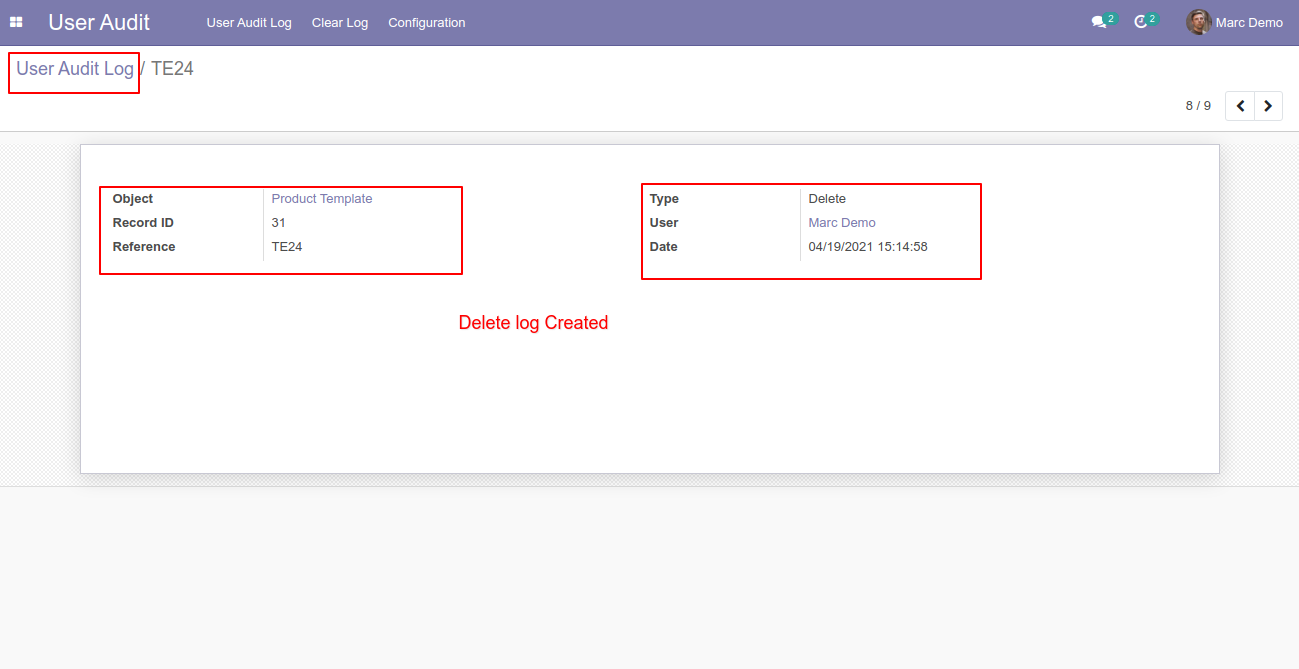
So that operation will automatically record in the logs list.
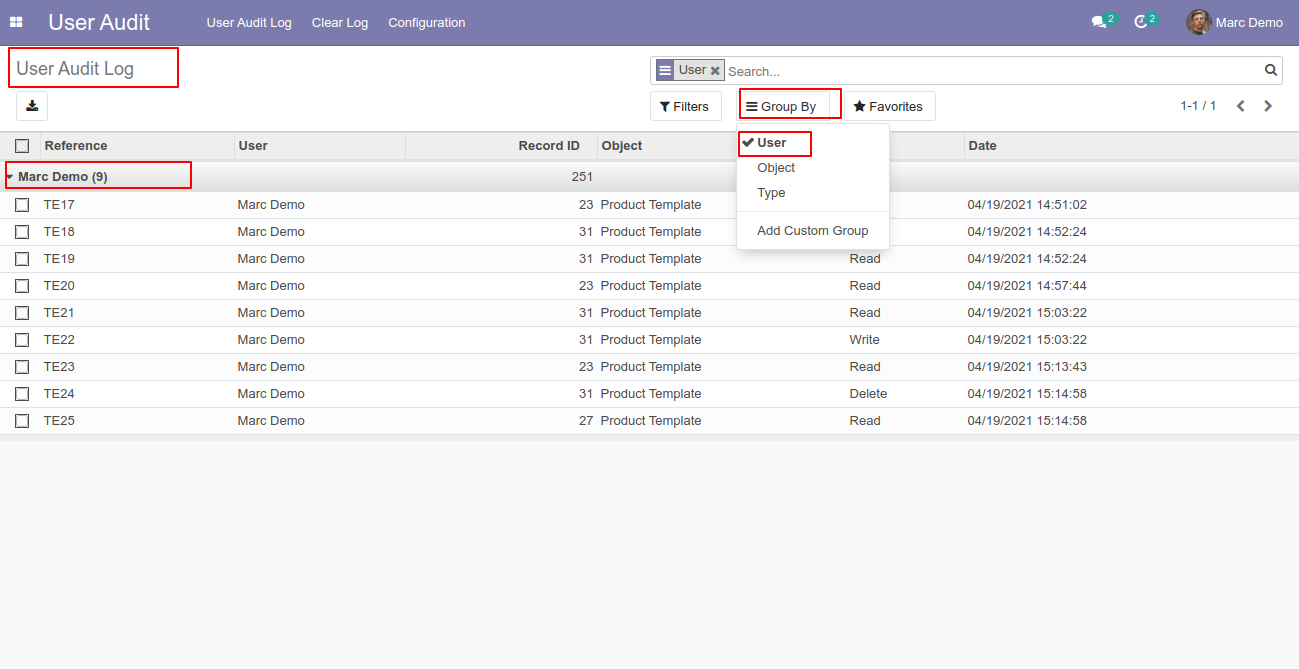
You can group by audit logs by the user.
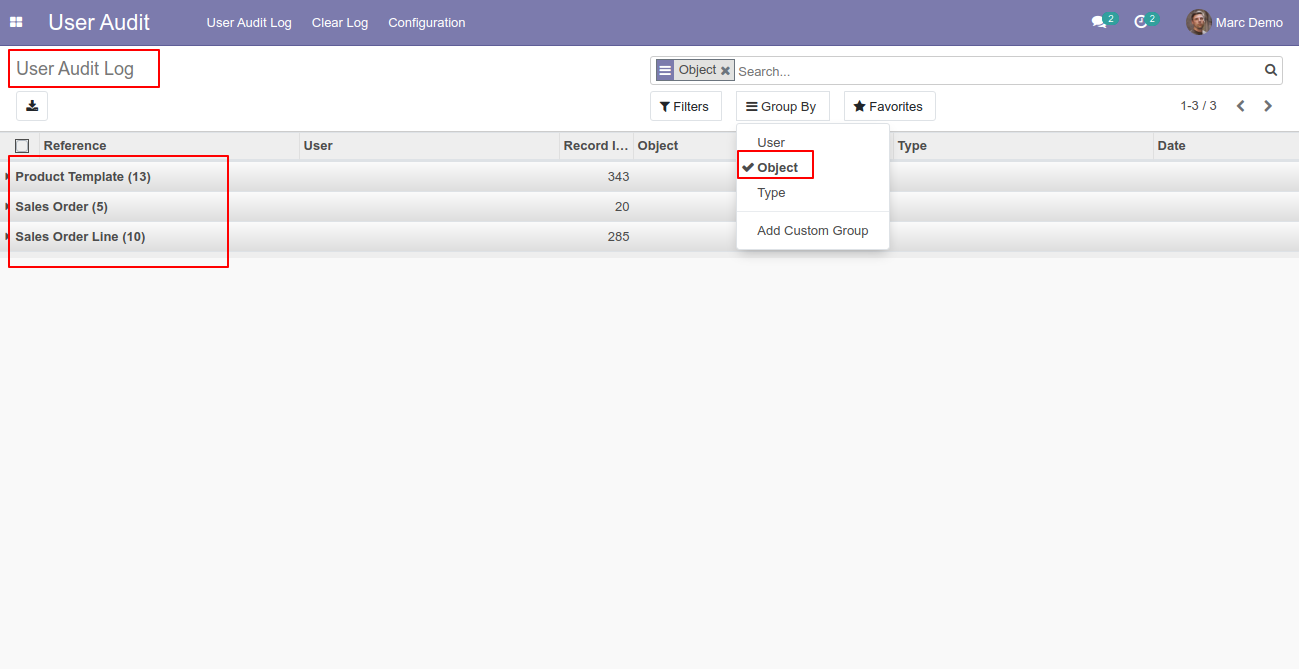
You can group by audit logs by the object.
You can group by audit logs by the type.
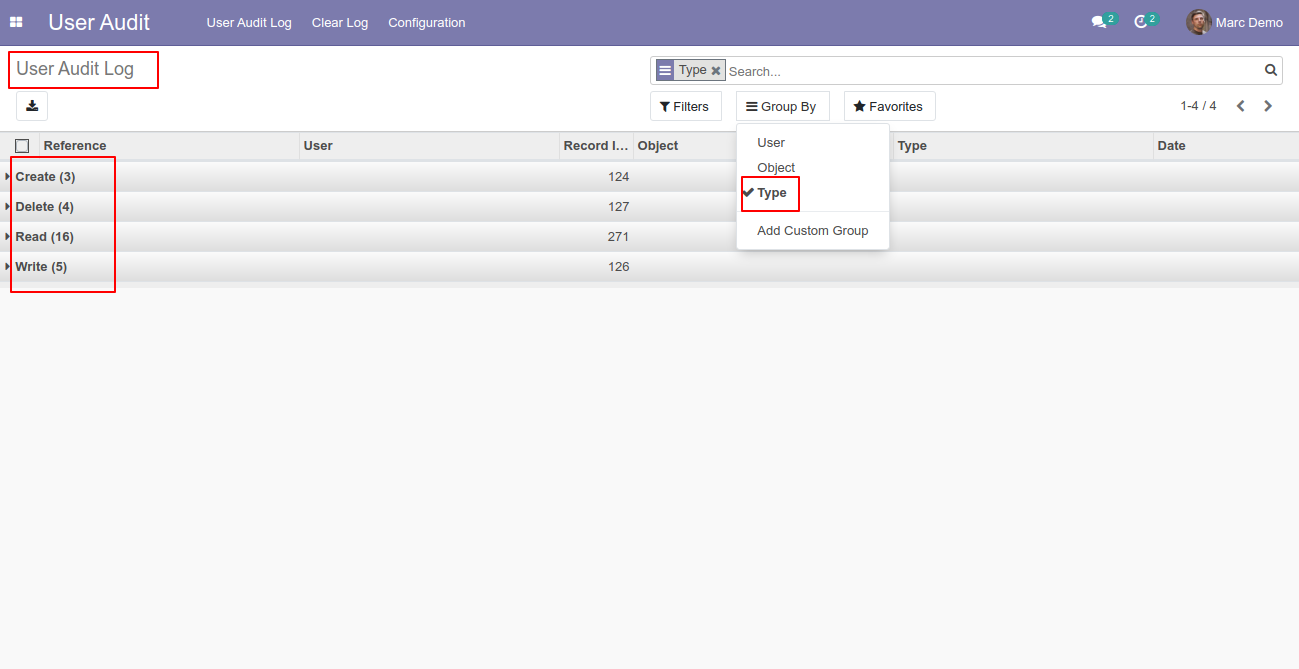
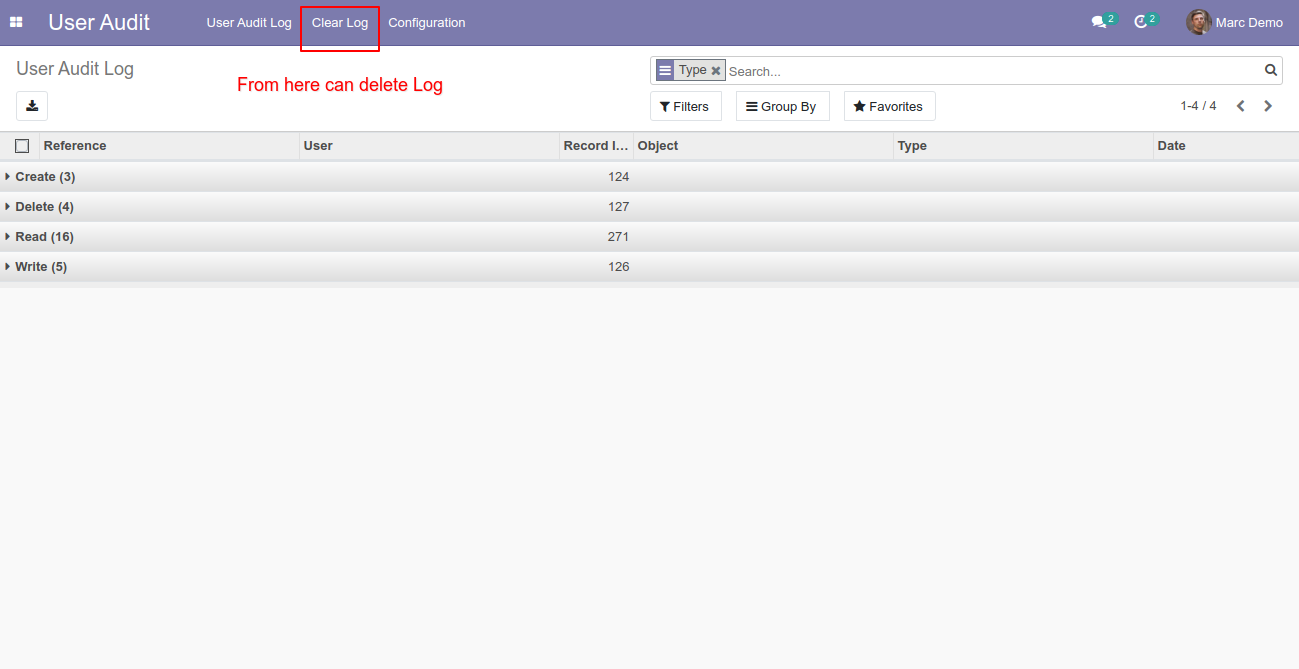
The manager can delete all logs by the "Clear Log" menu.
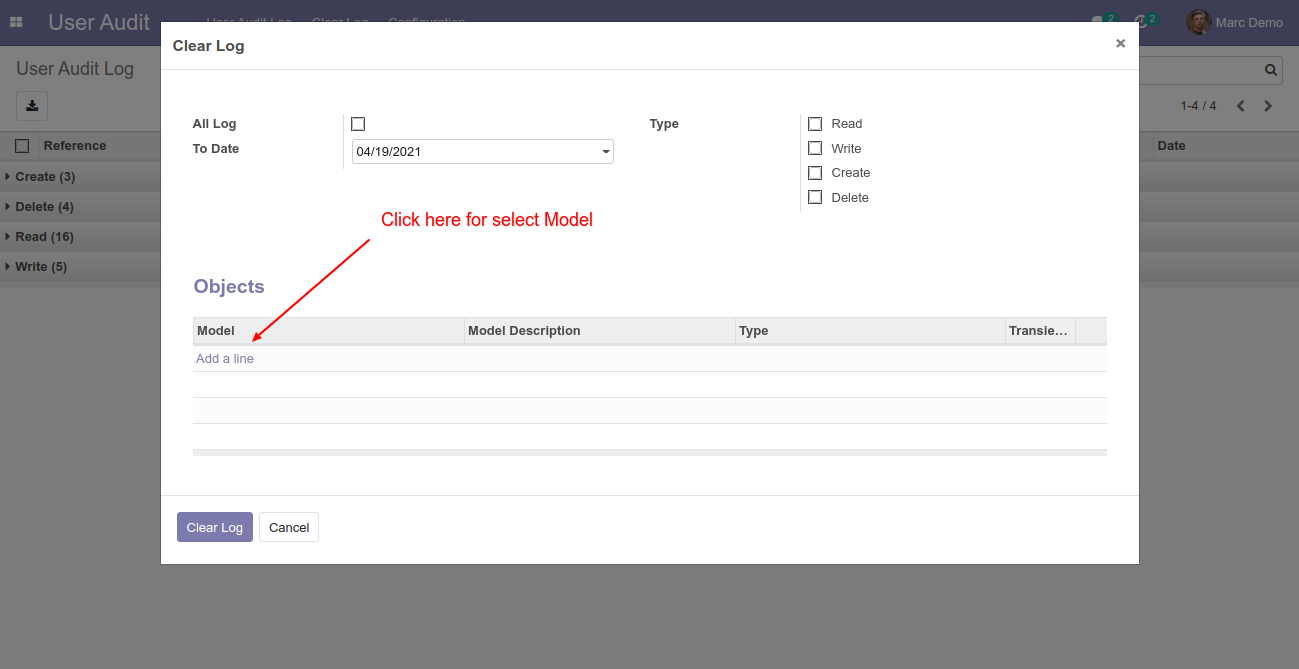
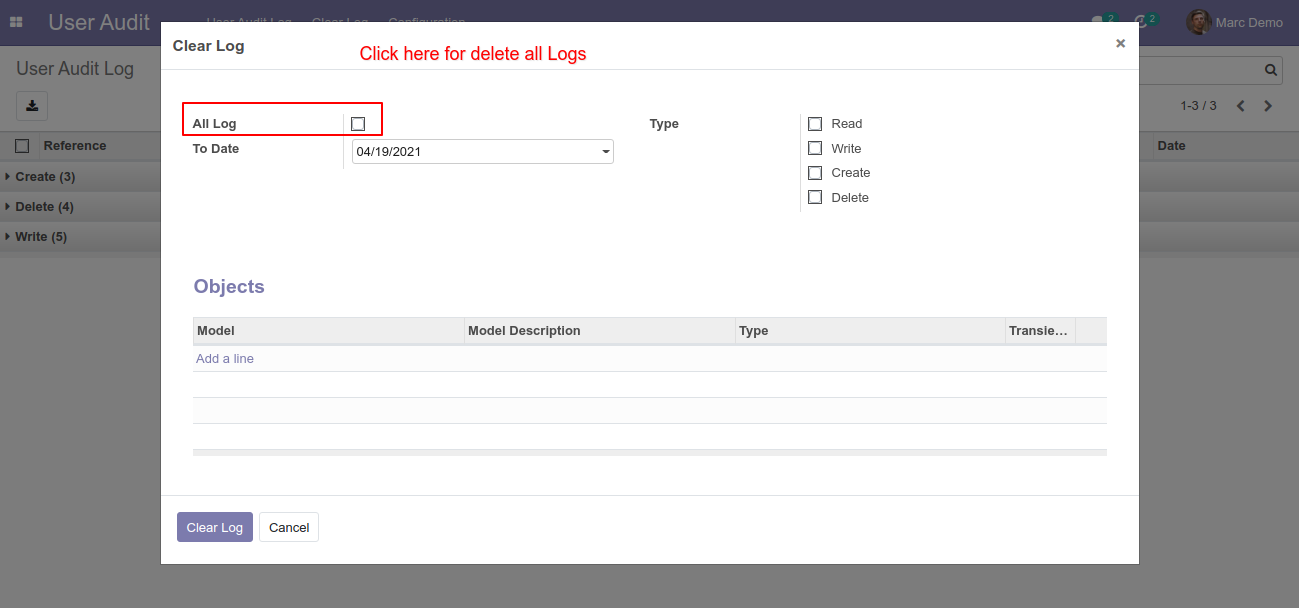
After press on the "Clear Log" menu, this popup opens, you can clear all log as well selected logs, click "Add a line" to select a model.
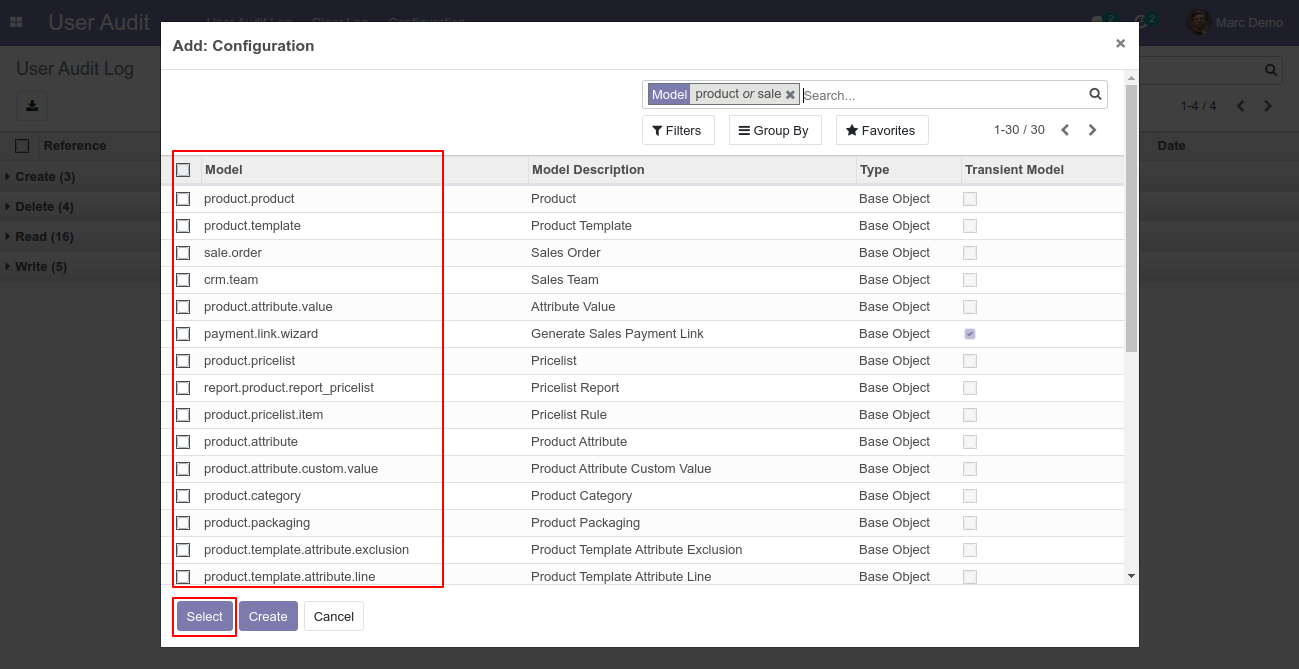
After clicking on the "Add a line", this wizard opens, Choose a model which you want to clear.
You can clear the log based on type.
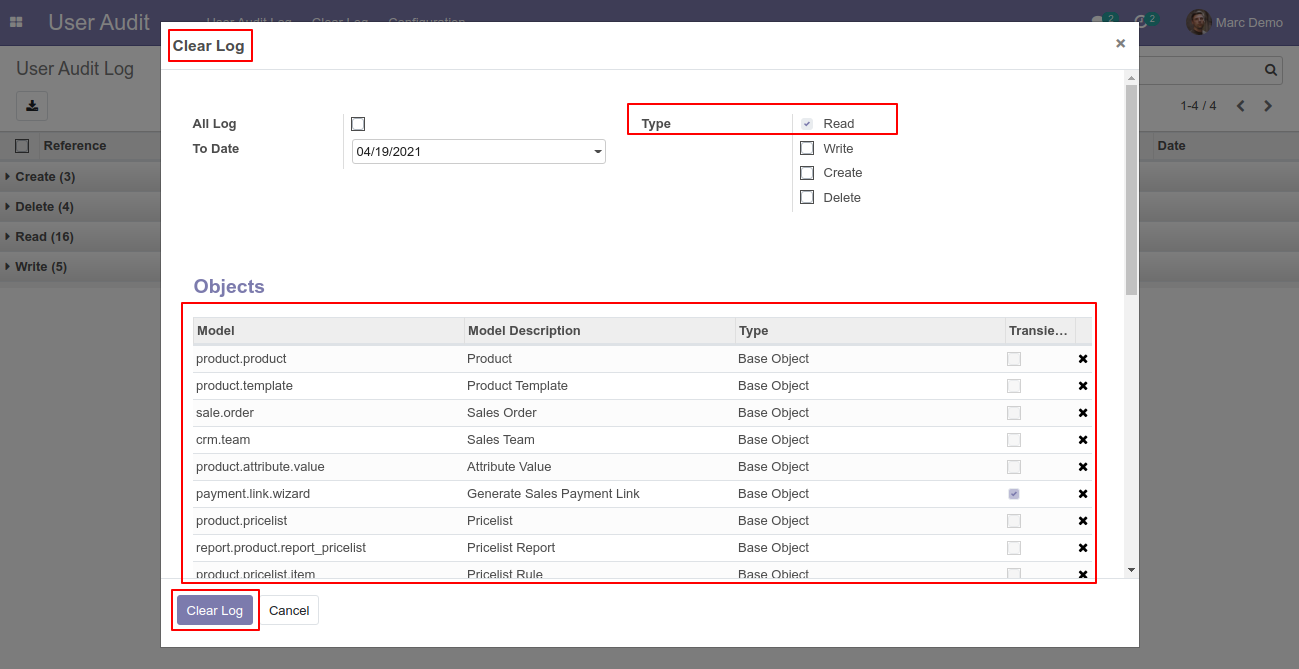
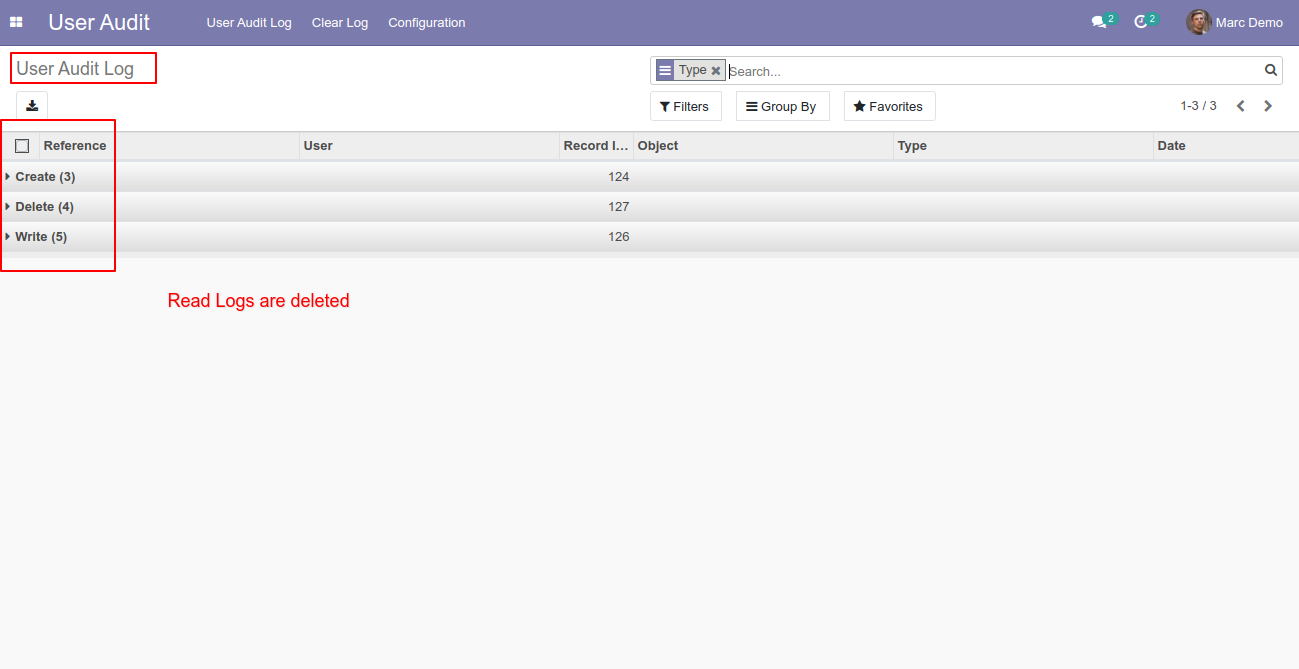
Log type: Read logs are deleted,
You can clear all log as well selected logs by enabling "All Log".
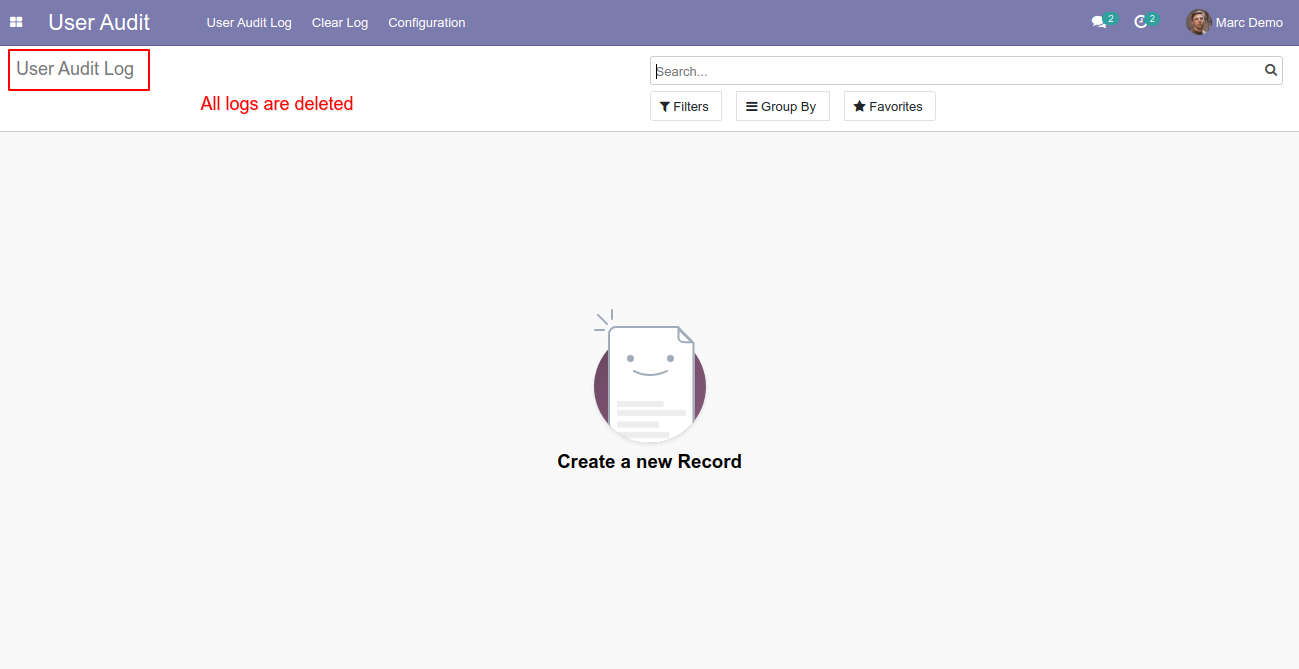
All logs are deleted!
Log Message Display In Chatter
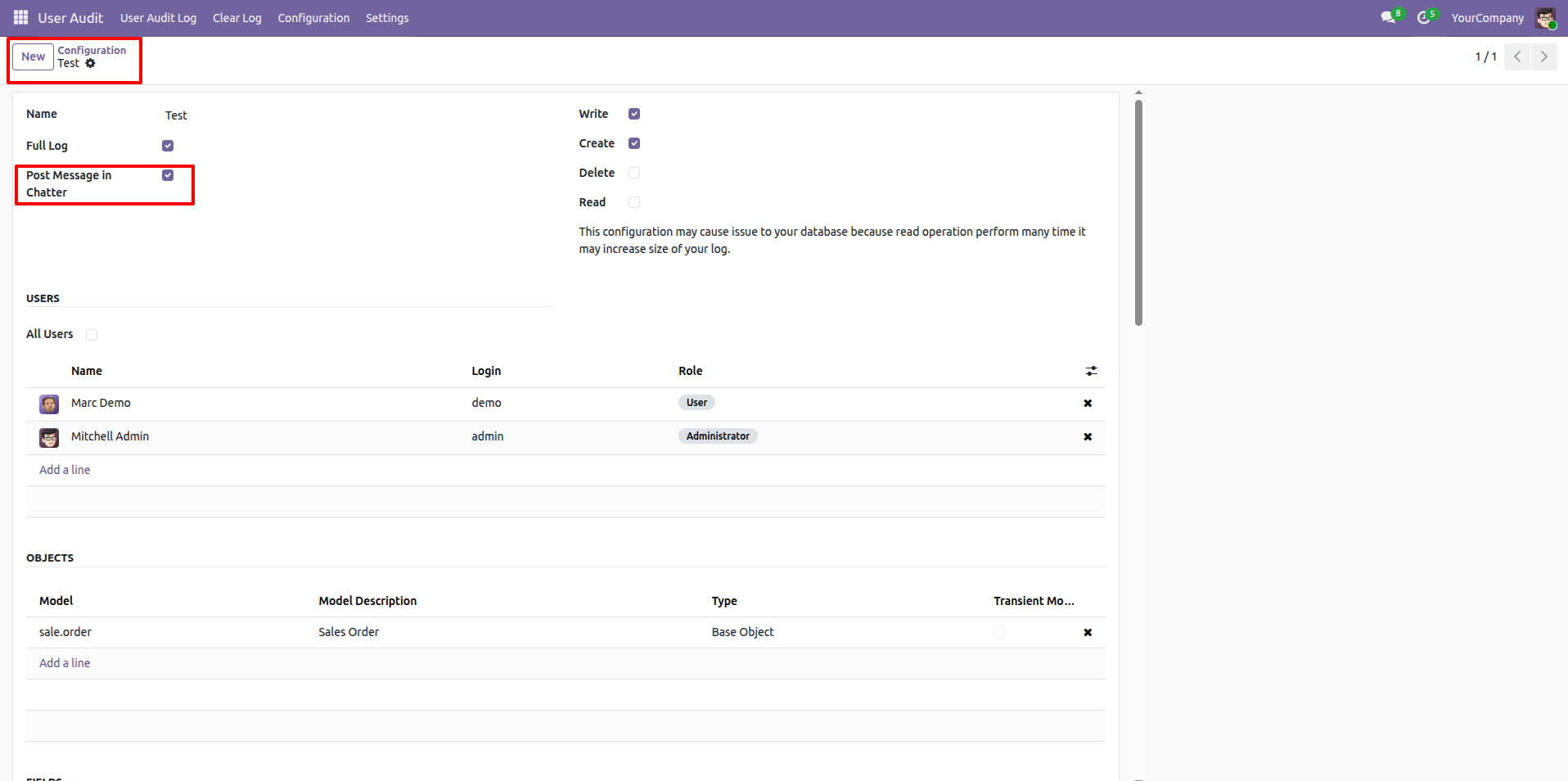
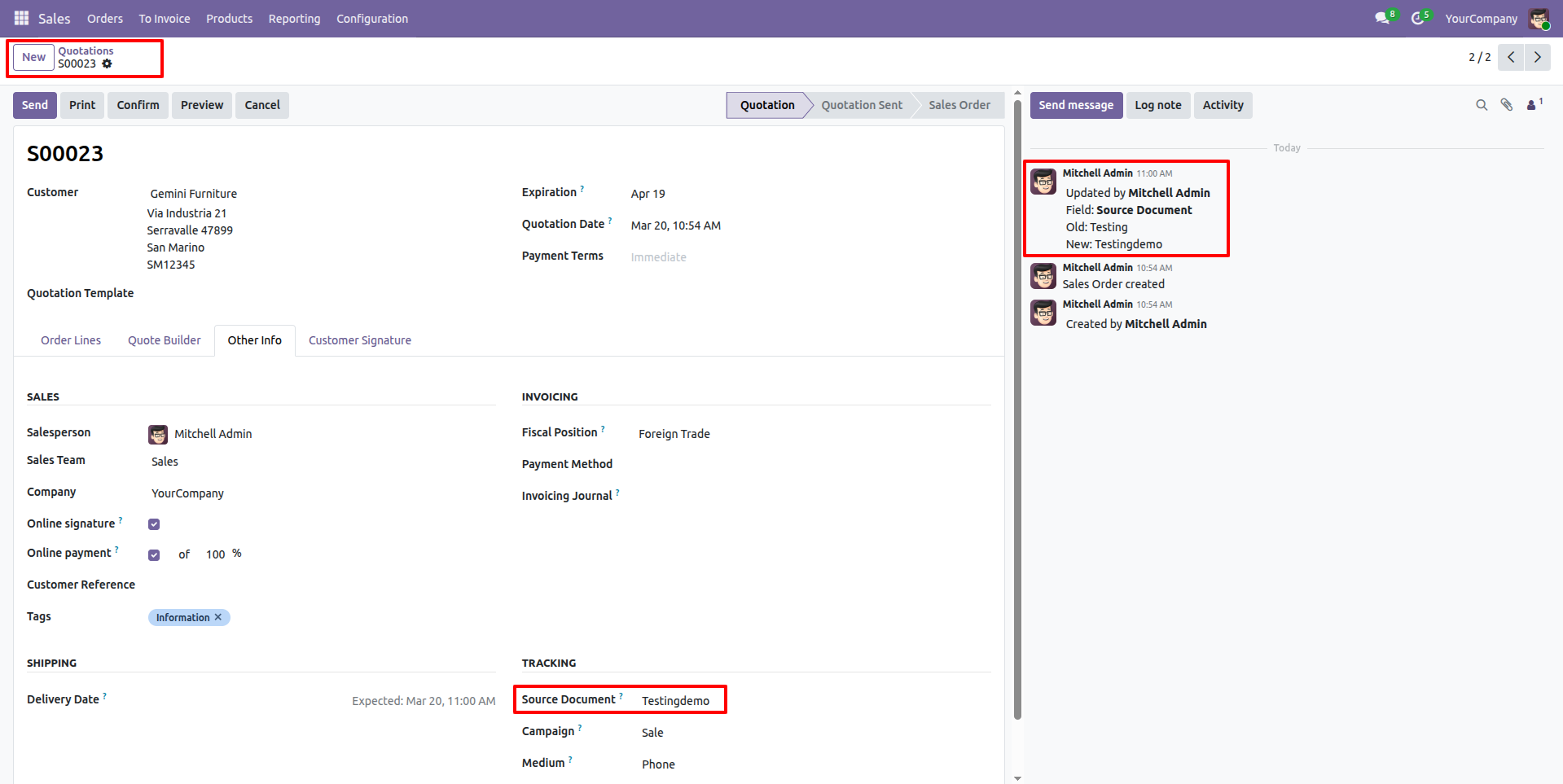
Enable the 'Post Message in Chatter' option within the User Audit configuration.
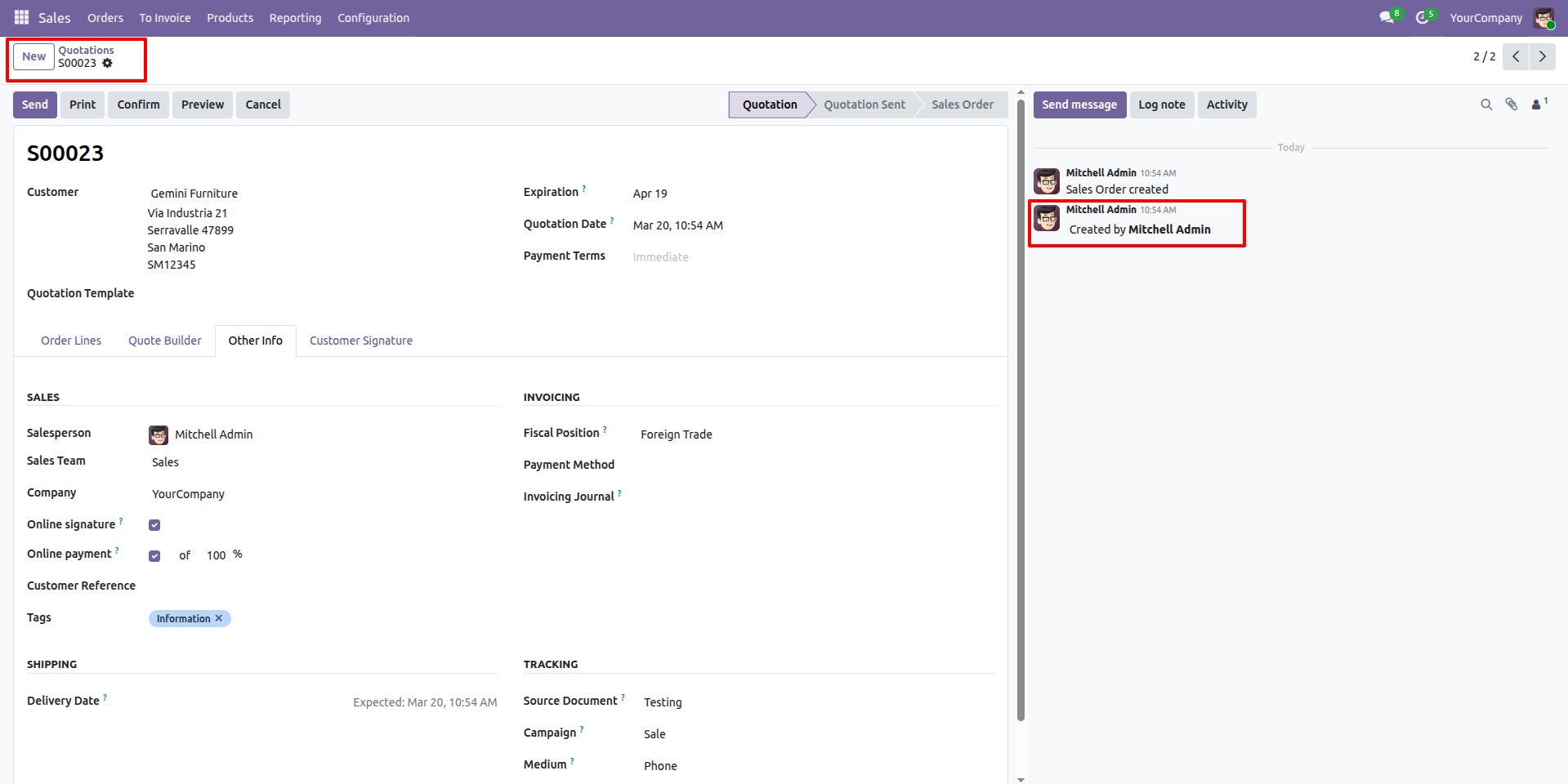
Her you can see the log in chatter
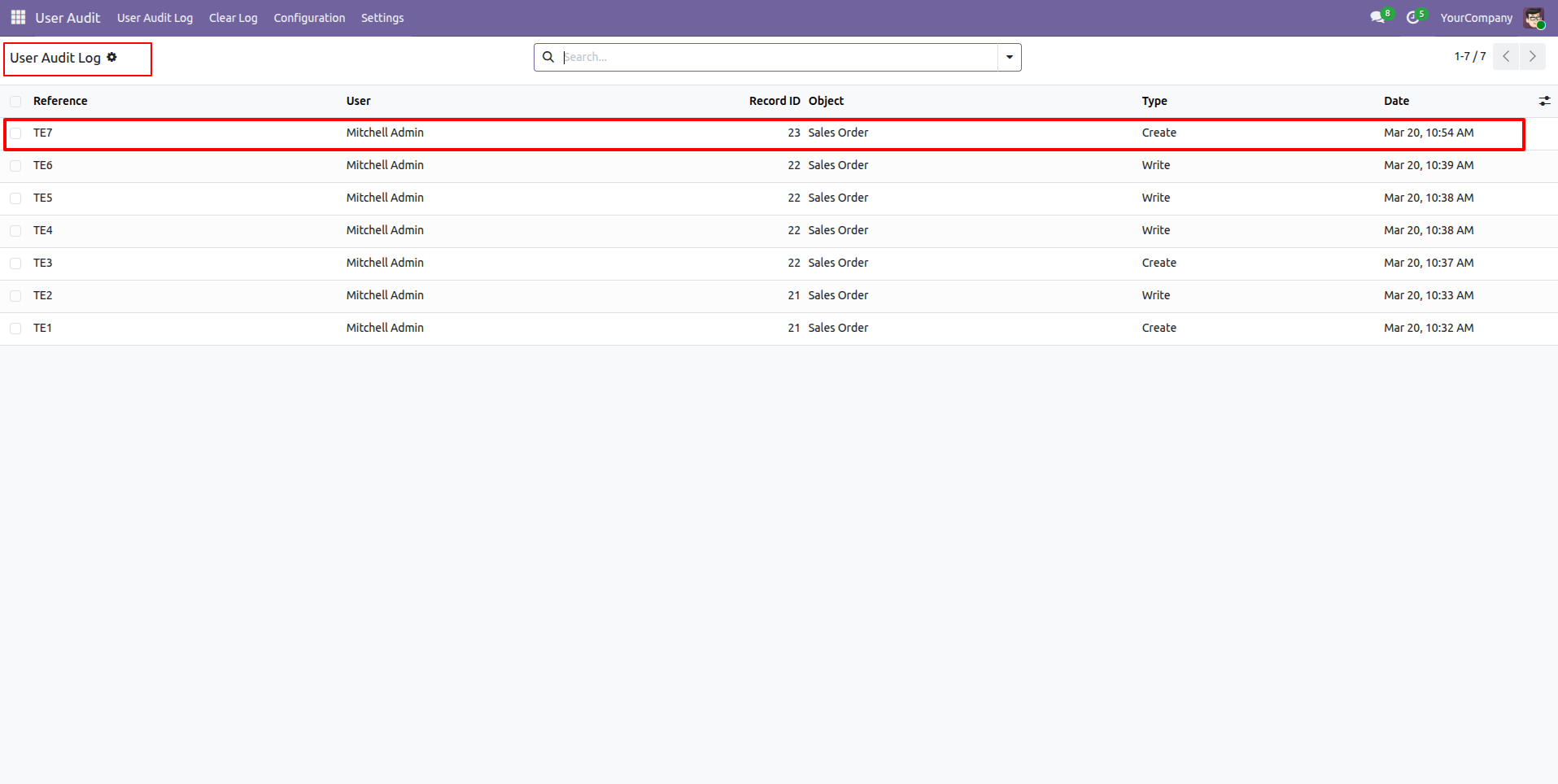
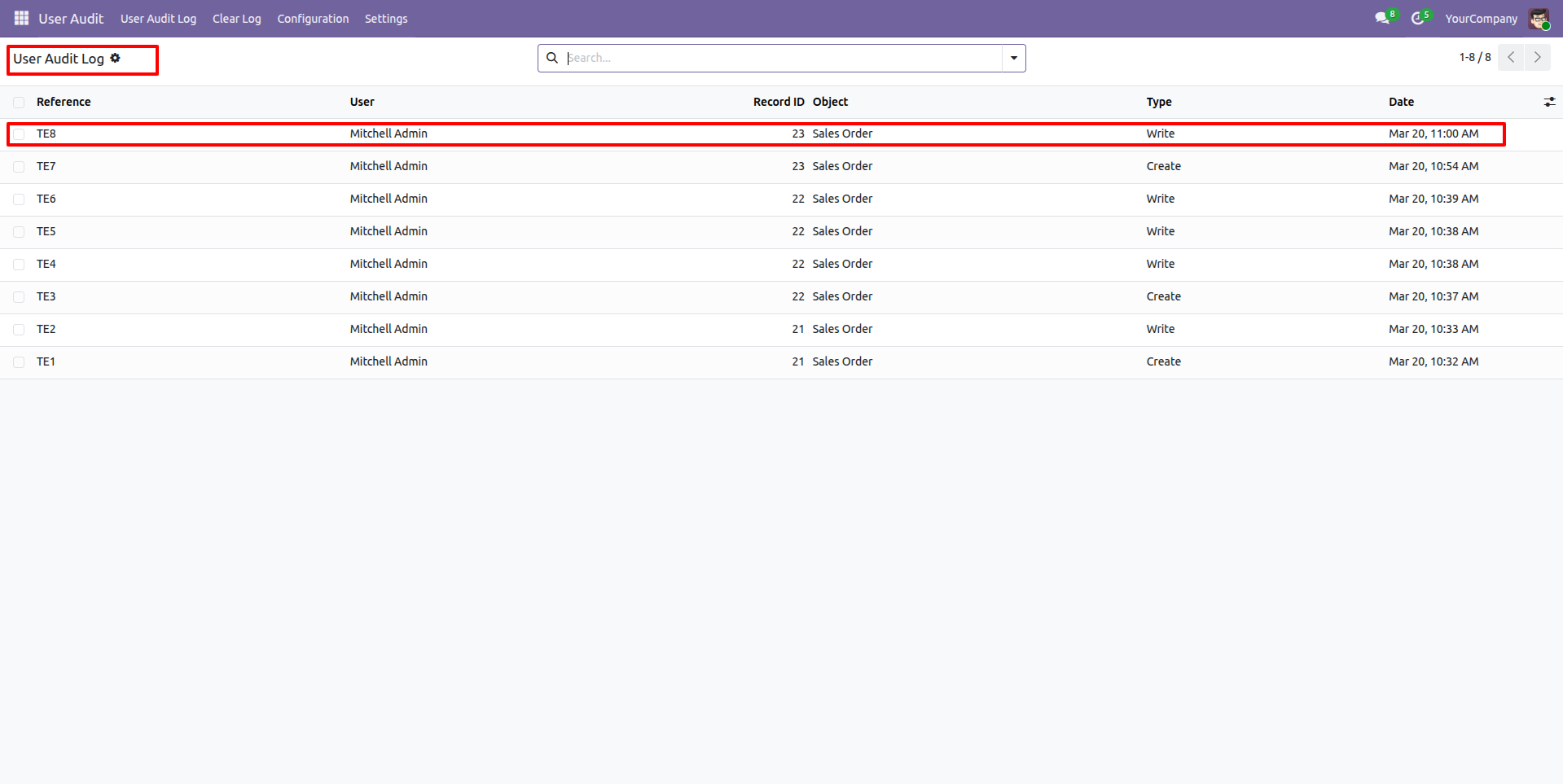
All details can be viewed directly in the User Audit Log tree view.
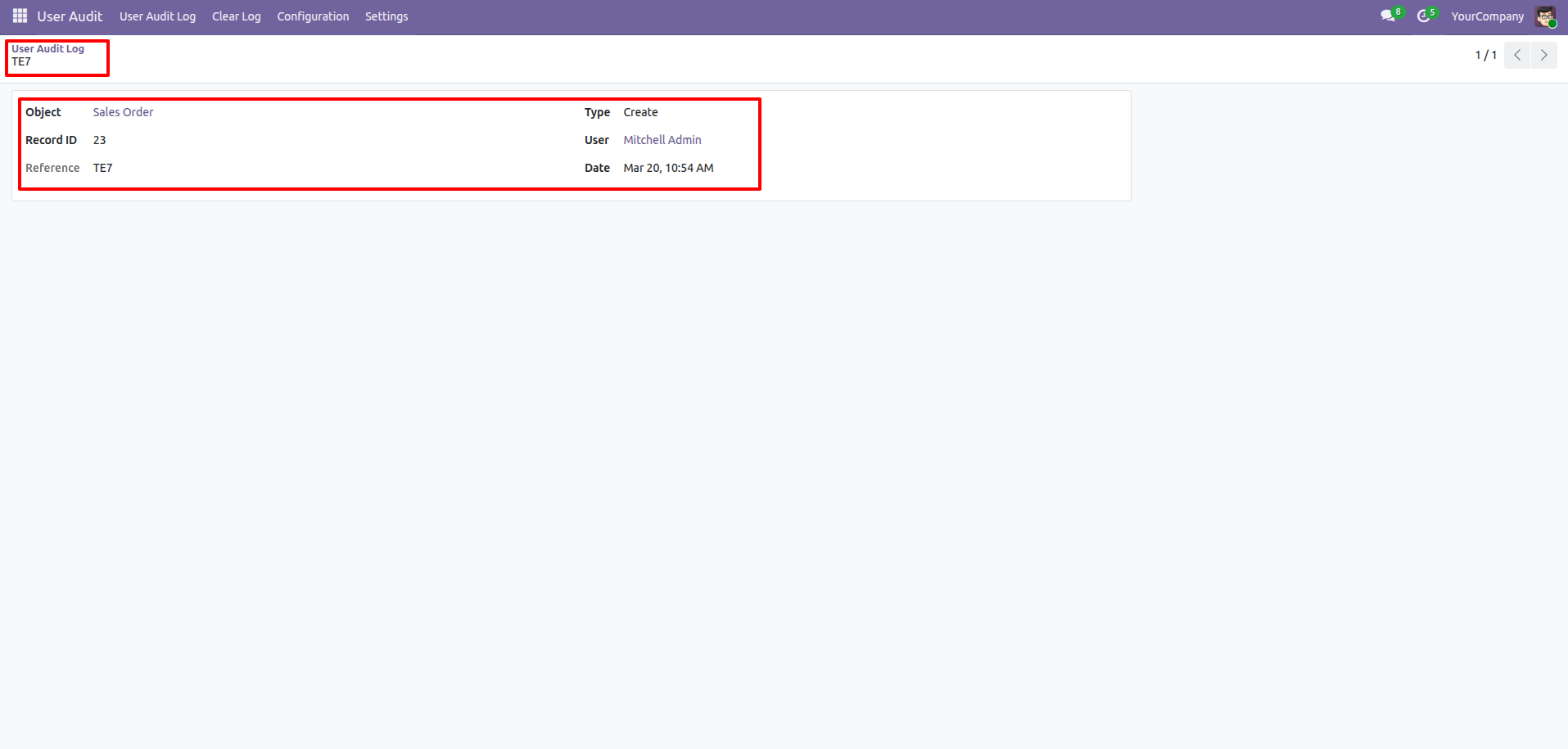
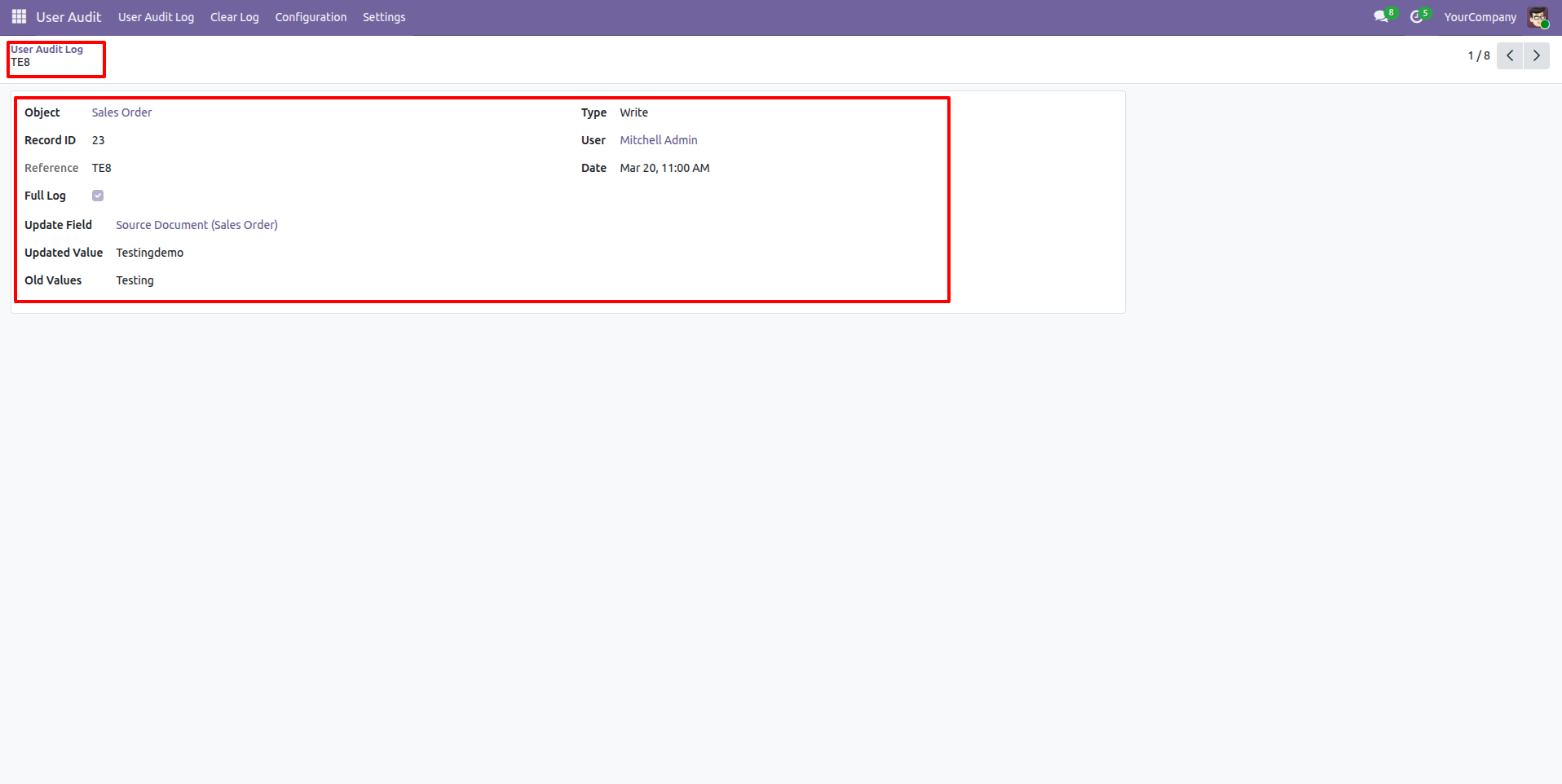
Form view of the User audit log.
You can see all the updated logs in the chatter.
All details can be viewed directly in the User Audit Log tree view.
Form view of the User audit log.
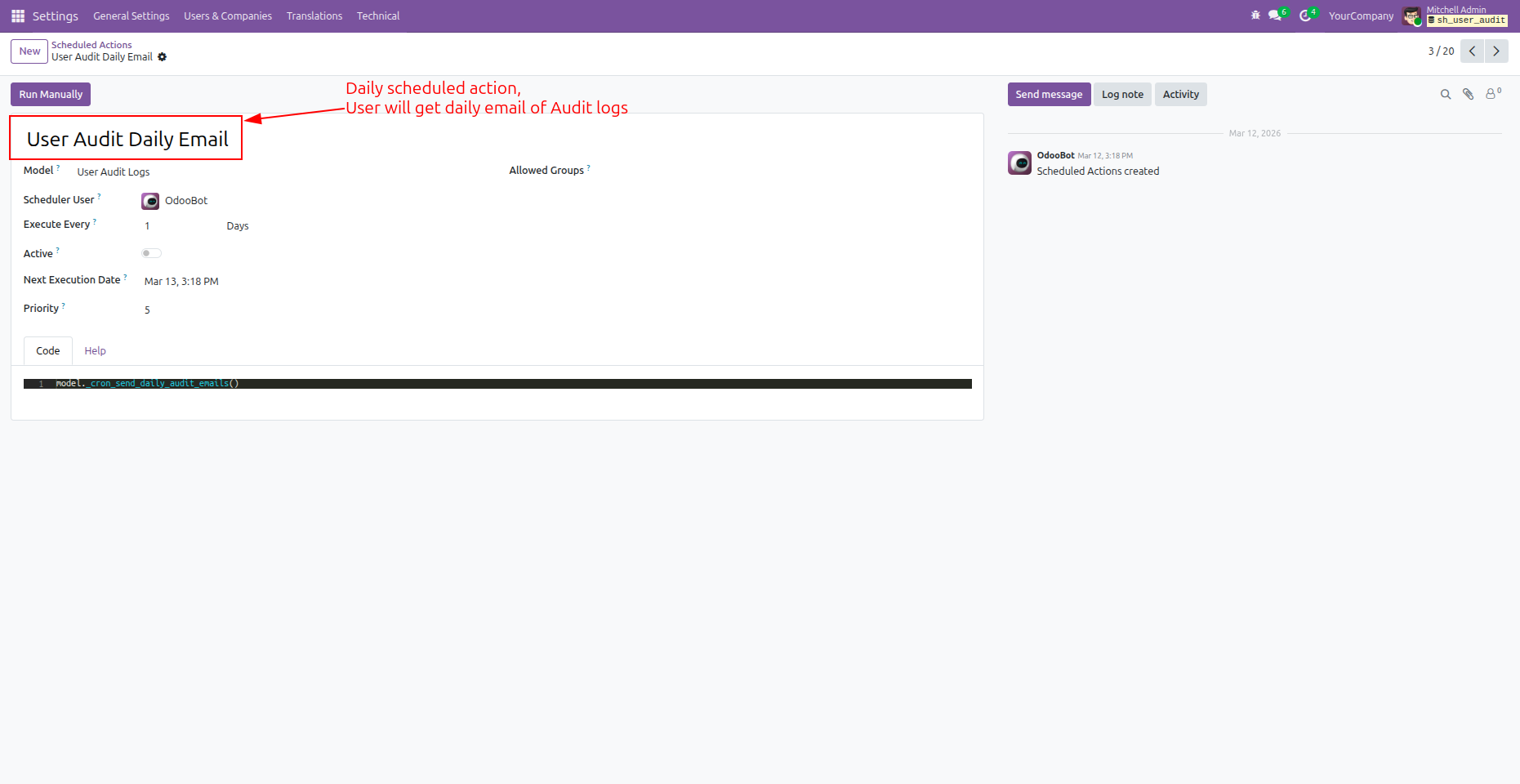
User Audit Log Email Notification
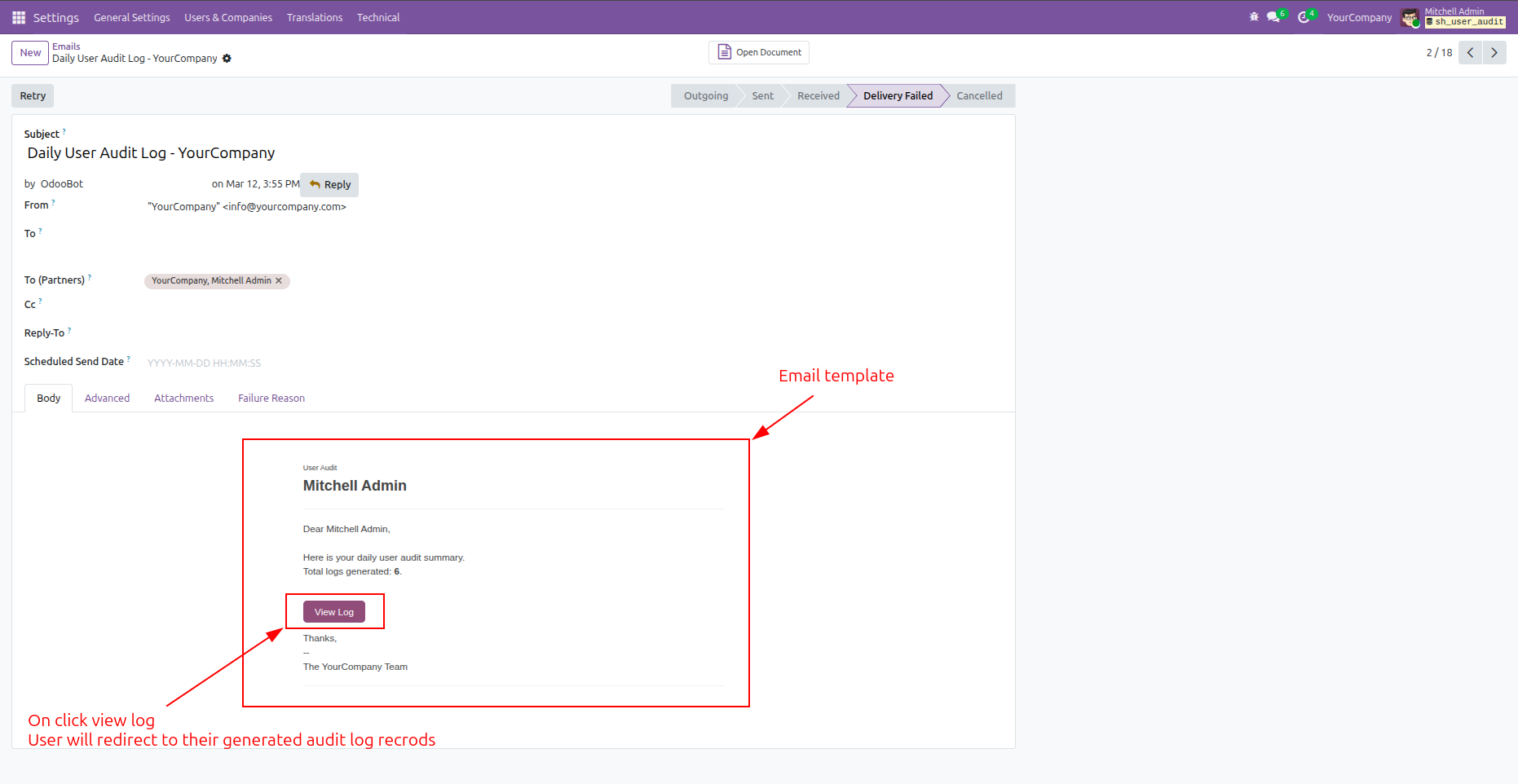
You can run manually or schedule for email notification.
Click the 'View Log' button in the email to open the log.
Version 20.0.1.0.0 | Released on : 15th September 2026
- Yes, this app works perfectly with Odoo Enterprise (Odoo.sh & Premise) as well as Community.
- No, this application is not compatible with odoo.com(odoo saas/Odoo Online)
- Yes, to test this module, please contact us at sales@softhealer.com.
- Please contact us at sales@softhealer.comto request customization.
- Yes, we provide free support for 365 days from the date of purchase.
- Yes, you will receive lifetime free updates for the version of the module you purchased.
- No, there is no need to install any additional libraries.
- Yes, for version 12 and above, you need to purchase the module separately for each version you intend to use.
- No, exchanges or refunds are not allowed. Please make sure to select the correct version before purchasing.
- You can contact us at support@softhealer.com for language translation support. We use Google Translator tools to provide translations in multiple languages, so the accuracy may vary. We welcome your suggestions to help improve translations.
Discover Our Latest Apps