












Unpaid Invoice Auto Email

This module is useful for sending reminders to customers with unpaid invoices. Here, you can send email notifications for unpaid invoices. It's easy to set reminders for unpaid invoices due before or after a specified number of days. For example, you can send reminders to the customer three days before the invoice due date. You can easily create reminders as you see fit, either manually or using a cron job. You can also view the reminder history in your email. After enabling the 'Don't Send Unpaid Email Notification' option, you can stop sending email notifications for unpaid invoices to specific customers.

Related Modules
Hot Features
Features
- Easy to notify customers about unpaid invoices.
- It's easy to disable email notifications for a particular customer. Just check the 'Don't Send Unpaid Email Notification' option.
- You can also view the reminder history in your email.
- It's easy to send unpaid invoice notifications using different email templates.
- You can send unpaid invoice email notifications on the invoice date or the due date.
- You can send email notifications for unpaid invoices.
- You can set reminders as you desire.
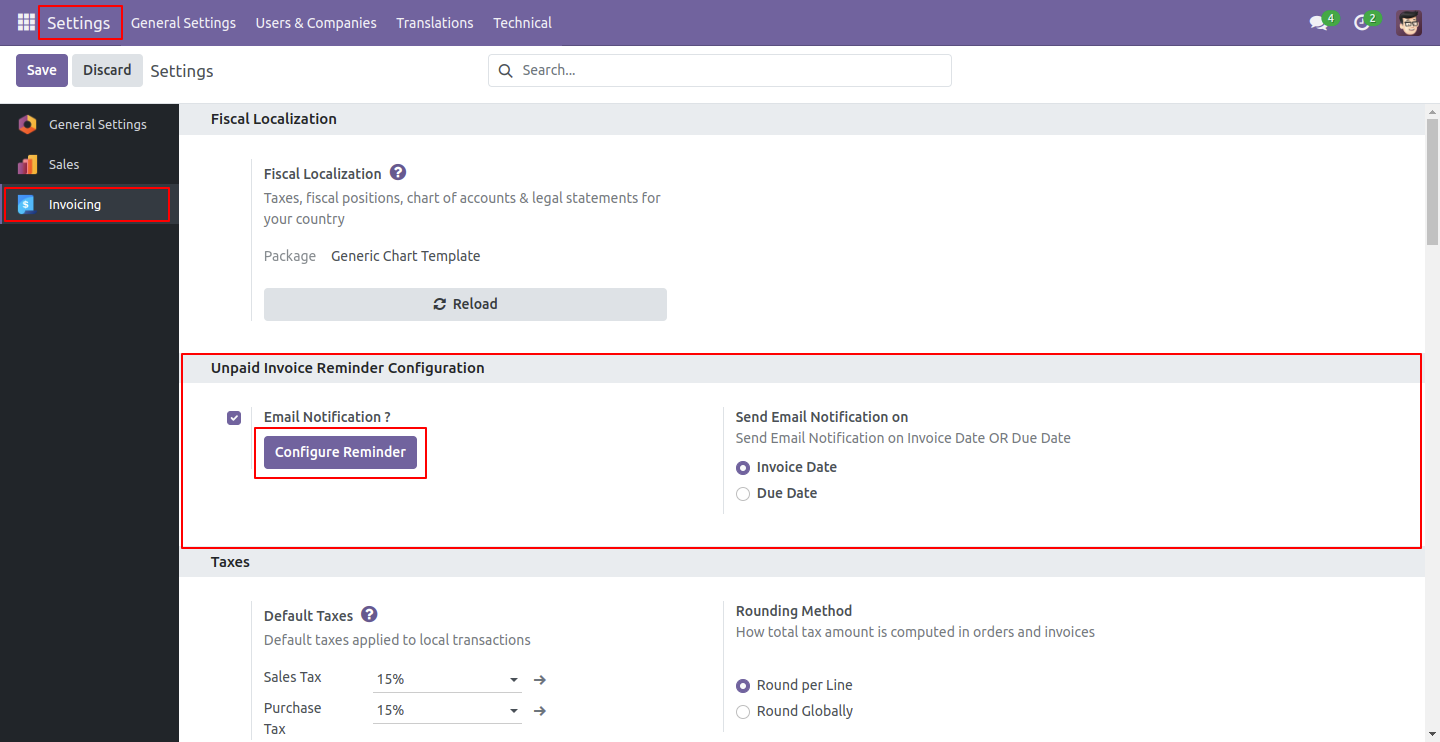
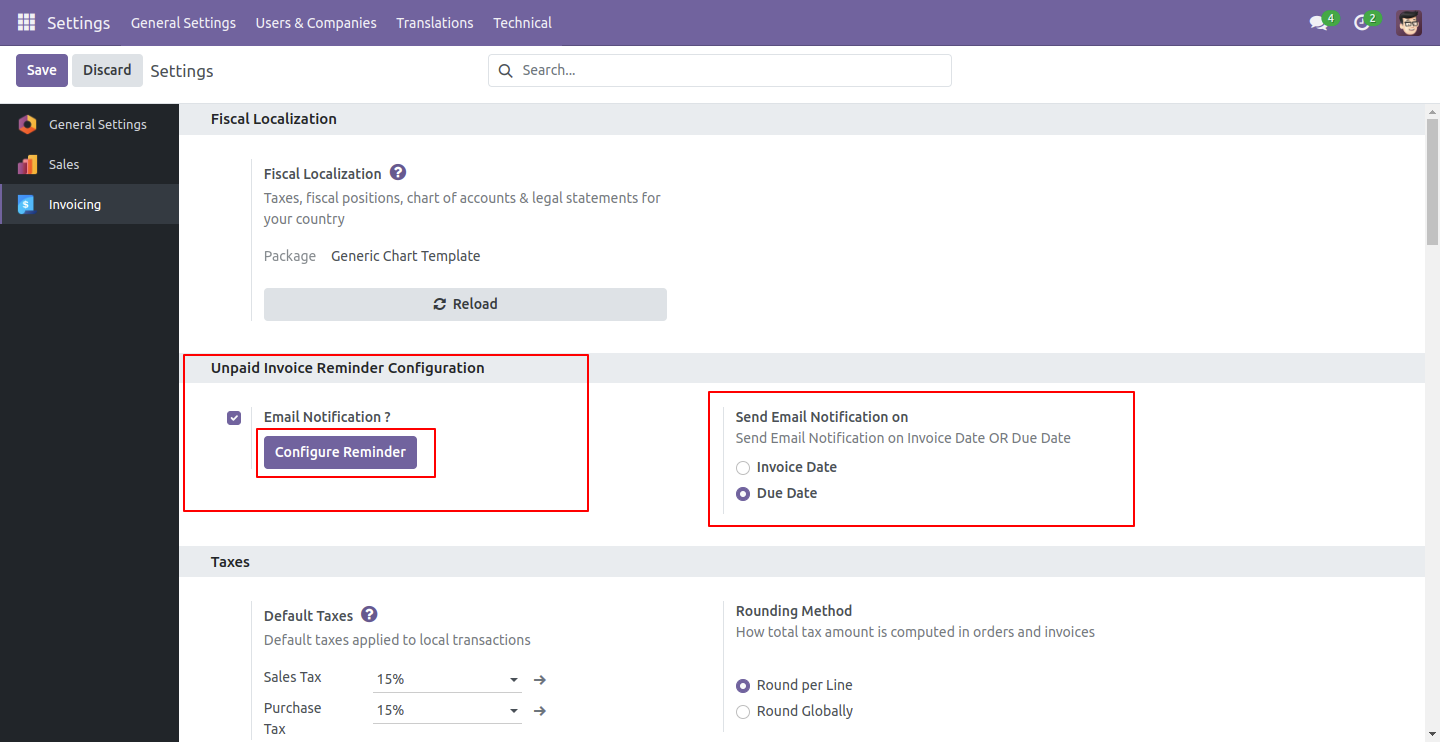
Go to 'Invoice' => 'Configuration,' and in the settings, enable email notifications by setting it to 'true.' Then, click the 'Configure Reminder' button to set up due day reminders.
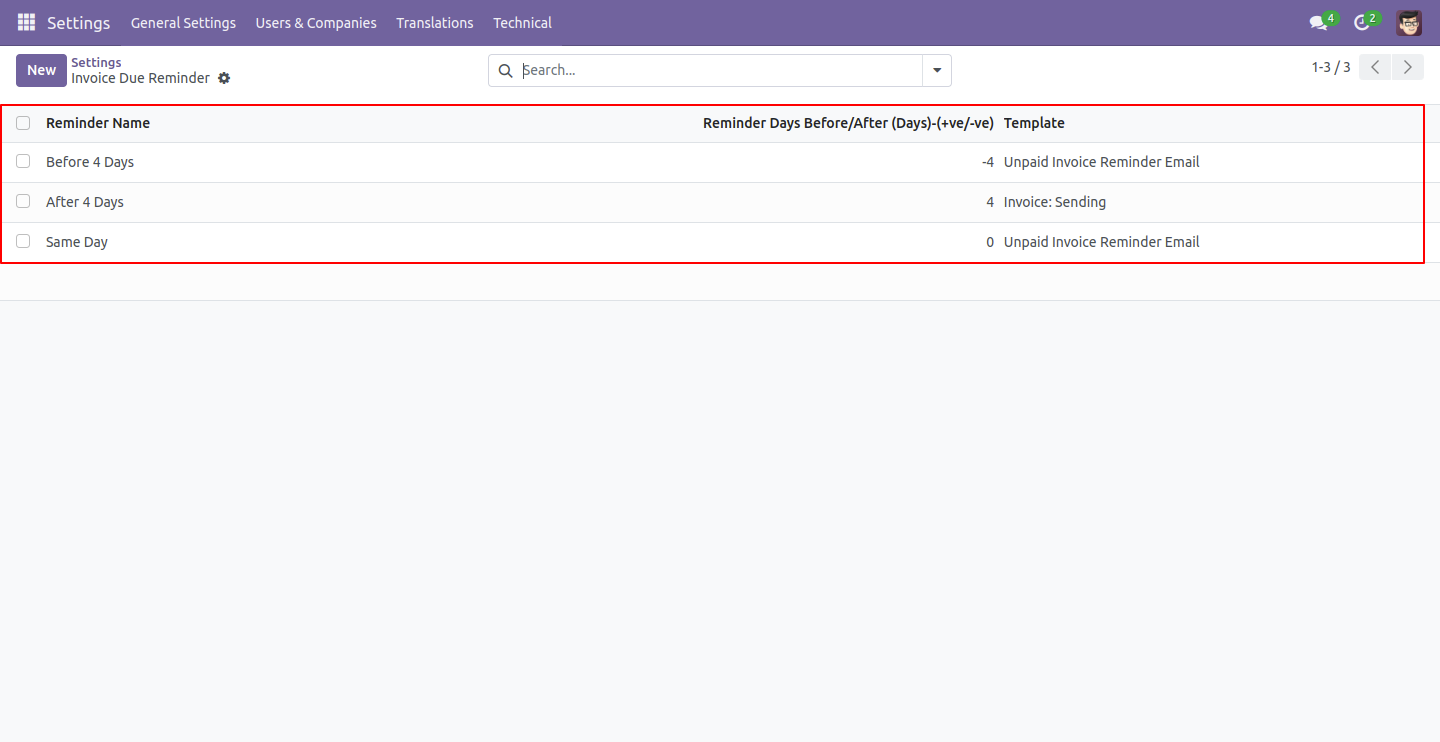
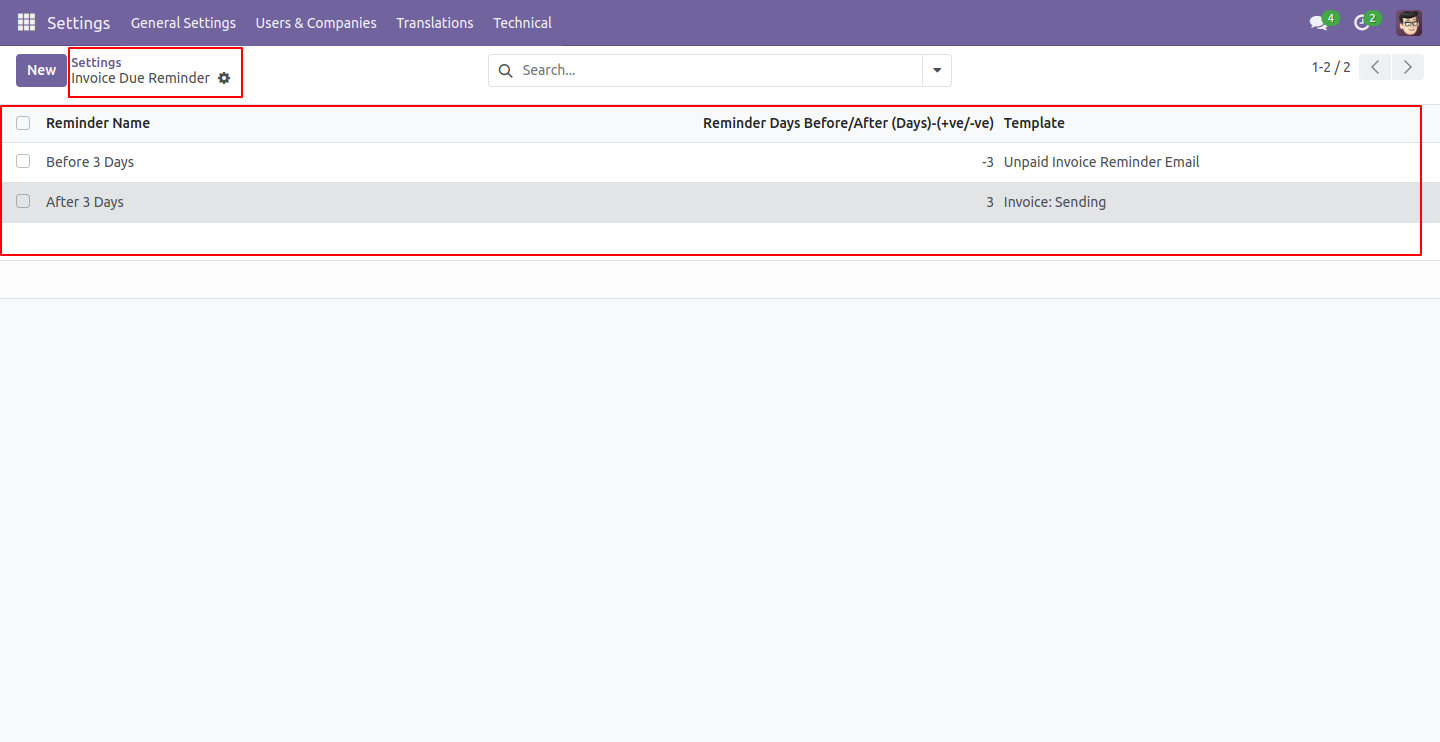
The due reminder list view looks like below.
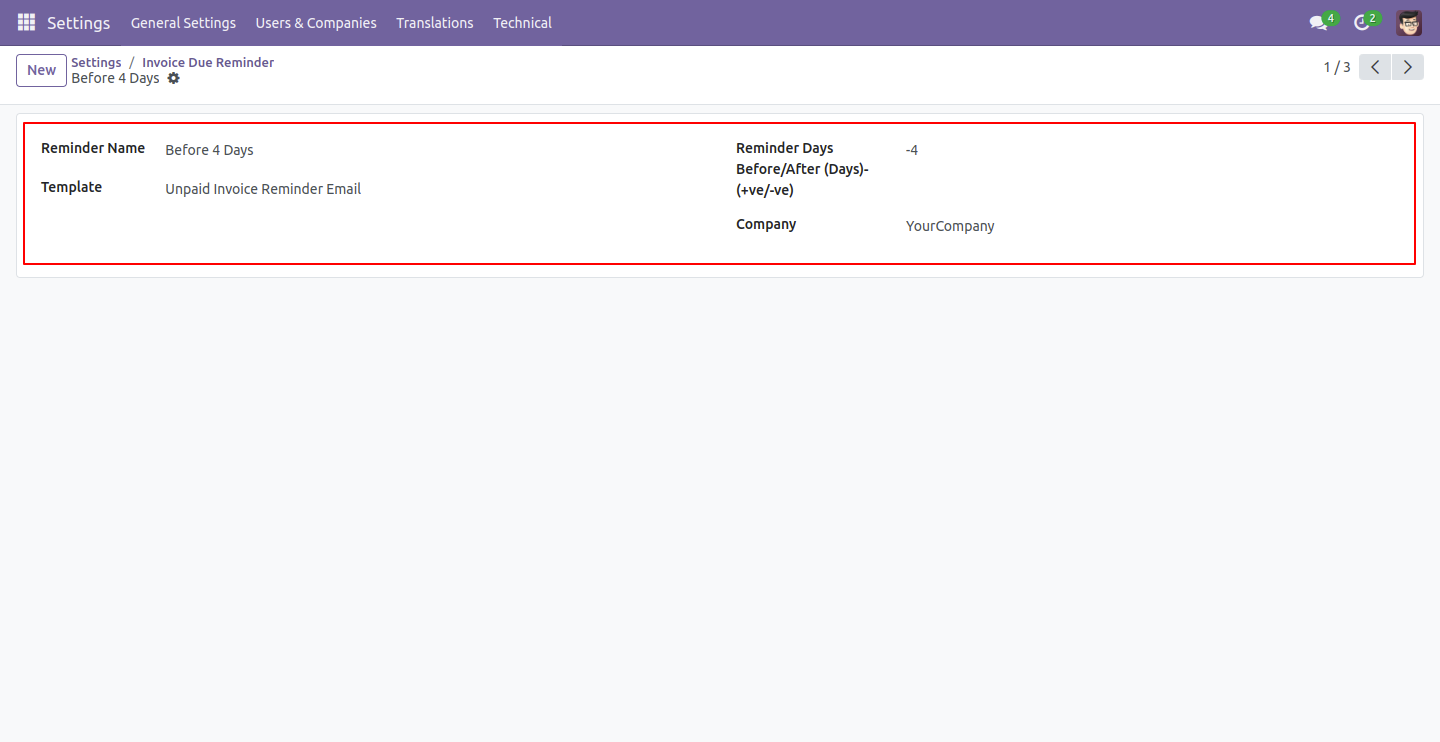
Click the 'Create' button, enter a reminder name, and set the number of days for unpaid invoice reminders.
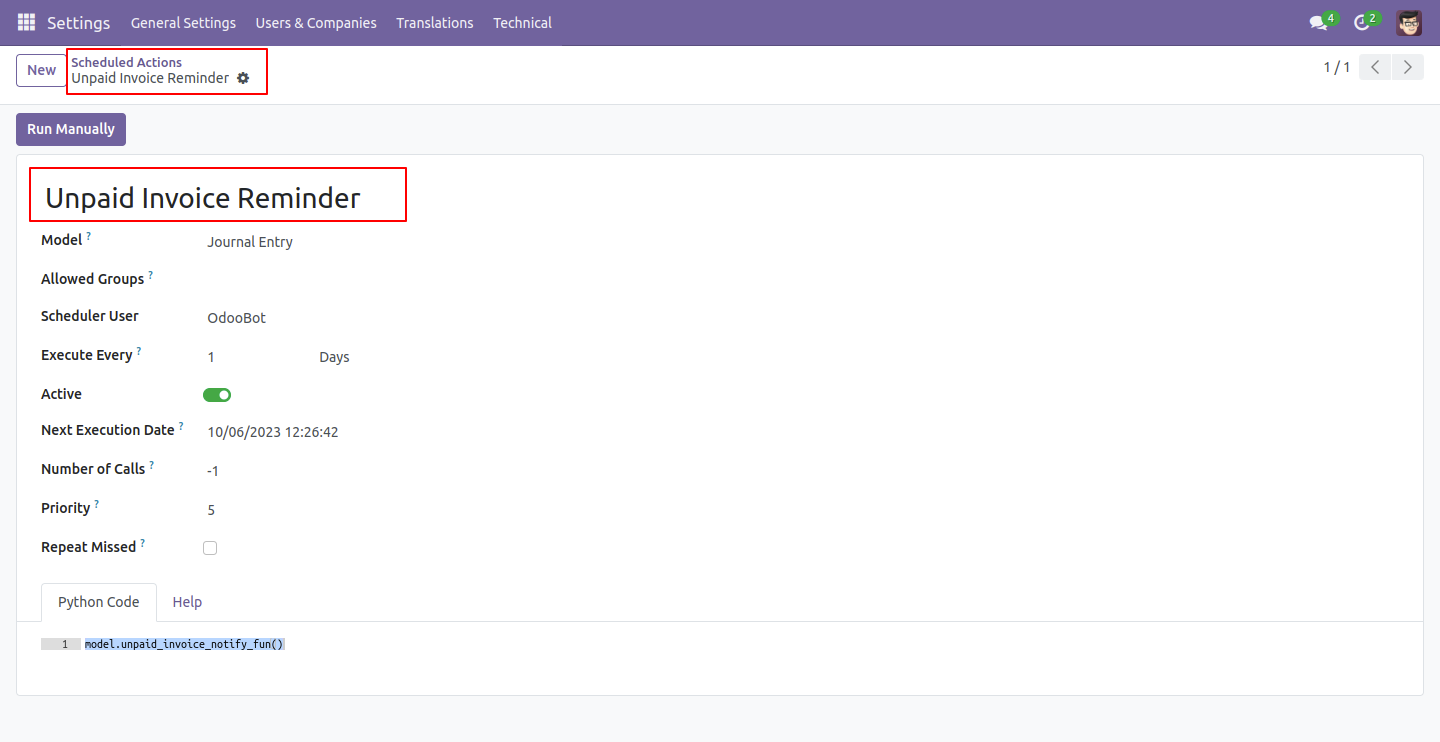
Schedule cron job information as below. Please take care to change execution. It's possible to affect to your reminders if it's not expecting every day.
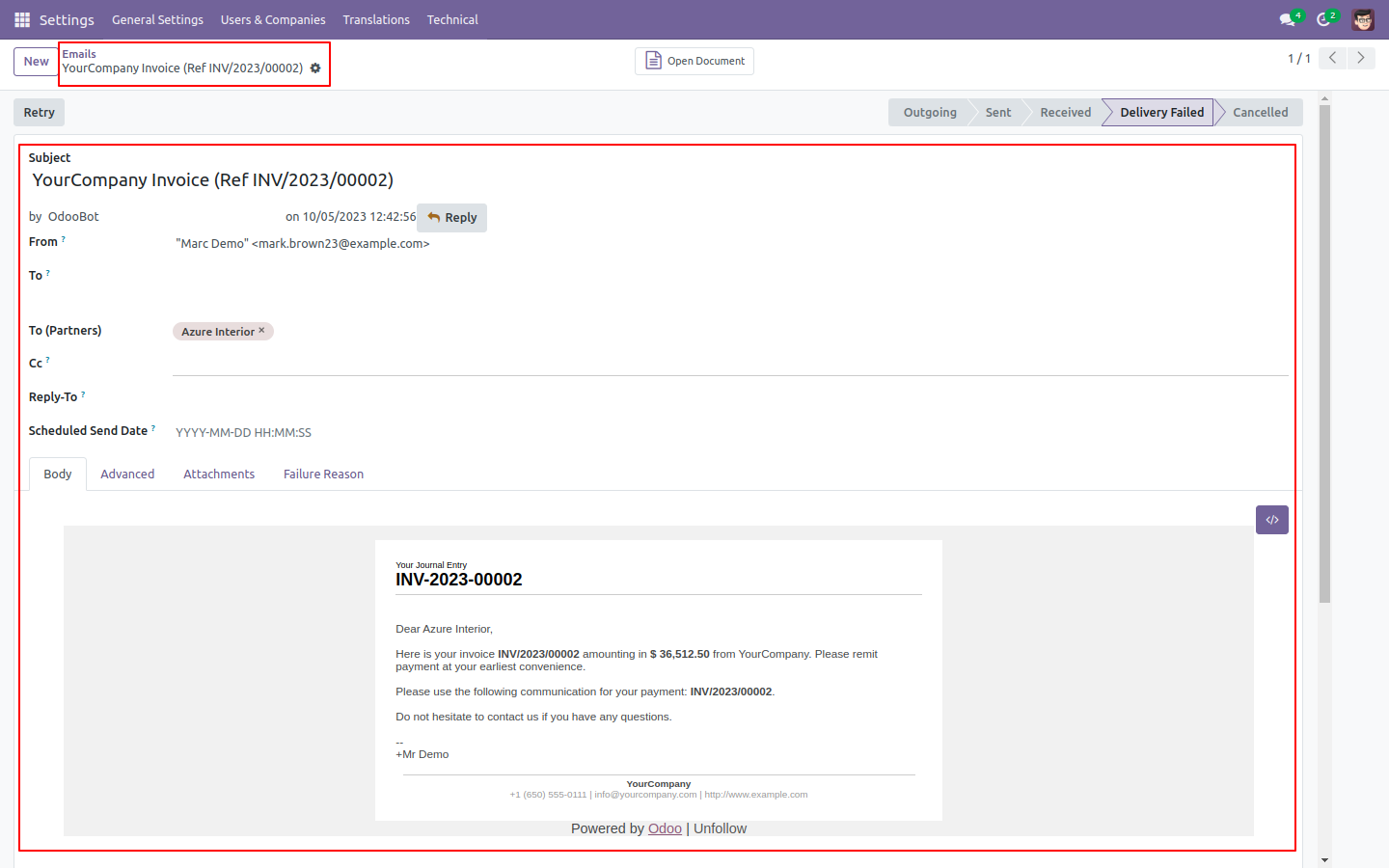
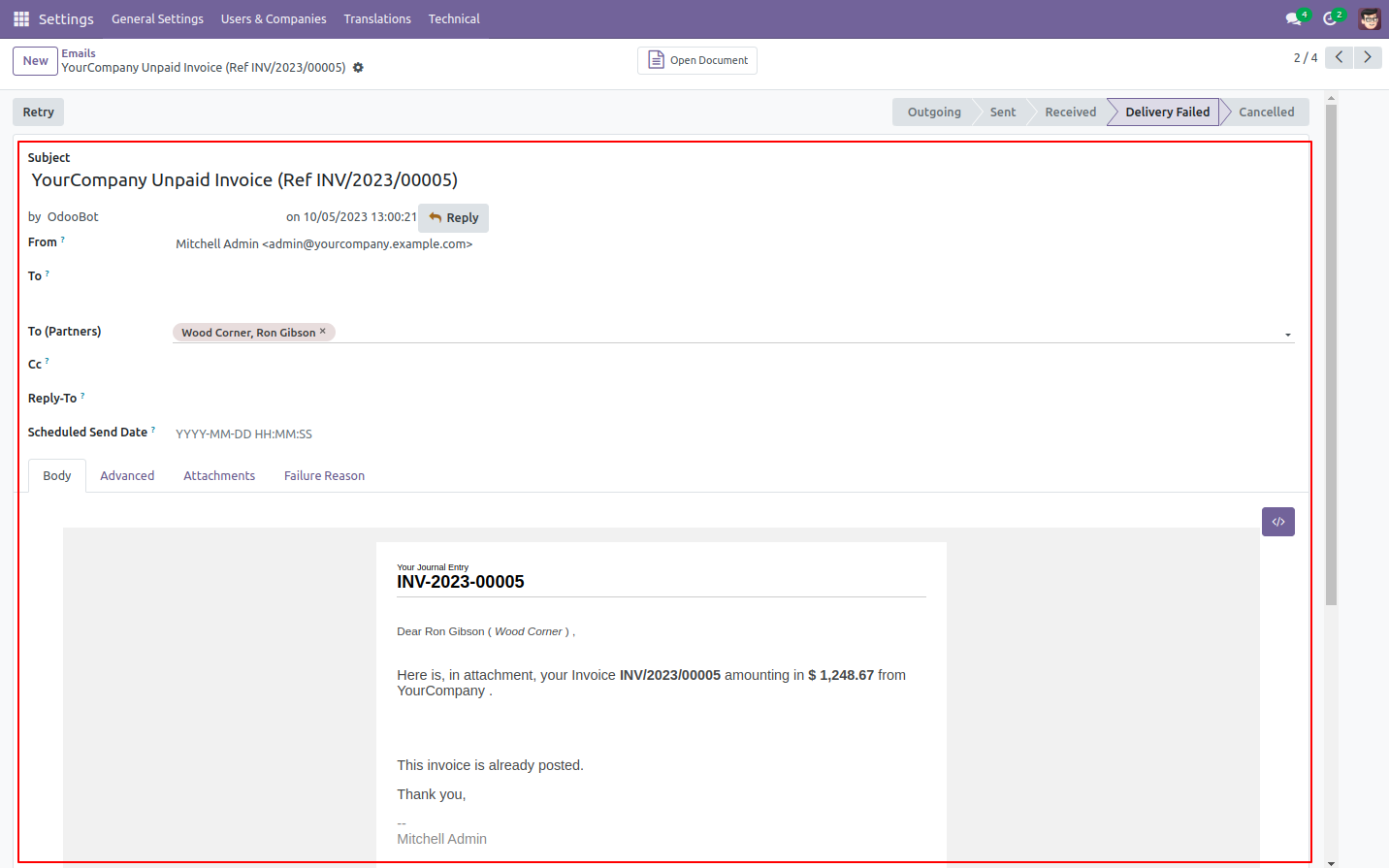
The unpaid invoice email looks like below.
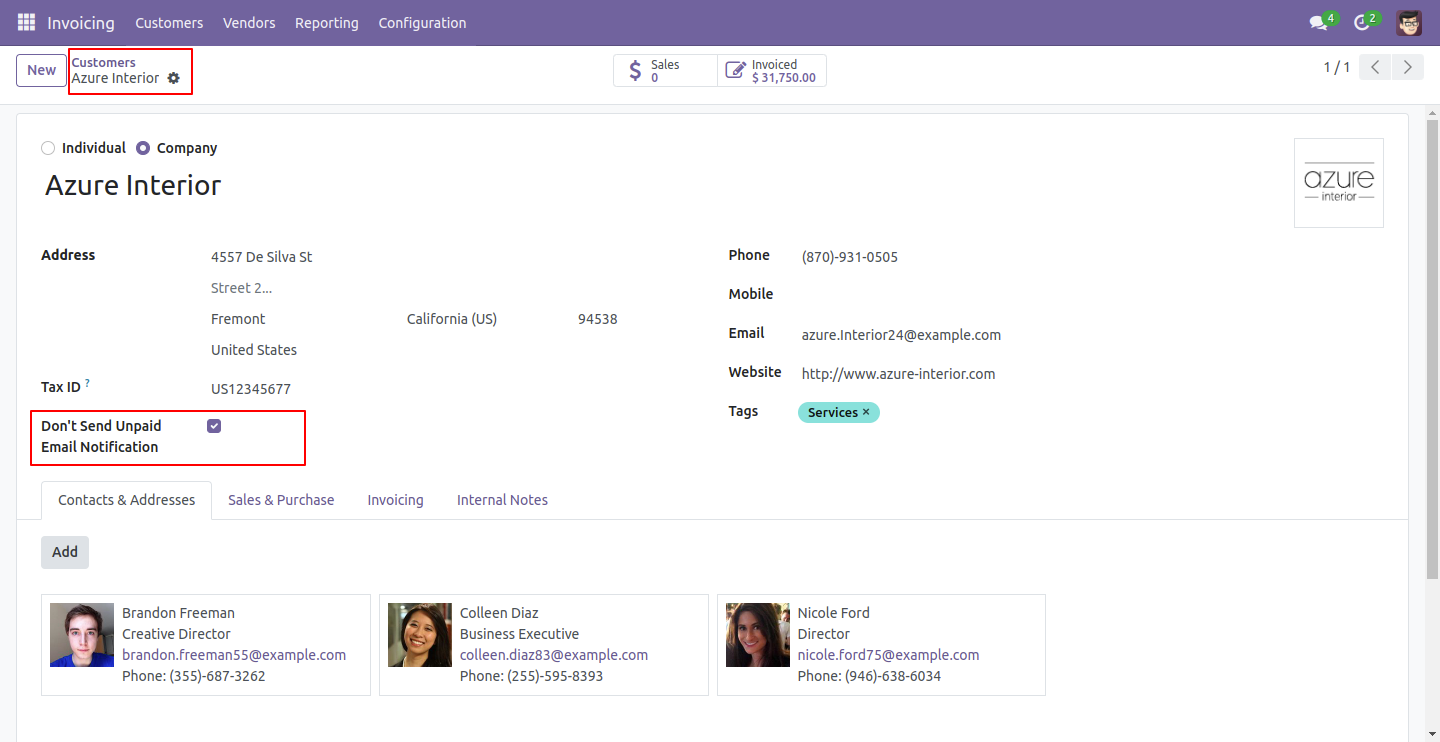
If you want to avoid sending customers notifications, then check 'Don't send unpaid email notification' so that customers will not receive overdue invoice emails.
You can view the reminder history from the invoice.
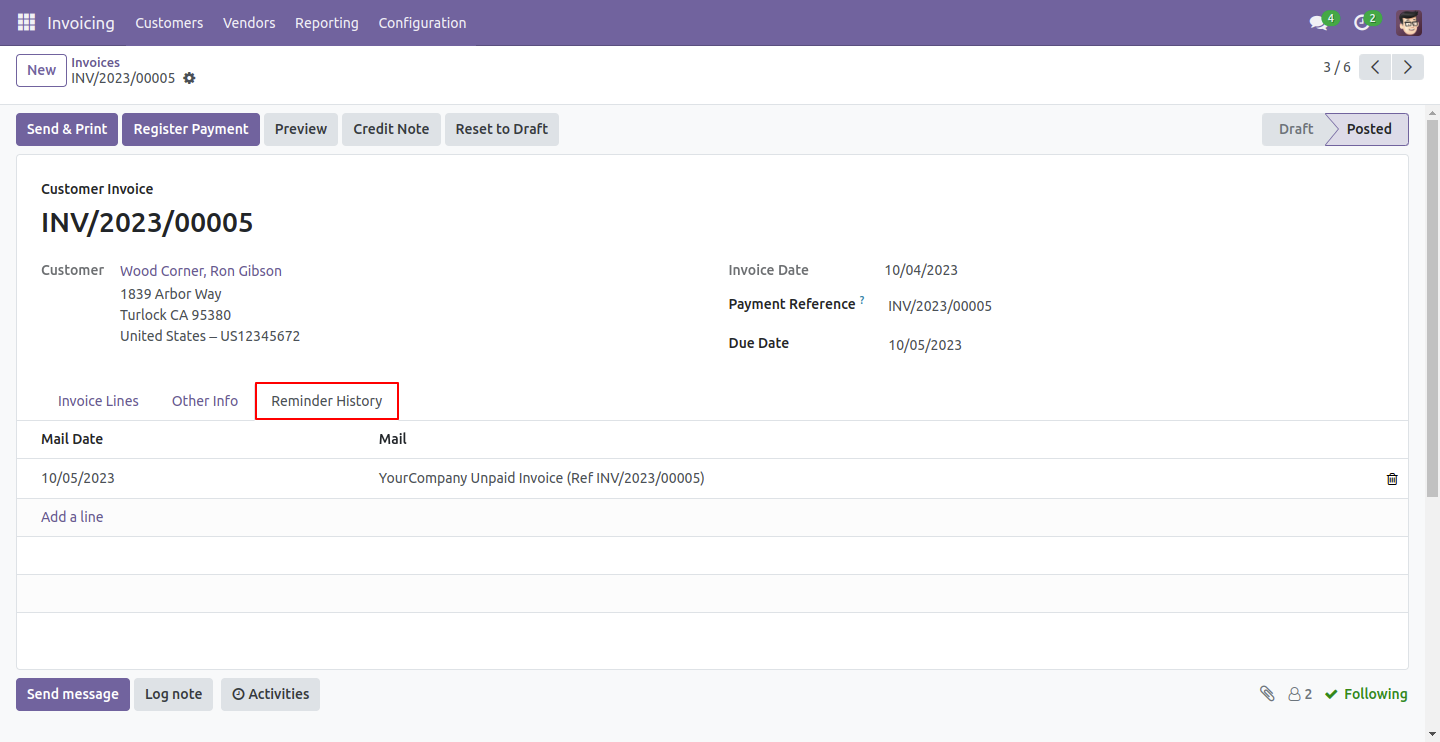
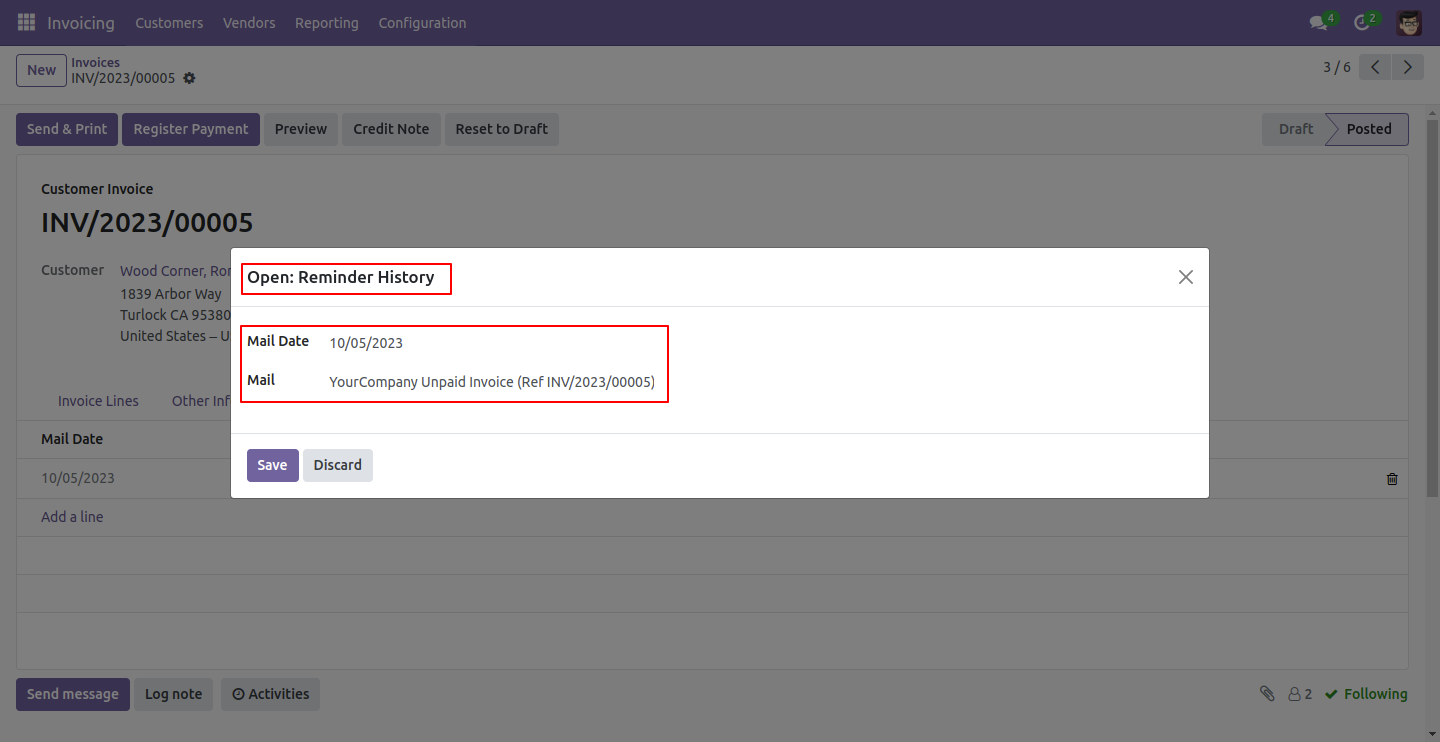
If you open the reminder history, it will show notifications for viewing emails.
The unpaid invoice email looks like below.
Go to 'Invoice' => 'Configuration.' In the settings, set 'Email Notification' to 'true' to enable email notifications. Then, press the 'Configure Reminder' button to set up the reminder. You can send email notifications based on the invoice date or the due date. In this case, we choose 'Due Date' to send an email notification.
The due reminder list view looks like below.
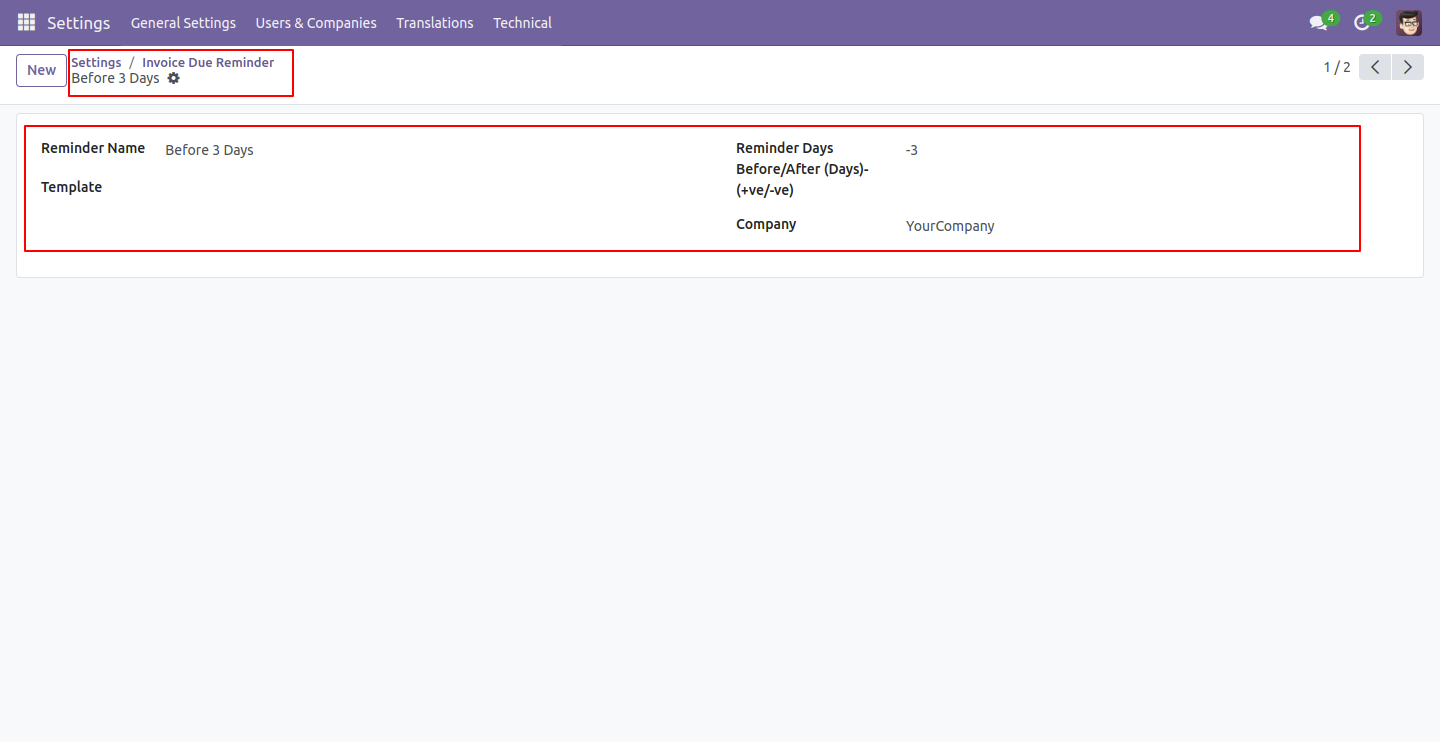
Press the 'Create' button and enter a reminder name, reminder days, and a template to set up unpaid invoice reminders. You can either create a template or select one from here.
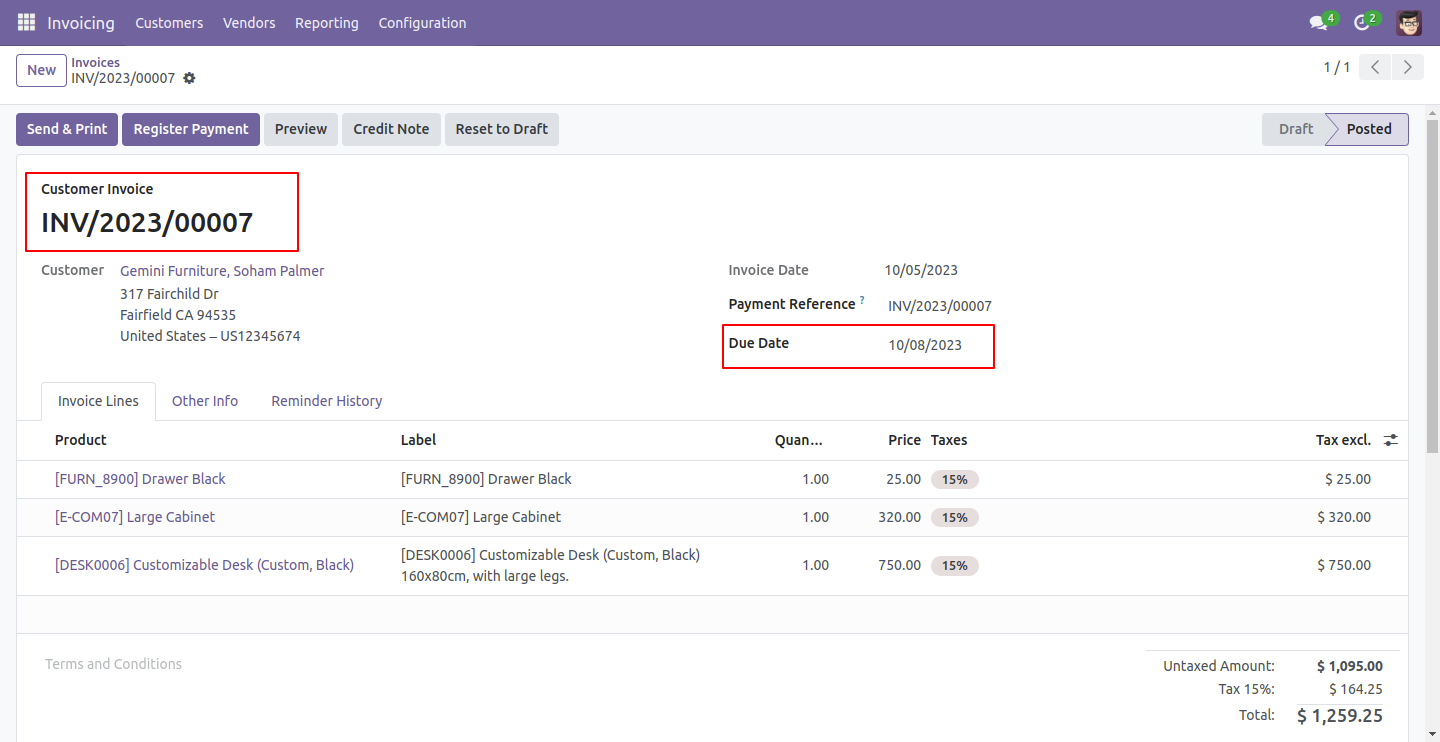
You can see the invoice due date.
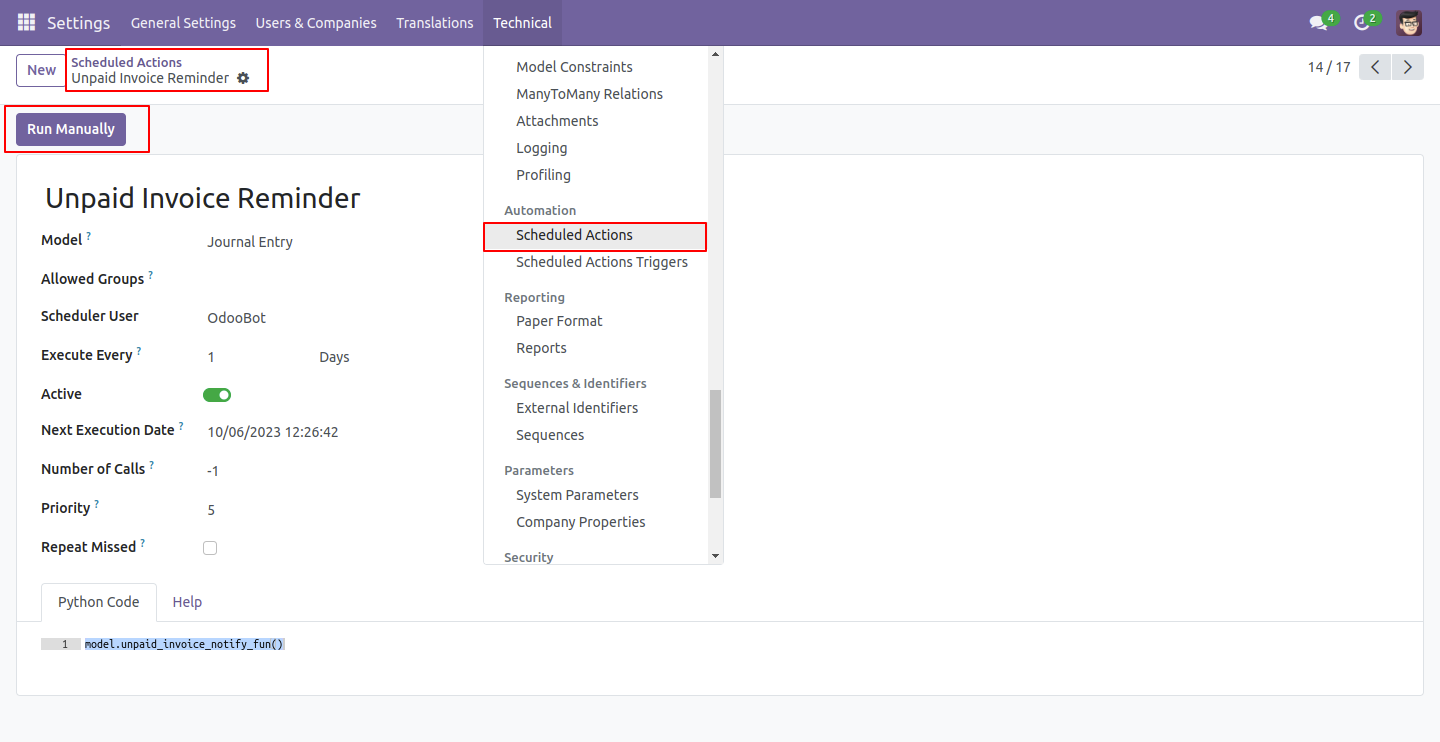
Now, go to the scheduled actions and run them manually.
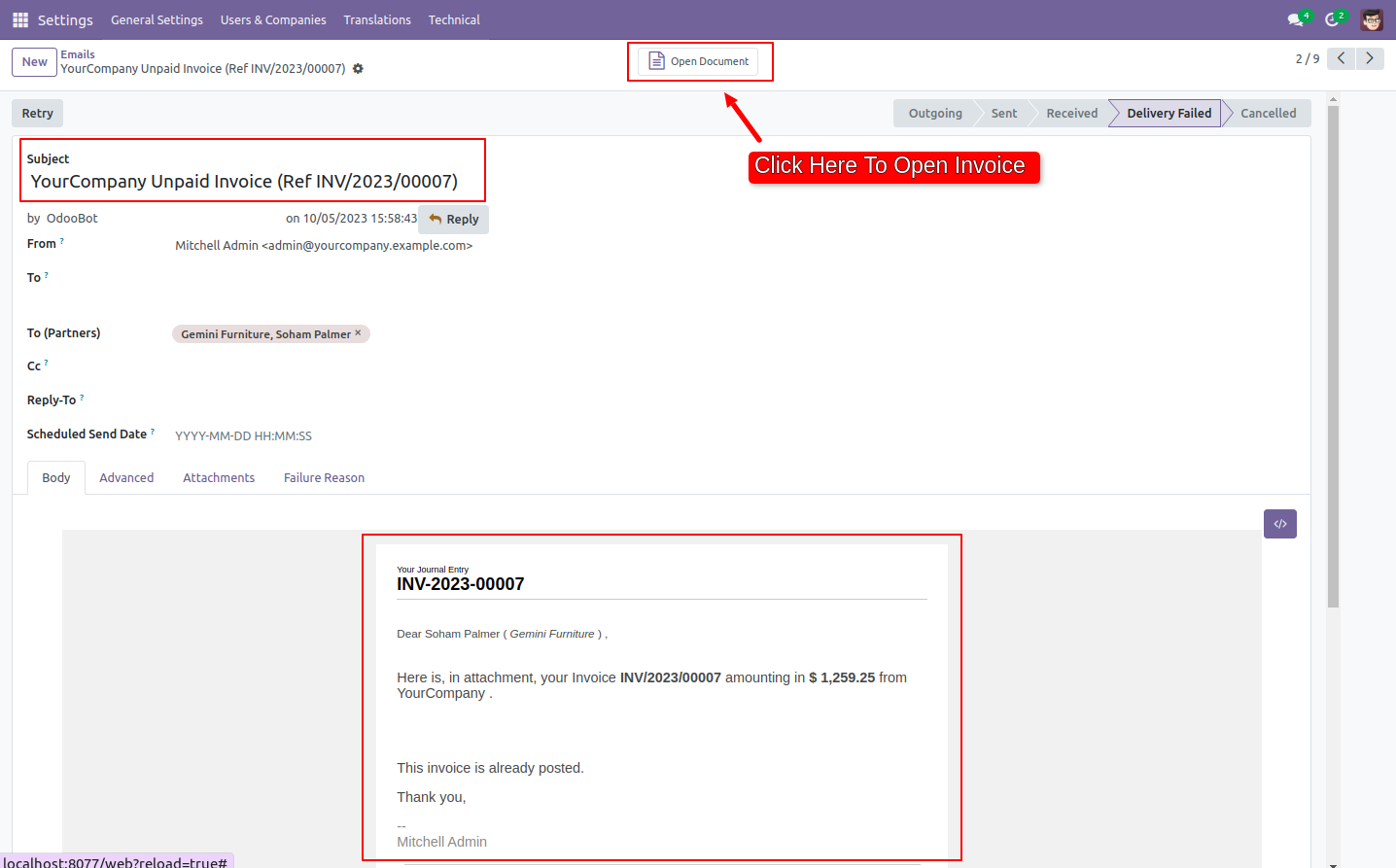
The unpaid invoice email looks like below.
You can view the reminder history from the invoice.
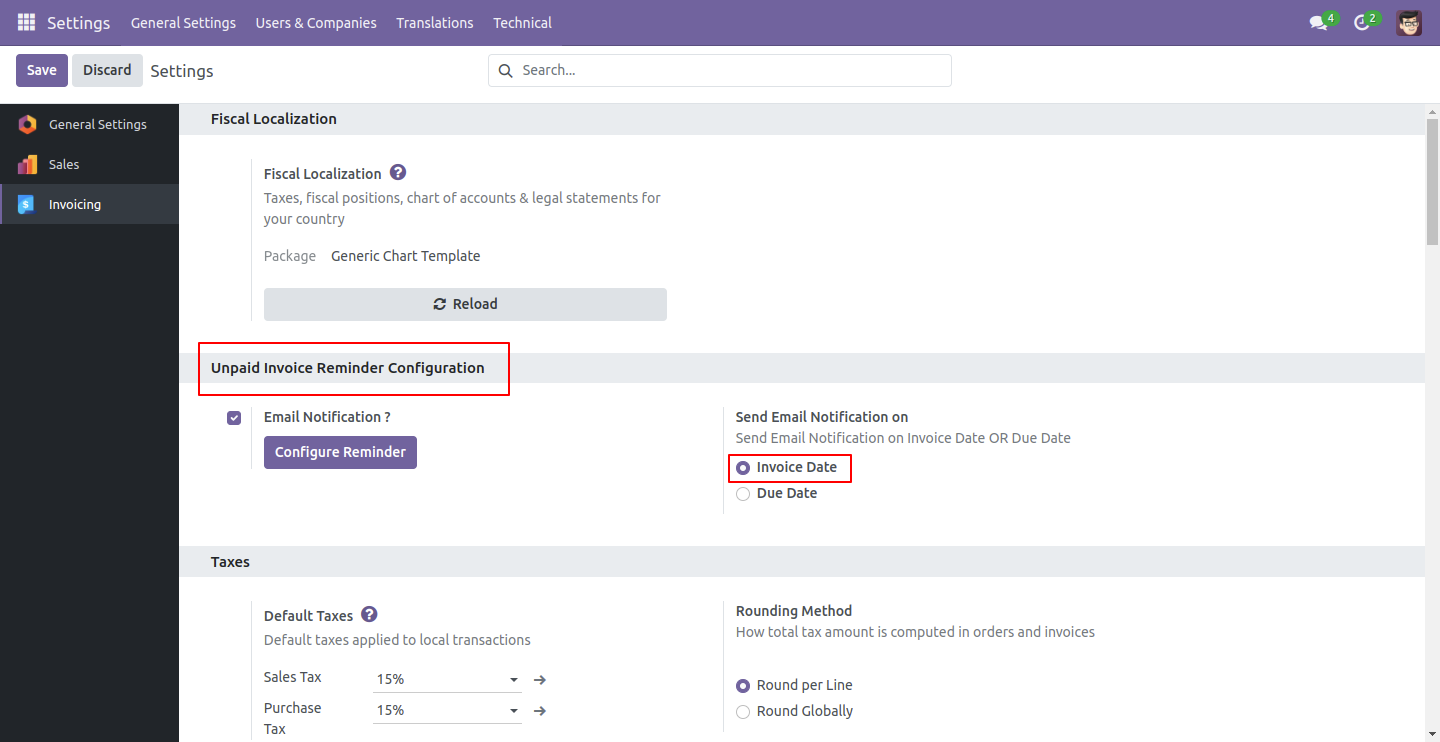
Now, we are sending email notifications based on the invoice date. To do this, go to 'Invoice' => 'Configuration,' and in the settings, set 'Email Notification' to 'true' to enable email notifications. Press the 'Configure Reminder' button to set up the reminder. In this case, we have chosen 'Invoice Date' to send email notifications.
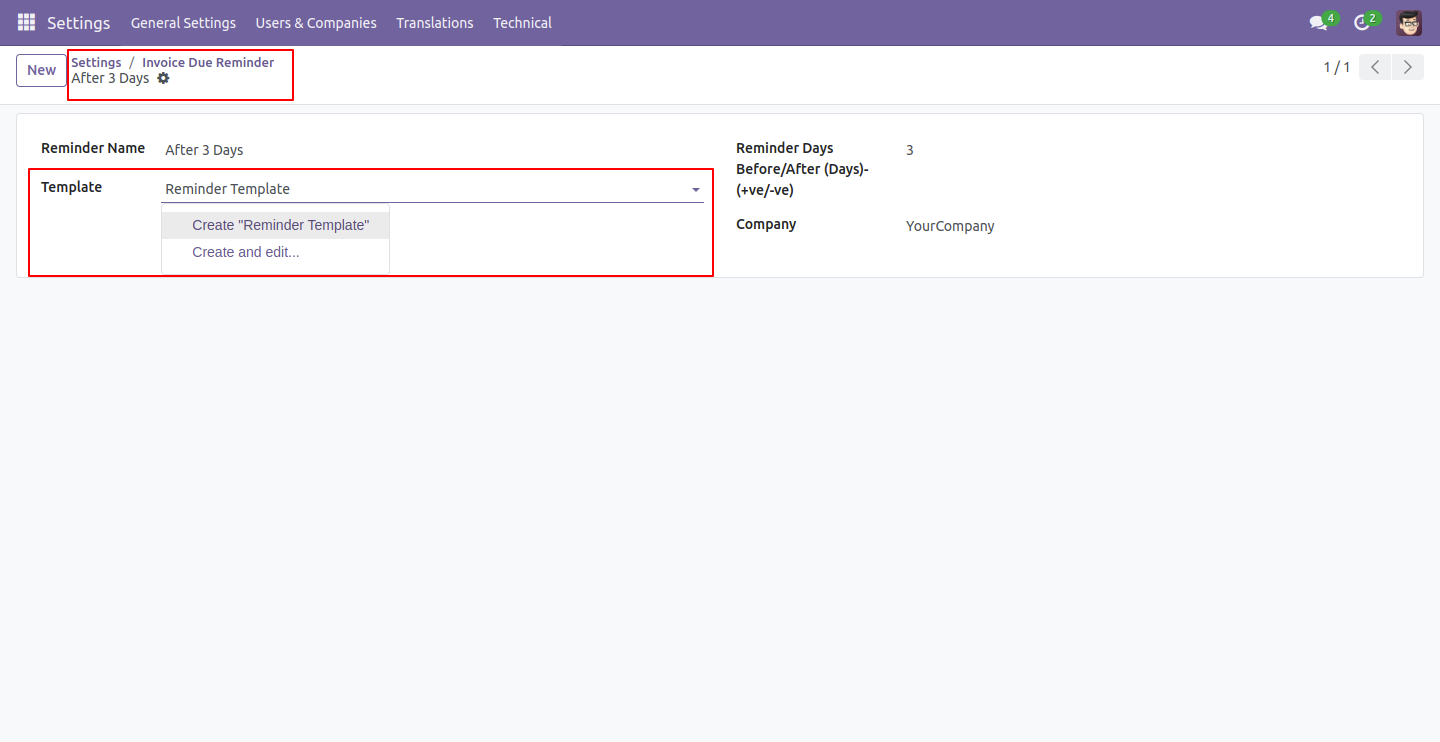
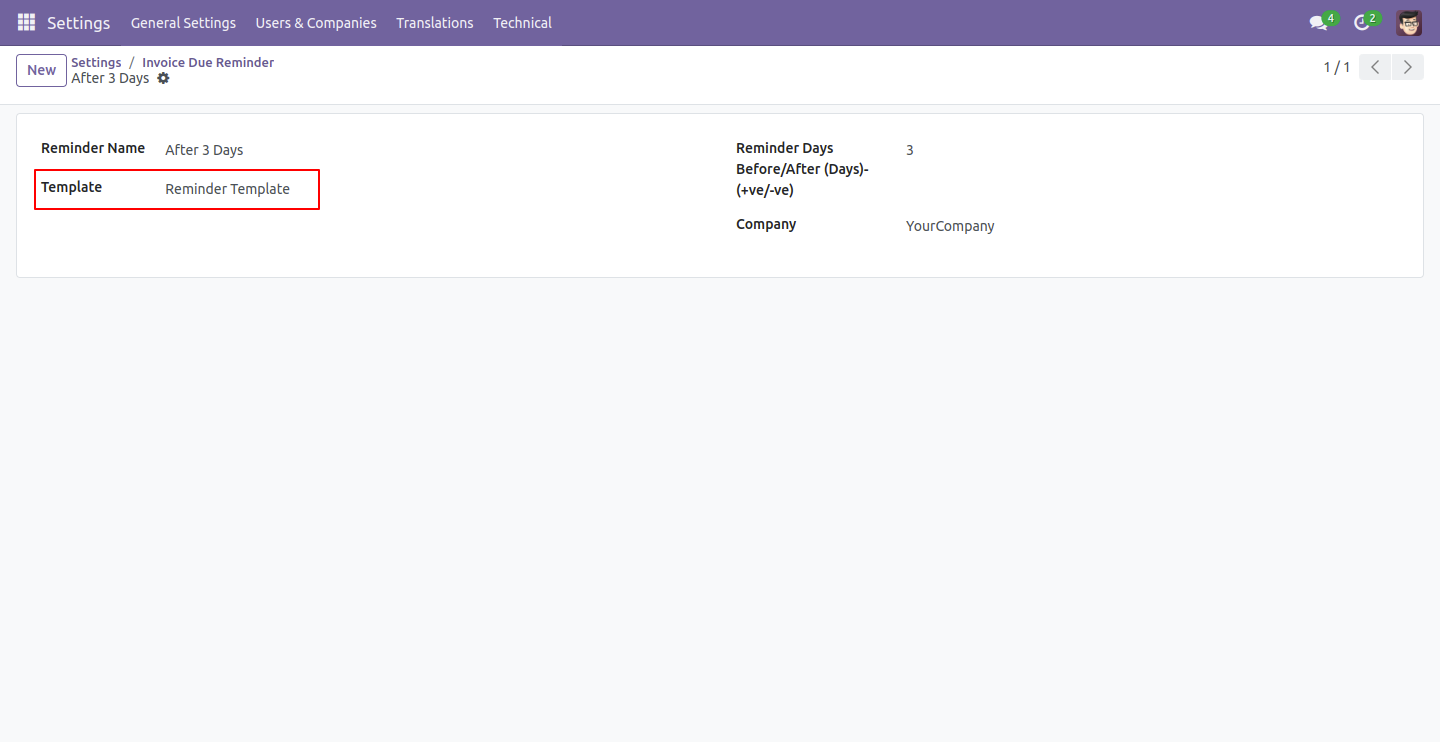
We are creating a reminder, so please provide a reminder name, reminder days, and a template to set up unpaid invoice reminders. You can either create a new template or select one from here. We are creating a new template here.
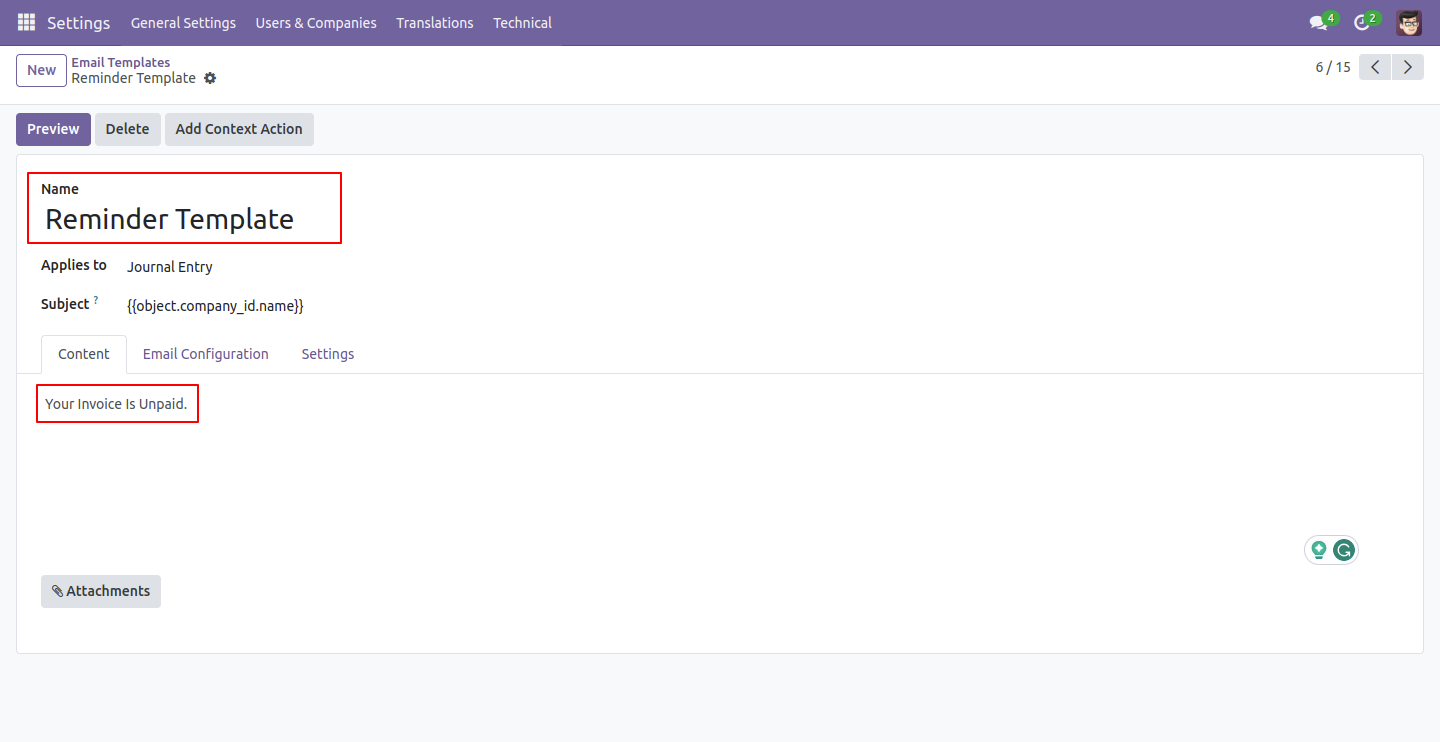
Form view of the email templates. Write a name of the template and content.
Form view of the invoice due reminder.
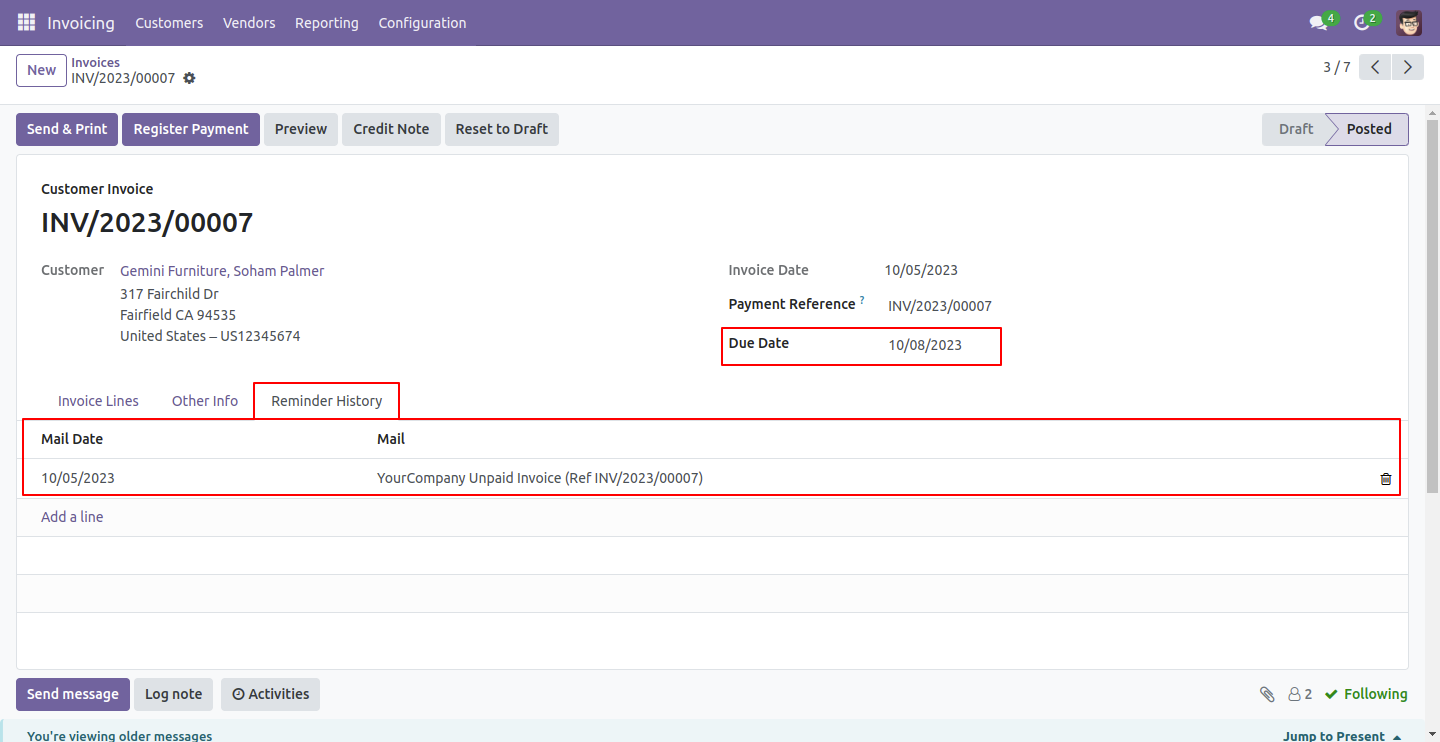
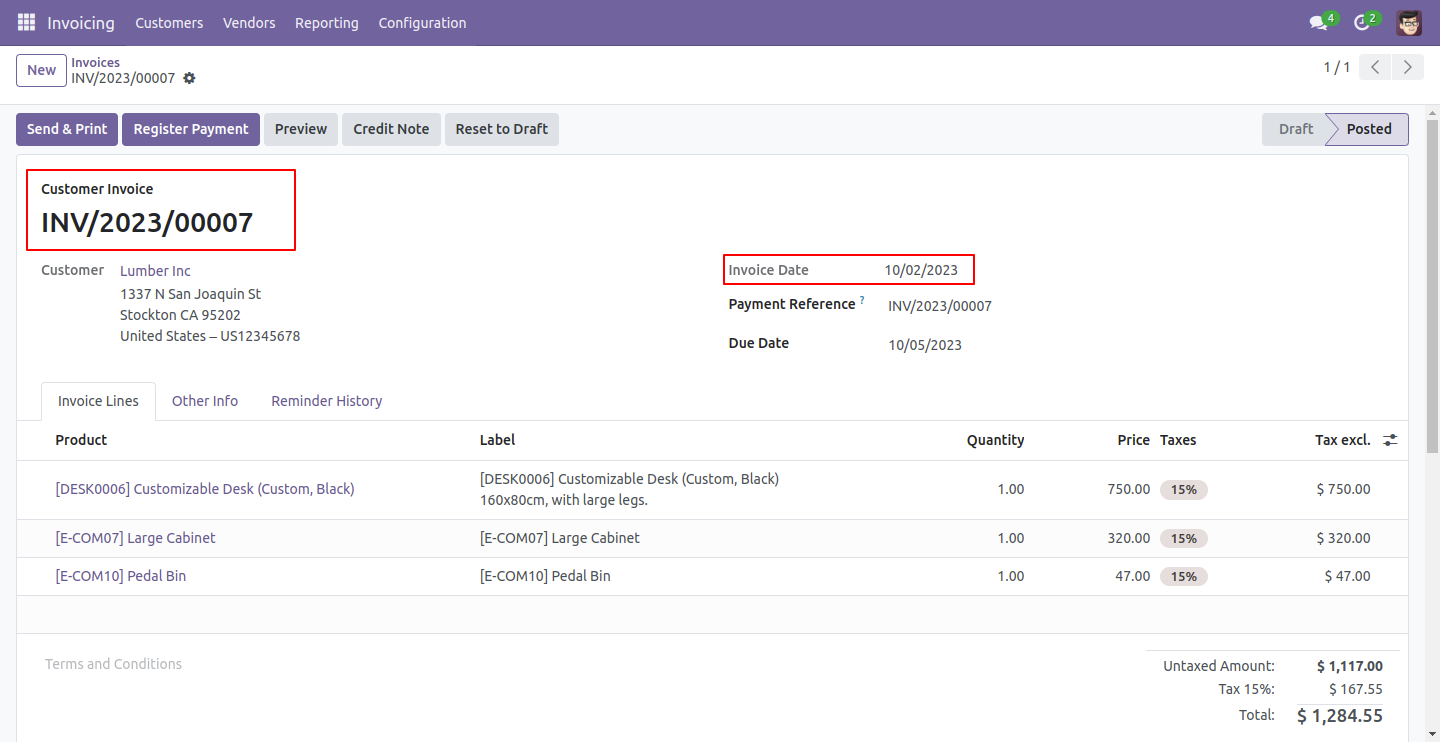
You can see the invoice date.
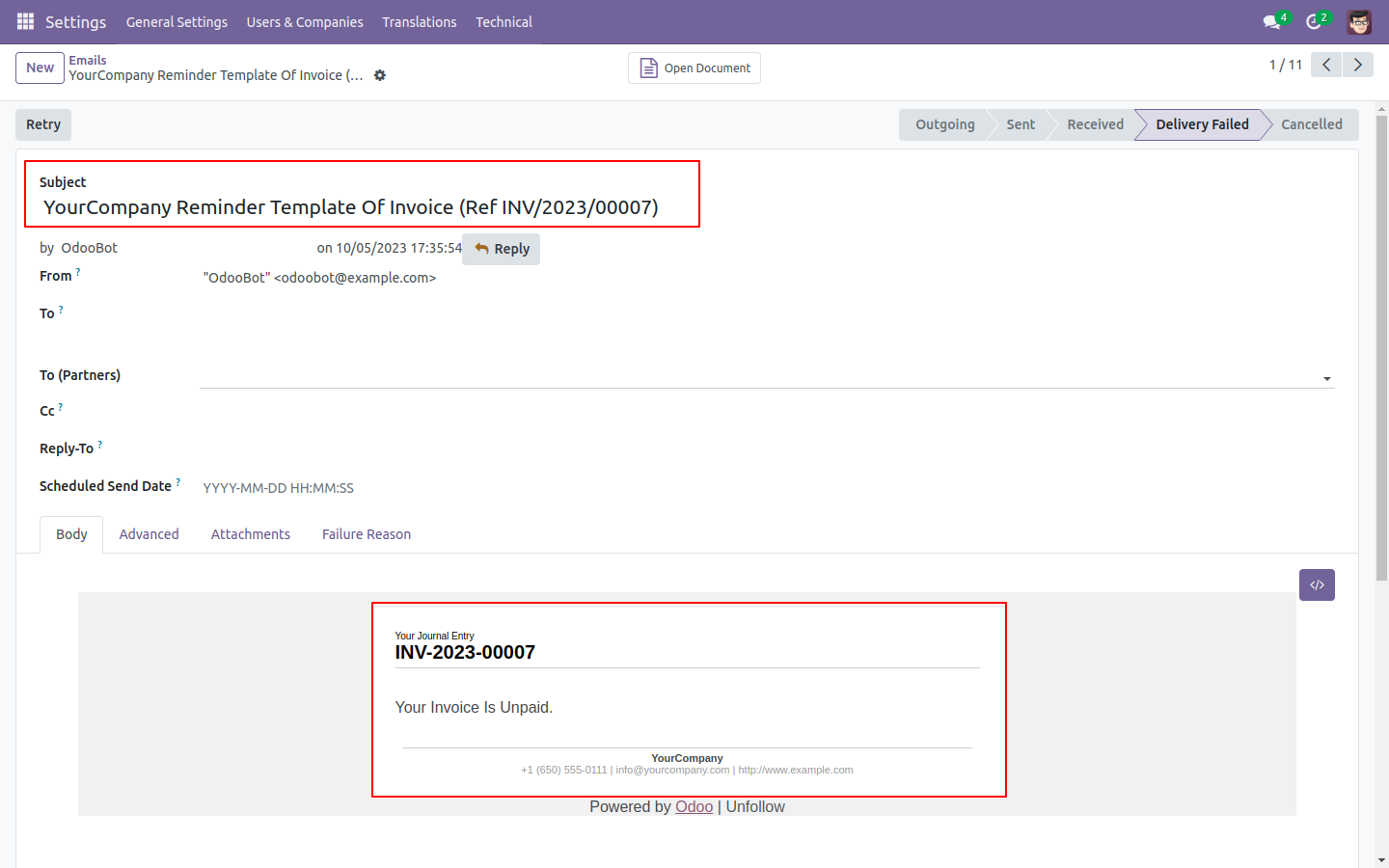
The unpaid invoice email looks like below.
Version 20.0.1.0.0 | Released on : 15th September 2026
- Yes, this app works perfectly with Odoo Enterprise (Odoo.sh & Premise) as well as Community.
- No, this application is not compatible with odoo.com(odoo saas/Odoo Online)
- Yes, to test this module, please contact us at sales@softhealer.com.
- Please contact us at sales@softhealer.comto request customization.
- Yes, we provide free support for 365 days from the date of purchase.
- Yes, you will receive lifetime free updates for the version of the module you purchased.
- No, there is no need to install any additional libraries.
- Yes, for version 12 and above, you need to purchase the module separately for each version you intend to use.
- No, exchanges or refunds are not allowed. Please make sure to select the correct version before purchasing.
- You can contact us at support@softhealer.com for language translation support. We use Google Translator tools to provide translations in multiple languages, so the accuracy may vary. We welcome your suggestions to help improve translations.
Discover Our Latest Apps