











UBO Details with Google search

The Ultimate Beneficial Owner (UBO) module allows businesses to record, track, and manage beneficial ownership information directly within Odoo Contacts. Easily store passport details, nationality, and screening reports. Features integrated one-click Google compliance searching to perform background checks.

Features
Manage UBO Information on Contacts
Easily record and manage Ultimate Beneficial Owner details under a dedicated tab on contact forms.

Record Key Beneficial Owner Data
Track name, nationality, passport ID, passport attachment, and date of screening for each UBO.

One-Click Google Compliance Search
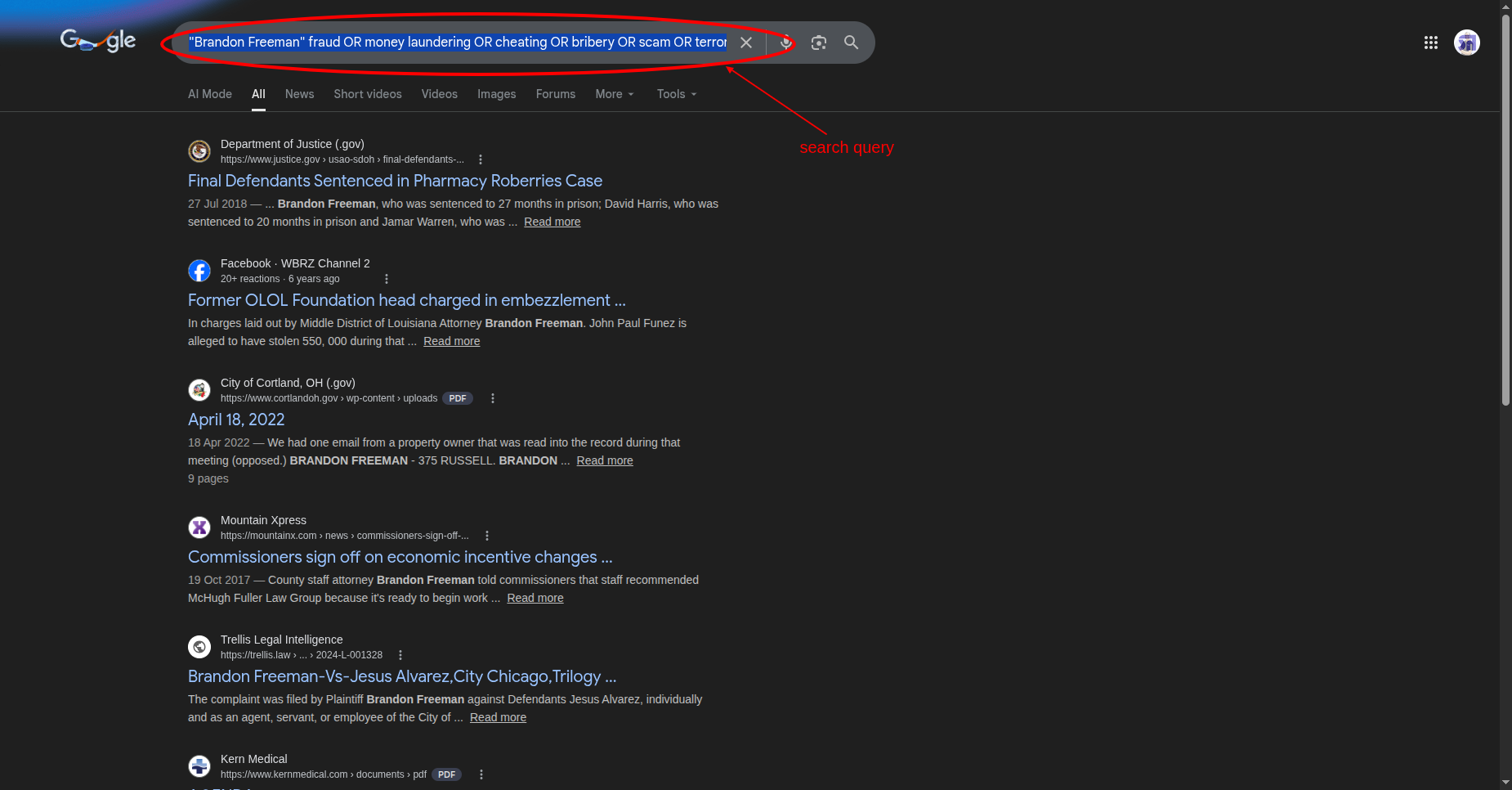
One-click Google background checks with predefined compliance search terms like fraud, money laundering, and scam.
Open Contacts and select any company contact view. Click on the "UBO Details" tab to view beneficial ownership records.
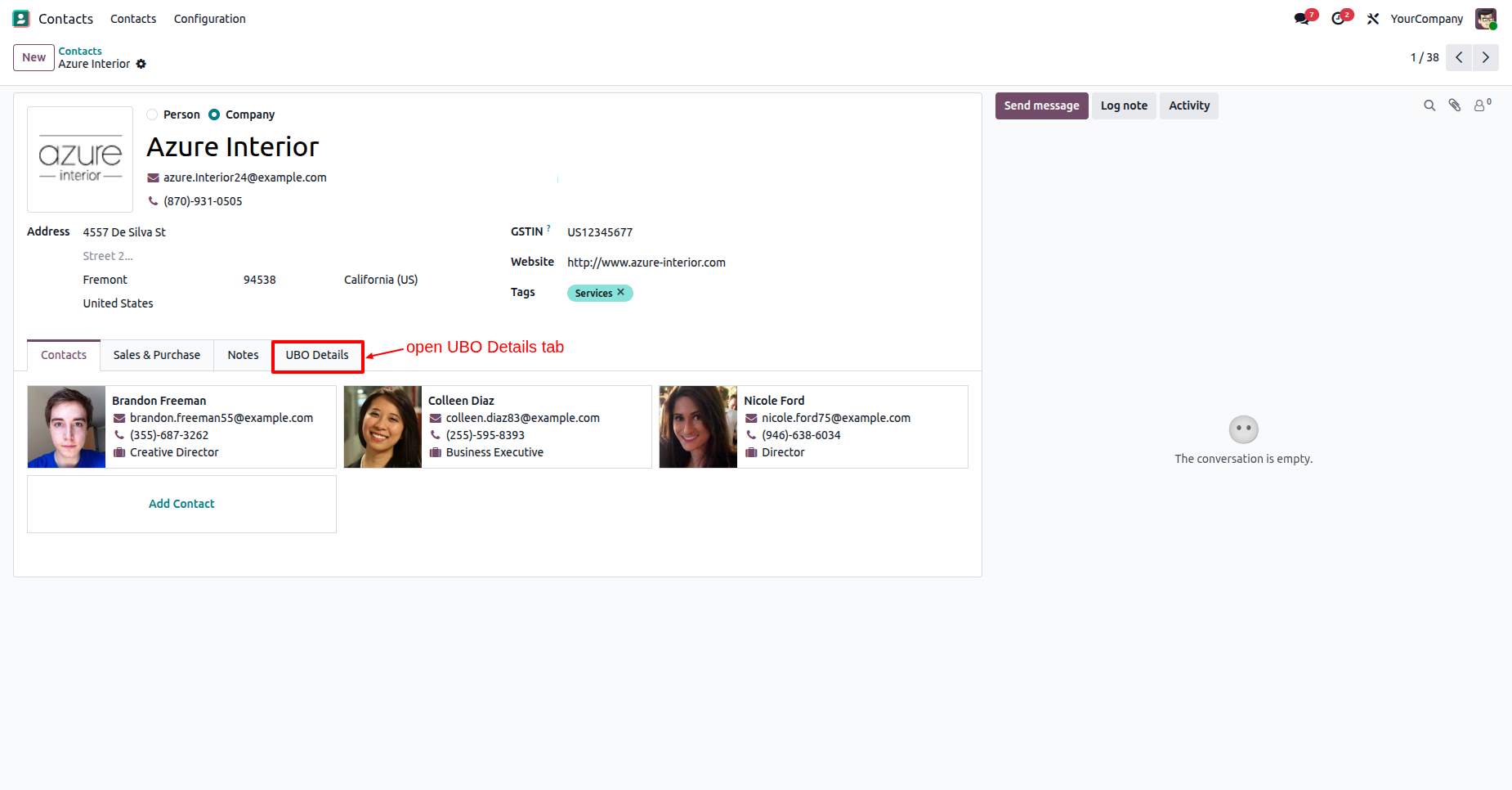
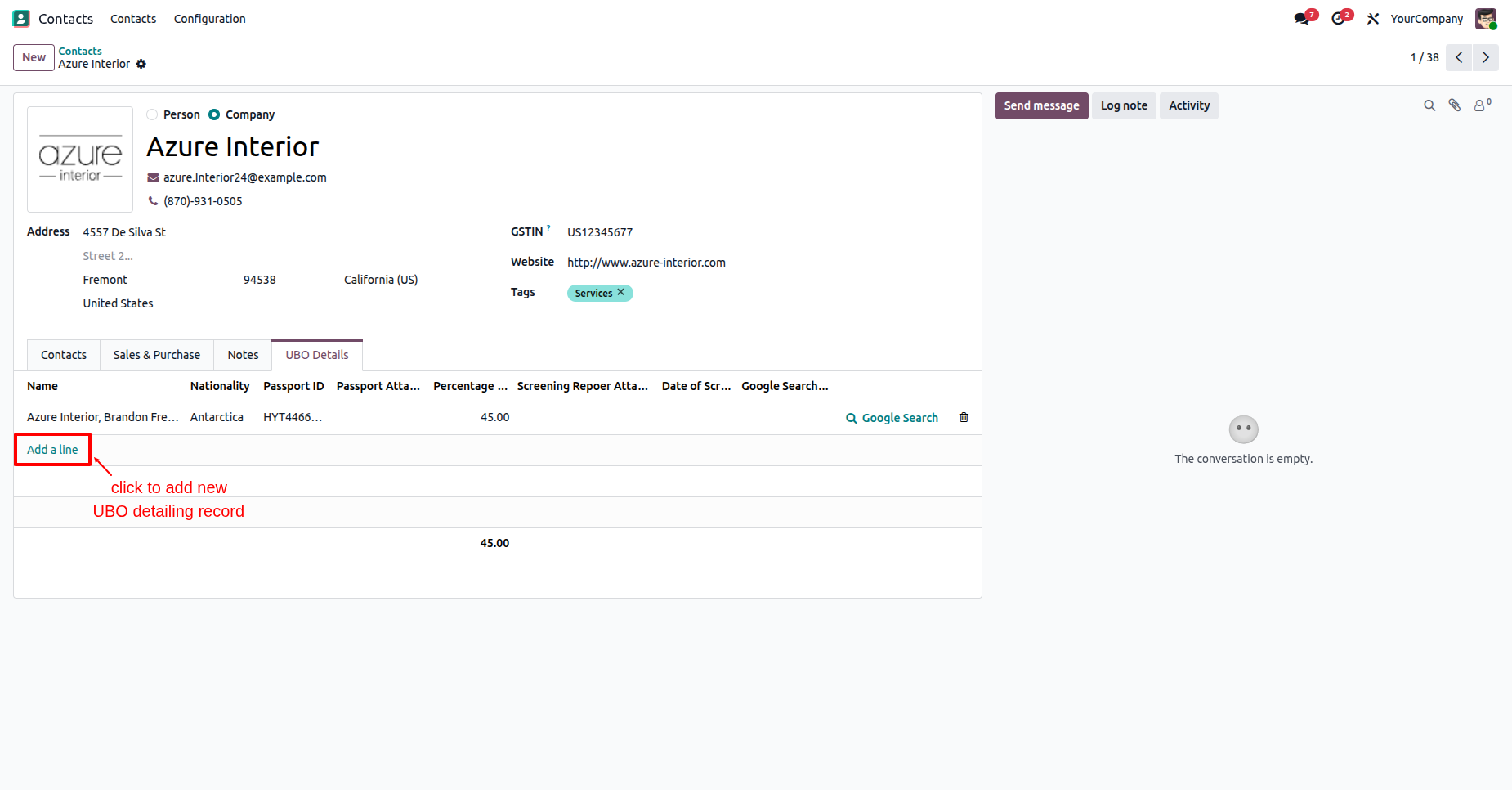
Click "Add a line" under the UBO Details tab to create a new Ultimate Beneficial Owner record.
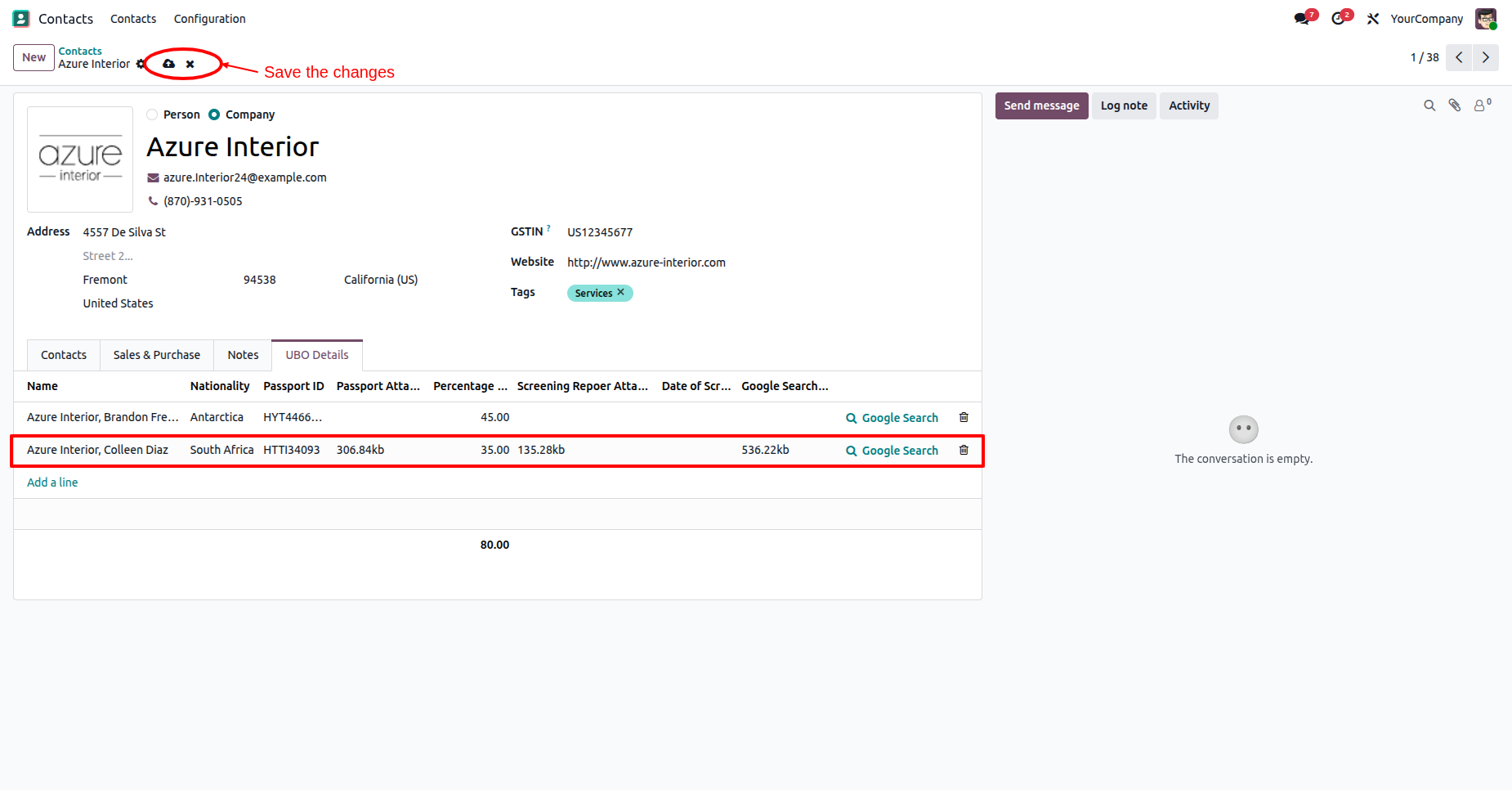
Fill in UBO details such as Partner Name, Nationality, Passport ID, Passport Attachment, Percentage, Screening Report, Date of Screening, and save the record.
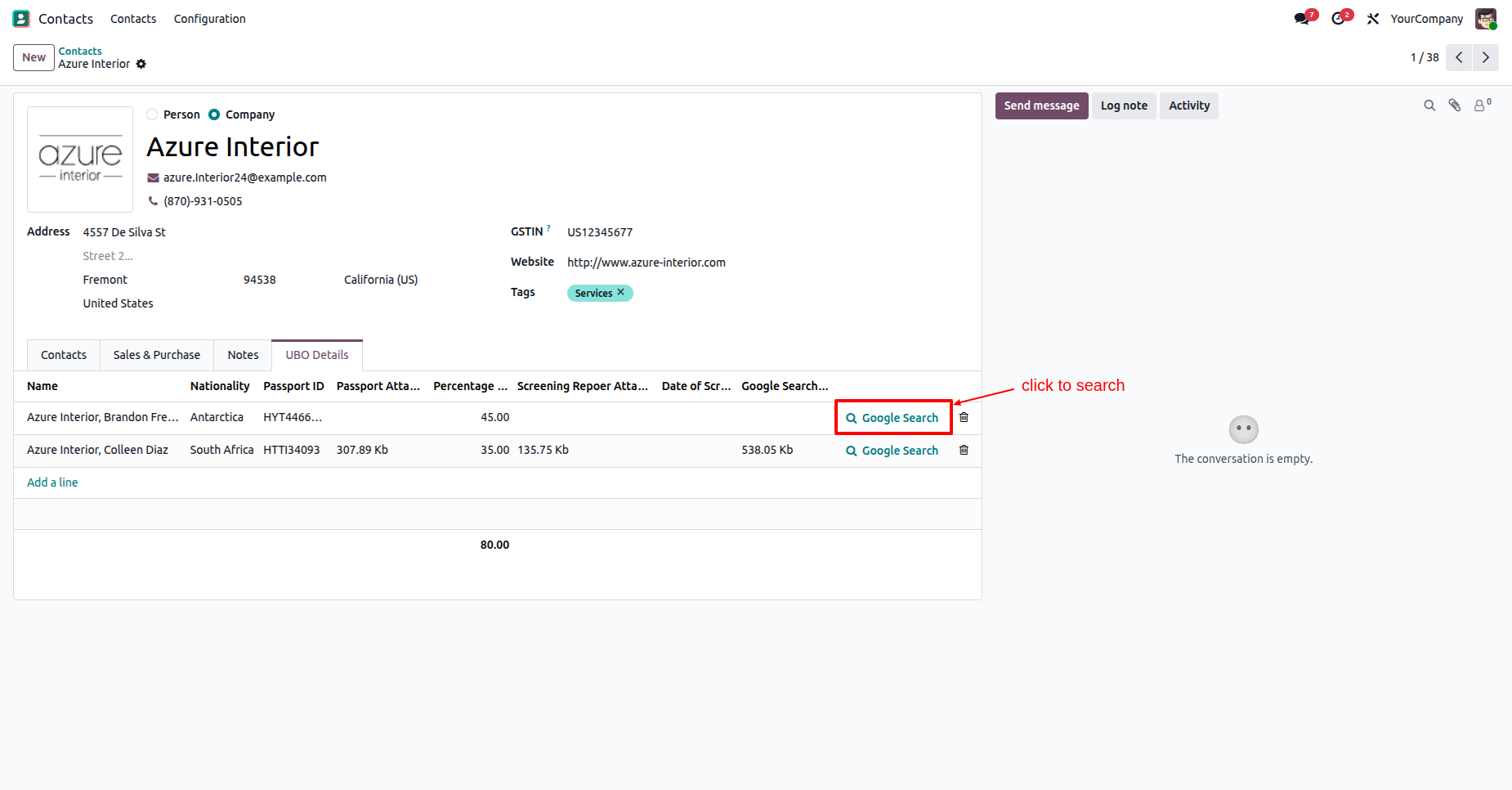
Click the "Google Search" button next to any UBO line to launch an automated background search.
Google Search opens in a new tab with pre-configured search parameters for fraud, money laundering, or bribery.
Version 19.0.1.0.0 | Released on : 30th August 2026
- Yes, this app works perfectly with Odoo Enterprise (Odoo.sh & Premise) as well as Community.
- No, this application is not compatible with odoo.com(odoo saas/Odoo Online)
- Yes, to test this module, please contact us at sales@softhealer.com.
- Please contact us at sales@softhealer.com to request customization.
- Yes, we provide free support for 365 days from the date of purchase.
- Yes, you will receive lifetime free updates for the version of the module you purchased.
- No, there is no need to install any additional libraries.
- Yes, for version 12 and above, you need to purchase the module separately for each version you intend to use.
- No, exchanges or refunds are not allowed. Please make sure to select the correct version before purchasing.
- You can contact us at support@softhealer.com for language translation support. We use Google Translator tools to provide translations in multiple languages, so the accuracy may vary. We welcome your suggestions to help improve translations.
Discover Our Latest Apps