












Twilio SMS Integration With Odoo

Integrate the Twilio SMS provider with Odoo. Effortlessly send outbound SMS and MMS with media attachments, schedule future messages via Twilio Messaging Service, receive inbound replies directly on contact chatter, and manage automated STOP/START opt-in/opt-out compliance synchronized with Twilio's Consent API.
Related Modules
Features

Twilio SMS Integration
Connect Odoo with Twilio SMS provider using Account SID and Auth Token to send SMS seamlessly.

Outbound SMS/MMS Templates
Send rich multimedia messages with images or media files per SMS directly to your customers.

Advanced Message Scheduling
Schedule SMS messages in advance, allowing messages to be sent automatically at a specified future date and time.

SMS Chatter Tracking
Track sent and received SMS messages directly in the Odoo chatter, keeping communication history organized.
Opt-Out & Opt-In Management
Automatically update the phone blacklist as per START and STOP replies and sync with Twilio.
Schedule Cancellation Sync
Cancel scheduled messages in Odoo and automatically update on Twilio.

Workflow
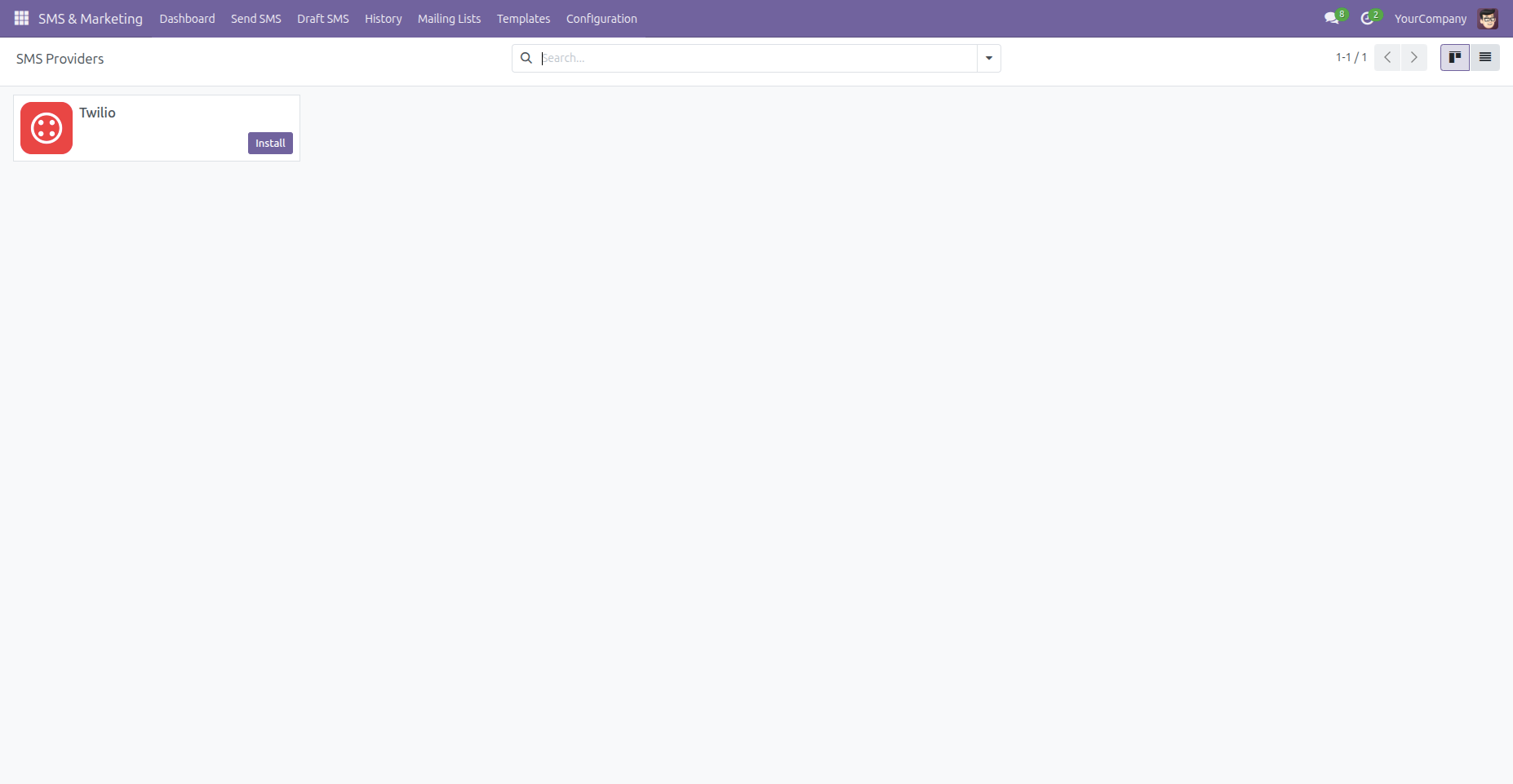
Install the Twilio SMS Provider.
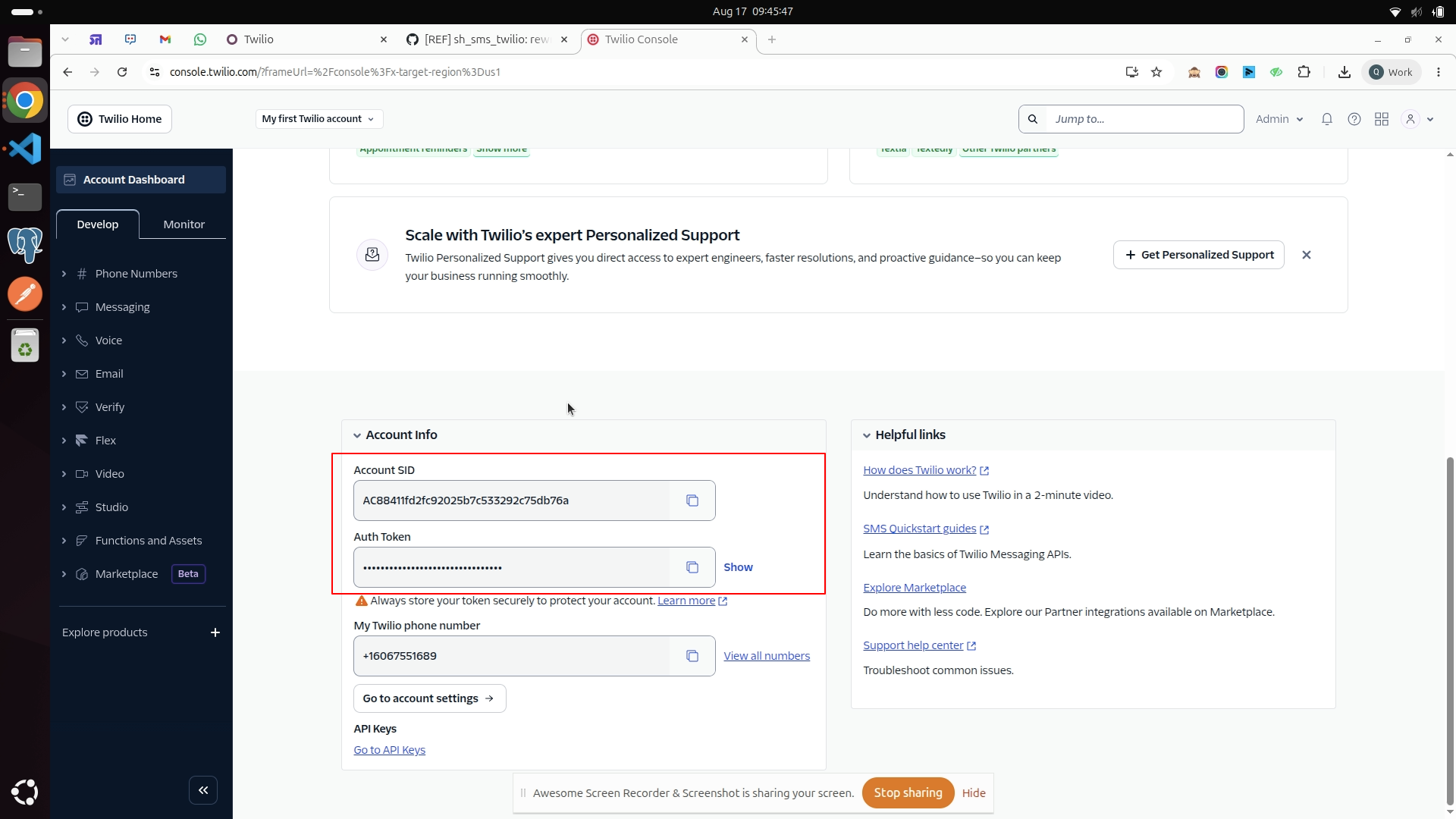
Retrieve your Account SID and Auth Token from the Twilio Console dashboard.
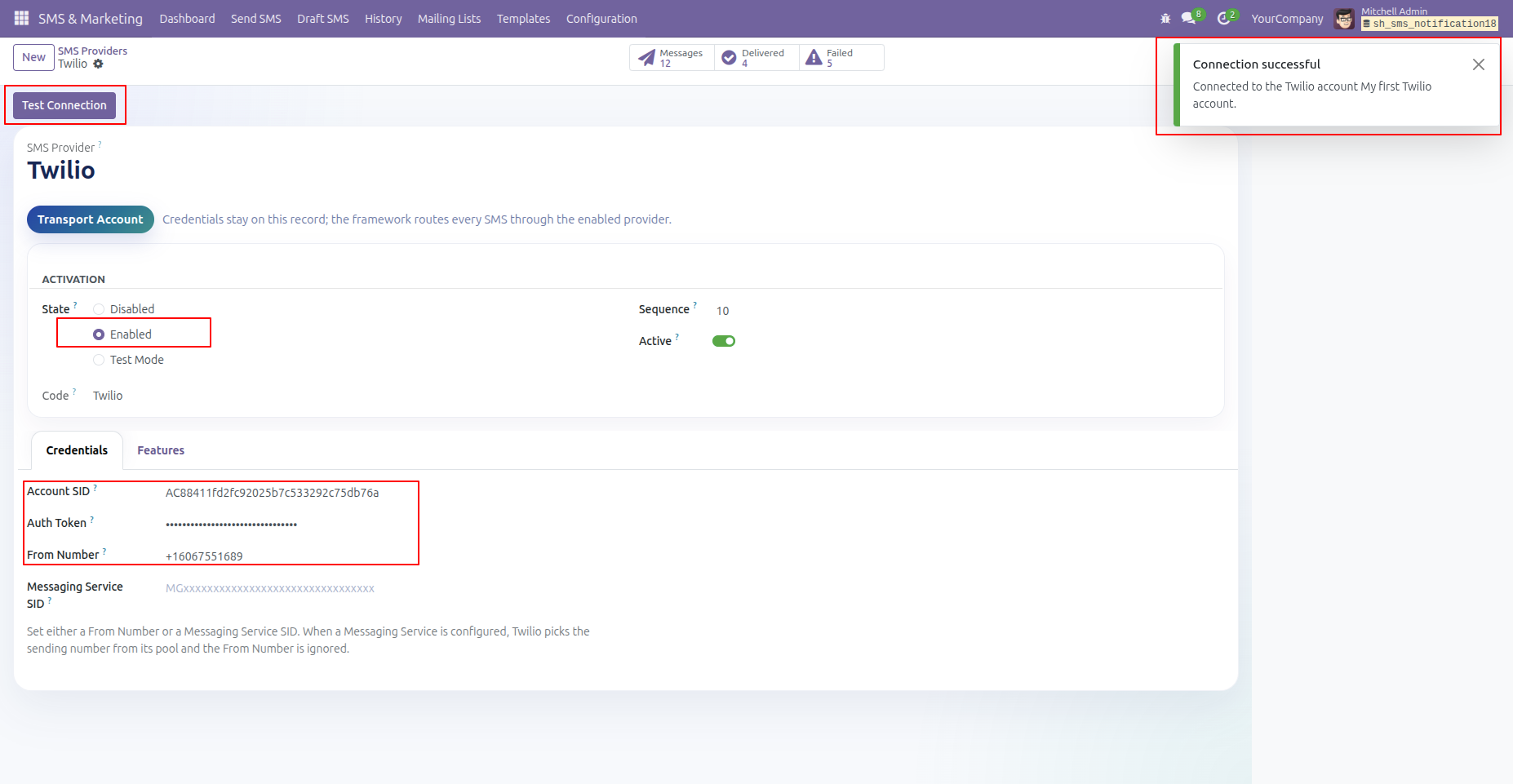
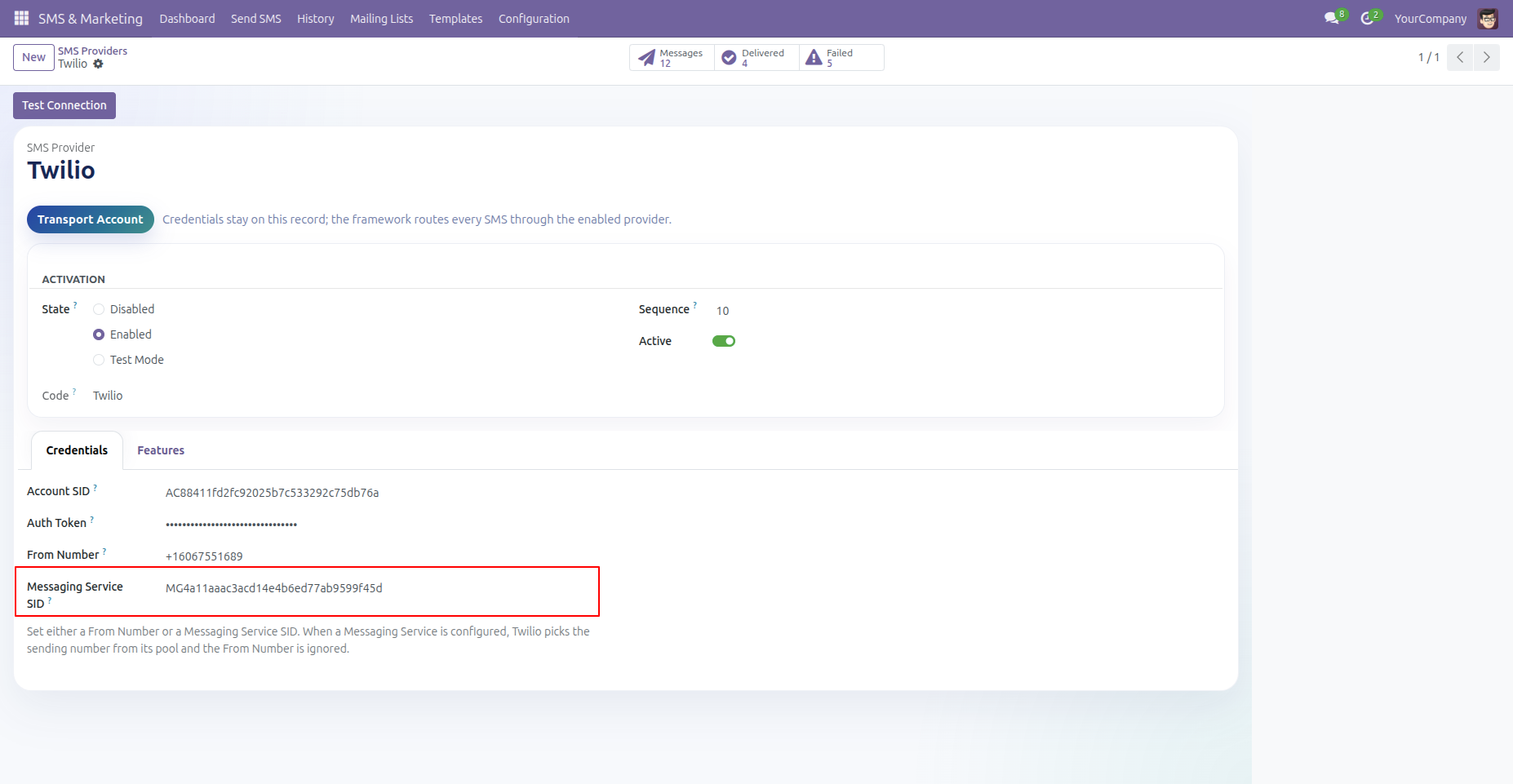
Configure your Twilio Account SID, Auth Token, and From Number in Odoo SMS Provider settings and click Test Connection.
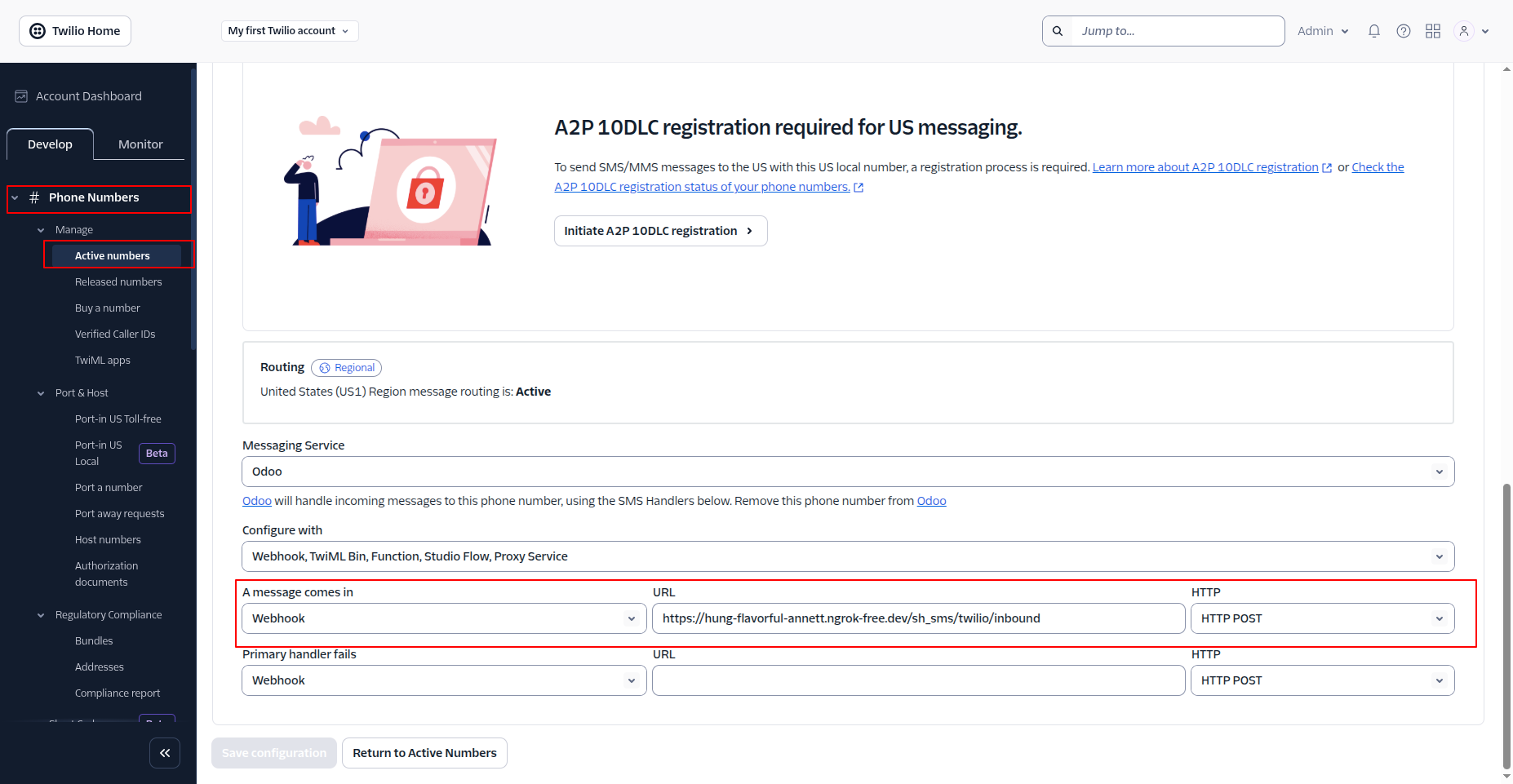
Configure the incoming message webhook URL in Twilio Phone Number settings to receive inbound SMS/MMS replies.
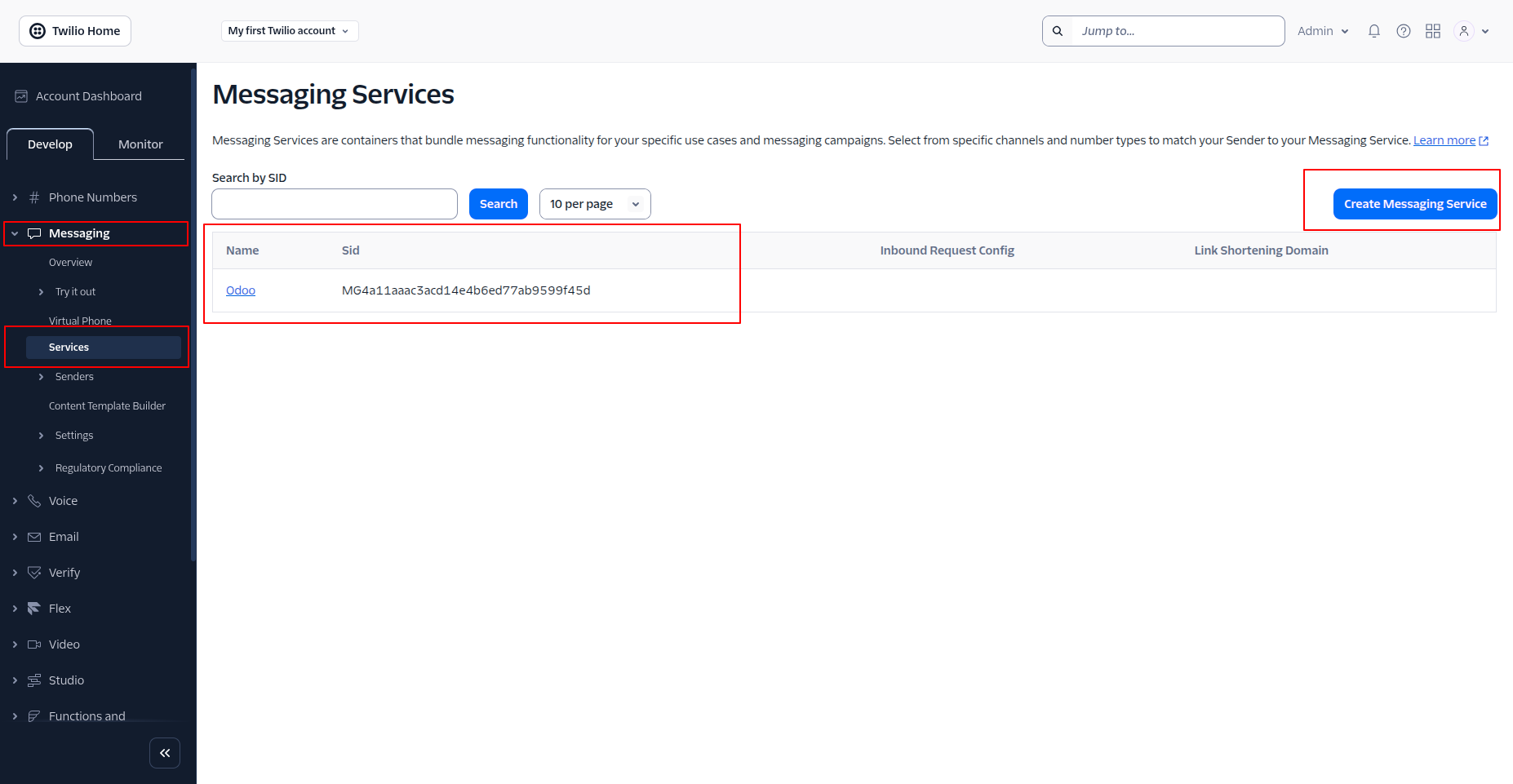
Set up a Twilio Messaging Service in the Twilio Console.
Enter the Messaging Service SID in the Odoo provider configuration.
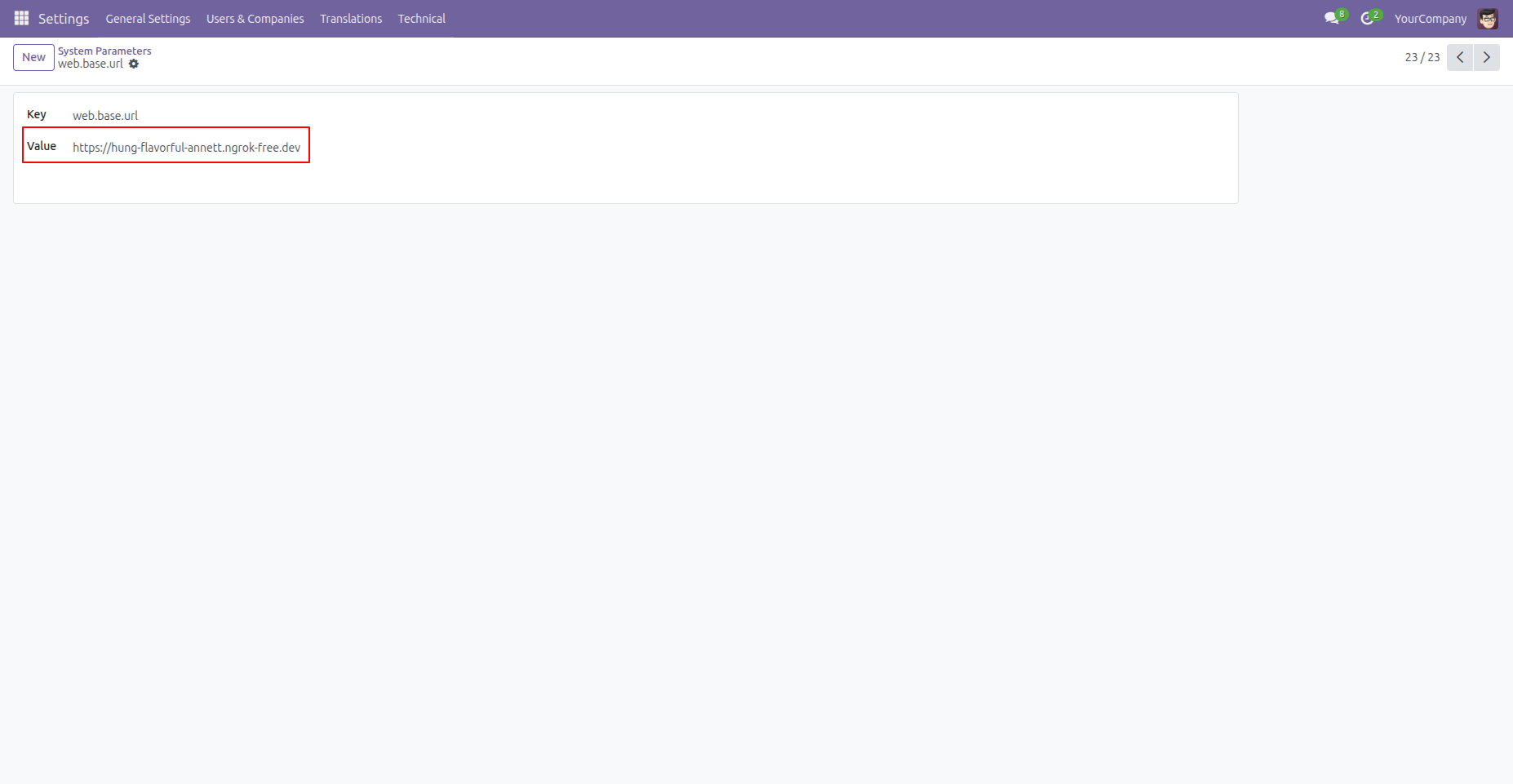
Ensure web.base.url is set to a public HTTPS domain.
Workflow
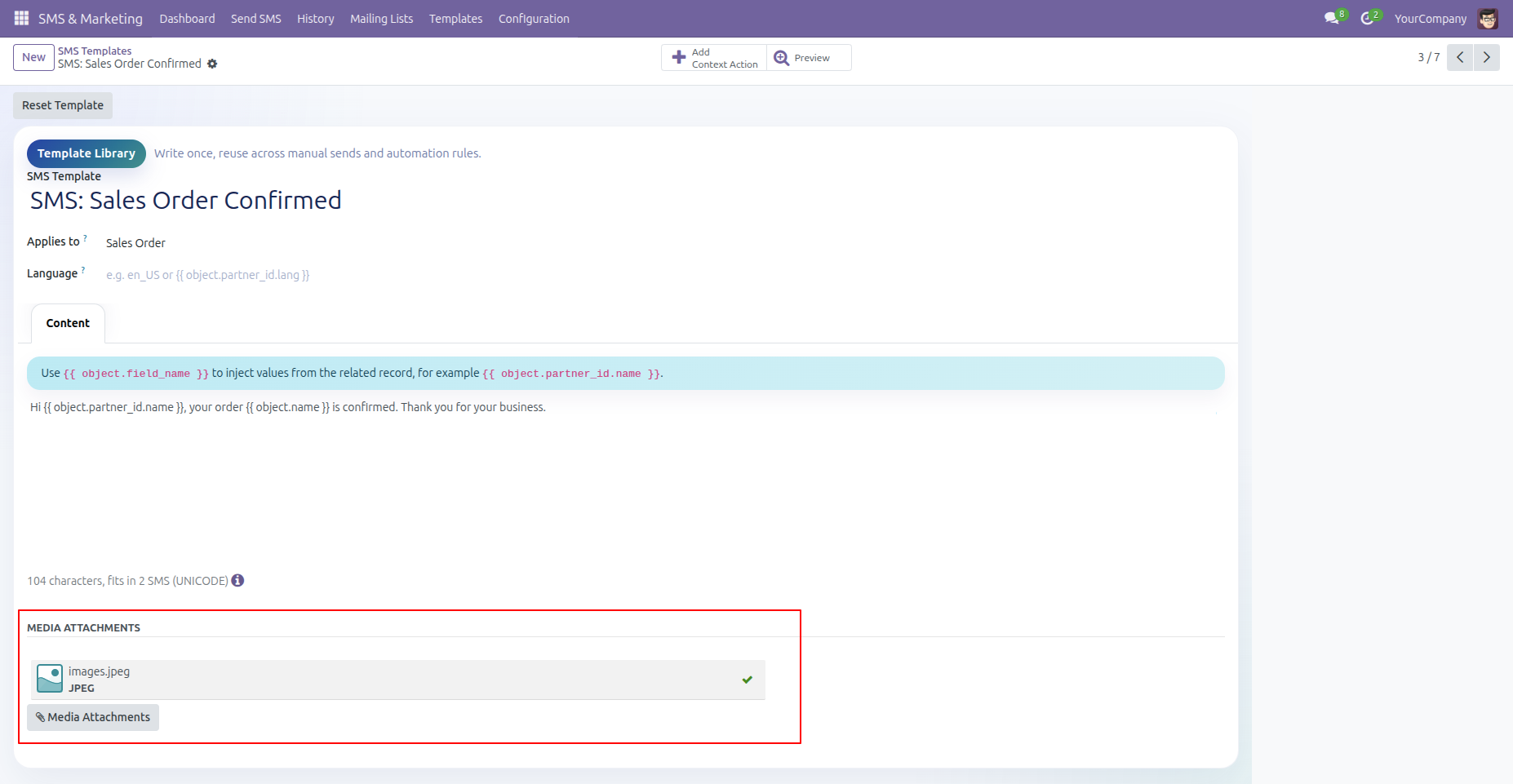
Attach media files or images to SMS templates in Odoo for outbound MMS messaging.
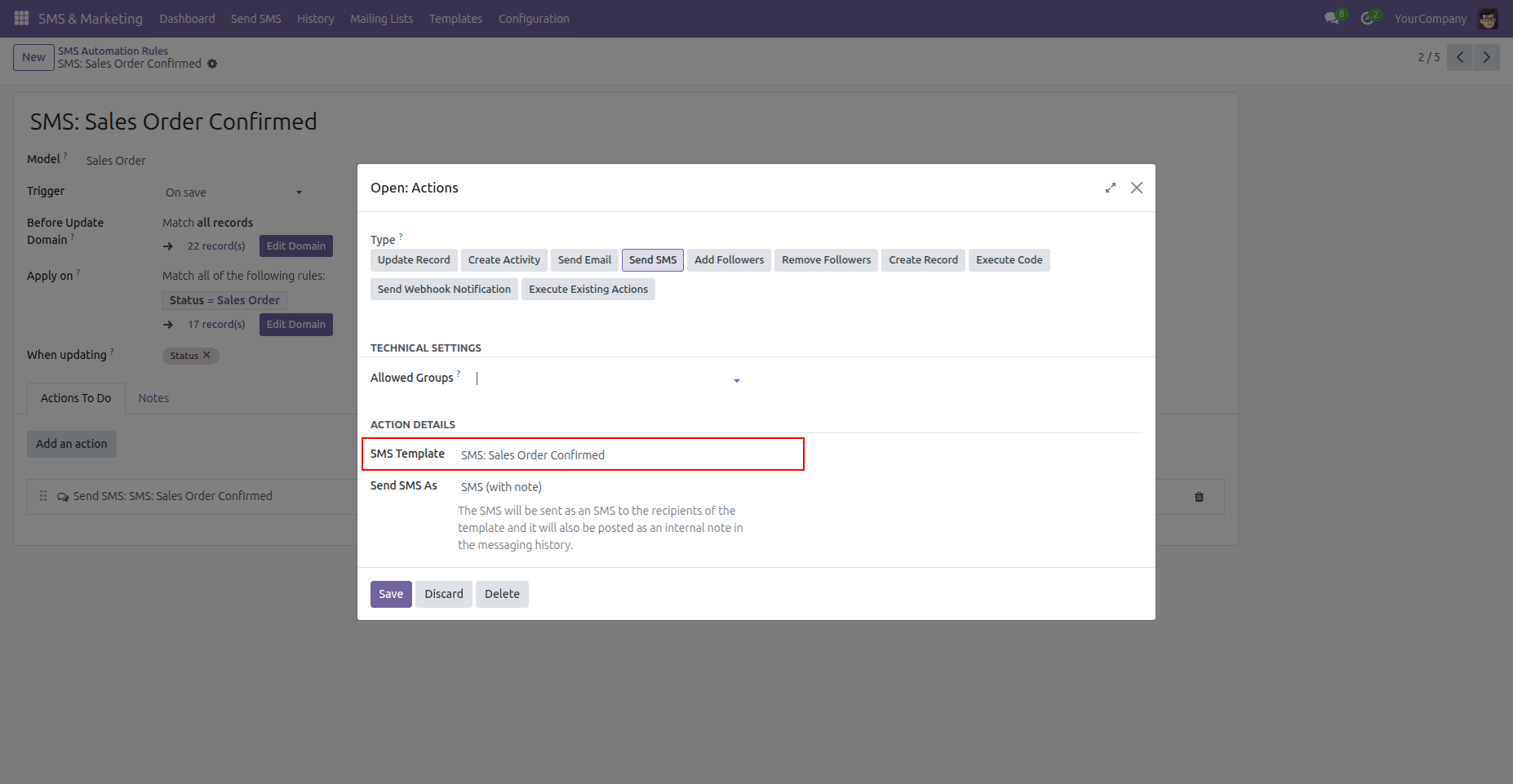
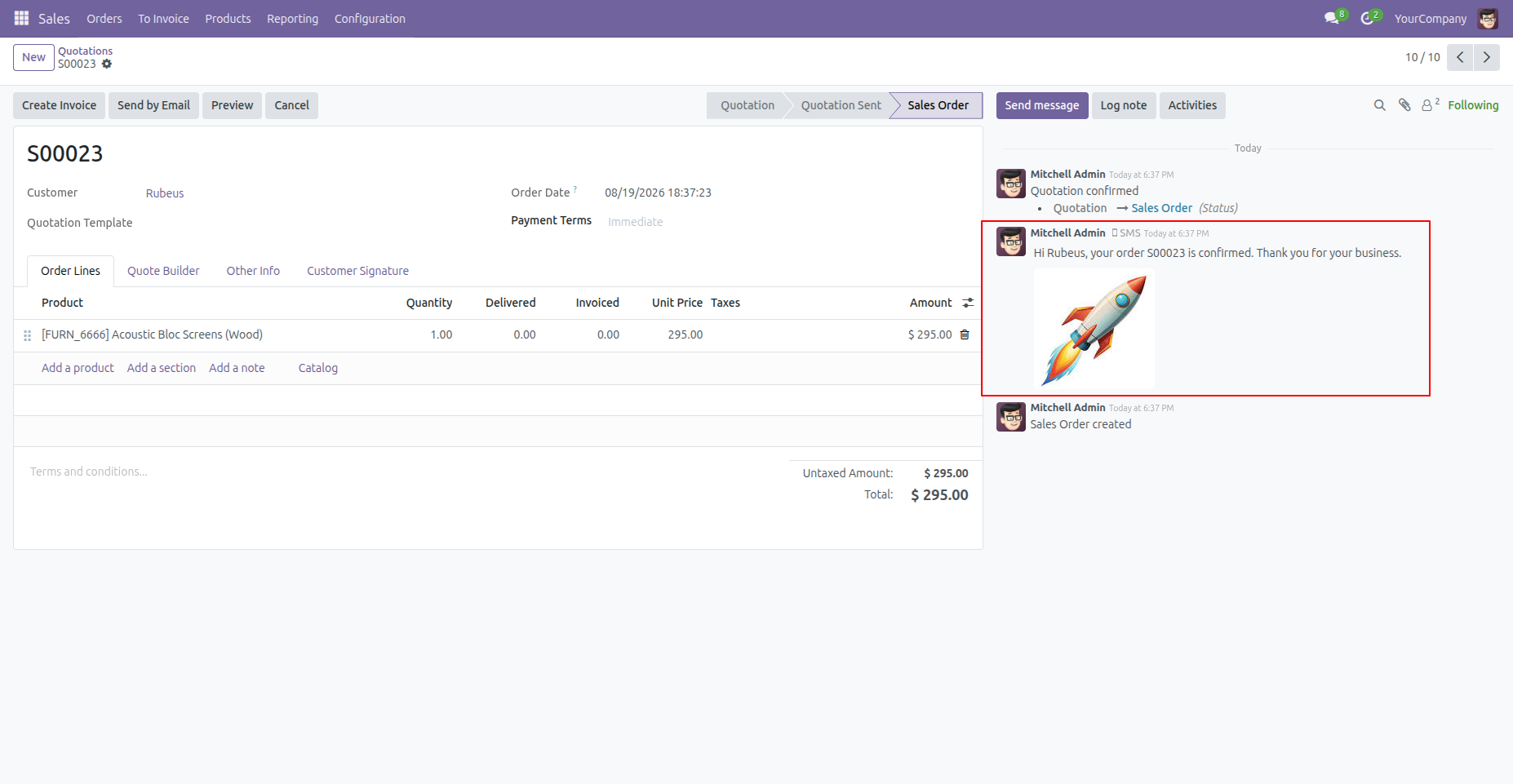
Set up automated marketing action rules to send SMS notifications on specific events (e.g. Sales Order Confirmation).
Outbound SMS message with image attachment automatically generated and sent upon Sales Order confirmation.
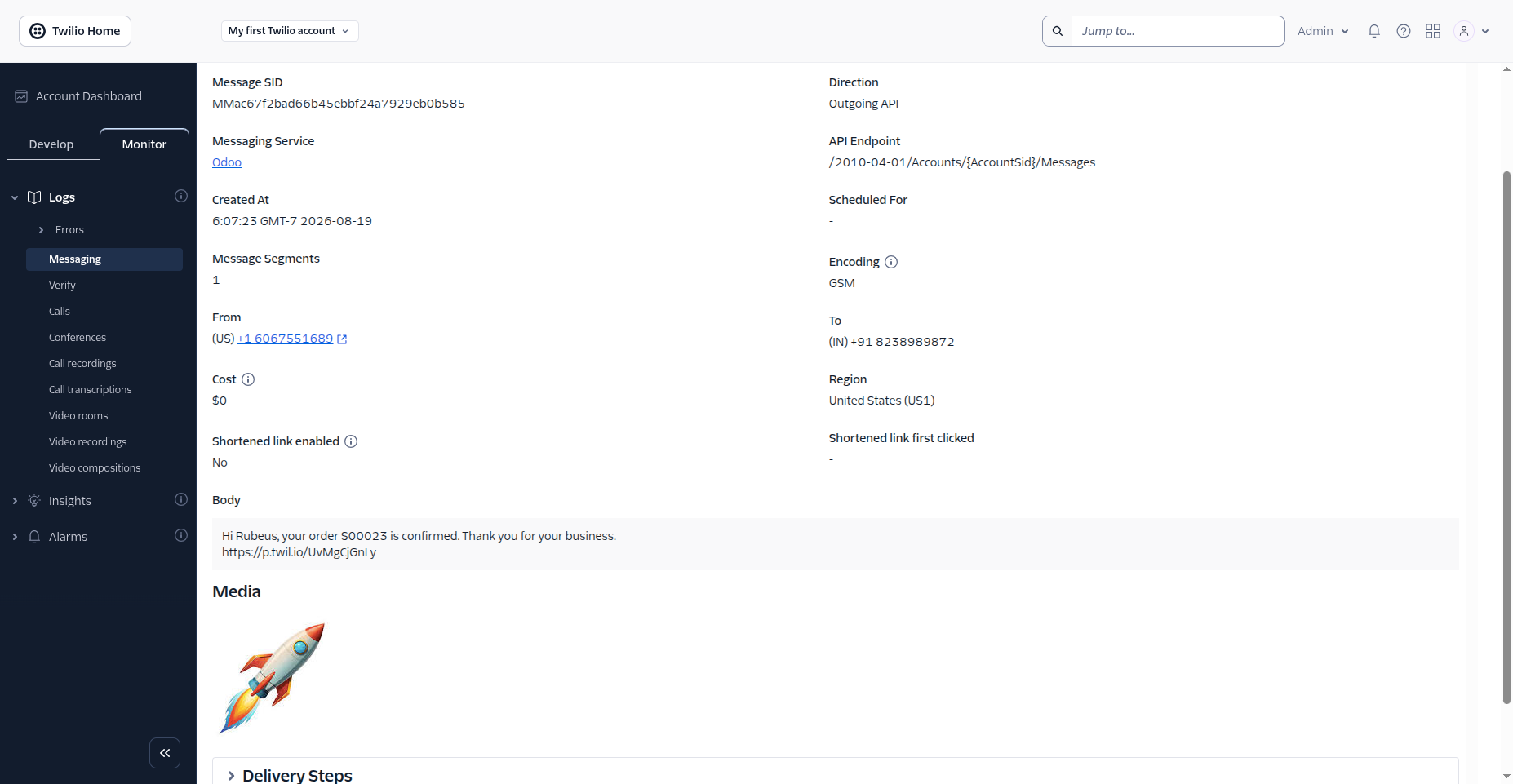
Verify sent SMS message log and MediaUrl payloads in the Twilio Console portal.
Workflow
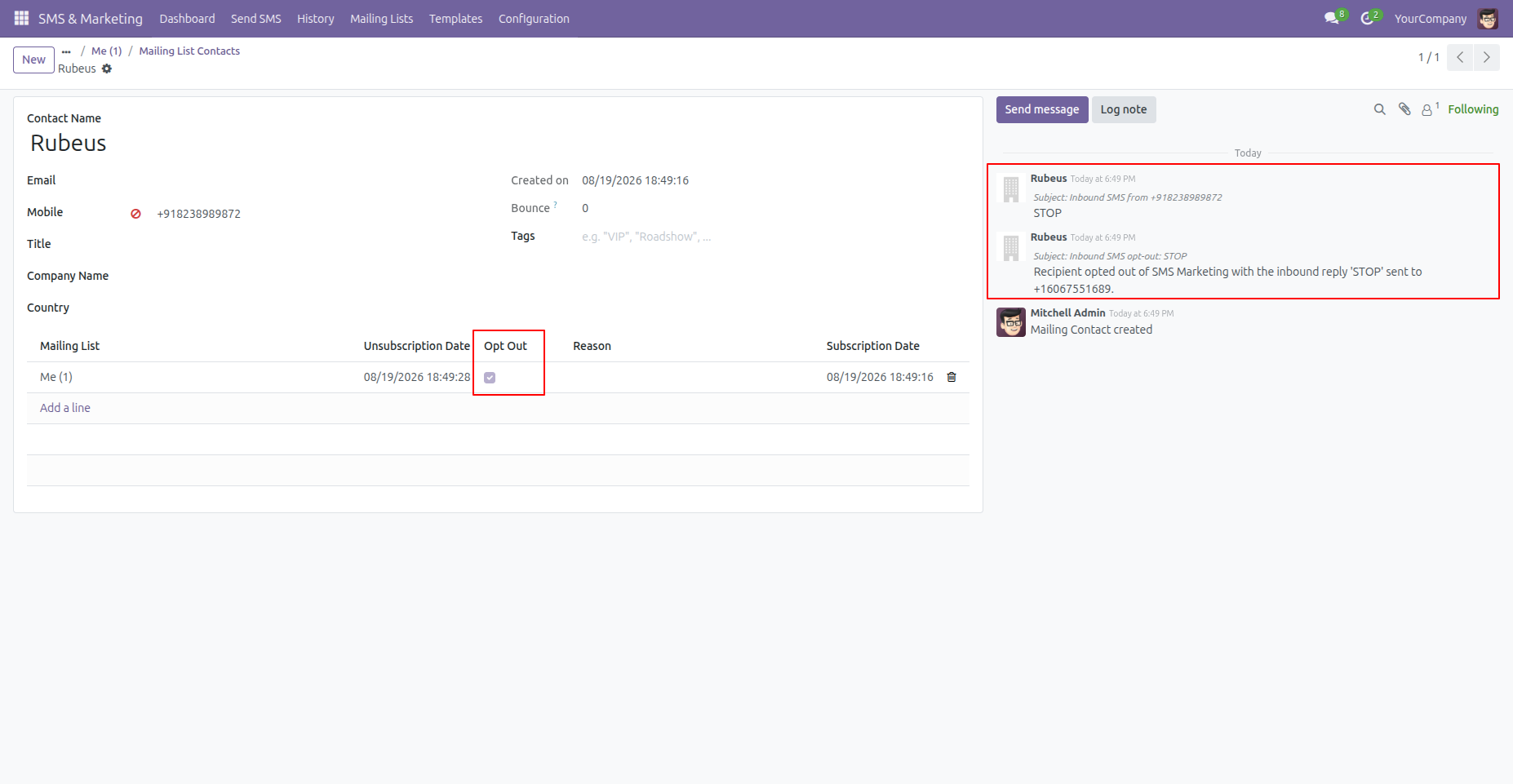
Incoming STOP reply automatically blacklists the phone number and syncs with Twilio Consent API.
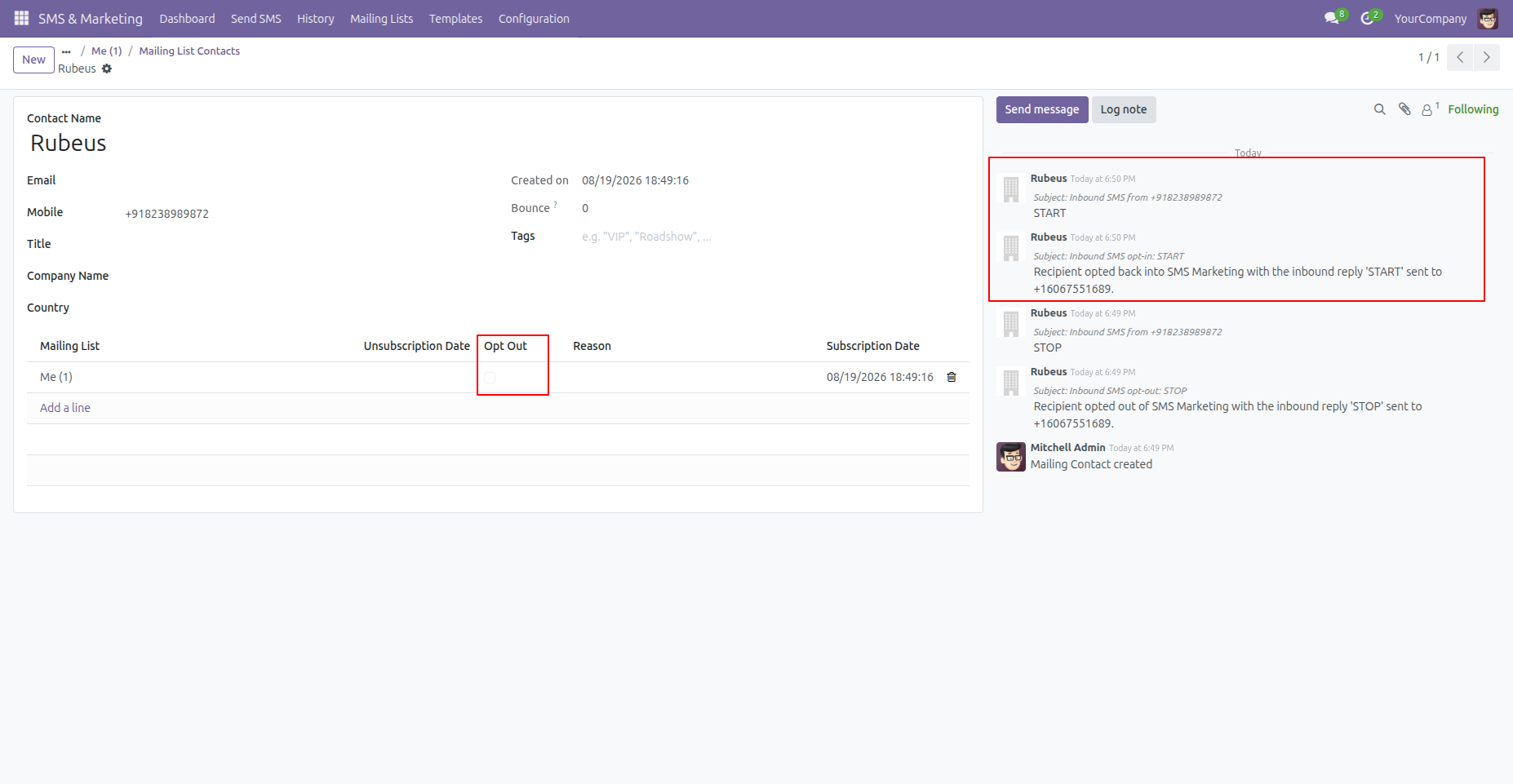
Incoming START reply automatically un-blacklists the number and restores SMS marketing opt-in consent.
Workflow
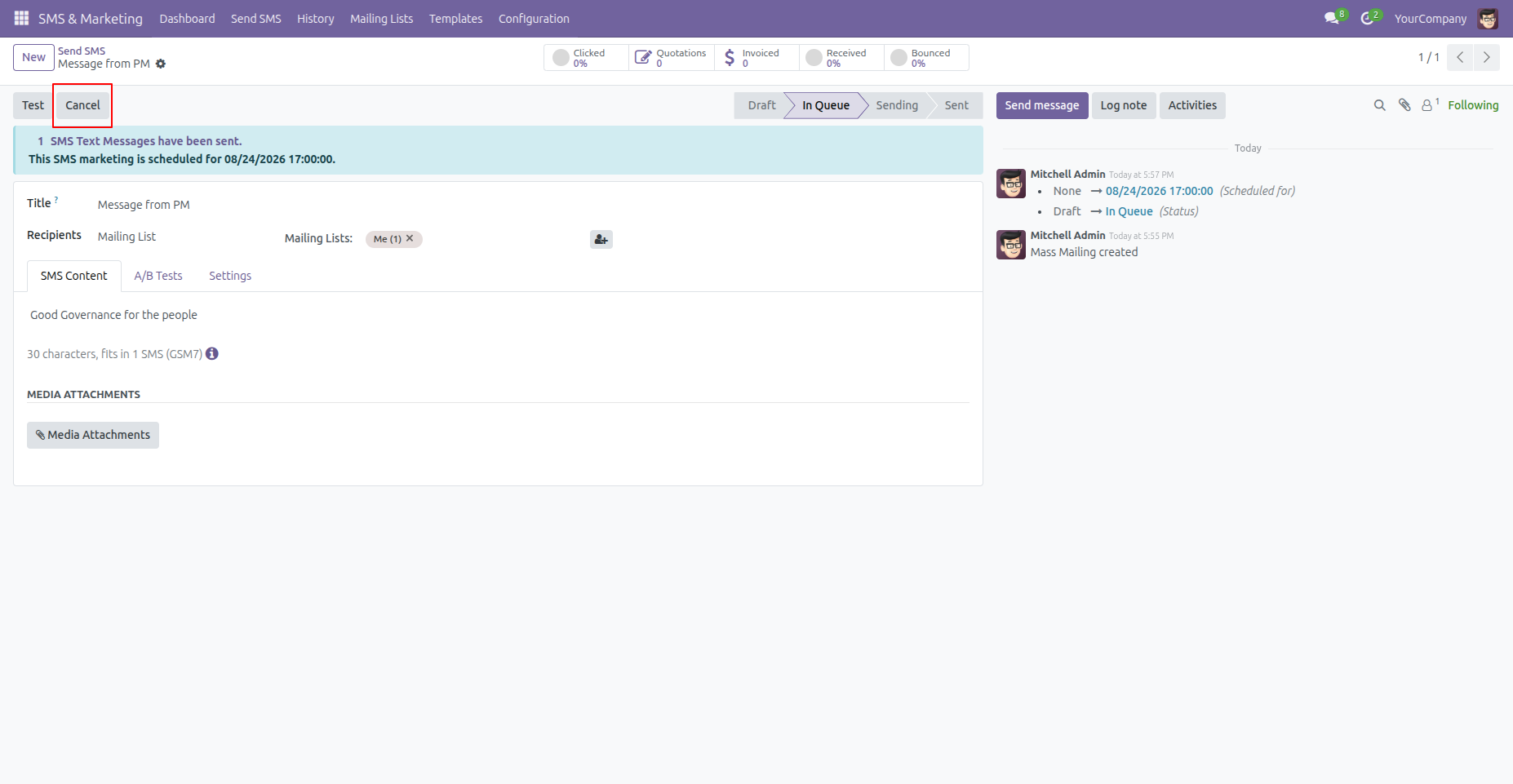
Cancel a scheduled SMS directly from Odoo before its planned delivery time.
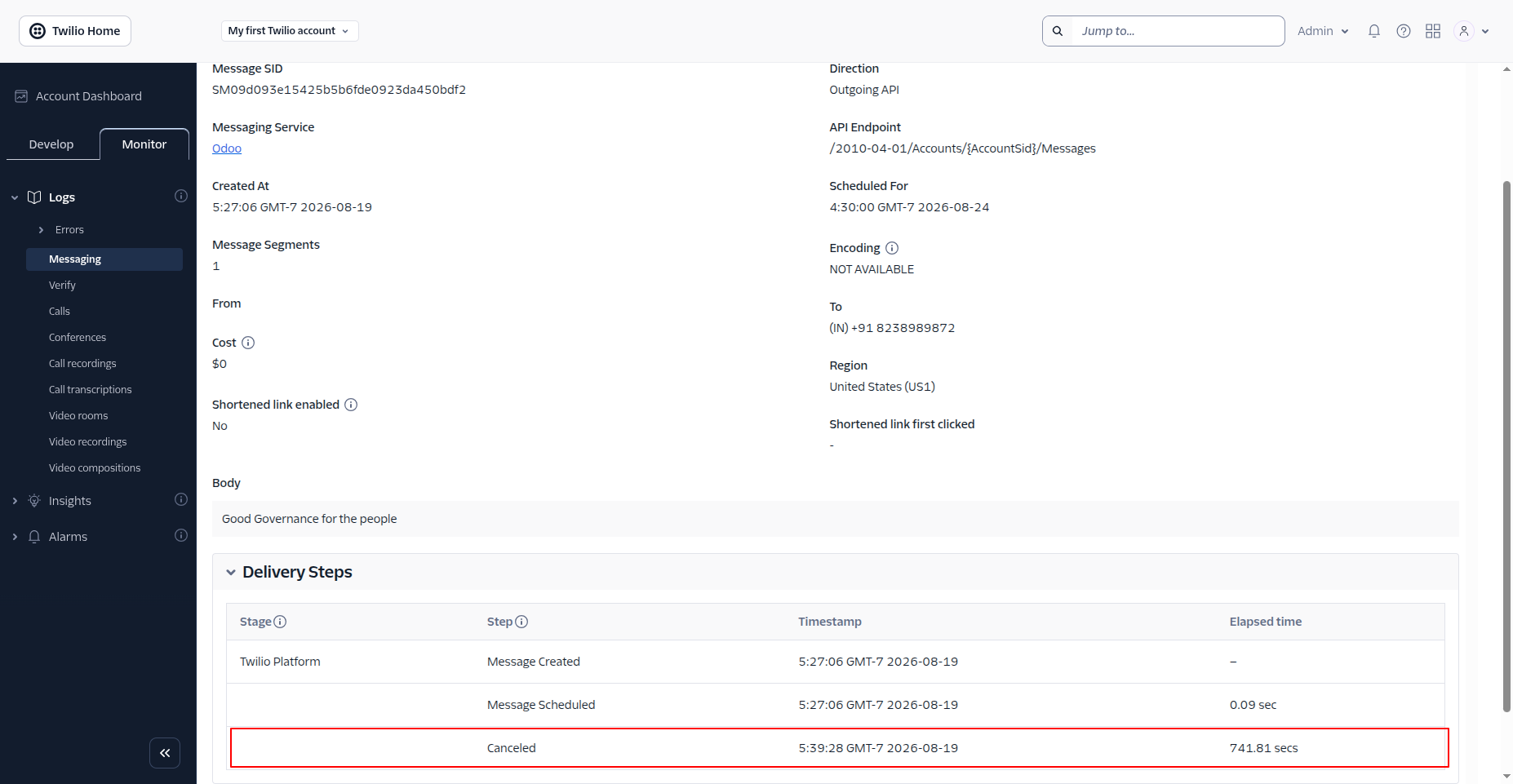
Confirm that the scheduled message status is updated to Canceled in the Twilio Portal.
Workflow
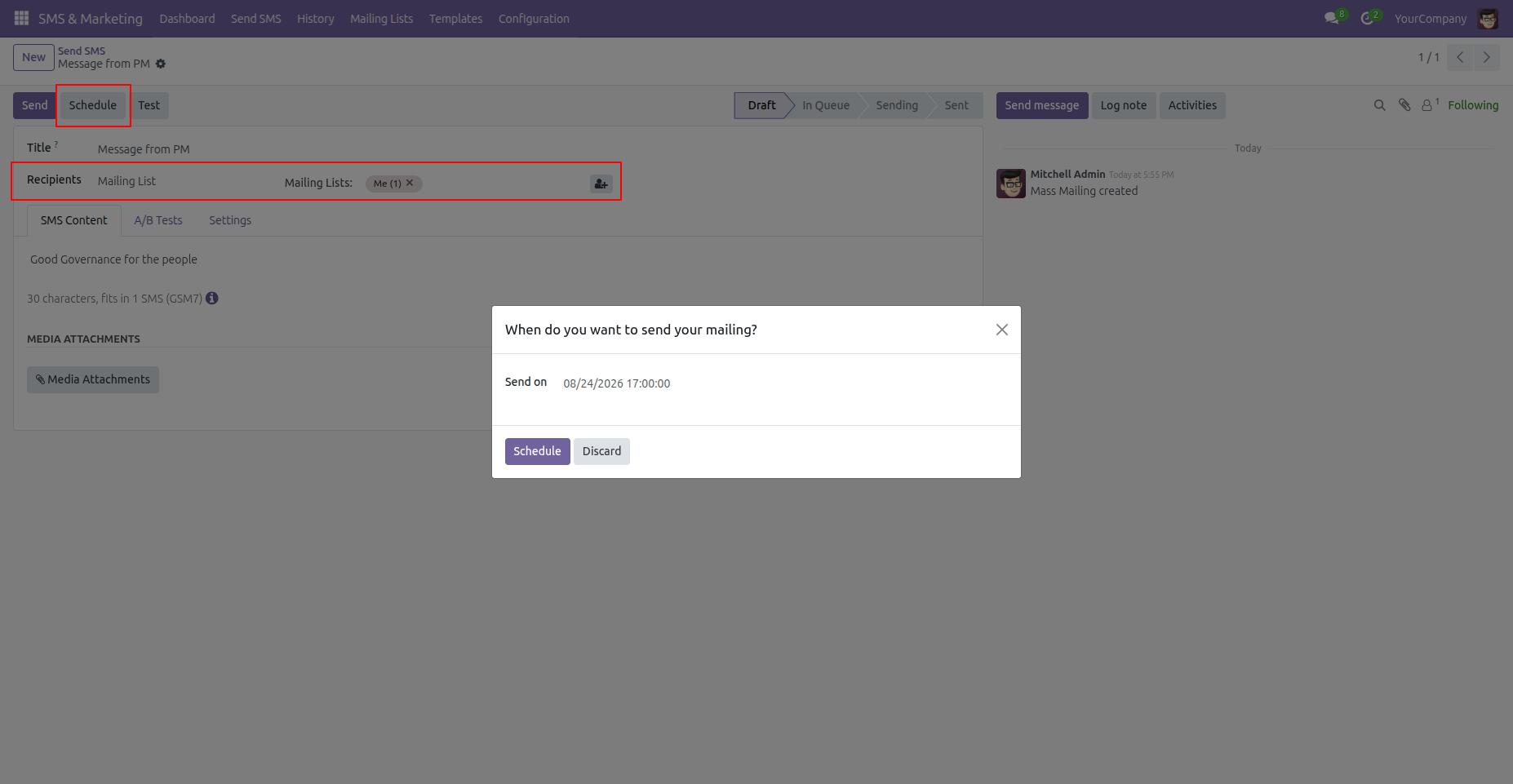
Draft an SMS and schedule it to be sent at a future date and time.
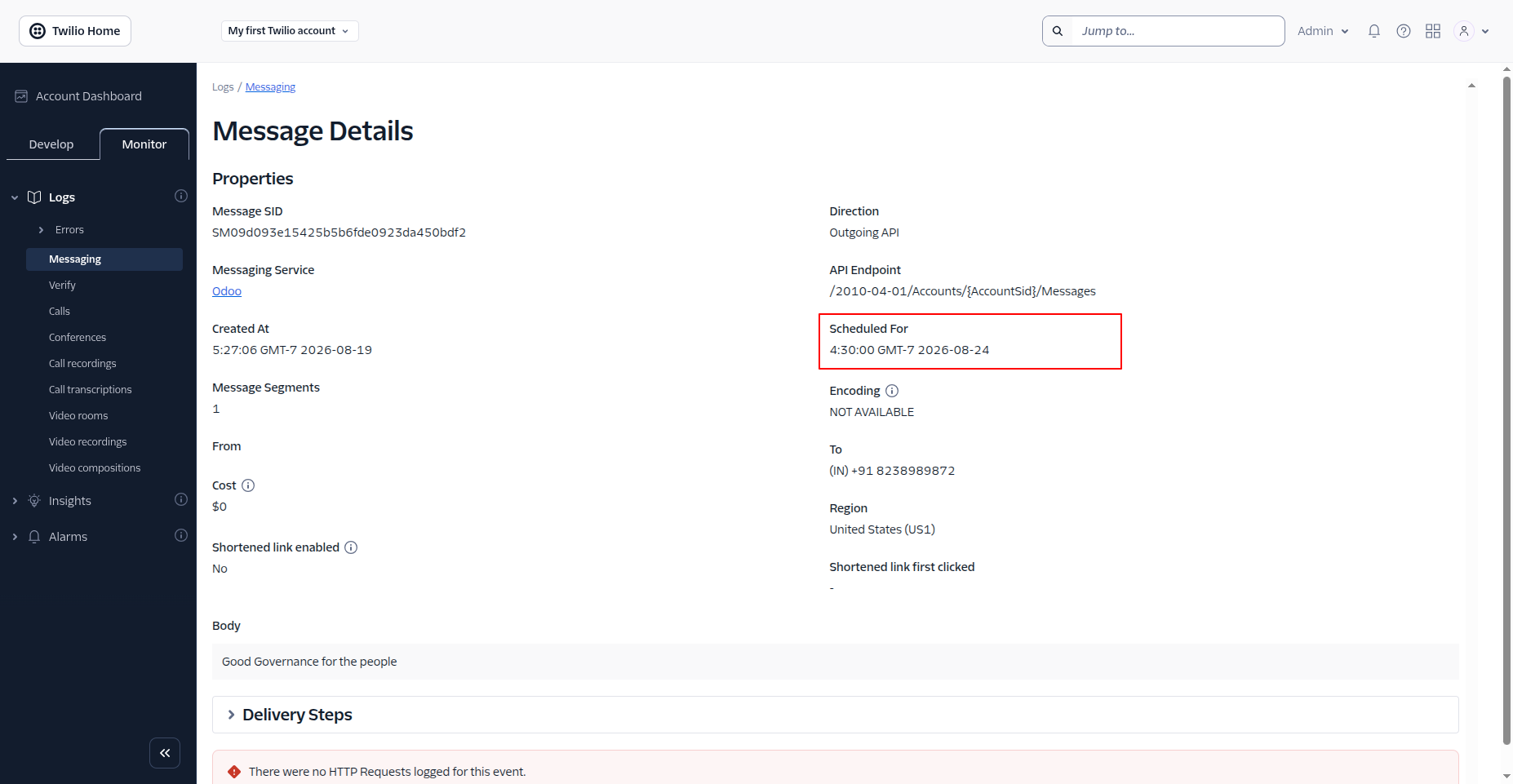
View the scheduled message parked in the Twilio Portal queue.
Version 18.0.1.0.0 | Released on : 24th October 2026
- Yes, this app works perfectly with Odoo Enterprise (Odoo.sh & Premise) as well as Community.
- No, this application is not compatible with odoo.com(odoo saas/Odoo Online)
- Yes, to test this module, please contact us at sales@softhealer.com.
- Please contact us at sales@softhealer.com to request customization.
- Yes, we provide free support for 365 days from the date of purchase.
- Yes, you will receive lifetime free updates for the version of the module you purchased.
- No, there is no need to install any additional libraries.
- Yes, for version 12 and above, you need to purchase the module separately for each version you intend to use.
- No, exchanges or refunds are not allowed. Please make sure to select the correct version before purchasing.
- You can contact us at support@softhealer.com for language translation support. We use Google Translator tools to provide translations in multiple languages, so the accuracy may vary. We welcome your suggestions to help improve translations.
Discover Our Latest Apps