x














Timesheet From Attendance

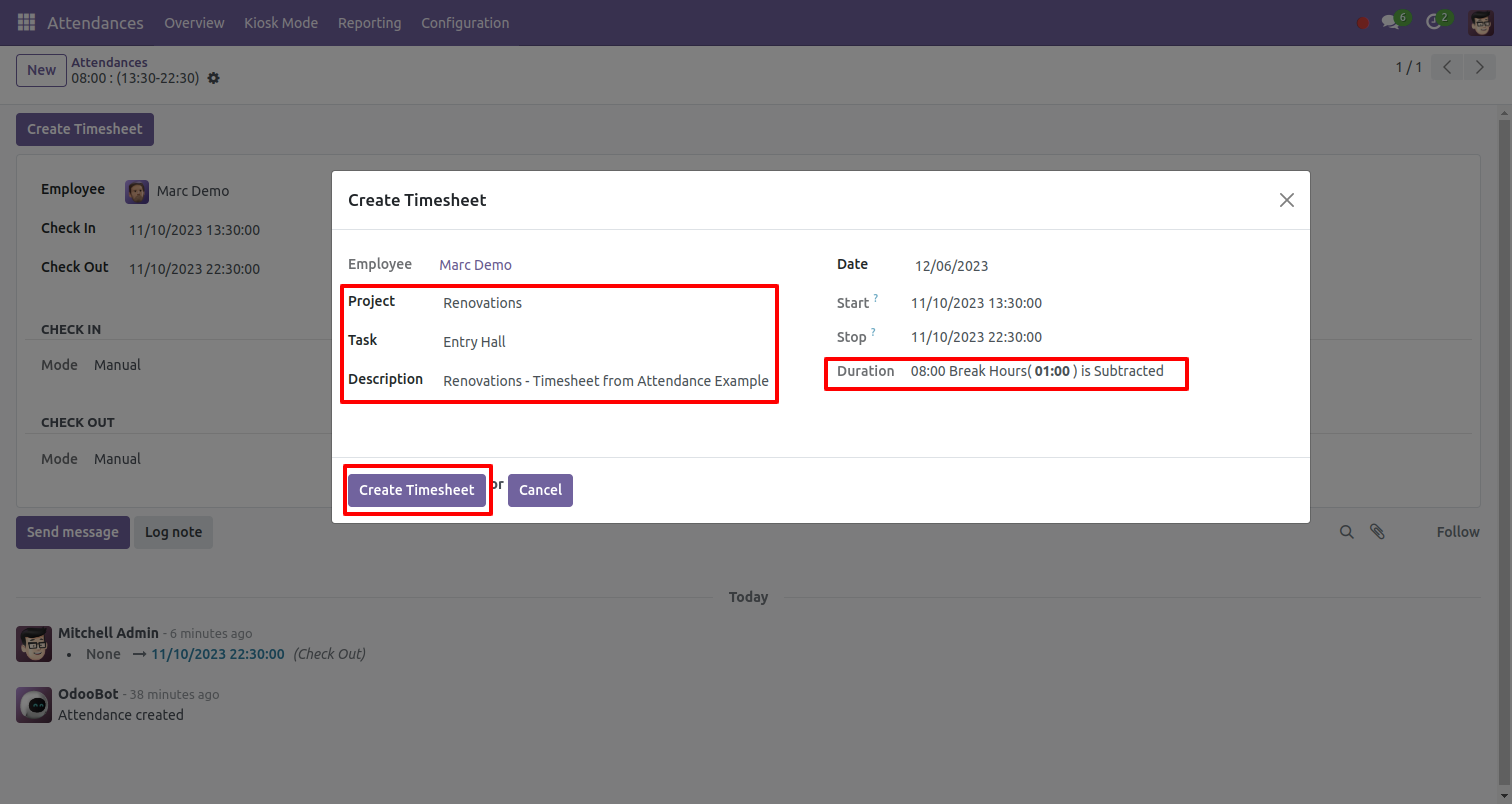
Throughout the day, when employees work on any project or task it is necessary to take the working details of the employee. so this module allows to create timesheet from the attendance. When checkout is done, you can create a timesheet by pressing the "Create Timesheet" button that is given on the attendance form. In the timesheet, you can mention the time used on each project.

Related Modules
Hot Features
Features
- Easy to create timesheet from the attendance.
- You can aware of how much time is taken in projects and tasks.
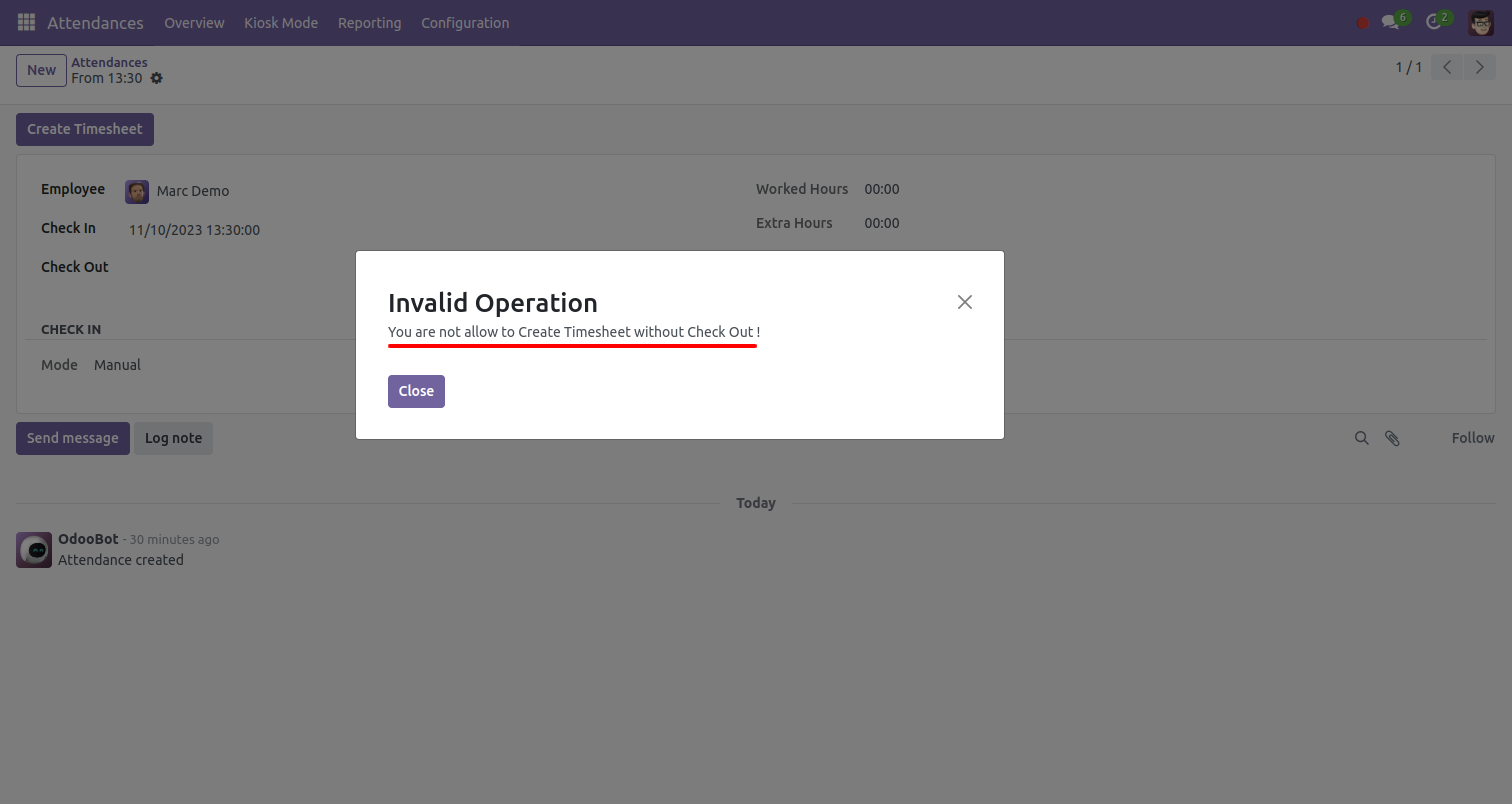
- It shows a warning if you create a timesheet without checkout.
- You can open a timesheet from attendance as well as you can open attendance from a timesheet.
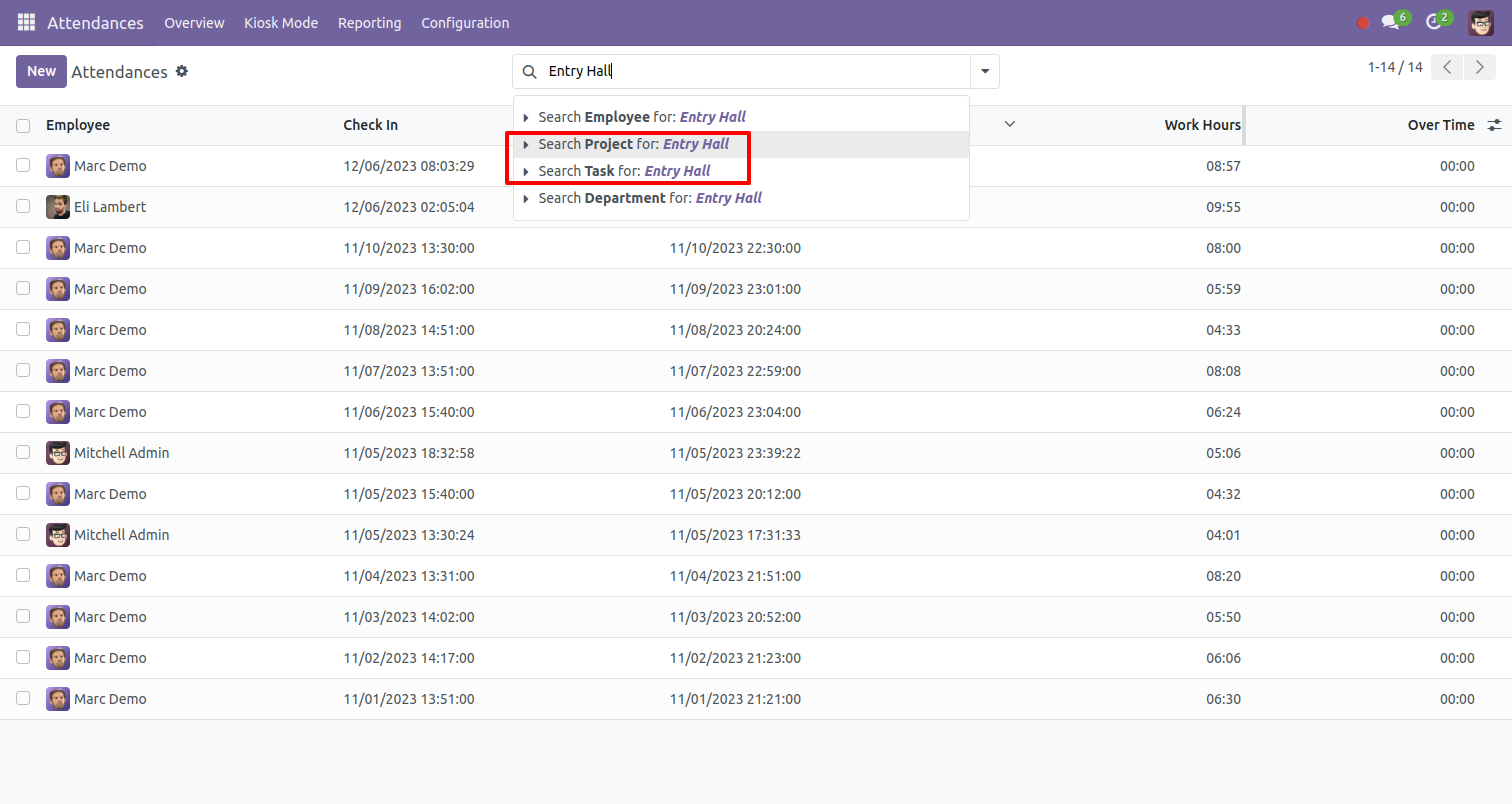
- You can group by and search attendance based on project and task.
- You can schedule timesheet by the calendar.
- Easy to plan timesheets by weekly, monthly, daily & yearly.
- Easy to manage activities by project, task, duration, employee, description, amount, date, time & unit of measure.
- Easy to manage timesheet from date & time to date & time and auto calculate total duration from that.
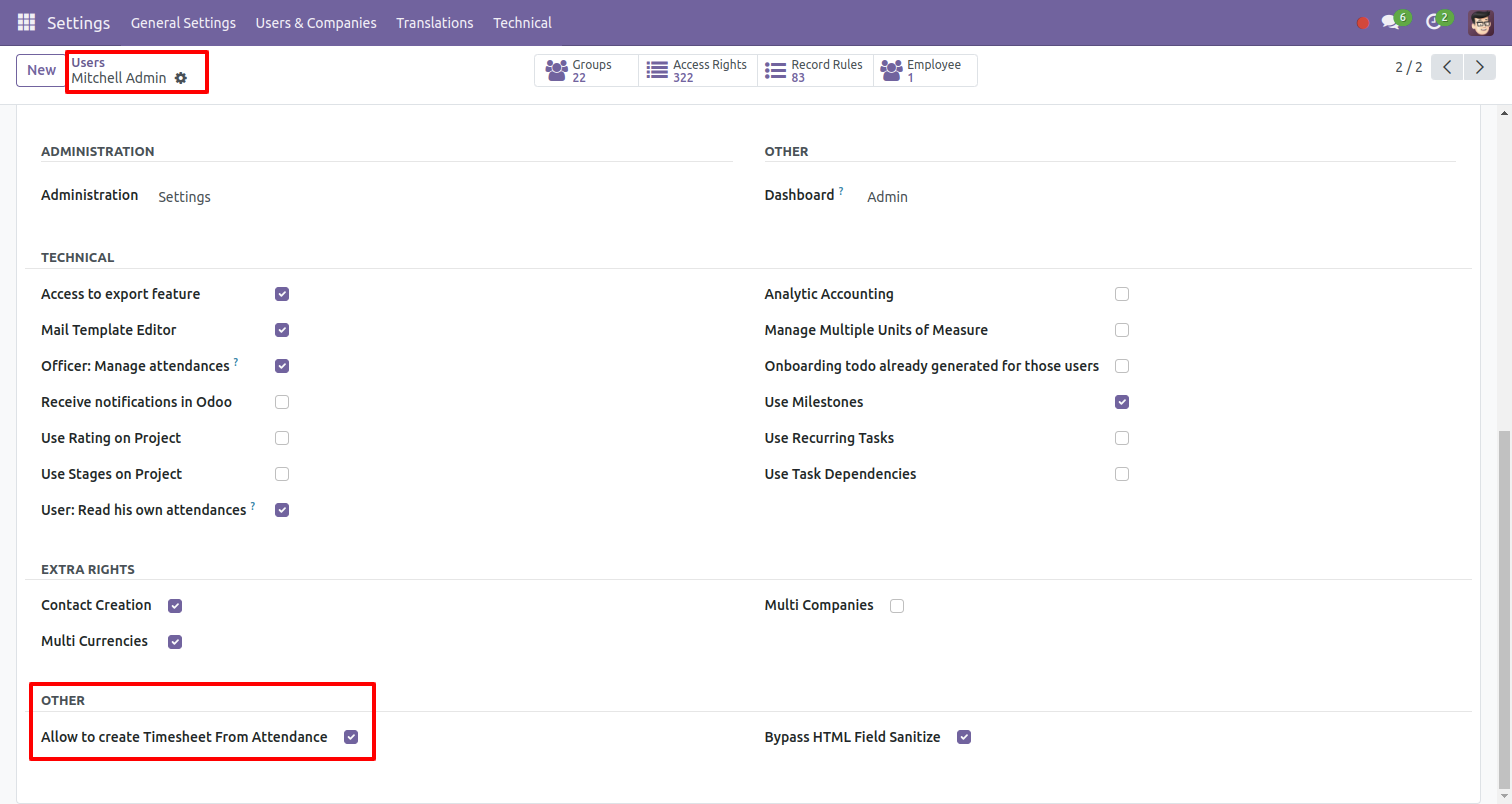
Enable "Allow To Create Timesheet From Attendance" to create a timesheet from the attendance.
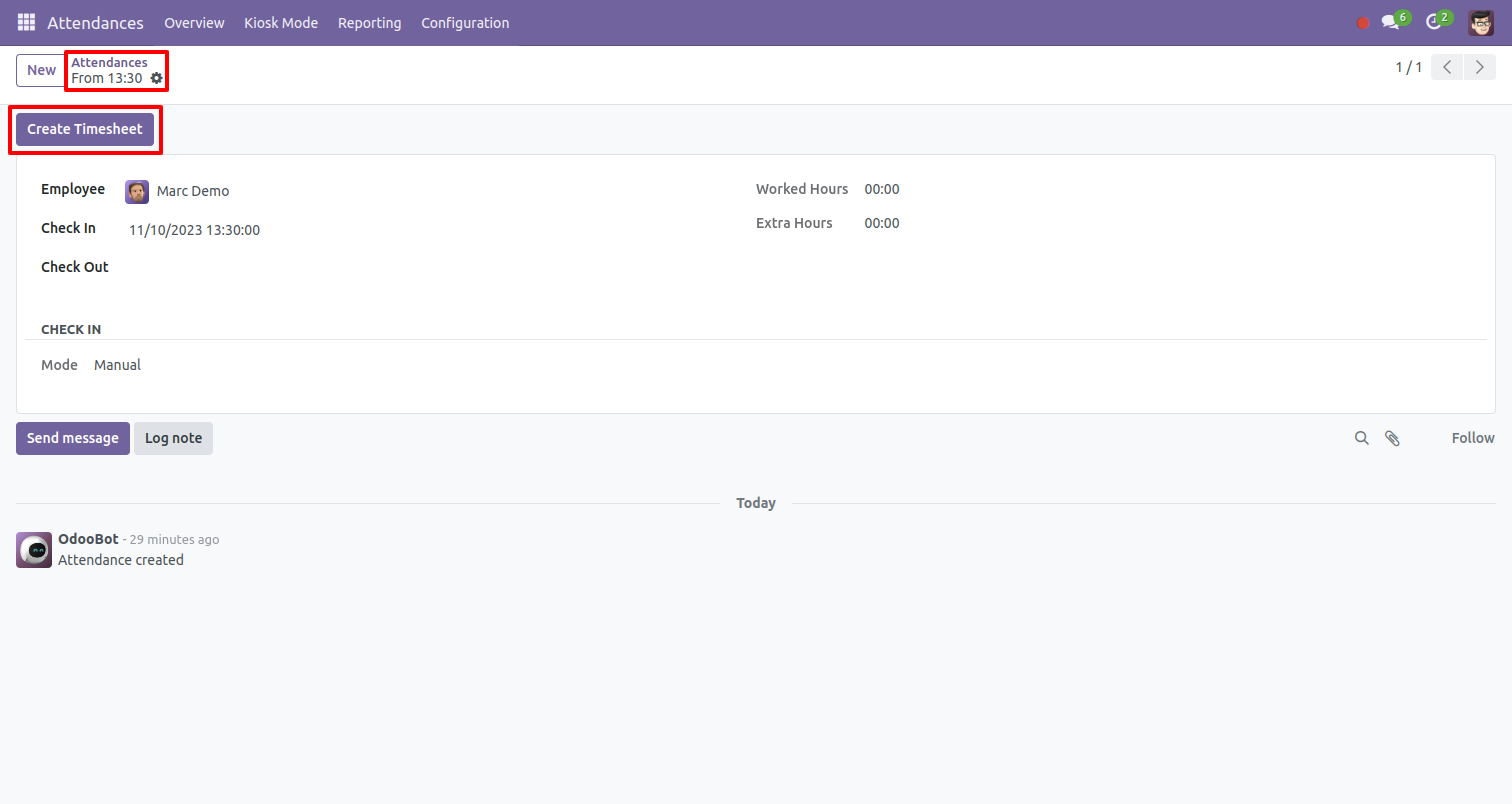
Go to the attendance and press the "Create Timesheet" button.
It shows a warning if you create a timesheet without checkout.
After pressing the "Create Timesheet" button, this wizard opens enter all details and click "Create Timesheet".
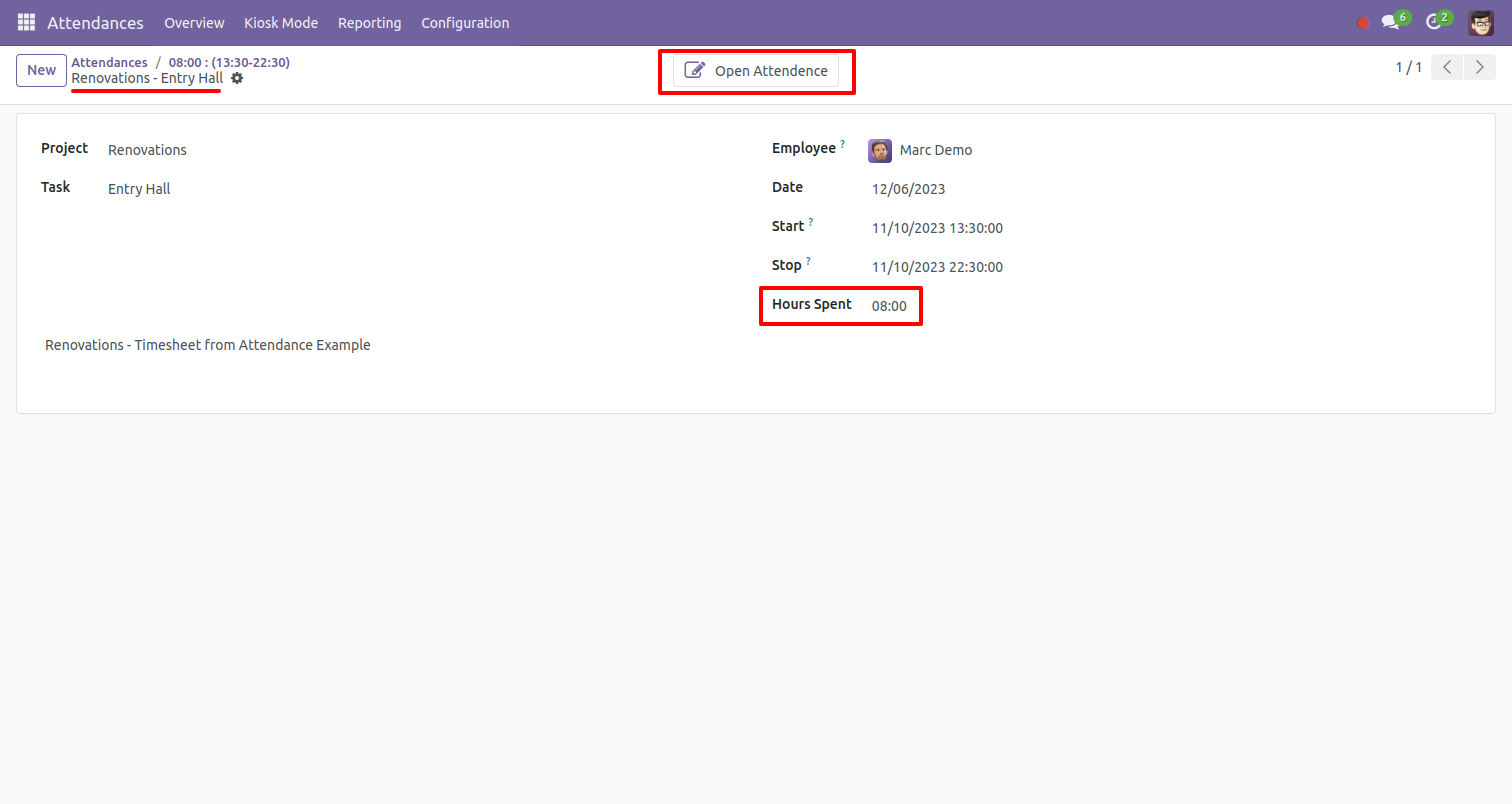
Timesheet created, you can open attendance from a timesheet.
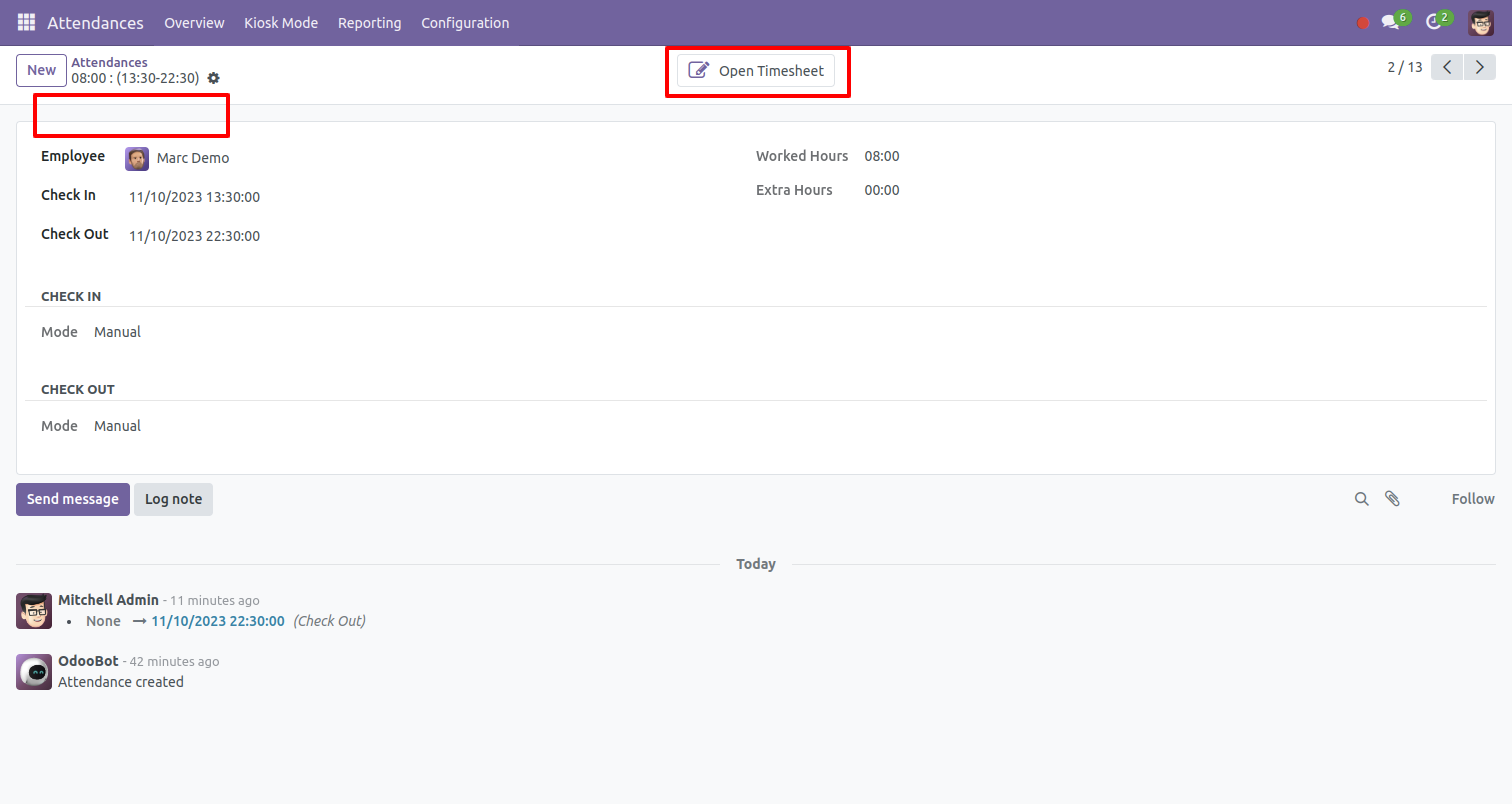
You can open the timesheet from the attendance.
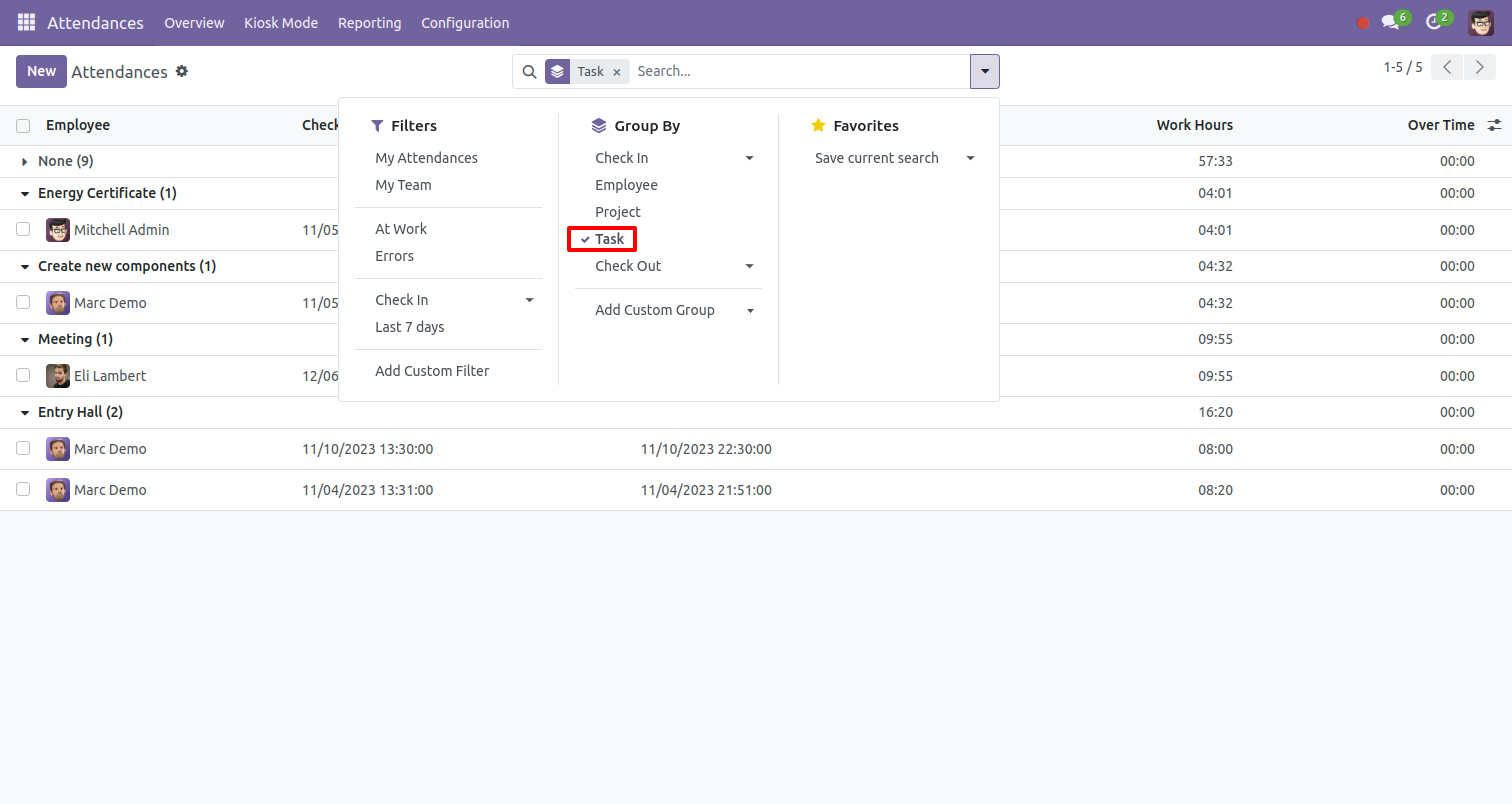
You can group by attendance based on project and task.
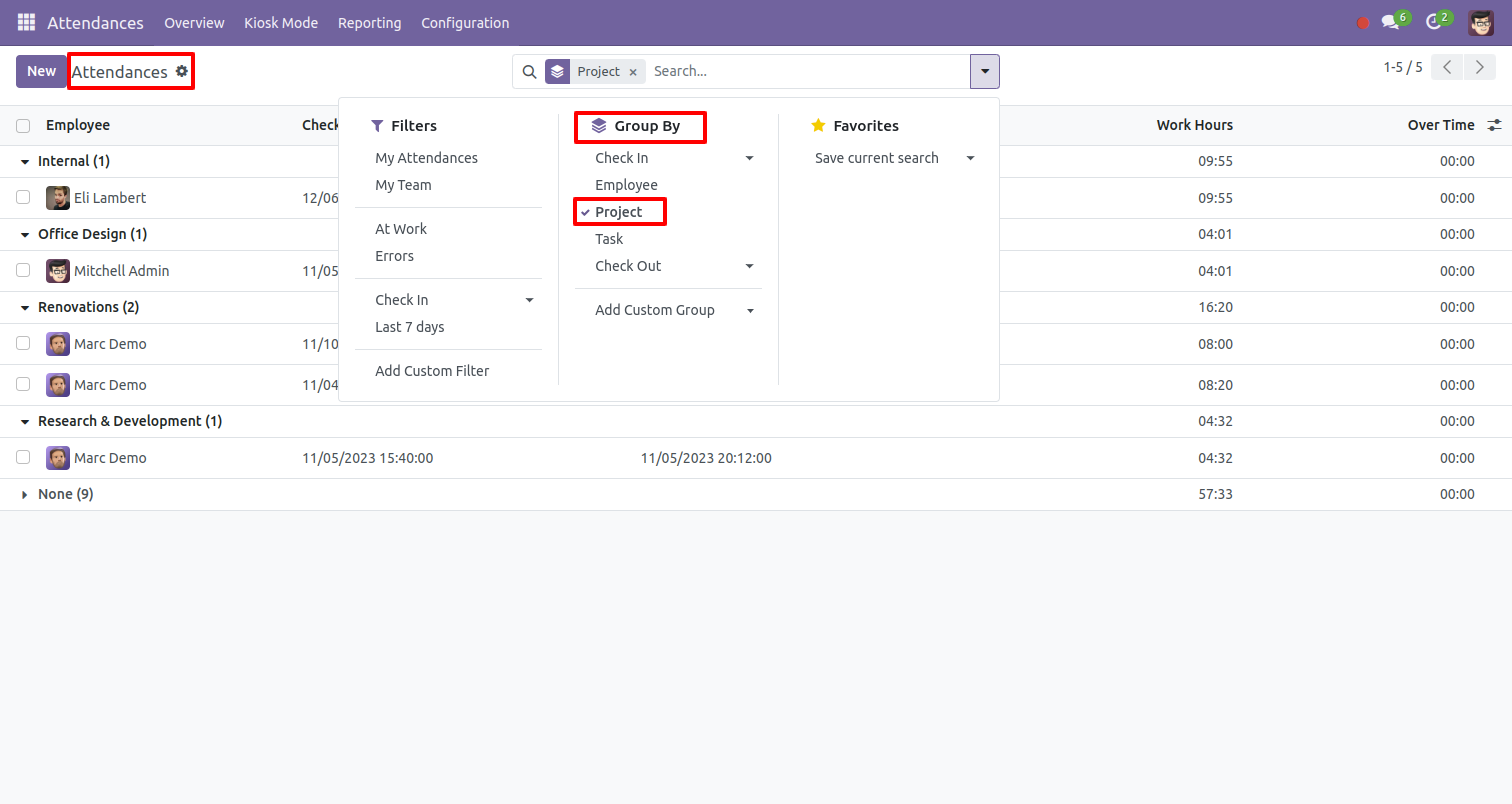
You can search attendance based on project and task.
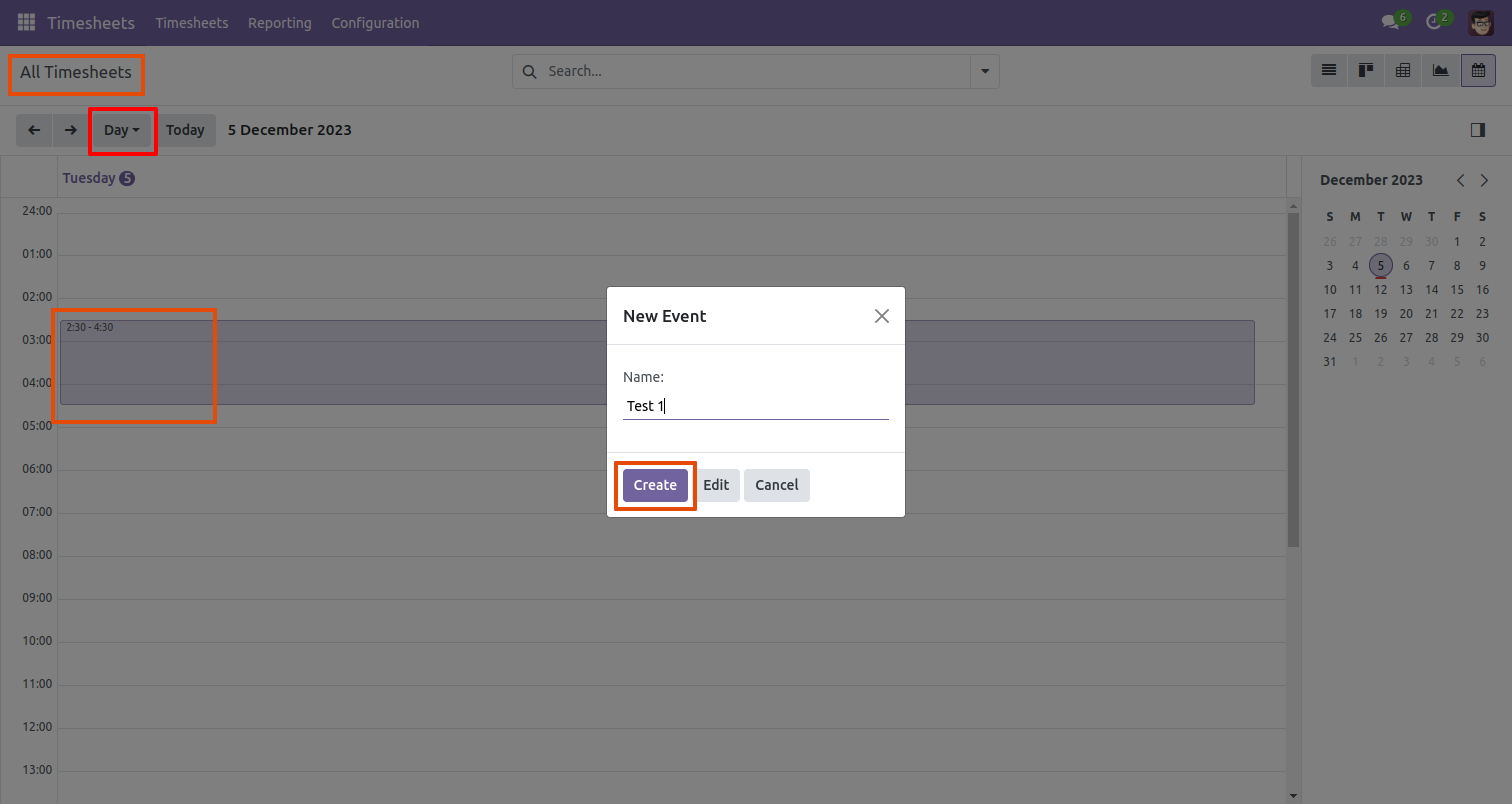
In my timesheet, you can schedule activity by day using the "Day" button.
You can easily drag and drop hours on the mouse scroll very quickly.
Write a name in new event wizard and click on 'Create' button.
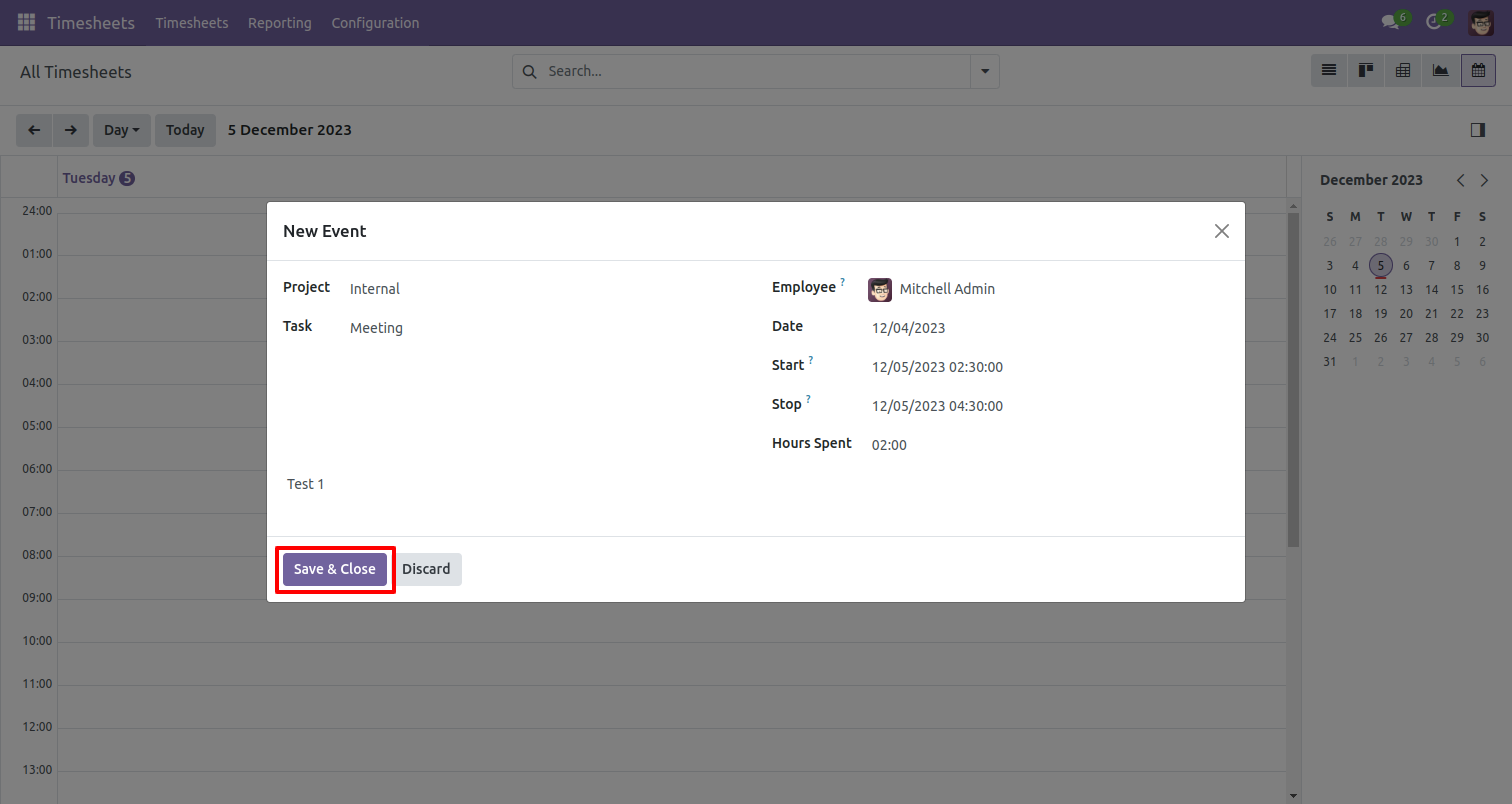
After that one wizard opens, it automatically fills start and stops date & time and auto calculate duration from that.
The scheduled timesheet looks like below.
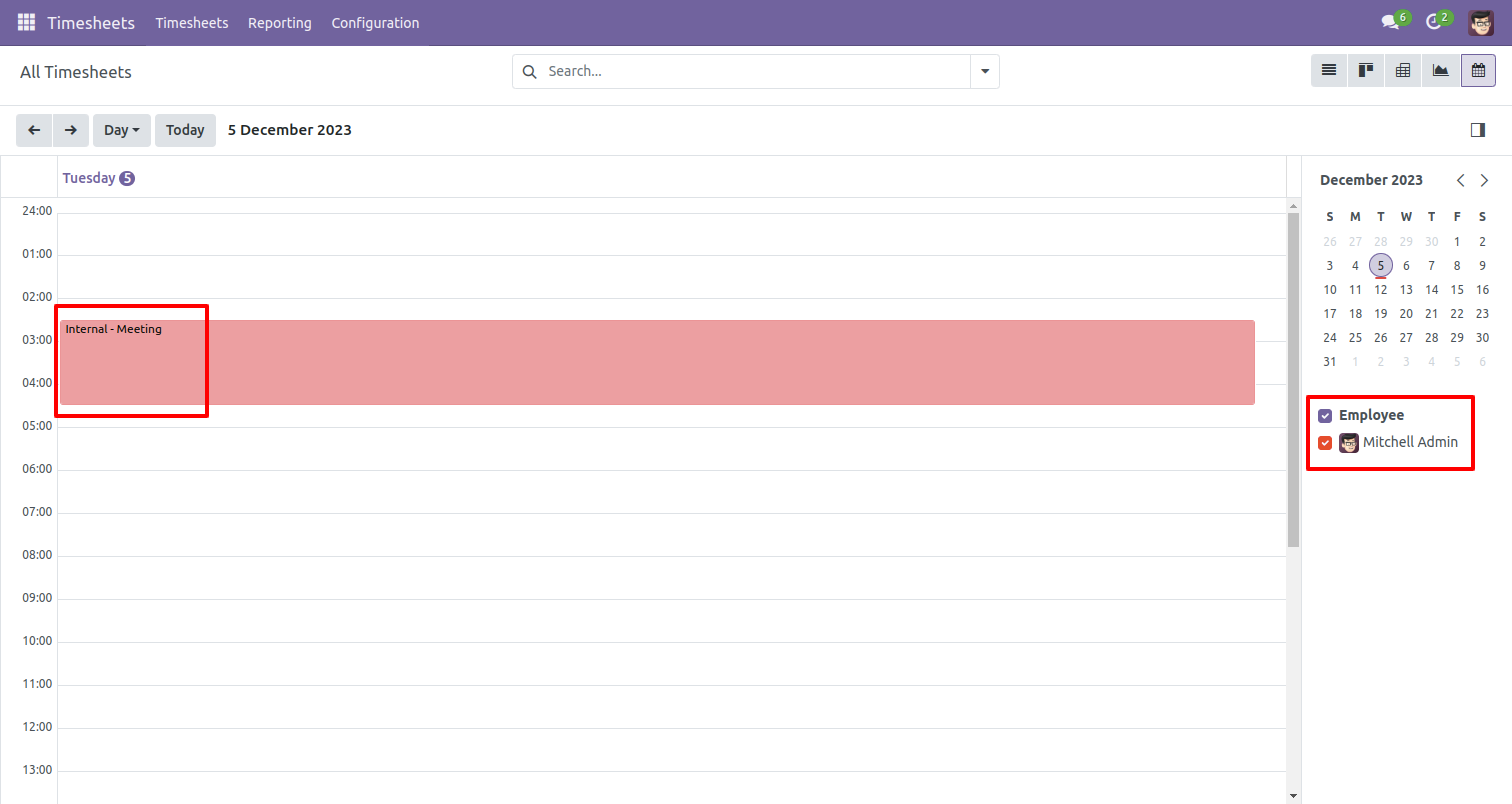
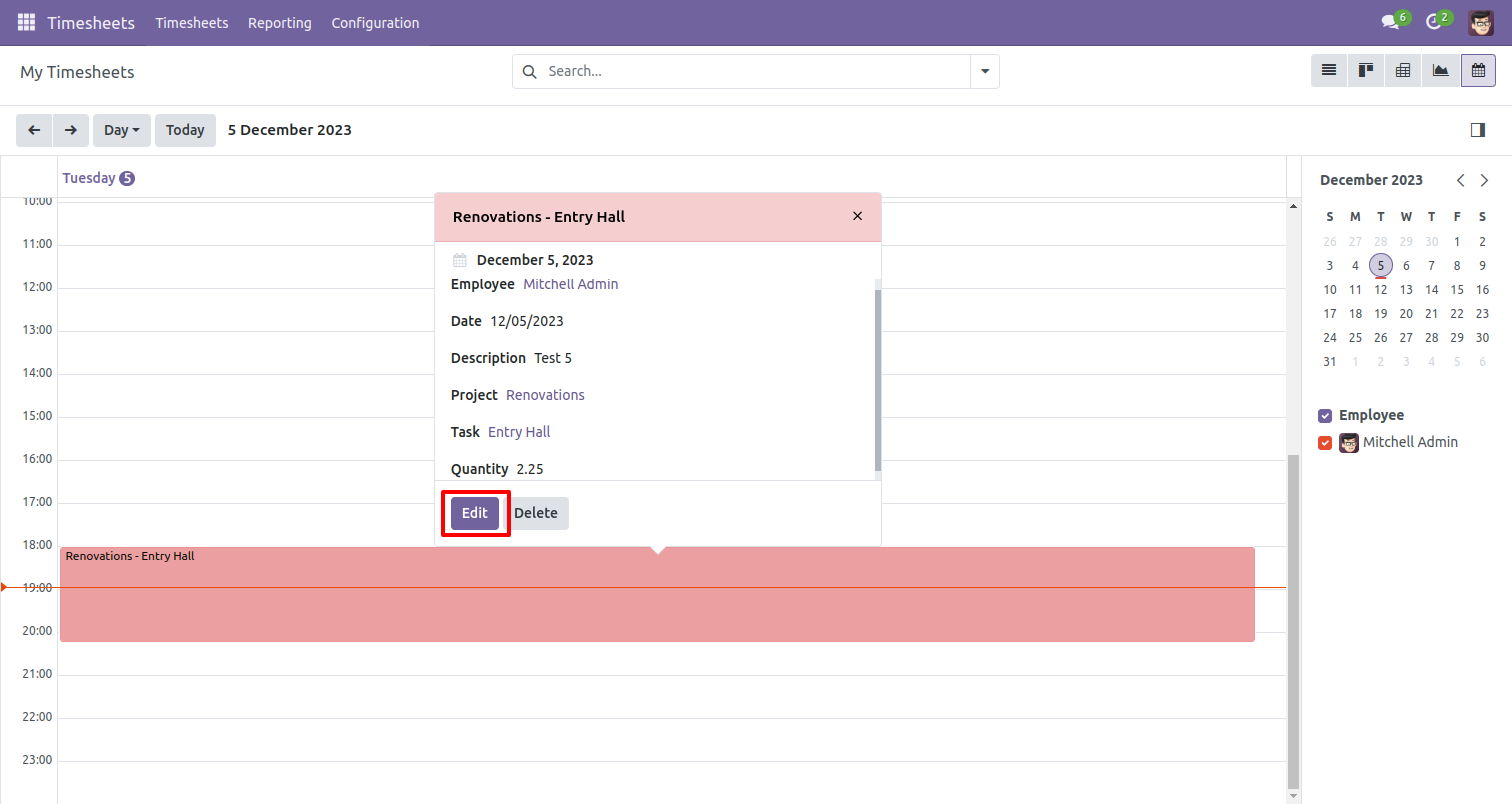
If you press on that it will open one popup here you can edit or delete it.
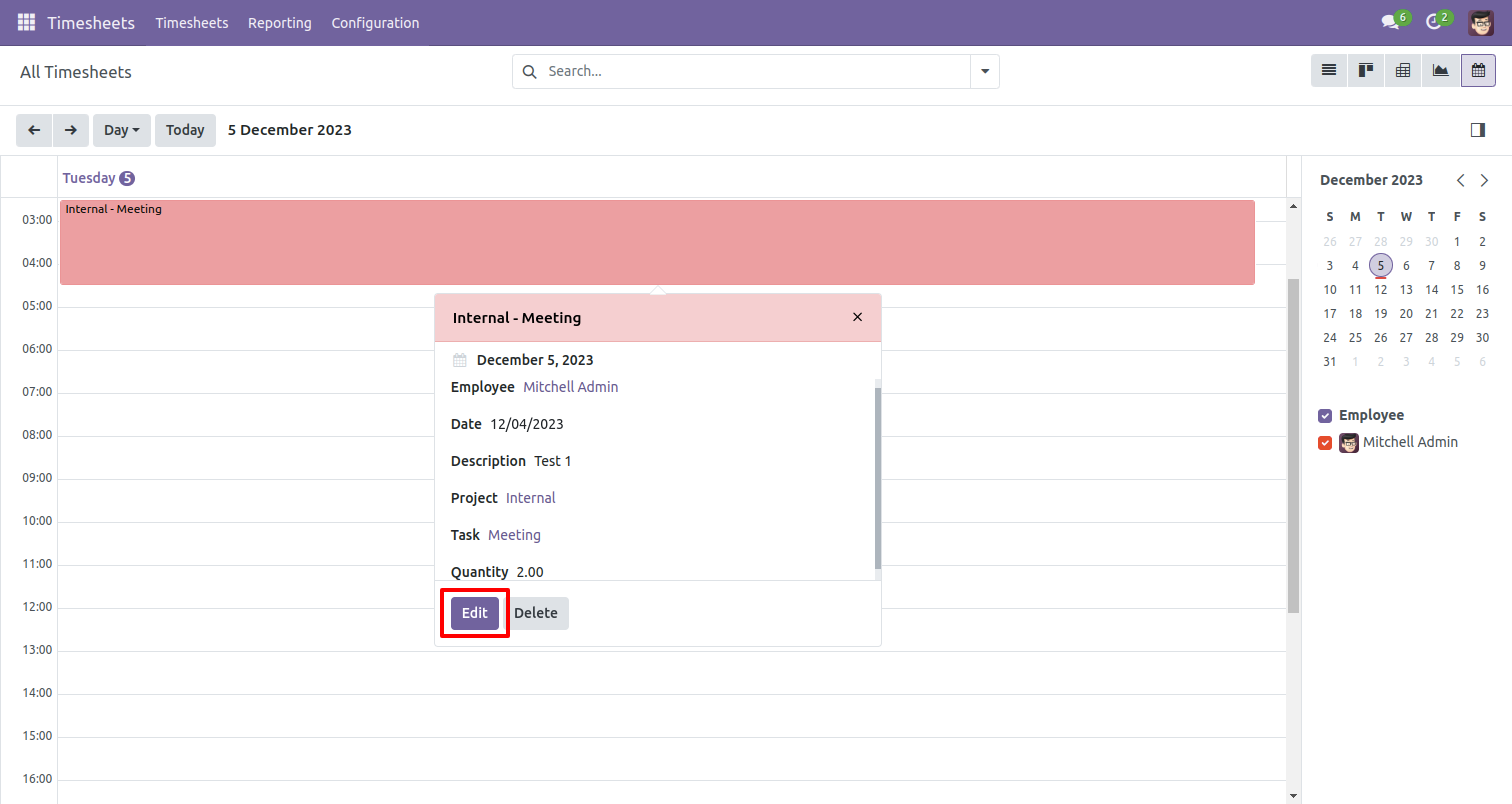
The scheduled timesheet looks like below.
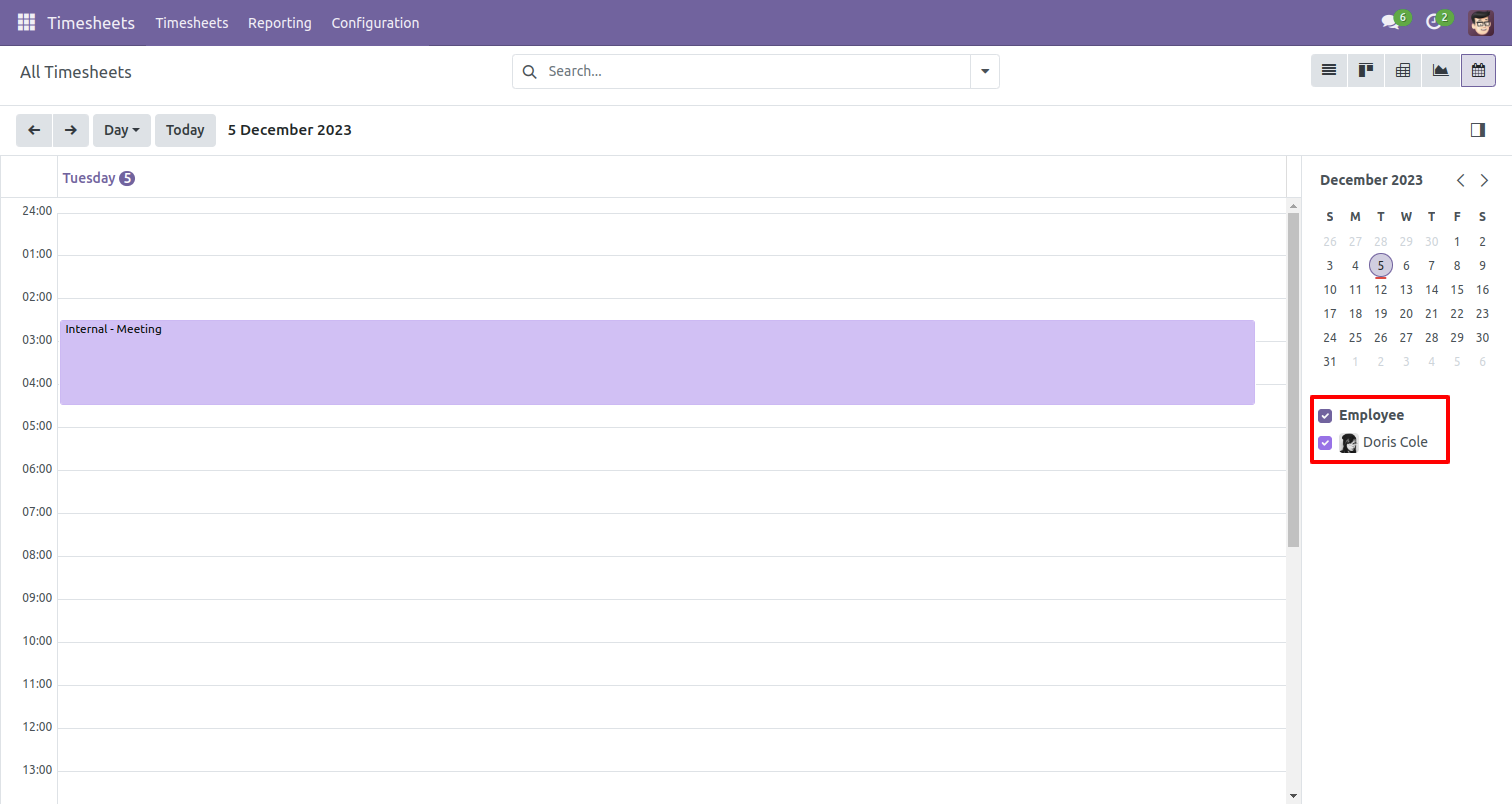
In my timesheet, you can schedule activity by week using the "Week" button,
You can easily drag and drop hours with the day on the mouse scroll very
quickly.
Write a name in new event wizard and click on 'Create' button.
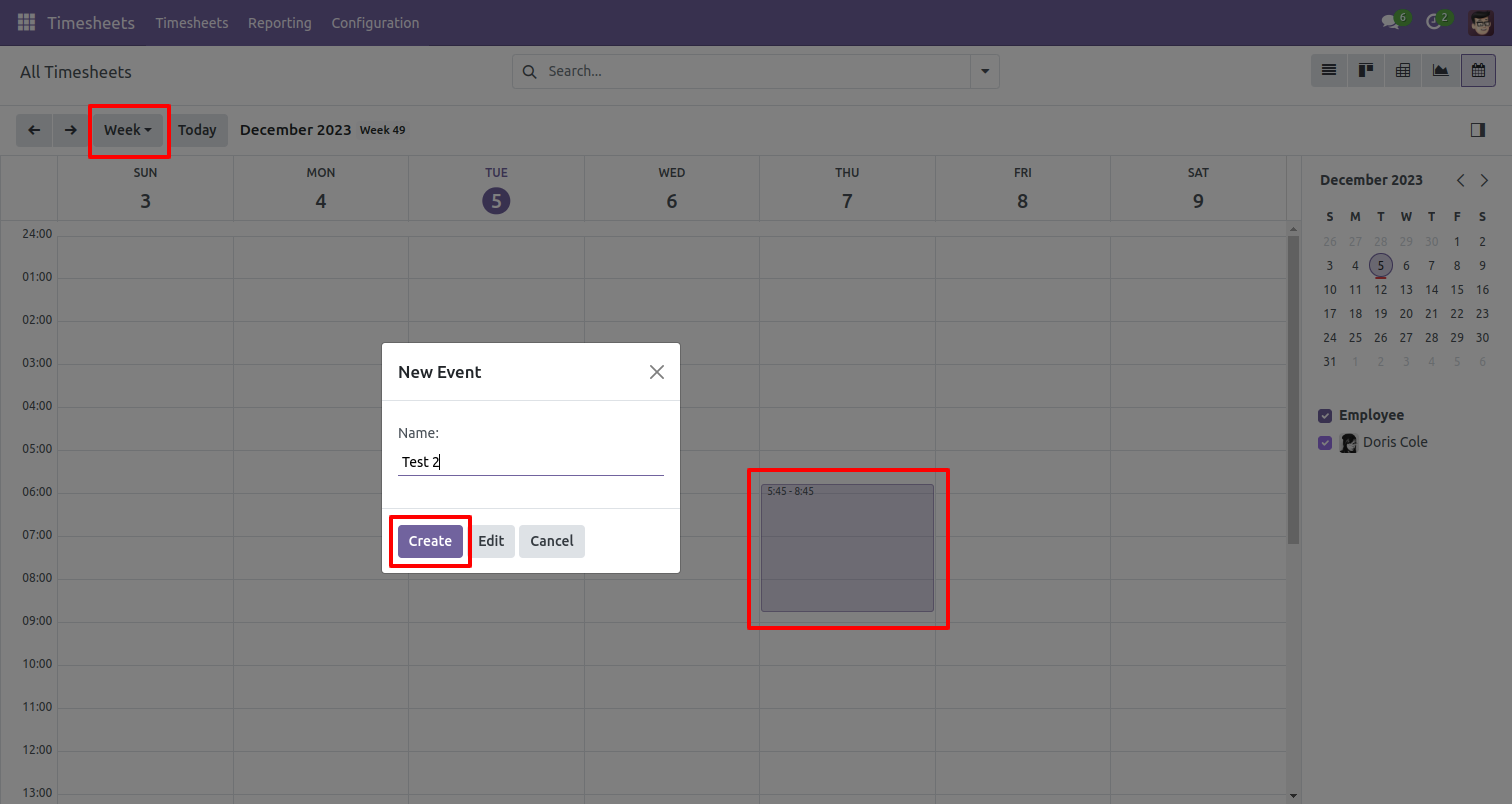
After that one wizard opens, it automatically fills start and stops date & time and auto calculate duration from that.
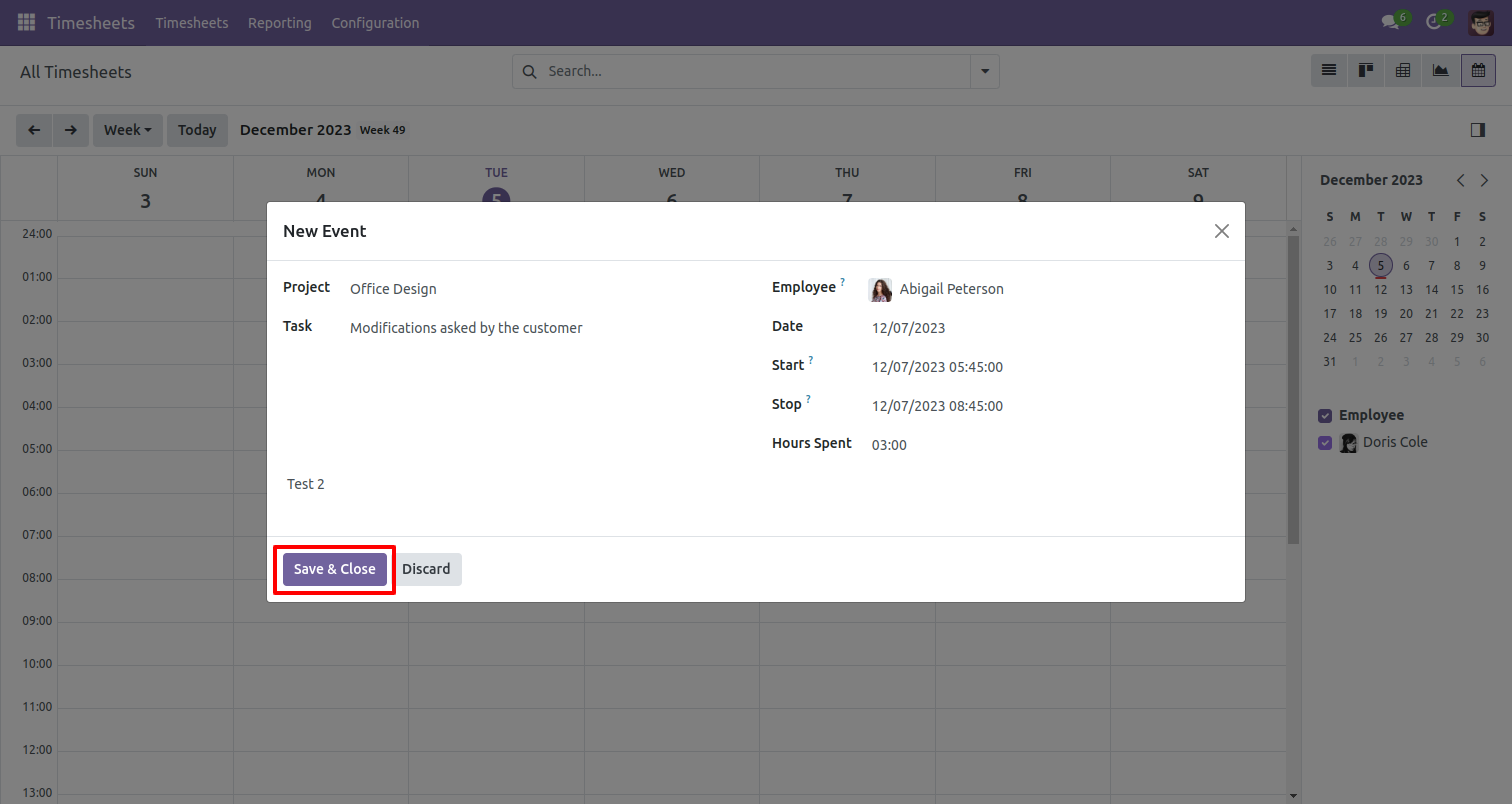
The scheduled timesheet looks like below.
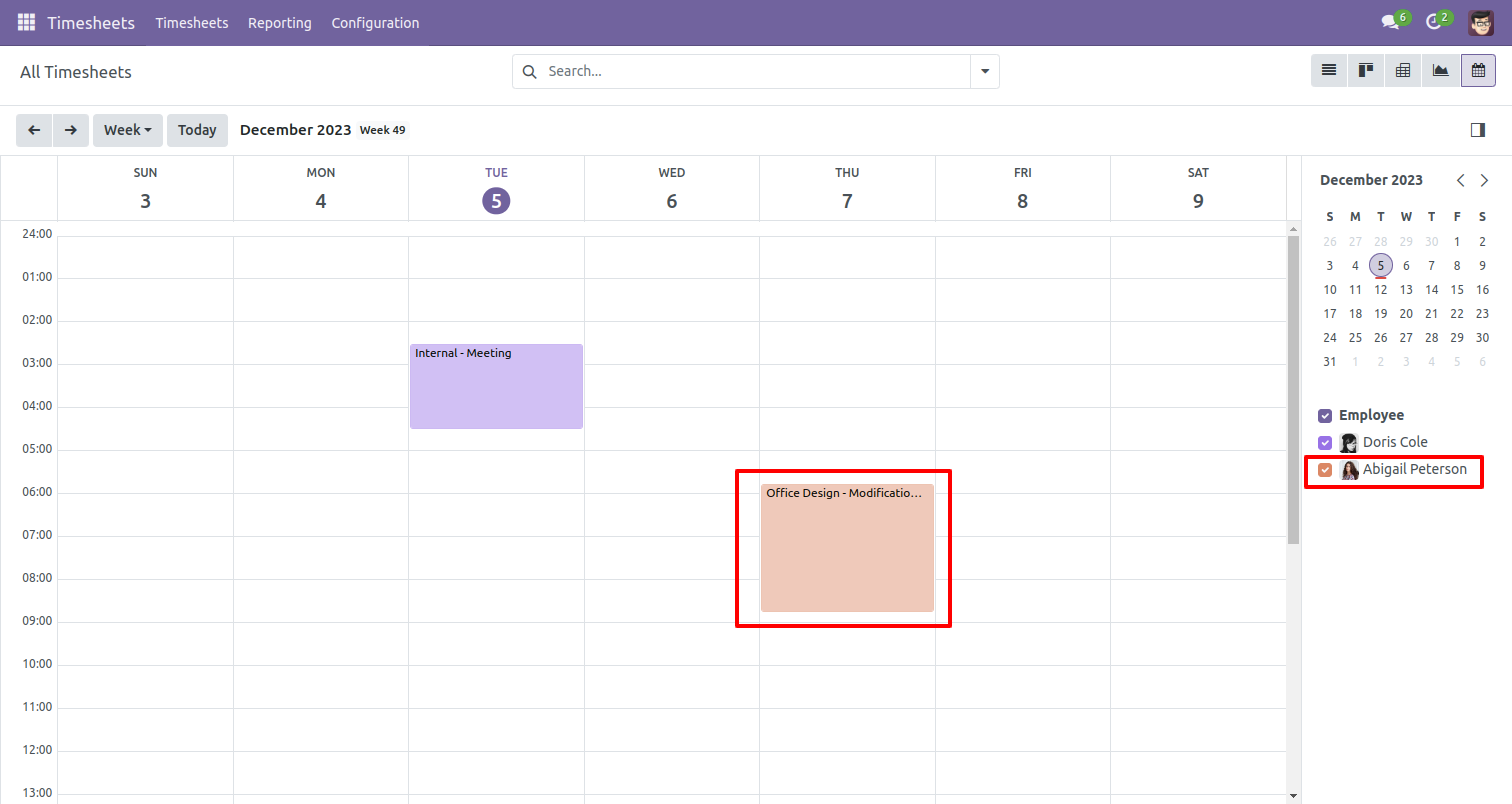
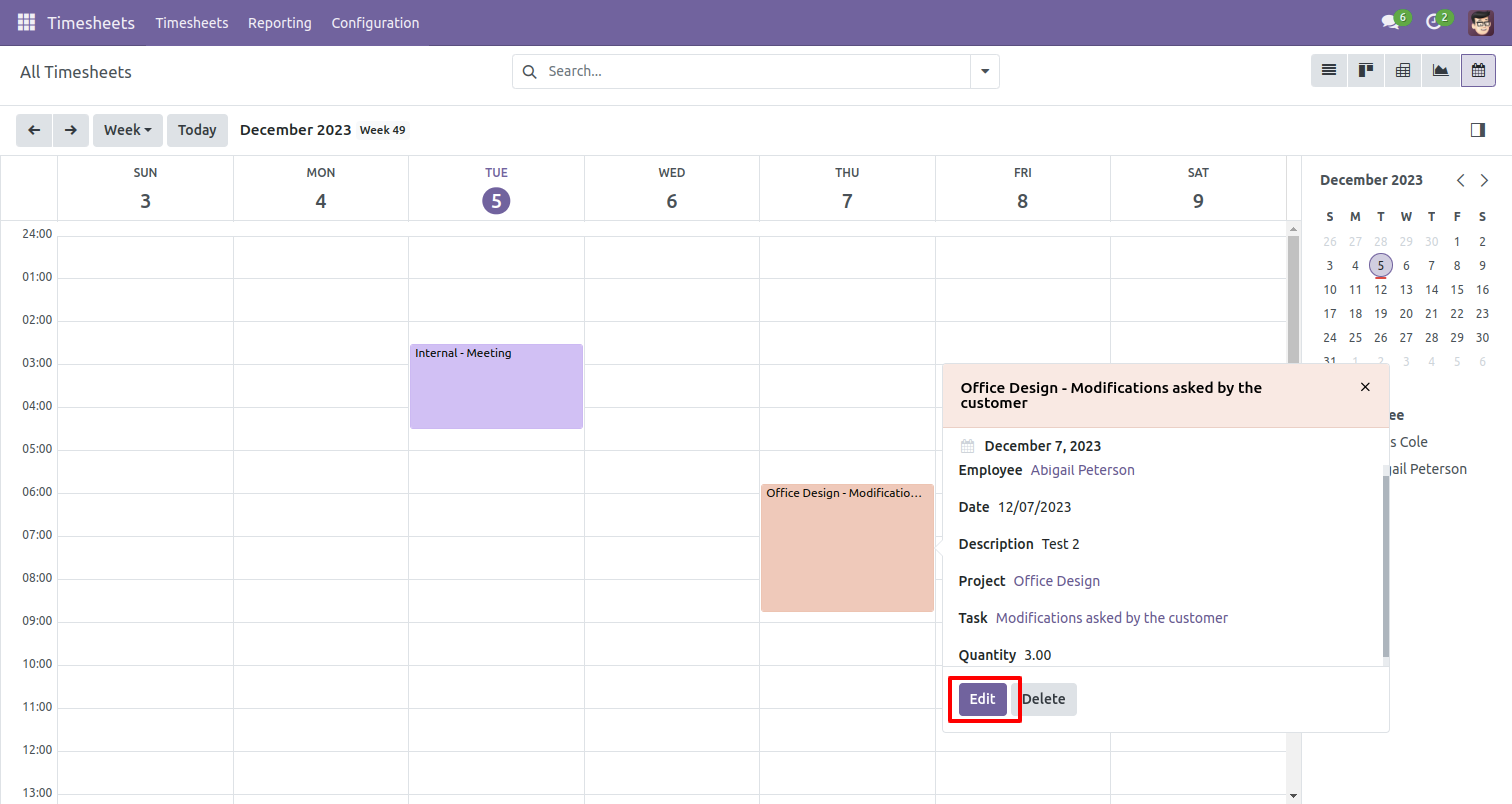
If you press on that it will open one popup here you can edit or delete it.
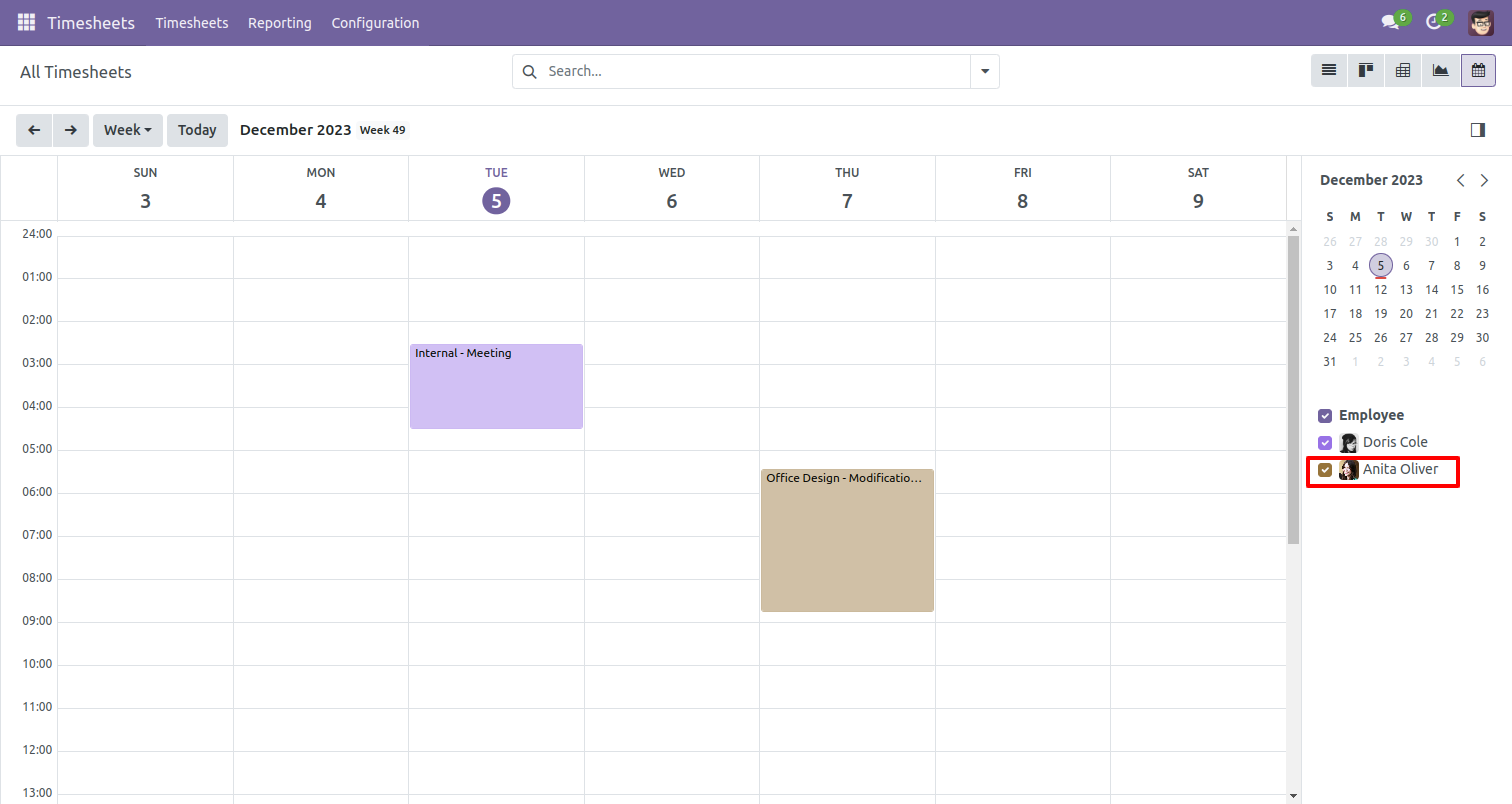
The scheduled timesheet looks like below.
In my timesheet, you can schedule activity by month using the "Month" button.
Write a name in new event wizard and click on 'Create' button.
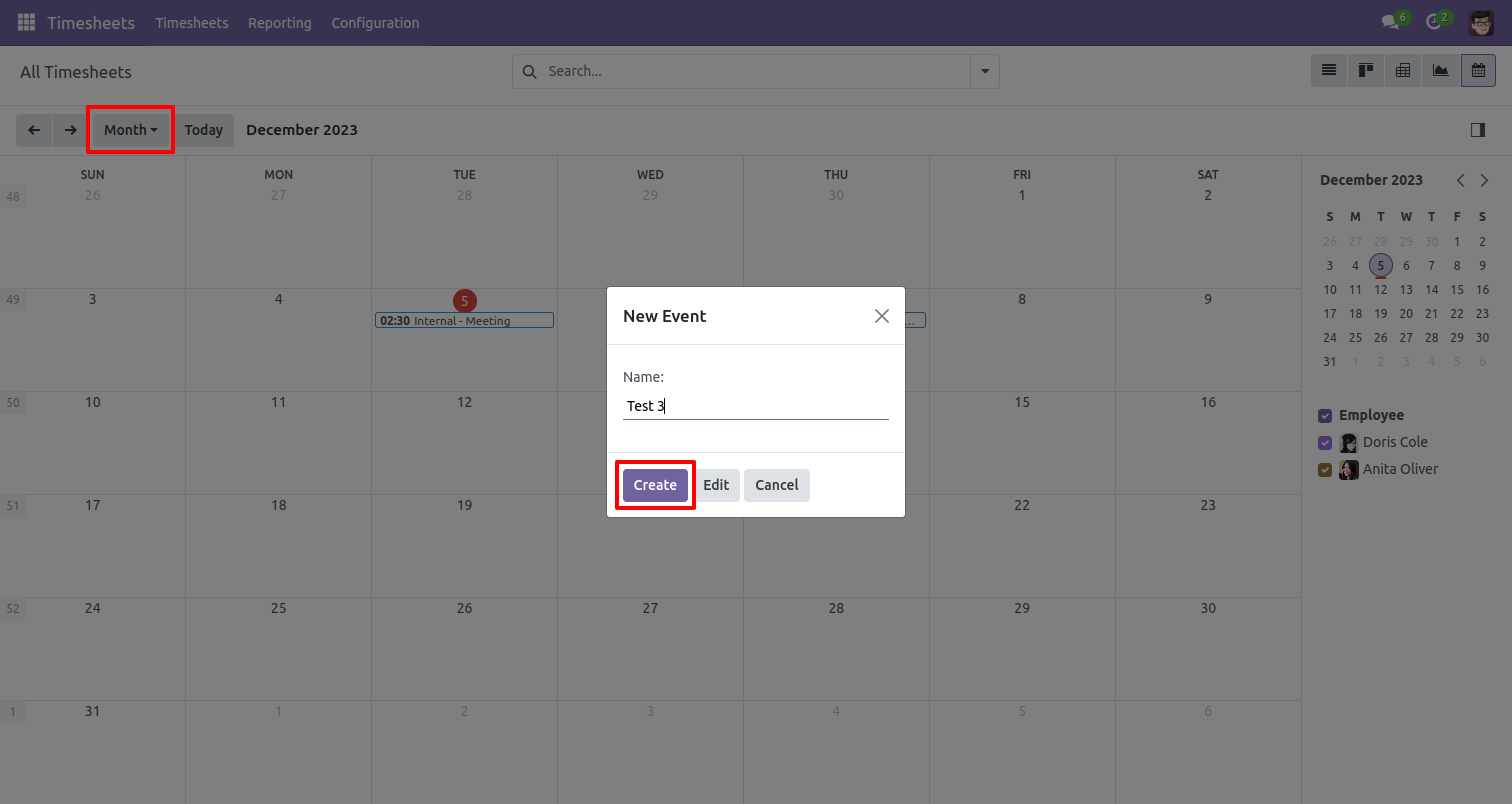
After that one wizard opens, you can fills start and stops date & time and auto calculate duration from that.
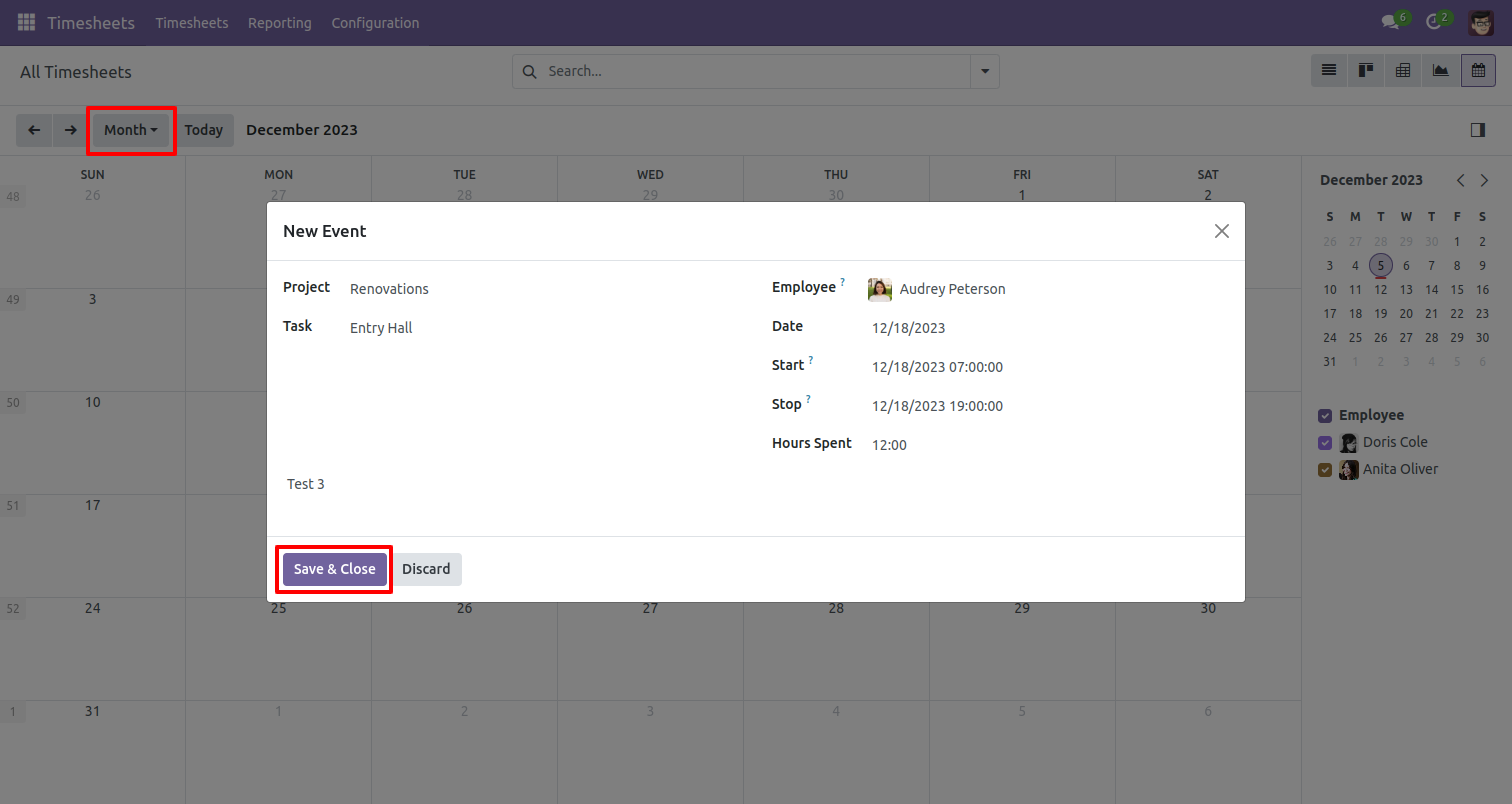
The scheduled timesheet looks like below.
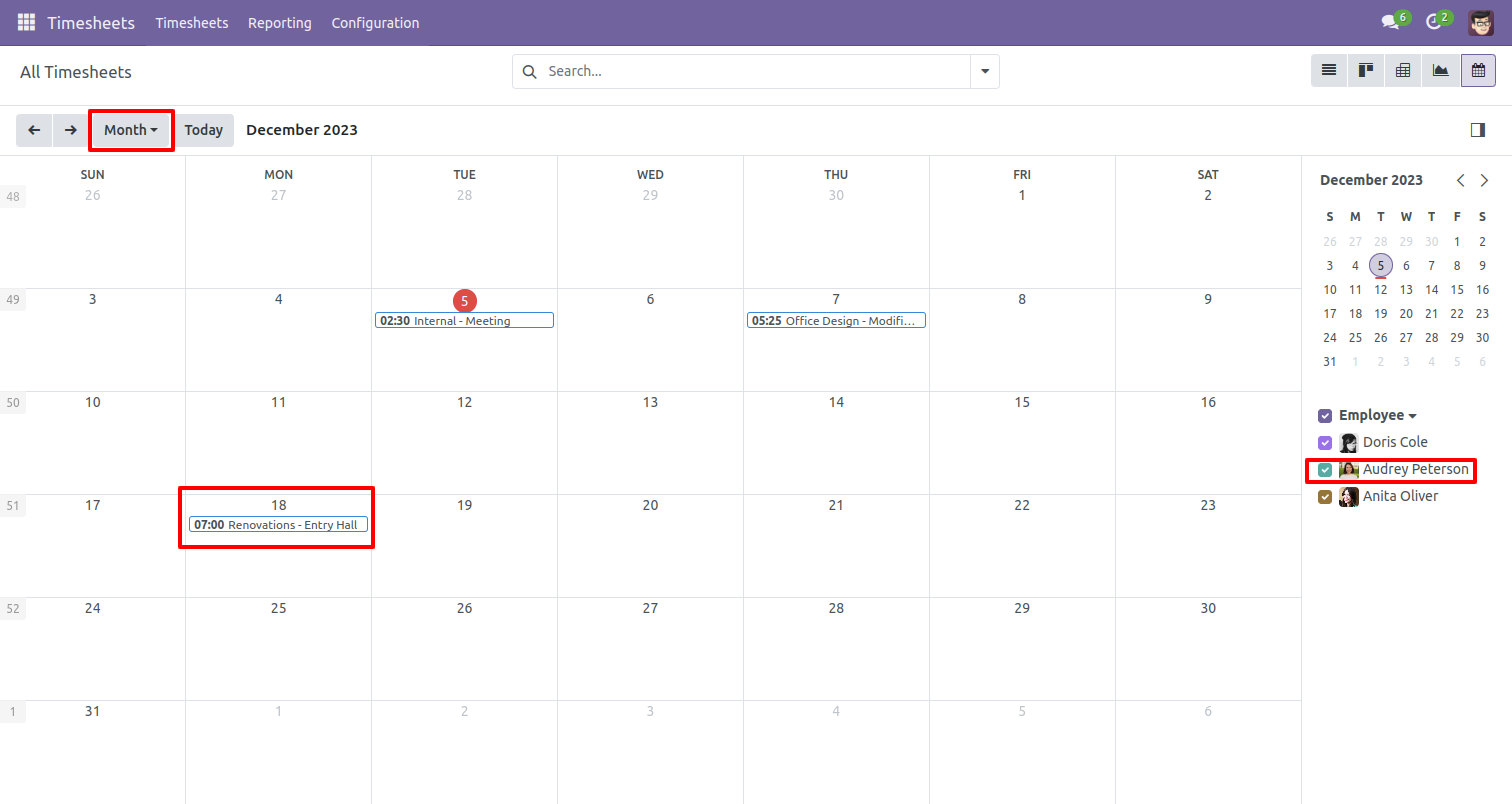
If you press on that it will open one popup here you can edit or delete it.
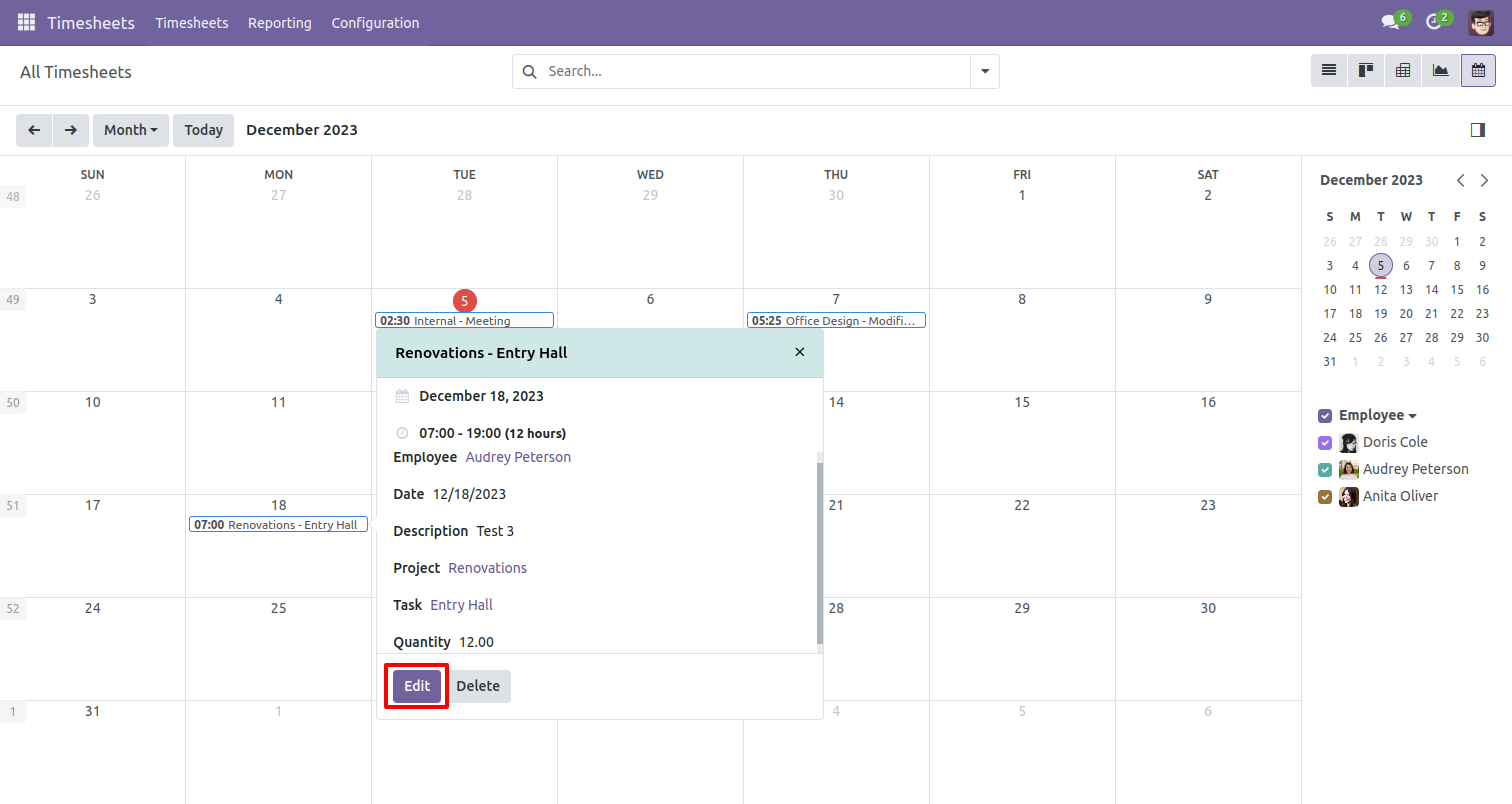
The scheduled timesheet looks like below.
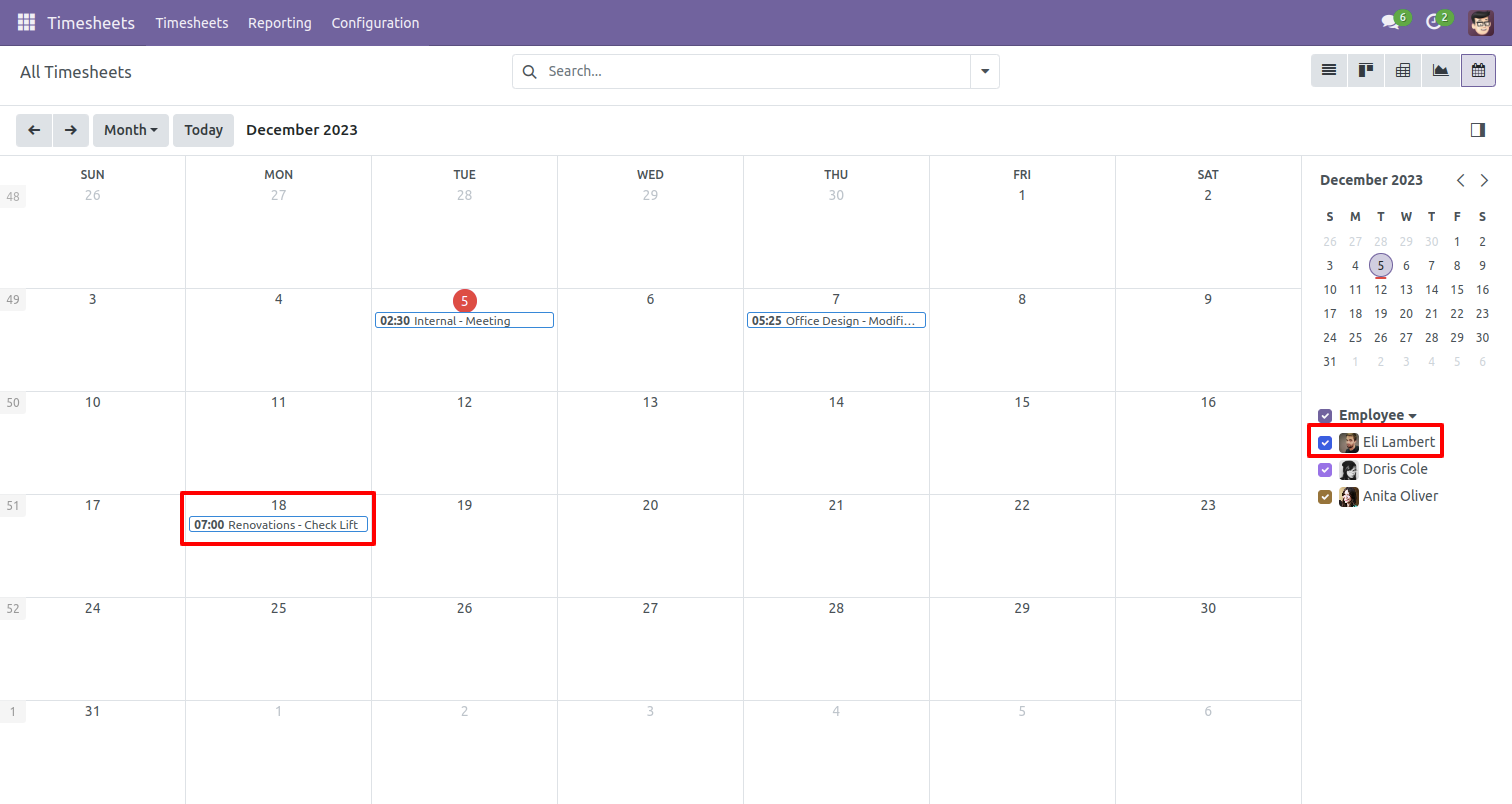
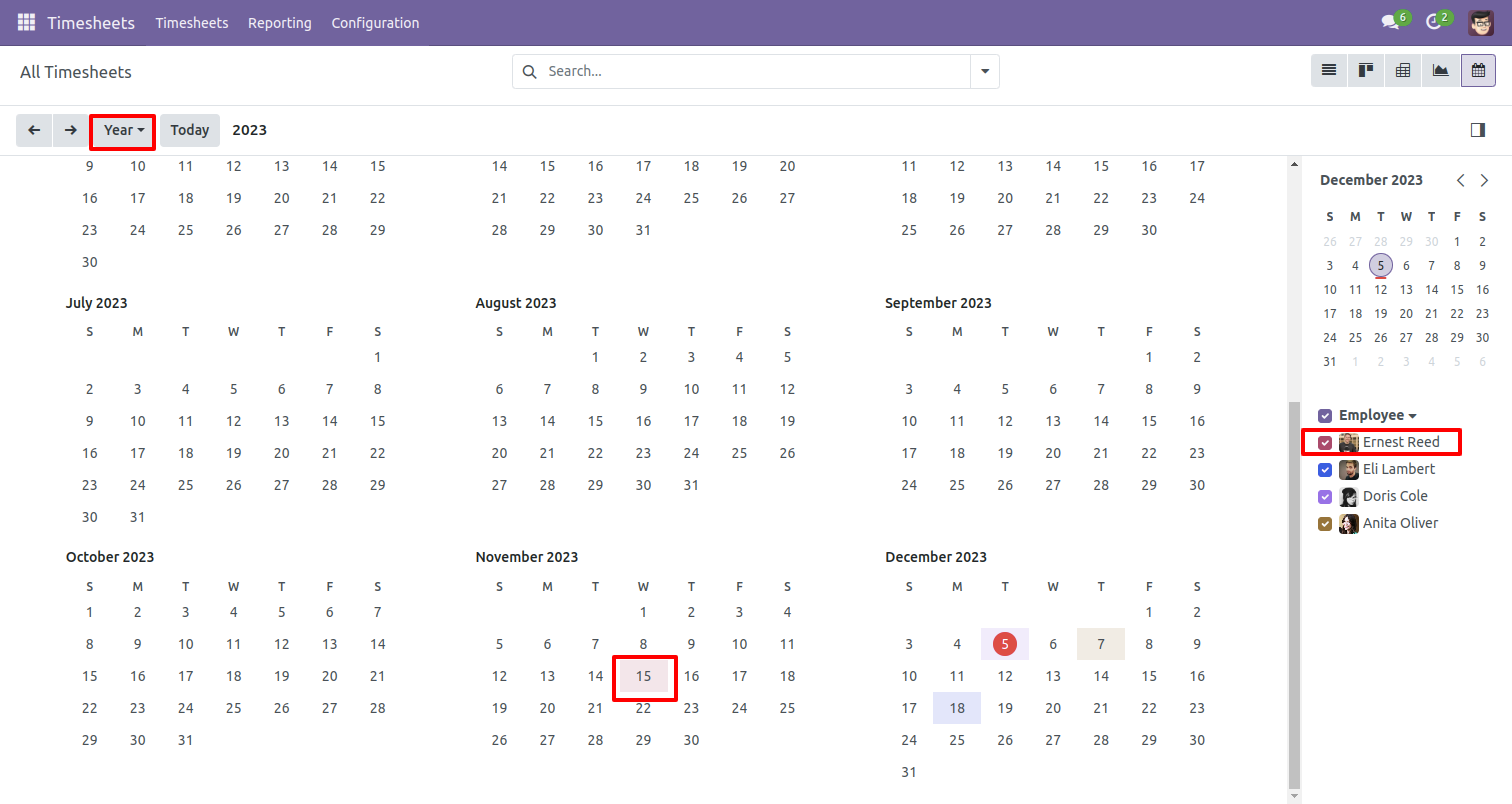
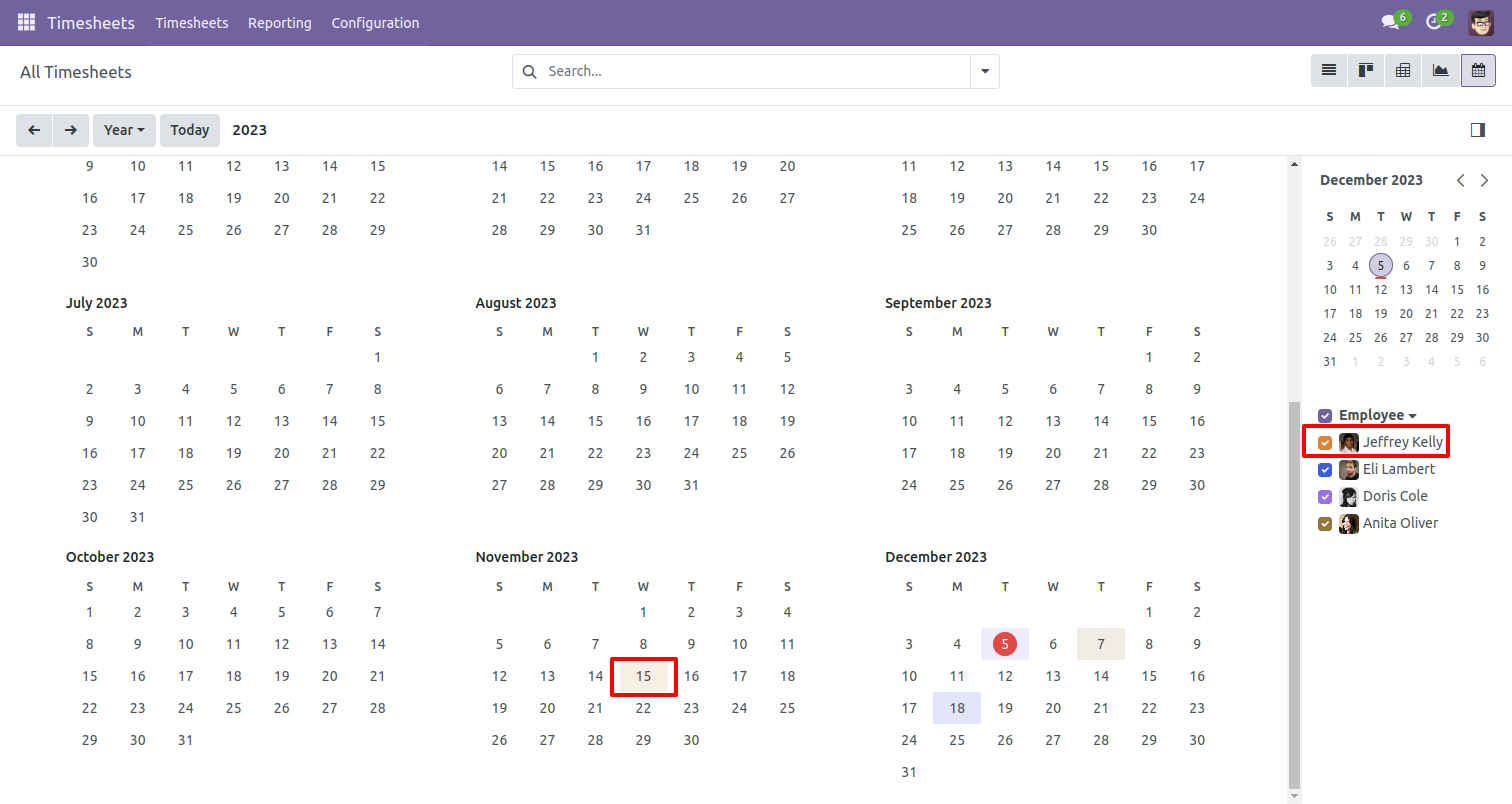
In my timesheet, you can schedule activity by year using the "Year"
button.
Write a name in new event wizard and click on 'Create' button.
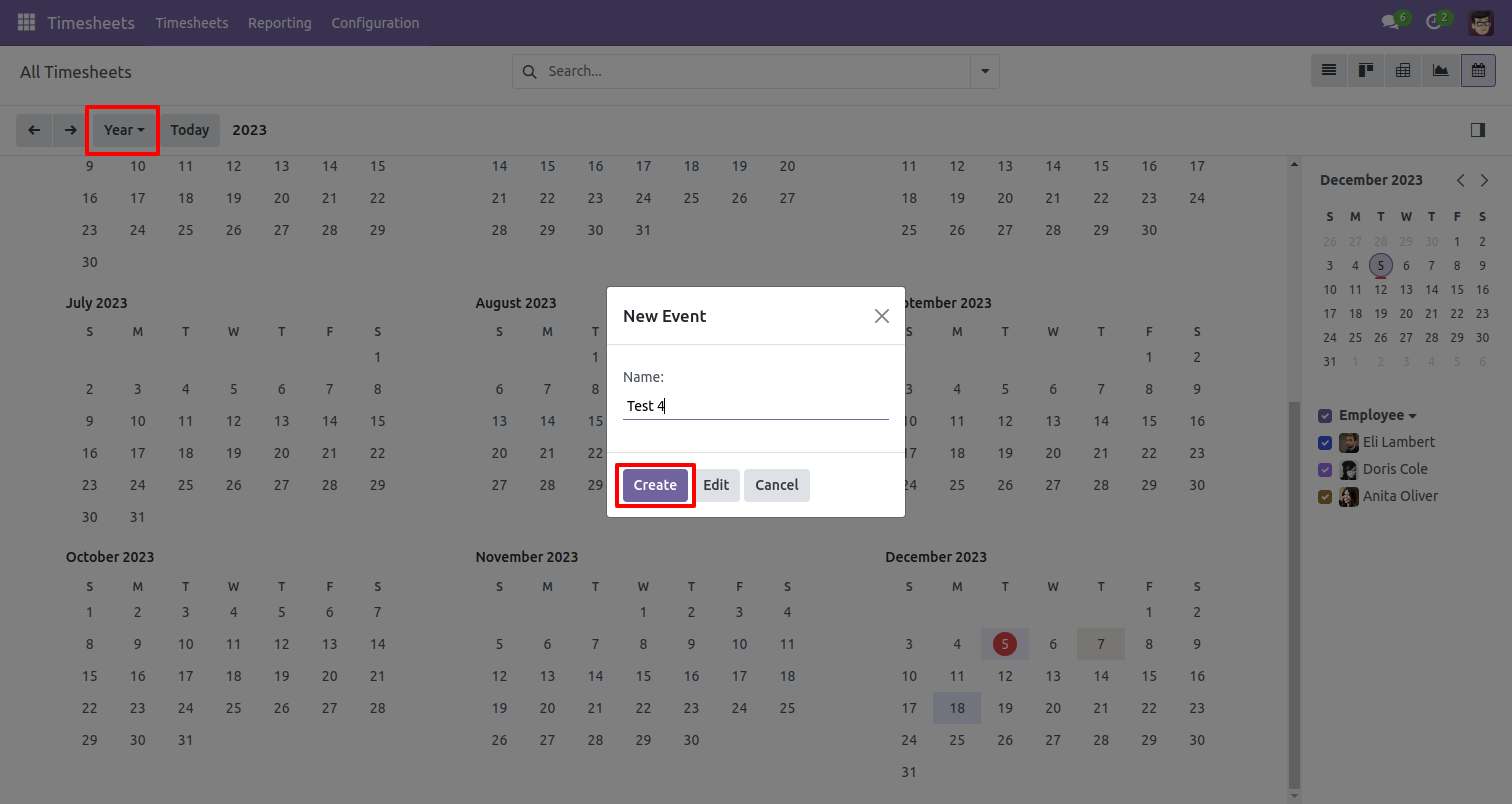
After that one wizard opens, you can fills start and stops date & time and auto calculate duration from that.
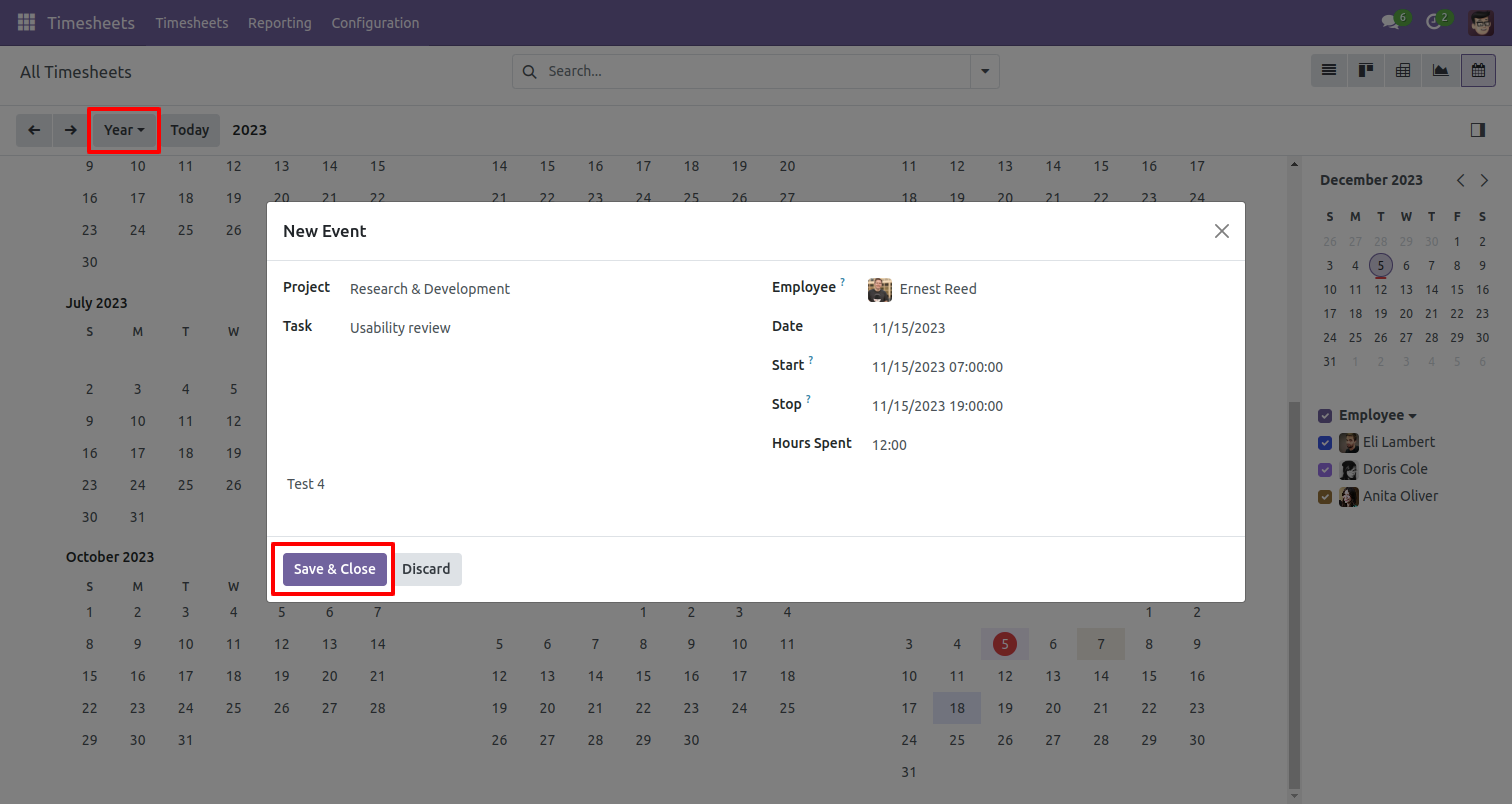
The scheduled timesheet looks like below.
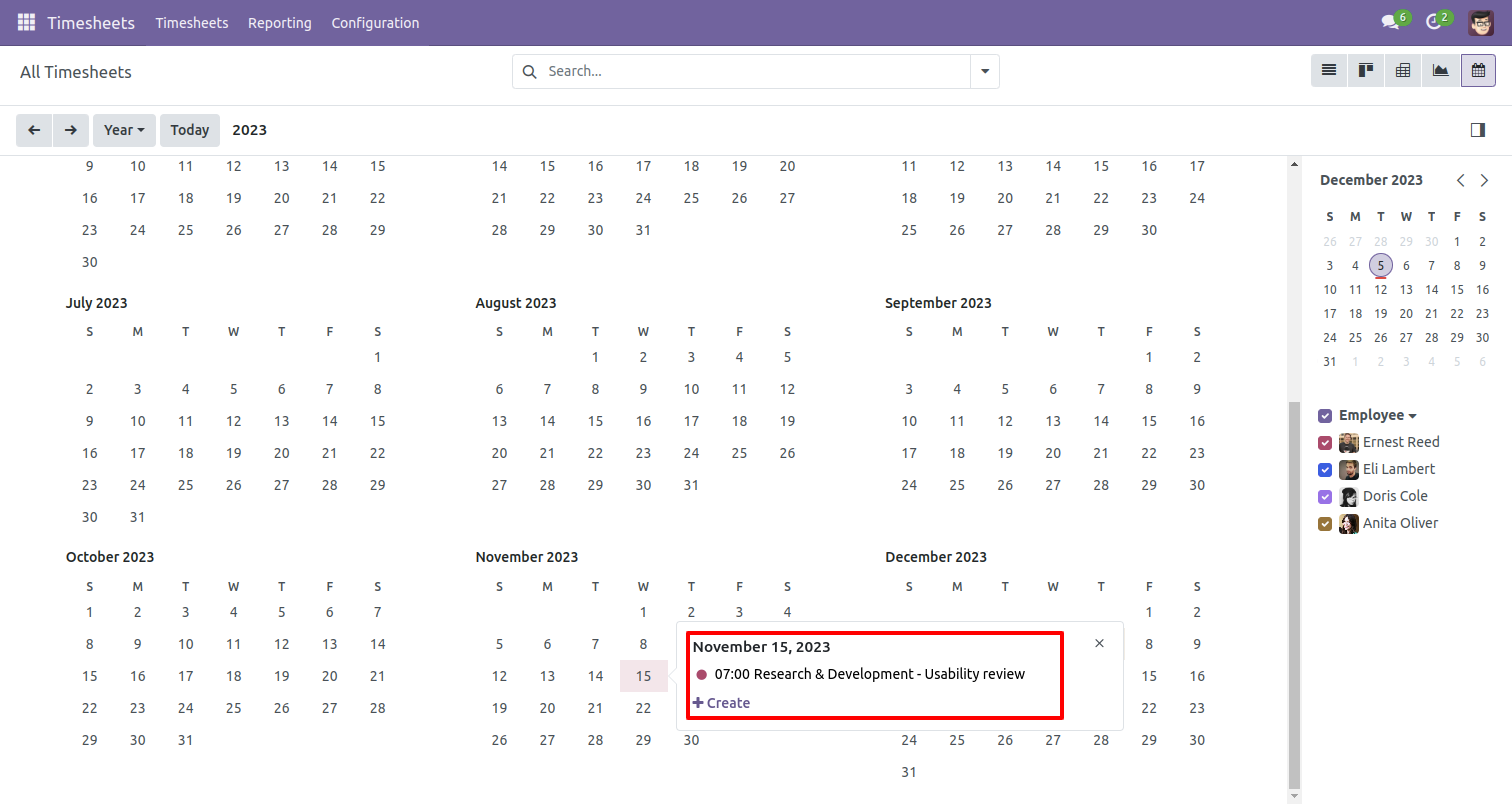
My timesheet calendar view looks like below.
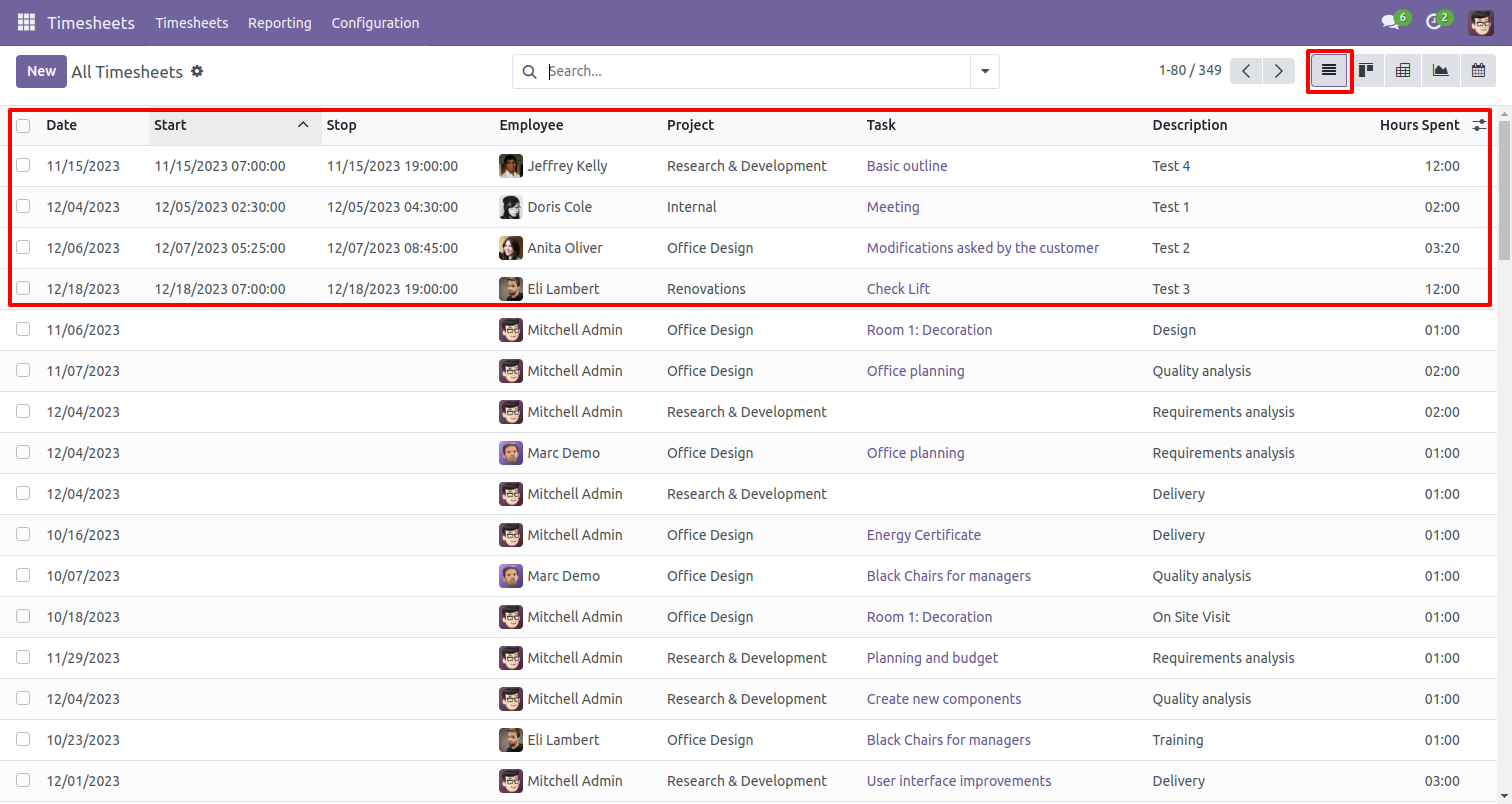
All timesheet list view looks like below.
My timesheet calendar view looks like below.
Write a name in new event wizard and click on 'Create' button.
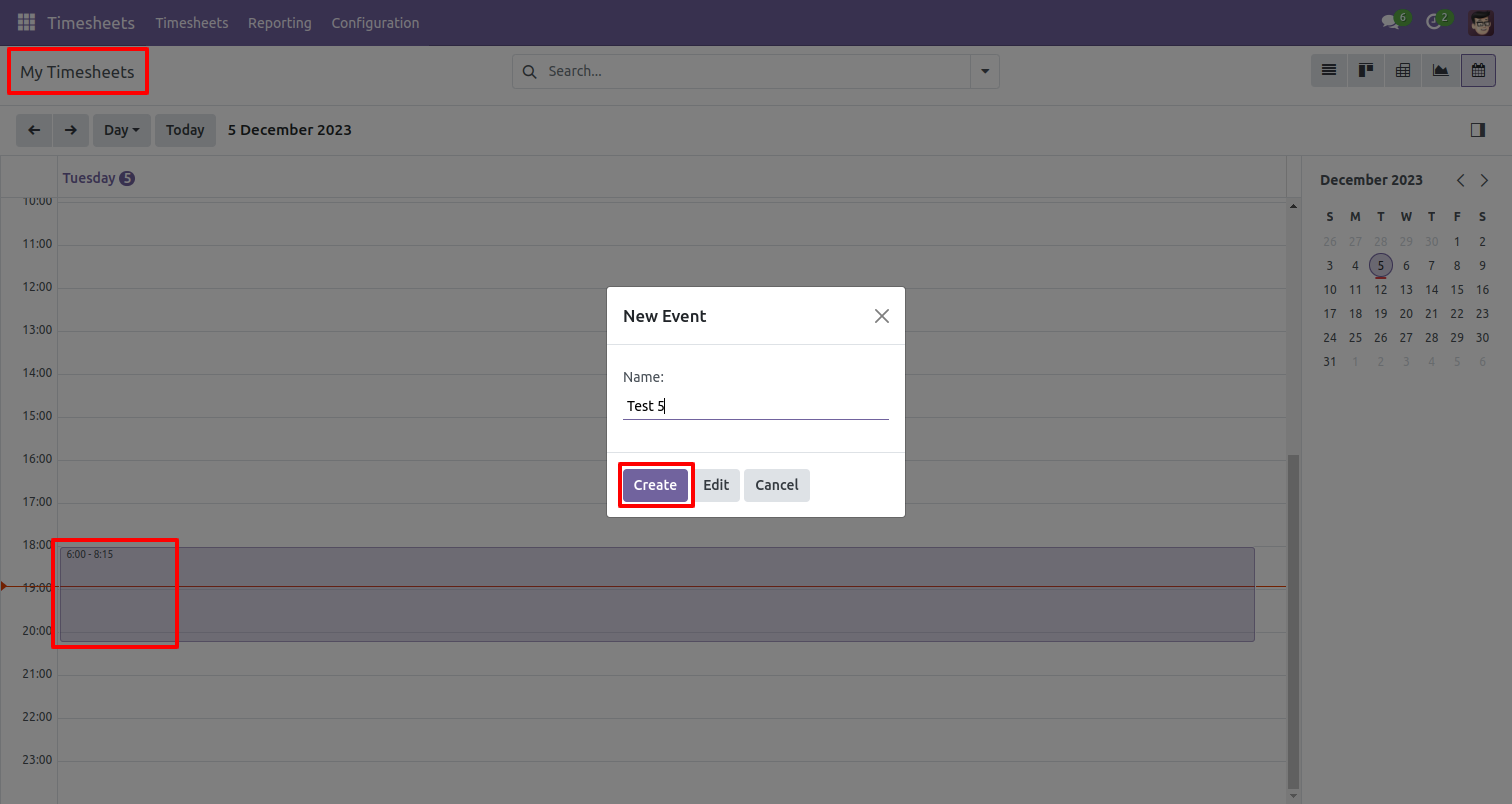
You can create a timesheet from that.
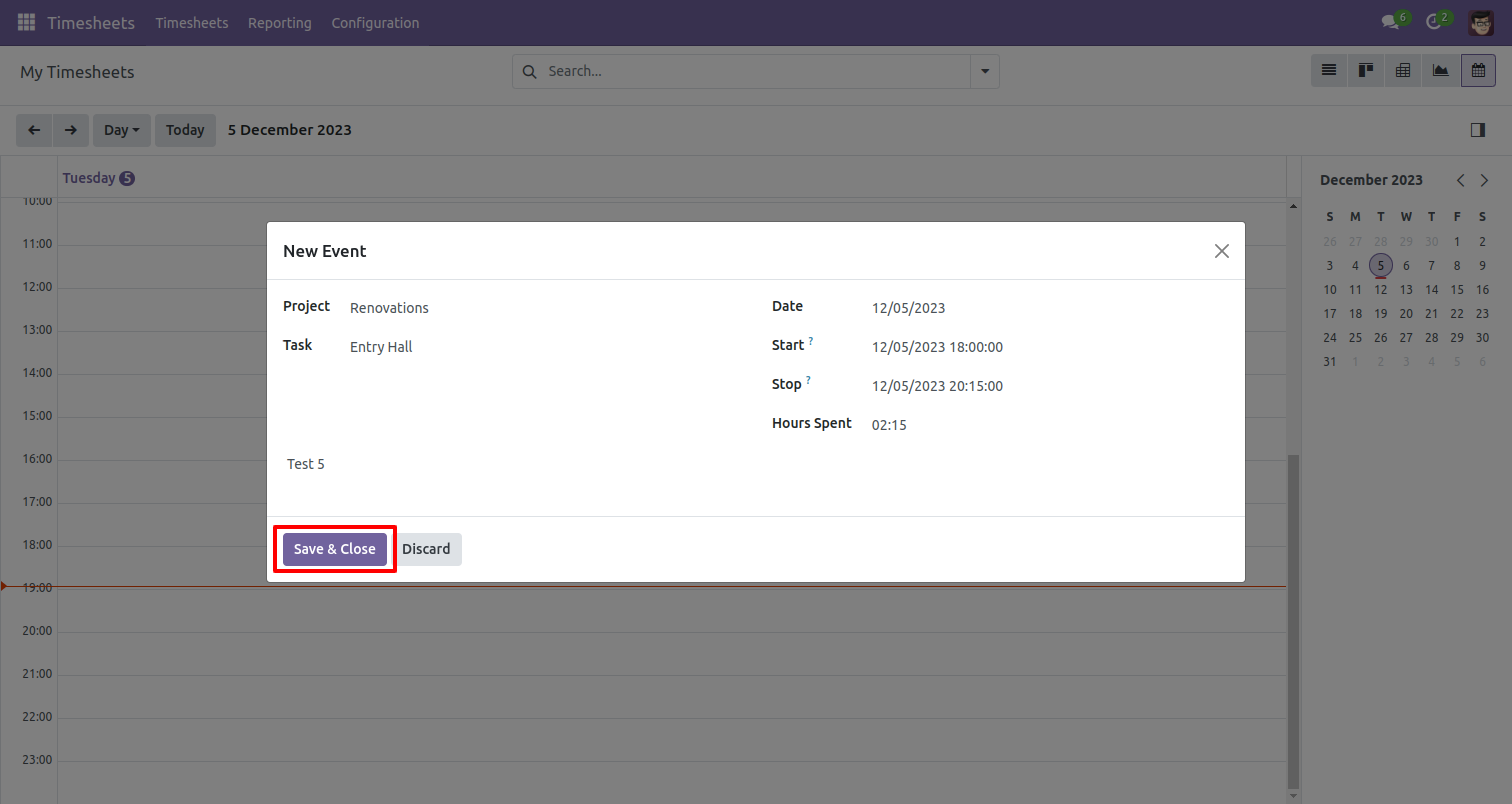
The scheduled timesheet looks like below.
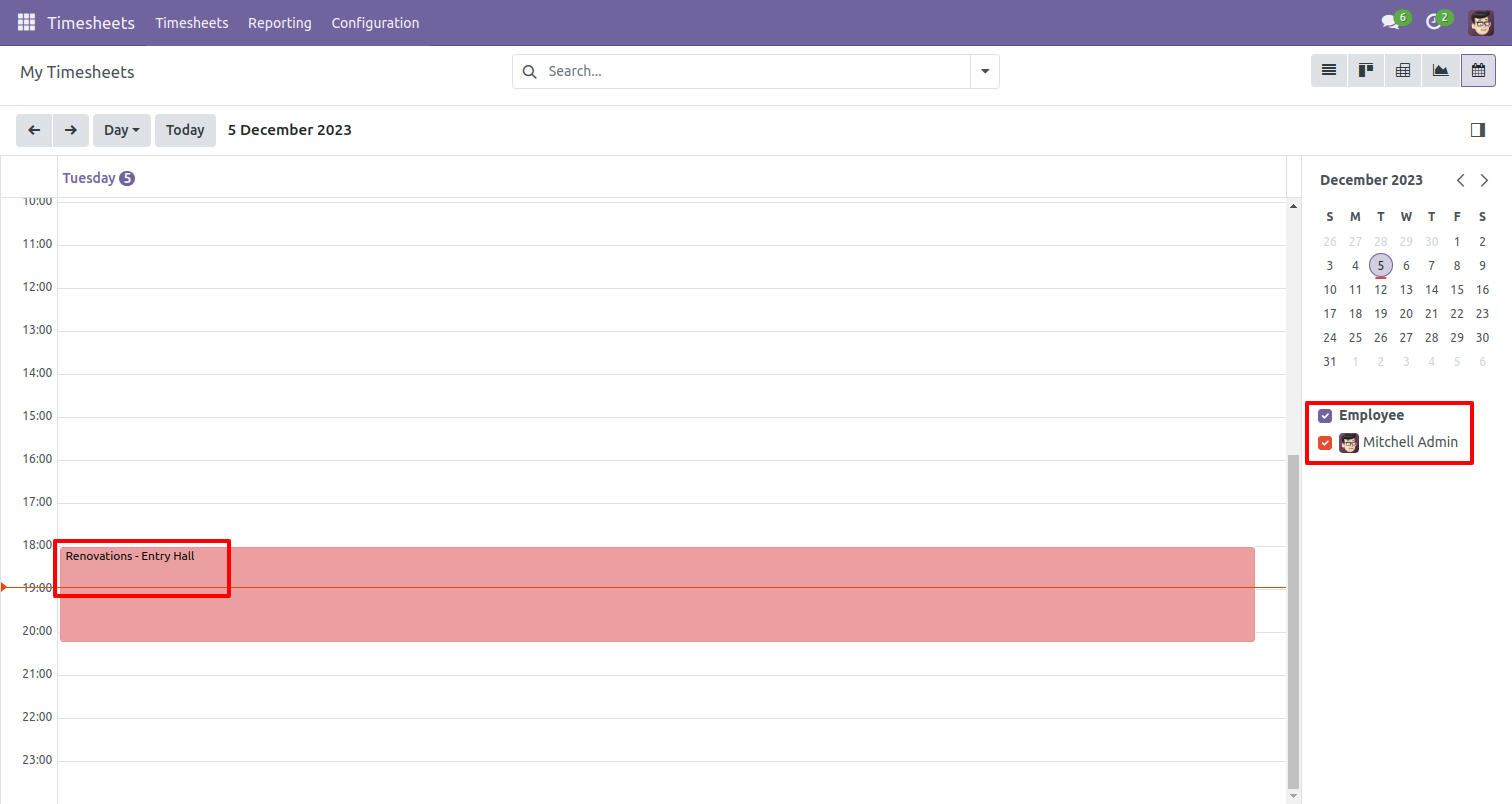
If you press on that it will open one popup here you can edit or delete it.
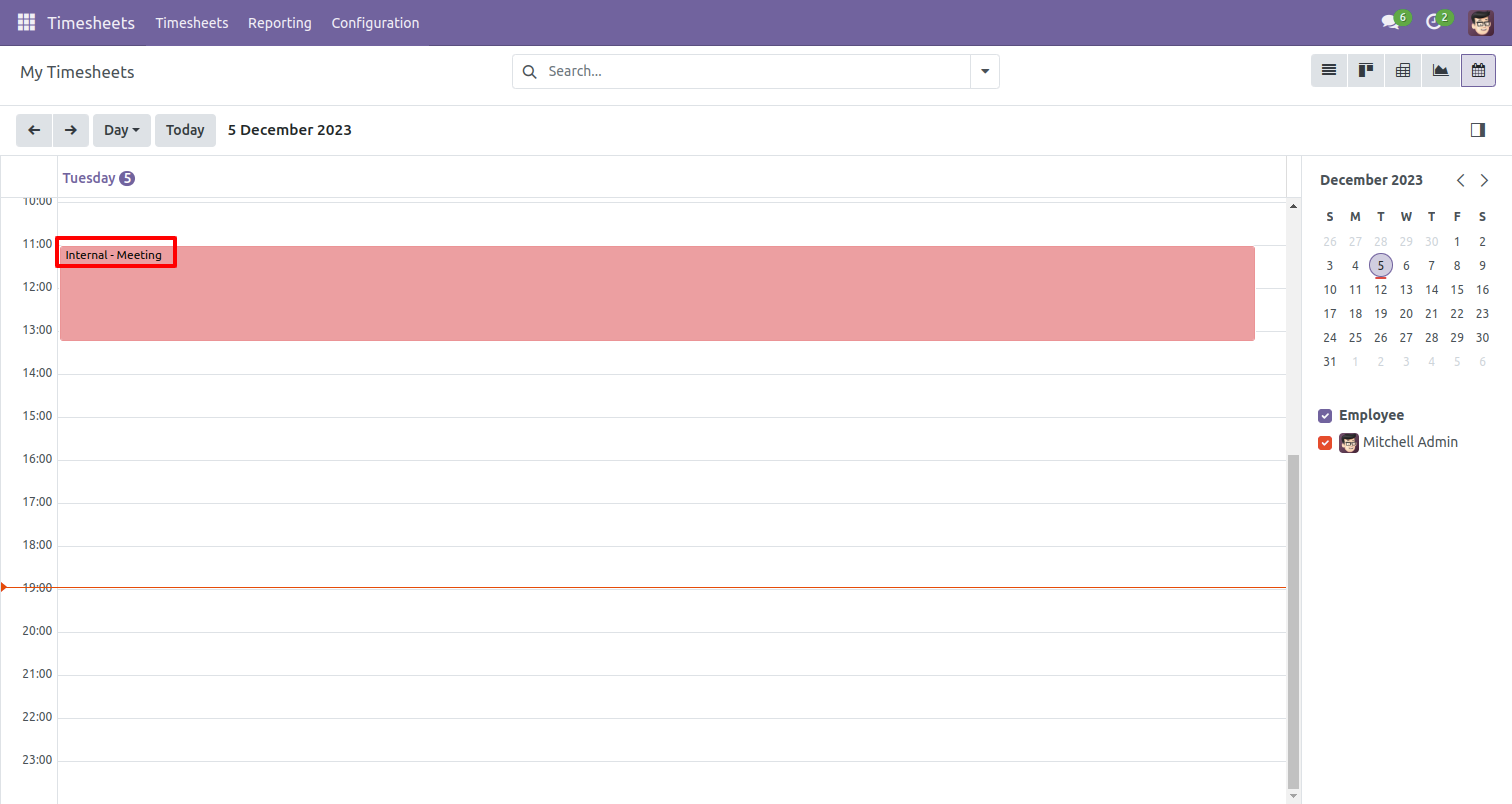
The scheduled timesheet looks like below.
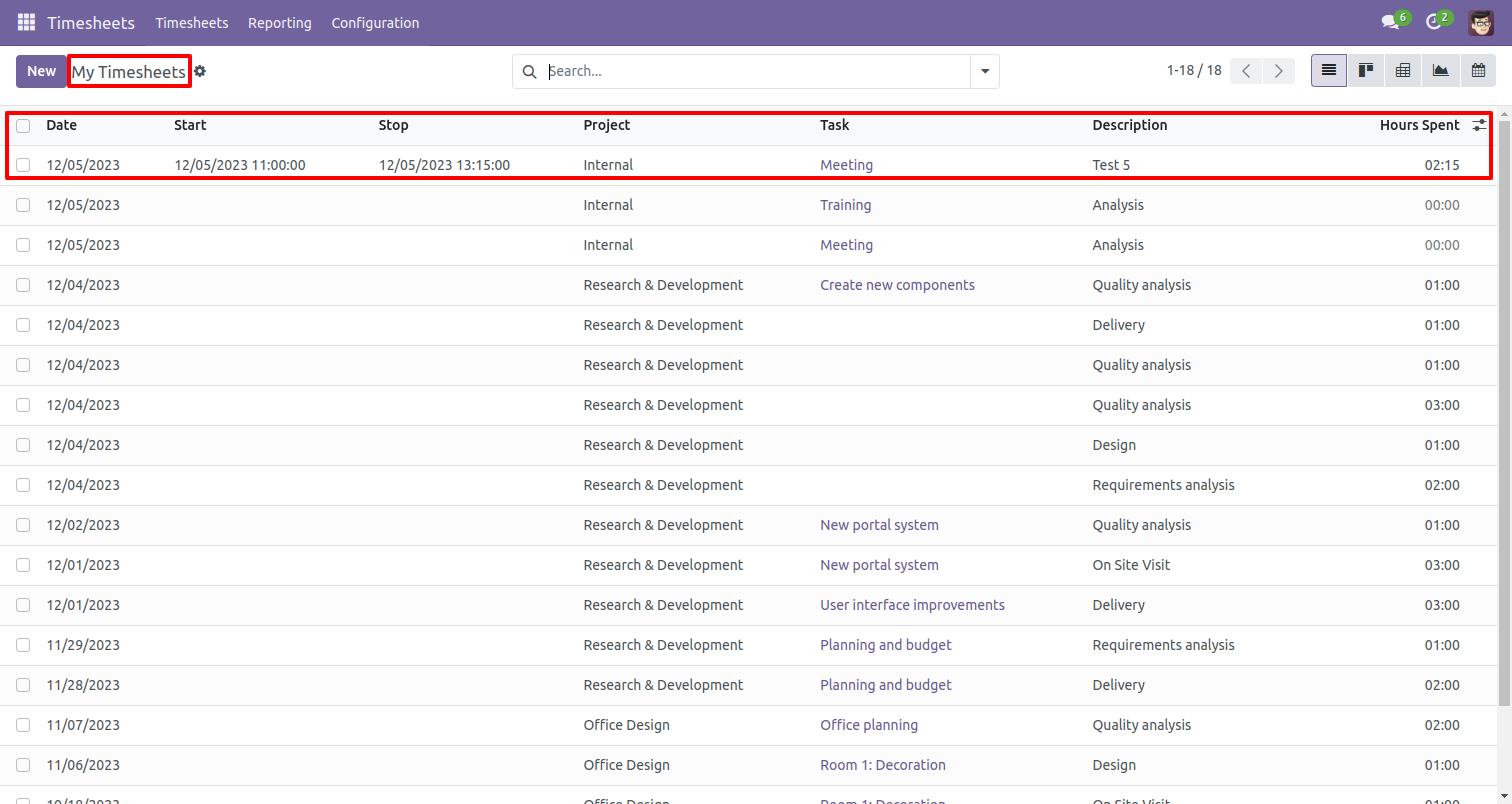
My timesheet list view looks like below.
Version 19.0.1 | Released on : 8th October 2025
- Yes, this app works perfectly with Odoo Enterprise (Odoo.sh & Premise) as well as Community.
- No, this application is not compatible with odoo.com(odoo saas/Odoo Online)
- Yes, to test this module, please contact us at sales@softhealer.com.
- Please contact us at sales@softhealer.com to request customization.
- Yes, we provide free support for 365 days from the date of purchase.
- Yes, you will receive lifetime free updates for the version of the module you purchased.
- No, there is no need to install any additional libraries.
- Yes, for version 12 and above, you need to purchase the module separately for each version you intend to use.
- No, exchanges or refunds are not allowed. Please make sure to select the correct version before purchasing.
- You can contact us at support@softhealer.com for language translation support. We use Google Translator tools to provide translations in multiple languages, so the accuracy may vary. We welcome your suggestions to help improve translations.
Discover Our Latest Apps