












Tasklist Auto Assignment

This module has been created to manage the project from the sale order to the last task of the project.
Project management can be defined as a process in which, a particular task is being subdivided into
various activities, and every single activity is being assigned for particular intentions so that every
activity needs to be finished. So you need a sign, which indicates whether the activity is completed or
canceled.
If you sell some service-based products so you have some tasks after selling those products and some
checklist in particular tasks, every task has a different checklist. Our this module will help to manage
that task with checklists. For example, Product 1 has task 1 and task 1 has three different stages than
after task 1 is complete. So you have to define a checklist while creating a product. Then after you make
the sale order of that product so the task will be created automatically. After then go in the task,
there is one tab 'Checklist' where you can see the list of the checklist. you can track the checklist
complete in the pie counter. You can track the checklist activity in chatter.

Related Modules
Hot Features
Features
- Easy to create task custom checklist in project configuration in 'Task Custom Checklist'.
- Easy to define checklist in the product.
- Automatically create a task when you make a sale order.
- Easy to track checklist complete in the pie counter.
- Easy to track checklist activity in chatter.
- Easy to install and use it, no more configuration required.
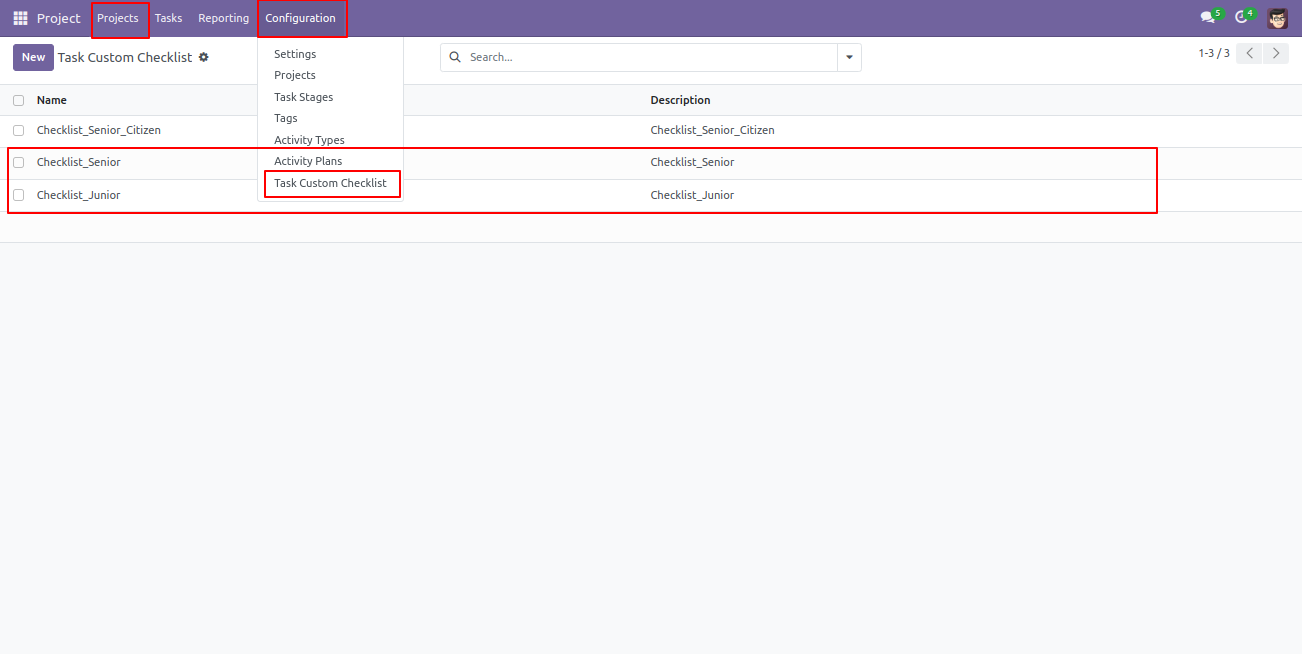
'Task Custom Checklist' tree view and sub-menu in the project configuration menu.
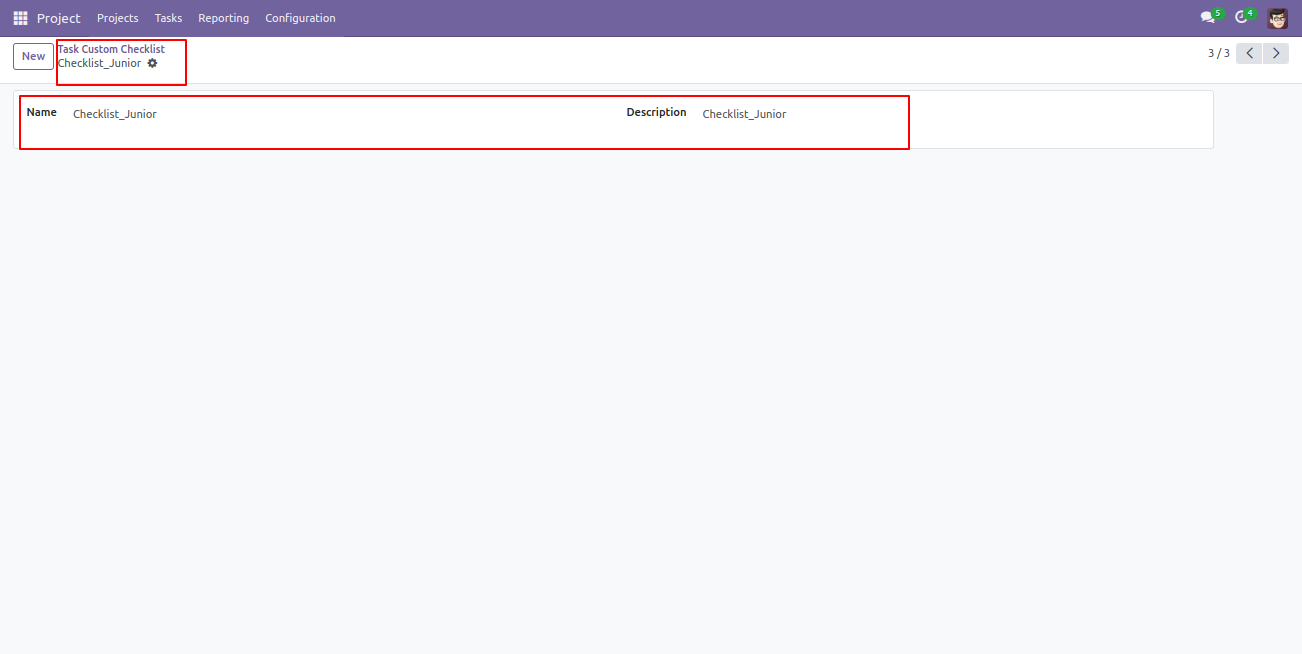
'Task Custom Checklist' form view.
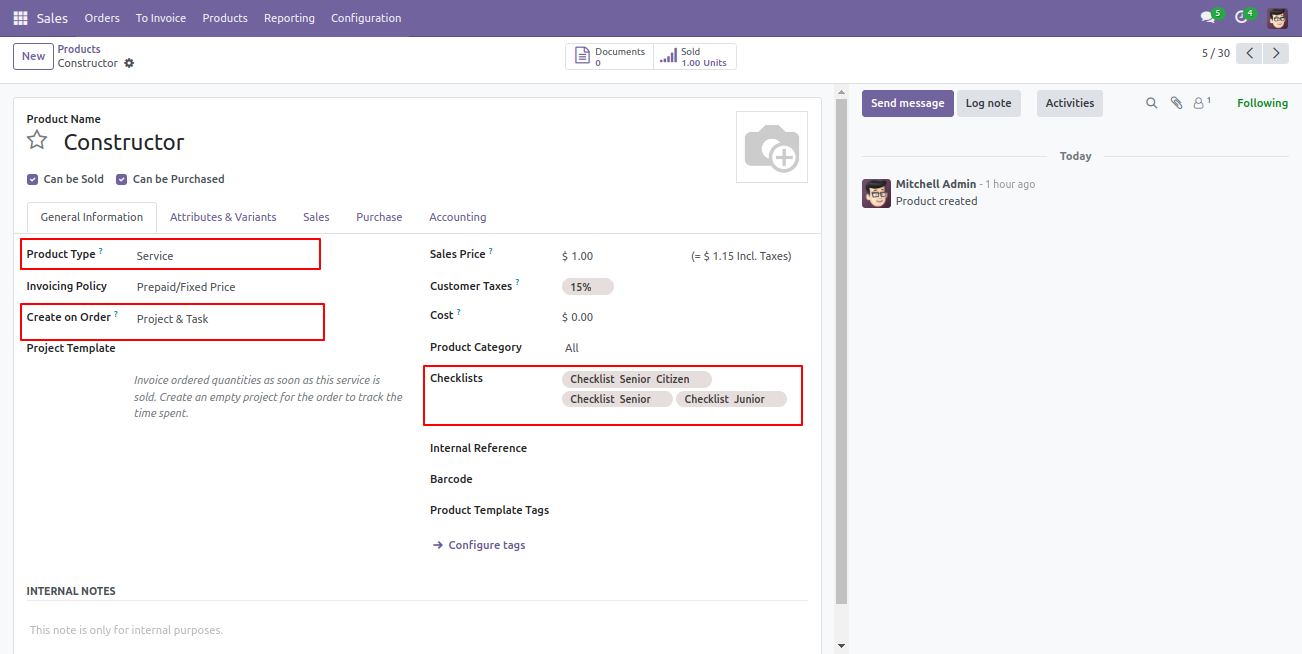
Define a checklist in the service-type products.
Make the sale order of that product, In sale order form view you can see the one smart button 'Task'.
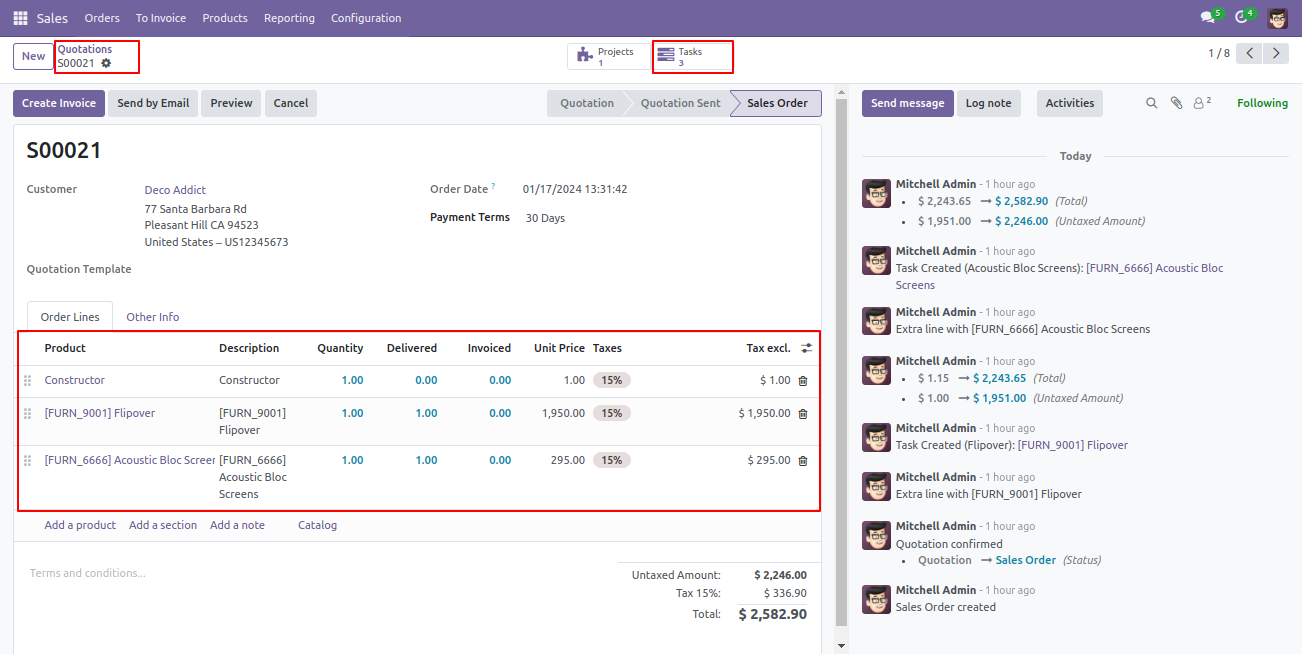
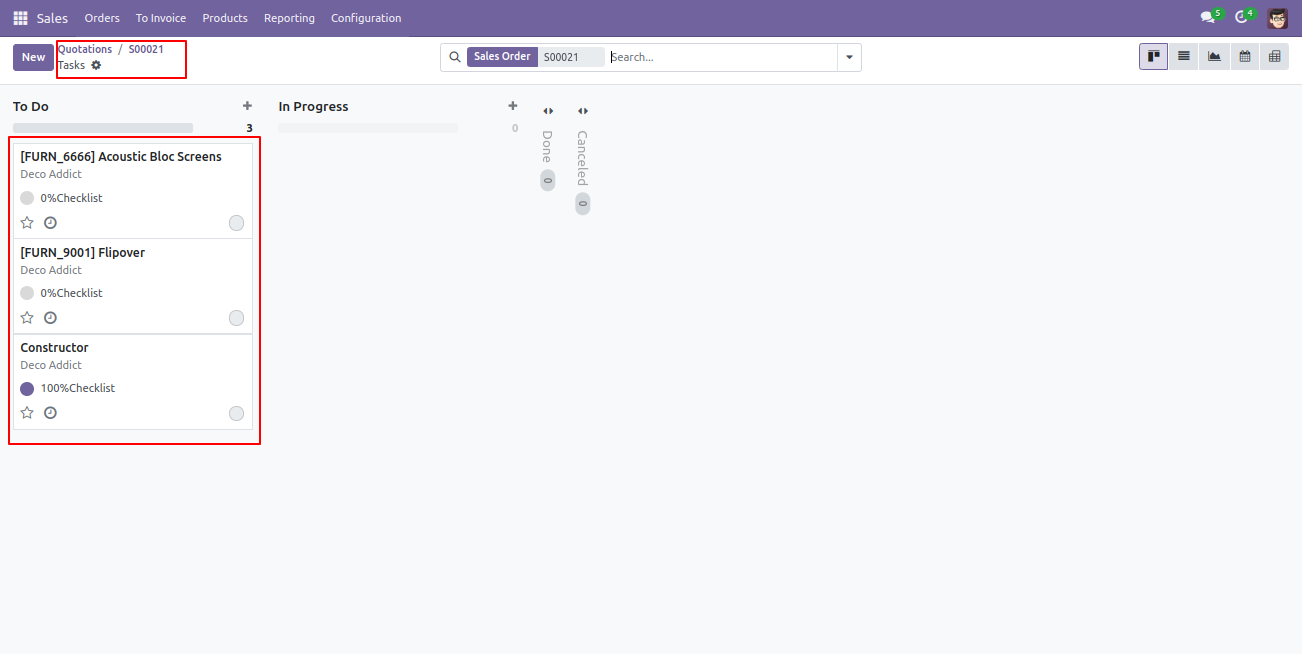
After click on the 'Task' smart button task view will appear. Where you can see the new 3 Task will be created.
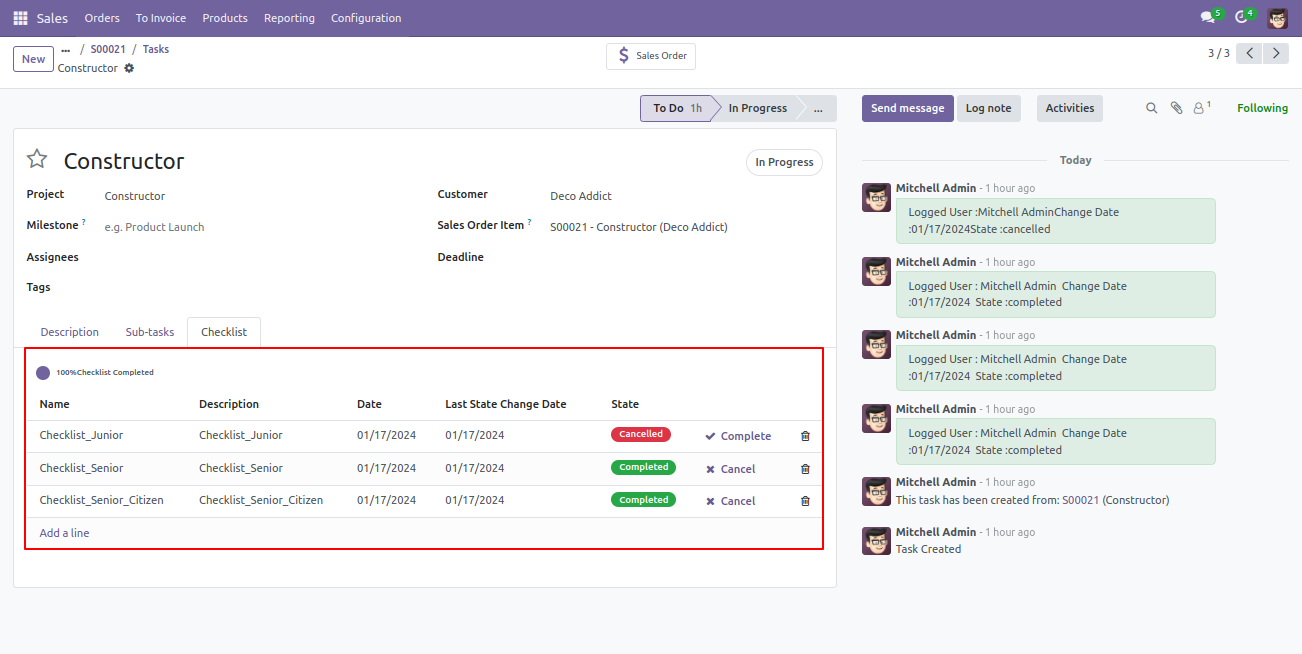
Goto in the task you can see the tab 'Checklist', where you can make checklist complete or canceled by clicking signs. Also, you can track the checklist progress in the pie counter.
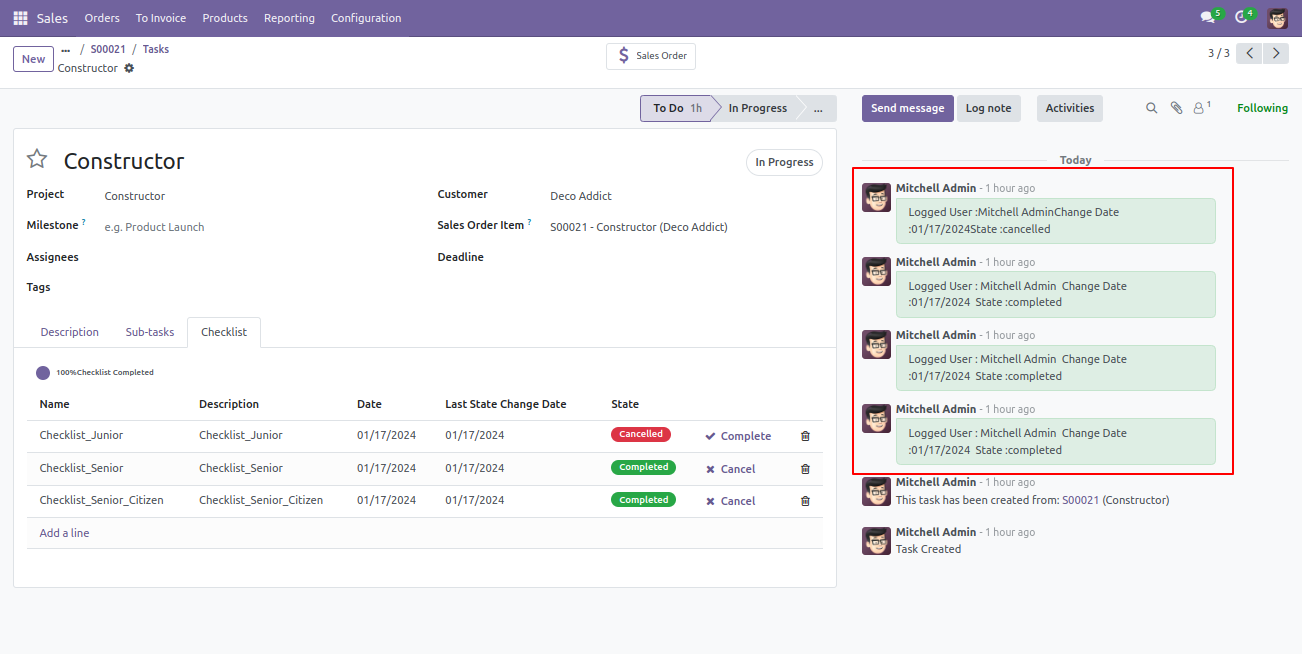
You can track the checklist activity in chatter.
Version 20.0.1.0.0 | Released on : 15th September 2026
- Yes, this app works perfectly with Odoo Enterprise (Odoo.sh & Premise) as well as Community.
- No, this application is not compatible with odoo.com(odoo saas/Odoo Online)
- Yes, to test this module, please contact us at sales@softhealer.com.
- Please contact us at sales@softhealer.com to request customization.
- Yes, we provide free support for 365 days from the date of purchase.
- Yes, you will receive lifetime free updates for the version of the module you purchased.
- No, there is no need to install any additional libraries.
- Yes, for version 12 and above, you need to purchase the module separately for each version you intend to use.
- No, exchanges or refunds are not allowed. Please make sure to select the correct version before purchasing.
- You can contact us at support@softhealer.com for language translation support. We use Google Translator tools to provide translations in multiple languages, so the accuracy may vary. We welcome your suggestions to help improve translations.
Discover Our Latest Apps