


Complete AI Automation Suite
FLAT 30% OFF
AI Insight Assistant
Talk to your data. Get instant answers
AI Live Chatbot
24/7 customer support, always on
AI Dashboard Studio
 Beautiful dashboards, zero effort
MCP Integration
Seamless multi-channel connections
And Many More Features
Complete AI Automation Suite — FLAT 30% OFF

Task Checklist v18

SoftHealer Logo
Odoo Gold Partner
counter box img
1800+
Custom Apps
One place for all your Odoo solutions
counter box img Easy to Manage
counter box img Dedicated Support
Free Support
Life Time
Counter box img
Top Seller Of Odoo
Marketplace
counter box img
Year Of Experience
11+
counter box img
Talented Healers
150+
Counter box img
Industries Served
45+
counter box img
Best Partner Nominee
2024
counter box img
Odoo Community Implementation
350+
counter box img
Odoo Enterprise Implementation
150+
counter box img
Global Presence
India Kenya Australia UAE Maldives USA UK

Free Demo

Book a free demo
contact us at sales and we'll set it up for you.

QR – sales@softhealer.com
Scan to email sales
sales@softhealer.com

For Support

Facing an issue?
Contact us at support and we'll get you back on track.

QR – support@softhealer.com
Scan to email support
support@softhealer.com

For Customization

Need a feature tailored to your needs?
Contact us to discuss your customization requirements.

QR – WhatsApp
Scan to email sales

sales@softhealer.com
logo
Community Enterprise Odoo.sh

Task Checklist

heading

This module is useful to a list of items required, things to be done, or points to be considered, used as a reminder.

Features

heading
  • Easy to import checklist through CSV and XLS file.
  • Easy to remember important things.
  • Easy to use.

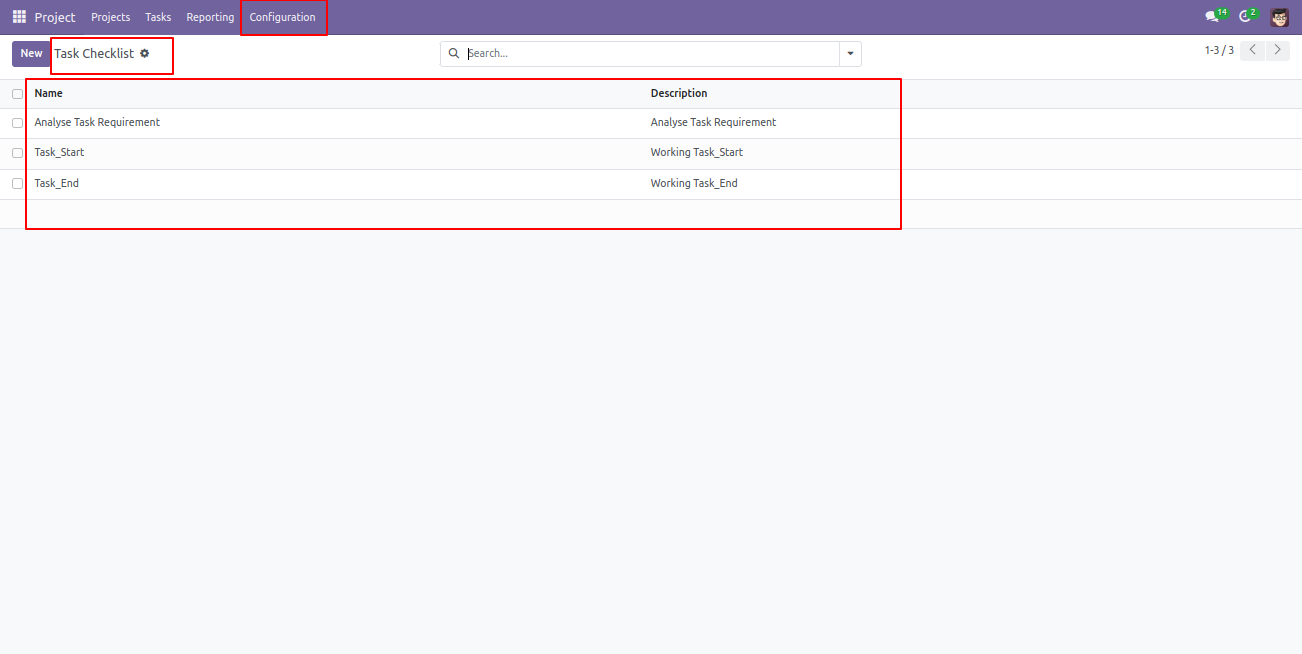
Create Task Checklist and description.
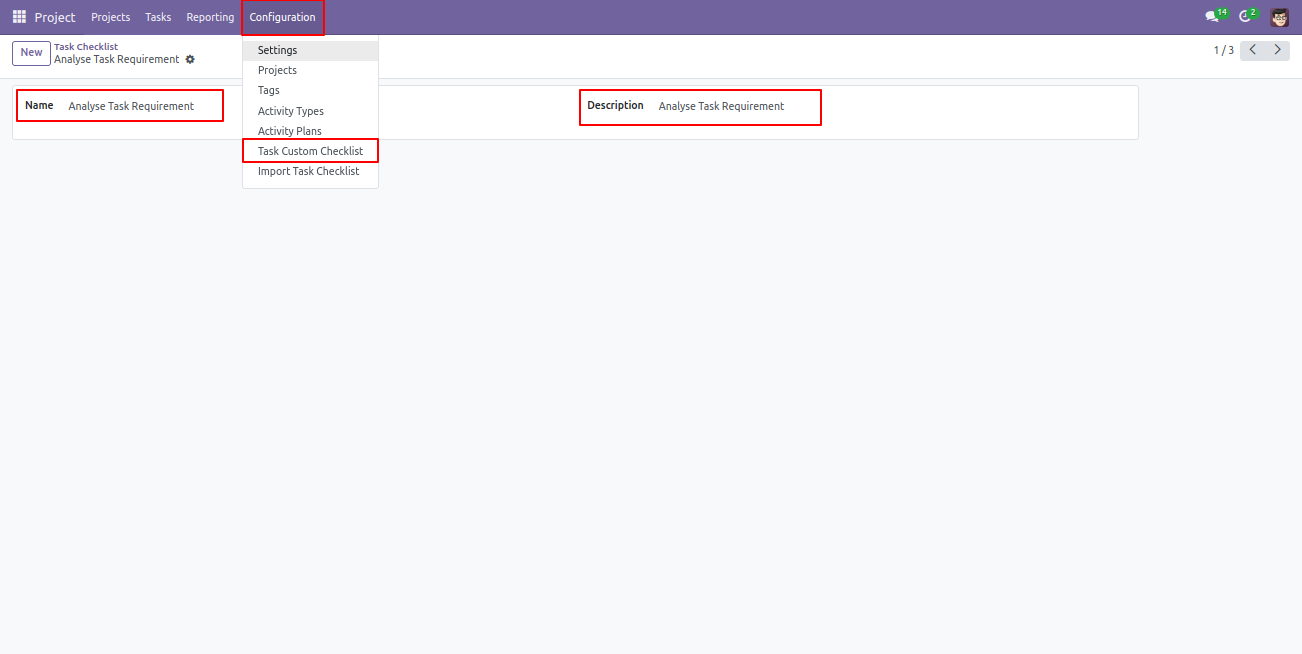

Task Checklist List available in Task.

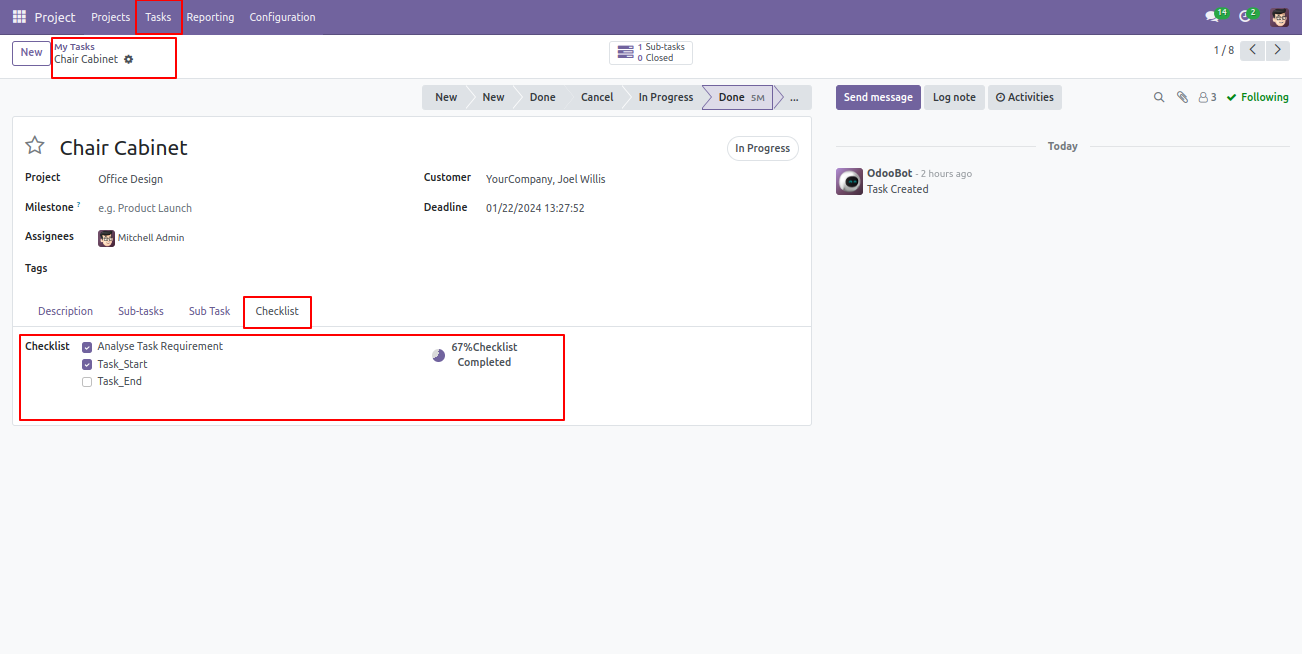
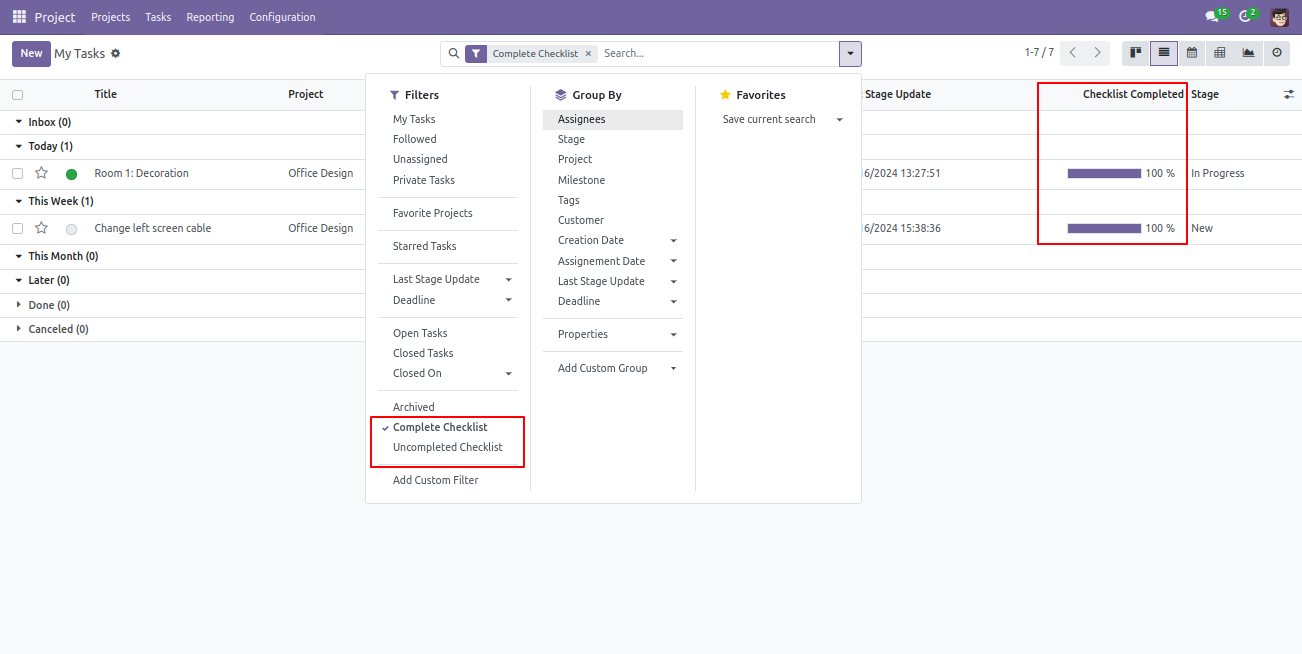
Select Task Checklist that are completed, based on that Checklist percentage calculated.

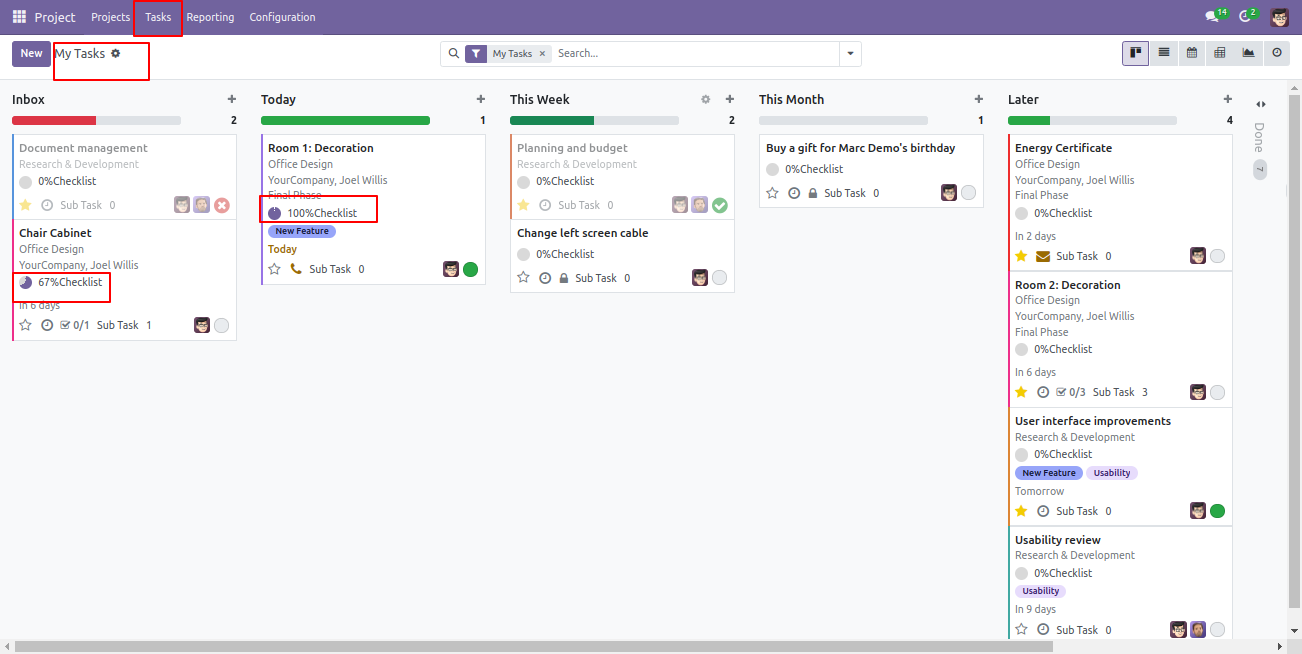
Task Checklist Completed Percentage on List view.


Task Checklist Completed Percentage on Kanban View.

You can filter the completed and uncompleted checklist.

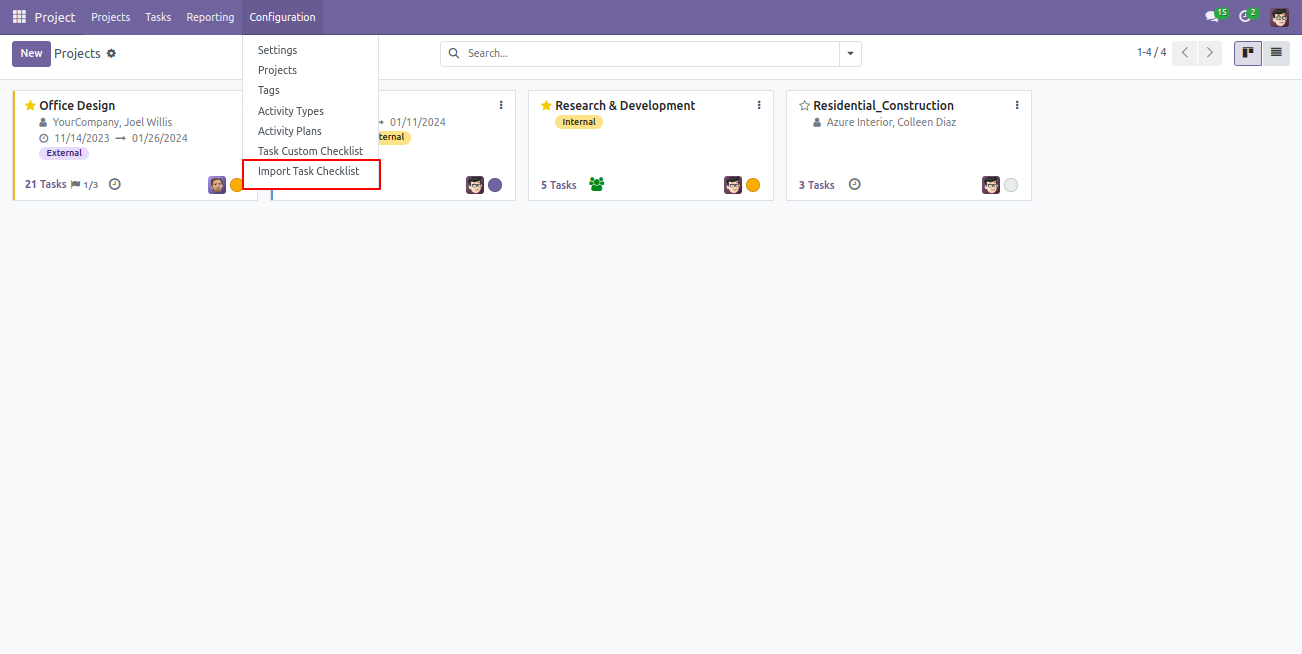
Import checklist menu.

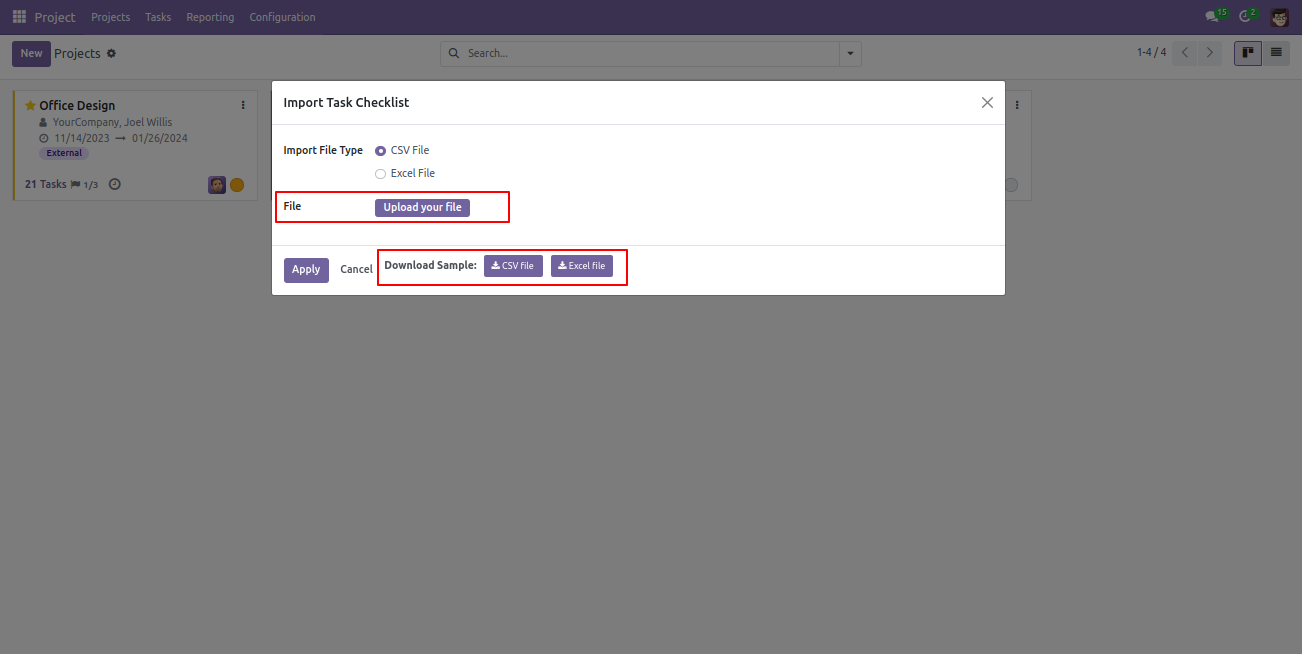
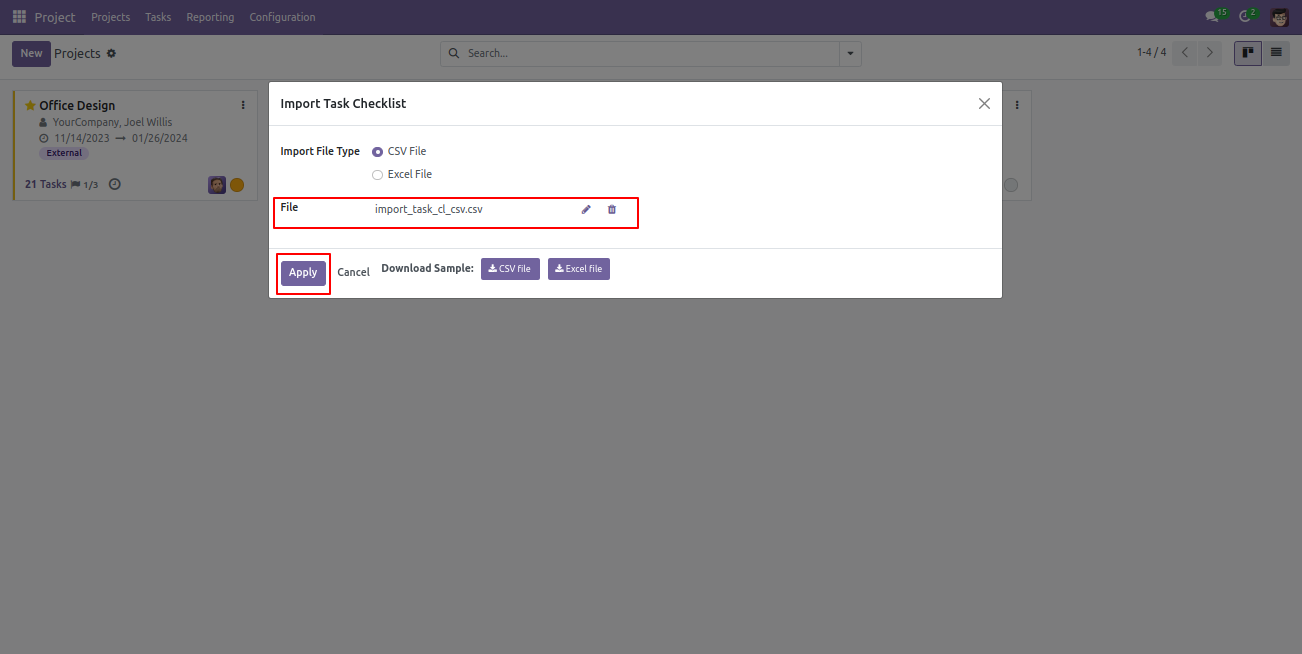
Import checklist wizard, select file type & upload file. You can download sample sheet from here.

Click apply after the file is uploaded.

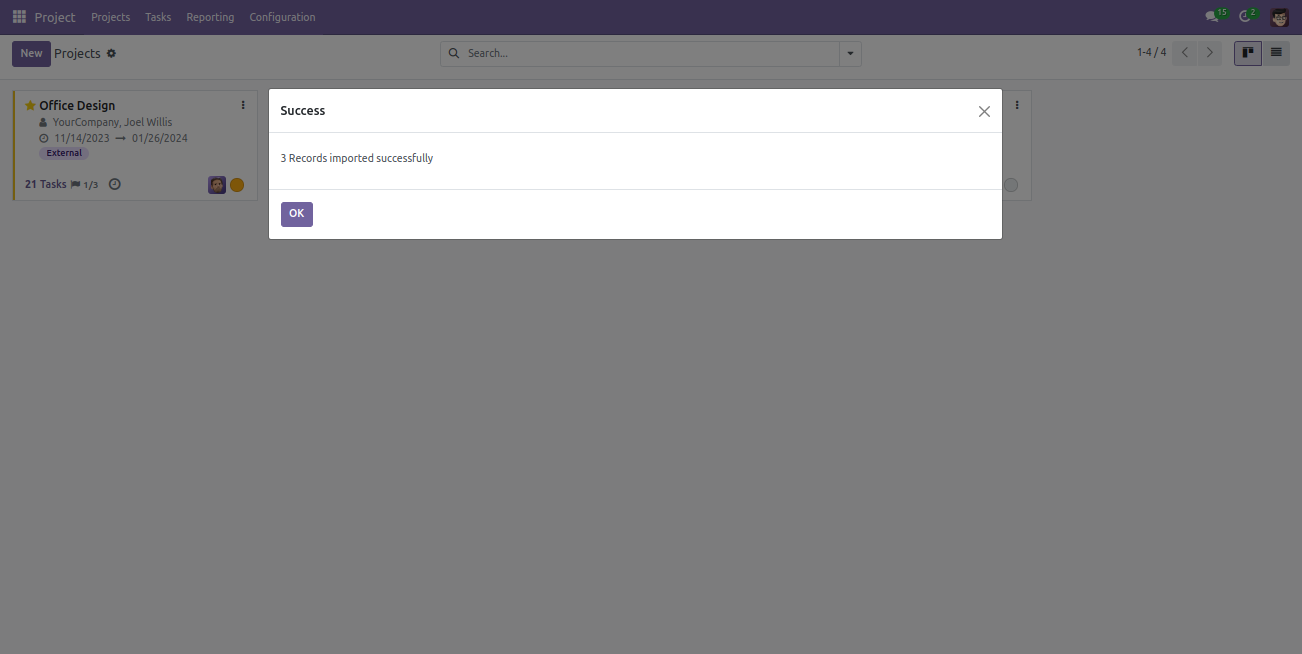
Success message looks like below it's shows successfully imported records.

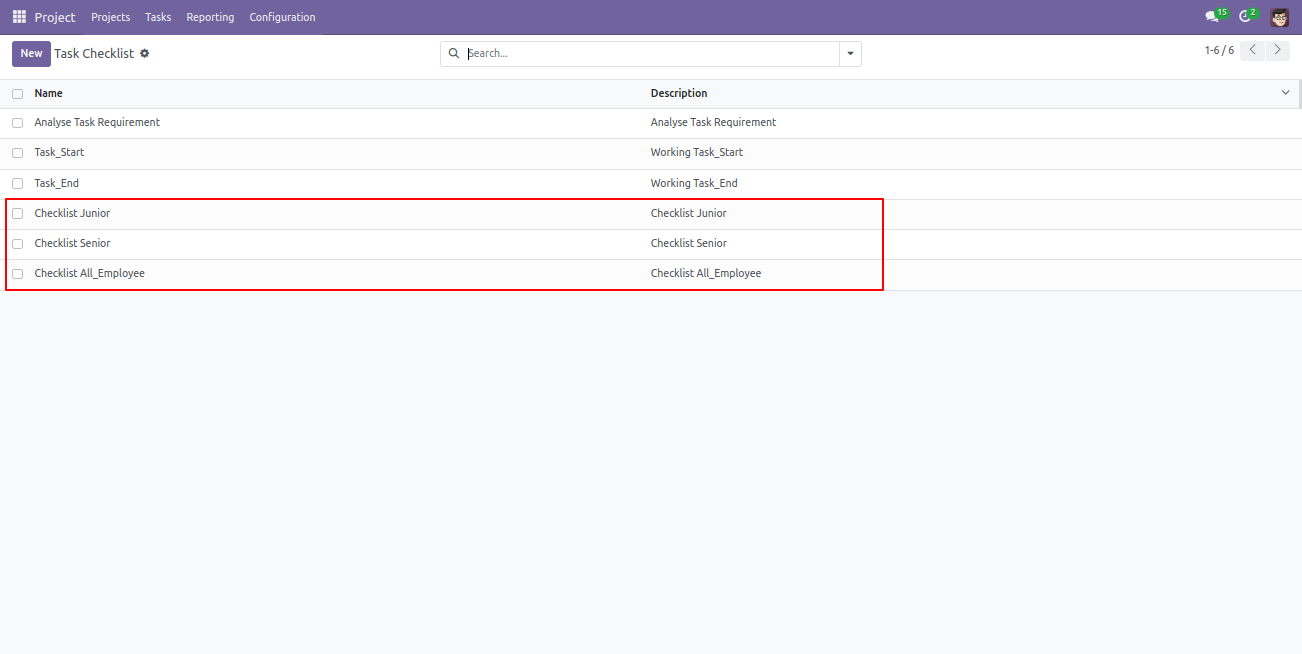
Following checklists are imported.
Version 18.0.1 | Released on : 12th August 2024

Initial Initial Release.
  • Yes, this app works perfectly with Odoo Enterprise (Odoo.sh & Premise) as well as Community.
  • Yes, we provide free support for 365 days.
  • Yes, you will get free update for lifetime.
  • No, you don't need to install addition libraries.
  • Yes, You have to download module for each version (13,14,15) except in version 12 or lower.
  • No, this application is not compatible with odoo.com(odoo saas).
Task Own Checklist v18

Transforming Businesses with Next-Gen Solutions

Our next-generation solutions are built to transform businesses and drive growth in the digital era.

Find Us

530, West Gate 2,
Ayodhya Chowk, 150 Feet Ring Road Rajkot, Gujarat 360006.

Find Us

131 South End, Croydon CRO 1BJ,
United Kingdom

Contact No.

HR : +91 90232 46069
Sales : +91 93288 25451
Support : +91 63571 93747

Contact No.

Sales : +44 7562 893296

Reach Us Read Blog Contact Us Submit Support Ticket Watch Video Tutorial
whatsapp-support-store whatsapp-support-store
Click to Chat