

 Easy to Manage
 Dedicated Support
















 Scan to email sales





Tally Odoo Connector | Tally Odoo Integration | Odoo Tally Integration | Connect Tally with Odoo

Tally Odoo Connector seamlessly integrates Odoo with Tally, enabling businesses to synchronize accounting data. You can import products, product categories, units of measure, customers, vendor, invoices, bills, payments, and receipts with ease. It supports automated sync processes, detailed sync logs, and centralized monitoring through the Integration Hub dashboard.

Features

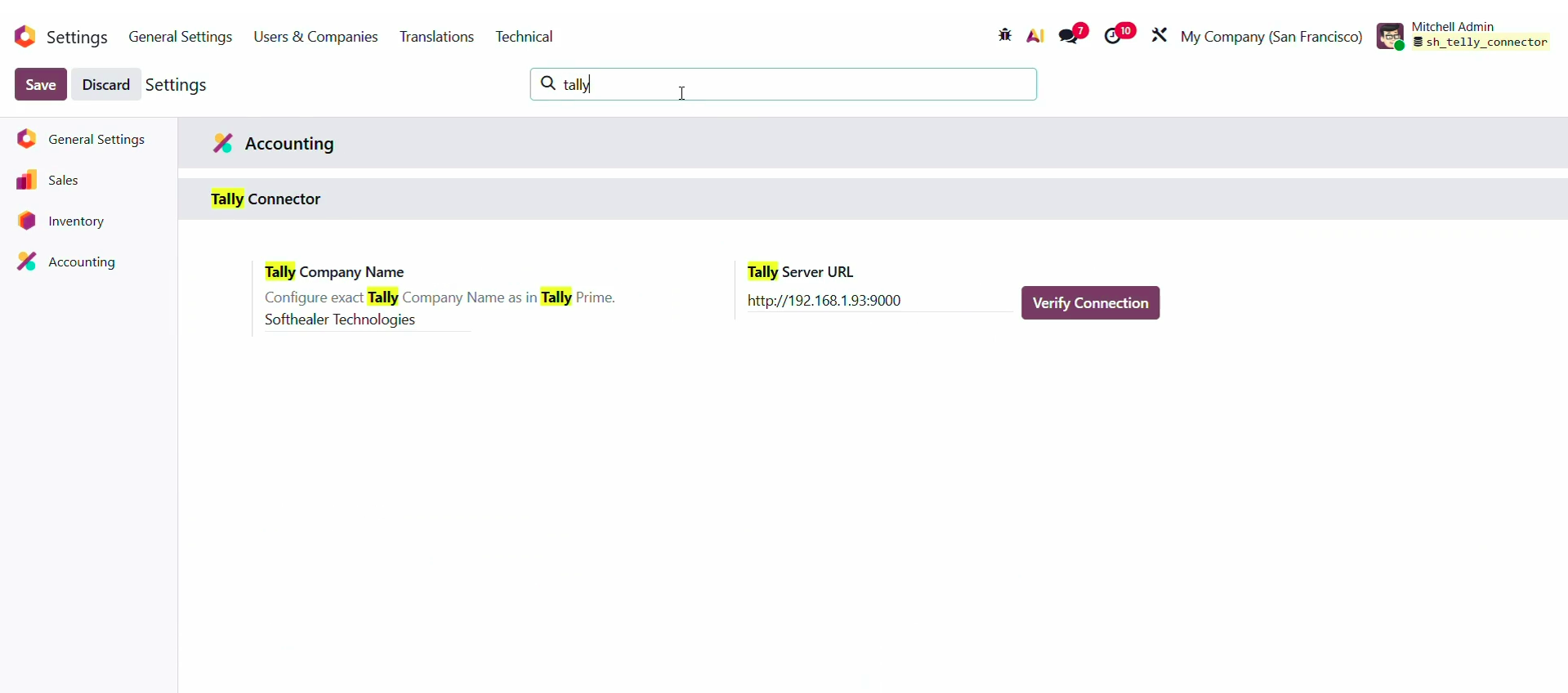
Tally Connection Configuration
Configure Tally company details and server URL directly from Odoo for seamless integration.

Automatic Synchronization
Enable automatic synchronization to keep Odoo data updated with Tally changes.
.png)
Product Category Synchronization (Import)
Synchronize product categories from Tally to maintain a structured catalog.
.png)
Unit of Measure Synchronization (Import)
Import units of measure from Tally to ensure accurate product and inventory management in Odoo.
.png)
Product Synchronization (Import)
Import products from Tally into Odoo to maintain a centralized product catalog.
.png)
Vendor Synchronization (Import)
Synchronize supplier records from Tally to Odoo for streamlined vendor management.
.png)
Customer Synchronization (Import)
Import customer information and maintain a centralized customer database.
.png)
Customer Invoice Synchronization (Import)
Import customer invoices from Tally into Odoo to keep receivable records synchronized.
.png)
Vendor Bill Synchronization (Import)
Transfer vendor bills from Tally into Odoo for accurate payable and accounting management.
.png)
Payment & Receipt Synchronization (Import)
Synchronize payments and receipts from Tally to keep financial records aligned.

Integration Hub Management
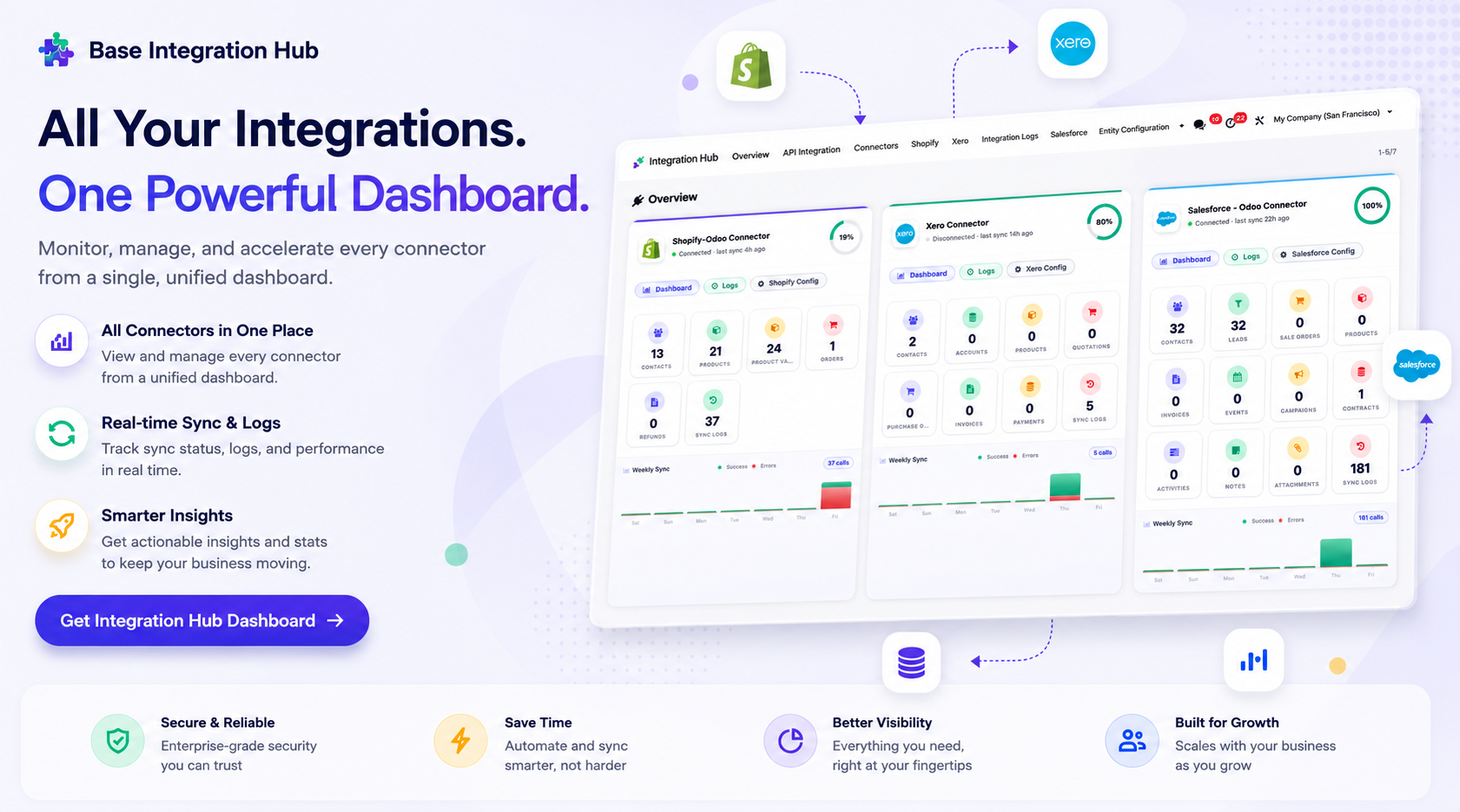
Manage all Tally synchronization activities from a centralized integration dashboard.
Detailed Sync Logs
Maintain a complete history of import and synchronization activities with success and failure tracking for better visibility and auditing.

Tally Cloudflare Tunnel Desktop App

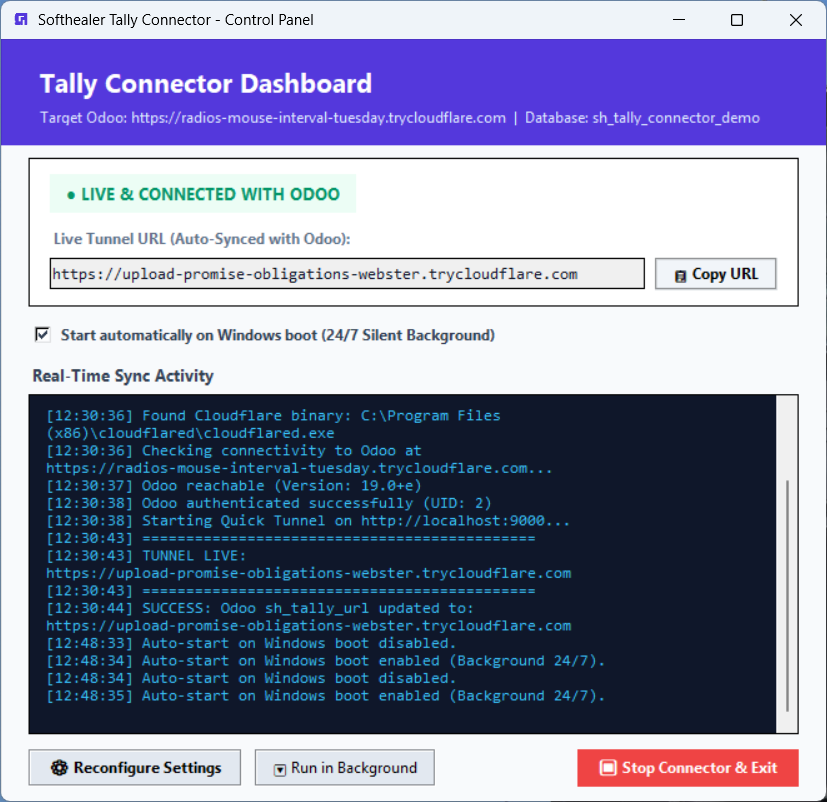
Start the Cloudflare Tunnel from a Windows desktop app and automatically update the generated tunnel URL in Odoo.

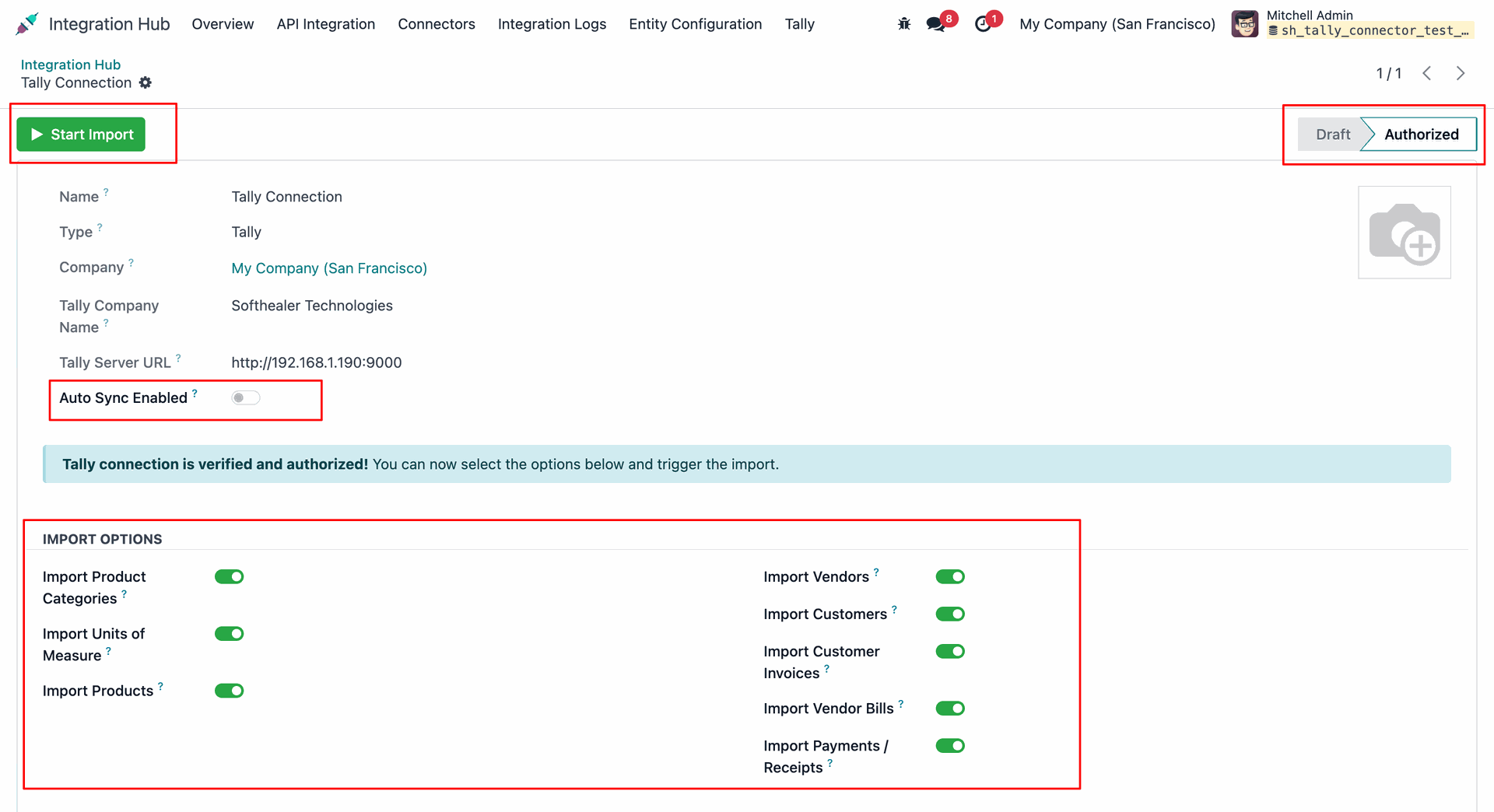
Configure the exact Tally Company Name and Server URL under Accounting Settings to establish and verify the connection.
Enable/disable import options as needed. Click the 'Start Import' button to start importing data.
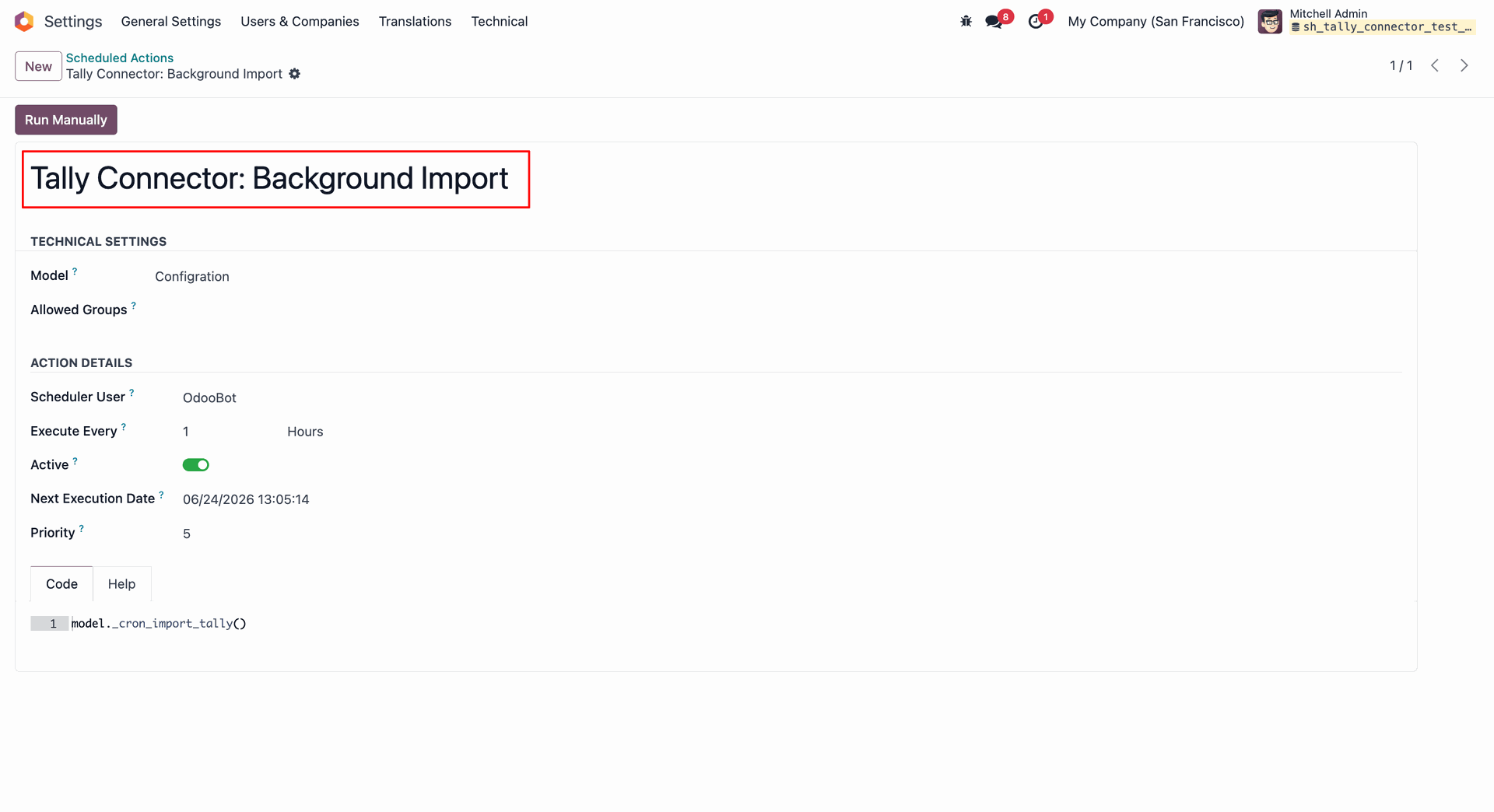
Scheduled action for the import operation.
Overview of synchronized data including partners, products, invoices, and payments.
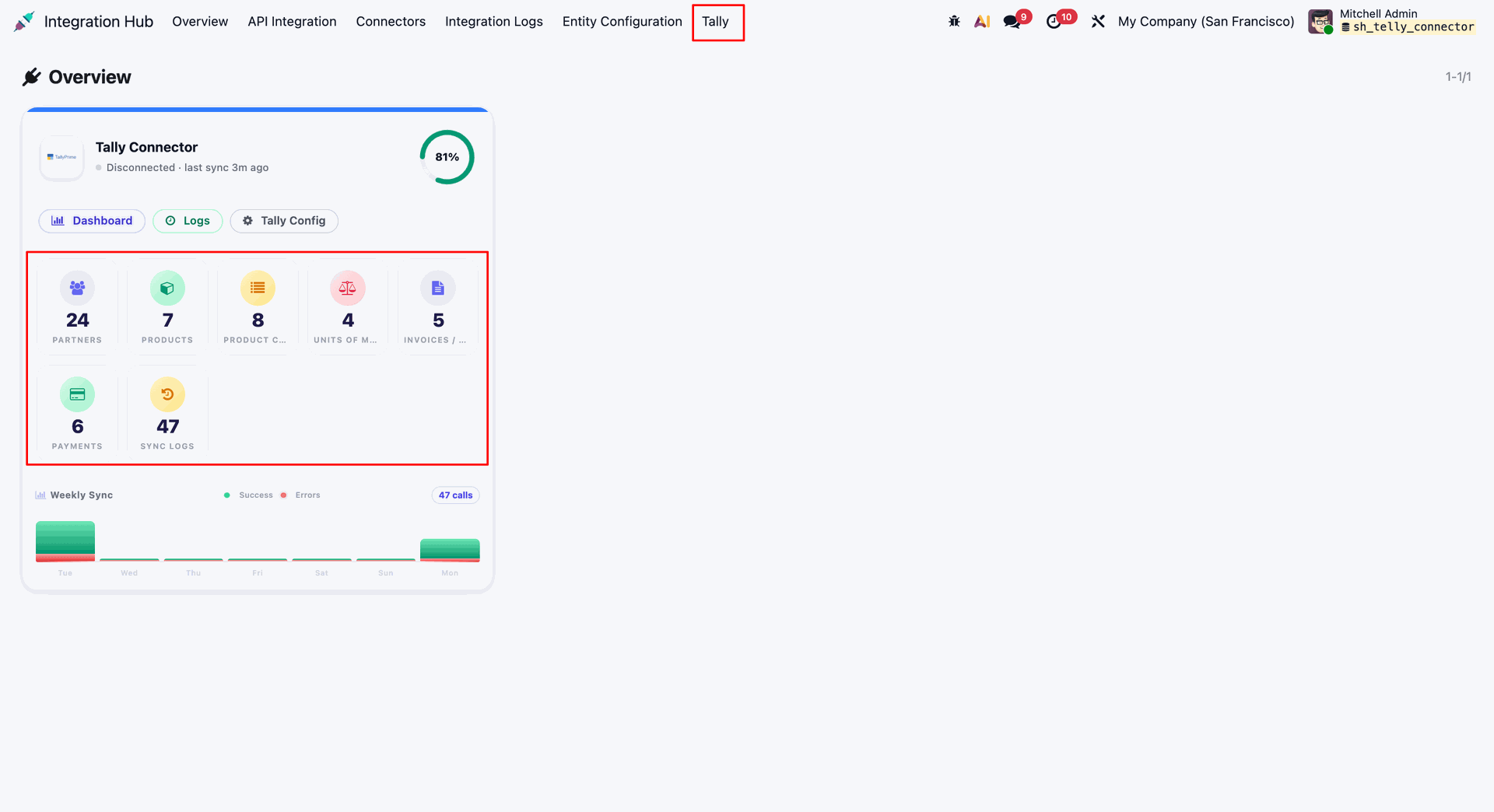
Centralized dashboard to manage and monitor all connectors from one place. Quickly access sync summary, activity logs, and configuration controls with improved visibility.
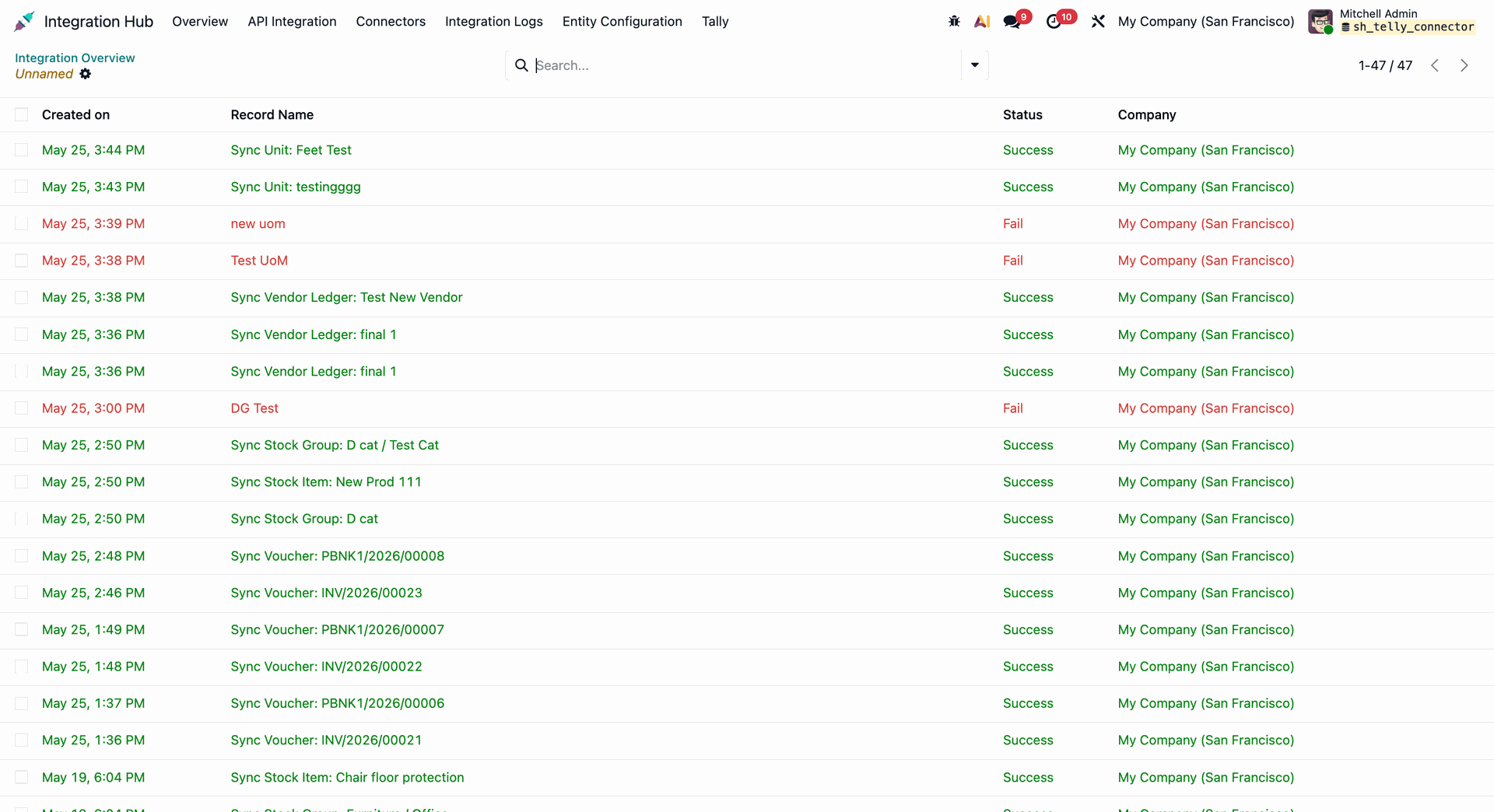
Detailed sync history tracking successful and failed operations.
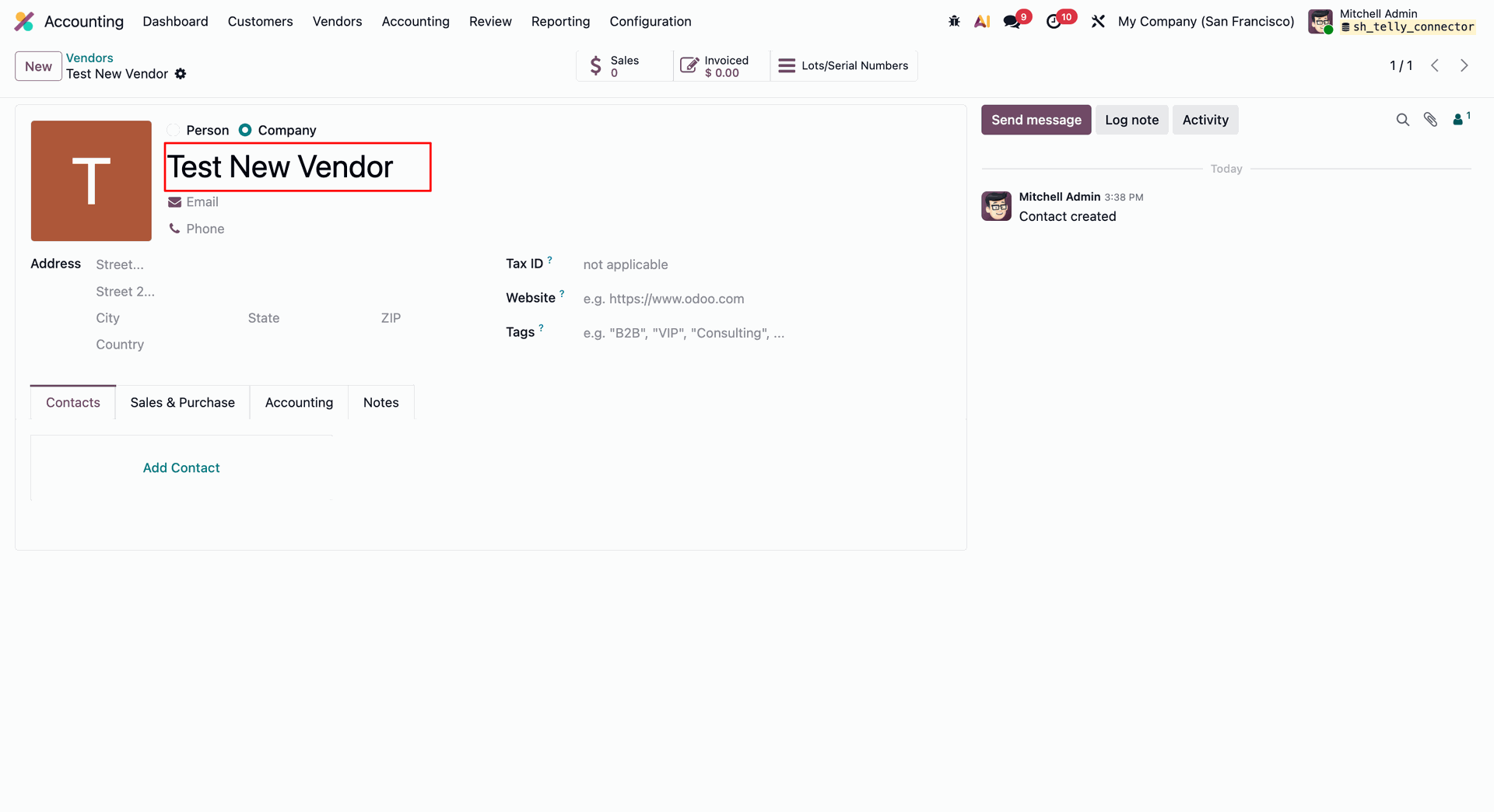
Vendor details in Tally.
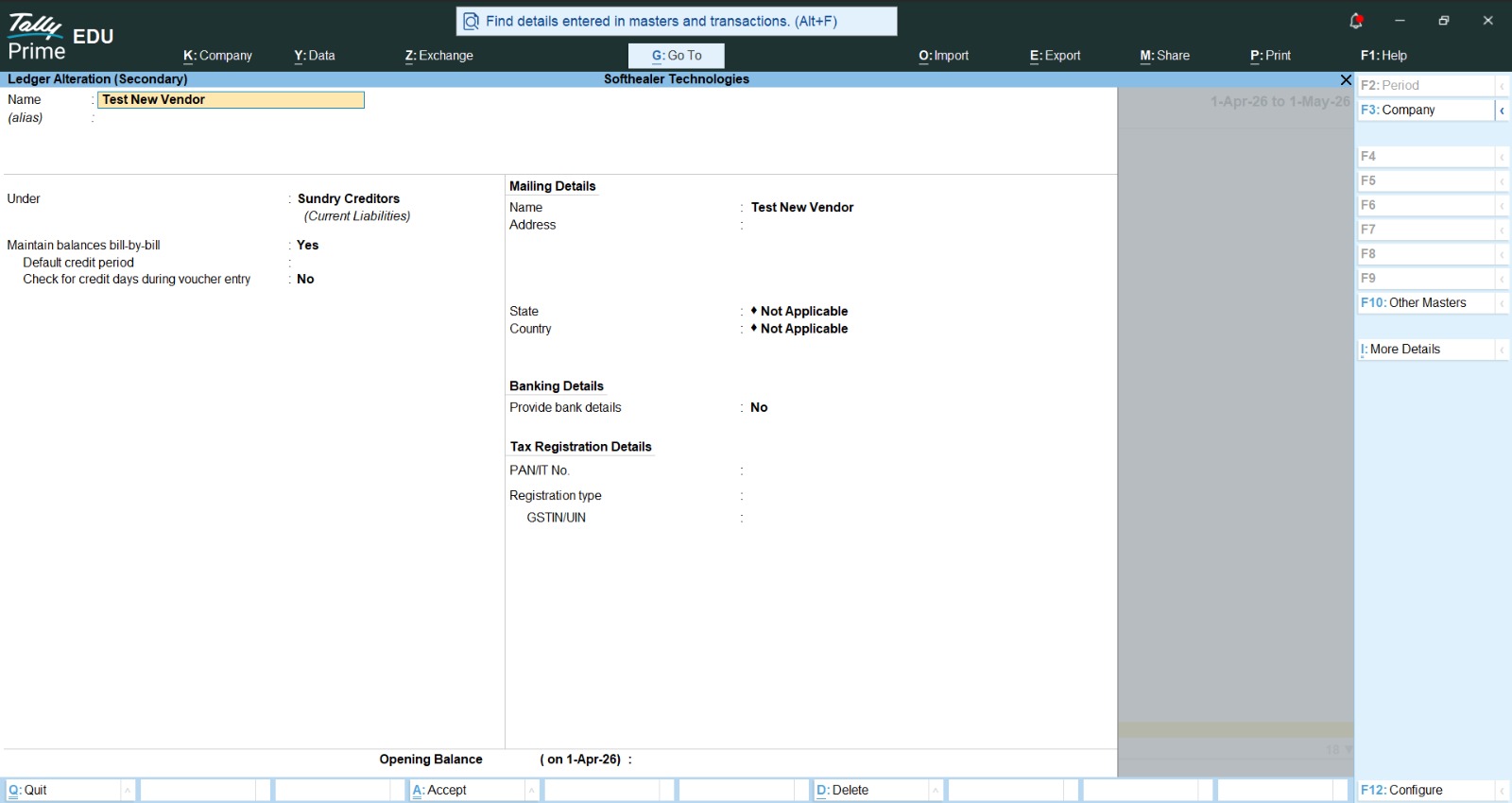
Vendor details synced.
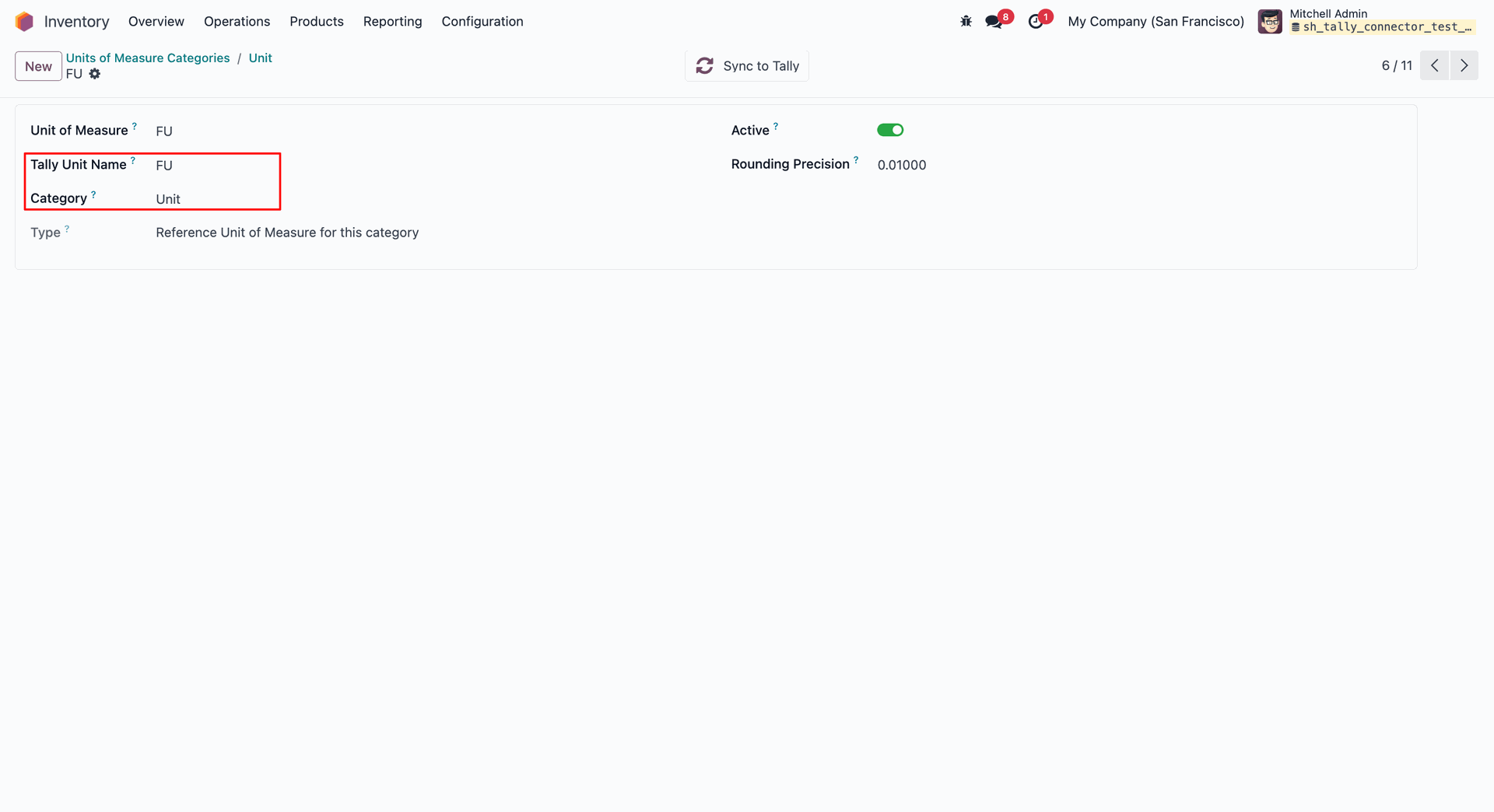
Unit of Measure in Tally.
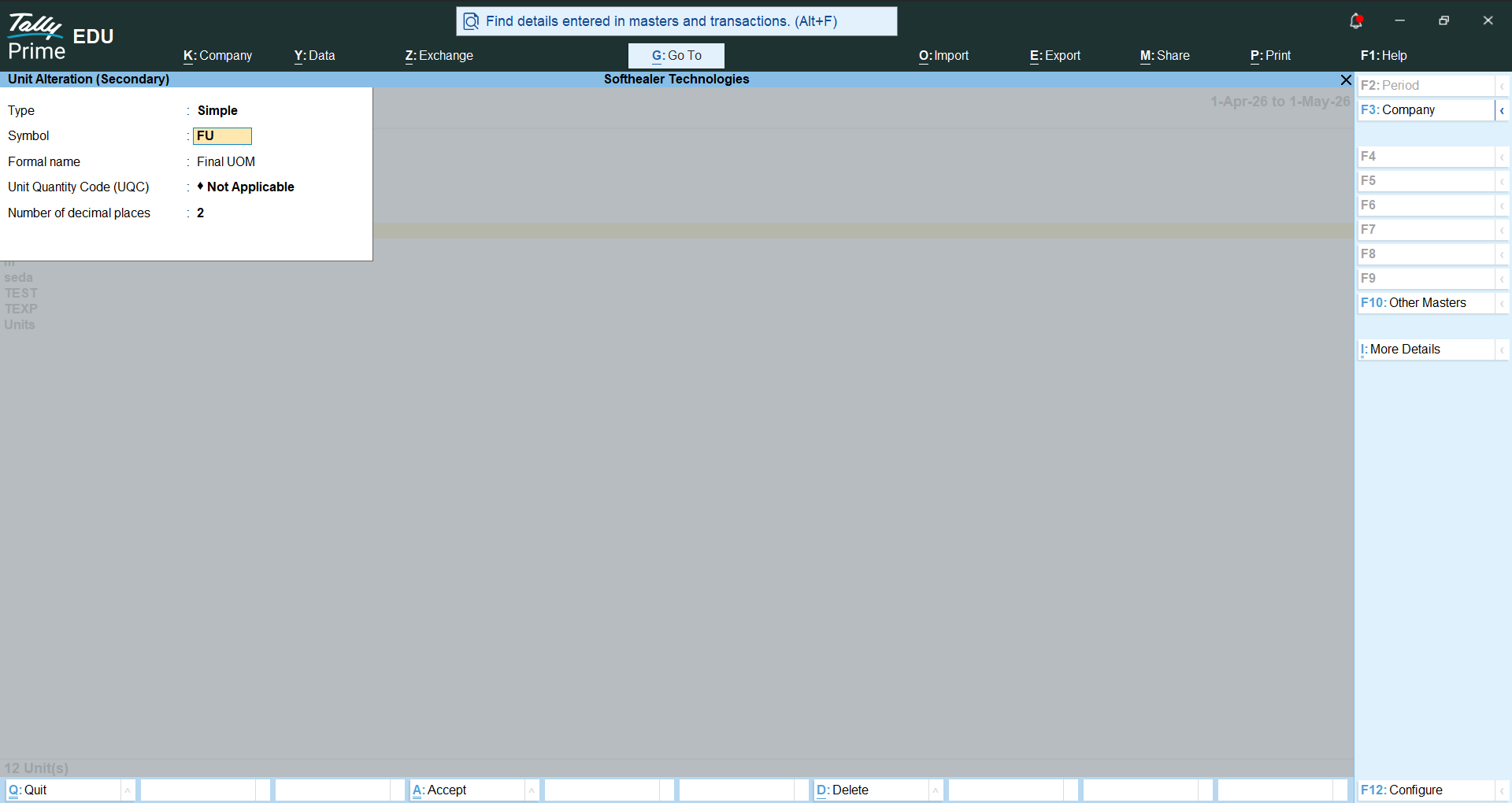
Unit of Measure synced.
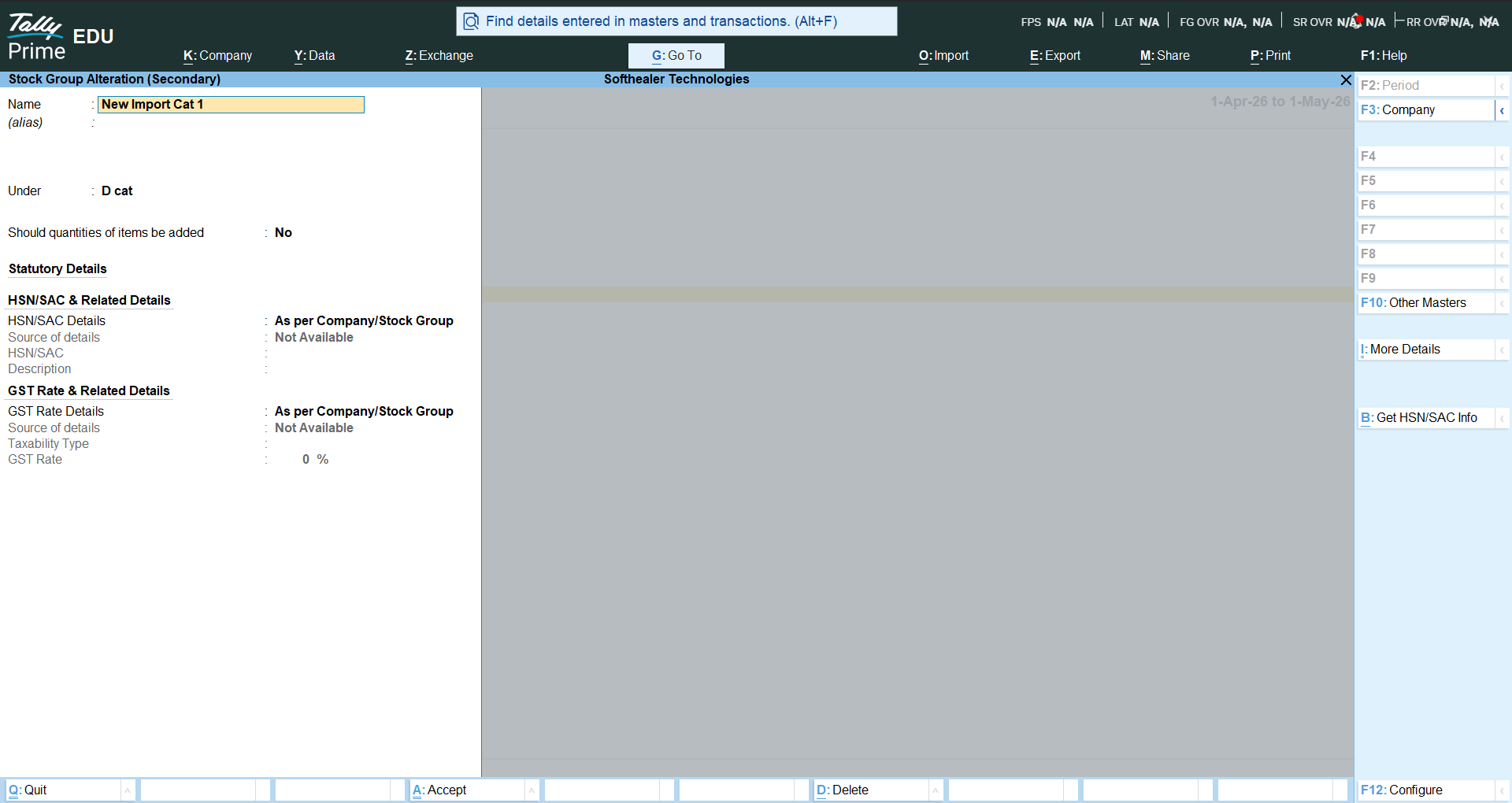
Product Categories in Tally.
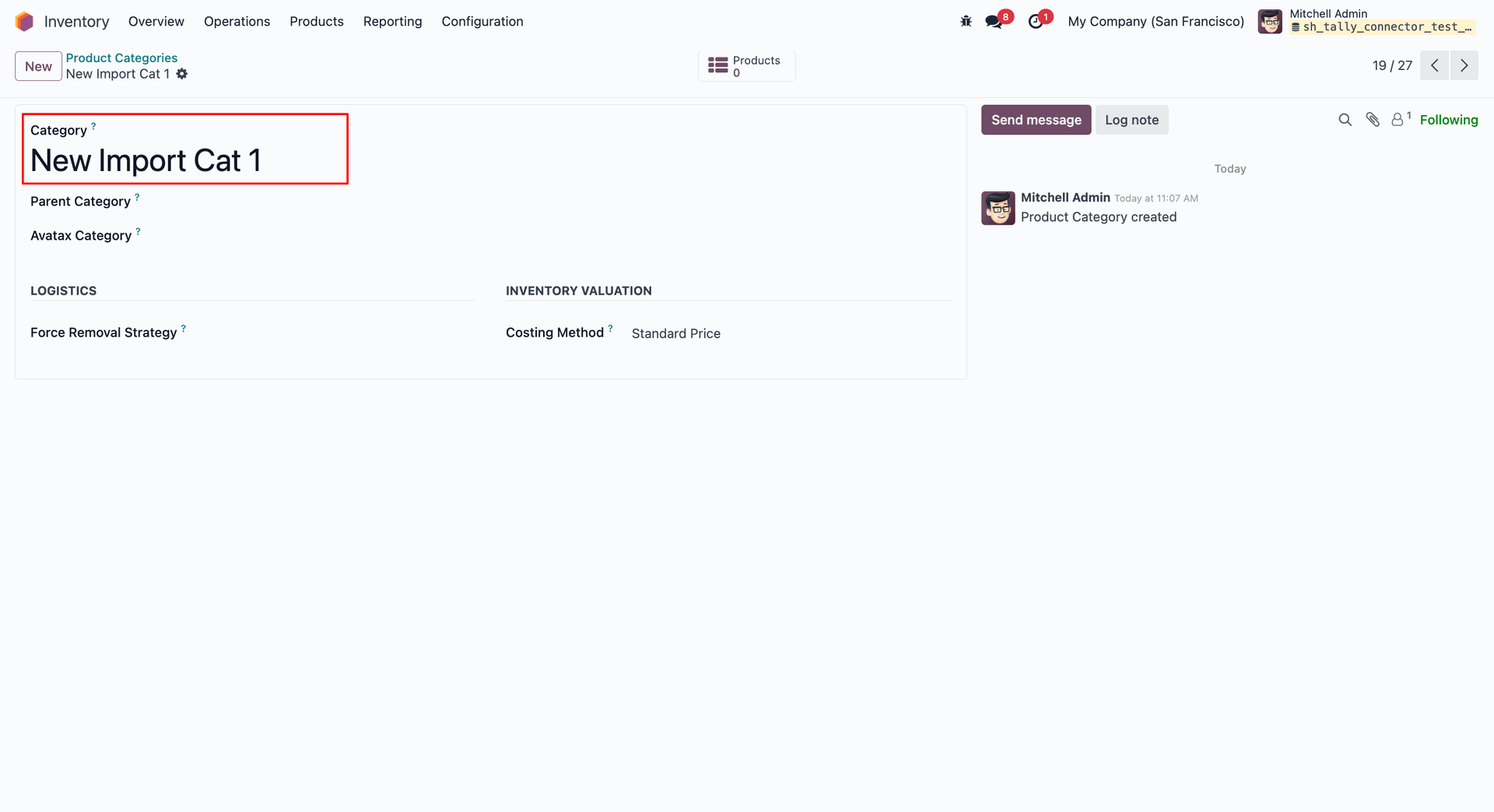
Product Categories synced.
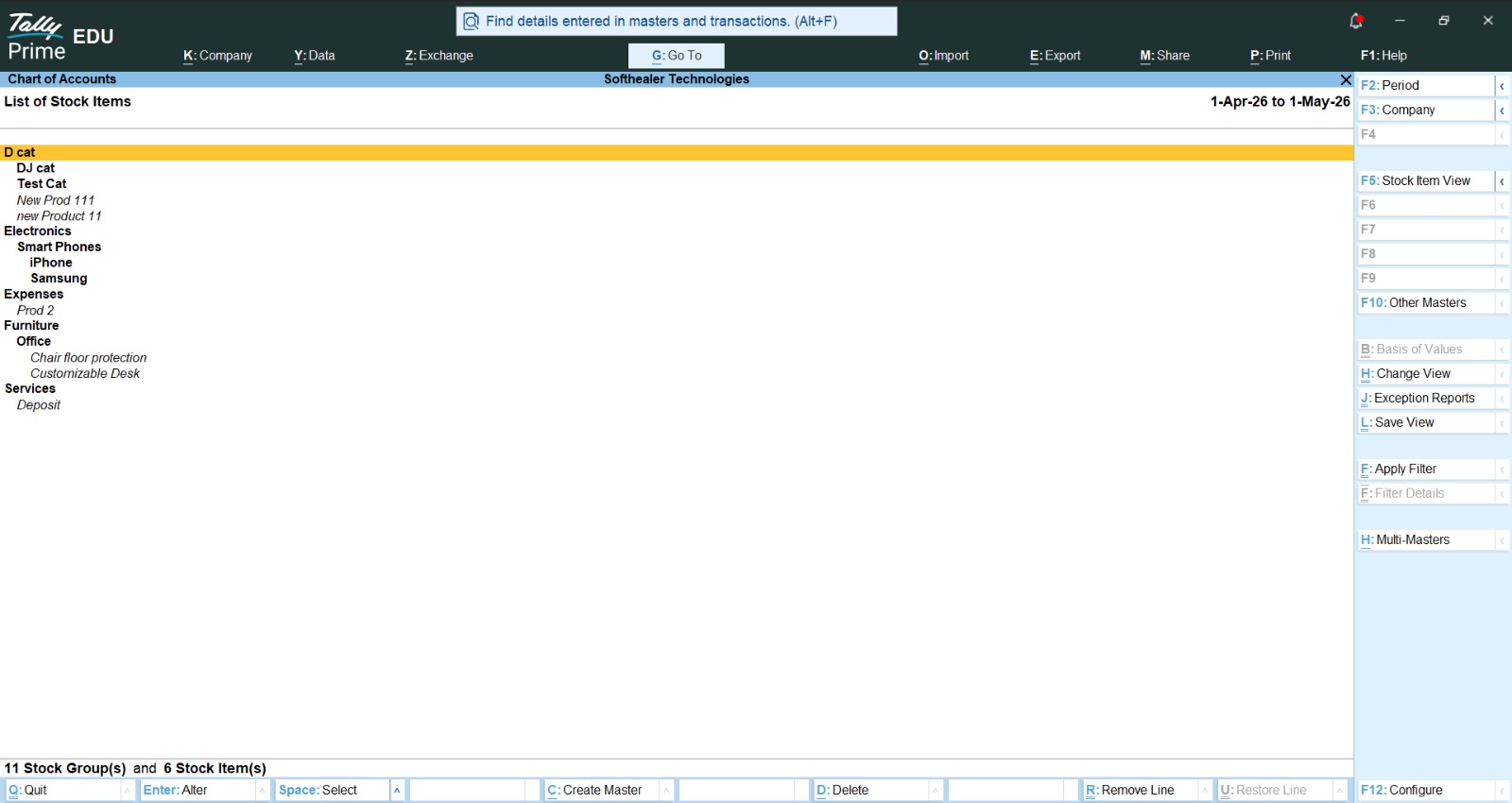
Product in Tally.
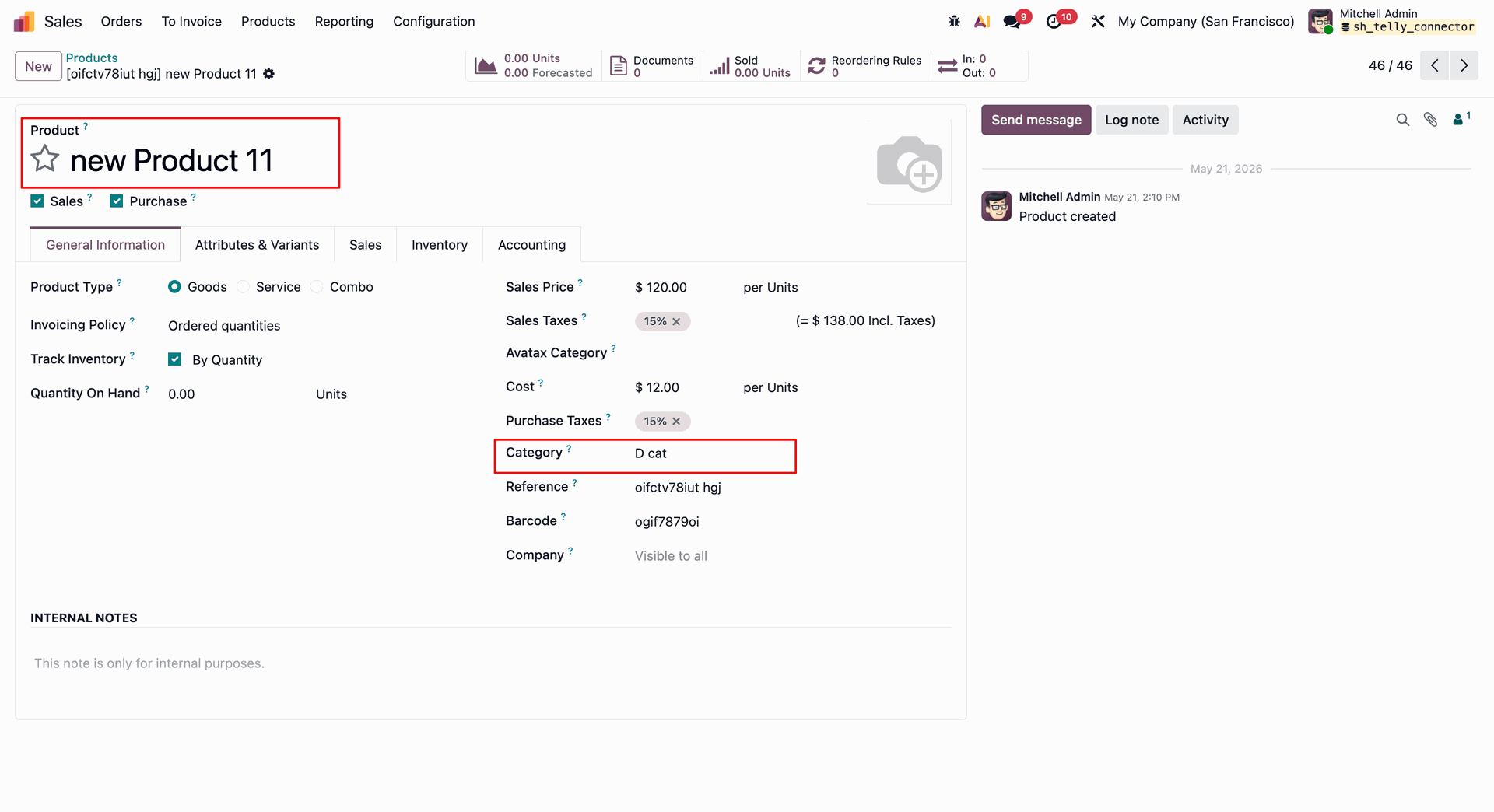
Products synced.
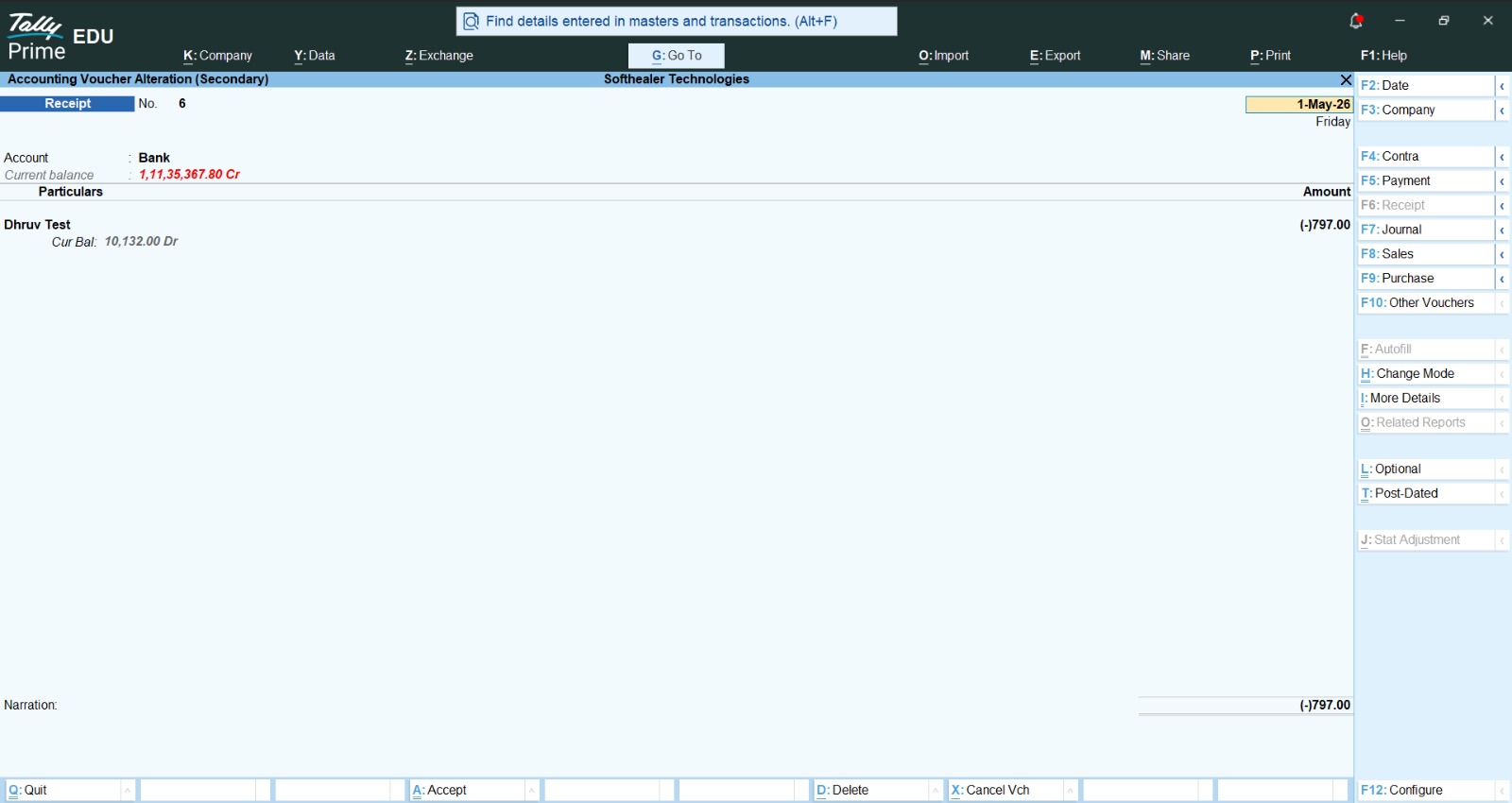
Customer payment in Tally.
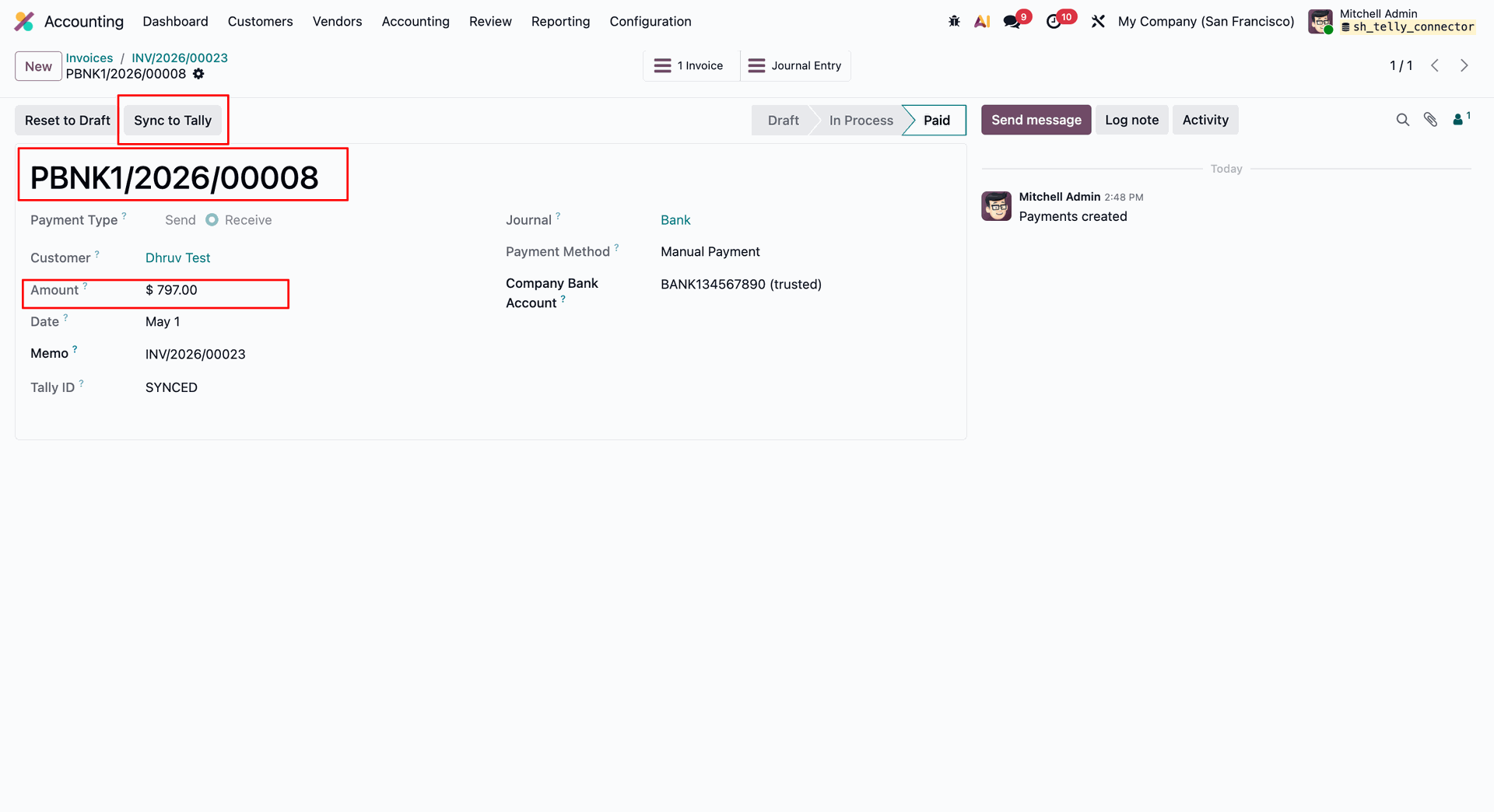
Customer payment synced.
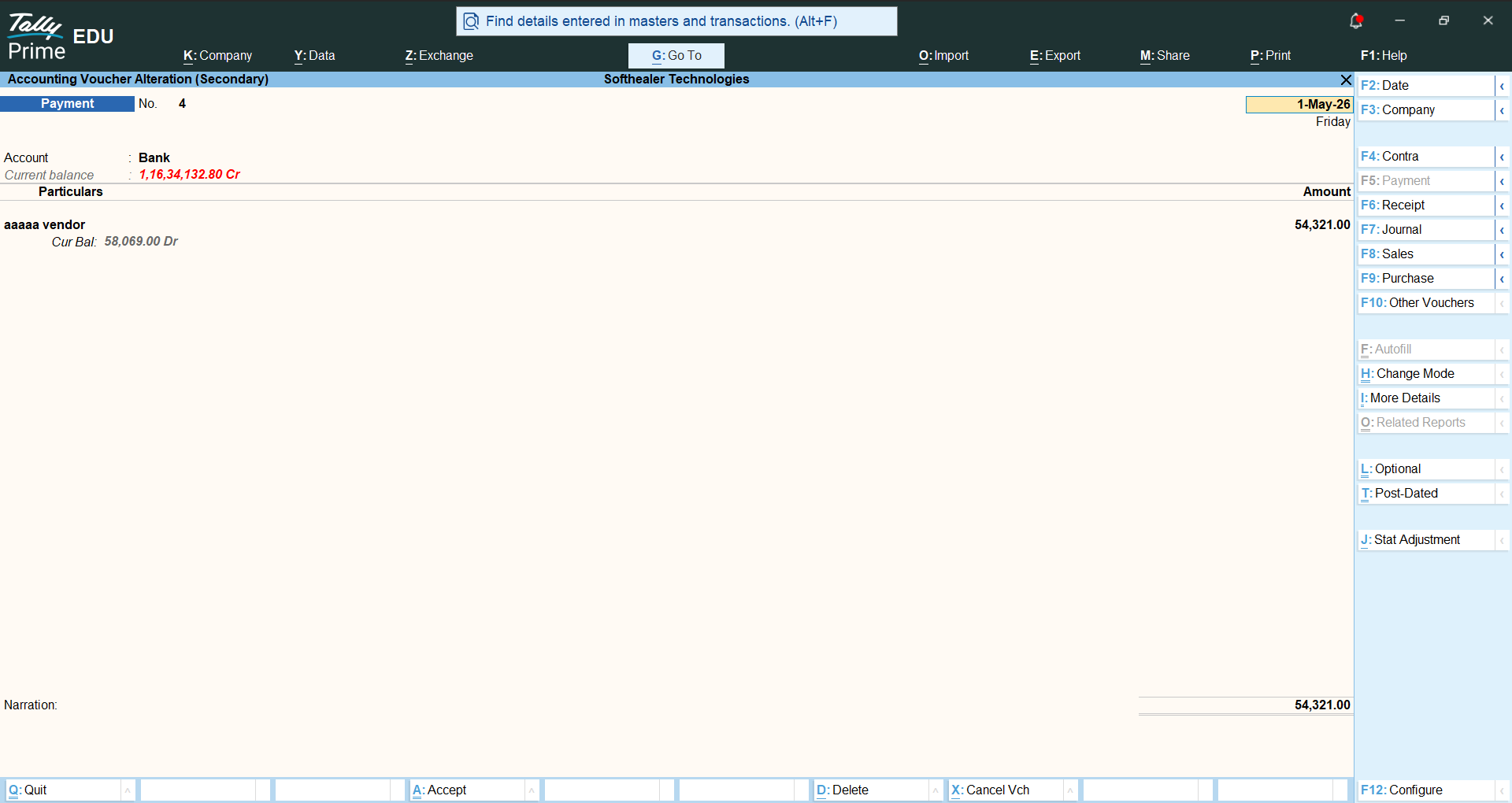
Vendor payment in Tally.
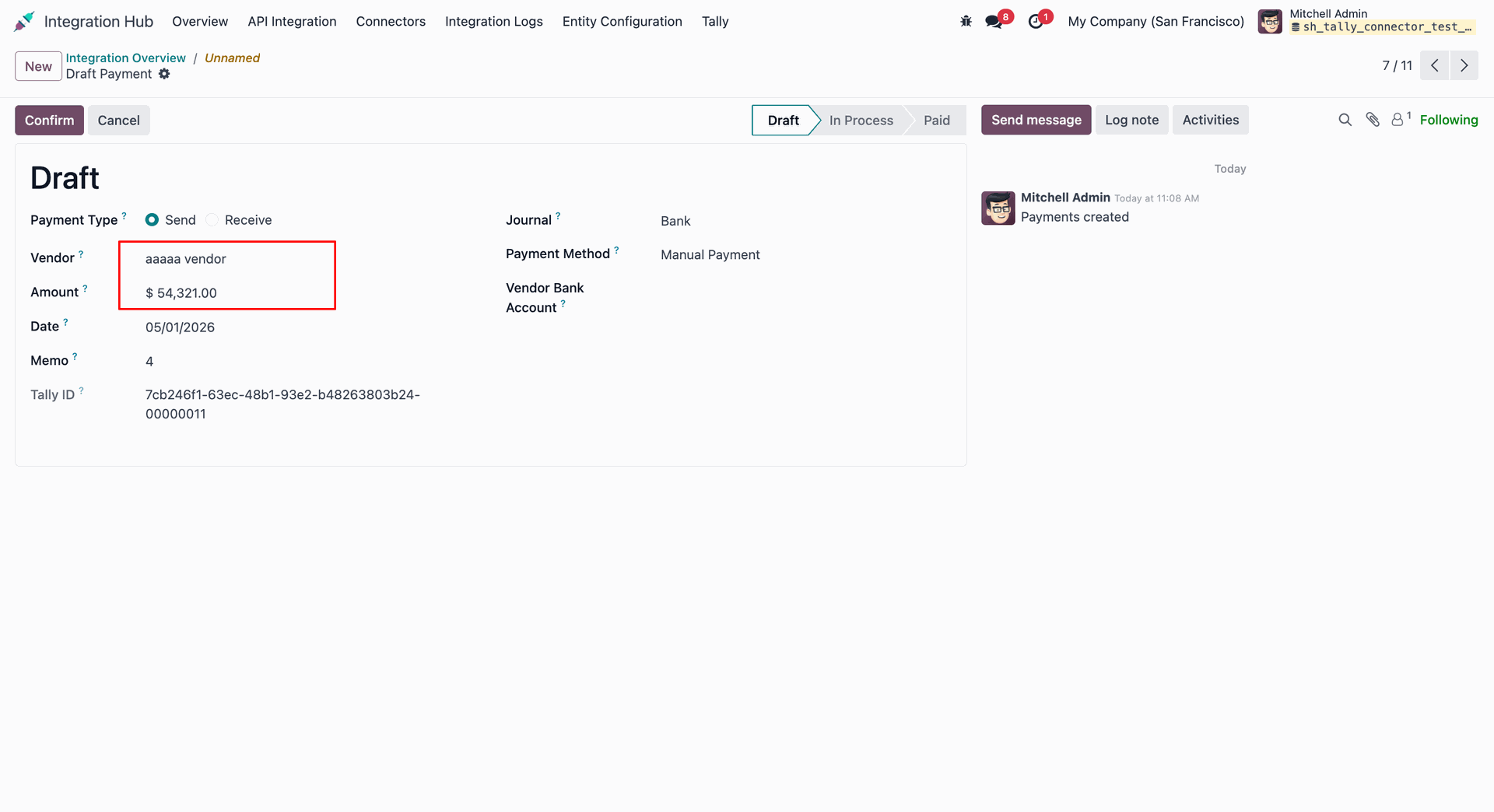
Vendor payment synced.
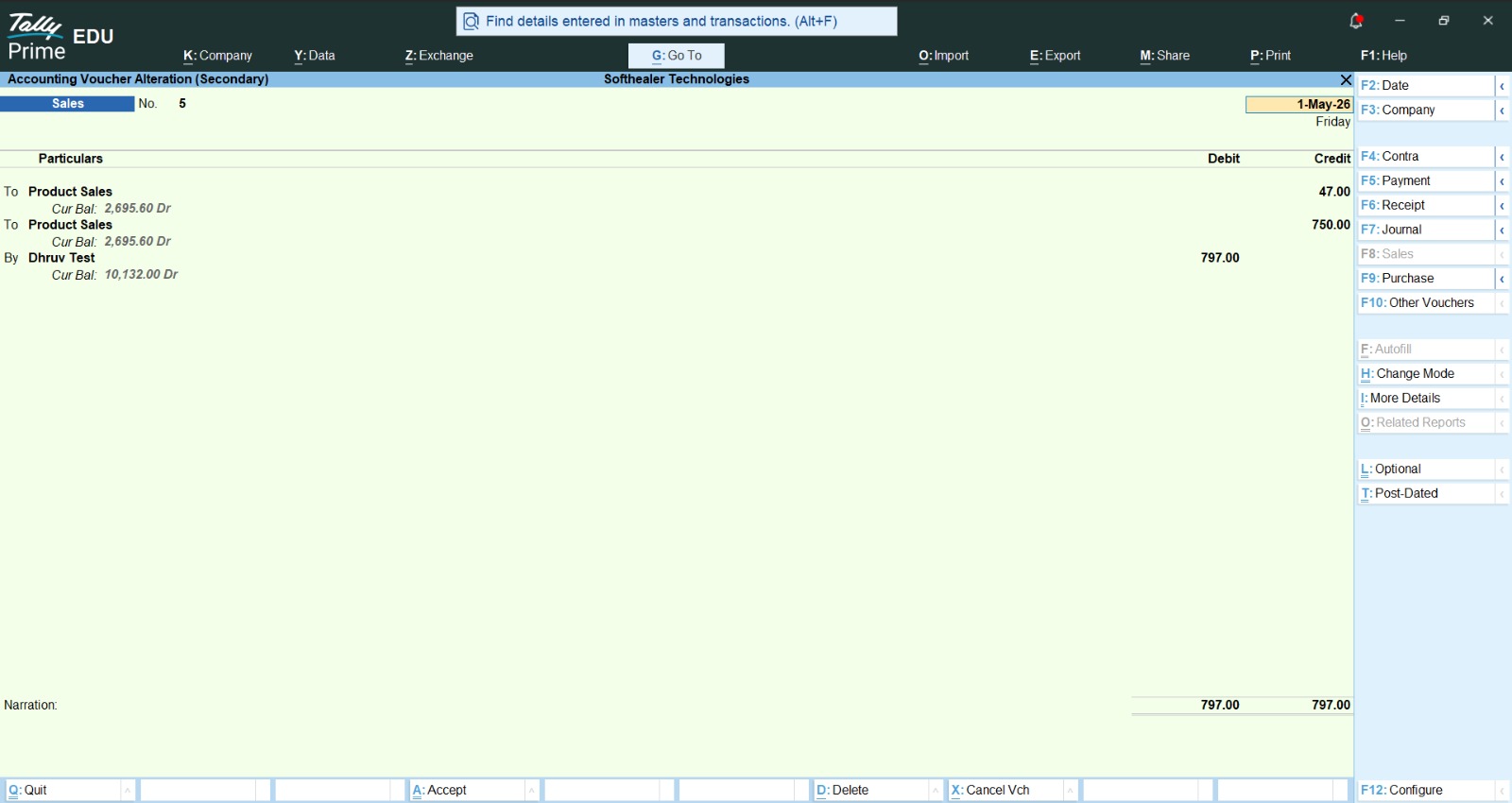
Customer invoice in Taily.
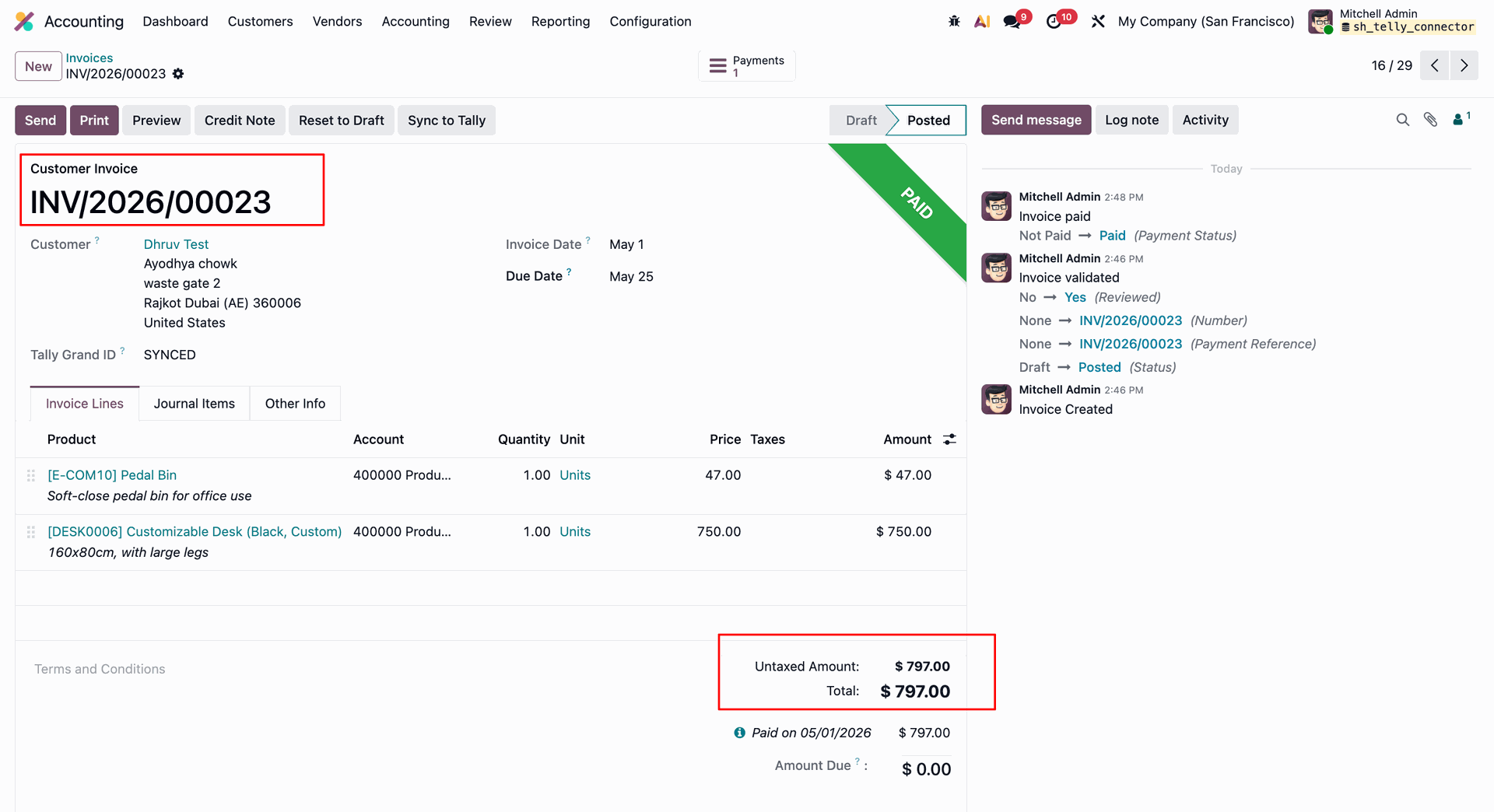
Customer invoices synced.
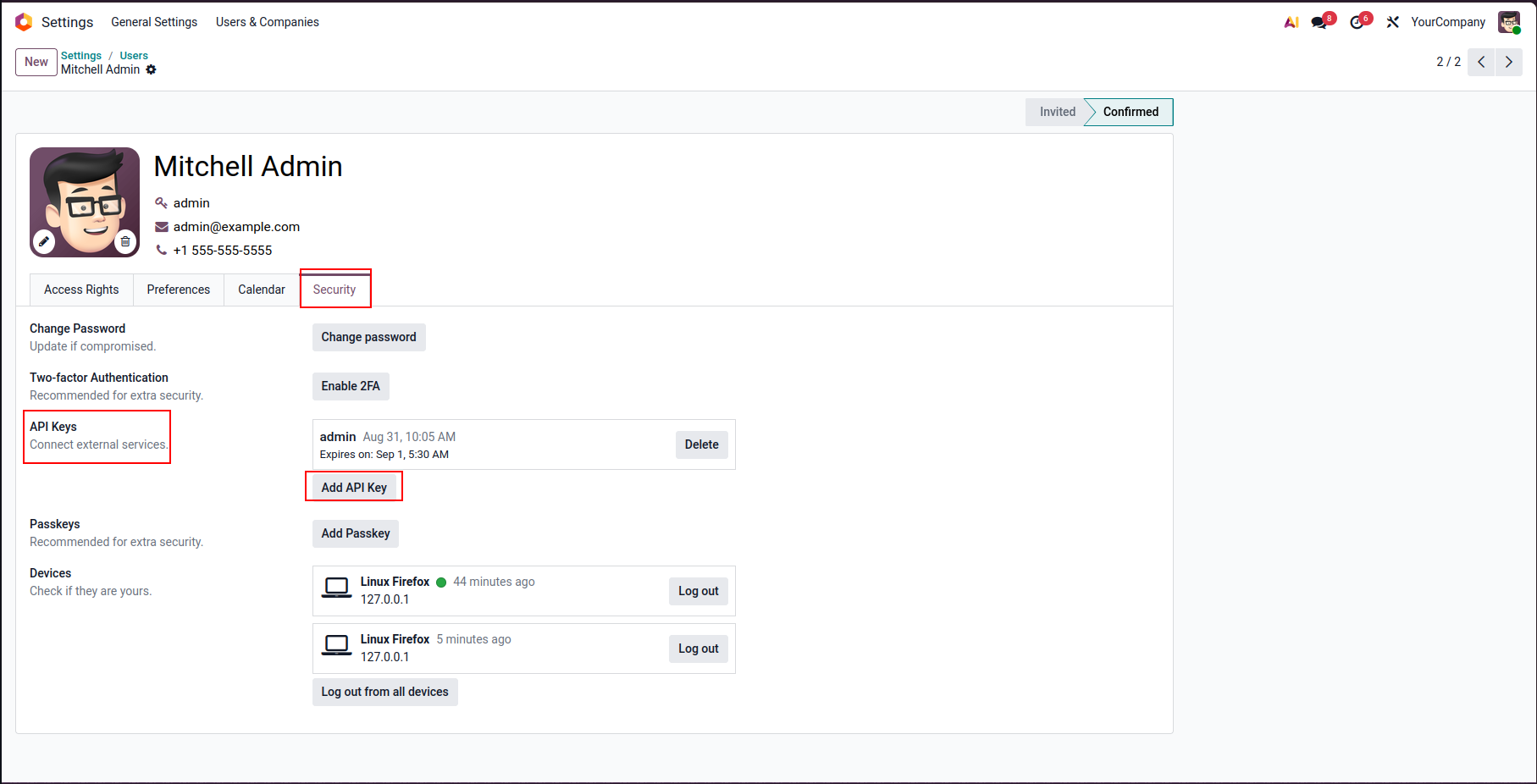
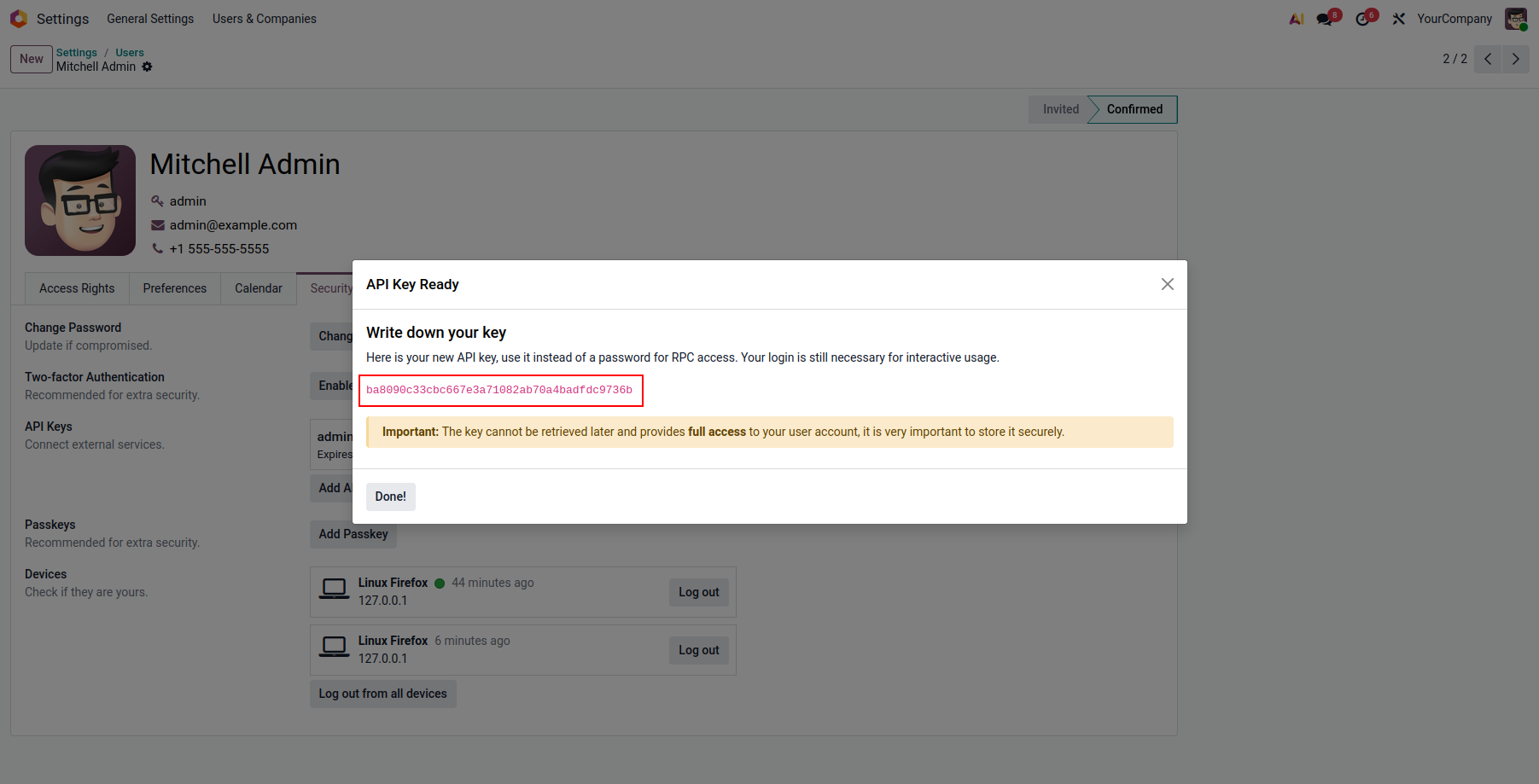
Go to User Settings -> Security -> API Keys and click New API Key.
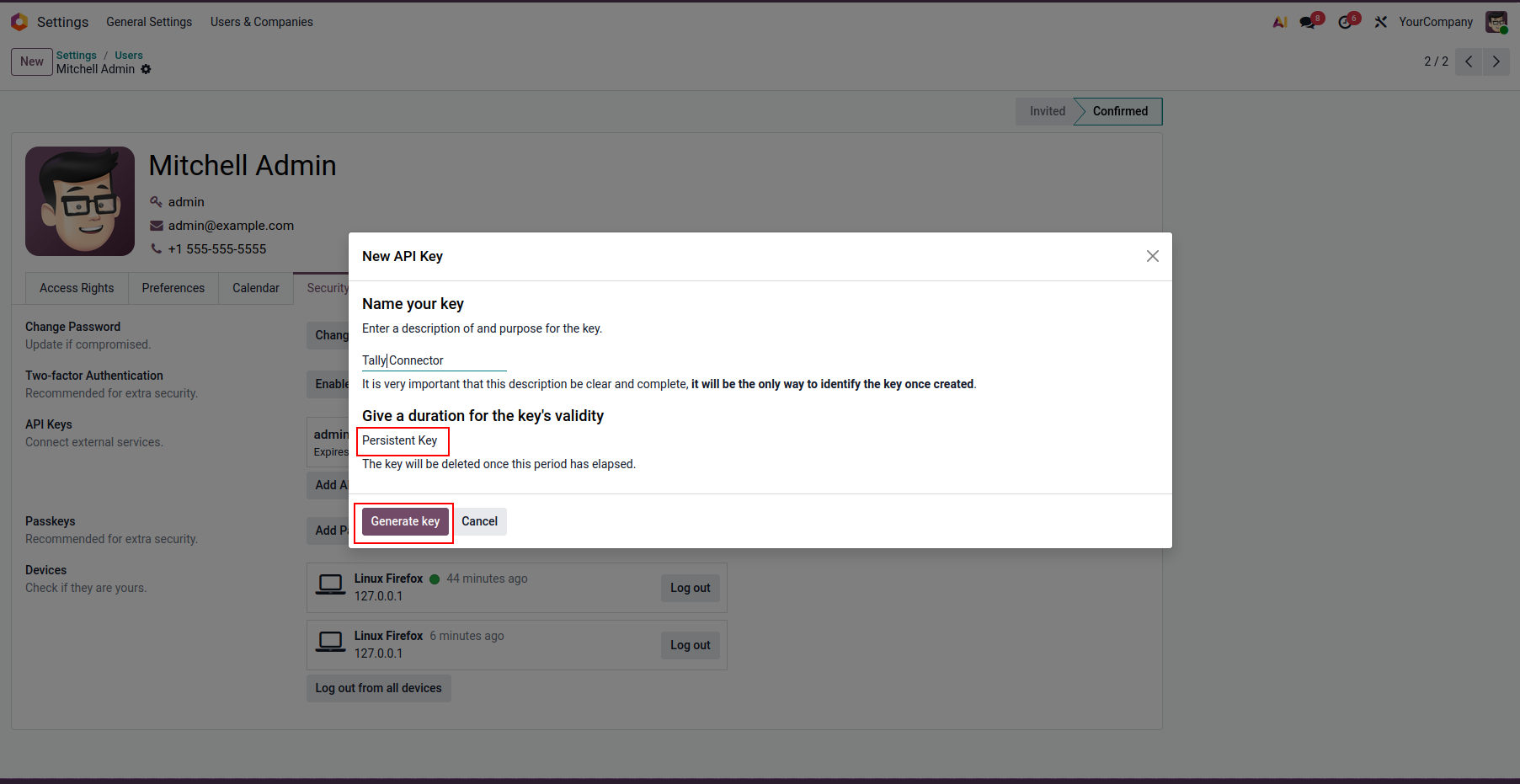
The New API Key wizard will open. Click the Generate Key button.
The API Key has been generated successfully.
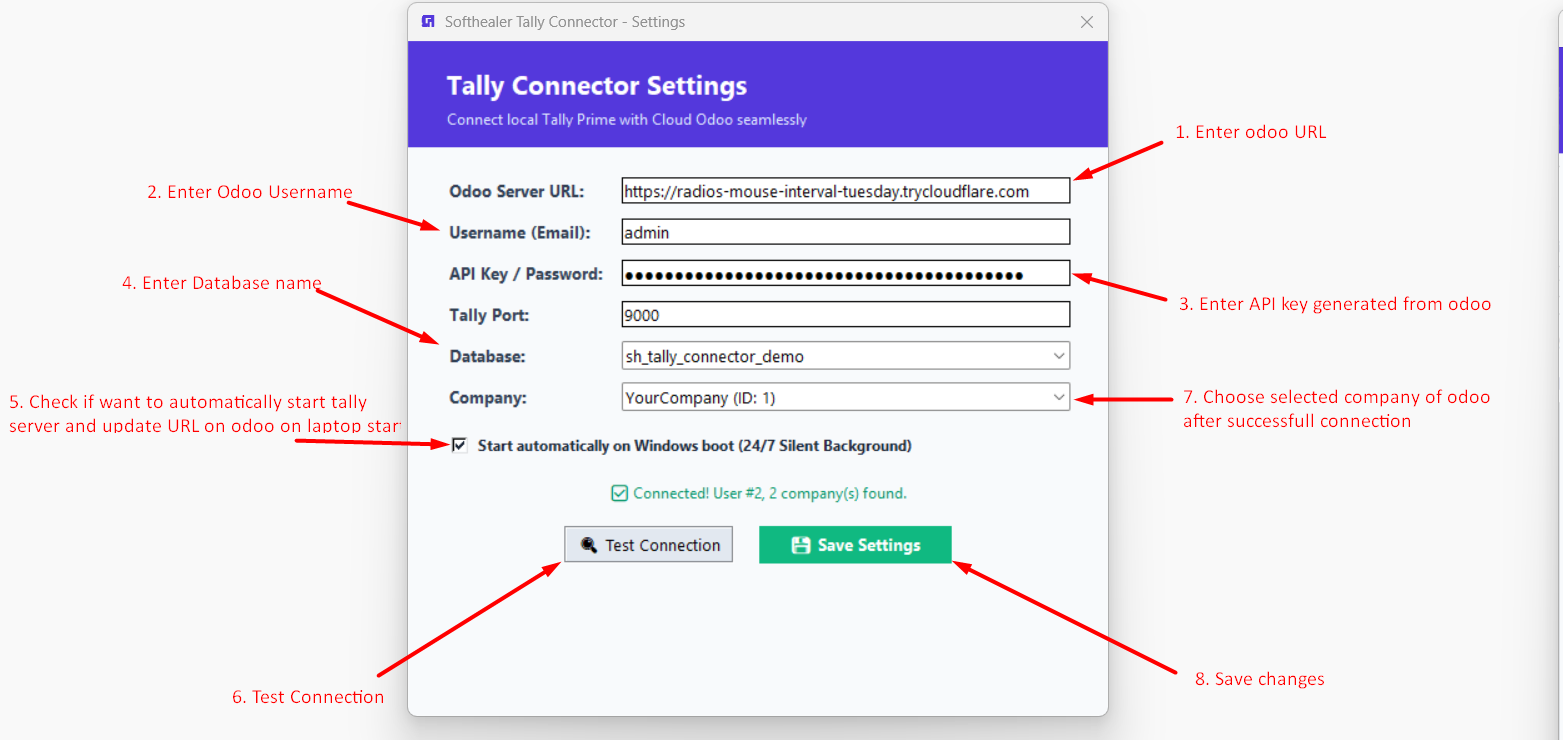
Open the Tally Connector Settings, enter the Odoo Server URL, Username, Password, Tally Port, Generated API Key, Database Name, and Company. Then click Test Connection and Save Settings.
Tally has been connected successfully with Odoo.
Version 19.0.2.0.0 | Released: 02nd September 2026
Version 19.0.1.0.0 | Released on : 21st July 2026
- Yes, this app works perfectly with Odoo Enterprise (Odoo.sh & Premise) as well as Community.
- No, this application is not compatible with odoo.com(odoo saas/Odoo Online)
- Yes, to test this module, please contact us at sales@softhealer.com.
- Please contact us at sales@softhealer.com to request customization.
- Yes, we provide free lifetime support for the version you purchased.
- Yes, you will receive lifetime free updates for the version of the module you purchased.
- No, there is no need to install any additional libraries.
- Yes, for version 12 and above, you need to purchase the module separately for each version you intend to use.
- No, exchanges or refunds are not allowed. Please make sure to select the correct version before purchasing.
- You can contact us at support@softhealer.com for language translation support. We use Google Translator tools to provide translations in multiple languages, so the accuracy may vary. We welcome your suggestions to help improve translations.
Discover Our Latest Apps