












Tableau Odoo Connector

The Tableau Odoo Connector provides a seamless way to fetch and work with Odoo data directly inside Tableau. After generating an API key and connecting your Odoo instance, you can browse any Odoo model and instantly load them into Tableau. This connector is built for users who prefer spreadsheet-based workflows but need real-time access to Odoo data. It eliminates manual exports, improves accuracy, and saves hours of repetitive work.
Key Features
Features

Connect with Odoo Using API Key
You can securely connect Tableau with your Odoo database using your generated API key.
Access Any Odoo Model - Standard or Custom
You can search and select any Odoo model directly from the Tableau with a single click.

Paginated Data Fetch
Fetch Odoo records with limit, offset, stable ordering, and safe field filtering for large datasets.

API Key Validation
Validate Tableau API keys using Odoo-compatible authentication for secure data access.
Field Serialization
Standardize API responses for relational fields, selections, dates, null values, and other Odoo field types while excluding binary data.
Multi-Company Connector Settings
Configure connector settings separately for each Odoo company.

Tableau Error Handling
Display clear errors for authentication failures, restricted models, invalid schemas, and empty results.
On-Demand Data Synchronization
Fetch the latest records from the Tableau instantly using a single refresh button.

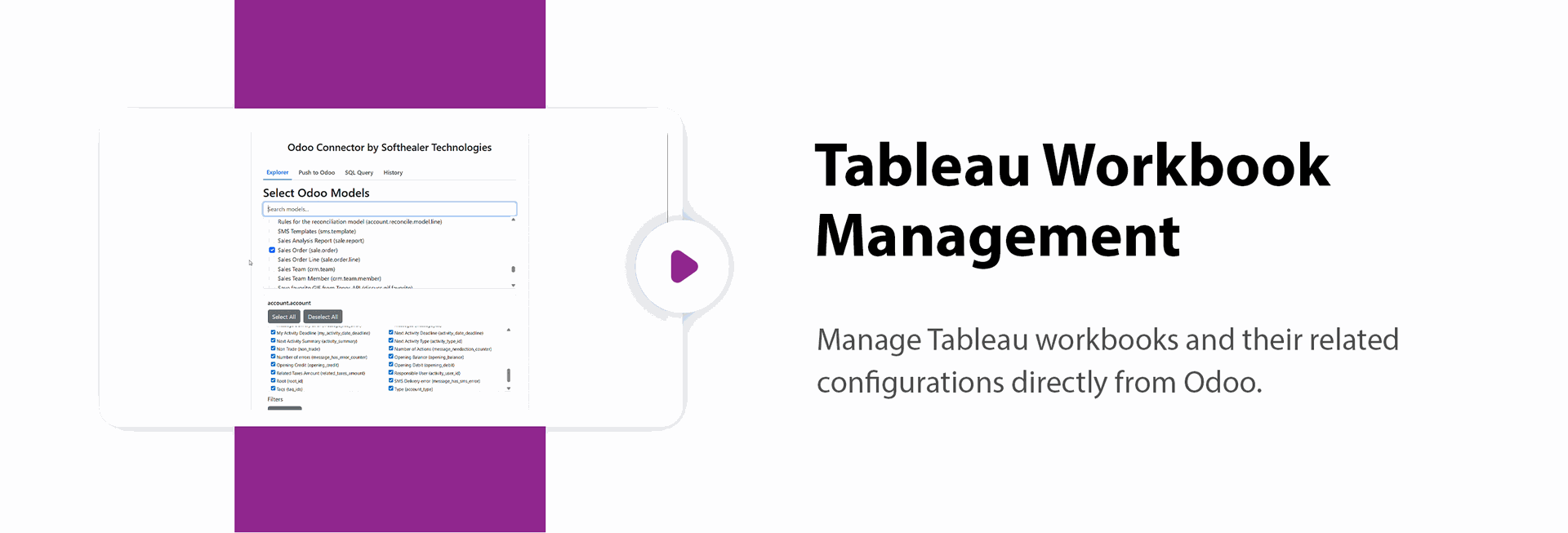
Tableau Workbook Management

Manage Tableau workbooks and their related configurations directly from Odoo.
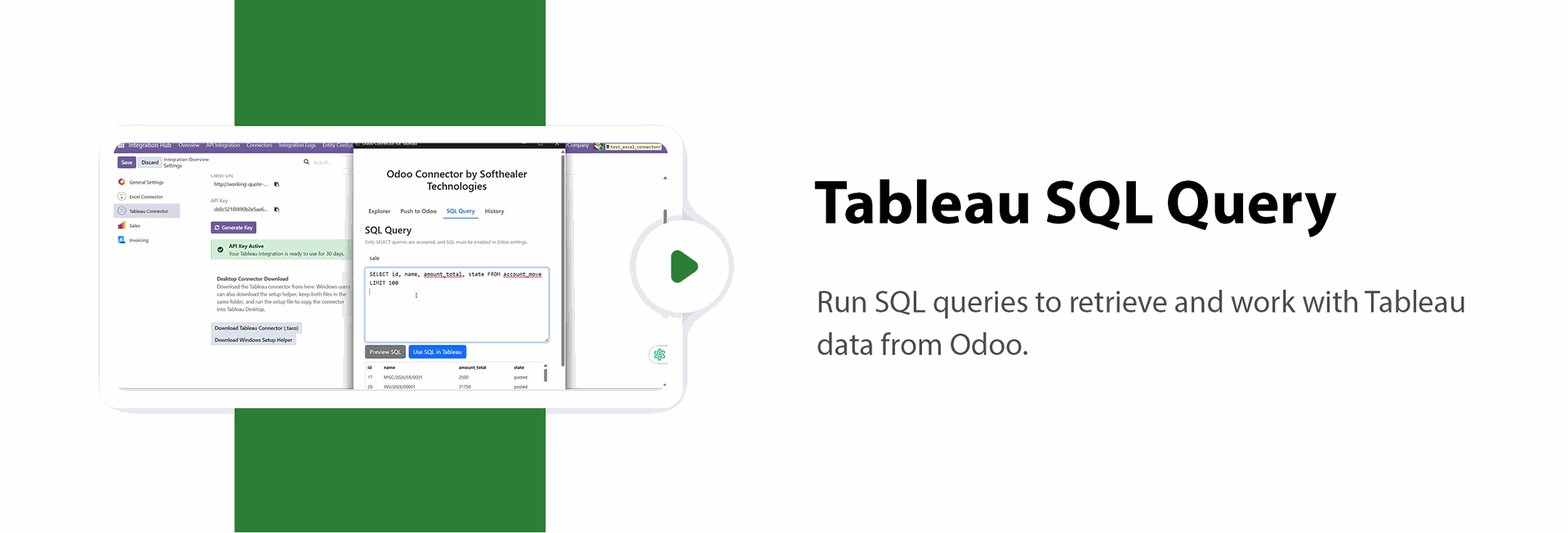
Tableau SQL Query
Run SQL queries to retrieve and work with Tableau data from Odoo.

User-Friendly Setup
Easily connect Tableau with Odoo using a simple, guided setup that requires no technical expertise.

Effortless Data Transfer
Experience seamless data flow between Odoo and Tableau without any complexity.
API Request & Audit Logs
Track authentication, search, schema, and data requests with status, duration, and error details without storing sensitive keys.

Connection Status Tracking
View the last key generation, last successful access, and latest error directly from the connector settings.
Large Dataset Protection
Apply record limits and safe batch processing to prevent performance issues when working with large datasets.

Automated API Tests
Test security, schema, pagination, field serialization, and multi-company functionality to ensure reliable integration.

Market Trend Analysis
Analyze market trends using relevant Odoo data through Tableau dashboards and reports.

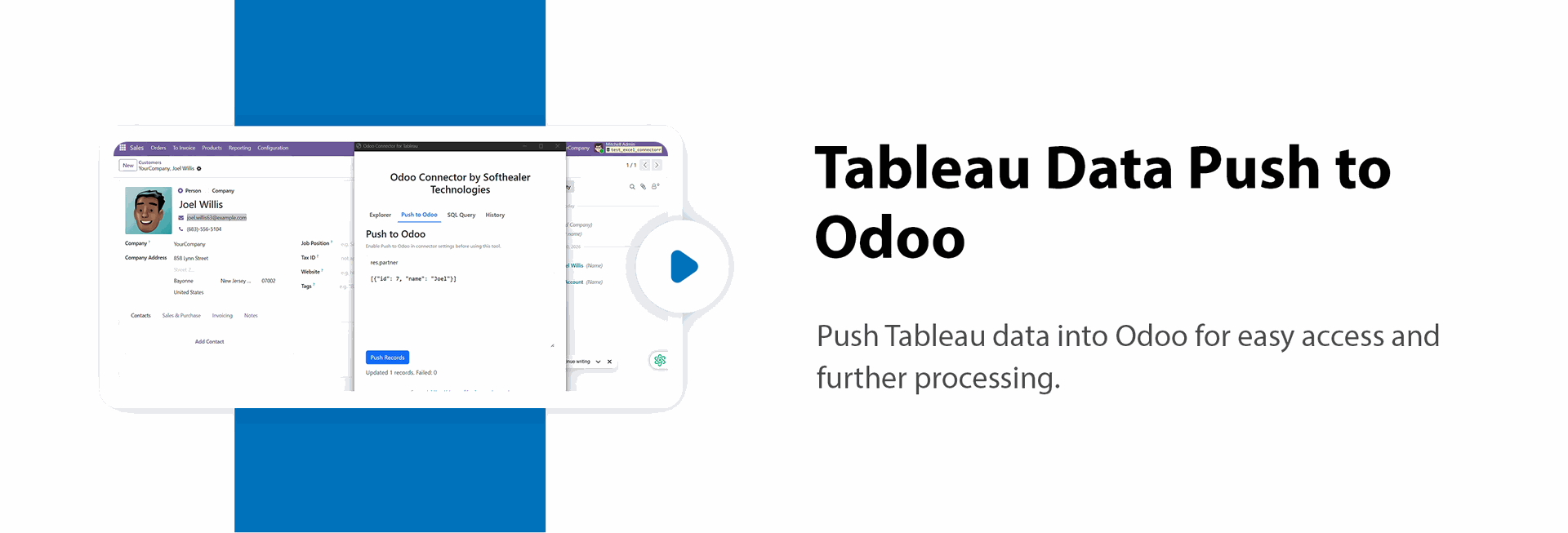
Tableau Data Push to Odoo
Push Tableau data into Odoo for easy access and further processing.
Tableau Webhooks
Use webhooks to receive and process real-time updates from Tableau.

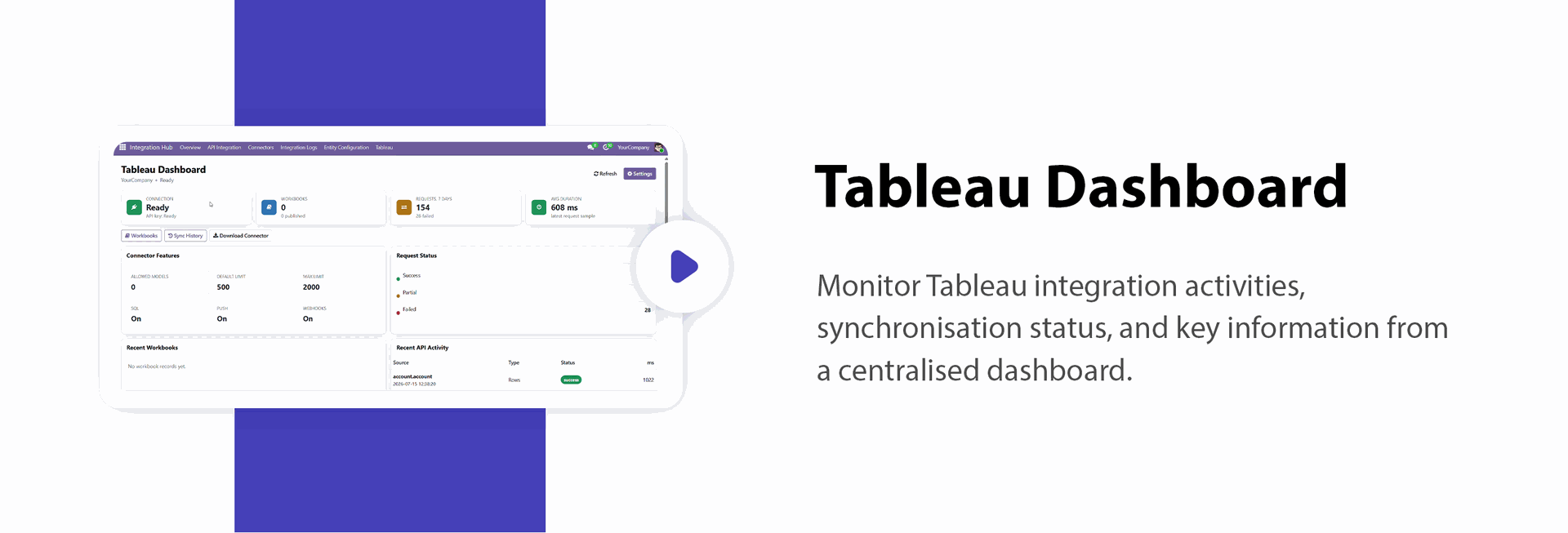
Tableau Dashboard & Sync History
Monitor Tableau synchronization activities and view sync history from a centralized dashboard.

The Tableau Dashboard displays key metrics, including Ready Connections, Workbooks, Requests in the Last 7 Days, Average Request Duration, and Request Status.
It also provides an overview of connector features such as Allowed Models, Default Limit, Maximum Limit, SQL Push, and Webhooks.
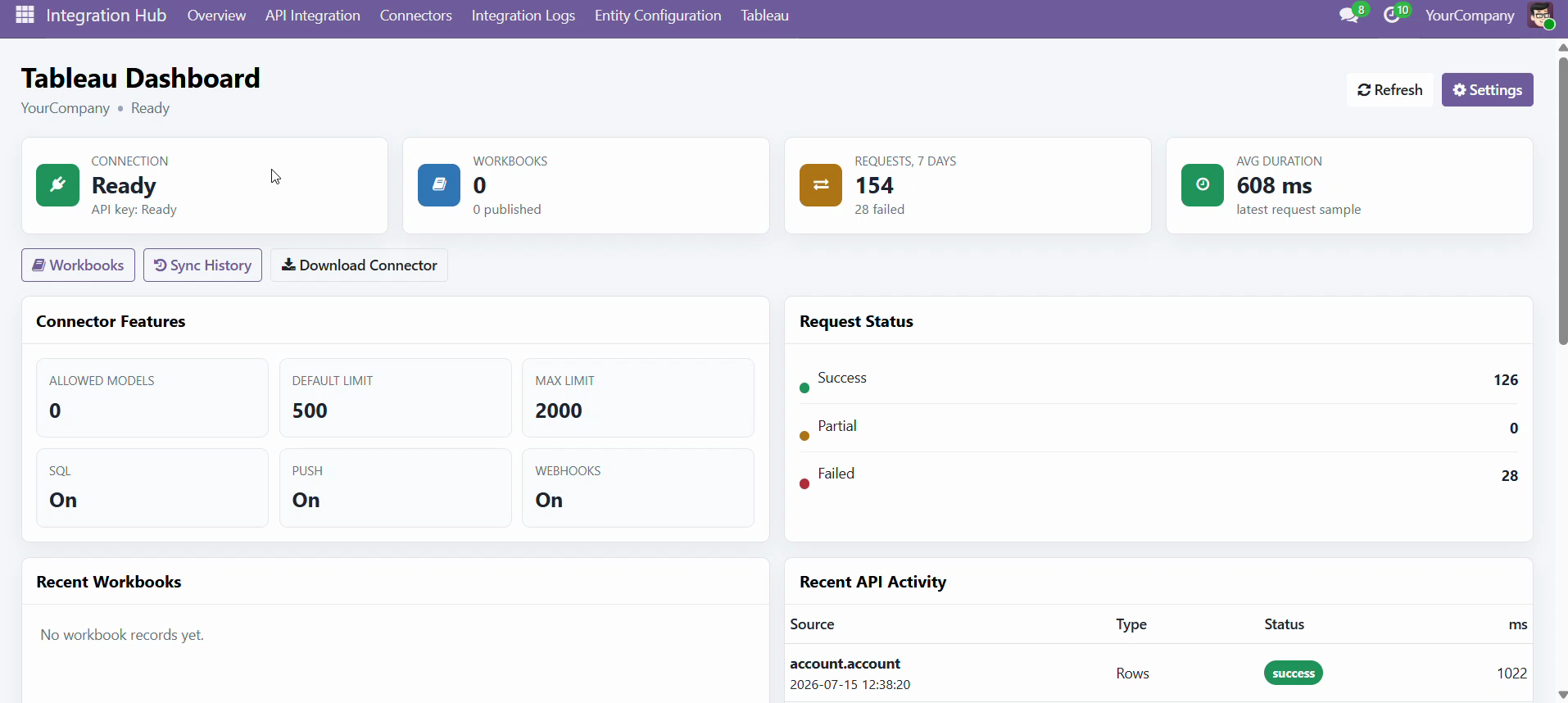
The dashboard also displays Recent Workbooks and Recent API Activity tables, providing a quick overview of the latest workbook updates and API requests.
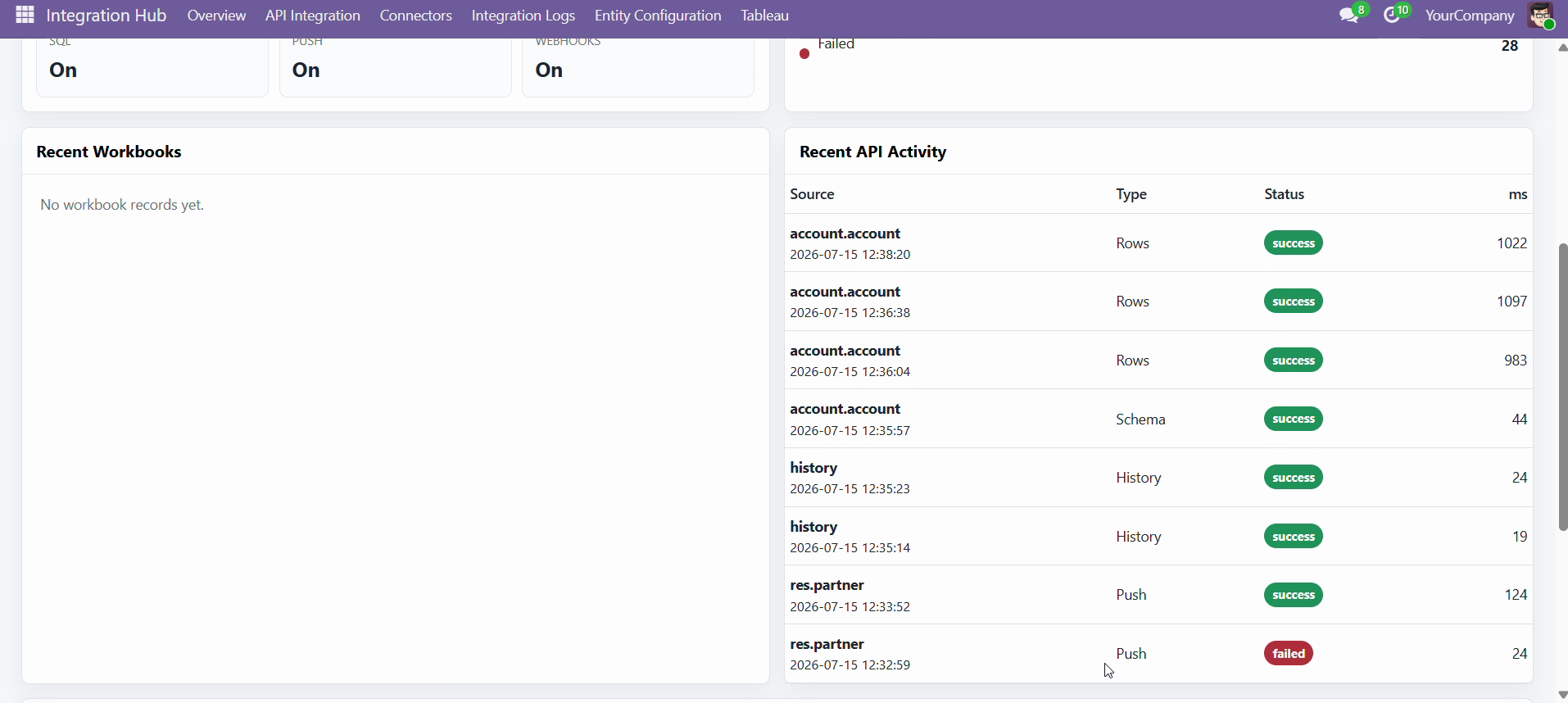
The dashboard displays request metrics for the last 7 days, including Authentication, Model Search, Schema, Rows, SQL Query, Push, and History request types.
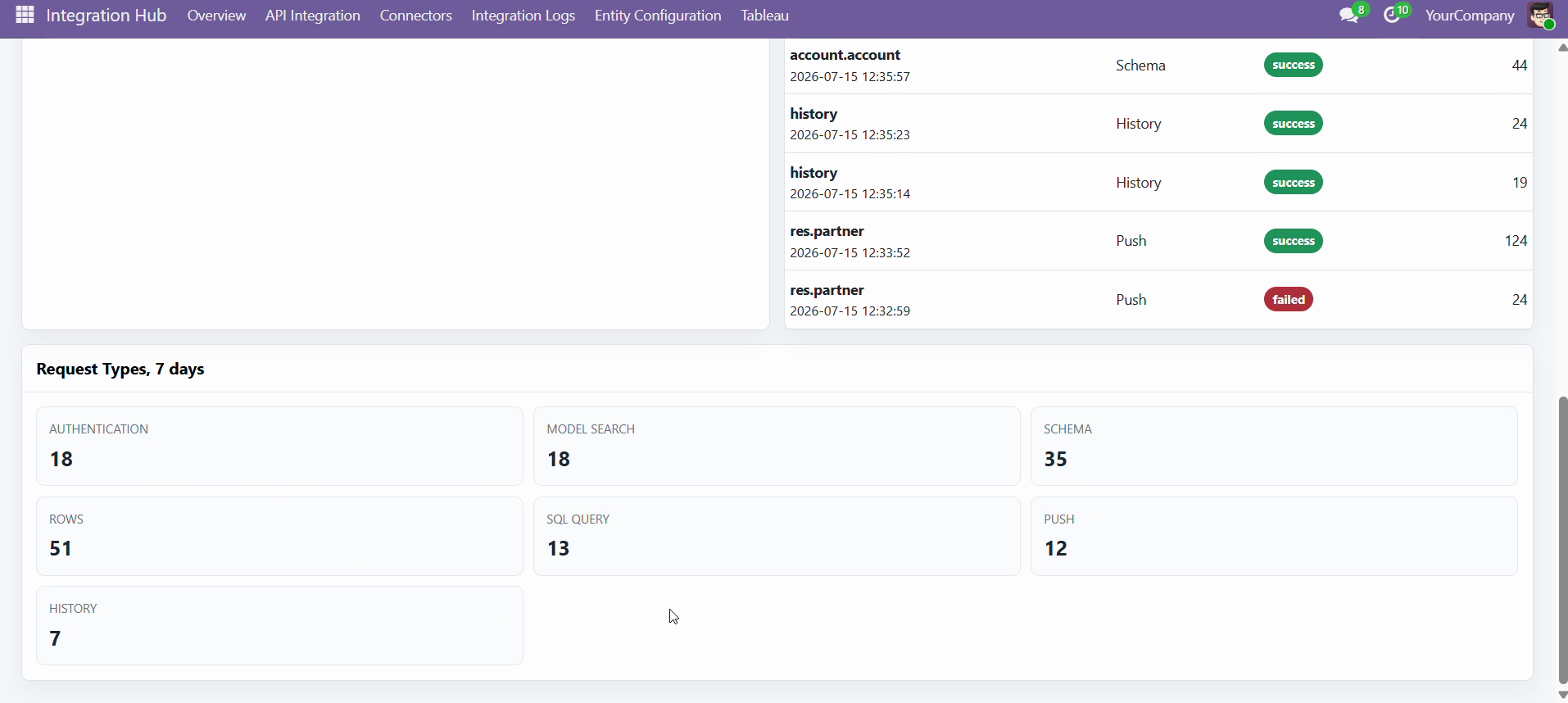
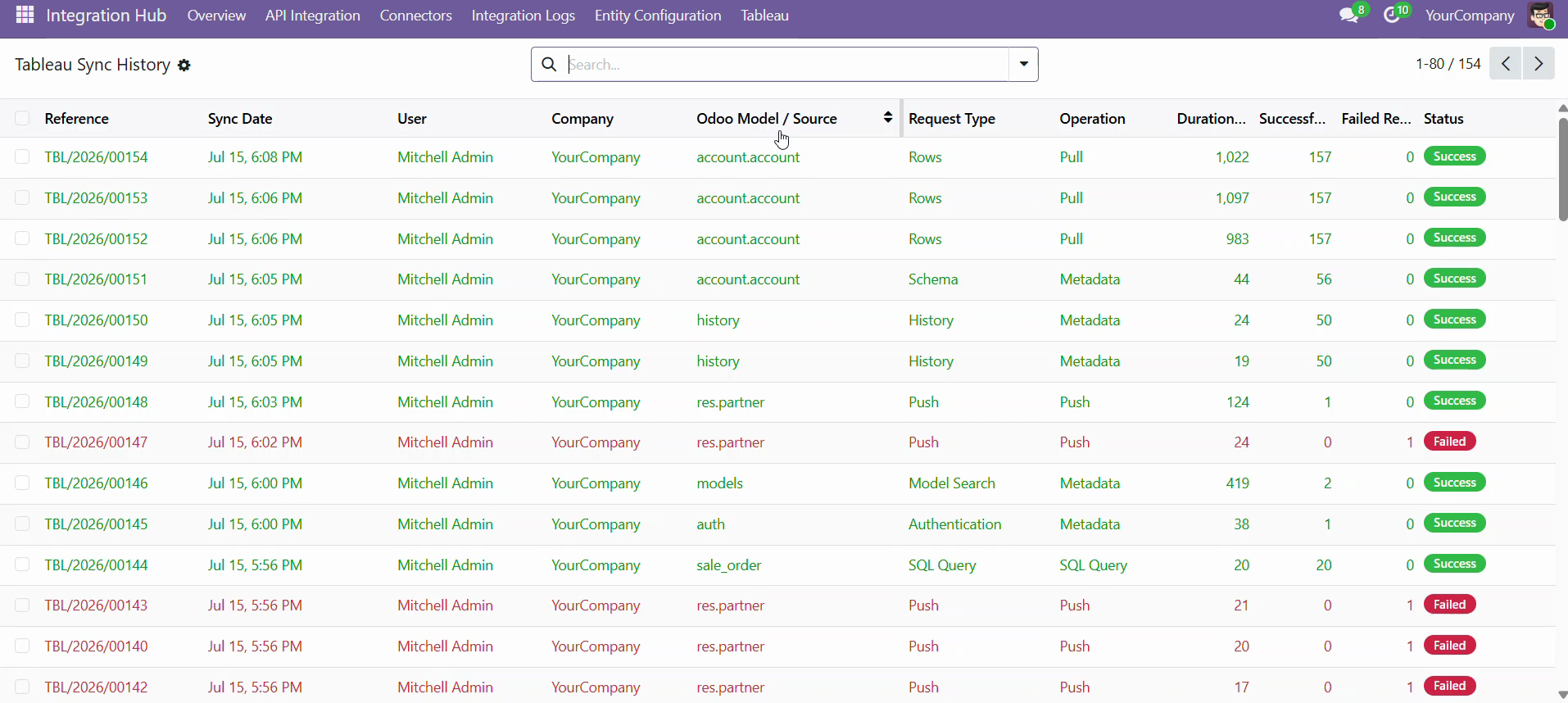
The Tableau Sync Log History list view displays a complete record of synchronization activities, making it easy to monitor sync status, operations, and execution details.
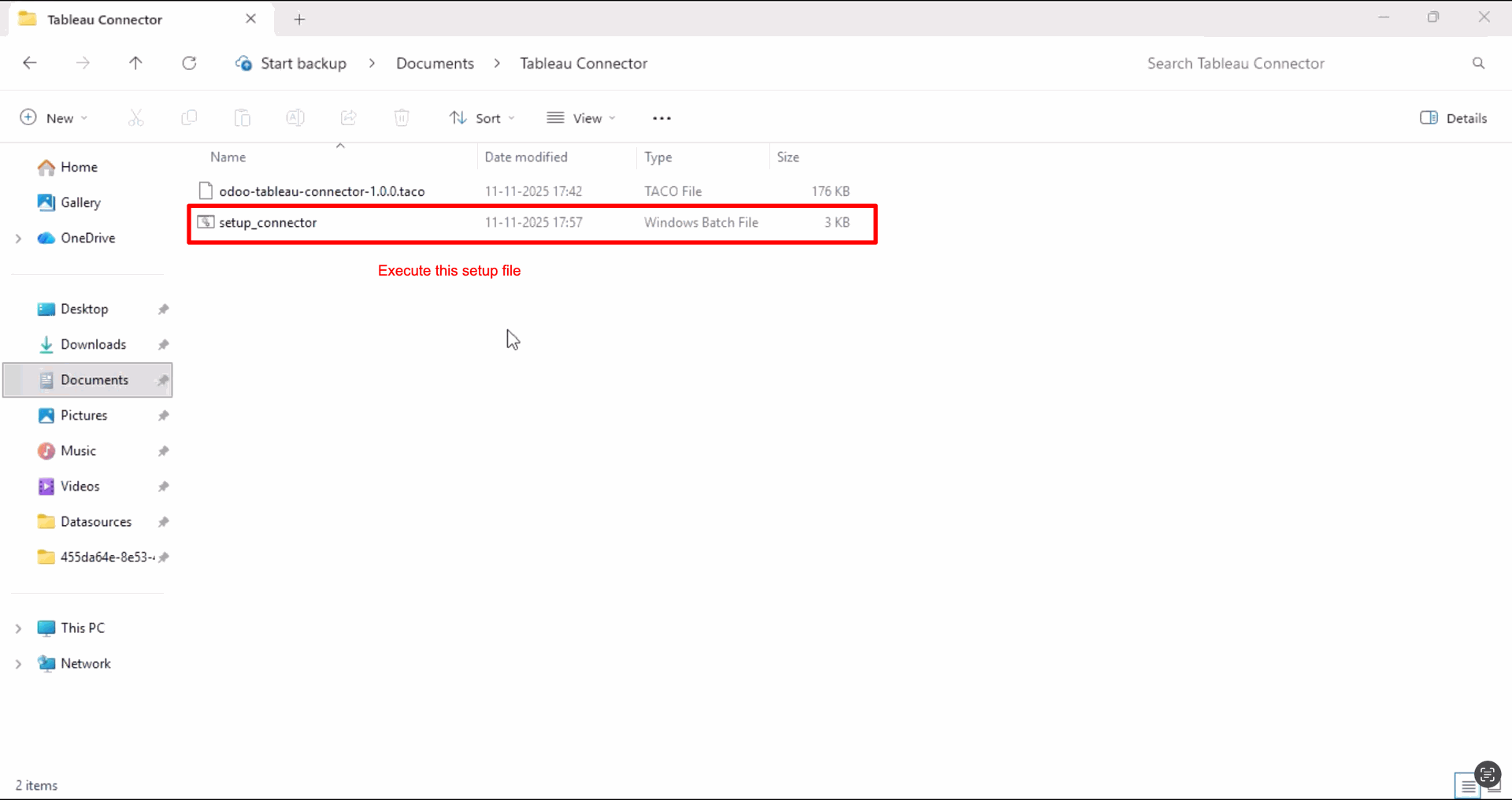
You can start the connector server by executing the setup file included inside the Tableau Odoo module.
After successful setup, it will automatically create the Tableau Odoo Connector shortcut on the desktop.
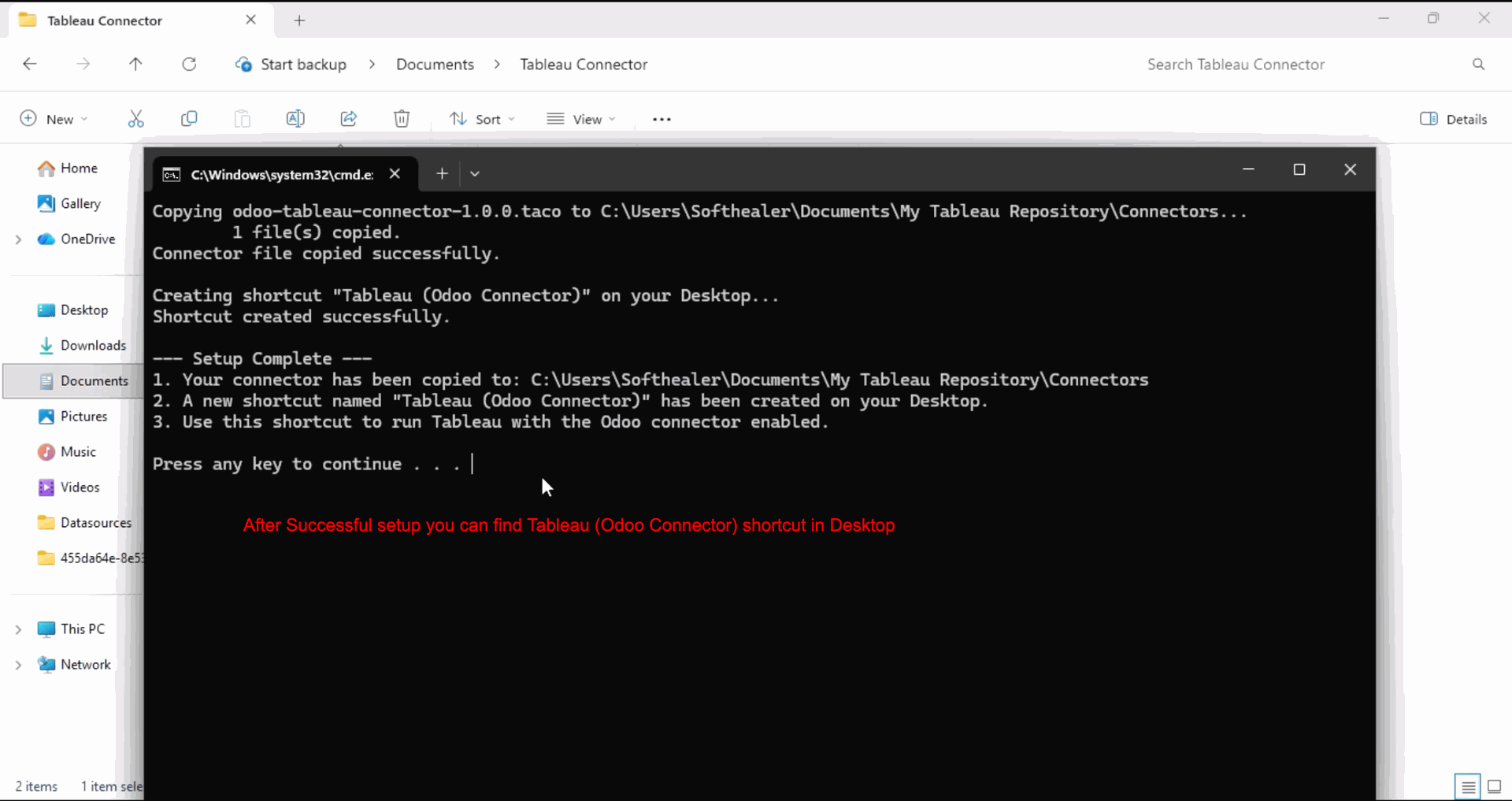
After that, open the created shortcut.

Go to the "More" options.
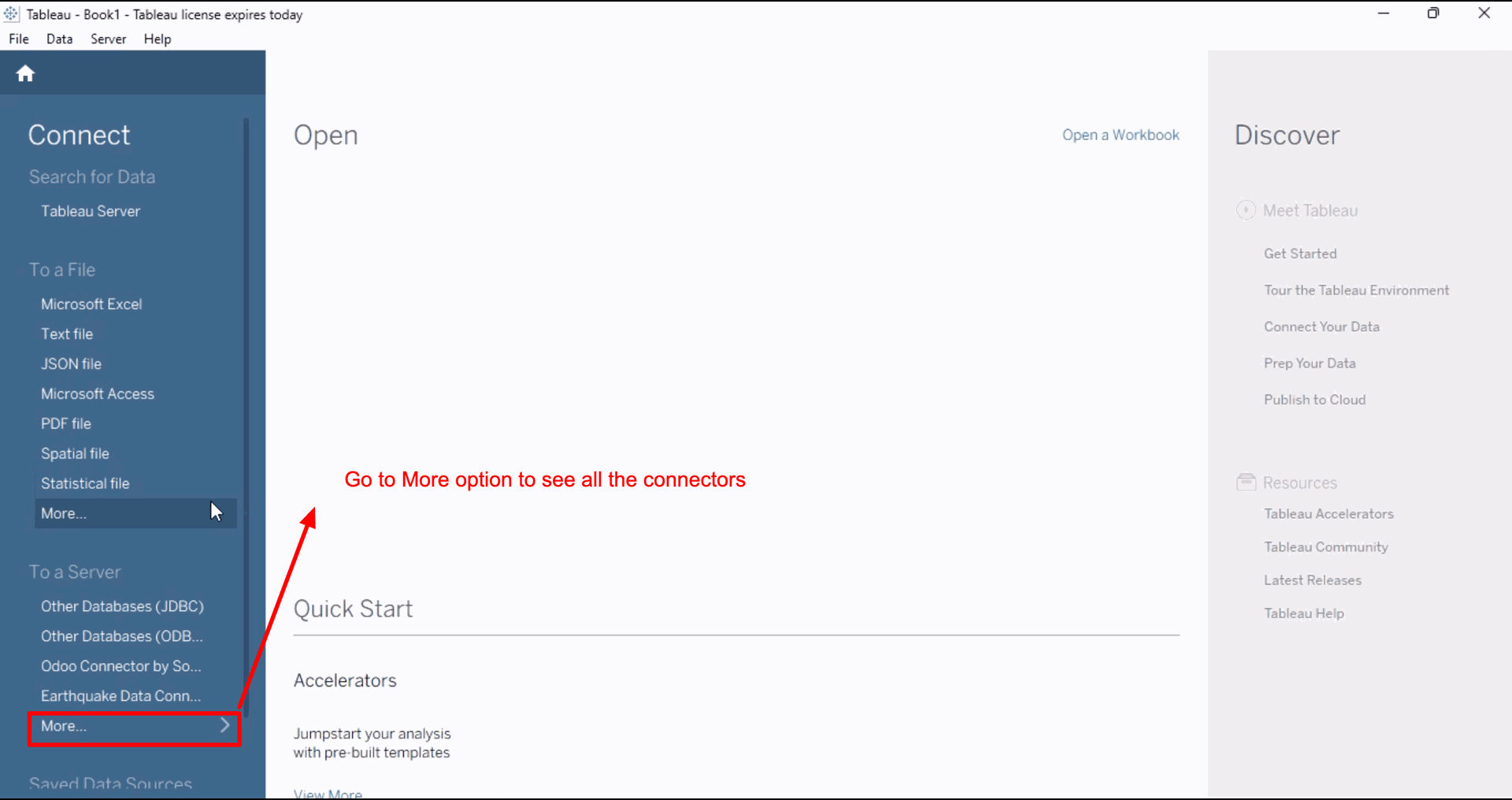
Search module name and open it.
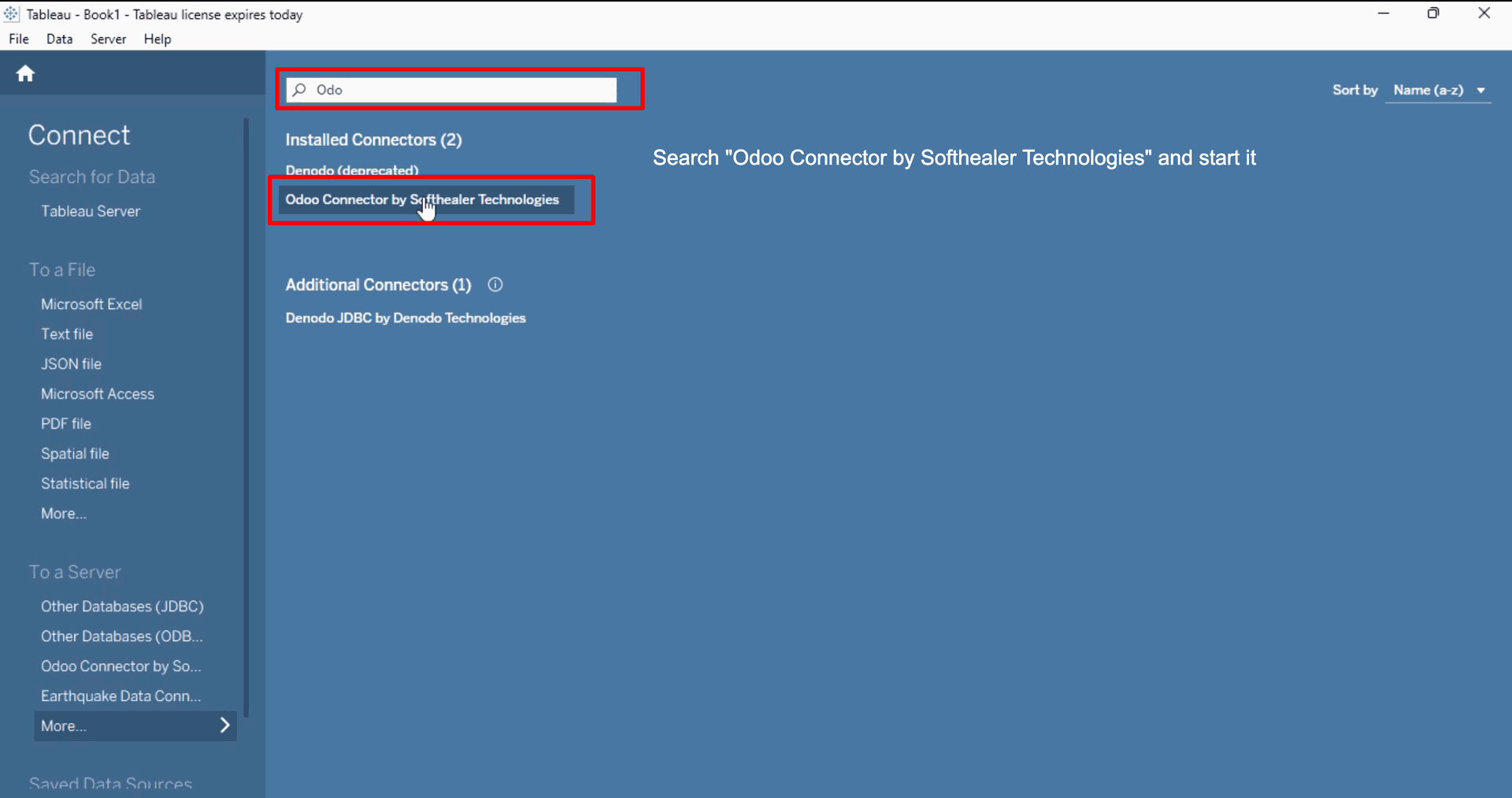
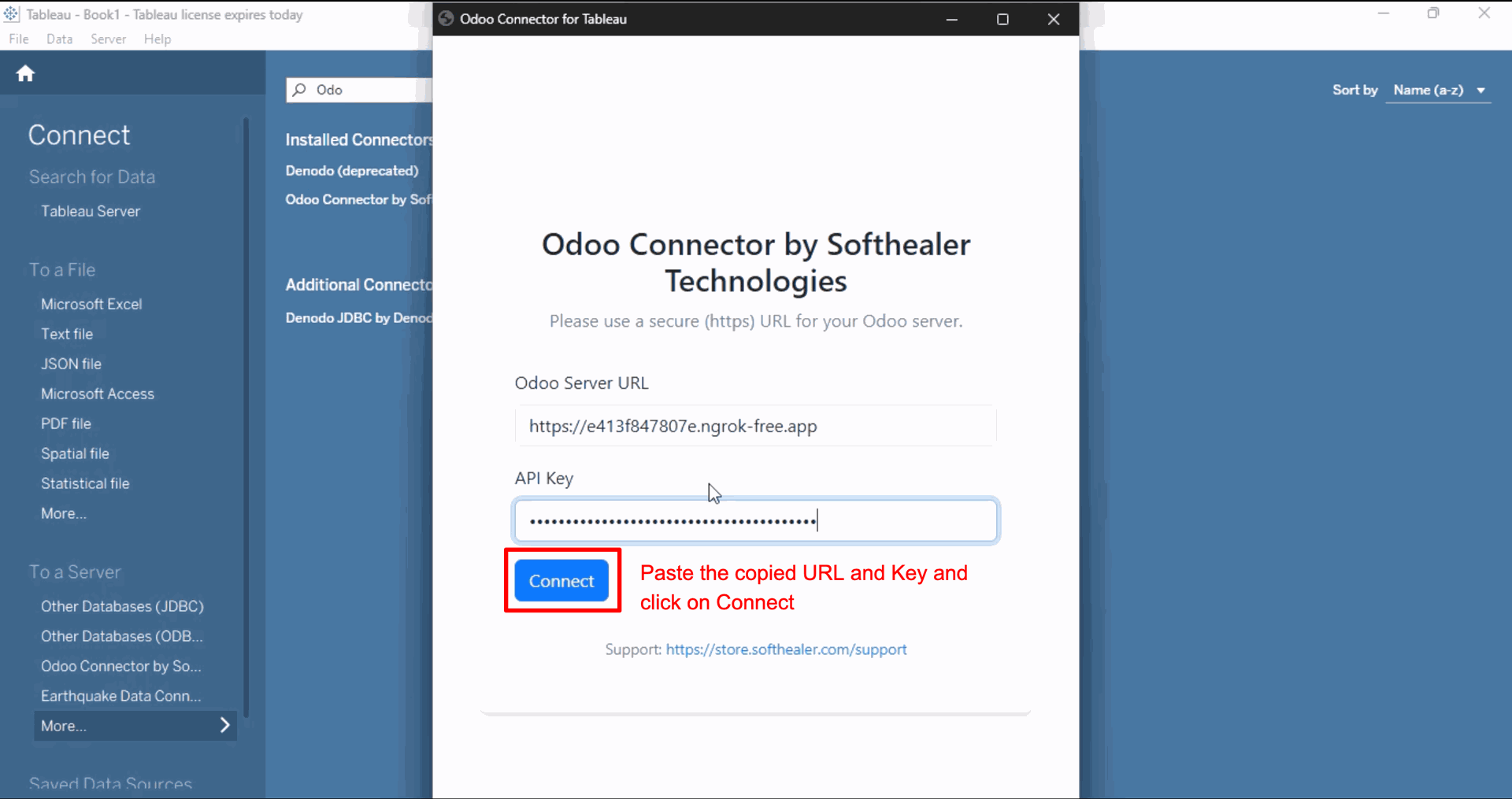
You can instantly connect by entering your Odoo URL and API Key.
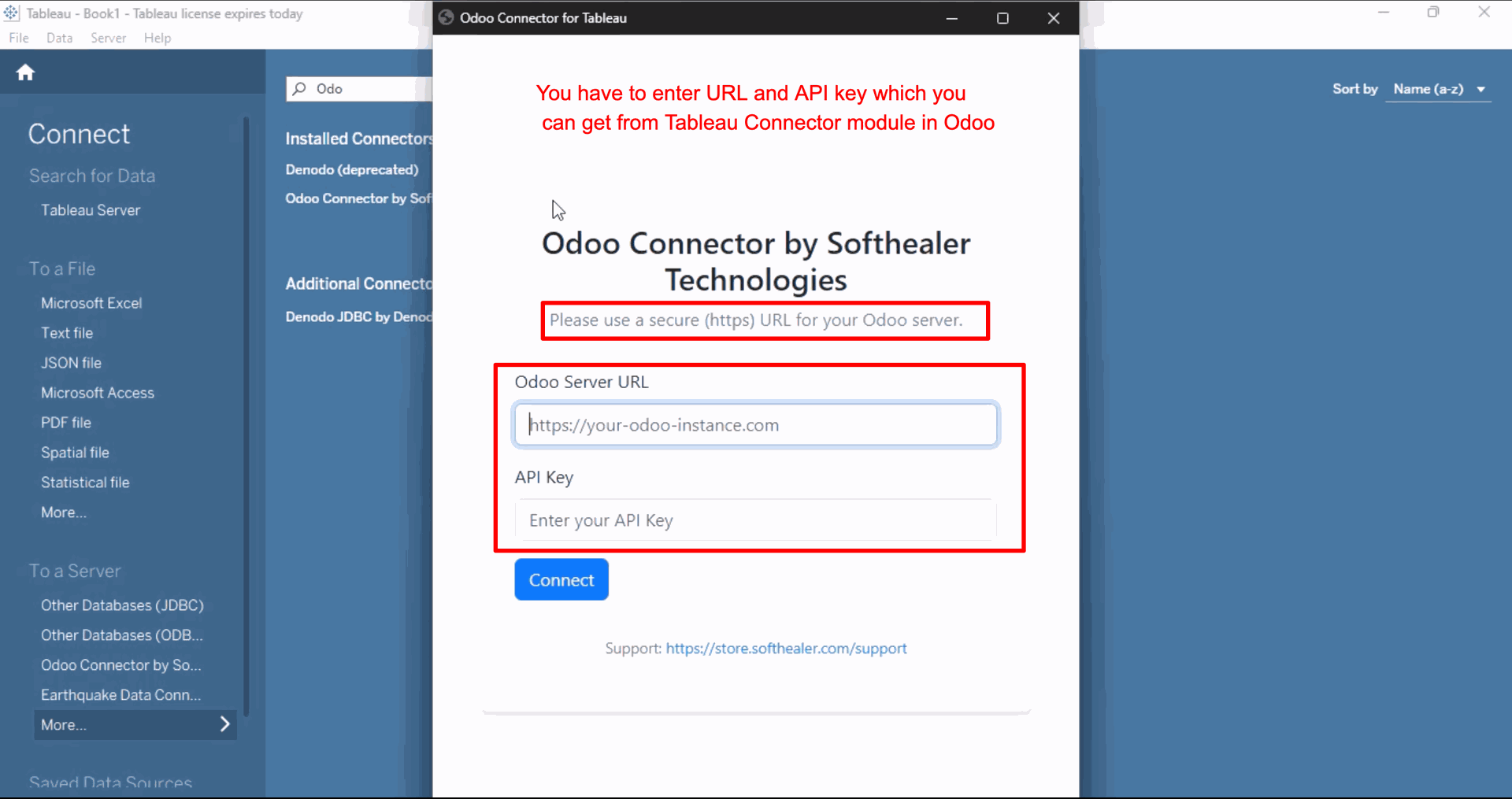
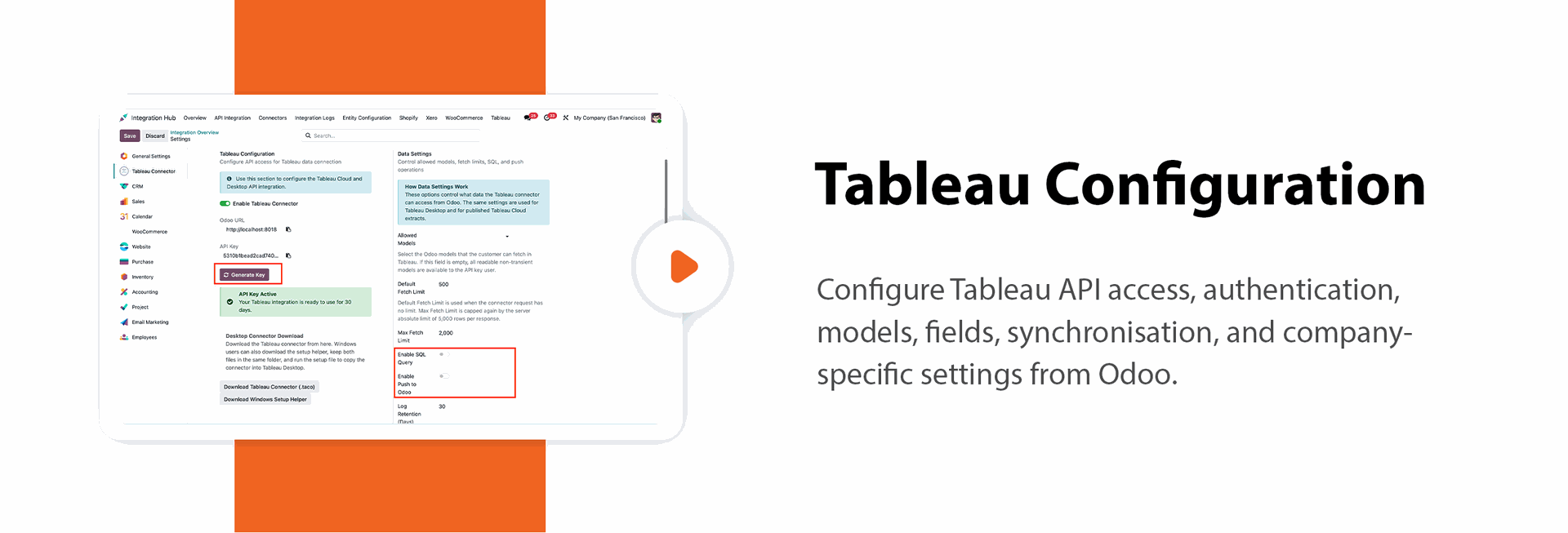
To get your Odoo Server URL and API Key, go to the Settings.
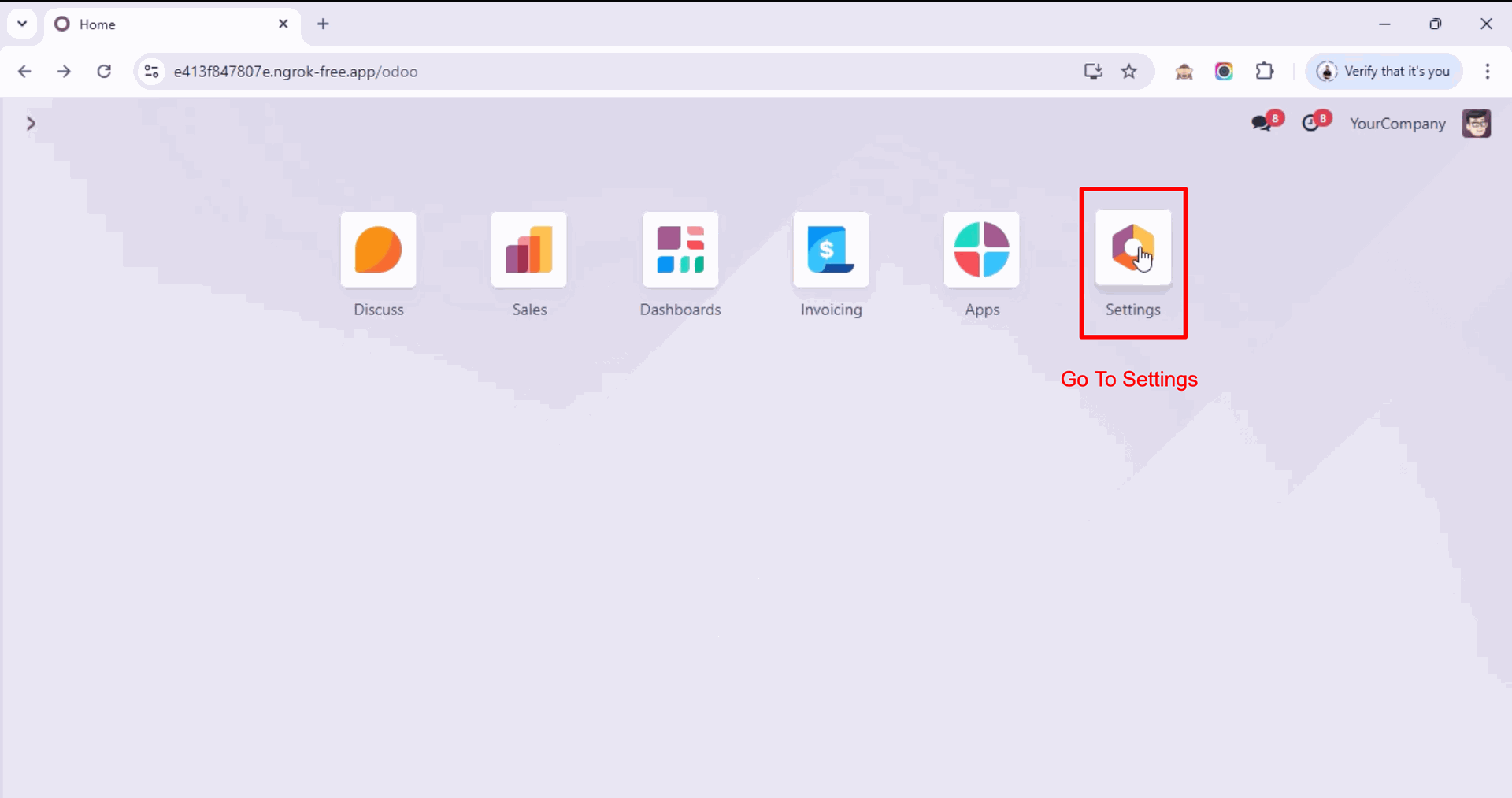
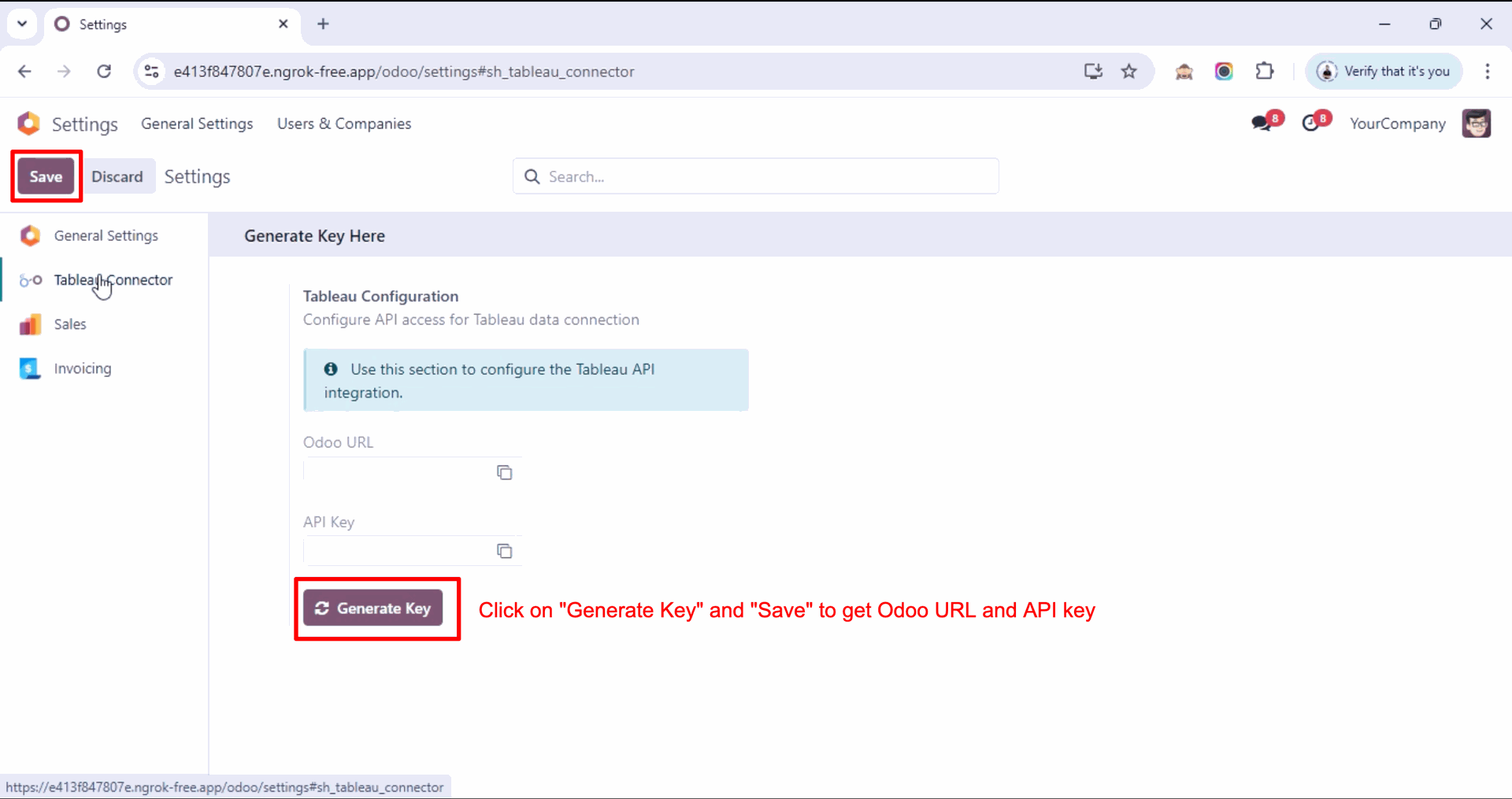
Generate your Odoo URL and API Key using Generate Key, then click Save to apply the configuration.
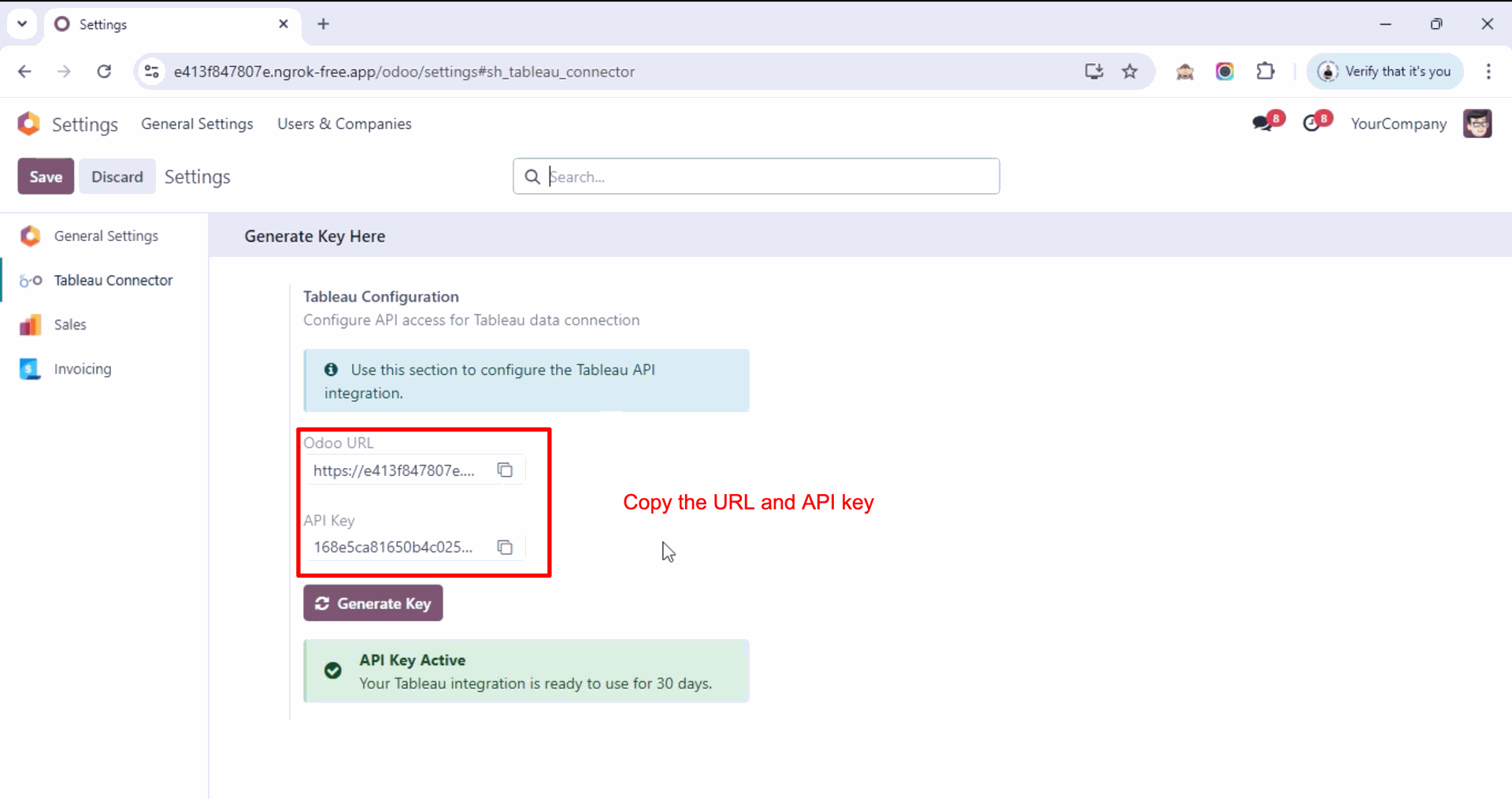
You can copy your Odoo URL and API Key from here to use in the Tableau Odoo Connector.
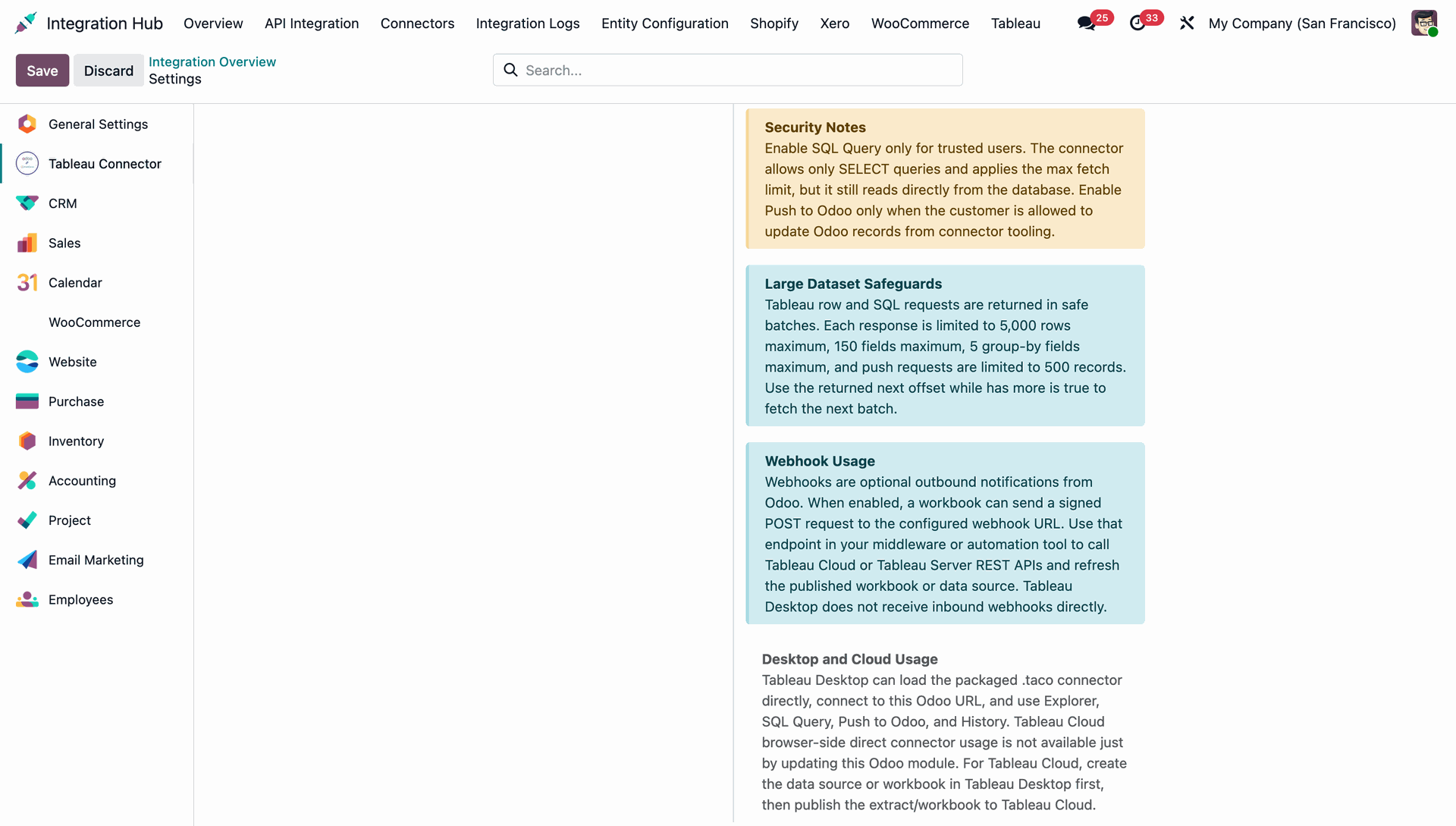
You can review important Security Notes and Large Dataset Safeguards before proceeding.
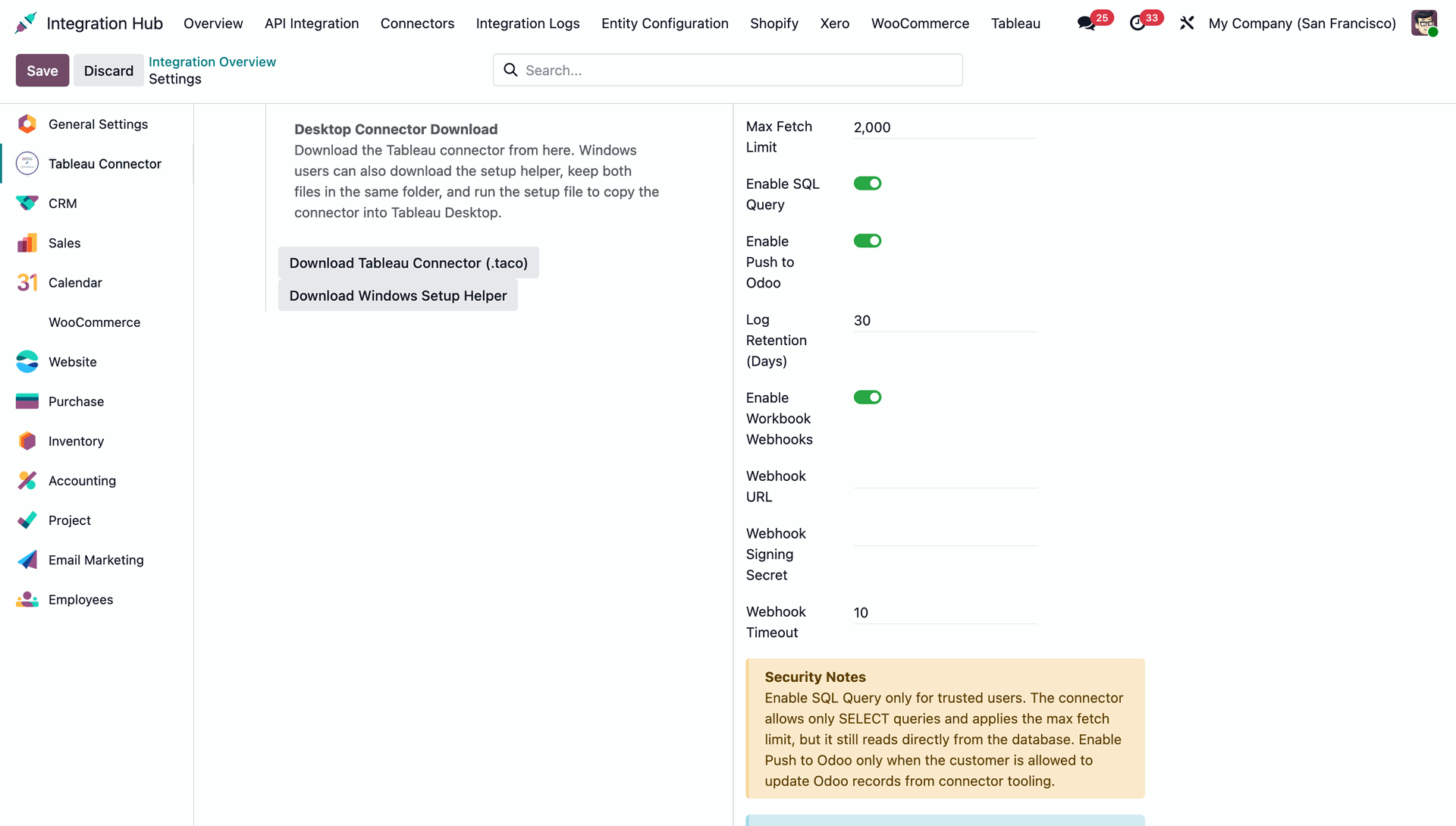
You can configure Webhook usage and read detailed instructions for Desktop and Cloud usage.
After entering your Odoo URL and API Key, simply click "Connect" to connect it with Odoo.
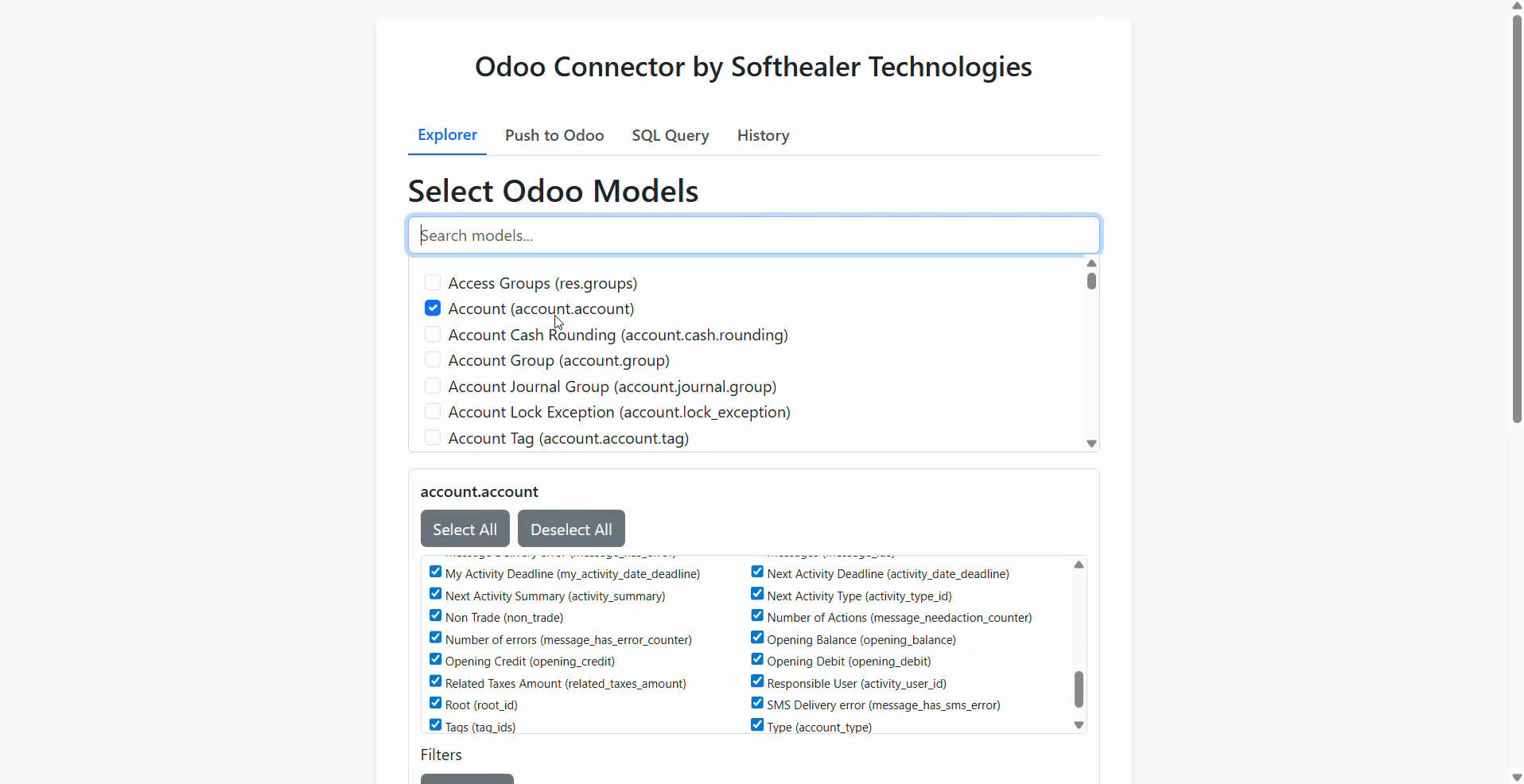
Select Odoo models.
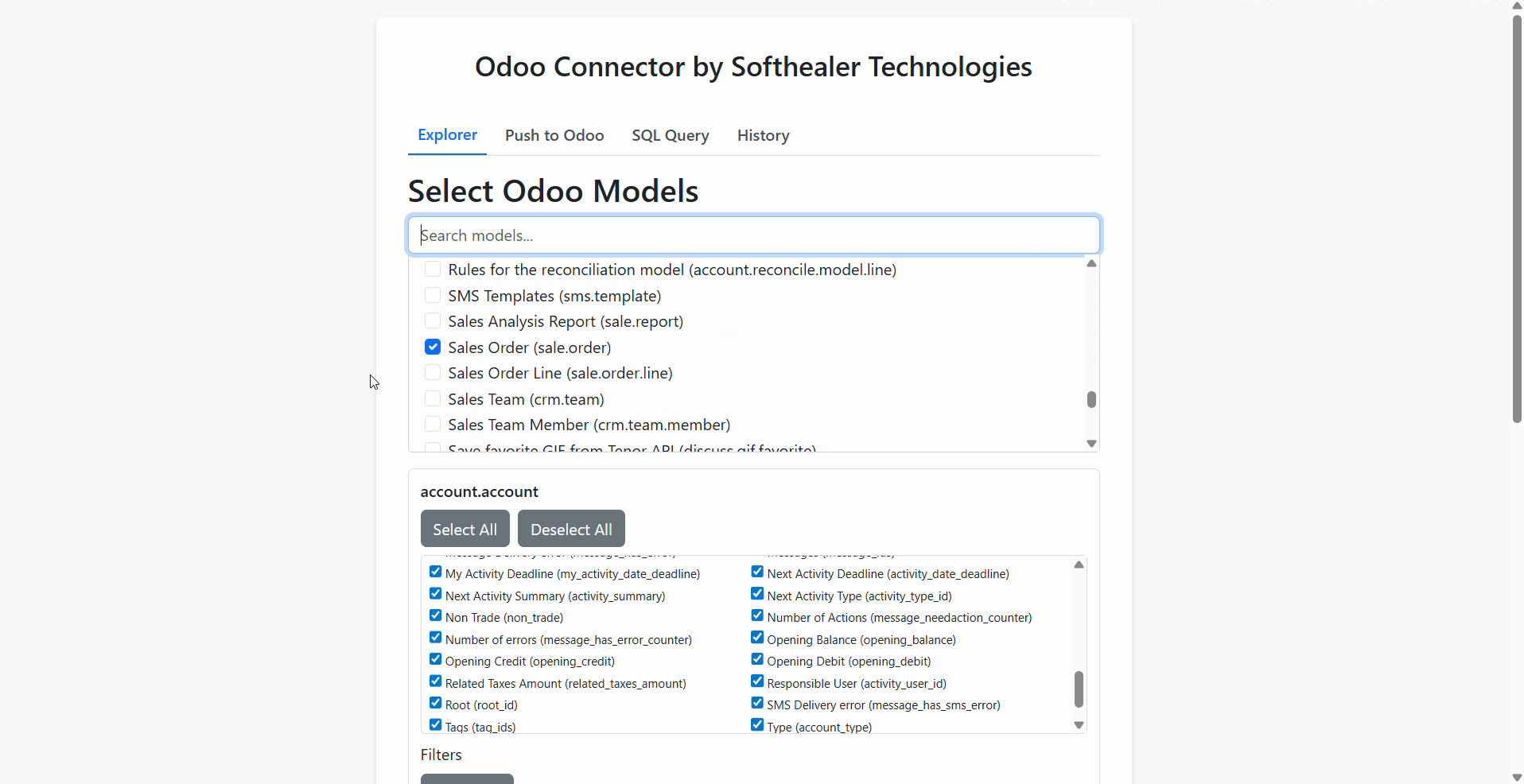
You can also search Odoo Models.
You can click the Add Filter button to filter data specifically for any model.
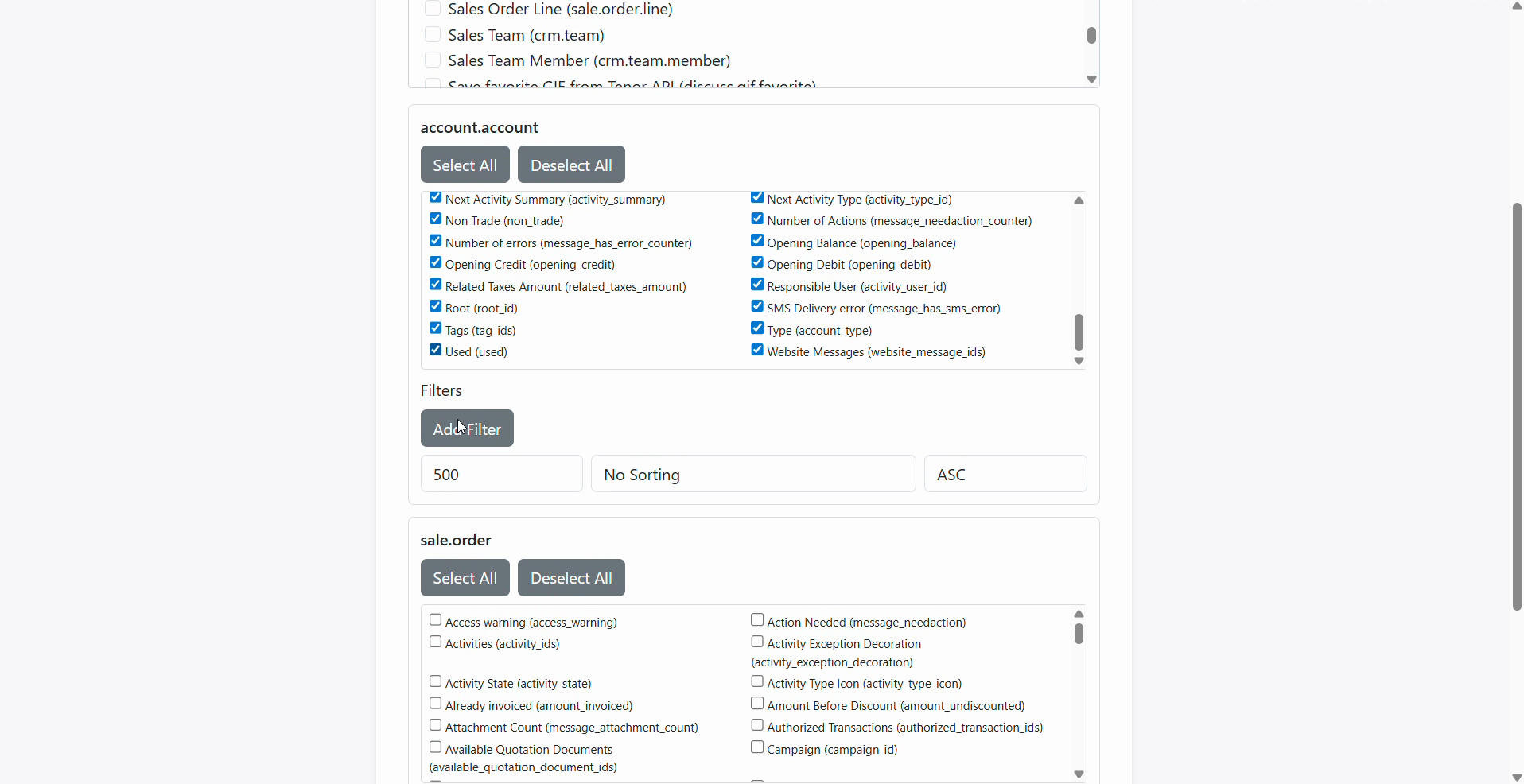
Configure limits and sorting to manage large datasets before clicking Get Data.
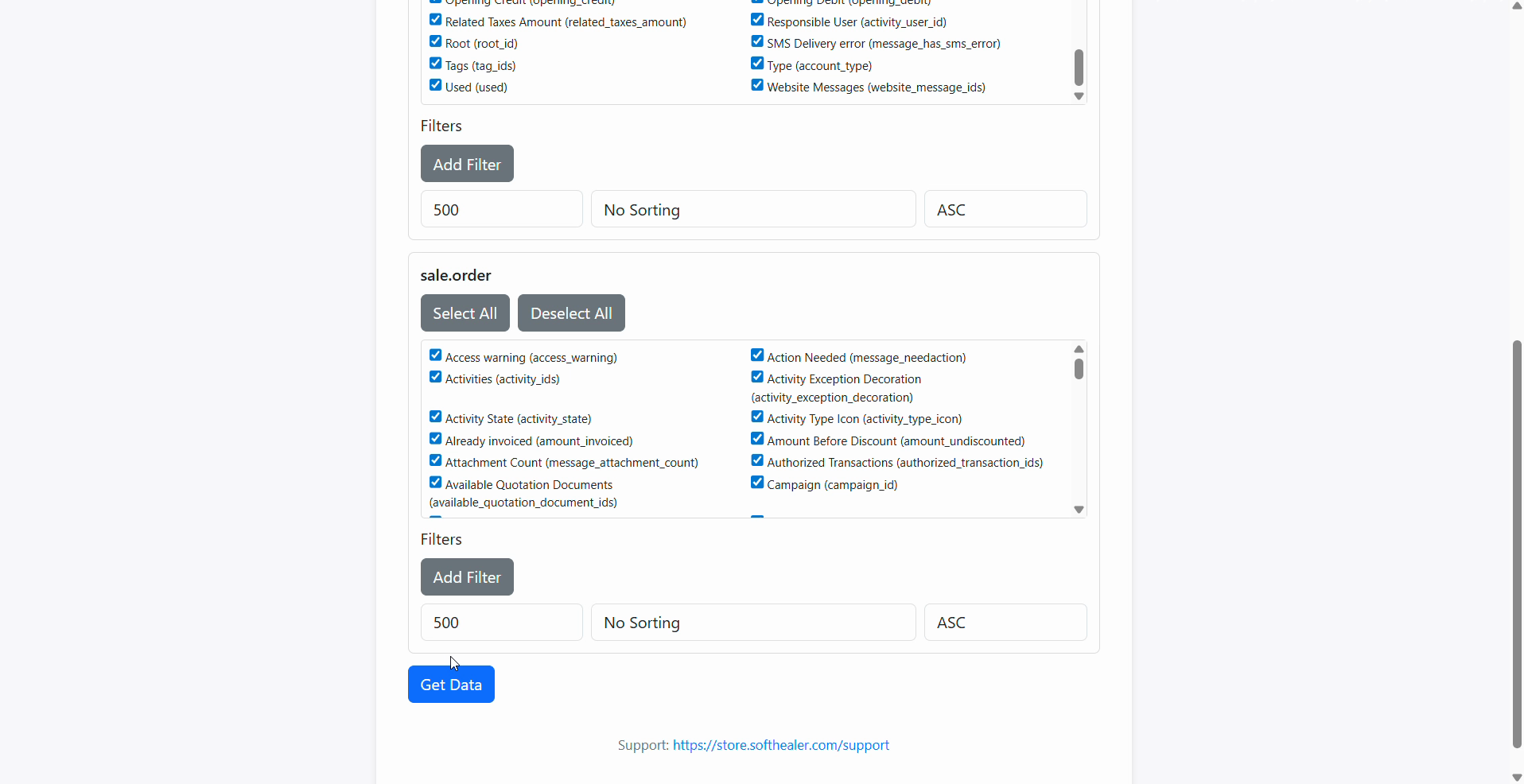
Click the Get Data button to successfully retrieve the selected data from Odoo into Tableau.
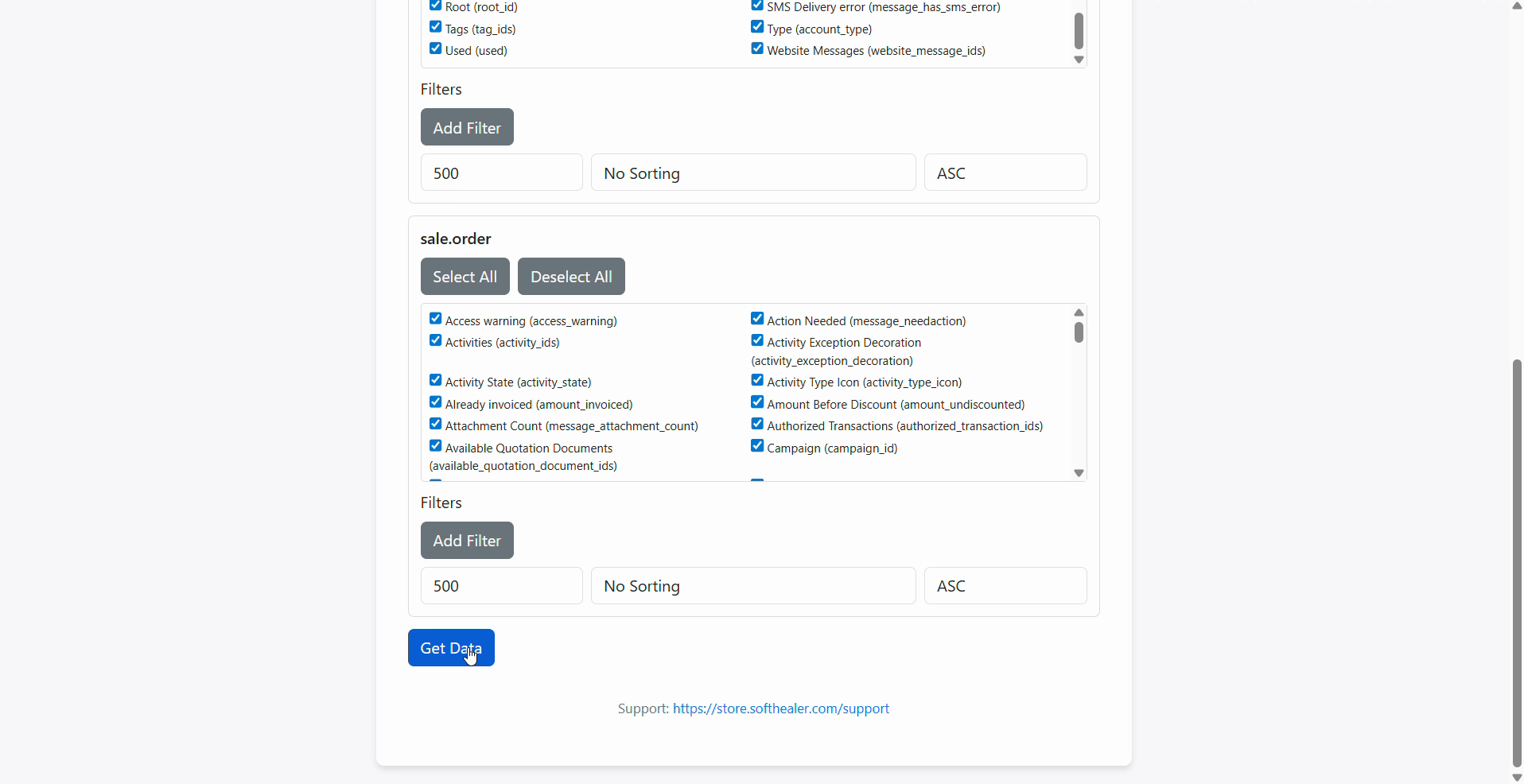
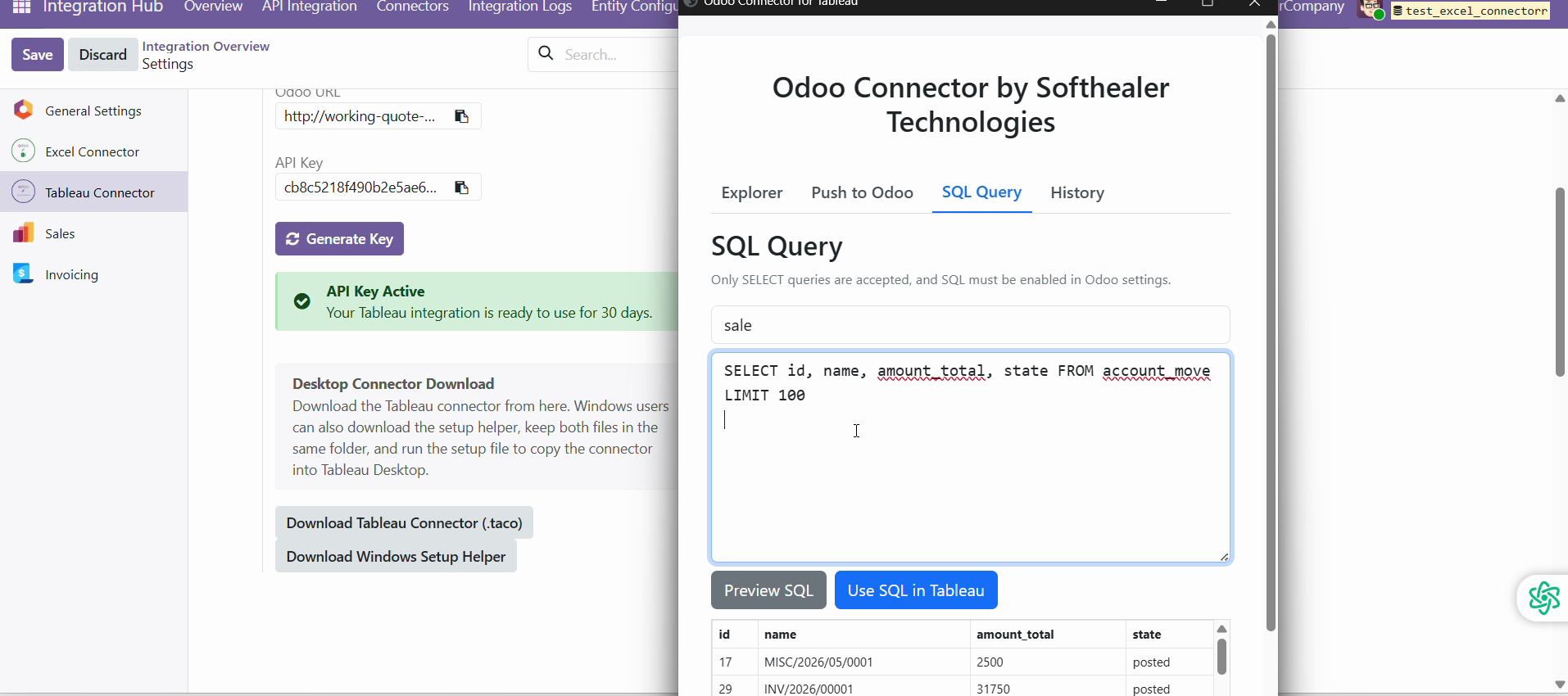
You can write and execute custom SQL SELECT queries directly from the Tableau Connector to fetch exactly the data you need from Odoo.
Preview your SQL query results inside the connector and click "Use SQL in Tableau" to instantly import the customized dataset.
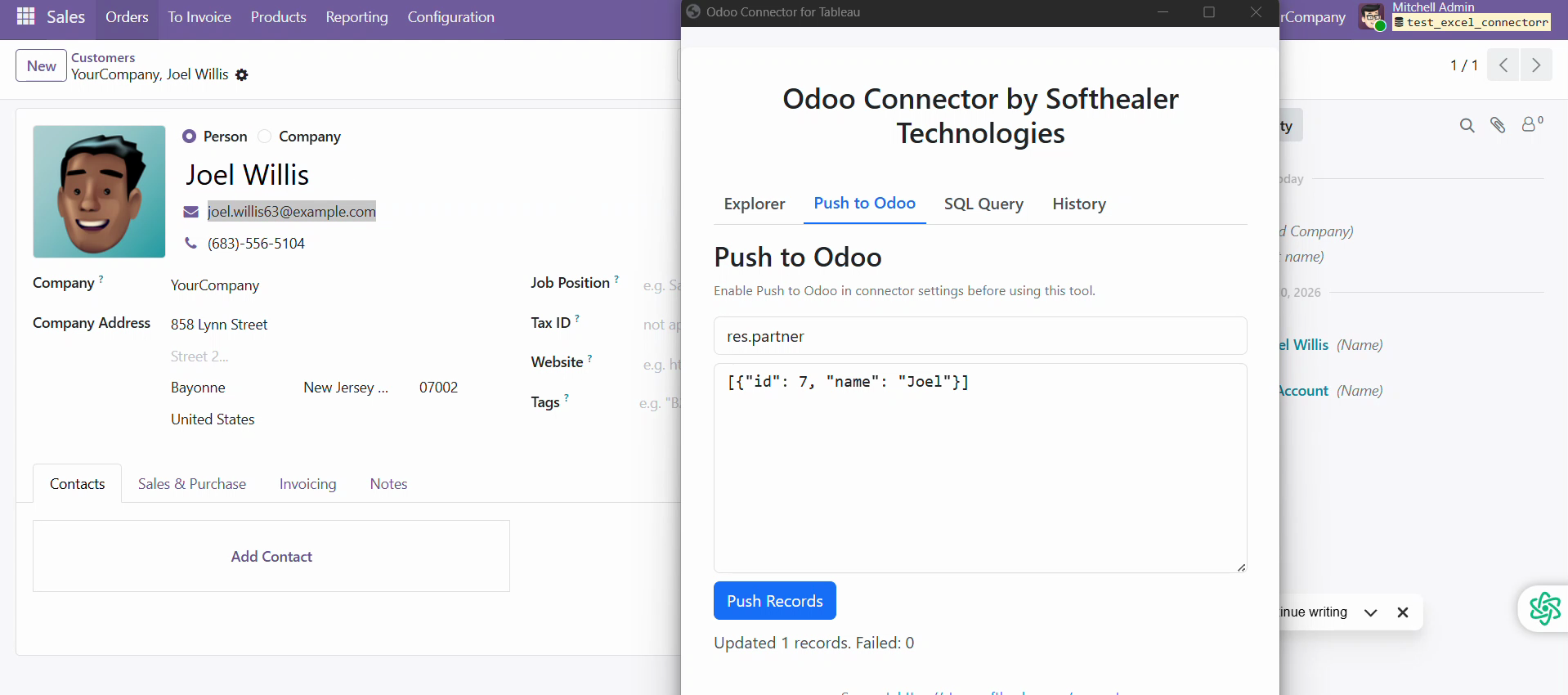
The Push to Odoo feature allows you to update or insert records directly into Odoo by providing JSON data for specific models.
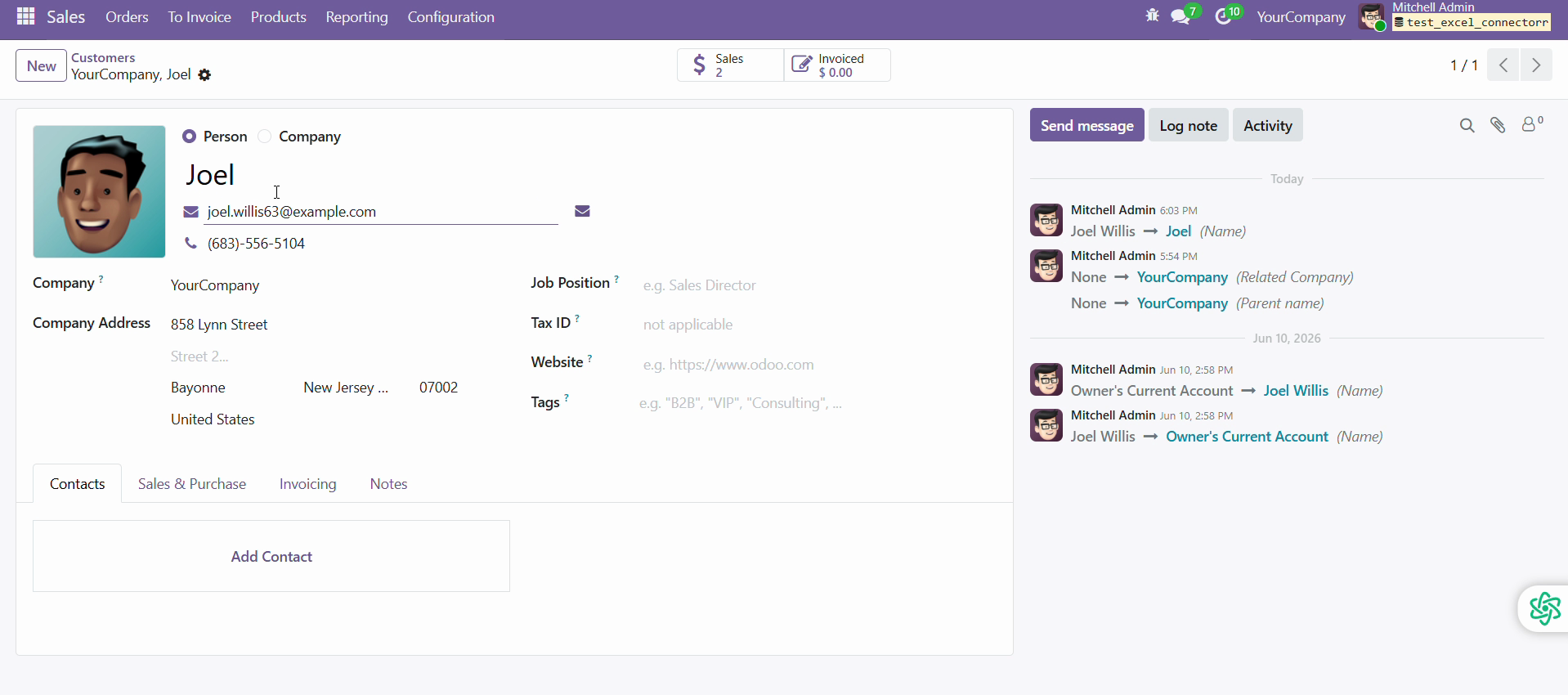
You can immediately verify the updated data, like modifying customer information, directly inside the Odoo backend.
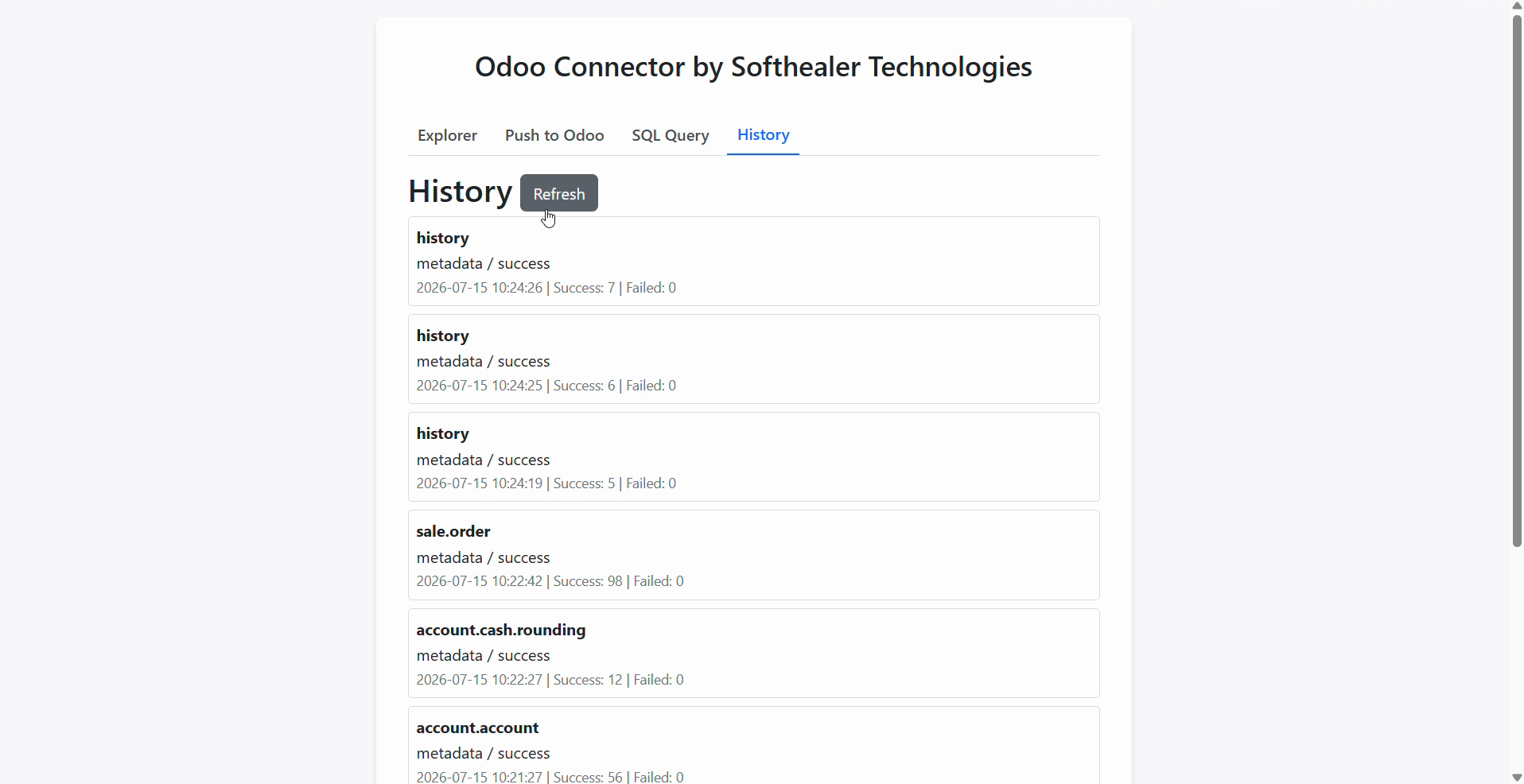
The History tab provides a complete log of your data syncs and operations, displaying success and failure counts for tracking data loads.
Centralized dashboard to manage and monitor all connectors from one place. Quickly access sync summary, activity logs, and configuration controls with improved visibility.
Version 19.0.2.0.0 | Released: 01st September 2026
Version 19.0.1.0.0 | Released on : 22nd January 2026
- Yes, this app works perfectly with Odoo Enterprise (Odoo.sh & Premise) as well as Community.
- No, this application is not compatible with odoo.com(odoo saas/Odoo Online)
- Yes, to test this module, please contact us at sales@softhealer.com.
- Please contact us at sales@softhealer.comto request customization.
- Yes, we provide free lifetime support for the version you purchased.
- Yes, you will receive lifetime free updates for the version of the module you purchased.
- No, there is no need to install any additional libraries.
- Yes, for version 12 and above, you need to purchase the module separately for each version you intend to use.
- No, exchanges or refunds are not allowed. Please make sure to select the correct version before purchasing.
- You can contact us at support@softhealer.com for language translation support. We use Google Translator tools to provide translations in multiple languages, so the accuracy may vary. We welcome your suggestions to help improve translations.
Discover Our Latest Apps