

 Easy to Manage
 Dedicated Support
















 Scan to email sales





Supplier Credit Limit

This module helps to set a credit limit for every supplier. A credit limit is the maximum amount of credit offered to a supplier. If the credit limit is less then that order will on hold if a supplier does not pay. You can also notify by email when a supplier crosses their credit limit. And that order status will automatically set 'On hold'. This module also provides a different way to notify the supplier by email.

Related Modules
Features

Supplier Credit Limit Management
Set and manage individual credit limits for each supplier.

Supplier Credit Limit Warning

Display a non-blocking warning when a purchase order reaches the configured percentage of the supplier's credit limit.

One-Time Credit Limit Exception
Allow authorised purchase managers to approve a specific over-limit purchase order with a mandatory reason without changing the supplier's permanent credit limit.

Dynamic Supplier Credit Rules
Configure supplier credit limits dynamically based on vendors, products, product categories, date ranges, and custom purchase order conditions.

Periodic Supplier Credit Reviews
Schedule annual, semi-annual, quarterly, or custom supplier credit reviews with automated activities, reminders, and a dedicated review wizard.

Supplier Credit Analysis Report
Analyse supplier credit exposure through List, Pivot, Graph, and Search views with a date-range filter under Purchasing Reporting.

Supplier Credit Limit Notifications
Configure email notifications when a supplier's credit limit is exceeded, with options to disable alerts, notify all approvers, or notify a specific user.

Supplier Credit Limit Blocking
Block purchase order confirmation when supplier credit exposure exceeds the credit limit and trigger the approval workflow.
Multi-Level Supplier Credit Approval
Configure tiered approval workflows based on over-limit amounts, percentages, approval sequences, users, and security groups.

Supplier Credit Limit Audit History
Track supplier credit limit changes with previous and new values, timestamps, users, sources, reasons, and chatter audit records.
Supplier Credit Approval Escalation
Automatically detect purchase orders held beyond configured days and send escalation notifications and activities to higher-level approvers or managers.

Supplier Credit Dashboard
Monitor total credit limits, utilised and available credit, suppliers nearing limits, held orders, overdue reviews, and top supplier exposures.

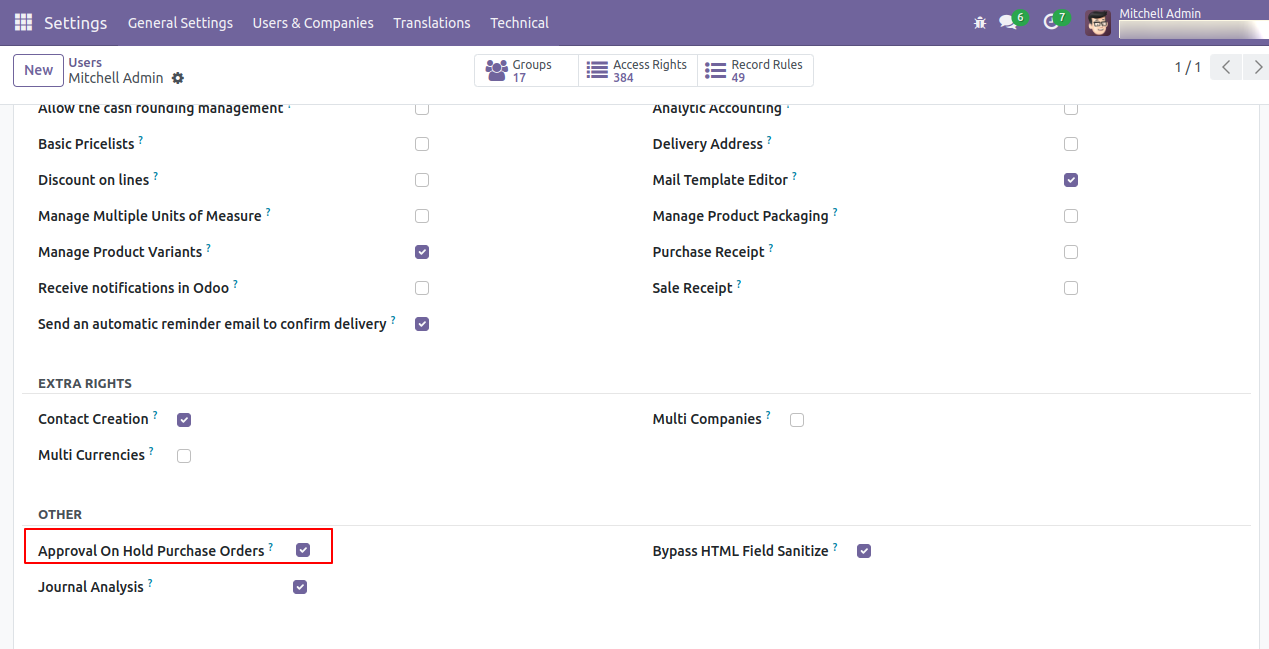
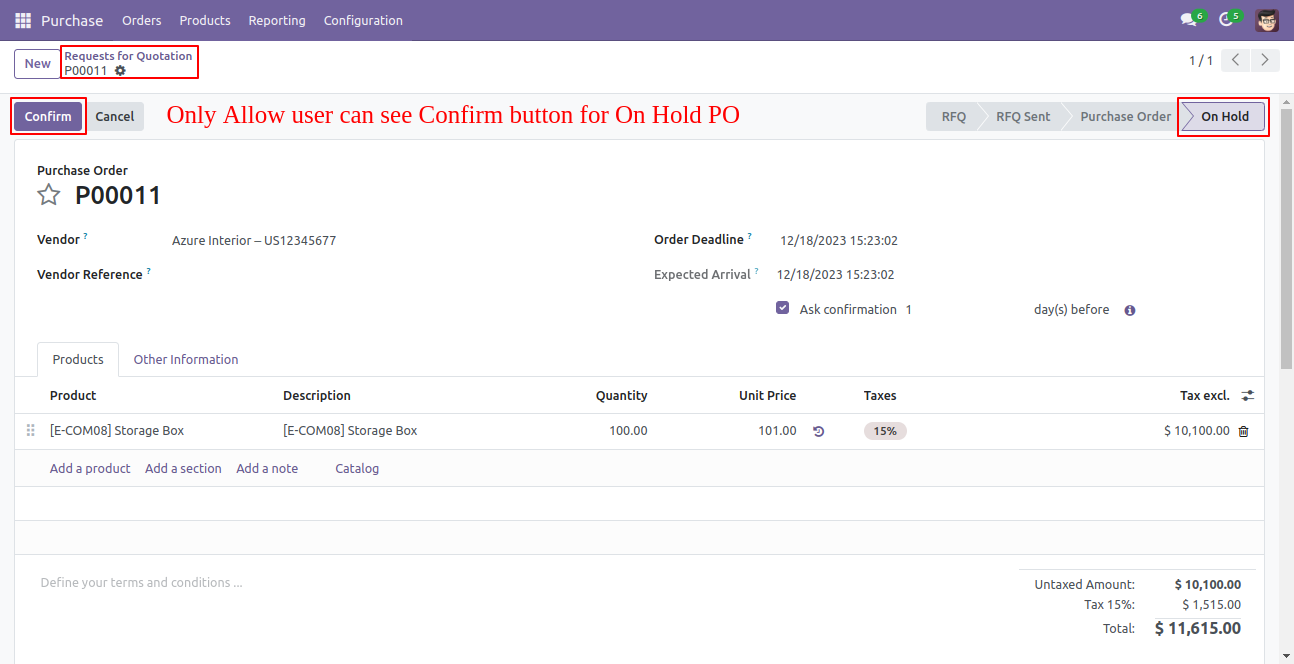
The purchase manager has given group rights for "Approval On Hold Purchase Orders" and can confirm purchase orders that are in the "On Hold" stage.
Option-1
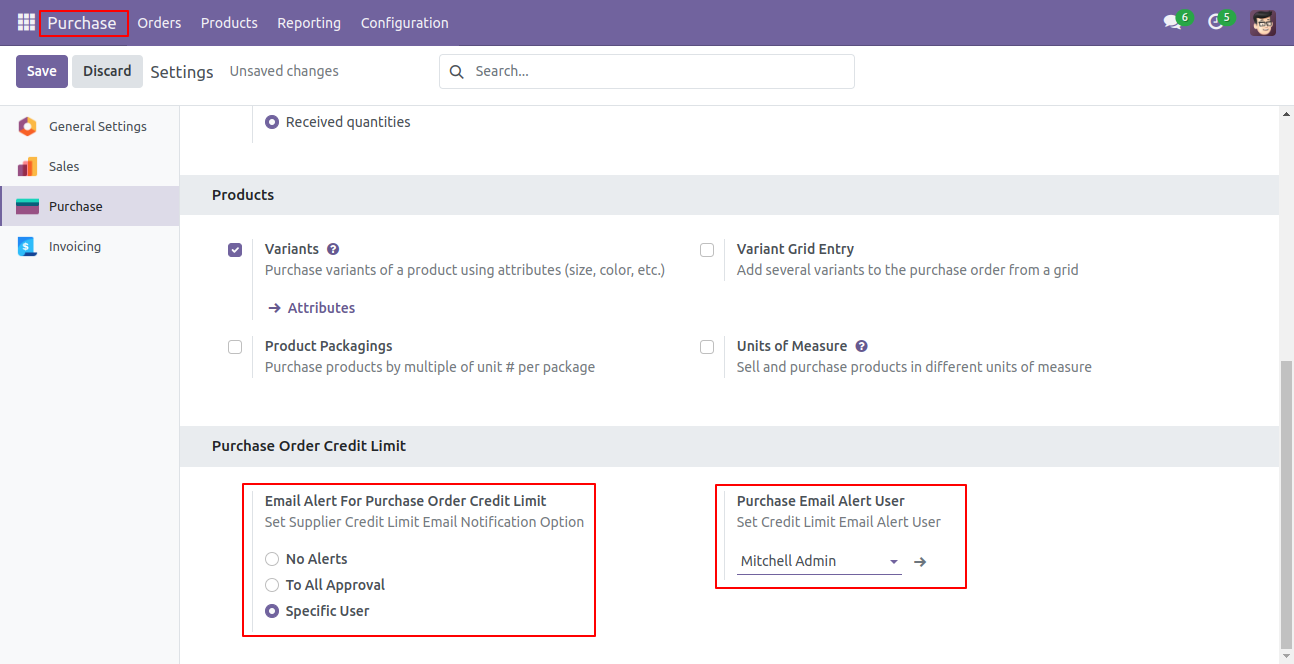
Inside configurations set email settings for whenever any purchase order set to "On Hold" state, who should be notified. Here we choose "Specific User".
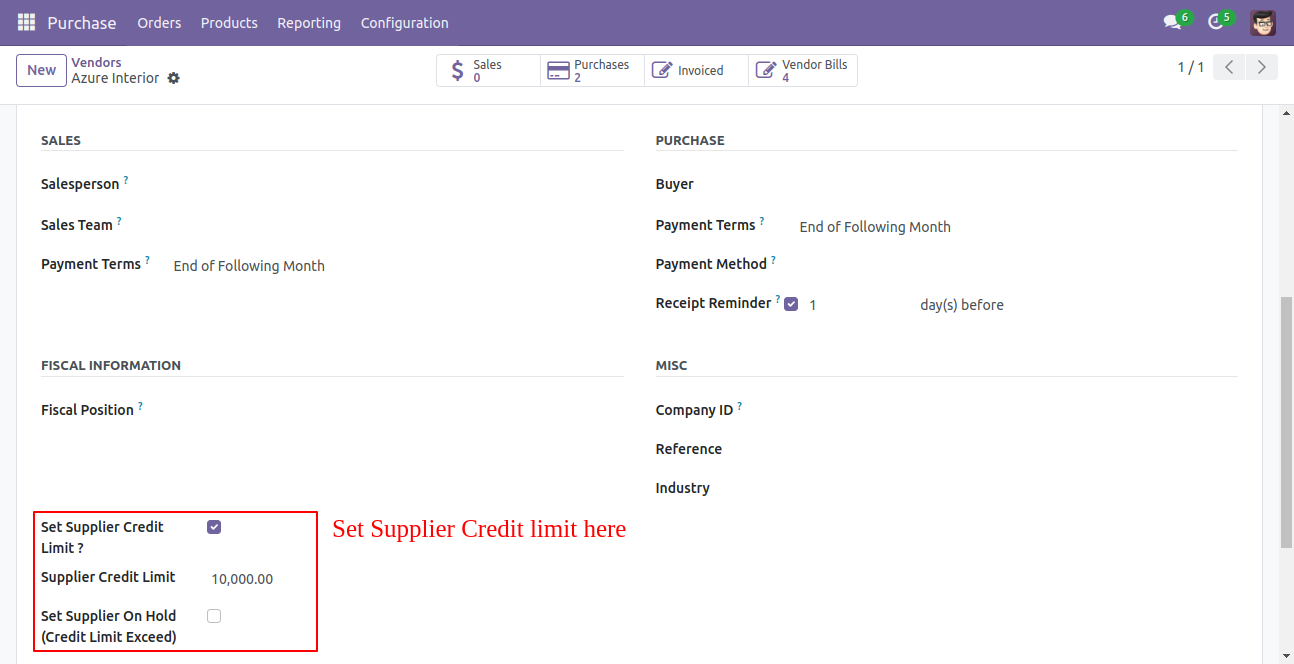
To supplier if "Set Supplier Credit Limit" to true then will ask for "Supplier Credit Limit" enter amount up to the max you want to allow the supplier to create order on limit exceeds. You can set "Set Supplier On Hold" to true if required, so whenever that supplier is selected it will be notified.
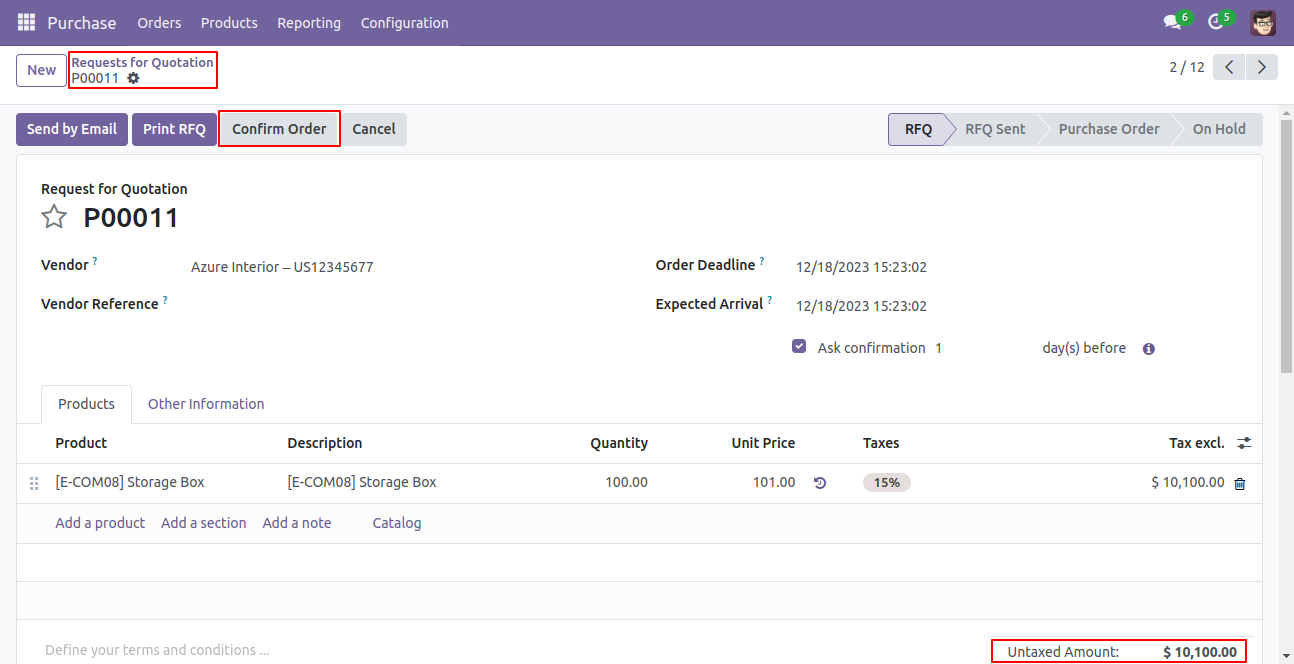
Now create a new request for quotation and click on the "Confirm Order".
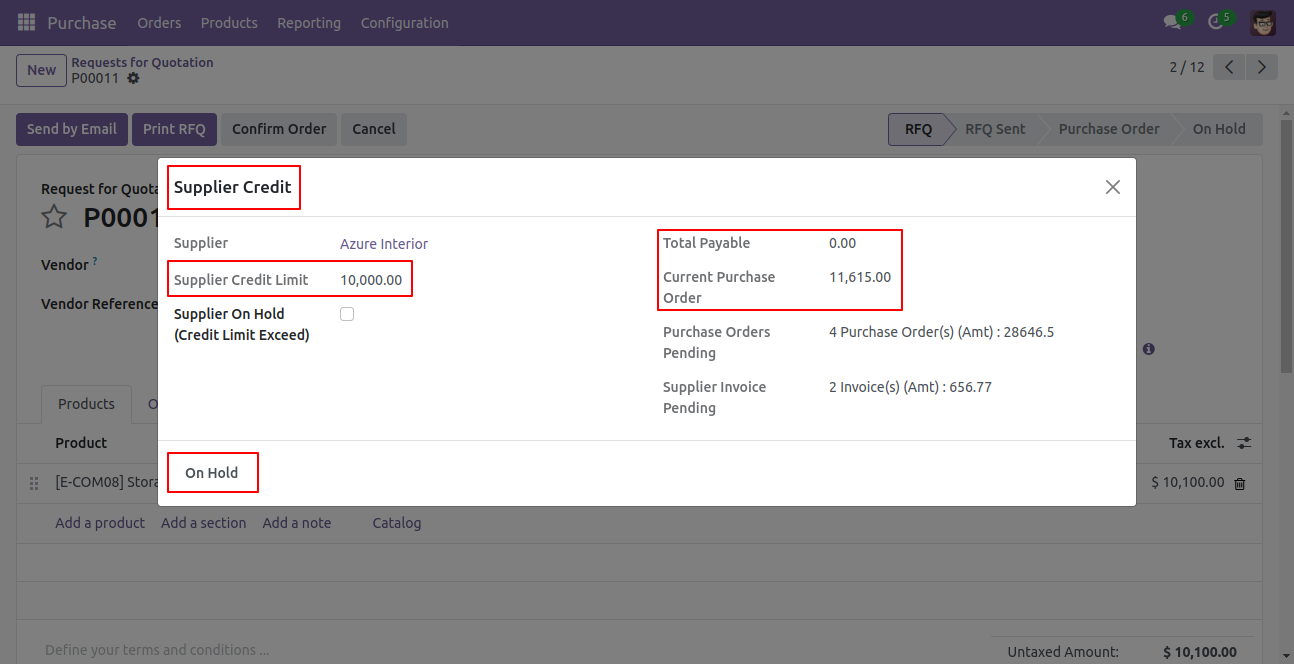
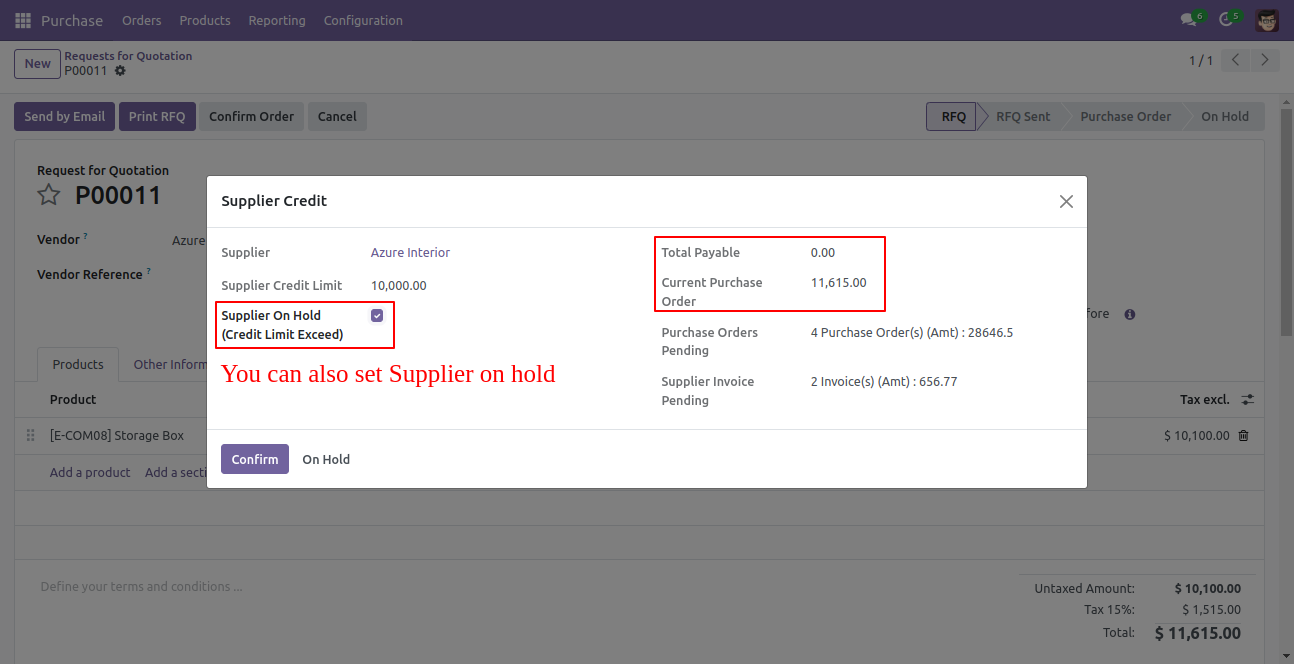
When clicking on "Confirm Order" then a new pop-up window opens, which shows all details of
the supplier. The purchase manager can change it on hold state from here by clicking the "On
Hold" button.
In the wizard, there is a "Confirm" button is visible which has the group rights "Approval On
Hold Purchase Orders".
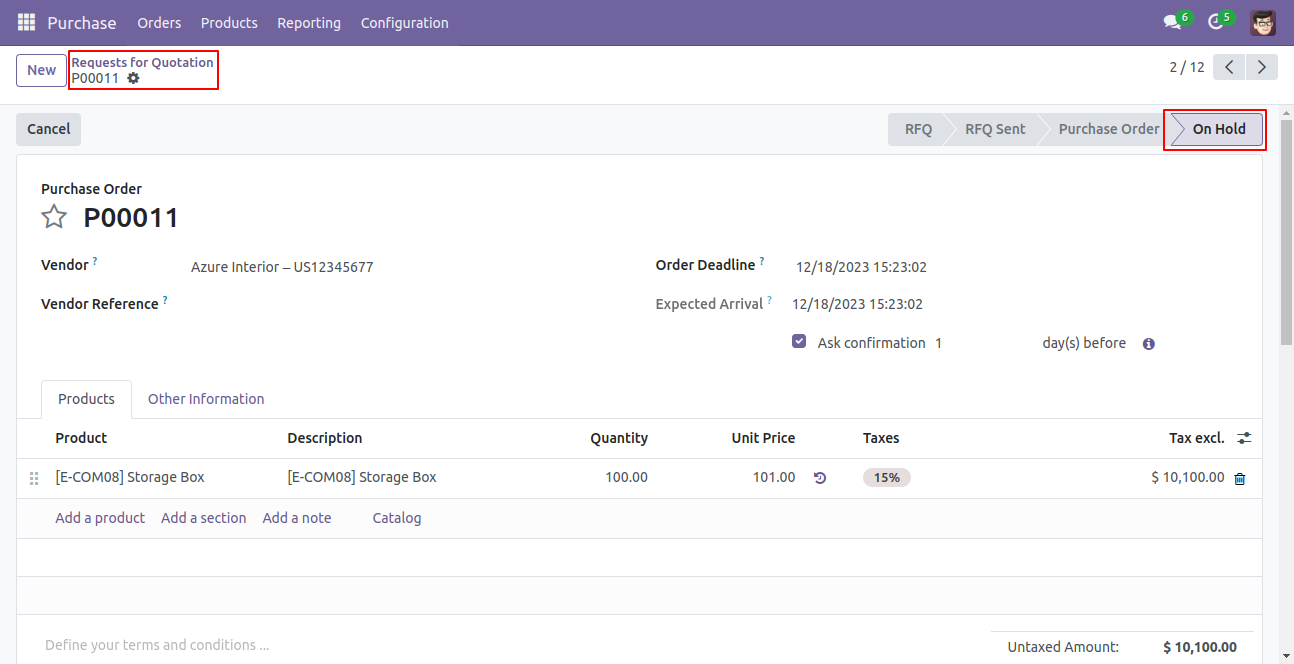
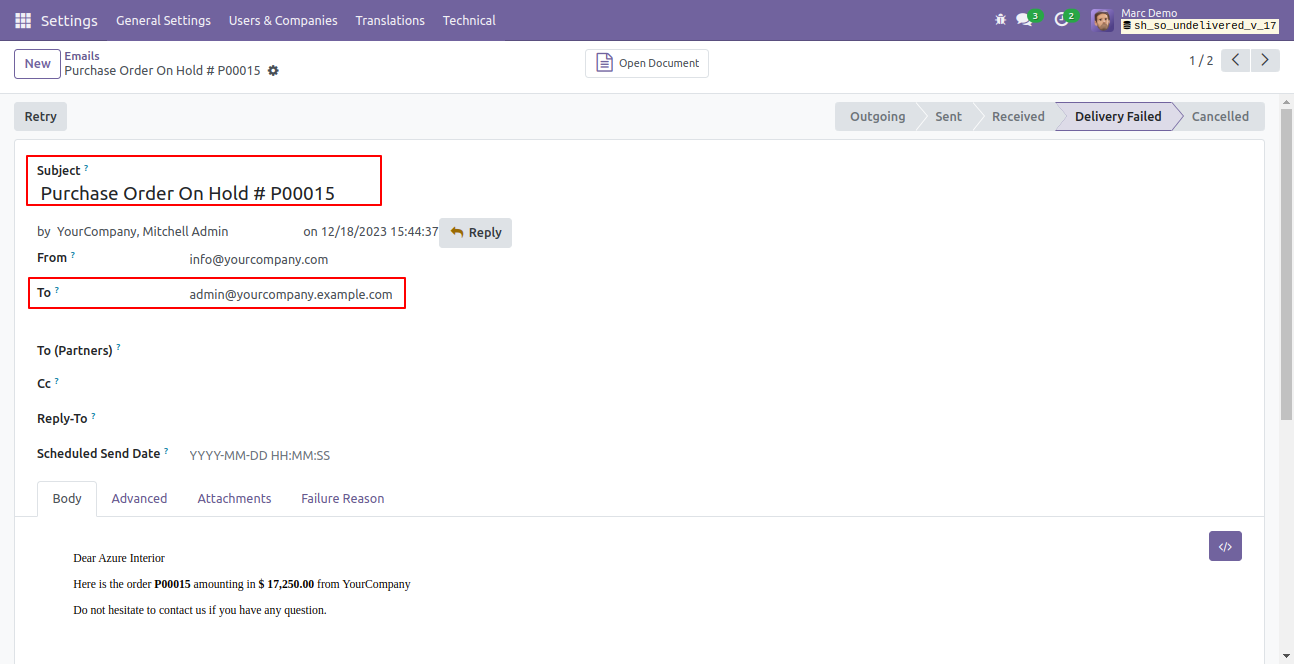
Purchase order set to "On Hold", as per settings email alert will be sent.
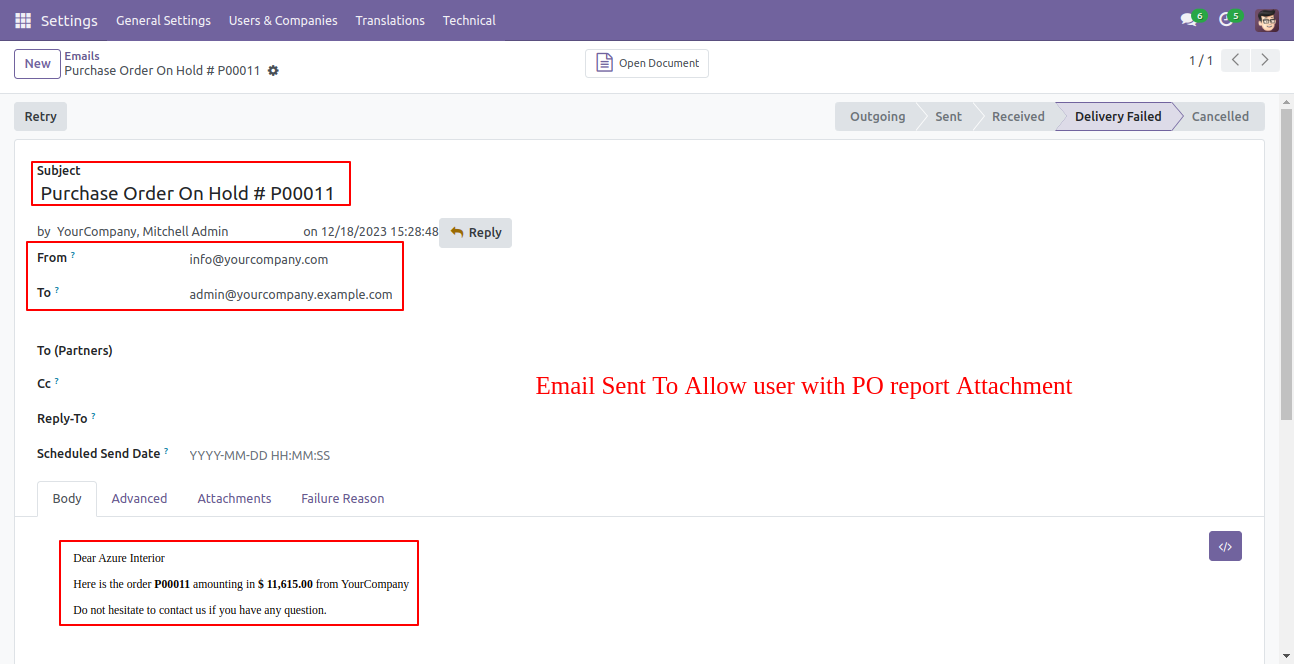
Email alert looks like this.
Which has group rights "Approval On Hold Purchase Orders", the "Confirm" button is visible to only them.
When clicking on "Confirm Order" then a new pop-up window opens, which shows all details of the supplier. The purchase manager can set that supplier to the "On Hold", so whenever that supplier is selected it will be notified.
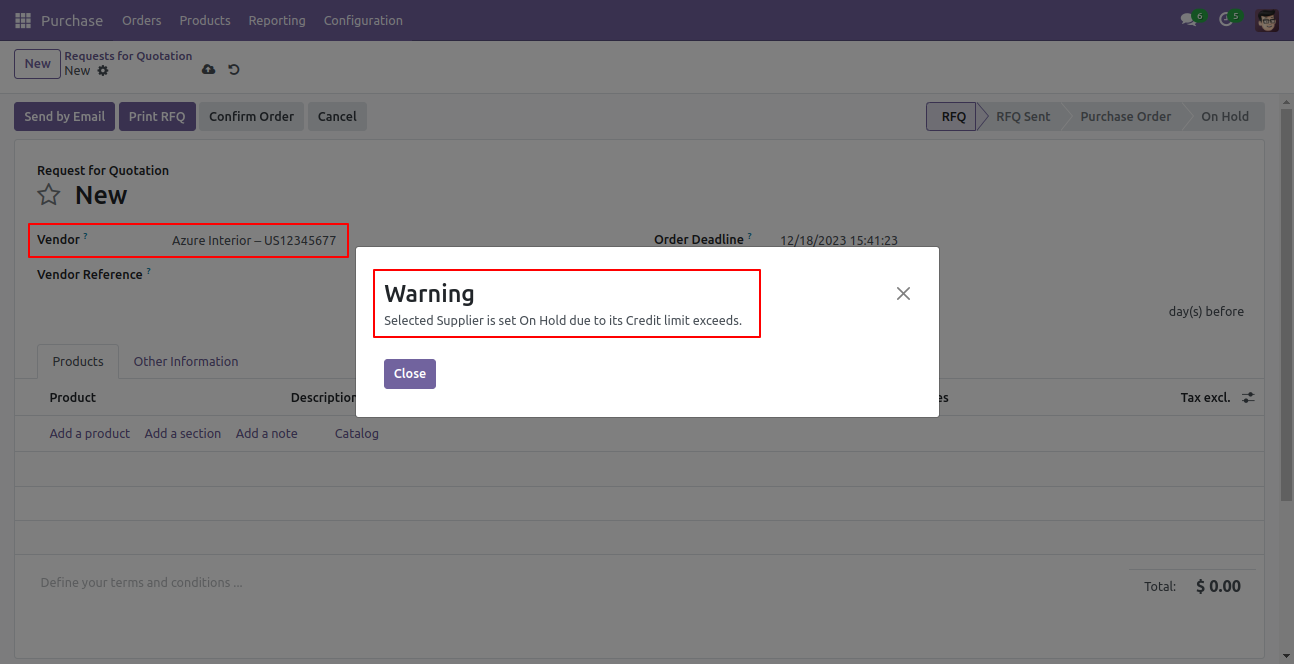
If the supplier set as "On Hold" then when creates a new RFQ/PO and selects that supplier will be notified for it.
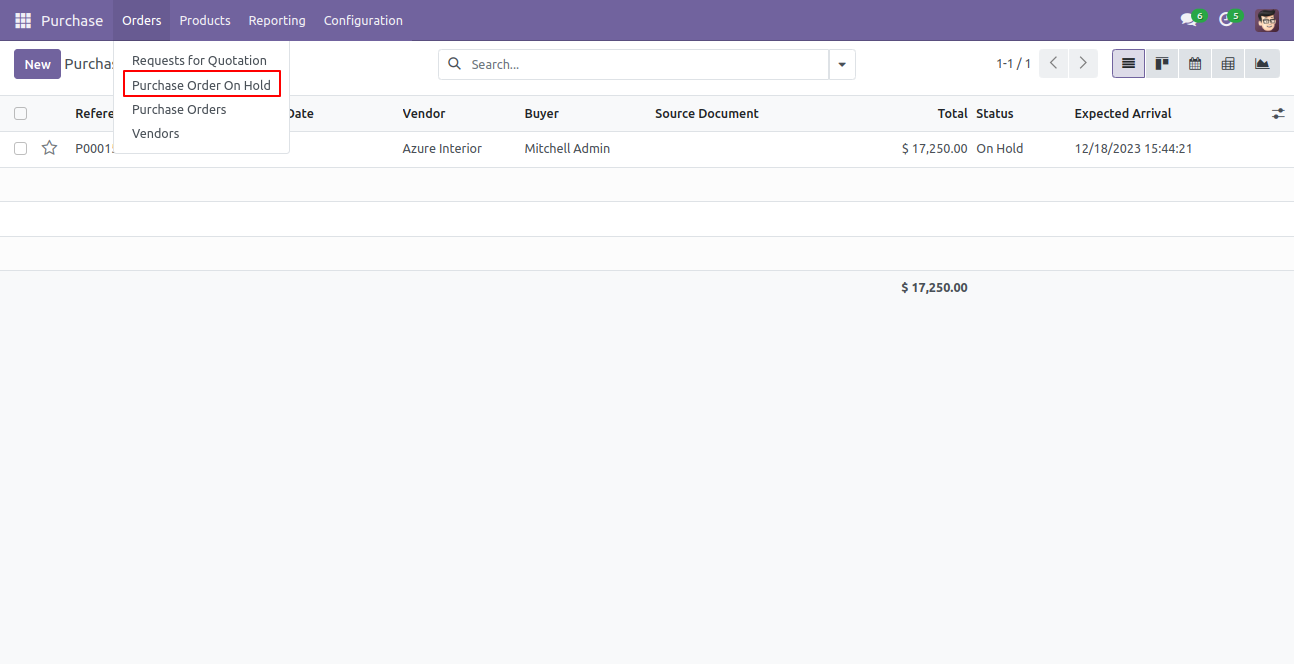
"Purchase Order On Hold" menu and tree view.
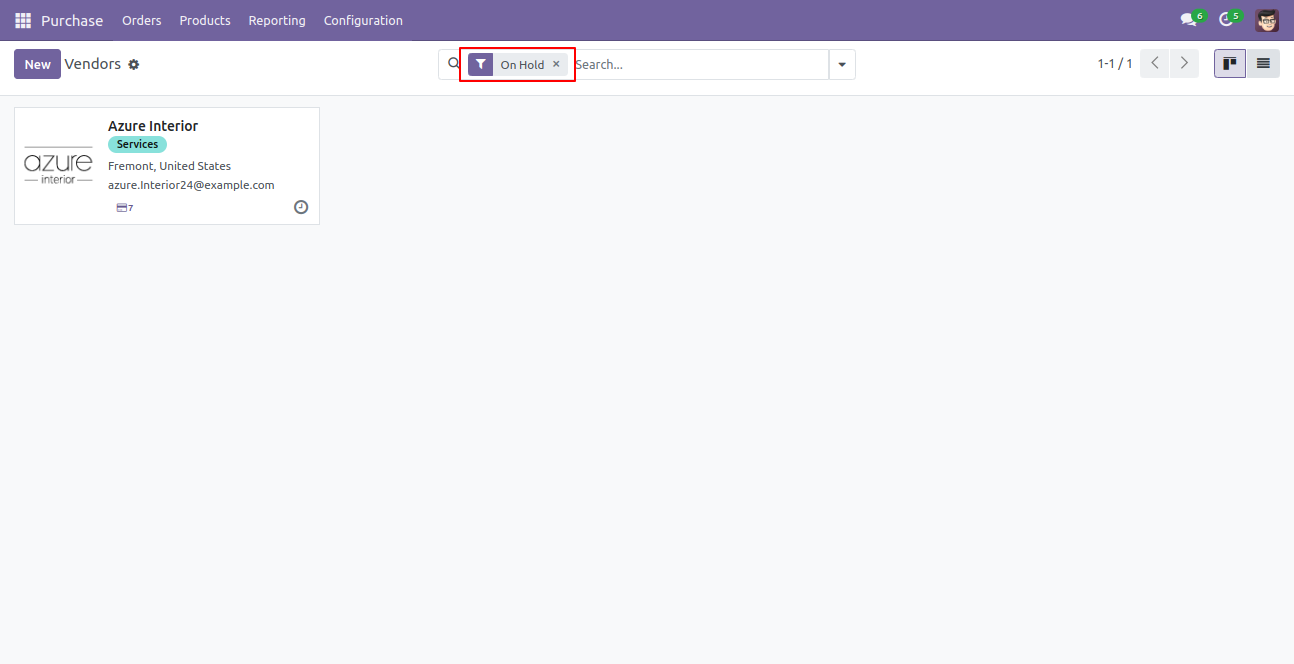
You can filter suppliers that are "On Hold" state.
Option-2
Email alert sent to the allowed approval as per settings selections.
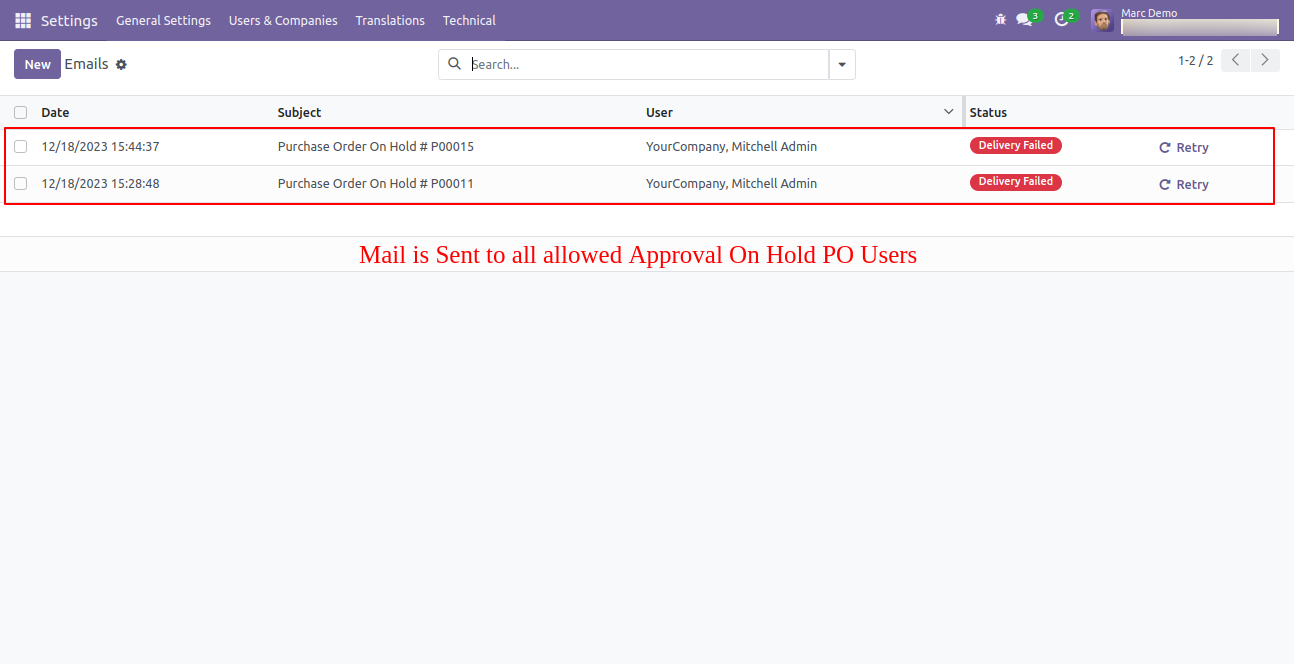
Email alert looks like this, that email alert sent as per settings selections.
Option-3
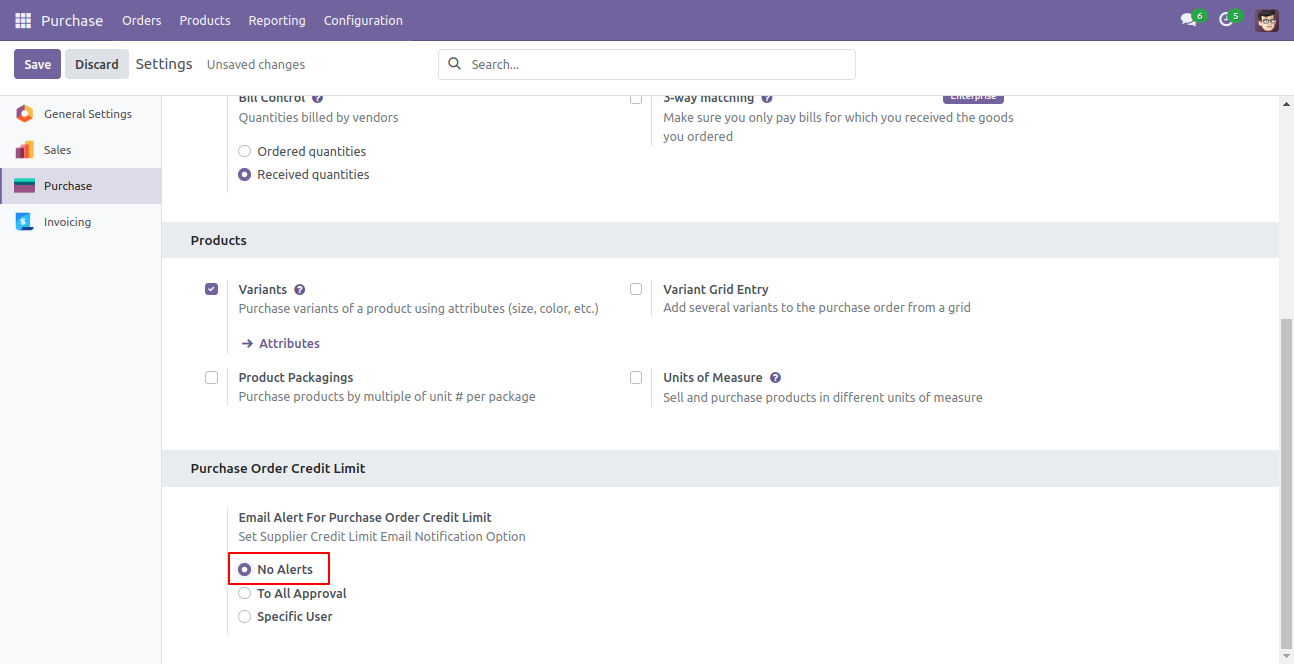
Inside configuration, if the "No Alerts" option is selected no one will be notified on any purchase order set on-hold state.
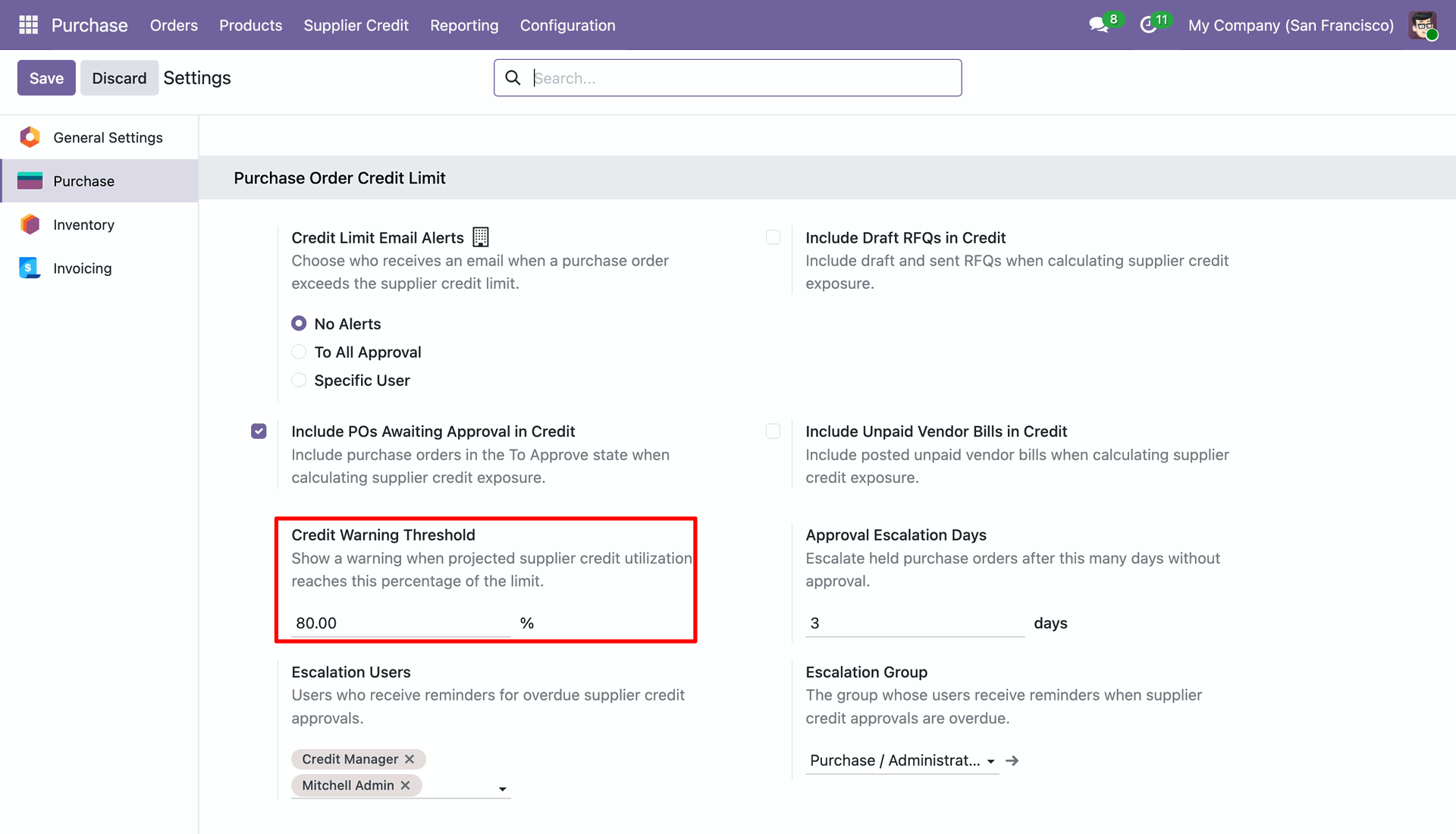
Configure Credit Warning Threshold percentage under Purchase settings.
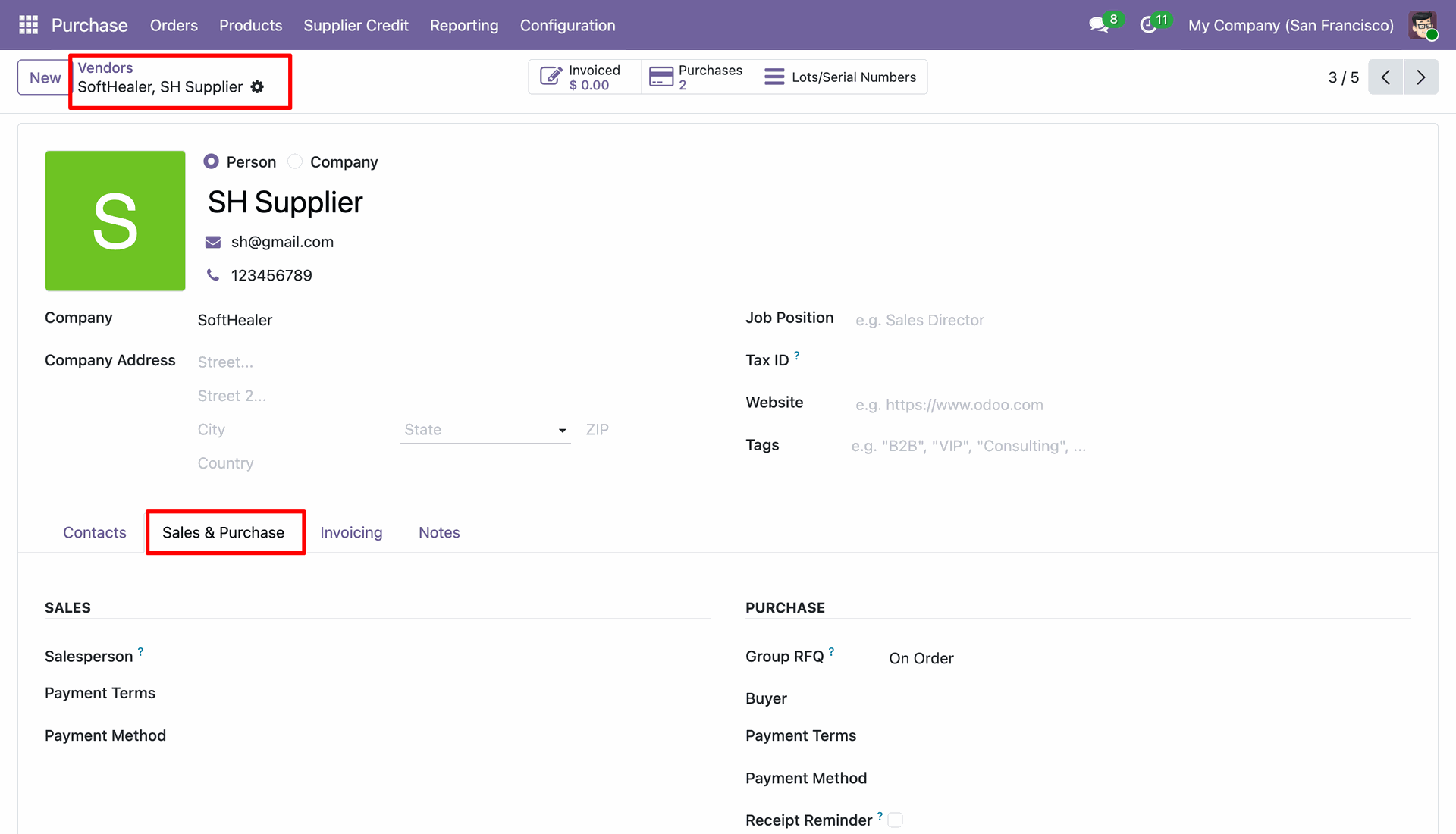
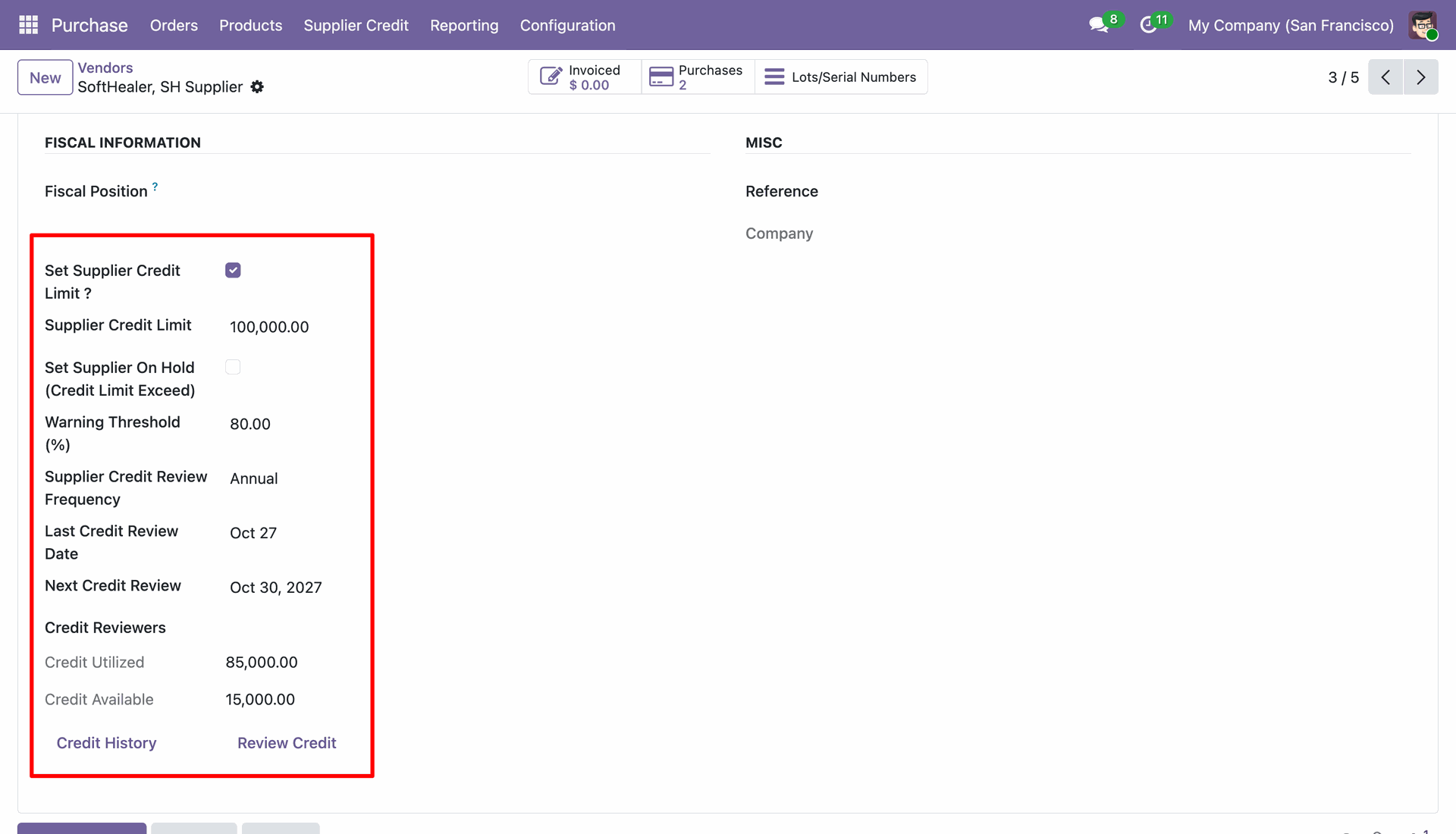
Navigate to Vendor details and open the "Sales & Purchase" tab.
Enable "Set Supplier Credit Limit ?", enter Credit Limit, Warning Threshold (%), and view real-time Credit Utilized and Credit Available.
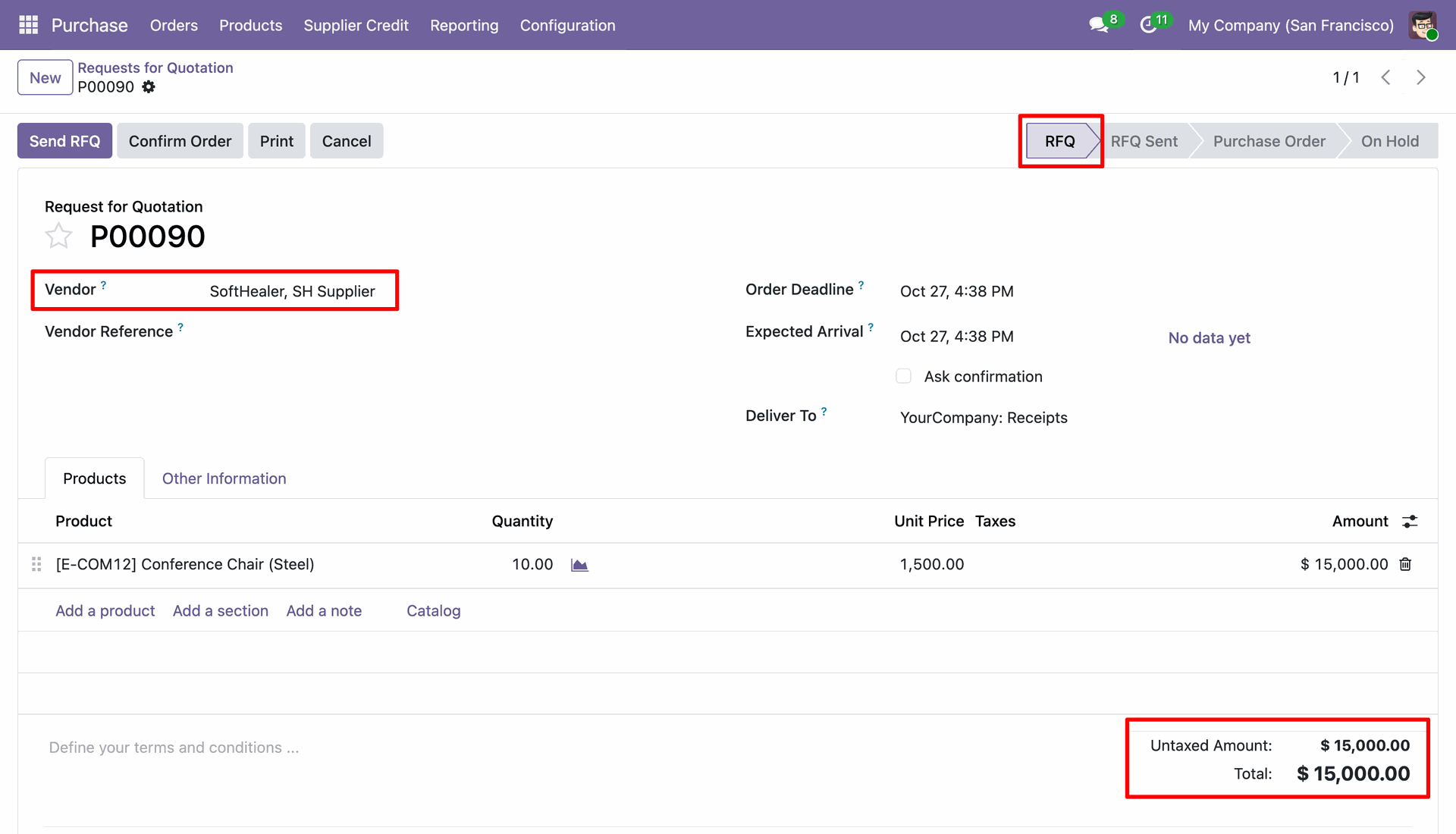
Create a Request for Quotation (RFQ) for the supplier within the credit warning limit.
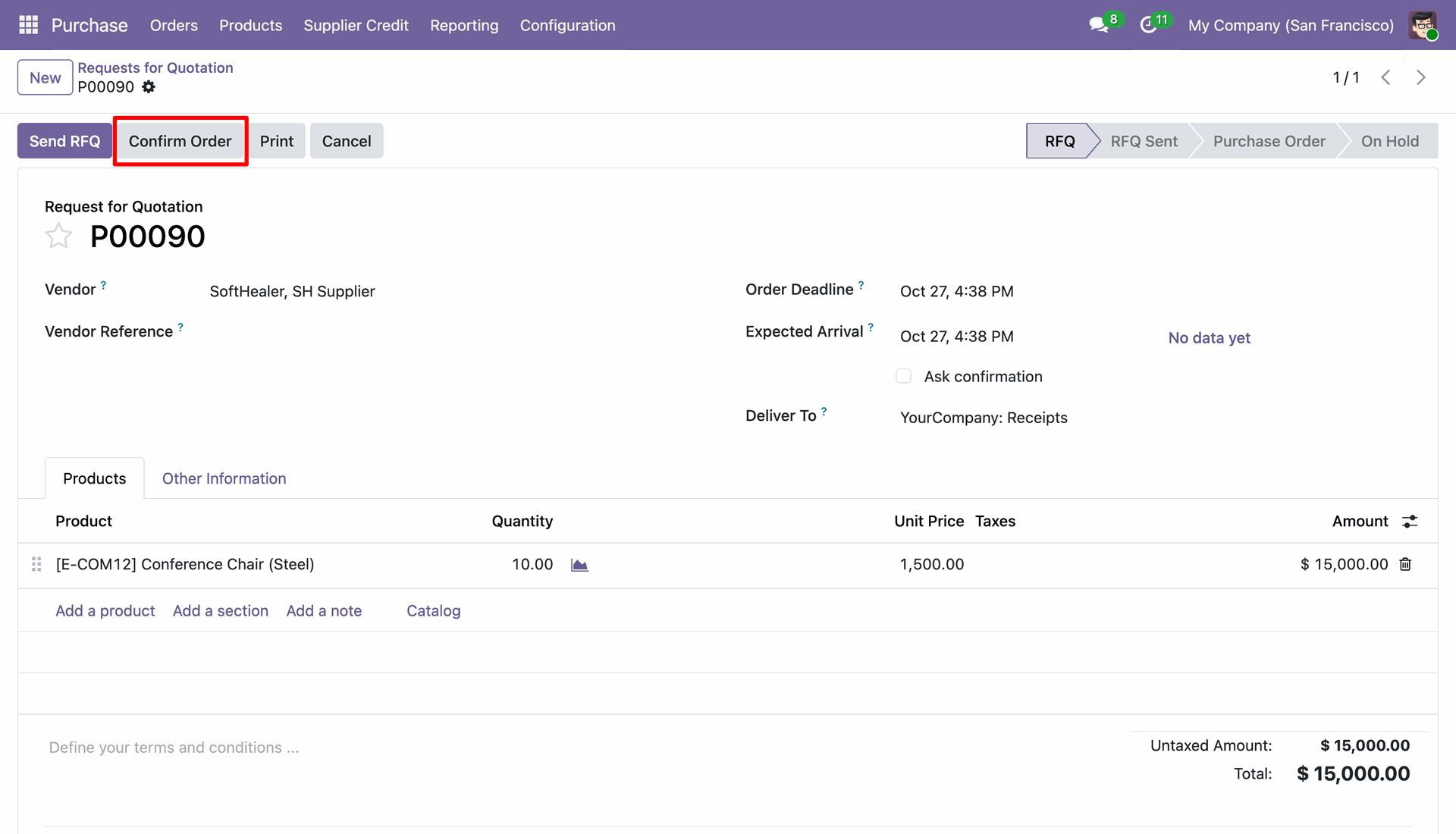
Click on "Confirm Order" to proceed with order confirmation.
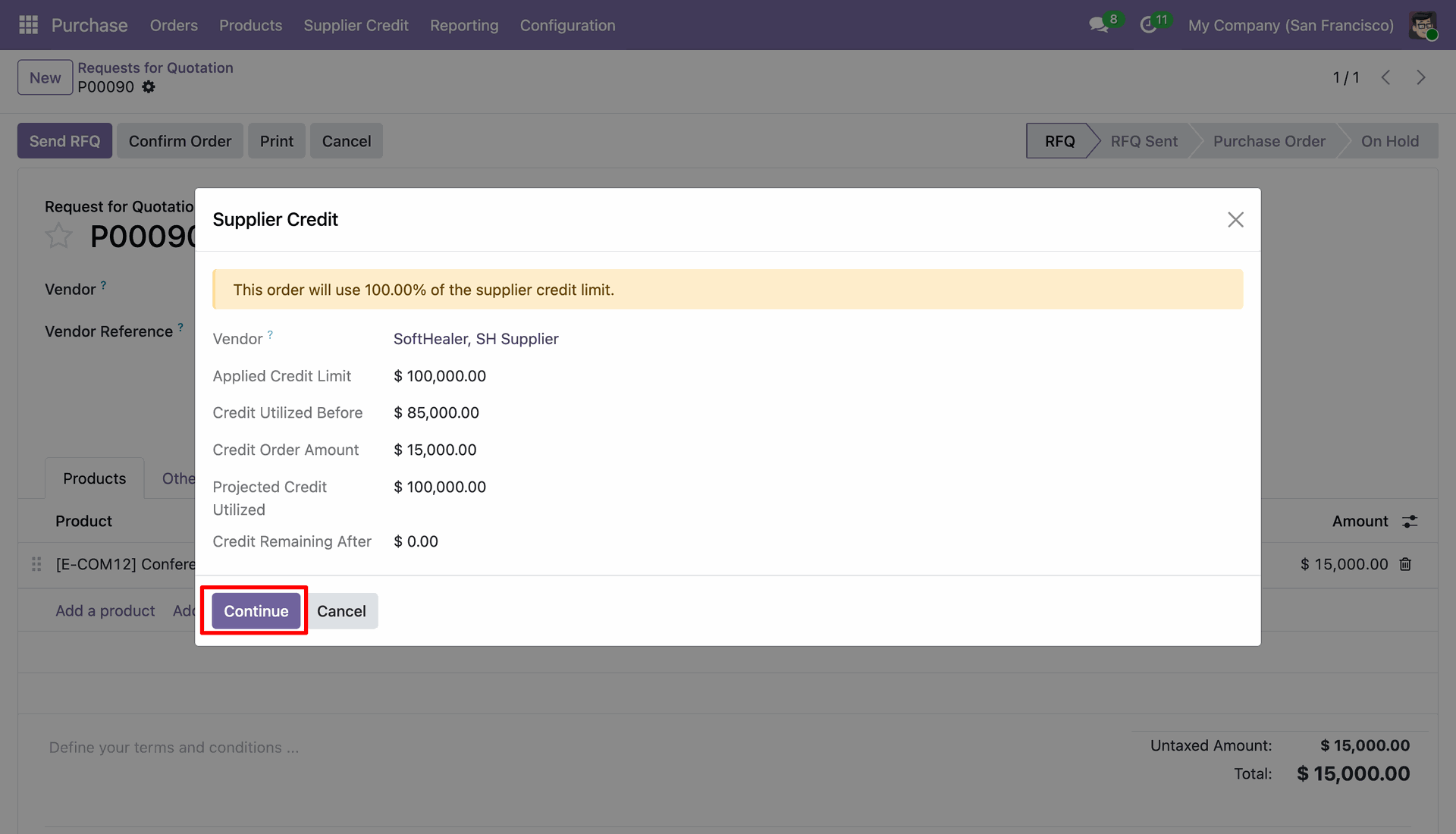
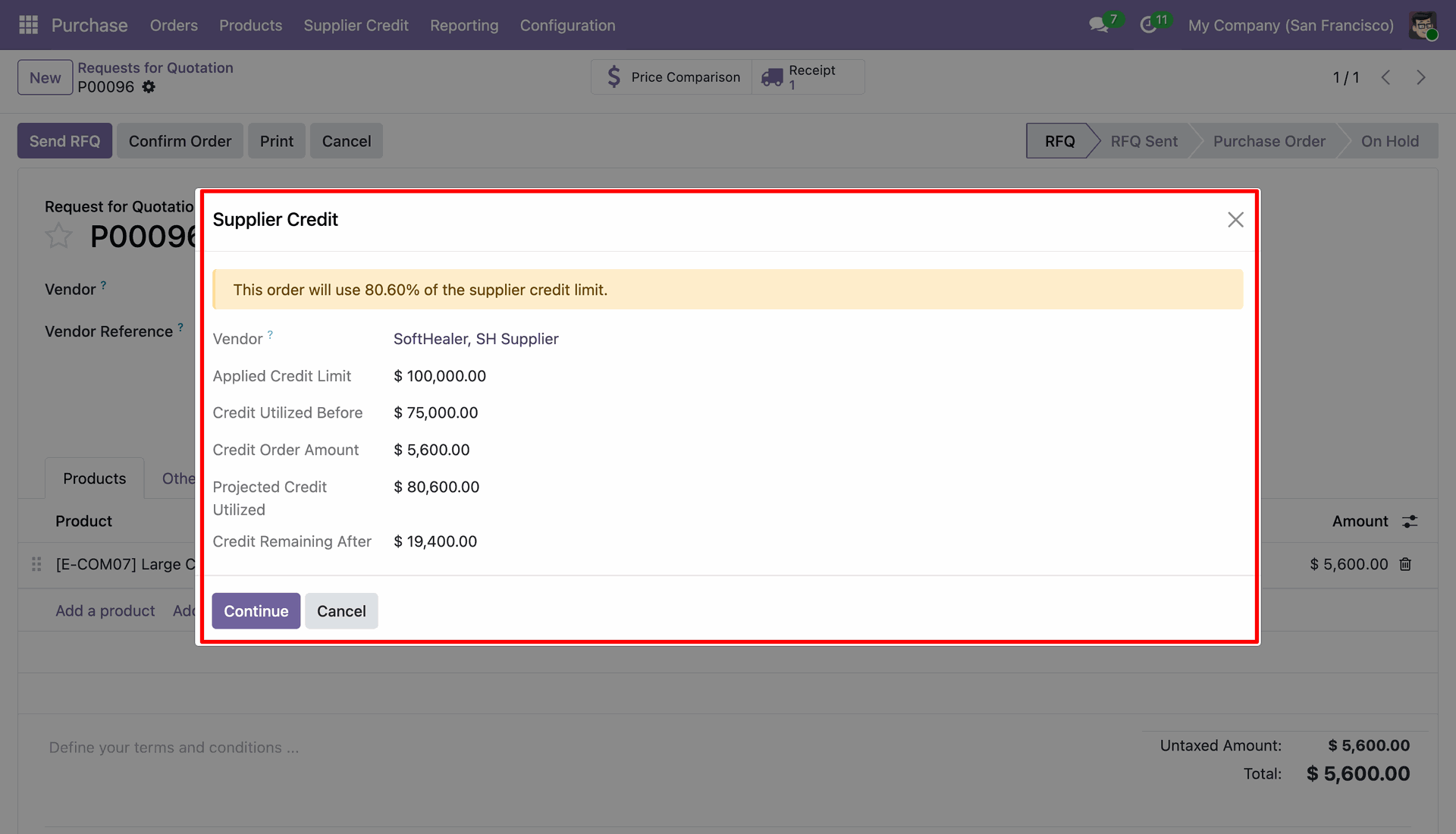
A Supplier Credit warning wizard pops up showing applied credit limit, credit utilized before, projected credit utilized, and credit remaining.
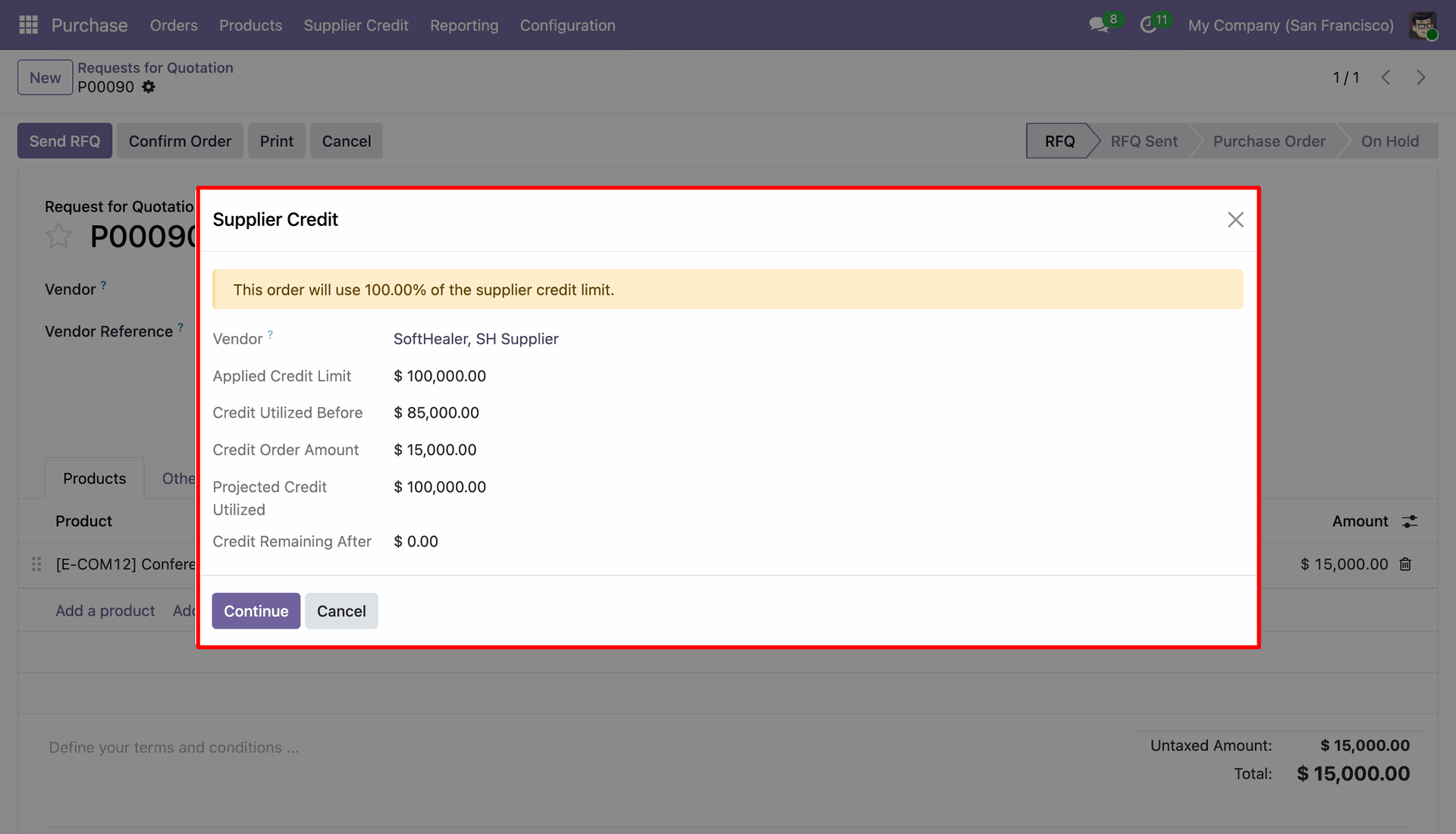
Click "Continue" button on warning wizard to acknowledge and confirm the order.
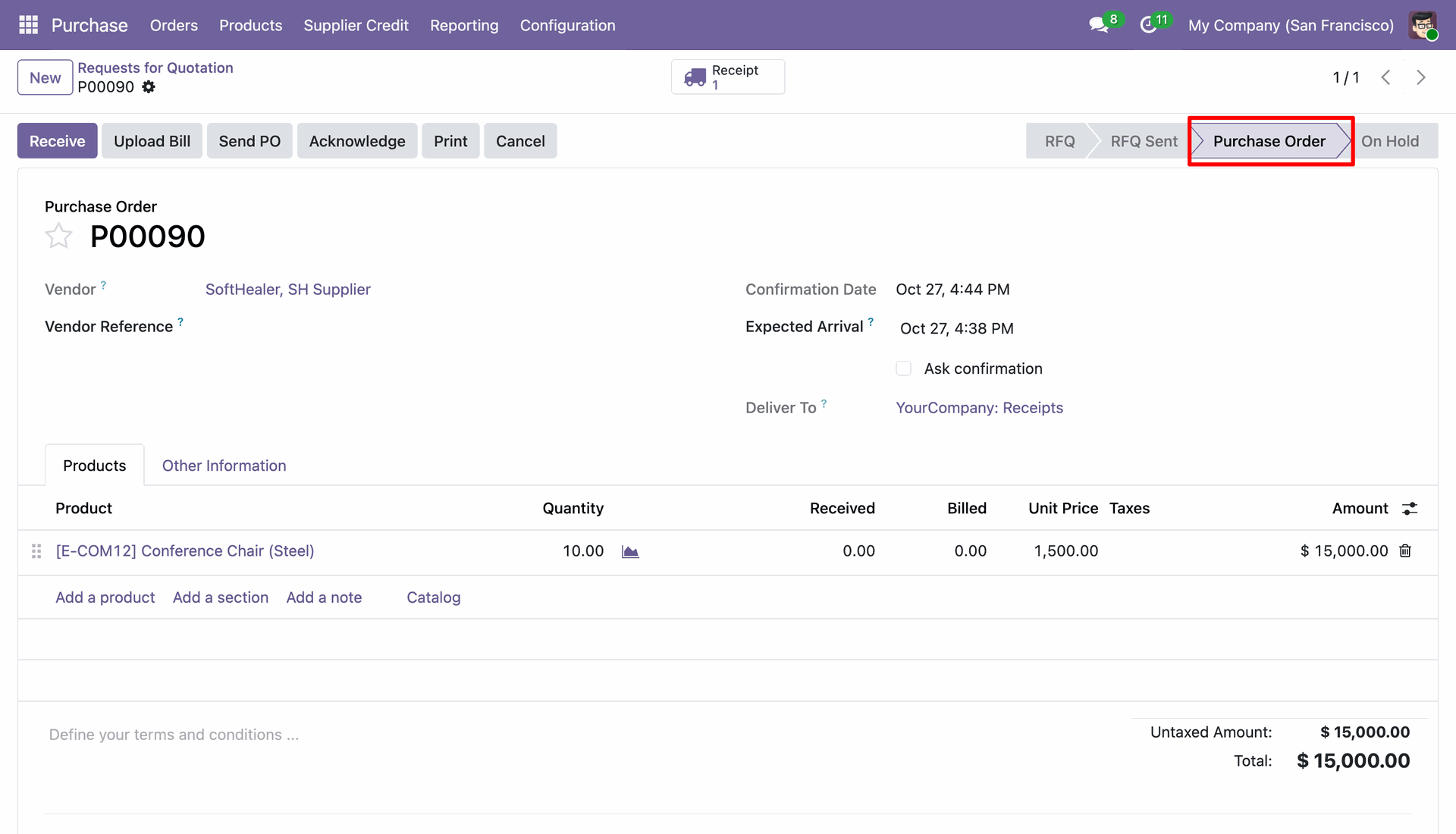
Purchase order is successfully confirmed and moves to "Purchase Order" stage.
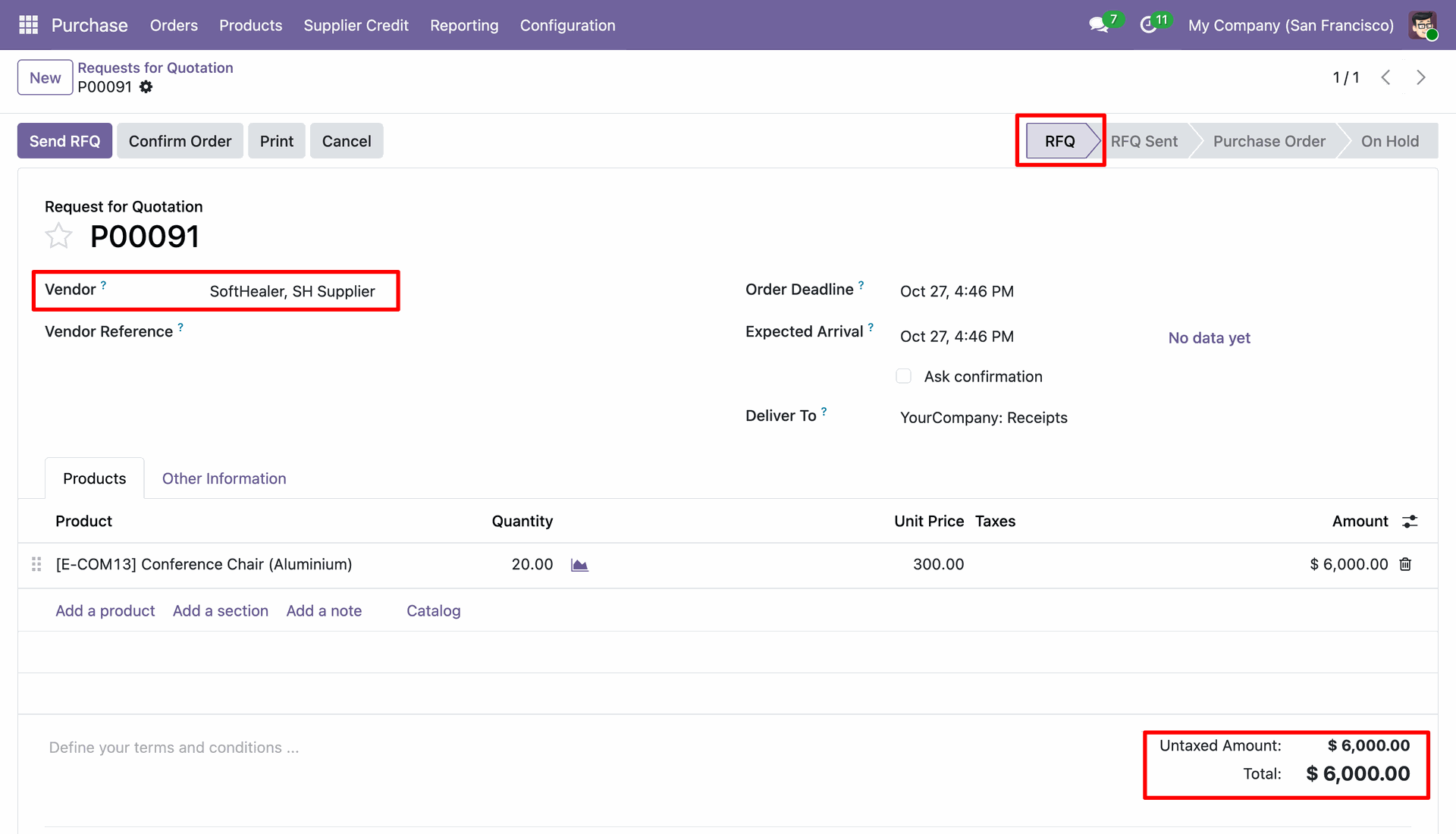
Create another RFQ whose order amount exceeds the available supplier credit limit.
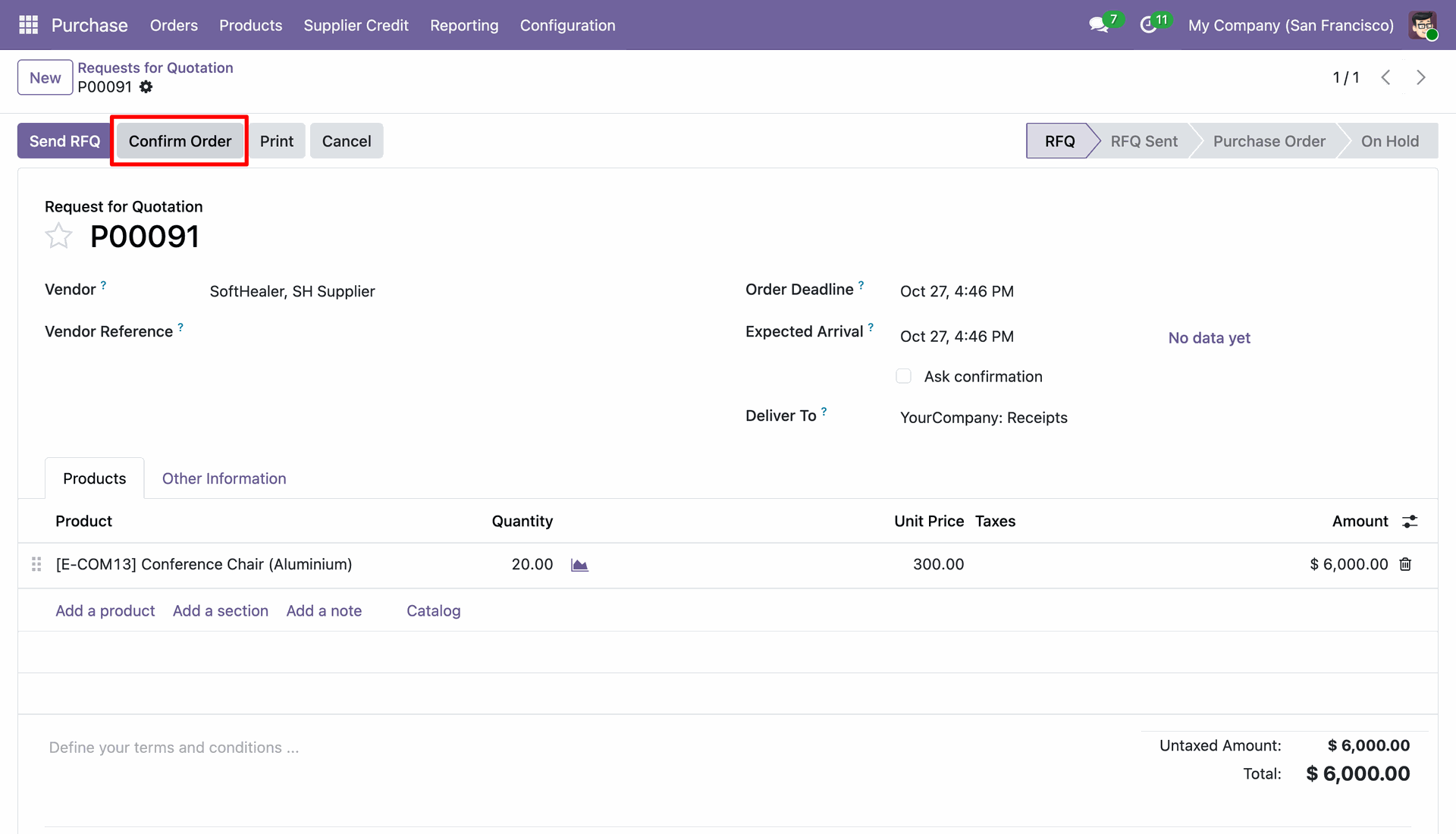
Click on "Confirm Order" to attempt confirming the over-limit purchase order.
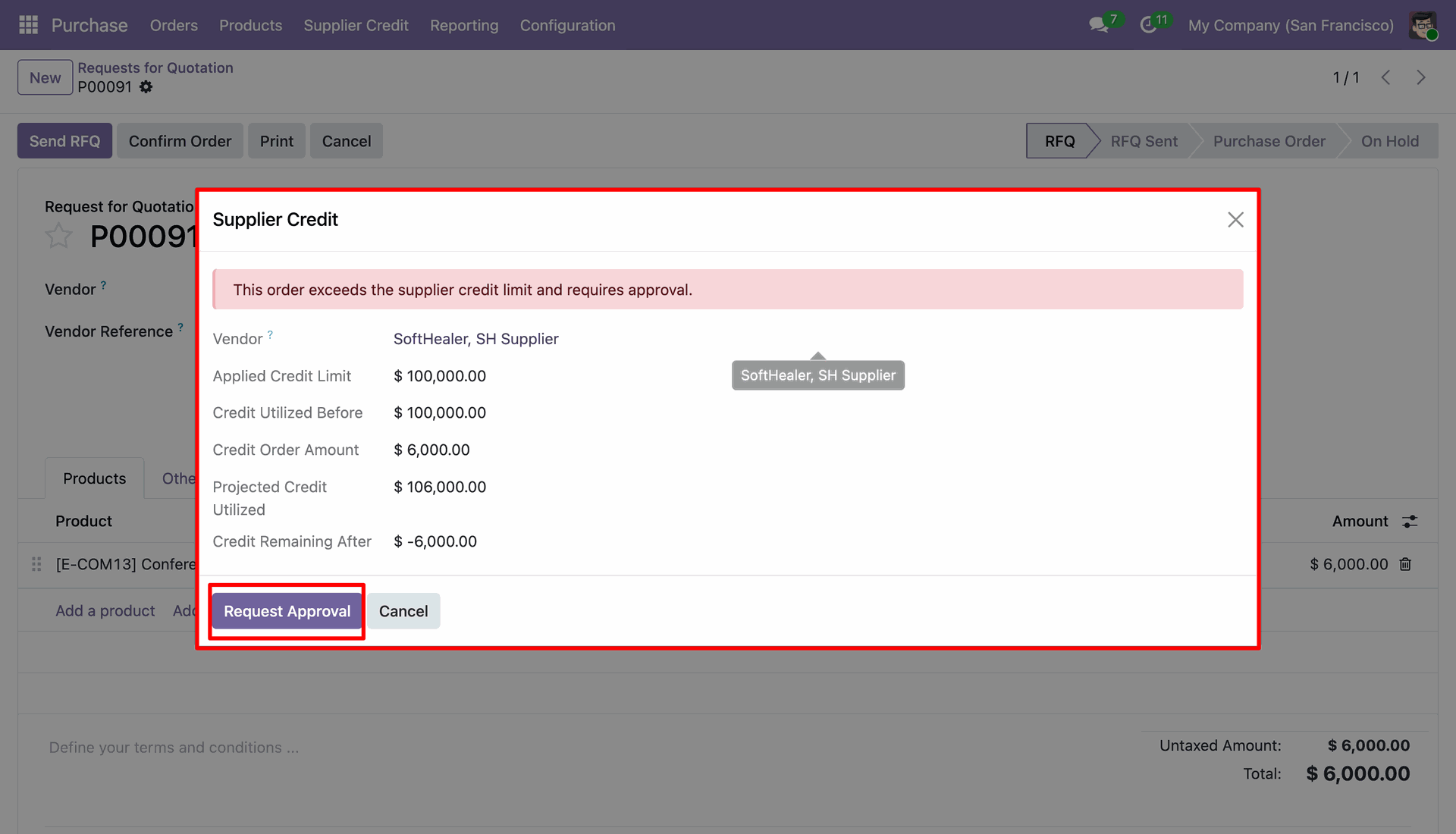
A red blocking wizard appears indicating that the order exceeds the credit limit and requires approval. Click "Request Approval".
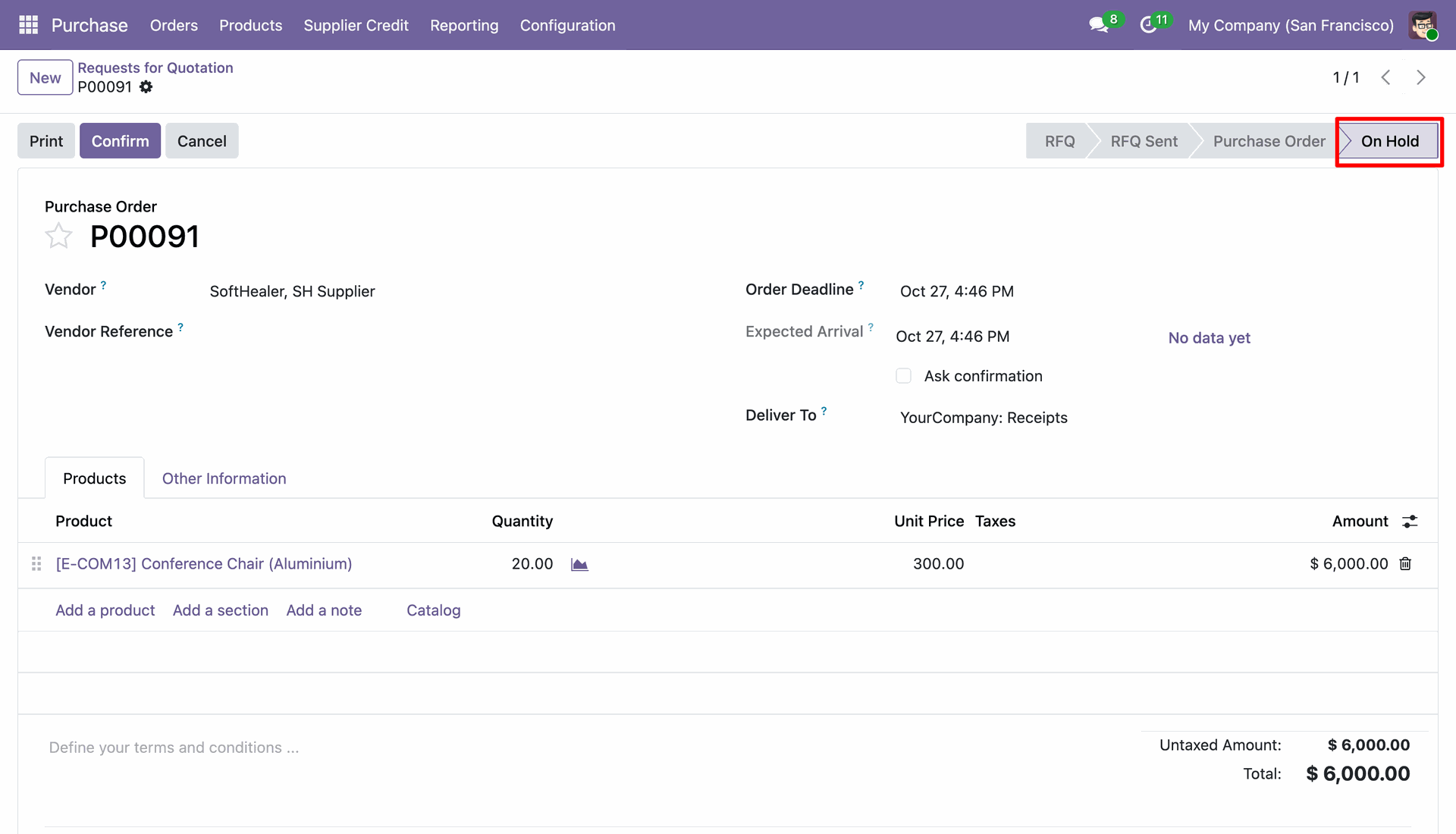
The purchase order state changes to "On Hold" awaiting manager/approver approval.
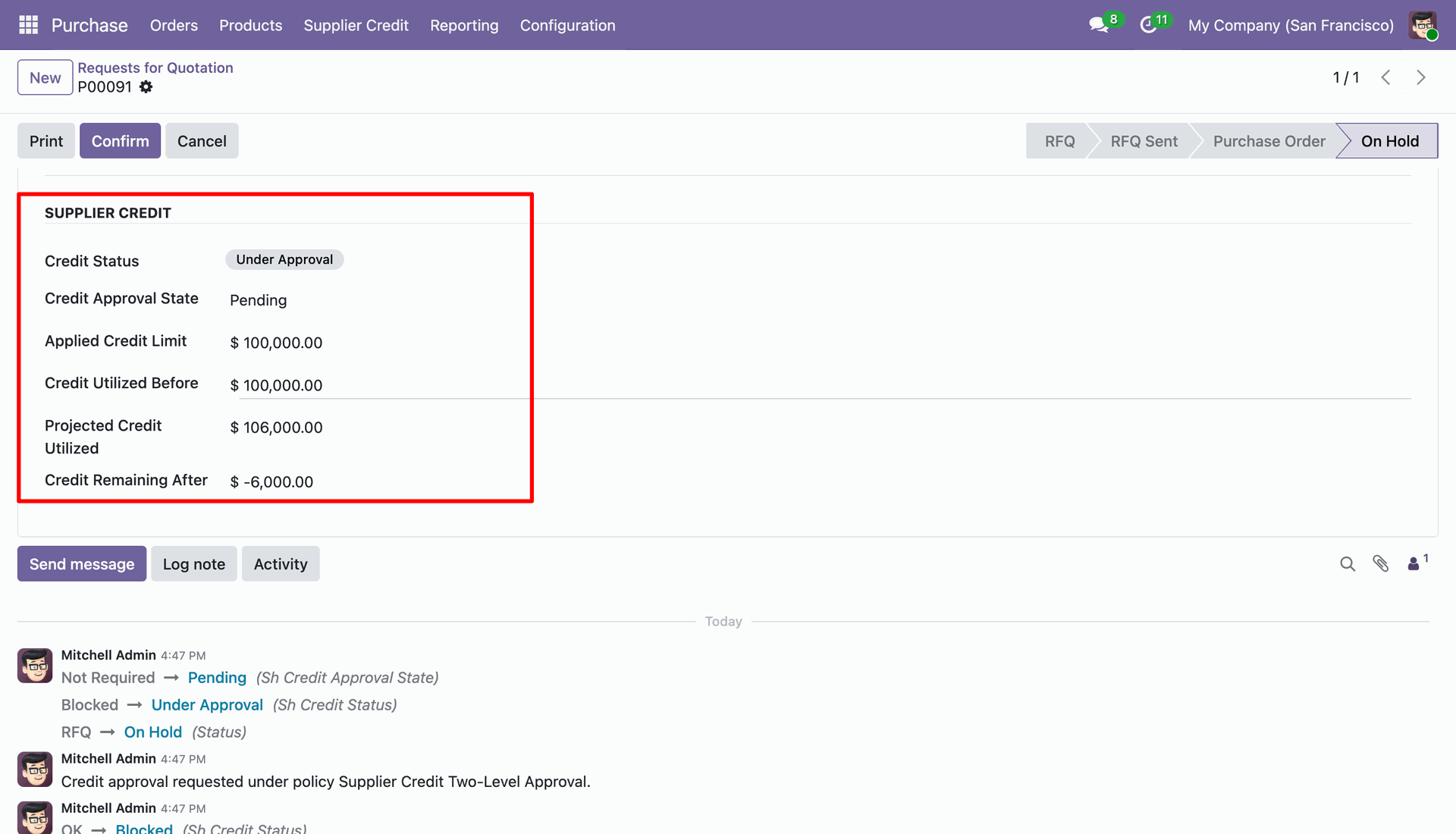
The PO displays the "Supplier Credit" group showing Credit Status "Under Approval", Credit Approval State "Pending", and chatter log.
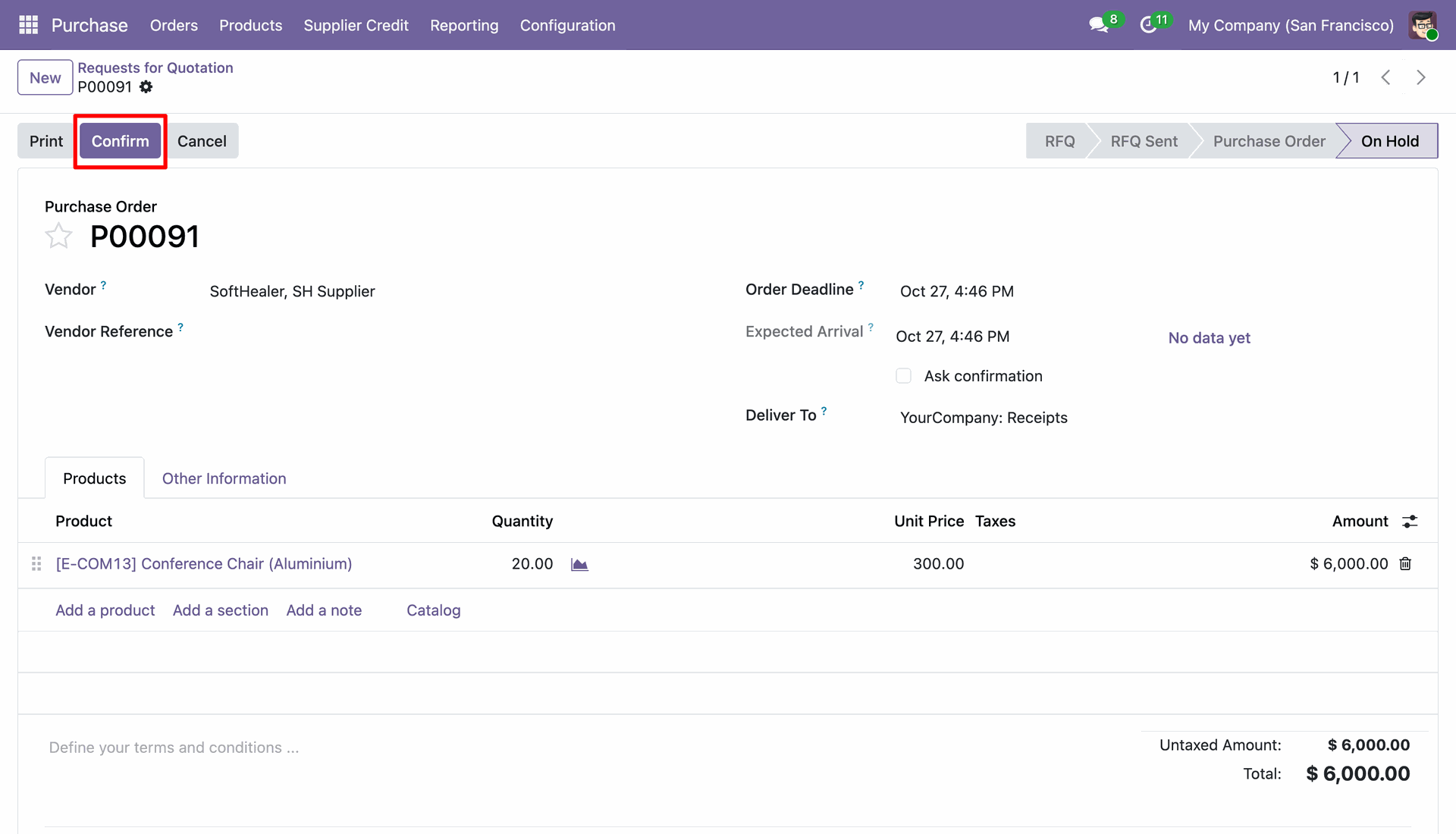
Once the credit approval request is approved, click "Confirm" button on the On Hold order.
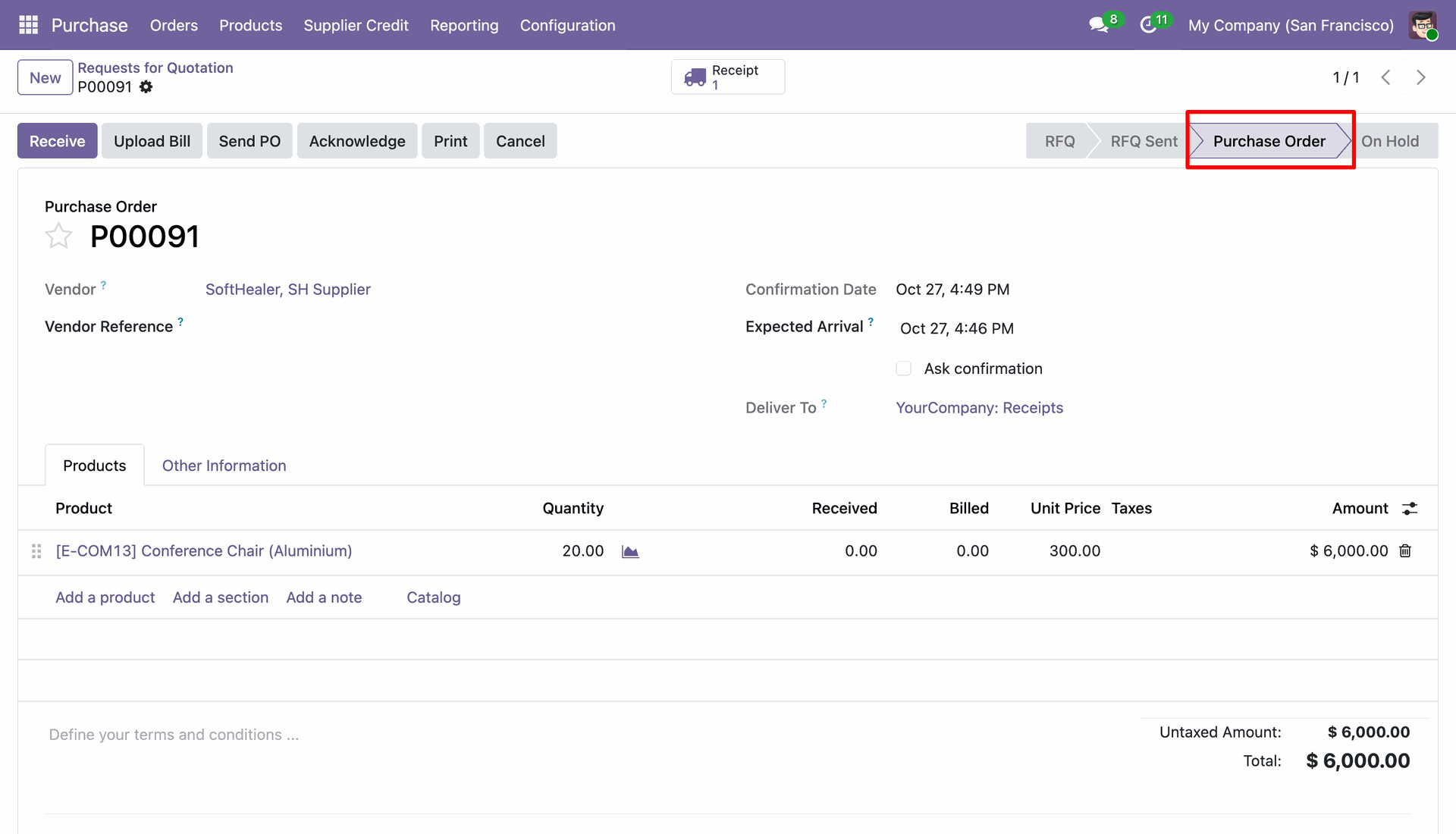
The purchase order is confirmed and moves to "Purchase Order" stage with receipt generated.
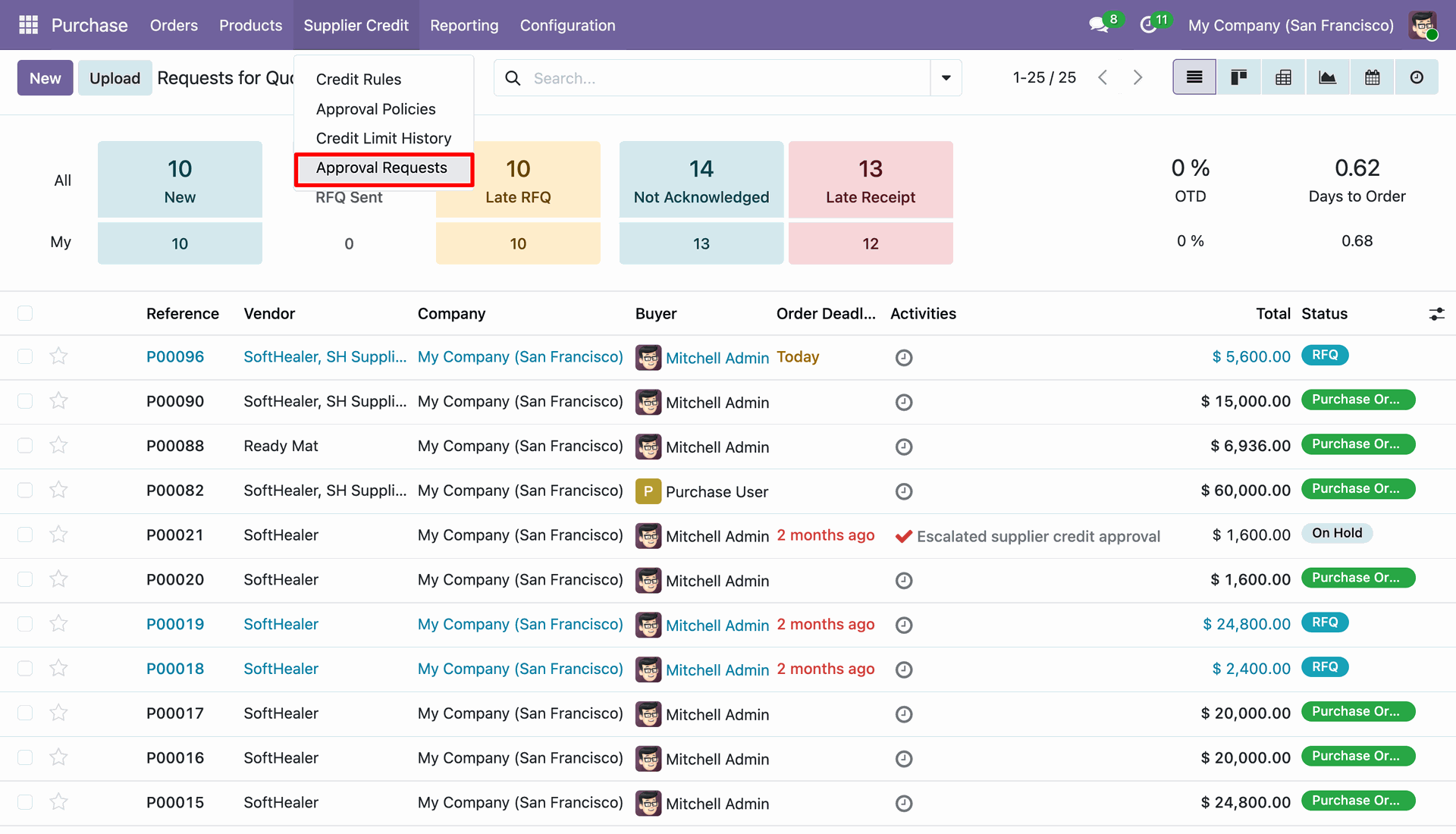
Navigate to "Supplier Credit" > "Approval Requests" menu from the Purchase navigation bar.
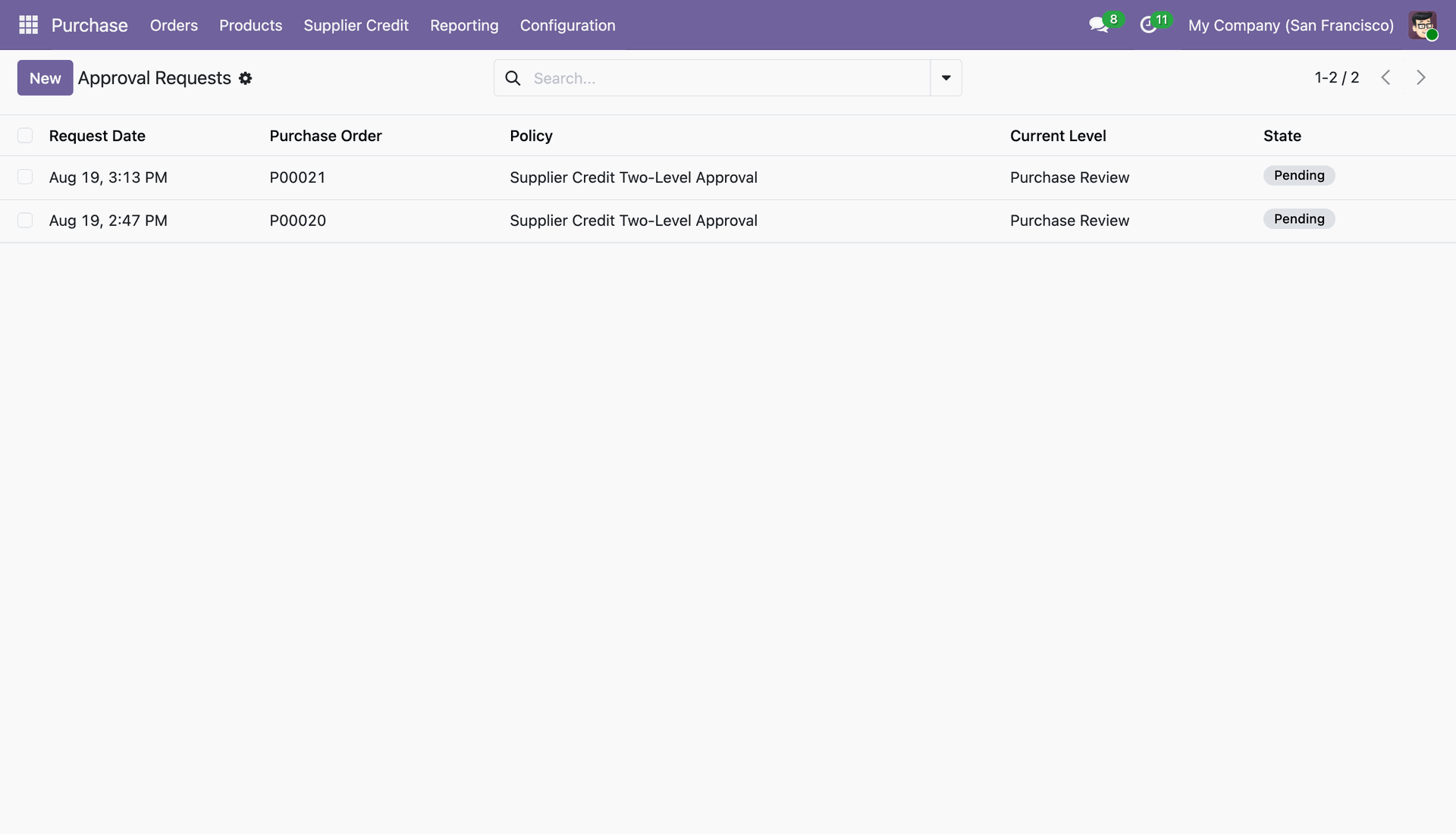
View the list of pending supplier credit approval requests with Purchase Order, Policy, Current Level, and State.
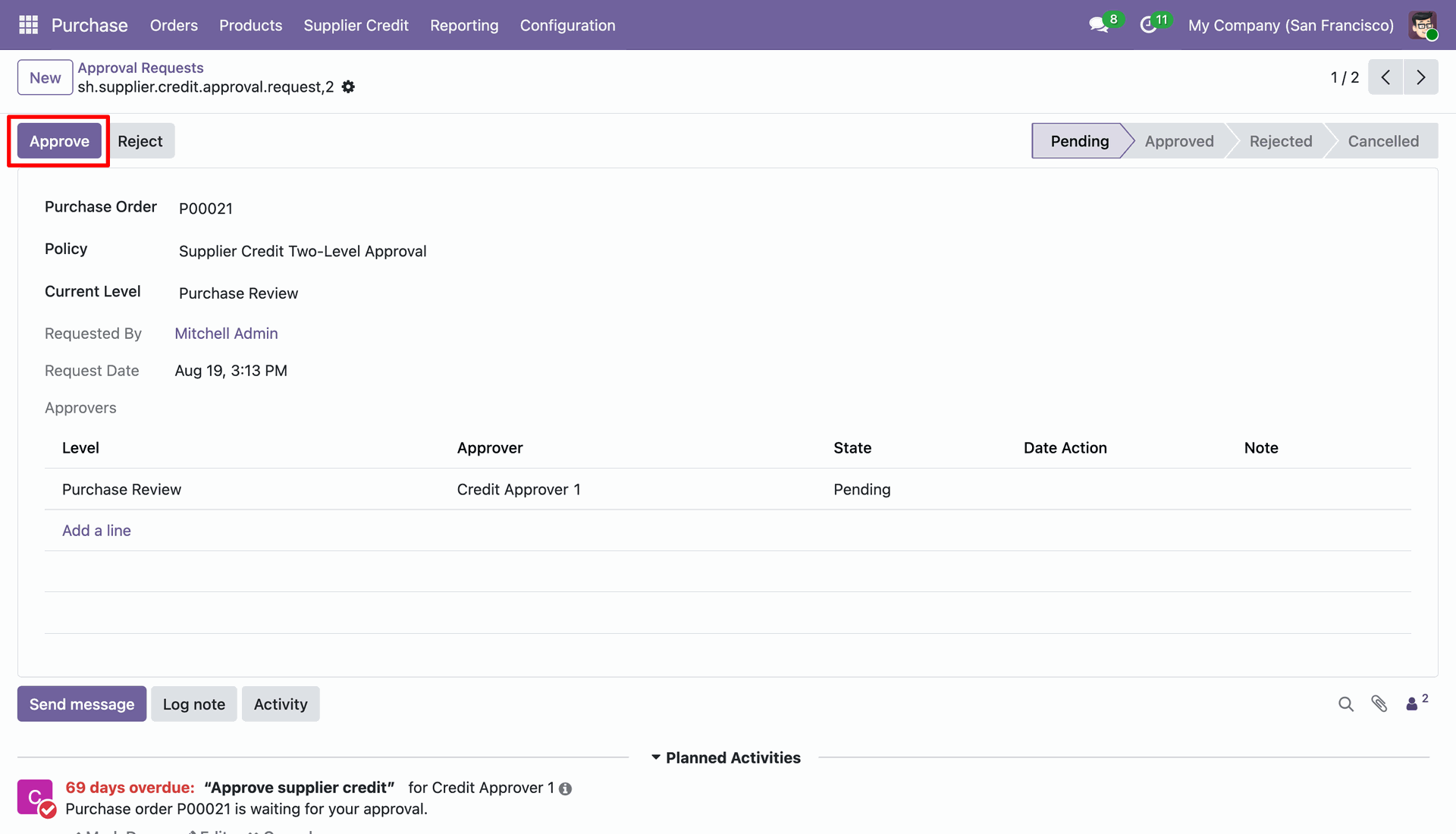
Open an approval request to review approval levels, assigned approvers, and click "Approve".
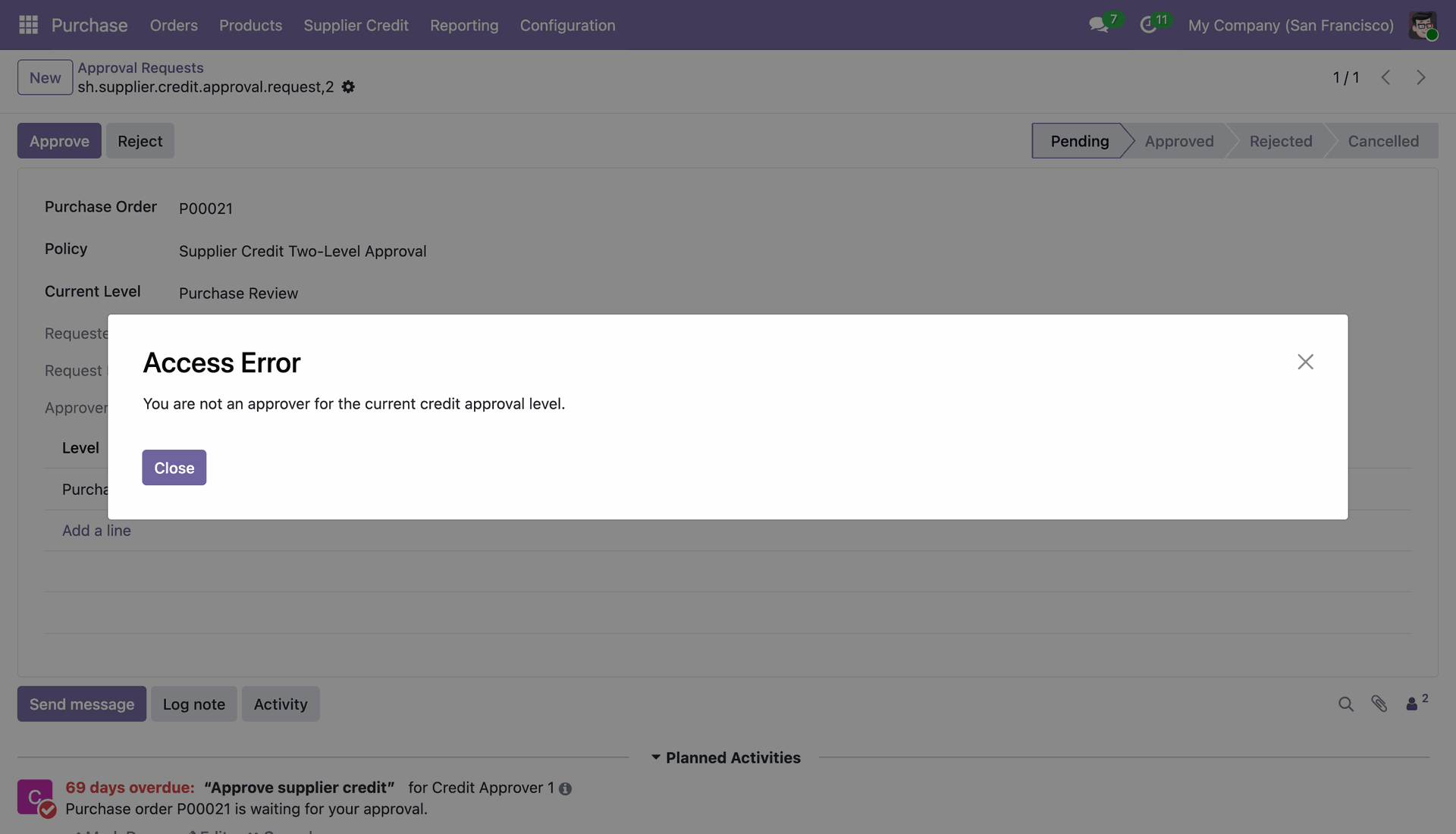
If an unauthorized user attempts to approve, an Access Error dialog restricts approval to authorized approvers.
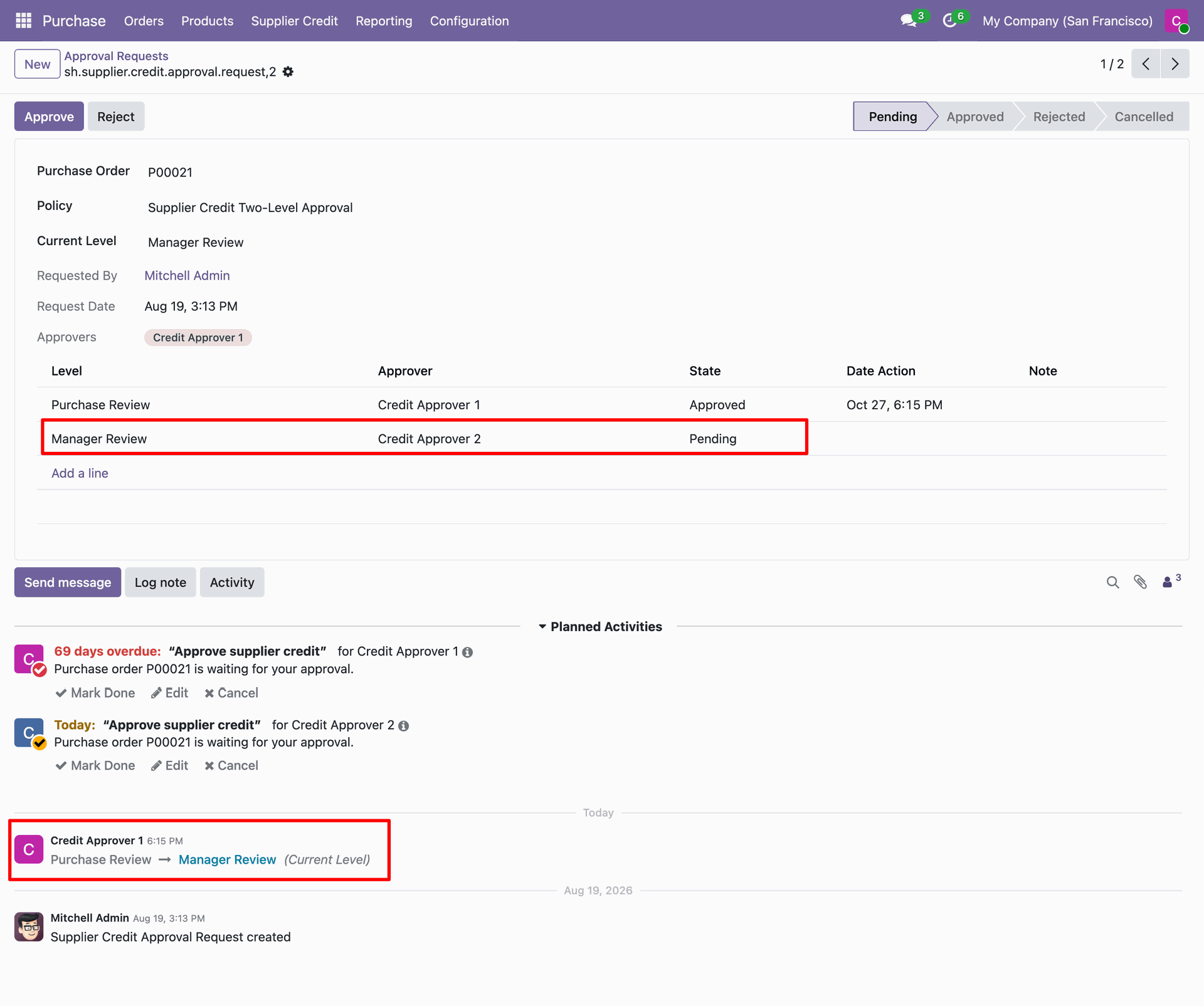
When the first-level approver approves, the request automatically advances to the next level ("Manager Review").
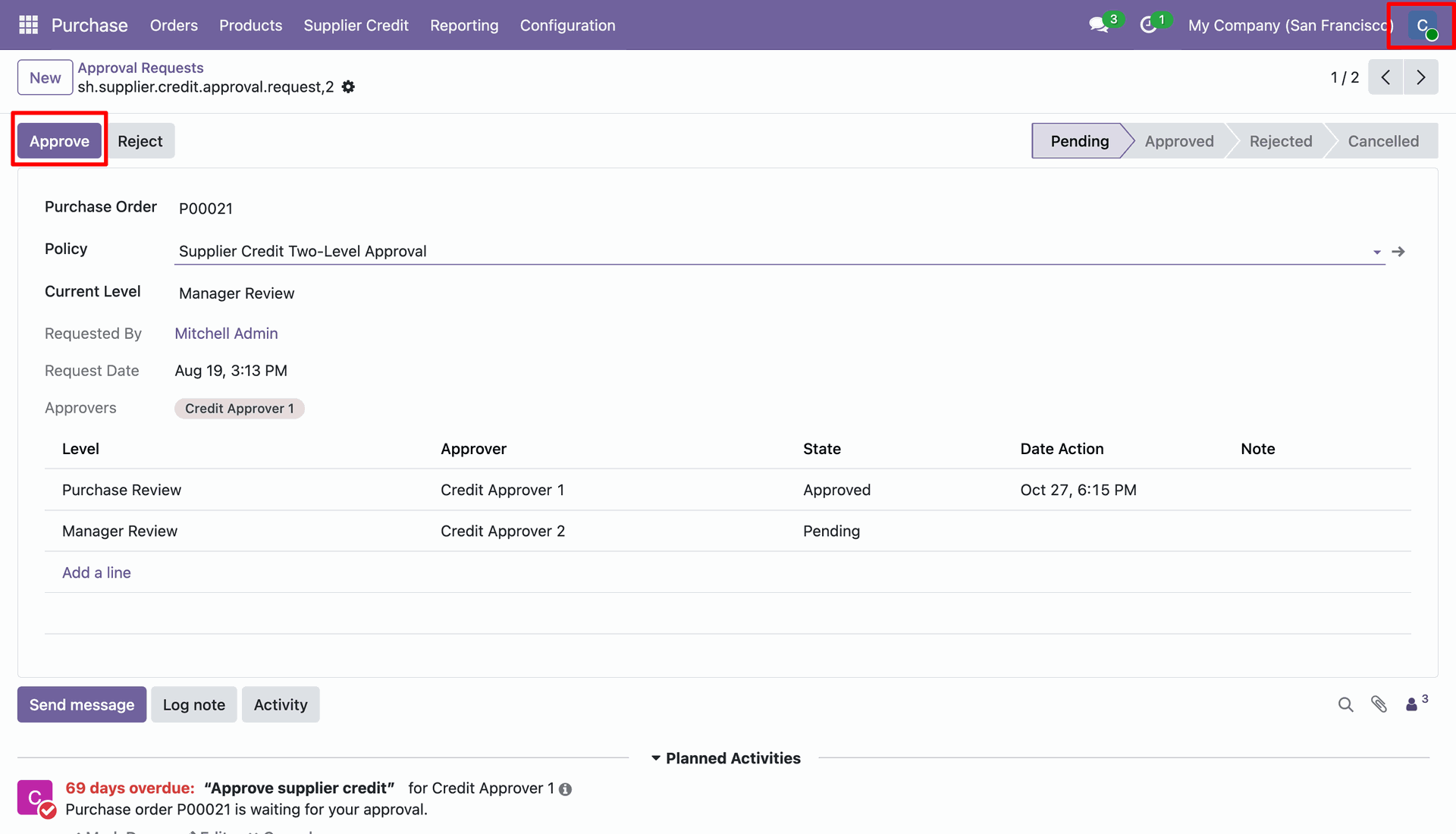
The designated higher-level approver logs in and clicks "Approve" for the final level.
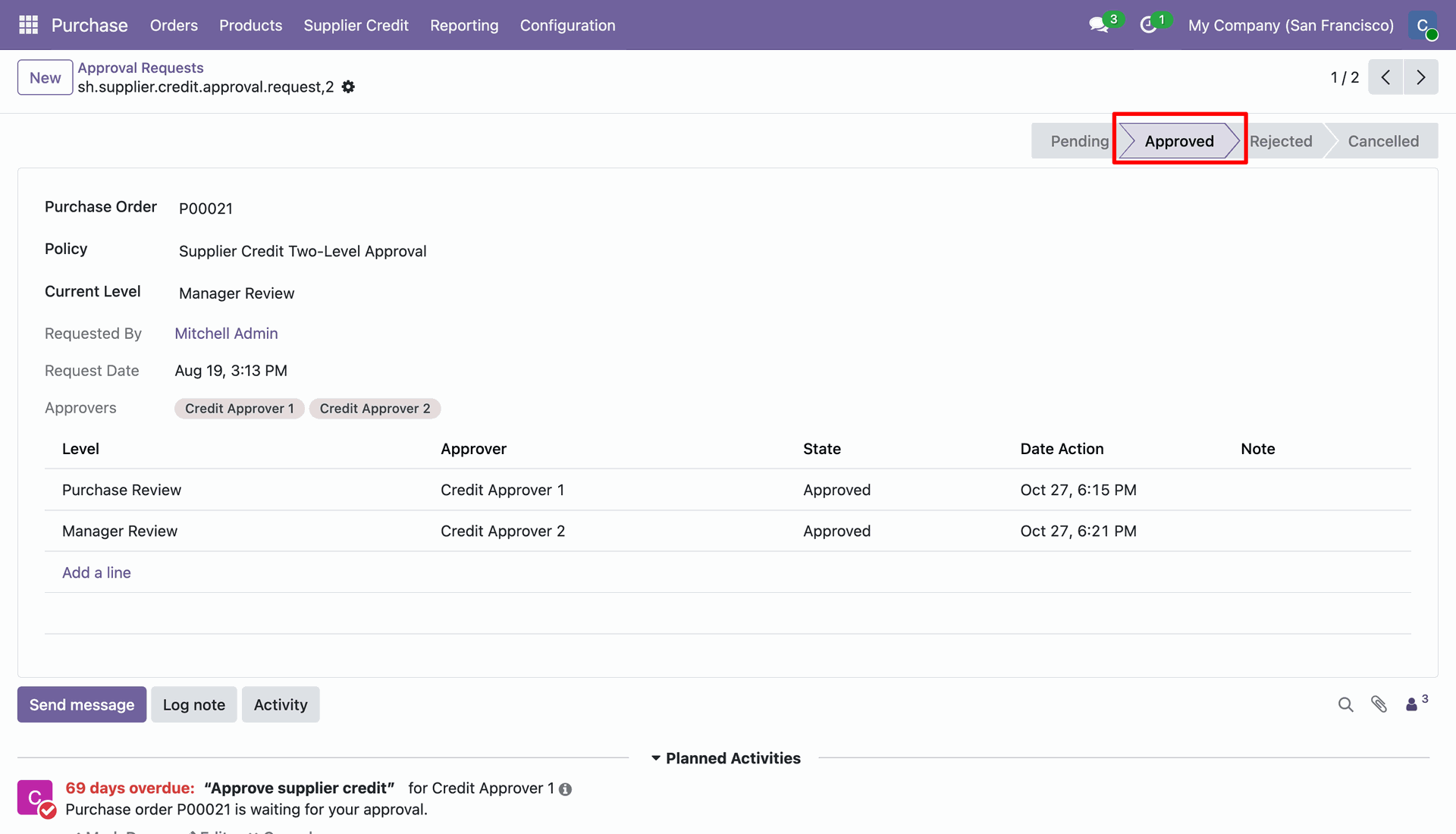
Once all required levels are approved, the approval request status changes to "Approved".
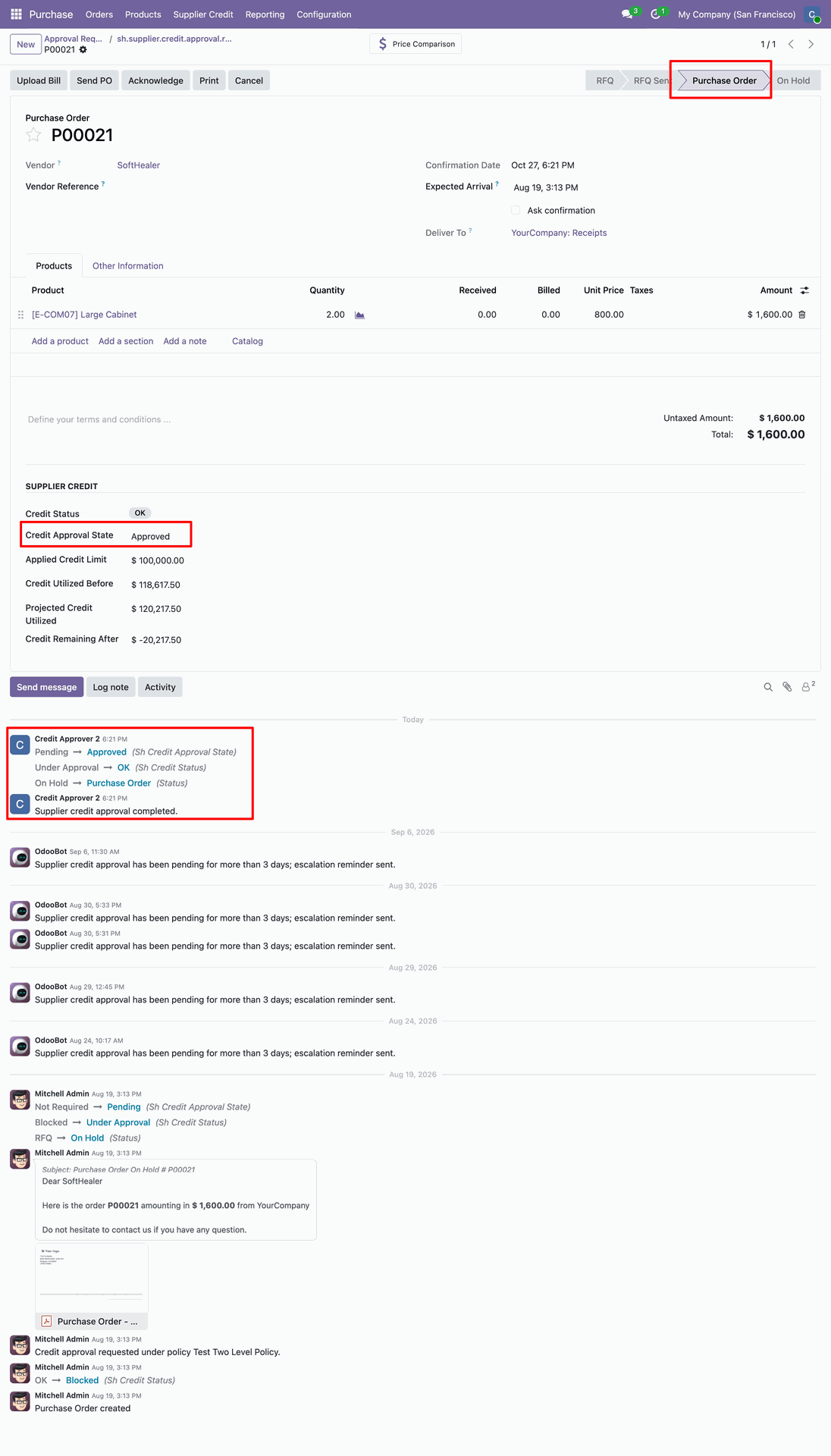
The purchase order automatically updates to "Purchase Order" stage with Credit Approval State "Approved" and audit trail logged in chatter.
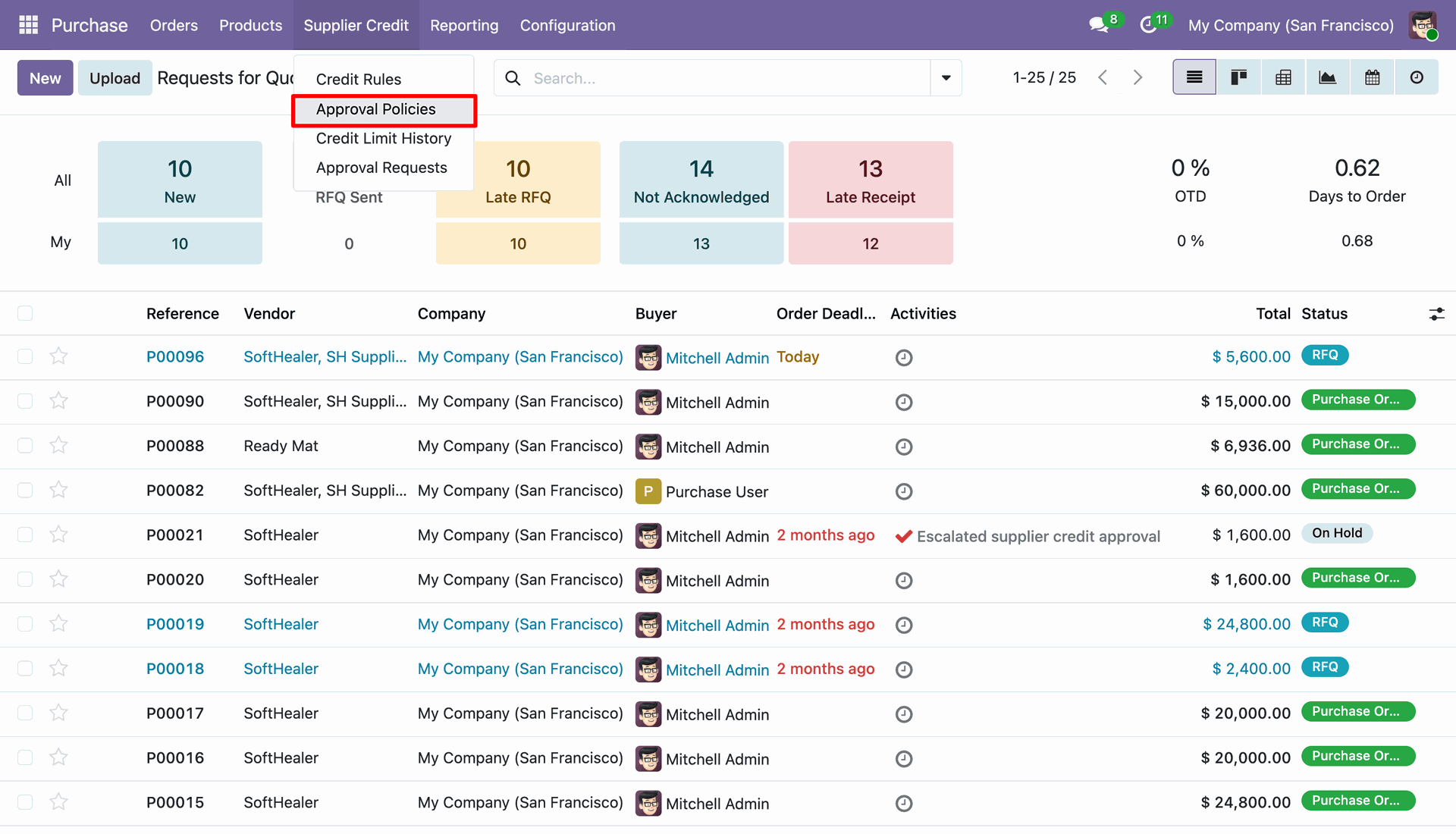
Navigate to "Supplier Credit" > "Approval Policies" menu.
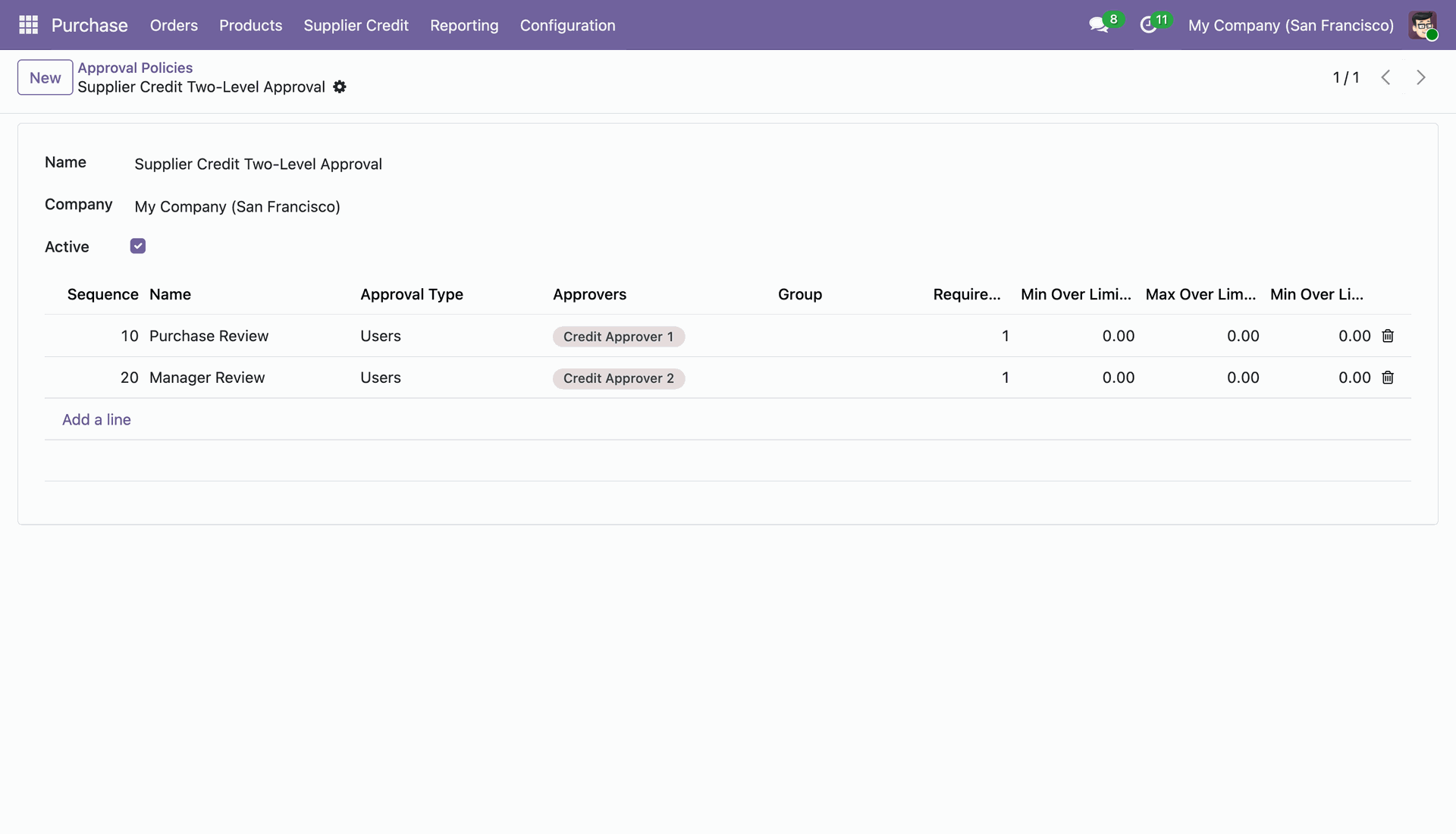
Configure multi-level approval policy with sequential approval tiers (e.g. Purchase Review and Manager Review) and assigned approvers.
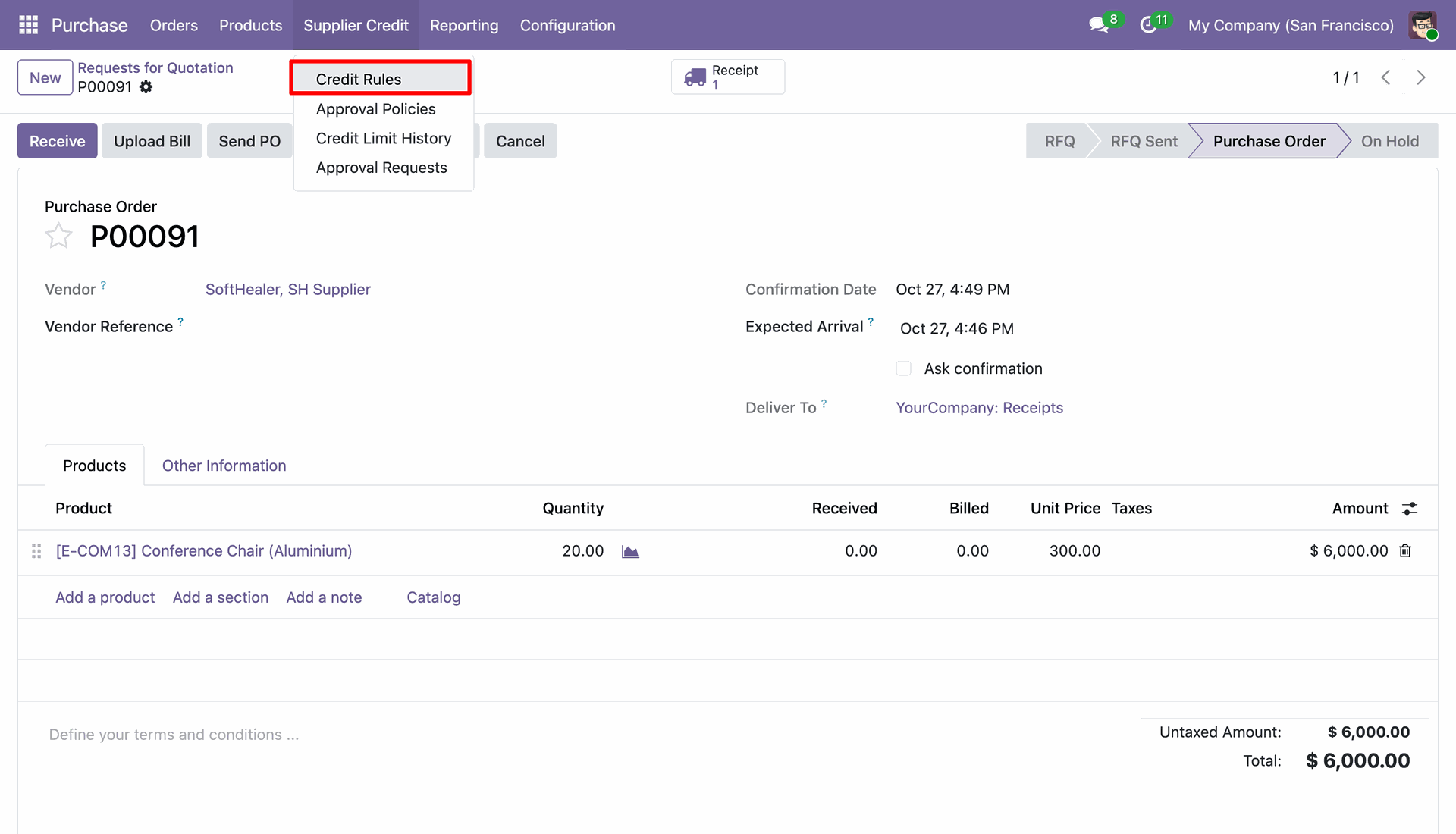
Navigate to "Supplier Credit" > "Credit Rules" menu.
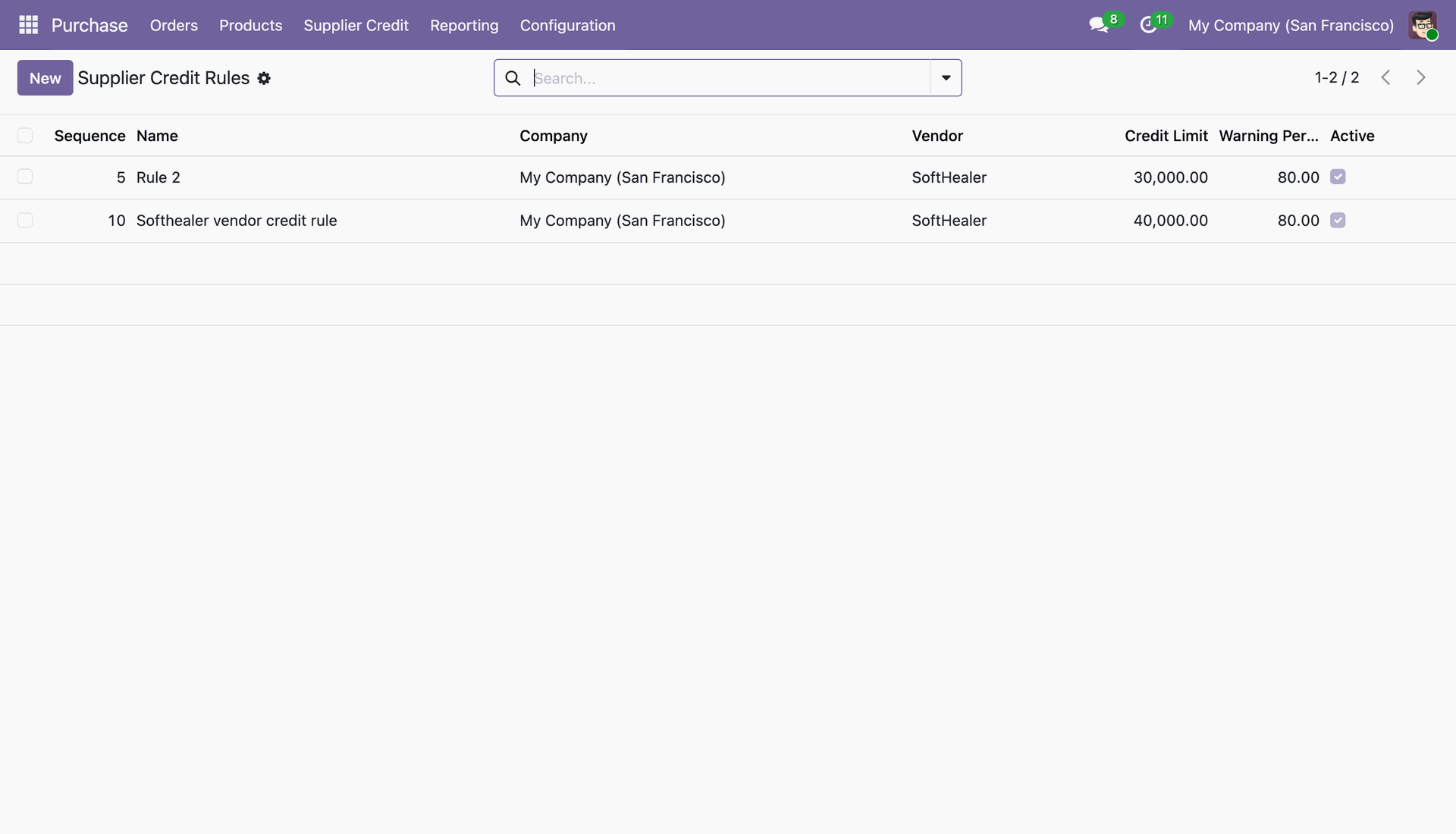
View the list of configured dynamic supplier credit rules with sequence, company, vendor, credit limit, and warning percentage.
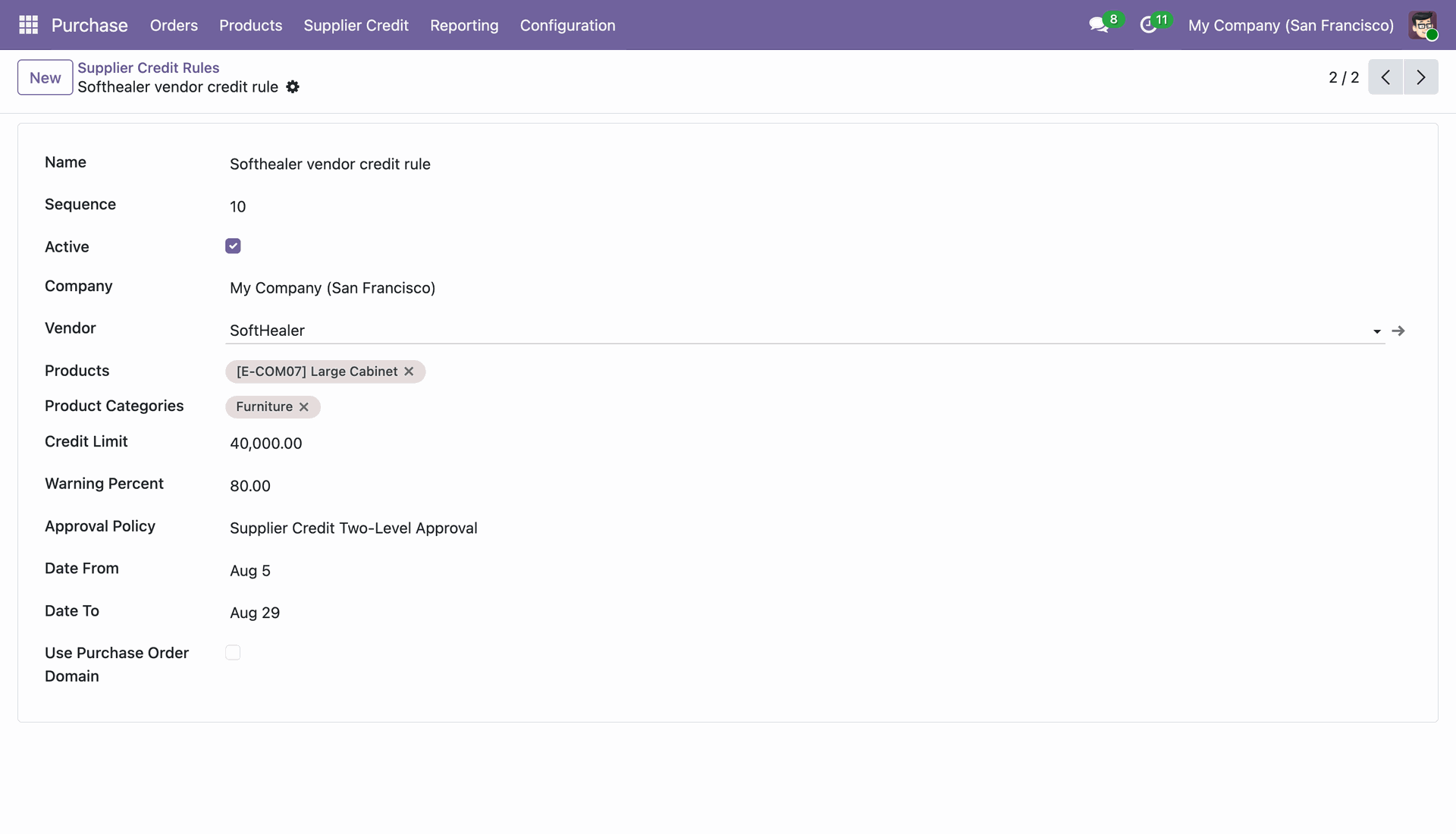
Configure rule criteria such as Vendor, specific Products, Product Categories, Credit Limit, Warning Percent, Approval Policy, and Date validity range.
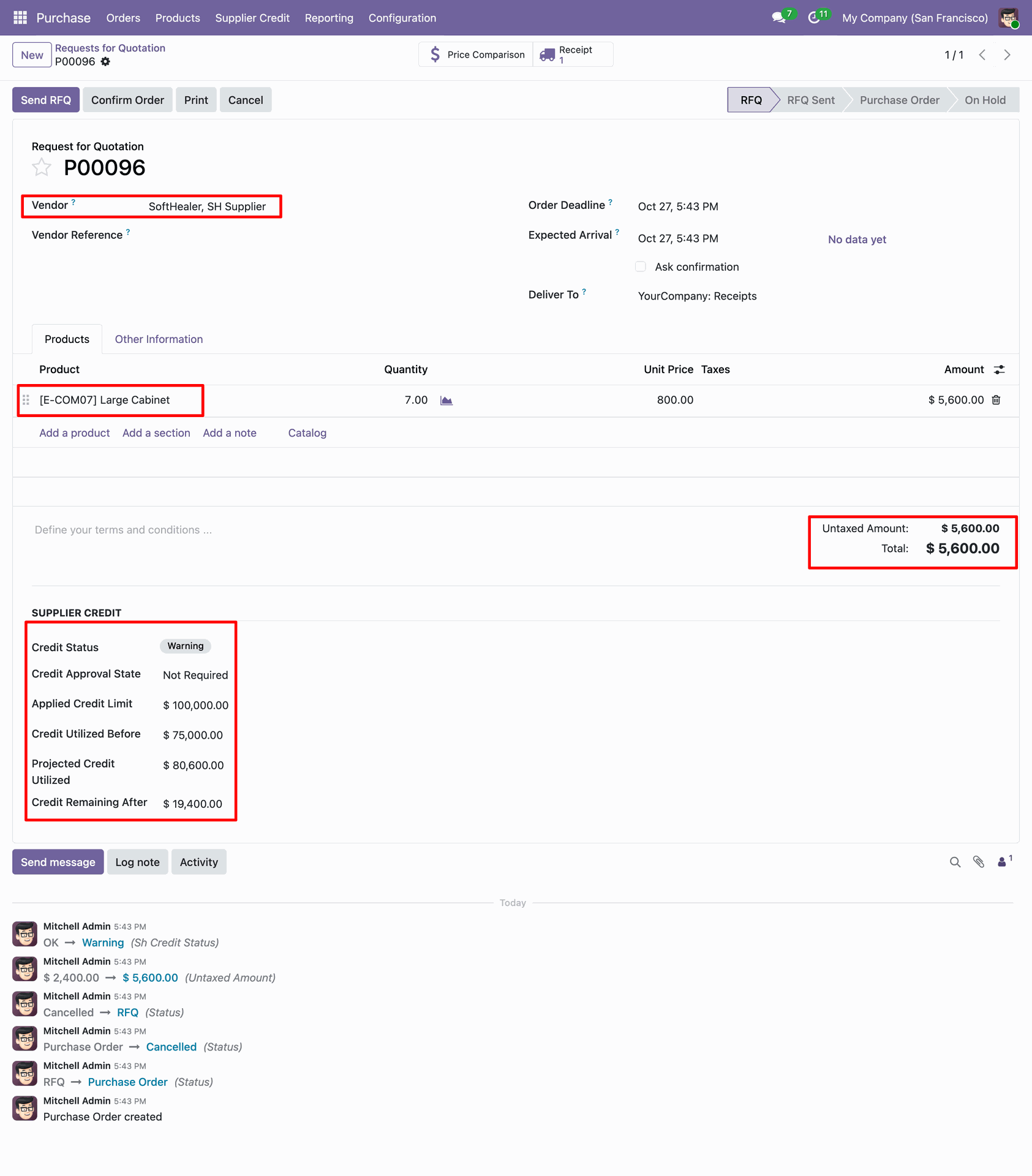
Create a purchase order matching the configured rule criteria; the dynamic rule calculates Credit Status, Applied Credit Limit, and Projected Credit Utilized.
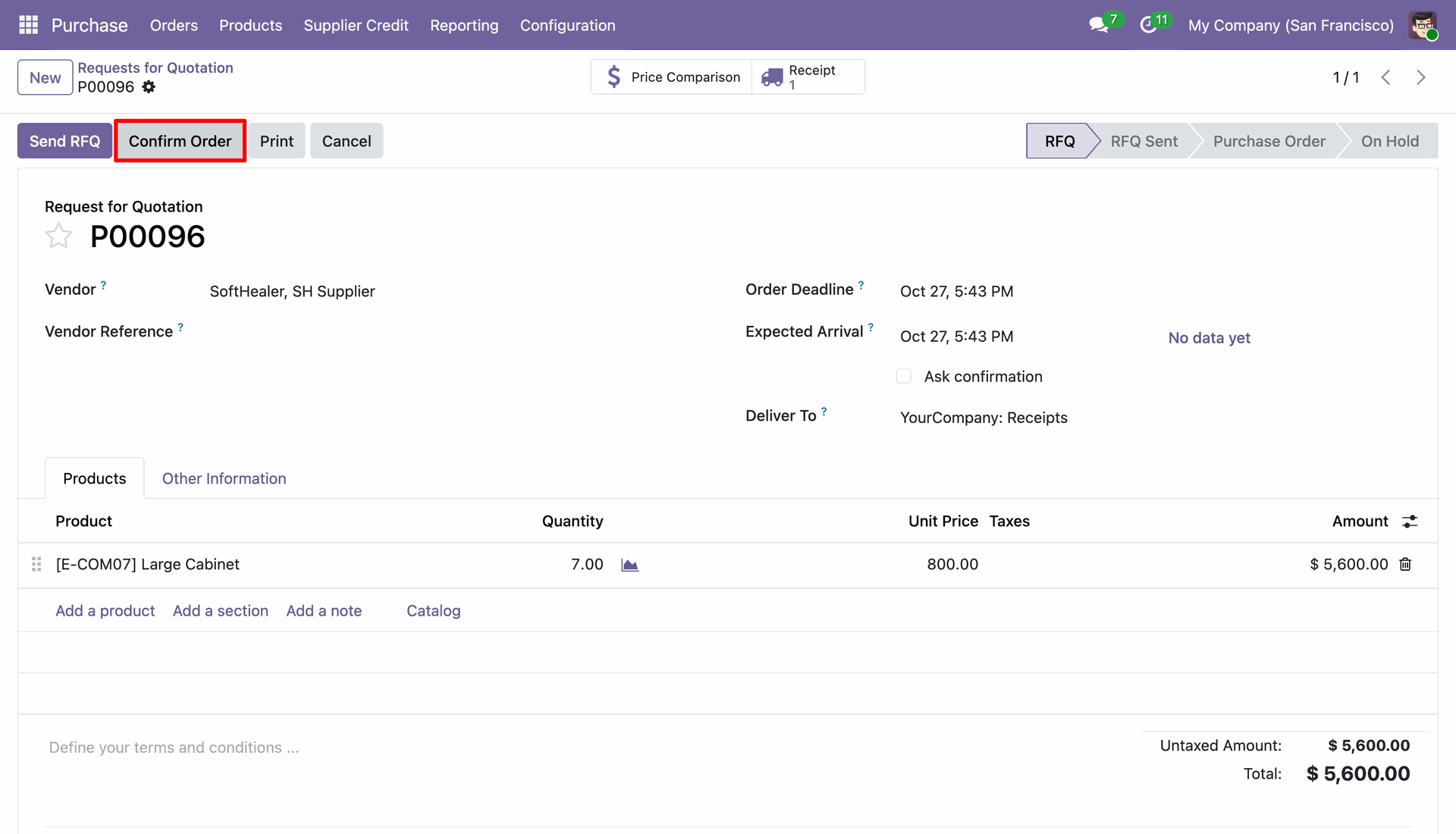
Click "Confirm Order" to proceed with confirmation under the evaluated rule.
The credit warning wizard displays utilization percentage calculated dynamically based on the applied rule conditions.
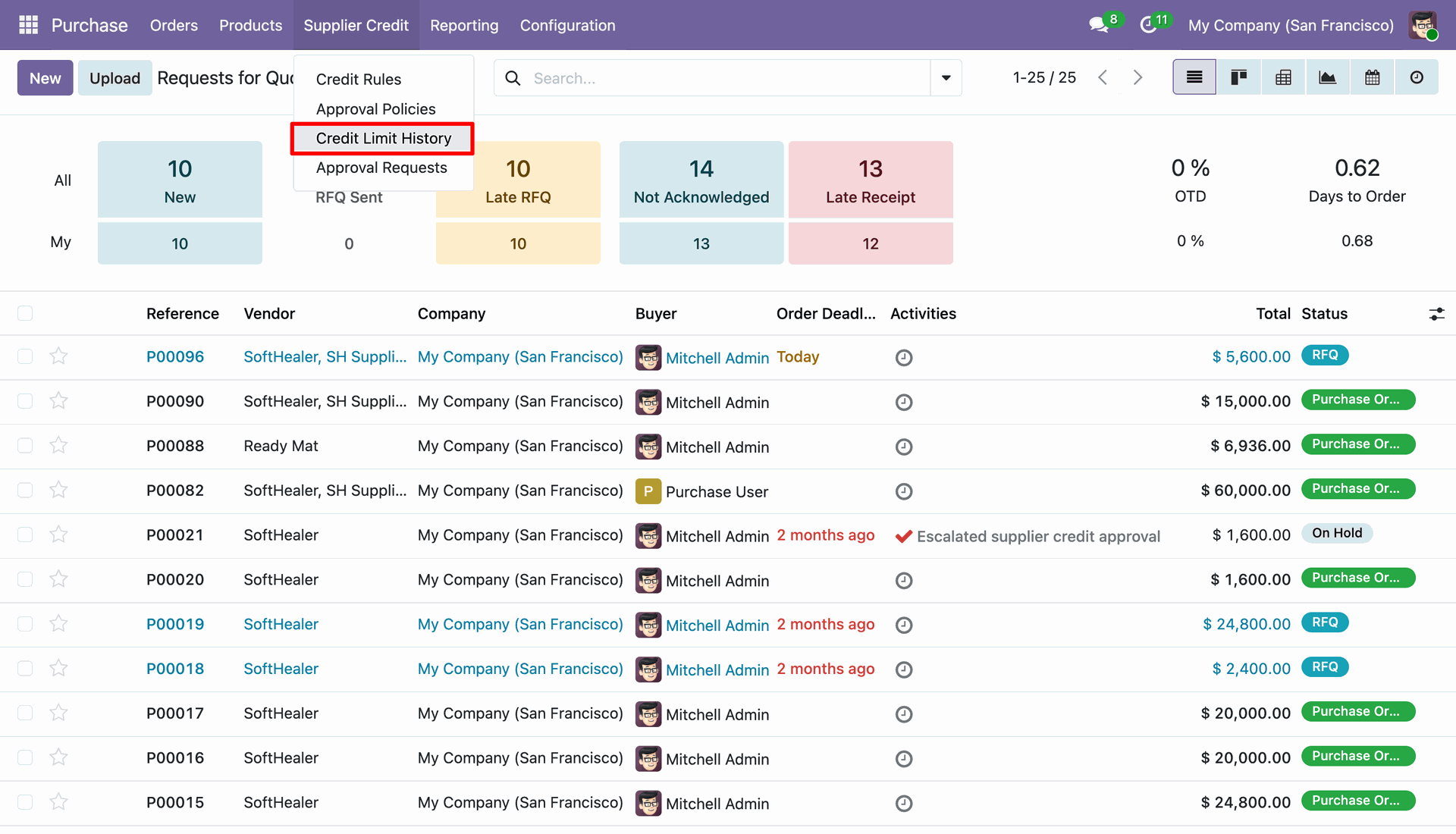
Navigate to "Supplier Credit" > "Credit Limit History" menu to access the audit log of all supplier credit changes.
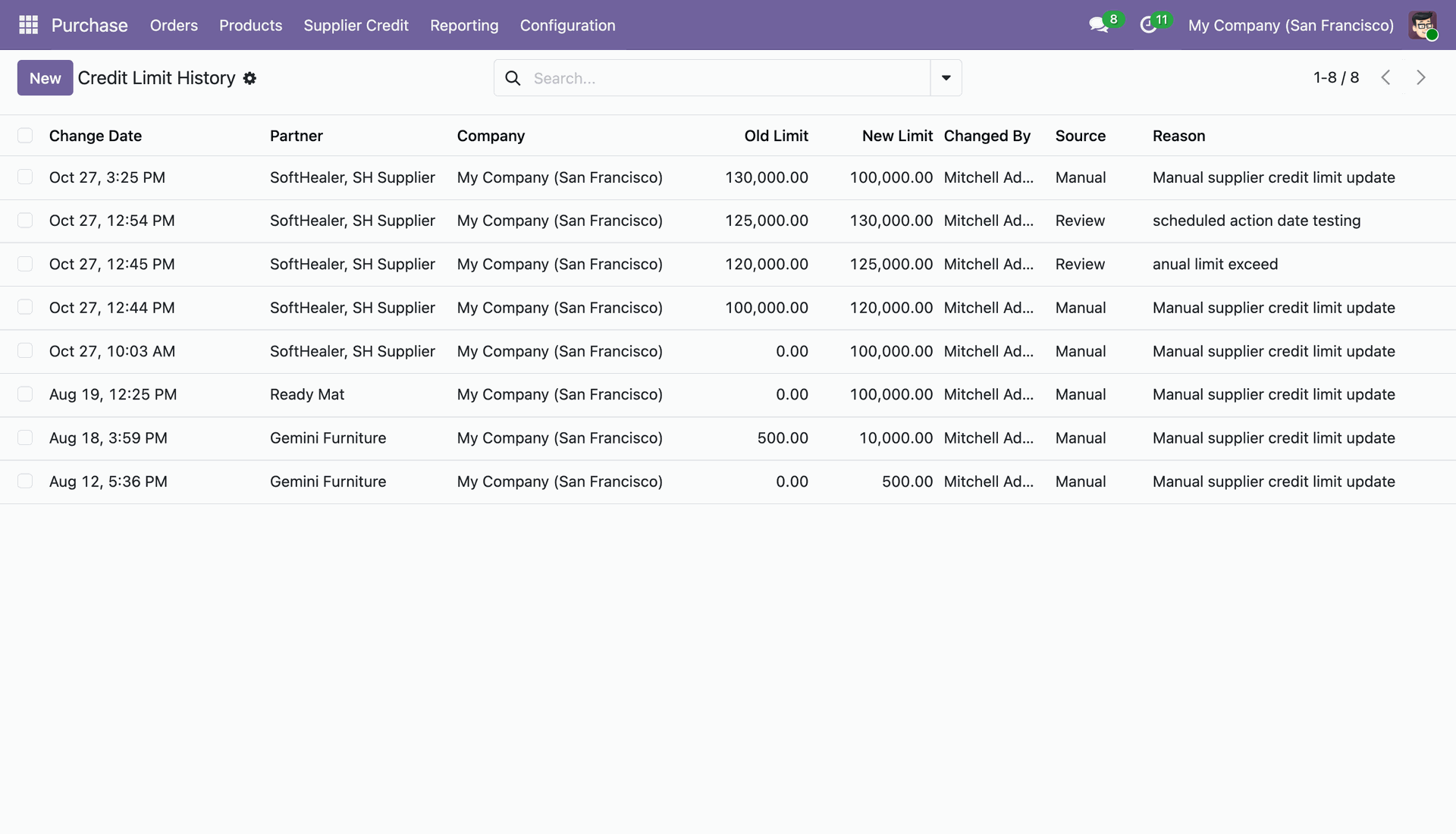
Review comprehensive credit history records showing Change Date, Partner, Company, Old Limit, New Limit, Changed By user, Source, and Reason.
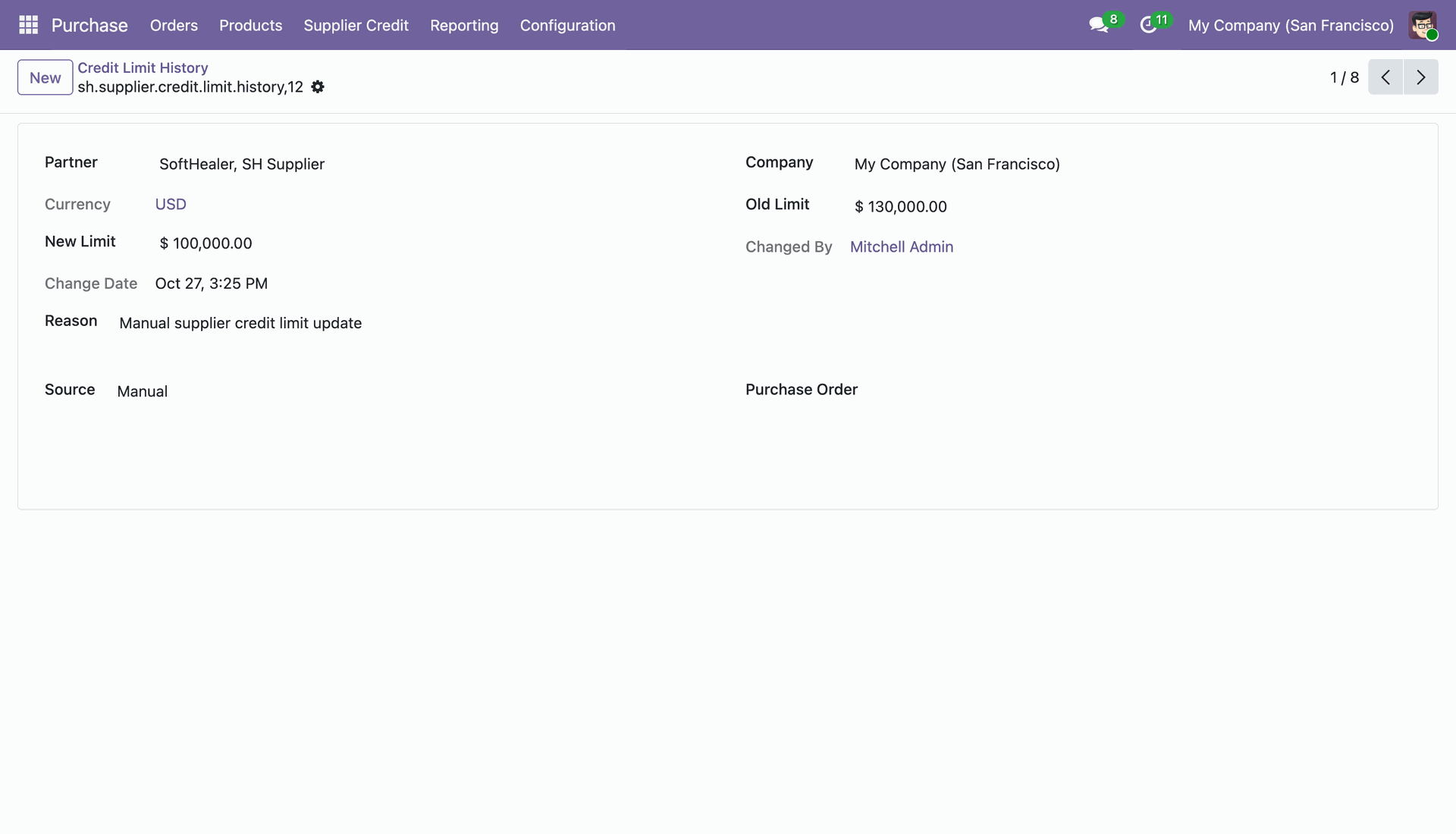
Open any history record to view complete audit trail details of the supplier credit limit modification.
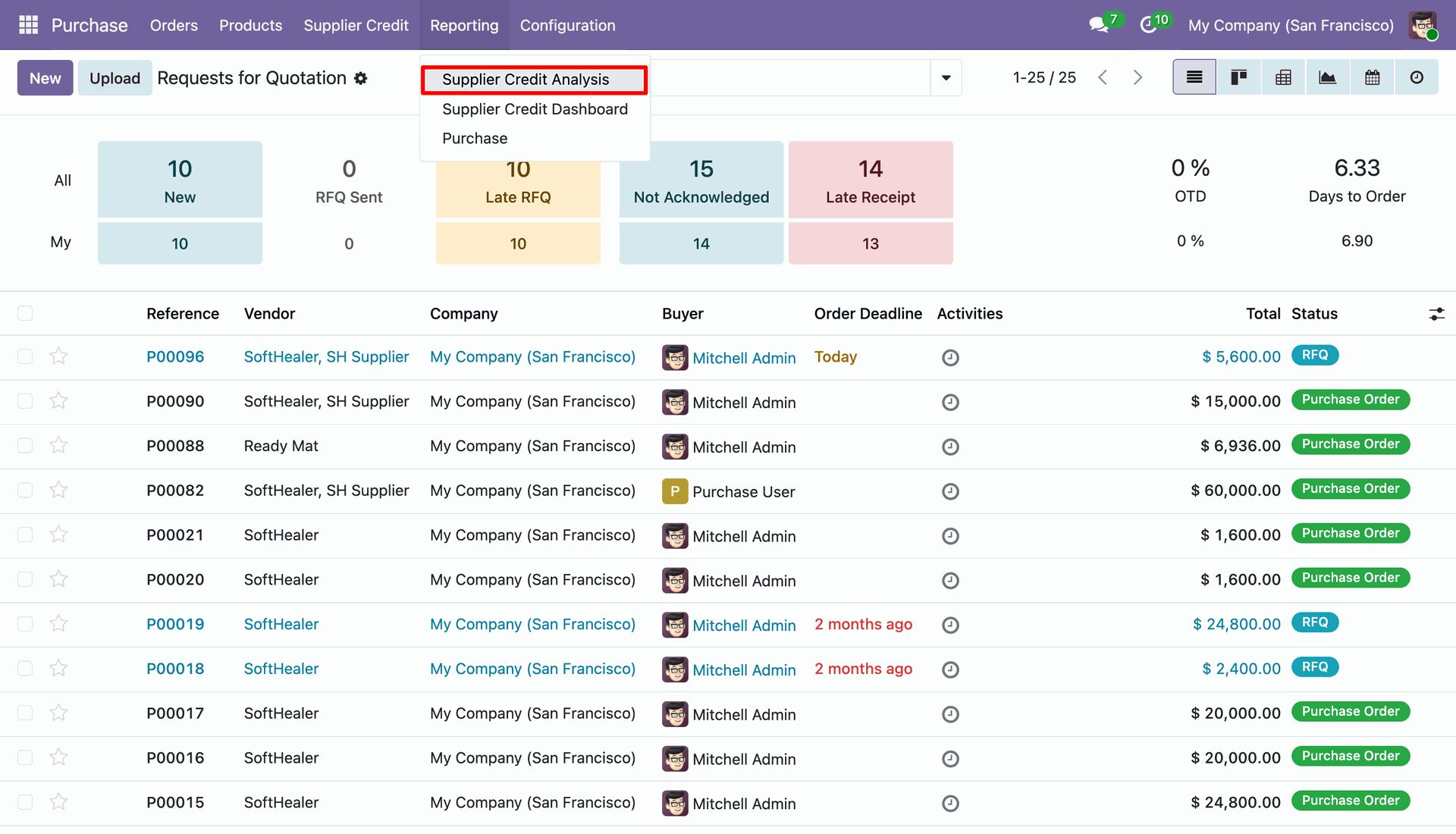
Navigate to "Reporting" > "Supplier Credit Analysis" menu.
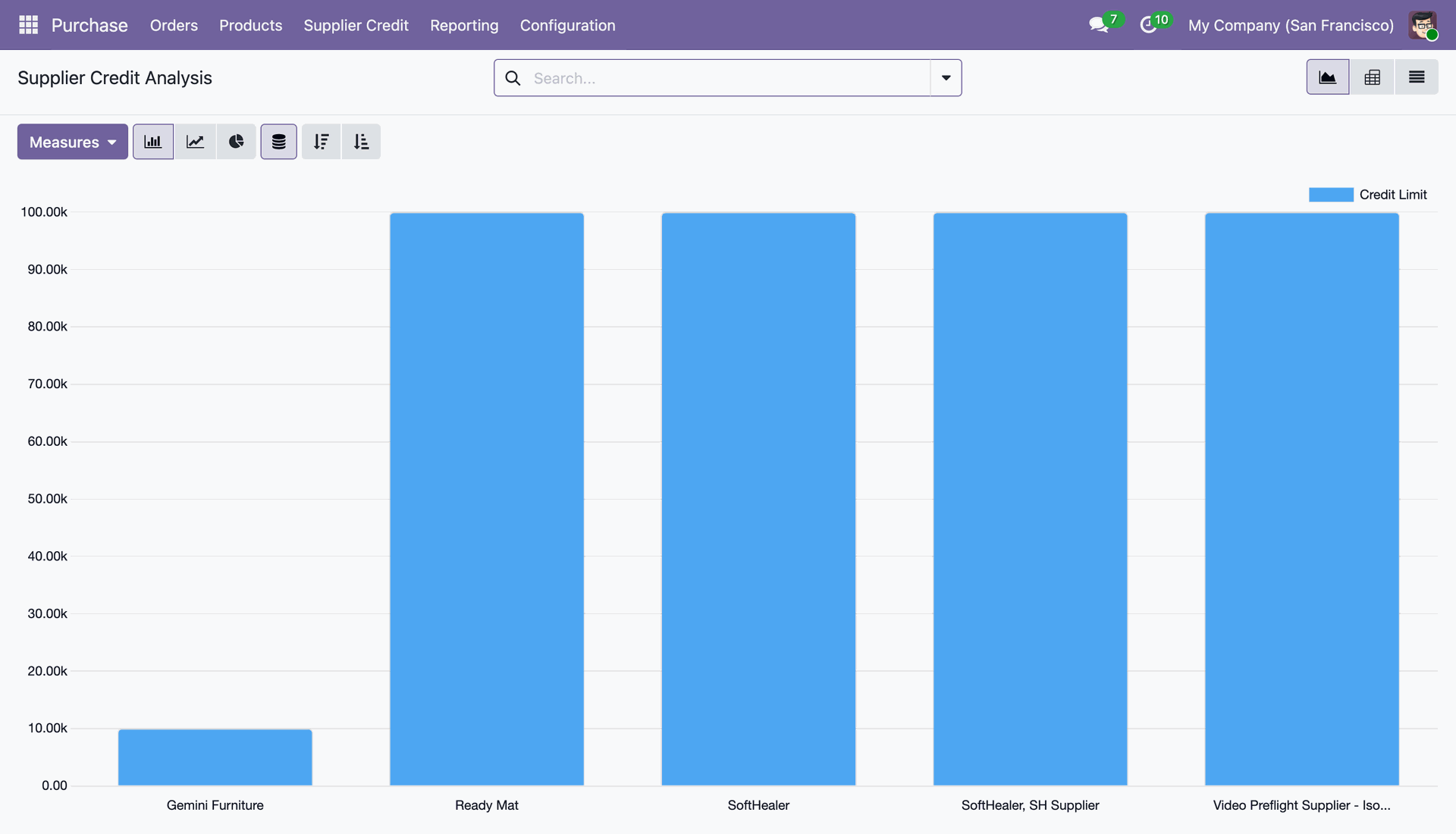
Analyze supplier credit exposure graphically with bar charts, line graphs, and pie charts across vendors.
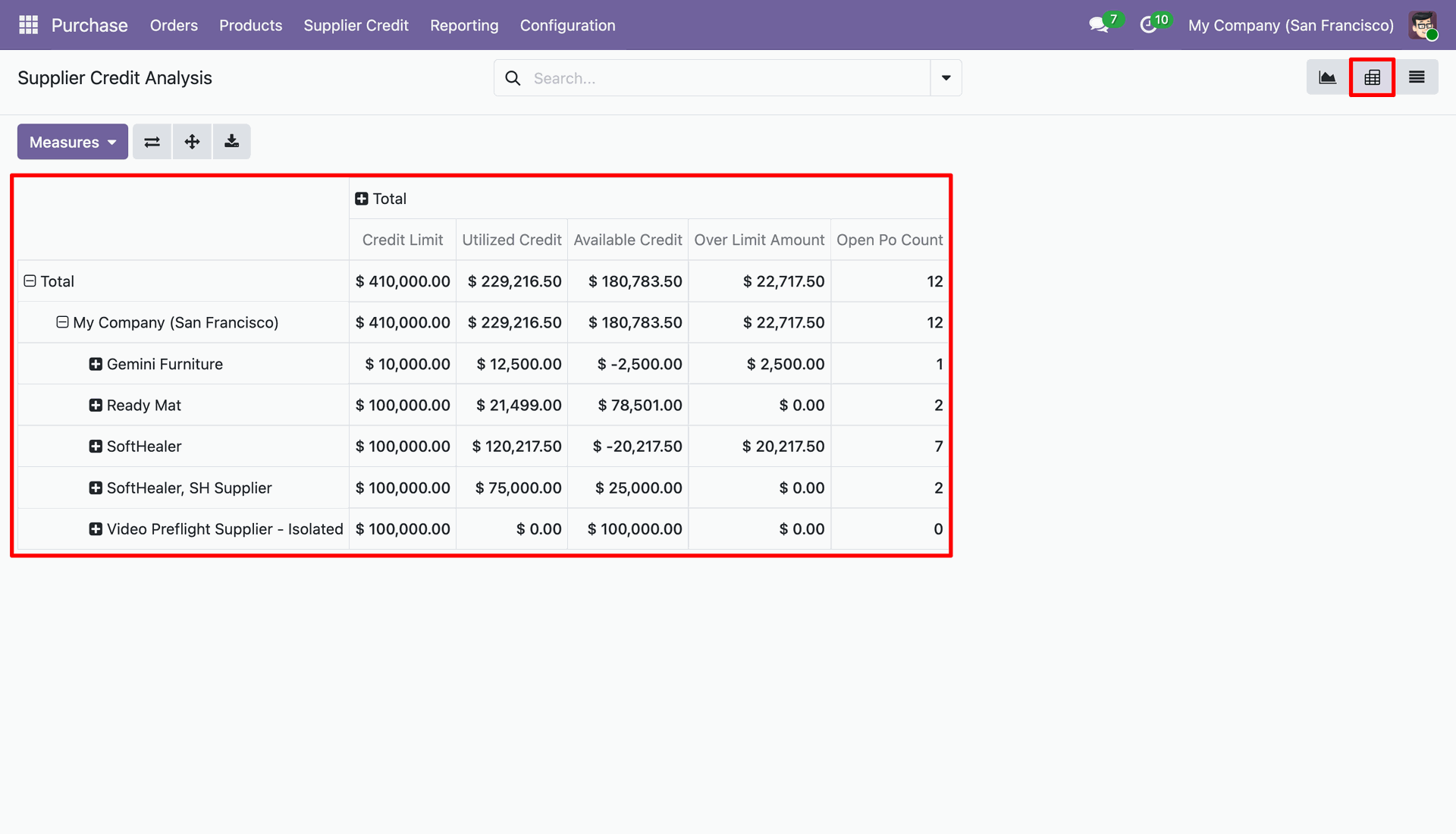
Access Pivot table view to examine Credit Limit, Utilized Credit, Available Credit, Over Limit Amount, and Open PO Count.
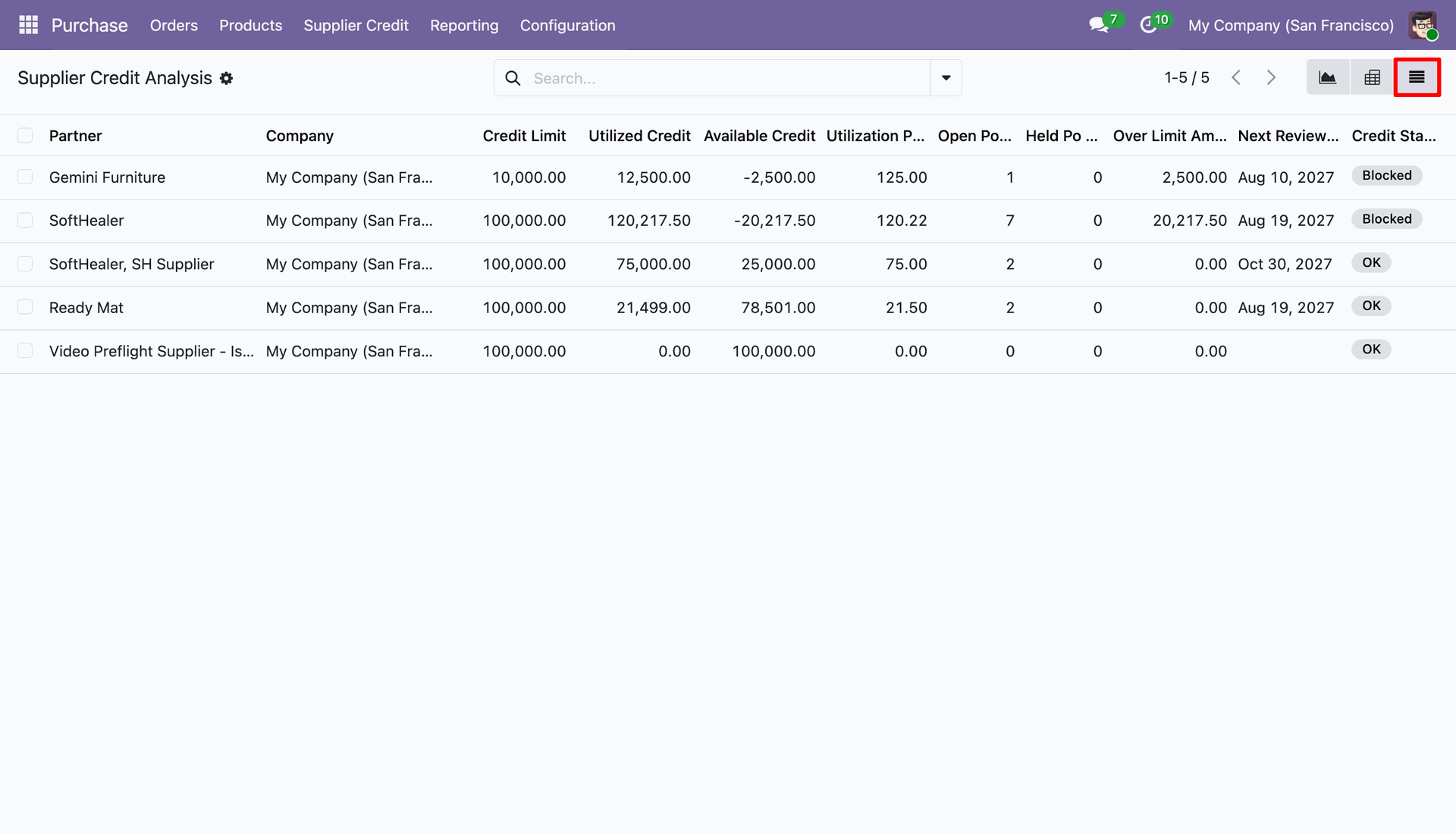
View the list analysis displaying Partner, Company, Credit Limit, Utilized Credit, Available Credit, Utilization %, Held PO Count, and Credit Status.
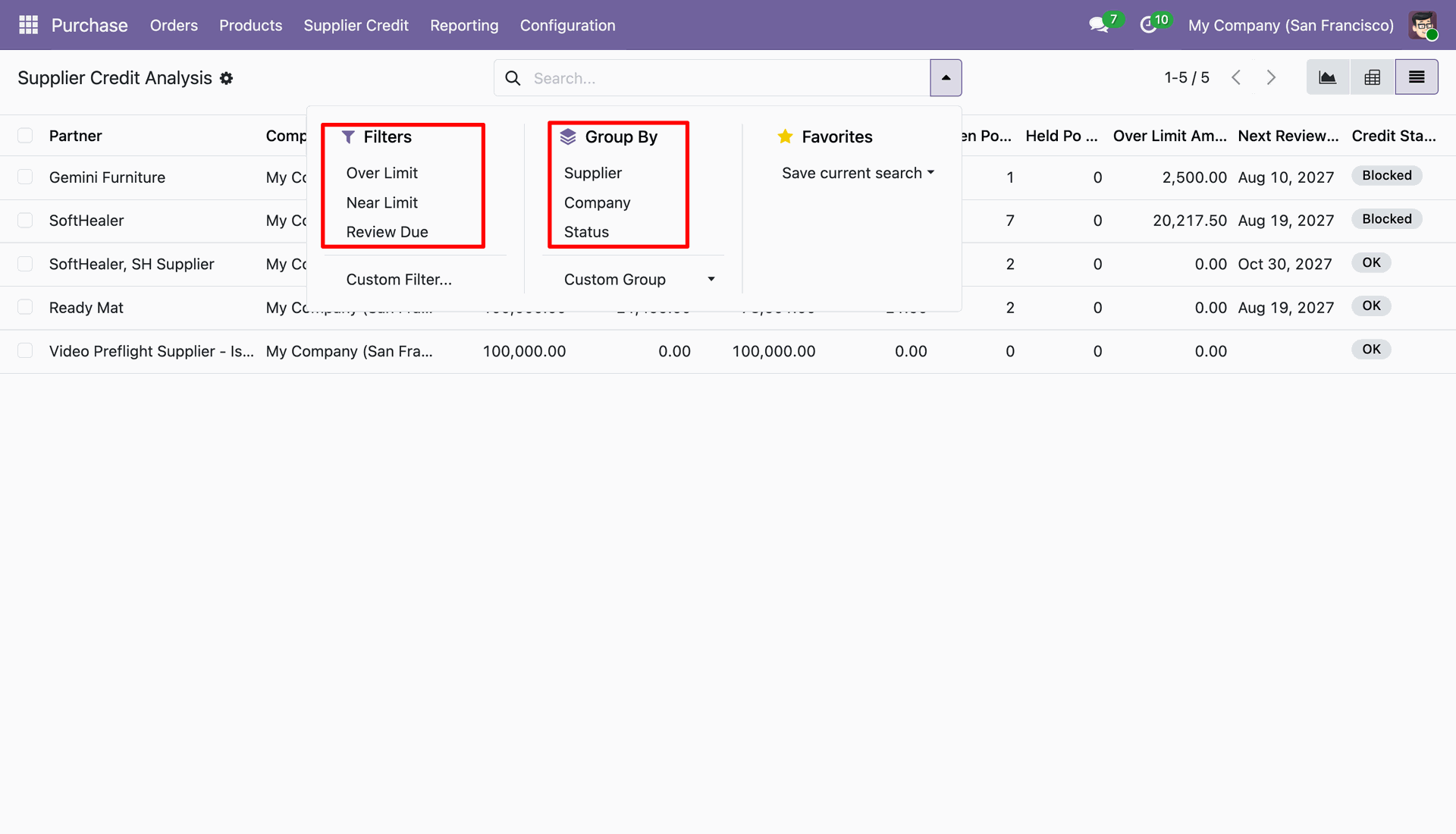
Filter reports by Over Limit, Near Limit, or Review Due, and group records by Supplier, Company, or Status.
Version 19.0.2.0.0 | Released: 29th October 2026
Version 19.0.1.0.0 | Released on : 28th August 2025
- Yes, this app works perfectly with Odoo Enterprise (Odoo.sh & Premise) as well as Community.
- No, this application is not compatible with odoo.com(odoo saas/Odoo Online)
- Yes, to test this module, please contact us at sales@softhealer.com.
- Please contact us at sales@softhealer.comto request customization.
- Yes, we provide free lifetime support for the version you purchased.
- Yes, you will receive lifetime free updates for the version of the module you purchased.
- No, there is no need to install any additional libraries.
- Yes, for version 12 and above, you need to purchase the module separately for each version you intend to use.
- No, exchanges or refunds are not allowed. Please make sure to select the correct version before purchasing.
- You can contact us at support@softhealer.com for language translation support. We use Google Translator tools to provide translations in multiple languages, so the accuracy may vary. We welcome your suggestions to help improve translations.
Discover Our Latest Apps