












Subscription Draft Invoices

By default, Odoo automatically confirms and posts recurring subscription invoices. This module gives you
the flexibility to review them first. It allows you to configure specific subscription plans to generate
invoices in a Draft state instead of automatically posting them. This ensures you can verify details and
make necessary adjustments before the invoice is finalized and sent to the customer, preventing errors
and ensuring accurate billing.

Features

Configurable Subscription Plans
Adds a "Draft Invoice" option to the Subscription Plan configuration, allowing you to choose which plans should have this behavior.

Manual Review Before Posting
Allows users to review draft subscription invoices before posting them to accounting.

Draft Invoice Generation
Automatically generates recurring invoices in the Draft state for selected plans, instead of the default Posted state.

Error Reduction & Better Accuracy
Helps minimize billing mistakes by allowing users to verify invoice details in draft mode before final confirmation and posting.
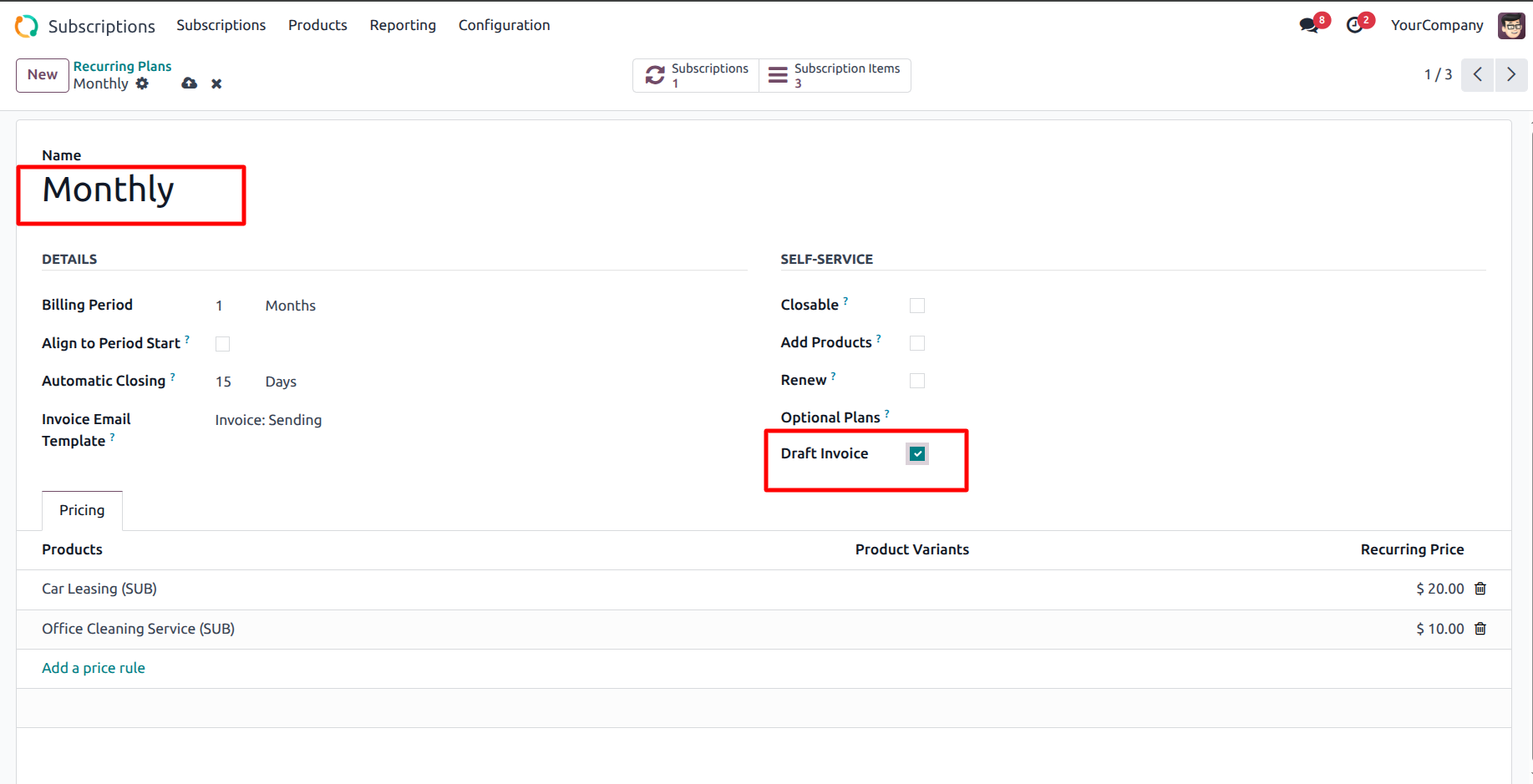
The user enables the Draft Invoice option for the Monthly recurring plan, ensuring that invoices for services like 'Car Leasing' are created as drafts for manual review."
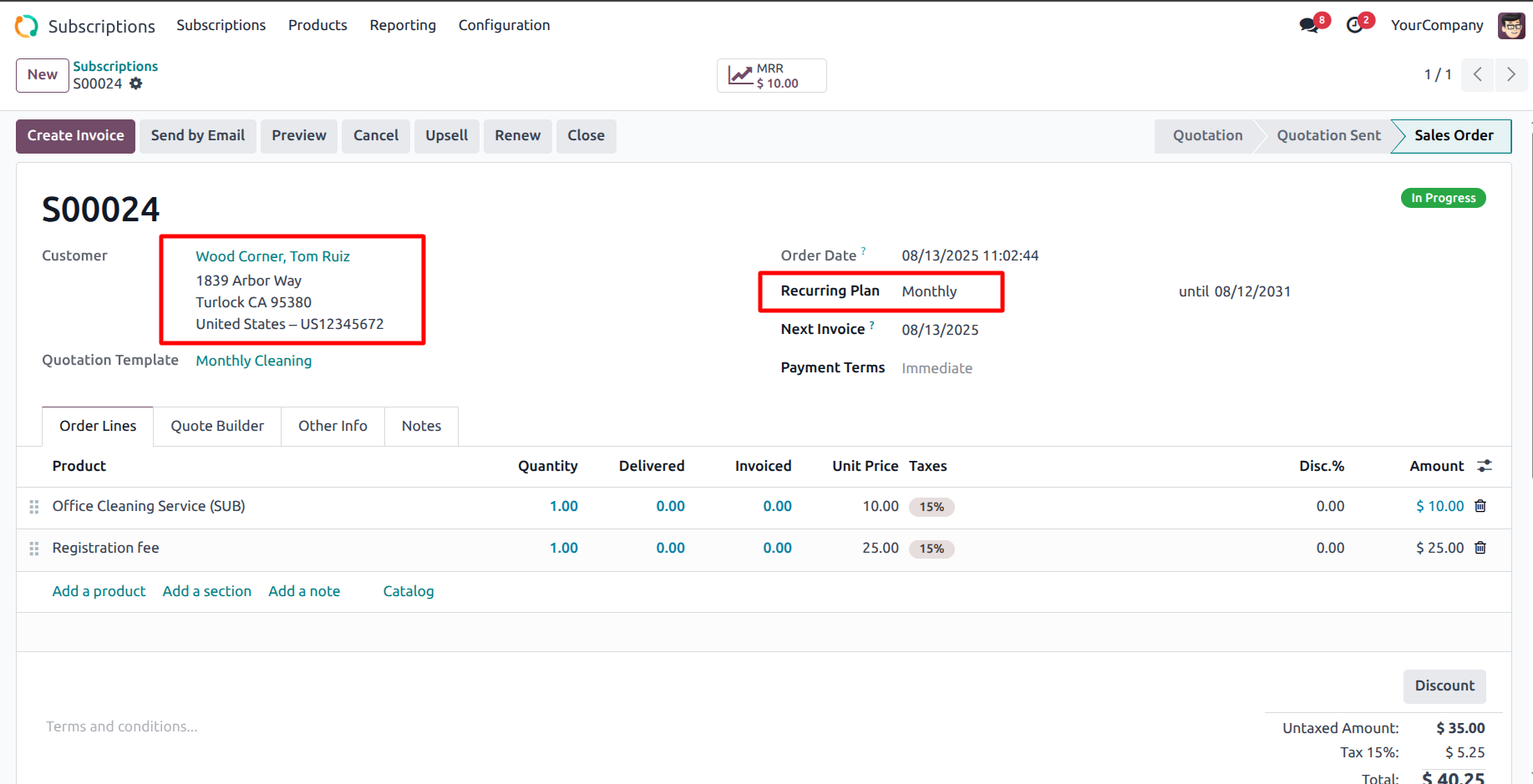
The user creates subscription S00024 for customer Wood Corner and assigns the Monthly recurring plan to apply the specific billing configuration.
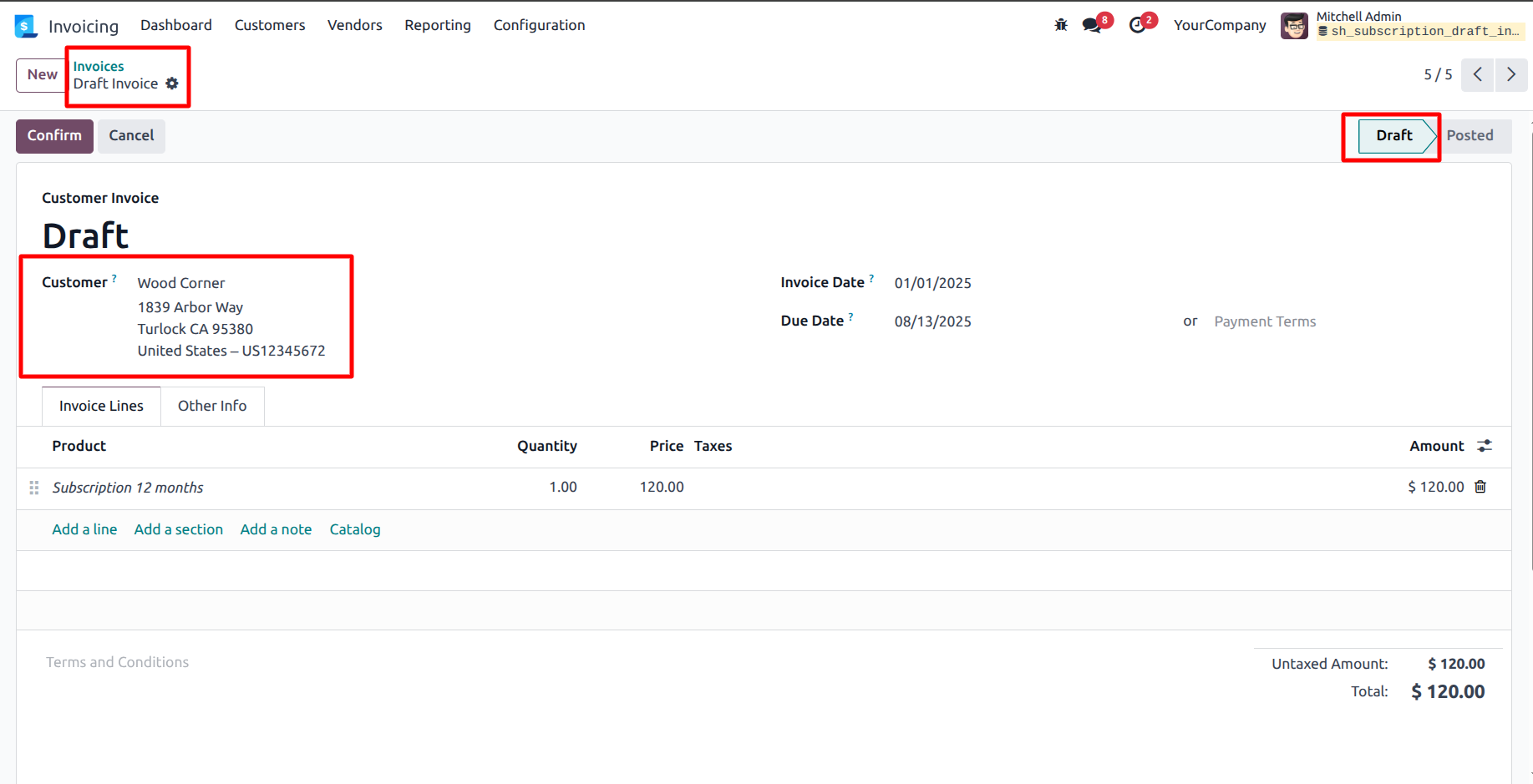
The system displays the generated invoice for Wood Corner in the Draft state, confirming that the recurring plan configuration successfully paused the billing for manual review.
Version 18.0.1 | Released on : 30th January 2026
- Yes, this app works perfectly with Odoo Enterprise (Odoo.sh & Premise) as well as Community.
- No, this application is not compatible with odoo.com(odoo saas/Odoo Online)
- Yes, to test this module, please contact us at sales@softhealer.com.
- Please contact us at sales@softhealer.comto request customization.
- Yes, we provide free support for 365 days from the date of purchase.
- Yes, you will receive lifetime free updates for the version of the module you purchased.
- No, there is no need to install any additional libraries.
- Yes, for version 12 and above, you need to purchase the module separately for each version you intend to use.
- No, exchanges or refunds are not allowed. Please make sure to select the correct version before purchasing.
- You can contact us at support@softhealer.com for language translation support. We use Google Translator tools to provide translations in multiple languages, so the accuracy may vary. We welcome your suggestions to help improve translations.
Discover Our Latest Apps