












Stripe QR Payment Integration for POS

POS Stripe QR Payment enables seamless Stripe QR code payment processing for Odoo Point of Sale. Easily switch between standard Stripe terminal flow and custom QR payment mode per POS config. Display payment QR codes on the POS payment screen, support custom payment link types, and effortlessly track linked payment transactions from backend POS orders.

Features
Stripe QR Payment Configuration
Configure Stripe as the QR payment provider directly from POS settings.

Custom QR Payment Method
Add a dedicated custom QR payment option for processing POS payments through QR codes.

Flexible QR Display Options
Choose where the payment QR code should appear, including the payment screen or payment receipt.

Odoo Payment Link Support
Generate QR codes using the standard Odoo payment link for a smooth customer payment experience.

Hosted Payment Link Support
Use the Stripe-hosted payment link to let customers scan and complete payments securely.

QR Code on Payment Receipt
Automatically generate and display the Stripe QR code on the POS receipt after the payment is completed.

Stripe Payment Status
Track the Stripe payment request and its status directly from the POS payment screen.

POS Transaction Tracking
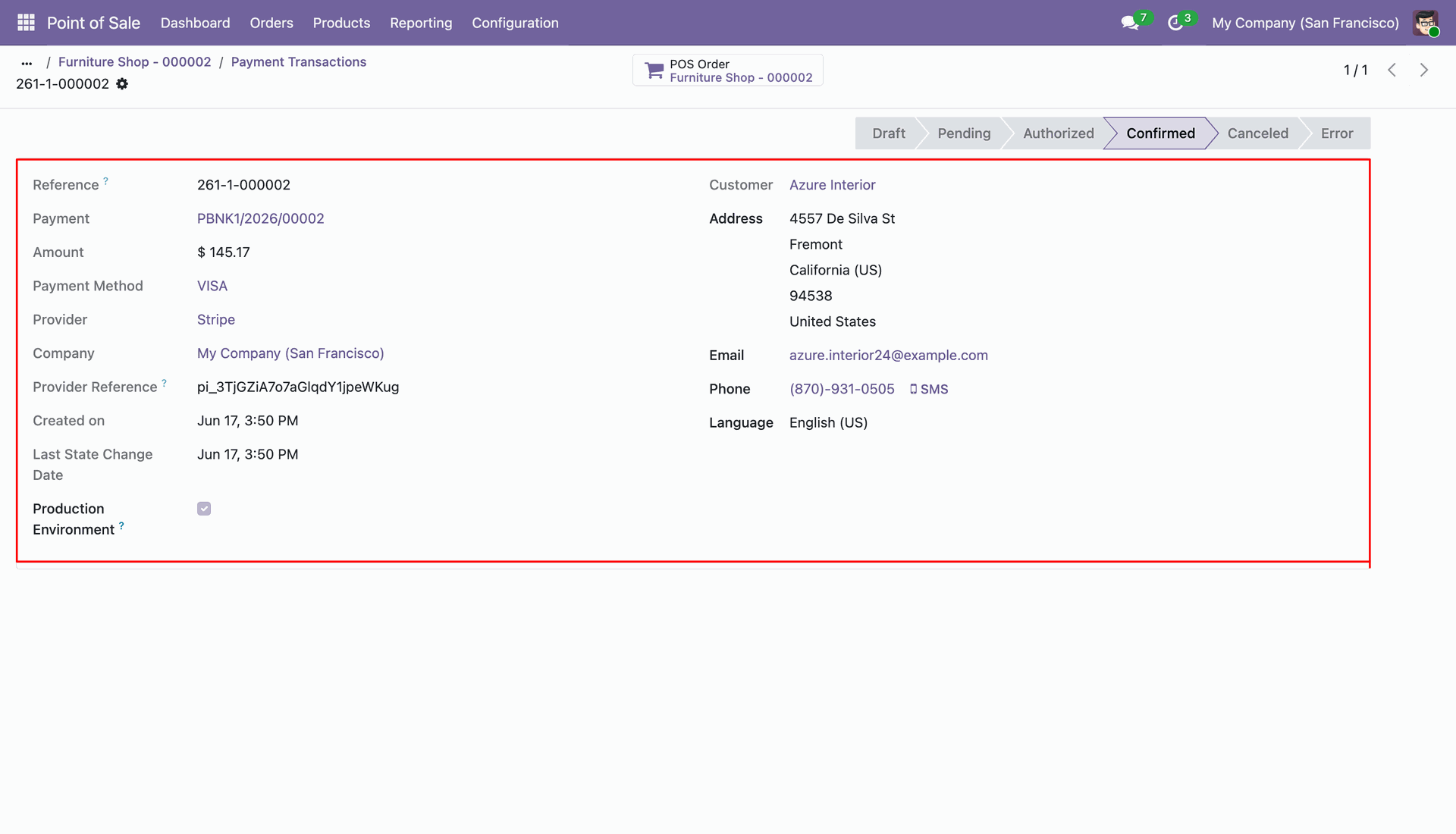
View Stripe payment details, provider references, payment status, amount, and transaction information from POS orders.
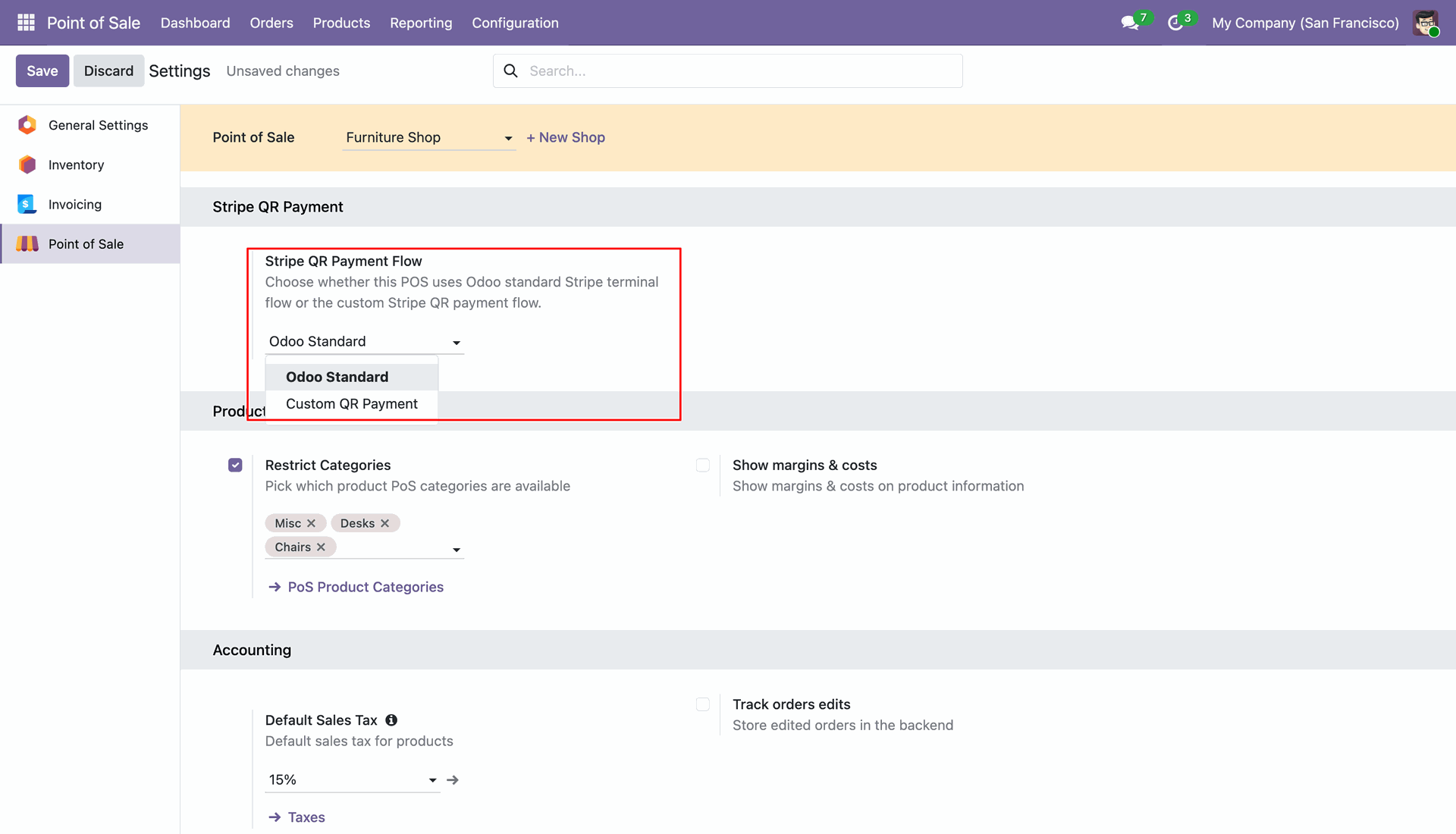
Configure POS Stripe Payment Flow in Point of Sale settings. Switch between Odoo Standard terminal flow and Custom QR Payment flow per POS configuration.
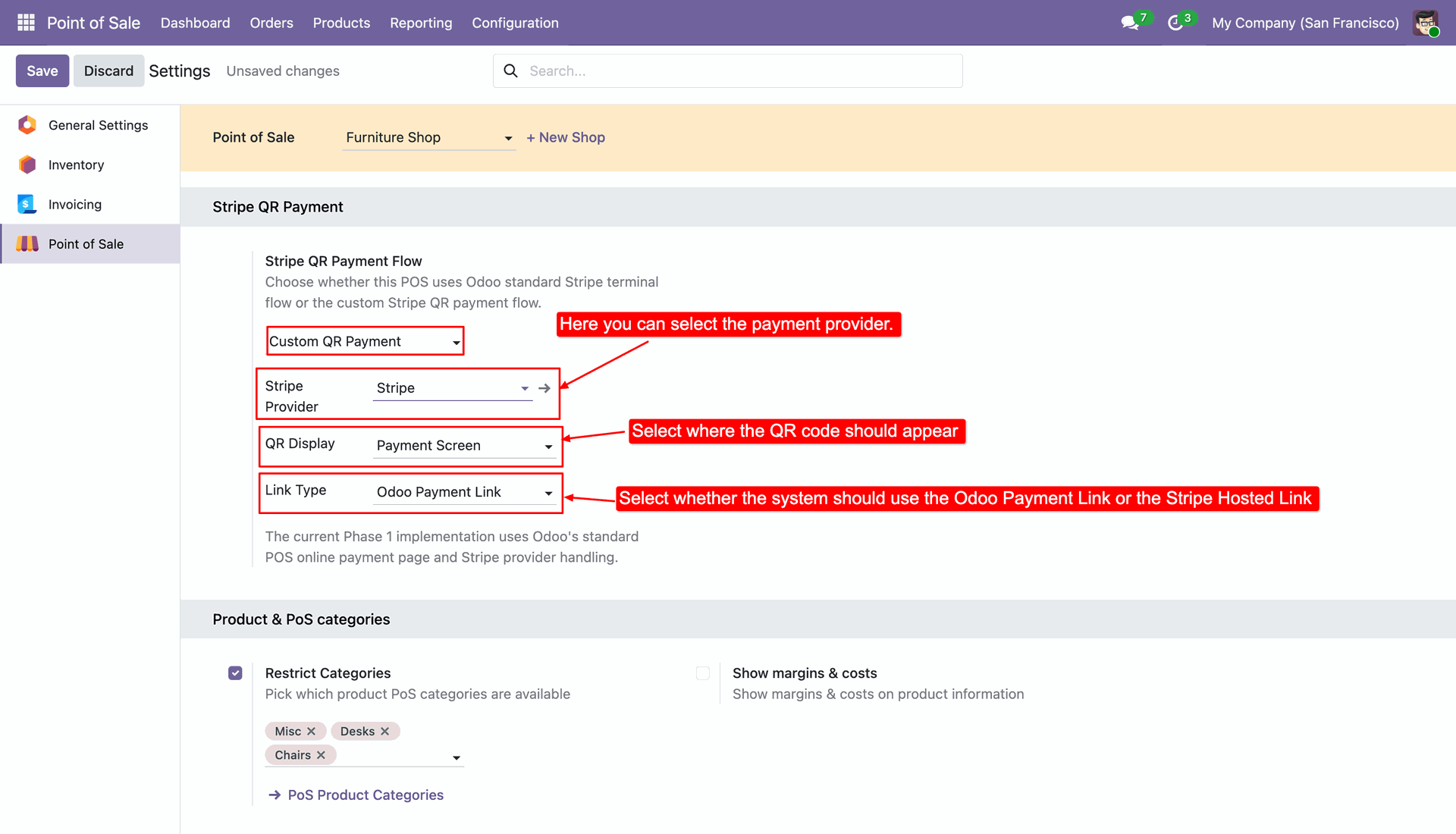
Configure Stripe Provider, QR Display location (Popup, Payment Screen, or Both), and Custom Link Type (Odoo Payment Link or Stripe Hosted Link).
Create orders in POS interface, select customer and items, then proceed to the payment screen.
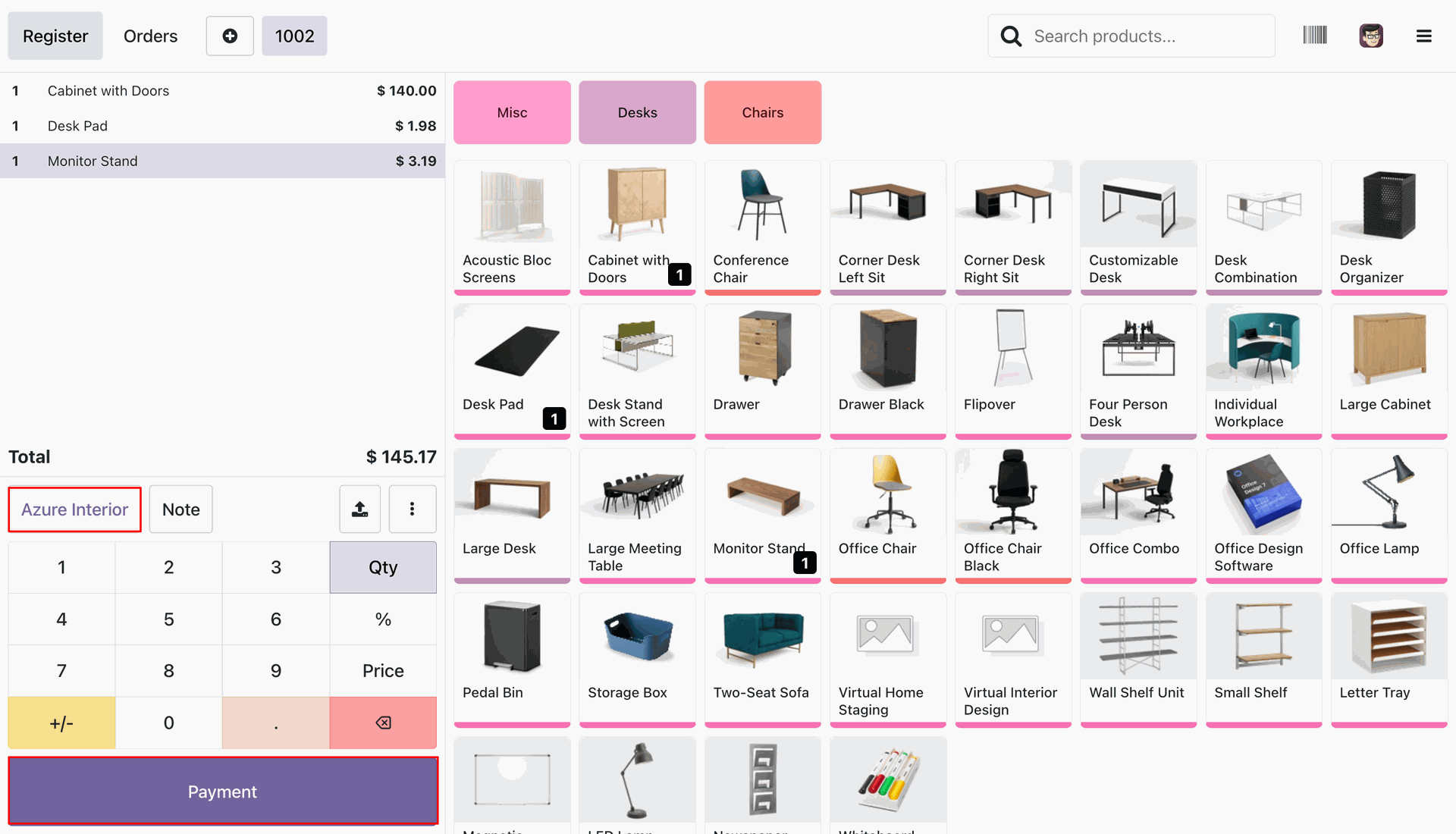
Select Stripe payment method on POS payment screen and click Validate to initiate custom QR payment.
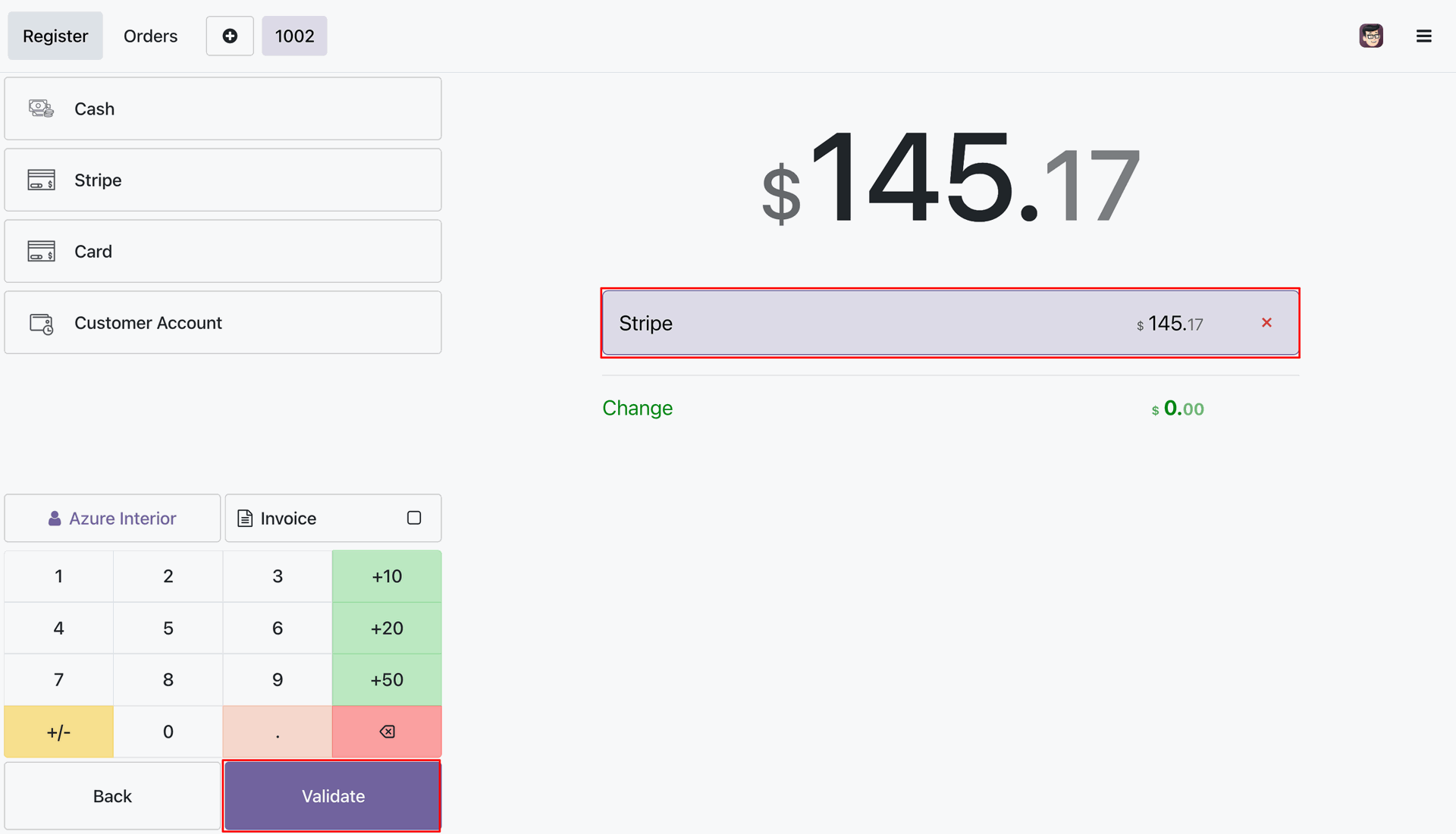
Display dynamic payment QR code directly on the POS Payment Screen for customer scanning.
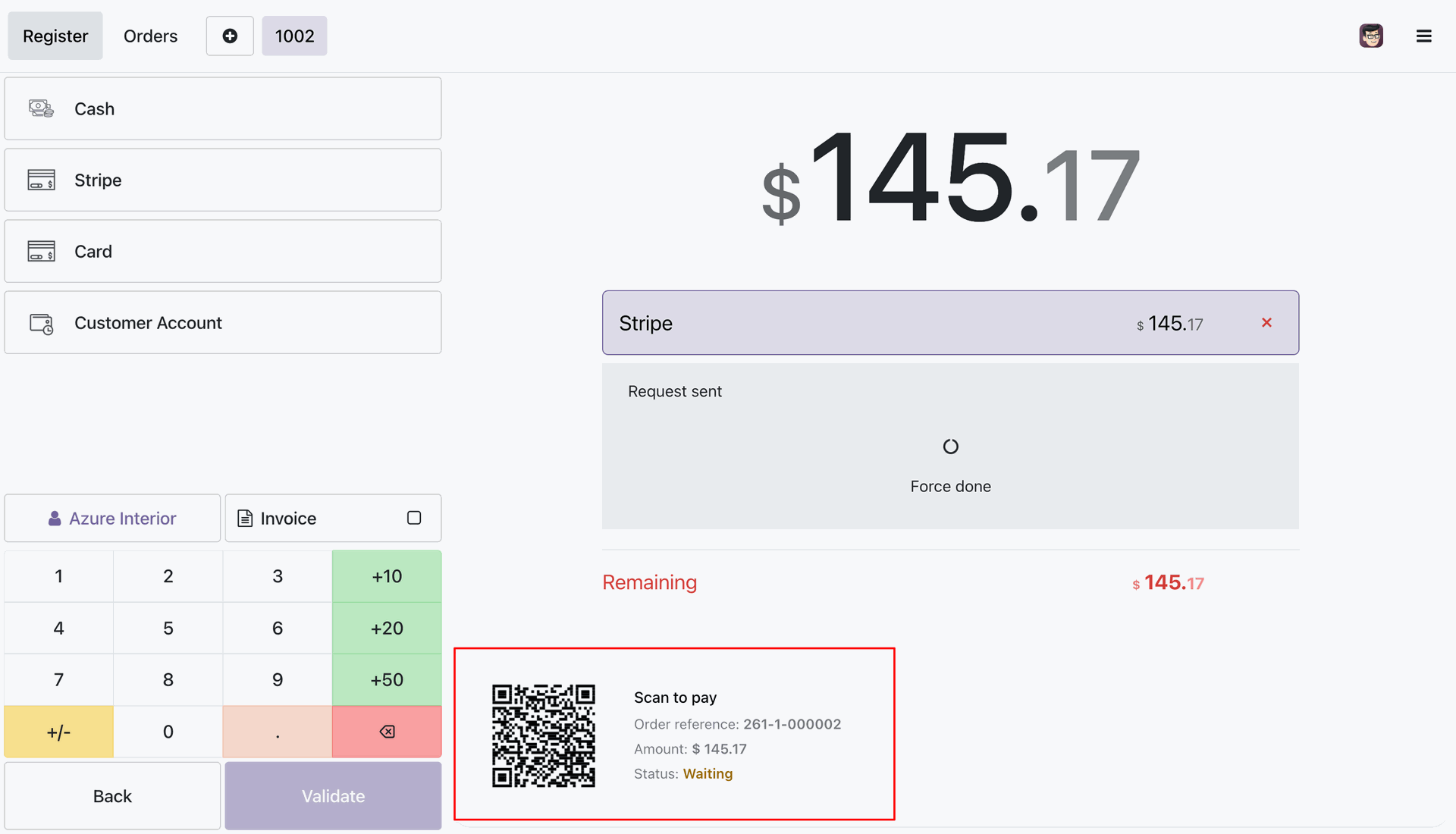
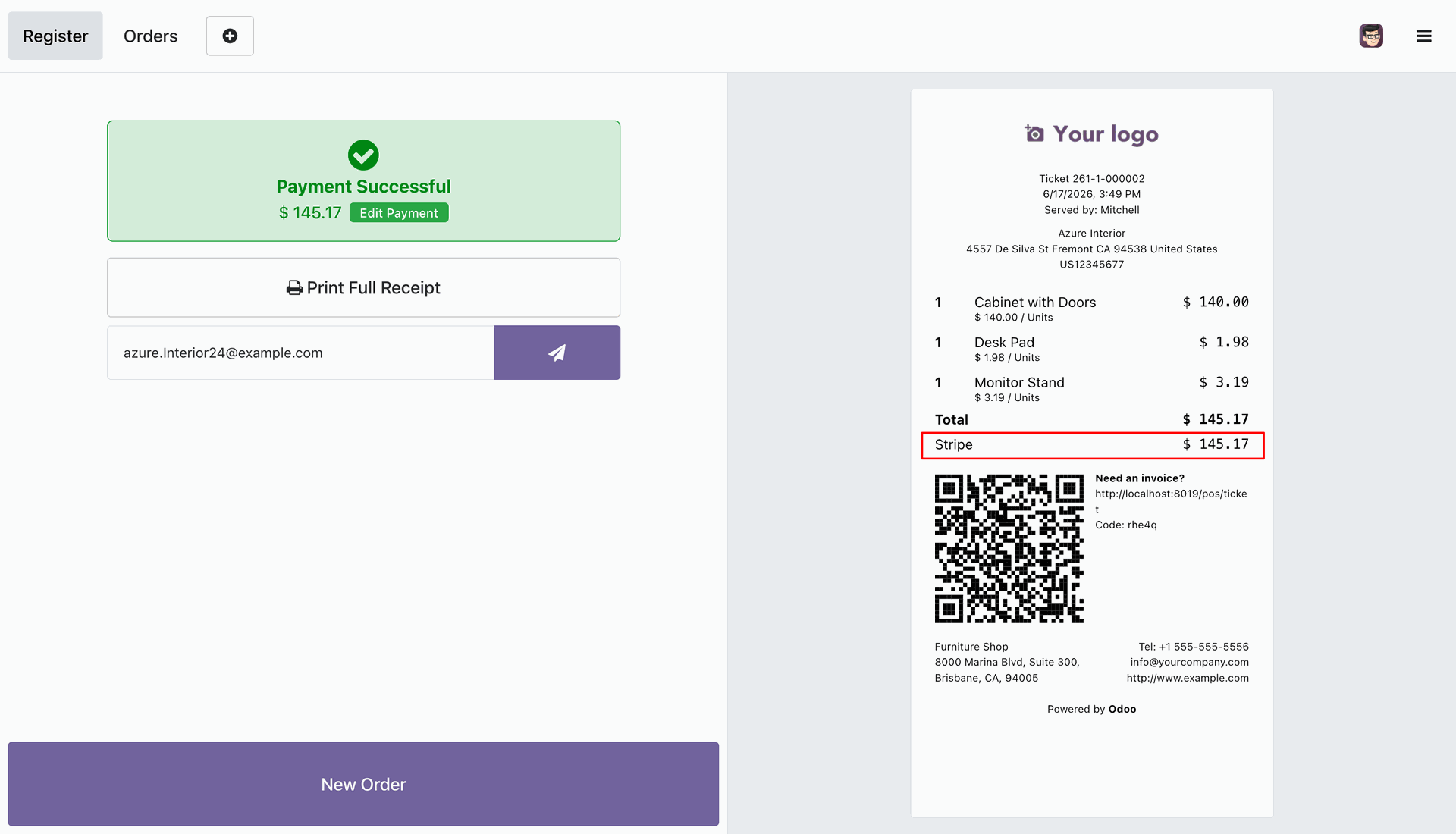
Automatic payment verification and success receipt generation upon successful customer payment via Stripe QR code.
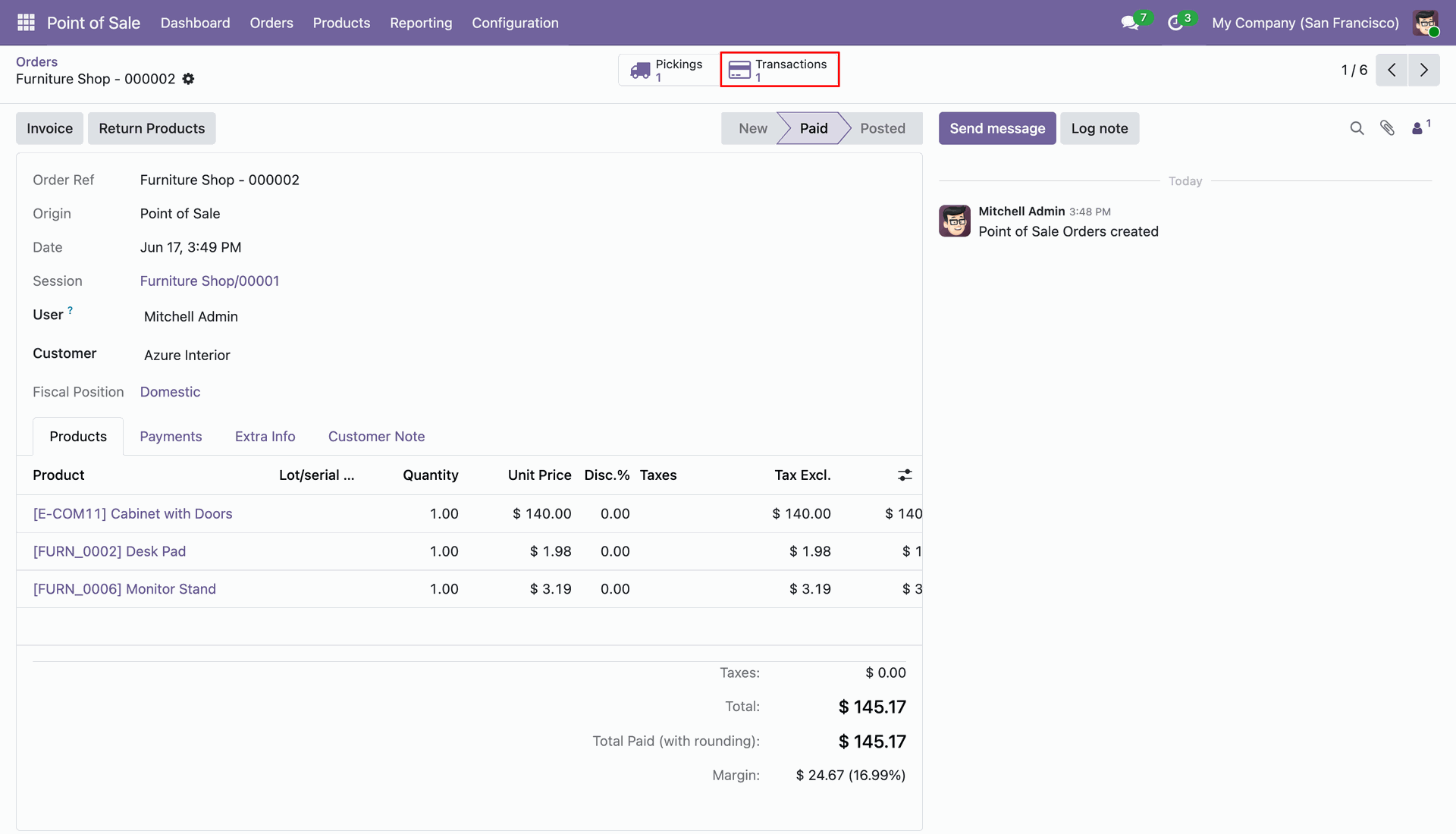
Access linked payment transactions directly from the backend POS order form view using the Transactions smart button.
Detailed view of the payment transaction linked to the POS order showing Stripe transaction details and payment status.
Version 19.0.1.0.0 | Released on : 26th August 2026
- Yes, this app works perfectly with Odoo Enterprise (Odoo.sh & Premise) as well as Community.
- No, this application is not compatible with odoo.com(odoo saas/Odoo Online)
- Yes, to test this module, please contact us at sales@softhealer.com.
- Please contact us at sales@softhealer.com to request customization.
- Yes, we provide free support for 365 days from the date of purchase.
- Yes, you will receive lifetime free updates for the version of the module you purchased.
- No, there is no need to install any additional libraries.
- Yes, for version 12 and above, you need to purchase the module separately for each version you intend to use.
- No, exchanges or refunds are not allowed. Please make sure to select the correct version before purchasing.
- You can contact us at support@softhealer.com for language translation support. We use Google Translator tools to provide translations in multiple languages, so the accuracy may vary. We welcome your suggestions to help improve translations.
Discover Our Latest Apps