











Inventory Ledger Report

Looking for a simple way to monitor stock levels over any period? This module provides day-by-day Stock Inventory Ledger reports for your products, allowing you to track inventory movements for specific timeframes or up to a chosen date. It makes monitoring and analyzing stock levels easier.

Features

Print Report By Selected Date And Product
Generate the Stock Inventory Ledger report for a specific date and product to obtain precise stock movement details.

Print Report By Product Category
Generate the Stock Inventory Ledger report based on selected product categories.
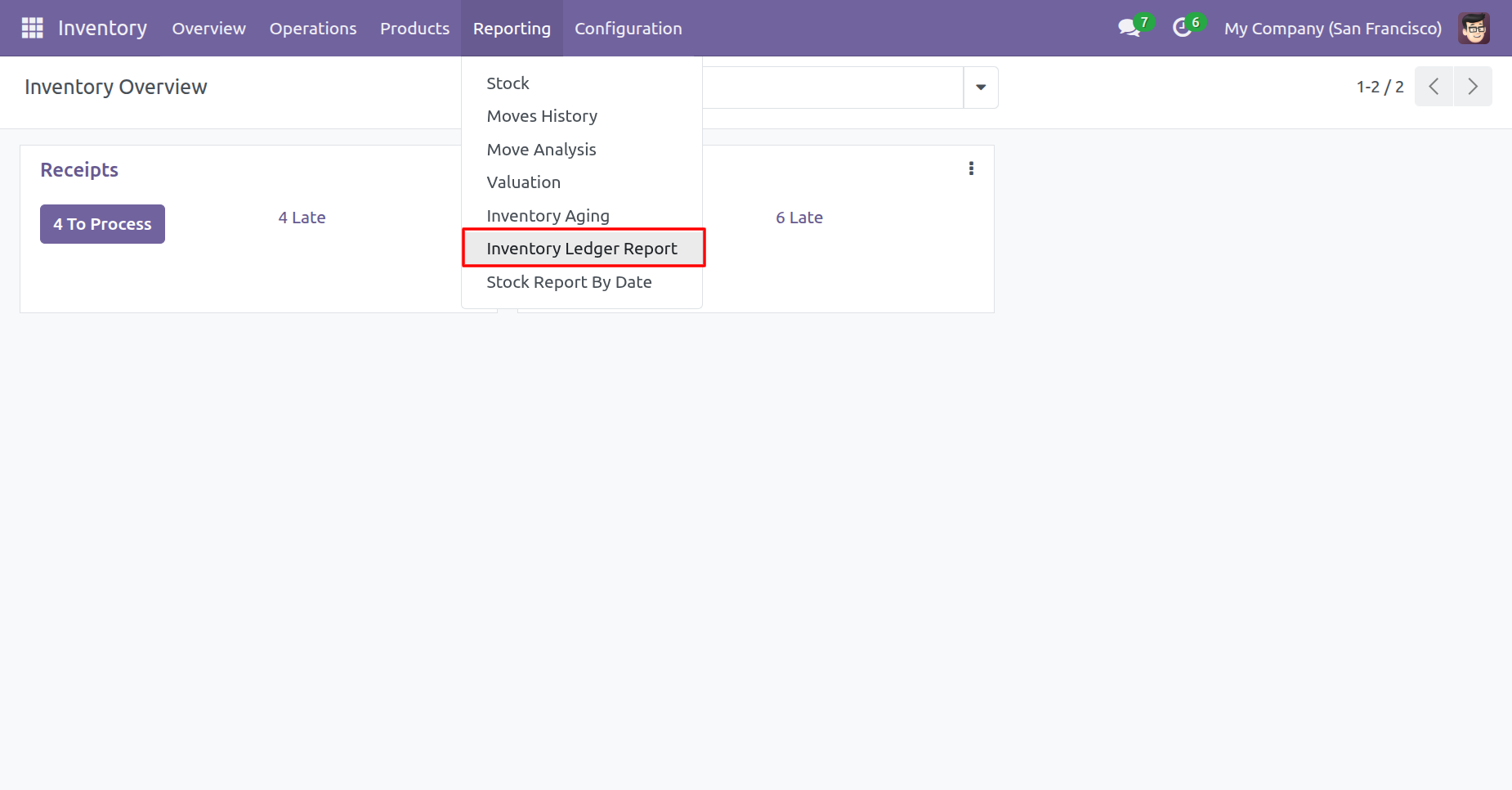
Go to the Inventory configurations ==> Inventory Ledger Report
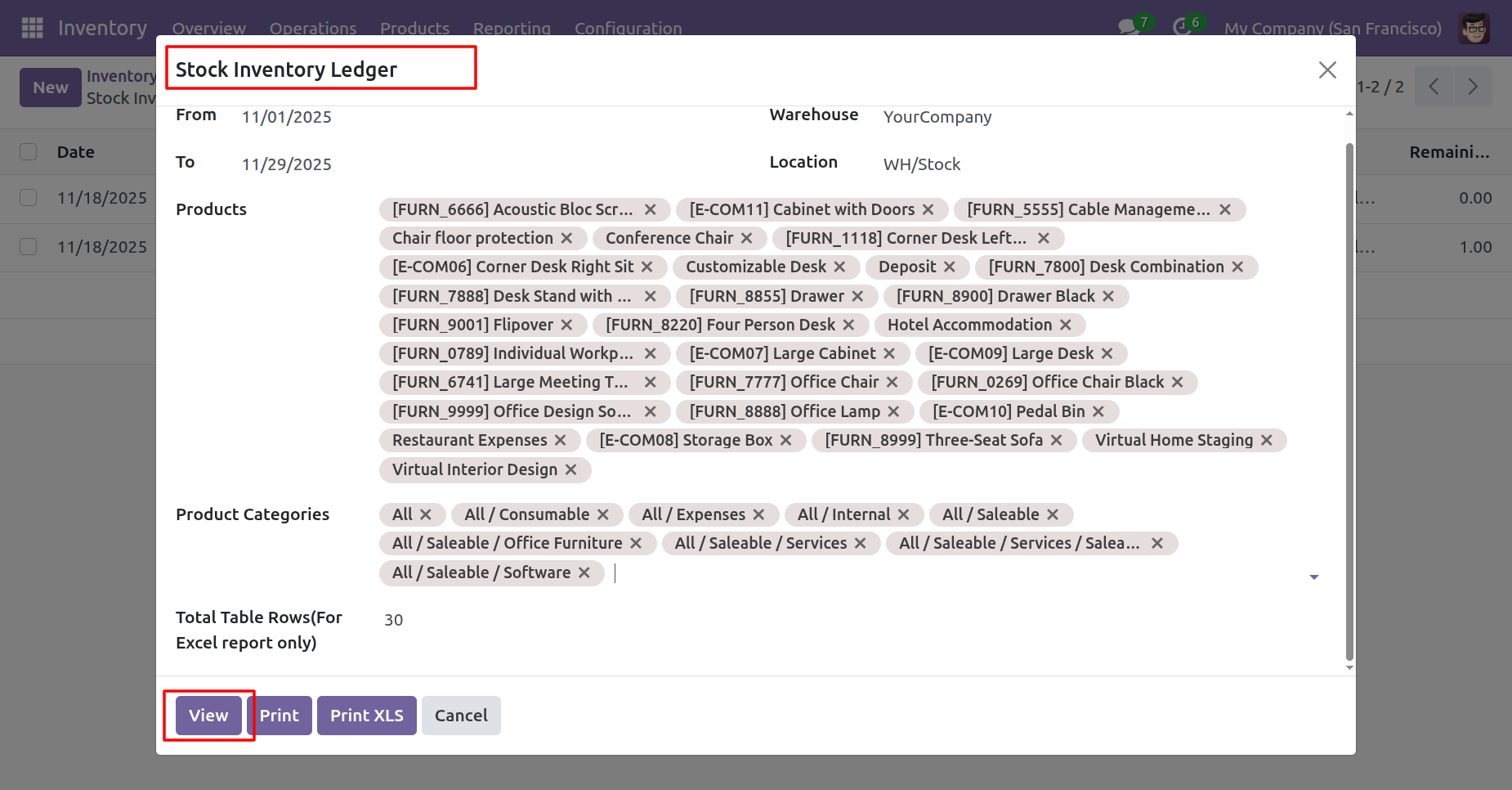
After that, 'Stock Inventory Ladger' wizard will appears.
Add details and click on the 'View' button.
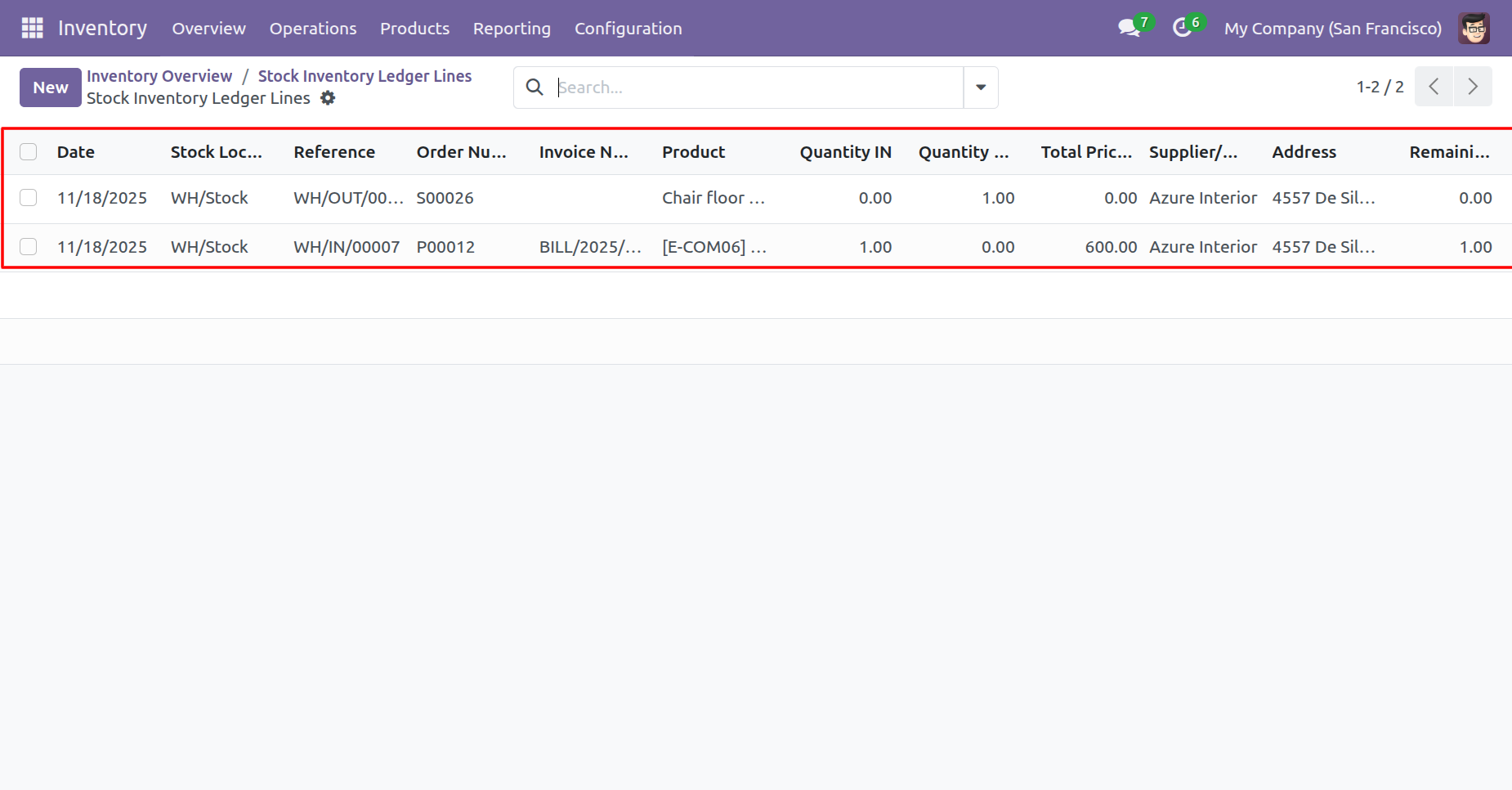
List view of the report looks like below.
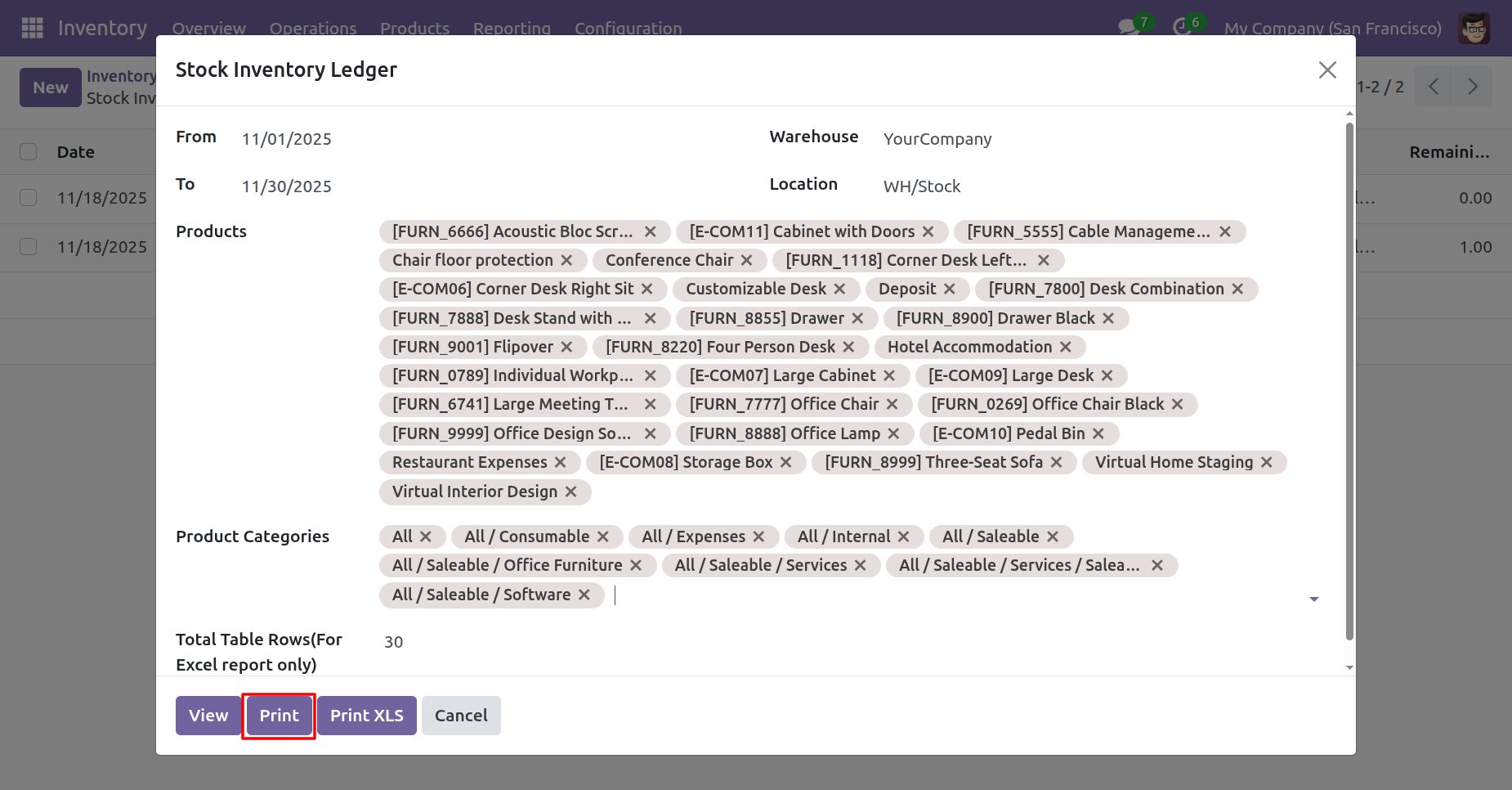
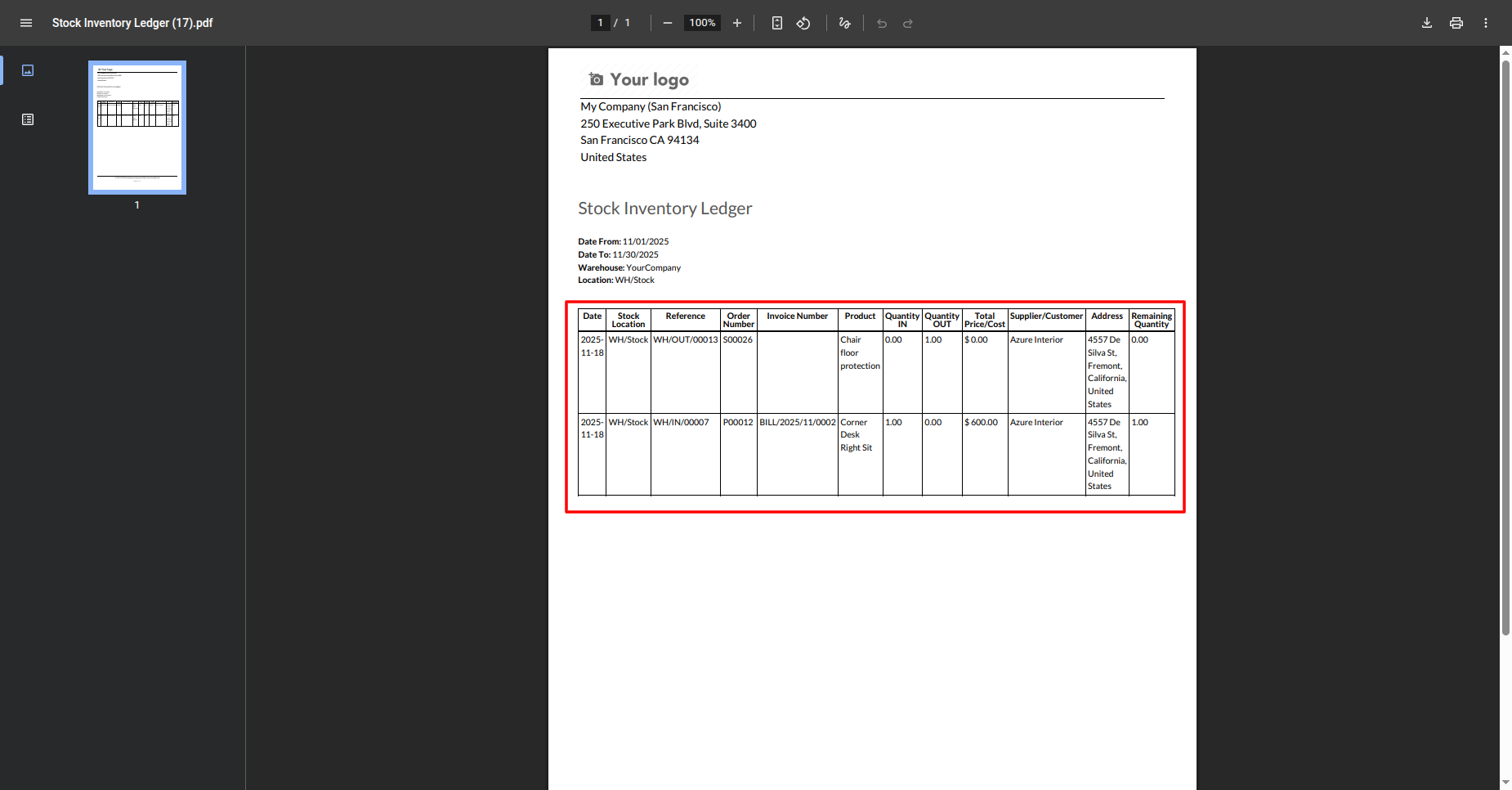
Add details and click on the 'Print' button.
PDF report looks like below.
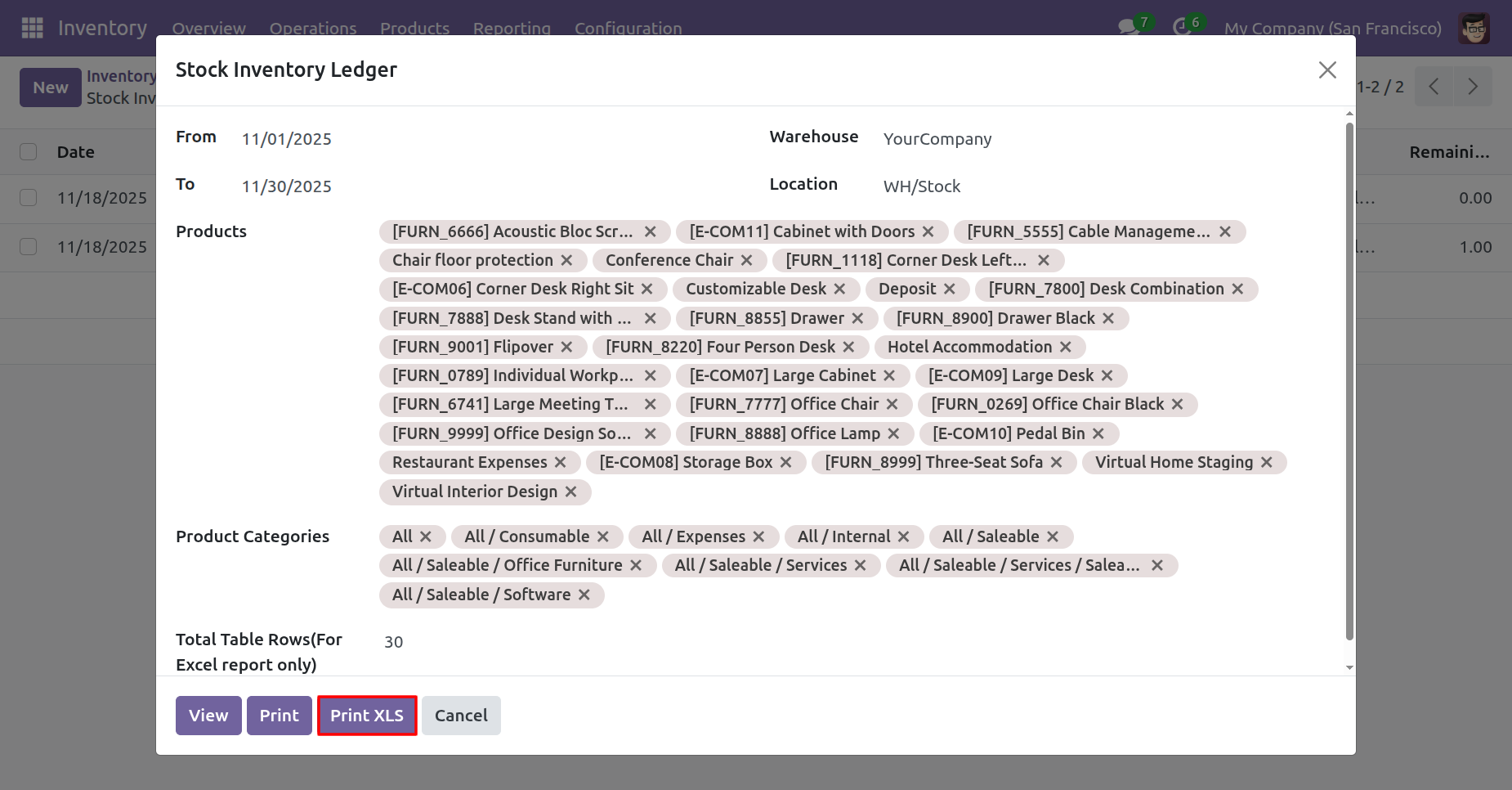
Add details and click on the 'Print XLS' button.
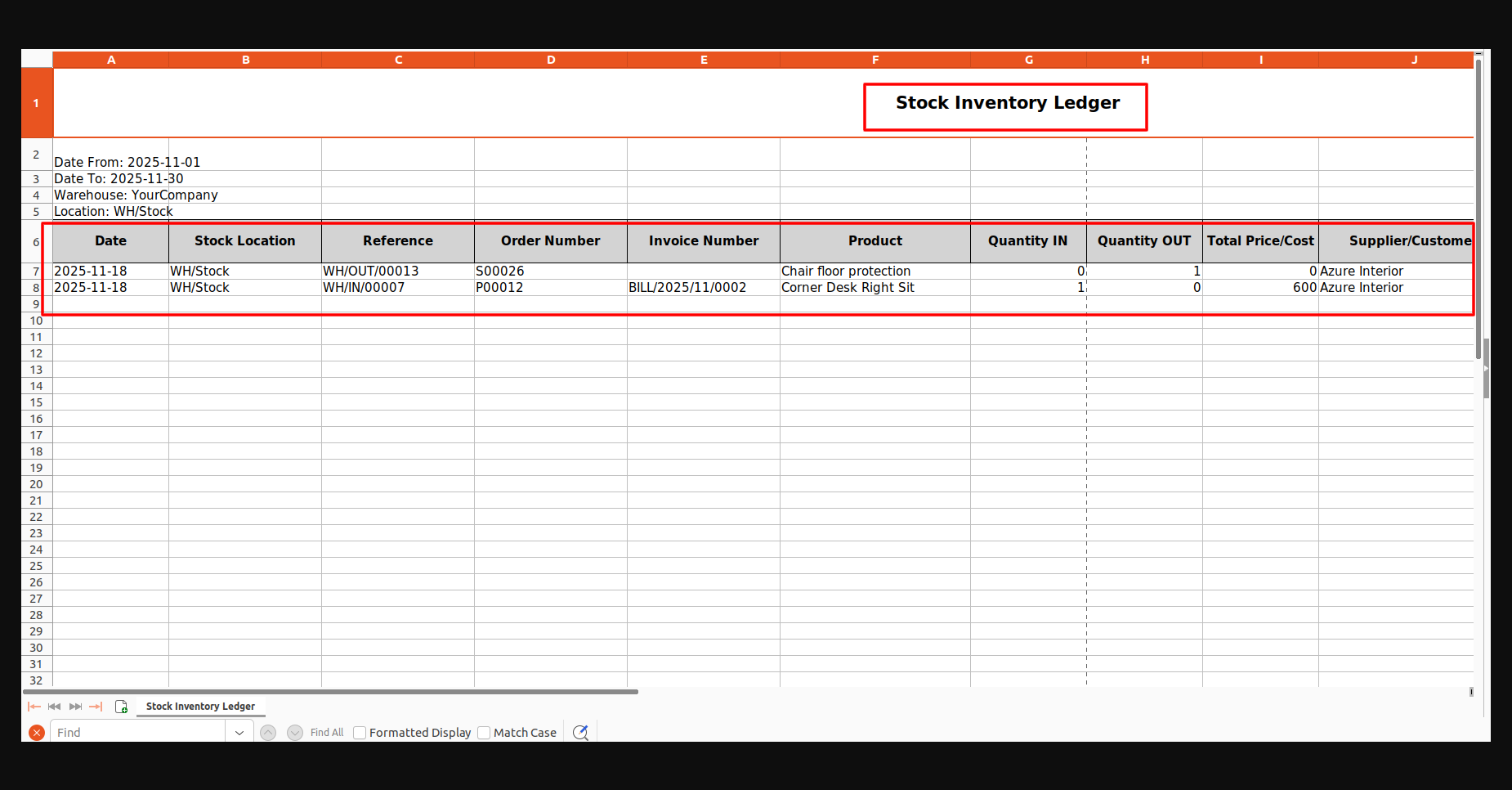
XLS report looks like below.
Version 17.0.1.0.0 | Released on : 12th January 2026
- Yes, this app works perfectly with Odoo Enterprise (Odoo.sh & Premise) as well as Community.
- No, this application is not compatible with odoo.com(odoo saas/Odoo Online)
- Yes, to test this module, please contact us at sales@softhealer.com.
- Please contact us at sales@softhealer.com to request customization.
- Yes, we provide free support for 365 days from the date of purchase.
- Yes, you will receive lifetime free updates for the version of the module you purchased.
- Yes, you need to install the python (xlsxwriter) library.
- Yes, for version 12 and above, you need to purchase the module separately for each version you intend to use.
- No, exchanges or refunds are not allowed. Please make sure to select the correct version before purchasing.
- You can contact us at support@softhealer.com for language translation support. We use Google Translator tools to provide translations in multiple languages, so the accuracy may vary. We welcome your suggestions to help improve translations.
