












Sports Center Management System

Sports Center Management System is a comprehensive Odoo solution designed to streamline all athletic facility operations. It offers seamless ground and facility bookings, structured membership plan management, automated billing, trainer scheduling, and equipment maintenance tracking.

Features

Ground Bookings
Book sports grounds and facilities daily or weekly, manage spent hours, and prevent overlapping reservations.

Membership Plan Management
Easily define membership tiers with duration ranges and handle user registrations/renewals seamlessly.

Trainer Management
Track trainer profiles and associate them with specific sports type skills.

Sports Equipment Management
Maintain a detailed catalog of all physical sports products with category groupings.

Maintenance Requests
Create maintenance requests for equipment, allocate specialized teams, and ensure rapid facility upkeep.

Invoicing Management
Instantly generate draft customer invoices for both ground bookings and membership renewals/new registrations.

Automatic Renewal Notifications
Keep members updated and notify them via cron warnings a configured number of days before their membership expires.

Detailed Reports & Analytics
Generate and analyze reports for customer invoices and maintenance requests to optimize facility performance.
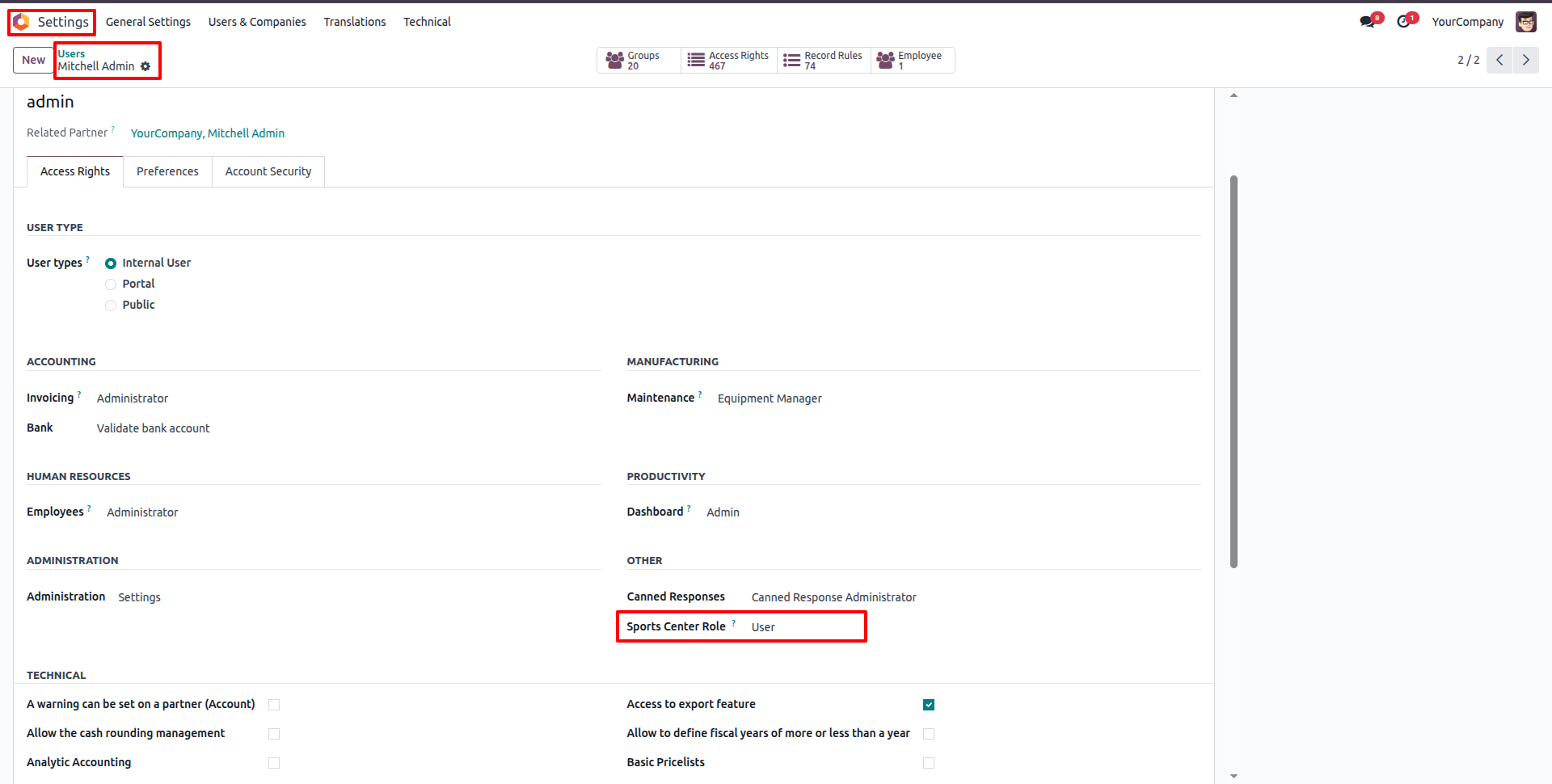
Under Settings -> Users & Companies -> Users, open the desired user profile (e.g. Mitchell Admin) and select the user role under 'Sports Center Role' as 'User'.
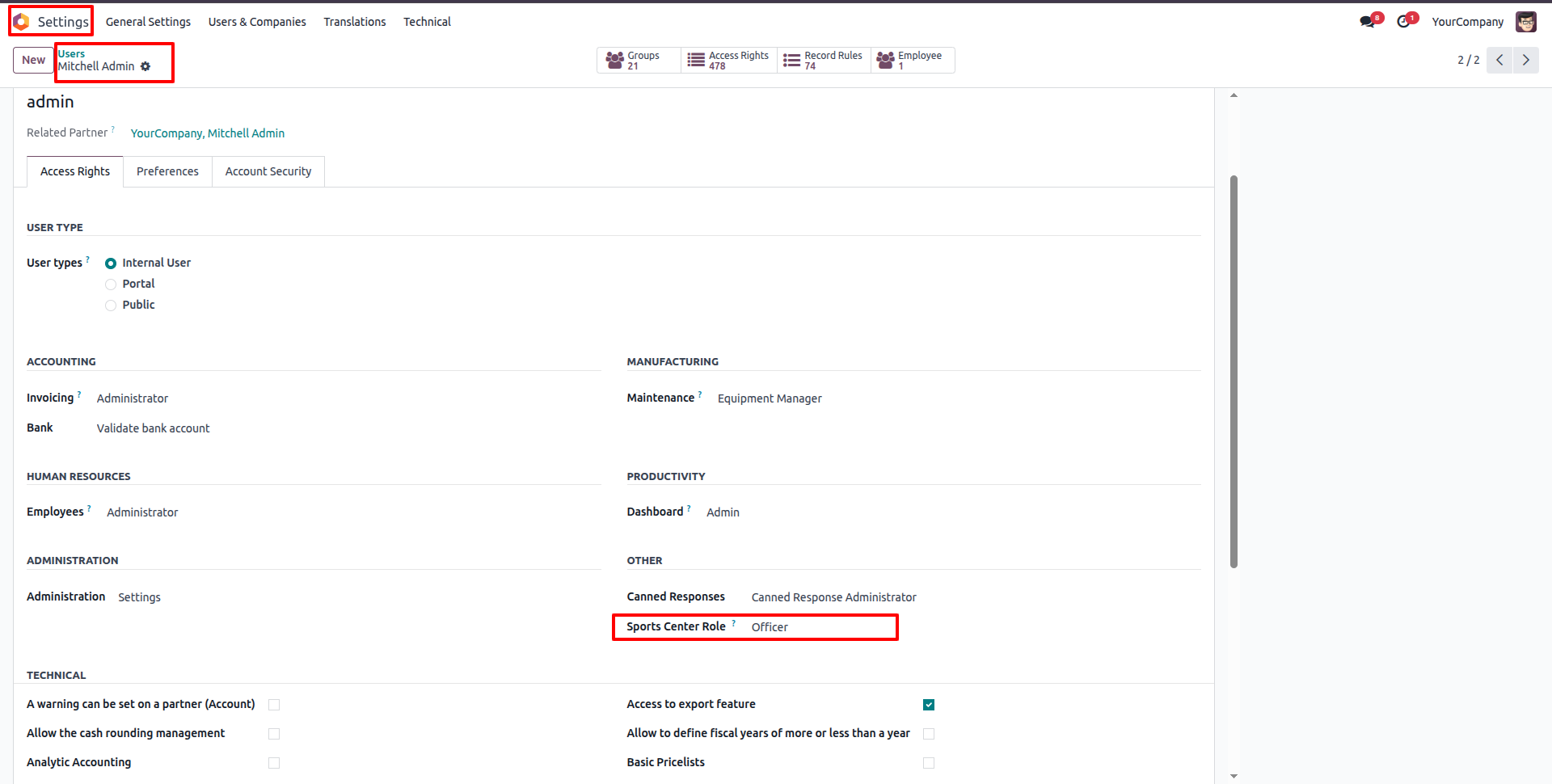
Under Settings -> Users & Companies -> Users, select the user role under 'Sports Center Role' as 'Officer'.
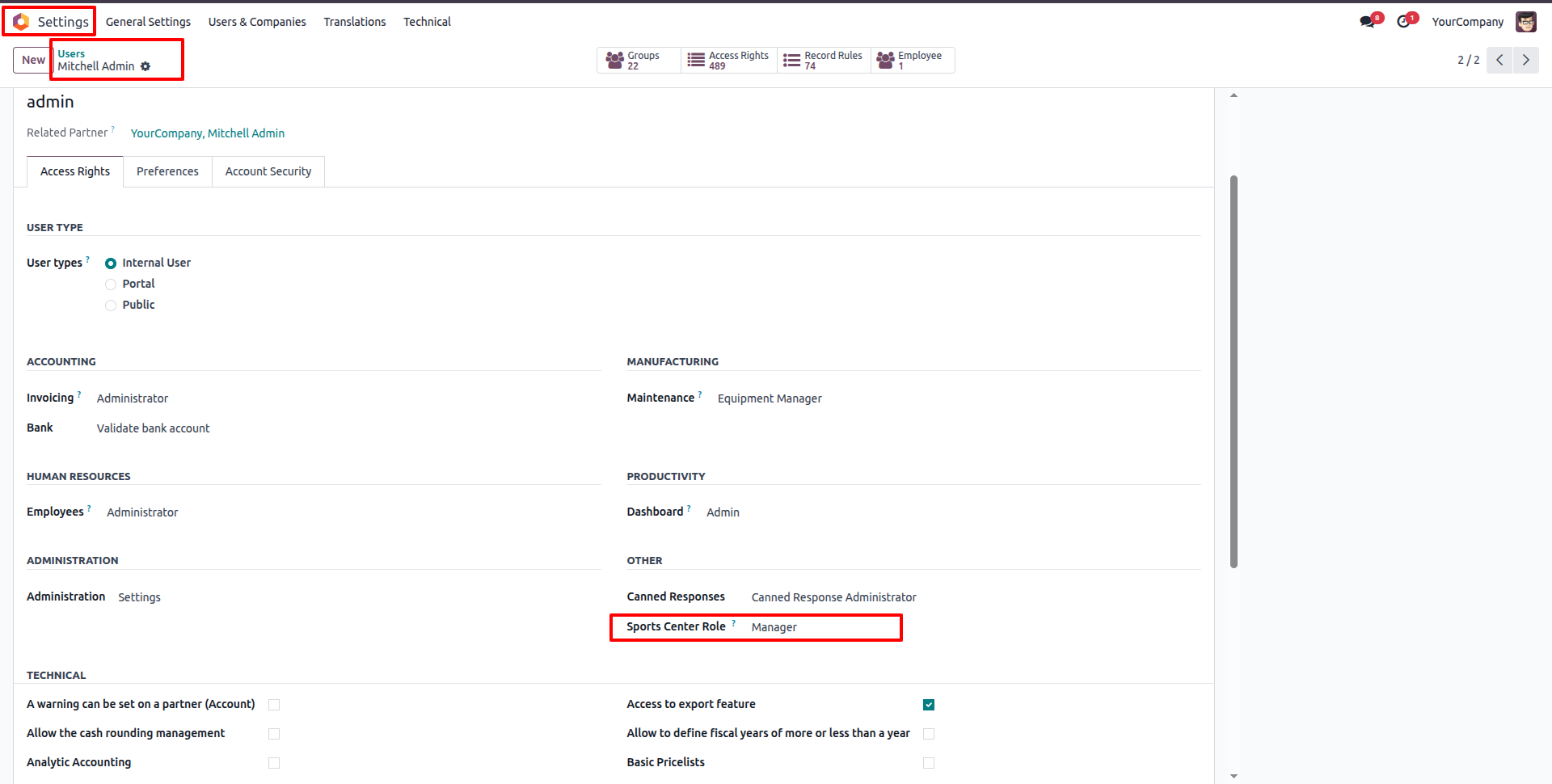
Under Settings -> Users & Companies -> Users, select the user role under 'Sports Center Role' as 'Manager'.
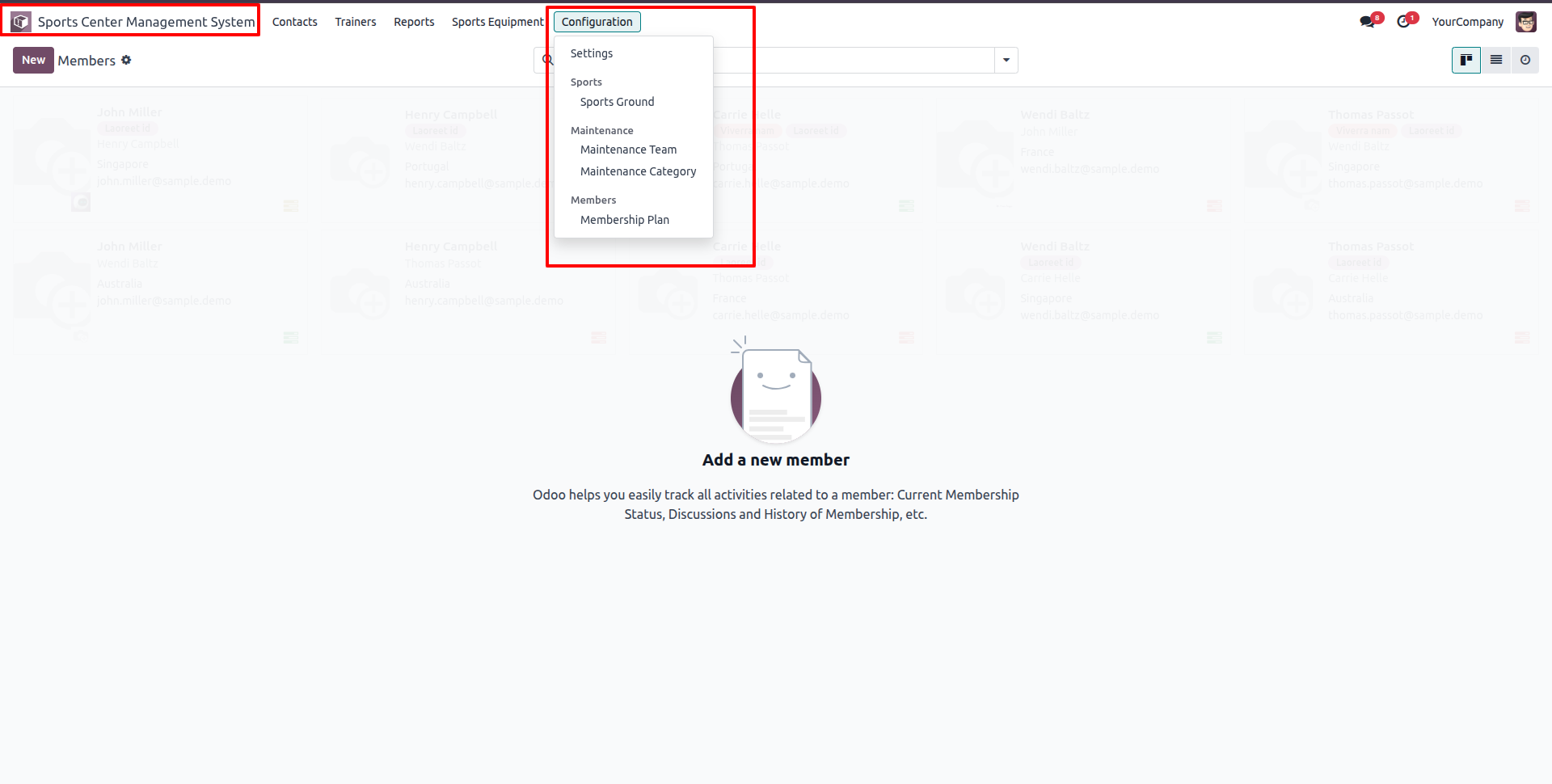
Open the 'Sports Center Management System' application menu. It displays available configurations in the menu header.
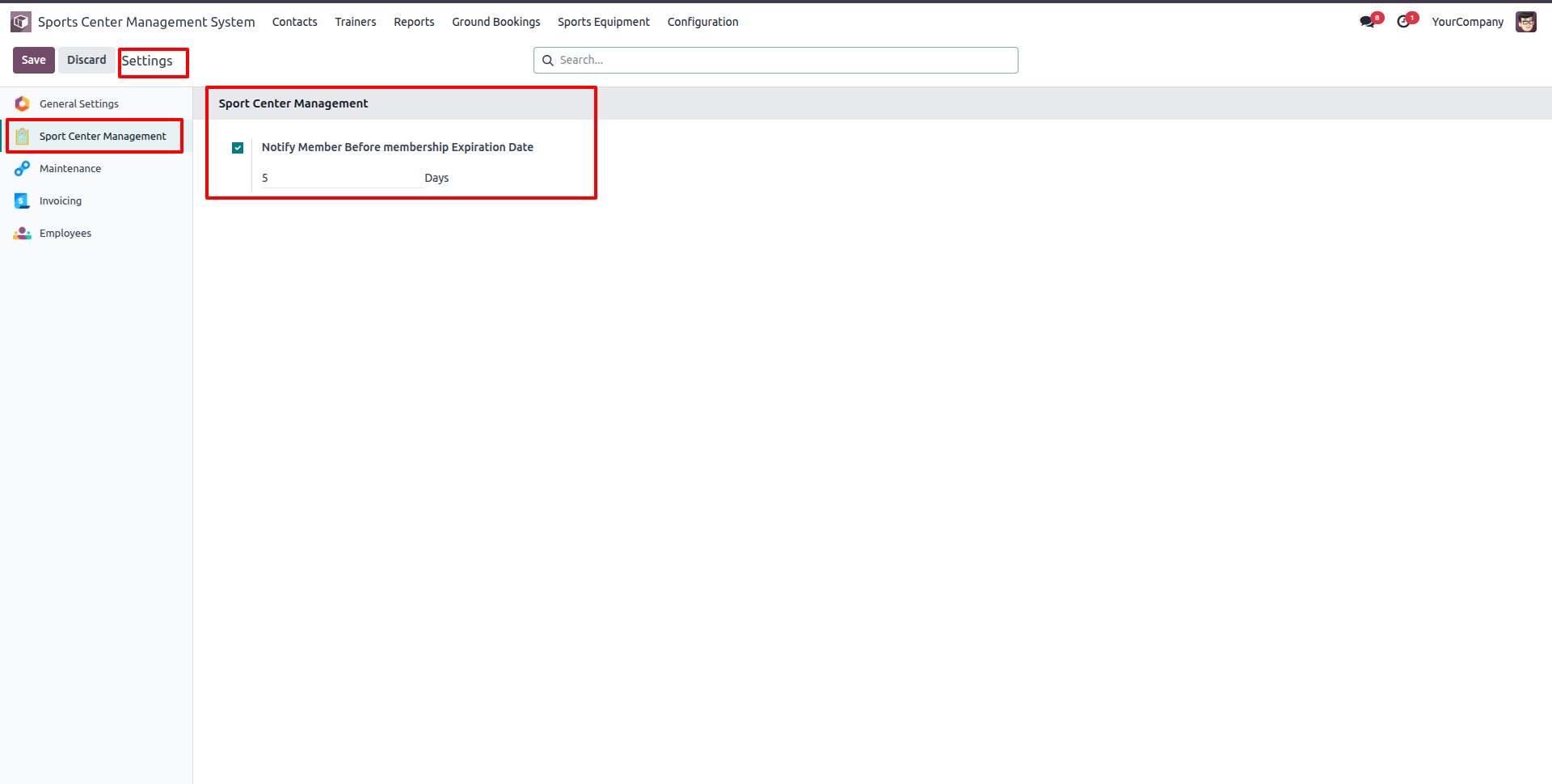
In Configuration -> Settings, configure membership expiry warning notifications (e.g. set Notify Member Before membership Expiration Date to 5 Days).
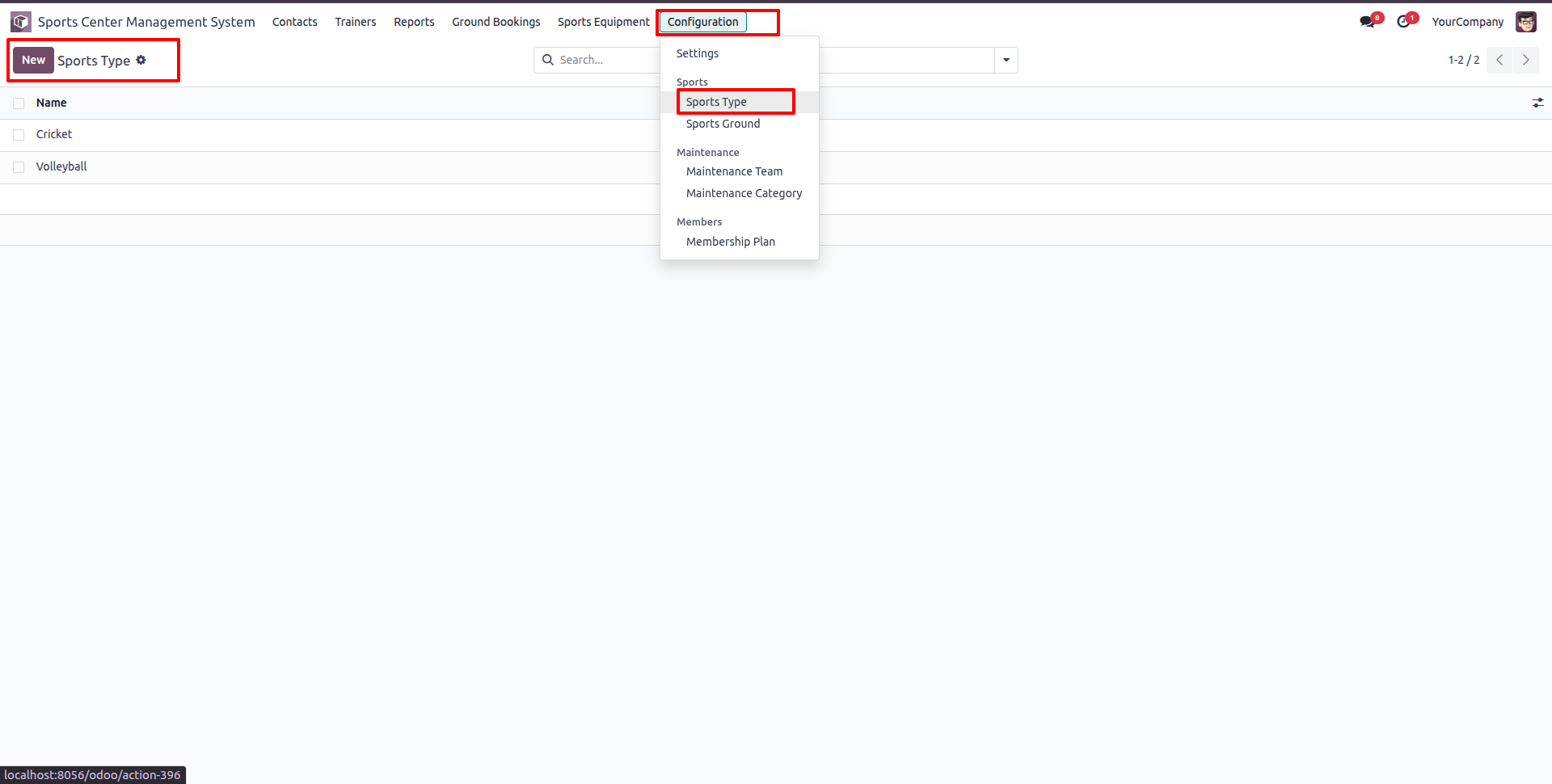
Go to Configuration -> Sports, and select Sports Type to view the list of configured sports types.
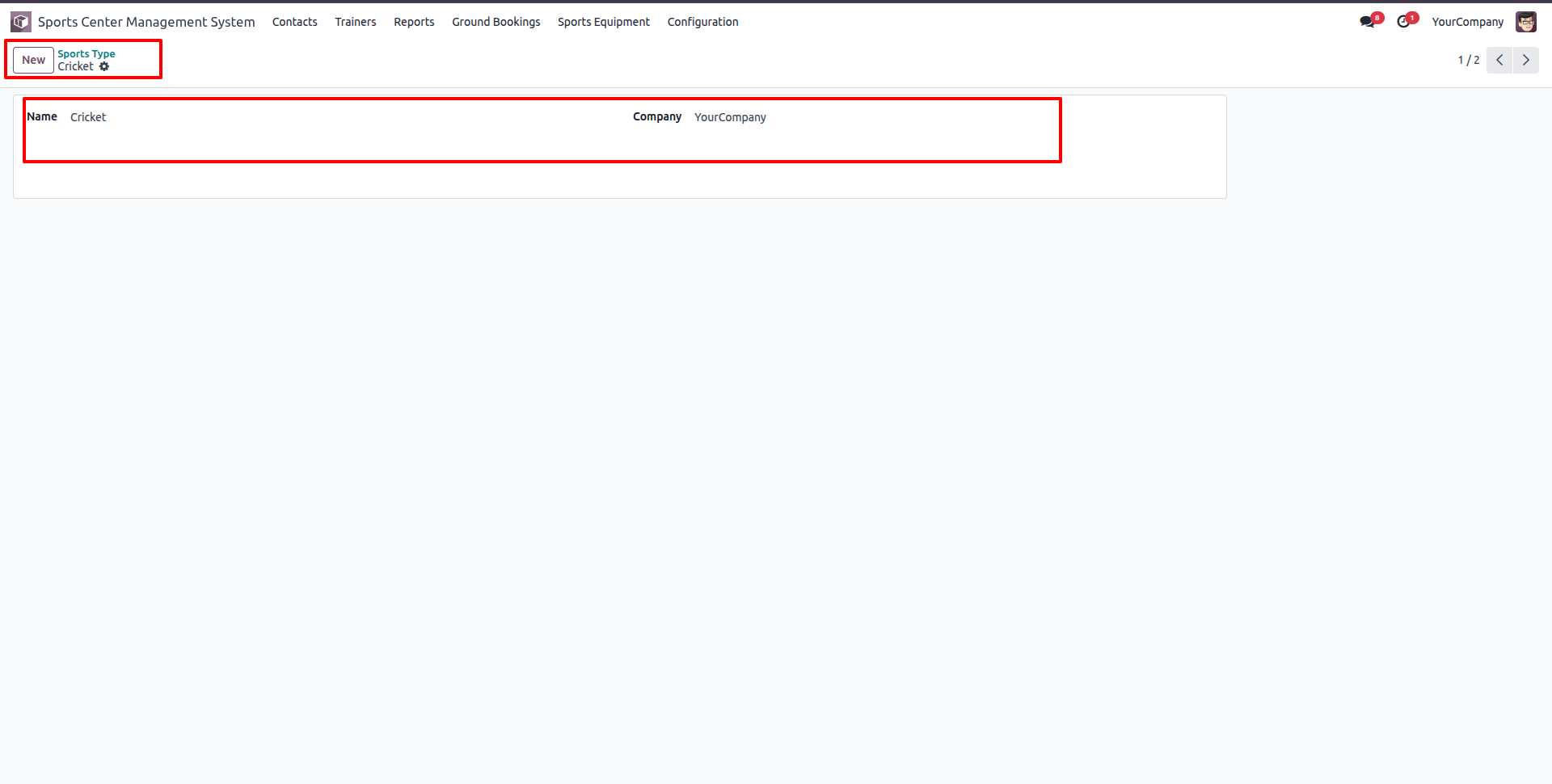
Open a Sports Type record (e.g. Cricket) or create a new sports type by setting the Name and Company details.
Go to Configuration -> Sports, and select Sports Ground to view configured sports grounds in Kanban view.
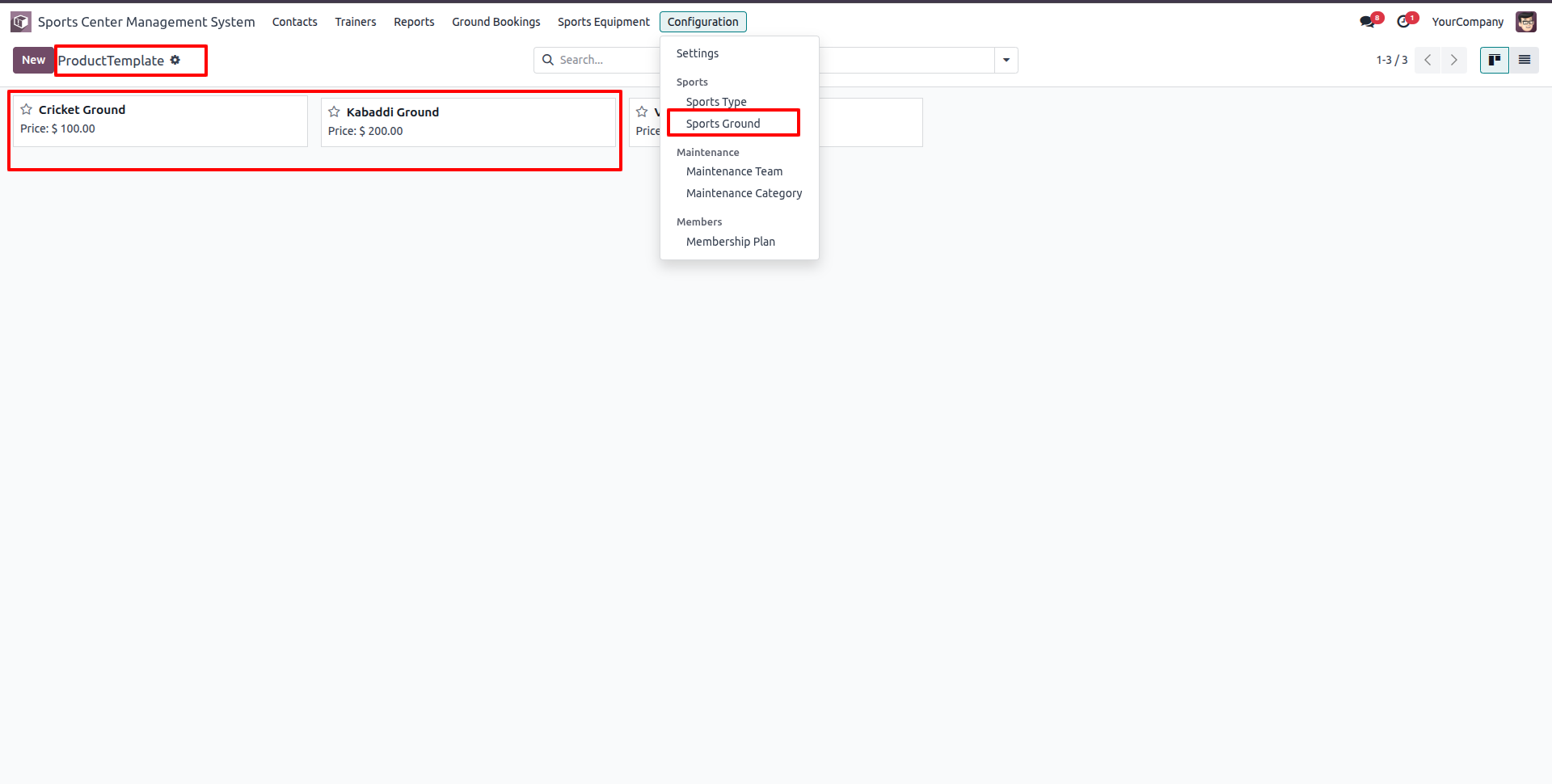
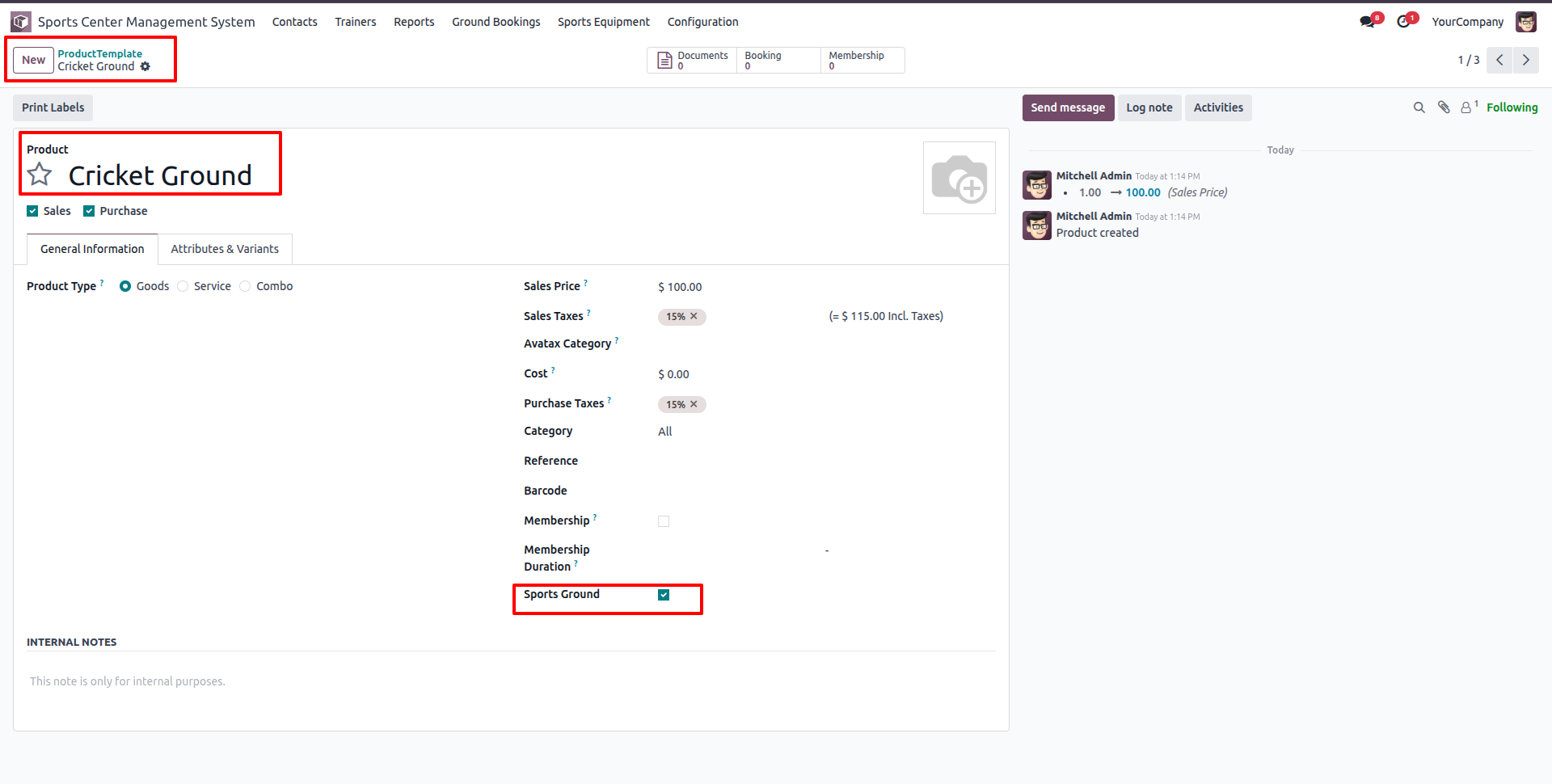
Create or edit a Sports Ground product template, set the Sales Price, and enable the 'Sports Ground' checkbox to identify it as a bookable facility.
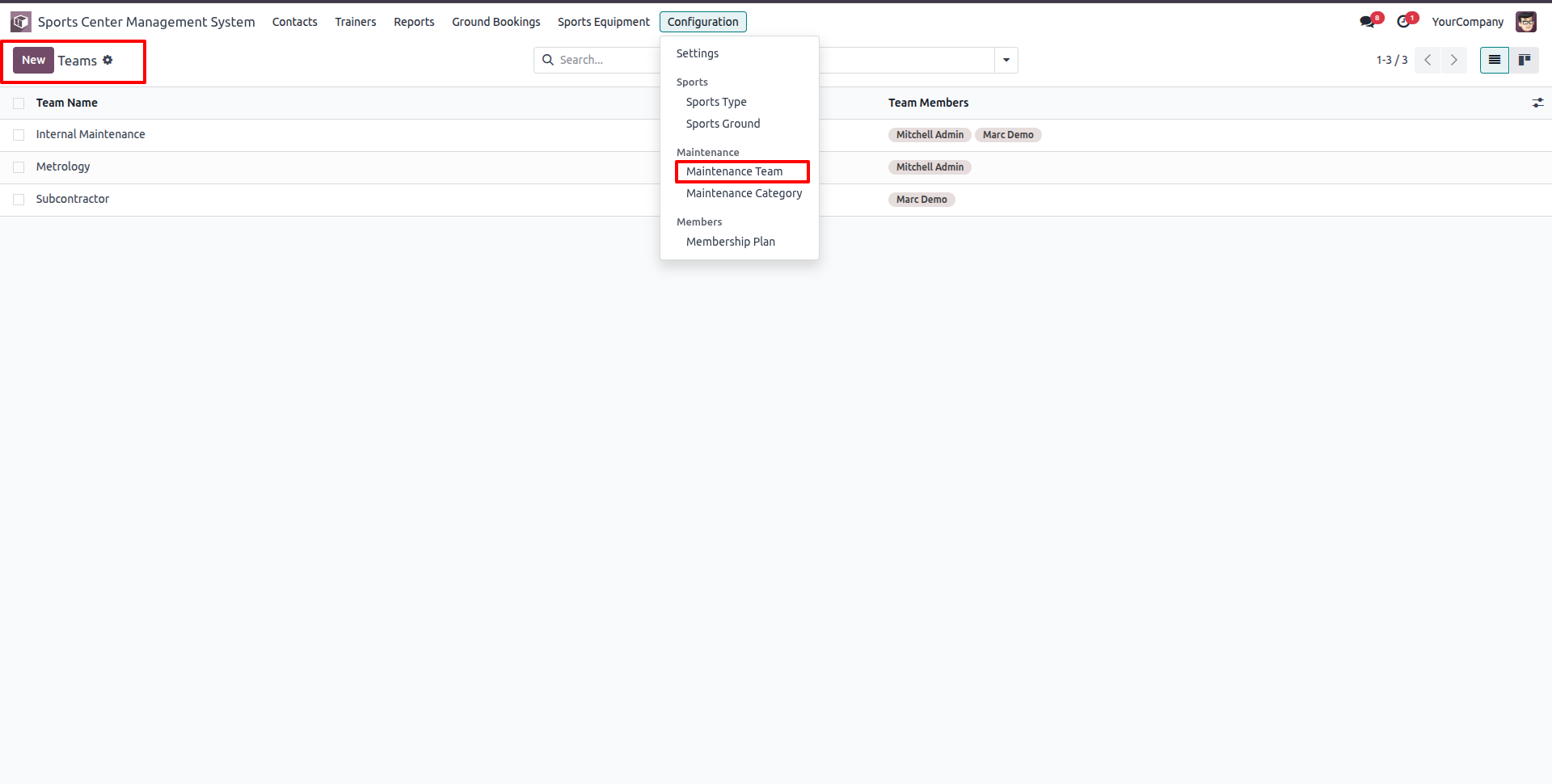
Go to Configuration -> Maintenance, and select Maintenance Team to view and manage active maintenance teams.
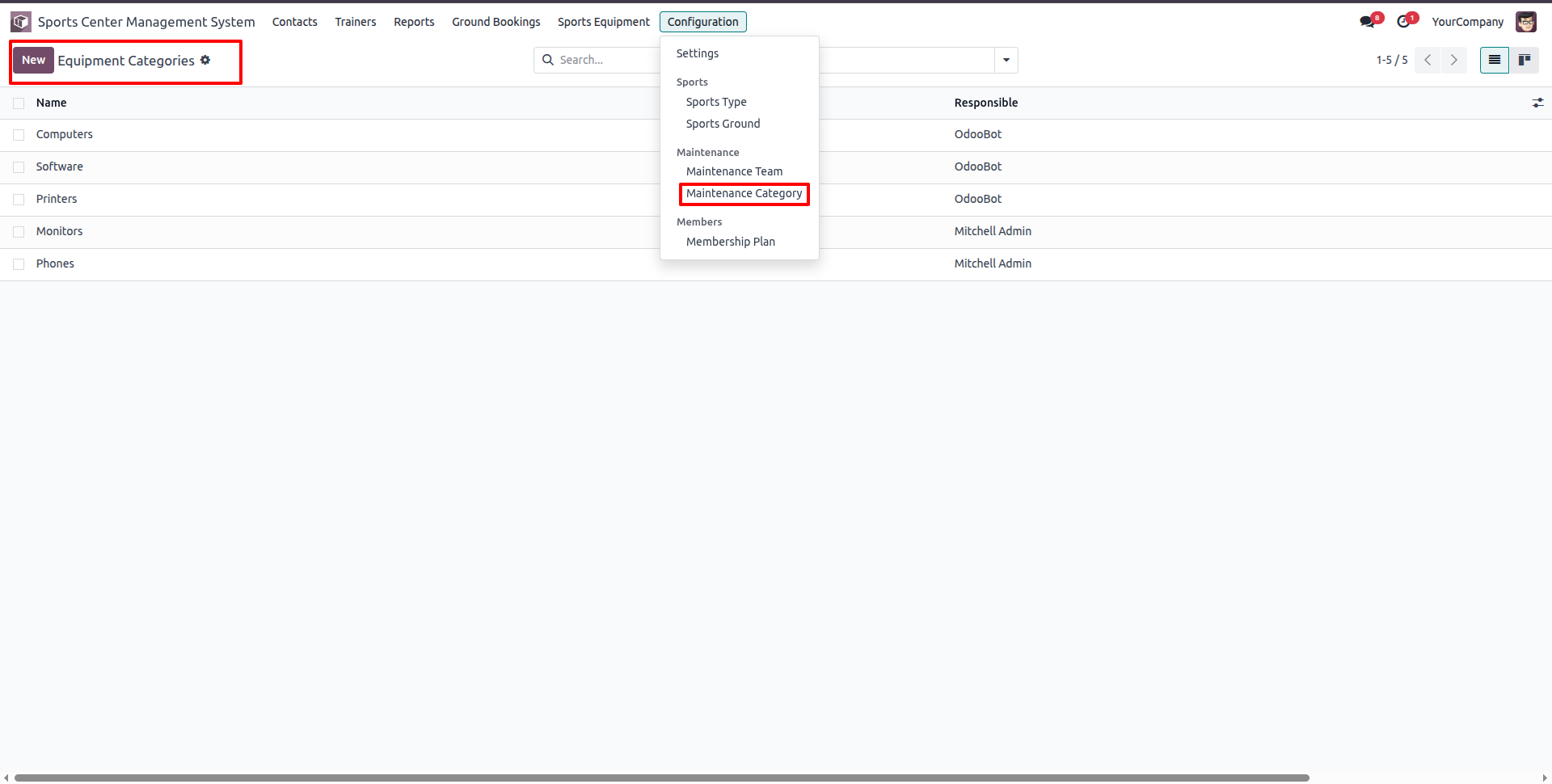
Go to Configuration -> Maintenance, and select Maintenance Category to view equipment categories like Computers, Monitors, and Printers.
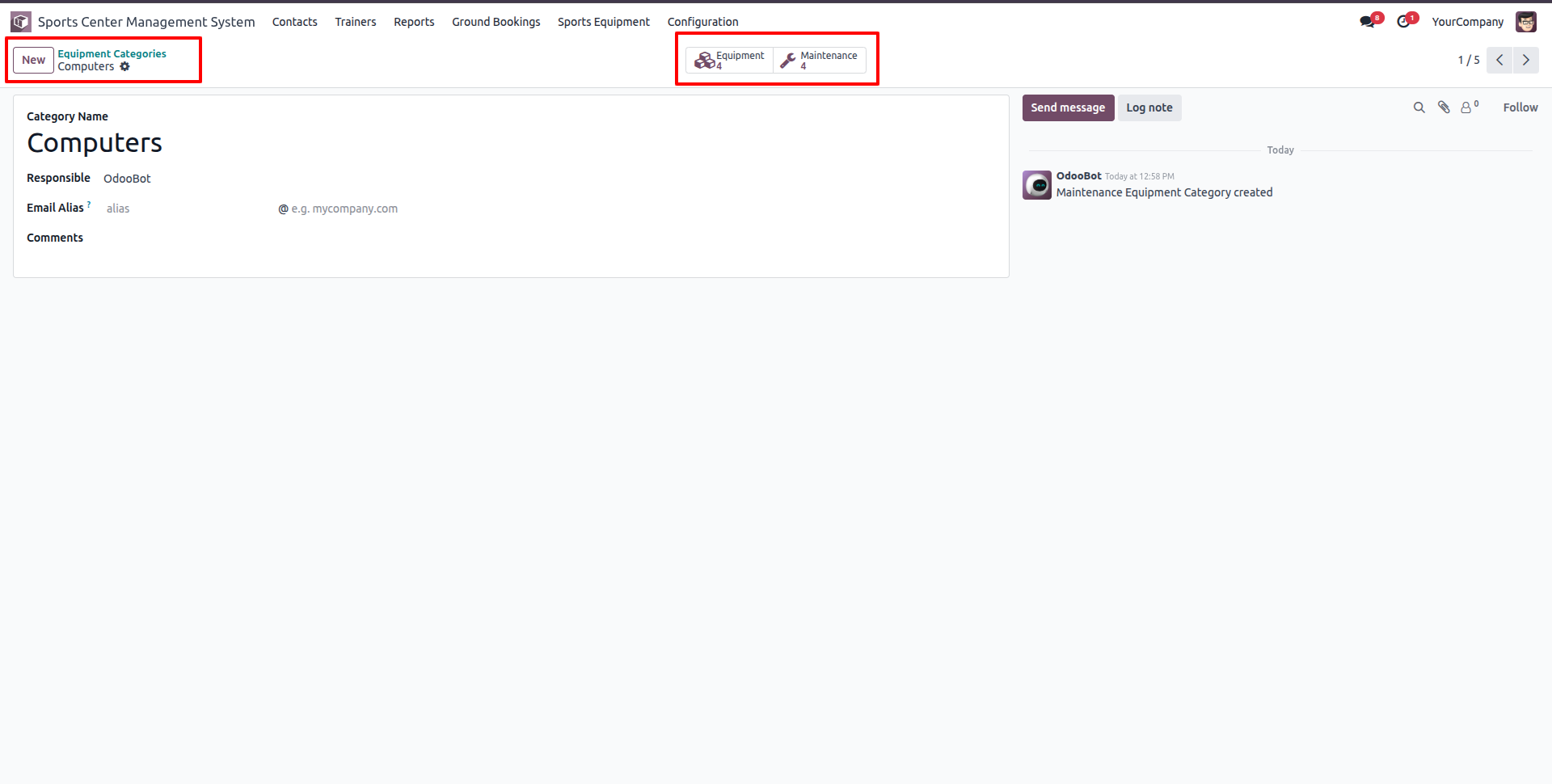
Create or edit an Equipment Category (e.g. Computers) and assign the responsible user. Smart buttons display the count of linked equipment and maintenance requests.
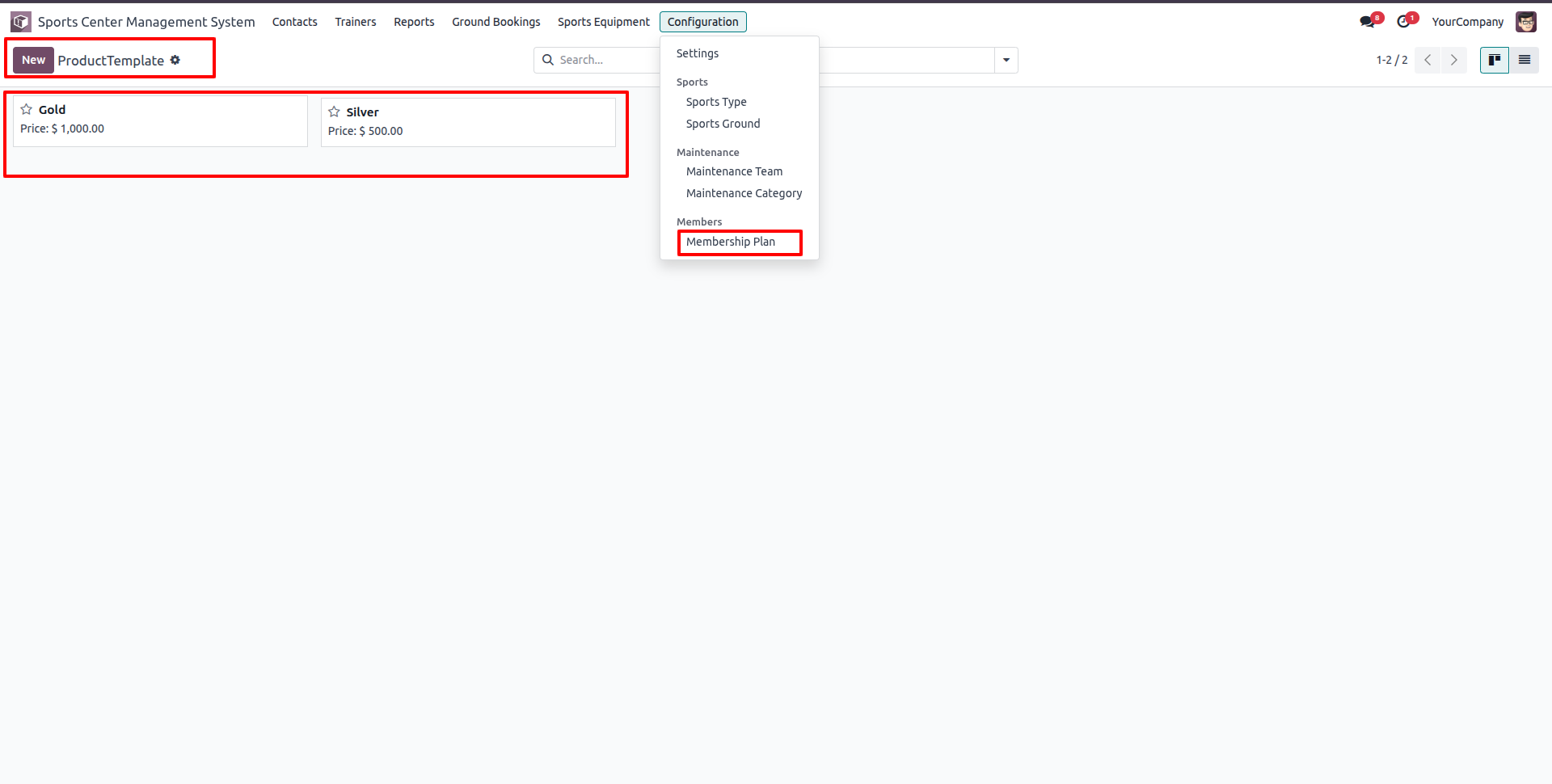
Go to Configuration -> Members, and select Membership Plan to view all configured membership plans (e.g. Gold, Silver) in Kanban view.
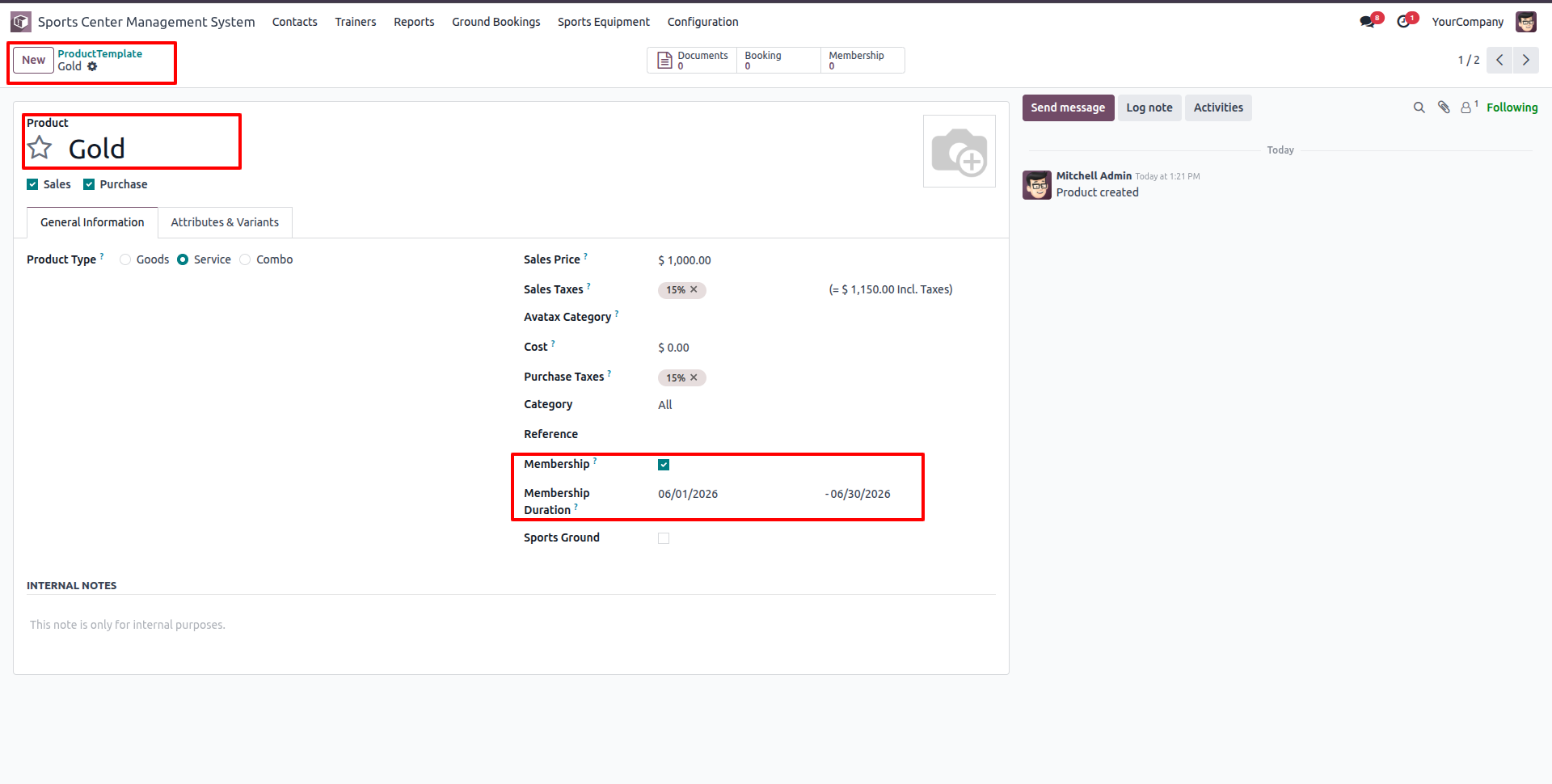
Create or edit a Membership Plan product template, set the Sales Price, enable the 'Membership' checkbox, and specify the Membership Duration.
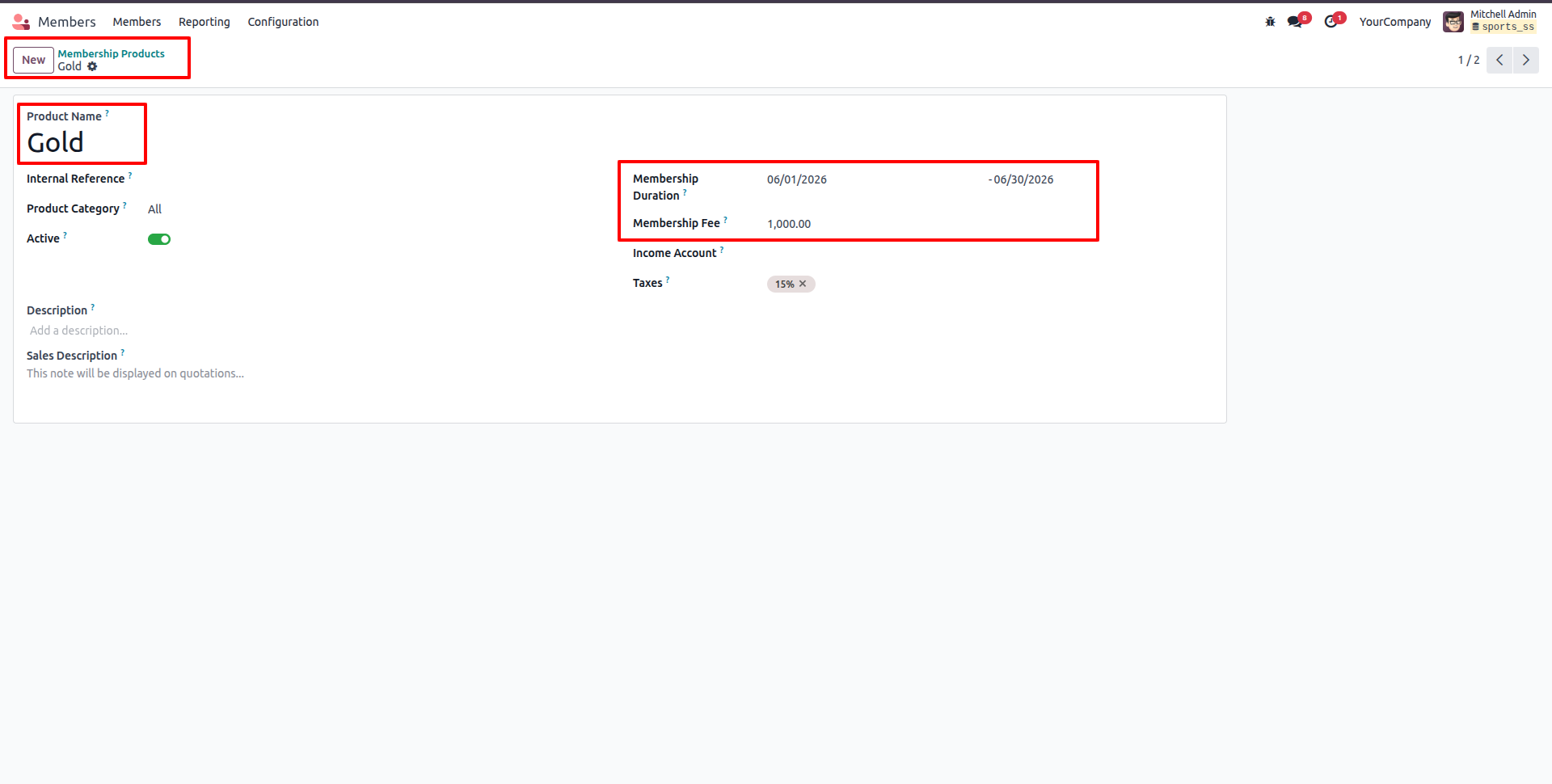
Subscribed membership plans and products can be viewed under Configuration -> Membership Products list view.
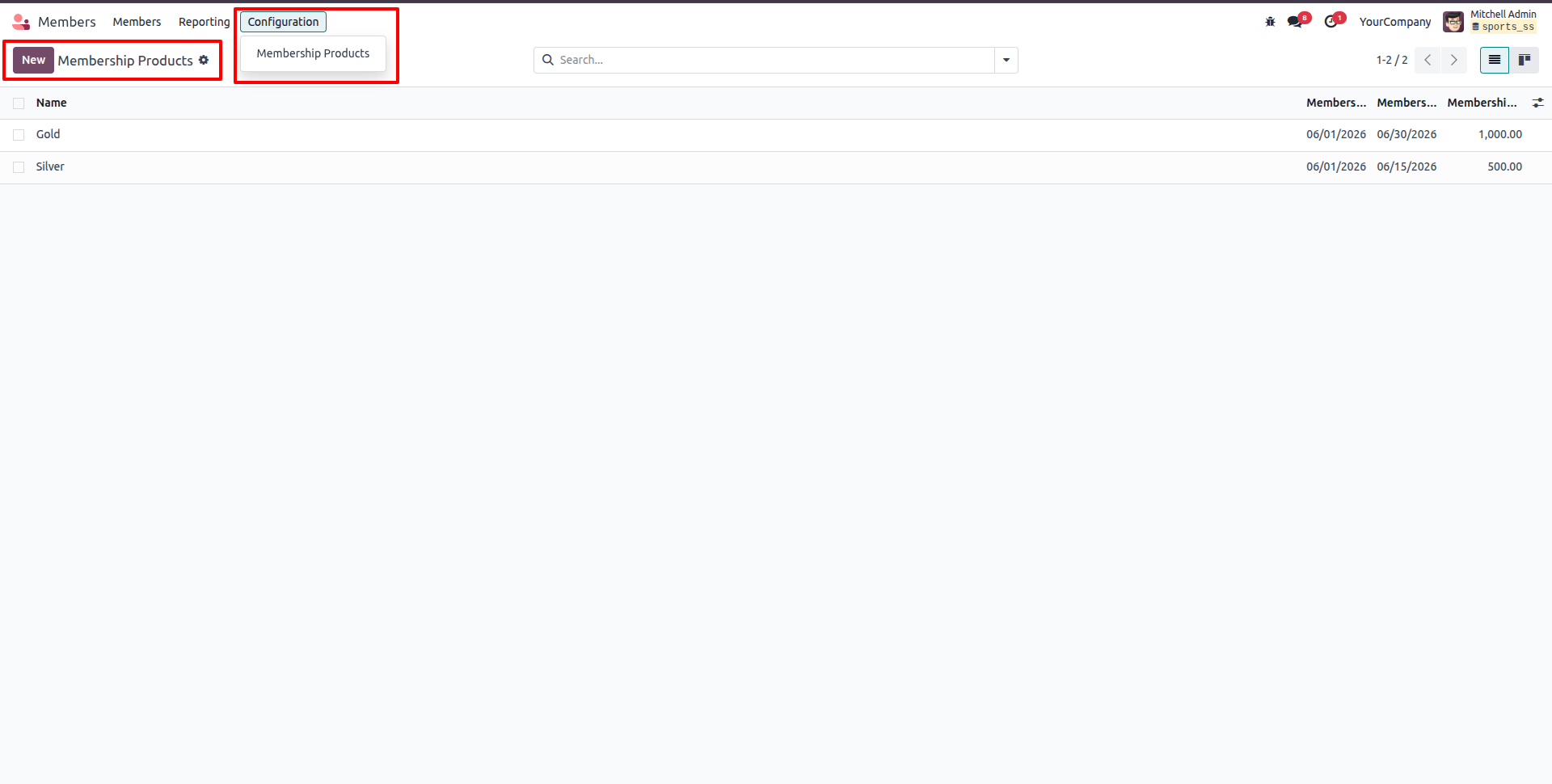
View membership product details like Name (e.g., Gold), Membership Duration, and Membership Fee.
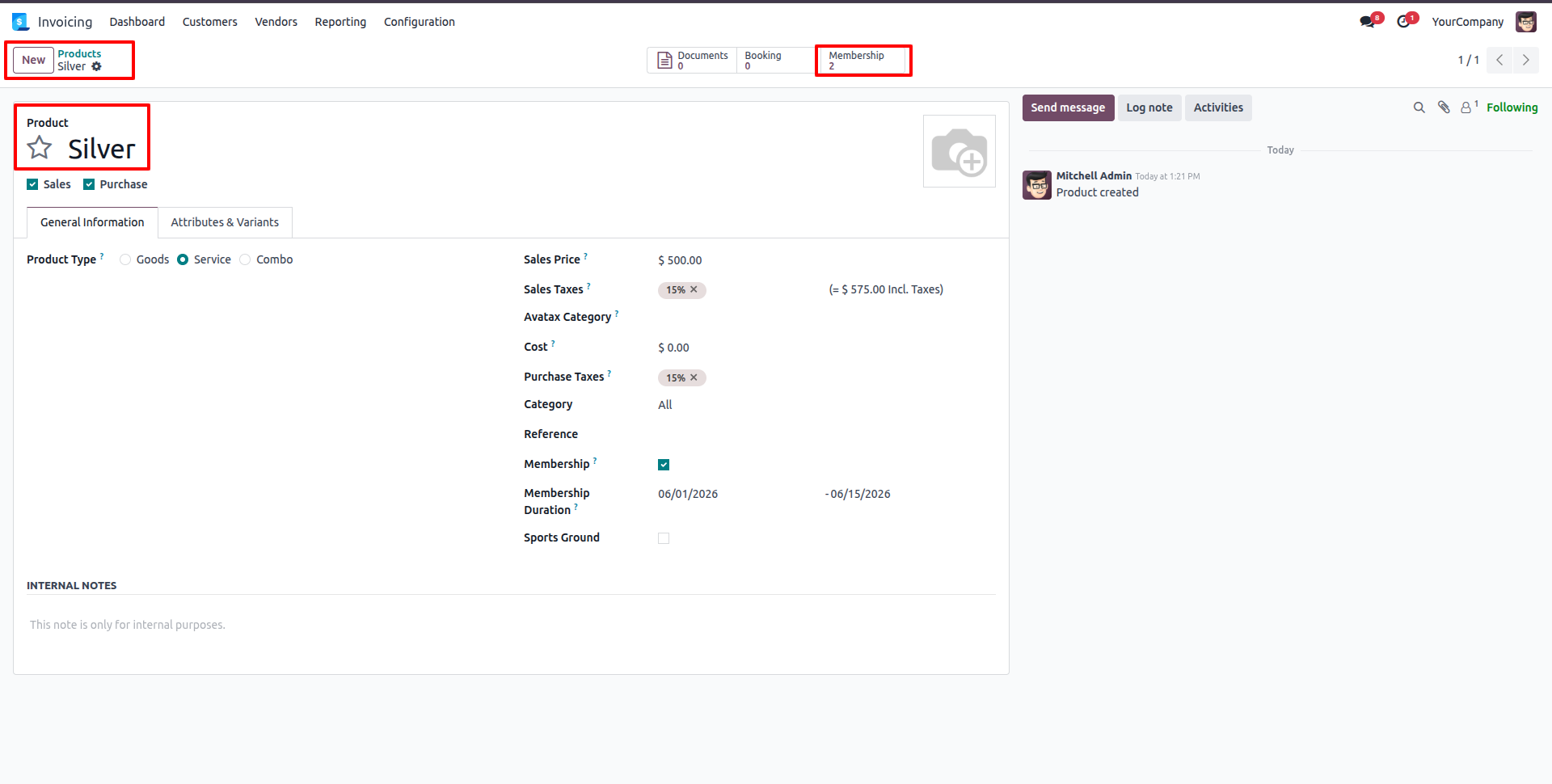
Go to Invoicing -> Customers -> Products to configure/view membership product configurations (e.g., Silver plan with Membership checkbox enabled and specific duration).
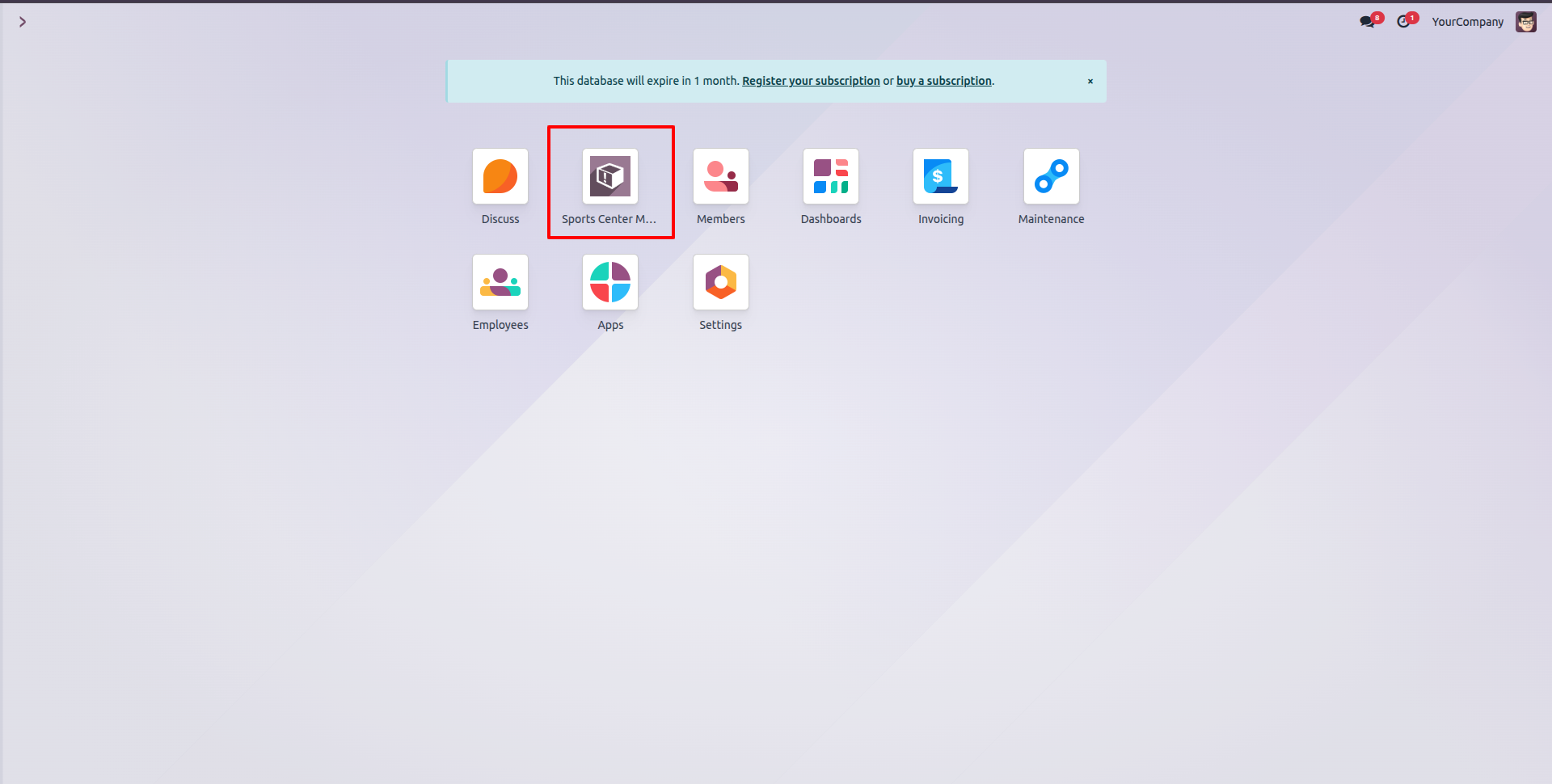
Access the Sports Center Management System app directly from the Odoo main application dashboard.
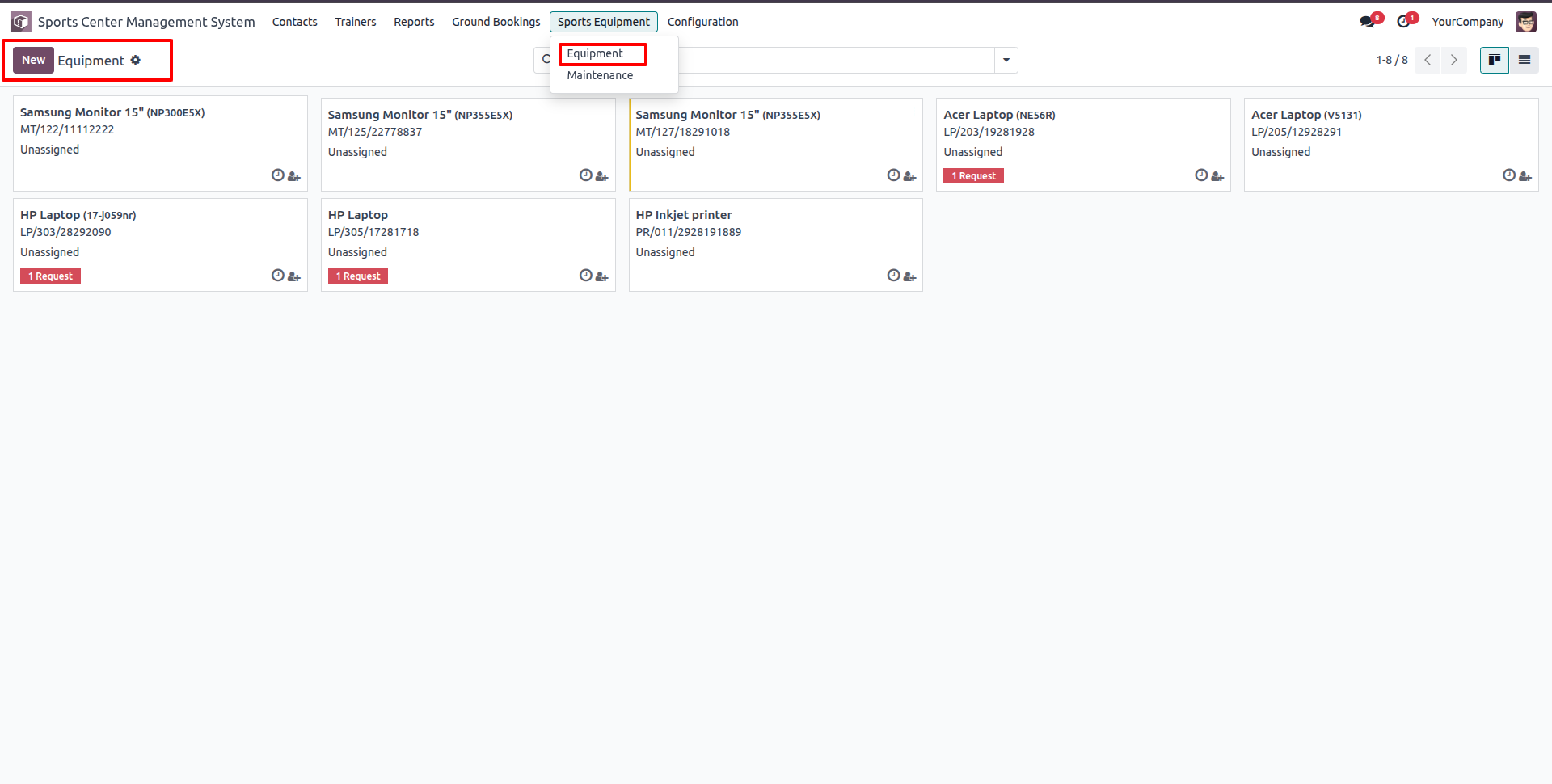
Go to Sports Equipment -> Equipment to view all equipment assets (e.g. Monitors, Laptops, Printers) in Kanban view.
Create or edit an Equipment record, select its Category, assign a responsible Technician, set the Assigned Date, and associate it with a Sports Ground.
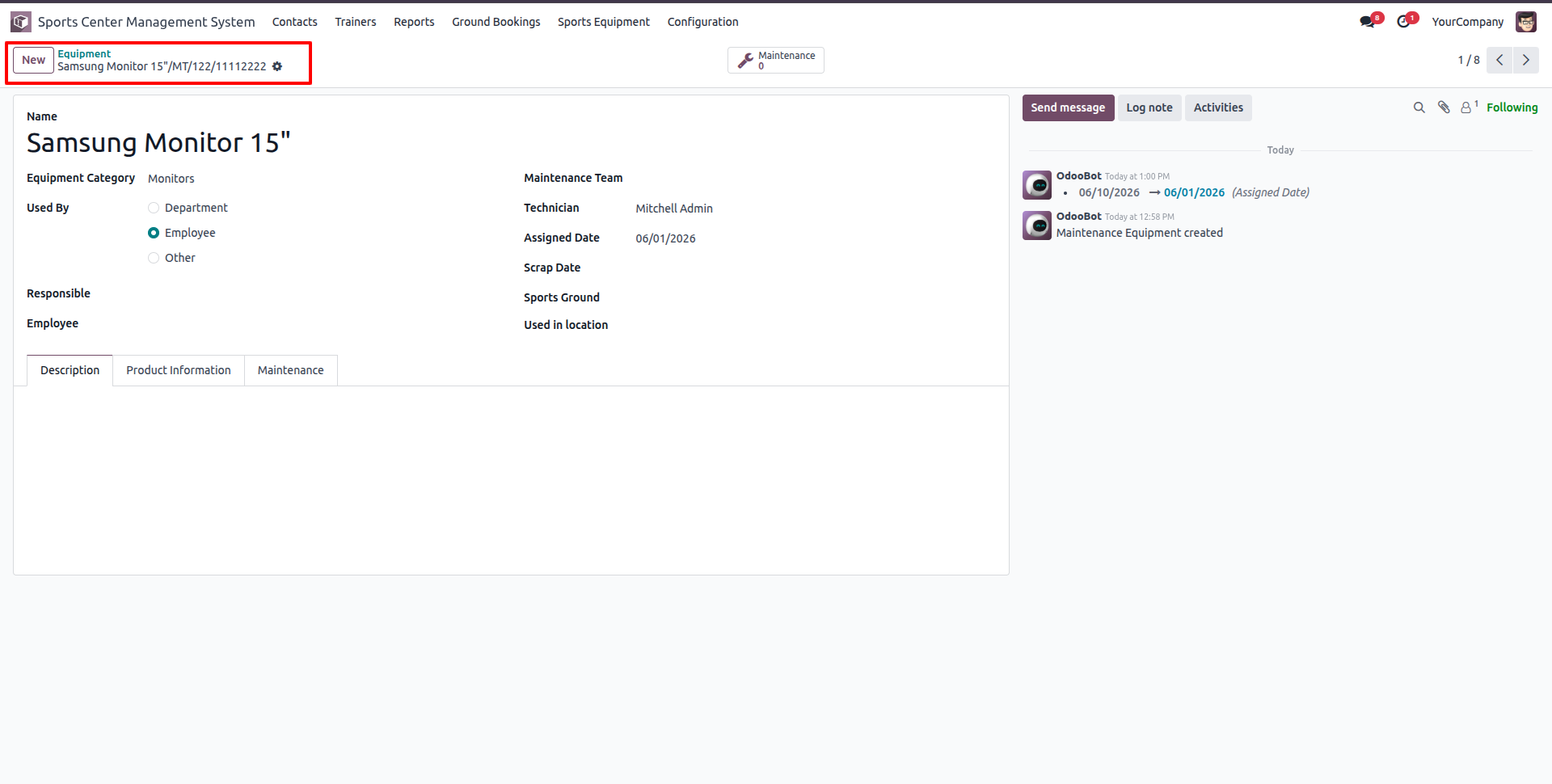
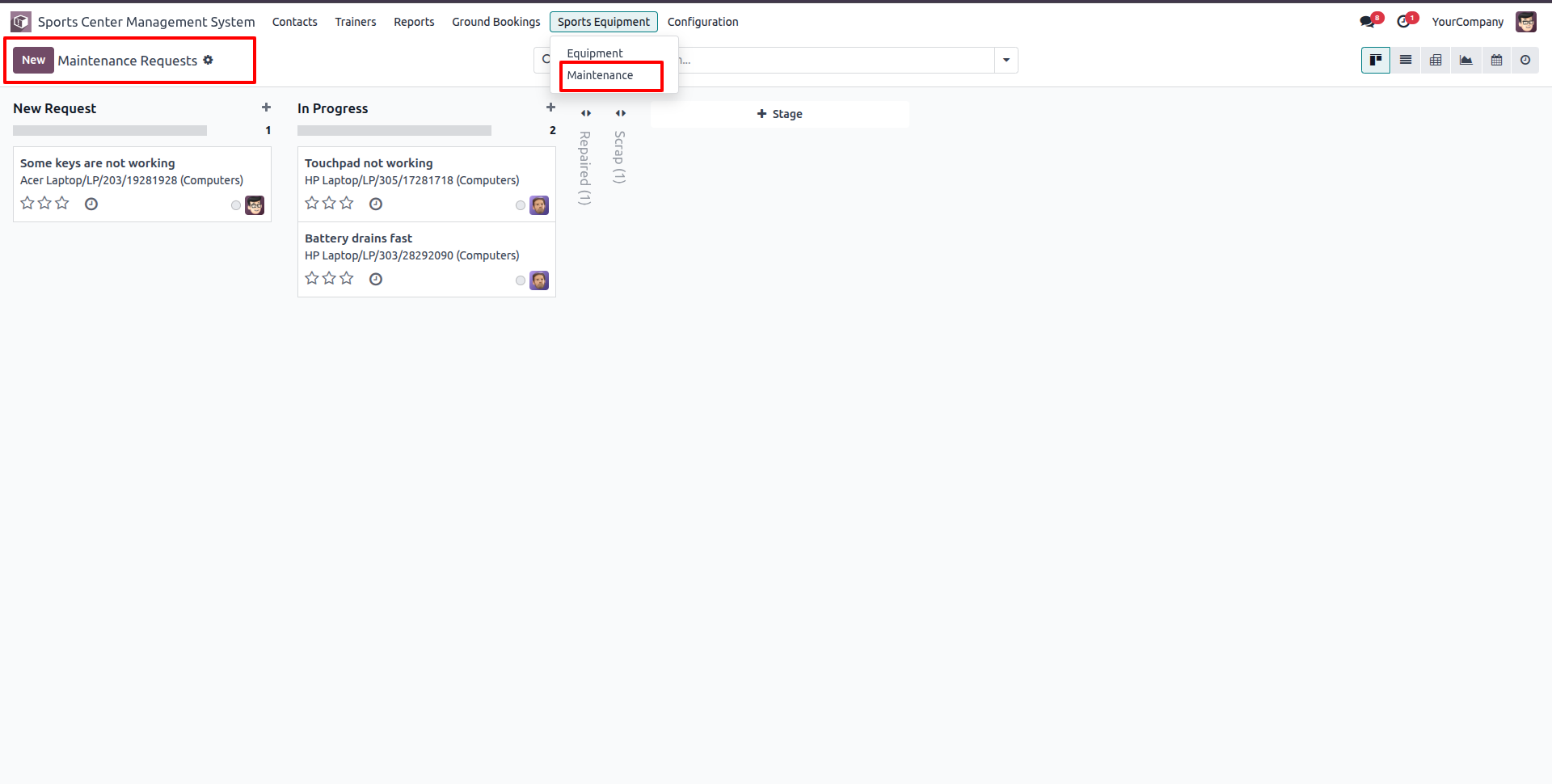
Go to Sports Equipment -> Maintenance to view and manage equipment maintenance requests in Kanban view.
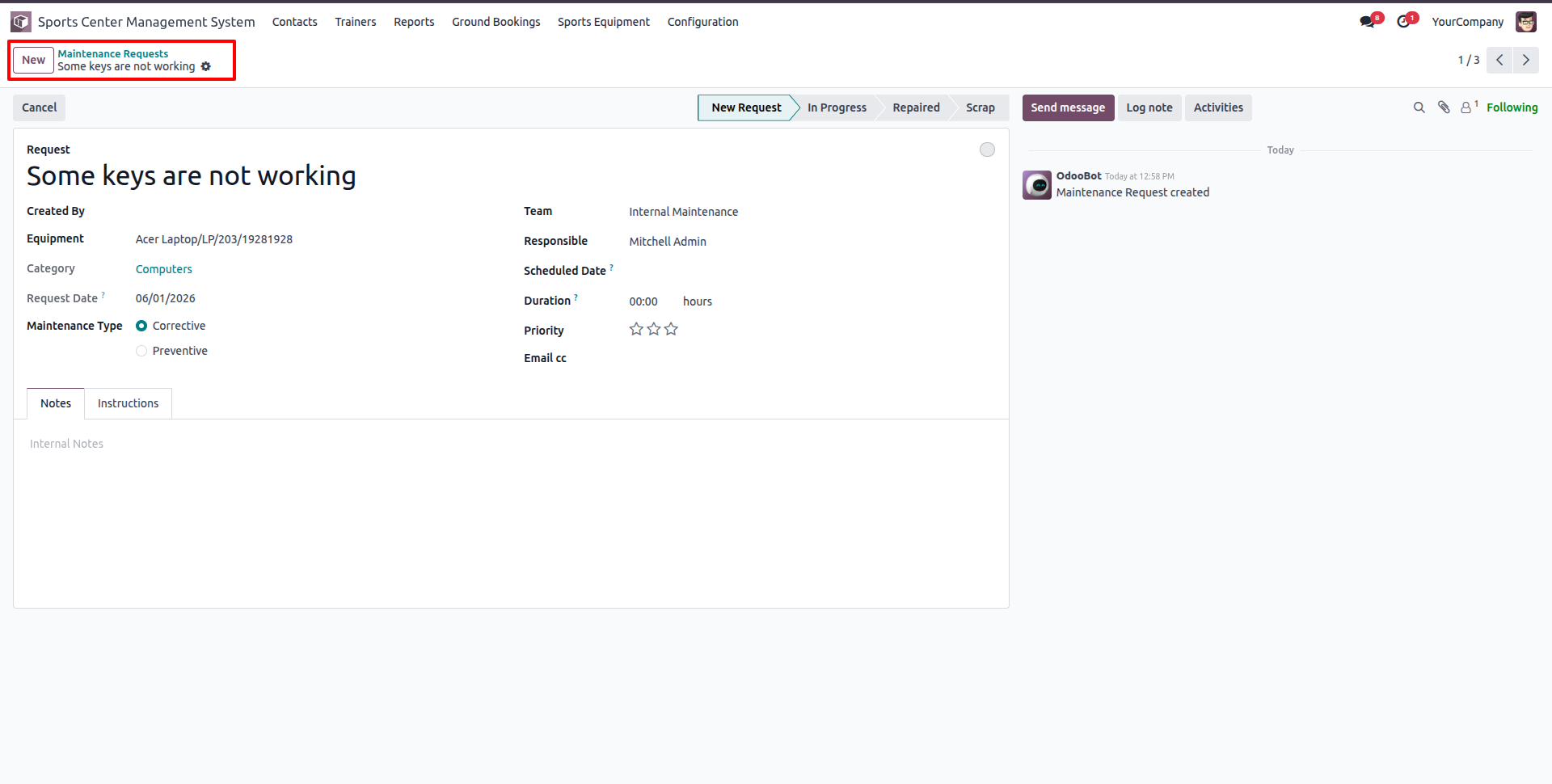
Open or create a Maintenance Request form, specify the Equipment, Category, Maintenance Team, Responsible Technician, and choose the Maintenance Type (Corrective or Preventive).
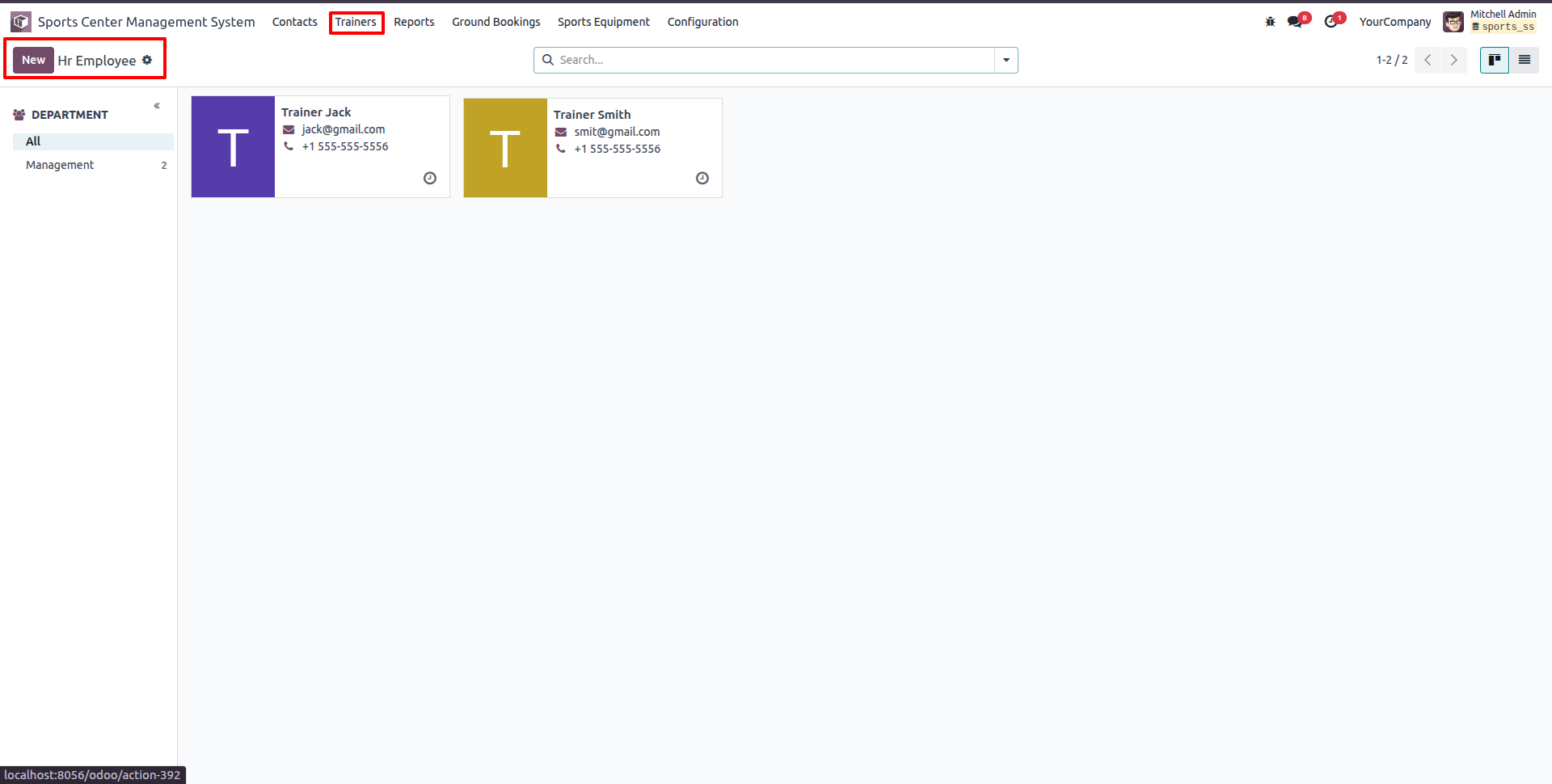
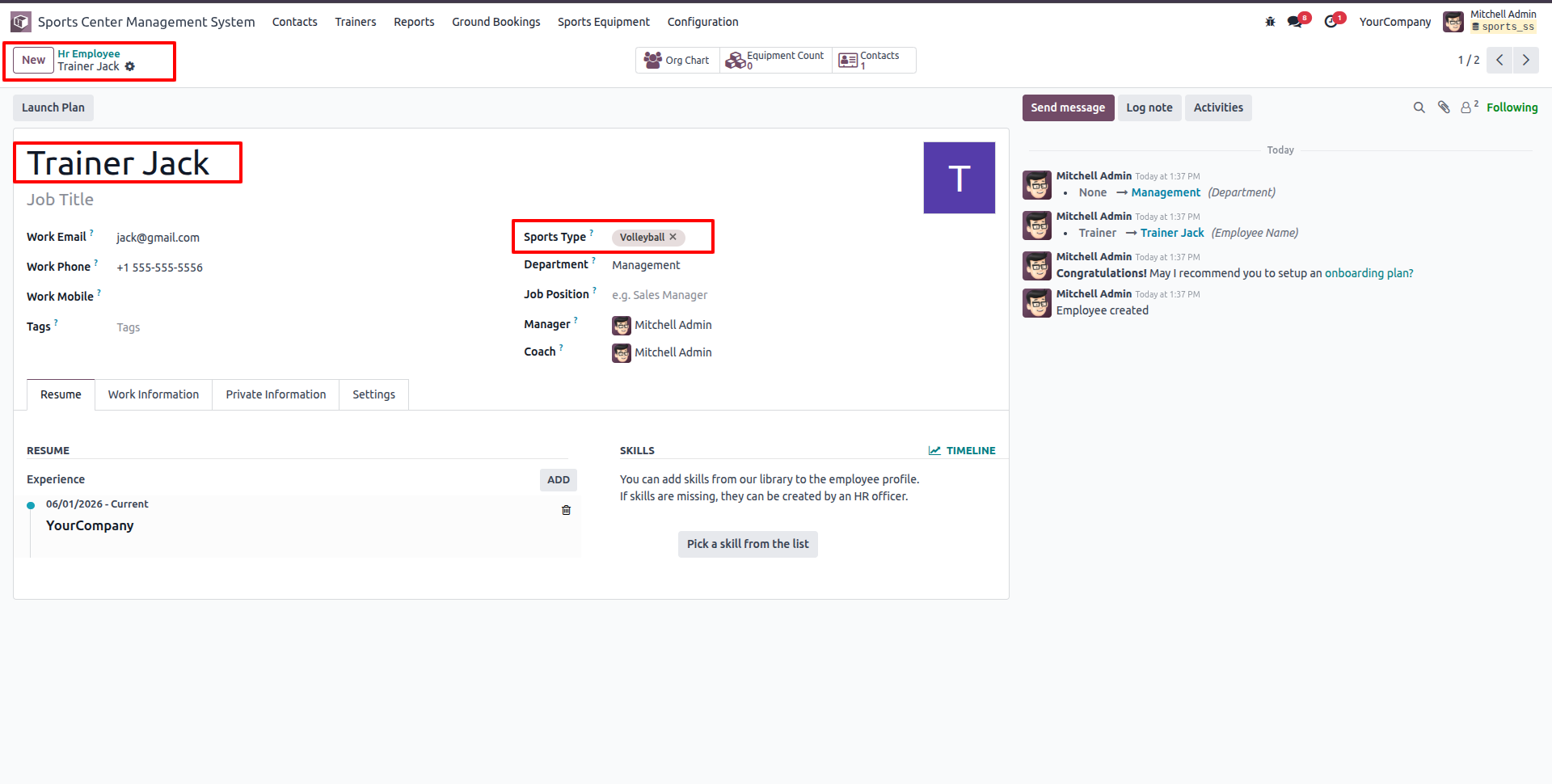
Click the Trainers menu to view and manage trainer (Employee) profiles in Kanban view.
Open a Trainer's employee profile and specify their specialized sports categories under the 'Sports Type' field (e.g. Volleyball).
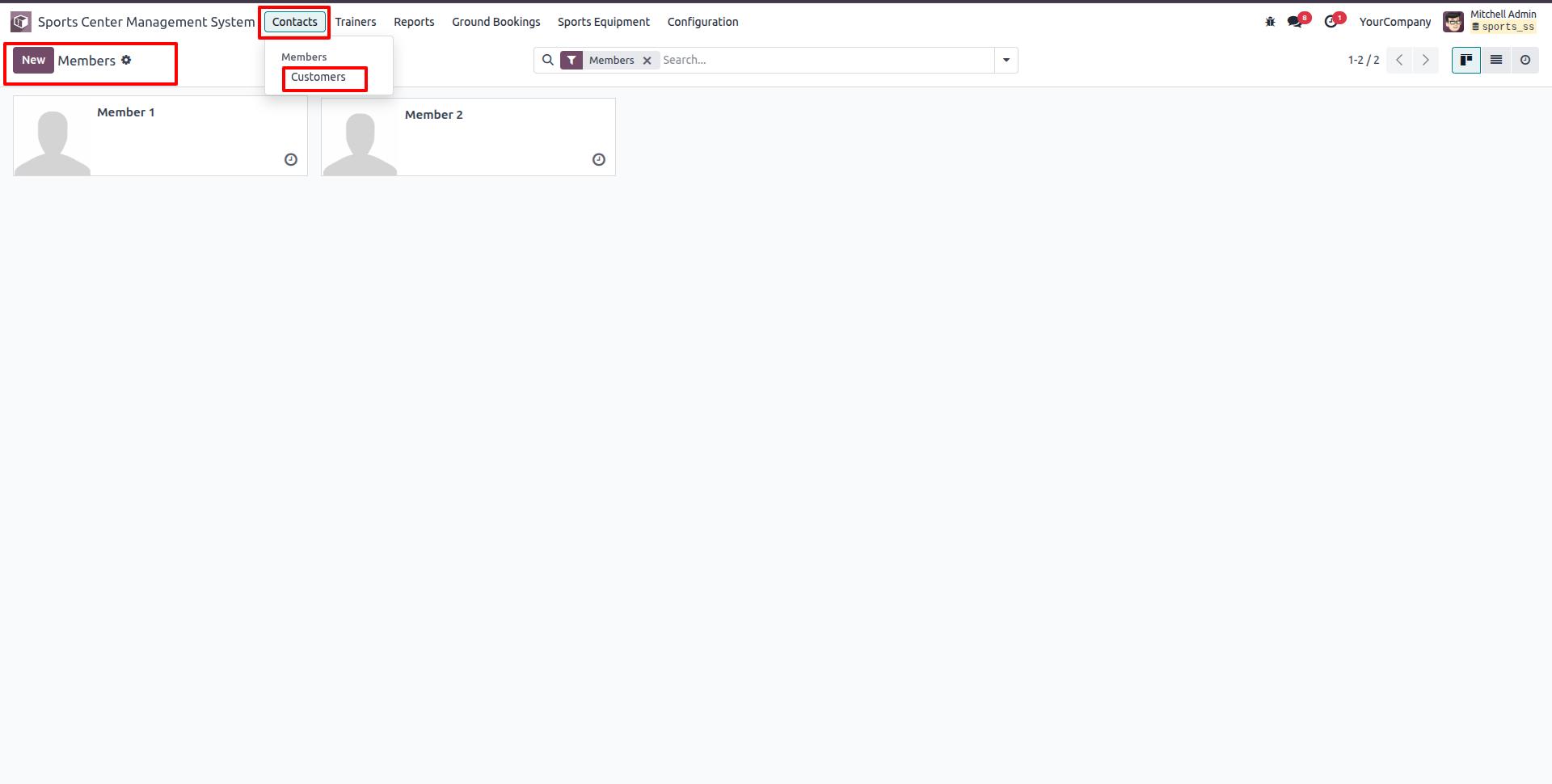
Go to Contacts -> Customers, and select Members to view the list of registered sports center members in Kanban view.
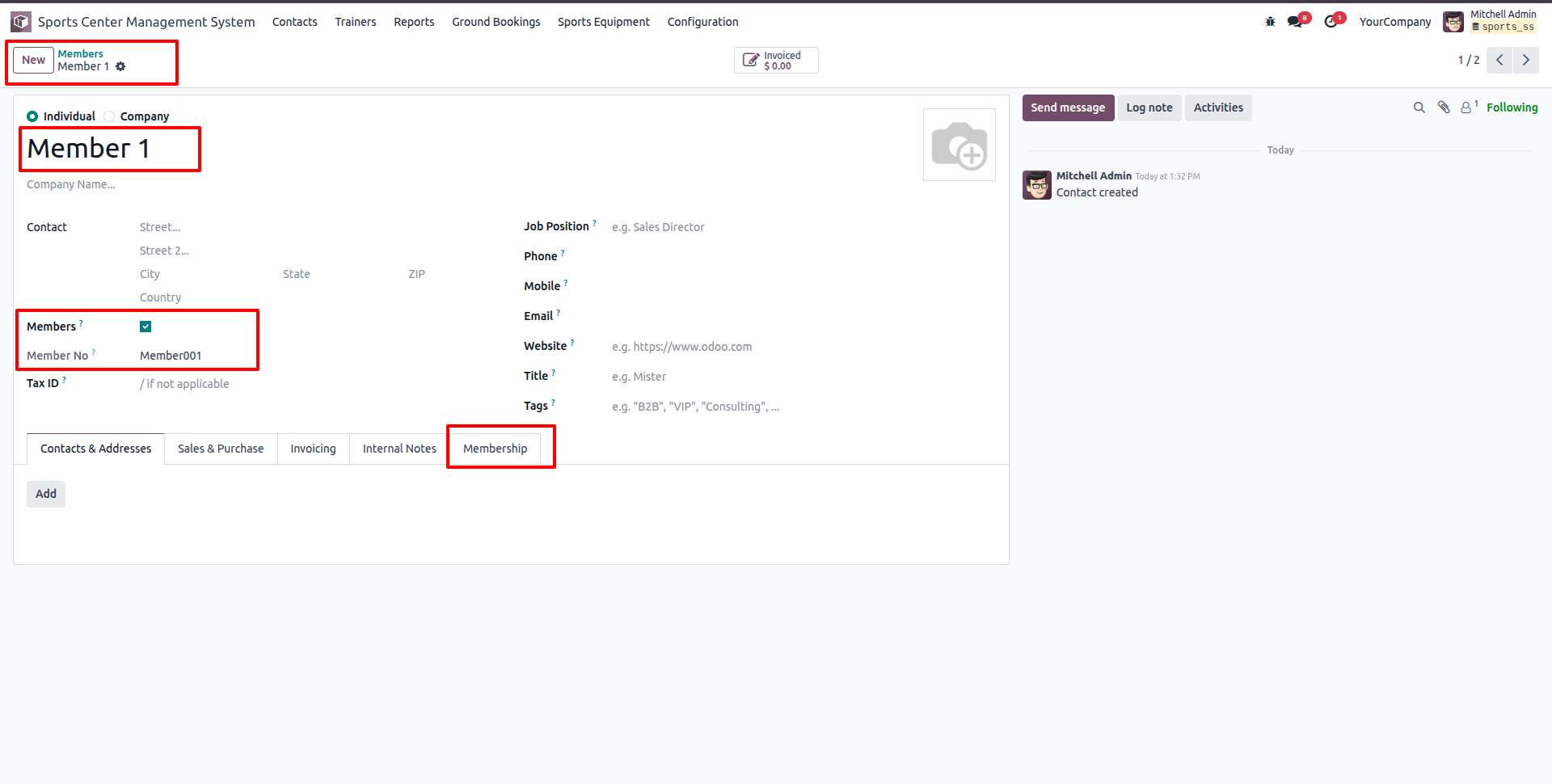
Create or edit a Member record, check the 'Members' status checkbox to assign a unique Member Number (Member No).
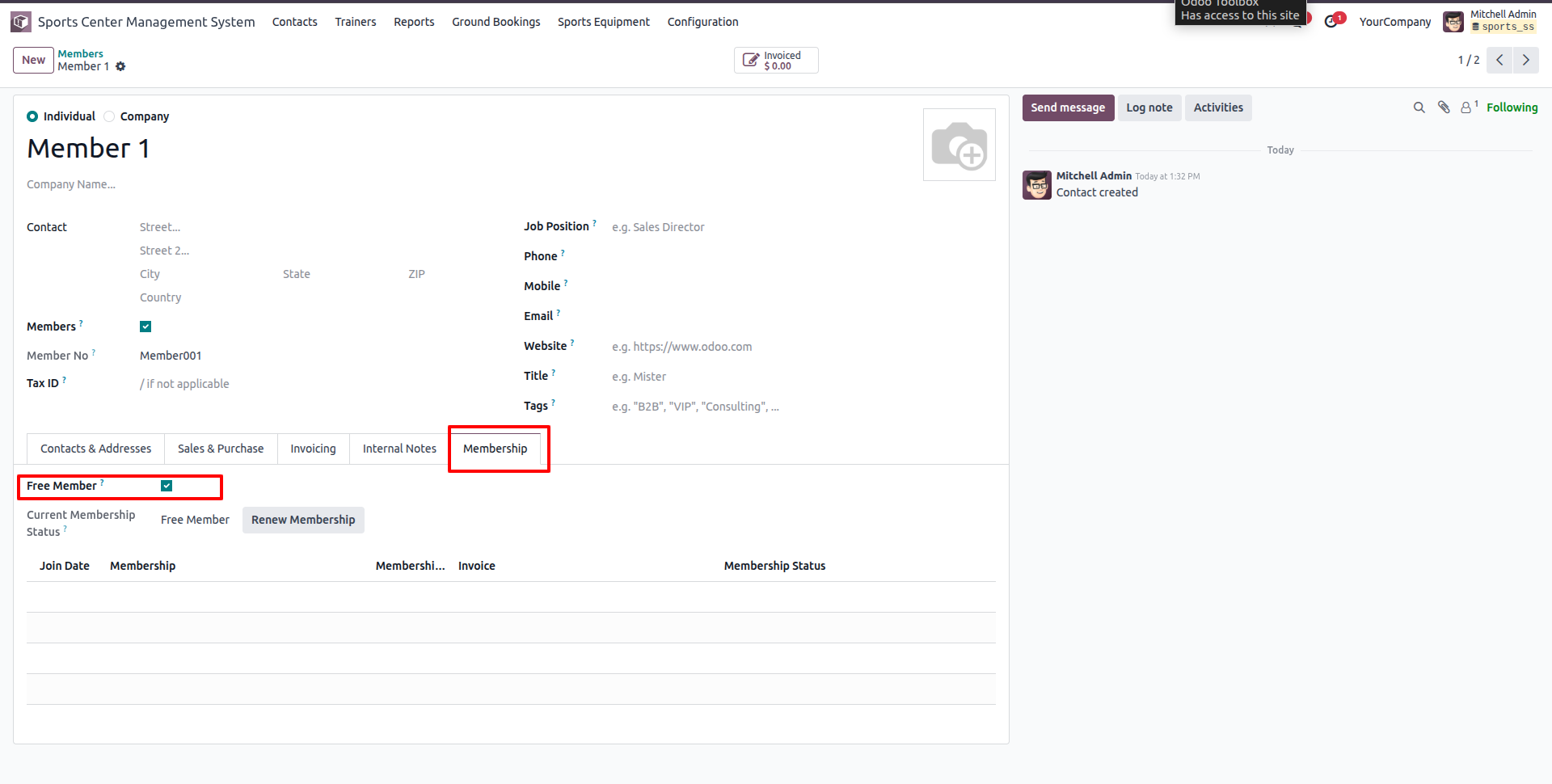
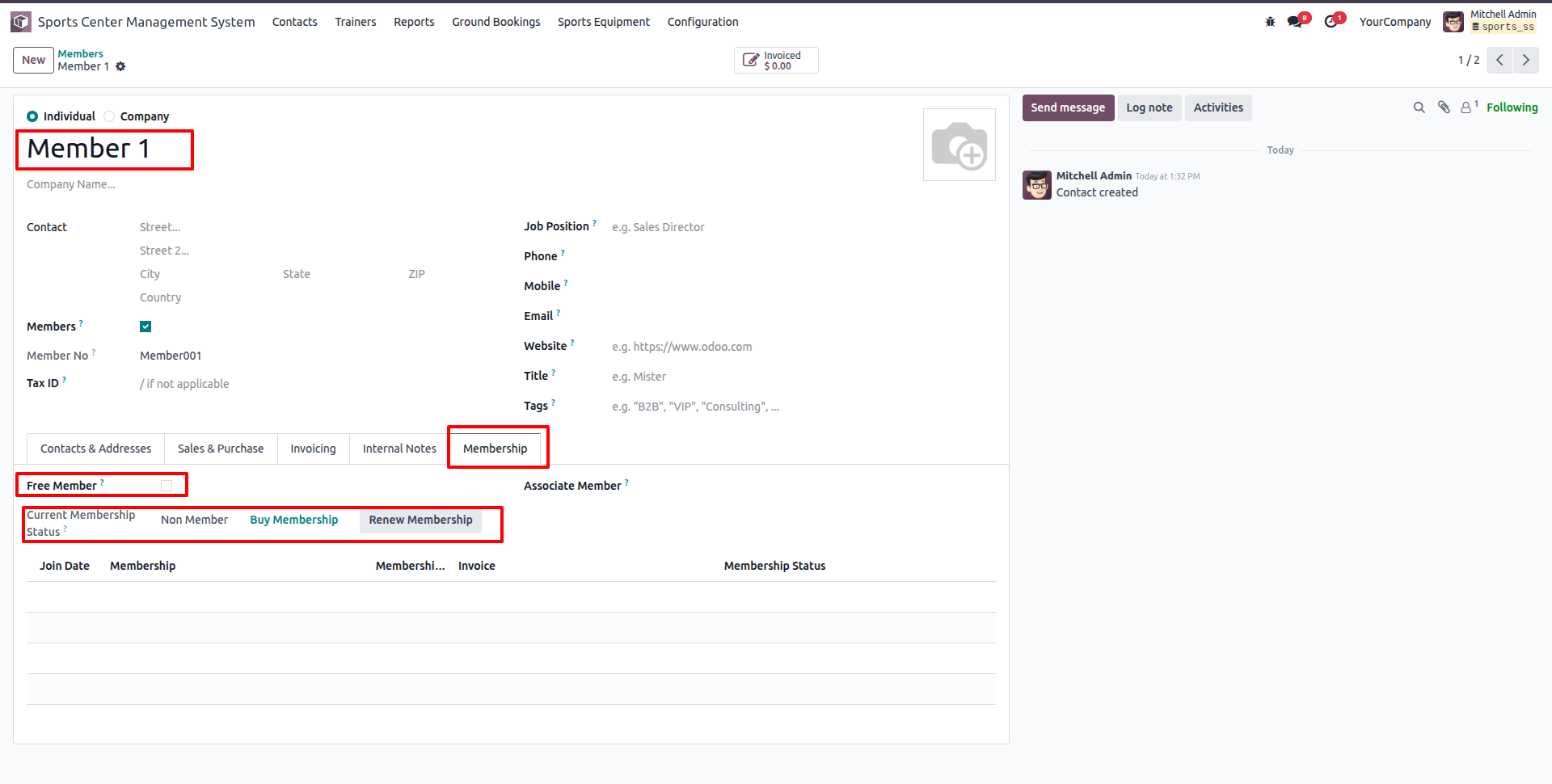
On the Member's contact profile under the Membership tab, enable 'Free Member' if the member has a complimentary membership.
If the Member is a regular paying subscriber, uncheck 'Free Member'. The Membership tab displays the current membership status and action buttons ('Buy Membership' and 'Renew Membership').
Click the 'Buy Membership' button to open the Join Membership wizard, where you select the Membership Plan and view the Member Price.
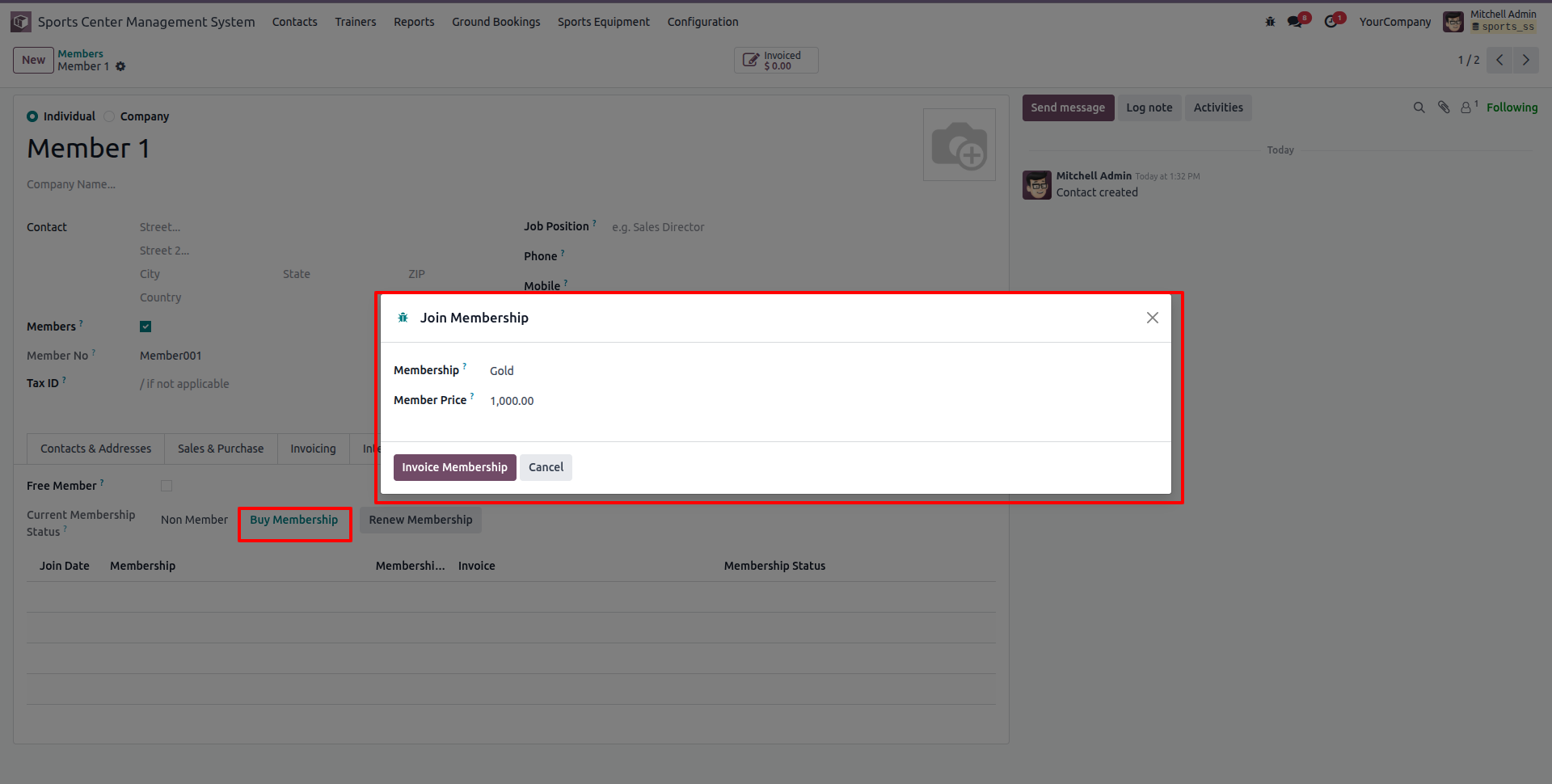
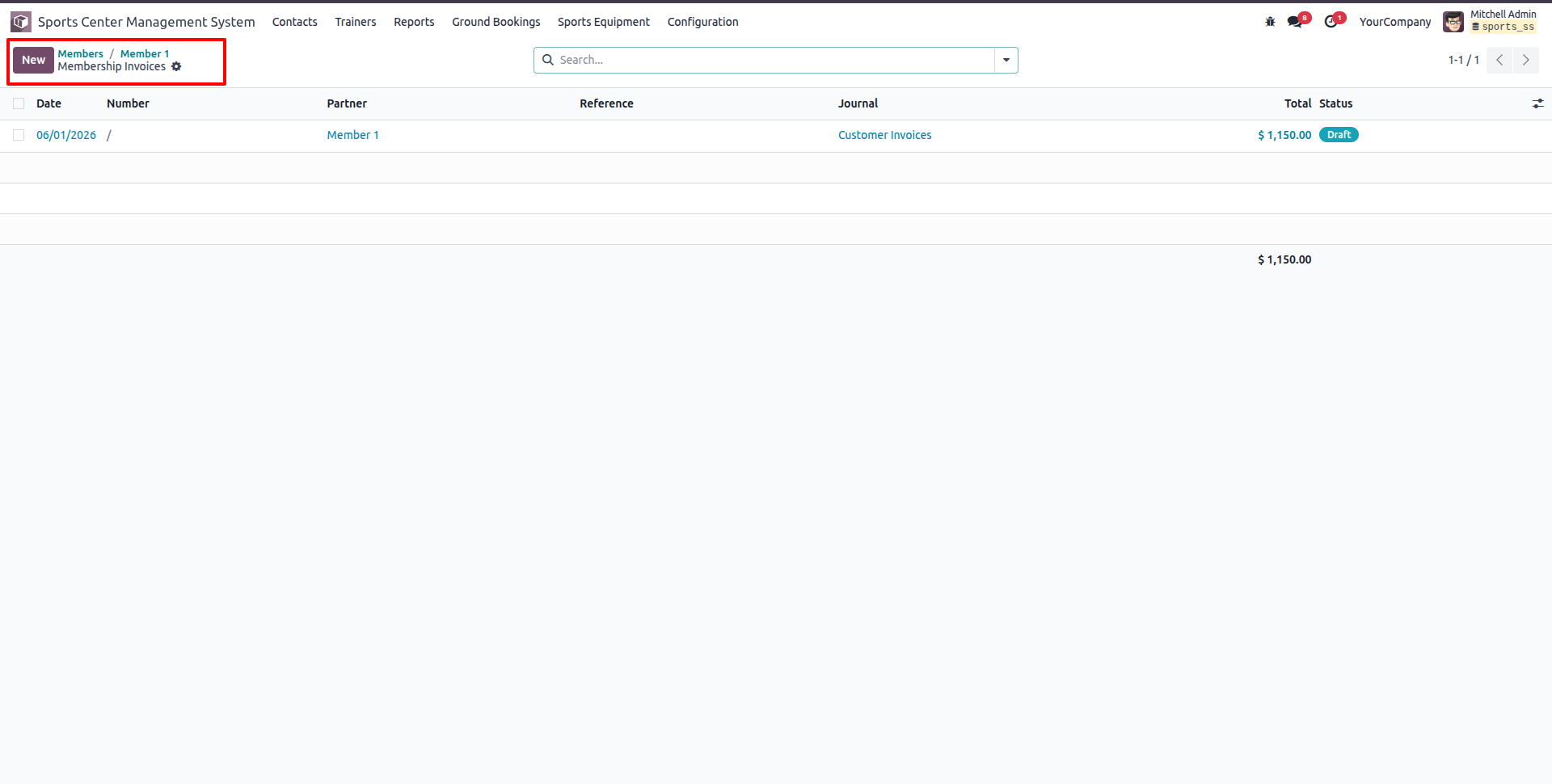
Click 'Invoice Membership' in the wizard to automatically generate a draft membership invoice.
Review the generated draft customer invoice showing the membership product name, price, taxes, and total amount.
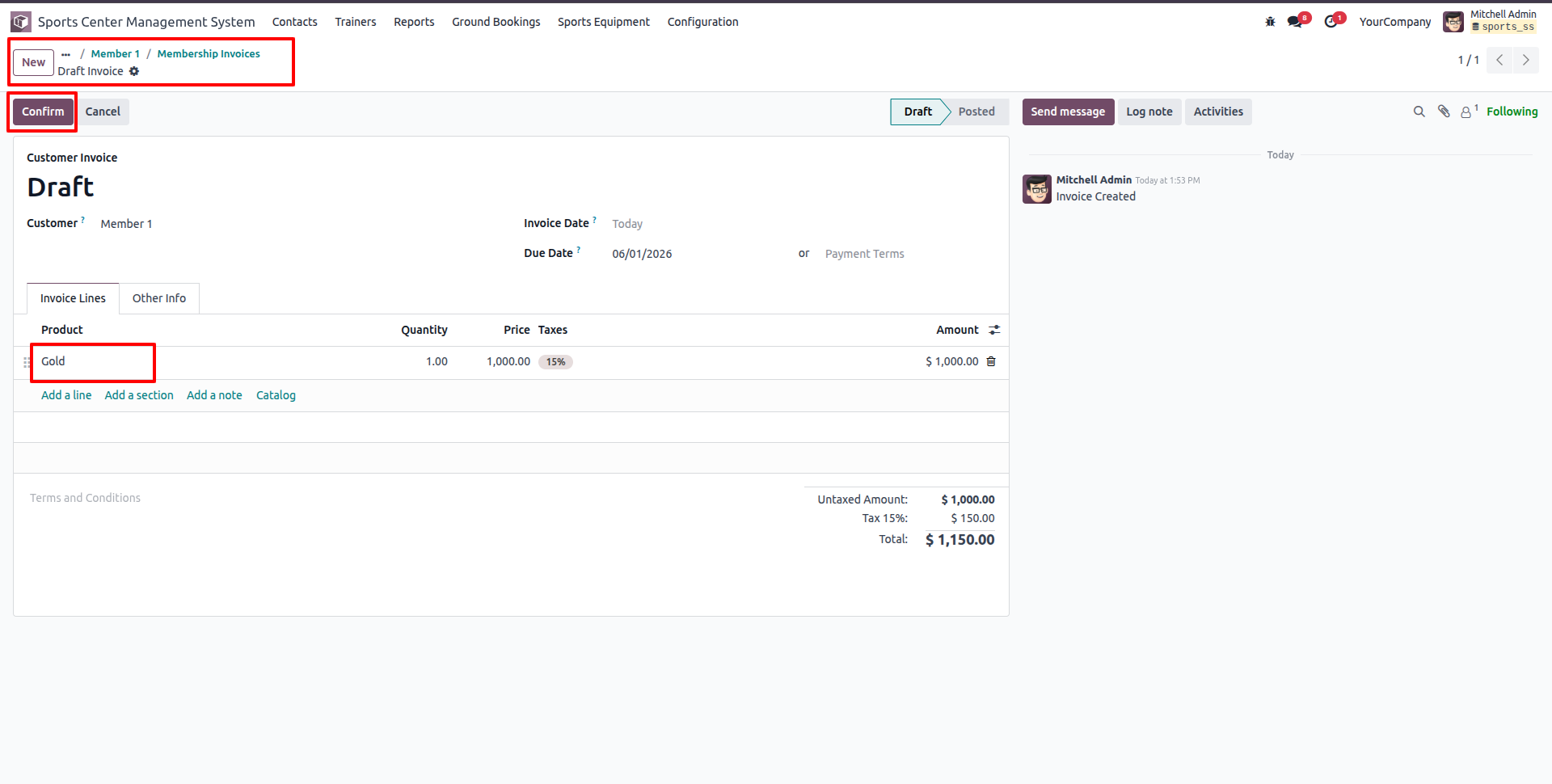
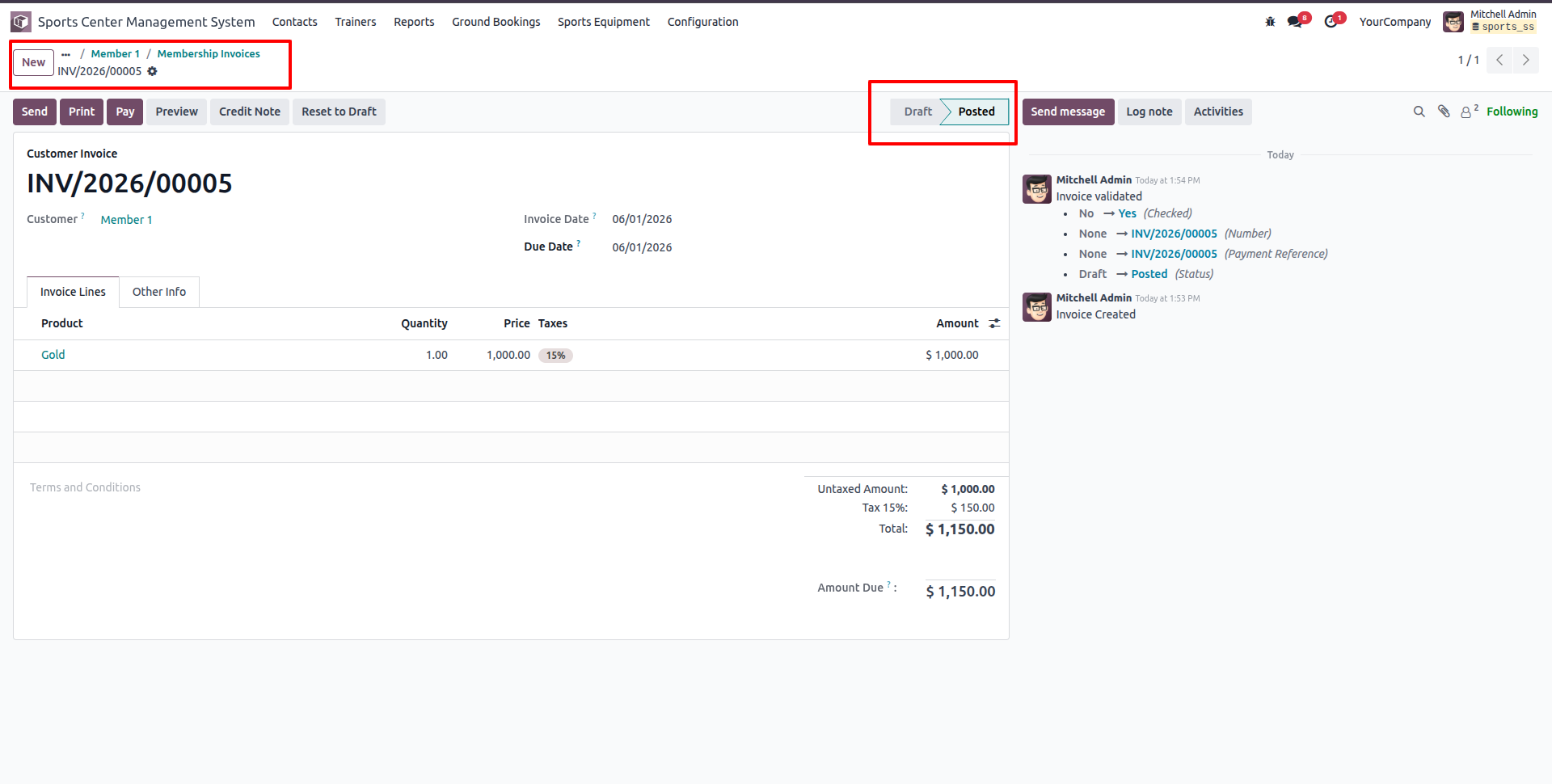
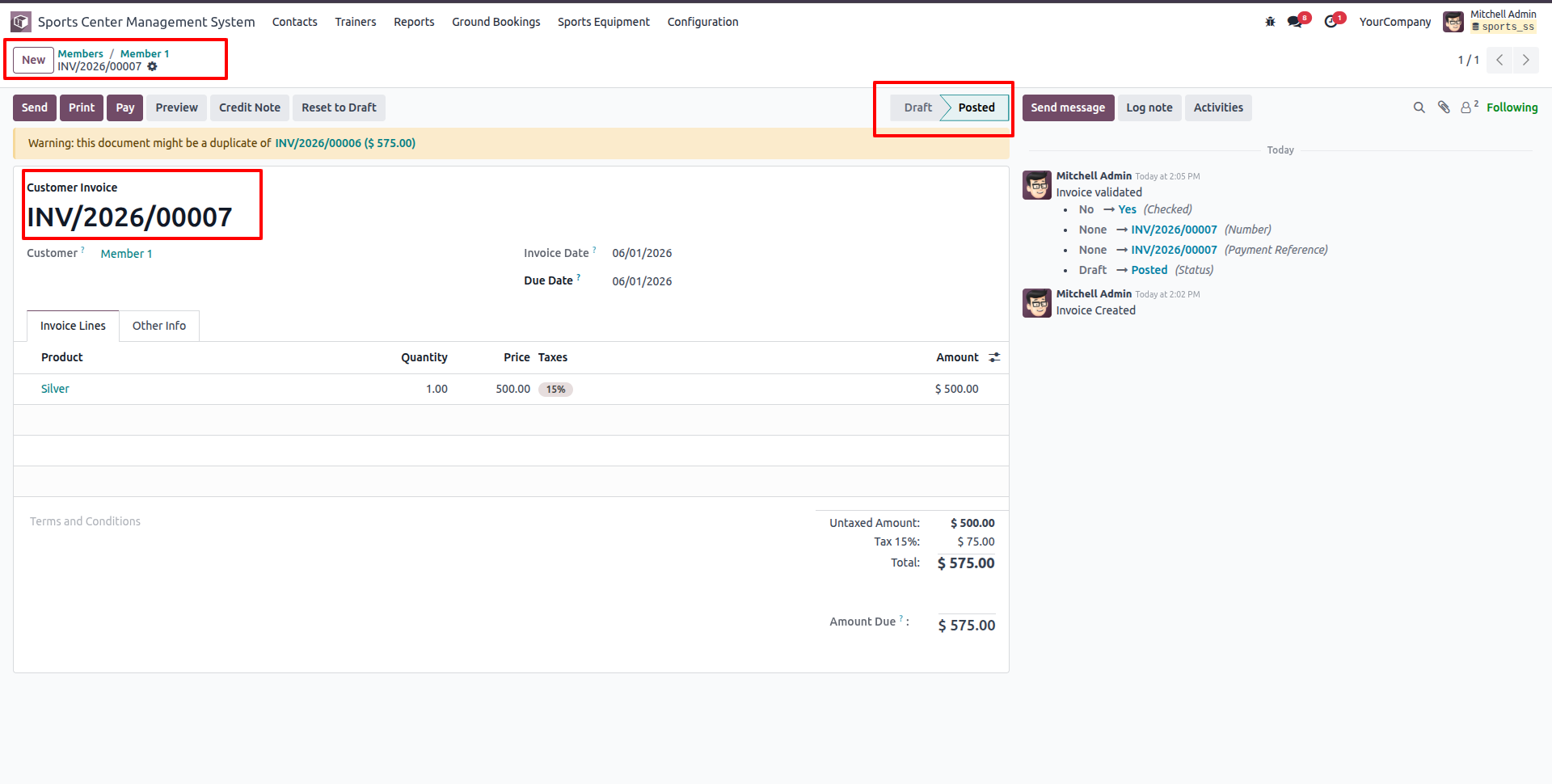
Click the 'Confirm' button to validate the draft invoice and post the journal entries, shifting the invoice status to 'Posted'.
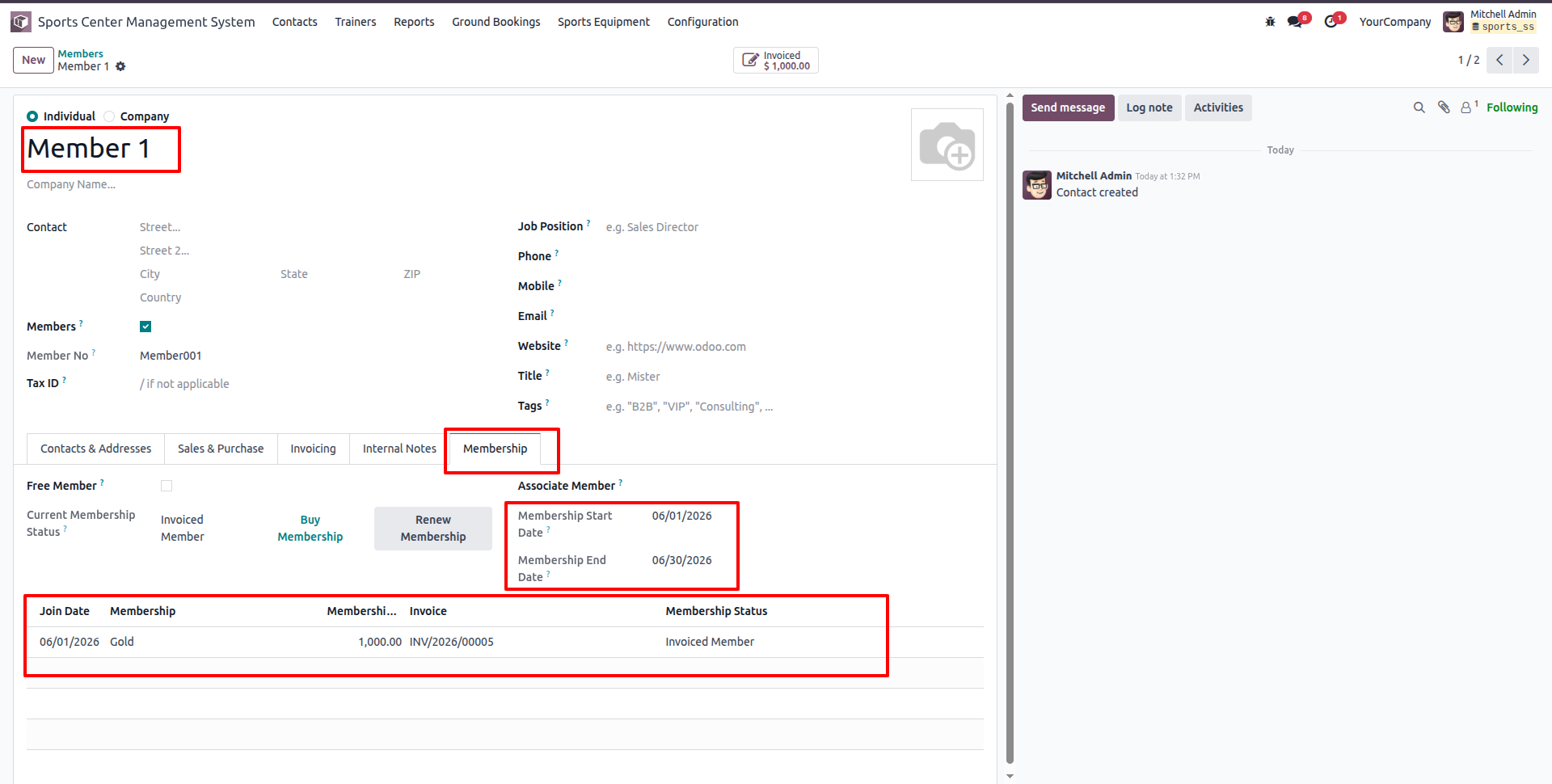
The Member's contact profile is automatically updated under the Membership tab, displaying active dates, membership plan, linked invoice, and status 'Invoiced Member'.
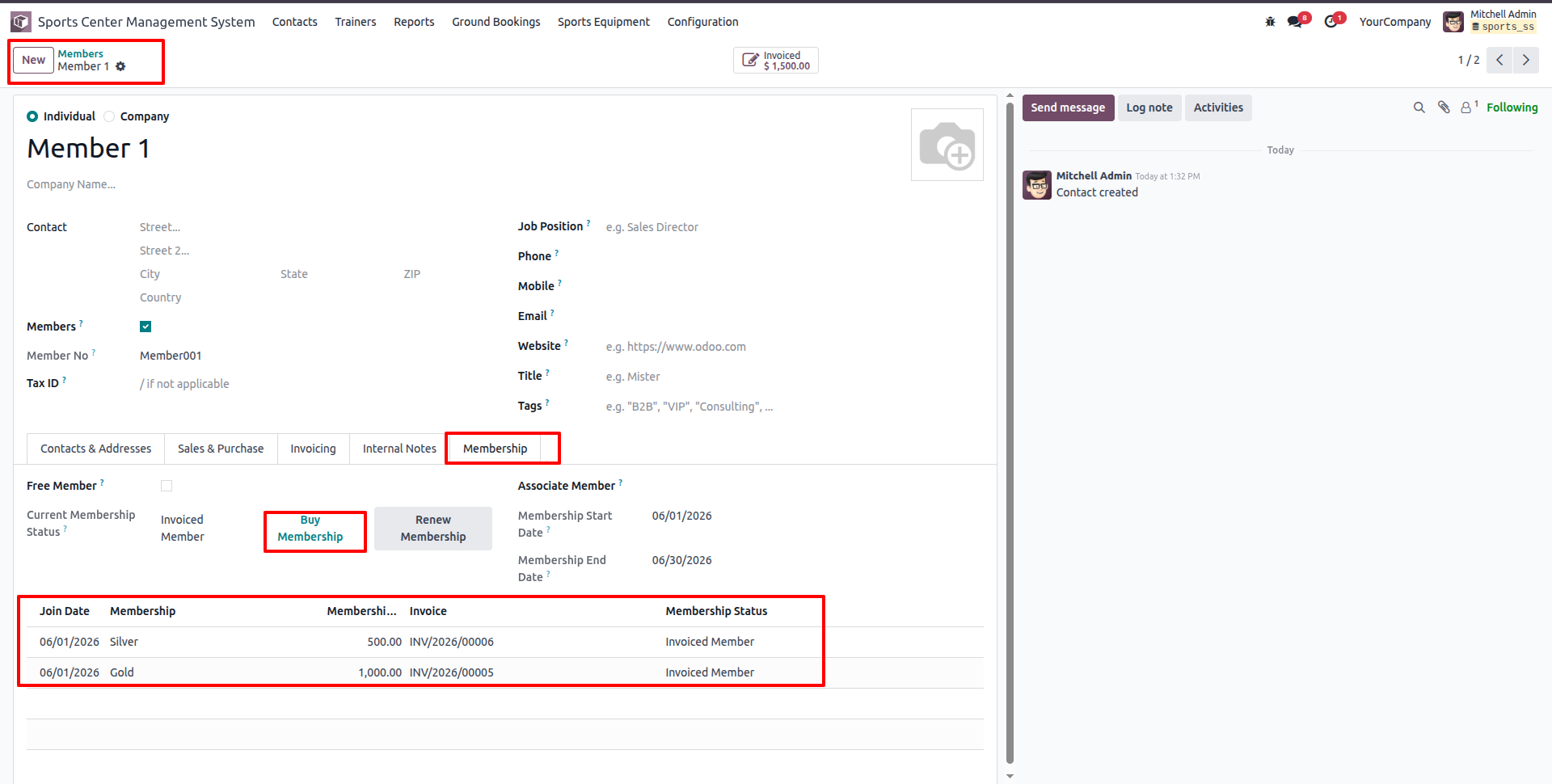
The membership history updates dynamically when the member purchases another plan (e.g., subscribing to Silver membership).
To extend or renew membership, click 'Renew Membership' to create a renewal entry in 'Waiting Member' status with a linked Draft Invoice.
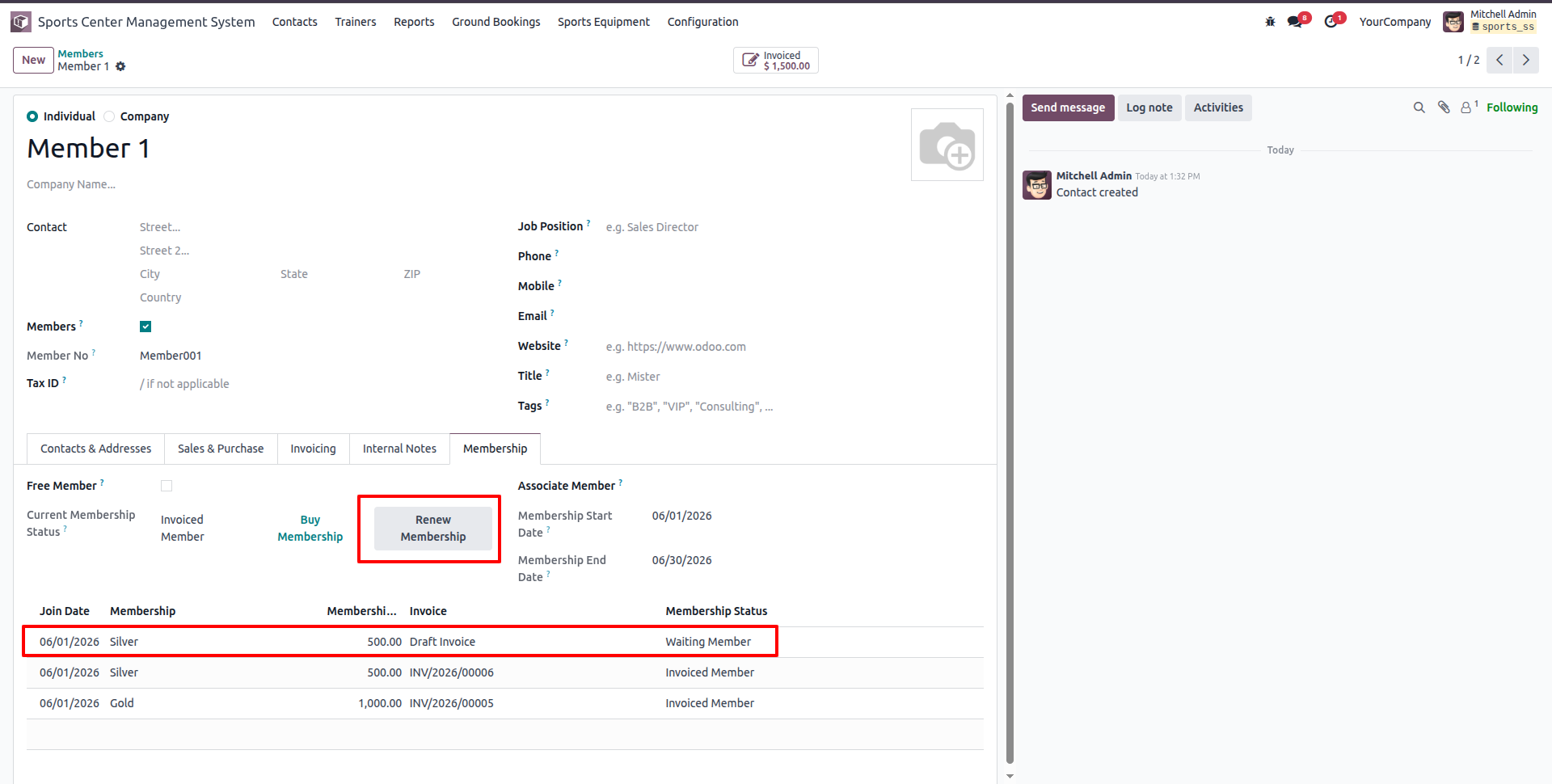
The system automatically creates a renewal invoice in draft status, accessible from the member's invoice menu.
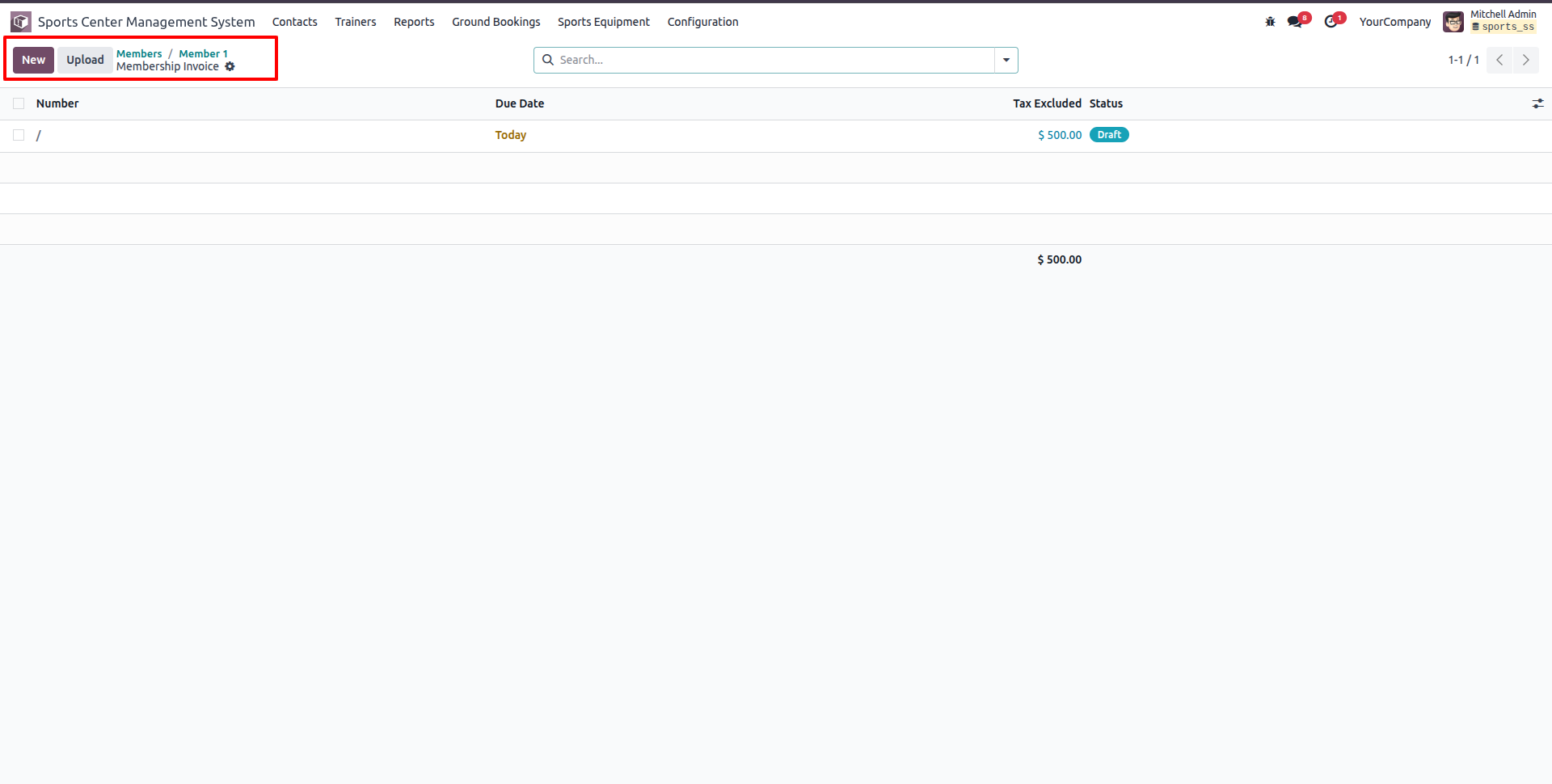
Open and review the draft renewal customer invoice showing the updated plan rates and tax details.
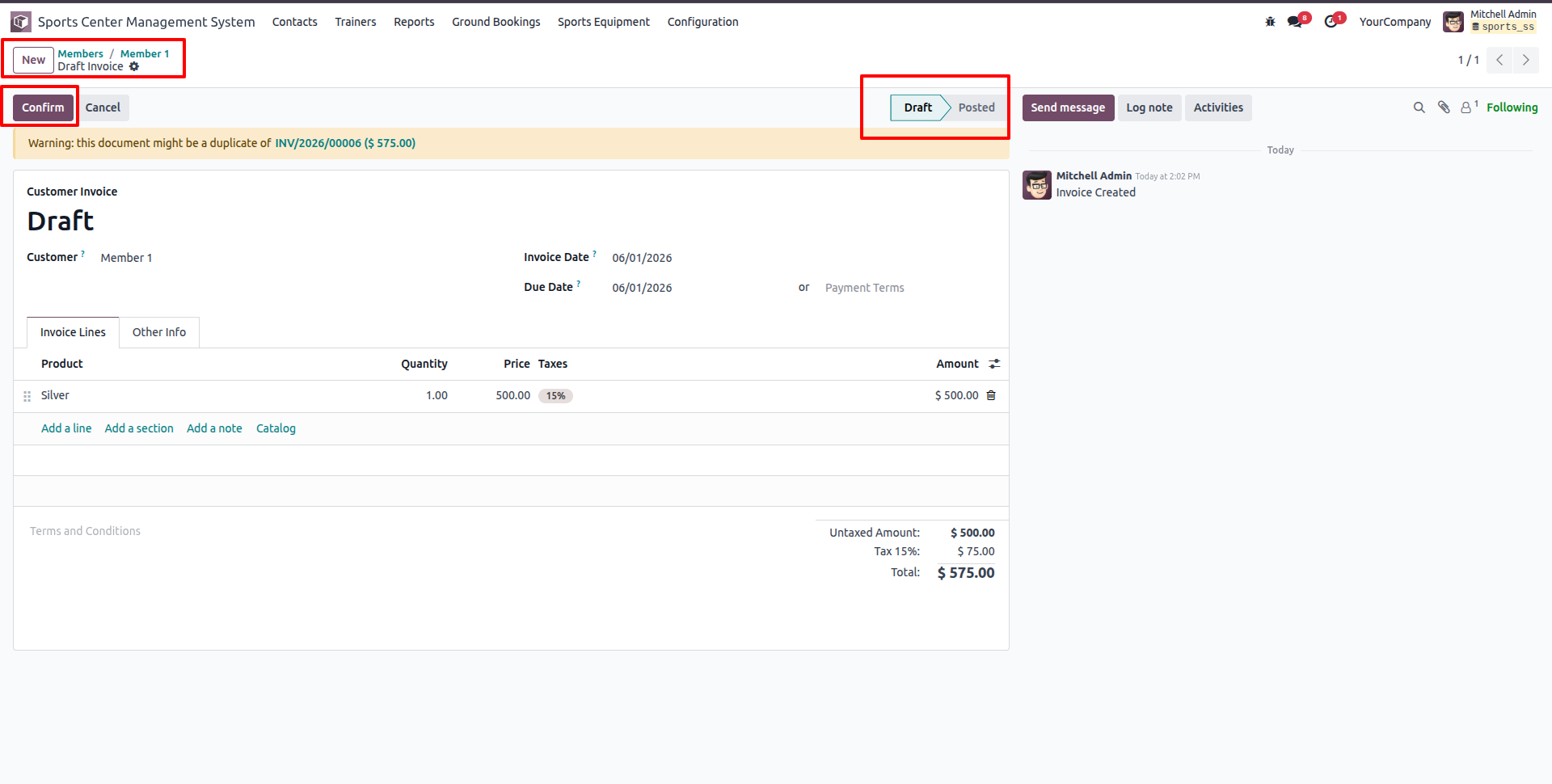
Click 'Confirm' to post the renewal invoice, which changes its status to 'Posted'.
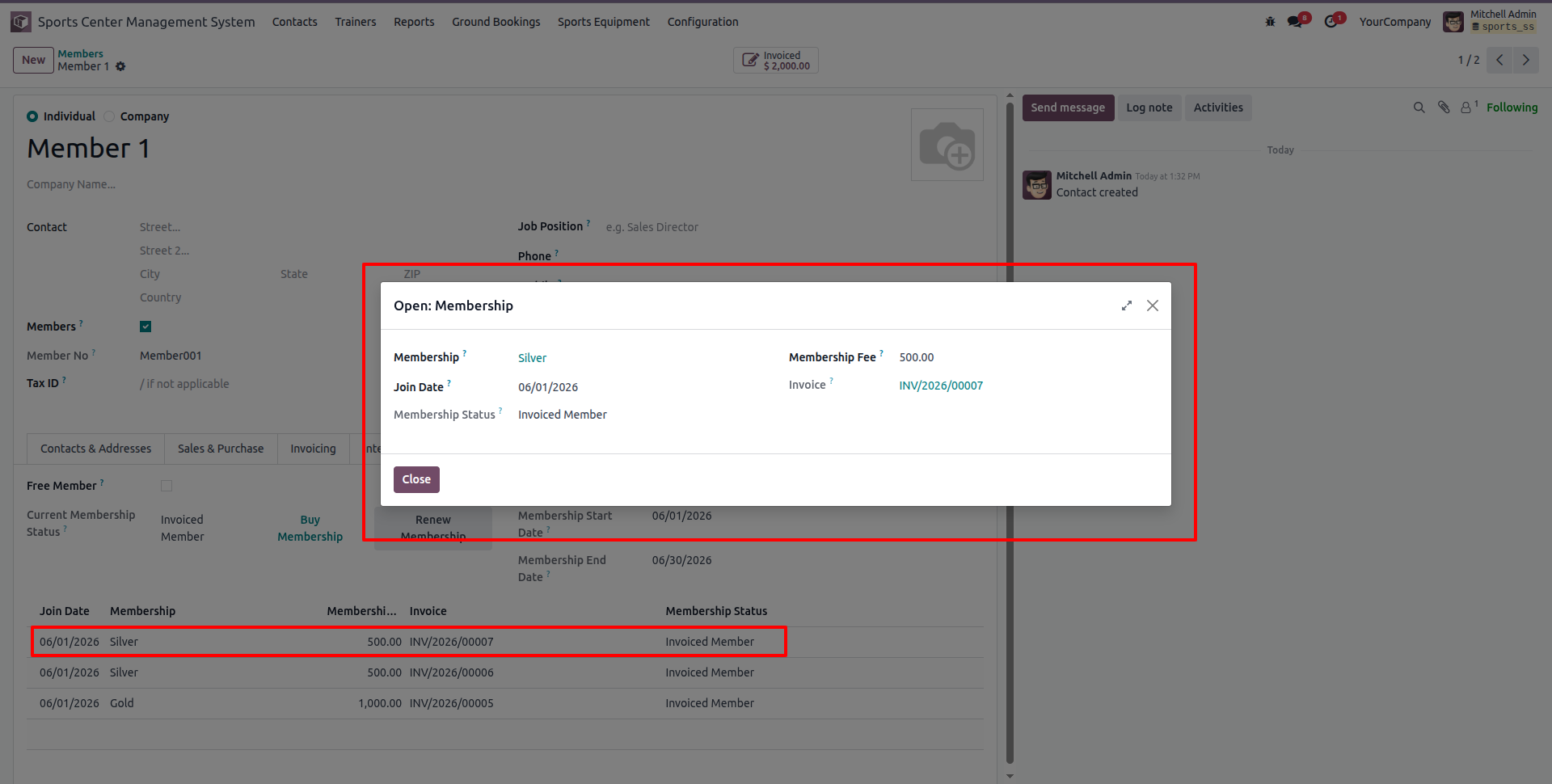
Open the membership details dialog popup from the membership history list to view complete duration, fees, and invoice links.
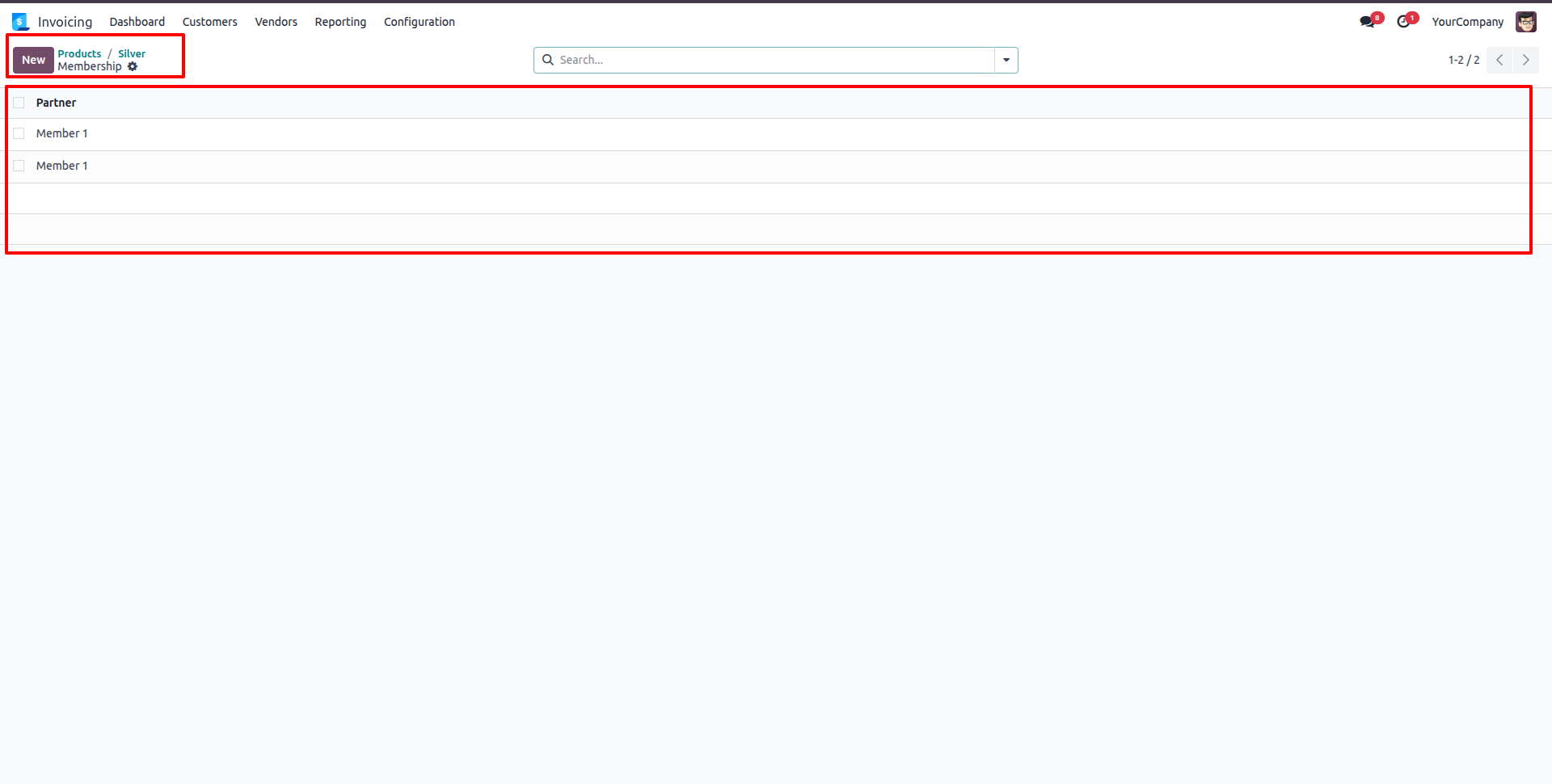
Click the 'Membership' smart button on the product page to view the list of members subscribed to that specific membership plan.
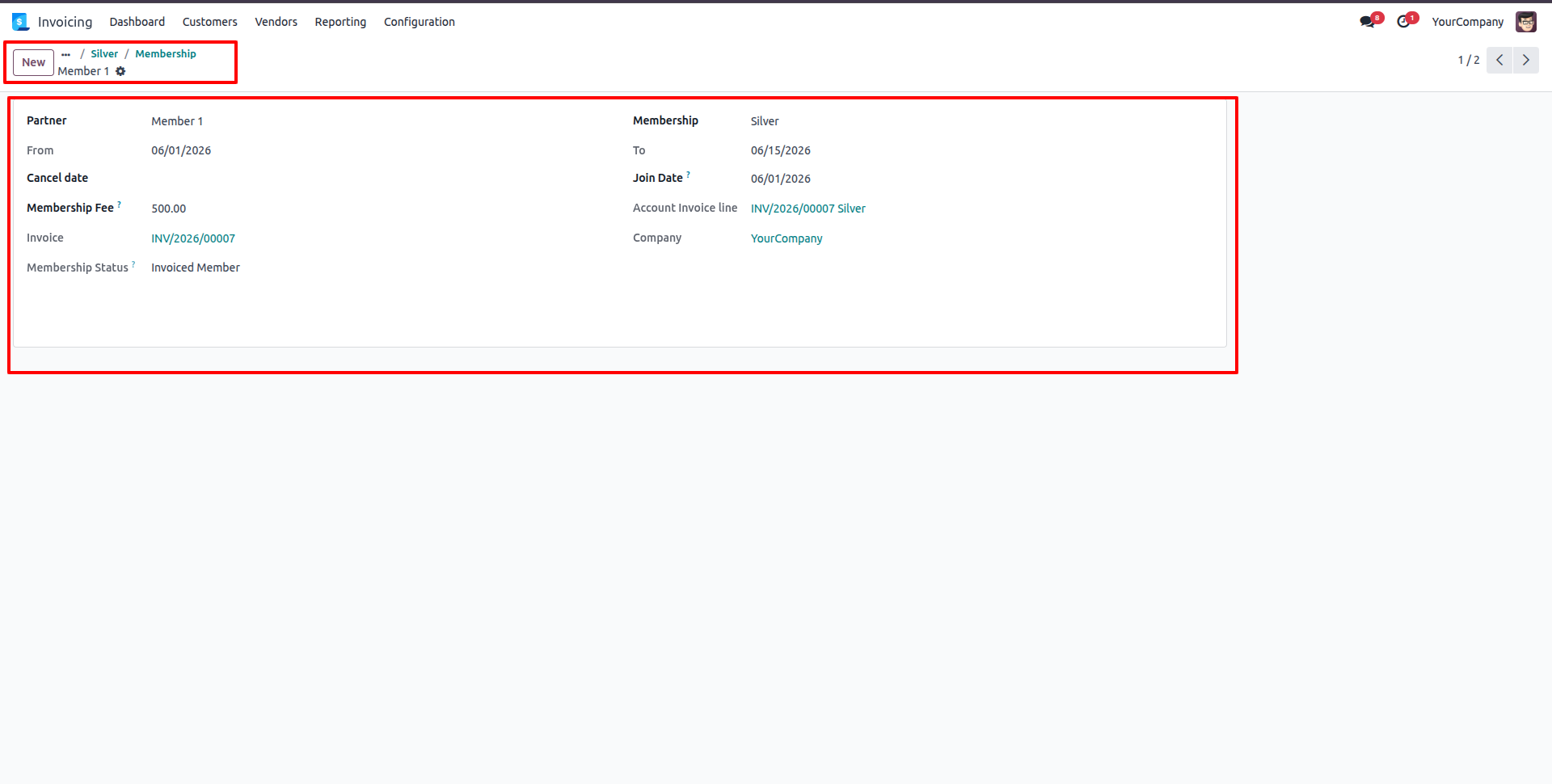
Open a member's subscription record to view detailed membership start/end dates, membership fees, linked invoices, and invoice status.
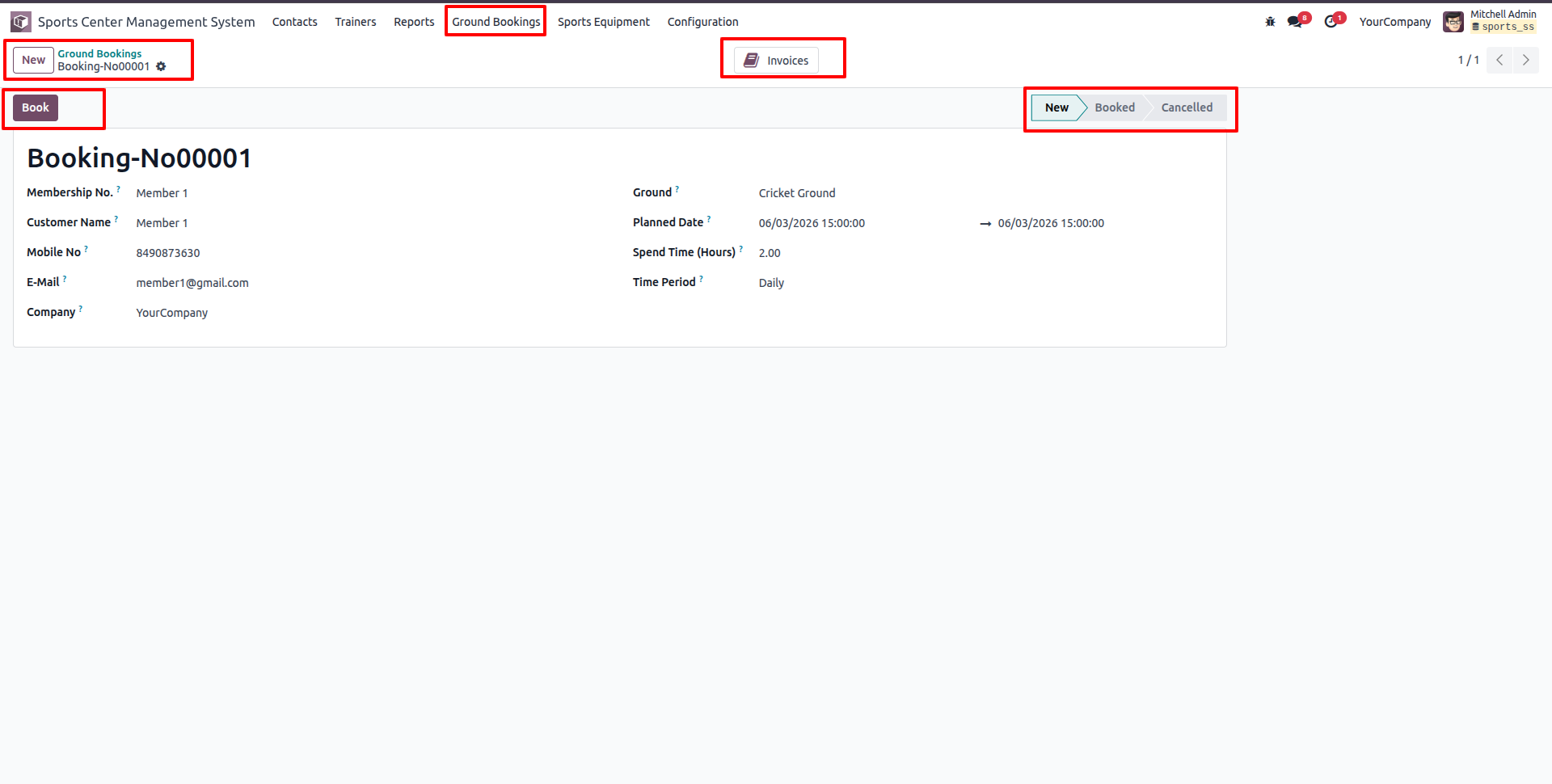
Click the Ground Bookings menu and select Ground Bookings to create a booking request (e.g., Booking-No00001) in 'New' status. Select Member, Sports Ground, Planned Date, Spend Time, and Time Period.
Click the 'Create Invoice' button to bill the member.
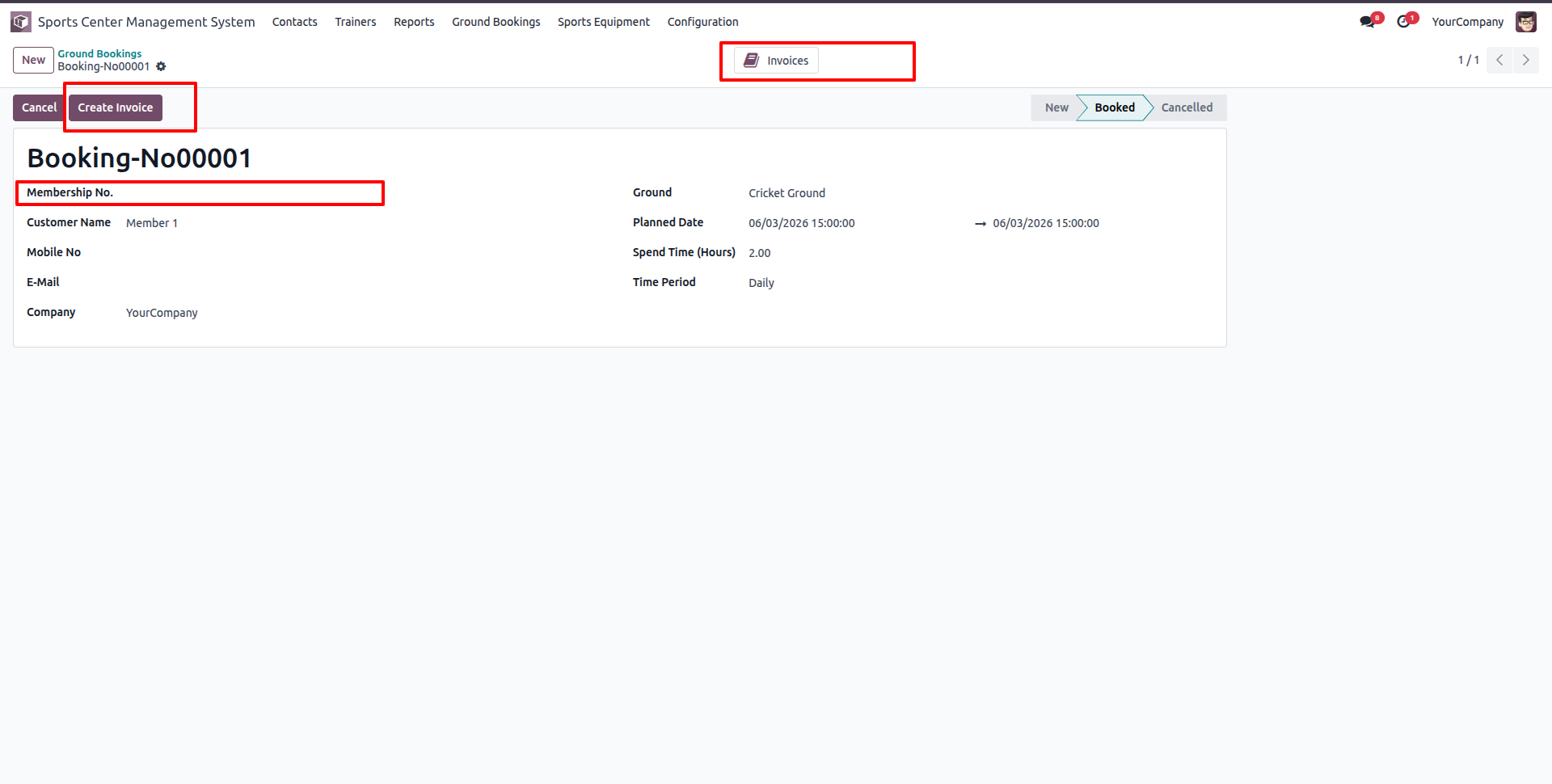
The system automatically generates a draft customer invoice.
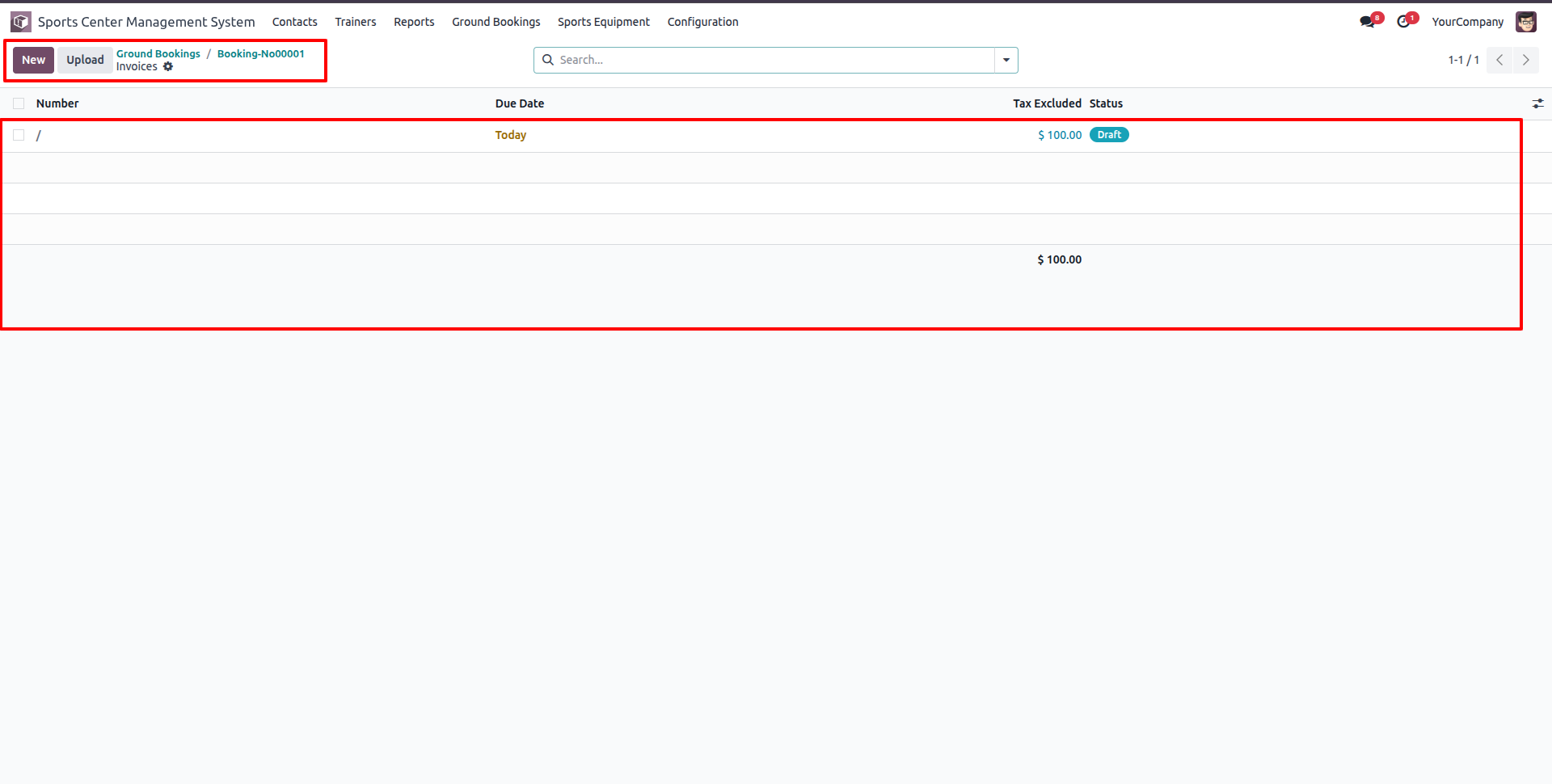
Open the draft ground booking invoice to verify the ground name, booking hours, rate per hour, and total billing.
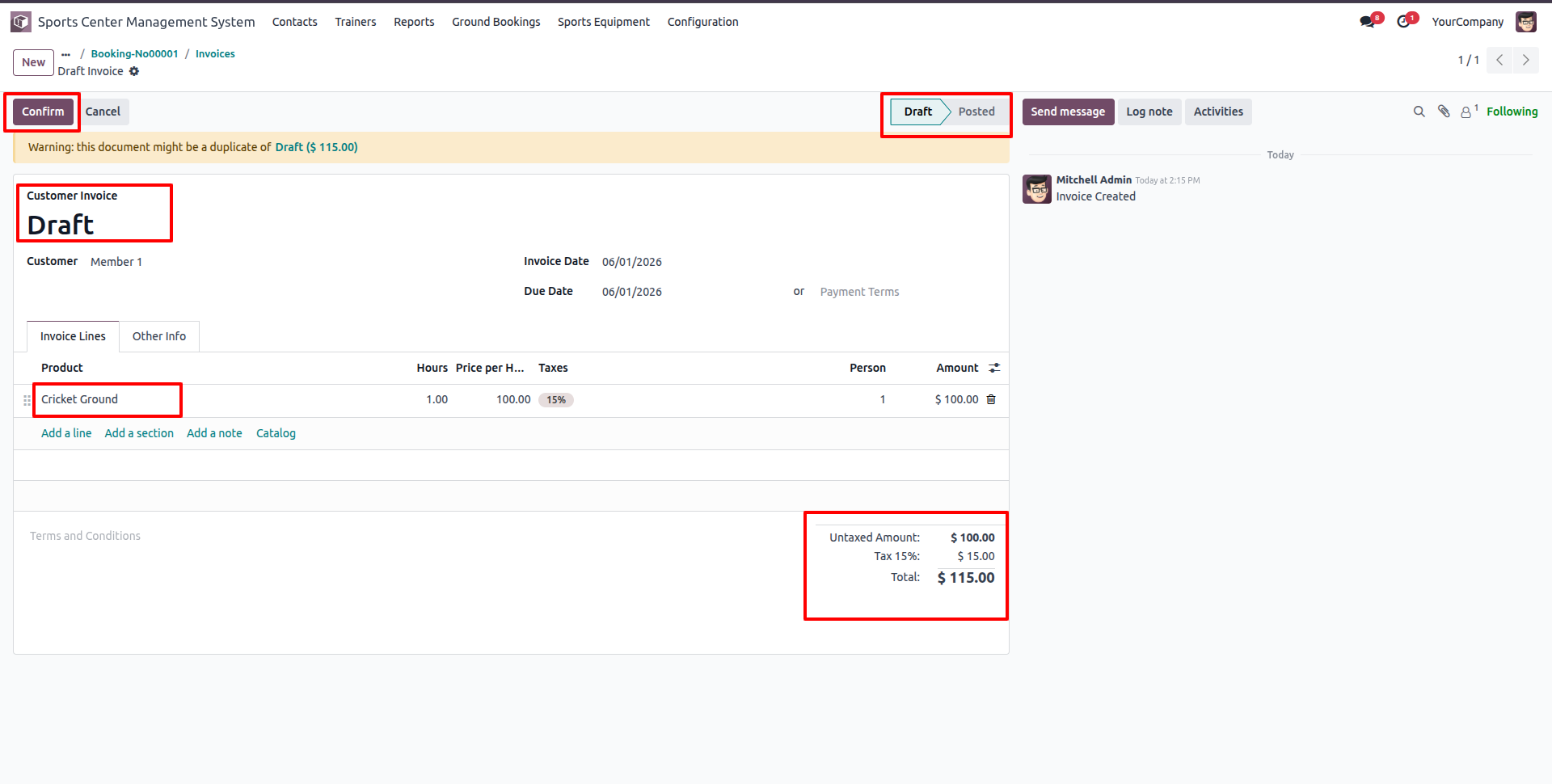
Confirm the ground booking invoice, which shifts the invoice status to 'Posted'.
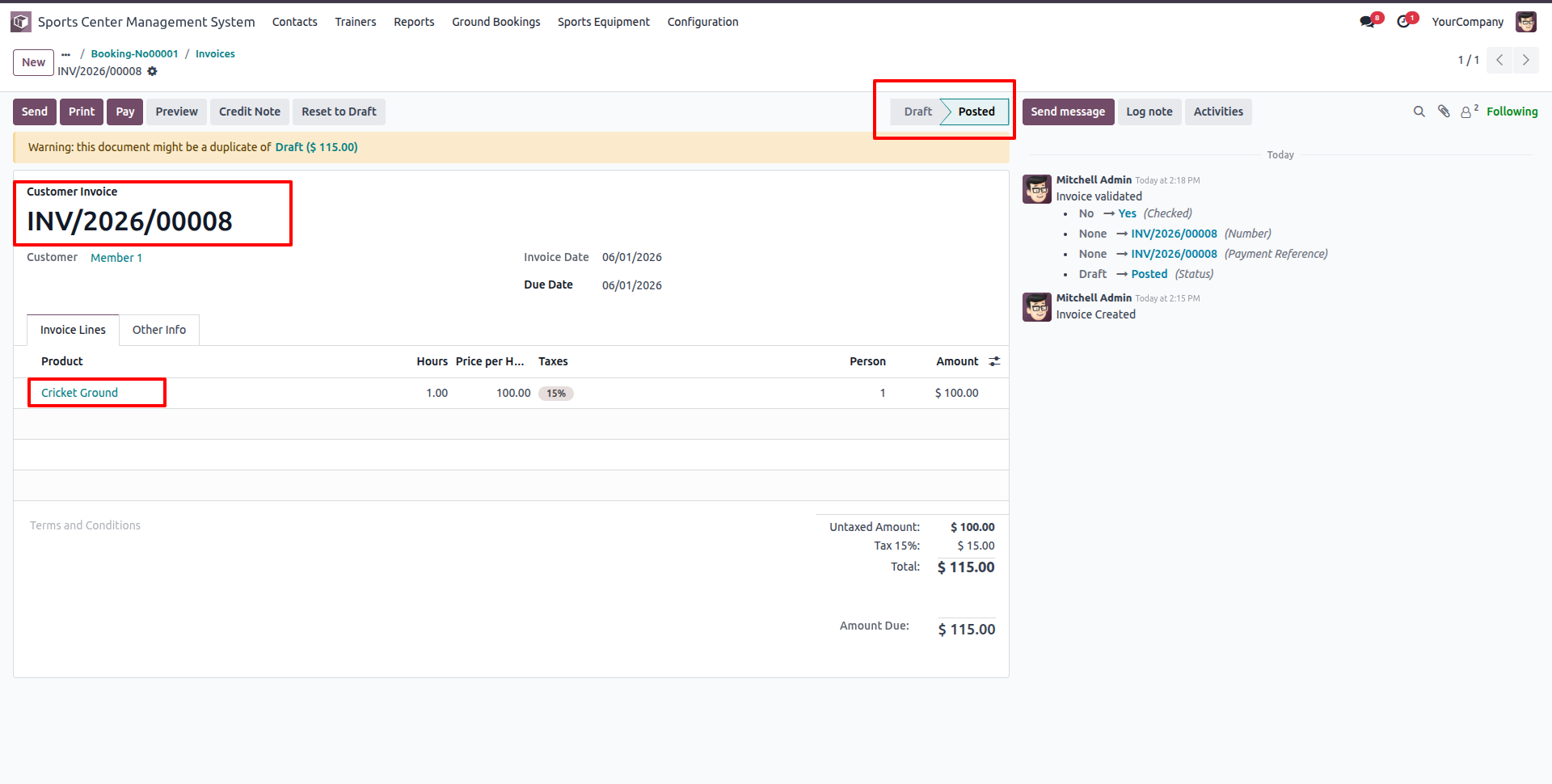
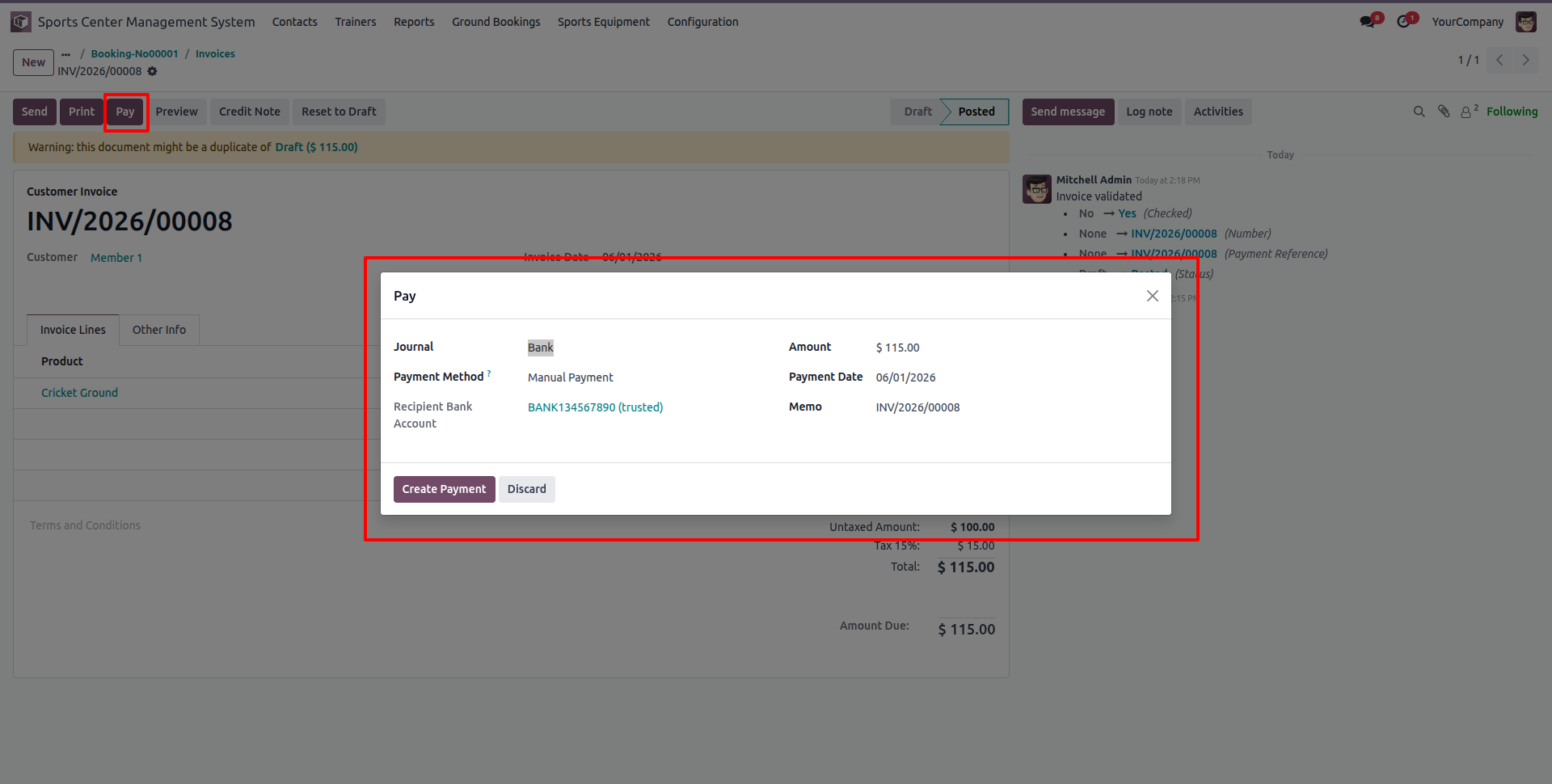
Click 'Pay' on the posted invoice to open the Register Payment wizard.
Go to Reports -> Management -> Invoice Analysis.
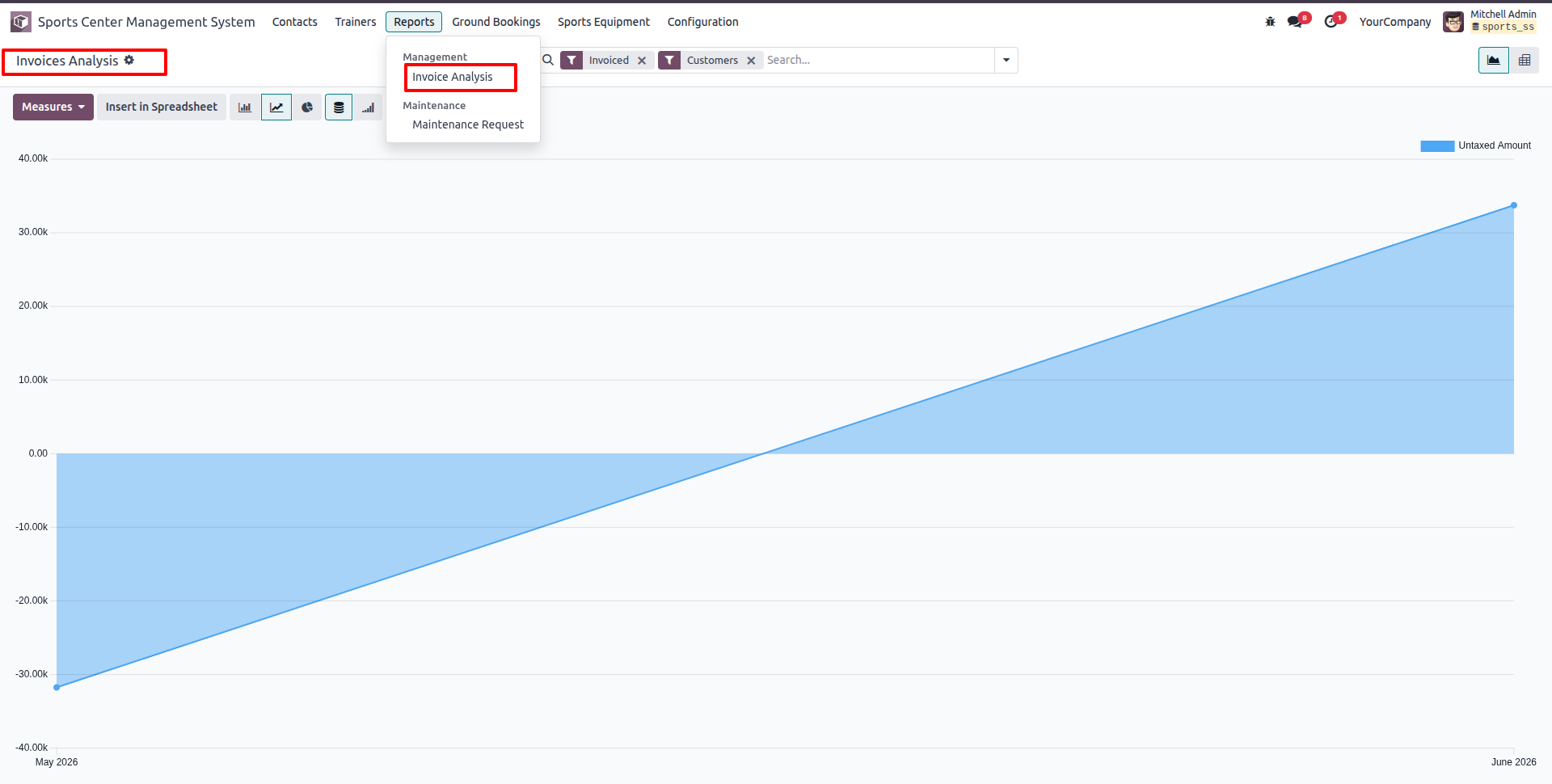
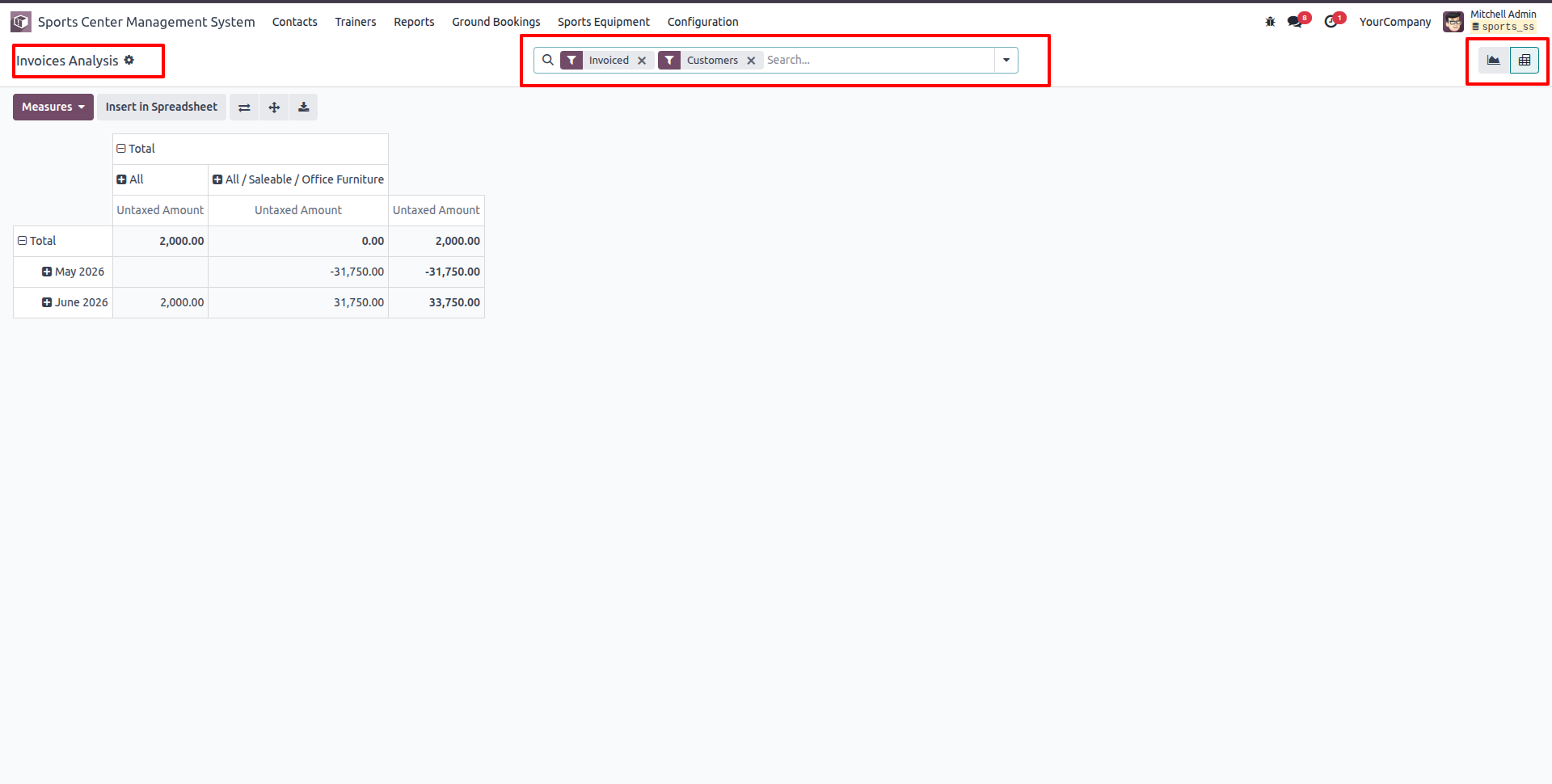
Switch to the Pivot view in Invoice Analysis reports to perform multi-dimensional reporting of untaxed and total invoice amounts.
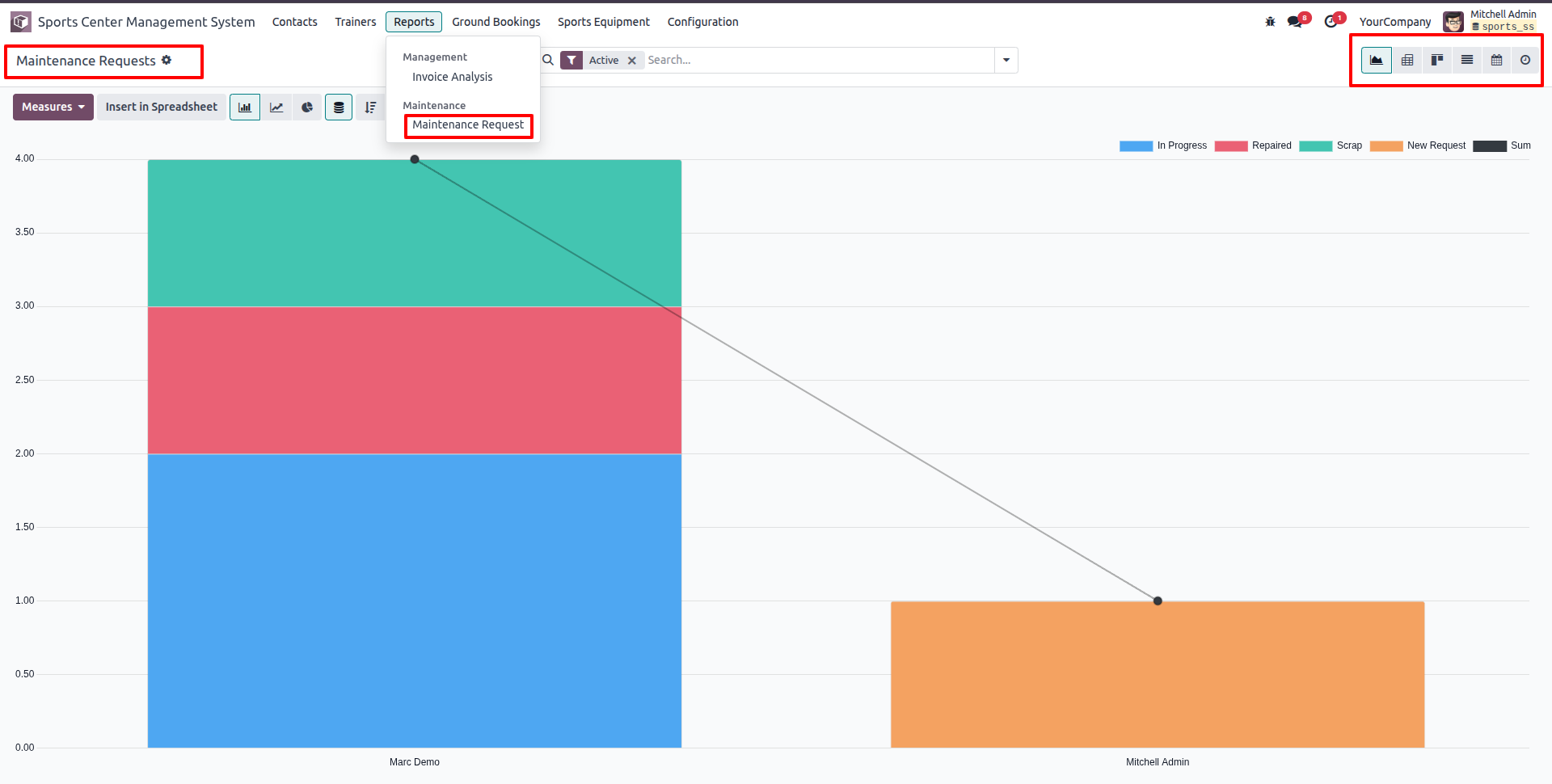
Go to Reports -> Maintenance -> Maintenance Request to view bar charts of equipment maintenance requests grouped by stage.
Version 18.0.1.0.0 | Released on : 25th August 2026
- No, this app works perfectly with Odoo Enterprise (Odoo.sh & Premise) only.
- No, this application is not compatible with odoo.com(odoo saas/Odoo Online)
- Yes, to test this module, please contact us at sales@softhealer.com.
- Please contact us at sales@softhealer.com to request customization.
- Yes, we provide free support for 365 days from the date of purchase.
- Yes, you will receive lifetime free updates for the version of the module you purchased.
- No, there is no need to install any additional libraries.
- Yes, for version 12 and above, you need to purchase the module separately for each version you intend to use.
- No, exchanges or refunds are not allowed. Please make sure to select the correct version before purchasing.
- You can contact us at support@softhealer.com for language translation support. We use Google Translator tools to provide translations in multiple languages, so the accuracy may vary. We welcome your suggestions to help improve translations.
Discover Our Latest Apps