












Sound Notifications | Pop-up Notifications

This module enhances Odoo's notification system by allowing users to fully control pop-up and sound notifications for out-of-focus alerts, discuss messages, and mail activities. Users can enable or disable notifications, customize sounds, and manage alerts directly from their user preferences for a more focused and personalized work experience.

Features

Separate Sound Notification
Enable sound alerts independently so users hear notifications instantly, ensuring they never miss important updates.

Separate Popup Notification
Show visual pop-up alerts, allowing distraction-free notification visibility based on user preference.

Sound + Popup Notification
Activate both sound and pop-up notifications together to receive real-time alerts with maximum visibility and attention.

User-Level Enable / Disable Control
Allow users to turn sound & pop-up notifications ON or OFF directly from preferences for a personalized notification experience.

Instant Preview
Listen to your uploaded sounds directly within the user settings to ensure they are perfect.

Sound Notification for Mail Activity
Play an instant sound alert when a new Mail Activity is assigned or updated, ensuring users never miss important action items.

Sound Notification for Out-of-Focus Messages
Automatically play a sound alert when new messages arrive while the Odoo tab is out of focus or minimized, keeping users informed at all times.

Popup Notification for Mail Activity
Display a real-time pop-up notification for new Mail Activities, providing immediate visual awareness without interrupting workflow.

Popup Notification for Discuss Messages
Show an on-screen pop-up when a new Discuss chat message arrives, allowing users to quickly identify incoming communications.

Popup Notification for Out-of-Focus Messages
Present pop-up alerts when messages are received while the user is working outside the Odoo tab, ensuring nothing goes unnoticed.

Sound Notification for Discuss Messages
Trigger an audible notification whenever a new Discuss (Chat) message is received, even during active multitasking.
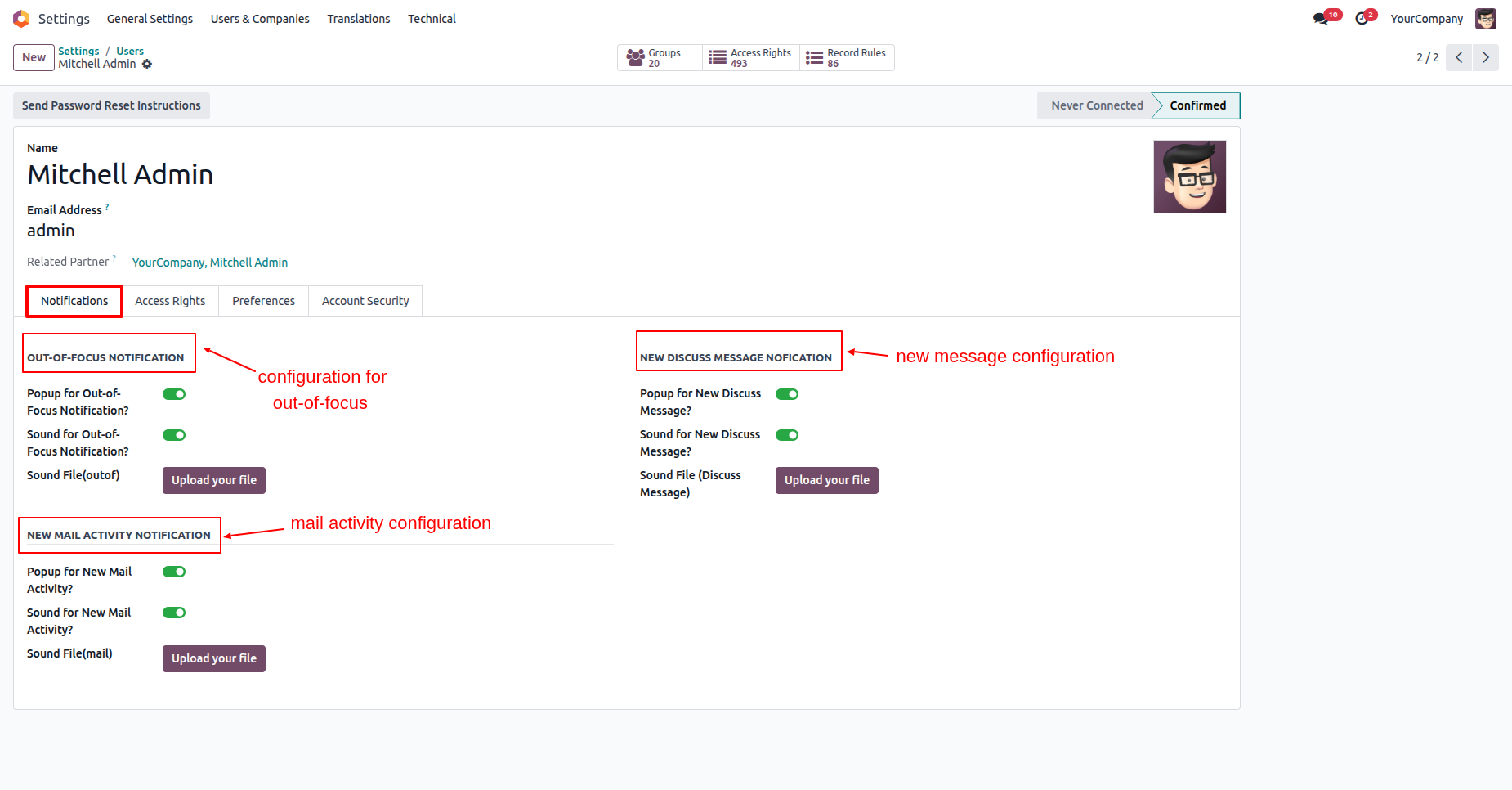
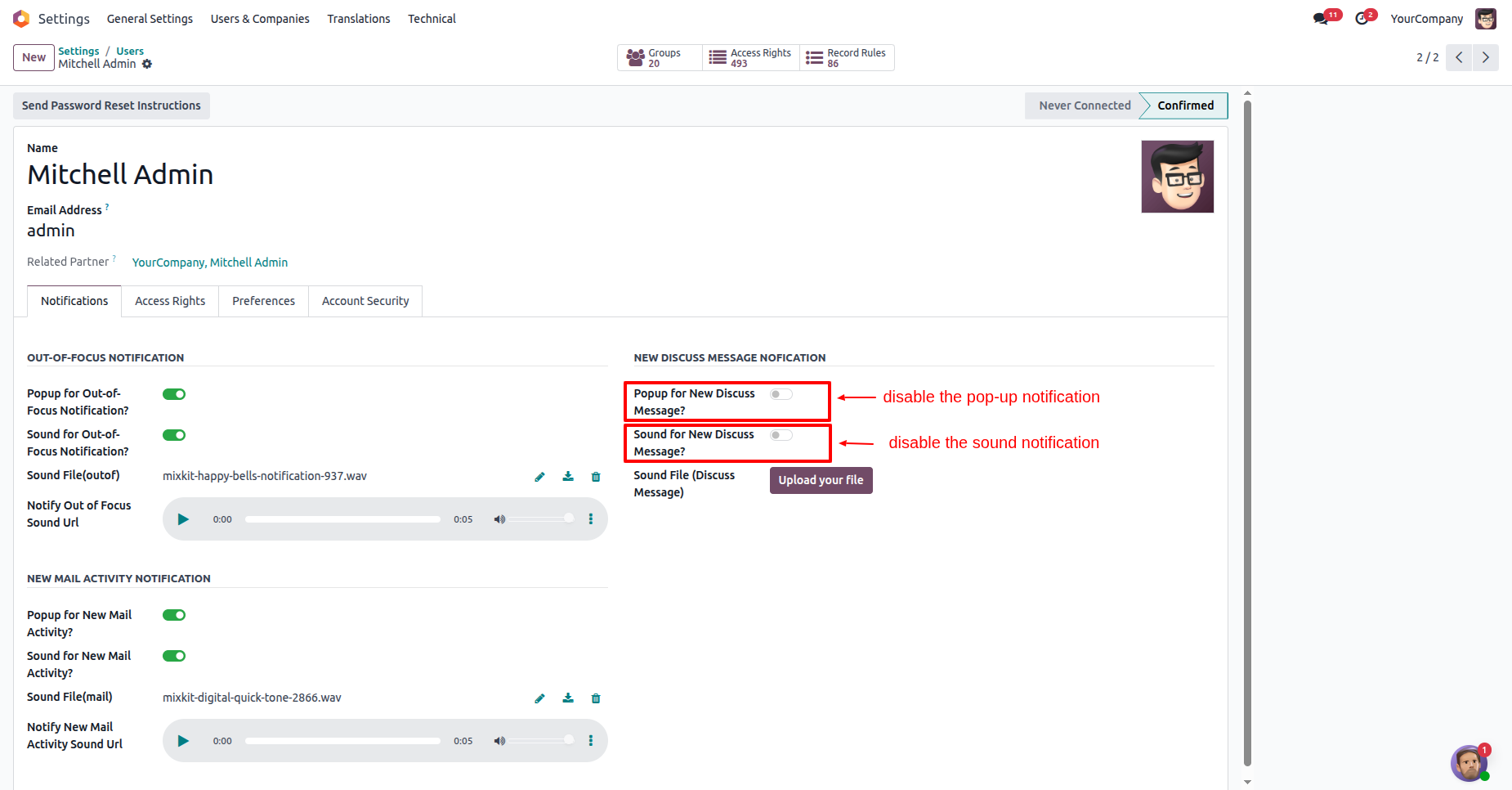
Users can configure pop-up and sound settings for various notification types, including the ability to upload custom audio files for each alert.
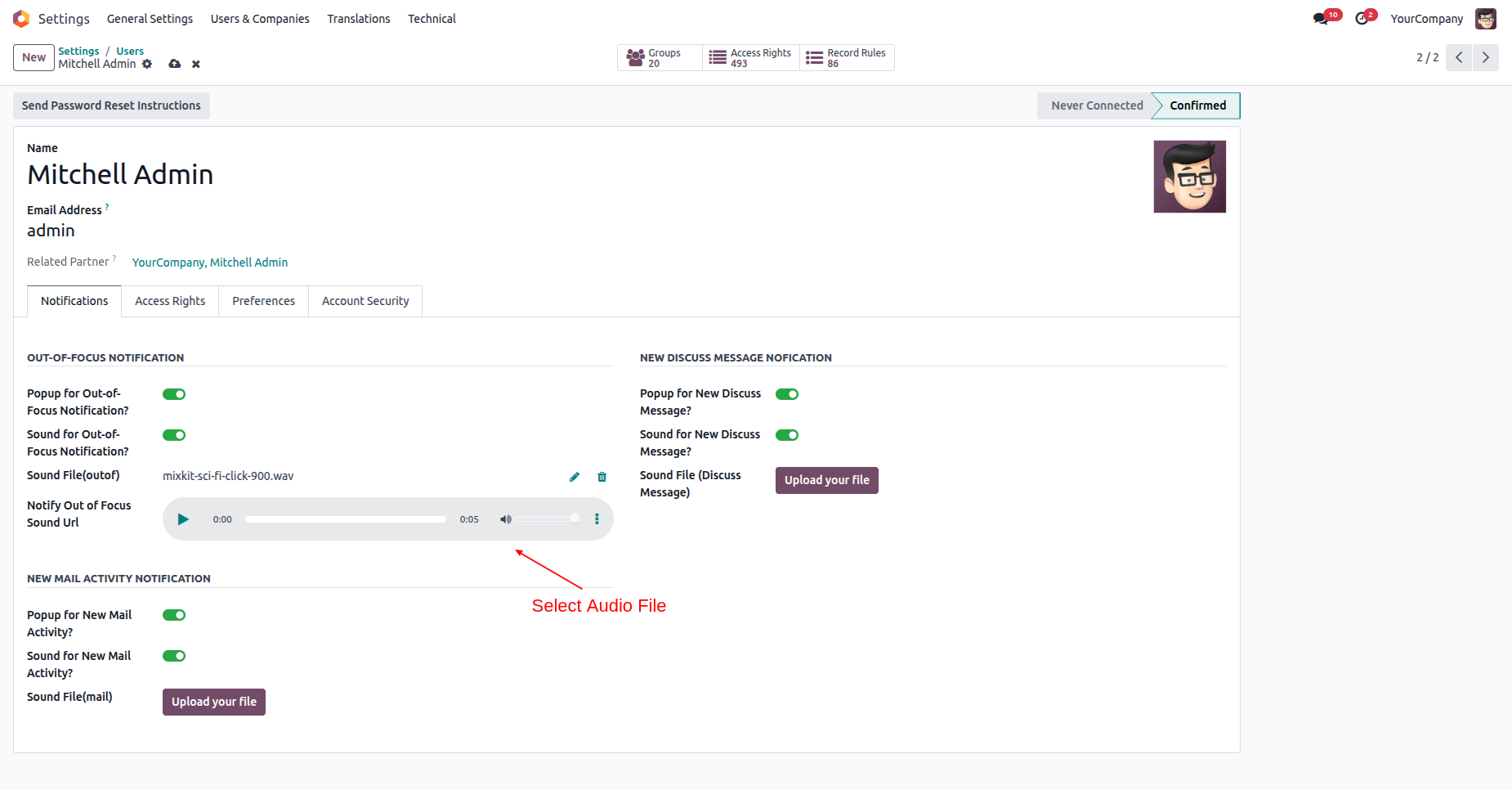
After uploading a custom sound, an audio player appears, enabling you to preview the new alert tone instantly.
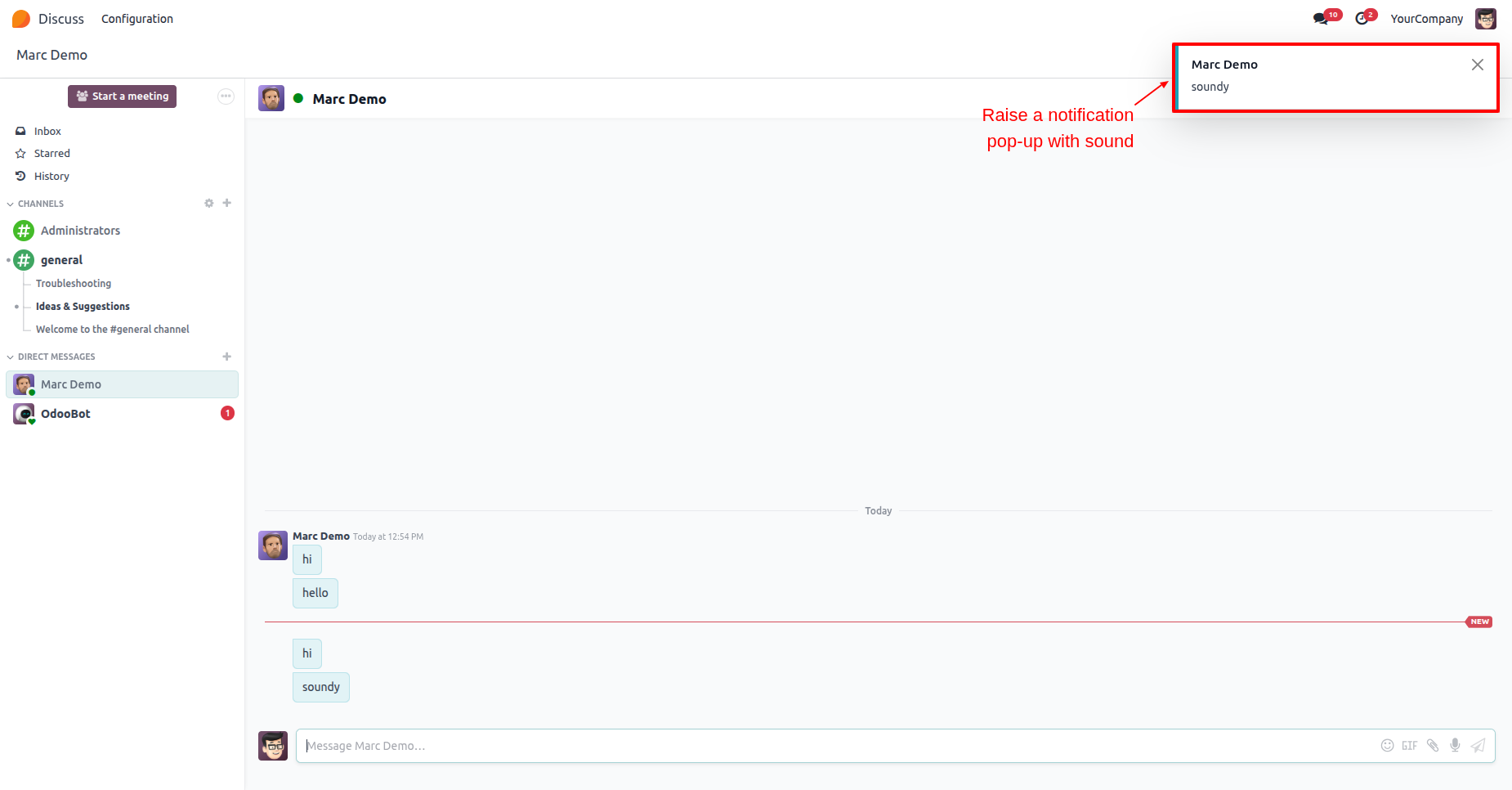
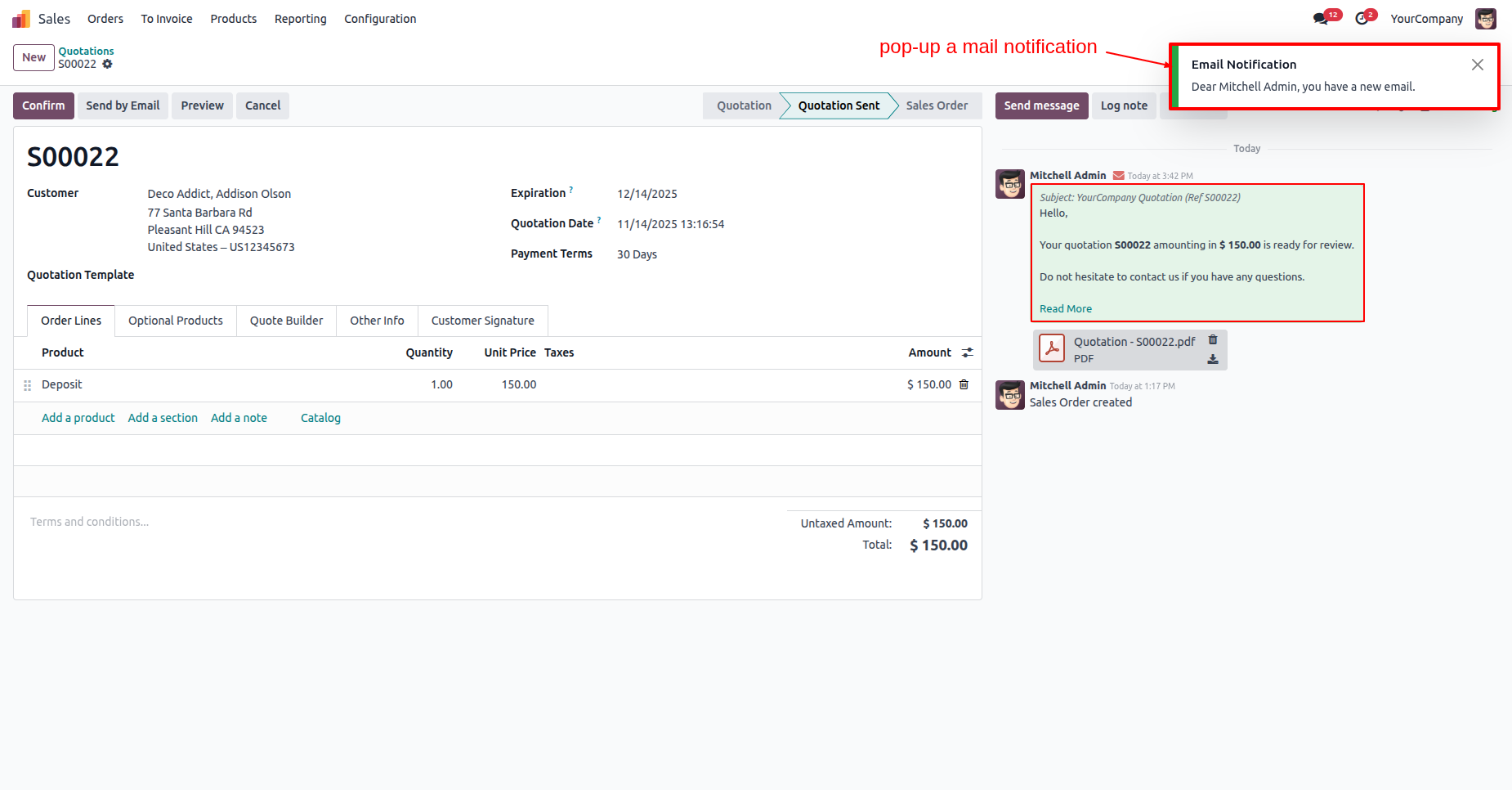
A pop-up notification appears in the top-right corner, accompanied by a sound alert when a new message arrives.
Users can easily disable both pop-up and sound notifications by toggling the respective buttons.
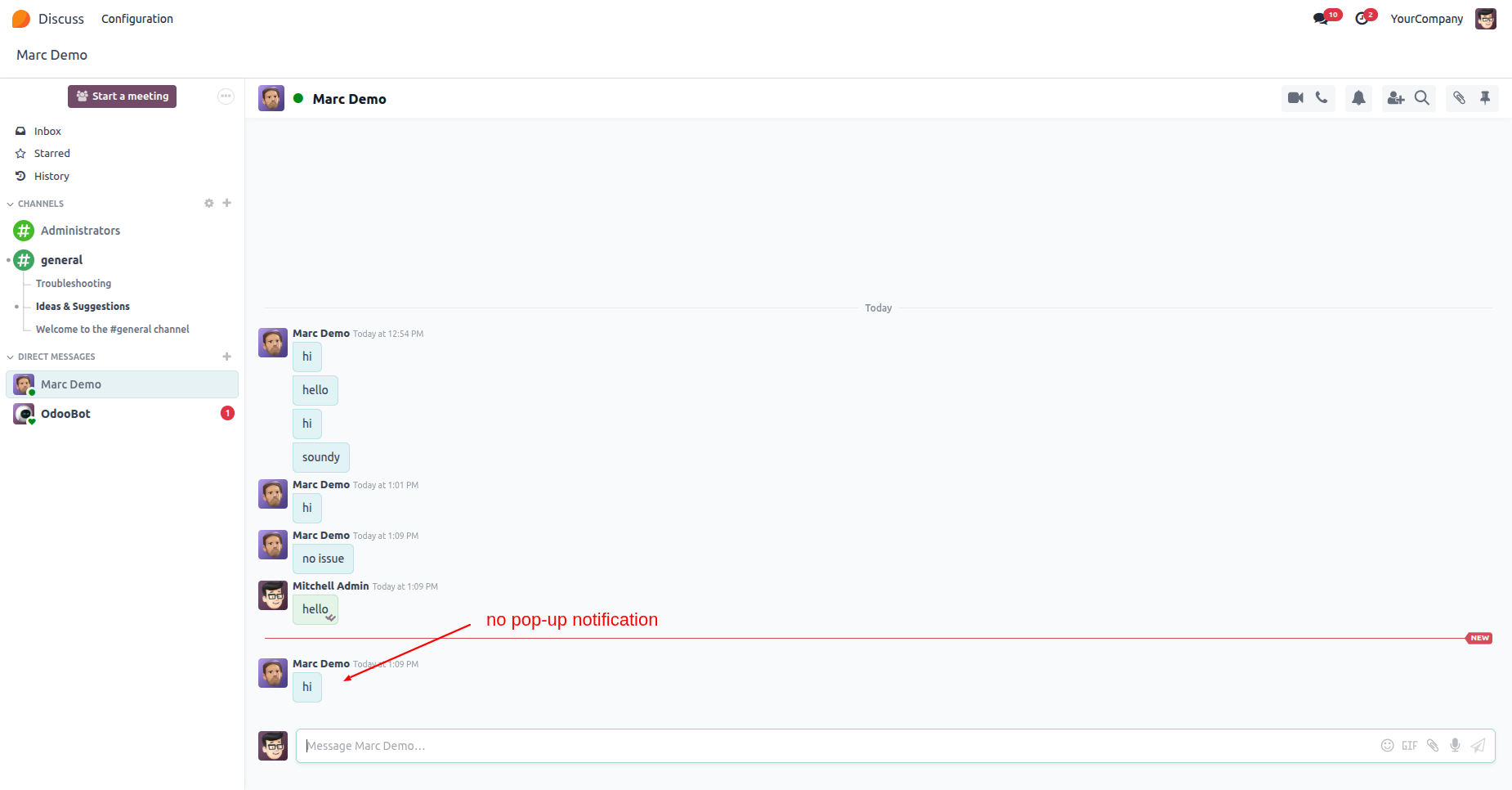
With notifications disabled, new messages arrive silently in the chat thread without generating a pop-up alert.
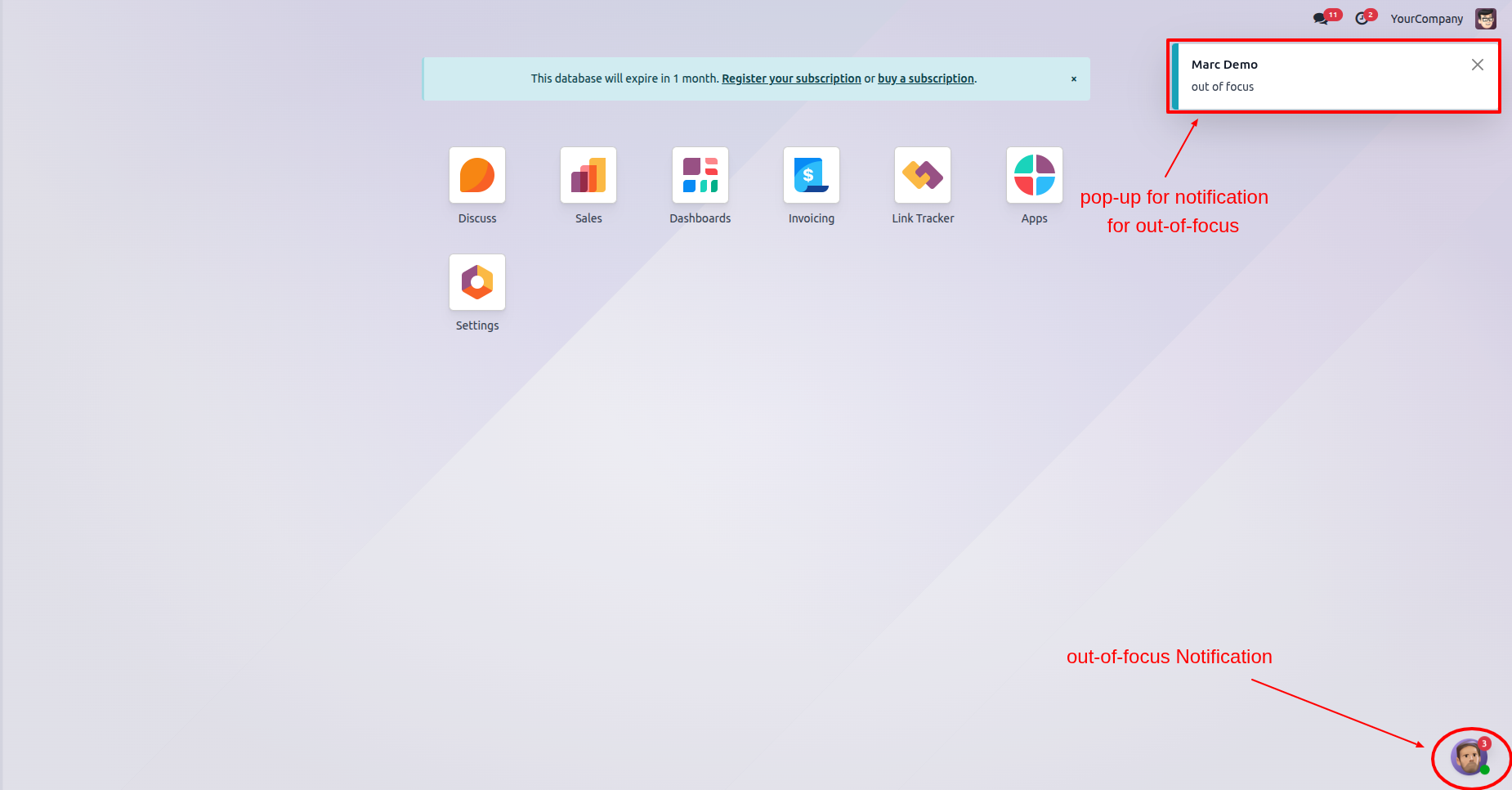
When you are not effectively in the chat window, the system uses 'Out-of-Focus' pop-ups and notification badges to alert you of new messages.
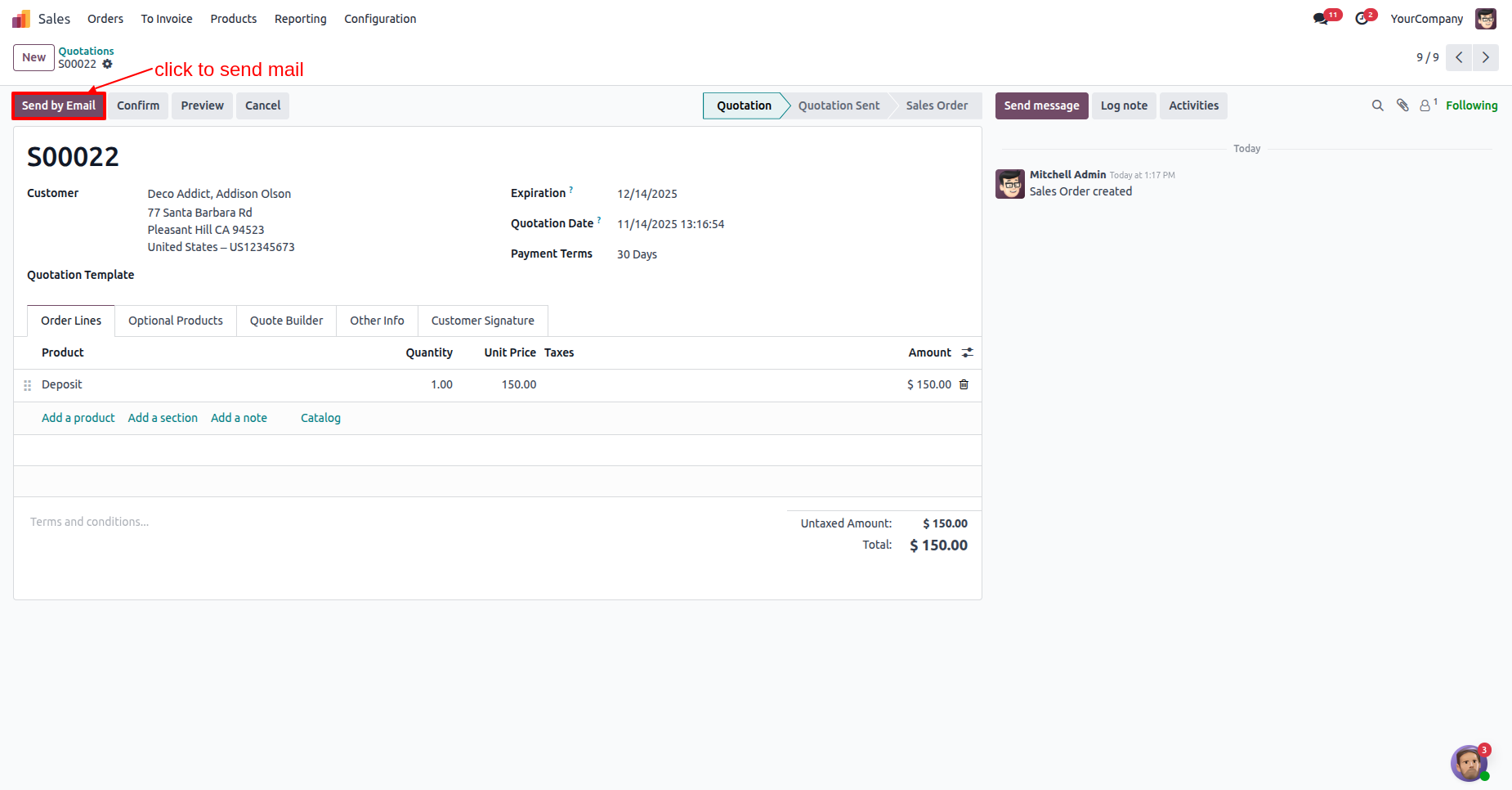
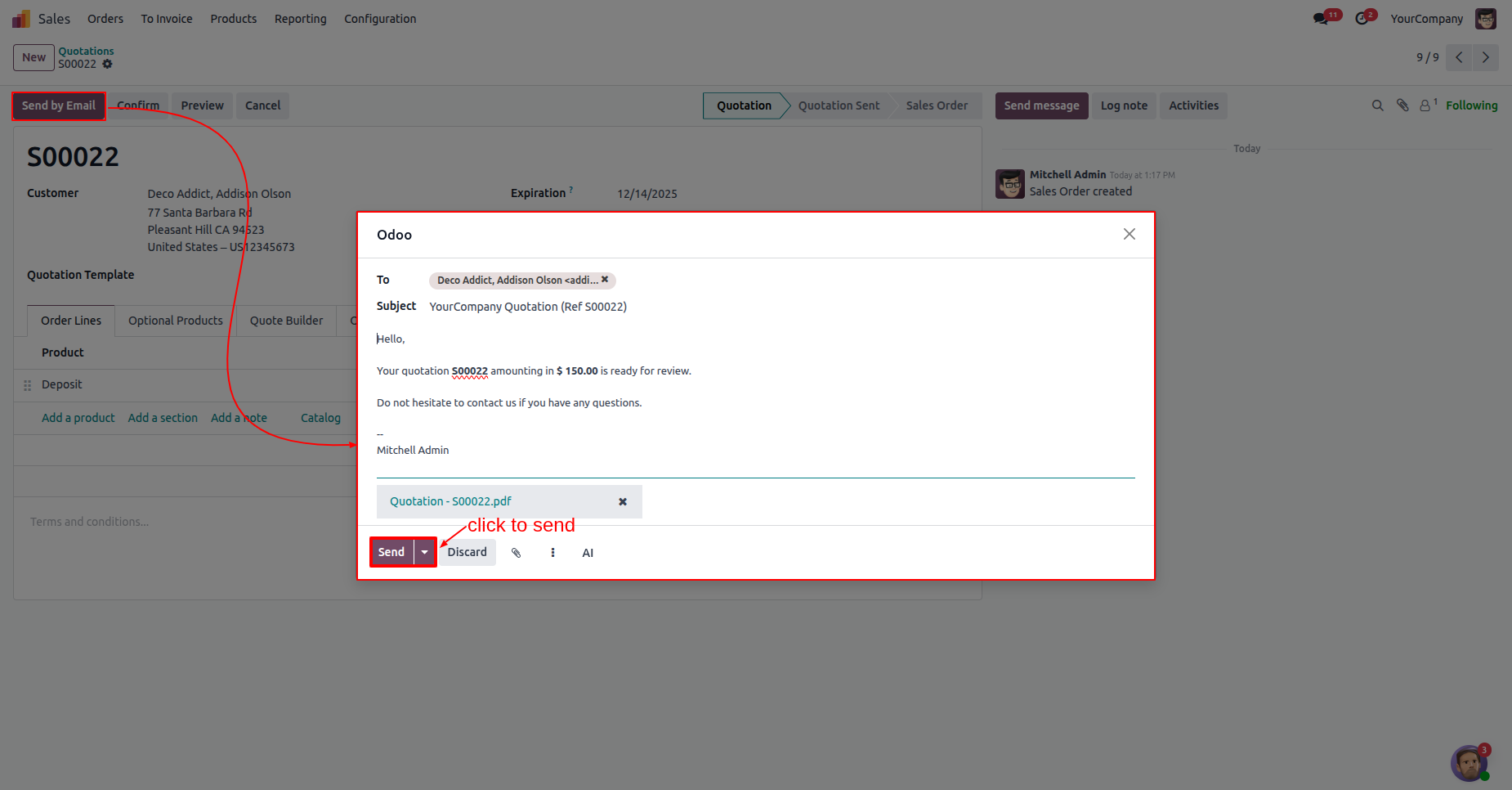
Click the Send by Email button to quickly email the current quotation to the customer.
The Send by Email action opens a composition window; click Send to email the quotation to the customer.
The system triggers a pop-up notification in the top-right corner to alert you of new email activity.
Version 18.0.1 | Released on : 16th January 2026
- Yes, this app works perfectly with Odoo Enterprise (Odoo.sh & Premise) as well as Community.
- No, this application is not compatible with odoo.com(odoo saas/Odoo Online)
- Yes, to test this module, please contact us at sales@softhealer.com.
- Please contact us at sales@softhealer.comto request customization.
- Yes, we provide free support for 365 days from the date of purchase.
- Yes, you will receive lifetime free updates for the version of the module you purchased.
- No, there is no need to install any additional libraries.
- Yes, for version 12 and above, you need to purchase the module separately for each version you intend to use.
- No, exchanges or refunds are not allowed. Please make sure to select the correct version before purchasing.
- You can contact us at support@softhealer.com for language translation support. We use Google Translator tools to provide translations in multiple languages, so the accuracy may vary. We welcome your suggestions to help improve translations.
Discover Our Latest Apps