











Slack Odoo Connector

Seamlessly connect your Odoo system with your Slack workspace for efficient team collaboration. Synchronize channels and users, exchange messages and file attachments in real time, and keep conversations perfectly aligned across both platforms without switching between applications.

Features

Secure OAuth Authentication
Connect your Slack workspace securely using Client ID, Client Secret, OAuth Redirect URL, and Bot/User Tokens.

Real-Time Message Sync
Synchronize messages and file attachments instantly between Odoo Discuss and Slack channels.

User & Channel Synchronization
Import and synchronize Slack users and channels directly into Odoo with a single click.
Automatic Background Sync
Automatically synchronize Slack channels, users, and conversations using scheduled actions.

Bot & User Permission Management
Configure Slack Bot and User Token Scopes to securely manage integration permissions.
Bi-Directional Communication
Send and receive Slack messages from Odoo while keeping conversations synchronized across both platforms.
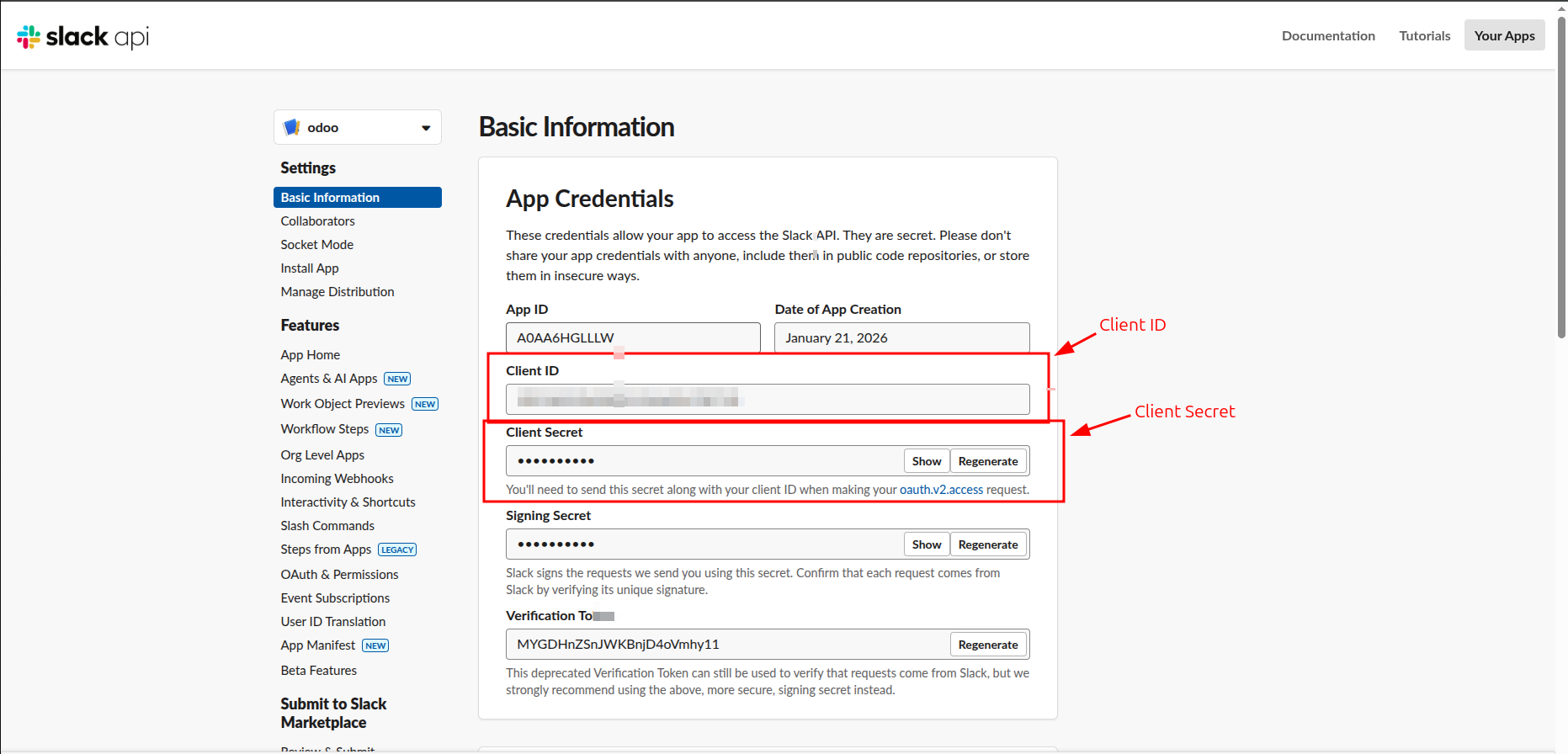
Navigate to the Basic Information section of your Slack app's settings to locate and copy your Client ID and Client Secret for the integration.
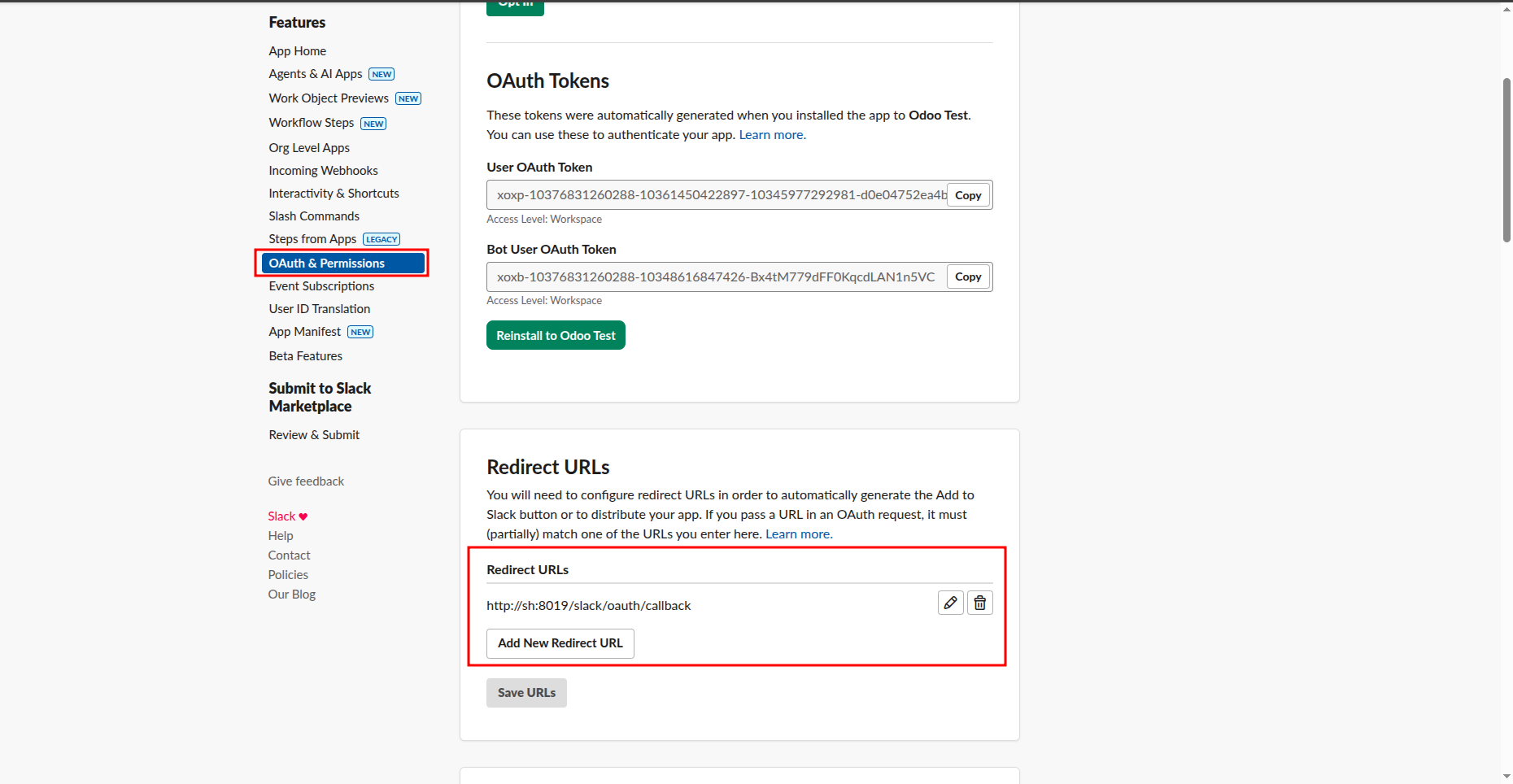
Navigate to the OAuth & Permissions tab in the Slack API portal to configure and manage your app's Redirect URLs.
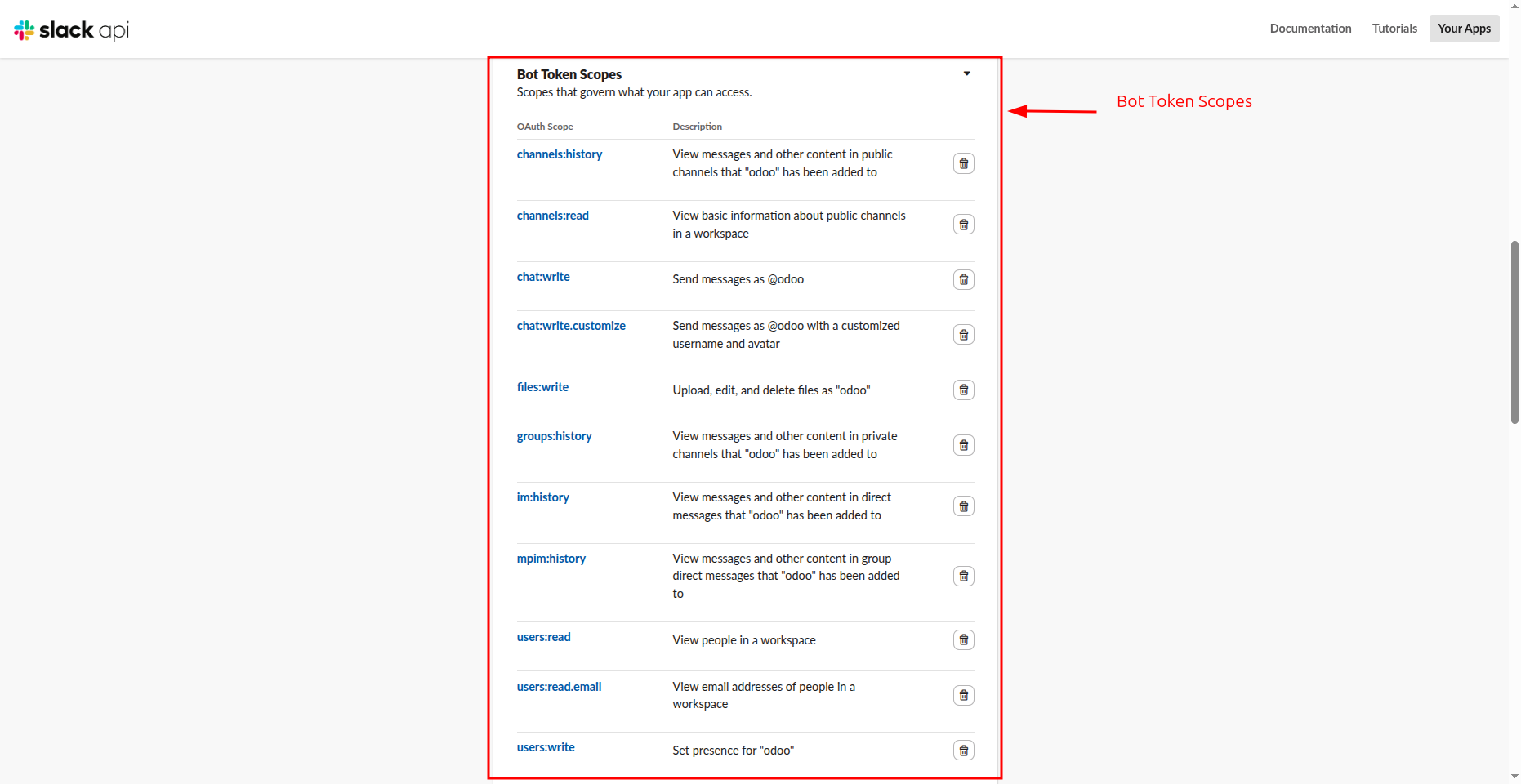
Configure the necessary Bot Token Scopes within the Slack API portal to ensure your app has the correct permissions to read, write, and manage content in your workspace.
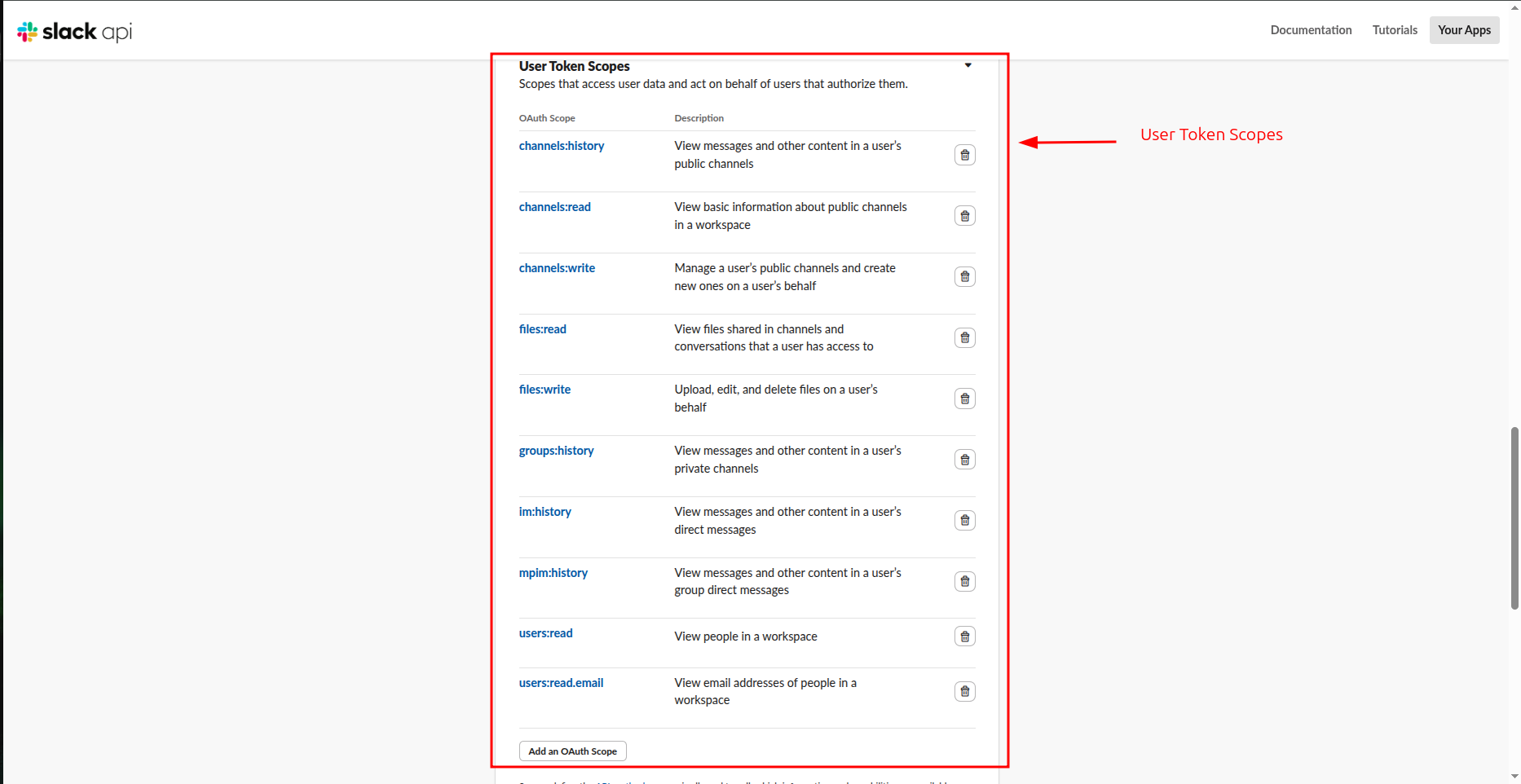
Configure the necessary User Token Scopes within the Slack API portal to define the specific permissions your app needs to act on behalf of individual authorizing users.
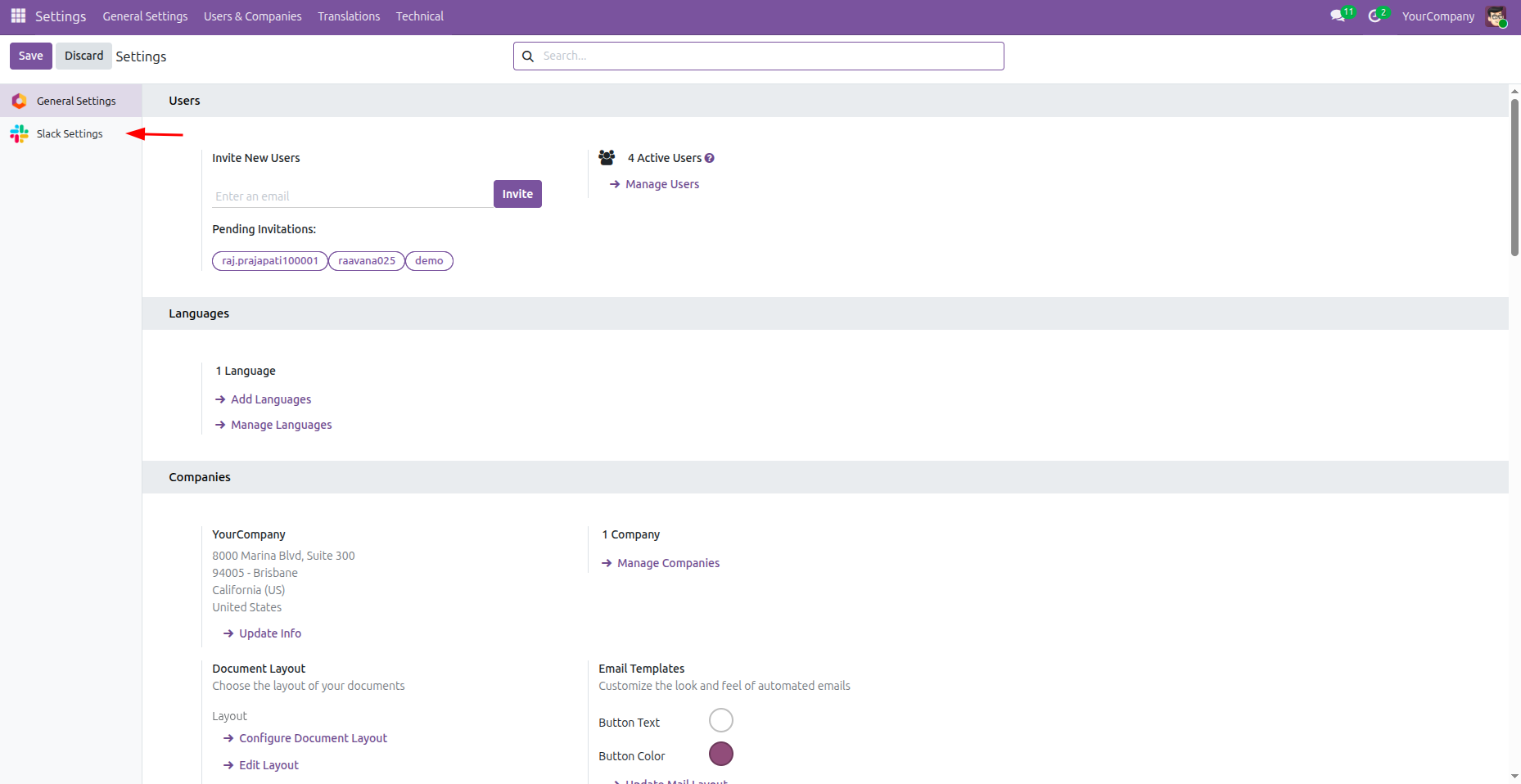
In the Odoo Settings app, locate and click the Slack Settings option in the left sidebar to begin configuring your workspace integration.
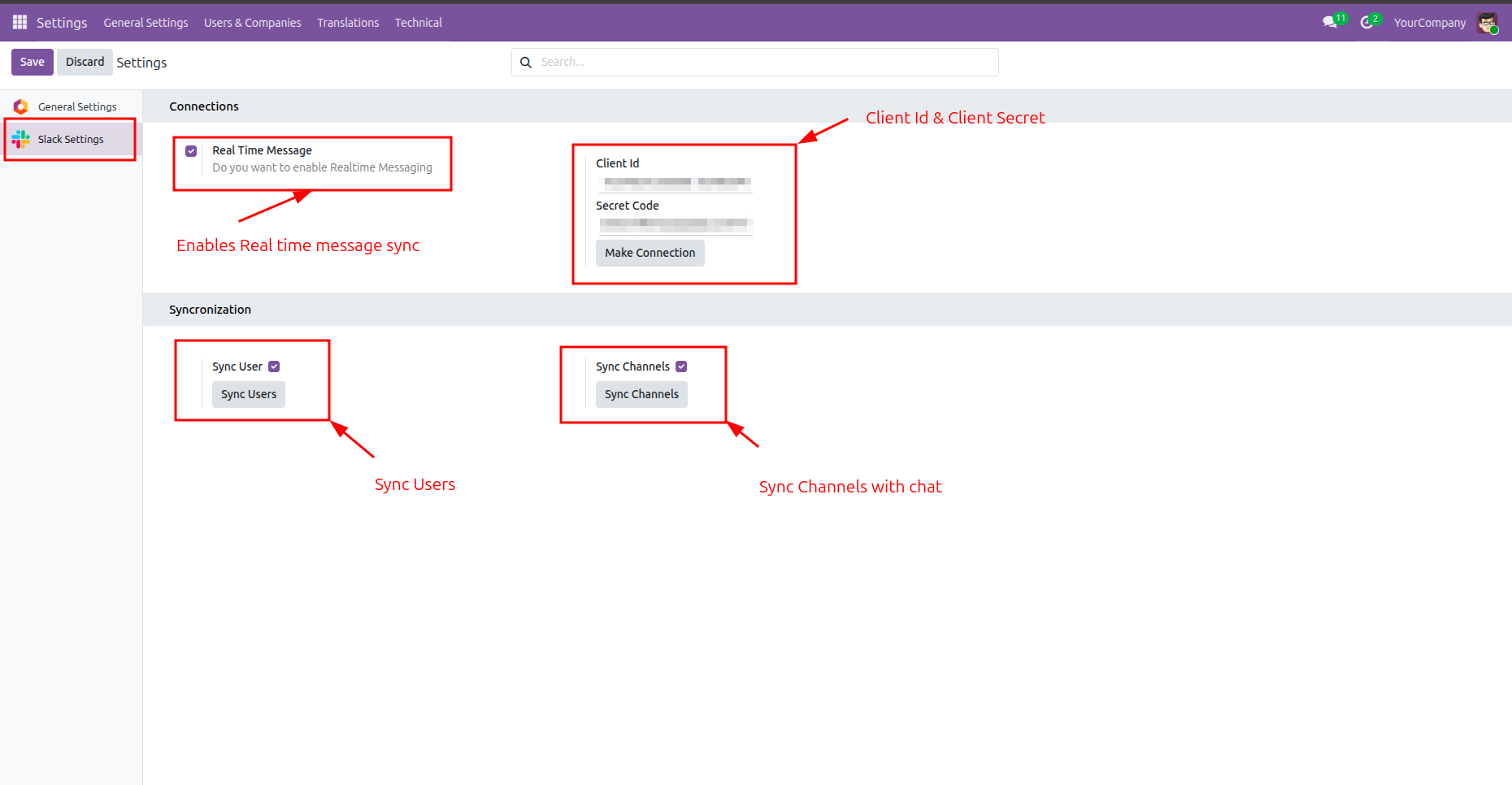
Within the Slack Settings page, input your API credentials, enable real-time messaging, and trigger the synchronization of users and channels to finalize the integration.
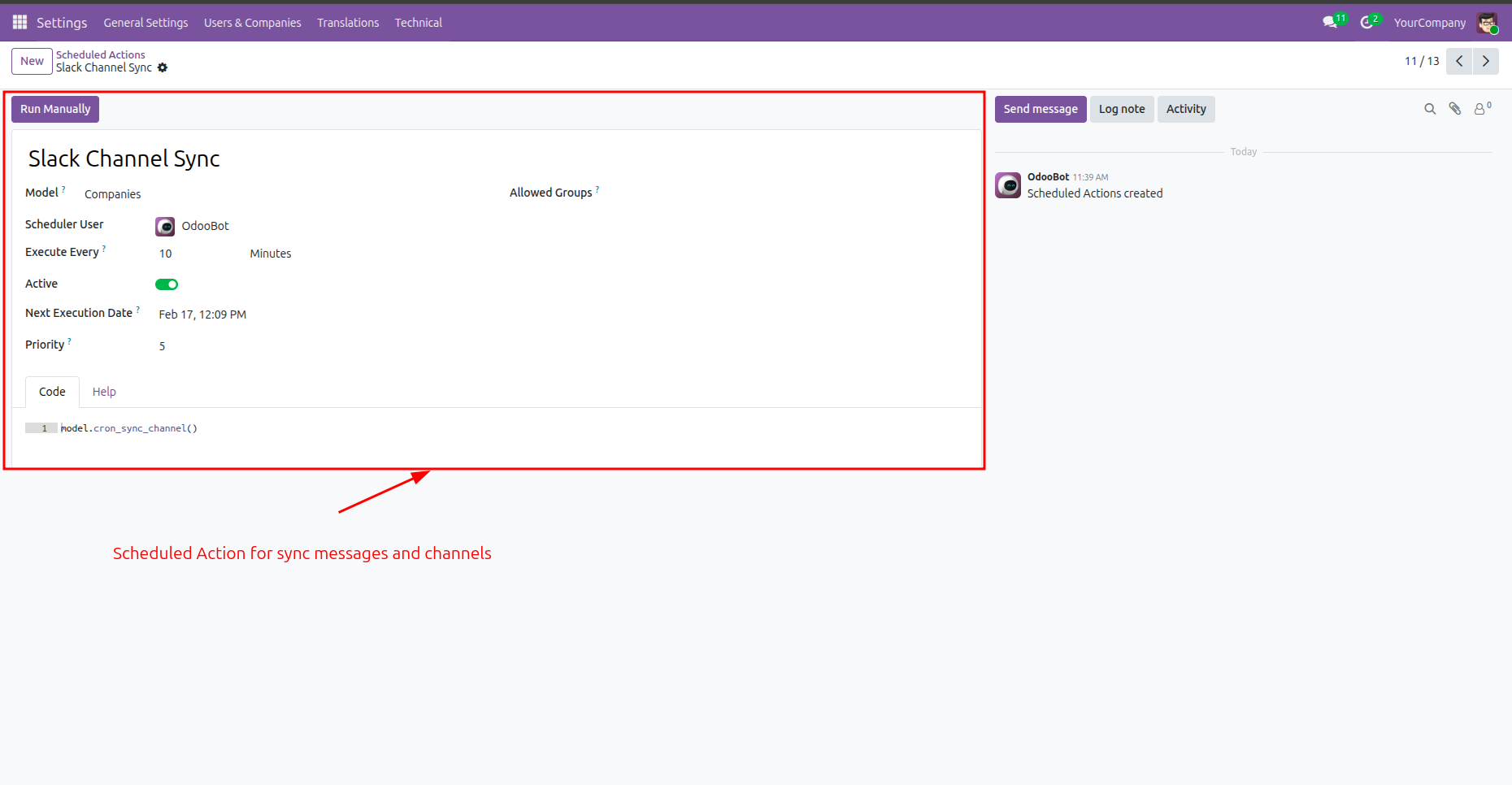
Review or manually trigger the 'Slack Channel Sync' scheduled action, which automatically updates messages and channels between Odoo and Slack every 10 minutes.
Before syncing users, view Odoo users.
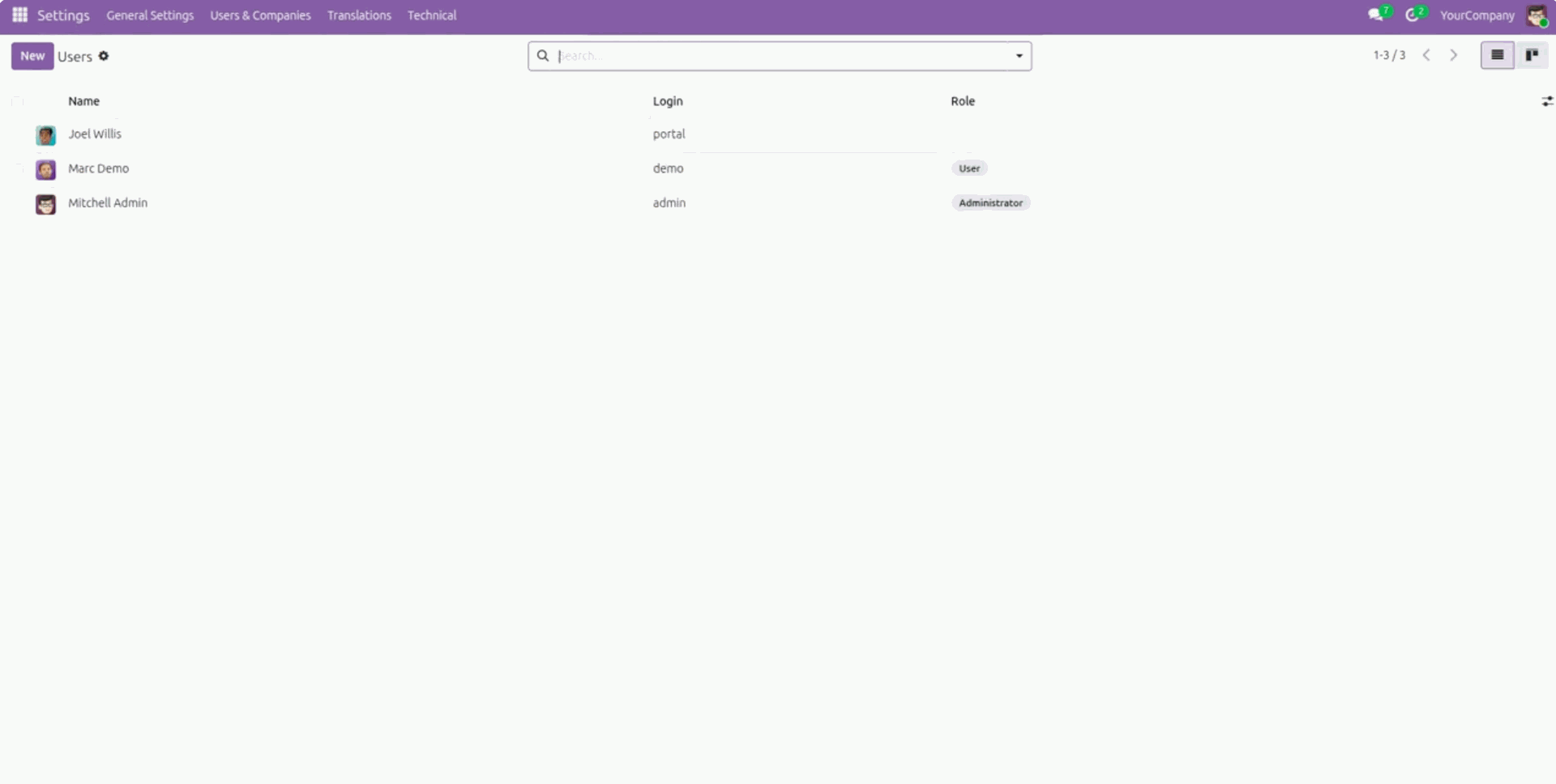
Now sync users.
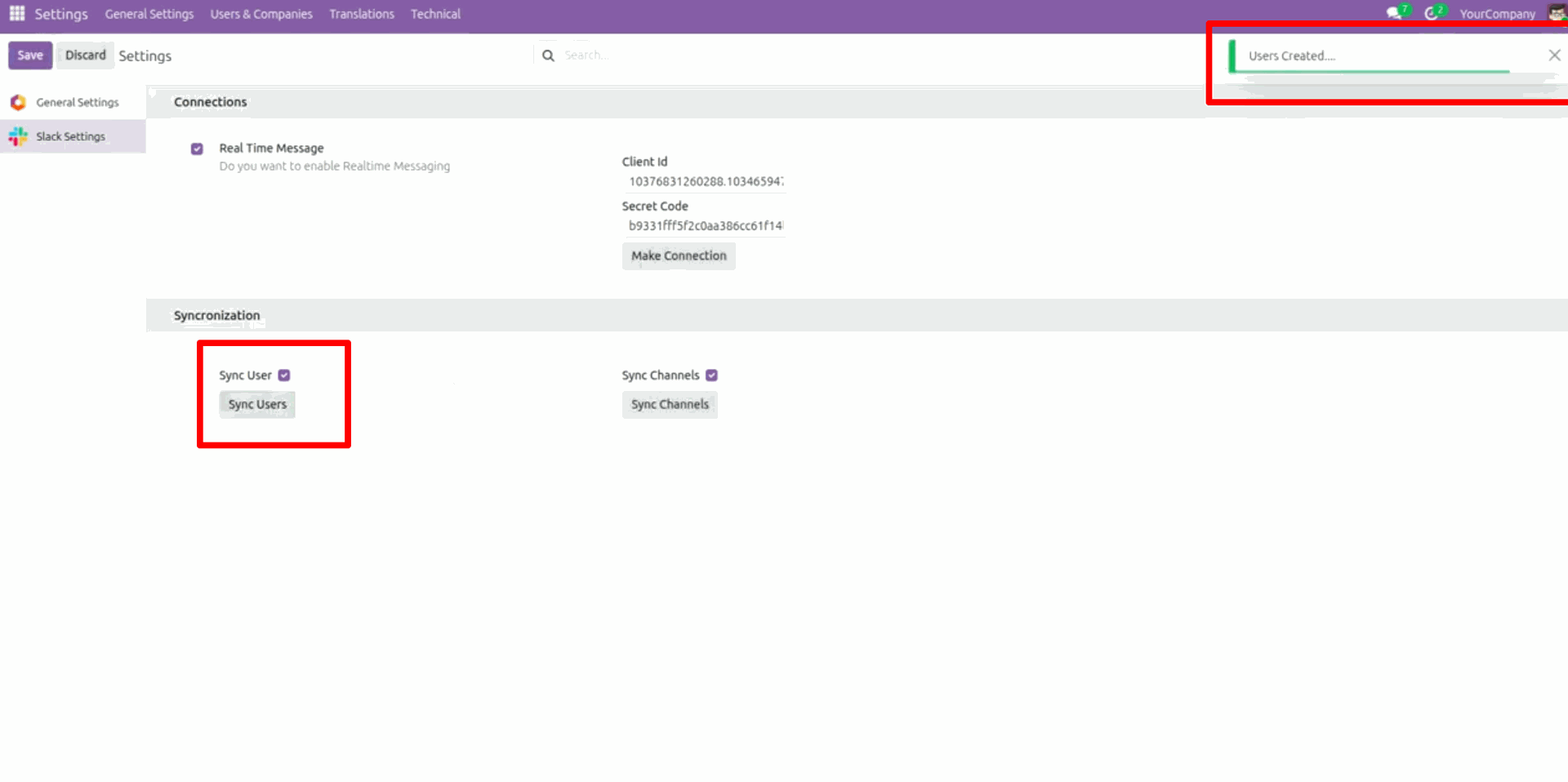
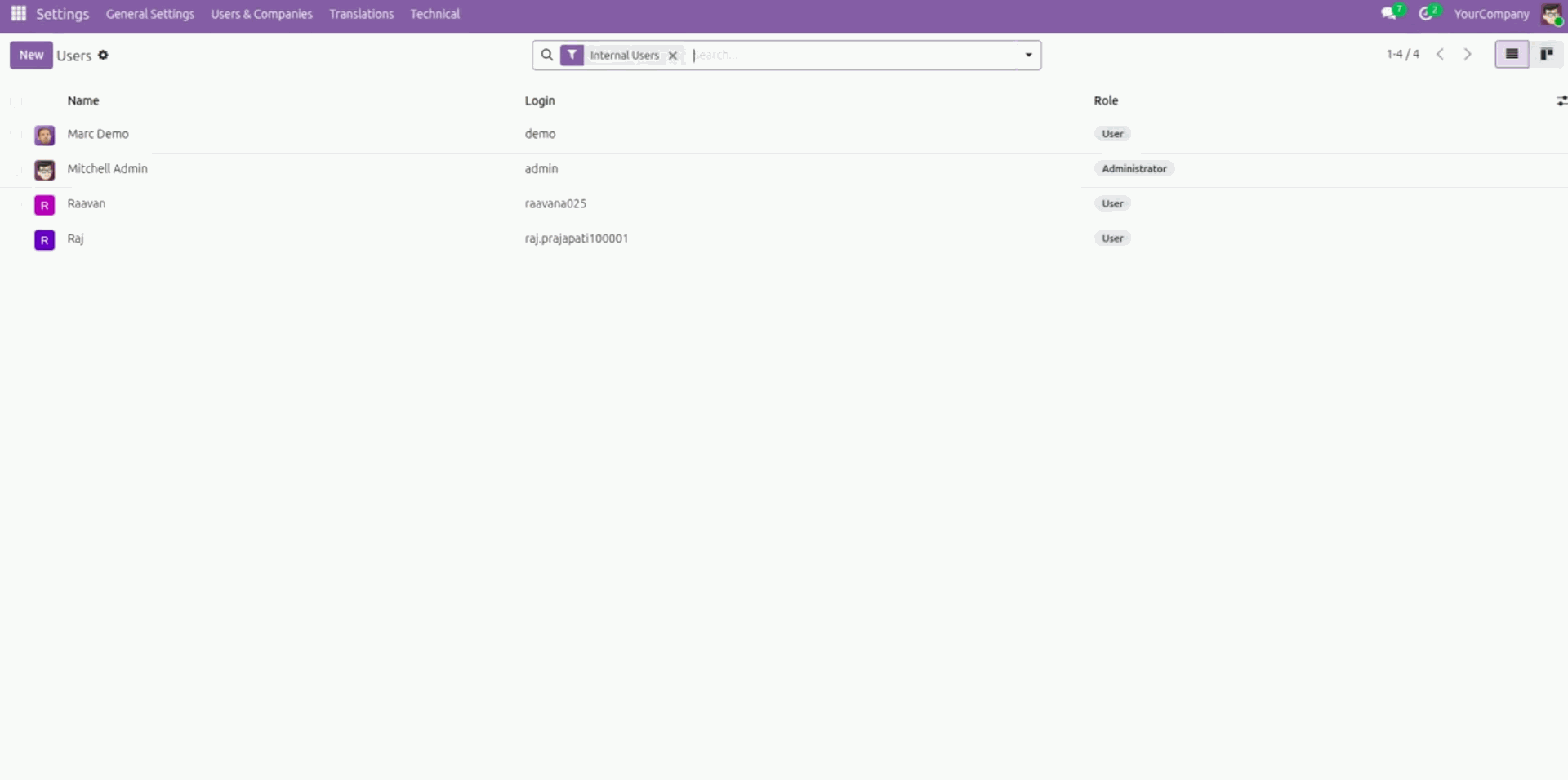
Users updated.
Before syncing channels, view Odoo channels.
Now sync channels.
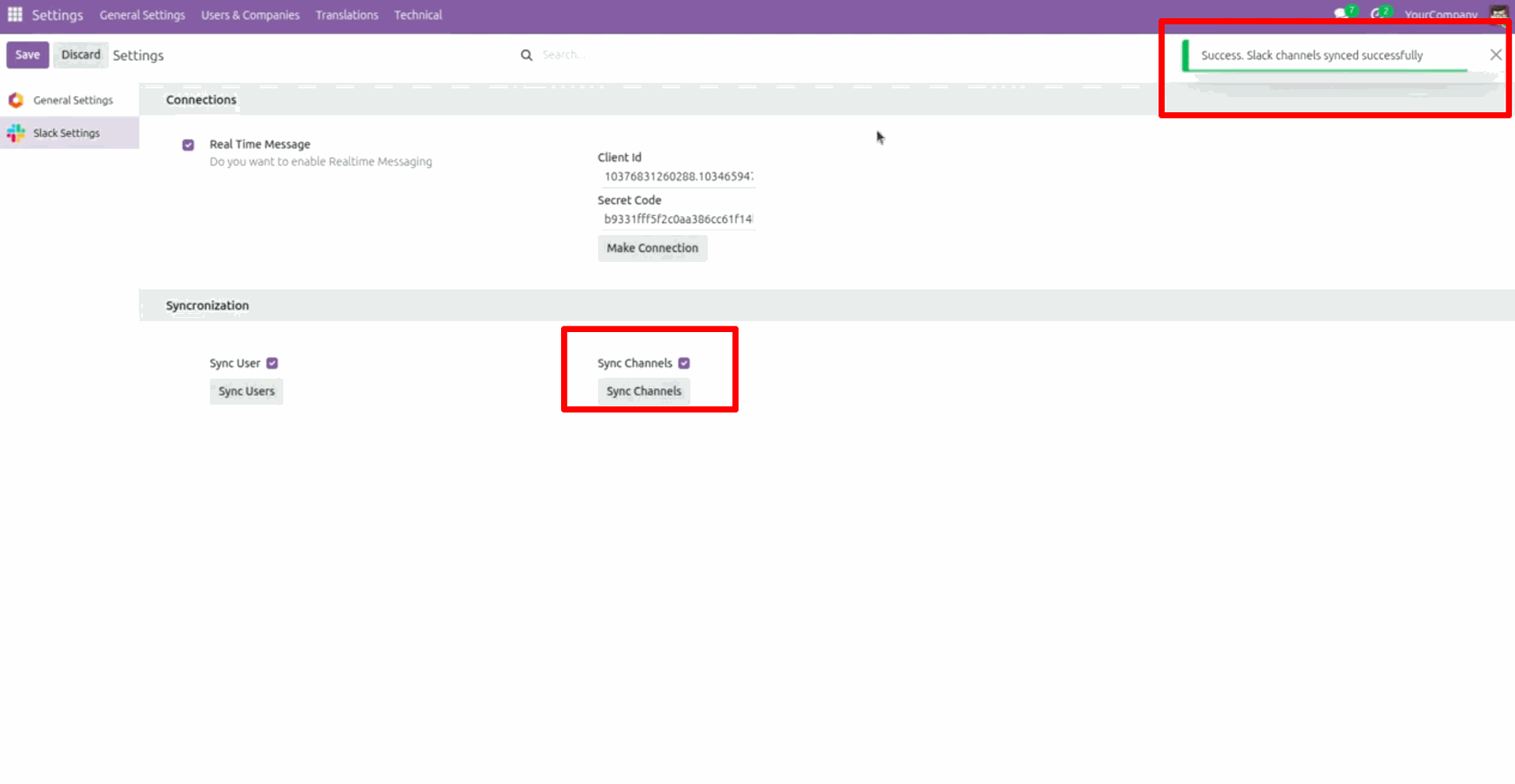
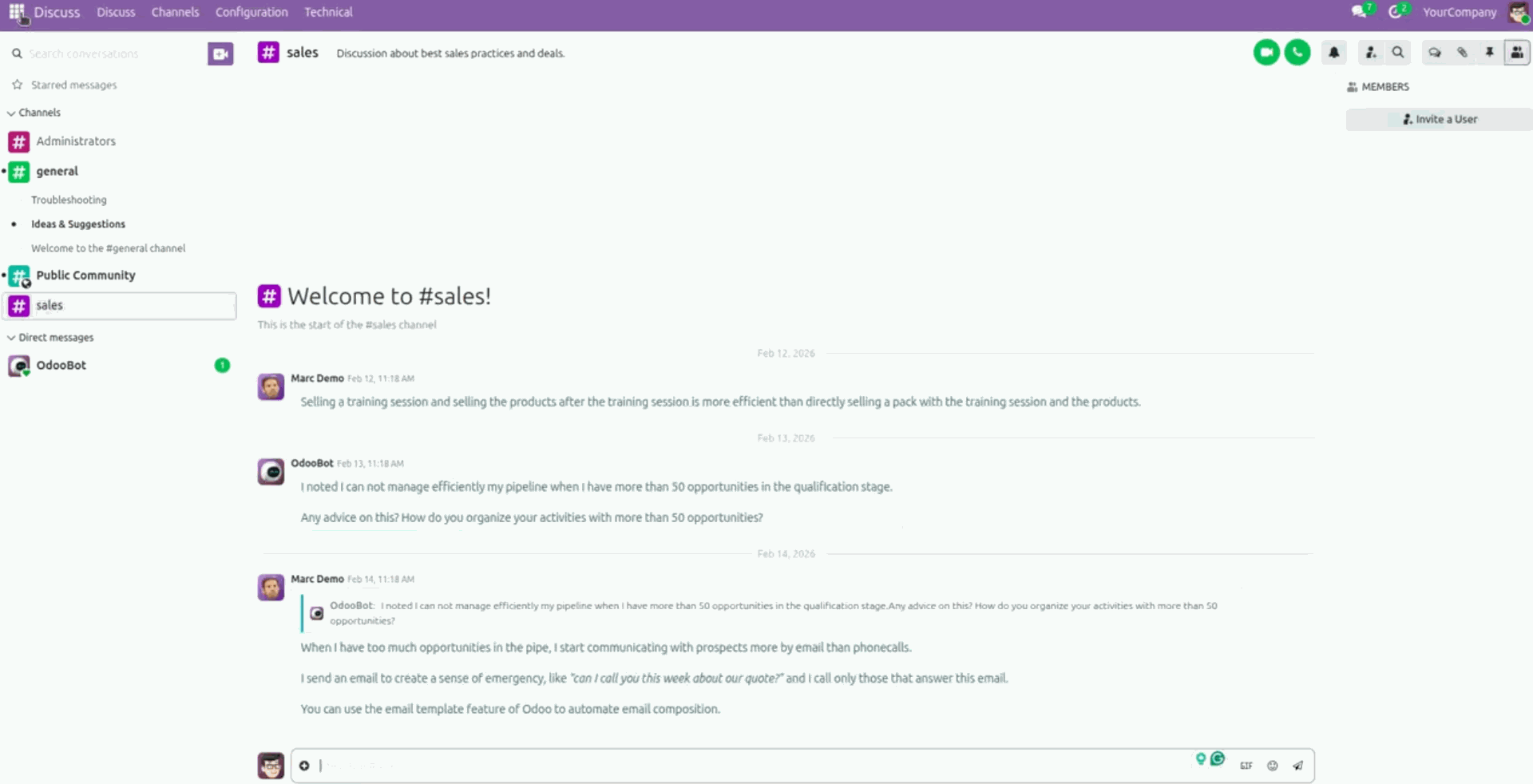
Channels updated.
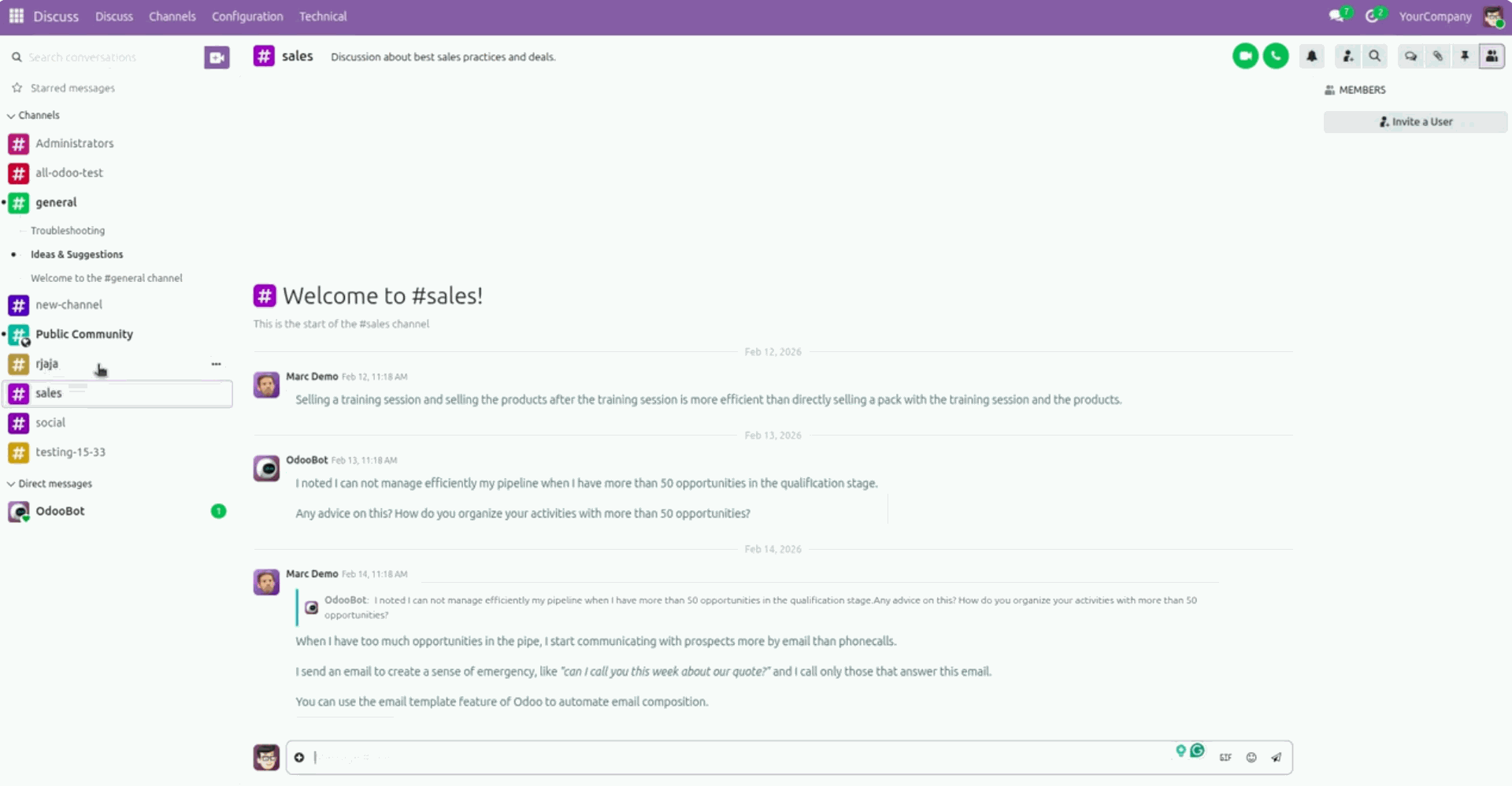
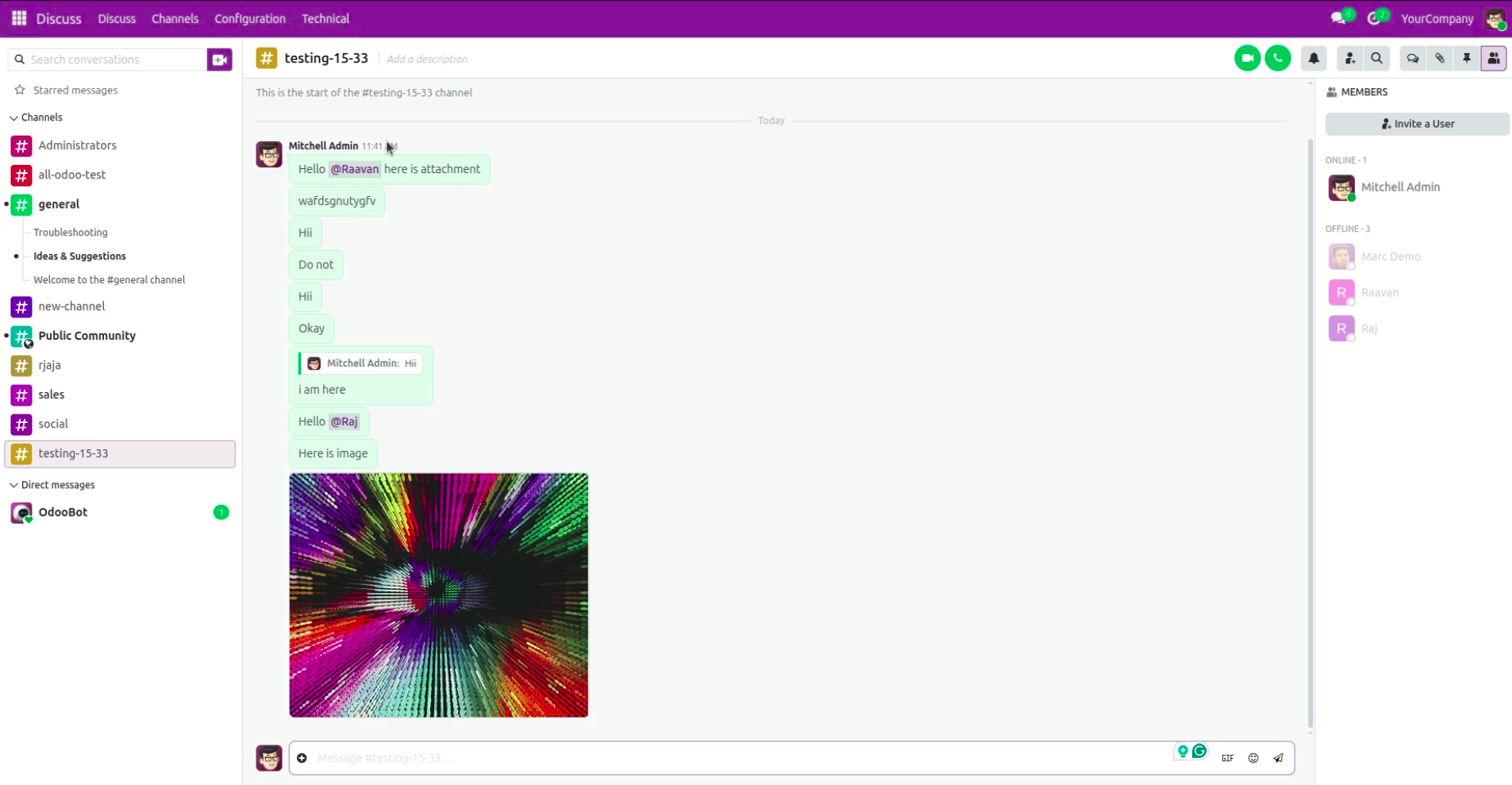
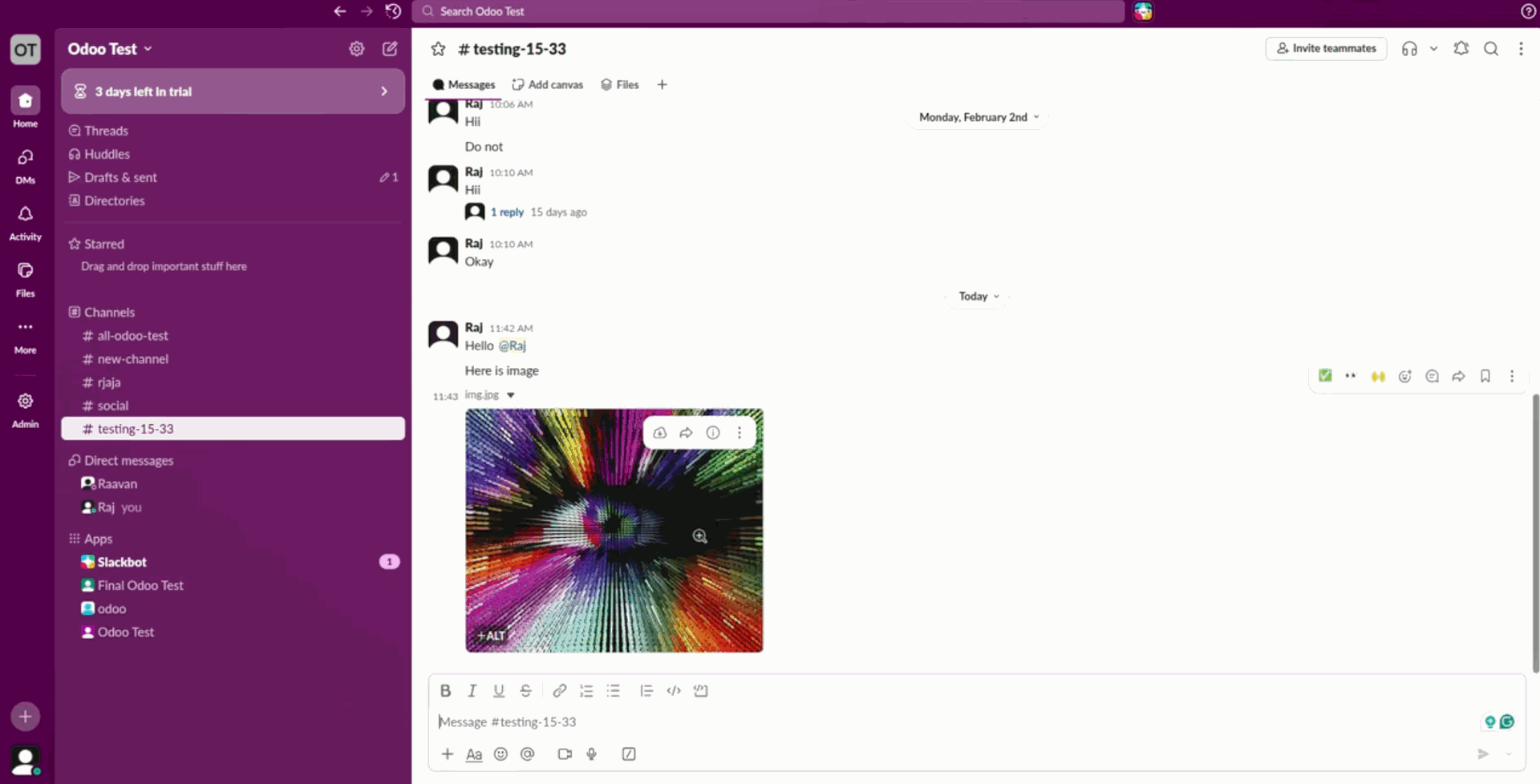
Collaborate in real-time with Slack using Odoo's Discuss module by organizing conversations into channels, tagging team members, and sharing file attachments.
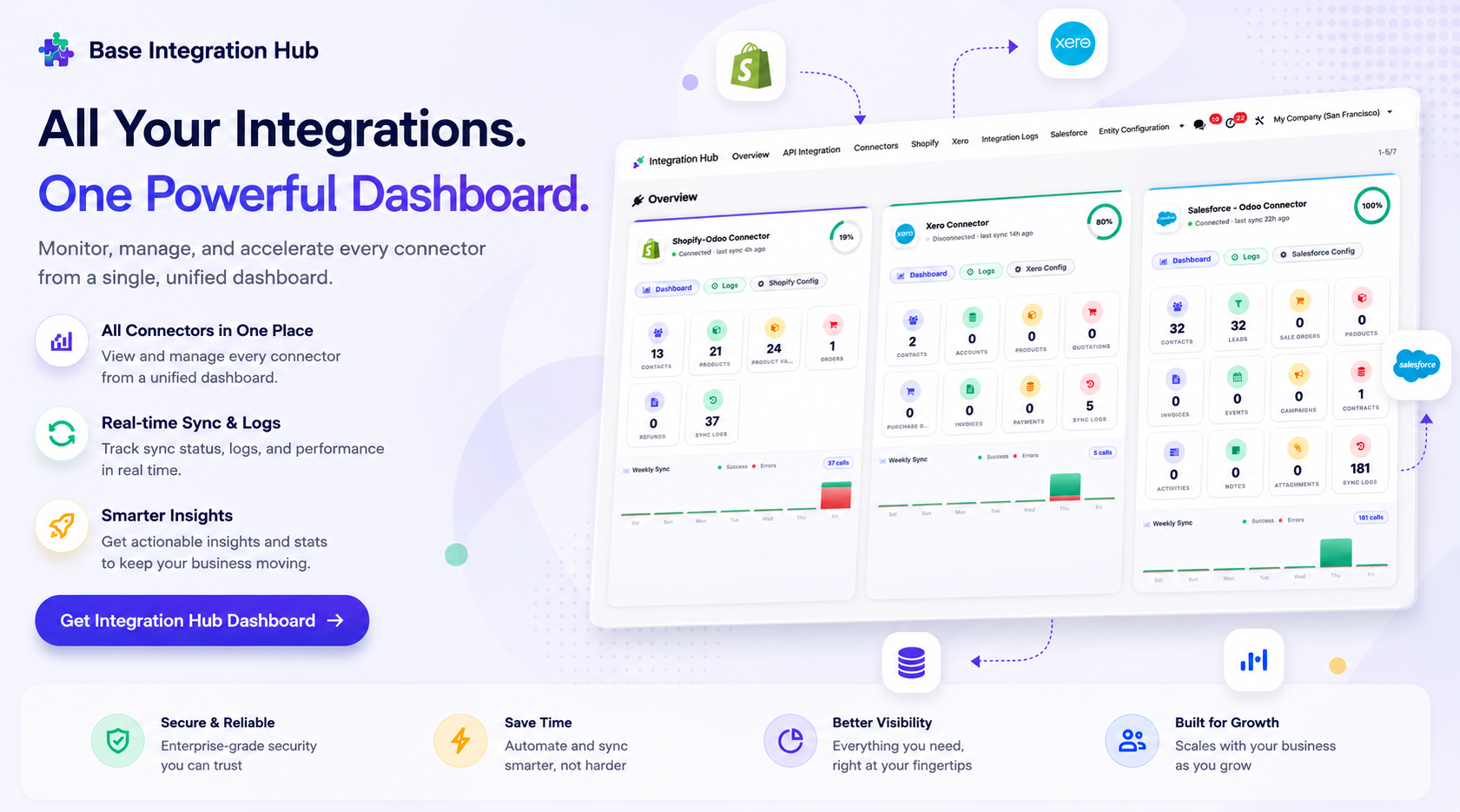
Centralized dashboard to manage and monitor all connectors from one place. Quickly access sync summary, activity logs, and configuration controls with improved visibility.
Version 18.0.1.0.0 | Released on : 17th July 2026
- Yes, this app works perfectly with Odoo Enterprise (Odoo.sh & Premise) as well as Community.
- No, this application is not compatible with odoo.com(odoo saas/Odoo Online)
- Yes, to test this module, please contact us at sales@softhealer.com.
- Please contact us at sales@softhealer.comto request customization.
- Yes, we provide free support for 365 days from the date of purchase.
- Yes, you will receive lifetime free updates for the version of the module you purchased.
- No, there is no need to install any additional libraries.
- Yes, for version 12 and above, you need to purchase the module separately for each version you intend to use.
- No, exchanges or refunds are not allowed. Please make sure to select the correct version before purchasing.
- You can contact us at support@softhealer.com for language translation support. We use Google Translator tools to provide translations in multiple languages, so the accuracy may vary. We welcome your suggestions to help improve translations.
Discover Our Latest Apps