












Single Manufacturing Order with Multiple Lot/Serial Numbers

Simplify serial-number-based manufacturing in Odoo with the Single Manufacturing Order with Multiple Lot/Serial Number module. Instead of creating separate Manufacturing Orders or manually assigning serial numbers for each finished product, this module allows you to produce multiple units from a single Manufacturing Order while automatically generating unique sequential Lot/Serial Numbers.

Related Modules
Features

Single MO with Multiple Lot/Serial Numbers
Produce multiple finished products with unique Lot/Serial Numbers from a single Manufacturing Order.

Automatic Sequential Serial Number Generation
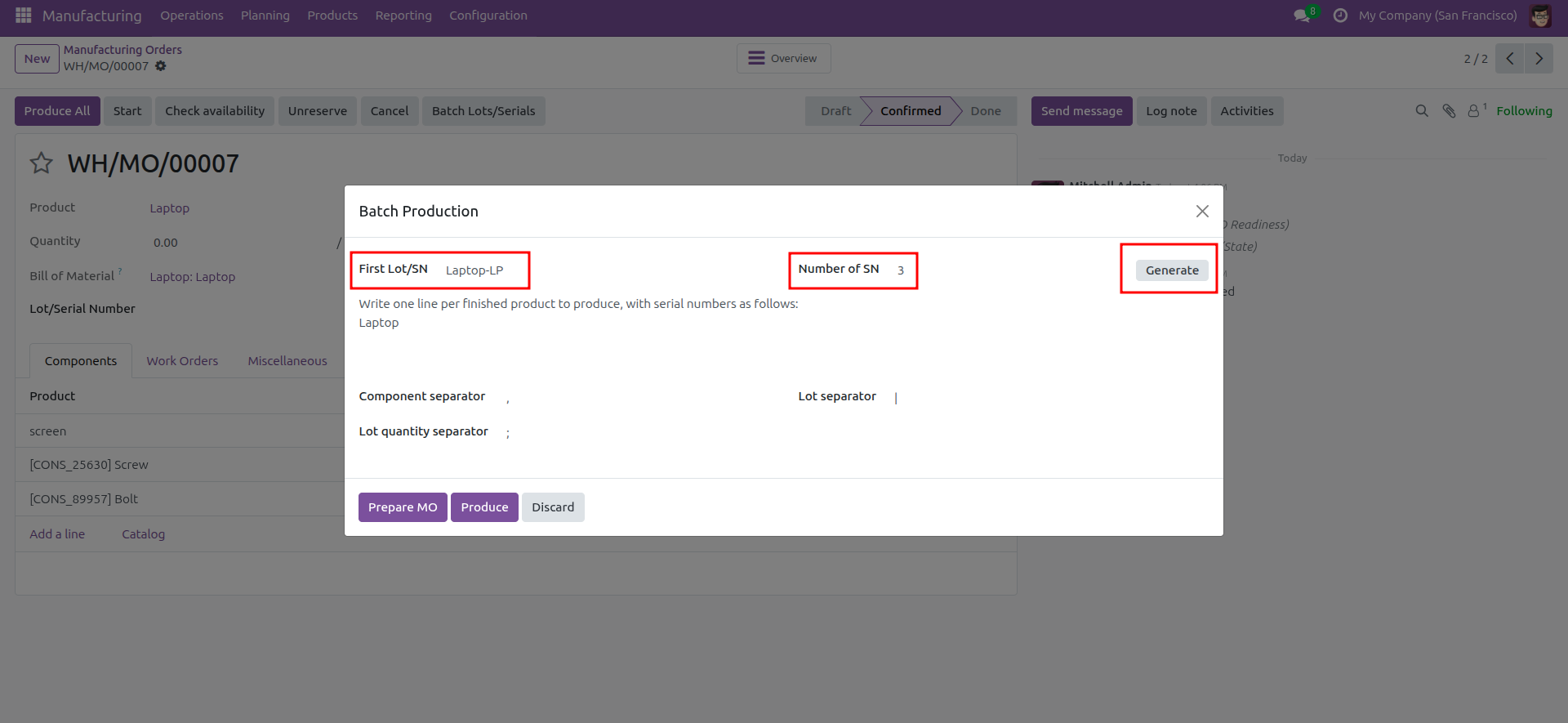
Generate multiple sequential Lot/Serial Numbers automatically by entering the first serial number and the required quantity.
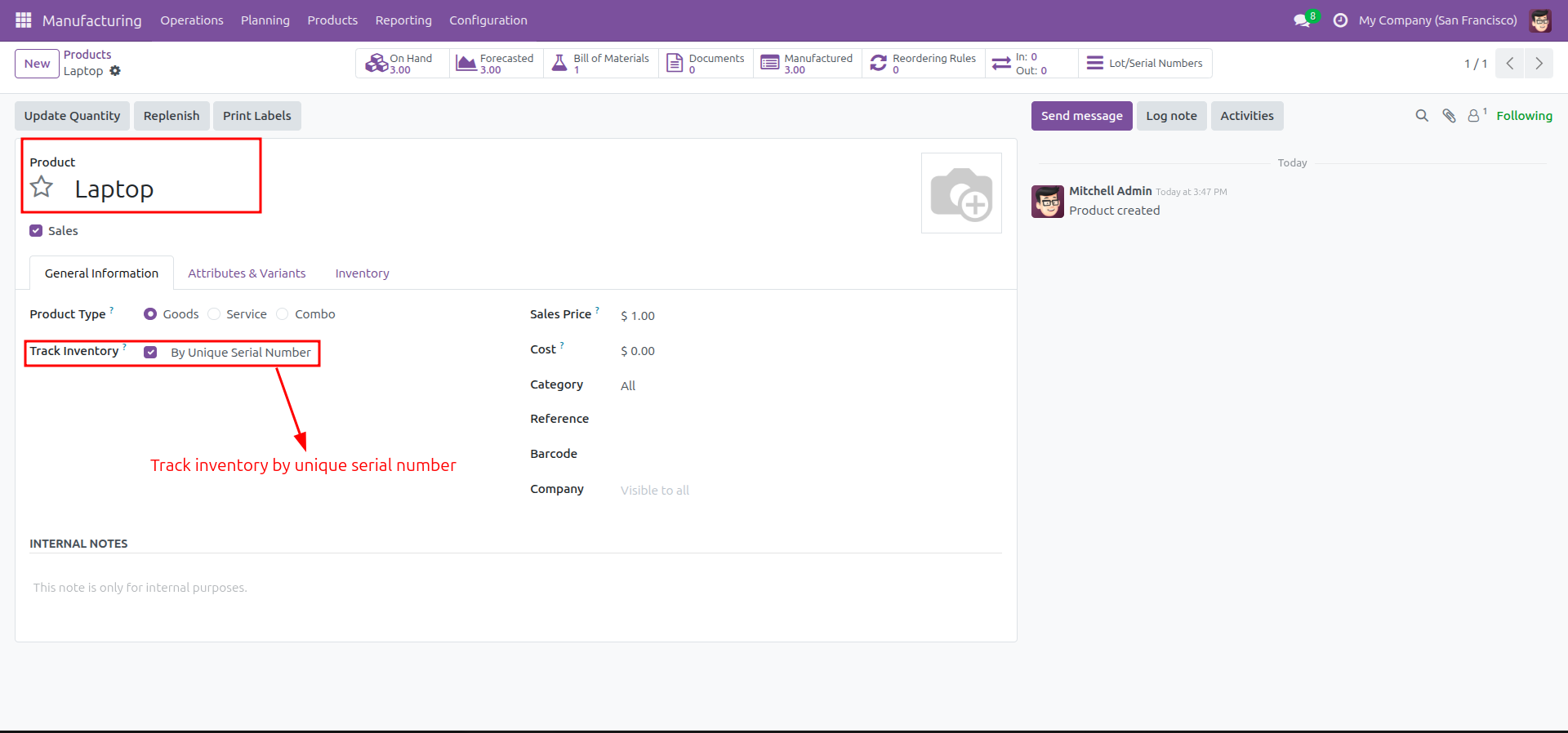
Enabling the Track Inventory by Unique Serial Number option for a Laptop product to ensure granular traceability throughout the manufacturing and sales cycle.
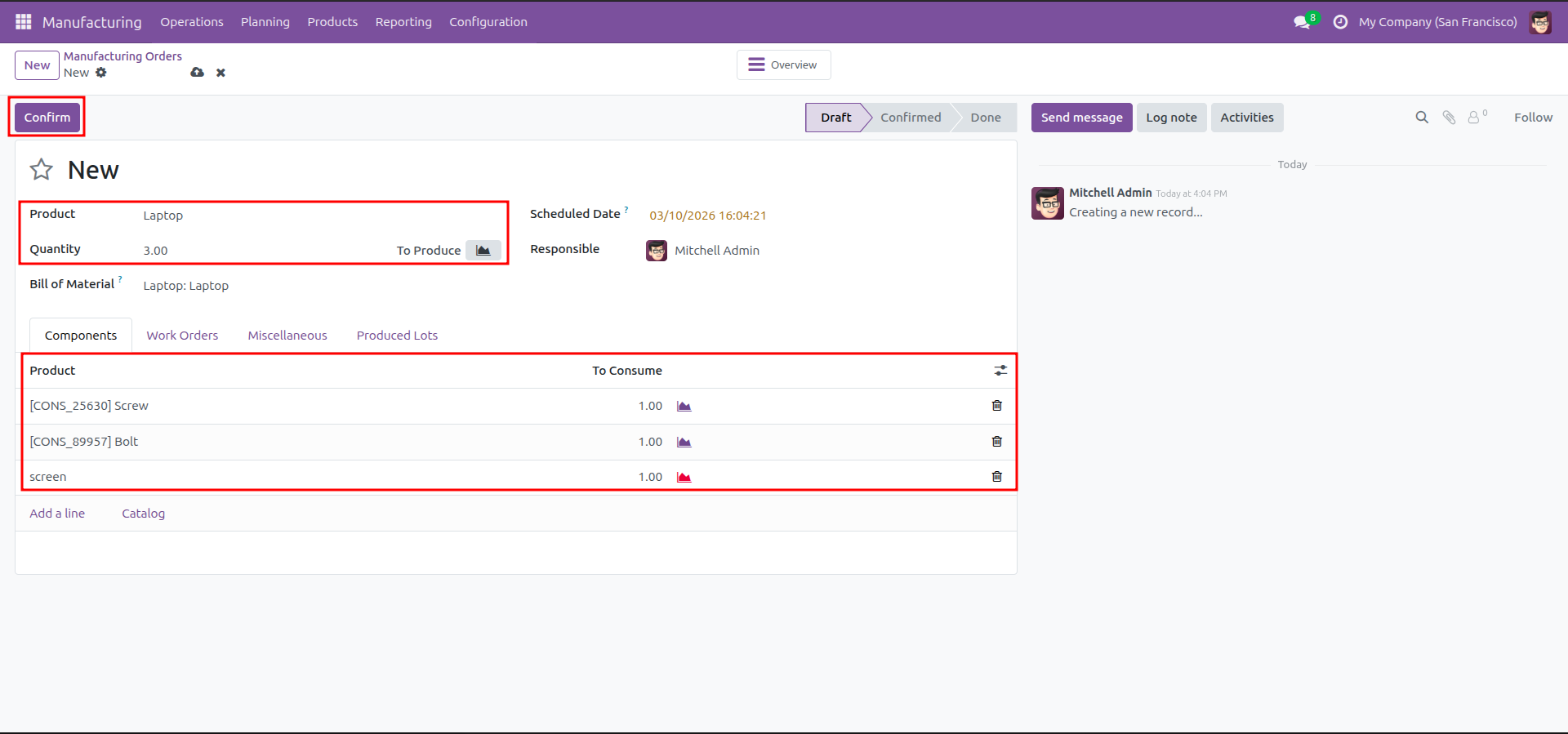
Clicking the Confirm button on a new Manufacturing Order for three Laptops, triggering the reservation of required components like screws, bolts, and screens.
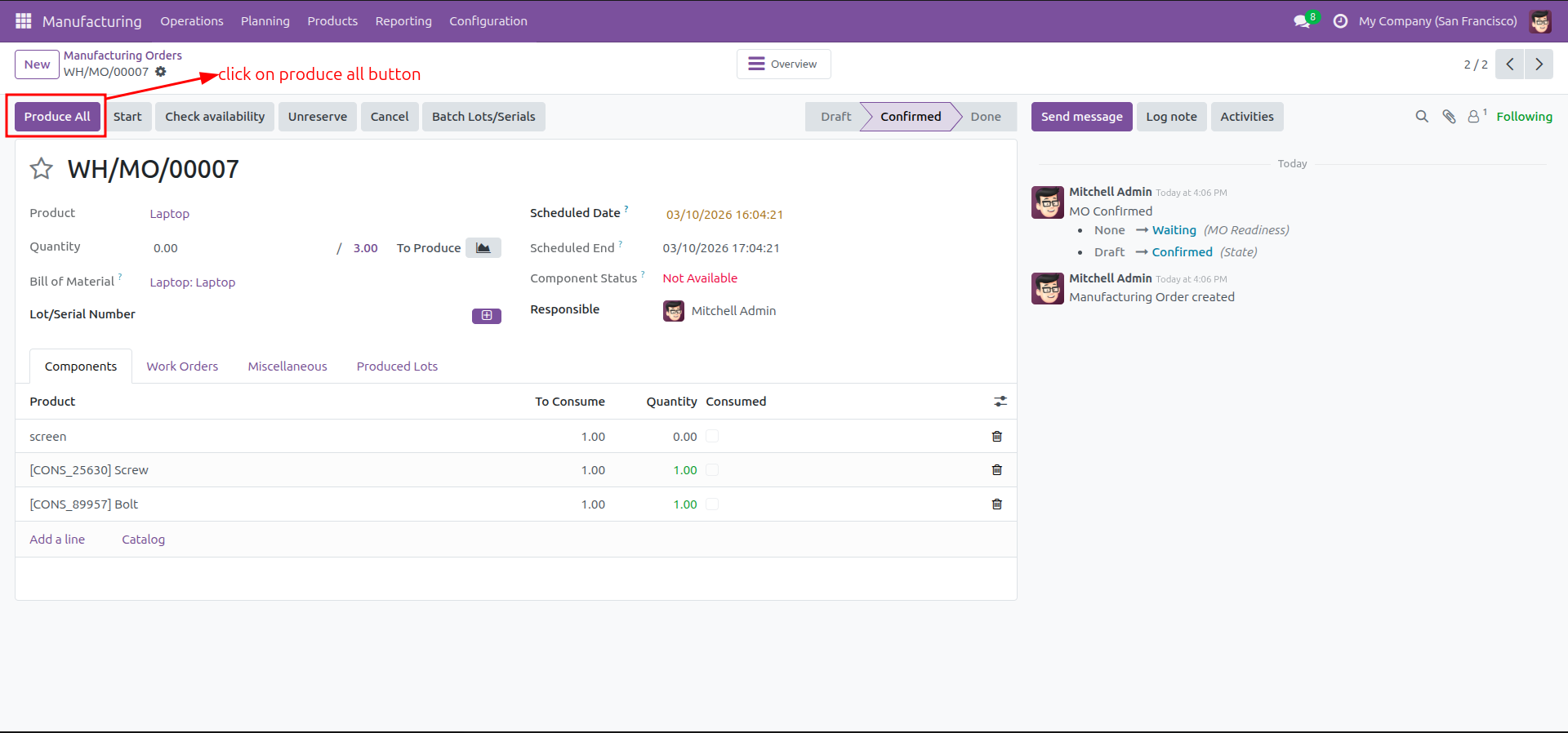
Selecting the Produce All button on a confirmed Manufacturing Order to record the completion of the production run for the specified quantity.
Utilizing the Batch Production wizard to automatically Generate three unique serial numbers starting with the prefix "Laptop-LP" for the finished products.
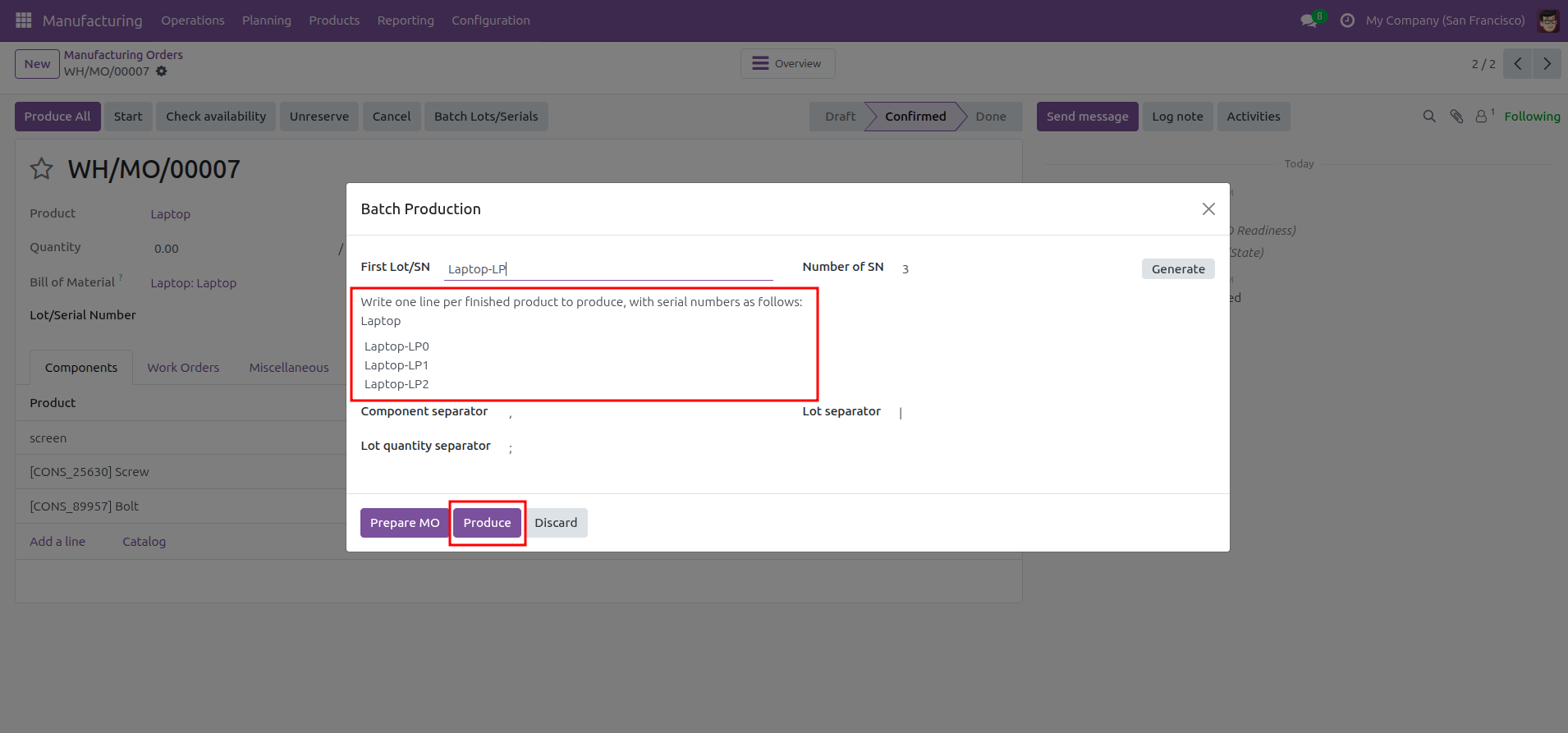
Reviewing the newly generated serial numbers (Laptop-LP0 to LP2) and clicking Produce to finalize the manufacturing process for the batch.
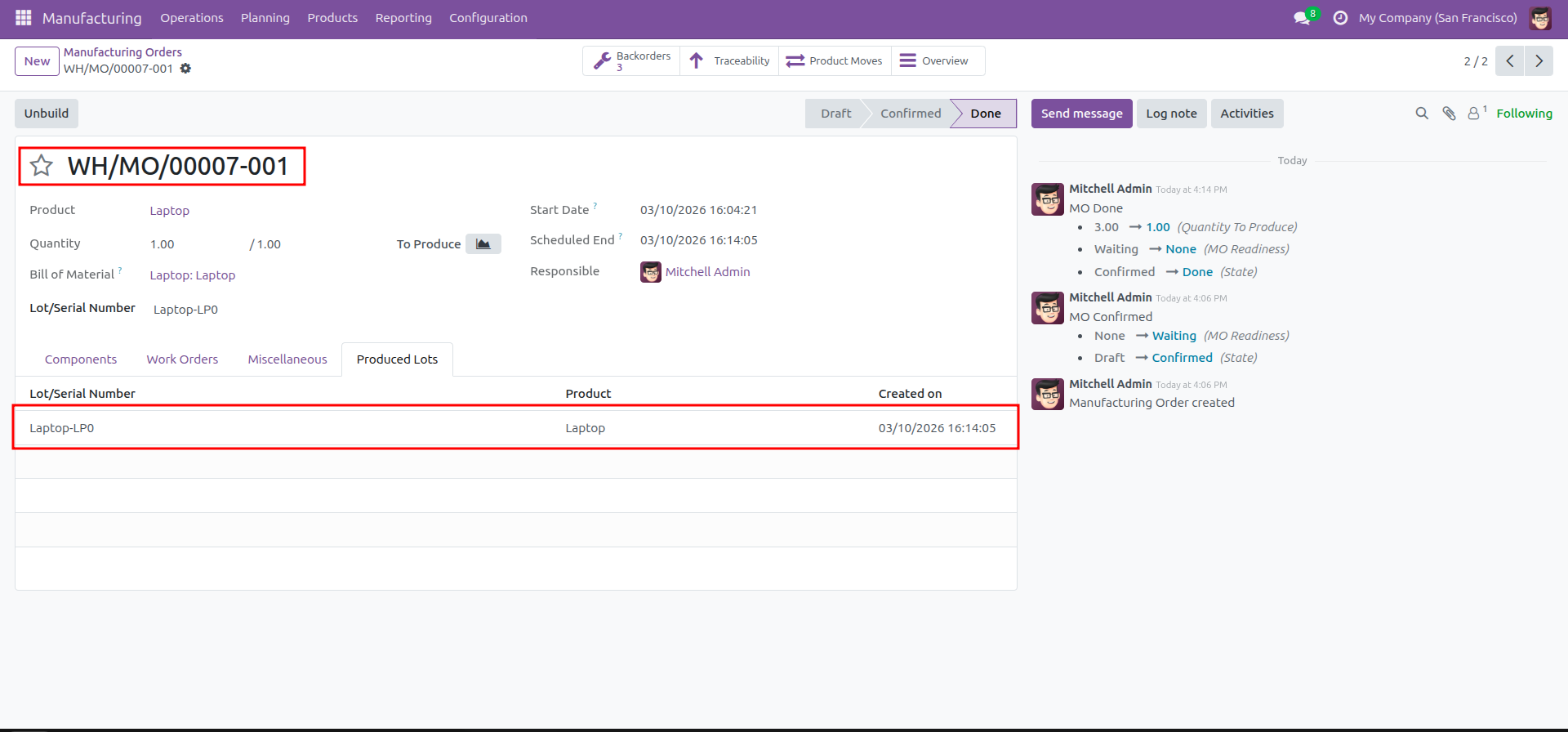
Reviewing the Produced Lots tab for the completed Manufacturing Order (WH/MO/00007-001), showing the successful registration of serial number Laptop-LP0.
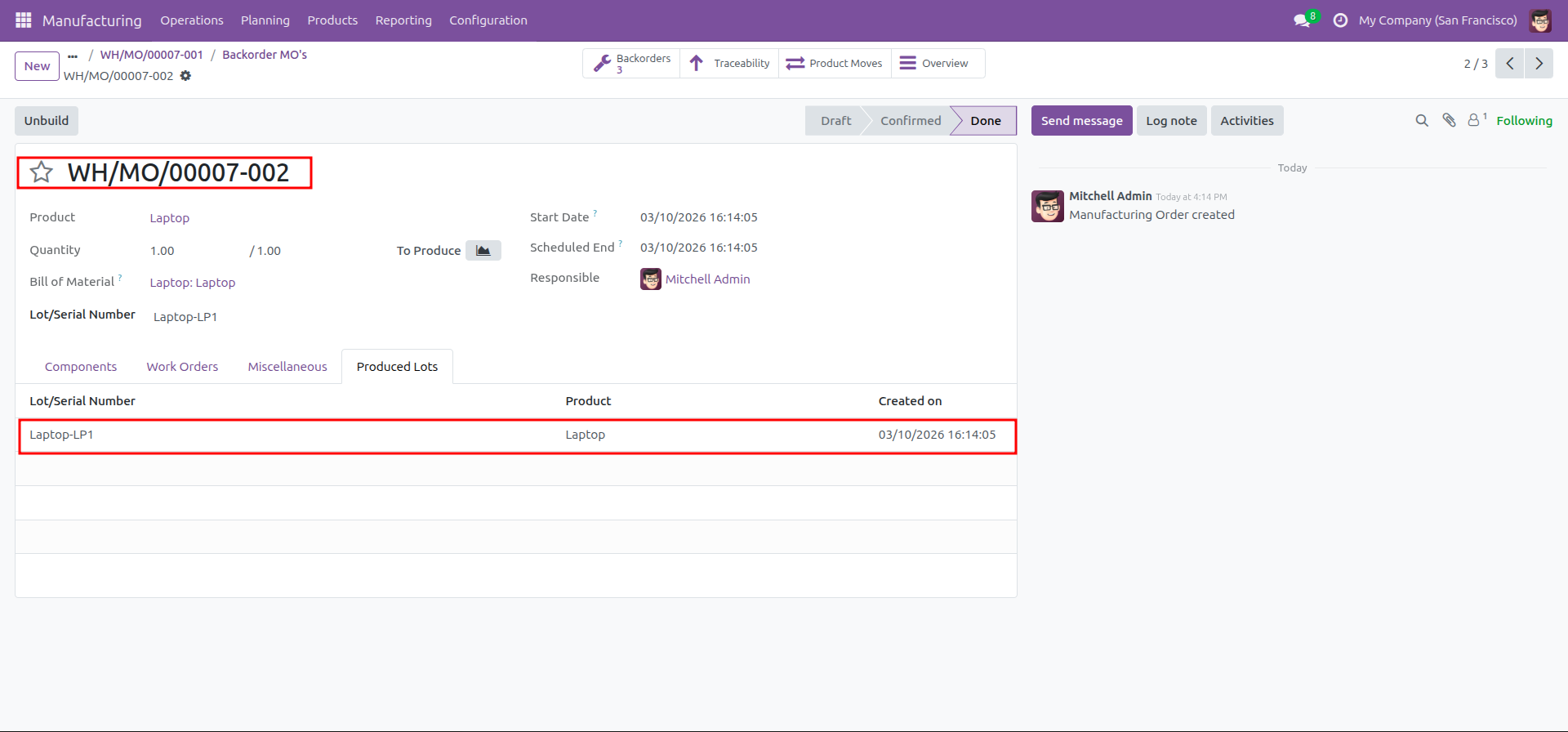
Reviewing the Produced Lots for a specific backorder (WH/MO/00007-002) to verify the serial number registration for individual units in a split production run.
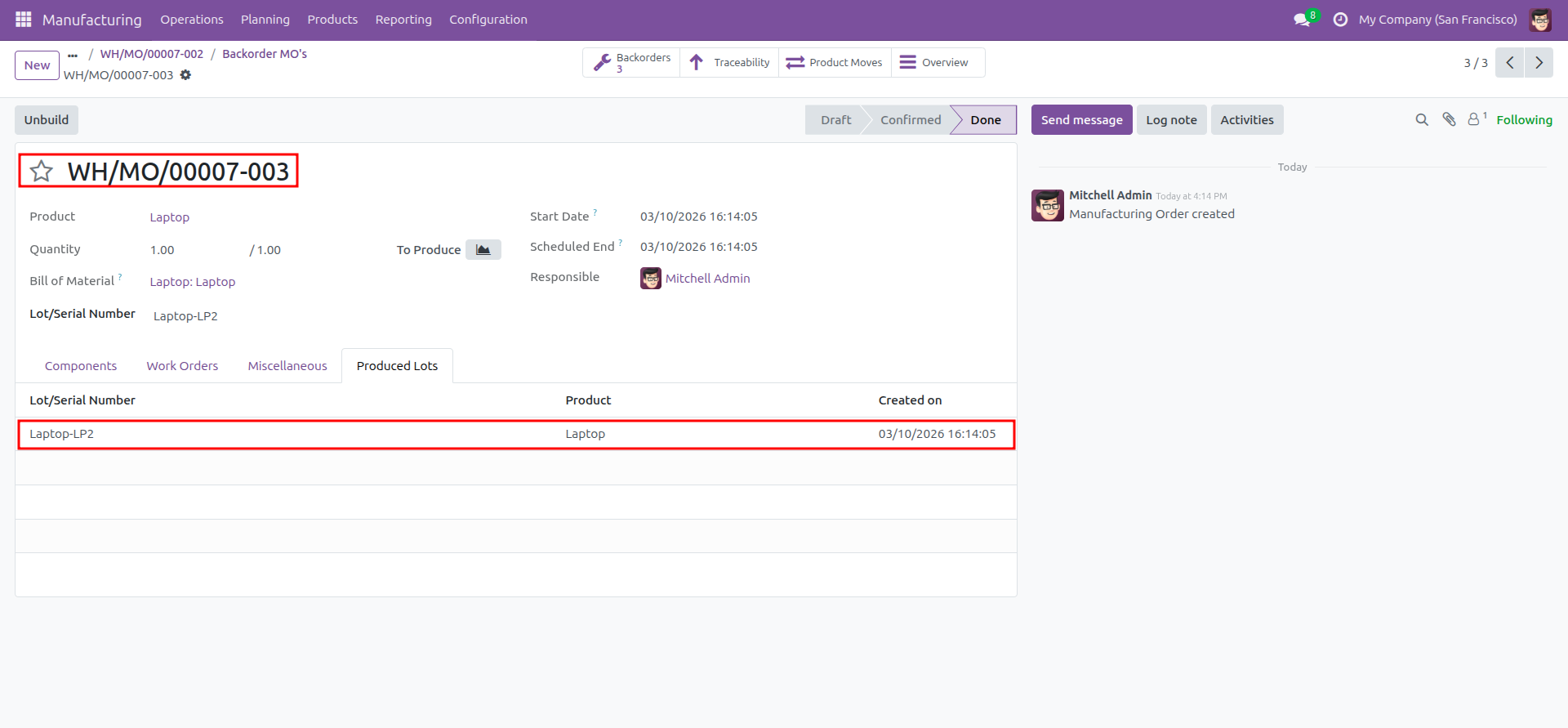
Finalizing the last unit of the production run (WH/MO/00007-003) and verifying the registration of serial number Laptop-LP2 in the Produced Lots tab.
Version 18.0.1.0.0 | Released on : 16th April 2026
- Yes, this app works perfectly with Odoo Enterprise (Odoo.sh & Premise) as well as Community.
- No, this application is not compatible with odoo.com(odoo saas/Odoo Online)
- Yes, to test this module, please contact us at sales@softhealer.com.
- Please contact us at sales@softhealer.com to request customization.
- Yes, we provide free support for 365 days from the date of purchase.
- Yes, you will receive lifetime free updates for the version of the module you purchased.
- No, there is no need to install any additional libraries.
- Yes, for version 12 and above, you need to purchase the module separately for each version you intend to use.
- No, exchanges or refunds are not allowed. Please make sure to select the correct version before purchasing.
- You can contact us at support@softhealer.com for language translation support. We use Google Translator tools to provide translations in multiple languages, so the accuracy may vary. We welcome your suggestions to help improve translations.
Discover Our Latest Apps