

 Easy to Manage
 Dedicated Support
















 Scan to email sales





Shopify Odoo Connector - Products

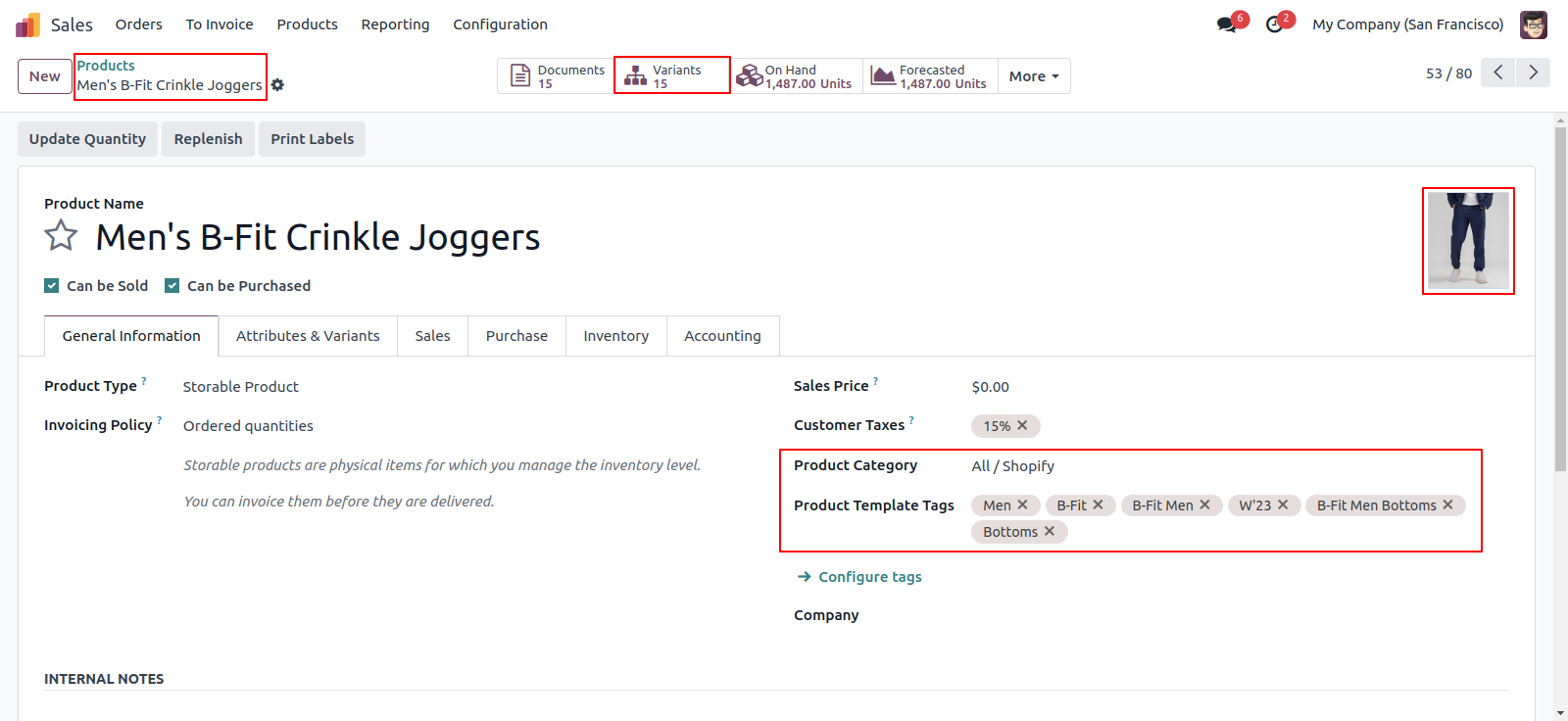
Using this app you can easily import products from shopify with images, variants and also define warehouse and category date.

Hot Features
Features
- Easy to import products with variants.
- After imported products manages in queue to create in odoo.
- Import products day wise.
- Easy to define warehouse while importing.
- Easy to enable/disable products images while importing.
- Log history.
- Once all products are imported then the cron start to create a products in odoo.
- This app helps to import thousands of products in single click.
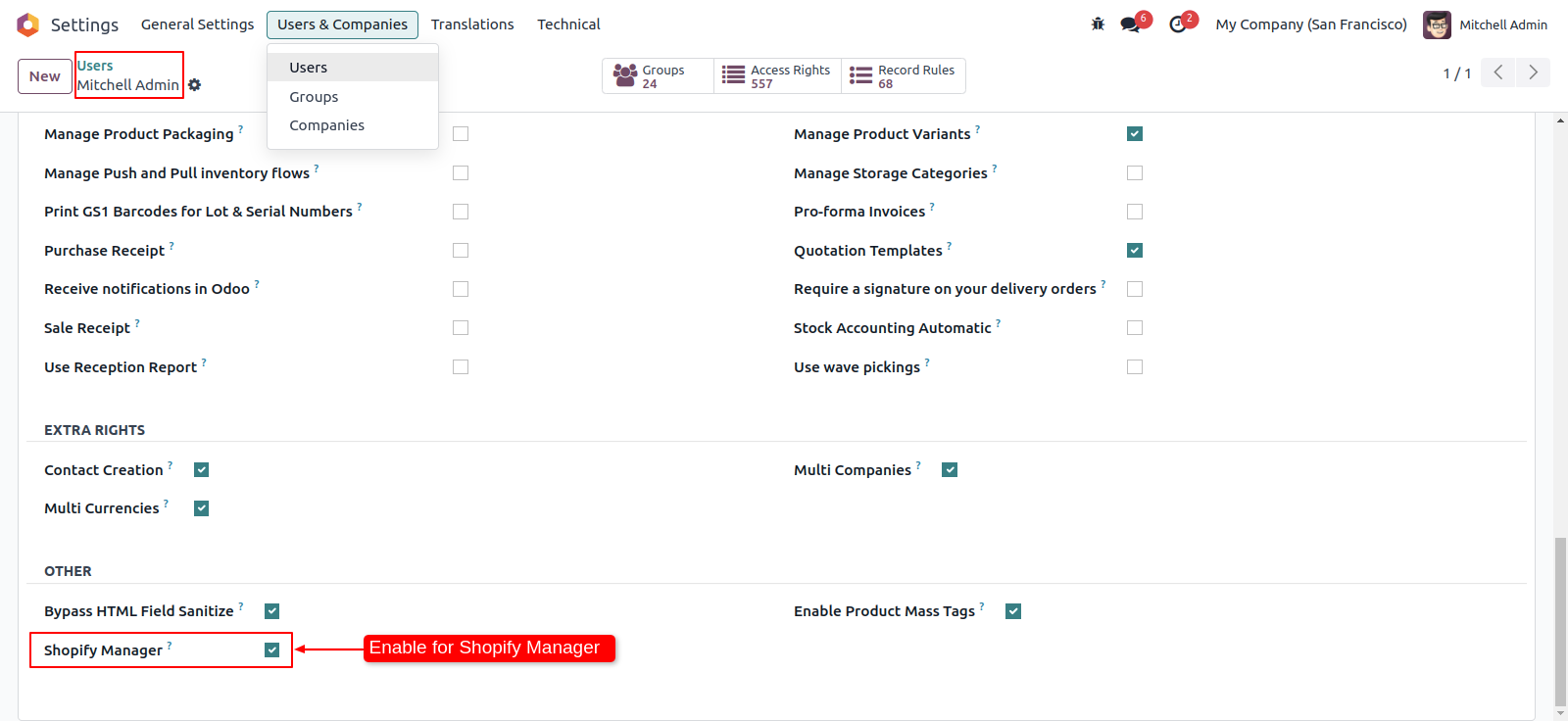
Enable Shopify manager rights.
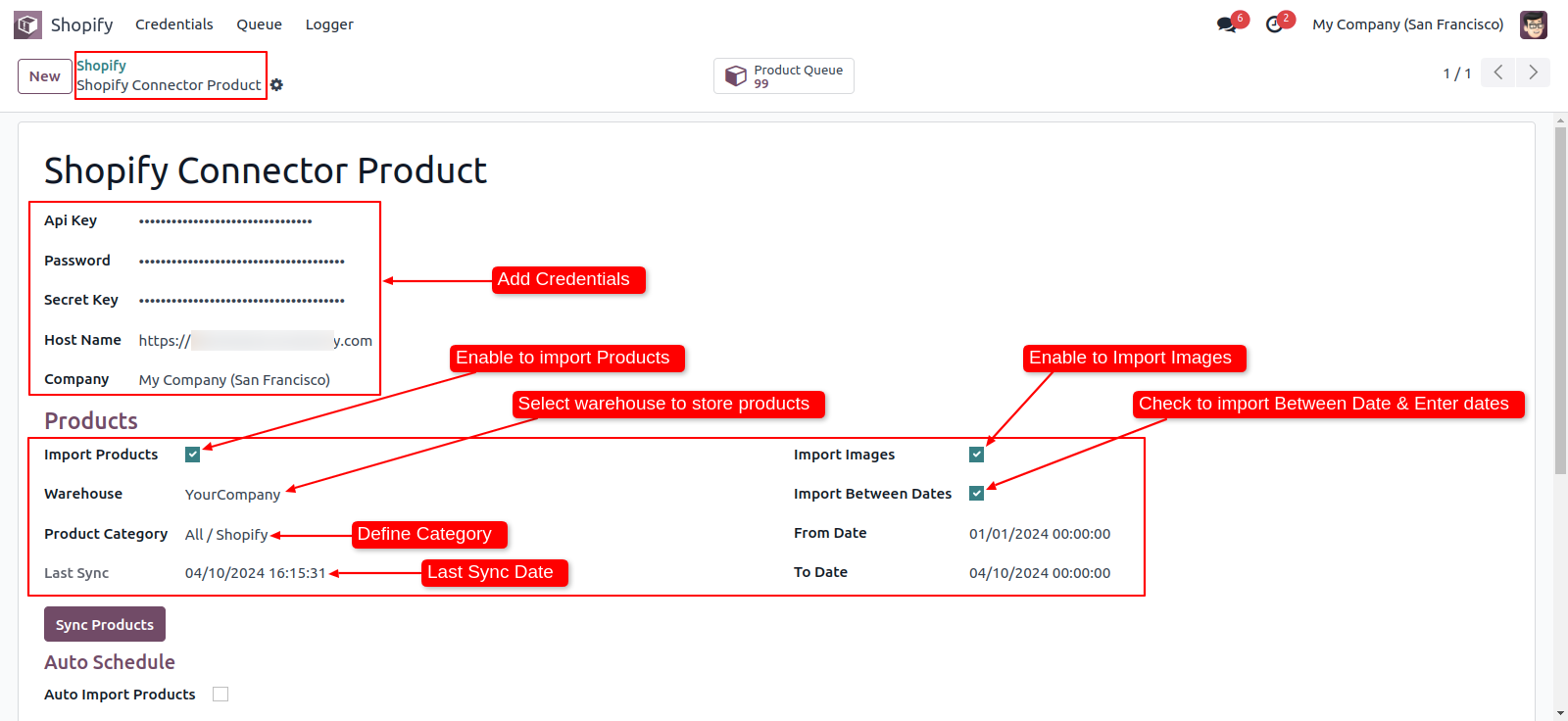
Add credential and enable import products.
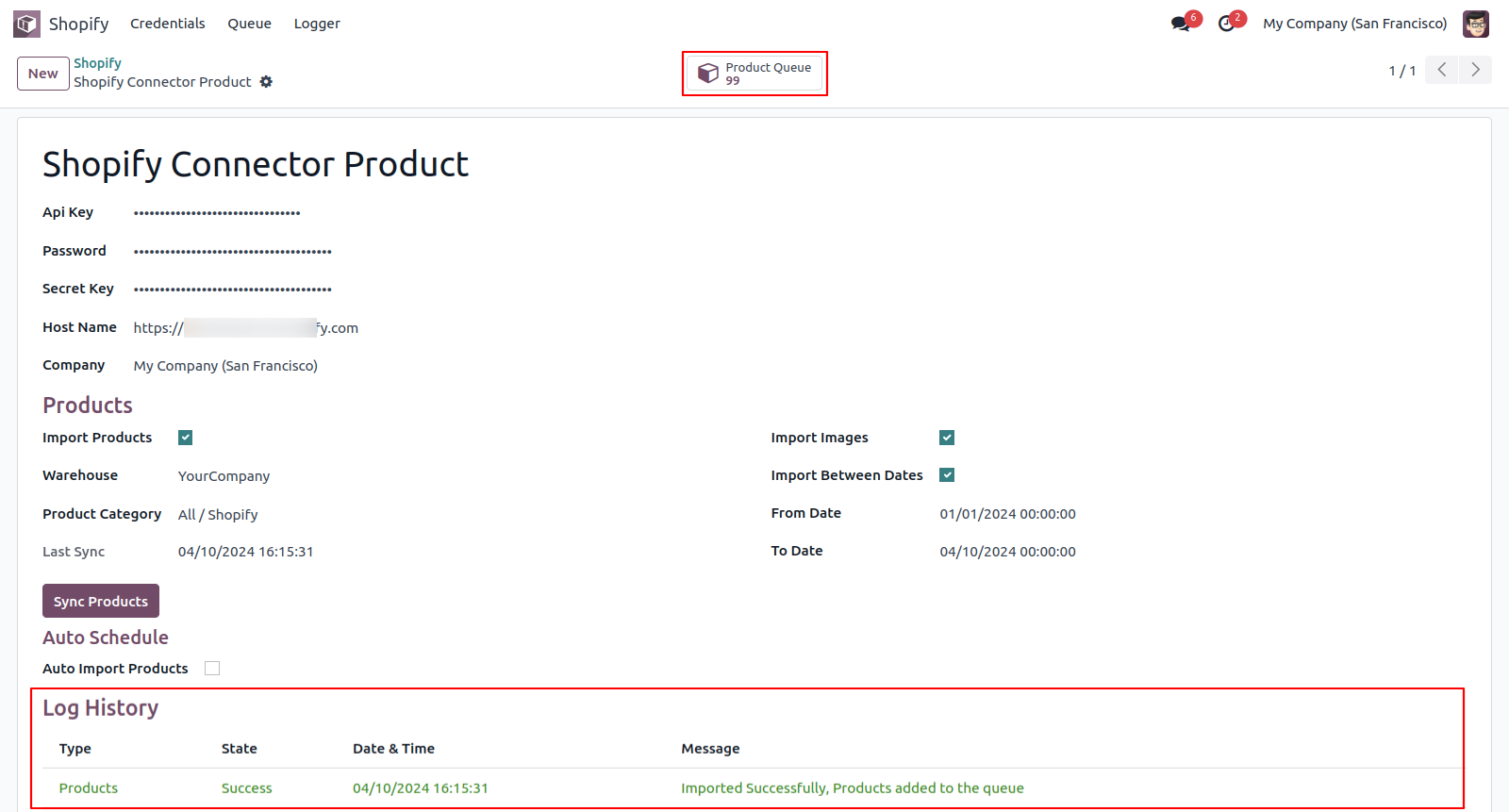
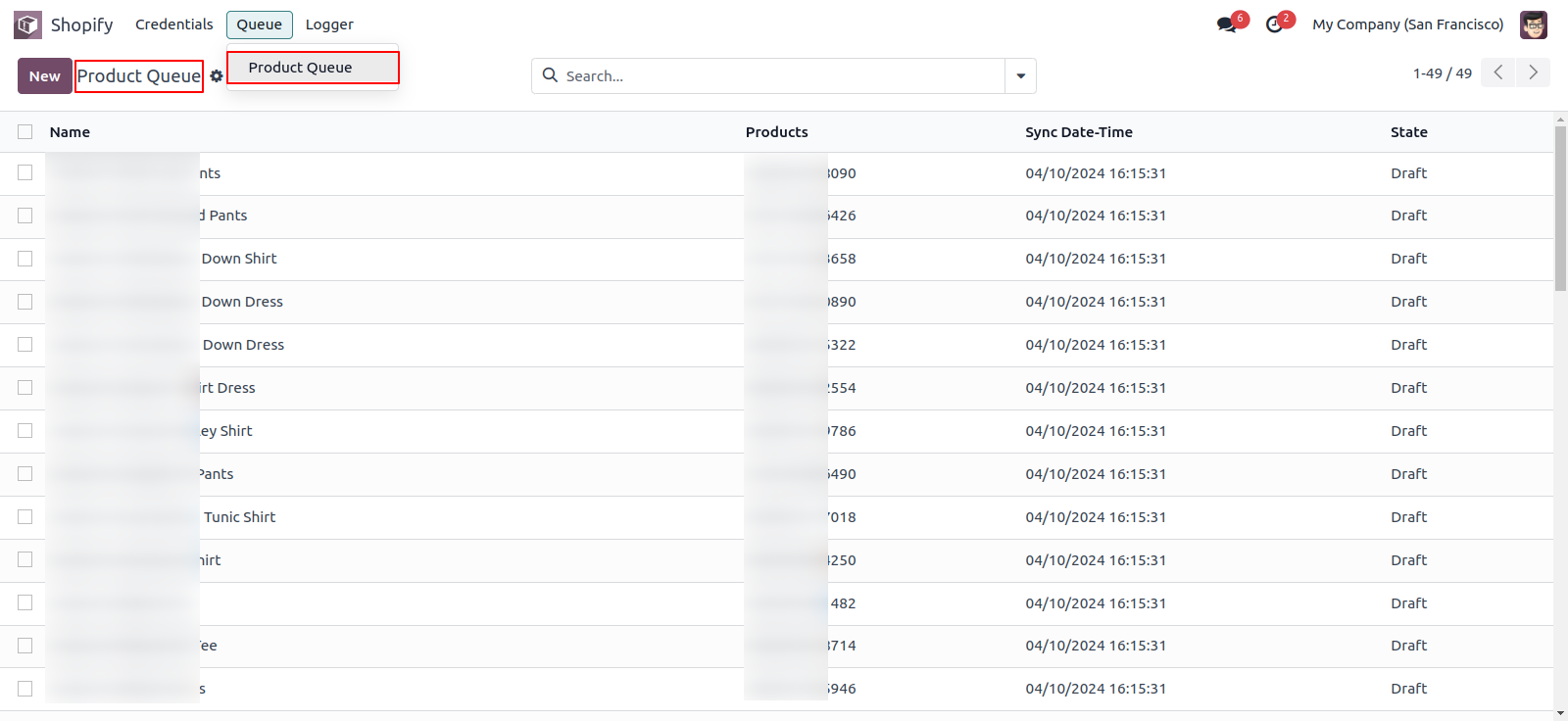
After successfully import of products they are added to the queue and will be created automatically
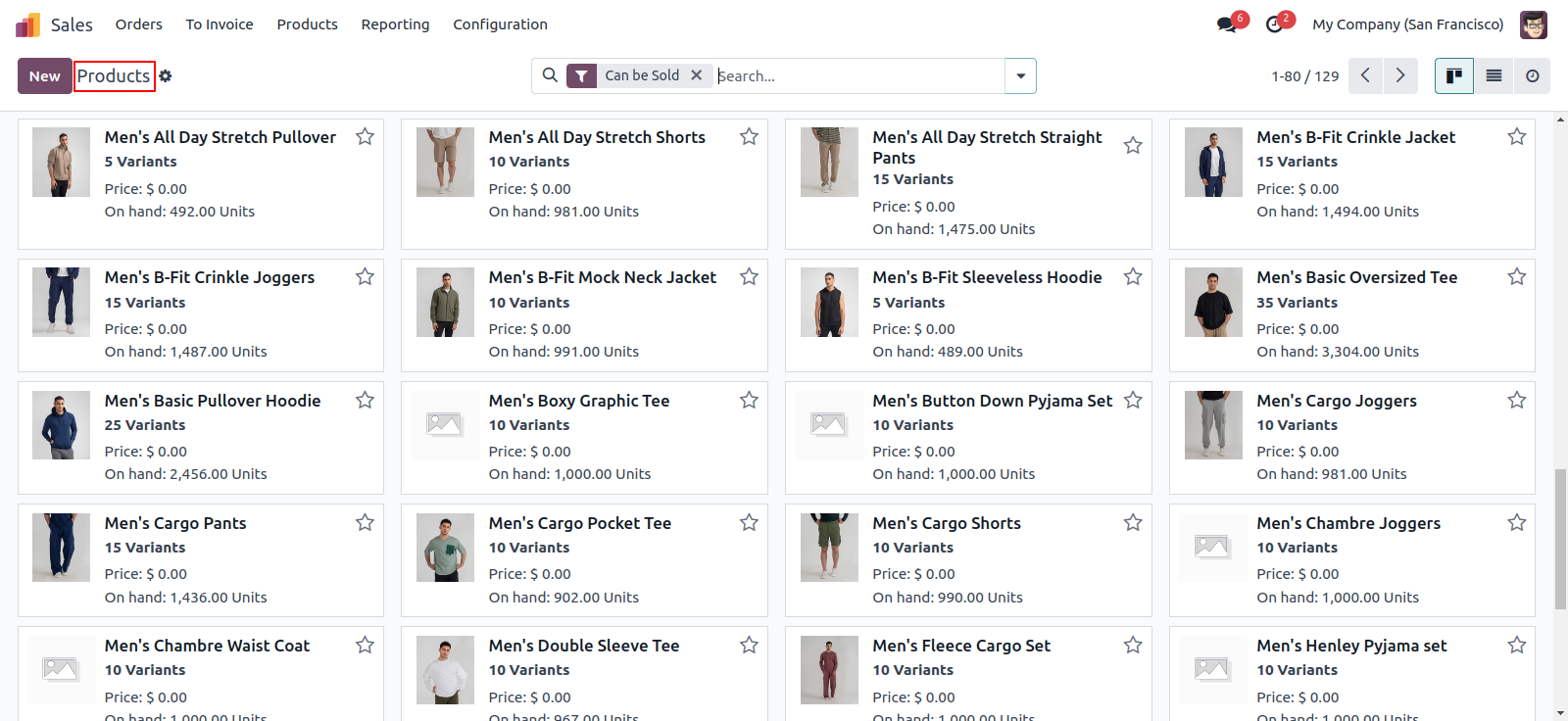
List view of the products.
Imported products listed in queue.
Imported Products.
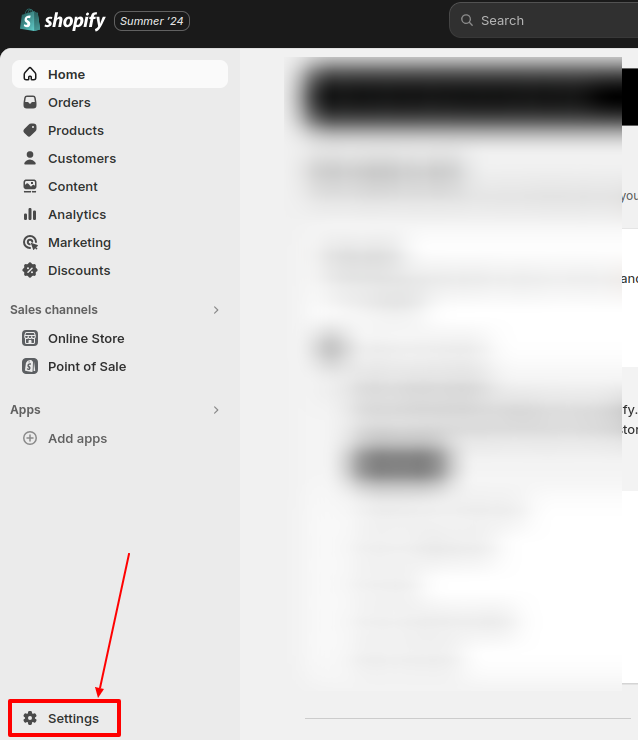
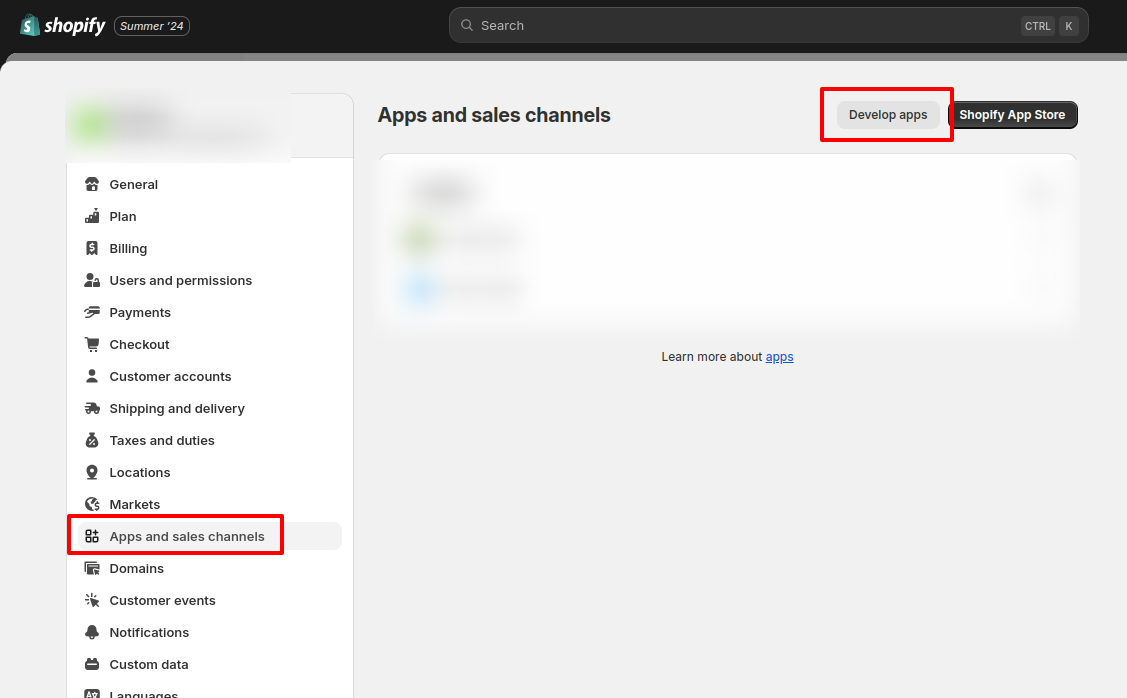
Goto shopify dashboard ==> Settings.
Click on Apps and sales channels ==> Develop apps.
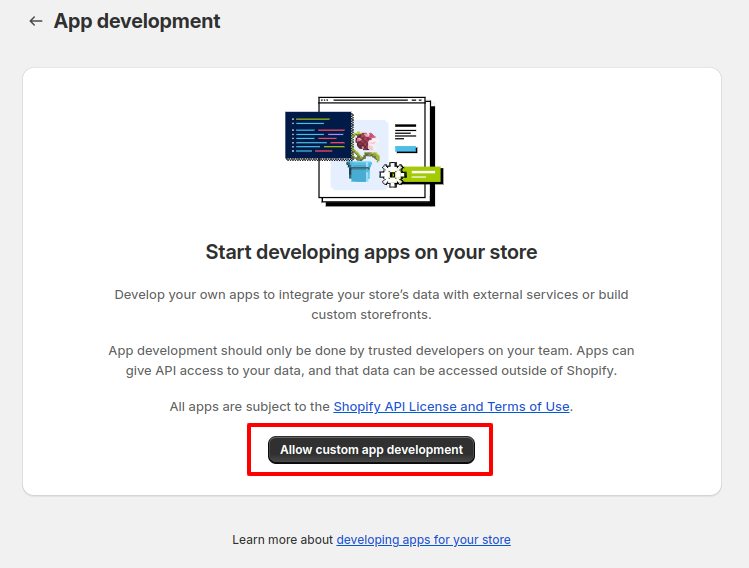
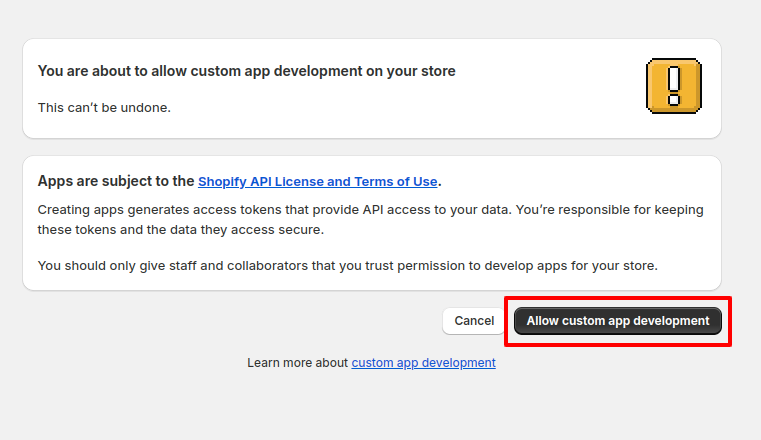
After that click on Allow custom app development.
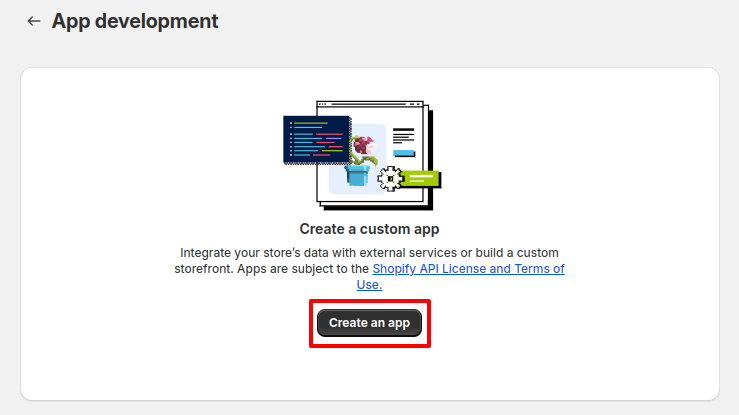
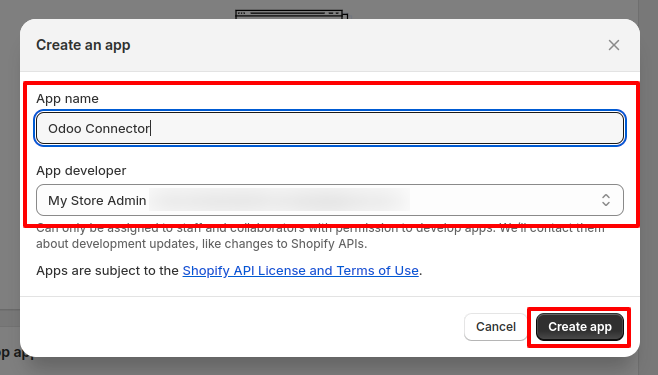
Click on Create an app.
Give your app any Name, select an app developer and click on the Create app.
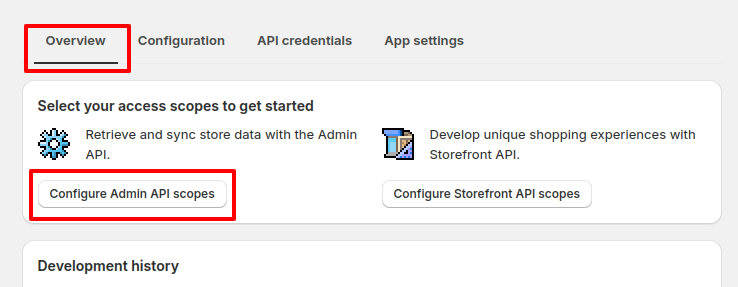
Navigate to the Overview tab and click on the Configure Admin API scopes
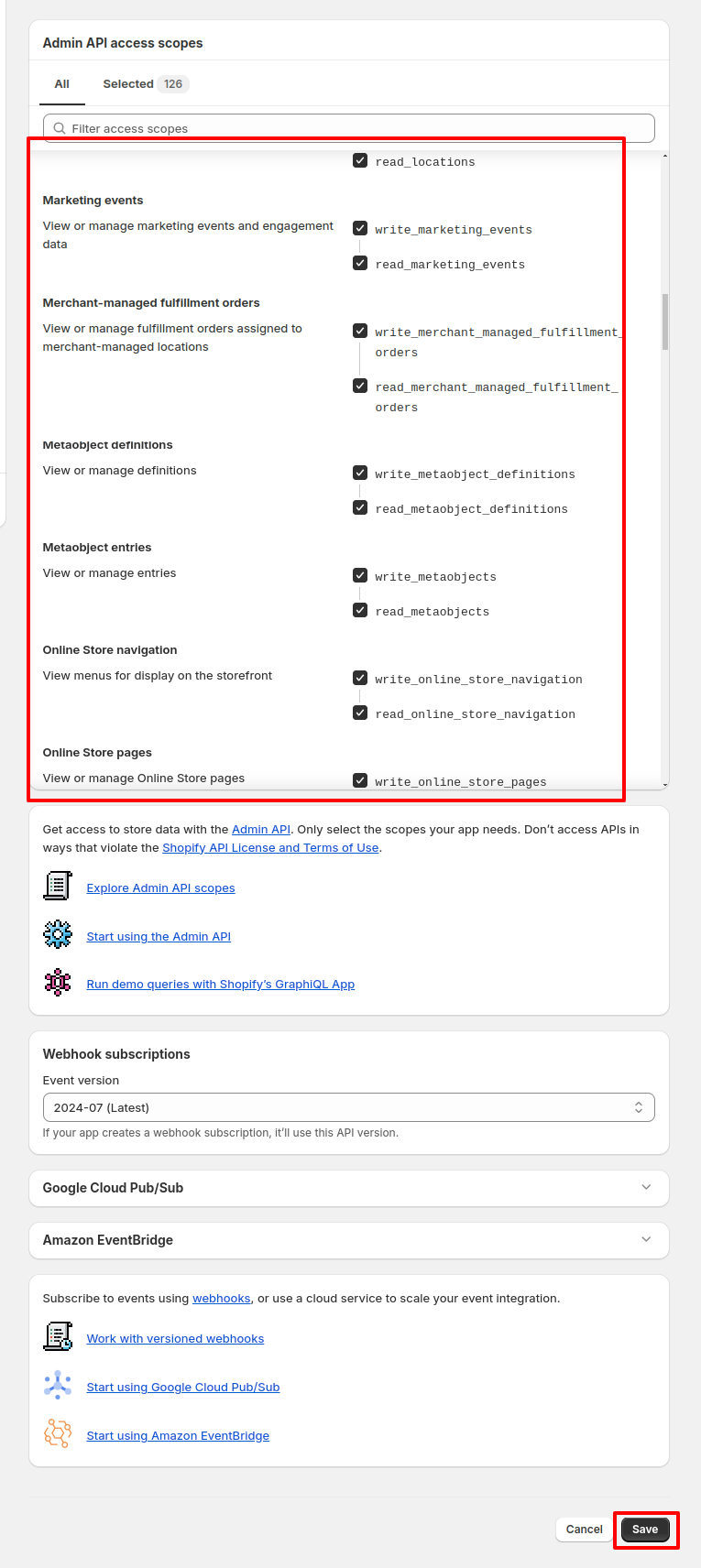
Select all the checkmarks and save the changes.
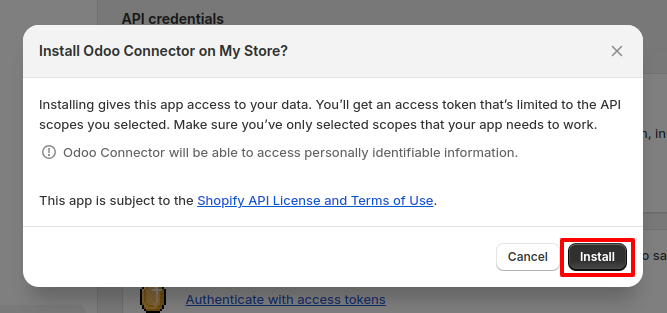
Now install that created app.
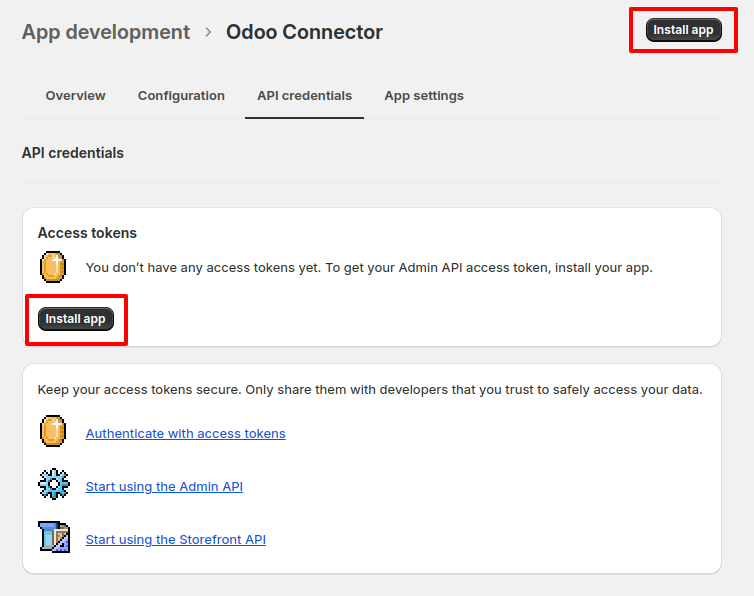
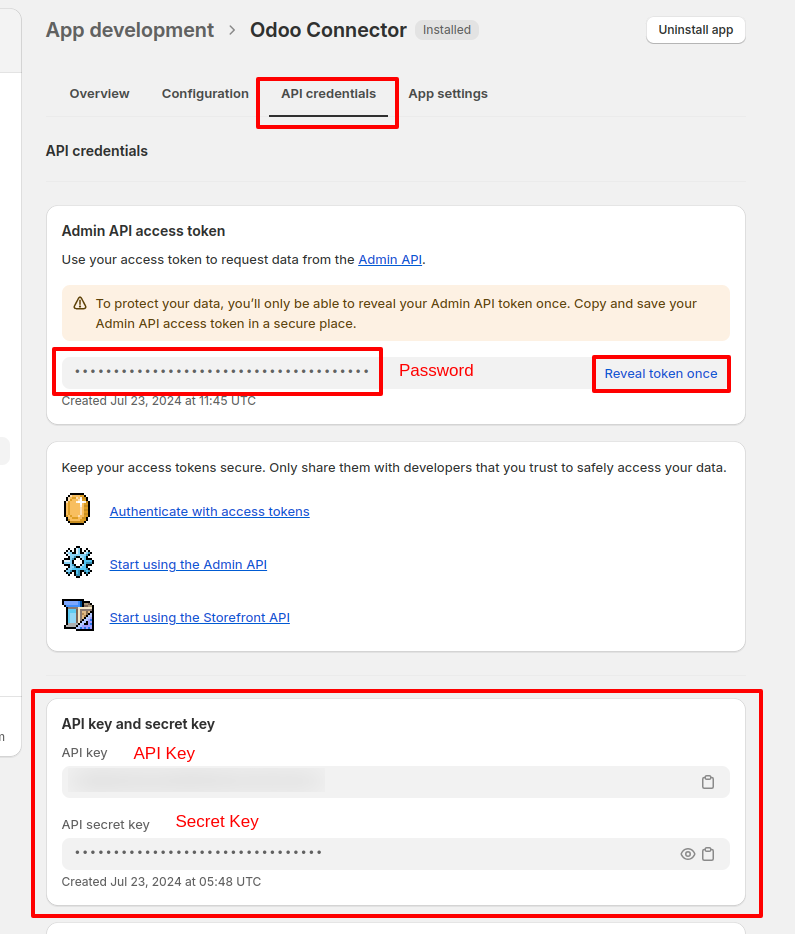
After installing the app you can see the Password, API Key and Secret under the API Credentials tab (Make sure you save that password because it never appears again).
Version 19.0.1 | Released on : 7th October 2025
- Yes, this app works perfectly with Odoo Enterprise (Odoo.sh & Premise) as well as Community.
- No, this application is not compatible with odoo.com(odoo saas/Odoo Online)
- Yes, to test this module, please contact us at sales@softhealer.com.
- Please contact us at sales@softhealer.com to request customization.
- Yes, we provide free support for 365 days from the date of purchase.
- Yes, you will receive lifetime free updates for the version of the module you purchased.
- No, there is no need to install any additional libraries.
- Yes, for version 12 and above, you need to purchase the module separately for each version you intend to use.
- No, exchanges or refunds are not allowed. Please make sure to select the correct version before purchasing.
- You can contact us at support@softhealer.com for language translation support. We use Google Translator tools to provide translations in multiple languages, so the accuracy may vary. We welcome your suggestions to help improve translations.
Discover Our Latest Apps