












ShippingEasy Odoo Connector

This module seamlessly integrates Odoo with ShippingEasy to streamline shipment management and
synchronization. Easily validate account credentials, import ShippingEasy stores, export Odoo deliveries
to ShippingEasy, and automatically sync shipment tracking information back to Odoo. Manage shipment
cancellations directly from Odoo while keeping delivery and tracking data accurate and up to
date.
Features
ShippingEasy Integration
Real-time Easy integration for instant data sync between Odoo and ShippingEasy.

Generate Token
Easily generate a secure authentication token to establish a reliable connection between Odoo and ShippingEasy.

Import Stores
Easily import your ShippingEasy stores into Odoo and manage them efficiently from a centralized interface.
Export Deliveries to ShippingEasy
Seamlessly export Odoo deliveries to ShippingEasy by selecting ShippingEasy as the carrier and sending shipment details directly to ShippingEasy.

Cancel Shipment
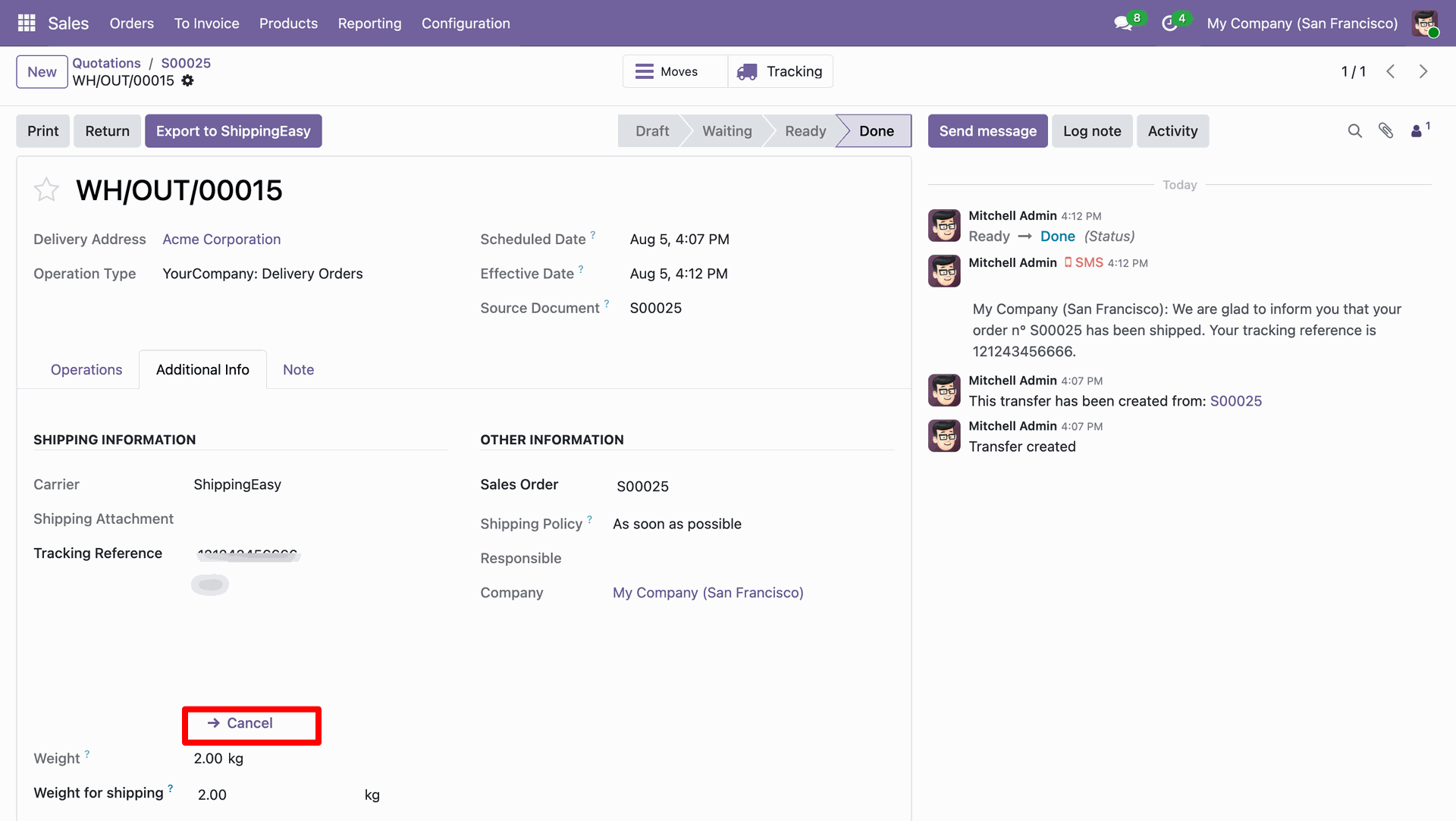
Cancel shipments directly from Odoo to prevent incorrect deliveries and keep your shipping records accurate.

Automatic Shipment Tracking Sync
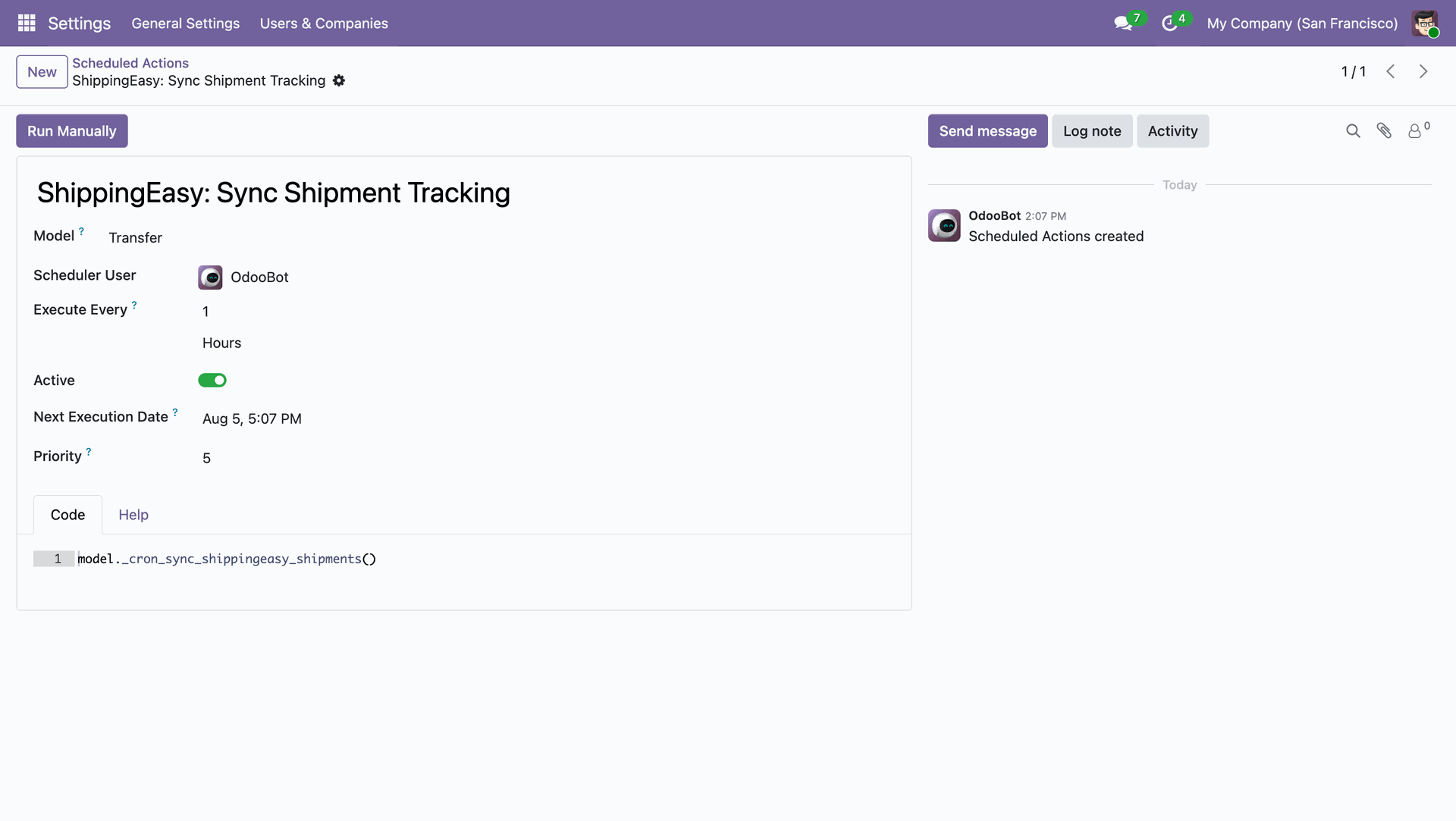
You can schedule an action to automatically update order stages from ShippingEasy in Odoo at regular intervals. The stages will be updated when scheduled action runs, so real-time updates will not be available.

Real-time Webhook Callbacks
The shipment status stages will be updated in Odoo in real time when the ShippingEasy webhook is configured.
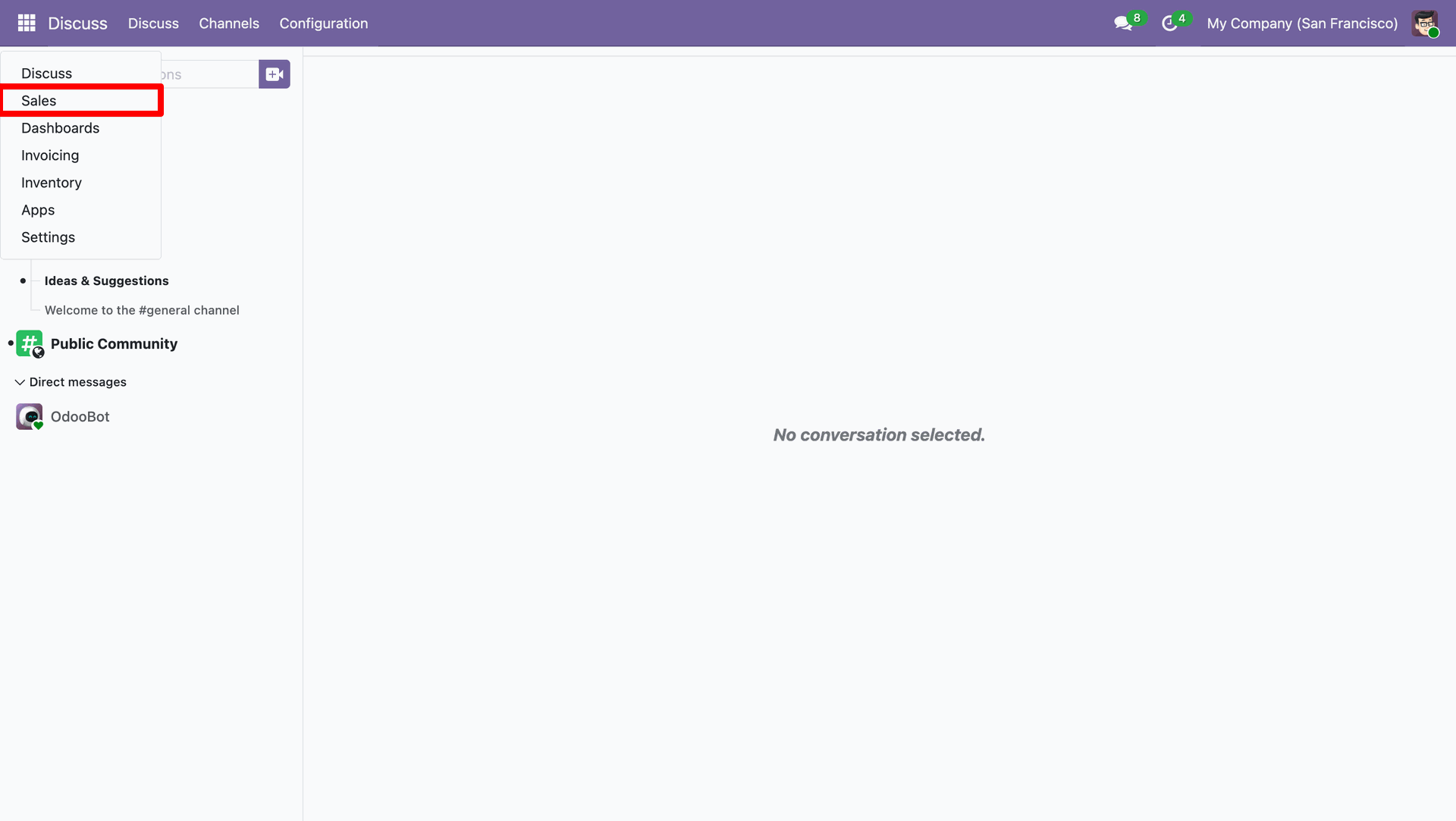
Go to the Sales.
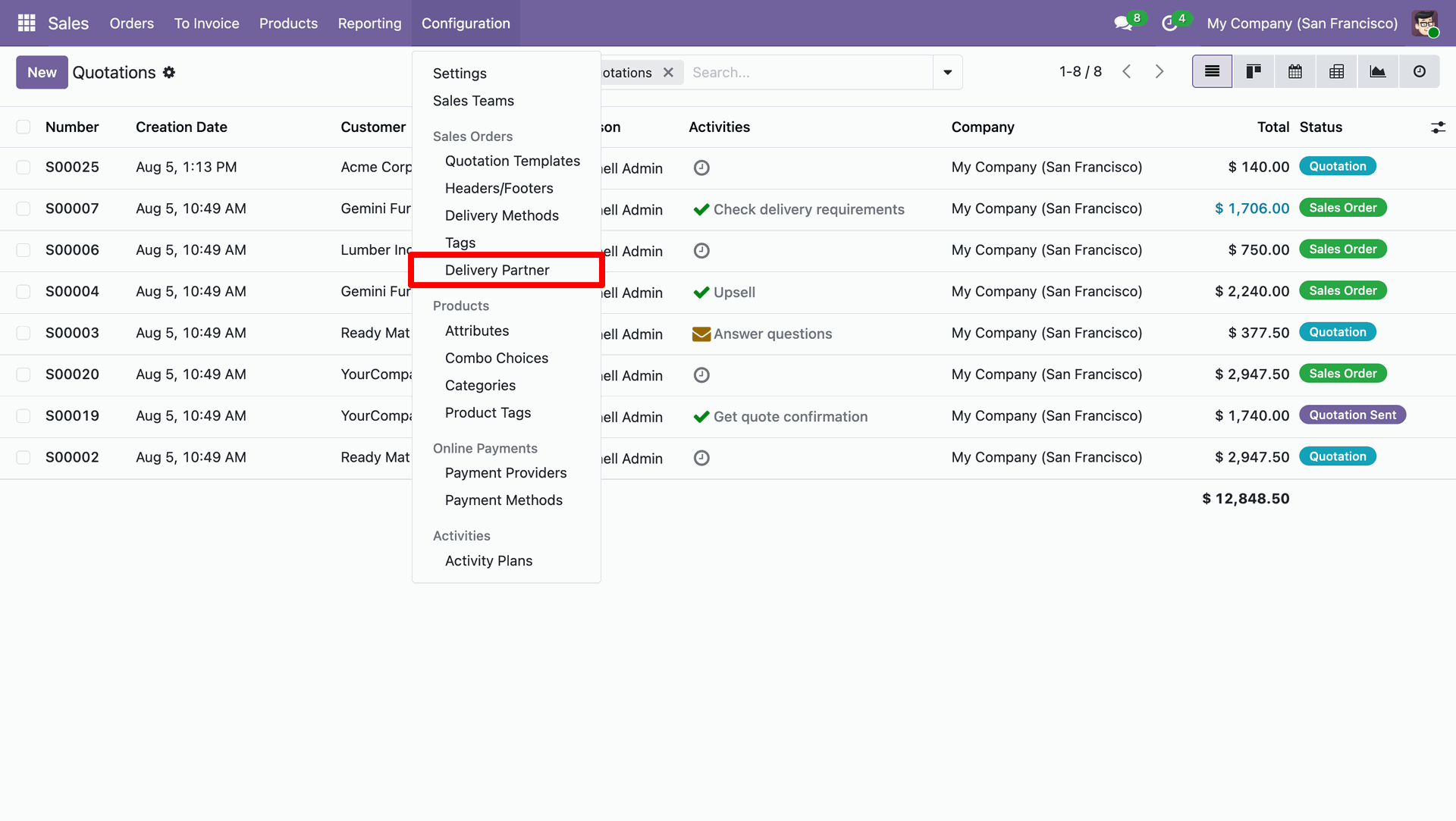
Go to the Configuration ==> Delivery Partner.
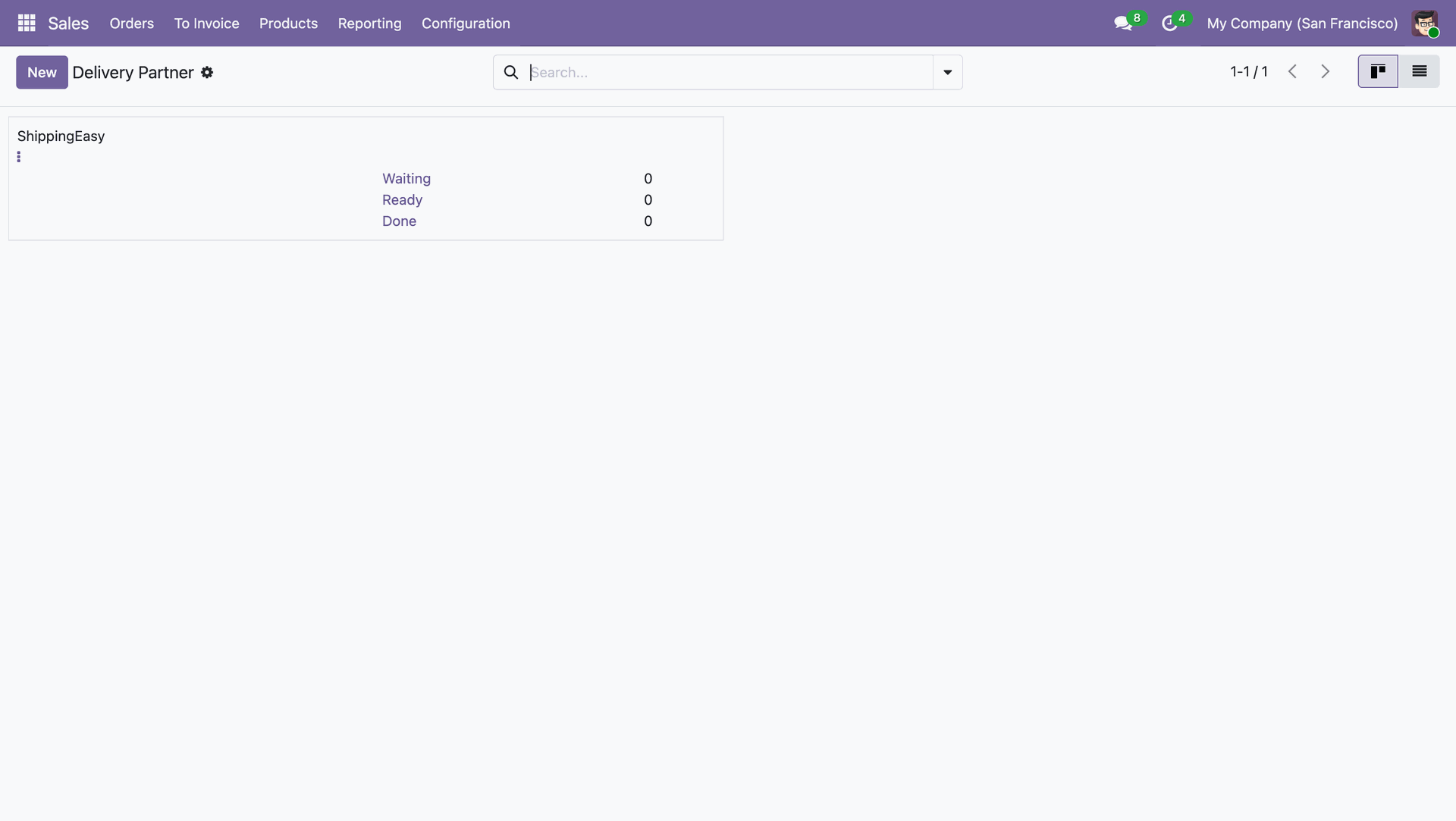
Kanban view of the 'Delivery Partner'.
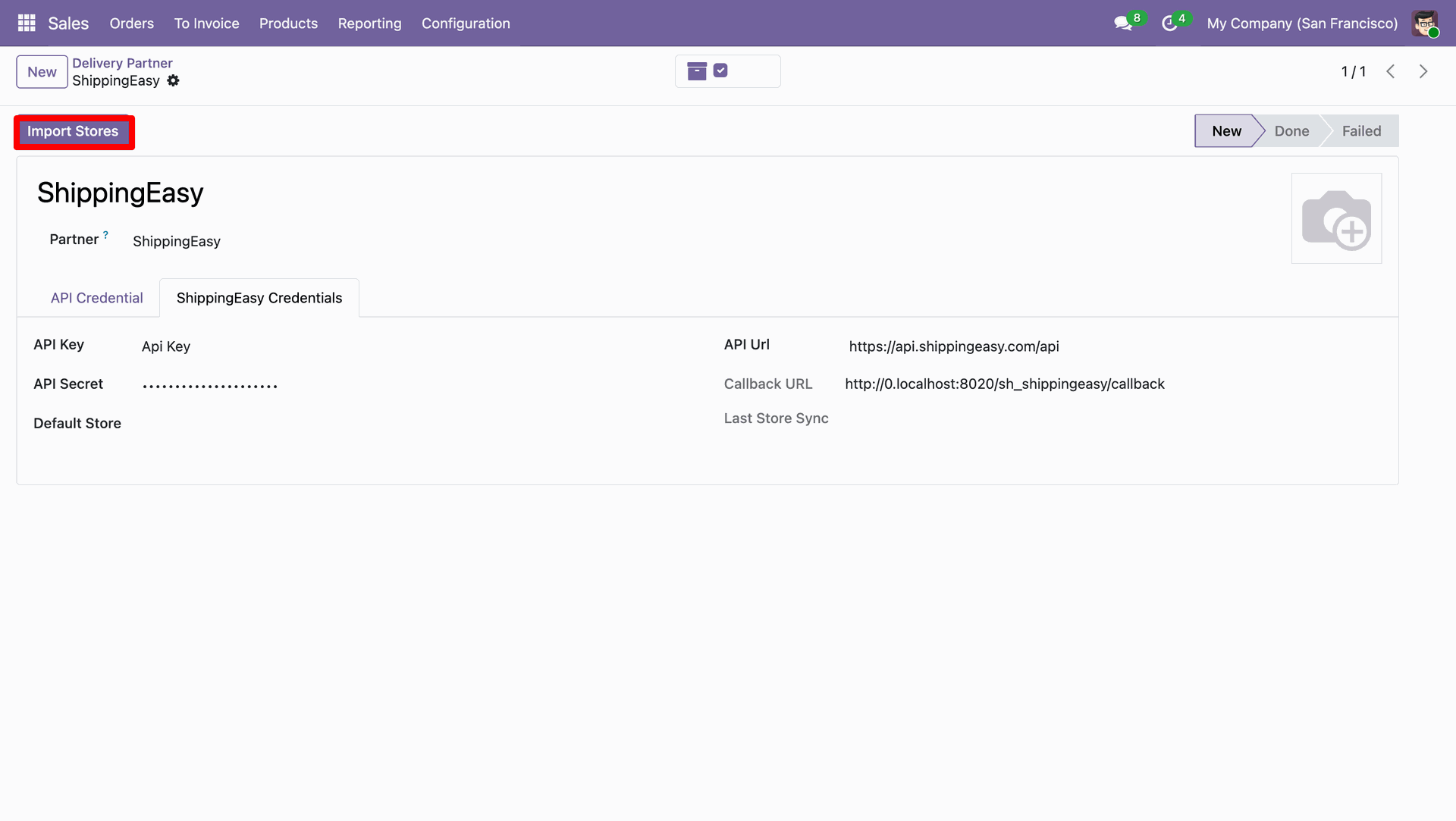
You can import store by clicking on the 'Import Store' button.
All the imported stores are visible under the 'ShippingEasy Stores' tab.
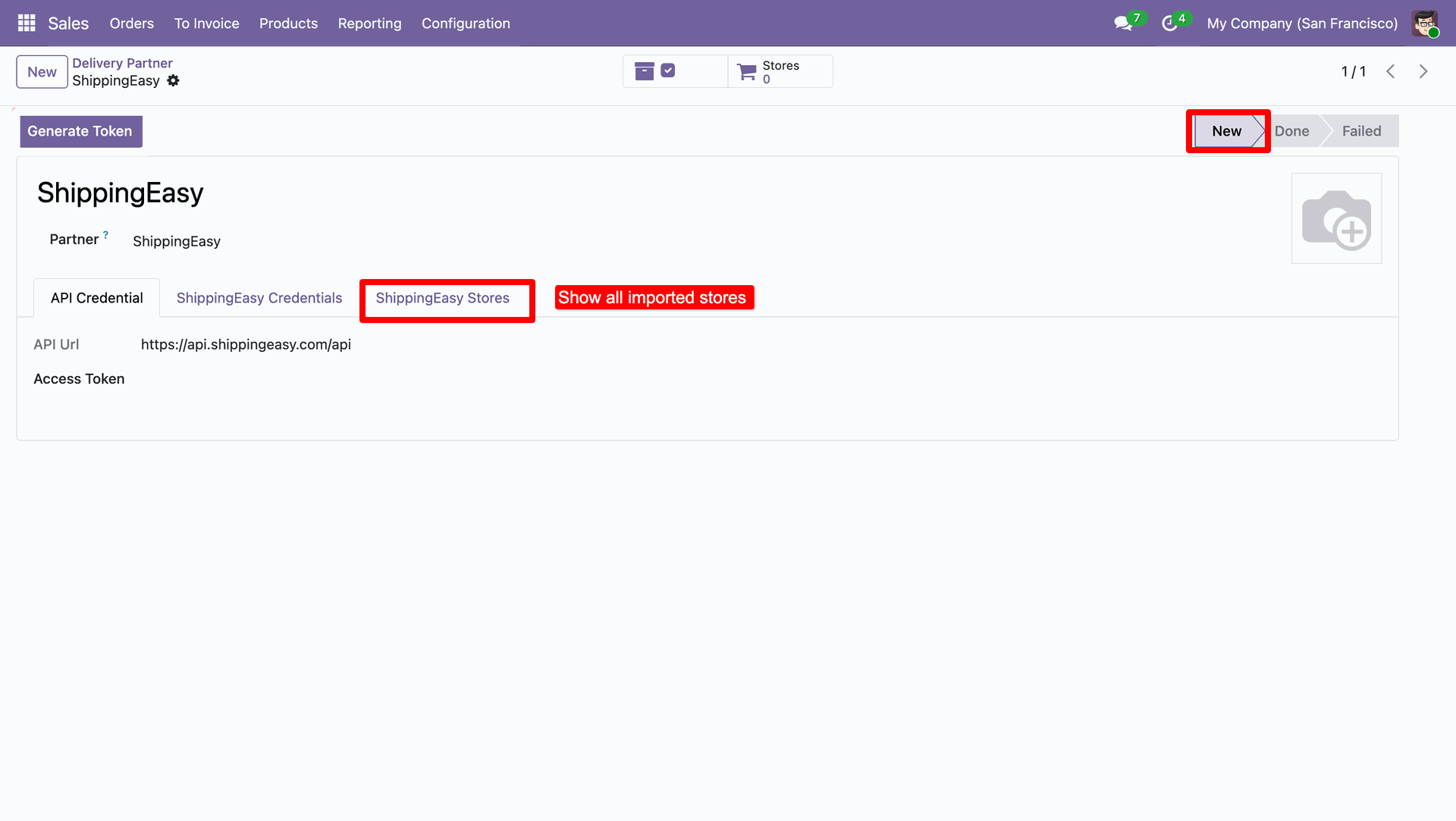
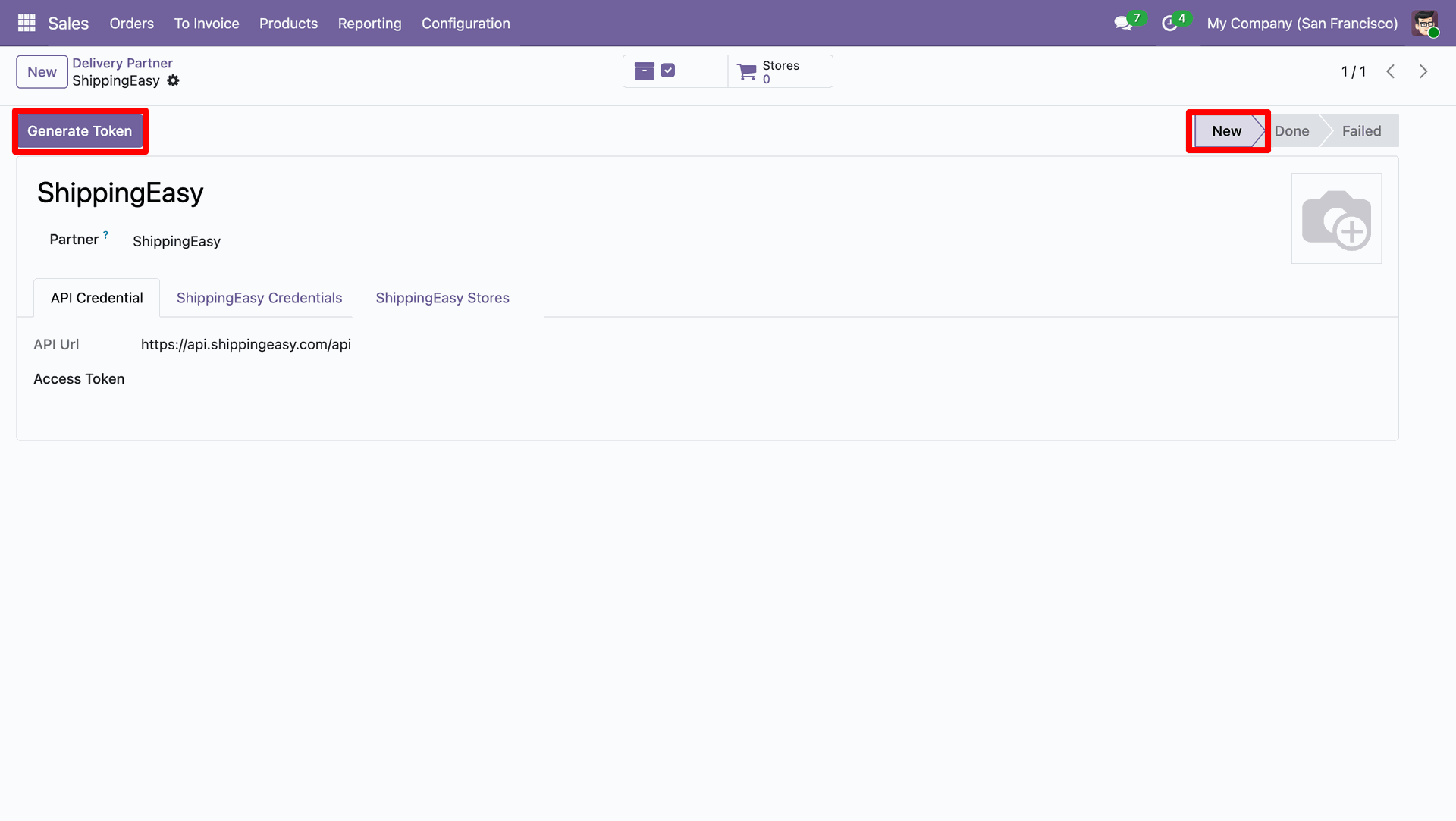
You can genrate token by cliking on 'Generate Token' button.
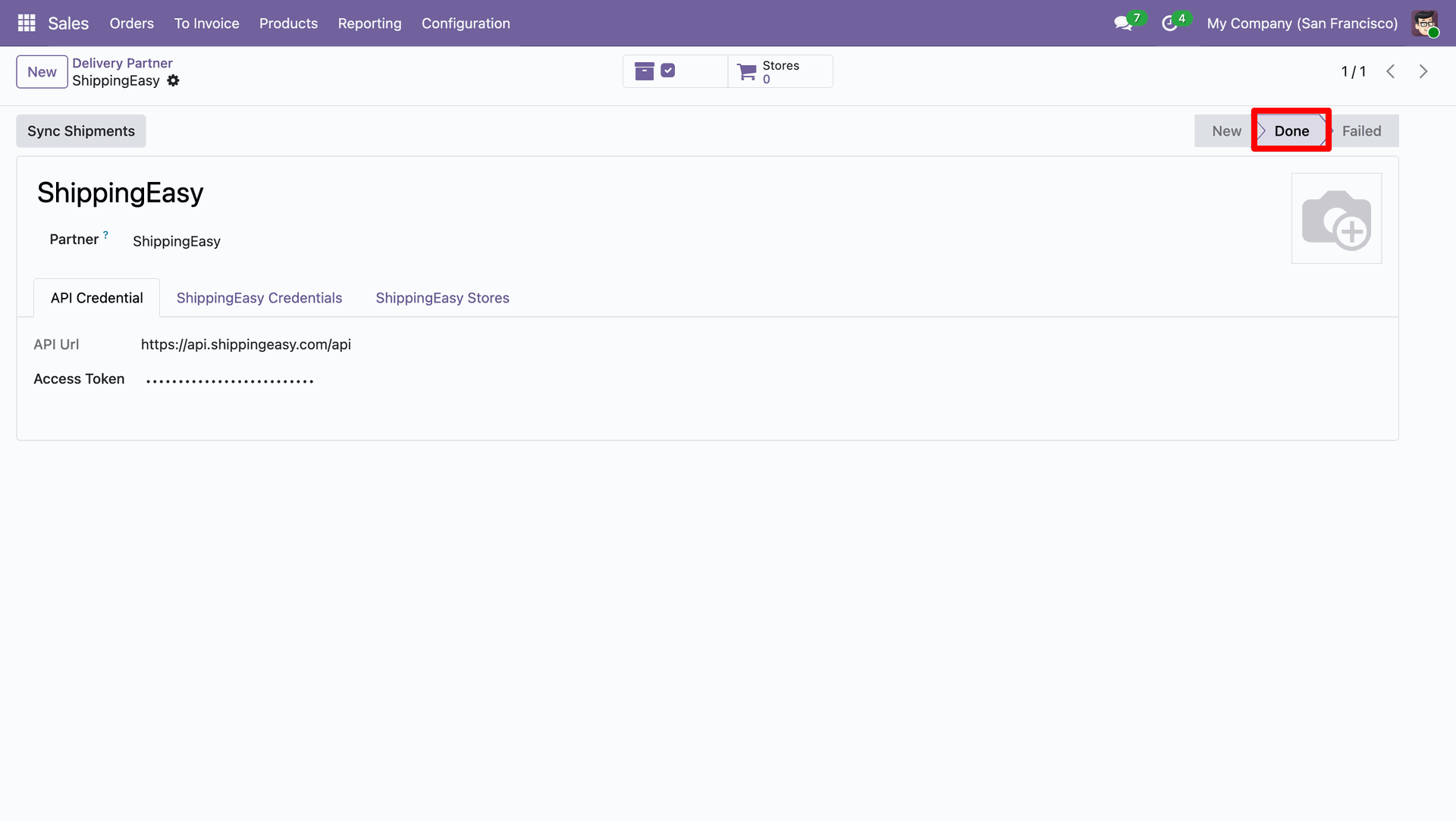
Token has been generated.
Delivery partner is now in the 'Done'
stage.
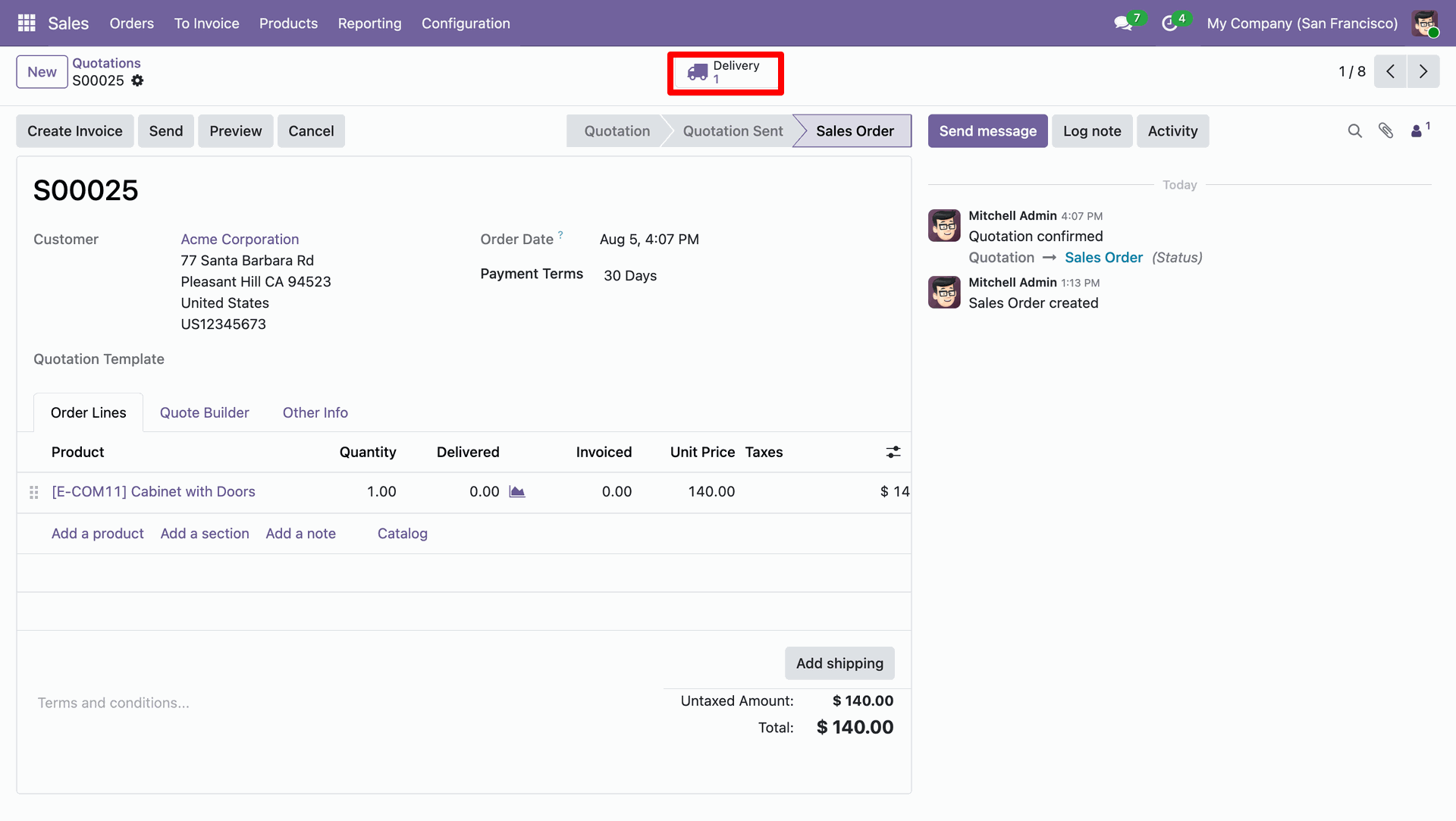
Click 'Delivery' smart button.
Under the 'Additional Info' tab, select 'ShippingEasy' as the carrier.
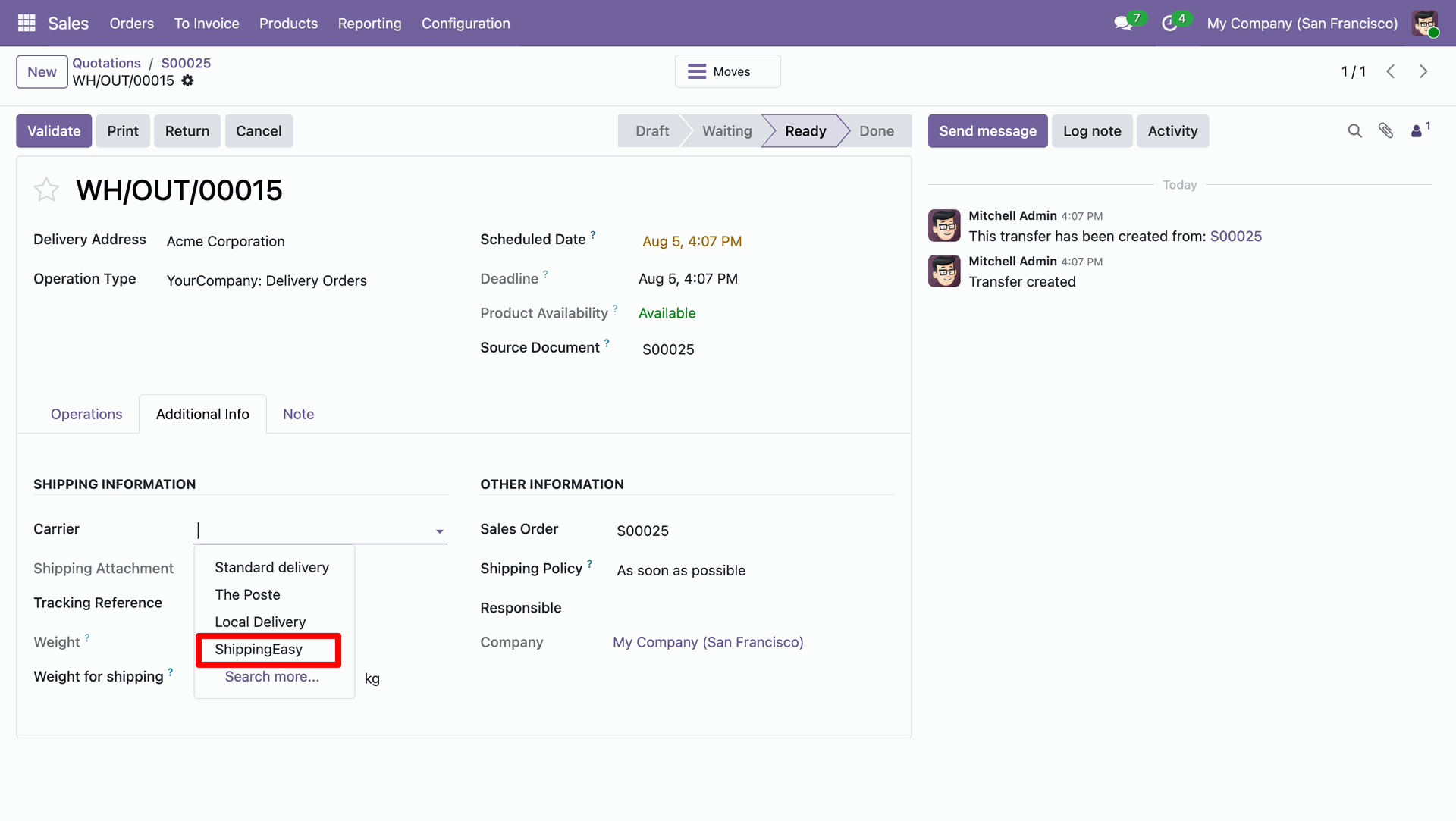
Click 'Export to ShippingEasy' button.
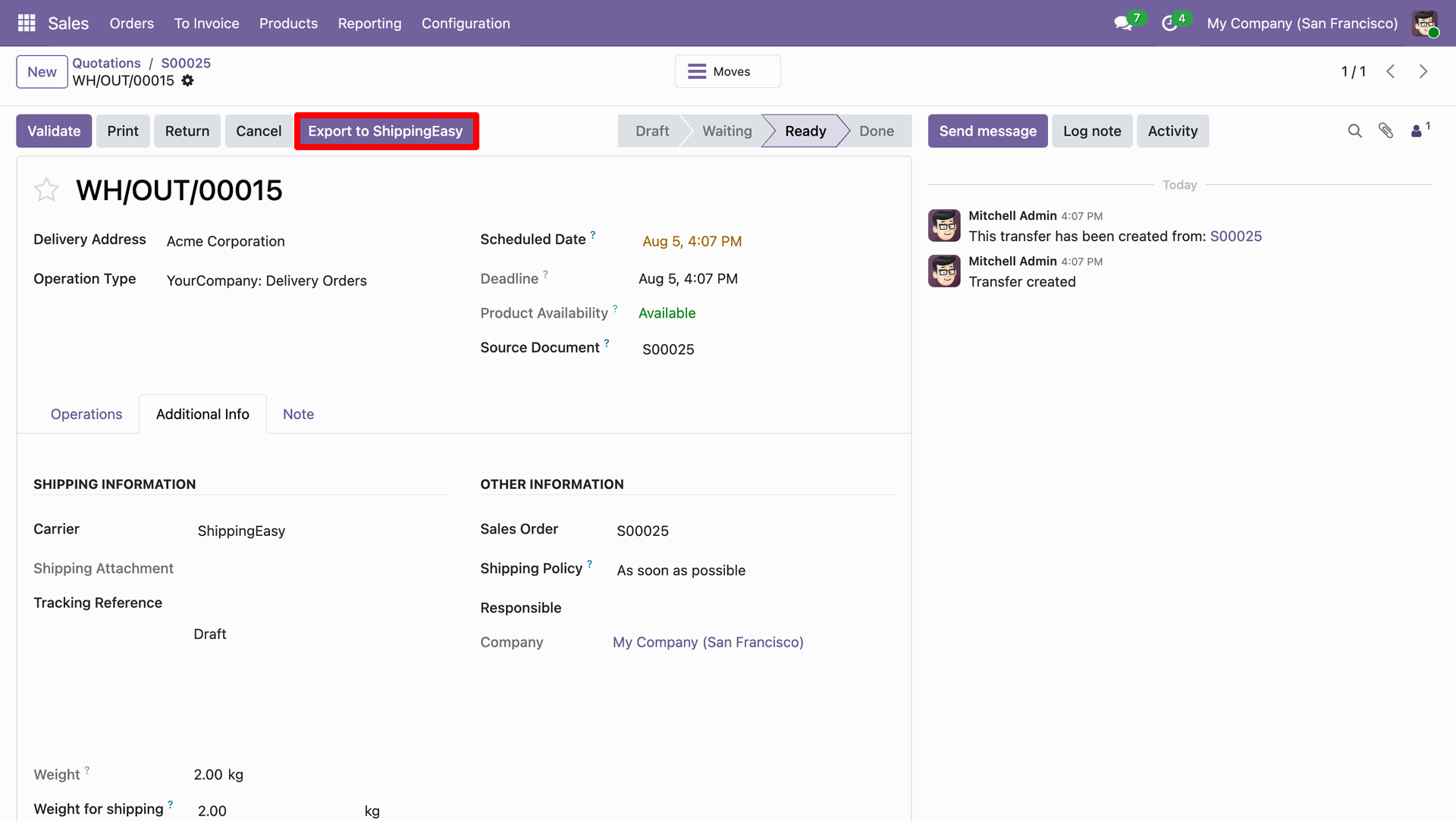
To cancel the order, click 'Cancel'.
You can configure the cron job from the 'Scheduled Actions' menu.
Open the Microsoft Teams Credentials form view and click the Enable Microsoft Push Notifications (Deletes) button to enable real-time notifications for deleted events from Microsoft.

Version 19.0.1.0.0 | Released on : 19th October 2026
- Yes, this app works perfectly with Odoo Enterprise (Odoo.sh & Premise) as well as Community.
- No, this application is not compatible with odoo.com(odoo saas/Odoo Online)
- Yes, to test this module, please contact us at sales@softhealer.com.
- Please contact us at sales@softhealer.comto request customization.
- Yes, we provide free lifetime support for the version you purchased.
- Yes, you will receive lifetime free updates for the version of the module you purchased.
- No, there is no need to install any additional libraries.
- Yes, for version 12 and above, you need to purchase the module separately for each version you intend to use.
- No, exchanges or refunds are not allowed. Please make sure to select the correct version before purchasing.
- You can contact us at support@softhealer.com for language translation support. We use Google Translator tools to provide translations in multiple languages, so the accuracy may vary. We welcome your suggestions to help improve translations.
Discover Our Latest Apps