











Sendy Netherland Shipping Integration

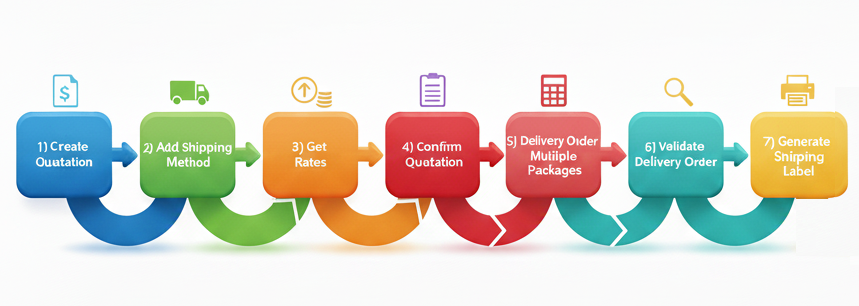
The Sendy Netherland Shipping Integration module connects your Odoo system directly with Sendy Netherland to automate your complete shipping workflow. From quotation to delivery, every step is streamlined with real-time communication. Users can add shipping methods, fetch accurate live rates, manage multiple packages, confirm orders and generate Sendy Netherland labels without leaving Odoo. This integration reduces manual effort, improves dispatch accuracy, and ensures a smooth, fast, and reliable order-to-shipment process for businesses of any size.
Related Modules
Key Features
Features

Sendy Netherland Shipping Integration
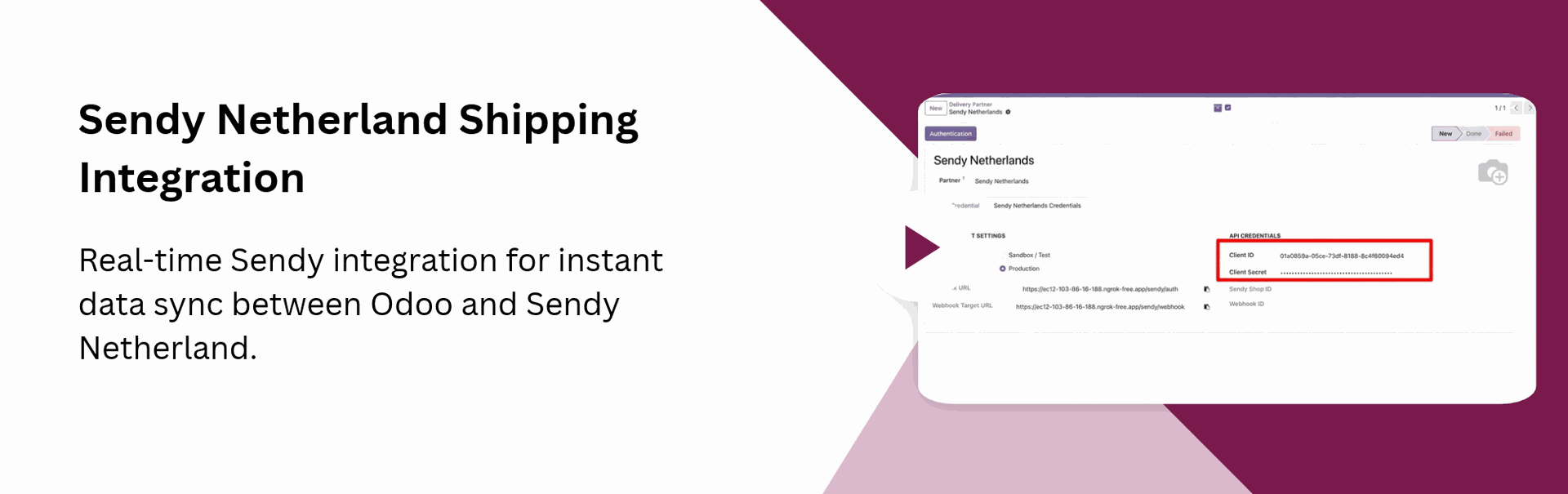
Real-time Sendy integration for instant data sync between Odoo and Sendy.

Instant Rate Calculation
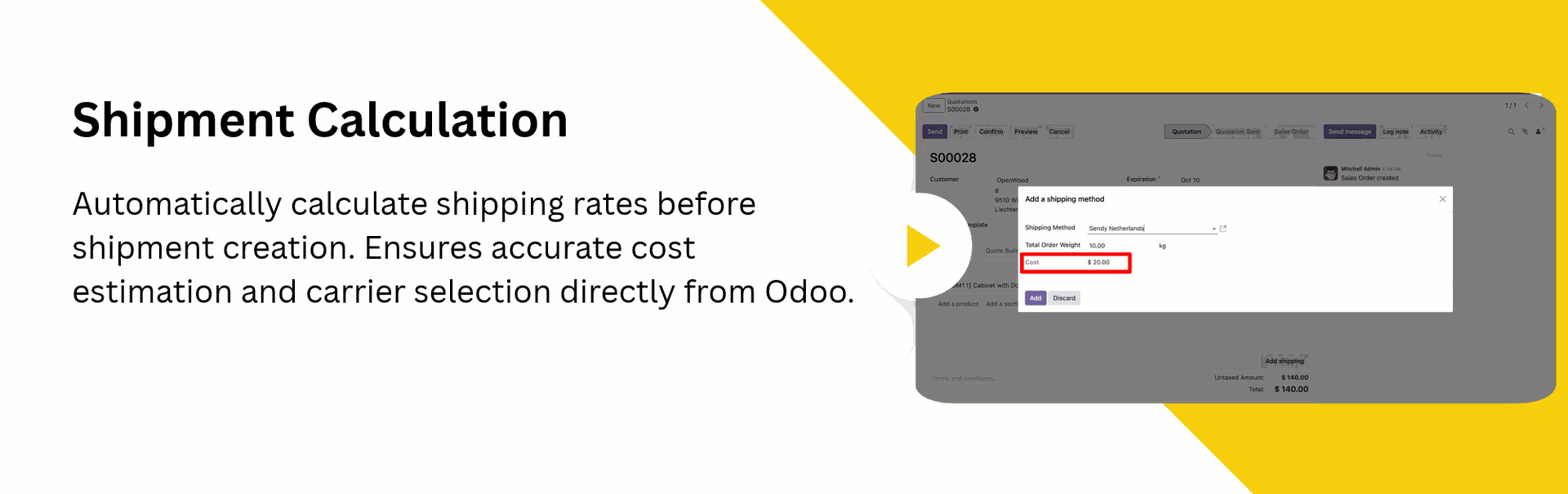
Automatic rate fetching to provide live Sendy shipping prices during Quotation creation.

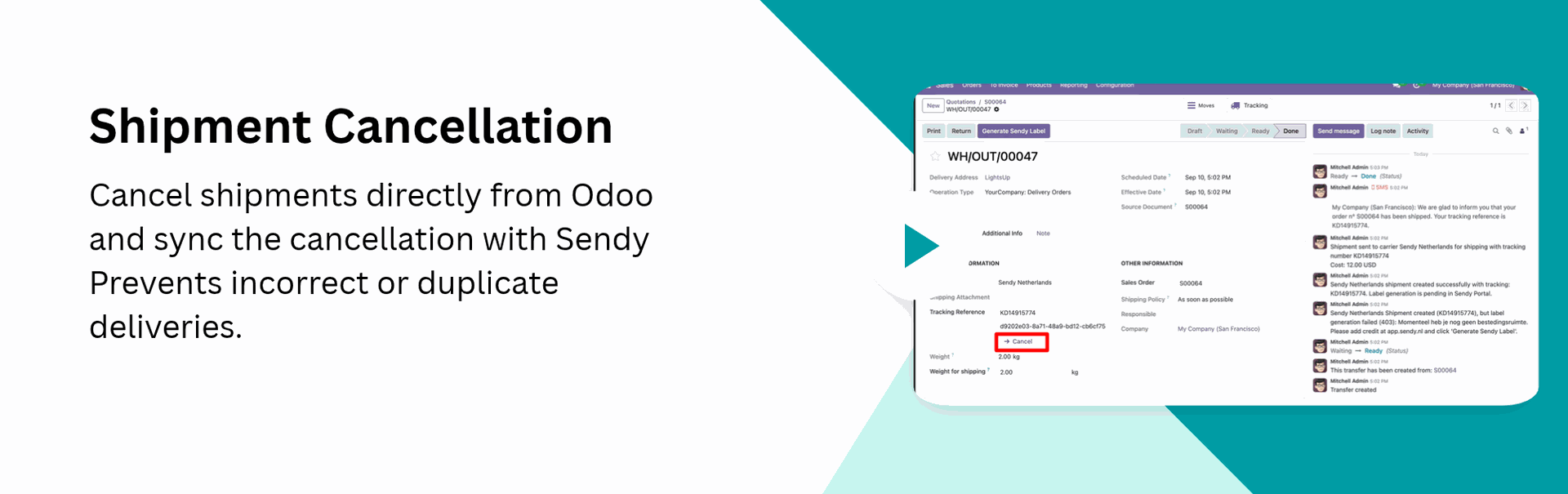
Cancel Shipment
Cancel shipments instantly from Odoo to avoid incorrect deliveries and maintain accurate shipping records.

Mass Label Printing
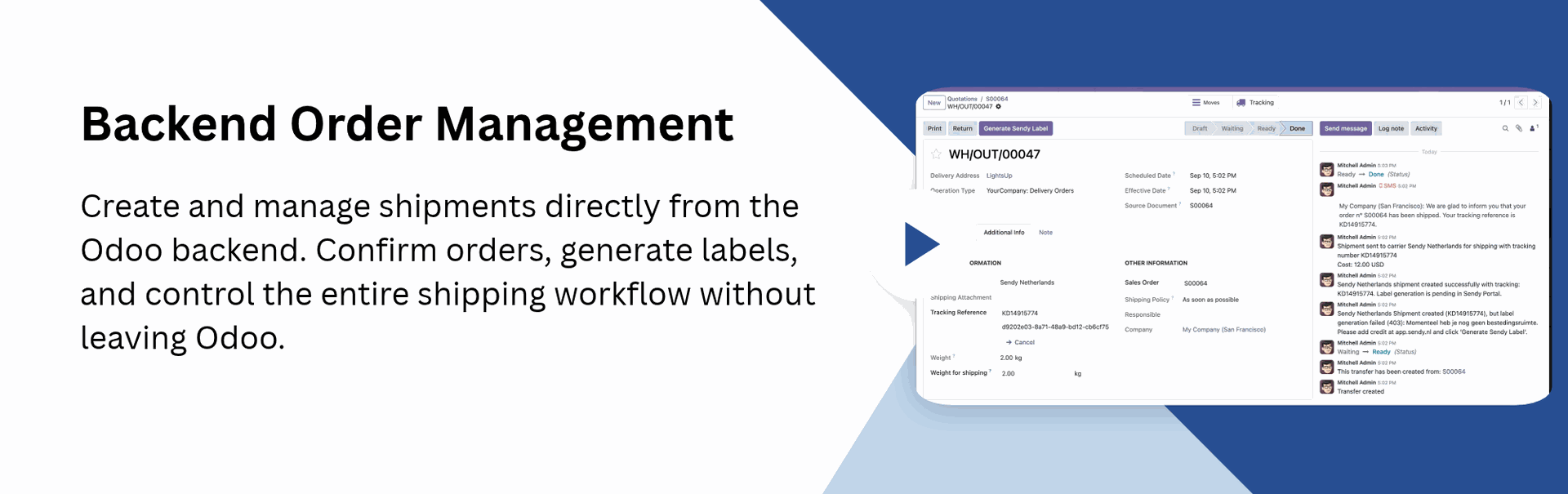
Generate and print shipping labels in bulk for multiple orders at once. Speeds up operations and reduces manual processing time.
Generate Shipping Labels
One-click label generation and download for seamless Sendy shipment processing.

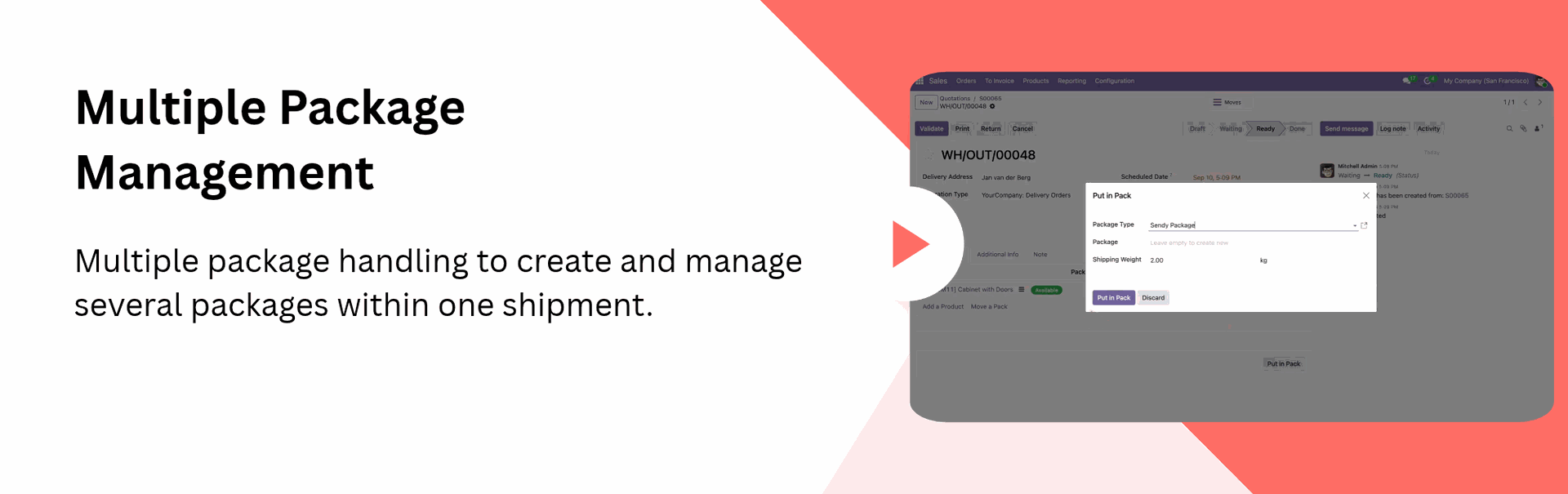
Multiple Package Management
Multiple package handling to create and manage several packages within one shipment.

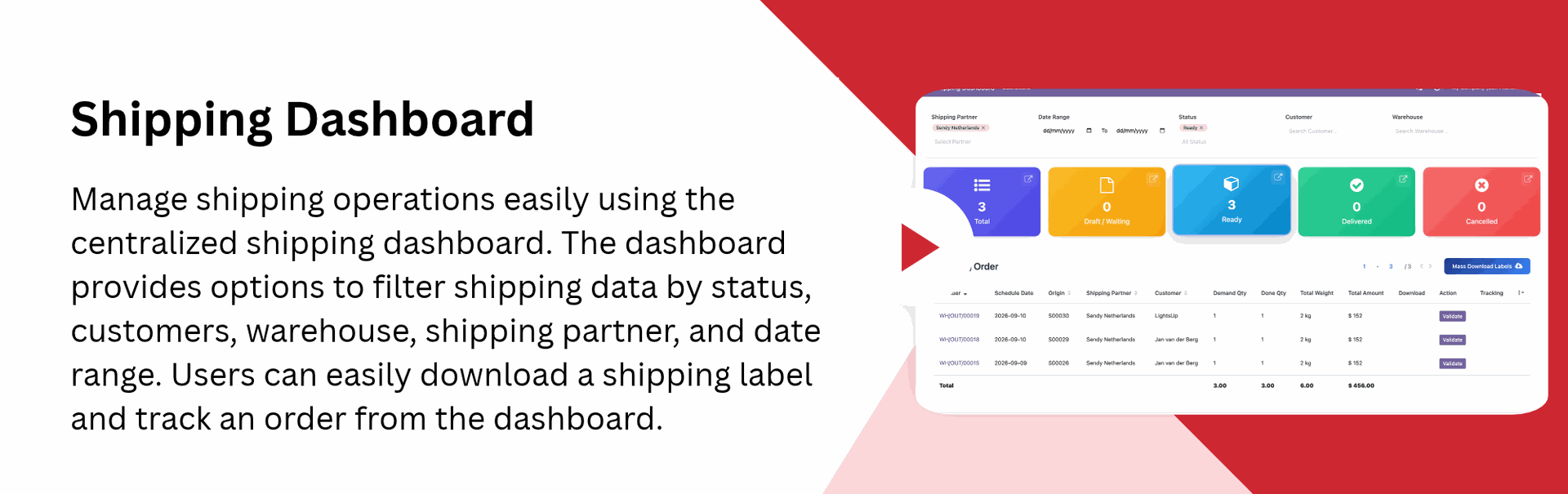
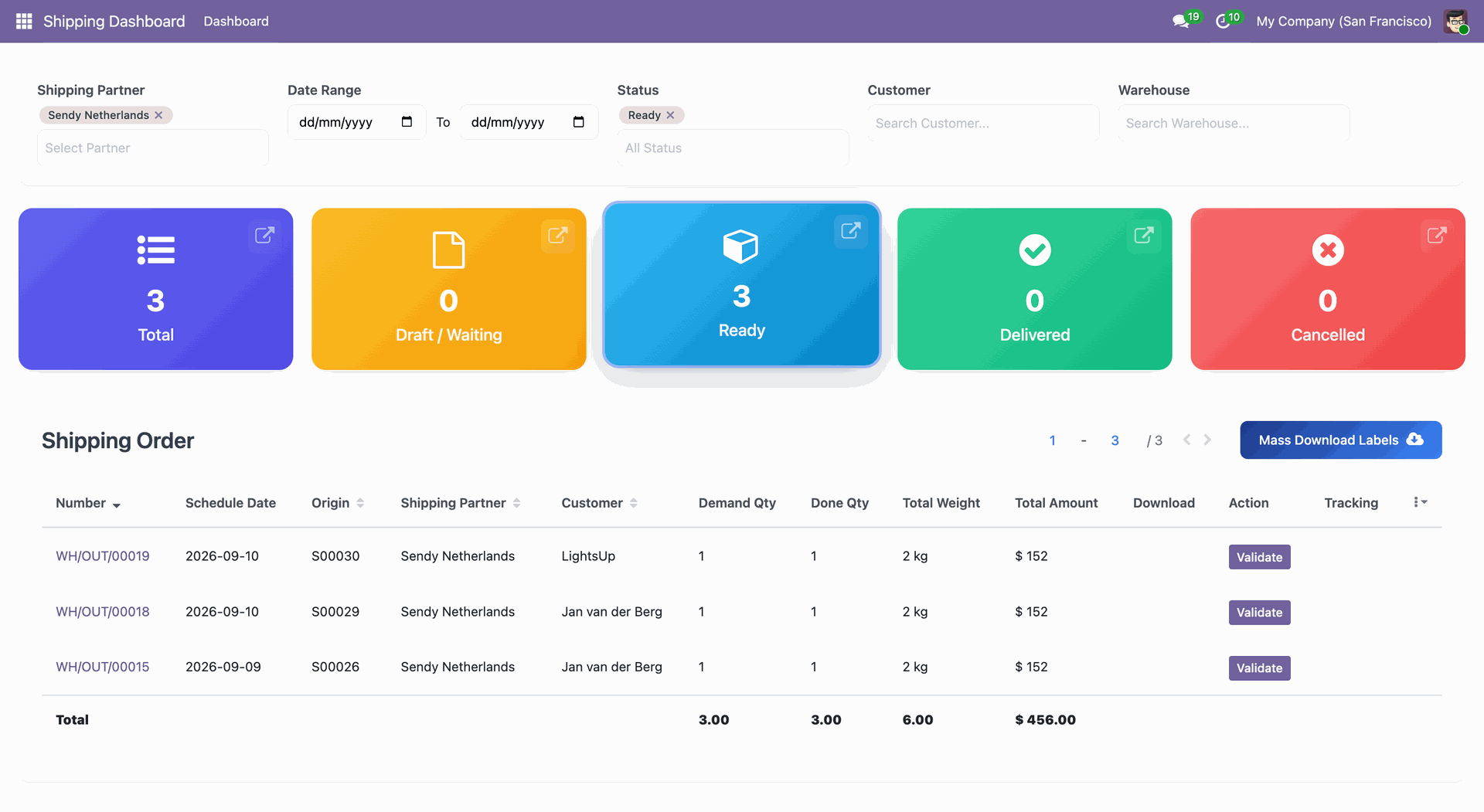
Shipping Dashboard
Get a centralized view of all shipping activities in one place. The dashboard provides quick operational insights.

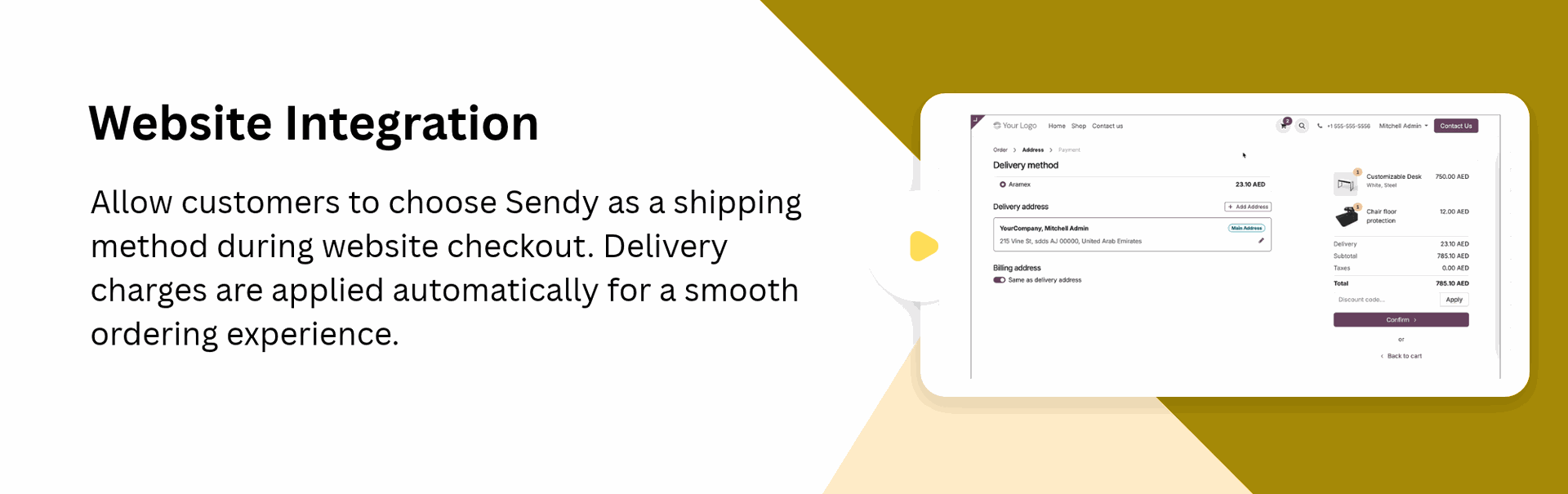
Compatible with Odoo Website and Backend
Allow admins to manage Sendy shipping from the backend while customers can select Sendy during website checkout.

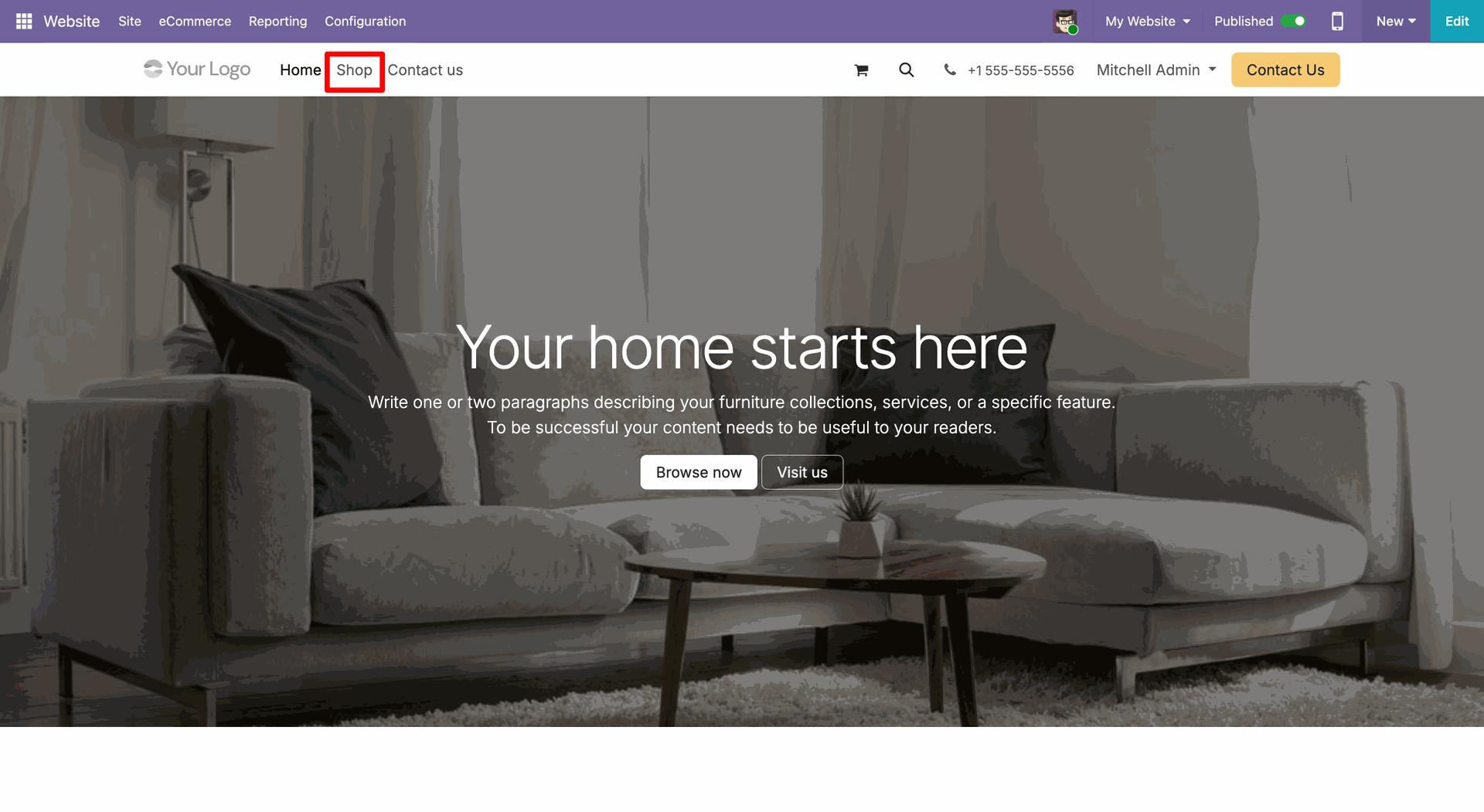
Go to the webste and click 'Shop'.
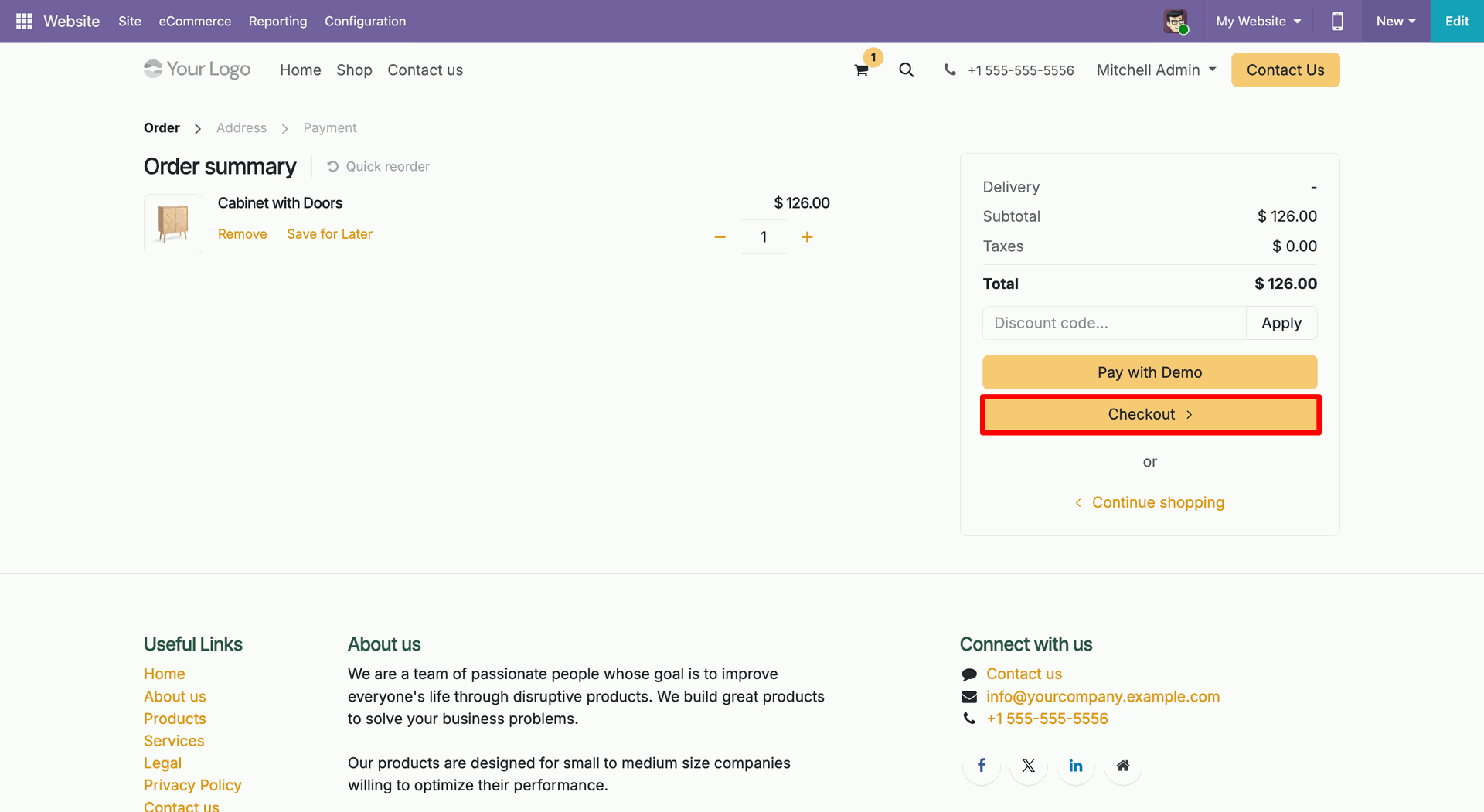
Select products and proceed to checkout.
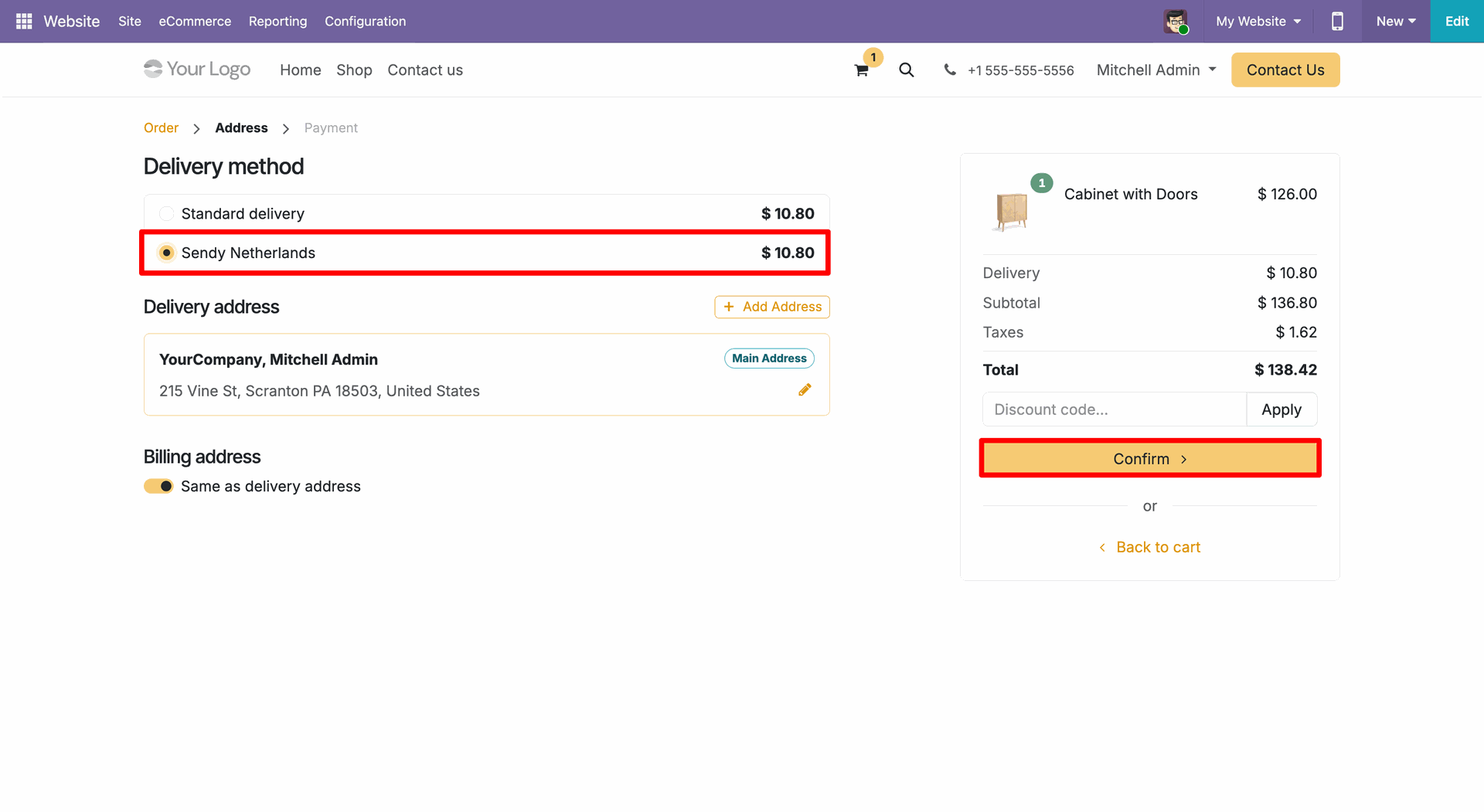
Select Sendy Netherlands delivery method.
Click on 'Pay Now'.
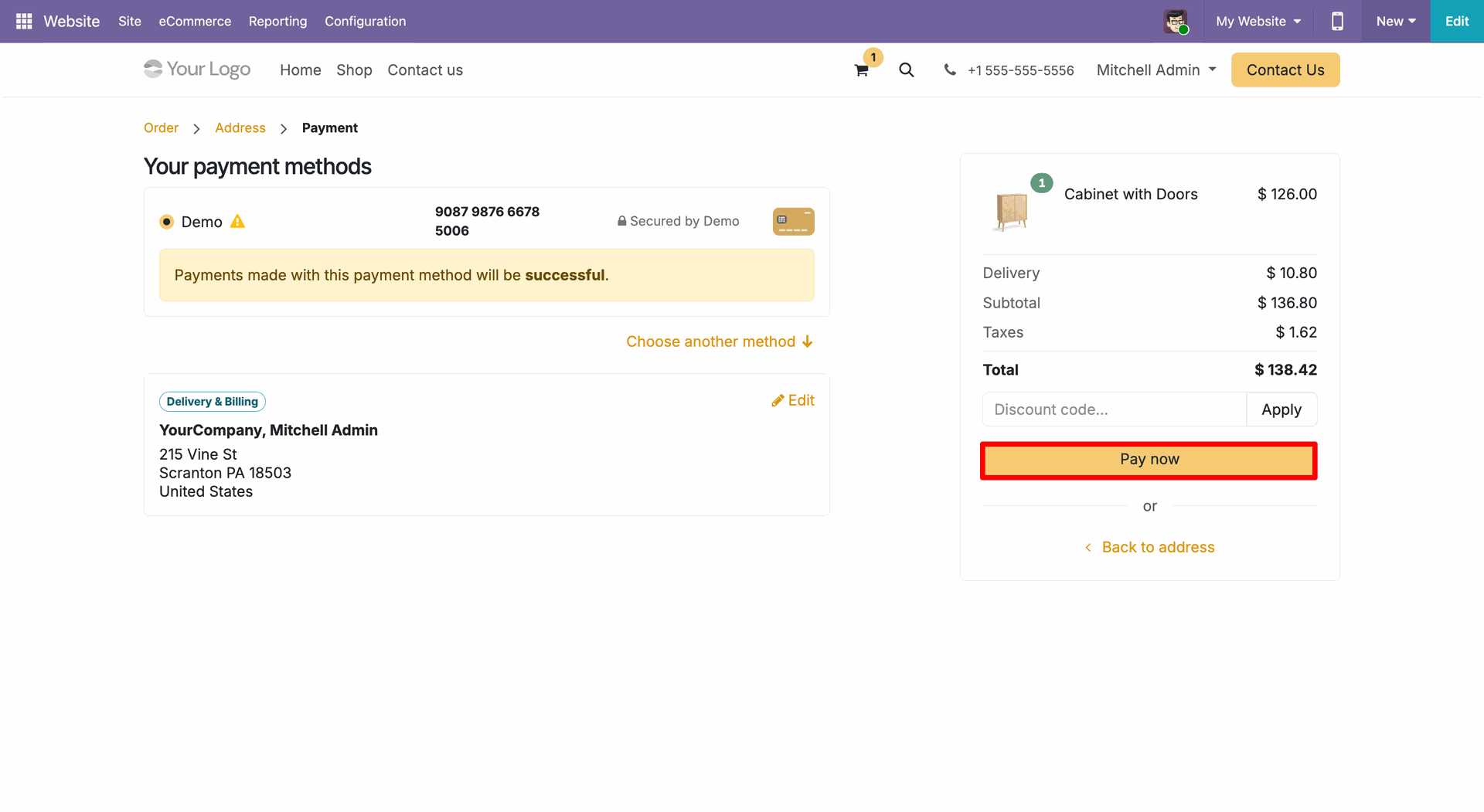
Checkout done successfully.
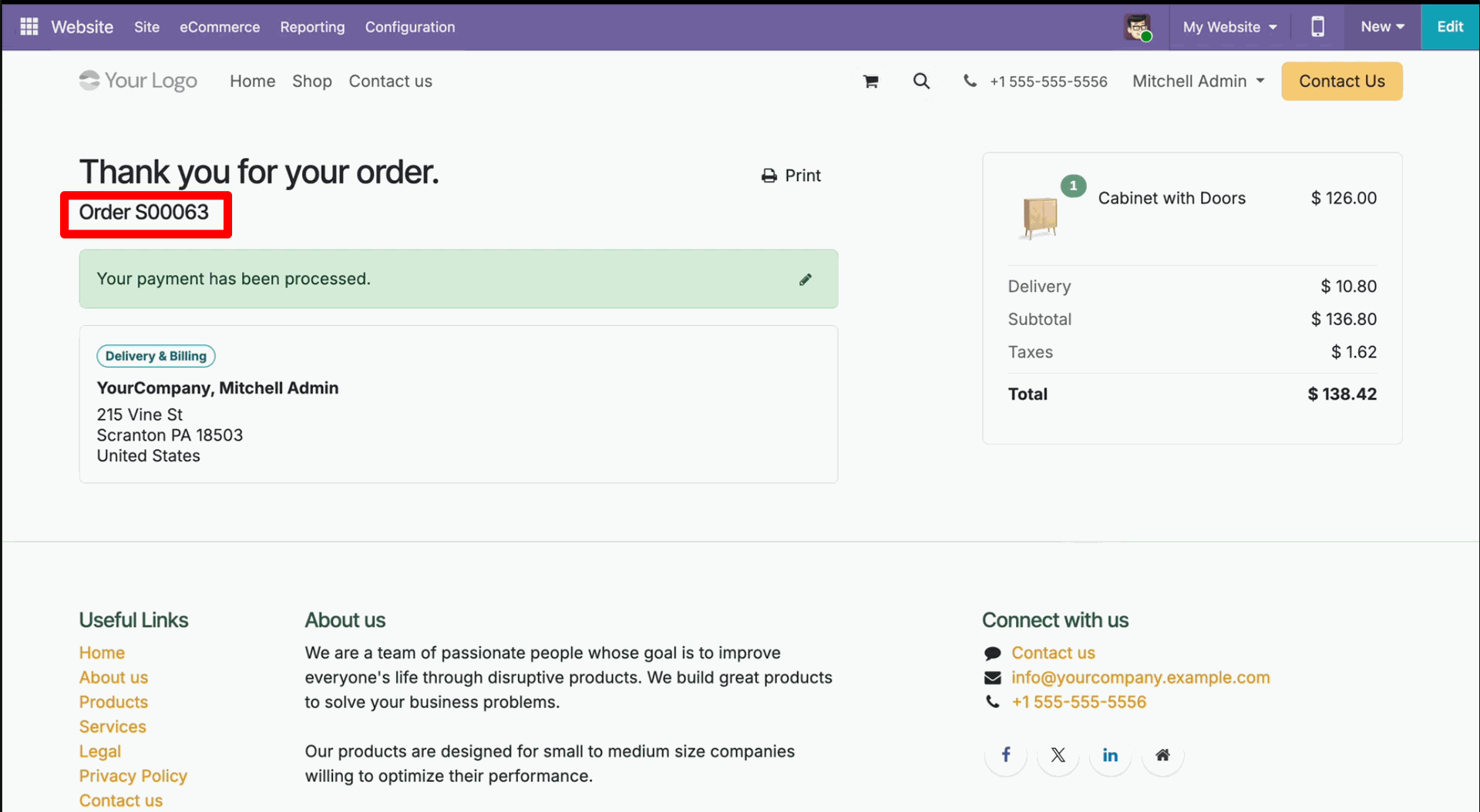
Backend order created.
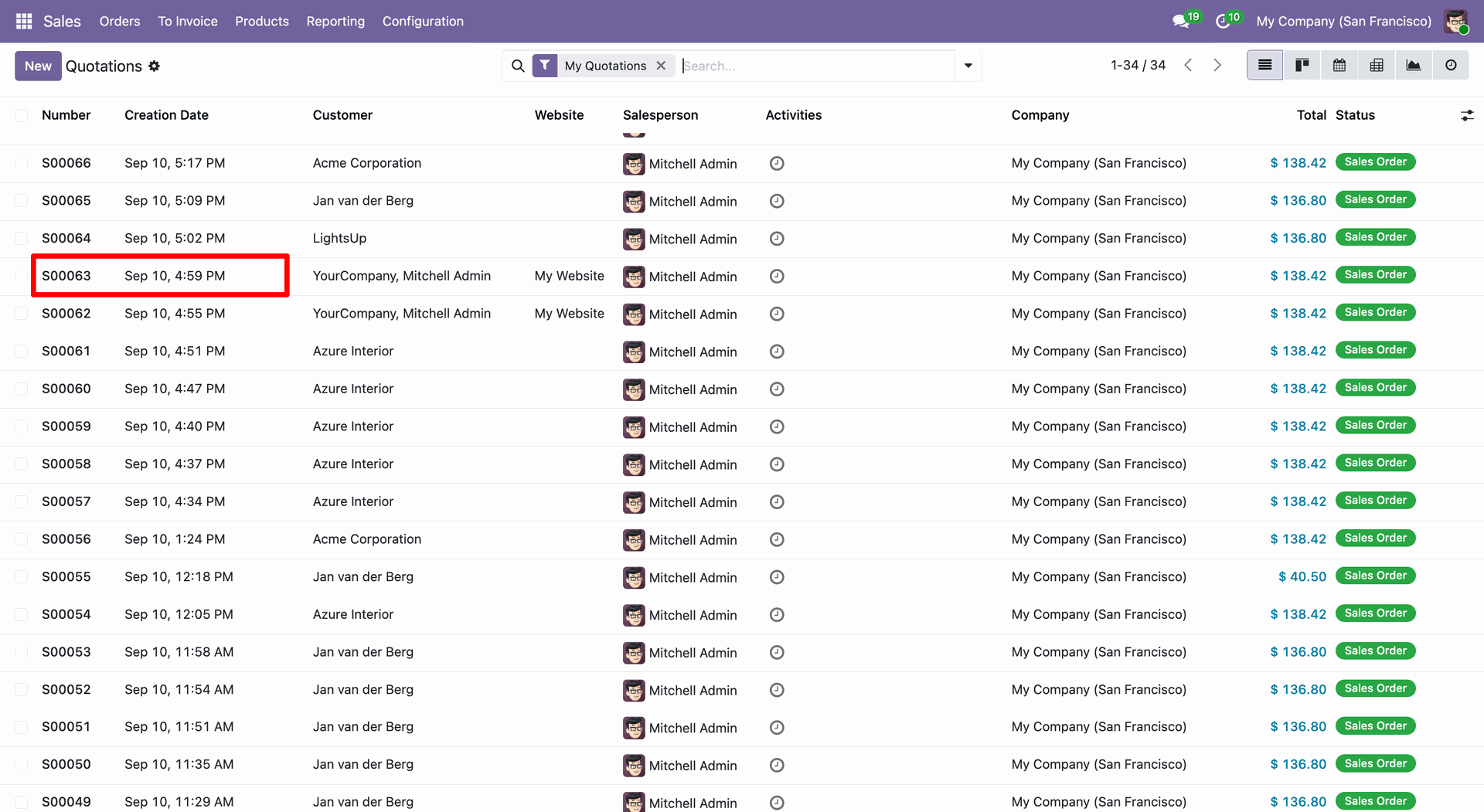
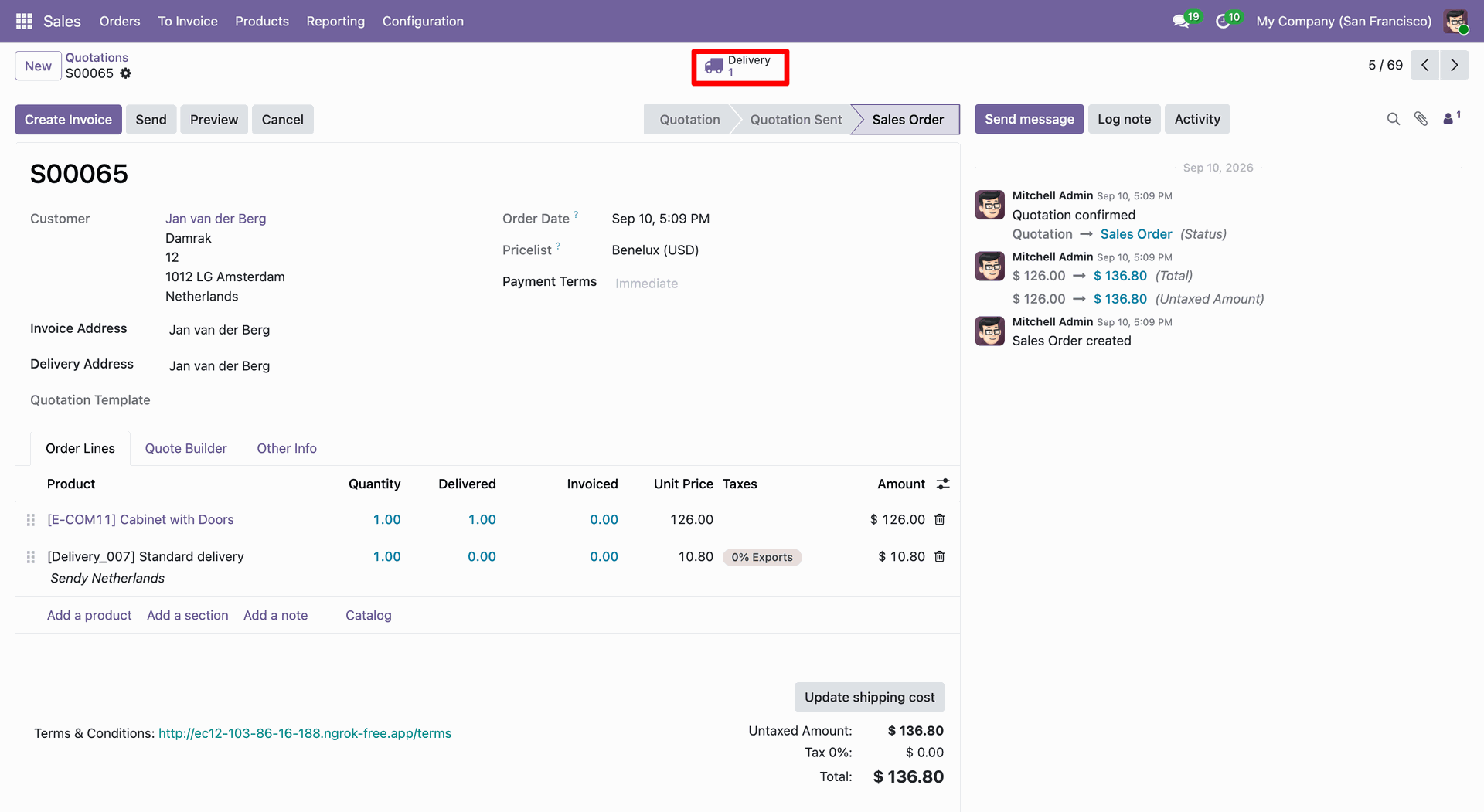
Click 'Delivery' smart button.
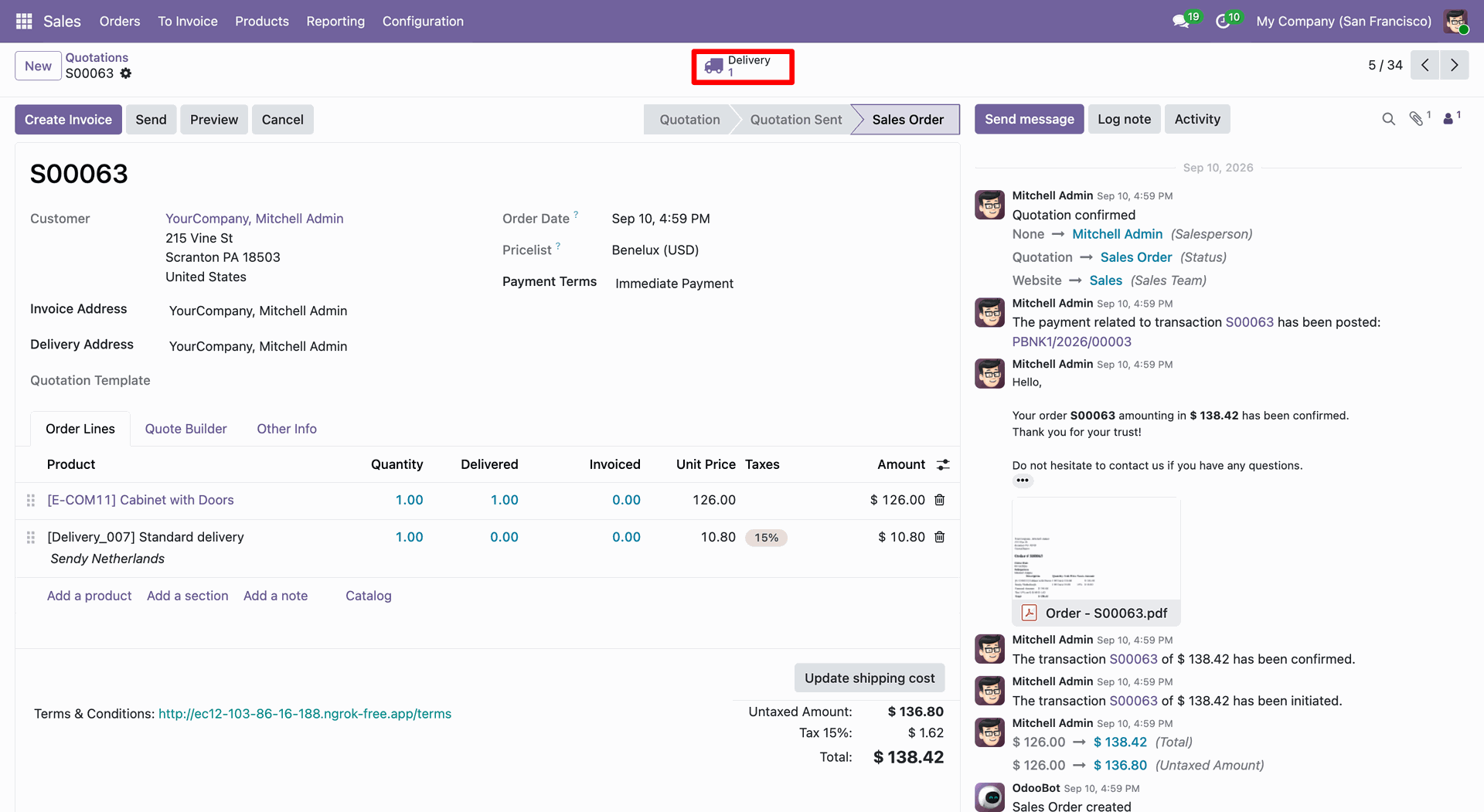
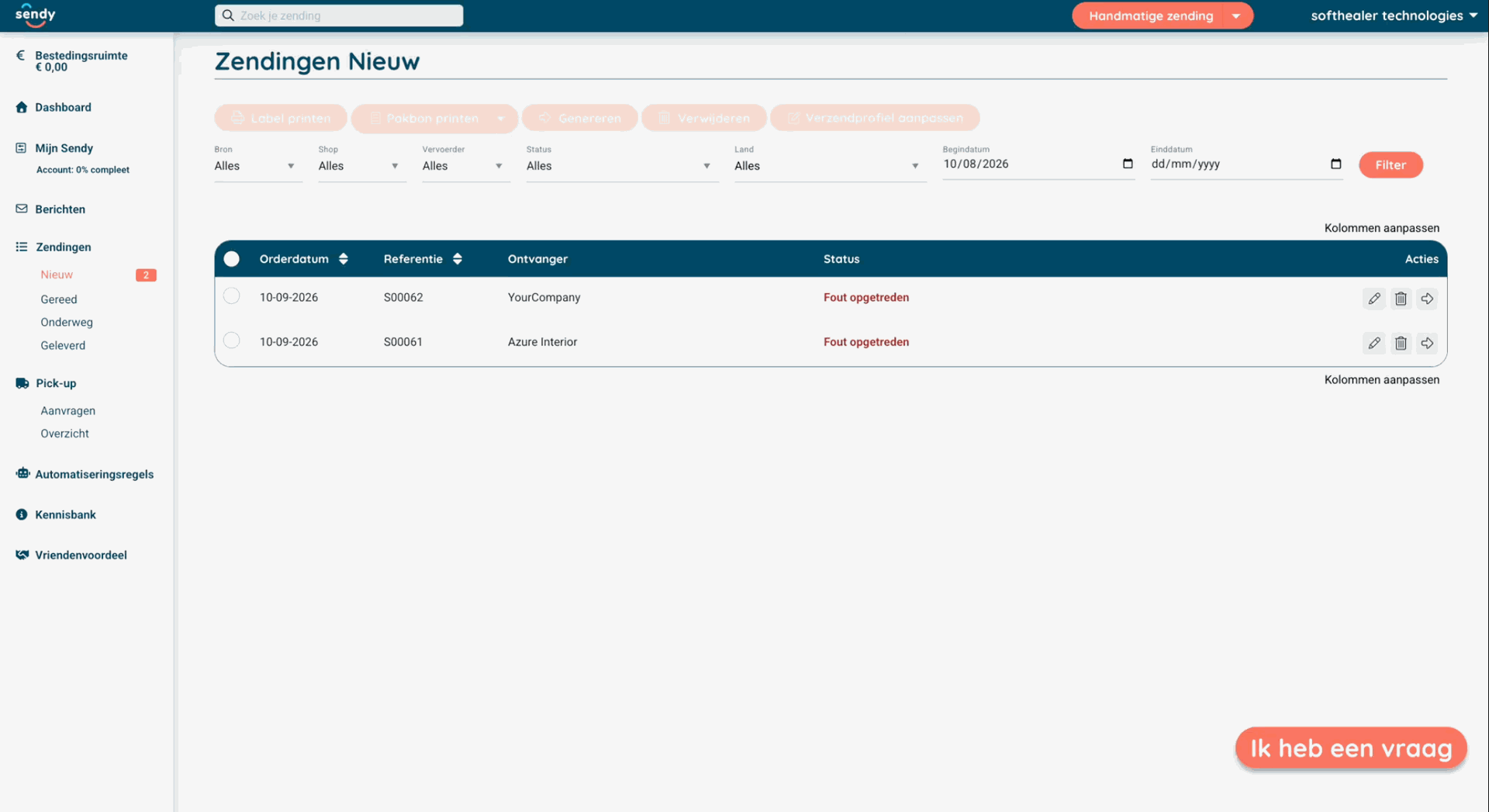
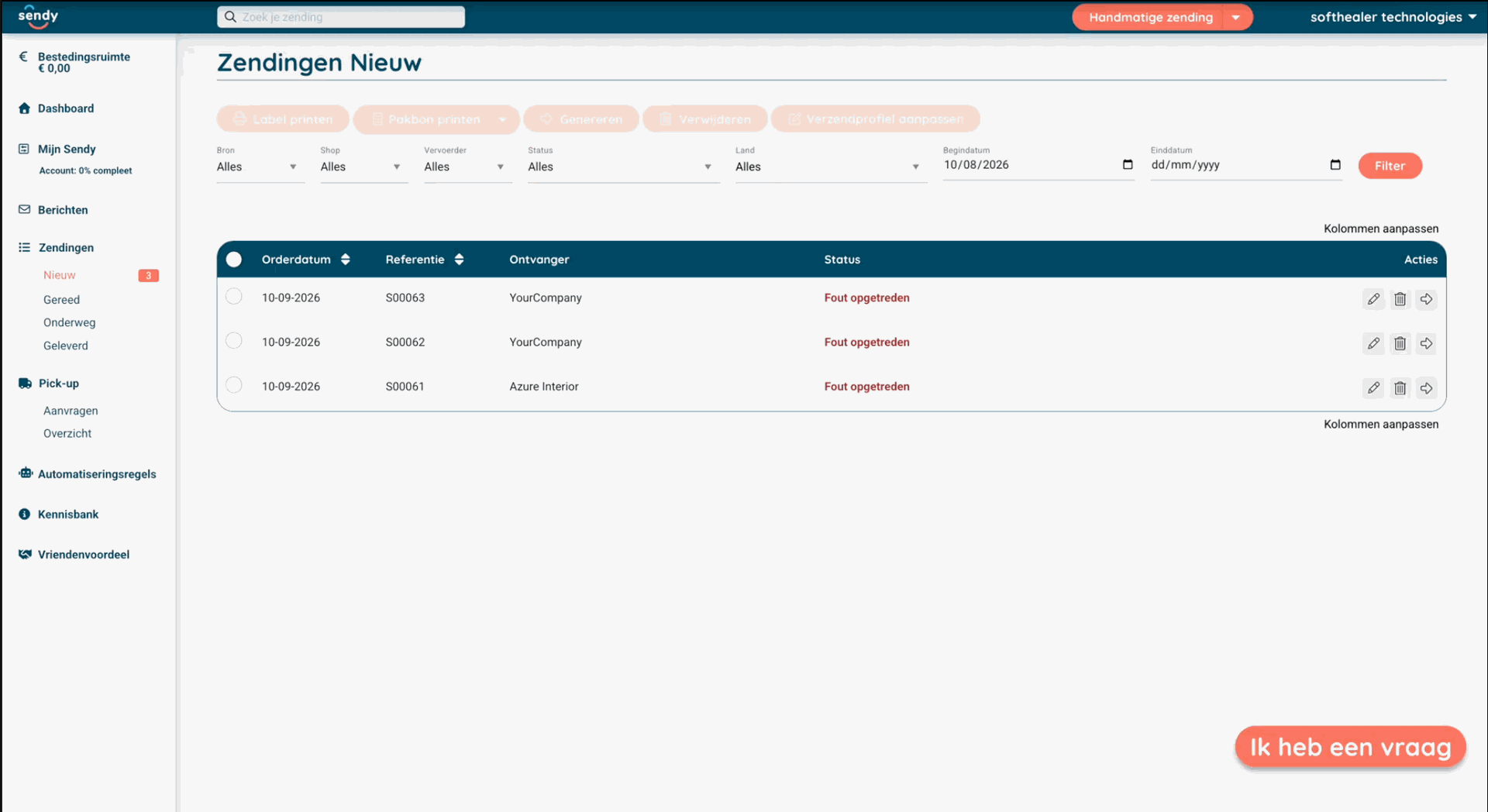
Sendy Portal looks like below.
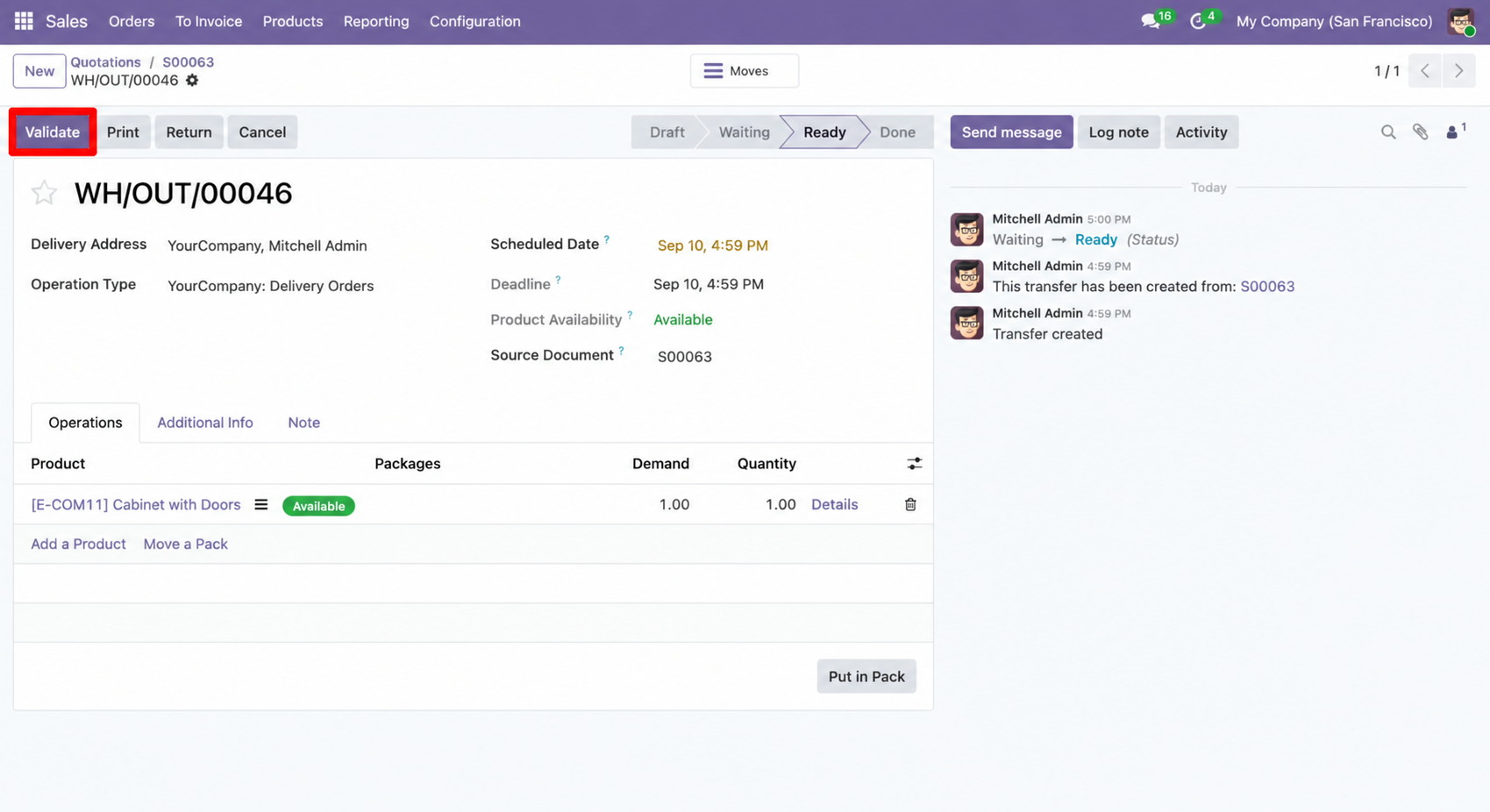
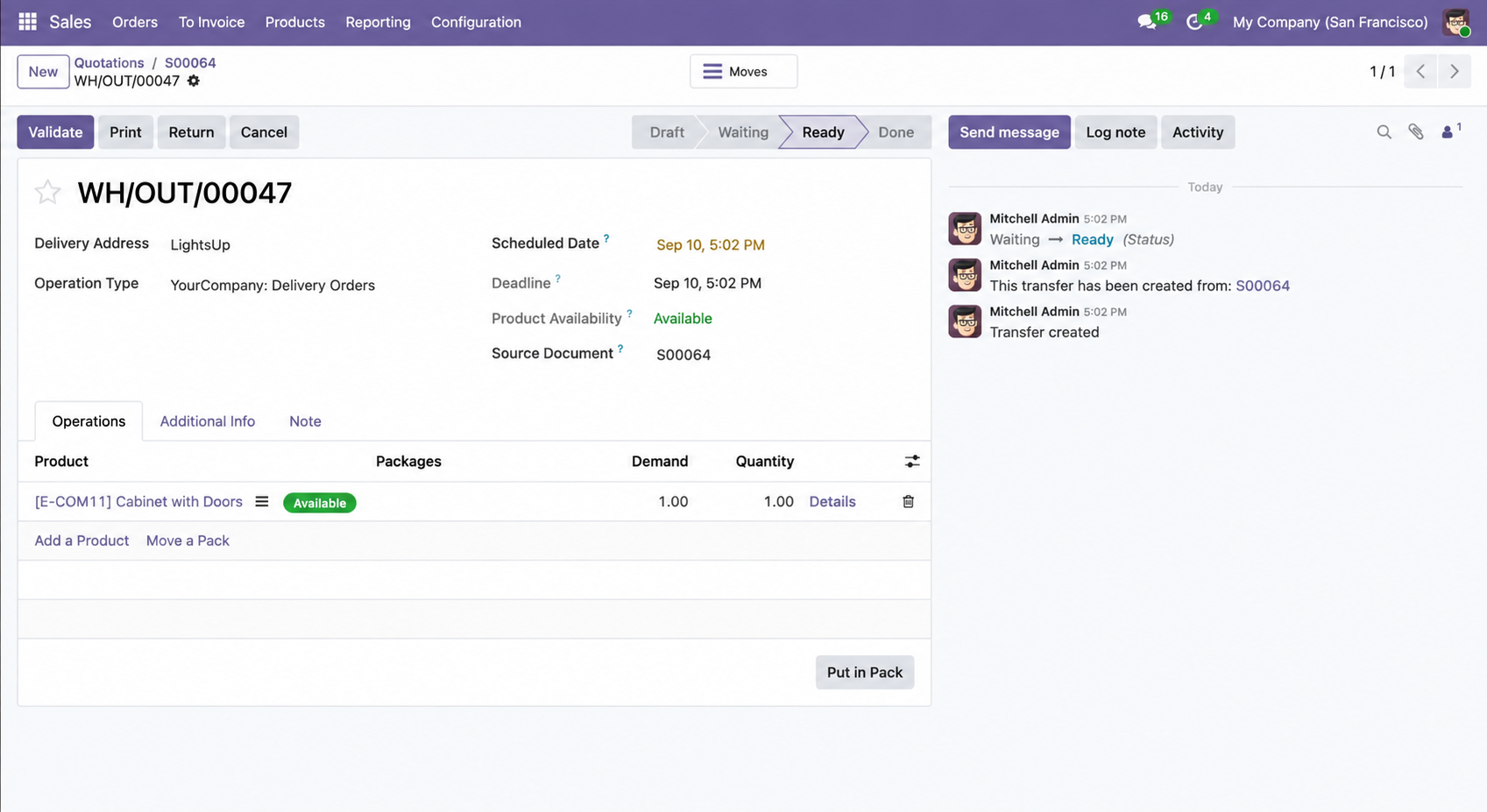
Validate the quotation.
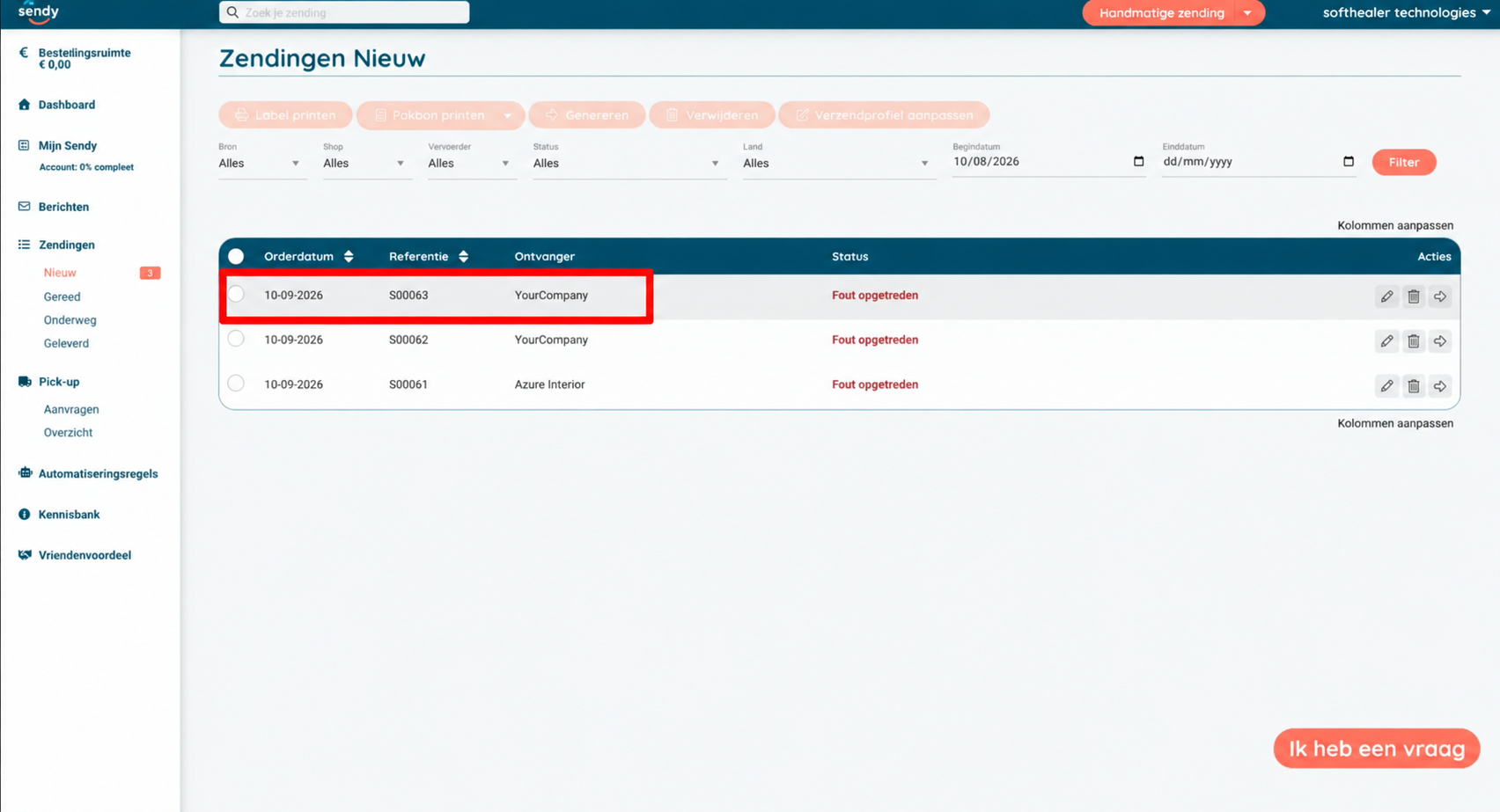
Go to the Sendy Portal, where you can view the order.
Click on 'Sales'.
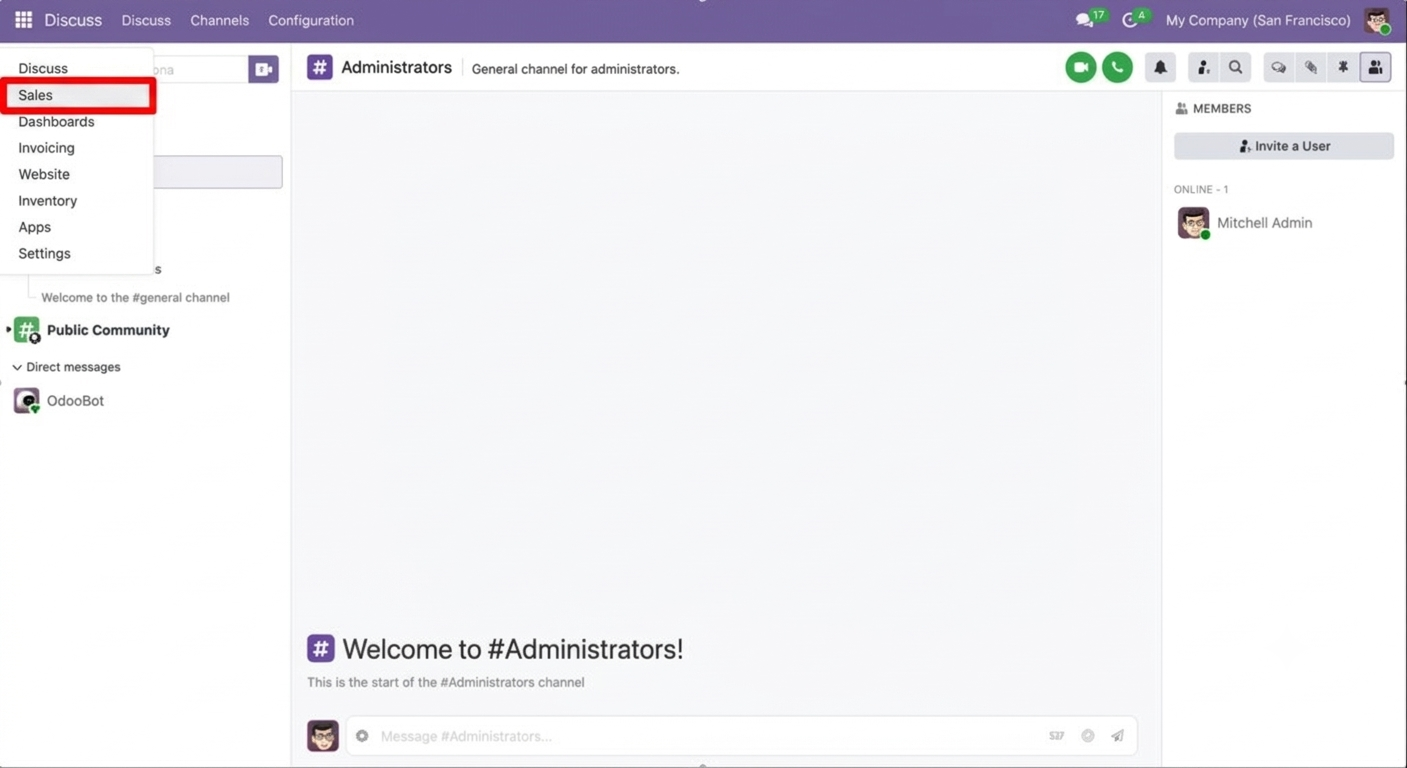
Go to Sales ==> Configurations ==> Delivery Methods.
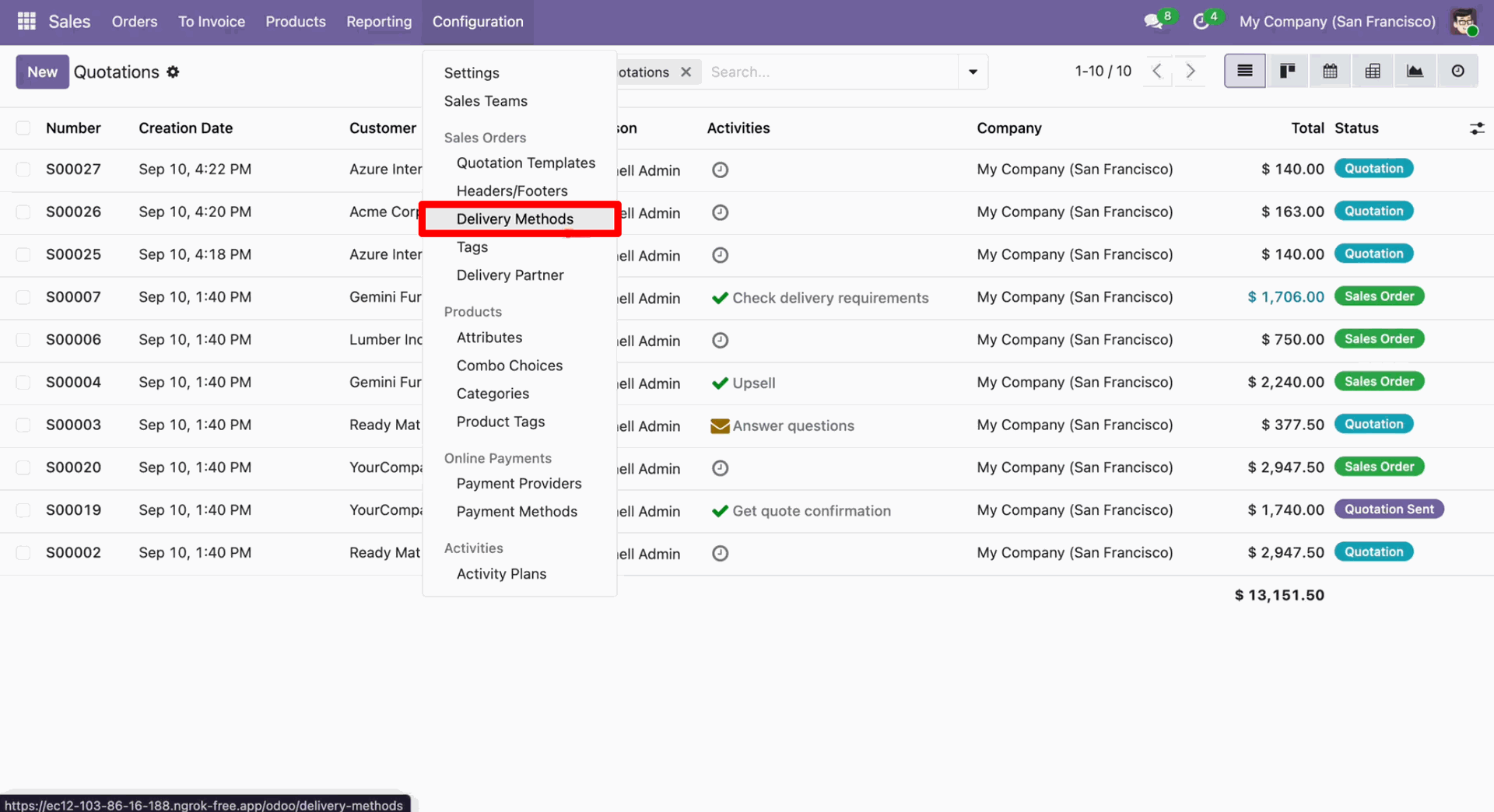
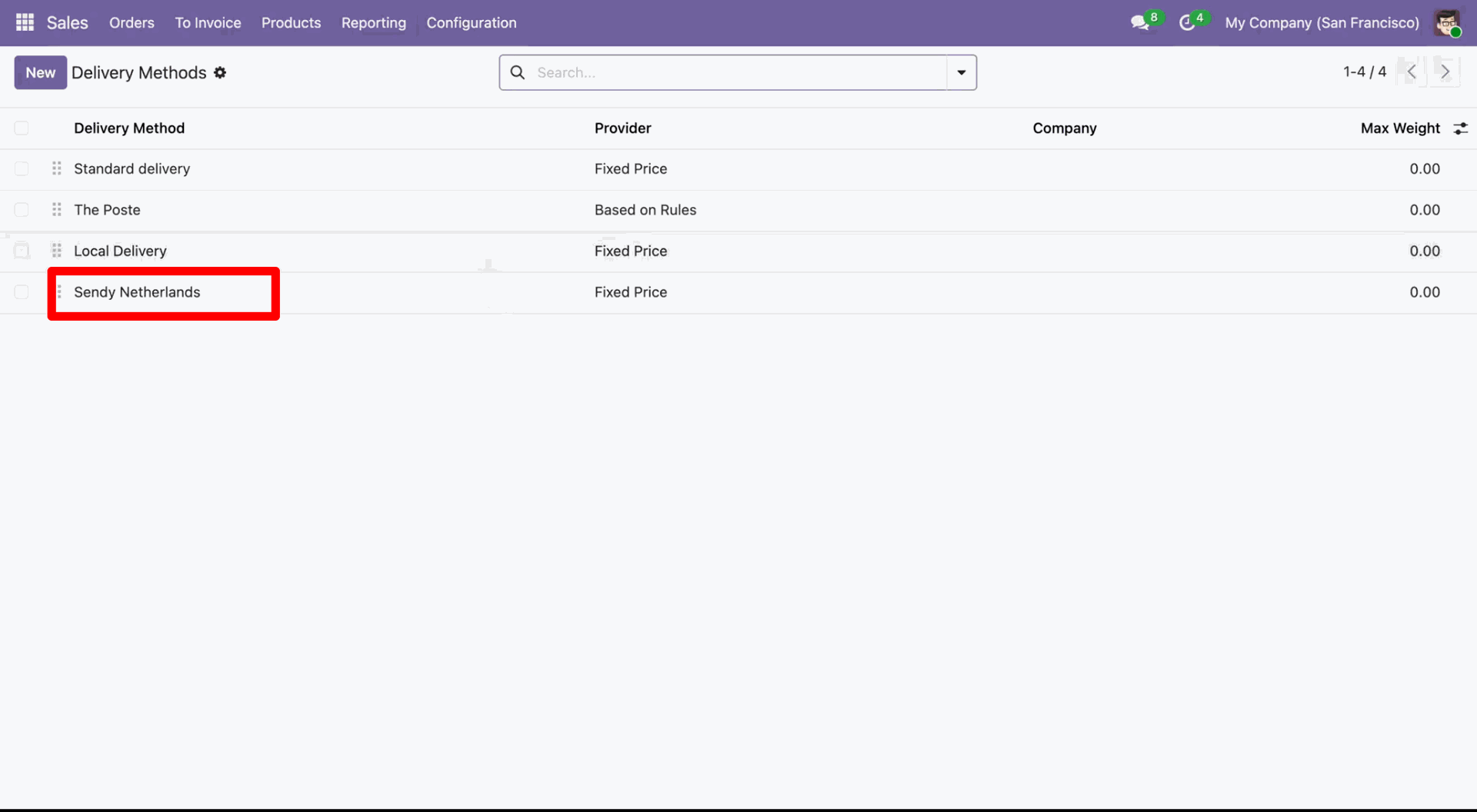
Click on the 'Sendy Netherlands'.
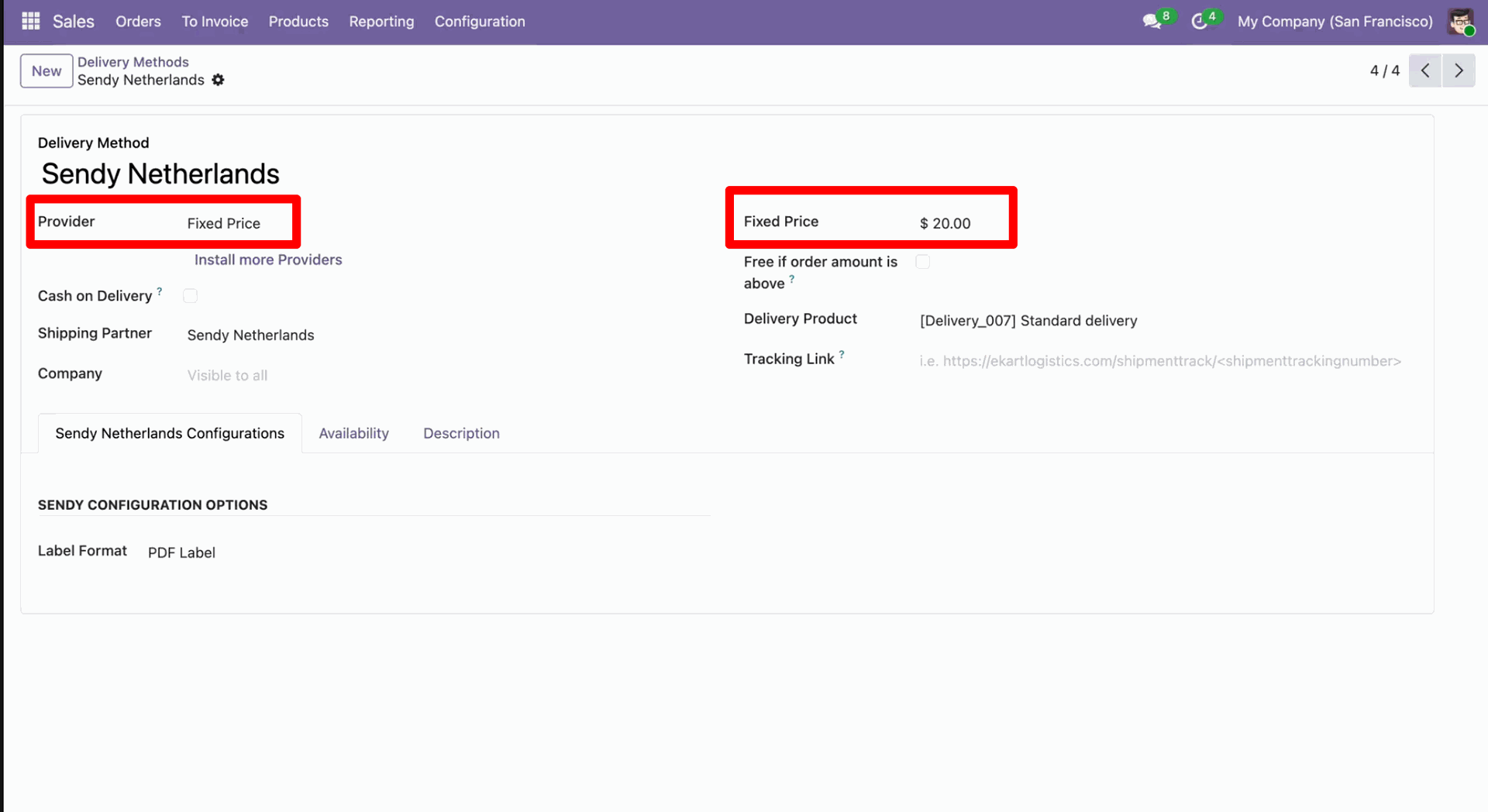
Set the provider to Fixed Price and enter the fixed price amount.
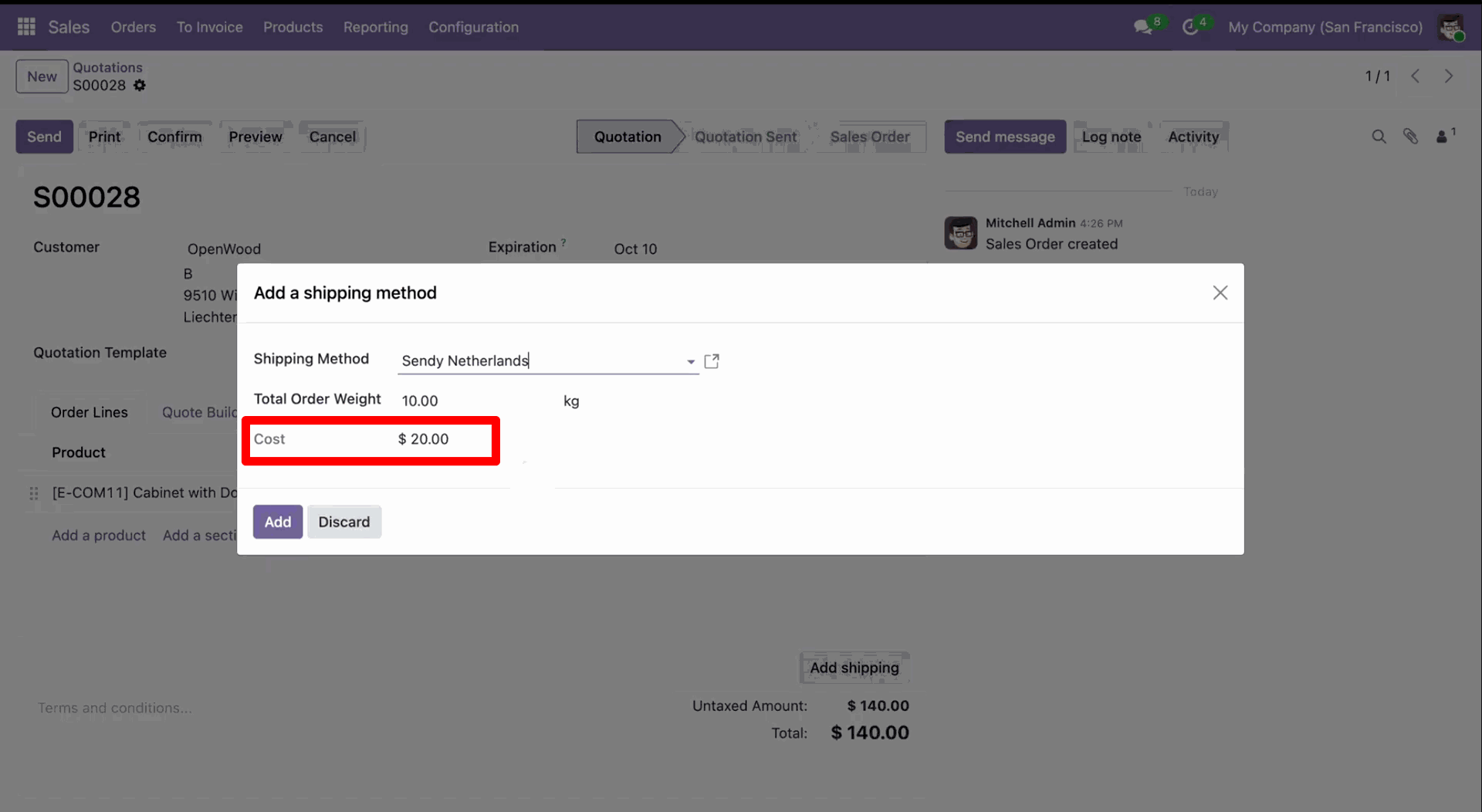
Select Sendy Netherlands as the shipping method while creating a quotation to enable real-time rate fetching and shipment processing through Sendy Netherlands. Here, you can see the fixed price you have set.
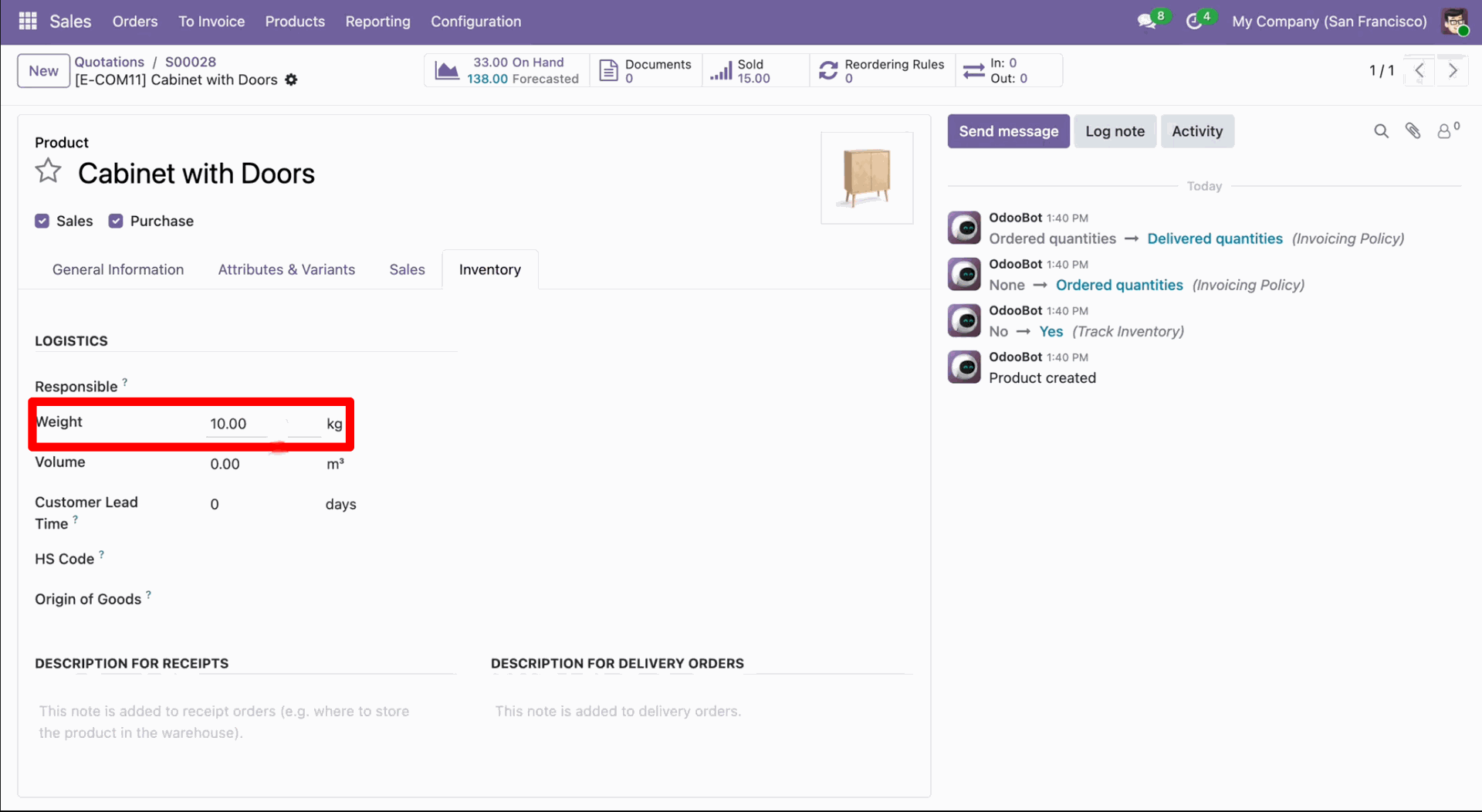
In the product, set the weight under the 'Inventory' tab.
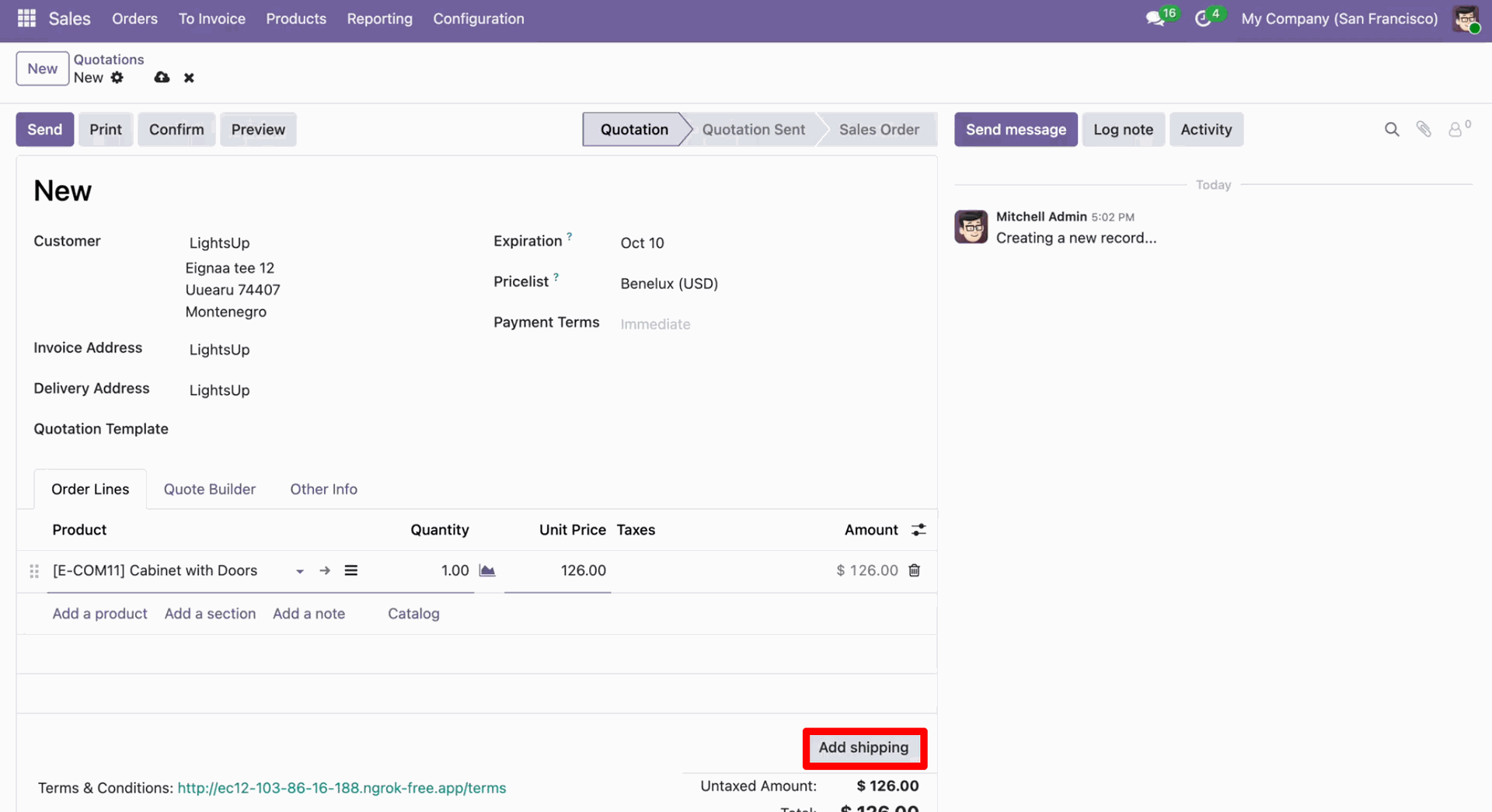
Create a quotation and click on the 'Add Shipping' button.
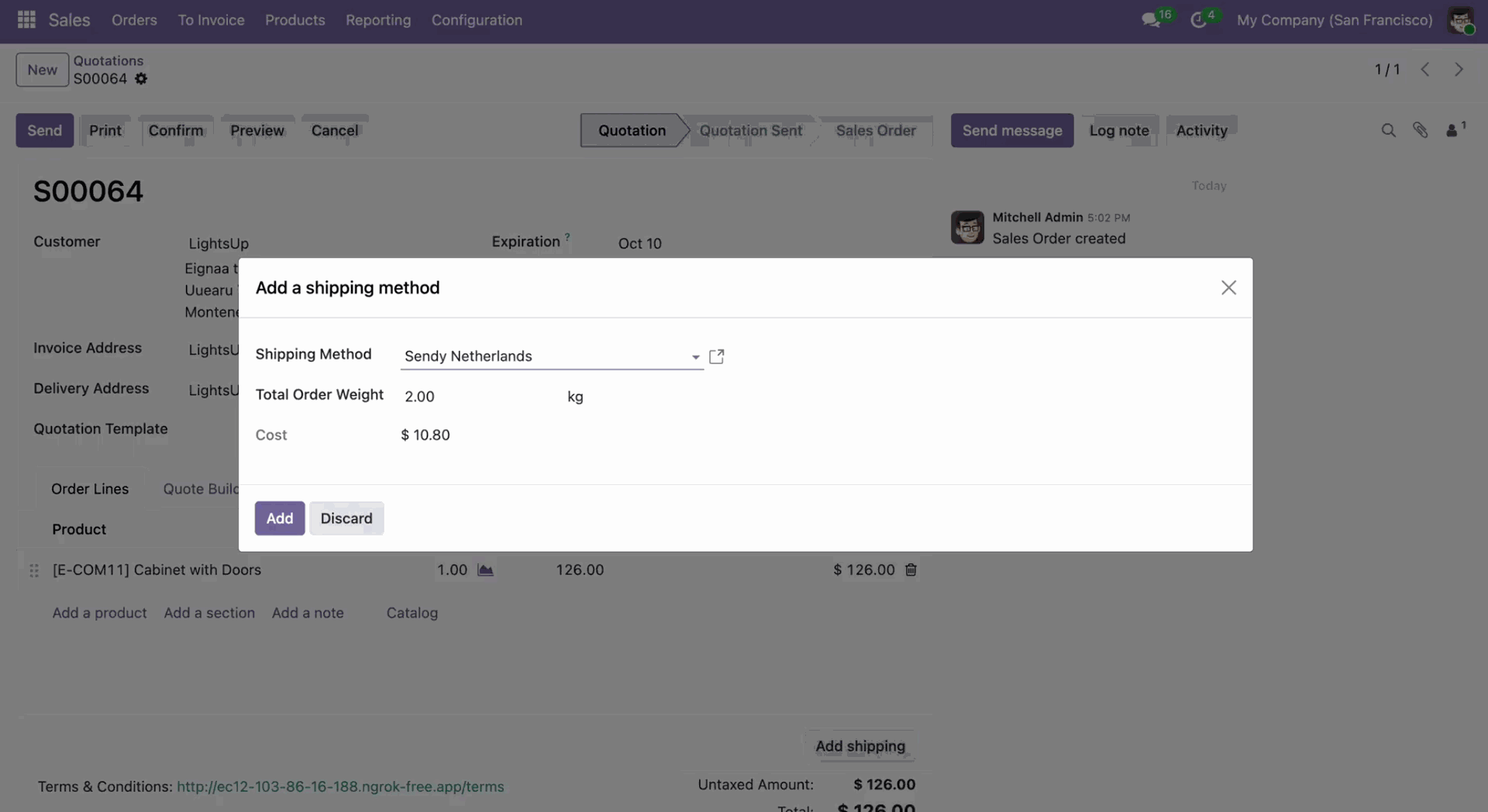
After that, 'Add a Shipping Method' wizard will appear. Enter the details and click on the 'Add' button.
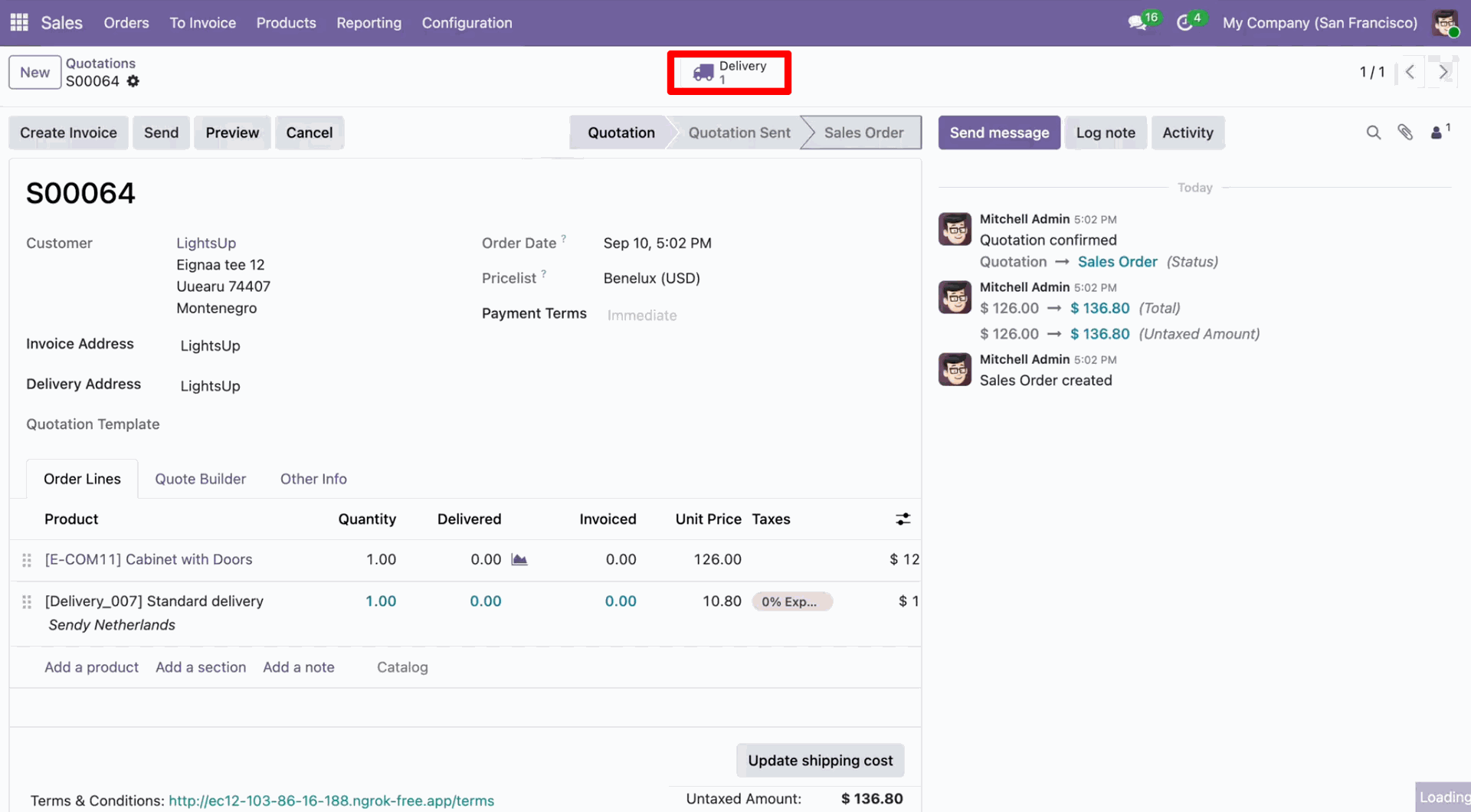
Sendy shipping rate in the quotation.
Sendy Portal looks like below.
Validate the quotation.
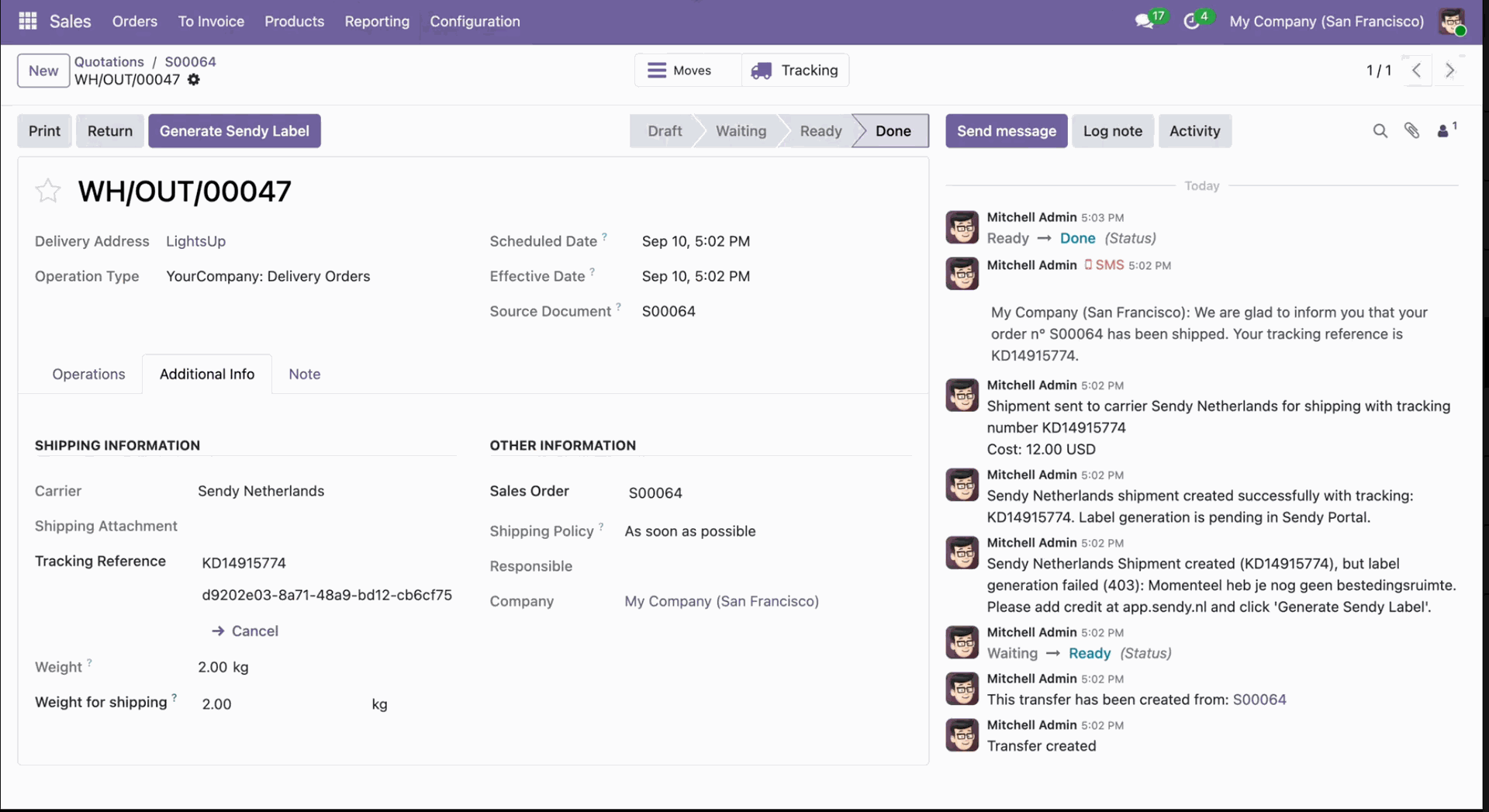
Now the quotation is in the 'Done' stage.
Go to the Sendy Portal, where you can view the order.
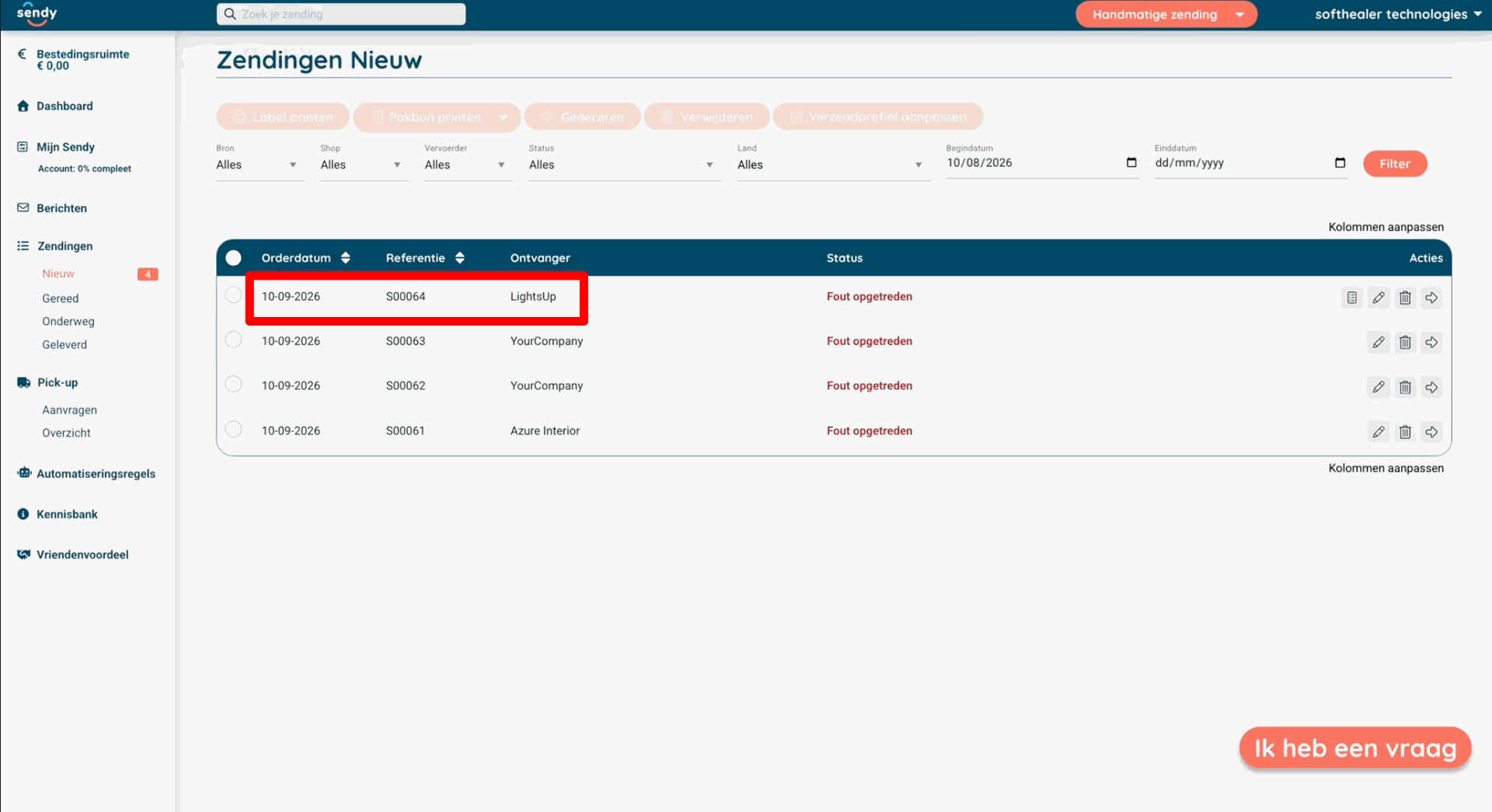
Click on the Quotation.
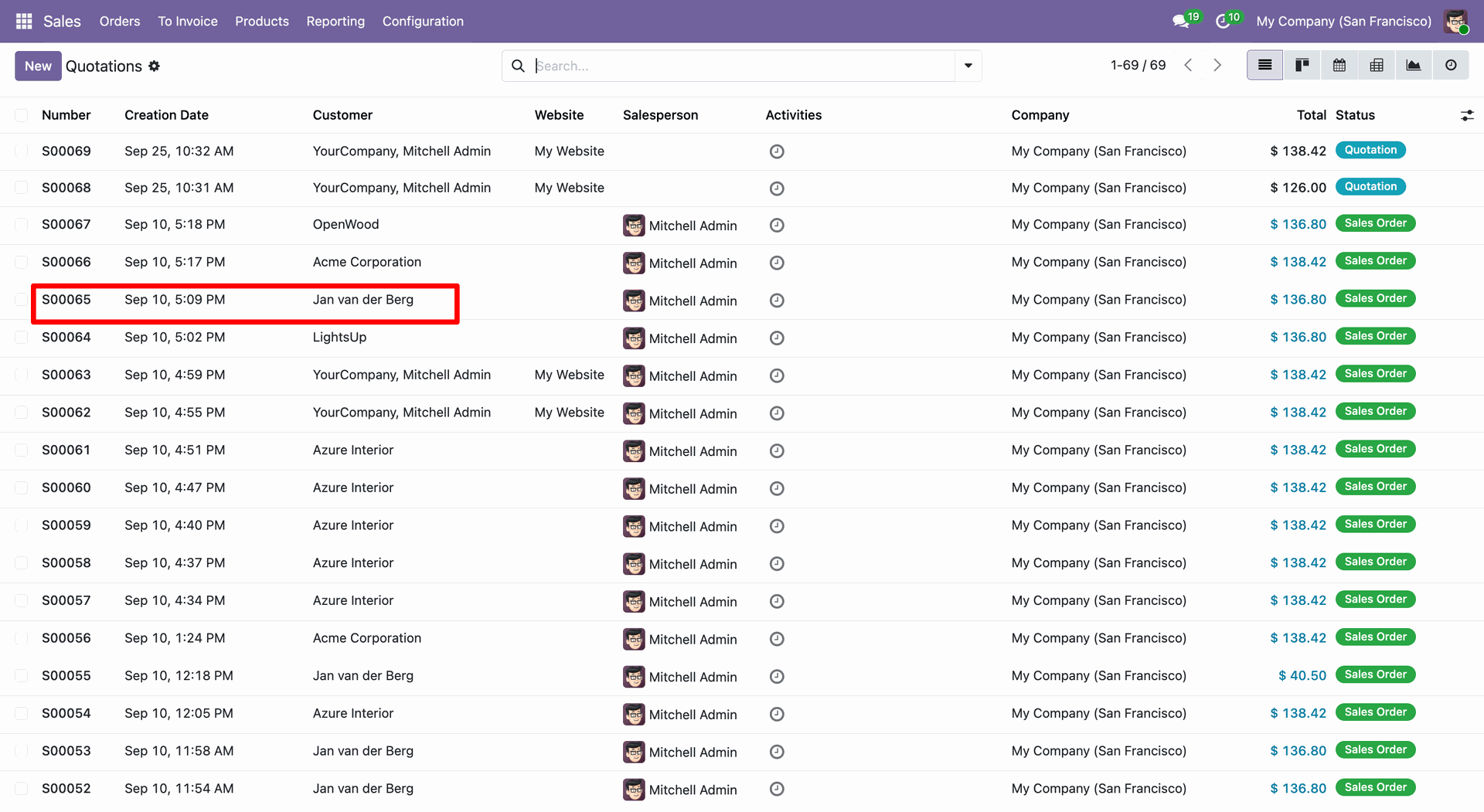
Click on the 'Delivery' smart button.
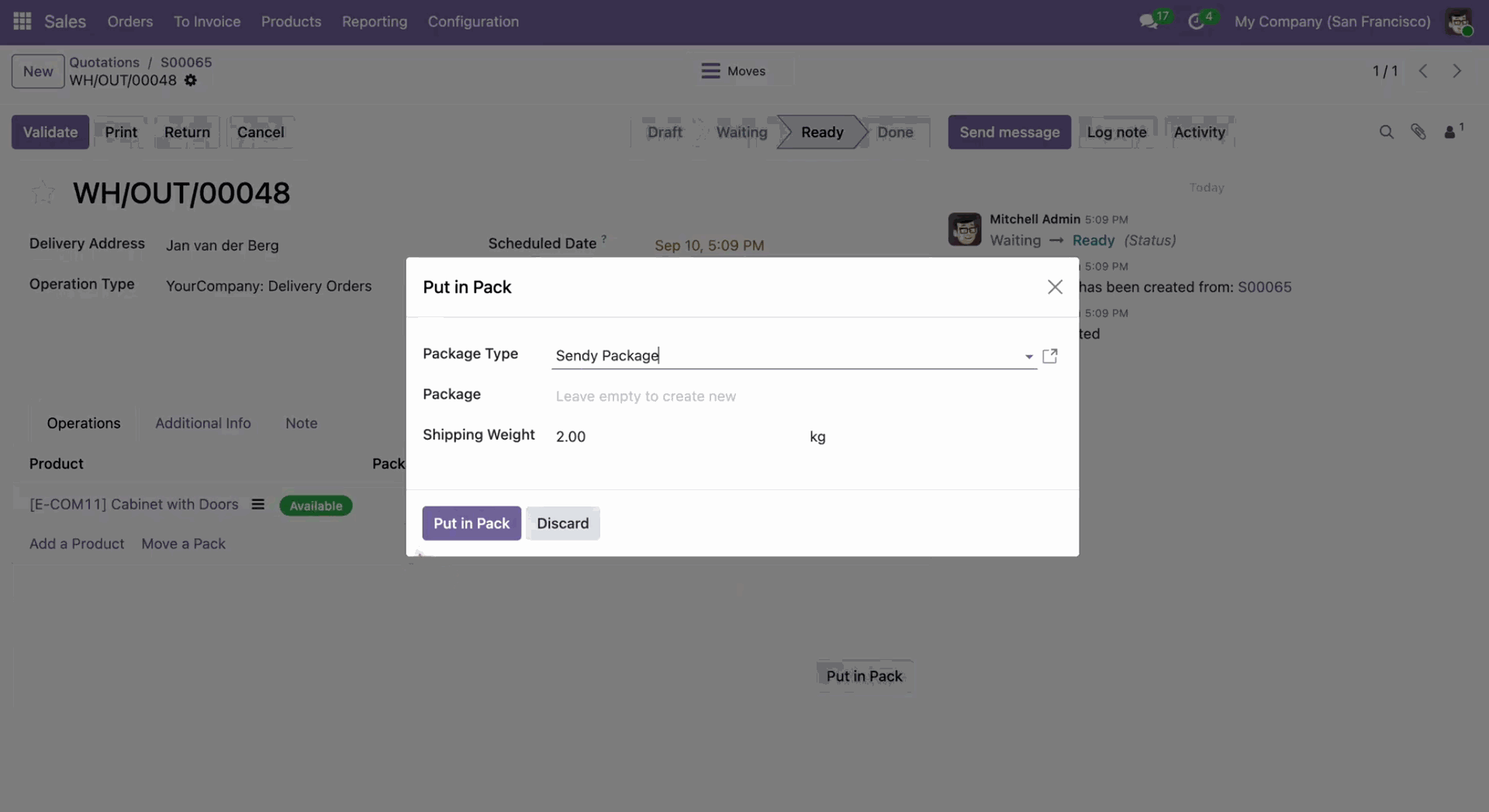
In the Delivery Order, click 'Put In Pack'. Select package type and click 'Put in Pack' and validate the order.
Go to the Sendy Portal, where you can view the order.
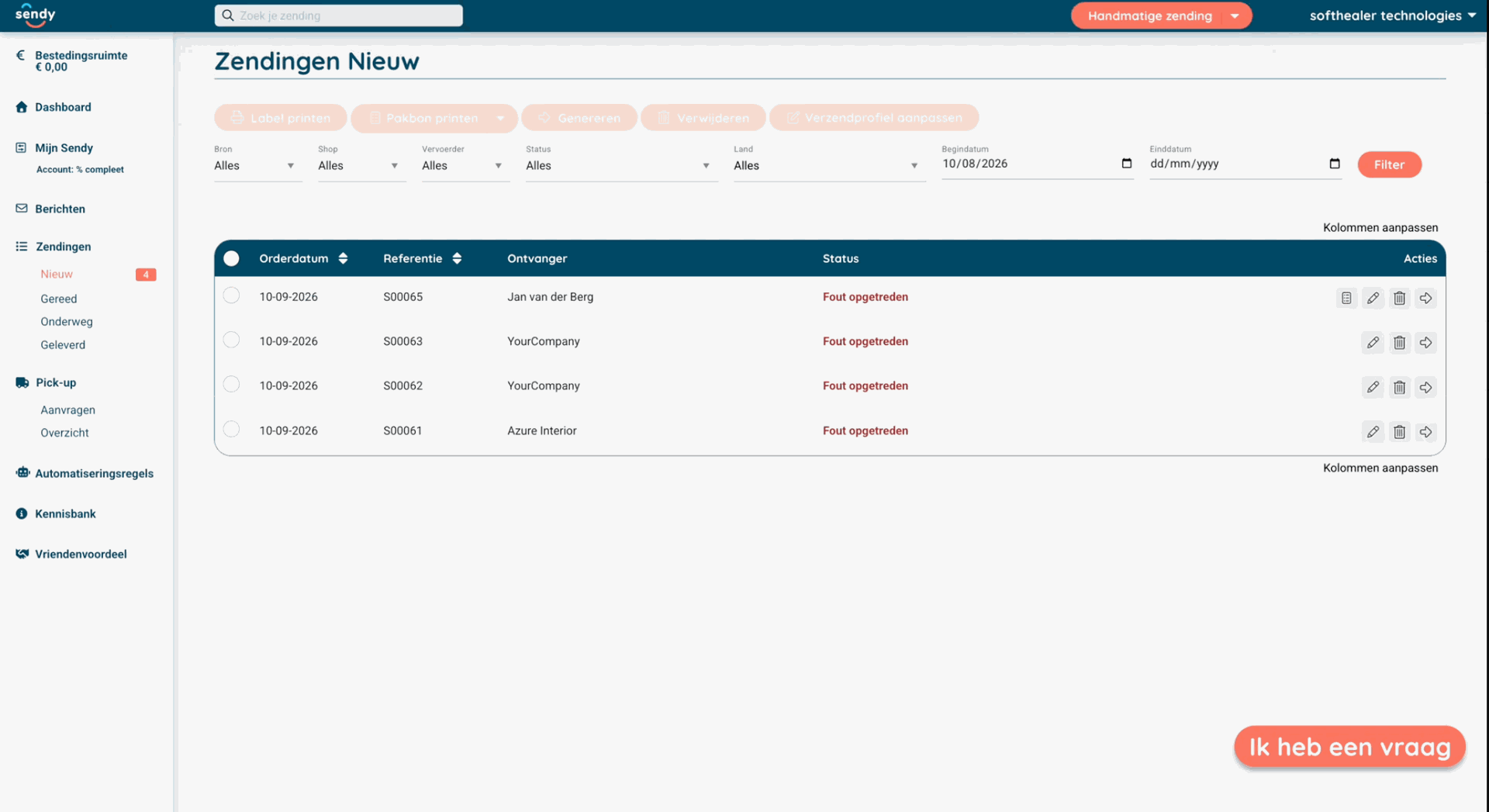
Select the order and click 'Cancel (Verwijderen)' to cancel the shipment.
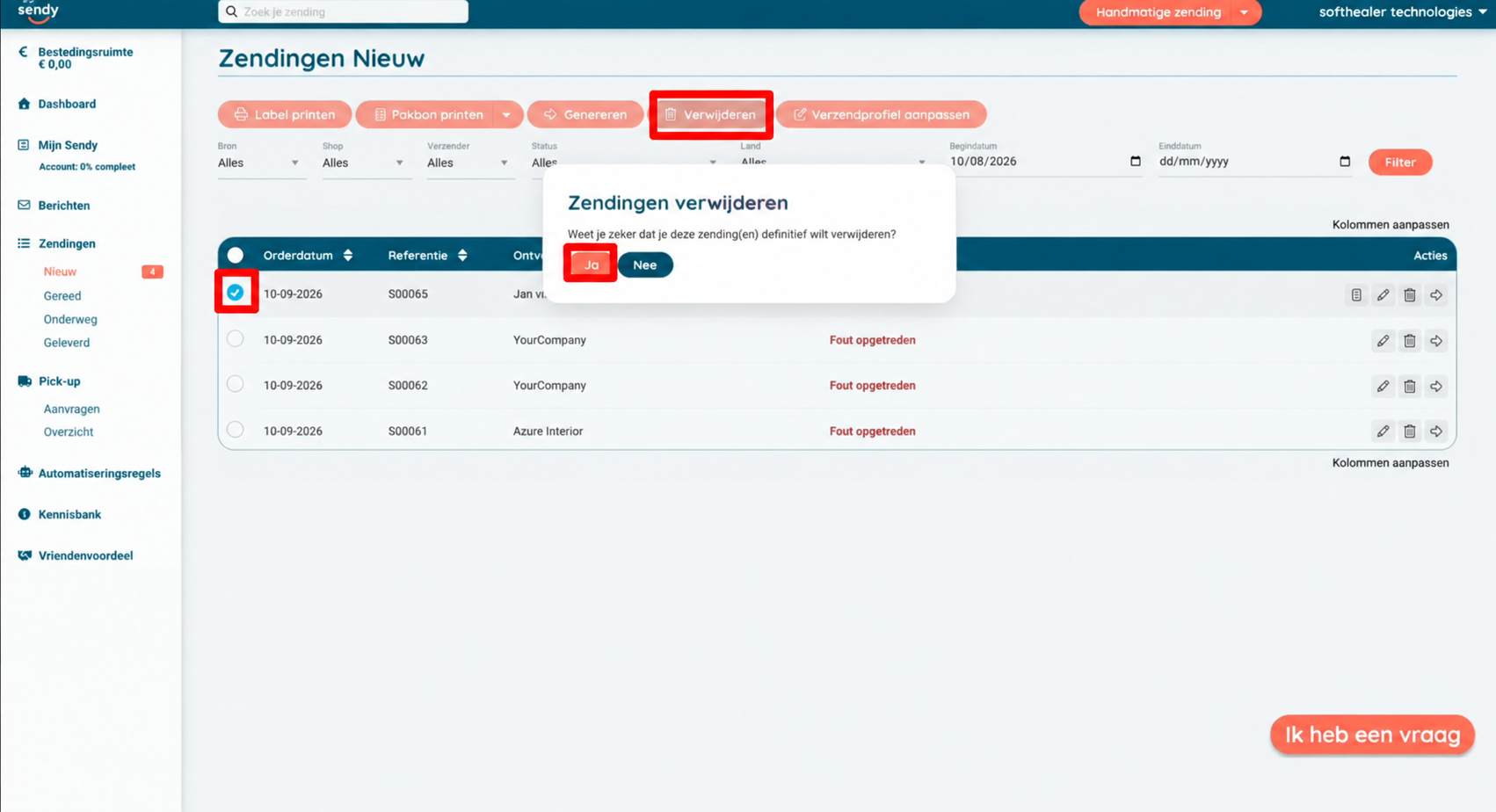
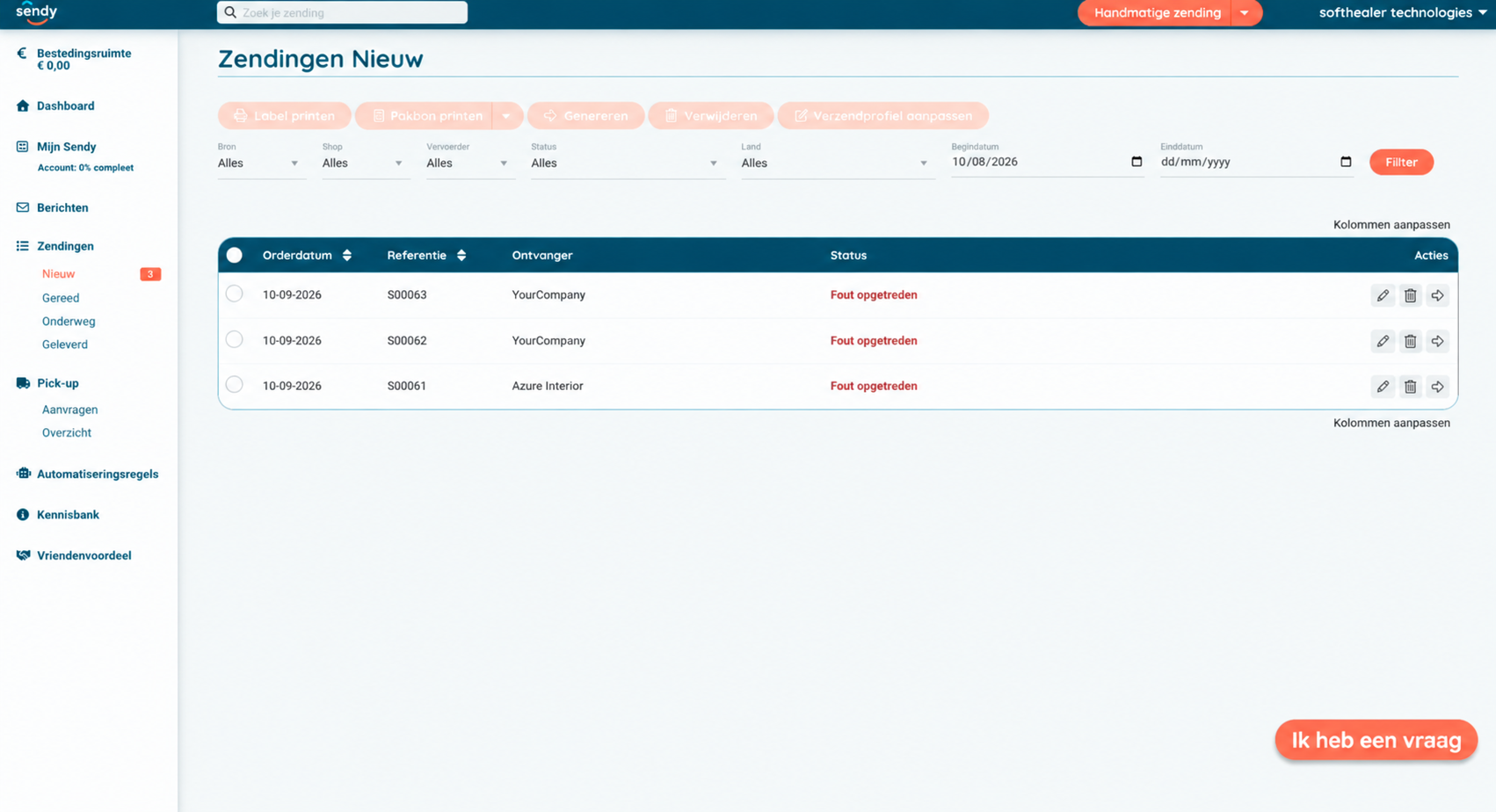
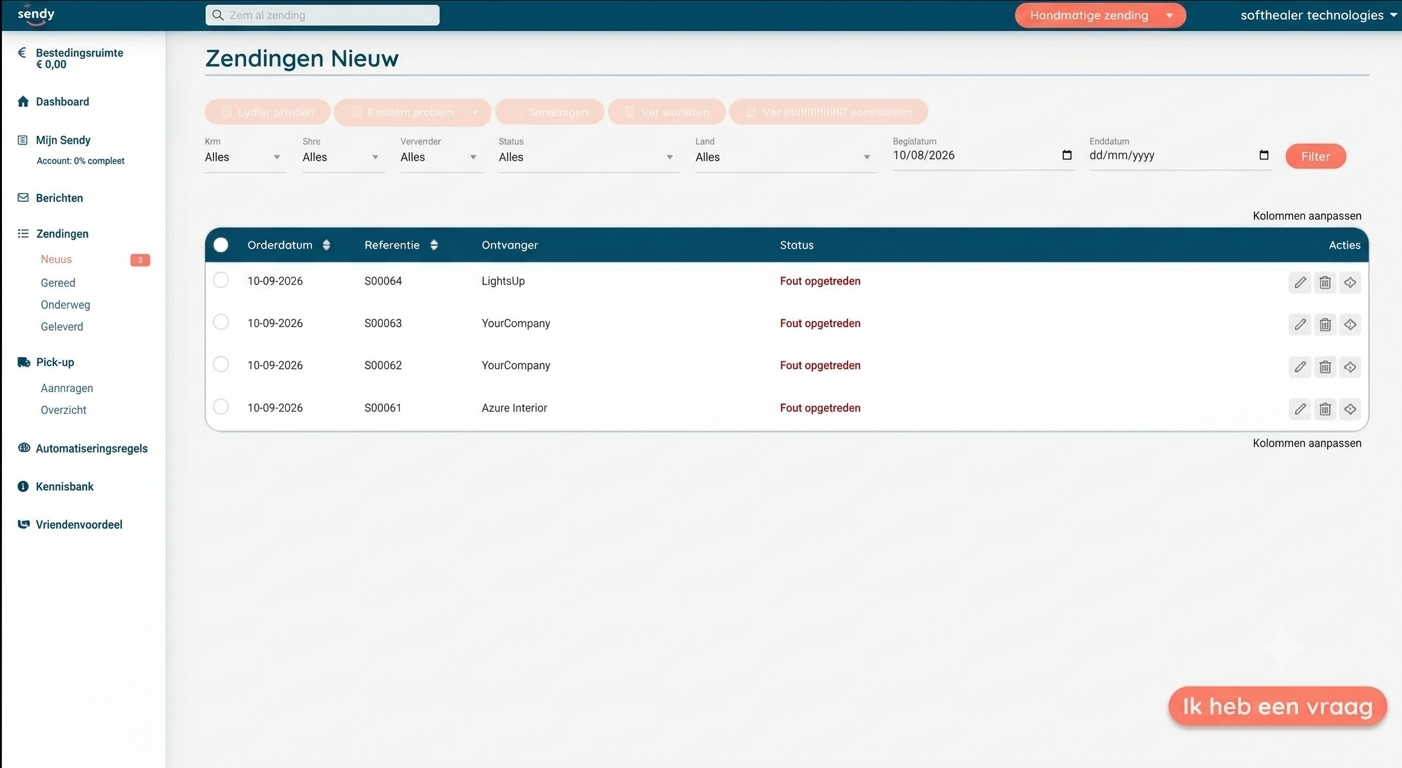
Here, you can see that the order has been canceled and removed from the list.
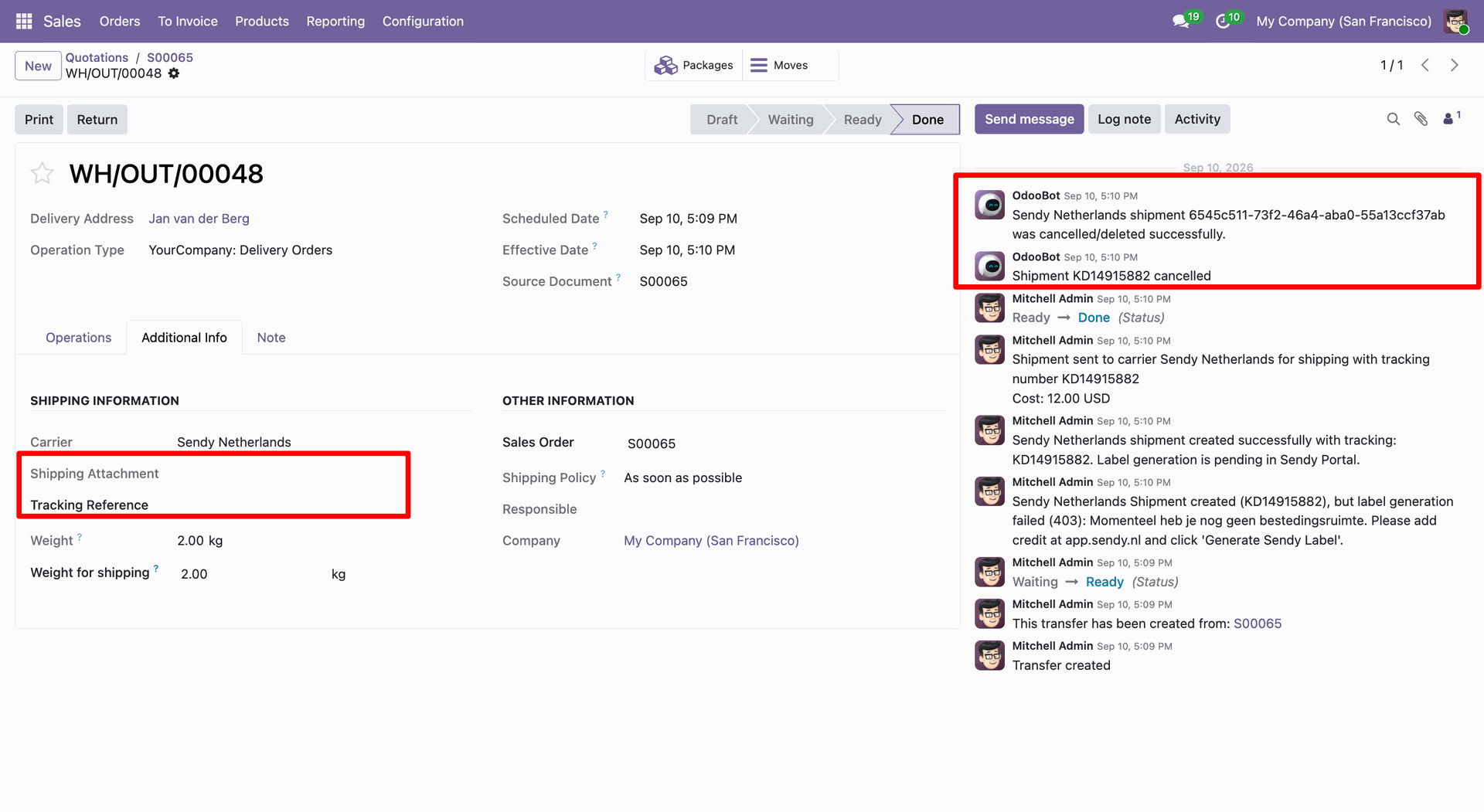
In Odoo, you can see that the order has been canceled.
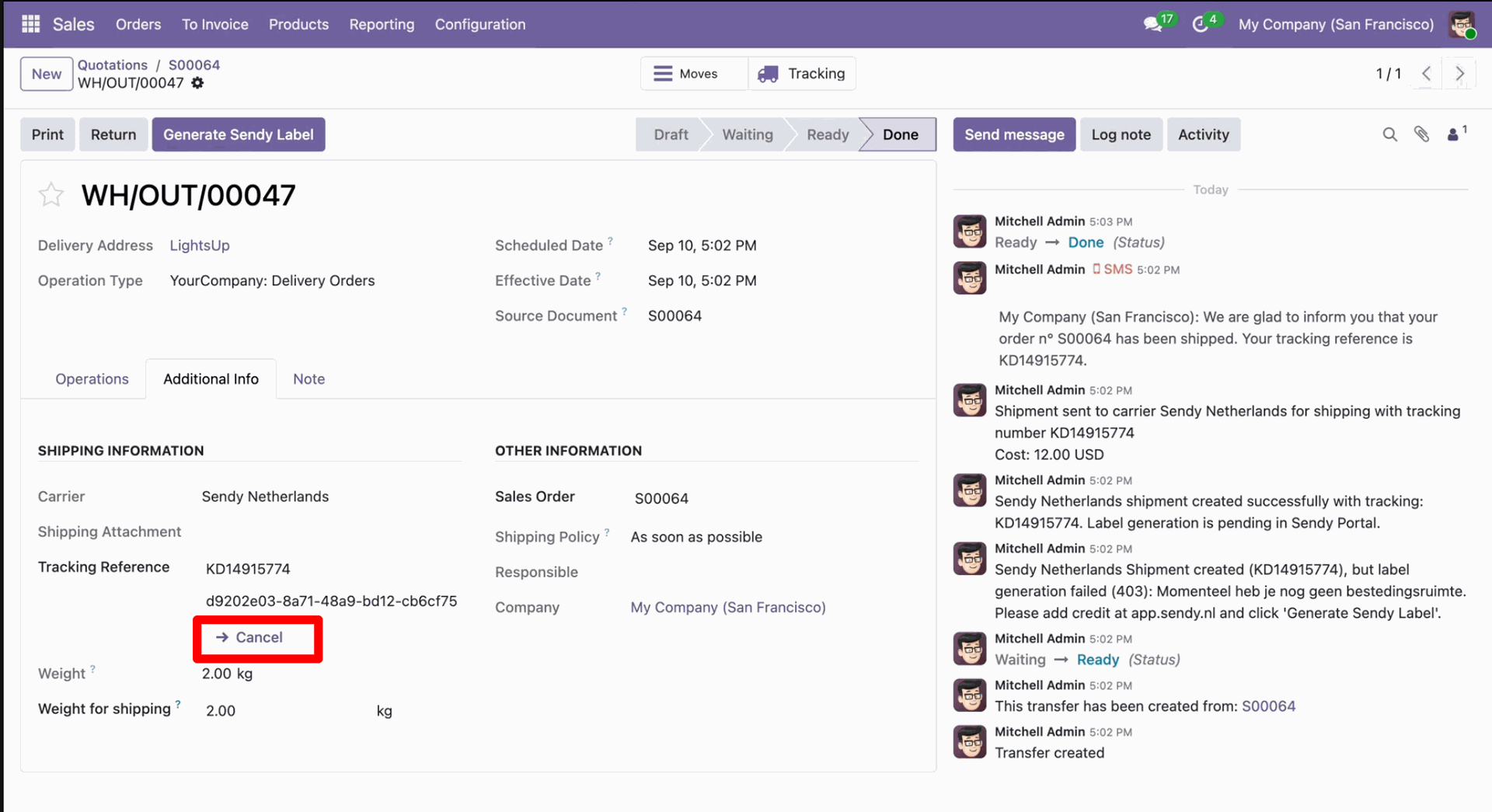
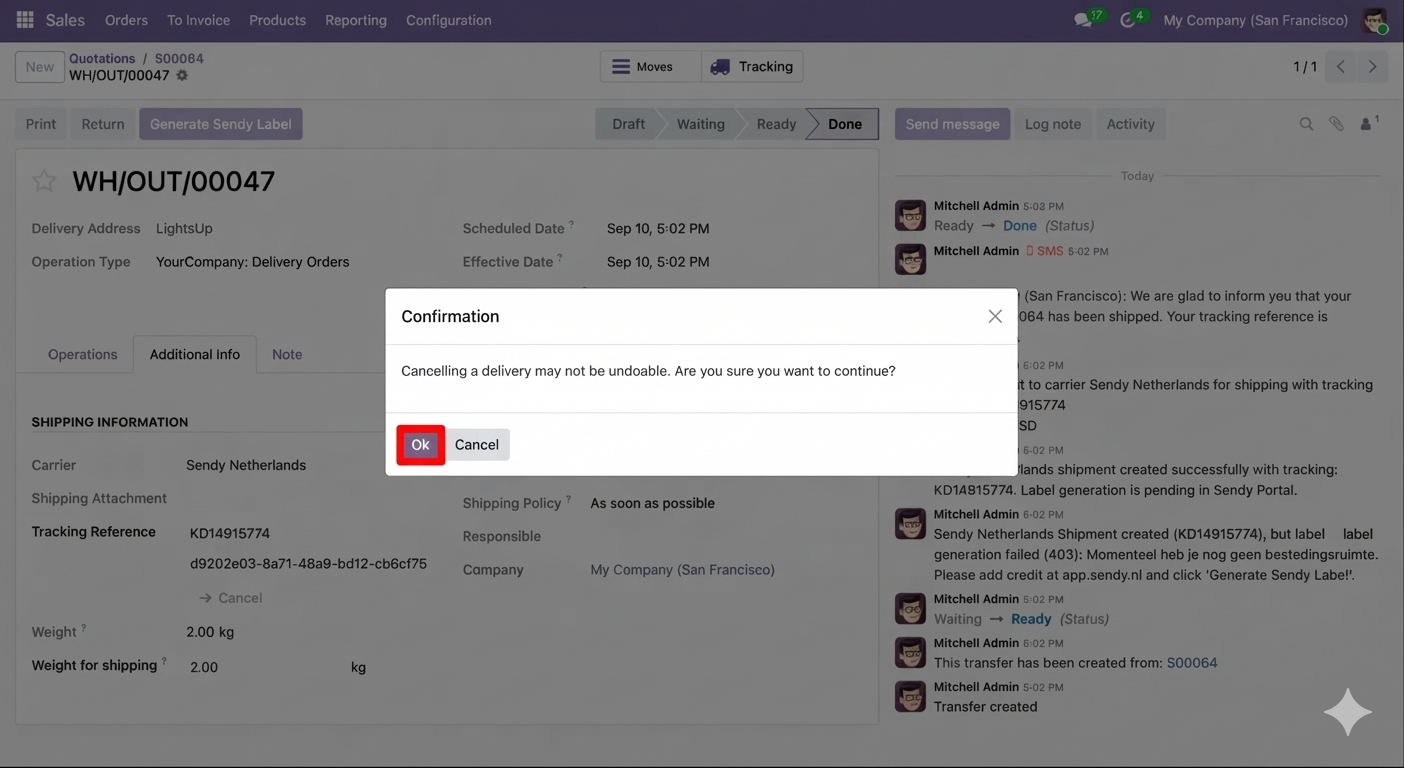
Click 'Cancel' to cancel the shipment.
Confirmation the cancellation.
Here, you can see that the order has been canceled and removed from the Sendy portal.
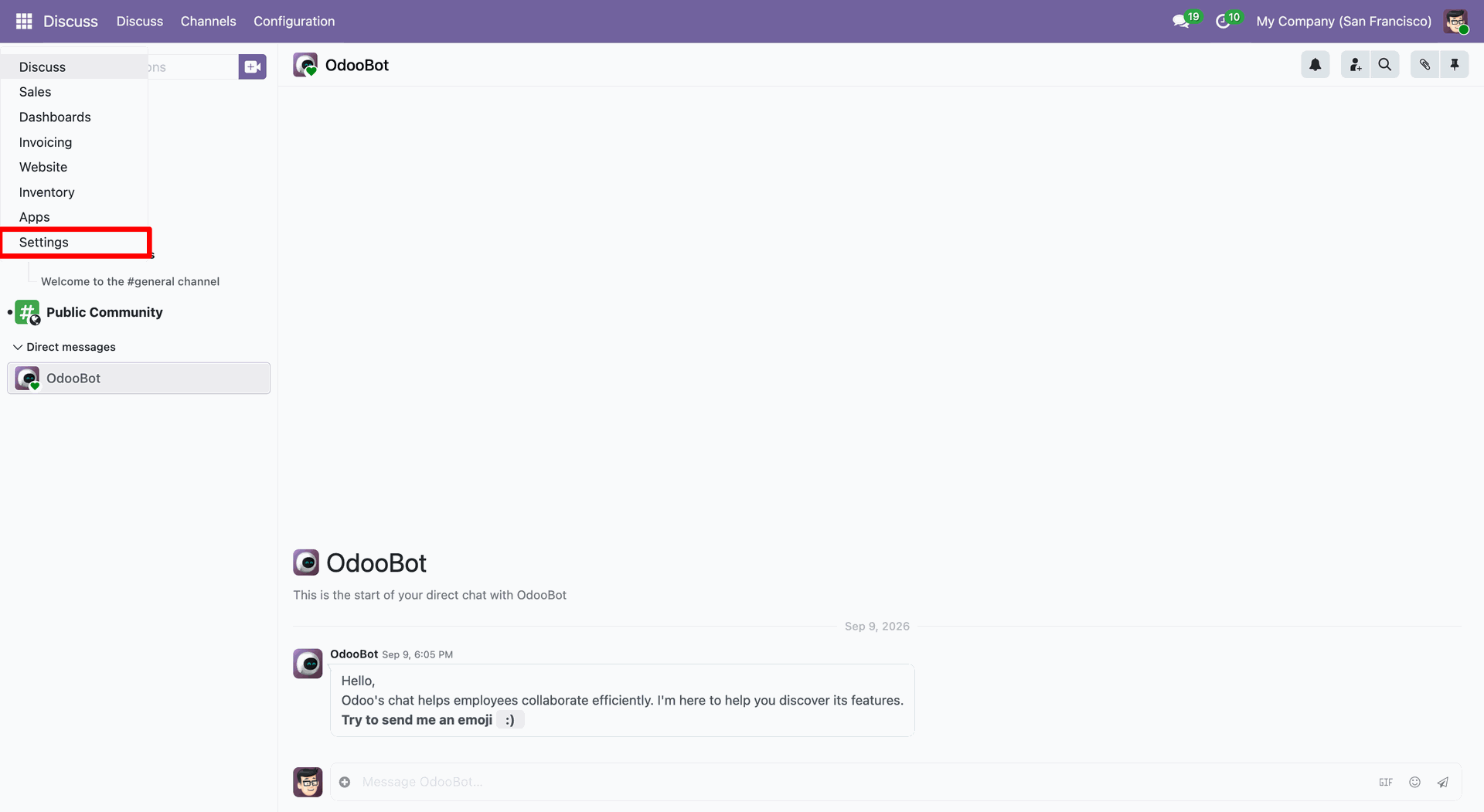
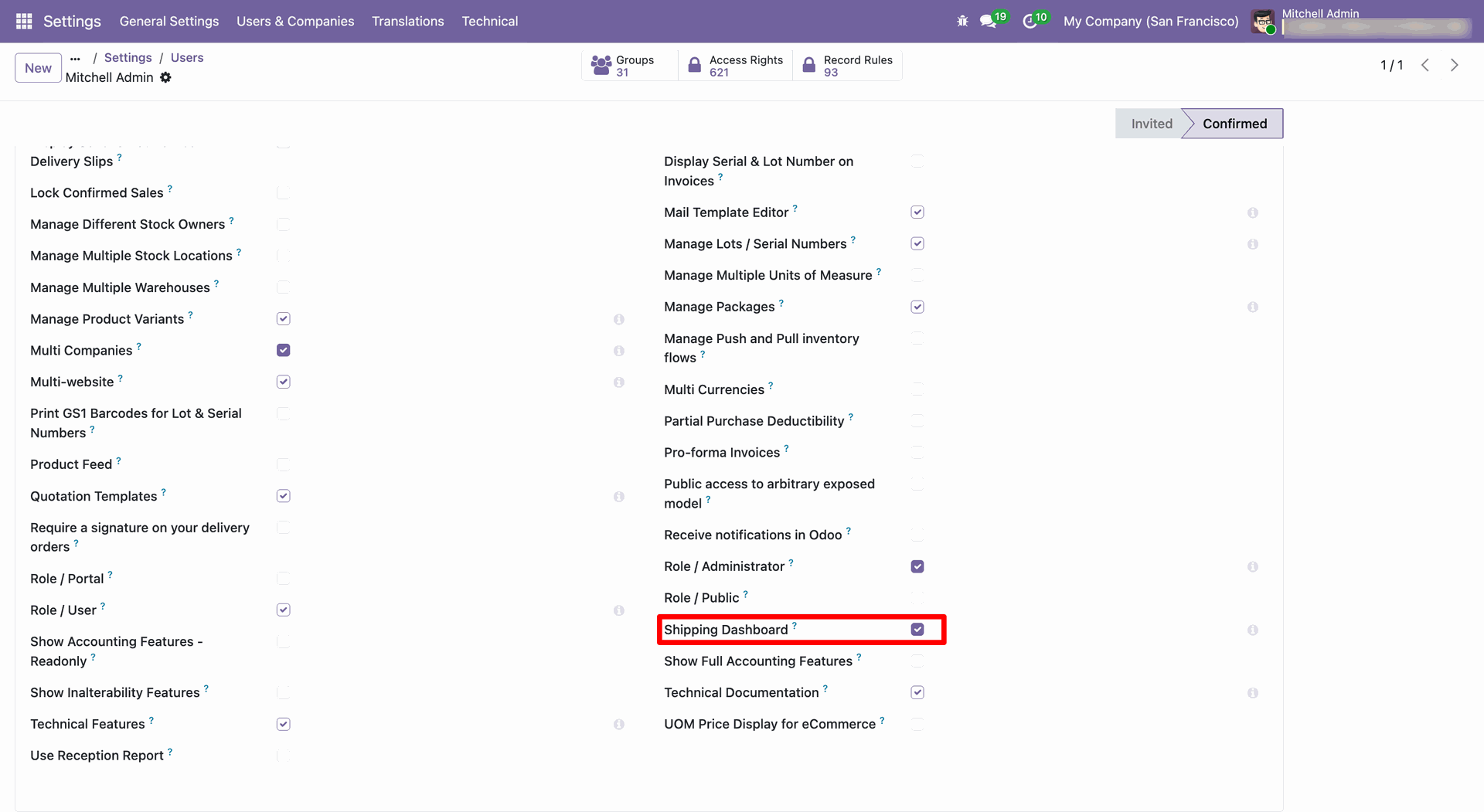
Go to general settings.
Click on the 'Manage Usres'.
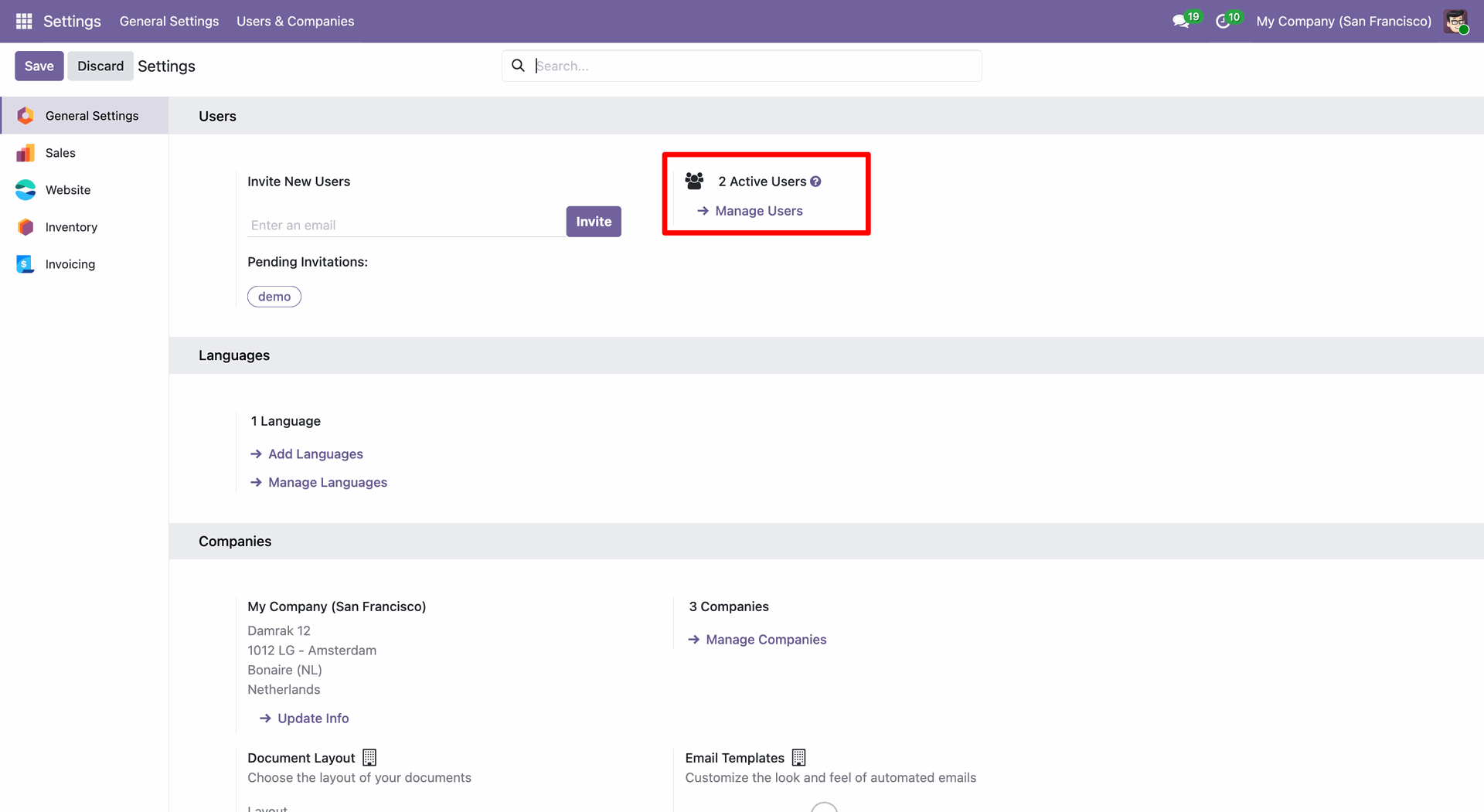
Enable 'Shipping Dashboard'.
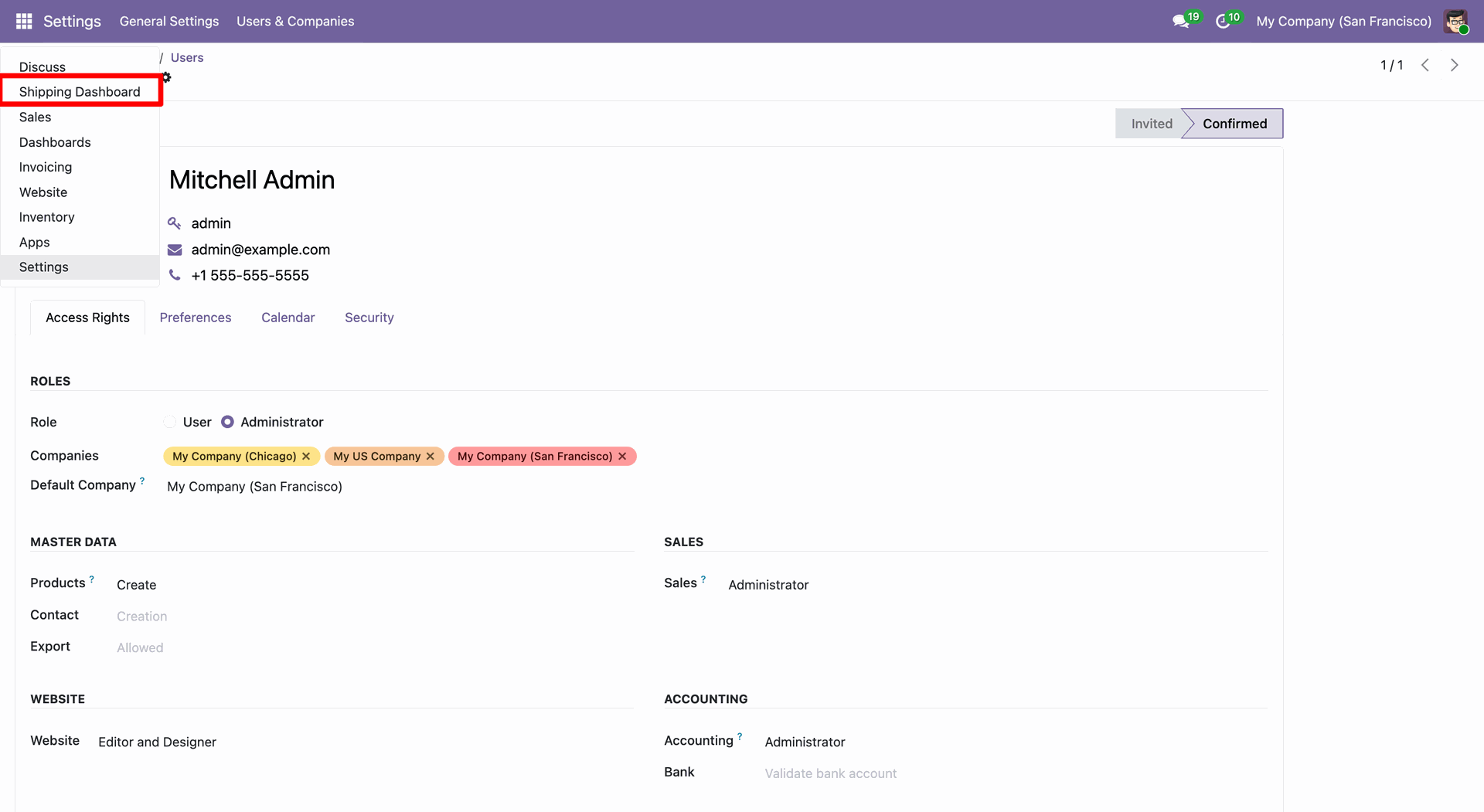
Click 'Shipping Dashboard'.
Dashboard view.
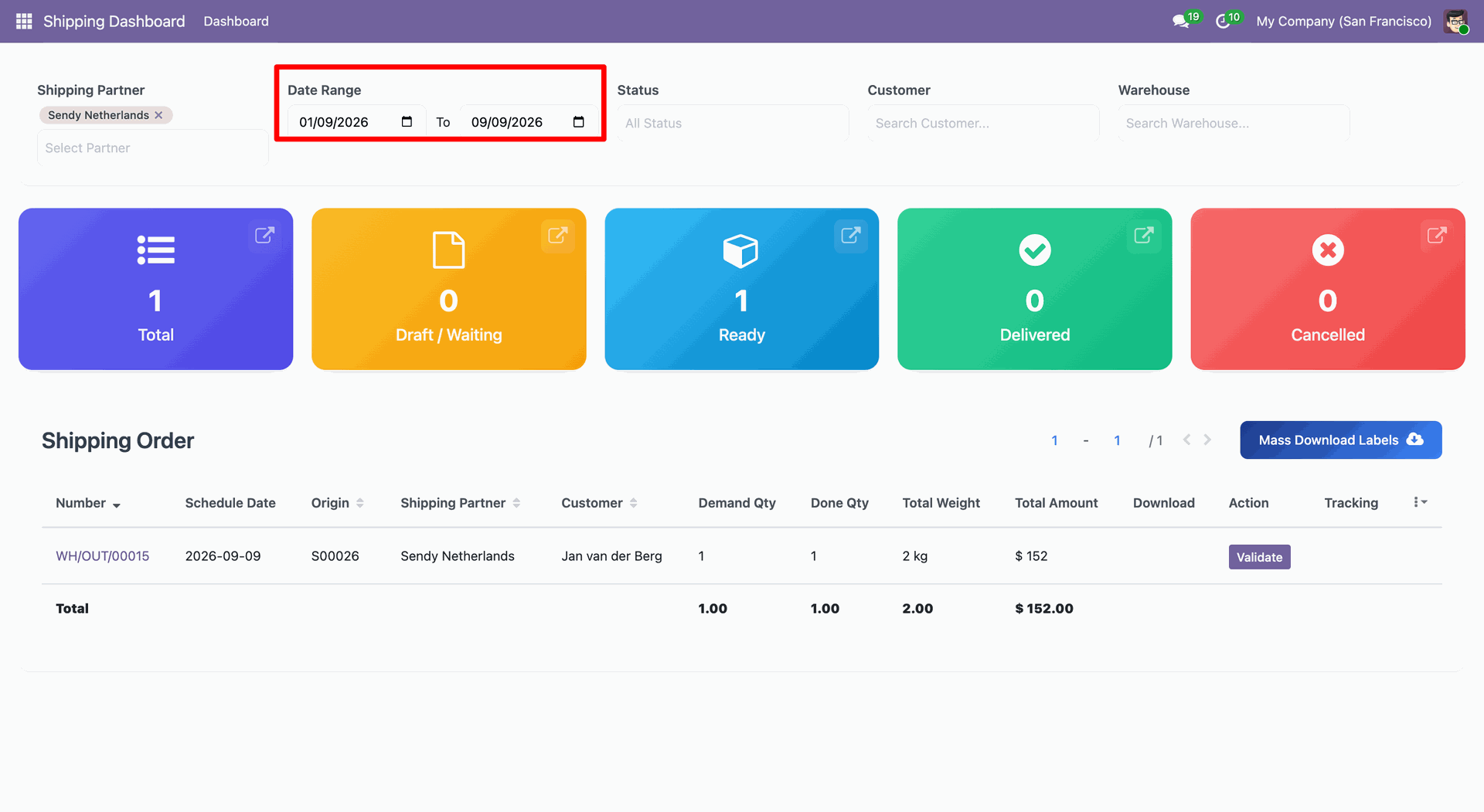
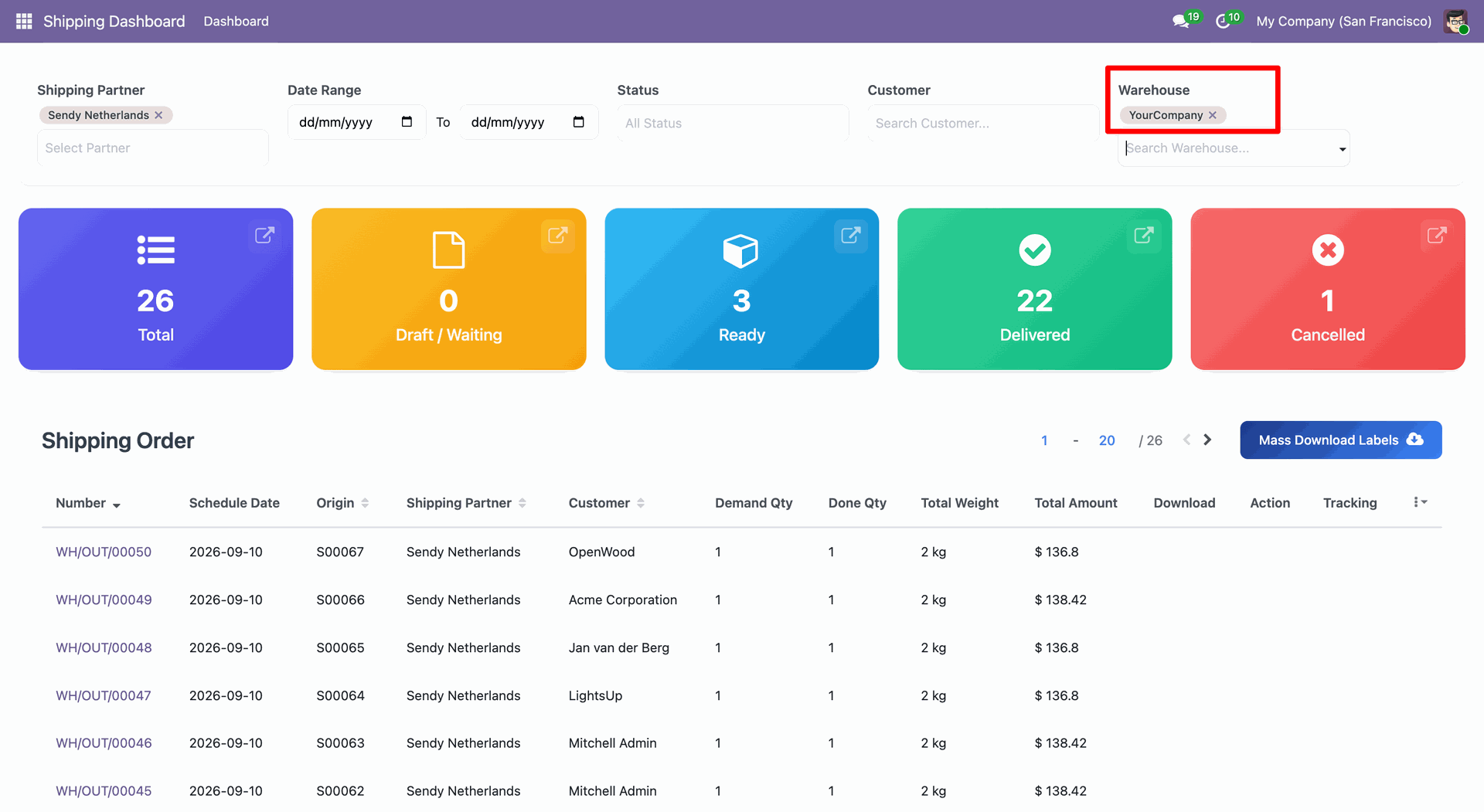
You can select shipping by date range.
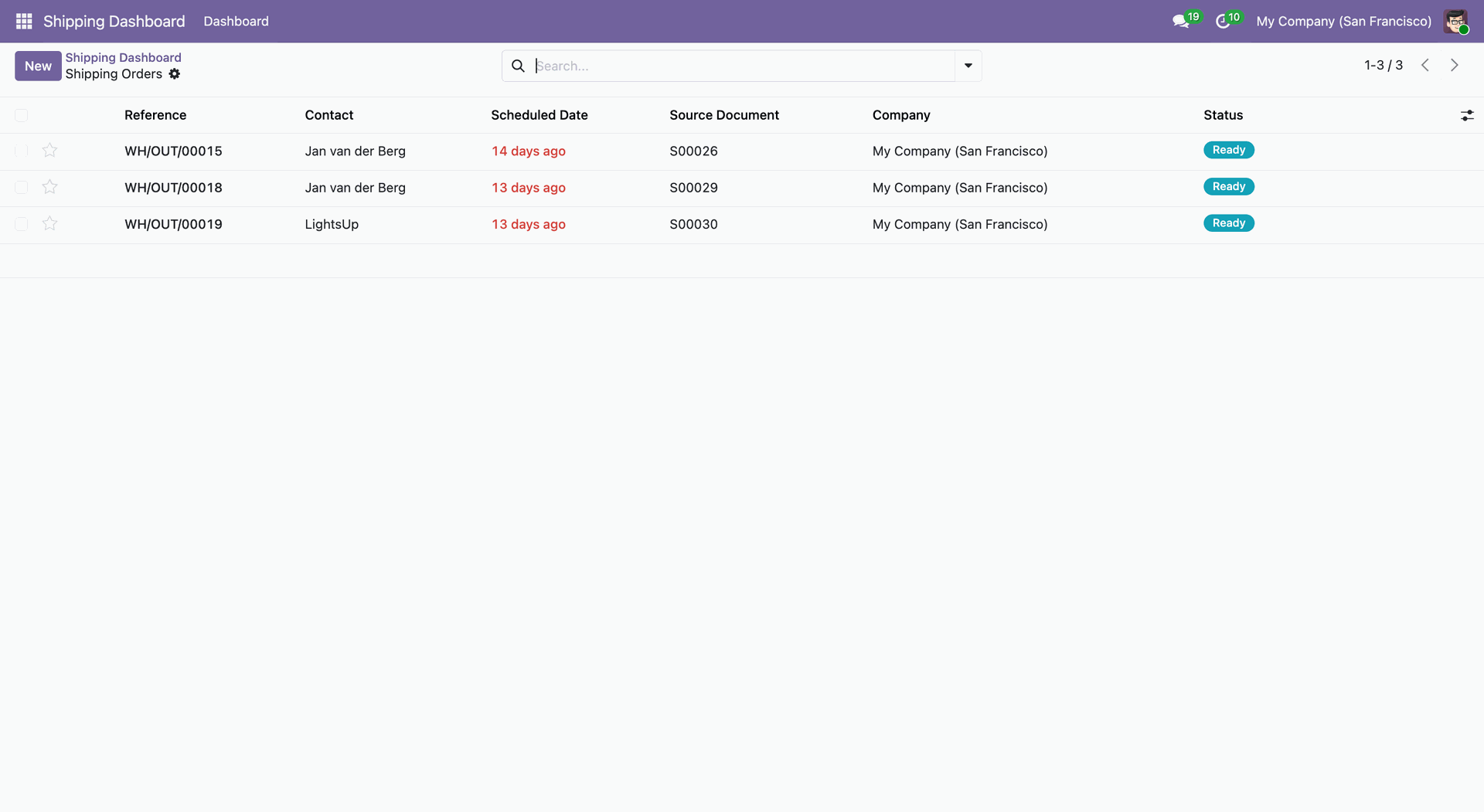
Tree view of the shipping orders.
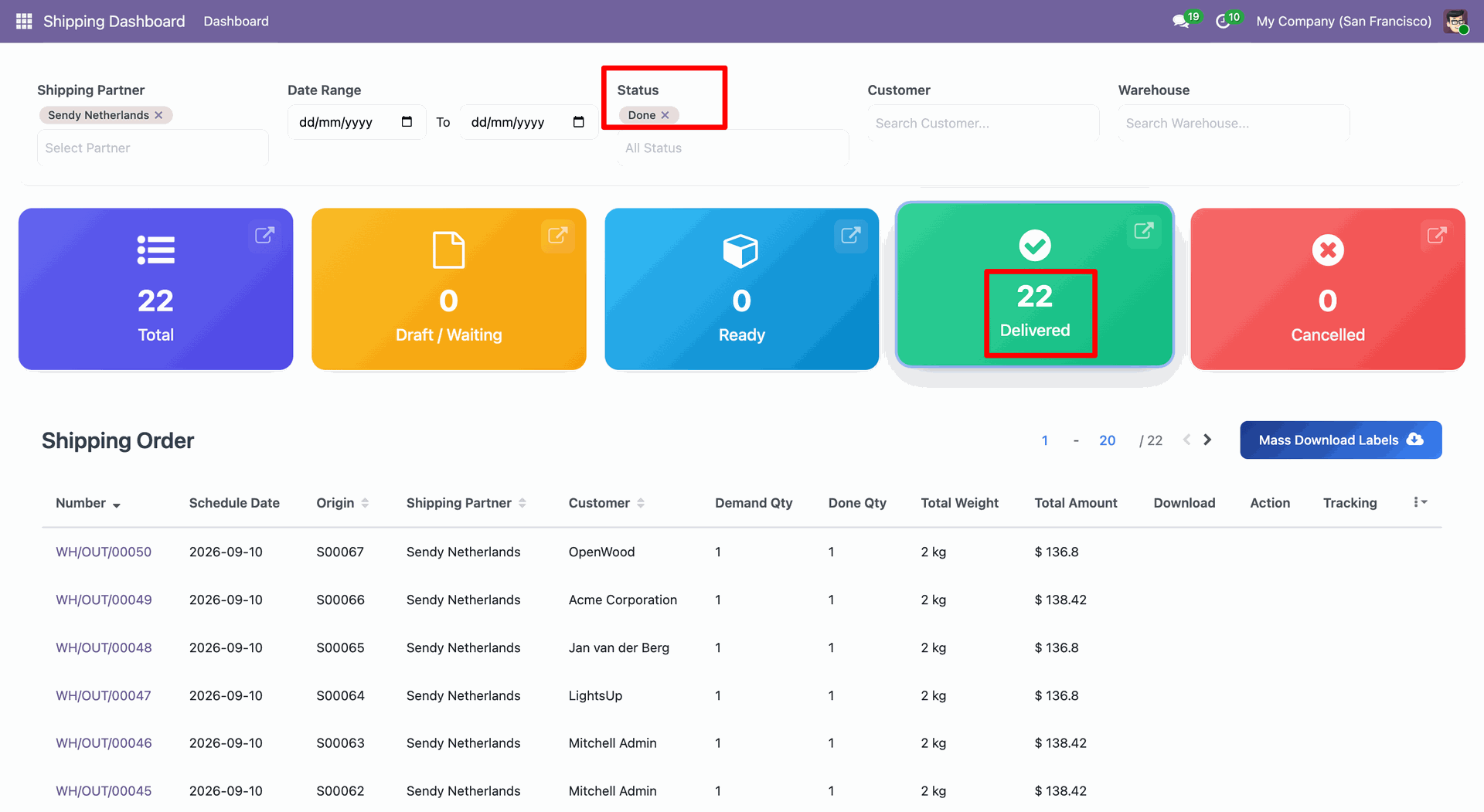
You can select shipping status.
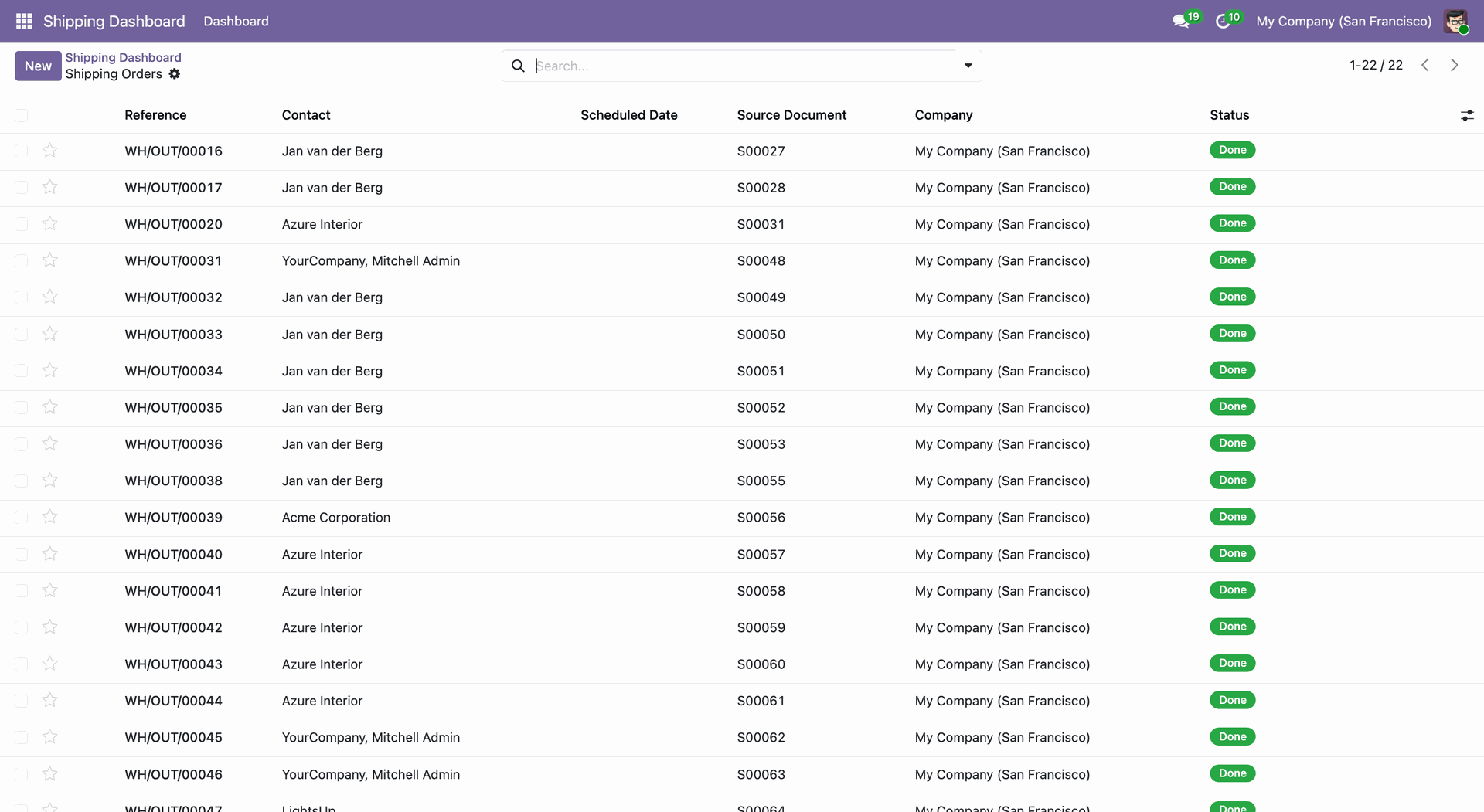
Tree view of the shipping orders.
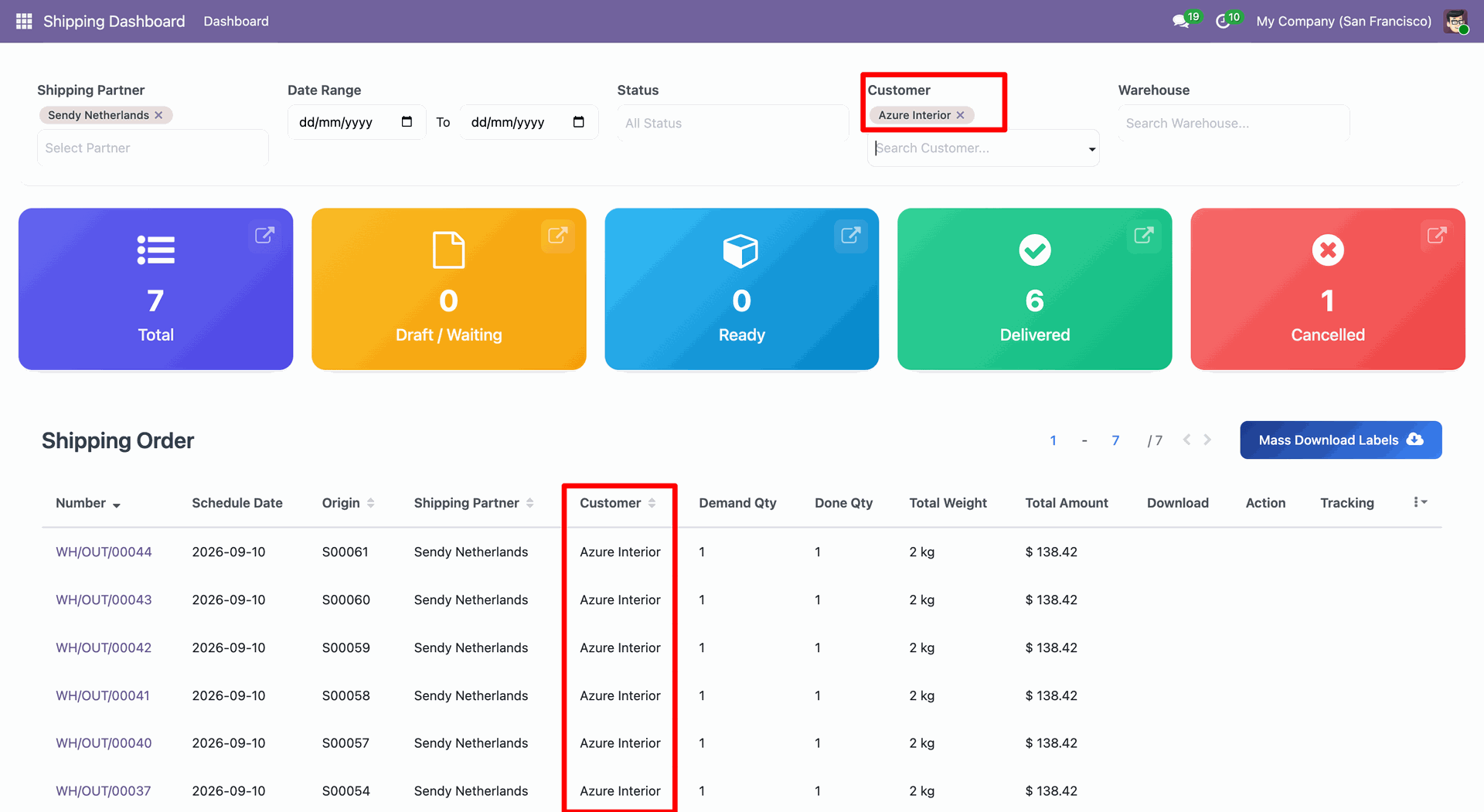
You can select shipping customer.
You can select shipping warehouse.
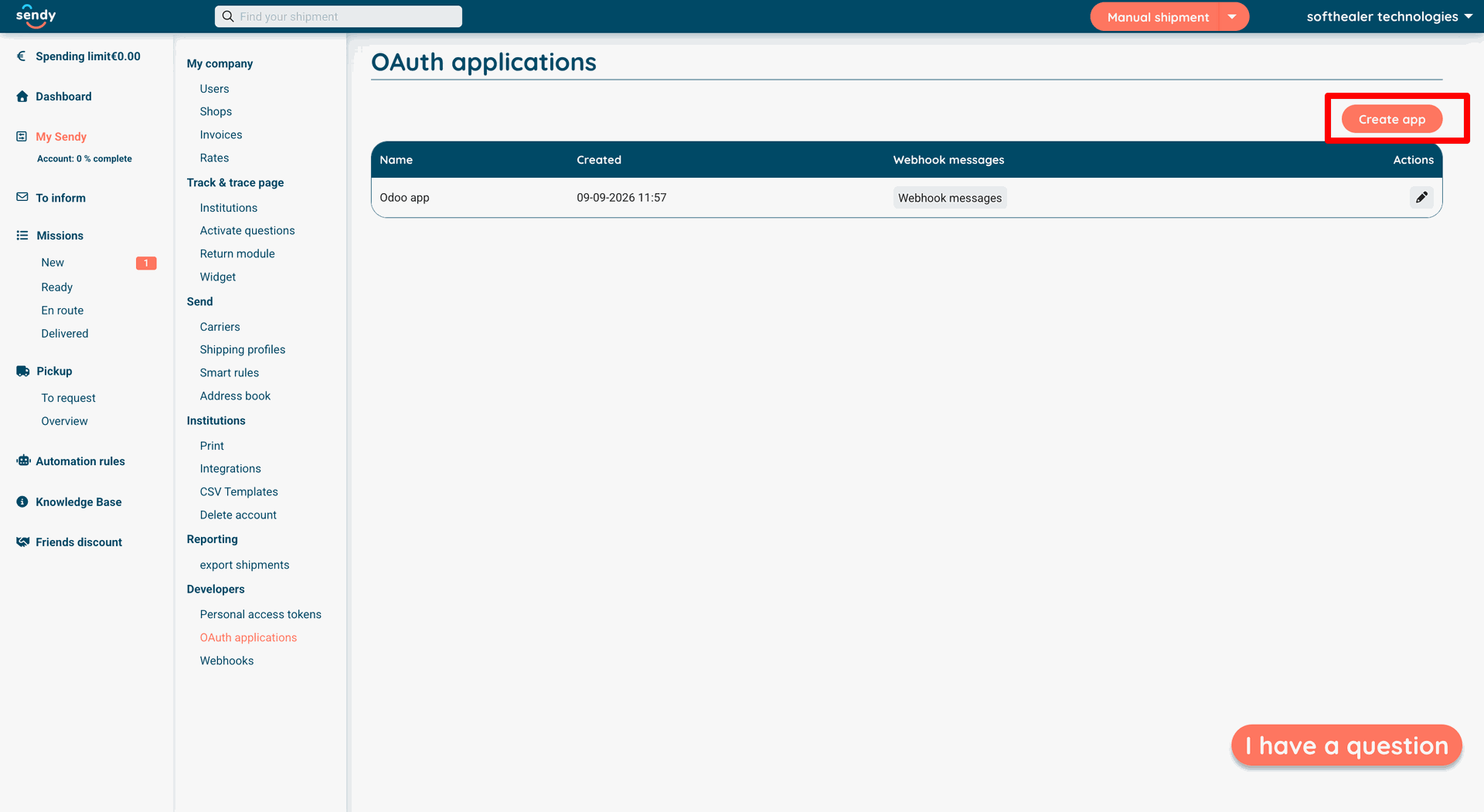
Sendy Credentials creation :
Link : https://app.sendy.nl/my-sendy/oauth-apps
Create an application for generating client id and secret
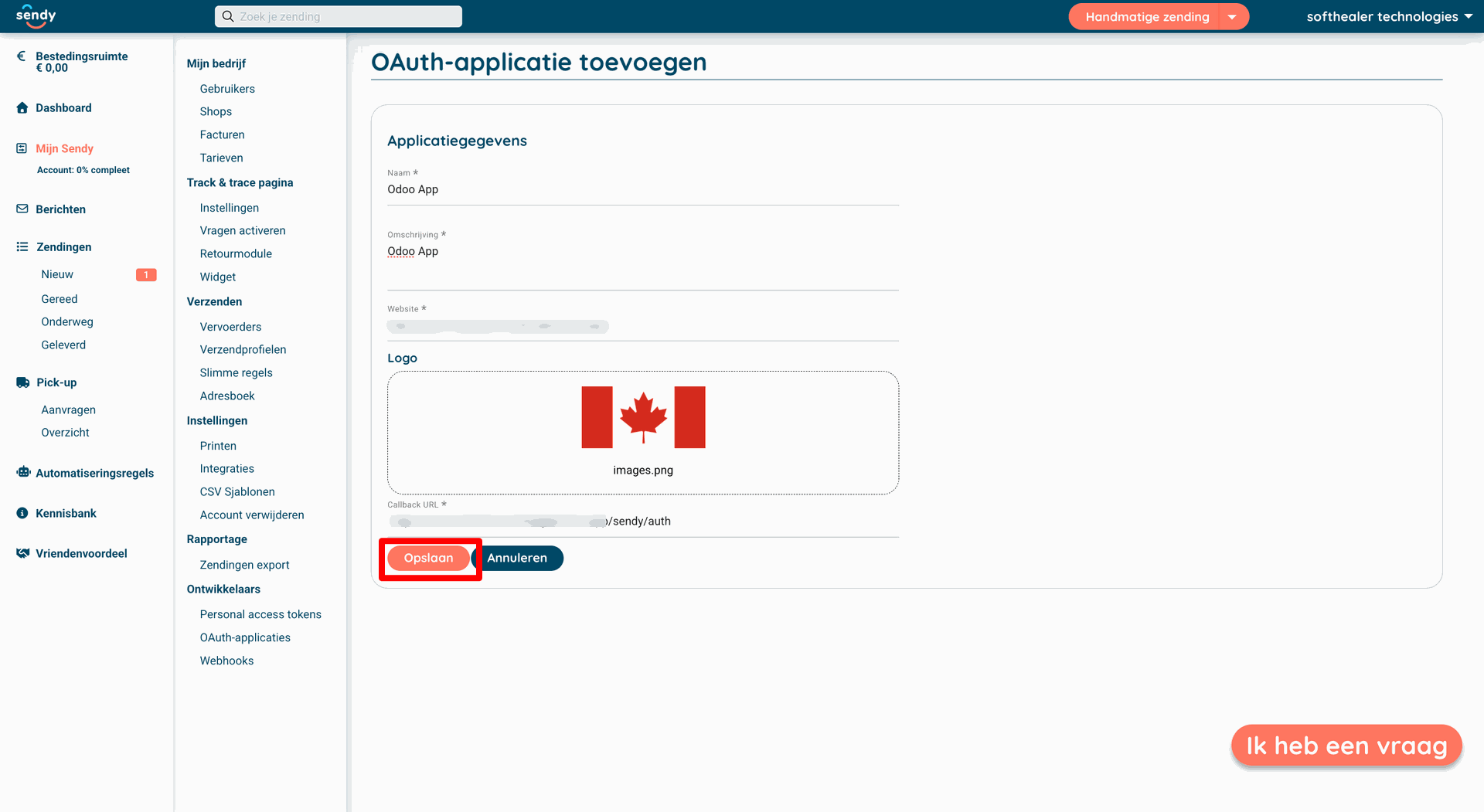
Enter the required fields value as name ,description ,logo etc...
Enter callback url copy from odoo and past it over here and save this records.
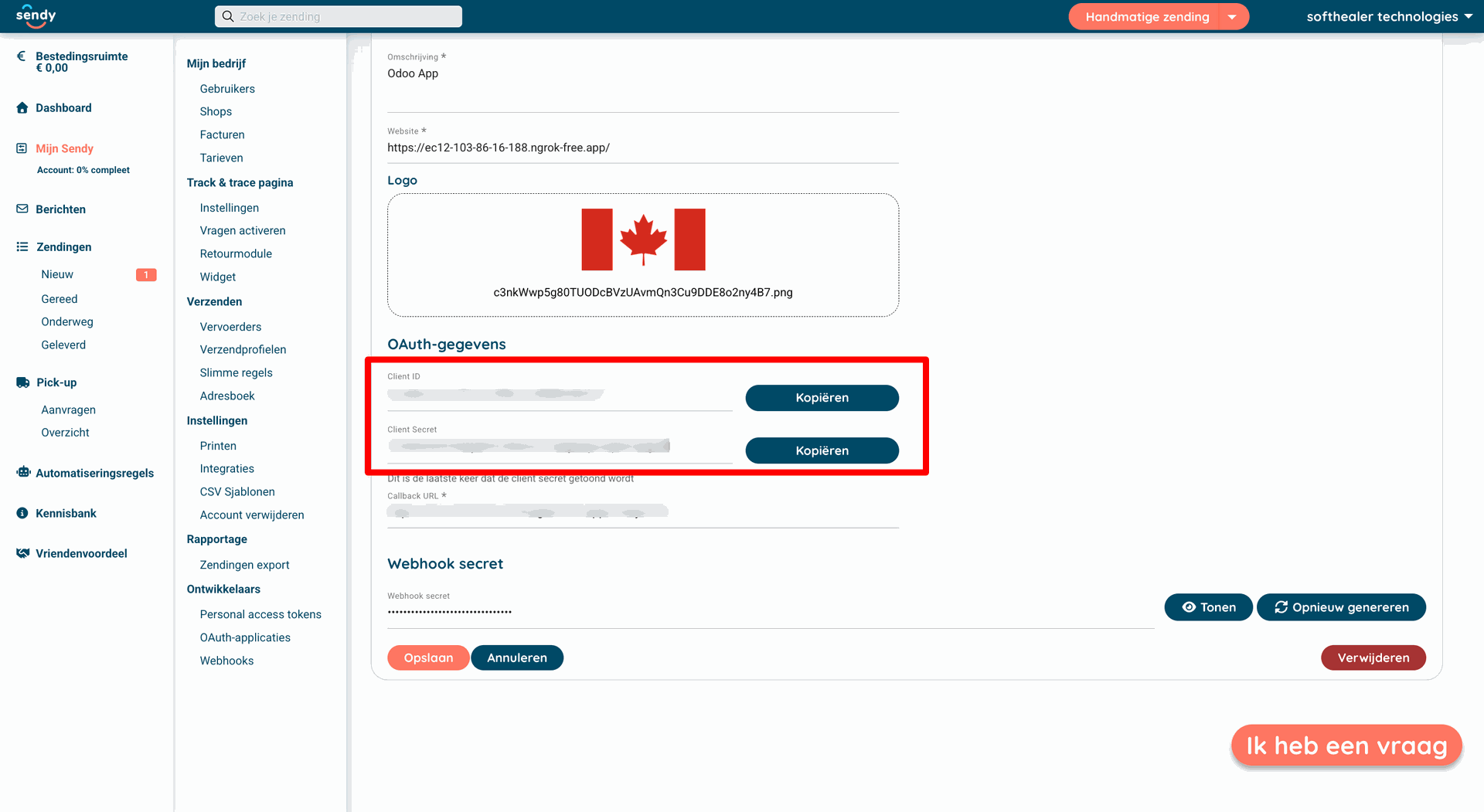
After click on save it will generate client id and secret key.
Copy this client id and secret key and past in odoo.
For webhook configurations.
Go to webhook
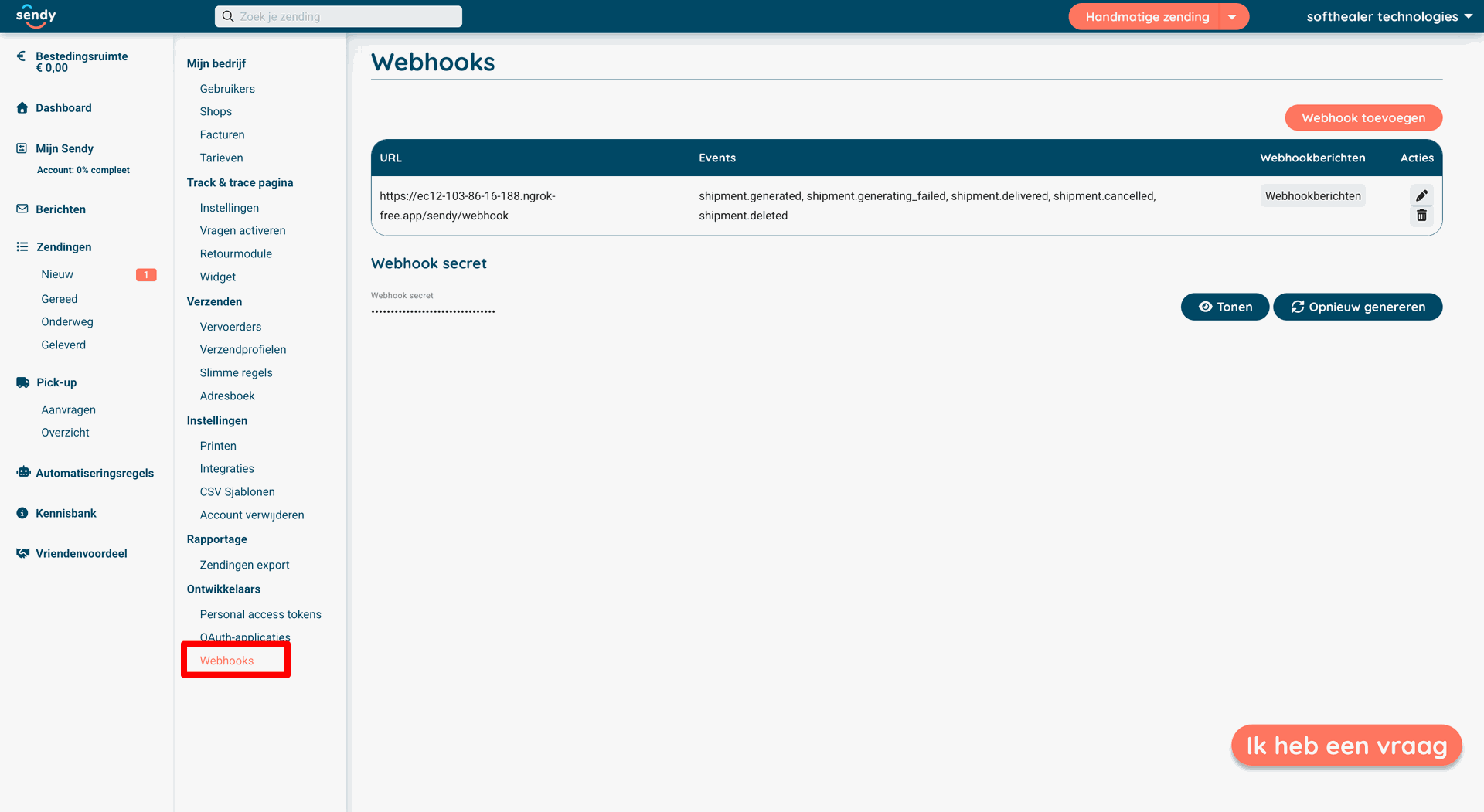
Create new webhook.
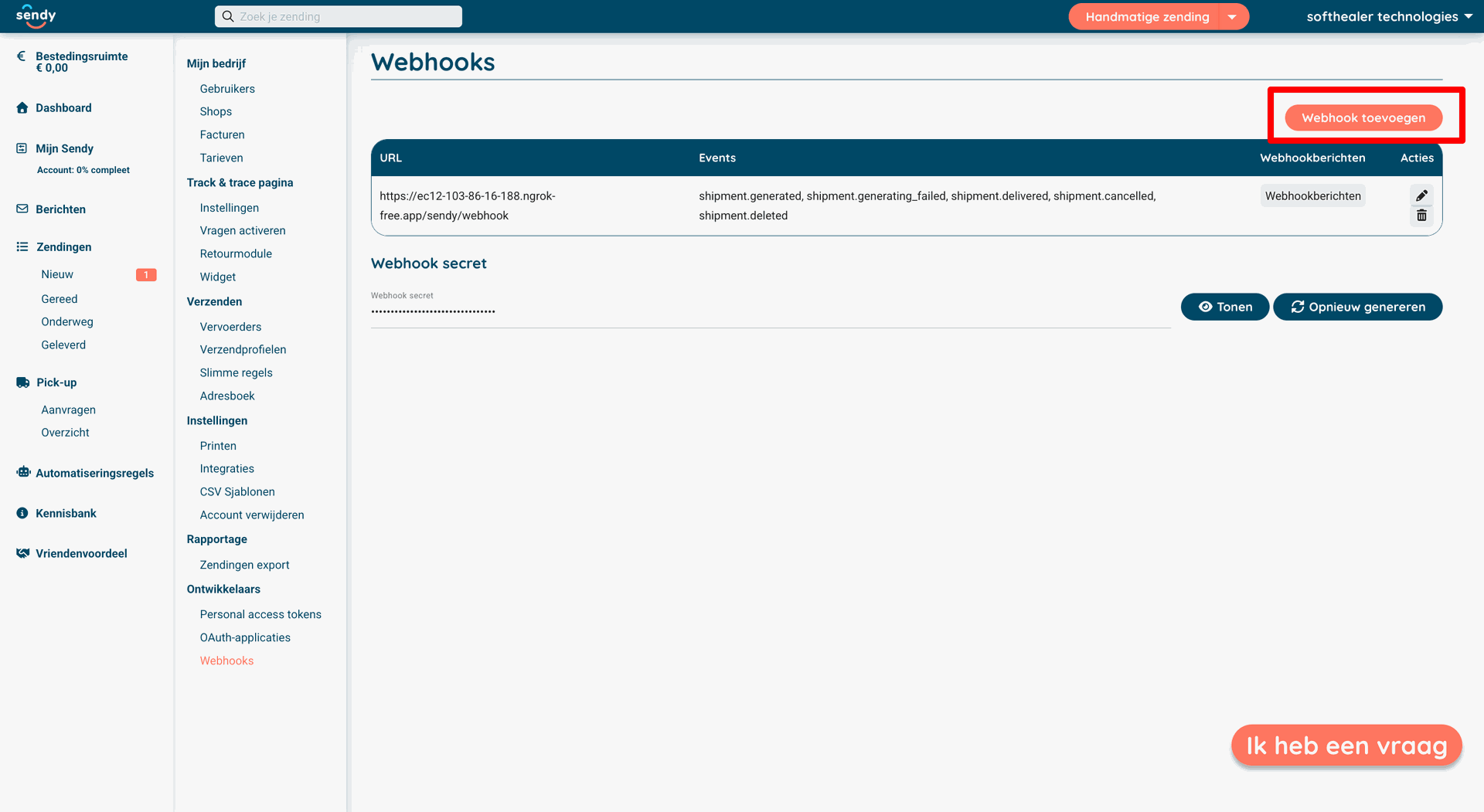
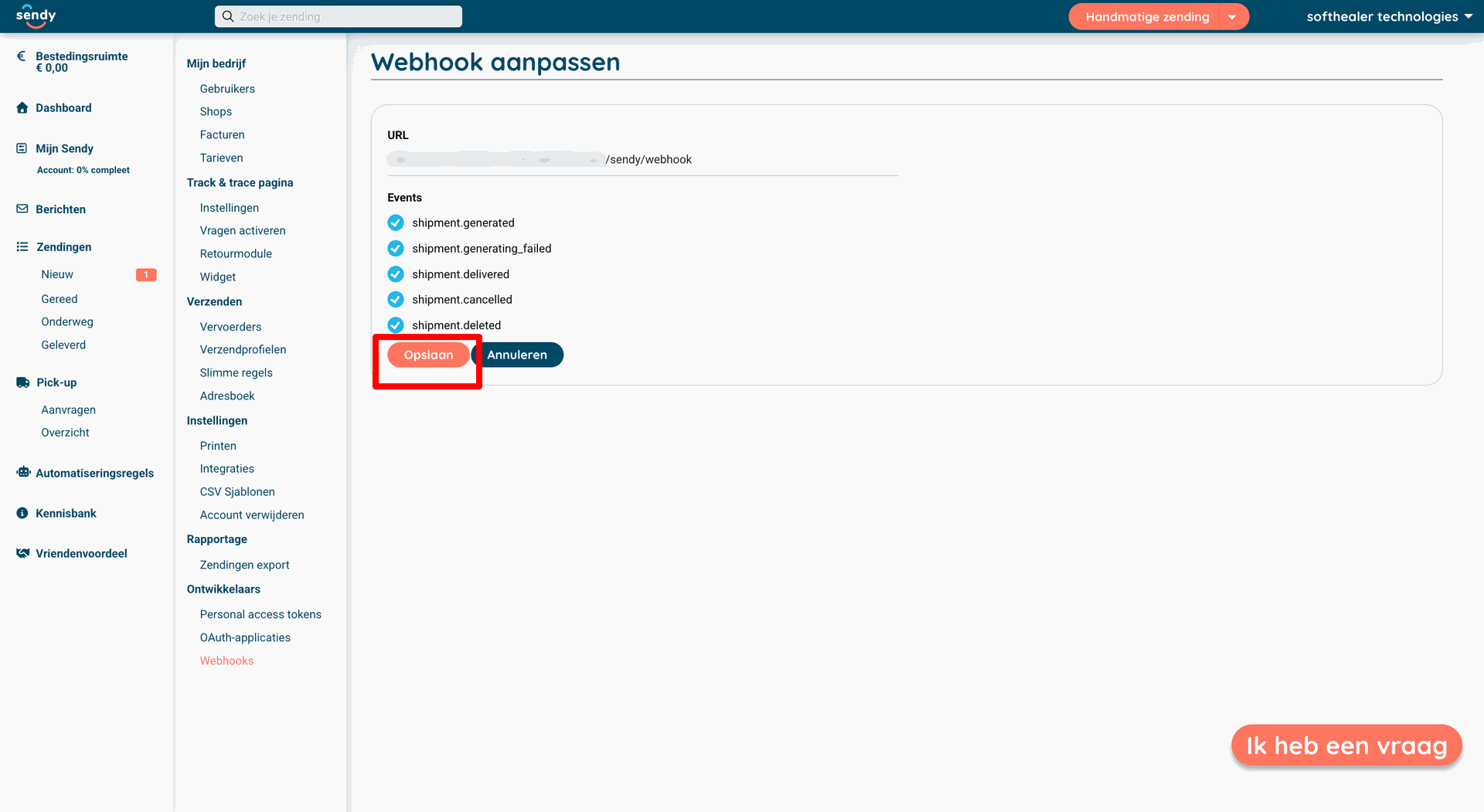
And enter webhook url copy from odoo and past over here also enable events and save this record.
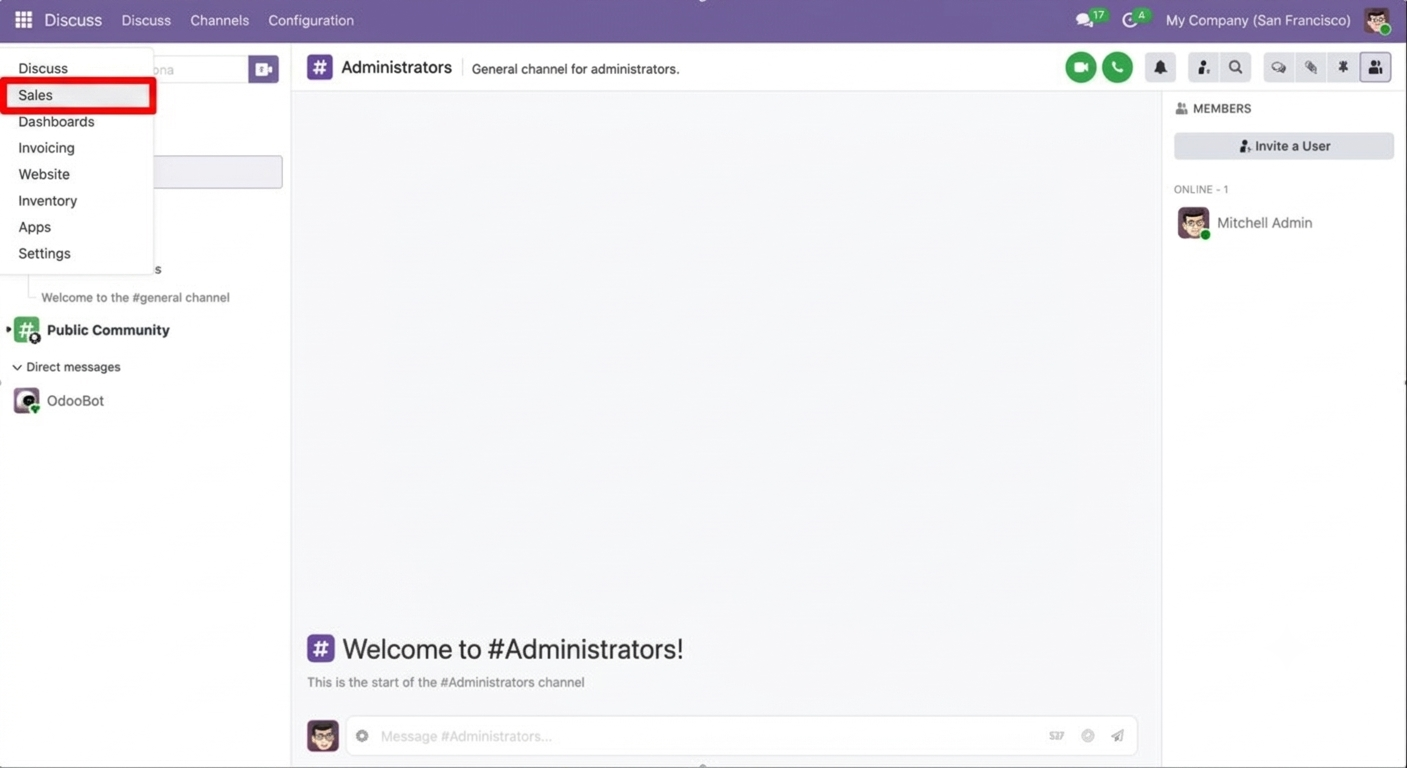
Click on 'Sales'.
Go to Sales ==> Configurations ==> Delivery Partner.
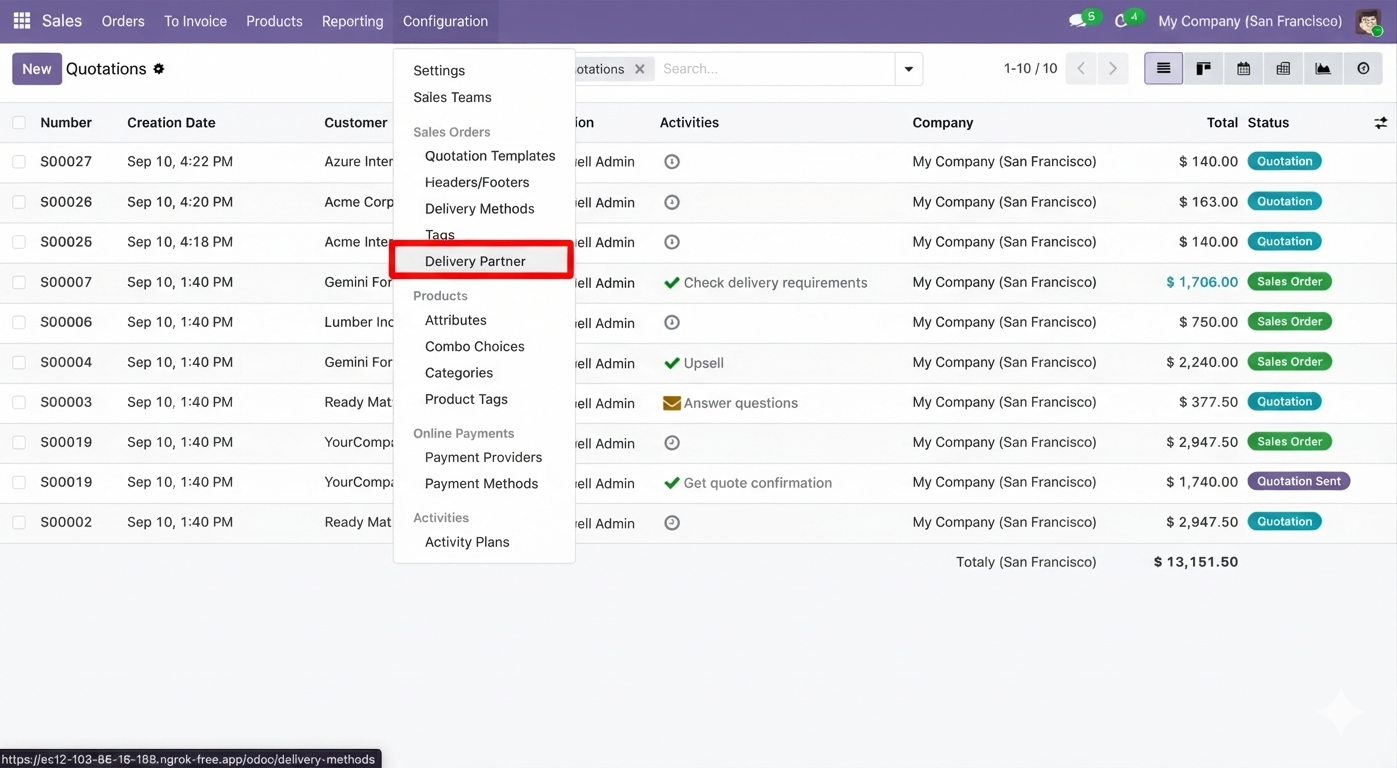
Kanban view of the Delivery Partner.
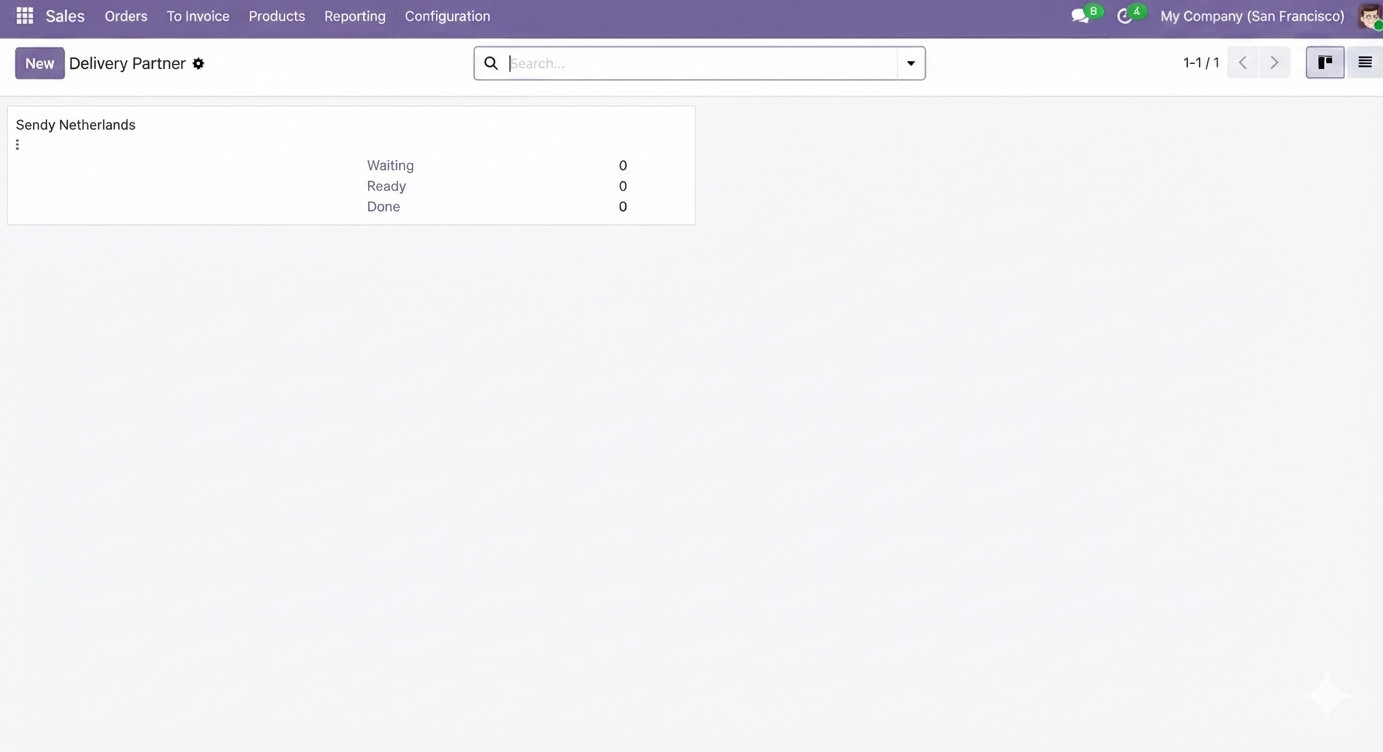
Configure the API credentials under the 'Sendy Netherlands Credentials' tab.
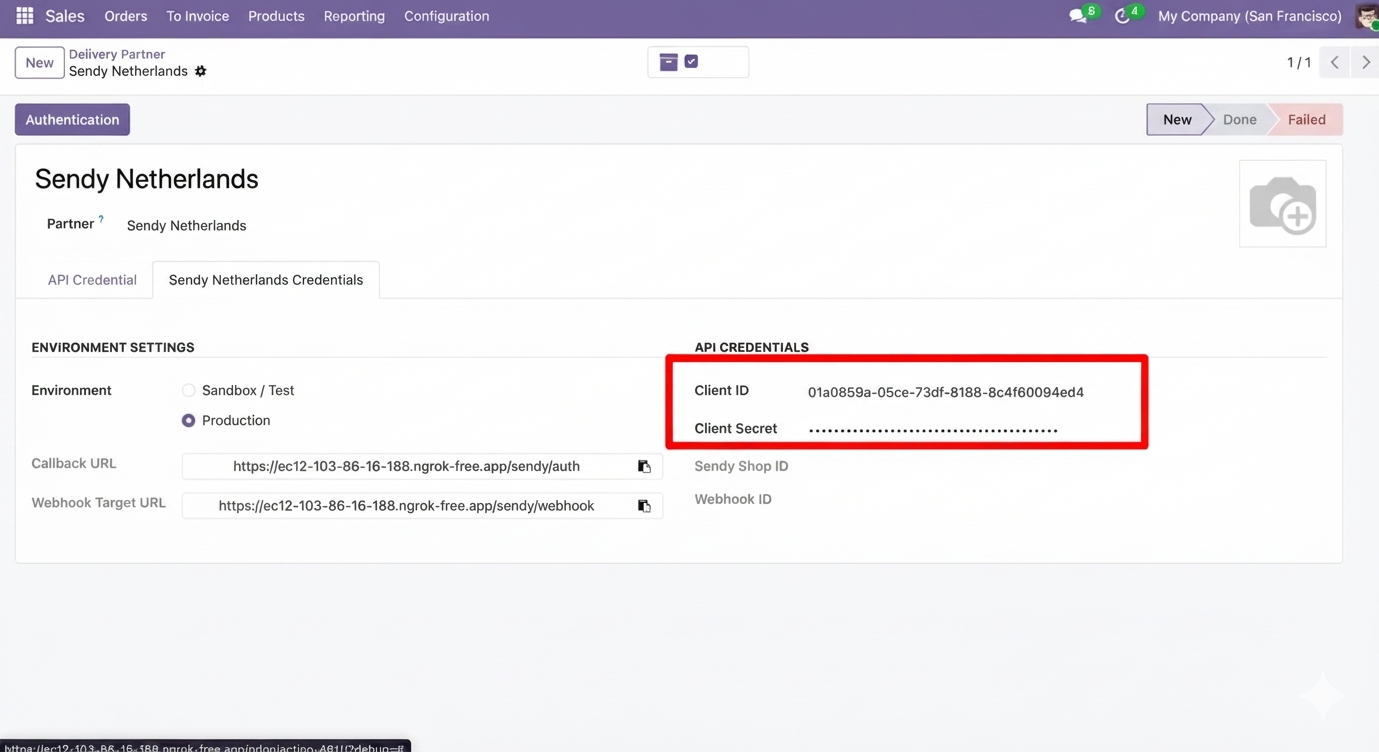
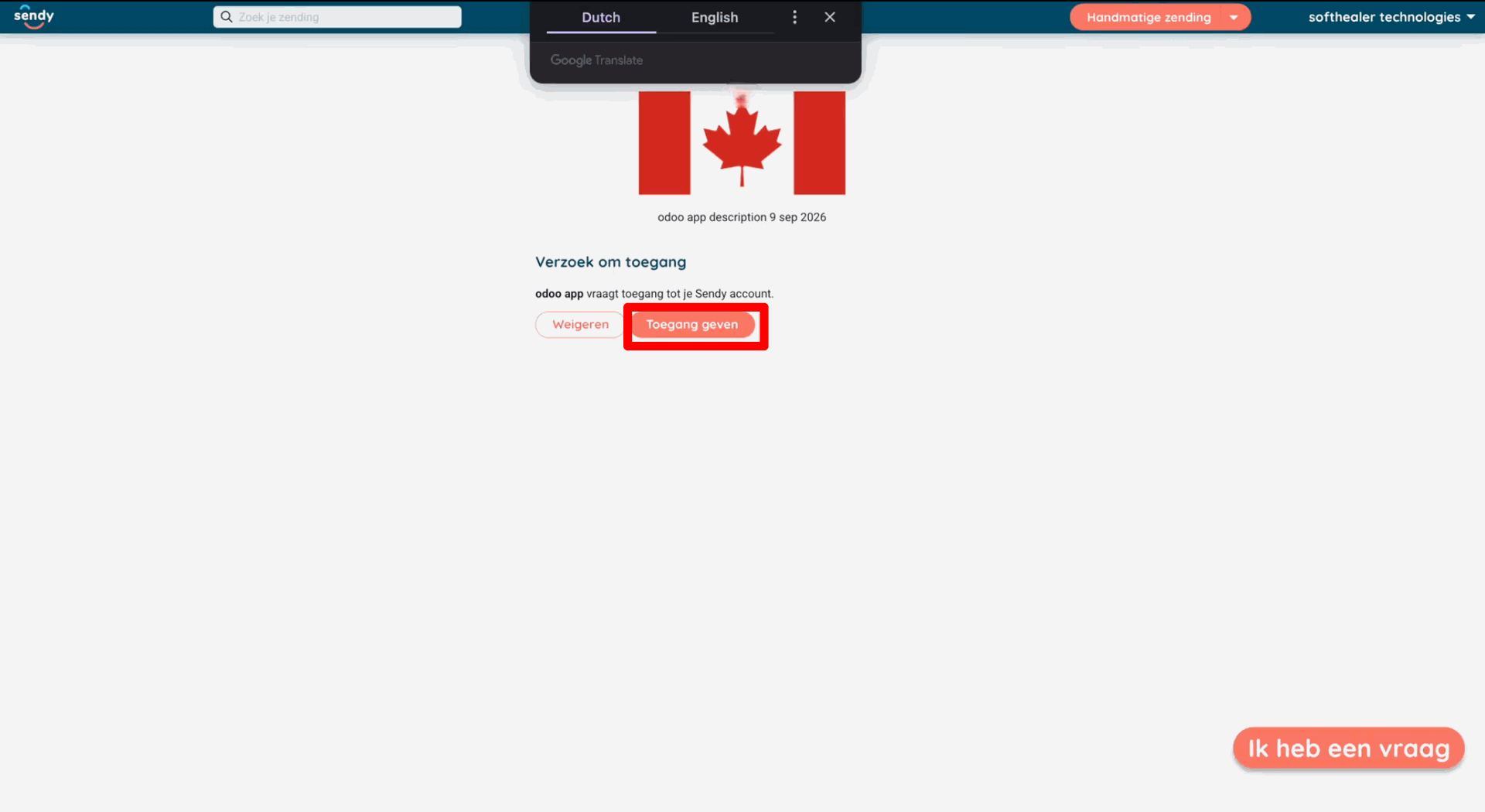
Click 'Authentication'.
Click on the 'Grant access(Toegang geven)'.
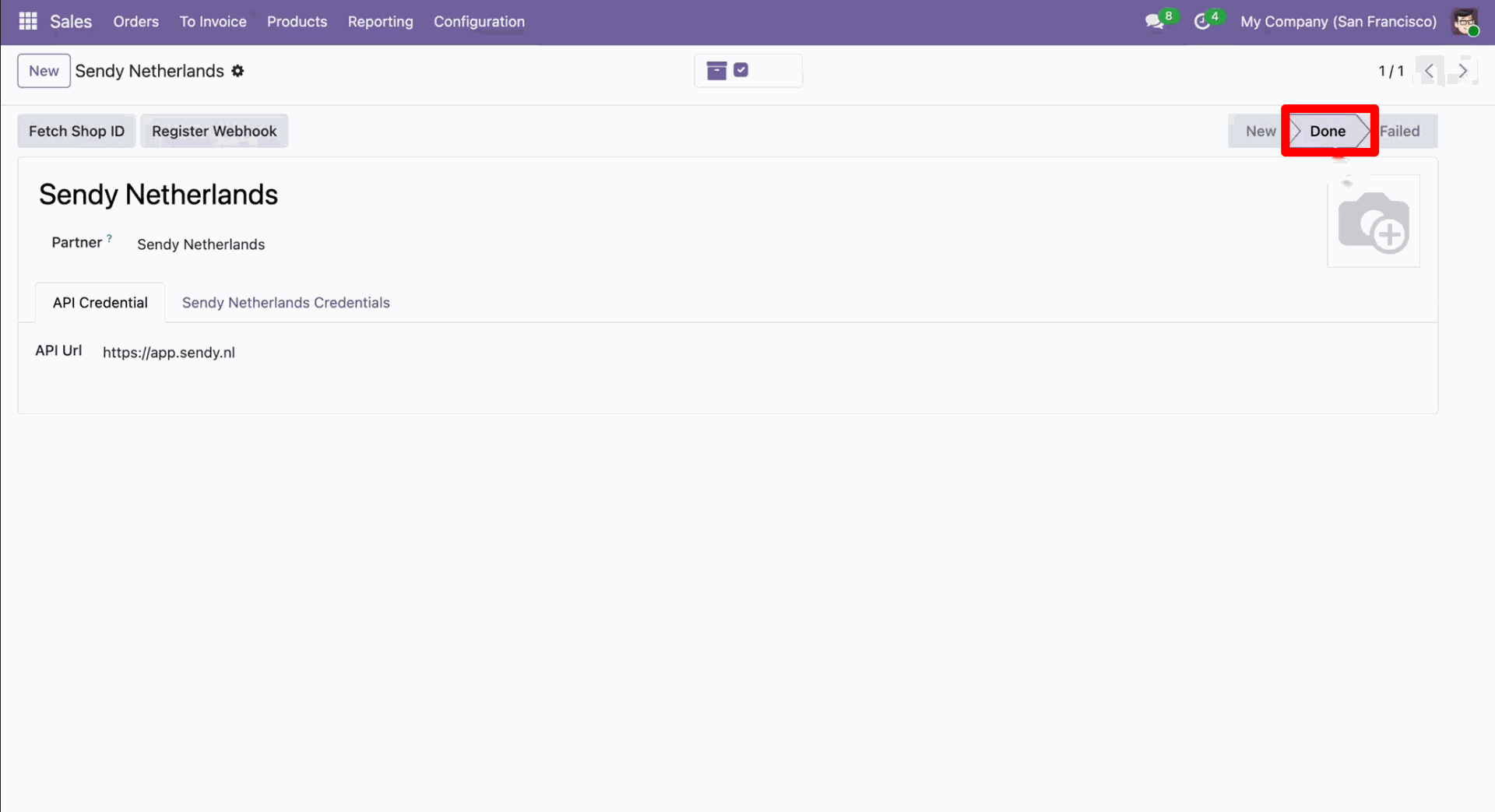
Now the 'Sendy Netherlands' is in Done stange.
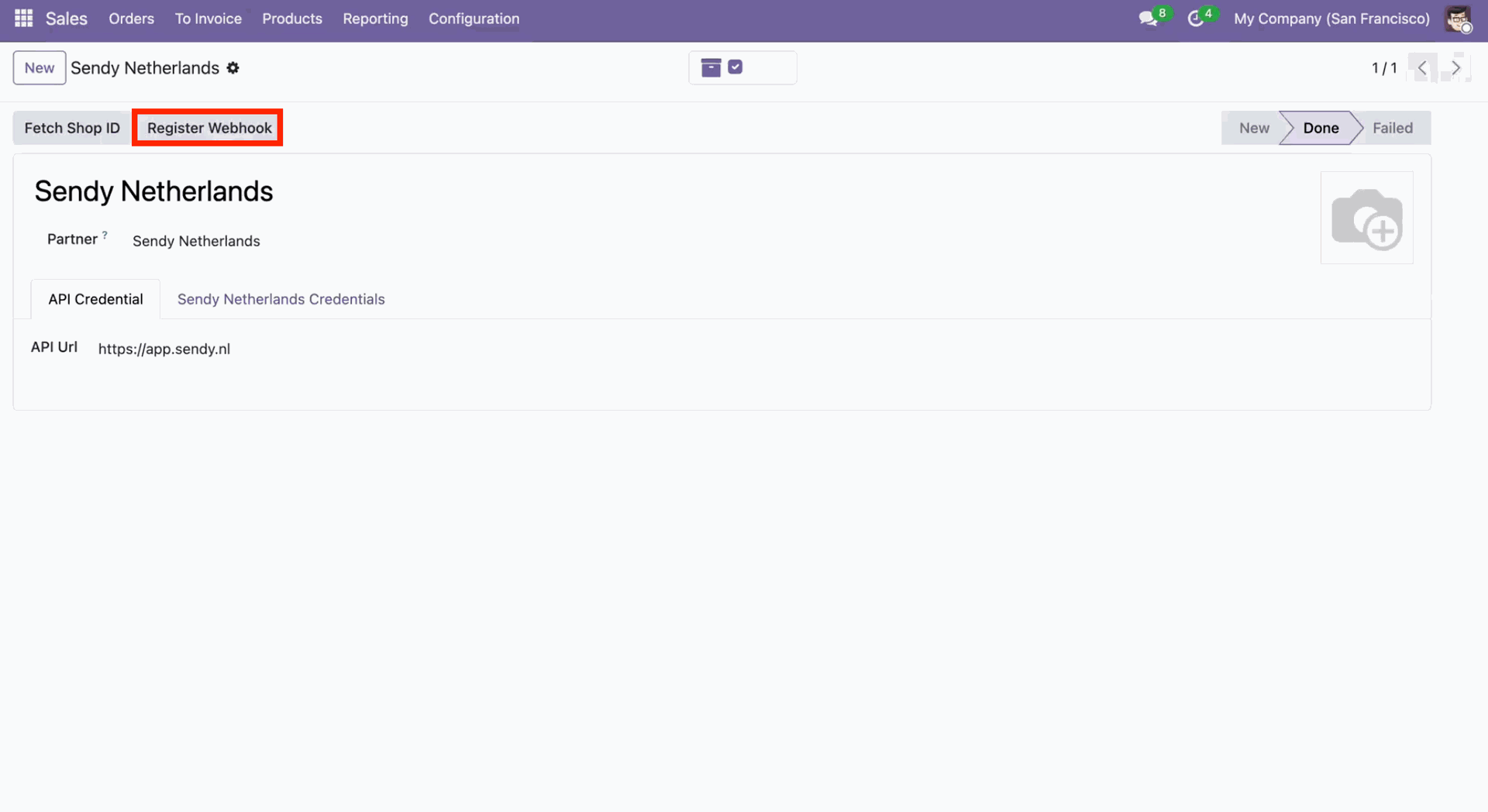
Click 'Register Webhook'.
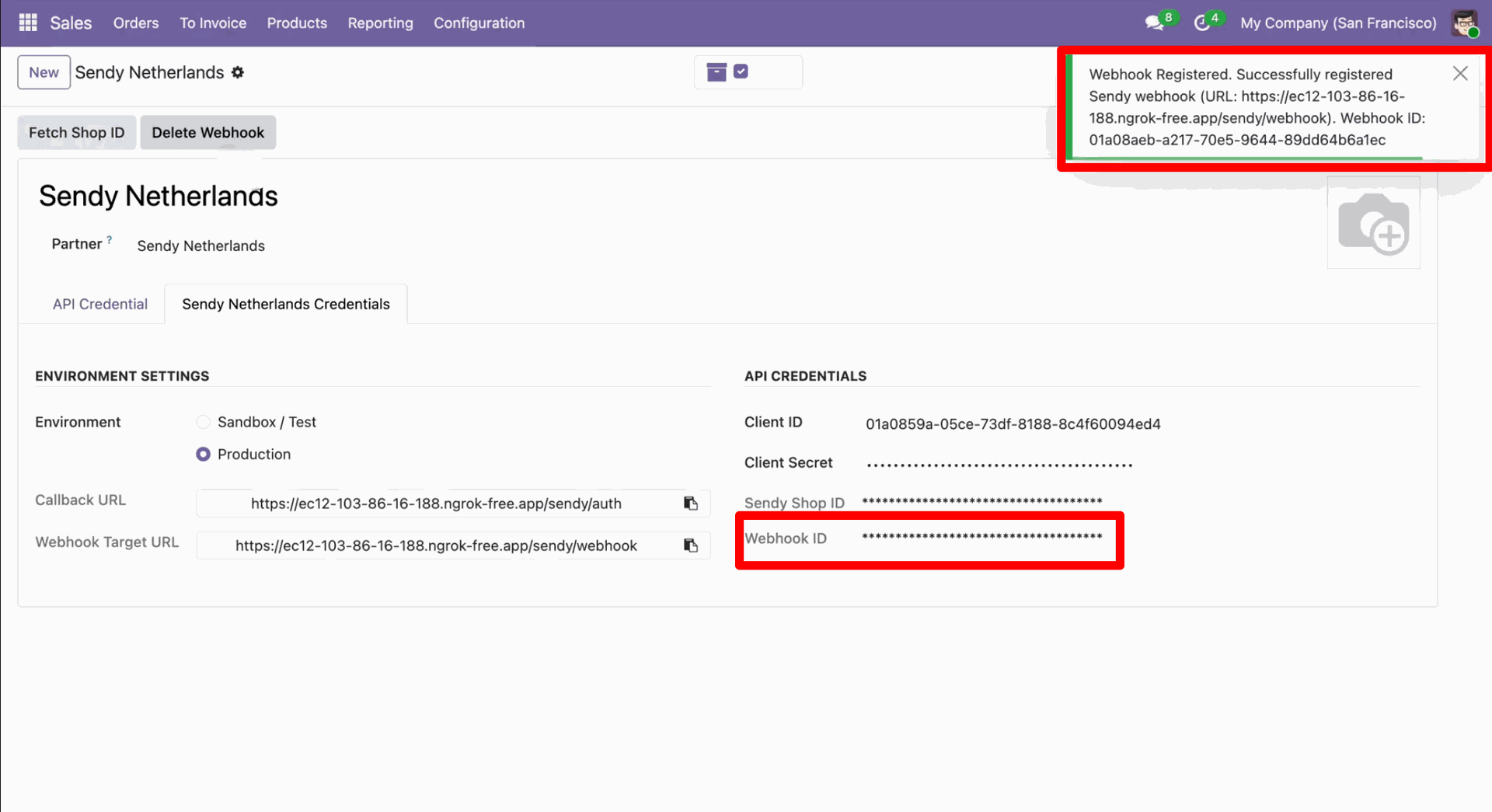
After that, you will receive a success notification along with the webhook ID.
Version 18.0.1.0.0 | Released on : 28th October 2026
- Yes, this app works perfectly with Odoo Enterprise (Odoo.sh & Premise) as well as Community.
- No, this application is not compatible with odoo.com(odoo saas/Odoo Online)
- Yes, to test this module, please contact us at sales@softhealer.com.
- Please contact us at sales@softhealer.comto request customization.
- Yes, we provide free support for 365 days from the date of purchase.
- Yes, you will receive lifetime free updates for the version of the module you purchased.
- No, there is no need to install any additional libraries.
- Yes, for version 12 and above, you need to purchase the module separately for each version you intend to use.
- No, exchanges or refunds are not allowed. Please make sure to select the correct version before purchasing.
- You can contact us at support@softhealer.com for language translation support. We use Google Translator tools to provide translations in multiple languages, so the accuracy may vary. We welcome your suggestions to help improve translations.
Discover Our Latest Apps