


 Easy to Manage
 Dedicated Support
















 Scan to email sales






Scrap Dynamic Approval

This module allows you to set dynamic and multi-level approvals in scrap operations that can be approved by many levels. Scrap orders can be approved by particular users or groups they get emails notification about scrap orders that waiting for approval. When a scrap order approves or rejects user gets a notification about it.

Related Modules
Features
- You can set dynamic approvals on scrap orders.
- Scrap orders can be approved by a particular user or group.
- The user gets a notification when a scrap order approves or rejects.
- You can create a flexible approval process.
Go to inventory configurations => Click on approval configuration.
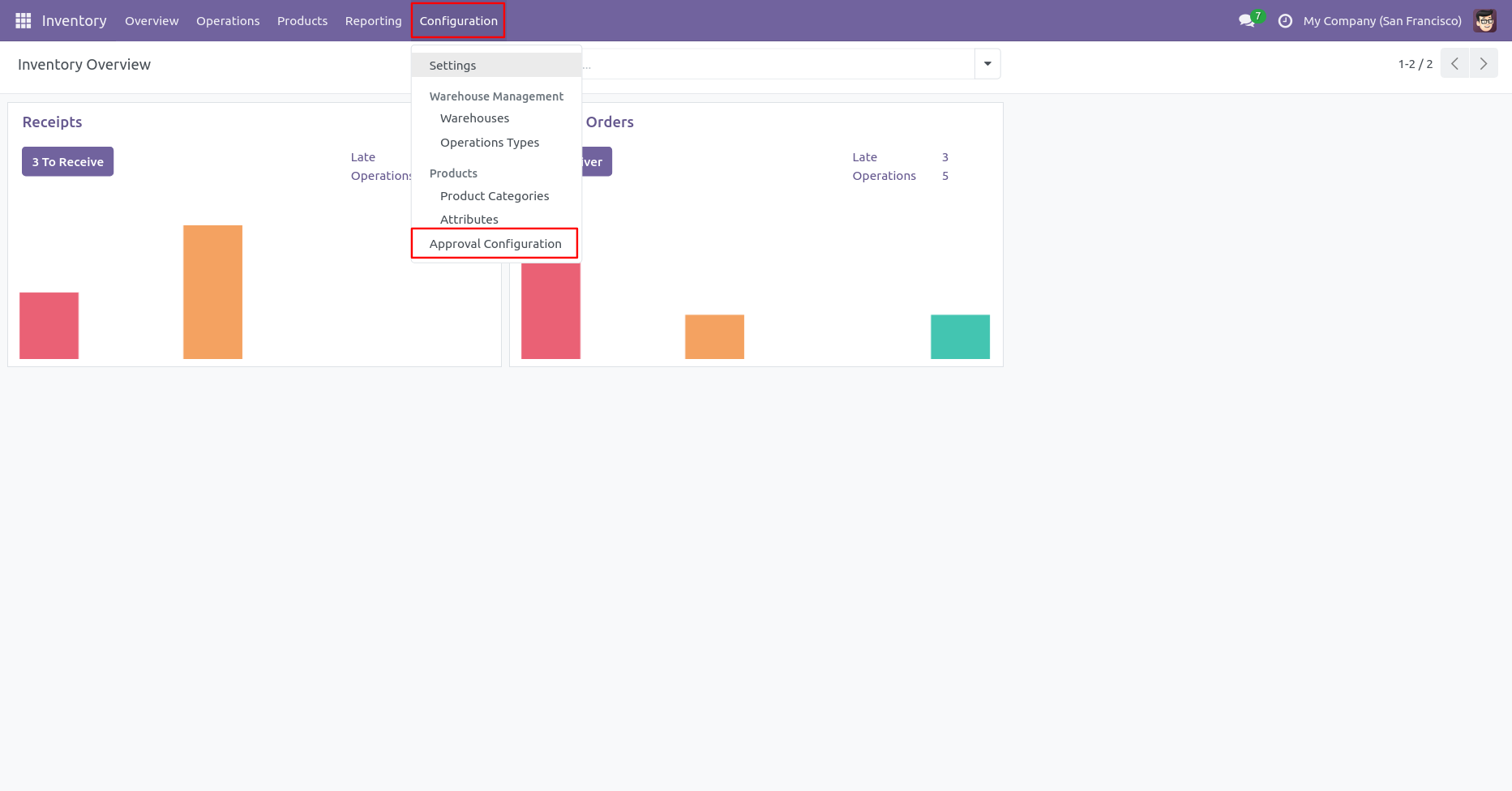
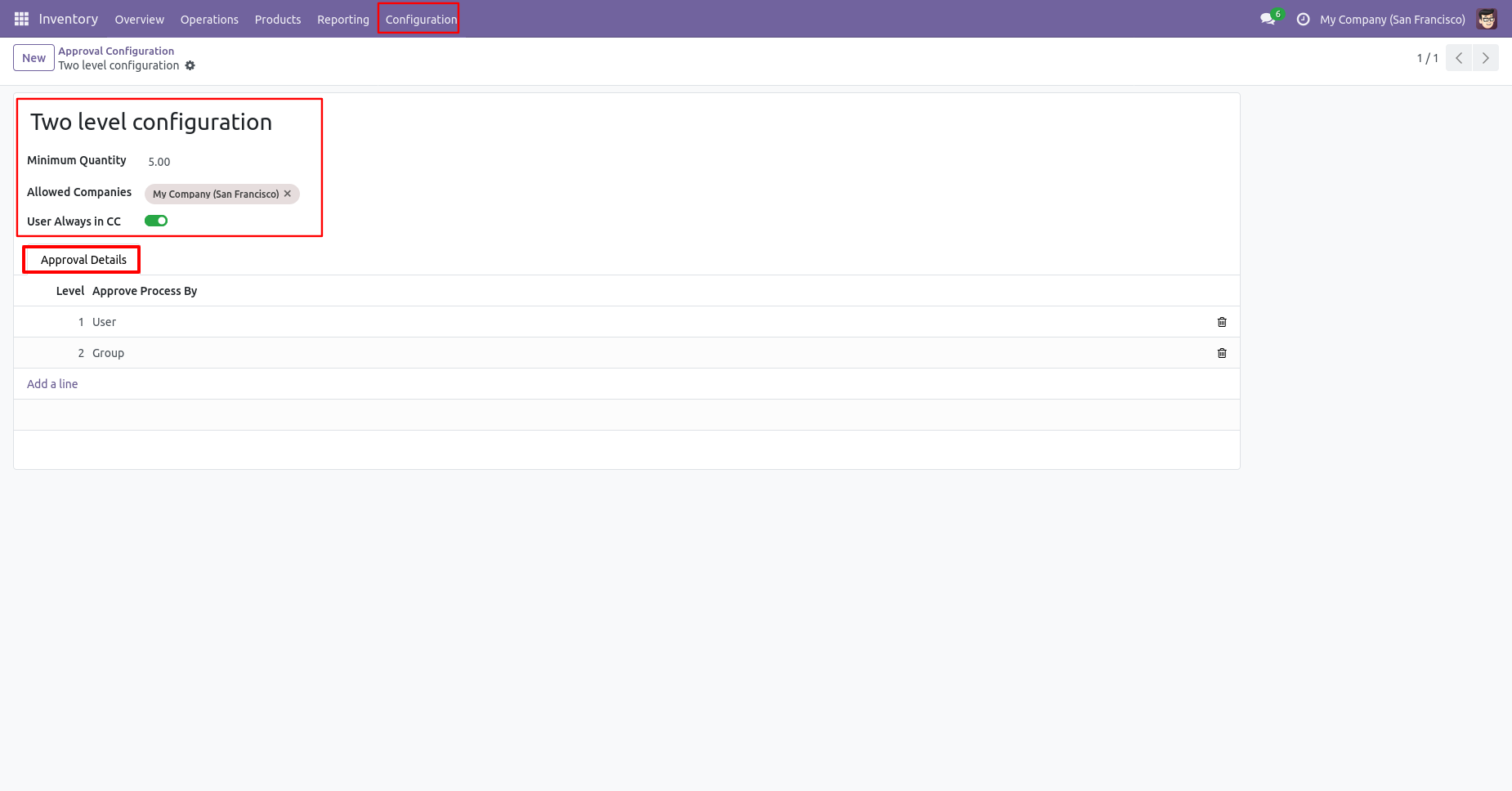
Approval configuration: Setup approval levels based on minimum amount and user level. Also, select companies.
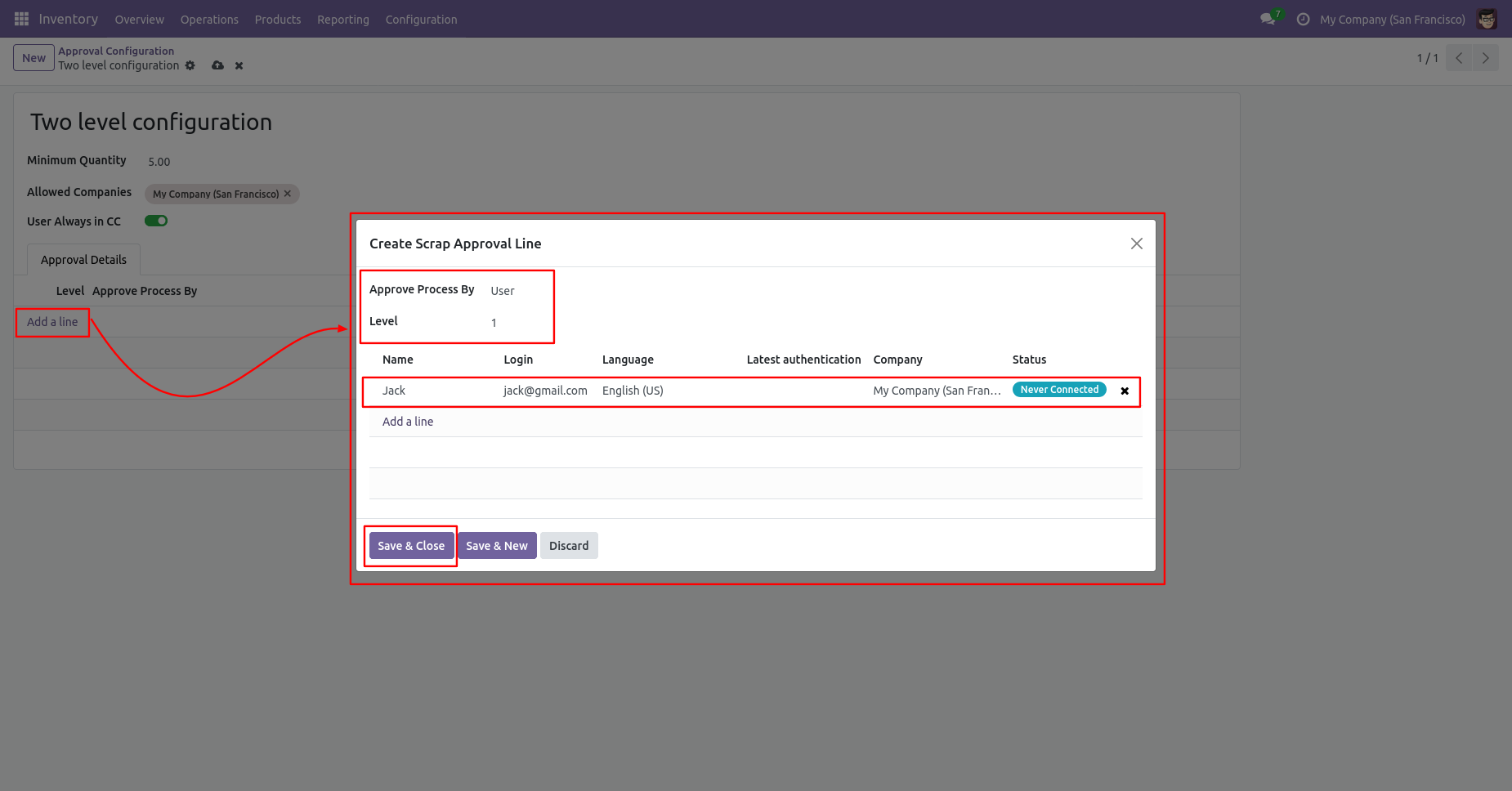
Approved process by, there are two types 1. User , 2. Group. Userwise means to define the person who will approve the scrap, in this wizard select the user.
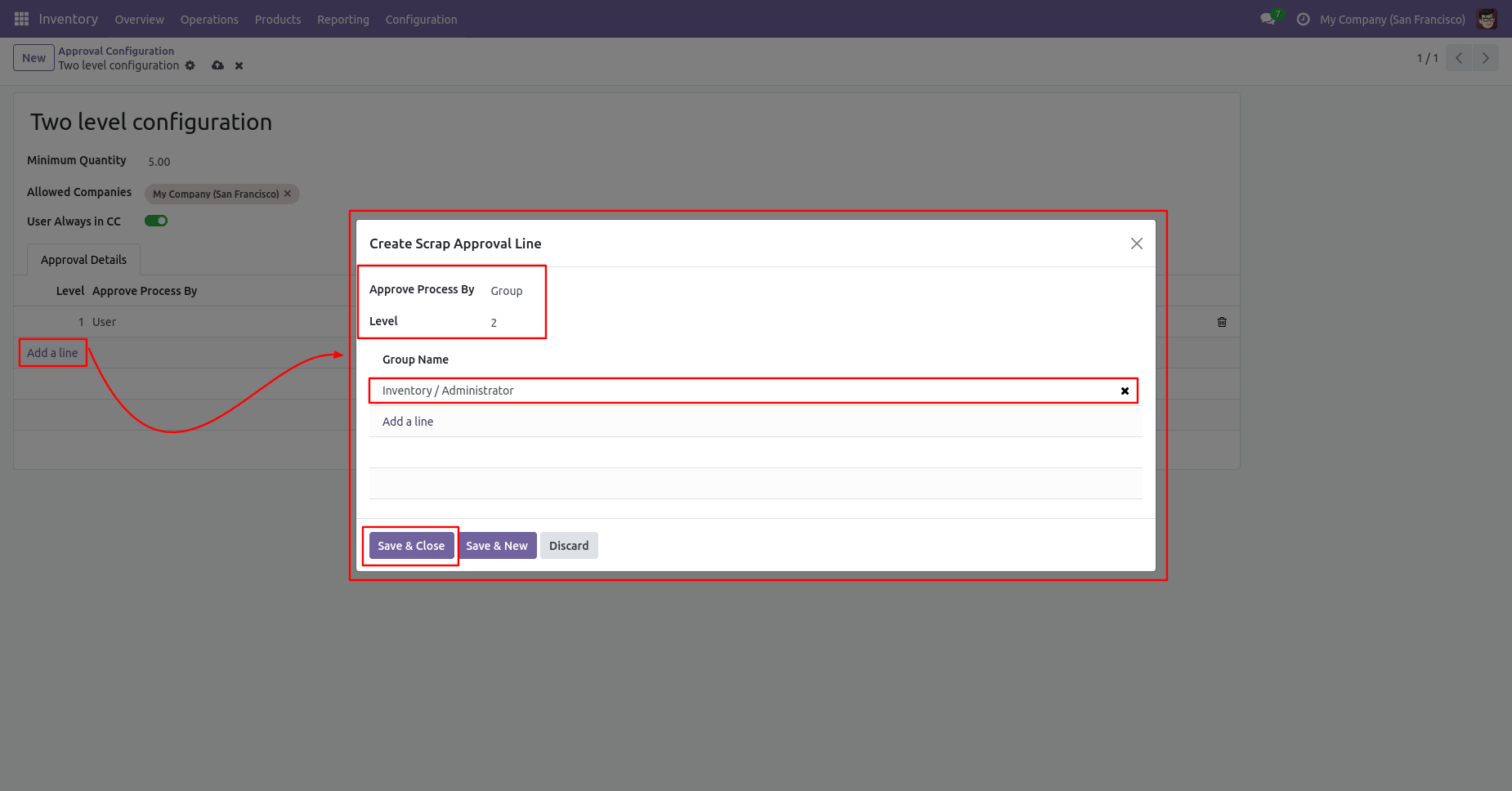
Approve type 2. Group that means only specific groups users will give approval like Inventory admin, Manufacturing admin.
Now the user creates a scrap order and clicks on validate.
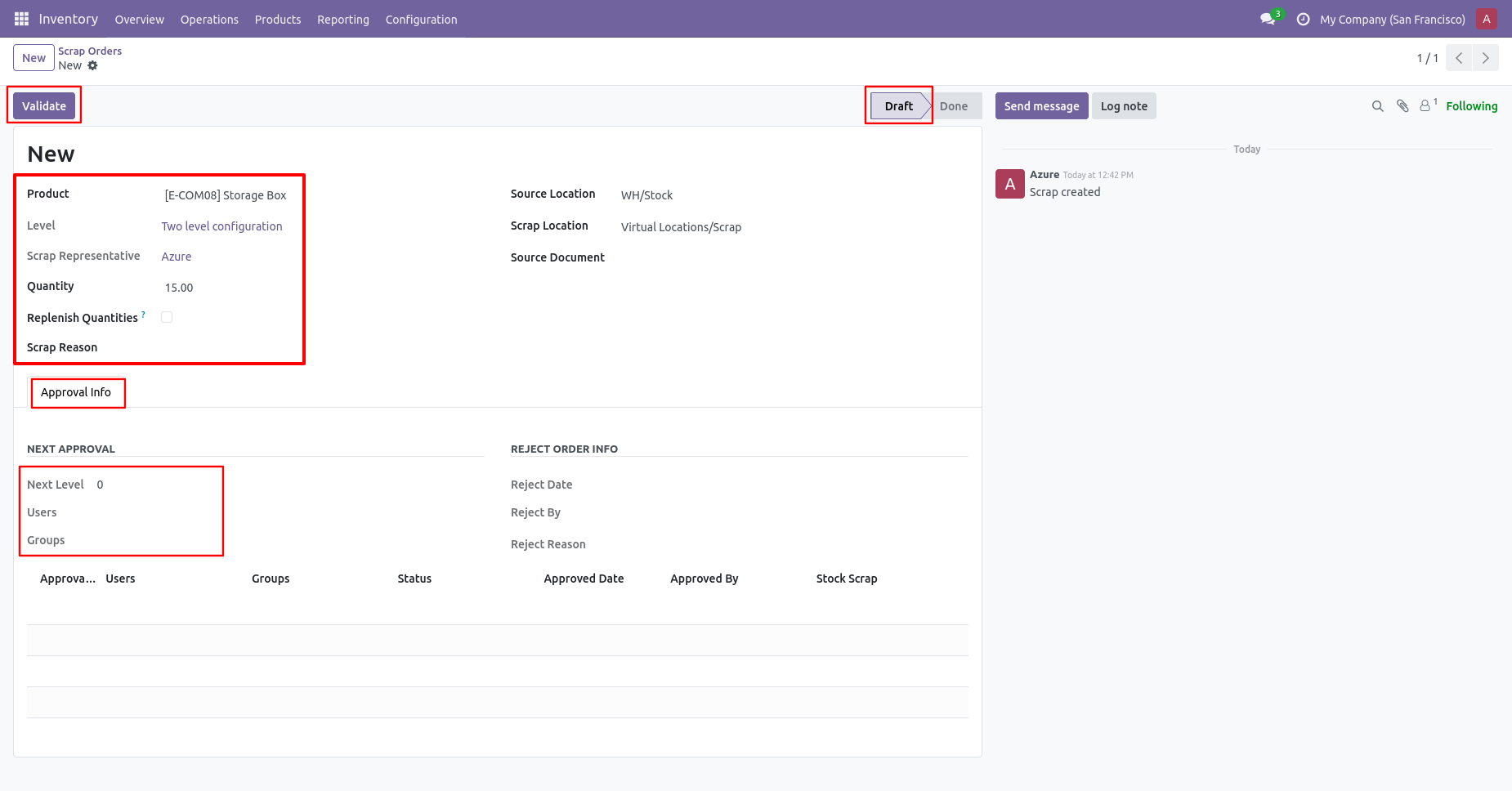
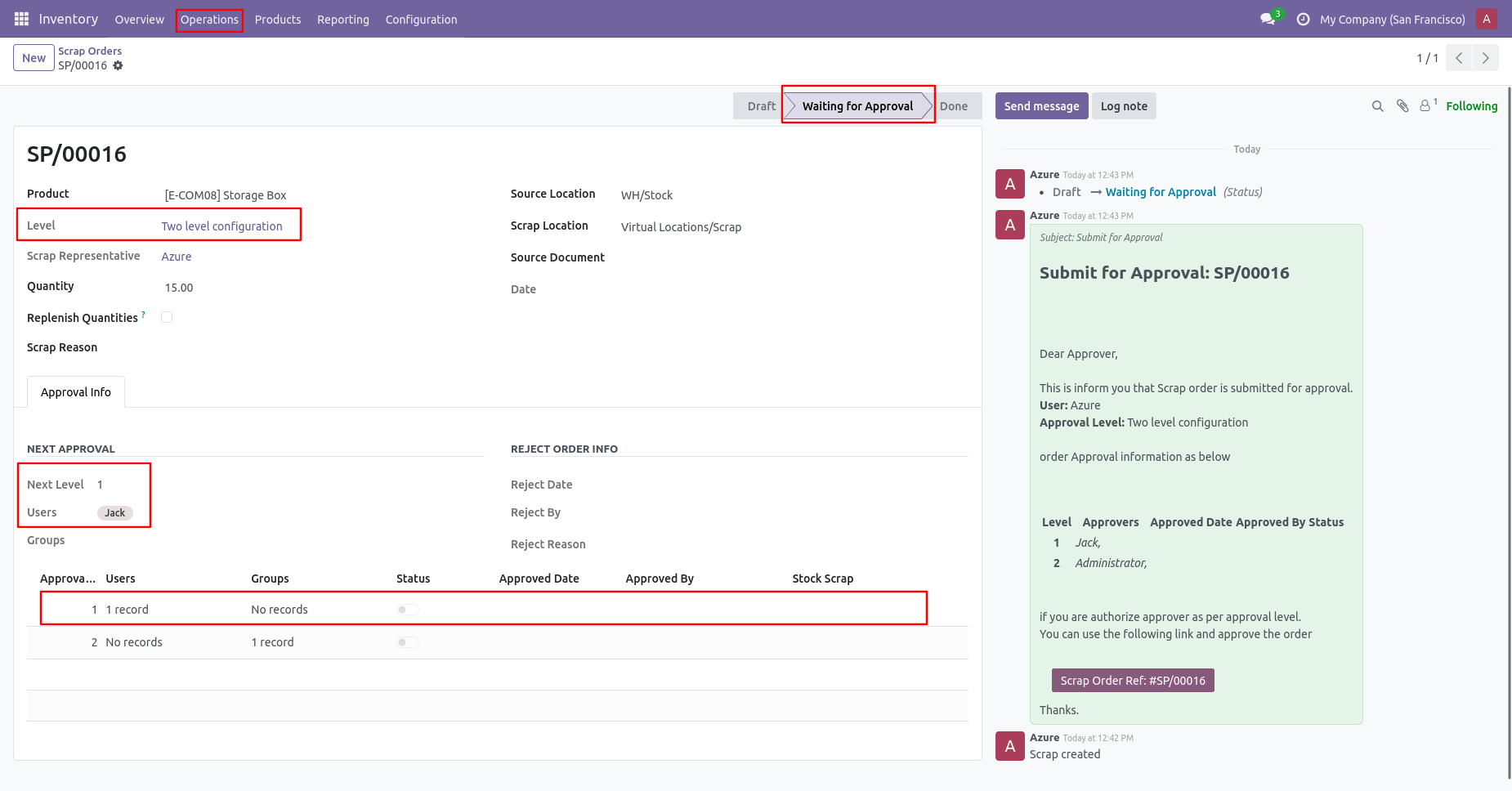
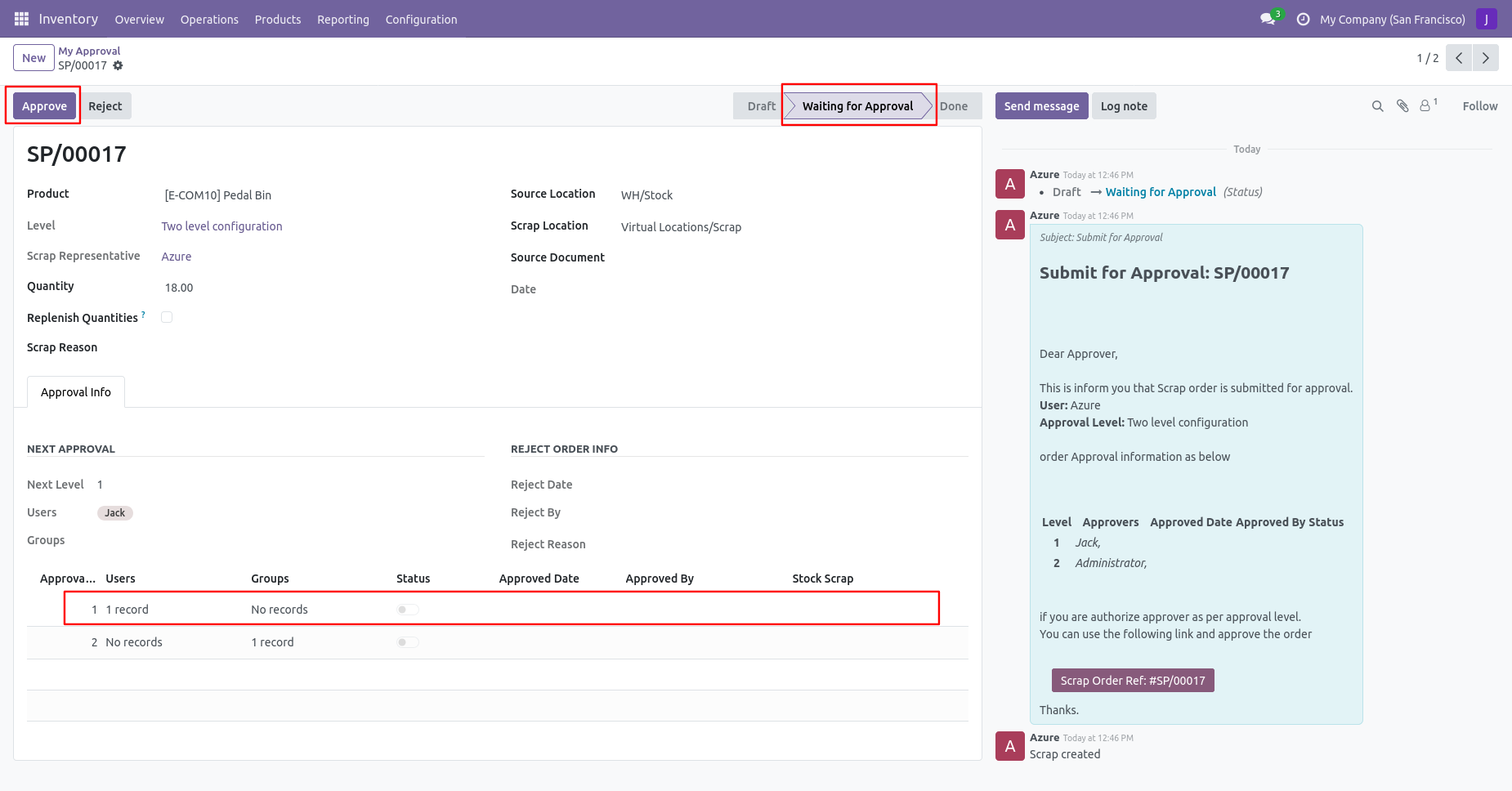
The scrap order is moved to the waiting for approval stage. The details about approval is shown in the scrap order form view.
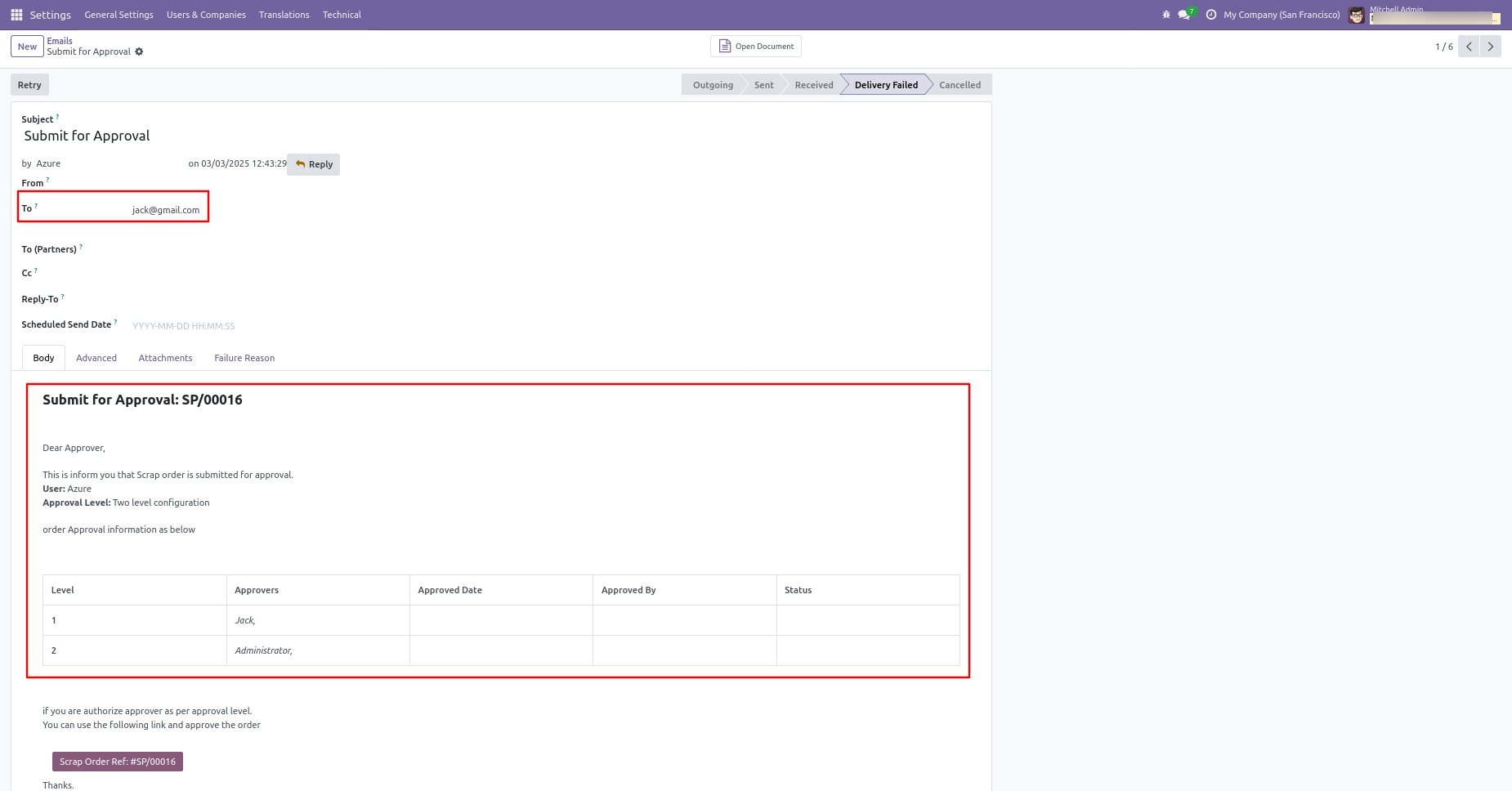
Email notification sent to approvers for the approval process.
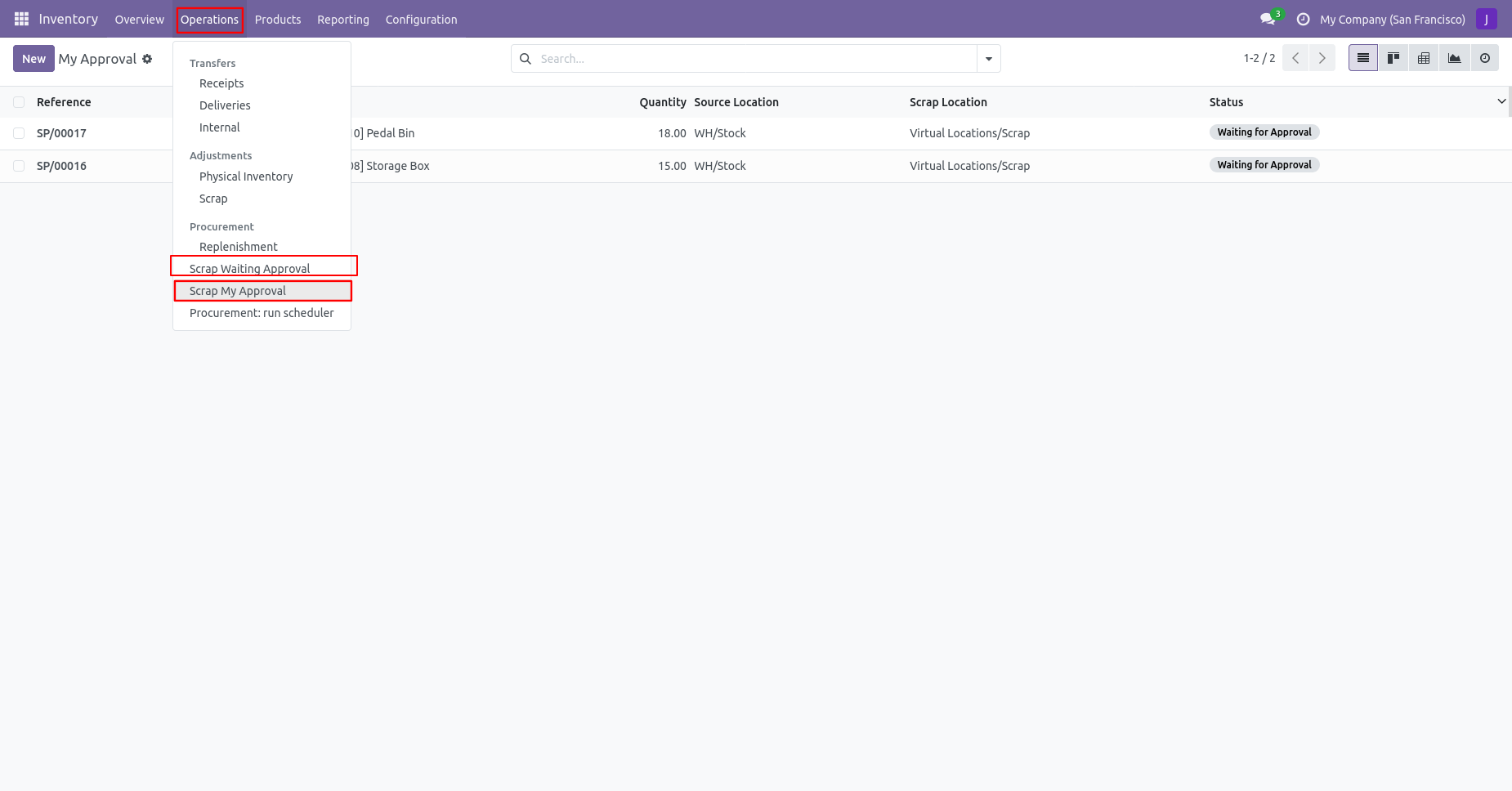
There are two menus for
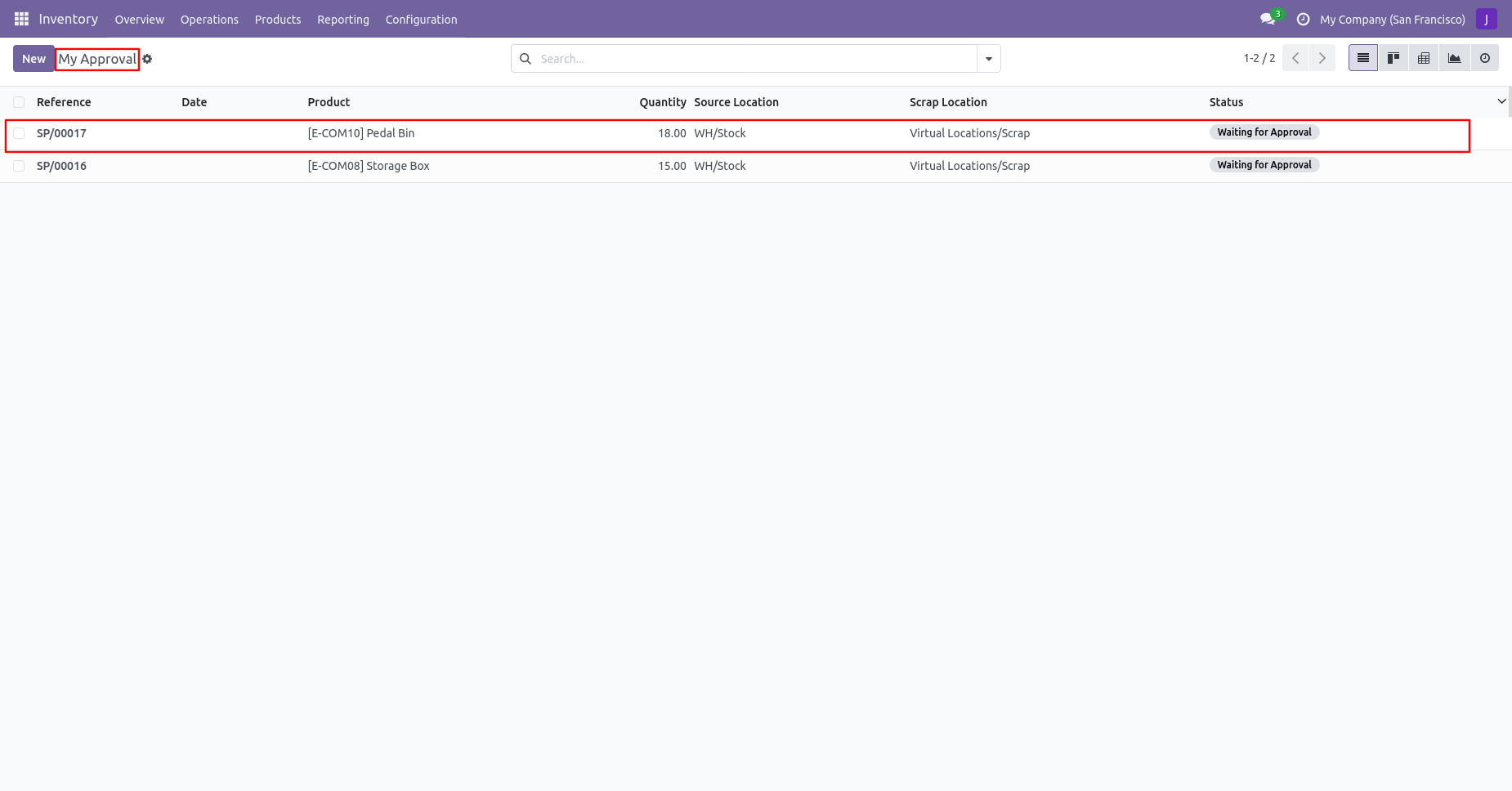
1. My Approval: The scrap orders needed to be approved or rejected by that user.
2. Waiting Approval: The Scrap order was created by that user but in the waiting stage and
needed to be approved by other users.
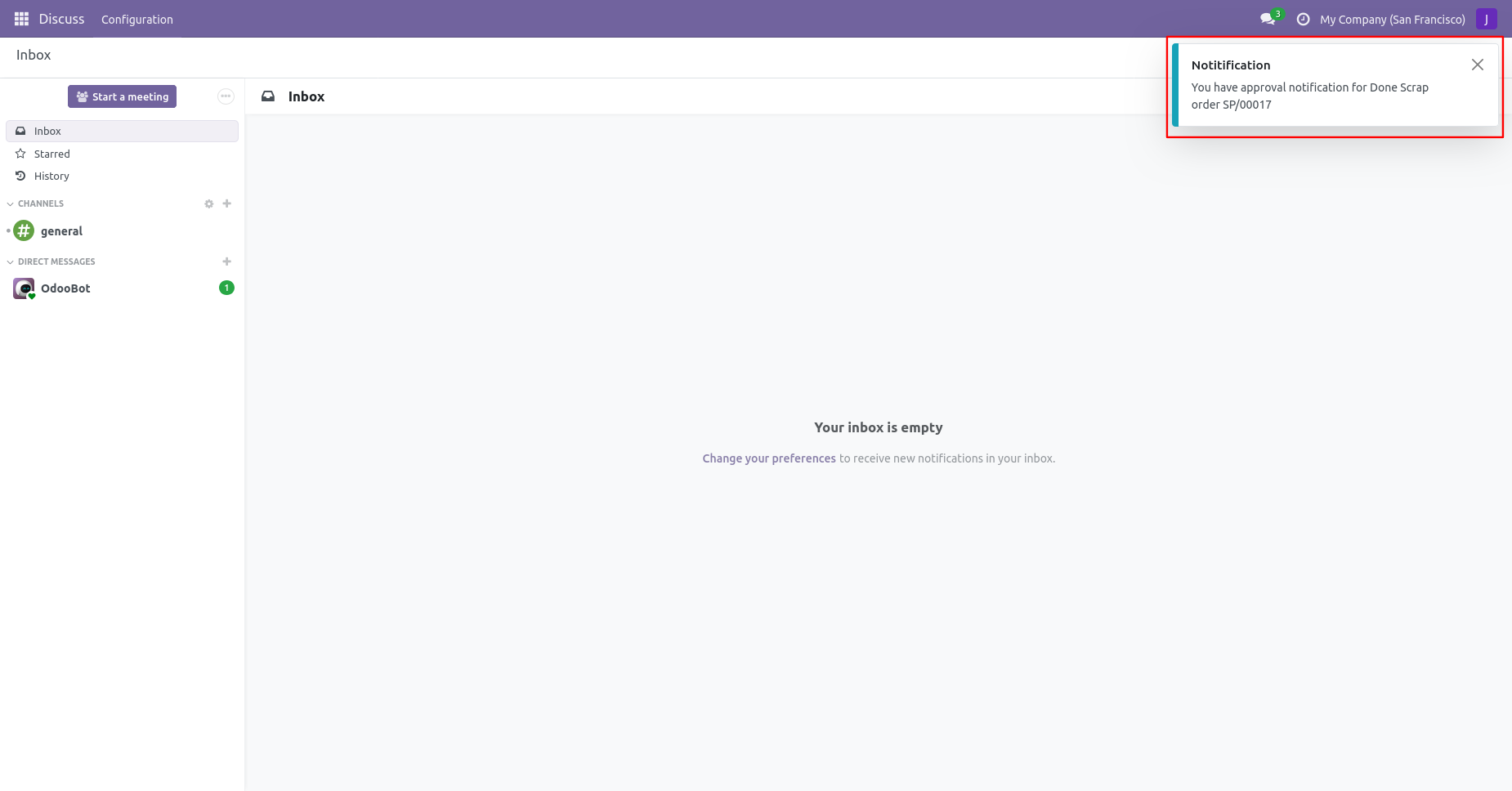
The approval person get the 'Approval Notification' pop-up.
Approval Flow
Tree view of 'My Approval'.
There are 2 approvers the first approver approves the scrap order.
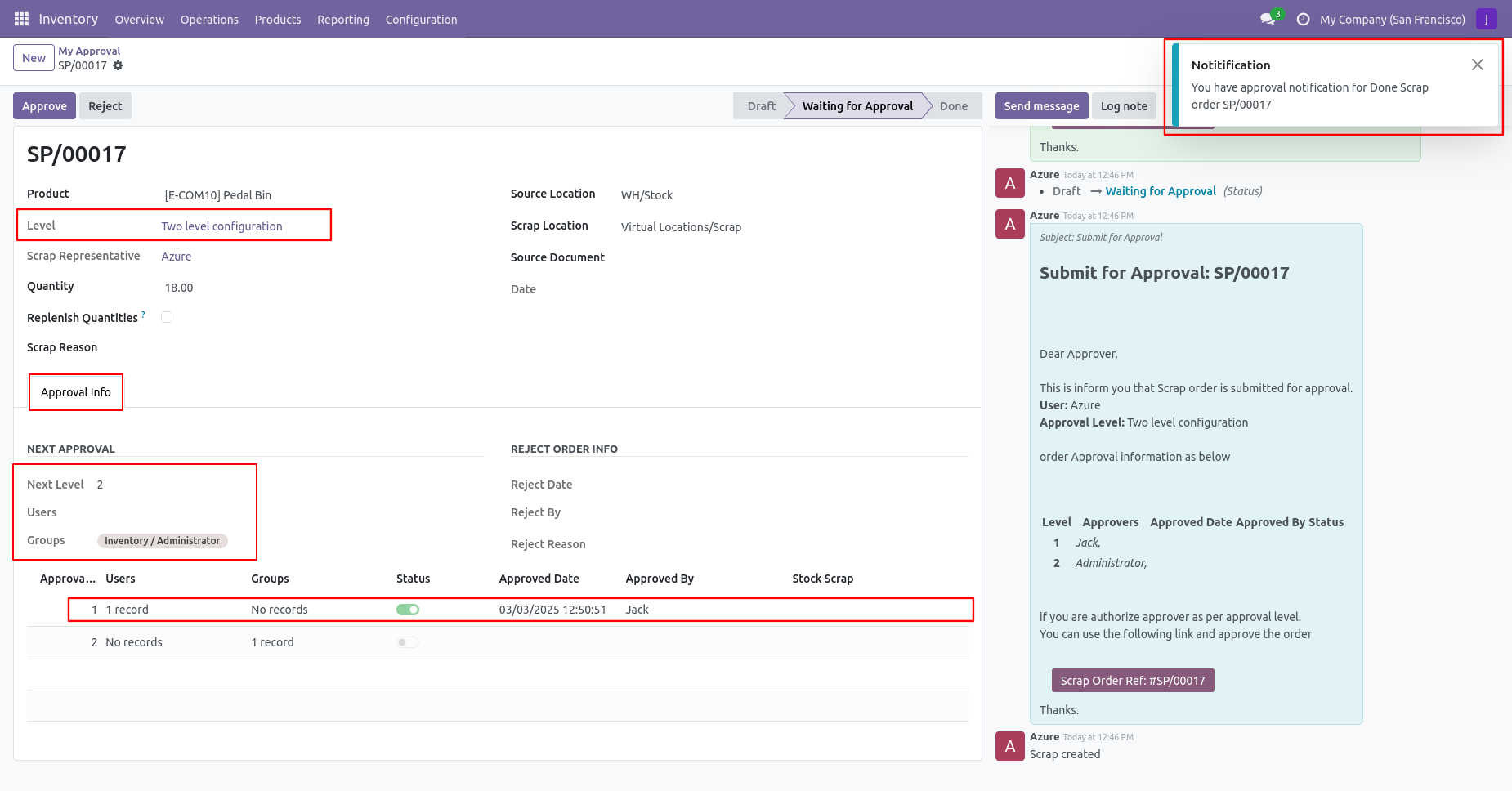
After approved by the approved person, Auto set the next level approvers in the approval info tab. If next approval is required.
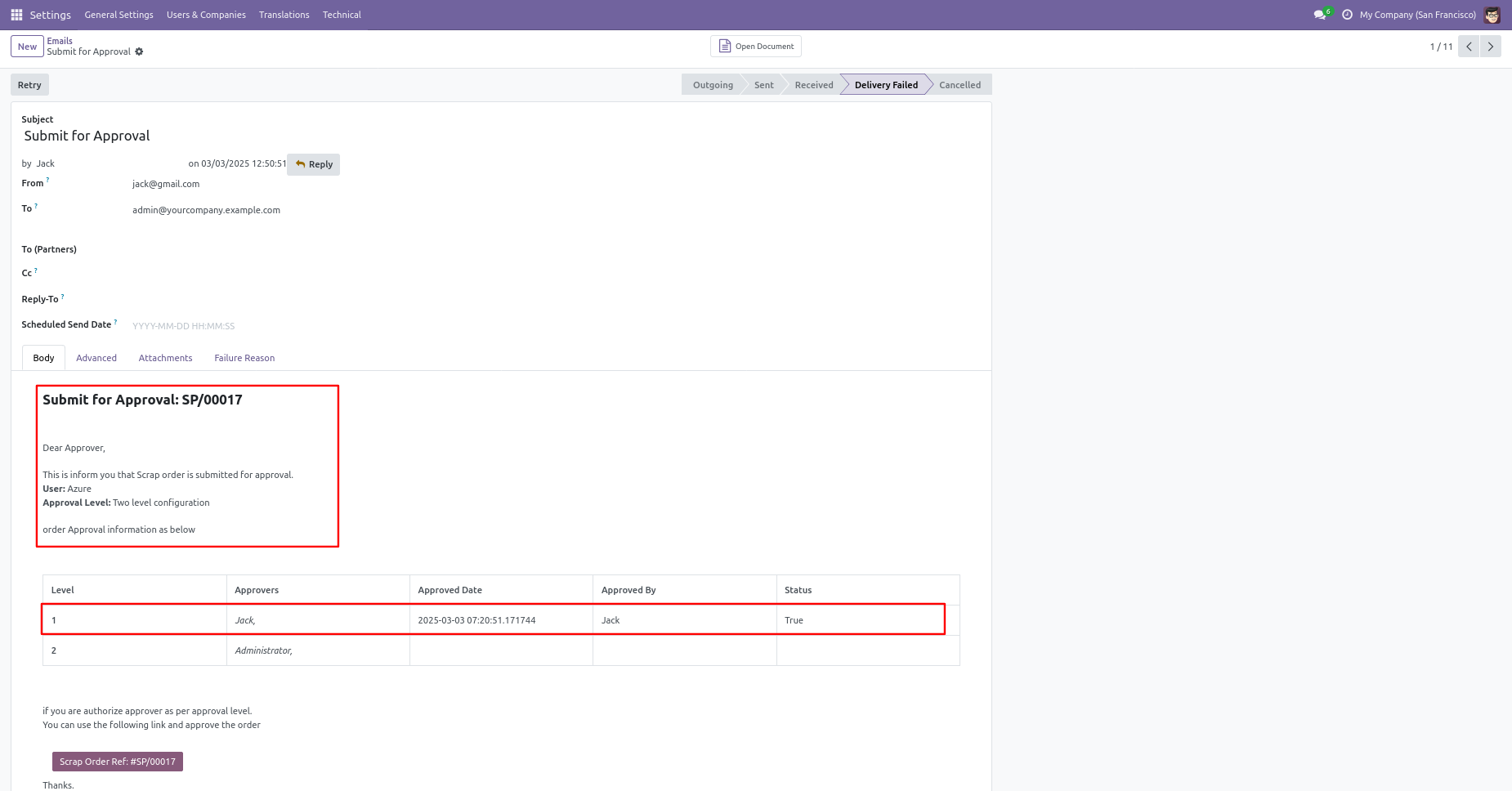
Email notification sent to approvers on approval.
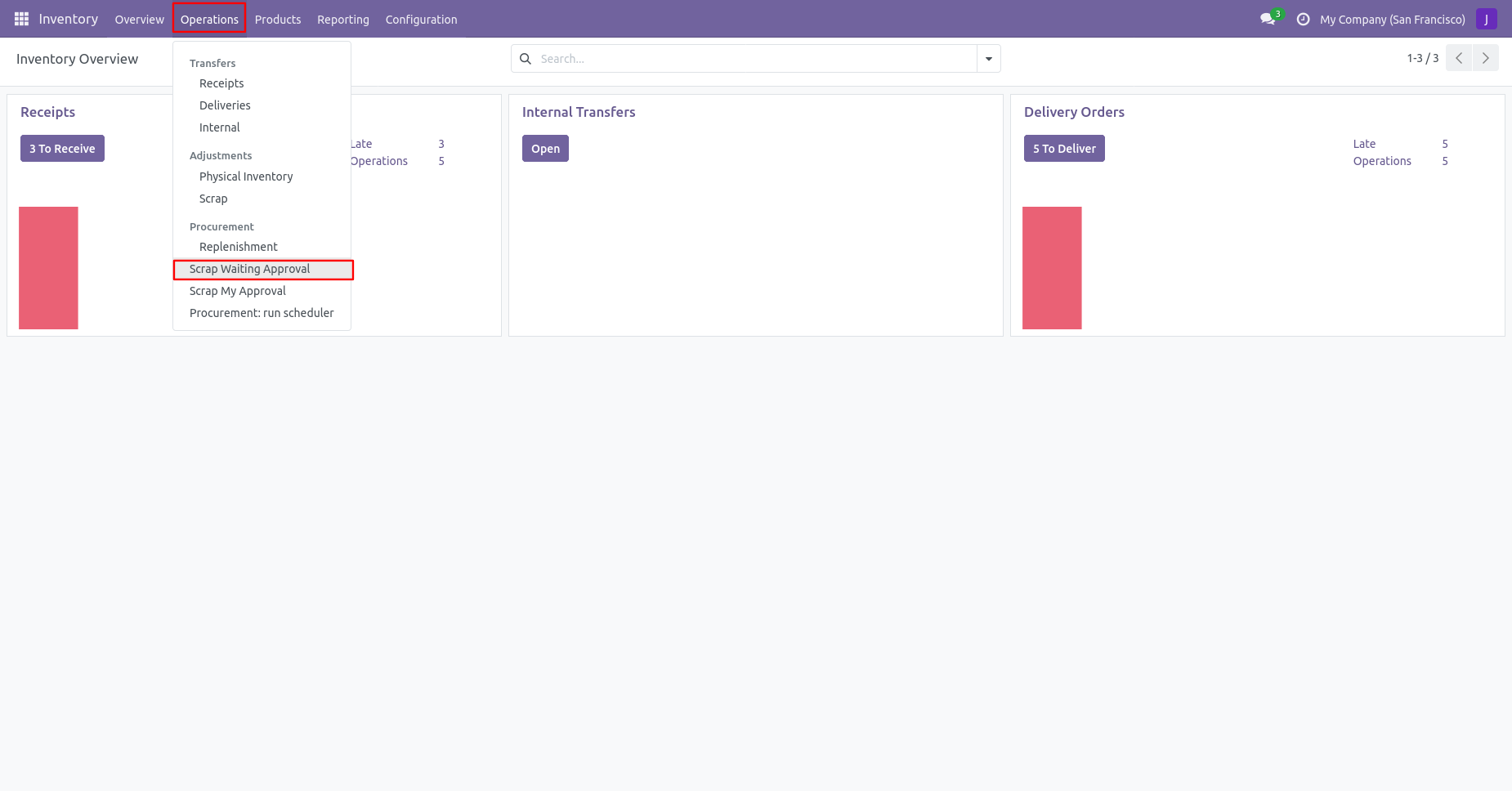
Click on the 'Scrap Waiting Approval' from the 'Operations' menu.
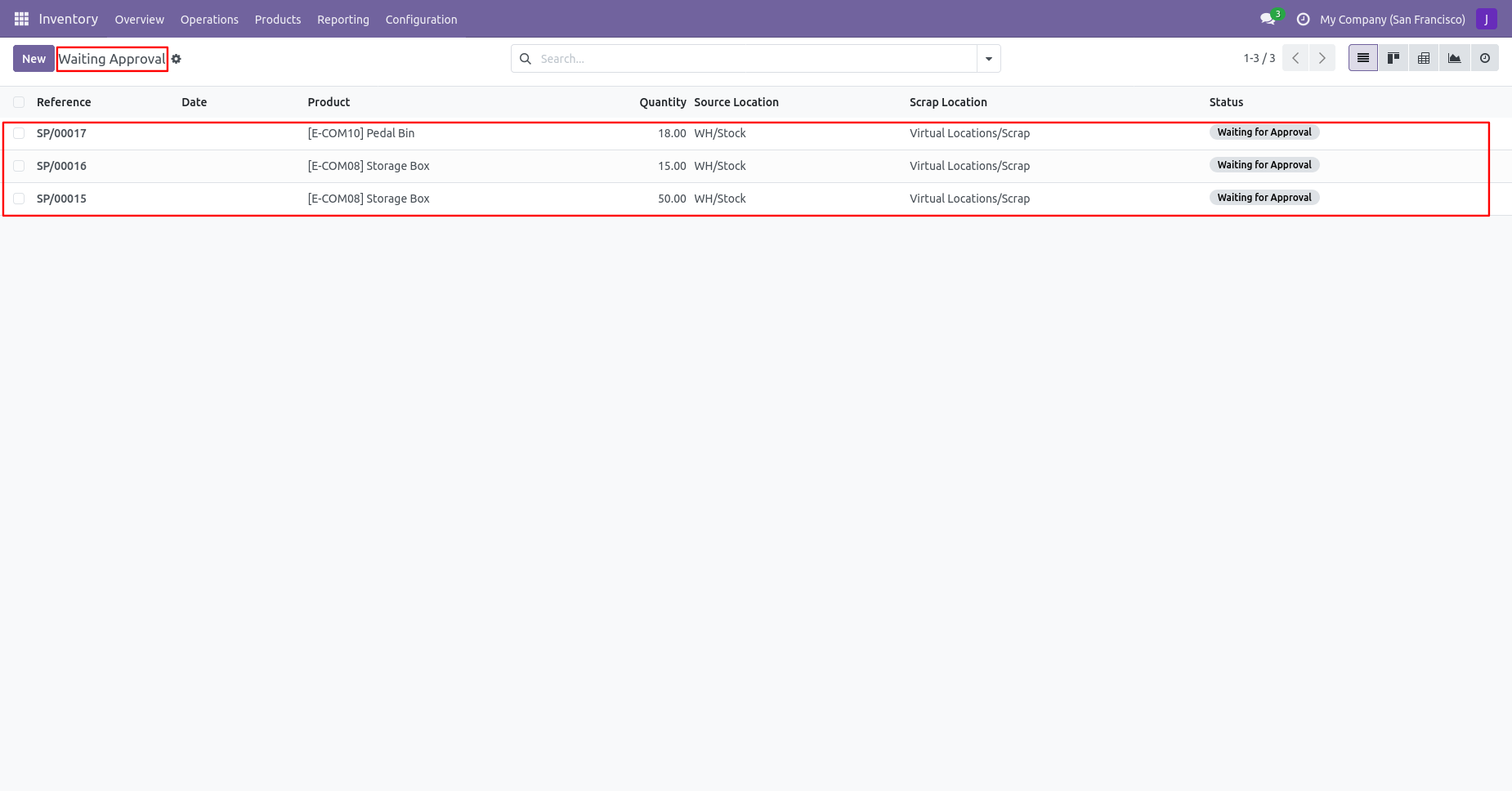
Tree view of the waiting approval.
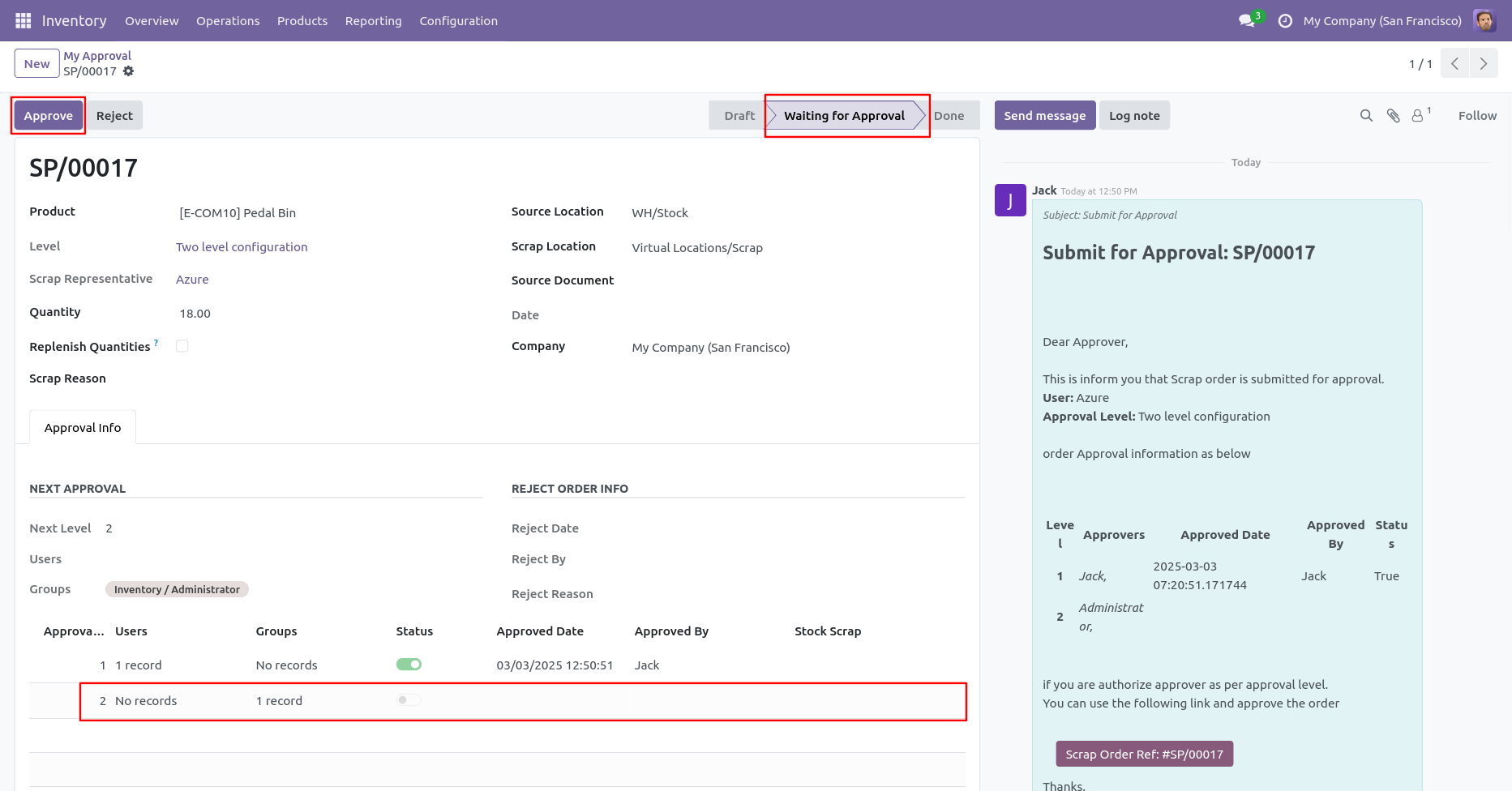
Now the second approver approves the scrap order.
Now the approval is moved to the done stage.
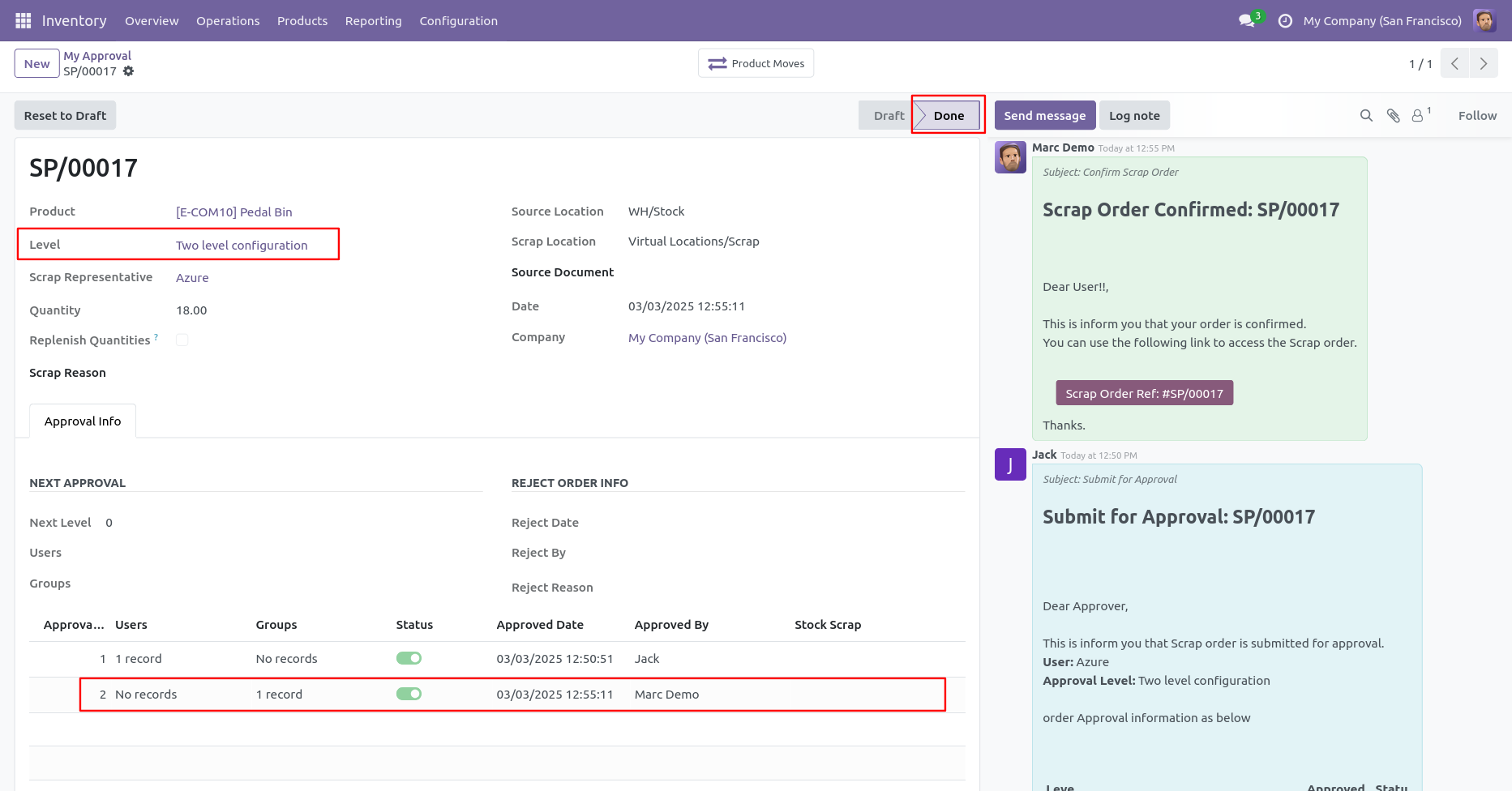
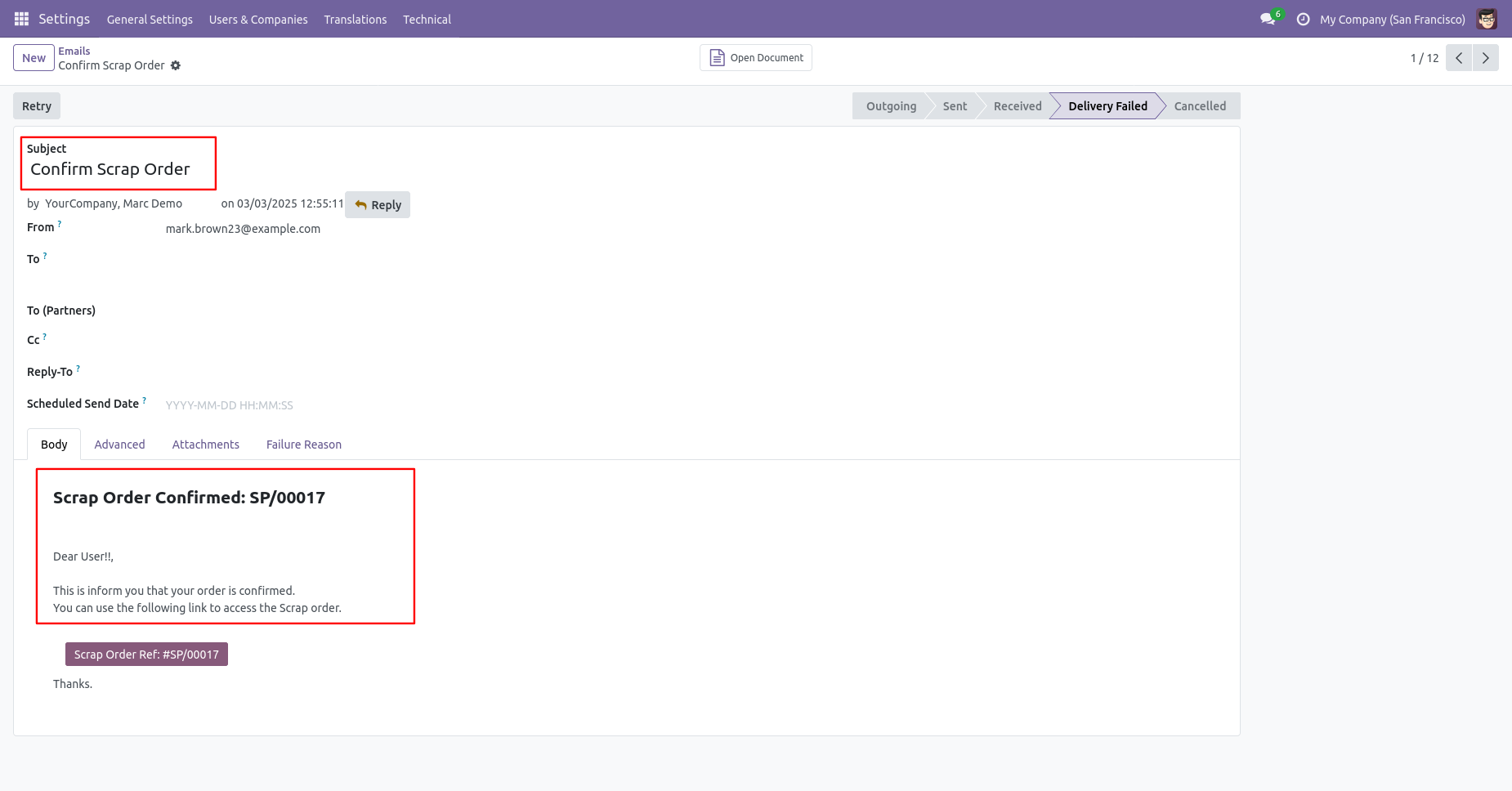
Email notification sent to approvers for approval of scrap order.
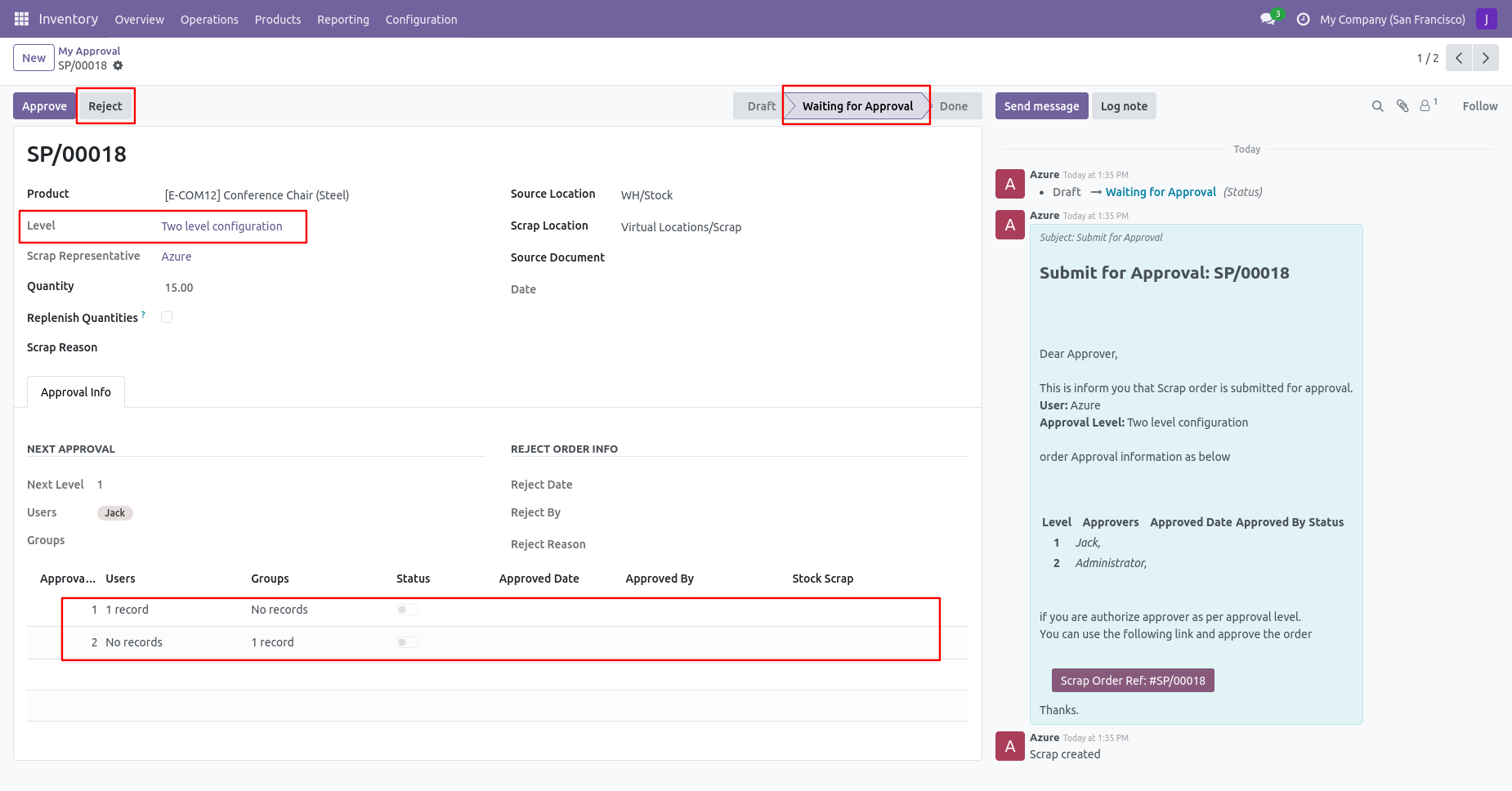
Rejection Flow
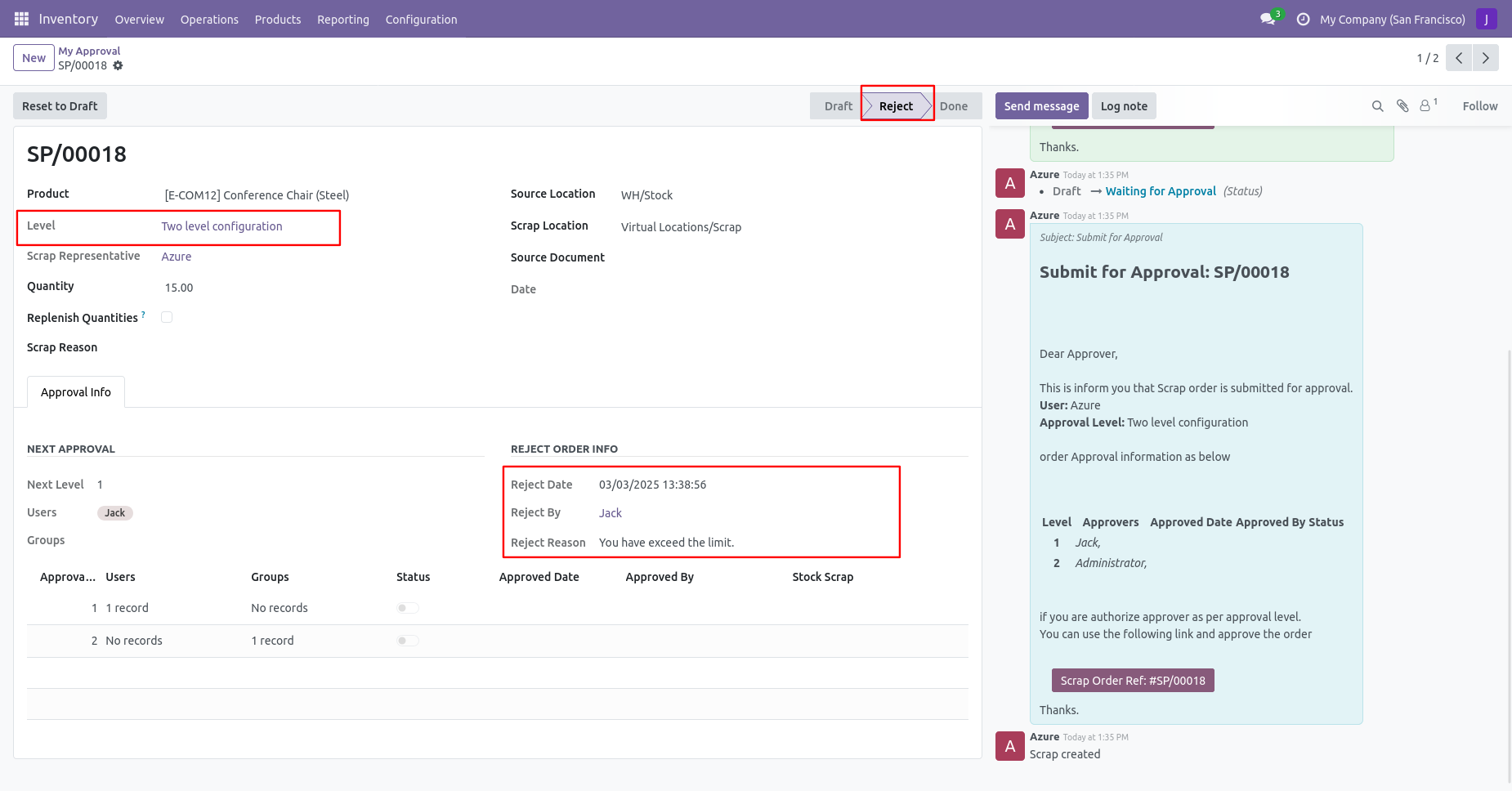
There are 2 approvers if the first approver rejects the scrap order that means that the scrap will be canceled no more second approval is needed.
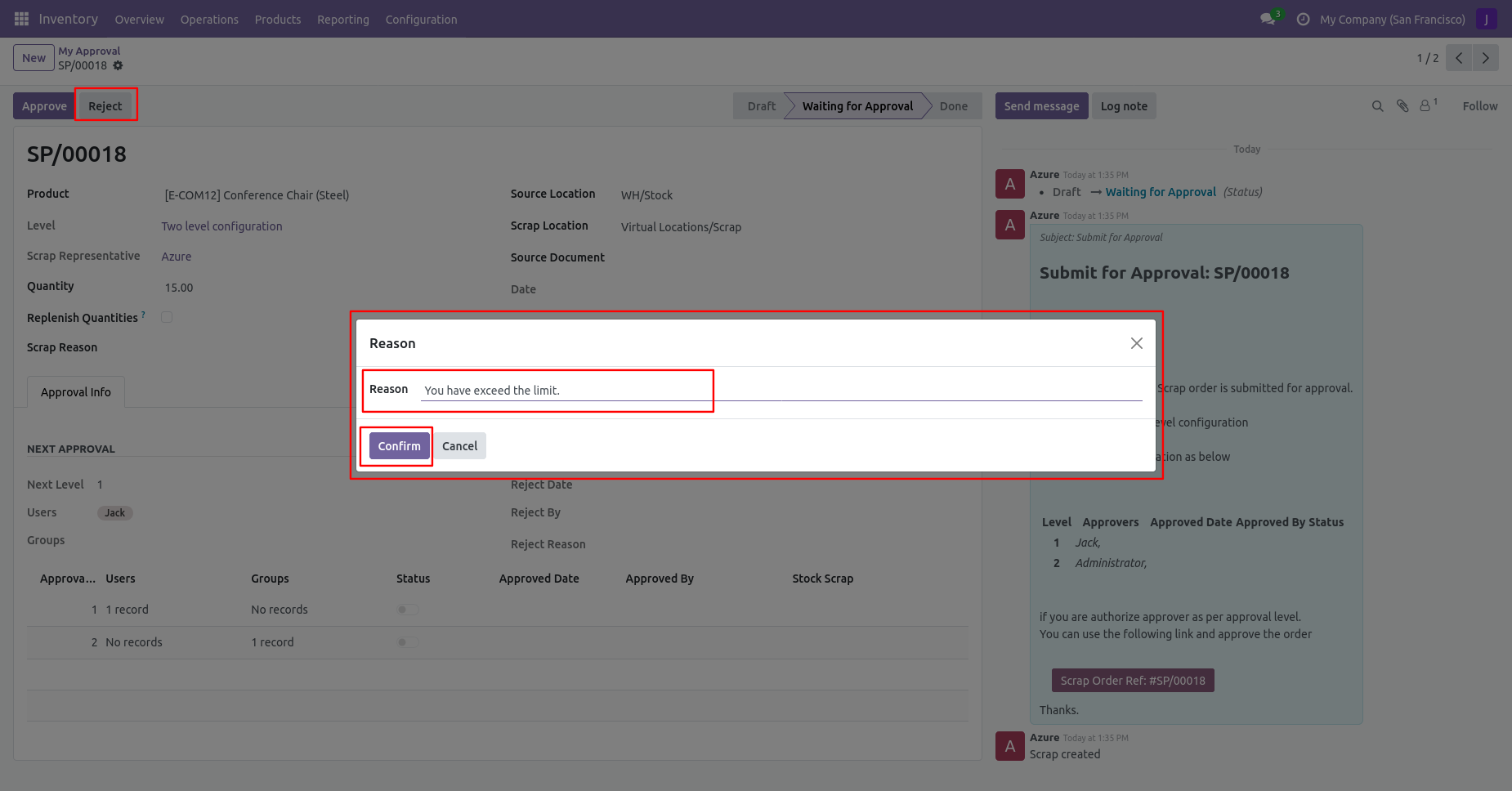
After click on the reject button, this wizard will pop up, here the approver has to add a reason for rejecting the scrap order.
After rejection, it auto-set the rejection information in the "Reject Order Info".
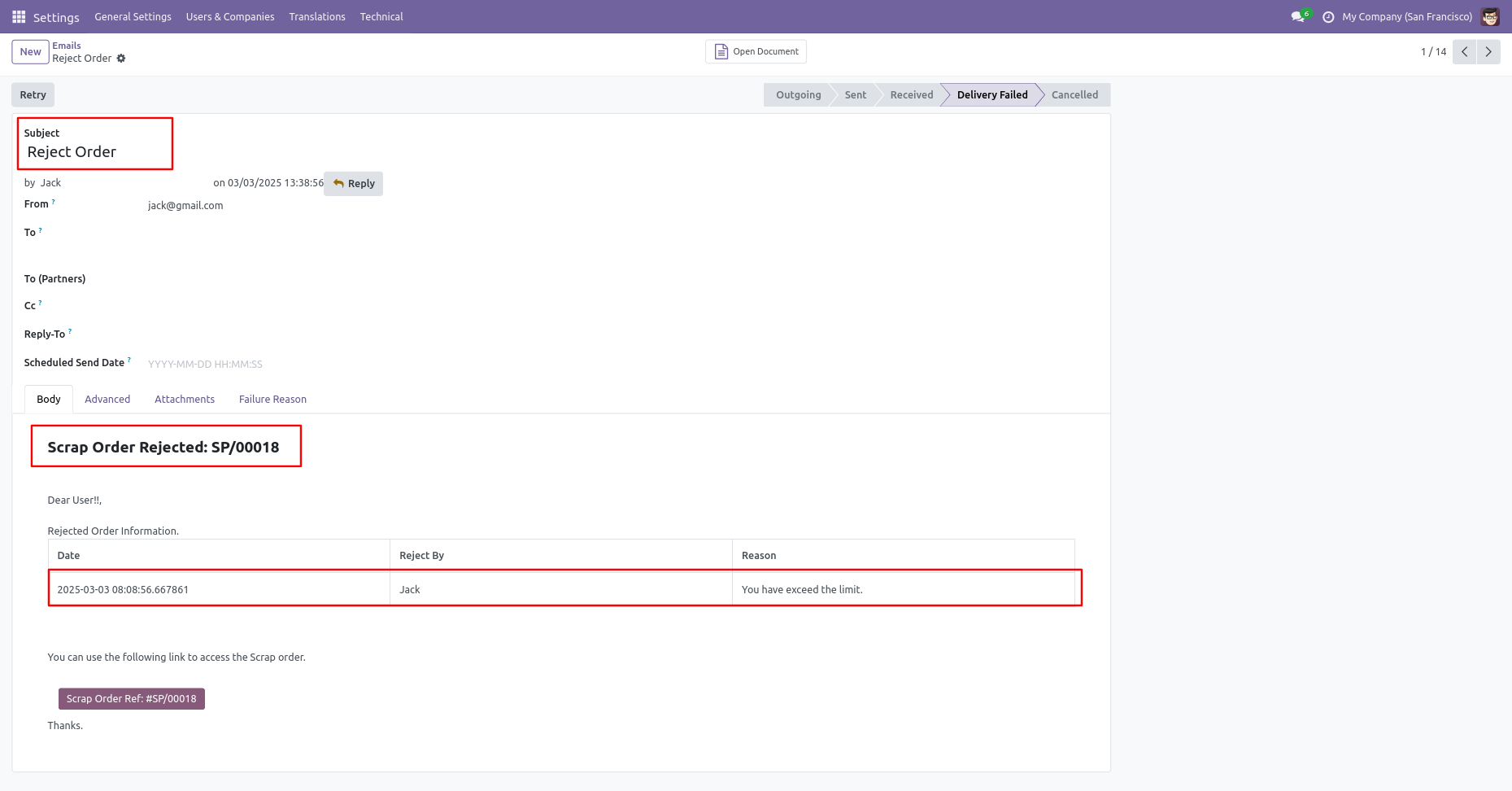
Email notification of rejection looks like this.
Version 18.0.2 | Released on : 17th February 2025
Version 18.0.1 | Released on : 28th October 2024
- Yes, this app works perfectly with Odoo Enterprise (Odoo.sh & Premise) as well as Community.
- No, this application is not compatible with odoo.com(odoo saas).
- Please Contact Us at sales@softhealer.com to request customization.
- Yes, we provide free support for 365 days.
- Yes, you will get free updates for lifetime.
- No, you don't need to install additional libraries.
- Yes, You have to download module for each version (13,14,15) except in version 12 or lower.
- No, We do not provide any kind of exchange.
