













Schedule Activity for Multi Users

Schedule activity is the perfect way to get a reminder of what needs to be done. This module helps you to manage different kinds of activities in one place. You can assign multiple users to the same activity at the same time. You can schedule activities like email, call, meeting, order upsell, to do, upload document & exception. You can schedule an activity with due date and time. This module shows all scheduled activities & assigns user names to the admin. Users can see their own scheduled activity after the log-in in Odoo. All the assigned users will be notified of the activity on that quotation when they Log-in. You can see scheduled activity in the List view & Kanban view.

Related Modules
Features
- You can schedule activities like email, call, meeting, order upsell, to do, upload document & exception.
- You can assign multiple users to the same activity at the same time.
- Users can see their own scheduled activity after the log-in in Odoo.
- The admin can see all scheduled activities & assigns user names.
- You can schedule an activity with due date and time.
- You can manage different kinds of activities in one place.
- You can see scheduled activity in the List view & Kanban view.
- No special configuration required just install it and cheers!
- This module saves your important time.
- It reduces human efforts.
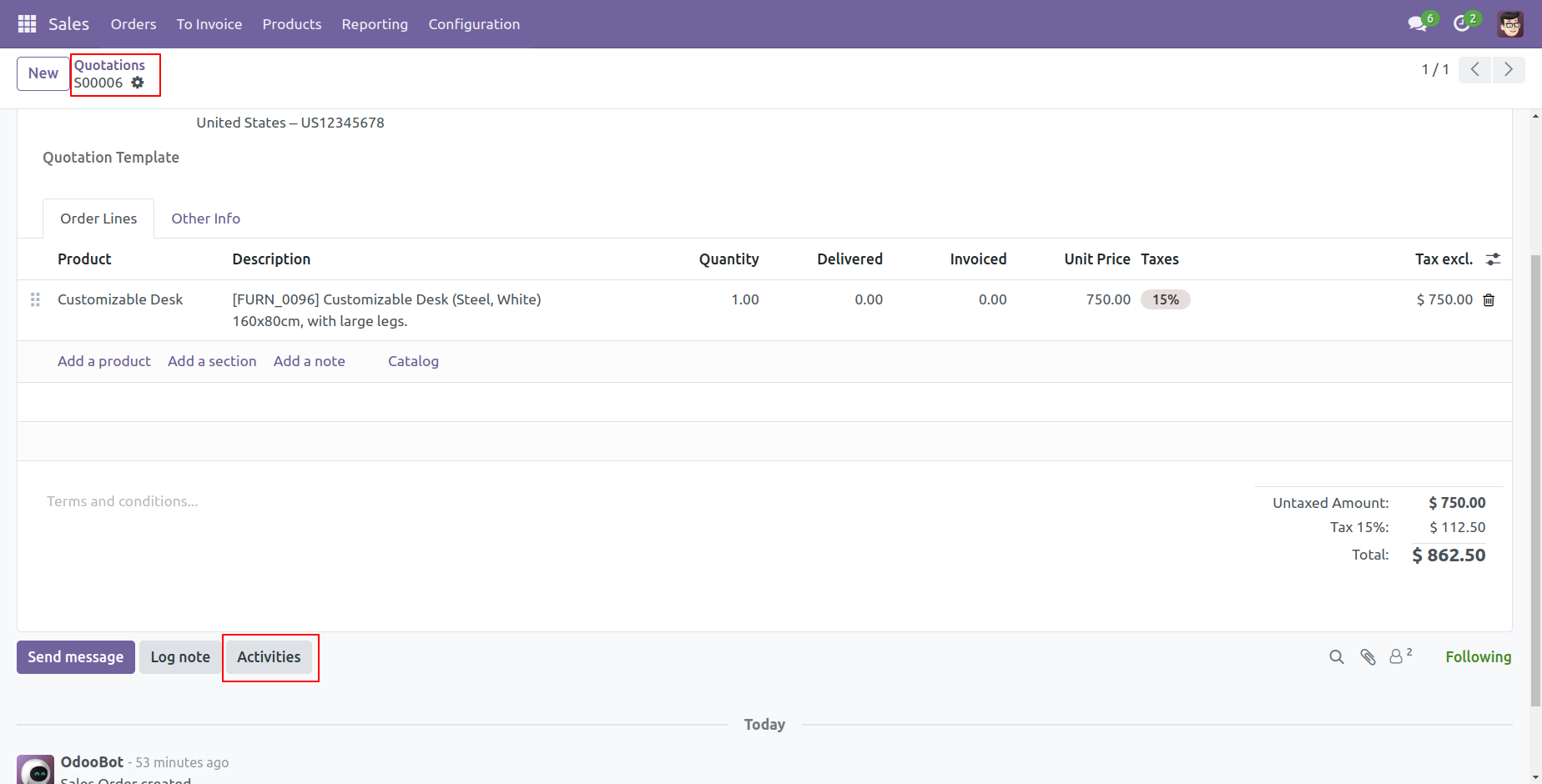
Go to quotations and click "Activities'.
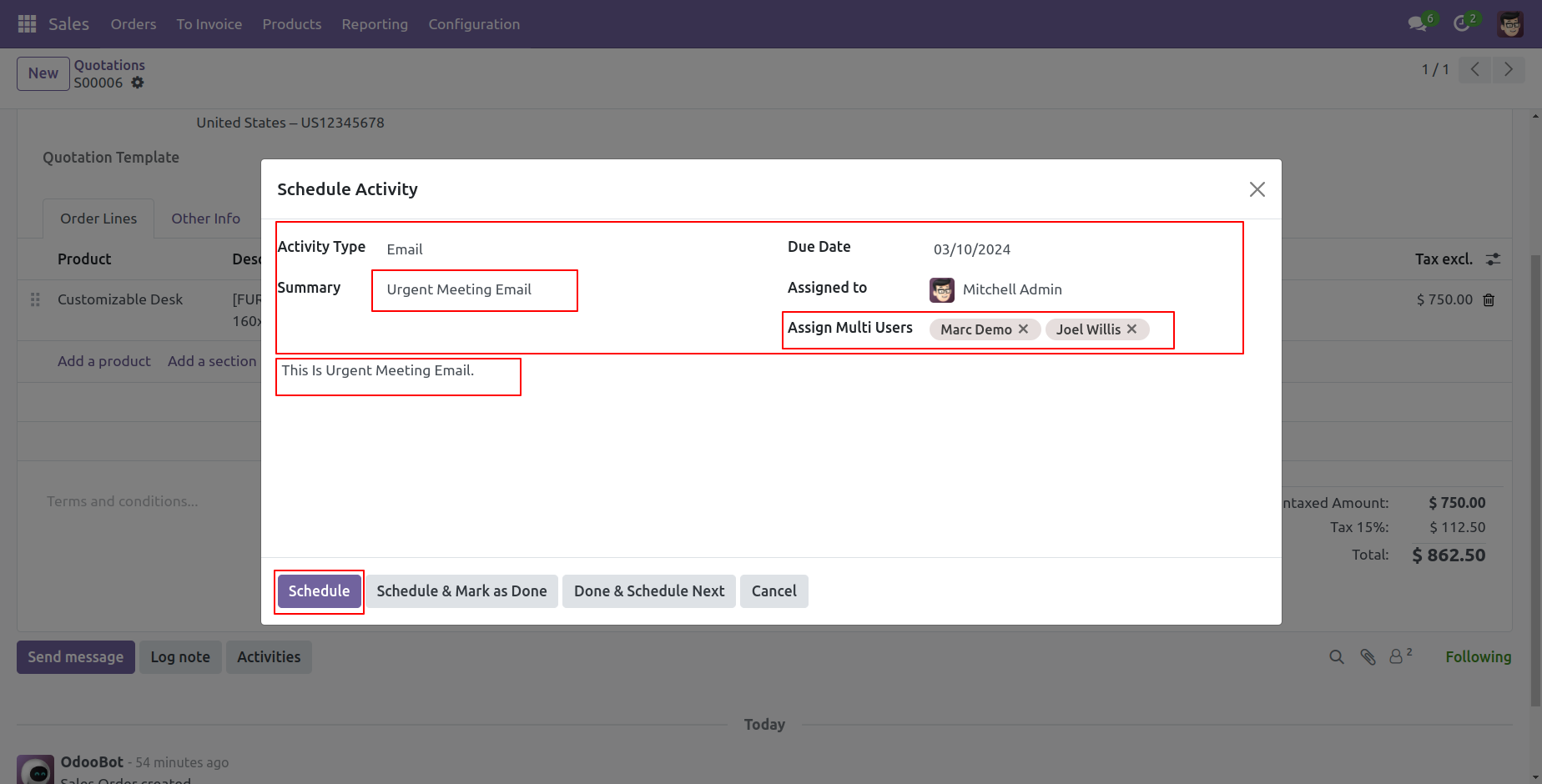
Select activity type, due date, assigned to & multi-users. After that write summary and activity description & press the "Schedule" button.
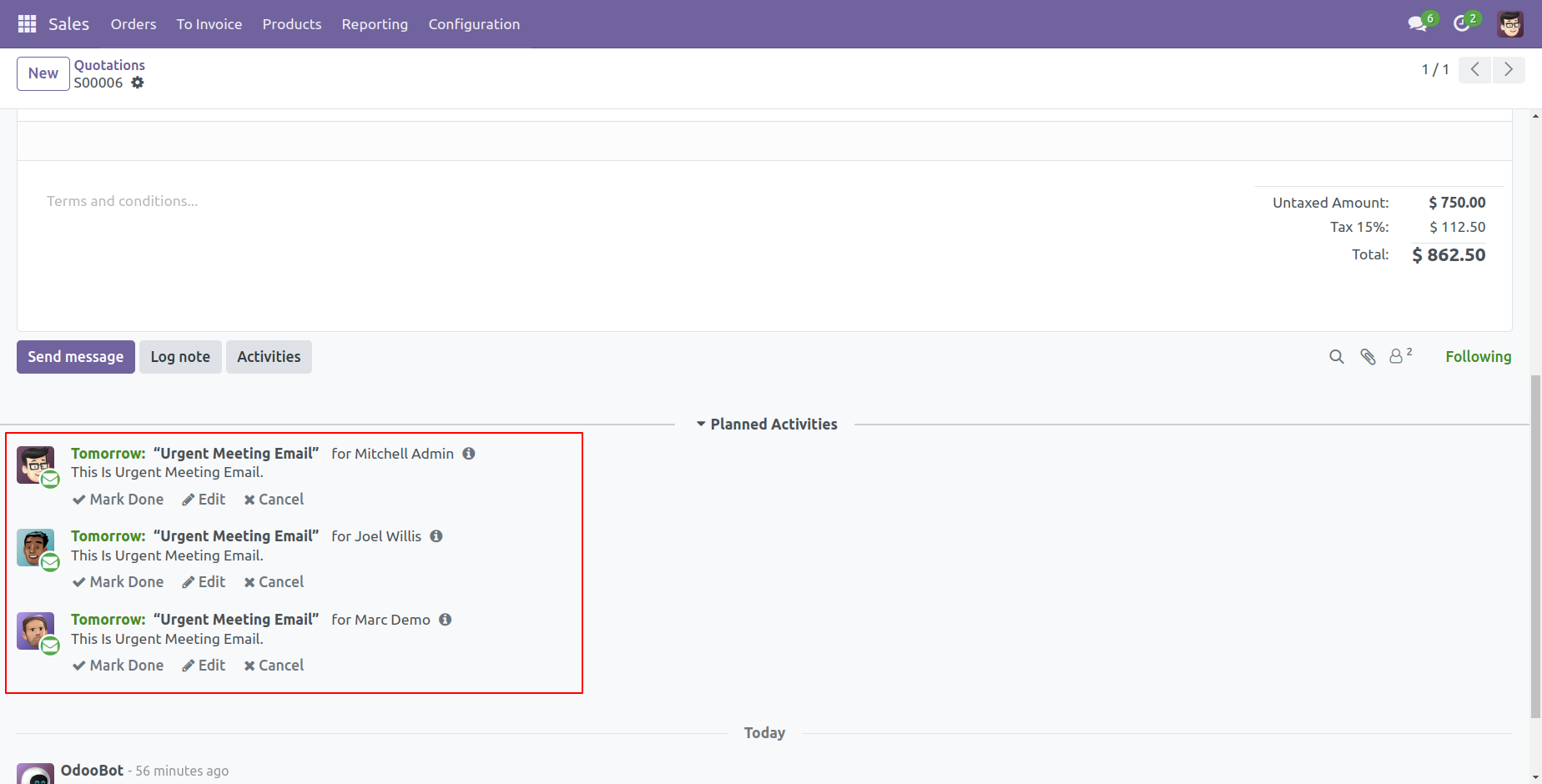
Planned activities in chatter look like this.
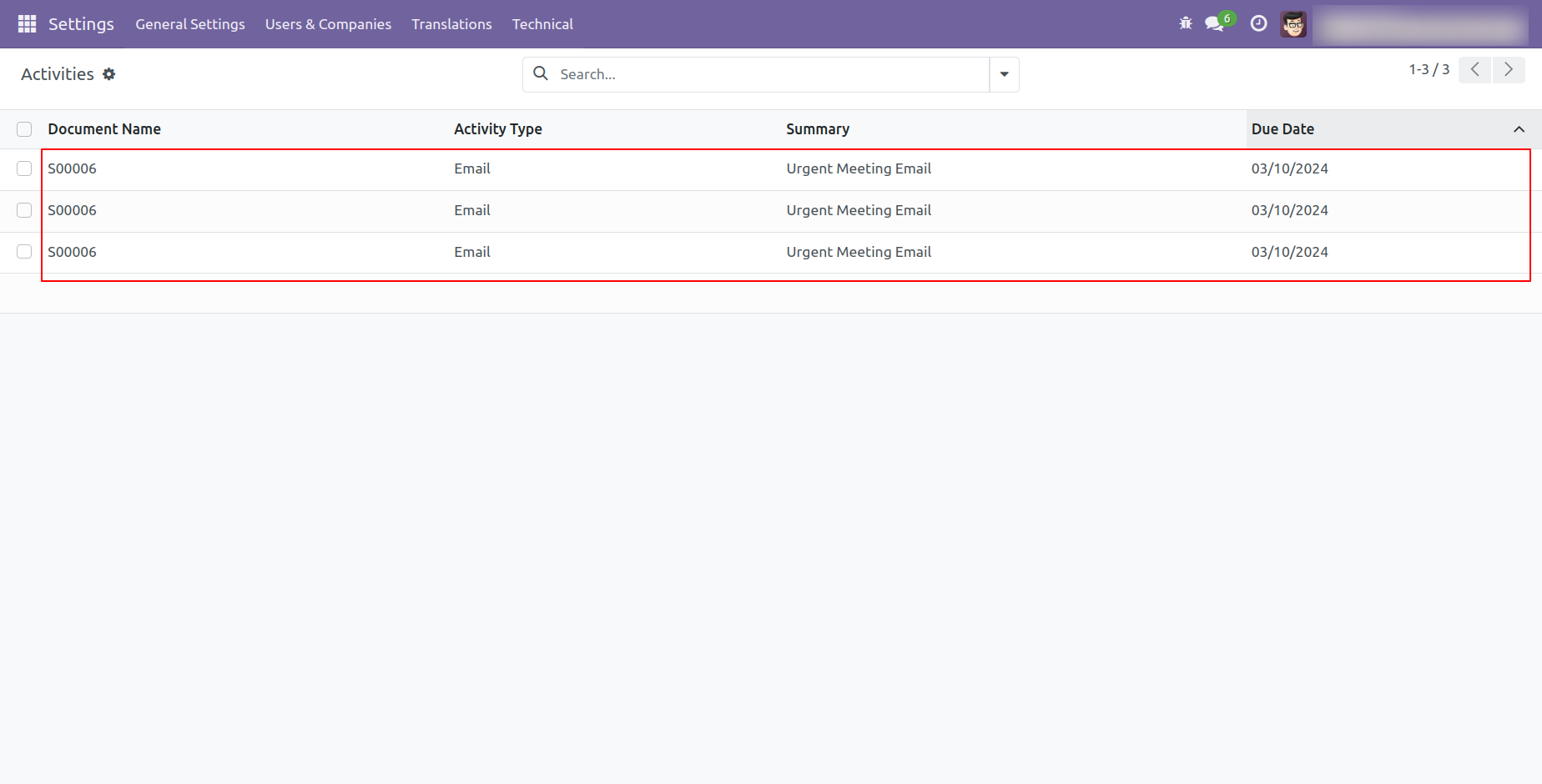
The activities list view looks like below, you can see here all scheduled activity.
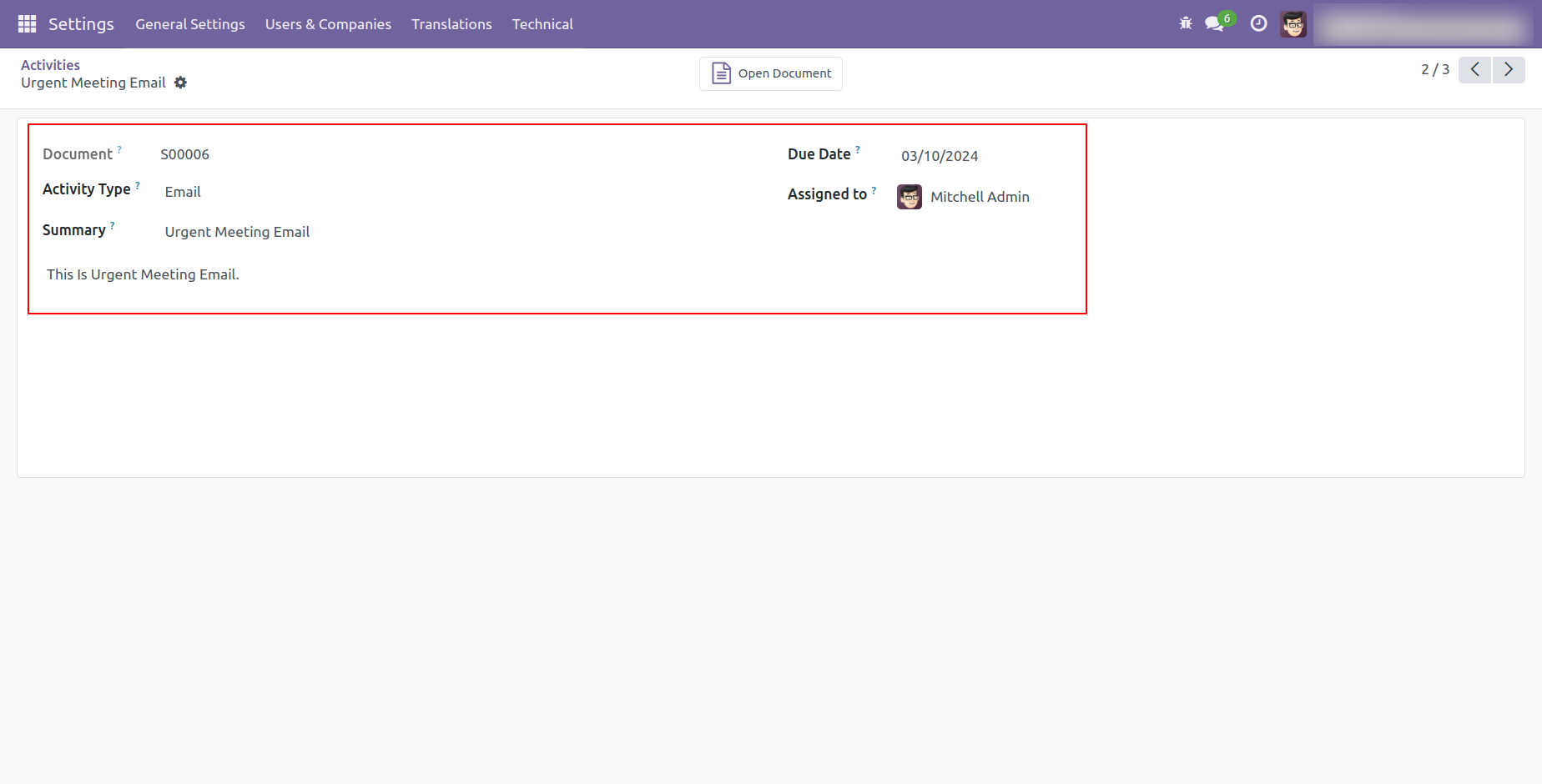
The activity form view of the admin looks like below, admin can see all assign user names.
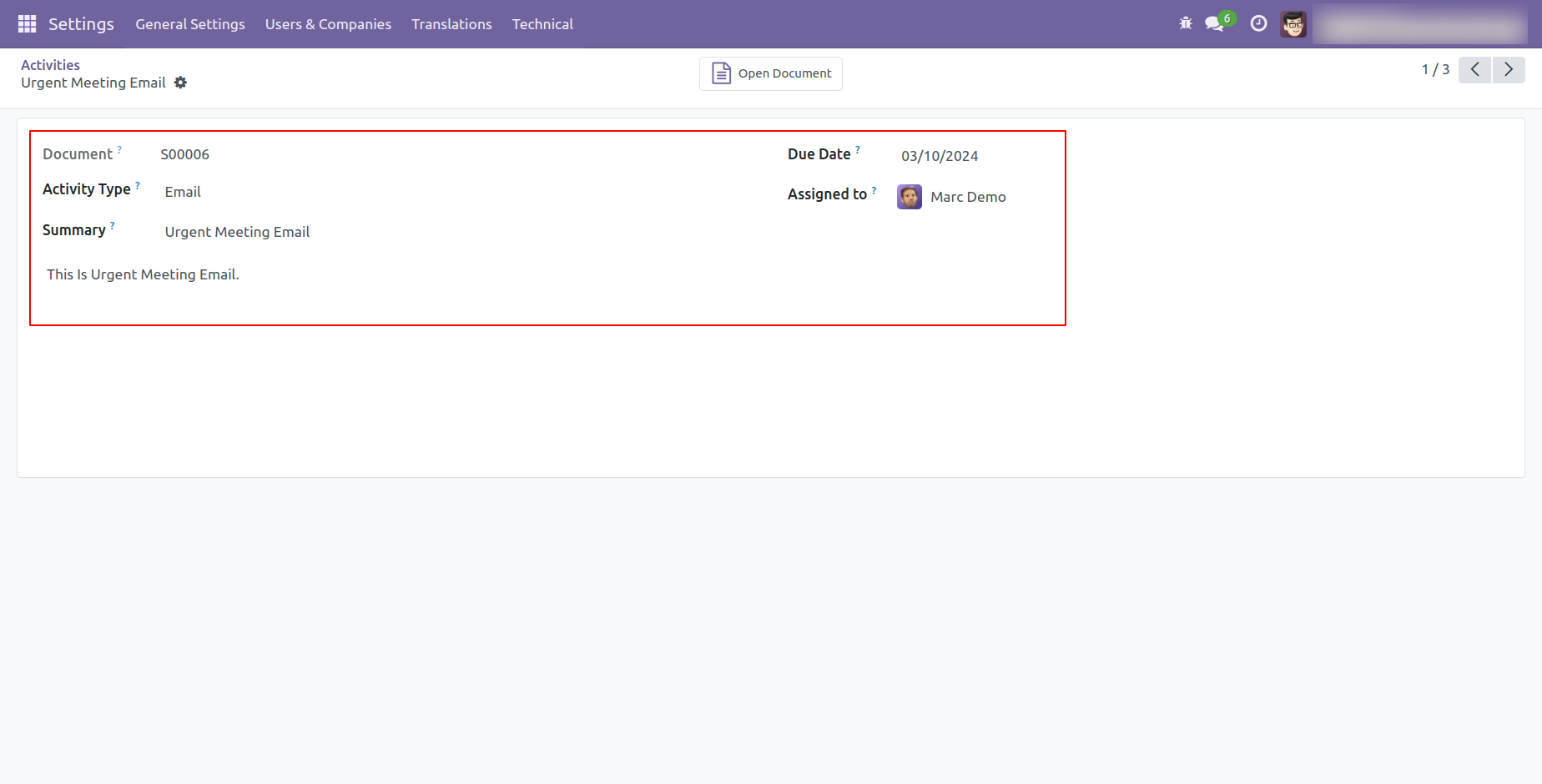
The activity form view of the assigned user looks like below.
Version 18.0.1 | Released on : 10th August 2024
- Yes, this app works perfectly with Odoo Enterprise (Odoo.sh & Premise) as well as Community.
- Please Contact Us at sales@softhealer.comto request customization.
- Yes, we provide free support for 100 days.
- Yes, you will get free update for lifetime.
- No, you don't need to install addition libraries.
- Yes, You have to download module for each version (13,14,15) except in version 12 or lower.
- No, We do not provide any kind of exchange.
- No, this application is not compatible with odoo.com(odoo saas).
