









Salesperson Own Customers

Currently, in odoo all customers are visible to a salesperson, For this our module will help to show only specific customers to the salesperson. This ensures that salespeople only have visibility of the customers they are responsible for or relevant to their role, enhancing efficiency and security in customer management.

Hot Features
Features
- You can update multiple customers with salespersons.
- It will show customers' records of their own only.
- The salesperson can access only specific customers visible in Quotation or Sales Order.
- It is easy to hide confidential records of all customers.
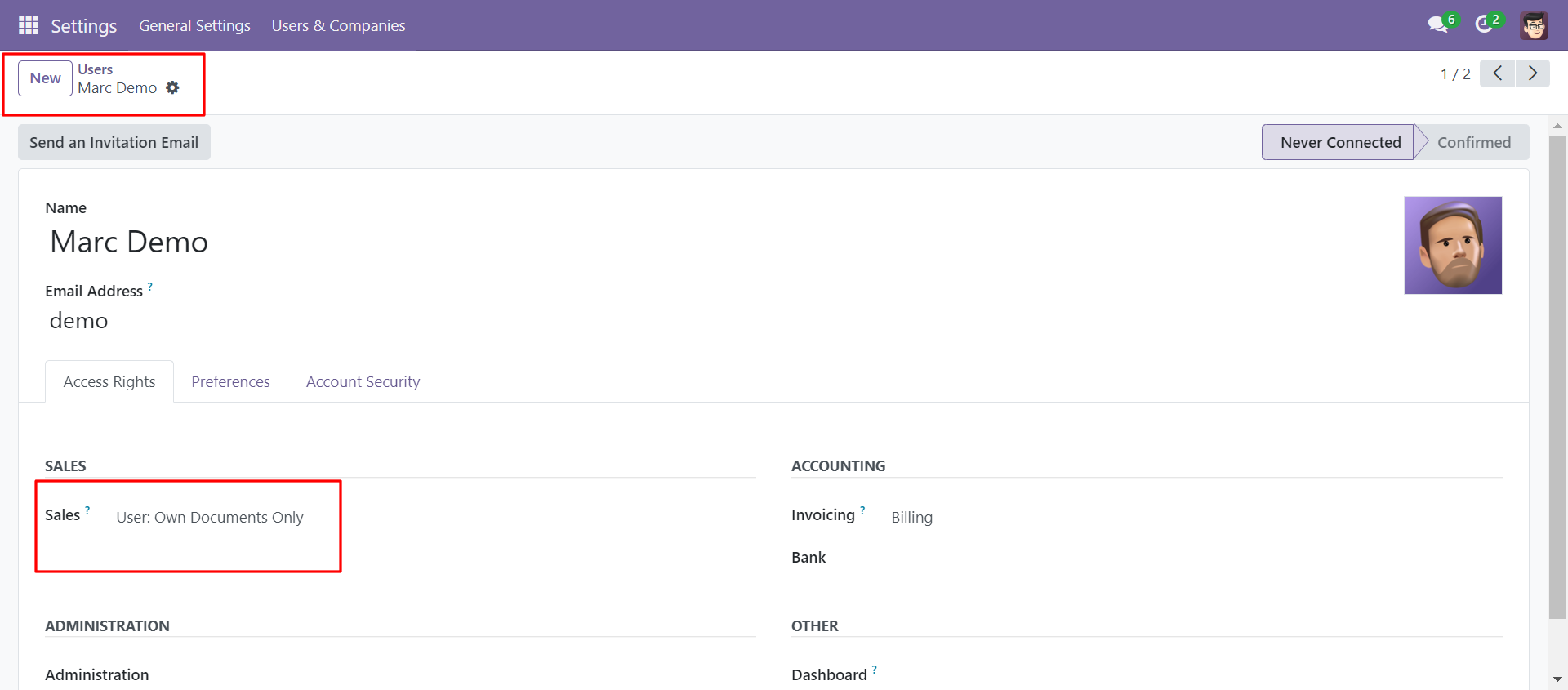
Go to general settings select user as a salesperson and select sales access rights as own documents only.
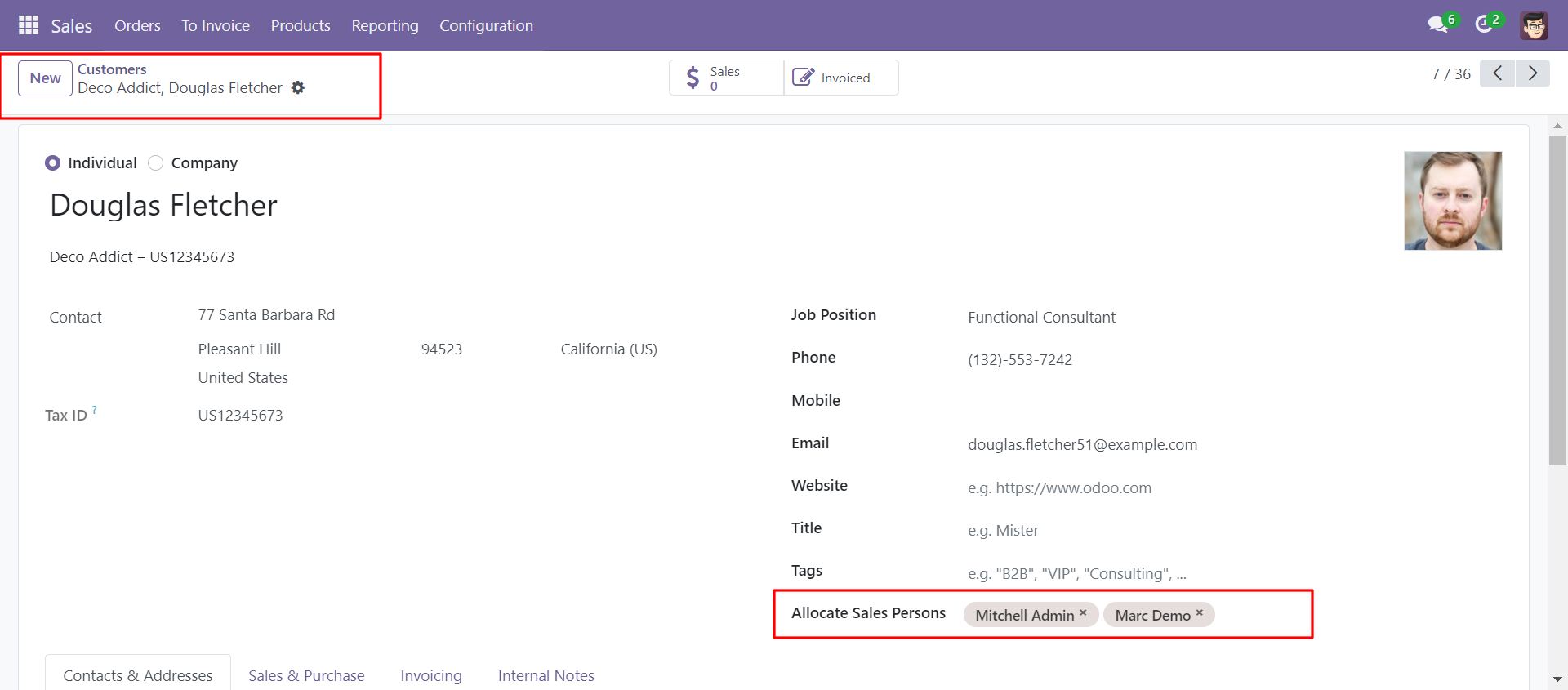
Add a salesperson in the allocate salespersons field in the customer form view.
You can allocate more than one salesperson to a single customer.
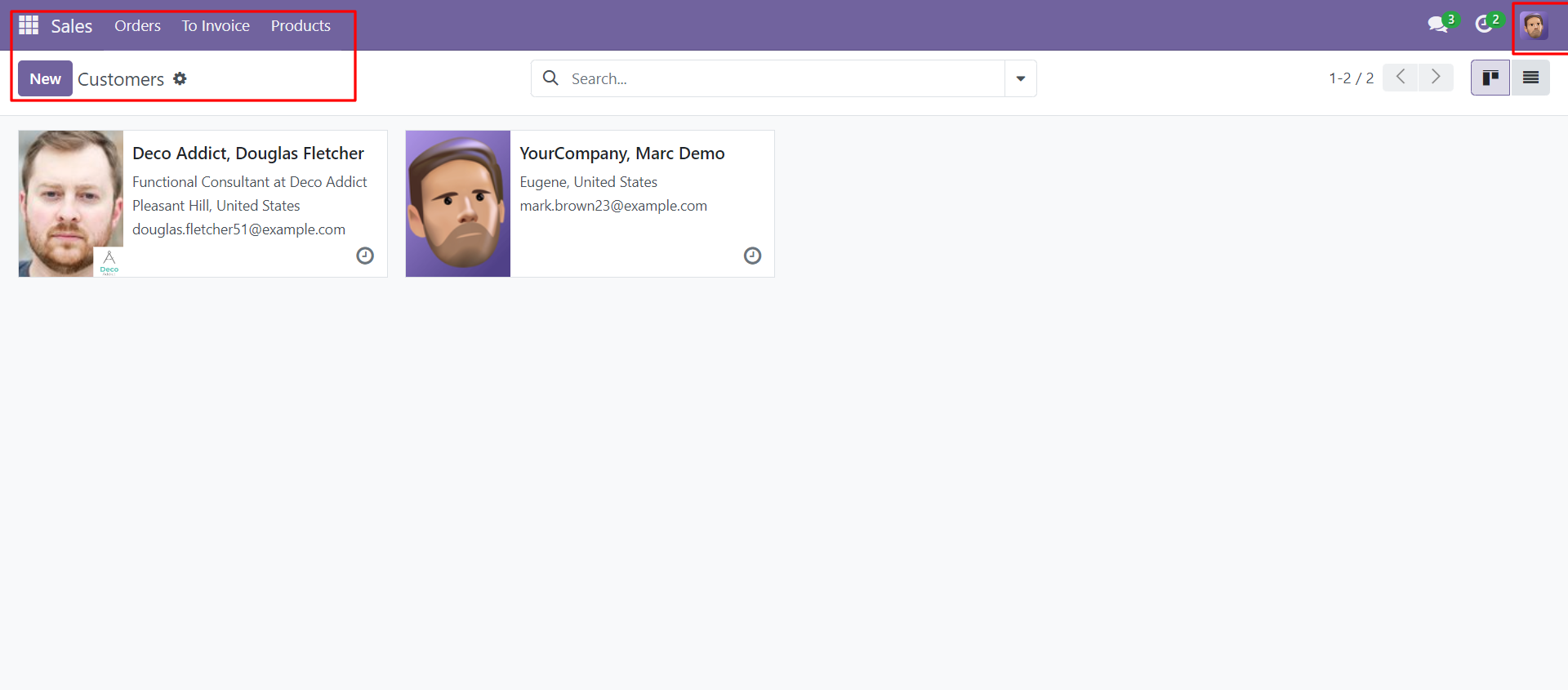
The salesperson can see only those customers, for which this salesperson is allocated.
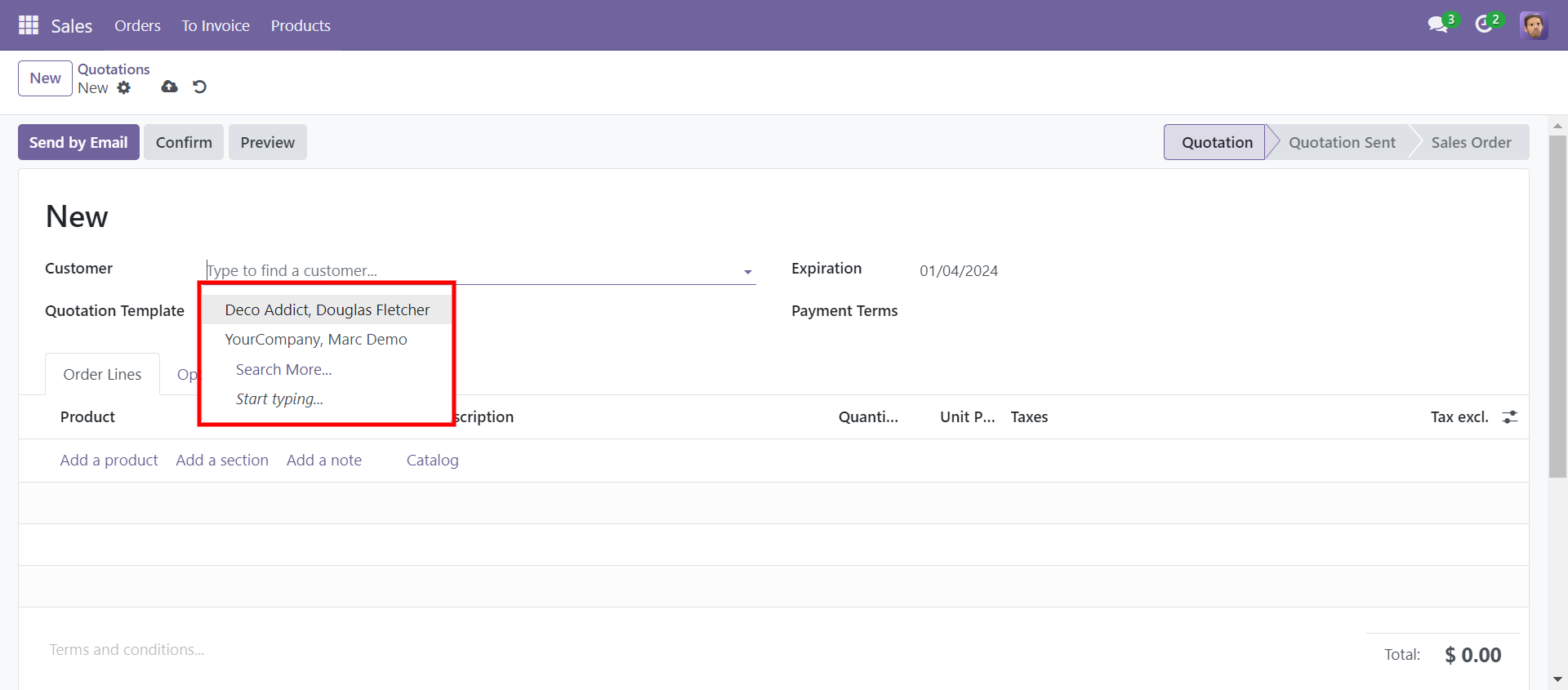
The salesperson can create quotations/sales orders for only those customers, for which the salesperson is allocated.
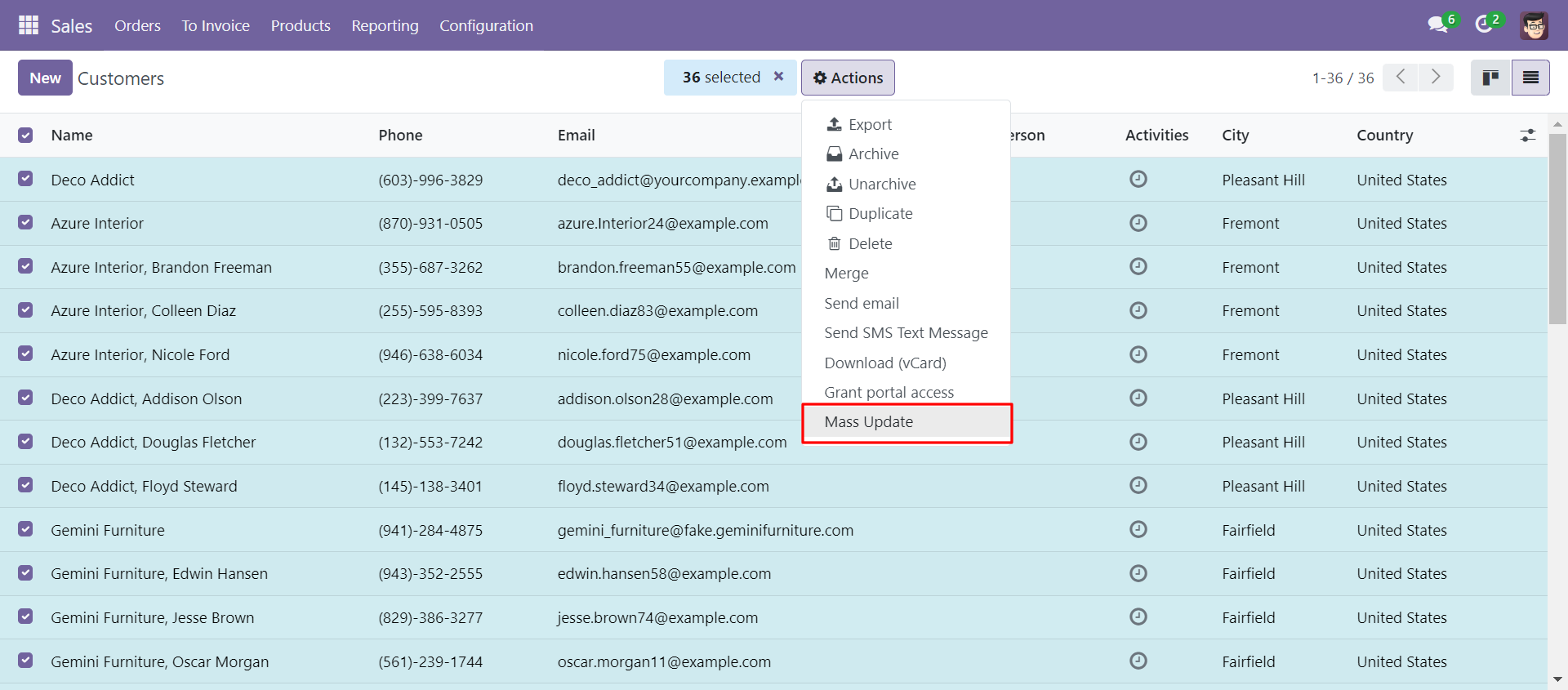
Select the customers from the list view and then select mass update from the action menu.
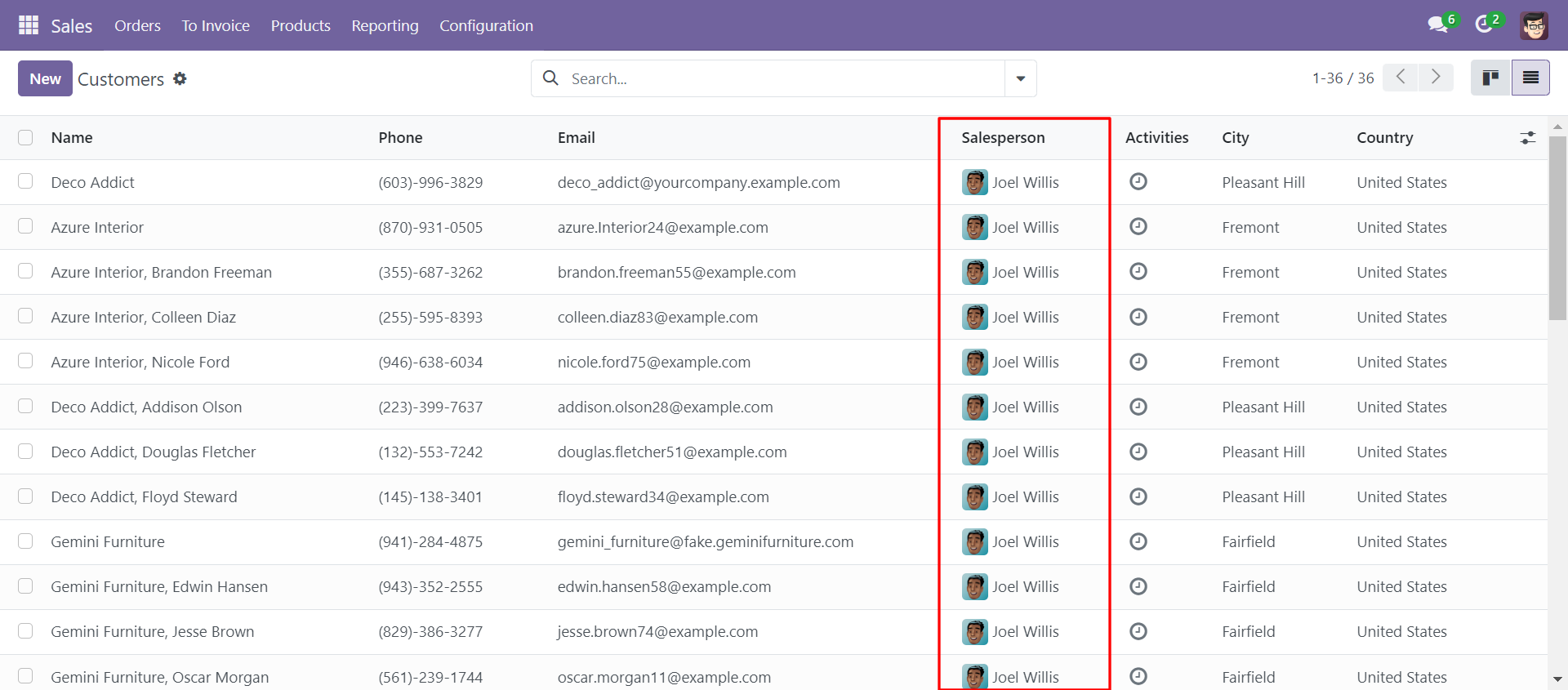
After that mass update wizard will open, select update salesperson and add the user. Multiple customer salespersons are updated from here.
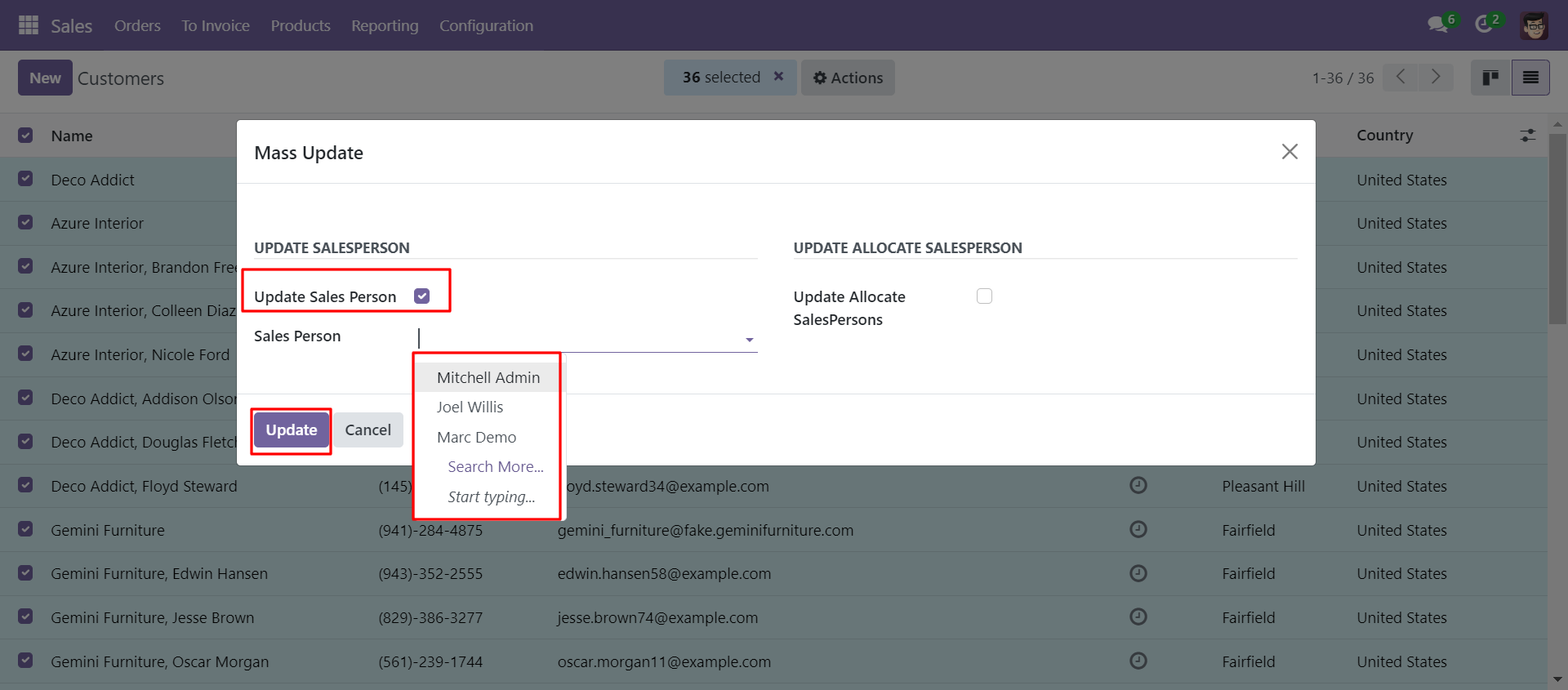
Multiple customers updated the salesperson by mass action.
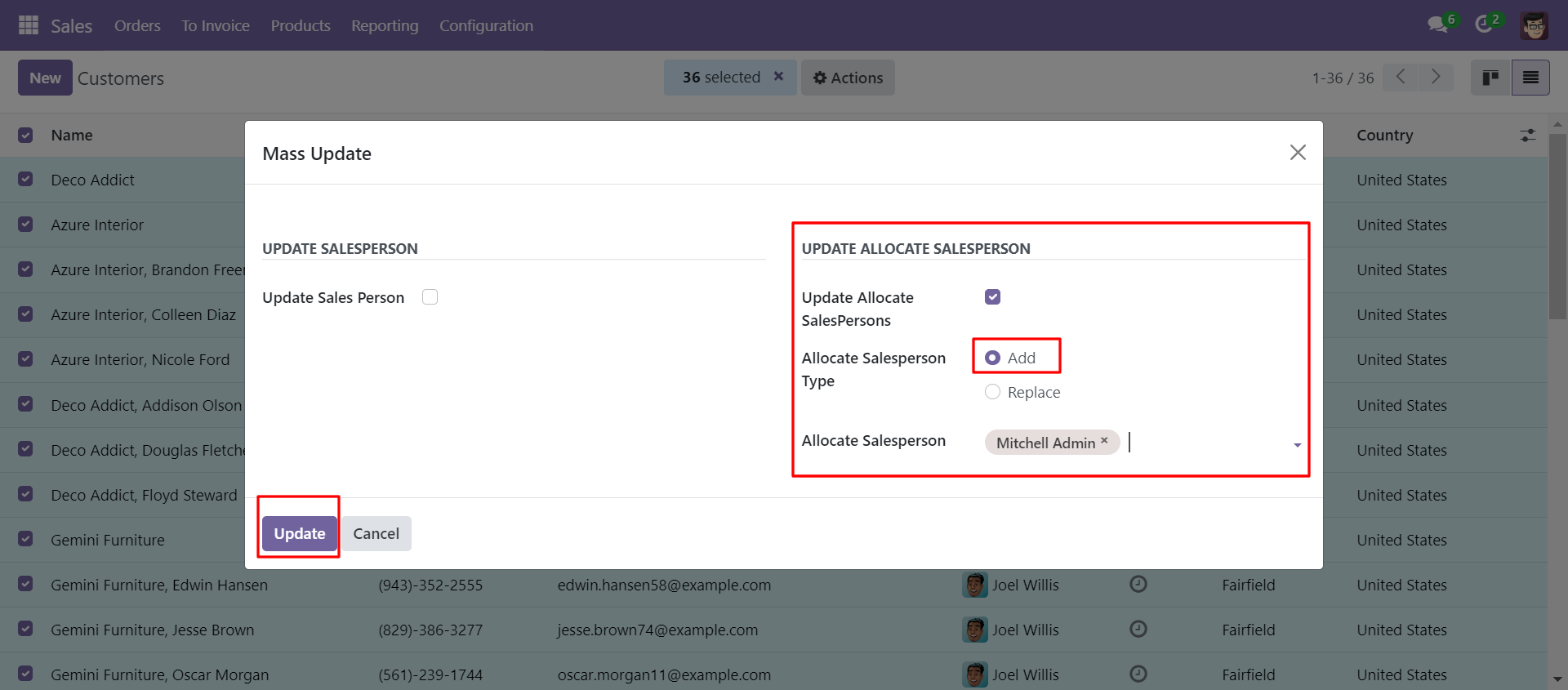
You can also update allocated salespersons to multiple customers from the wizard.
You can update it by 2 methods, 'Add' and 'Replace'.
Add: It adds a new salesperson with the old salesperson.
Replace: It replaces new salespersons with old ones, so it removes old salespersons.
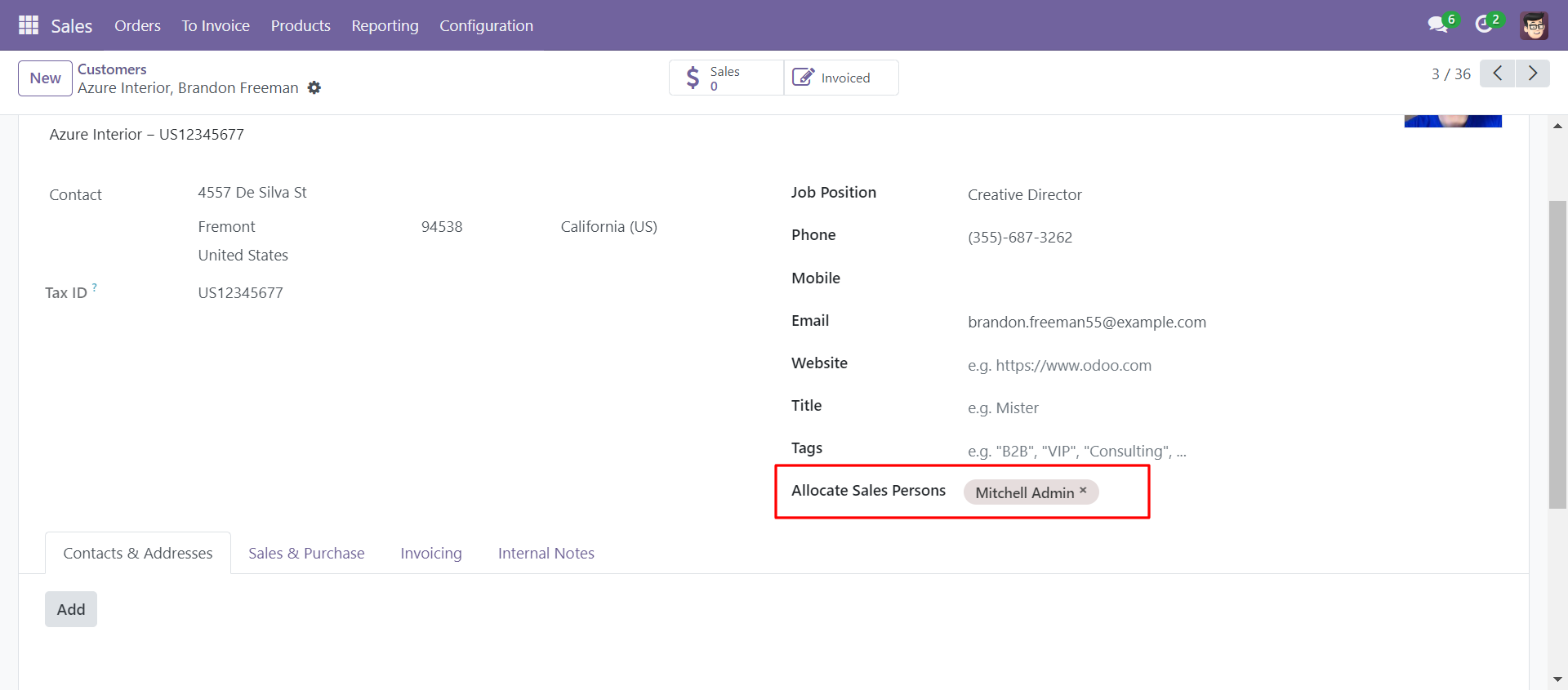
Here we update salespersons by using the 'Add' method.
Salespersons were added to the multiple customers by mass action.
Now we update salespersons by using the 'Replace' method.
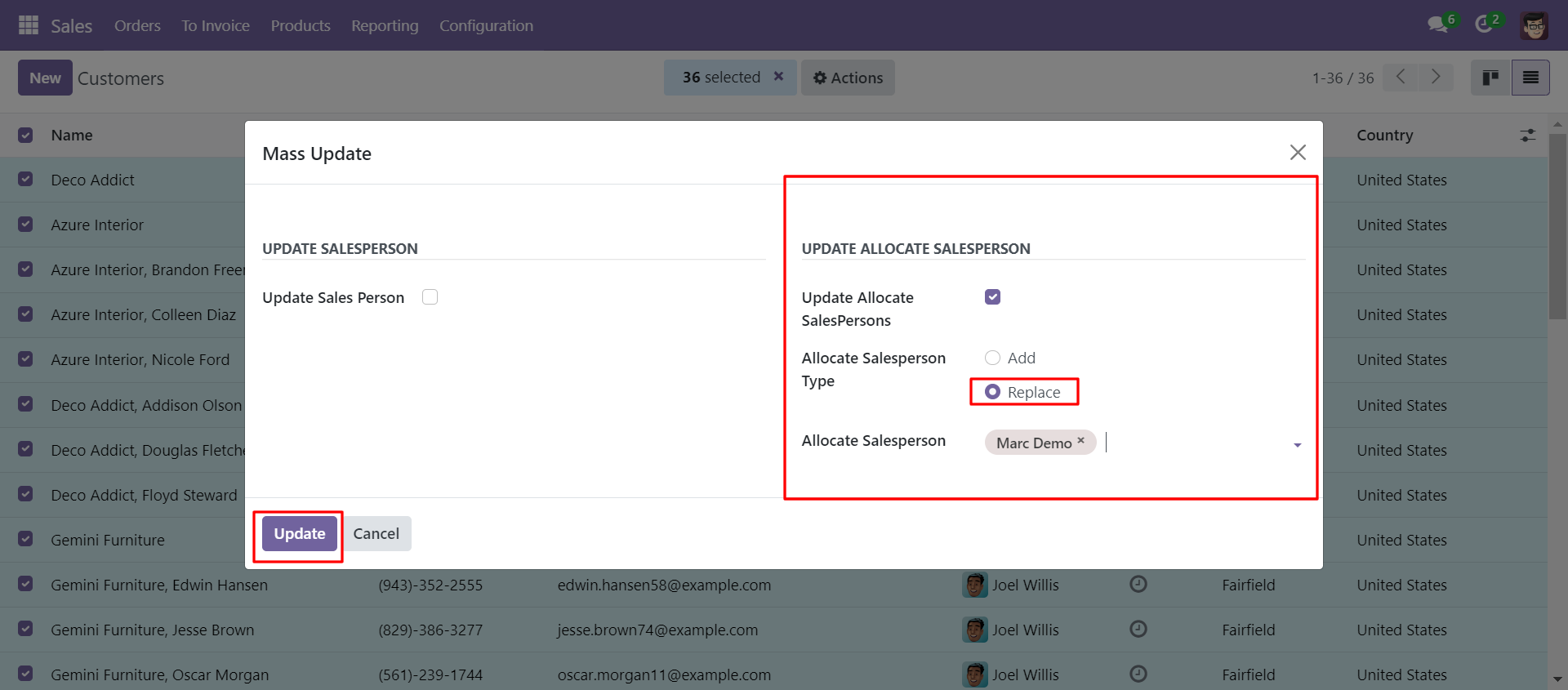
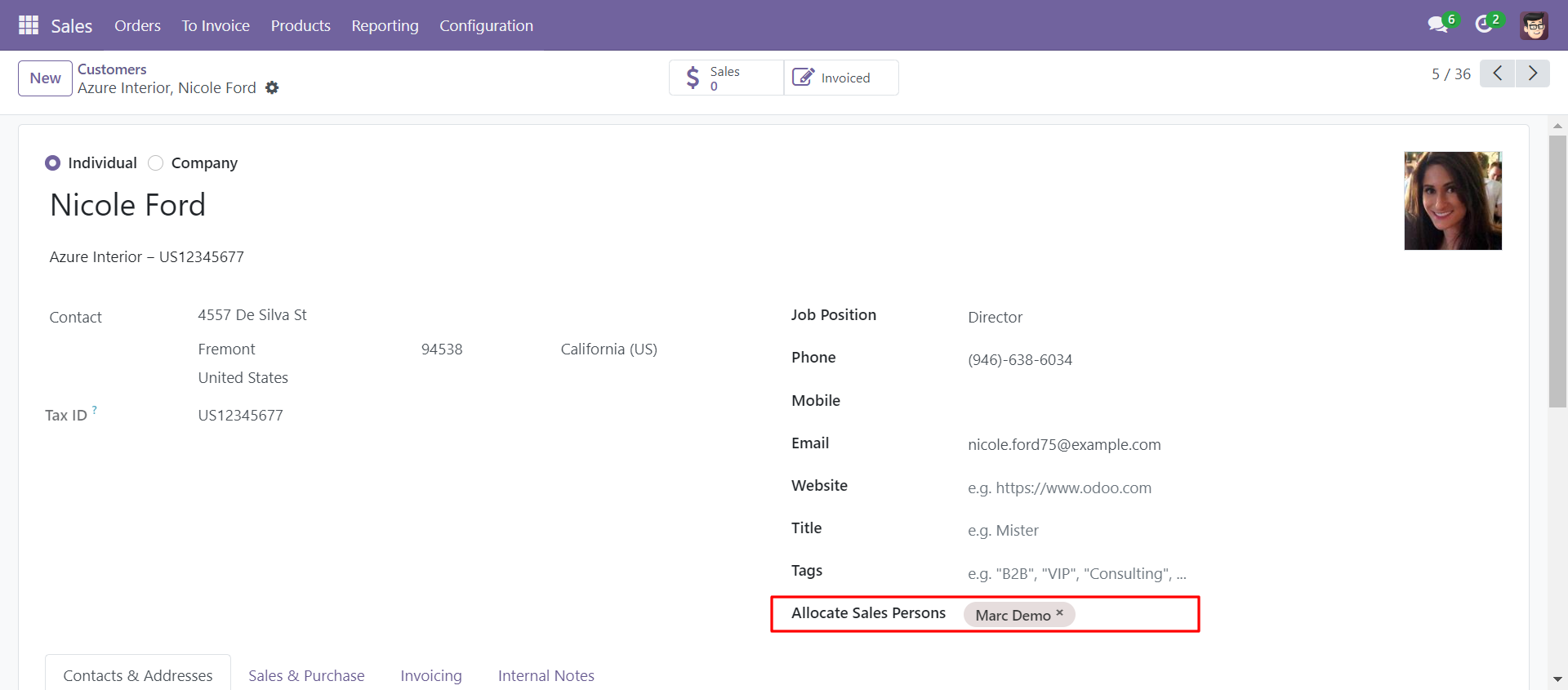
Salespersons were replaced with multiple customers by mass action.
Version 19.0.1.0.0 | Released on : 23rd August 2025
- Yes, this app works perfectly with Odoo Enterprise (Odoo.sh & Premise) as well as Community.
- No, this application is not compatible with odoo.com(odoo saas/Odoo Online)
- Yes, to test this module, please contact us at sales@softhealer.com.
- Please contact us at sales@softhealer.comto request customization.
- Yes, we provide free support for 365 days from the date of purchase.
- Yes, you will receive lifetime free updates for the version of the module you purchased.
- No, there is no need to install any additional libraries.
- Yes, for version 12 and above, you need to purchase the module separately for each version you intend to use.
- No, exchanges or refunds are not allowed. Please make sure to select the correct version before purchasing.
- You can contact us at support@softhealer.com for language translation support. We use Google Translator tools to provide translations in multiple languages, so the accuracy may vary. We welcome your suggestions to help improve translations.
Discover Our Latest Apps