









Sales & POS Maximum Discount Limit

This module lets you set a maximum discount limit in Sales and Point of Sale based on products and categories. You can define the maximum discount allowed for each product or product category, and the system will prevent users from applying discounts beyond that limit. It helps you control pricing and avoid excessive or unauthorized discounts in Sales and POS.

Features

Product Discount Limit
Configure a maximum discount directly on individual products to control how much discount users can apply.

Category Discount Limit
Define a maximum discount at the product category level to restrict discounts across all products within that category.
Priority Logic
If a product does not have a specific discount limit, the system automatically applies the discount limit defined for its product category.
Sales Order Validation
If the applied discount exceeds the allowed limit in the quotation, it doesn't allow the quotation to be confirmed.

POS Validation
Cashiers are blocked from applying discounts beyond the allowed limit while creating orders.

Real-Time Alerts
Instant warning messages are displayed whenever a discount limit is exceeded.
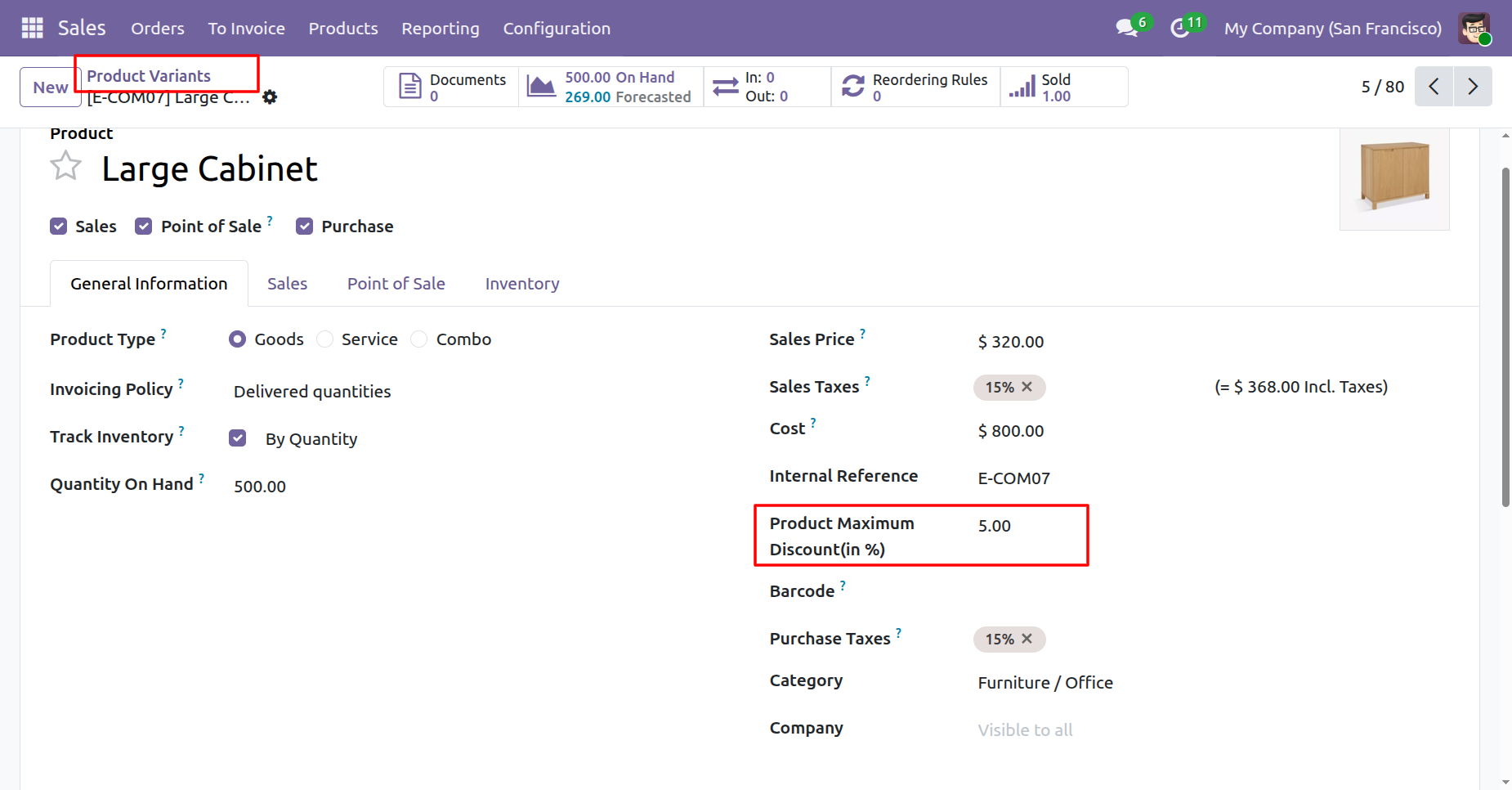
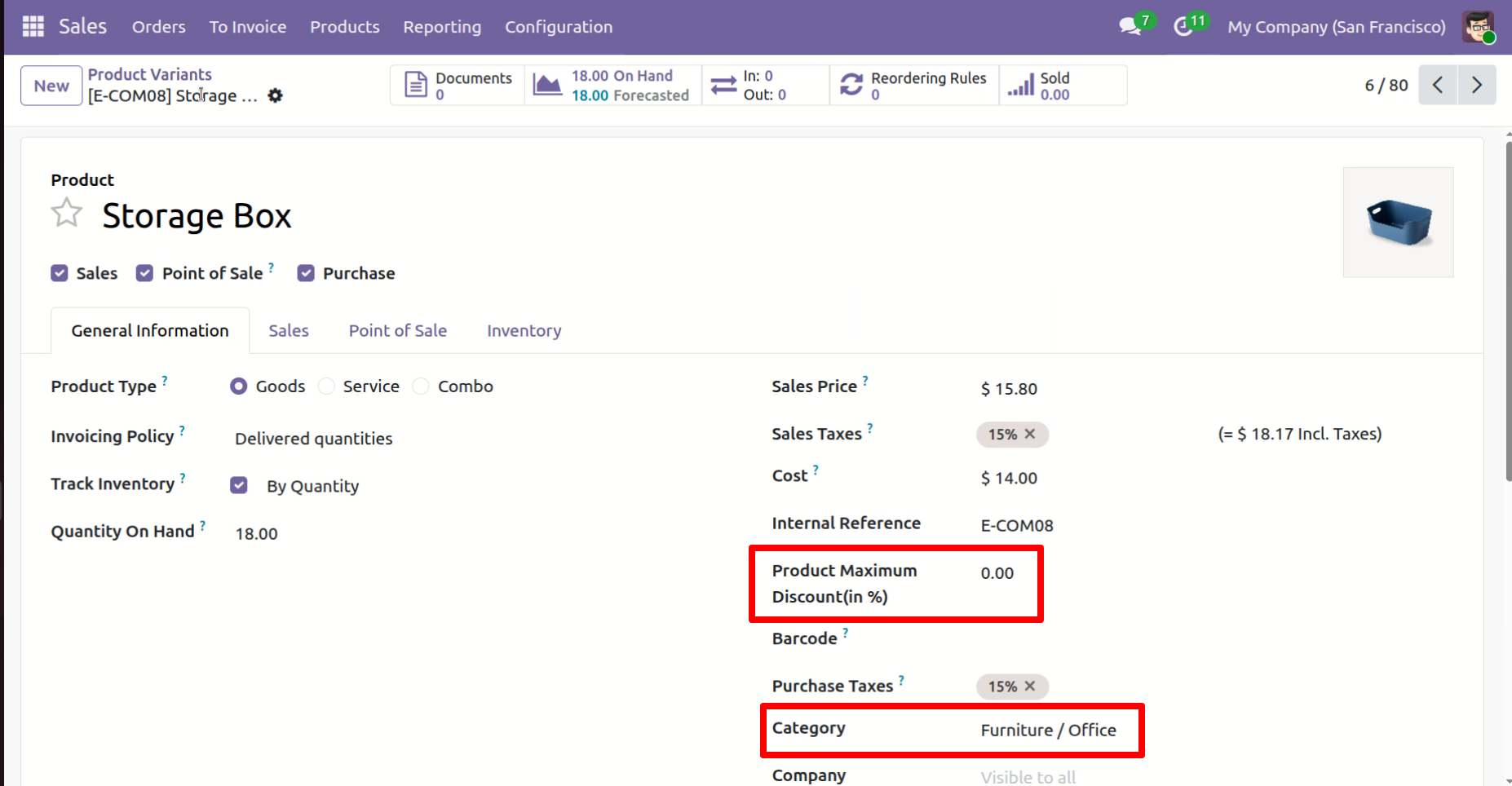
"Product Maximum Discount" field in Product Variants, where a specific discount limit for the product is defined.
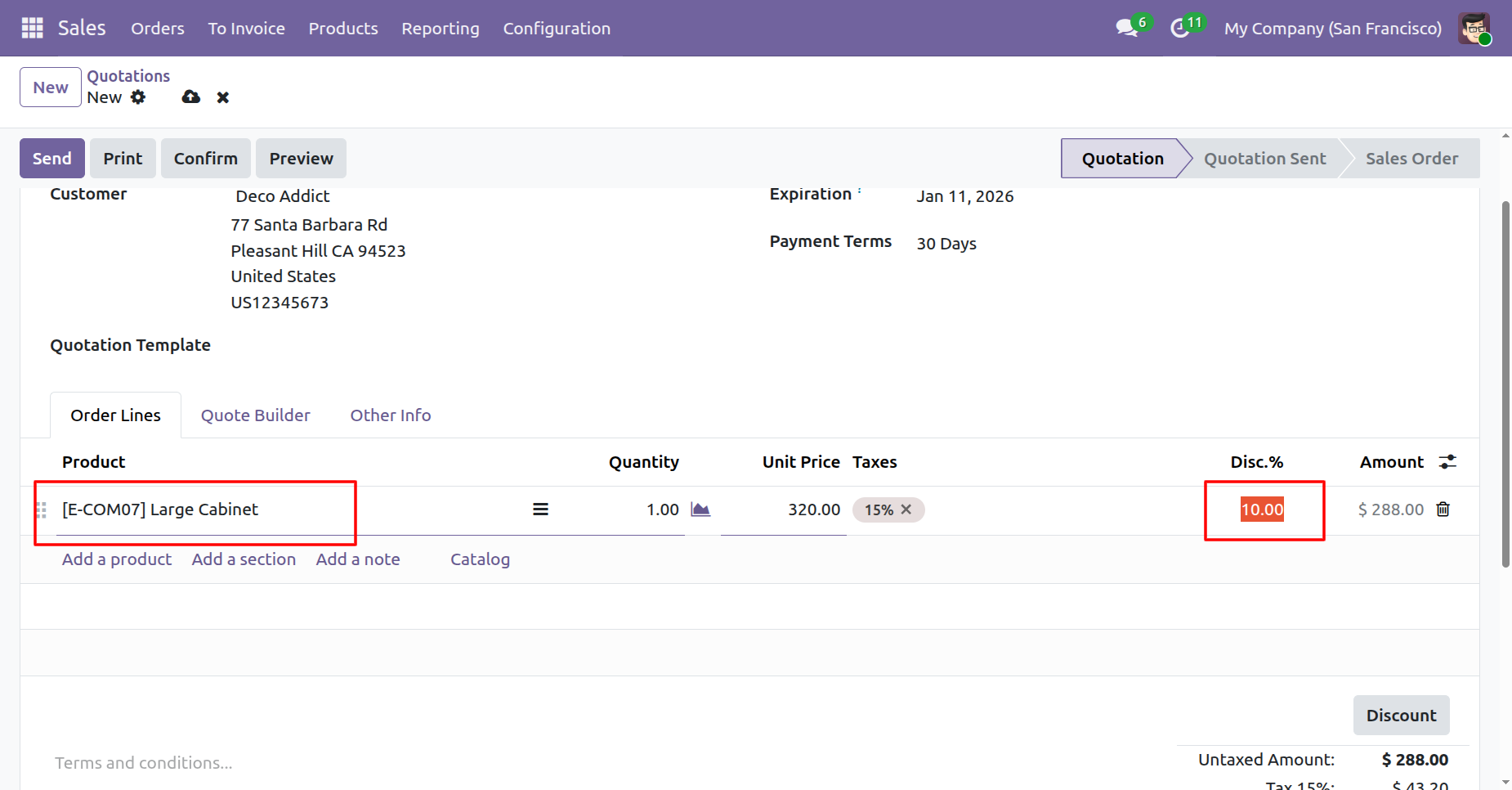
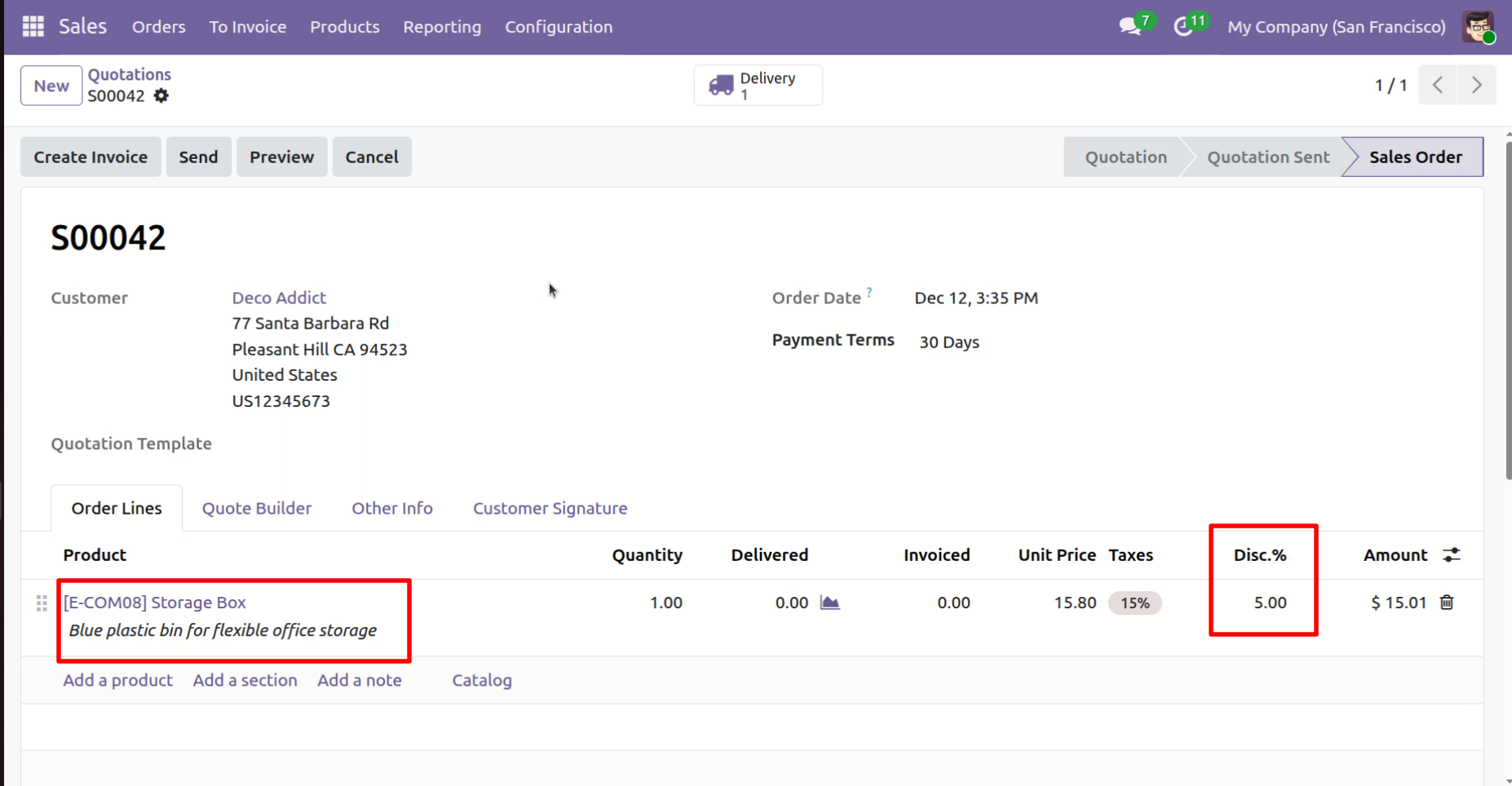
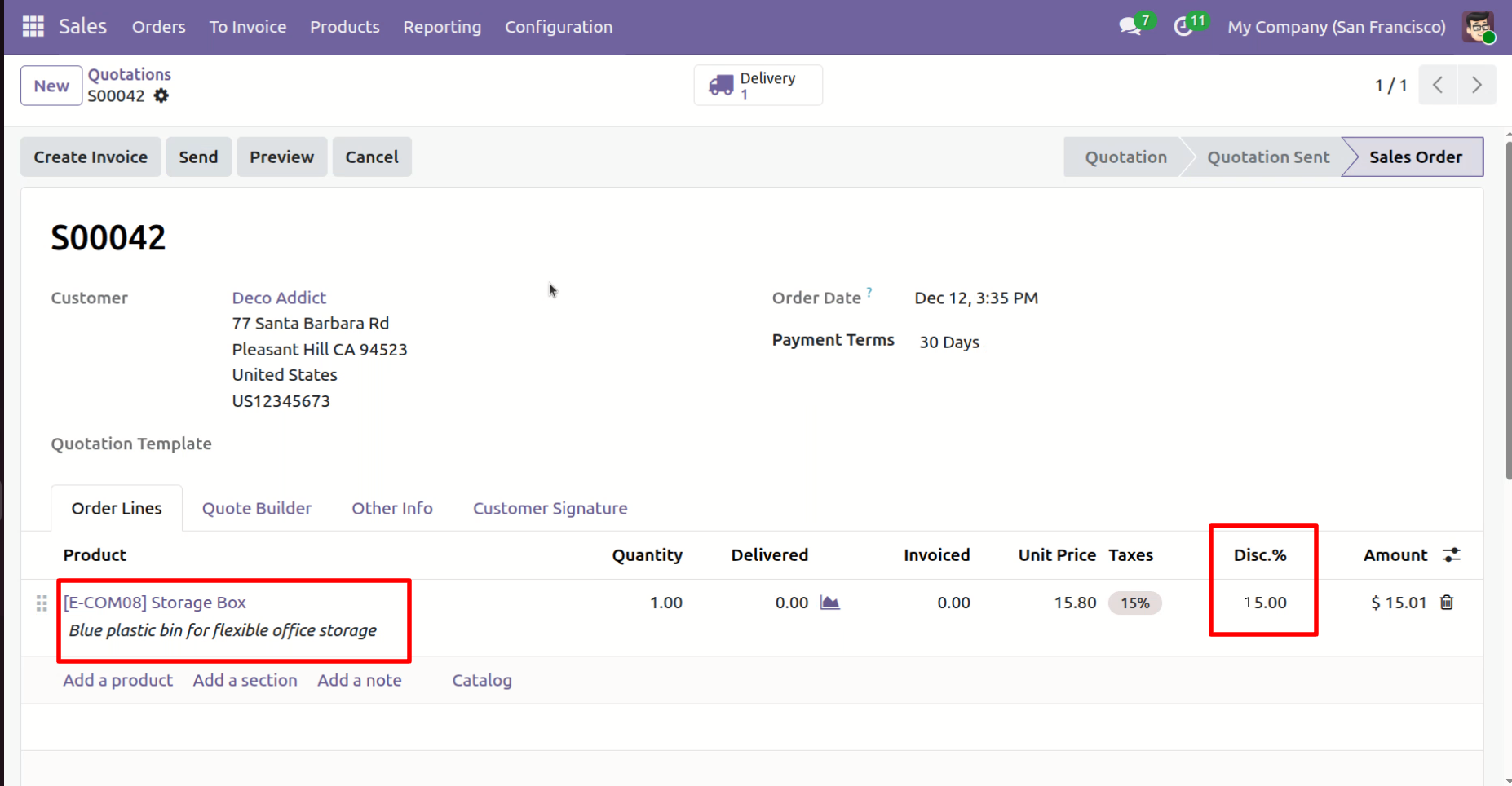
Creating a Sale Order and entering a discount that exceeds the limit set on the Product Variant.
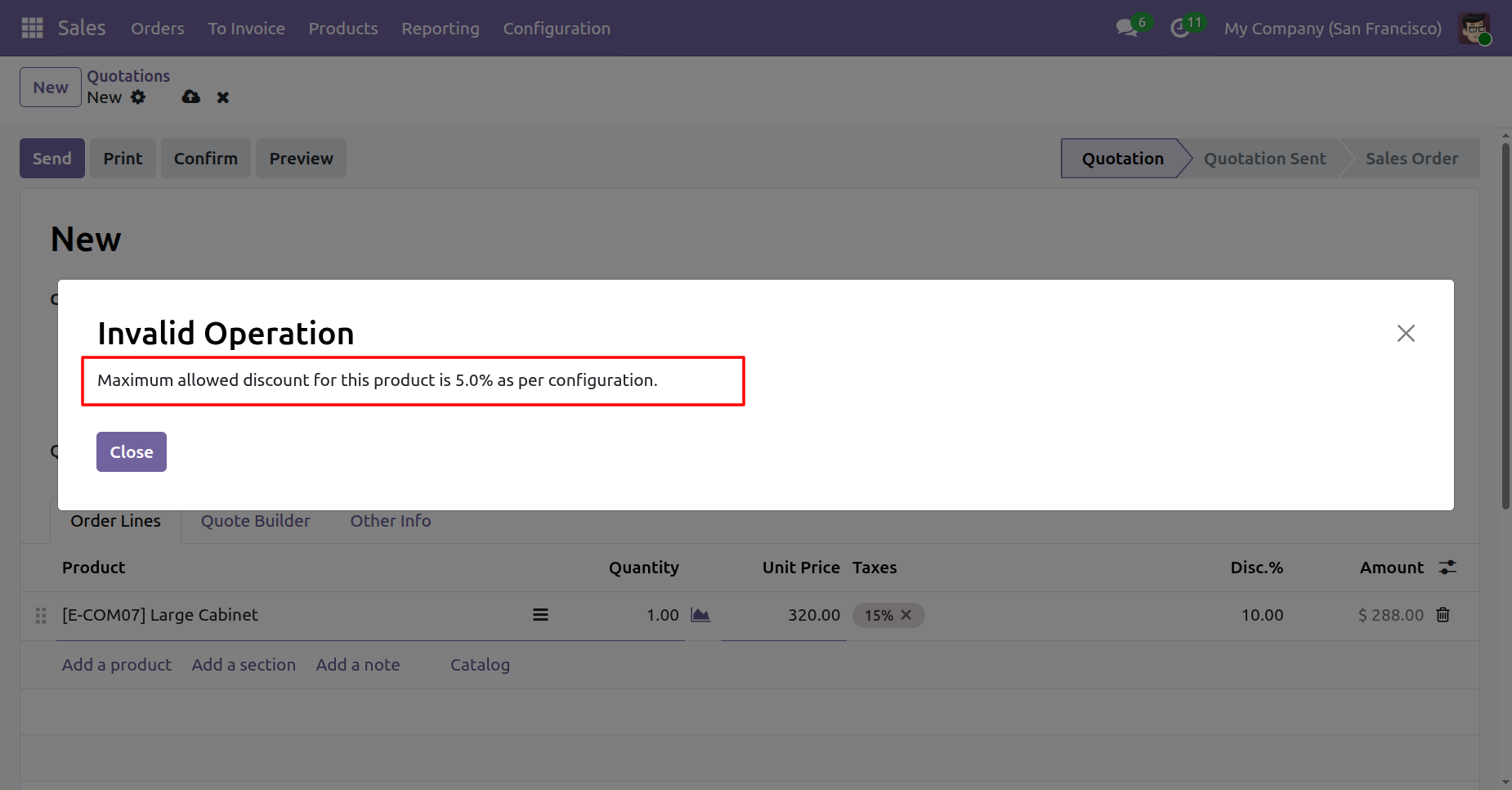
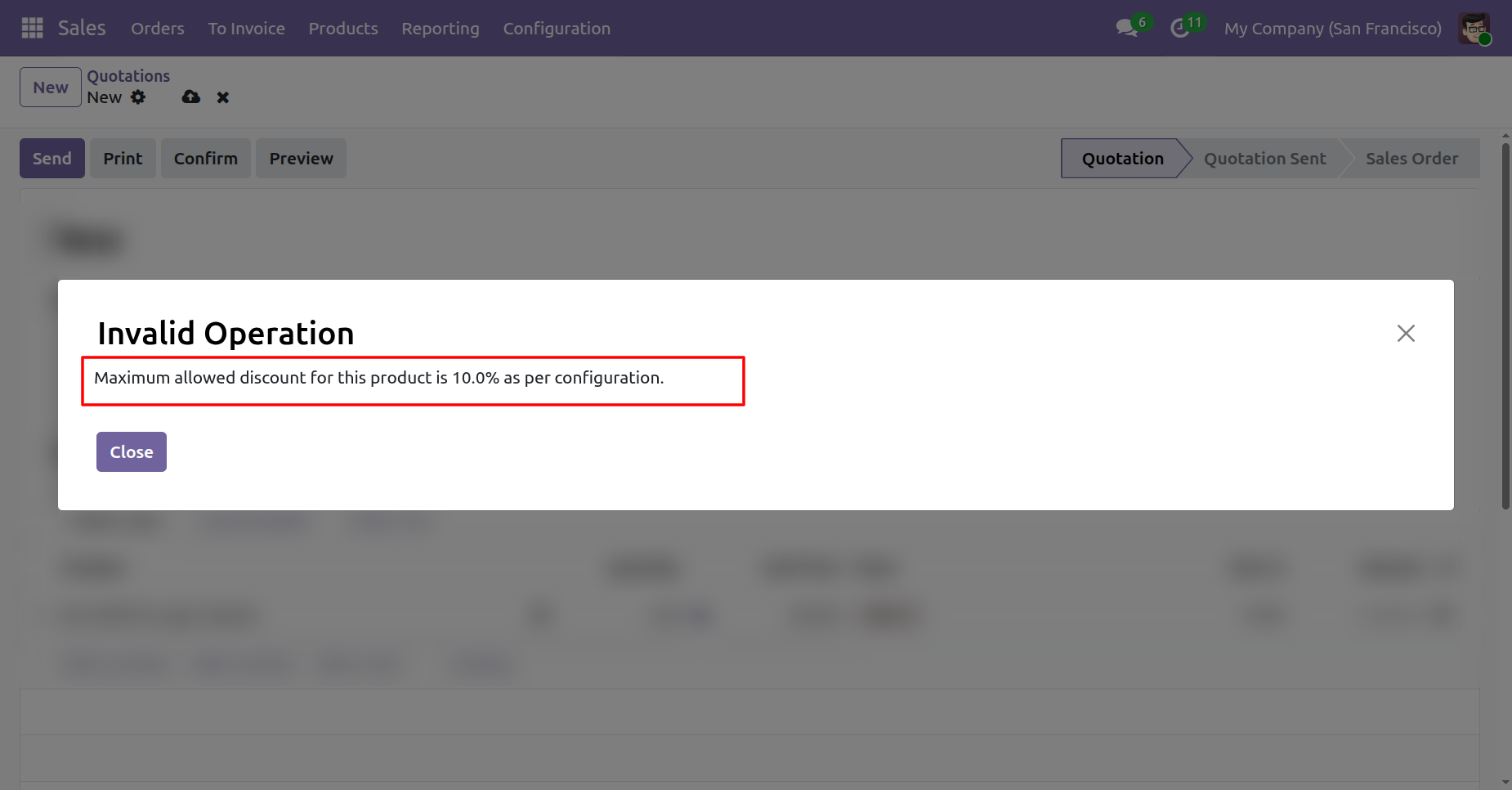
A warning appears, preventing the sale, as the entered discount exceeds the allowed 5% limit.
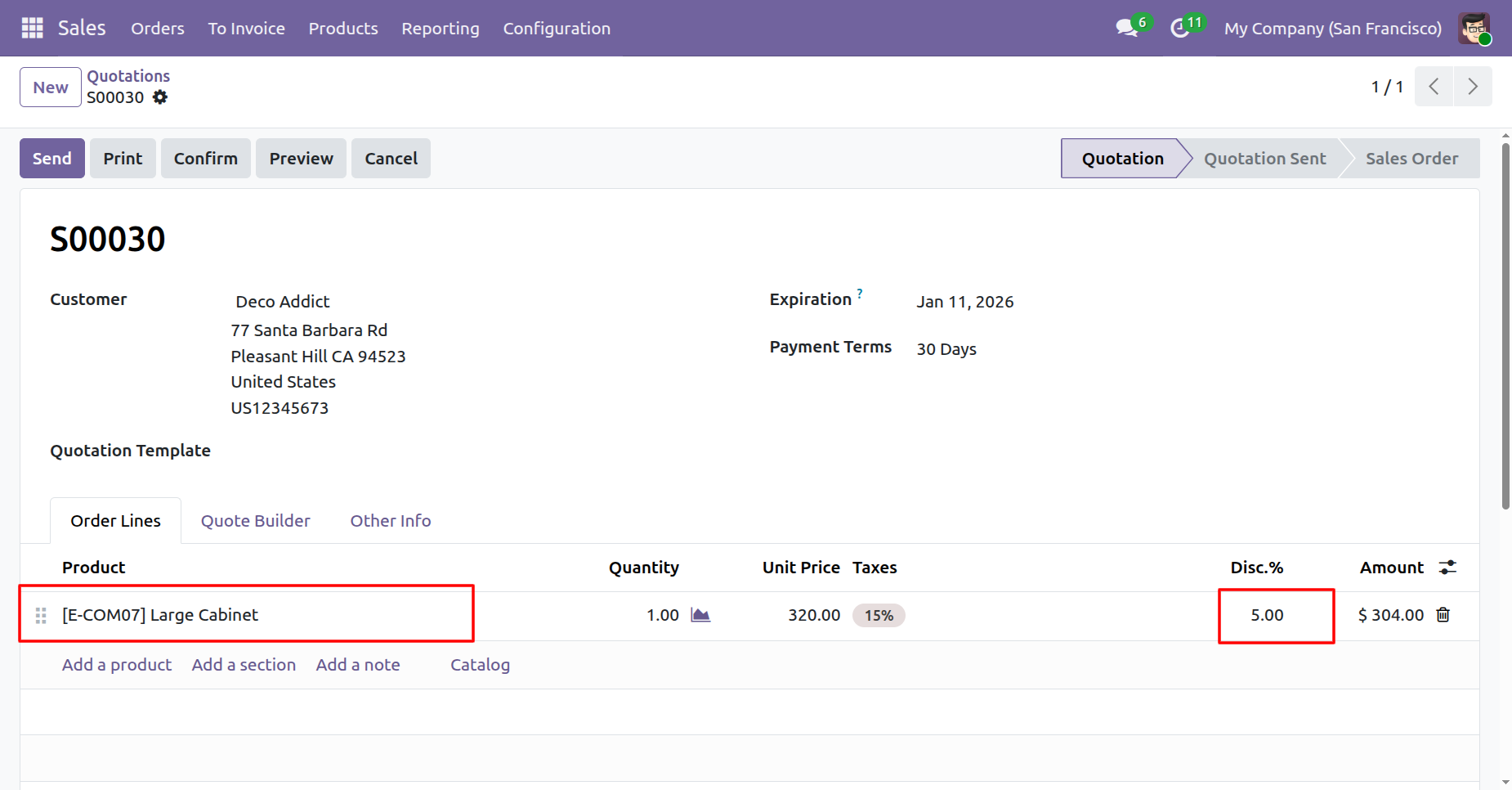
Creating a Sale Order and entering a discount percentage that is within the allowed range limit.
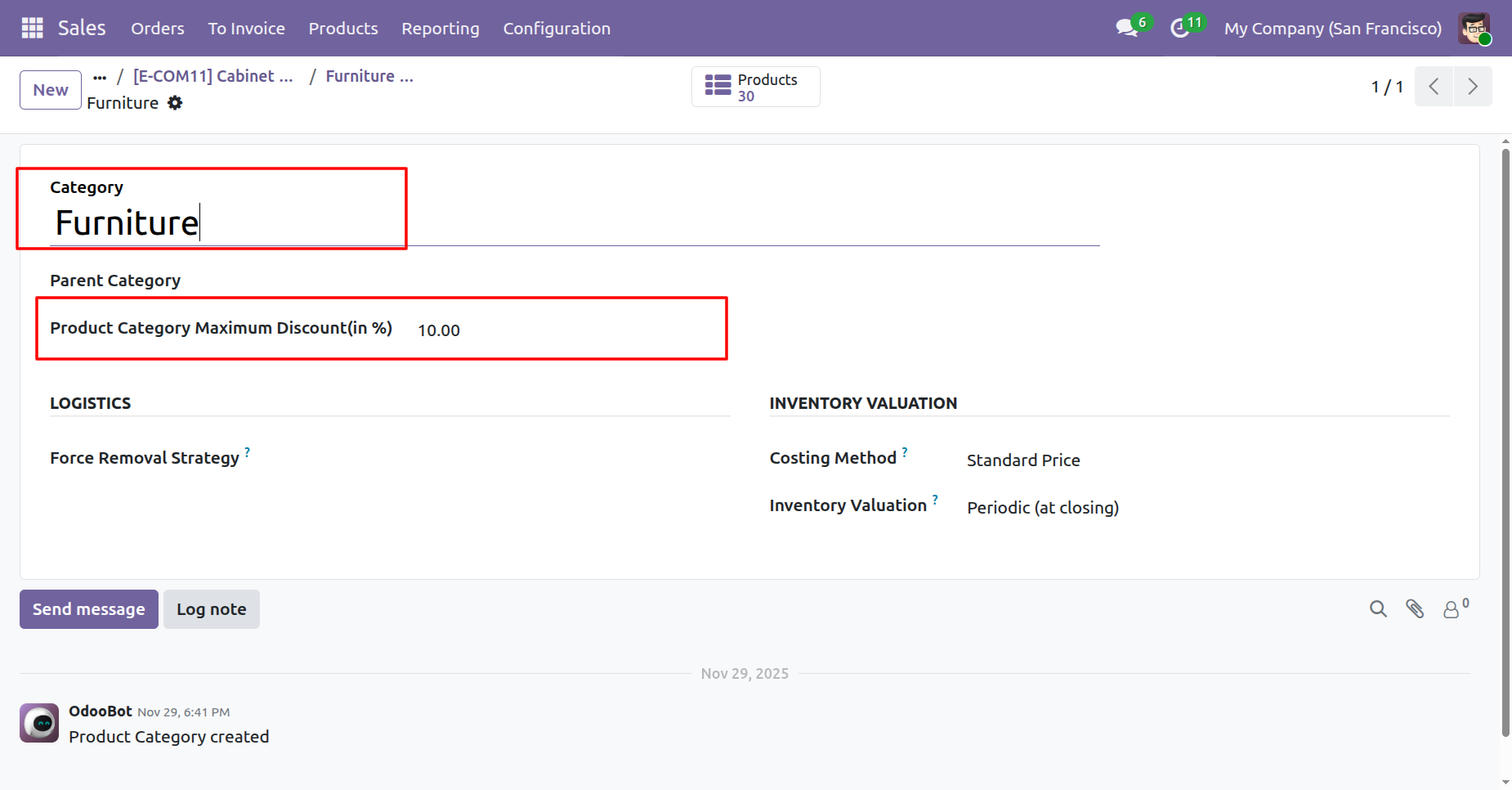
"Product Category Maximum Discount" field in Product Category, where the discount limit is defined for product categories.
A product with no specific product discount but with a category discount limit.
The entered discount is within the Category discount limit, which applies automatically when the Product has no specific discount limit.
The entered discount is above the Category discount limit.
A warning appears, preventing the sale, as the entered discount exceeds the allowed 10% limit.
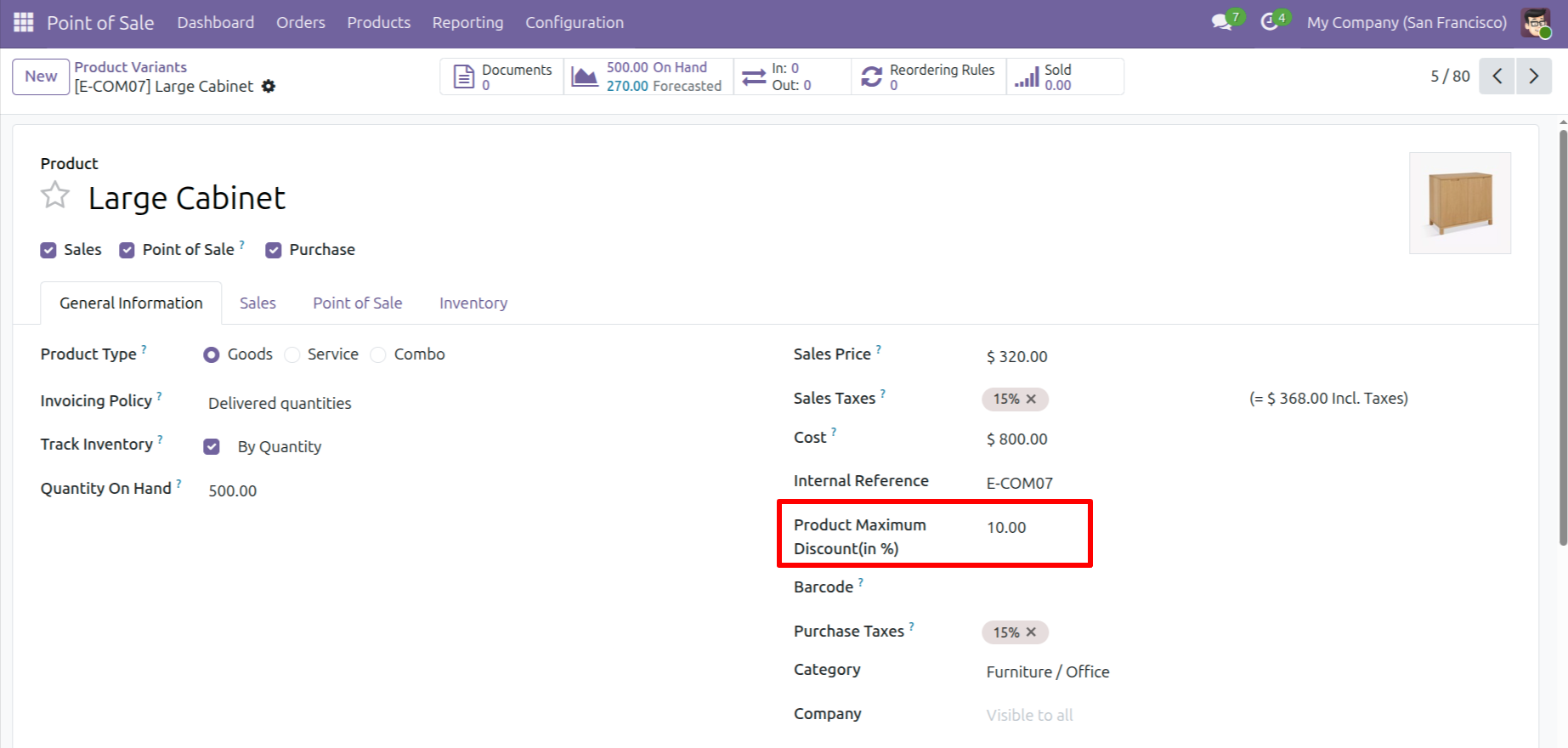
In the Point of Sale, "Product Maximum Discount" field in Product Variants, where a specific discount limit for the product is defined.
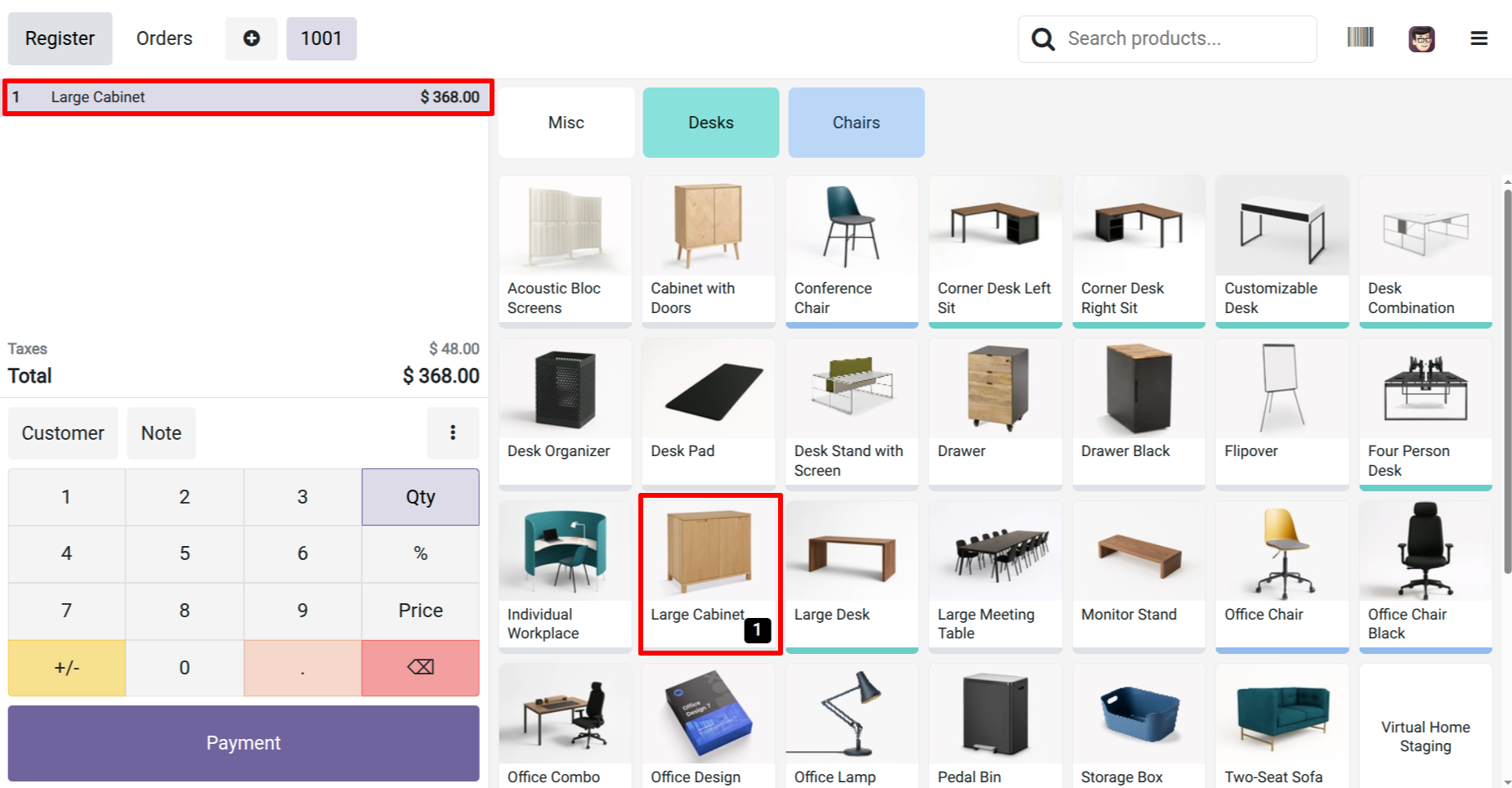
In the Point of Sale, add a product and enter a discount that exceeds the product's maximum discount limit.
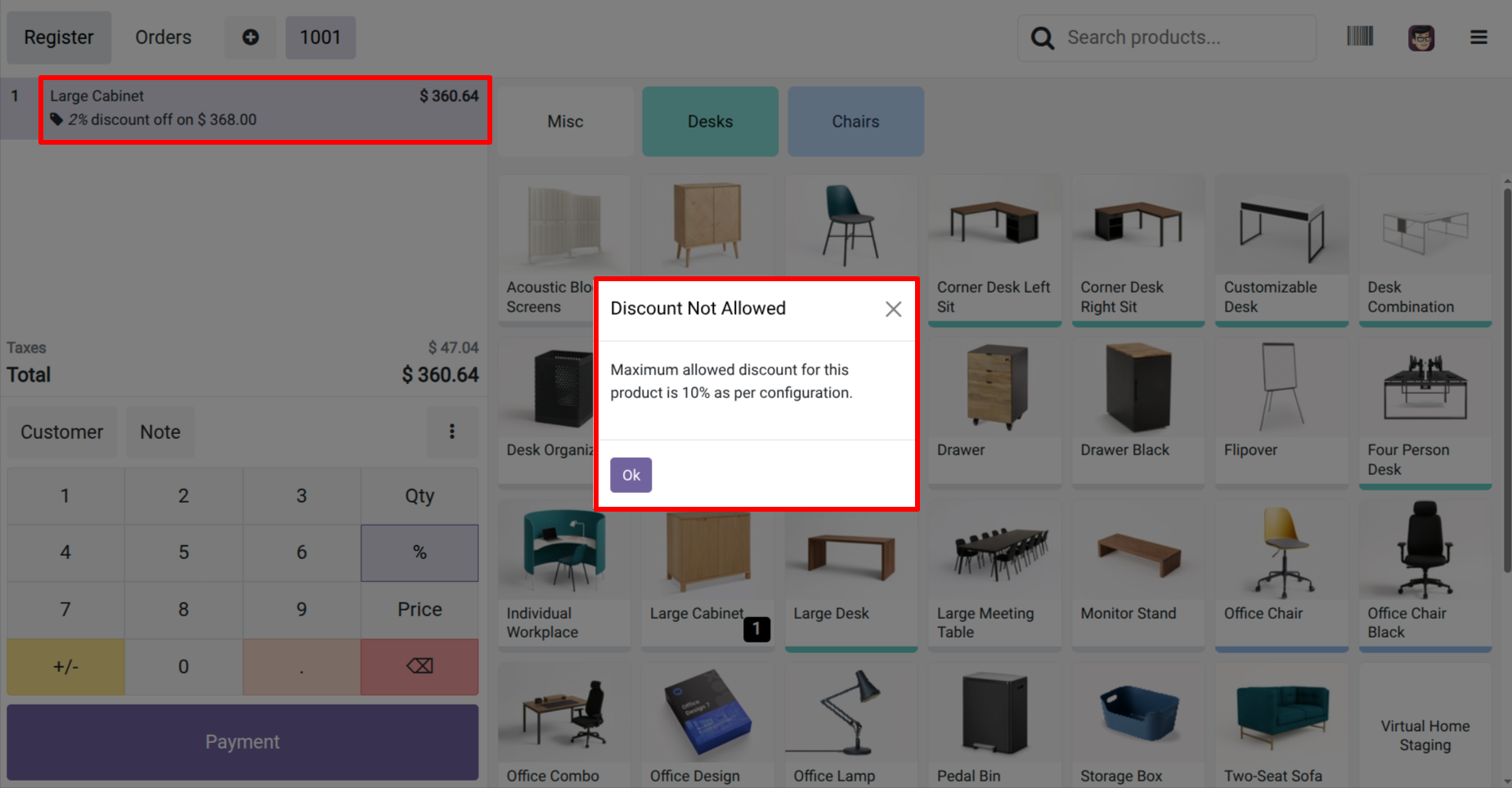
A "Discount Not Allowed" error pop-up appears in POS when the entered discount exceeds the configured limit (20%).
Version 19.0.1 | Released on : 18th December 2025
- Yes, this app works perfectly with Odoo Enterprise (Odoo.sh & Premise) as well as Community.
- No, this application is not compatible with odoo.com(odoo saas/Odoo Online)
- Yes, to test this module, please contact us at sales@softhealer.com.
- Please contact us at sales@softhealer.comto request customization.
- Yes, we provide free support for 365 days from the date of purchase.
- Yes, you will receive lifetime free updates for the version of the module you purchased.
- No, there is no need to install any additional libraries.
- Yes, for version 12 and above, you need to purchase the module separately for each version you intend to use.
- No, exchanges or refunds are not allowed. Please make sure to select the correct version before purchasing.
- You can contact us at support@softhealer.com for language translation support. We use Google Translator tools to provide translations in multiple languages, so the accuracy may vary. We welcome your suggestions to help improve translations.
Discover Our Latest Apps