












Sales Dashboard

Elevate your sales management with our Advanced Sales Dashboard. Gain real-time insights into your revenue, active deals, and conversion rates through interactive KPI cards. Visualize your sales pipeline and track revenue trends with Charts. Manage opportunities effectively and monitor top performers at a glance.

Features
Real-Time Sales KPIs
Monitor Total Revenue, Active Deals, Conversion Rate, and Monthly Targets instantly.
Quick Creation Modals
Create Quotations, Opportunities, Customers, and Leads directly from popup dialogs.
Revenue Trend Analytics
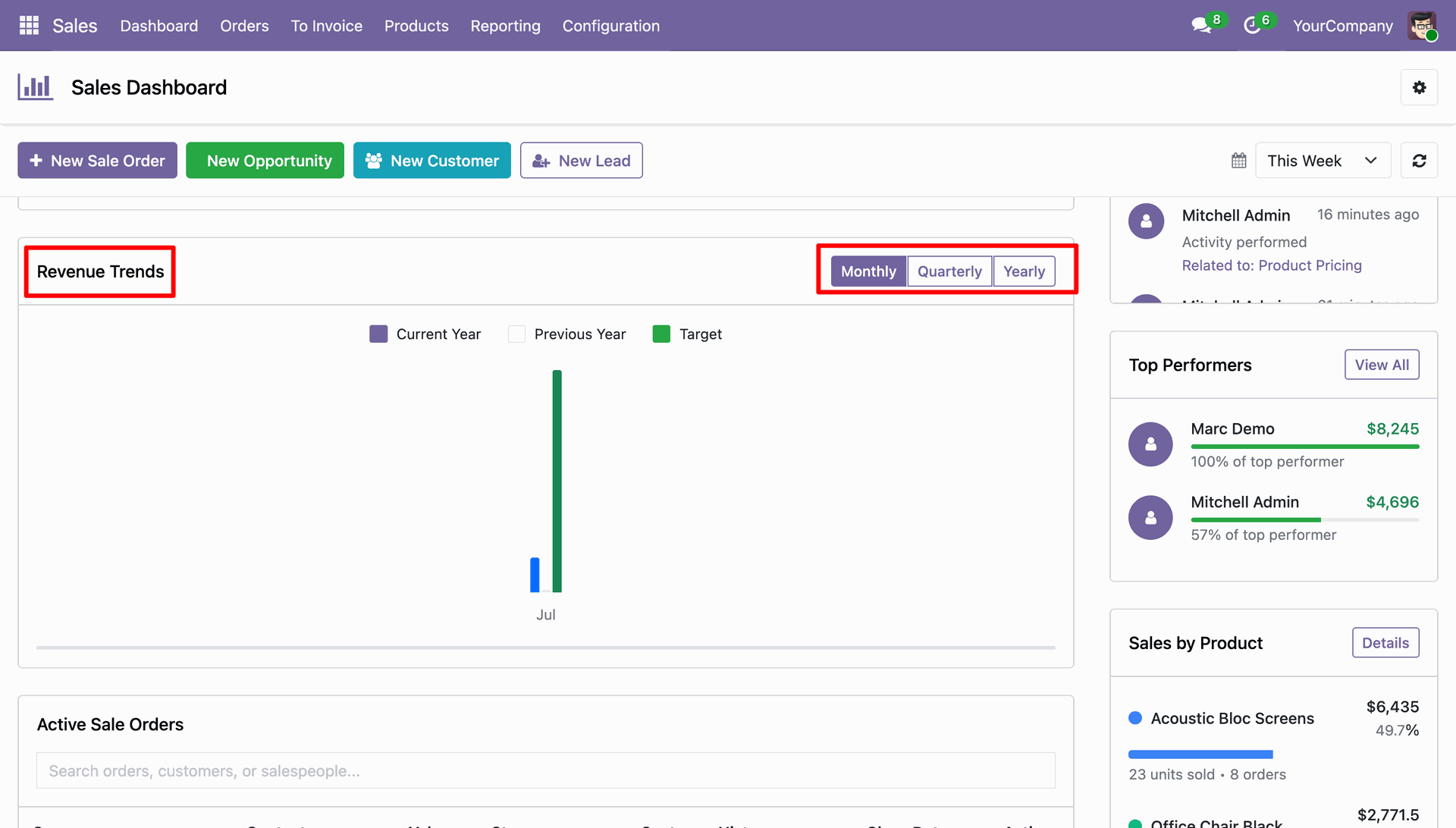
Analyze sales revenue against targets across Monthly, Quarterly, and Yearly periods.
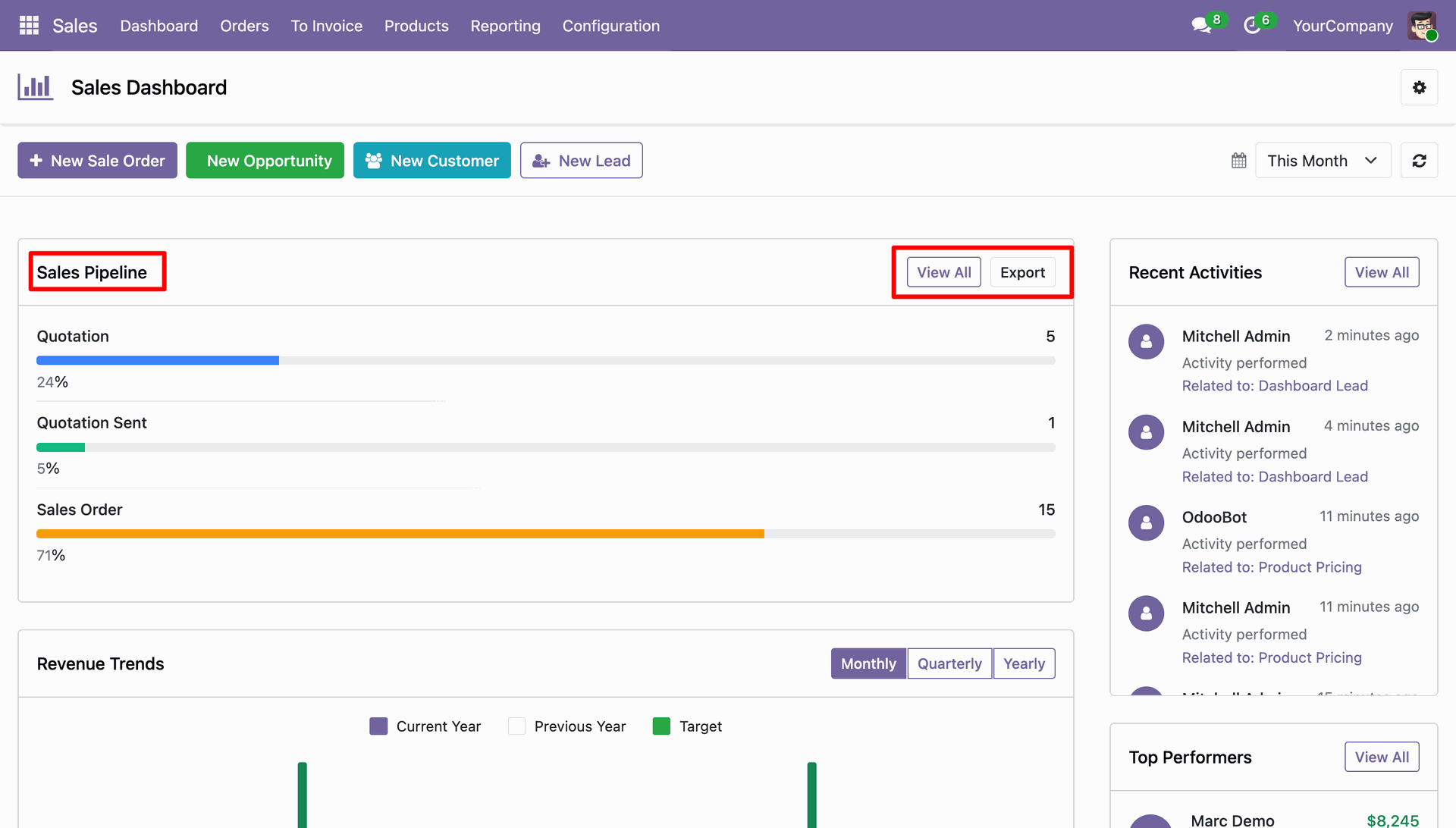
Sales Pipeline Tracking
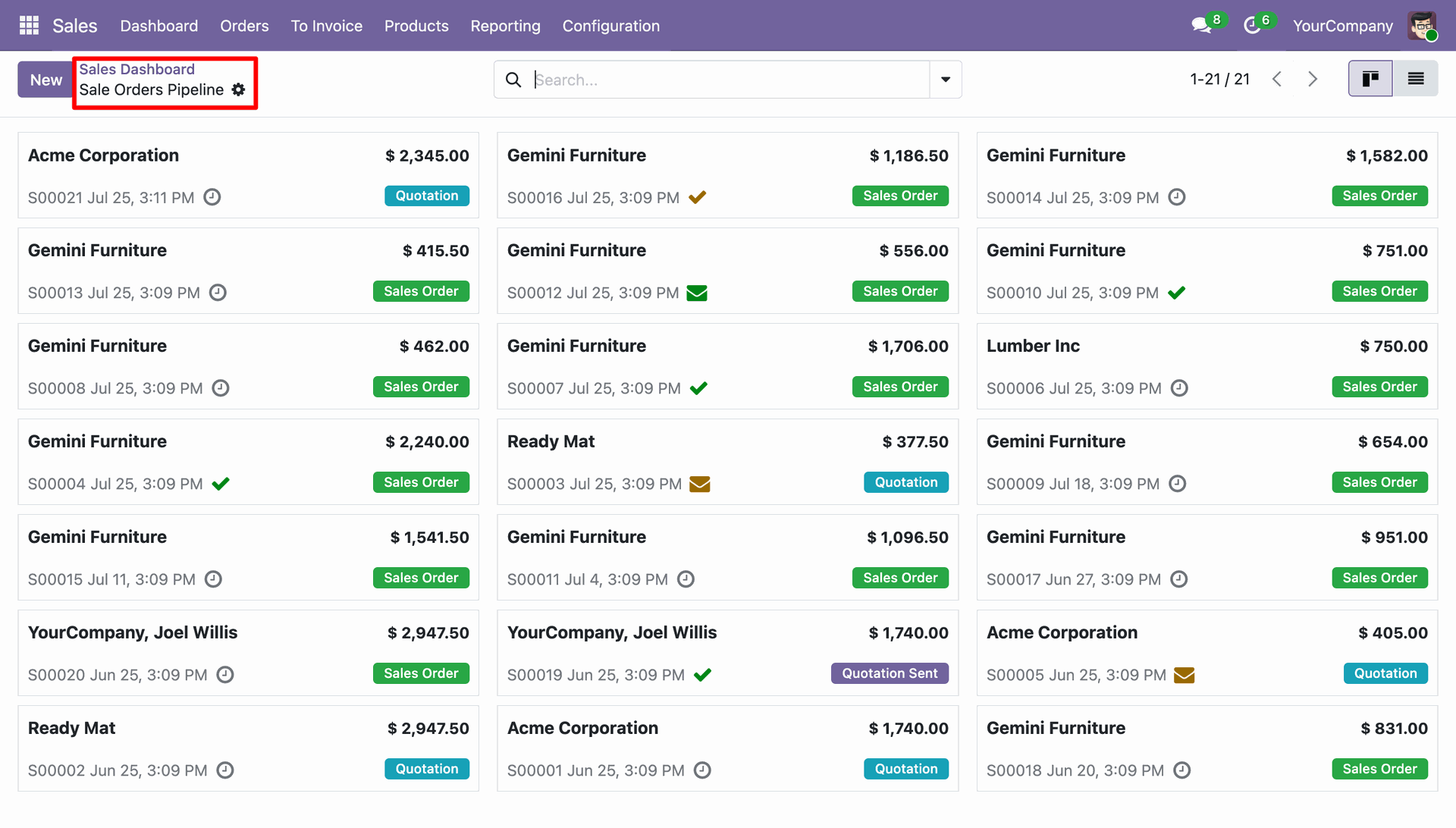
Track orders across Quotation, Sent, and Sales Order stages with direct Kanban access.

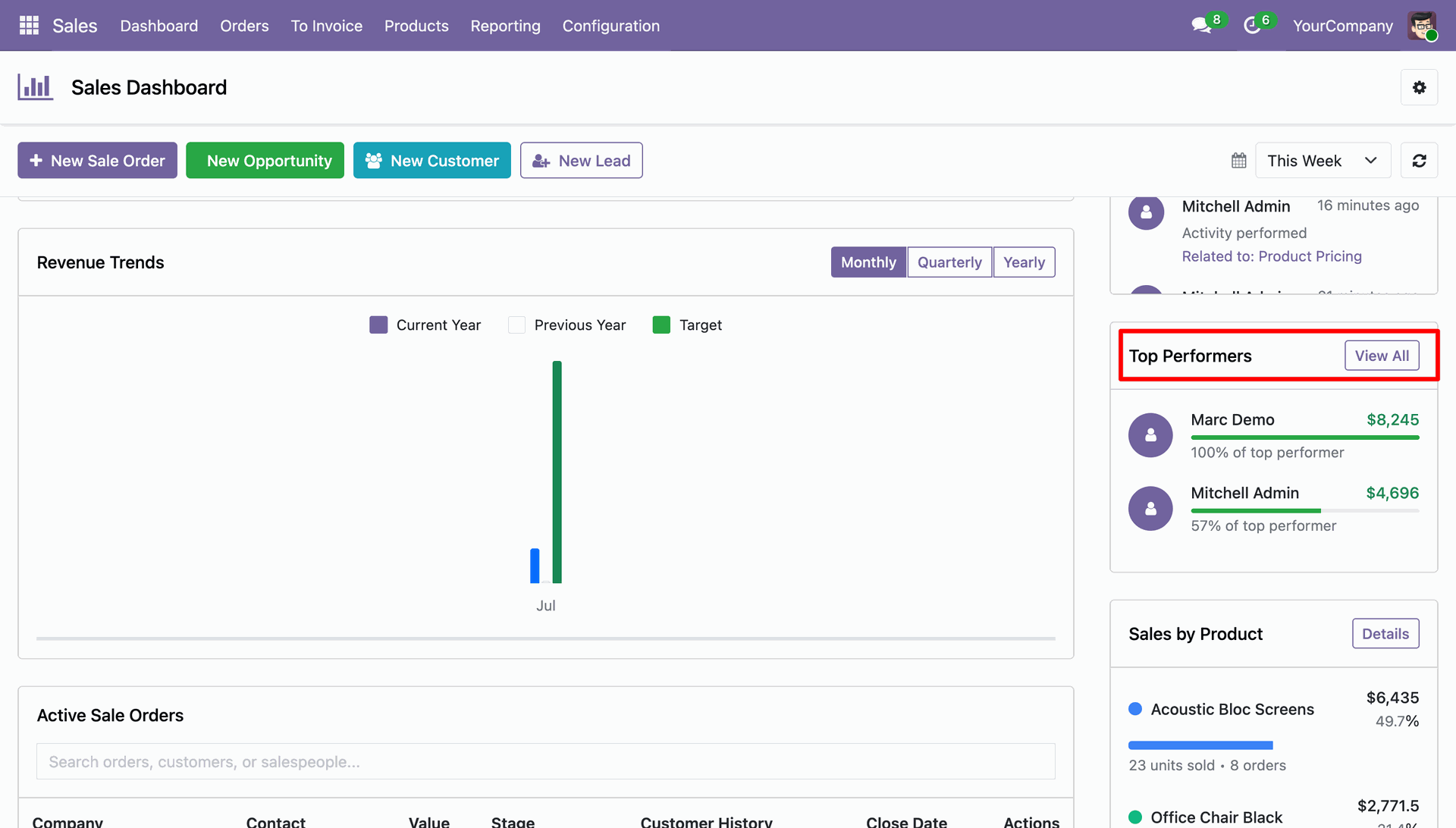
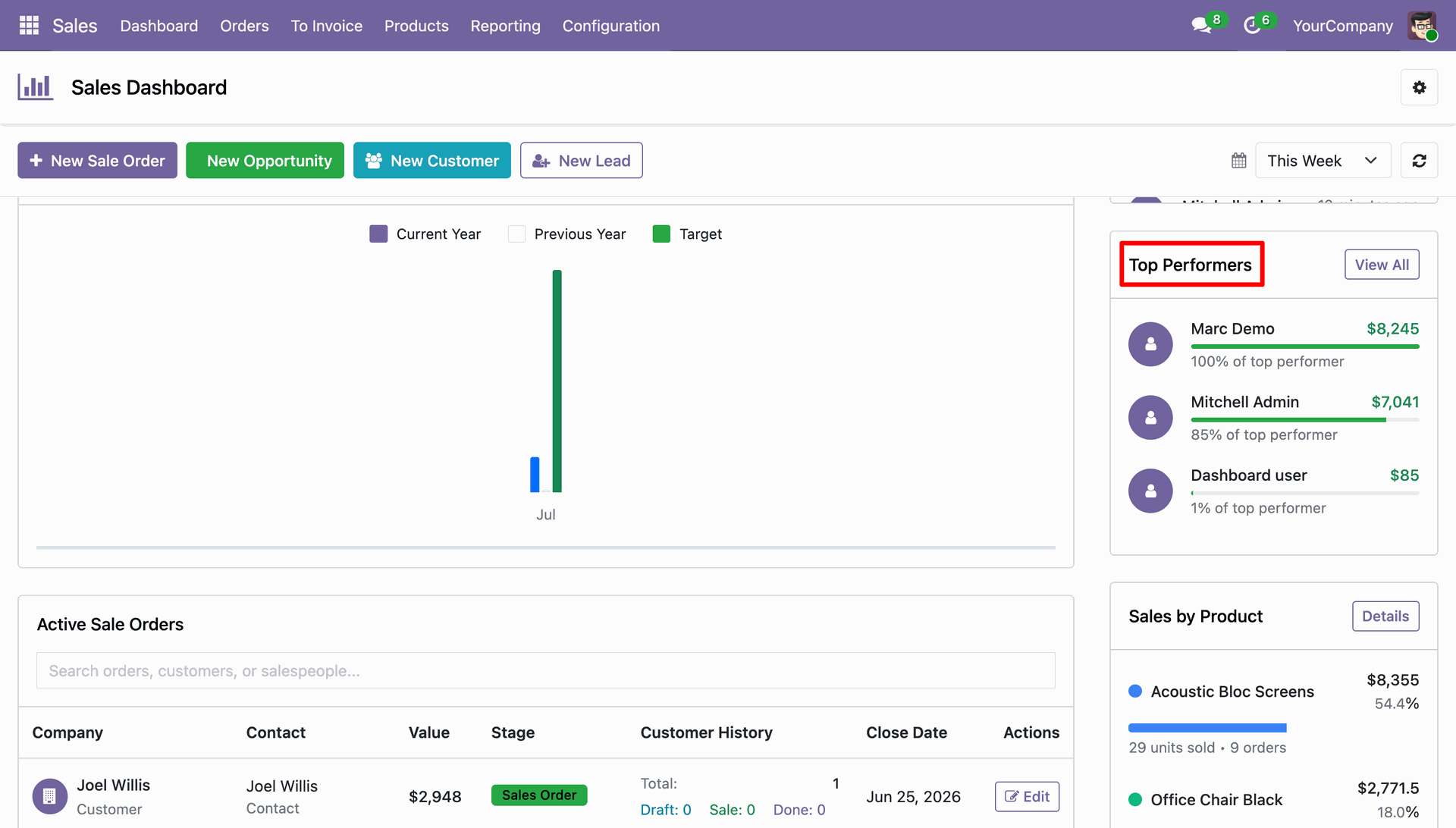
Top Performers Ranking
Evaluate sales representative revenue achievements and percentage contributions.
Product Sales Insights
Gain insights into top-selling products with detailed sales volume graph analysis.

Scheduled Activities Management
Monitor, complete, reschedule, or cancel pending sales team activities directly.
Customizable Dashboard Settings
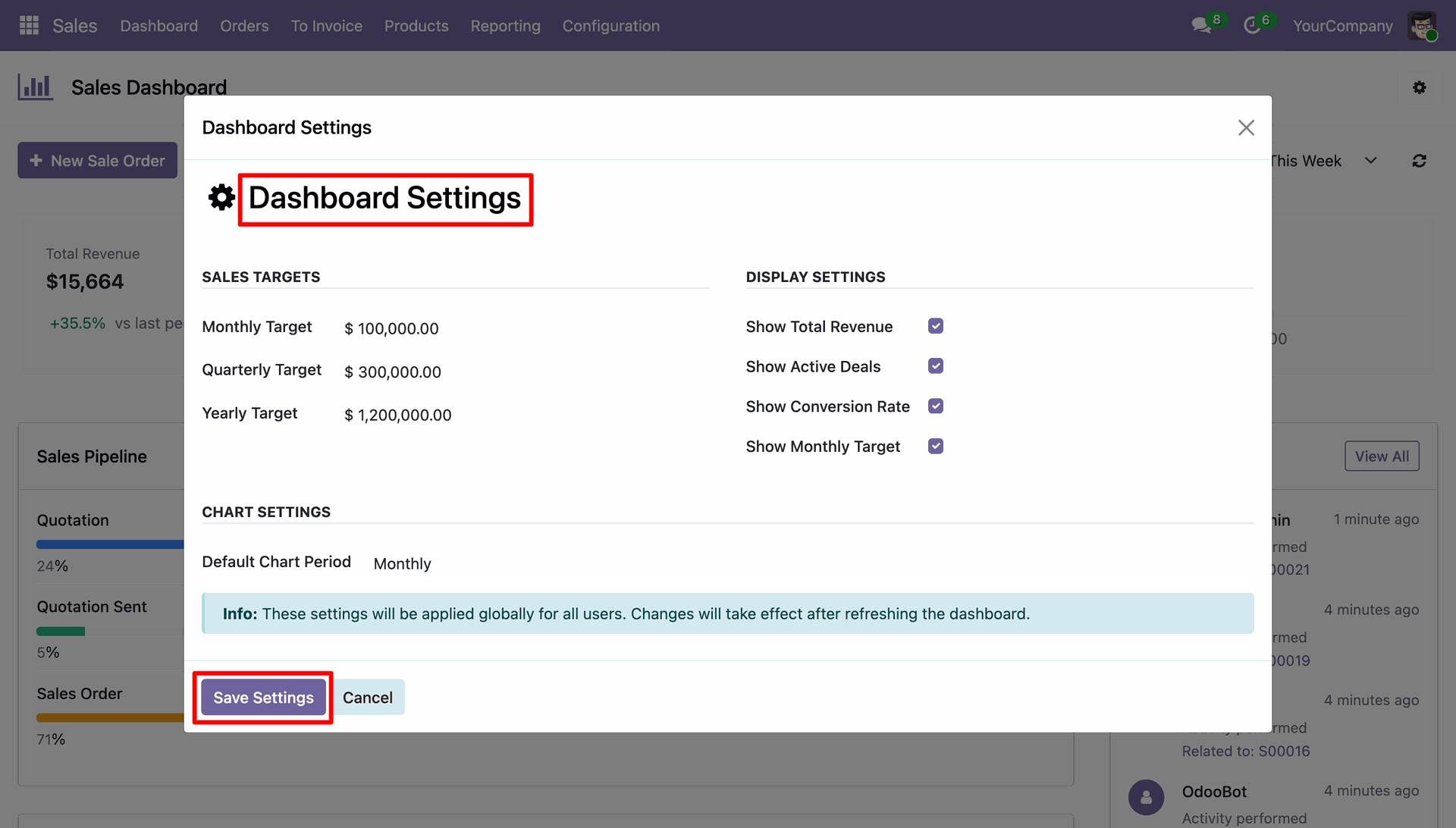
Configure sales targets, toggle card displays, and set preferred chart timeframes.
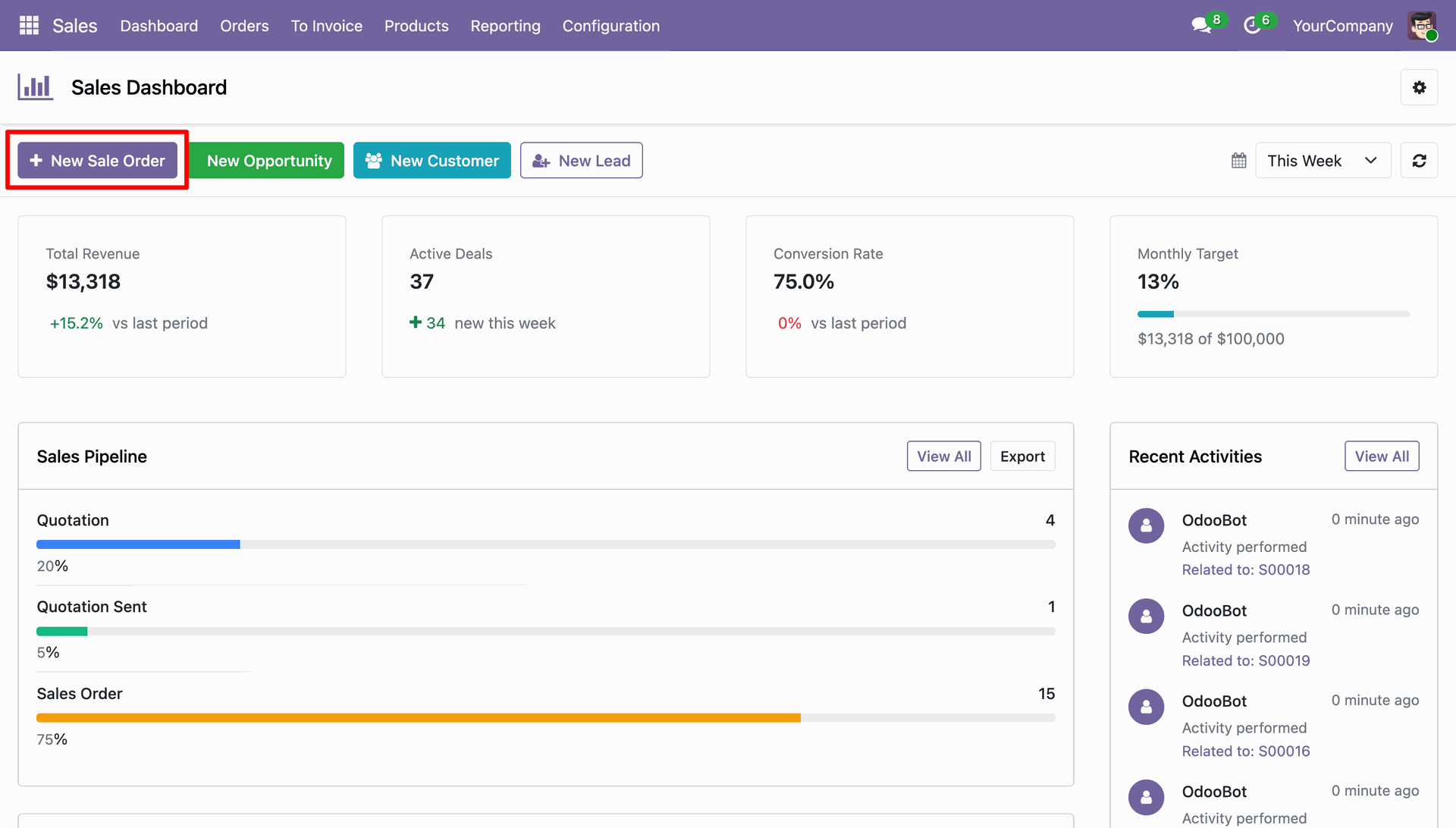
Open the Sales Dashboard to monitor sales metrics, revenue targets, and real-time performance.
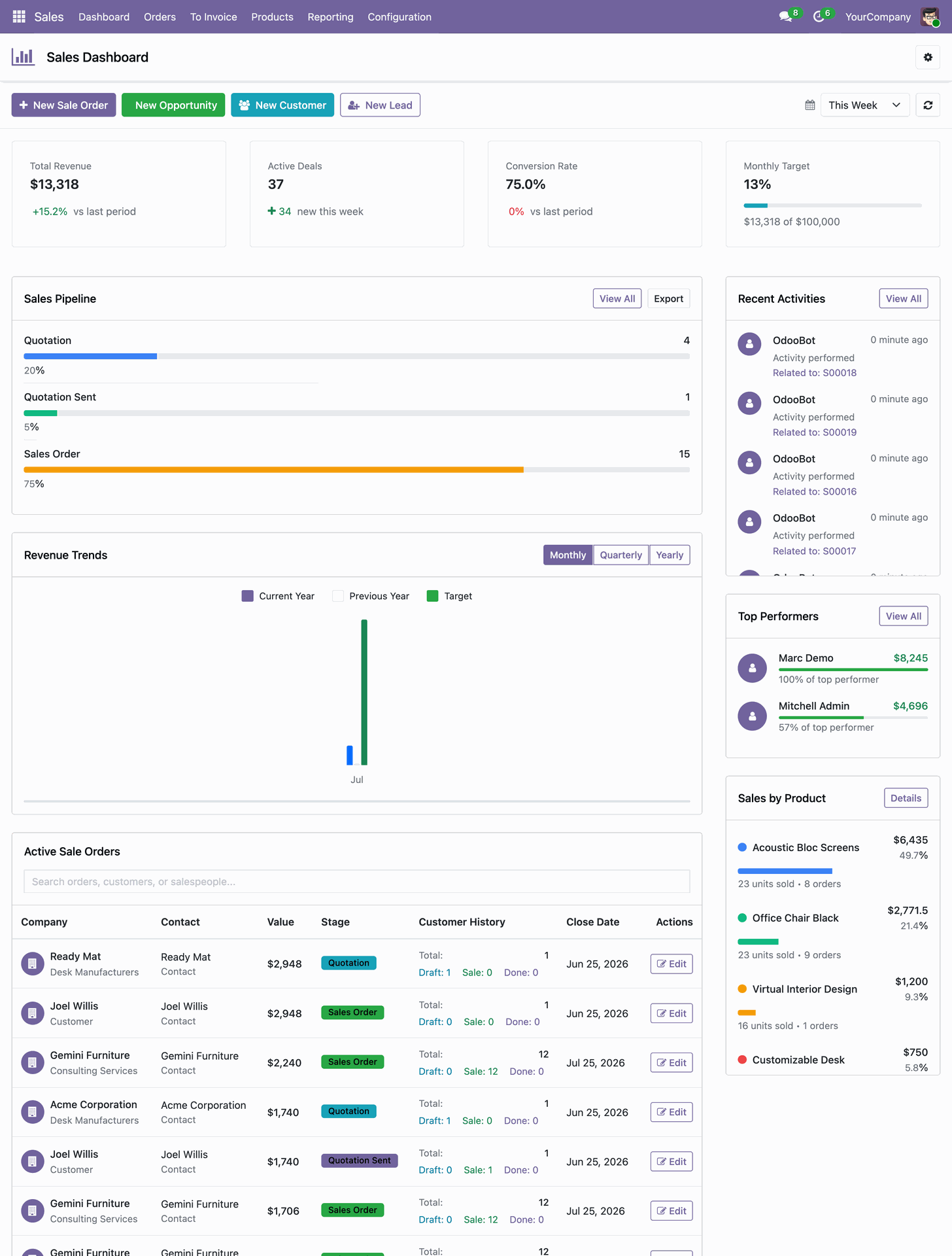
Click the New Sale Order button on the top bar to initialize a quotation.
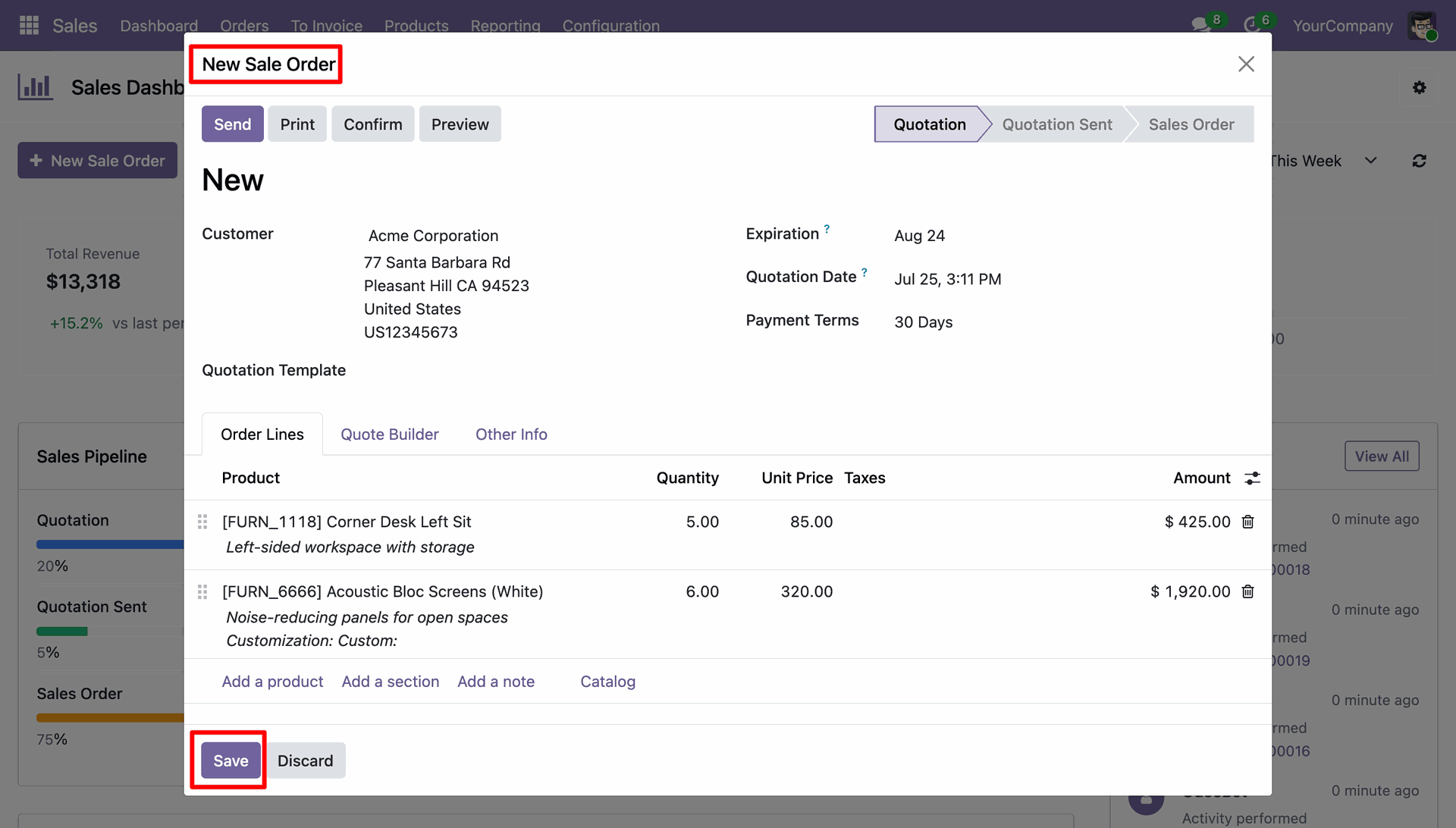
Enter customer details and order line items into the popup form before saving.
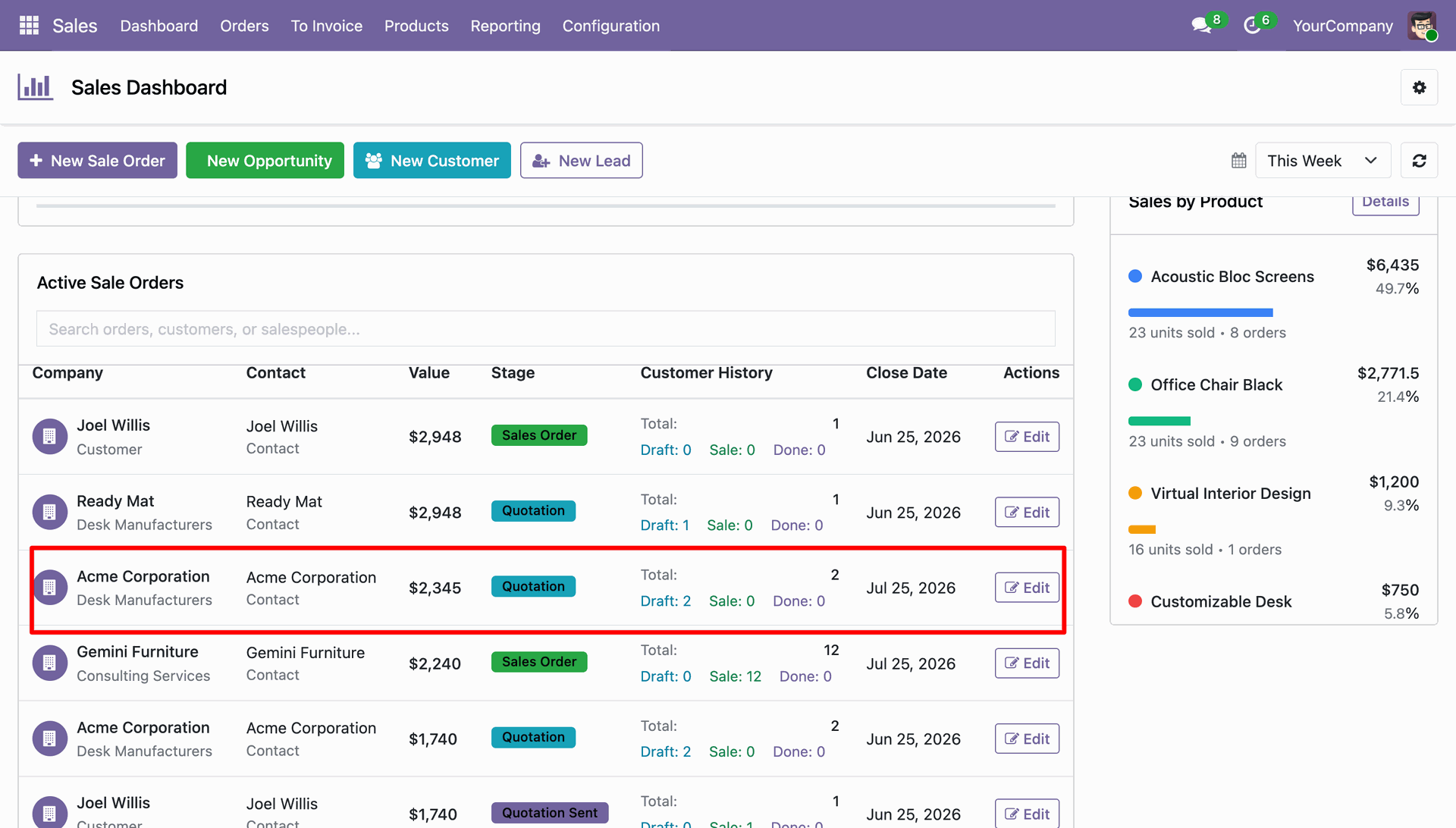
Select any order row from the active list to access its complete details.
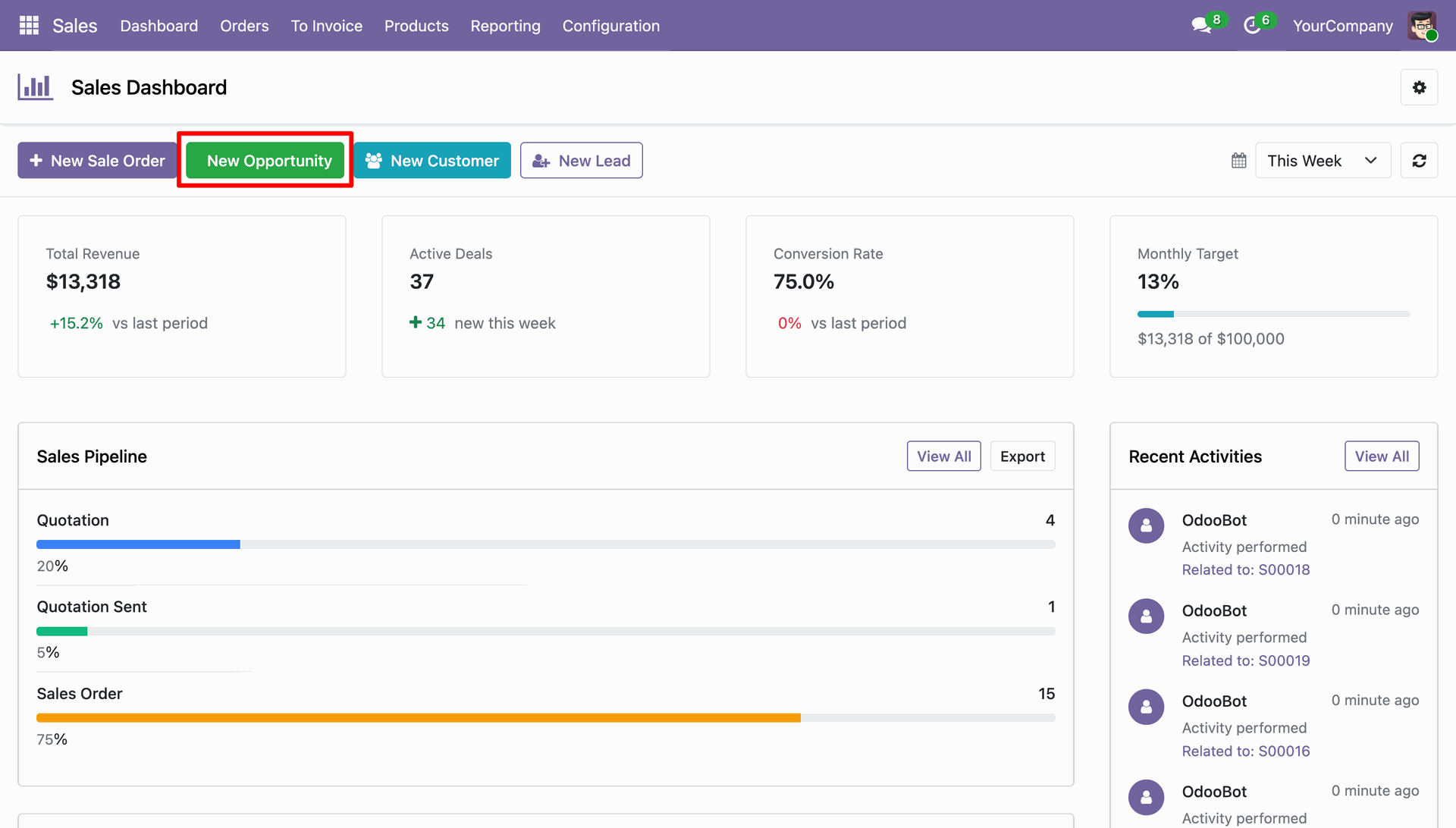
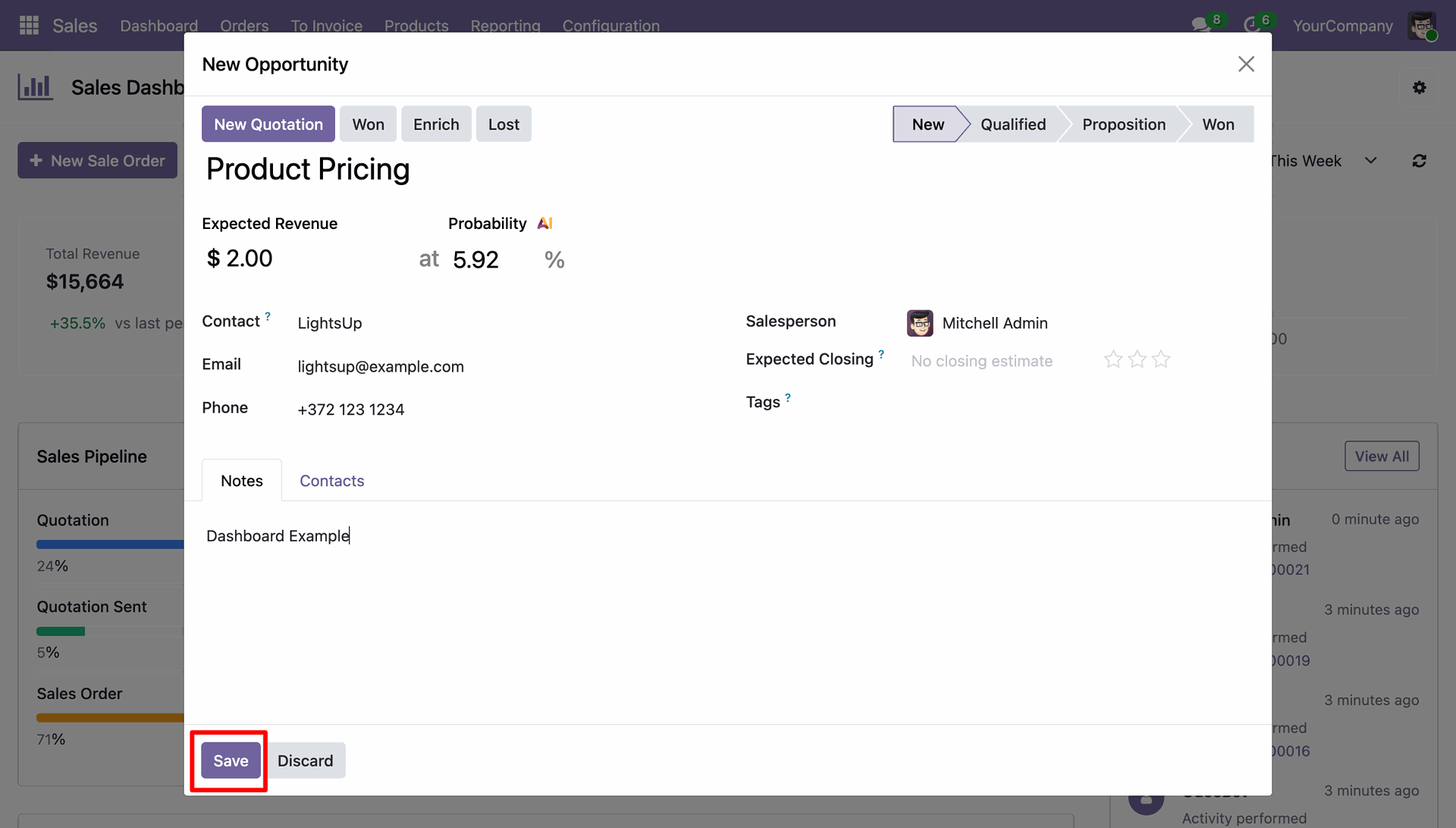
Choose the New Opportunity button to add a lead directly from the dashboard.
Fill in expected revenue and contact information in the opportunity creation dialog.
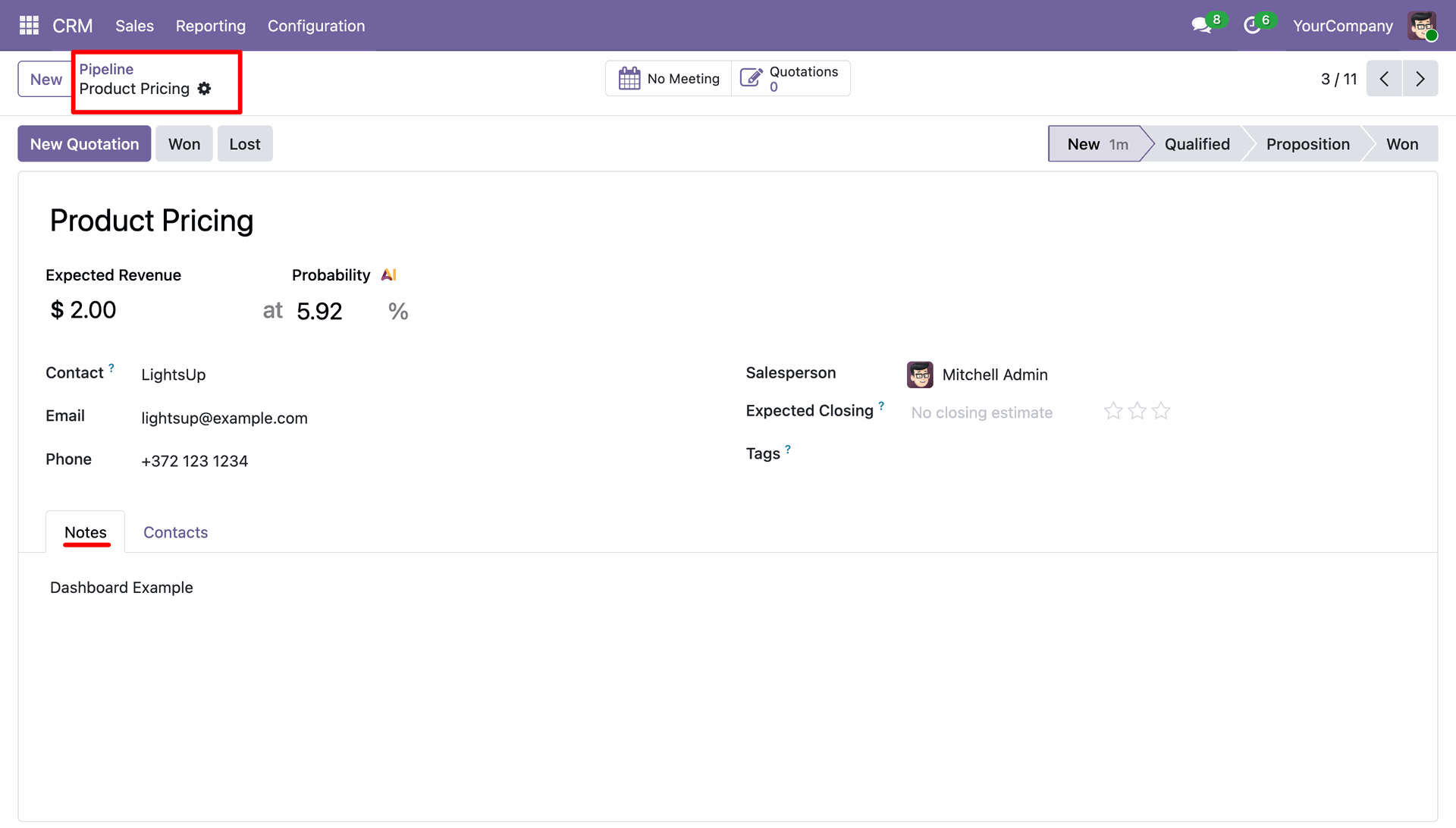
Verify the newly registered opportunity record within the main CRM pipeline.
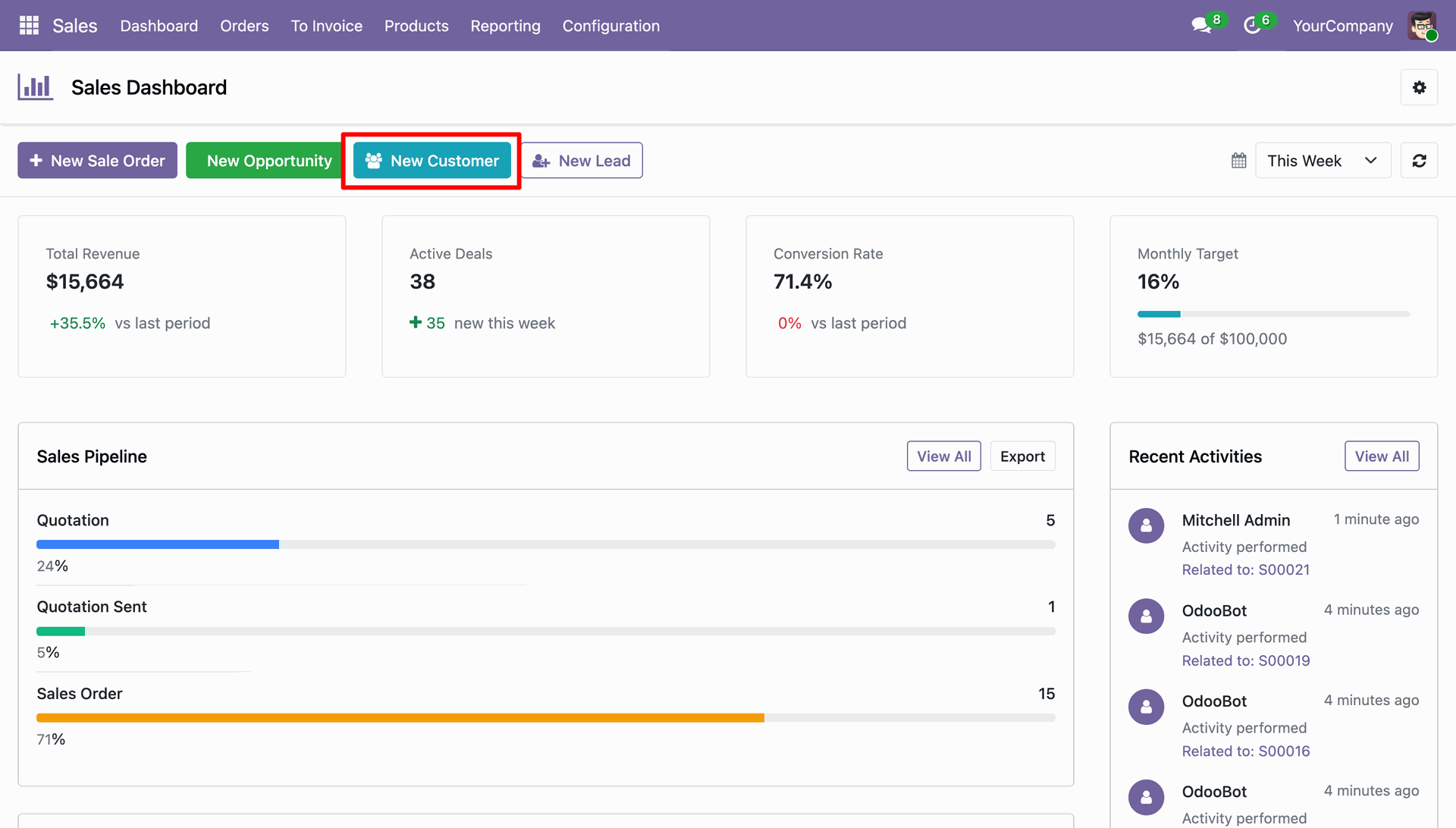
Press the New Customer button to register a new client profile.
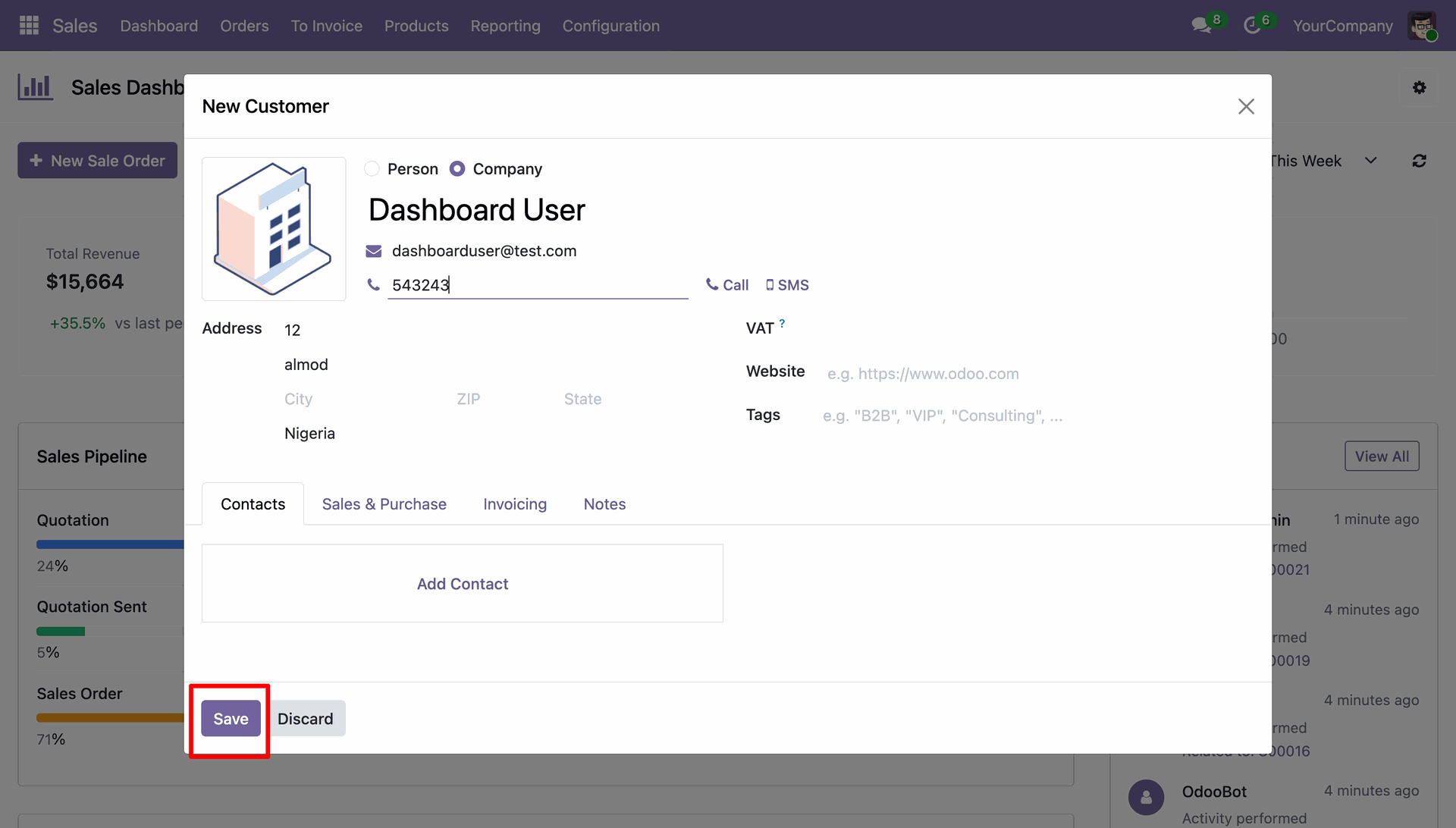
Input contact details, company name, and address within the customer creation window.
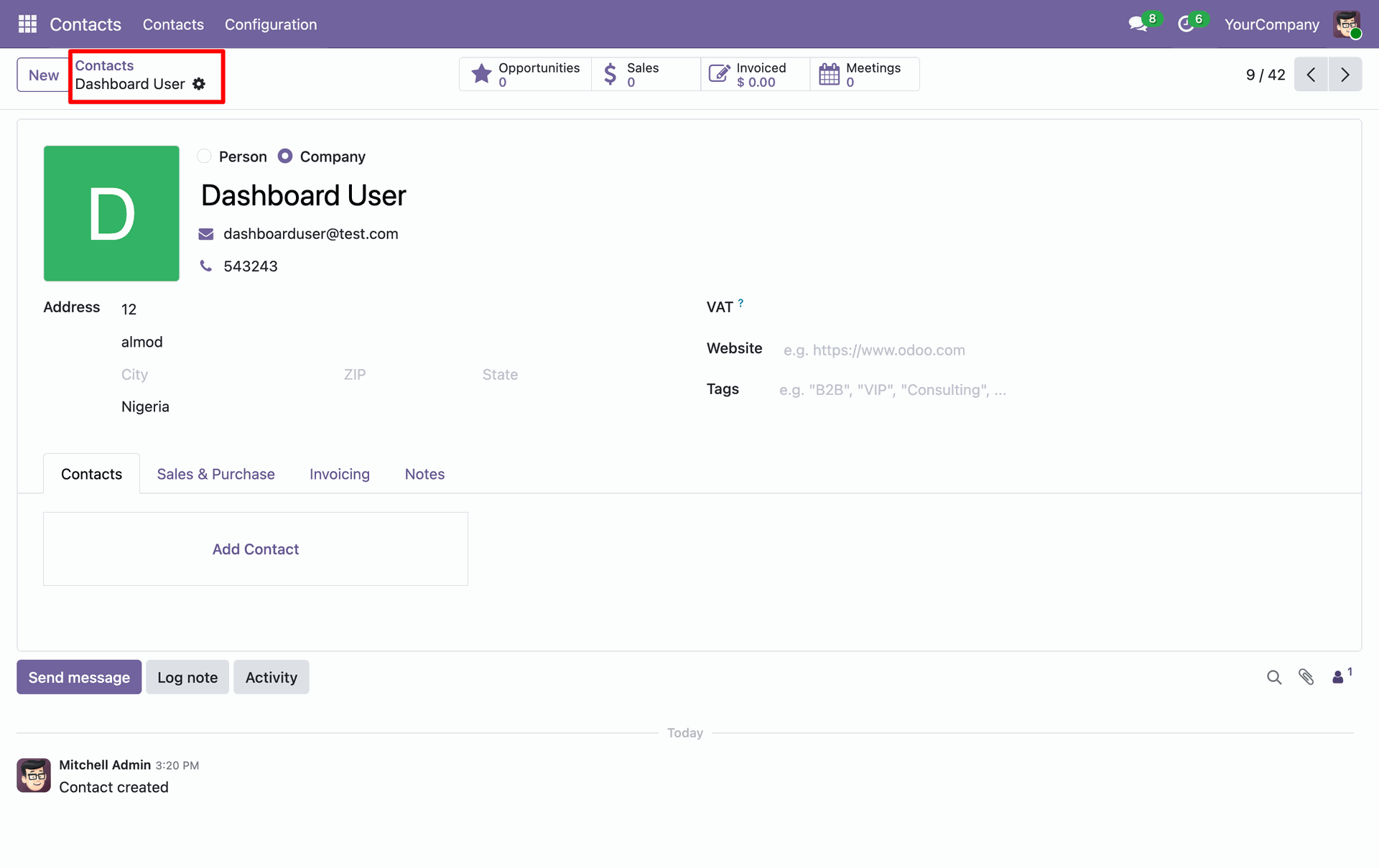
Review the created contact form to confirm saved customer details and address info.
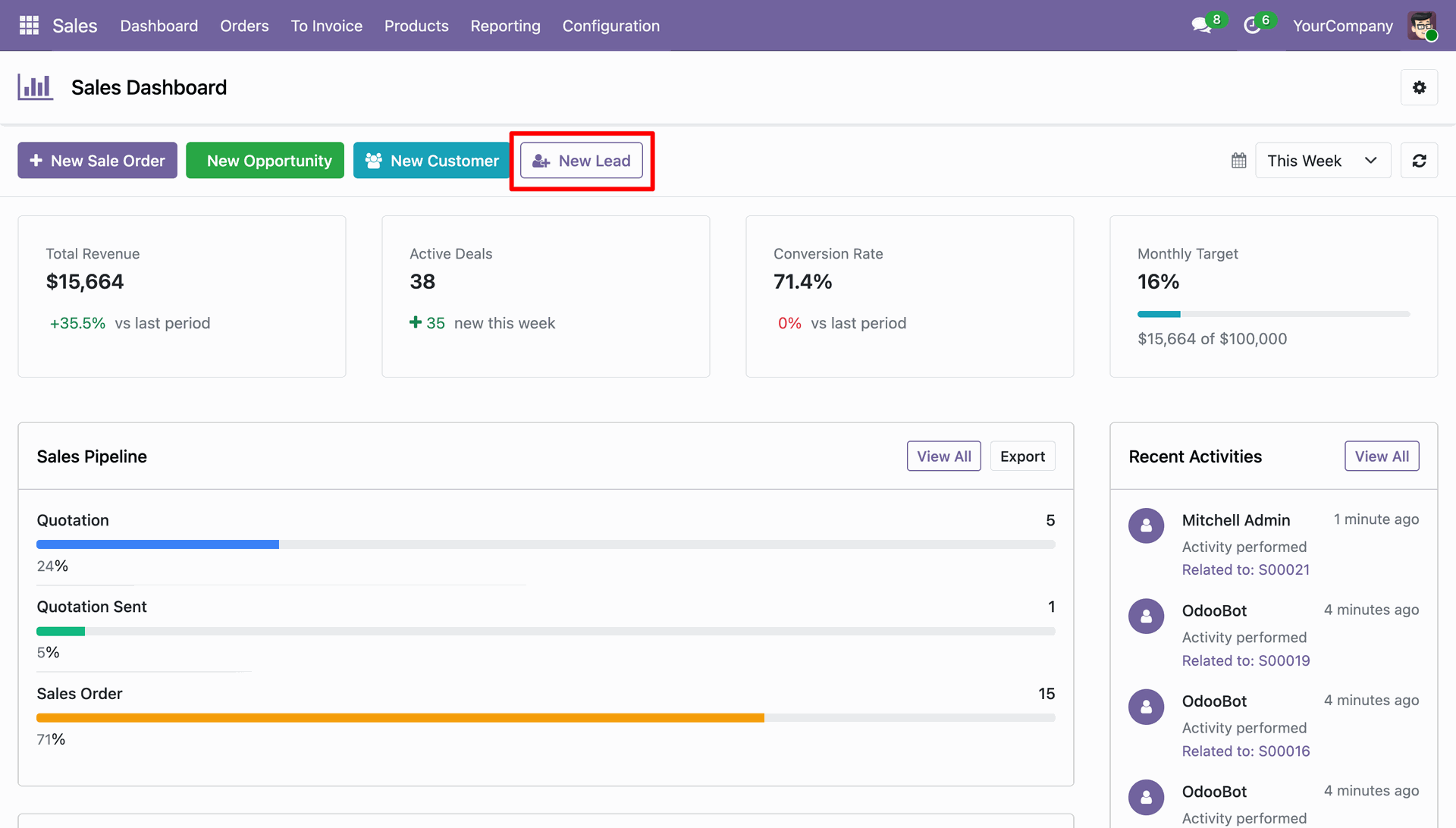
Tap the New Lead button to quickly add an incoming sales inquiry.
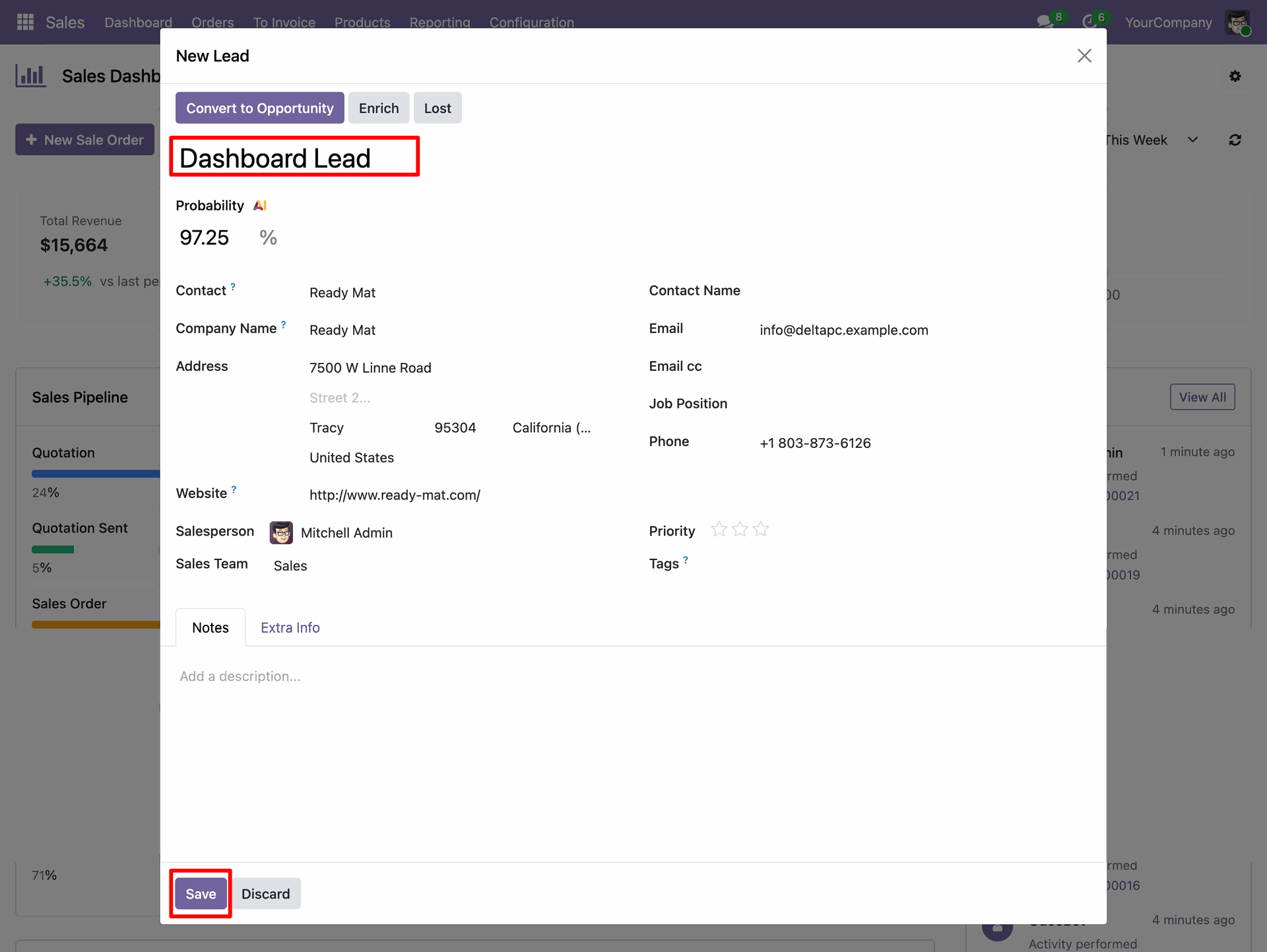
Define lead parameters including expected probability, contact person, and assigned salesperson.
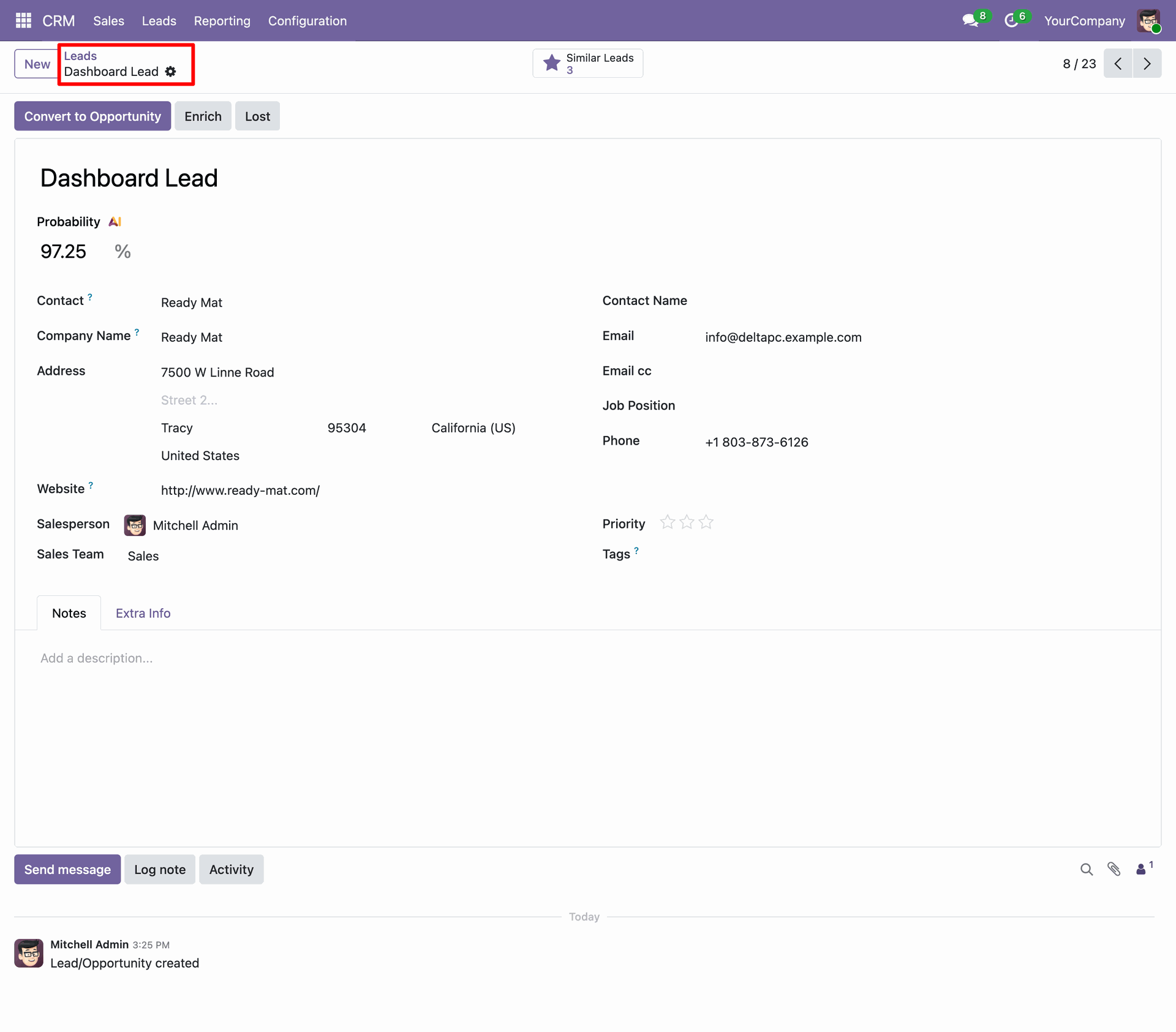
Check the lead record in the CRM system to track sales progression.
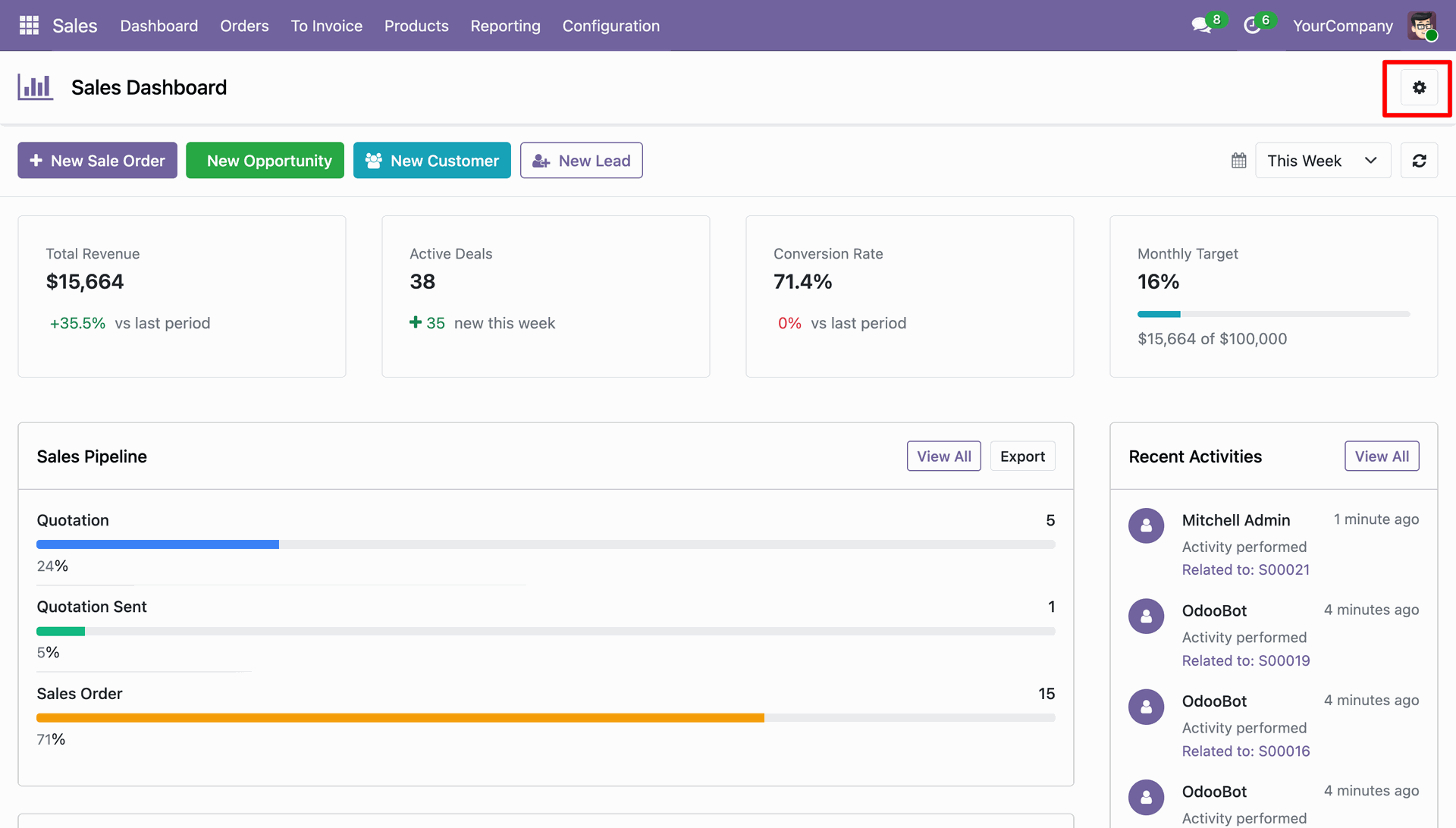
Access preference options by clicking the gear icon at the top right corner.
Set sales targets, toggle card displays, and save your preferred dashboard layout.
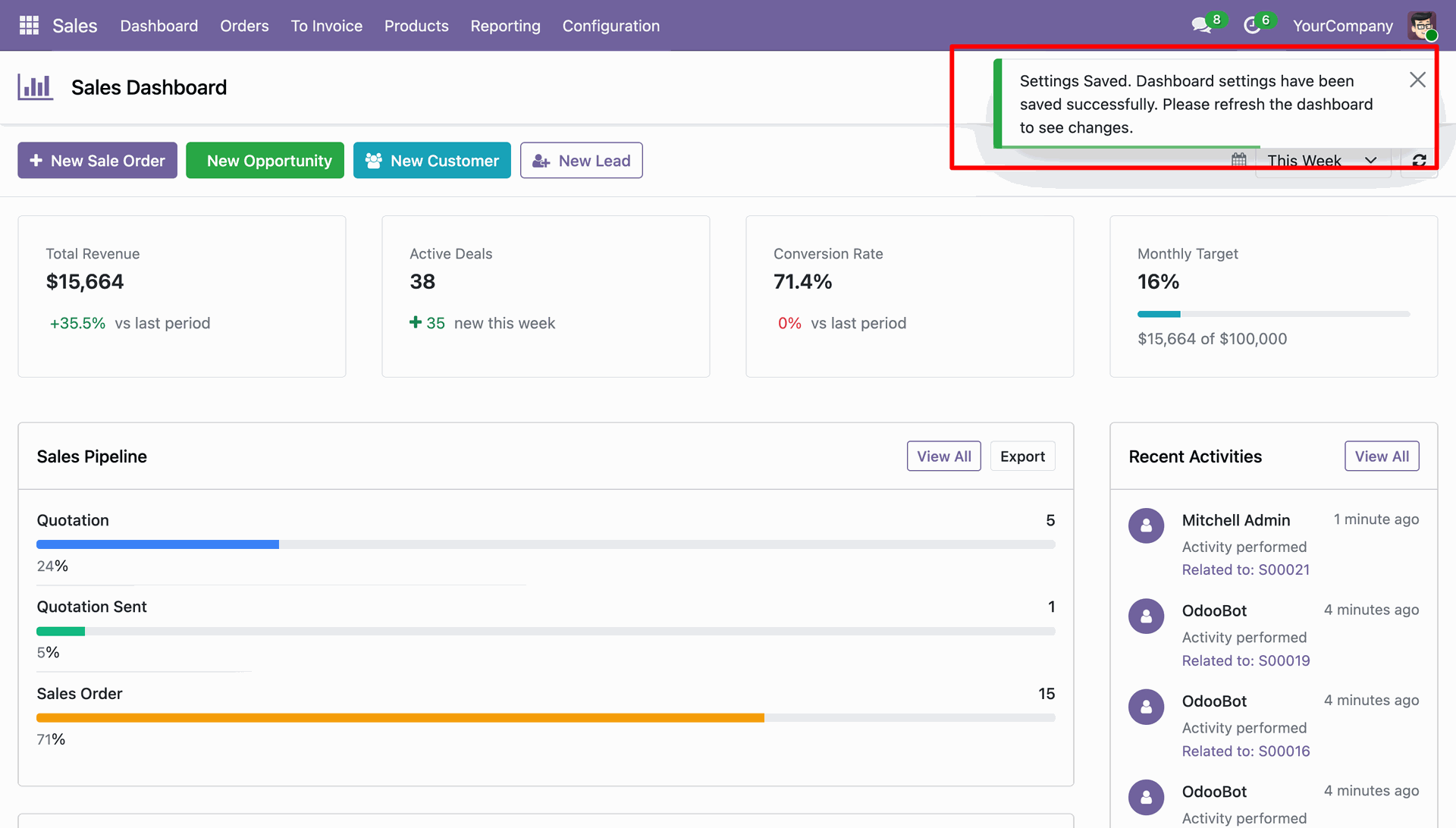
Success message.
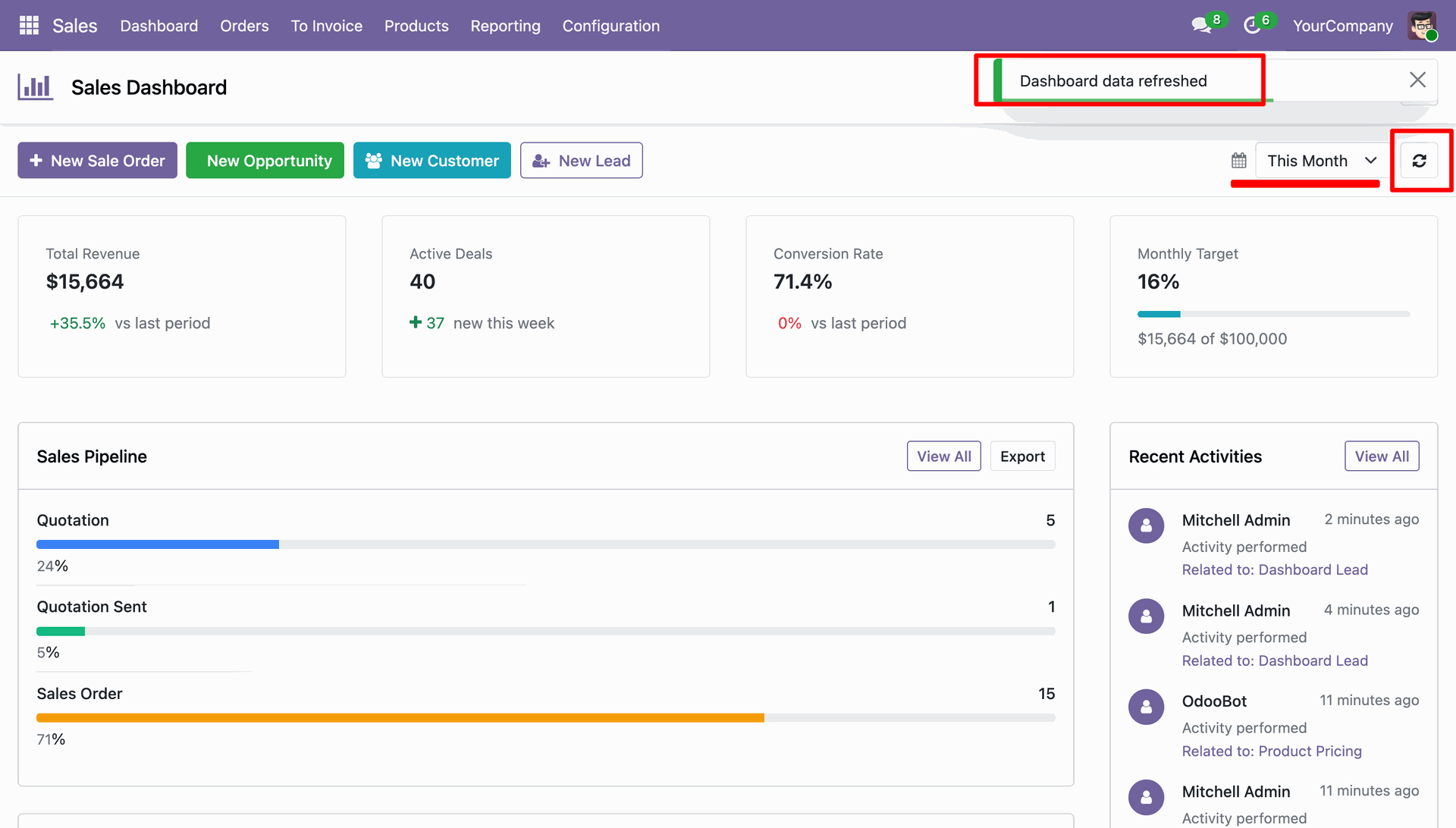
Refresh dashboard data using the update button to load current periodic metrics.
Export sales pipeline data or open the detailed pipeline using quick action buttons.
Inspect sale orders organized by stage within the interactive kanban.
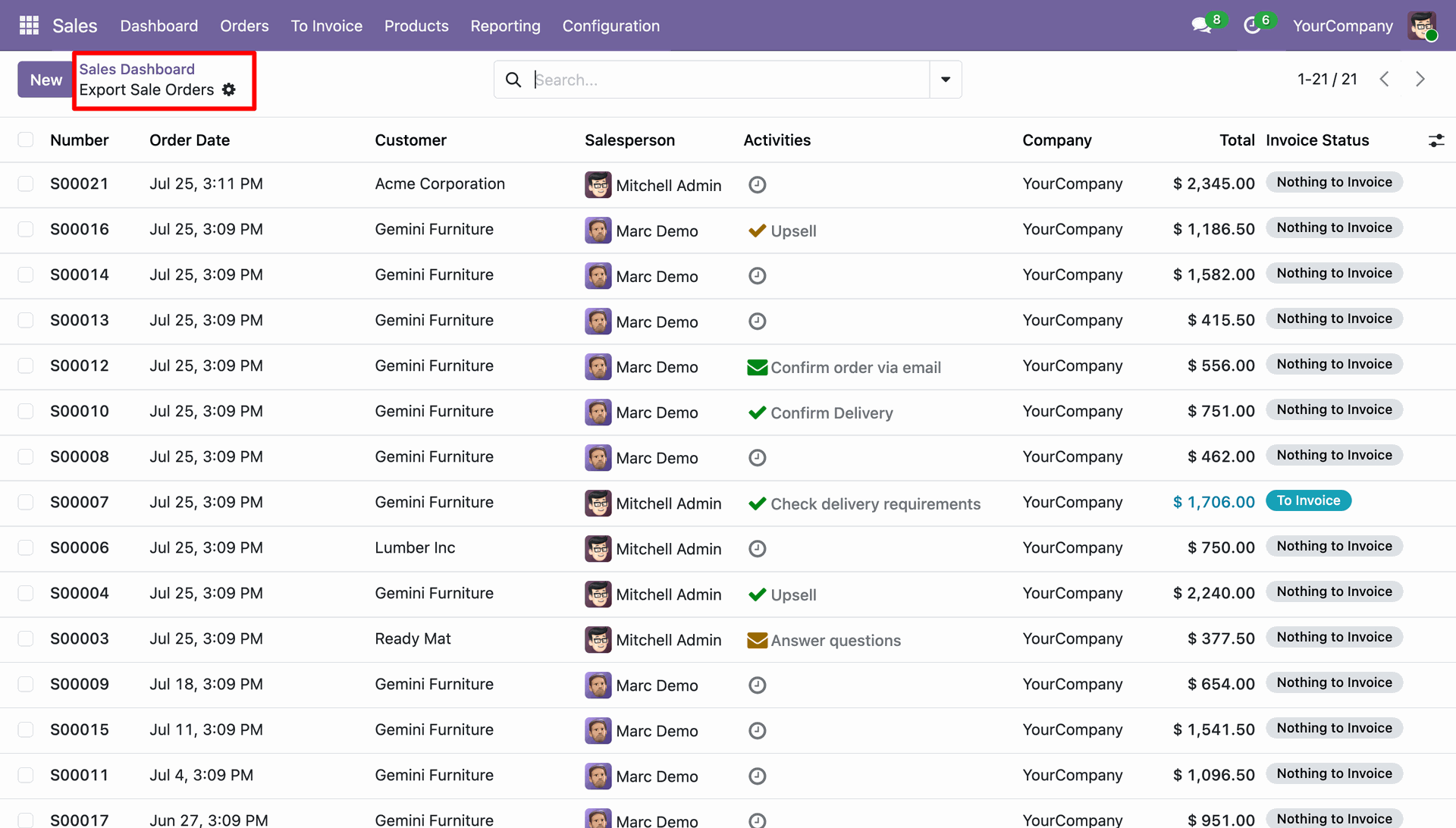
Examine the exported list of sale orders displaying customer and invoice status fields.
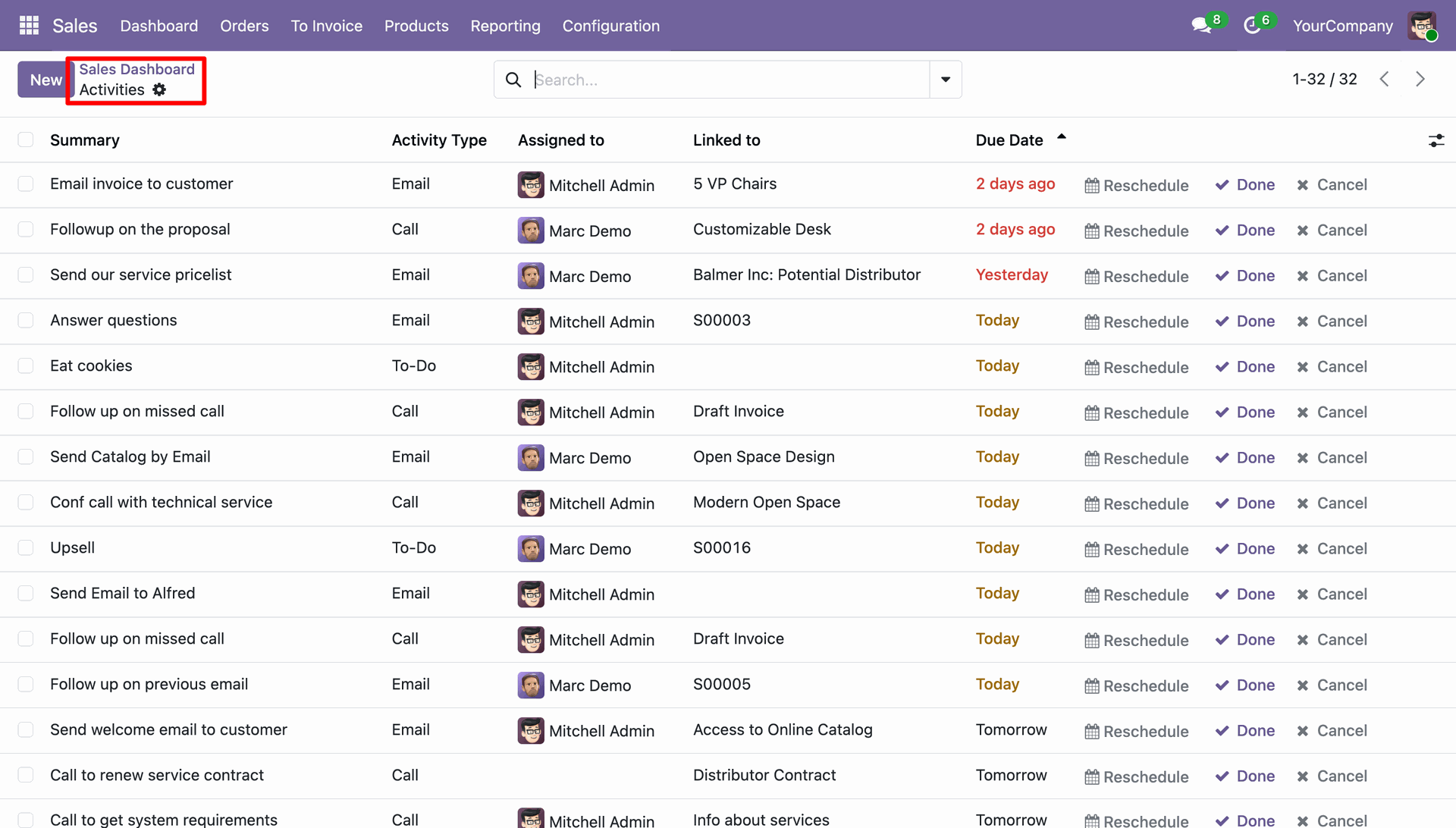
Track ongoing team operations by reviewing the recent activities panel.
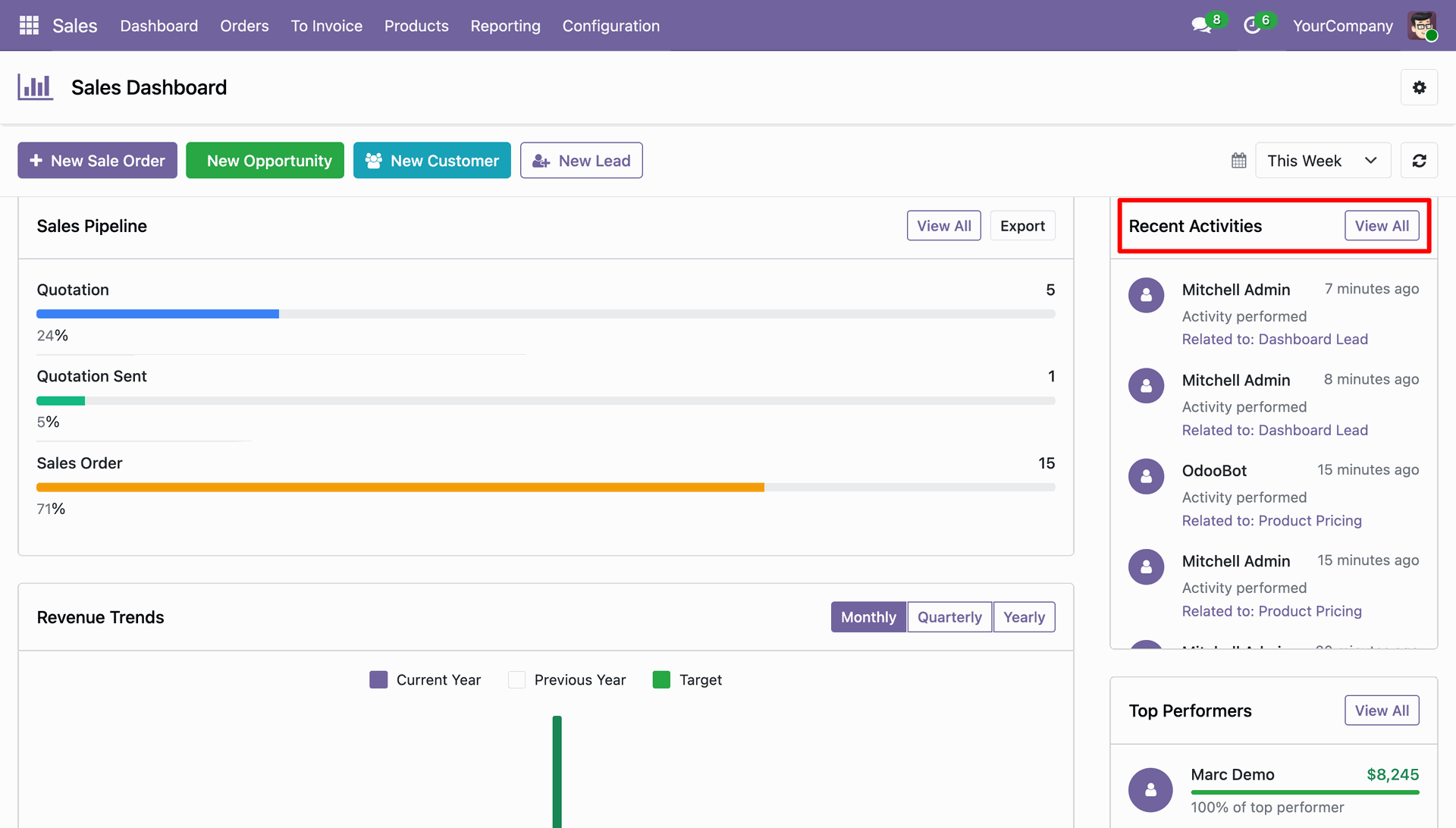
Navigate to the activities summary list to schedule, complete, or reschedule pending tasks.
Filter revenue trend charts by monthly, quarterly, or yearly timeframes.
Evaluate top-performing sales representatives based on total revenue generated.
Analyze updated salesperson rankings as new orders are closed.
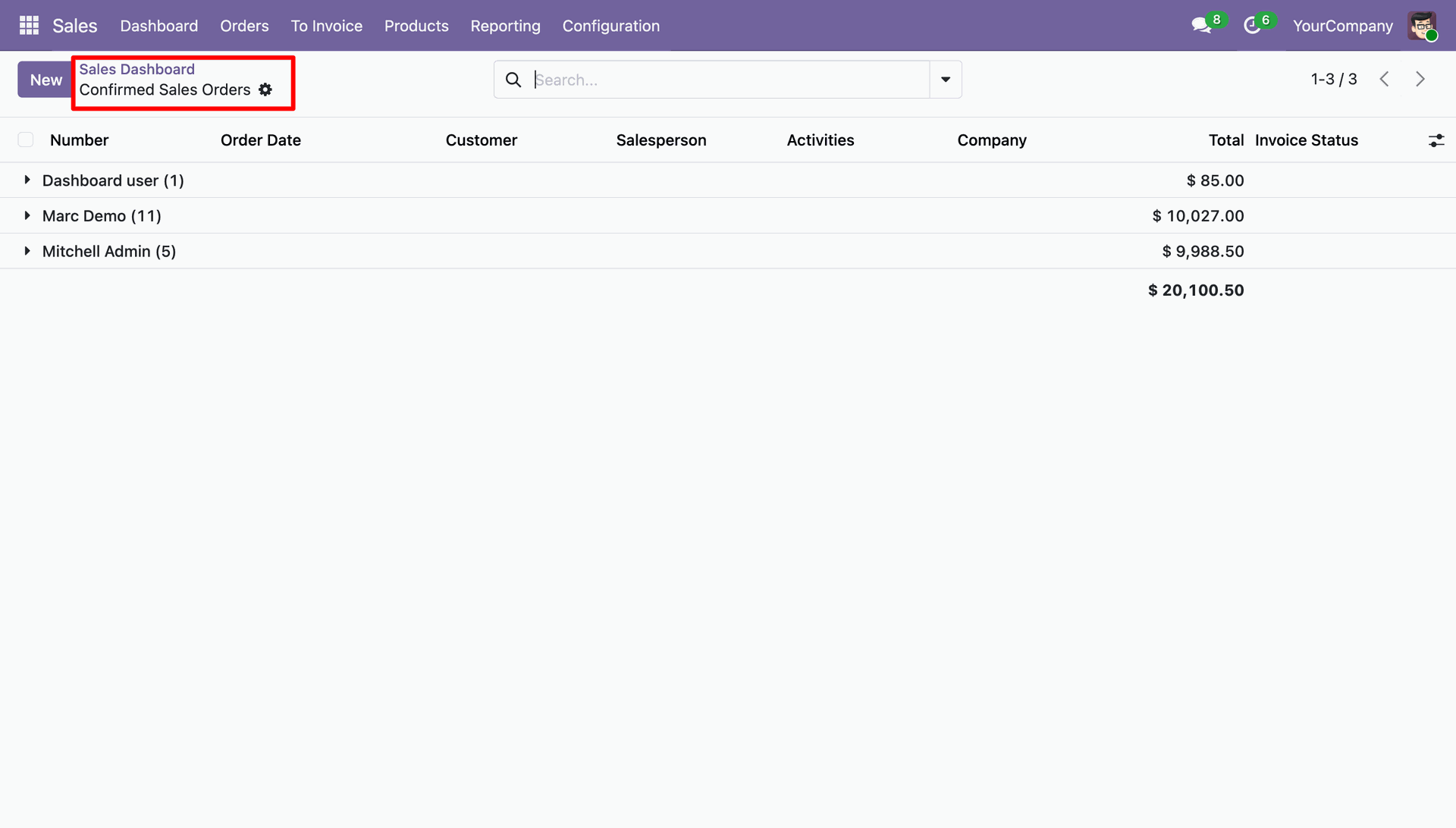
Group confirmed sale orders by salesperson to monitor individual performance totals.
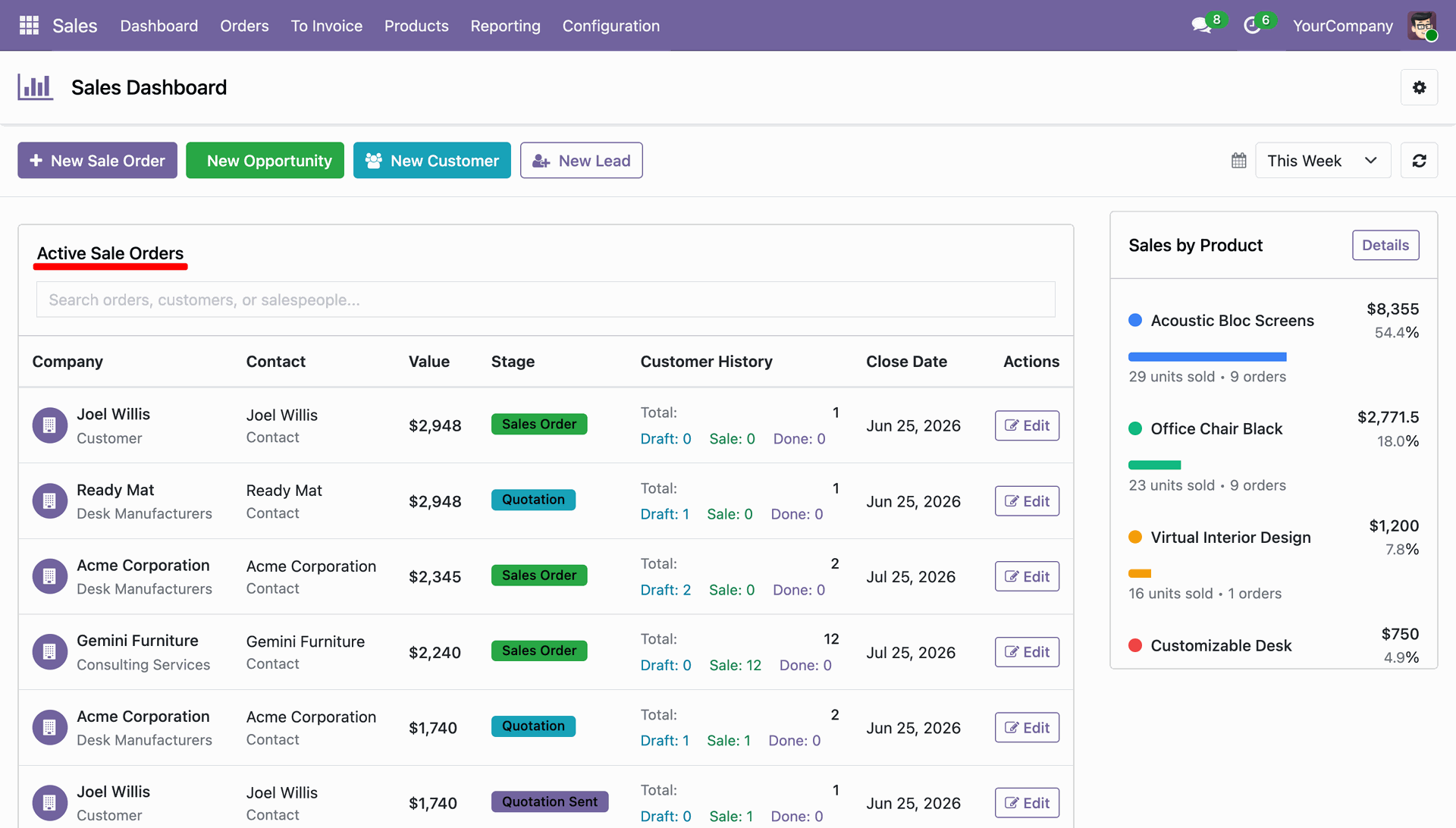
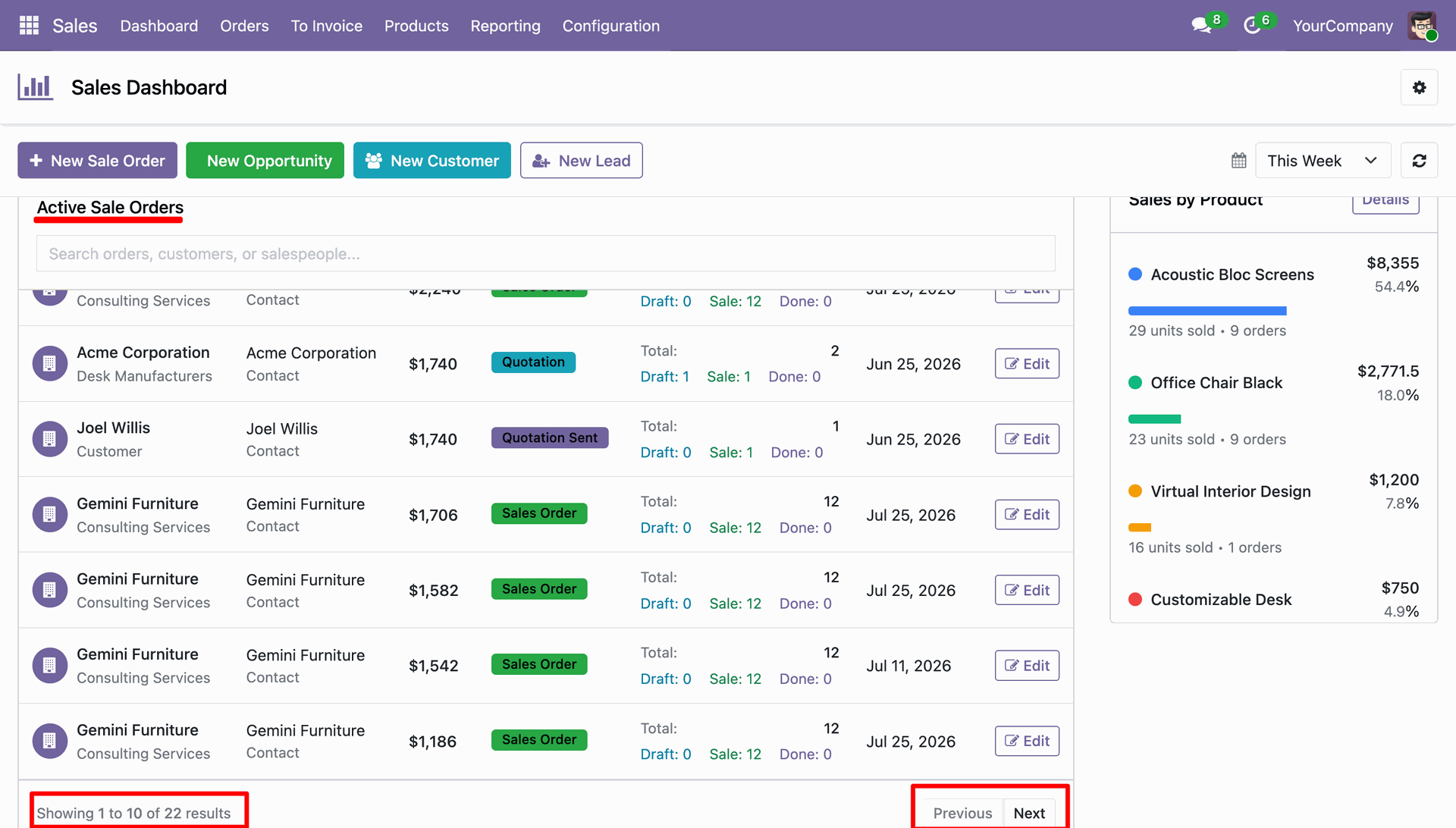
Scroll down to the active sale orders section to inspect ongoing transactions.
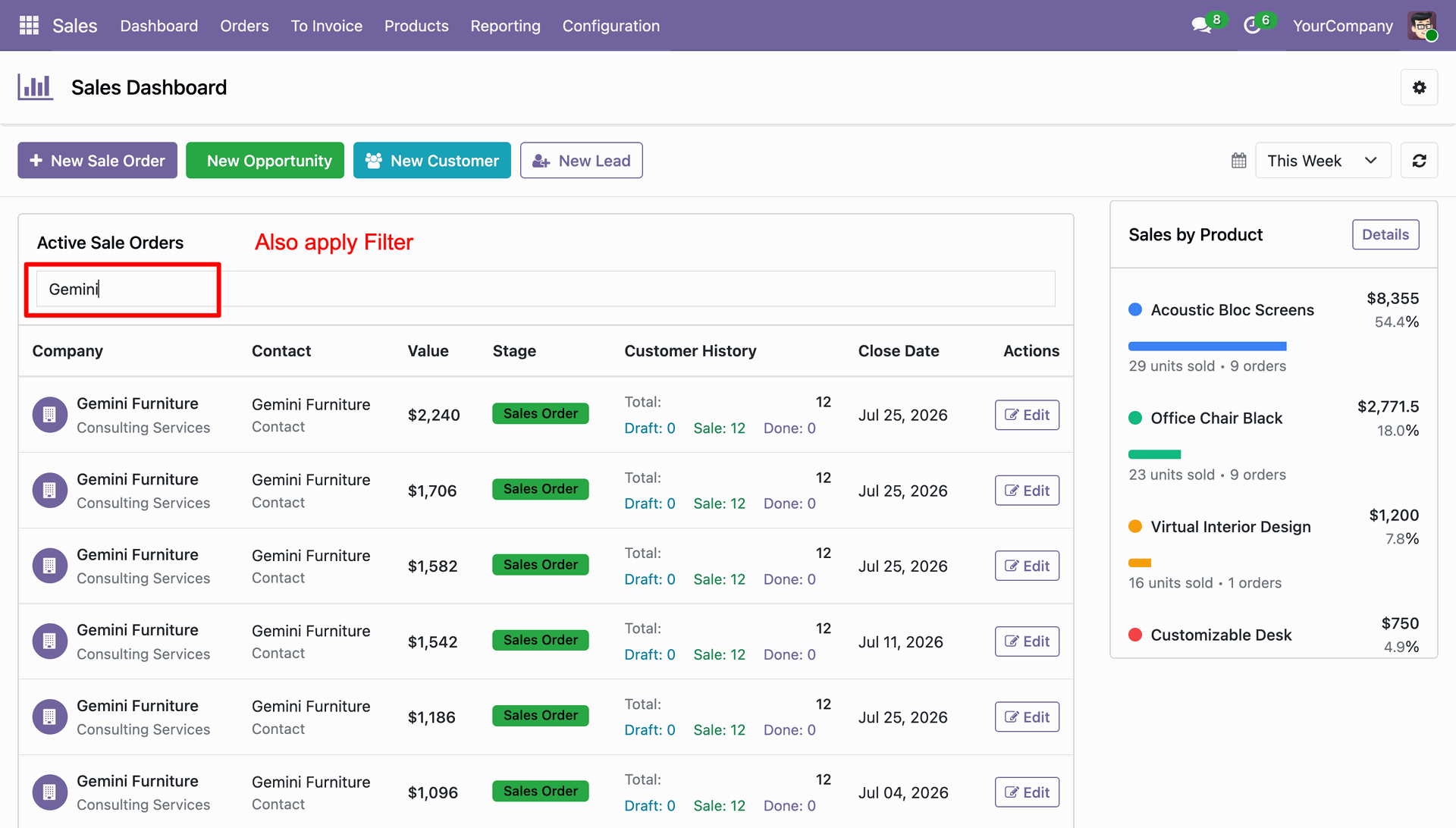
Apply live search filters to filter active orders by customer name or salesperson.
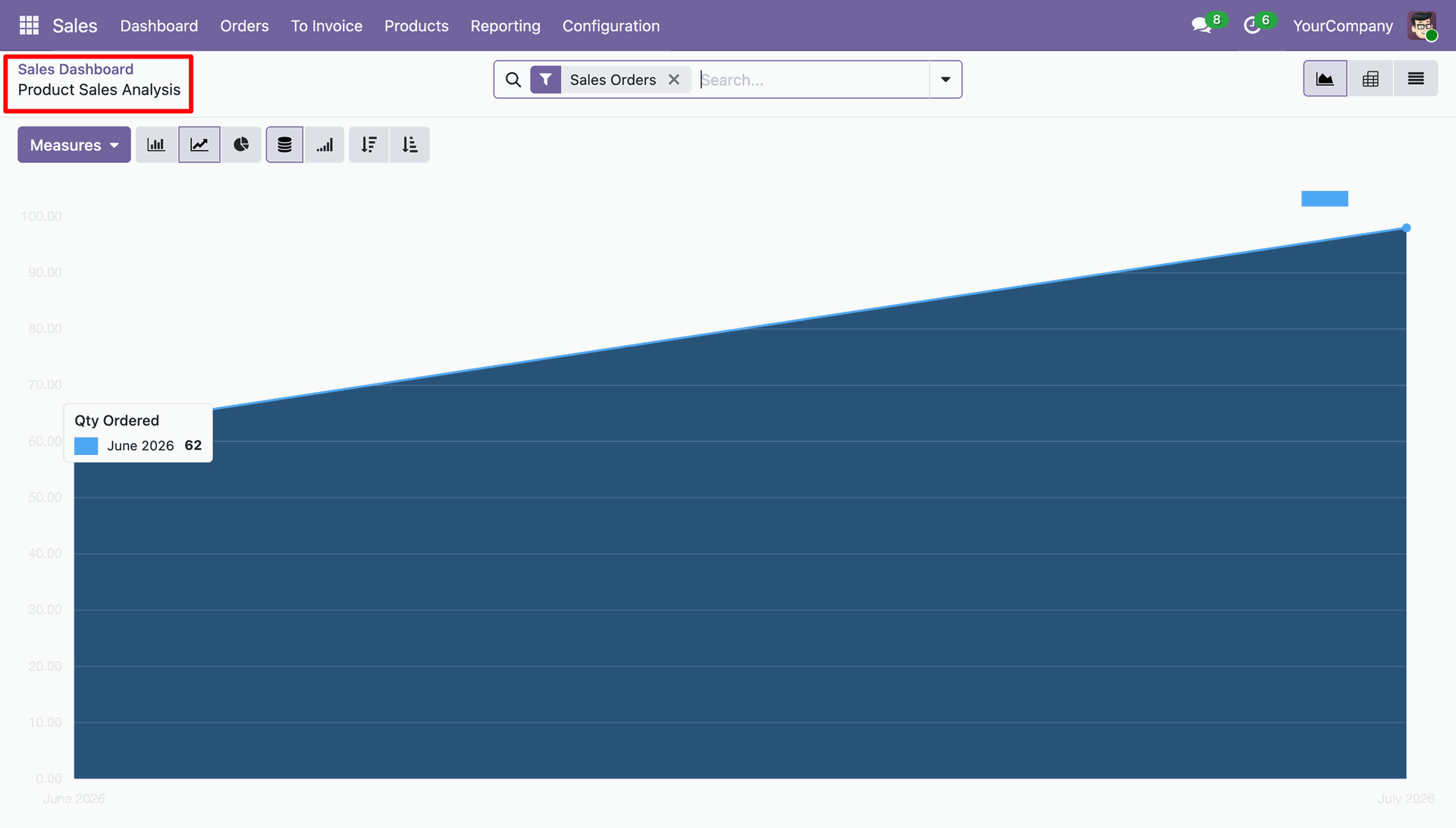
Launch product sales reporting under the product breakdown panel.
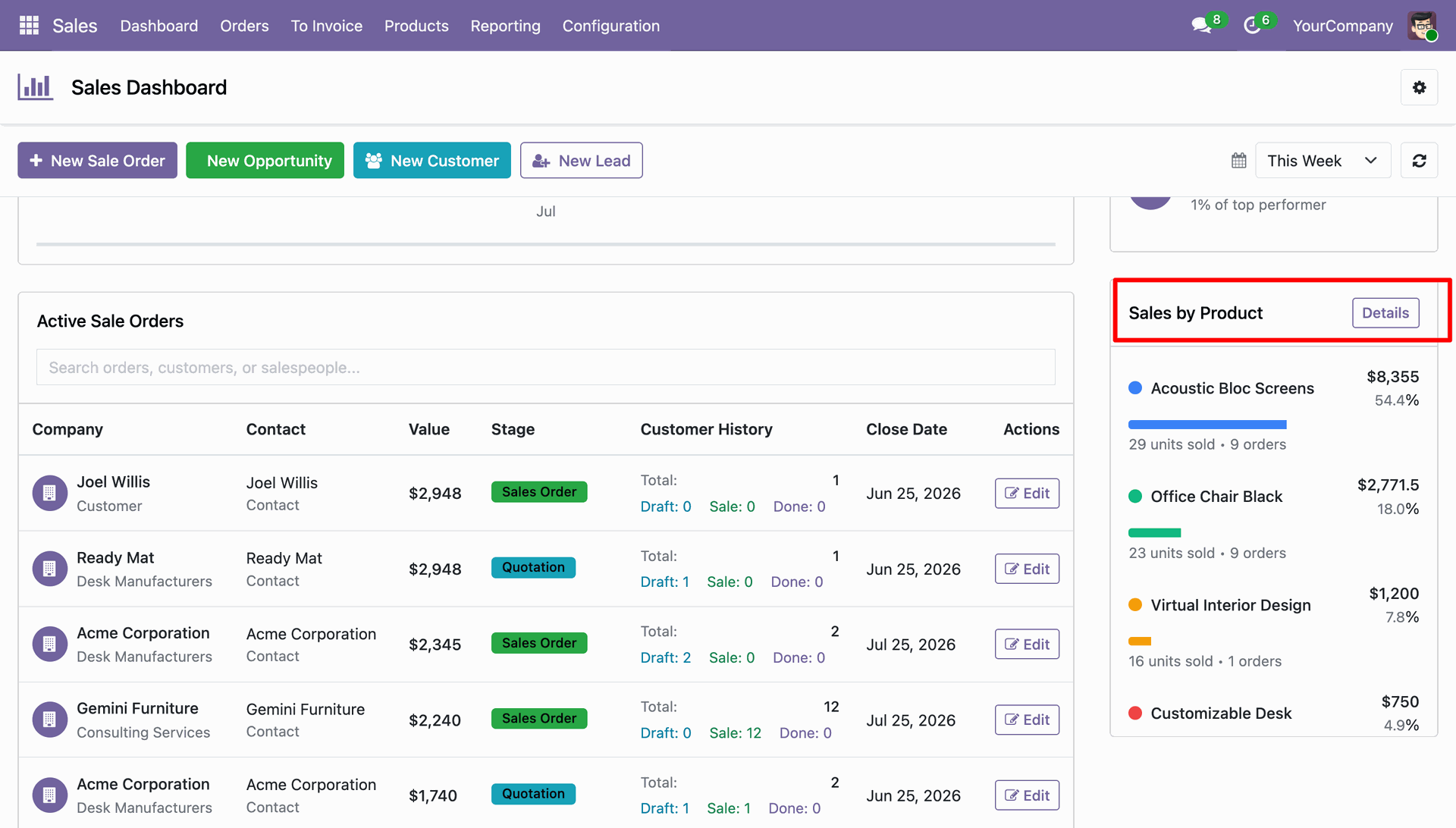
Generate graphical product sales analysis reports to monitor order volume trends over time.
Utilize pagination controls to navigate through multiple pages of active order records.
Version 19.0.1.0.0 | Released on : 03rd August 2026
- Yes, this app works perfectly with Odoo Enterprise (Odoo.sh & Premise) as well as Community.
- No, this application is not compatible with odoo.com(odoo saas/Odoo Online)
- Yes, to test this module, please contact us at sales@softhealer.com.
- Please contact us at sales@softhealer.com to request customization.
- Yes, we provide free support for 365 days from the date of purchase.
- Yes, you will receive lifetime free updates for the version of the module you purchased.
- No, there is no need to install any additional libraries.
- Yes, for version 12 and above, you need to purchase the module separately for each version you intend to use.
- No, exchanges or refunds are not allowed. Please make sure to select the correct version before purchasing.
- You can contact us at support@softhealer.com for language translation support. We use Google Translator tools to provide translations in multiple languages, so the accuracy may vary. We welcome your suggestions to help improve translations.
Discover Our Latest Apps