












Sales Credit Limit

A credit limit is the maximum amount of credit offered to a customer. You can set a credit limit for every customer using this module. For example, a manager grants a credit limit of $5,000 to a customer. The credit limit is used to limit the amount of loss that order will on hold if a customer does not pay. you can also notify the customer by email when a customer crosses his credit limit. And that order status will automatically be set to 'On hold'. This module also provides a different way to notify the customer by email.

Related Modules
Features
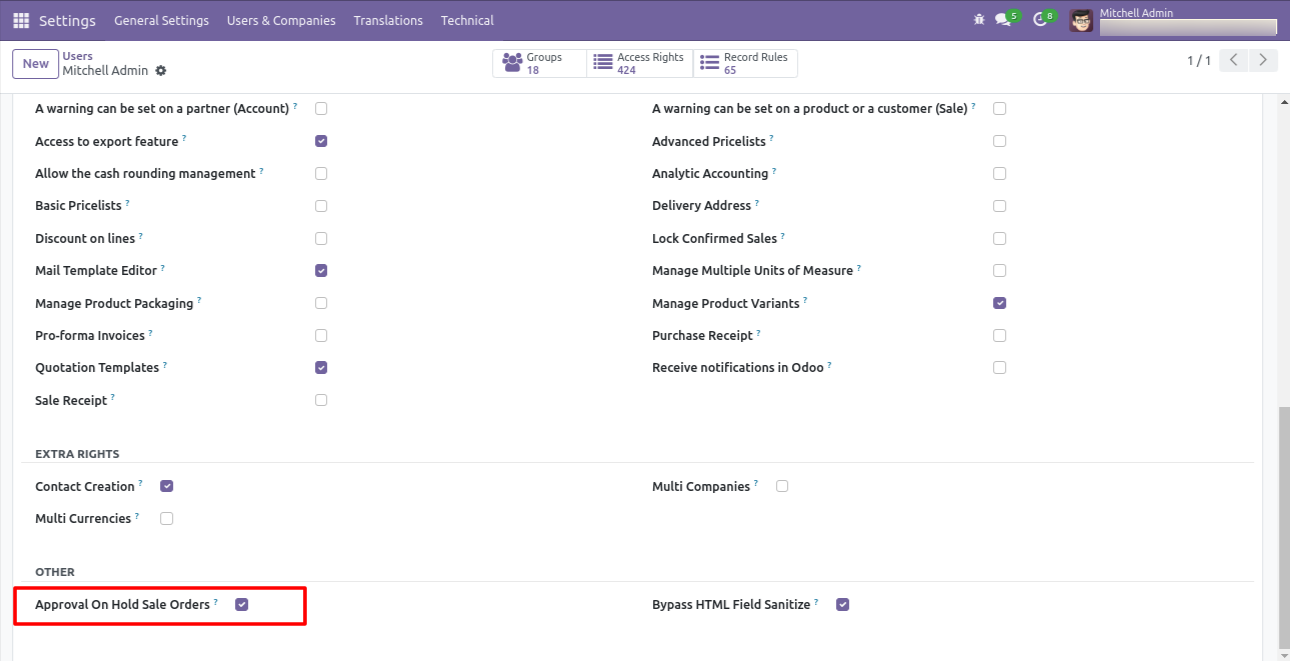
- Goto user ==> sale manager and tick right on 'Approval On Hold Sale Order'
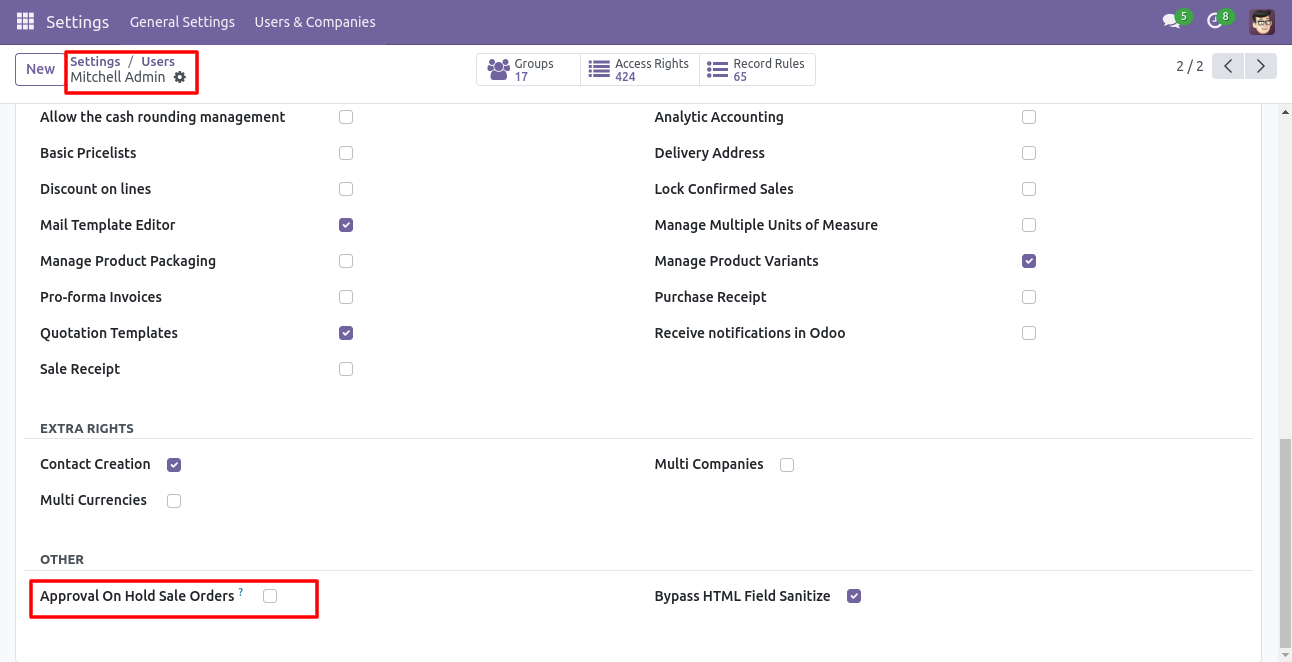
- Goto user ==> sale user and leave blank 'Approval On Hold Sale Order'
- Easy to set each customer's credit limit.
- There is an option to send a notification via email when the credit limit is crossed.
-
Notify by
E-mail.
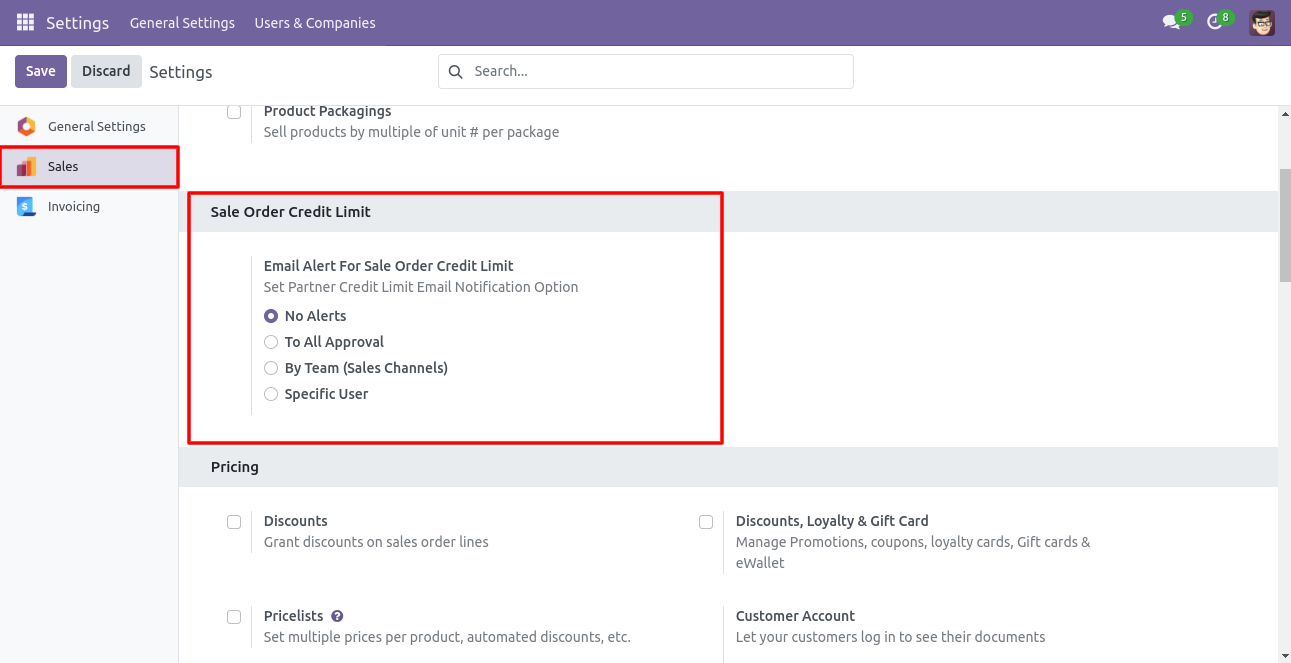
To All Approval: When you tick this option then all persons (user/manager) give you approval who have access for approving.
By Team: After ticking this option only the sales team person can give you approval.
Specific User: In this option, you have to define a specific person for sales order approval.
Sales Manager has given group rights for 'Approval On Hold Sale Orders' and can Confirm sales orders that are in the 'On Hold' stage.
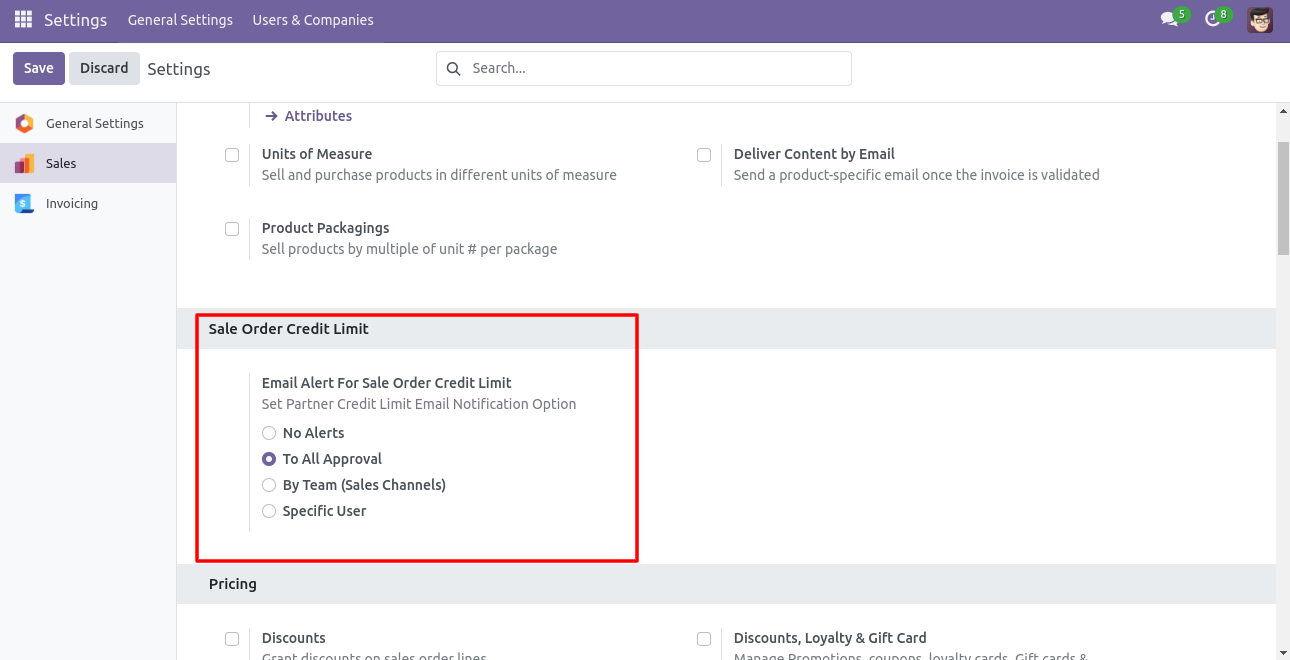
Inside Sales Configurations set Email settings for whenever any sales order is set to 'On Hold' state, who should be notified. If 'No Alerts' is selected no one will be notified on any sales order set on hold state.
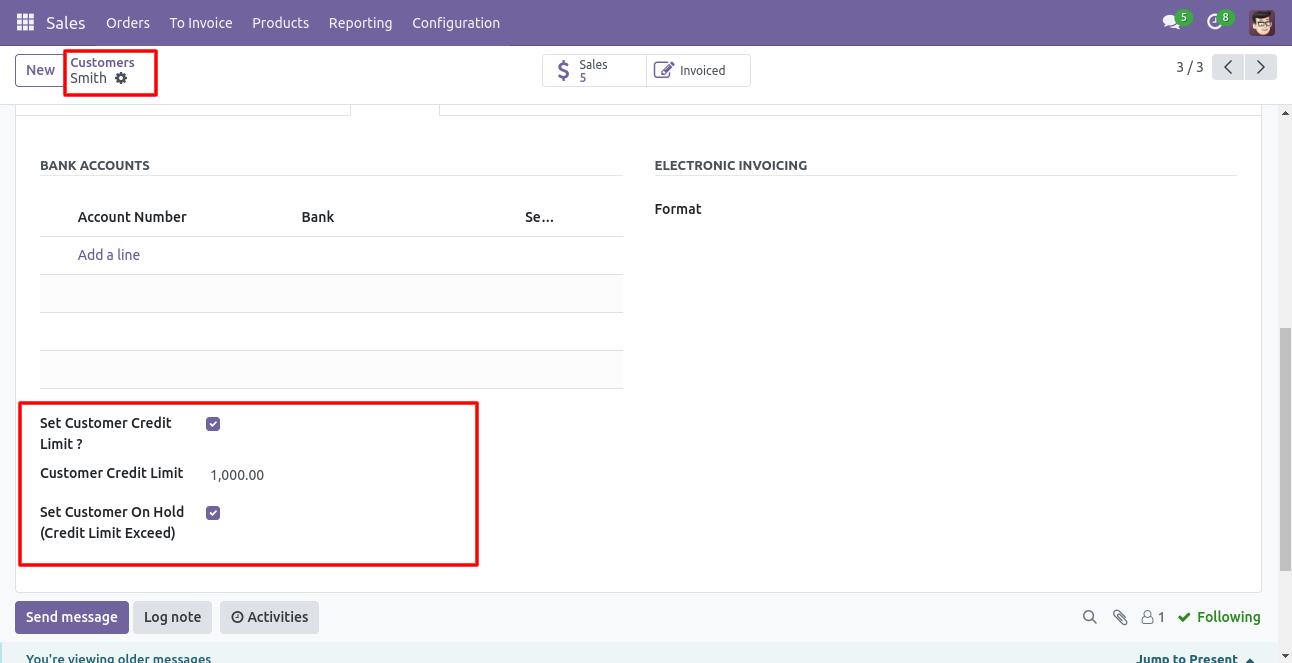
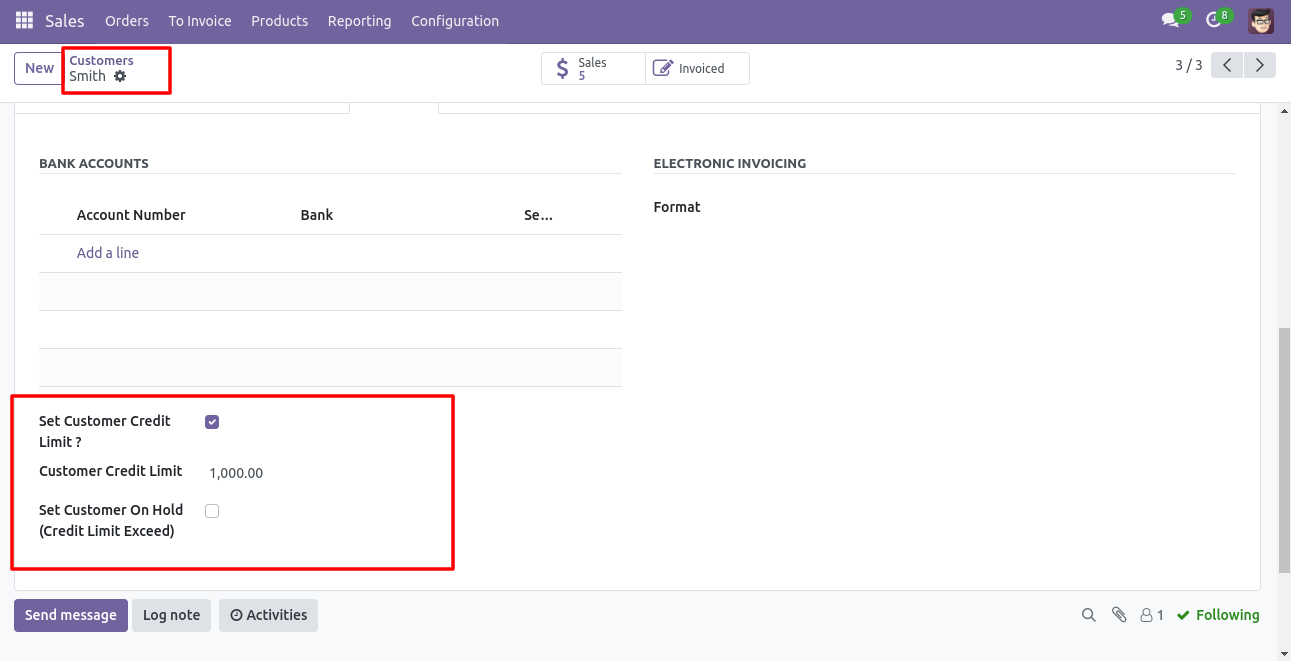
To Customer if 'Set Customer Credit Limit' to True then will ask for 'Customer Credit Limit' enter the amount up to max you want to allow the customer to create an order if the limit exceeds. You can set 'Set Customer On Hold' to True if required, so whenever that customer is selected it will be notified.
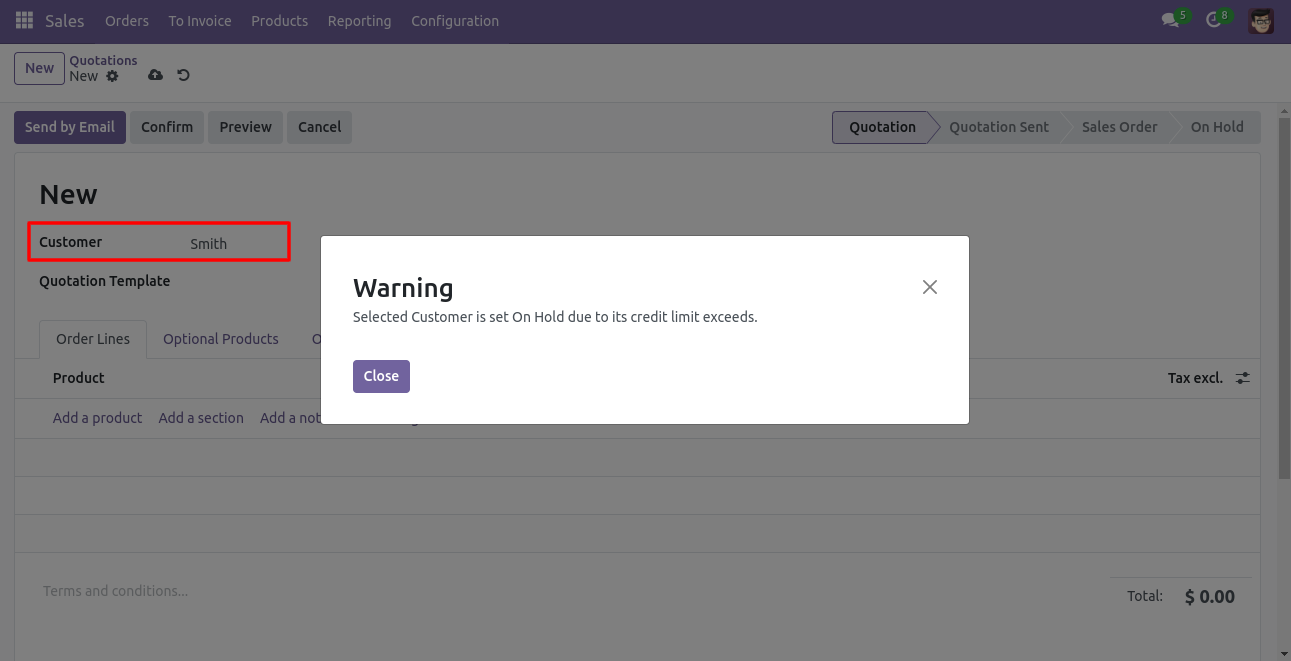
If the Customer is set as 'On Hold' then when the user creates a new Quotation/Order and selects that customer will be notified for it.
Tick the 'Set Customer Credit Limit' option.
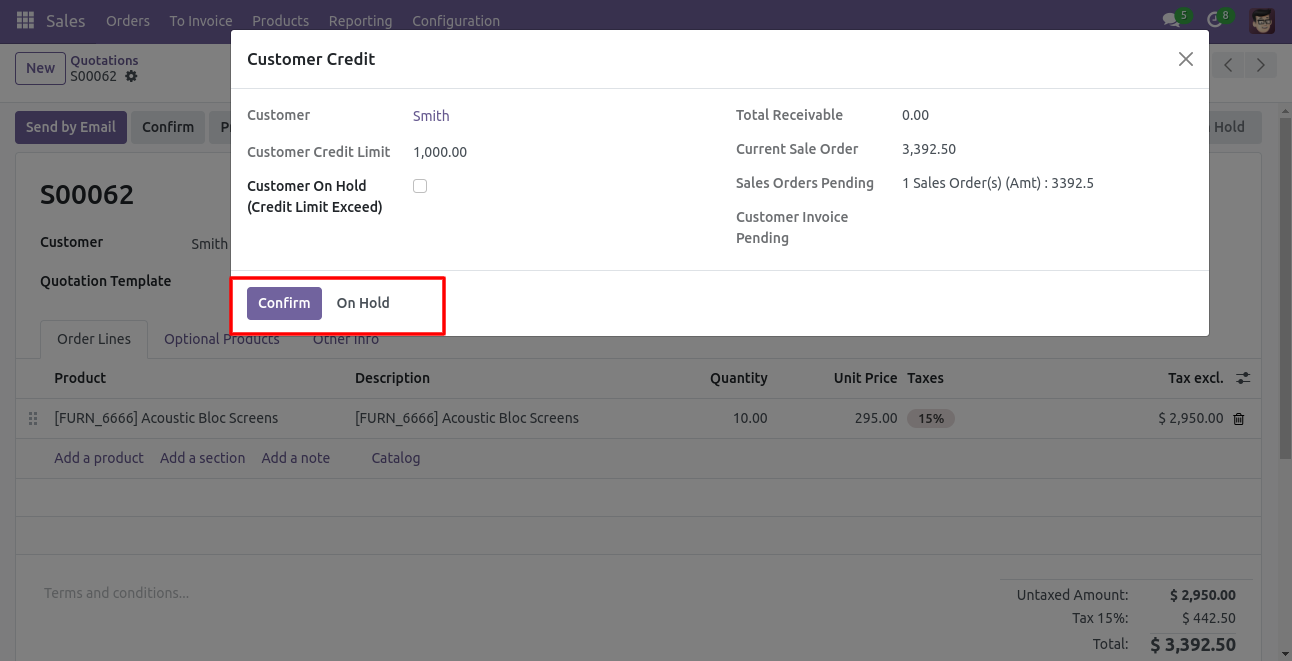
So Now after choosing that customer on hold state and creating a new quotation. When the user clicks on 'Confirm Sale' a new pop-up window opens, which shows all details of the customer. Users can change their on-hold state from here. If the User clicks on the 'Confirm' button then that sale order will be 'Confirmed' though the credit limit for that customer exceeds. Users can set that sale order to the 'On Hold' state by clicking the 'On Hold' button.
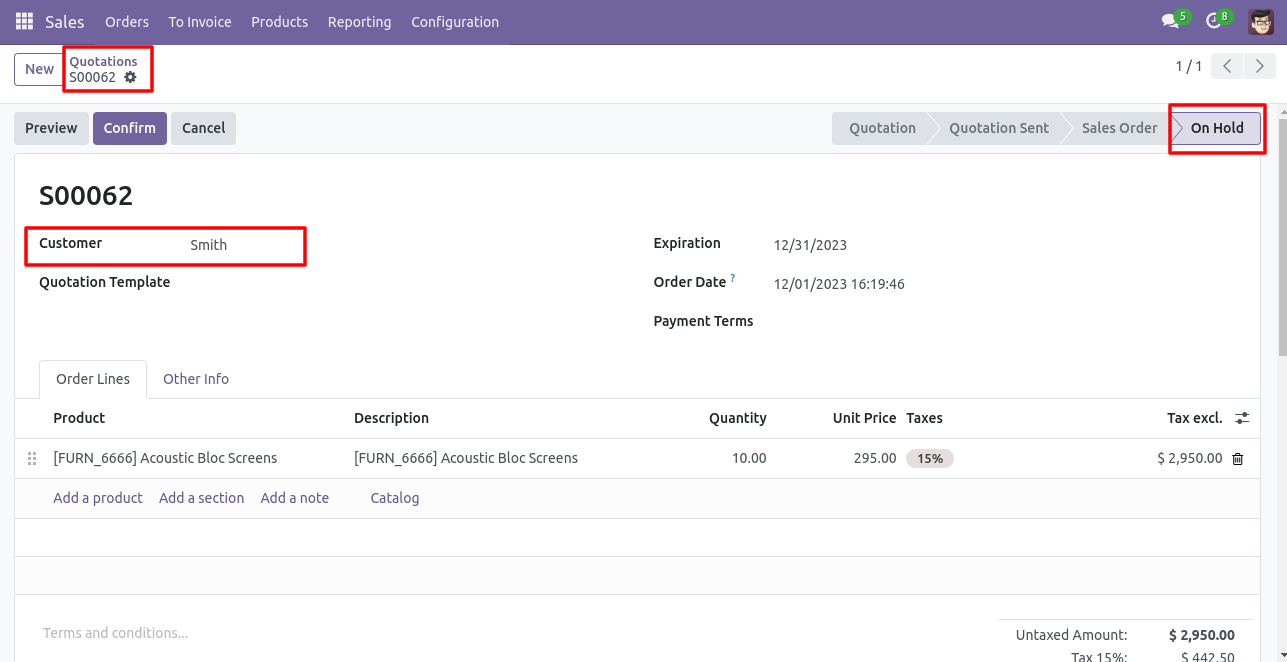
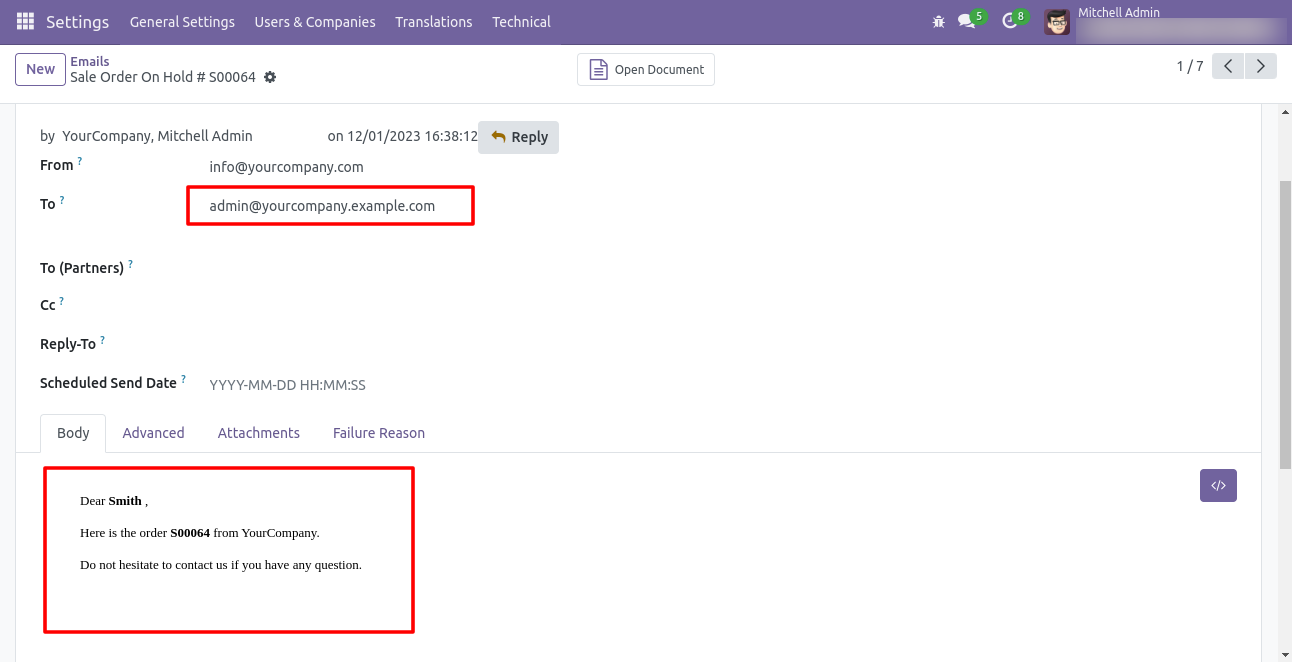
Sales order set to 'On Hold', as per settings email alert will be sent. If setting 'To All Approval' is selected then all users having the 'Approval On Hold Sale Orders' group will be individually notified if the 'By Team (Sales Channels)' option is selected on that sales order if any sales channel is selected then all team member of that channel having 'Approval On Hold Sale Orders' group will be notified for that sales order.
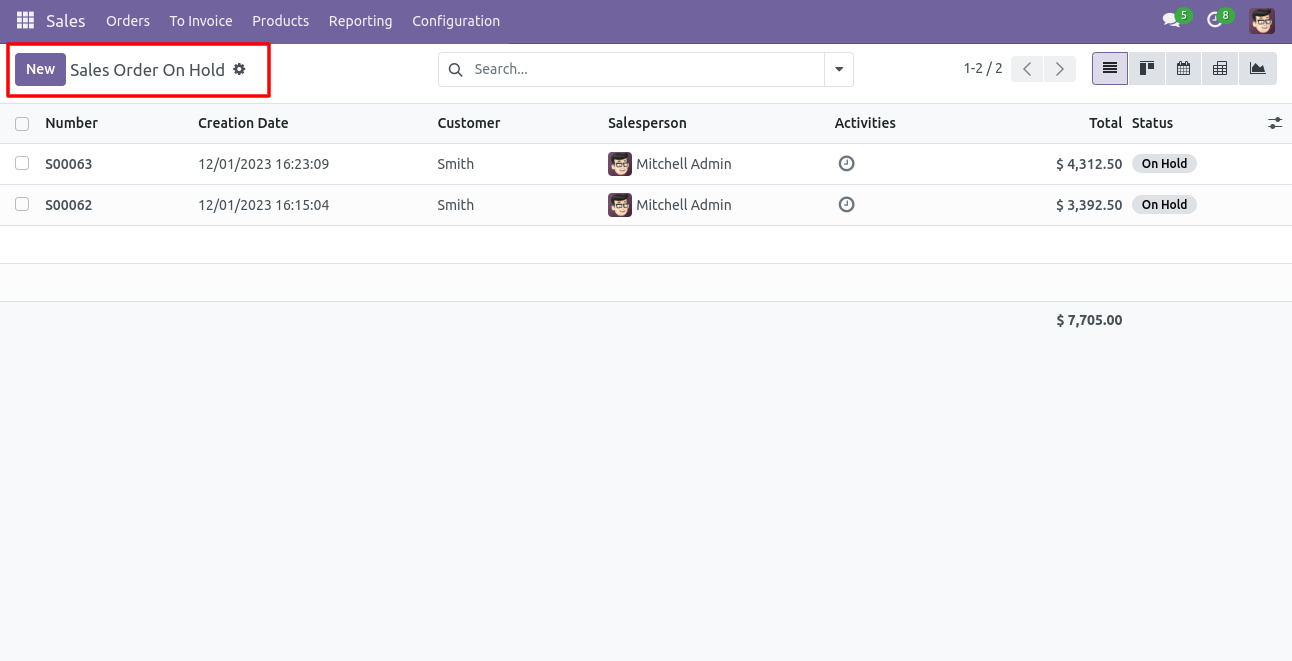
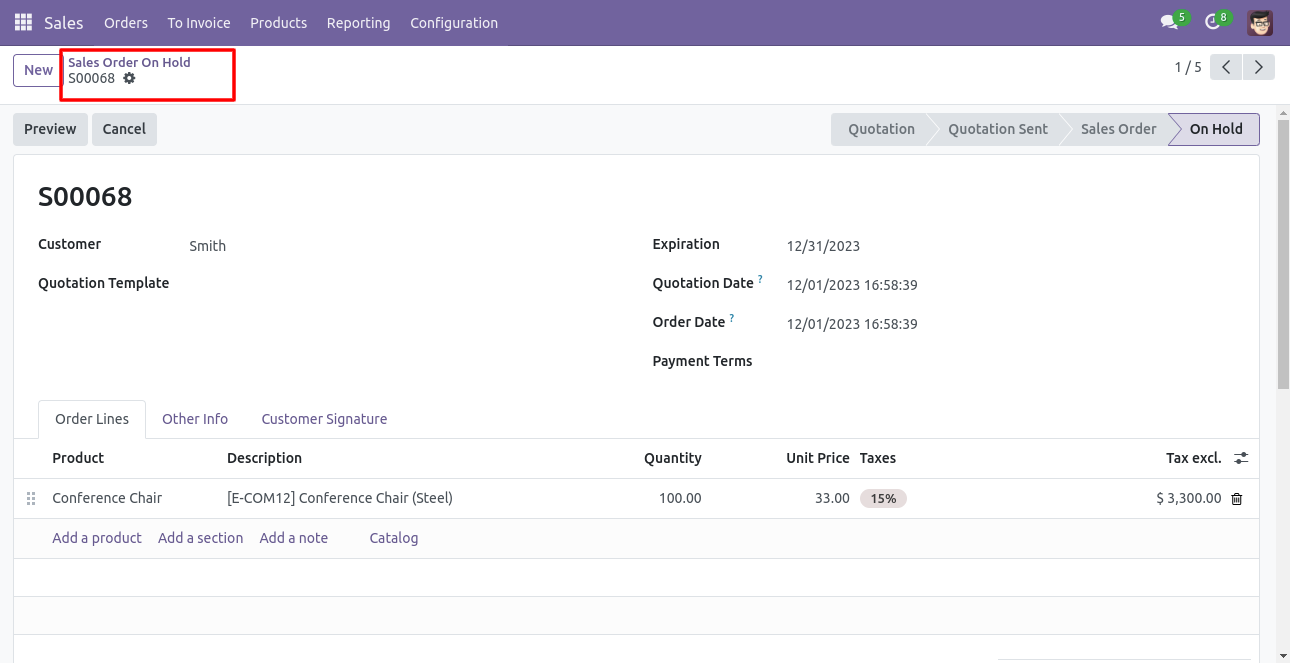
Sales quotations that are in the 'On Hold' state are available in the new Menu 'Sales Order On Hold'.
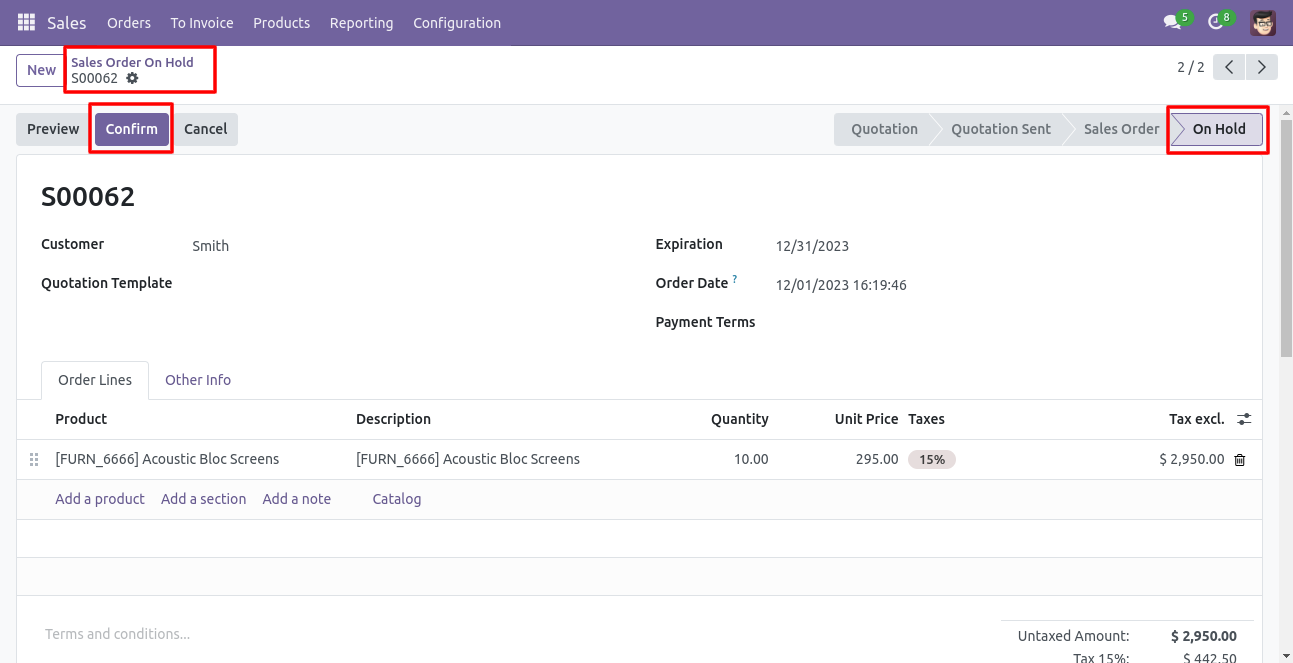
Inside Quotation/Order, there is a 'Confirm' button that is visible to all e.g. Sales Manager or any other having group 'Approval On Hold Sale Orders'.
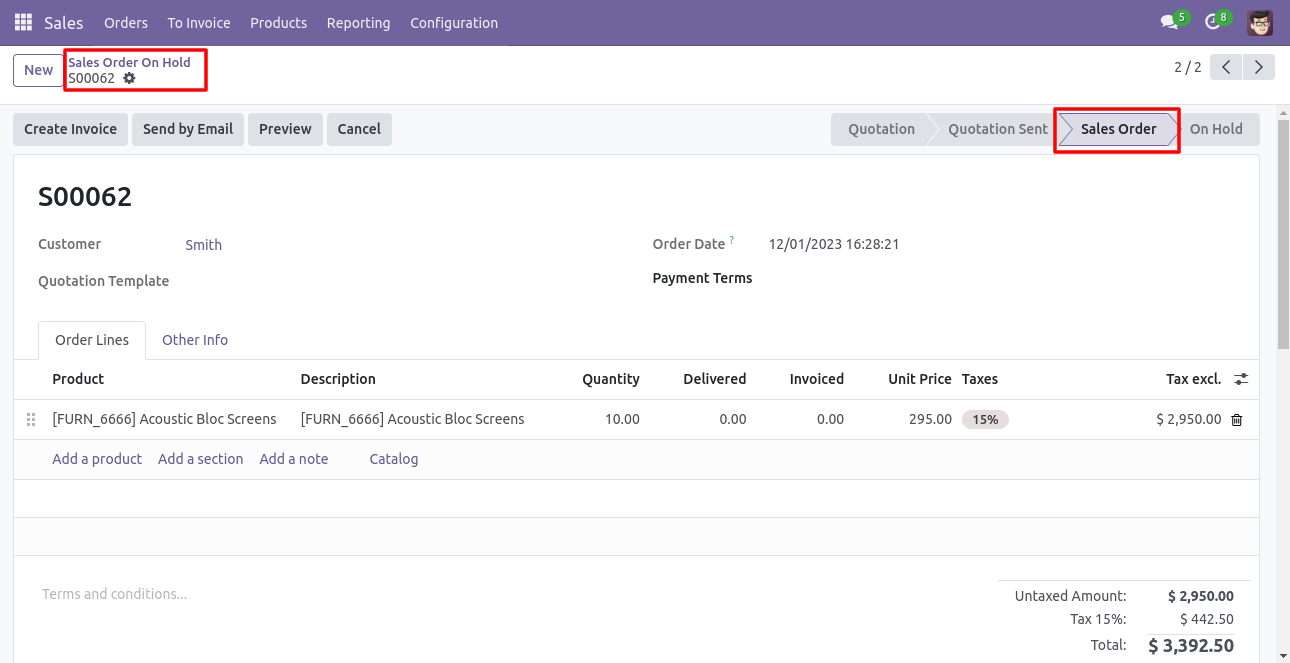
Now if an authorized person clicks on 'Confirm' that sale quotation is confirmed.
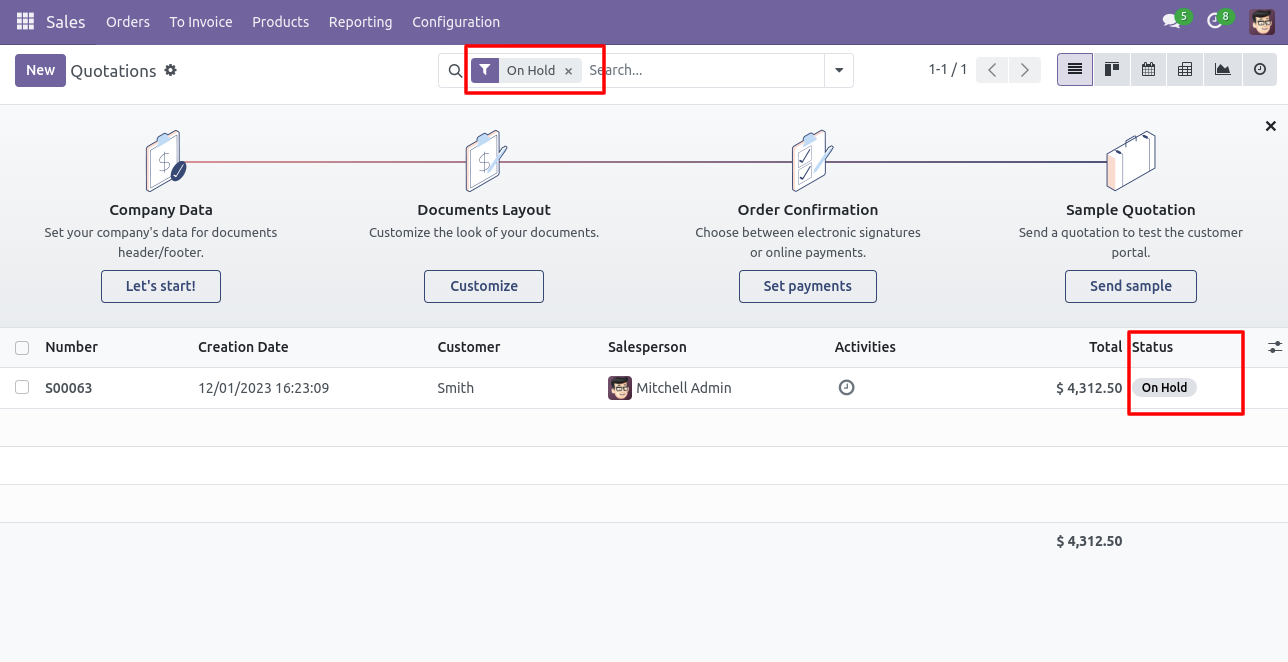
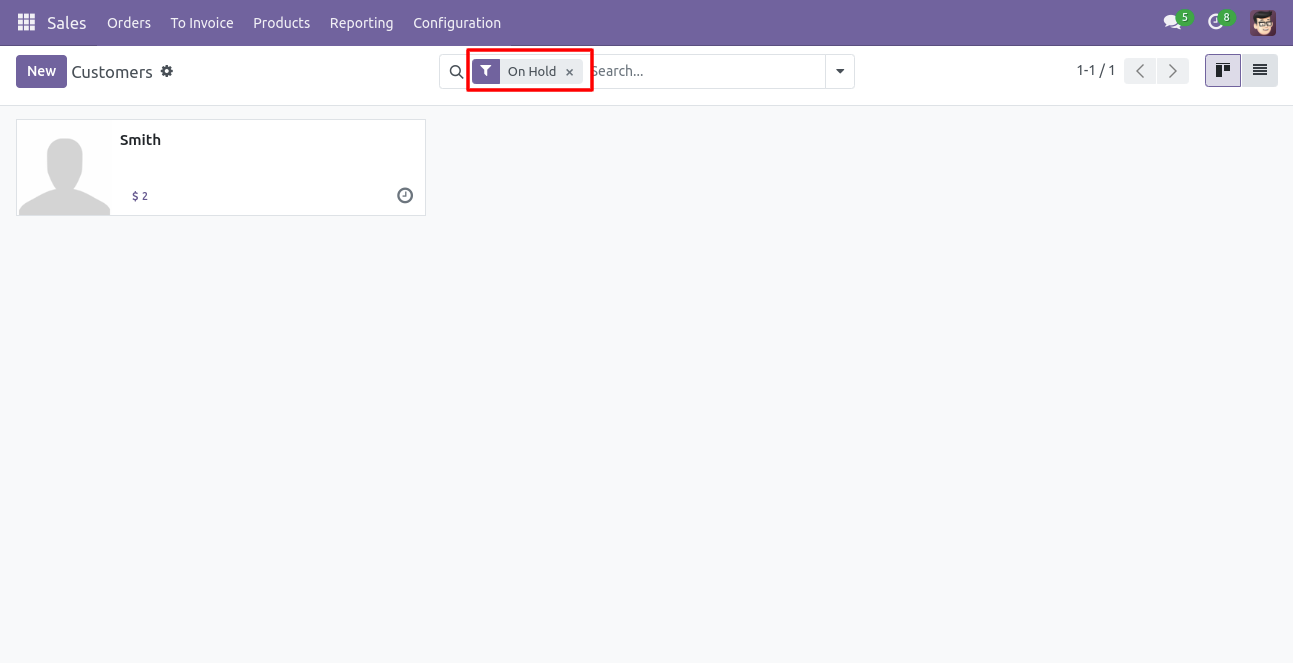
You can filter the 'On Hold' quotations in the Kanban view of the quotation/sale order.
Can Filter customers that are in a 'Customer On Hold' state.
Inside Sales Configurations set Email settings for whenever any sales order is set to 'On Hold' state, who should be notified. If 'To All Approval' is selected all approval persons will be notified on any sales order set on hold state.
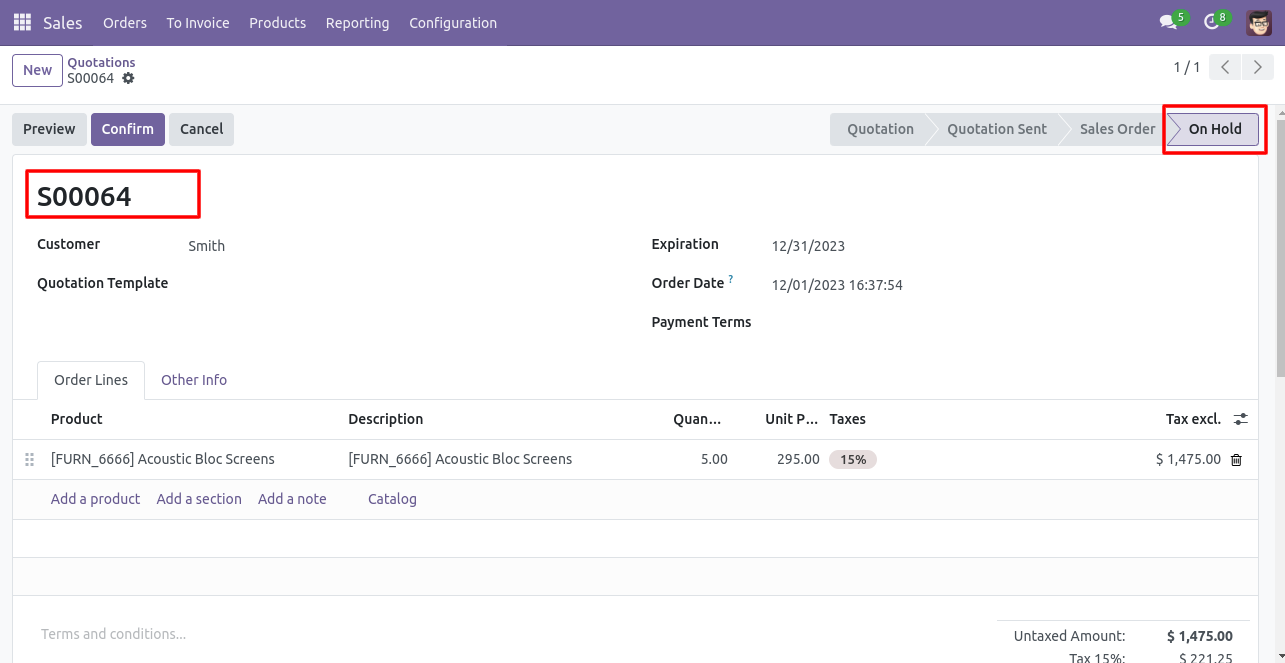
If any sales channel is selected then all team members of that channel having an 'Approval On Hold Sale Orders' group will be notified for that sales order.
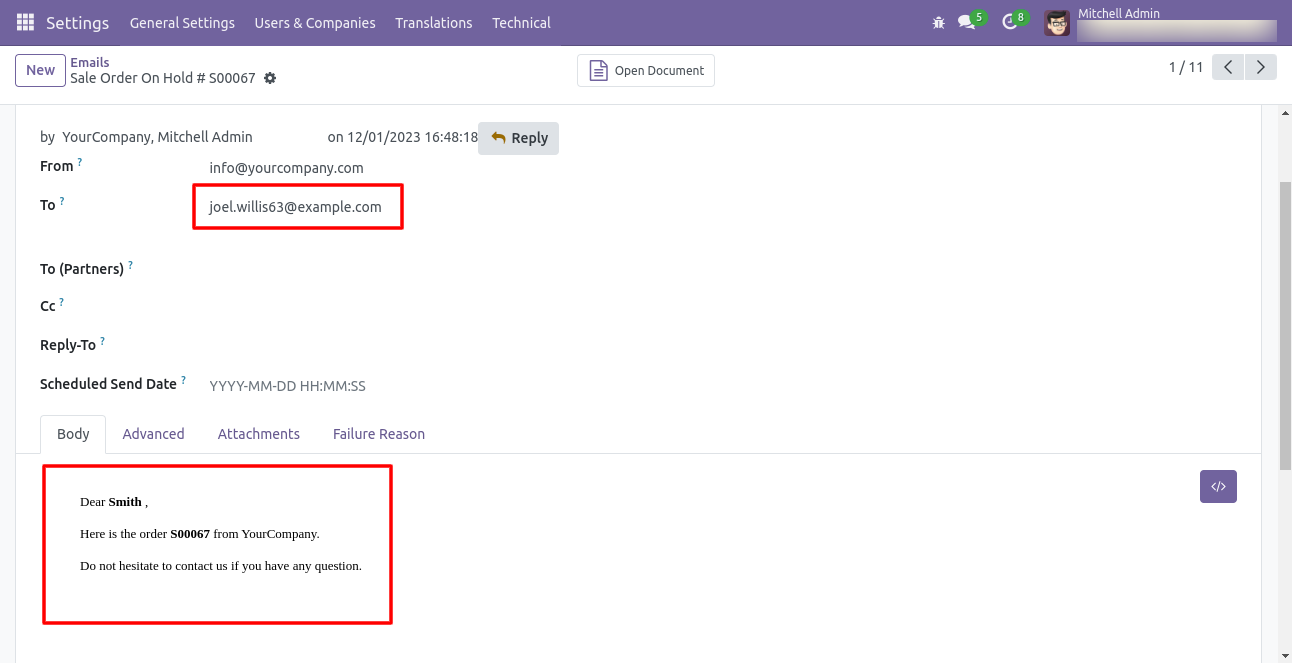
Email alert sent to the user as per settings selections.
Go to the sales setting and select the sale order credit limit 'By Team (Sales Team)'.
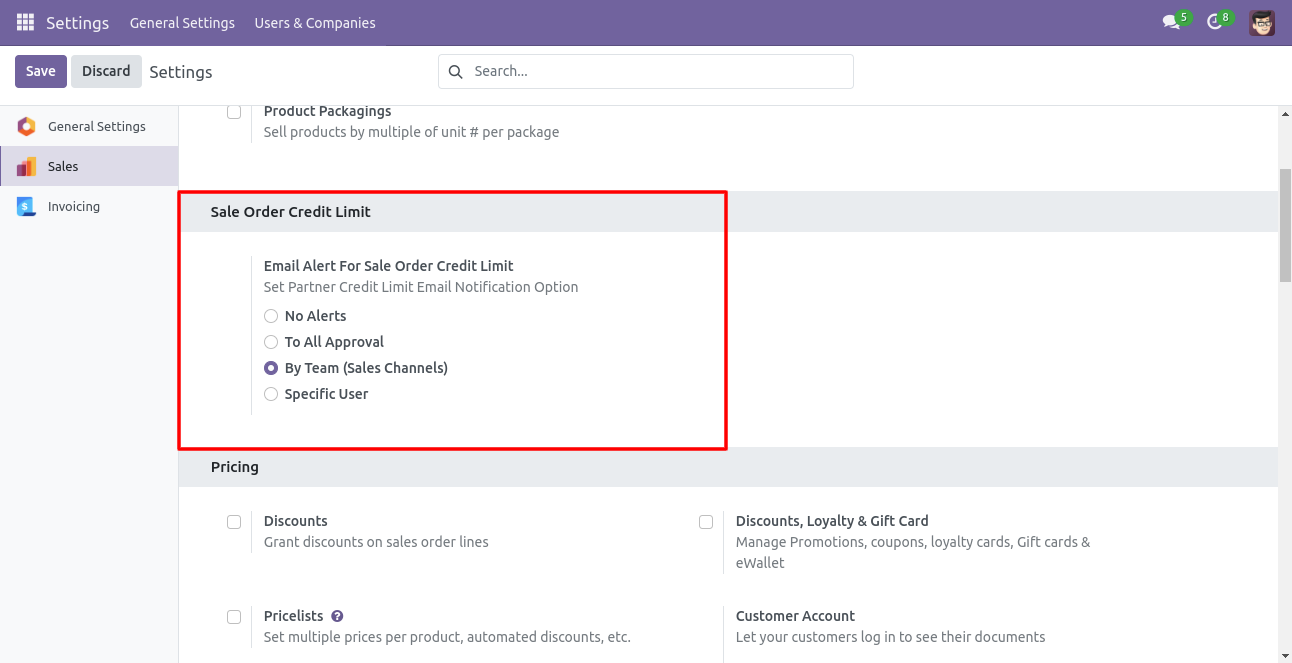
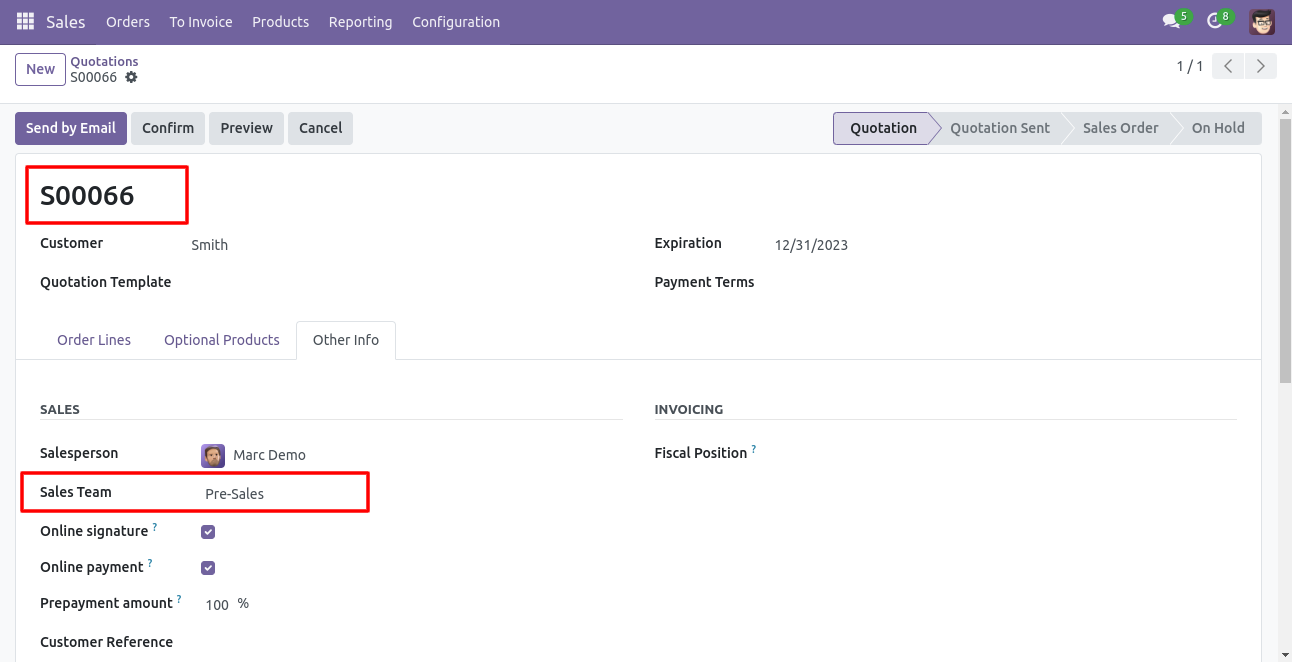
If any sales channel is selected then the sales team will be notified of that sales order.
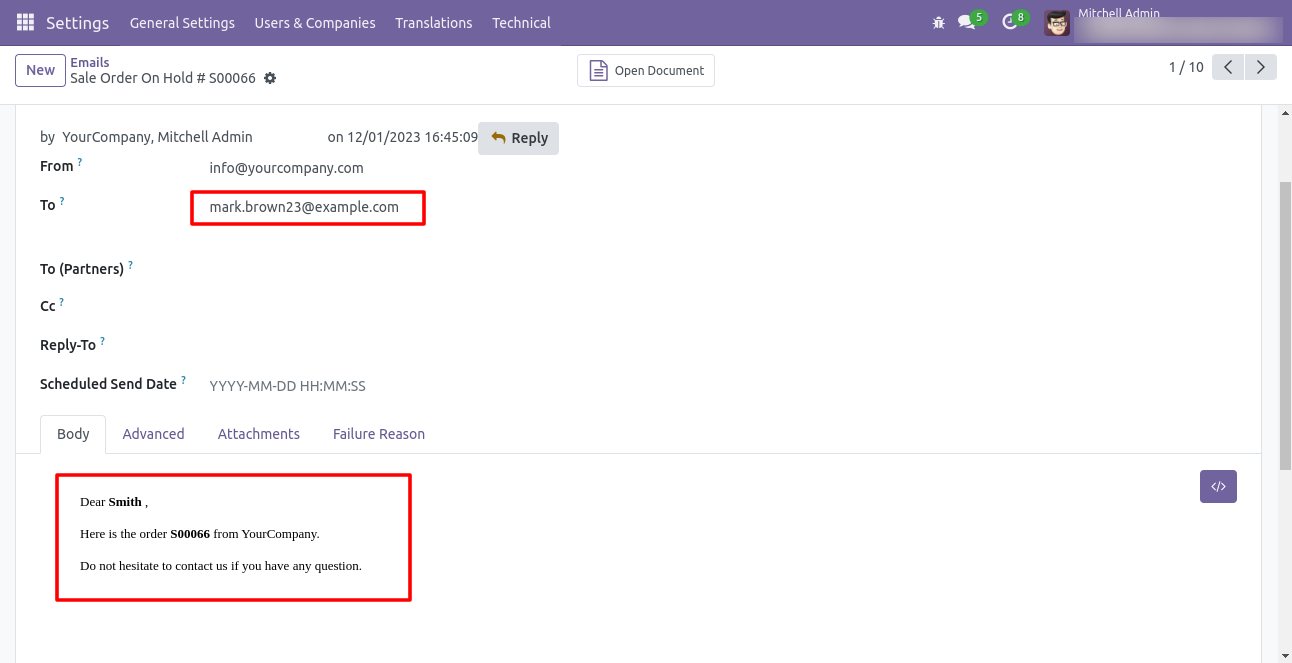
Email alert sent to the user as per settings selections.
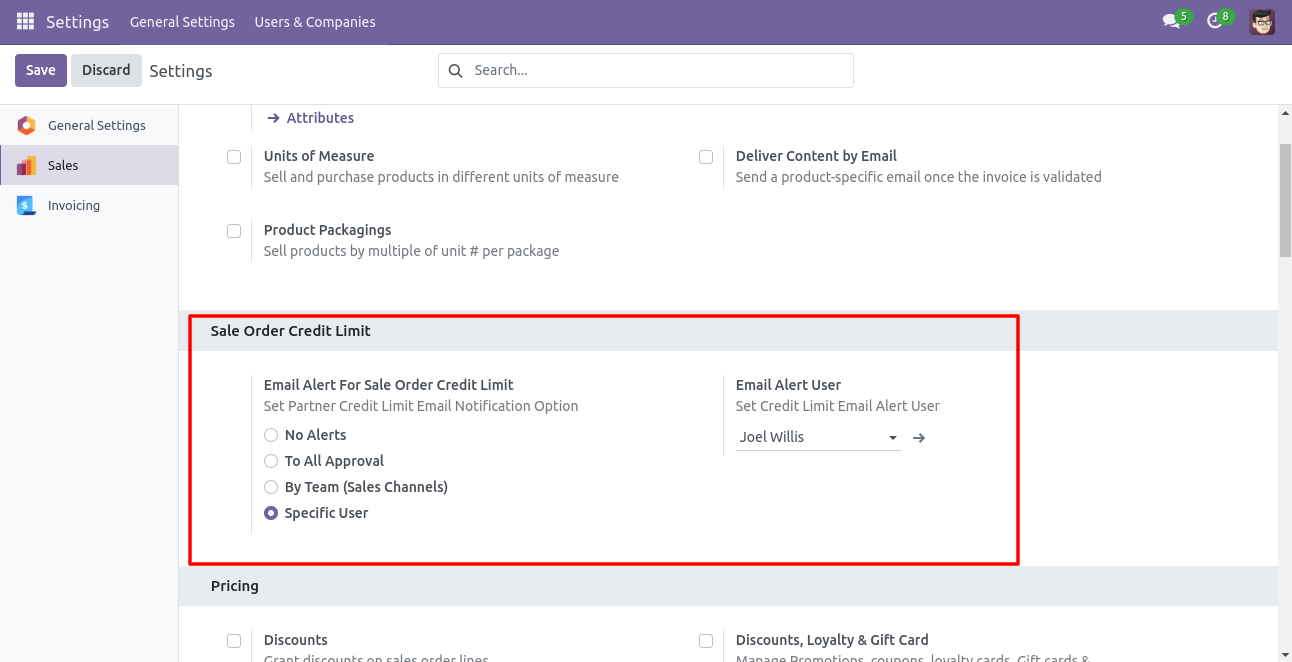
Go to the sales setting and select the sale order credit limit 'Specific User'.
Now the quotation is 'On Hold stage.'
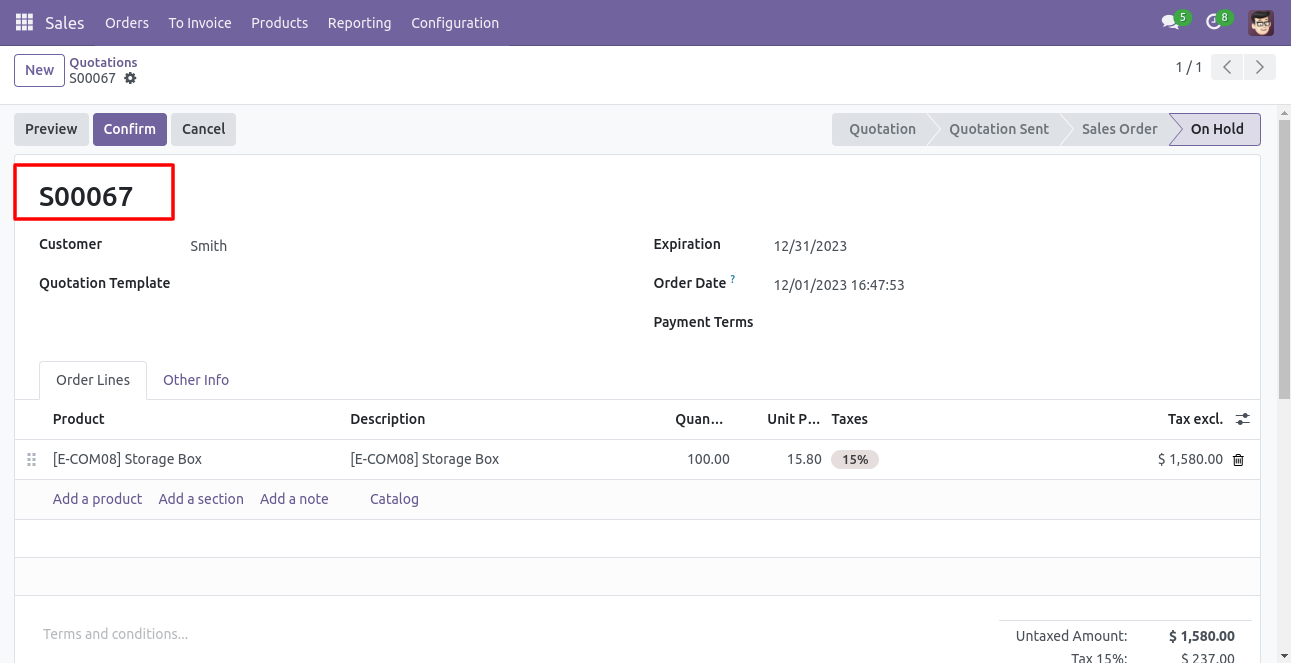
Email alert sent to the user as per settings selections.
Sales User not given group rights for 'Approval On Hold Sale Orders'.
Inside Quotation/Order, there is a 'Confirm' button visible which has the group rights 'Approval On Hold Sale Orders'.
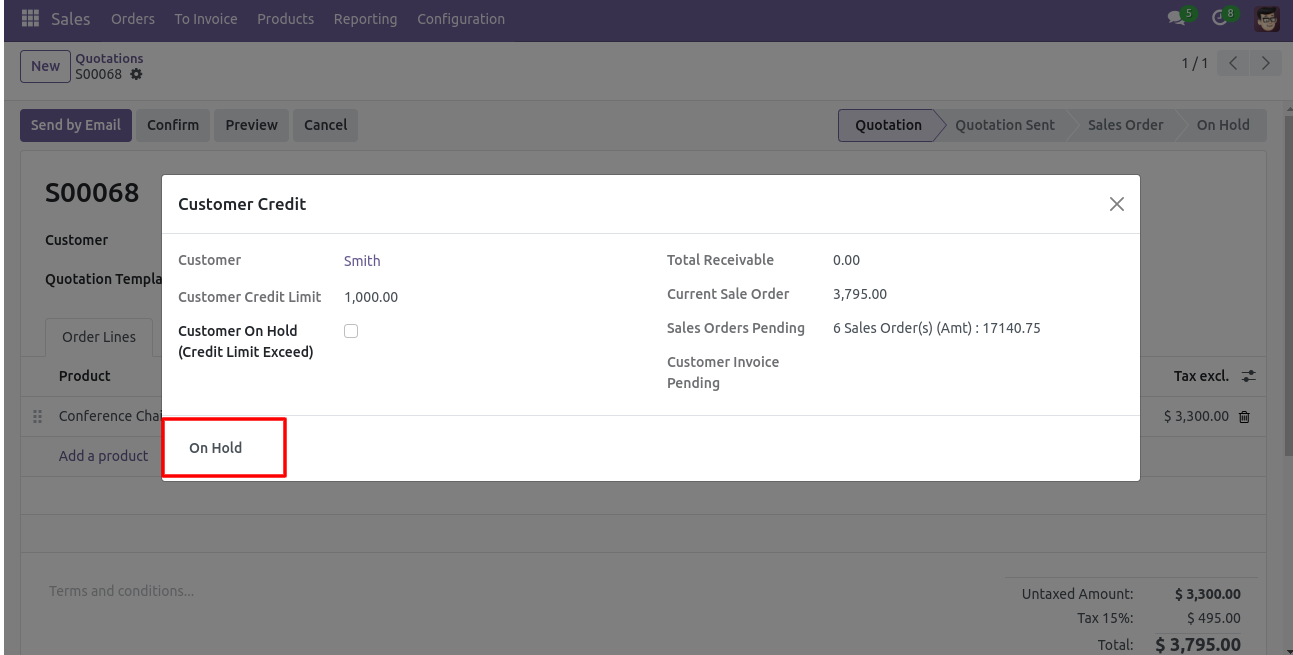
Now the quotation is 'On Hold stage.'
Version 19.0.1 | Released on : 11th August 2025
- Yes, this app works perfectly with Odoo Enterprise (Odoo.sh & Premise) as well as Community.
- No, this application is not compatible with odoo.com(odoo saas/Odoo Online)
- Yes, to test this module, please contact us at sales@softhealer.com.
- Please contact us at sales@softhealer.comto request customization.
- Yes, we provide free support for 365 days from the date of purchase.
- Yes, you will receive lifetime free updates for the version of the module you purchased.
- No, there is no need to install any additional libraries.
- Yes, for version 12 and above, you need to purchase the module separately for each version you intend to use.
- No, exchanges or refunds are not allowed. Please make sure to select the correct version before purchasing.
- You can contact us at support@softhealer.com for language translation support. We use Google Translator tools to provide translations in multiple languages, so the accuracy may vary. We welcome your suggestions to help improve translations.
Discover Our Latest Apps