
Free Support
Life Time

Custom Apps
1500+

top seller of odoo marketplace

Happy Customer
10K+

Year Of Experience
11+

countries
100+

Talented healers
150+

Industries Served
45+

Odoo Community Implementation
350+


Best partner Nominee
2024

Global Presence








Free Demo
Email: sales@softhealer.com
Lifetime Free Support
Contact: support@softhealer.com
Customization
Sales: sales@softhealer.com

Sales Confirmation Date

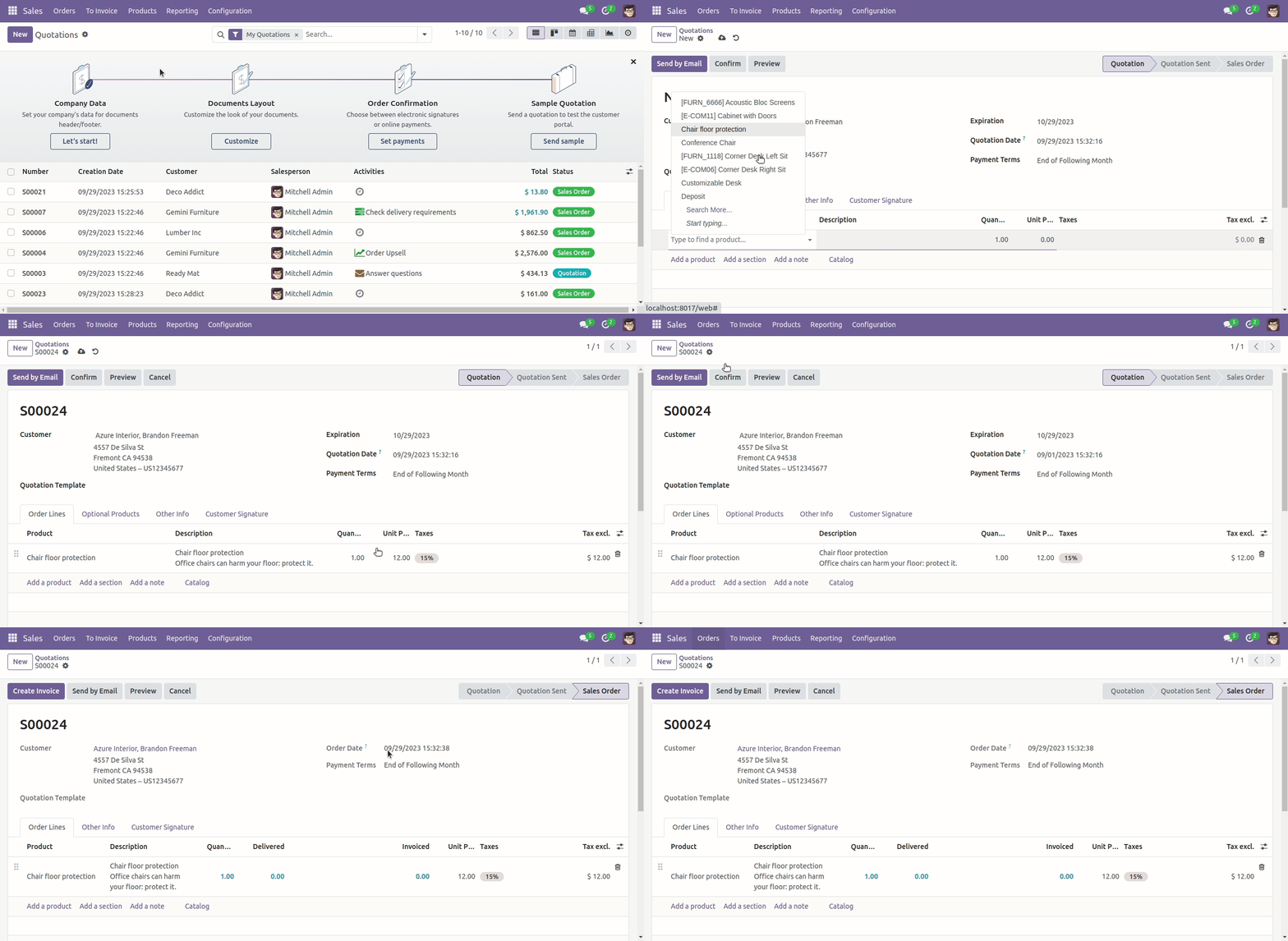
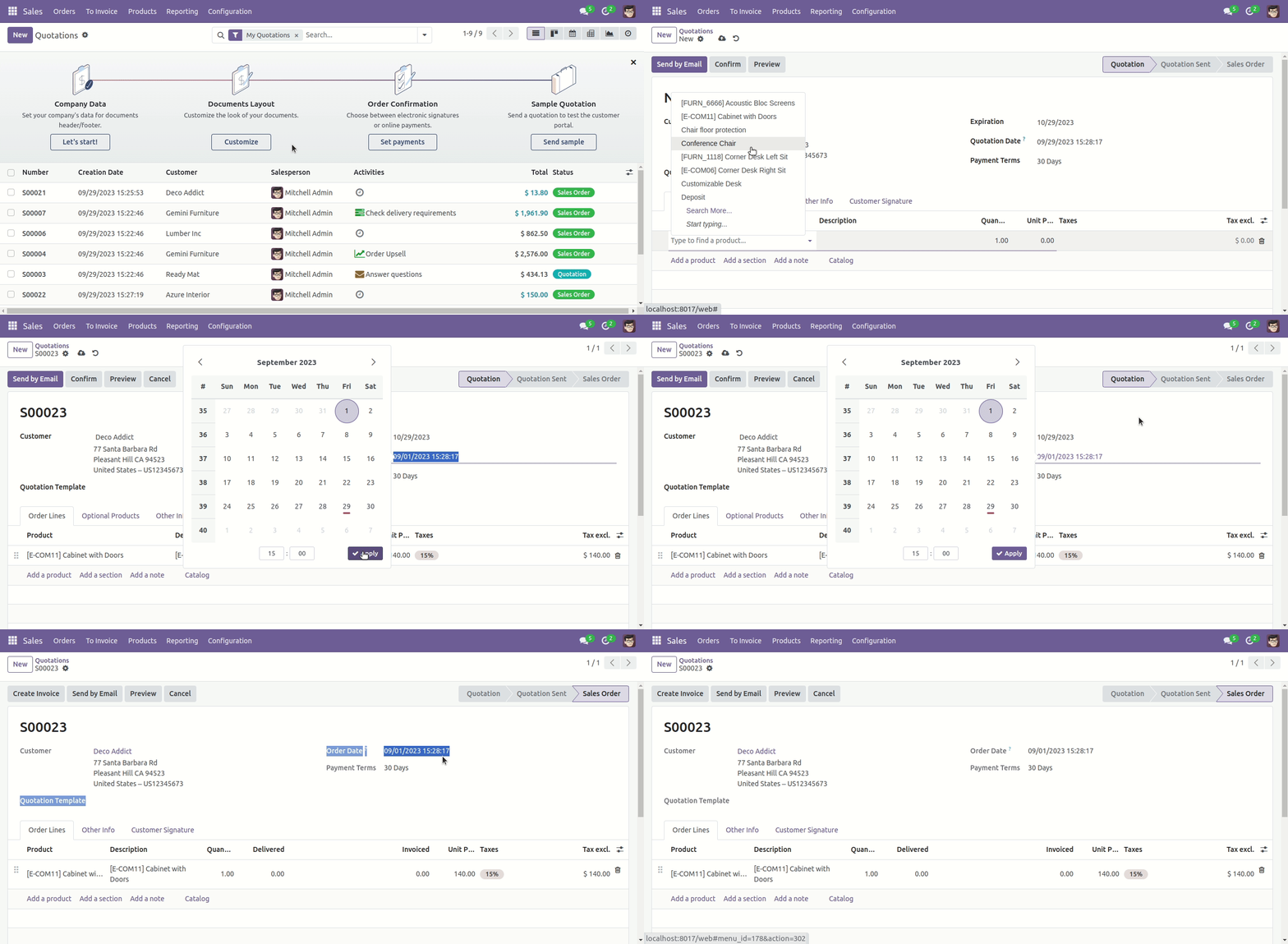
By default in the odoo, when you confirm the quotation, odoo will take the current date and time in the confirm date field. This module helps to overcome this and the sales person will be able to select any date in the confirmation date field and on the confirm button press it will take the selected date of the confirm date field.

Features
- You can set the confirmation date in the quotation.
- You can set the current date and time at the confirmation date.
- You can see the confirmation date before confirming the quotation.
The confirmation date workflow in odoo standard.
The confirmation date workflow in the custom module.
Version 19.0.1 | Released on : 19th September 2025
Initial
Initial Release.
- Yes, this app works perfectly with Odoo Enterprise (Odoo.sh & Premise) as well as Community.
- No, this application is not compatible with odoo.com(odoo saas/Odoo Online)
- No, currently it does not work if the product type is selected as a combo product. For more details, please contact our support team at support@softhealer.com.
- Yes, to test this module, please contact us at sales@softhealer.com.
- Please contact us at sales@softhealer.comto request customization.
- Yes, we provide free support for 365 days from the date of purchase.
- Yes, you will receive lifetime free updates for the version of the module you purchased.
- No, there is no need to install any additional libraries.
- Yes, for version 12 and above, you need to purchase the module separately for each version you intend to use.
- No, exchanges or refunds are not allowed. Please make sure to select the correct version before purchasing.
- You can contact us at support@softhealer.com for language translation support. We use Google Translator tools to provide translations in multiple languages, so the accuracy may vary. We welcome your suggestions to help improve translations.
Discover Our Latest Apps