













Sale - Secondary Unit of Measure

Do you have more than one unit of measure in sales product? Yes! So, You are at the right place, We have created a beautiful module to manage a secondary unit of measure in sale product. It will help you to get easily secondary unit value. so you don't need to waste your time to calculate that value.

Features
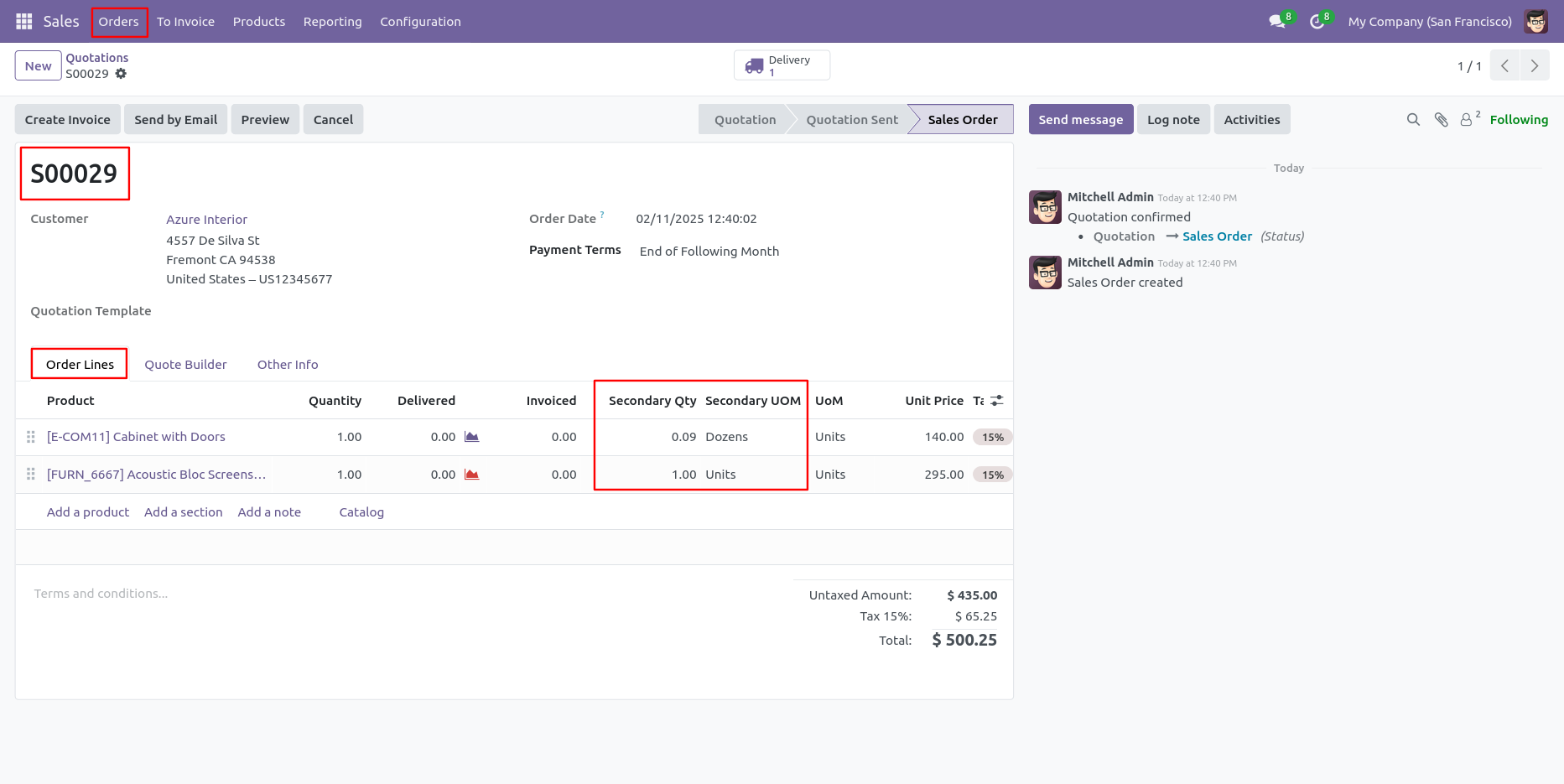
- Easy to convert sales product value from the Primary Unit of Measure to the Secondary Unit of Measure in the sale order line.
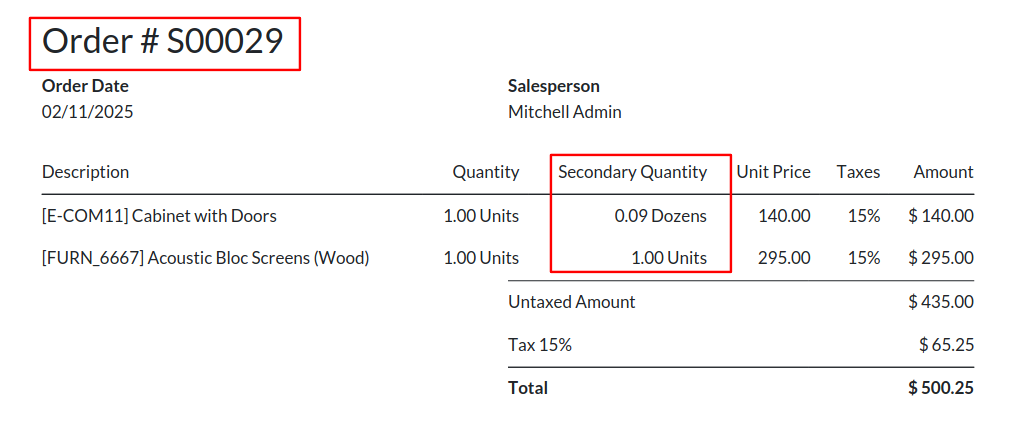
- You can also display a secondary unit of measure in the sale order pdf report.
- Easily convert from secondary to primary and primary to secondary.
- If you input the secondary Unit of Measure then it will auto-change the primary Unit of Measure value and if you change the primary Unit of Measure auto change the value of the secondary Unit of Measure.
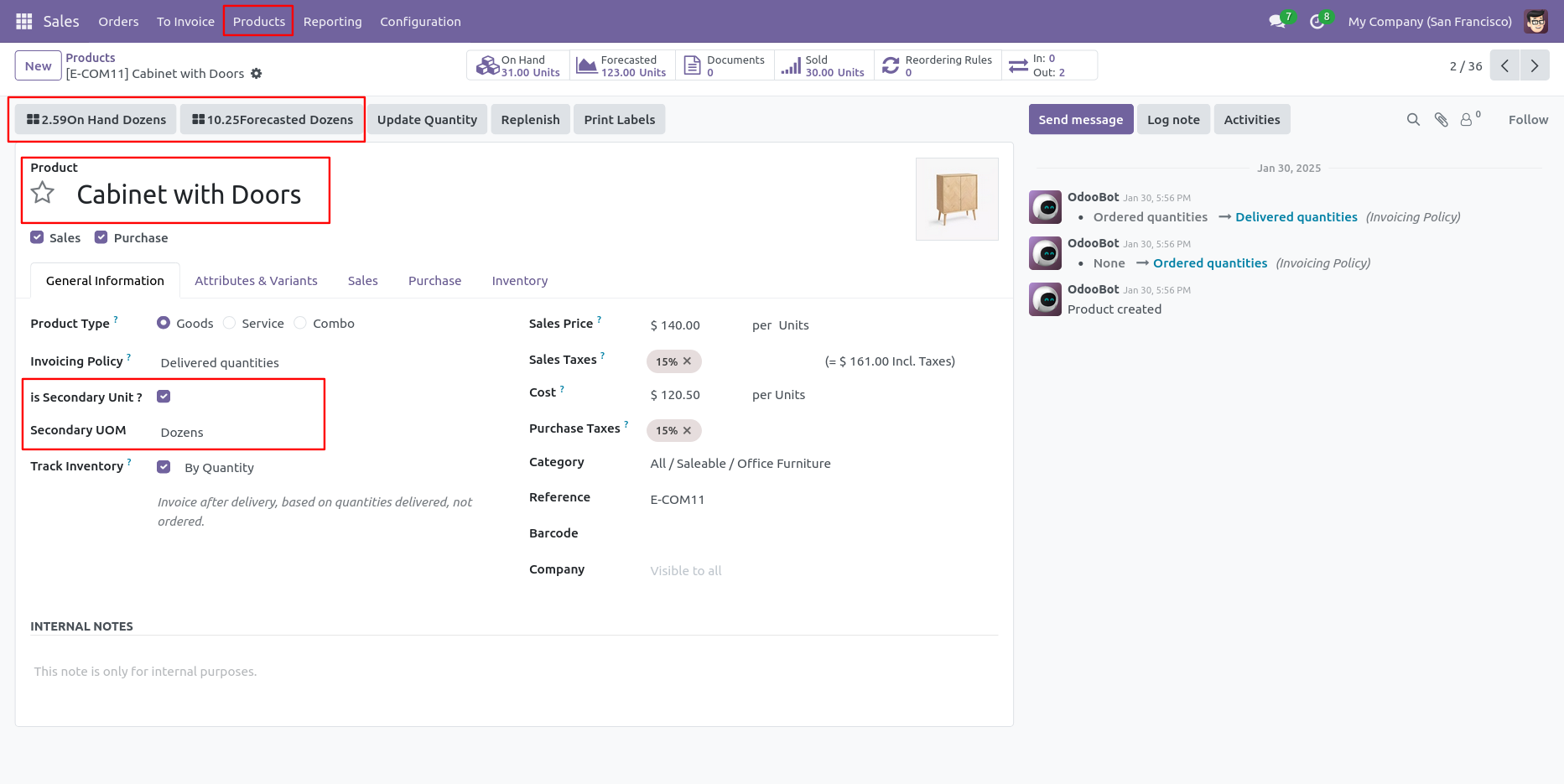
- Users can see stock (on hand, outgoing, incoming) in the secondary unit of measure.
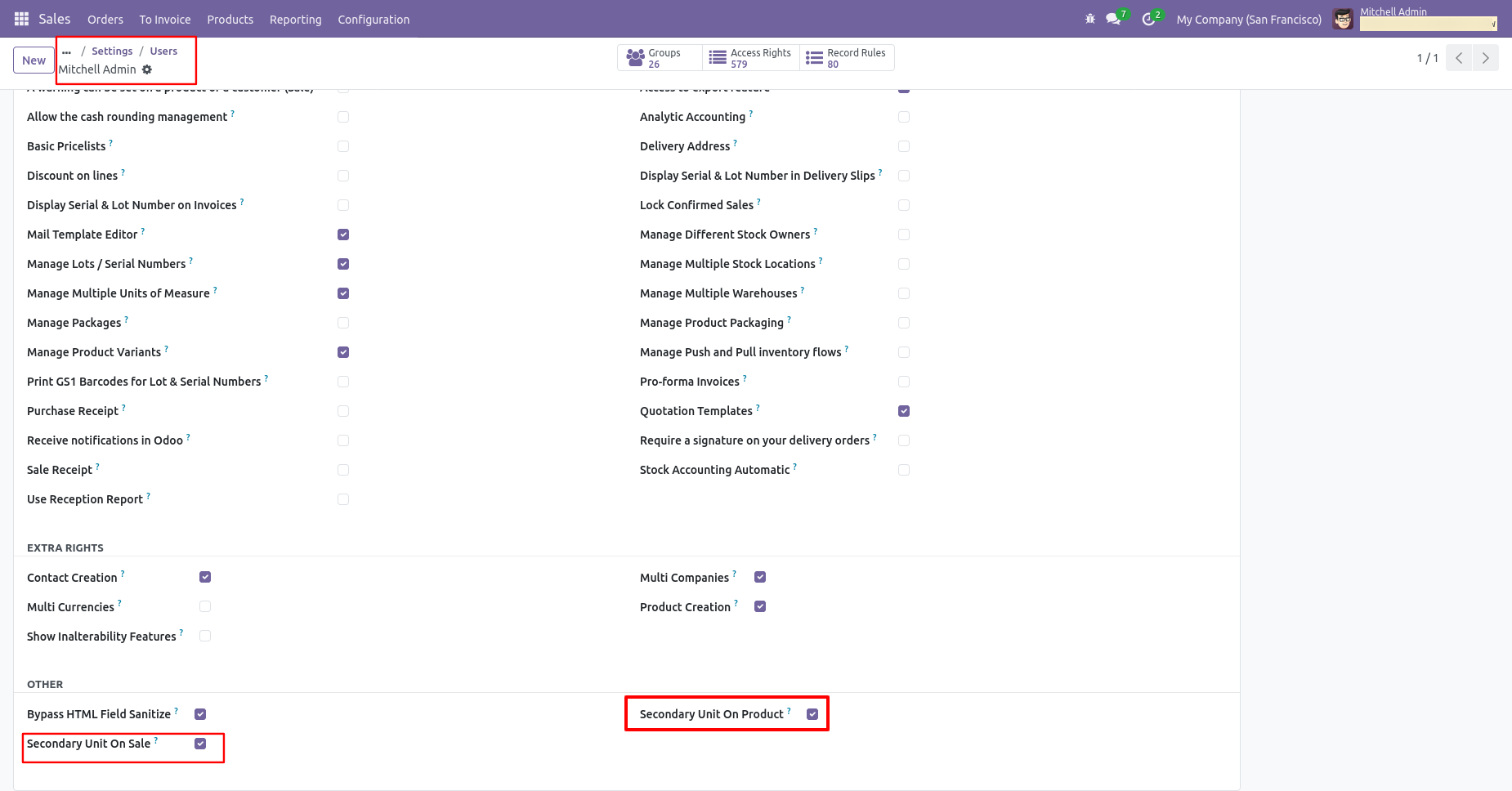
Enable the 'Secondary Unit On Sale' and 'Secondary Unit On Product'.
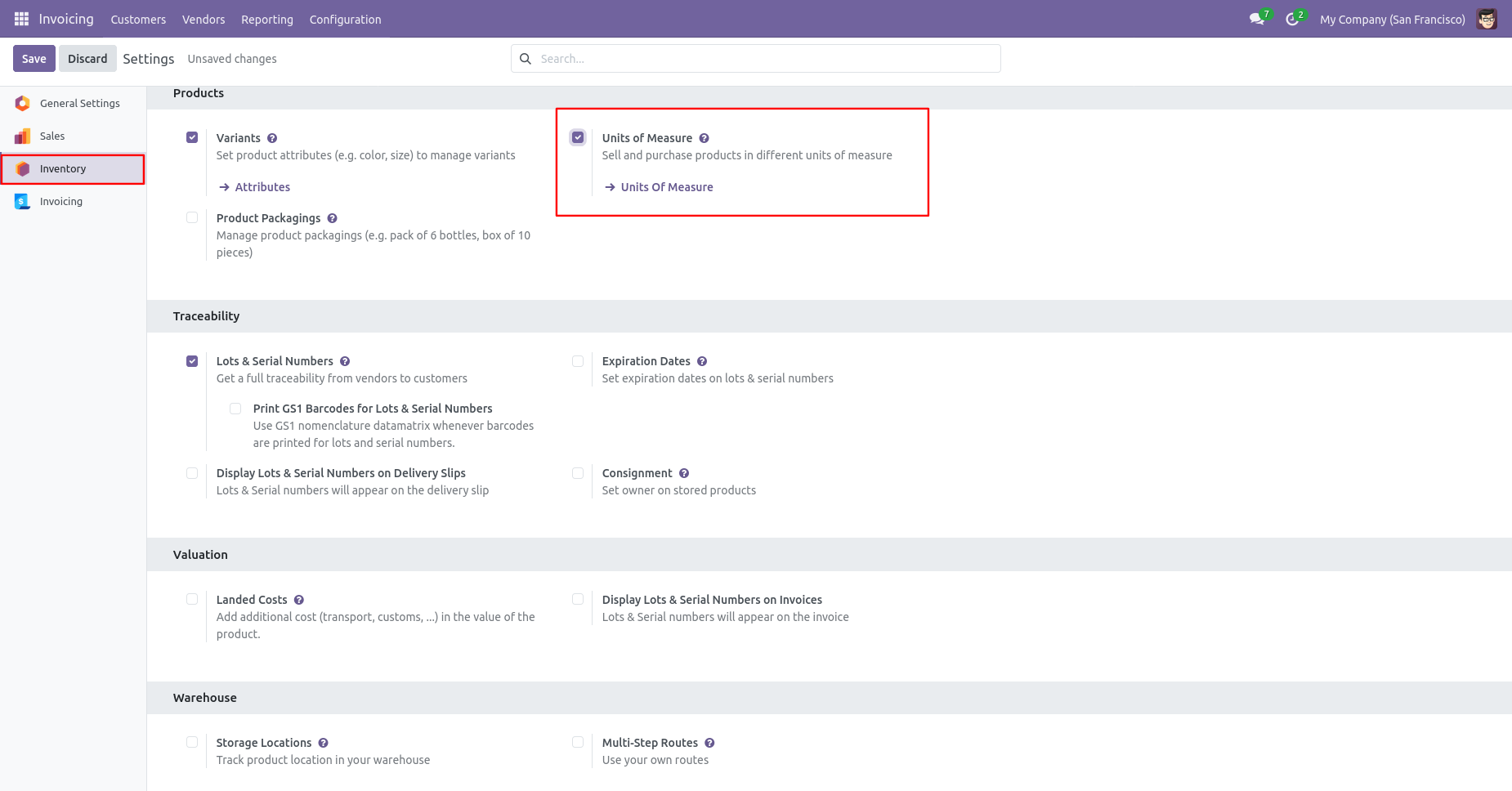
Go to the inventory configuration and tick 'Unit of measure'.
Select the right secondary unit of measure for a primary unit of measure in product.
You can see the secondary Qty and Secondary UOM in sale order lines.
You can print the quotation/order pdf report from the 'Action' button.

PDF report of the quotation/order.
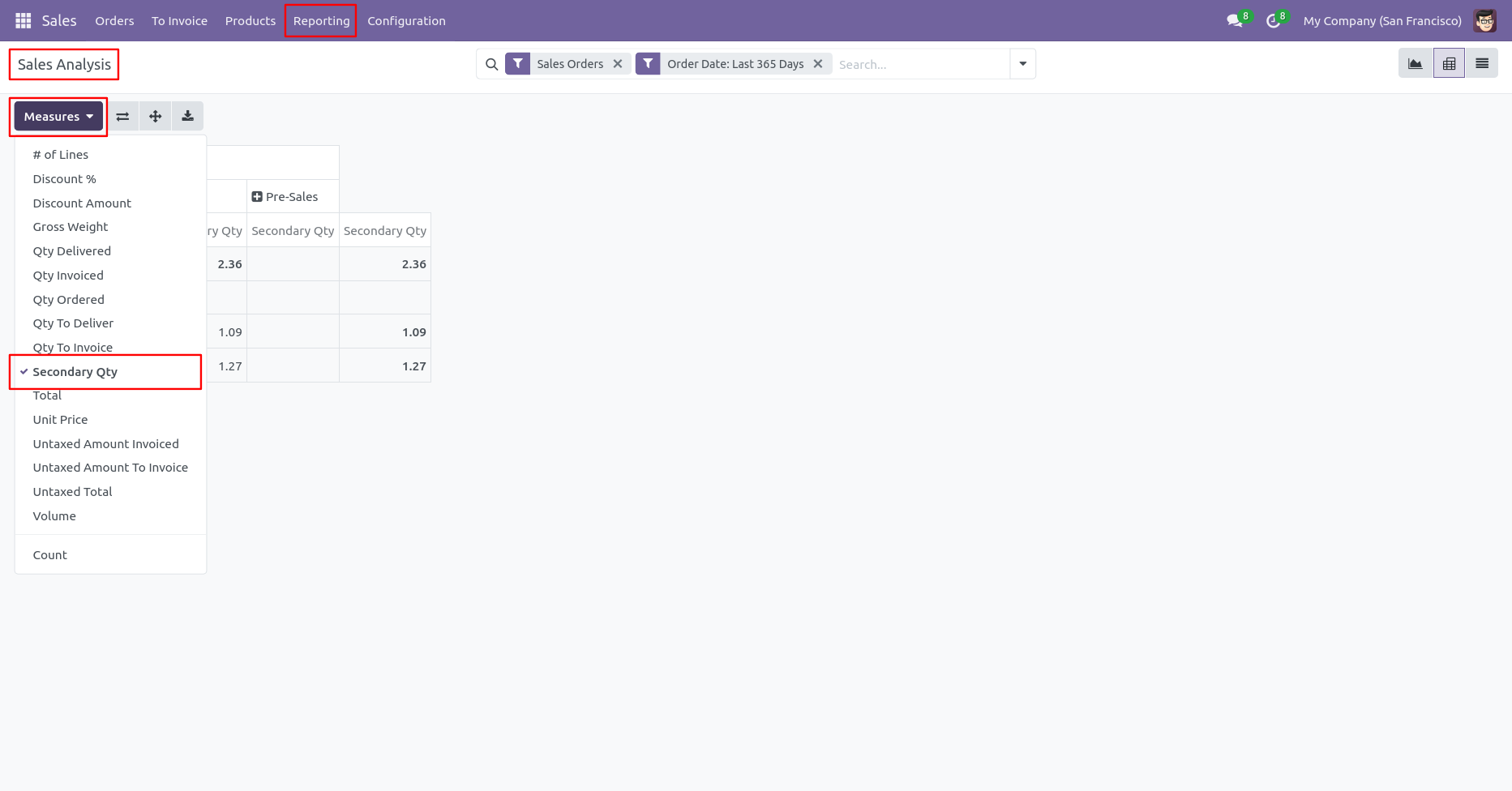
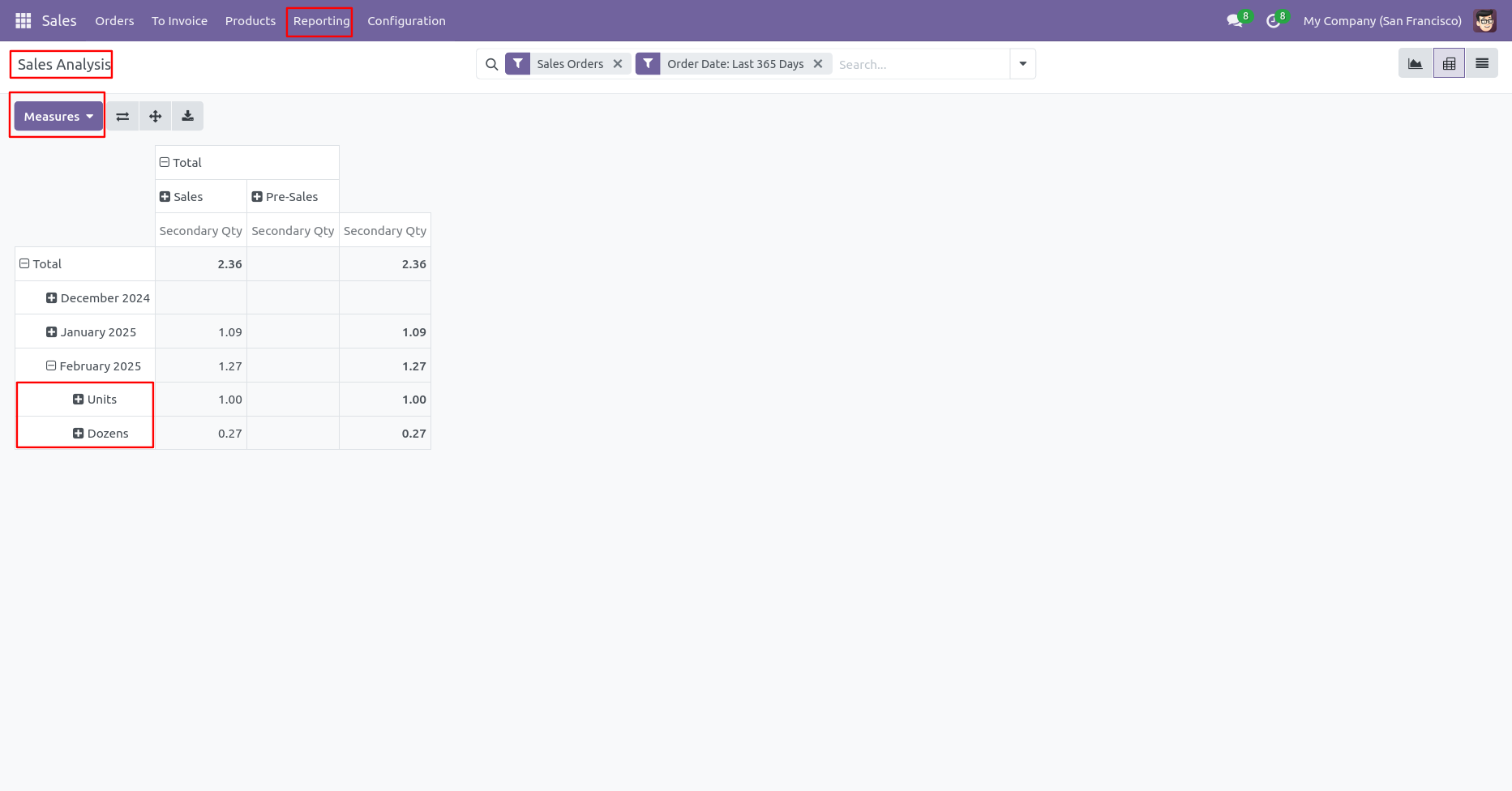
Secondary Qty in Sales Analysis pivot view.
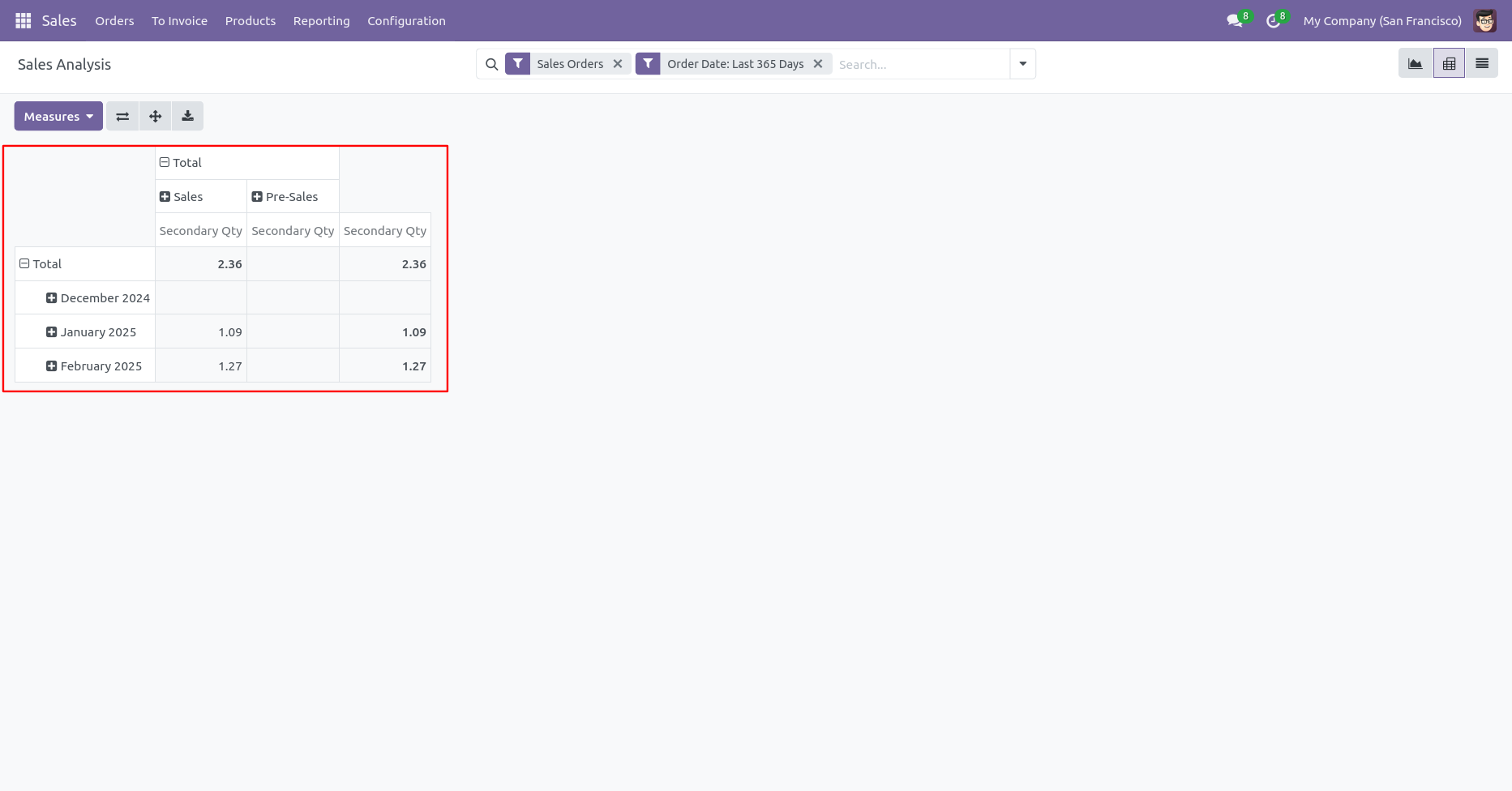
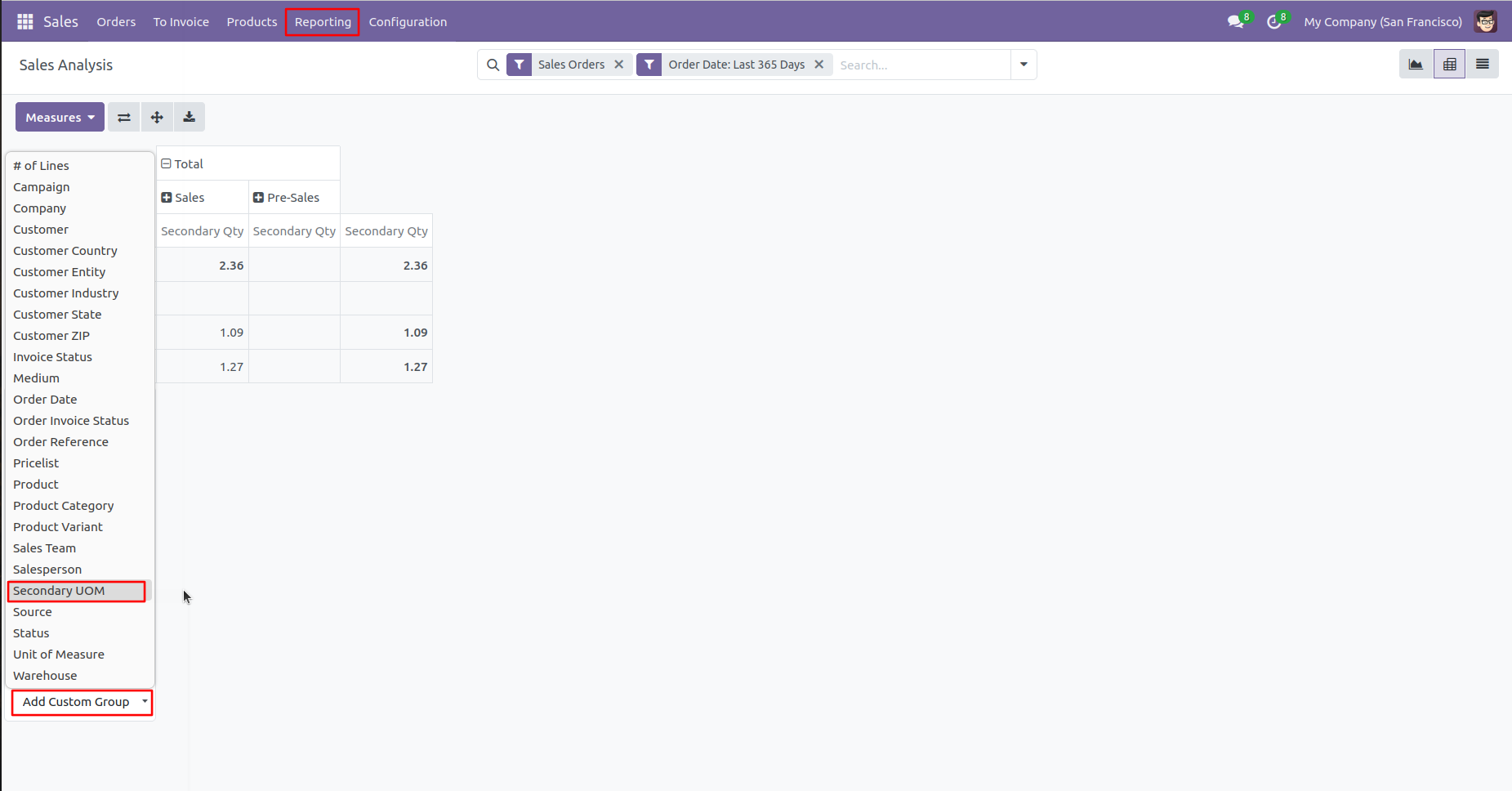
Secondary UOM in Sales Analysis Pivot view.
Version 18.0.2 | Released on : 12th October 2024
Version 18.0.1 | Released on : 2nd September 2024
- Yes, this app works perfectly with Odoo Enterprise (Odoo.sh & On-Premise) as well as Community.
- No, this application is not compatible with odoo.com(odoo saas/Odoo Online).
- Please Contact Us at sales@softhealer.com to request customization.
- Yes, you will get free update for lifetime.
- No, you don't need to install addition libraries.
- For version 12 or upper, you will need to purchase the module for each version that you want to use.
- Yes, we provide free support for 365 days.
- No, We do not provide any kind of exchange.
